
INSTRUCTION MANUAL. Heart Rate Monitor. Model: HR-100C ST/SP SET MODE TIME
|
|
|
- Ashlynn Gray
- 10 years ago
- Views:
Transcription
1 INSTRUCTION MANUAL Heart Rate Monitor Model: HR-100C ST/SP SET MODE TIME

2 CONTENTS Before Using the Unit Introduction... 3 Important Safety Information... 4 Physical condition and workout... 7 Training zones...7 Operating Instructions Know Your Unit... 9 Main Unit...9 Components...10 Selecting the Operating Mode Basic Setting Instructions Setting the Time and Date Displaying the Date Setting the Alarm Setting the Heart Rate Limits Using the Backlight Feature Using the Stopwatch Feature The Chest Belt Use in the Water Effective Range Troubleshooting Care and Maintenance Battery Installation Caring for your Monitor Specifications FCC Statement Limited Warranty

3 Before Using the Unit INTRODUCTION Thank you for purchasing the OMRON HR-100C Heart Rate Monitor. Fill-in for future reference DATE PURCHASED: Staple your purchase receipt here Register your product online at The heart rate monitor can help ensure you receive the maximum benefit from your exercise program. You can increase the effectiveness of your exercise program by monitoring and quantifying your results every step of the way. Your HR-100C Heart Rate Monitor comes with the following components: Heart Rate Monitor Watch Chest Belt Chest Belt Strap 2 Lithium CR2032 Batteries (1 Monitor Watch, 1 Chest Belt - installed) Storage Case Instruction Manual Please read all the instructions in this booklet before using the unit. WARNING The signals used by this monitor may interfere with a pacemaker or other implanted devices. Consult the manufacturer of the implant device and your physician before using this monitor. SAVE THESE INSTRUCTIONS 3

4 IMPORTANT SAFETY INFORMATION To assure the correct use of the product basic safety measures should always be followed including the warnings and cautions listed in this instruction manual. SAFETY SYMBOLS USED IN THIS INSTRUCTION MANUAL WARNING CAUTION Indicates a potentially hazardous situation which, if not avoided, could result in death or serious injury. Indicates a potentially hazardous situation which, if not avoided, may result in minor or moderate injury to the user or patient or damage to the equipment or other property. OPERATING THE DEVICE The signals used by this monitor may interfere with a pacemaker or other implanted devices. Consult the manufacturer of the implant device and your physician before using this monitor. Contact your physician or healthcare provider before beginning a weight reduction or exercise program. Keep the unit out of the reach of young children. The unit contains small pieces that may be swallowed. Immediately contact your physician if any piece is swallowed. If battery fluid gets in your eyes, immediately rinse with plenty of clean water. Contact a physician immediately. Please do not place the chest belt around your neck or the neck of children. Do not bend or stretch the chest belt. 4

5 IMPORTANT SAFETY INFORMATION Do not scratch hard objects against the LCD display as this may cause damage. When using this unit near any electronic devices, keep the devices at least 8 inches (20 cm) away from the unit in order to avoid the possibility of display errors occurring. If battery fluid gets on your skin or clothing, immediately rinse with plenty of clean water. Do not throw the batteries into fire. The batteries may explode. Do not use batteries not specified for this unit. Do not insert batteries with the polarities in the wrong direction. Do not touch the exposed electronic circuitry, as there is a danger of electric shock. Check all major functions if the device has not been used for a long time. Maintain regular internal testing and cleaning of your device. Dispose of the device, batteries and components according to applicable local regulations. Unlawful disposal may cause environmental pollution. Due to printing limitations, the displays shown in this manual may differ from the actual display. The contents of this manual may not be reproduced without the permission of the manufacturer. 5

6 IMPORTANT SAFETY INFORMATION CARE AND MAINTENANCE Use a soft, slightly moistened cloth. Do not use abrasive or corrosive cleaning agents, as these may cause damage. Use lukewarm water and mild soap to clean the watch and chest belt thoroughly after each training session. Never use the products in hot water or store them when wet. Do not disassemble or modify the unit. Changes or modifications not approved by Omron Healthcare will void the user warranty. Do not subject the unit to strong shocks, such as dropping the unit on the floor. Do not submerge the unit or any of the components in water. NOTES: This product is not to be used for diagnostic purposes or to prescribe medication. The technical specifications for this product and the contents of the user manual are subject to change without notice. Features and accessories will not be available in all countries. For more information, please visit our web site at 6

7 PHYSICAL CONDITION AND WORKOUT To help achieve maximum health benefits from your workout program, it is important to know your: Maximum heart rate (MHR) Upper heart rate limit Lower heart rate limit MHR is expressed in beats per minute. You can get your MHR from an MHR test, or you can estimate it by using the following formula: age = MHR Training zones There are several training zones that are relevant to a fitness program. The most popular zone range is from 50% to 80% of your maximum heart rate. This is where you achieve cardiovascular benefits, burn fat, and become fitter. When programming your watch, the lower percentage of the zone you choose becomes your lower heart rate limit and the higher percentage becomes the upper heart rate limit. 50% 60% 70% 80% 90% 100% Moderate Activity Weight Management Zone Aerobic Zone Anaerobic Threshold Zone Red Line Zone ( maximum capacity ) 7

8 PHYSICAL CONDITION AND WORKOUT There are three training zones, as described below: TRAINING ZONE MHR% DESCRIPTION This is the lowest training intensity Health Maintenance 65-78% level. It is good for beginners and those who want to strengthen their cardiovascular systems. Increases strength and endurance. It Aerobic Exercise 65-85% works within the body s oxygen intake capability, burns more calories and can be maintained for a long period of time. Anaerobic Exercise 78-90% Generates speed and power. It works at or above the body s oxygen intake capability, builds muscle, and cannot be maintained for a long period of time. The upper and lower heart rate limits are calculated by multiplying your MHR by the percentages of the selected training zone. For example: A 40-year-old training for basic health maintenance: Upper Heart Rate Limit [220-40(age)] 78% = 140 Lower Heart Rate Limit [220-40(age)] 65% = 117 IMPORTANT: Always warm up before exercise and select the training zone that best suits your physique. Exercise regularly, 20 to 30 minutes per session, three to four times a week for a healthier cardiovascular system. CAUTION: Determining your individual training zone is a critical step in the process towards an efficient and safe training program. Please consult your doctor or health professional to help you determine exercise frequency and duration appropriate for your age, condition and specific goals. 8

9 Operating Instructions KNOW YOUR UNIT Main Unit The Control Buttons on the monitor watch are used to select and set the operating modes, add your personal data, and use the features of the heart rate monitor. 1. Backlight Button 2. MODE Button 3. SET Button 4. ST/SP Stopwatch Button 5. Time/ Heart Rate Button 9

10 SET MODE ST/SP TIME Components KNOW YOUR UNIT INSTRUCTION MANUAL Chest Belt Counts your heartbeat and sends the data to the monitor watch. Model: HR-100C Instruction Manual Chest Belt Strap Adjustable strap attaches to the chest belt for a comfortable fi t. Storage Case Compact case holds all components. 2 Lithium CR2032 Batteries (1 monitor watch, 1 chest belt - installed) 10

11 SELECTING THE OPERATING MODE Press the MODE button to toggle between the following operating modes: Time of Day Alarm Stopwatch Press the TIME/ button to toggle between the operating modes and the Heart Rate Display. Press MODE Button TIME OF DAY Press MODE Button Press TIME/ Button ALARM STOP WATCH Press MODE Button Press TIME/ Button Heart Rate Display Press TIME/ Button 11

12 BASIC SETTING INSTRUCTIONS 1. Press and hold the MODE button to enter the setting mode. 2. Press the SET button to adjust the blinking digits. Press and hold the SET button to increase the digits faster. 3. Press the MODE button to go to the next setting option or exit the setting mode. NOTE: If no button is pressed the monitor will automatically exit the setting mode after 60 seconds. SETTING THE TIME AND DATE Press the MODE button to select the Time of Day operating mode. 1. Press and hold the MODE button. 12/24 hr blinking 2. Press the SET button to choose the 12-hour AM/PM or 24-hour universal clock. Press the MODE button. Hour blinking 3. Press the SET button to adjust the hour. Press the MODE button. Minutes blinking 4. Press the SET button to adjust the minutes. Press the MODE button. Month blinking 5. Press the SET button to change the month. Press the MODE button. Date blinking 12

13 SETTING THE TIME AND DATE 6. Press the SET button to change the date. Press the MODE button. Day blinking 7. Press the SET button to change the day. Press the MODE button to exit the setting mode. The date and time is set. NOTE: If the time has been set to the 12-hour AM/PM clock, AM is not displayed for times before noon, but PM is displayed for times after noon. DISPLAYING THE DATE 1. Press the MODE button to select the Time of Day operating mode. 2. Press the SET button to display the date. 3. Press the MODE button to return to the Time of Day. NOTE: If no button is pressed the monitor will return to the Time of Day after 10 seconds.press any key. 13

14 SETTING THE ALARM Press the MODE button to select the Alarm operating mode. 1. Press and hold the MODE button. Hour blinking 2. Press the SET button to adjust the hour. Press the MODE button. Minutes blinking 3. Press the SET button to adjust the minutes. Press the MODE button to exit the setting mode. The Alarm time is set. ACTIVATING THE ALARM 1. Press the SET button to turn the alarm on or off. ON OFF When the alarm is activated, the alarm will go off at the set time every day. Press any button to stop the alarm signal. 14

15 SETTING THE HEART RATE LIMITS The Heart Rate Limits help you determine if you are exercising within your training zone. When you go above or below your limits, an indicator will flash to warn you. Press the TIME/ button to select the Heart Rate display. SETTING THE HEART RATE LIMITS 1. Press and hold the MODE button. Lower Limit blinking 2. Press the SET button to enter your training zone lower limit. Press the MODE button. Upper Limit blinking NOTE: The upper limit must be greater than the lower limit. The monitor will automatically adjust the upper limit range based on the data entered. 3. Press the SET button to enter your training zone upper limit. Press the MODE button to exit the setting mode. The training zone limits are set. SETTING THE HEART RATE ALERT 1. Press and hold the TIME/ button to turn the alert indicator on or off. ON OFF 2. Press the TIME/ button. The alert indicator is set. USING THE BACKLIGHT FEATURE Press the Backlight button. The screen will illuminate for approximately 5 seconds. 15

16 USING THE STOPWATCH FEATURE 1. Press the MODE button to select the Stopwatch operating mode. 2. Press the ST/SP button to start the stopwatch. 3. Press the ST/SP button to stop the stopwatch. 4. Press and hold the SET button to reset the stopwatch. THE CHEST BELT The chest belt counts your heartbeat and sends the data to the monitor watch. ATTACHING THE CHEST BELT Attach the strap to the chest belt by inserting the strap clip through the backside of the corresponding shaped hole on the chest belt. Gently push down to secure. 1. Moisten the conductive pads on the backside of the chest belt with water or a conductive gel to ensure a solid contact. CONDUCTIVE PADS 2. Strap the chest belt across your chest. Adjust the strap until the chest belt sits snugly below your pectoral muscles for an accurate heart rate signal. 16

17 USE IN THE WATER The watch is water-resistant up to 98 feet (30 meters). The chest belt is splash proof, but should not be worn for underwater activities, as the heart rate transmission cannot occur under water. Refer to the table for proper use guidelines. Watch 98Feet (30m) Chest Belt RAIN SHOWERING SPLASHES (WARM/ ETC COOL WATER ONLY) LIGHT SWIMMING / SHALLOW WATER SHALLOW DIVING/ SURFING/ WATER SPORTS SNORKELING / DEEP WATER DIVING OK OK OK NO NO OK NO NO NO NO IMPORTANT: Ensure the buttons and battery compartment are secured and intact before exposing the watch to excessive water. Avoid pressing the buttons while in the water or during heavy rainstorms, as this may cause water to enter the watch, leading to malfunction. 17

18 Care and Maintenance EFFECTIVE RANGE The chest belt and monitor watch should be worn within 20 inches (50 centimeters) from each other. NOTE: If no signal is sent from the chest belt to the monitor watch for 15 minutes the watch will display the previous mode. TROUBLESHOOTING If the signals become unsteady re-adjust the position of the chest belt strap and make sure the distance between the chest belt and monitor watch is within the effective range. Make sure the low battery indicator light is not displayed on the monitor watch. The chest belt battery may need to be replaced. 18

19 BATTERY INSTALLATION The monitor watch uses a CR2032 3V Lithium battery. When the battery is running low, will light up. To assure the water resistance take the monitor to a local jewelry store for battery replacement. Improper replacement will void the warranty. The chest belt uses a CR2032 3V Lithium battery. If the heart rate signals become unsteady or stop your chest belt battery may need replacing. To change the chest belt battery: 1. Open the chest belt battery lid with a coin by turning counterclockwise. 2. Remove the old battery. 3. Insert the new battery with the positive side facing up. DO NOT touch the contacts. 4. Replace the battery lid. CARING FOR YOUR MONITOR To keep your heart rate monitor in the best condition and protect the unit from damage follow these directions: Clean the monitor watch with a soft, slightly moistened cloth. Do not use any abrasive or volatile cleaners. Always thoroughly dry off any moisture on the components before storing. Do not subject the monitor watch to extreme hot or cold temperatures, humidity and direct sunlight. Do not excessively twist or bend the conductive pads on the chest belt. Do not subject the chest belt or watch to strong shocks, such as dropping on the floor. Use the unit consistent with the instruction provided in this manual. 19

20 SPECIFICATIONS Model HR-100CN (HBE-100-Z) Real Time Clock 12/24 hour with hour/minute/second Stopwatch 00:00:00 to 29:59:59 (hrs:min:sec) HR measuring range: bpm (beats per minutes) Performance Tracking Upper HR settable range: bpm (beats per minutes) Lower HR settable range: bpm (beats per minutes) Chest Size Approx. 29 inches to 55 inches (74 cm to 140 cm) Monitor watch - approx. 1 3/8 oz (included Weight battery) Chest belt - approx. 1 1/2 oz (included battery) Power Source Monitor watch - 1 pc CR2032 3V battery Chest belt - 1 pc CR2032 3V battery Monitor watch: Approx. 1 year (when used for Battery Life measuring 30 minutes a day) Chest belt: Approx. 1 year (when used for measuring 30 minutes a day) Operating Temperature 14ºF to 122ºF (-10ºC to +50ºC) Water Resistant Monitor watch: 98 feet (30 meters) - Do not press keys. Heart Rate Monitor Watch, Chest Belt, Chest Contents Belt Strap, 2 Lithium CR2032 Batteries (1 Monitor Watch, 1 Chest Belt - installed), Storage Case and Instruction Manual NOTE: Specifications are subject to change without notice. 20

21 FCC STATEMENT NOTE: POTENTIAL FOR RADIO/TELEVISION INTERFERENCE (for U.S.A. only) This product has been tested and found to comply with the limits for a Class B digital device, pursuant to part 15 of the FCC rules. These limits are designed to provide reasonable protection against harmful interference in a residential installation. The product generates, uses, and can radiate radio frequency energy and, if not installed and used in accordance with the instructions, may cause harmful interference to radio communications. However, there is no guarantee that interference will not occur in a particular installation. If the product does cause harmful interference to radio or television reception, which can be determined by turning the product on and off, the user is encouraged to try to correct the interference by one or more of the following measures: Reorient or relocate the receiving antenna. Increase the separation between the product and the receiver. Connect the product into an outlet on a circuit different from that to which the receiver is connected. Consult the dealer or an experienced radio/tv technician for help. POTENTIAL FOR RADIO/TELEVISION INTERFERENCE (for Canada only) This digital apparatus does not exceed the Class B limits for radio noise emissions from digital apparatus as set out in the interferencecausing equipment standard entitled Digital Apparatus, ICES-003 of the Canadian Department of Communications. Cet appareil numérique respecte les limites de bruits radioeléctriques applicables aux appareils numériques de Clase B prescrites dans la norme sur le materiel brouilleur: Appareils Numériques, ICES-003 édictée par le minister des communications. Changes or modifications not expressly approved by the party responsible for compliance could void the user s authority to operate the equipment. 21
22 LIMITED WARRANTY Your OMRON HR-100C Heart Rate Monitor, excluding the batteries, is warranted to be free from defects in materials and workmanship appearing within 1 year from the date of purchase, when used in accordance with the instructions provided with the unit. The above warranties extend only to the original retail purchaser. We will, at our option, repair or replace without charge any monitor covered by the above warranties. Repair or replacement is our only responsibility and your only remedy under the above warranties. To obtain warranty service contact Omron Healthcare s Customer Service by calling for the address of the inspection center location and the return shipping and handling fee. Information for warranty service is available on our website at Enclose the Proof of Purchase. Include a letter, with your name, address, phone number, and description of the specific problem. Pack the product carefully to prevent damage in transit. Because of possible loss in transit, we recommend insuring the product with return receipt requested. Lost packages are not covered under warranty. THE FOREGOING IS THE SOLE WARRANTY PROVIDED BY OMRON IN CONNECTION WITH THIS PRODUCT, AND OMRON HEREBY DISCLAIMS ANY OTHER WARRANTIES, EXPRESS OR IMPLIED, INCLUDING IMPLIED WARRANTIES OF MERCHANTABILITY AND FITNESS FOR A PARTICULAR PURPOSE. IMPLIED WARRANTIES AND OTHER TERMS THAT MAY BE IMPOSED BY LAW, IF ANY, ARE LIMITTED IN DURATION TO THE PERIOD OF THE ABOVE EXPRESS WARRANTY. OMRON SHALL NOT BE LIABLE FOR LOSS OF USE OR ANY OTHER SPECIAL, INCIDENTAL, CONSEQUENTIAL OR INDIRECT COSTS, EXPENSES OR DAMAGES. This warranty provides you with specific legal rights, and you may have other rights that vary by jurisdiction. Because of special local requirements, some of the above limitations and exclusions may not apply to you. FOR CUSTOMER SERVICE Visit our web site at: Call toll free:
23 NOTES 23
24 Distributed by: OMRON HEALTHCARE, INC West Field Court Lake Forest, IL OMRON HEALTHCARE, INC. Made in China A
STRAPLESS HEART RATE MONITOR
 INSTRUCTION MANUAL STRAPLESS HEART RATE MONITOR Model: HR-210 ENGLISH table TABLE of OF CONTENTS Before using the Monitor Introduction... 3 Important Safety Information...4 Operating the Device...4 Care
NFC Communication Tray Model: HHX-IT3-Z
 INSTRUCTION MANUAL NFC Communication Tray Model: HHX-IT3-Z ENGLISH CONTENTS Introduction...3 Important safety information...4 Know your unit...6 Transferring data to the PC...7 Care and maintenance...8
Automatic Wrist Blood Pressure Monitor with
 Instruction Manual Automatic Wrist Blood Pressure Monitor with Model HEM-609 ENGLISH ESPAÑOL CONTENTS Before Using the Monitor Introduction...................................... 3 Important Safety Notes.............................
INSTRUCTION MANUAL. Pocket Pedometer. Model HJ-112
 INSTRUCTION MANUAL Pocket Pedometer Model HJ-112 CONTENTS Before Using the Unit Introduction...3 Important Safety Information...4 Know Your Unit...6 Main Unit...6 Components...7 Aerobic Step Function...8
INSTRUCTION MANUAL. Pedometer. Model HJ-112
 INSTRUCTION MANUAL Pedometer Model HJ-112 Thank you for purchasing the OMRON Pedometer. Please read this Instruction Manual before using this unit to ensure safe and correct use. Please keep this Instruction
Intelli-Time Alarm Clock model 13027
 Instruction Manual Intelli-Time Alarm Clock model 13027 CONTENTS Unpacking Instructions... 2 Package Contents... 2 Product Registration... 2 Features & Benefits... 3 Clock Setup... 4 Intelli-Time Clock...
Conference Phone UserÕs Manual. Part No. 54-2070-01R1 Printed in Korea. 2002 Bogen Communications, Inc.
 Part No. 54-2070-01R1 Printed in Korea. 2002 Bogen Communications, Inc. UserÕs Manual Notice Every effort was made to ensure that the information in this guide was complete and accurate at the time of
Contents. Product Code -------------------------------------------------------15. Page 1
 Contents Important Safety Instructions -------------------------------------2 BT HP01 --------------------------------------------------------------4 BT HP01 Anatomy ---------------------------------------------------5
Atomic Alarm Clock model 13131W2
 Instruction Manual Atomic Alarm Clock model 13131W2 CONTENTS Unpacking Instructions... 2 Package Contents... 2 Product Registration... 2 Features & Benefits... 3 Clock Setup... 4 Atomic Clock... 5 Set
INSTRUCTION MANUAL. Ultra Premium Blood Pressure Monitor featuring ComFit TM Cuff. Model HEM-775
 INSTRUCTION MANUAL Ultra Premium Blood Pressure Monitor featuring ComFit TM Cuff Model HEM-775 ENGLISH ESPAÑOL TABLE OF CONTENTS Before Using the Monitor Introduction..................................................4
INSTRUCTION MANUAL. 7 series Blood Pressure Monitor with ComFit TM Cuff. Model BP760 ESPAÑOL ENGLISH
 INSTRUCTION MANUAL 7 series Blood Pressure Monitor with ComFit TM Cuff Model BP760 ENGLISH ESPAÑOL TABLE OF CONTENTS Before Using the Monitor Introduction................................................4
1. INTRODUCTION TO SUUNTO SMART BELT 2. GETTING STARTED WITH SUUNTO SMART BELT
 EN TABLE OF CONTENTS 1. INTRODUCTION TO SUUNTO SMART BELT... 3 2. GETTING STARTED WITH SUUNTO SMART BELT... 3 3. DOWNLOADING AND ANALYZING DATA RECORDED WITH SUUNTO SMART BELT... 7 4. ERRORS AND WARNINGS...
Instruction Manual. Fat Loss MONITOR with Scale. Model HBF-400
 Instruction Manual Fat Loss MONITOR with Scale Model HBF-400 TABLE OF CONTENTS Before Using the Monitor Introduction 3 Important Safety Notes 4 Useful Information What is Body Fat Percentage? 5 Principles
INSTRUCTION MANUAL. 10 series Blood Pressure Monitor with ComFit TM Cuff. Model BP785 ESPAÑOL ENGLISH
 INSTRUCTION MANUAL 10 series Blood Pressure Monitor with ComFit TM Cuff Model BP785 ENGLISH ESPAÑOL TABLE OF CONTENTS Before Using the Monitor Introduction................................................4
532-095002. TIMEX is a registered trademark of Timex Corporation. 2003 Timex Corporation.
 532-095002 TIMEX is a registered trademark of Timex Corporation. 2003 Timex Corporation. Timex Fitness Sensors Heart Rate Sensor Speed + Distance Sensor Watches are for more than keeping time. Digital
INSTRUCTION MANUAL. 10 series Blood Pressure Monitor with ComFit TM Cuff. Model BP785CAN FRANÇAIS ENGLISH
 INSTRUCTION MANUAL 10 series Blood Pressure Monitor with ComFit TM Cuff Model BP785CAN ENGLISH FRANÇAIS TABLE OF CONTENTS Before Using the Monitor Introduction..................................................4
2013 VTech Printed in China 91-009656-000 US
 Rechargeable Power Pack User s Manual 2013 VTech Printed in China 91-009656-000 US INTRODUCTION The Rechargeable Power Pack makes it easier than ever to keep the InnoTab 3 or InnoTab 3S charged and ready
Alarm Clock USER GUIDE
 Alarm Clock USER GUIDE Jazwares, Inc. 2010 1 CONTENTS Please read the instructions along with the alarm clock carefully before you use it, so that you can operate it conveniently. WELCOME, Safety Tips
INSTRUCTION MANUAL. 10 series Plus Blood Pressure Monitor with ComFit TM Cuff. Model BP791IT ESPAÑOL ENGLISH
 INSTRUCTION MANUAL 10 series Plus Blood Pressure Monitor with ComFit TM Cuff Model BP791IT ENGLISH ESPAÑOL TABLE OF CONTENTS Before Using the Monitor Introduction..................................................4
Information is Power. triax c5 features
 Information is Power By measuring intensity (heart rate) and duration (time) you can avoid over training, help prevent injury, and maximize your chances of achieving your goals. triax c5 features Adjustable
User Guide Nokia Portable Wireless Charging Plate DC-50
 User Guide Nokia Portable Wireless Charging Plate DC-50 Issue 1.1 EN User Guide Nokia Portable Wireless Charging Plate DC-50 Contents For your safety 3 About your accessory 4 Keys and parts 5 Top up your
Wake-up Light. Always here to help you. www.philips.com/welcome HF3510. User manual Manuel d utilisation. Register your product and get support at
 Always here to help you Register your product and get support at www.philips.com/welcome Question? Contact Philips Wake-up Light HF3510 User manual Manuel d utilisation IMPORTANT SAFETY INSTRUCTIONS WARNING
Wireless Indoor/ Outdoor Thermometer
 Wireless Indoor/ Outdoor Thermometer Owner s Manual Please read before using this equipment. ˆ Contents FCC Information... 3 FCC Declaration of Conformity... 5 Preparation... 5 Installing Batteries...
Weather Radio Alarm Clock
 1200093 User s Guide Weather Radio Alarm Clock Thank you for purchasing your Weather Radio Alarm Clock from RadioShack. Please read this user s guide before installing, setting up, and using your new weather
INSTRUCTION Manual FABCSS1 SERIES
 INSTRUCTION Manual FABCSS1 SERIES IMPORTANT SAFEGUARDS This device should only be used for bark deterrent training of dogs. Not recommended for use in close proximity to other dogs. Please note in some
Fox 40 Whistle Watch USER MANUAL 609-0700
 Fox 40 Whistle Watch USER MANUAL 609-0700 CONTENTS BUTTONS AND FEATURES... 3 OPERATING THE WATCH... 4 STOPWATCH MODE... 5 COUNTDOWN MODE... 6 ALARM MODE... 7 BATTERY REPLACEMENT... 8 CARE AND MAINTENANCE...
Alarm Clock USER GUIDE
 Alarm Clock USER GUIDE Jazwares, Inc. 2012 CONTENTS Please read the instructions along with the Alarm Clock carefully before you use it, so that you can operate it conveniently. WELCOME & Warnings Page
User manual. Your best protection against theft and loss. (Android) Made for
 User manual Made for Your best protection against theft and loss (Android) Warranty SCOPE OF THE WARRANTY Subject to legal provisions, the responsibility of SECU4 under this warranty is limited to the
VOIP Business Phone User Guide
 VOIP Business Phone User Guide Model 25630/25600 MGCP Please read this manual before operating the product for the first time. Interference Information This device complies with Part 15 of the FCC Rules.
PORTABLE ALARM CLOCK. Dual Alarm. FM Radio. Wake-up Sounds. USB Phone Charger G-1CR
 G-BUZZ PORTABLE ALARM CLOCK Dual Alarm FM Radio Wake-up Sounds USB Phone Charger G-1CR Welcome Alarm clocks can be boring. Get ready to shake things up with your new G-BUZZ. Slap the snooze for more ZZZ
7 High-Resolution Digital Photo Frame
 TM 16-1003 User s Guide 7 High-Resolution Digital Photo Frame One demo photo included, as illustrated Please read this user s guide before using your new photo frame. Package contents Photo Frame AC Adapter
Mini Speaker. Printed in China Part No. 480-919-P Version D. CWA BT300 Product Information Guide
 Mini Speaker Printed in China Part No. 480-919-P Version D CWA BT300 Product Information Guide IMPORTANT To get the full capability of your new Cobra Airwave Mini, please read this manual. It's more than
Solar Weather Station Model: BAR806 / BAR806A
 Solar Weather Station Model: BAR806 / BAR806A EN CONTENTS USER MANUAL Overview... 2 Front view... 2 Back view... 3 Remote sensor... 3 Getting started... 3 Solar panel... 3 Insert batteries... 4 Remote
juice pack juice pack Made for Samsung Galaxy S6 Made for Samsung Galaxy S6 edge USER MANUAL
 juice pack Made for Samsung Galaxy S6 juice pack Made for Samsung Galaxy S6 edge USER MANUAL Welcome Thank you for purchasing the mophie juice pack battery case for Samsung Galaxy S6 or S6 edge. Your juice
Caller-ID on your TV!
 TM Caller-ID on your TV! User s Manual and Installation Guide Copyright 1998 NetMedia Inc., All rights reserved. Rev. 061898 Thank you for your purchase of Caller-TV! You are now ready to enjoy the convenience
Thermometer model 00754
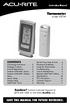 Instruction Manual Thermometer model 00754 CONTENTS Unpacking Instructions... Package Contents... Product Registration... Features & Benefits: Sensor... Features & Benefits: Display... 3 Setup... 4 Sensor
Jarv Nmotion BTHL-201 Bluetooth Stereo Earbuds Users Guide
 Jarv Nmotion BTHL-201 Bluetooth Stereo Earbuds Users Guide Features: Bluetooth wireless technology Comfortable lightweight in-ear design with detachable sports ear hooks for added support High Definition
The Third Rail System User Manual
 The Third Rail System User Manual System Contents: Slim Case and Smart Battery for iphone 4 Slim Case for iphone 4 Smart Battery micro-usb Cable USB Adapter Cable User Manual Smart Battery only Smart Battery
Optical Wireless Mouse. User s Manual
 Optical Wireless Mouse Model : OM4000W User s Manual 110935-109154 Rev. 061101 User s Record: To provide quality customer service and technical support, it is suggested that you keep the following information
SUUNTO M1/M2 USER GUIDE
 SUUNTO M1/M2 USER GUIDE en 1 SAFETY........................................................................ 4 Types of safety precautions:.......................................... 4 Safety precautions:....................................................
ITC-BTTN Cellular Bluetooth Gateway. Owner s Manual 1
 ITC-BTTN Cellular Bluetooth Gateway Owner s Manual 1 2 Table of Contents Introduction...3 Package Contents...3 XLink Connections Diagram...4 Setup...5 Pairing your Bluetooth Cell Phone to the XLink...6
Quick-Start Guide. Arrival Sensor
 Quick-Start Guide Arrival Sensor Meet your Arrival Sensor The Arrival Sensor lets you stay connected to people, pets, and cars by sending you a push notification when they arrive and leave home. How to
Jarv Joggerz BT-301 Bluetooth Stereo Headphones Users Guide
 Jarv Joggerz BT-301 Bluetooth Stereo Headphones Users Guide Features: Bluetooth Wireless technology Compact design fits in the palm of your hand and weighs less than 2 oz. Comfortable Behind the Neck design
2GB MP3 Player USER GUIDE
 DO NOT FORMAT UNIT under FAT. 2GB MP3 Player USER GUIDE Jazwares, Inc. 2010 CONTENTS Please read the instructions along with the MP3 Player carefully before you use it, so that you can operate it conveniently.
READ FIRST! Universal Car/Air Adapter User Manual
 AutoAir Manual 1/9/03 2:03 PM Page 1 READ FIRST! Universal Car/Air Adapter User Manual Congratulations! Your new Kensington Universal Car/Air Adapter is a highly efficient Universal Car/Air Adapter for
safe, smart, protected
 safe, smart, protected en Safety, Regulatory, &Legal Charging Dock Operation Charging Dock Operation The charging dock is designed for tabletop use. To be compliant with RF exposure guidelines and to
Dual-Cool Notebook Cooler Pad. User s Manual
 Dual-Cool Notebook Cooler Pad Model #: CF4500U User s Manual Rev. 060801 User s Record: To provide quality customer service and technical support, it is suggested that you keep the following information
Laser Wireless Rechargeable Mouse. User s Manual
 Laser Wireless Rechargeable Mouse Model #: LM8000WR User s Manual Rev. 060801 User s Record: To provide quality customer service and technical support, it is suggested that you keep the following information
PIR-1 Owner s Manual
 PIR-1 Owner s Manual PIR-1 Owner s Manual 2010 Universal Remote Control, Inc. The information in this manual is copyright protected. No part of this manual may be copied or reproduced in any form without
THE NEW GENERATION IN TECHNOLOGY. NI-3103A Alarm Clock w/fm Radio ipod & iphone Docking. Operating Instructions
 THE NEW GENERATION IN TECHNOLOGY NI-3103A Alarm Clock w/fm Radio ipod & iphone Docking Operating Instructions Table of Contents Important Safeguards... 3 Parts... 6 Controls... 6 To Set Up... 7 ipod/iphone
Wireless Travel Mouse with 5-Buttons User Manual
 Wireless Travel Mouse with 5-Buttons User Manual Product Features 1. Radio frequency 27MHz wireless transmission 2. Use of 256 ID codes to prevent interference between several wireless mice being used
Bluetooth Wireless Headphones
 Bluetooth Wireless Headphones Pro sound. Hands-free calls. Table of contents Cautions and Warnings................................................... 2 FCC Information.........................................................
245YDS 3 9:30AM P4 USER GUIDE
 3 P4 USER GUIDE TABLE OF CONTENTS Thank You for Choosing Swami Sport...2 Warranty...2 Registration...2 1. General Description of Hardware...3 1.1 Device Layout...3 1.2 Accessories List...3 1.3 Charging
Regulatory Compliance Statement
 Regulatory Compliance Statement 0560 EU Declaration of Conformity The declaration of conformity may be consulted at www.kobo.com/userguides SAR Limits The exposure standard for wireless devices employs
User s Manual. 2010 VTECH Printed in China 91-002395-025-000
 User s Manual 2010 VTECH Printed in China 91-002395-025-000 INTRODUCTION When Skipper overhears King Julien insulting the penguins, a contest is proposed. Who is more popular, the penguins or the lemurs?
T855 Day & Night Security Camera
 T855 Day & Night Security Camera For use with Swann 4500 DVR EN INSTRUCTION MANUAL MT855_091014E Swann 2014 Before you begin Introduction Congratulations on your purchase of this T850 Day & Night Security
QUICK INSTALLATION. 8-Port Telephony Gateway. Model: SPA8000
 QUICK INSTALLATION 8-Port Telephony Gateway Model: SPA8000 Table of Contents Connect................................................. 4 Regulatory Information....................................12 WEEE
Atomic Projection Alarm with Indoor and Outdoor Temperature
 Model: WS-5220U-IT Instruction Manual DC: 082415 Atomic Projection Alarm with Indoor and Outdoor Temperature SNOOZE button Time, Alarm + WWVB Icon Projection arm Indoor Temp., Outdoor Temp. Battery Compartment
Business Audio System: Music & Messaging MP3 Player. by Grace Digital Audio. User Guide. Model No. GDI-USBM10
 Business Audio System: Music & Messaging MP3 Player by Grace Digital Audio User Guide Model No. GDI-USBM10 User Guide Contents Introduction 2 Safety & General Use Information 2 Features 3 Set Up & Operation
ZigBee Extender 3. Features. Supported Models and Requirements. Important Safety Instructions. What Is Included: Specifications
 ZigBee Extender 3 Features The Card Access ZigBee Extender 3 operates as a ZigBee (IEEE 802.15.4) router and mesh extender. The Extender is designed to improve ZigBee signal latency that can occur when
User Guide Microsoft Screen Sharing for Lumia Phones (HD-10)
 User Guide Microsoft Screen Sharing for Lumia Phones (HD-10) Issue 1.1 EN User Guide Microsoft Screen Sharing for Lumia Phones (HD-10) Contents Safety 3 About your accessory 4 Keys and parts 5 Connect
USB 2.0 4-Port Hub with USB Power Cable. User s Manual
 USB 2.0 4-Port Hub with USB Power Cable Model: UH2500 User s Manual 251104-109159 Rev. 061107 User s Record: To provide quality customer service and technical support, it is suggested that you keep the
User s Manual BROK THE BRACHIOSAURUS. 2012 VTech Printed in China 91-002777-007 US
 User s Manual TM TM BROK THE BRACHIOSAURUS 2012 VTech Printed in China 91-002777-007 US Hi Friend, You re about to embark on a dino-mite adventure with me, Brok the Brachiosaurus! Just so you know, I ve
Portable Air Conditioner. OWNER S MANUAL Read these instructions before use. Model: MN12CES / MN10CESWW
 Portable Air Conditioner OWNER S MANUAL Read these instructions before use 8 Model: MN12CES / MN10CESWW Voltage rating: 120V~60Hz Power rating : 1100W (MN12CES) Power rating : 900W (MN10CESWW) Customer
INSTRUCTION MANUAL PC5OO WITH PC5OORK KEYPAD
 INSTRUCTION MANUAL PC5OO WITH PC5OORK KEYPAD TABLE OF CONTENTS SYSTEM INFORMATION 2 INTRODUCTION 3 Test Your System Regularly...3 Important Notice...3 Glossary...3 BASIC OPERATION 4 Arming Your System...4
user s manual Battery Case model #: SPB3200 Battery Case Charger for Samsung Galaxy S 4
 user s manual model #: SPB3200 Charger for Samsung Galaxy S 4 What s Included Unpack the battery case and make sure all accessories are put aside so they will not be lost. hello. USB to Micro USB Cable
Need Help? NEED HELP?
 Need Help? NEED HELP? If you experience any problems using your new Tote-Remote, please do not return it to the dealer. Please first read this user s manual, including the Compatibility & System Requirements,
BroadBand PowerShield. User Manual
 BroadBand PowerShield User Manual 990-0375G 12/2006 Chapter 1 General Information The PowerShield provides a power source for broadband telephony and other DC applications. Safety This Safety Guide contains
USER GUIDE. Compatible with most Bluetooth phones & Bluetooth enabled computers (Windows or Macintosh )
 USER GUIDE Compatible with most Bluetooth phones & Bluetooth enabled computers (Windows or Macintosh ) TABLE OF CONTENTS 4 Package Contents 5 Safety Instructions/ Glossary 6 Charging the Headset 7 Battery
Wireless Internet Keyboard and Laser Mouse
 Wireless Internet Keyboard and Laser Mouse User s Manual Model KB1045LSR FCC STATEMENT KB1045LSR This device complies with part 15 of FCC Rules. Operation is subject to the following two conditions: (1)
HANDS-FREE BLUETOOTH CONTROLLER for SMART READY TABLETS AND COMPUTERS
 HANDS-FREE BLUETOOTH CONTROLLER for SMART READY TABLETS AND COMPUTERS Operating Manual 2 CONTENTS Before Turning on Your PED... 4 Power... 5 ON... 5 OFF... 5 Modes... 6 Changing the MODE... 7 Connecting
www.iconnectivity.com
 www.iconnectivity.com USER GUIDE WARRANTY INFORMATION iconnectivity warrants to the original purchaser that this unit is free of defects in materials and workmanship under normal use and maintenance for
CUSTOMER SERVICE CONTACTS
 EN CUSTOMER SERVICE CONTACTS Global Help Desk +358 2 284 11 60 Suunto USA Phone +1 (800) 543-9124 Canada Phone +1 (800) 776-7770 Suunto website www.suunto.com COPYRIGHT This publication and its contents
3 WATT LED SPOTLIGHT Model No. SLM - 3801
 3 WATT LED SPOTLIGHT Model No. SLM - 3801 OWNER'S MANUAL Customer Service Tel: 1-800-268-3319 Superex Canada Ltd, Toronto,M2H 3B8 Made in China Table of Contents A). Important Safety Instructions B). Charging
Portable Air Conditioner. OWNER S MANUAL Read these instructions before use. Model: MM14CCS. Voltage rating: 115V~60Hz Power rating : 1400W
 Portable Air Conditioner OWNER S MANUAL Read these instructions before use Model: MM14CCS Customer Support : 1-800-474-2147 Voltage rating: 115V~60Hz Power rating : 1400W For product inquiries or support
3-IN-1 DIGITAL MUSIC PLAYER
 3-IN-1 DIGITAL MUSIC PLAYER 1 Gateway digital music player 3-IN-1 DIGITAL MUSIC PLAYER Contents Preparing to Use Features 6 Package content 6 Product overview 7 LCD Panel 7 Button function table 8 Using
RADIO CONTROLLED DIGITAL CLOCK MODELS 88905 / 88906
 RADIO CONTROLLED DIGITAL CLOCK MODELS 88905 / 88906 QUICK SETUP GUIDE IMPORTANT! INSTALL BATTERIES IN THE OUTDOOR TRANSMITTER BEFORE INSTALLING BATTERIES IN THE RADIO-CONTROLLED CLOCK. ALKALINE BATTERIES
Comfort Contego User Manual
 Comfort Contego User Manual Please read the User Manual before using this product. Comfort Contego T900 Transmitter English Comfort Contego R900 Receiver DO NOT USE the COMFORT CONTEGO if you have a PACEMAKER
Receiver with chest strap for heart rate monitoring via smartphone OPERATING INSTRUCTIONS
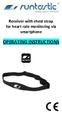 Receiver with chest strap for heart rate monitoring via smartphone OPERATING INSTRUCTIONS SCOPE OF DELIVERY 1 Receiver (Art.no. RUNDC1, Model: 92-1103800-01) incl. lithium battery (3V, CR1220) Remove the
Table of Contents. 16 Technical Support System Requirements. Included in the Box General Controls Playback Features Care Charging
 Instruction Manual Table of Contents 01 02 02 03 04 Included in the Box General Controls Playback Features Care Charging 05 06 07 08 09 10 10 10 Uploading Songs Supported Audio Files Manual Drag and Drop
PC Tab Security System INSTRUCTION MANUAL
 PC Tab Security System INSTRUCTION MANUAL This manual is intended as a Quick Start manual covering the basic functions that have been enabled on the alarm panel. The alarm panel is capable of extensive
PEARL Portable Reading Camera
 PEARL Portable Reading Camera Quick Start Guide Freedom Scientific, Inc. 440528-001 Rev. D Freedom Scientific, Inc., 11800 31 st Court North, St. Petersburg, Florida 33716-1805, USA www.freedomscientific.com
Model: 308-1412 Manual DC: 080215 WIRELESS COLOR FORECAST STATION
 Model: 308-1412 Manual DC: 080215 WIRELESS COLOR FORECAST STATION FRONT VIEW SENSOR TX141TH-Bv2 LED TX Sensor Battery Cover Sensor Battery Compartment 2 AA Buttons Battery Compartment 3 AAA BACK VIEW Battery
User s Manual. Bluetooth Calculator Keypad. Page
 User s Manual Bluetooth Calculator Keypad Page Regulatory Compliance This device complies with Part 15 of the FCC Rules. Operation is subject to the following two conditions: (1) This device may not cause
Mini Power Bank and Charger
 Mini Power Bank and Charger Owner s Manual Please read before using this equipment. Your charger is ETL listed to UL standards and meets all applicable FCC standards. WARNING: To reduce the risk of fire
Universal Laptop Charger
 USER GUIDE Universal Laptop Charger NS-PWLC591/NS-PWLC591-C Before using your new product, please read these instructions to prevent any damage. NS-PWLC591/NS-PWLC591-C Insignia NS-PWLC591/ NS-PWLC591-C
CAUTION RISK OF ELECTRIC SHOCK DO NOT OPEN
 BeoLab 4 Guide CAUTION RISK OF ELECTRIC SHOCK DO NOT OPEN CAUTION: To reduce the risk of electric shock, do not remove cover (or back). No User-serviceable parts inside. Refer servicing to qualified service
Owner s Guide. ca6554
 PROFESSIONAL SERIES Owner s Guide For Models: ca6554 Deluxe Vehicle Security and Remote Start System with 2 Way Confirming LCD Remote Control IMPORTANT NOTE: The operation of the Security and Convenience
Quick Start Guide. Model #s: 360050 / 360051 / 360052 / 360053 / 360055 Lit# 98-1572/02-10
 Quick Start Guide Model #s: 360050 / 360051 / 360052 / 360053 / 360055 Lit# 98-1572/02-10 Full Instruction Manual available online at: http://www.bushnell.com/manuals/gps Control & Display Guide MARK/Backlight
BTX180 Wireless Bluetooth Speaker
 BTX180 Wireless Bluetooth Speaker User Manual 2012 Kinivo LLC. All rights reserved. Kinivo is a trademark of Kinivo LLC. Bluetooth word mark and the Bluetooth logo are registered trademarks of Bluetooth
User Guide Microsoft Screen Sharing for Lumia Phones (HD-10)
 User Guide Microsoft Screen Sharing for Lumia Phones (HD-10) Issue 1.1 EN-US User Guide Microsoft Screen Sharing for Lumia Phones (HD-10) Contents Safety 3 About your accessory 4 Keys and parts 5 Connect
Introduction. Setting Up Your Remote Installing the Battery. Contents. System Requirements
 410-1681-001F / AMP13US 1 YEAR LIMITED WARRANTY: We pride ourselves on the quality of our products. For complete warranty details and a list of our worldwide offices, please visit www.targus.com. Features
Energy Smart Electric Water Heater Controller
 Installation, Operation and Troubleshooting Instructions Energy Smart Electric Water Heater Controller Table of Contents Installation and Setup, 2 Operation, 5 Troubleshooting, 7 Regulatory Notices, 11
SUUNTO COMFORT BELT Heart Rate Transmitter Belts USER GUIDE
 en SUUNTO COMFORT BELT Heart Rate Transmitter Belts USER GUIDE 1 Introduction to Suunto Comfort Belt................................................. 3 2 Getting started with Suunto Comfort Belt............................................
Wireless Optical Travel Mouse
 Wireless Optical Travel Mouse User s Manual PLEASE READ THESE INSTRUCTIONS CAREFULLY BEFORE INSTALLING THIS DEVICE. Table of Contents FCC Statement Page 3 Introduction.. Page 6 Package Contents.. Page
ReadyNet Easy Jack 2 Voice/Data and Data Only Owner s Manual PX-211d and PX-211v
 ReadyNet Easy Jack 2 Voice/Data and Data Only Owner s Manual PX-211d and PX-211v Phonex Broadband Corporation dba ReadyNet 6952 High Tech Drive Midvale, Utah 84047 801.566.0100 Phone 801.566.0880 Fax www.readynetsolutions.com
Model: 616-146v2 Quick Setup Guide DC: 071015 Atomic Projection Alarm with Indoor and Outdoor Temperature
 Model: 616-146v2 Quick Setup Guide DC: 071015 Atomic Projection Alarm with Indoor and Outdoor Temperature Snooze/Backlight BUTTONS Time, Alarm with Snooze, & Calendar Projection Arm Rotates 180 Indoor/Outdoor
iosafe Solo External Hard Drive
 Users Manual & Limited Warranty iosafe Solo External Hard Drive USB 2.0 Fireproof Waterproof FloSafe Cooling Technology Data Recovery Service 910-10841-00 REV 7.1 2 COPYRIGHTS Copyright iosafe, Inc. 2009.
ATTENTION RISQUE D ÉLECTROCUTION! NE PAS OUVRIR!
 Quick Start Guide ATTENTION RISQUE D ÉLECTROCUTION! NE PAS OUVRIR! CAUTION: TO REDUCE THE RISK OF ELECTRIC SHOCK, DO NOT REMOVE COVER (OR BACK). NO USER-SERVICEABLE PARTS INSIDE. REFER SER- VICING TO QUALIFIED