
Classroom Setup Guide
|
|
|
- Phyllis Mosley
- 10 years ago
- Views:
Transcription
1 Classroom Setup Guide-1 Classroom Setup Guide The Classroom Setup Guide is divided into three sections: 1. Before You Begin This section includes courseware update links for instructors, a revision history outlining the revisions made to a coursebook since the last version, an explanation of the requirements for preparing a classroom behind a proxy server, and additional notes that you should consider before you set up the classroom. 2. Classroom Requirements This section lists the hardware, software and connectivity requirements to implement this course. 3. Setup Instructions This section includes the configuration requirements for both instructor and student systems and a detailed list of required software installation procedures. Before You Begin This section includes courseware update links for instructors, a revision history outlining the revisions made to a coursebook since the last version, an explanation of the requirements for preparing a classroom behind a proxy server, and additional notes that you should consider before you set up the classroom. Courseware updates Instructors must download the latest courseware updates from the Instructor Community on the CIW Web site ( before teaching the course. CIW courseware is updated continually, and the courseware updates provide the most current changes, revisions and notes for all CIW courseware. Courseware updates include feedback from Authorized Training Partners (ATPs) and Authorized Academic Partners (AAPs), clients and instructors who implement the CIW program. Feedback is reviewed and updates are posted in dynamic documents for both students and instructors. Each updates document correlates with the identical version of the coursebook (e.g., v1.0 Update is designed to be used only with version 1.0 of the coursebook). Updates are available for both the current versions and the immediately previous versions of the coursebooks. CIW does not provide support for coursebooks and instructor materials that are two or more versions removed from the current versions. Revision history Released August 2012 ( version 2.0) This release is considered a major revision. The main differences between this v2.0 course and the previous version (v1.0 released January 2011) are as follows: Upgraded the operating system to Microsoft Windows 7; upgraded the browsers to Windows Internet Explorer 9, and the latest versions of Google Chrome and Mozilla Firefox. Enhanced course content to include mobile devices and the cloud. Changed software used in the course labs to include free cloud services, such as , office applications, project management software, social networking and blogging programs. Added a requirement that students have (or acquire) online accounts with Google and Microsoft in order to access free cloud services. Moved Lesson 8: Internet Communication closer to the beginning of the course to improve the flow of information; it became Lesson 2, and the remainder of the lessons were renumbered accordingly.

2 Classroom Setup Guide-2 Moved Lesson 9: Internet Security to improve the flow of information in the course, and renamed it to reflect new content. This lesson is now Lesson 8: Protecting Yourself Online. The lesson is expanded to include material about protecting one's privacy and image in a world of social networking, and the ramifications of posting personal information on the Internet (e.g., many employers search the Internet for information on potential employees; damaging information can be difficult to remove once acquired by a search engine; posted information can lead to identity theft and a damaged reputation). Updated business communication and marketing topics throughout the course to include social networking, mobile phones, tablets and Short Message Service (SMS). Removed outdated technologies, such as newsgroups and telnet. Removed some of the technical information about several networking technologies, such as Lightweight Directory Access Protocol (LDAP). Released December 2010 ( version 1.0) This release reflects a name change to the coursebook. The main differences between this Internet Business Associate v1.0 course and the previous version (Internet Business Foundations v2.0 released May 2009) are as follows: Coursebook title was changed from Internet Business Foundations to to mirror the exam name. Incorporated minor changes to the text and some labs, including corrections of typographical and content errors. Discontinued the supplemental CD-ROM and removed the handouts from the coursebook, and made these files available on CIW Online. Released May 2009 (Internet Business Foundations version 2.0) This release is considered a major revision to the CIW v5 Foundations courseware. The course still covers all objectives on CIW v5 Foundations exam. The main differences between Internet Business Foundations v2.0 and the previous version (v1.2 released July 2007) are as follows. Added or enhanced the following topics: Technology Careers, including resources and sites. Technology Adoption Curves, Timelines and Models, including Moore's law, Moore's technology adoption life cycle, and Kuhn's concept of paradigm shifts. Business Models, including typical reporting hierarchies and business ontology. Business, Web and Networking Standards, including ISO, W3C, IETF, RFCs, etc. Cloud Computing. Browser Operations and Uses, including rendering engine, cache, frames, tabs, interpreters sandboxing, threads and automatic recovery. Also added is discussion of Google Chrome as a transparent application platform. RSS/Atom information. Webcasts, including creation and hosting of free Webcasts for class projects; Web conference features; and comparison among Webcasts/conferences, Web meetings and courses taught online. Replaced Netmeeting with free Dimdim service and added Lab that uses Dimdim. Trends Relevant to the Web, including Google Zeitgeist. Internet Resource Evaluation, including ways to filter, sift and weigh information. Writing Tips, including etiquette for the workplace.

3 Classroom Setup Guide-3 Organizing Internet Research. Using the Web to Research New Software. Sharing Large Files Using ShareFile. Text Messaging, including business uses, common abbreviations, etiquette, and comparison between professional and personal use. Social Networking Technologies and Services for the Professional Environment, including pros and cons, specific sites, and business networking skills. Development Models, including rapid, extreme programming, waterfall, open source, proprietary/software as product, Software as a Service (SaaS), and use and sale of search results. Typosquatting. Project and Program Management Concepts, including project life cycle/phases, common leadership principles, SWOT analysis, priority determination, resource constraints, change management, and Six Sigma overview. Removed all references to Netscape applications. Standardized labs to Microsoft Windows Vista Business. Updated labs to reflect current releases of software. Updated movie clips from LearnKey ( and made them available online in streamed video format via the CIW Campus. Corrected errata (errors in writing or printing, including but not limited to spelling, style and code errors). Denoted material within coursebook related to CIW v5 Foundations exam objectives to provide sound instructional design. Includes listing numbered objectives for each lesson in which they are covered, and placing numbered objective callout boxes in margins next to relevant material in lesson narrative. Created expanded Syllabi, including improved lesson plans and recommended online components (e.g., Practice Exams, Course Review and Exercises products). Preparing the classroom behind a proxy server Internet access is required for all the CIW Web Foundations courses. If the classroom is behind a proxy server, you may have problems downloading programs during classroom setup and completing certain labs during class. Most proxy servers already allow HTTP traffic. Difficulties may occur when you require additional services, such as , FTP, and program downloads. The following two suggestions are offered. 1. Talk with the network administrator at the location and make sure that: a. The classroom has proper access to all Internet-related protocols used in the class. Examples include HTTP (TCP/UDP port 80), SSL (TCP/UDP port 443), FTP (TCP/UDP port 20, 21), Telnet (TCP/UDP port 23), POP3 (TCP/UDP port 110), SMTP (TCP/UDP port 25) and NNTP (TCP/UDP port 119). For certain services, such as FTP, you will need all ports above 1023 (registered ports). b. The IP addresses assigned to the computers in your classroom have permission to access the Internet. 2. Download all the required software (with proper licensing) for the course before you arrive at the site, and place the source files on the instructor computer. Students can then access all source files from shares that you create. Consider creating a CD with the required software source files. This will not solve the issues addressed in Suggestion 1, but will solve any download problems.

4 Classroom Setup Guide-4 Classroom Requirements This section lists the hardware, software and connectivity requirements to implement this course. Before class, the instructor should install and configure the instructor and student systems using the following instructions. Hardware Each classroom should be equipped with an individual computer workstation for each student and the instructor. The following table summarizes the hardware requirements for all courses in the CIW program. Note: The CIW hardware requirements are similar to the minimum system requirements for Microsoft Windows 7 implementation. Hardware Specifications Processor Hard disk RAM Minimum Requirements 1 GHz 32-bit (x86) or 64-bit (x64) processor 16 GB available hard disk space (32-bit) or 20 GB available hard disk space (64-bit) for Windows 7 installation. 16 GB of additional space must be available for course applications and files. 1 GB RAM (32-bit) or 2 GB RAM (64-bit) Wireless router (AP) Wireless-G, Wireless-N or Wireless-AC router with built-in 4- port Ethernet switch to connect wired network PCs and devices. Wireless NICs must support the wireless router (G, N or AC) Network interface card (NIC) Sound card/speakers Video adapter Network connectivity Monitor Web camera (Webcam) Wireless, 10/100 Ethernet, or Gigabit Ethernet Required DirectX 9 graphics device with WDDM 1.0 driver Enough wireless nodes, hubs or switches to allow classroom computers to communicate and access the Internet x 768 screen resolution using a VGA, DVI or HDMI connector Any type of Web camera. Some monitors include an internal Webcam. USB Webcams are a good choice. Software The Foundations series is intended to be largely operating system- and browser-independent. Provided you use Hypertext Markup Language version 5 (HTML5)-compliant browsers, the labs should function properly. HTML5-compliant browsers include Windows Internet Explorer 9, Google Chrome (any version) and Mozilla Firefox (version 10 or higher). Each school's network is configured differently. You should test each lab to ensure the ports are open on the firewall before presenting the lab to the class. You may have to talk to your network administrator to open the ports. Warning: If you are unable to upgrade to Microsoft Windows 7, you will be unable to use Windows Internet Explorer 9 (IE9). Unfortunately, IE9 is the only IE browser that supports HTML5 without modifications. Windows XP and Vista only support up to IE8. If your classroom must use a Windows XP or Vista installation, please use the latest version of Google Chrome or Mozilla Firefox instead of IE8 or previous for the labs. If you are required to use IE8 or previous, then the Site Development Associate course will require you to include JavaScript into each Web page for the HTML5 coding to render properly. Instructions for adding the JavaScript code is included in the Classroom Setup Guide.

5 Classroom Setup Guide-5 If you are teaching all three CIW Web Foundations courses sequentially, there is no need to reformat your computers for each course. The recommended software configurations for computers used to complete the labs in this book series are as follows. To be installed before class: Microsoft Windows 7 Professional (typical installation) Windows Internet Explorer 9 (typical installation) To be registered by students during class: Google account ( necessary for students to access online cloud services and resources, such as Google Drive, Google Docs, Gmail, Google+ and Blogger. Students are responsible for their own account registration. Windows Live account (explore.live.com) necessary for students to access online cloud services and resources, such as SkyDrive, Hotmail, Essentials and Messenger. Students are responsible for their own account registration. To be installed by students during course labs: Firefox 10 or higher (binary provided in the C:\CIW\Internet\Lab Files\Lesson04 folder) Google Chrome any version (binary provided in the C:\CIW\Internet\Lab Files\Lesson04 folder) Ogg Codecs (binary provided in the C:\CIW\Internet\Lab Files\Lesson05 folder) Thunderbird 2.0 (binary provided in the C:\CIW\Internet\Lab Files\Lesson07 folder) TightVNC, Bzip2 and Bunzip2 (binaries provided in the C:\CIW\Internet\Lab Files\Lesson09 folder) Windows Live Messenger (binaries provided in the C:\CIW\Internet\Lab Files\Lesson02 folder) Ad-Aware (binary provided in the C:\CIW\Internet\Lab Files\Lesson08 folder) GanttProject (binary provided in the C:\CIW\Internet\Lab Files\Lesson10 folder) Site Development Associate To be installed before class: Microsoft Windows 7 Professional (typical installation) Windows Internet Explorer 9.0 (typical installation) Google Chrome any version (typical installation) Firefox 10 or higher (typical installation) Windows Live Movie Maker (typical installation) To be installed by students during course labs: Lynx (binary provided in the C:\CIW\Site_Dev\Lab Files\Lesson01\Lab_1-3\Lynx folder) FormMail (binary provided in the C:\CIW\Site_Dev\Lab Files\Lesson06\Lab_6-1\FormMail folder) KompoZer (binary provided in the C:\CIW\Site_Dev\Lab Files\Lesson09\Lab_9-1 folder) Free Video Converter Factory (binary provided in the C:\CIW\Site_Dev\Lab Files\Lesson07\Lab_7-2 folder)

6 Classroom Setup Guide-6 To be installed by instructor for instructor-led demonstration in Optional Lab 8-1: XAMPP (binary provided in the C:\CIW\Site_Dev\Lab Files\Lesson08\Optional_Lab_8-1\XAMPP folder) Network Technology Associate To be installed before class: Microsoft Windows 7 Professional (typical installation) Windows Internet Explorer 9.0 (typical installation) Firefox 10 or later (typical installation) Chrome any version (typical installation) To be registered by students during class: Google account ( necessary for students to access online cloud services and resources, such as Google Drive, Google Docs, Gmail, Google+ and Blogger. Students are responsible for their own account registration. Windows Live account (explore.live.com) necessary for students to access online cloud services and resources, such as SkyDrive, Hotmail, Essentials and Messenger. Students are responsible for their own account registration. To be installed by students during course labs: utorrent (binary provided in the C:\CIW\Network\Lab Files\Lesson01 folder) FileZilla_v (torrent file provided in the C:\CIW\Network\Lab Files\Lesson01 folder) 7-Zip (binary provided in the C:\CIW\Network\Lab Files\Lesson01 folder) TruCrypt 7 or higher (binary provided in the C:\CIW\Network\Lab Files\Lesson06 folder) VirtualBox (binary provided in the C:\CIW\Network\Lab Files\Lesson02 folder) Porteus Linux (binary provided in the C:\CIW\Network\Lab Files\Lesson02 folder) Connectivity Internet connectivity is required for this course. You will experience optimal performance with a dedicated Internet connection (e.g., a cable/dsl modem or a T1 line). However, you can teach the course using slower connections (e.g., 56-Kbps modem). Setup Instructions Use the following procedures to set up the computers for class. To install and configure Microsoft Windows 7 Professional The three courses in the CIW Web Foundations series can be taught without reinstalling the operating system for each course. Install Windows 7 Professional with the settings listed in this guide. The basic requirements are: All systems must be able to communicate with one another via TCP/IP. You must decide whether to use DHCP or statically configure IP addresses. Systems must be able to access the Internet in order for students to perform the hands-on labs in all CIW Web Foundations courses.

7 Classroom Setup Guide-7 The instructions for installing Windows 7 Professional are as follows: 1. Obtain a valid license for all copies of Windows 7 Professional. 2. Begin setup by setting the boot sequence for your computer so that it will boot from the DVD/CD drive, then insert the Windows 7 Professional DVD or CD-ROM and reboot. 3. When prompted, specify your installation language, time and currency format, and keyboard type. 4. When prompted, enter your product key. 5. Accept the license terms. 6. Specify to conduct a Custom (advanced) installation. Use the following parameters to perform a custom installation of Windows 7 Professional. When This Information Is Required Use Phase 1 Partition Location Partition Size Default (C:) Entire hard drive Phase 2 (after Windows formats and installs files to your hard drive) User Name Type Administrator Password Confirm Password Windows Protection Method Date, Time and Time Zone Settings Your name password (all lowercase letters) password (all lowercase letters) Specify: Use Recommended Settings Customize for your location Configure Windows 7 Professional for use in your classroom by specifying the following settings: Specify valid IP addresses 1. Log on as Administrator. 2. Select Start Control Panel, then click Network and Internet. 3. Select Network and Sharing Center Change Adapter Settings, then right-click Local Area Connection or Wireless Network Connection, depending on your network media, and select Properties. 4. On the Networking tab, click Internet Protocol Version 4 (TCP/IPv4), then click Properties to open the Internet Protocol Version 4 (TCP/IPv4) Properties dialog box. 5. Select Use the following IP address, then manually enter the IP address information specific to this classroom. You can use DHCP if you prefer; however, prepare the system for networking. Note: Do not enter DNS configurations unless you have a DNS server. 6. Click OK, then close all open dialog boxes and windows.

8 Classroom Setup Guide-8 Specify the CLASSROOM workgroup 1. Select Start Control Panel System and Security System to open the System window. 2. Scroll down to the Computer Name, Domain, and Workgroup Settings section, click the Change Settings link to display the Computer Name tab of the System Properties dialog box. Click the Change button. 3. In the Member Of section, click Workgroup, type classroom in the Workgroup field, click OK, enter your name and password when prompted, then restart your computer. Note: If several classrooms are connected, you may encounter name conflicts. If so, add a number to the name. For example, name the workgroup Classroom1. Disable the Windows firewall on each system in the network 1. Select Start Control Panel System and Security, then click Windows Firewall to open the Windows Firewall window. 2. If Windows Firewall is in use, click Turn Windows Firewall on or off. Select Off (Not Recommended), then click OK. 3. Close all open windows. Network requirements Classroom computers should be part of the same local area network (LAN). This class also requires Internet access. Following are two options available to you. 1. Obtain valid IP addresses from a DHCP server. 2. If no DHCP server is available, obtain TCP/IP configurations from the network administrator and manually configure each system. To set up an FTP site on the instructor's computer In the course, students will be asked to upload files to an FTP site located on your (the instructor's) computer. You need to set up this FTP site in IIS. You should already have Internet Information Services (IIS) 6.0 or higher installed and started. First, you must add a new user to the class domain. The steps will vary depending on your IIS version. 1. Click Start, right-click Computer, then click Manage to display the Computer Management window. 2. Expand Local Users and Groups, right-click Users, then click New User to display the New User dialog box. 3. Enter a user name of ciwuser, a password of ciwcertified, deselect User Must Change Password at Next Logon, then click Create. Next, you must create the folder to which students will upload files. The folder will be located off of the default FTP root folder on your C:\ drive. 4. Open Windows Explorer, navigate to the C:\inetpub\ftproot folder, then create a new folder named ciw_ftp. Students will upload files into C:\inetpub\ftproot\ciw_ftp. Next, you must specify that the user can access your FTP site, and you must grant the user write permission so he or she can upload files to the site.

9 Classroom Setup Guide-9 5. Click Start Control Panel Administrative Tools Internet Information Services (IIS) Manager to display the Internet Information Services (IIS) Manager window. 6. Expand the local computer name folder, expand FTP Sites, right-click the FTP site, then click Properties. 7. Click the Security Accounts tab, ensure that Allow Anonymous Connections is selected, then enter a user name of ciwuser and a password of ciwcertified. 8. Click the Home Directory tab, specify a local path of C:\inetpub\ftproot\ciw_ftp, select Write, then click OK To install Windows Live Movie Maker In Lesson 7 of the Site Development Associate course, students will use Windows Live Movie Maker to create a video of themselves. Movie Maker is part of Windows Live Essentials, a package of software available for free download from the Microsoft site. It should be downloaded as a single application on student computers before class begins. 1. Open a browser and go to 2. Click the Download now button. 3. A pop-up window will appear asking if you want to run or save wlsetup-web.exe from Microsoft. Click Run. 4. If the User Account Control window appears, click Yes to allow Windows Live Essentials to make changes to the computer. 5. The What Do You Want To Install? window will appear. Select Choose the programs you want to install. 6. Select Photo Gallery and Movie Maker. Click the Install button. 7. Follow the prompts to accept the license agreement and install using the default settings provided during setup. 8. When installation is complete, open Movie Maker. Complete the labs in Lesson 7, step by step, to ensure you will be able to answer student questions during class. To enable HTML5 support for Internet Explorer 8, 7 and 6 The Site Development Associate course requires browsers that are HTML5-compliant. HTML5 is not supported by Internet Explorer 8 or earlier. This is a challenge because Windows XP and Vista cannot run IE9, which is the only Internet Explorer version that supports HTML5. The simple solution is to install the latest version of the Chrome or Firefox browser on Windows XP and Vista systems. But if you are the Web designer for your company, what should you do about your site visitors? You cannot force them to install Chrome or Firefox. They may be using IE8, 7, or 6. The only way to support these older IE browsers is to add JavaScript code to your HTML documents and a new rule to CSS. Note: JavaScript coding is beyond the scope of the Site Development Associate course. This code is provided to demonstrate how JavaScript is used to support older browsers. Because older IE browsers will not recognize the new HTML5 elements,, such as <header>, <footer>, <article>, etc., JavaScript must be used to create these elements in your Web page so older IE browsers will recognize them.

10 Classroom Setup Guide-10 HTML5 document additions At a minimum, the basic HTML5 structural elements should be created by adding JavaScript in the <head> element: <script> document.createelement("article"); document.createelement("footer"); document.createelement("header"); document.createelement("nav"); </script> CSS document additions The new HTML5 structural elements must also become block-level elements in CSS for consistent styling. A block-level element is a large block of content, such as a paragraph or structural element that starts a new line of text or a new section. header, nav, article, footer { display:block; } Adding all HTML5 elements Each new HTML5 element must be added. This can be a long and laborious task, so the best solution is to implement a mini-script developed by Remy Sharp, available at Instructions for enabling the script are included at the Web site. Remy Sharp's code has been utilized by Google, MIT, and nearly all Web developers across the globe. It is the de facto standard for supporting HTML5 for older IE browsers. Installing Oracle VirtualBox In the Network Technology Associate course (Lab 2-5: Running multiple operating systems with virtualization), students will use Oracle VirtualBox to run multiple operating systems on the same physical computer. VirtualBox is free, open-source virtualization software that allows you to install multiple operating systems on one machine. After installing VirtualBox, they will install the Linux Porteus operating system. There are two important notices regarding this installation: The lab requires each system to have at least 256 MB RAM available and 500 MB of free hard drive space in order to create the virtual Linux machine. If you do not have this amount of RAM and hard drive space available, you may be unable to complete the steps in this lab. Test out a system before class if you are concerned. The lab files should be downloaded before class begins. The Porteus Linux file is relatively small for an operating system at 212 MB, but can take a long time to download. It should be available over the local area network or a copy placed on each student's computer. Porteus is an ISO image file. You simply point VirtualBox to the ISO file and VirtualBox does the rest. If you have never used Linux before, do not be alarmed. The version of Linux used in this lab, Porteus, is a simple and easy-to-use operating system. It automatically configures itself and launches from within VirtualBox. It displays a graphical user interface similar to Windows, and includes Firefox and other popular applications. It is comparable to a simplified Netbook operating system, such as Windows RT, that is mainly used for browsing the Internet, checking and using social networking sites.

11 Classroom Setup Guide-11 CIW supplemental files Each coursebook includes supplemental materials that are referenced and used throughout the course. These supplemental materials are provided online at You will need to create a directory for all supplemental materials for the course. The default location is C:\CIW\[Course_Title]. To view or download the materials, go to CIW Online, click the link for each file and save to this directory. You can then create a shortcut to this directory on your Desktop. As you conduct the course labs, you can use this shortcut to quickly access your lab files.
![You will need to create a directory for all supplemental materials for the course. The default location is C:\CIW\[Course_Title].](/docs-images/43/13459172/images/page_11.jpg "To view or download the materials, go to CIW Online, click the link for each file and save to this directory.")
WEB DEVELOPMENT CAREERS WEB DEVELOPMENT WEB DEVELOPMENT STARTER PACK WEB DEVELOPMENT CAREERS
 WEB DEVELOPMENT CAREERS WEB DEVELOPMENT WEB DEVELOPMENT STARTER PACK WEB DEVELOPMENT CAREERS 1 CONTENTS PAGE 3 - Technical support guidelines 7 - Hardware and software requirements 9-3 month timetable
EVALUATION COPY. Site Development Associate. Self-Study Guide Web Foundations Series. CCSSM-CF2SDF-PR-1208 version 2.0 rd082712
 Site Development Associate Self-Study Guide Web Foundations Series CCSSM-CF2SDF-PR-1208 version 2.0 rd082712 Site Development Associate Self-Study Guide President/Chief Certification Architect James Stanger,
Additional Requirements for ARES-G2 / RSA-G2. One Ethernet 10 Base T/100 Base TX network card required for communication with the instrument.
 TA Instruments TRIOS Software Installation Instructions Installation Requirements Your TRIOS Instrument Control software includes all the components necessary to install or update the TRIOS software, as
Appendix B Lab Setup Guide
 JWCL031_appB_467-475.indd Page 467 5/12/08 11:02:46 PM user-s158 Appendix B Lab Setup Guide The Windows Server 2008 Applications Infrastructure Configuration title of the Microsoft Official Academic Course
Server Management 2.0
 Server Management 2.0 Installation and Configuration Guide Server Management 2.0 and Higher May 2008 . unisys imagine it. done. Server Management 2.0 Installation and Configuration Guide Server Management
Site Development Associate. Academic Student Guide Web Foundations Series. ECL02-CFSDFN-PR-1208 version 2.0 rd072212
 Site Development Associate Academic Student Guide Web Foundations Series ECL02-CFSDFN-PR-1208 version 2.0 rd072212 Site Development Associate Academic Student Guide President/Chief Certification Architect
A+ Guide to Software: Managing, Maintaining, and Troubleshooting, 5e. Chapter 3 Installing Windows
 : Managing, Maintaining, and Troubleshooting, 5e Chapter 3 Installing Windows Objectives How to plan a Windows installation How to install Windows Vista How to install Windows XP How to install Windows
Installing Windows XP Professional
 CHAPTER 3 Installing Windows XP Professional After completing this chapter, you will be able to: Plan for an installation of Windows XP Professional. Use a CD to perform an attended installation of Windows
Installation Instruction STATISTICA Enterprise Small Business
 Installation Instruction STATISTICA Enterprise Small Business Notes: ❶ The installation of STATISTICA Enterprise Small Business entails two parts: a) a server installation, and b) workstation installations
Sage HRMS 2014 Sage Employee Self Service
 Sage HRMS 2014 Sage Employee Self Service Pre-Installation Guide October 2013 This is a publication of Sage Software, Inc. Document version: October 17, 2013 Copyright 2013. Sage Software, Inc. All rights
Contents. Section A Networking Basics... 1. 1 Learning the Basics... 3. Section B Wired Ethernet Networking... 17
 Contents Section A Networking Basics...................................... 1 1 Learning the Basics............................................. 3 Selecting a network connection........................................
FedEx Ship Manager Software. Installation Guide
 FedEx Ship Manager Software Installation Guide Before you start Check here to see that your PC has what it needs to run FedEx Ship Manager Software: Minimum System and Hardware Requirements Intel Pentium
EZblue BusinessServer The All - In - One Server For Your Home And Business
 EZblue BusinessServer The All - In - One Server For Your Home And Business Quick Start Guide Version 3.11 1 2 3 EZblue Server Overview EZblue Server Installation EZblue Server Configuration 4 EZblue Magellan
Nexio Connectus with Nexio G-Scribe
 Nexio Connectus with Nexio G-Scribe 2.1.2 3/20/2014 Edition: A 2.1.2 Publication Information 2014 Imagine Communications. Proprietary and Confidential. Imagine Communications considers this document and
Windows 2003 Server Installation Guide
 Windows 2003 Server Installation Guide Revision 2.0 April 14, 2011 Licenses This manual is the exclusive property of Prometric, Inc. This manual is licensed for use with restrictions to authorized centers
Installation Guide for Pulse on Windows Server 2012
 MadCap Software Installation Guide for Pulse on Windows Server 2012 Pulse Copyright 2014 MadCap Software. All rights reserved. Information in this document is subject to change without notice. The software
Network Setup Guide. Introduction. Setting up for use over LAN
 Network Setup Guide This manual contains the setup information required to use the machine over wired LAN. If you use the machine with USB connection, refer to your setup sheet. Introduction To use the
STATISTICA VERSION 12 STATISTICA ENTERPRISE SMALL BUSINESS INSTALLATION INSTRUCTIONS
 STATISTICA VERSION 12 STATISTICA ENTERPRISE SMALL BUSINESS INSTALLATION INSTRUCTIONS Notes 1. The installation of STATISTICA Enterprise Small Business entails two parts: a) a server installation, and b)
2 Setting Up the Hardware for a Wired Ethernet Network... 13. 3 Setting Up the Software for an Ethernet Network... 21
 Contents 1 Networking Basics............................................... 1 Selecting a network connection........................................ 2 Wired Ethernet network...........................................
How To Use 1Bay 1Bay From Awn.Net On A Pc Or Mac Or Ipad (For Pc Or Ipa) With A Network Box (For Mac) With An Ipad Or Ipod (For Ipad) With The
 1-bay NAS User Guide INDEX Index... 1 Log in... 2 Basic - Quick Setup... 3 Wizard... 3 Add User... 6 Add Group... 7 Add Share... 9 Control Panel... 11 Control Panel - User and groups... 12 Group Management...
Installation Instruction STATISTICA Enterprise Server
 Installation Instruction STATISTICA Enterprise Server Notes: ❶ The installation of STATISTICA Enterprise Server entails two parts: a) a server installation, and b) workstation installations on each of
InventoryControl for use with QuoteWerks Quick Start Guide
 InventoryControl for use with QuoteWerks Quick Start Guide Copyright 2013 Wasp Barcode Technologies 1400 10 th St. Plano, TX 75074 All Rights Reserved STATEMENTS IN THIS DOCUMENT REGARDING THIRD PARTY
Magaya Software Installation Guide
 Magaya Software Installation Guide MAGAYA SOFTWARE INSTALLATION GUIDE INTRODUCTION Introduction This installation guide explains the system requirements for installing any Magaya software, the steps to
Installing and Configuring vcloud Connector
 Installing and Configuring vcloud Connector vcloud Connector 2.7.0 This document supports the version of each product listed and supports all subsequent versions until the document is replaced by a new
User Manual. Onsight Management Suite Version 5.1. Another Innovation by Librestream
 User Manual Onsight Management Suite Version 5.1 Another Innovation by Librestream Doc #: 400075-06 May 2012 Information in this document is subject to change without notice. Reproduction in any manner
Installation Guide for Pulse on Windows Server 2008R2
 MadCap Software Installation Guide for Pulse on Windows Server 2008R2 Pulse Copyright 2014 MadCap Software. All rights reserved. Information in this document is subject to change without notice. The software
EZblue BusinessServer The All - In - One Server For Your Home And Business
 EZblue BusinessServer The All - In - One Server For Your Home And Business Quick Start Guide Version 3.8 1 2 3 EZblue Server Overview EZblue Server Installation EZblue Server Configuration 4 EZblue Magellan
StruxureWare Data Center Expert 7.2.4 Release Notes
 StruxureWare Data Center Expert 7.2.4 Release Notes Table of Contents Page # Part Numbers Affected...... 1 Minimum System Requirements... 1 New Features........ 1 Issues Fixed....3 Known Issues...3 Upgrade
Core Protection for Virtual Machines 1
 Core Protection for Virtual Machines 1 Comprehensive Threat Protection for Virtual Environments. Installation Guide e Endpoint Security Trend Micro Incorporated reserves the right to make changes to this
HP MediaSmart Server Software Upgrade from v.1 to v.3
 HP MediaSmart Server Software Upgrade from v.1 to v.3 Table of Contents Upgrade Your Server Software to HP MediaSmart Server v.3 2 Before You Begin 3 What's New... 3 Features That Will Change... 4 Prepare
Ultra Thin Client TC-401 TC-402. Users s Guide
 Ultra Thin Client TC-401 TC-402 Users s Guide CONTENT 1. OVERVIEW... 3 1.1 HARDWARE SPECIFICATION... 3 1.2 SOFTWARE OVERVIEW... 4 1.3 HARDWARE OVERVIEW...5 1.4 NETWORK CONNECTION... 7 2. INSTALLING THE
Movie Cube. User s Guide to Wireless Function
 Movie Cube User s Guide to Wireless Function Table of Contents 1. WLAN USB Adapter Connection...3 2. Wireless Setup...4 2.1 Infrastructure (AP)...5 2.2 Peer to Peer (Ad Hoc)...7 2.3 Settings for PC...8
Chapter 2 Preparing Your Network
 Chapter 2 Preparing Your Network This document describes how to prepare your network to connect to the Internet through a router and how to verify the readiness of your broadband Internet service from
IIS, FTP Server and Windows
 IIS, FTP Server and Windows The Objective: To setup, configure and test FTP server. Requirement: Any version of the Windows 2000 Server. FTP Windows s component. Internet Information Services, IIS. Steps:
StruxureWare Data Center Expert 7.2.1 Release Notes
 StruxureWare Data Center Expert 7.2.1 Release Notes Table of Contents Page # Part Numbers Affected...... 1 Minimum System Requirements... 1 New Features........ 1 Issues Fixed....2 Known Issues...2 Upgrade
The SSL device also supports the 64-bit Internet Explorer with new ActiveX loaders for Assessment, Abolishment, and the Access Client.
 WatchGuard SSL v3.2 Release Notes Supported Devices SSL 100 and 560 WatchGuard SSL OS Build 355419 Revision Date January 28, 2013 Introduction WatchGuard is pleased to announce the release of WatchGuard
c. Securely insert the Ethernet cable from your cable or DSL modem into the Internet port (B) on the WGT634U. Broadband modem
 Start Here Follow these instructions to set up your router. Verify That Basic Requirements Are Met Assure that the following requirements are met: You have your broadband Internet service settings handy.
Evaluation Copy. Internet Business Foundations: Self-Study Guide CIW v5 Foundations Series. CCSSM-CF2IBF-PR-909 version 2.
 Internet Business Foundations: Self-Study Guide CIW v5 Foundations Series CCSSM-CF2IBF-PR-909 version 2.0 rd082609 Internet Business Foundations: Self-Study Guide President James Stanger, Ph.D. Vice President,
STATISTICA VERSION 9 STATISTICA ENTERPRISE INSTALLATION INSTRUCTIONS FOR USE WITH TERMINAL SERVER
 Notes: STATISTICA VERSION 9 STATISTICA ENTERPRISE INSTALLATION INSTRUCTIONS FOR USE WITH TERMINAL SERVER 1. These instructions focus on installation on Windows Terminal Server (WTS), but are applicable
Getting Started. Symantec Client Security. About Symantec Client Security. How to get started
 Getting Started Symantec Client Security About Security Security provides scalable, cross-platform firewall, intrusion prevention, and antivirus protection for workstations and antivirus protection for
StruxureWare Power Monitoring 7.0.1
 StruxureWare Power Monitoring 7.0.1 Installation Guide 7EN02-0308-01 07/2012 Contents Safety information 5 Introduction 7 Summary of topics in this guide 7 Supported operating systems and SQL Server editions
Deploying Windows Streaming Media Servers NLB Cluster and metasan
 Deploying Windows Streaming Media Servers NLB Cluster and metasan Introduction...................................................... 2 Objectives.......................................................
User Installation Guide
 The will provide a step-by-step walkthough of how to download and install the application, activate each feature of the product, install any of the feature's prerequisites, extend the license, and deactivate
Addonics T E C H N O L O G I E S. NAS Adapter. Model: NASU2. 1.0 Key Features
 1.0 Key Features Addonics T E C H N O L O G I E S NAS Adapter Model: NASU2 User Manual Convert any USB 2.0 / 1.1 mass storage device into a Network Attached Storage device Great for adding Addonics Storage
OS Installation Guide Red Hat Linux 9.0
 OS Installation Guide Red Hat Linux 9.0 C o n t e n t s Contents 3 About This Guide 5 1 Planning Your Installation 7 Requirements 7 2 Installing Red Hat 9.0 Error! Bookmark not defined. What s Next? 19
How To Install Sedar On A Workstation
 SEDAR Client Installation Guide Version 1.2 January 27, 2014 10 Contents About This Guide... 2 Assumptions... 3 Date Format Synchronization... 3 Before You Begin the Installation Test of the SEDAR Client...
Network User's Guide for HL-2070N
 f Multi-Protocol On-board Print Server Network User's Guide for HL-2070N Please read this manual thoroughly before using the printer. You can print or view this manual from the Printer CD-ROM at any time,
SOFTWARE INSTALLATION INSTRUCTIONS
 AUDITGARD LGA Electronic Combination Lock SOFTWARE INSTALLATION INSTRUCTIONS Implementation Package The AuditGard Software implementation package includes: 707013 AuditGard Software Install CD 42145 Programming/Audit
Network Scanner Tool R3.1. User s Guide Version 3.0.04
 Network Scanner Tool R3.1 User s Guide Version 3.0.04 Copyright 2000-2004 by Sharp Corporation. All rights reserved. Reproduction, adaptation or translation without prior written permission is prohibited,
HP MediaSmart Server Software Upgrade from v.2 to v.3
 HP MediaSmart Server Software Upgrade from v.2 to v.3 Table of Contents Table of Contents Upgrade Your Server Software to HP MediaSmart Server v.3 2 Before You Begin 3 What's New 3 Features That Will
Fiery E100 Color Server. Welcome
 Fiery E100 Color Server Welcome 2011 Electronics For Imaging, Inc. The information in this publication is covered under Legal Notices for this product. 45098226 27 June 2011 WELCOME 3 WELCOME This Welcome
Important. Please read this User s Manual carefully to familiarize yourself with safe and effective usage.
 Important Please read this User s Manual carefully to familiarize yourself with safe and effective usage. About This Manual This manual describes how to install and configure RadiNET Pro Gateway and RadiCS
SuperLumin Nemesis. Administration Guide. February 2011
 SuperLumin Nemesis Administration Guide February 2011 SuperLumin Nemesis Legal Notices Information contained in this document is believed to be accurate and reliable. However, SuperLumin assumes no responsibility
Topaz Installation Sheet
 Topaz Installation Sheet P/N 460924001E ISS 08FEB12 Content Introduction... 3 Recommended minimum requirements... 3 Setup for Internet Explorer:... 4 Topaz installation... 10 Technical support... 14 Copyright
The Evolved Office APPLICATION PLATFORM REQUIREMENTS. Release: 16.0
 The Evolved Office APPLICATION PLATFORM REQUIREMENTS TM 989 Old Eagle School Road Suite 315 Wayne, PA 19087 USA 610.964.8000 www.evolveip.net Release: 16.0 Table of Contents The Evolved Office Assistant
How to Install a Business Internet Video Camera
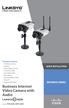 Package Contents 2300 Series Camera Stand Kit Power Supply (12V 1A) 6 Ethernet Cable Lens Adapter Ring Allen Wrench Quick Installation Guide Setup CD Antenna (WVC2300) Business Internet Video Camera with
INSTALLATION GUIDE. AXIS Camera Station
 INSTALLATION GUIDE AXIS Camera Station About this Guide This guide is intended for administrators and users of the AXIS Camera Station, and is applicable for software release 3.50 and later. It covers
Installation and Deployment
 Installation and Deployment Help Documentation This document was auto-created from web content and is subject to change at any time. Copyright (c) 2016 SmarterTools Inc. Installation and Deployment SmarterStats
Backup & Disaster Recovery Appliance User Guide
 Built on the Intel Hybrid Cloud Platform Backup & Disaster Recovery Appliance User Guide Order Number: G68664-001 Rev 1.0 June 22, 2012 Contents Registering the BDR Appliance... 4 Step 1: Register the
Education Software Installer 2011
 Education Software Installer 2011 Windows operating systems System administrator s guide Trademark notice SMART Notebook, SMART Document Camera, SMART Response, SMART Sync, SMART Classroom Suite, Senteo,
Frontier DSL SelfConnect Guide
 Frontier DSL SelfConnect Guide Frontier DSL Self-Installation Guide Table of Contents Getting Started...2 Customer and Computer Requirements...2...3 STEP 1: Install Microfilters...3 STEP 2: Install Your
Avigilon Control Center Server User Guide
 Avigilon Control Center Server User Guide Version 4.10 PDF-SERVER-D-Rev1 Copyright 2011 Avigilon. All rights reserved. The information presented is subject to change without notice. No copying, distribution,
EntraPass WebStation. Installation Manual DN1864-1005
 EntraPass WebStation Installation Manual EntraPass WebStation Installation Manual Table of Contents General Information...1 Copyright Info...1 Technical Support...1 Overview...2 Introduction... 2 Description...
NSi Mobile Installation Guide. Version 6.2
 NSi Mobile Installation Guide Version 6.2 Revision History Version Date 1.0 October 2, 2012 2.0 September 18, 2013 2 CONTENTS TABLE OF CONTENTS PREFACE... 5 Purpose of this Document... 5 Version Compatibility...
Installation / Migration Guide for Windows 2000/2003 Servers
 PSQL v9 SP1 (9.1) & Installation / Migration Guide for Windows 2000/2003 Servers Ebix, Inc. Corporate Headquarters Concourse Parkway, Suite 3200 Atlanta, GA 30328 USA Phone: 678-281-2020 Fax: 678-281-2019
Server Sentinel Client Workstation
 Server Sentinel Client Workstation Installation and Reinstallation Guide Server Sentinel 4.4.3 and Higher April 2008 . unisys imagine it. done. Server Sentinel Client Workstation Installation and Reinstallation
Paul McFedries. Home Server 2011 LEASHE. Third Edition. 800 East 96th Street, Indianapolis, Indiana 46240 USA
 Paul McFedries Microsoft Windows9 Home Server 2011 LEASHE Third Edition 800 East 96th Street, Indianapolis, Indiana 46240 USA Table of Contents Introduction 1 Part I Unleashing Windows Home Server Configuration
Product Manual. Administration and Configuration Manual
 Product Manual Administration and Configuration Manual http://www.gfi.com [email protected] The information and content in this document is provided for informational purposes only and is provided "as is" with
http://docs.trendmicro.com
 Trend Micro Incorporated reserves the right to make changes to this document and to the products described herein without notice. Before installing and using the product, please review the readme files,
System Administration Training Guide. S100 Installation and Site Management
 System Administration Training Guide S100 Installation and Site Management Table of contents System Requirements for Acumatica ERP 4.2... 5 Learning Objects:... 5 Web Browser... 5 Server Software... 5
McAfee Firewall Enterprise
 Hardware Guide Revision C McAfee Firewall Enterprise S1104, S2008, S3008 The McAfee Firewall Enterprise Hardware Product Guide describes the features and capabilities of appliance models S1104, S2008,
Firewall VPN Router. Quick Installation Guide M73-APO09-380
 Firewall VPN Router Quick Installation Guide M73-APO09-380 Firewall VPN Router Overview The Firewall VPN Router provides three 10/100Mbit Ethernet network interface ports which are the Internal/LAN, External/WAN,
HOUR 3. Installing Windows Server 2003
 HOUR 3 Installing Windows Server 2003 In this hour, we discuss the different types of Windows Server 2003 installations, such as upgrading an existing server or making a clean install on a server that
WA2256 Responsive Mobile Web Development with HTML5, CSS3, JavaScript, and jquery Mobile. Classroom Setup Guide. Web Age Solutions Inc.
 WA2256 Responsive Mobile Web Development with HTML5, CSS3, JavaScript, and jquery Mobile Classroom Setup Guide Web Age Solutions Inc. Copyright Web Age Solutions Inc. 1 Table of Contents Part 1 - Minimum
Load Balancing. Outlook Web Access. Web Mail Using Equalizer
 Load Balancing Outlook Web Access Web Mail Using Equalizer Copyright 2009 Coyote Point Systems, Inc. Printed in the USA. Publication Date: January 2009 Equalizer is a trademark of Coyote Point Systems
JKW-IP. IP Video Entry System. QuikStart Guide
 1210 JKW-IP IP Video Entry System QuikStart Guide This is an abbreviated instruction manual for installation purposes. Please see the JKW-IP Installation Manual and JKW-IP Operation Manual for complete
Patterson Software. Installation Guide
 Patterson Software Installation Guide Copyright 2008, Patterson Dental Supply, Inc. All rights reserved. Microsoft is a registered trademark and Windows Vista, Windows XP, Windows 2000 are trademarks of
Multi-Homing Dual WAN Firewall Router
 Multi-Homing Dual WAN Firewall Router Quick Installation Guide M73-APO09-400 Multi-Homing Dual WAN Firewall Router Overview The Multi-Homing Dual WAN Firewall Router provides three 10/100Mbit Ethernet
AT-UWC Wireless LAN Controller. Installation Guide. Software Version
 Software Version Installation Guide This Installation Guide is an introductory guide to help you start the software-based AT-UWC Wireless LAN Controller. It describes how to run the AT-UWC-Install program
Canon WFT-E1 (A) Wireless File Transmitter. Network Support Guide
 1 Canon WFT-E1 (A) Wireless File Transmitter Network Support Guide Windows XP - Infrastructure Wireless Mode Connection 2 Setting up the WFT-E1A on Windows XP Home or Professional Infrastructure Wireless
Installation Notes for Outpost Network Security (ONS) version 3.2
 Outpost Network Security Installation Notes version 3.2 Page 1 Installation Notes for Outpost Network Security (ONS) version 3.2 Contents Installation Notes for Outpost Network Security (ONS) version 3.2...
Lab - Dual Boot - Vista & Windows XP
 Lab - Dual Boot - Vista & Windows XP Brought to you by RMRoberts.com After completing this lab activity, you will be able to: Install and configure a dual boot Windows XP and Vista operating systems. Explain
User Guide. CTERA Agent. August 2011 Version 3.0
 User Guide CTERA Agent August 2011 Version 3.0 Copyright 2009-2011 CTERA Networks Ltd. All rights reserved. No part of this document may be reproduced in any form or by any means without written permission
new Business Online Technical Troubleshooting Guide
 new Business Online Technical Troubleshooting Guide TABLE OF CONTENTS How to install Java 1.6 Page 3 How to install Java 1.6 without ActiveX control Page 6 How to uninstall Java Runtime Environment Page
Operating System Installation Guide
 Operating System Installation Guide This guide provides instructions on the following: Installing the Windows Server 2008 operating systems on page 1 Installing the Windows Small Business Server 2011 operating
Contents. Hardware Configuration... 27 Uninstalling Shortcuts Black...29
 Contents Getting Started...1 Check your Computer meets the Minimum Requirements... 1 Ensure your Computer is Running in Normal Sized Fonts... 7 Ensure your Regional Settings are Correct... 9 Reboot your
Lab 8.4.2 Configuring Access Policies and DMZ Settings
 Lab 8.4.2 Configuring Access Policies and DMZ Settings Objectives Log in to a multi-function device and view security settings. Set up Internet access policies based on IP address and application. Set
Belkin Wireless Cable/DSL Gateway Router
 Belkin Wireless Cable/DSL Gateway Router User Manual F5D6230-3 Table of Contents Introduction................................................ 1-3 Knowing your Belkin Router....................................
AXIS Camera Station Quick Installation Guide
 AXIS Camera Station Quick Installation Guide Copyright Axis Communications AB April 2005 Rev. 3.5 Part Number 23997 1 Table of Contents Regulatory Information.................................. 3 AXIS Camera
Remote Connectivity to XV, XP and epro units running Visual Designer
 Intro Remote connectivity is one of the major features of Visual Designer and our new operator interface hardware platforms running that software. The ability to monitor, troubleshoot, edit and administer
This document is intended to make you familiar with the ServersCheck Monitoring Appliance
 ServersCheck Monitoring Appliance Quick Overview This document is intended to make you familiar with the ServersCheck Monitoring Appliance Although it is possible, we highly recommend not to install other
User s Manual CONTENT. Nano NAS Server for USB storages. 1. Product Information...1. 2. Product Specifications.2. 3. System requirements..
 CONTENT Nano NAS Server for USB storages 1. Product Information...1 2. Product Specifications.2 3. System requirements..3 4. Product Connecting. 4 5. Configuring DN-7023....5 6. Setting... 9 7. Note..
This manual will help you connect your Microsoft Windows XP, Vista, or 7, or Apple OS X computer to the University of Maryland campus data network.
 This manual will help you connect your Microsoft Windows XP, Vista, or 7, or Apple OS X computer to the University of Maryland campus data network. Prerequisites for Network Registration: 1. In order to
User s Manual. Copyright 2010 Vantec Thermal Technologies. All Rights Reserved.
 Copyright 2010 Vantec Thermal Technologies. All Rights Reserved. User s Manual Package Contents: 1 NextStar FX Gigabit NAS Adapter x1 2 AC Adapter x1 3 Installation Guide x1 4 Rubber Feet x4 5 User s CD
Sentinel Management Server
 Sentinel Management Server Installation, Reinstallation, and Upgrade Guide Server Sentinel 4.4.3 and Higher April 2007 . unisys imagine it. done. Sentinel Management Server Installation, Reinstallation,
COMBOGARDPRO. 39E Electronic Combination Lock SOFTWARE INSTALLATION INSTRUCTIONS
 COMBOGARDPRO 39E Electronic Combination Lock SOFTWARE INSTALLATION INSTRUCTIONS IMPLEMENTATION PACKAGE The ComboGard Pro Software implementation package includes: 707012 ComboGard Pro Software Install
Getting Started with Attunity CloudBeam for Azure SQL Data Warehouse BYOL
 Getting Started with Attunity CloudBeam for Azure SQL Data Warehouse BYOL Overview This short guide explains how to use Attunity CloudBeam to replicate data from your on premises database to Microsoft