
Developing Mobile Services for Joomla! 1.5
|
|
|
- Steven Hart
- 10 years ago
- Views:
Transcription
1 Developing Mobile Services for Joomla! 1.5 Master of Science Thesis in the Programme Software Engineering and Technology Patrik Strömvall Lundqvist Malte Wannerskog Department of Computer Science and Engineering CHALMERS UNIVERSITY OF TECHNOLOGY UNIVERSITY OF GOTHENBURG Göteborg, Sweden, June 2009

2 The Author grants to Chalmers University of Technology and University of Gothenburg the non-exclusive right to publish the Work electronically and in a non-commercial purpose make it accessible on the Internet. The Author warrants that he/she is the author to the Work, and warrants that the Work does not contain text, pictures or other material that violates copyright law. The Author shall, when transferring the rights of the Work to a third party (for example a publisher or a company), acknowledge the third party about this agreement. If the Author has signed a copyright agreement with a third party regarding the Work, the Author warrants hereby that he/she has obtained any necessary permission from this third party to let Chalmers University of Technology and University of Gothenburg store the Work electronically and make it accessible on the Internet. Developing Mobile Services for Joomla! 1.5 Patrik Strömvall Lundqvist Malte Wannerskog Patrik Strömvall Lundqvist, June Malte Wannerskog, June Examiner: Sven-Arne Andreasson Department of Computer Science and Engineering Chalmers University of Technology SE Göteborg Sweden Telephone + 46 (0) Department of Computer Science and Engineering Göteborg, Sweden June 2009

3 Abstract This master thesis has led to the development of a tool Mobile Base for Joomla! which offers a library of functions as well as a graphical interface. This tool is easily installed on a fresh Joomla! installation and can be used by persons that want to develop extensions for Joomla! which should offer mobile services such as sending and receiving SMS and MMS messages. Mobile gateways can be used in order to send and receive SMS and MMS messages. By using the functions provided by the library included in Mobile Base a developer does not have to understand how to use mobile gateways, instead he can focus on the unique functions that he wants to develop. The library offers functions to send basic text and multimedia messages as well as more advanced messages such as binary text messages and messages that configure the settings in a mobile phone according to the Over-The-Air Client Provisioning standard issued by the Open Mobile Alliance. Keywords: Joomla!, Mobile Phone, SMS, MMS, Client Provisioning, Mobile Gateways

4 Sammanfattning Det här examensarbetet har lett fram till utvecklandet utav ett verktyg Mobile Base för Joomla! Som dels erbjuder ett bibliotek med funktioner samt ett grafiskt gränssnitt. Verktyget kan enkelt installeras på en ny Joomla! Installation och kan användas utav personer som vill utveckla tillägg för Joomla! som ska erbjuda mobila tjänster som att skicka och ta emot SMS och MMS meddelanden. Mobilgateways kan användas för att skicka och ta emot SMS och MMS meddelanden. Genom att använda funktionerna tillängliga i biblioteket i Mobile Base behöver en utvecklare inte sätta sig in i hur man använder mobilgateways utan kan istället fokusera på de unika funktioner som han vill utveckla. Biblioteket erbjuder dels funktioner för att skicka enkla text- och multimediameddelanden men även mer avancerade meddelanden som binära textmeddelanden samt meddelanden som konfigurerar inställningarna i en mobiltelefon enligt standarden Over-The-Air Client Provisioning satt utav Open Mobile Alliance. Nyckelord: Joomla!, Mobiltelefon, SMS, MMS, Client Provisioning, Mobilgateways

5 Preface This master thesis is the result of our studies at Chalmers university of Technology were we have specialized in Software Engineering. We would like to thank Crepido Systems AB for giving us the opportunity to work with them on this thesis. Our Special thanks go to Michael Walenius who is the regional manager at Crepido Systems AB. He has been our mentor during this work and it is his ideas that have made this work possible. During the months we have spent on this work he has always supported our own ideas and thoughts and it has been a great pleasure to work with him. 1

6 Contents 1 Introduction Background Joomla! Mobile Gateways Problem Description Purpose Scope of Work Analysis and Methodology Joomla! Mobilstart Send SMS Send MMS Receiving SMS and MMS Sending SMS from Joomla! Mobile Base Gateways SMS and MMS Messages Payment and Transaction Methods Open Mobile Alliance Client Provisioning Extensions Intra SMS Send MMS Send and Browser Settings Mobile Gallery Mobile Quote Results Extensions Mobile Base Send SMS Send MMS Intra SMS Mobile Quote Mobile Subscription Mobile Gallery Send and Browser Settings Discussion 47 2

7 5 Conclusion 48 6 References 50 7 Glossary 51 3

8 1 Introduction 1.1 Background There are several ways in which a mobile device can communicate with a server. Examples are: Trough a web browser. Trough a client application installed on the mobile device. Trough plain text messages (SMS) and multimedia messages (MMS). While they are all reasonable solutions, using SMS and MMS messages has two advantages over the others. It doesn t require that the mobile device is connected to the internet, and it is safe to say that the majority of the mobile devices on the market today are capable of sending and receiving these messages. In addition to a mobile device it is necessary to have a server capable of sending and receiving SMS and MMS messages. Preferably these services should be available trough an user-friendly graphical interface Joomla! Joomla! is a web content management system, it s open source and free for everyone to use. It allows a user with no or little knowledge about software development to easily manage a web site. The functionality of a Joomla! site can easily be extended by using different extensions; components, modules, plug-ins and templates. In order to install Joomla! 1.5 an Apace HTTP server capable of running PHP Hypertext Preprocessor (PHP) and a My Structured Query Language (MySQL) database is required. Joomla! is divided into a front-end and a back-end. The front-end contains the content of the website that is accessible for the regular user. The purpose of the back-end is to provide a section for administrators of the site to use. From here an administrator can control the content that will be displayed in the front-end as well as change the behaviour of the various extensions that are used on the site. 4

9 Components Components are the most essential extensions; they contain the main content of a page. Joomla! is designed to run one component for each page. A component could for example be an online gallery, forum or an e-commerce system. Modules Modules are used for smaller tasks; any number of modules can be displayed on a page. A module can be a stand-alone extension or it could work in conjunction with a component. Usually a module is used for one simple task such as displaying data. Plug-ins A plug-in is code that changes the core functionality of the Joomla! framework. Plug-ins can be used when a piece of code is needed throughout a site. Common usage is to format the output of a component or a module. Templates The graphical presentation of a Joomla! site can easily be changed with the use of templates. A template defines everything that has to do with the appearance of the site. A template contains at least one HTML file defining the structure of the site, and one CSS file for the design. It defines where on the page different extensions should be displayed, as well as the graphical representation of them. Application Framework Software developers that want to develop their own extensions can take advantage of the application framework provided by Joomla!. Joomla! supports the Model-View-Control (MVC) design to control the logic flow in software. The model handles the data of the application. The View consists of the user interface. The Controller controls the flow of data in the application. It retrieves data from the model and sends it to the view to be presented to the user. 5

![Figure 1.1: Joomla! MVC [6] By using the framework provided by the Joomla! team it s easier for developers to produce well structured code that is easy to work with. 1.1.2 Mobile Gateways It is possible to send and receive SMS and MMS messages from and to a computer system by using mobile gateways.](/docs-images/27/12339530/images/10-0.png "There exist mobile gateways that provide this service at no additional fee except the cost of sending the SMS or MMS message.")
10 Figure 1.1: Joomla! MVC [6] By using the framework provided by the Joomla! team it s easier for developers to produce well structured code that is easy to work with Mobile Gateways It is possible to send and receive SMS and MMS messages from and to a computer system by using mobile gateways. There exist mobile gateways that provide this service at no additional fee except the cost of sending the SMS or MMS message. The mobile gateways often provide an API in order for developers to integrate the service in a software system. 1.2 Problem Description The task is to develop a set of components and modules for Joomla!. These extensions will provide SMS and MMS functionality to a Joomla! site when 6

11 installed. In order to be able to provide mobile services, the developed extensions will use a mobile gateway. The gateway chosen for this task is Mobilstart [5]. The extensions that are to be developed must be capable of handling communication between mobile phones and the system in both directions. The system must be able to send a message to a mobile phone as well as being able to receive and process messages from a mobile phone. These messages can be both plain text messages (SMS) and multimedia messages (MMS). It is important that this communication is done in a secure way. The system must be able to handle payment for both incoming and outgoing traffic. There exist several methods for this; the problem is to find the most suitable solution of payment for both incoming and outgoing traffic. When a user sends an SMS or MMS message to the system there should be a way to recognize which user it is depending on the telephone number. 1.3 Purpose The result of this work is a community site where users will have access to different mobile services. It will be possible for an administrator to change the fee for a certain service, when a user uses a service that is not free he will be charged for this. These mobile services will be available through the use of various extensions. It will be possible to install one or several of these extensions on another site in order to easily provide mobile services on that site By developing these extensions for Joomla! we will gain a deeper knowledge about Joomla!. Furthermore the developed extensions will either be of commercial use for Crepido Systems, or can be used internally within the company. 1.4 Scope of Work The focus of this master thesis is to make an attempt to find a good way to integrate mobile services into Joomla!. While there exists a wide variety 7

12 of web content management systems we will only consider Joomla! for this master thesis. The main reason for this is that Crepido Systems uses Joomla!. We will not perform an analysis of Joomla! or compare it to other web content management systems. We are going use existing solutions for sending and receiving SMS and MMS messages by using mobile gateways. While it is possible to connect directly to operators this would be expensive and require more work and is thus not suitable for this master thesis. 2 Analysis and Methodology 2.1 Joomla! Before we could begin to analyze how to best integrate mobile services into Joomla!, we first had to learn extension development in Joomla!, as well as familiarize ourselves with Mobilstart. By reading the book Learning Joomla! 1.5 Extension Development [2] we learnt how to develop modules and components for Joomla!. In order to be able to develop good extensions it is important to learn the application framework provided by Joomla!. This allows us to create extensions that have a good structure and that are easy to extend with additional functionality if needed. In addition to the book, the Joomla! documentation provides excellent examples that was of great help. In particular it contains a very good tutorial of how to develop components that implements the MVC pattern [7]. 2.2 Mobilstart In order to use Mobilstart we first had to register an account on Mobilstart. Once we had done this we could start using their services. Every account on Mobilstart shares the same shortnumber that messages are sent to and received from, Mobilstarts shortnumber is This means that when we use Mobilstart to send a message, will be the number listed as sender. Mobilstart provides a set of APIs which makes it possible to integrate mobile 8

13 services in your own webpage [17, 18, 19]. The first step we took was to familiarize ourselves with these APIs by developing some basic scripts Send SMS Mobilstart provides a HTTP POST service which is used to send SMS and MMS messages. When sending an SMS the following parameters are mandatory and have to be included in the HTTP POST that is sent to the service; msisdn: Phonenumber of the mobile device that the message is being sent to. msg: Data or Text. shortnumber: The shortnumber assigned by mobilstart. username: Mobilstart username. password: Mobilstart password. In addition to the mandatory parameters there are some optional parameters that may be included; sendername: Name of the sender. destport: Destination UDHPort. originport: Originator UDHPort. expiry: Expiry time. isdata: If this parameter is sent, the msg parameter will be sent as data, otherwise it will be sent as regular text. Example 2.1 illustrates how an SMS can be sent by using a simple HTML form. 9

14 <html> <body> <form action=" method="post" accept-charset="utf-8"> Username: <input type="text" name="username"/><br/> Password: <input type="password" name="userpassword"/><br/> Shortnumber: <input type="text" name="shortnumber"/><br/> Phone number: <input type="text" name="msisdn"/> Text: <input type="text" name="msg"/><br/> <input type="submit" value="send SMS"> </form> </body> </html> Example 2.1: HTML form for sending SMS through Mobilstart When a message is sent using the service, an ID is returned. This means that the message is being processed; it does not guarantee that the message has been delivered to the mobile device Send MMS Sending an MMS using Mobilstart is very similar to sending an SMS. The difference is that another HTTP service is used and different parameters are sent. The following parameters are supported; msisdn: Phonenumber of the mobile device that the message is being sent to. subject: The ISO encoded MMS subject to be sent. shortnumber: The shortnumber assigned by mobilstart. username: Mobilstart username. password: Mobilstart password. Additionally at least one file attachment must be sent. Example 2.2 illustrates how an MMS can be sent by using a simple HTML form. 10

15 <html> <body> <form action=" method="post" enctype="multipart/form-data" accept-charset="utf-8"> Username: <input type="text" name="username"/><br/> Password: <input type="text" name="userpassword"/><br/> Shortnumber: <input type="text" name="shortnumber"/><br/> Phone number: <input type="text" name="msisdn"/> Subject: <input type="text" name="subject"/><br/> Attachment 1: <input type="file" name="test1"/><br/> Attachment 2: <input type="file" name="test2"/><br/> <input type="submit" value="send"> </form> </body> </html> Example 2.2: HTML form for sending MMS through Mobilstart Receiving SMS and MMS Receiving SMS and MMS messages can be easily achieved by using mobil- Forward which is an application provided by Mobilstart for forwarding SMS or MMS messages sent to to an HTTP server [19]. When a person sends a message to a prefix must be included in the message. Mobilstart uses this prefix to uniquely match incoming messages to a specific account. Each account has one prefix which can be changed by the owner of the account. When using mobilforward an order code is added along with an associated script. An order code is a combination of the prefix and another unique code word. When a person sends a message to including an ordercode mobilforward will check for matching codes and forward the message to the associated script. 2.3 Sending SMS from Joomla! In order to test how to integrate the functionality to send SMS messages from Joomla! we decided to develop two basic components. 11

16 The first was a component where users should be able to send SMS messages from the site to a mobile device. Since we follow the MVC pattern we wanted to let the view present the form to the user while the model sends the message to Mobilstart. This means that the message needs to be forwarded to Mobilstart directly from the code instead of using a form like in example 2.3. This can be achieved by using the PHP library curl. curl allows us to connect to and communicate with an HTTPS server located at Mobilstart [8]. Example 2.3 illustrates how an SMS message can be sent from PHP by using curl. <?php $url = " $ch = curl_init(); $parameters="username=myusername&userpassword=mypassword &shortnumber=72500&msisdn= &msg=message goes here"; curl_setopt($ch, CURLOPT_URL, $url); curl_setopt($ch, CURLOPT_RETURNTRANSFER,1); curl_setopt($ch, CURLOPT_POST, 1 ); curl_setopt($ch, CURLOPT_VERBOSE, TRUE); curl_setopt($ch, CURLOPT_POSTFIELDS, $parameters); $response = curl_exec($ch); curl_close(\$ch);?> Example 2.3: sending SMS through Mobilstart with curl We decided that the second component should provide the functionality that users can subscribe to newsletters. An administrator should then be able to send an SMS message to all users who are subscribing. The structure for this component was very similar to the first one with the difference that this also featured an administrator interface in the back-end. Figure 2.1 illustrates the information flow for the component. After the two components were finished we realized that the models for both components were very similar. Both components contained similar methods for forwarding the message to Mobilstart. 12

17 Figure 2.1: Shows how the components communicate with Mobilstart This redundancy felt unnecessary and we got the idea to develop a library of functions that can be used when developing extensions that supports mobile services. This would increase the development speed for such extensions and save the developer a lot of time. Gathering all functionality for mobile services in a library will also eliminate the need for a developer to learn the gateway APIs, instead he can focus on the functionality of his extension. 2.4 Mobile Base We decided to develop a component Mobile Base which would contain a library of functions. When a developer wants to create a new component that supports mobile services he can install Mobile Base and use the provided functions. We decided that Mobile Base should provide the following functionality; Send SMS. Send MMS. Receive SMS. Receive MMS. Send Binary SMS. 13


18 Send OMA OTA Client Provisioning settings. Handle different payment methods for services. Support several gateways. Log activity. We decided to focus our work on the development of Mobile Base and then continue to rebuild the previously developed extensions as well as develop a set of new extensions which all use Mobile Base. Figure 2.2: Shows how components communicate with Mobilstart through Mobile Base Gateways One functionality that Mobile Base should offer is to support several gateways. The reason for this is that gateways differ in financial aspects and they offer different services. Potential users of Mobile Base might find one of the gateways more suitable for their needs. We have chosen that Mobilstart and MO-SMS are the gateways that should be supported. An administrator should easily be able to change settings of the gateways in the back-end of Mobile Base and also be able to specify which gateway to use by default. Another reason why we wanted to support several gateways is that it simplifies the possible future integration of additional gateways since Mobile Base already has the structure to support it. Table 2.1 shows a comparison chart over the different services that Mobilstart and MO-SMS offers. MO-SMS is similar to Mobilstart when it comes to API s and technical usage. 14

19 Mobilstart MO-SMS Send SMS Yes (0,60 SEK) Yes (0,50 SEK) Send MMS Yes (1,20 SEK) Partially 1 (1,20 SEK) Send binary SMS Yes (0,60 SEK) No Receive SMS Yes (33% provision) Yes (28% provision) Receive MMS Yes (33% provision) Yes (28% provision) Price range for incoming SEK SEK SMS and MMS messages Table 2.1: Mobilstart vs MO-SMS comparison chart. Security Outgoing connections from Mobile Base to the gateways are secured over HTTPS, this protects against confidentiality-attacks since the connection is secure and the transferred data is encrypted. Since incoming connections from a gateway to Mobile Base doesn t use username, password or any other identification procedure it can easily be manipulated and forged. The first step to protect against this is to check whether the IP address of the call matches the IP range of the gateway. Since an IP address can be spoofed we need an authentication process to provide the extra security, we achieve this by adding an identification in the call from the gateway. The authentication process checks whether the identification included in the call matches the one stored on the server. Since we now have included an identification in the incoming connection, the need for a HTTPS server has increased compared to before but it is not as important as for outgoing connections since the IP check still applies a fair amount of security. If either of the authentication or IP check fails the connection is ignored SMS and MMS Messages By importing the library included in Mobile Base it should be possible for developers to call a function in order to send a message to a mobile phone. There should exist functions that can be used to send SMS, MMS and binary SMS. 1 An incoming SMS or MMS must first have been registered so MO-SMS knows what operator that phone number uses. 15

20 When sending an SMS the parameter for the function should be the message and the phone number of the receiver. The parameters that should be passed when calling the function for sending an MMS are the subject of the message, the telephone number of the receiver, and the attachments of the MMS. When sending a binary SMS the parameters for the function should be the binary encoded message along with the telephone number of the receiver. When receiving SMS and MMS messages from Mobilstart and MO-SMS the name of the incoming parameters differ. In order to make it as easy as possible for developers we wanted Mobile Base to receive these messages and process the data, and output a formatted message that will look the same for all SMS and MMS messages. By doing this the same parameter names will be used regardless if Mobilstart or MO-SMS is used Payment and Transaction Methods Since the services provided by the gateways costs money, Mobile Base should be able to provide the owner of the site with the possibility to charge users for using the services on the site. This is solved by giving the users the possibility to transfer money to an account and fill a balance stored on Mobile Base. A users balance on Mobile Base is charged every time the user uses a service. An administrator should be able to set the global price for both SMS and MMS messages in the back-end of Mobile Base. It can be set to zero, which means that all services are free of charge. If a price parameter is set when a component calls Mobile Base the global price is overridden with the specified price. If a user doesn t have enough money on the account, he will be notified of this and he will not be able to use the service until his account is refilled with money. It should be easy for a user of the site to transfer money to his account on Mobile Base. It should also be easy for the owner of the site to review transactions made by the users. Since money is involved it is important that the transaction is executed in a secure manner. When we discussed different solutions we decided that a good solution would be to use PayPal because PayPal will handle the actual money transfer and we will just handle the communication between Mobile Base and PayPal. This guarantees that the most critical part of the transfer is protected by the security of PayPal. Since neither of us had worked with PayPal integration before this was a new experience but we had a pretty good idea on how the transaction should 16


21 transpire; a user enters the amount he wants to transfer, then continues to PayPal where the actual money transfer takes place. When the transfer is completed the user is redirected back to our site and the system should now be notified about the transfer. Buy Now Button with Instant Payment Notification When investigating how the PayPal transaction should happen the first step we took was to find out how to implement a PayPal button on our site that initiates a payment. We found that the most logical solution to this step would be to add a Buy Now [11] button on the site. To add a Buy Now button to the site a button must be created on PayPal where the price and purchase item name is entered. PayPal then generates the code for the button that should go on the website [11]. The transaction flow for the Buy Now button is described in figure 2.3. Figure 2.3: PayPal Transaction: Checkout Flow with a Buy Now button [11] 17
![This method also offers a return URL so a user can return to our site after a successful transfer [11].](/docs-images/27/12339530/images/22-0.png "While this is a good solution for our PayPal transaction implementation it does not completely fulfil our needs. What s missing is that Mobile Base has no idea that a transfer has occurred.")
22 This method also offers a return URL so a user can return to our site after a successful transfer [11]. While this is a good solution for our PayPal transaction implementation it does not completely fulfil our needs. What s missing is that Mobile Base has no idea that a transfer has occurred. To solve this problem we use a service offered by PayPal called Instant Payment Notification (IPN). The IPN service notifies Mobile Base whenever a payment transaction has been completed and informs who performed the purchase and how much money he or she transferred [12]. The IPN flow is shown in figure 2.4: 1. The payment is completed through the Buy Now button. 2. PayPal sends an IPN message to our system. 3. We respond with the exact same message. This is a security measure. 4. PayPal responds with either a success or failure message. Figure 2.4: PayPal Transaction: Checkout Flow with IPN Message [12] With the Buy Now button combined with IPN we have a functional PayPal payment transaction; however this solution is insufficient to use in our system due to these issues: 18
23 1. The Buy Now button must have specific shop items and prices linked to it. 2. The Buy Now button must be generated at PayPal before use. So even though this is an acceptable solution we wanted something that does not require any setup at PayPal except the creation of an account. Express Checkout After some more research and reading of the PayPal developer documentation we found a service called Express Checkout. Express Checkout offers more control over the different stages of payment and more customization; most important it solves the issues from the solution with the Buy Now button and IPN. The Express Checkout has an API with several operations that, when used in conjunction with each other, allows us to control the payment and the overall transaction flow. We use three of the operations; SetExpressCheckout, GetExpressCheckoutDetails and DoExpressCheckoutPayment. [13]. The SetExpressCheckout API operation sets up the Express Checkout transaction. Here we can specify information to customize the look and feel of the PayPal site and the information it displays. The GetExpressCheckoutDetails obtains information about the buyer from PayPal. DoExpressCheckoutPayment completes and finalize the Express Checkout transaction. Each API call requires the caller to pass his or hers PayPal API account information. Figure 2.5 shows the Express Checkout execution flow: 1. The SetExpressCheckout operation is the first to be called. Here the configuration is set to specify how the PayPal page flow should be; amount, currency, purchase description, where to go if the purchase has succeeded, where to go if the purchase is cancelled and since this is a digital purchase no shipping will be needed. 2. PayPal responds with a Token, which is a temporary identification number for this transaction. A Token s lifetime is approximately three hours. 3. The system redirects the user to PayPal with the Token as a parameter so that PayPal knows which payment that is to be processed. 4. The user then logs in and confirms the details and is redirected back to the system with the Token as parameter. 19
24 5. Here the user doesn t have to confirm the order because it has already been done at PayPal so there is no need. However we do call the GetExpressCheckoutDetails in order to get information about the transaction. 6. Finally a call to the operation DoExpressCheckoutPayment is made which finalizes the payment; either successfully or unsuccessfully depending on whether or not the security measures has been fulfilled. Figure 2.5: PayPal Transaction: Express Checkout Execution Flow [13] 20
25 Express Checkout fulfills the demands we had on PayPal payment transactions. All that is needed for Express Checkout is a PayPal account. No interaction with PayPal is necessary such as Buy Now button generation or IPN setups. It is also easy to use; both for developers, administrators and end-users. Security As seen in figure 2.5, the communication with PayPal travels back and forth like a real life conversation. This means that the system is exposed to Man- In-The-Middle (MITM) attacks. Even though the traffic from the system to PayPal is encrypted by HTTPS, we cant assure complete security. Even if both directions were encrypted by HTTPS we still couldn t assure complete security and MITM attacks would still be possible. The possible result of a MITM attack could be that the system could be fooled in to thinking that money was transferred when in fact no transaction occurred. Before we realised MITM attacks was possible we thought that a good idea would be that as soon as a transfer was completed the users account should be filled. The result of this could be that an attacker could fill his account with money and spend it on the site before he is caught. To eliminate the problem we changed the acceptance of money transfer to be done manually by administrators. The general idea here is that an administrator checks the PayPal account to make sure that an actual transfer was made. This would result in that administrators would put a lot of work in to checking the PayPal account continuously, but this is the only way to ensure complete security which we think is necessary Open Mobile Alliance Client Provisioning The system should be able to send and internet settings to a mobile phone. Both of us were aware that this can be done, but we had no experience in the development of it. The end-user has a mobile phone which he wants to configure with settings. He can do this manually but if the user is not familiar with how to do this it s both easier and quicker to get the settings sent to the phone instead of entering them manually. The user visits a website and enters his settings such as username, password, mail-server, etc. which is then sent to his phone. Once the mobile phone has received the configuration the user accepts it and it is ready to be used. We wanted Mobile Base to provide an easy way for developers to generate correctly formatted SMS messages that will configure and internet 21
26 settings on a mobile phone. A developer should be able to create a HTMLform where the user can enter his desired settings. These values should then be forwarded to the correct function in Mobile Base where a correctly formatted SMS will be generated. In order to understand how to generate such SMS messages we studied the documentation [14, 15, 16] provided by Open Mobile Alliance (OMA). The Open Mobile Alliance is a standards organization which develops open standards for the mobile phone industry. Its mission is best described on their website [3]: "The mission of the Open Mobile Alliance is to facilitate global user adoption of mobile data services by specifying market driven mobile service enablers that ensure service interoperability across devices, geographies, service providers, operators, and networks while allowing businesses to compete through innovation and differentiation." Client Provisioning Client Provisioning (CP) is the process by which a mobile device is configured with a minimum amount of user interaction. The term covers Over-The-Air (OTA) provisioning. This provisioning process is initiated when a mobile device receives a special formatted SMS containing the settings [10, 14]. Over-The-Air Provisioning In order to send settings Over-The-Air a provisioning document must be created. Provisioning documents are XML formatted documents that contains the settings that are to be sent via SMS. Since it s convenient to keep the size of an SMS limited the Open Mobile Alliance have created a specification that defines a compact binary representation of the XML language called WAP Binary XML (WBXML). The binary XML content format is designed to reduce the transmission size of XML documents, allowing more effective use of XML data on narrowband communications channels without any loss of functionality or semantic information. The binary format encodes the parsed physical form of an XML document, i.e., the structure and content of the document entities [15]. Provisioning Document Example The XML Document Type Definition (DTD) defines two elements; a CHARECTER- ISTIC element and a PARM element. The PARM element is used to provide values for the individual parameters. The CHARECTERISTIC element is used to group parameters to a specific characteristic [14]. 22
27 Example 2.4 shows how a provisioning document, which configures the Data Account on a Sony Ericsson mobile phone, could look like. The Data Account is used to connect to a network connection [10]. 1. <wap-provisioningdoc version="1.1"> 2. <characteristic type="napdef"> 3. <parm name="napid" value="nap1" /> 4. <parm name="bearer" value="gsm-gprs" /> 5. <parm name="name" value="data account1" /> 6. <parm name="nap-address" value="nap.address.com" /> 7. <parm name="nap-addrtype" value="ipv4" /> 8. </characteristic> 9. </wap-provisioningdoc> Example 2.4: XML Provisioning Document 1. Defines which version the provisioning document is. 2. Specifies that the data account is to be configured. 3. Sets the id of the data account. 4. Specify that the account uses GPRS to connect to the internet. 5. Sets the name of the data account. 6. Sets the address that is used to connect to a remote entity. 7. Defines the type of the NAP-ADDRESS. 8. End of characteristic tag. 9. End tag for the provisioning document. As mentioned earlier a provisioning document is often encoded as binary XML before being sent to a mobile phone Over-The-Air. How to encode a provisioning document as binary XML can be found in the provisioning content specification [10]. Each mark-up element in the provisioning document is represented by a hexadecimal token. Strings are encoded as hexadecimal values where each character is represented by its hexadecimal value in the ASCII table [4]. 23
![Figure 2.6: ASCII table [4] Table 2.](/docs-images/27/12339530/images/28-0.png "2 shows the WBXML encoding of the provisioning")
28 Figure 2.6: ASCII table [4] Table 2.2 shows the WBXML encoding of the provisioning document in example
29 C5 Element <wap-provisioningdoc> 45 Attribute version encoded as a string 31 2E 31 The string "1.1" 00 End of string 01 End of attribute list for <wapprovisioningdoc> C6 Element <characteristic> 55 Attribute type NAPDEF 01 End of attribute list for <characteristic> 87 Element <parm> 11 Attribute name NAPID 06 End of attribute list for <parm> 03 Encode value as string 4E The string "NAP1" 00 End of string 01 End of element <parm> 87 Element <parm> 10 Attribute name BEARER 06 End of attribute list for <parm> AB Encode value GSM-GPRS 01 End of element <parm> 87 Element <parm> 07 Attribute name NAME 06 End of attribute list for <parm> 03 Encode value as string The string "Data account1" 63 6F 75 6E End of string 01 End of element <parm> 87 Element <parm> 08 Attribute name NAP-ADDRESS 06 End of attribute list for <parm> 03 Encode value as string 6E E The string "nap.address.com" E 63 6F 6D 00 End of string 01 End of element <parm> 87 Element <parm> 09 Attribute name NAP-ADDRTYPE 06 End of attribute 25 list for <parm> 85 Encode value IPV4 01 End of element <parm> 01 End of element <characteristic> 01 End of element <wap-provisioningdoc> Table 2.2: XML to WBXML conversion.
30 Example 2.5 shows the provisioning document from example 2.4 encoded as binary XML. C E C E AB F 75 6E E E E 63 6F 6D Example 2.5: WBXML provisioning document When adding the functionality to generate a WBXML provisioning document our first step was to create a set of functions which is used to generate the XML provisioning document. This XML provisioning document is then passed to a function which converts it to a WBXML provisioning document. The biggest technical challenge with this was to perform the XML to WBXML conversion. We found a free library called libwbxml [9] but found that this did not fully suit our needs for the following reasons; First of all, not all web servers allow execution of external programs. Furthermore depending on which operating system the server runs on the correct compilation of libwbxml has to be used. We decided to create an XML to WBXML parser in PHP by following the WBXML documentation [15]. Since the parser is in PHP, every web server that is capable of running PHP can use it. Security To increase the security when creating a provisioning document, a security header must be added. This header contains the Hash Message Authentication Code (HMAC) and information about what security method that is in use. The HMAC is created from a SHA-1 algorithm based on the WBXML of the provisioning document content and a 4-digit key. The HMAC is then encoded as a string of hexadecimal digits where each pair of consecutive digits represent a byte [16]. 2.5 Extensions Once the first version of Mobile Base was finished we could continue to develop extensions for Joomla!. 26
31 First we made some changes to the two components we previously created so that they both use Mobile Base. This turned out to go very smoothly since, Mobile Base handles the mobile functionality, that part of the code in the components could simply be replaced by a call to the proper function in Mobile Base. Once this was done we began to plan other extensions to develop. The purpose of these extensions are to demonstrate different mobile services, therefore we only specified their basic behaviour before we began the development. Extra features of these extensions are of lesser importance Intra SMS We had already developed a SMS component but we felt the need for a more sophisticated SMS service where users can select one or more groups of users and send SMS messages to one or several recipients. This can be very useful for large or small organizations and can for example be installed in an intranet Send MMS A component where a user can select an image, enter a subject and then enter a message and send this as an MMS to a specific phone number Send and Browser Settings Today it is common that when a customer is in contact with customer support they can send an SMS following the OMA OTA Client Provisioning standard [14] which will automatically configure the mobile device with the desired settings. With this component a user can send an SMS which will automatically configure SMTP, IMAP and POP3 on a mobile device. A user should also be able to send an SMS which will automatically configure browser, and internet settings on a mobile device. This can be used to configure a mobile device which currently is not configured to access the internet. After the configuration has been made the device will be properly configured and can access the internet. 27
32 2.5.4 Mobile Gallery We wanted to a create a component where users has the possibility to send an MMS which will be received by the system, the component would then extract the image from the MMS and automatically add it to the gallery. If the user has registered his name along with his telephone number he will be displayed as the uploader of the image. It should also be possible to not allow anonymous uploads (where the user has not registered his name) to be added automatically to the gallery. This allows an administrator to first review an uploaded images and eliminate the risk that users upload inappropriate content Mobile Quote Users should be able to send an SMS to the system. The system will then reply with a famous quote from the component database. 3 Results 3.1 Extensions Mobile Base Mobile Base is a special component, it provides a library of functions for developers to call in order to perform mobile tasks such as sending an SMS or MMS. It also acts like a regular component where users can transfer money through PayPal which can be spent when using mobile services. Library The library part of Mobile Base is a collection of functions that other components can call. The library provide the following functionality: Support for Mobilstart and MO-SMS Send SMS Send MMS Send binary SMS 28
33 Send OMA OTA Client Provisioning settings Receive SMS Receive MMS Generate OMA OTA XML for IMAP, SMTP, AP, Internet and Browser settings. OMA OTA XML to WBXML conversion. The functions of the library are connected to the gateway accounts that are set up in the back-end of Mobile Base. Each call to a send function takes a phone number, a price and message specific information as parameters. The message specific information varies depending on if it s an SMS, MMS or binary SMS. SMS needs a message, MMS needs a list of attachments such as text, image, audio or video, and binary SMS needs a WBXML string. Each call will log the phone number, date, price and type of service, it will also charge the user of the price. If the user doesn t have enough money on his account, an error code is returned and the message wont be sent. The receive functions are a bit different, first a Forwarding Rule must be specified in the back-end. When a message is received, Mobile Base will extract the information and forward the call to the correct component depending on the Forwarding Rule. The OMA OTA XML generation functions takes POST calls as input. The POST calls should contain information about what the mark-up elements should be set to. The functions return blocks of XML data so a user can build the complete XML document from blocks of his choice. The document needs a start-block and a end-block, everything in between is generated by the user. The OMA OTA XML to WBXML conversion takes an OMA OTA XML formatted string as input and outputs the ready-to-be-sent WBXML string. Front-End In order to be able to use the services that cost money provided by Mobile Base a user must set up an account on Mobile Base. This is easily done by first selecting a country from the drop-down list and then by entering the phone number. Once the information has been registered the user can see his current account balance. If the balance is zero the user will not be able to use any of the services that cost money. 29
34 Figure 3.1: Mobile Base Front-end - Personal Settings Payment is handled by PayPal; by entering an amount and clicking on the checkout button the user is directed to PayPal where he fulfils the payment over a secure channel. When the payment is completed the user will be redirected back to the system and an appropriate message will be displayed whether the transaction was successful or not. The user can also see his transactions history and the total amount of money transferred. Once the transfer has been approved by an administrator the users account balance will be updated. Figure 3.2: Mobile Base Front-end - Paypal Transactions 30
35 Back-End The back-end provides five interfaces; Settings, Log, Forwarding Rules, Users and Paypal Transactions. In the settings section an administrator can change the global configuration that will be used by Mobile Base. Here an administrator can choose which gateway that will be used as default, Mobilstart or MO-SMS. He must also enter his account information for the gateway that he intends to use. In order to increase the security a secret is used when a message is forwarded from a gateway to mobile base. The cost for outgoing SMS and MMS messages are also set, if no price is specified for a service this is the price that will be used. In order to be able to use PayPal to handle payments the correct settings for PayPal must be entered. 31
36 Figure 3.3: Mobile Base Back-end - Settings All incoming and outgoing traffic is logged. In the log section an administrator can view information about which type of message was sent or received, which gateway was used, what price was charged for the message and if it was successfully sent or received, the phone number of the person using the service is also displayed. 32

37 Figure 3.4: Mobile Base Back-end - Log The forwarding rules interface contains a list of rules that defines where incoming messages should be forwarded to. Here an administrator can add, edit and delete forwarding rules. Figure 3.5: Mobile Base Back-end - Forwarding Rules The users interface contains a list of the users registered on the Mobile Base 33

38 component, the information shown is the name of the user, if he is enabled, , balance, telephone number and country. Figure 3.6: Mobile Base Back-end - Users The PayPal transactions interface contains a list of transactions done by the users of the system. The list contains all the necessary information about a transaction; including username, status, amount, currency, date of transfer, PayPal Payer ID, PayPal Transaction ID and IP of the payer. When a user initiates a transaction at the front-end the status of the transaction will be Pending/Cancelled. Since the lifetime of a PayPal transaction is limited the transaction is Pending/Cancelled depending on how much time has passed from the initiation. If the transaction is completed within the lifetime of the transaction and the money has been transferred to the PayPal account the status will be updated to Completed. If the status of the transaction is Completed an administrator can either accept or deny the transaction, if accepted the user account balance will be updated and the status changed to Accepted, if denied the user account balance will remain the same and the status changed to Denied. The accept/deny functionality is an extra security feature that prevents any potential tampered PayPal transactions to be accepted by the system automatically since a transaction must be confirmed by an administrator before money is added to the account of the user. The interface also shows statistics of the total amount of Accepted, Denied, Completed and Pending/Cancelled transactions as well as the amount of money in each status-category. 34
39 Figure 3.7: Mobile Base Back-end - Paypal Transactions Send SMS The component Send SMS allows the user to send an SMS from the system. Front-End The front-end provides a simple interface for a user to send an SMS. The user writes the message in the message field and may then choose to either enter the receivers phone number manually or by selecting a person from the contact list. When the user presses send an attempt to send the message as an SMS to the receiver is made and an appropriate message is displayed to the user showing whether the SMS was successfully sent or not. 35
40 Figure 3.8: Send SMS - Front-end Send MMS The component Send MMS allows the user to send an MMS from the system. Front-End The front-end provides a simple interface for a user to send an image as an MMS. The user browses for an image, enters a subject, a message and may then choose to either enter the receivers phone number manually or by selecting a person from the contact list. When the user presses send an attempt to send the MMS to the receiver is made and an appropriate message is displayed to the user showing whether the MMS was successfully sent or not. 36
41 Figure 3.9: Send MMS - Front-end Intra SMS The component Intra SMS allows the user to send an SMS from the system to one or several recipients. Front-End The front-end provides an interface for a user to send an SMS to one or several recipients. In order to use the component a user must register his phone number. Upon registration the user is added to the default group. The phone number can be edited at a later stage by the user. The interface is divided into three sections; groups, available recipients and recipients. The user first selects the group or groups in which his recipients belongs to, the users of this group or groups are then displayed in the available recipients section. The user then selects which ones of these that should be moved to the recipients section. The user is also able to move back recipients at any time. When the recipients selection is done, the user writes the message and presses send; an attempt to send the SMSes to the receivers is made and an appropriate message is displayed to the users showing whether the SMSes were successfully sent or not. 37
42 Figure 3.10: Intra SMS - Front-end Back-End The back-end provides three interfaces; Users, User Groups and Messages. The user interface contains a list of registered users along with their personal information. Here an administrator can move users between groups, add, edit and remove users. 38

43 Figure 3.11: Intra SMS Back-end - Users The user groups interface contains a list of groups that registered users can belong to. Here an administrator can add, edit and delete groups and also set the default group in which newly registered users are added to. Figure 3.12: Intra SMS Back-end - User Groups The messages interface is a log of sent messages. The system logs the message, date and information about the sender. 39

44 Figure 3.13: Intra SMS Back-end - Messages Mobile Quote The component Mobile Quote allows the user to send in an SMS to the system and get a famous quote in return. Back-End The back-end provides an interface where an administrator can add, edit and delete quotes. Figure 3.14: Mobile Quote Back-end Mobile Subscription The component Mobile Subscription allows a user to subscribe or unsubscribe to various categories which will be sent to a mobile phone. Front-End From the-front the user chooses which category that he wants to subscribe 40

45 to along with the telephone number of the mobile phone that he wants to receive the information. The different categories that a user subscribes to are displayed and the user has the possibility to change his telephone number for a specific topic, he may also chose to unsubscribe to a specific topic. Figure 3.15: Mobile Subscription Front-end Back End In the back-end an administrator can view all subscribers along with information about which categories they subscribe to and to which telephone number they will receive the message. Figure 3.16: Mobile Subscription Back-end - Subscribers An administrator can create new categories which users can subscribe to. Existing categories can be created or edited as well as published / unpublished. 41
46 Figure 3.17: Mobile Subscription Back-end - Categories From the back-end an administrator can chose a topic and send a message. An SMS will then be sent to all users who subscribe to that specific topic. Figure 3.18: Mobile Subscription Back-end - Send Message Mobile Gallery The extension Mobile Gallery allows a user to send an MMS containing an image to the system which will then be displayed in a module. Front-End The front-end is represented by a module displaying images that have been sent in to the system as MMS messages. If the user is registered on the Joomla! site he can choose to register his telephone number, by doing this his name will appear on the images that he sends to the system. 42

47 Back-End In the back-end all uploaded images are shown, if the user who uploaded the image is a registered user, information about that user is also shown. The administrator can enable and disable images; by disabling an image that image won t be showed in the front-end. One or several images can also be deleted; this will completely remove them from the system. Figure 3.19: Mobile Gallery Back-end - Images All users who have registered a phone number are shown. An administrator has the ability to enable and disable a user, as well as edit the information about that specific user. He can also delete a user completely. Figure 3.20: Mobile Gallery Back-end - Users In the parameters section several options exist to control the behavior of the gallery. By editing the settings here an administrator can chose whether 43
48 newly added images will be enabled or disabled when they are uploaded. If they are disabled they will not be shown unless an administrator manually enables them, this gives the administrator the ability to review the content before it is published in the system. He may also choose whether all images uploaded by a user should be disabled if that user is deleted or disabled. Figure 3.21: Mobile Gallery Back-end - Parameters Send and Browser Settings The component allows the user to send IMAP, SMTP, Access Point, Internet and browser configurations from the system to mobile phones Over-The-Air via SMS. Front-End The front-end provides two interfaces where the user can enter his desired account information, phone model and phone number. When the user presses send an attempt to send the entered configuration is made and an appropriate message is displayed to the users showing whether the settings were successfully sent or not. 44
49 Figure 3.22: Send Settings Front-end. 45
50 Figure 3.23: Send Browser Settings Front-end. 46
51 Back-End In the back-end an administrator can set the default values of the fields displayed in the front-end. He can also set more advanced settings that require knowledge about the OMA Client Provisioning Specification [5]; these settings are not displayed in the front-end. Figure 3.24: Send Settings Back-end 4 Discussion During our work we have encountered, for us, new areas in which we had no prior knowledge. For example working with Joomla! was a new experience for both of us. We found it to be relatively simple to both learn how to 47
52 use it as well as learning how to develop our own extensions. We find that using installable extensions makes Joomla! very flexible. As developers we think that this is very good since the components we have developed can be installed on all systems running Joomla!. Integrating mobile services into Joomla! wasn t very difficult, however, if developing extensions on regular basis that require mobile services we feel that a tool Mobile Base that simplifies this process is needed. A developer that is new to mobile services will save a lot of time by using the library in Mobile Base. Another advantage is that if a Joomla! site uses a lot of extensions where all provide mobile services, a lot of redundancy is avoided by gathering this functionality into a library. In addition to the development of Mobile Base we have developed a set of extensions that all provide mobile services through the use of Mobile Base. While some of these extensions may seam ludicrous the purpose of them are to demonstrate different services that can be implemented by the use of Mobile Base. For example the component Mobile Quote demonstrate the behaviour where a user sends an SMS which is processed by the system and receives an SMS as a response. This can be compared to a ticket buying system. At the moment only two mobile gateways are supported, however the original problem description only stated the support for Mobilstart. The reason why MO-SMS was added was to see how easily support for several gateways could be implemented. In future implementations not much time would have to be spent if support for more gateways is needed. 5 Conclusion We feel that our work has successfully resulted in a tool that will aid developers interested in developing extensions for Joomla! that are to provide mobile services. By installing and using Mobile Base developers will save a lot of time, however we feel that some improvements can be made. The scenario is most likely that not all of the functionality provided by Mobile Base is needed for all web sites. For example, a developer might only be interested in using the functionality to send messages provided by Mobile Base. By installing Mobile Base he will now also get interfaces for receiving messages and handling payments which for him might be unnecessary. Therefore if we were to continue the development of Mobile Base our first step would be to 48
53 divide it into smaller packages. This would result in that a developer can chose the package or packages that suit his needs. 49
54 6 References [1] Hagen Graf, Building Websites with Joomla! 1.5. Packt Publishing, Birmingham, United Kingdom, ISBN [2] Joseph LeBlanc, Learning Jooma! 1.5 Extension Development Ű Creating Modules, Components, and Plug-Ins with PHP. Packt Publishing, Birmingham, United Kingdom, ISBN [3] Open Mobile Alliance, Homepage. [Fetched: May 13, 2009]. [4] LookupTables, ASCII Table. [Fetched: May 26, 2009]. [5] Mobilstart, Telenor Mobilstart [Fetched: March 4, 2009]. [6] Joomla!, What is Joomla? [Fetched: March 7, 2009]. [7] Joomla!, Developing a Model-View-Controller Component [Fetched: Juni 18, 2009]. Controller_Component_-_Part_1 [8] PHP, PHP: curl - Manual [Fetched: Juni 17, 2009]. [9] Open Sync, libwbxml [Fetched: Juni 26, 2009]. [10] Sony Ericsson Mobile Communications AB, OMA Client Provisioning and Device Management for Sony Ericsson phones with DM client v.1 Ű 3. January Publication Number: EN/LZT R14A. [11] PayPal, Website Payments Standard Integration Guide. April Document Number: en_US [12] PayPal, Instant Payment Notification Guide. March Document Number: en_US [13] PayPal, Express Checkout Integration Guide. April Document Number: en_US
55 [14] Open Mobile Alliance, Provisioning Content. 26 February Document Number: OMA-WAP-TS-ProvCont-v1_ C. [15] Open Mobile Alliance, Binary XML Content Format Specification. 25 July Document Number: WAP-192-WBXML a. [16] Open Mobile Alliance, Provisioning Bootstrap. 21 Apr Document Number: OMA-WAP-TS-ProvBoot-V1_ C. [17] Bozoka.com AB, Bozoka SMS Send API February [18] Bozoka.com AB, Bozoka MMS Send API February [19] Bozoka.com AB, Bozoka mobilforward manual. 8 June Glossary CMS - Content Management System (A system for managing the content of an application). WCMS - Web Content Management System (A system for managing the content of a web application). Joomla! - Open-Source WCMS. PHP - PHP Hypertext Preprocessor (A web server based script language used to develop dynamic websites). MySQL - My Structured Query Language (A relational database management system). SMS - Short Message Service (A communication service for exchanging short messages via mobile communication systems). MMS - Multimedia Messaging Service (A communication service for exchanging multimedia objects (images, audio, video, text) via mobile communication systems). IMAP - Internet Message Access Protocol (An internet standard protocol for retrieval). SMTP - Simple Mail Transfer Protocol (An internet standard protocol for transmission). OMA - Open Mobile Alliance (A standards organization which develops open standards for the mobile phone industry). CP - Client Provisioning. OTA - Over-The-Air. PayPal - PayPal is an online business that allows users to transfer money 51
56 and do payments over the internet. IPN - Instant Payment Notification (PayPal s interface for handling realtime purchase confirmation and server-to-server communications). DTD - Document Type Definition (A DTD outlines the rules of a particular document structure. It lists the elements, attributes, and entities in a document and it defines the relationships between the different elements and attributes). XML - Extensible Markup Language (A general-purpose specification for creating custom markup languages). WBXML - WAP Binary XML (A binary representation of XML). 52
1: 2: 2.1. 2.2. 3: 3.1: 3.2: 4: 5: 5.1 5.2 & 5.3 5.4 5.5 5.6 5.7 5.8 CAPTCHA
 Step by step guide Step 1: Purchasing a RSMembership! membership Step 2: Download RSMembership! 2.1. Download the component 2.2. Download RSMembership! language files Step 3: Installing RSMembership! 3.1:
MONETA.Assistant API Reference
 MONETA.Assistant API Reference Contents 2 Contents Abstract...3 Chapter 1: MONETA.Assistant Overview...4 Payment Processing Flow...4 Chapter 2: Quick Start... 6 Sandbox Overview... 6 Registering Demo Accounts...
Technical documentation
 Technical documentation HTTP Application Programming Interface SMPP specifications Page 1 Contents 1. Introduction... 3 2. HTTP Application Programming Interface... 4 2.1 Introduction... 4 2.2 Submitting
SIM Configuration Guide. February 2015 Version 1 Document Reference: 8127
 SIM Configuration Guide February 2015 Version 1 Document Reference: 8127 Contents 1 SIM APN Settings... 3 2 SIM MMS Settings... 3 3 SIM Email Settings... 4 4 SIM SMS Settings... 5 5 SIM SMS Charging...
5.2.3 Thank you message 5.3 - Bounce email settings Step 6: Subscribers 6.1. Creating subscriber lists 6.2. Add subscribers 6.2.1 Manual add 6.2.
 Step by step guide Step 1: Purchasing an RSMail! membership Step 2: Download RSMail! 2.1. Download the component 2.2. Download RSMail! language files Step 3: Installing RSMail! 3.1: Installing the component
Kentico CMS 7.0 E-commerce Guide
 Kentico CMS 7.0 E-commerce Guide 2 Kentico CMS 7.0 E-commerce Guide Table of Contents Introduction 8... 8 About this guide... 8 E-commerce features Getting started 11... 11 Overview... 11 Installing the
9236245 Issue 2EN. Nokia and Nokia Connecting People are registered trademarks of Nokia Corporation
 9236245 Issue 2EN Nokia and Nokia Connecting People are registered trademarks of Nokia Corporation Nokia 9300 Configuring connection settings Legal Notice Copyright Nokia 2005. All rights reserved. Reproduction,
Klarna Magento module
 Klarna Magento module User guide Payment module version: 5.x.+ User guide 1.0 Revision: 1.1 Table of Contents User guide Welcome to Klarna How do you benefit? What is Klarna s offering? Prerequisites Before
BF Survey Plus User Guide
 BF Survey Plus User Guide August 2011 v1.0 1 of 23 www.tamlyncreative.com.au/software/ Contents Introduction... 3 Support... 3 Documentation... 3 Installation New Install... 3 Setting up categories...
1. Introduction to CardPay
 1. Introduction to CardPay The introduction manual describes the technical aspects of payments processing using CardPay's hosted payment page. CardPay is an online payment processor for e-commerce transactions
AS DNB banka. DNB Link specification (B2B functional description)
 AS DNB banka DNB Link specification (B2B functional description) DNB_Link_FS_EN_1_EXTSYS_1_L_2013 Table of contents 1. PURPOSE OF THE SYSTEM... 4 2. BUSINESS PROCESSES... 4 2.1. Payment for goods and services...
Criteria for web application security check. Version 2015.1
 Criteria for web application security check Version 2015.1 i Content Introduction... iii ISC- P- 001 ISC- P- 001.1 ISC- P- 001.2 ISC- P- 001.3 ISC- P- 001.4 ISC- P- 001.5 ISC- P- 001.6 ISC- P- 001.7 ISC-
ipayment Gateway API (IPG API)
 ipayment Gateway API (IPG API) Accepting e-commerce payments for merchants Version 3.2 Intercard Finance AD 2007 2015 Table of Contents Version control... 4 Introduction... 5 Security and availability...
The following multiple-choice post-course assessment will evaluate your knowledge of the skills and concepts taught in Internet Business Associate.
 Course Assessment Answers-1 Course Assessment The following multiple-choice post-course assessment will evaluate your knowledge of the skills and concepts taught in Internet Business Associate. 1. A person
PayPal PRO Sandbox Testing
 PayPal PRO Sandbox Testing Updated June 2014 2014 GoPrint Systems, Inc., All rights reserved. PayPal Pro Configuration Guide 1 PayPal Pro Test Mode (Sandbox) Overview The PayPal test account, referred
Version ENCORE SYSTEMS LLC. Web Development and ecommerce Integration. PayPal NVP API Class Library User Guide
 Version 2 ENCORE SYSTEMS LLC Web Development and ecommerce Integration PayPal NVP API Class Library User Guide WEB DEVELOPMENT AND ECOMMERCE INTEGRATION PayPal Class Library User Guide The Encore Systems
Checkout FAQs. What are my Pay Now Button Options? These options define the end user experience of your buyers during checkout.
 Customize ebay Checkout Checkout FAQs What are my Pay Now Button Options? These options define the end user experience of your buyers during checkout. Do not show Pay Now option This option will not publish
Ciphermail Gateway PDF Encryption Setup Guide
 CIPHERMAIL EMAIL ENCRYPTION Ciphermail Gateway PDF Encryption Setup Guide March 6, 2014, Rev: 5454 Copyright c 2008-2014, ciphermail.com. CONTENTS CONTENTS Contents 1 Introduction 4 2 Portal 4 3 PDF encryption
YubiKey Authentication Module Design Guideline
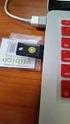 YubiKey Authentication Module Design Guideline Yubico Application Note Version 1.0 May 7, 2012 Introduction Disclaimer Yubico is the leading provider of simple, open online identity protection. The company
Official Amazon Checkout Extension for Magento Commerce. Documentation
 Official Amazon Checkout Extension for Magento Commerce Documentation 1. Introduction This extension provides official integration of your Magento store with Inline Checkout by Amazon service. Checkout
Wakefield Council Secure email and file transfer User guide for customers, partners and agencies
 Wakefield Council Secure email and file transfer User guide for customers, partners and agencies The nature of the work the council carries out means that we often deal with information that is sensitive
Nokia E61i Configuring connection settings
 Nokia E61i Configuring connection settings Nokia E61i Configuring connection settings Legal Notice Copyright Nokia 2007. All rights reserved. Reproduction, transfer, distribution or storage of part or
How To Pay With Worldpay (Hosted Call Centre)
 Corporate Gateway Mail and Telephone Order Payment Service (Hosted Call Centre) Guide V4.0 June 2014 Use this guide to: Learn how to use the Mail and Telephone Order Payment service (Hosted Call Centre)
Protect, License and Sell Xojo Apps
 Protect, License and Sell Xojo Apps To build great software with Xojo, you focus on user needs, design, code and the testing process. To build a profitable business, your focus expands to protection and
Connect Getting Started Guide. Connect 2.1.1 Getting Started Guide
 Connect 2.1.1 Getting Started Guide Page 1 of 22 Internetware Limited, 2008 Welcome...3 Introduction...3 What s new in 2.1...3 Technical Requirements...4 How does Connect work?...5 Application Connectors...5
CIPHERMAIL EMAIL ENCRYPTION. CipherMail white paper
 CIPHERMAIL EMAIL ENCRYPTION CipherMail white paper Copyright 2009-2014, ciphermail.com. Introduction Most email is sent as plain text. This means that anyone who can intercept email messages, either in
BreezingForms Guide. 18 Forms: BreezingForms
 BreezingForms 8/3/2009 1 BreezingForms Guide GOOGLE TRANSLATE FROM: http://openbook.galileocomputing.de/joomla15/jooml a_18_formulare_neu_001.htm#t2t32 18.1 BreezingForms 18.1.1 Installation and configuration
Selling Digital Goods Online
 PayLoadz.com Selling Digital Goods Online How to use the PayLoadz and PayPal services to sell digital goods on your web site Updated: 02/12/2006 TABLE OF CONTENTS INTRODUCTION...3 HOW IT WORKS...3 GETTING
MailForm Copyright 2000 Left Side Software Pty Ltd
 MailForm Copyright 2000 Left Side Software Pty Ltd Current Version : 1.96 Licence Policy and Copyright Notice This program is distributed under the Shareware concept. You may try the fully functional evaluation
Portals and Hosted Files
 12 Portals and Hosted Files This chapter introduces Progress Rollbase Portals, portal pages, portal visitors setup and management, portal access control and login/authentication and recommended guidelines
FF/EDM Intro Industry Goals/ Purpose Related GISB Standards (Common Codes, IETF) Definitions d 4 d 13 Principles p 6 p 13 p 14 Standards s 16 s 25
 FF/EDM Intro Industry Goals/ Purpose GISB defined two ways in which flat files could be used to send transactions and transaction responses: interactive and batch. This section covers implementation considerations
Policy Based Encryption E. Administrator Guide
 Policy Based Encryption E Administrator Guide Policy Based Encryption E Administrator Guide Documentation version: 1.2 Legal Notice Legal Notice Copyright 2012 Symantec Corporation. All rights reserved.
Policy Based Encryption E. Administrator Guide
 Policy Based Encryption E Administrator Guide Policy Based Encryption E Administrator Guide Documentation version: 1.2 Legal Notice Legal Notice Copyright 2012 Symantec Corporation. All rights reserved.
WebCUR ListServ. ListServ Help Manual
 WebCUR ListServ ListServ Help Manual WebCUR-ListServ Help Manual Table of Contents System Overview... 2 Getting Started... 2 Send A List Message... 4 Send A Web Page... 5 Send A List Invitation... 6 Manage
How To Use Rstickets!Pro On A Pc Or Macbook 2.5 (For Macbook)
 Quick guide Step 1: Purchasing an RSTickets!Pro membership Step 2: Downloading RSTickets!Pro Step 3: Installing RSTickets!Pro Step 4: Configuring RSTickets!Pro Step 5: Add new departments Step 6: Add new
OPENID AUTHENTICATION SECURITY
 OPENID AUTHENTICATION SECURITY Erik Lagercrantz and Patrik Sternudd Uppsala, May 17 2009 1 ABSTRACT This documents gives an introduction to OpenID, which is a system for centralised online authentication.
MAIL1CLICK API - rel 1.35
 hqimawhctmslulpnaq//vkauukqmommgqfedthrmvorodqx6oxyvsummkflyntq/ 2vOreTmgl8JsMty6tpoJ5CjkykDGR9mPg79Ggh1BRdSiqSSQR17oudKwi1pJbAmk MFUkoVTtzGEfEAfOV0Pfi1af+ntJawYxOaxmHZvtyG9iojsQjOrA4S+3i4K4lpj4 A/tj7nrDfL47r2cQ83JszWsQVe2CqTLLQz8saXfGoGJILREPFoF/uPS0sg5TyKYJ
9243060 Issue 1 EN. Nokia and Nokia Connecting People are registered trademarks of Nokia Corporation
 9243060 Issue 1 EN Nokia and Nokia Connecting People are registered trademarks of Nokia Corporation Nokia 9300i Configuring connection settings Nokia 9300i Configuring connection settings Legal Notice
THE CHALLENGE OF ADMINISTERING WEBSITES OR APPLICATIONS THAT REQUIRE 24/7 ACCESSIBILITY
 THE CHALLENGE OF ADMINISTERING WEBSITES OR APPLICATIONS THAT REQUIRE 24/7 ACCESSIBILITY As the constantly growing demands of businesses and organizations operating in a global economy cause an increased
Fairsail REST API: Guide for Developers
 Fairsail REST API: Guide for Developers Version 1.02 FS-API-REST-PG-201509--R001.02 Fairsail 2015. All rights reserved. This document contains information proprietary to Fairsail and may not be reproduced,
Zapper for ecommerce. Magento Plugin Version 1.0.0. Checkout
 Zapper for ecommerce Magento Plugin Version 1.0.0 Branden Paine 4/14/2014 Table of Contents Introduction... 1 What is Zapper for ecommerce? Why Use It?... 1 What is Zapper?... 1 Zapper App Features...
Flexible Virtuemart 2 Template CleanMart (for VM2.0.x only) TUTORIAL. INSTALLATION CleanMart VM 2 Template (in 3 steps):
 // Flexible Virtuemart VM2 Template CleanMart FOR VIRTUEMART 2.0.x (ONLY) // version 1.0 // author Flexible Web Design Team // copyright (C) 2011- flexiblewebdesign.com // license GNU/GPLv3 http://www.gnu.org/licenses/gpl-
Cardsave Payment Gateway
 Cardsave Payment Gateway Cart Implementation David McCann Cardsave Online Version 1 1 st August 2010 Contents Page Overview 3-4 o Integration Types 3 Direct/Integrated (Preferred Method) Re-direct/Hosted
www.novell.com/documentation Jobs Guide Identity Manager 4.0.1 February 10, 2012
 www.novell.com/documentation Jobs Guide Identity Manager 4.0.1 February 10, 2012 Legal Notices Novell, Inc. makes no representations or warranties with respect to the contents or use of this documentation,
Amazon Simple Pay Getting Started Guide API Version 2010-08-28
 Amazon Simple Pay Getting Started Guide API Version 2010-08-28 ASP Getting Started Guide Amazon Web Services Copyright 2012-2013 Amazon Web Services, Inc. and/or its affiliates. All rights reserved. The
Email Helpdesk for JIRA
 Email Helpdesk for JIRA User Manual Authors Marco Galluzzi, Natalio Sacerdote; Version 1.0 Date: 02.09.2014 1. User Manual............................................................................................
Bitcoin Payment Gateway API
 Bitcoin Payment Gateway API v0.3 BitPay, Inc. https://bitpay.com 2011-2012 BITPAY, Inc. All Rights Reserved. 1 Table of Contents Introduction Activating API Access Invoice States Creating an Invoice Required
Parallels Plesk Panel
 Parallels Plesk Panel Copyright Notice ISBN: N/A Parallels 660 SW 39th Street Suite 205 Renton, Washington 98057 USA Phone: +1 (425) 282 6400 Fax: +1 (425) 282 6444 Copyright 1999-2010, Parallels, Inc.
Installation and Administration Guide
 Installation and Administration Guide Release 8 This installation guide will walk you through how to install and deploy Conga Composer, including recommended settings for the application. Contact Support:
DJIGZO EMAIL ENCRYPTION. Djigzo white paper
 DJIGZO EMAIL ENCRYPTION Djigzo white paper Copyright 2009-2011, djigzo.com. Introduction Most email is sent as plain text. This means that anyone who can intercept email messages, either in transit or
Nokia and Nokia Connecting People are registered trademarks of Nokia Corporation
 Nokia and Nokia Connecting People are registered trademarks of Nokia Corporation Nokia E70 Configuring connection settings Nokia E70 Configuring connection settings Legal Notice Copyright Nokia 2006. All
MiGS Virtual Payment Client Integration Guide. July 2011 Software version: MR 27
 MiGS Virtual Payment Client Integration Guide July 2011 Software version: MR 27 Copyright MasterCard and its vendors own the intellectual property in this Manual exclusively. You acknowledge that you must
Djigzo email encryption. Djigzo white paper
 Djigzo email encryption Djigzo white paper Copyright 2009-2011, djigzo.com. Introduction Most email is sent as plain text. This means that anyone who can intercept email messages, either in transit or
Parallels Plesk Panel
 Parallels Plesk Panel Copyright Notice ISBN: N/A Parallels 660 SW 39th Street Suite 205 Renton, Washington 98057 USA Phone: +1 (425) 282 6400 Fax: +1 (425) 282 6444 Copyright 1999-2009, Parallels, Inc.
Technical Specification Premium SMS gateway
 Technical Specification Premium SMS gateway Non-subscription services (TS.001) Author: Erwin van den Boom Version history v1.0 EvdB 12 september 2007 V1.1 DI 27 may 2009 V1.2 SvE 10 december 2009 V1.3
Configuring connection settings
 Configuring connection settings Nokia E90 Communicator Configuring connection settings Nokia E90 Communicator Configuring connection settings Legal Notice Nokia, Nokia Connecting People, Eseries and E90
2- Electronic Mail (SMTP), File Transfer (FTP), & Remote Logging (TELNET)
 2- Electronic Mail (SMTP), File Transfer (FTP), & Remote Logging (TELNET) There are three popular applications for exchanging information. Electronic mail exchanges information between people and file
mkryptor allows you to easily send secure emails. This document will give you a technical overview of how. mkryptor is a software product from
 Technical Overview mkryptor allows you to easily send secure emails. This document will give you a technical overview of how. mkryptor is a software product from Contents What is mkryptor? 1 Mkryptor VS
2- Electronic Mail (SMTP), File Transfer (FTP), & Remote Logging (TELNET)
 2- Electronic Mail (SMTP), File Transfer (FTP), & Remote Logging (TELNET) There are three popular applications for exchanging information. Electronic mail exchanges information between people and file
Axway API Gateway. Version 7.4.1
 O A U T H U S E R G U I D E Axway API Gateway Version 7.4.1 3 February 2016 Copyright 2016 Axway All rights reserved. This documentation describes the following Axway software: Axway API Gateway 7.4.1
Account Management System Guide
 Account Management System Guide Version 2.2 March 2015 Table of Contents Introduction...5 What is the Account Management System?...5 Accessing the Account Management System...5 Forgotten Password...5 Account
Gigabyte Content Management System Console User s Guide. Version: 0.1
 Gigabyte Content Management System Console User s Guide Version: 0.1 Table of Contents Using Your Gigabyte Content Management System Console... 2 Gigabyte Content Management System Key Features and Functions...
CREATING YOUR ONLINE PRESENCE
 CREATING YOUR ONLINE PRESENCE Congratulations on signing up for your webhosting package, you ve just completed the first and most important step in establishing your online presence. There are just a few
kalmstrom.com Business Solutions
 HelpDesk OSP User Manual Content 1 INTRODUCTION... 3 2 REQUIREMENTS... 4 3 THE SHAREPOINT SITE... 4 4 THE HELPDESK OSP TICKET... 5 5 INSTALLATION OF HELPDESK OSP... 7 5.1 INTRODUCTION... 7 5.2 PROCESS...
PayPal Usage Document
 For the Administrator, PayPal Usage Document Before choosing the PayPal as the default payment gateway, the Administrator must know some things. First, the DUT system only accepts the Completed payment
Create e-commerce website Opencart. Prepared by : Reth Chantharoth Facebook : https://www.facebook.com/tharothchan.ubee E-mail : rtharoth@yahoo.
 Create e-commerce website Opencart Prepared by : Reth Chantharoth Facebook : https://www.facebook.com/tharothchan.ubee E-mail : [email protected] Create e-commerce website Opencart What is opencart? Opencart
Authorize.net for WordPress
 Authorize.net for WordPress Authorize.net for WordPress 1 Install and Upgrade 1.1 1.2 Install The Plugin 5 Upgrading the plugin 8 2 General Settings 2.1 2.2 2.3 2.4 2.5 2.6 2.7 2.8 2.9 2.10 2.11 Connecting
What s New in Destiny Version 13.0
 What s New in Destiny Version 13.0 What s New in Destiny 13.0 Contents Destiny 13.0 Features... 3 Destiny Library Manager... 5 OverDrive Integration... 7 Relevance Searching Enhancement... 9 Destiny Resource
Nokia for Business. Nokia and Nokia Connecting People are registered trademarks of Nokia Corporation
 Nokia for Business Nokia and Nokia Connecting People are registered trademarks of Nokia Corporation Nokia E50 Configuring connection settings Nokia E50 Configuring connection settings Legal Notice Copyright
Plesk for Windows Copyright Notice
 2 Plesk for Windows Copyright Notice ISBN: N/A SWsoft. 13755 Sunrise Valley Drive Suite 325 Herndon VA 20171 USA Phone: +1 (703) 815 5670 Fax: +1 (703) 815 5675 Copyright 1999-2007, SWsoft Holdings, Ltd.
4 Understanding. Web Applications IN THIS CHAPTER. 4.1 Understand Web page development. 4.2 Understand Microsoft ASP.NET Web application development
 4 Understanding Web Applications IN THIS CHAPTER 4.1 Understand Web page development 4.2 Understand Microsoft ASP.NET Web application development 4.3 Understand Web hosting 4.4 Understand Web services
Voice Call Addon for Ozeki NG SMS Gateway
 Voice Call Addon for Ozeki NG SMS Gateway Document version v.1.0.0.0 Copyright 2000-2011 Ozeki Informatics Ltd. All rights reserved 1 Table of Contents Voice Call Addon for Ozeki NG SMS Gateway Introduction
Sending SMS Text Messages to Cell Phones Using the Email Generator Plug-in
 Sending SMS Text Messages to Cell Phones Using the Email Generator Plug-in Sending Text Messages from the DMS User Guide 1 WHY WOULD WE WANT TO SEND (SMS) TEXT MESSAGES TO CLIENT CELL PHONES? This capability
Visa Checkout Integration Guide V1.0
 Visa Checkout Integration Guide V1.0 IP Payments Pty Ltd Level 3, 441 Kent Street Sydney NSW 2000 Australia (ABN 86 095 635 680) T +61 2 9255 9500 F +61 2 8248 1276 www.ippayments.com No part of this document
Using WhatCounts Publicaster Edition To Send Transactional Emails
 Using WhatCounts Publicaster Edition To Send Transactional Emails 1 DEFINITION Transactional email by definition is any message in which the primary purpose facilitates an already agreed-upon transaction
When you first login to your reseller account you will see the following on your screen:
 Step 1 - Creating Your Administrative Account We presume that your Reseller account has been created. Here's how to create your Administrative account which you'll use to create your hosting plans, add
PROCESS TRANSACTION API
 PROCESS TRANSACTION API Document Version 8.7 May 2015 For further information please contact Digital River customer support at (888) 472-0811 or [email protected]. 1 TABLE OF CONTENTS 2 Lists of tables
www.novell.com/documentation Policy Guide Access Manager 3.1 SP5 January 2013
 www.novell.com/documentation Policy Guide Access Manager 3.1 SP5 January 2013 Legal Notices Novell, Inc., makes no representations or warranties with respect to the contents or use of this documentation,
Integration of Learning Management Systems with Social Networking Platforms
 Integration of Learning Management Systems with Social Networking Platforms E-learning in a Facebook supported environment Jernej Rožac 1, Matevž Pogačnik 2, Andrej Kos 3 Faculty of Electrical engineering
CyberSource PayPal Services Implementation Guide
 CyberSource PayPal Services Implementation Guide Simple Order API SCMP API September 2015 CyberSource Corporation HQ P.O. Box 8999 San Francisco, CA 94128-8999 Phone: 800-530-9095 CyberSource Contact Information
DiskPulse DISK CHANGE MONITOR
 DiskPulse DISK CHANGE MONITOR User Manual Version 7.9 Oct 2015 www.diskpulse.com [email protected] 1 1 DiskPulse Overview...3 2 DiskPulse Product Versions...5 3 Using Desktop Product Version...6 3.1 Product
Sophos Mobile Control Technical guide
 Sophos Mobile Control Technical guide Product version: 2 Document date: December 2011 Contents 1. About Sophos Mobile Control... 3 2. Integration... 4 3. Architecture... 6 4. Workflow... 12 5. Directory
10CS73:Web Programming
 10CS73:Web Programming Question Bank Fundamentals of Web: 1.What is WWW? 2. What are domain names? Explain domain name conversion with diagram 3.What are the difference between web browser and web server
Policy Based Encryption Z. Administrator Guide
 Policy Based Encryption Z Administrator Guide Policy Based Encryption Z Administrator Guide Documentation version: 1.2 Legal Notice Legal Notice Copyright 2012 Symantec Corporation. All rights reserved.
How To Set Up A Xerox Econcierge Powered By Xerx Account
 Xerox econcierge Account Setup Guide Xerox econcierge Account Setup Guide The free Xerox econcierge service provides the quickest, easiest way for your customers to order printer supplies for all their
PayPal Payments Standard Integration Guide
 PayPal Payments Standard Integration Guide Last updated: October 2012 PayPal Payments Standard Integration Guide Document Number: 100000.en_US-201210 2012 PayPal, Inc. All rights reserved. PayPal is a
How To Use Paypal Online Currency With A Credit Card And Bank Account On A Pc Or Credit Card On A Website From A Pc (Paypal) On A Paypal Website (Online) On Pc Or Paypal On A Computer Or Pc (
 PayPal Website Payments Standard Checkout Integration Guide For Professional Use Only Currently only available in English. A usage Professional Uniquement Disponible en Anglais uniquement pour l'instant.
WildFire Cloud File Analysis
 WildFire Cloud File Analysis The following topics describe the different methods for sending files to the WildFire Cloud for analysis. Forward Files to the WildFire Cloud Verify Firewall File Forwarding
Web Hosting Features. Small Office Premium. Small Office. Basic Premium. Enterprise. Basic. General
 General Basic Basic Small Office Small Office Enterprise Enterprise RAID Web Storage 200 MB 1.5 MB 3 GB 6 GB 12 GB 42 GB Web Transfer Limit 36 GB 192 GB 288 GB 480 GB 960 GB 1200 GB Mail boxes 0 23 30
Pay with Amazon Integration Guide
 2 2 Contents... 4 Introduction to Pay with Amazon... 5 Before you start - Important Information... 5 Important Advanced Payment APIs prerequisites... 5 How does Pay with Amazon work?...6 Key concepts in
MAGENTO Migration Tools
 MAGENTO Migration Tools User Guide Copyright 2014 LitExtension.com. All Rights Reserved. Magento Migration Tools: User Guide Page 1 Content 1. Preparation... 3 2. Setup... 5 3. Plugins Setup... 7 4. Migration
DNNSmart Super Store User Manual
 DNNSmart Super Store User Manual Description This is one simple but useful e-commerce module. It consists of multiple submodules which can help you setup your DNN E-commerce sites quickly. It's very easy
Secure Hosting and Payments Technical Integration Guide
 Secure Hosting and Payments Technical Integration Guide Version 12.8.8 Released Aug 2012 Description Integrating your website or payment system into the Secure Hosting and Payment ecommerce gateway platform
ICE Trade Vault. Public User & Technology Guide June 6, 2014
 ICE Trade Vault Public User & Technology Guide June 6, 2014 This material may not be reproduced or redistributed in whole or in part without the express, prior written consent of IntercontinentalExchange,
Table of Contents. Table of Contents 3
 User Guide EPiServer 7 Mail Revision A, 2012 Table of Contents 3 Table of Contents Table of Contents 3 Introduction 5 About This Documentation 5 Accessing EPiServer Help System 5 Online Community on EPiServer
Direct Mail Tutorial
 Direct Mail Tutorial Extension Key: direct_mail_tut Copyright 2000-2003, Marlies Cohen, This document is published under the Open Content License available from http://www.opencontent.org/opl.shtml
Product Name: Recurring & Subscription Payments Version: 2.0.0 Document Type: Help doc Author: Milople Inc.
 Product Name: Recurring & Subscription Payments Version: 2.0.0 Document Type: Help doc Author: Milople Inc. https://www.milople.com/magento-extensions/recurring-and-subscription-payments.html Table of