
ODYSSEY Battery Heavy Duty Diagnostic Tester User Guide
|
|
|
- Randolf Wright
- 10 years ago
- Views:
Transcription
1 ODYSSEY Battery Heavy Duty Diagnostic Tester User Guide

2 IMPORTANT NOTICES SAFETY All DANGER, WARNING, IMPORTANT messages and Notes must be followed for your safety. These safety messages are in the following formats: DANGER: Means you may risk possible loss of life WARNING: Means you may risk possible bodily harm IMPORTANT: Means you risk damage to the vehicle or the tool Notes: are added to provide clarity and helpful tips These safety messages cover situations of which the manufacturer of the ODYSSEY Heavy Duty Battery Diagnostic Tester is aware. The manufacturer cannot know, evaluate and advise you as to all of the possible hazards. You must be certain that any conditions or service procedures encountered do not jeopardize your personal safety. COPYRIGHT No part of this manual may be reproduced, stored in a retrieval system or transmitted, in any form or by any means, electronic, mechanical, photocopying, recording, or otherwise, without the prior written permission of EnerSys. DISCLAIMER All information, illustrations and specifications contained in this technical instruction manual are based on the latest information available at the time of publication. The right is reserved to make changes at any time without obligation to notify any person or organization of such revisions or changes. Further, EnerSys shall not be liable for errors contained herein or for incidental or consequential damages (including lost profits) in connection with the furnishing, performance or use of this material EnerSys. All rights reserved.

3 ODYSSEY BATTERY HEAVY DUTY HANDHELD BATTERY & ELECTRICAL SYSTEM TESTER USER GUIDE

4 Contents Chapter 1: General Information Component Identification PortAlyzer Heavy Duty Tester Test Lead with Battery Clamps Chapter 2: ODYSSEY Battery Tests Pretest Steps EnerSys Batteries and Functions Chapter 3: Non-ODYSSEY Battery Tests Pretest Steps Other Batteries and Functions (non-odyssey batteries) IN VEHICLE Battery and Electrical System Test (non-odyssey batteries) 6 OUT OF VEHICLE Battery Test QUICK TEST (Battery) Understanding Test Results Battery Test Results System Test Results Chapter 4: More Functions Menu VIEW LAST TEST Results SOFTWARE UPDATE UNIT VERSION TEST COUNTERS STORED TESTS MANUAL CRANK DATA ACC LOAD TEST

5 PortAlyzer Battery Tester User Guide Safety Precautions i Safety Precautions DANGER: When an engine is operating, keep the service area WELL VENTILATED or attach a building exhaust removal system to the engine exhaust system. Engines produce carbon monoxide, an odorless, poisonous gas that causes slower reaction time and can lead to serious injury or death. WARNING: Wear an American National Standards Institute (ANSI) approved eye shield when testing or repairing vehicles. Objects propelled by whirling engine components or pressurized liquids escaping may cause personal injury. Set the parking brake and block the wheels before testing or repairing a vehicle. It is especially important to block the wheels on front-wheel drive vehicles because the parking brake does not hold the drive wheels. Do not drive the vehicle and operate the tester at the same time. Any distractions may cause an accident. Have one person operate the tester as another person drives the vehicle. Maintain adequate clearance around moving components or belts during testing. Moving components and belts can catch loose clothing, body parts or test equipment and cause serious damage or personal injury. Automotive batteries contain sulfuric acid and produce explosive gases that can result in serious injury. Stand back from the battery during testing. To prevent ignition of gases, keep lighted cigarettes, sparks, flames and other ignition sources away from the battery at all times. Do not test a frozen battery, as it may explode. Allow the battery to warm up before testing. Do not spray liquids on the tester. Liquids may enter the tester and cause permanent damage to the electrical components. Flammable liquids may cause an explosion. Do not use the test leads if the insulation is damaged or if metal is exposed. Do not remove the test leads while a test is running. Do not touch the test leads, tips or the circuit being tested. Refer to the service manual for the vehicle being serviced and adhere to all diagnostic procedures and precautions. IMPORTANT: To prevent damage to the vehicle computer when disconnecting battery cables: Turn the ignition and all accessories and loads off. Close the vehicle doors and trunk lid. Remove the negative battery cable first, then remove the positive cable.

6 This page is intentionally blank

7 PortAlyzer Battery Tester User Guide 1: General Information Chapter 1: General Information Component Identification 1 The PortAlyzer Heavy Duty Battery Tester is a portable, hand-held tool that tests the condition of 12 volt batteries as well as 12 or 24 volt battery packs. The PortAlyzer Heavy Duty Battery Tester tests thin plate pure lead absorbed glass mat (AGM) batteries within the 50 to 4000 Cold Cranking Amp (CCA), Cranking Amp (CA), Amp Hours (A-HR), Japanese Industrial Standard (JIS) or German-Duetche Industry Norm (DIN) capacity ratings. 1 2 Component Identification The PortAlyzer Heavy Duty Battery Tester includes the following system components: Carrying Case User Guide PortAlyzer Heavy Duty Battery Tester Test Lead with Battery Clamps PortAlyzer Heavy Duty Battery Tester Figure 1.1: PortAlyzer Heavy Duty Battery Tester, Top View The top of the PortAlyzer Heavy Duty Battery Tester has the following components: Item 1 RJ45 Port - connects a personal computer (PC) for updating the internal software. Item 2 Test Lead Port - connects the battery clamp test lead. Item 3 Infrared Lights - not used. Item 4 Red and Black Jacks - not used. 4 4 Figure 1.2: PortAlyzer Heavy Duty Battery Tester The front and back of the PortAlyzer Heavy Duty Battery Tester have the following components: Item 1 Digital Display - displays four lines. Item 2 Keypad - has the following keys: MENU - returns to the main menu screen. Up and Down Arrows - scrolls up and down on a screen or within a data field for making selections on the screen. GO - executes a screen command and advances to the next screen or step in a procedure. OFF - turns the PortAlyzer Heavy Duty Battery Tester off when it is not connected to a battery. ON - turns the PortAlyzer Heavy Duty Battery Tester on when it is not connected to a battery. (When properly connected to a battery, the tester turns on automatically.) Item 3 Security Cable Connector - attaches a security cable for protecting against theft, loss or dropping. Item 4 Battery Compartment - holds one 9 volt battery. Test Lead with Battery Clamps Figure 1.3: Test Lead with Battery Clamps Item 1 Connector - connect to the top of the PortAlyzer Heavy Duty Battery Tester. Item 2 Black Clamp - connect to the battery negative terminal. Item 3 Red Clamp - connect to the battery positive terminal.

8 2 This page is intentionally blank

9 PortAlyzer Battery Tester User Guide Chapter 2: ODYSSEY Battery Tests Overview 3 2: ODYSSEY Battery Tests Overview The PortAlyzer Heavy Duty Battery Tester reports the battery condition of EnerSys 12 or 24 volt batteries. Pretest Steps To prepare for testing, follow these steps: 1 Check the following: WARNING: When connecting and disconnecting from the positive terminal, be careful of battery hold downs. Major arcing will occur if your positive clamp simultaneously contacts both the positive terminal and battery hold down. If the battery being tested is frozen, let it warm up before testing. Make sure that the terminals of the battery being tested are clean and dry; clean with a wire brush if necessary. If the battery being tested was recently charged or used (is in a vehicle that had the engine running), let the battery stabilize 3 minutes before testing. Otherwise, let the battery stabilize 1 minute before testing. If testing a battery installed in a vehicle, make sure the contact between the battery terminals and cables is not oxidized or loose, which causes cranking and charging problems and may falsify the test results. If testing a battery installed in a vehicle, turn off all sources that may drain current from the battery. For example, turn the vehicle s ignition key and all accessories and other loads off, close the doors and trunk and disconnect the under-hood light. 2 Install a 9 volt battery in the battery tester s battery compartment. To open the compartment slide the cover toward the bottom of the battery tester. Note: Replace the internal 9 volt battery if the PortAlyzer Battery Tester does not power up with its own battery or when connected to the battery to be tested. Note: Replace the internal 9 volt battery if the PortAlyzer Battery Tester returns to the Main Menu screen during a test. 3 Connect the test lead (the one with the battery clamps) to the test lead port on the top of the tester. Finger-tighten the connector s screws. 4 Attach the test lead s clamps to the battery s terminals: red to positive (+); black to negative (-). Note: The battery tester turns on automatically when properly connected to the battery. If it does not turn on, check the connections. Both clamps must make a solid contact with the terminals. 5 Begin test setup, select battery specifications entry by ENERSYS BRAND (ODYSSEY BATTERIES) or NON- ENERSYS (OTHER BATS AND FUNCT). EnerSys Batteries and Functions 1 Press the Up and Down Arrow keys to select the Battery Brand, press the GO key. SELECT BRAND: ODYSSEY GO TROLLING THUNDER OTHER BATS AND FUNCT 2 Select the Battery Model / Part Number, press the GO key. ODYSSEY PC310 PC535 GO PC545 3 Select the Battery Test, press the GO key. BATTERY TEST BATTERY PACK TEST GO QUICK CCA TEST If BATTERY TEST, follow the on-screen instructions. If BATTERY PACK TEST, select the pack configuration (2x12-12V, 3x12-12V, 4x12-12V, 2X12-24V, 4X12-24V). Press the GO key and follow the on-screen instructions. If QUICK CCA TEST, follow the on-screen instructions. 4 For further test instructions, If testing IN VEHICLE, go to IN VEHICLE Battery and Electrical System Test (non-odyssey batteries) on page 6, If testing OUT OF VEHICLE, go to OUT OF VEHICLE Battery Test on page 9, If testing with QUICK TEST,go to QUICK TEST (Battery) on page 10.

10 4 This page is intentionally blank

11 PortAlyzer Battery Tester User Guide Chapter 3: Non-ODYSSEY Battery Tests Overview 5 3: Non-ODYSSEY Battery Tests Overview The PortAlyzer Heavy Duty Battery Tester reports the battery condition of ODYSSEY and non-odyssey 6 / 12 / 24 volt batteries and the vehicle starting / charging system. The test results include the battery condition, the vehicle s charging and starting system and diodes. IN VEHICLE: tests ODYSSEY 12 volt batteries or a non- ODYSSEY 6, 12 or 24 volt system that is installed in a vehicle. The non-odyssey test determines the battery conditions and then lets you continue with a test of the vehicle s starting/charging system. The test results include the battery condition and the condition of the vehicle s charging system, starting system and diodes. For instructions, refer to page 6. OUT OF VEHICLE: tests a ODYSSEY 12 volt battery or a non-odyssey 6 or 12 volt battery. This test determines the battery condition and displays the results (good, bad, etc.) along with the battery s open circuit voltage (OCV). For instructions, refer to page 9. QUICK TEST: determines the condition of a ODYSSEY 12 volt battery or a non-odyssey 6, 12 or 24 volt battery or battery pack. The Quick Test displays the Open Circuit Voltage (OCV), Cold Cranking Amps (CCA), Cranking Amps (CA), Ampere Hours (A-HR), and German-Duetche Industry Norm (DIN) as applicable. For instructions, refer to page 10. More Functions: has the following options: View Last Test - displays the results of the last test performed. Set Time / Date - lets you set a date and time for printing on test results. Software Update - updates the software when properly connected to a PC. Unit Version - displays information about the software, such as name, version number, etc. Test Counters - displays the number of tests done with the tester and lets you reset the counters to zero. Stored Tests - stores the results for up to 13 tests for you to review later. Manual Crank Data - displays live amps, maximum amps, live volts and minimum volts during engine cranking. Acc. Load Test - checks the capacity of the alternator at idle with accessory loads applied. For instructions, refer to page 13. Pretest Steps To prepare for testing, follow these steps: 1 Check the following: WARNING: When connecting and disconnecting from the positive terminal, be careful of battery hold downs. Major arcing will occur if your positive clamp simultaneously contacts both the positive terminal and battery hold down. If the battery being tested is frozen, let it warm up before testing. Make sure that the terminals of the battery being tested are clean and dry; clean with a wire brush if necessary. If the battery being tested was recently charged or used (is in a vehicle that had the engine running), let the battery stabilize 3 minutes before testing. Otherwise, let the battery stabilize 1 minute before testing. If testing a battery installed in a vehicle, make sure the contact between the battery terminals and cables is not oxidized or loose, which causes cranking and charging problems and may falsify the test results. If testing a battery installed in a vehicle, turn off all sources that may drain current from the battery. For example, turn the vehicle s ignition key and all accessories and other loads off, close the doors and trunk, and disconnect the under-hood light. 2 Install a 9 volt battery in the battery tester s battery compartment. (To open the compartment, slide the cover toward the bottom of the tester.) Note: Replace the internal 9 volt battery if the PortAlyzer Battery Tester does not power up with it s own battery or when connected to the battery to be tested. Note: Replace the internal 9 volt battery if the PortAlyzer Battery Tester returns to the Main Menu screen during a test. 3 Connect the test lead (the one with the battery clamps) to the test lead port on the top of the tester. Finger-tighten the connector s screws. 4 Attach the test lead s clamps to the battery s terminals: red to positive (+); black to negative (-). Note: The battery tester turns on automatically when properly connected to the battery. If it does not turn on, check the connections. Both clamps must make a solid contact with the terminals.

12 6 PortAlyzer Battery Tester User Guide Other Batteries and Functions (non-odyssey batteries) Other Batteries and Functions (non-odyssey batteries) Batteries that are not an ODYSSEY battery must have the specifications entered manually. To enter the battery specifications manually, follow these steps: 1 Press the Up or Down Arrow keys to select OTHER BAT&FUNCTS. Press the GO key, the main menu will appear for battery test selection. SELECT BRAND: ODYSSEY TROLLING THUNDER OTHER BATS AND FUNCT GO IN VEHICLE OUT OF VEHICLE QUICK TEST More Functions GO 2 Continue with the appropriate test steps (in the next three sections) for testing IN VEHICLE, OUT OF VEHICLE and QUICK TEST. IN VEHICLE Battery and Electrical System Test (non-odyssey batteries) The IN VEHICLE test is a 35 second test to determine the condition of the battery and the vehicle s starting (cranking) system, diodes and charging system. To do the IN VEHICLE test, follow these steps: 1 Do the steps in Overview. This displays the main menu on the tester. IN VEHICLE OUT OF VEHICLE QUICK TEST More Functions GO Warning: When connecting and disconnecting from the positive terminal, be very careful of battery hold downs. Major arcing will occur if your positive clamp simultaneously contacts both the positive terminal and battery hold down. Note: The word GO indicates the selected item. 2 Use the Up and Down Arrow keys to select IN VEHICLE and then press the GO key. This displays the Select Charging System screen. Select Charging Sys: 12 Volts GO 6 Volts 24 Volts 3 Use the Up and Down Arrow keys to select the correct charging system, then press the GO key. This displays a question about the status of the battery. Known Good Battery?: YES NO 4 Determine the status of the battery, if known: If the battery is known to be good, press the Up Arrow key. This will skip the remaining questions about the battery(s) and take you immediately to the start of the actual test. Go to step 14. If the status of the battery is not known, press the Down Arrow key. This displays the Number/Type of Battery screen. NUMBER/TYPE OF BATT 1X12VOLT BATT GO 2X12VOLT BATTS 3X12VOLT BATTS Note: The possible selections continue beyond the first screen. Use the Down Arrow key to view all of the possible selections.

13 PortAlyzer Battery Tester User Guide Chapter 3: Non-ODYSSEY Battery Tests IN VEHICLE Battery and Electrical System Test (non-odyssey batteries) 7 5 Use the Down Arrow key to select the correct number(s) and type(s) of batteries, then press the GO key. This displays the Select Battery Type screen. Select Battery Type CONVENTIONAL GO AGM/GELL Change Batt. Type 6 Do one of the following: If the battery is conventional (flooded lead acid), press the GO key. If the battery is AGM or GELL, press the Down Arrow key, then press the GO key. 7 Press the GO key. This displays the Select Units screen. SELECT UNITS CCA GO A-HR CA/MCA DIN Change JIS 8 Use the Down Arrow key to select a capacity rating for the test. The GO indicates the selected line. Note: This is the battery s capacity rating that is usually found on the battery s label. Depending on the battery, use any of the following: CCA - Cold Cranking Ampere rating CA / MCA - Cranking Ampere / Marine Cranking Ampere rating A-HR - Ampere Hours DIN - German-Duetche Industry Norm JIS - Japanese Industrial Standard 9 After selecting a capacity rating, press the GO key. This displays a screen for entering the capacity rating. Enter Rated CCA For One Batt. 700 GO 12Press GO. The battery pack test is performed. If the pack is good, go to step 13. Note: If the battery pack is determined to be low, the screen pictured below will be displayed and the battery tester will begin the Quick Idle test. Follow the on-screen prompts to complete the Quick Idle test. START THE ENGINE RUN AT IDLE SPEED GO = CONTINUE = NO START Note: If the engine does not start, press the Up Arrow key. The battery tester will proceed to the individual battery tests. 13Wait for the screen to display Is this an AIR-START vehicle? IS THIS AN AIR-START VEHICLE? YES NO 14If you are testing an air-start vehicle, press the Up Arrow key for Yes. If it is not an air-start vehicle, press the Down Arrow key for No. The start engine screen is displayed. START VEHICLE AND TURN OFF LOADS AC,R-DEFOG,ETC GO IF NO START MENU 15Start the vehicle s engine and then press the GO key. This starts the test and displays the series of screens shown on the next page. Note: If the engine does not start, press the MENU key. This displays the battery test results as described in step 17 on page 8. Charge the battery(s) or use a booster battery to provide power. To Change Value Note: If the battery pack you are testing is mismatched, disassemble the pack and test each battery individually. 10Use the Up and Down Arrow keys and adjust the rating until it matches the rating on the battery s label. Note: Do not use the rating reported by the Quick Test because it is typically higher than the printed rating for a newer battery. 11 Press the GO key. This displays the battery s Open Circuit Voltage (OCV). PRESS GO 12.57V

14 8 PortAlyzer Battery Tester User Guide IN VEHICLE Battery and Electrical System Test (non-odyssey batteries) INCREASE IN RPM WILL BE REQUIRED PRESS GO RUN ENGINE ABOVE 1500 RPM NOW AND MAINTAIN FOR 15 SECONDS MAINTAIN SPEED VOLTS = 14.70v WITH ENGINE IDLING TURN ON ALL OF THE ELECTRICAL ACC/LOADS PRESS GO TEST COMPLETE TURN ENGINE OFF 16Follow the instructions given on the screens to hold the engine RPM above 1500 for 15 seconds and then turn the engine off. The test results display immediately. OCV TESTED CCA 1122 BATTERY GOOD MORE GO - Print Note: The test results appear on several screens. They may include special messages, readings, or condition results. To view each screen, use the Down Arrow key. The following steps are examples from a good battery and system. For test result descriptions, refer to Understanding Test Results on page If the battery and system test is good, the first screen of test results displays the battery test results (shown above). These include battery condition, Open-circuit Voltage (OCV), and actual Cold Cranking Ampere rating (CCA). Press the Down Arrow key to display the next screen. Note: Other possible results for the first screen include NO START CONDITION, CHARGING VOLTS TOO LOW, BAT. GOOD/ LOW CHARGE, BAT. BAD, and BAT. CHARGE AND RETEST. CHG.LOAD V=13.73 CHG.NO LOAD V=13.74 CHG. VOLTS GOOD MORE BACK GO-Print 18The second screen of test results displays charging system test results, which includes loaded and open-circuit (no load) voltages, and the test results for the charging system. Press the Down Arrow key to display the next screen, or the Up Arrow to review the previous screen(s). Note: Possible charging system results are GOOD or CHARGING SYSTEM NEEDS REPAIR. DIODES MORE GOOD BACK GO-Print 19The third screen of test results displays the condition of the diodes. Press the Down Arrow key to display the next screen, or the Up Arrow to review the previous screen(s). Note: Possible diode results are GOOD, BAD or NA. ACC.LOAD V=14.21 ACC. LOAD VOLTS GOOD MORE BACK GO-Print 20The fourth screen of test results displays the loaded system test results. Press the Down Arrow key to display the next screen, or the Up Arrow to review the previous screen(s). Note: Possible Acc. Load results are GOOD or LOW. CRANKING V=10.84 GOOD BACK GO-Print 21The final screen of test results displays the cranking voltage (voltage during starting) and condition. You can use the Up Arrow to review the previous screen(s), print the test results or return to the main menu using the following steps. Note: Possible cranking voltage results are GOOD or LOW. 22To end the test and return to the main menu, press the MENU key. 23Select another test or disconnect the clamps from the battery. 24Press the OFF key to turn the battery tester off. (The battery tester turns off automatically after a few minutes of inactivity.)

15 PortAlyzer Battery Tester User Guide OUT OF VEHICLE Battery Test The OUT OF VEHICLE test takes about 13 seconds to determine if the battery is good, has a low charge or is bad. The test shows the battery condition even if the battery is discharged down to 1 volt state of charge. To do the OUT OF VEHICLE test, follow these steps: 1 Do the steps in Overview. This displays the main menu on the battery tester. IN VEHICLE OUT OF VEHICLE QUICK TEST More Functions Note: The word GO indicates the selected item. 2 Use the Up and Down Arrow keys to select OUT OF VEHICLE and then press the GO key. This displays the Choose Battery Type screen. 3 Do one of the following: GO Select Battery Type CONVENTIONAL GO AGM/GELL Change Batt. Type If the battery is conventional (flooded lead acid), press the GO key. If the battery is AGM, GELL or OPTIMA, press the Down Arrow key, then press the GO key. This displays the battery s open circuit voltage (OCV). PRESS GO 12.60v Note: If the battery tester senses abnormal conditions, such as very low voltage, other screens may display. Respond to any questions as necessary. 4 Press the GO key. This displays the Select Units screen. SELECT UNITS CCA GO A-HR CA/MCA DIN Change JIS 5 Use the Down Arrow key to select a capacity rating for the test. The GO indicate the selected line. Note: This is the battery s capacity rating that is usually found on the battery s label. Depending on the battery, use any of the following: CCA - Cold Cranking Ampere rating CA / MCA - Cranking Ampere / Marine Cranking Ampere rating A-HR - Ampere Hours DIN - German-Duetche Industry norm JIS - Japanese Industrial Standard Chapter 3: Non-ODYSSEY Battery Tests OUT OF VEHICLE Battery Test This displays a screen for entering the capacity rating. Enter Rated CCA For One Batt. 700 GO To Change Value 6 Use the Up and Down Arrow keys and adjust the rating until it matches the rating on the battery s label. Note: Do not use the rating reported by the Quick Test because it is typically higher than the printed rating for a newer battery. 7 Press the GO key to begin the load and recovery part of the test. The screen displays First Load On, Second Load On, Recovery Period and then Working as it applies two medium loads to the battery followed by recovery periods and then determines the battery condition. Note: If the battery tester senses abnormal conditions, such as a cold battery, other screens may display. Respond to any questions as necessary. 8 When the test is complete, the screen displays the battery condition, the Open Circuit Voltage (OCV) and the Cold Cranking Amps (CCA). BAT. GOOD OCV CCA 709 Print Results = GO Note: For some capacity ratings, the A-HR reading appears instead of the CCA reading. For the JIS capacity rating, the JIS code displays. 9 Analyze the test results. For descriptions of possible test results, refer to Understanding Test Results on page To end the test and return to the main menu, press the MENU key. 11 Select another test or disconnect the clamps from the battery. Press the OFF key to turn the battery tester off. (The battery tester turns off automatically after a few minutes of inactivity.) 9

16 10 PortAlyzer Battery Tester User Guide QUICK TEST (Battery) QUICK TEST (Battery) The QUICK TEST is a 1 second test to determine the battery voltage and actual Cold Cranking Amperes (CCA), Cranking Ampere rating (CA), Ampere Hours (A-HR), and German- Deutche Industry Norm (DIN) if applicable. To do the QUICK TEST, follow these steps: 1 Do the steps in Overview. This displays the main menu on the battery tester. IN VEHICLE OUT OF VEHICLE QUICK TEST More Functions GO Warning: When connecting and disconnecting from the positive terminal, be very careful of battery hold downs. Major arcing will occur if your positive clamp simultaneously contacts both the positive terminal and battery hold down. Note: The word GO indicates the selected item. 2 Use the Up and Down Arrow keys to select QUICK TEST and then press the GO key. This displays the Select Battery Type screen. 7 When the test is complete, the screen displays the open Circuit Voltage (OCV) and the Cold Cranking Amps (CCA). OCV CCA Repeatedly press the Down Arrow key to change the second line to Cranking Amps (CA), then Ampere Hours (AHR), German-Deutche Industry Norm (DIN), then back to Cold Cranking Amps (CCA). 9 To end the test and return to the main menu, press the MENU key. 10Select another test or disconnect the clamps from the battery. 11 Press the OFF key to turn the battery tester off. (The battery tester turns off automatically after a few minutes of inactivity.) Select Battery Type CONVENTIONAL GO AGM/GELL Change Batt. Type 3 Do one of the following: If the battery is conventional (flooded lead acid), press the GO key. If the battery is AGM or GELL, press the Down Arrow key, then press the GO key. This displays the battery s open circuit voltage (OCV). PRESS GO 12.60v 4 Press the GO key. This displays the Select Charging System screen. SELECT CCA TYPE 12 V CCA GO 6 V CCA 24 V CCA 5 Use the Down Arrow key to select the charging system type for the test. The GO indicates the selected line. 6 Press the GO key to begin the test. The screen displays Working as determines the battery s capacity. Note: If the battery tester senses abnormal conditions, such as a cold battery, other screens may display. Respond to any questions as necessary.

17 PortAlyzer Battery Tester User Guide Chapter 3: Non-ODYSSEY Battery Tests Understanding Test Results 11 Understanding Test Results This section includes descriptions for test results and tips for solving problems. Battery Test Results BAT. GOOD: the battery is in good condition and can hold a charge. This also indicates that the charging system, cranking system and diode test will be unaffected by the battery condition. BAT. GOOD / LOW CHARGE: the battery is in good condition but needs charging. (The battery charge is above 15% but not close to the full nominal capacity.) BAT. CHARGE & RETEST: the battery is almost fully discharged and the battery condition cannot be determined reliably. (The battery charge is below 15% of the nominal capacity). Charge the battery and repeat the test. BAT. BAD: the battery is in bad condition and would most likely not hold enough of a charge for reliable vehicle starting. Replace the battery. Note: A bad battery can mask other charging system problems that will be caught when tested with a good battery. For example, a bad battery could make the diodes look bad. System Test Results CHARGE BATTERY AND RETEST SYSTEM: indicates the battery either has a low charge or is almost fully discharged and must be charged before the battery tester will run any tests. SERVICE BATTERIES AS REQUIRED AND RETEST SYSTEM: indicates battery is bad and must be replaced before the battery tester will run any tests. DIODES GOOD: indicates the rectifier diodes are good. DIODES BAD: indicates the diode pack or alternator needs replacing. Note: To prevent an erroneous diode test, the battery tester does not test diodes unless the battery condition is good. CHARGING SYSTEM GOOD: indicates the charging system is in good condition. CHARGING VOLTS TOO LOW/HIGH CHARGING SYSTEM NEEDS REPAIR: indicates the charging system voltages are too low/high. The charging system is faulty. If the no load voltage is too low, the battery test result may be GOOD/LOW CHARGE. CRANKING GOOD: indicates the starting system is in good condition. NO START CONDITION: indicates the battery is bad or needs recharging. This result may also appear if the battery is too small for the vehicle, if the starter motor is defective or if the cranking resistance is excessive. Make sure the battery size is correct and there are no starter or engine problems.

18 12 This page is intentionally blank

19 PortAlyzer Battery Tester User Guide 4: More Functions Menu Chapter 4: More Functions Menu VIEW LAST TEST Results 13 This chapter includes the following sections: View Last Test Software Update Unit Version Test Counters Stored Tests Manual Crank Data Accessory Load Test VIEW LAST TEST Results The More Functions, VIEW LAST TEST function displays the test results of the last test performed. To view the last test results, follow these steps: 1 If necessary, press the ON key to turn the tester on and display the main menu. (If the tester is already on, press the MENU key to display the main menu.) IN VEHICLE OUT OF VEHICLE QUICK TEST More Functions GO Note: The word GO indicates the selected item. 2 Use the Down Arrow key to select More Functions, then press the GO key. VIEW LAST TEST GO SET TIME/DATE SOFTWARE UPDATE 3 Use the Up and Down Arrow keys to select VIEW LAST TEST and then press the GO key. This displays the test results. BAT. GOOD OCV CCA 709 Print Results = GO 4 If necessary, use the Down Arrow key to scroll through the test results. 5 To return to the main menu, press the MENU key. 6 Select another test or disconnect the clamps from the battery (if connected). 7 Press the OFF key to turn the tester off. (The tester turns off automatically after a few minutes of inactivity.) Note: Because the battery tester shuts off automatically after a few minutes, it may be helpful to connect the battery tester to a battery before performing the steps in this chapter. (To do this, refer to VIEW LAST TEST Results on page 13.)

20 14 PortAlyzer Battery Tester User Guide SOFTWARE UPDATE SOFTWARE UPDATE The Software Update function allows for software updates. Instructions will be provided as updates become available. UNIT VERSION The Unit Version function displays information about the software, such as name, version number, etc. To display the version information, follow these steps: 1 Press the ON key to turn the battery tester on. This displays the main menu. IN VEHICLE OUT OF VEHICLE QUICK TEST More Functions GO Note: The word GO indicates the selected item. 2 Repeatedly press the Down Arrow key until More Functions is selected. Then press the GO key. This displays the More Functions menu. UNIT VERSION GO VIEW LAST TEST SET TIME/DATE SOFTWARE UPDATE 3 Use the Down Arrow key to select UNIT VERSION and then press the GO key. This displays the version information. PORTALYZER HEAVY V#.### Program PN-####### release date Press GO to continue 4 Press the GO key to return to the More Functions menu. 5 Press the MENU key to return to the main menu. TEST COUNTERS The Test Counters function displays the number of System Tests, Battery Tests and Quick Tests that have been done with the tester and lets you reset the counters to zero. To display and reset the test counters, follow these steps: 1 Press the ON key to turn the battery tester on. This displays the main menu. IN VEHICLE OUT OF VEHICLE QUICK TEST More Functions GO Note: The word GO indicates the selected item. 2 Repeatedly press the Down Arrow key until More Functions is selected. Then press the GO key. This displays the More Functions menu. TEST COUNTERS GO VIEW LAST TEST SET TIME/DATE SOFTWARE UPDATE 3 Use the Down Arrow key to select TEST COUNTERS and then press the GO key. This displays the test counts. System Tests ### Battery Tests ### Quick Tests ### Press to clear 4 To reset all the counters to zeros (000), press the Down Arrow key. 5 When finished, press the MENU key twice to return to the main menu.

21 PortAlyzer Battery Tester User Guide STORED TESTS The Stored Tests function stores up to 13 tests and lets you review them later. To view stored test results, follow these steps: 1 Press the ON key to turn the battery tester on. This displays the main menu. Chapter 4: More Functions Menu MANUAL CRANK DATA STORED TESTS The Manual Crank Data function displays data acquired during engine cranking. To view Manual Crank Data, follow these steps: 1 Press the ON key to turn the battery tester on. This displays the main menu. 15 IN VEHICLE OUT OF VEHICLE QUICK TEST More Functions GO IN VEHICLE OUT OF VEHICLE QUICK TEST More Functions GO Note: The word GO indicates the selected item. 2 Use the Down Arrow key to select More Functions, then press the GO key. This displays the More Functions menu. Note: The word GO indicates the selected item. 2 Use the Down Arrow key to select More Functions, then press the GO key. This displays the More Functions menu. VIEW LAST TEST GO SET TIME/DATE SOFTWARE UPDATE 3 Repeatedly press the Down Arrow key until STORED TESTS shows on the screen and is selected. Then press the GO key. This displays the Stored Tests screen. STORED TESTS View Stored Tests Clear Stored Tests Press MENU to exit 4 Do one of the following: To view a stored test, press the Up Arrow key. This displays the View Stored Tests screen. View Stored Tests Number of tests: ## View test: ## GO Dated: ##/##/## ##:## This screen shows the number of stored tests, the number of the currently selected test and the date and time of the currently selected test. Use the Up (or Down) Arrow key to select the test number to view and then press the GO key. This displays the results for the selected test. Note: If the results have more than one screen, use the Down Arrow key to scroll to the next screen(s). Optionally, press the GO key to print the test results. When finished, press the MENU key to return to the main menu. To clear the stored tests, press the Down Arrow key. This displays the Clear Stored Tests screen. VIEW LAST TEST GO SET TIME/DATE SOFTWARE UPDATE 3 Repeatedly press the Down Arrow key until MANUAL CRANK DATA shows on the screen and is selected. Then press the GO key. This displays the first Manual Crank data screen. TURN OFF ALL LOADS: LIGHTS, RADIOS, A/C, ETC. Press GO 4 Follow the on-screen instructions and turn off all loads (lights, radios, A/C, etc.), then press the GO key. This displays the manual crank data V CRANK 9.8V 0.07A CRANK 0.07A Clear Crank Data 5 The manual crank data includes fixed readings for maximum amps and minimum volts (the readings on the right) and live amps and live volts (displayed on the left). Use the Up Arrow key to clear the crank data. 6 Press the MENU key twice to return to the main menu. Clear Stored Tests Press to clear ALL stored tests or MENU to exit. 5 To clear all the stored tests, press the Up Arrow key. The message, ALL TESTS CLEARED appears on the screen. Use the MENU key to return to previous screens.
22 16 PortAlyzer Battery Tester User Guide ACC LOAD TEST ACC LOAD TEST The ACC Load Test function checks the output of the alternator at idle and checks the effect of adding all accessories and electrical loads. To perform the ACC Load Test, follow these steps: 1 Press the ON key to turn the battery tester on. This displays the main menu. IN VEHICLE OUT OF VEHICLE QUICK TEST More Functions GO Note: The word GO indicates the selected item. 2 Use the Down Arrow key to select More Functions, then press the GO key. This displays the More Functions menu. ACC LOAD TEST GO VIEW LAST TEST SET TIME/DATE SOFTWARE UPDATE 3 Repeatedly press the Down Arrow key until ACC LOAD TEST shows on the screen and is selected. Then press the GO key. This displays the first ACC Load Test screen. START THE ENGINE AND LET IT IDLE FOR 20 SECONDS PRESS GO 4 Follow the on-screen instructions to start the engine and let it idle for 20 seconds, then press the GO key. This displays the next instruction in the ACC Load Test. WITH ENGINE IDLING, TURN ON ALL OF THE ELECTRICAL ACC/LOADS PRESS GO 5 Follow the on-screen instructions to turn on all of the electrical/accessory loads, then press the GO key. This performs the test. TEST COMPLETE! TURN OFF ALL OF THE ELECTRICAL ACC/LOADS AND TURN OFF ENGINE 6 Follow the on-screen instructions to turn off all of the electrical/accessory loads and turn off the engine. This displays the test results. ACC. LOAD V= ACC. LOAD VOLTS OK GO=Print Note: Possible ACC Load Test results are OK and LOW. 7 To end the test and return to the main menu, press the MENU key twice. 8 Select another test or disconnect the clamps from the battery. Press the OFF key to turn the battery tester off. (The battery tester turns off automatically after a few minutes of inactivity.)
23 Limited Warranty THIS LIMITED WARRANTY IS EXPRESSLY LIMITED TO ORIGINAL RETAIL BUYERS OF NEW ELECTRONIC DIAGNOSTIC TOOLS ( UNITS ). ODYSSEY Battery PortAlyzer Units are warranted against defects in materials and workmanship for three years (36 months) from date of delivery. Cables and Accessories are warranted against defects in materials and workmanship for one year (12 months) from date of delivery. This Limited Warranty does not cover and is void for any Unit that has been abused, altered, used for a purpose other than that for which it was intended or used in a manner inconsistent with instructions regarding use. The sole and exclusive remedy for any Unit found to be defective is repair or replacement, at the option of EnerSys. In no event shall EnerSys be liable for any direct, indirect, special, incidental or consequential damages (including lost profit) whether based on warranty, contract, tort or any other legal theory. The existence of a defect shall be determined by EnerSys in accordance with procedures established by EnerSys. No one is authorized to make any statement or representation altering the terms of this Limited Warranty. DISCLAIMER THE ABOVE LIMITED WARRANTY IS IN LIEU OF ANY OTHER WARRANTY, EXPRESS OR IMPLIED AND ALL OTHER WARRANTIES, INCLUDING, BUT NOT LIMITED TO THE WARRANTY OF MERCHANTABILITY OR FITNESS FOR A PARTICULAR PURPOSE. SOFTWARE Unit software is proprietary, confidential information protected under copyright law. Users have no right in or title to Unit software other than a limited right of use revocable by SPX. Unit software may not be transferred or disclosed without the written consent of SPX. Unit software may not be copied except in ordinary backup procedures. ORDER INFORMATION Replacement and optional parts can be ordered directly from your EnerSys authorized tool supplier. Your order should include the following information: quantity part number item description Technical Service If you have any questions on the operation of the Unit, please call (800) Repair Service When sending a Unit for repair, please include the following information: company name contact name telephone number description of the problem proof-of-purchase for warranty repairs preferred method of payment for non-warranty repairs For non-warranty repairs, payment can be made with VISA, MasterCard or with approved credit terms. To receive a credit application, please fax your request to the Credit Department at Send the Unit to: PortAlyzer TM ODYSSEY Battery Heavy Duty Diagnostic Tester 617 N. Ridgeview Drive Warrensburg, MO 64093
24 2008 EnerSys. All rights reserved. Trademarks and logos are the property of EnerSys and its affiliates except SPX, VISA, and MasterCard, which are not the property of EnerSys. Publication No: US-ODY-PRT-OM-001 July 2008 Subject to revisions without prior notice. E.&O.E.
Battery Tester. GxT Incorporated, Cheboygan MI, U.S.A. All Rights Reserved E040-01G. 40 & 42HD Operator s Manual
 Battery Tester GxT Incorporated, Cheboygan MI, U.S.A. All Rights Reserved E040-01G 40 & 42HD Operator s Manual SPECIFICATIONS Measurement Range...Ferret 40... Ferret 42HD Battery Volts... 4.0 to 19.99...
6 & 12 Volt Battery and Systems Tester with 100 Amp Load
 6 & 12 Volt Battery and Systems Tester with 100 Amp Load Form No. 841-731 -000 DESCRIPTION This Load Tester tests 6 or 12 volt automotive-size lead-acid batteries under load. It will also test 6 or 12
BC-5000 OPERATIONS MANUAL BATTERY CAPACITY TESTER COFKO LLC.
 BC-5000 BATTERY CAPACITY TESTER OPERATIONS MANUAL COFKO LLC. COPYRIGHT 2010 1 UNPACKING As you unpack your new BC-5000 battery capacity tester, inspect the tester for signs of shipping damage. If shipping
BMW Multi Tool User Manual
 X-Horse Electronics Co., Ltd. Table of Contents 1. Safety Precautions and Warnings... 3 2. General Information... 4 3. Hardware Overview... 5 3.1. Tool Description... 5 3.2. Specifications... 6 3.3. System
Installation and Operating Instructions (for chargers shown below)
 Installation and Operating Instructions (for chargers shown below) For additional information please call our Technical Support Group 800.742.2740 PRO CHARGING SYSTEMS, LLC 1551 Heil Quaker Boulevard,
BroadBand PowerShield. User Manual
 BroadBand PowerShield User Manual 990-0375G 12/2006 Chapter 1 General Information The PowerShield provides a power source for broadband telephony and other DC applications. Safety This Safety Guide contains
Digital echo-charge. Owner s Manual. Xantrex Digital echo-charge Battery Charger
 Digital echo-charge Owner s Manual Xantrex Digital echo-charge Battery Charger Thank you for purchasing a Xantrex Digital echo-charge. Xantrex Technology Inc. takes pride in manufacturing quality products
POWER TO GET THE JOB DONE
 52720 1.5 AMP SLOW 12 VOLT BATTERY CHARGER OWNER S MANUAL KEEPS BATTERIES FULLY CHARGED IN STORAGE Automatic over-charging protection Short circuit protection Reverse hook-up protection Overheat protection
Dolphin 9900 Mobile Computers
 Dolphin 9900 Mobile Computers Dolphin 9900 Dolphin 9950 Dolphin 9951 with Windows Mobile 6.1 Quick Start Guide Dolphin 9900 Series Quick Start Guide Out of the Box Verify that the box contains the following
ITC-BTTN Cellular Bluetooth Gateway. Owner s Manual 1
 ITC-BTTN Cellular Bluetooth Gateway Owner s Manual 1 2 Table of Contents Introduction...3 Package Contents...3 XLink Connections Diagram...4 Setup...5 Pairing your Bluetooth Cell Phone to the XLink...6
This equipment has been tested and found to comply with the limits for a Class B digital device, pursuant to part 15 of the FCC Rules.
 Power Max Level 2 Charging Station en Installation and Operating Instructions This equipment has been tested and found to comply with the limits for a Class B digital device, pursuant to part 15 of the
Installation and Operating Instructions (for chargers shown below)
 Installation and Operating Instructions (for chargers shown below) For additional information please call our Technical Support Group 800.742.2740 PRO CHARGING SYSTEMS, LLC 1551 Heil Quaker Boulevard,
SB-52. Battery Load Tester. Instruction Manual. Simplified Check Program for Charging Systems. Auto Meter Products Inc.
 Auto Meter Products Inc. 413 West Elm Street Sycamore, IL 60178 Test Equipment Toll Free (866) 883-TEST (8378) Fax (815)895-6786 www.autometer.com SB-52 Battery Load Tester Instruction Manual Simplified
AEROMOTIVE Part # 16302 INSTALLATION INSTRUCTIONS
 AEROMOTIVE Part # 16302 INSTALLATION INSTRUCTIONS CAUTION: Installation of this product requires detailed knowledge of automotive systems and repair procedures. We recommend that this installation be carried
User Manual (English)
 User Manual (English) Table of Contents General Safety Information...2 Fueltank UNO Components...3 Charging the Fueltank UNO...4 Using the Fueltank UNO...5 Power Saving Mode...6 Checking the Fueltank UNO
BATTERY SERVICE. This Automotive Series BATTERY SERVICE has been developed by. Kevin R. Sullivan. Professor of Automotive Technology Skyline College
 BATTERY SERVICE This Automotive Series BATTERY SERVICE has been developed by Kevin R. Sullivan Professor of Automotive Technology Skyline College All Rights Reserved v1.1 Visit us on the web at: www.autoshop101.com
Sip/Puff Switch User Guide
 Sip/Puff Switch User Guide www.orin.com Table of Contents Table of Contents... 2 Legal Notices... 3 Declaration of Conformity with European Directives... 3 Application Disclaimer... 4 Introduction... 5
7 High-Resolution Digital Photo Frame
 TM 16-1003 User s Guide 7 High-Resolution Digital Photo Frame One demo photo included, as illustrated Please read this user s guide before using your new photo frame. Package contents Photo Frame AC Adapter
2-3 SAS/SATA II HDD Canister USER S MANUAL XC-23D1-SA10-0-R. Document number: MAN-00076-A
 2-3 SAS/SATA II HDD Canister XC-23D1-SA10-0-R USER S MANUAL Document number: MAN-00076-A ii Preface Important Information Warranty Our product is warranted against defects in materials and workmanship
3 WATT LED SPOTLIGHT Model No. SLM - 3801
 3 WATT LED SPOTLIGHT Model No. SLM - 3801 OWNER'S MANUAL Customer Service Tel: 1-800-268-3319 Superex Canada Ltd, Toronto,M2H 3B8 Made in China Table of Contents A). Important Safety Instructions B). Charging
Start Here. 3200 Series. All-in-One Printer. Print Copy Scan. Includes Information on the: ESP 3250 All-in-One Printer ESP 3260 All-in-One Printer
 Start Here All-in-One Printer 3200 Series MS SD/HC MMC Print Copy Scan Includes Information on the: ESP 3250 All-in-One Printer ESP 3260 All-in-One Printer Note: A USB 2.0 cable is required to connect
RI-215A Operator s Manual. Part Number: 71-0045RK Revision 0 Released: 10/3/05
 RI-215A Operator s Manual Part Number: 71-0045RK Revision 0 Released: 10/3/05 Warranty RKI Instruments, Inc., warrants gas alarm equipment sold by us to be free from defects in materials and workmanship,
1 / 4 IN. FFL x 4 FT. 9 IN. 1 / 2 IN. ACME x 4 FT. 9 IN. Gauge Accuracy +/-2% Set includes Quick Disconnect Valves
 Specifications Blue (Low) Gauge 0-120 PSI Blue Hose 1 / 4 IN. FFL x 4 FT. 9 IN. Red (High) Gauge 0-500 PSI Red Hose 1 / 4 IN. FFL x 4 FT. 9 IN. Yellow Hose 1 / 2 IN. ACME x 4 FT. 9 IN. Gauge Accuracy +/-2%
The table below lists the symbols used on the Clamp and/or in this manual. Important Information. See manual.
 i800 AC Current Clamp Instruction Sheet Introduction The i800 AC Current Clamp, the Clamp, has been designed for use with multimeters, recorders, power analyzers, safety testers, etc., for accurate non-intrusive
If you accidentally get battery acid on your skin, flush it with lots of water
 RV Battery Savvy To properly maintain and extend the life of your RV batteries you need to have a basic understanding of what a battery is and how it works. Batteries used in RVs are lead acid batteries.
READ FIRST! Universal Car/Air Adapter User Manual
 AutoAir Manual 1/9/03 2:03 PM Page 1 READ FIRST! Universal Car/Air Adapter User Manual Congratulations! Your new Kensington Universal Car/Air Adapter is a highly efficient Universal Car/Air Adapter for
POWER GEAR SLIDE OUT MANUAL
 POWER GEAR SLIDE OUT MANUAL Operation Guide FLUSH FLOOR SLIDE OUT SYSTEM FOR AMERICAN COACH PRODUCTS 82 S0220 01 Rev. 1 AMERICAN COACH SLIDE OUT MANUAL FLUSH FLOOR SYSTEM TABLE OF CONTENTS SECTION PAGE
Owner s Manual & Safety Instructions
 Owner s Manual & Safety Instructions Save This Manual Keep this manual for the safety warnings and precautions, assembly, operating, inspection, maintenance and cleaning procedures. Write the product s
XC120 XC180. Owner's Guide Conforms to / Conforme à UL std. 458, Toll Free 1 866 295 6775. www.powerbright.com
 WARNING: This Unit employs Components that tend to produce arcs or sparks To prevent fire or explosion, do not install in compartments containing batteries or flammable materials - SHOCK HAZARD. DO NOT
Seven function digital multimeter
 Seven function digital multimeter 98025 Set up And Operating Instructions Distributed exclusively by Harbor Freight Tools. 3491 Mission Oaks Blvd., Camarillo, CA 93011 Visit our website at: http://www.harborfreight.com
Copyright. Trademarks
 Copyright 2015 Sanford, L.P. All rights reserved. No part of this document or the software may be reproduced or transmitted in any form or by any means or translated into another language without the prior
About this Manual. Support for Your Product
 About this Manual We ve added this manual to the Agilent website in an effort to help you support your product. This manual is the best copy we could find; it may be incomplete or contain dated information.
Table Of Contents 6 6 6 7 7 8 8 9-11 12 12-13 14 15 16 17 18 19 20-21 22 22 23 24 24 24
 USER S GUIDE Table Of Contents Package Contents Accessories: Sold Separately Product Specifications Intended Use Compatibility ResMed Device Warning Battery Pack Run Times Power Backup Usage Getting Started
About Your NetBotz 4-20mA Sensor Pod
 Thank you for purchasing this NetBotz 4-20mA Sensor Pod. Each 4-20mA Sensor Pod enables you to connect up to four 4-20mA sensors to your NetBotz 420 or NetBotz 500 appliance. Hundreds of 4-20mA sensors
Mini-led spotlight with magnetic base
 Mini-led spotlight with magnetic base Model 95799 Assembly And Operation Instructions Due to continuing improvements, actual product may differ slightly from the product described herein. 3491 Mission
How To Use An Imclean Dad (Dvd) With A Car Or Car (Dcd) On A Computer Or Car
 IMclean Manual Note: Before you start, Please Fill out the enclosed disclosure form send to Drew Technologies LIMITED WARRANTY Drew Technologies, Inc. guarantees that every IMClean device as well as included
Universal Vehicle Power Supply 9007AX01. Installation Instructions
 Universal Vehicle Power Supply 9007AX01 Installation Instructions Disclaimer Honeywell International Inc. ( HII ) reserves the right to make changes in specifications and other information contained in
The Charging System. Section 5. Charging System. Charging System. The charging system has two essential functions:
 The Charging System Charging System The charging system has two essential functions: Generate electrical power to run the vehicle s electrical systems Generate current to recharge the vehicle s battery
PITE 3921 Battery Monitoring System User Manual P-140606-V1.0
 User Manual P-140606-V1.0 4/F, Bldg A, Chiwan Industrial Park, Shaodi Rd., Chiwan, Shekou Area, Shenzhen, China TEL: +86-755-2680 5759 FAX: +86-755-2688 0310 www.pitetech.com 1 Catalog 1. INTRODUCTION...
12 Volt 30 Amp Digital Solar Charge Controller
 12 Volt 30 Amp Digital Solar Charge Controller User s Manual WARNING Read carefully and understand all INSTRUCTIONS before operating. Failure to follow the safety rules and other basic safety precautions
Advantium 2 Plus Alarm
 ADI 9510-B Advantium 2 Plus Alarm INSTALLATION AND OPERATING INSTRUCTIONS Carefully Read These Instructions Before Operating Carefully Read These Controls Corporation of America 1501 Harpers Road Virginia
Powerware Relay-Serial Card User s Guide
 Powerware Relay-Serial Card User s Guide Special Symbols The following are examples of symbols used on the UPS and accessories to alert you to important information: This symbol indicates that you should
All in One Activity Walker Instruction Manual
 All in One Activity Walker Instruction Manual Read all instructions BEFORE assembly and USE of product. KEEP INSTRUCTIONS FOR FUTURE USE. Record the following information for quick reference. Note: Illustrations
THE BATTERY THAT GOES TO EXTREMES
 THE BATTERY THAT GOES TO EXTREMES EXTREME POWER. Phenomenal starting power and massive deep cycle reserve power in one battery! ODYSSEY batteries vs. spiral-wound designs: 15% more plate surface area!
How To Install A Power Supply (Uplast) With A Battery Pack
 APC Smart-UPS RT SURTA48XLBP/SURTA48XLBPJ External Battery Pack User Manual Introduction/Before Installation About this Manual The APC Smart-UPS RT external battery pack (SURTA48XLBP or SURTA48XLBPJ) connects
Installation Guide Smart-UPS X External Battery Pack SMX120BP
 Installation Guide Smart-UPS X External Battery Pack SMX120BP Inventory Inspect the contents upon receipt. Notify the carrier and dealer if there is damage. Two bezels Tie brackets used to secure multiple
User s Guide. Oreck Air Purifier with HEPA Filtration. Important! Read this manual carefully, and keep for future reference.
 User s Guide Oreck Air Purifier with HEPA Filtration Important! Read this manual carefully, and keep for future reference. Enjoy Congratulations on your purchase of the Oreck Air Purifier with HEPA Filtration.
Instructions & Safety Information Models A220-20D and A220-20L Version 2
 Quick 220 Voltage Converting Power Supply Instructions & Safety Information Models A220-20D and A220-20L Version 2 Quick 220 Systems LLC PO Box 47489 Phoenix, Arizona 85068-7489 800-347-0394 602-938-6057
Installation Instructions for Alarm Module Kit A043F059
 Instruction Sheet 07-2013 Installation Instructions for Alarm Module Kit A043F059 1 Introduction The information contained within is based on information available at the time of going to print. In line
www.iconnectivity.com
 www.iconnectivity.com USER GUIDE WARRANTY INFORMATION iconnectivity warrants to the original purchaser that this unit is free of defects in materials and workmanship under normal use and maintenance for
Owner s Guide. ca6554
 PROFESSIONAL SERIES Owner s Guide For Models: ca6554 Deluxe Vehicle Security and Remote Start System with 2 Way Confirming LCD Remote Control IMPORTANT NOTE: The operation of the Security and Convenience
Name of Equipment Silver King Model SKMCD1P/C1. This equipment chapter is to be inserted in the appropriate section of the Equipment Manual.
 Name of Equipment Silver King Model SKMCD1P/C1 This equipment chapter is to be inserted in the appropriate section of the Equipment Manual. Manufactured exclusively for McDonald s By Silver King Refrigeration,
LOSB9595 1/36 th Brushless ESC and 10250Kv Motor Combination
 LOSB9595 1/36 th Brushless ESC and 10250Kv Motor Combination Thank you for purchasing this Losi High Performance Brushless System! This technically advanced system will offer maintenance free operation,
OWNER S MANUAL. Model AE150/AE300/AE500 1.5AMP MULTI-USE SMART BATTERY CHARGER READ ENTIRE MANUAL BEFORE USING THIS PRODUCT
 Model AE150/AE300/AE500 MULTI-USE SMART BATTERY CHARGER Certified by Californiia BCS Regulations AE300E AE500E 5AMP MULTI-USE AUTOMOTIVE BATTERY CHARGER 3AMP MULTI-USE SMART BATTERY CHARGER AE500E 5AMP
READ THE ENTIRE MANUAL BEFORE USING THIS PRODUCT. FAILURE TO DO SO COULD RESULT IN SERIOUS INJURY OR DEATH.
 OWNER S MANUAL Model OMAX-6A-1B Single Bank Charger With Quick Disconnect Model OMAX-12A-1B Single Bank Charger Model OMAX-25A-1B Single Bank Charger Model OMAX-50A-1B Single Bank Charger Model OMAX-40AS-3B
WWW.CALIFORNIAAIRTOOLS.COM Customer Support 1-866-409-4581
 sound proof AIr CoMprEssor CAbInEt owner's MAnuAl spc03 WWW.CALIFORNIAAIRTOOLS.COM Customer Support 1-866-409-4581 TAbLe OF CONTeNTS INTROduCTION IntroductIon 2 Important Safety InStructIonS 5 components
Amps Per Bank. Total Output. Battery System. Model Name. 6 amps 12 amps 10 amps 20 amps 30 amps 40 amps 15 amps 30 amps 45 amps
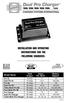 Model Name Total Output Amps Per Bank Battery System Pro XL Dual Pro XL Pro SE Dual Pro SE Three Bank Pro SE Four Bank Pro SE Pro Charger Dual Pro Charger Three Bank Pro Charger 6 amps 12 amps 10 amps
Copyright. Trademarks
 Copyright 2015 Sanford, L.P. All rights reserved. No part of this document or the software may be reproduced or transmitted in any form or by any means or translated into another language without the prior
Instructional & Operating Manual
 Instructional & Operating Manual For CoolFreeze Series Portable Refrigerators/Freezers CF-18, CF-25, CF-35, CF-40, CF-50, CF-80, CF-110 WAECO USA Clinton, CT www.waecousa.com ! Safety indications in the
Battery Management Innovation DIAGNOSTIC CONDUCTANCE CHARGER. For testing and charging 12-volt automotive batteries INSTRUCTION MANUAL
 Battery Management Innovation DIAGNOSTIC CONDUCTANCE CHARGER For testing and charging 12-volt automotive batteries INSTRUCTION MANUAL Contents Safety instructions... 3 Installing the handle... 9 Operation...
Sunny Boy Accessories SMA POWER BALANCER
 Sunny Boy Accessories SMA POWER BALANCER Installation Guide SBUS-PowBal-IUS102810 IMUS-SBUS-PBL Version 1.0 US SMA America, LLC Legal Restrictions Copyright 2010 SMA America, LLC. All rights reserved.
Table of Contents TO OPERATE THE 12.0 VOLT POWER PACK: THIS OPERATES ONLY OFF THE UNIT S RECHARGEABLE BATTERY, NOT OFF YOUR VEHICLE S BATTERY.
 TO OPERATE THE 12.0 VOLT POWER PACK: THIS OPERATES ONLY OFF THE UNIT S RECHARGEABLE BATTERY, NOT OFF YOUR VEHICLE S BATTERY. Table of Contents Page No. 1. Turn the main power switch located on the back-side
Setting up Your Terminal. Moneris Mobile 8200
 2 Setting up Your Terminal Moneris Mobile 8200 Important: Read first If this is your first POS terminal with Moneris: Enclosed you should find your Moneris Visa Merchant Agreement/Moneris MasterCard Merchant
StorTrends 3400 Hardware Guide for Onsite Support
 StorTrends 3400 Hardware Guide for Onsite Support MAN-3400-SS 11/21/2012 Copyright 1985-2012 American Megatrends, Inc. All rights reserved. American Megatrends, Inc. 5555 Oakbrook Parkway, Building 200
MANUAL EN 3. Continue to press the MODE-button to combine charging program with charging options.
 MANUAL CONGRATULATIONS on the purchase of your new professional switch mode battery charger and tester. This charger and tester is included in a series of professional chargers from CTEK Sweden AB and
Instructions A622 100 Amp AC/DC Current Probe 070-8883-03
 Instructions A622 100 Amp AC/DC Current Probe 070-8883-03 Revision A www.tektronix.com 070888303 Copyright Tektronix, Inc. All rights reserved. Tektronix products are covered by U.S. and foreign patents,
Usage, Installation, Warranty and Service Information
 T13C Table Updater for Seating Management U S E R M A N UA L Usage, Installation, Warranty and Service Information Long Range Systems, LLC 4550 Excel Parkway, Suite 200 Addison, TX 75001 800.437.4996 www.lrsus.com
Model 1756 Test Lead Kit
 Keithley Instruments 28775 Aurora Road Cleveland, Ohio 44139 1-888-KEITHLEY http://www.keithley.com Model 1756 Test Lead Kit Gerneral Purpose Test Lead Information Description These test leads allow you
Before installing unit, please carefully look over Installation Guide.
 Thank you for purchasing the BassMaxx II. We are confident this product will help increase your trolling motor battery life, allowing you to spend more time fishing. We are proud of this patented system.
12-Volt Negative Ground Installation Instructions
 12-Volt Negative Ground Installation Instructions For Part Number: 1141, 1164, 1165, 1181 CAUTION!!! Before installing, please read the following important information... 1. The Ignitor is designed for
15 Digital Photo Frame Instructional Manual
 15 Digital Photo Frame Instructional Manual aluratek.com mnl M10054 ADMPF315F Copyright 2011 Aluratek, Inc. All Rights Reserved. Table of Contents Frame Close-up... Remote Control Close-up... Package Contents...
ValuPrompt Computer Prompter Instruction Manual
 ValuPrompt Computer Prompter Instruction Manual For Technical Information Please Call Voice: (604) 985-2250 Toll Free: 877-TEKSKIL (835-7545) Toll Free Fax: 877-576-8361 Or Visit Our Website tekskil.com
Park 250 Brushless Outrunner Instructions
 Park 250 Brushless Outrunner Instructions Thank you for purchasing the E-flite Park 250 Brushless Outrunner motor. This motor is ideal for 3D models 4-6 oz (115-170g), and sport and scale models 6-12 oz
400 Amp Rechargeable Jump Start System RAC-HP082
 400 Amp Rechargeable Jump Start System RAC-HP082 MAINTENANCE Always inspect the tool before use to ensure the cables are in good condition and the clamps are clean and free from corrosion. Keep clean by
XTEND 900 MHZ WIRELESS MODEM For use with VEEDER-ROOT EMR³ DATALINK INSTALLATION INSTRUCTIONS Manual 577013-859, Rev. B
 INTRODUCTION This Installation Guide Contains the necessary information to Connect the Wireless Modems to the EMR³ Interconnect Box and the Office Computer for running the EMR³ Datalink Program. For Specific
AGS. Owner's Manual. Xantrex Automatic Generator Start Control System
 AGS Owner's Manual Xantrex Automatic Generator Start Control System TABLE OF CONTENTS INTRODUCTION...3 Main Features...3 Safety Summary...3 THINGS YOU SHOULD KNOW...4 THEORY OF OPERATION...5 System...5
BATTERY CHARGER OWNER S MANUAL
 SAVE THESE INSTRUCTIONS This manual contains important safety and operating instructions for the automatic battery charger. Do not expose charger to rain or snow. Do not use and an attachment not recommended
CABLE MODEM QUICK START
 CABLE MODEM QUICK START This Quick Start describes how to connect your Zoom cable modem to a cable modem service. This lets your cable modem provide Internet access to a computer or other device connected
Intelli-Time Alarm Clock model 13027
 Instruction Manual Intelli-Time Alarm Clock model 13027 CONTENTS Unpacking Instructions... 2 Package Contents... 2 Product Registration... 2 Features & Benefits... 3 Clock Setup... 4 Intelli-Time Clock...
Using PAYD. Mobile app. For Android TM devices (05/13)
 Using PAYD TM Mobile app For Android TM devices TM (05/13) Contents Important: Read First........................... 2 TM Set up the app.................................. 3 Connect the card reader.........................
AUTOMATIC BEST BATTERY SELECTOR INSTALLATION & OPERATION BBS-1600 BBS-1600E
 AUTOMATIC BEST BATTERY SELECTOR INSTALLATION & OPERATION BBS-1600 BBS-1600E SENS part no: 101314 Document revision: F DCN No. 106811 Date 8/3/15 1840 Industrial Circle Longmont, CO 80501 Fax: (303) 678-7504
10 25 a m p. 2 a m p ELECTRONIC OWNER S MANUAL BATTERY CHARGER. a m p 80E N G I N E S T A R T
 OWNER S MANUAL Model SC-8010A For 12-Volt Batteries ELECTRONIC BATTERY CHARGER 2 a m p S L O W C H A R G E a m p 80E N G I N E S T A R T Fully Automatic Microprocessor Controlled Battery Charger with Engine
Installation and Operation Guide for PD5100 Automatic Transfer Switch
 Installation and Operation Guide for PD5100 Automatic Transfer Switch Member P r o gr e ssive Dynamics, Inc. 507 Industrial Rd Marshall, MI 49068 www.progressivedyn.com 2012 Progressive Dynamics, Inc.
Gilibrator 2. Flow Monitoring Software. Version 2.0 for Windows (Windows 98 or later) USER MANUAL
 Gilibrator 2 Flow Monitoring Software Version 2.0 for Windows (Windows 98 or later) USER MANUAL 16333 Bay Vista Dr. Clearwater, FL 33760 (800) 451-9444 (727) 539-0550 (FAX) Revision A Document No. 360-0049-01
Geocontrol PRO INSTALLATION AND OPERATION MANUAL. Rev. 1 03/18/04 Part # 11150263
 Geocontrol PRO INSTALLATION AND OPERATION MANUAL Rev. 1 03/18/04 Part # 11150263 TABLE OF CONTENTS Chapter 1: System Description... p. 05 Function and Theory...p. 05 Chapter 2: System Installation... p.
Use & Care. of your Iron. All about the TA B L E O F C O N T E N T S. USA and Canada 1-888-845-7330
 All about the Use & Care of your Iron Important Safeguards... 2 Iron Safety Instructions... 3 Parts and Features...4 TA B L E O F C O N T E N T S Using Your Iron...6 Cleaning and Maintenance... 8 Warranty...9
Ride-on Car OWNER S MANUAL KT1151TG. Keep instructions for future reference
 Audi TT Ride-on Car KT1151TG OWNER S MANUAL Keep instructions for future reference 1 Safety The owner s manual contains assembly, use and maintenance instructions. The vehicle must be assembled by an adult
Charge Regulator SCR 12 Marine
 Charge Regulator SCR 12 Marine Manual Many thanks for purchasing a superwind product. The SCR 12 Marine is a charge regulator of highest quality and will perfectly and reliably charge your batteries for
Dolphin TM 6100 Mobile Computer. Quick Start Guide
 Dolphin TM 6100 Mobile Computer Quick Start Guide Dolphin 6100 Mobile Computer Out of the Box Verify that your carton contains the following items: Dolphin 6100 mobile computer (the terminal) Main battery
7 FUNCTION DIGITAL MULTIMETER
 7 FUNCTION DIGITAL MULTIMETER 90899 OPERATING INSTRUCTIONS 3491 Mission Oaks Blvd., Camarillo, CA 93011 Visit our Web site at http://www.harborfreight.com Copyright 2004 by Harbor Freight Tools. All rights
ADA COMPLIANT BOX STYLE TELEPHONE INSTALLATION, PROGRAMMING AND OPERATING INSTRUCTIONS FOR MODEL PBX
 ADA COMPLIANT BOX STYLE TELEPHONE INSTALLATION, PROGRAMMING AND OPERATING INSTRUCTIONS FOR MODEL PBX INSTALLATION INSTRUCTIONS Step 1. Determine the position for the Hands-free phone in the elevator phone
Caller-ID on your TV!
 TM Caller-ID on your TV! User s Manual and Installation Guide Copyright 1998 NetMedia Inc., All rights reserved. Rev. 061898 Thank you for your purchase of Caller-TV! You are now ready to enjoy the convenience
8 Digital Photo Frame Instructional Manual
 8 Digital Photo Frame Instructional Manual aluratek.com mnl M10126 ADMPF108F Copyright 2012 Aluratek, Inc. All Rights Reserved. Table of Contents Frame Close-up... Remote Control Close-up... Package Contents...
Ford/Lincoln Remote Access iphone User s Guide
 Ford/Lincoln Remote Access iphone User s Guide Rev. - 2/27/13 P/N: 4280522 Table Of Contents Download the Remote Access Application...3 Launch the Remote Access Application...3 New Account Setup...3 Adding
13 Watt PORTABLE SOLAR POWER KIT
 3 Watt PORTABLE SOLAR POWER KIT User s Manual Thank you for purchasing a Sunforce Portable Solar Power Kit. Please read these instructions carefully and thoroughly before using the product. Your new Portable
user s manual Battery Case model #: SPB3200 Battery Case Charger for Samsung Galaxy S 4
 user s manual model #: SPB3200 Charger for Samsung Galaxy S 4 What s Included Unpack the battery case and make sure all accessories are put aside so they will not be lost. hello. USB to Micro USB Cable
Scanner Wedge for Windows Software User Guide
 Scanner Wedge for Windows Software User Guide Contents INSTALLING THE SCANNER WEDGE SOFTWARE 2 ACTIVATING THE SCANNER CONNECTION 3 TRACING SCANNER OUTPUT 7 FORMATTING OUTPUT 9 SELECTING START-UP OPTIONS
Installation Instructions for FT-10 Network PowerCommand ATS Communication Module (NCM) Kits 541 0812 and 541 0868
 Instruction Sheet 10-2004 Installation Instructions for FT-10 Network PowerCommand ATS Communication Module (NCM) Kits 541 0812 and 541 0868 PowerCommand is a registered trademark of Cummins Inc. InPower
 KEY WEST BOATS INC. WARRANT POLICY FOR 2010 MODEL BOATS WHAT IS COVERED: KEY WEST BOATS, INC. MANUFACTURER warrants to the retail purchase of its 2010 and later model year products, which are purchased