
Environmental Descriptive Data Collection Standards. SightCompass LLC
|
|
|
- Ruth Parsons
- 10 years ago
- Views:
Transcription
1 Environmental Descriptive Data Collection Standards SightCompass LLC

2 Table of Contents Introduction Getting Started Environmental Description Techniques Example Hotel Room Orientation and Mobility Closing 2

3 Introduction Welcome to SightCompass! We are proud to serve you and thank you for choosing to help make an accessible world for all to enjoy. First, we need to answer the question What is SightCompass? Secondly, we need to explain to you, the user, a simple standard for data input. This data will be the end-user s ultimate experience and therefore needs to be uniform, clear, and concise. Let s start with the basic question of What is SightCompass? SightCompass is a powerful tool used for sending and receiving information relating to one s current environment. Our original digital descriptive service used with a Bluetooth 4.0 enabled device (iphone, ipad, Droid, Windows Mobile, PC, Mac and more) is truly life changing. SightCompass is for everyone and provides detailed access for those with vision loss, hearing loss, deaf & blind, dyslexia, anxiety disorders and more. The FREE App provides detailed information in and around the user s location as well as location directions without the dependence of GPS. Our Staffel box network sends the user information about the site, areas in the site, objects in the areas and object instructions. If the user is in range of a SightCompass enabled network indoors or out, many items will appear in a 'list link form view' or a menu within the app. It is easily accessible with a screen magnifier, mobile screen reader such as VoiceOver and a Bluetooth portable Braille display. It is very simple to use! SightCompass is a powerful tool, yes, but how does it work? To keep it simple, SightCompass is an application for mobile devices that decrypts a Bluetooth signal that is being broadcast via a Staffel Box. The end-user s app will display the information that the box is broadcasting. Simply put, your phone reads the info that it is receiving from a box via a Bluetooth signal. This information is text based and standardized for a uniform experience no-matter one s current environment. We now know that the mobile app is receiving a signal, decoding it and providing the end-user with information; but, how does the Staffel Box know what to broadcast? This question is where you, the data collector/entry person, come into action. With your Staffel Box license number you will log-in to the SightCompass website and begin to enter data. The data you enter is exactly what the end-user will be presented with and therefore needs to be clear, accurate and concise. As a data collection person you will need to follow the standards we outline below as it directly impacts the experience of the person receiving and relying on the information they are provided. As you can see, SightCompass is an amazing tool for all to enjoy. With disabilities set aside, everyone can benefit from instant, accurate and real-time information. By following the standards listed in the below pages we will create an experience that is understandable and uniform regardless of one s location on Earth. Enjoy, The SightCompass Team 3

4 Getting Started As we get started with collecting, interpreting and entering data, we will need to understand a few basic concepts. First we will discuss how a person retains information audibly and secondly we will explore the standard for describing one s environment using SightCompass. Through our research, SightCompass found that people who listen to the description of a room can more accurately describe it back to you later than a person who has simply been shown a picture of the room. With this being said, and going back to the importance of standards, the actual information that you input is vital to the enduser s experience. As we have learned, audio is more easily retained in the brain than images. This makes SightCompass a very powerful tool for navigation. By knowing this we need to understand that our data must be precise and therefore we must be current. We will explain the importance of currency in a moment. By following the standards listed below we will create a world that can be accessible for all. So we now know that a description of a room can be retained more easily than viewing a photo of a room. But, how do we create a uniform method of description? Well, we create standards. By standard we mean the typical method in which a SightCompass enabled site will provide data/information pertaining to the site or location. We do this by setting a system that is easy for all to use and understand. To create a system or method of data entry that will set our standard, we have established 3 descriptive terms for our customers to rely on. These terms will be the foundation for all of your data entry and become second nature to you. In order for us to describe a particular environment to someone we must be able to define specific locations within this location. We do this by labeling an environment a SITE. A SITE is simply the entire location of the position to be described further. A SITE can be a hospital, city park, hotel, airport, office building or subway system. A SITE is simply your starting point and should be named accordingly. After a SITE is established we can begin to create AREAS within our SITE/location. An AREA is simply a more specific location within a single SITE. For instance, if your SITE is Hospital, you could create AREAs named Lobby, Waiting Room, Vending Area, Patient Room 200, or Parking Garage. An AREA is simply used to further define a SITE and provides more specific information about the location. When providing data for an AREA it is important to note that descriptions to and from other AREAs might be needed. For instance, if a SightCompass user is attempting to navigate from the Lobby of a hospital to the Vending Area of the hospital it would be useful to provide those descriptions. This can be easily done by simply adding links 4

5 to follow. A link could say from here to Vending or from here to Lobby. The idea of an area is to make a SITE further explorable by the end-user. Now that we understand the standard of SITE and AREA we can begin to further explain the AREA by breaking it down into OBJECTS. An OBJECT is an item within an AREA. To put things simply, look around the room that you are currently in. OBJECTS are everywhere. So, with this said, an OBJECT is simply anything within an AREA. You can label your OBJECTS as telephone, TV remote, Thermostat or refrigerator. With OBJECTS you can provide an extreme amount of detail relating to a specific item in the AREA. Now, before your mind runs wild, let s discuss the importance of keeping your Staffel Box up-to-date or current. We mentioned currency earlier and that was for a reason. Keeping your information current is vital to not only the end-user but also the entity broadcasting the data. When adding data to your Staffel Box you must realize that your audience is relying on this information as though it were real-time. After all, this technology does have the ability to be just that very thing! Also, familiarity is key when collecting data to program a Staffel Box. Consider your main audience when deciding between using the English System or Metric System of measurement. Also in naming an object, such as water closet versus restroom. Also, using degrees is a universal way to further describe direction. Example: turn 90 degrees to the left. Keeping an OBJECT up-to-date is just as important as keeping everything else up-to-date. This is your link to the user and therefore this is your portal to accessibility. Imagine how grateful the guest at a hotel would be to know that the hotel pool is out of order prior to leaving her room in a bathing suit. The SightCompass website/app offers the ability to transmit real-time information at the click of a button. Everything mentioned above is and will always be the foundation for your Staffel Box and directly relating to the SightCompass end-user s experience. Now that the basics are covered we will further inspect the descriptive service known as SightCompass! 5

6 Environmental Description Techniques As learned above, we have the ability to make any environment accessible. Now, the terms SITE, AREA and OBJECT will come into great meaning. These terms are used throughout your data collection process and will be referred to often by SightCompass app users. Both SITE and OBJECT are fairly simple concepts to understand; however, AREA can and will need greater explanation. The reason for this is because SightCompass needs to be a standardized method of delivering information. By this we mean that whether the end-user is at a grocery store in Ohio or a gas station in Arizona, information about each location will be presented in a familiar and consistent fashion. By keeping AREAs standardized the end-user will begin to visualize locations more quickly and effectively which ultimately makes for a more enjoyable experience. To create a standard of describing an AREA we will need to learn a few more terms. The keywords we will use to describe an AREA may seem obvious to some but are vital in creating a standardized method of information delivery. We will begin describing every AREA in a clockwise manner. To do this we will need to describe WALLS. When entering a room there is naturally a wall on the opposite side of the room. This far or rear wall will be referred to as the BACK WALL. When first entering a room you are naturally facing the BACK WALL and will have a RIGHT WALL to your right and a LEFT WALL to your left. The wall with the door you passed through will be called the ENTRANCE WALL. This may seem elementary but by using these simple terms for all AREAs we are creating a standard experience for all users. To further describe a room or AREA we have additional terms for each WALL. This will be described as though you are standing in the doorway to a room and facing towards the BACK WALL. We will go around the room in a clockwise manner just as if you were entering data into SightCompass. Let s begin by turning 90 degrees to the left and assume the doorway is near the center of the wall. As we make our way around the room the WALLS would be listed as follows. ENTRANCE WALL LEFT, NEAR LEFT WALL, CENTER LEFT WALL, FAR LEFT WALL, BACK WALL LEFT, BACK WALL CENTER, BACK WALL RIGHT, FAR RIGHT WALL, CENTER RIGHT WALL, NEAR RIGHT WALL, ENTRANCE WALL RIGHT, ENTRANCE WALL CENTER. Don t let this be confusing as it will become second nature in no time at all. See the diagram below for more clarification. 6

7 The standard for labeling WALLs is nearly identical to the method used to describe the center of a room or AREA. The middle or center of a room would use the following terms to describe it. NEAR CENTER, CENTER OF AREA, FAR CENTER, NEAR LEFT CENTER, LEFT CENTER, FAR LEFT CENTER, NEAR RIGHT CENTER, RIGHT CENTER, FAR RIGHT CENTER. Once again, this may seem confusing but rest assured that these terms will quickly become common sense to you. By using the terms listed above and creating this standard we are essentially creating a verbal indoor grid system to accurately describe the location of any OBJECT in a room. Now that we have set the standard for creating a verbal grid system for any given AREA we can begin to discuss how to implement this grid. To make our grid functional for the end-user we employ a term we learned earlier- OBJECTS. The grid alone is a fantastic tool for orientation, but simply knowing where the TV in a hotel room is located might not be enough information. By this we mean that the grid could describe to a person that the TV is located on the BACK WALL CENTER but having information on how to operate the unit surely would be useful. So, to give more information about a specific item on the grid you can use the OBJECT description tool provided by SightCompass. An OBJECT, as described previously, can be anything in an AREA. By using OBJECTs to describe an AREA SightCompass is able to offer the user an extreme amount of vital information. Be creative and do not assume that the end-user already knows the information. OBJECTs can describe how to use a television remote control, the color of the walls and carpet, the layout of products on a hotel room counter, operating instructions for a microwave, the order of beverages on a soda fountain, the menu items at a restaurant, just to name a few. By using the verbal grid system combined with the use of OBJECTs SightCompass is able to offer the end-user a priceless amount of information in a clear, accurate and concise manner. The standard that we have set will be greatly appreciated by the user and ultimately become a natural method of describing one s environment. Back wall left Back wall center Back wall right Far left wall Far left center Far center of area Far right center Far right wall Center left wall Left center Center of area Right center Center right wall Near left wall Near left center Near center of area Near right center Near right wall Entrance wall left Entrance wall center Entrance wall right *Blue wording will be used most often. Black wording is optional depending on area. 7

8 Example Hotel Room The following text will be of a hotel room. The SITE, for our example, will be Bed and Breakfast. The AREA will be Room 12. And the OBJECTS will be listed below. We will begin as though the SITE and AREA have been selected. Welcome to room 12. Door opens inward by inserting key in slot located just above door knob. Please note that your door will lock automatically. Along Entrance Wall Left you will find a dresser. Near left wall has a nightstand with lamp. Lamp has 2 power outlets located in the base. Center left wall has 1 queen size bed. Far left wall has nightstand with lamp and hotel informational booklets. Back Wall Left has a small desk. Located on the desk is a television, lamp and coffee maker. Select any of these objects in the list below for more information. Back Wall Center has a small couch with coffee table located in front of it. Back Wall Right has a closet with ironing board and iron located in it. Far Right Wall has opening to bathroom. Bathroom door opens pushing inward on right. Center right wall has a power outlet 5 inches off the ground. Near right wall has a painting- select painting in the objects list below for more information. OBJECTS LIST Lamp: this lamp has a twist-style on/off switch located below the light bulbs towards the top of the lamp. In the front of the base of the lamp you will find 2 standard (US) power outlets. Television: remote is located on desk in-front of lamps. Power button is locate at the top right corner of the remote. Volume up and down is the largest button on the left middle of the remote. Press the volume button towards to top to increase and towards the bottom to decrease. The channel button is on the right side and operates like the volume button. Press towards the top to move up one channel or towards the bottom to move down one channel. The numeric keypad is marked with a tactile dot on the number 5. Coffee Maker: Coffee is located left of machine in a small basket. The top 2 packages are regular and the bottom 2 are decaf. Place 1 packet into slide-out tray located above glass pot. The water is added by lifting the lid on the top of the machine. Turn machine on by pressing switch upward. Switch located on right side of base. 8

9 Orientation and Mobility Understanding orientation and mobility techniques used by persons with vision loss will be a crucial role in building your information on SightCompass. In no way should this intimidate you. We are not asking you to be an instructor- that is what our O&M consultants are for. We simply want you to know some common practices and terminology used by both instructors and persons with low vision or blindness alike. A few key terms will be outlined here as we need to keep a standard of navigational description just as we do for AREA or OBJECT description. Generally speaking, the visually impaired community frequents a few words to describe navigation. Such words include: trail, follow and forward (guide dog users). Using the keyword trail when describing directions to a person is useful in building a standard for navigation. An example of this word being used while giving directions would be, To get from the lobby to the restroom TRAIL left wall to the second doorway and turn left into restroom. Methods of obtaining functional O&M 1. Cane skills: The use of various cane techniques. How to clear one's path. How to locate objects along the way. 2. Independent movement: which may include crawling, rolling, walking, running etc. 3. Protective techniques: specific skills which provide added protection in unfamiliar areas. 4. Sensory awareness: gaining information about the world through hearing, smell, touch and proprioception. 5. Spatial concepts: realizing that objects exist even if not heard or felt, and understanding the relationships which exist between objects in the environment. 6. Searching skills: locating items or places efficiently. 7. Sighted guide: using another person to aid in travel 9

10 Closing As you can see, the Environmental Descriptive Data Collection Standards are not difficult to learn, understand and then implement. However, adhering closely to the grid and vocabulary is critical to maintaining consistency across SightCompass enabled sites for the end user. As the end user navigates this digital world, a familiar dialog description will become natural and assimilating the data received will become second nature. If you have questions, comments or ideas, please contact us at: [email protected] 10

Hotel Accessibility Pack
 Hotel Accessibility Pack Thank you for considering the Hilton Dublin City. We are pleased to provide you with some information regarding our hotel that you may find useful when planning your visit to our
ADA HOTEL SITE INSPECTION CHECKLIST
 ADA HOTEL SITE INSPECTION CHECKLIST Name of Property: Location/City: Anticipated dates(s) for event: Public Spaces Hotel Accessibility Front lobby registration desk accessible counter? Y/N If no, what
Access to libraries for persons with disabilities - CHECKLIST
 International Federation of Library Associations and Institutions IFLA Professional Reports, No. 89 Access to libraries for persons with disabilities - CHECKLIST By Birgitta Irvall and Gyda Skat Nielsen
ADOBE ACROBAT CONNECT PRO MOBILE VISUAL QUICK START GUIDE
 ADOBE ACROBAT CONNECT PRO MOBILE VISUAL QUICK START GUIDE GETTING STARTED WITH ADOBE ACROBAT CONNECT PRO MOBILE FOR IPHONE AND IPOD TOUCH Overview Attend Acrobat Connect Pro meetings using your iphone
AODA. Accessibility for Ontarians with Disabilities Act. Guide to Accessible Events
 AODA Accessibility for Ontarians with Disabilities Act Guide to Accessible Events Events That Are Accessible For All The Accessibility for Ontarians with Disabilities Act (AODA) promotes the principles
Welcome to a whole new level of interactive home security
 Welcome to a whole new level of interactive home security User Manual TouchScreen Key Fob Keychain Remote Web Access Mobile Access ReadyHome User Manual Introducing a whole new level of security for the
SwannEye HD Plug & Play Wi-Fi Security Camera Quick Start Guide Welcome! Lets get started.
 EN SwannEye HD Plug & Play Wi-Fi Security Camera Quick Start Guide Welcome! Lets get started. QHADS453080414E Swann 2014 1 1 Introduction Congratulations on your purchase of this SwannEye HD Plug & Play
Copyright 2012 Carbonite, Inc. All rights reserved. www.carbonite.com GETTING STARTED GUIDE CARBONITE HOME
 GETTING STARTED GUIDE CARBONITE HOME CARBONITE HOME OVERVIEW 1 CARBONITE HOME OVERVIEW YOUR LIFE IS ON YOUR COMPUTER BACK IT UP WITH CARBONITE Carbonite takes the worry out of backup by securely and automatically
Customer Access 1 Checklist for Banks, Financial and Legal Services
 GOOD ACCESS IS GOOD BUSINESS Customer Access 1 Checklist for Banks, Financial and Legal Services The City of Melbourne has introduced the Good Access is Good Business publications and education program
ACCESSIBILITY STANDARD
 SCANDIC S ACCESSIBILITY STANDARD Here you can read our 135 point accessibility standard. It has been drawn up by carefully following the route taken by guests from the car park on through the whole hotel.
Acano solution. Acano Clients v1.7 Getting Started Guide. June 2015 76-1047-03-D
 Acano solution Acano Clients v1.7 Getting Started Guide June 2015 76-1047-03-D Contents Contents 1 Introduction... 4 1.1 cospaces... 4 1.2 cospace Users... 4 1.3 The Acano Client... 5 2 Overview... 6 2.1
How to search for and view our school district's e-book/audio book collections on a computer
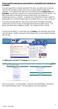 How to search for and view our school district's e-book/audio book collections on a computer If you are logged into a computer anywhere in the world, you will be able to view and read e-books, and listen
Training Resource for Small Businesses and Organizations:
 Training Resource for Small Businesses and Organizations: Accessibility Standards for Customer Service, Ontario Regulation 429/07 Accessibility for Ontarians with Disabilities Act, 2005 (AODA) Introduction
WebEx Meeting Center with Collaboration Meeting Rooms (CMR Cloud) User Guide 3.0
 WebEx Meeting Center with Collaboration Meeting Rooms (CMR Cloud) User Guide 3.0 First Published: August 01, 2014 Last Modified: August 21, 2015 Americas Headquarters Cisco Systems, Inc. 170 West Tasman
AUDIO l VIDEO END-USER GUIDE. Fernwood 3E02 Conference Room System New Touch Panel
 AUDIO l VIDEO END-USER GUIDE Fernwood 3E02 Conference Room System New Touch Panel Conference Room 3E02 is equipped to provide: Audio Teleconferencing Video Conferencing (with Room Support assistance).
B R O W N U N I V E R S I T Y
 B R O W N U N I V E R S I T Y Barus & Holley Auditorium Audiovisual System Reference Manual Submitted by: HB Communications Inc. 60 Dodge Ave. North Haven, Connecticut 06473-0689 (203) 234-9246 (800) 922-2776
User Manual GSM Alarm System. www.deltasecurity.cn. All rights reserved by Delta Security Co., Ltd
 User Manual GSM Alarm System All rights reserved by Delta Security Co., Ltd Dear Clients, Thank you for using our GSM Alarm System. We are committed to giving you the best home security available today
The Obligations of the Hospitality Industry to Deaf and Hard of Hearing People Under the Americans with Disabilities Act
 The Obligations of the Hospitality Industry to Deaf and Hard of Hearing People Under the Americans with Disabilities Act Reprinted with permission from the National Association of the Deaf Law and Advocacy
White Noise Help Guide for iphone, ipad, and Mac
 White Noise Help Guide for iphone, ipad, and Mac Created by TMSOFT - www.tmsoft.com - 12/08/2011 White Noise allows you to create the perfect ambient sound environment for relaxation or sleep. This guide
MOBILE APP INSTRUCTIONS
 MOBILE APP INSTRUCTIONS Overview The IIT 2013 Global Conference mobile app has been developed and brought to you by Sense Corp, a new breed management consulting firm. The app is available for the following
AUDIO l VIDEO END-USER GUIDE. Fernwood 3D12 Conference Room System New Touch Panel
 AUDIO l VIDEO END-USER GUIDE Fernwood 3D12 Conference Room System New Touch Panel Conference Room 3D12 is equipped to provide: Audio Teleconferencing Video Conferencing Room Computer with Adobe Connect
Electrical Services Order Form
 Electrical Services Order Form Advanced Price Deadline Date: September 5, 2015 Remit to: NRG Park - Exhibitor Services Mail Orders & Payment To: One NRG Park Houston, TX 77054 20th Annual Texas Home &
Access Statement Atlantic Tower Liverpool (10.2.10)
 Property: Atlantic Tower Chapel Street Liverpool, L3 9RE Pre-Arrival Access Statement Atlantic Tower Liverpool (10.2.10) Phone, fax & email: Phone: 0871 376 9025 / +44 845 305 8325 Fax: 0871 376 9125 /
User Guide VERIZON WIRELESS HOME PHONE CONNECT
 User Guide VERIZON WIRELESS HOME PHONE CONNECT label Welcome to Verizon Wireless Thank you for choosing Verizon Wireless Home Phone Connect. You re now connected to America s most reliable wireless network.
XFINITY HOME SECURITY
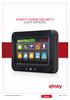 XFINITY HOME SECURITY User CT1440_HomeS2 BR_WIP.indd 1 WELCOME TO XFINITY HOME SECURITY Whether you re home or away at work or on the go XFINITY Home Security makes it easy for you to stay connected to
COLLEGE OF MEDICINE. Sony Portable Video Conference Systems. Operations Manual
 COLLEGE OF MEDICINE Sony Portable Video Conference Systems Operations Manual SONY PORTABLE VIDEO CONFERENCE SYSTEM OPERATIONS MANUAL Produced by the University of Saskatchewan DIVISION OF MEDIA AND TECHNOLOGY
GLOBALMEET FOR iphone. GLOBALMEET FOR iphone USER GUIDE
 GLOBALMEET FOR iphone GLOBALMEET FOR iphone USER GUIDE Release 1.5 March 2014 TABLE OF CONTENTS GlobalMeet for iphone Overview 2 Installing GlobalMeet for iphone 3 Download the App 3 System Requirements
accessibility standard
 Scandic s accessibility standard Here you can read our 110 point accessibility standard. It has been drawn up by carefully following the route taken by guests from the car park on through the whole hotel.
Welcome to the GreatCall Family.
 pms2603 pms1235 pms226 pms298 How-To Guide Welcome to the GreatCall Family. Thank you for choosing the Jitterbug. At GreatCall, we ve made it easy for you to stay Orange - pms 143 connected to friends
Bright House Networks Home Security and Automation Mobile Application. Quick Start Guide
 Bright House Networks Home Security and Automation Mobile Application Quick Start Guide Home Security and Automation Mobile App User Guide Table of Contents Installing the Mobile Application... 4 Configuring
Bright House Networks Home Security and Control Mobile Application
 Bright House Networks Home Security and Control Mobile Application Quick Start Guide LIC# EF20001092 Home Security and Control Mobile App User Guide Table of Contents Installing the Mobile Application...
NETGEAR genie Apps. User Manual. 350 East Plumeria Drive San Jose, CA 95134 USA. August 2012 202-10933-04 v1.0
 User Manual 350 East Plumeria Drive San Jose, CA 95134 USA August 2012 202-10933-04 v1.0 Support Thank you for choosing NETGEAR. To register your product, get the latest product updates, get support online,
Home Security and Control
 Bright House Networks Home Security and Control Product Description Table of Contents Introduction... 3 Understanding Basic Security Terms and Functionality... 4 Security Zones... 4 Arming Modes... 4 Arm
Your Digital Adapter Easy Setup Guide
 Your Digital Adapter Easy Setup Guide Connect with the future of TV You re about to step up to a world of even better picture and sound, and this Easy Setup Guide is here to help every step of the way.
Talking about Hotels and Restaurants
 Unit 1 Talking about Hotels and Restaurants In this unit, you will: practice talking about hotels, restaurants, and vacation spots describe the features of hotels and vacation spots discuss hotel amenities,
ES&S AutoMARK. Pre-Election Day Checklist
 ES&S AutoMARK Pre-Election Day Checklist Rear Access Door Touch Screen Monitor Lid Compact Flash Access Door Lid Latches Key-Operated Mode Switch Keypad Ballot Feed Tray ADA Port Headphone Jacks 1 Checking
Home Monitoring and Control service provided by Verizon Online LLC
 Home Monitoring and Control service provided by Verizon Online LLC A separate subscription to Verizon FiOS TV is required for use with FiOS TV service. About This Manual This manual is designed for online
-ipad 2: Quick Reference Guide-
 1 -ipad 2: Quick Reference Guide- The Apple ipad 2 is lighter and has a faster processor than the original ipad. It includes features of the original plus front and rear cameras, advanced photo editing,
Guest Welcome Screen PRO User Guide
 Guest Welcome Screen PRO User Guide Table of Contents Introduction... 2 Key Terminology... 4 Login... 5 Sign Out...6 Session Expiration...6 Users... 7 User Information (Users > Show All Users > User Name)...7
Welcome to Cisco ūmi telepresence. User guide
 Welcome to Cisco ūmi telepresence User guide Intellectual property notice 2011 Cisco and/or its affiliates. All rights reserved. Cisco, ūmi, and the Cisco and ūmi logos are trademarks or registered trademarks
Electrical Services Order Form
 Electrical Services Order Form Advanced Price Deadline Date: May 20, 2015 Remit to: NRG Park - Exhibitor Services Mail Orders & Payment To: One NRG Park Houston, TX 77054 Houston Summer Boat Show June
a virtual office for your company
 An Overview of Your Virtual Office Space 2 Getting Around in Sococo 3 Controlling Your Audio and Video 4 Inviting Members 5 Chatting with Coworkers 6 Sharing Your Screen 7 Having a Video Conversation 8
Here s your guide to easy installation. Get the most out of Verizon High Speed Internet.
 Here s your guide to easy installation. Get the most out of Verizon High Speed Internet. Congratulations on choosing Verizon High Speed Internet. In this guide, you ll find everything you need to set up
NRG Park Payment Policy & Billing Authorization Form. Order Services & Manage Orders online at https://nrgpark.boomerecommerce.
 NRG Park Payment Policy & Billing Authorization Form Remit to: NRG Park - Exhibitor Services Mailing Address: One NRG Park Houston, TX 77054 Phone: 832-667-1718 Houston Int'l Boat, Sport & Travel Show
Main Library Meeting Room Use
 Main Library Meeting Room Use Occupancy: Meeting Room A: 100 Meeting Room B: 50 Meeting Room C: 50 Combined A, B & C: 300 Conference Room: 20 Tables: 50 (2x5 ), 4 (3 ), and 16 round (8 ) Chairs: 290 This
Courtroom Technology Guide
 Courtroom Technology Guide May 2014 Mark H. Reed Clerk of the Court Courtroom Video Record The Ohio Court of Claims utilizes a courtroom video recording system which can be used as the official courtroom
Document authored by: Native Instruments GmbH Software version: 2.6.4 (09/2013)
 Setup Guide Disclaimer The information in this document is subject to change without notice and does not represent a commitment on the part of Native Instruments GmbH. The software described by this document
Technical Support. Package Contents. CENTRIA WNDR4700/WNDR4720 Installation Guide
 Technical Support After installing your device, locate the serial number on the label of your product and use it to register your product at https://my.netgear.com. You must register your product before
Operating Instructions 2.204 Administration Building Conference Room
 Operating Instructions 2.204 Administration Building Conference Room Press Touch Panel to Begin Contents Introduction... 2 Undock / Dock the AMX Touch Panel:... 2 Operations... 3 Logo Page... 3 What would
MIST TEST EXAMINER S MANUAL. Grades 5 and 8 Science
 MIST TEST EXAMINER S MANUAL Grades 5 and 8 Science 2015 CSDE Web site: www.ct.gov/sde CONNECTICUT STATE DEPARTMENT OF EDUCATION and MEASUREMENT INCORPORATED (MI) WEB SITE LISTINGS CAPT/CMT Accommodations
CinePlay 1.1.2. User Manual
 CinePlay User Manual 1 CinePlay 1.1.2 User Manual CinePlay is a professional ios video player complete with timecode overlays, markers, masking, safe areas and much more. It is ideal for dailies, portfolios,
ARRIVING AT THE HOTEL
 Thank you for considering the Hilton Birmingham Metropole. We are pleased to give you some information about our hotel that you may find useful when planning your visit. ARRIVING AT THE HOTEL You should
Digital Cable Your guide to home entertainment with a personal touch
 Your guide to home entertainment with a personal touch 1.888.345.1111 Sudbury 560.1565 eastlink.ca Exciting New Services Welcome to Home Entertainment Questions? We Have the Answers As one of EastLink
Welcome to life on. Get started with this easy Self-Installation Guide.
 Welcome to life on Get started with this easy Self-Installation Guide. Welcome to a network that s light years ahead. Welcome to life on FiOS. Congratulations on choosing Verizon FiOS! You re just a few
PEOPLE FIRST. How to Plan Events Everyone Can Attend. Braille Accessible Print Assistive Listening Systems
 PEOPLE FIRST How to Plan Events Everyone Can Attend Braille Accessible Print Assistive Listening Systems Closed Captioning Accessibility Sign Language Interpretation Information Telephone Typewriter (TTY
ios How to Back Up from icloud
 ios How to Back Up from icloud How to back up from icloud icloud automatically backs up the most important data on your device using ios 5 or later. After you have enabled Backup on your iphone, ipad,
Hotel Accessibility Pack
 Thank you for considering the Hilton Garden Inn, Aberdeen City Centre. We are pleased to give you some information about our hotel that you may find useful when planning your visit. Arriving at the hotel
Getting Started. Getting Started with Time Warner Cable Business Class. Voice Manager. A Guide for Administrators and Users
 Getting Started Getting Started with Time Warner Cable Business Class Voice Manager A Guide for Administrators and Users Table of Contents Table of Contents... 2 How to Use This Guide... 3 Administrators...
ACCOMMODATION STUDIO KITCHEN BATHROOM
 106 private apartments located in the heart of Eindhoven for (international) students! At only 1.5 km from the central station of Eindhoven! At only 2.0 km from TU/e, 1.3 km from Design Academy and 2.5
This Document Contains:
 Instructional Documents Video Conference >> PolyCom >> VSX 7000 Extension Computing Technology Unit This Document Contains: A Device Description An Installation Guide Instructions for Use Best Practices
GUIDE GETTING STARTED IMPORTANT SUPPORT RESOURCES
 IMPORTANT SUPPORT RESOURCES Subscriber Portal Go to https://portal.coxhomelife.com to log in to your account and manage your system features online. Online Support Go to www.cox.com/homelifesupport to
Hearing and Vision Team A positive choice Services for people who are Deaf or Hard of Hearing, Blind or Partially Sighted or have Dual Sensory Loss
 Information about Wiltshire Council services can be made available on request in other languages including British Sign Language (BSL) and formats such as large print and audio. Please contact the council
mini box User s Manual
 mini box User s Manual Version. Updated: 0/0/4 04 Cox Communications, Inc. Table of Contents Chapter : Introduction... About This Manual... Chapter : Installing & Activating Your mini box... 4 Connecting
OVERVIEW OF INTERNET MARKETING
 OVERVIEW OF INTERNET MARKETING Introduction to the various ways in which you can market your business online 2 April 2012 Version 1.0 Contents Contents 2 Introduction 4 Skill Level 4 Terminology 4 What
Lync TM Phone User Guide Polycom CX600 IP Phone
 The Polycom CX600 IP (Internet Protocol) phone is a full-featured unified communications desktop phone, optimized for use with Microsoft Lync environments. It features Polycom HD Voice technology for crystal-clear
SMART ENTRY WITH PUSH BUTTON START
 SMART ENTRY WITH PUSH BUTTON START Operate certain functions of your vehicle by simply having the remote transmitter within operating range. Featured on all trims except LX, HF, Natural Gas & Natural Gas
Time Warner Cable TV. Easy Connect Guide. Enjoy endless ways to watch your favorite shows.
 Time Warner Cable TV Easy Connect Guide Enjoy endless ways to watch your favorite shows. You name the show. You choose the screen. Enjoy watching exactly what you want on the device you want. Your service
Olsen-Sottile Insurance Brokers Inc. Human Resources Policy Manual
 Title: Customer Service Standard Last Updated: Dec. 2011 Section: 1 Policy Number: 22 Revision Number: 1 Approved by: Chris Sottile At Olsen-Sottile Insurance Brokers Inc., we are committed to meeting
Introduction to Mac Operating System: Snow Leopard
 Introduction to Mac Operating System: Snow Leopard Switching the Computer On 1. Press the round button on the back of the computer to turn the computer on. If the screen is black, but the lights are lit
Writer Guide. Chapter 15 Using Forms in Writer
 Writer Guide Chapter 15 Using Forms in Writer Copyright This document is Copyright 2005 2008 by its contributors as listed in the section titled Authors. You may distribute it and/or modify it under the
Software and Settings Instructions
 SoelTech Automation Inc. Software and Settings Instructions Select the blue disclosure button that is associated with the network name you want to connect the Mobile GDO to (Blue >). It would normally
Hardware Overview. Ooma Linx devices These are installed around the office and are used to connect phones and other devices to your Ooma Office system
 Quick Start Guide Introduction Installation Overview Setting up the Ooma Office system in your business is easy. You should have your first extensions up and running in about 20 minutes. Ooma Office blends
The Scottish Parliament Information for visitors
 The Scottish Parliament Information for visitors Contents Welcome to the Scottish Parliament - Page 2 Contact details for the Scottish Parliament - Page 2 Opening times - Page 3 Travel to the Scottish
User Manual on TrixCRM Web Self Care Helpdesk Management
 on TrixCRM Web Self Care Helpdesk Management Table of Contents 1 Preface...3 2 Introduction...4 2.1 Target Audience of the Document...4 3 TrixCRM Helpdesk Management...5 3.1 System Overview...5 3.2 Main
RingCentral Office@Hand from AT&T Desktop App for Windows & Mac. User Guide
 RingCentral Office@Hand from AT&T Desktop App for Windows & Mac User Guide RingCentral Office@Hand from AT&T User Guide Table of Contents 2 Table of Contents 3 Welcome 4 Download and install the app 5
GLOBALMEET FOR DESKTOP GLOBALMEET FOR DESKTOP USER GUIDE
 GLOBALMEET FOR DESKTOP GLOBALMEET FOR DESKTOP USER GUIDE Release 1.5 March 2014 TABLE OF CONTENTS GlobalMeet for Desktop Overview 2 Install GlobalMeet for Desktop 3 Download the App 3 System Requirements
Using the System ORDER YOUR BELL EXPRESSVU PROGRAMMING. Page 3-1
 Using the System ORDER YOUR BELL EXPRESSVU PROGRAMMING This procedure notifies the Bell ExpressVu Customer Service Call Centre that your system is on-line and installed. You need to have your services
Making Community Emergency Preparedness and Response Programs Accessible to People with Disabilities
 U.S. Department of Justice Civil Rights Division Disability Rights Section An ADA Guide for Local Governments Making Community Emergency Preparedness and Response Programs Accessible to People with Disabilities
Teaching Students with Sensory Impairments Developed by Patricia Carlton and Jennifer Hertzfeld
 Introduction F AST FACTS FOR FACULTY Teaching Students with Sensory Impairments Developed by Patricia Carlton and Jennifer Hertzfeld The Ohio State University Partnership Grant Students with sensory disabilities
CMPD Home Security Newsletter
 CMPD Home Security Newsletter Dear South Division Residents. This security newsletter will help you understand how to make your home safer: Alarm Systems. Make sure that you have the battery-cellular back-up
Fi TV Gold Quick Start Guide
 Quick Start Guide Fi TV Gold Quick Start Guide Welcome to Fi TV! We re happy that you chose EPB Fiber Optics to bring the best movies, sports, news and television programming into your home and we will
Bright House Networks Home Security and Control. Peace of mind included. QUICK START GUIDE
 Bright House Networks Home Security and Control Peace of mind included. QUICK START GUIDE Your System Components BASIC HOME SECURITY EQUIPMENT INCLUDED IN YOUR WIRELESS PACKAGE Touchscreen Wireless Motion
Getting Started Guide. January 19, 2014
 Getting Started Guide January 19, 2014 User Guide Chapters 1. Scheduling Meetings Configuring Meeting Details Advanced Options Invitation Email, received by the Participants Invitation Email, sent to the
EMERGENCY PROCEDURES
 EMERGENCY PROCEDURES Introduction Being prepared is the first step towards preventing and/or handling emergency situations. Because your safety is of utmost importance, SOLEX College has created this document
VPAT for Apple ipad Air 2
 VPAT for Apple ipad Air 2 The following Voluntary Product Accessibility information refers to the Apple ipad Air 2 running ios 8 or later. For more information on the accessibility features of the ipad
Lenovo Miix 2 8. User Guide. Read the safety notices and important tips in the included manuals before using your computer.
 Lenovo Miix 2 8 User Guide Read the safety notices and important tips in the included manuals before using your computer. Notes Before using the product, be sure to read Lenovo Safety and General Information
SUMMARY TABLE VOLUNTARY PRODUCT ACCESSIBILITY TEMPLATE
 Date: 1 May 2009 Name of Product: Polycom VVX1500 Telephone Company contact for more Information: Ian Jennings, [email protected] Note: This document describes normal operational functionality.
When you and your students are saving your files, under the File menu of MovieMaker, save your file as a project rather than a movie:
 MOVIE MAKER Before you use Movie Maker: Windows Movie Maker is a program that is free with any machine operating Windows XP (which is, basically, the sort of machine that Year Up uses with its students).
Chester County Hospital E134 Conference Room. Control for AV system
 Chester County Hospital E134 Conference Room Control for AV system The following document contains pictorial layouts and button descriptions of the touch panel interface for the audio visual system. 1.
Print then Cut Calibration
 The Print then Cut feature of Cricut Design Space for PC and Mac allows you to print your images from your home printer and then cut them out with high precision on your Cricut machine. Print then Cut
Frequently Asked Questions
 FAQs Frequently Asked Questions Connecting your Linksys router to the Internet 1 What computer operating systems does my Linksys router support? 1 Why can t I connect my computer or device to my router?
Brilliant lighting solutions
 Brilliant lighting solutions Smart lighting just got brighter Want to change the mood in an instant? Use light to create contrast, focus and depth. While trends in design and décor are ever-evolving, lighting
SolarTrak Users Guide GPS Satellites
 SolarTrak Users Guide GPS Satellites Your PC or Smartphone How SolarTrak Works 1. GPS signal received from the Satellite Cell Tower SolarTrak Tracker installed on Equipment 2. Communication is established
Welcome to Cogeco Business Digital Phone Service
 Welcome Welcome to Cogeco Business Digital Phone Service Congratulations on choosing Cogeco Business Digital Phone Service. 1 Your decision to subscribe to our digital quality phone service is a smart