
Enterprise Mobility Suite Overview. Joe Kuster Catapult Systems
|
|
|
- Trevor Mason
- 10 years ago
- Views:
Transcription
1 Enterprise Mobility Suite Overview Joe Kuster Catapult Systems

2

3
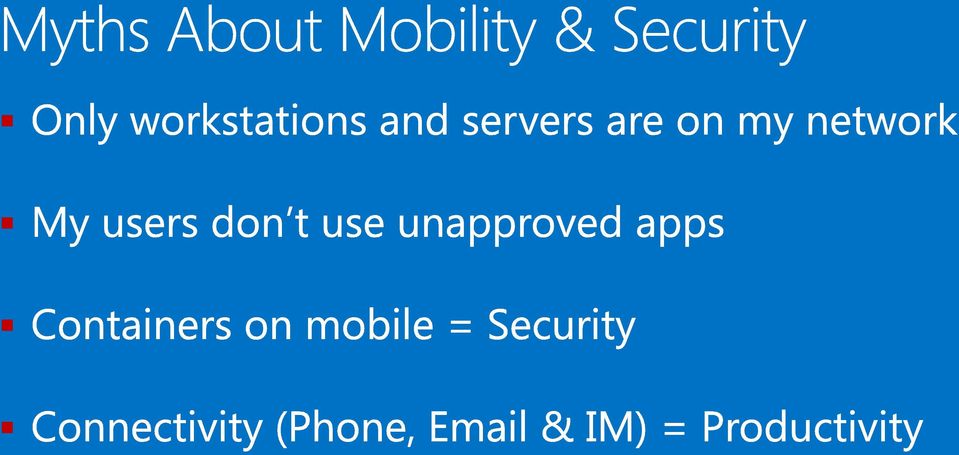
4
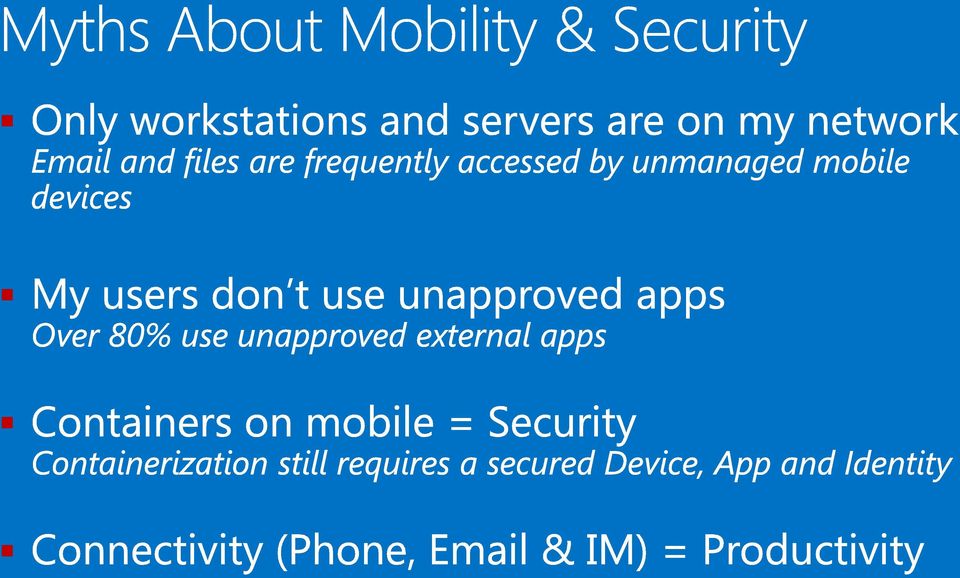
5 52% 90% >80% 52% of information workers across 17 countries report using three or more devices for work* 90% of enterprises will have two or more mobile operating systems to support in 2017** >80% of employees admit to using non-approved softwareas-a-service (SaaS) applications in their jobs*** * Forrester Research: BT Futures Report: Info workers will erase boundary between enterprise & consumer technologies, Feb. 21, 2013 ** Gartner Source: Press Release, Oct. 25, 2012, ***

6 Security Realities No one wants to be the next

7 USERS DEVICES APPS DATA

8 USERS DEVICES APPS DATA MANAGEMENT ACCESS PROTECTION

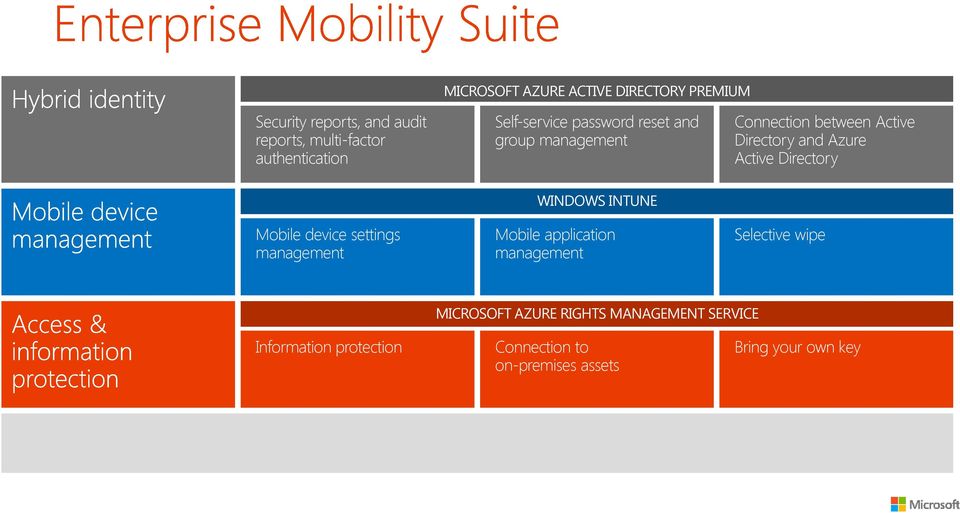
9 MICROSOFT AZURE ACTIVE DIRECTORY PREMIUM Security reports, and audit reports, multi-factor authentication Self-service password reset and group management Connection between Active Directory and Azure Active Directory Mobile device settings management WINDOWS INTUNE Mobile application management Selective wipe MICROSOFT AZURE RIGHTS MANAGEMENT SERVICE Information protection Connection to on-premises assets Bring your own key

10

11
12
13 Identity

14

15

16 MICROSOFT AZURE ACTIVE DIRECTORY PREMIUM Security reports, and audit reports, multi-factor authentication Self-service password reset and group management Connection between Active Directory and Azure Active Directory Mobile device settings management WINDOWS INTUNE Mobile application management Selective wipe MICROSOFT AZURE RIGHTS MANAGEMENT SERVICE Information protection Connection to on-premises assets Bring your own key
17

18


19

20
21

22
23 What is Multi-Factor Authentication and why you should care
24 Azure Multi-Factor Authentication What You Know + What You Have = Access Limits Stolen/Hacked Password Abuse Use a Mobile App, Phone Call or Text Supports IP Whitelisting Extensible on-prem for additional token options
25 Multi-Factor Authentication Server Bring Office 365 s Multi-Factor Authentication s Security and Ease of Use to On-Premises Integrates with many of your pre-existing applications through IIS, Windows Authentication, LDAP & Radius Presents Real-Time Monitoring Capabilities & Threat Reporting Software Development Kit (SDK) Allows Integration into Custom Apps
26
27
28
29
30 MICROSOFT AZURE ACTIVE DIRECTORY PREMIUM Security reports, and audit reports, multi-factor authentication Self-service password reset and group management Connection between Active Directory and Azure Active Directory Mobile device settings management WINDOWS INTUNE Mobile application management Selective wipe MICROSOFT AZURE RIGHTS MANAGEMENT SERVICE Information protection Connection to on-premises assets Bring your own key
31
32
33 Comprehensive lifecycle management Enroll Provide a self-service Company Portal for users to enroll devices Deliver custom terms and conditions at enrollment Bulk enroll devices using Apple Configurator or service account Restrict access to Exchange if a device is not enrolled Provision Deploy certificates, , VPN, and WiFi profiles Deploy device security policy settings Install mandatory apps Deploy app restriction policies Deploy data protection policies User IT Retire Revoke access to corporate resources Perform selective wipe Audit lost and stolen devices Manage and Protect Restrict access to corporate resources if policies are violated (e.g., jailbroken device) Protect corporate data by restricting actions such as copy/cut/paste/save outside of managed app ecosystem Report on device and app compliance
34 Conditional access to User IT IT Username Microsoft Intune

35 Intuitive end user experience Restrict access for: Non-managed devices Non-compliant devices Assistance with remediating issues Steps provided on how to enroll devices and remediate compliance issues Quick compliance remediation and evaluation Intune automatically remediates most of the policy issues End user can retrigger compliance evaluation in the Company Portal To access your Contoso and other company resources, this device needs to be enrolled with Contoso. Part of this process includes installing the Company Portal. Click first link below to begin this process. Step 1 Enroll your device. Step 2 Once you ve enrolled your device, click here to Activate your enrollment.
36 Consistent experience across: Discover and install corporate apps Manage devices and data Customizable terms and conditions Ability to contact IT
37 Consistent experience across: Discover and install corporate apps Manage devices and data Customizable terms and conditions Ability to contact IT
38 Mobile application management policies Enforce corporate data access requirements Prevent data leakage on the device Enforce encryption of app data at rest App-level selective wipe

39 Mobile application management Managed apps User Personal apps Maximize productivity while preventing leakage of company data by restricting actions such as copy/cut/paste/save in your managed app ecosystem
40 Office mobile apps Intune viewer apps Intune app wrapping tool Intune SDK Microsoft Office mobile apps are natively manageable with Intune Intune provides apps for secure content viewing Make any app manageable without modifying code Build your apps from the ground-up with Intune SDK Word Excel PowerPoint Outlook Web Access (OWA) OneDrive for Business Managed Browser PDF Viewer AV Player Image Viewer Wrap internal line-ofbusiness (LOB) apps to manage with Intune MAM policies Developers can easily integrate applications for manageability Provide more control over user experience with SDK (vs. app wrapping)
41 Options for corporate data removal Full wipe Restore device to factory defaults All data on the device is removed Device is reset to factory defaults Typically used for lost/stolen devices or resetting corporate-owned devices Selective wipe Remove company assets from device Company resources (apps, data, profiles, certificates, settings, and ) are removed MAM support adds ability to remove only corporate data from multi-account applications Typically used for personal-owned devices
42 Managed corporate-owned devices Bulk enrollment Bulk enroll devices with a service account Support for Apple Configurator Support for Apple Device Enrollment Program Configuration policies Custom ios policy Device lockdown Policies and apps targeted to devices Application install allow/deny list
43 Intune standalone (cloud only) Configuration Manager integrated with Intune (hybrid) IT IT Intune web console Configuration Manager console System Center Configuration Manager Mobile devices and PCs Domain joined PCs Mobile devices
44 User Installs Company Portal Native Applications Loaded Supported Apps are Configured Native , Managed Browser SaaS Apps Available in MyApps Windows Apps presented through RemoteApp or RDP User is fully provisioned
45
46
47 Enterprise Mobility Suite MICROSOFT AZURE ACTIVE DIRECTORY PREMIUM Security reports, and audit reports, multi-factor authentication Self-service password reset and group management Connection between Active Directory and Azure Active Directory Mobile device settings management WINDOWS INTUNE Mobile application management Selective wipe MICROSOFT AZURE RIGHTS MANAGEMENT SERVICE Information protection Connection to on-premises assets Bring your own key
48
49

50
51

52
53 Files Services Server Server Rights Management
54

55

56
57
58
59
60 EMS benefits for O365
61 Security reports and multi-factor authentication. Hybrid identity and single sign-on for Office 365. Multi-factor authentication for Office 365. Cloud-based information protection for Office 365. Self-service password reset and group management. Connection between Active Directory and Azure Active Directory. Mobile device settings management. Mobile application management. Selective wipe. Information protection. Connection to on-premises assets. ON-PREMISES SOLUTION CLOUD SOLUTION
62 EMS IT Manageability benefits for O365 customers CLOUD AND HYBRID IDENTITY MANAGEMENT MOBILE DEVICE MANAGEMENT INFORMATION PROTECTION Enterprise Mobility Suite
63 Conditional access for Office 365 Who does what? Intune: Evaluate policy compliance for device Azure AD: Authenticate user and provide device compliance status Exchange Online: Enforces access to based on device state Attempt connection 1 Office If compliant, access is granted 4 If not compliant, push device into quarantine Quarantine 3 2 Quarantine with remediation steps Azure Active Directory 5 Microsoft Intune 6 Set device management/ compliance status Link to enroll device and compliance remediation steps Enrollment / compliance remediation Mobile device
64 Azure Active Directory offering comparison
65 Azure MFA offering comparison
66 RMS for O365 Azure RMS (EMS)

67 Pricing
68
69
70
71 Next Steps Contact Catapult to arrange an EMS or Azure RemoteApp POC, Pilot or Production Deployment To find out more about Enterprise Mobility Suite visit: tion/enterprise-mobility Joe Kuster Senior Lead Consultant Catapult Systems Blog: MicrosoftMercenary.com
Mobile device and application management. Speaker Name Date
 Mobile device and application management Speaker Name Date 52% 90% >80% 52% of information workers across 17 countries report using three or more devices for work* 90% of enterprises will have two or more
Microsoft Enterprise Mobility Suite
 Microsoft Enterprise Mobility Suite Standalone - overview Peter Daalmans http://configmgrblog.com, [email protected] IT-Concern John Marcum Enterprise Client Management Architect / [email protected]
Enterprise Mobility Services
 Learn. Connect. Explore. Enterprise Mobility Services MS Anand Technical Architect Evangelist Anirudh Singh Rautela Enterprise Mobility Business lead - India The challenges we face today in keeping users
Andrej Zdravkovic Regional Vice President, Platform Solutions Intellinet
 Andrej Zdravkovic Regional Vice President, Platform Solutions Intellinet Platforms Operations Process Productivity Alignment Marketplace What We Do Business Transformation Through Strategic. Technology-Enabled.
Enterprise Mobility Suite (EMS) Sean Lewis Principal Partner Technology Strategist
 Enterprise Mobility Suite (EMS) Sean Lewis Principal Partner Technology Strategist Industry trends driving IT pressures Devices Apps Big data Cloud 52% of information workers across 17 countries report
Identity + Mobile Management + Security = Enterprise Mobility Suite
 presenta Identity + Mobile Management + Security = Enterprise Mobility Suite Alessandro Appiani Founder & CTO - Pulsar IT [email protected] twitter: @AlexAppiani Gabriele Tansini Partner
Ondřej Výšek Sales Lead, Microsoft MVP. [email protected]
 Ondřej Výšek Sales Lead, Microsoft MVP [email protected] Azure Active Directory Features Free edition Basic edition Premium edition Directory as a service User and group management using UI or Windows PowerShell
Agenda. Enterprise challenges. Hybrid identity. Mobile device management. Data protection. Offering details
 Agenda Enterprise challenges Hybrid identity Mobile device management Data protection Offering details 2 The time to address enterprise mobility is now 29% of today s global workforce use 3+ devices, work
Overview of Microsoft Enterprise Mobility Suite (EMS) Cloud University
 Overview of Microsoft Enterprise Mobility Suite (EMS) Cloud University www.infrontconsulting.com Global #1 on System Center Trusted for over a decade Microsoft Partner of the year 2012, 2013 & 2014 #1
Alexander De Houwer Technology Advisor Devices Win 10 Vincent Dal Technology Advisor Business Productivity
 Alexander De Houwer Technology Advisor Devices Win 10 Vincent Dal Technology Advisor Business Productivity Agenda INTRODUCTION (5 slides) WINDOWS 10 (10 slides) OFFICE 2016 (11 slides) Enterprise Mobility
Microsoft Enterprise Mobility Suite
 Microsoft Enterprise Mobility Suite March 25, 2015 Colm Whelan VP of Cloud Solutions [email protected] @colmw https://www.linkedin.com/in/colmwhelan Lighthouse Computer Services, All rights reserved
Apps. Devices. Users. Data. Deploying and managing applications across platforms is difficult.
 Users Devices Apps Data Users expect to be able to work in any location and have access to all their work resources. The explosion of devices is eroding the standards-based approach to corporate IT. Deploying
Conditional Access and Mobile Application Management explained
 Conditional Access and Mobile Application Management explained Peter van der Woude AZURE OFFICE 365 ENTERPRISE MOBILITY SUITE OPERATIONS MANAGEMENT SUITE AZURE STACK HYPERV WINDOWS Peter van der Woude
How Microsoft IT manages mobile device management
 IT Insights A service of Microsoft IT Showcase How Microsoft IT manages mobile device management July 2015 Bring Your Own Device (BYOD) is no longer just a trend. It is arguably the dominant culture in
Azure Active Directory
 Azure Active Directory Your Cloud Identity Brian Mansure Azure Specialist [email protected] Agenda What Azure Active Directory is What Azure Active Directory is not Hybrid Identity Features Roadmap
How To Make Your Computer System More Secure And Secure
 Unified Device Management with Windows Intune Andras Khan Microsoft Western Europe HQ Agenda What are the challenges we are seeing cross vertical Unified Device Management Strategy How Unified Device Management
Securing Office 365 with MobileIron
 Securing Office 365 with MobileIron Introduction Office 365 is Microsoft s cloud-based productivity suite. It includes online versions of Microsoft s most popular solutions, like Exchange and SharePoint,
Microsoft Enterprise Mobility and Client Futures
 Microsoft Enterprise Mobility and Client Futures Steve Newby& Andy Taylor Device & Mobility TSPs Microsoft UK 66% 18% 33% of employees use personal devices for work purposes.* of all software spending
Enterprise Mobility Suite (EMS) Overview
 Enterprise Mobility Suite (EMS) Overview Industry trends driving IT pressures Devices Apps Big data Cloud 52% of information workers across 17 countries report using 3+ devices for work Enable my employees
ForeScout MDM Enterprise
 Highlights Features Automated real-time detection of mobile Seamless enrollment & installation of MDM agents on unmanaged Policy-based blocking of unauthorized Identify corporate vs. personal Identify
Infrastructure Deployment for Mobile Device Management with Microsoft System Center Configuration Manager and Windows Intune
 Infrastructure Deployment for Mobile Device Management with Microsoft System Center Configuration Manager and Windows Intune Enrollment and Management of Mobile Devices with Microsoft System Center Configuration
MAM - Mobile Application Management
 Page 1 About 1Mobility 1Mobility has successfully established itself as a global company, offering cloud based, internationalized and scalable Enterprise Mobility Management (EMM) solution that monitors,
The ForeScout Difference
 The ForeScout Difference Mobile Device Management (MDM) can help IT security managers secure mobile and the sensitive corporate data that is frequently stored on such. However, ForeScout delivers a complete
O, P, Q I, J, K. Nuvolex, 260, 340
 Index A Administration center administrator options, 265 administrator roles, 266 billing administrator, 267 configuration adding new Skype, 280 add password information, 271 add user information and E-mail
Speeding Office 365 Implementation Using Identity-as-a-Service
 August 2015 www.sarrelgroup.com [email protected] Speeding Office 365 Implementation Using Identity-as-a-Service White paper August 2015 This white paper is sponsored by Centrify. August 2015 www.sarrelgroup.com
How To Manage A Corporate Device Ownership (Byod) On A Corporate Network (For Employees) On An Iphone Or Ipad Or Ipa (For Non-Usenet) On Your Personal Device
 Empowering BYOD and Mobile Security in the Enterprise Jeff Baum, APAC Managing Director Growth of Mobile Mobile worker population will reach 1.3 Billion in 2015 Source: IDC Worldwide Mobile Worker Population
Microsoft Azure Multi-Factor authentication. (Concept Overview Part 1)
 Microsoft Azure Multi-Factor authentication (Concept Overview Part 1) In this Document we will discuss the concept of Azure Multifactor Authentication (MFA) concept, when and how you can use it and what
People-centric IT: Bedeutung für das Identity und Access Management. Uwe Lüthy Solution Sales Specialist Core Infrastructure Microsoft Schweiz Gmbh
 People-centric IT: Bedeutung für das Identity und Access Management Uwe Lüthy Solution Sales Specialist Core Infrastructure Microsoft Schweiz Gmbh Cloud OS Vision Microsoft s vision of the unified platform
Centrify Cloud Connector Deployment Guide
 C E N T R I F Y D E P L O Y M E N T G U I D E Centrify Cloud Connector Deployment Guide Abstract Centrify provides mobile device management and single sign-on services that you can trust and count on as
IT Self Service and BYOD Markku A Suistola
 IT Self Service and BYOD Markku A Suistola Principal Presales Consultant Why IT Service need to evolve? David Coyle, research vice president at Gartner, 2010**: "IT self-service is a great concept, enabling
Where are Organizations Today? The Cloud. The Current and Future State of IT When, Where, and How To Leverage the Cloud. The Cloud and the Players
 The Current and Future State of IT When, Where, and How To Leverage the The and the Players Software as a Service Citrix VMWare Google SalesForce.com Created and Presented by: Rand Morimoto, Ph.D., MCITP,
Enterprise Mobility Management Migration Migrating from Legacy EMM to an epo Managed EMM Environment. Paul Luetje Enterprise Solutions Architect
 Enterprise Mobility Management Migration Migrating from Legacy EMM to an epo Managed EMM Environment Paul Luetje Enterprise Solutions Architect Table of Contents Welcome... 3 Purpose of this document...
Symantec App Center. Mobile Application Management and Protection. Data Sheet: Mobile Security and Management
 Mobile Application Management and Protection Data Sheet: Mobile Security and Management Overview provides integrated mobile application and device management capabilities for enterprise IT to ensure data
Identity & Access Management in the Cloud: Fewer passwords, more productivity
 WHITE PAPER Strategic Marketing Services Identity & Access Management in the Cloud: Fewer passwords, more productivity Cloud services are a natural for small and midsize businesses, with their ability
How To Protect The Agency From Hackers On A Cell Phone Or Tablet Device
 PRODUCT DESCRIPTION Product Number: 0.0.0 MOBILE DEVICE MANAGEMENT (MDM) Effective Date: Month 00, 0000 Revision Date: Month 00, 0000 Version: 0.0.0 Product Owner: Product Owner s Name Product Manager:
Windows Phone 8 Device Management
 Windows Phone 8 Device Management with Windows Intune and System Center Configuration Manager SP1 This white paper is part of a series of technical papers designed to help IT professionals evaluate Windows
An Overview of Samsung KNOX Active Directory and Group Policy Features
 C E N T R I F Y W H I T E P A P E R. N O V E M B E R 2013 An Overview of Samsung KNOX Active Directory and Group Policy Features Abstract Samsung KNOX is a set of business-focused enhancements to the Android
STRONGER AUTHENTICATION for CA SiteMinder
 STRONGER AUTHENTICATION for CA SiteMinder Adding Stronger Authentication for CA SiteMinder Access Control 1 STRONGER AUTHENTICATION for CA SiteMinder Access Control CA SITEMINDER provides a comprehensive
Course 20533: Implementing Microsoft Azure Infrastructure Solutions
 Course 20533: Implementing Microsoft Azure Infrastructure Solutions Overview About this course This course is aimed at experienced IT Professionals who currently administer their on-premises infrastructure.
Cisco Mobile Collaboration Management Service
 Cisco Mobile Collaboration Management Service Cisco Collaboration Services Business is increasingly taking place on both personal and company-provided smartphones and tablets. As a result, IT leaders are
Empowering People-Centric IT. October 2013
 Empowering People-Centric IT October 2013 Table of Contents Empowering People-Centric IT... 3 Overview... 4 Enable Users... 7 Overview... 8 Simplify BYOD Registration and Enrollment... 9 Enable Consistent
Office365 Adoption eguide. Identity and Mobility Challenges. Okta Inc. 301 Brannan Street San Francisco, CA 94107. info@okta.
 Office365 Adoption eguide Identity and Mobility Challenges Okta Inc. 301 Brannan Street San Francisco, CA 94107 [email protected] 1-888-722-7871 Executive Summary Office 365 Adoption Accelerating Through the
How To Manage A Mobile Device Management (Mdm) Solution
 Mobile Device Management Buyers Guide IT departments should be perceived as the lubricant in the machine that powers an organization. BYOD is a great opportunity to make life easier for your users. But
New Features: What s new in Windows Intune?
 New Features: What s new in Windows Intune? Contents Release Overview... 2 Unified Enterprise Management Solution... 2 User-based Licensing... 5 Extending Client Support... 5 Understanding Mobile Device
MOC20697-2. Deploying and Managing Windows 10 Using Enterprise Services
 Module 1: Deploying Windows 10 Enterprise Desktops Overview of Windows 10 Enterprise Deployment Customizing Enterprise Desktop Deployments Deploying Windows 10 by Using MDT Maintaining a Windows 10 Installation
Integrating Cisco ISE with GO!Enterprise MDM Quick Start
 Integrating Cisco ISE with GO!Enterprise MDM Quick Start GO!Enterprise MDM Version 3.x Overview 1 Table of Contents Overview 3 Getting GO!Enterprise MDM Ready for ISE 5 Grant ISE Access to the GO!Enterprise
Symantec Mobile Management 7.1
 Scalable, secure, and integrated device management for healthcare Data Sheet: Industry Perspectives Healthcare Overview The rapid proliferation of mobile devices in the workplace is outpacing that of any
Windows Phone 8.1 Mobile Device Management Overview
 Windows Phone 8.1 Mobile Device Management Overview Published April 2014 Executive summary Most organizations are aware that they need to secure corporate data and minimize risks if mobile devices are
Mobile Device Management for CFAES
 Mobile Device Management for CFAES What is Mobile Device Management? As smartphones and other mobile computing devices grow in popularity, management challenges related to device and data security are
Mobile Security Mobile Device Management Mobile Application Management
 Mobile Security Mobile Device Management Mobile Application Management Corporate Overview Largest MDM provider with over 300+ employees, 150 focused on R&D Provide mobility solutions to 1500+ global customers
AirWatch Solution Overview
 AirWatch Solution Overview Marenza Altieri-Douglas - AirWatch Massimiliano Moschini Brand Specialist Itway 2014 VMware Inc. All rights reserved. Cloud Computing 2 BYOD 3 Device aziendali? 4 From Client/Server
I believe. Satya Nadella CEO, Microsoft. History of making big bets
 I believe over the next decade computing will become even more ubiquitous and intelligence will become ambient. The coevolution of software and new hardware form factors will intermediate and digitize
Embracing Complete BYOD Security with MDM and NAC
 Embracing Complete BYOD Security with MDM and NAC Clint Adams, CISSP, Director, Mobility Solutions Keith Glynn, CISSP, Sr. Technical Solutions Engineer August 22, 2013 Today s Speakers Clint Adams, CISSP
Top. Reasons Federal Government Agencies Select kiteworks by Accellion
 Top 10 Reasons Federal Government Agencies Select kiteworks by Accellion Accellion Government Customers Include: Top 10 Reasons Federal Government Agencies Select kiteworks Accellion provides government
Microsoft SharePoint Architectural Models
 Microsoft SharePoint This topic is 1 of 5 in a series Introduction to Fundamental SharePoint This series is intended to raise awareness of the different fundamental architectural models through which SharePoint
WINDOWS SERVER SMALL BUSINESS SOLUTIONS. Name: Marko Drev
 WINDOWS SERVER SMALL BUSINESS SOLUTIONS Name: Marko Drev SMB Windows Server Family SOLUTION SERVERS TRADITIONAL SERVERS Complete server platform, integrated and optimized Customizable Server platform for
Mobility Manager 9.5. Users Guide
 Mobility Manager 9.5 Users Guide LANDESK MOBILITY MANAGER Copyright 2002-2013, LANDesk Software, Inc. and its affiliates. All rights reserved. LANDesk and its logos are registered trademarks or trademarks
IT Resource Management & Mobile Data Protection vs. User Empowerment
 Enterprise Mobility Management Buyers Guide IT Resource Management & Mobile Data Protection vs. User Empowerment Business leaders and users are embracing mobility and enjoying the flexibility and productivity
Implementing Microsoft Azure Infrastructure Solutions
 Course Code: M20533 Vendor: Microsoft Course Overview Duration: 5 RRP: 2,025 Implementing Microsoft Azure Infrastructure Solutions Overview This course is aimed at experienced IT Professionals who currently
SINGLE & SAME SIGN-ON ASPECTS
 SINGLE & SAME SIGN-ON ASPECTS OF AZURE ACTIVE DIRECTORY Harold Baele Senior ICT Trainer JULY 2, 2015 SLIDE 1 TRAINER INFO Harold Baele MCT at RealDolmen Education [email protected] - @hbaele
Implementing Microsoft Azure Infrastructure Solutions 20533B; 5 Days, Instructor-led
 Implementing Microsoft Azure Infrastructure Solutions 20533B; 5 Days, Instructor-led Course Description This course is aimed at experienced IT Professionals who currently administer their on-premises infrastructure.
Bell Mobile Device Management (MDM)
 Bell MDM Business FAQs 1 Bell Mobile Device Management (MDM) Frequently Asked Questions INTRODUCTION Bell Mobile Device Management provides business customers an all in one device administration tool to
Enabling Enterprise Mobility Through People-Centric IT. October 2014
 Enabling Enterprise Mobility Through People-Centric IT October 2014 Table of Contents Enable Enterprise Mobility Through People-Centric IT... 3 Overview... 4 Enable Users... 8 Overview... 9 Simplify BYOD
Course 20533B: Implementing Microsoft Azure Infrastructure Solutions
 Course 20533B: Implementing Microsoft Azure Infrastructure Solutions Sales 406/256-5700 Support 406/252-4959 Fax 406/256-0201 Evergreen Center North 1501 14 th St West, Suite 201 Billings, MT 59102 Course
ADDING STRONGER AUTHENTICATION for VPN Access Control
 ADDING STRONGER AUTHENTICATION for VPN Access Control Adding Stronger Authentication for VPN Access Control 1 ADDING STRONGER AUTHENTICATION for VPN Access Control A VIRTUAL PRIVATE NETWORK (VPN) allows
TCS Hy5 Presidio Your Mobile Environment, Your Way Configure, Secure, Deploy. Mobility Solutions
 TCS Hy5 Presidio Your Mobile Environment, Your Way Configure, Secure, Deploy Mobility Solutions The growth of in-house and third-party enterprise mobile applications; device diversity across ios, Android,
Enterprise Mobility as a Service
 Service Description: Insert Title Enterprise Mobility as a Service Multi-Service User Management for Mobility 1. Executive Summary... 2 2. Enterprise Mobility as a Service Overview... 3 3. Pricing Structure...
Symantec Mobile Management for Configuration Manager 7.2
 Symantec Mobile Management for Configuration Manager 7.2 Scalable, Secure, and Integrated Device Management Data Sheet: Endpoint Management and Mobility Overview The rapid proliferation of mobile devices
Cloud Services MDM. ios User Guide
 Cloud Services MDM ios User Guide 10/24/2014 CONTENTS Overview... 3 Supported Devices... 3 System Capabilities... 3 Enrollment and Activation... 4 Download the Agent... 4 Enroll Your Device Using the Agent...
Windows Phone 8.1 in the Enterprise
 Windows Phone 8.1 in the Enterprise Version 1.4 MobileIron 415 East Middlefield Road Mountain View, CA 94043 USA Tel. +1.650.919.8100 Fax +1.650.919.8006 [email protected] Introduction 3 Why Windows
Administration Guide BES12. Version 12.3
 Administration Guide BES12 Version 12.3 Published: 2015-10-30 SWD-20151028105551254 Contents Introduction... 11 About this guide...12 How to use this guide... 13 Steps to administer BES12... 13 Examples
RFI Template for Enterprise MDM Solutions
 RFI Template for Enterprise MDM Solutions 2012 Zenprise, Inc. 1 About This RFI Template A secure mobile device management solution is an integral part of any effective enterprise mobility program. Mobile
Cloud Based Device Management Using Enterprise Mobility Suite Production Pilot Service Definition Document
 Microsoft Services - GCloud 7 Catalogue Cloud Based Device Management Using Enterprise Mobility Suite Production Pilot Service Definition Document 1 Overview of the Service 1.1 Service Objectives The 2
AirWatch Enterprise Mobility Management. AirWatch Enterprise Mobility Management
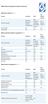 Device Vendor Comparisons Deployment options ( + / -) Vendor for On premises Cloud/SaaS and other platforms supported (+ / -) Vendor for ios Android Extended Android APIs Knox, Safe Safe BlackBerry Windows
Mobile Security Mobile Device Management Mobile Application Management
 Mobile Security Mobile Device Management Mobile Application Management Gartner s Magic Quadrant for Mobile Device Management Software AirWatch is positioned as a LEADER based on an evaluation of completeness
Vodafone Global Enterprise Deploy the Apple iphone across your Enterprise with confidence
 Vodafone Global Enterprise Deploy the Apple iphone across your Enterprise with confidence White Paper Vodafone Global Enterprise 3 The Apple iphone has become a catalyst for changing the way both users
An Overview of Samsung KNOX Active Directory-based Single Sign-On
 C E N T R I F Y W H I T E P A P E R. S E P T E M B E R 2013 An Overview of Samsung KNOX Active Directory-based Single Sign-On Abstract Samsung KNOX is a set of business-focused enhancements to the Android
Feature List for Kaspersky Security for Mobile
 Feature List for Kaspersky Security for Mobile Contents Overview... 2 Simplified Centralized Deployment... 2 Mobile Anti-Malware... 3 Anti-Theft / Content Security... Error! Bookmark not defined. Compliance
Dell World Software User Forum 2013
 Dell World Software User Forum 2013 December 9-12 Austin, TX SaaS Mobile Management Overview of Cloud Client Manager and integration with KACE K1000 Introducing Dell Enterprise Mobility Management Your
Symantec Mobile Management 7.1
 Scalable, secure, and integrated device management Data Sheet: Endpoint Management and Mobility Overview The rapid proliferation of mobile devices in the workplace is outpacing that of any previous technology,
When enterprise mobility strategies are discussed, security is usually one of the first topics
 Acronis 2002-2014 Introduction When enterprise mobility strategies are discussed, security is usually one of the first topics on the table. So it should come as no surprise that Acronis Access Advanced
Mobile Security Mobile Device Management Mobile Application Management
 Mobile Security Mobile Device Management Mobile Application Management Addressing MDM Challenges in Education Proliferation of mobile devices Asset tracking and multi-os management Student- and teacher-owned
MDM Mobile Device Management
 Page 1 About 1Mobility 1Mobility has successfully established itself as a global company, offering cloud based, internationalized and scalable Enterprise Mobility Management (EMM) solution that monitors,
Securing your Mobile Workforce with Okta and Espion
 Securing your Mobile Workforce with Okta and Espion Executive Summary Distributed workforces and mobile devices are disrupting business as usual. End-users are frequently accessing applications and data
MaaS360 Mobile Device Management (MDM) Administrators Guide
 MaaS360 Mobile Device Management (MDM) Administrators Guide Copyright 2014 Fiberlink Corporation. All rights reserved. Information in this document is subject to change without notice. The software described
What s New in Centrify Privilege Service Centrify Identity Platform 15.4
 CENTRIFY PRIVILEGE SERVICE WHAT S NEW What s New in Centrify Privilege Service Centrify Identity Platform 15.4 Centrify Privilege Service Centrify Privilege Service is a cloud-based password and access
Sophos Mobile Control
 Sophos Mobile Control Enterprise Mobility Management - simplifed Joanna Wziątek-Ładosz Sales Engineer, Sophos 1 Why Sophos for EMM? Simple to learn and to operate Comprehensive self-service portal to reduce
Symantec Mobile Management Suite
 Symantec Mobile Management Suite One Solution For All Enterprise Mobility Needs Data Sheet: Mobile Security and Management Introduction Most enterprises have multiple mobile initiatives spread across the
Building Secure Mobile Applications Using MaaS360 SDK and IBM Worklight
 Building Secure Mobile Applications Using MaaS360 SDK and IBM Worklight Karthik Ramgopal/Paras Segal [email protected] [email protected] www.maas360.com Why Mobile Applications are a Must? Rising
SOTI Inc. Presents. Andrew Aldis - Presale and professional service engineer [email protected]. www.soti.net
 SOTI Inc. Presents Andrew Aldis - Presale and professional service engineer [email protected] www.soti.net World s Most Trusted MDM Vendor 12,000+ customers, millions of devices managed worldwide Since 1995,
1. What are the System Requirements for using the MaaS360 for Exchange ActiveSync solution?
 MaaS360 FAQs This guide is meant to help answer some of the initial frequently asked questions businesses ask as they try to figure out the who, what, when, why and how of managing their smartphone devices,