
Plasma Arc Cutting System
|
|
|
- Noel O’Connor’
- 10 years ago
- Views:
Transcription
1 powermax1100 Plasma Arc Cutting System Revision 2 EN50199 EN50192

2 Plasma Arc Cutting System IM-273 (P/N ) for systems beginning with serial number Revision 2 November, 2013 Hypertherm, Inc. Hanover, NH [email protected] Copyright 2013 Hypertherm, Inc. All Rights Reserved Hypertherm, HyDefinition, HT, HyLife, LongLife, MAX, PAC and Powermax are trademarks of Hypertherm, Inc., and may be registered in the United States and/or other countries

3 Hypertherm Offices Worldwide: Hypertherm, Inc. Etna Road, P.O. Box 5010 Hanover, NH USA Tel.: (603) (Main Office) Fax: (603) (All Departments) Tel.: (800) (Technical Service) Tel.: (800) (Customer Service) (General Information) (Technical/Customer Services) Hypertherm Plasmatechnik GmbH Technologiepark Hanau Rodenbacher Chaussee 6 D Hanau-Wolfgang, Germany Tel.: Fax: European Technical Support Organization (ETSO) Technologiepark Hanau Rodenbacher Chaussee 6 D Hanau-Wolfgang, Germany Tel.: Fax: Hypertherm Singapore Pte Ltd No. 19 Kaki Bukit Road 2 K.B. Warehouse Complex Singapore , Republic of Singapore Tel.: Fax: Hypertherm U.K. 9 Berkeley Court Manor Park Runcorn, Cheshire, England WA7 1TQ Tel.: Fax: France 10, Allée de I lsara F Cergy-Pontoise, France Tel.: Fax: Italy Via Torino Milan, Italy Tel.: Fax:

4 ELECTROMAGNETIC COMPATIBILITY EMC INTRODUCTION The 230/400V CE power supply has been built in compliance with standard EN To ensure that the equipment works in a compatible manner with other radio and electronic systems, the equipment should be installed and used in accordance with the information below to achieve electromagnetic compatibility. The limits required by EN50199 may not be adequate to completely eliminate interference when the affected equipment is in close proximity or has a high degree of sensitivity. In such cases it may be necessary to use other measures to further reduce interference. This plasma equipment should be used only in an industrial environment. It may be difficult to ensure electromagnetic compatibility in a domestic environment. INSTALLATION AND USE The user is responsible for installing and using the plasma equipment according to the manufacturer's instructions. If electromagnetic disturbances are detected then it shall be the responsibility of the user to resolve the situation with the technical assistance of the manufacturer. In some cases this remedial action may be as simple as earthing the cutting circuit, see Earthing of Workpiece. In other cases it could involve constructing an electromagnetic screen enclosing the power source and the work complete with associated input filters. In all cases electromagnetic disturbances must be reduced to the point where they are no longer troublesome. ASSESSMENT OF AREA Before installing the equipment the user shall make an assessment of potential electromagnetic problems in the surrounding area. The following shall be taken into account: a. Other supply cables, control cables, signalling and telephone cables; above, below and adjacent to the cutting equipment. b. Radio and television transmitters and receivers. c. Computer and other control equipment. d. Safety critical equipment, for example guarding of industrial equipment. e. Health of the people around, for example the use of pacemakers and hearing aids. f. Equipment used for calibration or measurement. g. Immunity of other equipment in the environment. User shall ensure that other equipment being used in the environment is compatible. This may require additional protection measures. h. Time of day that cutting or other activities are to be carried out. The size of the surrounding area to be considered will depend on the structure of the building and other activities that are taking place. The surrounding area may extend beyond the boundaries of the premises. METHODS OF REDUCING EMISSIONS Mains Supply Cutting equipment should be connected to the mains supply according to the manufacturer's recommendations. If interference occurs, it may be necessary to take additional precautions such as filtering of the mains supply. Consideration should be given to shielding the supply cable of permanently installed cutting equipment, in metallic conduit or equivalent. Shielding should be electrically continuous throughout its length. The shielding should be connected to the cutting mains supply so that good electrical contact is maintained between the conduit and the cutting power source enclosure. Maintenance of Cutting Equipment The cutting equipment should be routinely maintained according to the manufacturer's recommendations. All access and service doors and covers should be closed and properly fastened when the cutting equipment is in operation. The cutting equipment should not be modified in any way except for those changes and adjustments covered in the manufacturer's instructions. In particular, the spark gaps of arc striking and stabilizing devices should be adjusted and maintained according to the manufacturer's recommendations. Cutting Cables The cutting cables should be kept as short as possible and should be positioned close together, running at or close to the floor level. Equipotential Bonding Bonding of all metallic components in the cutting installation and adjacent to it should be considered. However, metallic components bonded to the workpiece will increase the risk that the operator could receive a shock by touching these metallic components and the electrode at the same time. The operator should be insulated from all such bonded metallic components. Earthing of Workpiece Where the workpiece is not bonded to earth for electrical safety, nor connected to earth because of its size and position, for example, ship's hull or building steelwork, a connection bonding the workpiece to earth may reduce emissions in some, but not all instances. Care should be taken to prevent the earthing of the workpiece increasing the risk of injury to users, or damage to other electrical equipment. Where necessary, the connection of the workpiece to earth should be made by a direct connection to the workpiece, but in some countries where direct connection is not permitted, the bonding should be achieved by suitable capacitances selected according to national regulations. Note: The cutting circuit may or may not be earthed for safety reasons. Changing the earthing arrangements should only be authorized by a person who is competent to assess whether the changes will increase the risk of injury, for example, by allowing parallel cutting current return paths which may damage the earth circuits of other equipment. Further guidance is given in IEC TC26 (sec)94 and IEC TC26/108A/CD Arc Welding Equipment Installation and Use. Screening and Shielding Selective screening and shielding of other cables and equipment in the surrounding area may alleviate problems of interference. Screening of the entire plasma cutting installation may be considered for special applications. i

5 WARRANTY GENERAL HYPERTHERM, Inc. warrants that Products shall be free from defects in materials and workmanship, under proper and normal use for which such Equipment is recommended, for a period of two (2) years, except only with respect to the Torch, for which the warranty period shall be one (1) year, from the date of its delivery to you. HYPERTHERM, at its sole option, shall repair, replace, or adjust, free of charge, any Products covered by this warranty which shall be returned with HYPERTHERM's prior authorization (which shall not be unreasonably withheld), properly packed, to HYPERTHERM's place of business in Hanover, New Hampshire, all costs, insurance and freight prepaid, and which examination proves not to be free from defects in materials and workmanship. HYPERTHERM shall not be liable for any repairs, replacements, or adjustments of Products covered by this warranty, except those made pursuant to this paragraph or with HYPERTHERM's written consent. This warranty shall not apply to any Product which has been mishandled, incorrectly installed, modified or assembled by you or any other person. HYPER- THERM shall be liable for breach of this warranty only if it receives written notice of such breach within the applicable warranty period specified herein above. THE FOREGOING SHALL CONSTITUTE THE SOLE REMEDY TO DISTRIBUTORS OR THEIR CUSTOMERS FOR ANY BREACH BY HYPER- THERM OF ITS WARRANTY. PATENT INDEMNITY WARNING Genuine Hypertherm parts are the factory-recommended replacement parts for your Hypertherm system. Any damage caused by the use of other than genuine Hypertherm parts may not be covered by the Hypertherm warranty. Except only in cases of Products not manufactured by HYPERTHERM or manufactured by a person other than HYPERTHERM not in strict conformity with HYPERTHERM's specifications, and in cases of designs, processes, formulae or combinations not developed or purported to be developed by HYPER- THERM, HYPERTHERM agrees to indemnify, protect and hold harmless Distributors and their customers against any and all liability or claims in any manner imposed upon or accruing against Distributors and their customers because of the use in or about the construction or operation of Equipment or any design, system, formula, combination, article or material which infringes or alleges to infringe on any patent or other right. Distributors shall notify HYPERTHERM promptly upon learning of any action or threatened action in connection with any such alleged infringement, and each party may appoint its own counsel for any such action or threatened action. DISCLAIMER OF OTHER WARRANTIES HYPERTHERM MAKES NO WARRANTIES REGARDING PRODUCTS MANUFACTURED BY IT OR OTHERS (INCLUDING WITHOUT IMPLIED LIMITATION WARRANTIES AS TO MERCHANTABILITY OR FITNESS FOR A PARTICULAR PURPOSE), EITHER EXPRESS OR IMPLIED, EXCEPT AS PROVIDED HEREIN. This warranty is in lieu of any and all warranties, express or implied, by law or otherwise; and Distributors are not authorized to give any other warranty purporting to be binding upon HYPERTHERM upon resale of Products to their customers. IN NO EVENT shall HYPERTHERM be liable for incidental or consequential damages or injury to the person or property of anyone by reason of any defect in any Equipment sold hereunder. ii

6 TABLE OF CONTENTS ELECTROMAGNETIC COMPATIBILITY... i WARRANTY... ii SECTION 1 SAFETY About Notes, Cautions & Warnings Safety Instructions Eye Protection Skin Protection Toxic Fume Prevention Fire Prevention Electric Shock Prevention Explosion Prevention Noise Prevention Grounding Safety Reminders Electronic Health Support Equipment SECTION 1A SÉCURITÉ... 1a-1 Au sujet des Notes, Attention et avertissement... 1a-1 Consignes de sécurité... 1a-2 Protection des yeux... 1a-2 Protection de la peau... 1a-2 Prévention des vapeurs toxiques... 1a-2 Prévention des incendies... 1a-2 Prévention des chocs électriques... 1a-2 Prévention des explosions... 1a-3 Protection contre le bruit... 1a-4 Mise à la masse et à la terre... 1a-4 Rappels de sécurité... 1a-4 Prothèses électroniques... 1a-4 SECTION 2 SPECIFICATIONS Introduction Specifications PAC135 80A Torches IEC Symbols Used iii
7 TABLE OF CONTENTS SECTION 3 SETUP Upon Receipt Claims Hoisting Requirements Voltage Configurations Power Cords - 208/240/480V, 200/230/400V and 600V Power Supplies Power Cords - 230/400V CE Power Supplies Changing the Strain Relief Sleeve Single-Phase and Three-Phase Power Configurations Power Cord Plugs Power Requirements Grounding Requirements Work Cable and Clamp Gas Supply Requirements Gas Supply Connection Torch Lead Connection Machine Interface with PAC135M SECTION 4 OPERATION Controls and Indicators Operating Instructions Operating Tips Cut Chart - 80A Standard Consumables Cut Chart - 40A Consumables Common Cutting Faults SECTION 5 MAINTENANCE/PARTS Introduction Routine Maintenance Basic Troubleshooting Technical Questions Parts Power Supplies - 208/240/480V Power Supplies - 200/230/400V Power Supplies - 200/400V CE APPENDIX A STANDARDS INDEX... a-1 APPENDIX B AERATION MANIFOLD... b-1 iv
8 Section 1 SAFETY SAFETY In this section: About Notes, Cautions and Warnings Safety Instructions Eye Protection Skin Protection Toxic Fume Prevention Fire Prevention Electric Shock Prevention Explosion Prevention Compressed Gas Cylinders Pressure Regulators Hoses Noise Protection Grounding Input Power Work Cable Work Table Safety Reminders Electronic Health Support Equipment Before using this plasma arc system.... Each person who will operate this equipment, perform service or maintenance, or supervise its use must read the safety instructions and warnings in this manual and the labels on the equipment. About Notes, Cautions and Warnings Notes: Throughout this manual, useful information for operating the plasma system is presented in notes, such as shown in this paragraph. Cautions: Information in bold type and surrounded by a box describes a situation that may cause damage to the plasma system. WARNINGS Warnings describe situations that present a physical danger to the operator, and advice to avoid or correct the situation. Each type of warning includes applicable danger symbols, such as a hand burn, electrical shock, fire, explosion, etc. WARNING Instant-On Torches Instant-on torches produce a plasma arc immediately after the torch switch is pushed. Always hold a hand torch away from your body as a precaution against accidental torch firing. Be aware of this hazard, which has potential for serious bodily injury. WARNING Electric Shock Never touch the torch body, workpiece or the water in a water table when operating the plasma system. When using a water table, be sure that it is correctly connected to earth ground. Operating the plasma system completes an electrical circuit between the torch and the workpiece and anything touching the workpiece. The workpiece is part of the electrical circuit. HYPERTHERM Plasma Systems

9 SAFETY Eye Protection Wear dark safety glasses or goggles with side shields, or a welding helmet, in accordance with applicable national or local codes, to protect eyes against the plasma arc s ultraviolet and infrared rays. Lens Shade Arc Current AWS (USA) ISO-4850 Up to 100 A No. 8 No A No. 10 No A No. 12 No. 13 Over 400 A No. 14 No. 14 Replace the glasses, goggles or helmet when the lens becomes pitted or broken. Warn other people in the area not to look directly at the arc unless they are wearing glasses, goggles or a helmet. Prepare the cutting area in a manner that reduces the reflection and transmission of ultraviolet light: Paint walls and other surfaces with dark colors to reduce reflection. Install protective screens or curtains to reduce ultraviolet transmission. Skin Protection Wear protective clothing to protect against burns caused by ultraviolet light, sparks and hot metal: Gauntlet gloves, safety shoes and hat. Flame-retardant clothing which covers all exposed areas. Cuffless trousers to prevent entry of sparks and slag. Toxic Fume Prevention Keep the cutting area well ventilated. Remove all chlorinated solvents from the cutting area before cutting. Certain chlorinated solvents decompose when exposed to ultraviolet radiation to form phosgene gas. Wear proper breathing mask and use proper ventilation when cutting galvanized metal. Do not cut containers with toxic materials inside. Clean containers that have held toxic materials thoroughly before cutting. 1-2 WARNING Toxic Fumes Do not cut metal or painted metals containing zinc, lead, cadmium or beryllium unless the operator, or anyone else subjected to the fumes, wears respiratory equipment or an air-supplied helmet. Fire Prevention Make fire extinguishers available in the cutting area. Remove all combustible materials from the immediate cutting area to a distance of at least 35 feet (10 m). Quench freshly cut metal or allow metal to cool before handling it or bringing it into contact with combustible materials. Never use a plasma system to cut containers with potentially flammable materials inside. Such containers must be thoroughly cleaned prior to cutting. Ventilate potentially flammable atmospheres before cutting with a plasma system. When cutting with oxygen as the plasma gas, an exhaust ventilation system is required. Never operate the plasma system in an atmosphere which contains heavy concentrations of dust, flammable gas or combustible liquid vapors unless properly vented. Electric Shock Prevention All Hypertherm plasma systems use high voltage (up to 300 VDC) to initiate the plasma arc. Take the following precautions when operating the plasma system: Wear insulated gloves and boots, and keep body and clothing dry. Do not stand, sit or lie on or touch any wet surface when using the plasma system. Maintain proper insulation against electrical shock. If you must work in or near a damp area, use extreme caution. Provide a wall-mounted disconnect switch with properly sized fuses close to the power supply. This switch allows the operator to turn the power supply off quickly in an emergency situation. Conform to all local electrical codes for primary wiring sizes and types. Inspect the primary power cord frequently for damage or cracking of the cover. Bare wiring can kill. Do not use a system with a damaged power cord. Replace a damaged power cord immediately. Inspect the torch leads. Replace if frayed or damaged. Do not pick up the workpiece, including the waste cutoff, while you cut. Leave the workpiece in place or on the workbench with the work cable attached during the cutting process. HYPERTHERM Plasma Systems 5-98

10 SAFETY Electric Shock Prevention (continued) Before changing the torch parts, disconnect the main power or unplug the power supply. After changing torch parts and replacing the retaining cap, plug in the power supply again. Never bypass or shortcut the safety interlocks. Before removing a power supply cover for maintenance, disconnect the main power at the wall disconnect switch or unplug the power supply. To avoid exposure to severe electrical hazard, wait five minutes after disconnecting the main power to allow capacitors to discharge. Never operate the plasma system unless the power supply unit covers are in place. Exposed power supply connections present a severe electrical hazard. Explosion Prevention WARNING Compressed Gas The plasma system uses compressed gas. Observe proper precautions when handling and using compressed gas equipment and cylinders. Do not use the plasma system if explosive dust or vapors may be present. Do not cut pressurized cylinders or any closed container. WARNING Hydrogen Explosion Hazard If your system uses hydrogen, remember that this is a flammable gas that presents an explosion hazard. Keep flames away from cylinders containing hydrogen mixtures and hoses that carry hydrogen mixtures. Also, keep flames and sparks away from the torch when using argonhydrogen as the plasma gas. Compressed Gas Cylinders Handle and use compressed gas cylinders in accordance with safety standards published by the U.S. Compressed Gas Association (CGA), American Welding Society (AWS), Canadian Standards Association (CSA) or applicable national or local codes. Never use a cylinder that leaks or is physically damaged. Never use a cylinder that is not upright and secured in place. Never move or transport a cylinder without its protective valve cover in place. Never use a gas cylinder or its contents for any purpose other than that for which it is intended. Never lubricate cylinder valves with oil or grease. Never allow electrical contact between the plasma arc and a cylinder. Never expose cylinders to excessive heat, sparks, slag or open flame. Never use hammers, wrenches or other tools to open stuck cylinder valves. Pressure Regulators Be certain that all pressure regulators are in proper working condition. Never use a regulator for any gas other than that for which it is intended. Never use a regulator that leaks, creeps excessively or is physically damaged in any way. Never attempt to lubricate a regulator with oil or grease. WARNING Hydrogen Detonation with Aluminum Cutting When cutting aluminum underwater, or with the water touching the underside of the aluminum, free hydrogen gas may collect under the workpiece and detonate during plasma cutting operations. Installing an aeration manifold on the floor of the water table is an effective way to eliminate the possibility of hydrogen detonation when cutting aluminum. Refer to the Appendix section of this manual for instructions on how to fabricate an aeration manifold. Hoses Label and color-code all gas hoses in order to clearly identify the type of gas in each hose. Consult applicable national or local codes. Never use the oxygen hose for any gas other than oxygen. Examine hoses at regular intervals for leaks, wear, loose connections or other hazard. Replace hose that is damaged in any way. HYPERTHERM Plasma Systems
11 SAFETY Hoses (continued) Keep hose lengths to a minimum to prevent damage, reduce pressure drop and to prevent possible flow restrictions. Prevent kinking by laying out hoses as straight as possible between termination points. Coil any excess hose and place it out of the way to prevent damage and to eliminate the danger of tripping. Noise Protection The plasma cutting process can generate high levels of noise. Depending on the arc current, material being cut, acoustics and size of the cutting room, distance from the torch and other factors, acceptable noise levels as defined by national or local codes may be exceeded by your plasma system. Always wear proper ear protection when cutting or gouging with the plasma system. Grounding Input Power Be sure to connect the power cord ground wire to the ground in the disconnect box. If installation of the plasma system involves connecting the power cord to the power supply, be sure to properly connect the power cord ground wire. Conform to Canadian Standards Association (CSA) standards by placing the power cord ground wire on the stud first; then place any other ground wires on top of the power cord ground. Fasten the retaining nut tightly. Tighten all electrical connections to avoid excessive heating. Work Cable Attach the work cable securely to the workpiece or the work table by making good metal-to-metal contact. Do not connect it to the piece that will fall away when the cut is complete. Work Table Connect the work table to an earth ground, in accordance with appropriate national or local electrical codes. Safety Reminders Never bypass or shortcut the safety interlocks on any of the plasma system units. Except in Hypertherm s largest mechanized systems, all Hypertherm torches are designed with a safety interlock that prevents firing of the plasma arc when the retaining cap is loosened. Each Hypertherm plasma system is designed to be used only with specific Hypertherm torches. Do not substitute other torches which could overheat and present a potentially dangerous situation to the operator and any personnel in the area. Hypertherm s warranty does not cover problems caused by the use of torches not made by Hypertherm. Use only consumable parts and replacement parts made by Hypertherm. Hypertherm s warranty does not cover problems caused by the use of parts not made by Hypertherm. Never operate the plasma system with any of its covers not in place. This would be hazardous to the operator and other people in the area, and prevents the proper cooling of the equipment. Electronic Health Support Equipment Plasma arc cutting and gouging systems create electric and magnetic fields that may interfere with the correct operation of electronic health support equipment, such as pacemakers or hearing aids. Any person who wears a pacemaker or hearing aid should consult a doctor before operating or being near any plasma system when it is in use. To minimize exposure to EMF: Keep both the work cable and the torch lead on one side of your body. Keep your body from coming in between the torch lead and the work cable. Route torch leads as close as possible to work cable. Do not wrap the torch lead or work cable around your body. Stay as far away from the power supply as possible. 1-4 HYPERTHERM Plasma Systems 5-98
12 Section 1a SÉCURITÉ SÉCURITÉ IDENTIFIER LES CONSIGNES DE SÉCURITÉ Les symboles indiqués dans cette section sont utilisés pour identifier les risques éventuels. Si vous trouvez un symbole de sécurité, que ce soit dans ce manuel ou sur l équipement, soyez conscient des risques de blessures et suivez les instructions correspondantes afin d éviter ces risques. SUIVRE LES INSTRUCTIONS DE SÉCURITÉ Lire attentivement toutes les consignes de sécurité dans le présent manuel et sur les étiquettes de sécurité se trouvant sur la machine. Les étiquettes de sécurité doivent rester lisibles. Remplacer immédiatement les étiquettes manquantes ou abîmées. Apprendre à faire fonctionner la machine et à utiliser correctement les commandes. Ne laisser personne utiliser la machine sans connaître son fonctionnement. Garder la machine en bon état. Des modifications non autorisées sur la machine peuvent engendrer des problèmes de sécurité et raccourcir la durée d utilisation de l équipement. DANGER AVERTISSEMENT PRÉCAUTION Les signaux DANGER ou AVERTISSEMENT sont utilisés avec un symbole de sécurité, DANGER correspondant aux risques les plus sérieux. Les étiquettes de sécurité DANGER et AVERTISSE- MENT sont situées sur la machine pour signaler certains dangers spécifiques. Les messages d AVERTISSEMENT précèdent les instructions d utilisation expliquées dans ce manuel et signalent les risques de blessures ou de mort au cas où ces instructions ne seraient pas suivies correctement. Les messages de PRÉCAUTION précèdent les instructions d utilisation contenues dans ce manuel et signalent que le matériel risque d être endommagé si les instructions ne sont pas suivies correctement. LE COUPAGE PEUT PROVOQUER UN INCENDIE OU UNE EXPLOSION Prévention des incendies Avant de commencer, s assurer que la zone de coupage ne présente aucun danger. Conserver un extincteur à proximité. Éloigner toute matière inflammable à une distance d au moins 10 m du poste de coupage. Tremper le métal chaud ou le laisser refroidir avant de le manipuler ou avant de le mettre en contact avec des matériaux combustibles. Ne jamais couper des récipients pouvant contenir des matières inflammables avant de les avoir vidés et nettoyés correctement. Aérer toute atmosphère potentiellement inflammable avant d utiliser un système plasma. Lors de l utilisation d oxygène comme gaz plasma, un système de ventilation par aspiration est nécessaire. Prévention des explosions Ne pas couper en présence de poussière ou de vapeurs. Ne pas couper de bouteilles, de tuyaux ou autres récipients fermés et pressurisés. Ne pas couper de récipients contenant des matières combustibles. AVERTISSEMENT Risque d explosion Argon-hydrogène et méthane L hydrogène et le méthane sont des gaz inflammables et potentiellement explosifs. Conserver à l écart de toute flamme les bouteilles et tuyaux contenant des mélanges à base d hydrogène ou de méthane. Maintenir toute flamme et étincelle à l écart de la torche lors de l utilisation d un plasma d argon-hydrogène ou de méthane. AVERTISSEMENT Détonation de l hydrogène lors du coupage de l aluminium Lors du coupage de l aluminium sous l eau, ou si l eau touche la partie inférieure de la pièce d aluminium, de l hydrogène libre peut s accumuler sous la pièce à couper et détonner lors du coupage plasma. Installer un collecteur d aération au fond de la table à eau afin d éliminer les risques de détonation de l hydrogène. Se référer à l annexe du manuel pour plus de renseignements sur les collecteurs d aération. HYPERTHERM Systèmes plasma 1a-1 10/6/98

13 SÉCURITÉ LES CHOCS ÉLECTRIQUES PEUVENT ÊTRE FATALS Toucher une pièce électrique sous tension peut provoquer un choc électrique fatal ou des brûlures graves. La mise en fonctionnement du système plasma ferme un circuit électrique entre la torche et la pièce à couper. La pièce à couper et tout autre élément en contact avec cette pièce font partie du circuit électrique. Ne jamais toucher le corps de la torche, la pièce à couper ou l eau de la table à eau pendant le fonctionnement du système plasma. Prévention des chocs électriques Tous les systèmes plasma Hypertherm utilisent des hautes tensions pour le coupage (souvent de 200 à 400 V).On doit prendre les précautions suivantes quand on utilise le système plasma : Porter des bottes et des gants isolants et garder le corps et les vêtements au sec. Ne pas se tenir, s asseoir ou se coucher sur une surface mouillée, ni la toucher quand on utilise le système plasma. S isoler de la surface de travail et du sol en utilisant des tapis isolants secs ou des couvertures assez grandes pour éviter tout contact physique avec le travail ou le sol. S il s avère nécessaire de travailler dans ou près d un endroit humide, procéder avec une extrême prudence. Installer un sectionneur avec fusibles appropriés, à proximité de la source de courant. Ce dispositif permet à l opérateur d arrêter rapidement la source de courant en cas d urgence. En cas d utilisation d une table à eau, s assurer que cette dernière est correctement mise à la terre. Installer et mettre à la terre l équipement selon les instructions du présent manuel et conformément aux codes électriques locaux et nationaux. Inspecter fréquemment le cordon d alimentation primaire pour s assurer qu il n est ni endommagé, ni fendu. Remplacer immédiatement un cordon endommagé. Un câble dénudé peut tuer. Inspecter et remplacer les câbles de la torche qui sont usés ou endommagés. Ne pas saisir la pièce à couper ni les chutes lors du coupage. Laisser la pièce à couper en place ou sur la table de travail, le câble de retour connecté lors du coupage. Avant de vérifier, de nettoyer ou de remplacer les pièces de la torche, couper l alimentation ou débrancher la prise de courant. Ne jamais contourner ou court-circuiter les verrouillages de sécurité. Avant d enlever le capot du système ou de la source de courant, couper l alimentation électrique. Attendre ensuite 5 minutes pour que les condensateurs se déchargent. Ne jamais faire fonctionner le système plasma sans que les capots de la source de courant ne soient en place. Les raccords exposés de la source de courant sont extrêmement dangereux. Lors de l installation des connexions, attacher tout d abord la prise de terre appropriée. Chaque système plasma Hypertherm est conçu pour être utilisé uniquement avec des torches Hypertherm spécifiques. Ne pas utiliser des torches inappropriées qui pourraient surchauffer et présenter des risques pour la sécurité. LE COUPAGE PEUT PRODUIRE DES VAPEURS TOXIQUES Le coupage peut produire des vapeurs et des gaz toxiques qui réduisent le niveau d oxygène dans l air et peuvent provoquer des blessures, voire la mort. Conserver le poste de coupage bien aéré ou utiliser un masque respiratoire homologué. Ne pas procéder au coupage près d endroits où s effectuent le dégraissage, le nettoyage ou la vaporisation. Certains solvants chlorés se décomposent sous l effet des rayons ultraviolets et forment du phosgène. 1a-2 5/27/99 10/6/98 Ne pas couper des métaux peints ou contenant des matières toxiques comme le zinc (galvanisé), le plomb, le cadmium ou le béryllum, à moins que la zone de travail soit très bien ventilée et que l opérateur porte un masque respiratoire. Les revêtements et métaux contenant ces matières peuvent produire des vapeurs toxiques lors du coupage. Ne jamais couper de récipients pouvant contenir des matières inflammables avant de les avoir vidés et nettoyés correctement. HYPERTHERM Systèmes plasma

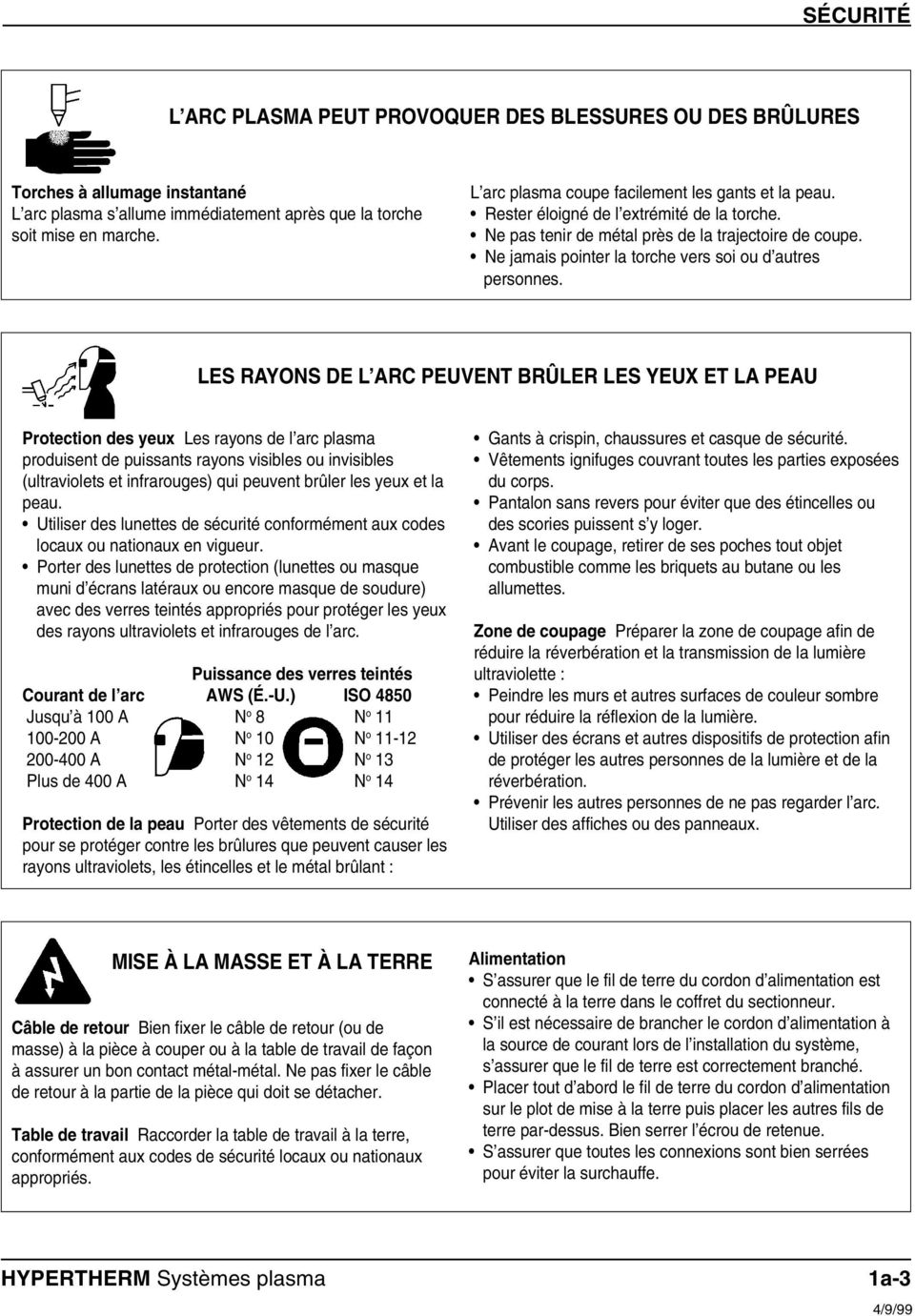
14 SÉCURITÉ L ARC PLASMA PEUT PROVOQUER DES BLESSURES OU DES BRÛLURES Torches à allumage instantané L arc plasma s allume immédiatement après que la torche soit mise en marche. L arc plasma coupe facilement les gants et la peau. Rester éloigné de l extrémité de la torche. Ne pas tenir de métal près de la trajectoire de coupe. Ne jamais pointer la torche vers soi ou d autres personnes. LES RAYONS DE L ARC PEUVENT BRÛLER LES YEUX ET LA PEAU Protection des yeux Les rayons de l arc plasma produisent de puissants rayons visibles ou invisibles (ultraviolets et infrarouges) qui peuvent brûler les yeux et la peau. Utiliser des lunettes de sécurité conformément aux codes locaux ou nationaux en vigueur. Porter des lunettes de protection (lunettes ou masque muni d écrans latéraux ou encore masque de soudure) avec des verres teintés appropriés pour protéger les yeux des rayons ultraviolets et infrarouges de l arc. Puissance des verres teintés Courant de l arc AWS (É.-U.) ISO 4850 Jusqu à 100 A N o 8 N o A N o 10 N o A N o 12 N o 13 Plus de 400 A N o 14 N o 14 Protection de la peau Porter des vêtements de sécurité pour se protéger contre les brûlures que peuvent causer les rayons ultraviolets, les étincelles et le métal brûlant : Gants à crispin, chaussures et casque de sécurité. Vêtements ignifuges couvrant toutes les parties exposées du corps. Pantalon sans revers pour éviter que des étincelles ou des scories puissent s y loger. Avant le coupage, retirer de ses poches tout objet combustible comme les briquets au butane ou les allumettes. Zone de coupage Préparer la zone de coupage afin de réduire la réverbération et la transmission de la lumière ultraviolette : Peindre les murs et autres surfaces de couleur sombre pour réduire la réflexion de la lumière. Utiliser des écrans et autres dispositifs de protection afin de protéger les autres personnes de la lumière et de la réverbération. Prévenir les autres personnes de ne pas regarder l arc. Utiliser des affiches ou des panneaux. MISE À LA MASSE ET À LA TERRE Câble de retour Bien fixer le câble de retour (ou de masse) à la pièce à couper ou à la table de travail de façon à assurer un bon contact métal-métal. Ne pas fixer le câble de retour à la partie de la pièce qui doit se détacher. Table de travail Raccorder la table de travail à la terre, conformément aux codes de sécurité locaux ou nationaux appropriés. Alimentation S assurer que le fil de terre du cordon d alimentation est connecté à la terre dans le coffret du sectionneur. S il est nécessaire de brancher le cordon d alimentation à la source de courant lors de l installation du système, s assurer que le fil de terre est correctement branché. Placer tout d abord le fil de terre du cordon d alimentation sur le plot de mise à la terre puis placer les autres fils de terre par-dessus. Bien serrer l écrou de retenue. S assurer que toutes les connexions sont bien serrées pour éviter la surchauffe. HYPERTHERM Systèmes plasma 1a-3 10/6/98 4/9/99
15 SÉCURITÉ SÉCURITÉ DES BOUTEILLES DE GAZ COMPRIMÉ Ne jamais lubrifier les robinets des bouteilles ou les régulateurs avec de l huile ou de la graisse. Utiliser uniquement les bouteilles, régulateurs, tuyaux et accessoires appropriés et conçus pour chaque application spécifique. Entretenir l équipement et les pièces d équipement à gaz comprimé afin de les garder en bon état. Étiqueter et coder avec des couleurs tous les tuyaux de gaz afin d identifier le type de gaz contenu dans chaque tuyau. Se référer aux codes locaux ou nationaux en vigueur. LES BOUTEILLES DE GAZ COMPRIMÉ PEUVENT EXPLOSER EN CAS DE DOMMAGES Les bouteilles de gaz contiennent du gaz à haute pression. Si une bouteille est endommagée, elle peut exploser. Manipuler et utiliser les bouteilles de gaz comprimé conformément aux codes locaux ou nationaux. Ne jamais utiliser une bouteille qui n est pas placée à la verticale et bien assujettie. Le capuchon de protection doit être placé sur le robinet sauf si la bouteille est en cours d utilisation ou connectée pour utilisation. Éviter à tout prix le contact électrique entre l arc plasma et une bouteille. Ne jamais exposer des bouteilles à une chaleur excessive, aux étincelles, aux scories ou aux flammes nues. Ne jamais utiliser des marteaux, des clés ou d autres outils pour débloquer le robinet des bouteilles. LE BRUIT PEUT PROVOQUER DES PROBLÈMES AUDITIFS Une exposition prolongée au bruit du coupage ou du gougeage peut provoquer des problèmes auditifs. Utiliser un casque de protection homologué lors de l utilisation du système plasma. Prévenir les personnes aux alentours des risques encourus en cas d exposition au bruit. PACEMAKERS ET PROTHÈSES AUDITIVES Les champs magnétiques produits par les courants à haute tension peuvent affecter le fonctionnement des prothèses auditives et des pacemakers. Les personnes portant ce type d appareil doivent consulter un médecin avant de s approcher d un lieu où s effectue le coupage ou le gougeage plasma. Pour réduire les risques associés aux champs magnétiques : Garder loin de soi et du même côté du corps le câble de retour et le faisceau de la torche. Faire passer le faisceau de la torche le plus près possible du câble de retour. Ne pas s enrouler le faisceau de la torche ou le câble de retour autour du corps. Se tenir le plus loin possible de la source de courant. 1a-4 10/16/98 10/6/98 HYPERTHERM Systèmes plasma
16 SPECIFICATIONS Section 2 SPECIFICATIONS In this section: Introduction Specifications Power Supply PAC135 80A Torches PAC135T Hand Torch Assembly PAC135M Machine Torch Assembly S Mark IEC Symbols Used
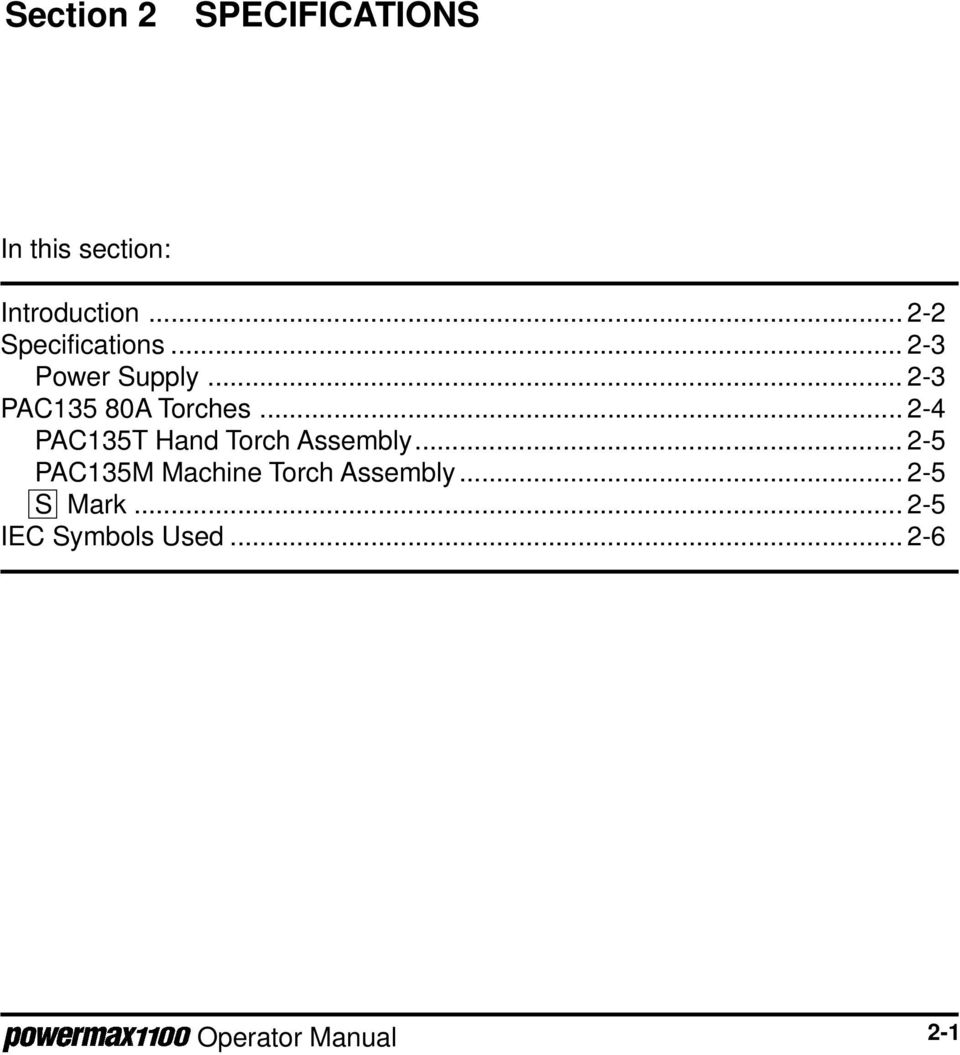
17 SPECIFICATIONS INTRODUCTION The Powermax1100 plasma cutting system uses an inverter power supply to provide a smooth DC output voltage, producing excellent cut and gouge quality on mild steel, stainless steel, aluminum and other metals. The Powermax1100 power supply provides constant-current output variable from 30 to 80 amps, for optimum performance on all thicknesses of metal up to 3/4 inch (20 mm) thick. At 80 amps, the Powermax1100 can cut metals up to 1 inch (25 mm) thick and will sever metals up to 1-1/4 inch (32 mm) thick. Air is the primary plasma gas, providing low operating cost combined with high-speed performance. Cylinder air or shop air can be used as long as it is clean, dry and oil-free. When properly set and maintained, the pressure regulator and gas filter on the power supply ensure that the correct pressure and flow rate is supplied to the system at the proper quantity and quality. The Powermax1100 can also cut with nitrogen when extended electrode life is a priority. This instruction manual provides information for the user to set up and operate the system and perform limited maintenance on the power supply. This manual also provides a detailed list of safety practices so that the system can be safely operated and maintained. READ THE SAFETY SECTION (Section 1) FIRST! The Powermax1100 service manual provides higher-level troubleshooting and a more complete parts list. Figure 2-1 Powermax1100 Hand Plasma Cutting System 2-2
18 SPECIFICATIONS SPECIFICATIONS Power Supply Rated Open Circuit Voltage (OCV) (U 0 ) VDC Rated Output Current (I 2 ) amps Rated Output Voltage (U 2 ) VDC Duty Cycle 104 F (40 C)... 50% (I 2 =80A, U 2 =140V) 100% (I 2 =57A, U 2 =140V) See data tag on power supply for more information on duty cycle Ambient temperature... Power supplies will operate between +14 and 104 F (-10 and +40 C). Apparent Input Power (S 1 ) kva (U 1 I 1 ) non CE power supplies 13.1 kva (U 1 I 1 ) CE power supplies Input Voltage (U 1 )/Input Current (I 1 kw Output V/92A; 240V/80A; 480V/40A - 1φ, 50/60 Hz 208V/53A; 240V/46A; 480V/23A - 3φ, 50/60 Hz 200V/96A; 230V/84A; 400V/48A - 1φ, 50/60 Hz 200V/56A; 230V/49A; 400V/28A - 3φ, 50/60 Hz 230V/33A; 400V/19A (CE) - 3φ, 50/60 Hz 600V/20A - 3φ, 60 Hz Gas Type... Air or Nitrogen Gas Quality, Air... Clean, dry, oil-free Gas Quality, Nitrogen % pure Gas Inlet Pressure psi (6.2 bar) Gas Flow scfh/6.7 scfm at 90 psi (189 l/min at 6.2 bar) supplied to power supply pressure regulator Power Supply pressure regulator setting psi (4.5 bar) flowing Dimensions and Weight: Depth " (638 mm) Width " (264 mm) without wheels 15.8" (401 mm) with wheels Height " (498 mm) without wheels 23.7" (602 mm) with wheels Weight, 208/240/480V and 200/230/400V without power cord pounds (35 kg) without wheels 89 pounds (40 kg) with wheels Weight, 230/400V CE with power cord pounds (39 kg) without wheels 99 pounds (45 kg) with wheels Weight, 600V with power cord pounds (73 kg) with wheels 2-3
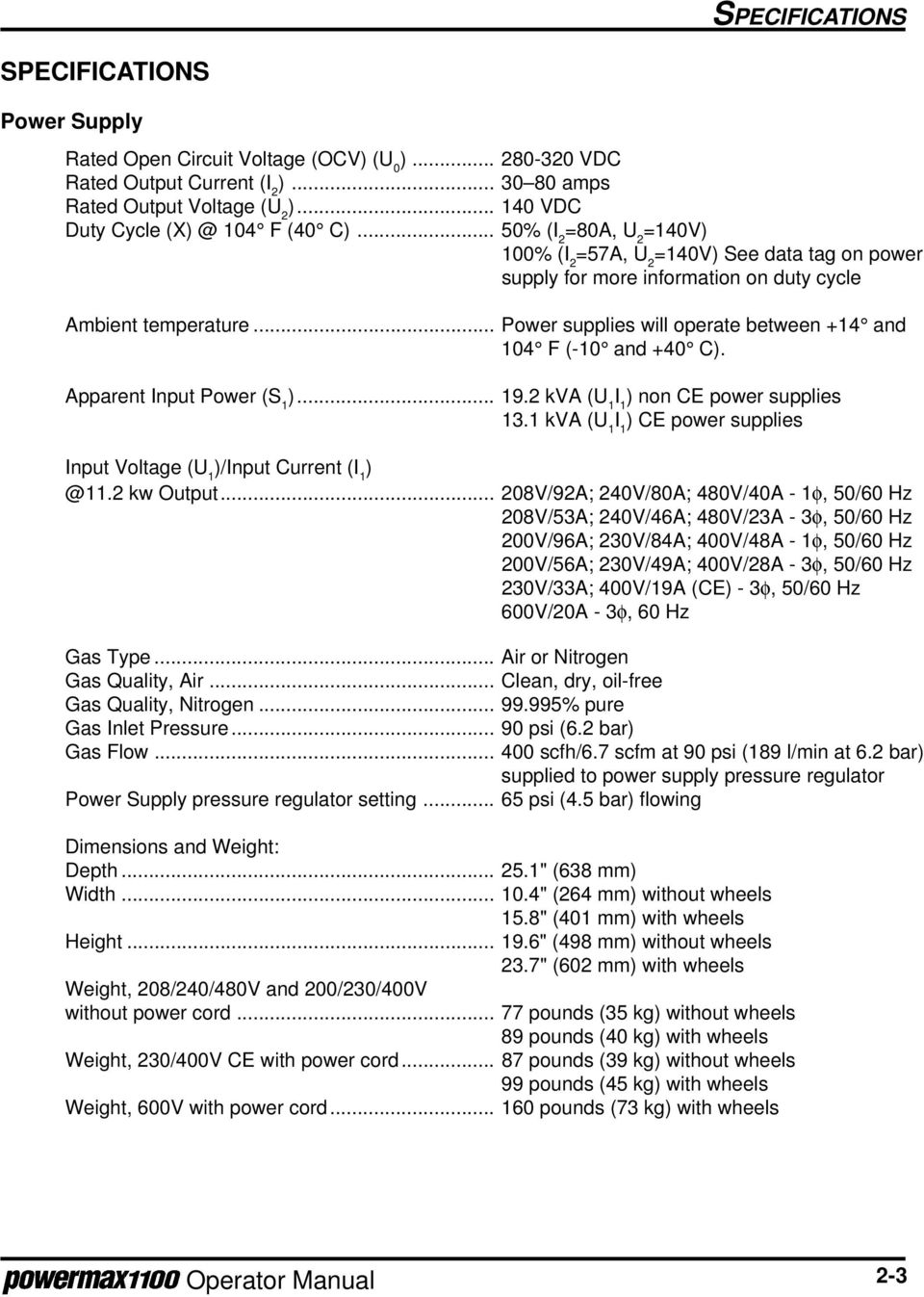
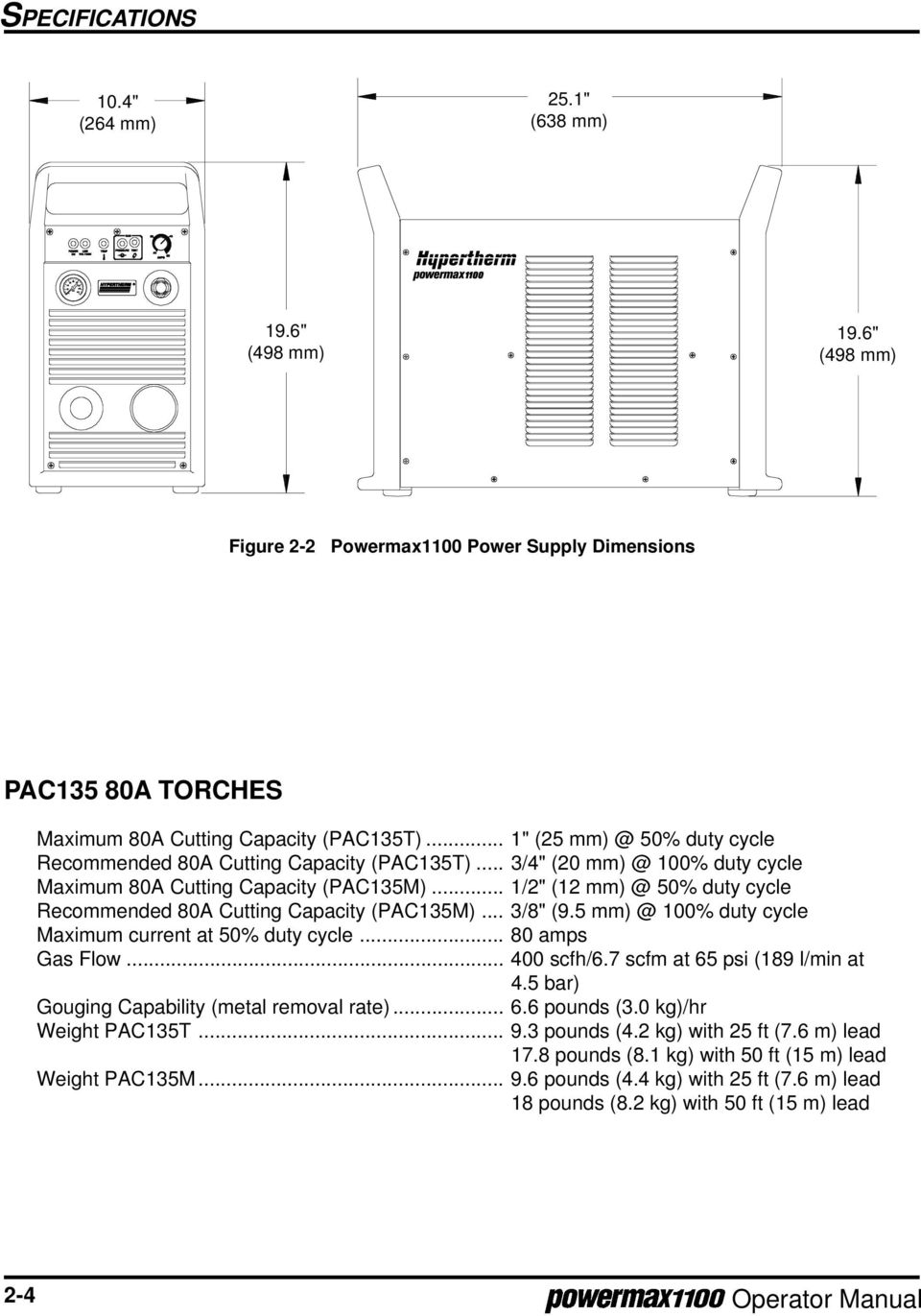
19 SPECIFICATIONS 10.4" (264 mm) 25.1" (638 mm) 19.6" (498 mm) 19.6" (498 mm) Figure 2-2 Powermax1100 Power Supply Dimensions PAC135 80A TORCHES Maximum 80A Cutting Capacity (PAC135T)... 1" (25 50% duty cycle Recommended 80A Cutting Capacity (PAC135T)... 3/4" (20 100% duty cycle Maximum 80A Cutting Capacity (PAC135M)... 1/2" (12 50% duty cycle Recommended 80A Cutting Capacity (PAC135M)... 3/8" ( % duty cycle Maximum current at 50% duty cycle amps Gas Flow scfh/6.7 scfm at 65 psi (189 l/min at 4.5 bar) Gouging Capability (metal removal rate) pounds (3.0 kg)/hr Weight PAC135T pounds (4.2 kg) with 25 ft (7.6 m) lead 17.8 pounds (8.1 kg) with 50 ft (15 m) lead Weight PAC135M pounds (4.4 kg) with 25 ft (7.6 m) lead 18 pounds (8.2 kg) with 50 ft (15 m) lead 2-4
20 SPECIFICATIONS PAC135T Hand Torch Assembly 9.1" (231 mm) 1.9" (48 mm) 4.8" (122 mm) 3.5" (89 mm) 1.2" (30 mm) Figure 2-3 PAC135T Torch with Dimensions PAC135M Machine Torch Assembly 1.8" (45 mm) 3.3" (83 mm) 14" (356 mm) 10.8" (274 mm) 1.2" (30 mm) 1.4" (35 mm) 55 Figure 2-4 PAC135M Torch with Dimensions S MARK The Powermax1100 conforms to standard EN The S mark indicates that the power supply and torch are suitable for use in environments with increased hazard of electrical shock. The hand torches must have shielded consumable parts to maintain S mark compliance. 2-5

21 SPECIFICATIONS IEC SYMBOLS USED Direct Current (DC) Alternating current (AC) Plasma cutting torch AC input power connection The terminal for the external protective (earth) conductor An inverter-based power source Anode (+) work clamp Temperature switch Pressure switch Plasma torch in the TEST position (cooling and cutting gas exiting nozzle) I O Power is on Power is off Volt/amp curve, "drooping" characteristic 2-6
22 SETUP Section 3 SETUP In this section: Upon Receipt Claims Hoisting Requirements Voltage Configurations Power Cords - 208/240/480V, 200/230/400V and 600V Power Supplies Power Cords - 230/400V CE Power Supplies Changing the Strain Relief Sleeve Single-Phase and Three-Phase Power Configurations Single-Phase Three-Phase Power Cord Plugs Power Requirements Line Voltage Disconnect Box Grounding Requirements Work Cable and Clamp Gas Supply Requirements Air Supply Quality Additional Air Filtration Nitrogen Supply Quality Gas Supply Connection Torch Lead Connection PAC135M ON/OFF Pendant Connection PAC135M Torch ON/OFF Switch Connection Data PAC135M Torch Alignment Machine Interface with PAC135M Arc Voltage
23 SETUP UPON RECEIPT 1. Verify that all parts and items on your order have been received. Alert your distributor if any parts or items are damaged or missing. 2. Inspect the power supply for any physical damage that may have occurred during shipping. If there is evidence of damage, refer to the Claims section below. All communications regarding this equipment must include the model number and serial number located on the back of the Powermax Before setting up and operating the Powermax1100, read the Safety section of this manual. CLAIMS Claims for damage during shipment If your unit was damaged during shipment, you must file a claim with the carrier. Hypertherm will furnish you with a copy of the bill of lading upon request. If you need additional assistance, call Customer Service at in the U.S. and Canada, or your authorized Hypertherm distributor. Claims for defective or missing merchandise All units shipped from Hypertherm undergo rigorous quality control inspections for defects. If any of the merchandise is defective or missing, call your authorized Hypertherm distributor. If you need additional assistance, call Customer Service at in the U.S. and Canada, or your authorized Hypertherm distributor. 3-2
24 SETUP HOISTING REQUIREMENTS In the event that the power supply has to be hoisted, follow the steps below. WARNING The Powermax1100 power supply weighs up to 100 pounds (45 kg) when fully configured with torch, torch leads and wheels. The fully configured 600V power supply weighs nearly 200 pounds (91 kg). Use a hoisting machine with a hoisting strap through both handles to hoist the power supply. Always hoist the power supply with its cover secured in place. Do not hoist the power supply by one handle; it is not designed to support the weight of the power supply. Failure to heed this warning could result in personal injury and damage to the power supply. 1. Use a hoisting strap rated for a minimum hoisting weight of 400 pounds (182 kg). Approved hoisting straps have attached labels with ratings. 2. Ensure the power supply cover is in place prior to hoisting. 3. Route the strap between the two handles as shown in Fig Bring the strap ends together over the center of the power supply and connect them to the hoisting machine. 5. Hoist and lower the power supply slowly and smoothly. Approved hoisting strap Hoisting Machine Cover in place Figure 3-1 Powermax1100 Power Supply Hoisting Setup 3-3
25 SETUP VOLTAGE CONFIGURATIONS WARNING SHOCK HAZARD: Always turn off the power, unplug the cord and wait 5 minutes before removing any power supply cover. If the power supply is directly connected to a line disconnect switch, place switch in the OFF position. In the U.S., use a "lock-out / tag-out" procedure until the service or maintenance work is complete. In other countries, follow appropriate local or national safety procedures. The 208/240/480V Powermax1100 power supplies are shipped to operate at 480 volts. The 200/230/400V and 230/400V CE Powermax1100 power supplies are shipped to operate at 400 volts. To operate at an alternate voltage, remove the rear panel, and configure the wires and jumpers on TB2 and TB3 as shown below. Notes: When switching from the 480V or 400V configuration, use the spare jumper in the clip located on the floor of the power supply. If using the 600V transformer option kit, configure the Powermax1100 for 480V. Remove 8 screws to remove panel Approximate location of TB2 and TB3 Figure 3-2 Rear Panel 200V or 208V TB2 230V or 240V TB2 400V or 480V TB2 Black Black Black White White White TB3 TB3 TB3 Jumper Figure V or 208V Configuration Figure V or 240V Configuration Figure V or 480V Configuration 3-4
26 SETUP POWER CORDS - 208/240/480V, 200/230/400V and 600V POWER SUPPLIES The 208/240/480V and 200/230/400V power supplies are shipped without a power cord. Use the tables below to choose the proper wire size for the appropriate length cord. In the U.S., use a 3-conductor SO type cord for single-phase, and a 4-conductor SO type cord for three-phase power supplies. In other countries, use cords that are certified by local or national codes. Strip the power cord wires as shown in Fig Cap or tin the conductor leads and use a #10 terminal on the ground wire. The cord should be installed only by a licensed electrician. The 600V conversion kit comes with a 10 AWG 7 ft (2 m) power cord. If changing the cord length, use a 10 AWG power cord. 208/240/480V Power supplies Input Phase Input Recommended Power Cord Wire Size (AWG) Voltage Current < 10 ft ft ft ft ft 208 VAC 1 92A VAC 1 80A VAC 1 40A VAC 3 53A VAC 3 46A VAC 3 23A /230/400V Power supplies Input Phase Input Recommended Power Cord Wire Size (mm 2 ) Voltage Current < 3 m m m m m 200 VAC 1 96A VAC 1 84A VAC 1 48A VAC 3 56A VAC 3 49A VAC 3 28A " (178 mm) 5" (140 mm) L1 L2 L3 Ground #10 Figure 3-6 Power Cord Stripping for 208/240/480V and 200/230/400V Power Supplies 3-5
27 SETUP POWER CORDS - 230/400V CE POWER SUPPLIES The 230/400V CE power supply is shipped with a power cord. If the three-phase power cord length needs to be changed, use the table below to choose the proper wire size for the appropriate length. Use a 4-conductor "HAR" type cord. Strip the power cord wires as shown in Fig Cap or tin conductor leads and use a #10 terminal on the ground wire. The cord should be installed only by a licensed electrician. Input Phase Input Recommended Power Cord Wire Size (mm 2 ) Voltage Current < 3 m m m m 30 45m 230 VAC 3 33A VAC 3 19A " (178 mm) 5" (140 mm) L1 L2 L3 Ground #10 Wind the ground wire 8 turns around the toroid Figure 3-7 Power Cord Stripping 230/400V CE Power Supplies CHANGING THE STRAIN RELIEF SLEEVE Depending on the diameter of the power cord you choose, the rear panel strain relief sleeve may need to be changed. Alternate sleeves are located on the floor of the power supply behind the rear panel. To choose the correct sleeve, either push the power cord through the smallest Power Cord Diameter Use sleeve that it will go through, or measure Over 7/8" (22mm) Largest sleeve the power cord diameter and use the 3/4" to 7/8" (19mm to 22mm) Second largest sleeve adjacent table. Under 3/4" (19mm) Smallest sleeve To change a sleeve: 1. Remove strain relief cap 2. Remove strain relief sleeve 3. Install new strain relief sleeve and press it into place 4. Replace strain relief cap - After installing power cord, tighten cap. Figure 3-8 Changing a Power Cord Strain Relief Insert 3-6
28 SINGLE-PHASE AND THREE-PHASE POWER CONFIGURATIONS SETUP All Powermax1100 power supplies except the 230/400V CE and 600V power supplies can operate from either a single-phase or three-phase input. The 230/400V CE and 600V power supplies operate only from a three-phase input. Power cords must meet the specifications described earlier in this section. Follow applicable local or national wire color conventions. See also EMC Compatibility and Mains Supply on page i for further CE compliance recommendations. WARNING SHOCK HAZARD: Always turn off the power, unplug the cord and wait 5 minutes before removing any power supply cover. If the power supply is directly connected to a line disconnect switch, place switch in the OFF position. In the U.S., use a "lock-out / tag-out" procedure until the service or maintenance work is complete. In other countries, follow appropriate local or national safety procedures. Single-Phase Remove the rear panel (Fig. 3-2) and connect the power cable to contactor as shown in Fig Connect the ground wire to the stud marked. Conductor Color Line (U) Black or Brown Neutral/Line (V) White or Blue Ground Green or Green/Yellow Black White Green Figure 3-9 Single-Phase Power Three-Phase Remove the rear panel (Fig. 3-2) and connect the power cable to the contactor as shown in Fig Connect the ground wire to the stud marked. Conductor L1 (U) L2 (V) L3 (W) Ground Color Brown or Black Blue or White Black or Red Green/Yellow or Green Green/ Yellow Brown Blue Black Figure 3-10 Three-Phase Power 3-7
29 SETUP POWER CORD PLUGS The user must obtain a power cord plug that is certified by national or local electrical codes. The plug should be connected to the power cord by a licensed electrician. POWER REQUIREMENTS Line Voltage Disconnect Box Use a separate line disconnect box for each power supply. This disconnect box allows the operator to turn the power supply off quickly in an emergency situation. The switch should be located near the power supply, and should be easily accessible to the operator. The interrupt level of the switch must be equal to or exceed the continuous rating of the fuses. Use slow-blow fuses according to the power requirements listed below. Input Input Current Recommended Voltage 11.2 kw Output Slow-Blow Fuse Size 200 VAC 1 96 amps 125 amp 208 VAC 1 92 amps 125 amp 230 VAC 1 84 amps 110 amp 240 VAC 1 80 amps 110 amp 400 VAC 1 48 amps 70 amp 480 VAC 1 40 amps 60 amp 200 VAC 3 56 amps 80 amp 208 VAC 3 53 amps 70 amp 230 VAC 3 49 amps 70 amp 230 VAC CE 3 33 amps 40 amp 240 VAC 3 46 amps 60 amp 400 VAC 3 28 amps 35 amp 400 VAC CE 3 19 amps 30 amp 480 VAC 3 23 amps 30 amp 600 VAC 3 20 amps 30 amp GROUNDING REQUIREMENTS To ensure personal safety, proper operation, and to reduce electromagnetic interference (EMI), the Powermax1100 must be properly grounded through the power cord according to your local or national electrical codes. The power supply chassis is electrically conductive and can present a shock hazard if it is not properly grounded through the line voltage disconnect box. Single-phase service must be of the 3-wire type with a green or green/yellow wire for protective earth ground. It must comply with local electrical requirements. Do not use a 2-wire service! Refer to Grounding, in the Safety section. Three-phase service must be of the 4-wire type with a green/yellow wire for protective earth ground. 3-8
30 SETUP Figure 3-11 Proper Work Clamp Connection WORK CABLE AND CLAMP The work clamp must be attached to the workpiece when plasma cutting. Ensure that the work clamp and the workpiece make good metal-to-metal contact. Attach the work clamp as close as possible to the area being cut to reduce exposure to electric and magnetic fields (EMF). Do not attach the work clamp to the portion of the workpiece to be cut away. GAS SUPPLY REQUIREMENTS The gas supply for the Powermax1100 can be either air or nitrogen. Air can be supplied as shop compressed air or cylinder compressed air. Nitrogen can be supplied from compressed gas cylinders or liquid containers. A high-pressure regulator on either type of supply must be used and must be capable of delivering the following: 400 scfh/6.7 scfm (189 l/min) at a pressure of 90 psi (6.2 bar) to the filter on the power supply. The filter location is shown in Fig WARNING Do not allow the gas inlet pressure to the filter on the power supply to exceed 120 psi (8.2 bar). The plastic filter bowl is rated for 150 psi (10.3 bar) and may explode if this pressure is exceeded. See the label on the filter bowl for other safety warnings. Air Supply Quality The cylinder or shop compressed air supply must be clean, dry and oil-free. If air supply quality is poor, cut speeds decrease, cut quality deteriorates, cutting thickness capability decreases, and parts life shortens. 3-9
31 SETUP Additional Air Filtration Use a three-stage coalescing filtration system as shown in Fig when site conditions introduce moisture, oil or other contaminants into the air line. Water/particle filter Oil filter Oil vapor filter From air supply To Powermax1100 Figure 3-12 Recommended Three-Stage Air Filtration System Nitrogen Supply Quality Nitrogen must be supplied to the Powermax1100 at % purity. If the purity level of the nitrogen is too low, cut speeds decrease, cut quality deteriorates, cutting thickness capability decreases, and parts life shortens. (Note: These conditions also occur if there are leaks in the gas supply hoses or connections.) The nitrogen supply can be compressed gas cylinders or liquid containers. GAS SUPPLY CONNECTION Use a 3/8 inch (9.5 mm) ID inert gas hose to connect the gas supply (air or nitrogen) to the power supply filter. To connect the hose, install a 1/4 NPT nipple to the filter block as shown in Fig Apply liquid pipe sealant to the threads to ensure a leak-free installation. A nipple and adapters are included in the consumable parts kit. CAUTION: Never use tape when installing the nipple or adapters. Bits of tape can break off and enter the air line and harm the pressure regulator, pressure switch and valve. 1/4 NPT Nipple Gas Supply Hose Connection Filter Figure 3-13 Rear Panel, Gas Supply Connection to Filter 3-10
32 SETUP TORCH LEAD CONNECTION To connect the torch lead to the power supply: 1. Align the connector key plug on the torch lead with the connector receptacle key slot on the power supply and push in until the pins seat. The top of the torch connector is marked "TOP". 2. Before tightening, turn the connector securing ring 1/4 turn to the left to ensure that the securing ring threads and the connector receptacle threads are aligned. 3. Turn the securing ring to the right to tighten. PAC135M ON/OFF Pendant Connection WARNING Do not connect the cutting machine interface START signal if using the ON/OFF pendant! (See page 3-12) To connect the on/off pendant lead to the PAC135M machine torch pigtail: 1. Align the pendant lead connector key plug with the connector receptacle key slot on the pigtail and push in until the pins seat. 2. Turn the connector securing ring to the right to tighten. PAC135M Torch ON/OFF Switch Connection Data The PAC135M torch lead is supplied with a pigtail so that the on/off pendant may be used. If you want to use a different on/off switch configuration, note that the wiring configuration to the 3-socket female receptacle on the pigtail is as follows: Socket A Socket B Socket C White Wire Not Used Black Wire PAC135M Torch Alignment Make sure that the machine torch is mounted at right angles to the workpiece in order to get a vertical cut. Use a square to align the torch at 0 and 90 as shown in Fig
33 SETUP Torch - (typical) 0 90 Figure 3-14 Aligning the Machine Torch with Square MACHINE INTERFACE WITH PAC135M Signals for arc transfer, start, and arc voltage are available on power supplies that have the machine interface option. WARNING Do not connect the cutting machine interface START signal if using an ON/OFF pendant! Plug the machine interface cable into the connector on the rear panel and connect the machine interface cable to the cutting machine. Green Black Red Black Signal: Type: Notes: Rear panel sockets Cable wires START (start plasma) Input Normally open. 24 VAC open circuit voltage at START terminals. Requires dry contact closure to activate. 3, 4 Green, Black XFER (start machine motion) Output Normally open. Dry contact closure when arc transfers. 120 VAC maximum at machine interface relay or switching device. 12, 14 Red, Black Figure 3-15 Machine Interface Cable and Signals 3-12
34 SETUP Arc Voltage If arc voltage is necessary for activating a torch height control, the customer must supply an 18 AWG, single pair, unshielded cable rated for 300V or greater. The arc voltage signal should be connected only by qualified service personnel. WARNING SHOCK HAZARD: Always turn off the power, unplug the cord and wait 5 minutes before removing any power supply cover. If the power supply is directly connected to a line disconnect switch, place switch in the OFF position. In the U.S., use a "lock-out / tag-out" procedure until the service or maintenance work is complete. In other countries, follow appropriate local or national safety procedures. 1. Disconnect power from Powermax Remove the screws that attach Powermax1100 cover to the chassis. Remove the cover. 3. Push the cable through the strain relief at the rear of Powermax1100. Strain Relief - arc voltage cable Figure 3-16 Location of Arc Voltage Cable Strain Relief 4. Route the cable to the machine interface board located on the top of the power supply near the Powermax1100 control board. Connect the arc voltage cable as shown in Fig Tighten the strain relief J1 START XFER ARC VOLTAGE Signal: Type: Notes: J1-6 J1-8 ARC VOLTAGE (torch height control) Output Full arc voltage. No voltage divider. 300 VDC maximum. (Signal not available on rear panel connector.) +VDC -VDC Figure 3-17 Machine Interface Board Connections for Arc Voltage 3-13
35 OPERATION Section 4 OPERATION In this section: Controls and Indicators Operating Instructions Pilot Arc Controller (Optional) PAC135T Safety Trigger Operation Operating Tips Changing Consumable Parts Cutting Piercing Gouging Cut Chart - 80A Standard Consumables Cut Chart - 40A Consumables Common Cutting Faults
36 OPERATION CONTROLS AND INDICATORS Green POWER ON LED When illuminated, indicates that all control circuits are activated, the torch safety interlock is satisfied and the system is ready for operation. Yellow LINE VOLTAGE LED When illuminated, indicates that the AC line voltage is below proper operating limits. Yellow TEMP LED When illuminated, indicates that the power supply temperature has exceeded operating limits. Green GAS PRESSURE LED When illuminated, indicates that the gas pressure is within operating limits. GAS TEST Switch When pushed in, allows the operator to adjust the pressure setting. AMPS Output Adjustment Knob Adjusts output current between 30 and 80 amps. Pressure Regulator Regulates input gas pressure to the power supply. Pressure Gauge Indicates gas pressure at the power supply. ON (I)/OFF (0) Power Switch Activates the power supply and its control circuits. LINE VOLTAGE TEMP GAS PRESSURE GAS TEST ON (I)/OFF (0) Power Switch POWER ON AMPS Pressure Gauge Figure 4-1 Pressure Regulator Powermax1100 Controls and Indicators 4-2
37 OPERATION OPERATING INSTRUCTIONS WARNING Before operating this system, read the Safety section of this manual thoroughly! 1. Ensure that the work environment and your clothing meet the safety requirements outlined in the Safety section. 2. Follow the instructions in the Setup section. Verify that the input gas supply pressure is set to 90 psi (6.2 bar). 3. At the rear of the power supply, set the power switch to the ON (I) position. The POWER ON and GAS PRESSURE LEDs should illuminate. The LINE VOLTAGE LED will blink and then extinguish. The TEMP LED will remain extinguished. POWER ON GAS PRESSURE GAS TEST AMPS PRESSURE GAUGE REGULATOR REGULATOR CAP Figure 4-2 Powermax1100 Operating Indicators and Adjustments 4. Adjust the gas pressure REGULATOR to 65 psi (4.5 bar): Pull the REGULATOR CAP out Push the GAS TEST switch in Turn the REGULATOR CAP while still pushing in the GAS TEST switch After adjusting to 65 psi (4.5 bar), release the GAS TEST switch Push the REGULATOR CAP back in Note: If using 50 ft (15.2 m) torch leads, adjust the pressure to 70 psi (4.8 bar). 5. Adjust the AMPS knob to the desired setting. See Cut Chart later in this section if necessary. 4-3
38 OPERATION 6. Attach the work clamp securely to the workpiece. Do not attach it to the portion that will fall away. Figure 4-3 Proper Work Clamp Connection WARNING The PAC135 torches are contact-start torches that produce a plasma arc immediately after the torch start switch closes. Always hold the hand torch away from your body as a precaution against accidental torch firing. Be aware of this hazardous potential. Failure to do so can result in serious bodily injury. 7. The Powermax1100 is now ready to operate. When you are ready to cut, place the tip of the torch at the edge of the workpiece. Pull back on the trigger switch to start the arc. See PAC135T Safety Trigger Operation later in this section for proper operation of the safety trigger. To begin cutting from within the workpiece see Piercing later in this section. 8. As the torch moves across the workpiece, the arc will transfer from the torch to the workpiece. Move the torch in the desired direction, at a speed which will ensure good cut quality. When using shielded consumables, drag the torch tip directly on the workpiece. See Operating Tips and Cut Charts later in this section. 9. When the cut is finished, release the torch switch to extinguish the arc. The arc will also extinguish when transfer to the workpiece is no longer sensed. Pilot Arc Controller (Optional) In power supplies with the pilot arc controller option, the torch will return to a pilot arc after finishing a cut if the torch switch remains pressed. After 5 seconds, the pilot arc will then extinguish if no arc transfer is sensed. The pilot arc controller option is especially useful if you are cutting expanded metal. See Powermax1100 Field Upgrade Kits and Optional Parts in Section 5 for part number information. 4-4
39 OPERATION PAC135T Safety Trigger Operation 1 Safety On position. In this position the trigger cannot be pulled back, so that the torch cannot be accidentally fired. 2 Start pushing the safety forward. Do not pull back on the trigger now; wait until the safety reaches the Safety Off position as shown in step 3. 3 Safety Off position. In this position, the trigger can be pulled back so that the torch can be fired. 4 Release the safety to return to the Safety On position as shown in step 1. Figure 4-4 PAC135T Torch Safety Trigger Operation 4-5
40 OPERATION OPERATING TIPS Changing Consumable Parts WARNING SHOCK HAZARD: Always turn off power and unplug cord from wall before changing consumable parts. If power supply is directly connected to a line disconnect switch, place line disconnect switch to OFF position. Do not rely on the cap-on sensor circuit to remove power. It is provided strictly for safety backup. In the U.S., use a "lock-out / tag-out" procedure until the service or maintenance work is complete. In other countries, follow appropriate local or national safety procedures. 1. Unscrew the retaining cap. The nozzle will be released when the retaining cap is removed. 2. Check the shield for external signs of wear. The shield should be clean and clear of metal debris. The gas holes along the edge of the shield should not be blocked with debris. The center hole should not have any nicks or gouges, and should show no signs of arcing activity. 3. Unscrew the shield from the retaining cap. Inspect the gas holes from the inside. The holes should be clear of metal debris. If the gas holes are blocked by debris, try to open them by pushing a pin through each one from the outside of the shield to the inside. If the shield is still good, screw it back on to the retaining cap. If it is damaged, replace it with a new one. 4. Inspect the nozzle for damage or wear. If the hole in the nozzle is worn or oval-shaped, replace the nozzle. 5. Using the electrode wrench supplied in the consumable parts kit, unscrew the electrode from the torch body. The swirl ring will be released when the electrode is removed. 6. Inspect the electrode. If the center of the electrode has a pit more than 1/16 inch (1.6 mm) deep, replace it. 7. Inspect the swirl ring. It should be clean, and the holes along the side should not be plugged. If the swirl ring is damaged, replace it. 8. Inspect the O-ring on the torch. It should be lubricated and undamaged. If it is dry, lubricate it with a thin film of the lubricant provided in the consumable parts kit. If it is damaged, replace it. 9. Replace the consumable parts as shown in Fig When the retaining cap is tightened, the circuit between the pin contacts located on the torch head will close, indicating that the torch is again ready for operation. Plug the power cord back in, or place the line disconnect switch to the ON position. 4-6
41 OPERATION Shielded - 80A, 40A Machine Shield Retaining Cap A Nozzle A Electrode Swirl Ring PAC135T Torch Hand Shield Retaining Cap A Nozzle A O-Ring Extended Deflector Retaining Cap Nozzle Electrode Gouging Shield Retaining Cap Nozzle Electrode Figure 4-5 Consumables Description of Consumables Shielded 80A For cutting above 40A. Shielded nozzle allows the torch tip to be dragged directly on the workpiece. Shielded 40A For optimal cutting on thinner materials at or below 40A. Extended For increased visibility and access for special applications. The nozzle is not shielded. Maintain a standoff distance from the workpiece of approximately 1/8" (3 mm) when cutting above 40A to avoid accelerated consumable parts wear. Use only with the machine torch in CE countries. Gouging For metal removal without cutting. Use for weld removal or setup. Nozzle shield may be placed directly on the workpiece
42 OPERATION Cutting Do not fire the pilot arc into the air needlessly doing so causes a significant reduction of the nozzle and electrode life. If arc transfer to the workpiece does not occur within 5 seconds, the pilot arc will shut off. Release the torch trigger and press it again to reset the pilot arc timer. Start cutting from the edge of the workpiece (Fig. 4-6). To penetrate fully and cut cleanly through the workpiece, pause momentarily at the beginning and at the end of each cut. When cutting, make sure that the sparks are coming out of the bottom of the workpiece. If they are spraying on top of the workpiece, you are moving the torch too fast, or you do not have sufficient power to fully penetrate the workpiece. Hold the torch lightly on the metal (if using shielded consumables) or just above the metal. Holding the torch firmly to the workpiece causes the shield to stick and makes smooth cutting difficult. The arc transfers to the workpiece once the torch is within 1/8 inch (3 mm) of the workpiece. Pulling the torch through the cut is easier than pushing it. Hold the torch nozzle at a vertical position and watch the arc as it cuts along the line (Fig. 4-8). By lightly dragging the shield on the workpiece, you can maintain a steady cut. For straight-line cuts, use any straight edge as a guide. When cutting thin material, reduce the amps until you get the best quality cut. To cut circles, use a template or a radius cutter attachment (Fig. 4-7). Figure 4-6 Starting a Cut 4-8
43 OPERATION Figure 4-7 Cutting a Circle Figure 4-8 Dragging the Torch 4-9
44 OPERATION Piercing Hold the torch so that the tip is approximately 1/16 inch (1.6 mm) away from the workpiece before firing the torch. This method maximizes the life of the nozzle. Hold the torch at an angle to the workpiece away from yourself, pull back on the trigger and slowly rotate the torch to an upright position. This is particularly important when cutting thicker material. Make sure that the torch is pointed away from you and the people near you to avoid any danger from sparks and hot metal. When the pierce is complete, bring the torch head to a perpendicular position and proceed with the cut. 1. Tilt the torch and press the start button. 2. Rotate the torch to an upright position. Figure 4-9 Piercing 4-10
45 OPERATION Gouging The Powermax1100 can be used for gouging mild steel by using the optional gouging nozzle and gouging shield. Always wear full protection: - A welding helmet with at least a #8 lens shade Hypertherm recommends using a #10 lens shade when gouging - Welding gloves - A welding jacket The arc is fully exposed and will cause serious burns if the skin is not covered. Install the gouging nozzle and shield the same as a standard cutting nozzle and shield. See Changing Consumable Parts earlier in this section. Adjust the air pressure to psi ( bar) with air flowing from the torch. Note that this is lower than the cutting pressure. Tilt the torch approximately 45 from the surface to be gouged and push the torch in the desired direction. Multiple passes or "wearing" may be necessary to gouge wider and deeper sections. 45 Direction of travel Figure 4-10 Gouging
46 OPERATION CUT CHART - 80A STANDARD CONSUMABLES The following recommended settings are for mechanized cutting. Torch-to-work distance is 1/16 inch (1.6 mm) for all cuts. Shield Retaining Cap A Nozzle A Electrode Swirl Ring Recommended Material Arc Arc Travel Pierce Thickness Material Current Voltage Speed* Delay (in.) (mm) (A) (V) (ipm) (mm/min ) (S) 3/16" 4.8 Mild steel /4" 6.4 Mild steel /8" 9.5 Mild steel /2" 12.7 Mild steel /8" 15.9 Mild steel /4" 19.0 Mild steel n/a 7/8" 22.2 Mild steel n/a 1" 25.4 Mild steel n/a 3/16" 4.8 Stainless Steel /4" 6.4 Stainless Steel /8" 9.5 Stainless Steel /2" 12.7 Stainless Steel /8" 15.9 Stainless Steel /4" 19.0 Stainless Steel n/a 1" 25.4 Stainless Steel n/a 1/8" 3.2 Aluminum /4" 6.4 Aluminum /8" 9.5 Aluminum /2" 12.7 Aluminum /4" 19.0 Aluminum n/a * Recommended travel speeds are 10 20% slower than maximum. These slower speeds will produce optimum cut quality. 4-12
47 CUT CHART - 40A CONSUMABLES OPERATION Use 40-amp consumables on thin material to obtain a narrower kerf width and to minimize the heataffected zone. The following recommended settings are for mechanized cutting. Torch-to-work distance is 1/16 inch (1.6 mm) for all cuts. Shield Retaining Cap A Nozzle A Electrode Swirl Ring Recommended Material Arc Arc Travel Pierce Thickness Material Current Voltage Speed* Delay (ga. or in.) (mm) (A) (V) (ipm) (mm/min ) (S) 26 ga. 0.5 Mild steel ga. 0.8 Mild steel ga. 0.9 Mild steel ga. 1.2 Mild steel ga. 1.5 Mild steel ga. 1.9 Mild steel ga. 3.4 Mild steel /16" 4.8 Mild steel /4" 6.4 Mild steel /8" 9.5 Mild steel n/a 1/2" 12.7 Mild steel n/a 26 ga. 0.5 Stainless steel ga. 0.8 Stainless steel ga. 0.9 Stainless steel ga. 1.2 Stainless steel ga. 1.5 Stainless steel ga. 1.9 Stainless steel ga. 3.4 Stainless steel /16" 4.8 Stainless steel /4" 6.4 Stainless steel /8" 9.5 Stainless steel n/a 1/2" 12.7 Stainless steel n/a 1/32" 0.8 Aluminum /16" 1.6 Aluminum /32" 2.4 Aluminum /8" 3.2 Aluminum /4" 6.4 Aluminum /8" 9.5 Aluminum n/a * Recommended travel speeds are 10 20% slower than maximum. These slower speeds will produce optimum cut quality. 4-13
48 OPERATION Cut Chart Notes: The cut charts are optimized to provide the best cut angle, least dross and best cut surface finish. Remember that cut charts are intended to provide a good starting point for each cutting assignment. Every cutting system requires "fine-tuning" each cutting set up to the materials on site, in order to obtain optimum cut quality. Maximum recommended mechanized cutting capacity with 80A consumables: 1/2 inch (12 mm) on mild steel, and 3/8 inch (9.5 mm) on stainless steel and aluminum. A manual machine motion signal must be given in mechanized applications when cutting material thinner than 18 gauge (1.2 mm). See page 4-7 or Section 5 for additional consumable parts. Compressed air or nitrogen must be available to the power supply filter/pressure regulator at a flow rate of 400 scfh/6.7 scfm (189 l/min) at a pressure of 90 psi (6.2 bar). The dynamic (flowing) pressure when operating is 65 psi (4.5 bar). If torch leads are 50 ft (15.2 m), the dynamic pressure when operating is 70 psi (4.8 bar). If the pressure to the power supply falls below 40 psi (2.8 bar), the torch will extinguish. After several minutes of running, the torch retaining cap may become hot. To cool it, push in and hold the GAS TEST switch until the cap cools down. The duty cycle, or the amount of time the pilot or plasma arc can remain on in minutes within a 10- minute period, is affected by many factors. When the current is set at 80 amps, the Powermax1100 has a 50% duty cycle at a temperature of 104 F (40 C). At these conditions, the plasma arc can remain on 5 minutes out of every 10 minutes without causing the temperature sensors to disable the unit. The duty cycle increases to 100% at a temperature of 104 F (40 C) when the current is set below 57 amps. To avoid performance deterioration of the Powermax1100, input voltage should be within 10% of the specified system line voltage setting. When using extended consumables, maintain a torch-to-work distance of approximately 1/8" (3 mm) when cutting above 40A to avoid accelerated consumable parts wear. The torch will extinguish if the nozzle is pressed back against the electrode. COMMON CUTTING FAULTS If the workpiece is not totally penetrated, - The current may be too low. - The cut speed may be too high. - The torch parts may be worn. - The metal being cut may be too thick. - The work clamp may not be properly attached to the workpiece. If dross forms on the bottom of the cut, - The cutting speed may be too slow. - The torch parts may be worn. - The metal being cut may be too thick. - The current may be too low. 4-14
49 MAINTENANCE/PARTS Section 5 MAINTENANCE/PARTS In this section: Introduction Routine Maintenance Bowl Draining and Filter Element Cleaning Removal, Cleaning and Replacement of the Cooling Air Filter Basic Troubleshooting Technical Questions Parts PAC135 Consumable Parts Consumable Parts Kits PAC135T Torch Assembly PAC135M Torch Assembly Powermax1100 Field Upgrade Kits and Optional Parts Power Supplies - 208/240/480V Power Supplies - 200/230/400V Power Supplies - 230/400V CE
50 MAINTENANCE/PARTS INTRODUCTION This section contains information for simple maintenance and troubleshooting. A brief parts list is also included. For higher level troubleshooting, see Technical Questions later in this section. ROUTINE MAINTENANCE Bowl Draining and Filter Element Cleaning Moisture in the torch can cause the torch to sputter and hiss. If moisture is present, purge the gas lines. If moisture builds up in the bowl of the filter, drain the bowl and clean the filter element: 1. Shut off the gas supply and disconnect the gas supply hose from the filter assembly before proceeding. 2. Remove the cap at the bottom of the filter bowl and turn the knurled drain valve to the right to release water from the bowl. Gas supply hose connection Filter element Filter Bowl Cap 3. Unscrew the filter bowl. 4. Unscrew the filter element. 5. Clean the filter element with alcohol, then blow it out with air. Clean the bowl with household soap only. 6. Replace the filter element and filter bowl. 7. Reconnect the gas supply hose. Figure 5-1 Filter Assembly 5-2
51 MAINTENANCE/PARTS Removal, Cleaning and Replacement of the Cooling Air Filter Powermax1100 systems are normally shipped without an air filter. If your Powermax1100 has the air filter option, the filter will need cleaning periodically. Excessively dirty or dusty environments can block the filter (if installed) and cause the power supply to overheat and shut down. WARNING SHOCK HAZARD: Always turn off the power, unplug the cord and wait 5 minutes before removing any power supply cover. If the power supply is directly connected to a line disconnect switch, place switch in the OFF position. In the U.S., use a "lock-out / tag-out" procedure until the service or maintenance work is complete. In other countries, follow appropriate local or national safety procedures. 1. Turn the Powermax1100 power switch to the OFF (0) position, unplug the power cord, or turn off the wall receptacle, and disconnect the gas supply. 2. Remove the screws that secure the power supply cover to the chassis. 3. Remove the cover, and remove the cooling air filter from the clips by sliding the filter to the left and then up. Figure 5-2 Air Filter Removal 4. Clean the air filter with either soap and water or with low-pressure compressed air. 5. Replace the dry filter in the power unit with the wire mesh facing the fan. 6. Replace and refasten the power supply cover's screws. 5-3
52 MAINTENANCE/PARTS BASIC TROUBLESHOOTING LINE VOLTAGE TEMP GAS PRESSURE ON/OFF Power Switch POWER ON Problem 1. The ON/OFF power switch is set to I (ON), but the fan does not operate and the POWER ON LED is not illuminated. Cause / Solution 1.1 The power cord is not plugged into the power receptacle. Plug in the power supply. 1.2 The disconnect power switch is not set to ON or there is no power available to the disconnect power switch box. Turn the power ON at the main power panel or at the disconnect power switch box. 2. The POWER ON LED is illuminated but the GAS PRESSURE LED is not illuminated. 2.1 The gas supply is turned OFF or not connected to the power supply. Verify that the gas is turned on and connected to the power supply. 2.2 Gas pressure is too low. Set gas supply pressure to 90 psi (6.2 bar). Verify that there are no leaks in the gas supply line. 3. The POWER ON LED is illuminated and the LINE VOLTAGE LED is illuminated. 3.1 Power supply voltage links are incorrect. See voltage configuration settings in Section Line voltage is too low. The following table represents the operating range of the Powermax1100 power supplies. Have an electrical technician check incoming power. 5-4
53 MAINTENANCE/PARTS Problem 4. The power supply shuts off immediately after it is switched on. Cause / Solution Note: When the power supply operates at the Lower Limit, the line voltage LED will illuminate and the power supply will function with some performance degradation. At -20% of the System Line Voltage, the line voltage LED will illuminate but the torch will not function. To avoid performance deterioration, the input voltage should be within +/-10% of the System Line Voltage. System Lower Limit Line Voltage Upper Limit 170VAC 200VAC 235VAC 178VAC 208VAC 239VAC 195VAC 230VAC 270VAC 204VAC 240VAC 276VAC 340VAC 400VAC 470VAC 408VAC 480VAC 552VAC 510VAC 600VAC 690VAC 4.1 The retaining cap is loose. Tighten the retaining cap. 4.2 The torch is defective. See Technical Questions on page The power supply shuts off approximately 5 seconds after it is switched on. 5.1 Power supply voltage links are incorrect. See voltage configuration settings in Section Line voltage is too high. See the table above. 6. The fuse on the incoming power line fails during cutting. 7. The POWER ON LED is illuminated, the TEMP LED stays illuminated and the torch will not fire. 6.1 The power supply has exceeded the capacity of the fuse. Check the fuse for proper amperage rating. See Power Requirements in Section 3. Check power cable for a short circuit or loose connection. 7.1 One of the internal thermostat switches has opened due to overheating. Leave power supply on to allow the fan to cool the power supply down, then shut the power supply down and restart. Clean the internal air filter (if installed). See Removal, Cleaning and Replacement of the Cooling Air Filter earlier in this section. 5-5
54 MAINTENANCE/PARTS Problem 8. The arc does not transfer after 5 seconds. Cause / Solution 8.1 The 5-second time-out for the pilot arc has occurred. Press the torch start button again. 8.2 The work clamp is not connected or it is broken. Connect or repair the work clamp. 8.3 The work clamp is not making good metal-tometal contact. Verify that the work clamp is properly attached to the workpiece. Remove paint or any coating on the workpiece before attempting to cut. 8.4 The workpiece is too far away from the torch. Move the torch head closer (1/8 inch (3 mm) maximum distance) to the workpiece and start the torch again. 9. The arc blows out, but reignites when the torch switch is depressed. 9.1 There are faulty consumable parts. Inspect and change the consumable parts, if necessary. See Operating Tips in Section The gas pressure is incorrect. See Operating Instructions in Section 4 to adjust the gas pressure, if necessary. 9.3 The gas filter at the rear of the supply contains excessive moisture. Drain the filter bowl and clean the filter. See Routine Maintenance earlier in this section. 9.4 When using extended consumables, the torch nozzle is being pressed against the electrode. Maintain a torch-to-work distance of approximately 1/8" (3 mm) when using extended consumables The torch is defective. See Technical Questions on page The torch sputters and hisses The gas filter at the rear of the supply contains excessive moisture. Drain the filter bowl and clean the filter. See Routine Maintenance earlier in this section. 5-6
55 MAINTENANCE/PARTS Problem 11. The torch cuts poorly. Cause / Solution 11.1 Power supply voltage links are incorrect. See voltage configuration settings in Section Torch consumables are worn. See Operating Tips in Section Line voltage is too low. See Cause/Solution 3.2. TECHNICAL QUESTIONS If you are unable to fix the problem with your Powermax1100 by following this basic troubleshooting guide or if you need further assistance: 1. Call your distributor. He will be able to help you, or refer you to an authorized Hypertherm repair facility. 2. Call the nearest Hypertherm office, listed in the front of this manual. 3. See the Powermax1100 service manual for wiring diagrams, higher level troubleshooting and more parts list information. 5-7
56 MAINTENANCE/PARTS PARTS PAC135 Consumable Parts Shielded - 80A, 40A Machine Shield Retaining Cap A Nozzle A Electrode Swirl Ring Hand Shield Retaining Cap A Nozzle A Extended Deflector Retaining Cap Nozzle Electrode Gouging Shield Retaining Cap Nozzle Electrode Figure 5-3 PAC135 Consumable Parts See page 4-7 for a description of the consumable parts 5-8
57 MAINTENANCE/PARTS Consumable Parts Kits Hand Consumable Parts Kit (128148) Part Number Description Electrode, PAC Electrode, PAC135 Extended Nozzle, PAC135, 80A Nozzle, PAC135 Gouging Nozzle, PAC135 Extended Shield, PAC135 Hand Shield, PAC135 Gouging Deflector, PAC O-Ring,.864 X Lubricant, Silicone 1/4 Oz Tube Electrode Wrench, PAC Nipple, 1/8 NPT,QDisc, Steel Bushing, Reducer, 1/4 X 1/8, Brass Box, Consumable Parts Machine Consumable Parts Kit (128149) Part Number Description Electrode, PAC Shield, PAC135 Machine Nozzle, PAC135, 80A Nozzle, PAC135, 40A Cap, PAC135, 40A O-Ring,.864 X Lubricant, Silicone 1/4 Oz Tube Electrode Wrench, PAC Nipple, 1/8 NPT, QDisc, Steel Bushing, Reducer, 1/4 X 1/8, Brass Box, Consumable Parts Consumable Parts Kit - CE (128170) Part Number Description Electrode, PAC Nozzle, PAC135, 80A Nozzle, PAC135 Gouging Shield, PAC135 Hand Shield, PAC135 Gouging O-Ring,.864 X Lubricant, Silicone 1/4 Oz Tube Electrode Wrench, PAC Adapter, 1/4NPT X G 1/4 Hose Box, Consumable Parts 5-9
58 MAINTENANCE/PARTS PAC135T Torch Assembly and 25 ft (7.6 m) Lead PAC135T Torch Assembly and 50 ft (15.2 m) Lead Index No. Part No. Description Qty Handle Assembly: PAC135T w/screws Handle, PAC135T #6 X 5/8 Pillips Head, Pan Head Safety Trigger Assembly, PAC135T Switch Assembly, Cap on Sensor Electrode, Air: PAC Swirl Ring: PAC Shield: PAC135 80A Nozzle: PAC135 80A Shield Retaining Cap: PAC Torch Main Body, PAC135T O-Ring: Silicon.864 X * Torch Lead, 25 ft (7.6 m) ** Torch Lead, 50 ft (15.2 m) Push Button Switch: Lo-Profile Plug Assembly: PAC135T Torch Quick Disconnect Splice:22-18 Butt Tubing:5/8" ID 4" Heatshrink:1/2" ID 2.5" * Used only in ** Used only in Note: See page 5-8 for detail of consumable parts Figure 5-4 PAC135T Torch Assembly and Leads
59 MAINTENANCE/PARTS PAC135M Torch Assembly and 14 ft (4.3 m) Lead PAC135M Torch Assembly and 25 ft (7.6 m) Lead PAC135M Torch Assembly and 35 ft (10.6 m) Lead PAC135M Torch Assembly and 50 ft (15.2 m) Lead Index No. Part No. Description Qty Sleeve, Torch Position *... Torch Lead, 14 ft (4.3 m) **... Torch Lead, 25 ft (7.6 m) ***... Torch Lead, 35 ft (10.6 m) ****... Torch Lead, 50 ft (15.2 m) Plug Assembly:PAC135 Torch Quick Disconnect Plug:3-Socket Female Receptacle Housing:2-Position 26-22AWG Electrode Ring, Swirl Shield: PAC135M Machine Torch Nozzle: PAC135 80A Shield Cap, Retaining Torch Main Body, PAC135M O-Ring: Silicon.864 X Pin Housing:2-Position 26-22AWG Contact:PAC135M Cap-On Sensor Switch Tubing:5/8" ID 4" Heatshrink:1/2" ID 2.5" * Used only in assembly *** Used only in assembly ** Used only in assembly **** Used only in assembly Note: See page 5-8 for detail of consumable parts Figure 5-5 PAC135M Torch Assembly and Leads 5-11
60 MAINTENANCE/PARTS Powermax1100 Field Upgrade Kits and Optional Parts Part Number Description On/Off Pendant with Lead, 25 ft (7.6 m) (Also comes standard with most machine torch system configurations.) On/Off Pendant with Lead, 50 ft (15.2 m) On/Off Pendant with Lead, 75 ft (23 m) Kit: Wheels, Powermax Kit: Pilot Arc Controller, Powermax Kit: Machine Interface, Powermax1100, 208/240/480V Kit: Machine Interface, Powermax1100, 200/230/400V Kit: Machine Interface, Powermax1100, 230/400V CE Kit: Work Cable, 50 ft (15.2 m), Powermax Kit: Cooling Air Filter, Powermax Kit: 600V Conversion, Powermax Filter Element: Gas Supply Filter Jumper: Powermax1100 Link Box Cable: Machine Interface, 25 ft (7.6 m) (Comes standard with machine torch system configurations and with machine interface kits.) Toroid for power cord ground, Powermax1100 (CE power supplies only) Strain Relief Sleeve: Strain Relief Sleeve: Strain Relief Sleeve: 0,625 - Shipped in CE power supply rear panels Note: Field upgrade kits must be installed by qualified service personnel. POWER SUPPLIES - 208/240/480V, 1φ/3φ, 50/60 HZ Part For With Pilot Arc With Machine Number Torch Type Control Interface Hand No No Hand Yes No Machine No Yes Machine Yes Yes POWER SUPPLIES - 200/230/400V, 1φ/3φ, 50/60 HZ Part For With Pilot Arc With Machine Number Torch Type Control Interface Hand No No Hand Yes No Machine No Yes Machine Yes Yes POWER SUPPLIES - 230/400V CE, 3φ, HZ Part For With Pilot Arc With Machine Number Torch Type Control Interface Hand No No Hand Yes No Machine No Yes Machine Yes Yes Note: Contact your distributor or call the nearest Hypertherm office for hand and machine torch system configurations. 5-12
61 APPENDIX A STANDARDS INDEX STANDARDS INDEX The Standards Index contains a list of publications dealing with plasma arc cutting equipment safety practices. 1. ANSI Standard Z49.1, Safety in Welding and Cutting, obtainable from the American Welding Society, 550 LeJeune Road, P.O. Box , Miami, FL NIOSH, Safety and Health in Arc Welding and Gas Welding and Cutting, obtainable from the Superintendent of Documents, U.S. Government Printing Office, Washington, D.C OSHA, Safety and Health Standards, 29FR 1910, obtainable from the U.S. Government Printing Office, Washington, D.C ANSI Standard Z87.1, Safe Practices for Occupation and Educational Eye and Face Protection, obtainable from the American National Standards Institute, 1430 Broadway, New York, NY ANSI Standard Z41.1, Standard for Men's Safety-Toe Footwear, obtainable from the American National Standards Institute, 1430 Broadway, New York, NY ANSI Standard Z49.2, Fire Prevention in the Use of Cutting and Welding Processes, obtainable from the American National Standards Institute, 1430 Broadway, New York, NY AWS Standard A6.0, Welding and Cutting Containers Which Have Held Combustibles, obtainable from the American Welding Society, 550 LeJeune Road, P.O. Box , Miami, FL NFPA Standard 51, Oxygen Fuel Gas Systems for Welding and Cutting, obtainable from the National Fire Protection Association, 470 Atlantic Avenue, Boston, MA NFPA Standard , National Electrical Code, obtainable from the National Fire Protection Association, 470 Atlantic Avenue, Boston, MA NFPA Standard 51B, Cutting and Welding Processes, obtainable from the National Fire Protection Association, 470 Atlantic Avenue, Boston, MA CGA Pamphlet P-1, Safe Handling of Compressed Gases in Cylinders, obtainable from the Compressed Gas Association, 1235 Jefferson Davis Highway, Arlington, VA CSA Standard W117.2, Code for Safety in Welding and Cutting, obtainable from the Canadian Standards Association Standard Sales, 178 Rexdale Boulevard, Rexdale, Ontario M9W 1R3, Canada. 13. NWSA booklet, Welding Safety Bibliography, obtainable from the National Welding Supply Association, 1900 Arch Street, Philadelphia, PA American Welding Society Standard AWS F4.1, Recommended Safe Practices for the Preparation for Welding and Cutting of Containers and Piping That Have Held Hazardous Substances, obtainable from the American Welding Society, 550 LeJeune Road, P.O. Box , Miami, FL ANSI Standard Z88.2, Practices for Respiratory Protection, obtainable from the American National Standards Institute, 1430 Broadway, New York, NY Canadian Electrical Code Part 1, Safety Standards for Electrical Installations, obtainable from the Canadian Standards Association, 178 Rexdale Boulevard, Rexdale, Ontario, Canada M9W1R3. a-1
62 AERATION MANIFOLD APPENDIX B AERATION MANIFOLD FOR PLASMA CUTTING ALUMINUM Introduction When plasma arc cutting aluminum at the water table surface or below water, free hydrogen gas may be generated by the cutting process. The high temperature of the plasma process causes disassociation of oxygen and hydrogen from the water in the water table. The hot aluminum, which has a high affinity for oxygen, then combines with the oxygen leaving free hydrogen. An effective means of avoiding free hydrogen buildup is to install an aeration manifold on the floor of the water table to replenish the oxygen content of the water. Making an Aeration Manifold - Figure b-1 Make an Aeration Manifold with two-inch (50 mm) PVC tubing with one-inch (25 mm) Distribution Lines connected to it. Drill 1/8 inch (3 mm) holes every six inches (150 mm) in the distribution lines. Cap the ends of the distribution lines and install the lines so that oxygen is delivered to all parts of the cutting area. Connect the manifold to a shop air line. Set a pressure regulator to obtain a steady stream of bubbles. Aeration Manifold Distribution Lines Regulated air in Figure b-1 Aeration Manifold b-1
Plasma Arc Cutting System
 Plasma Arc Cutting System Service Manual 803150 - Revision 3 EN50199 EN50192 Plasma Arc Cutting System Service Manual IM-315 (P/N 803150) for systems beginning with serial number 900-010000 Revision 3
HT2000. Gas Panel and High Frequency Console. Instruction Manual 802960 Revision 2. Integrated Plasma System TM. For use with the
 HT000 Gas Panel and High Frequency Console Instruction Manual 80960 Revision Integrated Plasma System TM For use with the NOTICE Use the HT000 instruction manual, 80070, as well as this manual, 80960,
Leak Detection System
 Instructions - Parts List Leak Detection System 311200A For detecting leaks in your diaphragm pump system. Not for use in explosive atmospheres. Part No. 234576 120 psi (0.8 MPa, 8 bar) Maximum Air Input
READ AND FOLLOW ALL SAFETY INSTRUCTIONS 1. DANGER RISK OF SHOCK DISCONNECT POWER BEFORE INSTALLATION
 UR Series LED Upgrade Kit Includes: 48" Linear Option IMPORTANT SAFEGUARDS When using electrical equipment, basic safety precautions should always be followed including the following: READ AND FOLLOW ALL
Operation Instructions PowerCool Series
 Operation Instructions PowerCool Series TOP VIEW BOTTOM VIEW PDCOOL-05RA PDCOOL-00RK PDCOOL-5R PDCOOL-0R ALSO AVAILABLE Thank you for purchasing the PowerCool Series component cooler and power distribution.
Direct AC Wiring Option Installation Guide
 Revision A Direct AC Wiring Option Installation Guide The direct AC wiring option enables you to wire AC power directly in to the ADP InTouch. The option kit contains the following parts. 25mm 12mm Caution:
FERRORESONANT BATTERY CHARGERS
 WorkHorse SERIES 1 FERRORESONANT BATTERY CHARGERS Installation and Operating Instructions Applied Energy Solutions, LLC. One Technology Place Caledonia, New York 14423 (585) 538-4421 www.appliedenergysol.com
Advantium 2 Plus Alarm
 ADI 9510-B Advantium 2 Plus Alarm INSTALLATION AND OPERATING INSTRUCTIONS Carefully Read These Instructions Before Operating Carefully Read These Controls Corporation of America 1501 Harpers Road Virginia
Safety, Installation and Operating Instructions Instructions importantes concernant la sécurité
 Safety, Installation and Operating Instructions Instructions importantes concernant la sécurité Manual for the Following Battery Charger Models i2412, i3612, i4809, i2425, i3625, and i4818 081808 IMPORTANT
Installation Instructions for Alarm Module Kit A043F059
 Instruction Sheet 07-2013 Installation Instructions for Alarm Module Kit A043F059 1 Introduction The information contained within is based on information available at the time of going to print. In line
ATS Overhead Table Shelf System INSTRUCTION MANUAL
 ATS Overhead Table Shelf System INSTRUCTION MANUAL ATS Overhead Table Shelf System Instruction Manual Warranty Newport Corporation warrants this product to be free of defects in material and workmanship
ColdGuard Bi-PARTING DOOR INSTALLATION INSTRUCTIONS
 EHD TRACK LEVEL, (SET LEVEL ON PLASTIC HEADER. DO NOT PLACE LEVEL ON ALUMINUM TRACK.) TRACK IS FLUSH WITH TOP OF HEADER JUNCTION BOX IDLER PULLEY LOCATOR PINS LOCATOR PINS OPERATOR DOOR STOP JUNCTION BOX
Owner s Manual Phoenix CAM
 PO Box 8680 Madison, WI 53708 Owner s Manual Phoenix CAM Installation, Operation & Service Instructions Read and Save These Instructions Low amp draw, balanced airflow characteristics and maximum velocity
Regulatory Compliance Statement
 Regulatory Compliance Statement 0560 EU Declaration of Conformity The declaration of conformity may be consulted at www.kobo.com/userguides SAR Limits The exposure standard for wireless devices employs
TIG INVERTER INSTRUCTION MANUAL
 TIG INVERTER INSTRUCTION MANUAL Contents Warning General Description Block Diagram Main Parameters Circuit Diagram Installation and Operation Caution Maintenance Spare Parts List Troubleshooting 3 4 4
SOLAR ELECTRIC MODULE ES-124 & ES-62T Owners Manual and Installation Guide
 SOLAR ELECTRIC MODULE ES-124 & ES-62T Owners Manual and Installation Guide circuit. Reverse connection will damage the module and may result in fire. CAUTIONS Solar electric modules produce DC electricity
Failure to comply with the following cautions and warnings could cause equipment damage and personal injury.
 1.0 IMPORTANT RECEIVING INSTRUCTIONS Visually inspect all components for shipping damage. Shipping Damage is not covered by warranty. If shipping damage is found, notify carrier at once. The carrier is
16-Port Gigabit Green Switch (TEG-S16Dg) 24-Port Gigabit Green Switch (TEG-S24Dg)
 16-Port Gigabit Green Switch (TEG-S16Dg) 24-Port Gigabit Green Switch (TEG-S24Dg) ŸGuide d'installation rapide (1) ŸTechnical Specifications (3) ŸTroubleshooting (4) 1.02 1. Avant de commencer Contenu
OPERATING MANUAL CONTRACTOR STYLE AXIAL FANS
 Manual No. BLWR043 Rev. 4 September 2012 OPERATING MANUAL CONTRACTOR STYLE AXIAL FANS CVF-8AC CVF-8AC50 CVF-6ACAN CVF-15ACAN CVF-25ACAN CVF-8A15KIT CVF-8A25KIT MODELS: CVF-8DC CVF-6DCAN CVF-15DCAN CVF-25DCAN
Instruction Sheet PDS SERIES. Single Circuit Power Sequencer FRONT VIEW POWER ON I. DOWN 120V 12A 60Hz REAR VIEW. (PDS-615R Shown)
 Instruction Sheet PDS SERIES Single Circuit Power Sequencer FRONT VIEW POWER ON I SEQUENCE SYSTEM OFF 120V-12A-60Hz UNSWITCHED STATUS REMOTE 5 6 CLOSED - All channels on OPEN - All channels off UP COM
SECTION 7 - REPAIR/REPLACEMENT PROCEDURES
 SECTION 7 - REPAIR/REPLACEMENT PROCEDURES INTRODUCTION Although the modular power system is designed to give long, troublefree service, some components may need to be replaced periodically. This section
PLASMA CUTTER - 35 AMP
 PLASMA CUTTER - 35 AMP 45949 ASSEMBLY AND OPERATING INSTRUCTIONS 3491 Mission Oaks Blvd., Camarillo, CA 93011 Visit our Web site at http://www.harborfreight.com Copyright 2003 by Harbor Freight Tools.
Read this document before using this product.
 VistaMAX Series Safety Precautions Read this document before using this product. Download and read the full user manual for complete information (see the VistaMAX Support File Access document for download
3053 Electrical Safety Training Program Course Outline
 3053 Electrical Safety Training Program Course Outline The following outline summarizes the major points of information presented in the program. The outline can be used to review the program before conducting
767 Diagnostic System
 767 Diagnostic System 3.5v 767 Wall Transformer Patent Pending Listed to: UL 60601-1 CSA C22.2 No. 601 Thank you for purchasing the Welch Allyn 3.5v 767 Wall Transformer. This manual is meant to provide
120Volt 60-70A ARC WELDER. 80000 Rev 80000-20080214
 80000 Rev 80000-20080214 10006 Santa Fe Springs Road Santa Fe Springs, CA 90670 USA Made in China Owner s Manual and Operating Instructions 120Volt 60-70A ARC WELDER Table of Contents Introduction...
FOR THE FOLLOWING MODELS: EE-8075W EE-8075O EE-8075R EE-8075BK
 FIREPLACE HEATER FOR THE FOLLOWING MODELS: EE-8075W EE-8075O EE-8075R EE-8075BK If you have any questions about the operation of your fireplace heater, please contact Crane Customer Care. Toll Free: 888-599-0992
Installation and safety instructions for AC/DC built-in devices
 The device type and date of manufacture (week/year) can be found on the device rating plate. In the event of any queries about the device, please quote all the details given on the rating plate. For further
Replace the Pump Tube Classic
 Entire document: 7 pages THIS DOCUMENT CONTAINS GENERAL INSTRUCTION FOR SERVICING STENNER PRODUCTS. PLEASE BE SURE TO READ ALL SAFETY INFORMATION. NOTICE: Indicates special instructions or general mandatory
SNQ-60x0-320 Series Data Center Switch. Quick Installation Guide
 Introduction This guide is to assist the reader with the most basic form of installation and connection to switches in this series. As there is more than one switch in this series, the diagrams might slightly
The table below lists the symbols used on the Clamp and/or in this manual. Important Information. See manual.
 i800 AC Current Clamp Instruction Sheet Introduction The i800 AC Current Clamp, the Clamp, has been designed for use with multimeters, recorders, power analyzers, safety testers, etc., for accurate non-intrusive
DC50Xu. Digital Transport Adapter. Quick Start Guide. BRINGING TECHNOLOGY HOME www.pace.com
 DC50Xu Digital Transport Adapter Quick Start Guide BRINGING TECHNOLOGY HOME www.pace.com IMPORTANT SAFETY INSTRUCTIONS Before you install or use the apparatus, you must read and understand these Important
Wideband Optical Splitters FOS Series
 Wideband Optical Splitters FOS Series Guide to Installation and Operation M949-9100-103 13 Mar 2014 Miranda Technologies 3499 Douglas-B.-Floreani St-Laurent, Québec, Canada H4S 2C6 Tel. 514-333-1772 Fax.
Failure to comply with the following cautions and warnings could cause equipment damage and personal injury.
 1.0 IMPORTANT RECEIVING INSTRUCTIONS Visually inspect all components for shipping damage. Shipping Damage is not covered by warranty. If shipping damage is found, notify carrier at once. The carrier is
How To Use A Cdm250 Digital Multimeter
 User Manual CDM250 Digital Multimeter 070-6736-03 Copyright Tektronix, Inc. 1987. All rights reserved. Tektronix products are covered by U.S. and foreign patents, issued and pending. Information in this
Refrigerant Charging Unit ICOGD. 020AH1000 Operating Manual. FR.8.2.4-09 İ-COLD 12.03.2014 Rev. 00
 E Refrigerant Charging Unit ICOGD 020AH1000 Operating Manual FR.8.2.4-09 İ-COLD 12.03.2014 Rev. 00 Contents Technical Specifications... 20 Safety... 21 A/C System... 22 Components... 23 Control Panel...
Model 1756 Test Lead Kit
 Keithley Instruments 28775 Aurora Road Cleveland, Ohio 44139 1-888-KEITHLEY http://www.keithley.com Model 1756 Test Lead Kit Gerneral Purpose Test Lead Information Description These test leads allow you
Compressed Gas Cylinder Storage and Handling Guide
 Overview Compressed gas cylinders are used in many workplaces to store gases that vary from extremely flammable (acetylene) to extremely inert (helium). Many compressed gas cylinders are stored at extremely
Compact I/O End Caps/Terminators
 Installation Instructions Compact I/O End Caps/Terminators Catalog Numbers 1769-ECL, 1769-ECR Topic Page Important User Information 2 Environment and Enclosure 3 North American Hazardous Location Approval
FLUORESCENT UV- RING LIGHT OPERATING INSTRUCTION
 FLUORESCENT UV- RING LIGHT OPERATING INSTRUCTION Caution! UV-radiation of this device is in the range of UV-A (320-400 nm). Direct exposure to eyes shall therefore be avoided. UV protection glasses shall
INSTRUCTION MANUAL MODEL PCD-88
 INSTRUCTION MANUAL MODEL PCD-88 CLOSED CAPTION DECODER LINK ELECTRONICS, INC. 2137 Rust Avenue Cape Girardeau, Missouri 63703 Phone: 573-334-4433 Fax: 573-334-9255 e-mail: sales @ linkelectronics.com website:
Electric Fryers Instruction Manual Models: 8047D, 8048D, 8049D, 8050D, 8051D 8066, 8068, 8068FL, 8073, 8073BF and 8075
 Part No. 89047 Electric Fryers Instruction Manual Models: 8047D, 8048D, 8049D, 8050D, 8051D 8066, 8068, 8068FL, 8073, 8073BF and 8075 Cincinnati, OH 45241-4807 USA ELECTRIC FRYER SAFETY PRECAUTIONS Installation
DTM04 TANK MONITOR DTM08 TANK MONITOR Dtm12 TANK MONITOR. Installation and Operation Manual
 DTM04 TANK MONITOR DTM08 TANK MONITOR Dtm12 TANK MONITOR Installation and Operation Manual 1 ENGLISH Safety Instructions 2 Features 2-3 Specifications 3 Installation 4-5 Wiring Diagrams 6-7 Warranty 8
Backup Scanner Module
 Backup Scanner Module Catalog Number 1747-BSN Installation Instructions 2 Backup Scanner Module Important User Information Because of the variety of uses for the products described in this publication,
Lumencor SOLA light engine Instruction Manual
 Lumencor SOLA light engine Instruction Manual Lumencor, Inc. 14964 NW Greenbrier Parkway, Beaverton, OR 97006 T 503.213.4269 F 503.536.6741 www.lumencor.com Emissions Certifications This equipment has
Failure to comply with the following cautions and warnings could cause equipment damage and personal injury.
 1.0 IMPPORTANT RECEIVING INSTRUCTIONS Visually inspect all components for shipping damage. Shipping Damage is not covered by warranty. If shipping damage is found, notify carrier at once. The carrier is
RI-215A Operator s Manual. Part Number: 71-0045RK Revision 0 Released: 10/3/05
 RI-215A Operator s Manual Part Number: 71-0045RK Revision 0 Released: 10/3/05 Warranty RKI Instruments, Inc., warrants gas alarm equipment sold by us to be free from defects in materials and workmanship,
Installation Instructions
 Installation Instructions Free-Standing Side-by-Side Stainless Steel Refrigerator ZFSB23D SS ZFSB25D SS monogram.com Safety Information BEFORE YOU BEGIN Read these instructions completely and carefully.
BroadBand PowerShield. User Manual
 BroadBand PowerShield User Manual 990-0375G 12/2006 Chapter 1 General Information The PowerShield provides a power source for broadband telephony and other DC applications. Safety This Safety Guide contains
15GAL STEEL OIL DRAIN WITH 110V PUMP
 15GAL STEEL OIL DRAIN WITH 110V PUMP OWNER S MANUAL WARNING: Read carefully and understand all ASSEMBLY AND OPERATION INSTRUCTIONS before operating. Failure to follow the safety rules and other basic safety
Portable Air Conditioner. OWNER S MANUAL Read these instructions before use. Model: MM14CCS. Voltage rating: 115V~60Hz Power rating : 1400W
 Portable Air Conditioner OWNER S MANUAL Read these instructions before use Model: MM14CCS Customer Support : 1-800-474-2147 Voltage rating: 115V~60Hz Power rating : 1400W For product inquiries or support
USER S GUIDE V:1614-0805-10. BC118 Portable Boombox. For the most up-to-date version of this User s Guide, go to www.gpx.com
 USER S GUIDE V:1614-0805-10 BC118 Portable Boombox For the most up-to-date version of this User s Guide, go to www.gpx.com Warnings and Precautions CAUTION: TO PREVENT ELECTRIC SHOCK, MATCH WIDE BLADE
Mercury Helios 2 ASSEMBLY MANUAL & USER GUIDE
 Mercury Helios 2 ASSEMBLY MANUAL & USER GUIDE TABLE OF CONTENTS INTRODUCTION...1 1.1 MINIMUM SYSTEM REQUIREMENTS 1.1.1 Apple Mac Requirements 1.1.2 PC Requirements 1.1.3 Supported PCIe Cards 1.2 PACKAGE
Portable Air Conditioner. OWNER S MANUAL Read these instructions before use. Model: MF08CESWW. Voltage rating: 115V~60Hz Power rating : 800W
 MODE ALARM Portable Air Conditioner OWNER S MANUAL Read these instructions before use 8 Model: MF08CESWW Voltage rating: 115V~60Hz Power rating : 800W Customer Support : 1-800-474-2147 For product inquiries
Linksys Business Series 24-port Gigabit Ethernet Switch
 QUICK INSTALLATION GUIDE Linksys Business Series 24-port Gigabit Ethernet Switch Model SGE2000 1 2 Install: Desktop Linksys Business Series SGE2000 Gibabit Ethernet Switch TM Install: Wall 3 140988 TM
Portable Air Conditioner. OWNER S MANUAL Read these instructions before use. Model: MN12CES / MN10CESWW
 Portable Air Conditioner OWNER S MANUAL Read these instructions before use 8 Model: MN12CES / MN10CESWW Voltage rating: 120V~60Hz Power rating : 1100W (MN12CES) Power rating : 900W (MN10CESWW) Customer
DRM75A 230V 20/100A DIN rail single phase two wire energy meter
 DRM75A 230V 20/100A DIN rail single phase two wire energy meter 1.1 Safety instruction 1.2 Foreword 1.3 Performance criteria 1.4 Specifications 1.5 Basic errors 1.6 Description 1.7 Dimensions 1.8 Installation
Meaco 30L and Meaco 40L dehumidifier instruction manual
 Meaco 30L and Meaco 40L dehumidifier instruction manual Please read this instruction manual before using the dehumidifier and keep safe for future reference SAFETY INSTRUCTIONS PLEASE READ ALL INSTRUCTIONS
USER MANUAL Stand Alone Power Supply PSQ 2909 / PSQ 3909 / PSQ 4909 PSQ 2920 / PSQ 3920 / PSQ 4920
 USER MANUAL Stand Alone Power Supply PSQ 2909 / PSQ 3909 / PSQ 4909 PSQ 2920 / PSQ 3920 / PSQ 4920 [This page intentionally left blank] Warning for Your Protection 1. Read these instructions. 2. Keep these
3 WATT LED SPOTLIGHT Model No. SLM - 3801
 3 WATT LED SPOTLIGHT Model No. SLM - 3801 OWNER'S MANUAL Customer Service Tel: 1-800-268-3319 Superex Canada Ltd, Toronto,M2H 3B8 Made in China Table of Contents A). Important Safety Instructions B). Charging
GSM-EXT Cable Assembly Installation Guide
 GSM-EXT Cable Assembly Installation Guide For Documentation and Online Support: http://www.security.honeywell.com/hsc/resources/mywebtech General Information The GSM-EXT cable assembly is used to connect
Gateway Port Replicator User Guide
 Gateway Port Replicator User Guide Using the Port Replicator Identifying features Connecting and disconnecting the port replicator 1 Using the Port Replicator Top Power button Component Icon Description
User Guide. LXX35-LED Light Source. Luxxor LXX35-LED User Guide. Contents
 User Guide Luxxor LXX35-LED User Guide LXX35-LED Light Source Contents Symbol Descriptions... 3 Set Up... 6 Operation... 8 Mounting... 9 Cleaning... 10 Troubleshooting... 10 Ratings & Specifications...
ADM1TE 5/30A DIN rail single phase two wire energy meter
 ADMTE 5/30A DIN rail single phase two wire energy meter. Safety instruction.2 Foreword.3 Performance criteria.4 Specifications.5 Basic errors.6 Description.7 Dimensions.8 Installation.9 Operating.0 Troubleshooting.
User Manual: Important Safety and Operating Instructions
 Delta-Q IC Series IC650 IC900 IC1200 User Manual: Important Safety and Operating Instructions Save these instructions. This manual contains important safety and operating instructions for the Delta-Q IC
OPERATING MANUAL PUBLIC ADDRESS POWER AMPLIFIER PA-9336
 OPERATING MANUAL PUBLIC ADDRESS POWER AMPLIFIER PA-9336 1 UNPACKING AND INSTALLATION Although it is neither complicated to install nor difficult to operate your PA amplifier, a few minutes of your time
WARNING: FAILURE TO FOLLOW THESE RULES MAY RESULT IN SERIOUS PERSONAL INJURY CAUTION: INSTALLATION LOCATION:
 Revision Level: 01 Revision Date: 07/07/2011 Please read all instructions carefully to help ensure a correct and SAFE installation of your Second Wind Ultraviolet Germicidal Air Purifier. Failure to do
Conference Phone UserÕs Manual. Part No. 54-2070-01R1 Printed in Korea. 2002 Bogen Communications, Inc.
 Part No. 54-2070-01R1 Printed in Korea. 2002 Bogen Communications, Inc. UserÕs Manual Notice Every effort was made to ensure that the information in this guide was complete and accurate at the time of
Media Changer/Recorder VGP-XL1B. Safety Information
 Media Changer/Recorder VGP-XL1B Safety Information Notice 2006 Sony Electronics Inc. Reproduction in whole or in part without written permission is prohibited. All rights reserved. This manual and the
car + boat Box Contents x2 x2 22350_DC16_CAR_BOAT_OPSMAN.indd 1 29/7/08 15:27:01
 car + boat Box Contents x x 350_DC6_CAR_BOAT_OPSMAN.indd 9/7/08 5:7:0 SAVE THESE INSTRUCTIONS THIS APPLIANCE IS INTENDED FOR HOUSEHOLD USE ONLY IMPORTANT SAFETY INSTRUCTIONS READ ALL INSTRUCTIONS BEFORE
Explosion proof enclosures
 1 of 7 Explosion proof enclosures DE8 C 2 of 7 The Ex d enclosures are rugged and designed for harsh environment like: Oil and gas industry Chemical industry Pharmaceutical industry Agribusiness Without
STC 3S012-020-A Series Solenoid Valves
 STC 3S012-020-A Series Solenoid Valves 3S012-020-A Series Solenoid Valve Specifications Valve Model 3S012-1/8-A 3S012-1/4-A 3S020-1/8-A 3S020-1/4-A Port Size (NPT) 1/8 1/4 1/8 1/4 Valve Type Action 3 Way,
AD511 Active Iridium Antenna User Manual Mar 12 V4.0
 AD511 Active Iridium Antenna User Manual Mar 12 V4.0 AD511 Active Iridium Transmitter/Receiver Antenna with up to 160 metres of coaxial down-lead and DC Power Break-In Box for Iridium Satellite Systems
FortiFone QuickStart Guide for FON-670i and FON-675i
 FortiFone QuickStart Guide for FON-670i and FON-675i FortiFone QuickStart Guide for FON-670i and FON-675i Revision 2 September 25, 2015 Copyright 2015 Fortinet, Inc. All rights reserved. Fortinet, FortiGate,
SMS SERIES MIXER SYSTEM INSTALLATION AND MAINTENANCE MANUAL
 SMS SERIES MIXER SYSTEM INSTALLATION AND MAINTENANCE MANUAL PERISTALTIC METERING PUMPS SINCE 1957 TABLE OF CONTENTS WARRANTY AND SERVICE POLICY... 3 SAFETY INFORMATION... 4-5, 8-12 MIXER SYSTEM IDENTIFICATION...
Altiris Patch Management Solution for Windows 7.6 from Symantec Third-Party Legal Notices
 Appendix A Altiris Patch Management Solution for Windows 7.6 from Symantec Third-Party Legal Notices This appendix includes the following topics: Third-Party Legal Attributions CabDotNet MICROSOFT PLATFORM
i410/i1010 AC/DC Current Clamp
 /i1010 AC/DC Current Clamp Instruction Sheet Safety Information XW Read First: Safety Information To ensure safe operation and service of the current clamp, follow these instructions: Read all operating
American Fireglass Outdoor Fire pit kit information. General instructions/warnings for outdoor gas pan and burner systems
 American Fireglass Outdoor Fire pit kit information General instructions/warnings for outdoor gas pan and burner systems We strongly recommend that our burner products be installed by a licensed and certified
Industrial Process Pump Safety Manual IMPORTANT SAFETY NOTICE
 Industrial Process Pump Safety Manual IMPORTANT SAFETY NOTICE To: Our Valued Customers User safety is a major focus in the design of our products. Following the precautions outlined in this manual will
WELDING POSITIONER 00337OG091207 WARNINGS, SAFEGUARDS & OPERATING INSTRUCTIONS
 WELDING POSITIONER 00337OG09207 WARNINGS, SAFEGUARDS & OPERATING INSTRUCTIONS Warnings and Safeguards for Welding and Cutting Operations IMPORTANT - Protect yourself and others! Remember that safety depends
IMPORTANT INSTRUCTIONS & OPERATING MANUAL. Houston 50 Inch Electric Wall Mounted Fireplace Black / White
 IMPORTANT INSTRUCTIONS & OPERATING MANUAL Houston 50 Inch Electric Wall Mounted Fireplace Black / White Model Number:MFE5050BK Model Number:MFE5050WH Read these instructions carefully before attempting
About the HotWire 7900 10-Slot Standalone Shelf
 TM HotWire Model 7900 10-Slot Standalone Shelf Installation Instructions Document Number 7900-A2-GN10-10 About the HotWire 7900 10-Slot Standalone Shelf The HotWire 7900 10-Slot Standalone Shelf is designed
English. Symbols used to mark instructions...3. Congratulations...5 Getting the best results...5. Warnings...6 Operating Procedure...
 2 Contents Components Attachments Guidance Installation Operation Maintenance Service Technical Troubleshooting Symbols used to mark instructions...3 Included Attachments...4 Congratulations...5 Getting
Sip/Puff Switch User Guide
 Sip/Puff Switch User Guide www.orin.com Table of Contents Table of Contents... 2 Legal Notices... 3 Declaration of Conformity with European Directives... 3 Application Disclaimer... 4 Introduction... 5
Use & Care. of your Iron. All about the TA B L E O F C O N T E N T S. USA and Canada 1-888-845-7330
 All about the Use & Care of your Iron Important Safeguards... 2 Iron Safety Instructions... 3 Parts and Features...4 TA B L E O F C O N T E N T S Using Your Iron...6 Cleaning and Maintenance... 8 Warranty...9
Welch Allyn ProXenon Headlight and Fiberoptic Cable. Directions for Use
 Welch Allyn ProXenon Headlight and Fiberoptic Cable Directions for Use ii Copyright Information Welch Allyn ProXenon Headlight and Fiberoptic Cable Copyright 2008 Welch Allyn Welch Allyn is a registered
1 / 4 IN. FFL x 4 FT. 9 IN. 1 / 2 IN. ACME x 4 FT. 9 IN. Gauge Accuracy +/-2% Set includes Quick Disconnect Valves
 Specifications Blue (Low) Gauge 0-120 PSI Blue Hose 1 / 4 IN. FFL x 4 FT. 9 IN. Red (High) Gauge 0-500 PSI Red Hose 1 / 4 IN. FFL x 4 FT. 9 IN. Yellow Hose 1 / 2 IN. ACME x 4 FT. 9 IN. Gauge Accuracy +/-2%
Owner s Manual Phoenix 230V 50Hz Axial Air Mover
 4201 Lien Rd Madison, WI 53704 Owner s Manual Phoenix 230V 50Hz Axial Air Mover Installation, Operation & Service Instructions Read and Save These Instructions The Phoenix 50Hz Axial Air Mover is the industry
Machine/Woodworking Shop The Basic Rules
 Machine/Woodworking Shop The Basic Rules 1. Eye protection or face shields are required when working in the shop. A selection of protective goggles and safety glasses are available in the shop. The eyeglasses
TECHNICAL DATA & SERVICE MANUAL SPLIT SYSTEM AIR CONDITIONER INDOOR UNIT: AW52AL AW64AL AW52AL 387030095 AW64AL 0.8180.463.0 07/05
 TECHNICAL DATA & SERVICE MANUAL INDOOR UNIT: AW52AL AW64AL SPLIT SYSTEM AIR CONDITIONER Model No. Product Code No. AW52AL 387030095 AW64AL 387030096 0.8180.463.0 07/05 IMPORTANT! Please read before installation
ANI-64S-xRU. Single Section Wall Cabinet INSTRUCTION MANUAL
 ANI-64S-xRU Single Section Wall Cabinet INSTRUCTION MANUAL 122 Rose Ln., Suite 303, Frisco, Texas 75034 TOLL FREE: 1-877-ANEUTRON TOLL: (469) 362-9228 Email: [email protected] A-Neutronics.com SAFETY
Oil and Coolant Circulating Heating System. Model - OCSM
 Oil and Coolant Circulating Heating System Model - OCSM Installation & Operation Manual 216280-000 REV 2 Identifying Your System The HOTSTART heating system is designed to heat fluids for use in marine
ARCO Electric Products Installation and Maintenance Manual Low Voltage Automatic Power Factor Correction Capacitor Systems 2013
 ARCO Electric Products Installation and Maintenance Manual Low Voltage Automatic Power Factor Correction Capacitor Systems 2013 READ CAREFULLY These instructions are intended to cover good practices in
SBC90. Abrasive Blast Cabinet Assembly & Operating Instructions
 SBC90 Abrasive Blast Cabinet Assembly & Operating Instructions READ ALL INSTRUCTIONS AND WARNINGS BEFORE USING THIS PRODUCT. SAVE THESE INSTRUCTIONS FOR FUTURE REFERENCE. This manual provides important
Congratulations! Thank you!
 TM-47 ORDERCODE D1370 Congratulations! You have bought a great, innovative product from DAP Audio. The DAP Audio Microphone range brings excitement to any venue. Whether you want simple plug-&-play action
NFC Communication Tray Model: HHX-IT3-Z
 INSTRUCTION MANUAL NFC Communication Tray Model: HHX-IT3-Z ENGLISH CONTENTS Introduction...3 Important safety information...4 Know your unit...6 Transferring data to the PC...7 Care and maintenance...8
DiscovR R134a Refrigerant Identifier
 Model 16009 DiscovR R134a Refrigerant Identifier Operating Manual Table of Contents Safety Precautions... 1 Description... 4 Operating Instructions.... 5 Fault Codes.... 7 Troubleshooting... 7 Replacement
WWW.CALIFORNIAAIRTOOLS.COM Customer Support 1-866-409-4581
 sound proof AIr CoMprEssor CAbInEt owner's MAnuAl spc03 WWW.CALIFORNIAAIRTOOLS.COM Customer Support 1-866-409-4581 TAbLe OF CONTeNTS INTROduCTION IntroductIon 2 Important Safety InStructIonS 5 components
User Manual. CFG253 3 MHz Function Generator 070-8362-04
 User Manual CFG253 3 MHz Function Generator 070-8362-04 Copyright Tektronix, Inc. 1993. All rights reserved. Tektronix products are covered by U.S. and foreign patents, issued and pending. Information