
WM00176 VENUS SPA User s manual. Version: USER S GUIDE
|
|
|
- Merry Hutchinson
- 10 years ago
- Views:
Transcription
1 WM00176 VENUS SPA User s manual Version: VENUS USER S GUIDE
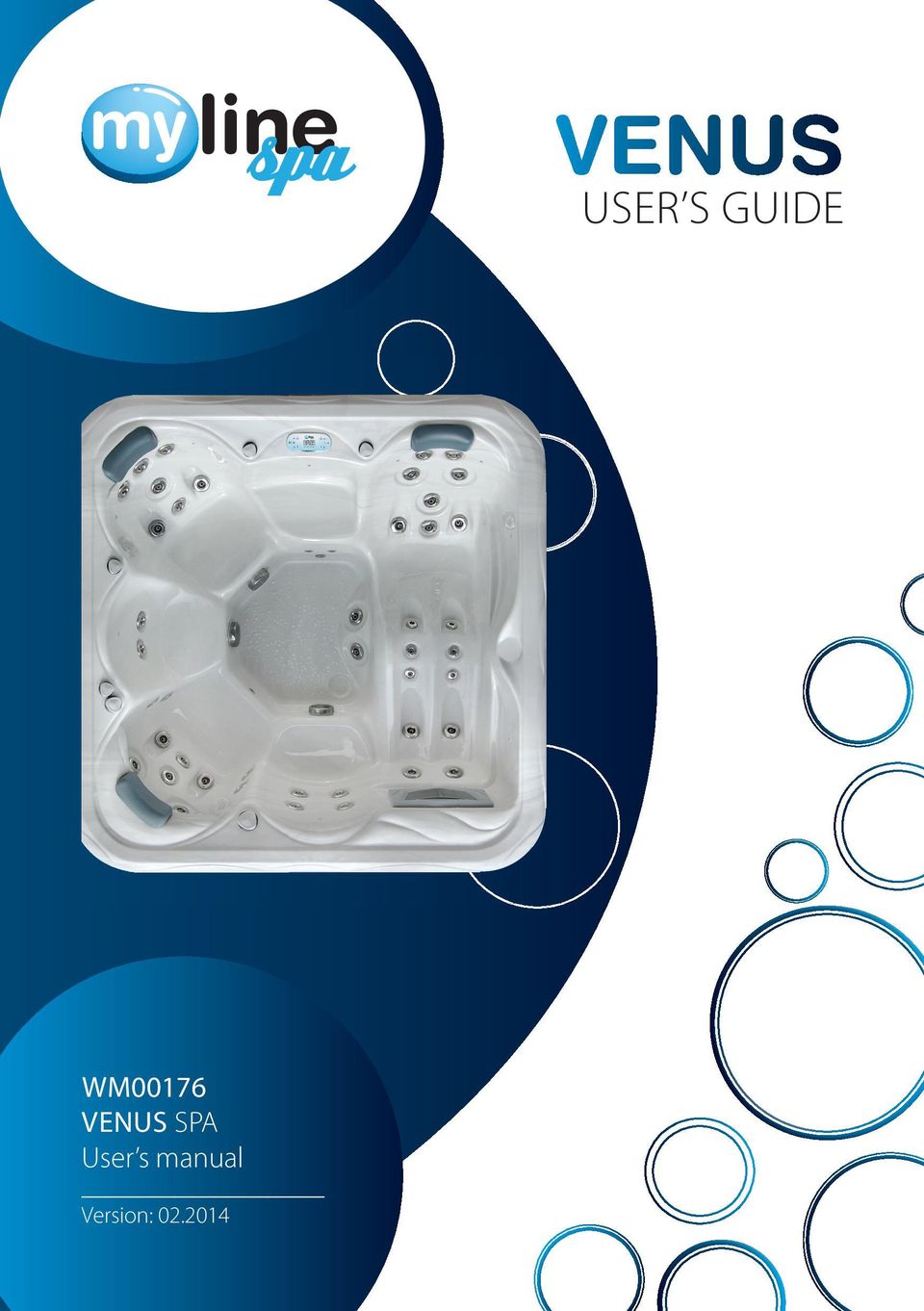
2 Standard Specification: mm Shell material Total number of bathers Lounge beds Seats Water volume Net weight Power requirement Total number of jets 49 Hydro massage pump Diverter 1 Ozonator 1 Filter 2 Chromotherapy lighting Heating unit Air inlet regulator 4 Controller 3/4 Drain 1 Cabinet Spa cover Headrests 3 Thermo cover 1 PU reinforced antimicrobial acrylic (6,3 mm) 6 Prs. 1 Prs. 5 Prs l ~330 kg 1 32 A (230V/50Hz) optimum 1 16 A (230V/50Hz) minimum 1 2 HP 2 speed (230V/50Hz) 1 2 HP (230V/50Hz) 18 1 LED 1 (3kW/230V/50Hz) TP600 Maintenance-free Synthetic Thermal cover with child locks

3 Warranty letter Serial number:... Model:... Date of buying: Distributor Date of buying: Retailer Signature: Signature: (stamp) (stamp) 2014 MyLine Spa Limited Warranty WARRANTY F EXPT Warranty; Limitations of Liability and Damages. Company offers a limited warranty comprised of replacement of faulty parts and offers no reimbursement for labour of repairs outside any abnormal failure rates to be determined by both parties. 5 years on spa shell: WELLIS warrants the structure of the spa shell against defects in workmanship and material for a period of 5 years, subject to the limitations and conditions listed in this Warranty. 3 years on spa shell surface: The acrylic spa shell is warranted against cracking, blistering or delaminating due to defects in materials or workmanship for three years from the original date of delivery.
4 2 years on spa plumbing: Spa fittings and plumbing are warranted against leaks due to defects in materials or workmanship for two years from the original date of delivery. There is no labour coverage on internal jet parts replacement, cleaning or adjusting. 2 years on standard and optional spa equipment Balboa Control Systems, Jet Pump(s), Laing Circulation Pump, Heater, Wi-Fi module, IR receiver: The spa equipment systems are warranted against failure due to defects in materials or workmanship for two years from the date of delivery. Fuses, bulbs, and seals are not covered. 2 years on Pulsar hydrotherapy system: The factory installed Pulsar hydrotherapy systems are warranted against failure due to defects in materials or workmanship for one year from the original date of delivery. 2 years on spa cabinets/skirts: The factory installed spa cabinets/skirts are warranted against failure due to defects in materials or workmanship for one year from the original date of delivery. 2 years on ozone generator: The ozone generator is warranted against failure due to defects in materials or workmanship for one year from the original date of delivery. 2 years on audio system components: The factory installed audio components (i.e. power supply, speakers, wires, etc.) are warranted against failure due to defects in materials or workmanship for one year from the original date of delivery. There is no in-field labour service on these items. 2 years on LED lights: The factory installed LED lights are warranted against failure due to defects in materials or workmanship for one year from the original date of delivery. 2 years on UV-C sanitizer lamp: The factory installed UV-C sanitizer lamps are warranted against failure due to defects in materials or workmanship for one year from the original date of delivery. 2 years on I.S.I.S. water disinfection system: The factory installed I.S.I.S. water disinfection systems are warranted against failure due to defects in materials or workmanship for one year from the original date of delivery. 1 year on blower: The blower is warranted against failure due to defects in materials or workmanship for one year from the original date of delivery. 1 year on thermo cover: The thermo cover is warranted against failure due to defects in materials or workmanship for one year from the original date of delivery. 1 year on WELLIS Spa Umbrella: The factory installed WELLIS Spa Umbrellas are warranted against failure due to defects in materials or workmanship for one year from the original date of delivery. 1 year on LCD TV system: The factory installed LCD TV systems are warranted against failure due to defects in materials or workmanship for one year from the original date of delivery. 90 days on skimmer house: Skimmer houses are subject to water chemistry variation and are warranted for ninety days from the original date of delivery. NO warranty on filters, spa pillows and skimmer house tops.

5 WARRANTY PERFMANCE 1. This warranty does not cover cleaning or adjusting spa or for customer error in following correct procedures. 2. WELLIS Magyarország Kft. reserves the right to substitute a spa or component of equivalent value, either new or factory reconditioned and any such repair or replacement shall assume as its warranty only the remaining portion of the warranty on the original product. 3. WELLIS Magyarország Kft. is not liable for any costs associated with in-ground, in-deck, or in-home installations or removal. Costs associated with installations other than standard residential portable spa use will be the sole responsibility of the spa owner. The spa owner is responsible for any freight and/or delivery and set up charges for a replacement spa. 4. The radio reception is not covered under warranty due to the following: The radio signal reception may be impaired by the positioning of the spa next to or near structures, high power lines, main power lines or metallic towers. The signal reception may be impaired if the spa is located near hills or it is in a valley or simply outside the broadcasting range of the radio stations. The position of the spa and radio may be out of phase with the bandwidth or the radio frequency. External signal reception assistance may be required and is not part of this warranty. 5. WELLIS Magyarország Kft. shall not be liable for any incidental or consequential damages for breach of any expressed or implied warranty, breach of contract, negligence, strict liability, or any other legal theory related to this product. All consequential expenses including loss of use, damages, or contingent liabilities arising out of any alleged deficiencies of the spa are specifically excluded from this warranty. 6. Warranty coverage is only extended to the original buyer. Spas purchased from anyone other than a current WELLIS Spas Authorized Dealer are specifically excluded from any warranty coverage. To obtain warranty service, please notify your WELLIS Spas Authorized Dealer in writing within 14 days of the problem (with problem details, original proof of purchase). 7. The Authorized Dealer will repair or replace any component found defective under the terms of this warranty and permitted by WELLIS Magyarország Kft. Travelling expenses may apply outside of every European cities. 8. If the Authorized Dealer doesn`t supply the customer with proper service, please notify WELLIS Magyarország Kft. by mail within 10 days of the problem. 9. Electrical connection: All electrical connections are required to be done by a qualified electrician solely. The spa has to be connected to separate current circuit equipped with suitable power switch and life safety relay. Omission of these electrical conditions/requirements entails immediate loss of the warranty. 10. Water connection: All water connections are required to be done by a qualified plumber solely. If the spa is placed indoor make allowances for the following special requirements: The water accumulates around the spa so the socket cover has to be in possession of a suitable drainage. This arrangement hinders the water in collecting. 11. WELLIS Magyarország Kft. offers a limited warranty as described in the Warranty Letter. 12. Warranty claim is enforceable with this warrant letter. Irregular establishing of this warrant letter doesn`t affect to the validity of warranty obligation. If customer doesn`t get this warrant letter from the Authorized Dealer, it doesn`t affect to the validity of warranty obligation.
6 SPA WARRANTY COVERAGE WILL BE VOID UNDER THE FOLLOWING CONDITIONS 1. If damages caused by inefficient maintenance of water and/or chemical dosage. Terms of water hardness (limits): between 6-10 German degrees. 2. If the spa surface or equipment has been damaged or discoloured as a result of improper water chemistry maintenance, including sanitizers such as trichlor type chlorine, calcium hypochlorite, sodium hypochlorite, and any other chemicals or a chemical dispenser that may rest on the spa surface. Some household cleaners can damage the spa shell or equipment and will void this warranty completely. Use only products that are recommended for spas. 3. If damage to the spa has resulted from an Act of God, force majeure, moving of the spa, improper installation, unstable power conditions, customer negligence, customer abuse, weather and sunlight damage or damage caused in shipment. 4. If damage to the spa has resulted from operation outside temperature exceed 45 C. 5. If the spa has been subjected to any alterations, after-market product installations, misuses, abuses, or if any repairs are attempted by anyone other than its authorised dealers. 6. If damage to the spa has resulted from improper use of thermo cover. 7. If damage to the spa has resulted from clogged, dirty and/or clogged filter. The spa warranty will be void if the owner does not follow all the instructions in the owner s manual regarding the proper use and care of the spa. Warranty doesn`t apply to filters! 8. If damage to the spa has resulted from improper electrical installation, voltage drop, peak voltage and/or operation is outside the pale of + / - 10% voltage range. Electrical conditions: For electrical installation it is required to build a 30mA circuit breaker (life safety relay), which is just connected to the spa (not allowed to connect any other devices). This 30 ma circuit breaker is not permitted to be installed in the same place as the spa. Required to install IEC, RCCB system in spa`s common surroundings. Length of cable is 3 meters at the place of spa installed. It is obligatory to observe all information, details and requirements which are in the product`s installation diagram regarding electricity demand and drain installation. These information can be found in the user manual, or able to download from www. wellis.eu. If you didn`t get the document from your dealer, please contact support@ wellis.eu. If damage to the spa has resulted from debris in jets (i.e. sand, dirty calcium, leaves etc.). 9. Warranty doesn`t extend to the waste water manifold (drain hose), pillows, filters, bulbs and/or pump sealing. LIMITATIONS The Warranty expressions specified excludes any other implied or oral undertakings. Purchasers also have current rights under statute which will be respected by WELLIS Magyarország Kft. After a period of 12 months, for the purpose of assessing WELLIS Magyarország Kft. liability, all aspects covered by this Warranty will be treated on a pro-rata basis. WELLIS

7 Magyarország Kft. or its agents will not be liable for any incidental or consequential loss or injury. Nor will WELLIS Magyarország Kft. be liable for costs associated with but not limited to building alterations or finishes and under no circumstances will be liable for greater expense than the amount paid for the product. THE SPA OWNER MUST DO EVERYTHING STATED IN THE SPA OWNERS MANUAL AND WARRANTY LETTER TO SAFEGUARD AND MAINTAIN THE SPA! MANUFACTURER OF YOUR SPA: WELLIS Magyarország Kft. Registered:...31/C, Budaörsi út, H-1118 Budapest, Hungary Central premise:...hrsz: 0417, Mánteleki út, H-2371 Dabas, Hungary AUTHIZED DEALER OF YOUR SPA Company in charge of your spa Company name:... Registered:... Central premise:... Place of complaint:... address:... Website:... Phone number:... Fax:... Person in charge of installation:... Date of installation:...

8 Service-work The announcement date of damage: Date of received goods/parts for repair: Date of the return of repaired goods/parts: Date of site service: Improved error: Mode of repair: Failed component: New deadline for the warranty: Astamp The announcement date of damage: Date of received goods/parts for repair: Date of the return of repaired goods/parts: Date of site service: Improved error: Mode of repair: Failed component: New deadline for the warranty: Bstamp The announcement date of damage: Date of received goods/parts for repair: Date of the return of repaired goods/parts: Date of site service: Improved error: Mode of repair: Failed component: New deadline for the warranty: Cstamp The announcement date of damage: Date of received goods/parts for repair: Date of the return of repaired goods/parts: Date of site service: Improved error: Mode of repair: Failed component: New deadline for the warranty: Dstamp

9 SAFETY INSTRUCTIONS ATTENTION: PLEASE READCAREFULLY AND FOLLOW THE INSTRUCTIONS AVOIDING THE RISK of injury of CHILDREN 1. In order to reduce the risk of injury to children, do not allow children to use this spaalone unless they are carefully supervised at all the times. 2. Lower water temperatures arerecommended for young children. Please test the water temperature with yourhands before allowing children to get into the spa, and make sure it iscomfortable for children s usage. 3. Remember that wet surfaces can be slippery, please remind children to be careful when entering or exiting the spa. 4. Don t permit children to climb onto the spa cover. AVOIDING THE RISK of injury of bathers 1. In order to reducing the risk of injury to bathers, do not remove or lose anysuction fittings. Never operate spa if the suction fitting are broken or missing. 2. Remember that wet surfaces can be very slippery. Take care of a danger ofslipping and falling when entering or exiting the spa. 3. For the sake of health, people with infectious diseases should not be allowed touse the spa. 4. Keep any loose articles of clothing or hanging jewelry away from rotating jets orother moving components. 5. The use of drugs, alcohol or medicine before or during spa use may lead to unconsciousness with the possibility of drowning. Persons using medicines shouldconsult a physician before using spa; some medicine may cause a user to becomedrowsy. While other medicine may affect heart beating, blood pressure changing and circulation problem. 6. Pregnant women should consult a doctor before using the spa. AVOIDING TNE RISK OF ELECTROCUTION 1. Test the ground fault circuit interrupters before use. Must always to be connectedto a circuit protected by a ground fault interrupt. 2. Check the power cables cord, a damaged power cord may result in death, or seriouspersonal injury due to electrocution. Do not use the spa with damaged power cable, change that immediately before using and need to disconnect the spa from power supply. 3. Do not permit any electrical appliances, such as a light, telephone, radio, or television within 1,5m of a spa. Keep a safe distance from spa, because this failure may result indeath, or serious injury due to electrocuting if the appliance should fallinto the spa. 4. Install your spa in such a way that drainage is away from the electricalcompartment and from all electrical components. 5. Disconnect the spa from the power supply before servicing the electricalcomponents. NOTICE: Your spa is anequippedwith two/three massage pumps that allow you tooperate eachpart of the jet system separately or all valves simultaneously. Do not connect power to an empty spa. Otherwise the components such ascontroller, heater, circulation pump, and other systems could be damaged.

10 INSTALLATION INSTRUCTIONS SITE PREPARATION 1. INDO/BASEMENT INSTALLATION If you take it place your spa indoors, be aware of some special requirements. Water willaccumulate around the spa, so the flooring materials must provide a good grip whenwet proper drainage is essential to prevent a build-up of water around the spa. When building a new room for the spa it is recommended that a floor drain isinstalled. The humidity will naturally increase with the spa installed water may getinto woodwork and produce rot, mildew or otherproblems. Check for airborne moisture s effects on exposed wood, paper, etc in theroom.to minimize these effects, it is best to provide plenty of ventilation to the spa area. 2. OUTRO AND PATIO INSTALLATION It is important that you have solid foundation to support the new spa when youinstall it.tobe certain your deck or foundation can support your spa. You mustknow the deck maximum load capacity. Consult a qualified building contractor orstructural engineer. To find the weight of your spa, its contents and occupants, please refer to the spa specification chart. This weight per square foot must notexceed the structure s rated capacity: otherwise serious structural damages couldresult,if you install the spa outdoors we recommend a reinforced concrete pad a tleast four inches thick. Don t forget to install some floor drains around your spa sothat it can take the water away during and after the heavy rain. INSTALLATION 1. Please read and study the OWNER S MANUAL carefully. Please finda professional people to install and setup for first time. 2. Remove the package, and take down the new spa on the prepared foundation. 3. Open the control box compartment under the display by loosenthe screw and then open the control box. Prepare the accordingly cooper cable(the length will be enough to connect to the power supply), with electricalplug one side and another side without plug and then take the empty side of cablefrom electrical cable. Lead the cable through the pump compartment to the channelof control box compartment.connect the electrical cable to control box according by electrical drawing in user manual. 4. Your spa has been thoroughly tested duringthe manufacturing process to ensure reliability. So there is a small amount of water even within some grease may have remained in the plumbing after testing, as a result,may have spotted the spa shell or the spa siding prior thedelivery so before filling spa.

11 OPERATING INSTRUCTIONS 1. Close the drain stub and fill the spa with water After closing the drain stub, and fill up the tub with soft water to theindicated line inside of the body. If you see any leak(orflood) anywhere, stop the filling procedure until it will be fixed. 2. Power up your spa First check the main house CIRCUIT INTERRUPTY that controls the electricto the spa are functioning properly. Then connect the spa plug to the power supply. 3. Trail open and test Your controller with a factory s first setup already. push the button of PUMP/JET andair BLOWER to make jets run for some minutes to check the operations of the jetsystem and purge any remaining air from the heating system. once the jet systemfully operational, priming of the spa is complete. Check and make sure the all aircontroller and all jets are open. Possible symptom is an AIR LOCK on the first starting or when fills up with new water. It can cause the jets to appear not work well or at all. It happens when you are filling the spa up fairly rapidly, and air can get trapped in the pipe system that goes to the suction fittings and to the jets. The water level rises up past the openings in the spa, but air becomes locked in the pipes, and then when you start the spa pump, it tries to air bubble(s) still in water, but only air is in the pipes. Sometimes the pump cannot prime itself at that point, so it just runs, but does not pump any water. Solution: 1. Open the door of pump compartment. 2. Loosen the quick disconnectfitting (white rim on the pump) in front of the pump a little. 3. Let some air get in and it will break the air lock that has developed, and then see some water start to come out. 4. Re-tighten the fitting. 5. Turn the pump on again. It will surge for a few seconds and then start to pump properly. If it still does not work, please contact a local spa professional to check it for you.

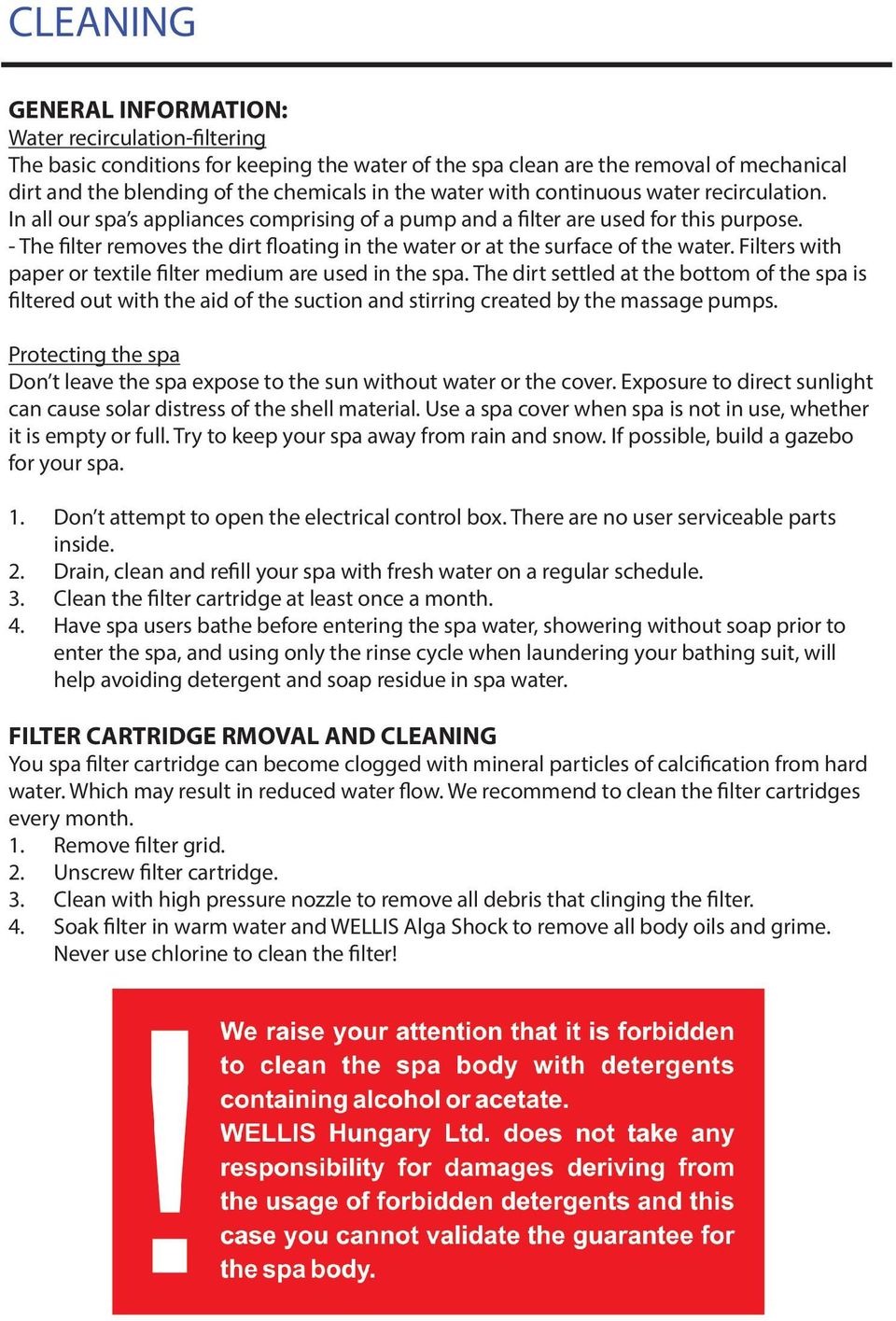
12 CLEANING GENERAL INFMATION: Water recirculation-filtering The basic conditions for keeping the water of the spa clean are the removal of mechanical dirt and the blending of the chemicals in the water with continuous water recirculation. In all our spa s appliances comprising of a pump and a filter are used for this purpose. - The filter removes the dirt floating in the water or at the surface of the water. Filters with paper or textile filter medium are used in the spa. The dirt settled at the bottom of the spa is filtered out with the aid of the suction and stirring created by the massage pumps. Protecting the spa Don t leave the spa expose to the sun without water or the cover. Exposure to direct sunlight can cause solar distress of the shell material. Use a spa cover when spa is not in use, whether it is empty or full. Try to keep your spa away from rain and snow. If possible, build a gazebo for your spa. 1. Don t attempt to open the electrical control box. There are no user serviceable parts inside. 2. Drain, clean and refill your spa with fresh water on a regular schedule. 3. Clean the filter cartridge at least once a month. 4. Have spa users bathe before entering the spa water, showering without soap prior to enter the spa, and using only the rinse cycle when laundering your bathing suit, will help avoiding detergent and soap residue in spa water. FILTER CARTRIDGE RMOVAL AND CLEANING You spa filter cartridge can become clogged with mineral particles of calcification from hard water. Which may result in reduced water flow. We recommend to clean the filter cartridges every month. 1. Remove filter grid. 2. Unscrew filter cartridge. 3. Clean with high pressure nozzle to remove all debris that clinging the filter. 4. Soak filter in warm water and WELLIS Alga Shock to remove all body oils and grime. Never use chlorine to clean the filter!
13 The chemical equilibrium of the water The water of the spa will be clean and clear if its chemical components are in equilibrium. 1. ph-value: The first important indicator is the ph value of the water. ph is measured in a scale between 0-14 where 7 is the neutral value. Below this level the water is acidic, above it is alkaline. The ph value of the human eye is around 7.5, below 7.2 and above 7.8 the water will sting the eyes of the bather. Experiences have shown that most problems are caused by a too high ph value. An improper value reduces the effect of the disinfectant. 2. Water hardness: Water hardness is determined by the quantity of calcium and magnesium salts dissolved in the water. Hard waters contain too much of these dissolved salts and thus, left alone, scale will form. Scales can cause significant damage both to the walls of the spa, to the piping, filter and to the heating and engineering units. In Hungary waters are medium hard. Water hardness cannot be reduced by the addition of chemicals, but the formation of scales can be prevented. 3. Disinfection: Disinfectant is the chemical that eliminates or neutralises the microorganisms (bacteria, algae, fungi, viruses) present in the water. Microorganisms are small, microscopic organisms, which cannot be detected with the naked eye and are continuously getting into the water through rain, wind and the body of the bathers. If they are not eliminated they pass from one person to the other through the water (and may cause sickness, infection). Organic matter turns the water of the spa opaque and cloudy. Most often as we are dealing with warm water spas bromine or active oxygen is used. 4. Frothing: Froth is the smaller-bigger agglomeration of the bubbles and colloid contaminants found on the surface of the water. It is mostly caused by the mixing of the dirt, cosmetics, body care lotions, etc. that soak out of the human skin and the chemicals. It endangers the conservation of the aesthetic appearance and cleanliness of the water. 5. Water analysers: There are several different types of water analysers, which are mostly used to measure chemical and disinfectant effect. Chemical (ph); Disinfectant (Br, O 3 ) Tester types: - Box containing tablets and graduated measuring glass. - Litmus paper indicators in a box. Chemicals should always be loaded into the filter housing. Then proper disinfection of the spa balance, if the chemical levels are not at least 48 hours below the specified value. Even with the most accurate disinfection after 2-3 months, the water quality is no longer maintain and necessary replace the full water quantity. Then proposed a large swimming pool, shock-like disinfection.

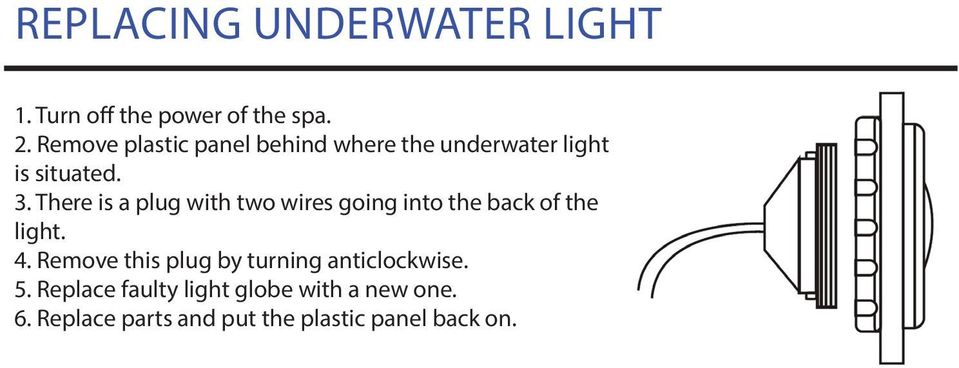
14 Replacing underwater light 1. Turn off the power of the spa. 2. Remove plastic panel behind where the underwater light is situated. 3. There is a plug with two wires going into the back of the light. 4. Remove this plug by turning anticlockwise. 5. Replace faulty light globe with a new one. 6. Replace parts and put the plastic panel back on.
15 TROUBLESHOOTING Problem Probable causes Solutions Cloudy Water Water Odor Chlorine Odor Dirty filters. Improper sanitization. Suspended particles/organic matter. Overused water. Excessive organics in water. Improper sanitization. Low PH level. Chloramines level too high. Low PH level. Clean filters. Shock spa with sanitizer. Add sanitizer. Adjust PH andl or alkalinity to recommended range. Run jet pump(s) and clean filters. Drain and refill the spa. Shock spa with sanitizer. Add sanitizer. Adjust PH or refill the spa. Shock spa with sanitizer.adjust PH to recommended range. Musty Odor Bacteria or algae growth. Shock spa with sanitizer id problem is visible or persistent drain, clean and refill the spa. Organic build-up/ scum ring around spa Algae Growth Eye irritation Skin irritation/rash Stains Scale Build-up of oils and dirt. High PH level. Low sanitizer level. Low PH level. Low sanitizer level. Unsanitary water. Free chlorine level above 5ppm. Total alkalinity andl or PH too low high iron or copper in source water High calcium content in water-total alkalinity and PH level too high. Wipe off scum with clean rag-if severe. Drain the spa. Use a spa surface cleaner to remove the scum, and refill the spa. Shock spa with sanitizer and adjust PH level. Shock spa with sanitizer and maintain sanitizer level. Ajust PH level. Shock spa with sanitizer and maintain sanitizer level. Shock spa with sanitizer and maintain s anitizer level. Allow free chlorine level to drop below 5ppm before spa use. Adjust total alkalinity and/or PH level. Use a metal deposit inhibitor. Adjust total alkalinity and PH level. If scale requires removal, drain the spa, scrub off the scale, refill the spa and balance the water.

16 Problem Probable causes Solutions Entire spa is inoperative. Spa does not heat jets and light operate (Ready, and power indicators are blinking. Jets weak or surging. Light inoperative. Power indicator is blinking. (Entire spa inoperative) Ready indicator blinking. Power failure. GFCI tripped heater high-limit thermostat tripped. Integrated pressure switch open Circulation pump thermal cut-off tripped. Spa water level too low. Filters clogged. Air regulator is closed. Jet closed. Light wiring or assembly is faulty. Heater high-limit thermostat tripped. Temperature sensor problem. Check power source. Reset GFCI, call for service if not reset. Disconnect power for at least thirty second to reset heater high limit. If it will not reset check for clogged filters. If tripping continues, call for service. Check for cartridge filters. Integrated pressure switch will reset when the flow of water through the heater has been retored Call for ervice if the heater trips frequently. Check for cartridge filters or are looks in plumbing Disconnected power to the spa, allow circulation pump to cool Circulation pump thermal cut off will reset when pump has cooled and power is reapplied. Call for service if circulation pump thermal cutoff trips frequently. Add water. Clean filters. Open air regulator. Open the jet. Replace light assembly. Disconnect power for at least thirty seconds to reset heater high limit. If it will not reet. Check for clogged filters if tripping continues, call for service. Disconnect power for at feast thirty second problem if blinking continues, call for service.

17 TP600 Control Panel User Interface and Programming Reference Standard Menus System Model: BP-Series Systems are BP5XX, BP6XX, BP1XXX, BP2XXX. Software Version: 7.0 and later Panel Model: TP600 Series Software Version: 2.3 or later

18 s essed Navigating and held the when entire the menu temperature structure is done is flashing, with 2 or the 3 buttons temperature on the control will continue panel. to change only one Navigating temperature the entire button menu structure is available is done and with Some the 2 panels or limit 3 buttons have of the separate on the Temperature control WARM panel. (Up) and Range COOL(Down) is reached bu d, the progression Navigation will reverse direction. Some panels others have a separate single Temperature WARM (Up) and button. COOL(Down) In the navig bu Navigating the entire menu structure is done with 2 or 3 buttons others Temperature on the have control a single panel. buttons Temperature are indicated button. by a In single the navig butt Some panels have separate Temperature Panels WARM that (Up) buttons have and two COOL(Down) are Temperature indicated buttons, by while buttons a single (Warm butt others have a single Panels use Temperature both that of have them button. two to In Temperature simplify the navigation navigation diagrams buttons and (Warm pro nges Temperature buttons are indicated by a single button icon. use a single both Temperature of them to simplify icon is navigation shown. and pro Panels that have two Temperature buttons (Warm and Cool) can temperature range settings with independent use set both temperatures. of a them The single to LIGHT simplify Temperature Button navigation The is High also and icon programming used Range is shown. to designated where a single Temperature icon is shown. and the Low Range designated in the display by The a LIGHT down The choose LIGHT Button arrow. the Button various is menus also used and to navigate each s is also used to choose the Typical choose various menus use the of various and the navigate Temperature menus each section. and button(s) navigate each allows various reasons, with a common use being a ready to use setting vs. a vacation setting. Typical use Set Typical of the Temperature use of the button(s) while Temperature the allows numbers changing button(s) are the flashing allow the menu structure below. Each range maintains Set Temperature its own Pressing Set Temperature set while the temperature LIGHT numbers while button are flashing the while numbers programmed in the LCD. numbers are flashing by are Pressing the LIGHT button while the numbers are flashing will ge is chosen, the spa will heat to the set temperature enter enter the menus. Pressing associated the menus. the LIGHT with button that while range. the numbers are The menus The can menus enter be exited the can with menus. be certain exited button with presses. certain Simply button waiting presses. for S several several seconds will return the panel operation to normal. The seconds menus will can return be exited the panel with operation certain button to normal. presses. S ween 80 F and 104 F. several seconds will return the panel operation to normal. nus een 50 F and 99 F. Power-up Screens Indicates Flashing or Changing Segment Indicates Flashing Each time the System powers up, a series of numbers is displayed. Indicates or Changing Alternating or Progressive Segment Message - every 1/2 second Power-up After Screens the startup sequence of numbers, the system will enter Priming Mode (See Page 3). Indicates Alternating A temperature or Progressive button, used for Indicates Action Flashing or Changing Segment Message - every 1/2 second Light or dedicated Choose button, depending on control panel con guration Each time the System powers up, a series of numbers is displayed. Indicates Alternating or Progressive Message Power-up Screens A temperature button, used for Action Indicates Flashing or Changing Segment After the startup sequence of numbers, the system will enter Priming Mode (See Page 3). time that keeps the last A change temperature to a menu item. button, used for Action Each time the System powers up, a series of numbers is displayed. Light or dedicated time (depends menu item) that reverts to original setting and Choose button, Indicates depending Alternating on control or Progressive panel Message Light or dedicated Choose button, depend ignores any change to that menu item. After the startup sequence of numbers, the system will enter Priming Mode (See configuration Page 3). A temperature button, used for Action Light or time dedicated that keeps Choose the last button, change depend to a Some panels have separate WARM (Up) and COOL(Down) time that keeps the buttons, last change to a menu item. while time (depends on menu item) that re time that keeps the last change to a While the is time (depends menu item) ignores that any reverts change to to original that menu item. others have a single Temperature button. In the navigation ng, press Light. setting and ignores any change to that diagrams menu time item. (depends on menu item) that re ignores any change to that menu item. Temperature buttons are indicated by a single button icon. Indicates a Menu Item that Depends on a Manufacturer Light Cycle if enabled Con guration and Panels that have two Temperature buttons (Warm and Cool) may or can may not appear. Press a Temp Button repeatedly to change the temperature. use both of While them to Temperature simplify is navigation and programming where ng, press Light. a single Temperature While the Temperature icon is shown. ng, press Light. The LIGHT Button is also used to Light Cycle if enabled choose the various menus and navigate each section. Light Cycle if enabled Pressing and holding a Temp Button will also change the temperature. ay be determined by either range. 6 l information. lash s in the LCD. READY Navigation Navigation menu structure is done with 2 or 3 buttons on the control panel. If Time of Day is not set TIME will appear in this menu. P If Time of Day is not set Indicates Flashing or Changing Segment TIME will ers up, a series of numbers is displayed. in the Main Indicates Menu Alternating or Progressive Message - every 1/2 second lash Press a Temp Button repeatedly to change If appear Time the of temperature. in Day this will menu. not allow setthe display to revert to the Main. of numbers, the system will enter Priming Mode Screen (See TIME Page Most will 3). changes are not saved unless Light A is temperature pressed. button, used for Action appear in this menu. Refer to above. Light or dedicated Choose button, depending on control panel con guration READY READY FLTR1 FLTR1 Pressing and holding a Temp Button will also change the temperature. P 1 2 Typical use of the Temperature button(s) allows changing the Set Temperature while the numbers are flashing in the LCD. Pressing the LIGHT button while the numbers are flashing will enter the menus. The menus can be exited with certain button presses. Simply waiting for several seconds will return the panel operation to normal. P time that keeps the last change to a menu item. time (depends on menu item) that reverts to original setting and ignores any change to that menu item. While the Temperature is ng, press Light. in the will allow the display to revert to the. Most changes are Several not saved Seconds unless Light in the Light Cycle Main if Menu enabled is pressed. will allow the display Refer to revert above. to the. Most changes are not saved unless Light is pressed. Refer to above. Indicates a Menu Item that Depends on a Manufacturer Con guration and may or may not appear.

19 Fill it up! Preparation and Filling Fill the spa to its correct operating level. Be sure to open all valves and jets in the plumbing system before filling to allow as much air as possible to escape from the plumbing and the control system during the filling process. After turning the power on at the main power panel, the top-side panel display will go through specific sequences. These sequences are normal and display a variety of information regarding the configuration of the hot tub control. Priming Mode M019* This mode will last for 4-5 minutes or you can manually exit the priming mode after the pump(s) have primed. Regardless of whether the priming mode ends automatically or you manually exit the priming mode, the system will automatically return to normal heating and filtering at the end of the priming mode. During the priming mode, the heater is disabled to allow the priming process to be completed without the possibility of energizing the heater under low-flow or no-flow conditions. Nothing comes on automatically, but the pump(s) can be energized by pushing the Jet buttons. If the spa has a Circ Pump, it can be activated by pressing the Light button during Priming Mode. Priming the Pumps As soon as the above display appears on the panel, push the Jet button once to start Pump 1 in low-speed and then again to switch to high-speed. Also, push the Pump 2 or Aux button, if you have a 2nd pump, to turn it on. The pumps will now be running in high-speed to facilitate priming. If the pumps have not primed after 2 minutes, and water is not flowing from the jets in the spa, do not allow the pumps to continue to run. Turn o he pumps and repeat the process. Note: Turning the power o nd back on again will initiate a new pump priming session. Sometimes momentarily turning the pump o nd on will help it to prime. Do not do this more than 5 times. If the pump(s) will not prime, shut o he power to the spa and call for service. Important: A pump should not be allowed to run without priming for more than 2 minutes. Under NO circumstances should a pump be allowed to run without priming beyond the end of the 4-5 minute priming mode. Doing so may cause damage to the pump and cause the system to energize the heater and go into an overheat condition. Exiting Priming Mode You can manually exit Priming Mode by pressing a Temp button (Up or Down). Note that if you do not manually exit the priming mode as described above, the priming mode will be automatically terminated after 4-5 minutes. Be sure that the pump(s) have been primed by this time. Once the system has exited Priming Mode, the top-side panel will momentarily display the set temperature but the display will not show the temperature yet, as shown below. This is because the system requires approximately 1 minute of water or READY RANGE READY RANGE flowing through the heater to determine the water temperature and display it. *M019 is a Message Code. See General Messages Pages.
20 Spa Behavior Pumps Press the Jets 1 button once to turn pump 1 on or off, and to shift between low- and high-speeds if equipped. If left running, the pump will turn off after a time-out period. The pump 1 low-speed will time out after 30 minutes. The high-speed will time out after 15 minutes. On non-circ systems, the low-speed of pump 1 runs when the blower or any other pump is on. If the spa is in Ready Mode (See page 6), Pump 1 low may also activate for at least 1 minute every 30 minutes to detect the spa temperature (polling) and then to heat to the set temperature if needed. When the low-speed turns on automatically, it cannot be deactivated from the panel, however the high speed may be started. Circulation Pump Modes If the system is equipped with a circ pump, it will be configured to work in one of three different ways: 1, The circ pump operates continuously (24 hours) with the exception of turning off for 30 minutes at a time when the water temperature reaches 3 F (1.5 C) above the set temperature (most likely to happen in very hot climates). 2, The circ pump stays on continuously, regardless of water temperature. 3, A programmable circ pump will come on when the system is checking temperature (polling), during filter cycles, during freeze conditions, or when another pump is on. The specific Circulation Mode that is used has been determined by the Manufacturer and cannot be changed in the field. Filtration and Ozone On non-circ systems, Pump 1 low and the ozone generator will run during filtration. On circ systems, the ozone will run with the circ pump. The system is factory-programmed with one filter cycle that will run in the evening (assuming the time-of-day is properly set) when energy rates are often lower. The filter time and duration are programmable. (See page 10) A second filter cycle can be enabled as needed. At the start of each filter cycle, the blower (if there is one) or Pump 2 (if there is one) will run briefly to purge its plumbing to maintain good water quality. Freeze Protection If the temperature sensors within the heater detect a low enough temperature, then the pump(s) and the blower automatically activate to provide freeze protection. The pump(s) and blower will run either continuously or periodically depending on conditions. In colder climates, an optional additional freeze sensor may be added to protect against freeze conditions that may not be sensed by the standard sensors. Auxiliary freeze sensor protection acts similarly except with the temperature thresholds determined by the switch. See your dealer for details. Clean-up Cycle (optional) When a pump or blower is turned on by a button press, a clean-up cycle begins 30 minutes after the pump or blower is turned off or times out. The pump and the ozone generator will run for 30 minutes or more, depending on the system. On some systems, you can change this setting. (See the Preferences section on page 12)

21 to change the LCD in one stops direction flashing, the (e.g. spa UP). will After heat allowing to the new the set display temperature to stop when flashing, required. pressing e the temperature If the panel has to a flash single and temperature the next button, press will pressing change the the button temperature will cause the in the temperature opposite to again will cause the temperature to change in one direction (e.g. UP). After allowing the display the Temperature Button and will cause Temp the temperature Rangeto flash and the next press will change the direction (e.g. DOWN). Adjusting the Set Temperature When using a panel with Up and Down buttons (Temperature buttons), pressing Up or Down will cause the temperature to Press-and-Hold d and held flash. Pressing when a the temperature temperature button again will is flashing, adjust the set the temperature temperature in the direction will indicated continue the button. to change When the LCD stops flashing, the spa will heat to the new set temperature when required. ly one temperature button is available and the limit of the Temperature Range is reached If If a the Temperature panel has a single button temperature is pressed button, pressing and the held button when will cause the the temperature to flash. is flashing, Pressing the the button temperature e progression again will cause the temperature to change in one direction (e.g. UP). After allowing the display to stop flashing, pressing until the Temperature the button will reverse Button is released. direction. will cause the If temperature only one to flash temperature and the next press button will change is available the temperature and in the the limit opposite of the Tem when direction the (e.g. button DOWN). is being held, the progression will reverse direction. es Press-and-Hold Dual Temperature Ranges If a Temperature button is pressed and held when the temperature is flashing, the temperature will continue to change perature until range the button settings is released. If with only one independent temperature button set is available temperatures. and the limit of The the Temperature High Range is reached designated in the Low This when Range system the button designated incorporates is being held, the in two progression the temperature display will reverse by direction. a range down settings arrow. with independent set temperatures. T the display by an up arrow, and the Low Range designated in the display by a down arrow. ious reasons, Dual Temperature with a common Rangesuse being a ready to use setting vs. a vacation setting. menu These structure ranges can be used for various reasons, with a common use being a ready to use settin This system incorporates below. two Each temperature range range maintains settings with its independent own set set temperatures. The High as Range programmed designated in by The the display Ranges by an are up chosen arrow, and using the Low the Range menu designated structure in the display below. by a down Each arrow. range maintains its own set temp is chosen, the spa will heat to the set temperature associated with that range. the user. This way, when a range is chosen, the spa will heat to the set temperature associated w These ranges can be used for various reasons, with a common use being a ready to use setting vs. a vacation setting. The Ranges are chosen using the menu structure below. Each range maintains its own set temperature as programmed by the user. This way, when a range is chosen, the spa will heat to the set temperature associated with that range. For example: n 80 F High and For example: Range 104 F. might be set between 80 F and 104 F. High Range might be set between 80 F and 104 F. n 50 F Low and Range 99 F. Low Range might might be set be between set between 50 F and 99 F. 50 F and 99 F. be determined More specific by Temp Temp Ranges Ranges may be determined may be bydetermined by the Manufacturer. the Freeze Protection is active in either range. er range. Freeze See Ready Protection and Rest on Page is active 6 in either range. for additional heating control information. See Ready and Rest on Page 6 Set Temp will Show & Flash Press a Temp Button repeatedly to change the temperature. for additional heating control information. ormation. Set Temp will Show & Flash Press a Temp Button repeatedly to change the temperature. While Pressing and ress a Temp Button repeatedly to temperature change the temperature. change the temperature. holding a Temp Button will also is flashing... High-Range vs. Low-Range Temp Choice Toggle the Range arrows in the LCD. While Pressing and holding a Temp Button will also change the temperature. temperature ressing and holding a Temp Button will is also flashing... change the temperature. High-Range vs. Low-Range Temp Choice Indicates Flashing or Changing Segment Indicates Flashing or Cha Indicates Flashing or Changing Segment Indicates Alternating Indicates or Alternating Progressive or Progressive Message - every 1/2 second 1/2 Indicates second Alternating or P A temperature button, used for Action A temperature button, A temperature button, us Light or dedicated used for Choose Action button, depending on control panel configuration Light or dedicated Choose button, depending on control Light panel or dedicated Choo time that keeps the last change to a menu item. configuration configuration time (depends on menu item) that reverts to original setting and ignores any to that menu item. time that keeps t time that keeps the last change to a menu item. time (depends on time (depends on menu item) that reverts to original setting and ignores any c setting and ignores any change to that menu item. Set Temp Toggle will Show the & Flash Range Press arrows a Temp Button in the repeatedly LCD. to change the temperature. LCD. Pressing and holding a Temp Button will also change the temperature. iting *** veral Seconds verts to Original Setting Set Temp will Show & Flash Press a Temp Button repeatedly to change the temperature. FLTR1 FLTR1 FLTR1 ress a Temp Button repeatedly to change the temperature. FLTR1 FLTR1 ressing and holding a Temp Button will also change the temperature. FLTR1 FLTR1 FLTR1 Pressing and holding a Temp Button will also change the temperature.
22 -Hold Mode Ready and Rest In order for the spa to heat, a pump needs to circulate water through the heater. The pump that performs th ure button known is as pressed Mode the heater and pump. held when the temperature is flashing, the temperature will continue to change on is released. If only one temperature Ready and button is Rest available and the limit of the Temperature Range is reache The heater pump can be either a 2-Speed Pump 1 or a circulation pump. ton is being held, the progression will reverse direction. In order for the spa to heat, a pump needs to circulate water through the heater. The pump that performs this function is If the heater known pump as the heater is a 2-Speed pump. Pump 1, READY Mode will circulate water every 1/2 hour, using Pump 1 Low maintain a constant water temperature, heat as needed, and refresh the temperature display. This is known a perature Ranges The heater pump can be either a 2-Speed Pump 1 or a circulation pump. REST Mode If the will heater only pump allow is a 2-Speed heating Pump during 1, READY programmed Mode will circulate filter water cycles. every Since 1/2 hour, polling using Pump does 1 Low, not in occur, order to the tempe may not maintain show a constant current water temperature, until heat as the needed, heater and pump refresh the has temperature been running display. for This a is minute known as or polling. corporates two temperature range settings with independent set temperatures. The High Range two. designat an up arrow, and the Low Range designated in the display by a down arrow. REST Mode will only allow heating during programmed filter cycles. Since polling does not occur, the temperature display Circulation may not show (See a current Page temperature 4, under until Pumps, the heater for other pump has circulation been running modes) for a minute or two. If the spa Mode Circulation is configured Mode (See Ready for Page 24HR 4, under circulation, Pumps, and for Rest other heater circulation pump modes) generally runs continuously. Since the heater p running, If the spa is configured will maintain for 24HR set circulation, temperature the heater and pump heat generally as needed runs continuously. Ready Since Mode, the without heater pump polling. is always In running, order for the the spa spa will to maintain heat, a pump set temperature needs to circulate and heat water as needed through in the Ready heater. Mode, The without pump that polling. performs this function is In Rest Mode, known as the spa heater will pump. only heat to set temperature during programmed filter times, even though the wa In Rest Mode, the spa will only heat to set temperature during programmed filter times, even though the water is being filtered constantly The filtered heater constantly pump when can when be in in either Circulation a 2-Speed Mode. Mode. Pump 1 or a circulation pump. can be used for various reasons, with a common use being a ready to use setting vs. a vacation setting. re chosen using the menu structure below. Each range maintains its own set temperature as programmed b way, when a range is chosen, the spa will heat to the set temperature associated with that range. If the heater pump is a 2-Speed Pump 1, READY Mode will circulate water every 1/2 hour, using Pump 1 Low, in order to ight be set maintain between a constant 80 F and water 104 F. temperature, heat as needed, and refresh the temperature display. This is known as polling. REST Mode will only allow heating during programmed filter cycles. Since polling does not occur, the temperature display ight be set Main between Screen 50 F and 99 F. Indicates or Changing Segment may not show a current temperature until While the the Temperature heater is pump has been running Indicates for Indicates a minute Flashing Alternating or or two. Changing Segment Progressive Message - every 1/2 second still flashing, press Light Indicates repeatedly until MODE A temperature Alternating button, used or Indicates Progressive Flashing for Action Message or Changing - every 1/2 Segment second Temp Ranges Circulation may be Mode determined (See Page 4, under by Pumps, While the for Temperature other circulation is modes) Light or dedicated Choose Indicates button, depending Alternating on control or Progressive panel configuration Message - e still flashing, press Light A temperature button, used for Action urer. If the spa is configured for 24HR circulation, repeatedly the until Main heater Screen MODEpump generally runs continuously. time that keeps the A last temperature change to a menu button, item. used for Action Light or dedicated Since Choose the button, heater depending pump is on always control panel time (depends on menu item) that reverts to original setting and running, the spa will maintain set temperature and heat as needed in Ready Mode, configuration without polling. Light or dedicated Choose button, depending ignores any change to that menu item. tion is active in either range. In Rest Mode, the spa will only heat to set temperature Main during Screen programmed filter times, that even keeps though the last the time change water that to keeps a is menu being the last item. change to a men s To to Set filtered constantly when in Circulation Mode. Original Setting time (depends on menu time item) (depends that reverts on menu to original item) that rever d Rest on Page 6 setting and ignores any ignores change any to that change menu to that item. menu item. To next item Toggle between READY and REST l heating control Main information. Menu Pressing Light when the display is toggled will go to. If not toggled READY Mode will allow the spa Several to Poll and Seconds determine a need for heat. The panel will maintain a current temperature display. Set Temp will Show & FlashMain Press Screena Temp Button repeatedly to change the temperature. REST Mode will not Poll and will only heat during filter cycles. The panel will not display a current temperature all times. Indicates Flashing or Changing Segment Toggle between READY and RESTWhile the Temperature is Indicates Alternating or Progressive Message - every 1/2 second Pressing Light when the display is still toggled flashing, will press go Light to. repeatedly until MODE A temperature button, used for Action If not toggled 1 Hour Light or dedicated Choose button, depending on control panel configuration READY Mode will allow the spa to Poll and determine a need for heat. The panel will maintain a current temperature display. time that keeps the last change to a menu item. The will display RUN PUMP F TEMP if the filtration pump has not run for over 1 hour. While Pressing and holding REST The Mode a Temp Main will Screen not Button will Poll display and will normally will also only change during heat Filter during the temperature. Cycles or filter when cycles. the spa is The in use. panel will not display a current time temperature (depends on menu at all item) times. that reverts to original setting and temperature ignores any change to that menu item. is flashing... If the filtration pump has been off for an hour or more, when any function button, EXCEPT Light, is pressed on the panel, the pump used in conjuncton with the heater will run so that temperature can be sensed and displayed. hoice 1 Hour Toggle between READY and REST Pressing Light when the display is toggled will go to. Toggle the Range arrows in the LCD. READY The Main Mode Screen will allow will the spa display to Poll RUN and determine PUMP F a need TEMP for heat. if The the panel filtration will maintain pump a current has not temperature run for over display. 1 hour. n Menu READY REST READY REST RESTRANGE FLTR1 RESTRANGE FLTR1 If not toggled Ready-in-Rest Mode RESTRANGE FLTR1 RESTRANGE RESTRANGE RESTRANGE RESTRANGE RESTRANGE The will display normally during Filter Cycles or when the spa is in use. REST Mode will not Poll and will only heat during filter cycles. The panel will not display a current temperature at all times. READY/REST appears in the display if the spa is in Rest Mode and Jet 1 is pressed. It is assumed that the spa is being used and will If the filtration pump has been off for an hour or more, when any function button, EXCEPT Light, is pressed on the panel, heat to set temperature. While Pump 1 High can be turned on and off, Pump 1 Low will run until set temperature the pump used in conjuncton with the heater will run so that temperature can be sensed and displayed. is reached, Several or 1 Seconds hour 1 Hour has passed. After 1 hour, the System will revert to Rest Mode. This mode can also be reset by entering the Mode Menu and changing the Mode. The will display normally during Filter Cycles or when the spa is in use. If the filtration pump has been off for an hour or more, when any function button, EXCEPT Light, is pressed on the panel, Set the pump used in conjuncton with heater will run so that temperature can be sensed and displayed. Ready-in-Rest Temp will Show & Flash Press a Temp Mode Button repeatedly change the temperature. RESTRANGE J READY/REST appears in the display if the spa is in Rest Mode and Jet 1 is pressed. It is assumed that the spa i and will Ready-in-Rest heat to set temperature. Mode While Pump 1 High Several can Seconds be turned on and off, Pump 1 Low will run until set is reached, READY/REST or 1 Pressing hour appears and has holding passed. the a Temp display Button After if will the also 1 spa hour, change is in the Rest temperature. Mode System and Jet will 1 is revert pressed. to It Rest is assumed Mode. that This the spa mode is being can used also be res the Mode and Menu will heat and to set changing temperature. the While Mode. Pump 1 High can be turned on and off, Pump 1 Low will run until set temperature READY REST RESTRANGE FLTR1 READY/ RESTRANGE RESTRANGE FLTR1 RESTRANGE FLTR1 RESTRANGE RESTRANGE RESTRANGE RESTRANGE RESTRANGE RESTRANGE RESTRANGE RESTRANGE RESTRANGE RESTRANGE The will display RUN PUMP F TEMP if the filtration pump has not run for over 1 hour. FLTR1 FLTR1 FLTR1 is reached, or 1 hour has passed. After 1 hour, the System will revert to Rest Mode. This mode can also be reset by entering the Mode Menu and changing the Mode. RESTRANGE RESTRANGE J J READY/ RESTRANGE READY/ RESTRANGE
23 rature Ranges Show Be sure and to set Set the Time-of-Day rporates two temperature range settings with independent set temperatures. The High Range designated up arrow, and the Low Range designated in the display by a down arrow. Show and Set Time-of-Day n be used for various Setting the reasons, time-of-day with can a common be important use being for determining a ready filtration to use setting times and vs. other a vacation background setting. features hosen Be using sure the When Be to menu sure set in the to structure TIME set the Time-of-Day menu, below. TIME Each will range flash maintains on the display its own if no time-of-day set temperature is set in as the programmed memory. by y, when a range Setting the 24-hour is chosen, Setting time-of-day the time-of-day can display the spa be can important can will be heat set be for under to the determining the set PREF temperature filtration filtration menu. associated with that range. times times and other and background other background features. features. Show and Set Time-of-Day When in the When TIME in the menu, TIME menu, TIME TIME will will flash on the display if no if time-of-day no time-of-day is set in is the set memory. in the memory. Indicates Flashing or Changing Segment ht be 24-hour time display can be set under the PREF menu. 24-hour set between time Be sure display 80 F to set can and the be 104 F. Indicates Alternating or Progressive Messa set Time-of-Day under the PREF menu. A temperature button, used for Action While the Temperature is Indicates Flashing or Changing Segment t be set between Main 50 F Screen and 99 F. still flashing, press Light Light or dedicated Choose button, depen Setting the time-of-day can be important for determining repeatedly until filtration TIME times Indicates and other Flashing background Indicates Alternating or Changing features. or Progressive Segment Message - every 1/2 second Indicates Flashing or Changing Segment Indicates A Alternating temperature button, Progressive used for Action Message time - every that keeps 1/2 second the last change to While the Temperature is mp Ranges may When be in the determined TIME menu, by TIME will flash on the display if no time-of-day is set the memory. Indicates Alternating or Progressive Message - every 1/2 seco still flashing, press Light Light or dedicated Choose button, depending on control panel configuration Be sure to set the Time-of-Day time (depends menu item) that repeatedly until TIME A temperature button, A temperature used for Action button, used for Action While appears in Temperature the LCD. is time that keeps the last change to a menu item. r. 24-hour time display can be set under the PREF menu. ignores any change to that menu item. still flashing, press Light Light or dedicated Choose Light or dedicated button, depending Choose button, control depending panel on control p Setting the time-of-day can be important for determining filtration times and time (depends on menu item) that reverts to original setting and repeatedly until TIME other background features. configuration ignores any change to that menu item. Indicates Flashing Changing time that Segment n is active in keeps the last change to a menu item. When either in Main the Screen range. TIME menu, TIME will flash on the display if no time-of-day is set time Indicates in that the Alternating keeps memory. the or Progressive last change Message to - a every menu 1/2 second item. time (depends on menu item) that reverts to original A temperature button, used for Action ignores any change to that menu item. est on Page 24-hour 6 time display can be set under While the the PREF Temperature menu. is time (depends on menu item) that reverts to original still flashing, press Light Light dedicated Choose button, depending on control panel configuration setting and ignores any change to that menu item. repeatedly until TIME To next Main item Menu time that keeps the last ating control information. Main change Screento a menu item. Indicates Flashing or Changing Segment time (depends on menu item) that reverts to original setting and Indicates Alternating or Progressive Message - every 1/2 second ignores any change to that menu item. Set Temp will Show & Flash Press a Temp Button repeatedly to change the temperature. A temperature button, used for Action While the Temperature is still flashing, press Light Light or dedicated Choose button, depending on control panel configuration repeatedly until TIME time that keeps the last change to a menu s item. to Original Setting time (depends on menu item) that reverts to original setting and If Time of Day is not actually programmed due to a power ignores cycle, any change to that menu Main item. Screen Several TIME Seconds will appear in the If menu Time instead of Day of just is not TIME. actually programmed due to a power cycle, TIME will appear in the menu instead of just TIME. While Pressing and holding a Temp Button will also change the temperature. temperature is flashing... Note: e If Time of Day is not actually programmed due to a To power Set cycle, If Time of TIME Day is will not appear actually programmed in the menu due instead to a power of just cycle, TIME. If Note: power is interrupted to the system, Time-of-Day is not TIME will stored. appear in the The menu system instead of just will TIME. still operate and all other user settings Toggle the Range arrows in the LCD. will be stored. If filter cycles are required to run at a particular time of day, resetting the Several clock Seconds will return the filter times to If the power actual is programmed interrupted periods. to the system, Time-of-Day is not stored. The system will still operate and all other P P P P P P P P P P Note: Note: When will the be system stored. starts If filter up, it cycles defaults are to 12:00 required If Time Noon, to of so run Day is another at actually a way particular programmed due to a power to get filter time cycle, times of back day, to resetting normal is to the start clock up the will return t TIME will appear in the menu instead of just TIME. spa to at the noon actual on any programmed given day. TIME periods. will still flash in the TIME Menu until the time is actually set, but since the spa If power Several is Seconds interrupted to the system, Time-of-Day is not stored. The system will still operate and all other user settings If power is started interrupted s at noon, Original the to Setting filter the cycles system, will Time-of-Day run as programmed. is not stored. The system will still operate and all other user settin u will When be stored. the system If filter cycles starts are up, required it defaults to run at to a particular 12:00 Noon, time of so day, another resetting way the clock to get will filter return times the filter back times to normal is will be stored. Note: spa the actual at If filter noon programmed cycles on any are given periods. required day. to run TIME at a will particular still flash time in the of day, TIME resetting Menu until the the clock time will is return actually the set, filter but tim s to the actual When programmed the system starts periods. up, it defaults to 12:00 Noon, so another way to get filter times back to normal is to start up the Set Temp will Show & Flash If started power Press is a interrupted Temp at noon, Button repeatedly the to the filter system, to change cycles the Time-of-Day temperature. will run is as not programmed. stored. The Main system Screen will still operate and all other user settings spa at noon on any given day. TIME will still flash in the TIME Menu until the time is actually set, but since the spa When the will Flip system be stored. (Invert starts If filter up, cycles it defaults are required Display) to 12:00 to run Noon, at a particular so another time of way day, resetting to get filter the clock times will return back to the normal filter times is to start up to started the actual at noon, programmed the filter cycles periods. will run as programmed. spa at noon on any given day. TIME will still flash in the TIME Menu until the time is actually set, but since the sp started at When noon, the the system filter starts cycles up, it will defaults run to as 12:00 programmed. Noon, so another way to get filter times back to normal is to start up the spa at noon on any given day. TIME will still flash in the TIME Menu until the time is actually set, but since the spa Pressing and holding a Temp Button will also change the temperature. started at noon, the filter cycles will run as programmed. While the Temperature still flashing, press Light Flip Flip (Invert (Invert Display) Display) repeatedly until FLIP Flip (Invert or Flip (Invert Display) While the Temperature is still flashing, press Light While the Temperature is repeatedly until FLIPstill flashing, press Light Toggle the inversion of the segmented appears characters in the LCD. repeatedly until FLIP Pressing Light when the display is toggled will go to. Main Main Menu Screen If not toggled Note: Note: Show and Set Time-of-Day Show and Set Time-of-Day P P P P P Some panels may have Toggle the a dedicated inversion of the segmented FLIP characters button, Pressing Light when the display is toggled will go to. which Main allows Menu the user to flip the display or with a single button-press. If not toggled Toggle the inversion of the segmented characters Pressing Light orwhen the display is toggled will go to. Note: If not toggled Toggle the inversion of the segmented characters Pressing Light when the display is toggled will go to. Some If panels not toggled may have a dedicated FLIP button, Toggle the inversion of segmented characters To next which item Note: in allows Pressing the user Light to when flip the the display display is toggled with will go a to single. button-press. Note: If not toggled FLTR1 FLTR1 FLTR1 or While the Temperature is While still flashing, the Temperature press Light is Several still repeatedly Seconds flashing, until press FLIP orlight repeatedly appears in until the LCD. FLIP appears in the Several LCD. Seconds Some panels may have a dedicated FLIP button, which allows the user to flip the display with a single button-press. P P P P P P P P P P P P P Some panels may have a dedicated FLIP button, Some panels may have a dedicated FLIP button, which which allows allows the user the to user flip the to display flip the with display a single with button-press. a single button-press. P READY RANGE FLTR
24 The control can be restricted to prevent unwanted use or temperature adjustments. erature Restricting Locking Ranges the panel prevents Operation the controller from being used, but all automatic functions are still active. orporates Restricting two Locking temperature the Temperature range Operation settings allows Jets with and independent other features set to temperatures. be used, but the The Set High Temperature Range designated and other n up arrow, cannot and be the adjusted. Low Range designated in the display by a down arrow. n be used for various reasons, with a common use being a ready to use setting vs. a vacation setting. chosen using the menu structure below. Each range maintains its own set temperature as programmed by ay, when a range is chosen, the spa will heat to the set temperature associated with that range. The control can be restricted to prevent unwanted use or temperature adjustments. The control can be restricted to prevent unwanted use or temperature adjustments. Locking Temperature Locking the panel the panel prevents Lock prevents the allows the controller access controller from from to a reduced being being used, used, selection but all but automatic all automatic of menu items. functions are functions still active. are still active. These include Set Temperature, FLIP, LOCK, UTIL, INFO and FALT LOG. Locking Locking the Temperature the allows Jets and other other features features to be used, to be but used, the Set but Temperature the Set Temperature and other programmed and other settings programmed cannot cannot Restricting be adjusted. be Operation Temperature Lock allows reduced selection While of the menu Temperature items. is Indicates Flashing or Changing Segme Temperature Lock allows access to a reduced selection still flashing, of press menu Light items. These include Set Temperature, FLIP, LOCK, UTIL, INFO and FALT LOG. Indicates Alternating or Progressive M control can be restricted to prevent unwanted use repeatedly or temperature until LOCK adjustments. These include Main Set Screen Temperature, FLIP, LOCK, UTIL, appears INFO in the and LCD. FALT LOG. A temperature button, used for Action Locking the panel prevents the controller from being used, but all automatic functions are still active. Light or dedicated Choose button, d While the Temperature is Indicates Flashing or Changing Segment Locking the Temperature allows still flashing, press Light Locks Temp. Jets and and Settings. other features Locks all function to be used, buttons. but the Set Temperature Indicates Alternating or and Progressive other Message programmed - every 1/2 second repeatedly until LOCK time settings that keeps the last chang While the Temperature is A temperature button, Indicates used for Action Flashing or Changing Segment cannot be adjusted. Indicates Flashing or Changing Segment still flashing, press Light Light or dedicated Choose Indicates button, Alternating depending or on Progressive time control panel configuration Message (depends - every on menu 1/2 secon item) Restricting Operation repeatedly until LOCK Indicates Alternating or Progressive Message ignores any - every change 1/2 to second that menu item Temperature Lock allows Locks Temp. access and Settings. to a Locks reduced appears all function in buttons. selection the LCD. of menu items. time that keeps A temperature the last change button, to a menu used item. for Action A temperature button, used for Action These include Set Temperature, FLIP, LOCK, UTIL, INFO and FALT LOG. time (depends Light on menu or dedicated item) that reverts Choose to original button, setting depending and on control pan Light ignores or any dedicated change to that Choose menu item. button, depending on control panel The control can Locks be restricted Temp. and Settings. to prevent Locks unwanted all function buttons. use or temperature adjustments. configuration time that keeps the last change to a menu item. Locking the panel prevents the controller While the from Temperature time (depends on menu item) that reverts to original se Several being is Seconds used, but all automatic functions Indicates time Flashing that or Changing keeps the Segment last change to a menu item. are still active. Mai still flashing, press Light Indicates Alternating ignores Progressive any change Message to - every that 1/2 menu second item. repeatedly until LOCK time (depends on menu Locking the Temperature allows Jets and item) that reverts to original appears other in LCD. features to be used, but the Set Temperature A temperature button, and used for other Action programmed settings setting and ignores any change to that menu item. Light or dedicated Choose button, depending on control panel configuration cannot be adjusted. ht be set between 80 F and 104 F. ht be set between 50 F and 99 F. emp Ranges may be determined by er. on is active in either range. Rest on Page 6 eating control information. Locks Temp. and Settings. Locks all function buttons. time that keeps the last change to a menu item. To Temperature next item in Lock allows access to a reduced selection of menu items. time Several (depends Seconds menu item) that reverts to original setting Several Panel Locked Main and Seconds Panel Locked Screen Set Temp will Show & Flash Press a Button repeatedly to change the temperature. ignores any s change to to Original that menu Setting item. These include Set Temperature, FLIP, LOCK, UTIL, Main INFO Screen and FALT LOG. Any Button Any Press Button Several Press Seconds While the Temperature is Several Indicates Flashing or Changing Segment still flashing, press Light Seconds LOCK will remain on the display Indicates Alternating or Progressive Several Message Seconds - every 1/2 second Panel Locked repeatedly until LOCK for 3 seconds and then revert to the normal display. Temperature Locked A temperature button, used for Action LOCK will remain on the display While Pressing and holding a Temp Button will also change the temperature. Light or dedicated Choose button, depending on control panel configuration Any for 3 seconds and then revert to the normal display. temperature Temperature Button Locked Locks Temp. and Settings. Locks all function buttons. time Several that keeps Seconds the last change to a menu item. is flashing... Panel Locked Main Press Screen Several Several Seconds Seconds time (depends on menu item) that reverts to original setting and Any ignores any change to that menu item. ice Button LOCK will remain on the display Press When the Temperature is locked, the Several panel will display the Set Temperature Several for 3 seconds and then revert to the normal display. Temperature Locked by pressing a Temperature Button, Seconds as ususal. Seconds Toggle the Range arrows in the LCD. LOCK will appear if Main an attempt Screen to reset the temperature is made with a subsequent LOCK button will press. remain on the display Adjustable settings in the menus are also locked. for 3 seconds Main and Screen then revert to the normal display. Temperature Locked Other function buttons will operate normally. When the Temperature is locked, the panel will Main display Screen the Set Temperature by pressing a Temperature Button, as ususal. Several LOCK will appear if an attempt to Seconds Several reset the temperature is made with a subsequent button press. Seconds Panel Locked Adjustable settings in the menus are also locked. Unlocking Other function buttons will operate normally. s to When Original Any the Temperature Setting is locked, the panel will display the Set Temperature enu When the Temperature is locked, the panel will display the Set Temperature by Button pressing a Temperature Button, as ususal. by pressing a Temperature Button, as ususal. LOCK Press Several LOCK will will appear appear if if an an attempt to to reset reset the the temperature temperature is made is with made a subsequent with a subsequent button press. button press. Seconds This sequence Adjustable may settings be used the menus are from are also also locked. any locked. screen that may be displayed on a restricted panel. Other Other function buttons will operate normally. LOCK will remain on the display Set Temp will Show & Flash Press a Temp Button repeatedly to change the temperature. for 3 seconds and then Main revert Screen to the normal display. Temperature Locked Unlocking Several Unlocking Seconds While pressing and holding the Temperature Button (or UP button, if available), A Few Slowly press and release the Light Button two times. Seconds This Unlock Pressing sequence and When holding the Temperature a Temp may is locked, Button the be will panel also used will display change the from Set the Temperature temperature. any screen that may be displayed on a restricted panel. by pressing a Temperature Button, as ususal. This Unlock sequence LOCK may will appear be if an used attempt from to reset the any temperature screen is made that with a may subsequent be button displayed press. on a restricted panel. Adjustable settings in the menus are also locked. Other function buttons will operate normally. RANGE RANGE RANGE RANGE FLTR1 FLTR1 FLTR1 RANGE This Unlock NOTE: If sequence the panel has may both be an used UP and from a Down any button, screen the that ONLY may button be that displayed will work on in the a restricted Unlock Sequence panel. is the UP button. Unlocking While pressing and holding the Temperature Button (or UP button, if available), While pressing and holding the Temperature Button (or UP button, if available), While pressing and holding the Temperature Button (or UP button, if available), Slowly press and release the Light Button two times. Slowly press and release the Light Button two times. RANGE A Few Seconds A Few Main Seconds Screen This Unlock sequence may be used from any screen that may be displayed A Fewon a restricted panel. NOTE: If the panel has both an UP and a Down button, the ONLY button Slowly press and release the Light Button two times. Seconds that will work in the Unlock Sequence is the NOTE: UP button. If the panel has both an UP and a Down button, the ONLY button that will work in the Unlock Se the UP button. NOTE: If the While pressing panel and holding has the Temperature both an Button (or UP button, and if available), a Down button, the ONLY button that will work in the Unlock Sequence is A Few the UP button. Slowly press and release the Light Button two times. Seconds NOTE: If the panel has both an UP and a Down button, the ONLY button that will work in the Unlock Sequence is the UP button. READY
25 old button is pressed and held when the temperature is flashing, the temperature will continue to change is released. If Hold only one (Standby) temperature button is available and the limit of the Temperature Range is reached n is being held, the progression will reverse direction. Hold (Standby) Hold Hold (Standby) Mode M037* is used to disable the pumps during service functions like cleaning or replacing the filter. Hold Mode will last for rature Ranges Hold Mode M037* 1 hour unless the mode is exited manually. Hold Mode Hold Mode M037* is used to disable the pumps during service functions like cleaning or replacing the filter. Hold Mode will last for rporates two 1 hour temperature unless the mode range is exited settings manually. with independent set temperatures. The High Range designated Hold Mode Drain is used Mode to disable the pumps during service functions like cleaning or replacing the filter. Hold Mode will last for n up arrow, and the Low Range designated in the display by a down arrow. 1 hour unless the mode is exited manually. Some spas have a special feature that allows a pump to be Indicates Flashing or Changing Segment n be used for Drain employed various Mode when reasons, draining with the water. a common use being a ready to use setting vs. a vacation setting. Indicates Alternating or Progressive Message - every 1/2 second When Some spas available, have this a special feature feature is a component that allows of a pump Hold Mode. to be chosen using the menu structure below. Each range maintains its own A Indicates set temperature Flashing temperature button, or Changing used for Segment Action as programmed by Drain Mode employed when draining the water. Light Indicates or dedicated Alternating Choose or Progressive button, Message depending - every on control 1/2 second panel configuration y, when a range When is available, chosen, this feature the spa is a will component heat of to Hold the Mode. set temperature associated A temperature time that button, keeps with used the last for Action change that to a menu range. item. Some spas have a special feature that allows a pump to be Light or time dedicated (depends Choose on menu button, item) depending that reverts on to control original panel setting configuration and ignores Indicates any change Flashing to that or Changing menu item. Segment While the Temperature is employed when draining time that keeps the last change to a menu item. the water. still flashing, press Light Indicates Alternating or Progressive Message - every 1/2 second repeatedly until HOLD time (depends on menu item) that reverts to original setting and When available, this feature is a component While appears of the Hold in Temperature the LCD. Mode. ignores any change to that menu item. is ht be set between 80 F and 104 F. still flashing, press Light repeatedly until HOLD ht be set between 50 F and 99 F. Set Temp Main will Show Menu & Flash n is active in either range. Press JET Button for Pump Out/Drain, only if Drain Mode is enabled. Press a Temp Button repeatedly to change the temperature. mp Ranges may be determined by r. est on Page 6 ating control information. e While temperature is flashing... Toggle the Range arrows in the LCD. nu While the Temperature is still flashing, press Light repeatedly until HOLD 3 Seconds Press JET Button for Pump Out/Drain, Several only Seconds 3 Seconds if Drain Mode is enabled. 3 Seconds Press JET Button for Pump Out/Drain, only if Drain Mode is enabled. Pressing and holding a Temp Button will also change the temperature. A temperature button, used for Action Light or dedicated Choose button, depending on control panel configurati time that keeps the last change Indicates to a menu a Menu item. Item that Indicates Flashing or Changing Segment Depends on a Manufacturer time (depends on menu item) that Configuration reverts to and original setting and Indicates Alternating ignores any change or Progressive to that menu Message item. may Indicates - or every may a Menu not 1/2 appear. Item second that Depends on a Manufacturer A temperature button, used for Action Configuration and may or may not appear. Light or dedicated Choose button, depending on control panel configuration Some spas will allow J PUMP ING OUT (Drain Mode) time that with keeps Jet 1 button the last change to a menu Indicates item. a Menu Item that Some spas will allow J time (depends Depends on a Manufacturer PUMP Jet 1 will ING toggle on OUT menu (Drain pump Mode) on item) and off. that reverts to original Configuration and setting and ignores with Jet any 1 button change to that menu item. may or may not appear. Jet 1 will toggle pump on and off. Some spas will allow PUMP ING OUT (Drain Mode) with Jet 1 button Jet 1 will toggle pump on and off. J Set Temp will Show & Flash Press a Temp Button repeatedly to change the temperature. FLTR1 FLTR1 FLTR1 Pressing and holding a Temp Button will also change the temperature. M037 is a Message Code. See General Messages Pages. M037 is a Message Code. See General Messages Pages. M037 is a Message Code. See General Messages Pages.
26 rporates two temperature range settings with independent set temperatures. The High Range designated up arrow, and the Low Range designated in the display by a down arrow. Adjusting Filtration be used for various reasons, with a common use being a ready to use setting vs. a vacation setting. hosen Adjusting using the menu structure Filtration below. Each range maintains its own set temperature as programmed by y, when a Main range Filtration is chosen, the spa will heat to the set temperature associated with that range. Main Filtration ht be set between 80 F and 104 F. Filter cycles are set using a start time and a duration. Start time is indicated by an A or P in the bottom right corner of the display. Duration has no A or P indication. Each setting can be adjusted in 15-minute increments. The panel calculates the are end set time using and a start displays time it automatically. and a duration. Start time is indicated Filter cycles by an A or P in the bottom right corner of the display. Duration has no A or P indication. Each setting can be adjusted in 15-minute increments. The panel calculates the end time and displays it automatically. t be set between 50 F and 99 F. Adjusting Filtration mp Ranges may be determined by r. n is active in either Filtration range. 1 FLTR1 While the Temperature is still flashing, press Light repeatedly until FLTR 1 Shows/flashes start time to show RUN HRS Shows/flashes start time Press a Temp Button repeatedly to change the temperature. 2 Sets start hour FLTR1 P FLTR1 P FLTR1 P Indicates Flashing or Changing Segment Indicates Flashing Alternating or or Changing Progressive Message Segment - every 1/2 second A temperature button, used for Action Indicates Alternating or Progressive Message - every 1/2 second Light or dedicated Choose button, depending on control panel configuration A temperature Indicates button, Flashing used or Changing for Action Segment time that keeps the last change to a menu item. Indicates Alternating or Progressive Message - every 1/2 second Light or dedicated time (depends Choose on menu item) button, that reverts depending to original on setting control and panel configuration ignores A any temperature change to that button, menu used item. for Action Light or dedicated Choose button, depending on control panel configuration time that keeps the last change to a menu item. Selects minutes Sets 15-minute increments time that keeps the last change Several to Seconds a menu item. time (depends on menu item) that reverts to original time (depends on menu item) that reverts to original setting and setting and ignores any change to that menu item. ignores any change to that menu item. Filter cycles are set using a start time While and the Temperature a duration. is Start time is indicated by an A or P in the bottom right corner of still flashing, press Light the display. Duration has no A or P indication. Each setting can be repeatedly until FLTR 1 adjusted in 15-minute increments. The panel calculates the end time and displays it automatically. est on Page 6 ating control information. Set Temp will Show & Flash 1 FLTR1 P Sets Filter 1 length in hours Selects part of an hour Sets 15-minute increments Sets start hour Selects Indicates minutes Flashing or Changing Sets Segment 15-minute increments Wait to Indicates Alternating or Progressive Message - every 1/2 second A temperature button, used for Action FLTR1 FLTR1 FLTR1 FLTR1 FLTR1 to show F1 ENDS xx:xx time that keeps the Main last change Screen to a menu item. While the Temperature is to show RUN HRS still flashing, press Light Several Sets Seconds Filter 1 length in hours Selects part time of an (depends hour on menu Sets item) 15-minute that reverts increments to original setting and repeatedly until FLTR 1 ignores any change to that menu item. Wait to While Pressing and holding a Temp Button will appears also in change the LCD. the temperature. several seconds temperature will lose any new Filter 1 Shows/flashes start time Sets start hour Start Selects Time and minutes Run Hours and Sets 15-minute increments is flashing... revert to the previous Filter 1 settings. e to show F1 ENDS xx:xx To Main Set Screen Toggle the Range arrows in the LCD. Main to Screen show RUN HRS Several Sets Filter Seconds 1 length in hours Selects part of an hour Sets 15-minute increments Wait to several seconds will lose any new Filter 1 Start Time and Run Hours and Shows/flashes start time Sets start hour Selects revert minutes to the previous Filter Sets 1 15-minute settings. increments Main Menu to show F1 ENDS xx:xx u Set Temp will Show & Flash FLTR 2 FLTR 2 FLTR 2 to show RUN HRS Filter Cycle 2 - Optional Filtration Filter Cycle 2 is OFF by default. A several seconds s Sets Filter to Original 1 length in Setting hours will Selects lose any part new of Filter an hour 1 Sets 15-minute increments Start Time and Run Hours and revert to the previous Filter 1 settings. FLTR 2 P FLTR 2 P FLTR 2 P FLTR 2 P FLTR 2 FLTR 2 FLTR 2 FLTR 2 FLTR 2 It is possible to overlap Filter Cycle 1 and Filter Cycle 2, which will shorten overall filtration by the overlap amount. Purge Cycles Filter Cycle 2 - Optional Filtration FLTR1 FLTR1 A FLTR1 P FLTR1 P FLTR1 P FLTR1 P FLTR1 FLTR1 FLTR1 FLTR1 FLTR1 FLTR 2 FLTR 2 FLTR 2 to show RUN HRS FLTR 2 P FLTR 2 P FLTR 2 P Sets Filter 1 length in hours A Selects part of an hour FLTR 2 P FLTR 2 FLTR 2 FLTR 2 FLTR 2 FLTR 2 to show F1 ENDS xx:xx FLTR1 P FLTR1 P FLTR1 P A several seconds will lose any new Filter 2 On/OFF, Start Time and Run Hours and revert to any previous Filter 2 settings. several seconds will lose any new Filter 2 On/OFF, Start Time and Run Hours and revert to any previous Filter 2 settings. In order to maintain sanitary conditions, secondary Pumps and/or a Blower will purge water from their respective plumbing by running briefly at the Filter Cycle beginning Filter 2 is Cycle OFF of each by 2 default. - filter Optional cycle. Filtration It is possible If Filter Cycle to overlap 2 1 is is OFF set Filter by for default. 24 Cycle hours, 1 enabling and Filter Filter Cycle Cycle 2, 2 which will initiate will shorten a purge overall filtration when It is possible Filter by Cycle to the overlap 2 overlap is programmed Filter amount. Cycle 1 to and begin. Filter Cycle 2, which will shorten overall filtration by the overlap amount. Purge Cycles Purge Cycles In order to maintain sanitary conditions, secondary Pumps and/or a Blower will In order to maintain sanitary conditions, secondary Pumps and/or a Blower will purge water from their respective plumbing by running briefly at the purge water from their respective plumbing by running briefly at the beginning of each filter cycle. beginning of each filter cycle. If Filter Cycle If Filter 1 Cycle is set 1 for is set 24 for hours, 24 hours, enabling Filter Cycle 2 will initiate a a purge when Filter when Cycle Filter 2 Cycle is programmed 2 is to begin. to Light or dedicated Choose button, depending on control panel configuration FLTR1 P FLTR1 FLTR1 FLTR1 FLTR1 FLTR1 FLTR 2 FLTR 2 Press a Temp Button repeatedly to change the temperature. FLTR 2 FLTR 2 P FLTR 2 P FLTR 2 P A Wait to FLTR 2 P FLTR 2 FLTR 2 FLTR 2 FLTR 2 FLTR 2 to show F1 ENDS xx:xx A Shows/flashes start time Sets start hour Selects minutes Sets 15-minute increments to show F1 ENDS xx:xx Several Seconds several seconds Pressing and holding a Temp Button will also change the temperature. will lose any new Filter 2 On/OFF, Shows/flashes start time Sets start hour Start Selects Time and minutes Run Hours and Sets 15-minute increments to show RUN HRS Sets Filter 1 length in hours Selects part of an hour Sets 15-minute increments revert to any previous Filter 2 settings. s to Original Wait Setting to FLTR1 FLTR1 FLTR1 Sets 15-minute increments Wait to
27 stem incorporates two temperature range settings with independent set temperatures. The High Range designated in splay by an up arrow, and the Low Range designated in the display by a down arrow. ranges can be used for various reasons, with a common use being a ready to use setting vs. a vacation setting. Light Timer Option nges are chosen using the menu structure below. Each range maintains its own set temperature Indicates Flashing or as Changing programmed Segment by Indicates Alternating or Progressive Message - every 1/2 second er. This way, when a range is chosen, the spa will heat to the set temperature associated with that range. Light Timer Programming Light Timer Option If LITE TIMR does not appear in the, the Light Timer feature is not enabled by the manufacturer. A temperature button, used for Action Light or dedicated Choose button, depending on control panel configuration If LITE TIMR does not appear in the, the Light Timer feature is not enabled by the manufacturer. When available, the Light Timer is OFF by default. time that keeps the last change to a menu item. ample: When available, the Light Timer is OFF by default. ange might be set between 80 F and 104 F. time (depends on menu item) that reverts to original setting and ignores any change to that menu item. Indicates Flashing or Changing Segment ange might be set between 50 F and 99 F. Indicates Alternating or Progressive Message - every 1/2 second A temperature button, used for Action Light or dedicated Choose button, depending on control panel configuration While the Temperature is still flashing, press Light repeatedly until LITE TIMR Indicates a Menu Item that Depends on a Manufacturer Configuration and may or may not appear. to show RUN HRS to show TIMR ENDS xx:xx time that keeps the last change to a menu item. specific Temp Ranges may be determined by anufacturer. Protection is active in either range. time (depends on menu item) that reverts to original setting and ignores any change to that menu item. While the Temperature is still flashing, press Light repeatedly until LITE TIMR Shows/flashes start time Sets start hour Sets 15-minute increments Sets Timer Length in hours Selects minutes A A A ady and Rest on Page 6 ditional heating control information. Set Temp will Show & Flash Press a Temp Button repeatedly to change the temperature. in Screen Selects part of an hour RANGE FLTR1 Pressing and holding a Temp Button will also change the temperature. Sets start hour Selects minutes Shows/flashes start time While temperature is flashing... A ge vs. ge Temp Choice A A A A Sets 15-minute increments Selects part of an hour several seconds will lose any new Lite Timer On/OFF, Start Time and Run Hours and revert to the previous Lite Timer settings. Toggle the Range arrows in the LCD. Sets Timer Length in hours to show RUN HRS Wait to Indicates Flashing or Changing Segment Indicates Alternating or Progressive Message - every 1/2 second A temperature button, used for Action Light or dedicated Choose button, depending on control panel configuration time that keeps the last change to a menu item. time (depends on menu item) that reverts to original setting and ignores any change to that menu item. RANGE Sets 15-minute increments A Sets 15-minute increments xt item in to show TIMR ENDS xx:xx Press a Temp Button repeatedly to change the temperature. Set Temp will Show & Flash in Screen A several seconds will lose any new Lite Timer On/OFF, Start Time and Run Hours and Wait to revert to the previous Lite Timer settings. FLTR1 FLTR1 FLTR1 RANGE FLTR1 Indicates a Menu Item that Depends on a Manufacturer Configuration and may or may not appear. Pressing and holding a Temp Button will also change the temperature.
28 Preferences F / C (Temp Display) Change the temperature between Fahrenheit and Celsius. 12 / 24 (Time Display) Change the clock between 12 hr and 24 hr display. RE-MIN-DERS (Reminders) Turn the reminder messages (like Clean Filter ) On or Off. CLN-UP (Cleanup) Cleanup Cycle Duration is not always enabled, so it may not appear. When it is available, set the length of time Pump 1 will run after each use. 0-4 hours are available. DOL-PHIN AD-DRES (Dolphin II and Dolphin III) Applies to RF Dolphin only. (This message may not appear depending on the configuration) When set to 0, no addressing is used. Use this setting for a Dolphin Remote which is factory set for no address by default. When set between 1 and 7, the number is the address. (See the Dolphin manual for details.)
29 Preferences ed for various reasons, with a common use being a ready to use setting vs. a vacation setting. using the menu structure below. Each range maintains its own set temperature as programmed by a range is chosen, the spa will heat to the set temperature associated with that range. Preferences t between 80 F and 104 F. t between 50 F and 99 F. (UTIL) To show first item in Preferences menu (F/C) Toggle F and C Press Light for Toggle 12-hour clock and 24-hour clock Pressing and holding a Temp Button will also change the temperature. Only if Cleanup Cycle is enabled. RF Dolphin only. ges may be determined by Indicates Flashing or Changing Segment Wait to Return to Press Light Press Light Press Light for REMINDERS for CLEAN UP While the Temperature is still flashing, press Light repeatedly until PREF to show Address Menu for Dolphin II or Dolphin III Press a Temp Button repeatedly to change the temperature. While the Temperature is still flashing, press Light repeatedly until PREF A temperature button, used for Action Light or dedicated Choose button, depending on control panel configuration ive in either range. Page 6 ontrol information. l Show & Flash ANGE nge arrows in the LCD. ANGE l Show & Flash Indicates Alternating or Progressive Message - every 1/2 second time that keeps the last change to a menu item. time (depends on menu item) that reverts to original setting and ignores any change to that menu item. To show first item in Preferences menu (F/C) Wait to Return to (UTIL) Indicates a Menu Item that Depends on a Manufacturer Configuration and may or may not appear. Press a Temp Button repeatedly to change the temperature. RANGE FLTR1 FLTR1 FLTR1 Wait to Toggle F and C Pressing and holding a Temp Button will also change the temperature. Indicates Flashing or Changing Segment Indicates Flashing or Changing Segment Indicates Alternating or Progressive Message - every 1/2 second Indicates Alternating A temperature or Progressive button, used Message for Action - every 1/2 second Wait to Wait to Light or dedicated Choose button, depending on control panel configuration A temperature button, used for Action Light or dedicated Choose time that button, keeps the depending last change to a on menu control item. panel configuration time (depends on menu item) that reverts to original setting and ignores any change to that menu item. time that keeps the last change to a menu item. Toggle Yes and No To view current setting and to toggle number of hours (0-4). Toggle Yes and No (UTIL) To veiw current setting and to toggle address numbers for Dolphin II or Dolphin III (0-7) Toggle 12-hour clock and 24-hour clock for Press Light (UTIL) Wait to time (depends on menu item) that reverts to original setting and ignores any change to that menu item. Wait to Press Light for REMINDERS Wait to To view current setting and to toggle number of hours (0-4). Press Light for CLEAN UP Only if Cleanup Cycle is enabled. to show Address Menu for Dolphin II or Dolphin III Press Light Wait to Wait to Wait to RF Dolphin only. Indicates a Menu Item that Depends on a Manufacturer Configuration and may or may not appear. Wait to To veiw current setting and to toggle address numbers for Dolphin II or Dolphin III (0-7)
30 Utilities and Information INFO (System Information sub-menu) The System Information Menu displays various settings and identification of the particular system. As each item in the menu is highlighted, the detail for that item is displayed at the bottom of the screen. SSID (Software ID) Displays the software ID number for the System. MODL (System Model) Displays the Model Number of the System. P (Current Setup) Displays the currently selected Configuration Setup Number. SIG (Configuration Signature) Displays the checksum for the system configuration file. Heater Voltage (Feature not used on CE rated systems.) Displays the operating voltage configured for the heater. Heater Wattage as Configured in Software (CE Systems Only.) Displays a heater kilowatt rating as programmed into the control system software (1-3 or 3-6). H _ (Heater Type) Displays a heater type ID number. SW _ (Dip Switch Settings) Displays a number that represents the DIP switch positions of S1 on the main circuit board. PANL (Panel Version) Displays a number of the software in the topside control panel.
31 Additional Utilities Utilities In addition to INFO, The Utilities Menu contains the following: GFCI (GFCI Test) (Feature not available on CE rated systems.) GFCI Test is not always enabled, so it may not appear. This screen allows the GFCI to be tested manually from the panel and can be used to reset the automatic test feature. If the GFCI Test Feature is reset, the device will trip within 7 days. (See Page 17) A / B (A/B Sensor Temperatures) When this is set to On, the temperature display will alternate to display temperature from Sensor A and Sensor B in the heater. FALT LOG (Fault Log) The Fault Log is a record of the last 24 faults that can be reviewed by a service tech. DEMO (Demo Mode) Demo Mode is not always enabled, so it may not appear. This is designed to operate several devices in a sequence in order to demonstrate the various features of a particular hot tub.
32 rates two temperature range settings with independent set temperatures. The High Range designated in p arrow, and the Low Range designated in the display by a down arrow. used for various reasons, with a common use being a ready to use setting vs. a vacation setting. en using the Utilities menu structure below. Each range maintains its own set temperature as programmed by hen a range is chosen, the spa will heat to the set temperature associated with that range. Indicates Flashing or Changing Segment Indicates Alternating or Progressive Message - every 1/2 second e set Utilities between 80 F and 104 F. A temperature button, used for Action Light or dedicated Choose button, depending on control panel configuration e set between 50 F and 99 F. Indicates Flashing or Changing time that keeps Segment the last change to a menu item. While the Temperature is still flashing, press Light Indicates time (depends on menu item) that reverts to original setting and Alternating or Progressive Message - every 1/2 second repeatedly until UTIL (Utilities) ignores any change to that menu item. Ranges may be determined by A temperature button, Indicates used Flashing for Action or Changing Segment Indicates Alternating or Progressive Message - every 1/2 second Start display of string. There is Light a 2 second or dedicated delay on each number. Choose button, depending on control panel configuration A temperature button, used for Action Light or dedicated Choose button, depending on control panel configurat active in either range. time that keeps the last change to a menu item. time that keeps the last change to a menu item. While the Temperature is Start display of string. There is a 2 second time delay on (depends each number. on menu item) that reverts to original on Page 6 still flashing, press Light time (depends on item) that reverts to original setting and To FIRST item in setting and ignores any change to that menu item. repeatedly until UTIL (Utilities) ignores any change to that menu item. (TEMP Range) These strings will display once g control information. and return to the beginning. Press Temperature again to Start display of string. There is a 2 second delay on each number. display the string again. p will Show & Flash Press a Temp Button repeatedly to change the temperature. rature ing... RANGE the Range arrows in the LCD. RANGE Start display of string. There is a slight delay on each number. Several Start Seconds display of string. There is a 2 second delay on each number. To FIRST item in Main Pressing Menu and holding a Temp Button will also change the temperature. (TEMP Range) DIP Switch Settings 120 or 240 VAC input power sensed by a UL system at startup. Heater Type Start display of string. There is a slight delay on each number. 3-6 or 1-3 Heater Wattage as programmed. Displayed by a CE system at startup. DIP Switch 1 Test Mode Off (0) or On (1) DIP Switch = the number of HS pumps with heat Store Settings (0) or Memory Reset (1) 10 seconds will allow the screen to return to normal operation. These strings will display once and return to the beginning. Press Temperature again to display the string again. 10 seconds will allow the screen to return to normal operation. p will Show & Flash Press a Temp Button repeatedly to change the temperature. 120 or 240 VAC input power or or 1-3 Heater Wattage N/A or Special Amperage Rule 1 sensed by a as programmed. Displayed by a UL system at startup. CE system at startup. Heater Type Only if GFCI Displays GFCI Test Menu is enabled Pressing and holding a Temp Button will also change the temperature. RANGE FLTR1 FLTR1 FLTR1 DIP Switch Settings See Page 17 Displays Fault Log DIP Switch 1 Test Mode Off (0) or On (1) DIP Switch = the number of HS pumps with heat When set to ON, Panel will display alternate readings from Senor A and Sensor B To Store Set Settings on Main (0) Screen or Memory Reset (1) Indicates a Menu Item that Depends on a Manufacturer N/A or Special Amperage Rule 1 or 2 Configuration and may or may not appear. See Page 18 Only if GFCI is enabled Only if DEMO Mode is enabled Displays GFCI Test Menu See Page 17 Back to normal operation When set to ON, Panel will display alternate readings from Senor A and Sensor B on Indicates a Menu Item that Depends on a Manufacturer Configuration and may or may not appear. Displays Fault Log See Page 18 Only if DEMO Mode is enabled Back to normal operation
33 Utilities GFCI Test Feature Utilities GFCI Test Feature rature Ranges rporates two temperature range settings with independent set temperatures. The High Range designated i up arrow, Not Not Available and the Low on on Range CE CE Rated Rated designated Systems. Systems. in the display by a down arrow. A GFCI is an important safety device and is required equipment on hot tub installation. be used A GFCI for is various an important reasons, safety with device a common and is required use being equipment a ready on to a use hot tub setting installation. vs. a vacation setting. Your spa may be equipped with a GFCI Protection feature. (UL rated systems only.) If your spa has this feature enabled by hosen Your using the spa manufacturer, the may menu be equipped the structure GFCI Trip with Test below. must a GFCI occur Each Protection to range allow proper maintains feature. spa function. (UL its rated own systems set temperature only.) If your as spa programmed has this feature by e y, when the a Within manufacturer, range 1 to is 7 chosen, days after the startup, GFCI the spa Trip the will spa Test will heat must trip the to occur GFCI the to set test allow temperature it. (The proper number spa of associated days function. is factory with programmed.) that range. The GFCI must be reset once it has tripped. After passing the GFCI Trip Test, any subsequent GFCI trips will indicate a ground fault or Within other 1 unsafe to 7 condition days after and startup, the power the to the spa spa will must trip be the shut GFCI off until to a test service it. person (The number can correct of the days problem. is factory programmed. must Utilities be reset once it has GFCI tripped. Test After passing Feature the GFCI Trip Test, any subsequent GFCI trips will indicate a gro other unsafe condition and the power to the spa must be shut off until Indicates Flashing a service or Changing person Segment can correct the problem Indicates Alternating or Progressive Message - every 1/2 second Not Available on CE Rated Systems. Indicates A temperature Flashing button, or used Changing for Action Segment While the Temperature is Light or dedicated Choose button, depending on control panel configuration Indicates Alternating or Progressive Message - every 1/2 second A GFCI is an important safety device and still flashing, is required press Light equipment on a hot tub installation. Indicates Flashing or Changing Segment repeatedly until UTIL (Utilities) time that keeps the last change to a menu item. A temperature button, used for Action Your Main spa Screen may be equipped with a GFCI Protection feature. (UL rated systems time (depends on menu Indicates item) that reverts Alternating to original or setting Progressive and Message - every 1 Light only.) If your spa has this feature enabled by ignores or dedicated any change to Choose that menu item. button, depending on control panel A temperature button, used for Action the manufacturer, the GFCI Trip Test must occur to allow proper spa function. configuration While the Temperature is Light or dedicated Choose button, depending on co Within 1 to 7 days after startup, the spa will still trip flashing, the GFCI press Light to test it. (The number of days time that is factory keeps the programmed.) last change to a menu The GFCI item. repeatedly until UTIL (Utilities) time that keeps the last change to a menu ite must be reset once it has tripped. After passing appears the in the GFCI LCD. Trip Test, any subsequent GFCI time (depends trips will on indicate menu item) a that ground reverts fault to original time (depends on menu item) that reverts to other unsafe condition and the power to the spa must be shut off until a service setting person and ignores can correct any change ignores the to any problem. that menu item. change Indicates a to Menu that Item menu thatitem. To FIRST item in Depends on a Manufacturer Configuration and t be set between 80 F and 104 F. t be set between 50 F and 99 F. p Ranges may be determined by r. n is active in either range. est on Page 6 ating control information. (TEMP Range) When the GFCI trips, may or may not appear. Indicates Flashing the spa or will Changing shut down. Segment Set Temp will Show & Flash Press a Temp Button repeatedly to change the temperature. Indicates Alternating After the breaker or Progressive is Message - every 1/2 second TRIP may also reset, PASS will Only if GFCI One of these screens appear briefly A temperature appear button, in this used menu for Action is enabled While will appear. the Temperature is under certain Light or dedicated and the Choose spa will button, depending on control panel configuration still flashing, press Light circumstances. operate normally. repeatedly until UTIL (Utilities) time that keeps the last change to a menu item. To FIRST item in time (depends on menu item) that reverts to original setting and ignores any change to that menu item. While Pressing and holding a Temp Button will also change the temperature. If the GFCI does temperature (TEMP Range) The GFCI will be tripped NOT trip, FAIL will When the GFCI trips, at a random interval. appear and Spa the spa will shut down. is flashing... will not operate. After the breaker is TRIP may also reset, PASS will Only if GFCI One of these screens appear briefly appear in this menu is enabled will appear. under certain Indicates and the a spa Menu will Item that oggle the Range arrows in To FIRST the LCD. item in circumstances. Depends on a Manufacturer operate normally. Or Wait to Configuration and Only appears (TEMP Range) if a GFCI test When the GFCI trips, may or may not appear. has been the spa will shut down. passed. Or Wait to After the breaker Or Wait is to TRIP may also reset, PASS will Only if GFCI If the GFCI does One of these screens appear briefly appear in this menu is enabled will appear. under certain The and GFCI the spa will will be tripped NOT trip, FAIL will circumstances. at operate a random normally. interval. appear and Spa will not operate. s to Original To next Setting item in Info Menu (A/B ) several seconds inside the GFCI Menu will allow the screen to return to normal operation. If the GFCI does The GFCI will be tripped NOT trip, FAIL will at a random interval. appear and Spa Set Temp will Show Forcing & Flash Press the a Temp GFCI Button Trip repeatedly Test to change the temperature. will not operate. Or Wait to Only appears The installer can cause the GFCI Trip if a Test GFCI test to occur sooner by initiating it using the above menu. has been The GFCI should trip within several seconds and the spa should shut down. Or Wait to If it does not, shut down the power and manually verify that a GFCI breaker is if a installed GFCI test and that the circuit and passed. Or Wait to Only appears spa are wired correctly. Verify the function of the GFCI has been with its own Pressing test and button. holding Restore a Temp Button passed. power will also to the change spa the and temperature. repeat the GFCI Trip Test. Or Wait to Or Wait to FLTR1 FLTR1 FLTR1 Once the GFCI is tripped by the test, reset the GFCI and the spa will operate normally from that point. You can verify a successful test by navigating to the above menu. PASS should appear after a temp button is pressed from the GFCI screen. Info Menu (A/B ) several seconds inside the GFCI Menu will allow the screen to return to normal operation. The end-user must be Info trained Menu to expect this one-time test to occur and how to properly reset the GFCI. (A/B ) Forcing the GFCI Trip Test Forcing the GFCI Trip Test Warning: The The installer can cause the the GFCI GFCI Trip Trip Test to Test occur to sooner occur by sooner initiating by it using initiating the above it using menu. the above menu. If freezing conditions exist, a GFCI should be reset immediately or spa damage could The GFCI result. The end within user should several always seconds trained and to the test spa and should reset shut the down. If it does not, shut down the power and manually verify The GFCI should trip within several seconds and the spa should shut down. If it does not, shut down the power GFCI on a regular that GFCI basis. breaker is installed and that the circuit and spa are wired correctly. Verify the function of the GFCI ally with verify its own that test a GFCI button. breaker Restore power is installed to the spa and and that repeat the the circuit GFCI Trip and Test. spa are wired correctly. Verify the function of t with Once its own the GFCI test is tripped button. by Restore the test, reset power the GFCI to the and spa the spa and will repeat operate the normally GFCI from Trip that Test. point. You can verify a successful the test GFCI by is navigating tripped to by the the above test, menu. reset PASS the should GFCI appear and the after spa a temp will button operate is pressed normally from the from GFCI that screen. point. You can v Once cessful The end-user test by must navigating be trained to to the expect above this one-time menu. PASS test to should occur and appear how to properly after a reset temp the button GFCI. is pressed from the GFC The end-user must be trained to expect this one-time test to occur and how to properly reset the GFCI. Warning: If freezing conditions exist, a GFCI should be reset immediately or spa damage Warning: could result. The end user should always trained to test and reset the GFCI on a regular basis. If freezing conditions exist, a GFCI should be reset immediately or spa damage could result. The end user should always trained to test and reset the several seconds inside the GFCI Menu will allow the screen to return to normal operation. Or Wait to Indicat Depen Config may or
34 Utilities Fault Log A Little History can tell a lot The Fault Log stores up to 24 events in memory and they can be reviewed under the Fault Log Menu. Each event captures a Fault Message Code, how many days have passed since the fault, Time of the fault, Set Temperature during the fault, and Sensor A and B temperatures during the fault. A Little History can tell a lot The Fault Log stores up to 24 events in memory and they can be reviewed under the Fault Log Menu. Each event captures a Fault Message Code, how many days have passed since the fault, Time of the fault, Set Temperature during the fault, and Sensor A and B temperatures during the fault. To FIRST item in (TEMP Range) The Fault Log is also available from the Test Menu (in Test Mode). Press Light repeatedly until FALT LOG While the Temperature is still flashing, press Light repeatedly until UTIL (Utilities) Only if DEMO Mode is enabled READY RANGE READY RANGE 24 Fault messages is the maximum. Fewer messages may be displayed. READY RANGE READY RANGE several seconds inside the Fault Log Menu will allow the screen to return to normal operation. See following pages for various Message Codes and definitions. Indicates Flashing or Changing Segment While the Temperature is still flashing, press Light repeatedly until UTIL (Utilities) Indicates Alternating or Progressive Message - every 1/2 second A temperature button, used for Action Light or dedicated Choose button, depending on control panel configuration time - varies depending on function Press Light repeatedly until FALT LOG M: Message Code To FIRST item in (TEMP Range) Indicates a Menu Item that Depends on a Manufacturer Configuration and may or may not appear. READY RANGE READY RANGE D: Days Ago M: Only if DEMO Mode is enabled READY RANGE READY RANGE Time M: M: M: 24 Fault messages is the maximum. Fewer messages may be displayed. M: Message Code D: Days Ago Time READY RANGE READY RANGE READY RANGE P READY RANGE P Set Temperature Set Temperature Sensor A Temp Sensor B Temp Indicates Flashing or Changing Segment Indicates Alternating or Progressive Message - every 1/2 second A temperature button, used for Action Light or dedicated Choose button, depending on control panel configuration time - varies depending on function M: READY RANGE Sensor A Temp M: READY RANGE The Fault Log is also available from the Test Menu (in Test Mode). Sensor B Temp Indicates a Menu Item that Depends on a Manufacturer Configuration and may or may not appear. several seconds inside the Fault Log Menu will allow the screen to return to normal operation.
35 General Messages Priming Mode M019 Each time the spa is powered up, it will enter Priming Mode. The purpose of Priming Mode is to allow the user to run each pump and manually verify that the pumps are primed (air is purged) and water is flowing. This typically requires observing the output of each pump separately, and is generally not possible in normal operation. Priming Mode lasts 4 minutes, but you can exit it earlier by pressing any Temp button. The heater is not allowed to run during Priming Mode. NOTE: If your spa has a Circ Pump, it will turn on with Jets 1 in Priming Mode. The Circ Pump will run by itself when Priming Mode is exited. or READY RANGE READY RANGE Water Temperature is Unknown After the pump has been running for 1 minute, the temperature will be displayed. Too Cold - Freeze Protection A potential freeze condition has been detected, or the Aux Freeze Switch has closed, and all pumps and blower are activated. All pumps and blower are ON for at least 4 minutes after the potential freeze condition has ended, or when the aux freeze switch opens. In some cases, pumps may turn on and off and the heater may operate during Freeze Protection. This is an operational message, not an error indication. Water is too Hot (OHS) M029 One of the water temp sensors has detected spa water temp 110 F (43.3 C) and spa functions are disabled. System will auto reset when the spa water temp is below 108 F (42.2 C). Check for extended pump operation or high ambient temp. Safety Trip - Pump Suction Blockage* M033 The Safety Trip error message indicates that the vacuum switch has closed. This occurs when there has been a suction problem or a possible entrapment situation avoided. (Note: not all spas have this feature.) M0XX numbers are Message Codes. See General Messages Pages. * This message can be reset from the topside panel with any button press.
36 Heater-Related Messages Heater Flow is Reduced (HFL) M016 There may not be enough water flow through the heater to carry the heat away from the heating element. Heater start up will begin again after about 1 min. See Flow Related Checks below. Heater Flow is Reduced (LF)* M017 There is not enough water flow through the heater to carry the heat away from the heating element and the heater has been disabled. See Flow Related Checks below. After the problem has been resolved, you must press any button to reset and begin heater start up. Heater may be Dry (dr)* M028 Possible dry heater, or not enough water in the heater to start it. The spa is shut down for 15 min. Press any button to reset the heater start-up. See Flow Related Checks below. Heater is Dry* M027 There is not enough water in the heater to start it. The spa is shut down. After the problem has been resolved, you must press any button to reset and restart heater start up. See Flow Related Checks below. Heater is too Hot (OHH)* M030 One of the water temp sensors has detected 118 f (47.8 C) in the heater and the spa is shut down. You must press any button to reset when water is below 108 f (42.2 C). See Flow Related Checks below. A Reset Message may Appear with other Messages. Some errors may require power to be removed and restored. Flow-Related Checks Check for low water level, suction flow restrictions, closed valves, trapped air, too many closed jets and pump prime. On some systems even when spa is shut down, some equipment may occasionally turn on to continue monitoring temperature or if freeze protection is needed. * This message can be reset from the topside panel with any button press.
37 Sensor-Related Messages Sensor Balance is Poor M015 The temperature sensors MAY be out of sync by 2 F or 3 F. Call for Service. Sensor Balance is Poor* M026 The temperature sensors ARE out of sync. The Sensor Balance is Poor fault has been established for at least 1 hour. Call for Service. Sensor Failure Sensor A: M031, Sensor B: M032 A temperature sensor or sensor circuit has failed. Call for Service. Miscellaneous Messages No Communications The control panel is not receiving communication from the System. Call for Service. Pre-Production Software The Control System is operating with test software. Call for Service. F or C is replaced by T The Control System is in Test Mode. Call for Service. * This message can be reset from the topside panel with any button press.
38 System-Related Messages Memory Failure - Checksum Error* M022 At Power-Up, the system has failed the Program Checksum Test. This indicates a problem with the firmware (operation program) and requires a service call. Memory Warning - Persistent Memory Reset* M021 Appears after any system setup change. Contact your dealer or service organization if this message appears on more than one power-up, or if it appears after the system has been running normally for a period of time. Memory Failure - Clock Error* M020 - Not Applicable on the BP1500 Contact your dealer or service organization. Configuration Error Spa will not Start Up Contact your dealer or service organization. GFCI Failure - System Could Not Test/Trip the GFCI M036 NTH AMERICA ONLY. May indicate an unsafe installation. Contact your dealer or service organization. A Pump Appears to be Stuck ON M034 Water may be overheated. POWER DOWN THE SPA. DO NOT ENTER THE WATER. Contact your dealer or service organization. A Pump Appears to have been Stuck ON when spa was last powered M035 POWER DOWN THE SPA. DO NOT ENTER THE WATER. Contact your dealer or service organization. * This message can be reset from the topside panel with any button press.
39 Reminder Messages General maintenance helps. Reminder Messages can be suppressed by using the PREF Menu. See Page 11. Reminder Messages can be chosen individually by the Manufacturer. They may be disabled entirely, or there may be a limited number of reminders on a specific model. The frequency of each reminder (i.e. 7 days) can be specified by the Manufacturer. Press a Temperature button to reset a displayed reminder message. Alternates with temperature or normal display. Appears on a regular schedule, e.g. every 7 days. Check ph with a test kit and adjust ph with the appropriate chemicals. Alternates with temperature or normal display. Appears on a regular schedule, e.g. every 7 days. Check sanitizer level and other water chemistry with a test kit and adjust with the appropriate chemicals. Alternates with temperature or normal display. Appears on a regular schedule, e.g. every 30 days. Clean the filter media as instructed by the manufacturer. See HOLD on page 6. Alternates with temperature or normal display. Appears on a regular schedule, e.g. every 30 days. The Ground Fault Circuit Interrupter (GFCI) or Residual Current Device (RCD) is an important safety device and must be tested on a regular basis to verify its reliability. Every user should be trained to safely test the GFCI or RCD associated with the hot tub installation. A GFCI or RCD will have a TEST and RE button on it that allows a user to verify proper function. Warning: If freezing conditions exist, a GFCI or RCD should be reset immediately or spa damage could result. The end user should always trained to test and reset the GFCI or RCD on a regular basis.
40 Reminder Messages Continued Alternates with temperature or normal display. Appears on a regular schedule, e.g. every 90 days. Change the water in the spa on regular basis to maintain proper chemical balance and sanitary conditions. Alternates with temperature or normal display. Appears on a regular schedule, e.g. every 180 days. Vinyl covers should be cleaned and conditioned for maximum life. Alternates with temperature or normal display. Appears on a regular schedule, e.g. every 180 days. Wood skirting and furniture should be cleaned and conditioned per the manufacturers instructions for maximum life. Alternates with temperature or normal display. Appears on a regular schedule, e.g. every 365 days. Filters should be replaced occasionally to maintain proper spa function and sanitary conditions. As needed. Install new mineral cartridge Alternates with temperature or normal display.
41 Warning! Qualified Technician Required for Service and Installation Basic Installation and Configuration Guidelines Use minimum 6AWG copper conductors only. Torque field connections between 21 and 23 in lbs. Readily accessible disconnecting means to be provided at time of installation. Permanently connected. Connect only to a circuit protected by a Class A Ground Fault Circuit Interrupter (GFCI) or Residual Current Device (RCD) mounted at least 5 (1.52M) from the inside walls of the spa/hot tub and in line of sight from the equipment compartment. CSA enclosure: Type 2 Refer to Wiring Diagram inside the cover of the control enclosure. Refer to Installation and Safety Instructions provided by the spa manufacturer. CSA Compliance/Conformité Caution: each use of the spa. in a pit. interrupter or residual current device. replacement parts when servicing. marked. Warning: Warning: People with infectious diseases should not use a spa or hot tub. Warning: To avoid injury, exercise care when entering or exiting the spa or hot tub. Warning: Do not use a spa or hot tub immediately following strenuous exercise Warning: Prolonged immersion in a spa or hot tub may be injurious to your health Warning: Maintain water chemistry in accordance with the Manufacturers instructions. Warning: The equipment and controls shall be located not less than 1.5 meters horizontally from the spa or hot tub. Warning! GFCI or RCD Protection. The Owner should test and reset the GFCI or RCD on a regular basis to verify its function. Warning! Shock Hazard! No User Serviceable Parts. Do not attempt service of this control system. Contact your dealer or service organization for assistance. Follow all owner s manual power connection instructions. Installation must be performed by a licensed electrician and all grounding connections must be properly installed. Attention: differentiel avant d utiliser le bain. drainage adequat. tiel de Class A. electrique, lors de l entretien employer seulement des pieces de rechange identiques. debit maximal indique. Avertissement: danger pour la sante. Warning/Advertissement: Garder la porte fermer. -
42 Piping instructions of SATURN spa 30mA safety relay is need to be installed! E: Electric hole (500mm) to terminal facilities through spa cabinet. 3 m cabels are required! L: Drain connector (500 mm) In case of sinking just allowed to sinking part which is under the spa`s acrylic-flange. You have to make safe the diversion of inlet water in the deepest point of the inspection pit. The inspection pit has to be aired accordingly (proposal: building in an extractor fan). The inspection pit`s minimum width is 60 cm around the spa. If the spa is placed indoor please make allowances for the following special requirements: The water accumulates around the spa so the socket cover has to be in possession of a suitable drainage. This arrangement hinders the water in collecting. Given sizes above are only information, there may be variant sizes on the grounds of the spa`s manufacturing technique. Dimensions: 2150 x 2150 x 900 mm
43 1 Phase (Line) Connection to 1x16A (minimum) or 1 Phase (Line) Connection to 1x32A (optimum)
MAINTAINING YOUR SPA WATER
 MAINTAINING YOUR SPA WATER Tap water that is safe to drink is not always safe for a spa. Normal tap water is usually filled with minerals and microcontaminants that are not visible to the naked eye. Properly
Clearwater Spas SPA MANUAL. Resort Series Beachcraft Series XS Series. relax refresh renew. P.O. Box 2140 Woodinville, WA 98072 www.clearwaterspas.
 Clearwater Spas SPA MANUAL Resort Series Beachcraft Series XS Series relax refresh renew P.O. Box 2140 Woodinville, WA 98072 www.clearwaterspas.com spa manual Clearwater Spas, US/Canada, 1.1.14 relax refresh
Heat Pump. Quick Start Guide Models: 035, 055, 075, 090, 115, 110, 120, 121, 135, 155, 156, & 175
 Heat Pump Quick Start Guide Models: 035, 055, 075, 090, 115, 110, 120, 121, 135, 155, 156, & 175 For product manuals and further installation / operation procedures visit www.aquacal.com Important Read
Baths of Distinction Inc. 5843 Carrier St St. Petersburg Florida USA 33714 1.866.938.3880. Manufacturers of Classically Styled Vintage Bathtubs
 Baths of Distinction Inc. 5843 Carrier St St. Petersburg Florida USA 33714 1.866.938.3880 Manufacturers of Classically Styled Vintage Bathtubs INSTRUCTION & INSTALLATION MANUAL - AIRLINE HEATED AIR BUBBLE
POOL SUNSHINE IONIZER MODELS SPD, SPD2 AND SPS INSTALLATION INSTRUCTIONS
 Sunshine Pool Products, LLC Manufacturer of Quality Pool & Spa Products 902 W 2010 S, Syracuse, Utah 84075 USA Voice: 801-825-4523 Website: www.sunshinepool.com Email: [email protected] POOL SUNSHINE
Hot Tub Start-up Guide
 HOT TUB GUIDE Hot Tub Start-up Guide Connect to the electricity supply. Get a qualified electrician to do this, as you need a Part P certificate for your warranty and potentially for your home insurance.
the most popular line of spas in the world
 the most popular line of spas in the world www.catalinaspas.com Congratulations On your purchase of a Catalina Spa. Your new spa will give you years of enjoyment. With its state-of-theart construction
102 F. spatouch Menued Control Panels. High Range. Spa Scenes Settings. Set: 104 F 8:32 PM Ozone Filter 1 Ready in Rest Mode.
 spatouch Menued Control Panels Balboa Water Group BP Series Systems User Interface and Programming Reference The spatouch menued panel is compatible with all BP systems that already support the TP800 and/or
Portable Air Conditioner. OWNER S MANUAL Read these instructions before use. Model: MM14CCS. Voltage rating: 115V~60Hz Power rating : 1400W
 Portable Air Conditioner OWNER S MANUAL Read these instructions before use Model: MM14CCS Customer Support : 1-800-474-2147 Voltage rating: 115V~60Hz Power rating : 1400W For product inquiries or support
Please read this owner s Manual carefully before operating the unit. - Cooling - Heating - Dehumidifying - Fan
 Please read this owner s Manual carefully before operating the unit. - Cooling - Heating - Dehumidifying - Fan TABLE OF CONTENTS INTRODUCTION 2 IMPORTANT SAFEGUARDS...2 PACKAGE CONTAINS..2 NAMES OF PARTS.3
Portable Air Conditioner. OWNER S MANUAL Read these instructions before use. Model: MN12CES / MN10CESWW
 Portable Air Conditioner OWNER S MANUAL Read these instructions before use 8 Model: MN12CES / MN10CESWW Voltage rating: 120V~60Hz Power rating : 1100W (MN12CES) Power rating : 900W (MN10CESWW) Customer
Instruction Manual. Image of SP-3015 & SP-3815. Important Safeguards. Automatic Dispensing Hot Water Pot with Reboil Function
 Important Safeguards READ ALL INSTRUCTIONS BEFORE USE. Instruction Manual Automatic Dispensing Hot Water Pot with Reboil Function Image of SP-3015 & SP-3815 SP-3015: 3.0L SP-3815: 3.8L SP-3017: 3.0L (Stainless
Name of Equipment Silver King Model SKMCD1P/C1. This equipment chapter is to be inserted in the appropriate section of the Equipment Manual.
 Name of Equipment Silver King Model SKMCD1P/C1 This equipment chapter is to be inserted in the appropriate section of the Equipment Manual. Manufactured exclusively for McDonald s By Silver King Refrigeration,
Troubleshooting Salt Generators
 Troubleshooting Salt Generators NOTE Turn off power to unit prior to attempting service or repair. Problems and Corrective Action Problem Possible Cause Corrective Action Low or no chlorine. Low stabilizer
Portable Air Conditioner. OWNER S MANUAL Read these instructions before use. Model: MF08CESWW. Voltage rating: 115V~60Hz Power rating : 800W
 MODE ALARM Portable Air Conditioner OWNER S MANUAL Read these instructions before use 8 Model: MF08CESWW Voltage rating: 115V~60Hz Power rating : 800W Customer Support : 1-800-474-2147 For product inquiries
Wine Cooler with Thermo-Electric Cooling & Heating Technology
 Wine Cooler with Thermo-Electric Cooling & Heating Technology Model number: WC-0888H (8-bottles capacity) Instruction Manual Please read carefully and follow all safety rules and operating instructions.
Water Priming Mode Purge air from plumbing system. How do I solve ER-3 WATER PRIME: TIPS ON FILLING SPA IMPORTANT NOTE WARNING
 Water Priming Mode Purge air from plumbing system TIPS ON FILLING SPA Before filling remove spa skirt and be sure that all valves in the plumbing system are fully open to maximise the amount of air that
Portable Air Conditioner. OWNER S MANUAL Read these instructions before use. Model: MM14CHCSCS
 Portable Air Conditioner OWNER S MANUAL Read these instructions before use Model: MM14CHCSCS Voltage rating: 120V~60Hz Power rating : 1400W(Cooling) Power rating : 1350W(Heating) Customer Support : 1-800-474-21477
IMPORTANT SAFETY INSTRUCTIONS
 S E R I E S Bodywrap Whirlpool System Bodywrap whirlpool systems are offered on numerous MAAX Aker models of various sizes, shapes and surface materials. Depending on the model selected, the unit is equipped
FAQ s & Product & Troubleshooting Guide 37
 FAQ s & TROUBLESHOOTING GUIDE Pool Water Treatment SIMPLE DIRECTIONS FOR THE TREATMENT OF AUSTRALIAN SWIMMING POOL WATER SANITISATION: The approved form for sanitisation for Australian swimming pools is
WARNING: FAILURE TO FOLLOW THESE RULES MAY RESULT IN SERIOUS PERSONAL INJURY CAUTION: INSTALLATION LOCATION:
 Revision Level: 01 Revision Date: 07/07/2011 Please read all instructions carefully to help ensure a correct and SAFE installation of your Second Wind Ultraviolet Germicidal Air Purifier. Failure to do
Ceiling Mount Air Handler Manual
 www.surna.com 303.993.5271 Ceiling Mount Air Handler Manual Models: CMAH12, CMAH18, CMAH24, CMAH30, CMAH36, CMAH48, CMAH60 Revised: September 2014 Table of Contents Warranty Information 4 Limited Warranty
Keeping Your Swimming Pool and Spa Healthy Environmental Health Guide
 Keeping Your Swimming Pool and Spa Healthy Environmental Health Guide A swimming pool or spa can be an asset to your home, and provide the opportunity to take part in healthy relaxing activities. However,
ReadyNet Easy Jack 2 Voice/Data and Data Only Owner s Manual PX-211d and PX-211v
 ReadyNet Easy Jack 2 Voice/Data and Data Only Owner s Manual PX-211d and PX-211v Phonex Broadband Corporation dba ReadyNet 6952 High Tech Drive Midvale, Utah 84047 801.566.0100 Phone 801.566.0880 Fax www.readynetsolutions.com
What you can expect from your Solar Hot Water System
 Owner s Manual Your Solar Hot Water System Thank you for your investment in the FAFCO Solar Hot Water System. Since 1969 our goal has been to design, test, and produce solar heating systems that save you
Dehumidifier Users manual. For Models: DH45S DH65S
 Dehumidifier Users manual For Models: DH45S DH65S 950-0062-revD Jan. 9 2007 FORWARD The appearance of the units that you purchase might be slightly different from the ones described in the Manual, but
Overheating limit control
 Pahlén electric heater Maxi Heat with digital control is a compact and effective heater for swimming pools. It consists of a glassfibre reinforced polypropylene tank containing resistance-type heating
NewAir AC-10100E / AC-10100H Portable Air Conditioner Owner s Manual PLEASE READ AND SAVE THESE INSTRUCTIONS
 NewAir AC-10100E / AC-10100H Portable Air Conditioner Owner s Manual PLEASE READ AND SAVE THESE INSTRUCTIONS ELECTRICAL SAFETY This appliance is for indoor use only. Always turn off the unit and unplug
Portable Air Conditioner
 Portable Air Conditioner Owner's Manual Model:3 in 1 12,000 Btu/h Series 3 Please read this owner s manual carefully before operation and retain it for future reference. CONTENTS 1. SUMMARY...1 2. PORTABLE
Home Owners Guide HR SERIES HEAT RECOVERY VENTILATOR (HRV) Models HR100V, HR160H & HR220H RESIDENTIAL USE ONLY HR160H & HR220H
 HR SERIES HEAT RECOVERY VENTILATOR (HRV) Home Owners Guide Models HR100V, HR160H & HR220H RESIDENTIAL USE ONLY HR100V HR160H & HR220H READ AND SAVE THIS GUIDE PP0924 09/2013 ABOUT S&P S&P is the world's
IMPORTANT: Spa Owner, save this manual. Installer, leave this manual with the spa owner.
 Owner s Manual EPA Reg. No. 67712-15 EPA Est. No. 091258-MEX-01 IMPORTANT: Spa Owner, save this manual. Installer, leave this manual with the spa owner. Safety Instructions Please read prior to installation.
User s Guide. Oreck Air Purifier with HEPA Filtration. Important! Read this manual carefully, and keep for future reference.
 User s Guide Oreck Air Purifier with HEPA Filtration Important! Read this manual carefully, and keep for future reference. Enjoy Congratulations on your purchase of the Oreck Air Purifier with HEPA Filtration.
SWIMMING POOL HEAT PUMP Owners Manual
 SWIMMING POOL HEAT PUMP Owners Manual This manual refers to the 17.0kw and 21.0kw models only. The heat pump unit is sold with a 1 year warranty. In addition there is a 2 year parts warranty on the compressor
ITC-BTTN Cellular Bluetooth Gateway. Owner s Manual 1
 ITC-BTTN Cellular Bluetooth Gateway Owner s Manual 1 2 Table of Contents Introduction...3 Package Contents...3 XLink Connections Diagram...4 Setup...5 Pairing your Bluetooth Cell Phone to the XLink...6
Portable Evaporative Air Cooler. OWNER S MANUAL Read and save these instructions before use. Model: CL30XC
 Portable Evaporative Air Cooler OWNER S MANUAL Read and save these instructions before use Model: CL30XC Power rating: 250 Watts Voltage rating: 230 Volt, 50Hz Made in P.R.C. QUICK START GUIDE Fill with
Owners Guide. Built by May Manufacturing Inc. Victorville, California
 Owners Guide Built by May Manufacturing Inc. Victorville, California TABLE OF CONTENTS CONGRATULATIONS 3 SAFETY WARNINGS 4 SPA CONFIGURATION and WATER CAPACITIES 7 ELECTRICAL REQUIREMENTS and INSTALLATION
EVAPORATIVE AIR COOLER INSTRUCTION MANUAL
 EVAPORATIVE AIR COOLER INSTRUCTION MANUAL Model: SF-614P Please read this manual thoroughly before using this product. Keep in a safe place for future reference. CONTENTS A. PRODUCT INTRODUCTION 2 B. TECHNICAL
Use & Care. of your Iron. All about the TA B L E O F C O N T E N T S. USA and Canada 1-888-845-7330
 All about the Use & Care of your Iron Important Safeguards... 2 Iron Safety Instructions... 3 Parts and Features...4 TA B L E O F C O N T E N T S Using Your Iron...6 Cleaning and Maintenance... 8 Warranty...9
543-0032-00, 943-0032-00. User s Manual
 543-0032-00, 943-0032-00 User s Manual 1 Comfort Alert Diagnostics Faster Service And Improved Accuracy The Comfort Alert diagnostics module is a breakthrough innovation for troubleshooting heat pump and
OZOMATIC OWNERS MANUAL
 P/N 401833 OZOMATIC OWNERS MANUAL Page 1. INTRODUCTION: 3 2. RUNNING TIME: 3 3. SPA/POOL BALANCE: 4 4. TROUBLE SHOOTING: 4 5. GENERAL INFORMATION: 5 6. OZOMATIC INJECTION SYSTEMS: 5-9 7. 24 HOUR CIRCULATION
VS CONTROL PACK INSTALLATION INSTRUCTIONS
 VS CONTROL PACK INSTALLATION INSTRUCTIONS Hot Tub Works www.hottubworks.com 1-800-770-0292 [email protected] Congratulations! You have purchased and are about to install in your spa, the most
MBA-MM-1040/10/13/1665 MULTI MEDIA FILTERS
 MASTER Water Conditioning Corp. www.masterwater.com Installation and Operation Manual MBA-MM-1040/10/13/1665 MULTI MEDIA FILTERS with the 263/742 Logix Control Valve June 2010 Table of Contents Page No.
Use and Care Manual. Model CPA12KH AIR CONDITIONER
 Use and Care Manual Model CPA12KH AIR CONDITIONER Introduction Thank you for choosing this air conditioner to provide you and your family with all of the "Home Comfort" requirements for your home, cottage
USER INSTRUCTIONS FOR 10 LITRE PORTABLE DEHUMIDIFIER MODEL NO. DHMD102
 USER INSTRUCTIONS FOR 10 LITRE PORTABLE DEHUMIDIFIER MODEL NO. DHMD102 THANK YOU FOR CHOOSING YOUR NEW DEHUMIDIFIER. BEFORE USING THE UNIT READ THESE INSTRUCTIONS FULLY AND RETAIN THEM FOR FUTURE REFERENCE
Portable Evaporative Air Cooler for Outdoor, Indoor & Commercial Use. OWNER S MANUAL Read and save these instructions before use.
 OFF COOL 0 3 2 1 OFF Portable Evaporative Air Cooler for Outdoor, Indoor & Commercial Use ON SPEED ON SWING OWNER S MANUAL Read and save these instructions before use Model: CO60PM Power rating: 220 Watts
MODEL VG08008 CONTENT PACKING LIST / TOOLS NEEDED PANEL DIMENSIONS FITTINGS / TECHNICAL DATA WALL/CORNER INSTALLATION CARE AND TROUBLE SHOOTING
 CONTENT PACKING LIST / TOOLS NEEDED PANEL DIMENSIONS FITTINGS / TECHNICAL DATA WALL/CORNER INSTALLATION CARE AND TROUBLE SHOOTING WARRANTY 1 PACKING LIST DESCRIPTION MODEL NUMBER - PANEL HOUSING 88062
CARING FOR YOUR WATER HEATER
 http://waterheatertimer.org/troubleshoot-rheem-tankless-water-heater.html Water Heater Inspections CARING FOR YOUR WATER HEATER Venting System (Direct Vent Only) The venting system should be inspected
Nest Learning Thermostat Installation Guide. Installation step-by-step
 Nest Learning Thermostat Installation Guide Installation step-by-step Contents Compatibility. 3 In the box. 4 Before you start. 5 Choose an installation method. 6 Replacing an existing wired thermostat.
Meaco 30L and Meaco 40L dehumidifier instruction manual
 Meaco 30L and Meaco 40L dehumidifier instruction manual Please read this instruction manual before using the dehumidifier and keep safe for future reference SAFETY INSTRUCTIONS PLEASE READ ALL INSTRUCTIONS
Beachcomber Hot Tubs Owner s Manual
 Beachcomber Hot Tubs Owner s Manual Table of Contents Safety Instructions............................................. 1 Beachcomber Safety Features................................. 2 Starting up a Beachcomber
USER MANUAL. Bottom Loading Bottled Water Dispenser SAVE THIS MANUAL FOR FUTURE USE. Model # 900172
 Model # 900172: Page 1 USER MANUAL Bottom Loading Bottled Water Dispenser Model # 900172 TO REDUCE THE RISK OF INJURY AND PROPERTY DAMAGE, USER MUST READ THIS MANUAL BEFORE ASSEMBLING, INSTALLING & OPERATING
Installation and Troubleshooting Instructions for Electric Tankless Residential Water Heaters.
 Model Number: Serial Number: Information Manual Installation and Troubleshooting Instructions for Electric Tankless Residential Water Heaters. ATTENTION: IF YOU ARE NOT A LICENSED PLUMBER OR A LICENSED
Electric Kettle. Model: SK-1717 INSTRUCTIONS MANUAL
 Electric Kettle Model: SK-1717 INSTRUCTIONS MANUAL Thank you for your purchase. Please read this Instruction Manual thoroughly before use and keep in a safe place for future reference. READ ALL INSTRUCTIONS
To the Catalina Spa Experience.
 CATALINA SPAS TM OWNERS MANUAL 1 Welcome To the Catalina Spa Experience. During the past 30 years satisfied customers have been responsible for Catalina Spas phenomenal growth and success in the spa industry.
XONYX Solid Surface Owner's Manual
 XONYX Solid Surface Owner's Manual 1. IMPORTANT SAFETY CAUTION: Never allow children to use the bath/shower cabin without adult supervision to avoid accidents. CAUTION: Physically challenged people must
TABLE 1: Wiring Terminals. Connect to... 1C 1H 2C 2H 1H1C 2H1C 2H2C 3H2C
 Installation TURN OFF POWER TO THE SYSTEM AT THE MAIN POWER PANEL TO AVOID ELECTRICAL SHOCK. Installation should be carried out by an electrician or a qualified technician. 1.1 Find a Location for the
ALL WEATHER W-SERIES QUARTZ TUBE ELECTRIC INFRARED RADIANT HEATER INSTALLATION USE & CARE MANUAL
 ALL WEATHER W-SERIES QUARTZ TUBE ELECTRIC INFRARED RADIANT HEATER TABLE OF CONTENTS: INSTALLATION USE & CARE MANUAL IMPORTANT INFORMATION Assembly Instructions 2 Wiring Instructions 2 Outdoor Installation
Wellness Spas by Coast Spas Manufacturing Inc. 6315 202 Street, Langley BC Canada 604 514 8111 [email protected] www.coastspas.
 VERSION 01142016 Wellness Spas by Coast Spas Manufacturing Inc. 6315 202 Street, Langley BC Canada 604 514 8111 [email protected] www.coastspas.com 1 TABLE OF CONTENTS General Information Quick Start
RI-215A Operator s Manual. Part Number: 71-0045RK Revision 0 Released: 10/3/05
 RI-215A Operator s Manual Part Number: 71-0045RK Revision 0 Released: 10/3/05 Warranty RKI Instruments, Inc., warrants gas alarm equipment sold by us to be free from defects in materials and workmanship,
Electric Water Heater
 Electric Water Heater Operation and Installation Manual (LIMITED WARRANTY AND TANK REPLACEMENT POLICY) The following information should be noted at time of installation and retained for future reference.
Bottom Loading Water Dispenser
 Bottom Loading Water Dispenser Model # 601000 TO REDUCE THE RISK OF INJURY AND PROPERTY DAMAGE, USER MUST READ THIS MANUAL BEFORE ASSEMBLING, INSTALLING & OPERATING DISPENSER. SAVE THIS MANUAL FOR FUTURE
CLEARWATER SPA MANUAL RHYTHM, SPORT, BEACHCRAFT & ULTRA-SAGE SERIES
 CLEARWATER SPA MANUAL RHYTHM, SPORT, BEACHCRAFT & ULTRA-SAGE SERIES OWNER S MANUAL RHYTHM, SPORT, BEACHCRAFT, ULTRA-SAGE SERIES PO Box 2140 Woodinville, WA 98072 www.clearwaterspas.com ii iii TABLE OF
Model 800 Residential Steam Humidifier Owner s Manual. Includes Safety & Operating Instructions and Warranty Information
 Steam Humidifier Model 800 Residential Steam Humidifier Owner s Manual Includes Safety & Operating Instructions and Warranty Information READ AND SAVE THESE INSTRUCTIONS TABLE OF CONTENTS Safety Cautions...
Seaward Products OWNER S MANUAL WATER HEATERS. Serial Number:
 Seaward Products WATER HEATERS OWNER S MANUAL Serial Number: IMPORTANT SAFETY INSTRUCTIONS WARNING When using electrical appliances, basic safety precautions to reduce the risk of fire, electrical shock,
FASCINATION 700 HVLP TANNING PRO SYSTEM USER MANUAL
 FASCINATION 700 HVLP TANNING PRO SYSTEM USER MANUAL Congratulations on choosing the Fascination 700 HVLP Tanning Pro System! Your system includes the following items: 1 Fascination 700 HVLP Tanning Pro
L aguna B ay S pas. Get Away... Every Day. Owner s Guide Book
 LagunaBayManualVer12.10.2_Layout 1 12/10/10 12:44 PM Page 1 L aguna B ay S pas Get Away... Every Day. Owner s Guide Book Important information about your LaGuna Bay Spa Spa Model Spa Serial number Date
Clearwater Spas SPA MANUAL 50 HZ relax refresh renew
 Clearwater Spas SPA MANUAL 50 HZ Resort Series Beachcraft Series XS Series relax refresh renew P.O. Box 2140 Woodiville, WA 98072 www.clearwaterspas.com spa manual, EURO 9.1.11 relax refresh renew We reserve
IMPORTANT INSTRUCTIONS & OPERATING MANUAL. Houston 50 Inch Electric Wall Mounted Fireplace Black / White
 IMPORTANT INSTRUCTIONS & OPERATING MANUAL Houston 50 Inch Electric Wall Mounted Fireplace Black / White Model Number:MFE5050BK Model Number:MFE5050WH Read these instructions carefully before attempting
NewAir AC-10000E, AC-10000H Portable Air Conditioner Owner s Manual PLEASE READ AND SAVE THESE INSTRUCTIONS
 NewAir AC-10000E, AC-10000H Portable Air Conditioner Owner s Manual PLEASE READ AND SAVE THESE INSTRUCTIONS BEFORE USE GENERAL SAFETY INSTRUCTIONS: ALWAYS OPERATE THE UNIT IN AN UPRIGHT POSITION AND PLACE
USER S MANUAL HSC-24A
 AIRREX AIR CONDITIONER USER S MANUAL HSC-24A Thank you for purchasing an AIRREX AIR CONDITIONER. BEFORE operation please read this user s manual carefully. Keep this manual readily available. It is ESSENTIAL
1/3 HP Submersible Sump Pump with Vertical Float Switch
 1/3 HP Submersible Sump with Vertical Float Switch Item 68476 Specifications Float Switch Operation Height 7.1 IN. ON / 2.8 IN. OFF Electrical Requirements 120V~ / 60Hz / 7.6A Power Length Maximum Capacity
Programmable Thermostat MODEL 3312026.XXX With Dehumidify 3312024.XXX With Out Dehumidify
 Comfort Control Center 2 Thermostat Operating Instructions Programmable Thermostat MODEL 3312026.XXX With Dehumidify 3312024.XXX With Out Dehumidify TABLE OF CONTENTS About your new thermostat Features...2
Dealer Sales & Service Guide
 Analog Models w/thermostat or Timerstat Heat Siphon Not Starting 1 BREAKER TRIPPED - Check Breaker Box for correct size breaker Breakers: EX; Domestic model 2.25hp (20amp) 3.25hp (40amp) 5hp (50amp) check
ClearView 100. Instruction Manual
 ClearView 100 Instruction Manual Important Safeguards This appliance is not intended for use by children or infirm persons without supervision. Young children should be supervised to ensure that they do
WARNING To reduce the risk of. READ ALL INSTRUCTIONS BEFORE USING. KEEP AWAY FROM WATER DANGER Any appliance is
 IMPORTANT SAFETY INSTRUCTIONS When using electrical appliances, especially when children are present, basic safety precautions should always be followed, including the following: READ ALL INSTRUCTIONS
USER INSTRUCTIONS FOR GET PORTABLE 12k BTU AIR CONDITIONER MODEL No. GPACU12HR
 USER INSTRUCTIONS FOR GET PORTABLE 12k BTU AIR CONDITIONER MODEL No. GPACU12HR CONTENTS Introduction Safety Notes Identification of parts Installation instructions Operation instructions Maintenance Troubleshooting
Alarm Clock USER GUIDE
 Alarm Clock USER GUIDE Jazwares, Inc. 2012 CONTENTS Please read the instructions along with the Alarm Clock carefully before you use it, so that you can operate it conveniently. WELCOME & Warnings Page
SERVICE MANUAL FOR 6535 SERIES TWO TON HIGH EFFICIENCY PACKAGED HEAT PUMPS
 SERVICE MANUAL FOR 6535 SERIES TWO TON HIGH EFFICIENCY PACKAGED HEAT PUMPS TABLE OF CONTENTS 1. Warnings...2 2. Accessibility Of Appliance...3 3. Unit Dimensions And Specifications...3 4. Unit Specifications
English. Symbols used to mark instructions...3. Congratulations...5 Getting the best results...5. Warnings...6 Operating Procedure...
 2 Contents Components Attachments Guidance Installation Operation Maintenance Service Technical Troubleshooting Symbols used to mark instructions...3 Included Attachments...4 Congratulations...5 Getting
Instructional & Operating Manual
 Instructional & Operating Manual For CoolFreeze Series Portable Refrigerators/Freezers CF-18, CF-25, CF-35, CF-40, CF-50, CF-80, CF-110 WAECO USA Clinton, CT www.waecousa.com ! Safety indications in the
Columbia flooring will resist fading from exposure to sunlight or artificial light.
 LIMITED LIFETIME WARRANTY AND MAINTENANCE FOR RESIDENTIAL USE Columbia is so confident in the design and durability of our Columbia flooring products and accessories, that we back them with a Limited Lifetime
Carpet Washer. vax.co.uk VRS5W. Vax Careline: (UK) 0844 412 8455 (ROI) 1-800 928 308. Vax model number: Version 1.0
 VRS5W Powermax User Guide V1.0.qxd:V1.0 23/7/10 15:35 Page 1 Vax Careline: (UK) 0844 412 8455 (ROI) 1-800 928 308 Carpet Washer Vax model number: VRS5W instruction manual Version 1.0 Please read carefully
FOR THE FOLLOWING MODELS: EE-8075W EE-8075O EE-8075R EE-8075BK
 FIREPLACE HEATER FOR THE FOLLOWING MODELS: EE-8075W EE-8075O EE-8075R EE-8075BK If you have any questions about the operation of your fireplace heater, please contact Crane Customer Care. Toll Free: 888-599-0992
INSTALLER S & OWNER S MANUAL
 INSTALLER S & OWNER S MANUAL HVAC INSTALLER: PLEASE LEAVE MANUAL FOR HOMEOWNER DEH 3000 DEH 3000 Part No. 4028539 Dehumidifier & Ventilation System Controller P.O. Box 8680 Madison, WI 53708 TOLL-FREE
Destiny Shower Enclosure Installation Instructions
 Destiny Shower Enclosure Installation Instructions IMPORTANT Please read carefully the following instructions before installing your shower enclosure. If you have any questions on this shower enclosure
Never use a spa or hot tub alone. Do not allow children to use a spa without supervision.
 ASK THE EXPERT: SPA MAINTENANCE GUIDE By: All Seasons Spas & Fireplaces http://www.all4seasons.com Introduction Soaking in a hot tub or spa can be uniquely soothing and relaxing, but the hot water environment
Operating Instructions Split System Air Conditioner
 Operating Instructions Split System Air Conditioner Model No. Indoor Unit Type Indoor Unit Type Nominal Capacity 26 36 F2 Low Silhouette Ducted S-26PF2U6 S-36PF2U6 Connectable outdoor unit lineup This
Refrigerant Charging Unit ICOGD. 020AH1000 Operating Manual. FR.8.2.4-09 İ-COLD 12.03.2014 Rev. 00
 E Refrigerant Charging Unit ICOGD 020AH1000 Operating Manual FR.8.2.4-09 İ-COLD 12.03.2014 Rev. 00 Contents Technical Specifications... 20 Safety... 21 A/C System... 22 Components... 23 Control Panel...
Ultraviolet Germicidal Lamps Owner s Manual MODELS 1910 & 1930
 Ultraviolet Germicidal Lamps Owner s Manual MODELS 1910 & 1930 WARNING Ultraviolet light is harmful to eyes and skin. Never look at light produced by this lamp. Unplug lamp before servicing. Electrical
SSNICLRG SSNICSM PLNICLRG PLNICSM
 H0284400A Installation Data Installation Manual Jandy Housing for Wet Niche Fixtures For Gunite Pool and Spa Installations - Plastic Model Nos. PLNICLRG and PLNICSM and Stainless Steel Model Nos. SSNICLRG
COMPREHENSIVE PROPERTY INSPECTIONS
 COMPREHENSIVE PROPERTY INSPECTIONS Thank you for selecting CPI for your Deficiency Observation. A full home inspection was not performed on this property at the buyers request. This inspection is a limited
INSTANT HOT WATER RECIRCULATING SYSTEM
 INSTANT HOT WATER RECIRCULATING SYSTEM INSTALLATION AND OPERATING INSTRUCTIONS Save manual for future reference MODEL 500800 Warning Please read carefully before proceeding with installation. Your failure
USER MANUAL WARNING! CONTENTS MODEL 1 SPECIFICATIONS READ ALL INSTRUCTIONS BEFORE PROCEEDING. Non-Programmable Single Stage Heat/Cool Thermostat
 Builder MODEL 1010 Series Non-Programmable Single Stage Heat/Cool Thermostat USER MANUAL Compatible with low voltage single stage gas, oil or electric heating or cooling systems, including single stage
Max primary circuit temperature 90ºC Max primary circuit temp. 90ºC Max secondary circuit temperature 45ºC Max secondary circuit temp.
 EGLISH 1 Product description exchanger equipped with an electronic control unit and circulation pump for the primary circuit. All Aqua-Mex variants can be ordered with an interior coil of either titanium
T H A N K Y OU F O R Y OUR P U R C H A S E O F A N E S S E N T I A V A N I T Y, P L E A S E R E A D T H E S E V A N I T Y C A R E A N D I N S T A L L
 T H A N K Y OU F O R Y OUR P U R C H A S E O F A N E S S E N T I A V A N I T Y, P L E A S E R E A D T H E S E V A N I T Y C A R E A N D I N S T A L L AT I O N I N S T R U C T I O N S C A R E F U L LY CAR
ADEMCO 4500 Thermostat
 ADEMCO 4500 Thermostat User Guide N7972V1 5/05 Rev. A TABLE OF CONTENTS About the 4500 Thermostat...1 Saving Money on Energy Bills...1 The 4500 Thermostat Provides Comfort and Convenience...1 How the 4500
BF Series Sa S n u d p Fe i r l C t l e e r a n Installation Manual -1-
 Installation Manual -1- What happens to the water in your pool? This should be a question of prime consideration for all pool owners. In the past some pools did not use filtering systems, the owner was
Air Conditioner Water Heater - A Product of HotSpot Energy LLC
 Air Conditioner Water Heater - A Product of HotSpot Energy LLC PLEASE READ THIS BEFORE YOU INSTALL THE UNIT 1. This air conditioner must be installed and/or repaired by a qualified technician. If you perform