
DIGITALMULTIMETER USER S MANUAL
|
|
|
- Antony Jackson
- 9 years ago
- Views:
Transcription
1 DIGITALMULTIMETER USER S MANUAL C C
2 CONTENTS 1. GENERAL INSTRUCTIONS 1 2. DESCRIPTION TECHNICAL SPECIFICATIONS OPERATING INSTRUCTION MAINTENANCE.18
3 1. GENERAL INSTRUCTIONS This multimeter has been designed according to IEC1010 concerning electronic measuring instruments with an overvoltage category (CAT II 1000V, CAT III 600V) and pollution 2. To get the best service from this instrument, read carefully this user's manual and respect the detailed safety precautions. 1.1 Precautions safety measures Preliminary * When using this Multimeter, the user must observe all normal safety rules concerning: protection against the dangers of electric current. protection of the Multimeter against misuse. * For your own safety, only use the test probes supplied with the instrument. Before use, check that they are in good condition During use * If the meter is used near noise generating equipment, be aware that display may become unstable or indicate large errors. * Do not use the meter or test leads if they look damaged. * Use the meter only as specified in this manual; otherwise, the protection provided by the meter may be impaired. * Use extreme caution when working around bare conductors or bus bars. * Do not operate the meter around explosive gas, vapor, or dust. * Check the main function dial and make sure it is at the correct position before each measurement.
4 * When the range of the value to be measured is unknown, check that the range initially set on the multimeter is the highest position. * To avoid damages to the instrument, do not exceed the maximum limits of the input values. * Caution when working with voltages above 60Vdc or 30Vac rms. Such voltages pose a shock hazard. * When using the probes, keep your fingers behind the finger guards. * Before changing functions, disconnect the test leads from the circuit under test. * Disconnect circuits power and discharge all high-voltage capacitors before testing resistance, continuity or diode. * Before attempting to insert transistors for testing, always be sure that test leads have been disconnected from any measurement circuits. * Components should not be connected to the hfe socket when making voltage measurements with test leads. * Before measuring current, turn off power to the circuit before connecting the meter to the circuit. * Change the battery when the symbol appears to avoid incorrect data Symbols: Symbols used in this manual and on the instrument: Caution: refer to the instruction manual. Incorrect use may result in damage to the device or its components. Earth This instrument has double insulation. Fuse: F 500mA/250V
5 1.1.4 Instructions * Before opening up the instrument, always disconnect from all sources of electric current and make sure you are not charged with static electricity, which may destroy internal components. * Any adjustment, maintenance or repair work carried out on the meter while it is live should be carried out only by appropriately qualified personnel, after having taken into account the instructions in this present manual. * If any faults or abnormalities are observed, take the instrument out of service and ensure that it can not be used until it has been checked out. * If the meter is not going to be used for a long time, take out the battery and do not store the meter in high temperature or high humidity environment. * For continue protection against fire, replace fuse only with the specified voltage and current rating: F500mA/250V. * Never use the meter unless the back cover and battery cover are in place and fastened fully.
6 2. DESCRIPTION 2.1 Instrument Familiarization 1 EF-DETECT Area 2 LCD display C Keypad Back light key Rotary switch C 6 Terminals
7 2.2 LCD Display 3 3/4 digit, 18 mm high LCD. 2.3 ON/OFF key This key is used to turn the meter on or off 2.4 FUNC. key Selection of the dc (default) or ac mode and the (default) or mode: press on the key, the beep sounds briefly. This key is operative in A and ( ) ranges. 2.5 RANGE key Selection of the automatic (default) or manual mode: short press < 1 sec. on the key, the beep sounds briefly. Switch from manual to autoranging mode: long press > 1 sec. on the key, the beep sounds briefly. In manual mode, ranges selection: press successively < 1 sec. on the key.
8 This key is operative in V and Ω ranges. 2.6 HOLD key Fixes the display on the current value and memories it (short press). A second short press returns the meter to normal mode. 2.7 REL key Selection of the Relative measurement mode, press on the key, the beep sounds briefly. This key is operative in V, A, Ω and CAP ranges. 2.8 Back light key This key is used to turn the back light on or off. Press the key >2 sec. the backlight will be turned on. Press the key again, the backlight will be turned off. the key is t operative in range. 2.9 Rotary switch This switch is used to select functions and desired ranges. There are different functions and 11 ranges provided Terminals VΩHz : Terminal receiving the red lead for voltage, resistance, capacitance, temperature, frequency, diode and continuity measurements. COM:Terminal receiving the black lead as a common
9 reference. uama : Terminal receiving the red lead for uama measurement.. 10A : Terminal receiving the red lead for 10A measurement. 3. TECHNICAL SPECIFICATIONS 3.1 General specifications Environment conditions: 600V CAT.III and 1000V CAT.Ⅱ Pollution degree: 2 Altitude < 2000 m Operating temperature: 0~40 O C, (<80% RH, non-condensing) Storage temperature: -10~60 O C, (<70% RH, battery removed) Temperature Coefficient: 0.1 (specified accuracy) / O C (<18 O C or >28 O C) MAX. Voltage between terminals and earth ground: 750V AC rms or 1000V DC Fuse Protection: uama: F 500mA/250V 5 20 Sample Rate: 3 times/sec for digital data. Display: 3 3/4 digits LCD display with max. reading 3999, Automatic indication of functions and symbols. Range selection: automatic and manual.
10 Over Range indication: LCD will display "OL". Low battery indication: The " operation range. " is displayed when the battery is under the proper Polarity indication: " " displayed automatically. Auto power off: If there is no key or dial operation for 15 minutes, the meter will power itself off to save battery consumption. One minute before power off, the beeper will sound 5 sounds. The beeper will sound again before power off. Power source: 4.5V battery Dimensions: 156(L) 82(W) 29(H) mm. Weight: 220g. Approx. (battery included). Accessories: User's manual. Test leads. Carry case. K type thermocouple 3.2 Measurement specifications * Accuracy: ±(% of reading + number of digits) at 18 O C to 28 O C (64 O F to 82 O F) with relative humidity to 80% No contact AC Voltage detector Sensitivity Frequency distance >50V 50Hz < 150mm DC Voltage Range Resolution Accuracy 400mV 0.1mV ±(0.8% of rdg +3 digits)
11 4V 40V 400V 1mV 10mV 100mV 1000V 1V ±(1.0% of rdg +3 digits) Input impedance: 10MΩ Maximum input voltage: 1000V dc or 750V ac rms AC Voltage Range Resolution Accuracy 4V 40V 400V 1mV 10mV 100mV ±(1.0% of rdg +3 digits) 750V 1V ±(1.2% of rdg +3 digits) Input impedance: 10MΩ Maximum input voltage: 1000V dc or 750V ac rms. Frequency Range: 40Hz-400Hz, Response: Average, calibrated in rms of sine wave DC Current Range Resolution Accuracy 4000uA 1µA 400mA 0.1mA ±(1.2% of rdg +3 digits) 10A 10mA ±(2.0% of rdg +8digits) Overload protection: F 500mA/250V fuse for uama range.
12 Maximum input current: 400mA dc or 400mA ac rms for µa and ma ranges. 10A dc or 10A ac rms for 10A ranges AC Current Range Resolution Accuracy 4000uA 1µA 400mA 0.1mA ±(1.5% of rdg + 5 digits) 10A 10mA ±(3.0% of rdg + 8 digits) Overload protection: F 500mA/250V fuse for uama range. Maximum input current: 400mA dc or 400mA ac rms for µa and ma ranges. 10A dc or 10A ac rms for 10A ranges. Frequency Range: 40Hz-400Hz, Response: Average, calibrated in rms of sine wave Resistance Range Resolution Accuracy 400Ω 0.1Ω 4kΩ 1Ω 40kΩ 10Ω ±(1.2% of rdg +3digits) 400kΩ 100Ω 4MΩ 1kΩ 40MΩ 10kΩ ±(2.0% of rdg +5 digits)
13 Open circuit voltage: approx. 0.25V Overload protection: 250V dc or 250V ac rms Diode and Audible continuity Test Range description Test Condition Built-in buzzer Open circuit voltage: approximate 0.5V sounds if resistance is less than approx.40ω Display read approx. forward voltage of diode Overload protection: 250V dc or 250V ac rms. Forward DC Current: approx. 1mA Reversed DC Voltage: approx. 1.5V Temperature Range Resolution Accuracy -20 to 0 1 ±(5% of rdg +4 digits) 0 to ±(1% of rdg +3 digits) 400 to ±(2% of rdg +3 digits) Overload protection: 250V dc or 250V ac rms Capacitance Range Resolution Accuracy 4nF 1pF ±(5.0% of rdg +5 digits) 40nF 10pF ±(3.0% of rdg +5 digits)
14 400nF 100pF 4µF 1nF 40µF 10nF 200µF 100nF Overload protection: 250V dc or 250V ac rms Frequency Range Resolution Accuracy 9.999Hz 99.99Hz 999.9Hz 9.999kHz 99.99kHz 199.9kHz Hz 0.01 Hz 0.1 Hz 1Hz 10Hz 100Hz ±(0.1% of rdg +1 digit) >200kHz 100Hz >200kHz Overload protection: 250V dc or 250V ac rms. Input Voltage range: 0.6V-3V ac rms (Input voltage must be enlarged with increasing frequency under measurement)
15 4. OPERATING INSTRUCTION 4.1 No contact AC Voltage detector There is no auto power off function. And the backlight is t operative in this range. Set rotary switch to the range. Then the green LED of the LED indicator is bright. Put the EF-DETECT AREA close to the lead or the power socket, if AC electrical voltage is present, the red LED indicator which in the top of the meter will flash and the audible warning will sound,and the figure will be displayed on the LCD. 4.2 Voltage measurement To avoid electrical shock and/or damage to the instrument, do not attempt to take any voltage measurement that might exceeds 1000Vdc or 750Vac rms. Do not apply more than 1000Vdc or 750Vac rms between the common terminal and the earth ground. Set rotary switch to the V (ACV or DCV) range. Press "RANGE" key to select manual range Connect the black and red test leads to the COM and V
16 terminals respectively Connect the test leads to the circuit being measured Read the displayed value. The polarity of red test lead connection will be indicated when making a DC measurement. 4.3 Resistance measurement To avoid electrical shock and/or damage to the instrument, disconnect circuit power and discharge all high-voltage capacitors before measuring resistance. Set the rotary switch to Ω range. Connect the black and red test leads to the COM and VΩ terminals respectively. Connect the test leads to the circuit being measured and read the displayed value. In order to ensure the best accuracy in measurement of low resistance, short the test leads before measurement and memory the test probe resistance in mind. This necessary to subtract for the resistance of the test leads. NOTE: For measuring resistance above 1MΩ, the meter may take a few seconds to stabilize reading. This is normal for high resistance measuring. When the input is not connected, i.e. at open circuit, the figure "OL" will be displayed for the overrange condition.
17 4.4 Continuity measurement To avoid electrical shock and/or damage to the instrument, disconnect circuit power and discharge all high-voltage capacitors before testing for Continuity. Set the rotary switch to ( ) range. Press "FUNC." key to select measuring mode. Connect the black and red test leads to the COM and Ω terminals respectively. Connect the test leads to the resistance in the circuit being measured. When the test lead to the circuit is below 40Ω, a continuous beeping will indicate it. Note: continuity test is available to check open/short of the circuit. 4.5 Diode measurement To avoid electrical shock and/or damage to the instrument, disconnect circuit power and discharge all high-voltage capacitors before testing diodes. Set the rotary switch to ( ) range. Press "FUNC." key to select measuring mode. Connect the black and red test leads to the COM and Ω terminals respectively. Connect the red test lead to the anode, black test lead to the cathode of the diode under testing. The meter will show the approx. forward voltage of the diode. If the lead connection is reversed, only figure "OL" displayed.
18 4.6 Capacitance measurement To avoid electrical shock and/or damage to the instrument, disconnect circuit power and discharge all high-voltage capacitors before measuring capacitance. Use the dc voltage function to confirm that the capacitor is discharged. Set the rotary switch to range. Connect the black and red test leads to the COM and terminals respectively. Connect the test leads to the capacitor being measured and read the displayed value. NOTE: The meter may take a few seconds (200µF range, 30 seconds) to stabilize reading. This is normal for high capacitance measuring. To improve the accuracy of measurements less than 4nF, subtract the residual capacitance of the meter and leads. 4.7 Frequency measurement Set the rotary switch to Hz range. Connect the black and red test leads to the COM and Hz terminals respectively. Connect the test leads across the source or load under measurement, and read the displayed value.
19 Note: Reading is possible at input voltages above 3V rms, but the accuracy is not guaranteed. In noisy environment, it is preferable to use shield cable for measuring small signal. 4.8 Temperature measurement To avoid electrical shock, do not connect the thermocouples with the electriferous circuit. Set the rotary switch to range. And the LCD display will show the current environment temperature. Connect the red lead of K type thermocouple into the jack and the black lead of K type thermocouple into the COM jack. Contacting the object be measured with the thermocouple probe. Read temperature value on the LCD display. 4.9 Current measurement To avoid damage to the meter, check the meter's fuse before proceeding. Use the proper terminals, function, and range for your measurement. Set the rotary switch to the 4000µA, 400mA or 10A range. Press "FUNC." key to select DCA or ACA measuring mode. Connect the black test lead to the COM terminal and the red test leads to the ma terminal for a maximum of 400mA.
20 For a maximum of 10A, move the red test lead to the 10A terminal. Connect test leads in series with the load in which the current is to be measured. Read the displayed value. The polarity of red test lead connection will be indicated when making a DC measurement. When only the figure "OL" displayed (Buzzer will sound continually), it indicates overrange situation and the higher range has to be selected Misplug Alarm To avoid damage to the meter,the meter provide Misplug Alarm function. When the meter alarm, please check the range and the terminal of the lead. Following operation will bring alarm: Set the rotary switch to the any range expect A and range, Connect the test lead to the uama or 10A terminal, meter alarm. Set the rotary switch to the ua or ma range, Connect the test lead to the 10A terminal, meter alarm. Set the rotary switch to the 10A range, Connect the test lead to the uama terminal, meter alarm.
21 5. MAINTENANCE 5.1 General Maintenance To avoid electrical shock or damage to the meter, do not get water inside the case. Remove the test leads and any input signals before opening the case Periodically wipe the case with a damp cloth and mild detergent. Do not use abrasives or solvents. Dirt or moisture in the terminals can affect readings. To clean the terminals: Turn the meter off and remove all test leads. Shake out any dirt that may be in the terminals. Soak a new swab with a cleaning and oiling agent (such as WD-40). Work the swab around in each terminal. The oiling agent insulates the terminals from moisture-related contamination. 5.2 Fuse replacement Before replacing the fuse, disconnect test leads from any circuit under test. To prevent damage or injury, replace the fuse only with specified ratings. Set the meter to OFF state. Disconnect test leads from any inputs terminals.
22 Use a screwdriver to unscrew the three screws secured on the back cover and the battery cover, then unscrew the two screws under the battery cover. Separate the back cover from the top case. Replace the fuse only with specified ratings: F 500mA/250V Replace the back cover and secure by the screws. 5.3 Battery replacement Before replacing the battery, disconnect test leads from any circuit under test, turn the meter off and remove test leads from the input terminals. Use the following procedure: When the battery voltage drop below proper operation range the symbol will appear on the LCD display and the battery need to be replaced. Set the meter to OFF state. Disconnect test leads from any inputs terminals. Use a screwdriver to unscrew the two screws secured on the battery cover. Replace the battery with three new 1.5V batteries(aaa). Replace the battery cover by the two screws.
Model UT33A: OPERATING MANUAL Table of Contents (1)
 Table of Contents (1) Title Overview Unpacking Inspection Safety Information Rules For Safe Operation International Electrical Symbols The Meter structure Functional Buttons LCD Display Measurement Operation
UT202A Operating Manual. Contents
 Title Contents Page Overview Unpacking Inspection Safety Information Rules for Safe Operation International Electrical Symbols The Meter Structure Functional Buttons and auto power off Display Symbols
IDEAL INDUSTRIES, INC. TECHNICAL MANUAL MODELS: 61-763 61-765
 IDEAL INDUSTRIES, INC. TECHNICAL MANUAL MODELS: 61-763 61-765 The Service Information provides the following information: Precautions and safety information Specifications Performance test procedure Calibration
Model UT58A/B/C: OPERATING MANUAL
 Table of Contents Title Page Overview Unpacking Inspection Safety Information Rules For Safe Operation International Electrical Symbols The Meter Structure Rotary Switch Functional Buttons Display Symbols
Model UT33B/C/D: OPERATING MANUAL Table of Contents (1)
 Table of Contents (1) Title Overview Unpacking Inspection Safety Information Rules For Safe Operation International Electrical Symbols The Meter structure Functional Buttons Measurement Operation A. DC
Model UT201/202: OPERATING MANUAL. Table of Contents
 Table of Contents Title Overview Unpacking Inspection Safety Information Rules For Safe Operation International Electrical Symbols The Meter Structure Rotary Switch Functional Buttons The Effectiveness
Manual Ranging MultiMeter
 Owner s Manual Manual Ranging MultiMeter Model 82345 CAUTION: Read, understand and follow Safety Rules and Operating Instructions in this manual before using this product.! Safety! Operation! Maintenance!
AutoRanging Digital MultiMeter
 Owner's Manual AutoRanging Digital MultiMeter Model No. 82139 CAUTION: Read, understand and follow Safety Rules and Operating Instructions in this manual before using this product. Safety Operation Maintenance
User's Guide. True RMS Industrial Multimeter
 User's Guide 97650 True RMS Industrial Multimeter Ω C ã F ã 10A V µ 10A V ã ã ma A Introduction This meter measures AC/DC Voltage, AC/DC Current, Resistance, Capacitance, Frequency (electrical & electronic),
Auto-ranging Digital Multimeter 52-0052-2 INSTRUCTION MANUAL
 Auto-ranging Digital Multimeter 52-0052-2 INSTRUCTION MANUAL WARNING: READ AND UNDERSTAND THIS MANUAL BEFORE USING YOUR MULTIMETER. FAILURE TO UNDERSTAND AND COMPLY WITH WARNINGS AND OPERATING INSTRUCTIONS
User Guide. Model 380260 Insulation Tester / Megohmmeter
 User Guide Model 380260 Insulation Tester / Megohmmeter Introduction Congratulations on your purchase of Extech s Insulation Tester/Megohmmeter. The Model 380260 provides three test ranges plus continuity
Model UT61A/61B/61C/61D/61E: OPERATING MANUAL. Table of Contents
 P/N:110401103671 Table of Contents Title Overview Unpacking Inspection Safety Information Rules For Safe Operation International Electrical Symbols The Meter Structure Rotary Switch Functional Buttons
Model UT60A: OPERATING MANUAL. Table of Contents. Page 3 4 5 6 8 9 10 11 14 17 17 17 19 19
 Table of Contents Title Overview Unpacking Inspection Safety Information Rules For Safe Operation International Electrical Symbols The Meter Structure Rotary Switch Functional Buttons Display Symbols Measurement
Table of Contents. Page 3 4 5 6 8 9 10 11 13 13 14 16 17 19
 Table of Contents Title Overview Unpacking Inspection Safety Information Rules For Safe Operation International Electrical Symbols The Multimeter Structure Functional Buttons Display Symbols Measurement
Instruction Manual. 2in1 LAN Tester & Multimeter. Model: LA-1011
 Instruction Manual 2in1 LAN Tester & Multimeter Model: LA-1011 1 Contents Introduction... Features... Safety Precautions.. Meter Description... Electrical Specification... Operation.. AutoRanging Multimeter.
10 Multimeter. Users Manual
 10 Multimeter Users Manual 1991-2001 Fluke Corporation, All rights reserved. Printed in USA All product names are trademarks of their respective companies. 10 MULTIMETER m m Mk SELECT RANGE OFF VDC VAC
User Guide. www.burntec.com. 4 wire Earth Resistance Tester Model GRT300
 User Guide 4 wire Earth Resistance Tester Model GRT300 Introduction Congratulations on your purchase of Extech s 4 Wire Earth Resistance Tester. The Model GRT300 has been designed and tested according
Owner s Manual & Safety Instructions
 Owner s Manual & Safety Instructions Save This Manual Keep this manual for the safety warnings and precautions, assembly, operating, inspection, maintenance and cleaning procedures. Write the product s
72-7730 72-7732 Intelligent Digital Multimeters
 72-7730 72-7732 Intelligent Digital Multimeters Model 72-7730/72-7732 OPERATING MANUAL TABLE OF CONTENTS CHAPTER TITLE PAGE 1. Before You Start Overview Inspection Safety Information Rules For Safe Operation
7 FUNCTION DIGITAL MULTIMETER
 7 FUNCTION DIGITAL MULTIMETER 90899 OPERATING INSTRUCTIONS 3491 Mission Oaks Blvd., Camarillo, CA 93011 Visit our Web site at http://www.harborfreight.com Copyright 2004 by Harbor Freight Tools. All rights
DIGITAL MULTIMETER OPERATION MANUAL ITEM 98674 DIGITAL MULTIMETER CONTENTS
 CONTENTS ITEM 98674 OPERATION MANUAL CONTENTS 1. SAFETY INFORMATION 1 1.1 PRELIMINARY 1 1.2 DOS AND DON TS 2 1.3 SYMBOLS 3 1.4 MAINTENANCE 4 2. DESCRIPTION 6 2.1 NAMES OF PARTS 7 2.2 SWITCH, BUTTONS AND
Seven function digital multimeter
 Seven function digital multimeter 98025 Set up And Operating Instructions Distributed exclusively by Harbor Freight Tools. 3491 Mission Oaks Blvd., Camarillo, CA 93011 Visit our website at: http://www.harborfreight.com
Model UT71A/B OPERATING MANUAL
 Model UT71A/B OPERATING MANUAL CHAPTER TITLE PAGE 1. 2. Before You Start Overview Unpacking Inspection Safety Information Rules For Safe Operation International Electrical Symbols Getting Acquainted Turning
How To Use A Cdm250 Digital Multimeter
 User Manual CDM250 Digital Multimeter 070-6736-03 Copyright Tektronix, Inc. 1987. All rights reserved. Tektronix products are covered by U.S. and foreign patents, issued and pending. Information in this
i410/i1010 AC/DC Current Clamp
 /i1010 AC/DC Current Clamp Instruction Sheet Safety Information XW Read First: Safety Information To ensure safe operation and service of the current clamp, follow these instructions: Read all operating
323/324/325. Calibration Manual. Clamp Meter
 323/324/325 Clamp Meter Calibration Manual February 2013 2012 Fluke Corporation. All rights reserved. Specifications are subject to change without notice. All product names are trademarks of their respective
EPM3. Phase Sequence and Motor Rotation Tester. Users Manual
 EPM3 Phase Sequence and Motor Rotation Tester Users Manual 1 L1 L2 L3 2 3 A B C CAT 600V 3-PHASE TESTER 5 TEST M1 M2 BATT M3 EPM3 MOTOR ROTATION TESTER EPM3 MOTOR ROTATION DETERMINED WHILE FACING MOTOR
Ground Resistance Clamp On Tester
 USER MANUAL Ground Resistance Clamp On Tester MODEL 382357 Introduction Congratulations on your purchase of Extech s 382357 Ground Resistance Tester. This Clamp on device allows the user to measure ground
162 CB CABLE TRACER. Filter Probe & Tone Generator INSTRUCTION MANUAL
 162 CB CABLE TRACER Filter Probe & Tone Generator INSTRUCTION MANUAL INDEX PAGE 1. INTRODUCTION... 1 2. FILTER PROBE... 1-3 3. TONE GENERATOR... 3-6 4. SPECIFICATION... 7-8 5. MAINTENANCE... 8 1. INTRODUCTION
1587/1577. Insulation Multimeters. Technical Data. Two powerful tools in one.
 1587/1577 Insulation Multimeters Technical Data Two powerful tools in one. The Fluke 1587 and 1577 Insulation Multimeters combine a digital insulation tester with a full-featured, true-rms digital multimeter
The table below lists the symbols used on the Clamp and/or in this manual. Important Information. See manual.
 i800 AC Current Clamp Instruction Sheet Introduction The i800 AC Current Clamp, the Clamp, has been designed for use with multimeters, recorders, power analyzers, safety testers, etc., for accurate non-intrusive
HVAC Clamp Meter. Users Manual
 902 HVAC Clamp Meter Users Manual PN 2547887 May 2006 Rev. 1, 3/07 2006-2007 Fluke Corporation. All rights reserved. Printed in China. All product names are trademarks of their respective companies. LIMITED
Agilent U1230 Series Handheld Digital Multimeters (DMMs)
 Agilent U1230 Series Handheld Digital Multimeters (DMMs) Data Sheet Retool your expectations with the new Agilent U1230 Series Handheld DMMsthe first to combine a built-in LED flashlight, both audible
Instruction Manual IDM 71/72/73 Digital Multimeter EN FR IT DE
 Instruction Manual IDM 71/72/73 Digital Multimeter EN FR IT DE Warning...................................... Caution.............................................. Safety Alert Symbol : READ and UNDERSTAND
Dual Display Digital Multimeter
 Dual Display Digital Multimeter GDM-8246 GW INSTEK PART NO. 82DM-82460MG1 This manual contains proprietary information, which is protected by copyrights. All rights are reserved. No part of this manual
AVO410. Digital multimeter Digitale Multimeter Multimèter numérique Multímetro digitales Digitale multimeter
 mm AVO410 Digital multimeter Digitale Multimeter Multimèter numérique Multímetro digitales Digitale multimeter User manual Bedienungsanleitung Manuel utilisateur Guía del usuario Gebruikershandleiding
RS DIGITAL THERMOMETER
 RS DIGITAL THERMOMETER 1319A INSTRUCTION MANUAL C F MX MN AVG TITLE TABLE OF CONTENTS PAGE 1. INTRODUCTION... 1 2. SPECIFICATIONS... 1 3. NAME OF PARTS AND POSITIONS... 3 4. OPERATION INSTRUCTIONS... 5
115C and 117C. True-rms Multimeters. Users Manual
 115C and 117C True-rms Multimeters Users Manual PN 2538695 July 2006, Rev. 1, 2/07 2006, 2007 Fluke Corporation, All rights reserved. Printed in China All product names are trademarks of their respective
Model 1756 Test Lead Kit
 Keithley Instruments 28775 Aurora Road Cleveland, Ohio 44139 1-888-KEITHLEY http://www.keithley.com Model 1756 Test Lead Kit Gerneral Purpose Test Lead Information Description These test leads allow you
Hygro-Thermometer + InfraRed Thermometer Model RH101
 User's Guide Hygro-Thermometer + InfraRed Thermometer Model RH101 Introduction Congratulations on your purchase of the Extech Hygro-Thermometer plus InfraRed Thermometer. This device measures relative
Ground Resistance Clamp-On Tester
 User s Manual Ground Resistance Clamp-On Tester MODEL 382357 Warranty EXTECH INSTRUMENTS CORPORATION (a FLIR company) warrants the basic instrument to be free of defects in parts and workmanship for one
Table of Contents. The Basics of Electricity 2. Using a Digital Multimeter 4. Testing Voltage 8. Testing Current 10. Testing Resistance 12
 Table of Contents The Basics of Electricity 2 Using a Digital Multimeter 4 IDEAL Digital Multimeters An Introduction The Basics of Digital Multimeters is designed to give you a fundamental knowledge of
User s manual FLIR VP50/VP52 Non-contact AC voltage detector
 User s manual FLIR VP50/VP52 Non-contact AC voltage detector User s manual FLIR VP50/VP52 #T559851; r. AD/ 9134/9134; en-us Table of contents 1 Disclaimers... 1 1.1 Copyright... 1 1.2 Quality assurance...
User s Manual Before using the inverter, you need to read and save the safety instructions.
 User s Manual Before using the inverter, you need to read and save the safety instructions. STI SERIES (STI200, STI300, STI500, STI700, STI1000) Power Frequency Pure Sine Wave Inverter The information
INSTRUCTION MANUAL IPM 3600 3 Phase Power Analyser EN FR IT DE ES
 INSTRUCTION MANUAL IPM 3600 3 Phase Power Analyser EN FR IT DE ES CONTENTS / EN CONTENTS Title Page I. SAFETY INFORMATION...1 II. INTRODUCTION...3 III. SPECIFICATIONS...4 3-1 Environmental Conditions...4
Model 77 Series IV Digital Multimeter
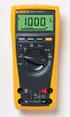 Model 77 Series IV Digital Multimeter Introduction XWWarning To avoid electric shock or injury, do not perform the performance tests or calibration adjustment procedures unless qualified to do so. The
1587/1577. Insulation Multimeters. Users Manual
 1587/1577 Insulation Multimeters Users Manual PN 2401027 April 2005 2005 Fluke Corporation. All rights reserved. Printed in USA All product names are trademarks of their respective companies. LIMITED WARRANTY
Multi Media Cable Tester TM-901N/TM-902/TM-903
 Multi Media Cable Tester TM-901N/TM-902/TM-903 User Manual HB2TM9020010 TENMARS ELECTRONICS CO., LTD Table of Contents 1 Introduction... 1 2 Safety Precaution... 1 3 The verifier does the following:...
INTRODUCTION SAFETY PRECAUTIONS/
 Title Page No. INTRODUCTION..................................1 SAFTY PRCAUTIONS/WARNINGS.................1 SPCIFICATIONS................................3 CONTROLS AND INDICATORS......................6
What is a multimeter?
 What is a multimeter? A multimeter is a devise used to measure voltage, resistance and current in electronics & electrical equipment It is also used to test continuity between to 2 points to verify if
ABCs of DMMs Multimeter features and functions explained Application Note
 ABCs of DMMs Multimeter features and functions explained Application Note Digital multimeters offer a wide selection of features. Choosing the right meter for the job can be challenging unless you know
1. SAFETY INFORMATION
 RS-232 Sound Level Meter 72-860A INSTRUCTION MANUAL www.tenma.com 1. SAFETY INFORMATION Read the following safety information carefully before attempting to operate or service the meter. Use the meter
Multifunction Process Calibrator
 725 Multifunction Process Calibrator Product Overview PN 1549644 English January 2000 Rev.2, 8/05 2000-2005 Fluke Corporation. All rights reserved. Printed in USA All product names are trademarks of their
Owner s Manual & Safety Instructions
 Owner s Manual & Safety Instructions Save This Manual Keep this manual for the safety warnings and precautions, assembly, operating, inspection, maintenance and cleaning procedures. Write the product s
Integrating Sound Level Meter and Datalogger
 USER GUIDE Integrating Sound Level Meter and Datalogger Model 407780A Introduction Thank you for selecting the Extech Instruments Model 407780A. This device is shipped fully tested and calibrated and,
INSTRUCTION MANUAL. NC-500 NETcat Pro Wiring Tester
 INSTRUCTION MANUAL English...1 16 Français...17 32 Español...33 48 Deutsch...49 64 NC-500 NETcat Pro Wiring Tester Read and understand all of the instructions and safety information in this manual before
USER S MANUAL. MaxPower 400-600 UPS. Uninterruptible Power System 28-2MAXPO0018
 USER S MANUAL MaxPower 400-600 UPS Uninterruptible Power System 28-2MAXPO0018 IMPORTANT SAFETY INSTRUCTIONS SAVE THESE INSTRUCTIONS This manual contains important instructions for models MaxPower 400 and
Fluke 3000 FC Series Test Tools Technical Data
 Fluke 3000 FC Series Test Tools Technical Data Now compatible with Fluke Connect Mobile App Start building tomorrow s test tool system today with the Fluke 3000 FC Digital Multimeter. The new Fluke Connect
Model UT713 OPERATING MANUAL
 Model UT713 OPERATING MANUAL TABLE OF CONTENTS TITLE PAGE Introduction Unpacking Inspection Safety Information Turning the Calibrator On Simulating a Thermocouple Measuring a Thermocouple Simulating TC
No.1. Digital Multimeter RIGOL TECHNOLOGIES, INC.
 No.1 DM368 6½ digits Digital Multimeter Real 6 ½ digits readings resolution Up to 1 K rdgs/s of measurement speed and 512 K rdgs Nonvolatile Memory TrueRMS AC Voltage Current measuring Builtin 1 groups
User s Manual AURORA 1.2K/2.2K
 User s Manual AURORA 1.2K/2.2K Uninterruptible Power System Safety CAUTION This UPS utilizes voltages that may be hazardous. Do not attempt to disassemble the unit. The unit contains no user serviceable
HOW TO USE MULTIMETER. COMPILE BY: Dzulautotech
 HOW TO USE MULTIMETER COMPILE BY: Dzulautotech 1. GENERAL Electricity is absolutely necessary for an automobile. It is indispensable when the engine is started, the air fuel mixture is ignited and exploded,
Instructions A622 100 Amp AC/DC Current Probe 070-8883-03
 Instructions A622 100 Amp AC/DC Current Probe 070-8883-03 Revision A www.tektronix.com 070888303 Copyright Tektronix, Inc. All rights reserved. Tektronix products are covered by U.S. and foreign patents,
Digital Ground Resistance Tester. Models 4620 & 4630. Digital Ground Resistance Tester
 Digital Ground Resistance Tester Models 4620 & 4630 Digital Ground Resistance Tester Models 4620 and 4630 perform both ground resistance and soil resistivity tests. These testers measure from 0 to 2000Ω,
AMP-210 AMP-210-EUR AMP-220 AMP-220-EUR AMP-310 AMP-310-EUR AMP-320 AMP-320-EUR. 600A AC TRMS Clamp Multimeter. 600A AC / DC TRMS Clamp Multimeter
 AMP-210 AMP-210-EUR 600A AC TRMS Clamp Multimeter AMP-220 AMP-220-EUR 600A AC / DC TRMS Clamp Multimeter AMP-310 AMP-310-EUR 600A AC TRMS Clamp Multimeter AMP-320 AMP-320-EUR 600A AC / DC TRMS Clamp Multimeter
Microwave Meter. Instruction Manual
 Microwave Meter 840046 Instruction Manual Microwave Meter 840046 Copyright 2009 by Sper Scientific ALL RIGHTS RESERVED Printed in the USA The contents of this manual may not be reproduced or transmitted
TIG INVERTER INSTRUCTION MANUAL
 TIG INVERTER INSTRUCTION MANUAL Contents Warning General Description Block Diagram Main Parameters Circuit Diagram Installation and Operation Caution Maintenance Spare Parts List Troubleshooting 3 4 4
Thermistor Thermometer MODEL NO. 93210-00
 Thermistor Thermometer MODEL NO. 93210-00 Cole-Parmer Instrument Co. 625 East Bunker Court Vernon Hills, Illinois U.S.A. 60061-1844 (847) 549-7600 (847) 247-2929 (Fax) 800-323-4340 www.coleparmer.com e-mail:
www.elektroexpressz.hu
 www.elektroexpressz.hu 2013 1 UT10 SERIES / UT20 SERIES Modern Pocket - Size Digital Multimeters Pocket-Size Digital Multimeters UNI-T UT10A UT10A DC Voltage 400mV/4V/40V/300 ±(0.8%+1) AC Voltage 4V/40V/300V
How To Use A Power Supply Unit (Upu)
 BRAVER UPS (Uninterruptible Power System) User s Manual Safety CAUTION! This UPS utilizes voltages that may be hazardous. Do not attempt to disassemble the unit. The unit contains no user replaceable parts.
MEGGER 210170 Insulation & Low Resistance Tester
 MEGGER 210170 Insulation & Low Resistance Tester User Guide SAFETY WARNINGS Safety Warnings and Precautions must be read and understood before the instrument is used. They must be observed during use.
DC POWER SUPPLY ALIMENTATION C.C.
 DC POWER SUPPLY ALIMENTATION C.C. ISO-TECH IPS 303A 201-3424 ISO-TECH IPS 601A 201-3446 82IP-303A0ME E1 SAFETY TERMS AND SYMBOLS These terms may appear in this manual or on the product: WARNING. Warning
User's Guide. Digital Psychrometer. Model RH390. F C WBT Dew Point MAX MIN
 User's Guide Digital Psychrometer Model RH390 MAX MIN F C WBT Dew Point Introduction Congratulations on your purchase of the Extech RH390 Digital Psychrometer. This device measures Humidity, Air Temperature,
Thermocouple Thermometer Models
 Technology Made Easy... Thermocouple Thermometer Models 60010-00 (Type J) 60010-10 (Type K) 60010-20 (Type T) 68X309905 Rev 1 04/04 TABLE OF CONTENTS 1. INTRODUCTION 4 2. SAFETY PRECAUTIONS 6 3. SPECIFICATIONS
Table of Contents. Page No.
 Table of Contents Title Page No. INTRODUCTION... 2 SAFETY PRECAUTIONS/S... 2 SPECIFICATIONS... 3 CONTROLS AND INDICATORS... 8 TESTING PROCEDURES... 10 AUXILIARY FUNCTIONS... 17 BATTERY AND FUSE REPLACEMENT...
Current Monitoring Kit QUICK START GUIDE
 Current Monitoring Kit QUICK START GUIDE Pico Technology EL040 Current Monitoring Kit Quick Start Guide CONTENTS 1 Introduction... 1 2 Kit contents... 3 3 Installation... 3 3.1 Connecting the system together...
Series AMLDL-Z Up to 1000mA LED Driver
 FEATURES: Click on Series name for product info on aimtec.com Series Up to ma LED Driver Models Single output Model Input Voltage (V) Step Down DC/DC LED driver Operating Temperature range 4ºC to 85ºC
Panel Meters and Controllers Modular Panel Meter Type EDM 35
 Panel Meters and Controllers Modular Panel Meter Type EDM 35 Modular digital panel meter, 3 1/2-digit Indicating or controlling current, voltage, resistance, temperature, tacho or frequency. Easy programming
VOLTAGE/CURRENT CALIBRATOR ISO-TECH ILC-421
 VOLTAGE/CURRENT CALIBRATOR ISO-TECH ILC-421 TABLE OF CONTENTS 1. FEATURES... 1 2. SPECIFICATIONS... 1 2-1 General Specifications...1 2-2 Electrical Specifications... 2 3. FRONT PANEL DESCRIPTION... 4 3-1
Table of Contents. Title
 Table of Contents Title Page No. INTRODUCTION... 2 SAFETY PRECAUTIONS/WARNINGS... 2 SPECIFICATIONS... 3 CONTROLS AND INDICATORS... 8 TESTING PROCEDURES... 10 AUXILIARY FUNCTIONS... 17 BATTERY AND FUSE
SOUND LEVEL METER 94405
 SOUND LEVEL METER 94405 INSTRUCTION MANUAL REC FAST A/C 1. SAFETY INFORMATION Read the following safety information carefully before attempting to operate or service the meter. Use the meter only as specified
Essential Electrical Concepts
 Essential Electrical Concepts Introduction Modern vehicles incorporate many electrical and electronic components and systems: Audio Lights Navigation Engine control Transmission control Braking and traction
Digital Clamp-on DMMs with uncompromising performance
 Digital Clamp-on DMMs with uncompromising performance With this new range of clamp-on meters, Metrix introduces practical and inexpensive instruments with uncompromising performance. Designed to satisfy
Model 187 & 189. Users Manual. True RMS Multimeter
 Model 187 & 189 True RMS Multimeter Users Manual ugust 2000, Rev.2, 6/02 2000, 2002 Fluke Corporation. ll rights reserved. Printed in U.S.. ll product names are trademarks of their respective companies.
Modular I/O System Analog and Digital Interface Modules
 OPERATING INSTRUCTIONS Modular I/O System Analog and Digital Interface Modules Installation Operation Maintenance Document Information Document ID Title: Operating Instructions Modular I/O System Part
User Manual for CH-PFC76810
 AA Portable Power Corp www.batteryspace.com, Email: [email protected] User Manual for CH-PFC76810 1. Overview The CH-PFC76810 charger is suitable for charging lithium ion battery packs such as those
Operating Manual for the Electronic Built-in Interval Timer. Micro II (Countdown Timer)
 Operating Manual for the Electronic Built-in Interval Timer Micro II (Countdown Timer) Note: This document has been designed for our OEM customers. They can use it as supporting material when creating
The Basics of Digital Multimeters
 IDEAL INDUSTRIES INC. The Basics of Digital Multimeters A guide to help you understand the basic Features and Functions of a Digital Multimeter. Author: Patrick C Elliott Field Sales Engineer IDEAL Industries,
Adjustment functions for both span and shift have been incorporated
 SENSORS FOR SERIES LED Type Wafer Alignment Sensor FX-0-F FT-F9 FD-F7 EX-F70/F60 M SH-7 FD-L4 M-DW The use of a safe LED light beam now allows for high precision detection with a resolution of 0!m (.8
4-Channel Thermometer / Datalogger
 USER GUIDE 4-Channel Thermometer / Datalogger RTD and Thermocouple Inputs Model SDL200 Introduction Congratulations on your purchase of the Extech SDL200 Thermometer, an SD Logger Series meter. This meter
Achat 115MA full-range speaker. user manual
 Achat 115MA full-range speaker user manual Musikhaus Thomann Thomann GmbH Hans-Thomann-Straße 1 96138 Burgebrach Germany Telephone: +49 (0) 9546 9223-0 E-mail: [email protected] Internet: www.thomann.de
TMS TANK MANAGEMENT SYSTEM
 TMS TANK MANAGEMENT SYSTEM Page 1 of 9 Operating Instructions GENERAL The Tank Management System is a bespoke design to control, monitor and accommodate efficient storage and dispensing of TMS. FUNCTIONS
CAUTION OPC-LM1-IL. Option Card for Encoder of Line Driver Output. Instruction Manual
 Instruction Manual OPC-LM1-IL Option Card for Encoder of Line Driver Output CAUTION Deliver this instruction manual without fail to those who actually operate the equipment. Read this operation manual
RS Stock No. 724-4207 Instruction Manual RS-1340 Hot Wire Anemometer
 RS Stock No. 724-4207 Instruction Manual RS-1340 Hot Wire Anemometer EN FR IT DE ES CONTENTS / EN Title CONTENTS Page 1. SAFETY INFORMATION...1 2. INTRODUCTION...2 3. SPECIFICATIONS...3 4. PARTS & CONTROLS...4
Example of use: Fuse for a solenoid valve. If the fuse is defective, no information is sent to the electronic component.
 Overview Switch and button modules The dimensions of the switch and button modules are adapted to the electronic components in the integral housing. The modules are equipped with the universal clip-on
Fire Alarm Control Panel. Family. Operating Manual
 Fire Alarm Control Panel Family Operating Manual CONTENTS System Description AH-03312 System Characteristics... Fire Signal Receiving Board Description-4L... Fire Signal Receiving Board Description-8L...
CAT AVR V2.3. Instruction Manual. Voltage regulator for generators. March 2008
 CAT AVR V2.3 Voltage regulator for generators March 2008 Instruction Manual Warnings WARNING The system should not be installed, operated, serviced or modified except by qualified personnel who understand