
Model UT71A/B OPERATING MANUAL
|
|
|
- Roland Rogers
- 9 years ago
- Views:
Transcription
1 Model UT71A/B OPERATING MANUAL

2

3 CHAPTER TITLE PAGE Before You Start Overview Unpacking Inspection Safety Information Rules For Safe Operation International Electrical Symbols Getting Acquainted Turning the Meter On Battery Considerations Automatic Power Off Automatic Backlight Off Low Battery Indication The Meter Structure Rotary Switch Functional Buttons The Meter Functions Vs Displays Selecting the Range Understanding the Display TABLE OF CONTENTS

4 CHAPTER TITLE PAGE Analogue Bar Graph Using MAX MIN Making Measurements Introduction A. Measuring Voltages B. Measuring Currents C. Measuring Resistance D. Testing for Continuity E. Testing Diodes F. Measuring Capacitance G. Measuring Frequency / Duty Cycle H. Measuring Temperature I. 4~20mA loop current as % readout Using Stores, Recall and Send Features Introduction Storing and Clearing Readings Recalling Stored Readings Using Send

5 CHAPTER TITLE PAGE Changing the Default Setting Introduction Selecting Setup Options Maintenance A. General Service B. Replacing the Fuses C. Replacing the Battery Specifications Safety and Compliances Physical Specifications General Specifications Feature Summary Basic Specifications Detailed Accuracy Specifications A. DC Voltage B. AC Voltage C. DC Current

6 CHAPTER TITLE PAGE D. AC Current E. Resistance F. Continuity Test G. Diode Test H. Capacitance I. Frequency J. Temperature Degrees Celsius Fahrenheit K. 4~20mA loop current

7 Chapter 1 Before You Start Overview This Operating Manual covers information on safety and cautions. Please read the relevant information carefully and observe all the Warnings and Notes strictly. Warning To avoid electric shock or personal injury, read the Safety Information and Rules for Safe Operation carefully before using the Meter. Digital Multimeter UT71A/B (hereafter referred to as the Meter ) is a counts and 4 1/2 digits with steady operations, fashionable structure and auto ranging instrument. They all not only can measure AC voltage and current, DC voltage and current, Resistance, Capacitance, Frequency, Diodes, Continuity, Relative Mode but also has AC True RMS, AC+DC, Low Battery Display, Double Display Backlight, Data Hold, Automatic Power Off and full overload protection. UT71B has extra Temperature, 4~20mA Loop, Data Store and Data Recall feature. 5

8 Unpacking Inspection Open the package case and take out the Meter. Check the items shown on Table 1-1 carefully to see any missing or damaged part: Table 1-1. Unpacking Inspection Item Description Qty English Operating Manual Test Lead K-Type (nickel chromium ~ nickel silicon) Point Contact Temperature Probe (It is only suitable for measuring temperature under 230ºC (UT71B only) Alligator Clip Test Clip USB interface cable CD-ROM (Installation Guide & Computer Interface Software) Carrying Bag 9V Battery (NEDA 1604, 6F22, 006P) In the event you find any missing or damage, please contact your dealer immediately. 1 piece 1 pair 1 piece 1 piece 1 pair 1 piece 1 piece 1 piece 1 piece 6

9 Safety Information This Meter complies with the standards IEC61010 safety measurement requirement: in pollution degree 2, overvoltage category (CAT. III 1000V, CAT.IV 600V) and double insulation. CAT. III: Distribution level, fixed installation, with smaller transient overvoltage than CAT. IV CAT.IV: Primary supply level, overhead lines, cable systems etc. Use the Meter only as specified in this operating manual, otherwise the protection provided by the Meter may be impaired. In this manual, a Warning identifies conditions and actions that may pose hazards to the user, or may damage the Meter or the equipment under test. A Note identifies the information that user should pay attention to. International electrical symbols used on the Meter and in this Operating Manual are explained on page 9. Rules For Safe Operation Warning To avoid possible electric shock or personal injury, and to avoid possible damage to the Meter or to the equipment under test, adhere to the following rules: Before using the Meter inspect the case. Do not use the Meter if it is damaged or the case (or part of the case) is removed. Look for cracks or missing plastic. Pay attention to the insulation around the connectors. Inspect the test leads for damaged insulation or exposed metal. Check the test leads for continuity. Replace damaged test leads with identical model number or electrical specifications before using the Meter. Do not apply more than the rated voltage, as marked on the Meter, between the terminals or between any terminal and grounding. The rotary switch should be placed in the right position and no any changeover of range shall be made during measurement is conducted to prevent damage of the Meter. 7

10 When the Meter working at an effective voltage over 60V in DC or 30V rms in AC, special care should be taken for there is danger of electric shock. Use the proper terminals, function, and range for your measurements. If the value to be measured is unknown, use the maximum measurement position. Do not use or store the Meter in an environment of high temperature, humidity, explosive, inflammable and strong magnetic field. The performance of the Meter may deteriorate after dampened. When using the test leads, keep your fingers behind the finger guards. Disconnect circuit power and discharge all highvoltage capacitors before testing resistance, continuity, diodes. Before measuring current, check the Meter s fuses and turn off power to the circuit before connecting the Meter to the circuit. Replace the battery as soon as the battery indicator appears. With a low battery, the Meter might produce false readings that can lead to electric shock and personal injury. When servicing the Meter, use only the same model number or identical electrical specifications replacement parts. The internal circuit of the Meter shall not be altered at will to avoid damage of the Meter and any accident. Soft cloth and mild detergent should be used to clean the surface of the Meter when servicing. No abrasive and solvent should be used to prevent the surface of the Meter from corrosion, damage and accident. The Meter is suitable for indoor use. Turn the Meter off when it is not in use and take out the battery when not using for a long time. Constantly check the battery as it may leak when it has been using for some time, replace the battery as soon as leaking appears. A leaking battery will damage the Meter. 8

11 International Electrical Symbols Symbols used on the Meter and in this manual are explained in Table1-2. Table 1-2. International Electrical Symbols AC or DC Measurement DC Measurement AC Measurement Grounding Double Insulated Warning. Refer to the Operating Manual Deficiency of Built-In Battery Conforms to Standards of European Union 9

12 Chapter 2 Getting Acquainted Turning the Meter On To turn the Meter on, turn the rotary switch from OFF to any switch setting. Battery Considerations The Meter uses one 9V Battery (NEDA 1604, 6F22, 006P). The following paragraphs describe several techniques used to conserve battery power. Automatic Power Off The display blanks and the Meter goes into a sleep mode if you have not changed the rotary switch position or pressed a button for a set period. While in Sleep mode, pressing the blue button or turning the rotary switch could turn the Meter on. The Meter then returns to the display for the function selected with the rotary switch; all previously activated button features are discarded. The automatic power off is preset to 10 minutes. From the Setup menu (see Chapter 5), you could specify a time (10 minutes, 20 minutes, 30 minutes or OFF). If you set to OFF, the Meter retains on until you turn the rotary switch to OFF or the battery becomes too weak. Automatic Backlight Off Press LIGHT button to turn the backlight on and press LIGHT again to turn it off. Press EXIT to exit the feature. Press LIGHT to select the backlight level (low or high). In Setup menu (see Chapter 5), you could specify a time to automatically turn off the backlight (10 seconds, 20 seconds, 30 seconds or OFF). If the period is set to OFF, the backlight feature is disabled. 10

13 Low Battery Indication A constant battery icon ( ) in the upper left corner of the display notifies you that the batteries are low and should be replaced. Warning To avoid false readings, which could lead to possible electric shock or personal injury, replace the battery as soon as the battery icon ( ) appears The Meter Structure The Figure 2-1 shows the Meter structure. 1. LCD Display 2. Functional Buttons 3. Rotary Switch 4. Input Terminals Figure 2-1. Meter Structure 11

14 Rotary Switch Turn the Meter on by selecting any measurement function. The Meter presents a standard display for that function. The display may also be influenced by some of the choices made in Setup. Use the blue button to select any rotary switch alternate function (labeled in blue letters). When you turn the rotary switch from one function to another, a display for the new function appears. Button choices made in one function do not carry over into another function. The Table 2-1 described each rotary switch position 12 Rotary Switch Position mv OFF Turn the Meter off Table 2-1. Rotary Switch Selections Rotary Switch Function V DC voltage measurement V AC voltage measurement (UT71A only) DC millivoltage measurement Blue Key Function Hz % mv DC millivoltage measurement Frequency measurement (UT71B only) Frequency signal duty cycle measurement None None None None

15 Rotary Switch Position Table 2-1. Rotary Switch Selections Rotary Switch Function Blue Key Function Hz % ºC ºF(UT71B only) µa ma (UT71A only) ma (UT71B only) A Resistance measurement Capacitance measurement Frequency measurement Centigrade temperature measurement DC current measurement (200µA, 2000µA) DC current measurement (20mA, 200mA) DC current measurement (20mA, 200mA) AC or DC current measurement (10A) Diode test Continuity test None Frequency signal duty cycle measurement Fahrenheit temperature measurement Toggle between AC or DC current Toggle between AC or DC current Toggle between AC or DC current 4~20mA loop current as % reading Toggle between AC or DC current 13

16 Functional Buttons The buttons activate features that augment the function selected with the rotary switch. The buttons are shown in Table 2-2. RECALL STORE Press the button once to access the main feature (e.g. STORE). To access the first additional feature of the button (e.g. RECALL), press and hold the button for over 1 second to access this additional feature. This additional feature appears right above or on the left hand side of the appropriate keys. To access the second additional feature of the button (e.g. ), press once the button again while the Meter has already entered the first additional feature (e.g. RECALL). The second additional feature appears on the right hand side above the appropriate keys. The RANGE and EXIT buttons has only one additional feature. 14

17 Table 2-2. Functional Buttons Button Description Access Method SETUP RANGE SEND (UT71A only) Range feature: Press the button once. Exit AUTO and enter MANUAL ranging. In MANUAL, select next input range. EXIT to return to AUTO. AUTO is default. Testing resistance signal from calibrator: Press and hold the button while When testing resistance signal from calibrator, it is necessary turning on the Meter to press this button to change the maximum display to 4000 counts but the accuracy remains unchanged. Setup feature: Press and hold the button for more Access Setup selections, the display shows SET. than 1 second In the Setup mode, each press of SETUP button steps to the next Selection Press to output the data, AUTO mode switch off. The primary Press the button once. display shows SEND. Press EXIT to exit. 15

18 Table 2-2. Functional Buttons Button Description Access Method SEND (UT71A only) RECALL STORE (UT71B only) Peak HOLD HOLD Setup feature: In Setup, press to select OFF at the selection of HIGH and LOW Store feature: Store the current measurement value. Press EXIT to exit the Store feature. Recall feature: Recall the stored value. Press EXIT to exit the Recall feature. Setup feature: In Setup, press to select OFF at the selection of HIGH and LOW Hold feature: Press HOLD to freeze the displayed value. Press EXIT to release the display. Peak Hold feature: Press to access Peak Hold feature, the primary display shows PEAK HOLD. Press EXIT to exit. 16 Press the button once after entering Setup mode. Press the button once. Press and hold the button for over 1 second Press the button once after entering Setup mode. Press the button once. Press and hold the button for over 1 second.

19 Table 2-2. Functional Buttons Button Description Access Method Peak HOLD HOLD LIGHT EXIT In Setup, each press to select the digit you want to edit. In Recall, press to enable SEND feature (UT71B only) In Store, press to toggle between clearing all the stored reading or start storing reading from the current index number. (UT71B only) Press to exit certain button functions and the Meter will return to the factory default setting. Press to turn the backlight on. It is possible to toggle between 1 st and the 2 nd backlight level and Exit the feature by pressing this button. After exiting the light feature, it is necessary to press and hold the button for over 1 second to turn the backlight on again. Press the button once after entering Setup or Recall or Store mode. Press the button once. Press and hold the button for over 1 second. 17

20 Table 2-2. Functional Buttons Button Description Access Method MAXMIN (UT71A only) SEND MAXMIN (UT71B only) Press to display max, min and average values. Press EXIT to stop and return to current measurement mode. In Setup, each press to decrement an Option. Press to display max, min and average values. Press EXIT to stop and return to current measurement mode. Press to output the data, AUTO mode switch off. The primary display shows SEND. Press EXIT to exit. In Setup, each press to decrement an Option. In Recall, each press to go back to the previous stored reading. In Store, each press to decrease a second on the storing interval. Press EXIT to exit 18 Press the button once. Press the button once after entering SEND mode. Press the button once. Press and hold the button for over 1 second. Press the button once after entering SEND mode.

21 Table 2-2. Functional Buttons Button Description Access Method Press to enter relative mode, the primary display shows. The left secondary display shows the present measurement REL value. The right secondary display shows the stored value. The primary display shows the present measurement value minus the stored value. Press EXIT to exit relative mode. In Setup, each press to increment an Option. In Recall, each press to recall the next stored reading. In Store, each press to increase a second on the storing interval. When it is at AC measurement mode, press the button to AC+DC display AC+DC True RMS value in the primary display and Yellow Button the left secondary display AC+DC. Press the button once. Press and hold the button for over 1 second. Press the button once 19
22 Table 2-2. Functional Buttons Button Description Access Method Blue Button Use the blue button to select any rotary switch alternate function (labeled in blue letters). Press and hold the Button while turning on the Meter to toggle to 2000 counts for all functions. It is faster when the Meter is at 4000 counts measurement mode. After the Meter is resuming from Automatic Power Off or turn on and off again, the Meter will back to normal measurement mode (20000 counts). Press the button once 20
23 The Meter Functions Vs Displays Table 2-3 shows the cross reference of function and display: Table 2-3 Functions Vs Displays Function Primary Display Right Secondary Display Left Secondary Display DCV The tested DC voltage value ACV The tested AC voltage value DCmV The tested DCmV value The tested resistance value The tested resistance value The tested resistance value Hz The tested frequency value The tested capacitance value ºC (UT71B only) ºF (UT71B only) The tested ºC value The tested ºF value DCµA The tested DCµA value No display Full range: 2, 20, 200, 1000 The tested frequency value: Full range: 2, 20, 200, kHz~ 250.0kHz No display Full range: 200 No display Full range: 200, 2, 20, 200, 2, 20 No display Full range value: 200 No display Full range: 2 No display Full range: 20, 200, 2, 20, 200, 2, 20, 200 No display Full range: 20, 200, 2, 20, 200, 2, 20 No display 1000 No display 1832 N/A Full range: 200,
24 Table 2-3 Functions Vs Displays Function Primary Display Right Secondary Display Left Secondary Display ACµA DCmA ACmA DCA ACA STO (UT71B only) The tested ACµA value The tested frequency value: 40.00kHz~100.0kHz The tested DCmA value No display The tested ACmA value The tested frequency value: 40.00kHz~100.0kHz The tested DC current value No display The tested AC current value The tested frequency value: 40.00kHz~100.0kHz The current measurement The value of the corresponding reading index number Full range: 200, 2000 Full range: 20, 200 Full range: 200, 2000 Full range: 10 Full range: 10 Index number increase one. Index number: no.0001~no
25 Table 2-3 Functions Vs Displays Function Primary Display Right Secondary Display Left Secondary Display RCL (UT71B only) The recalled value The total number of stored value. Index number: no.0001~no.0100 MAX MIN REL Chapter 2 Getting Acquainted Using MAX MIN The present measurement value The stored value minus the stored value The present measurement value. 23
26 Selecting the Range Press RANGE to select either a fixed range or the autorange feature. Autoranging (AUTO lighted in the display) always comes on initially when you select a new function. In autorange, the Meter selects the lowest input range possible, ensuring that the reading appears with the highest available resolution. If AUTO is already on, press RANGE to enter MANUAL ranging in the present range. You can then select the next manual range each time you press RANGE. Return to autoranging by press EXIT. Note that there is no MANUAL ranging on REL feature. Understanding the Display Display features are shown in Figure 2-2 and described in Table 2-4. Figure 2-2. Display Features 24
27 Table 2-4. Display Features No. Symbol Meaning ºC, ºF MAX MIN AVG No (UT71B only) HµmS SET Maximum reading displayed. Minimum reading displayed Average reading displayed The sequence of the reading. Degrees Celsius (default) or Fahrenheit. H: Hour µ: Micro m: Minutes (Milli) S: Second Indicates negative reading The battery is low. Warning: To avoid false readings, which could lead to possible electric shock or personal injury, replace the battery as soon as the battery indicator appears. Setup feature is on. 25
28 Table 2-4. Display Features No. Symbol Meaning 8 TrueRMS Indicator for True RMS value. 9 AC+DC For DCV and DCA functions, reading represents the True RMS total of AC and DC measurements 10, k, M : Ohm. The unit of resistance. k :Kilohm. 1x10 3 or 1000 ohms M :Megaohm. 1x10 6 or 1,000,000 ohms Hz, khz, MHz Hz : Hertz. The unit of frequency in cycles/second. khz: Kilohertz. 1x10 3 or 1000 hertz MHz: Megahertz, 1x10 6 or 1,000,000 hertz. mv, V V: Volts. The unit of voltage. mv: Millivolt. 1x10⁻³ or volts µa, ma, A A: Amperes (amps). The unit of current. ma: Milliamp, 1x10⁻³ or amperes. µa:microamp.1x10-6 or amperes. 26
29 Table 2-4. Display Features No. Symbol Meaning nf,µf, mf STO (UT71B only) RCL (UT71B only) LOW HIGH AUTO SEND Farad. The unit of capacitance nf: Nanofarad. 1x10⁻⁹ or farads. µf:microfarad.1x10-6 or farads. mf: Millifarad. 1x10⁻³ or farads. Automatic power off feature is on Continuity test Data store is on Data recall is on The relative mode is on to display the present value minus the stored value. The indicator for the lowest setup limit. The indicator for the highest setup limit. The Meter is in the auto range mode in which the Meter automatically selects the range with the best resolution. Data output is in progress 27
30 Table 2-4. Display Features No. Symbol Meaning HOLD PEAK HOLD % OL Analogue Bar Graph Backlight feature is on Data hold mode is active Peak hold mode is active Diode test Frequency signal duty cycle. 4~20mA loop current as % reading The input value is too large for the selected range. Provides an analog indication of the present input, quick response. 28
31 Analogue Bar Graph The bar graph provides an analogue indication of the measured input. For most measurement functions, the bar graph updates 10 times per second. Using MAX MIN The MAX MIN mode stores minimum (MIN) and maximum (MAX) input values. When the input goes below the stored minimum value or above the stored maximum value, the Meter beeps and stores the new value. Press MAX MIN to enter MAX MIN mode. The sampling time is every 2 seconds. The maximum reading and MAX are shown on the left secondary display. The minimum reading and MIN are shown on the right secondary display. The primary display shows the current measurement reading. display. The minimum reading and MIN are shown on the right secondary display. The primary display shows the maximum value. Press MAX MIN the third time, the current measurement reading is shown on the left secondary display. The maximum reading and MAX are shown on the right secondary display. The primary display shows the minimum value. Each subsequent press of MAX MIN steps through the above three modes. To exit MAX MIN mode, press EXIT. Press HOLD to stop the Meter updating reading. MAX MIN mode can only be used under MANUAL ranging mode. Press MAX MIN the second time, the current measurement reading is shown on the left secondary 29
32 Chapter 3 Making Measurement Introduction Chapter 3 explains how to make measurements. Most measurement functions can be selected by using the rotary switch. While letters or symbols identify primary functions; blue letters or symbols identify alternative functions. Press the BLUE button to access these alternate functions. A. Measuring Voltages Warning To avoid harms to you or damages to the Meter from electric shock, please do not attempt to measure voltages higher than 1000V, although readings may be obtained. Figure 3-1. Voltages Measurement 30
33 To measure voltages, set up the Meter as Figure 3-1 and do the following: 1. Insert the red test lead into the V terminal and the black test lead into the COM terminal. 2. UT71A: Set the rotary switch to V or V or mv UT71B: Set the rotary switch to V or V or mv 3. Connect the test leads across with the object being measured. 4. The measured value shows on the display. AC measurement displays the True RMS value. DC measurement displays the effective value of sine wave (mean value response). When a ACV function is selected, you can press the Yellow Button to view the AC + DC True RMS value in the primary display. To exit, please EXIT button. Note When measuring voltage, the Meter acts around a 10M ( V and V ) or 2.5G ( mv ) impedance in parallel with the circuit. This loading effect can cause measurement errors in high impedance circuits. In most cases, the error is negligible (0.1% or less) if the circuit impedance is 10k or less. Special care should be taken when measuring high voltage. When voltage measurement has been completed, disconnect the connection between the testing leads and the circuit under test and remove testing leads away from the input terminals of the Meter. The BLUE button cycles among mv duty cycle., frequency and 31
34 B. Measuring Currents Warning If the fuse burns out during measurement, the Meter may be damaged or the operator himself may be hurt. To avoid possible damage to the Meter or to the equipment under test, check the Meter s fuses before measuring current. Use proper terminals, function, and range for the measurement. Never place the testing leads in parallel with any circuit or component when the leads are plugged into the current terminals. To measure AC or DC current, set up the Meter as Figure 3-2 and proceed as follows: 1. Turn off power to the circuit. Discharge all highvoltage capacitors. 2. Insert the red test lead into the maµa or A terminal and black test lead into the COM terminal. 3. If you are using the A terminal, set the rotary switch to A.If you are using maµa terminal, set the rotary switch to µa for currents below 20000µA, or ma (UT71A) or ma (UT71B) for current above 20000µA. 32 Figure 3-2. Currents Measurement
35 DC measurement is default, press blue button to select AC measurement. Open the circuit path to be tested. Touch the red testing leads to the more positive side of the break; touch the black probe to the more negative side of the bread. Reversing the leads will produce a negative reading, but will not damage the Meter. Turn on power to the circuit; then read the display. AC measurement displays the True RMS value. DC measurement displays the effective value of sine wave (mean value response) Turn off power to the circuit and discharge all highvoltage capacitors. Remove the Meter and restore the circuit to normal operation. When a ACA function is selected, you can press the Yellow Button to view the AC + DC True RMS value in the primary display. To exit, please EXIT button. Note If the value to be measured is unknown, use the maximum measurement position and reduce the range step by step until a satisfactory reading is obtained. When the measured current is 5A, continuous measurement is allowed. When the measured current is between 5A-10A, continuous measurement 10 seconds and interval more than 15 minutes. When current measurement has been completed, disconnect the connection between the testing leads and the circuit under test and remove testing leads away from the input terminals of the Meter. 33
36 C. Measuring Resistance Warning To avoid harms to you, please do not attempt to input voltage higher than 60V DC or 30V rms AC. To avoid possible damages to the Meter or to the devices under test, disconnect circuit power and discharge all the high-voltage capacitors before measuring resistance. To measure resistance, set up the Meter as shown in Figure 3-3 and follow the following procedure: 1. Insert the red test lead into the terminal and the black test lead into the COM terminal. 2. Set the rotary switch to ; press BLUE button to select measurement mode. 3. Connect the test leads across with the object being measured. The measured value shows on the display. The BLUE button cycles among resistance, continuity, and diode. Figure 3-3. Resistance Measurement 34
37 Note When measuring low resistance, the test leads can add 0.1 to 0.2 of error to resistance measurement. To test the leads, touch the probe tips together and read the resistance of the leads. If necessary, you can press REL to automatically subtract this value. For high-resistance measurement (>1M ), it is normal taking several seconds to obtain a stable reading. In order to obtain precision readings, use the test lead as short as possible. The LCD displays OL indicating open-circuit or the tested resistor value is higher than the maximum range of the Meter. When testing the resistance signal from the calibrator, it is necessary to press and hold the RANGE while turning on the Meter to change the maximum display to 2000 counts but the accuracy remains unchanged. When resistance measurement has been completed, disconnect the connection between the testing leads and the circuit under test and remove testing leads away from the input terminals. D. Testing for Continuity Warning To avoid harms to you, please do not attempt to input voltage higher than 60V DC or 30V rms AC. To avoid possible damages to the Meter or to the devices under test, disconnect circuit power and discharge all the high-voltage capacitors before measuring continuity. To test for continuity, set up the Meter as Figure 3-4 and do the following: 1. Insert the red test lead into the terminal and the black test lead into the COM terminal. 2. Set the rotary switch to ; press BLUE button to select measurement mode and connet the test leads across with the object being tested. 3. The beeper comes on continuously for open conditions, that is test resistance 50. The BLUE button cycles among resistance, continuity, and diode. 35
38 Note Open circuit voltage around 1.2V and range is 400 measurement range. When continuity testing has been completed, disconnect the connection between the testing leads and the circuit under test and remove the test leads away from the input terminals. Figure 3-4. Continuity Test 36
39 E. Testing Diodes Warning To avoid harms to you, please do not attempt to input voltages higher than 60V DC or 30V rms AC. To avoid damages to the Meter or to the devices under test, disconnect circuit power and discharge all the high-voltage capacitors before testing diodes. Use the diode test to check diodes, transistors, and other semiconductor devices. The diode test sends a current through the semicondutor junction, then measure the voltage drop across the junction. A good silicon junction drops between 0.5V and 0.8V To test the diode out of a circuit, set up the Meter as Figure 3-5 and proceed as follows: 1. Insert the red test lead into the terminal and the black test lead into the COM terminal. 2. Set the rotary switch to ; and press BLUE button to select measurement mode. Figure 3-5. Diode Test 37
40 3. For forward voltage drop readings on any semiconductor component, place the red test lead on the component s anode and place the black test lead on the component s cathode. The red test lead polarity is + while the black test lead polarity is -. The measured value shows on the display. When diode testing has been completed, disconnect the connection between the testing leads and the circuit under test and remove the test leads away from the input terminals. The BLUE button cycles among resistance, continuity, and diode. Note In a circuit, a good diode should still produce a forward voltage drop reading of 0.5V to 0.8V; however, the reverse voltage drop reading can vary depending on the resistance of other pathways between the probe tips. Connect the test leads to the proper terminals as said above to avoid error display. The LCD will display OL indicating either open circuit or wrong polarity connection. The unit of diode is volt (V), displaying the positiveconnection voltage-drop value. Open circuit voltage approximate 2.8V. 38
41 F. Measuring Capacitance Warning To ensure accuracy, the Meter inside is discharged against the tested capacitor. DIS.C will be shown on the display when it is under discharging, this process will be quite slow. To avoid damage to the Meter or to the equipment under test, disconnect circuit power and discharge all high-voltage capacitors before measuring capacitance. Use the DC Voltage function to confirm that the capacitor is discharged. To measure capacitance, set up the Meter as shown in Figure 3-6 and proceed as follows: 1. Insert the red test lead into the terminal and the black test lead into the COM terminal. Figure 3-6. Capacitance Measurement 39
42 2. Set the rotary switch to measurement mode, the Meter may display a fixed reading which is a internal distributed capacitor value. For testing less than 10nF capacitor, the tested value must subtract the internal distributed capacitor value to maintain the accuracy. To improve the measurement accuracy of small value capacitors (less than 10nF), press REL with the test leads open to subtract the residual capacitance of the Meter and leads. 3. It is recommended to use test clip to carry out measurement to reduce the effect of internal distributed capacitor. When capacitance measurement has been completed, disconnect the connection between the testing leads and the circuit under test and remove the test leads away from the input terminals of the Meter. Note The LCD displays OL indicating the tested capacitor is shorted or it exceeds the maximum range. Capacitors larger than 400 ÌF take longer time. The analogue bar graph shows the time left before finishing the measurement. 40
43 G. Measuring Frequency / Duty Cycle Warning To avoid harms to you, please do not attempt to input voltage higher than 30V rms. To measure frequency and duty cycle, connect the Meter as Figure 3-7 and do the following: 1. Insert the red test lead into the Hz terminal and the black test lead into the COM terminal. 2. Set the rotary switch to (UT71A) or (UT71B) and press BLUE button to select the Hz measurement mode for frequency measurement or % for duty cycle measurement. The BLUE button cycles among mv, frequency and duty cycle. 3. Connect the test leads across with the object being measured. The measured value shows on the primary display. Figure 3-7. Frequency / Duty Cycle Measurement 41
44 Note The requirement of Input amplitude a is as follows: When 10Hz~40MHz: 200 mv a 30Vrms; >40MHz: Un-specified When Hz measurement has been completed, disconnect the connection between the testing leads and the circuit under test and remove the test leads away from the input terminals. 42
45 H. Measuring Temperature (UT71B only) Warning To avoid harms to you, please do not attempt to input voltages higher than 60V DC or 30V rms AC. To measure temperature, set up the Meter as shown in Figure 3-8 and proceed the following Set the rotary switch to ºC ºF, the display shows OL. Short circuit the test leads to show the room temperature. The Meter is default to Celsius ºC degree unit, you can change units by press the BLUE button once you have selected the temperature function. Insert the point contact temperature probe into the Meter as figure 10. Place the temperature probe to the object being measured. The measured value shows on the display after several seconds. ºC ºF Figure 3-8. Temperature Measurement 43
46 Note Place the Meter in an environment of 18ºC~23ºC otherwise false reading may be obtained especially in testing low temperature. The included point contact temperature probe can only be used with temperature 230ºC below. When temperature measurement has been completed, remove the temperature probe away from the multi-purpose socket, and remove the multipurpose socket away from the Meter The rest procedure, please follow B. Measuring Current: DC current measurement (Figure 3-2). When the readings obtained is: < 4mA, the primary display shows LO 4mA, the primary display shows 0%.. 20mA, the primary display shows 100% > 20mA, the primary display shows HI I. 4~20 ma loop current as % readout (UT71B only) It shows the ma measured value or output level in %, in a 4-20mA scale. To use 4~20mA Loop feature, connect the Meter as follows: 1. Set the rotary switch to ma, and press BLUE button to select (4~20mA)% feature. 44
47 Chapter 4 Using Store, Recall & Send Features Introduction Chapter 4 shows you how to use stores, recall and communication features available on the Meter. Please note that Data stores and recall features are available only on the UT71B. Storing and Clearing Readings To store readings, proceed as follows: Press STORE once, STO and no.xxxx appears to confirm the operation and the left secondary display shows the current measurement reading. Press to toggle between clearing the stored readings and start from the first readings or start from the last stored reading. Right secondary display shows the original number of records. Press STORE the second time, STO appears. The left secondary display shows the storing time interval in second, it is preset to zero. To change the interval in second by pressing + or - button. The interval can be as high as 255 seconds or as low as 0 second. Press and hold STORE to access the quick setting. Press STORE the third time, STO and no appears. The left secondary display shows the index number increase one. The right secondary display shows the value of the corresponding index number, the primary display shows the current measurement reading. If there is not set time to store the reading, each press of STORE to store one reading. An index number increase one. The maximum number of stored reading is 100 (for UT71C and UT71E) and 9999 (for UT71D). When the stored readings memory is full, the Meter will stop storing data. To exit, press EXIT. Automatic power off feature will be disabled after entering this mode. 45
48 Recalling Stored Readings Use the following procedure to recall the stored reading: Press RECALL to recall the stored value and RCL appears to confirm the operation. The left secondary display shows the index number no.xxxx. The primary display shows the corresponding recalled data. The right secondary display shows the total number of the stored data. Press button to enable the SEND feature to export the data to the computer via USB. The software shows the data storing time and also the data value. After the data transferring is completed, the SEND feature will be disabled automatically. Press + or - button to view additional stored reading. Press and hold RECALL to access quick recalling. Press EXIT to exit recalling. Using Send When using a Send feature, please refer to the Installation Guide of the included CD-ROM. 46
49 Chapter 5 Changing the Default Setting Introduction The Meter allows you to change the default operating configuration of the Meter by changing setup options made at the factory. These settings are stored and can be changed in the Setup mode using the procedure described in this chapter. Selecting Setup Options To enter the Setup mode, turn the Meter on and press and hold SETUP button for over 1 second. It is recommended to change the default setting only when the Meter is at DCV measurement mode. In the Setup mode, each press of SETUP button steps to the next Selection. Each press of or + button decrement or increment an Option. Each Setup Selection and Option appears in the primary display in the sequence shown in Table
50 Table 5-1. Setup Selections Selection Option Factory Default Description HIGH Max ; Press to select OFF OFF Over the upper limits, beeps not continuously. Press to select the digit you want to edit LOW Max ; Press to select OFF OFF Over the lower limits, beeps not continuously. Press to select the digit you want to edit mins 10 mins power off mins power off mins power off OFF Power off feature is disabled S1 S1 Beeps continuously and icon lights on OFF No beep, icon flashes Backlight turn off in 10 seconds 20 Backlight turn off in 20 seconds 30 Backlight turn off in 30 seconds OFF Disable backlight feature. 48
51 Table 5-1. Setup Selections Selection Option Factory Default Description Analogue Bar Graph Zero is in the left hand side. Zero is in the center Saving Setup Options Zero is in the center It can only apply to DCV, DCI and C/ F functions. At each setup Option, store your choice and exit setup by press EXIT, advance to the next Option by press +. To exit the Setup mode without saving the present Option, press Setup. 49
52 Chapter 6 Maintenance This chapter provides basic maintenance information including battery and fuse replacement instruction. Warning Do not attempt to repair or service your Meter unless you are qualified to do so and have the relevant calibration, performance test, and service information. A. General Service Periodically wipe the case with a damp cloth and mild detergent. Do not use abrasives or solvents. To clean the terminals with cotton bar with detergent, as dirt or moisture in the terminals can affect readings. Turn the Meter to OFF when it is not in use. Take out the battery when it is not using for a long time. Do not use or store the Meter in a place of humidity, high temperature, explosive, inflammable and strong magnetic field. 50
53 B. Replacing the Fuses Warning To avoid electrical shock or arc blast, or personal injury or damage to the Meter, use specified fuses ONLY in accordance with the following procedure. Follow Figure 6-1 and proceed as follows to replace the Meter s fuse: Turn the rotary switch to OFF and remove all connections from the terminals. Remove the 5 screws from the case bottom. Remove the fuse by gently prying one end loose, then take out the fuse from its bracket. Install ONLY replacement fuses with the identical type and specification as follows and make sure the fuse is fixed firmly in the bracket. Fuse 1: 0.5A, 250V, fast type fuse, 5 20mm Fuse 2: 10A, 250V, fast type fuse, 5 20mm Rejoin the case bottom and case top, and install the 5 screws. Replacement of the fuses is seldom required. Burning of a fuse always results from improper operation. Figure 6-1. Fuse Replacement 51
54 C. Replacing the Battery Warning To avoid false readings, which could lead to possible electric shock or personal injury, replace the battery as soon as the battery indicator appears. Make sure the test leads are disconnected from the circuit being tested before opening the case bottom. Follow Figure 6-2 and proceed as follows to replace the battery: Turn the rotary switch to OFF and remove all connections from the terminals. Remove the screw from the battery compartment, and separate the battery compartment from the case bottom. Replace with a new 6F22 9V battery. Rejoin the case bottom and battery compartment, and reinstall the screw. Figure 6-2. Battery Replacement 52
55 Chapter 7 Specifications Safety and Compliances Maximum Voltage between any Terminal and Grounding Certification Compliances Fused Protection for µama input terminal: Fused Protection for A input terminal: Refer to different range input protection voltage IEC CAT.III1000V, CAT.IV 600V overvoltage and double insulation standard 0.5A, 250V, fast type fuse, 5 20mm 10A, 250V,fast type fuse, 5 20mm 53
56 Physical Specifications Display (LCD) Operating Temperature Storage Temperature Relative Humidity Battery Type Electromagnetic Compatibility Dimensions (H x W x L) Weight Digital: counts on primary display; updates 2-3 times / second counts on two secondary displays. Analog: 40 segments; updates 10 times / second. 0ºC~40ºC (32ºF~104ºF) -10ºC~50ºC (14ºF~122ºF) 0ºC~30ºC below; 30ºC~40ºC: 9V NEDA 1604 or 6F22 or 006P. In a radio field of 1 V/m below: Overall Accuracy = Specified Accuracy + 5% of Range In a radio field of 1 V/m above: No assigned accuracy is specified. 177 x 85 x 40mm. Approx.340g (including battery) 54
57 General Specifications Range Polarity Overloading Battery Deficiency Auto Auto Display OL (For UT71B only: except at 4~20mA Loop range which display HI or LO) Display 55
58 Feature Summary Tri Digital Displays Analogue Bar Graph Backlight with 2 brightness levels Autorange AC+DC True RMS, AC RMS Data Hold Continuity Bar Graph Duty Cycle MAX MIN Mode Battery Access Door Primary: 20,000 counts Left Secondary: 2000 counts Right Secondary: 2000 counts Bar Graph: 40 segments, updates 10 times / second Bright backlight for clear readings in poorly lighted areas. The Meter automatically selects best range Choices for AC only or AC+DC readings Holds readings on display Beeper sounds for resistance readings below threshold. 40 segments Measure signal on or off time in %. Record maximum and minimum Battery replaceable. 56
59 Basic Specifications Function DC Voltage AC Voltage, True RMS Basic Accuracy DC Current AC Current, True RMS Resistance Capacitance Frequency Temperature STORE Readings Ranges / Description 0 to 1000V 0 to 1000V, 100kHz bandwidth DC Voltage: 0.025% AC Voltage: 0.4% 0 to 10A (5~10A for 10 seconds, interval 15 minutes) 0 to 10A (5~10A for 10 seconds, interval 15 minutes) 0 to 40M 0 to 40mF 0~400MHz -40ºC~1000ºC (-40ºF~1832ºF) Up to 100 readings for UT71C and UT71E or 9999 readings for UT71D may be saved by the user in a memory. These readings may be viewed by using Recall feature. 57
60 Detailed Accuracy Specifications Accuracy: ([% of reading] + [number of least significant digits), guarantee for 1 year. Operating temperature: 18ºC~28ºC Relative humidity: 75%RH A. DC Voltage Range 200mV 2V 20V Resolution 0.01mV V 0.001V Accuracy UT71A (0.1%+8) UT71B (0.05%+5) (0.08%+5) Overload Protection 1000V Input Impedance Around 2.5G Around 10M 200V 1000V 0.01V 0.1V (0.15%+8) (0.1%+8) 58
61 B. AC Voltage (AC+DC measurement is available) Range Resolution Bandwidth UT71A Accuracy UT71B Input Impedance 2V V 45Hz~1kHz (0.8%+40) (0.6%+40) 1kHz~10kHz (1.8%+40) (1.6%+40) 10kHz~100kHz (7%+40) (7%+40) 20V 0.001V 45Hz~1kHz (0.8%+40) (0.6%+40) 1kHz~10kHz (2%+40) (1.8%+40) 200V 0.01V 10kHz~100kHz 45Hz~1kHz (7%+40) (0.8%+40) (8%+40) (0.6%+40) Approx 10M 1kHz~10kHz (5%+40) (5%+40) 10kHz~100kHz Not Specified Not Specified 1000V 0.1V 45Hz~1kHz (1.5%+40) (1.2%+40) 1kHz~5kHz (6%+40) 5kHz~10kHz (10%+40) 59
62 Remarks: Overload Protection: 1000V. Display: a) True rms are valid from 10% of range to 100% of range b) AC crest factor can be up to 3.0 except 1000V where it is 1.5. c) A residual reading of 80 digits with test leads shorted, will not affect stated accuracy. d) When frequency is lower than 100kHz, the accuracy guarantee range 10%-100%. e) When making AC+DC measurment, the accuray need to add (1%+ 35 digits) of reading based on the above table. 60
63 C. DC Current Range 200µA 2000µA 20mA 200mA 10A Remarks: Resolution 0.01µA 0.1µA 0.001mA 0.01mA 0.001A UT71A (0.2%+20) (0.8%+30) Accuracy UT71B (0.15%+20) (0.7%+30) At 10A range: When the measured current is 5A, continuous measurement is allowed. When the measured current is between 5A-10A, continuous measurement 15 minutes. Overload Protection 0.5A, 250V, fast type fuse, 5 20mm 10A, 250V, fast type fuse, 5 20mm 10 seconds and interval more than 61
64 D. AC Current (AC+DC measurement is available) Range 200µA 2000µA 20mA 200mA 10A Resolution 0.01µA 0.1µA 0.001mA 0.01mA 0.001A Bandwidth 45Hz~1kHz 1kHz~10kHz 45Hz~1kHz 1kHz~10kHz UT71A (1%+15) (2%+40) (2%+20) (6%+40) Accuracy UT71B (0.8%+15) (1.5%+40) (2%+20) (6%+40) Overload Protection 0.5A, 250V, fast type fuse, 5 20mm 10A, 250V, fast type fuse, 5 20mm Remarks: Display: a) True rms are valid from 10% of range to 100% of range b) AC crest factor can be up to 3.0. c) A residual reading of 80 digits with test leads shorted, will not affect stated accuracy. d) When frequency is lower than 100kHz, the accuracy guarantee range 10%-100%. e) When making AC+DC measurment, the accuray need to add (1%+ 35 digits) of reading based on the above table. At 10A range: a) When the measured current is 5A, continuous measurement is allowed. b) When the measured current is between 5A-10A, continuous measurement 10 seconds and interval more than 15 minutes. 62
65 E. Resistance Range 200 2k 20k 200k 2M 20M Resolution k 0.001k 0.01k M 0.001M Accuracy UT71A UT71B (0.5%+20)+test leads (0.4%+20)+test leads open circuit value open circuit value (0.5%+20) (0.4%+20) (1%+20) (0.8%+20) (1%+40) (1%+40) (1.5%+40) (1.5%+40) Overload Protection 1000V F. Continuity Test Range Resolution Overload Protection V Remarks: Open circuit voltage approximate -1.2V. The buzzer does not sound when the test resistance is > 60. The beeper comes on continuously for open conditions, that is test resistance is
66 G. Diode Test Range Resolution Overload Protection V 1000V Remarks: Open circuit voltage approximate 2.8V. A good silicon junction drops between 0.5V and 0.8V. H. Capacitance Range Resolution 20nF 0.001nF 200nF 0.01nF 2µF µF 20µF 0.001µF 200µF 0.01µF 2mF mF 20mF mf 64 Accuracy UT71A UT71B (1.5%+20)+ capacitance (1.2%+20)+ capacitance value of open circuit test leads value of open circuit test leads (1.5%+20) (1.2%+20) (1.5%+40) (1.2%+40) (1.5%+40) (5%+40) (5%+40) Not specified Not specified Overload Protection 1000V
67 I. Frequency Range Resolution Accuracy Overload Protection 20Hz 200Hz 2kHz 20kHz 200kHz 2MHz 20MHz 200MHz 0.001Hz 0.01Hz kHz 0.001kHz 0.01kHz MHz 0.001MHz 0.01MHz (0.1%+15) Not Specified Remarks: Input amplitude a as follows; (DC electric level is zero) When 10Hz~40MHz : 200mV a 30Vrms; When > 40MHz : Not specified 1000V 65
68 J. Temperature (UT71B only) Degrees Celsius Range Resolution Accuracy Overload Protection -40ºC~40ºC 40ºC~400ºC 400ºC~1000ºC 0.1ºC (3%+30) (1%+30) 2.5% 1000V Fahrenheit Range Resolution Accuracy Overload Protection -40ºF~32ºF 32ºF~752ºF 752ºF~1832ºF 0.1ºF (4%+50) (1.5%+50) Remarks: Included is a K-Type (nickel chromium ~ nickel silicon) point contact temperature probe which could only measure temperature below 230ºC. If you want to measure temperature higher than 230ºC, you must use the rod contact temperature probe. 3% 1000V 66
69 K. 4~20 ma loop current (UT71B only) Range Resolution Accuracy Overload Protection (4~20mA)% 0.01% Remarks: When the readings obtained is: < 4mA, the primary display shows LO 4mA, the primary display shows 0%. 20mA, the primary display shows 100% > 20mA, the primary display shows HI (1%+50) 0.5A, 250V, fast type fuse, 5 20mm ** END ** 67
70 This operating manual is subject to change without notice. Copyright 2005 Uni-Trend Group Limited. All rights reserved. Manufacturer: Uni-Trend Technology (Dongguan) Limited Dong Fang Da Dao Bei Shan Dong Fang Industrial Development District Hu Men Town, Dongguan City Guang Dong Province China Postal Code: Headquarters: Uni-Trend Group Limited Rm901, 9/F, Nanyang Plaza 57 Hung To Road Kwun Tong Kowloon, Hong Kong Tel: (852) Fax: (852)
72-7730 72-7732 Intelligent Digital Multimeters
 72-7730 72-7732 Intelligent Digital Multimeters Model 72-7730/72-7732 OPERATING MANUAL TABLE OF CONTENTS CHAPTER TITLE PAGE 1. Before You Start Overview Inspection Safety Information Rules For Safe Operation
Model UT33A: OPERATING MANUAL Table of Contents (1)
 Table of Contents (1) Title Overview Unpacking Inspection Safety Information Rules For Safe Operation International Electrical Symbols The Meter structure Functional Buttons LCD Display Measurement Operation
Model UT33B/C/D: OPERATING MANUAL Table of Contents (1)
 Table of Contents (1) Title Overview Unpacking Inspection Safety Information Rules For Safe Operation International Electrical Symbols The Meter structure Functional Buttons Measurement Operation A. DC
Model UT58A/B/C: OPERATING MANUAL
 Table of Contents Title Page Overview Unpacking Inspection Safety Information Rules For Safe Operation International Electrical Symbols The Meter Structure Rotary Switch Functional Buttons Display Symbols
Model UT201/202: OPERATING MANUAL. Table of Contents
 Table of Contents Title Overview Unpacking Inspection Safety Information Rules For Safe Operation International Electrical Symbols The Meter Structure Rotary Switch Functional Buttons The Effectiveness
UT202A Operating Manual. Contents
 Title Contents Page Overview Unpacking Inspection Safety Information Rules for Safe Operation International Electrical Symbols The Meter Structure Functional Buttons and auto power off Display Symbols
Model UT61A/61B/61C/61D/61E: OPERATING MANUAL. Table of Contents
 P/N:110401103671 Table of Contents Title Overview Unpacking Inspection Safety Information Rules For Safe Operation International Electrical Symbols The Meter Structure Rotary Switch Functional Buttons
Model UT60A: OPERATING MANUAL. Table of Contents. Page 3 4 5 6 8 9 10 11 14 17 17 17 19 19
 Table of Contents Title Overview Unpacking Inspection Safety Information Rules For Safe Operation International Electrical Symbols The Meter Structure Rotary Switch Functional Buttons Display Symbols Measurement
Model UT713 OPERATING MANUAL
 Model UT713 OPERATING MANUAL TABLE OF CONTENTS TITLE PAGE Introduction Unpacking Inspection Safety Information Turning the Calibrator On Simulating a Thermocouple Measuring a Thermocouple Simulating TC
Table of Contents. Page 3 4 5 6 8 9 10 11 13 13 14 16 17 19
 Table of Contents Title Overview Unpacking Inspection Safety Information Rules For Safe Operation International Electrical Symbols The Multimeter Structure Functional Buttons Display Symbols Measurement
User's Guide. True RMS Industrial Multimeter
 User's Guide 97650 True RMS Industrial Multimeter Ω C ã F ã 10A V µ 10A V ã ã ma A Introduction This meter measures AC/DC Voltage, AC/DC Current, Resistance, Capacitance, Frequency (electrical & electronic),
IDEAL INDUSTRIES, INC. TECHNICAL MANUAL MODELS: 61-763 61-765
 IDEAL INDUSTRIES, INC. TECHNICAL MANUAL MODELS: 61-763 61-765 The Service Information provides the following information: Precautions and safety information Specifications Performance test procedure Calibration
AutoRanging Digital MultiMeter
 Owner's Manual AutoRanging Digital MultiMeter Model No. 82139 CAUTION: Read, understand and follow Safety Rules and Operating Instructions in this manual before using this product. Safety Operation Maintenance
HVAC Clamp Meter. Users Manual
 902 HVAC Clamp Meter Users Manual PN 2547887 May 2006 Rev. 1, 3/07 2006-2007 Fluke Corporation. All rights reserved. Printed in China. All product names are trademarks of their respective companies. LIMITED
10 Multimeter. Users Manual
 10 Multimeter Users Manual 1991-2001 Fluke Corporation, All rights reserved. Printed in USA All product names are trademarks of their respective companies. 10 MULTIMETER m m Mk SELECT RANGE OFF VDC VAC
Manual Ranging MultiMeter
 Owner s Manual Manual Ranging MultiMeter Model 82345 CAUTION: Read, understand and follow Safety Rules and Operating Instructions in this manual before using this product.! Safety! Operation! Maintenance!
Auto-ranging Digital Multimeter 52-0052-2 INSTRUCTION MANUAL
 Auto-ranging Digital Multimeter 52-0052-2 INSTRUCTION MANUAL WARNING: READ AND UNDERSTAND THIS MANUAL BEFORE USING YOUR MULTIMETER. FAILURE TO UNDERSTAND AND COMPLY WITH WARNINGS AND OPERATING INSTRUCTIONS
User Guide. Model 380260 Insulation Tester / Megohmmeter
 User Guide Model 380260 Insulation Tester / Megohmmeter Introduction Congratulations on your purchase of Extech s Insulation Tester/Megohmmeter. The Model 380260 provides three test ranges plus continuity
Instruction Manual. 2in1 LAN Tester & Multimeter. Model: LA-1011
 Instruction Manual 2in1 LAN Tester & Multimeter Model: LA-1011 1 Contents Introduction... Features... Safety Precautions.. Meter Description... Electrical Specification... Operation.. AutoRanging Multimeter.
Ground Resistance Clamp On Tester
 USER MANUAL Ground Resistance Clamp On Tester MODEL 382357 Introduction Congratulations on your purchase of Extech s 382357 Ground Resistance Tester. This Clamp on device allows the user to measure ground
www.elektroexpressz.hu
 www.elektroexpressz.hu 2013 1 UT10 SERIES / UT20 SERIES Modern Pocket - Size Digital Multimeters Pocket-Size Digital Multimeters UNI-T UT10A UT10A DC Voltage 400mV/4V/40V/300 ±(0.8%+1) AC Voltage 4V/40V/300V
i410/i1010 AC/DC Current Clamp
 /i1010 AC/DC Current Clamp Instruction Sheet Safety Information XW Read First: Safety Information To ensure safe operation and service of the current clamp, follow these instructions: Read all operating
The table below lists the symbols used on the Clamp and/or in this manual. Important Information. See manual.
 i800 AC Current Clamp Instruction Sheet Introduction The i800 AC Current Clamp, the Clamp, has been designed for use with multimeters, recorders, power analyzers, safety testers, etc., for accurate non-intrusive
Dual Display Digital Multimeter
 Dual Display Digital Multimeter GDM-8246 GW INSTEK PART NO. 82DM-82460MG1 This manual contains proprietary information, which is protected by copyrights. All rights are reserved. No part of this manual
1587/1577. Insulation Multimeters. Technical Data. Two powerful tools in one.
 1587/1577 Insulation Multimeters Technical Data Two powerful tools in one. The Fluke 1587 and 1577 Insulation Multimeters combine a digital insulation tester with a full-featured, true-rms digital multimeter
User Guide. www.burntec.com. 4 wire Earth Resistance Tester Model GRT300
 User Guide 4 wire Earth Resistance Tester Model GRT300 Introduction Congratulations on your purchase of Extech s 4 Wire Earth Resistance Tester. The Model GRT300 has been designed and tested according
ABCs of DMMs Multimeter features and functions explained Application Note
 ABCs of DMMs Multimeter features and functions explained Application Note Digital multimeters offer a wide selection of features. Choosing the right meter for the job can be challenging unless you know
EPM3. Phase Sequence and Motor Rotation Tester. Users Manual
 EPM3 Phase Sequence and Motor Rotation Tester Users Manual 1 L1 L2 L3 2 3 A B C CAT 600V 3-PHASE TESTER 5 TEST M1 M2 BATT M3 EPM3 MOTOR ROTATION TESTER EPM3 MOTOR ROTATION DETERMINED WHILE FACING MOTOR
7 FUNCTION DIGITAL MULTIMETER
 7 FUNCTION DIGITAL MULTIMETER 90899 OPERATING INSTRUCTIONS 3491 Mission Oaks Blvd., Camarillo, CA 93011 Visit our Web site at http://www.harborfreight.com Copyright 2004 by Harbor Freight Tools. All rights
Model 187 & 189. Users Manual. True RMS Multimeter
 Model 187 & 189 True RMS Multimeter Users Manual ugust 2000, Rev.2, 6/02 2000, 2002 Fluke Corporation. ll rights reserved. Printed in U.S.. ll product names are trademarks of their respective companies.
How To Use A Cdm250 Digital Multimeter
 User Manual CDM250 Digital Multimeter 070-6736-03 Copyright Tektronix, Inc. 1987. All rights reserved. Tektronix products are covered by U.S. and foreign patents, issued and pending. Information in this
Table of Contents. The Basics of Electricity 2. Using a Digital Multimeter 4. Testing Voltage 8. Testing Current 10. Testing Resistance 12
 Table of Contents The Basics of Electricity 2 Using a Digital Multimeter 4 IDEAL Digital Multimeters An Introduction The Basics of Digital Multimeters is designed to give you a fundamental knowledge of
Ground Resistance Clamp-On Tester
 User s Manual Ground Resistance Clamp-On Tester MODEL 382357 Warranty EXTECH INSTRUMENTS CORPORATION (a FLIR company) warrants the basic instrument to be free of defects in parts and workmanship for one
115C and 117C. True-rms Multimeters. Users Manual
 115C and 117C True-rms Multimeters Users Manual PN 2538695 July 2006, Rev. 1, 2/07 2006, 2007 Fluke Corporation, All rights reserved. Printed in China All product names are trademarks of their respective
DIGITAL MULTIMETER OPERATION MANUAL ITEM 98674 DIGITAL MULTIMETER CONTENTS
 CONTENTS ITEM 98674 OPERATION MANUAL CONTENTS 1. SAFETY INFORMATION 1 1.1 PRELIMINARY 1 1.2 DOS AND DON TS 2 1.3 SYMBOLS 3 1.4 MAINTENANCE 4 2. DESCRIPTION 6 2.1 NAMES OF PARTS 7 2.2 SWITCH, BUTTONS AND
323/324/325. Calibration Manual. Clamp Meter
 323/324/325 Clamp Meter Calibration Manual February 2013 2012 Fluke Corporation. All rights reserved. Specifications are subject to change without notice. All product names are trademarks of their respective
Seven function digital multimeter
 Seven function digital multimeter 98025 Set up And Operating Instructions Distributed exclusively by Harbor Freight Tools. 3491 Mission Oaks Blvd., Camarillo, CA 93011 Visit our website at: http://www.harborfreight.com
The Basics of Digital Multimeters
 IDEAL INDUSTRIES INC. The Basics of Digital Multimeters A guide to help you understand the basic Features and Functions of a Digital Multimeter. Author: Patrick C Elliott Field Sales Engineer IDEAL Industries,
Owner s Manual & Safety Instructions
 Owner s Manual & Safety Instructions Save This Manual Keep this manual for the safety warnings and precautions, assembly, operating, inspection, maintenance and cleaning procedures. Write the product s
Model 77 Series IV Digital Multimeter
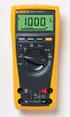 Model 77 Series IV Digital Multimeter Introduction XWWarning To avoid electric shock or injury, do not perform the performance tests or calibration adjustment procedures unless qualified to do so. The
1. SAFETY INFORMATION
 RS-232 Sound Level Meter 72-860A INSTRUCTION MANUAL www.tenma.com 1. SAFETY INFORMATION Read the following safety information carefully before attempting to operate or service the meter. Use the meter
Instruction Manual IDM 71/72/73 Digital Multimeter EN FR IT DE
 Instruction Manual IDM 71/72/73 Digital Multimeter EN FR IT DE Warning...................................... Caution.............................................. Safety Alert Symbol : READ and UNDERSTAND
1587/1577. Insulation Multimeters. Users Manual
 1587/1577 Insulation Multimeters Users Manual PN 2401027 April 2005 2005 Fluke Corporation. All rights reserved. Printed in USA All product names are trademarks of their respective companies. LIMITED WARRANTY
Essential Electrical Concepts
 Essential Electrical Concepts Introduction Modern vehicles incorporate many electrical and electronic components and systems: Audio Lights Navigation Engine control Transmission control Braking and traction
AVO410. Digital multimeter Digitale Multimeter Multimèter numérique Multímetro digitales Digitale multimeter
 mm AVO410 Digital multimeter Digitale Multimeter Multimèter numérique Multímetro digitales Digitale multimeter User manual Bedienungsanleitung Manuel utilisateur Guía del usuario Gebruikershandleiding
Integrating Sound Level Meter and Datalogger
 USER GUIDE Integrating Sound Level Meter and Datalogger Model 407780A Introduction Thank you for selecting the Extech Instruments Model 407780A. This device is shipped fully tested and calibrated and,
User's Guide. Digital Psychrometer. Model RH390. F C WBT Dew Point MAX MIN
 User's Guide Digital Psychrometer Model RH390 MAX MIN F C WBT Dew Point Introduction Congratulations on your purchase of the Extech RH390 Digital Psychrometer. This device measures Humidity, Air Temperature,
Agilent U1230 Series Handheld Digital Multimeters (DMMs)
 Agilent U1230 Series Handheld Digital Multimeters (DMMs) Data Sheet Retool your expectations with the new Agilent U1230 Series Handheld DMMsthe first to combine a built-in LED flashlight, both audible
Microwave Meter. Instruction Manual
 Microwave Meter 840046 Instruction Manual Microwave Meter 840046 Copyright 2009 by Sper Scientific ALL RIGHTS RESERVED Printed in the USA The contents of this manual may not be reproduced or transmitted
What is a multimeter?
 What is a multimeter? A multimeter is a devise used to measure voltage, resistance and current in electronics & electrical equipment It is also used to test continuity between to 2 points to verify if
162 CB CABLE TRACER. Filter Probe & Tone Generator INSTRUCTION MANUAL
 162 CB CABLE TRACER Filter Probe & Tone Generator INSTRUCTION MANUAL INDEX PAGE 1. INTRODUCTION... 1 2. FILTER PROBE... 1-3 3. TONE GENERATOR... 3-6 4. SPECIFICATION... 7-8 5. MAINTENANCE... 8 1. INTRODUCTION
Instructions A622 100 Amp AC/DC Current Probe 070-8883-03
 Instructions A622 100 Amp AC/DC Current Probe 070-8883-03 Revision A www.tektronix.com 070888303 Copyright Tektronix, Inc. All rights reserved. Tektronix products are covered by U.S. and foreign patents,
VOLTAGE/CURRENT CALIBRATOR ISO-TECH ILC-421
 VOLTAGE/CURRENT CALIBRATOR ISO-TECH ILC-421 TABLE OF CONTENTS 1. FEATURES... 1 2. SPECIFICATIONS... 1 2-1 General Specifications...1 2-2 Electrical Specifications... 2 3. FRONT PANEL DESCRIPTION... 4 3-1
Model 1756 Test Lead Kit
 Keithley Instruments 28775 Aurora Road Cleveland, Ohio 44139 1-888-KEITHLEY http://www.keithley.com Model 1756 Test Lead Kit Gerneral Purpose Test Lead Information Description These test leads allow you
AMP-210 AMP-210-EUR AMP-220 AMP-220-EUR AMP-310 AMP-310-EUR AMP-320 AMP-320-EUR. 600A AC TRMS Clamp Multimeter. 600A AC / DC TRMS Clamp Multimeter
 AMP-210 AMP-210-EUR 600A AC TRMS Clamp Multimeter AMP-220 AMP-220-EUR 600A AC / DC TRMS Clamp Multimeter AMP-310 AMP-310-EUR 600A AC TRMS Clamp Multimeter AMP-320 AMP-320-EUR 600A AC / DC TRMS Clamp Multimeter
SOUND LEVEL METER 94405
 SOUND LEVEL METER 94405 INSTRUCTION MANUAL REC FAST A/C 1. SAFETY INFORMATION Read the following safety information carefully before attempting to operate or service the meter. Use the meter only as specified
HCS-3300/3302/3304 USB Remote Programmable Laboratory Grade Switching Mode Power Supply
 1. INTRODUCTION HCS-3300/3302/3304 USB Remote Programmable Laboratory Grade Switching Mode Power Supply User Manual This family of efficient, upgraded SMPS with small form factor, auto cross over CV CC,
User manual BETSO WTCS. 16 channel wireless digital TC slate. 1 Copyright BETSO ELECTRONICS Ltd.
 16 channel wireless digital TC slate 1 Copyright BETSO ELECTRONICS Ltd. Contents 1. Product description...3 2. Top features...3 3. Control elements...4 4. Insertion of batteries / accumulators...6 5. External
Multifunction Process Calibrator
 725 Multifunction Process Calibrator Product Overview PN 1549644 English January 2000 Rev.2, 8/05 2000-2005 Fluke Corporation. All rights reserved. Printed in USA All product names are trademarks of their
RIGOL. Quick Guide. DS1000CA Series Oscilloscope. Aug. 2011. RIGOL Technologies, Inc.
 Quick Guide DS1000CA Series Oscilloscope Aug. 2011 Technologies, Inc. Guaranty and Declaration Copyright 2011 Technologies, Inc. All Rights Reserved. Trademark Information is a registered trademark of
5000V Graphical Megohmmeter Model 5070
 5000V Graphical Megohmmeter Model 5070 The Model 5070, the latest design in 5000V Megohmmeters, is the most innovative product in its class on the market today. The features and functions incorporated
Getting started with
 PART NO. CMA113 MADE IN CHINA 1. Measuring CAT II 2. Max. voltage 250V ~ 3. Max. current 71 Amp Getting started with Electricity consumption monitoring single phase for homes and some smaller light commercial
User's Guide. Digital Sound Level Meter. Model 407730
 User's Guide Digital Sound Level Meter Model 0770 Introduction Congratulations on your purchase of the Extech 0770 Digital Sound Level Meter. The 0770 measures and displays sound pressure levels in db
User's Guide. Integrating Sound Level Datalogger. Model 407780. Introduction
 User's Guide 99 Washington Street Melrose, MA 02176 Phone 781-665-1400 Toll Free 1-800-517-8431 Visit us at www.testequipmentdepot.com Back to the Extech 407780 Product Page Integrating Sound Level Datalogger
RS Stock No. 724-4207 Instruction Manual RS-1340 Hot Wire Anemometer
 RS Stock No. 724-4207 Instruction Manual RS-1340 Hot Wire Anemometer EN FR IT DE ES CONTENTS / EN Title CONTENTS Page 1. SAFETY INFORMATION...1 2. INTRODUCTION...2 3. SPECIFICATIONS...3 4. PARTS & CONTROLS...4
RS DIGITAL THERMOMETER
 RS DIGITAL THERMOMETER 1319A INSTRUCTION MANUAL C F MX MN AVG TITLE TABLE OF CONTENTS PAGE 1. INTRODUCTION... 1 2. SPECIFICATIONS... 1 3. NAME OF PARTS AND POSITIONS... 3 4. OPERATION INSTRUCTIONS... 5
INTRODUCTION SAFETY PRECAUTIONS/
 Title Page No. INTRODUCTION..................................1 SAFTY PRCAUTIONS/WARNINGS.................1 SPCIFICATIONS................................3 CONTROLS AND INDICATORS......................6
4-Channel Thermometer / Datalogger
 USER GUIDE 4-Channel Thermometer / Datalogger RTD and Thermocouple Inputs Model SDL200 Introduction Congratulations on your purchase of the Extech SDL200 Thermometer, an SD Logger Series meter. This meter
How To Use A Meter
 Table of Contents Title I UT391 Product Introduction II Unpacking Inspection III Safety Instruction IV Meter Structure V Setting and Operation of Meter VI Technical specifications VII Maintenance 3 4 5
MEGGER 210170 Insulation & Low Resistance Tester
 MEGGER 210170 Insulation & Low Resistance Tester User Guide SAFETY WARNINGS Safety Warnings and Precautions must be read and understood before the instrument is used. They must be observed during use.
User Manual Color video door phone
 User Manual Color video door phone CDV-70KM Thank you for purchasing COMMAX products. Please carefully read this User s Guide (in particular, precautions for safety) before using a product and follow instructions
No.1. Digital Multimeter RIGOL TECHNOLOGIES, INC.
 No.1 DM368 6½ digits Digital Multimeter Real 6 ½ digits readings resolution Up to 1 K rdgs/s of measurement speed and 512 K rdgs Nonvolatile Memory TrueRMS AC Voltage Current measuring Builtin 1 groups
Temperature Humidity Meter
 971 Temperature Humidity Meter Users Manual PN 2441047 September 2005 Rev.1, 5/06 2005-2006 Fluke Corporation, All rights reserved. Printed in Taiwan All product names are trademarks of their respective
Drayton Digistat +2RF/+3RF
 /+3RF Programmable Room Thermostat Wireless Model: RF700/22090 Model: RF701/22092 Power Supply: Battery - Thermostat Mains - Digistat SCR Invensys Controls Europe Customer Service Tel: 0845 130 5522 Customer
12 Volt 30 Amp Digital Solar Charge Controller
 12 Volt 30 Amp Digital Solar Charge Controller User s Manual WARNING Read carefully and understand all INSTRUCTIONS before operating. Failure to follow the safety rules and other basic safety precautions
LST-3800. In-Dash Digital Sonar Gauge. Installation & Operation Instructions
 Pub. 988-0064-351 LST-3800 In-Dash Digital Sonar Gauge Installation & Operation Instructions The LST-3800 is a depth and temperature gauge that comes with a 200 khz transducer, features deep and shallow
User s manual FLIR VP50/VP52 Non-contact AC voltage detector
 User s manual FLIR VP50/VP52 Non-contact AC voltage detector User s manual FLIR VP50/VP52 #T559851; r. AD/ 9134/9134; en-us Table of contents 1 Disclaimers... 1 1.1 Copyright... 1 1.2 Quality assurance...
Table of Contents. Page No.
 Table of Contents Title Page No. INTRODUCTION... 2 SAFETY PRECAUTIONS/S... 2 SPECIFICATIONS... 3 CONTROLS AND INDICATORS... 8 TESTING PROCEDURES... 10 AUXILIARY FUNCTIONS... 17 BATTERY AND FUSE REPLACEMENT...
ADM1TE 5/30A DIN rail single phase two wire energy meter
 ADMTE 5/30A DIN rail single phase two wire energy meter. Safety instruction.2 Foreword.3 Performance criteria.4 Specifications.5 Basic errors.6 Description.7 Dimensions.8 Installation.9 Operating.0 Troubleshooting.
HOW TO USE MULTIMETER. COMPILE BY: Dzulautotech
 HOW TO USE MULTIMETER COMPILE BY: Dzulautotech 1. GENERAL Electricity is absolutely necessary for an automobile. It is indispensable when the engine is started, the air fuel mixture is ignited and exploded,
H203D 中文 GB Version 1
 H203D 中 GB文 Version 1 Contents Installing batteries... 4 Using the AC adapter (not supplied)... 5 Setting the clock... 6-7 Updating your radio - DAB... 8 Selecting a station - DAB... 9 Secondary services
Fluke 3000 FC Series Test Tools Technical Data
 Fluke 3000 FC Series Test Tools Technical Data Now compatible with Fluke Connect Mobile App Start building tomorrow s test tool system today with the Fluke 3000 FC Digital Multimeter. The new Fluke Connect
Current Monitoring Kit
 Current Monitoring Kit QUICK START GUIDE DO090-6 CONTENTS Issues: 1) 2.10.02 WP A4 format 2) 2.10.02 Added safety warning 3) 17.3.06 Word A5 format. S1: Removed relay modules. S2: Added MI010. S4.1: added
IN-OUT Thermometer with Cable Free Sensor and Clock
 IN-OUT Thermometer with Cable Free Sensor and Clock MODEL: RAR232 USER'S MANUAL INTRODUCTION Congratulations on your purchase of the RAR232 In-Out Thermometer with 433MHz cable free sensor and calendar
DC POWER SUPPLY ALIMENTATION C.C.
 DC POWER SUPPLY ALIMENTATION C.C. ISO-TECH IPS 303A 201-3424 ISO-TECH IPS 601A 201-3446 82IP-303A0ME E1 SAFETY TERMS AND SYMBOLS These terms may appear in this manual or on the product: WARNING. Warning
SHENZHEN JUNSI ELECTRONIC CO.,LTD
 Cell Voltage Monitor&Logger USER S MANUAL SHENZHEN JUNSI ELECTRONIC CO.,LTD Thank you for purchasing the. Please read the entire User s Manual completely and attentively as it contains a wide variety of
RCR-22 AM/MW 2 bands Digital Clock Radio instruction manual
 RCR-22 AM/MW 2 bands Digital Clock Radio instruction manual Important safety instructions 1. Read and understand all safety and operating instructions before the radio is operated. 2. Retain instruction:
Table of Contents. Title
 Table of Contents Title Page No. INTRODUCTION... 2 SAFETY PRECAUTIONS/WARNINGS... 2 SPECIFICATIONS... 3 CONTROLS AND INDICATORS... 8 TESTING PROCEDURES... 10 AUXILIARY FUNCTIONS... 17 BATTERY AND FUSE
USER GUIDE. LED Light Meter. Model LT45
 USER GUIDE LED Light Meter Model LT45 Introduction Congratulations on your purchase of the Extech LT45 LED Light Meter that measures light from LED lamps in addition to fluorescent, metal halide, high
DX-395. FM/AM/SW1/SW2 PLL Synthesized Receiver OWNER S MANUAL. Cat. No. 20-225. Please read before using this equipment.
 20-225.fm Page 1 Wednesday, August 4, 1999 10:07 AM Cat. No. 20-225 OWNER S MANUAL Please read before using this equipment. DX-395 FM/AM/SW1/SW2 PLL Synthesized Receiver 20-225.fm Page 2 Wednesday, August
EVC40 EMERGENCY VOICE COMMUNICATION SYSTEM
 EVC40 EMERGENCY VOICE COMMUNICATION SYSTEM INSTALLATION MANUAL Protec Fire Detection PLC, Protec House, Churchill Way, Nelson, Lancashire, BB9 6RT. Telephone: +44 (0) 1282 717171 Fax: +44 (0) 1282 717273
User s Manual Before using the inverter, you need to read and save the safety instructions.
 User s Manual Before using the inverter, you need to read and save the safety instructions. STI SERIES (STI200, STI300, STI500, STI700, STI1000) Power Frequency Pure Sine Wave Inverter The information
PR-D9W. GB Version 1
 PR-D9W Version 1 Table of contents Important safety instructions... 2-3 Introduction... 4 Controls... 5-8 Using your weather alert radio for the first time... 9 Operating your radio Search tuning AM/FM...
INSTRUCTION MANUAL. NC-500 NETcat Pro Wiring Tester
 INSTRUCTION MANUAL English...1 16 Français...17 32 Español...33 48 Deutsch...49 64 NC-500 NETcat Pro Wiring Tester Read and understand all of the instructions and safety information in this manual before
Professional Thermohygrometer
 User Manual Professional Thermohygrometer with NIST-Traceable Calibration Model 20250-21 THE STANDARD IN PRECISION MEASUREMENT Introduction The Digi-Sense Professional Thermohygrometer (Model 20250-21)
Current Probes. User Manual
 Current Probes User Manual ETS-Lindgren L.P. reserves the right to make changes to any product described herein in order to improve function, design, or for any other reason. Nothing contained herein shall
Kit 106. 50 Watt Audio Amplifier
 Kit 106 50 Watt Audio Amplifier T his kit is based on an amazing IC amplifier module from ST Electronics, the TDA7294 It is intended for use as a high quality audio class AB amplifier in hi-fi applications