
SERIES SGDH MECHATROLINK INTERFACE UNIT USER'S MANUAL
|
|
|
- Lisa Taylor
- 10 years ago
- Views:
Transcription
1 YASKAWA SERIES SGDH MECHATROLINK INTERFACE UNIT USER'S MANUAL MODEL: JUSP-NS100 YASKAWA MANUAL NO. SIE-C718-4B
2 Yaskawa, 1999 All rights reserved. No part of this publication may be reproduced, stored in a retrieval system, or transmitted, in any form, or by any means, mechanical, electronic, photocopying, recording, or otherwise, without the prior written permission of Yaskawa. No patent liability is assumed with respect to the use of the information contained herein. Moreover, because Yaskawa is constantly striving to improve its high-quality products, the information contained in this manual is subject to change without notice. Every precaution has been taken in the preparation of this manual. Nevertheless, Yaskawa assumes no responsibility for errors or omissions. Neither is any liability assumed for damages resulting from the use of the information contained in this publication.
3 Overview About this Manual This manual provides the following information for the Σ-ΙΙ Series SGM H/SGDH- E Servodrives with a JUSP-NS100 MECHATROLINK Interface Unit mounted. Procedures for installing and wiring the SERVOPACK and Option Unit. Procedures for trial operation of the Servodrive. Procedures for using functions and adjusting the Servodrives. Precautions for using the built-in Panel Operator and the Hand-held Digital Operator. Ratings and specifications for standard models. Procedures for maintenance and inspection. SERVOPACK MECHATROLINK communications specifications. Intended Audience This manual is intended for the following users. Those designing Servodrive systems using MECHATROLINK. Those designing Σ-ΙΙ Series Servodrive systems. Those installing or wiring Σ-ΙΙ Series Servodrives. Those performing trial operation or adjustments of Σ-ΙΙ Series Servodrives. Those maintaining or inspecting Σ-ΙΙ Series Servodrives. Description of Technical Terms In this manual, the following terms are defined as follows: Option Unit = JUSP-NS100 Servomotor = Σ-ΙΙ Series SGMAH, SGMPH, SGMGH, SGMSH, or SGMDH Servomotor. SERVOPACK = Σ-ΙΙ Series SGDH- E SERVOPACK. Servodrive = A set including a Servomotor and Servo Amplifier. Servo System = A servo control system that includes the combination of a Servodrive with a host computer and peripheral devices. Indication of Reverse Signals In this manual, the names of reverse signals (ones that are valid when low) are written with a forward slash (/) before the signal name, as shown in the following examples: /S-ON /P-CON iii
4 Visual Aids The following aids are used to indicate certain types of information for easier reference. EXAMPLE Indicates application examples. INFO Indicates supplemental information. IMPORTANT Indicates important information that should be memorized, including precautions such as alarm displays to avoid damaging the devices. TERMS Indicates definitions of difficult terms or terms that have not been previously explained in this manual. iv
5 Related Manuals Refer to the following manuals as required. Read this manual carefully to ensure the proper use of Σ-ΙΙ Series Servodrives. Also, keep this manual in a safe place so that it can be referred to whenever necessary. Manual Name Manual Number Contents Σ-ΙΙ Series SGM H/SGDH User s Manual Servo Selection and Data Sheets Σ-ΙΙ Series SGM H/SGDH User s Manual Design and Maintenance Σ-ΙΙ Series Servopack Personal Computer Monitoring Software Operation Manual Σ-ΙΙ Series SGM H/SGDM Digital Operator Operation Manual High-speed Field Network MECHATROLINK System User s Manual High-speed Field Network MECHATROLINK Servo Command User s Manual SIE-S SIE-S SIE-S TOE-S SIE-S SIE-S Describes the procedure used to select Σ-ΙΙ Series Servodrives and capacities. Provides detailed information on SGDH SERVOPACKs. Describes the applications and operation of software for the Σ-ΙΙ Series Servodrive monitoring devices for use on personal computers. Provides detailed information on the operation of the JUSP-OP02A-2 Digital Operator, which is an optional product. Provides detailed information on the MECHATROLINK system. Describes the Servo commands for use in a MECHATROLINK system. v
6 Safety Information The following conventions are used to indicate precautions in this manual. Failure to heed precautions provided in this manual can result in serious or possibly even fatal injury or damage to the products or to related equipment and systems. WARNING Indicates precautions that, if not heeded, could possibly result in loss of life or serious injury. CAUTION Indicates precautions that, if not heeded, could result in relatively serious or minor injury, damage to the product, or faulty operation. PROHIBITED Indicates actions that must never be taken. The warning symbols for ISO and JIS standards are different, as shown below. ISO JIS The ISO symbol is used in this manual. Both of these symbols appear on warning labels on Yaskawa products. Please abide by these warning labels regardless of which symbol is used. vi
7 Safety Precautions The following precautions are for checking products upon delivery, installation, wiring, operation, maintenance and inspections. Checking Products upon Delivery Always use the Servomotor and SERVOPACK in one of the specified combinations. Not doing so may cause fire or malfunction. Installation Never use the products in an environment subject to water, corrosive gases, inflammable gases, or combustibles Doing so may result in electric shock or fire. Wiring CAUTION CAUTION WARNING Connect the SERVOPACK ground terminal effectively to a system grounding conductor or grounding electrode (100 Ω or less). Improper grounding may result in electric shock or fire. CAUTION Do not connect a three phase power supply to SERVOPACK U, V, or W output terminals. Doing so may result in injury or fire. Securely fasten the power supply terminal screws and motor output terminal screws. Not doing so may result in fire. vii
8 Operation Never touch any rotating motor parts while the motor is running. Doing so may result in injury. WARNING Conduct trial operation on the Servomotor alone with the motor shaft disconnected from machine to avoid any unexpected accidents. Not doing so may result in injury. Before starting operation with a machine connected, change the settings to match the parameters of the machine. Starting operation without matching the proper settings may cause the machine to run out of control or malfunction. Before starting operation with a machine connected, make sure that an emergency stop can be applied at any time. Not doing so may result in injury. Do not touch the heat sinks during operation. Doing so may result in burns due to high temperatures. Maintenance and Inspection Never touch the inside of the SERVOPACKs. Doing so may result in electric shock. Do not remove the panel cover while the power is ON. Doing so may result in electric shock. Do not touch terminals for five minutes after the power is turned OFF. Residual voltage may cause electric shock. CAUTION WARNING CAUTION Do not disassemble the Servomotor. Doing so may result in electric shock or injury. Do not attempt to change wiring while the power is ON. Doing so may result in electric shock or injury. viii
9 General Precautions Note the following to ensure safe application. The drawings presented in this manual are sometimes shown without covers or protective guards. Always replace the cover or protective guard as specified first, and then operate the products in accordance with the manual. The drawings presented in this manual are typical examples and may not match the product you received. This manual is subject to change due to product improvement, specification modification, and manual improvement. When this manual is revised, the manual code is updated and the new manual is published as a next edition. The edition number appears on the front and back covers. If the manual must be ordered due to loss or damage, inform your nearest Yaskawa representative or one of the offices listed on the back of this manual. Yaskawa will not take responsibility for the results of unauthorized modifications of this product. Yaskawa shall not be liable for any damages or troubles resulting from unauthorized modification. ix
10 CONTENTS Overview iii Visual Aids iv Safety Information vi Safety Precautions vii 1 Checking Products and Part Names 1.1 Checking Products on Delivery Product Part Names Mounting the Option Unit Installation 2.1 Storage Conditions Installation Site Orientation Installation Connectors 3.1 Connecting to Peripheral Devices Single-phase (100 V or 200 V) Main Circuit Specifications Three-phase (200 V) Main Circuit Specifications SERVOPACK Internal Block Diagrams I/O Signals Connection Example of I/O Signal Connector (CN1) I/O Signals Connector (CN1) I/O Signal Names and Functions Interface Circuits Fully Closed Encoder Signals Connector (CN4) Fully Closed Encoder Connection Example CN4 Connector Terminal Layout Connections for MECHATROLINK Communications MECHATROLINK Communications Connection Example MECHATROLINK Communications Connectors (CN6A, CN6B) Precautions for Wiring MECHATROLINK Cables Examples of Combined Connections (for Fully Closed Encoders) Single-phase Power Supply Specifications Three-phase Power Supply Specifications x
11 4 MECHATROLINK Communications 4.1 Specifications and Configuration Specifications Control Configuration Switches for MECHATROLINK Communications Settings Rotary Switch (SW1) for MECHATROLINK Station Address Setting DIP Switch (SW2) for Communications Settings Special Command Descriptions No Operation (NOP: 00H) Read Parameter (PRM_RD: 01H) Write Parameter (PRM_WR: 02H) Read ID (ID_RD: 03H) Set Up Device (CONFIG: 04H) Read Alarm or Warning (ALM_RD: 05H) Clear Alarm/Warning (ALM_CLR: 06H) Start Synchronous Communications (SYNC_SET: 0DH) Connection (CONNECT: 0EH) Disconnection (DISCONNECT: 0FH) Read EEPROM Parameters (PPRM_RD: 1BH) Write EEPROM Parameters (PPRM_WR: 1CH) Set Coordinates (POS_SET: 20H) Apply Brake (BRK_ON: 21H) Release Brake (BRK_OFF: 22H) Turn Sensor ON (SENS_ON: 23H) Turn Sensor OFF (SENS_OFF: 24H) Stop Motion (HOLD: 25H) Status Monitoring (SMON: 30H) Servo ON (SV_ON: 31H) Servo OFF (SV_OFF: 32H) Interpolation Feed (INTERPOLATE: 34H) Positioning (POSING: 35 H) Constant Speed Feed (FEED: 36H) Interpolation Feeding with Position Detection (LATCH: 38H) External Input Positioning (EX_POSING: 35H) Zero point return (ZRET: 3AH) Adjusting (ADJ: 3EH) General-purpose Servo Control (SVCTRL: 3FH) Motion Command Specifications Field Special Descriptions Latch Signal Field Specifications: LT_SGNL Option Field Specifications Speed Feed Forward (FF) Field Specifications Monitor 1/2 Type Field Specifications xi
12 4.5 Power ON Sequence Typical Power ON Sequence Alternative Power ON Sequence Trial Operation 5.1 Check Items before Trial Operation Servomotors SERVOPACKs Trial Operation for MECHATROLINK Communications Preparations for Trial Operation Operating the Servomotor Trial Operation Inspection Supplementary Information on Trial Operation Minimum Parameters and Input Signals Servomotors with Brakes Parameter Settings and Functions 6.1 Parameter Limits and Standard Settings with Option Unit Parameter Limits Standard Settings for CN1 I/O Signals Settings According to Device Characteristics Switching Servomotor Rotation Direction Setting the Overtravel Limit Function Software Limit Settings Fully Closed Control Fully Closed System Specifications Parameter Settings Settings According to Host Controller Sequence I/O Signals Using the Electronic Gear Function Acceleration/Deceleration Function Motion Settings Setting Up the SERVOPACK Parameters Input Circuit Signal Allocation Output Circuit Signal Allocation Command Masking Function Debug Function Monitoring Setting Stop Functions Using the Dynamic Brake xii
13 6.5.2 Using the Holding Brake Absolute Encoders Selecting an Absolute Encoder Absolute Encoder Setup Multiturn Limit Setting Absolute Encoder Zero Point Position Offset Digital Operator 7.1 Connecting the Digital Operator Limitations in Using a Hand-held Digital Operator Panel Operator Indicators Ratings, Specifications, and Dimensional Drawings 8.1 Ratings and Specifications Dimensional Drawings Option Unit SERVOPACKs Troubleshooting 9.1 Troubleshooting Problems with Alarm Displays Troubleshooting Problems with No Alarm Display Alarm Display Table Warning Displays Option Unit Peripheral Devices 10.1 Fully Closed Encoder Connector Kit MECHATROLINK Communications Cables and Terminator10-2 A List of MECHATROLINK Commands and Command Formats A.1 MECHATROLINK Command List A-2 A.2 MECHATROLINK Command Format List A-5 B List of Parameters B.1 Parameters B-2 B.2 Memory Switches B-7 B.3 Input Signal Selections B-10 B.4 Output Signal Selections B-13 B.5 MECHATROLINK Communications Setting Parameters - - B-14 xiii
14 C Using the Adjusting Command (ADJ: 3EH) C.1 Autotuning C-2 C.1.1 Online Autotuning C-3 C.1.2 Machine Rigidity Settings for Online Autotuning C-5 C.1.3 Saving Results of Online Autotuning C-7 C.1.4 Parameters Related to Online Autotuning C-9 C.2 Absolute Encoder Setup (Initialization) C-11 C.3 Multiturn Limit Setting C-12 C.4 Automatic Offset Adjustment of Motor Current Detection Signals C-13 C.5 Enabling the Panel Operator C-14 D Σ-ΙΙ Series Command Compatibility Index D.1 Command Comparison D-2 D.2 Absolute Encoder Comparison D-3 D.3 Parameters Comparison D-4 xiv
15 1 Checking Products and Part Names 1 This chapter describes the procedure for checking Σ-ΙΙ Series products and the Option Unit upon delivery. It also describes the names of product parts. 1.1 Checking Products on Delivery Product Part Names Mounting the Option Unit
16 1 Checking Products and Part Names 1.1 Checking Products on Delivery The following procedure is used to check products upon delivery. Check the following items when products are delivered. 1 Check Items Are the delivered products the ones that were ordered? Is there any damage? Can the Option Unit be installed on the SERVOPACK used? Comments Check the model numbers marked on the nameplates of the Option Unit. (Refer to the descriptions of model numbers on following pages.) Check the overall appearance, and check for damage or scratches that may have occurred during shipping. Check the model number given on the SERVOPACK nameplate. The model number must contain SGDH and E as shown below to support the Option Unit. SGDH- E- If any of the above items are faulty or incorrect, contact your Yaskawa sales representative or the dealer from whom you purchased the products. External Appearance and Nameplate Examples Option Unit model number Option Unit name NS100 S W 1 A R S W 2 C N 6 A SERVOPACK MECHATROLINK I/F UNIT MODEL JUSP-NS100 VER S/N V YASKAWA ELECTRIC MADE IN JAPAN C N 6 B C N 4 Serial number Fig. 1.2 Nameplate Version Fig. 1.1 External Appearance of the Option Unit 1-2
17 1.1 Checking Products on Delivery Model Numbers Option Unit SERVOPACK peripheral device Type of device: NS10 MECHATROLINK Interface Unit JUSP - NS10 0 Design Revision Order 1 1-3
18 1 Checking Products and Part Names 1.2 Product Part Names The following diagram illustrates the product part names of the Option Unit. Ground wire: Connect to the terminal marked "Gî on the SGDH SERVOPACK. 1 NS100 Rotary Switch (SW1): Used to set the MECHATROLINK station address. S W 1 A R S W 2 LED A: Lit when an alarm occurs. LED R: Lit when MECHATROLINK communications are in progress. C N 6 A DIP Switch (SW2): Used to set MECHATROLINK communications. Nameplate: Indicates the model and serial numbers. C N 6 B MECHATROLINK Communications CN6A and CN6B Connectors: Connects to the MECHATROLINK system. C N 4 CN4 Fully Closed Encoder Signal Connector: Used for fully closed signal connection. Fig. 1.3 Option Unit 1-4
19 1.3 Mounting the Option Unit 1.3 Mounting the Option Unit This section describes how to mount a JUSP-NS100 MECHATROLINK Interface Unit (Option Unit) on the SGDH SERVOPACK. Prepare the screws for connecting the ground wire as shown in the following table: Mounting Type SERVOPACK Models Screw Remarks Base Mounted SGDH-A3 to 02BE M3 10 round-head screw Attachments SGDH-A3 to 10AE (spring or flat washer) Rack Mounted SGDH-15 to 50AE SGDH-05 to 30DE SGDH-60/75AE SGDH-A3 to 02BE-R SGDH-A3 to 50AE-R SGDH-05 to 30DE-R M4 10 round-head screw (spring or flat washer) M4 8 round-head screw (spring or flat washer) M4 6 round-head screw (spring or flat washer) Duct Vent SGDH-60/75AE-P M4 8 round-head screw (spring or flat washer) Attachments Use front panel fixer screws Attachments (see note) Use front panel fixer screws 1 Note: Be sure to use spring washers or flat washers. Failure to do so may result in the screws for connecting the ground wire protruding behind the flange, preventing the SERVOPACK from being mounted. By mounting an Option Unit, the SGDH SERVOPACK can be used in a MECHATROLINK system. Use the following procedure to ensure Option Units are mounted correctly. 1. Remove the connector cover from the CN10 connector on the SERVOPACK. YASKAWA SGDH SERVOPACK CN10 Connector cover MODE/SET DATA / CHARGE POWER 1-5
20 1 Checking Products and Part Names 2. Mount the Option Unit on the SERVOPACK. SERVOPACK connector CN10 Connector (Connect to SERVOPACK) YASKAWA SERVOPACK SGDH- NS100 1 S W 1 A R S W 2 C N 6 A C N 6 B C N 4 3. For grounding, connect a ground wire of the Option Unit to the point marked G on the SERVOPACK. G GROUND WIRE YASKAWA SGDH - SERVOPACK NS100 MODE/SET CHARGE DATA/ POWER For SERVOPACK 30 W to 5.0kW G GROUND WIRE YASKAWA SGDH SERVOPACK 200V NS100 For SERVOPACK 6.0 kw to 7.5 kw 1-6
21 C N 1.3 Mounting the Option Unit When the Option Unit has been mounted correctly, the SERVOPACK will appear as shown in the following diagram. YASKAWA SERVOPACK SGDH 200V NS100 S W 1 A R S W 2 C N 6 A 1 6 B C N 4 1-7
22 2 Installation 2 This chapter describes precautions for Σ-ΙΙ Series product installation. The SGDH SERVOPACKs are base-mounted servo controller. Incorrect installation will cause problems. Always observe the installation precautions shown in this chapter. 2.1 Storage Conditions Installation Site Orientation Installation
23 2 Installation 2.1 Storage Conditions Store the SERVOPACK within the following temperature range when it is stored with the power cable disconnected. -20 to 85 C YASKAWA SERVOPACK SGDH 200V NS100 2 S W 1 A R S W 2 C N 6 A C N 6 B C N Installation Site Σ -II Series SGDH SERVOPACK with Option Unit mounted Take the following precautions at the installation site. Situation Installation in a Control Panel Installation Near a Heating Unit Installation Near a Source of Vibration Installation at a Site Exposed to Corrosive Gas Other Situations Installation Precaution Design the control panel size, unit layout, and cooling method so that the temperature around the SERVOPACK does not exceed 55 C. Minimize heat radiated from the heating unit as well as any temperature rise caused by natural convection so that the temperature around the SERVOPACK does not exceed 55 C. Install a vibration isolator beneath the SERVOPACK to avoid subjecting it to vibration. Corrosive gas does not have an immediate effect on the SERVOPACK, but will eventually cause electronic components and contactor-related devices to malfunction. Take appropriate action to avoid corrosive gas. Do not install the SERVOPACK in hot or humid locations, or locations subject to excessive dust or iron powder in the air. 2-2
24 2.3 Orientation 2.3 Orientation Install the SERVOPACK perpendicular to the wall as shown in the figure. The SERVOPACK must be oriented this way because it is designed to be cooled by natural convection or cooling fan. Secure the SERVOPACK using 2 to 4 mounting holes. The number of holes depends on the SERVOPACK capacity. 2 MADE IN JAPAN Wall Ventilation 2-3
25 2 Installation 2.4 Installation Follow the procedure below to install multiple SERVOPACKs side by side in a control panel. Coolingfan Coolingfan 50 mm (1.97in) min mm (1.18in) min. 10 mm (0.39in) min. 50 mm (1.97in) min. SERVOPACK Orientation Install the SERVOPACK perpendicular to the wall so that the front panel (containing connectors) faces outward. Cooling As shown in the figure above, provide sufficient space around each SERVOPACK for cooling by cooling fans or natural convection. Side-by-side Installation When installing SERVOPACKs side by side as shown in the figure above, provide at least 10 mm (0.39 in) between and at least 50 mm (1.97 in) above and below each SERVOPACK. Install cooling fans above the SERVOPACKs to avoid excessive temperature rise and to maintain even temperature inside the control panel. Environmental Conditions in the Control Panel Ambient Temperature: 0 to 55 C Humidity: 90% RH or less Vibration: 0.5 G (4.9 m/s 2 ) Condensation and Freezing: None Ambient Temperature for Long-term Reliability: 45 C max. 2-4
26 3 Connectors This chapter describes the procedure used to connect Σ-ΙΙ Series products to peripheral devices when an Option Unit is mounted and gives typical examples of I/O signal connections Connecting to Peripheral Devices Single-phase (100 V or 200 V) Main Circuit Specifications Three-phase (200 V) Main Circuit Specifications SERVOPACK Internal Block Diagrams I/O Signals Connection Example of I/O Signal Connector (CN1) I/O Signals Connector (CN1) I/O Signal Names and Functions Interface Circuits Fully Closed Encoder Signals Connector (CN4) Fully Closed Encoder Connection Example CN4 Connector Terminal Layout Connections for MECHATROLINK Communications MECHATROLINK Communications Connection Example MECHATROLINK Communications Connectors (CN6A, CN6B) Precautions for Wiring MECHATROLINK Cables Examples of Combined Connections (for Fully Closed Encoders) Single-phase Power Supply Specifications Three-phase Power Supply Specifications
27 3 Connectors 3.1 Connecting to Peripheral Devices This section provides examples of standard Σ-ΙΙ Series product connections to peripheral devices. It also briefly explains how to connect each peripheral device
28 3.1 Connecting to Peripheral Devices Single-phase (100 V or 200 V) Main Circuit Specifications Host Controller Can be connected to a Yaskawa host controller. Molded-case Circuit Breaker (MCCB) Protects thepower line by shutting thecircuit OFF when overcurrent is detected. Power supply Single-phase 200VAC R T MP910, MP920, MP930, or MP-SG1with Motion Module. Digital Operator (see note.) JUSP-OP02A-2 Noise Filter Molded-case circuit breaker Allows theuser to set parameters or operation references and to display operation or alarm status. Communication is also possible with a personal computer. 3 Used to eliminate external noise from the power line. Personal Computer (see note.) Noise filter Cable model:jzsp-cms01 to 03 Magnetic Contactor HI Series Turns the servo ON and OFF. Install a surge suppressor on the magnetic contactor. Magnetic contactor Magnetic contactor U V W Note Used for maintenance. Be sure to coordinate operation from these devices with controls exerted by the host controller. Power Supply for Brake Used for a Servomotor with a brake. Brake power supply Power supply ground line L1 L2 L1C L2C B1 B2 Encoder Cable Encoder Connector Regenerative resistor (option) Regenerative Resistor Connect an external regenerative resistor to terminals B1and B2 if the regenerative capacity is insufficient. 3-3
29 3 Connectors Three-phase (200 V) Main Circuit Specifications Three-phase (200 V) Main Circuit Specifications Host Controller Can be connected to a Yaskawa host controller. Molded-case Circuit Breaker (MCCB) Power supply Three-phase 200 VAC R S T MP910, MP920, MP930, or MP-SG1with Motion Module. 3 Noise Filter Protects thepower line by shutting thecircuit OFF when overcurrent is detected. Molded-case circuit breaker Digital Operator(see note.) JUSP-OP02A-2 Allows theuser to set parameters or operation references and to display operation or alarmstatus. Communication is also possible with a personal computer. Used to eliminate external noise from the power line. Personal Computer (see note.) Noise filter Cable model:jzsp-cms01to 03 Magnetic Contactor HI Series Turns the servo ON and OFF. Install a surge suppressor on the magnetic contactor. Power Supply for Brake Used for a Servomotor with a brake. Magnetic contactor Brake power supply Magnetic contactor Power supply ground line U V W L1 L2 L3 L1C L2C B1 B2 Note Used for maintenance. Be sure to coordinate operation from these devices with controls exerted by the host controller. Encoder Cable Encoder Connector Regenerative resistor (optional) Regenerative Resistor If the capacity of the internal regenerativeresistor is insufficient,remove the wire between B2 and B3 and connect an external regenerative resistor to terminals B1 and B2. For SERVOPACKs with a capacity of 6.0 kw or higher,connect an external regenerative resistor between terminals B1 and B2. (There is no terminal B3 on these SERVOPACKs.) 3-4
30 3.2 SERVOPACK Internal Block Diagrams 3.2 SERVOPACK Internal Block Diagrams The following sections show an internal block diagram for the SERVOPACK with an Option Unit. 30 to 400 W 200-V and 30 to 200 W 100-V Models Single-phase 200 to 230 V (50/60Hz) Noise filter +10% -15% 1MC L1 L2 1 2 FU1 XX1 PM-1 P1 R T N1 Voltage Sensor C1 RY1 + - Relay drive CHARGE Voltage Sensor B1 B2 D1 TR1 Gate drive P2 N2 Gate drive overcurrent protector Interface PM1-2 U V W D2D3D4 R7 U V R8 W THS1 CN2 AC Servomotor PG 3 L1C L2C ~ ~ DC/DC converter ± 5V +15 V +5 V ± 12 V ASIC (PWM control) Current Sensor CN8 CN1 For battery connection Power OFF (5RY) Power ON 1MC 1MC Surge suppressor Open during servo alarm Monitor display Analog voltage converter CN5 +5 V POWER 0V CN3 CPU (position and speed calculations) I/O CN10 Sequence I/O Analog monitor output for supervision Digital Operator/ personal computer Other station Other station CN6A CN6B Communications interface BUS interface CN10 +5 V RUN CN4 Fully closed PG +5 V ALM CPU (position commands, command interpretation, arithmetic processing, etc.) Rotary switch Station No. DIP switch Baud rate Power supply 3-5
31 3 Connectors Connection Example of I/O Signal Connector (CN1) 3.3 I/O Signals This section describes I/O signals for the SERVOPACK with Option Unit Connection Example of I/O Signal Connector (CN1) The following diagram shows a typical example of I/O signal connections. SGDH SERVOPACK 3 Backup battery 2.8 to 4.5 V *2 + - BAT (+) P*1 BAT ( - ) CN ALO1 ALO2 ALO3 SG Alarm code output Maximum operating voltage: 30 VDC Maximum operating current: 20 ma DC V VIN k Ω ~ Zero point return deceleration LS *3 (LS enabled when ON) Forward run prohibited (Prohibited when OFF) Reverse run prohibited (Prohibited when OFF) External latch 1 *3 (Latched when ON) External latch 2 *3 (Latched when ON) External latch 3 *3 (Latched when ON) /DEC P- OT N- OT /EXT1 /EXT2 /EXT * 1. P represents twisted-pair wires. * 2. When using an absolute encoder, connect a backup battery only when there is no battery connected to the CN8. * 3. Make signal allocations using parameters. (Refer to Standard Settings for CN1 I/O Signals.) Fig. 3.1 I/O Signal Connections for CN1 Connectors ~ ~ ~ ~ ~ ~ FG ~ ~ ~ ~ Connector shell /BK+ /BK- /S- RDY+ /S- RDY- ALM+ Connect shield to connector shell. ALM- /COIN+ Positioning completed (ON when positioning has /COIN- been completed) Brake output *3 (ON when brake released) Servo ready output (ON when ready) Servo alarm output (OFF for an alarm) Photocoupler output Maximum operating voltage: 30 VDC Maximum operating current: 50 ma DC 3-6
32 3.3 I/O Signals I/O Signals Connector (CN1) The following diagram shows the layout of CN1 terminals. CN1 Terminal Layout Positioning complete output 1 SG GND 26 /COIN- /BK+ Brake interlock output 2 SG GND 27 (Note 3) /BK (Note 3) /S- Servo ready RDY+ output /S-RDY- Servo alarm 6 SG GND 31 ALM+ output ALM SG GND Brake interlock output Servo ready output Servo alarm output ALO1 Alarm code output Alarm code ALO2 (open-collector output) output ALO Zero point /DEC return deceleration LS (Note 3) input 42 P-OT N-OT Reverse run prohibited input 44 /EXT2 External latch (Note 3) signal 2 input 21 BAT (+) Battery (+) 46 /EXT1 (Note 3) /EXT3 (Note 3) Forward drive prohibited input External latch signal 1 input External latch signal 3 input External power supply input BAT (-) Battery (-) VIN Positioning /COIN + complete output Note: 1. Do not use unused terminals for relays. 2. Connect the shield of the I/O signal cable to the connector shell. The shield is connected to the FG (frame ground) at the SERVOPACK-end connector. 3. Make signal allocations using parameters. (Refer to Standard Settings for CN1 I/O Signals.)
33 3 Connectors I/O Signal Names and Functions CN1 Specifications Specifications for SERVOPACK Connectors A2JL 50-p Right Angle Plug Applicable Receptacles Soldered Case Manufacturer VE A0-008 Manufactured by Sumitomo 3M Ltd I/O Signal Names and Functions The following section describes SERVOPACK I/O signal names and functions. Input Signals 3 Signal Name Pin No. Function Common /DEC 41 Zero point return deceleration limit switch: Deceleration LS used when the motor returns to the zero point. P-OT N-OT /EXT1 /EXT2 /EXT Forward run prohibited Reverse run prohibited Overtravel prohibited: Stops Servomotor when movable part travels beyond the allowable range of motion. External latch signals 1, 2, and 3: External signals for latching the current FB pulse counter. +24VIN 47 Control power supply input for sequence signals: Users must provide the +24-V power supply. Allowable voltage fluctuation range: 11 to 25 V BAT (+) BAT (-) Connecting pin for the absolute encoder backup battery. Connect to either CN8 or CN1. Note: The functions allocated to /DEC, P-OT, N-OT, /EXT1, /EXT2, /EXT3, P-CL, and N-CL input signals can be changed via parameters. Output Signals Signal Name Pin No. Function Common ALM+ ALM Servo alarm: Turns OFF when an error is detected. Position /BK+ /BK- /S-RDY+ /S-RDY- ALO1 ALO2 ALO (1) Brake interlock: Output that controls the brake. The brake is released when this signal is ON. Servo ready: ON if there is no servo alarm when the control/main circuit power supply is turned ON. Alarm code output: Outputs 3-bit alarm codes. Open-collector: 30 V and 20 ma rating maximum FG Shell Connected to frame ground if the shield wire of the I/O signal cable is connected to the connector shell. /COIN+ /COIN Positioning completed (output in Position Control Mode): Turns ON when the number of error pulses reaches the value set. The setting is the number of error pulses set in reference units (input pulse units defined by the electronic gear). Note: 1. Pin numbers in parenthesis () indicate signal grounds. 2. The functions allocated to /BK, /S-RDY, and /COIN can be changed via parameters. The /BK, /S-RDY, and /COIN output signals can be changed to /CLT, /VCT, /TGON, /WARN, or /NEAR signals. 3-8
34 3.3 I/O Signals Interface Circuits This section shows examples of SERVOPACK I/O signal connection to the host controller. Sequence Input Circuit Interface The sequence input circuit interface connects through a relay or open-collector transistor circuit. Select a low-current relay, otherwise a faulty contact will result. SERVOPACK SERVOPACK 24 VDC 50 ma min. +24VIN 3.3 k Ω 24 VDC 50 ma min. +24VIN 3.3 k Ω /DEC, etc. /DEC, etc. 3 Output Circuit Interfaces Any of the following two types of SERVOPACK output circuits can be used. Form an input circuit at the host controller that matches one of two types. Connecting to an Open-collector Output Circuit Alarm code signals are output from open-collector transistor output circuits. Connect an open-collector output circuit through a photocoupler, relay or line receiver circuit. 5 to 12 VDC SERVOPACK end Photocoupler SERVOPACK end 5 to 24 VDC Relay P 0V 0V 0V SERVOPACK end 5 to 12 VDC P 0V 0V Note The maximum allowable voltage and current capacities for open-collector output circuits are as follows: Voltage: 30 VDC max. Current: 20 ma DC max. 3-9
35 3 Connectors Interface Circuits Connecting to a Photocoupler Output Circuit Photocoupler output circuits are used for servo alarm, servo ready, and other sequence output signal circuits. Connect a photocoupler output circuit through a relay or line receiver circuit. SERVOPACK end 5 to 24 VDC Relay SERVOPACK end 5 to 12 VDC P 0V 0V 3 Note The maximum allowable voltage and current capacities for photocoupler output circuits are as follows: Voltage: 30 VDC max. Current: 50 ma DC max. 3-10
36 3.4 Fully Closed Encoder Signals Connector (CN4) 3.4 Fully Closed Encoder Signals Connector (CN4) This section describes the wiring for the fully closed encoder signals connector (CN4) Fully Closed Encoder Connection Example The following diagram shows an example of CN4 connections. NS100 PG0V FA /FA FB /FB FC /FC CN4 1, 2, GND A /A B /B Z /Z External PG 3 External power supply indicates a shield CN4 Connector Terminal Layout The following diagram shows the CN4 connector terminal layout and connector specifications. CN4 Connector Terminal Layout 2 PG0 V Signal ground 1 PG0 V Signal ground 3 PG0 V Phase-C input /FC FC Phase-A FA input /FA Phase-B FB input /FB Phase-C input Phase-A input Phase-B input Note: 1. The connector shell is connected to the FG (frame ground). 2. Do not use unused terminals as relay terminals. 3-11
37 3 Connectors CN4 Connector Terminal Layout CN4 Specifications Specifications for SER- VOPACK Connectors A2JL 20-pin Right Angle Plug Applicable Receptacles Soldered Case Manufacturer VE A0-008 SUMITOMO 3M LTD
38 3.5 Connections for MECHATROLINK Communications 3.5 Connections for MECHATROLINK Communications This section describes the connection and wiring of connectors for MECHATROLINK communications MECHATROLINK Communications Connection Example The following diagram shows an example of connections between a host controller and a SERVOPACK using MECHATROLINK communications cables (CN6A, CN6B). MECHATROLINK I/F Pulse transformer /S S 120 Ω SH CN6A /S S SH 3 Host controller FG CN6B /S S SH Pulse transformer MECHATROLINK I/F FG SERVOPACK (first station) indicates a shield. CN6A 1 2 /S 3 S 4 SH CN6B /S S SH Pulse transformer MECHATROLINK I/F FG SERVOPACK (Intermediate stations) CN6A 1 2 /S 3 S Terminating Multiple Axis Connections Always connect a Terminator(JEPMC-W6020:120 Ω )between pins2 and 3 of the end connector of the last SERVOPACK. Also connect a terminating resister (120Ω)and the shield at the host controller. 120 Ω 4 CN6B SH /S S SH Pulse transformer MECHATROLINK I/F FG SERVOPACK (end station) 3-13
39 3 Connectors MECHATROLINK Communications Connectors (CN6A, CN6B) MECHATROLINK Communications Connectors (CN6A, CN6B) The terminal layout and specifications of the CN6A and CN6B connectors are shown below. CN6A and CN6B Connectors Terminal Layout /S S SH Not connected Serial data I/O Not connected Note: The connector shell is connected to the FG (frame ground). CN6A and CN6B Specifications 3 Specifications for SERVO- Applicable Plug (or Socket) PACK Connectors Connector (on Cable) Manufacturer DUSB-ARA41-T11 DUSB-APA41-B1-C50 DDK Precautions for Wiring MECHATROLINK Cables Observe the following precautions when wiring MECHATROLINK cables. Number of Stations A maximum of 15 slave stations can be connected. Cables Be sure to use the specified cables. For more information on cables, refer to 10.2 MECHATROLINK Communications Cables and Terminator. Cable Length The total cable length must be 50 m or less. (Station 1 + Station Station n 50 m) Terminal Processing Install a Terminator on the last SERVOPACK. For more information on Terminators, refer to 10.2 MECHATROLINK Communications Cables and Terminator. 3-14
40 3.5 Connections for MECHATROLINK Communications A MECHATROLINK wiring diagram is shown below. Host controller O OF N F L1 L2 Ln Machine Controller (MP910, MP920, MP930, etc.) Terminator 3 Note: L + L Ln must be 50 m or less. A maximum of 15 stations can be connected. 3-15
41 3 Connectors Single-phase Power Supply Specifications 3.6 Examples of Combined Connections (for Fully Closed Encoders) The following diagrams show examples of combined connections Single-phase Power Supply Specifications +10% Single-phase 200 to 230 VAC ñ 15% (50/60 Hz) Noise filter Power OFF Power ON 1MC Alarm processing Be sure to attach a surge suppressor to the excitation coil of the magnetic contactor and relay. 3 1MC L1 L2 L1C L2C (+) 1 B1 B2 B3 SGDH- E SERVOPACK CN2 U V W A(1) B(2) C(3) D(4) Servomotor M Speed and position detector PG (+) 2 (-) G *4 Be sure to prepare the end of shield properly. To next MECHA TROLINK Slave 120 Ω Backup battery 2.8 to 4.5V *2 Connect to ground. Connect a Terminator (JEPMC-W6020: 120 Ω ) between pins 2 and 3 of the end connector of the last SERVOPACK V - Zero point return deceleration LS *3 (LS enabled when ON) Forward run prohibited (Prohibited when OFF) Reverse run prohibited (Prohibited when OFF) External latch 1 *3 (Latched when ON) External latch 2 *3 (Latched when ON) External latch 3 *3 (Latched when ON) + - BA T ( + ) P*1 BA T ( - ) +24 VIN /DEC P-OT N-OT /EXT1 /EXT2 /EXT3 /S 2 S 3 SH CN6A /S 2 S 3 SH 4 CN6B CN1 JUSP - NS100 Option Unit 3.3 kω ~ ~ ~ ~ ~ ~ ~ ~ ~ ~ ~ CN4 Connector shell ALO1 ALO2 ALO3 SG Fully closed speed and position detector PG Fully closed PG power supply Alarm code output Maximum operating voltage: 30 VDC Maximum operating current: 20 ma DC /COIN+ Positioning completed (ON when positioning has /COINbeen completed) /BK+ Brake output *3 /BK- (ON when brake is released) /S -RDY+ Servo ready output /S -RDY- (ON when ready) ALM+ Servo alarm output ALM - (OFF for an alarm) Photocoupler Outputs Maximum operating voltage: 30 VDC Maximum operating current: 50 ma DC FG Connect shield to connector shell. 3-16
42 3.6 Examples of Combined Connections (for Fully Closed Encoders) * 1. P represents twisted-pair wires. * 2. When using an absolute encoder, connect a backup battery only when there is no battery connected to the CN8. * 3. Make signal allocations using parameters.(refer to Standard Settings for CN1 I/O Signals.) * 4. Connect the ground wire of the Option Unit to the marked G on the SERVOPACK.(Refer to 1.3 Mounting the Option Unit.)
43 3 Connectors Three-phase Power Supply Specifications Three-phase Power Supply Specifications +10% Three-phase 200 to 230 VAC ñ 15% (50/60 Hz) Noise filter Power OFF Power ON 1MC Alarm processing Be sure to attach a surge suppressor to the excitation coil of the magnetic contactor and relay. 1MC L1 L2 L3 L1C B1 B2 B3 SGDH- E SERVOPACK U V W Servomotor A(1) B(2) C(3) M D(4) Speed and position detector 3 L2C (+) 1 (+) 2 (-) CN2 G *5 PG Be sure to prepare the end of shield properly. Backup battery 2.8 to 4.5V *2 120 Ω Connect to ground. To next MECHATROLINK Slave Connect a Terminator (JEPMC-W6020: 120 Ω ) between pins 2 and 3 of the end connector of the last SERVOPACK. +24 V Zero point return deceleration LS *4 (LS enabled when ON) Forward run prohibited (Prohibited when OFF) Reverse run prohibited (Prohibited when OFF) External latch 1 *4 (Latched when ON) External latch 2 *4 (Latched when ON) External latch 3 *4 (Latched when ON) BA T (+ ) P*1 BA T ( - ) +24 VIN /DEC P-OT N-OT /EXT1 /EXT2 /EXT3 /S 2 S 3 SH 4 S 2 S 3 SH CN6A CN6B CN1 3.3 kω JUSP-NS100 Option Unit ~ ~ ~ ~ ~ ~ ~ FG ~ ~ ~ ~ Connector shell CN ALO1 ALO2 ALO3 SG /COIN+ /COIN - /BK+ /BK - /S -RDY+ /S -RDY- ALM+ ALM - Connect shield to connector shell. Fully closed speed and position detector PG Fully closed PG power supply Alarm code output Maximum operating voltage: 30 VDC Maximum operating current: 20 ma DC Positioning completed (ON when positioning is completed) Brake output *4 (ON when brake is released) Servo ready output (ON when ready) Servo alarm output (OFF for an alarm) Photocoupler output Maximum operating voltage: 30 VDC Maximum operating current: 50 ma DC 3-18
44 3.6 Examples of Combined Connections (for Fully Closed Encoders) * 1. P represents twisted-pair wires. * 2. When using an absolute encoder, connect a backup battery only when there is no battery connected to the CN8. * 3. Connect an external regenerative resistor between terminals B1 and B2 for SERVOPACKs with a capacity of 6.0 kw or higher. * 4. Make signal allocations using parameters.(refer to Standard Settings for CN1 I/O Signals.) * 5. Connect the ground wire of the Option Unit to the marked G on the SERVOPACK.(Refer to 1.3 Mounting the Option Unit.)
45 4 MECHATROLINK Communications This chapter describes MECHATROLINK communications specifications, commands, and power ON sequence. 4.1 Specifications and Configuration Specifications Control Configuration Switches for MECHATROLINK Communications Settings Rotary Switch (SW1) for MECHATROLINK Station Address Setting DIP Switch (SW2) for Communications Settings Special Command Descriptions No Operation (NOP: 00H) Read Parameter (PRM_RD: 01H) Write Parameter (PRM_WR: 02H) Read ID (ID_RD: 03H) Set Up Device (CONFIG: 04H) Read Alarm or Warning (ALM_RD: 05H) Clear Alarm/Warning (ALM_CLR: 06H) Start Synchronous Communications (SYNC_SET: 0DH) Connection (CONNECT: 0EH) Disconnection (DISCONNECT: 0FH) Read EEPROM Parameters (PPRM_RD: 1BH) Write EEPROM Parameters (PPRM_WR: 1CH) Set Coordinates (POS_SET: 20H) Apply Brake (BRK_ON: 21H) Release Brake (BRK_OFF: 22H) Turn Sensor ON (SENS_ON: 23H) Turn Sensor OFF (SENS_OFF: 24H) Stop Motion (HOLD: 25H) Status Monitoring (SMON: 30H)
46 4 MECHATROLINK Communications Servo ON (SV_ON: 31H) Servo OFF (SV_OFF: 32H) Interpolation Feed (INTERPOLATE: 34H) Positioning (POSING: 35 H) Constant Speed Feed (FEED: 36H) Interpolation Feeding with Position Detection (LATCH: 38H) External Input Positioning (EX_POSING: 35H) Zero point return (ZRET: 3AH) Adjusting (ADJ: 3EH) General-purpose Servo Control (SVCTRL: 3FH) Motion Command Specifications Field Special Descriptions Latch Signal Field Specifications: LT_SGNL Option Field Specifications Speed Feed Forward (FF) Field Specifications Monitor 1/2 Type Field Specifications Power ON Sequence Typical Power ON Sequence Alternative Power ON Sequence
47 4.1 Specifications and Configuration 4.1 Specifications and Configuration Specifications Items that are not described in this chapter are based on the MECHATROLINK application layer. For more details, refer to the following manuals. MECHATROLINK System User s Manual (SIE-S ) MECHATROLINK Servo Command User s Manual (SIE-S ) Control Configuration The following illustration shows control configuration. A maximum of 15 axes can be connected. Host controller 4 SERVOPACK SERVOPACK M M Servomotor Servomotor Fig. 4.1 Control Configuration 4-3
48 4 MECHATROLINK Communications Rotary Switch (SW1) for MECHATROLINK Station Address Setting 4.2 Switches for MECHATROLINK Communications Settings This section describes the switch settings necessary for MECHATROLINK communications Rotary Switch (SW1) for MECHATROLINK Station Address Setting The SW1 switch sets the MECHATROLINK station address. This setting is enabled when the power is turned OFF and ON again after making the setting. The SW1 setting is used to select one of the following addresses for the JUSP-NS100 Option Unit. Table 4.1 SW1 Settings 4 SW1 Station Address 0 Not used 1 41H 2 42H 3 43H 4 44H 5 45H 6 46H 7 47H 8 48H 9 49H A 4AH B 4BH C 4CH D 4DH E 4EH F 4FH Note: Do not set. 4-4
49 4.2 Switches for MECHATROLINK Communications Settings DIP Switch (SW2) for Communications Settings The SW2 switch sets the MECHATROLINK communications settings. Settings that have been changed are enabled when the power is turned OFF and ON. Bit 1 Table 4.2 SW2 Settings SW2 Bit Item Setting Setting Format (see note) Communications settings Ver. 1.0 (Baud rate: 4 Mbps Transmission cycle: 2 ms) Bit 2 Not used. Do not set. Set to Bit 3 OFF. Bit 4 Cn number mode 0: Ver. 1.0 Setting Bit 1 Note: 0: OFF (Bit switch OFF) 1: ON (Bit switch ON) 4 Set according to the specifications of the MECHATROLINK physical layer used. The Option Unit is compatible with MECHATROLINK Ver Set bit 1 to OFF. Ver. 1.0: Bit switch OFF (baud rate: 4 Mbps, transmission cycle: 2 ms) Setting Bit 4 Bit 4 can be turned ON to use the same Cn numbers as the Σ Series (SGDB-N, SGD-N) for MECHATROLINK communications parameters. Refer to Appendix D.3 Parameters Comparison. 4-5
50 4 MECHATROLINK Communications No Operation (NOP: 00H) 4.3 Special Command Descriptions The following sections describes specific items unique to the JUSP-NS100 Option Unit No Operation (NOP: 00H) 4 Byte Command Response Description 1 NOP NOP Returns the status of the ALM and CMDRDY in STATUS bytes only. All 2 ALARM other bits are not used. The NOP command will be returned from when the power is turned ON until processing has been completed, and during this time, 3 STATUS the following status will be returned: CMDRDY: 0. 4 Can be used during any phase WDT RWDT Read Parameter (PRM_RD: 01H) Byte Command Response Description 1 PRM_RD PRM_RD Reads current operating parameters. The latest setting value, however, is read 2 ALARM for offline parameters. 3 STATUS If NO is not within range, a parameter setting warning (A.94) will be generated and the command will be ignored. 4 5 NO NO If SIZE does not match, a parameter setting warning (A.94) will be generated and the command will be ignored. 6 For details on NO and SIZE, refer to the parameters list. If A.94 is generated, PARAMETER will not be dependable. 7 SIZE SIZE If communications are in progress with either a Digital Operator or personal 8 PARAMETER computer, a MECHATROLINK command warning (A.95) will be generated 9 10 and the command will be ignored. Can be used during any phase WDT RWDT 4-6
51 4.3 Special Command Descriptions Write Parameter (PRM_WR: 02H) Byte Command Response Description 1 PRM_WR PRM_WR Temporarily writes parameters and stores them in EEPROM memory. 2 ALARM If NO is not within range, a parameter setting warning (A.94) will be generated and the command will be ignored. 3 STATUS If SIZE does not match, a parameter setting warning (A.94) will be generated 4 and the command will be ignored. 5 NO NO If PARAMETER is not within range or would result in a calculation overflow, 6 a parameter setting warning (A.94) will be generated and the command will be ignored. 7 SIZE SIZE For details on NO, SIZE, and data setting ranges, refer to the parameters list. 8 PARAMETER PARAMETER If a parameter setting warning (A.94) is generated, the write will not be executed 9 and the command will be ignored. (Parameters will not be changed.) 10 If communications are in progress with either a Digital Operator or personal computer, a MECHATROLINK command warning (A.95) will be generated 11 and the command will be ignored During phase 1, a MECHATROLINK command warning (A.95) will be generated and the command will be ignored WDT RWDT Read ID (ID_RD: 03H) Byte Command Response Description 1 ID_RD ID_RD ID_RD reads the corresponding DEVICE_CODE for each type of hardware; 2 ALARM 00H: Main device/product type, 12H: Encoder, 20H: Motor, and 50H: Option Unit. 3 STATUS The following list shows IDs that can be read. 4 Can be used during any phase. 5 DEVICE_CODE DEVICE_CODE 6 OFFSET OFFSET 7 SIZE SIZE 8 ID WDT RWDT 4-7
52 4 MECHATROLINK Communications Set Up Device (CONFIG: 04H) DEVICE_CODE ID Description A 0B 0C 0D 0E 0F 10 SERVOPACK 00H S G D H E H Ver. Encoder 12H Ver. Motor 20H S G M 3 H Option Unit 50H J U S P - N S H Ver. Note: 1. The contents of IDs that can be read are as follows: Model numbers appear in ASCII code, with the last section as 00. The software version is binary data. 1: Capacity, 2: Power supply voltage, 3: Type of motor, 4: Type of serial encoder, 5: Y specifications number, e.g.: Y123. The standard is Spaces indicate unspecified data. Installation options (-R, -P) are not displayed. 2. If the SGDH is not operating (when an alarm (E0, E1, E2, EA, EB, EC) is generated at power ON), the data is as follows: 1: Capacity, 2: Power supply voltage, 3: Type of motor, 4: All serial encoder types will become?, 5: If a new type of motor is connected, the data will be as follows: 1: Capacity, 2: Power supply voltage, 3: Type of motor, 4: All serial encoder types will become? Set Up Device (CONFIG: 04H) Byte Command Response Description 1 CONFIG CONFIG Recalculates all currently set parameters and initializes positions, signals, etc. 2 ALARM This operation takes approximately 4 s to execute, during which time the status is as shown in the table below. 3 STATUS The Servo will be turned OFF if this command is received when the Servo is ON. If communications are in progress with either a Digital Operator or personal computer, a MECHATROLINK command warning (A.95) will be generated and the command will be ignored. CMDRDY will remain at 0 until the operation has been completed. During phase 1, a MECHATROLINK command warning (A.95) will be generated and the command will be ignored WDT RWDT 4-8
53 4.3 Special Command Descriptions CONFIG Operation Status, I/O, etc. Before CONFIG During CONFIG After CONFIG ALM (status) Alarms currently generateerated Alarms currently gen- Current alarms CMDRDY (status) Other status Current status Not used Current status ALARM (code) ALM (output signal) Alarms currently generated Status currently generated Alarms currently generated Status currently generated Current alarms Current alarms /S-RDY (output signal) Current status OFF Current status Other output signals Current status Not used Current status Read Alarm or Warning (ALM_RD: 05H) Byte Command Response Description 1 ALM_RD ALM_RD Reads the alarm or warning specified by the ALM_RD_MODE at byte 5 of 2 ALARM ALM_RD (read alarm/warning). Specifications can be made for individual products. 3 STATUS The ALM_RD_MODE specifications are shown in the following table. If values 4 5 ALM_RD_ MODE ALM_RD_ MODE other than these set values are used, a MECHATROLINK command warn- ing (A.95) will be generated and the command will be ignored. The latest error and warning information is contained from byte 6 onwards of 6 ALM_DATA the ALM_DATA. When there are no errors or warnings, the remaining bytes are normal (A.99) WDT RWDT Reading alarm history occurrences takes 2 s or less. CMDRDY will be set to 0 during this time. If communications are in progress with either a Digital Operator or personal computer, a MECHATROLINK command warning (A.95) will be generated and the command will be ignored. Can be used during any phase. 4 ALM_RD_MODE ALM_RD_MODE Description 0 Read current alarm/warning status 10 items max. (sixth to fifteenth byte) 1 Read alarm status history (Warning history is not preserved) 10 items max. (sixth to fifteenth byte) Note: Alarm history occurrences are saved on EEPROM, and will not be lost if power goes OFF. 4-9
54 4 MECHATROLINK Communications Clear Alarm/Warning (ALM_CLR: 06H) Clear Alarm/Warning (ALM_CLR: 06H) 4 Byte Command Response Description 1 ALM_CLR ALM_CLR The ALM_CLR_MODE at the fifth byte of ALM_CLR (clear alarm/warning 2 ALARM status) is the field used to select objects that will be cleared. Specifications can be made for individual products. 3 STATUS The ALM_CLR_MODE specifications are shown in the following table. If 4 5 ALM_CLR_ MODE ALM_CLR_ MODE values other than these set values are used, a MECHATROLINK command warning (A.95) will be generated and the command will be ignored. It takes approximately 100 ms to execute the clear current alarm/warning status command. During this time, CMDRDY is set to 0. 6 It takes approximately 2 s to execute the clear alarm status history command. 7 During this time, CMDRDY is set to If communications are in progress with either a Digital Operator or personal computer, a MECHATROLINK command warning (A.95) will be generated and the command will be ignored. During phase 1, a MECHATROLINK command warning (A.95) will be generated and the command will be ignored WDT RWDT ALM_CLR_MODE ALM_CLR_MODE Description 0 Clear current alarm/warning status 1 Clear alarm status history 4-10
55 4.3 Special Command Descriptions Start Synchronous Communications (SYNC_SET: 0DH) Byte Command Response Description 1 SYNC_SET SYNC_SET Switches from phase 2 to phase 3. 2 ALARM During phase 1, a MECHATROLINK command warning (A.95) will be generated and the command will be ignored. 3 STATUS During phase 3, the command will be ignored (without a warning) WDT RWDT Connection (CONNECT: 0EH) Byte Command Response Description 1 CONNECT CONNECT VER: Version 2 ALARM Set VER to 10H (Ver. 1.0). If any other data is set, a parameter setting warning (A.94) will be generated 3 STATUS and the command will be ignored. 4 5 VER VER COM_MODE: Refer to the following table. COM_TIME: Communications cycle 6 COM_MODE COM_MODE Ver. 1.0: 2 COM_TIME 32. Set to an even number. If any other data is set, a parameter setting warning (A.94) will be generated 7 COM_TIME COM_TIME and the command will be ignored WDT RWDT The command will be ignored in all phases except phase 1 (without a warning). 4-11
56 4 MECHATROLINK Communications Connection (CONNECT: 0EH) COM_MODE D7 D6 D5 D4 D3 D2 D1 D0 DTMOD SYNCMOD EXMOD Warning Phase 1 Phase 2 Phase 3 CONNECT,EXMOD= 1, SYNCMOD= * CONNECT,EXMOD= 0, SYNCMOD= 0 SYNC_SET CONNECT, EXMOD= 0, SYNCMOD= 1 4 EXMOD: 0: Standard connection 1: Extended connection SYNCMOD: 0: Asynchronous (Phase 2 will be entered.) 1: Start synchronous (Phase 3 will be entered.) Ignores the SYNCMOD setting and switches to phase 2 when EXMOD = 1. DTMOD: Data transfer method 00: Single transfer 01: Consecutive transfer 10: Multiple transfers are not supported. If it is selected, a parameter setting warning (A.94) will be generated. If any other data is set, a parameter setting warning (A.94) will be generated and the command will be ignored. Set all other bits to
57 4.3 Special Command Descriptions Disconnection (DISCONNECT: 0FH) Byte Command Response Description 1 DISCONNECT DISCONNECT This command can be received at any time. 2 ALARM When this command is received, the following operations will be performed. 3 STATUS Phase 1 will be entered. The Servo will be turned OFF. 4 The reference point setting will become invalid. 5 Can be used during any phase WDT RWDT Read EEPROM Parameters (PPRM_RD: 1BH) Byte Command Response Description 1 PPRM_RD PPRM_RD This command is not supported. 2 ALARM When this command is received, a MECHATROLINK command warning 3 STATUS (A.95) will be generated and the command will be ignored. 4 5 NO 6 7 SIZE WDT RWDT 4-13
58 4 MECHATROLINK Communications Write EEPROM Parameters (PPRM_WR: 1CH) Write EEPROM Parameters (PPRM_WR: 1CH) 4 Byte Command Response Description 1 PPRM_WR PPRM_WR Saves data in EEPROM. If parameters are for online parameters, those parameters 2 ALARM will become effective. 3 STATUS If NO is not within range, a parameter setting warning (A.94) will be generated and the command will be ignored. 4 5 NO NO If SIZE does not match, a parameter setting warning (A.94) will be generated and the command will be ignored. 6 If PARAMETER is not within range or would result in a calculation overflow, a parameter setting warning (A.94) will be generated and the command will be 7 SIZE SIZE ignored. 8 PARAMETER PARAMETER For details on NO and SIZE, refer to the parameters list. 9 If a parameter setting warning (A.94) is generated, the write will not be executed and the command will be ignored. 10 If communications are in progress with either a Digital Operator or personal 11 computer, a MECHATROLINK command warning (A.95) will be generated 12 and the command will be ignored. 13 During phase 1, a MECHATROLINK command warning (A.95) will be generated and the command will be ignored WDT RWDT Set Coordinates (POS_SET: 20H) Byte Command Response Description 1 POS_SET POS_SET Sets coordinates as follows: 2 ALARM POS_SET: 0:POS 3: APOS 3 STATUS If any other setting is used, a parameter setting warning (A.94) will be generated and the command will be ignored. 4 5 PS_SUBCMD PS_SUBCMD REFE: 0: Reference point disabled 6 POS_DATA POS_DATA 1: Reference point enabled Set all other bits to 0. 7 During phase 1, a MECHATROLINK command warning (A.95) will be generated and the command will be ignored WDT RWDT PS_SUBCMD D7 D6 D5 D4 D3 D2 D1 D0 REFE POS_SEL 4-14
59 4.3 Special Command Descriptions Apply Brake (BRK_ON: 21H) Byte Command Response Description 1 BRK_ON BRK_ON Effective when the parameter is set for the activated BRK-ON/OFF command 2 ALARM (Pn005.0 = 1). In all other cases, a MECHATROLINK command warning (A.95) will be generated and the command will be ignored. The brake interlock at the Servo will no longer be used. 3 STATUS 4 5 During phase 1, a MECHATROLINK command warning (A.95) will be generated and the command will be ignored WDT RWDT Release Brake (BRK_OFF: 22H) Byte Command Response Description 1 BRK_OFF BRK_OFF Effective when the parameter is set for the activated BRK-ON/OFF command 2 ALARM (Pn005.0 = 1). In all other cases, a MECHATROLINK command warning (A.95) will be generated and the command will be ignored. The brake interlock on the Servo side will no longer be used. 3 STATUS 4 5 During phase 1, a MECHATROLINK command warning (A.95) will be generated and the command will be ignored WDT RWDT 4-15
60 4 MECHATROLINK Communications Turn Sensor ON (SENS_ON: 23H) Turn Sensor ON (SENS_ON: 23H) 4 Byte Command Response Description 1 SENS_ON SENS_ON Obtains the initial position data when an absolute encoder is used. 2 ALARM Multi-turn data is received from the encoder and the current position is created. 3 STATUS The reference point will be effective when an absolute encoder is used. 4 If communications are in progress with either a Digital Operator or personal computer, a MECHATROLINK command warning (A.95) will be generated and the command will be ignored. If a parameter is masking SENS_ON (Pn802.1 = 1), the command will be ignored (without a warning). If an incremental encoder is being used, the command will be ignored (without a warning). 10 During phase 1, a MECHATROLINK command warning (A.95) will be generated and the command will be ignored WDT RWDT Turn Sensor OFF (SENS_OFF: 24H) Byte Command Response Description 1 SENS_OFF SENS_OFF Makes the encoder ineffective without turning OFF the power. After the 2 ALARM SENS_OFF command has been issued, position data is not used. 3 STATUS If the Servo is ON, a MECHATROLINK command warning (A.95) will be generated and the command will be ignored. 4 5 If a parameter is masking SENS_ON (Pn802.1 = 1), a MECHATROLINK command warning (A.95) will be generated and the command will be ignored (without a warning). 6 If an incremental encoder is being used, the command will be ignored (without 7 a warning). 8 9 During phase 1, a MECHATROLINK command warning (A.95) will be generated and the command will be ignored WDT RWDT 4-16
61 4.3 Special Command Descriptions Stop Motion (HOLD: 25H) Byte Command Response Description 1 HOLD HOLD From current motion status, performs a deceleration stop and positioning 2 ALARM according to the deceleration value set in the parameters. 3 OPTION STATUS The acceleration/deceleration filter and P/PI control can be specified using OPTION, but be sure that the acceleration/deceleration filter is set the same as 4 5 MONITOR1 for the previous command. (The acceleration/deceleration filter will be changed for DEN = 1.) MONITOR2 Latch processing, which is dependent on LATCH, EX_POSING, and SVCTRL will be cancelled. ZRET latch processing and ZRET zero point alignment will be canceled. A warning is not issued even when the Servo is OFF (not operating). During phase 1, a MECHATROLINK command warning (A.95) will be generated MON_SEL MON_SEL and the command will be ignored. 14 I/O WDT RWDT Status Monitoring (SMON: 30H) Byte Command Response Description 1 SMON SMON Reads the current status of the Servo. 2 ALARM During phase 1, a MECHATROLINK command warning (A.95) will be generated 3 STATUS and the command will be ignored. 4 5 MONITOR MONITOR MON_SEL MON_SEL 14 I/O WDT RWDT 4-17
62 4 MECHATROLINK Communications Servo ON (SV_ON: 31H) Servo ON (SV_ON: 31H) 4 Byte Command Response Description 1 SV_ON SV_ON Turns ON the Servo when the following conditions are met. 2 ALARM The main power supply is ON (PON = 1 in STATUS) 3 STATUS There are no alarms (ALM = 0 in STATUS) If an absolute encoder is being used, SENS_ON is effective. 4 OPTION If the above conditions are not met, a MECHATROLINK command warning 5 MONITOR1 (A.95) will be generated and the command will be ignored. 6 CMDRDY will be 0 during the time it takes for the command to be received until the Servo is turned ON. 7 P/PI control is possible using OPTION. 8 During phase 1, a MECHATROLINK command warning (A.95) will be generated 9 MONITOR2 and the command will be ignored MON_SEL MON_SEL 14 I/O WDT RWDT Servo OFF (SV_OFF: 32H) Byte Command Response Description 1 SV_OFF SV_OFF Turns OFF the Servo. If SV_ON is being masked by parameter (Pn802.0 = 1), 2 ALARM a MECHATROLINK command warning (A.95) will be generated and the command will be ignored. 3 STATUS During phase 1, a MECHATROLINK command warning (A.95) will be generated 4 and the command will be ignored. 5 MONITOR MONITOR MON_SEL MON_SEL 14 I/O WDT RWDT 4-18
63 4.3 Special Command Descriptions Interpolation Feed (INTERPOLATE: 34H) Byte Command Response Description 1 INTERPOLATE INTERPOLATE The target position (TPOS) is distributed each transmission cycle. 2 ALARM The acceleration/deceleration filter and P/PI control can be specified using OPTION. 3 OPTION STATUS FF (feed forward) can be executed. 4 If the interpolation feed speed for the INTERPOLATE command exceeds 5 TPOS MONITOR reference units/s, a parameter setting warning (A.94) will be generated and the command will be ignored. Processing will stop at the previous 6 target position (TPOS). 7 If the Servo is OFF, a MECHATROLINK command warning (A.95) will be 8 9 FF MONITOR2 generated and the command will be ignored. In all other phases except phase 3, a MECHATROLINK command warning MON_SEL MON_SEL (A.95) will be generated and the command will be ignored. 14 I/O WDT RWDT Positioning (POSING: 35 H) Byte Command Response Description 1 POSING POSING Accelerates towards the target position (TPOS) up to the target speed (TSPD) 2 ALARM and continues to move at the target speed until deceleration starts, when it decelerates towards the target position and stops there. 3 OPTION STATUS Acceleration and deceleration are controlled by the parameter settings or the 4 5 TPOS MONITOR1 acceleration/deceleration filter. The acceleration/deceleration filter and P/PI control can be specified using OPTION. 6 Changes can be made to the target position and speed during movement. 7 The target speed (TSPD) is an unsigned 4 bytes. 8 9 TSPD MONITOR2 If the target speed (TSPD) for the POSING command exceeds reference units/s, a parameter setting warning (A.94) will be generated and the command will be ignored. 10 If the Servo is OFF, a MECHATROLINK command warning (A.95) will be 11 generated and the command will be ignored MON_SEL MON_SEL During phase 1, a MECHATROLINK command warning (A.95) will be generated and the command will be ignored. 14 I/O WDT RWDT 4-19
64 4 MECHATROLINK Communications Constant Speed Feed (FEED: 36H) Constant Speed Feed (FEED: 36H) 4 Byte Command Response Description 1 FEED FEED Accelerates to the target speed in the direction indicated by the target speed 2 ALARM (TSPD) and continues to move at the target speed. 3 OPTION STATUS Acceleration and deceleration are controlled by the parameter settings or the acceleration/deceleration filter. 4 5 MONITOR1 Changes can be made to both direction and speed. The acceleration/deceleration filter and P/PI control can be specified using 6 OPTION. Stop is performed using HOLD. 7 The FEED target speed (TSPD) is a signed 4 bytes. The direction is determined by the sign. 8 9 TSPD MONITOR2 If the target speed (TSPD) for the FEED command exceeds reference units/s, a parameter setting warning (A.94) will be generated and the 10 command will be ignored. 11 If the Servo is OFF, a MECHATROLINK command warning (A.95) will be MON_SEL MON_SEL generated and the command will be ignored. During phase 1, a MECHATROLINK command warning (A.95) will be generated 14 I/O and the command will be ignored WDT RWDT Interpolation Feeding with Position Detection (LATCH: 38H) Byte Command Response Description 1 LATCH LATCH Starts the latch operation and the target position (TPOS) is distributed each 2 LT_SGNL ALARM transmission cycle. 3 OPTION STATUS If the latch signal is input, the position when the input is received is recorded as the counter latch position (LPOS) and LPOS will be indicated as the MON- 4 5 TPOS MONITOR1 ITOR 2 value for one communications cycle. The acceleration/deceleration filter and P/PI control can be specified using OPTION. 6 FF (feed forward) can be executed. 7 A latch signal can be selected using LT_SGNL. 8 9 FF MONITOR2 If the target speed (TSPD) for the LATCH command exceeds reference units/s, a parameter setting warning (A.94) will be generated and the command will be ignored. Processing will stop at the previous target position (TPOS). If the Servo is OFF, a MECHATROLINK command warning (A.95) will be generated and the command will be ignored. 13 MON_SEL MON_SEL In all other phases except phase 3, a MECHATROLINK command warning (A.95) will be generated and the command will be ignored. 14 I/O WDT RWDT 4-20
65 4.3 Special Command Descriptions External Input Positioning (EX_POSING: 35H) Byte Command Response Description 1 EX_POSING EX_POSING Starts the latch operation and accelerates at the target speed (TSPD) towards 2 LT_SGNL ALARM the target position (TPOS). 3 OPTION STATUS Once the latch signal has been input, positioning is performed according to the travel distance specified in the parameters. 4 5 TPOS MONITOR1 When no latch signal is input, positioning is performed for the target position. Acceleration and deceleration are controlled by the parameter settings or the TSPD MONITOR2 acceleration/deceleration filter. The acceleration/deceleration filter and P/PI control switching can be specified using OPTION. Once the latch operation has been completed, changes can be made to the target position during motion, but these changes will be ignored MON_SEL MON_SEL The target speed (TSPD) is an unsigned 4 bytes. If the target speed (TSPD) for the EX_POSING command exceeds reference units/s, a parameter setting warning (A.94) will be generated and the command will be ignored. If the Servo is OFF, a MECHATROLINK command warning (A.95) will be generated and the command will be ignored. 14 I/O During phase 1, a MECHATROLINK command warning (A.95) will be generated and the command will be ignored WDT RWDT Zero point return (ZRET: 3AH) Byte Command Response Description 1 ZRET ZRET Accelerates to the target speed (TSPD) in the direction specified in the parameters 2 LT_SGNL ALARM and continues to move at the target speed. 3 OPTION STATUS Decelerates to approach speed 1 at the first DEC = 1. 4 DEC will be 0, and when the signal has been latched, approach speed 2 is used and positioning is performed from the latched position for the travel distance specified in the parameters. That position is the zero point. 5 MONITOR Acceleration and deceleration are controlled by the parameter settings or the acceleration/deceleration filter. DEC = 1: Operation is started at approach speed 2. 9 TSPD MONITOR2 Until DEC = 1 is reached, the speed can be changed. The acceleration/deceleration filter and P/PI control can be specified using 10 OPTION MON_SEL MON_SEL The target speed (TSPD) is an unsigned 4 bytes. If the target speed (TSPD) for the ZRET command exceeds reference units/s, a parameter setting warning (A.94) will be generated and the command will be ignored. 14 I/O If the Servo is OFF, a MECHATROLINK command warning (A.95) will be 15 generated and the command will be ignored. 16 WDT RWDT During phase 1, a MECHATROLINK command warning (A.95) will be generated and the command will be ignored. * DEC is zero point return deceleration LS. 4-21
66 4 MECHATROLINK Communications Adjusting (ADJ: 3EH) Adjusting (ADJ: 3EH) 4 Byte Command Response Description 1 ADJ ADJ If SUBCMD = 00H, the following processes are performed. For details on 2 SUBCMD ALARM processing, refer to Appendix C Using the Adjusting Command (ADJ: 3EH). Autotuning 3 STATUS Absolute encoder setup 4 Multi-turn limit settings 5 CMD ANS The basic settings and references for field data are shown in the following 6 ADDRESS ADDRESS tables. During phase 1, a MECHATROLINK command warning (A.95) will be generated and the command will be ignored. 7 8 DATA DATA WDT RWDT Basic Procedure Data references and settings are made when the following commands are sent. Commands will not be processed when the response is not normal. If this occurs, set the ADDRESS and DATA correctly and resend. Table 4.3 Data References Command Response CMD/ANS CMD = 00H (data reference) ANS: 00H: Normal, 08H: Address error ADDRESS Reference address Reference address DATA (Not used) Reference data Table 4.4 Data Settings Command Response CMD/ANS CMD = 01H (data settings) ANS: 01H: Normal, 09H: Address error, 05H: Data error ADDRESS Set address Set address DATA Set data Set data 4-22
67 4.3 Special Command Descriptions General-purpose Servo Control (SVCTRL: 3FH) Byte Command Response Description 1 SVCTRL SVCTRL Latch Processing: 2 SUBCMD ALARM 3 OPTION STATUS 4 5 TPOS MONITOR TSPD MONITOR or FF MON_SEL MON_SEL 14 SQ_CMD I/O WDT RWDT Supported. Select the latch signal using L_SGN in the sub-command (SUB- CMD) and set SET_L to 1. When the selected latch signal is input, L_CMP in STATUS will become 1. To perform latch processing again, set SET_L to 0 once more and start again. The latch signal cannot be changed while SET_L is set to 1. If it is changed, there will be no warning. Motion: Any of the motions listed in the following table can be selected. Refer to each item for operating specifications. Sequence Signals: Refer to each sequence item for operating specifications. A warning may not be generated, however, depending on the ON/OFF status of the signals. For example, even if PON in STATUS is ON, if SON = 1 in SQ_CMD, a warning will not be given. During phase 1, a MECHATROLINK command warning (A.95) will be generated and the command will be ignored. 4 Sub-command: SUBCMD D7 D6 D5 D4 D3 D2 D1 D0 RESERVE 0 MOTION Select motion Select Latch Signal: L_SGN RESERVE 0 SET_L Latch command L_SGN Select latch signal D1 D0 Latch Signal 0 0 Phase C 0 1 EXT1 1 0 EXT2 1 1 EXT3 Motion: MOTION D6 D5 D4 Motion HOLD INTERPOLATE During phase 1, a parameter setting warning (A.94) will be generated for POSING and FEED, and the commands will be ignored. For INTERPOLATE, in all other phases FEED except phase 3, a parameter setting warning (A.94) will be generated and the command will be ignored POSING A warning may not be given depending on the sequence signal status. 4-23
68 4 MECHATROLINK Communications Motion Command Specifications Sequence Signals: SQ_CMD D7 D6 D5 D4 D3 D2 D1 D0 RESERVE 0 ACLR Alarm clear SEN Sensor ON BRK Brake ON SON Servo ON Motion Command Specifications After a change is made during a motion, the new command becomes effective and the previous command is cancelled. After a change has been made, movement will continue from the new position and speed. Example 1 HOLD 4 Deceleration stop according to the parameter settings INTERPOLATE Example 2 Positioning is performed from the current position and speed. The LATCH command is not continued. LATCH POSING 4-24
69 4.4 Field Special Descriptions 4.4 Field Special Descriptions The following describes specific items unique to the Option Unit Latch Signal Field Specifications: LT_SGNL 1 Command Description 2 LT_SGNL The second byte of the reference data field for motion commands is reserved 3 as a latch signal field and used to select latch signals for position data. The applicable commands for latch signals are: 4 LATCH 5 EX_POSING 6 7 ZRET Signals that can be selected are shown in the following table WDT 4 Latch Signal Field D7 D6 D5 D4 D3 D2 D1 D0 Latch signal * Latch Signal Selection (0 to 3) Latch Signal Selection Name Code Contents CPHAS 0 Phase-C encoder EXT1 1 First external signal EXT2 2 Second external signal EXT3 3 Third external signal 4-25
70 4 MECHATROLINK Communications Option Field Specifications Option Field Specifications 4 1 Command Description 2 The third and fourth bytes of the reference data field for motion commands are 3 OPTION reserved as an option field used to add motion command functions for individual products. 4 Option fields are used for speed loop P/PI control switching and acceleration/ deceleration filter selection. Appropriate commands for options are: SV_ON INTERPOLATE 8 POSING 9 FEED LATCH EX_POSING ZRET SVCTRL 13 Acceleration/deceleration filter selection cannot be used with SV_ON WDT Option Fields Option fields are as shown in the table below. The third byte is used for acceleration/deceleration filter type selection and the fourth byte is used for speed loop P/PI control. 3 Acceleration/deceleration filter type selection 4 Speed loop P/PI control switching Acceleration/Deceleration Filter Selection D7 D6 D5 D4 D3 D2 D1 D * Acceleration/deceleration selection (0 to 2) Acceleration/Deceleration Selection (D3 and D4 ) Three types of acceleration and deceleration can be selected. Type Acceleration/Deceleration Type Related Parameters 0 Linear acceleration/deceleration (no filter) - 1 Exponential acceleration/deceleration Pn810, Pn811 2 Simple S-curve acceleration/deceleration (running average) Pn
71 4.4 Field Special Descriptions IMPORTANT 1. All bits except D3 and D4 must be set to Acceleration/deceleration types can only be switched when DEN (output complete) is set to 1. Never switch acceleration/deceleration types when DEN is set to 0. Yaskawa cannot guarantee how the SERVOPACK will act if the two items above are not followed exactly. Speed Loop P/PI Control Switching D7 D6 D5 D4 D3 D2 D1 D * Speed loop P/PI control switching (0: PI control, 1: P control) Speed Loop P/PI Control Switching (D4) Speed loop can be switched between PI and P control in real time. D4 Speed Loop Control 0 PI control (switches to P control via mode switch settings) 4 1 P control This function suppresses undershooting and shortens positioning adjustment time when the Servomotor is stopped. IMPORTANT All bits except D4 must be set to 0, otherwise Yaskawa cannot guarantee how the SERVOPACK will act. 4-27
72 4 MECHATROLINK Communications Speed Feed Forward (FF) Field Specifications Speed Feed Forward (FF) Field Specifications 4 1 Command Description 2 The ninth to twelfth bytes of the reference data field for motion commands are FF reserved as a speed feed forward field and used to control the extent of speed feed forward. Speed feed forward is set using 4-byte signed data. Unit: Reference units/s The applicable commands for speed feed forward are: INTERPOLATE LATCH WDT Monitor 1/2 Type Field Specifications 1 Command Response Description 2 The thirteenth byte of the reference data field of commands is reserved for 3 monitor 1/2 used to select monitor data that will be returned. The applicable commands for monitor 1/2 type are: 4 SMON 5 MONITOR1 SV_ON SV_OFF INTERPOLATE POSING FEED 9 MONITOR2 LATCH 10 EX_POSING MON_SEL MON_SEL ZRET SVCTRL HOLD WDT WDT * The selection options are as shown below. Lower 8-bit code: MONITOR 1 Upper8-bit code: MONITOR
73 4.4 Field Special Descriptions Monitor 1/2 Selection Modes Name Code Description Units POS 0 Position in the reference coordinate system Reference units MPOS 1 Position in the mechanical coordinate system Reference units PERR 2 Position error Reference units APOS 3 Absolute position Reference units LPOS 4 Counter latch position Reference units IPOS 5 Internal position in the reference coordinate Reference units system TPOS 6 Final target position Reference units FSPD 8 Feedback speed Reference units/s CSPD 9 Reference speed Reference units/s TSPD A Final target reference speed Reference units/s TRQ B Torque reference % - C D - - OMN1 E Option monitor 1-4 OMN2 F Option monitor 2 - * Monitor data is selected using parameter Pn813. Note: The minus (-) sign indicates unused bits. Do not use them. 4-29
74 4 MECHATROLINK Communications Typical Power ON Sequence 4.5 Power ON Sequence This section describes the recommended power ON sequence Typical Power ON Sequence The following is a typical power ON sequence. 1. Turn ON the power supply. 2. Make communications connection (CONNECT command). 3. Check equipment ID, etc. (ID_RD command). 4. Write required parameters with PRM_WR command Set up the equipment (CONFIG command). 6. Turn encoder (sensor) power ON (SENS_ON command). 7. Main circuits ON (SV_ON command). 8. Operation starts. : 9. Main circuits OFF (SV_OFF command). 10.Communications disconnected (DISCONNECT command) 11.Turn power supply OFF. The controller always maintains required parameters and transfers the parameters at power ON. We recommend using this method at all times because the controller can then manage operation even if the SERVOPACK or motor is replaced Alternative Power ON Sequence When the SERVOPACK maintains all parameters (non-volatile parameters), the power ON sequence is as shown on the following page. Non-volatile parameters are saved on EEPROM and the number of times they can be changed is limited (10,000 times maximum). Also,when absolute encoder is being used, the encoder cannot be changed to an incremental encoder without turning power OFF and ON again. 4-30
75 4.5 Power ON Sequence Writing Parameters First write parameters to the SERVOPACK offline. 1. Turn power ON. 2. Communications connection (CONNECT command) 3. Check equipment ID, etc. (ID_RD command). 4. Write required non-volatile parameters with PPRM_WR command. 5. Communications disconnected (DISCONNECT command) 6. Turn OFF power. Typical Sequence The following is a typical example sequence (no parameters transferred) Turn ON power supply. 2. Communications connection (CONNECT command) 3. Check equipment ID, etc. (ID_RD command). 4. Turn ON encoder (sensor) power (SENS_ON command). 5. Main circuits ON (SV_ON command). 6. Operation starts. : 7. Turn OFF the main circuit (SV_OFF command). 8. Communications disconnected (DISCONNECT command) 9. Turn OFF power supply. 4-31
76 5 Trial Operation This chapter describes the procedure for trial operation of the Option Unit. 5.1 Check Items before Trial Operation Servomotors SERVOPACKs Trial Operation for MECHATROLINK Communications Preparations for Trial Operation Operating the Servomotor Trial Operation Inspection Supplementary Information on Trial Operation Minimum Parameters and Input Signals Servomotors with Brakes
77 5 Trial Operation Servomotors 5.1 Check Items before Trial Operation Conduct trial operation after wiring has been completed. Inspect and check the following items when performing trial operation, and be sure to conduct trial operation safely Servomotors Inspect the following items before conducting trial operation. Also conduct the inspections according to Chapter 9 Inspection, Maintenance, and Troubleshooting in the Σ-ΙΙ Series SGM H/SGDH User s Manual for Design and Maintenance (SIE-S ) if conducting trial operation on Servomotors that have been stored for a long period of time. Connection to machines or devices, wiring and grounding are correct. Are bolts and nuts securely tightened? Is the oil seal undamaged and oiled? Take appropriate actions immediately if one of the items above is incorrect SERVOPACKs Inspect the following items before conducting trial operation. Parameters are properly set for the applicable Servomotor and specifications. Terminal connections and wiring leads are tightened securely and connectors are inserted securely. The power supply turns OFF if a servo alarm occurs. The power supplied to the SERVOPACK is the correct voltage. The Option Unit is installed correctly. Take appropriate actions immediately if an alarm occurs or one of the items above is incorrect. 5-2
78 5.2 Trial Operation for MECHATROLINK Communications 5.2 Trial Operation for MECHATROLINK Communications This section describes the trial operation procedure for MECHATROLINK communications Preparations for Trial Operation IMPORTANT To prevent accidents, initially conduct trial operation with no load connected to the Servomotor. Before starting operation with a connected load, make sure emergency-stop procedures are in place. Prepare for operation using the following procedure. 1. Check that wiring has been performed correctly and then connect the signals (CN1 connector). 2. Turn ON the power. If power is being supplied correctly, the CHARGE or POWER indicator on the SERVO- PACK and the R indicator on the Option Unit will light. If the R indicator on the Option Unit does not light, check to make sure the switches on the Option Unit (SW1 and SW2) are set correctly and then turn the power OFF then ON again. For information on switch settings, refer to 4.2 Switches for MECHATROLINK Communications Settings Execute the CONNECT (start connection) command to start communications. The status of the SERVOPACK can be checked using the SMON (Status Monitor) command. The response data from the SERVOPACK will be alarm code 99 (normal). 4. Confirm the model number using the ID_RD (Read ID) command. SGDH- E will be returned from the SERVOPACK. Alternatively, for the Option Unit, JUSP-NS100 will be returned. 5. Write the parameters necessary for trial operation using the PRM_WR (parameter write) command. Refer to Minimum Parameters and Input Signals, for information on the necessary preparations. 6. Execute the SV_ON (Servo ON) command. The power circuit in the SERVOPACK will be activated and the Servomotor will be ready to operate. At this point, SVON = 1 (base block currently being released) in STATUS will be returned. 5-3
79 5 Trial Operation Operating the Servomotor Operating the Servomotor Only the main circuit can be operated while the base block is being released. Run the Servomotor at low speed. Command Transmission Example POSING (rapid traverse positioning) command Option = 0 Positioning setting = (current position with absolute encoders) Rapid traverse speed = 400 Make sure the Servomotor is operating in the proper direction according to the reference. 5 Fig. 5.1 Motor Forward Rotation If the reference and rotational direction do not match, refer to Minimum Parameters and Input Signals and set correctly. 5-4
80 5.3 Trial Operation Inspection 5.3 Trial Operation Inspection Inspect the following items during the trial operation. Unusual vibration Abnormal noise Excessive temperature rise Take actions according to Chapter 9 Troubleshooting if an alarm occurs. Also note that the Servomotor may overload during the trial operation if the load system is not suitably broken in
81 5 Trial Operation Minimum Parameters and Input Signals 5.4 Supplementary Information on Trial Operation Minimum Parameters and Input Signals This section describes the minimum parameters and input signals required for trial operation. Parameters Turn OFF power once after changing any parameter. The change will be valid when power is turned ON again. Pn202 Electronic Gear Ratio (Numerator) See Pn203 Electronic Gear Ratio (Denominator) See Changing Servomotor Rotation Direction Use the following parameter to reverse the direction of rotation. Pn000.0 Function Selection Basic Switches: Direction Selection See Input Signals Refer to the relevant page for details on each input signal. Input signal selection settings through parameters can be used to eliminate the need for external short circuits. Signal Name Pin Number Description P-OT Forward run prohibited CN1-42 The Overtravel Limit Switch Refer to N-OT Reverse run prohibited CN
82 5.4 Supplementary Information on Trial Operation Servomotors with Brakes Use Servomotors with brakes for vertical shaft applications or when external force is applied to the shaft to prevent the shaft from rotating due to gravity or external force when power is lost. The SERVOPACK uses the brake interlock output (/BK) signal to control holding brake operation when using Servomotors with brakes. Vertical Shaft Servomotor Shaft with External Force Applied Holding brake External force Servomotor Prevents the Servomotor from rotating due to gravity. IMPORTANT To prevent faulty operation due to gravity or external force, make sure that the Servomotor and holding brake operate normally with the Servomotor disconnected from the equipment. When both of them operate normally, connect the Servomotor to the equipment to start trial operation. The following figure shows wiring for a Servomotor with brakes. Refer to Using the Holding Brake for details on wiring. 5 Power supply Three-phase 200 V L1, L2, L3 SGDH SERVOPACK U, V, W Servomotor with brakes Encoder M PG CN2 Magnetic Contactor Single-phase 200 V (90VDC) Brake control relay Brake power supply LPDE-1H01 (100-V input) LPSE-2H01 (200-V input) 5-7
83 6 Parameter Settings and Functions This chapter describes the procedure for setting and applying parameters. 6.1 Parameter Limits and Standard Settings with Option Unit Parameter Limits Standard Settings for CN1 I/O Signals Settings According to Device Characteristics Switching Servomotor Rotation Direction Setting the Overtravel Limit Function Software Limit Settings Fully Closed Control Fully Closed System Specifications Parameter Settings Settings According to Host Controller Sequence I/O Signals Using the Electronic Gear Function Acceleration/Deceleration Function Motion Settings Setting Up the SERVOPACK Parameters Input Circuit Signal Allocation Output Circuit Signal Allocation Command Masking Function Debug Function Monitoring Setting Stop Functions Using the Dynamic Brake Using the Holding Brake Absolute Encoders
84 6 Parameter Settings and Functions Selecting an Absolute Encoder Absolute Encoder Setup Multiturn Limit Setting Absolute Encoder Zero Point Position Offset
85 Before Reading this Chapter This chapter describes the use of each CN1 I/O signal for the SGDH SERVOPACK with the Option Unit. It also describes the procedure for setting the related parameters for the intended purposes. The following sections can be used as references for this chapter. CN1 I/O signal list: Refer to I/O Signal Names and Functions. CN1 I/O signal terminal layout: I/O Signals Connector (CN1) Terminal Layout. Parameter list: Refer to Appendix B List of Parameters. The CN1 connector is used to exchange signals with external circuits. Parameter Configurations Parameters are comprised of the types shown in the following table. Refer to Appendix B List of Parameters. Type Parameter No. Description Function Selection Parameters Servo Gain and Other Parameters Position Parameters Pn000 to Pn005 Pn100 to Pn123 Pn200 to Pn208 Pn804 to Pn808 Select basic and application functions such as the type of function or the stop mode used when an alarm occurs. Set numerical values such as speed and position loop gains. Set position parameters such as the reference pulse input form and gear ratio. Speed Parameters Pn300 to Pn308 Set speed parameters such as speed reference input gain and soft start deceleration time. Torque Parameters Pn400 to Pn409 Set torque parameters such as the torque reference input gain and forward/reverse torque limits. Acceleration/Deceleration Parameters Sequence Parameters Pn80A to Pn812 Pn500 to Pn512 Pn801 to Pn803 Set acceleration/deceleration parameters, such as selecting an acceleration/deceleration filter. Set output conditions for all sequence signals and changes I/O signal selections and allocations. Motion Parameters Pn814 to Pn819 Set motion parameters, such as the zero point return direction. MECHATROLINK Parameters Pn800 to Pn802 Pn813, Pn816 Set parameters for MECHATROLINK communications settings. Others Pn600 to Pn601 Specify the capacity for an external regenerative resistor and reserved parameters. Auxiliary Function Execution Fn000 to Fn013 Execute auxiliary functions such as JOG Mode operation. Monitor Modes Un000 to Un00D Enable speed and torque reference monitoring, as well as monitoring to check whether I/O signals are ON or OFF
86 6 Parameter Settings and Functions Parameter Limits 6.1 Parameter Limits and Standard Settings with Option Unit This section explains the limits for parameters and I/O signals standard settings with the Option Unit mounted Parameter Limits When an Option Unit is mounted on an SGDH SERVOPACK and it is used for MECHA- TROLINK communications, the following parameters are automatically set. The following parameters will be treated as reserved for system use, so do not change them. The SGDH SERVOPACK will be set for position control. It is not necessary to set parameters for speed and torque control, so do not change the settings. Table 6.1 List of Parameters for System Use with the JUSP-NS100 Pn No. Digit Parameter Name Set Value Contents Pn000 1 Select control method 1 Position control Pn004 1 Reserved 0 - Pn200 2 Clear signal status 1 Deviation counter is not cleared. Pn204 - Position command acceleration/deceleration parameter 0 Time constant = 0 6 Pn207 1 Select position command filter 0 Uses the position command acceleration/deceleration filter. Pn50A 0 Input signal allocation 1 User set mode 1 /S-ON signal mapping 8 Not used 2 /P-CON signal mapping 8 Not used Pn50B 1 /ALM-RST signal mapping 8 Not used Pn50C - Select input signal Not used Pn50D - Select input signal Not used INFO These parameters are set automatically the first time the power to the SERVOPACK is turned ON after the Option Unit has been mounted. Startup will take approximately 6 seconds when these parameters are being set. 6-4
87 6.1 Parameter Limits and Standard Settings with Option Unit Standard Settings for CN1 I/O Signals The standards settings for CN1 I/O signals when the Option Unit is mounted are described below. The parameters can be set as described for standard applications. SGDH SERVOPACK CN1 Not used /DEC 40 (SI0) 41 (SI1) (SO1) /COIN+ /COIN- P-OT N-OT 42 (SI2) 43 (SI3) (SO2) /BK+ /BK- /EXT1 /EXT2 44 (SI4) 45 (SI5) (SO3) /S- RDY+ /S- RDY- /EXT3 46 (SI6) Fig. 6.1 Standard CN1 I/O Signal Settings Table 6.2 Factory Settings and Standard Settings for CN1 I/O Signals Parameter Description Factory Setting Standard Setting Pn50A Input signal selections Same as left Pn50B Input signal selections Pn511 Input signal selections Pn50E Output signal selections Pn50F Output signal selections Pn510 Output signal selections Same as left 6 6-5
88 6 Parameter Settings and Functions Switching Servomotor Rotation Direction 6.2 Settings According to Device Characteristics This section describes the procedure for setting parameters according to the dimensions and performance of the equipment used Switching Servomotor Rotation Direction The SERVOPACK has a Reverse Rotation Mode that reverses the direction of Servomotor rotation without rewiring. Forward rotation in the standard setting is defined as counterclockwise as viewed from the load. With the Reverse Rotation Mode, the direction of Servomotor rotation can be reversed without changing other items. The direction (+, -) of shaft motion is reversed. Forward Reference Standard Setting Position data from SERVOPACK Reverse Rotation Mode Position data from SERVOPACK + direction + direction Reverse Reference Position data from SERVOPACK Position data from SERVOPACK 6 Setting Reverse Rotation Mode Use parameter Pn direction - direction Pn000.0 Direction Selection Factory Setting: 0 Use the following settings to select the direction of Servomotor rotation. Position Control Setting Description 0 Forward rotation is defined as counterclockwise (CCW) rotation as viewed from the load. 1 Forward rotation is defined as clockwise (CW) rotation as viewed from the load. (Standard setting) (Reverse Rotation Mode) 6-6
89 6.2 Settings According to Device Characteristics Setting the Overtravel Limit Function The overtravel limit function forces movable equipment parts to stop if they exceed the allowable range of motion. Using the Overtravel Function To use the overtravel function, connect the overtravel limit switch input signal terminals shown below to the correct pins of the SERVOPACK CN1 connector. Input P-OT CN1-42 Input N-OT CN1-43 Forward Run Prohibited (Forward Overtravel) Reverse Run Prohibited (Reverse Overtravel) Position Control Position Control Connect limit switches as shown below to prevent damage to the devices during linear motion. Reverse rotation end Forward rotation end Servomotor Limit switch Limit switch SERVOPACK P-OT CN1-42 N-OT CN1-43 Drive status with an input signal ON or OFF is shown in the following table. 6 P-OT N-OT CN1-42 at low level when ON CN1-42 at high level when OFF CN1-43 at low level when ON CN1-43 at high level when OFF Forward rotation allowed. Normal operation status. Forward run prohibited (reverse rotation allowed). Reverse rotation allowed. Normal operation status. Reverse run prohibited (forward rotation allowed). 6-7
90 6 Parameter Settings and Functions Setting the Overtravel Limit Function Enabling/Disabling Input Signals Set the following parameters to specify whether input signals are used for overtravel or not. The factory setting is used. Pn50A.3 P-OT Signal Mapping (Forward Run Prohibited Input Signal) Factory Setting: 2 Position Control Pn50B.0 N-OT Signal Mapping (Reverse Run Prohibited Input Signal) Factory Setting: 3 Position Control SERVOPACK CN1-42 (P-OT) CN1-43 (N-OT) The short-circuit wiring shown in the figure can be omitted when P-OT and N-OT are not used. 0V 6 Parameter Setting Item Pn50A.3 2 (Factory setting) Pn50B.0 3 (Factory setting) Uses the P-OT input signal for prohibiting forward rotation. (Forward rotation is prohibited when CN1-42 is open and is allowed when CN1-42 is at 0 V.) 8 Does not use the P-OT input signal for prohibiting forward rotation. (Forward rotation is always allowed and has the same effect as shorting CN1-42 to 0 V.) Uses the N-OT input signal for prohibiting reverse rotation. (Reverse rotation is prohibited when CN1-43 is open and is allowed when CN1-43 is at 0 V.) 8 Does not use the N-OT input signal for prohibiting reverse rotation. (Reverse rotation is always allowed and has the same effect as shorting CN1-43 to 0 V.) Servomotor Stop Mode for P-OT and N-OT Input Signals Set the following parameters to specify the Servomotor Stop Mode when P-OT and N-OT input signals are used. Specify the Servomotor Stop Mode when either of the following signals is input during Servomotor operation. Forward run prohibited input (P-OT, CN1-42) Reverse run prohibited input (N-OT, CN1-43) 6-8
91 6.2 Settings According to Device Characteristics Pn001.1 Overtravel Stop Mode Factory Setting: 0 Position Control Overtravel Pn001.0 = 0, 1 Pn001.1 = 0 2 Stop Mode Stopby dynamic brake Coast to a stop After stopping Coast status Pn001.1 setting 0 Pn001.1 = 1 or 2 Decelerate to a stop Zero clamp Coast status 1 2 Parameter Setting Item Pn Stops the Servomotor the same way as turning the servo OFF (according to Pn001.0). 1 Decelerates the Servomotor to a stop at the preset torque, and then locks the Servomotor in Zero Clamp Mode. Torque setting: Pn406 emergency stop torque 2 Decelerates the Servomotor to a stop at the preset torque, and puts the Servomotor in coast status. Torque setting: Pn406 emergency stop torque Pn406 specifies the stop torque applied for overtravel when the input signal for prohibiting forward or reverse rotation is used. The torque limit is specified as a percentage of rated torque. 6 Pn406 Emergency Stop Torque Unit: % Setting Range: 0 to Max. Torque Factory Setting: 800 Valid when Pn001.1 is 1 or 2 Stop Mode Forward run prohibited input P-OT (CN1-42) Reverse run prohibited input N-OT (CN1-43) Stop by dynamic brake Coast to a stop Decelerate to a stop Max. torque setting for an emergency stop Pn
92 6 Parameter Settings and Functions Software Limit Settings Servo OFF Stop Mode Selection The SGDH SERVOPACK turns OFF under the following conditions: The SV_OFF command is transmitted. Servo alarm occurs. Power is turned OFF. Specify the Stop Mode if any of these occurs during Servomotor operation. Pn001.0 Servo OFF or Alarm Stop Mode Factory Setting: 0 - Servo OFF Pn001.0 = 0 or 1 Stop Mode Stop by dynamic brake 0 1 After stopping Hold with dynamic brake Coast status The dynamic brake electrically applies a brake by using a resistor to consume Servomotor rotation energy. Refer to Using the Dynamic Brake. Pn001.0 =2 Coast to a stop Coast status 6 Parameter Setting Item Pn (Factory setting) Uses the dynamic brake to stop the Servomotor, and maintains dynamic brake status after stopping. 1 Uses the dynamic brake to stop the Servomotor, and cancels dynamic brake status after stopping to go into coast status. 2 Coasts the Servomotor to a stop. The Servomotor is turned OFF and stops due to equipment friction Software Limit Settings Note: If the Servomotor is stopped or rotating at extremely low speed when the item above is set to 0 (dynamic brake status after stopping with the dynamic brake), then braking power is not generated and the Servomotor will stop the same as in coast status. The software limits set limits in software for machine movement that do not use the overtravel signals (P-OT and N-OT). If a software limit is exceeded, an emergency stop will be executed in the same way as it is for overtravel. Software Limit Function The software limits can be enabled or disabled. The software limit function parameter is used to enable the software limit function. The software limits can be enabled under the following conditions. Under all other circumstances, the software limits will not be enabled even if a software limit is exceeded. 6-10
93 6.2 Settings According to Device Characteristics The ZRET command has been executed. REFE = 1 using the POS_SET command. The software limits are also enabled after the SENS_ON command is executed for an absolute encoder. Pn801.0 Software Limit Function Factory Setting: 0 Position Control Enable or disable the software limits using one of the following settings. Pn801.0 Setting Meaning 0 (Factory setting) Software limits enabled. 1 Forward software limit disabled. 2 Reverse software limit disabled. 3 Both software limits disabled. Selecting Software Limit Operation Software limit operation is selected by setting the following parameter. Pn801.1 Software Limit Operation Selection Factory Setting: 0 Position Control Select the operation using one of the following settings. Pn801.1 Setting Meaning 0 (Factory setting) Operation from the machine coordinate system absolute position (APOS) 1 Operation from the absolute position (APOS) converted according to the reference coordinate system. 6 Software Limit Check using Commands Enable or disable software limit checks when target position commands such as POSING or INTERPOLATE are input. When the input target position exceeds the software limit, a deceleration stop will be performed from the software limit set position. Pn801.2 Software Limit Check using Commands Factory Setting: 0 Position Control 6-11
94 6 Parameter Settings and Functions Fully Closed Control Software Limit Setting Pn801.2 Setting Meaning 0 (Factory setting) No software limit check for commands. 1 Software limit check for commands. The checking method for a software limit check using input target position commands is determined by the Pn801.1 setting. When Pn801.1 = 0, a software limit check is performed on the target position for the machine coordinate system. When Pn801.1 = 1, a software limit check is performed on the target position for the reference coordinate system. Set software limits in the positive and negative directions. Pn804 Forward Software Limit Unit Setting Range: to Factory Setting: Position Control 6 Pn806 Reverse Software Limit Unit Setting Range: to The negative limit must be less than the positive limit. Factory Setting: Position Control Fully Closed Control A fully closed loop can be formed using the parameter settings on the SGDH SERVOPACK. In previous SERVOPACKs, a semi-closed method was used to control the motor, but with this function even more precise control is achieved because control involves the detection of the position and speed of actual machine operation. Fully closed control Servomotor Torque Load torque Mechanism including backlash and friction Power Speed and control at the machine end Current Detection current Speed, position Controlled machine Parameters must be set when using fully closed control. Refer to Parameter Settings for details. 6-12
95 6.2 Settings According to Device Characteristics Fully Closed System Specifications This section describes the fully closed system specifications of the SGDH SERVOPACK when an Option Unit is mounted. Fully Closed Encoder Pulse Output Form 5-V Differential line driver output (complies with EIA Standard RS-422A) Fully Closed Encoder Pulse Signal Form 90 Phase difference 2-phase differential pulse: phase A, phase B Maximum receivable frequency for SERVOPACK: 1 Mbps PhaseA PhaseB t1 t2 t3 t4 t1, t2, t3, t4 0.2 µs Parameter Settings Forward rotation Reverse rotation 6 This section describes the parameters that must be set when using an Option Unit. Overflow Level For information on parameter contents, refer to Servo Gain Settings of the Σ-ΙΙ Series SGM H/SGDH User s Manual : Design and Maintenance (SIE-S ). The factory setting is made to minimize the chance of the motor going out of control due to wiring errors or other causes. After performing a trial operation at a low speed, change the setting to a higher value if necessary. Fully Closed Encoder Set the method for using the fully closed encoder. Pn002.3 Fully Closed Encoder Usage Method Factory Setting: 0 Position Control 6-13
96 6 Parameter Settings and Functions Parameter Settings The setting details are as follows: Parameter Setting Meaning Pn Fully closed encoder is not used. (Factory setting) 1 Fully closed encoder is used without phase C. 2 Fully closed encoder is used with phase C. 3 Fully closed encoder is used in Reverse Rotation Mode without phase C. 4 Fully closed encoder is used in Reverse Rotation Mode with phase C. When changes have been made to this parameter, turn OFF the power once. The set value will become effective when the power is turned ON again. Number of Fully Closed Encoder Pulses Set the number of fully closed encoder pulses for each motor rotation. When the number of fully closed encoder pulses per motor rotation is not an integer, set the closest integer. Error will occur in the speed monitor for position loop gain, feed forward, and reference pulse, but no position displacement will occur. Set the number of pulses with a multiplication factor of 1. 6 Pn206 Number of Fully Closed Encoder Pulses Unit P/R Setting Range: 513 to Factory Setting: Position Control When changes have been made to this parameter, turn OFF the power once. The set value will become effective when the power is turned ON again. Electronic Gears For information on the parameters, refer to Using the Electronic Gear Function. SERVOPACK Position reference Electronic gear Deviation counter Speed current loop Servomotor Machine Encoder position output PG Fully closed PG Electronic gear
97 6.2 Settings According to Device Characteristics Reverse Rotation Settings The settings shown in the following table must be made in order to used the Reverse Rotation Mode. Making the settings carefully. Errors may cause the motor to run out of control. Direction of Motor as Viewed from Load for Forward Rotation Relation between Fully Closed PG during Forward Rotation Input Phase Pn000.0 Setting Pn002.3 Setting Relation Between Fully Closed PG during CCW Rotation as Viewed from Motor load Input Phase CCW direction Figure , 3 Figure 6.2 Figure 6.3 2, 4 Figure 6.3 CW direction Figure , 3 Figure 6.2 Figure 6.3 2, 4 Figure 6.3 Fully Closed PG Input Fully Closed PG Input A phase A phase B phase B phase 6 Time Time Fig. 6.2 Fig. 6.3 Both Pn000.0 and Pn002.3 can be used to change the rotational direction during normal operation. If the motor runs out of control, change either Pn000.0 or Pn
98 6 Parameter Settings and Functions Sequence I/O Signals 6.3 Settings According to Host Controller This section describes the procedure for connecting a Σ-ΙΙ Series Servo to a host controller, including the procedure for setting related parameters Sequence I/O Signals Sequence I/O signals are used to control SERVOPACK operation. Connect these signal terminals as required. Input Signal Connections Connect the sequence input signals as shown below. (Standard settings) I/O power supply +24V SERVOPACK Host controller +24VIN CN k Ω Photocoupler CN1-40 /DEC CN1-41 P-OT CN N-OT /EXT1 CN1-43 CN1-44 /EXT2 CN1-45 /EXT3 CN1-46 0V IMPORTANT Provide an external input power supply; the SERVOPACK does not have an internal 24-V power supply. External power supply specifications: 24 ± 1 VDC, 50 ma min. Yaskawa recommends using the same external power supply as that used for output circuits. The allowable voltage range for the 24-V sequence input circuit power supply is 11 to 25 V. Although a 12- V power supply can be used, contact faults can easily occur for relays and other mechanical contacts under low currents. Confirm the characteristics of relays and other mechanical contacts before using a 12-V power supply. The function allocation for sequence input signal circuits can be changed. Refer to Input Circuit Signal Allocation for more details. 6-16
99 6.3 Settings According to Host Controller Input +24VIN CN1-47 External I/O Power Supply Input Position Control The external power supply input terminal is common to sequence input signals. I/O power supply SERVOPACK +24V +24VIN CN1-47 Connect an external I/O power supply. Contact input signals: /DEC (CN1-41) P-OT (CN1-42) N-OT (CN1-43) /EXT1 (CN1-44) /EXT2 (CN1-45) /EXT3 (CN1-46) Output Signal Connections Connect the sequence output signals as shown in the following figure. (Standard settings) Sequence output signals are used to indicate SERVOPACK operating status. Photocoupler output per output Maximum operating voltage : 30 VDC Maximum output current: 50 ma DC SERVOPACK CN1 Photocoupler 31 ~ ~ ~ ~ 50 ma max ma max ALM+ ALM - /COIN+ /COIN - /BK+ /BK- /S-RDY+ /S-RDY - I/O power supply +24 V 0 V 6 CN1 Open-collector output per output Maximum operating voltage: 30 VDC Maximum output current: 20 ma DC 37 ALO1 20 ma max. 38 ALO2 39 ALO3 1 SG 0V Host controller 0V IMPORTANT Provide a separate external I/O power supply; the SERVOPACK does not have an internal 24-V power supply. Yaskawa recommends using the same type of external power supply as that used for input circuits. Function allocation for some sequence output signal circuits can be changed. Refer to Output Circuit Signal Allocation for more details. 6-17
100 6 Parameter Settings and Functions Using the Electronic Gear Function Using the Electronic Gear Function The electronic gear function enables the Servomotor travel distance per input reference pulse to be set to any value. It allows the host controller generating pulses to be used for control without having to consider the equipment deceleration ratio or the number of encoder pulses. When the Electronic Gear Function is Not Used When the Electronic Gear Function is Used Workpiece Reference unit: 1 µm No. of encoder pulses:2048 Workpiece Ball screw pitch: 6mm (0.24in) To move a workpiece 10 mm (0.39in): 1 revolution is 6 mm.therefore, 10 6 = revolutions pulses is 1 revolution. Therefore, = pulses pulses are input as references. The equation must be calculated at the host controller. No. of encoder pulses:2048 Equipment conditions and reference units must be defined for the electronic gear function beforehand. To movea workpiece10 mm (0.39 in): Reference unit is 1 µm. Therefore, 10 mm 1 µ Ball screw pitch: 6 mm (0.24 in) = pulses Setting the Electronic Gear 6 Calculate the electronic gear ratio (B/A) using the following procedure, and set the values in parameters Pn202 and Check equipment specifications. Items related to the electronic gear: Deceleration ratio Ball screw pitch Pulley diameter Ball screw pitch Deceleration ratio 2. Check the number of encoder pulses for the SGM H Servomotor. Servomotor Model and Encoder Specifications Encoder Type Number of Encoder Pulses Per Revolution (P/R) A Incremental encoder 13-bit 2048 B 16-bit C 17-bit Absolute encoder 16-bit bit
101 6.3 Settings According to Host Controller 3. Determine the reference unit used. A reference unit is the minimum position data unit used to move a load. (Minimum unit of reference from the host controller.) To move a table in 0.001mm units Reference unit: 0.001mm EXAMPLE Determine the reference unit according to equipment specifications and positioning accuracy mm ( in), mm ( in), 0.1, 0.01 inch. A reference unit of one pulse moves the load by one reference unit. When the reference unit is 1 µm If a reference of units is input, the load moves 50 mm (1.97 in) (50000 x 1µm). 4. Determine the load travel distance per load shaft revolution in reference units. EXAMPLE Travel distance per load shaft revolution (reference unit) = Travel distance per load shaft revolution Reference unit When the ball screw pitch is 5 mm (0.20 in) and the reference unit is mm ( in) = 5000 (reference unit) 6 Ball Screw Disc Table Belt and Pulley Load shaft P Load shaft π D 1 revolution = P: Pitch P reference unit Load shaft 1 revolution = 360 reference unit 1revolution = D D: Pulley π D reference unit B 5. Electronic gear ratio is given as -- A. n If the decelerator ratio of the motor and the load shaft is given as -- m where m is the rotation of the motor and n is the rotation of the load shaft, Electronic gear ratio B A = No. of encoder pulses 4 Travel distance per load shaft revolution (reference unit) m n 6-19
102 6 Parameter Settings and Functions Using the Electronic Gear Function IMPORTANT Make sure the electronic gear ratio satisfies the following condition: 0.01 Electronic gear ratio B A 100 The SERVOPACK will not work properly if the electronic gear ratio is outside this range. In this case, modify the load configuration or reference unit. 6. Set the parameters. B Reduce the electronic gear ratio -- A to the lower terms so that both A and B are integers smaller than 65535, then set A and B in the respective parameters. B A Pn202 Pn203 Electronic Gear Ratio (Numerator) Electronic Gear Ratio (Denominator) That is all that is required to set the electronic gear ratio. Pn202 Electronic Gear Ratio (Numerator) Unit: None Setting Range: 1 to Factory Setting: 4 Position Control Pn203 Electronic Gear Ratio (Denominator) Unit: None Setting Range: 1 to Factory Setting: 1 Position Control 6 Set the electronic gear ratio according to equipment specifications. Reference input SGDH SERVOPACK with OptionUnit SGM H Servomotor Electronic gear B A M Electronic gear ratio B A = Pn202 Pn203 B = [(Number of encoder pulses) 4] [motor speed] A = [Reference units (travel distance per load shaft revolution)] [load shaft revolution speed] 6-20
103 6.3 Settings According to Host Controller Electronic Gear Setting Examples The following examples show electronic gear settings for different load mechanisms. Ball Screws 13-bit incremental encoder Reference unit: mm ( in) Load shaft Travel distance per load shaft revolution = Ball screw pitch: 6mm (0.24in) Electronic gear ratio B A = mm mm = 6000 = Pn202 Pn203 Preset Values Pn Pn Circular Tables Reference unit: 0.1 Load shaft Deceleration ratio: 3:1 Incremental encoder: 13-bit Travel distance per load shaft revolut ion = Electonic gear ratio B A = = Pn202 Pn203 = 3600 Preset Values Pn Pn Belts and Pulleys 6 Deceleration ratio: 2.4:1 Reference unit: mm ( in) Load shaft Travel distance per load shaft revolution = Pulley diameter: φ 100 mm Set a PG dividing ratio equivalent to 1024 P/R for the absolute encoder. Electronic gear ratio B A = mm mm = = = = Pn202 Pn203 Preset Values Pn Pn
104 6 Parameter Settings and Functions Acceleration/Deceleration Function Control Block Diagram The following diagram illustrates a control block for position control. SERVOP ACK (position control) Pn109 Pn202 Pn10A Pn107 Position data interpolation Differentiation Feedforward gain Pn202 B A Pn B A Pn203 Error counter Primary lag filter Pn102 Kp Bias Speed loop Pn108 Bias addition range Current loop Servomotor M Position data Pn203 A B 4 PG Encoder Pn Acceleration/Deceleration Function Acceleration and deceleration can be performed by setting the following parameters. 6 Use only after you have fully understood the meaning of each parameter. Settings are changed using MECHATROLINK communications. Related parameters Type Parameter Number Outline Acceleration/deceleration Pn80A First-step linear acceleration parameter Pn80B Second-step linear acceleration parameter Pn80C Acceleration switching speed Pn80D First-step linear deceleration parameter Pn80E Second-step linear deceleration parameter Pn80F Deceleration switching speed Acceleration/deceleration filter Pn810 Exponential acceleration/deceleration bias Pn811 Exponential acceleration/deceleration time parameter Pn812 Movement average time 6-22
105 6.3 Settings According to Host Controller Speed Pn80B Pn80C Pn80E Pn80F Pn80A Pn80D Time First-step Linear Acceleration Parameter Set the first-step linear acceleration when 2-step acceleration is used. Pn80A First-step Linear Acceleration Parameter Unit 10,000 reference units/s 2 Setting Range: 1 to Factory Setting: 100 Position Control Second-step Linear Acceleration Parameter Set the second-step linear acceleration. 6 Pn80B Second-step Linear Acceleration Parameter Unit 10,000 reference units/s 2 Setting Range: 1 to Factory Setting: 100 Position Control Acceleration Switching Speed Set the speed for switching between first-step and second-step acceleration when 2-step acceleration is used. When 2-step acceleration is not used, set the acceleration switching speed (Pn80C) to 0. Pn80C Acceleration switching speed Unit 100 reference units/s Setting Range: 0 to Factory Setting: 0 Position Control 6-23
106 6 Parameter Settings and Functions Acceleration/Deceleration Function First-step Linear Deceleration Parameter Set the first-step linear deceleration when 2-step deceleration is used. Pn80D First-step Linear Deceleration Parameter Unit 10,000 reference units/s 2 Setting Range: 1 to Factory Setting: 100 Position Control Second-step Linear Deceleration Parameter Set the second-step deceleration. Pn80E Second-step Linear Deceleration Parameter Unit 10,000 reference units/s 2 Setting Range: 1 to Factory Setting: 100 Position Control Deceleration Switching Speed Set the speed for switching between first-step and second-step deceleration when 2-step deceleration is used. When 2-step deceleration is not used, set the deceleration switching speed (Pn80F) to 0. 6 Pn80F Deceleration Switching Speed Unit 100 reference units/s Setting Range: 0 to Factory Setting: 0 Position Control Exponential Acceleration/Deceleration Bias Set the bias speed for exponential acceleration/deceleration. Pn810 Exponential Acceleration/ Deceleration Bias Unit Reference unit/s Setting Range: 0 to Factory Setting: 0 Position Control Exponential Acceleration/Deceleration Time Parameter Set the time constant for exponential acceleration/deceleration. Pn811 Exponential Acceleration/ Deceleration Time Constant Unit 0.1 ms Setting Range: 0 to 5100 Factory Setting: 0 Position Control 6-24
107 6.3 Settings According to Host Controller Movement Average Time Set the time over which to average movement when using S-curve acceleration/deceleration by applying a movement average to the acceleration/deceleration. Pn812 Movement Average Time Unit 0.1 ms Setting Range: 0 to 5100 Factory Setting: 0 Position Control Motion Settings Motion settings are performed using the following parameters. Set them according to the machine system. Positioning Completed Width Set the width for positioning completed (PSET) in STATUS. When distribution has been completed (DEN = 1) and the position is within the positioning completed width of the target position (TPOS), PSET will be set to 1. Pn500 Positioning Completed Width Unit Reference unit Setting Range: 0 to 250 Factory Setting: 7 Position Control INFO This parameter is usually used to set the COIN output signal width, but can also be used as the MECHATROLINK PSET width in STATUS. The COIN output signal width will also be changed. 6 Positioning Proximity Width Set the width for positioning proximity (NEAR) in STATUS. Regardless of whether or not distribution has been completed (DEN = 1), when the position is within the positioning proximity width of the target position, NEAR will be set to 1. Pn504 Positioning Proximity Width (NEAR signal width) Unit Reference unit Setting Range: 0 to 250 Factory Setting: 7 Position Control INFO This parameter is usually used to set NEAR output signal width, but can also be used as the MECHA- TROLINK NEAR width in STATUS. The NEAR output signal width will also be changed. 6-25
108 6 Parameter Settings and Functions Motion Settings Zero Point Width Set the zero point position detection (ZPOINT) width. Pn803 Zero Point Width Unit Reference unit Setting Range: 0 to Factory Setting: 10 Position Control Final Travel Distance for External Positioning Set the distance to move after the external signal input when external positioning is used. When the direction is negative or the distance very short, a deceleration stop will be performed before movement begins again in the reverse direction. Pn814 Final Travel Distance for External Positioning Unit Reference unit Setting Range: to Factory Setting: 100 Position Control Zero point Return Direction Set the zero point return direction. Set to 0 to return in the forward direction and set to 1 to return in the reverse direction. 6 Pn816.0 Zero point Return Direction Factory Setting: 0 The setting details are as show below. Position Control Pn816.0 Setting Meaning 0 Forward direction 1 Reverse direction Zero point Return Approach Speed 1 Set the speed for searching for the zero point after the deceleration limit switch signal turns ON for zero point returns. Pn817 Zero point Return Approach Speed 1 Unit 100 reference units/s Setting Range: 0 to Factory Setting: 50 Position Control 6-26
109 6.3 Settings According to Host Controller Zero point Return Approach Speed 2 Set the speed for searching for the zero point after the deceleration limit switch signal turns ON or OFF for zero point returns. Pn818 Zero point Return Approach Speed 2 Unit 100 reference units/s Setting Range: 0 to Factory Setting: 5 Position Control Final Travel Distance to Return to Zero Point Set the distance from the encoder zero point (phase C) and the zero point for zero point returns. When the direction is negative or the distance very short, a deceleration stop will be performed before movement begins again in the reverse direction. Pn819 Final Travel Distance to Return to Zero Point Unit Reference unit Setting Range: to Factory Setting: 100 Position Control
110 6 Parameter Settings and Functions Parameters 6.4 Setting Up the SERVOPACK This section describes the procedure for setting parameters to operate the SERVOPACK Parameters The Σ-ΙΙ Series SERVOPACK provides many functions and has parameters called parameters that allow the user to specify functions and perform fine adjustments. Parameters SERVOPACK A Panel Operator, Digital Operator, or MECHATROLINK commands are used to set parameters. Parameters are divided into the following three groups. 6 Parameter Pn000 to Pn819 Fn000 to Fn013 Un000 to Un00D Function Specify SERVOPACK functions, set servo gains, etc. Execute auxiliary functions such as JOG Mode operations and origin searches. Enable monitoring the motor speed and torque reference on the panel display. Refer to Appendix B List of Parameters Input Circuit Signal Allocation The functions allocated to sequence input signal circuits can be changed. CN1 connector input signals are allocated with the factory settings as shown in the following table. In general, allocate signals according to the standard settings in the following table. CN1 Connector Terminal Numbers Input Terminal Name Factory Setting Standard Setting Symbol Name Symbol Name 40 SI SI1 - - /DEC Zero point return deceleration LS 42 SI2 P-OT Forward run prohibited P-OT Forward run prohibited 43 SI3 N-OT Reverse run prohibited N-OT Reverse run prohibited 44 SI4 - - /EXT1 External latch signal 1 45 SI5 /P-CL Forward run external torque control /EXT2 External latch signal
111 6.4 Setting Up the SERVOPACK CN1 Connector Terminal Numbers Input Terminal Name Factory Setting Standard Setting Symbol Name Symbol Name 46 SI6 /N-CL Reverse run external torque control /EXT3 External latch signal 3 The following parameter is used to enable input signal allocations. Usually this parameter is set to 1. Do not change this setting. Pn50A.0 Input Signal Allocation Mode Factory Setting: 1 Position Control Pn50A.0 Setting 0 Reserved Meaning 1 Enables any sequence input signal settings. Input Signal Allocation The following signals can be allocated. SERVOPACK P-OT Determines terminal allocation for input signals. CN1 40 (SI0) 41 (SI1) 42 (SI2) 43 (SI3) 44 (SI4) 45 (SI5) 46 (SI6) CN1-42 is factory set for the P-OT input signal. Any terminal from CN1-40 to 46 can be allocated to the P-OT signal through the Pn50A.3 setting. 6 The following table shows the parameter factory settings for input signal selections 1 to 5. Pn50A Input Signal Selections 1 Factory Setting: 2881 Pn50B Input Signal Selections 2 Factory Setting: 6583 Pn511 Input Signal Selections 5 Factory Setting: 8888 Standard Setting: 2881 Standard Setting: 8883 Standard Setting: 6541 Select the input terminal on the CN1 connector that will be used for each input signal. 6-29
112 6 Parameter Settings and Functions Input Circuit Signal Allocation Examples of Input Signal Allocation The procedure used to allocate sequence input signals is described using the P-OT (forward run prohibited) signal as a typical example. 6 Pn50A.3 Description Remarks Setting 0 Inputs the P-OT signal from the SI0 (CN1-40) input terminal. Signal Polarity: Normal 1 Inputs the P-OT signal from the SI1 (CN1-41) input terminal. Example: Forward run prohibited signal (P-OT) is valid when high (OFF). 2 Inputs the P-OT signal from the SI2 (CN1-42) input terminal. 3 Inputs the P-OT signal from the SI3 (CN1-43) input terminal. 4 Inputs the P-OT signal from the SI4 (CN1-44) input terminal. 5 Inputs the P-OT signal from the SI5 (CN1-45) input terminal. 6 Inputs the P-OT signal from the SI6 (CN1-46) input terminal. 7 Sets P-OT signal so that it is always valid. Set the Forward run prohibited signal (P-OT) so 8 Sets P-OT signal so that it is always invalid. that it is always valid or always invalid. 9 Inputs the P-OT signal from the SI0 (CN1-40) input terminal. Signal Polarity: Reversed (See note.) A Inputs the P-OT signal from the SI1 (CN1-41) input terminal. Example: Forward run prohibited signal (P-OT) is valid when low (ON). B Inputs the P-OT signal from the SI2 (CN1-42) input terminal. C Inputs the P-OT signal from the SI3 (CN1-43) input terminal. D Inputs the P-OT signal from the SI4 (CN1-44) input terminal. E Inputs the P-OT signal from the SI5 (CN1-45) input terminal. F Inputs the P-OT signal from the SI6 (CN1-46) input terminal. IMPORTANT Note: Settings 9 through F can be used to reverse signal polarity. If reverse polarity is set for the Forward Run Prohibited or Reverse Run Prohibited signals, safe operation may not occur when troubles, such as broken signal lines, occur. You must confirm operational safety if setting reverse polarity is necessary for one or more of these signals. As shown in the table above, the P-OT signal can be allocated to any input terminal from SI0 to SI6. P-OT is always input when Pn50A.3 is set to 7, and so the SERVO- PACK will always be in forward run prohibited status. The P-OT signal is not used when Pn50A.3 is set to 8. This setting is used in the following instances. When the factory set input signals are to be replaced by another input signal. When the forward run prohibited (P-OT) and the reverse run prohibited (N-OT) input signals are not required in the system configuration for trial or normal operation. The forward run prohibited (P-OT) and the reverse run prohibited (N-OT) input signals are valid when OFF (high level). The input terminals must therefore be wired so that these signals remain ON (low level) in systems where they are not required. The need to wiring these terminals can be eliminated by setting the parameters to
113 6.4 Setting Up the SERVOPACK INFO Signals are input with OR logic when multiple signals are allocated to the same input circuit. Allocating Other Input Signals Input signal allocation can be changed as shown below. Input Signal Parameter Description Name Applicable Logic Number Setting Forward Run Prohibited OFF (high level) Pn50A.3 0 Inputs the signal on the left from SI0 (CN1-40). (P-OT) 1 Inputs the signal on the left from SI1 (CN1-41). 2 Inputs the signal on the left from SI2 (CN1-42). 3 Inputs the signal on the left from SI3 (CN1-43). 4 Inputs the signal on the left from SI4 (CN1-44). 5 Inputs the signal on the left from SI5 (CN1-45). 6 Inputs the signal on the left from SI6 (CN1-46). 7 Sets the signal on the left to always enabled. 8 Sets the signal on the left to always disabled. 9 Inputs the reverse of the signal on the left from SI0 (CN1-40). A Inputs the reverse of the signal on the left from SI1 (CN1-41). B Inputs the reverse of the signal on the left from SI2 (CN1-42). C Inputs the reverse of the signal on the left from SI3 (CN1-43). D Inputs the reverse of the signal on the left from SI4 (CN1-44). E Inputs the reverse of the signal on the left from SI5 (CN1-45). F Inputs the reverse of the signal on the left from SI6 (CN1-46). Reverse Run Prohibited OFF (high level) Pn50B.0 0 to F Same as above. (N-OT) Forward Current Limit ON (low level) Pn50B.2 0 to F Same as above. (/P-CL) Reverse Current Limit ON (low level) Pn50B.3 0 to F Same as above. (/N-CL) Zero point Return Deceleration LS (/DEC) ON (low level) Pn to F Same as above
114 6 Parameter Settings and Functions Input Circuit Signal Allocation External Latch Signal 1 (/EXT1) External Latch Signal 2 (/EXT2) External Latch Signal 3 (/EXT3) Input Signal Parameter Description Name Applicable Logic Number Setting ON (low level) Pn to 3 Sets the signal on the left to always disabled. 4 Inputs the signal on the left from SI4 (CN1-44). 5 Inputs the signal on the left from SI5 (CN1-45). 6 Inputs the signal on the left from SI6 (CN1-46). 7 Sets the signal on the left to always enabled. 8 Sets the signal on the left to always disabled. D Inputs the reverse of the signal on the left from SI4 (CN1-44). E Inputs the reverse of the signal on the left from SI5 (CN1-45). F Inputs the reverse of the signal on the left from SI6 (CN1-46). 9 to F Sets the signal on the left to always disabled. ON (low level) Pn to F Same as above. ON (low level) Pn to F Same as above
115 6.4 Setting Up the SERVOPACK Output Circuit Signal Allocation Output signal functions can be allocated to the sequence signal output circuits shown below. In general, allocate signals according to the standard settings in the following table. CN1 Connector Terminal Numbers Output Terminal Name Factory Setting Standard Setting Symbol Name Symbol Name 25 SO1 /COIN+ Positioning completed /COIN+ Positioning completed 26 /COIN- /COIN- 27 SO2 /TGON+ Rotation detection /BK+ Brake interlock 28 /TGON- /BK- 29 SO3 /S-RDY+ Servo ready /S-RDY+ Servo ready 30 /S-RDY- /S-RDY- The output signal selection parameters and their factory settings and standard settings are shown below. Pn50E Output Signal Selections 1 Factory Setting: 3211 Pn50F Output Signal Selections 2 Factory Setting: 0000 Pn510 Output Signal Selections 3 Factory Setting: 0000 Select the CN1 connector terminals that will output the signals. Standard Setting: 3001 Standard Setting: 0200 Standard Setting: Output signal Pn50E. to Pn SO1(CN1-25,26) SO2(CN1-27,28) SO3(CN1-29,30) 6-33
116 6 Parameter Settings and Functions Output Circuit Signal Allocation Output Signal Parameter Description Positioning Completed (/COIN) Number Setting Pn50E.0 0 Disabled (Not used for the output signal on the left.) 1 Outputs the signal on the left from the SO1 (CN1-25 and 26) output terminal. 2 Outputs the signal on the left from the SO2 (CN1-27 and 28) output terminal. 3 Outputs the signal on the left from the SO3 (CN1-29 and 30) output terminal. 6 Speed Coincidence Detection (/V-CMP) Rotation Detection (/TGON) Servo Ready (/S-RDY) Torque Limit Detection (/CLT) Speed Limit Detection (/VLT) Brake Interlock (/BK) Warning (/WARN) Near (/NEAR) Phase C Detection (/C-PULS) Pn50E.1 0 to 3 Same as above Pn50E.2 0 to 3 Same as above Pn50E.3 0 to 3 Same as above Pn50F.0 0 to 3 Same as above Pn50F.1 0 to 3 Same as above Pn50F.2 0 to 3 Same as above Pn50F.3 0 to 3 Same as above Pn to 3 Same as above Pn to 3 Same as above * Always OFF when an Option Unit is mounted. Note: Same as above means output signals are disabled or allocated to output terminals SO1 to SO3 through parameter settings 0 to 3. INFO Signals are output with OR logic when multiple signals are allocated to the same output circuit. Signals that are not detected are invalid. Output Signal Reversal The following parameter can be used to reverse the signals output on output terminals SO1 to SO3. Pn512 Output Signal Reversal Settings Factory Setting: 0000 Position Control 6-34
117 6.4 Setting Up the SERVOPACK The settings specify which of the connector CN1 output signals are to be reversed. Output Terminals Parameter Description Number Setting SO1 (CN1-25, 26) Pn Output signal not reversed. 1 Output signal reversed. SO2 (CN1-27, 28) Pn Output signal not reversed. 1 Output signal reversed. SO3 (CN1-29, 30) Pn Output signal not reversed. 1 Output signal reversed. Not used. Pn Command Masking Function The command mask setting (Pn802) can be used to mask SV_ON and SENS_ON MECHA- TROLINK communications commands. SV_ON Command Mask Set to 1 to disable the SV_ON command. Pn802.0 SV_ON Command Mask Factory Setting: 0 Position Control Settings are shown in the following table. 6 Pn802.0 Setting Description 0 SV_ON, SV_OFF commands enabled. (Factory setting) 1 The Servo is always ON. SENS_ON Command Mask Set to 1 to disable the SENS_ON command. Pn802.1 SENS_ON Command Mask Factory Setting: 0 Position Control Settings are shown in the following table. Pn802.1 Setting Description 0 SENS_ON, SENS_OFF commands enabled. (Factory setting) 1 Absolute PG is always ON. 6-35
118 6 Parameter Settings and Functions Debug Function Debug Function The following parameter is used for the debug function. Communications Control Function Used to perform MECHATROLINK communications without using the communications check for debugging. For normal operating conditions, set to 0 (with check). Pn800.0 MECHATROLINK Communications Check Mask Factory Setting: 0 Position Control Settings are shown in the following table. Pn800.0 Setting Description 0 Check performed. (Factory setting) 1 Ignore communications errors. When a communications error occurs, data will be discarded. 2 Ignore WDT errors. Data will be received even if a WDT error occurs. 3 Ignore both communications and WDT errors Monitoring The monitoring function allows monitor data to be read using the MECHATROLINK communications monitoring function and the results displayed on a host controller for adjustment. Option Monitor Using the MECHATROLINK option monitor (OMN1, OMN2), all signals not covered by MECHATROLINK can be monitored. Use the following parameter settings. Pn813.0 Option Monitor 1 Factory Setting: 0 Pn813.1 Option Monitor 2 Factory Setting: 1 Position Control Position Control 6-36
119 6.4 Setting Up the SERVOPACK Settings are as shown in the following table. Pn813.0, Pn813.1 Settings Description 0 According to Analog Monitor 1 (Pn003.0). 1 According to Analog Monitor 2 (Pn003.1). 2 Monitors initial multiturn data. 3 Monitors the encoder count value. Analog Monitor Analog monitor and option monitor (OMN1, OMN2) can be selected with parameters Pn003.0 and Pn Pn003.0 Analog Monitor 1 Factory Setting: 2 Pn003.1 Analog Monitor 2 Factory Setting: 0 Position Control Position Control The option monitor (OMN1, OMN2) and analog monitor (CN5) signals can be observed are shown in the following table, along with the monitor signal, unit, and gain. Settings in Pn003.0 and Pn003.1 Monitor Signal Analog Monitor Gain Option Monitor Unit 0 Motor speed 1 V/1000 min -1 min Speed reference 1 V/1000 min -1 min -1 2 Torque reference 1 V/100% rated torque % 3 Position error 0.05 V/1 reference unit Reference unit 4 Position error 0.05 V/100 reference units Reference unit 5 Reference pulse frequency (converted to min -1 ) 1 V/1000 min -1 min -1 6 Motor speed 1 V/250min -1 min -1 7 Motor speed 1 V/125min -1 min -1 8 to F Reserved monitor signals - - INFO Refer to 6.5 Analog Monitor of the Σ-ΙΙ Series SGM H/SGDH User s Manual : Design and Maintenance (SIE-S ) for information on the analog monitor. 6-37
120 6 Parameter Settings and Functions Using the Dynamic Brake 6.5 Setting Stop Functions This section describes the procedure used to stop the SERVOPACK stably Using the Dynamic Brake To stop the Servomotor by applying the dynamic brake (DB) 1, set the desired mode in the following parameter. The Servomotor will stop due to equipment friction if the dynamic brake is not applied. Pn001.0 Servo OFF or Alarm Stop Mode Factory Setting: 0 Position Control The SERVOPACK turns OFF under the following conditions: When the SV_OFF command is issued. A Servo alarm occurs. Power is turned OFF. 6 Servo OFF Pn001.0 = 0 or 1 Pn001.0 =2 Stop mode Dynamic brake stop Coast to a stop Specify the Stop Mode if any of these occurs during operation. 0 1 After stopping Hold dynamic brake Coast status Coast status Pn001.0 Setting Description 0 Uses the dynamic brake to stop the Servomotor. Maintains dynamic brake after the Servomotor stops. 1 1 Uses the dynamic brake to stop the Servomotor. Releases dynamic brake after the Servomotor stops, and the servomotor coasts to a stop. 2 Coasts the Servomotor to a stop. 2 The Servomotor is turned OFF and motion stops due to equipment friction. * 1. If the Servomotor is stopped or moving at extremely low speed, it will coast to a stop. * 2. A dynamic brake is used when the control power and main power are turned OFF. TERMS 1 Dynamic brake (DB) SERVOPACK Servomotor The dynamic brake is a common way of suddenly stopping a Servomotor.Built into the SERVOPACK, the dynamic brake suddenly stops a Servomotor by electrically shorting its electrical circuit. 6-38
121 6.5 Setting Stop Functions IMPORTANT The dynamic brake is an emergency stop function. Do not repeatedly start and stop the Servomotor using the SV_ON/SV_OFF command or by repeatedly turning power ON and OFF Using the Holding Brake The holding brake is used when a Servodrive controls a vertical axis. In other words, a Servomotor with brake prevents the movable part from shifting due to gravity when system power goes OFF. Servomotor Holding brake Prevents the movable part from shifting due to gravity when system power goes OFF. IMPORTANT The brake built into the Servomotor SGM H with brakes is a de-energization brake, which is used only to hold and cannot be used for braking. Use the holding brake only to hold a stopped motor. Brake torque is at least 120% of the rated motor torque. Wiring Example 6 Use the SERVOPACK sequence output signal /BK and the brake power supply to form a brake ON/OFF circuit. The following diagram shows a standard wiring example. SERVOPACK Servomotor with brake Power supply L1 L2 L3 L1C U V W A (1) B(2) C(3) D(4) M +24V BK-RY L2C CN1-*1 (BK+ ) E(5) F(6) BK CN1-*2 (BK - ) CN2 PG BK-RY Blue or yellow Red White AC DC Black BK-RY: Brake control relay Brake Power Supply *3 1, 2: The output terminal allocated with Pn50F.2 3: Brake power supplies are available in 200-V and 100-V models. 6-39
122 6 Parameter Settings and Functions Using the Holding Brake Output /BK Brake Interlock Output Position Control This output signal controls the brake when using a Servomotor with a brake and does not have to be connected when using a Servomotor without a brake. ON: Closed or low level Releases the brake. OFF: Open or high level Applies the brake. Related Parameters Pn505 Pn506 Pn507 Pn508 Brake operation Time Delay from Brake Reference until Servo OFF Speed Level for Brake Reference Output during Motor Operation Timing for Brake Reference Output during Motor Operation The output signal in the following parameter must be selected when the /BK signal is used. Pn50F Output Signal Selections 2 Factory Setting: 0000 Position Control 6 /BK Brake interlock output Select the /BK output terminal. Pn50F Input terminals CN1-25,26 (SO1) CN1-27,28 (SO2) CN1-29,30 (SO3) Parameter Setting Output Terminal (CN1) 1 2 Pn50F Note: Signals are output with OR logic when multiple signals are allocated to the same output circuit. Set other output signals to a value other than that allocated to the /BK signal in order to output the /BK signal alone. Refer to Output Circuit Signal Allocation. 6-40
123 6.5 Setting Stop Functions Brake Operation Set whether the brake is applied using the SERVOPACK parameter brake command or the controller s BRK_ON/BRK_OFF commands. Pn005.0 Brake Operation Factory Setting: 0 Position Control Pn005.0 Setting Description 0 Brake operation using the SERVOPACK parameter. 1 Brake operation using the controller s BRK_ON/BRK_OFF commands. IMPORTANT When brake operation is controlled using the controller s BRK_ON/BRK_OFF commands, the SER- VOPACK s parameters (Pn506, Pn507, Pn508) settings will be ignored. Brake ON Timing If the equipment moves slightly due to gravity when the brake is applied, set the following parameter to adjust brake ON timing. Pn506 Brake Reference Servo OFF Delay Time Unit: 10 ms Setting Range: 0 to 50 Factory Setting: 0 Position Control This parameter is used to set the output time from the brake control output signal /BK until the servo OFF operation (Servomotor output stop) when a Servomotor with a brake is used. 6 SV_ON command /BK output Servo ON/OFF operation (Servomotor ON/OFF status) Servo ON Release brake Servomotor ON Servo OFF Hold with brake Servo OFF time delay Servomotor OFF With the standard setting, the servo is turned OFF when the /BK signal (brake operation) is output. The equipment may move slightly due to gravity depending on equipment configuration and brake characteristics. If this happens, use this parameter to delay servo OFF timing. This setting sets the brake ON timing when the Servomotor is stopped. Use Pn507 and 508 for brake ON timing during operation. IMPORTANT The Servomotor will turn OFF immediately if an alarm occurs. The equipment may move due to gravity in the time it takes for the brake to operate. 6-41
124 6 Parameter Settings and Functions Using the Holding Brake Holding Brake Setting Set the following parameters to adjust brake ON timing so the holding brake is applied when the Servomotor stops. Pn507 Brake Reference Output Speed Level during Motor Operation Unit: min -1 Setting Range: 0 to Factory Setting: 100 Position Control Pn508 Timing for Brake Reference Output during Motor Operation Unit: 10 ms Setting Range: 10 to 100 Factory Setting: 50 Position Control Set the brake timing used when the servo is turned OFF by the SV_OFF command or when an alarm occurs during Servomotor with brake operation. SV_OFF command Servo ON Servo OFF Motor speed -1 (min ) Pn-507 Stop by dynamic brake or coast to a stop. (Pn001.0) /BK output Release brake Pn508 Hold with brake 6 Brake ON timing when the Servomotor stops must be adjusted properly because Servomotor brakes are designed as holding brakes. Adjust the parameter settings while observing equipment operation. /BK Signal Output Conditions During Servomotor Operation The circuit is open under either of the following conditions: 1 Motor speed drops below the setting at Pn507 after servo OFF. 2 The time set at Pn508 has elapsed since servo OFF. The actual setting will be the maximum speed even if Pn507 is set higher than the maximum speed. 6-42
125 6.6 Absolute Encoders 6.6 Absolute Encoders If a motor with an absolute encoder is used, a system to detect the absolute position can be made in the host controller. Consequently, operation can be performed without zero point return operation immediately after the power is turned ON. Motor SGM H- 1 With 16-bit absolute encoder SGM H- 2 With 17-bit absolute encoder Always detects absolute position. Zero point return operation Absolute encoder Selecting an Absolute Encoder Select the absolute encoder usage with the following parameter. Pn002.2 Absolute Encoder Usage Factory Setting: 0 Position Control 0 in the following table must be set to enable the absolute encoder. Pn002.2 Setting Description 0 Use the absolute encoder as an absolute encoder. 1 Use the absolute encoder as an incremental encoder. 6 Note: This parameter setting goes into effect when the power is turned OFF and ON again after the change has been made. 6-43
126 6 Parameter Settings and Functions Absolute Encoder Setup Absolute Encoder Setup Perform the setup operation for the absolute encoder in the following circumstances: When starting the machine for the first time. When an encoder backup alarm is generated. When the SERVOPACK s power supply is turned OFF and the encoder s cable is removed. Perform the setup operation in one of the following ways. Refer to the Σ-II Series SGM H/SGDH User s Manual : Design and Maintenance (SIE- S ) for details on the absolute encoder setup operation (Fn008) when a Digital Operator is used. Refer to Appendix C.2 for details on the setup operation when the adjust command (ADJ: 3EH) is used. Setup can also be performed using personal computer monitor software. INFO The absolute encoder setup operation is only possible when the servo is OFF. After the setup processing is finished, turn the power back ON again. 6 IMPORTANT If the following absolute encoder alarms are displayed, the alarms must be cleared using the method described above for the setup operation. They cannot be cleared by the SERVOPACK alarm clear (ALM-CLR) command. Encoder backup alarm (A.81) Encoder sum check alarm (A.82) In addition, if a monitoring alarm is generated in the encoder, the alarm must be cleared by turning OFF the power. 6-44
127 6.6 Absolute Encoders Multiturn Limit Setting WARNING The multiturn limit value must be changed only for special applications. Changing it inappropriately or unintentionally can be dangerous. If the Multiturn Limit Disagreement alarm occurs, check the setting of parameter Pn205 in the SER- VOPACK to be sure that it is correct. If Fn013 is executed when an incorrect value is set in Pn205, an incorrect value will be set in the encoder. The alarm will disappear even if an incorrect value is set, but incorrect positions will be detected, resulting a dangerous situation where the machine will move to unexpected positions. When implementing absolute detection systems for machines that turn m times in response to n turns in the load shaft, such as round tables, it is convenient to reset the multiturn data from the encoder to 0 every m turns. The Multiturn Limit 1 Setting allows the value m to be set for the encoder. Select the absolute encoder usage with the following parameter. Pn002.2 Absolute Encoder Usage Factory Setting: 0 Position Control 0 in the following table must be set in order to enable the absolute encoder. Pn002.2 Setting Description 0 Use the absolute encoder as an absolute encoder. 1 Use the absolute encoder as an incremental encoder. 6 Σ-ΙΙ Series SGM H/SGDH User s Manual : Design and Maintenance (SIE-S )The multiturn limit is set in the SERVOPACK using the following parameter. Pn205 Multiturn Limit Setting Unit: rev Setting Range: 0 to Factory Setting: Position Control If the Multiturn Limit Setting is set to (factory setting), the multiturn data will vary from to If any other value is set, the multiturn data will vary from 0 to the setting of Pn205. If the Servomotor rotates in the negative direction from 0, the multiturn data will change to the value set for Pn205. If the Servomotor rotates in the positive direction from the value set in Pn205, the multiturn data will change to 0. Set Pn205 to m - 1. TERMS 1 Multiturn limit The upper limit of multiturn data. The multiturn data will vary between 0 and the value of Pn205 (multiturn limit setting) when Pn002.2 is set to
128 6 Parameter Settings and Functions Multiturn Limit Setting INFO Turn the power OFF and then back ON after changing the setting of parameter Pn002.2 or Pn205. The multiturn limit value in the encoder is factory set to 65535, the same as the SERVO- PACK. If the multiturn limit value in the SERVOPACK is changed with Pn205 and then the SERVOPACK power is turned OFF and ON, the following alarm will occur. Alarm Name: Multiturn Limit Disagreement 6 INFO Alarm Display Alarm Code Outputs ALO1 ALO2 ALO3 Note: ON signals are low level; OFF signals are high level. Description of Alarm A.CC ON OFF ON The multiturn limit value is different in the encoder and SERVOPACK. When this alarm occurs, the multiturn limit in the encoder must be changed. This operation is performed in one of the following ways. Refer to the Σ-ΙΙ Series SGM H/SGDH User s Manual : Design and Maintenance (SIE- S ) for details on changing the multiturn limit setting (Fn013) using a Digital Operator. Refer to Appendix C.3 for details on changing the value using the adjust command (ADJ: 3EH). Setup can also be performed using the personal computer monitor software. The multiturn limit setting in the encoder can be changed only when the Multiturn Limit Disagreement alarm has occurred. After changing the setting, turn the power supply OFF and then back ON. 6-46
129 6.6 Absolute Encoders Absolute Encoder Zero Point Position Offset When an absolute encoder is used, the offset between the encoder position and the machine zero point (APOS) can be set. Pn808 Absolute Encoder Zero Point Position Offset Unit: Reference unit Setting Range: to Factory Setting: 0 Position Control Settings are as shown in the following figure. To set encoder position (X) as the machine zero point (0), set Pn808 to -X. Zero point Machine zero point (APOS) Encoder position Pn808 Encoder position: X Encoder position: Zero point
130 7 Digital Operator This chapter describes limitations when using a SERVOPACK with an Option Unit mounted and Digital Operator connected. It also describes Panel Operator indicator operation. 7.1 Connecting the Digital Operator Limitations in Using a Hand-held Digital Operator Panel Operator Indicators
131 7 Digital Operator 7.1 Connecting the Digital Operator There are two types of Digital Operator. One is a built-in operator incorporating a panel indicator and switches located on the front panel of the SERVOPACK. This type of Digital Operator is also called a Panel Operator. The other one is a Hand-held Digital Operator (i.e., the JUSP- OP02A-2 Digital Operator), which can be connected to the SERVOPACK through connector CN3 of the SERVOPACK. There is no need to turn OFF the SERVOPACK to connect the Hand-held Digital Operator to the SERVOPACK. For details on how to use the Hand-held Digital Operator, refer to the Σ-ΙΙ Series SGM H/SGDH User s Manual : Design and Maintenance (SIE-S )
132 7.2 Limitations in Using a Hand-held Digital Operator 7.2 Limitations in Using a Hand-held Digital Operator When an Option Unit is mounted, the Hand-held Digital Operator has the following limitations. INFO Disconnect the Hand-held Digital Operator during normal operation. Do not perform communications with a personal computer during normal operation Normal Operation When a Hand-held Digital Operator is connected or communications with a personal computer started during normal operation, the following commands are not supported (command warning A.95). Furthermore, when a Hand-held Digital Operator is connected or communications with a personal computer started while any of the following commands are being executed, a command execution incomplete (A.ED) warning will be generated and the commands will be ignored. PRM_RD, PRM_WR PPRM_WR CONFIG ALM_RD, ALM_CLR SENS_ON ADJ 7 7-3
133 7 Digital Operator 7.3 Panel Operator Indicators The Panel Operator indicator (LED) will not be lit in any of the following circumstances. 1. The indicator will not be lit for approximately 3 seconds when the power is turned ON. 2. The indicator will not be lit when the Hand-held Digital Operator is connected. It will be lit when the Hand-held Digital Operator is disconnected. 3. The indicator will not be lit for approximately 3 minutes when the following commands are received. PRM_RD command PRM_WR/PPRM_WR command CONFIG command SENS_ON command ADJ command (See Note.) ALM_RD/ALM_CLR command for the error history Note: The indicator will be lit when the ADJ command has been executed to enable the Panel Operator. Refer to Appendix C.5 Enabling the Panel Operator for details
134 8 Ratings, Specifications, and Dimensional Drawings This chapter provides the ratings, specifications, and dimensional drawings of the Option Unit. 8.1 Ratings and Specifications Dimensional Drawings Option Unit SERVOPACKs
135 8 Ratings, Specifications, and Dimensional Drawings 8.1 Ratings and Specifications The following table shows ratings and specifications for the Option Unit. Table 8.1 Option Unit Ratings and Specifications 8 Item Applicable SERVOPACK Installation Method Basic Specifications Power Consumption [W] External Dimensions [mm] Approx. Mass [kg] (lb) MECHATROLINK Communications Command Format Position Control Functions Fully Closed System Specifications Input Signals Baud Rate/ Transmission Cycle Operation Specifications Reference Input Acceleration/ Deceleration Method Fully Closed Control Fully Closed Encoder Pulse Output Form Fully Closed Encoder Pulse Signal Form Maximum Receivable Frequency for SERVO- PACK Power Supply for Fully Closed Encoder Signal Allocation Changes Possible All SGDH- E models Details Mounted on the SGDH SERVOPACK (W H D) 0.2 (0.441) 4 MHz/2 ms Positioning using MECHATROLINK communications MECHATROLINK communications Commands: Motion commands (position, speed), Interpolation commands, Parameter read/write, Monitor output Linear first/second-step, asymmetric, exponential, S-curve Position control with fully closed feedback is possible. 5-V differential line driver output (complies with EIA Standard RS-422A) 90 Phase difference 2-phase differential pulse (phase A, phase B) 1 Mbps To be prepared by customer Forward/reverse run prohibited, zero point return deceleration LS External latch signals 1, 2, 3 Internal Functions Position Data Latch Function Protection LED Indicators Forward/reverse torque control Position data latching is possible using phase C and external latch signals 1, 2, and 3. Parameters damage, parameter setting errors, communications errors, WDT errors, fully closed encoder open circuit detection, etc. A: Alarm R: MECHATROLINK communications in progress 8-2
136 8.2 Dimensional Drawings 8.2 Dimensional Drawings Dimensional drawings of the Option Unit and SERVOPACKs are shown below Option Unit Dimensions of the Option Unit are shown below. Unit: mm (in) (24 (0.94)) NS100 S W 1 A R S W 2 C N 6 A 142(5.59) C N 6 B C N 4 20 (0.79) 128(5.04) Approx. mass: 0.2 kg (0.44lb) 8 8-3
137 8 Ratings, Specifications, and Dimensional Drawings SERVOPACKs SERVOPACKs Dimensional drawings of the Base-mounted Standard SERVOPACKs (with Option Unit mounted) are shown below. For detailed dimensional drawings, refer to Σ-ΙΙ Series SGM H/SGDH User s Manual : Servo Selection and Data Sheets (SIE-S ). For details of the Rack-mounted and Duct-ventilated SERVOPACKs, refer also to Σ-ΙΙ Series SGM H/SGDH User s Manual : Servo Selection and Data Sheets (SIE-S ). Base-Mounted Models SGDH-A3AE to -02AE (Single-phase, 200 V, 30 to 200 W) SGDH-A3AE to -01BE (Single-phase, 100 V, 30 to 100 W) Unit: mm (in) 160 (6.30) Ver. NS100 S W 1 A R S W 2 C N 6 A C N 6 B MADE IN JAPAN C N 4 75 (2.95) (75 (2.95) ) 130 (5.12) Approx. mass: 1.0 kg (2.21 lb) 8 SGDH-04AE (Single-phase, 200 V, 400 W) SGDH-02BE (Single-phase, 100 V, 200 W) 160 (6.30) Ver. NS100 S W 1 A R S W 2 C N 6 A C N 6 B MADE IN JAPAN C N 4 95 (3.74) (75 (2.95) ) 130 (5.12) Approx. mass: 1.3 kg (2.87 lb) 8-4
138 8.2 Dimensional Drawings SGDH-05AE to-10ae (Three-phase, 200 V, 0.5 to 1.0 kw) Ver. NS (6.30) S W 1 A R S W 2 C N 6 A C N 6 B MADE IN JAPAN C N (4.33) (75 (2.95) ) 180 (7.09) Approx. mass: 1.9 kg (4.19 lb) SGDH-15AE (Three-phase, 200 V, 1.5 kw) 160 (6.30) Ver. NS100 S W 1 A R S W 2 C N 6 A C N 6 B MADE IN JAPAN C N (5.12) (75 (2.95) ) 180 (7.09) Approx. mass: 3.0 kg (6.61 lb) 8 8-5
139 8 Ratings, Specifications, and Dimensional Drawings SERVOPACKs SGDH-20AE, -30AE (Three-phase, 200 V, 2.0 kw, 3.0 kw) Ver. NS100 S W 1 A R S W 2 C N 6 A MADE IN JAPAN 250 (9.84) C N 6 B C N (5.12) (75 (2.95) ) 180 (7.09) Approx. mass: 4.0 kg (8.82 lb) SGDH-50AE (Three-phase, 200 V, 5.0 kw) Ver. 50AE- N1- R NS100 S W 1 A R S W 2 C N 6 A C N 6 B 250 (9.84) C N (6.10) (75 (2.95) ) 230 (9.06) Approx. mass: 5.7 kg (12.57 lb) 8-6
140 8.2 Dimensional Drawings SGDH-60AE, -75AE (Three-phase, 200 V, 6.0 kw, 7.5 kw) Ver. POWER CN8 BATTERY CN3 NS (13.78) S W 1 A R S W 2 C N 6 A C N 6 B L1 L2 + C N (9.84) 235 (9.25) Approx. mass: 15.0 kg (33.07 lb) 8 8-7
141 9 Troubleshooting This chapter describes troubleshooting procedures for problems which cause an alarm indication and for problems which result in no alarm indication. 9.1 Troubleshooting Problems with Alarm Displays Troubleshooting Problems with No Alarm Display Alarm Display Table Warning Displays
142 9 Troubleshooting 9.1 Troubleshooting Problems with Alarm Displays Problems that occur in the Servodrives are displayed on the panel operator as A. or CPF. A., however, does not indicate an alarm. Refer to the following sections to identify the cause of an alarm and the action to be taken. Contact your Yaskawa representative if the problem cannot be solved by the described procedures. A.02 A.02: Parameters Breakdown Display and Outputs Alarm Outputs Alarm Code Outputs ALM Output ALO1 ALO2 ALO3 OFF OFF OFF OFF Note: OFF: Output transistor is OFF (alarm state). Status and Remedy for Alarm At power ON A, B, C A Cause Power turned OFF during parameter write. Alarm occurred at next power ON. Remedy Initialize parameters using Fn005 and reinput user settings. Replace SERVOPACK. B Circuit board (1PWB) is defective. Replace SERVOPACK. C Option Unit is defective. Replace Option Unit
143 9.1 Troubleshooting Problems with Alarm Displays A.04 A.04: Parameter Setting Error Display and Outputs Alarm Outputs Alarm Code Outputs ALM Output ALO1 ALO2 ALO3 OFF OFF OFF OFF Note: OFF: Output transistor is OFF (alarm state). Status and Remedy for Alarm At power ON A, B, C A Cause An out-of-range parameter was previously set or loaded. Remedy Reset all parameters in range. Otherwise, re-load correct parameter. B Circuit board (1PWB) is defective. Replace SERVOPACK. C Option Unit is defective. Replace Option Unit
144 9 Troubleshooting A.81 A.81: Absolute Encoder Backup Error Display and Outputs Alarm Outputs Alarm Code Outputs ALM Output ALO1 ALO2 ALO3 OFF OFF OFF OFF Note: OFF: Output transistor is OFF (alarm state). Status and Remedy for Alarm At power ON At SENS_ON command A, C Pn002.2 = 0 or 2 A, B, C Pn002.2 = 1 C A Cause The following power supplies to the absolute encoder all failed: +5 V supply Battery power Remedy Follow absolute encoder set-up procedure. B Absolute encoder malfunctioned. Replace Servomotor. C Circuit board (1PWB) is defective. Replace SERVOPACK
145 9.1 Troubleshooting Problems with Alarm Displays A.82 A.82: Encoder Checksum Error Display and Outputs Alarm Outputs Alarm Code Outputs ALM Output ALO1 ALO2 ALO3 OFF OFF OFF OFF Note: OFF: Output transistor is OFF (alarm state). Status and Remedy for Alarm At power ON A, B At SENS_ON command B During operation A, B Cause Remedy A Error during encoder memory check Follow absolute encoder set-up procedure. Replace Servomotor if the error occurs frequently. B Circuit board (1PWB) is defective. Replace SERVOPACK
146 9 Troubleshooting A.83 A.83: Absolute Encoder Battery Error Display and Outputs Alarm Outputs Alarm Code Outputs ALM Output ALO1 ALO2 ALO3 OFF OFF OFF OFF Note: OFF: Output transistor is OFF (alarm state). Status and Remedy for Alarm At power ON At SENS_ON command C Pn002.2 = 0 A, B, C Pn002.2 = 1 C A B Cause Battery not connected Battery connection defective Battery voltage below specified value. Specified value: 2.7 V. Note: No alarm will occur at the SERVOPACK if the battery error that occurs during operation. Remedy Check and correct battery connection. Install a new battery while the control power to SERVOPACK is ON. After replacement, turn ON the power again. C Circuit board (1PWB) is defective. Replace Servomotor
147 9.1 Troubleshooting Problems with Alarm Displays A.84 A.84: Absolute Encoder Data Error Display and Outputs Alarm Outputs Alarm Code Outputs ALM Output ALO1 ALO2 ALO3 OFF OFF OFF OFF Note: OFF: Output transistor is OFF (alarm state). Status and Remedy for Alarm At power ON A During operation B Cause Remedy A Faulty encoder. Replace the Servomotor if the error occurs frequently. B Operational error in encoder caused by external noise. Check and correct wiring around the encoder as follows: Grounding of the Servomotor Separation between the encoder cable and the Servomotor power cable Insertion of toroidal cores onto cables 9 9-7
148 9 Troubleshooting A.85 A.85: Absolute Encoder Overspeed Display and Outputs Alarm Outputs Alarm Code Outputs ALM Output ALO1 ALO2 ALO3 OFF OFF OFF OFF Note: OFF: Output transistor is OFF (alarm state). Status and Remedy for Alarm At power ON A, B At SENS_ON command C, D Cause Remedy A Absolute encoder turned ON at a speed Turn ON power supply again with the exceeding 200 min -1. Servomotor stopped. B Circuit board (1PWB) is defective. Replace SERVOPACK. A.86 A.86: Encoder Overheated Display and Outputs Alarm Outputs Alarm Code Outputs ALM Output ALO1 ALO2 ALO3 OFF OFF OFF OFF 9 Note: OFF: Output transistor is OFF (alarm state). Status and Remedy for Alarm During Servomotor operation A, B At power ON C, D A Cause The ambient temperature of the Servomotor is high. Remedy Alter conditions so that the ambient temperature goes below 40 C. B Servomotor is operating under overload. Reduce load. C Circuit board (1PWB) is defective. Replace SERVOPACK. D Encoder is defective. Replace Servomotor. 9-8
149 9.1 Troubleshooting Problems with Alarm Displays A.94 A.94: Parameter Setting Warning Display and Outputs Alarm Outputs Alarm Code Outputs ALM Output ALO1 ALO2 ALO3 ON ON OFF ON Note: OFF: Output transistor is OFF (alarm state). ON: Output transistor is ON. Status and Remedy for Alarm Occurred when the command was issued A A Cause A value outside the MECHATROLINK communications setting range was set. Reset correctly. Remedy A.95 A.95: MECHATROLINK Command Warning Display and Outputs Alarm Outputs Alarm Code Outputs ALM Output ALO1 ALO2 ALO3 ON ON OFF ON Note: OFF: Output transistor is OFF (alarm state). ON: Output transistor is ON. Status and Remedy for Alarm 9 Occurred when the command was issued A, B A Cause Presently unable to receive the issued command. Remedy Adjust conditions to match the command. Refer to the specifications for each command. B Unsupported command. Do not issue unsupported commands. 9-9
150 9 Troubleshooting A.96 A.96: MECHATROLINK Communications Warning. Display and Outputs Alarm Outputs Alarm Code Outputs ALM Output ALO1 ALO2 ALO3 ON OFF OFF ON Note: OFF: Output transistor is OFF (alarm state). ON: Output transistor is ON. Status and Remedy for Alarm During MECHATROLINK communications A, B Cause Remedy A Contact between the cable and the connector is Correct the connector wiring. faulty. B Malfunction due to noise. Take noise prevention measures. A.b6 A.b6: Communications LSI Error Alarm Display and Outputs Alarm Outputs Alarm Code Outputs ALM Output ALO1 ALO2 ALO3 OFF OFF OFF OFF 9 Note: OFF: Output transistor is OFF (alarm state). Status and Remedy for Alarm At power ON A Cause Remedy A Option Unit is defective. Replace Option Unit. 9-10
151 9.1 Troubleshooting Problems with Alarm Displays A.C6 A.C6: Fully-closed Encoder A-, B-phase Disconnection Alarm Display and Outputs Alarm Outputs Alarm Code Outputs ALM Output ALO1 ALO2 ALO3 ON OFF ON OFF Note: OFF: Output transistor is OFF (alarm state). ON: Output transistor is ON. Status and Remedy for Alarm At power ON A 1 to 3 seconds after power ON A, B, C, D During Servomotor operation A, B, C, D Cause Remedy A Circuit board (1PWB) is defective. Replace SERVOPACK. B Encoder wiring error or faulty contact. Check the wiring and check that the connector is fully inserted on the encoder side. C There is noise in the encoder wiring. Separate the encoder wiring from the main circuit. D The encoder is defective. Replace Servomotor
152 9 Troubleshooting A.C7 A.C7: Fully-closed Encoder C-phase Disconnection Alarm Display and Outputs Alarm Outputs Alarm Code Outputs ALM Output ALO1 ALO2 ALO3 ON OFF ON OFF Note: OFF: Output transistor is OFF (alarm state). ON: Output transistor is ON. Status and Remedy for Alarm At power ON A 1 to 3 seconds after power ON A, B, C, D During Servomotor operation A, B, C, D Cause Remedy A Circuit board (1PWB) is defective. Replace SERVOPACK. B Encoder wiring error or faulty contact. Check the wiring and check that the connector is fully inserted on the encoder side. C There is noise in the encoder wiring. Separate the encoder wiring from the main circuit. D The encoder is defective. Replace Servomotor
153 9.1 Troubleshooting Problems with Alarm Displays A.CC A.CC: Multiturn Limit Disagreement Alarm Display and Outputs Alarm Outputs Alarm Code Outputs ALM Output ALO1 ALO2 ALO3 ON OFF ON OFF Note: OFF: Output transistor is OFF (alarm state). ON: Output transistor is ON. Status and Remedy for Alarm At power ON A, B A B Cause The setting of the Multiturn Limit Setting (Pn205) parameter in the SERVOPACK is incorrect. The multiturn limit has not been set in the encoder. Remedy Change parameter Pn205. Check to be sure the Multiturn Limit Setting (Pn205) parameter in the SERVO- PACK is correct, and then execute the encoder multiturn limit setting change (Fn013) when a Multiturn Limit Disagreement Alarm (A.CC) occurs
154 9 Troubleshooting A.d0 A.d0: Position Error Pulse Overflow Display and Outputs Alarm Outputs Alarm Code Outputs ALM Output ALO1 ALO2 ALO3 ON ON OFF OFF Note: OFF: Output transistor is OFF (alarm state). ON: Output transistor is ON. Status and Remedy for Alarm During Servomotor operation At power ON E Overflow during high-speed rotation A Operation is normal, but overflow occurs when long reference is input. B, C, D 9 A Cause Servomotor wiring incorrect or poor connection. Remedy Check wiring and connectors at Servomotor. B SERVOPACK was not correctly adjusted. Increase speed loop gain (Pn100) and position loop gain (Pn102). C Motor load was excessive. Reduce load torque or inertia. If problem not corrected, replace with a motor with larger capacity. D Position reference is too high. Reduce the acceleration/deceleration rate. Correct electronic gear ratio. 9-14
155 9.1 Troubleshooting Problems with Alarm Displays A.E0 A.E0: Option Unit No Response Alarm Display and Outputs Alarm Outputs Alarm Code Outputs ALM Output ALO1 ALO2 ALO3 OFF ON ON OFF Note: OFF: Output transistor is OFF (alarm state). ON: Output transistor is ON. Status and Remedy for Alarm At power ON A Cause Remedy A Option Unit is defective. Replace Option Unit. A.E1 A.E1: Option Unit Time Out Alarm Display and Outputs Alarm Outputs Alarm Code Outputs ALM Output ALO1 ALO2 ALO3 OFF ON ON OFF Note: OFF: Output transistor is OFF (alarm state). ON: Output transistor is ON. Status and Remedy for Alarm 9 At power ON A Cause Remedy A Option Unit is defective. Replace Option Unit. 9-15
156 9 Troubleshooting A.E2 A.E2: Option Unit WDC Error Display and Outputs Alarm Outputs Alarm Code Outputs ALM Output ALO1 ALO2 ALO3 OFF ON ON OFF Note: OFF: Output transistor is OFF (alarm state). ON: Output transistor is ON. Status and Remedy for Alarm At power ON A During MECHATROLINK communications B Cause Remedy A Option Unit is defective. Replace Option Unit B MECHATROLINK communications interrupted. Turn the power ON again. A.E5 A.E5: MECHATROLINK Synchronization Error Display and Outputs Alarm Outputs Alarm Code Outputs ALM Output ALO1 ALO2 ALO3 OFF ON ON OFF 9 Note: OFF: Output transistor is OFF (alarm state). ON: Output transistor is ON. Status and Remedy for Alarm Occurred when command was issued A Cause Remedy A WDT data does not match. Update WDT data every communications cycle. 9-16
157 9.1 Troubleshooting Problems with Alarm Displays A.E6 A.E6: MECHATROLINK Communications Error (Twice Consecutively) Display and Outputs Alarm Outputs Alarm Code Outputs ALM Output ALO1 ALO2 ALO3 OFF ON ON OFF Note: OFF: Output transistor is OFF (alarm state). ON: Output transistor is ON. Status and Remedy for Alarm At control power supply power ON A, B Cause Remedy A Contact between the cable and the connector is Correct the connector wiring. faulty. B Malfunction due to noise. Take noise prevention measures. A.EA A.EA: SERVOPACK Malfunction Display and Outputs Alarm Outputs Alarm Code Outputs ALM Output ALO1 ALO2 ALO3 OFF ON ON OFF Note: OFF: Output transistor is OFF (alarm state). ON: Output transistor is ON. 9 Status and Remedy for Alarm At power ON A Cause Remedy A SERVOPACK is defective. Replace SERVOPACK. 9-17
158 9 Troubleshooting A.EB A.EB: SERVOPACK Initial Access Error Display and Outputs Alarm Outputs Alarm Code Outputs ALM Output ALO1 ALO2 ALO3 OFF ON ON OFF Note: OFF: Output transistor is OFF (alarm state). ON: Output transistor is ON. Status and Remedy for Alarm At power ON A Cause Remedy A SERVOPACK is defective. Replace SERVOPACK. A.EC A.EC: SERVOPACK WDC Error Display and Outputs Alarm Outputs Alarm Code Outputs ALM Output ALO1 ALO2 ALO3 OFF ON ON OFF 9 Note: OFF: Output transistor is OFF (alarm state). ON: Output transistor is ON. Status and Remedy for Alarm At power ON A During MECHATROLINK communications B Cause Remedy A SERVOPACK is defective. Replace SERVOPACK. B MECHATROLINK communications interrupted. Turn the power ON again. 9-18
159 9.1 Troubleshooting Problems with Alarm Displays A.ED A.ED: Command Execution Incomplete Display and Outputs Alarm Outputs Alarm Code Outputs ALM Output ALO1 ALO2 ALO3 OFF ON ON OFF Note: OFF: Output transistor is OFF (alarm state). ON: Output transistor is ON. Status and Remedy for Alarm During MECHATROLINK communications A Cause Remedy A Command was interrupted. Do not connect a Hand-held Digital Operator or commence communications with a personal computer while any of the following commands are executing. PRM_RD, PRM_WR PPRM_WR CONFIG ALM_RD, ALM_CLR SENS_ON ADJ
160 9 Troubleshooting 9.2 Troubleshooting Problems with No Alarm Display Refer to the tables below to identify the cause of a problem which causes no alarm display and take the remedy described. Turn OFF the servo system power supply before commencing the shaded procedures. Contact your Yaskawa representative if the problem cannot be solved by the described procedures. Table 9.1 Troubleshooting Table No Alarm Display 9 Symptom Cause Inspection Remedy Servomotor Does Not Start Power not connected Check voltage between power Correct the power circuit. supply terminals. Loose connection Check terminals of connectors (CN1, CN2). Tighten any loose parts. Servomotor Does Not Run Servomotor Moves Instantaneously, then Stops Servomotor Speed Unstable Servomotor Vibrates at Approximately 200 to 400 Hz. High Rotation Speed Overshoot on Starting and Stopping. Connector (CN1) external wiring incorrect Servomotor or encoder wiring disconnected. Check connector (CN1) external wiring Refer to connection diagram and correct wiring. --- Reconnect wiring Overloaded Run under no load. Reduce load or replace with larger capacity Servomotor. Encoder type differs from parameter setting. P-OT and N-OT inputs are turned OFF. Software limits P-SOT and N- SOT are 1. Motion commands have not been sent. SV_ON command has not been sent. SENS_ON command has not been sent. Servomotor or encoder wiring incorrect. Wiring connection to motor defective. Speed loop gain value too high. Speed loop gain value too high. Speed loop gain is too low compared to position loop gain. Check the type of encoder being used. Refer to section Refer to section Check using MECHAROLINK communications or the MECHATROLINK monitor. Set parameter Pn002.2 to the encoder type being used. Turn P-OT and N-OT input signals ON. Operate the Servomotor within the software limits. Send the motion commands. Send the SV_ON command. Send the SENS_ON command. --- Refer to chapter 3 and correct wiring. Check connection of power lead (U, V, and W phases) and encoder connectors. Tighten any loose terminals or connectors. --- Reduce speed loop gain (Pn100) preset value. --- Reduce speed loop gain (Pn100) preset value. Increase integration time constant (Pn101). --- Increase speed loop gain (Pn100). Reduce the integration time constant (Pn101). 9-20
161 9.2 Troubleshooting Problems with No Alarm Display Table 9.1 Troubleshooting Table No Alarm Display Symptom Cause Inspection Remedy Servomotor Overheated Ambient temperature too high Measure Servomotor ambient temperature. Reduce ambient temperature to 40 C max. Servomotor surface dirty Visual check Clean dust and oil from motor surface. Overloaded Run under no load. Reduce load or replace with larger capacity Servomotor. Abnormal Noise Mechanical mounting incorrect Check Servomotor mounting Tighten mounting screws. screws. Check couplings not centered. Center coupling. Check coupling balance. Balance coupling. Bearing defective Machine causing vibrations Check noise and vibration near bearing. Check foreign object intrusion, damage or deformation of sliding parts of machine. Consult your Yaskawa representative if defective. Consult with machine manufacturer
162 9 Troubleshooting 9.3 Alarm Display Table A summary of alarm displays and alarm code outputs is given in the following table. Table 9.2 Alarm Display Table Alarm Alarm Code Outputs ALM Alarm Name Description Display ALO1 ALO2 ALO3 Output A.02 OFF OFF OFF OFF Parameter Breakdown 3 EEPROM data of SERVOPACK is abnormal. A.03 Main Circuit Encoder Error Detection data for power circuit is abnormal. A.04 Parameter Setting Error 3 The parameter setting is outside the allowable setting range. A.05 Combination Error SERVOPACK and Servomotor capacities do no match each other. A.10 ON OFF OFF OFF Overcurrent or Heat Sink Overheated 3 An overcurrent flowed through the IGBT. Heat sink of SERVOPACK was overheated. A.30 ON ON OFF OFF Regeneration Error Detected Regenerative circuit is faulty. Regenerative resistor is faulty. A.32 Regenerative Overload Regenerative energy exceeds regenerative resistor capacity. A.40 OFF OFF ON OFF Overvoltage 4 Main circuit DC voltage is excessively high. A.41 Undervoltage 4 Main circuit DC voltage is excessively low. A.51 ON OFF ON OFF Overspeed Rotational speed of the motor is excessively high. A.71 ON ON ON OFF Overload: High Load The motor was operating for several seconds to several tens of seconds under a torque largely exceeding ratings. A.72 Overload: Low Load The motor was operating continuously under a torque largely exceeding ratings A.73 Dynamic Brake Overload When the dynamic brake was applied, rotational energy exceeded the capacity of dynamic brake resistor. A.74 Overload of Surge Current Limit Resistor The main circuit power was frequently turned ON and OFF. A.7A Heat Sink Overheated 2 The heat sink of SERVOPACK is overheated
163 9.3 Alarm Display Table Alarm Display A.81 OFF OFF OFF OFF Encoder Backup Error 3 All the power supplies for the absolute encoder have failed and position data was cleared. A.82 Encoder Checksum Error 3 The checksum results of encoder memory is abnormal. A.83 Absolute Encoder Battery Error Battery voltage for the absolute encoder has dropped. A.84 Encoder Data Error 3 Data in the encoder is abnormal. A.85 Encoder Overspeed The encoder was rotating at high speed when the power was turned ON. A.86 Encoder Overheated The internal temperature of encoder is too high. A.b1 A.b2 Reference Speed Input Read Error Reference Torque Input Read Error The A/D converter for reference speed input is faulty. The A/D converter for reference torque input is faulty. A.b6 Gate array error Communications LSI error A.bF System Alarm 3 A system error occurred in the SERVOPACK. A.C1 ON OFF ON OFF Servo Overrun Detected The Servomotor ran out of control. A.C6 Fully closed loop phase A/B The phase A/B of the fully closed encoder was disconnected. disconnected. A.C7 A.C8 A.C9 Alarm Code Outputs ALO1 ALO2 ALO3 ALM Output Table 9.2 Alarm Display Table Alarm Name Fully closed loop phase C disconnected Absolute Encoder Clear Error and Multiturn Limit Setting Error 3 Encoder Communications Error 3 Description The phase C of the fully closed encoder was disconnected. The multiturn for the absolute encoder was not properly cleared or set. Communications between SERVOPACK and encoder is not possible. A.CA Encoder Parameter Error 3 Encoder parameters are faulty. A.Cb Encoder Echoback Error 3 Contents of communications with encoder is incorrect. A.CC Multiturn Limit Disagreement A.d0 ON ON OFF OFF Position Error Pulse Overflow Different multiturn limits have been set in the encoder and SERVOPACK. Position error pulse exceeded parameter (Pn505)
164 9 Troubleshooting Alarm Display A.E0 OFF ON ON OFF No option 3. No Option Unit installed. A.E1 Option time out 3. No response from the board in the Option Unit. A.E2 Option WDC error 3. WDC error in the board in the Option Unit A.E5 WDT error MECHATROLINK synchronization error A.E6 Communications error MECHATROLINK communications error A.EA SERVOPACK damaged 3. SERVOPACK is defective. A.EB Alarm Code Outputs ALO1 ALO2 ALO3 ALM Output Table 9.2 Alarm Display Table Alarm Name SERVOPACK initial access error 3. Description Initial processing failed. A.EC SERVOPACK WDC error SERVOPACK WDC error A.ED Command execution incomplete Command was interrupted. A.F1 OFF ON OFF OFF Power Line Open Phase One phase is not connected in the main power supply. CPF00 Not specified Hand-held Digital Operator The Hand-held Digital Operator (JUSP- CPF01 Transmission Error OP02A-2) fails to communicate with SERVO- PACK (e.g., CPU error). A. OFF OFF OFF ON Not an error Normal operation status Note: 1. OFF: Output transistor is OFF (high). ON: Output transistor is ON (low). 2. This alarm display appears only within the range of 30 W to 1000 W. 3. These alarms are not reset for the alarm clear (ALM-CLR) command. Eliminate the cause of the alarm and then turn OFF the power supply to reset the alarms. 4. For SERVOPACKs with a capacity of 6.0 kw or more, A.40 indicates a main circuit voltage error alarm. This means that either an overvoltage or an undervoltage has occurred at some stage
165 9.4 Warning Displays 9.4 Warning Displays Warning Display The relation between warning displays and warning code outputs are shown in the following table. Warning code are not normally output, but when warning code output is specified in the parameter, they are as shown in the following table. Warning Code Outputs ALO1 ALO2 ALO3 Table 9.3 Warning Displays and Outputs ALM Output Warning Name Note: OFF: Output transistor is OFF (high). ON: Output transistor is ON (low). Description of Warning A.91 OFF ON ON ON Overload This warning occurs before the overload alarms (A.71 or A.72) occur. If the warning is ignored and operation continues, an overload alarm may occur. A.92 ON OFF ON ON Regenerative Overload A.94 ON ON OFF ON Setting Warning A.95 OFF ON OFF ON Command Warning A.96 ON OFF OFF ON Communications Warning This warning occurs before the regenerative overload alarm (A.32) occurs. If the warning is ignored and operation continues, a regenerative overload alarm may occur. A value outside the setting range was set using MECHATROLINK communications. A command not supported in the product specifications was issued. The command reception conditions were not met. A communications error occurred. (Once)
166 10 Option Unit Peripheral Devices This chapter describes the peripheral devices for MECHATROLINK and the fully closed encoder Fully Closed Encoder Connector Kit MECHATROLINK Communications Cables and Terminator
167 10 Option Unit Peripheral Devices 10.1 Fully Closed Encoder Connector Kit Name Encoder Connector (CN4) Plug Connector Kit Model Number JZSP-VEP02 Manufacturer Model Number Manufacturer: Sumitomo 3M LTD. Plug connector: VE Shell system: S0-00S 10.2 MECHATROLINK Communications Cables and Terminator Communications Cables (With Connectors on both Ends) Name Model Number Cable Length MECHATROLINK Communications JEPMC-W6000-A3 0.3 m Cables JEPMC-W6000-A5 0.5 m JEPMC-W m Shield Shell Shell Terminator Name MECHATROLINK Communications Terminator Model Number JEPMC-W Ω
168 Appendix A A List of MECHATROLINK Commands and Command Formats This appendix provides a list of MECHATROLINK commands and command formats. A.1 MECHATROLINK Command List A-2 A.2 MECHATROLINK Command Format List A-5 A-1
169 Appendix A List of MECHATROLINK Commands and Command Formats A.1 MECHATROLINK Command List MECHATROLINK common commands, motion common commands, and servo standard commands are shown in the following tables. MECHATROLINK Common Command List A Code Command Function Processing Classification 2 Synchronization Classification 2 00 NOP No Operation N A - 01 PRM_RD Read parameters D A 1 02 PRM_WR Write parameters D A 1 03 ID_RD Read ID D A 1 Remarks 04 CONFIG Set up devices D A 1 05 ALM_RD Read alarm or warning D A 1 06 ALM_CLR Clear alarm or warning C A A B C D SYNC_SET Start synchronous communications N A 0E CONNECT Establish connection N A 1 0F DISCONNECT Release connection N A A B PPRM_RD Read EEPROM parameters D A Not supported. 1C PPRM_WR Write EEPROM parameters D A - 1D E F * 1. For details, refer to 4.3 Special Command Descriptions. * 2. The following abbreviations are used for processing and synchronization classifications. A-2
170 A.1 MECHATROLINK Command List Processing Classifications Synchronization Classifications N Network command A Asynchronous command D Data communications command S Synchronous command C Control command M Motion command X Compound command A MECHATROLINK Common Motion Command List Code Command Function Processing Classification 2 Synchronization Classification 2 20 POS_SET Set coordinates D A 1 21 BRK_ON Apply brake C A 1 22 BRK_OFF Release brake C A 1 23 SENS_ON Turn ON sensor C A 1 24 SENS_OFF Turn OFF sensor C A 1 25 HOLD Stop motion M A A B C D E F * 1. For details, refer to 4.3 Special Command Descriptions. * 2. The following abbreviations are used for processing and synchronization classifications. Remarks Processing Classifications Synchronization Classifications N Network command A Asynchronous command D Data communications command S Synchronous command C Control command M Motion command X Compound command A-3
171 Appendix A List of MECHATROLINK Commands and Command Formats MECHATROLINK Servo Standard Command List A Code Command Function Processing Classification 2 Synchronization Classification 2 30 SMON Status monitoring D A - 31 SV_ON Servo ON C A - 32 SV_OFF Servo OFF C A INTERPOLATE Interpolation feed M S - 35 POSING Positioning M A - 36 FEED Constant speed feed M A LATCH Interpolation feeding with position M S - detection 39 EX_POSING External input positioning M A - 3A ZRET Parameter return M A - 3B C D E ADJ Adjusting X A 1 Remarks 3F SVCTRL General-purpose servo control X A, S - * 1. For details see Chapter 4.3 Special Command Descriptions. * 2. The following abbreviations are used for processing and synchronization classifications. Processing Classifications Synchronization Classifications N Network command A Asynchronous command D Data communications command S Synchronous command C Control command M Motion command X Compound command A-4
172 A.2 MECHATROLINK Command Format List A.2 MECHATROLINK Command Format List The command formats for MECHATROLINK commands are shown in the following list. Common Commands: Command/Response Format Table A.1 Common Commands: Command Format 1 1 NOP (00H) CONNECT (0EH) DISCONNECT (0FH) SYNC_SET (0DH) ID_RD (03H) CONFIG (04H) 5 VER DEVICE_CODE 6 COM_MOD OFFSET 7 COM_TIME SIZE WDT WDT WDT WDT WDT A Table A.2 Common Commands: Response Format 1 1 NOP CONNECT DISCONNECT SYNC_SET ID_RD CONFIG 2 ALARM ALARM ALARM ALARM ALARM 3 STATUS STATUS STATUS STATUS STATUS 4 5 VER DEVICE_CODE 6 COM_MOD OFFSET 7 COM_TIME SIZE 8 ID RWDT RWDT RWDT RWDT RWDT A-5
173 Appendix A List of MECHATROLINK Commands and Command Formats Table A.3 Common Commands: Command Format 2 A 1 PRM_RD (01H) PRM_WR (02H) ALM_RD (05H) ALM_CLR (06H) PPRM_RD (1BH) PPRM_WR (1CH) 5 NO NO ALM_RD_MOD ALM_CLR_MOD NO NO 6 7 SIZE SIZE SIZE SIZE 8 PARAMETER PARAMETER WDT WDT WDT WDT WDT WDT Table A.4 Common Commands: Response Format 2 1 PRM_RD PRM_WR ALM_RD ALM_CLR PPRM_RD PPRM_WR 2 ALARM ALARM ALARM ALARM ALARM ALARM 3 STATUS STATUS STATUS STATUS STATUS STATUS 4 5 NO NO ALM_RD_MOD ALM_CLR_MOD NO 6 ALM_DATA 7 SIZE SIZE SIZE 8 PARAMETER PARAMETER PARAMETER RWDT RWDT RWDT RWDT RWDT RWDT A-6
174 A.2 MECHATROLINK Command Format List Common Motion Commands: Command/Response Format Table A.5 Common Motion Commands: Command Format 1 1 HOLD (25H) 2 3 OPTION 4 POS_SET (20H) SENS_ON (23H) SENS_OFF (24H) BRK_ON (21H) BRK_OFF (22H) 5 PS_SUBCMD 6 POS_DATA MON_SEL WDT WDT WDT WDT WDT WDT A Table A.6 Common Motion Commands: Response Format 1 1 HOLD POS_SET SENS_ON SENS_OFF BRK_ON BRK_OFF 2 ALARM ALARM ALARM ALARM ALARM ALARM 3 STATUS STATUS STATUS STATUS STATUS STATUS 4 5 MONITOR1 PS_SUBCMD 6 POS_DATA MONITOR MON_SEL 14 I/O RWDT RWDT RWDT RWDT RWDT RWDT A-7
175 Appendix A List of MECHATROLINK Commands and Command Formats Standard Servo Commands: Command/Response Format Table A.7 Servo Standard Commands: Command Format 1 A 1 SMON (30H) 2 SV_ON (31H) SV_OFF (32H) INTERPOLATE (34H) POSING (35H) 3 OPTION OPTION OPTION 4 5 TPOS TPOS FF TSPD MON_SEL MON_SEL MON_SEL MON_SEL MON_SEL WDT WDT WDT WDT WDT Table A.8 Servo Standard Commands: Response Format 1 1 SMON SV_ON SV_OFF INTERPOLATE POSING 2 ALARM ALARM ALARM ALARM ALARM 3 STATUS STATUS STATUS STATUS STATUS 4 5 MONITOR1 MONITOR1 MONITOR1 MONITOR1 MONITOR MONITOR2 MONITOR2 MONITOR2 MONITOR2 MONITOR MON_SEL MON_SEL MON_SEL MON_SEL MON_SEL 14 I/O I/O I/O I/O I/O RWDT RWDT RWDT RWDT RWDT A-8
176 A.2 MECHATROLINK Command Format List Table A.9 Servo Standard Commands: Command Format 2 1 FEED (36H) LATCH (38H) EX_POSING (39H) ZRET (3AH) 2 LT_SGNL LT_SGNL LT_SGNL 3 OPTION OPTION OPTION OPTION 4 5 TPOS TPOS TSPD FF TSPD TSPD MON_SEL MON_SEL MON_SEL MON_SEL WDT WDT WDT WDT A Table A.10 Servo Standard Commands: Response Format 2 1 FEED LATCH EX_POSING ZRET 2 ALARM ALARM ALARM ALARM 3 STATUS STATUS STATUS STATUS 4 5 MONITOR1 MONITOR1 MONITOR1 MONITOR MONITOR2 MONITOR2 MONITOR2 MONITOR MON_SEL MON_SEL MON_SEL MON_SEL 14 I/O I/O I/O I/O RWDT WDT WDT WDT A-9
177 Appendix A List of MECHATROLINK Commands and Command Formats Table A.11 Servo Standard Commands: Command Format 3 A 1 ADJ (3EH) SVCTRL (3FH) 2 00 SUBCMD 3 OPTION 4 5 CMD TPOS 6 ADDRESS 7 8 DATA 9 TSPD or FF MON_SEL 14 SQ_CMD WDT WDT Table A.12 Servo Standard Commands: Response Format 3 1 ADJ SVCTRL 2 ALARM ALARM 3 STATUS STATUS 4 5 ANS MONITOR1 6 ADDRESS 7 8 DATA 9 MONITOR MON_SEL 14 I/O RWDT RWDT A-10
178 Appendix B List of Parameters B This appendix lists the parameters, memory switches, input signal selections, and output signal selections for SGDH SERVOPACKs with an Option Unit mounted. B.1 Parameters B-2 B.2 Memory Switches B-7 B.3 Input Signal Selections B-10 B.4 Output Signal Selections B-13 B.5 MECHATROLINK Communications Setting Parameters - - -B-14 B-1
179 Appendix B List of Parameters B.1 Parameters The following list shows parameters and their settings. IMPORTANT Parameters marked as reserved parameters are used internally by the SERVOPACK. As a general rule, access is denied to users. SERVOPACK operation cannot be guaranteed if settings other than initial values are made to the reserved parameters. Be sure to use adequate caution if any of these settings is changed. B Category Function Selection Parameters Gain-related Parameters Parameter No. Pn000 Pn001 Pn002 Pn003 Table B.1 Parameters List Name Size Unit Setting Range Function Selection Basic Switches (See note 3.) Function Selection Application Switches 1 (See notes 1 and 3.) Function Selection Application Switches 2 (See note 3.) Function Selection Application Switches 3 Factory Setting Reference , , , H-6.5 Pn004 Reserved parameters (Do not change.) Pn005 Function Selection Application Switches 5 (See note 3.) Pn100 Speed Loop Gain 2 Hz 1 to H Pn101 Speed Loop Integral ms 15 to 2000 H Time Constant Pn102 Position Loop Gain 2 1/s 1 to H Pn103 Inertia Ratio 2 % 0 to H-6.2.1, H Pn104 Reserved parameters (Do not 2 Hz 1 to Pn105 change.) ms 15 to Pn /s 1 to Pn107 Bias 2 min -1 0 to H Pn108 Bias Width Addition 2 Reference 0 to H units Pn109 Feed-forward 2 % 0 to H Pn10A Feed-forward Filter ms 0 to H Time Constant Pn10B Gain-related Application H Switches Pn10C Mode Switch Torque Reference 2 % 0 to H Note: The prefix H- of the section number in the reference column refers to the Σ-ΙΙ Series SGM H/SGDH User s Manual: Design and Maintenance (SIE-S ). B-2
180 B.1 Parameters Category Gain-related Parameters Position-related Parameters Parameter No. Name Size Unit Setting Range Note: The prefix H- of the section number in the reference column refers to the Σ-ΙΙ Series SGM H/SGDH User s Manual : Design and Maintenance (SIE-S ). Factory Setting Reference Pn10D Mode Switch Speed Reference 2 min -1 0 to H Pn10E Mode Switch Acceleration 2 10 min -1 /s 0 to H Pn10F Mode Switch Error Pulse 2 Reference 0 to H units Pn110 Online Autotuning Switches H Pn111 Speed Feedback Compensation 2-1 to H (See note 2.) Pn112 Reserved parameters (Do not 2 % 0 to Pn113 change.) 2-0 to Pn to Pn to Pn to Pn117 2 % 20 to Pn118 2 % 50 to Pn /S 1 to Pn11A 2 0.1% 1 to Pn11B 2 Hz 1 to Pn11C 2 Hz 1 to Pn11D 2 % 0 to Pn11E 2 % 0 to Pn11F 2 ms 0 to Pn ms 0 to Pn121 2 Hz 10 to Pn122 2 Hz 0 to Pn123 2 % 0 to Pn200 Reserved parameters (Do not Pn201 change.) 2 P/R 16 to Pn202 Electronic Gear Ratio (Numerator) 2-1 to (See note 3.) Pn203 Electronic Gear Ratio (Denominator) 2-1 to (See note 3.) Pn204 Reserved parameters (Do not ms 0 to change.) Pn205 Multi-turn Limit Setting (See 2 rev 0 to notes 1 and 3.) Pn206 Number of Fully Closed 2 P/R 513 to Encoder Pulses Pn207 Reserved parameters (Do not Pn208 change.) ms 0 to B B-3
181 Appendix B List of Parameters Category Speed-related Parameters Parameter No. Pn300 Name Size Unit Setting Range Reserved parameters (Do not change.) V/ rated speed 150 to 3000 Factory Setting Pn301 2 min -1 0 to Reference B Torque-related Parameters Pn302 2 min -1 0 to Pn303 2 min -1 0 to Pn304 Jog Speed 2 min -1 0 to H Pn305 Soft Start Acceleration Time 2 ms 0 to H Pn306 Soft Start Deceleration Time 2 ms 0 to H Pn307 Reserved parameters (Do not ms 0 to change.) Pn308 Speed F/B Filter Time Constant ms 0 to Pn400 Pn401 Reserved parameters (Do not change.) Torque Reference Filter Time Constant V/rated torque Note: The prefix H- of the section number in the reference column refers to the Σ-ΙΙ Series SGM H/SGDH User s Manual : Design and Maintenance (SIE-S ). 10 to ms 0 to H Pn402 Forward Torque Limit 2 % 0 to H Pn403 Reverse Torque Limit 2 % 0 to H Pn404 External Input Forward Torque 2 % 0 to H Limit Pn405 External Input Reverse Torque 2 % 0 to H Limit Pn406 Emergency Stop Torque 2 % 0 to Pn407 Reserved parameters (Do not 2 min -1 0 to change.) Pn408 Torque Control Function H Switches Pn409 Notch Filter Frequency 2 Hz 50 to H B-4
182 B.1 Parameters Category Sequence-related Parameters Parameter No. Name Size Unit Setting Range Factory Setting Reference Pn500 Positioning Completed Width 2 Reference 0 to H units Pn501 Reserved parameters (Do not 2 min -1 0 to change.) Pn502 Rotation Detection Level 2 min -1 1 to H Pn503 Reserved parameters (Do not 2 min -1 0 to change.) Pn504 NEAR Signal Width 2 Reference 1 to H units Pn505 Overflow Level reference 1 to H units Pn506 Brake Reference Servo OFF 2 10 ms 0 to Delay Time Pn507 Brake Reference Output Speed 2 min -1 0 to Level Pn508 Timing for Brake Reference 2 10 ms 10 to Output during Motor Operation Pn509 Momentary Hold Time 2 ms 20 to H Pn50A Pn50B Input Signal Selections 1 (See note 3.) Input Signal Selections 2 (See note 3.) Reserved parameters (Do not change.) , Pn50C Pn50D Pn50E Output Signal Selections Pn50F Output Signal Selections Pn510 Output Signal Selections Pn511 Input Signal Selections 5 (See note 3.) Pn512 Output Signal Reversal Other Parameters Pn600 Regenerative Resistor Capacity (See note 4.) MECHATROLINK Parameters Sequence-related Parameters Pn601 Reserved parameter (Do not change.) 2 10 W 0 to capacity (See note 5.) 2-0 to capacity (See note 5.) Note: The prefix H- of the section number in the reference column refers to the Σ-ΙΙ Series SGM H/SGDH User s Manual : Design and Maintenance (SIE-S ). 0 H Pn800 Communications Control Pn801 Function Selection Application (Software Limits) Pn802 Command Mask Pn803 Zero Point Width 2 Reference units 0 to B B-5
183 Appendix B List of Parameters B Category Position-related Parameters Acceleration/ Deceleration Acceleration/ Deceleration Filter Parameter No. Name Size Unit Setting Range Pn804 Forward software limit 4 Reference units Pn806 Reverse software limit 4 Reference units Pn808 Pn80A Pn80B Pn80C Pn80D Pn80E Pn80F Pn810 Pn811 Absolute encoder zero point position offset First-step linear acceleration parameter Second-step linear acceleration parameter Acceleration parameter switching speed First-step linear deceleration parameter Second-step linear deceleration parameter Deceleration parameter switching speed Exponential acceleration/ deceleration bias Exponential acceleration/ deceleration time constant 4 Reference units reference units/s reference units/s reference units/s to to to Factory Setting Reference to to to reference units/s 2 0 to reference units/s reference units/s reference units/s 0 to to to ms 0 to Pn812 Running average time ms 0 to Monitor Pn813 Option monitor Supplementary Commands Pn814 Final travel distance for external positioning 4 Reference units to Pn816 Zero point return direction Pn817 Zero point return approach reference 0 to speed 1 units/s Pn818 Pn819 Zero point return approach speed 2 Final travel distance to return to zero point reference units/s 4 Reference units 0 to to Note: The prefix H- of the section number in the reference column refers to the Σ-ΙΙ Series SGM H/SGDH User s Manual : Design and Maintenance (SIE-S ). * 1. The multiturn limit must be changed only for special applications. Changing this limit inappropriately or unintentionally can be dangerous. * 2. The setting of parameter Pn111 is valid only when parameter Pn110.1 is set to 0. * 3. After changing these parameters, turn OFF the main circuit and control power supplies and then turn them ON again to enable the new settings. * 4. Normally set to 0. When using an External Regenerative Resistor, set the capacity (W) of the regenerative resistor. * 5. The upper limit is the maximum output capacity (W) of the SERVOPACK. B-6
184 B.2 Memory Switches B.2 Memory Switches The following list shows the memory switches and their factory settings. Table B.2 Memory Switches List Parameter Pn000 Function Selection Basic Switches Pn001 Function Selection Application Switches Pn002 Function Selection Application Switches Digit Place Name Setting Contents Factory Setting 0 Direction Selection 0 Sets CCW as forward direction. 0 1 Sets CW as forward direction (reverse rotation mode). 1 Reserved (Do not 0 to B - 1 change.) 2 Axis Address 0 to F Not used Servo OFF or Alarm Stop Mode 1 Overtravel Stop Mode 2 DC Power Applications 3 Warning Code Output Selection 0 Reserved (Do not change.) 1 Reserved (Do not change.) 2 Absolute Encoder Usage 3 Fully Closed Encoder Usage 0 Stops the motor by applying dynamic brake (DB). 0 1 Stops the motor by applying dynamic brake (DB) and then releases DB. 2 Makes the motor coast to a stop state without using the dynamic brake (DB). 0 Same setting as Pn001.0 (Stops the motor by applying DB or by coasting.) 1 Sets the torque of Pn406 to the maximum value, decelerates the motor to a stop, and then sets it to servolock state. 2 Sets the torque of Pn406 to the maximum value, decelerates the motor to a stop, and then sets it to coasting state. 0 Not applicable to DC power input: Input AC power supply through L1, L2, and (L3) terminals. 1 Applicable to DC power input: Input DC power supply through (+)1 and (-) terminals. 0 ALO1, ALO2, and ALO3 output only alarm codes. 1 ALO1, ALO2, and ALO3 output both alarm codes and warning codes. While warning codes are output, ALM signal output remains ON (normal state). 0 to 2-0 0, Uses absolute encoder as an absolute encoder. 0 1 Uses absolute encoder as an incremental encoder. 0 Do not use. 0 1 For use without phase C 2 For use with phase C 3 For use in Reverse Rotation Mode without phase C. 4 For use in Reverse Rotation Mode with phase C B B-7
185 Appendix B List of Parameters Table B.2 Memory Switches List Parameter Pn003 Function Selection Application Switches Digit Place 0, 1 Analog Monitor 1 Torque Reference Monitor Name Setting Contents Factory Setting Analog Monitor 2 Speed Reference Monitor 0 Motor speed: 1 V/1000 min -1. 0, 2 1 Speed reference: 1 V/1000 min Torque reference: 1 V/100% 3 Position error: 0.05 V/1 pulse 4 Position error: 0.05 V/100 pulse 5 Reference pulse frequency (converted to min -1 ): 1 B V/1000 min Motor speed 4: 1 V/250 min Motor speed 8: 1 V/125 min Reserved parameters (Do not change.) 9 A B C D E F 2 Not used Not used Pn10B Gain Application Switches 0 Mode Switch Selection 0 Uses internal torque reference as the condition (Level setting: Pn10C) 1 Uses speed reference as the condition (Level setting: Pn10D) 2 Uses acceleration as the condition (Level setting: Pn10E) 3 Uses error pulse as the condition (Level setting: Pn10F) 4 No mode switch function available 1 I-P Control 0 Performs speed loop using PI control. 0 1 Performs speed loop using I-P control. 2 Not used Not used B-8
186 B.2 Memory Switches Table B.2 Memory Switches List Parameter Pn110 Online Autotuning Switches Pn200 Position Control References Selection Switches Pn408 Torque Function Switches Digit Place 0 Online Autotuning Method 1 Speed Feedback Compensation Selection 2 Friction Compensation Selection 3 Reserved parameters (Do not change.) 0 Reserved (Do not change.) 1 Reserved (Do not change.) 2 Reserved (Do not change.) 3 Reserved (Do not change.) Name Setting Contents Factory Setting 0 Tunes only at the beginning of operation. 0 1 Always tunes. 2 Does not perform autotuning. 0 Enabled 1 1 Disabled 0 Friction compensation: Disabled 0 1 Friction compensation: Small 2 Friction compensation: Large 0 to to to to 2-1 0, Notch Filter Selection 0 Disabled. 0 1 Uses a notch filter for torque reference. 1 Not used Not used Not used B B-9
187 Appendix B List of Parameters B.3 Input Signal Selections The following list shows input signal selections and their factory settings. Table B.3 Input Signal Selections List B Parameter Digit Place Pn50A 0 Reserved (Do not change.) 1 Reserved (Do not change.) 2 Reserved (Do not change.) 3 P-OT Signal Mapping (Overtravel when high.) Pn50B 0 N-OT Signal Mapping (Overtravel when high.) 1 Reserved parameters (Do not change.) 2 /P-CL Signal Mapping (Torque control when low.) 3 /N-CL Signal Mapping (Torque control when low.) Name Setting Contents Factory Setting 0, to F - 8: OFF 0 to F - 8: OFF 0 Inputs from the SI0 (CN1-40) input terminal. 2: SI2 1 Inputs from the SI1 (CN1-41) input terminal. 2 Inputs from the SI2 (CN1-42) input terminal. 3 Inputs from the SI3 (CN1-43) input terminal. 4 Inputs from the SI4 (CN1-44) input terminal. 5 Inputs from the SI5 (CN1-45) input terminal. 6 Inputs from the SI6 (CN1-46) input terminal. 7 Sets signal ON. 8 Sets signal OFF. 9 Inputs the reverse signal from the SI0 (CN1-40) input terminal. A Inputs the reverse signal from the SI1 (CN1-41) input terminal. B Inputs the reverse signal from the SI2 (CN1-42) input terminal. C Inputs the reverse signal from the SI3 (CN1-43) input terminal. D Inputs the reverse signal from the SI4 (CN1-44) input terminal. E Inputs the reverse signal from the SI5 (CN1-45) input terminal. F Inputs the reverse signal from the SI6 (CN1-46) input terminal. 0 to F Same as above. 3: SI3 0 to F Same as above. 8: OFF 0 to F Same as above. 5: SI5 0 to F Same as above. 6: SI6 B-10
188 B.3 Input Signal Selections Table B.3 Input Signal Selections List Parameter Digit Place Pn50C 0 Reserved (Do not change.) 1 Reserved (Do not change.) 2 Reserved (Do not change.) 3 Reserved (Do not change.) Pn50D 0 Reserved (Do not change.) 1 Reserved (Do not change.) 2 Reserved (Do not change.) 3 Reserved (Do not change.) Name Setting Contents Factory Setting 0 to F - 8: OFF 0 to F - 8: OFF 0 to F - 8: OFF 0 to F - 8: OFF 0 to F - 8: OFF 0 to F - 8: OFF 0 to F - 8: OFF 0 to F - 8: OFF B B-11
189 Appendix B List of Parameters Table B.3 Input Signal Selections List B Parameter Digit Place Pn511 0 /DEC Signal Mapping (Deceleration when low.) 1 /EXT1 Signal Mapping (EXT1 when low.) 2 /EXT2 Signal Mapping (EXT2 when low.) 3 /EXT3 Signal Mapping (EXT3 when low.) Name Setting Contents Factory Setting 1 Inputs from the SI1 (CN1-41) input terminal. 8: OFF 2 Inputs from the SI2 (CN1-42) input terminal. 3 Inputs from the SI3 (CN1-43) input terminal. 4 Inputs from the SI4 (CN1-44) input terminal. 5 Inputs from the SI5 (CN1-45) input terminal. 6 Inputs from the SI6 (CN1-46) input terminal. 7 Sets signal ON. 8 Sets signal OFF. 9 Inputs the reverse signal from the SI0 (CN1-40) input terminal. A Inputs the reverse signal from the SI1 (CN1-41) input terminal. B Inputs the reverse signal from the SI2 (CN1-42) input terminal. C Inputs the reverse signal from the SI3 (CN1-43) input terminal. D Inputs the reverse signal from the SI4 (CN1-44) input terminal. E Inputs the reverse signal from the SI5 (CN1-45) input terminal. F Inputs the reverse signal from the SI6 (CN1-46) input terminal. 0 to 3 Sets signal OFF. 8: OFF 4 Inputs from the SI4 (CN1-44) input terminal. 5 Inputs from the SI5 (CN1-45) input terminal. 6 Inputs from the SI6 (CN1-46) input terminal. 7 Sets signal ON. 8 Sets signal OFF. D Inputs the reverse signal from the SI4 (CN1-44) input terminal. E Inputs the reverse signal from the SI5 (CN1-45) input terminal. F Inputs the reverse signal from the SI6 (CN1-46) input terminal. 9 to F Sets signal OFF. 0 to F Same as above. 8: OFF 0 to F Same as above. 8: OFF B-12
190 B.4 Output Signal Selections B.4 Output Signal Selections The following list shows output signal selections and their factory settings. Table B.4 Output Signal Selections List Parameter Digit Place Name Setting Contents Factory Setting Pn50E 0 /COIN Signal Mapping 0 Disabled. 1: SO1 1 Outputs from the SO1 output terminal. 2 Outputs from the SO2 output terminal. 3 Outputs from the SO3 output terminal. 1 Reserved (Do not 0 to 3-1: SO1 change.) 2 /TGON Signal Mapping 0 Disabled. 2: SO2 1 Outputs from the SO1 output terminal. 2 Outputs from the SO2 output terminal. 3 Outputs from the SO3 output terminal. 3 /S-RDY Signal Mapping 0 to 3 Same as above. 3: SO3 Pn50F 0 /CLT Signal Mapping 0 to 3 Same as above. 0: Not used 1 /VLT Signal Mapping 0 to 3 Same as above. 0: Not used 2 /BK Signal Mapping 0 to 3 Same as above. 0: Not used 3 /WARN Signal Mapping 0 to 3 Same as above. 0: Not used Pn510 0 /NEAR Signal Mapping 0 to 3 Same as above. 0: Not used 1 /C-PULS Signal Mapping 2 Reserved (Do not change.) 3 Reserved (Do not change.) Pn512 0 Output Signal Reversal for SO1 1 Output Signal Reversal for SO2 2 Output Signal Reversal for SO3 3 Reserved (Do not change.) 0 to 3 Same as above. 0: Not used Output signal is not reversed. 0: Not 1 Output signal is reversed. reversed 0 Output signal is not reversed. 0: Not 1 Output signal is reversed. reversed 0 Output signal is not reversed. 0: Not 1 Output signal is reversed. reversed Note: 1. When more than one signal is allocated to the same output circuit, data is output using OR logic. 2. Depending on the control mode, undetected signals are treated as OFF. For example, in the speed control mode, the /COIN signal is treated as OFF. 3. Types of /WARN signals: Overload, regenerative overload, communications warnings, data settings warnings, and command warnings. B B-13
191 Appendix B List of Parameters B.5 MECHATROLINK Communications Setting Parameters The following table is a list of parameters for MECHATROLINK communications settings. Table B.5 MECHATROLINK Communications Settings Parameters List B Parameter Digit Place Name Setting Contents Factory Setting Pn800 0 MECHATROLINK 0 Normal. 0 Communications Check Mask 1 Ignore communications error. 2 Ignore WDT error. 3 Ignore both communications and WDT errors. 1 Not used Not used Not used Pn801 0 Soft Limit Function 0 Soft limit enabled. 0 1 Forward soft limit disabled. 2 Reverse soft limit disabled. 3 Soft limit disabled in both directions. 1 Soft Limit Operation Selection 0 Operation from the machine coordinate system absolute position (APOS) 1 Operation from the reference coordinate system absolute position (APOS) 2 Soft Limit Check Using 0 No soft limit check using commands. 0 Commands 1 Soft limit check using commands. 3 Not used Pn802 0 SV_ON Command Mask 0 SV_ON/SV_OFF commands enabled. 0 1 Servo always ON. 1 SENS_ON Command 0 SENS_ON/SENS_OFF commands enabled. 0 Mask 1 Servo always ON. 2 Not used Not used Pn813 0 Option Monitor 1 0 As for Analog Monitor 1. (Pn003.0) 0 1 As for Analog Monitor 2. (Pn003.1) 2 Monitors initial multi-rotation data. (IMTDATA) 3 Monitors the encoder count value. (PGCNT) 1 Option Monitor 2 0 to 3 Same as above. 1 2 Not used Not used Pn816 0 Return to Zero point 0 Forward. 0 Direction 1 Reverse. 1 Not used Not used Not used B-14
192 Appendix C Using the Adjusting Command (ADJ: 3EH) C This appendix describes how to use the Adjusting command (ADJ: 3EH). C.1 Autotuning C-2 C.1.1 Online Autotuning C-3 C.1.2 Machine Rigidity Settings for Online Autotuning C-5 C.1.3 Saving Results of Online Autotuning C-7 C.1.4 Parameters Related to Online Autotuning C-9 C.2 Absolute Encoder Setup (Initialization) C-11 C.3 Multiturn Limit Setting C-12 C.4 Automatic Offset Adjustment of Motor Current Detection Signals C-13 C.5 Enabling the Panel Operator C-14 C-1
193 Appendix C Using the Adjusting Command (ADJ: 3EH) C.1 Autotuning If positioning is taking a long time, the speed loop gain or position loop gain of the servo system may not be set properly. If the gain settings are wrong, set them properly in accordance with the configuration and rigidity of the machinery. Autotuning The characteristics of the machinery are checked automatically for optimum tuning. Load inertia Servomotor Friction C SERVOPACK The SERVOPACK incorporates an online autotuning function, which checks the characteristics of the machinery automatically and makes the necessary servo gain adjustments. The function is easy to use and makes it possible for even beginners to perform servo gain tuning and set all servo gains as parameters. The following parameters can be set automatically by using the online autotuning function. Parameter Pn100 Pn101 Pn102 Pn401 Content Speed loop gain Speed loop integral time constant Position loop gain Torque reference filter time constant C-2
194 C.1 Autotuning C.1.1 Online Autotuning Online autotuning is a control function which enables the Servoamp to check changes in the load inertia during operation in order to maintain the target value for speed loop gain or position loop gain. Online autotuning may not work well in the following cases. When the cycle for load inertia change is 200 ms or shorter (when the load changes rapidly). When the application has slow acceleration or deceleration using the soft start function, and the speed error of the Servomotor being driven is small. When adjusting the Servomotor manually and operating at low gain (a machine rigidity of 1 or less). Disable the online autotuning function if tuning is not possible. Refer to Making Manual Adjustments of the Σ-ΙΙ Series SGM H/SGDH User s Manual : Design and Maintenance (SIE-S ). C IMPORTANT Do not use online autotuning in the following cases. When using IP control for the speed loop. When using the torque feed-forward function. C-3
195 Appendix C Using the Adjusting Command (ADJ: 3EH) C.1.1 Online Autotuning Setting Parameters for Online Autotuning The following flowchart shows the procedure for setting the parameters for online autotuning. Start Operate with factory settings of parameters. Operation OK? Yes C No No Load inertia changes? Yes Set to always perform tuning. (Set Pn110.0 to1) Operation OK? Yes No Adjust the machine rigidity setting. Operation OK? Yes No Adjust the friction compensation. (Set in Pn110.2.) Operation OK? Yes No Clear theonline autotuning. (Set Pn110.0 to 2.) Make servo gain adjustments manually. Save the results of autotuning to parameters. From the next time, execute autotuning using the calculated value as the initial value. End Before making servo gain adjustments manually, refer to 6.2 High-speed Positioning and 6.4 Servo Gain Adjustments of the Σ-II Series SGM H/SGDH User s Manual : Design and Maintenance (SIE-S ). C-4
196 C.1 Autotuning C.1.2 Machine Rigidity Settings for Online Autotuning For the machine rigidity settings at the time of online autotuning, select the target values for speed loop gain and position loop gain of the servo system. Any of the following ten levels of rigidity can be selected. Machine Rigidity Setting Fn001 Position Loop Gain [S -1 ] Pn102 Speed Loop Gain [Hz] Pn100 Speed Loop Integral Time Constant [0.01ms] Pn101 Torque Reference Filter Time Constant [0.01ms] Pn C Note: The rigidity value is factory-set to 4. As the rigidity value is increased, the servo system loop gain increases and the time required for positioning is shortened. If the rigidity is excessively high, however, it may cause the machinery to vibrate. In that case, decrease the set value. The rigidity value setting automatically changes the parameters in the above table. INFO If parameters Pn102, Pn100, Pn101, and Pn401 are set manually with the online autotuning function enabled, tuning is performed with the manually set values as target values. C-5
197 Appendix C Using the Adjusting Command (ADJ: 3EH) C.1.2 Machine Rigidity Settings for Online Autotuning Changing the Machine Rigidity Setting The machine rigidity setting is changed using the Adjusting command (ADJ:3EH). The procedure for making changes is shown below. INFO It is also possible to use a Digital Operator to change settings. Refer to the Σ-ΙΙ Series SGM H/SGDH User s Manual : Design and Maintenance (SIE-S ). 1. By setting byte 1 of the MECHATROLINK command field to ADJ (3EH) and byte 2 to 00H, the following command field can be set. C Command Response 5 CMD ANS CMD: Command 6 ADDRESS ADDRESS ANS: Answer 7 8 DATA DATA ADDRESS: Setting/reference address DATA: Setting/reference data 9 2. Send the following data in each command field. Set 01H (Data setting) in the CMD field. Set 2003H in the ADDRESS field. Set 1 to 10 in the DATA field. 3. After setting the data, send the command. It takes approximately 1 second after sending for setting to be completed. Continue to send the same command during this time. 4. Use the following data reference command to check when settings have been completed. Set 00H (Data reference) in the CMD field. Set 2003H in the ADDRESS field. 5. After setting the data, send the command. If a response is returned with the rigidity setting that is being made, the rigidity setting has been completed. This completes changing the machine rigidity setting using online autotuning. C-6
198 C.1 Autotuning C.1.3 Saving Results of Online Autotuning Online autotuning always processes the latest load inertia to renew data so that the speed loop gain will reach the target value that has been set. When the SERVOPACK is turned off, all the processed data is lost. Therefore, when the SERVOPACK is turned on again, online autotuning is performed by processing the factory-set values in the SERVOPACK. To save the results of online autotuning and use them as the initial values set in the SERVO- PACK when the SERVOPACK is turned on again, it is necessary to save them according to the procedures for saving the results of online autotuning. In this case, the inertia value set in parameter Pn103 can be changed. On the basis of the rotor inertia of the Servomotor, the inertia ratio is expressed in percentage terms by the load inertia. The value set in Pn103 is used to calculate the load inertia at the time of online autotuning. Pn103 Inertia Ratio Unit: % Setting Range: 0 to Factory Setting: 100 Position Control C Inertia ratio = Motor axis conversion load inertia (J L ) Servomotor rotor of inertia (J M ) 100(%) The inertia ratio is factory-set to 0%. IMPORTANT Before making servo gain adjustments manually, be sure to set the inertia ratio in Pn103. If the inertia ratio is incorrect, the speed loop gain (in 1-Hz increments) set in Pn100 will be wrong. Procedure for Saving Results of Online Autotuning The Adjusting command (ADJ: 3EH) is used to save the results of online autotuning. The procedure for saving results is shown below. INFO It is also possible to use a Digital Operator to save settings. Refer to the Σ-ΙΙ Series SGM H/SGDH User s Manual : Design and Maintenance (SIE-S ). 1. By setting byte 1 of the MECHATROLINK command field to ADJ (3EH) and byte 2 to 00H, the following command field can be set. Command Response 5 CMD ANS CMD: Command 6 ADDRESS ADDRESS ANS: Answer 7 8 DATA DATA ADDRESS: Setting/reference address DATA: Setting/reference data 9 C-7
199 Appendix C Using the Adjusting Command (ADJ: 3EH) C.1.3 Saving Results of Online Autotuning C 2. Send the following data in each command field. Set 01H (Data setting) in the CMD field. Set 2000H in the ADDRESS field. Set 1007H in the DATA field. 3. After setting the data, send the command. The Online Autotuning Results Write Mode will be entered. 4. Continue by using the following data setting command. Set 01H (Data setting) in the CMD field. Set 2001H in the ADDRESS field. Set 01H (Execute) in the DATA field. 5. After setting the data, send the command. It takes approximately 1 second to save settings. Continue to send the same command during this time. This completes saving the online autotuning results. C-8
200 C.1 Autotuning C.1.4 Parameters Related to Online Autotuning This section provides information on a variety of parameters related to online autotuning. Online Autotuning Method The following parameter is used to set the autotuning conditions. Pn110.0 Online Autotuning Method Factory Setting: 0 Position Control Pn110.0 Setting Description 0 Autotuning is performed only when the system runs for the first time after the power is turned ON. After the load inertia is calculated, the calculated data is not refreshed. 1 Autotuning is continuously performed (inertia value calculation). 2 The online autotuning function is not used. C This parameter is factory-set to 0. If the load inertia change is minimal or if the application makes few changes, there is no need to continue calculating the inertia while the system is in operation. Instead, continue to use the value that was calculated when the system was first started up. Set this parameter to 1 if the load inertia always fluctuates due to the load conditions. Then the response characteristics can be kept stable by continuously refreshing the inertia calculation data and reflecting them in the servo gain. If the load inertia fluctuation results within 200 ms, the inertia calculation data may not be refreshed properly. If that happens, set Pn110.0 to 0 or 2. Set Pn110.0 to 2 if autotuning is not available or if the online autotuning function is not used because the load inertia is already known and the SERVOPACK is manually adjusted by setting the inertia ratio data in Pn103. Speed Feedback Compensation Selection Use the following parameter to enable or disable speed feedback compensation. Refer to Speed Feedback Compensation of the Σ-ΙΙ Series SGM H/SGDH User s Manual : Design and Maintenance (SIE-S ). This parameter can be left as it is if online autotuning is performed. If this parameter is set manually, however, the setting is reflected to the operational setting made during online autotuning. Pn110.1 Speed Feedback Compensation Selection Factory Setting: 1 Position Control Pn110.1 Setting 0 Enabled 1 Disabled Description C-9
201 Appendix C Using the Adjusting Command (ADJ: 3EH) C.1.4 Parameters Related to Online Autotuning Friction Compensation Selection Use the following parameter to enable or disable friction compensation to determine whether or not the friction of the servo system is to be taken into consideration for the calculation of load inertia. If this compensation function is enabled, select small or large friction compensation according to the extent of friction in order to ensure highly precise load inertia calculation. Pn110.2 Friction Compensation Selection Factory Setting: 1 Position Control C Pn110.2 Setting Description 0 Friction compensation: Disabled 1 Friction compensation: Small 2 Friction compensation: Large INFO 1. Do not set friction compensation for loads with low friction (10% rated torque/speed or less). 2. Autotuning will be performed as if the load inertia was 30 times the motor inertia when the load inertia exceeds 30 times the motor inertia. C-10
202 C.2 Absolute Encoder Setup (Initialization) C.2 Absolute Encoder Setup (Initialization) The Adjusting (ADJ: 3EH) command can be used to setup (initialize) the absolute encoder. The setup procedure is outline below. INFO It is also possible to use a Digital Operator to change settings. Refer to Absolute Encoder Setup of the Σ-ΙΙ Series SGM H/SGDH User s Manual : Design and Maintenance (SIE-S ). 1. By setting byte 1 of the MECHATROLINK command field to ADJ (3EH) and byte 2 to 00H, the following command field can be set. Command Response 5 CMD ANS CMD: Serial communications command 6 ADDRESS ADDRESS ANS: Serial communications answer 7 8 DATA DATA ADDRESS: Setting/reference address DATA: Setting/reference data 9 C 2. Send the following data in each command field. Set 01H (Data setting) in the CMD field. Set 2000H in the ADDRESS field. Set 1008H in the DATA field. 3. After setting the data, send the command. The absolute encoder will enter the Setup Mode. 4. Continue by using the following data setting command to save the settings. Set 01H (Data setting) in the CMD field. Set 2001H in the ADDRESS field. Set 02H (Save) in the DATA field. 5. After setting the data, send the command. 6. Send the following command to execute. Set 01H (Data reference) in the CMD field. Set 2001H in the ADDRESS field. Set 01H (Execute) in the DATA field. 7. After setting the data, send the command. It approximately 2 seconds after sending for setting to be completed. Continue to send the same command during this time. This completes setting up the absolute encoder. C-11
203 Appendix C Using the Adjusting Command (ADJ: 3EH) C.3 Multiturn Limit Setting The Adjusting command (ADJ: 3EH) can be used to set the multiturn limit. Use the following setting procedure. INFO It is also possible to use a Digital Operator to make settings. Refer to Multiturn Limit Setting of the SGM H/SGDH User s Manual : Design and Maintenance (SIE-S ). 1. By setting byte 1 of the MECHATROLINK command field to ADJ (3EH) and byte 2 to 00H, the following command field can be set. C Command Response 5 CMD ANS CMD: Command 6 ADDRESS ADDRESS ANS: Answer 7 8 DATA DATA ADDRESS: Setting/reference address DATA: Setting/reference data 9 2. Send the following data in each command field. Set 01H (Data setting) in the CMD field. Set 2000H in the ADDRESS field. Set 1013H in the DATA field. 3. After setting the data, send the command. The Multiturn Limit Setting Mode will be entered. 4. Continue by using the following data setting commands to save the settings. Set 01H (Data setting) in the CMD field. Set 2001H in the ADDRESS field. Set 02H (Save) in the DATA field. 5. After setting the data, send the command. 6. Send the following command to execute. Set 01H (Data reference) in the CMD field. Set 2001H in the ADDRESS field. Set 01H (Execute) in the DATA field. 7. After setting the data, send the command. It takes approximately 2 seconds after sending for setting to be completed. Continue to send the same command during this time. This completes setting the multiturn limit. C-12
204 C.4 Automatic Offset Adjustment of Motor Current Detection Signals C.4 Automatic Offset Adjustment of Motor Current Detection Signals The offset adjustment of the motor current detection signals has already been made before shipping the product. Therefore, it is not necessary for the users to make any adjustment. Use the automatic offset adjustment only if the torque ripple due to current offset is considered abnormally high or the torque ripple needs to be reduced to achieve higher accuracy. The adjustment procedure is outlined below. INFO The automatic adjustment is possible only when the Servo is set to OFF with the main circuit power turned ON. 1. By setting byte 1 of the MECHATROLINK command field to ADJ (3EH) and byte 2 to 00H, the following command field can be set. C Command Response 5 CMD ANS CMD: Command 6 ADDRESS ADDRESS ANS: Answer 7 8 DATA DATA ADDRESS: Setting/reference address DATA: Setting/reference data 9 2. Send the following data in each command field. Set 01H (Data setting) in the CMD field. Set 2000H in the ADDRESS field. Set 100EH in the DATA field. 3. After setting the data, send the command. The automatic offset adjustment of motor current detection signals will be enabled. 4. Continue by using the following data setting command to execute the settings. Set 01H (Data setting) in the CMD field. Set 2001H in the ADDRESS field. Set 01H (Execute) in the DATA field. 5. After setting the data, send the command. It takes approximately 2 seconds after sending for setting to be completed. Continue to send the same command during this time. This completes setting up the automatic offset adjustment of the motor current detection signals. C-13
205 Appendix C Using the Adjusting Command (ADJ: 3EH) C.5 Enabling the Panel Operator If the Panel Operator indicator (LED) is turned OFF (refer to 7.3 Panel Operator Indicators) by receiving a MECHATROLINK command, it can be lit by using an adjustment command (ADJ: 3EH) provided that no Hand-held Digital Operator is connected or no communications is taking place with personal computers. Use the following setting procedure. 1. By setting byte 1 of the MECHATROLINK command field to ADJ (3EH) and byte 2 to 00H, the following command field can be set. C Command Response 5 CMD ANS CMD: Command 6 ADDRESS ADDRESS ANS: Answer 7 8 DATA DATA ADDRESS: Setting/reference addresses DATA: Setting/reference data 9 2. Send the following data to each command field. Set 01H (Data setting) in the CMD field. Set 2002H in the ADDRESS field. Set Desired data in the DATA field. 3. When the settings are completed, send the command to enable the Panel Operator. C-14
206 Appendix D Σ-ΙΙ Series Command Compatibility This appendix describes the differences between the Σ-ΙΙ Series and Σ Series products. Here, the Σ-ΙΙ Series refers to the SGDH- E + JUSTP-NS100 (referred to as simply the SGDH ). The Σ Series refers to the SGDB- N (referred to as simple the SGDB-N ) and the SGD- N (referred to as simple the SGD-N ). D D.1 Command Comparison D-2 D.2 Absolute Encoder Comparison D-3 D.3 Parameters Comparison D-4 D-1
207 Appendix D Σ-II Series Command Compatibility D.1 Command Comparison Command specifications vary as shown in the following table. Table D.1 Command Comparison Command or Command Data SGDB-N, SGD-N SGDH D PRM_RD RPM_WR ID_RD Processing time: 2 ms Main unit only. DEVICE_CODE 00H SGDN- N : No capacity, voltage (SGDB-N) SGD- N : No capacity, voltage (SGD-N) Processing time for SGDH parameters (Pn000 to Pn601): 2 to 6 ms (typ: 4ms) CMRDY in STATUS will become 0. Processing time for NS100 parameters (Pn8 ): 2 ms Specifications differ for the SGDH (Main unit) and the NS100 Option Unit. DEVICE_CODE: 00H: SDGH- E : Capacity, no voltage 50H: JUSP-NS100 CONFIG CMDRDY stays at 1. CMDRDY becomes 0 for approximately 4 s. PPRM_RD Supported. Not supported. MECHATROLINK command warning (A.95) will be generated. INTERPOLATE Without feedforward. With feedforward. LATCH ADJ Not supported. Supported. See Appendix C. SVCTRL Not supported. Supported. External Latch Signal EXT1 only. EXT1 monitoring is not possible EXT2 and EXT 3 also supported. with the SGD-N. Latch Processing Time 500 µs max. 3 ms max. Option Monitor 1/2 Type Option Monitor 1, 2 cannot be set. Option Monitor 1, 2 can be set. I/O Monitor P-OT and N-OT use soft limit and logical OR. P-OT and N-OT do not use soft limit and logical OR. Status during Phase 1 ALARM in STATUS: 1 ALARM: 99H ALM output signal in CN1: Open Motion Command Activation After 750 µs Time (Start Distribution) Motion Command Resolution (Same Command Method) Speed resolution: (reference units/s) Acceleration/deceleration: 15,625 (reference units/s 2 ) STATUS ALARM: 0 ALARM: 99H CN1 ALM output signal: Closed After 1 ms Speed resolution: (reference units/s) Acceleration/deceleration: 244 (reference units/s 2 ) D-2
208 D.2 Absolute Encoder Comparison D.2 Absolute Encoder Comparison Absolute encoder multiturn values differ as shown in the following table. Table D.2 Multiturn Values Comparison Item SGDB-N, SGD-N SGDH Number of multiturns 0 to to to (When Pn205 = 65535) Multiturn limit function None Setting possible using Pn205 between 0 and D D-3
209 Appendix D Σ-II Series Command Compatibility D.3 Parameters Comparison The standard setting is for parameters to be expressed as Pn numbers, but by setting pin 4 ON the DIP switch (SW2) of the JUSP-NS100, parameters can be expressed as Cn numbers in the same manner as SGDB-N (SGD-N) SERVOPACKs. This is called Cn Number Mode. Cn Number Mode D Cn numbers are used as the parameter numbers. Units of the Cn numbers are used. Because the units differ, there may be some discrepancies in reading/writing values. Set to a number that can be divided by units of the Pn numbers when writing. The data setting ranges are the same as for Pn numbers. The conditions under which parameters are enabled are the same as for Pn numbers. Some Pn numbers may not have corresponding Cn numbers. If these numbers are written, a parameter setting warning (A.94) will not be generated but read data will be returned as 0. Only Pn numbers can be used with the Digital Operator. Pn Numbers with Corresponding Cn Numbers Appendix D.3 provides a comparative list of Cn numbers and their Pn number equivalents. Using the List If the parameter No. column is blank, there is no corresponding parameter. If columns other than the Pn number are blank, they are the same as for the Cn number. Only differences are listed. Cn/Pn sizes are the same. 1. Characters on the upper-right of the Pn number. S: Reserved for system use (Do not change). (These numbers are used for the MECHA- TROLINK SERVOPACK.) N: Not used (Do not change). (Not used by MECHATROLINK) 2. Validity : Can be changed during operation : Can be changed when DEN = 1. (Do not change while DEN = 0. Operation cannot be guaranteed if changes are made.) : Can be changed while the Servo is OFF. (Do not change while the Servo is ON. Operation can not be guaranteed if changes are made during Servo ON.) : Enabled once the power is turned OFF then ON again or after the CONFIG command is executed. D-4
210 D.3 Parameters Comparison : Read-only (A warning will not be generated if a write is attempted and the data written will not be read. The currently set data will be read.) R: 0 when read. D D-5
211 D Parameter No. Bit SGDB-N and SGD-N Cn Numbers Name Size Unit Table D.3 SGDB-N, SGD-N, and SGDH Parameters Comparison Lower Upper Factory Limit Limit Setting Cn001 Memory Switch H - 0 SV_ON Mask Pn SENS_ON Mask ity Valid SGDH Pn Numbers Parameter Name Unit Lower Upper Factory Limit Limit Setting No. 2 P-OT Mask Pn50A 3 P-OT Signal Mapping 0 F 2 3 N-OT Mask Pn50B 0 N-OT Signal Mapping 0 F 3 Remarks SGDH operation for correspond- ing Cn number Digit Valid ity Appendix D Σ-ΙΙ Series Command Compatibility D Stop Method for Base Block 7 Status After DB Stop Operation During OT Overtravel Stop Mode Operation after Deceleration Stop with OT Emergency Stop Torque Pn001 0 Servo OFFor Alarm Stop Mode A B ModeSwitch Function Pn10B 0 Mode Switch Selection C ModeSwitch Selection D ModeSwitch Selection E Encoder Selection Fn011 E* Encoder Type 0 1 Depends on machine type F Power Generation Unit Pn001 2 DC Power Applications * Refer to Checking the Motor Model in theσ-ii Series SGM H/SGDH User s Manual for Design and Maintenance(SIE-S ).
212 Table D.3 SGDB-N, SGD-N, and SGDH Parameters Comparison SGDB-N and SGD-N Cn Numbers SGDH Pn Numbers Parameter No. Bit Name Size Unit Lower Limit Upper Limit Factory Setting Validity Parameter No. Digit Name Unit Lower Limit Upper Limit Factory Setting Validity Remarks SGDH operation for corresponding Cn number Cn002 Memory Switch H - 0 Reverse Rotation Mode Pn000 0 Direction Selection Zero point Error Detection Mask D Software Limit Check using Reference Target Position Pn801 2 Software Limit Reference Range A B C D E F Cn003 Load Inertia 2 % Pn103 Inertia Ratio Cn004 Speed Loop Gain 2 0.1Hz Pn100 Hz Differs for Read or Write Cn005 Differential Speed Loop Parameter ms Pn D.3 Parameters Comparison D
213 D Parameter No. Bit SGDB-N and SGD-N Cn Numbers Name Size Unit Table D.3 SGDB-N, SGD-N, and SGDH Parameters Comparison Lower Limit Upper Limit Factory Setting Validity Parameter Name SGDH Pn Numbers Cn006 Emergency Stop Torque 2 % 0 MAX MAX Pn Cn007 Positioning Proximity Width 2 Reference unit No. Digit Unit Lower Limit Upper Limit Pn504 NEAR Signal Width Cn008 Forward Torque Limit 2 % 0 MAX MAX Pn Cn009 Reverse Torque Limit 2 % 0 MAX MAX Pn Factory Setting Validity Remarks SGDH operation for corresponding Cn number Appendix D Σ-ΙΙ Series Command Compatibility Cn00A Reserved When read:0 Cn00B Reserved When read:0 D-8 Cn00C ModeSwitch (Torque reference) Cn00D Reserved % Pn10C 800 Cn00E ModeSwitch (Acceleration) 2 10 min -1/s Pn10E Cn00F ModeSwitch (Error Pulse) 2 Pulse Pn10F Reference unit As reference unit Cn010 Reserved When read:0 Cn011 Cn012 Number of Encoder Pulses Servo OFF Delay Time for Brake Reference Fn011 E* Encoder Resolution Bits/R Depends on machine type 2 10 ms Pn506
214 Table D.3 SGDB-N, SGD-N, and SGDH Parameters Comparison SGDB-N and SGD-N Cn Numbers SGDH Pn Numbers Parameter No. Bit Name Size Unit Lower Limit Upper Limit Factory Setting Validity Parameter No. Digit Name Uni t Lower Limit Upper Limit Factory Setting Validity Remarks SGDH operation for corresponding Cn number Cn013 Memory Switch H D A MECHATROLINK Communications Error Mask Pn800 0 Communications Controls B MECHATROLINK WDT Error Mask C D E F D.3 Parameters Comparison D
215 D D-10 Parameter No. Bit SGDB-N and SGD-N Cn Numbers Name Size Unit Table D.3 SGDB-N, SGD-N, and SGDH Parameters Comparison Lower Limit Upper Limit Factory Setting Cn014 Memory Switch H Return to Zero point Direction Validity Parameter No. Digit Pn Name SGDH Pn Numbers 2 P-SOT Mask Pn801 0 Software Limit Operation N-SOT Mask Unit Lower Limit Upper Limit Factory Setting 5 DEC Signal Mask Pn511 0 DEC Signal Mapping 0 F 1 6 EXT Signal Mask Pn511 1 EXT1 Signal Mapping 0 F 4 Validity Remarks SGDH operation for corresponding Cn number Appendix D Σ-ΙΙ Series Command Compatibility Brake Operation Pn005 0 Factory setting Servo operation A P-OT Logic Return Pn50A 3 P-OT Signal Mapping 0 F 2 B N-OT Logic Return Pn50B 0 N-OT Signal Mapping 0 F 3 C DEC Logic Return Pn511 0 DEC Signal Mapping 0 F 1 D E Cn015 Cn016 F Brake Reference Output Speed Level Reference Wait Time after Servo OFF 2 min -1 0 MAX 100 Pn ms Pn508 Cn017 Torque Reference Filter Parameter ms Pn ms Differs for Read or Write
216 Table D.3 SGDB-N, SGD-N, and SGDH Parameters Comparison SGDB-N and SGD-N Cn Numbers SGDH Pn Numbers Parameter No. Bit Name Size Unit Lower Limit Upper Limit Factory Setting Validity Parameter No. Digit Name Unit Lower Limit Upper Limit Factory Setting Validity Remarks SGDH operation for corresponding Cn number Cn018 Torque Reference Filter Parameter(2nd) Cn019 Reserved When read:0 Cn01A Position Loop Gain /s Pn102 1/s Cn01B Positioning Completed Width 2 Reference unit Pn500 Cn01C Bias reference units/s 0 MAX 0 Pn107 min Differs for Read or Write D-11 Cn01D Feed forward 2 % Pn109 Cn01E Cn01F Position Error Overflow Val u e First-step Linear Acceleration/ Deceleration Parameter 2 Referunit ence or 128reference units refer- ence Pn505 Overflow level 256 Reference units Pn80A First-step Linear Acceleration Parameter units/s 2 Pn80D First-step Linear Deceleration Parameter Differs for Read or Write Cn020 Second-step Linear Acceleration/ refer Pn80B Second-step Linear Acceleration Parameter Deceleration ence 2 Parameter units/s Pn80E Second-step Linear Deceleration Parameter Cn021 Acceleration/ Pn80C Acceleration Parameter Deceleration refer- Switching Speed Parameter Switching ence Speed units/s Pn80F Deceleration Parameter Switching Speed D.3 Parameters Comparison D
217 D D-12 Parameter No. Cn022 Cn023 Cn024 Cn025 Bit SGDB-N and SGD-N Cn Numbers Name Zero point Return Approach Speed 1 Zero point Return Approach Speed 2 Electronic Gear Ratio (Numerator) Electronic Gear Ratio (Denominator) Size Unit Reference units/s Reference units/s Table D.3 SGDB-N, SGD-N, and SGDH Parameters Comparison Lower Limit Upper Limit Factory Setting Validity Parameter No Pn Pn818 Digit Name SGDH Pn Numbers Unit Lower Limit Upper Limit Factory Setting Pn Pn Cn026 Movement Average Time 2 0.1ms Pn812 Validity Remarks SGDH operation for corresponding Cn number Appendix D Σ-ΙΙ Series Command Compatibility Cn027 Feed Forward Filter Time Constant ms Pn10A 0.01ms 6400 Cn028 Final Travel Distance to Return to Zero point 4 Reference unit Pn Cn02A Zero Point Range 2 Reference unit Pn Cn02B Final Travel Distance for External Positioning 4 Reference unit Pn Cn02D Cn02E Exponential Acceleration/ Deceleration Bias Exponential Acceleration/ Deceleration Time Constant Reference units/s Pn Reference units/s 2 0.1ms Pn811
218 Table D.3 SGDB-N, SGD-N, and SGDH Parameters Comparison SGDB-N and SGD-N Cn Numbers SGDH Pn Numbers Parameter No. Bit Name Size Unit Lower Limit Upper Limit Factory Setting Validity Parameter No. Digit Name Unit Lower Limit Upper Limit Factory Setting Validity Remarks SGDH operation for corresponding Cn number Cn02F For ward Software Limit 4 Reference unit Cn031 Reverse Software Limit 4 Reference unit * * Pn Pn Cn033 Cn035 Absolute Encoder Zero Point Positioning Offset Speed LoopInter polation Parameter 4 Reference unit Pn D-13 Cn036 Reserved When read:0 Cn037 Motor Selection Capacity When read:0 Cn When read:0 PG Power Supply/Voltage Adjustment Cn039 Reserved When read:0 Cn03A Reserved When read:0 Cn03B Reserved When read:0 Cn03C Reserved When read:0 Cn03D Reserved When read:0 Cn03E Reserved When read:0 Cn03F Reserved When read:0 D.3 Parameters Comparison D
219 D Parameter No. Bit SGDB-N and SGD-N Cn Numbers Name Size Unit Table D.3 SGDB-N, SGD-N, and SGDH Parameters Comparison Lower Limit Upper Limit Factory Setting Validity Parameter No. Pn000 Digit Name Function Selection Basic Switches1 1 S Control Method (Reserved) SGDH Pn Numbers Unit Lower Limit Upper Limit Factory Setting Axi s Address 0 F 0 3 Reserved Validity Remarks SGDH operation for corresponding Cn number Appendix D Σ-ΙΙ Series Command Compatibility Pn001 Function Selection Application Switches Warning Code Output Selection D-14 Pn002 Function Selection Application Switches Speed Control Option (Reserved) Torque Control Option N Absolute Encoder Usage Position Control Pn003 Function Selection Application Switches Pn004 S FunctionSelection Application Switches Pn104 N Second Speed Loop Gain Hz Pn105 N Pn106 N Second Speed Loop Integer Parameter Second Position Loop Gain 0.01ms /s
220 Table D.3 SGDB-N, SGD-N, and SGDH Parameters Comparison SGDB-N and SGD-N Cn Numbers SGDH Pn Numbers Parameter No. Bit Name Size Unit Lower Limit Upper Limit Factory Setting Validity Parameter No. Digit Name Unit Lower Limit Upper Limit Factory Setting Validity Remarks SGDH operation for corresponding Cn number Pn108 Bias Width Addition Reference unit Pn10D Mode Switch (Speed Reference) min Pn110 Online Autotuning Switches Pn111 Speed Feedback Compensation Pn112 Reserved parameter (Do not change.) % D-15 Pn113 Reserved parameter (Do not change.) 0.1Hz Pn114 Reserved parameter (Do not change.) Pn115 Reserved parameter (Do not change.) 0.1ms Pn116 Reserved parameter (Do not change.) 0.1ms Pn117 Reserved parameter (Do not change.) % Pn118 Pn119 Pn11A Pn11B Reserved parameter (Do not change.) Reserved parameter (Do not change.) Reserved parameter (Do not change.) Reserved parameter (Do not change.) % /s % Hz D.3 Parameters Comparison D
221 D Parameter No. Bit SGDB-N and SGD-N Cn Numbers Name Size Unit Table D.3 SGDB-N, SGD-N, and SGDH Parameters Comparison Lower Limit Upper Limit Factory Setting Validity Parameter No. Pn11C Pn11D Pn11E Digit Name Reserved parameter (Do not change.) Reserved parameter (Do not change.) Reserved parameter (Do not change.) SGDH Pn Numbers Unit Lower Limit Upper Limit Factory Setting Hz % % Validity Remarks SGDH operation for corresponding Cn number Appendix D Σ-ΙΙ Series Command Compatibility Pn11F Reserved parameter (Do not change.) ms Pn120 Reserved parameter (Do not change.) 0.01ms D-16 Pn121 Reserved parameter (Do not change.) Hz Pn122 Reserved parameter (Do not change.) Hz Pn123 Reserved parameter (Do not change.) % Pn200 S Position Control Reference Status Selection Switches Pn201 N PG Differential Ratio Pn204 S Position Reference Acceleration/ 0.01ms Deceleration Parameter Pn205 Multiturn Limit Setting rev Pn206 Pn207 S Number of Fully Closed Pulses Position Reference Function Switches P/R
222 Table D.3 SGDB-N, SGD-N, and SGDH Parameters Comparison SGDB-N and SGD-N Cn Numbers SGDH Pn Numbers Parameter No. Bit Name Size Unit Lower Limit Upper Limit Factory Setting Validity Parameter No. Digit Name Unit Lower Limit Upper Limit Factory Setting Validity Remarks SGDH operation for corresponding Cn number Pn208 N Position Reference S-curve Filter Parameter 0.01ms Pn300 N Speed Reference Input Gain 0.01V/ Rated speed Pn301 N Internal Set Speed 1 min Pn302 N Internal Set Speed 2 min Pn303 N Internal Set Speed 3 min Pn304 Jog Speed min D-17 Pn305 Soft Start Acceleration Time ms Pn306 Soft Start Deceleration Time ms Pn307 N Speed Reference Filter Parameter 0.01ms Pn308 Speed Feed-forward Filter Time Constant 0.01ms Pn400 N Torque Reference Input Gain 0.1V/ Rated torque Pn404 Pn405 Pn407 N Pn408 External Input Forward Torque Limit External Input Reverse Torque Limit Torque Control Speed Limit Torque Control Function Switches % % min D.3 Parameters Comparison D
223 D Parameter No. Bit SGDB-N and SGD-N Cn Numbers Name Size Unit Table D.3 SGDB-N, SGD-N, and SGDH Parameters Comparison Lower Limit Upper Limit Factory Setting Validity Parameter No. Digit Name SGDH Pn Numbers Unit Lower Limit Upper Limit Factory Setting Pn409 Notch Filter Frequency Hz Pn501 N Zero Clamp Level min Pn502 RotationDetection Level min Pn503 N Speed Matching Signal Detection Width min Validity Remarks SGDH operation for corresponding Cn number Appendix D Σ-ΙΙ Series Command Compatibility Pn509 Momentary Hold Time ms D-18 Pn50A S Input Signal Selections Pn50C S Input Signal Selections Pn50D S Input Signal Selections Pn50E OutputSignalSelections Pn50F OutputSignalSelections Pn510 OutputSignalSelections Pn511 Input Signal Selections Pn512 Output Signal Reversal Pn600 Pn601 Regenerative Resistor Capacity Reserved parameter(do not change.) Pn801 1 Software Limit Operation Selection 10 W Pn813 Option Monitor
224 Index Index Symbols /BK signal A absolute encoders absolute encoder setup multiturn limit setting selecting an absolute encoder alarm display table analog monitor autotuning C-2 B brake ON timing built-in operator C CN1 CN1 specifications CN1 terminal layout CN4 specifications connecting to a photocoupler output circuit connecting to an open collector output circuit control panel cooling D Digital Operator connecting the digital operator types dimensional drawings dynamic brake E Electronic Gear, Setting examples encoder multiturn limit setting encoders absolute encoder setup selecting an absolute encoder external power supply input F friction compensation selection C-10 H Hand-held Digital Operator holding brake , 6-42 I/O signals I/O signal names and functions input signals , 5-6 enabling/disabling input signals input circuit signal allocation I input signal selections B-10 required for trial operation installation installation site interface circuits L load inertia C-3 M maintenance settings according to host controller mechanical rigidity settings for online autotuning C-5 multiturn limit setting O online autotuning C-2, C-3 machine rigidity setting for online autotuning C-5 saving results of online autotuning C-7 orientation output circuit interfaces output signals output circuit signal allocation output signal selections B-13 overtravel limit function setting the overtravel limit function using the overtravel function P peripheral devices connecting to peripheral devices single-phase main circuit specifications three-phase main circuit specifications position loop gain C-2 power supply single-phase power supply specifications three-phase power supply specifications R Reverse Rotation Mode S sequence I/O signals sequence input circuit interface servo gain C-2 Servomotor Stop Mode SERVOPACK Servopacks control panel cooling dimensional drawings I/O signals installation installation site internal block diagrams online autotuning function C-2 orientation output circuits ratings stopping storage conditions Index-1
225 Index signals /BK I/O signal connections single-phase power supply specifications speed feedback compensation C-9 speed loop C-3 speed loop gain C-2 storage conditions switches and factory settings B-7 switching Servomotor rotation direction T three-phase power supply specifications torque feed-forward function C-3 trial operation input signals troubleshooting with alarm displays with no alarm display troubleshooting problems with alarm displays U user constants configurations list of B-2 W warning displays Index-2
226 SERIES SGDH MECHATROLINK INTERFACE UNIT USER'S MANUAL IRUMA BUSINESS CENTER 480, Kamifujisawa, Iruma, Saitama , Japan Phone Fax YASKAWA ELECTRIC AMERICA, INC Norman Drive South, Waukegan, IL 60085, U.S.A. Phone Fax MOTOMAN INC. HEADQUARTERS 805 Liberty Lane West Carrollton, OH 45449, U.S.A. Phone Fax YASKAWA ELETRICO DO BRASIL COMERCIO LTD.A. Avenida Fagundes Filho, 620 Bairro Saude-Sao Paulo-SP, Brazil CEP: Phone Fax YASKAWA ELECTRIC EUROPE GmbH Am Kronberger Hang 2, Schwalbach, Germany Phone Fax Motoman Robotics Europe AB Box 504 S38525 Torsas, Sweden Phone Fax Motoman Robotec GmbH Kammerfeldstra e 1, Allershausen, Germany Phone Fax YASKAWA ELECTRIC UK LTD. 1 Hunt Hill Orchardton Woods Cumbernauld, G68 9LF, United Kingdom Phone Fax YASKAWA ELECTRIC KOREA CORPORATION Kfpa Bldg #1201, 35-4 Youido-dong, Yeongdungpo-Ku, Seoul , Korea Phone Fax YASKAWA ELECTRIC (SINGAPORE) PTE. LTD. 151 Lorong Chuan, #04-01, New Tech Park Singapore , Singapore Phone Fax YASKAWA ELECTRIC (SHANGHAI) CO., LTD. 4F No.18 Aona Road, Waigaoqiao Free Trade Zone, Pudong New Area, Shanghai , China Phone Fax YATEC ENGINEERING CORPORATION 4F., No.49 Wu Kong 6 Rd, Wu-Ku Industrial Park, Taipei, Taiwan Phone Fax YASKAWA ELECTRIC (HK) COMPANY LIMITED Rm , Hong Kong Plaza, Connaught Road West, Hong Kong Phone Fax BEIJING OFFICE Room No. 301 Office Building of Beijing International Club, 21 Jianguomenwai Avenue, Beijing , China Phone Fax TAIPEI OFFICE 9F, 16, Nanking E. Rd., Sec. 3, Taipei, Taiwan Phone Fax SHANGHAI YASKAWA-TONGJI M & E CO., LTD. 27 Hui He Road Shanghai China Phone Fax BEIJING YASKAWA BEIKE AUTOMATION ENGINEERING CO., LTD. 30 Xue Yuan Road, Haidian, Beijing P.R. China Post Code: Phone Fax SHOUGANG MOTOMAN ROBOT CO., LTD. 7, Yongchang-North Street, Beijing Economic Technological Investment & Development Area, Beijing , P.R. China Phone Fax YASKAWA ELECTRIC CORPORATION YASKAWA In the event that the end user of this product is to be the military and said product is to be employed in any weapons systems or the manufacture thereof, the export will fall under the relevant regulations as stipulated in the Foreign Exchange and Foreign Trade Regulations. Therefore, be sure to follow all procedures and submit all relevant documentation according to any and all rules, regulations and laws that may apply. Specifications are subject to change without notice for ongoing product modifications and improvements. MANUAL NO. SIE-C718-4B Printed in Japan October
Sigma II Series Servo System User s Manual
 Sigma II Series Servo System User s Manual WARNING YASKAWA manufactures component parts that can be used in a wide variety of industrial applications. The selection and application of YASKAWA products
A1000 Cheat Sheet (Open Loop Vector)
 A1000 Cheat Sheet (Open Loop Vector) The following procedure is a supplement to supplied with this equipment and will guide the user in properly wiring the A1000 and. It will also show the user how to
CAUTION OPC-LM1-ID. Option Card for Frequency Divider. Fuji Electric FA Components & Systems Co., Ltd. Instruction Manual
 Instruction Manual Option Card for Frequency Divider Deliver this instruction manual without fail to those who actually operate the equipment. Read this operation manual and understand the description
CAUTION OPC-LM1-IL. Option Card for Encoder of Line Driver Output. Instruction Manual
 Instruction Manual OPC-LM1-IL Option Card for Encoder of Line Driver Output CAUTION Deliver this instruction manual without fail to those who actually operate the equipment. Read this operation manual
A.3 ALARMS (SERIAL SPINDLE)
 A.3 ALARMS (SERIAL SPINDLE) NOTE*1 Note that the meanings of the indications differ depending on which LED, the red or yellow LED, is on. When the red LED is on, the indicates a 2 digit alarm number. When
Machine Automation Controller NJ-series. Startup Guide. for Motion Control W514-E1-01
 Machine Automation Controller NJ-series Startup Guide for Motion Control W514-E1-01 OMRON, 2011 All rights reserved. No part of this publication may be reproduced, stored in a retrieval system, or transmitted,
Brake module AX5021. Documentation. Please read this document carefully before installing and commissioning the brake module!
 Documentation Brake module AX5021 Please read this document carefully before installing and commissioning the brake module! Version : 1.2 : 2012.03.05 Date Article-no. : TDmlAX-5021-0000-0200 Page 2/8
Instruction Manual Copy Adapter "CPAD-C1A" "CP Fuji Electric Systems Co., Ltd. INR-SI47-0886a-EU Rev 052010
 Instruction n Manual Copy Adapter "CPAD-C1A" Thank you for purchasing our Copy Adapter CPAD-C1A. This product is designed to copy function codes and their data, which are stored in the FRENIC-Mini series
DS3 series servo. User manual. Xinje Electronic Co., Ltd. No. SC309 20090706 1.0
 DS3 series servo User manual Xinje Electronic Co., Ltd. No. SC309 20090706 1.0 Safety notes DS3 series servo manual Confirmation after get the products If servo drive is missing parts, broken, type wrong,
How to read this guide
 How to read this guide The following shows the symbols used in this Quick start guide with descriptions and examples. Symbol Description Example P oint Reference Caution [ ] This symbol explains information
Allen-Bradley/Rockwell
 MANUFACTURER DATA SHEET High Speed Counter Manufacturer: Allen-radley/Rockwell Model Number: 1746-HSCE See www.geomartin.com for additional PDF datasheets Martin Part Number: E-014901-03 VendorPartNumber:
2. Terminal arrangement. Default (PV display) (SV display) Communication protocol selection Selects the Communication protocol. Modbus ASCII mode:
 COMMUNICATION INSTRUCTION MANUAL TEMPERATURE CONTROLLER KT4, KT8 and KT9 No.KTC1E6 2009.05 To prevent accidents arising from the misuse of this controller, please ensure the operator receives this manual.
UI2120G OPERATING MANUAL. Driver for 2-phase Stepping Motor
 HP-7434-4 Driver for 2-phase Stepping Motor UI2120G OPERATING MANUAL Table of contents Introduction...Page 2 1.Safety precautions...page 3 2.Product verification...page 5 3.Names and functions of driver
Addendum to the Operating Instructions
 Drive Technology \ Drive Automation \ System Integration \ Services Addendum to the Operating Instructions MOVIMOT with AS-Interface and AC Motor DT/DV Unit Replacement MOVIMOT MM..C -> MM..D with MLK3A
NX safety stand-alone
 NX-S@ NX safety stand-alone stand-alone into machine automation Expandable safety system up to 32 safety connections or 63 standard connections controller flexible system lets your freely mix safety I/O
T7560A,B,C Digital Wall Module
 T7560A,B,C Digital Wall Module HONEYWELL EXCEL 5000 OPEN SYSTEM BEFORE INSTALLATION All wiring must comply with local electrical codes and ordinances or as specified on installation wiring diagrams. Digital
Current valve. for AC 24 V pulse/pause control of electrical loads up to 30 kw
 4 937 DESIO Current valve for AC 24 V pulse/pause control of electrical loads up to 30 kw SEA45.1 Use The current valve is used for the control of electric heating elements in heating, ventilation and
Smart DeviceNet Remote I/O Terminals
 Smart DeviceNet Remote I/O Terminals ather and Use Information for Effective Preventive Maintenance et more useful data for preventive maintenance when you build cost-effective parallel information systems
OPERATING MANUAL. Table of contents. 2 Phase Stepping Motor Driver 2M542. Rev. A. Introduction page 2. Specifications page 2 Timing chart page 3
 2 Phase Stepping Motor Driver 2M542 OPEATING MANUAL Table of contents Introduction page 2 Specifications page 2 Timing chart page 3 Setting page 4 Current set page 4 educe current function page 4 Micro
No. : EX##-OMF0004 OPERATION MANUAL. SI unit EX12#-SMB1
 No. : EX##-OMF0004 OPERATION MANUAL EX12#-SMB1 Contents 1. Safety instructions ------------------------------------------------------ P3 2. Notes ------------------------------------------------------
BMW Multi Tool User Manual
 X-Horse Electronics Co., Ltd. Table of Contents 1. Safety Precautions and Warnings... 3 2. General Information... 4 3. Hardware Overview... 5 3.1. Tool Description... 5 3.2. Specifications... 6 3.3. System
Open Field Network CC-Link Troubleshooting Guide
 2006 Mar Open Field etwork CC-Link Troubleshooting Guide Mitsubishi Electric Corporation agoya Works is a factory certified for ISO14001 (standards for environmental management systems) and ISO9001 (standards
HP UPS R1500 Generation 3
 HP UPS R1500 Generation 3 Installation Instructions Part Number 650952-001 NOTE: The rating label on the device provides the class (A or B) of the equipment. Class B devices have a Federal Communications
Daker DK 1, 2, 3 kva. Manuel d installation Installation manual. Part. LE05334AC-07/13-01 GF
 Daker DK 1, 2, 3 kva Manuel d installation Installation manual Part. LE05334AC-07/13-01 GF Daker DK 1, 2, 3 kva Index 1 Introduction 24 2 Conditions of use 24 3 LCD Panel 25 4 Installation 28 5 UPS communicator
RI-215A Operator s Manual. Part Number: 71-0045RK Revision 0 Released: 10/3/05
 RI-215A Operator s Manual Part Number: 71-0045RK Revision 0 Released: 10/3/05 Warranty RKI Instruments, Inc., warrants gas alarm equipment sold by us to be free from defects in materials and workmanship,
Counter Module EH-CU/CUE
 HITACHI PROGRAMMABLE CONTROLLER Counter Module EH-CU/CUE APPLICATION MANUAL NJI-321B(X) Revision History No. Description of Revision Data of Manual Number 1 First edition NJI-321(X) 2 Count value record
ABB Drives. User s Manual. Pulse Encoder Interface Module RTAC-01
 ABB Drives User s Manual Pulse Encoder Interface Module RTAC-0 Pulse Encoder Interface Module RTAC-0 User s Manual 3AFE 64486853 REV A EN EFFECTIVE:.5.00 00 ABB Oy. All Rights Reserved. Safety instructions
CAUTION! THE 7I29 USES VOLTAGE AND POWER LEVELS THAT REPRESENT A HAZARD TO LIFE AND LIMB.
 7I29 MANUAL Rev 1.5 CAUTION! THE 7I29 USES VOLTAGE AND POWER LEVELS THAT REPRESENT A HAZARD TO LIFE AND LIMB. THE 7I29 IS INTENDED FOR USE BY OEMS THAT WILL INTEGRATE IT INTO A SYSTEM WITH INTERLOCKS AND
Technical reference AC Servo Motor & Driver MINAS E-series
 Technical reference AC Servo Motor & Driver MINAS E-series Thank you very much for your purchase of Panasonic AC Servo Motor & Driver, MINAS E-series. Before use, refer this manual and safety instructions
MAKING MODERN LIVING POSSIBLE. AK-SC255 On-Site Installation Guide DANFOSS ELECTRONIC CONTROLS & SENSORS
 MAKING MODERN LIVING POSSIBLE AK-SC255 On-Site Installation Guide DANFOSS ELECTRONIC CONTROLS & SENSORS How to Use This Guide Read this Guide completely as you install and start up your new AK-SC 255 controller.
DVPPF02-H2. PROFIBUS DP Slave Communication Module Application Manual
 DVPPF02-H2 PROFIBUS DP Slave Communication Module Application Manual Warning Please read this instruction carefully before use and follow this instruction to operate the device in order to prevent damages
SAFETY PRECAUTIONS (Please read these instructions before using this equipment.)
 SAFETY PRECAUTIONS (Please read these instructions before using this equipment.) Before using this product, please read this manual and the relevant manuals introduced in this manual carefully and pay
Model: DC-A2IO Advanced HVAC Controller
 Model: DC-A2IO Advanced HVAC Controller Job Name: Schedule Reference: Date: DC-A2IO Advanced HVAC Controller Package PAC-IF01 M-Net Adapter AL2-14MR-D α2 Simple Application Controller Accessories AL2-2DA
Series LC6D/LC6C. To power supply PLC. LC6C dedicated teaching box P.971. Options P.973
 Series LCD To power supply Electric Actuator Series LCC Stepper Motor Driver LCD Series LX Dedicated Stepper Motor Driver and Positioning Driver Series LCD/LCC PLC Positioning unit (Not incl. To be provided
10000HXL31/15000HXL31/20000HXL31
 Table of Contents www.eaton.com/dxups USER MANUAL ON LINE UPS 10000HXL31/15000HXL31/20000HXL31 Uninterruptible Power Supply Table of Contents 1. Brief introduction 1.1 System and model description---------------------------------------------------------------------1
SAFETY PRECAUTIONS (Please read these instructions before using this equipment.)
 SAFETY PRECAUTIONS (Please read these instructions before using this equipment.) Before using this product, please read this manual and the relevant manuals introduced in this manual carefully and pay
543-0032-00, 943-0032-00. User s Manual
 543-0032-00, 943-0032-00 User s Manual 1 Comfort Alert Diagnostics Faster Service And Improved Accuracy The Comfort Alert diagnostics module is a breakthrough innovation for troubleshooting heat pump and
CQM1-SF200/CS1W-SF200
 Safety Relay Unit ( I/O Unit Type) CQM1-SF200/CS1W-SF200 CSM_CQM1-SF200_CS1W-SF200_DS_E_2_1 A Safety Relay Unit That Functions as a I/O Unit. Less Installation Space and Wiring Required. Safety Relay Unit
SIMATIC NET. CP 243-2 AS-Interface Master B C. Preface Contents. Technical Description and Installation Instructions Interface to the User Program
 Preface Contents SIMATIC NET CP 243-2 AS-Interface Master Manual Technical Description and Installation Instructions Interface to the User Program 2 in the S7-200 CPU Access to the Data of the AS-i Slaves
JANOME ELECTRO PRESS. Operation Manual. <Maintenance> For Qualified Maintenance Persons ONLY
 JANOME ELECTRO PRESS JP-104 JP-204 JP-504 JP-1004 JP-1504 JP-3004 JP-5004 JPH-104 JPH-204 JPH-504 JPH-1004 JPH-1504 JPH-3004 JPH-5004 JPU-104 JPU-204 JPU-504 JPU-1004 JPU-1504 JPU-3004 JPU-5004 JPU-8004
CSD5 Servo Drive. User Manual. Catalog Number(s): CSD5_xxBX1
 CSD5 Servo Drive User Manual Catalog Number(s): CSD5_xxBX1 Important User Information Solid state equipment has operational characteristics differing from those of electromechanical equipment. There are
PACKAGE OUTLINE DALLAS DS2434 DS2434 GND. PR 35 PACKAGE See Mech. Drawings Section
 PRELIMINARY DS2434 Battery Identification Chip FEATURES Provides unique ID number to battery packs PACKAGE OUTLINE Eliminates thermistors by sensing battery temperature on chip DALLAS DS2434 1 2 3 256
VS mini J7. USER S Manual. Compact General Purpose Inverter. VS mini J7
 Manual No. I63E-EN-01 Manual No. I63E-EN-01 VS mini J7 USER S MANUAL OMRON YASKAWA MOTION CONTROL B.V. Wegalaan 65 2132 JD Hoofddorp The Netherlands phone: + 31 (0) 23 568 74 00 fax: + 31 (0) 23 568 74
HM-W536 Install Guide
 HM-W536 Install Guide 9/13/2013 IMPORTANT SAFETY INSTRUCTIONS Warning - When using electrical devices, basic safety precautions should be followed to reduce the risk of fire, electrical shock or injury.
E/P Regulator (DeviceNet TM type) ITV1000/2000/3000/2090-DE* Series
 Doc. No. ITV2-OM00095-B P R O D U C T N A M E E/P Regulator (DeviceNet TM type) MODEL/ Series/ Product Number ITV1000/2000/3000/2090-DE* Series Install and operate the product only after reading the Operation
USER S MANUAL. MaxPower 400-600 UPS. Uninterruptible Power System 28-2MAXPO0018
 USER S MANUAL MaxPower 400-600 UPS Uninterruptible Power System 28-2MAXPO0018 IMPORTANT SAFETY INSTRUCTIONS SAVE THESE INSTRUCTIONS This manual contains important instructions for models MaxPower 400 and
JNIOR. Overview. Get Connected. Get Results. JNIOR Model 310. JNIOR Model 312. JNIOR Model 314. JNIOR Model 410
 The INTEG is an Ethernet I/O (digital, analog) device that monitors and controls a small set of process signals. functions as both basic I/O for integration with another application or system AND as a
14. Troubleshooting Guide
 14. Guide 14.1 Refrigeration Cycle System In order to diagnose malfunctions, ensure the air conditioner is free from electrical problems before inspecting the refrigeration cycle. Such problems include
YASKAWA AC Drive-J1000
 YASKAWA AC Drive-J1000 Compact V/f Control Drive Quick Start Guide Type: CIMR-JU Models: 200 V Class, Three-Phase Input: 0.1 to 5.5 kw 200 V Class, Single-Phase Input: 0.1 to 2.2 kw 400 V Class, Three-Phase
Modular I/O System Analog and Digital Interface Modules
 OPERATING INSTRUCTIONS Modular I/O System Analog and Digital Interface Modules Installation Operation Maintenance Document Information Document ID Title: Operating Instructions Modular I/O System Part
COM. port RS232C RS232C RS232C RS485. Thermocouple input. Part number. Not available. Not available. Available. Not available Available RS485.
 Control Unit New Born! Advanced PC! Timer, Counter, Hour meter, Temperature Controller and PC in a Unit Features. 5-character, -line, -color Display Simple characters and numerical values can be displayed.
Bullet Camera. Installation Guide. Hangzhou Hikvision Digital Technology Co., Ltd. http://www.hikvision.com
 Bullet Camera Installation Guide Hangzhou Hikvision Digital Technology Co., Ltd. http://www.hikvision.com 1 Thank you for purchasing our product. If there are any questions, or requests, please do not
Machine Automation Controller NX-series. CPU Unit Hardware. User s Manual NX701-1 NX-PA9001/PD7001. CPU Unit Power Supply Unit W535-E1-01
 Machine Automation Controller NX-series CPU Unit Hardware User s Manual NX701-1 NX-PA9001/PD7001 CPU Unit Power Supply Unit W535-E1-01 NOTE All rights reserved. No part of this publication may be reproduced,
Automation System TROVIS 6400 TROVIS 6493 Compact Controller
 Automation System TROVIS 6400 TROVIS 6493 Compact Controller For panel mounting (front frame 48 x 96 mm/1.89 x 3.78 inch) Application Digital controller to automate industrial and process plants for general
Vision Engravers and Routers PRE-Installation Guide. 2015 Vision Engraving & Routing Systems
 Vision Engravers and Routers PRE-Installation Guide Revised: 8/19/2015 Vision Engravers and Routers PRE-Installation Guide All rights reserved. No parts of this work may be reproduced in any form or by
Master Time Clock MTC-200 MTC-400 MTC-600. Users Manual
 Master Time Clock MTC-200 MTC-400 MTC-600 Users Manual Toll Free (888)713-0373 Phone (972)987-4408 FAX (877)720-9291 www.midwest-time.com [email protected] TABLE OF CONTENTS TOPIC PAGE GENERAL DESCRIPTION
Advantium 2 Plus Alarm
 ADI 9510-B Advantium 2 Plus Alarm INSTALLATION AND OPERATING INSTRUCTIONS Carefully Read These Instructions Before Operating Carefully Read These Controls Corporation of America 1501 Harpers Road Virginia
DRM75A 230V 20/100A DIN rail single phase two wire energy meter
 DRM75A 230V 20/100A DIN rail single phase two wire energy meter 1.1 Safety instruction 1.2 Foreword 1.3 Performance criteria 1.4 Specifications 1.5 Basic errors 1.6 Description 1.7 Dimensions 1.8 Installation
Preface. Thank you very much for purchasing DELTA s AC servo products.
 Preface Thank you very much for purchasing DELTA s AC servo products. This manual will be helpful in the installation, wiring, inspection, and operation of Delta AC servo drive and motor. Before using
User Manual DONGGUAN SHENGYANG INDUSTRIAL CO., LTD. SY WMVC Smart Grid Tie Microinverter. Dongguan Shengyang Industrial Co., Ltd.
 DONGGUAN SHENGYANG INDUSTRIAL CO., LTD SY WMVC Smart Grid Tie Microinverter User Manual Dongguan Shengyang Industrial Co., Ltd. ADD: No. 1 Shangxin Road, New Village, Xin An Community, Chang An Town, Dongguan
MEMOBUS/Modbus Communications
 2 2.1 MEMOBUS/MODBUS CONFIGURATION............260 2.2 COMMUNICATION SPECIFICATIONS..............261 2.3 COMMUNICATION TERMINAL RESISTANCE........262 2.4 CONNECTING A PLC...........................263 2.5
S101D01/S101D02 S201D01/S201D02
 S1D1/S1D/S1D1/S1D S1D1/S1D S1D1/S1D 1-Pin DIP Type SSR for Low Power Control Features 1. Compact ( 1-pin dual-in-line package type). RMS ON-state current I T : 1.Arms 3. Built-in zero-cross (S1D, S1D ).
Hardware Specifications of V2AF Series Hybrid Card Reader
 B (1/ 14) Hardware Specifications of V2AF Series Hybrid Card Reader Rev. A Sep. 28, 1999 Rev. B Feb. 22, 2000 Card Business Promotion Division OMRON Corporation 1999 All Rights Reserved O M R O N B (2/
X8 Option 2 - Technology
 moog AC DC AC 4 to 450 A 4 to 210 A Compact MSD Servo Drive TTL in out Specification X8 Option 2 - Technology TTL Encoder Simulation / TTL Master Encoder moog Specification Option 2 - Technology TTL encoder
YSmart Technology Co.,Ltd
 YSmart Technology Co.,Ltd GWV Series Grid Tie Microinverter User Manual The copyright of this user manual belong to YSmart TechnologyCompany Limited. Without the written permission of the copyright holder,
PCAN-B10011S Bus Converter High-speed CAN to Truck Trailer CAN. User Manual. Document version 2.1.0 (2013-11-15)
 PCAN-B10011S Bus Converter High-speed CAN to Truck Trailer CAN User Manual Document version 2.1.0 (2013-11-15) Products taken into account Product Name Model Part number PCAN-B10011S IPEH-002041 CANopen
INSTALLATION GUIDE. Card Reader & Controller with KIM Swipe Reader for Solitaire 850 / 950 / 850L Learnlok PK2930
 INSTALLATION GUIDE Card Reader & Controller with KIM Swipe Reader for Solitaire 850 / 950 / 850L Learnlok PK2930 Card Reader and Controller Model 3.5 with KIM Swipe Reader Table of Contents 1. Features..................................
When any of the following symbols appear, read the associated information carefully. Symbol Meaning Description
 Samba OPLC SM35-J-R20 Installation Guide The Unitronics SM35-J-R20 offers the following onboard I/Os: 12 Digital Inputs, configurable via wiring to include: 1 HSC/Shaft-encoder Input, 2 Analog inputs (only
PASSIVE INFRARED INTRUSION DETECTOR PASSIVE INFRAROOD DETECTOR DETECTEUR D INTRUSION PASSIF INFRAROUGE
 MODEL HAA51 PASSIVE INFRARED INTRUSION DETECTOR PASSIVE INFRAROOD DETECTOR DETECTEUR D INTRUSION PASSIF INFRAROUGE OPERATING MANUAL HAA51 PASSIVE INFRARED INTRUDER DETECTOR INTRODUCTION HAA51 Passive Infrared
DISCONTINUED PRODUCT. Infrastructure Management & Monitoring For Business-Critical Continuity. Liebert icom-do. User Manual
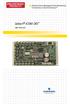 Infrastructure Management & Monitoring For Business-Critical Continuity Liebert icom-do User Manual TABLE OF CONTENTS 1.0 INTRODUCTION............................... 1 2.0 INSTALLATION...............................
INSTALLATION & SERVICE MANUAL. Display Panel
 INSTALLATION & SERVICE MANUAL Display Panel The PowerLine EMS TM is a specialized power distribution and energy management system intended to be used in recreational vehicles. The Control Module is housed
SIMATIC S7-300. Getting Started for First Time Users. Order No.: 6ZB5310-0NC02-0BA0 04/2007 A5E01094750-01
 SIMATIC S7-300 Getting Started for First Time Users Order No.: 6ZB5310-0NC02-0BA0 04/2007 A5E01094750-01 Safety Guidelines This manual contains notices you have to observe in order to ensure your personal
SPEED CONTROL SYSTEM
 SPEED CONTROL SYSTEM INDEX SPEED CONTROL MOTOR FEATURES 144 6W ( 70mm) 153 10W ( 70mm) 155 15W ( 80mm) 157 25W ( 80mm) 159 40W ( 90mm) 161 SPEED CONTROL W ( 90mm) 163 90W ( 90mm) 165 120W ( 90mm) 168 180W
AXIS 291 1U Video Server Rack Installation Guide
 AXIS 291 1U Video Server Rack Installation Guide About This Document This document describes how to install Axis blade video servers in the AXIS 291 1U Video Server Rack. Updated versions of this document
Technical data. General specifications. Signal voltage 15... 30 V DC Signal duration. 1 s Input 2. Signal voltage. 1 s Analog output.
 Model Number Features Very small housing High climatic resistance 4 Bit multiturn Analog output Surge and reverse polarity protection Description This absolute rotary encoder with internal magnetic sampling
Impulse G+/VG+ Series 3, 24 VDC Interface Card Terminal Designations
 Impulse G+/VG+ Series 3, 24 VDC Interface Card Terminal Designations Addendum to: IMPULSE G+ Series 3 Manual (140-10258) IMPULSE VG+ Series 3 Manual (140-10257) This addendum should be used when a 24VDC
NC-12 Modbus Application
 NC-12 Modbus Application NC-12 1 Table of Contents 1 Table of Contents... 2 2 Glossary... 3 SCADA...3 3 NC-12 Modbus in general... 3 4 Entire system... 4 4.1 PFC to PC connection alternatives...4 4.1.1
EE-SX91. Meeting Customer Needs with Compact Sensors that Mount with M3 Screws
 Compact Pre-wired Photomicrosensor with Built-in Amplifier (Non-modulated) CSM DS_E_7_2 Meeting Customer Needs with Compact Sensors that Mount with M Screws Both light-on and dark-on outputs provided.
Installation Instructions
 H5HK Series Installation Instructions 3 Phase Electric Heater Kits 7.5 and 0 TON Package A/C Systems Description Installation of 08/40V and 480V H5HK 3 Phase Heater Kits in 7.5 and 0 TON Packaged Air Conditioners.
Rack mounted telephone- and leased line modem for industrial applications
 Rack mounted telephone- and leased line modem for industrial applications TR-6 Rack modem for industrial PSTNand /-wire leased line applications The TR-6 is an analogue V. 9 -rack PSTN modem as well as
Telefon (+45) 43 43 82 00 Telefax (+45) 43 43 74 75 [email protected] www.uni-valve.com. Installation and operating manual
 Uni-Valve A /S VENTILER & INSTRUMENTER Telefon (+45) 43 43 82 00 Telefax (+45) 43 43 74 75 [email protected] www.uni-valve.com UNI-EL Electric actuator Installation and operating manual Remote position
AIR-CONDITIONER SPLIT TYPE
 FILE NO. A08-016 SERVICE MANUAL AIR-CONDITIONER SPLIT TYPE RAS-M10PKVP-E, RAS-M13PKVP-E, RAS-M16PKVP-E, RAS-M18PKVP-E / RAS-M10PKVP-ND, RAS-M13PKVP-ND, RAS-M16PKVP-ND, RAS-M18PKVP-ND / RAS-3M26GAV-E1,
MOTION CONTROLLERS Q172CPU(N)
 MOTION CONTROLLERS Q173CPU(N) Q172CPU(N) SAFETY PRECAUTIONS (Read these precautions before using.) When using this equipment, thoroughly read this manual and the associated manuals introduced in this manual.
Installation Instructions for Alarm Module Kit A043F059
 Instruction Sheet 07-2013 Installation Instructions for Alarm Module Kit A043F059 1 Introduction The information contained within is based on information available at the time of going to print. In line
EDI Distributor Control Interface Wiring and Setup Instructions
 Universal I/O EDI Distributor Control Interface Wiring and Setup Instructions EDI UNIVERSAL I/O INTERFACE MODULE The only interface needed for EDI-V5 controls Network compatible with all older EDI controls
R22. K Control. Indoor Unit. Nomenclature. Compatibility PL H 3 G K H B. Unit style Heat Pump Horse Power
 R22. K Control. Indoor Unit. Nomenclature. PL H 3 G K H B Compatibility Unit style Heat Pump Horse Power Control Boost Heaters R22. K Control. Outdoor Unit. Nomenclature. PU H 3 Y K A Compatibility Outdoor
Installation and safety instructions for AC/DC built-in devices
 The device type and date of manufacture (week/year) can be found on the device rating plate. In the event of any queries about the device, please quote all the details given on the rating plate. For further
Digi-Motor Installation Guide
 Digi-Motor Installation Guide Installation Video...located at marsdelivers.com Digi-Motor Installation Guide Digi-Motor For technical assistance with your Azure Digi-Motor, call the MARS technical support
Product Information. Gateway For Connecting EnDat Encoders to PROFIBUS-DP
 Product Information Gateway For Connecting EnDat Encoders to PROFIBUS-DP April 2012 PROFIBUS Gateway For Connecting EnDat Encoders Encoders with EnDat interface for connection via gateway All absolute
INSTRUCTIONS Model:SJDE- APA-OY
 A SERVOPAK JUNMA Series INSTRUTIONS Model:SJDE- APA-OY To properly use the product, read this manual thoroughly and retain for easy reference, inspection, and maintenance. Ensure the end user receives
Servo System Network SSCNETIII
 Servo System Network Here the History of Optical Networks Mitsubishi Electric Corporation Nagoya Works is a factory certified for ISO14001 (standards for environmental management systems) and ISO9001(standards
Mobile Device Power Monitor Battery Connection Quick Start Guide
 Mobile Device Power Monitor Battery Connection Quick Start Guide Distributed By: Monsoon Solutions, Inc. www.msoon.com Introduction The Power Tool software and the Mobile Device Power Monitor hardware
g9sp Programmable Safety controllers compact Stand-Alone Programmable controller NEW! example of System configuration G9SP
 Programmable Safety controllers g9sp G9SP compact Stand-Alone Programmable controller Stand-alone safety controller for small and mid-sized machinery Easy programming for complex safety control Three types
Manual for Fire Suppression & Methane Detection System
 Manual for Fire Suppression & Methane Detection System Fogmaker North America Post address: 150 Gordon Dr Exton, PA 19341 Delivery address: 150 Gordon Dr Exton, PA 19341 Tel: 610-265-3610 Fax: 610-265-8327
Temp. & humidity Transmitter Instructions
 Temp. & humidity Transmitter Instructions AQ3485/AQ3485Y www.aosong.com 1 Product Overview AQ3485/ AQ3485Y outdoor network temperature and humidity transmitter is accurate measurement of relative humidity
0832 Dot Matrix Green Display Information Board User s Guide
 0832 Dot Matrix Green Display Information Board User s Guide DE-DP105_Ver1.0 0832 DOT MATRIX GREEN DISPLAY INFORMATI BOARD USER S GUIDE Table of contents Chapter1.Overview... 1 1.1. Welcome... 1 1.2. Quick
ADM1TE 5/30A DIN rail single phase two wire energy meter
 ADMTE 5/30A DIN rail single phase two wire energy meter. Safety instruction.2 Foreword.3 Performance criteria.4 Specifications.5 Basic errors.6 Description.7 Dimensions.8 Installation.9 Operating.0 Troubleshooting.
How To Set Up A Servo Amplifier
 SERVO OPERATOR CHAPTER 0 INTRODUCTION 0 CHAPTER 1 INSTALLATION 1 CHAPTER 2 SEQUENCE MODE 2 CHAPTER 3 MONITOR MODE 3 CHAPTER 4 COPY MODE 4 CHAPTER 5 EDIT MODE 5 CHAPTER 6 TEST OPERATION MODE 6 CHAPTER
TAC I/NETTM MR-VAV-AX. Application Specific MicroRegulator TM
 TAC I/NETTM TM TAC s TM has an extensive range ofpre-engineered VAV control sequences, which combined with a fully integrated actuator and airflow transducer, makes it a low Total Installed Cost solution
Duct Humidity Transmitter
 SDC-H Duct Humidity Transmitter Features Replaceable sensor element Humidity measurement for air ducts Minimum and maximum value memory 0 0V, 0 0mA or 0V, 4 0mA measuring signals selectable with jumpers