
SR-06/SR-07 Speech Recognition Kit Construction Manual & User Guide
|
|
|
- Rosamund Baker
- 9 years ago
- Views:
Transcription
1 D1 D2 1N914 diodes 2 D3 Red LED 1 9V Battery Holder 1 P1 PC mount microphone jack 1 P5 2-position header 1 Jumper 1 Headset Microphone 1 3V Coin Battery 1 2/56 Hex nuts, Screws & Lock washers 2 each 7-pin headers (male and female) 1 each 10-pin headers (male and female) 1 each SR-06/SR-07 Speech Recognition Kit Construction Manual & User Guide Images SI Inc. Staten Island NY voice fax
2 Table of Contents Introduction Applications Circuit Construction Chip Installation Display Board Construction Main Circuit Board Construction Keypad Construction Non-Volatile Memory Backup Selecting Word Length & Vocabulary Size Using the Speech Recognition Circuit Keypad Use Training Words for Recognition Error Codes Clearing Memory Changing & Erasing Words Simulated Independent Recognition Rhyming words Voice Stress & Excitement Interfacing to the outside World Error Codes Interface Circuit Voice Security System CPU Mode AUI Aural User Interface Learning to Listen Speaker Dependent / Speaker Independent Recognition Style More on the HM2007 Parts List 2 Pages Maximum word length 1.92 seconds (20 word) Microphone support Manual and CPU modes available Response time less than 300 milliseconds 5V power supply More information on the HM2007 chip is available in the HM2007 data booklet (DS-HM2007). Parts List: Placement Item Quantity PCB 3 pieces Keypad Push-button Switches 12 U4 HM2007 PLCC 1 52-pin socket 1 U Voltage Regulator 1 U2 74LS pin socket 1 U3 SRAM 8K X pin socket 1 U4 U pin socket 2 U6 U7 220ohm 1/8W Resistors 16 U8 U9 7-Segment Displays 2 14-pin socket 2 X1 XTAL 3.57 MHz 1 S1 Toggle Switch 1 BT1 9V Battery Snap 1 BT2 Coin Batter Holder 1 R1 100K 1/4W Resistor 1 R2 6.8K 1/4W Resistor 1 R3 22K 1/4W Resistor 1 R4 330ohm 1/4W Resistor 1 C1 100 uf Capacitor 1 C2 C3 22 pf Capacitors 2 C uf Capacitor 1 C5 C6 C7.01 uf Capacitors 3 19
3 require speaker independent voice recognition systems. Recognition Style In addition to the speaker dependent/independent classification, speech recognition also contends with the style of speech it can recognize. They are three styles of speech: isolated, connected and continuous. Isolated. Words are spoken separately or isolated. This is the most common speech recognition system available today. The user must pause between each word or command spoken. Connected. This is a half way point between isolated word and continuous speech recognition. It permits users to speak multiple words. The HM2007 can be set up to identify words or phrases 1.92 seconds in length. This reduces the word recognition dictionary number to 20. Continuous. This is the natural conversational speech we use to in everyday life. It is extremely difficult for a recognizer to sift through the sound as the words tend to merge together. For instance, "Hi, how are you doing?" to a computer sounds like "Hi,.howyadoin" Continuous speech recognition systems are on the market and are under continual development. More On The HM2007 Chip The HM2007 is a CMOS voice recognition LSI (Large Scale Integration) circuit. The chip contains an analog front end, voice analysis, regulation, and system control functions. The chip may be used in a stand alone or CPU connected. Features: Single chip voice recognition CMOS LSI Speaker dependent External RAM support Maximum 40 word recognition (.96 second) 18 Introduction: The speech recognition kit is a complete easy to build programmable speech recognition circuit. Programmable, in the sense that you train the words (or vocal utterances) you want the circuit to recognize. This kit allows you to experiment with many facets of speech recognition technology. Features of the kit include: Self-contained stand alone speech recognition circuit User programmable 40 or 20 word vocabulary Multi-lingual Non-volatile memory back up Easily interfaced to control external circuits & appliances Speech recognition will become the method of choice for controlling appliances, toys, tools and computers. At its most basic level, speech controlled appliances and tools allow the user to perform parallel tasks (i.e. hands and eyes are busy elsewhere) while working with the tool or appliance. The heart of the circuit is the HM2007 speech recognition IC. The IC can recognize either 40 words, each word a length of.96 seconds or 20 words, each word a length of 1.92 seconds. Applications There are several areas for application of voice recognition technology. Speech controlled appliances and toys Speech assisted computer games Speech assisted virtual reality Telephone assistance systems Voice recognition security Speech to speech translation 3
4 unstructured and efficient methods. The way in which people typically communicate verbally. Learning To Listen The ability to listen to one person speak among several at a party is beyond the capabilities of today s speech recognition systems. Speech recognition systems can not (as of yet) separate and filter out what should be considered extraneous noise. Speech recognition is not understanding speech. Understanding the meaning of words is a higher intellectual function. Because a circuit can respond to a vocal command doesn t mean it understands the command spoken. In the future, voice recognition systems may have the ability to distinguish nuances of speech and meanings of words, to Do what I mean, not what I say! Speaker Dependent / Speaker Independent Speech recognition is divided into two broad processing categories; speaker dependent and speaker independent. Speaker dependent systems are trained by the individual who will be using the system. These systems are capable of achieving a high command count and better than 95% accuracy for word recognition. The drawback to this approach is that the system only responds accurately only to the individual who trained the system. This is the most common approach employed in software for personal computers. Speaker independent is a system trained to respond to a word regardless of who speaks. Therefore the system must respond to a large variety of speech patterns, inflections and enunciation's of the target word. The command word count is usually lower than the speaker dependent however high accuracy can still be maintain within processing limits. Industrial applications more often 4 17
5 Figure 5 Circuit Construction The schematic for the SR-07 Speech Recognition Circuit is shown in figure 1. The SR-07 utilizes three separate printed circuit boards (pcb). The components are mounted on the top side of each pc board. The top sides of the boards have white silk screen component drawings. The components are soldered on the opposite side of the pc board. After soldering the component to the board any excess wire is clipped off. Chip Installation When installing integrated circuit (IC) chips, begin by first identifying the top of the chip. The top of the chip has a marker, many times it is a half Figure 2 circle cutout. Sometimes it is a small mark identifying pin 1 on the IC. In both cases the marks show us the top of Finished Display Board the IC chip. Orientated the top of IC chips with the white silk screen drawings of the components on the top of the pc board (usually a half circle cutout) or on the parts placement drawings and install the IC into their socket. Display Board: We start construction with the display board, see figure
6 Figure 3 OK, lets see how this works in the real world. Lets assume you have the power to a printer connected through the speech recognition circuit and a 4013 controlled switch or relay. The target word is printer. When you want to turn the printer on you use the command word printer. The circuit recognizes the word and applies power to the printer. At this point you can also turn on (or off) any other circuit connected to the speech board, because when the high signal goes low the 4013 keeps its output high. When you are ready to turn off the power to the printer all you have to do is repeat the command printer. The second time the line is brought high, the output of the 4013 is brought low. The same command is used to turn the unit on and off. Any of the other lines can be turned on or off without affecting the status of the other output lines. Voice Security System This circuit isn t designed for a voice security system in a commercial application, but that should not prevent anyone from experimenting with it for that purpose. A common approach is to use three or four keywords that must be spoken and recognized in sequence in order to open a lock or allow entry. CPU Mode The HM2007 speech recognition chip has a CPU mode to be used when connected to a host computer system or microcontroller. To interface the HM2007 to a host computer requires the writing of driver software as well as designing and building the hardware interface to the computer data buss. Aural Interfaces It s been found that mixing visual and aural information is not effective. Products that require visual confirmation of an aural command grossly reduces efficiency. To create an effective AUI products need to understand (recognize) commands given in an 6 15
7 Error Codes The decoding circuit must recognize the word numbers from error codes. So the circuit must be designed to recognize error codes 55, 66 and 77 and not confuse them with word spaces 5, 6 and 7. This is accomplished using an OR gate and a NAND gate connected to the MSB. Whenever an error code is generated, the word number is ignored. Interface Circuit Figure 5 is the schematic for the interface circuit. The circuit connects to the 10 pin Right Angle interface header on the circuit board. This header is also used for the Digital Display board The 4028 has ten output lines. Whatever number is displayed on the LSD the corresponding line number off the 4028 will be brought high. The high signal from the 4028 can be connected to a NPN transistor to control a DC load as shown in box A, or control an AC or DC load using a simple relay as shown in box B. The disadvantage to using a simple set up like this is that only one switch out of 10 may be turned on at any given time. This doesn t make for a very good system, so a solution must be found that allows one to turn on or off any line without changing the status of any other line. This can be implemented by inserting a flip-flop, shown in box C, between the 4028 and the NPN transistor. The 4013 IC contains two flip-flops, only one is shown in the box C drawing. The flipflop acts like simple memory. When the input line is brought high, its output line goes high, turning on the NPN transistor. When the output line is brought low, the output line still stays high. When the flip-flop receives a second high signal on its output line it brings the output low. Mount and solder 16 (220 ohm) resistors, color bands red-redbrown gold or silver. Next solder two 14-pin sockets for the LED display ICs (U8 and U9). Install the LED displays into the sockets, the dots on the display chips face the bottom of the pc board. Next mount and solder the two 16-pin sockets for the 4511 IC s (U4 and U5) making sure to orientate the sockets properly. Install the 4511 ICs in their appropriate IC sockets making sure to orientate the ICs properly. Just below U4 there are three solder pads in a row. Solder a jumper wire from the center pad to the right pad marked with a C. Finish the display board by mounting and soldering the 10-pin female header to the PC board. Main Circuit Board: The pc board layout of the main board is shown in figure 3. Begin construction of this board by mounting and soldering the three IC sockets. The HM2007 PLCC uses a 52 pin square socket identified on the pcb as U1. The 8K static RAM uses a 28 pin socket identified as U2. The 74LS373 uses a 20 pin socket identified as U3. Next mount and solder resistor R1, it has a nominal value of 100K. Its color bands brown, black, yellow, gold. Solder resistor R2, it has a nominal value of 6.8K. Its color bands are blue, grey, red and gold. Then solder resistor R3, it has a nominal value of 22K (color bands red, red, orange and gold). Next solder resistor R4, it has a nominal value of 330 ohms (color bands orange, orange, brown, gold). Mount and solder diodes D1 and D2. Make sure the black band faces the correct direction as shown on the drawings. Next mount and solder the 3.57 MHz crystal. It is identified as XTAL on the parts placement drawing. Mount and solder the red LED next. The short lead of the LED should be aligned with the flat side of the silkscreen circle marked LED. Mount & solder capacitors C1 to C7. Capacitors C2 and C3 are small 22 pf capacitors. C5, C6 & C7 are.1 uf capacitors, C1 is 47 to 100 uf capacitor and C4 is.0047 uf capacitor. Please note C1 is identified as a 47 uf capacitor, but any value between 47 and 14 7
8 SR-07 Main Circuit Board Rhyming words Rhyming words are words that sound alike. For instance the words cat, bat, sat and fat sound alike. Because of their like sounding nature they can confuse the speech recognition circuit. When choosing target words for your system do not use rhyming words. The Voice With Stress & Excitement 100 uf may be substituted in the kit. Mount & solder the 7805 voltage regulator and on-off slide switch. Next mount and solder the microphone jack and button battery holder and 9-volt battery cap. Keep the wires on the 9- volt battery cap short, about 1.5 long. Mount and solder the 10-pin right angle header in the upper left hand corner of the board identified as R1. Mount and solder the 7 -pin right angle header in the lower left corner of the board, Mount and solder a 2-pin header in the WD location next to R4. Install the integrated circuits in their appropriate IC sockets making sure to orientate the IC s properly. Keypad: The keypad is constructed using 12 normally open momentary contact switches. Place each switch in its mounting position and bend the leads inward to secure the switch to the PCB for soldering. After mounting and soldering the 12 keypad switches to the 8 Stress and excitement alters ones voice. This affects the accuracy of the circuit s recognition. For instance assume you are sitting at your workbench and you program the target words like fire, left, right, forward, etc., into the circuit. Then you use the circuit to control a flight simulator game, Doom or Duke Nukem. Well, when you re playing the game you ll likely be yelling FIRE! Fire!...FIRE!!...LEFT go RIGHT!. In the heat of the action you re voice will sound much different than when you were sitting down relaxed and programming the circuit. To achieve a higher accuracy word recognition one needs to mimic the excitement in ones voice when programming the circuit. These factors should be kept in mind to achieve the high accuracy possible from the circuit. This becomes increasingly important when the speech recognition circuit is taken out of the lab and put to work in the outside world. Interfacing The Circuit To The Outside World The circuit design for interfacing the speech recognition system to the outside world controls ten switches. This design idea fits with the robust speech recognition system discussed previously. While the effective vocabulary drops from forty to ten words, we gain in a more robust and accurate system. 13
9 Simulated Independent Recognition The speech recognition system is speaker dependant, meaning that the voice that trained the system has the highest recognition accuracy. But you can simulate independent speech recognition. To make the recognition system simulate speaker independence one uses more than one word space for each target word. Set the SR-07 for a 40 word vocabulary. Now we use four word spaces per target word. Therefore we obtain four different enunciation s of each target word. (speaker independent) Figure 4 top of the keypad PCB, connect the 7-pin female header to the bottom of the keypad pcb. Non-Volatile Memory Back-up The PC mounted coin battery holder holds a 2032 coin battery, which supplies backup for the SRAM. This allows the word patterns to be retained in memory when the main circuit is turned off. The four word spaces are chosen to minimize software and hardware interfaces into the circuit. To accomplish this the four word spaces are chosen so that they all have the same Least Significant Digit (LSD). Doing this the words can be recognized by just decoding the least significant digit (number) on the digital display. Using this procedure the word spaces 01, 11, 21 and 31 are allocated to the first target word. The Most Significant Digit (MSD) is dropped by the interfacing circuits. By only decoding only the LSD number, in this case 1 of X1 (where X is any number) we can recognize the target word. We continue do this for the remaining word space. For instance, the second target word will use the word spaces 02, 12, 22 and 32. We continue in this manner until all the words are programmed. If you are experimenting with speaker independence use different people when training a target word. This will enable the system to recognize different voices, inflections and enunciation's of the target word. The more system resources that are allocated for independent recognition the more robust the circuit will become. If you are experimenting with designing the most robust and accurate system possible, train target words using one voice with different inflections and enunciation's of the target word. 12 Selecting Vocabulary Size and Word Length The default vocabulary and word configuration for the circuit is 40 words, each with a length of.96 seconds. If you wish to change this to 20 word with a length of 1.92 seconds place a jumper on the two-pin WD header. If you do not need the 40 word Keypad vocabulary, it is suggested you configure the circuit for the 20 word vocabulary as this configuration usually provides a better recognition accuracy. Using The Speech Recognition Circuit The keypad and digital display are used to communicate with and program the HM2007 chip. Plug the digital display into the 10-pin header on the main circuit board. Plug the keypad into the 7-pin 9
10 header on the main circuit board. Plug the headset microphone into the microphone jack. Adjust the microphone so that it is position about 1 away from your mouth. Keypad Use: The keypad is made up of 12 normally open momentary contact switches. You may continue training new words in the circuit. Press 2 then TRN to train the second word and so on. The circuit will accept and recognize up to 40 words (numbers 1 through 40). It is not necessary to train all word spaces. If you only require 10 target words that s all you need to train. Testing Recognition: Finished SR-07 Circuit CLR 0 TRN Clear Train The CLR key equals Clear and the TRN key equal Train. Repeat a trained word into the microphone. The number of the word should be displayed on the digital display. For instance, if the word directory was trained as word number 25, saying the word directory into the microphone will cause the number 25 to be displayed. Error Codes: The chip provides the following error codes. 55 = word to long 66 = word to short 77 = no match When the circuit is turned on, 00 is on the digital display, the red LED (READY) is lit and the circuit waits for a command. To Train: Training Words for Recognition Press 1 (display will show 01 and the LED will turn off) on the keypad, then press the TRN key ( the LED will turn on) to place circuit in training mode, for word one. Say the target word into the headset microphone clearly. The circuit signals acceptance of the voice input by blinking the LED off then on. The word (or utterance) is now identified as the 01 word. If the LED did not flash, start over by pressing 1 and then TRN key. 10 Clearing Memory To erase all words in memory press 99 and then CLR. The numbers displayed are 19, this is not an error. The numbers will quickly scroll by on the digital display as the memory is erased. Changing & Erasing Words Trained words can easily be changed by overwriting the original word. For instances suppose word six was the word Capital and you want to change it to the word State. Simply retrain the word space by pressing 6 then the TRN key and saying the word State into the microphone. If one wishes to erase the word without replacing it with another word press the word number (in this case six) then press the CLR key. Word six is now erased. 11
VOICE RECOGNITION KIT USING HM2007. Speech Recognition System. Features. Specification. Applications
 VOICE RECOGNITION KIT USING HM2007 Introduction Speech Recognition System The speech recognition system is a completely assembled and easy to use programmable speech recognition circuit. Programmable,
Glolab Talking Phone Dial Monitor
 Introduction The detects the tones generated when numbers are dialed on your touch tone telephone and speaks the numbers that were dialed. This verifies that you dialed the correct number and is especially
PolyBot Board. User's Guide V1.11 9/20/08
 PolyBot Board User's Guide V1.11 9/20/08 PolyBot Board v1.1 16 pin LCD connector 4-pin SPI port (can be used as digital I/O) 10 Analog inputs +5V GND GND JP_PWR 3-pin logic power jumper (short top 2 pins
Assembly and User Guide
 1 Amp Adjustable Electronic Load 30V Max, 1 Amp, 20 Watts Powered by: 9V Battery Assembly and User Guide Pico Load is a convenient constant current load for testing batteries and power supplies. The digital
GLOLAB Universal Telephone Hold
 GLOLAB Universal Telephone Hold 1 UNIVERSAL HOLD CIRCUIT If you have touch tone telephone service, you can now put a call on hold from any phone in the house, even from cordless phones and phones without
Robot Board Sub-System Testing. Abstract. Introduction and Theory. Equipment. Procedures. EE 101 Spring 2006 Date: Lab Section # Lab #6
 EE 101 Spring 2006 Date: Lab Section # Lab #6 Name: Robot Board Sub-System Testing Partner: No Lab partners this time! Abstract The ECEbot robots have a printed circuit board (PCB) containing most of the
The $25 Son of a cheap timer This is not suitable for a beginner. You must have soldering skills in order to build this kit.
 The $25 Son of a cheap timer This is not suitable for a beginner. You must have soldering skills in order to build this kit. Micro Wizard has been manufacturing Pinewood Derby timers for over 10 years.
ARDUINO SEVERINO SERIAL SINGLE SIDED VERSION 3 S3v3 (REVISION 2) USER MANUAL
 ARDUINO SEVERINO SERIAL SINGLE SIDED VERSION 3 S3v3 (REVISION 2) USER MANUAL X1: DE-9 serial connector Used to connect computer (or other devices) using RS-232 standard. Needs a serial cable, with at least
AXE114S BINARY CLOCK. revolution Revolution Education Ltd. Email: [email protected] Web: www.rev-ed.co.uk Version 1.1 12/09/08 AXE114.PMD.
 AXE114S BINARY CLOCK Features: The PICAXE binary clock kit tells the time by lighting up blue LEDs in a binary pattern. This is a useful tool for teaching students binary code or simply just confusing/
BUILDING INSTRUCTIONS
 etap2hw 38 mm I2C to LCD Interface BUILDING INSTRUCTIONS October 2013 P. Verbruggen Rev 1.01 15-Oct-13 Page 1 Table of Contents Chapter 1 General Information 1.1 ESD Precautions 1.2 Further Supplies 1.3
Cumbria Designs T-1. SSB/CW Filter kit (4.9152MHz) User Manual
 Cumbria Designs T-1 SSB/CW Filter kit (4.9152MHz) User Manual CONTENTS 1 INTRODUCTION 2 2 CIRCUIT DESCRIPTION 2 3 ASSEMBLY 2 4 TESTING 4 The Steading Stainton PENRITH Cumbria CA11 0ES UK 1 Introduction
Modifying the Yaesu FT-847 External 22.625 MHz Reference Input
 Modifying the Yaesu FT-847 External 22.625 MHz Reference Input David Smith VK3HZ Introduction This document describes the modification of an FT-847 to allow an external 22.625 MHz Reference oscillator
The Programming Interface
 : In-System Programming Features Program any AVR MCU In-System Reprogram both data Flash and parameter EEPROM memories Eliminate sockets Simple -wire SPI programming interface Introduction In-System programming
WHO ANSWERED FIRST? FIND OUT WITH THIS QUIZ BUZZER KIT
 WHO ANSWERED FIRST? FIND OUT WITH THIS QUIZ BUZZER KIT BUILD INSTRUCTIONS Before you put any components in the board or pick up the soldering iron, just take a look at the Printed Circuit Board (PCB).
!Operation:!1. Connect an external power source to J1 (+ and - IN terminals). The
 The CB500 Electronic Circuit Breaker is an resettable circuit breaker (fuse) that disconnects power when the trip setting is exceeded. There are 4 trip settings that can easily be changed and set during
AN INTERACTIVE IMPLEMENTATION ON A SMART PHONE FOR DISABLED PERSONS TO ACCESS HOME APPLICATIONS
 International Conference on Information Engineering, Management and Security [ICIEMS] 338 International Conference on Information Engineering, Management and Security 2015 [ICIEMS 2015] ISBN 978-81-929742-7-9
CHAPTER 11: Flip Flops
 CHAPTER 11: Flip Flops In this chapter, you will be building the part of the circuit that controls the command sequencing. The required circuit must operate the counter and the memory chip. When the teach
Assembly Instructions: Shortwave Radio Kit
 Assembly Instructions: Shortwave Radio Kit MTM Scientific, Inc P.O. Box 522 Clinton, MI 49236 U.S.A Introduction Fig 1: The assembled Shortwave Radio Kit The SHORTWAVE RADIO KIT (#SWRAD) from MTM Scientific
Electronics and Soldering Notes
 Electronics and Soldering Notes The Tools You ll Need While there are literally one hundred tools for soldering, testing, and fixing electronic circuits, you only need a few to make robot. These tools
Parts of a Computer. Preparation. Objectives. Standards. Materials. 1 1999 Micron Technology Foundation, Inc. All Rights Reserved
 Parts of a Computer Preparation Grade Level: 4-9 Group Size: 20-30 Time: 75-90 Minutes Presenters: 1-3 Objectives This lesson will enable students to: Identify parts of a computer Categorize parts of a
Joule Thief 3.0 Kit. June 2012, Rev 1 1 http://www.easternvoltageresearch.com Joule Thief 3.0
 Kit Instruction Manual Eastern Voltage Research, LLC June 2012, Rev 1 1 http://www.easternvoltageresearch.com HIGH BRIGHTNESS LED THIS KIT USES A 1W CREE, HIGH BRIGHTNESS LED. DO NOT STARE AT THIS (OR
PUSH BUTTON START INSTALLATION MANUAL
 PUSH BUTTON START INSTALLATION MANUAL ALTHOUGH THIS PRODUCT HAS BEEN THOROUGHLY TESTED KPIERSON TECHNOLOGIES ASSUMES NO RESPONSIBILITY FOR ANY DAMAGE THAT MAY RESULT BY THE INSTALLATION OF THIS PRODUCT.
ILISC515-A Shift Interlock (Manual Lift Door) 2015 Ford Transit, 3.7L and 3.5L
 An ISO 9001:2008 Registered Company ILISC515-A Shift Interlock (Manual Lift Door) 2015 Ford Transit, 3.7L and 3.5L Introduction The ILISC515-A is a microprocessor driven system for controlling wheelchair
GLOLAB Two Wire Stepper Motor Positioner
 Introduction A simple and inexpensive way to remotely rotate a display or object is with a positioner that uses a stepper motor to rotate it. The motor is driven by a circuit mounted near the motor and
TEECES DOME LIGHTING SYSTEMS
 This lighting system was designed by John V (Teeces) to be a simple, customizable, expandable and affordable solution for dome lighting. An Arduino micro-controller is used to tell LED driver chips which
Build A Video Switcher. Reprinted with permission from Electronics Now Magazine September 1997 issue
 Build A Video Switcher Reprinted with permission from Electronics Now Magazine September 1997 issue Copyright Gernsback Publications, Inc.,1997 BUILD A VIDEO SWITCHER FRANK MONTEGARI Watch several cameras
MIDECO 64-outputs MIDI note decoder USER MANUAL. Roman Sowa 2012
 MIDECO 64-outputs MIDI note decoder USER MANUAL Roman Sowa 2012 www.midi-hardware.com 1.Overview Thank you for choosing MIDECO as your new MIDI-to-digital converter. This short manual will guide you through
AUTOMATIC CALL RECORDER JAMECO PART NO. 2163735
 AUTOMATIC CALL RECORDER JAMECO PART NO. 2163735 Experience Level: Intermediate Time Required: 1-2 Hours This project automatically records phone calls. The program, along with the adapter records each
GSM Autodialer Professional GJD700 Speech & Text Autodialer
 Text Edit message GSM Autodialer Professional GJD700 Speech & Text Autodialer Introduction The GSM Autodialer Professional works in conjunction with standard alarm systems and makes use of your preferred
Bluetooth + USB 16 Servo Controller [RKI-1005 & RKI-1205]
![Bluetooth + USB 16 Servo Controller [RKI-1005 & RKI-1205]](/thumbs/40/21161302.jpg "Bluetooth + USB 16 Servo Controller [RKI-1005 & RKI-1205]") Bluetooth + USB 16 Servo Controller [RKI-1005 & RKI-1205] Users Manual Robokits India [email protected] http://www.robokitsworld.com Page 1 Bluetooth + USB 16 Servo Controller is used to control up to
Bluetooth + USB 16 Servo Controller [RKI-1005 & RKI-1205] Users Manual Robokits India [email protected] http://www.robokitsworld.com Page 1 Bluetooth + USB 16 Servo Controller is used to control up to
8-Bit Microcontroller with Flash. Application Note. Using a Personal Computer to Program the AT89C51/C52/LV51/LV52/C1051/C2051
 Using a Personal Computer to Program the ATC/C/LV/LV/C0/C0 Introduction This application note describes a personal computer-based programmer for the ATC/C/LV/LV/C0/C0 Flash-based s. The programmer supports
Total solder points: 167 Difficulty level: beginner 1 2 3 4 5 advanced DMX CONTROLLED RELAY K8072 ILLUSTRATED ASSEMBLY MANUAL
 Total solder points: 167 Difficulty level: beginner 1 2 3 4 5 advanced DMX CONTROLLED RELAY K8072 Control a relay by means of the wellknown DMX512 protocol. ILLUSTRATED ASSEMBLY MANUAL H8072IP-1 Features
K128. USB PICmicro Programmer. DIY Electronics (HK) Ltd PO Box 88458, Sham Shui Po, Hong Kong. http://www.kitsrus.com mailto: peter@kitsrus.
 K128 USB PICmicro Programmer DIY Electronics (HK) Ltd PO Box 88458, Sham Shui Po, Hong Kong http://www.kitsrus.com mailto: [email protected] Last Modified March 31 2003 Board Construction The board is
Tutorials Drawing a 555 timer circuit
 Step 1 of 10: Introduction This tutorial shows you how to make an electronic circuit using Livewire and PCB Wizard 3. You should follow this tutorial to learn the basic skills you will need to use Livewire
PHYS 2P32 Project: MIDI for Arduino/ 8 Note Keyboard
 PHYS 2P32 Project: MIDI for Arduino/ 8 Note Keyboard University April 13, 2016 About Arduino: The Board Variety of models of Arduino Board (I am using Arduino Uno) Microcontroller constructd similarly
Electronic Rotary Table Divider V2.1 Construction
 Electronic Rotary Table Divider V2.1 Construction 2006,2013 Steve Ward ([email protected]) Legal: All documents, code, schematics, firmware etc are offered as an aid to the experienced constructor
Your Multimeter. The Arduino Uno 10/1/2012. Using Your Arduino, Breadboard and Multimeter. EAS 199A Fall 2012. Work in teams of two!
 Using Your Arduino, Breadboard and Multimeter Work in teams of two! EAS 199A Fall 2012 pincer clips good for working with breadboard wiring (push these onto probes) Your Multimeter probes leads Turn knob
TEACHING RESOURCES SCHEMES OF WORK DEVELOPING A SPECIFICATION COMPONENT FACTSHEETS HOW TO SOLDER GUIDE GET IN TUNE WITH THIS FM RADIO KIT. Version 2.
 TEACHING RESOURCES SCHEMES OF WORK DEVELOPING A SPECIFICATION COMPONENT FACTSHEETS HOW TO SOLDER GUIDE GET IN TUNE WITH THIS FM RADIO KIT Version 2.0 Index of Sheets TEACHING RESOURCES Index of Sheets
Lab 3 - DC Circuits and Ohm s Law
 Lab 3 DC Circuits and Ohm s Law L3-1 Name Date Partners Lab 3 - DC Circuits and Ohm s Law OBJECTIES To learn to apply the concept of potential difference (voltage) to explain the action of a battery in
BUSINESS COMMUNICATIONS DIVISION. IP4100 SIP DECT User Guide
 BUSINESS COMMUNICATIONS DIVISION IP4100 SIP DECT User Guide TOSHIBA IP4100 DECT HANDSET END USER GUIDE FEATURES Toshiba IP4100 DECT Handset Features 2.0 inch colour TFT back-lit display Li-ion battery
ADA COMPLIANT BOX STYLE TELEPHONE INSTALLATION, PROGRAMMING AND OPERATING INSTRUCTIONS FOR MODEL PBX
 ADA COMPLIANT BOX STYLE TELEPHONE INSTALLATION, PROGRAMMING AND OPERATING INSTRUCTIONS FOR MODEL PBX INSTALLATION INSTRUCTIONS Step 1. Determine the position for the Hands-free phone in the elevator phone
SYSTEM 4C. C R H Electronics Design
 SYSTEM 4C C R H Electronics Design SYSTEM 4C All in one modular 4 axis CNC drive board By C R Harding Specifications Main PCB & Input PCB Available with up to 4 Axis X, Y, Z, A outputs. Independent 25
Creating a Project with PSoC Designer
 Creating a Project with PSoC Designer PSoC Designer is two tools in one. It combines a full featured integrated development environment (IDE) with a powerful visual programming interface. The two tools
ADDING and/or DELETING PIN NUMBERS (Plus other simple programming commands) in My DK-16 or DK-26 DIGITAL KEYPAD
 ADDING and/or DELETING PIN NUMBERS (Plus other simple programming commands) in My DK-16 or DK-26 DIGITAL KEYPAD A recurring call that we get here at Securitron Technical Support is from end users of our
IJSER 1.INTRODUCTION. Figure 1: Control Home Security, Monitoring and Automation (SMA)[3]. S. Benjamin Arul
![IJSER 1.INTRODUCTION. Figure 1: Control Home Security, Monitoring and Automation (SMA)[3]. S. Benjamin Arul](/thumbs/40/20977699.jpg "IJSER 1.INTRODUCTION. Figure 1: Control Home Security, Monitoring and Automation (SMA)[3]. S. Benjamin Arul") International Journal of Scientific & Engineering Research, Volume 5, Issue 12, December-2014 133 Wireless Home Automation System Using Zigbee S. Benjamin Arul Abstract Home Automation industry is growing
International Journal of Scientific & Engineering Research, Volume 5, Issue 12, December-2014 133 Wireless Home Automation System Using Zigbee S. Benjamin Arul Abstract Home Automation industry is growing
SUPER SNOOPER BIG EAR
 AA-1D Super Snooper Big Ear SPECIFICATIONS Operates on 5 to 9v DC Will drive a small speaker Provides up to 1 watt of audio power Distortion > 0.2% Voltage Gain up to 46 db Size: 1 x 1.95 Rainbowkits.com
Wash Select II to WashPay Integration Field Retrofit Installation Guide
 Wash Select II to WashPay Integration Field Retrofit Installation Guide Wash Select II Software Version 6.00 and above POS4000 Software Version 8.25 Unitec www.startwithunitec.com WASH SELECT II TO WASHPAY
Designing a Schematic and Layout in PCB Artist
 Designing a Schematic and Layout in PCB Artist Application Note Max Cooper March 28 th, 2014 ECE 480 Abstract PCB Artist is a free software package that allows users to design and layout a printed circuit
430 Power/Electronics Replacement
 Replacing the main board WARNING Before proceeding, turn off the main power switch and unplug the power cord. Caution Make sure you are properly grounded with an ESD strap before continuing. The main printed
The RSGB Centenary Receiver Project Construction Manual
 The RSGB Centenary Receiver Project Construction Manual Page 1 of 12 Introduction This project is intended for those new to radio construction. It is a fairly simple receiver for the 14MHz (20m) amateur
ECEN 1400, Introduction to Analog and Digital Electronics
 ECEN 1400, Introduction to Analog and Digital Electronics Lab 4: Power supply 1 INTRODUCTION This lab will span two lab periods. In this lab, you will create the power supply that transforms the AC wall
Without the pre amp, these microphones sound very good with tube equipment that provided a very high impedance load to the element.
 N9WB D-104 Project Revision 2 Pre Amp Modifications for higher load impedance. By Walter A. Breining, N9WB D-104 Discussion The D-104 has been around since the 30 s and is still popular today for communications.
Ocean Controls RC Servo Motor Controller
 Ocean Controls RC Servo Motor Controller RC Servo Motors: RC Servo motors are used in radio-controlled model cars and planes, robotics, special effects, test equipment and industrial automation. At the
Programming PIC Microcontrollers in PicBasic Pro Lesson 1 Cornerstone Electronics Technology and Robotics II
 Programming PIC Microcontrollers in PicBasic Pro Lesson 1 Cornerstone Electronics Technology and Robotics II Administration: o Prayer PicBasic Pro Programs Used in This Lesson: o General PicBasic Pro Program
TRANSISTOR/DIODE TESTER
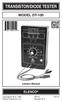 TRANSISTOR/DIODE TESTER MODEL DT-100 Lesson Manual ELENCO Copyright 2012, 1988 REV-G 753115 Elenco Electronics, Inc. Revised 2012 FEATURES Diode Mode: 1. Checks all types of diodes - germanium, silicon,
- 35mA Standby, 60-100mA Speaking. - 30 pre-defined phrases with up to 1925 total characters.
 Contents: 1) SPE030 speech synthesizer module 2) Programming adapter kit (pcb, 2 connectors, battery clip) Also required (for programming) : 4.5V battery pack AXE026 PICAXE download cable Specification:
SPY-BATT Battery Tutor Device Installation Manual Rev. 1.1-07/04/2016
 SPY-BATT Battery Tutor Device Installation Manual Rev. 1.1-07/04/2016 1. GENERAL DESCRIPTION The SPY-BATT is a device that allows to monitor the state of your battery. The SPY-BATT stores over time the
Contents Contents Contents Overview Charging your headset Wearing the headset Powering on the headset Connecting your headset for dictation
 1 Contents Contents Contents 2 Overview 3 Charging your headset 4 Wearing the headset 4 Powering on the headset 4 Connecting your headset for dictation 5 The adapter 5 Adjusting your computer's audio settings
revolution Revolution Education Ltd. Email: [email protected] Web: www.rev-ed.co.uk Vesrion 2.128/08/02 PICLOCK.P65 SELF -ASSEMBL Order Codes:
 PIC IC L -A IC LOCK SELF ELF-A -ASSEMBL SSEMBLY KIT IT IT (V2) Order Codes: CHI008 PIC Lock Self-Assembly Kit 1 2 3 4 5 6 7 8 9 0 # SW + OUT + 6V 0V Ú LK1 LK2 Features 12 key telephone style keypad bicolour
TS510 & TS500. Installation & User Guide. Compatible Equipment
 Installation & User Guide Compatible Equipment TS510 REM - Remote Keypad 9040 - Loudspeaker DC54/58 - Digital Communicator SD1+ - Speech Dialler 496525 Issue A 1 of 10 TS510 and TS500 Overview Introduction
CoolWave r 2 Phase Control Board and Cable Replacement Kits
 Instruction Sheet P/N 1102452A CoolWave r 2 Phase Control Board and Cable Replacement Kits Two kits are available to replace the CoolWave 2 phase control board: S S Phase Control Board and Cable Kit (required
Design Project: Power inverter
 Design Project: Power inverter This worksheet and all related files are licensed under the Creative Commons Attribution License, version 1.0. To view a copy of this license, visit http://creativecommons.org/licenses/by/1.0/,
Martin County Amateur Radio Association. Nightfire Kits 1 LED Torch Kit 270016. Contents. Description
 Nightfire Kits 1 LED Torch Kit 270016 1 Contents Nightfire Kits LED Torch Kit 270016... 1 Description... 1 Safety and Assembly of the kit... 6 Required and Useful Tools... 7 Assembly... 8 Checkout and
RC2200DK Demonstration Kit User Manual
 Demonstration Kit User Manual Table of contents TABLE OF CONTENTS... 1 QUICK INTRODUCTION... 2 INTRODUCTION... 3 DEMONSTRATION BOARD... 4 POWER SUPPLY SECTION... 5 RS-232 INTERFACE... 6 CONNECTORS... 7
Kit 106. 50 Watt Audio Amplifier
 Kit 106 50 Watt Audio Amplifier T his kit is based on an amazing IC amplifier module from ST Electronics, the TDA7294 It is intended for use as a high quality audio class AB amplifier in hi-fi applications
DET Practical Electronics (Intermediate 1)
 DET Practical Electronics (Intermediate 1) 731 August 2000 HIGHER STILL DET Practical Electronics (Intermediate 1) Support Materials CONTENTS Section 1 Learning about Resistors Section 2 Learning about
A+ Guide to Managing and Maintaining Your PC, 7e. Chapter 1 Introducing Hardware
 A+ Guide to Managing and Maintaining Your PC, 7e Chapter 1 Introducing Hardware Objectives Learn that a computer requires both hardware and software to work Learn about the many different hardware components
Capacitive Touch Sensor Project:
 NOTE: This project does not include a complete parts list. In particular, the IC described here does not come in a dual-inline-package (DIP), and so a gull-wing package has to be soldered to an adaptor
7-SEGMENT DIGITAL CLOCK
 57mm 7-SEGMENT DIGITAL CLOCK Large 57mm clock & temperature display with extra unique feature Total solder points: 263 Difficulty level: beginner 1 2 3 4 5 advanced K8089 ILLUSTRATED ASSEMBLY MANUAL H8089IP-1
Part 2. Copyright 1998 Philips Consumer Communications L.P. All rights reserved. Printed in Mexico. Issue 1AT&T 848229506
 2 User's Manual for Two-Line Digital Answering System Telephone with Speakerphone 1872 Fold open this paper for information about this telephone's installation and operation. Please read Part 1 Important
Lenovo Miix 2 8. User Guide. Read the safety notices and important tips in the included manuals before using your computer.
 Lenovo Miix 2 8 User Guide Read the safety notices and important tips in the included manuals before using your computer. Notes Before using the product, be sure to read Lenovo Safety and General Information
USER MANUAL WARNING! CONTENTS MODEL 1 SPECIFICATIONS READ ALL INSTRUCTIONS BEFORE PROCEEDING. Non-Programmable Single Stage Heat/Cool Thermostat
 Builder MODEL 1010 Series Non-Programmable Single Stage Heat/Cool Thermostat USER MANUAL Compatible with low voltage single stage gas, oil or electric heating or cooling systems, including single stage
Quick Start Guide: Read & Write 11.0 Gold for PC
 Quick Start Guide: Read & Write 11.0 Gold for PC Overview TextHelp's Read & Write Gold is a literacy support program designed to assist computer users with difficulty reading and/or writing. Read & Write
Building A Computer: A Beginners Guide
 Building A Computer: A Beginners Guide Mr. Marty Brandl The following was written to help an individual setup a Pentium 133 system using an ASUS P/I- P55T2P4 motherboard. The tutorial includes the installation
PC Tab INSTALLATION MANUAL SECURE-IT, INC. EAST LONGMEADOW, MA 01028. 800-451-7592 / 413-525-7039 (fax) 413-525-8807 http://www.secure-it.
 PC Tab INSTALLATION MANUAL SECURE-IT, INC. EAST LONGMEADOW, MA 01028 800-451-7592 / 413-525-7039 (fax) 413-525-8807 http://www.secure-it.com IMPORTANT READ ENTIRE MANUAL BEFORE STARTING!!! System Overview
RS232/DB9 An RS232 to TTL Level Converter
 RS232/DB9 An RS232 to TTL Level Converter The RS232/DB9 is designed to convert TTL level signals into RS232 level signals. This cable allows you to connect a TTL level device, such as the serial port on
DDS VFO CONSTRUCTION MANUAL. DDS VFO Construction Manual Issue 1 Page 1
 DDS VFO CONSTRUCTION MANUAL DDS VFO Construction Manual Issue 1 Page 1 Important Please read before starting assembly STATIC PRECAUTION The DDS VFO kit contains the following components which can be damaged
DS1307 Real Time Clock Breakout Board Kit
 DS1307 Real Time Clock Breakout Board Kit Created by Tyler Cooper Last updated on 2015-10-15 11:00:14 AM EDT Guide Contents Guide Contents Overview What is an RTC? Parts List Assembly Arduino Library Wiring
RESISTANCE SUBSTITUTION BOX
 RESISTANCE SUBSTITUTION BOX MODEL RS-400 / K-37 Assembly and Instruction Manual TM Elenco Electronics, Inc. Copyright 1990 Elenco TM Electronics, Inc. Revised 2003 REV-G 753RS400 The Resistance Substitution
LM 358 Op Amp. If you have small signals and need a more useful reading we could amplify it using the op amp, this is commonly used in sensors.
 LM 358 Op Amp S k i l l L e v e l : I n t e r m e d i a t e OVERVIEW The LM 358 is a duel single supply operational amplifier. As it is a single supply it eliminates the need for a duel power supply, thus
Controlling a Dot Matrix LED Display with a Microcontroller
 Controlling a Dot Matrix LED Display with a Microcontroller By Matt Stabile and programming will be explained in general terms as well to allow for adaptation to any comparable microcontroller or LED matrix.
Troubleshooting and Diagnostics
 Troubleshooting and Diagnostics The troubleshooting and diagnostics guide provides instructions to assist in tracking down the source of many basic controller installation problems. If there is a problem
Objectives: Part 1: Build a simple power supply. CS99S Laboratory 1
 CS99S Laboratory 1 Objectives: 1. Become familiar with the breadboard 2. Build a logic power supply 3. Use switches to make 1s and 0s 4. Use LEDs to observe 1s and 0s 5. Make a simple oscillator 6. Use
K8025 VIDEO PATTERN GENERATOR. Check the picture quality of your monitor or TV, ideal for adjustment or troubleshooting.
 K8025 ILLUSTRATED ASSEMBLY MANUAL H8025IP 1 VIDEO PATTERN GENERATOR Check the picture quality of your monitor or TV, ideal for adjustment or troubleshooting. Forum Participate our Velleman Projects Forum
BMD16N-SD. version 1.2
 BMD16NSD version 1.2 Feedback decoder with 16 contacts with integrated current detection for the S88bus Compatible with a.o. Märklin Digital, Uhlenbrock Intellibox, Fleischmann TwinCenter and LDT HSI88
OVERVIEW Playbacks: Shortcuts: Memories: Data Entry Wheels: Touchpad: Master and Blackout:
 OVERVIEW The MIDIcon is a USB MIDI control panel designed to work alongside the Elation lighting software packages. The Midicon is USB powered and uses the USB class drivers so that no driver needs to
TEST CHAPTERS 1 & 2 OPERATING SYSTEMS
 TEST CHAPTERS 1 & 2 OPERATING SYSTEMS True/False Indicate whether the statement is true or false. 1. Changes that you make in virtual machines do not affect your physical computer. 2. The size of a bus
Lab 1: Introduction to Xilinx ISE Tutorial
 Lab 1: Introduction to Xilinx ISE Tutorial This tutorial will introduce the reader to the Xilinx ISE software. Stepby-step instructions will be given to guide the reader through generating a project, creating
MANUAL FOR RX700 LR and NR
 MANUAL FOR RX700 LR and NR 2013, November 11 Revision/ updates Date, updates, and person Revision 1.2 03-12-2013, By Patrick M Affected pages, ETC ALL Content Revision/ updates... 1 Preface... 2 Technical
Alpha 10 SERVICE MANUAL. Downloaded from www.cbradio.nl. MAX 10 Meter Amateur Transceiver AM/FM/CW/SSB 6 BAND PROGRAMMABLE MODEL AM-1000.
 Alpha 10 MAX 10 Meter Amateur Transceiver MODEL AM-1000 AM/FM/CW/SSB 6 BAND PROGRAMMABLE SERVICE MANUAL Downloaded from www.cbradio.nl Cover Page LOUDER TALKBACK MOD Alpha 10 Max - Model AM-1000 4.7K Resistor
REPAIRING ROWE/AMI R84 - R88
 REPAIRING ROWE/AMI R84 - R88 CENTRAL CONTROL COMPUTERS Using The Jukebox Troubleshooter... Comes with two 20-pin strip headers and PC serial cable Uses a PC serial port for interactive control Full memory
Secure Keypads for access control
 torm Secure Keypads for access control Strike Master Read this manual carefully before attempting to install, program or operate the STORM AXS Strike Master Keypad. After installation the Command Summary
Pololu DRV8835 Dual Motor Driver Shield for Arduino
 Pololu DRV8835 Dual Motor Driver Shield for Arduino Pololu DRV8835 Dual Motor Driver Shield for Arduino, bottom view with dimensions. Overview This motor driver shield and its corresponding Arduino library
Video Baby Monitor System. User Guide
 Video Baby Monitor System User Guide What s inside Welcome!... 2 Getting started... 3 Tour of the system... 7 Everyday use...13 Cameras... 14 Motion/Alerts... 18 Recording... 21 Playing Back Pictures and
POINTS POSITION INDICATOR PPI4
 POINTS POSITION INDICATOR PPI4 Advanced PPI with Adjustable Brightness & Simplified Wiring Monitors the brief positive operating voltage across points motors when they are switched Lights a corresponding
Automatic Telephone Dialer TD-101(W)
 Automatic Telephone Dialer TD-101(W) The TD-101 is an automatic dialing device which can transmit prerecorded information via the telephone line. The dialer can send two different 10 second voice messages
PRODUCTIVITY THROUGH INNOVATION 600 CONTROL DIRECT DRIVE TECHNICAL/OPERATION MANUAL
 Rev. D PRODUCTIVITY THROUGH INNOVATION 600 CONTROL DIRECT DRIVE TECHNICAL/OPERATION MANUAL 10 BORIGHT AVENUE, KENILWORTH NEW JERSEY 07033 TELEPHONE: 800-524-0273 FAX: 908-686-9317 TABLE OF CONTENTS Page
Programming the On-Chip Flash on a phycore-xc161 phycore-xc167
 Application Note Programming the On-Chip Flash on a phycore-xc161 phycore-xc167 Application Note Edition July 2003 LAN-020e_1 Application Note Preface...1 1 Installing Infineon MemTool...2 2 Preparing
POCKET AUDIO GENERATOR K8065
 POCKET AUDIO GENERATOR K8065 Great little gadget for service repair, testing, education, etc... ILLUSTRATED ASSEMBLY MANUAL H8065IP-1 VELLEMAN NV Legen Heirweg 33 9890 Gavere Belgium Europe www.velleman.be