
CheckBox1 RVS-DN. Digital Soft Starter A, V. Instruction Manual
|
|
|
- Theodore Jefferson
- 9 years ago
- Views:
Transcription
1 CheckBox1 RVS-DN Digital Soft Starter A, V Instruction Manual Ver. 30/08/2012
2 2 Table of Content RVS-DN Instruction Manual 1. TABLE OF CONTENT 1. Table of content Safety & Warnings Safety Attention Warnings Technical Data B4. Recommended 129B5. Dimensions 3.1 Introduction Rated Currents and Frame Sizes RVS-DN Selection Motor Current and Starting Conditions Mains and Control Description Input/Output Indication B3.5.1 Preparation for Bypass Contactor B Maintaining Current Protection after Bypass Closes B Maintaining Current Protection after Bypass Closes - RVS-DN a B3.5.2 Input Terminal 7 - Energy Save/Slow Speed/Reset B3.5.3 Input Terminal 8 - Dual Adjust/Reverse/Reset B3.5.4 Output Terminals 10, 11 & 12 Immediate/Shear Pin Relay B3.6 Ordering Information Wiring diagrams B4.1 Terminal 21 Connections With Various Mains B4.2 Control Supply, Control Input and Mains are From the Same Source, Neutral Connected to Terminal B4.3 Control Supply and Control Input From the Same Source, Neutral not Connected to Terminal B4.4 Control Supply and Control Input from Separate Sources B4.5 Soft Start, Soft Stop and Stop, Control Supply and Control Input from the Same Source B4.6 Soft Start, Soft Stop and Stop, Control Supply and Control Input from Separate Sources B4.7 Soft Start and Immediate Stop (no Soft Stop) B4.8 Soft Start and Soft Stop B4.9 Soft Start, Soft Stop and Immediate Stop B4.10 Energy Save, Slow speed or Reset B4.11 Slow Speed and Slow Speed Reverse B4.12 External Fault B4.13 Line Contactor B4.14 Bypass Contactor B4.15 Reversing with Two Line Contactors B4.16 Operating via Communication Links B4.17 D.ADJ.:GENERATOR PARAMETERS Wiring B4.18 Short Circuit Protection B4.19 Transient Protection B4.20 UL, cul Installation Instructions B4.21 LR Recommendations for Marine, Off-shore or Industrial Use B4.22 Inside Delta Mode B General Information B Notes on Inside Delta Connection B Motor Connection and Terminals B RVS-DN Connected Inside Delta w/bypass Contactor and Inside Delta Contactor B RVS-DN Connected Inside Delta - Reverse Speed B5.1 Standard Models B5.1.1 Control Module Dimensions B5.2 RVS-DN 1000V and RVS-DN 1200V Models... 48
3 3 Table of content 5.3 UL/cUL/Marine Models Installation Prior to Installation Mounting Temperature Range & Heat Dissipation Forced Ventilation Calculating the Enclosure Size, for Non-Ventilated Metal Enclosure Main PCB and Optional PCBs Dip Switch Settings on the Main PCB Switch # 1 Display Modes Switch # 2 Tacho Feedback (0-10VDC) Switch # 3 Main/D.ADJ.:GENERATOR PARAMETERS Switches # 5, 6 Language Selection Switch # 7 Expanded Settings Switch # 8 Software Lock Internal Fan Control Analog I/O (Option 5) (Terminals T1, T2, Gnd, Out (-), Out (+)) Remote Key-Pad Installation Control Keypad LCD Arrangement Push-Buttons Status LEDs Reviewing and Modifying Parameters Special Actions Performed in TEST/MAINTENANCE Mode Run Self Test View Software Version Obtain Default Parameters Reset Statistical Data Calibrate Voltage and Current (Factory Use Only!) TEST/MAINTENANCE in RVS-DN 1000V and RVS-DN 1200V Mode Pages Overview of All Mode Pages and Factory Defaults Display Mode Page Main Parameters Page Overload Calculation Start Parameters Page Soft Start Parameters Stop Parameters Page Soft Stop Parameters Dual Adjustment Parameters Page Energy Save & Slow Speed Parameters page Fault Parameters Page I/O Programming Parameters Page Terminal 7 and 8 Programming Comm. Parameters Page 8 With the Modbus Card Comm. Parameters Page 8 With the Profibus Card Statistical Data page Non Adjustable Protection and Fault Reset Under/Over Frequency Phase Loss Phase Sequence Wrong Connection Shorted SCR Heat-Sink Over Temperature External Fault Fault and Reset Auto Reset Timing Occurrence Table... 89
4 4 Table of contenttable of Content 8. Starting Procedure B9. Trouble 134B10. Technical 8.1 Standard Starting Procedure Examples of Starting Curves B8.2.1 Light Loads - Pumps, Etc B8.2.2 High Inertia Loads: Crushers, Centrifuges, Mixers, Etc B8.2.3 Special Starting Using DUAL ADJUSTMENT B Special Starting Using DUAL ADJUSTMENT Wiring Diagram B8.2.4 Choosing a Suitable Pump Curve (Centrifugal Pumps) B Starting Curve B Stopping Curve B FINAL TORQUE During Soft-Stopping a Pump Motor B9.1 Warranty Shooting Claim and Fault Inquiry BTo be completed By Solcon Service Dept BReturn Material Authorization Number Specifications
5 5 Safety & Warnings 2. SAFETY & WARNINGS 2.1 Safety Read this manual carefully before operating the equipment and follow its instructions. Installation, operation and maintenance should be in strict accordance with this manual, national codes and good practice. Installation or operation not performed in strict accordance with these instructions will void manufacturer s warranty. Disconnect all power inputs before servicing the soft starter and/or the motor. After installation, check and verify that no parts (bolts, washers, etc.) have fallen into the power section of the RVS-DN. During shipping, the RVS-DN might have been roughly handled, therefore, it is recommended to initialize the RVS-DN by connecting supply voltage prior to operating the RVS-DN with a motor. 2.2 Attention This product was designed for compliance with IEC for class A equipment. RVS-DN are UL approved (when this option is specified). RVS- DN are designed to meet UL requirements. RVS-DN are LR approved (when this option is specified). RVS- DN are designed to meet LR requirements (when this option is specified). Use of the product in domestic environments may cause radio interference, in which case the user may be required to employ additional mitigation methods. Utilization category is AC-53a or AC53b, Form 1. For further information, see Technical Specification. 2.3 Warnings Internal components and PCBs are at mains potential when the RVS-DN 1 is connected to mains. This voltage is extremely dangerous and contact with it will cause death or severe injury. When the RVS-DN is connected to mains full voltage may appear on the 2 RVS-DN s output terminals and motor s terminals, even if control voltage is disconnected and motor is stopped. The RVS-DN must be grounded to ensure correct operation, safety and 3 to prevent damage. Check that Power Factor capacitors or/and overvoltage protection device 4 are not connected to the output side of the RVS-DN. 5 Do not interchange line and load connections. The company reserves the right to make any improvements or modifications to its products without prior notice.
6 6 Te chnical Da ta 3. TECHNICAL DATA BIntroduction The RVS-DN is a highly sophisticated and reliable soft starter designed for use with standard three-phase, three-wire and six-wire, squirrel cage induction motors. It provides the best method of reducing current and torque during motor starting. The RVS-DN starts the motor by supplying a slowly increasing voltage to the motor. This provides soft start and smooth, stepless acceleration while drawing the minimum current necessary to start the motor. The third generation, microprocessor based digital control provides unique features like pump control, slow speed, electronic reversing and accurate motor protection. RVS-DN models can be supplied with options for insulation protection, thermistor input & analog output, etc. The optional RS 485 Communication with Modbus protocol or the optional Profibus protocol enables full control (START, STOP, DUAL ADJUST, Command, etc.) and supervision. Advantages at a Glance Complete line A, V Heavy duty, fully rated design Robust construction Superior starting & stopping characteristics Comprehensive motor protection package User friendly Line or Inside Delta connection Rated ambient temperature: 50 C Unique optional features including: Motor insulation tester RS 485 comm. Modbus / Profibus Thermistor input / analog output Starting & Stopping Soft start & soft stop Current limit Pump control program Torque and current control for optimized starting & stopping process Dual adjustments - two starting & stopping characteristics Slow speed with electronic reversing Pulse start Linear acceleration (tacho feedback) Energy Save for improved power factor Standard Ratings 230V, 400V, 480V, 600V, 690V, 1000V, 1200V Motor & Starter Protection Too many starts Long start time (stall) Shear-pin Electronic overload with selectable curves Under current with adjustable delays Phase loss & phase sequence Under, over & no voltage Load loss (motor not connected) Shorted SCR Starter over-temperature Displays LCD & LEDs Illuminated LCD - 2 lines x 16 characters Selectable languages: English, German, French and Spanish (Russian - optional) Two display modes for basic and advanced applications Friendly operation with default parameters Eight LEDs for quick operational status Statistical data including: Total run time Total number of starts Total number of trips Last start current Last start time Last trip Current at trip
7 Options Analog output (see details below) Thermistor input (see details below) Motor insulation test (see details below) Preparation for bypass - to maintain protection when bypass is closed Special anti-corrosive treatment - special coating for harsh environments Special tacho feedback circuitry Modbus RTU - enables setting, control & supervision Profibus DP enables setting, control & supervision 24VDC, 200mA output power supply Analog Card (Optional) Incorporates two functions: Thermistor input, PTC or NTC Analog output, related to motor's current, programmable as 0-10VDC, 4-20mA, 0-20mA or inverse (inverse available in RVS-DN 1000V& RVS- DN1200V models) Motor Insulation Tester (Optional) A unique feature for submersible pumps, motors installed in harsh environments, etc. The system measures motor insulation when motor is not running. Two programmable levels are available: Alarm level, adjustable Mohm Start disable level, adjustable Mohm, preventing starting when insulation is below acceptable levels Auxiliary Relays Three standard programmable relays (each relay with one C.O. 8A, 220VAC contacts) Immediate with adjustable on and off delays. Can be dedicated for shear-pin (jam) protection End of acceleration, with adjustable on delay Fault, programmable as fault or fault-fail safe operation. Low motor insulation alarm (optional relay) Applications - Industrial Pumps Hydraulic systems Fans and blowers Compressors Conveyors Applications - Marine & Offshore Water, ballast and fire-fighting pumps Refrigeration chillers and compressors Hydraulic pumps and power packs Thrusters Main propulsion motors 7 Te chnical Da ta Unique protection for corrosive environments Generator ready - auto frequency tracking Sustains variations of 45-65Hz while starting Heavy duty, fully rated design Applications V &1200V for Mining, Quarries & Mixers Digital Soft Starter for A, robust, heavy duty, fully featured, fiber-optically controlled ( A) Stainless steel with copper heatsink is available below 100A consult factory for details The RVS-DN has Lloyds Type Approval for ENV1, ENV2. As well as, Germaniche Lloyds, Rina and DNV - consult factory for details
8 8 Te chnical Da ta BRated Currents and Frame Sizes RVS-DN Model RVS-DN FLC [A] Frame Size Dimensions WxHxD [mm] Weight [Kg] RVS-DN 8 8 A 153x310x RVS-DN A 153x310x RVS-DN A 153x310x RVS-DN A 153x310x RVS-DN A 153x310x RVS-DN A 153x310x RVS-DN B 274x385x RVS-DN B 274x385x RVS-DN B 274x385x RVS-DN B 274x385x RVS-DN C 380x455x292 (1) 32 RVS-DN C 380x455x292 (1) 32 RVS-DN C 380x455x292 (1) 32 RVS-DN D 380x555x292 (2) x640x302 (2) RVS-DN D 470x655x302 (3) x710x302 (2) RVS-DN D 470x715x302 (3) 65 RVS-DN D 623x660x290 (4) 83.5 RVS-DN E 723x1100x370 (4) 170 RVS-DN E 723x1100x370 (4) 170 RVS-DN E 723x1100x370 (4) 170 RVS-DN F 750x1300x392 (4) 240 RVS-DN G 900x1300x410 (4) (5) 350 RVS-DN G 900x1300x410 (4) (5) 350 RVS-DN G 900x1300x410 (4) (5) 350 RVS-DN V x400x RVS-DN V, 1200V x500x RVS-DN V, 1200V x500x RVS-DN V, 1200V x500x RVS-DN V, 1200V x500x RVS-DN V, 1200V x500x RVS-DN V, 1200V x650x BRVS-DN Selection (1) Different dimensions when ordered with marine approvals.* (2) Different dimensions when ordered with marine UL/cUL approvals.* *Refer to section 5.3 page 50 for dimensions when ordered with these approvals. (3) Dimensions with preparation for bypass. (4) Must be operated with bypass contactor. Add space for current transformers and bus bars for preparation for bypass. (5) Control module is installed separately. Refer to section page 47 for dimensions. Refer to section 5 on page 35 for detailed dimensions. The RVS-DN should be selected in accordance with the criteria of motor current and starting conditions BMotor Current and Starting Conditions Select the RVS-DN according to motor's Full Load Ampere (FLA) - as indicated on its nameplate (even if the motor will not be fully loaded). The RVS-DN is designed to operate under the following maximum conditions: Ambient Temperature [ C] Starting Current [A] Acceleration Time [sec] %xIn 30 Max. starts per hour: 4 starts per hour at maximum ratings and up to 60 starts per hour at light load applications (consult factory). For very frequent starts (inching applications) the inching current should be considered as the Full Load Current (FLC) (consult factory).
9 9 Te chnical Da ta 3.4 Mains and Control Description Refer to drawing on page 13 Indication Description Remarks L1, L2, L3 Connection to mains voltage up to 1200V Thyristor s PIV rating, internal circuitry and insulation defines five voltage levels: 400V for V +10%/ -15% 50/60Hz 480V for 480V +10% /-15% 50/60Hz 600V for 600V +10% /-15% 50/60Hz 690V for 690V +10% /-15% 50/60Hz 1000V for 1000V +10% / -15% 50/60Hz 1200V for 1200V +10% / -15% 50/60Hz Each RVS-DN is suitable for one of the above levels L1b, L2b, L3b Preparation for bypass connection (optional) U, V, W Connection to motor & for 50/60 Hz. All models from RVS-DN 950A and up, RVS-DN 1000V and RVS-DN 1200V models must be operated with a bypass contactor. Bypass preparation is standard in models RVS- DN85-170A. Refer to section page 15 for more details. G Connection to ground For proper operation and for safety reasons soft RVS-DN must be properly grounded. Terminal 1 Control phase (positive for DC control) The control voltage operates the electronic circuitry and the fans (when they exist). Terminal 3 Control neutral (return) Three control voltages are available: 115 for 115V +10%/ -15% 50/60Hz 230 for 230V +10%/ -15% 50/60Hz 110VDC for 110V +10%/ -15% DC Terminal 2 Fan control An internal jumper, connected between the fan and terminal 2 enables three modes of operation (refer to section 6.6 page 60). For fan power consumption, see technical specification in section 10 page 101. Terminal 4 Input STOP command. Input from a N.C. contact To stop the motor, disconnect Control Input voltage from terminal 4 for at least 250mSec. (no SOFT STOP) Control Input voltage (STOP, SOFT STOP, START, terminal inputs 7 and 8) can be the same as Control Supply (terminals 1, 3) or voltage from a different source. The Control Inputs are opto-coupled and isolated from the microprocessor circuitry. Terminal 5 Input SOFT STOP command. Input from a N.C. contact To SOFT STOP the motor disconnect Control Input voltage from terminal 5 for at least 250mS If SOFT STOP is not required, connect a jumper between terminals 4 and 5. Control Input voltages available: 230 for V +10%/ 50/60Hz or DC. 24 for 24V +10%/ -15% 50/60Hz or DC. 48 for 48V +10%/ -15% 50/60Hz or DC.
10 10 Te chnical Da ta Indication Description Remarks Terminal 6 Input START command. Input from a N.O. contact. To SOFT START the motor, connect Control Input voltage to terminal 4 for at least 250mSec. Motor will start only if STOP (terminal 4) and SOFT STOP (terminal 5) terminals are connected to Control Input voltage. To reset a fault the START command must be removed. Terminal 7 Programmable input Refer to section page 17. ENERGY SAVE / SLOW SPEED / RESET Terminal 8 Programmable input Refer to section page 17. DUAL ADJUSTMENT / REVERSING / RESET Terminal 9 Common to terminals 4-8. This terminal is a reference for terminals 4, 5, 6, 7 & 8. When Control Supply and Control Input voltage are from the same source, connect a jumper between Terminal 10 Terminal 11 Terminal 12 Terminal 13 Terminal 14 Terminal 15 Programmable IMM/S.PIN RELAY (N.O.) Programmable IMM/S.PIN RELAY (N.C.) Programmable IMM/S.PIN RELAY (Common) Programmable Fault Output relay (N.O.) Programmable Fault Output relay (N.C.) Programmable Fault Output relay (Common) terminals 3 and 9. IMM/S.PIN RELAY is the immediate/shear pin output relay. Voltage free 8A, 250VAC, 2000VA max. Selection between functions is made from the keypad or through the communication. Refer to section page 84 for IMM/ S.PIN RELAY programming. Refer to section page 17 for more details. Voltage free 8A, 250VAC, 2000VA max. changes its position upon fault. The contact is programmable to function as FAULT or FAULT-FAIL SAFE. When the FAULT function is selected, the relay is energized upon fault. The contact returns to its original position when one of the following occurs: The fault has been removed and RVS-DN was reset Disconnection of Control Supply When the FAULT-FAIL SAFE function is selected, the relay is energized immediately when the Control Supply is connected and de-energizes when one of the following occurs: Fault Control Supply disconnection Refer to section page 84 for FAULT RELAY TYPE programming.
11 Indication Description Remarks Terminal 16 Programmable End of Acceleration (Run) Output relay (N.O.) Terminal 17 Terminal 18 Programmable End of Acceleration (Run) Output relay (N.C.) Programmable End of Acceleration (Run) Output relay (Common) 11 Te chnical Da ta Voltage free 8A, 250VAC, 2000VA max. changes its position at the end of acceleration, after an adjustable time delay (Contact Delay), sec. The contact returns to its original position when ENERGY SAVE is operated, on SOFT STOP or STOP signals, on FAULT condition, or upon voltage outage. The End of Acceleration contact (Run) can be used for: Closing a bypass contactor Activating a valve after compressor has reached full speed Loading a conveyor after motor reached full speed. Refer to section page 74 for RUN CONTACT DELAY programming Terminal 19 External Fault input Input from a N.O. contact that is connected between terminals 19 and 21. The RVS-DN will trip 2 seconds after the contact closes. Wires connecting the External Fault contact to terminal 19 should not exceed 1 meter in length. External Fault can be used only when terminal 21 is connected to neutral or ground. Do not use External Fault while using the Insulation Alarm option. Only potential free contacts may be connected to terminal 19. Do not connect any voltage to terminal 19. Any connection of voltage to this terminal may disrupt RVS-DN operation, and cause RVS-DN or motor damage. Refer to section 4.12 page 25 for the External Fault wiring diagram. Terminal 20 Tacho Feedback input (optional) Provides linear acceleration and deceleration. Requires high quality tacho generator on motor shaft, output voltage 0-10VDC, linear speed/voltage ratio. Consult factory for further information before using the tacho feedback feature. Terminal 21 Neutral connection When a mains neutral wire is available, connect terminal 21 to neutral. Terminal 21 serves only as a voltage reference to the control circuitry. RVS-DN circuitry incorporates an internal artificial neutral, which should only be used, when the system is not grounded and mains neutral connection is not available. Only potential free contacts may be connected to terminal 21. Do not connect any voltage to terminal 21. Any connection of voltage to this terminal may disrupt RVS-DN operation, and cause RVS-DN or motor damage. Refer to section 14.1 on page 20 for terminal 21 connection.
12 12 Te chnical Da ta Indication Description Remarks Terminal 22 No connection (optional) Standard RS485, half duplex with Modbus protocol, baud rate 1200, 2400, 4800, 9600 BPS. Terminal 23 RS-485 communication (-) (optional) Terminal 24 RS-485 communication (+) (optional) Terminal 25 Terminal 26 Terminal 27 Programmable Insulation Alarm Output relay (Common) (optional) Programmable Insulation Alarm Output relay (N.O.) (optional) Programmable Insulation Alarm Output relay (N.C.) (optional) Twisted shielded pair should be used. Connect shield to ground on the PLC/Computer side. Terminals 4 & 5 must be wired to Control Supply for operation in communication mode (refer to section 4.16 page 28 for wiring diagram). Up 32 units can be connected for Modbus RS485 communication. For reliable communication, units should be installed in the vicinity of 200m maximum, from the first to the last unit. Refer to section page 86 for programming. Consult the communication manual (ask factory). Voltage free 8A, 250VAC, 2000VA max. is energized when the motor insulation level decreases below the Insulation Alarm level. The relay is de-energized and the alarm will disappear if on of the following occurs: The insulation level returns to normal for more than 60 seconds RVS-DN resets Control Supply disconnection Refer to section on page 82 for more details. Do not use External Fault while using Insulation test option. Insulation test can be performed only when main voltage is not connected to the RVS-DN, (upstream isolation device must be opened.) For correct operation of Insulation test, it is important that the RVS-DN is properly grounded and that the control module is properly fastened to the power section. Insulation test option and analog output option can not be applied together. Refer to section page 82 for insulation test programming. Terminal 28 Thermistor input (T1) (optional) Thermistor input is programmable as a PTC or NTC type thermistor. The trip value is adjustable between 1-10Kohm, preset delay of 2 Sec. Terminal 29 Thermistor input (T2) (optional) Connect thermistor and/or Analog output shield to ground terminal. Terminal 30 Ground (optional) Analog output (0-10VDC or 0-20mA or 4-20mA) Terminal 31 Analog output (-) (optional) reflects motor current and is related to 2xFLA. i.e., Full scale (10VDC or 20mA) is related to 2xFLA. Terminal 32 Analog output (+) (optional) In the RVS-DN 1000V & 1200V models the analog output reflects motor current and is related to 2xFLC.Dip switches allow selection between: 0-10VDC, 0-20mA or 4-20mA. Refer to section 6.7 page 61 for analog output dip switch setting. Refer to section page 84 for analog output programming. Refer to section page 82 for thermistor input programming.
13 13 Te chnical Da ta Indication Description Remarks D-9 connector Profibus communication (optional) Profibus DPV0 and DPV1, up to 12 MBPS. D type 9 pin connector is applied. Control, monitoring and setting parameters can be achieved via the Profibus connection. Setting is possible only when DPV1 is implemented. Refer to section page 86 for programming. Consult the Profibus manual (request from the factory). Terminal 24V Output +24VDC 24VDC, 200mA output power supply Terminal NC No connection Terminal COM COM
14 14 Te chnical Da ta BInput/Output Indication
15 15 Te chnical Da ta Preparation for Bypass Contactor Under normal operating conditions the heat dissipated by an RVS-DN causes heating of the enclosure and energy losses. The heating and losses can be eliminated by the use of a bypass contactor, which bypasses the RVS-DN after completion of start-up so that motor current will flow through the bypass contactor. In models RVS-DN 950A and up, current transformers CT1 and CT2 are mounted outside the RVS-DN and need to be connected to the RVS-DN by the customer. In this case the customer MUST NOT ground the secondaries of current transformers! Heat dissipation from the RVS-DN is calculated as: Ploss=3x1.3xI+FAN loss where: I represents motor current. Note that the motor current during the start process is higher than the motor rated current. FAN loss represents power loss caused by all internal fans (refer to section 10 page 101 for fan loss per model). For example, during start of a 820A motor when CURRENT LIMIT is set to 400%, heat dissipation can be calculated as: Ploss=3x1.3x4x =12,792Watt 12.8kW While a 820A motor is running and the motor current is 820A, heat dissipation can be calculated as: Ploss=3x1.3x =3,198Watt 3.2kW When a bypass contactor is used this changes the previous calculation to: Ploss=3x1.3x0+150=150Watt 0.15kW It is obvious that using a bypass contactor can significantly reduce energy consumption. All models from RVS-DN 950A and up, RVS-DN 1000V and RVS-DN 1200V must be implemented with a bypass contactor (see section page 16). Bypass preparation is standard in models RVS-DN A Maintaining Current Protection after Bypass Closes Current flow during soft start and soft stop. Bypass contactor is open.
16 16 Te chnical Da ta Current flow during RUN when the bypass contactor bypasses the RSV-DN. Current transformers CT1 and CT2 are able to measure motor current, thus the motor current protections of the RVS-DN are operable. If the RVS-DN is bypassed without using the preparation for bypass the following protections are not operable during RUN: UNDER CURRENT O/C SHEAR PIN OVERLOAD TRIP BMaintaining Current Protection after Bypass Closes - RVS-DN a RVS-DN A models are supplied without preparation for bypass. However bypass must be applied for these models. Current transformers CT1 and CT2 are supplied separately and must be connected to the RVS-DN as shown below. Do not ground current transformers secondaries! Current flow during RUN when the bypass contactor bypasses the RVS-DN. The customer must perform the bypass connections shown. Current transformers CT1 and CT2 are supplied with the RVS-DN. Do NOT ground the CTs!
17 3.5.2 Input Terminal 7 - Energy Save/Slow Speed/Reset Input from a N.O. contact - selection between above functions is made from the keypad (refer to section page 84) or through the communication (Modbus or Profibus). 17 Te chnical Da ta When ENERGY SAVE function is selected - connect terminal 7 to control input voltage by a jumper for automatic operation, upon load decrease. When connected through a N.O. contact, closing the contact operates Energy Save. When SLOW SPEED function is selected - connect control input voltage to terminal 7 before starting. When start command is initiated motor will run at 1/6 nominal speed for 30 seconds maximum. Closing terminal 7 while motor is running will not have any effect. When RESET function is selected - connect terminal 7 to control input voltage (use a N.O. momentary contact) to reset the RVS-DN. Refer to section 4.10 page 24 for the wiring diagram Input Terminal 8 - Dual Adjust/Reverse/Reset Input from a N.O. contact - selection between above functions is made from the keypad (refer to section page 84) or through the communication (Modbus or Profibus). When DUAL ADJUSTMENT function is selected - connect terminal 8 to Control Input voltage to operate the RVS-DN with the DUAL ADJUSTMENT characteristic. DUAL ADJUSTMENT characteristic is programmed as explained in section page 80. You can switch between the primary and DUAL ADJUSTMENT settings before and/or during starting. When dip switch #3 is set to on, DUAL ADJUSTMENT operates as D.ADJ.:GENERATOR PARAMETERS. Use this mode if the normal starting process fails, i.e., SHORTED SCR or WRONG CONNECTION faults occur and, after testing, operator is sure that SCRs, motor and motor connections are not faulty. Refer to section 4.17 page 30 for D.ADJ.:GENERATOR PARAMETERS wiring. Refer to section 9 page 96 for trouble shooting. When SLOW SPEED REVERSE function is selected - connect Control Input voltage to terminal 8 to reverse direction. In order to operate in SLOW SPEED REVERSE, terminal 7 must be programmed as SLOW SPEED and Control Input voltage must be connected to terminal 7 as well. You can give the reverse command before the motor is started or during operation at SLOW SPEED. Connecting Control Input voltage to terminal 8 before motor is started, starts the motor in reverse direction. Connecting Control Input voltage while motor is running at SLOW SPEED stops the motor for sec (according to motor size) before reversing its direction. Refer to section 4.10 page 24 for wiring diagram. When RESET function is selected - connect terminal 8 to Control Input voltage (use a N.O. momentary contact) to reset the RVS-DN. Refer to section 4.10 page 24 for the wiring diagram Output Terminals 10, 11 & 12 Immediate/Shear Pin Relay Programmable functions (refer to section page 84): IMMEDIATE (after start signal) - when immediate is selected, the relay is energized upon the START signal. The relay is de-energized when one of the following occurs: Fault Control Supply outage STOP signal When SOFT STOP is operated - the relay is de-energized at the end of the SOFT STOP process. The relay incorporates on and off delays of sec. each. The immediate relay can be used for the following purposes: Release a brake of a motor Interlock with other systems
18 18 Te chnical Da ta Signalling Delay the opening of a line contactor at the end of SOFT STOP, thus allowing current to decrease to zero before opening the contactor Switch to / from Dual Adjustment settings with a time delay from the START signal (see Special Starting section page 93). O/C SHEAR PIN detection - when O/C Shear-pin is selected, the relay is energized upon SHEAR-PIN detection (RVS-DN s trip can be delayed 0-5 sec). In this case, the relay incorporates on and off delays of 0-5 sec. each. The O/C SHEAR PIN relay can be used for the following purposes: Interlock with other systems Signalling Delay for operating a reversing combination of upstream contactors when SHEAR PIN is detected, thus allowing clearing of a jam condition.
19 3.6 Ordering Information 19 Te chnical Da ta RVS-DN S Full load Current Mains Voltage Control Supply Voltage Control Input Voltage Options Front Panel Full load Current Specify Description RVS-DN s FLC [A] 8, 17, 31, 44, 58, 72, 85 (2), 105 (2), 145 (2), 170 (2), 210, 310, 390, 460, 580, 820, 950 (1), 1100 (1), 1400 (1), 1800 (1), 2150 (1), 2400 (1), 2700 (1), 3000 (1). Mains Voltage Specify Description VAC, +10% -15%, 50/60Hz VAC, +10% -15%, 50/60Hz VAC, +10% -15%, 50/60Hz VAC, +10% -15%, 50/60Hz 1000 (1) 1000 VAC +10% -15%, 50/60Hz; Models: 105A, 170A, 210A, 310A, 390A, 460A (1) 1200 VAC +10% -15%, 50/60Hz; Models: 170A, 210A, 310A, 390A, 460A. Control Supply Voltage (Terminals 1 and 3) Specify Description VAC, 50/60Hz, +10% -15% VAC, 50/60Hz, +10% -15% 110VDC 110 VDC, +10% -15% Control Input Voltage (Terminals 4 to 9) Specify Description 115 or VAC, 50/60Hz, +10% 24 24V AC/DC, +10% -15% 48 48V AC/DC, +10% -15% Options Specify Description 0 No options 3M (3) (5) Communication - RS-485 (Modbus) 3P Communication - Profibus (3) (Must be factory supplied). 4 (4) (5) Insulation tester 5 (4) (5) Analog card Thermistor in and Analog out 7 24VDC, 200mA output power supply. (Available in models RVS-DN 85A and up). (4) 8 Harsh environment treatment. (Must be factory supplied). 9 (1) (2) Preparation for Bypass contactor B Line and load bus bars at bottom (Applicable in Marine/UL models A) D Remote panel mounting replacing the original panel.( supplied with 1.5 m cable) H Special character set LCD display M Marine approval (consult factory) U UL & cul approval (8-820A models only and up to 600V) T (4) (5) Tachometer card for special drive systems (consult factory) ROC Chinese display Front Panel Specify Description S Standard RU Russian front panel and Russian characters LCD display. (1) RVS-DN A, RVS-DN 1000V and RVS-DN 1200V must be operated with a bypass contactor. For usage without bypass contactor consult the factory. (2) Preparation for bypass contactor is standard in RVS-DN A. (3) Only one option, either 3M or 3P may be installed in one RVS-DN. (4) Only one option, either 4 or 5 or 7 or T may be installed in one RVS-DN. (5) All options must be factory installed in RVS-DN 8-72A. (6) Current transformers (CTs) for RVS-DN950A and up are designed to allow installation within 1.5m from the RVS-DN (use the CTs for the RVS-DN only!) (7) If you need more than one option, make sure to indicate it with a plus sign (+), for example 8+9 for Harsh environment and preparation for bypass contactor. Ordering Example: RVS-DN rated 820A, mains voltage - 230V, Control Supply voltage - 115V, Control Input - 115V Modbus communication card, Analog card, Harsh environment treatment, preparation for bypass and standard front panel: RVS-DN M S
20 20 Recommended Wiring diagrams 4. RECOMMENDED WIRING DIAGRAMS 4.1 Terminal 21 Connections With Various Mains Mains Diagram Terminal 21 Connection 3P+N+GR - Connect terminal 21 to neutral 3P+N - Connect terminal 21 to neutral 3P+GR - Connect terminal 21 to ground 3P - Leave terminal 21 unconnected 3P - Leave terminal 21 unconnected 3P+GR - Leave terminal 21 unconnected WARNINGS! Only potential free contacts may be connected to terminal 21! Do not connect any voltage to terminal 21! Any connection of voltage to terminal 21 may disrupt RVS-DN operation, and cause damage to the RVS-DN or the motor!
21 21 Recommended Wiring diagrams 4.2 Control Supply, Control Input and Mains are From the Same Source, Neutral Connected to Terminal 21 Use this diagram when Control Supply, Control Input and mains are all from the same source, and terminal 21 is connected to neutral as per section 4.1 page 20. Supply must be protected for short circuit and over load. 6A fuse is recommended. It is recommended to use a separate fuse for the auxiliary circuits. 4.3 Control Supply and Control Input From the Same Source, Neutral not Connected to Terminal 21 Use this diagram when mains and control voltage are not from the same source or when mains and control voltage are from the same source, but terminal 21 is not connected to neutral as per section 4.1 page 20. In this case leave terminal 21 open. Supply must be protected for short circuit and over load. 6A fuse is recommended. It is recommended to use a separate fuse for the auxiliary circuits.
22 22 Recommended Wiring diagrams BControl Supply and Control Input from Separate Sources Use this diagram when Control Supply and Control Input voltages are not from the same source. Connect terminal 21 as per section 4.1 page 20. Supply must be protected for short circuit and over load. 6A fuse is recommended. It is recommended to use a separate fuse for the auxiliary circuits BSoft Start, Soft Stop and Stop, Control Supply and Control Input from the Same Source Switch A can be used as an immediate stop. Switch B is used as a soft stop command to the RVS-DN. Switch C is used as a momentary or maintained start command to the RVS-DN BSoft Start, Soft Stop and Stop, Control Supply and Control Input from Separate Sources See notes to section 4.5.
23 23 Recommended Wiring diagrams 4.7 Soft Start and Immediate Stop (no Soft Stop) When switch A closes the motor will soft start. When switch A opens the motor will stop immediately (no soft stop). Drawing shows Control Supply and Control Input from the same source. Refer to section 4.6 for Control Supply and Control Input from separate sources BSoft Start and Soft Stop When switch B closes motor will soft start. When switch B opens motor will soft stop. Drawing shows Control Supply and Control Input from the same source. Refer to section 4.6 for Control Supply and Control Input from separate sources BSoft Start, Soft Stop and Immediate Stop When switch B closes motor will soft start. When switch B opens motor will soft stop. Switch A opens the motor will stop immediately. Drawing shows Control Supply and Control Input from the same source. Refer to section 4.6 for Control Supply and Control Input from separate sources.
24 24 Recommended Wiring diagrams BEnergy Save, Slow speed or Reset Switch D can be used as an ENERGY SAVE/SLOW SPEED/ RESET, as programmed in I/O PROGRAMMING PARAMETERS. Refer to section page 84. ENERGY SAVE or SLOW SPEED functions require a maintained contact to operate. RESET function requires a momentary contact to operate Drawing shows Control Supply and Control Input from the same source. Refer to section 4.6 for Control Supply and Control Input from separate sources BSlow Speed and Slow Speed Reverse For Slow speed operation: o Program Input terminal 7 as SLOW SPEED. Refer to section page 84. o Connect Control Input voltage to terminal 7 and start the soft starter. Motor will run at SLOW SPEED. For Slow speed reverse operation: o Program Input terminal 7 as SLOW SPEED. Refer to section page 84. o Program Input terminal 8 as SLOW SPEED REVERSE. Refer to section page 84. o Connect Control Input voltage to terminal 7 and start the soft starter. Motor will run at SLOW SPEED. When Control Input voltage is connected to terminal 8 motor will stop and SLOW SPEED REVERSE. o If Control Input voltage is connected to terminal 8 before start command, motor will run at SLOW SPEED REVERSE when the start command is initiated. Drawing shows Control Supply and Control Input from the same source. Refer to section 4.6 for Control Supply and Control Input from separate sources.
25 4.12 External Fault Switch E can be used as an EXTERNAL FAULT input only when terminal 21 is connected to neutral or ground and INSULATION TEST option is not installed. 25 Recommended Wiring diagrams 4.13 Line Contactor Typical wiring when RVS-DN is retrofitted into an existing system to reduce modifications in existing installations. Start signal is switched on upon closure of the line contactor. The RVS-DN will operate as long as the line contactor is energized. Control Supply obtained from mains must match the RVS-DN Control Supply voltage. It is recommended that terminals 1-3 are always connected to Control Supply voltage. Soft stop can not be applied for this wiring diagram. If soft stop is required, the line contactor can be held by the immediate relay contacts because the relay is de-energized only at the end of the soft stop. Verify that N.O. contact C1 closes after the main contactor closes. RVS-DN requires 500 msec. delay for the start signal after the line contactor is closed. If it closes prior to that, UNDER VOLTAGE fault will occur. It is recommended to use a time delay timer to prevent possible faults.
26 26 Recommended Wiring diagrams Bypass Contactor End of Acceleration relay is energized after a programmed time delay RUN CONTACT DEL. Refer to section page 74 for programming. The End of Acceleration relay is de-energized when: o SOFT STOP or STOP signals are initiated o ENERGY SAVER signal is initiated o SLOW SPEED/ SLOW SPEED REVERSE signal is initiated o Fault condition occurs When a bypass contactor is used, it is recommended to order the RVS-DN with preparation for bypass contactor, so that the RVS-DN current protection are operative after the bypass contactor closes. When a SOFT STOP signal is provided, the End of Acceleration relay returns to its original position opening the bypass contactor. Thereafter, the voltage will gradually ramp down to zero, soft stopping the motor.
27 4.15 Reversing with Two Line Contactors 27 Recommended Wiring diagrams A N.O. auxiliary contact in each of the two line contactors C1 & C2 controls the START/STOP command. Closure of either contactor will supply main power and a start signal to the RVS-DN. It is recommended to employ a mechanical interlock between the forward and reverse contactors. It is required to delay the transfer between opening of one contactor and closing of second contactor. PHASE SEQUANCE fault must be disabled to operate reversing contactors at the line input of the RVS-DN. Refer section page 82 for programming.
28 28 Recommended Wiring diagrams BOperating via Communication Links In order to operate via communication, either Modbus or Profibus optional PCBs must be installed and wired properly. RVS-DN must be properly grounded. RVS-DN must be programmed to enable control (not only monitoring). Refer to section and page 86 for programming. Make sure that after programming, Control Supply voltage is disconnected and reconnected so that the communication settings will take affect. RVS-DN will toggle between communication commands and local commands UNLESS switches A or B are opened. o Switch A and B each overrides a START command coming from the communication channel. o Switch A can be used as an immediate stop that prevents an unwanted remote start coming from communication. o Switch C can be used as a local SOFT START. o Switch B can be used as a local SOFT STOP. WARNING! Beware! RVS-DN must be grounded at all times. When testing the RVS-DN control/communication it is possible to use the control module only without the power section (RVS-DN 85A and up). The control module MUST be properly grounded to avoid danger of electrical shock!!
29 4.17 D.ADJ.:GENERATOR PARAMETERS Wiring 29 Recommended Wiring diagrams When starting from a diesel generator make sure that its size is suitable. Based on experience, the power (kw) of a diesel generator should usually exceed at least 1.8 times the power (kw) of the motor in order to enable consistent motor starts, consult the factory if necessary. However this should be checked on a case by case basis. When starting from a diesel generator, its voltage regulator (especially older type regulators) may be affected during the starting process, thus causing rapid voltage fluctuations (~350V to ~500V in 400V systems). In these rare cases, the voltage regulator must be upgraded consult your diesel generator supplier. When operating from mains and alternatively from a diesel generator, set normal starting characteristics for mains and suitable parameters for the diesel generator in the DUAL ADJUSTMENT setting. When starting from mains, the primary settings (suitable for main starting) will be operative. Upon starting from a diesel generator, close the contact between the Control Supply and terminal 8 to operate in D.ADJ.:GENERATOR PARAMETERS mode. To operate D.ADJ.:GENERATOR PARAMETERS mode: o Set dip switch # 3 and dip switch #1 to on - refer to sections page 58 & 6.5.3, page 59. o Insert a contact (or jumper) between Control Supply and input terminal 8 (DUAL ADJUST) and close contact to operate the D.ADJ.:GENERATOR PARAMETERS. Dual Adjust LED will light. o Set the DUAL ADJUST parameters to the values necessary for the application (e.g., shorter ACCELERATION TIME, lower CURRENT LIMIT, etc.). Refer to section page 80 for parameters settings. The D.ADJ.:GENERATOR PARAMETERS must not always be used when a diesel generator is supplying the RVS-DN. Only use D.ADJ.:GENERATOR PARAMETERS when the normal starting process fails, i.e. SHORTED SCR or WRONG CONNECTION faults occur, and only after you have tested and are sure that the SCRs, motor and motor connections are not faulty. WARNINGS! When operating in D.ADJ.:GENERATOR PARAMETERS, the motor must be loaded to avoid vibration during starting and stopping. It is recommended to disconnect the power factor capacitors when operating with a diesel generator.
30 30 Recommended Wiring diagrams BShort Circuit Protection For type 2 coordination, use fuses for semiconductor protection to protect the RVS-DN from a short circuit. Fuses for semiconductor protection give excellent results because they have low I²t values and high interruption ratings. Recommended fuse selection procedure: (1) Fuse rated voltage: Choose minimum fuse rated voltage which is above the rated voltage of the mains. (2) Fuse rated current: Select a fuse which is able to carry 8 times the rated RVS-DN current for 30 seconds (this is double the maximum RVS-DN current for the maximum acceleration time). (3) Fuse I²t: Verify that the I²t value of the fuse is less than or equal to the I²t value of the thyristor in the RVS-DN as shown in the table below. RVS-DN Model Max. Thyristor I 2 t [A2Sec] RVS-DN Model Max. Thyristor I 2 t [A2Sec] , , , , ,200, , ,000, , ,500, , ,500, , ,500, , ,500, , ,500, , ,000, , ,000, , Consult factory BTransient Protection Line transient voltages can cause a malfunction of the RVS-DN and damage to the thyristors. All RVS-DNs incorporate Metal Oxide Varistors (MOV) to protect from normal line voltage spikes. When higher transients are expected, additional external protection should be used (consult factory) BUL, cul Installation Instructions 1. Input power and output motor field wiring shall be copper conductors, rated 75 C. 2. Use UL listed closed-loop connectors sized for the selected wire gauge. Install connectors using the correct crimp tool recommended by the connector manufacturer. Applies only to units bus bars. 3. Table showing corresponding wire size, terminal screw, closed-loop connector size. Torque ratings for attachment of connector to bus bar (see table). 4. Branch circuit protection, shall be provided per the NEC. For units with UL cul, see ordering information. Cables, Terminal Screws and Torque Recommendations Max. Motor FLA [A] Min. Dimensions for Copper Cables [mm 2 ] Terminal Screw Mechanical Torque [Nm] 8 4 x 1.5 N2XY M x 2.5 N2XY M x 4 N2XY M x 10 N2XY M x 16 N2XY M x 16 N2XY M x 25 N2XY M x 35 N2XY M x N2XY M x N2XY M x N2XY M x N2XY M x N2XY M12 60
31 Max. Motor FLA [A] Min. Dimensions for Copper Cables [mm 2 ] Terminal Screw 31 Recommended Wiring diagrams Mechanical Torque [Nm] x N2XY M x (3x )N2XY M x (3x ) N2XY M x (3x ) N2XY M x (3x ) N2XY M x (3x ) N2XY M x (3x ) N2XY M x (3x ) N2XY M LR Recommendations for Marine, Off-shore or Industrial Use System design needs to take into account the power supply source and the motor drive together with the electronic soft starter. Particular features to be considered are torque production, harmonic production and their consequential effects and EMC. These points are relevant for marine, off-shore or industrial use Inside Delta Mode General Information When the RVS-DN is installed Inside Delta, the individual phases of the RVS-DN are connected in series with the individual motor windings (6 conductor connections as with the star-delta starter). The RVS-DN must only conduct about 58 % (=1\ 3) of the rated motor current. This allows the use of a significantly smaller RVS-DN. Note that although when connected Inside Delta the current is reduced by 1.73 ( 3), you should choose an RVS-DN as if current is reduced only by 1.5. (1/1.5=0.667=67%) For example: For a motor with a rated current of 870A motor, a 950A starter will be selected to operate In-Line. For Inside Delta RVS-DN, we calculate (870 x 67% = 580A) and select a 580A starter.
32 32 Recommended Wiring diagrams BNotes on Inside Delta Connection Inside Delta requires 6-wires to the motor. Wrong motor connection might cause serious damage to the motor windings. When installing the RVS-DN Inside Delta it is highly recommended to use a contactor in series to the RVS-DN or upstream (after motor protection) in order to avoid a damage to the motor if the RVS-DN short circuits. The sinusoidal shape of the current might be imperfect. As a result, higher harmonic content is incurred (THD), which may be twice the THD value as in the standard In-Line connection. Motor heat may increase (due to the higher THD). Phase sequence to the input of the RVS-DN (L1, L2 & L3 terminals) must be correct. Otherwise, PHASE SEQUENCE fault will trip the RVS-DN immediately. Higher torque can not be obtained. The following factory preset features and functions are not active when Inside Delta mode is configured: o PULSE START o Curve selection (CURVE 0!! only). o EN. SAVE and SL. SPD (energy save and slow speed) o PHASE SEQUENCE in off mode When using INSIDE DELTA configuration, current wave shape is different than that in LINE configuration. This difference casus the current RMS value of the INSIDE DELTA configuration to be lower than that of LINE configuration assuming both have the same amplitude. In order to best protect the SCRs in the INSIDE DELTA we do not allow the amplitude of the current to be higher than that in LINE connection. Therefore the current RMS value expected for the same setting of the CURRENT LIMIT is lower by 10 ~ 30% than that in LINE connection. Note : For a high starting torque process, it is recommended to use the RVS-DN in the In Line connection. INSIDE DELTA WARNINGS! Beware! Wrong connection of the RVS-DN or the motor may seriously damage the motor. When using Inside Delta connection: It is highly recommended to use a line contactor in order to avoid possible damage of the motor if the SCR is short circuited in the RVS-DN. If the RVS-DN is connected Inside the Delta, motor terminals are live (full voltage) even when the contactor is open BMotor Connection and Terminals Motor terminals are marked as follows: Motor connection in Delta with no RVS-DN. ASA (USA) BS VDE IEC T1 - T4 A1-A2 U - X U1 - U2 T2 - T5 B1-B2 V - Y V1 - V2 T3 - T6 C1-C2 W - Z W1 - W2
33 RVS-DN Connected Inside Delta w/bypass Contactor and Inside Delta Contactor 33 Recommended Wiring diagrams RVS-DN connection Inside Delta with bypass contactor to the RVS-DN and Inside Delta contactor. C1 is a bypass contactor. C2 is an Inside Delta contactor. U1-U2, V1-V2, W1-W2 are motor windings. L1-U, L2-V, L3-W are RVS-DN controlled phases. L1b, L2b, L3b are preparation for bypass to maintain current protection when the RVS-DN is bypassed.
34 34 Recommended Wiring diagrams BRVS-DN Connected Inside Delta - Reverse Speed IMPORTANT! If speed reversing is required, L1, L2 and L3 on the input of the RVS-DN can not be switched! This is because PHASE SEQUENCE OFF can not be implemented when RVS-DN is connected Inside Delta. Thus, in order to reverse motor rotation two motor windings need to be switched as shown in the following diagram: (Winding V1-V2 is switched with winding U1-U2): Reverse speed with RVS-DN connection Inside Delta with bypass contactor to the RVS-DN and Inside Delta contactor. C1 is a bypass contactor. C2 is an Inside Delta contactor. U1-U2, V1-V2, W1-W2 are motor windings. L1-U, L2-V, L3-W are RVS-DN controlled phases. L1b, L2b, L3b are preparation for bypass to maintain current protection when the RVS-DN is bypassed.
35 5. DIMENSIONS 5.1 Standard Models 35 Dimensions RVS-DN 8A 17A Mains voltage terminals: 16mm 2. Add 20 mm to depth dimension when optional remote key-pad (option D) is installed. RVS-DN 8A 17A with preparation for bypass Mains voltage terminals: 16mm 2. Add 20 mm to depth dimension when optional remote key-pad (option D) is installed.
36 36 Dimensions RVS-DN 31A Mains voltage terminals: 16mm 2. Add 20 mm to depth dimension when optional remote key-pad (option D) is installed. RVS-DN 31A with preparation for bypass Mains voltage terminals: 16mm 2. Add 20 mm to depth dimension when optional remote key-pad (option D) is installed.
37 37 Dimensions RVS-DN 44A 58A 72A Mains voltage terminals: RVS-DN 44A 58A - 16mm 2. Mains voltage terminals: RVS-DN 72A - 35mm 2 Add 20 mm to depth dimension when optional remote key-pad (option D) is installed. RVS-DN 44A 58A 72A with preparation for bypass Mains voltage terminals: RVS-DN 44A 58A - 16mm 2. Mains voltage terminals: RVS-DN 72A - 35mm 2 Add 20 mm to depth dimension when optional remote key-pad (option D) is installed.
38 38 Dimensions RVS-DN 85A 105A 145A 170A with preparation for bypass In this model preparation for the bypass are standard Add 20 mm to depth dimension when optional remote key-pad (option D) is installed.
39 39 Dimensions RVS-DN 210A 310A 390A For marine approved model dimensions refer to section 5.3 page 50. Add 20 mm to depth dimension when optional remote key-pad (option D) is installed. RVS-DN 210A 310A 390A with preparation for bypass For marine approved model dimensions refer to section 5.3 page 50. Add 20 mm to depth dimension when optional remote key-pad (option D) is installed.
40 40 Dimensions RVS-DN 460A For marine/ul cul approved model dimensions refer to section 5.3 page 50. Add 20 mm to depth dimension when optional remote key-pad (option D) is installed. RVS-DN 460A with preparation for bypass For marine/ul cul approved model dimensions refer to section 5.3 page 50. Add 20 mm to depth dimension when optional remote key-pad (option D) is installed.
41 41 Dimensions RVS-DN 580A For marine/ul cul approved model dimensions refer to section 5.3 page 50. Add 20 mm to depth dimension when optional remote key-pad (option D) is installed. RVS-DN 580A with preparation for bypass For marine/ul cul approved model dimensions refer to section 5.3 page 50. Add 20 mm to depth dimension when optional remote key-pad (option D) is installed.
42 42 Dimensions RVS-DN 820A For marine/ul cul approved model (RVS-DN 820A only) dimensions refer to section 5.3 page 50. Add 20 mm to depth dimension when optional remote key-pad (option D) is installed.
43 43 Dimensions RVS-DN 820A with preparation for bypass For marine/ul cul approved model (RVS-DN 820A only) dimensions refer to section 5.3 page 50. Add 20 mm to depth dimension when optional remote key-pad (option D) is installed.
44 44 Dimensions RVS-DN 950A Add 20 mm to depth dimension when optional remote key-pad (option D) is installed. Must be operated with a bypass contactor Add space for current transformers (supplied separately from the main unit) and bus bars for preparation for bypass Approximate current transformers dimensions: W=240mm, H=130mm, D=90mm
45 45 Dimensions RVS-DN 1100A 1400A 1800A Add 20 mm to depth dimension when optional remote key-pad (option D) is installed. Must be operated with a bypass contactor Add space for current transformers (Supplied separately from main unit) and bus bars for preparation for bypass Approximate current transformers dimensions: W=240mm, H=130mm, D=90mm. (1100A) W=270mm, H=155mm, D=90mm. (1400A) W=270mm, H=155mm, D=100mm. (1800A)
46 46 Dimensions RVS-DN 2150A Add 20 mm to depth dimension when optional remote key-pad (option D) is installed. Must be operated with a bypass contactor Add space for current transformers (Supplied separately from main unit) and bus bars for preparation for bypass Approximate current transformers dimensions: W=270mm, H=155mm, D=100mm
47 47 Dimensions RVS-DN 2400A 2700A 3000A Add 20 mm to depth dimension when optional remote key-pad (option D) is installed. Must be operated with a bypass contactor. Add space for current transformers (Supplied separately from main unit) and bus bars for preparation for bypass Approximate current transformers dimensions: W=330mm, H=190mm, D=110mm Control module is supplied separately with a 1.5 m cable length (see dimensions below) Control Module Dimensions RVS-DN control module is supplied separately in RVS-DN 2400A, 2700A 3000A Add 20 mm to depth dimension when optional remote key-pad (option D) is installed.
48 48 Dimensions BRVS-DN 1000V and RVS-DN 1200V Models RVS-DN 105A 1000V ( no 1200V version for 105A) Must be operated with a bypass contactor Add 20 mm to depth dimension when optional remote key-pad (option D) is installed. RVS-DN 170A 210A 310A 390A 1000V and 1200V Must be operated with a bypass contactor Add 20 mm to depth dimension when optional remote key-pad (option D) is installed.
49 49 Dimensions RVS-DN 460A 1000V and 1200V Must be operated with a bypass contactor Add 20 mm to depth dimension when optional remote key-pad (option D) is installed. RVS-DN 580A 1000V and 1200V Must be operated with a bypass contactor Add 20 mm to depth dimension when optional remote key-pad (option D) is installed.
50 50 Dimensions BUL/cUL/Marine Models The following models have different dimensions when ordered with UL/cUL/marine approvals. Other models have the same dimensions as standard models listed in section 5.1 page 35. RVS-DN 210A 310A 390A Marine approved Add 20 mm to depth dimension when optional remote key-pad (option D) is installed. RVS-DN 210A 310A 390A with preparation for bypass Marine approved Add 20 mm to depth dimension when optional remote key-pad (option D) is installed.
51 51 Dimensions RVS-DN 210A 310A 390A line and load bus bars at the bottom Marine approved Add 20 mm to depth dimension when optional remote key-pad (option D) is installed. RVS-DN 210A 310A 390A line and load bus bars at the bottom with preparation for bypass Marine approved Add 20 mm to depth dimension when optional remote key-pad (option D) is installed.
52 52 Dimensions RVS-DN 460A UL/cUL/Marine approved Add 20 mm to depth dimension when optional remote key-pad (option D) is installed. RVS-DN 460A with preparation for bypass UL/cUL/Marine approved Add 20 mm to depth dimension when optional remote key-pad (option D) is installed.
53 53 Dimensions RVS-DN 460A line and load bus bars at the bottom UL/cUL/Marine approved Add 20 mm to depth dimension when optional remote key-pad (option D) is installed. RVS-DN 460A line and load bus bars at the bottom with preparation for bypass UL/cUL/Marine approved Add 20 mm to depth dimension when optional remote key-pad (option D) is installed.
54 54 Dimensions RVS-DN 580A 820A UL/cUL/Marine approved Add 20 mm to depth dimension when optional remote key-pad (option D) is installed. RVS-DN 580A 820A with preparation for bypass UL/cUL/Marine approved Add 20 mm to depth dimension when optional remote key-pad (option D) is installed.
55 55 Dimensions RVS-DN 580A 820A line and load bus bars at the bottom UL/cUL/Marine approved Add 20 mm to depth dimension when optional remote key-pad (option D) is installed. RVS-DN 580A 820A line and load bus bars at the bottom with preparation for bypass UL/cUL/Marine approved Add 20 mm to depth dimension when optional remote key-pad (option D) is installed.
56 56 Insta lla tion 6. INSTALLATION WARNINGS! Do not interchange line and load connections When mains voltage is connected to the RVS-DN, even if control voltage is disconnected, full voltage may appear on the RVS-DN s load terminals. Therefore if isolation is required you must connect an isolation device between the mains and the RVS-DN. Power factor correction capacitors must not be installed on the load side of the RVS-DN. When required, install capacitors on the line side of the RVS-DN BPrior to Installation Check that the Full Load Ampere (FLA) of the motor is lower than or equal to the Full Load Current (FLC) the RVS-DN, and that the mains and control voltages are as indicated on the side and/or front label of the RVS- DN. Make sure RVS-DN FLC motor FLA! Make sure mains voltage is correct! Make sure control voltage is correct! BMounting RVS-DN label - example The RVS-DN must be mounted vertically. Allow sufficient space for suitable airflow above and below the RVS- DN. To improve heat dissipation, it is recommended that you mount the RVS-DN directly on the rear metal plate. (1) Do not mount the RVS-DN near heat sources. (2) Surrounding air temperature in the cabinet should not exceed 50 C (3) Protect the RVS-DN from dust and corrosive atmospheres. (4) For harsh environments (sewage treatment plants, etc.) you should order the RVS-DN with the optional harsh environment treatment (refer to ordering information page 19) BTemperature Range & Heat Dissipation The RVS-DN is rated to operate within a temperature range of -10 C (14 F) to + 50 C (122 F). Relative non-condensed humidity inside the enclosure must not exceed 95%. ATTENTION! Operating the RVS-DN with a surrounding air temperature that is higher than 50ºC will cause derating. Operating the RVS-DN with a surrounding air temperature that is higher than 60ºC may cause damage to the RVS-DN. Heat dissipation from the RVS-DN is calculated as: Ploss=3x1.3xI+FAN loss where: I represents motor current. Note that the motor current during the start process is higher than the motor rated current. FAN loss represents power loss caused by all internal fans (refer to section 10 page 101 for fan loss per model). For example, during start of a 820A motor when CURRENT LIMIT is set to 400%, heat dissipation can be calculated as: Ploss=3x1.3x4x =12,792Watt 12.8kW While a 820A motor is running and the motor current is 820A, heat dissipation can be calculated as: Ploss=3x1.3x =3,198Watt 3.2kW
57 When a bypass contactor is used this changes the previous calculation to: 57 Insta lla tion Ploss=3x1.3x0+150=150Watt 0.15kW It is obvious that using a bypass contactor can significantly reduce energy consumption. You can reduce the amount of heat in an internal enclosure by: a. Using additional ventilation b. Using a bypass contactor Important If the motor is started frequently, the cabinet should be designed for greater heat dissipation. You can reduce the enclosure heating by adding ventilation Forced Ventilation Use the following arrangement for forced ventilation of the RVS-DN s enclosure: RVS-DN General purpose enclosure Fan at air outlet ventilates RVS-DN Non-ventilated enclosure Fan circulates existing air. Fan Calculating the Enclosure Size, for Non-Ventilated Metal Enclosure Area [m 2 ] = 0.12 x Total heat dissipation [Watts] 60 External ambient temperature [ºC] where: Area [m 2 ] represents the surface area that can dissipate heat (front, sides, top). Total heat dissipation [Watt] represents the total heat dissipation of the RVS-DN and other control devices in the enclosure. If the RVS-DN is started frequently you should use average power. 6.4 Main PCB and Optional PCBs Main PCB location RVS-DN 8-72A Remove top cover and display to access the main PCB. RVS-DN A Remove top cover of the control module to access the main PCB, optional PCBs and fan control jumpers.
58 58 Insta lla tion RVS-DN main PCB. Dip switch location, software version label location and PCB hardware version identification BDip Switch Settings on the Main PCB The dip switch has eight separate switches. It is located under the front cover of the control module (in sizes B-F) or under the display unit (in size A). No. Switch Function Switch Off Switch On 1 Display format Minimized Maximized 2 Tacho feedback Disabled Enabled 3 Mains/generator Mains Generator 4 Must be off LCD language selection See tables below section page Expanded settings Disabled Enabled 8 Software lock Open Locked BSwitch # 1 Display Modes Two display modes are available: Maximized display of all possible parameters. Minimized display of pre-selected parameters. Setting switch # 1 to off will minimize the LCD displays. Refer also to section 7.6 page 67. Maximized Mode - Switch #1 On Display only Main parameters Start parameters Stop parameters Dual adjustment Energy save & slow speed parameters Fault parameters I/O programming Communication parameters Statistical data Minimized Mode Switch #1 Off Display only Main parameters Start parameters Stop parameters Statistical data
59 6.5.2 Switch # 2 Tacho Feedback (0-10VDC) Set switch #2 to on when using tacho feedback. To operate tacho feedback consult with the factory for specific settings for each application. 59 Insta lla tion Switch # 3 Main/D.ADJ.:GENERATOR PARAMETERS Refer to section 4.17 page 29 for information regarding the operation of this switch. WARNING! When operating in D.ADJ.:GENERATOR PARAMETERS, the motor must be loaded to avoid vibration during starting and stopping Switches # 5, 6 Language Selection Language selection defined by the switch settings and software version. To identify your software version refer to section on page 64. The software version is also shown on the internal software version label as shown on page 58. For software version: STRT.DN DDMMYY & STRT.DN 1k DDMMYY (where DDMMYY represents software version date in 6 digit format. i.e., refers to April 2 nd, 2007) Language Switch #5 Switch #6 Position of Switches English Off Off French Off On German On Off Spanish On On For software version: STRT.DN DDMMYY and software version labels: STRT.DN DD.MM.YY H or R or ROC (see page 58 for the location of the software version label): Language Switch #5 Switch #6 Position of Switches English Off Off Russian Off On Special Set On Off Chinese On On
60 60 Insta lla tion BSwitch # 7 Expanded Settings EXPANDED SETTINGS corresponds to: Parameter Dip switch #7 - Off Dip switch #7 - On INITIAL VOLTAGE 10-50% 5 (1) -80% CURRENT LIMIT % % ACCELERATION TIME 1-30 seconds 1-90 seconds DECELERATION TIME 1-30 seconds 1-90 seconds MAX. START TIME 1-30 seconds seconds PHASE LOSS Y/N Yes (2) Yes/No (2) MAX SLOW SP TIME 1-30 seconds seconds O/C or WRONG CON protection in Inside Delta mode. Protection active in normal set (3) Protection active in high set (3) OVERLOAD TRIP protection. OVERLOAD TRIP will be active after Run LED is Lit. (Motor is at full voltage) (4) OVERLOAD TRIP will be active after MAX. START TIME has elapsed. (4) (1) Setting the INITIAL VOLTAGE to lower than 10% is not practical for loaded motors. (2) Refer to section 9 page 96. See PHASE LOSS protection and refer to the warning below. (3) Refer to section 9 page 96. See O/C or WRONG CON protection. (4) In order to avoid OVERLOAD TRIP in special cases (very high inertia loads), where at the end of the acceleration process, although motor is at full voltage (Run LED is Lit) and the current does not reduce to nominal, set Dip switch #7 to On causing the OVERLOAD TRIP to be active only after MAX. START TIME has elapsed. WARNING! Operator s responsibility! BSwitch # 8 Software Lock (1) EXPANDED SETTINGS are for use in very special applications only! Do not set to switch #7 to on unless RVS-DN is significantly larger than the motor! When using expanded settings for the RVS-DN you must be extremely careful to avoid damaging the motor or RVS-DN. (2) Only cancel PHASE LOSS protection when the operator is sure that no real phase loss exists and PHASE LOSS protection is activated. This situation can occur in rare cases when there is no real fault but the RVS- DN recognizes unusual behaviour like when THDV (Total Harmonic Distortion in Voltage) in the network is high. If this is a true case of PHASE LOSS then after cancelling PHASE LOSS protection the motor will single phase and most likely be tripped by the over load protection mechanism. The software lock prevents undesired parameter modifications. When locked, pressing the Store, or keys causes the LCD to display UNAUTHORIZED ACCESS BInternal Fan Control An internal jumper connected between the fan and terminal 2, enables three modes of operation. For fan power consumption, see technical specification section 10 page 101. Fan control jumper J1. Refer to section 6.4 page 57 for J1 location.
61 61 Insta lla tion Continuous mode (factory default) Fan operates as long as the control supply is connected to terminals 1-3. Leave the internal jumper connected to the left terminal of JI (marked A in the drawing). External control mode Fan operates when the control supply is connected to terminal 2. Connect the internal jumper to the middle terminal of JI terminal (marked B in the drawing). For use without bypass, connect the fans before giving the start command and disconnect at least 5 minutes after giving the stop or soft stop command. Automatic mode Whenever the start or stop signals is given the fan operates for approximately 5 minutes. Connect the internal jumper to the right terminal of JI (marked C in the drawing). WARNING! Automatic mode may be used only if bypass contactor is directly controlled by the RVS-DN s END OF ACCELERATION contact. 6.7 Analog I/O (Option 5) (Terminals T1, T2, Gnd, Out (-), Out (+)) The analog option incorporates two functions: Thermistor input Analog output Thermistor Input (Terminals T1, T2) Analog P.C.B. layout Programmable as PTC or NTC type thermistor. Trip value is adjustable between 1-10K, preset delay of 2 sec. For thermistor input programming refer to section on page 82. Ground Terminal (terminal Gnd) Connect the thermistor and/or the analog output shield to this ground terminal. Analog Output (Terminals Out (+), Out (-)) Dip switches allow selection between: 0-10VDC, 0-20mA, 4-20mA The analog value is related to I, 0.200% of FLA (not programmable). In RVS-DN 1000V and RVS-DN 1200V models the analog value is related to I, 0.200% of FLC. In RVS-DN 1000V and RVS-DN 1200V models inverse programming is optional as well (refer to section on page 84). Switch No ma* 0-20 ma 0-10VDC Switch # 1 On On Off Switch # 2 On On Off Switch # 3 Off Off On Switch # 4 Off Off On Switch # 1 On Off Off Switch # 1 Not used Not used Not used * Factory default setting
62 62 Insta lla tion (1) It is important that the RVS-DN is properly grounded and that the control module is tightly fastened to the power module. (2) Use twisted shielded cable for the thermistor connection BRemote Key-Pad Installation Remote key pad, connection cable and control module. Cable length is 1.5 meters (consult with the factory if a longer cable is required). Add 20 mm to depth dimension when optional remote key-pad (option D) is installed. Remote key pad, mechanical installation and cut-out dimensions.
63 63 Control Keypad 7. CONTROL KEYPAD The control keypad is the link between the RVS-DN and the user. The RVS-DN control keypad features: (1) Two lines of 16 alphanumeric characters each with selectable languages English, French, German, and Spanish. Russian characters are optional and must be pre-ordered. (2) Six push-buttons (Mode, Reset, Select, Store, Up ( ) and down ( ) keys). (3) Eight indication LEDs (On, Start, Run, S.Stop, Stop, E.Save/Slow, D.Adj./Rev., Fault) (1) (2) BLCD Arrangement CURRENT LIMIT 390% RVS-DN control keypad Upper line displays function. Lower line displays setting and\or measured values. (3) BPush-Buttons Mode Select Store Reset Scrolls through the display and programming menus of the RVS-DN. Pressing Mode continuously increases the speed at which the parameters change. When a mode name is displayed, pressing this button drills down to the parameters for that mode. When a parameter is displayed, pressing this button scrolls to the next parameter. Allows the operator to increment adjusted values shown in the display. Operator should press this button once to increment one value, or continuously to rapidly increment values up to the maximum value. Allows the operator to decrement adjusted values shown in the display. Operator should press this button once to decrement one value, or continuously to rapidly decrement values up to the minimum value. Stores modified parameters only when you have scrolled through all parameters and STORE ENABLE XXXXXX PARAMETERS is displayed. After you store a parameter successfully DATA SAVED OK will display. Pressing this button at any other time has no effect. Resets the RVS-DN after a fault has been dealt with and the start command has been removed. This cancels the fault displayed and allows you to restart the motor.
64 64 Control Keypad BStatus LEDs Green On Lights when the control supply voltage is connected to the RVS-DN. Yellow Start Lights during soft start, indicating that motor supply voltage is ramping up. Green Yellow Run S.Stop Lights after completion of the starting process, indicating that motor is at full voltage. This LED flashes during slow speed operation. Lights during soft stop, indicating that the motor supply voltage is ramping down. Red Stop Lights when the motor is stopped. Yellow E.Save/Slow Lights when ENERGY SAVE is in operation. Flashes when the motor is running in SLOW SPEED. Green Red D.Adj./Rev Fault Lights when DUAL ADJUSTMENT is in operation. Flashes when motor is running in SLOW SPEED REVERSE. Lights upon operation of any of the built-in protections. Flashes when the INSULATION ALARM optional relay is activated BReviewing and Modifying Parameters Press the Mode key several times until you reach the required mode page. Press the Select key to review parameters for this mode. Once you reach the required parameter, use the or keys to modify its value. To store the new parameters, press the Select key until the STORE ENABLE message displays and then press the Store key. The DATA SAVED OK message will display for 2 seconds BSpecial Actions Performed in TEST/MAINTENANCE Mode For RVS-DN 1000V and RVS-DN 1200V refer to section page BRun Self Test Press the Mode and keys simultaneously. The LCD will display: TEST/MAINTENANCE ***OPTIONS*** Press the Select key. The LCD will display: RUN SELF TEST? PUSH UP ARROW Press the key. The LCD will display: SELF TEST PASSED And after a few seconds the LCD will display: % OF MOTOR FLA BView Software Version Press the Mode and keys simultaneously. The LCD will display:
65 65 Control Keypad TEST/MAINTENANCE ***OPTIONS*** Press the Select key twice. The LCD will display: BTL-R-16/09/2008 STRT.DN Press the Mode and keys simultaneously to exit the TEST/MAINTENANCE mode. The LCD will display: % OF MOTOR FLA Obtain Default Parameters Press the Mode and keys simultaneously. The LCD will display: TEST/MAINTENANCE ***OPTIONS*** Press the Select key three times. The LCD will display: STORE ENABLE DEFAULT PARAMET. Press the Store + Mode keys simultaneously. The LCD will display: DATA SAVED OK And after a few seconds the LCD will display: % OF MOTOR FLA CAUTION! Obtaining DEFAULT PARAMETERS erases all previously modified settings and requires the operator to reprogram all parameters that differ from the factory default. It is especially important to reprogram the FLC (as shown on the label of the RVS-DN), FLA and voltage protection values again Reset Statistical Data Press the Mode and keys simultaneously. The LCD will display: TEST/MAINTENANCE ***OPTIONS*** Press the Select key four times. The LCD will display: RESET STATISTICS Press the Reset + Store keys simultaneously. The LCD will display: DATA SAVED OK And after a few seconds the LCD will display: STATISTICAL DATA - **** - Press the Mode and go back to: % OF MOTOR FLA
66 66 Control Keypad BCalibrate Voltage and Current (Factory Use Only!) Press the Mode and keys simultaneously. the LCD will display: TEST/MAINTENANCE ***OPTIONS***. Press the Select key five times. The LCD will display: VOLTAGE ADJUST. X VOLT Press the Select key. The LCD will display: CURRENT ADJUST. X% OF FLC Press the Mode and keys simultaneously to exit the TEST/MAINTENANCE mode BTEST/MAINTENANCE in RVS-DN 1000V and RVS-DN 1200V Press the Mode and keys simultaneously. The LCD will display: STORE ENABLE DEFAULT PARAMET. At this point press the Store + Mode keys simultaneously to obtain the default parameters. CAUTION! Obtaining DEFAULT PARAMETERS erases all previously modified settings and requires the operator to reprogram all parameters that differ from the factory default. It is especially important to reprogram the FLC (as shown on the label of the RVS-DN), FLA and voltage protection values again. OR Press the Select key again The LCD will display: RESET STATISTICS Press Reset + Store keys simultaneously to reset statistics. The LCD will display: DATA SAVED OK And after few seconds the LCD will display automatically: STATISTICAL DATA - **** - OR Press the Select key again The LCD will display: PROGRAM VERSION STRT.DN 1K Press the Select key again The LCD will display: VOLTAGE ADJUST. X VOLT (This page is for factory use only) Press the Select key. The LCD will display: CURRENT ADJUST. X% OF FLC (This page is for factory use only) Press the Mode and keys simultaneously at each point to exit the TEST/MAINTENANCE mode.
67 7.6 Mode Pages Upon initiation of the RVS-DN, the LCD displays motor s operating current: % OF MOTOR FLA 0% You can review all mode pages by pressing the Mode key: MAIN PATAMETERS - **** - START PARAMETERS - **** - STOP PARAMETERS - **** - DUAL ADJUSTMENT PARAMETERS EN. SAVE & SL SPD PARAMETERS FAULT PARAMETERS - **** - I/O PROGRAMMING PARAMETERS COMM. PARAMETERS - **** - STATISTICAL DATA - **** - These pages are skipped if RVS-DN is programmed to MINIMIZED MODE and are shown only in MAXIMIZED MODE. Refer to section on page 58 for changing mode from MINIMIZED MODE to MAXIMIZED MODE. 67 Control Keypad
68 68 Control Keypad BOverview of All Mode Pages and Factory Defaults % OF MOTOR FLA XX% MAIN PARAMETERS - **** - Display and default Display and default values values % OF MOTOR FLA STARTER FLC 58 AMP. START PARAMETERS - **** - Display and default values SOFT START CURVE 0(STANDARD) STOP PARAMETERS - **** - Display and default values SOFT STOP CURVE 0(STANDARD) Appears only in MAXIMIZED MODE (1) DUAL ADJUSTMENT PARAMETERS Display and default values DA: INIT. VOLT. 30% AMP. VOLT 0 0 MOTOR FLA 58 AMP. START TACHO. GAIN 0(MIN. GAIN) STOP TACHO. GAIN 0(MIN. GAIN) DA: INIT. CURRENT 100% MOTOR INSULATION 52.8Mohm CONNECTION TYPE LINE PULSE TIME 0 SEC. DEC. TIME 10 SEC. DA: CUR. LIMIT 400% OF FLA THERMISTOR RES. 3.1 Kohm UNDERCURR. TRIP 0% OF FLA INITIAL VOLTAGE 30 % FINAL TORQUE 0 (MIN.) DA: ACC. TIME 10 SEC. OPTION CARD NOT INSTALLED UNDERCURR. DELAY 10 SEC. INITIAL CURRENT 100 % STORE ENABLE STOP PARAMETERS DA: DEC. TIME 10 SEC. O/C SHEAR PIN 850% OF FLA CURRENT LIMIT 400% OF FLA DA: MOTOR FLA 31 AMP. O/C DELAY 0.5 SEC. ACC. TIME 10 SEC. STORE ENABLE D. ADJ. PARAMETERS OVERLOAD TRIP 115% OF FLA MAX. START TIME 30 SEC. OVERLOAD DELAY 4 SEC AT 5 FLA NUMBER OF STARTS 10 UNDERVOLT. TRIP STARTS PERIOD 300 VOLT (2) 30 MIN. UNDERVOLT. DELAY 5 SEC. START INHIBIT 15 MIN. OVERVOLT. TRIP RUN CONTACT DEL. 480 VOLT (2) 5 sec. OVEERVOLT. DELAY 2 SEC. STORE ENABLE START PARAMETERS STORE ENABLE MAIN PARAMETERS (1) - Refer to section on page 58 for changing mode from MINIMIZED MODE to MAXIMIZED MODE. (2) Under/Over voltage protection default settings are as follows: Default Setting Rated Voltage [V] UNDER VOLT. TRIP [V] OVER VOLT. TRIP [V]
69 69 Control Keypad Appears only in MAXIMIZED MODE (1) Appears only in MAXIMIZED MODE (1) Appears only in MAXIMIZED MODE (1) Appears only in MAXIMIZED MODE (1) EN. SAVE & SL. SPD PARAMETERS Display and default values SAVING ADJUST. 0 (MIN) FAULT PARAMETERS - **** - Display and default values PHASE LOSS Y/N YES I/O PROGRAMMING PARAMETERS Display and default values PROG. INPUT #7 RESET COMM.PARAMETERS - **** - Display and default values PROTOCOL MODBUS STATISTICAL DATA - **** - Display and default values LAST STRT PERIOD NO DATA SLOW SPEED TORQ. 8 PHASE SEQ. Y/N NO PROG. INPUT #8 DUAL ADJUSTMENT BAUD RATE 9600 (MODBUS) LAST STRT MAX I NO DATA MAX SLOW SP TIME 30 SEC. INSULATION ALARM OFF FAULT RELAY TYPE FAULT PARITY CHECK EVEN TOTAL RUN TIME 0 HOURS STORE ENABLE SPECIAL FEATURES INSULATION TRIP OFF IMM/ S.PIN RELAY IMMEDIATE SERIAL LINK NO. OFF TOTAL # OF START 0 AUTO RESET NO RELAY ON DELAY 0 SEC. S. LINK PAR. SAVE DISABLE LAST TRIP NO DATA THERMISTOR TYPE PTC RELAY OFF DELAY 0 SEC. SER. LINK CONTROL DISABLE TRIP CURRENT 0 % OF FLA THERMISTOR TRIP OFF AN. OUT PARAMETER I, % OF FLA MODBUS TIME OUT OFF TOTAL # OF TRIPS 0 UNDER CUR. RESET OFF STORE ENABLE FAULT PARAMETERS STORE ENABLE I/O PROG.PARAMETERS FRONT COM ADDRES OFF STORE ENABLE COMM. PARAMETERS Applicable when Optional Modbus PCB installed Applicable when Optional Profibus PCB installed COMM. PROTOCOL PROFIBUS BAUD RATE AUTO (PROFIBUS) PROFI.NETWORK ID 126 PREVIOUS TRIP -2 NO DATA... PREVIOUS TRIP -9 NO DATA Appears when in TEST/MAINTENANCE (2) TEST/MAINTENANCE ***OPTIONS*** Display and default values RUN SELF TEST? PUSH UP ARROW S. LINK PAR. SAVE DISABLE BTL-19/03/2006 STRT.DN SER. LINK CONTROL DISABLE STORE ENABLE DEFAULT PARAMETERS MODBUS TIME OUT OFF RESET STATISTICS FRONT COM ADDRES OFF VOLTAGE ADJUST X VOLT STORE ENABLE COMM. PARAMETERS CURRENT ADJUST X% OF FLC (1) - Refer to section on page 58 for changing mode from MINIMIZED MODE to MAXIMIZED MODE. (2) - Refer to section 7.5 on page 64 for entering TEST/MAINTENANCE.
70 70 Control Keypad BDisplay Mode Page 0 % OF MOTOR FLA Displays in MINIMIZED MODE and MAXIMIZED MODE XX% Display and default Description values % OF MOTOR FLA Displays operating current as a percentage of motor FLA (Full Load Ampere). RVS-DN s Default Display. After pressing the Mode or Select keys, a time delay is initiated. Following the delay the LCD returns to display % OF MOTOR FLA. AMP. VOLT Displays the current of the motor and mains voltage. 0 0 These measurements are not shown in RVS-DN 1000V and RVS-DN 1200V models. MOTOR INSULATION 52.8Mohm Displays the motor winding insulation level (displays only if the optional motor insulation card is installed). THERMISTOR RES. 3.1 Kohm OPTION CARD NOT INSTALLED Displays the resistance level of the motor s thermistor (displays only if the optional analog card is installed). Displays only if there is no motor insulation or analog option card installed in the RVS-DN. This ignores the communication cards. Even if a communication card is installed this message can display. In this page parameters cannot be programmed.
71 7.7.2 Main Parameters Page 1 71 Control Keypad MAIN PARAMETERS - **** - Display and Default Values STARTER FLC 58 AMP. MOTOR FLA 58 AMP. CONNECTION TYPE LINE UNDERCURR. TRIP 0% OF FLA UNDERCURR. DELAY 10 SEC. O/C SHEAR PIN 850% OF FLA O/C DELAY 0.5 SEC. Displays in MINIMIZED MODE and MAXIMIZED MODE Range Description Remarks A Sets RVS- DN s FLC (Full Load Current) % of STARTER FLC LINE, INSIDE DELTA 0%=off; 20-90% of FLA 1-40sec % of motor s FLA setting Sets motor s FLA (Full load Ampere) Sets RVS- DN s connection type. Sets UNDER CURRENT TRIP protection. Sets the time delay for UNDER CURRENT TRIP protection. Sets OVER CURRENT SHEAR PIN protection sec. Sets O/C SHEAR PIN delay time. RVS-DN s FLC should be as shown on its name plate. Refer to section 6.1 on page 56. Should be programmed as shown on the motor s name plate. When the RVS-DN is installed Inside Delta set MOTOR FLA = <rated motor current>/1.73. Factory preset - features and functions not active when Inside Delta mode is configured: Pulse Start. Curve selection (CURVE 0!! only) Slow speed PHASE SEQUENCE Off mode Refer to section 4.22 on page 31 for further information. When the RVS-DN is installed INSIDE DELTA set MOTOR FLA = <rated motor current>/1.73. Trips the RVS-DN when the motor current drops below the level that was set for a time period longer than UNDER CURRENT DELAY. Operational when the motor is running (the RUN LED is lit). Operational when RVS-DN is energized and has three trip functions: At all time - If I > 850% of FLC it trips the RVS- DN within 1 cycle (overrides the value of the O/C SHEAR PIN setting). At starting process - If I > 850% of FLA it trips the RVS-DN after O/C DELAY (see here after) At run time - If I > O/C SHEAR PIN setting of FLA it trips the RVS-DN after O/C DELAY Important The O/C SHEAR PIN is not intended to replace the fast acting fuses, required to protect the thyristors. Refer to section 4.18 on page 30.
72 72 Control Keypad MAIN PARAMETERS - **** - Display and Default Values OVERLOAD TRIP 115% OF FLA Displays in MINIMIZED MODE and MAXIMIZED MODE Range Description Remarks % of FLA Sets OVERLOAD TRIP current. OVERLOAD TRIP is operational when running (the RUN LED is lit), except if using the EXPANDED SETTING as described in section page 60. The O/L circuitry incorporates a thermal memory register that calculates heating minus dissipation of the motor. The RVS-DN trips when the register fills up. The thermal register resets itself 15 minutes after the motor stops. OVERLOAD DELAY 4 SEC AT 5 FLA UNDERVOLT. TRIP 300 VOLT UNDERVOLT. DELAY 5 SEC. OVERVOLT. TRIP 480 VOLT OVERVOLT. DELAY 2 SEC. 1 10sec V For RVS-DN 1000V & 1200V: V Sets OVERLOAD DELAY at 500% of the motor s FLA. Sets UNDER VOLTAGE TRIP. 1 10sec. Sets UNDERVOLT TRIP DELAY V For RVS-DN 1000V & 1200V: V Sets OVER VOLTAGE TRIP. 1 10sec. Sets OVERVOLT TRIP DELAY. ATTENTION! Overload protection is not operative during soft-start or soft stop. Refer to section on page 73. Trips the RVS-DN when mains voltage drops below the level that was set for a time longer than UNDERVOLT DELAY. Refer to section 7.7 page 68 for different factory settings depends on the rated voltage of the RVS-DN. Becomes operational only after the start signal. When voltage drops to zero (voltage outage) the RVS-DN will trip immediately, thus overriding the delay. Trips the RVS-DN when mains voltage increases above the level that was set for a time longer than OVERVOLT DELAY. Refer to section 7.7 page 68 for different factory settings depends on the rated voltage of the RVS-DN. Can not be set lower than the UNDER VOLTAGE setting. Becomes operational only after the start signal.
73 73 Control Keypad MAIN PARAMETERS - **** - Display and Default Values STORE ENABLE MAIN PARAMETERS Displays in MINIMIZED MODE and MAXIMIZED MODE Range Description Remarks Storing modified parameters To store selected parameters scroll through all parameters until you reach STORE ENABLE MAIN PARAMETERS, then press the Store key. After you store a parameter successfully the DATA SAVED OK message will display. If RVS-DN fails to store the parameter the LCD Will display the STORAGE ERROR message (refer to section 9 on page 96 for more details). Pressing the Store key when the STORE ENABLE XXXXX PARAMETERS message does not appear on the display has no effect Overload Calculation In the overload procedure measurement of the current is limited to 5 x motor FLA to prevent saturation from affecting the calculation. Therefore the trip time at 5 x motor FLA will be identical to the trip time at 8 x motor FLA. The approximate trip time is calculated as follows: 1,375,000 O/L Trip Time = 2 2 I OLT % OLD 6 [seconds] where: I % = Actual Current 100 motor FLA OLT represents OverLoad Trip setting (default = 115%). OLD represents OverLoad Trip Delay trip delay at 5 x Motor FLA, (default = 4 sec). Example 1: Motor FLA = 80A, actual current = 120A. I % = 120 x 100 / 80 = 150% If settings are as in the default then: 1,375,000 4 O/L Trip Time = = 99 sec. Example 2: The same motor and setting, but the current is 400A. I % = 400 x 100 / 80 = 500% If settings are as in the default then O/L Trip Time = 1,375, = 4 sec. Example 3: Motor FLA = 80A, actual current = 200A, Overload Delay (OLD) = 10 I % = 200 x 100 / 80 = 250% 1,375,000 O/L Trip Time = = 47 sec. 6
74 74 Control Keypad BStart Parameters Page 2 START PARAMETERS - **** - Display and Default Values SOFT START CURVE 0(STANDARD) START TACHO. GAIN 0(MIN. GAIN) PULSE TIME 0 SEC. 0 (STANDARD) 1!! 2!! 3!! 4 (TORQUE) 0 (MIN. GAIN) 1!! 2!! 3!! 4!! 5!! Displays in MINIMIZED MODE and MAXIMIZED MODE Range Description Remarks Sets RVS-DN s SOFT START CURVE. 1!! represents the 2nd level tacho gain 2!! represents the 3rd level tacho gain. 5!! represents the 6th level tacho gain SEC. Sets RVS-DN s PULSE START TIME. PULSE START level is 80% Un. Refer to section on page 77. When RVS-DN is connected Inside Delta, only CURVE 0 is applied. (1) This parameter will appear only if the optional PCB is installed and dip switch # 2 is set to on. Refer to section on page 59 for dip switch setting details. (2) Tacho Feedback is operational in its basic form. Additional curves except for the basic linear curve are optional. (3) Consult the factory for the correct tacho selection and mechanical installation. Intended to start high friction loads that require high starting torque for a short time. A pulse of 80% Un without CURRENT LIMIT is initiated to break the load free. Pulse duration is adjustable, 0.1 1sec. After this pulse the voltage is ramped down to INITIAL VOLTAGE setting before ramping up again to full voltage according to the START PARAMETERS settings. There is no PULSE START function when RVS-DN is connected Inside Delta.
75 75 Control Keypad START PARAMETERS - **** - Display and Default Values INITIAL VOLTAGE 30 % INITIAL CURRENT 100 % Displays in MINIMIZED MODE and MAXIMIZED MODE Range Description Remarks 10-50% After reaching 50% the display changes to: INITIAL CURRENT %. The range of the INITIAL VOLTAGE can be extended to 5-80% by using the EXPANDED SETTING as described in section page 60. Sets motor s INITIAL STARTING VOLTAGE. The motor s torque is directly proportional to the square of the voltage. This adjustment also determines the inrush current and mechanical shock. A setting that is too high may cause high initial mechanical shock and high inrush current. This can occur even if CURRENT LIMIT is set low because the INITIAL VOLTAGE setting overrides the CURRENT LIMIT setting. A setting that is too low may result in prolonged time until the motor starts to turn. In general, this setting should ensure that the motor starts turning immediately after start signal. CURRENT LIMIT 400% OF FLA %. The range of the CURRENT LIMIT can be extended to % by using the EXPANDED SETTING as described in section page 60. Sets motor s highest current during starting. When INITIAL VOLTAGE is set its maximum value, this displays changes to INITIAL CURRENT. When INITIAL CURRENT is set the RVS- DN causes current ramp instead of voltage ramp. A setting that is too high will increase the current drawn from mains and faster acceleration. A setting that is too low may prevent the motor from completing acceleration process and reaching full speed. In general, this setting should be set to a value that is high enough to prevent stalling. CURRENT LIMIT does not operate during RUN and SOFT STOP.
76 76 Control Keypad START PARAMETERS - **** - Display and Default Values ACC. TIME 10 SEC. Displays in MINIMIZED MODE and MAXIMIZED MODE Range Description Remarks 1-30sec. The range of the ACC. TIME can be extended to 1-90 sec. by using the EXPANDED SETTING as described in section page 60. Sets ACCELERATION TIME of the motor. Determines the motor s voltage ramp-up time, from initial to full voltage. It is recommended to set ACCELERATION TIME to the minimum acceptable value (approx. 5 sec). MAX. START TIME 30 SEC. NUMBER OF STARTS 10 STARTS PERIOD 30 MIN. START INHIBIT 15 MIN. 1-30sec. The range of the MAX. START TIME can be extended to sec. by using the EXPANDED SETTING as described in section page 60. Sets MAXIMUM START TIME 1-10, OFF Sets NUMBER OF STARTS permitted during STARTS PERIOD (see below). 1 60min. Sets STARTS PERIOD during which NUMBER OF STARTS is being counted. 1 60min. Sets START INHIBIT time which starting is disabled after TOO MANY STARTS trip. (1) Since CURRENT LIMIT overrides ACC. TIME, when CURRENT LIMIT is set low, the starting time will be longer than the ACC. TIME setting. (2) When the motor reaches full speed before voltage reaches nominal, ACC. TIME setting is overridden, causing voltage to quickly ramp-up to nominal. (3) Using starting curves 1, 2, 3 prevents quick ramp up. The maximum allowable start time, from the start signal to the end of the acceleration process. If voltage/speed does not reach nominal during MAX. START TIME then RVS-DN will trip the motor and create a fault. The LCD will display the LONG START TIME fault message. For example, this can occur when the CURRENT LIMIT setting is too low.. Limits the NUMBER OF STARTS during the period of time defined by STARTS PERIOD. If you try to start even one more time within that period the START INHIBIT period will take effect. During the START INHIBIT period the WAIT BEFORE RST XX MIN message will be displayed.
77 77 Control Keypad START PARAMETERS - **** - Display and Default Values RUN CONTACT DEL. 5 sec. STORE ENABLE START PARAMETERS 0-120sec. Displays in MINIMIZED MODE and MAXIMIZED MODE Range Description Remarks Sets time delay for End of Acceleration relay to close. End of Acceleration relay can signal that motor is at its RUN position which can be used for motor loading. Same as STORE ENABLE MAIN PARAMETERS on page Soft Start Parameters The RVS-DN incorporates five starting curves to enable you to select a suitable torque curve. Start Curve 0 Standard curve (Default). This curve is the most suitable curve for preventing prolonged starting and motor overheating. When RVS-DN is connected Inside Delta, the RVS-DN will always use CURVE 0 regardless of the curve defined. Start Curves Pump Control - Induction motors produce peak torque of up to 3 times the rated torque towards the end of starting process. In some pump applications, this peak may cause pressure surge in the pipes. Start Curves 1, 2, 3 During acceleration, before reaching peak torque, the Pump Control Program automatically controls the voltage ramp-up, thus, reducing peak torque. Choice of four pump control acceleration curves: 0!, 1!, 2!, 3! Start Curve 4 (Torque) Torque Controlled acceleration - This provides a smooth time-controlled torque ramp for the motor and the pump. Always start with START CURVE 0. If towards the end of acceleration peak torque is too high (pressure is too high) proceed to Curve 1, 2, 3 or 4 in that order.
78 78 Control Keypad BStop Parameters Page 3 STOP PARAMETERS - **** - Display and Default Values SOFT STOP CURVE 0(STANDARD) STOP TACHO. GAIN 0(MIN. GAIN) DEC. TIME 10 SEC. FINAL TORQUE 0 (MIN.) Displays in MINIMIZED MODE and MAXIMIZED MODE (refer to section page 58 for changing mode) Range Description Remarks 0 (STANDARD) 1!! 2!! 3!! 4 (TORQUE) 0 (MIN. GAIN) 1!! 2!! 3!! 4!! 5!! 1 30sec. The range of the DEC. TIME can be extended to 1-90 sec. by using the EXPANDED SETTING as described in section page (min.) 10 (max.) Sets RVS-DN s SOFT STOP CURVE. 1!! represents the 2nd level tacho gain 2!! represents the 3rd level tacho gain. 5!! represents the 6th level tacho gain. Sets DECELERATION TIME of the motor. Sets FINAL TORQUE during soft stop. Refer to section on page 78. (1) This parameter will appear only if the optional PCB is installed and dip switch # 2 is set to on. Refer to section on page 59 for dip switch setting details. (2) Tacho Feedback is operational in its basic form. Additional curves except for the basic linear curve are optional. (3) Consult the factory for the correct tacho selection and mechanical installation. Used for controlled deceleration of high friction loads. Determines the motor s voltage ramp down time. When the RVS-DN operates with a bypass contactor, the bypass contactor can be controlled by the RVS-DN s End of Acceleration relay. Upon soft stop initiation the End of Acceleration relay is degenergized, the load is transferred to the RVS-DN, and voltage begins ramping down. Determines torque towards the end of a soft stop. If the current still flows after speed is softly reduced to zero, you should increase the FINAL TORQUE setting. STORE ENABLE STOP PARAMETERS Same as STORE ENABLE MAIN PARAMETERS on page 73.
79 Soft Stop Parameters The RVS-DN incorporates 5 stopping curves that enable you to select the suitable torque curve Stop Curve 0 Standard Curve (Default) voltage is linearly reduced from nominal to zero. The most stable and suitable curve for preventing prolonged stopping and motor overheating. 79 Control Keypad Stop Curves 1, 2, 3 Pump Control In some pump applications, when pumping to higher elevation a considerable part of the torque is constant and does not decrease with speed. It may happen that during the deceleration process when voltage decreases the motor torque abruptly falls below load torque (instead of smoothly decreasing speed to zero), thus closing the valve and causing water hammer. Curves 1, 2 and 3 eliminate the water hammer phenomenon. In pump applications the load torque decreases in square relation to the speed, thus correcting control of voltage to reduce torque adequately and to smooth deceleration to a stop. It is recommended that STOP CURVE 0 be used for all standard applications (not pumps). To reduce water hammer, select STOP CURVE 1, then 2, then 3 in that order. Curve 4 - Torque Curve - Provides linear deceleration of the torque. In certain loads, linear torque deceleration can result in close to linear speed deceleration, thus eliminating stall conditions. Always use STOP CURVE 0. If the motor stalls quickly instead of slowly decreasing its speed, select STOP CURVE 1, 2, 3 or 4 in that order until the problem is solved.
80 80 Control Keypad BDual Adjustment Parameters Page 4 DUAL ADJUSTMENT Displays in MAXIMIZED MODE only PARAMETERS (refer to section page 58 for changing mode) Display and Default Range Description Remarks Values When D.ADJ: GENERATOR PARAMETERS is required, do the following: Program PROG. INPUT #8 to DUAL ADJUSTMENT (default setting). Refer to section on page 84. Set dip switch #3 to on (refer to section on page 59). Connect control inputs voltage to input terminal 8. The following display appears: D. ADJ: GENERATOR PARAMETERS DA: INIT. VOLT. 30% DA: INIT. CURRENT 100% DA: CUR. LIMIT 400% OF FLA DA: ACC. TIME 10 SEC. DA: DEC. TIME 10 SEC. DA: MOTOR FLA 31 AMP % After reaching 50% the display changes to: DA: INITIAL CURRENT %. The range of the DA: INITIAL VOLTAGE can be extended to 10-80% by using the EXPANDED SETTING as described in section page %. The range of the DA: CURRENT LIMIT can be extended to % by using the EXPANDED SETTING as described in section page sec. The range of the DA: ACC. TIME can be extended to 1-90 sec. by using the EXPANDED SETTING as described in section page sec. The range of the DA: DEC. TIME can be extended to 1-90 sec. by using the EXPANDED SETTING as described in section page 60. Sets motor s INITIAL STARTING VOLTAGE in DA mode. (Motor s torque is directly proportional to the square of the voltage) Sets motor s highest current during starting in DA mode. Sets ACCELERATION TIME of the motor in DA mode. Sets DECELERATION TIME of the motor in DA mode % of STARTER FLC Sets motor s FLA (Full load Ampere) in DA mode. Refer to section on page 74 parameter: INITIAL VOLTAGE Refer to section on page 74 parameter: CURRENT LIMIT. Refer to section on page 74 parameter: ACC. TIME. Refer to section on page 78 parameter: DEC. TIME. Refer to section on page 69 parameter: MOTOR FLA. STORE ENABLE D. ADJ. PARAMETERS Same as STORE ENABLE MAIN PARAMETERS on page 73.
81 7.7.6 Energy Save & Slow Speed Parameters page 5 EN. SAVE & SL. SPD PARAMETERS Display and Default Values SAVING ADJUST. 0 (MIN) Displays in MAXIMIZED MODE only (refer to section page 58 for changing mode) Range Description Remarks 0(MIN.) 10(MAX.) Sets required energy saving level. 81 Control Keypad Activated when the motor has a light load for extended periods of time. Supply voltage to the motor decreases (lowering the rotating magnetic field intensity), thus reducing the reactive current and copper/iron losses. In order to activate this function: Program PROG. INPUT #7 to ENERGY SAVER (refer to section on page 84) Connect control inputs voltage to input terminal 7 SLOW SPEED TORQ. 8 MAX SLOW SP TIME 30 SEC. STORE ENABLE EN.SAVE & SL.SPD 1(MIN.) 10(MAX.) 1-30sec. The range of the MAX SLOW SP TIME can be extended to by using the EXPANDED SETTING as described in section page 60. Sets SLOW SPEED TORQUE. Sets maximum time for SLOW SPEED TORQUE operation. When using Energy Save function, harmonics should be taken into consideration. At maximum energy save settings, the 5 th harmonic may exceed 30% of the RMS current value. ATTENTION! To meet CE standards while in energy save mode, the user may be required to employ additional mitigation methods. Determines the torque while motor is operating at 1/6 of nominal speed. Refer to section on page 85. Determines the maximum allowable operation time at slow speed. RVS-DN will trip when this time is exceeded and a LONG SLOW-SPEED TIME message will display. WARNING! Same as STORE ENABLE MAIN PARAMETERS on page 73. Operating current while motor is running at 1/6 speed is much higher than nominal current and motor ventilation is much weaker. Special caution must be taken to prevent overheating when running the motor at slow speed for long periods of time.
82 82 Control Keypad BFault Parameters Page 6 FAULT PARAMETERS - **** - Display and Default Values PHASE LOSS Y/N YES Displays in MAXIMIZED MODE only (refer to section page 58 for changing mode) Range Description Remarks YES The range of the PHASE LOSS can be extended to YES or NO by using the EXPANDE D SETTING as described in section page 60. Sets PHASE LOSS trip PHASE LOSS protection trips the RVS-DN when 1 or 2 phases are missing for more than 1 sec. If RVS-DN trips on PHASE LOSS do the following: (1) In cases where the current transformers are connected externally (RVS-DN A models), verify that that the current transformers are not grounded. Each current transformer is connected with its 2 wires only and these wires are not grounded externally. (2) Check phase voltages related to terminal 21 even if terminal 21 is not connected. Verify that phase voltages are within the required range of line to neutral voltages. (3) Verify that terminal 21 is connected correctly. For terminal 21 connection refer to section 4.1 page 20. (4) If terminal 21 is connected correctly, disconnect terminal 21 and try to start when terminal 21 is disconnected. (5) If all previous actions are do not solve the problem and the you are sure that no real phase loss exists, you can set PHASE LOSS Y/N protection to NO. This situation can occur in rare cases when there is no real fault but the RVS-DN recognizes unusual behaviour like when Total Harmonic Distortion in Voltage (THDV) in the network is high. (6) If this is a true case of PHASE LOSS then after setting PHASE LOSS Y/N protection to NO the motor will single phase and most likely be tripped by the over load protection mechanism. (7) PHASE LOSS setting is not valid in RVS-DN 1000V and RVS-DN 1200V. (8) Phase loss might not be detected in motor operating under a light load. PHASE SEQ. Y/N NO NO/YES Sets PHASE SEQUANCE trip WARNING! Do not set PHASE LOSS to NO unless it is found to be necessary in the field! When RVS-DN is connected Inside Delta, you can not set PHASE SEQUENCE protection to NO.
83 83 Control Keypad FAULT PARAMETERS - **** - Display and Default Values INSULATION ALARM OFF INSULATION TRIP OFF AUTO RESET NO THERMISTOR TYPE PTC THERMISTOR TRIP OFF UNDER CUR. RESET OFF Displays in MAXIMIZED MODE only (refer to section page 58 for changing mode) Range Description Remarks OFF, 0.2 5Mohm OFF, 0.2 5Mohm NO/YES PTC/NTC OFF, Kohm min., OFF. Sets INSULATION ALARM level. Activates INSULATION ALARM trip. Sets RVS- DN s AUTO RESET mode of operation. Sets input THERMISTO R TYPE Sets RVS- DN s THERMISTO R TRIP mode of operation. Sets RVS- DN s UNDER CURRENT RESET time delay. Insulation testing is enabled only when motor is not running and after 60 seconds in the Stop state. While motor is running the value of the insulation resistance shown in the display is the last measured value prior to starting of the motor. While testing, if the insulation level drops below Alarm level - a message: MOTOR INSULATION ALARM will display and the insulation alarm relay will be energized. The Fault LED on the control keypad of the RVS-DN will blink. The alarm will disappear if insulation level will return to normal for more than 60 seconds. While testing, if the insulation level drops below Fault level - a message: INSULATION TRIP will display and the fault relay of the RVS-DN will go to the fault position (as programmed in the I/O PROGRAMMING PARAMETERS). The Fault LED on the front of the RVS-DN will light. In this status motor can not be started. In order for the INSULATION ALARM or TRIP option to operate properly an isolating device, such as a line contactor must exist between the mains and the RVS-DN and it must be open. The RVS-DN can be automatically reset for UNDER VOLTAGE and PHASE LOSS faults. Refer to section on page 71 for details on setting UNDER VOLTAGE protection. To start the motor after UNDER VOLTAGE and PHASE LOSS faults have been cleared, remove the START signal and recommence the signal. AUTO RESET function has a non-programmable time delay of 60 seconds. Available only when analog card is installed. Measures the motor s thermistor resistance and trips the RVS-DN when the level decreases below set level. THERMISTOR TRIP has a factory preset time delay of 2 sec. If the UNDER CUR. RESET setting is OFF then RVS-DN will not automatically reset after an UNDER CURRENT TRIP fault occurs. If you set the UNDER CUR. RESET setting to a time value then RVS-DN will automatically reset with a delay (the time defined for UNDER CUR. RESET). If the start command is not removed, motor will restart automatically after the delay time. During the delay time a message U/C TRIP.RST IN: XX MIN. is displayed. Refer to section on page 71 for details on setting of UNDER CURRENT TRIP.
84 84 Control Keypad FAULT PARAMETERS - **** - Display and Default Values STORE ENABLE FAULT PARAMETERS Displays in MAXIMIZED MODE only (refer to section page 58 for changing mode) Range Description Remarks Same as STORE ENABLE MAIN PARAMETERS on page BI/O Programming Parameters Page 7 I/O PROGRAMMING PARAMETERS Display and Default Values PROG. INPUT # 7 RESET PROG. INPUT # 8 DUAL ADJUSTMENT Displays in MAXIMIZED MODE only (refer to section page 58 for changing mode) Range Description Remarks RESET; SLOW SPEED; ENERGY SAVER; DUAL ADJUSTMENT; SLOW SPD REVERSE; RESET; Sets terminal 7 function Sets terminal 8 function Refer to section on page 85. Refer to section on page 85. FAULT RELAY TYPE FAULT IMM/ S.PIN RELAY IMMEDIATE RELAY ON DELAY 0 SEC. RELAY OFF DELAY 0 SEC. FAULT, FAULT FAIL SAFE IMMEDIATE/ SHEAR-PIN SEC. (when IMM/ S.PIN RELAY Is programmed as IMMEDIATE); SEC. (when IMM/ S.PIN RELAY Is programmed as SHEAR PIN) SEC. (when IMM/ S.PIN RELAY Is programmed as IMMEDIATE); SEC. (when IMM/ S.PIN RELAY Is programmed as SHEAR PIN) Sets FAULT RELAY mode of operation. Sets RVS- DN s IMM/ S.PIN RELAY mode of operation. Sets RVS- DN s IMM/ S.PIN RELAY on delay time. Sets RVS- DN s IMM/ S.PIN RELAY off delay time When configured to FAULT the internal relay is energized upon fault. When configured to FAULT-FAIL SAFE the relay is de-energized upon fault. In this mode, while normal operation, the fault relay is energized. Relay will also de-energize upon control power outage. When configured to IMMEDIATE the IMM/ S.PIN RELAY energizes at the start signal after the programmed RELAY ON DELAY time has elapsed. It de-energizes at the end of the deceleration time (if any) after the programmed RELAY OFF DELAY time has elapsed. When configured to SHEAR PIN the IMM/ S.PIN RELAY energizes when a O/C-SHEAR PIN fault occurs after the programmed RELAY ON DELAY time has elapsed. It de-energizes after the O/C-SHEAR PIN fault is cleared and after the programmed RELAY OFF DELAY time has elapsed. For more information regarding the O/C-SHEAR PIN parameter refer to section setting on page 71.
85 85 Control Keypad I/O PROGRAMMING PARAMETERS Display and Default Values All RVS-DN except 1000V and 1200V AN. OUT PARAMETER I, % OF FLA Displays in MAXIMIZED MODE only (refer to section page 58 for changing mode) Range Description Remarks All RVS-DN except 1000V and 1200V I, % OF FLA Sets ANALOG OUTPUT mode of operation. Available when the analog card is installed. The dip switch settings on the analog card define full scale as either 20mA or 10V. Refer to section 6.7 on page 61 for more details. For RVS-DN 1000V and 1200V ANALOG OUTPUT NORMAL STORE ENABLE I/O PROG.PARAMETERS For RVS-DN 1000V and 1200V NORMAL/INVERTED All RVS-DN except 1000V and 1200V The full scale of the analog card is related to 200% of FLA (2x <rated motor current>). For RVS-DN 1000V and RVS-DN 1200V The full scale of the analog card is related to 200% of FLC (2x <rated RVS-DN current>). When INVERTED is set the full scale relates to 0 current and 0mA, 0V or 4mA relates to 200% FLC. Same as STORE ENABLE MAIN PARAMETERS on page Terminal 7 and 8 Programming Input Terminal 7 Programmed Function RESET (default setting) SLOW SPEED ENERGY SAVER Input Terminal 8 Programmed Function DUAL ADJUSTMENT (default setting) RESET SLOW SPD REVERSE Description Input terminal 7 is used as RESET to reset all RVS-DN faults. The RESET command will take effect only if the start command is removed. While input terminal 7 is on, the motor will start slow speed forward. Refer to section on page 81 and section 4.11 page 24. While input terminal 7 is on, the motor will operate in the ENERGY SAVER mode. Refer to section on page 81. Description Input terminal 8 is used to start and stop from the DUAL ADJUSTMENT PARAMETERS page. Refer to section on page 80. When dip switch #3 is on, DUAL ADJUSTMENT parameters will operate the RVS- DN with D.ADJ.:GENERATOR PARAMETERS. Refer to section 4.17 on page 29. Input terminal 8 is used as RESET to reset all RVS-DN faults. The RESET command will take affect only if the start command is removed. In order to operate in SLOW SPEED REVERSE terminal 7 must be programmed as SLOW SPEED and the control input voltage must be connected to terminal 7 as well. You can give the reverse command before the motor is started or during operation at SLOW SPEED. Connecting control voltage to terminal 8 before the motor is started, starts the motor in reverse direction. Connecting the control voltage while the motor is running at SLOW SPEED stops the motor for sec (according to motor size) before it reverses its direction. Refer to section on page 81 and section 4.11 page 24.
86 86 Control Keypad BComm. Parameters Page 8 With the Modbus Card COMM.PARAMETERS - **** - Display and Default Values PROTOCOL MODBUS Range MODBUS Displays in MAXIMIZED MODE only (refer to section page 58 for changing mode) Description Sets RVS-DN s communication PROTOCOL. Operational when the optional communication card is installed. BAUD RATE 9600 (MODBUS) PARITY CHECK EVEN SERIAL LINK NO. OFF S. LINK PAR. SAVE DISABLE SER. LINK CONTROL DISABLE MODBUS TIME OUT OFF FRONT COM ADDRES OFF 1200, 2400, 4800, 9600 EVEN, ODD, NO OFF,1 247 ENABLE/ DISABLE ENABLE/ DISABLE SEC., OFF OFF,1 247 Sets RVS-DN s BAUD RATE. Sets RVS-DN s communication PARITY CHECK. Sets RVS-DN s communication SERIAL LINK NO. Enables parameters modification via serial communication Enables start, stop, reset etc via serial communication Sets MODBUS TIME OUT. If no valid Modbus communication during MODBUS TIME OUT, the RVS-DN will trip. Trip occurs only if the following conditions exist: SER. LINK CONTROL is set to ENABLE SERIAL LINK NO. is not set to OFF If MODBUS TIME OUT is set to OFF protection is disabled. Future enhancement STORE ENABLE COMM. PARAMETERS (1) Same as STORE ENABLE MAIN PARAMETERS on page 73. (2) After changing communication parameters and storing them, control power must be switched off and on to load new communication parameters BComm. Parameters Page 8 With the Profibus Card COMM.PARAMETERS - **** - Displays in MAXIMIZED MODE only (refer to section page 58 for changing mode) Display and Default Range Description Values COMM. PROTOCOL PROFIBUS PROFIBUS/ MODBUS Sets RVS-DN s communication protocol. Operational when the optional communication card is installed. BAUD RATE AUTO (PROFIBUS) User can not change BAUD RATE value. Max. rate is 12 mega bit per second (MBPS). PROFI.NETWORK ID 126 S. LINK PAR. SAVE DISABLE SER. LINK CONTROL DISABLE OFF, ENABLE/ DISABLE ENABLE/ DISABLE Sets the Profibus network ID. When set to OFF the Profibus card will not function. Enables parameter modification via serial communication Enables start, stop, reset etc via serial communication
87 87 Control Keypad COMM.PARAMETERS - **** - Display and Default Values MODBUS TIME OUT OFF FRONT COM ADDRES OFF STORE ENABLE COMM. PARAMETERS Range OFF,1 247 Displays in MAXIMIZED MODE only (refer to section page 58 for changing mode) Description Do not change this parameter! Must be set to OFF. Future enhancement (1) Same as STORE ENABLE MAIN PARAMETERS on page 73. (2) After changing communication parameters and storing them, control power must be switched off and on to load new communication parameters BStatistical Data page 9 STATISTICAL DATA - **** - Display and Default Values LAST STRT PERIOD NO DATA LAST STRT MAX I NO DATA TOTAL RUN TIME 0 HOURS TOTAL # OF START 0 LAST TRIP NO DATA TRIP CURRENT 0 % OF FLA TOTAL # OF TRIPS 0 PREVIOUS TRIP -2 NO DATA Range Displays in MINIMIZED MODE and MAXIMIZED MODE Description Displays last starting time in seconds. Starting time is the duration until motor current drops to nominal. Displays last starting maximum starting current. Displays the motor s total run time. Displays the total number of starts. Displays the cause of the motor s last trip. Displays motor current when the motor was tripped by the RVS-DN. Displays the total number of trips. Displays motor trip history. PREVIOUS TRIP -9 NO DATA
88 88 Control Keypad BNon Adjustable Protection and Fault Reset BUnder/Over Frequency Operational when the RVS-DN is energized and protects the motor when the frequency is less than 45 or greater than 65Hz BPhase Loss Operational when the RVS-DN is energized, provided this protection has not been de-activated. Phase loss protection trips the RVS-DN when 1 or 2 phases are missing for more than 1 sec. Refer to section on page 82 parameter PHASE LOSS. Y/N BPhase Sequence Operational when the RVS-DN is energized, provided this protection has not been de-activated. Phase sequence protection trips the RVS-DN when phase sequence is wrong. Refer to section on page 82 parameter PHASE SEQ. Y/N Wrong Connection Operational after start signal. Trips if motor is not properly connected to the RVS-DN s load terminals, when internal disconnection is detected in the motor winding. This protection is not active when D. ADJ.: GENERATOR PARAMETERS is selected BShorted SCR Trips the RVS-DN if one or more of the SCRs have been shorted. This protection is not active when D. ADJ.: GENERATOR PARAMETERS is selected BHeat-Sink Over Temperature Thermal sensors are mounted on the heat-sink and trip the RVS-DN when the temperature rises above 85ºC. WARNING! The over temperature protection is designed to operate under normal conditions, e.g., in the event of extended low overload, insufficient ventilation due to fan stoppage or air flow blockage. Incorrect RVS-DN selection, frequent starting at max. conditions, or repeated starting under fault conditions can cause the SCR to overheat and fail before the heat-sink reaches 85 C thereby causing the thermal sensors to trip the RVS-DN BExternal Fault External Fault becomes operational when RVS-DN is energized. The RVS-DN will trip if contact closes for more than 2 sec. WARNING! Do not use External Fault when terminal 21 is not connected to ground BFault and Reset When any of the above protections (except INSULATION ALARM) trip, the RVS-DN locks in a fault condition, disabling firing of the thyristors. Fault LED lights, fault description is displayed on the LCD and the fault relay operates. For local resetting, after fault has been removed, press Reset key. Remote resetting can be performed through terminals 7 or 8 (see I/O PROGRAMMING section page 84). When a fault occurs, followed by a voltage outage, the fault condition is latched and reappears upon voltage restoration.
89 89 Control Keypad Resetting of all faults, except for UNDER CURRENT protection, (Local, Remote, Serial Link or Auto Reset) is not possible as long as the START signal exists Auto Reset UNDER VOLTAGE and PHASE LOSS faults can auto-reset (refer to section on page 82). The RVS-DN will reset itself 60 seconds after voltage was fully restored, provided that the START signal is removed. UNDER CURRENT fault can be set to auto-reset (refer to section on page 82). The RVS-DN will reset itself when a programmed time delay has elapsed, even if the START signal is not removed! MOTOR INSULATION ALARM auto-resets if the resistance exceeds the INSULATION ALARM level (refer to section on page 82). 7.9 Timing Occurrence Table Timing And Occurrence Too many starts with START INHIBIT period Electronic overload with curve selection O/C shear pin (jam) Active During Start Run Stop RVS-DN protection trip immediately at I 850% FLC Motor protection trip function During start factory set at 850% FLA after O/C DELAY. During run adjustable % FLA after O/C DELAY. Under current adjustable time delay Phase loss Phase sequence Under voltage with adjustable time delay. Time delay is override in case of PHASE LOSS. Over voltage with adjustable time delay Long start time (stall protection) Shorted SCR Wrong connection (load loss) External fault input from a N.O. contact SCR protection by Metal Oxide Varistors (MOV) RVS-DN over-temperature RVS-DN internal test, when the On LED is lit. Motor insulation test (optional) Two levels for alarm & trip. When installed, operates when mains voltage is removed. Motor thermistor (optional) programmable PTC/NTC, with adjustable trip level. Soft Stop
90 90 Starting Procedure 8. STARTING PROCEDURE It is necessary to connect a motor to load terminals; otherwise S.SCR or WRONG CONNECTION faults are activated. Other loads such as incandescent light bulbs, resistors, etc. may also cause a WRONG CONNECTION fault. 1 When mains voltage is connected to the RVS-DN, even if control voltage is disconnected, full voltage may appear on the RVS-DN load terminals. Therefore, for isolation purposes, it is necessary to connect an isolating device upstream to the RVS-DN. 2 Power factor correction capacitors must not be installed on the load side of the RVS-DN. When required, install capacitors on the line side of the RVS-DN. 3 When using Inside delta connection, wrong connection of the RVS-DN or the motor may damage the motor; therefore please confirm that the motor is connected properly! 4 Do not interchange line and load connections 5 Before starting the motor verify its rotation direction. If needed, disconnect the rotor from the mechanical load and verify the correct direction of rotation. 6 Prior to start up procedure, make sure that line voltage and control voltage match the ones shown on the name plate of the RVS-DN. 7 When the START signal is initiated and a motor is not connected to load terminals, the SHORT SCR or WRONG CONNECTION protection will be activated.
91 91 Starting Procedure 8.1 Standard Starting Procedure Connect Control Supply voltage. On LED will light. Review all parameters with the Mode and Select keys. Set parameters as required. If necessary, return to default parameters (refer to section page 65). Connect mains voltage to the line terminals of the RVS-DN. Set LCD to show % OF MOTOR FLA. Apply START command Motor starts to turn shortly after START No Increase INITIAL VOLTAGE and start again Yes Initial inrush current or mechanical shock is too high? Yes Decrease INITIAL VOLTAGE and start again No Speed accelerates smoothly to nominal? No Current during acceleration is too high? No Motor speed does not accelerate to nominal? Yes Yes Yes No Decrease CURRENT LIMIT Increase CURRENT LIMIT Apply the STOP command and wait until the motor stops. Slightly increase INITIAL VOLTAGE A See next page A
92 92 Starting Procedure Apply the START command Motor acceleration time to full speed is as required? No If acceleration time is too short, increase ACCELARATION TIME setting and/or decrease CURRENT LIMIT setting (when decreasing CURRENT LIMIT, make sure that the motor increases speed gradually and does not stall). Yes Check LAST START PERIOD and set MAX. START TIME to approximately 5 seconds longer than the LAST START PERIOD. For future reference it is advised to keep records of the following parameters in the STATISTICAL DATA: LAST START PERIOD LAST START MAX I 8.2 Examples of Starting Curves BLight Loads - Pumps, Etc. (In these cases the actual current is always lower than the CURRENT LIMIT setting) INITIAL VOLTAGE- set to 30% CURRENT LIMIT - set to % ACCELERATION TIME- set to 10 sec. Upon start, the voltage quickly increases to the INITIAL VOLTAGE value (30% of Un) and then gradually ramps-up to nominal. The current will simultaneously increase to peak current value (lower than the CURRENT LIMIT setting), before smoothly decreasing to the operating current BHigh Inertia Loads: Crushers, Centrifuges, Mixers, Etc. (In these cases the actual current is at the CURRENT LIMIT setting during part of the starting time) INITIAL VOLTAGE set 40% CURRENT LIMIT set 400% ACCELERATION TIME set 3 sec
93 93 Starting Procedure Upon START the voltage and current increase until the current reaches the CURRENT LIMIT value. The voltage remains at this value until the motor reaches close to nominal speed, where current starts to decrease and voltage continues to ramp-up to nominal BSpecial Starting Using DUAL ADJUSTMENT Using two starting characteristics, the RVS-DN will accelerate using standard characteristics (INITIAL VOLTAGE, ACCELERATION TIME and CURRENT LIMIT). After transition (tx) (IMMEDIATE relay delay), voltage to input terminal 8 is switched on using the DUAL ADJUSTMENT characteristic to complete acceleration. Perform the following steps: To use DUAL ADJUSTMENT automatically, connect IMMEDIATE in series to input terminal 8 as shown in section below. Program IMMEDIATE/SHEAR-PIN relay to IMMEDIATE (default setting) and program RELAY ON DELAY to tx. Program PROG. INPUT #8 to DUAL ADJUSTMENT (default setting). Program standard parameters and DUAL ADJUSTMENT parameters as shown in the table below. Using two starting characteristics, the RVS-DN will accelerate to reach the 200% current limit. After tx voltage to PROG. INPUT #8 is switched on, using the DUAL ADJUSTMENT characteristic to complete acceleration. Standard Parameter DUAL ADJUSTMENT Parameter INITIAL VOLTAGE 10% 25% ACCELERATION TIME t1 = 2-30 sec t2 = 2-30 sec CURRENT LIMIT 200% % RELAY ON DELAY tx = 1-60 sec BSpecial Starting Using DUAL ADJUSTMENT Wiring Diagram
94 94 Starting Procedure Choosing a Suitable Pump Curve (Centrifugal Pumps) Starting Curve Adjust MAIN PARAMETERS as necessary (FLA, FLC, etc.). Set STARTING CURVE, ACCELERATION TIME, CURRENT LIMIT, and INITIAL VOLTAGE to their default values (curve 0, 10 sec., 400% and 30% respectively). Start the pump while watching the pressure gauge as the pump starts and look for overshooting ( pressure surge ) of the gauge needle above the target pressure. In case of over pressure, choose a peak torque reduction curve (SOFT START CURVE 1!!). Set SOFT START CURVE 1!!, increase ACCELERATION TIME to 15 seconds and reduce CURRENT LIMIT to 350%. Start the pump and watch the pressure gauge while the pump starts. In most cases, overshooting is reduced. If the overshoot persists, increase ACCELERATION TIME to 25 seconds (confirm with motor manufacturer) and try again. If the overpressure persists, increase the SOFT START CURVE setting to 2!!, or 3!!, if necessary. Each increase in the SOFT START CURVE setting will reduce the peak torque, thus reducing the overpressure and preventing pressure surge during start Stopping Curve Adjust MAIN PARAMETERS as necessary (FLA, FLC, etc.) Set SOFT STOP CURVE and DECELERATION TIME, to their default values (curve 0, 10 sec., respectively). Stop the pump, watching the pressure gauge and check valve as the pump stops. Look for overshooting ( water hammer ) of the gauge (abruptly stops the pump and the motor). Select SOFT STOP CURVE 1!! and increase DECELERATION TIME to 15 seconds. Stop the pump and watch the pressure gauge and the rate of closing of the check valve as the pump stops. Abrupt stopping of the pump and motor will cause a loud audible noise emitted from the check valve. In most cases, water hammer is reduced. If water hammer persists, increase the time to 25 seconds (confirm with motor manufacturer) and try again. If water hammer persists, increase the SOFT STOP CURVE setting to 2!!, or 3!!. Each increase in the SOFT STOP CURVE will reduce the abrupt stop of the pump, thus preventing the water hammer phenomenon.
95 95 Starting Procedure BFINAL TORQUE During Soft-Stopping a Pump Motor While decelerating, the check valve may close before DECELERATION TIME has elapsed, thus allowing current to flow through stator winding causing unnecessary heat. Select FINAL TORQUE sensitivity to 1 and stop the pump, then confirm that the current stopped flowing through the motor shortly after the check valve closed. If current still flows more than 3-5 seconds after check valve closure, increase FINAL TORQUE (up to a maximum value of 10) to stop current flow earlier.
96 96 Trouble Shooting 9. TROUBLE SHOOTING Upon fault motor stops, Fault LED lights and Fault Relay chances position. The LCD shows TRIP: < fault description>. (for example: TRIP: UNDER CURRENT). INSULATION ALARM INSULATION TRIP THERMISTOR TRIP TOO MANY STARTS LONG START TIME O/C SHEAR PIN CAUTION OVERLOAD UNDER CURRENT (Optional) Alarms when the motor insulation level decreases below the level set. Alarm ceases automatically 60 seconds after resistance exceeds the level set. Check motor and cable insulation. For INSULATION ALARM/TRIP protection settings refer to section page 82. (Optional) Trips the RVS-DN when the motor insulation level decreases below the trip level set. Check motor and cable insulation level. For INSULATION ALARM/TRIP protection settings refer to section page 82. (Optional) Trips the RVS-DN when the motor thermistor resistance decreases below trip level set. Check resistance of the thermistor and cables; check motor temperature near thermistor location. For THERMISTOR TRIP protection setting refer to section page 82. Trips the RVS-DN if the number of starts, during STARTS PERIOD exceeds the preset number. Wait until motor and RVS-DN cool down according to NUMBER OF STARTS, STARTS PERIOD and START INHIBIT settings. Refer to section page 77. Trips the RVS-DN if output voltage does not reach nominal at the preset MAX. START time. Check FLA, FLC, and MAX START TIME settings. Increase INITIAL VOLTAGE, CURRENT LIMIT & MAX. START TIME or decrease ACC. TIME as necessary. For start parameters settings refer to section page 77. Trips the RVS-DN when: Instantaneously when current exceeds 8.5 x RVS-DN FLC During starting when current exceeds 8.5 x Motor FLA During running when current exceeds % O/C Shear-Pin has a programmable delay of 0-5 seconds where the RVS-DN detects the fault and does not trip before time delay has elapsed (delay is overriden when current reaches 8.5 x RVS-DN FLC). Check that motor is not stalled or jammed. Check FLA, FLC settings. Check motor and cable connections. Perform a Megger test to verify motor and cable s condition. For protection parameters settings refer to section page 71. Check that Megger maximum voltage is no more than 500V! Disconnect terminal 21 before performing a Megger test. Trips the RVS-DN when current exceeds the OVERLOAD TRIP level and the thermal register has filled up. Check FLA, FLC and overload settings and check motor current, then wait at least 15 minutes to let the motor and RVS-DN cool down before restarting. For protection parameters settings refer to section page 71. Trips the RVS-DN when line current drops below the preset level for the preset time. Check UNDERCURR. TRIP and UNDERCURR. DELAY settings; check line currents through L1, L2, L3. For protection parameters settings refer to section page 71.
97 97 Trouble Shooting UNDER VOLTAGE OVER VOLTAGE PHASE LOSS Trips the RVS-DN when line voltage drops below the preset level for the preset time. Check UNDERVOLT. TRIP and UNDERVOLT. DELAY settings, check line voltages on L1, L2, L3. When voltage drops to zero, the RVS-DN trips immediately with no delay. For protection parameters settings refer to section page 71. Trips the RVS-DN when line voltage increases above a preset level for a preset time. Check OVERVOLT. TRIP and OVERVOLT. DELAY settings, check line voltage on L1, L2, L3. For protection parameters settings refer to section page 71. Trips the RVS-DN if 1 or 2 phases are missing. (1) In cases where the current transformers are connected externally (RVS-DN A models), verify that that the current transformers are not grounded. Each current transformer is connected with its 2 wires only and these wires are not grounded externally. (2) Check phase voltages related to terminal 21 even if terminal 21 is not connected. Verify that phase voltages are within the required range of line to neutral voltages. (3) Verify that terminal 21 is connected correctly. For terminal 21 connection refer to section 4.1 page 20. (4) If terminal 21 is connected correctly, disconnect terminal 21 and try to start when terminal 21 is disconnected. (5) If all previous actions are do not solve the problem and the you are sure that no real phase loss exists, you can set PHASE LOSS Y/N protection to NO. This situation can occur in rare cases when there is no real fault but the RVS- DN recognizes unusual behaviour like when Total Harmonic Distortion in Voltage (THDV) in the network is high. (6) If this is a true case of PHASE LOSS then after setting PHASE LOSS Y/N protection to NO the motor will single phase and most likely be tripped by the over load protection mechanism. (7) Phase loss might not be detected in motor operating under a light load. FREQUENCY PHASE SEQUENCE MAX SLOW SP TIME For PHASE LOSS protection setting refer to section page 82. PHASE LOSS setting is not valid in RVS-DN 1000V and RVS-DN 1200V. Trips the RVS-DN if frequency is not in the range of Hz Check that frequency variations are between Hz. Trips the RVS-DN if line phase sequence is wrong. Check line phase sequence and if wrong, swap two wires on line side. If motor now rotates in the wrong direction, swap two wires on load side of the RVS-DN. For PHASE SEQUANCE protection setting refer to section page 82. Trips the RVS-DN when operating at slow speed for extended periods. Check that operation time at Slow Speed is shorter than MAX SLOW SP TIME. Motor and RVS-DN may be overheated when operating at slow speed for an extended period. For MAX SLOW SP TIME protection setting refer to section page 81.
98 98 Trouble Shooting WRONG CONNECTION Trips the RVS-DN when one or more motor phases is not properly connected to RVS-DN s load terminals or if there is an internal disconnection in the motor winding. SHORTED SCR OVER TEMPERATURE EXTERNAL FAULT WRONG PARAMETERS O/C or WRONG CON. COMM. PORT FAILED Verify that the motor is connected properly. See note 1 at the end of this section. Trips the RVS-DN and prevents starting if any SCR is short-circuited or when motor windings are shorted. Check with an ohmmeter between L1-U, L2-V, L3-W; resistance > 20 KΩ. Check for no voltage on terminals U, V, W (from parallel system or an independent bypass). SCRs may fail due to: * High short current not protected by proper fuses * High voltage spikes not protected by proper external varistors. * Frequent starting at maximum conditions or fault conditions. See note 1 at the end of this section. Heat-sink over-temperature. Trips the RVS-DN when the heat-sink temperature rises above 85 C. Improve cooling or use a bypass contactor. Check that motor starting is not too frequent. Trips the RVS-DN when a N.O. contact between terminals closes for over two seconds. Check contact position and cause of closure. Parameters not transferred from RAM to EEPROM or vice versa. After loading new software version or after power up, press Reset, then Mode and simultaneously and save the default parameters by pressing Store and Mode simultaneously. (If the Fault LED is on, press Reset after WRONG PARAMETERS). Refer to section 7.4 page 64 for reviewing and modifying parameters. Trips the soft RVS-DN when connected Inside Delta and Wrong connection or if over current is detected by the RVS-DN. Verify that the motor is not stalled or shorted and check cables and wiring. Verify that motor and RVS-DN are connected exactly as shown in section 4.22 page 31. If circuitry is 100% confirmed it is possible to start when dip switch #7 (expanded settings) is on. Refer to section page 60. If a fault occurs again consult the factory. The operator is advised to try operating one time only. Note that it is useless to try starting in this mode more than once. Trips the RVS-DN if, when controlled via Profibus communication link, the communication cable is torn or the communication from the PLC is lost. Note that the occurrence of this fault depends on then Watch Dog function of the Profibus controller. You must reconnect the wiring and/or the communication with the PLC and wait for a start command initiated by the PLC.
99 99 Trouble Shooting MODBUS TIME OUT If no valid Modbus communication during MODBUS TIME OUT, the RVS-DN will trip. Trip occurs only if the following conditions exist: SER. LINK CONTROL is set to ENABLE SERIAL LINK NO. is not set to OFF For MODBUS TIME OUT settings refer to section page 86. Note 1: When operating in DA:GENERATOR PARAMETERS, SHORTED SCR and WRONG CONNECTION faults are not active. If required, these faults may be eliminated by IMPLEMENTING DA:GENERATOR PARAMETERS. Refer to section 4.17 page 29 for setting the RVS-DN in DA:GENERATOR PARAMETERS wiring.
100 100 Trouble Shooting 9.1 Warranty Claim and Fault Inquiry Return Material Authorization Form- RMA - Fault Report Non/ Warranty Claim After Sales Service Department , [email protected] Tel , Fax Equipment Model: Equipment Serial no.: Report date Date of equipment sale Representing Firm Date of installation Contact person Telephone number Fax number address Application Starter Rating Motor current rating (motor Label) Number of starts per hour Special installation / ambient factors ( C) Type of Fault Reported & time of occurrence (during start, after start, during soft stop, end of soft stop, ON B.P. closing, when Last Start Period Last Start Max. I Total Run Time Total Number Of Starts Last Trip Trip Current Total Number Of Trips Starter FLC Motor FLC Initial Voltage Acceleration Time Current Limit Remarks By Distributor: We declare that product has been correctly applied, installed and operated, in accordance with Solcon s written instructions, appropriate codes, regulations and good practice, within the limits of rated capacity and normal usage. Warranted repair/replacement Yes / No To be completed By Solcon Service Dept. Return Material Authorization Number Date Authorized by After receiving RMA number from Technical Support Dept. please send equipment to the following address with enclosed copy of this blank: Solcon Industries Ltd. 6, Hacarmel St. Yokneam Illit 20692, Israel
101 10. TECHNICAL SPECIFICATIONS 101 Technical Specifications General Information: Supply Voltage: Line to line V (to be specified) + 10%-15% Frequency: Hz (fixed or variable frequency source) Control Supply: VAC or 110VDC (to be specified) +10% - 15% Control Inputs: Either same as Control Supply or by special order V AC/DC (to be specified) Load: Three phases, three/six wires, squirrel cage induction motor Connection type: Standard 3 wire U, V, W connection, or 6 wire Inside Delta (programmable) Start-Stop Parameters: RVS-DN FLC: RVS-DN s Full Load Current (FLC), according to ordering information Motor FLA: Motor Full Load Ampere (FLA) % of RVS-DN FLC Starting Curve 0 2 standard starting and stopping curves (Standard) Pump Control Curves (1!, 2!, 3!) 6 field selectable curves preventing over-pressure during start and water hammer during stop Torque Control Curve (4) 2 selectable curves preventing over-pressure during start and water hammer during stop. In addition, these curves may be used for torque control starting of constant torque applications. Pulse Start Duration: A pulse of 80% Un, for an adj. time Sec, for starting high friction loads Initial Voltage: 10-50% Un (5-80% (1) ) Initial Current: % In (1 current control starting curve, appears when INITIAL VOLTAGE is displayed, up arrow is pressed, and INITIAL VOLTAGE has reached its max.) Current Limit: % of Motor FLA ( % (1) ) Acceleration Time: 1-30 Sec (1-90 sec (1) ) Deceleration Time: 1-30 Sec (1-90 sec (1) ) Dual Adjustments: Secondary start stop characteristic for: MOTOR FLA, INITIAL VOLTAGE, CURRENT LIMIT, ACC. TIME and DEC. TIME Energy Saving: Energy save for lightly loaded motors Slow Speed Torque: Tacho and Linear Acceleration: Motor Protection: Too Many Starts: Starts Inhibit: Long Start Time (stall protection): Over Current (shear-pin): Electronic Overload (I 2 t): Under Current: Under Voltage: Over Voltage: Torque while motor is at 1/6 nominal speed 12 field selectable curves defining gain control, improving tacho feedback (1) Refer to section page 60 for Expanded setting. Maximum number of starts, range: Off or 1-10, during a time period 1-60 min. Time period 1-60 min, when starting is prevented, after too many starts fault Maximum allowable starting time 1-30 sec. (1-250 Sec (1) ) Three trip functions: At all time - If I > 850% of FLC it trips the RVS-DN within 1 cycle (overrides the value of the O/C SHEAR PIN setting). At starting process - If I > 850% of FLA it trips the RVS-DN after O/C DELAY (see here after) At run time - If I > O/C SHEAR PIN setting of FLA it trips the RVS-DN after O/C DELAY Adjustable % of motor FLA, adjustable trip time at 500% In of 1-10 sec. Trips when current drops below 20-90% In, time delay 1-40 sec. Optional auto reset after time delay. Trips when main voltage drops below V ( V in RVS-DN 1000V & 1200V models), time delay 1-10 Sec. Optional Auto Reset. Trips when main voltage increase above V ( V in RVS-DN 1000V & 1200V models), time delay 1-10 sec. Trips when one or two phases are missing, or frequency is < 40Hz or > 65Hz. Optional auto reset. Trips when phase sequence is wrong Phase Loss, Under/over Frequency: Phase Sequence: Long Slow Speed Time: Trips if operating at slow speed for more than 1-30 sec (1-250 sec (1) ) Wrong Connection: Prevents starting, trips if motor is not connected / incorrectly connected to the RVS-DN (not active in DA:GENERATOR PARAMETERS) Shorted SCR: Trips if one or more SCRs have been shorted (not active in DA:GENERATOR PARAMETERS)
102 102 Technical Specifications Heat Sink Over Trips when heat-sink temperature rises above 85 C Temperature: External Fault: Trips when an external contact closes for 2 sec. Motor Insulation Alarm and trip level setting 0.2 5MΩ, trips and alarms when insulation (optional): decreases below levels set Motor Thermistor Trip level setting 1-10KΩ, trips when resistance decreases below the level set (optional): (1) Refer to section page 60 for expanded setting Control: Displays: LCD in 4 Field selectable languages and 8 LEDs Keypad: 6 keys for easy setting Aux Contact 1 C/O, 8A, 250VAC, 2000VA Immediate: Aux Contact End Of 1 C/O, 8A, 250VAC, 2000VA Acceleration: Fault Contact: 1 C/O, 8A, 250VAC, 2000VA Insulation Alarm Contact 1 C/O, 8A, 250VAC, 2000VA (optional): Communication RS 485 with Modbus protocol for full control and supervision (optional): Communication Profibus DPV1 for full control and supervision (optional): Temperatures Operating: -10 to 50 C Storage: -20 to 70 C Standards: Dielectric Test: 2500VAC Degree of Protection: IP 20 for frame size A; IP 00 for frame sizes B, C, D, E, F, G Pollution Degree: 3 EMC Emissions: EN CISPR 11 Class A Immunity: EN ESD 8KV air, IEC 801-2; Electric RF field 10 V/m, Mhz, IEC Fast transients 2KV, IEC Safety: EN Related to safety requirements. UL508C Normal Service Conditions: Altitude: Up to 1000m. For equipment to be used at higher altitudes consult the factory. Humidity: 95% at 50 C or 98% at 45 C Fan and RVS-DN Consumption Ratings: Size A (8-31A): No fan Total RVS-DN Consumption: 150VA Size A (44-72A): Fan 35 VA Total RVS-DN Consumption 185VA Size B: Fan 60 VA Total RVS-DN Consumption 210VA Size C: Fans 105 VA (35VA x 3) Total RVS-DN Consumption 255VA Size D, E, F, G Fans 150 VA (50VA x 3) Total RVS-DN Consumption 300VA Solcon Industries Ltd. Technical support: [email protected]
RVS-DXM Instruction Manual
 RVS-DXM Digital Soft Starter with Internal ByPass 210-1100A, 208-600V Instruction Manual Ver. 06/02/2012 2 Table of content RVS-DXM Instruction Manual 1. TABLE OF CONTENT 1. Table of content... 2 2. Safety
RVS-DX Instruction Manual
 RVS-DX Digital Soft Starter with internal ByPass 8-1100A, 220-690V Instruction Manual Ver. 27/02/2009 2 Table of content RVS-DX Instruction Manual 1. TABLE OF CONTENT 1. Table of content...2 2. Safety
RVS-DX Instruction Manual
 RVS-DX Digital Soft Starter with internal ByPass 8-1100A, 220-690V Instruction Manual 1BVer. 26/12/2012 2 Table of content RVS-DX Instruction Manual 1. TABLE OF CONTENT 1. Table of content... 2 2. Safety
GE Industrial Solutions ASTAT BP. User Manual
 GE Industrial Solutions ASTAT BP User Manual 1 GE Industrial Solutions 2013 GE Company All Rights Reserved WARNINGS 1. DISCONNECT POWER BEFORE INSTALLING OR SERVICING. 2. HAZARDOUS VOLTAGES ARE PRESENT
XFE. The cost effective starter for all AC induction motors from 4A 2800A The choice for small to medium industrial applications
 The cost effective starter for all AC induction motors from 4A 2800A The choice for small to medium industrial applications The XFE Soft Starter range provides a combination of competitive prices, flexible
Bulletin 150 SMC Flex Smart Motor Controller Specifications
 Specifications Specifications Standard Features Optional Features Installation Setup Communications Power Wiring Control Wiring Keypad Software Starting and Stopping Modes Protection and Diagnostics Metering
AuCom s IMS2 soft starters are a total motor starting solution, combining highlevel functionality with ease of use:
 AuCom s IMS2 soft starters are a total motor starting solution, combining highlevel functionality with ease of use: advanced soft start and soft stop control protection functions that operate even when
Bulletin 150 Smart Motor Controllers SMC-3 Smart Motor Controller
 Overview/Modes of Operation Bulletin 150 Smart Motor Controller The SMC-3 is a compact, simple to use, solid-state motor controller designed to operate 3-phase motors. It features a built-in overload relay
Specifying a Variable Frequency Drive s
 Specifying a Variable Frequency Drive s Put on by Bruce Reeves and Jeremy Gonzales Dykman Electrical Covering the Western US For all of your VFD and Soft Start and Motor Needs How To Specify a Variable
Phone: 800.894.0412 - Fax: 888.723.4773 - Web: www.clrwtr.com - Email: [email protected]
 Product description Wide rated operational voltage 208 600 V AC Wide rated control supply voltage 100 250 V, 50/60 Hz Rated operational current 18 to 370 A Wide ambient temperature range, -25 to +60 ºC
MOTOR CONTROL IS OUR NATURE
 MOTOR CONTROL IS OUR NATURE profile Founded in 1977, Solcon Industries Ltd. is a dynamic Power Electronics Company that develops, manufactures and manages worldwide product sales all under one roof. Our
Process modules Digital input PMI for 24 V DC inputs for 120 V AC inputs
 E031026 000823 Process modules Digital input PMI for inputs for 120 V AC inputs PMI Input E4, E5, GND L- PMI 120 V AC Input E4, E5, Common C E6, E7, GND L- E6, E7, Common C LEDs for the inputs operation
32VFD Variable Frequency Drives for Centrifugal Chillers
 32VFD 32VFD Variable Frequency Drives for Centrifugal Chillers ENERGY-SAVING CONTROL FOR CENTRIFUGAL CHILLERS Reduce energy consumption in your existing centrifugal chiller Your chiller was specified to
... Electronic Softstarter...
 . CT-START Electronic Softstarter. 6 A. to 900. A......... CT START CT-START is a multi-function electronic system with a microcontroller and thyristors, designed for use with all 3-phase squirrel cage
SAFETY PRECAUTIONS AND INSTRUCTIONS FOR USE OF TECHNICAL INFORMATION
 SAFETY PRECAUTIONS AND INSTRUCTIONS FOR USE OF TECHNICAL INFORMATION Please read and understand the product instruction manual before installing, servicing or operating Yaskawa products. Technical content
MOTOR CONTROL IS OUR NATURE
 MOTOR CONTROL IS OUR NATURE PRODUCT GUIDE CONTENTS Company Profile 4-5 Medium Voltage Products 1. HRVS-DN Medium Voltage Soft Starter 2. DriveStart IGBT Based Medium Voltage Soft Starter 3. HRVS-TX Medium
Single Phase Soft Starter
 Single Phase Soft Starter Installation & Operating Manual 6/02 Table of Contents Section 1 General Information................................................... 1 1 General Description................................................
SECTION 26 29 23 VARIABLE FREQUENCY DRIVES
 SECTION 26 29 23 VARIABLE FREQUENCY DRIVES PART 1 GENERAL 1.01 SCOPE A. Furnish and install individual freestanding variable frequency AC drives (VFD) as shown on the Drawings and specified herein. 1.02
NC-12 Modbus Application
 NC-12 Modbus Application NC-12 1 Table of Contents 1 Table of Contents... 2 2 Glossary... 3 SCADA...3 3 NC-12 Modbus in general... 3 4 Entire system... 4 4.1 PFC to PC connection alternatives...4 4.1.1
Type: DILM115(RAC240) Article No.: 239548 Sales text Contactor,55kW/400V,AC operated. Ordering information
 Type: DILM115(RAC240) Article No.: 239548 Sales text Contactor,55kW/400V,AC operated Ordering information Connection technique Description Description Rated operational current Screw terminals 3 pole AC
A1000 Cheat Sheet (Open Loop Vector)
 A1000 Cheat Sheet (Open Loop Vector) The following procedure is a supplement to supplied with this equipment and will guide the user in properly wiring the A1000 and. It will also show the user how to
Product Description Digital Solid State Starting Electric Fire Pump Controllers FTA1930
 Product Description Digital Solid State Starting Electric Fire Pump Controllers FTA1930 Description Firetrol FTA1930 Digital Solid State Starting Fire Pump Controllers feature soft start, soft stop and
BIG SAVINGS FOR A LOT MORE APPLICATIONS
 MSF SOFT STARTERS BIG SAVINGS FOR A LOT MORE APPLICATIONS Soft Starters from Emotron Unique features built into Emotron MSF Soft Starters reduce costs significantly for many more applications when compared
RISH CON - Hz. Salient Features : Application : Product Features: FREQUENCY TRANSDUCER
 Application : The RISH CON - Hz transducer is used for frequency measurement. The output signal is proportional to measured frequency and is either load independent DC Current or load independent DC Voltage.
Applied Electronics. Commercial Dimming System UPDATE NOTICE
 REV. A Applied Electronics Commercial Dimming System UPDATE NOTICE This notice is to inform the end user of an additional feature added to this DP12/2400 dimming unit. This unit has been outfitted with
INSTALLATION & SERVICE MANUAL. Display Panel
 INSTALLATION & SERVICE MANUAL Display Panel The PowerLine EMS TM is a specialized power distribution and energy management system intended to be used in recreational vehicles. The Control Module is housed
VARIABLE FREQUENCY DRIVES Revised 4/30/2015 23 81 07-1 Mechanical Systems
 SECTION 23 81 07 - VARIABLE FREQUENCY DRIVES PART 1 - GENERAL 1.1 SUMMARY A. This section includes all variable frequency drives. All standard and optional features shall be included within the VFD panel
FlexPak 3000 Digital DC Drive Software Reference Manual Version 4.3
 FlexPak 3000 Digital DC Drive Software Reference Manual Version 4.3 Instruction Manual D2-3405-2 The information in this manual is subject to change without notice. Throughout this manual, the following
Analog Servo Drive 25A8
 Description Power Range NOTE: This product has been replaced by the AxCent family of servo drives. Please visit our website at www.a-m-c.com or contact us for replacement model information and retrofit
Electronic Control Devices The European Product Catalogue 2007
 FX07 Field Controller (1/4) FX07 Field Controller Display Model Dimensions in mm (inches) The FX07 is a terminal unit controller in the Facility Explorer range of products. The controller is designed specifically
MTE SERIES RLW. World REACTORS USER MANUAL PART NO. INSTR 030 REL. 090930. 2009 MTE Corporation
 MTE SERIES RLW World REACTORS USER MANUAL PART NO. INSTR 030 REL. 090930 2009 MTE Corporation IMPORTANT USER INFORMATION NOTICE MTE Series RLW reactors are components designed to improve the reliability
Low Voltage Products. Switches Automatic Transfer Switches
 Low Voltage Products Switches Automatic Transfer Switches Growing importance of a secure power supply Standby power is an integral part of many industrial and domestic electrical systems. High energy prices,
Soft Starter. Product Description. Ordering Code. Type Selection. Selection Guide RSG D 40 16 E 0 VD00
 Soft Starter Three Phase General Purpose Soft Starters Type RSGD Soft starting and soft-stopping of 3-phase squirrel cage motors 45mm wide IP20 housing Operational Voltage: RSGD40 (220-400V), RSGD60 (220-600V)
GPD 506/P5 Start-up Procedure and Checklist
 GPD 506/P5 Start-up Procedure and Checklist Preparation for GPD506/P5 Drive Start-Up...2 HVAC Start-Up Procedure for GPD 506/P5 WITH Bypass Option:...4 HVAC Start-Up Procedure for GPD 506/P5 WITHOUT Bypass
BT300 HVAC Drives Conventional Bypass (C-Bypass) Options
 BT300 HVAC Drives Conventional Bypass (C-Bypass) Options Description The BT300 Conventional Bypass is a companion package for the family of BT300 HVAC Drives. For information on the family of BT300 HVAC
MC Series Drives. Flexible, simple, rugged, robust! Phone: 800.894.0412 - Fax: 888.723.4773 - Web: www.actechdrives.com - Email: info@actechdrives.
 Drives Flexible, simple, rugged, robust! Our promise Commitment to Price Leadership Price leadership is serious business. It takes continuous life cycle management to make price leadership a sustainable
Product Description Primary Resistance Starting Electric Fire Pump Controllers FTA1500
 Product Description Primary Resistance Starting Electric Fire Pump Controllers FTA1500 Description Firetrol FTA1500 Primary Resistance Fire Pump Controllers use resistors in the line to reduce line voltage
MCR1900 Media Converter 19-Slot Chassis
 MCR1900 Media Converter 19-Slot Chassis Installation Guide Part #5500304-11 Copyright Statement This document must not be reproduced in any way whatsoever, either printed or electronically, without the
RISH EM 3490 DS Dual Source Energy Meter RISH EM 3490 DS. Application : Product Features:
 Application : RISH Master 3490 DS measures important electrical parameters of Utility (in normal mode) & Generators (in Power back up) in three phase and single phase Network & replaces the multiple analog
SMC FLEX QUICK START BULLETIN 150
 QUICK START SMC FLEX BULLETIN 0 This guide provides you with the basic information required to start up your SMC Flex controller. When reading this document, look for this symbol Step x to guide you through
SECTION 4 ELECTRIC MOTORS UNIT 17: TYPES OF ELECTRIC MOTORS
 SECTION 4 ELECTRIC MOTORS UNIT 17: TYPES OF ELECTRIC MOTORS UNIT OBJECTIVES After studying this unit, the reader should be able to Describe the different types of open single-phase motors used to drive
Install the DeviceNet Module using the following procedure:
 Installation INSTALLATION INSTRUCTIONS: MCD DEVICENET MODULE Order Code: 175G9002 1. Installation Install the DeviceNet Module using the following procedure: 1. Remove control power and mains supply from
Thermistor motor protection
 Thermistor motor protection CM-E Range Thermistor motor protection Thermistor motor protection relays Benefits and advantages Selection table Operating principle and fields of application for thermistor
VLT 6000 HVAC. Contents
 Contents Introduction Safety...3 Safety Guidelines...3 Warnings Against Unintended Start...3 Introduction...4 About this manual...4 Assumptions...4 References...4 Trademarks...5 Programming the VLT 6000
Features. Display. Measurements. Intelligent. Accuracy. Models. Installation DEIF A/S. Multi-instrument 4921210109D
 7000/7000C/7020 Multi-instrument 4921210109D Features Measurements All 3-phase AC measurements True RMS Replaces analogue meters Demand on each phase current Accuracy U, I and F class 0.5 Other values
LTR Series Uninterruptible Power Systems 700 VA - 2.1 KVA. General Specification
 08/17/12 Rev2 LTR Series General Specification 700 VA to 2.1 KVA 1.0 General LTR Series Uninterruptible Power Systems 700 VA - 2.1 KVA General Specification This specification describes the features and
PSR The compact range Description
 Description The PSR range is the most compact of all the ABB softstarter ranges, thereby making it possible to fit many devices into the same enclosure. The system concept with Manual Motor Starters provides
WYE-DELTA AND SOLID STATE STARTER APPLICATION GUIDE
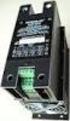 WHITE PAPER WYE-DELTA AND SOLID STATE STARTER APPLICATION GUIDE EXPLANATION AND ASSISTANCE FOR APPLYING SOLID STATE SOFT STARTERS IN TRADITIONAL REDUCED VOLTAGE APPLICATIONS Introduction..............................................................2
Positive-guided relay outputs: 3 safety contacts (N/O), instantaneous. 1 auxiliary contact (N/C), instantaneous
 Safety relay for monitoring E-STOP pushbuttons. Approvals Unit features Positive-guided relay outputs: 3 safety contacts (N/O), instantaneous 1 auxiliary contact (N/C), instantaneous Safe separation of
Installation and Maintenance manual. Softstarters PST / PSTB
 Installation and Maintenance manual Softstarters PST / PSTB Installation and maintenance PST30... PST1050 manual PST30...PSTB1050 Installation and maintenance manual Introduction... 1.1-1.3 1 Quickstart...
Products and solutions for lifting systems
 Products and solutions for lifting systems 100% electricity www.lovatoelectric.com Tra dition and Innovation LOVATO Electric S.p.A. - Bergamo - Italy Since 1922 The first LOVATO Electric headquarters founded
SmartVFD Frame 4 Wiring Diagrams and Dimensional Drawings
 Smart Frame Wiring Diagrams and Dimensional Drawings Smart Frame Size 60 Vac:.5-7.5 HP 08/0 Vac: 0.75- HP SPECIFICATION DATA CONTENTS Smart Frame Wiring Diagrams... Frame, Fused Disconnect Wiring Diagrams...
SUBJECT: How to wire a motor starter Number: AN-MC-004 Date Issued: 2/08/2005 Revision: Original
 SUBJECT: How to wire a motor starter Number: AN-MC-004 Date Issued: 2/08/2005 Revision: Original A motor starter is a combination of devices to allow an induction motor to start, run and stop according
Product Description Full Voltage Starting Electric Fire Pump Controllers FTA1000
 Product Description Full Voltage Starting Electric Fire Pump Controllers FTA1000 Description Firetrol FTA1000 Full Voltage Fire Pump Controllers are intended for use with electric motor driven fi re pumps
Electronic Control Devices The European Product Catalogue 2007
 FX14 Field Controller (1/4) FX14 Field Controller The FX14 is an equipment field controller in the Facility Explorer range of products. The controller is designed specifically for commercial Heating, Ventilating,
Permissible ambient temperature Operation Storage, transport
 The Sitras PRO combined DC protective unit and controller is used in the power supply for DC railways in mass transit and main-line systems up 3,000 V DC. It protects DC switch gear and contact line systems
Duct Humidity Transmitter
 SDC-H Duct Humidity Transmitter Features Replaceable sensor element Humidity measurement for air ducts Minimum and maximum value memory 0 0V, 0 0mA or 0V, 4 0mA measuring signals selectable with jumpers
Torque control MSF Softstarter
 Torque control MSF Softstarter INTRODUCTION Soft starting an AC motor refers to any one of several starting methods that limit the starting current and torque of the motor. The method discussed in this
NX Series Inverters. HVAC Pocket Programming Guide
 NX Series Inverters HVAC Pocket Programming Guide HVAC Pocket Programming Guide HVAC Pocket Programming Guide / Contents This guide provides a single reference document for the user of NXL HVAC (product
Panorama. Softstarters The complete range
 Panorama Softstarters The complete range Why does soft starting matter? Controlling industrial electricity. The vast majority of the world s industrial applications are driven by motors. It is estimated
APPENDIX. SureSERVO QUICK START GUIDE. In This Appendix... Quick Start for SureServo Drives...A 2. Tuning Quick Start for SureServo Drives...
 SureSERVO QUICK START GUIDE APPENDIX BA In This Appendix... Quick Start for SureServo Drives.............A 2 Spin the Motor......................................A 2 Position Mode Quick Start (Pt & Pr)......................A
Automation System TROVIS 6400 TROVIS 6493 Compact Controller
 Automation System TROVIS 6400 TROVIS 6493 Compact Controller For panel mounting (front frame 48 x 96 mm/1.89 x 3.78 inch) Application Digital controller to automate industrial and process plants for general
CAT AVR V2.3. Instruction Manual. Voltage regulator for generators. March 2008
 CAT AVR V2.3 Voltage regulator for generators March 2008 Instruction Manual Warnings WARNING The system should not be installed, operated, serviced or modified except by qualified personnel who understand
Type: EASY719 DC RC Article No.: 274119. Ordering information Relay outputs Quantity 6 Power supply V DC 24 V DC. Description
 Type: EASY719 DC RC Article.: 274119 Ordering information Relay outputs Quantity 6 Power supply V DC 24 V DC Description 12 digital inputs (4 inputs available as analog inputs) 6 relay outputs LCD display
TECHNICAL DATASHEET #TD1404AX PWM CONTROLLED SOLENOID DRIVER
 TECHNICAL DATASHEET #TD1404AX PWM CONTROLLED SOLENOID DRIVER (PWM Input, 1.2A or 2A Output, Metal Box or PCB) PCB Board - P/N: PWMC-PCB-2A, PWMC-PCB-1.2A Packaged Driver (metal box with 1.5 m (5 ft.) cable)
ACH550 BCR/BDR/VCR/VDR E-Clipse Bypass Drives. User s Manual. ACH550 E-Clipse Bypass User s Manual 2-1
 ACH550 E-Clipse Bypass User s Manual 2-1 ACH550 BCR/BDR/VCR/VDR E-Clipse Bypass Drives 1 400 HP User s Manual ACH550-EB_UM (3AUA0000016461) Rev D EN EFFECTIVE: 2010-04-01 SUPERSEDES: ACH550-EB_UM (3AUA0000016461)
ETC TWO STAGE ELECTRONIC TEMPERATURE CONTROL
 RANCO INSTALLATION INSTRUCTIONS ETC TWO STAGE ELECTRONIC TEMPERATURE CONTROL Relay Electrical Ratings PRODUCT DESCRIPTION The Ranco ETC is a microprocessor-based family of electronic temperature controls,
HCS-3300/3302/3304 USB Remote Programmable Laboratory Grade Switching Mode Power Supply
 1. INTRODUCTION HCS-3300/3302/3304 USB Remote Programmable Laboratory Grade Switching Mode Power Supply User Manual This family of efficient, upgraded SMPS with small form factor, auto cross over CV CC,
Specification Requirements DBL 700MX and 1000MX Series UPS
 Specification Requirements DBL 700MX and 1000MX Series UPS Theory of Operation Upon loss of utility power, the UPS inverter shall continue to provide seamless pure sine-wave AC from the batteries without
Operational Overview and Controls Guide. Two or Three Pump IronHeart Lite with Variable Frequency Drives
 DOCUMENT: ECSEQ6-0 EFFECTIVE: 09/23/10 SUPERSEDES: Operational Overview and Controls Guide Two or Three Pump IronHeart Lite with Variable Frequency Drives 6700 Best Friend Road. Norcross, GA 30071. (770)
SX460. Generator Automatic Voltage Regulator Operation Manual
 SX460 Generator Automatic Voltage Regulator Operation Manual Self Excited Automatic Voltage Regulator Compatible with Newage SX460* * Use for reference purpose only and not a genuine Newage product. 1.
Thyristor-controlled power supplies and battery chargers
 Thyristor-controlled power supplies and battery chargers Input voltage: 115 / 230 VAC, single phase, 50 / 60 Hz or 208 / 400 / 480 VAC, three phases, 50 / 60 Hz Output voltage: 12 / 24 / 48 / 60 / 72 /
26 3213.13 Diesel Engine Driven Generators Page 1 of 6
 Last Update: December 8, 2014 A. Description of System Consultant s Handbook Page 1 of 6 1. Provide a diesel engine driven electric generating unit, factory assembled, tested and certified to operate at
AUTOMATIC TRANSFER SWITCH. Changeover Type from 250A to 2500A
 AUTOMATIC TRANSFER SWITCH Changeover Type from 250A to 2500A Table of Contents Preamble 1.1 Theoretical base 1.2 Selection the size of automatic transfer switch 1.3 Automatic transfer switch components
Power Supply Unit, Primary Switched, Narrow Design MINI-PS-12-24DC/24DC/1
 Power Supply Unit, Primary Switched, Narrow Design MINI POWER provides: Extra narrow design with widths of 22.5 mm, 45 mm, and 67.5 mm (0.886, 1.772, and 2.657 in.) Global use due to a wide-range input
DLP-PU/E Instruction Manual
 Instruction Manual BEFORE USING THE POWER SUPPLY UNIT Pay attention to all warnings and cautions before using the unit. Incorrect usage could lead to an electrical shock, damage to the unit or a fire hazard.
Telefon (+45) 43 43 82 00 Telefax (+45) 43 43 74 75 [email protected] www.uni-valve.com. Installation and operating manual
 Uni-Valve A /S VENTILER & INSTRUMENTER Telefon (+45) 43 43 82 00 Telefax (+45) 43 43 74 75 [email protected] www.uni-valve.com UNI-EL Electric actuator Installation and operating manual Remote position
Your Advantages For safety application up to PL e / Cat. 4 e.g. SIL 3 Manual or automatic start 0225592. * see variants. Applications.
 Safety Technique SAFEMASTER Emergency Stop Module BG 5924, IP 5924 Your Advantages For safety application up to PL e / Cat. 4 e.g. SIL 3 Manual or automatic start 0225592 BG 5924 IP 5924 Product Description
Phone: 800.894.0412 - Fax: 888.723.4773 - Web: www.clrwtr.com - Email: [email protected]
 Description Wide rated operational voltage 208 690 V AC Wide rated control supply voltage 100 250 V, 50/60 Hz Rated operational current 30 to 1050 A (Up to 1810 A inside delta) Wide ambient temperature
User s Manual Before using the inverter, you need to read and save the safety instructions.
 User s Manual Before using the inverter, you need to read and save the safety instructions. STI SERIES (STI200, STI300, STI500, STI700, STI1000) Power Frequency Pure Sine Wave Inverter The information
SOFT-STARTER MANUAL. Series: SSW-07 0899.5318 E/2
 SOFT-STARTER MANUAL Series: SSW-07 0899.5318 E/2 12/2006 Summary of revisions The information below describes the revisions in this manual. Revision Description Chapter 1 First Edition - 2 General Revision
Speed Control Relays SX2
 SX2 File 850 CONENS Description.....................................................Page General Information................................................ 2-3 SX2DV General Information...........................................
INSTALLATION INSTRUCTIONS
 LIGHTING CONTROL PANELS 4 AND 8 RELAYS INSTALLATION INSTRUCTIONS INSTALLATION OVERVIEW The installation instructions contained in this document are provided as a guide for proper and reliable installation.
Number 1 in efficiency
 PowerXL DE1 Variable Speed Starter www.eaton.eu/de1 Number 1 in efficiency The easiest way of variable motor speed NEW Variation DE11 The new device category! The PowerXL DE1 Variable Speed Starter Why
Medium Voltage Motor Control Assemblies
 Medium Voltage Motor Control Assemblies Arc Resistant AMPGARD.1 Product............................................. 2 Application........................................... 2 Features, Benefits and Functions...................................
CAUTION! THE 7I29 USES VOLTAGE AND POWER LEVELS THAT REPRESENT A HAZARD TO LIFE AND LIMB.
 7I29 MANUAL Rev 1.5 CAUTION! THE 7I29 USES VOLTAGE AND POWER LEVELS THAT REPRESENT A HAZARD TO LIFE AND LIMB. THE 7I29 IS INTENDED FOR USE BY OEMS THAT WILL INTEGRATE IT INTO A SYSTEM WITH INTERLOCKS AND
Technical Information
 Date of last update: Jul-05 Ref: Application Engineering Europe OIL PRESSURE SAFETY CONTROL FOR SEMI-HERMETICS 1 Oil Pressure Differential Switches The oil pressure differential switch breaks the control
LG Air Conditioning Multi F(DX) Fault Codes Sheet. Multi Split Units
 Multi Split Units If there is a fault on any LG Multi unit, an Error mark is indicated on the display window of the indoor unit, wired-remote controller, and LED s of outdoor unit control board. A two
GENERATOR START CONTROL MODULE - MINI (2 Wire to 3 Wire)
 FEATURES & APPLICATIONS Inexpensive 2 wire to 3 wire start controller for electric start high speed gas generators. Optimized for use with Outback Invertors. Supports three types of 3 wire generator control
VLT Series 3500 Adjustable Frequency Drive Instruction Manual
 Adjustable Frequency Drive Instruction Manual VLT Series 3500 Instruction Manual 175R5237 - Document Version 5.00 This manual applies to all VLT Series 3502-3800 Adjustable Frequency Drives with software
ABB Drives. User s Manual. Pulse Encoder Interface Module RTAC-01
 ABB Drives User s Manual Pulse Encoder Interface Module RTAC-0 Pulse Encoder Interface Module RTAC-0 User s Manual 3AFE 64486853 REV A EN EFFECTIVE:.5.00 00 ABB Oy. All Rights Reserved. Safety instructions
Pump_PT580. Optional. Optional. Modbus. Remote Reset Local Display PLC/DCS PT580-CFG PCM370 DTM96. Buffered Output. Dual Relay Output.
 Pump_PT580 Optional PT580-CFG PCM370 Optional DTM96 Buffered Dual Relay Remote Reset Local Display Condition Monitoring System PLC/DCS PT580 Digital Vibration Switch Introduction The PT580 Digital Vibration
Operational Overview and Controls Guide
 DOCUMENT: ECSEQ2-1 EFFECTIVE: 02/14/07 SUPERSEDES: 02/26/03 Operational Overview and Controls Guide Standard Two or Three Pump Type VFD Booster Controls 6700 Best Friend Road. Norcross, GA 30071. (770)
MILLENIUM INSTALLATION MANUAL NTR 735 A. Simple Automation Control Module (MAS)
 MILLENIUM Table of contents 1. INTRODUCTION 1 2. HARDWARE DESCRIPTION 2 3. INSTALLATION 5 4. CONNECTION 6 5. USER SAFETY AND PROTECTION OF EQUIPMENT 8 1. Introduction The MILLENIUM series has been designed
Safety technique. Emergency stop module BO 5988 safemaster
 Safety technique Emergency stop module BO 5988 safemaster 0221562 Function diagram Pushbutton on Mains or emergencystop () K1 According to EC Directive for machines 98/37/EG According to IEC/E 60204-1
Installation manual. Generator Paralleling Controller GPC multi-line 2 4189340225C
 Installation manual Generator Paralleling Controller GPC multi-line 2 Software ver. 1.3X Compact system in one unit - dynamic synchronisation - load sharing - generator protection DEIF A/S 3-phase AC RMS
Inductive Sensors Single or Dual Loop Detectors Type LD with teach-in
 Inductive Sensors Single or Dual Loop Detectors Type LD with teach-in Single or Dual loop detector Automatically adjustment of detection level Manual sensitivity for compensations of variations Easy installation
Installation and User Guide
 Installation and User Guide 458-UNI8 8-Channel Universal Dimmer Module Introduction The 458/UNI8 is an 8-channel universal, digital transistor, dimmer module. Each channel s mode can be selected for either
HEAT MONITORING AND CONTROL INSTRUMENTS FOR TRANSFORMERS MB 103 TEMPERATURE CONTROL UNIT PT 100 TEMPERATURE SENSOR
 HEAT MONITORING AND CONTROL INSTRUMENTS FOR TRANSFORMERS MB 103 TEMPERATURE CONTROL UNIT PT 100 TEMPERATURE SENSOR 2 MB 103 TRANSFORMER TEMPERATURE CONTROL UNIT WITH CONTROL SIGNAL Recent approval of new
M2M The measure of efficiency
 M2M The measure of efficiency The importance of control Measurement and advanced analysis of electrical parameters To make equipment as efficient as possible, it is essential to know the details of its