
C++ for Scientific Computing
|
|
|
- Stewart Holland
- 9 years ago
- Views:
Transcription
1 C++ for Scientific Computing Ronald Kriemann MPI MIS Leipzig 2008 MIS C++ for Scientific Computing 1/316
2 Chapters 1 Introduction 2 Variables and Datatypes 3 Arithmetic Operators 4 Type Casting 5 Blocks and Scope 6 Control Structures 7 Functions 8 Arrays and Dynamic Memory 9 Advanced Datatypes 10 Modules and Namespaces 11 Classes 12 Generic Programming 13 Error Handling 14 Standard Template Library 15 Class Inheritance 16 Appendix C++ for Scientific Computing 2/316

3 Introduction C++ for Scientific Computing 3/316

4 Why C++? Why not Matlab? Matlab is a high level language, e.g. provides many functions/algorithms allowing rapid developement. But Matlab is limited to dense and (to some degree) sparse matrices, therefore not flexible enough, especially for large problems. Why not Fortran? Fortran is one of the main programming language in many areas including numerics. Many excellent software libraries are written in Fortran, e.g. LAPACK. Fortran 77 quite dated in terms of language features. Recent updates of Fortran (90, 95, 2000) modernised the language, but still somewhat dated. C++ for Scientific Computing 4/316
5 Why C++? So, Why C++ (and not C)? C is a subset of C++. C++ provides many features which make programming easier. C++ can be as fast as C (and sometimes faster). C++ (like C) can use all software libraries written in Fortran or C. Many new software libraries are written in C++. Why not C++? C++ can be complicated as opposed to C. If you do not follow strict programming rules, you can make many errors (unlike Matlab, or Fortran). C++ for Scientific Computing 5/316

6 Hello World Like every programming course, we start with something simple: #include <iostream> using namespace std; int main ( int argc, char ** argv ) // print welcome message cout << "Hello World" << endl; return 0; Even this small example contains: modules and namespaces, functions and blocks and variables and datatypes Remark Comments in C++ begin with a // and span the rest of the line. C++ for Scientific Computing 6/316

7 Hello World C++ is a compiler based language, i.e. one has to translate the source code of the program into a machine executable format using another program, called the compiler. Source code files, or just source files, typically have a filename suffix like.cc,.c or.cpp. There are many different C++ compilers available even for one operating system. On Linux, the GNU Compiler Collection provides the g++ compiler. Alternatively, Intel offers another compiler named icpc. As an example, to compile the source file hello.cc for Hello World into an executable binary using the GCC compiler, you ll have to enter g++ -o hello hello.cc and afterwards run the program via./hello. C++ for Scientific Computing 7/316

8 Variables and Datatypes C++ for Scientific Computing 8/316

9 Variables and Datatypes In C++, all variables have to be of some specific datatype, which is, once defined, fixed and can not be changed, e.g. unlike in Matlab. Integer Datatypes characters : char: c, /, \n, \\, π (with Unicode) also numbers: from , e.g. 0, 128, 127 signed integers : short: from , e.g. 0, 32768, 1000 int: from , e.g. 0, 100, long: from , or unsigned integers : unsigned short: from unsigned int or unsigned: from unsigned long: from , or C++ for Scientific Computing 9/316

10 Variables and Datatypes Integer Datatypes: Overflow and Underflow When doing arithmetic with integer types, the range of the types has to be considered. If the result is bigger than the maximum value, the result becomes negative, e.g. using short: = Here, an overflow occured. Similar behaviour can be observed if the result is less that the minimum (underflow): = C++ for Scientific Computing 10/316

11 Variables and Datatypes Floating Point Datatypes Floating point numbers x are represented as x = s m 2 e with the sign s, the mantissa m and the exponent e. In C++, like in many other languages, we have two floating point types float: single precision, 23 bits for mantissa, 8 bits for exponent, x [ , 0, , ], double: double precision, 52 bits for mantissa, 11 bits for exponent, x [ , 0, , ]. Floating point numbers are entered with a dot: 4.0 (double) or 4.0f (float) instead of just 4 (int) Exponent is defined using scientific notation via E or e : is 4.25E-4 or 4.25e-4 C++ for Scientific Computing 11/316
![.., 3 10 38 ], double: double precision, 52 bits for mantissa, 11 bits for exponent, x [ 2 10 308... 10 308, 0, 10 308..., 2 10 308 ].](/docs-images/41/22680543/images/page_11.jpg "Floating point numbers are entered with a dot: 4.0 (double) or 4.0f (float) instead of just 4 (int) Exponent is defined using scientific notation via E or e : 4.")
12 Variables and Datatypes Floating Point Datatypes: Rounding Since number of bits for representing numbers is limited, real numbers are rounded, e.g. π: float: π = , double: π = This might also lead to wrong results: π but in single precision one obtains π = This effect is also known as cancellation C++ for Scientific Computing 12/316

13 Variables and Datatypes Floating Point Datatypes: Absorption When adding two numbers with a large difference in the exponent, the result might be equal to the larger of the two addend, e.g. in single precision for x R: x = x For any floating point type, the smallest number ε, such that 1 + ε 1 is known as the machine precision: for float: ε , for double: ε Coding Principle No. 1 Always check if the range and the precision of the floating point type is enough for your application. If in doubt: use double precision. C++ for Scientific Computing 13/316

14 Variables and Datatypes Boolean Datatype Integer and floating point types are also available in C. In C++ one also has a boolean type bool, which can be either true or false. Missing Types C++ does not have datatypes for strings or complex numbers. Those have to be implemented by special ways. C++ for Scientific Computing 14/316
15 Variables and Datatypes Variables Variables can be declared at (almost) any position in the source file. The declaration follows the scheme: typename variablename ; or typename variablename1, variablename2,...; Remark Every statement in C++ is finished with a semicolon. A name for a variable can contain any alphanumerical character plus and must not begin with a number. Also, they can not be identical to a reserved name used by C++. Variable names are case sensitive. C++ for Scientific Computing 15/316

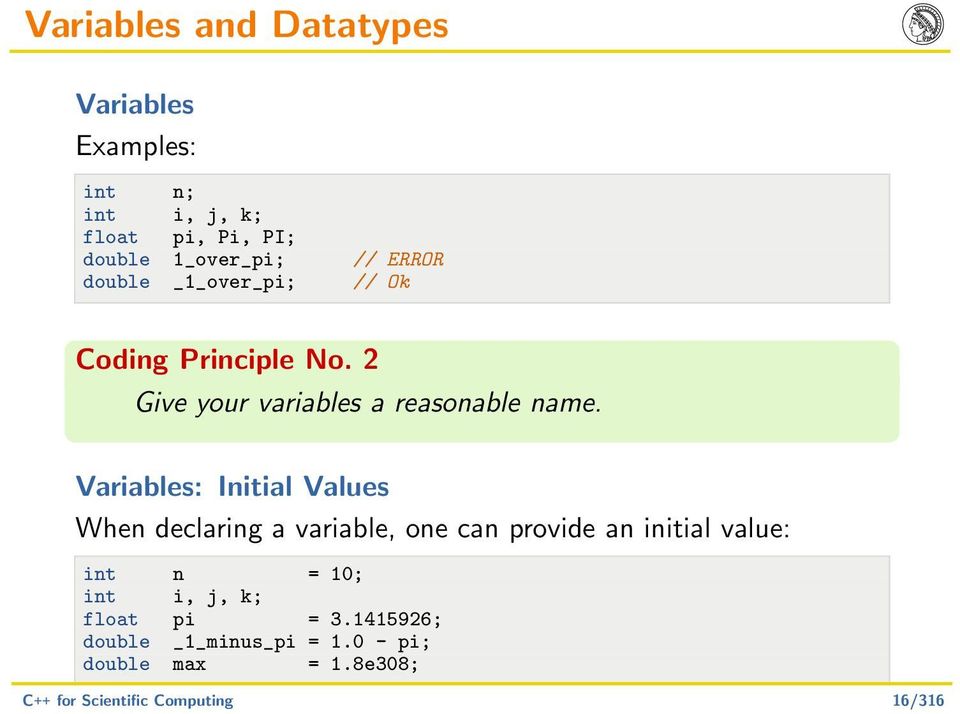
16 Variables and Datatypes Variables Examples: int n; int i, j, k; float pi, Pi, PI; double 1_over_pi; // ERROR double _1_over_pi; // Ok Coding Principle No. 2 Give your variables a reasonable name. Variables: Initial Values When declaring a variable, one can provide an initial value: int n = 10; int i, j, k; float pi = ; double _1_minus_pi = pi; double max = 1.8e308; C++ for Scientific Computing 16/316
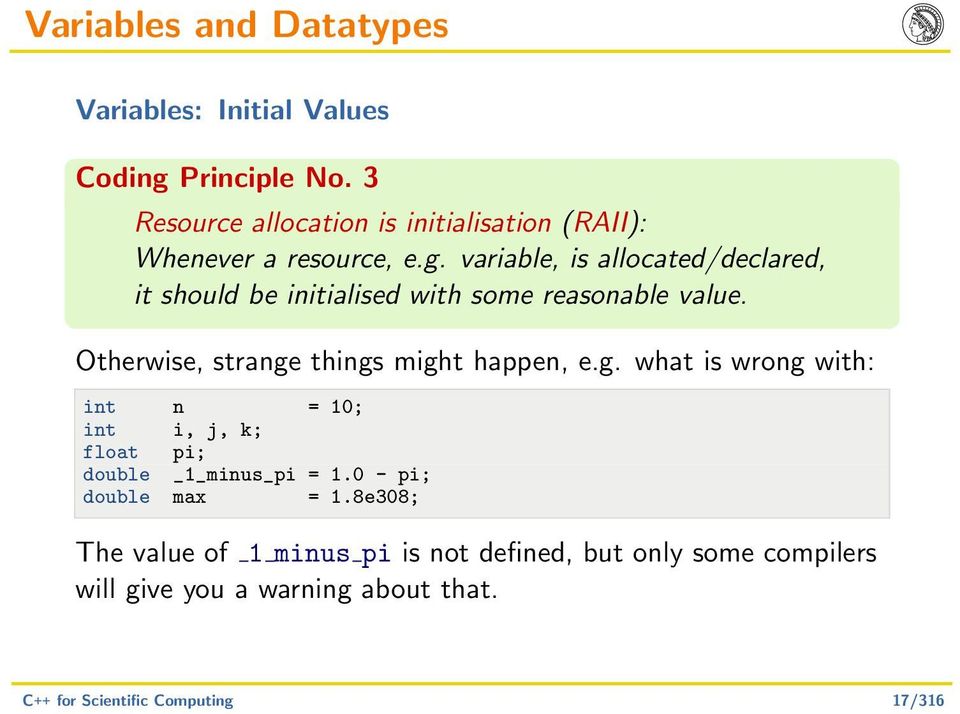
17 Variables and Datatypes Variables: Initial Values Coding Principle No. 3 Resource allocation is initialisation (RAII): Whenever a resource, e.g. variable, is allocated/declared, it should be initialised with some reasonable value. Otherwise, strange things might happen, e.g. what is wrong with: int n = 10; int i, j, k; float pi; double _1_minus_pi = pi; double max = 1.8e308; The value of 1 minus pi is not defined, but only some compilers will give you a warning about that. C++ for Scientific Computing 17/316
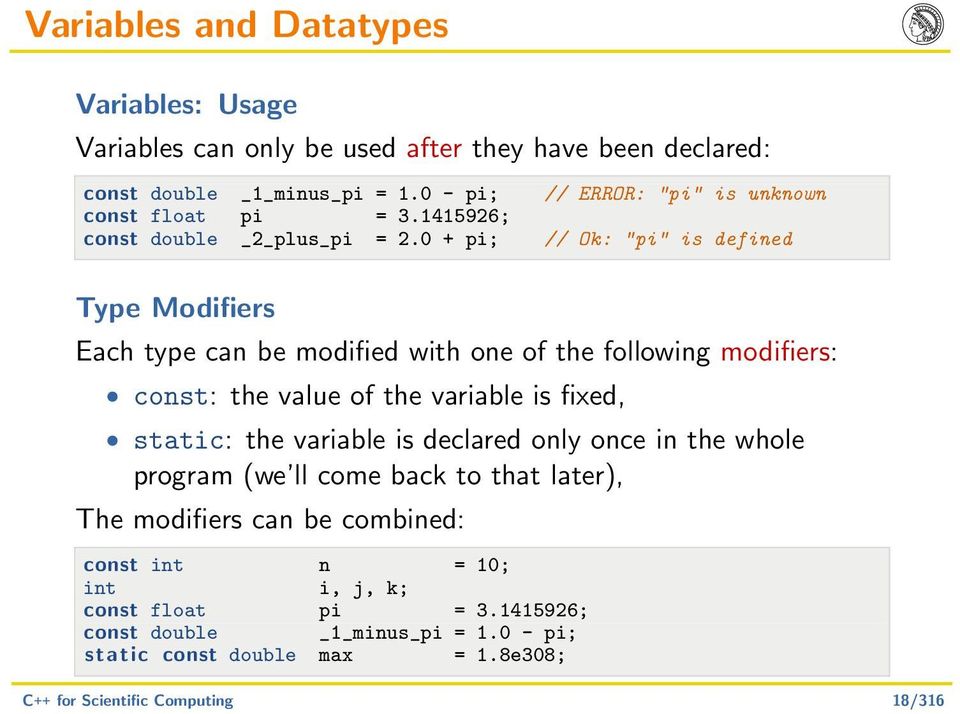
18 Variables and Datatypes Variables: Usage Variables can only be used after they have been declared: const double _1_minus_pi = pi; // ERROR: "pi" is unknown const float pi = ; const double _2_plus_pi = pi; // Ok: "pi" is defined Type Modifiers Each type can be modified with one of the following modifiers: const: the value of the variable is fixed, static: the variable is declared only once in the whole program (we ll come back to that later), The modifiers can be combined: const int n = 10; int i, j, k; const float pi = ; const double _1_minus_pi = pi; static const double max = 1.8e308; C++ for Scientific Computing 18/316
19 Variables and Datatypes Type Modifiers Coding Principle No. 4 Use const as much as possible. You avoid errors, e.g. by mistakenly changing the value and the compiler can optimise more, e.g. replace every occurence by the actual value. C++ for Scientific Computing 19/316
20 Variables and Datatypes Pointers and References A pointer is a special datatype derived from a base type, where the variable contains the memory position of another variable. The syntax is: base type * pointer name ; The memory position, i.e. the address, of a standard variable is obtained by the address operator &, e.g. & variable To obtain the value of the memory position, the pointer directs to, the (unary) dereference operator *, e.g. * variable is available (not to be mistaken with the binary multiplication operator!). C++ for Scientific Computing 20/316

21 Variables and Datatypes Pointers and References Example for the usage of pointers: int n = 5; int * p = & n; int m1, m2; m1 = n + 3; m2 = *p + 3; // m2 equal to m1 *p = 6; // this changes the value of n to 6! m2 = n + 4; // evaluates to 10! The value of a pointer, e.g. the address, can be assigned to another pointer: int * q = p; // q now points to the same position // as p, hence, to n n = 2; m1 = *p + *q // is equivalent to n+n C++ for Scientific Computing 21/316
22 Variables and Datatypes Pointers and References A special pointer value, NULL, exists, for the case, that no standard variable is available to point to: int * p = NULL; Dereferencing a NULL pointer is illegal and leads to a program abort. Coding Principle No. 5 Always initialise a pointer with the address of an existing variable or with NULL. Remark RAII is even more important when working with pointers than with standard variables, since undefined pointers almost always lead to hard to find errors. C++ for Scientific Computing 22/316
23 Variables and Datatypes Pointers and References A reference is a special form of a pointer, which can only be initialised with the address of an existing variable. The syntax is: base type & pointer name ; One does not need to dereference references: int n = 5; int & r = n; int m; m = r + 3; // m == n + 3 r = m; // r still points to n and n == m m = 0; // r and n are unchanged And you can not change the address where a reference points to: int & s = m; r = s; // r still points to n and n == m (== 0) C++ for Scientific Computing 23/316
24 Variables and Datatypes Pointers and References Pointers and references can also be combined with const in various forms: int * pn1; // non-const pointer to non-const var. const int * pn2; // non-const pointer to const var. int * const pn3; // const pointer to non-const var. const int * const pn4; // const pointer to const var. If the pointer is constant, the address it is directing to can not be changed. If the variable is constant, the value of it can not be modified: int n = 0; const int m = 1; int * const int * int * const pn1 = & n; // Ok pn2 = & n; // ERROR pn3 = & n; // Ok C++ for Scientific Computing 24/316
25 Arithmetic Operators C++ for Scientific Computing 25/316
26 Arithmetic and Assignment Operators Arithmetic For integer and floating point types: x + y; x - y; x * y; x / y; For integer types, the modulus operator: x % y; Remark No operator for power, like ^ in Matlab. C++ for Scientific Computing 26/316
27 Arithmetic and Assignment Operators Assignment Standard assignment (as with initial values) x = y; Assignment can be combined with arithmetic, so x = x + y; x = x - y; x = x * y; x = x / y; x = x % y; // for integers is the same as x += y; x -= y; x *= y; x /= y; x %= y; // for integers C++ for Scientific Computing 27/316
28 Arithmetic and Assignment Operators Increment and Decrement In C++ (like in C) exist special versions for variable increment/decrement: int n = 0; ++n; // same as n = n + 1 or n += 1 n++; --n; // same as n = n - 1 or n -= 1 n--; Difference between preincrement and postincrement, e.g. int n = 5, m = 5 * n++; results in n = 6 and m = 25, whereas int n = 5, m = 5 * ++n; results in n = 6 and m = 30. C++ for Scientific Computing 28/316
29 Arithmetic and Assignment Operators Examples int n1 = 3, n2 = 4; int n3; n3 = 2 * n1 - n2 + n1 / 2; n2 *= 6; n1 -= 8; const double approx_pi = / 113.0; double f1 = approx_pi / 2.0; double f2; f2 = approx_pi * approx_pi * f1; f1 /= 5.0; C++ for Scientific Computing 29/316
30 Arithmetic and Assignment Operators Division by Zero and other undefined Operations With floating point types: x/0.0 = INF for x 0.0. INF is a special floating point number for infinity. For x = 0.0: x/0.0 = NAN NAN (not-a-number) is another special floating point number for invalid or not defined results, e.g. square root of negative numbers. Both operations are (usually) performed without notification, i.e. the program continues execution with these numbers. NANs often occur with uninitialised variables, therefore RAII. In integer arithmetic, x/0 leads to an exception, i.e. the program (usually) aborts. C++ for Scientific Computing 30/316
31 Relational and Logical Operators Comparison Standard comparison for integer and floating point types: x > y; // bigger than x < y; // less than x >= y; // bigger or equal x <= y; // less or equal x == y; // equal x!= y; // unequal Logic Logical operators and, or and not for boolean values: b1 && b2; // and b1 b2; // or! b1; // not C++ for Scientific Computing 31/316
32 Relational and Logical Operators Minimal Evaluation Logical expressions are only evaluated until the result is known. This is important if the expression contains function calls (see later), or a sub expression is only allowed if a previous sub expression is true. int x = 2; int y = 4; int z = 4; bool b; // z == 4 is not tested b = ( x == 2 && y == 3 && z == 4 ); // only x == 2 is tested b = ( x == 2 y == 3 z == 4 ); // correct, since x!= 0 in "y/x" b = ( x!= 0 && y/x > 1 ); C++ for Scientific Computing 32/316
33 Relational and Logical Operators Floating Point Comparison Coding Principle No. 6 For floating point types, avoid equality/inequality checks due to inexact arithmetic. Better is interval test: double f1 = sqrt( 2.0 ); double f2 = f1 * f1; bool b; b = ( f2 == 2.0 ); // unsafe const double eps = 1e-14; b = ( f2 > eps && f2 < eps ); b = ( abs( f2-2.0 ) < eps ); // safe // even better C++ for Scientific Computing 33/316
34 Precedence and Associativity of Operators Precedence When evaluating complex expressions, what is evaluated first, and in which order? Example: int n1 = * 4 % 2-5; int n2 = 4; bool b = n1 >= 4 && n2!= 3 n1 < n2; Precedence of arithmetics follows algebraic/logical precedence, e.g. * before +, (&&) before ( ). Increment (++) and decrement (--) have higher, assignment (=, +=,...) has lower priority. Parentheses have highest priority. int n1 = (2 + ((3 * 4) % 2) - 5); int n2 = 4; bool b = (((n1 >= 4) && (n2!= 3)) (n1 < n2)); C++ for Scientific Computing 34/316
35 Precedence and Associativity of Operators Associativity Arithmetic and logical operators are left associative, whereas assignment operators are right associative: int n1 = ; int n2 = 1 * 2 * 3 * 4; int n3, n4, n5; n3 = n4 = n5 = 0; is the same as int n1 = (((1 + 2) + 3) + 4); int n2 = (((1 * 2) * 3) * 4); int n3, n4, n5; (n3 = (n4 = (n5 = 0))); C++ for Scientific Computing 35/316
36 Precedence and Associativity of Operators Summary Priority Associativity Operators highest left () right ++, --, - (unary),!, & (address), * (dereference) left * (multiplication), /, % left +, - left >, <, >=, <= left ==,!= left && left lowest right =, +=, -=, *=, /=, %= C++ for Scientific Computing 36/316
37 Precedence of Operators Usage of Parentheses Example: int n1 = 4; int n2 = * n1 / 3-5; bool b = n2 >= 4 && n1!= 3 n2 < n1; vs. int n1 = 4; int n2 = 2 + (5 * n1) / 3-5; bool b = ( n2 >= 4 ) && (( n1!= 3 ) ( n2 < n1 )); Coding Principle No. 7 When in doubt or to clarify the expression: use parentheses. C++ for Scientific Computing 37/316
38 Type Casting C++ for Scientific Computing 38/316
39 Type Casting Implicit Type Conversion Up to now, we have only had expressions with either integer or floating point types. Often, these types are mixed: const double pi = ; double f = 1 / ( 2 * pi ); Here, implicit type conversion occurs: the int numbers 1 and 2 are automatically converted to the double numbers 1.0 and 2.0, respectively. const double pi = ; int n = 2 * pi; is also allowed. Here, 2 is first converted to double and the result is finally converted back to int. C++ for Scientific Computing 39/316
40 Type Casting Explicit Type Conversion Explicit conversion between data types is performed via typename( value ) Examples: const float pi = float( ); int n = 2 * int(pi); bool b = bool(n); Remark A non-zero value is interpreted as true, a zero value as false. The old C syntax (typename) value, e.g. int n = 2 * (int) pi; is also allowed, but not recommended. C++ for Scientific Computing 40/316
41 Type Casting Problems while Casting Problem 1: Different ranges: int n1 = 5-6; unsigned int n2 = n1; // underflow Problem 2: Different precision: const double pi = ; float f1 = 2.1; float f2 = 4 * f1 / pi; The last expression is computed in double precision. Using float(pi) instead, would result in pure single precision arithmetic, which is (usually) faster. Coding Principle No. 8 Avoid implicit type conversion. C++ for Scientific Computing 41/316
42 Type Casting Cast Operators C++ defines four cast operators for various purposes: const cast T (v) : remove const qualifier of a variable v, static cast T (v) : classic, compile time type conversion with type checking reinterpret cast T (v) : type conversion with correct handling of variable value and dynamic cast T (v) : runtime type conversion with type checking Since these operators are usually used in connection with classes, we will come back to them later. C++ for Scientific Computing 42/316
43 Blocks and Scope C++ for Scientific Computing 43/316
44 Blocks and Scope Blocks Statements in a C++ program are part of a block, which is enclosed by and : //... Remark The trivial block is defined by a single statement. Blocks can be arbitrarily nested or otherwise put together: // block 1 // subblock 1.1 // subblock 1.2 // sub subblock C++ for Scientific Computing 44/316
45 Blocks and Scope Variable Scope Variables can be declared in each block individually, even with the same name: // block 1 int n1 = 1; double f1 = 0.0; // block 2 int n1 = 2; // n1 has value 2 in this block but not twice in the same block: int n1 = 1; //... int n1 = 2; // ERROR C++ for Scientific Computing 45/316
46 Blocks and Scope Variable Scope A variable is declared in the local block and all enclosed blocks: // block 1: n1 declared int n1 = 1; // block 1.1: n1, n2 declared int n2 = 2; // block 1.1.1: n1, n2 declared int n4 = 4; // block 1.2: n1, n4, n3 declared int n3 = 3; C++ for Scientific Computing 46/316
47 Blocks and Scope Variable Scope Variables with the same name can also be declared in nested blocks. // block 1 int n1 = 1; // n1 == 1 // block 1.1 int n1 = 2; // n1 == 2 // n1 == 1 // block 1.2 int n1 = 3; // n1 == 3 // block 1.3 n1 = 4; // n1 == 4!!! C++ for Scientific Computing 47/316
48 Blocks and Scope Variable Scope A reference to a variable will always be made to the first declaration found when going up the hierarchy of enclosing blocks. // block 1 int m, n1 = 1; // block 1.1 int n2 = 2; // block m = n1 + n2; // evaluates to m = 3 // block 1.2 int n2 = 3; m = n1 + n2; // evaluates to m = 4 C++ for Scientific Computing 48/316
49 Blocks and Scope Variable Scope Remark Using variables with same name in nested blocks is not recommended, since that often leads to erroneous programs. C++ for Scientific Computing 49/316
50 Blocks and Scope Variable Lifetime The scope of a variable also defines their lifetime, e.g. the time where resources are needed for the variable. For non-static variables, memory is allocated if a declaration is encountered and released, when the leaving the block holding the declaration: int n = 0; // memory for an integer is allocated double f = 1.2; // memory for a double is allocated... // memory for "f" is released // memory for "n" is released For static variables, the memory will never be released and only allocated once per program run: static int m = 10; // allocate memory once // memory for "m" is not released C++ for Scientific Computing 50/316
51 Control Structures C++ for Scientific Computing 51/316
52 Control Structures Conditional Structure A condition is defined by if ( condition ) block where block is executed if condition is true or if ( condition ) if block else else block where additionally else block is executed if condition is false, e.g. int n = 1; i f ( n > 0 ) n = n / n; i f ( n < 0 ) n += 5; else n -= 6; // NOTE: trivial block! C++ for Scientific Computing 52/316
53 Control Structures C++ supports three different loops: for loops, while loops and do-while loops. For Loops for ( start stmt. ; loop condition ; loop stmt. ) block The start statement is executed before the loop is entered. Before each iteration, the loop condition is evaluated. If it is false, the loop is finished. After each iteration, the loop statement is executed. Example for factorial: int n = 1; for ( int i = 1; i < 10; ++i ) n = n * i; C++ for Scientific Computing 53/316
54 Control Structures While Loops while ( loop condition ) block The loop iterates until the loop condition is no longer true, i.e. evaluates to false. The condition is checked before each iteration. Example for factorial: int n = 1; int i = 1; while ( i < 10 ) n *= i; ++i; C++ for Scientific Computing 54/316
55 Control Structures Do-While Loops do block while ( loop condition ); The loop condition is tested after each iteration. Hence, the block is at least executed once. Example for factorial: int n = 1; int i = 1; do n *= i; ++i; while ( i < 10 ); C++ for Scientific Computing 55/316
56 Control Structures Breaking out of Loops To finish the current loop immediately, e.g. without first testing the loop condition, the keyword break can be used: int n = 1; for ( int i = 1; i < 20; ++i ) // avoid overflow i f ( n > ) break; n = n * i; C++ for Scientific Computing 56/316
57 Control Structures Breaking out of Loops Only the current loop is finished, not all enclosing loops: for ( int j = 1; j < 20; ++j ) int n = 1; for ( int i = 1; i < j; ++i ) i f ( n > ) break; // break here n = n * i; cout << n << endl; // and continue here C++ for Scientific Computing 57/316
58 Control Structures Finish current Iteration To immediately finish the current iteration of a loop use the keyword continue: int n2 = 0; for ( int i = 0; i < 1000; i++ ) // skip odd numbers i f ( i % 2 == 1 ) continue; n2 += i; After continue, the loop condition of a loop is tested. In for-loops, the loop statement is first evaluated. Remark Again, continue effects only the current loop. C++ for Scientific Computing 58/316
59 Control Structures Selective Statement To directly switch between several cases, the switch structure can be used: switch ( value ) case CASE 1 : statements ; break; case CASE 2 : statements ; break;. case CASE n : statements ; break; default : statements The type of value must be some integral typ, i.e. it can be mapped to an integer type. Hence, floating point or more advanced types (later) are not possible. C++ for Scientific Computing 59/316
60 Control Structures Selective Statement Example for a switch statement: unsigned int i = 3; unsigned int n; switch ( i ) case 0 : n = 1; break; case 1 : n = 1; break; case 2 : n = 2; break; case 3 : n = 6; break; case 4 : n = 24; break; default : n = 0; break; Coding Principle No. 9 Always implement the default case to avoid unhandled cases. C++ for Scientific Computing 60/316
61 Control Structures Selective Statement If break is missing after the statements for a specific case, the statements of the next case are also executed: unsigned int i = 3; unsigned int n; switch ( i ) case 0 : case 1 : n = 1; break; // executed for i == 0 and i == 1 case 2 : n = 2; break; case 3 : n = 6; break; case 4 : n = 24; break; default : n = 0; break; C++ for Scientific Computing 61/316
62 Control Structures Selective Statement A switch statement can be implemented via if and else: unsigned int i = 3; unsigned int n; i f ( i == 0 ) n = 1; else i f ( i == 1 ) n = 1; else i f ( i == 2 ) n = 2; else i f ( i == 3 ) n = 6; else i f ( i == 4 ) n = 24; else n = 0; // default statement Remark Using switch is faster than if-else, among other things since less comparisons are performed! C++ for Scientific Computing 62/316
63 Functions C++ for Scientific Computing 63/316
64 Functions Function Definition The definition of a function in C++ follows return type function name ( argument list ) block When a function does not return a result, e.g. a procedure, then the return type is void. To return a value from a function, C++ provides the keyword return. double square ( const double x ) return x*x; C++ for Scientific Computing 64/316
65 Functions Function Call A function is called by Example: function name ( argument1, argument2,... ); double y = square( 4.3 ); One can not define a function in the body of another function: double cube ( const double x ) // ERROR double square ( const double y ) return y*y; return square( x ) * x; C++ for Scientific Computing 65/316
66 Functions Function Examples Previous computation of factorial in functional form: int factorial ( const int n ) int f = 1; for ( int i = 1; i <= n; i++ ) f *= i; return f; Coding Principle No. 10 Make all function arguments const, except when changing value (see later). C++ for Scientific Computing 66/316
67 Functions Function Examples (Cont.) Power function with positive integer exponents: double power ( const double x, const unsigned int n ) switch ( n ) case 0 : return 1; case 1 : return x; case 2 : return square( x ); default: double f = x; for ( int i = 0; i < n; i++ ) f *= x; return f; Coding Principle No. 11 Make sure, that a function has a call to return in every execution path. C++ for Scientific Computing 67/316
68 Functions Main Function The main function is the first function called by the operating system in your program. Every program must have exactly one main function. In principle, only code in main and functions called directly or indirectly from main will be executed. The main function may be implemented without arguments and has a return type of int: int main ()... // actual program code return 0; The value returned from main is supplied to the operating system. As a standard, a value of 0 signals no error during program execution. C++ for Scientific Computing 68/316
69 Functions Call by Value In previous examples, only the value of a variable (or constant) is used as the argument of a function, e.g. changing the value of the argument does not change the value of the original variable: int f ( int m ) m = 4; return m; // non const argument! // explicitly changing the value of argument m int m = 5; int n = f( m ); // m is unchanged by f This is known as call-by-value. Remark It is nevertheless advised to use const arguments. C++ for Scientific Computing 69/316
70 Functions Call by Reference If the original variable should be changed in a function, a pointer or reference to this variable has to be supplied: int f ( int & m ) m = 4; return m; // reference argument // changing m, changes the variable pointed to int m = 5; int n = f( m ); // m is changed by f to 4 This is known as call-by-reference. C++ for Scientific Computing 70/316
71 Functions Call by Reference The same function with pointers: int f ( int * m ) // reference argument *m = 4; // changing m, changes the variable pointed to return *m; int m = 5; int n = f( & m ); // m is changed by f to 4 C++ for Scientific Computing 71/316
72 Functions Call by Reference When using references to constant variables, the value can not be changed: int f ( const int & m ) m = 4; return m; // ERROR: m is constant Therefore, this is (almost) equivalent to call-by-value and needed for advanced datatypes (see later). For basic datatypes, using call-by-reference, even with const, is usually not advisable, except when changing the original variable. C++ for Scientific Computing 72/316
73 Functions Call by Reference Example for multiple return values void min_max ( const int n1, const int n2, const int n3, int & min, int & max ) i f ( n1 < n2 ) i f ( n1 < n3 ) min = n1; i f ( n2 < n3 ) max = n3; else max = n2; else min = n3; max = n2; else... C++ for Scientific Computing 73/316
74 Functions Recursion Calling the same function from inside the function body, e.g. a recursive function call, is allowed in C++: unsigned int factorial ( const unsigned int n ) i f ( n <= 1 ) return 1; else return n * factorial( n-1 ); Remark The recursion depth, i.e. the number of recursive calls, is limited by the size of the stack, a special part of the memory. In practise however, this should be of no concern. C++ for Scientific Computing 74/316
75 Functions Recursion It is also possible to perform recursive calls multiple times in a function: unsigned int fibonacci ( const unsigned int n ) unsigned int retval; i f ( n <= 1 ) retval = n; else retval = fibonacci( n-1 ) + fibonacci( n-2 ); return retval; Remark Remember, that variables belong to a specific block and each function call has it s own block. Therefore, variables, e.g. retval, are specific to a specific function call. C++ for Scientific Computing 75/316
76 Functions Function Naming A function in C++ is identified by it s name and the number and type of it s arguments. Hence, the same name can be used for different argument types: int square ( const int x ) return x*x; float square ( const float x ) return x*x; double square ( const double x ) return x*x; Coding Principle No. 12 Functions implementing the same algorithm on different types should be named equal. This can significantly reduce the number of different functions you ll have to remember und simplifies programming. C++ for Scientific Computing 76/316
77 Functions Function Naming If only the return type is different between functions, they are identified as equal: float f ( int x )... double f ( int x )... // ERROR: "f" already defined C++ for Scientific Computing 77/316
78 Functions Default Arguments Arguments for a function can have default arguments, which then can be omitted at calling the function: void f ( int n, int m = 10 ) //... f( 5 ); // equivalent to f( 5, 10 ) f( 5, 8 ); Only limitation: after the first default value, all arguments must have default values: void g1 ( int n, int m = 10, int k ); // ERROR void g2 ( int n, int m = 10, int k = 20 ); // Ok C++ for Scientific Computing 78/316
79 Functions Default Arguments and Function Names Two functions with the same name must differ by their arguments without default values: void f ( int n1, int n2, int n3 = 1 )... void f ( int n1, int n2 ) f( 1, 2, 3 ); // Ok: call to f(int, int, int) f( 1, 2 ); // Error: call of "f(int, int)" is ambiguous C++ for Scientific Computing 79/316
80 Functions Function Name Scope A function can only be called, if it was previously implemented: void f ( int x ) g( x ); // ERROR: function "g" unknown void g ( int y ) f( y ); // Ok: function "f" already defined or declared, i.e. definition of function without function body: void g ( int y ); void f ( int x ) g(); // forward declaration // Ok: "g" is declared This is known as forward declaration. C++ for Scientific Computing 80/316
81 Functions Function Name Scope Of course, every function with a forward declaration has to be implemented eventually: void g ( int y ); void f ( int x ) g();... // forward declaration void g ( int y ) f( y ); // implementation C++ for Scientific Computing 81/316
82 Functions Inline Functions Calling a function involves some overhead. For small functions, this overhead might exceed the actual computation: double square ( const double x ) return x*x; double f = 0; for ( int i = 0; i < 100; i++ ) f += square( double(x) ); Here, simply calling square takes a significant part of the runtime. Some compilers automatically replace the function call by the function body: for ( int i = 0; i < 100; i++ ) f += double(x) * double(x); C++ for Scientific Computing 82/316
83 Functions Inline Functions Replacing the function call by the function body is called inlining. To help the compiler with such decisions, functions can be marked to be inlined by the keyword inline: inline double square ( const double x ) return x*x; Especially for small functions, this often dramatically increases program performance. Remark If the function body is too large, inlining can blow up the program since too much code is compiled, e.g. every occurence of the function, and therefore decreases performance! C++ for Scientific Computing 83/316
84 Functions Function Pointers A function, like a variable, is stored somewhere in the memory and therefore, also has an address. Hence, a pointer can be aquired for it. For a function return type function name ( argument list ); a pointer is defined by Example: return type ( * variable name ) ( argument list ); int f ( const int n, int & r ); int ( * pf ) ( const int n, int & r ); pf = f; // function ptr named "pf" C++ for Scientific Computing 84/316
85 Functions Function Pointers A variable holding the address of a function can be used as a function by itself: int n = 0; pf = f; pf( 2, n ); // pf holds address to f // call to f Since function pointers are normal variables, they can be supplied as function arguments: double f1 ( const double x ) return x*x; double f2 ( double ( * func ) ( const double x ), const double x ) return func( x ); int main () f2( f1, 2.0 ); // returns f1( 2.0 ) C++ for Scientific Computing 85/316
86 Functions Function Pointers Example: apply Simpson rule to various functions double simpson_quad ( const double a, const double b, double ( * func ) ( const double ) ) return (b-a) / 6.0 * ( func(a) + 4 * func( (a+b) / 2.0 ) + func(b) ); double f1 ( const double x ) return x*x; double f2 ( const double x ) return x*x*x; int main () cout << simpson_quad( -1, 2, f1 ) << endl; cout << simpson_quad( -1, 2, f2 ) << endl; C++ for Scientific Computing 86/316
87 Functions Functions and Minimal Evaluation As discussed, C++ uses minimal evaluation when looking at logical expressions, e.g. only evalutates until results is known. If functions are used in the expressions, it can imply, that they are not called at all: double f ( const double x ) // f is not called if x >= 0.0 i f (( x < 0.0 ) && ( f( x ) > 0.0 ))... For the programmer this means: Coding Principle No. 13 Never rely on a function call in a logical expression. C++ for Scientific Computing 87/316
88 Functions Functions and static Variables In contrast to standard variables in a function, which are specific to a specific function call, for static variables in all function calls the same instance, e.g. memory position, is referenced: double f ( const double x, long & cnt ) static long counter = 0; // allocated and initialised // once per program cnt = ++counter; return 2.0*x*x - x; int main () long cnt = 0; for ( double x = -10; x <= 10.0; x += 0.1 ) f( x, cnt ); cout << cnt << endl; // print number of func. calls C++ for Scientific Computing 88/316
89 Arrays and Dynamic Memory C++ for Scientific Computing 89/316
90 Arrays and Dynamic Memory Array Definition So far, we had only datatypes with one entry per variable. Arrays with a fixed number of entries are defined as: datatype variablename [ number of entries ]; where the number of entries is a constant, e.g. int n[ 5 ]; double f[ 10 ]; const int len = 32; char str[ len ]; Arrays can also be preinitialised. In that case, the array size can be omitted: int n1[5] = 0, 1, 2, 3, 4, 5 ; int n2[] = 3, 2, 1, 0 ; // automatically size of 4 C++ for Scientific Computing 90/316
91 Arrays and Dynamic Memory Array Access A single entry in an arrays is accessed by the index operator [ ]: double f[5]; int i; f[0] = -1.0; f[1] = 3.0; f[4] = f[1] * 42.0; i = 3; f[i] = f[0] + 8.0; In C++, indices are counted from zero. The valid index range is therefore: [0,..., array size 1] for ( int i = 0; i < 5; i++ ) f[i] = 2*i; C++ for Scientific Computing 91/316
92 Arrays and Dynamic Memory Array Access There are normally no array boundary checks in C++, i.e. you can specify arbitrary, even negative indices, resulting in an undefined program behaviour. Typical error: double f[5]; for ( int i = 0; i < 5; i++ ) f[i] = 2*i; for ( int i = 0; i <= 5; i++ ) f[i] = 2*i; // Ok // Bug Coding Principle No. 14 Always make sure, that you access arrays within the valid index range. C++ for Scientific Computing 92/316
93 Arrays and Dynamic Memory Array Operations Unfortunately, there are no operators for arrays, e.g. no assignment, elementwise addition or multiplication like in other languages. All of these have to be programmed by yourself: void copy ( const double x[3], double y[3] ) for ( int i = 0; i < 3; i++ ) y[i] = x[i]; void add ( const double x[3], double y[3] ) for ( int i = 0; i < 3; i++ ) y[i] += x[i]; Remark Arrays can be used as function arguments like all basic datatypes. But not as function return types! C++ for Scientific Computing 93/316
94 Arrays and Dynamic Memory Multidimensional Arrays So far, all arrays have been onedimensional. Multidimensional arrays are defined analogously by appending the corresponding size per dimension: int double long M[3][3]; T3[10][10][10]; T4[100][20][50]; The access to array elements in multidimensional arrays follows the same pattern: M[0][0] = 1.0; M[0][1] = 0.0; M[0][2] = -2.0; M[1][0] = 0.0; M[1][1] = 4.0; M[1][2] = 1.0; M[2][0] = -2.0; M[2][1] = 1.0; M[2][2] = -1.5; for ( int i = 0; i < 100; i++ ) for ( int j = 0; j < 20; j++ ) for ( int k = 0; k < 50; k++ ) T3[i][j][k] = double(i+j+k); C++ for Scientific Computing 94/316
95 Arrays and Dynamic Memory Multidimensional Arrays Example: Matrix-Vector multiplication void mulvec ( const double M[3][3], const double x[3], double y[3] ) for ( int i = 0; i < 3; i++ ) y[i] = 0.0; for ( int j = 0; j < 3; j++ ) y[i] += M[i][j] * x[j]; C++ for Scientific Computing 95/316
96 Arrays and Dynamic Memory Arrays and Pointers C++ does not support variable sized arrays as an intrinsic datatype. Hence, arrays with an unknown size at compile time are not possible with previous array types in C++. But, in C++, there is no distinction between a pointer and an array. A pointer not only directs to some memory address, it is also the base point, e.g. index 0, of an array. int n[5] = 2, 3, 5, 7, 11 ; int * p = n; cout << p[0] << endl; cout << p[1] << endl; cout << p[4] << endl; // yields n[0] // yields n[1] // yields n[4] The index operator [i] of a pointer p gives access to the i th element of the array starting at address p. C++ for Scientific Computing 96/316
97 Arrays and Dynamic Memory Dynamic Memory Since pointers and arrays are equivalent, one needs to initialise a pointer with the address of a memory block large enough to hold the wanted array. This is accomplished by dynamic memory management: Memory of arbitrary size can be allocated and deallocated at runtime. In C++ this is done with the operators new and new[ ] to allocate memory and delete and delete[ ] to deallocate memory. For a single element: datatype * p = new datatype ; delete p; For more than one element: datatype * p = new datatype [ size ]; delete[] p; C++ for Scientific Computing 97/316
98 Arrays and Dynamic Memory Dynamic Memory Examples: char * s = new char[ 100 ]; int n = 1024; double * v = new double[ n ]; float * f = new float; for ( int i = 0; i < n; i++ ) v[i] = double( square( i ) ); *f = ; // dereference f... delete[] v; // new[] => delete[] delete[] s; delete f; // new => delete Remark The size parameter to new does not need to be a constant. C++ for Scientific Computing 98/316
99 Arrays and Dynamic Memory Problems with Pointers The corresponding array to a pointer has no information about the array size. Remember, that C++ performs no boundary checks. That opens the door to many errors (see Coding Principle No. 14). double * v = new double[ 1000 ];... v[2000] = 1.0; With the last instruction, you overwrite a memory position corresponding to completely other data. The program will only terminate, if the memory does not belong to the program (segmentation fault). C++ for Scientific Computing 99/316
100 Arrays and Dynamic Memory Problems with Pointers The programmer does not know if the memory was allocated or deallocated, except if the pointer contains NULL (see Coding Principle No. 5). double * v = new double[ 1000 ];... delete[] v;... v[100] = 2.0; // Bug: memory for v is deallocated Again, the last instruction will be executed and will only result in an immediate error, if the memory is no longer part of the program. Coding Principle No. 15 After calling delete, reset the pointer value to NULL. C++ for Scientific Computing 100/316
101 Arrays and Dynamic Memory Problems with Pointers Memory addressed by forgotten pointers is lost for the program. C++ does not automatically delete memory with no references to it (garbage collection). void f () double * v = new double[ 1000 ];... // no delete[] v // v is no longer accessible, memory is lost This bug is not directly a problem, since no other data is overwritten. But if a lot of memory is not deleted after use, the program will have no available memory left. Coding Principle No. 16 Always make sure, that allocated memory is deallocated after using. C++ for Scientific Computing 101/316
102 Arrays and Dynamic Memory Problems with Pointers Remark The aftermath of a pointer related bug, e.g. array boundary violation or accessing deleted memory, may show up much later than the actual position of the error. Summary: pointers are dangerous and require careful programming. But we have no choice. C++ for Scientific Computing 102/316
103 Arrays and Dynamic Memory Problems with Pointers Remark The aftermath of a pointer related bug, e.g. array boundary violation or accessing deleted memory, may show up much later than the actual position of the error. Summary: pointers are dangerous and require careful programming. But we have no choice. Well, almost (see later). C++ for Scientific Computing 102/316
104 Arrays and Dynamic Memory Multidimensional Arrays with Pointers The analog of multidimensional arrays are pointers of pointers, i.e. pointers which direct to a memory address containing a pointer to another memory address: int n[5] = 2, 3, 5, 7, 11 ; int * p1 = & n[2]; int ** p2 = & p1; Memory (array) This can be generalised to multiple dimensions: p2 p1 int n1[4], n2[4], n3[4], n4[4]; int * p1 = n1; int * p2 = n2; int * p3 = n3; int * p4 = n4; p1 p2 p = n1 = n2 int * p[4] = p1, p2, p3, p4 ; cout << p[1][3] << endl; // yields 8 p3 p = n3 = n4 C++ for Scientific Computing 103/316
105 Arrays and Dynamic Memory Multidimensional Arrays with Pointers The same example with dynamic memory: int * int * int * int * int ** p p[0] = p1; p[1] = p2; p[2] = p3; p[3] = p4; p1 = new int[4]; p2 = new int[4]; p3 = new int[4]; p4 = new int[4]; = new int*[4]; p1 p2 p3 p4 p = n1 = n2 = n3 = n4 p[0][0] = 1; p[0][1] = 2;... p[2][2] = 7; p[2][3] = 6; p[3][0] = 5;... C++ for Scientific Computing 104/316
106 Arrays and Dynamic Memory Multidimensional Arrays with Mappings Working with pointers to pointers is only one way to implement multidimensional arrays. You can also map the multiple dimensions to just one: = n1 = n2 = n3 = n global Memory p int * p = new int[4*4]; p[ 2 * ] = 8; // p[2][1] p[ 0 * ] = 3; // p[0][2] C++ for Scientific Computing 105/316
107 Arrays and Dynamic Memory Multidimensional Arrays with Mappings In theory, one could use any mapping. In practise, two different mappings are standard: row-wise: standard in C, C++ column-wise: standard in Fortran, Matlab row wise column wise For a two-dimensional array, e.g. a matrix, with dimensions n m, the mappings are for index (i, j): row-wise: i m + j, column-wise: j n + i. It is up to you, which mapping you prefer. C++ for Scientific Computing 106/316
108 Arrays and Dynamic Memory Example: n m Matrix (row-wise) void set_entry ( const double * M, const int i, const int j, const int m, const double f ) M[ i*m + j ] = f; int main () int n = 10; int m = 20; double * M = new double[ n * m ]; set_entry( M, 3, 1, m, ); set_entry( M, 2, 7, m, ); C++ for Scientific Computing 107/316
109 Arrays and Dynamic Memory Comparison: Pointers vs. Mapping Two approaches have been introduced for multidimensional arrays: pointers of pointers and user defined mapping. Which is to be preferred? A user defined mapping is faster since only simple arithmetic is performed for a memory access. The pointer based approach needs to follow each pointer individually, resulting in many memory accesses. Pointers are more flexible, e.g. for triangular matrices, whereas a special mapping has to be defined for each shape. My recommendation: use mappings, especially if you want fast computations. C++ for Scientific Computing 108/316
110 Arrays and Dynamic Memory Application: BLAS Properties and requirements: vectors are onedimensional arrays, matrices implemented via mapping (row-wise), should provide functions for all standard operations, e.g. creation, access, linear algebra Initialisation: inline double * vector_init ( const unsigned i ) return new double[i]; inline double * matrix_init ( const unsigned n, const unsigned m ) return new double[ n * m ]; C++ for Scientific Computing 109/316
111 Arrays and Dynamic Memory Application: BLAS Vector Arithmetic: void fill ( const unsigned n, const double f, double * y ); void scale ( const unsigned n, const double f, double * y ); void add ( const unsigned n, const double f, const double * x, double * y ) for ( unsigned i = 0; i < n; i++ ) y[i] += f * x[i]; double dot ( const unsigned n, const double * x, const double * y ) double d = 0.0; for ( unsigned i = 0; i < n; i++ ) d += x[i] * y[i]; return d; inline double norm2 ( const unsigned n, const double * x ) return sqrt( dot( n, x, x ) ); C++ for Scientific Computing 110/316
112 Arrays and Dynamic Memory Application: BLAS Matrix Arithmetic: void fill ( const unsigned n, const unsigned m, const double f, double * M ) fill( n*m, f, M ); // use vector based fill void scale ( const unsigned n, const unsigned m, const double f, double * M ); void add ( const unsigned n, const unsigned m, const double f, const double * A, double * M ); inline double normf ( const unsigned n, const unsigned m, double * M ) return norm2( n*m, M ); // use vector based norm2 C++ for Scientific Computing 111/316
113 Arrays and Dynamic Memory Application: BLAS Matrix-Vector Multiplication y := y + αa x: void mul_vec ( const unsigned n, const unsigned m, const double alpha, const double * M, const double * x, double * y ) for ( unsigned i = 0; i < n; i++ ) double f = 0.0; for ( unsigned j = 0; j < m; j++ ) f += get_entry( n, m, i, j, M ) * x[j]; // alternative: f = dot( m, & M[ i * m ], x ); y[i] += alpha * f; Remark Compute dot product in local variable to minimize memory accesses. C++ for Scientific Computing 112/316
114 Arrays and Dynamic Memory Application: BLAS Matrix-Matrix Multiplication C := C + αa B: void mul_mat ( const unsigned n, const unsigned m, const unsigned k, const double alpha, const double * A, const double * B, double * C ) for ( unsigned i = 0; i < n; i++ ) for ( unsigned j = 0; j < m; j++ ) double f = 0.0; for ( unsigned l = 0; l < k; l++ ) f += get_entry( n, k, i, l, A ) * get_entry( k, m, l, j, B ); add_entry( n, m, i, j, f, M ); C++ for Scientific Computing 113/316
115 Arrays and Dynamic Memory Application: BLAS double * M = matrix_init( 10, 10 ); double * x = vector_init( 10 ); double * y = vector_init( 10 ); fill( 10, 1.0, x ); fill( 10, 0.0, y );... // fill matrix M cout << normf( 10, 10, M ) << endl; mul_vec( 10, 10, -1.0, M, x, y ); C++ for Scientific Computing 114/316
116 Arrays and Dynamic Memory Strings One important datatype was not mentioned up to now: strings. Strings are implemented in C++ as arrays of characters, e.g. char str[] or char * str As arrays have no size information, there is no information about the length of a string stored. To signal the end of a string, by convention the character 0 is used (as an integer, not the digit), entered as \0 : char str[] = S, t, r, i, n, g, \0 ; Constant strings can also be defined and used directly with : char str[] = "String"; // array initialisation Here, \0 is automatically appended. C++ for Scientific Computing 115/316
117 Arrays and Dynamic Memory Strings If a string is too long for one input line, it can be wrapped by a backslash \ : const char * str = "This is a very long \ string"; C++ does not provide operators for string handling, e.g. concatenation or searching for substrings. All of that has to be implemented via functions: char * concat ( const char * str1, const char * str2 ) const unsigned len1 = strlen( str1 ); const unsigned len2 = strlen( str2 ); char * res = new char[ len1 + len2 + 1 ]; int pos = 0, pos2 = 0; while ( str1[pos]!= \0 ) res[pos] = str1[pos]; pos++; while ( str2[pos2]!= \0 ) res[pos++] = str2[pos2++]; res[pos] = \0 ; return res; C++ for Scientific Computing 116/316
118 Arrays and Dynamic Memory Strings Usage: const char * str1 = "Hallo "; char * str2 = concat( str1, "World" ); cout << str2 << endl; delete[] str2; // don t forget to deallocate! It can not be emphasised too much: Coding Principle No. 17 Always ensure, that strings are terminated by \0. Otherwise, operations on strings will fail due to array boundary violations. C++ for Scientific Computing 117/316
119 Arrays and Dynamic Memory Strings \0 is one example of a special character in C++ strings. Others are Examples: Character Result \n a new line \t a tab \r a carriage return \b a backspace \ single quote \ double quote \\ backslash \ cout << "First \t Second" << endl; cout << "line1 \n line2" << endl; cout << "special \"word\"" << endl; cout << "set1 \\ set2" << endl; C++ for Scientific Computing 118/316
120 Advanced Datatypes C++ for Scientific Computing 119/316
121 Advanced Datatypes Type Definition Often you do not always want to care about the actual datatype used in your program, e.g. if it is float or double or if strings are char *, but instead give the types more reasonable names, e.g. real or string. In C++ you can do this via typedef: typedef data type name ; Afterwards, name can be used like any other datatype: typedef double real_t; typedef char * string_t; typedef real_t ** matrix_t; // pointers of pointers const string_t str = "String"; matrix_t A = new real_t*[ 10 ]; real_t f = real_t( ); C++ for Scientific Computing 120/316
122 Advanced Datatypes Type Definition Remark A real t datatype allows you to easily change between float and double in your program. To simplify the destinction between variables and datatypes, the following is strongly advised: Coding Principle No. 18 Follow a strict convention in naming new types, e.g. with special prefix or suffix. C++ for Scientific Computing 121/316
123 Advanced Datatypes Predefined Types The C++ library and the operating system usually define some abbreviations for often used types, e.g. uint: unsigned integer, sometimes special versions uint8, uint16 and uint32 for 8, 16 and 32 bit respectively, similar int8, int16 and int32 are defined for signed integers, size t : unsigned integer type for holding size informations best suited for the local hardware ssize t : analog to size t but signed integer (not always available) C++ for Scientific Computing 122/316
124 Advanced Datatypes Records Working with vectors and matrices always involved several variables, e.g. the size and the arrays. That results in many arguments to functions and hence, to possible errors. It would be much better to store all associated data together. That is done with records: struct record name datatype 1 name 1 ; ;. datatype n name n ; By defining a struct, also a new type named record name is defined. C++ for Scientific Computing 123/316
125 Advanced Datatypes Records Example: struct vector_t size_t size; real_t * coeffs; ; struct matrix_t size_t nrows, ncolumns; real_t * coeffs; ; void mul_vec ( const real_t alpha, const matrix_t & A, const vector_t & x, vector_t & y ); struct triangle_t int vtx_idx[3]; // indices to a vertex array real_t normal[3]; real_t area; ; C++ for Scientific Computing 124/316
126 Advanced Datatypes Access Records The individual variables in a record are accessed via., e.g.: vector_t x; x.size = 10; x.coeffs = new real_t[ x.size ]; If a pointer to a record is given, the access can be simplified. Instead of * (dereference) and., the operator > is provided: vector_t * x = new vector_t; x->size = 10; x->data = new real_t[ x->size ]; cout << (*x).size << endl; // alternative C++ for Scientific Computing 125/316
127 Advanced Datatypes Access Records In case of a reference, e.g. vector t &, the standard access has to be used, e.g. via. : vector_t x; x.size = 10; x.coeffs = new real_t[ x.size ]; vector_t & y = x; cout << y.size << endl; cout << y.coeffs[5] << endl; C++ for Scientific Computing 126/316
128 Advanced Datatypes Records and Functions Records can be supplied as normal function arguments, either as call-by-value or call-by-reference: double dot ( const vector_t x, const vector_t y ); void fill ( const real_t f, vector_t & y ); void add ( const real_t f, const vector_t & x, vector_t & y ); When using call-by-value, a copy of the complete record is actually created. For large records, this can be a significant overhead: struct quadrule_t real_t points[ 100 ]; real_t weights[ 100 ]; ; double quadrature ( const quadrule_t rule, double ( * func ) ( const double x ) ); C++ for Scientific Computing 127/316
129 Advanced Datatypes Records and Functions In such cases, call-by-reference with a const argument is necessary to avoid this overhead: double quadrature ( const quadrule_t & rule, double ( * func ) ( const double x ) ); Here, only a single pointer is supplied to the function instead of 200 real t values. C++ for Scientific Computing 128/316
130 Advanced Datatypes Application: BLAS (Version 2) Modified BLAS function set using the previous record types for vectors and matrices: inline vector_t * vector_init ( const unsigned i ) vector_t * v = new vector_t; v->size = i; v->coeffs = new real_t[ i ]; for ( unsigned i = 0; i < n; i++ ) v->coeffs[i] = 0.0; // RAII return v; inline matrix_t * matrix_init ( const unsigned n, const unsigned m )... C++ for Scientific Computing 129/316
131 Advanced Datatypes Application: BLAS (Version 2) // vector functions void fill ( const double f, vector_t & x ); void scale ( const double f, vector_t & x ); void add ( const double f, const vector_t & x, vector_t & y ) for ( unsigned i = 0; i < n; i++ ) y.coeffs[i] += f * x.coeffs[i]; double dot ( const vector_t & x, const vector_t & y ); inline double norm2 ( const vector_t & x ) return sqrt( dot( x, x ) ); // matrix functions void fill ( const double f, matrix_t & M ); void scale ( const double f, matrix_t & M ); void add ( const double f, const matrix_t & A, matrix_t & M ); inline double normf ( double & M )... // can not use vector based norm2! C++ for Scientific Computing 130/316
132 Advanced Datatypes Application: BLAS (Version 2) void mul_vec ( const double alpha, const matrix_t & M, const vector_t & x, vector_t & y ) for ( unsigned i = 0; i < M.nrows; i++ ) double f = 0.0; for ( unsigned j = 0; j < M.ncolumns; j++ ) f += get_entry( M, i, j ) * x.coeffs[j]; y.coeffs[i] += alpha * f; void mul_mat ( const double alpha, const matrix_t & A, const matrix_t & B, matrix_t & C ); C++ for Scientific Computing 131/316
133 Advanced Datatypes Application: BLAS (Version 2) matrix_t * M = matrix_init( 10, 10 ); vector_t * x = vector_init( 10 ); vector_t * y = vector_init( 10 ); fill( 1.0, x ); fill( 0.0, y );... // fill matrix M cout << normf( M ) << endl; mul_vec( -1.0, M, x, y ); C++ for Scientific Computing 132/316
134 Advanced Datatypes Recursive Records Records can have variables of it s own type in the form of a pointer. That way, recursive structures can be defined, e.g. a binary tree: struct node_t int val; node_t * son1, * son2; ; node_t node_t node_t root; son1, son2; son11, son12, son21, son22; root.son1 = & son1; root.son2 = & son2; son1.son1 = & son11; son1.son2 = & son12; son2.son1 = & son21; son2.son2 = & son22; The above code yields: root son1 son2 son11 son12 son21 son22 C++ for Scientific Computing 133/316
135 Advanced Datatypes Recursive Records Insert new value in binary tree: void insert ( const node_t & root, const int val ) i f ( val < root.val ) i f ( root.son1!= NULL ) insert( * root.son1, val ); else root.son1 = new node_t; root.son1->val = val; root.son1->son1 = NULL; root.son1->son2 = NULL; else i f ( root.son2!= NULL ) insert( * root.son2, val ); else... C++ for Scientific Computing 134/316
136 Advanced Datatypes Recursive Records Example for insertion: int values[7] = 5, 3, 1, 4, 8, 6, 9 ; node_t root; root.son1 = root.son2 = NULL; root.val = values[0]; for ( int i = 1; i < 7; i++ ) insert( root, values[i] ); yields: C++ for Scientific Computing 135/316
137 Advanced Datatypes Recursive Records Looking for value in binary tree: bool is_in ( const node_t & root, const int val ) i f ( root.val == val ) return true; return is_in( * root.son1, val ) is_in( * root.son2, val );... cout << is_in( root, 6 ) endl; cout << is_in( root, 7 ) endl; // yields true // yields false C++ for Scientific Computing 136/316
138 Advanced Datatypes Arrays of Records Like any other datatype, records can also be allocated in the form of an array: struct coord_t real_t x, y, z; ; coord_t coordinates[ 10 ]; for fixed sized array or coord_t * coordinates = new coord_t[ 10 ]; using dynamic memory management. C++ for Scientific Computing 137/316
139 Advanced Datatypes Arrays of Records The access to record variables then comes after addressing the array entry: for ( unsigned i = 0; i < 10; i++ ) coordinates[i].x = cos( real_t(i) * 36.0 * pi / ); coordinates[i].y = sin( real_t(i) * 36.0 * pi / ); coordinates[i].z = real_t(i) / 10.0; If instead, an array of pointers to a record is allocated: coord_t ** coordinates = new coord_t*[ 10 ]; for ( int i = 0; i < 10; i++ ) coordinates[i] = new coord_t; the access if performed with the arrow operator >: coordinates[i]->x = cos( real_t(i) * 36.0 * pi / ); C++ for Scientific Computing 138/316
140 Advanced Datatypes Record Application: Sparse Matrices We only want to store nonzero entries in a sparse matrix. For this, each entry is stored in a record type, containing the column index and the coefficient: struct entry_t unsigned column; // column of the entry real_t coeff; // actual coefficient entry_t * next; // next entry in row ; All entries in a row are stored in a list, provided by the next pointer in an entry type. A NULL value of next signals the end of the list. entry_t column column column coeff coeff coeff next next next NULL C++ for Scientific Computing 139/316
141 Advanced Datatypes Record Application: Sparse Matrices A sparse matrix is then allocated as an array of entry lists per row: struct sparsematrix_t unsigned nrows, ncolumns; entry_t * entries; ; sparsematrix_t nrows ncolumns entries entry_t entry_t entry_t entry_t entry_t entry_t entry_t entry_t entry_t C++ for Scientific Computing 140/316
142 Advanced Datatypes Record Application: Sparse Matrices As an example, consider the matrix sparsematrix_t S; entry_t * entry; S.nrows = 4; S.ncolumns = 4; S.entries = new entry_t[4]; // first row entry = & S.entry[0]; entry->column = 0; entry->coeff = 1.0; entry->next = new entry_t; row 0 entry = entry->next; entry->column = 2; entry->coeff = 3.0; entry->next = NULL;... C++ for Scientific Computing 141/
143 Advanced Datatypes Record Application: Sparse Matrices As an example, consider the matrix sparsematrix_t S; entry_t * entry; S.nrows = 4; S.ncolumns = 4; S.entries = new entry_t[4]; // first row entry = & S.entry[0]; entry->column = 0; entry->coeff = 1.0; entry->next = new entry_t; row 0 entry = entry->next; entry->column = 2; entry->coeff = 3.0; entry->next = NULL;... C++ for Scientific Computing 141/
144 Advanced Datatypes Record Application: Sparse Matrices As an example, consider the matrix row NULL sparsematrix_t S; entry_t * entry; S.nrows = 4; S.ncolumns = 4; S.entries = new entry_t[4]; // first row entry = & S.entry[0]; entry->column = 0; entry->coeff = 1.0; entry->next = new entry_t; entry = entry->next; entry->column = 2; entry->coeff = 3.0; entry->next = NULL;... C++ for Scientific Computing 141/316
145 Advanced Datatypes Record Application: Sparse Matrices As an example, consider the matrix row NULL NULL 2 NULL NULL sparsematrix_t S; entry_t * entry; S.nrows = 4; S.ncolumns = 4; S.entries = new entry_t[4]; // first row entry = & S.entry[0]; entry->column = 0; entry->coeff = 1.0; entry->next = new entry_t; entry = entry->next; entry->column = 2; entry->coeff = 3.0; entry->next = NULL;... C++ for Scientific Computing 141/316
146 Advanced Datatypes Record Application: Sparse Matrices Matrix-Vector multiplication: void mul_vec ( const real_t alpha, const sparsematrix_t & S, const vector_t x, vector_t & y ) for ( unsigned i = 0; i < S.nrows; i++ ) real_t f = 0.0; entry_t * entry = & S.entries[i]; while ( entry!= NULL ) f += entry->coeff * x[ entry->column ]; entry = entry->next; y[ i ] += alpha * f; C++ for Scientific Computing 142/316
147 Advanced Datatypes Record Application: Sparse Matrices (Version 2) We can store sparse matrices even more memory efficient, without pointers. For this, we ll use three arrays: colind: stores column indices for all entries, sorted by row, coeffs: stores all coefficients in same order as in colind and rowptr: stores at rowind[i] the position of the first values corresponding to row i in the arrays colind and coeffs. The last field, contains the number of nonzero entries. This format is known as the compressed row storage format. struct crsmatrix_t unsigned nrows, ncolumns; unsigned * rowptr; unsigned * colind; real_t * coeffs; ; C++ for Scientific Computing 143/316
148 Advanced Datatypes Record Application: Sparse Matrices (Version 2) For the matrix the corresponding source code is: crsmatrix_t S; unsigned rowptr[] = 0, 2, 4, 7, 9 ; unsigned colind[] = 0, 2, 1, 3, 0, 1, 2, 0, 3 ; real_t coeffs[] = 1, 3, 2, -1, -4, -1, 1, 1, 3 ; S.nrows = 4; S.ncolumns = 4; S.rowptr = rowptr; S.colind = colind; S.coeffs = coeffs; C++ for Scientific Computing 144/316
149 Advanced Datatypes Record Application: Sparse Matrices (Version 2) Matrix-Vector multiplication: void mul_vec ( const real_t alpha, const crsmatrix_t & S, const vector_t x, vector_t & y ) for ( unsigned row = 0; row < S.nrows; row++ ) real_t f = 0.0; const unsigned lb = S.rowptr[ row ]; const unsigned ub = S.rowptr[ row+1 ]; for ( unsigned j = lb; j < ub; j++ ) f += S.coeffs[ j ] * x[ S.colind[ j ] ]; y[ i ] += alpha * f; C++ for Scientific Computing 145/316
150 Advanced Datatypes Enumerations A special datatype is available to define enumerations: enum enum name name 1, name 2,..., name n ; Example: enum matrix_type_t unsymmetric, symmetric, hermitian ; matrix_type_t t; i f ( t == symmetric )... Enumerations are handled as integer datatypes by C++. By default, the members of an enumeration are numbered from 0 to n 1, e.g. <name 1>= 0, <name 2>= 1, etc.. C++ for Scientific Computing 146/316
151 Advanced Datatypes Enumerations One can also define the value of the enumeration members explicitly: enum matrix_size_t small = 10, middle = 1000, large = ; i f ( nrows < small )... else i f ( nrows < middle )... else i f ( nrows < large )... else... Since enumerations are equivalent to integer types, they can also be used in switch statements: switch ( type ) case symmetric: case hermitian:...; break;...; break; case unsymmetric: default:...; C++ for Scientific Computing 147/316
152 Advanced Datatypes Unions A union is a special record datatype where all variables share the same memory, i.e. changing one variable changes all other variables. union union name datatype 1 name 1 ; ; Example:. datatype n name n ; union utype_t int n1; int n2; float f; ; utype_t u; u.n1 = 2; cout << u.n2 << endl; // yields 2 cout << u.f << endl; //??? C++ for Scientific Computing 148/316
153 Advanced Datatypes Unions Unions can also be used inside records: enum smat_type_t ptr_based, crs_based ; struct general_sparse_matrix_t smat_type_t type; ; union sparsematrix_t crsmatrix_t matrix; ptrmat; crsmat; general_sparse_matrix_t S; S.type = ptr_based; S.matrix.ptrmat.nrows = 10; Remark Typical usage for unions: save memory for different representations. C++ for Scientific Computing 149/316
154 Advanced Datatypes Unions The name matrix of the union can be omitted. The access is then as if it were a direct member of the struct. enum smat_type_t ptr_based, crs_based ; struct general_sparse_matrix_t smat_type_t type; ; union sparsematrix_t crsmatrix_t ; ptrmat; crsmat; general_sparse_matrix_t S; S.type = ptr_based; S.ptrmat.nrows = 10; C++ for Scientific Computing 150/316
155 Modules and Namespaces C++ for Scientific Computing 151/316
156 Modules and Namespaces Header Files Up to now, all source code was placed into one file. For reasonable programs, this is not desirable, especially if functions are reused by different programs. Unfortunately, C++ has no real module system like, e.g. Pascal or Java, to group similar functions or types. Instead, header files are used to make C++ objects known to different source files. As you remember, functions can be used if they were previously declared or implemented. By separating declaration and implementation into header and source file: // header file: f.hh void f ( int n, double f ); // source file: f.cc void f ( int n, double f )... the function can be reused by just including the header file. C++ for Scientific Computing 152/316
157 Modules and Namespaces Header Files Including another file into the current source code is performed by the include directive: #include filename or #include <filename> The first version is usually used for files in the same project, whereas the second version is for files from other projects, e.g. the operating system or the C++ compiler. #include "f.hh" // contains decl. of "f" int main () f( 42, ); C++ for Scientific Computing 153/316
158 Modules and Namespaces Header Files Remark By convention, the filename suffix of the header file should be either h (like in C), H, hh or hpp. C++ for Scientific Computing 154/316
159 Modules and Namespaces C++ Library The C++ compiler comes with a set of standard include files containing declarations of many functions: cstdlib: standard C functions, e.g. exit: stop program, atoi and atof: string to int and double conversion, qsort: sort arrays, malloc and free: C-style dynamic memory management, cmath: mathematical functions, e.g. sqrt: square root, abs: absolute value, sin and cos, log: natural logarithm C++ for Scientific Computing 155/316
160 Modules and Namespaces C++ Library cstdio: C-style IO functions, e.g. printf: print variables to standard output, fopen, fclose, fread and fwrite: file IO cstring: string functions, e.g. strlen: string length, strcat: string concatenation, strcmp: string comparison, strcpy: string copy cctype: character tests, e.g. isdigit: test for digit, islower: test for lower case, isspace: test for white-space etc.: cassert, cerrno, cinttypes, climits, ctime. C++ for Scientific Computing 156/316
161 Modules and Namespaces C++ Library Specific C++ functionality usually comes in the form of the standard template library. It is implemented via classes (see later) and provided by the following header files: iostream: file input/output functions and classes, vector: dynamic containers similar to arrays, valarray: similar to vector but better suited for numerics, limits: functions for determining type limits, e.g. minimal or maximal values, map: associative array, e.g. indices are arbitrary types, list: provides standard list and iterators, complex: provides complex datatype, etc. The specific classes and their usage will be discussed later. C++ for Scientific Computing 157/316
162 Modules and Namespaces Libraries without Headers (LAPACK) LAPACK is written in Fortran and no header files exist for C++. Therefore, we will have to write them ourselves. Consider SUBROUTINE DGESVD( JOBU, JOBVT, M, N, A, LDA, S, U, LDU, VT, LDVT, $ WORK, LWORK, INFO ) CHARACTER JOBU, JOBVT INTEGER INFO, LDA, LDU, LDVT, LWORK, M, N DOUBLE PRECISION A( LDA, * ), S( * ), U( LDU, * ), $ VT( LDVT, * ), WORK( * ) To define a C++ function corresponding to the above Fortran function the datatypes have to be mapped to C++ types. In Fortran, every variable is provided as a pointer, hence: CHARACTER char *, INTEGER int * and DOUBLE PRECISION double *. C++ for Scientific Computing 158/316
163 Modules and Namespaces Libraries without Headers (LAPACK) Fortran function names are in lower case and end with and underscore, when seen from C or C++. Hence, the name of the above Fortran function is dgesvd : void dgesvd_ ( char * jobu, char * jobv, int * n, int * m, double * A, int * lda, double * S, double * U, int * ldu, double * V, int * ldv, double * work, int * lwork, int * info ); Furthermore, there is a difference between C and C++ functions. Fortran only provides C-style functions, whereas the above is a C++ function. To tell the compiler, that a C-style function should be declared, the extern C instruction is provided: extern "C" void dgesvd_ ( char * jobu, char * jobv, int * n, int * m, double * A, int * lda, double * S, double * U, int * ldu, double * V, int * ldv, double * work, int * lwork, int * info ); C++ for Scientific Computing 159/316
164 Modules and Namespaces Libraries without Headers (LAPACK) Afterwards, the function dgesvd can be used like any other C++ function. To compute the SVD M = U S V T of a matrix M, the code looks like: int n = 10; double * M = new double[ n*n ]; char jobu = O ; // overwrite M with U char jobv = S ; // store V^T in VT int info = 0; int lwork = 10*n*n; double * work = new double[ work ]; // workspace for dgesvd double * S = new double[ n ]; double * VT = new double[ n*n ];... // fill M dgesvd_( & jobu, & jobv, & n, & n, M, & n, S, M, & n, V, & ldv, work, & lwork, & info ); C++ for Scientific Computing 160/316
165 Modules and Namespaces Header File Recursion The include directive can be seen as simple text replacement: the directive is replaced by the content of the corresponding file. #include "f.hh" int main () f( 42, ); void f ( int n, double f ); int main () f( 42, ); This might lead to infinite loops, if you have recursive include directives in different files, e.g. file1.hh includes file2.hh, which by itself includes file1.hh. // FILE: file1.hh #include "file2.hh"... // FILE: file2.hh #include "file1.hh"... C++ for Scientific Computing 161/316
166 Modules and Namespaces Header File Encapsulation To prevent infinite loops, two other directives are provided: #ifndef NAME. #endif tests, if the symbol NAME was previously defined by the directive #define NAME If it was not defined, all source code between the ifndef directive and the corresponding endif will be included by the C++ compiler. Otherwise, the source code will be omitted. Remark It is recommended to name the symbol NAME after the name of the header file. C++ for Scientific Computing 162/316
167 Modules and Namespaces Header File Encapsulation Now, for the recursive example: // FILE: file1.hh #ifndef FILE1_HH #define FILE1_HH #include "file2.hh" #endif // FILE: file2.hh #ifndef FILE2_HH #define FILE2_HH #include "file1.hh" #endif If file1.hh is included by a source file, the symbol FILE1 HH will be defined and the content of the header file included. Similar, #include file2.hh will be replaced by the content of file2.hh. If now again file1.hh should be included, FILE1 HH is already defined and the content of file1.hh is omitted, stopping the recursion. C++ for Scientific Computing 163/316
168 Modules and Namespaces Header File Encapsulation Coding Principle No. 19 Always encapsulate your header files by an ifndef-define-endif construct. C++ for Scientific Computing 164/316
169 Modules and Namespaces Inline Functions It is also possible to implement a function in a header file. In that case, it has to be declared inline, because otherwise, the function is defined in each source file, where the header is included. If you than compile all source files together, you would have multiple instances of the same function, which is not allowed. #ifndef SQUARE_HH #define SQUARE_HH inline double square ( const double x ) return x*x; #endif C++ for Scientific Computing 165/316
170 Modules and Namespaces Variables Beside functions, you can also declare variables in header files. For non-const data, the declaration and definition has to be separated to prevent multiple instances. In the header file, the variables have to be declared with the keyword extern: // header file: real.hh #ifndef #define REAL_HH REAL_HH typedef double real_t; const real_t PI = ; // const: "extern" not needed extern real_t eps; extern int stepwidth; #endif C++ for Scientific Computing 166/316
171 Modules and Namespaces Variables The definition than has to be made in a source file: // source file: real.cc #include "real.hh" // for real_t real_t eps = 1e-8; int stepwidth = 1024; Afterwards, every module including the corresponding headerfile has access to the variables eps and stepwidth: #include "real_t.hh" int main () eps = 1e-4; cout << stepwidth << endl; return 0; C++ for Scientific Computing 167/316
172 Modules and Namespaces Module Scope If a function or variable is declared in a header file, it is globally visible by all other parts of the program. It is in global scope. For variables, that simplifies access, e.g. global variables do not need to be supplied as function parameters. But it has a major drawback: every function can change the variable, independent on possible side effects. Better approach: define a function for changing the variable. That way, the access can be controlled: // header void set_eps ( const real_t aeps ); real_t get_eps (); // source static real_t eps = 1e-8; void set_eps ( const real_t aeps ) i f ( aeps < 0.0 ) eps = 0.0; else i f ( aeps > 1.0 ) eps = 1.0; else eps = aeps; C++ for Scientific Computing 168/316
173 Modules and Namespaces Module Scope Therefore: Coding Principle No. 20 Only if absolutely neccessary make non-const variables global. Remark The static declaration of a variable or function in a source file prevents other modules from using that variable or function, respectively. C++ for Scientific Computing 169/316
174 Modules and Namespaces Namespaces Following situation: we have written datatypes and functions for dense matrices in a module, e.g. struct matrix_t size_t nrows, ncolumns; real_t * coeffs; ; matrix_t * init (... ); void mul_vec (... ); and you want to join that with another module for sparse matrices: struct matrix_t size_t nrows, ncolumns, nnzero; size_t * rowptr, * colind; real_t * coeffs; ; matrix_t * init (... ); void mul_vec (... ); C++ for Scientific Computing 170/316
175 Modules and Namespaces Namespaces Problem: although functions with the same name are allowed, two datatypes must not have the same name. Solution 1: rename all occurences of matrix t for sparse matrices, and change all functions, or Solution 2: put each type and function set into a different namespace. A namespace is a mechanism in C++ to group types, variables and functions, thereby defining the scope of these objects, similar to a block. Till now, all objects were in the global namespace. Namespace definition: namespace namespace name. C++ for Scientific Computing 171/316
176 Modules and Namespaces Namespaces Applied to the two matrix modules from above: namespace Dense struct matrix_t unsigned nrows, ncolumns; real_t * coeffs; ; matrix_t * init (... ); void mul_vec (... ); namespace Sparse struct matrix_t unsigned nrows, ncolumns, nnzero; unsigned * rowptr, * colind; real_t * coeffs; ; matrix_t * init (... ); void mul_vec (... ); This defines two namespaces Dense and Sparse, each with a definition of matrix t and corresponding functions. C++ for Scientific Computing 172/316
177 Modules and Namespaces Namespace Access The access to functions or types in a namespace is performed with the namespace operator :: : Dense::matrix_t * D = Dense::init( 10, 10 ); Sparse::matrix_t * S = Sparse::init( 10, 10, 28 ); Dense::mul_vec( 1.0, D, x, y ); Sparse::mul_vec( 1.0, S, x, y ); C++ for Scientific Computing 173/316
178 Modules and Namespaces Namespace Access To make all objects in a namespace visible to the local namespace, the keyword using is provided: using namespace Dense; using namespace Sparse; Dense::matrix_t * D = init( 10, 10 ); // call to Dense::init Sparse::matrix_t * S = init( 10, 10, 28 ); // call to Sparse::init mul_vec( 1.0, D, x, y ); mul_vec( 1.0, S, x, y ); // call to Dense::mul_vec // call to Sparse::mul_vec Remark Remember, that types must have different names. Hence, the types for D and S have to be named with their namespaces. C++ for Scientific Computing 174/316
179 Modules and Namespaces Namespace Access Restrict the usage of using to source files and avoid using directives in header files, because all modules including the header would also include the corresponding using instruction: // header file: vector.hh #include "dense.hh" using namespace Dense;... // vector definitions // source file: module.cc #include "vector.hh" #include "sparse.hh" using namespace Sparse; void f ( matrix_t & M ); Here, matrix t is ambiguous, e.g. either Dense::matrix t or Sparse::matrix t. C++ for Scientific Computing 175/316
180 Modules and Namespaces Namespace Aliases It is also possible to define an alias for a namespace, e.g. to abbreviate it: namespace De = namespace Dense; namespace Sp = namespace Sparse; De::matrix_t * D = De::init( 10, 10 ); Sp::matrix_t * S = Sp::init( 10, 10, 28 ); De::mul_vec( 1.0, D, x, y ); Sp::mul_vec( 1.0, S, x, y ); C++ for Scientific Computing 176/316
181 Modules and Namespaces Nested Namespaces Namespaces can also be nested and different parts of a namespace can be defined in different modules: namespace LinAlg namespace Dense... namespace LinAlg namespace Sparse... LinAlg::Dense::matrix_t * D = LinAlg::Dense::init( 10, 10 ); LinAlg::Sparse::matrix_t * S = LinAlg::Sparse::init( 10, 10, 28 ); LinAlg::Dense::mul_vec( 1.0, D, x, y ); LinAlg::Sparse::mul_vec( 1.0, S, x, y ); C++ for Scientific Computing 177/316
182 Modules and Namespaces Anonymous Namespaces Namespaces can also be defined without a name: namespace void f ()... The C++ compiler will then automatically assign a unique, hidden name for such a namespace. This name will be different in different modules. Functions in an anonymous namespace can be used without specifying their namespace name: namespace void f ()... void g () f(); C++ for Scientific Computing 178/316
183 Modules and Namespaces Anonymous Namespaces On the other hand, since the automatically assigned name is unique per module, only functions in the same module as the anonymous namespace can access the functions within: // module 1 namespace void f ()... void g () f(); // Ok: same module // module 2 void h () f(); // Error: unknown // function "f" Such functions are therefore hidden for other modules and purely local to the corresponding module. C++ for Scientific Computing 179/316
184 Modules and Namespaces Anonymous Namespaces Remark If an anonymous namespace is defined in a header file, each module including the header would define a new, local namespace! Coding Principle No. 21 Put module local functions into an anonymous namespace. This approach is different from the previous C-style version using static functions and variables and should be preferred. C++ for Scientific Computing 180/316
185 Modules and Namespaces The std Namespace All functions (and classes) of the C++ standard library, e.g. sqrt or strcpy are part of the std namespace. Previous use always assumed a corresponding using command: using namespace std; const real_t PI = ; const real_t sqrtpi = sqrt( PI ); cout << sqrtpi << endl; is equivalent to const real_t PI = ; const real_t sqrtpi = std::sqrt( PI ); std::cout << sqrtpi << std::endl; C++ for Scientific Computing 181/316
186 Classes C++ for Scientific Computing 182/316
187 Classes Records with Functions Records were previously introduced only as a way to group data. In C++, records can also be associated with functions. struct vector_t unsigned size; real_t * coeffs; ; void init ( const unsigned n ); void fill ( const real_t f ); void scale ( const real_t f ); For the implementation of these functions, the function name is prefixed by the record name: void vector_t::init ( const uint n )... C++ for Scientific Computing 183/316
188 Classes Records with Functions A record function is called specifically for an instance of a record, using the same dot operator. as for record variables: int main () vector_t x; x.init( 10 ); x.fill( 1.0 ); x.scale( 5.0 ); return 0; C++ for Scientific Computing 184/316
189 Classes Record Function Implementation Inside a record function, one has implicit access to all record variables of the specific record object, for which the function was called. Therefore, the following two functions are equivalent: void vector_t::init ( const uint n ) size = n; coeffs = new real_t[n];... x.init( 10 ); void init ( vector_t * x, const uint n ) x->size = n; x->coeffs = new real_t[n];... init( x, 10 ); C++ for Scientific Computing 185/316
190 Classes Record Function Implementation A pointer to the corresponding record object is actually available in C++. It is called this. Hence, one can also write: void vector_t::init ( const uint n ) this ->size = n; this ->coeffs = new real_t[n]; Record member functions can also be implemented in the definition of the struct. They are then automatically declared as inline functions: struct vector_t... void init ( const unsigned n ) // inline function size = n; coeffs = new real_t[n];... ; C++ for Scientific Computing 186/316
191 Classes Records: const functions Member functions not changing the record data should be defined as const functions: struct vector_t... void scale ( const real_t f ); real_t norm2 () const;... ; When calling record functions for const objects, e.g. const vector_t x( 10 ); only such const functions are allowed to be called, since all non-const functions potential change the object: cout << x.norm2() << endl; x.scale( 2 ); // Ok: vector_t::norm2 is const // ERROR: vector_t::scale is non-const C++ for Scientific Computing 187/316
192 Classes Records: Constructors and Destructors There are special functions for each record: constructors: functions automatically called when a record type is instantiated, e.g. by new, and destructor: a function automatically called when a record variable is destroyed, e.g. by delete. The name of a constructor function is identical to the name of the record, whereas the name of the destructor is the record name prefixed by : struct vector_t unsigned size; real_t * coeffs; ; vector_t (); // constructor 1 vector_t ( const unsigned n ); // constructor 2 ~vector_t (); // destructor C++ for Scientific Computing 188/316
193 Classes Records: Constructors and Destructors By definition, constructors should create necessary resources for the object, whereas destructors should free all record object resources: vector_t::vector_t () size = 0; coeffs = NULL; vector_t::~vector_t () delete[] coeffs; vector_t::vector_t ( const uint n ) size = n; coeffs = new real_t[n]; Remark Constructors and the destructor have no return type. Furthermore, destructors must not have function arguments. C++ for Scientific Computing 189/316
194 Classes Records: Constructors and Destructors Example 1: instantiated and destroyed explicitly by new and delete: vector_t * x = new vector_t(); // calling constructor 1 vector_t * y = new vector_t( 10 ); // calling constructor 2 y->fill( 1.0 ); delete x; // calling destructor Remark If the constructor has no arguments, the corresponding parentheses can be omitted: vector_t * x = new vector_t; // calling constructor 1 C++ for Scientific Computing 190/316
195 Classes Records: Constructors and Destructors Example 2: instantiated and destroyed implicitly by block scope: vector_t x; // calling constructor 1 vector_t y( 10 ); // calling constructor 2 y.fill( 1.0 ); // destructor called automatically Here, the record objects are not pointers. When leaving the block, the destructors of all record objects are called automatically! Thereby, it is ensured, that all resources are released. C++ for Scientific Computing 191/316
196 Classes Records: Special Constructors By default, each record type has two constructors already implemented by the C++ compiler: the default constructor and the copy constructor. The default constructor is a constructor without arguments, e.g. constructor 1 in the previous example. The copy constructor is a constructor with one argument being a constant reference to an object of the same type as the record itself: struct vector_t... vector_t ( const vector_t & x );... ; This is used for // copy constructor vector_t x( 10 ); vector_t y( x ); // call copy constructor vector_t z = y; // usually converted to z( y ) C++ for Scientific Computing 192/316
197 Classes Records: Special Constructors The default constructor implemented by the C++ compiler does nothing, e.g. it does not initialise the member variables. Hence, without a user implemented default constructor, the values of the member variables are random (ref. Coding Principle No. 3). The C++ generated copy constructor simply copies the data in each member variable of the record: vector_t * x = new vector_t( 10 ); vector_t * y = new vector_t( & x ); // now: x.coeffs == y.coeffs, // e.g. equal pointers Here, changing y also changes x: x->coeffs[ 5 ] = 2; // also changes y.coeffs[ 2 ] y->coeffs[ 3 ] = 4; // also changes x.coeffs[ 3 ] C++ for Scientific Computing 193/316
198 Classes Records: Special Constructors For vectors, instead of the pointers, the content of the array should be copied: vector_t::vector_t ( const vector_t & v ) size = v.size; coeffs = new real_t[ size ]; for ( uint i = 0; i < size; i++ ) coeffs[i] = v.coeffs[i]; Now, the instructions vector_t * x = new vector_t( 10 ); vector_t * y = new vector_t( & x ); x->coeffs[ 5 ] = 2; y->coeffs[ 3 ] = 4; only effect either x or y, not both. C++ for Scientific Computing 194/316
199 Classes Records: Special Constructors To sum this up: Coding Principle No. 22 Always make sure, that the C++ generated default and copy constructors behave as expected. If in doubt: implement constructors by yourself. C++ for Scientific Computing 195/316
200 Classes Records: Visibility All member variables and functions of a record were visible and accessible from any other function or datatype in C++. This makes illegal changes to the data in a record possible, e.g. change the size variable of vector t without also changing the coeffs variable. To prevent this behaviour, one can change the visibility of variables and functions using one of the following keywords: public: variables or functions can be accessed without restrictions, protected: variables or functions can only be accessed by member functions of the record type or by derived records (see later), private: variables or functions can only be accessed by member functions of the record type. C++ for Scientific Computing 196/316
201 Classes Records: Visibility Example 1: struct vector_t private: // all following variables and functions size_t size; // are private real_t * coeffs; public: // all following variables and functions // are public vector_t ( const size_t n );... size_t get_size () const return size; ;... vector_t x( 10 ); cout << x.size << endl; cout << x.get_size() << endl; // ERROR: <size> is private // Ok: <get_size> is public C++ for Scientific Computing 197/316
202 Classes Records: Visibility Example 2: struct vector_t private: size_t size; real_t * coeffs; public:... protected: void init ( const size_t n ) size = n; // Ok: <size> is visible to member functions coeffs = new real_t[n]; ; vector_t x( 10 ); x.init( 20 ); // ERROR: <init> is protected C++ for Scientific Computing 198/316
203 Classes Records: Visibility Illegal states of member variables can be prevented by making them private and allowing modifications only via public member functions: struct vector_t private: size_t size; real_t * coeffs; public:... size_t get_size () const return size; void set_size ( const size_t n ) init( n );... ; Coding Principle No. 23 Make all member variables of a record private and allow read-/write-access only via member functions. C++ for Scientific Computing 199/316
204 Classes Records: Operator Overloading In C++, operators, e.g. +, *, = or [ ], can be defined for record datatypes to simplify access or to ensure correct behaviour. Depending on the operator, it can be defined inside or outside the record definition, e.g. operators changing the object like = or += in the record definition and binary operators working on two objects typically outside the record. In terms of syntax, operator functions are treated like any other function. The name of the operator is defined by e.g. operator operator name operator = operator + operator * operator [] C++ for Scientific Computing 200/316
205 Classes Records: Operator Overloading (Example) struct vector_t... // provide index operator for vectors real_t operator [] ( const size_t i ) return coeffs[i]; ; // arithmetics vector_t & operator += ( const vector_t & v ) for ( size_t i = 0; i < size; i++ ) coeffs[i] += v.coeffs[i]; return *this; vector_t & operator -= ( const vector_t & v )... vector_t & operator *= ( const real_t f ) for ( size_t i = 0; i < size; i++ ) coeffs[i] *= f; return *this; x += y; y *= 2.0; C++ for Scientific Computing 201/316
206 Classes Records: Operator Overloading Be very careful when overloading the standard arithmetic operators, e.g. + or *, since that can lead to very inefficient code: // vector addition vector_t operator + ( const vector_t & v1, const vector_t & v2 ) vector_t t( v1 ); return ( t += v2 ); Here, a temporary object t has to be created. Furthermore, usually another temporary object is created by the compiler since the lifetime of t ends when returning from the function. Each of these temporary objects needs memory and performs a copy operation. Hence, the addition is very inefficient. Coding Principle No. 24 Only overload operators if necessary and reasonable. C++ for Scientific Computing 202/316
207 Classes Records: Special Operators The analog to the copy constructor is the copy operator =, e.g. used in x = y; It is also generated by the C++ compiler by default, simply copying the individual member variables of the record. Thereby, the same problems occur, e.g. copying pointers instead of arrays. Coding principle for copy operators (see Coding Principle No. 22): Coding Principle No. 25 Always make sure, that the C++ generated copy operator behaves as expected. If in doubt: implement operator by yourself. C++ for Scientific Computing 203/316
208 Classes Records: Special Operators Copy operator for vectors: struct vector_t... vector_t & operator = ( const vector_t & v ) init( v.size ); for ( uint i = 0; i < size; i++ ) coeffs[i] = v.coeffs[i]; ;... return *this; Now, when assigning record objects to each other, e.g. x = y; the user implemented copy operator is used, ensuring correctness. C++ for Scientific Computing 204/316
209 Classes Records: Special Operators The copy operator also allows a simplified copy constructor: vector_t::vector_t ( const vector_t & v ) *this = v; C++ for Scientific Computing 205/316
210 Classes Classes Records provide all mechanisms for object-oriented programming. What about classes? C++ also provides a class type, e.g. class class name ;. Classes in C++ are identical to records, except for one little difference: if the visibility specifiers, e.g. public, protected and private, are missing, by default all member variables and functions are private in a class and public in a record. Therefore, it is up to you, which form you prefer: classes or records. One possible rule: for simple records without functions use a struct, otherwise use a class. But remember Coding Principle No. 22, Coding Principle No. 25 and Coding Principle No. 3 (RAII). C++ for Scientific Computing 206/316
211 Classes Application: BLAS (Version 3) Vector type: class vector_t private: size_t size; real_t * coeffs; public: vector_t ( const size_t n = 0 ); vector_t ( const vector_t & x ); ~vector_t (); size_t get_size () const; real_t operator [] ( const size_t i ) const; real_t & operator [] ( const size_t i ); void fill ( const real_t f ); void scale ( const real_t f ); void add ( const real_t f, const vector_t & x ); ; vector_t & operator = ( const vector_t & x ); C++ for Scientific Computing 207/316
212 Classes Application: BLAS (Version 3) Remarks to the vector class: The constructor vector_t ( const size_t n = 0 ); also serves as a default constructor since it can be called without an argument. The index operator real_t & operator [] ( const size_t i ) return coeffs[i]; provides write access to the coefficients since a reference to the corresponding entry is returned. Therefore, it is defined non-const. C++ for Scientific Computing 208/316
213 Classes Application: BLAS (Version 3) Matrix type: class matrix_t private: size_t nrows, ncolumns; real_t * coeffs; public: matrix_t ( const size_t n, const size_t m ); matrix_t ( const matrix_t & M ); ~matrix_t (); size_t get_nrows () const; size_t get_ncolumns () const; real_t operator [] ( const size_t i, const size_t j ) const; real_t & operator [] ( const size_t i, const size_t j ); void fill ( const real_t f ); void scale ( const real_t f ); void add ( const real_t f, const matrix_t & M ); C++ for Scientific Computing 209/316
214 Classes Application: BLAS (Version 3) void mul_vec ( const real_t alpha, const vector_t & x, vector_t & y ) const; real_t normf () const; matrix_t & operator = ( const matrix_t & M ); private: matrix_t (); ; void mul_mat (... ); Remarks: The private default constructor prevents accidental matrices of dimension 0, since it can not be called. The function mul mat is not part of the matrix class, since the algorithm can not be connected with a specific matrix. C++ for Scientific Computing 210/316
215 Classes Application: BLAS (Version 3) matrix_t * M = new matrix_t( 10, 10 ); vector_t * x = new vector_t( 10 ); vector_t * y = new vector_t( 10 ); x.fill( 1.0 ); y.fill( 0.0 );... M[3,4] =... // fill matrix M... cout << M.normF() << endl; M.mul_vec( -1.0, x, y ); delete x; delete y; delete M; C++ for Scientific Computing 211/316
216 Generic Programming C++ for Scientific Computing 212/316
217 Generic Programming Generic Programming Consider int square ( const int x ) return x*x; float square ( const float x ) return x*x; double square ( const double x ) return x*x; The same algorithm is implemented for different datatypes. For more complicated algorithms, this potentially leads to a lot of programming overhead. If one aspect of the algorithm should be changed, all other implementations have to be changed as well. A similar overhead is involved with record datatypes used with multiple base types, e.g. lists or dynamic arrays. The record has to be reprogrammed whenever a new type should be placed in the list or array, respectively. Alternative: write source code for the record or function once and leave out the specific datatype to operate on. That is called generic programming. C++ for Scientific Computing 213/316
218 Generic Programming Templates C++ supports generic programming in the form of templates. A template function is defined as e.g. template < typename name > return type function name ( argument list ) function body template <typename T> T square ( const T f ) return f*f; If the C++ compiler detects the usage of a template function, e.g. double sq2 = square( 2.0 ); it will automatically generate the corresponding function: double square ( const double f ) return f*f; C++ for Scientific Computing 214/316
219 Generic Programming Templates Similar defined are template record (or class) types: template < typename name > struct record name. Example for a simple list: template <typename T> struct list T element; list * next; ; C++ for Scientific Computing 215/316
220 Generic Programming Templates Template datatypes are used by explicitly defining the corresponding type to be used in the template. The syntax is: record name < type > For the list type, this looks as: int main () list< int > ilist; list< double > * dlist = new list< double >; ilist.element = 2; ilist.next = NULL; dlist->element = 2.0; dlist->next = NULL; C++ for Scientific Computing 216/316
221 Generic Programming Templates The template type can be a template by itself: int main () list< list< float > > fllist; fllist.element.element = 2.0f; fllist.element.next = NULL; fllist.next = NULL; Here, the list can be extended in two dimensions, either by the next pointer or the element.next pointer. C++ for Scientific Computing 217/316
222 Generic Programming Templates Template functions can also be explicitly typed using the same syntax: float sq2 = square< float >( 2.0f ); double sq3 = square< double >( 3.0 ); This is necessary, if the compiler can not automatically determine the type used for a template function: template <typename T> T min ( const T a, const T b ) i f ( a < b ) return a; else return b;... int n1 = 10; unsigned n2 = 20; int n3 = min( n1, n2 ); // ambiguous: int or unsigned? int n4 = min<int>( n1, n2 ); // ok: int explictly chosen C++ for Scientific Computing 218/316
223 Generic Programming Templates Since template functions or types are generated at compile time, the full specification, e.g. function header and body, has to be available whenever such a function is used. Therefore, template functions must always be implemented in a header file. Remark If many template types and functions are used for many different datatypes, this significantly can bloat the resulting compiled program. Also, the compilation time can be much higher. C++ for Scientific Computing 219/316
224 Generic Programming Templates: Example (CG iteration for Ax = b) template <typename T_MAT> void cg ( const T_MAT & A, vector_t & x, const vector_t & b ) vector_t r( b ), p, a( x.get_size() ); mul_vec( -1.0, A, x, r ); p = r; // r = b - A x // p = r for ( size_t it = 0; it < 1000; it++ ) real_t lambda; a.fill( 0.0 ); mul_vec( 1.0, A, p, a ); // a = A p lambda = dot( r, p ) / dot( a, p ); // lambda = <r,p>/<ap,p> x.add( lambda, p ); // x = x + lambda p; r.add( -lambda, a ); // r = r - lambda a p.scale( - dot( r, a ) / dot( a, p ) ); p.add( 1.0, r ); // p = r - (<r,a> / <a,p>) p i f ( r.norm2() < 1e-10 ) // stop crit.: r _2 < 1e-10 break; C++ for Scientific Computing 220/316
225 Generic Programming Templates: Example (CG iteration for Ax = b) Remark Works for arbitrary matrix types, e.g. dense and sparse, as long as mul vec is implemented for each type: Dense::matrix_t M( n, n ); vector_t x( n ); vector_t b( n ); cg( M, x, b ); Sparse::matrix_t S( n, n, nnonzero ); cg( S, x, b ); C++ for Scientific Computing 221/316
226 Generic Programming Templates: Multiple Template Arguments Template functions and datatypes are also possible with more than one argument type: template <typename T_MAT, typename T_VEC> void cg ( const T_MAT & A, T_VEC & x, const T_VEC & b )... C++ for Scientific Computing 222/316
227 Generic Programming Templates: Value Templates Previous templates were used to leave out the type to work on. One can also predefine the type and leave out the specific value: template <int N> struct smallvector_t real_t coeffs[n]; // constant size array smallvector_t () for ( size_t i = 0; i < N; i++ ) coeffs[i] = 0.0; ; smallvector_t & operator += ( const smallvector_t & v )... smallvector_t & operator -= ( const smallvector_t & v )... smallvector_t & operator *= ( const real_t f )... template <int N> smallvector<n> operator + ( const smallvector_t<n> & v1, const smallvector_t<n> & v2 )... C++ for Scientific Computing 223/316
228 Generic Programming Templates: Value Templates smallvector_t<3> x, y, z; x += y; y *= 2.0; z = x -= z + y; Remark As long as N is small, e.g. 5, the arithmetic operators are still very efficient. C++ for Scientific Computing 224/316
229 Generic Programming Templates: Conclusion Templates are a very powerful tool to simplify programming. Furthermore, they are Turing complete, i.e. you can program every computable program by only using templates. Unfortunately, templates are also quite complex and involve a sginificant overhead in terms of programming, compilation time and (possibly) program size. Therefore, it is suggested to use them sparsely. C++ for Scientific Computing 225/316
230 Error Handling C++ for Scientific Computing 226/316
231 Error Handling General Thoughts Consider vector_t x( 10 ); vector_t y( 20 ); y = x; The copy operator of vector t simply copies all elements up to the size of the vector: for ( size_t i = 0; i < size; i++ ) (*this)[i] = x[i]; but the argument x only has 10 elements. Hence, memory is overwritten, which is not part of the vector. C++ for Scientific Computing 227/316
232 Error Handling General Thoughts Another typical error involves NULL pointers: bool is_in ( const node_t & root, const int val ) i f ( root.val == val ) return true; else return is_in( * root.son1, val ) is_in( * root.son2, val ); Here, the recursive call to is in for the sons is only possible, if the sons are not NULL, which is not tested. C++ for Scientific Computing 228/316
233 Error Handling General Thoughts The following example for a LU factorisation of a dense matrix shows another problem: for ( uint j = 0; j <= min(nrows,ncolumns); ++j ) i f ( j < n-1 ) scale( nrows-1-j, 1.0 / A[j, j], & A[j + 1, j] ); i f ( j < mrc ) // rank-1 update geru( nrows-1-j, ncolumns-1-j, -1.0, & A[j + 1, j], 1, & A[j, j + 1], n, & A[j + 1, j + 1], n ); The division by the diagonal element is not guarded against division by zero, which would result in INF numbers. C++ for Scientific Computing 229/316
234 Error Handling General Thoughts Obviously, we need some protection against possible errors. Even more important is, that errors are detected and reported. For detecting errors: Coding Principle No. 26 Always check function arguments, especially pointers for illegal values (pre condition of a function). If a critical situation is possible by an instruction, check the operands of the instruction. Check, whether the results of a function are as expected (function post condition). C++ for Scientific Computing 230/316
235 Error Handling General Thoughts For reporting errors different strategies are possible: by message: Detect the error and print a (detailed) message that a problem occured, but otherwise continue the program. This is usuable for non-critical errors. by abort: Detect the error and abort the program, possibly with a detailed description of the error. This behaviour is acceptable for short running programs. by exception: Detect the error and throw an exception and let the programmer either catch the exception or not, in which case the program is aborted. C++ for Scientific Computing 231/316
236 Error Handling Assertions Assertions fall into the category error handling by abort. An assertions is defined using the function assert defined in the module cassert. Remark Assertions are also possible in C, therefore the filename cassert. The assert function expects a logical expression as it s function argument. If the expression is false, the program is terminated, printing the definition of the failed assertion together with the file name and line number, where the assertion failed. C++ for Scientific Computing 232/316
237 Error Handling Assertions For the copy operator of vector t this looks as: #include <cassert> struct vector_t... vector_t & operator = ( const vector_t & x ) assert( get_size() == x.get_size() ); for ( size_t i = 0; i < size; i++ ) (*this)[i] = x[i]; Now, if x has a different size than the local vector, the application will immediately abort. C++ for Scientific Computing 233/316
238 Error Handling Assertions and Optimisation When using optimisation to translate the source code into machine code, assertions are usually omitted. This is an advantage and a disadvantage: one can put quite expensive tests into assertions, which are only executed when running the program without optimisation, e.g. in test mode, but the optimised program will not detect those errors. Therefore, it should be used only if one can test all cases without optimisation and simply want to have a fast program for such known and tested cases. C++ for Scientific Computing 234/316
239 Error Handling Assertion Usage The size of the logical expression in the assertion is not limited, but large expressions do not give the programmer the information, he seeks: void mul_mat ( const real_t alpha, const matrix_t & A, const matrix_t & B, matrix_t & C ) assert( A.get_nrows() == C.get_nrows() && B.get_ncolumns() == C.get_ncolumns() && A.get_ncolumns() == B.get_nrows() );... Although the function will only be executed, if the prerequisite for matrix multiplaction are fulfilled, in case of an error, the programmer does not know, which matrix was wrong. C++ for Scientific Computing 235/316
240 Error Handling Assertion Usage Alternatively the assertion can be split, resulting in more information if some incompatible matrices are used: void mul_mat ( const real_t alpha, const matrix_t & A, const matrix_t & B, matrix_t & C ) assert( A.get_nrows() == C.get_nrows() ); assert( B.get_ncolumns() == C.get_ncolumns() ); assert( A.get_ncolumns() == B.get_nrows() );... C++ for Scientific Computing 236/316
241 Error Handling Assertion Conclusion Assertions are suitable for non-critical programs or programs with a short runtime, for errors, which can be detected in a previous test mode of the program. Assertions are not suitable for programs which shall not terminate or have a very long runtime, programs with many different input data. Although not suitable for all programs: Remark Assertions are better than nothing! C++ for Scientific Computing 237/316
242 Error Handling By Return Value In C, the error status of a function was typically reported by the return value, e.g. if non-zero, an error occured (see main). This is not encouraged: Since the return code of every function has to be tested, the resulting source code is very complex: i f ( f1(... )!= 0 )... // Error else... // Ok i f ( f2(... )!= 0 )... // Error else... // Ok i f ( f3(... )!= 0 )... // Error else... // Ok One can simply ignore the return value of called functions, bypassing error handling. Local objects, e.g. records, can not be deleted if an error occures and a return is instructed. C++ for Scientific Computing 238/316
243 Error Handling Exceptions C++ allows to try to execute portions of the source code and catch detected errors by special handlers. Furthermore, the error information is supplied in the form of an arbitrary datatype, thereby allowing to provide further information about the error. This mechanism is called exception handling and the error objects (or the errors) are exceptions. The syntax for exception handling is: try block catch ( error type error ) block Here, error type can be any datatype and error is the corresponding error variable. C++ for Scientific Computing 239/316
244 Error Handling Throwing Exceptions Example: vector_t x( 10 ); vector_t y( 20 ); try y = x; catch ( VectorSizeErr & e )... // handle error Of course, one can not catch an error, if it is not thrown. C++ provides the keyword throw to generate an error object: vector_t & operator = ( const vector_t & x ) i f ( get_size() == x.get_size() ) throw VectorSizeErr;... C++ for Scientific Computing 240/316
245 Error Handling Exception Types The type of the exception can be defined according to the needs of the programmer, no limitations are set. Example with a class: class VectorSizeErr public: const char * what () const return "vector sizes differ"; ; Here, only a simple information is provided about the type of the error. The error handler could therefore simply print this information: try y = x; catch ( VectorSizeErr & e ) cout << e.what() << endl; C++ for Scientific Computing 241/316
246 Error Handling Exception Types Alternatively, the error can be more described: class VectorSizeErr const char * err_function; public: VectorSizeErr ( const char * err_fn ) err_function = err_fn; ; const char * what () const return "vector sizes differ"; const char * where () const return err_function; C++ for Scientific Computing 242/316
247 Error Handling Exception Types Now, the function where the error occured is stored while throwing the exception: vector_t & operator = ( const vector_t & x ) i f ( get_size() == x.get_size() ) throw VectorSizeErr( "vector::operator =" );... and the exception handler can use that information: try y = x; catch ( VectorSizeErr & e ) cout << "in function " << e.where() << " : " << e.what() << endl; C++ for Scientific Computing 243/316
248 Error Handling Multiple Exception Handlers C++ permits to implement multiple exception handlers for a single try block: try y = x; x[30] = 1.0; catch ( VectorSizeErr & e )... catch ( ArrayBoundErr & e )... // throws ArrayBoundErr If no exception handler is implemented for a specific exception type, it will be handled by the default handler implemented by C++. By default, this handler aborts the program. C++ for Scientific Computing 244/316
249 Error Handling General Exception Handlers To catch all exceptions with a single handler, the following construct is allowed: try y = x; x[30] = 1.0; catch (... ) cout << "exception occured" << endl; By specifying..., all exceptions are catched. Of course, no further information is then available about the type of error. The general exception handler can be combined with other handlers, thereby providing a fallback in the case of an unexpected exception. C++ for Scientific Computing 245/316
250 Error Handling Exceptions and Functions For a C++ function one can define the exception types the function and all directly or indirectly called functions can throw by using e.g.: function header throw( exception list ); void mul_mat (... ) throw( MatrixSizeErr, ArrayBoundErr ); Here, mul mat is expected to throw MatrixSizeErr or ArrayBoundErr, which can be catched by a handler. All other exceptions will cause the program to abort. The exception list can also be empty: void f (... ) throw(); in which case the function is expected to not throw an exception at all. C++ for Scientific Computing 246/316
251 Error Handling Predefined Exceptions Some exceptions are already defined by the C++ library, e.g. bad alloc: thrown by new if no memory is left to serve the allocation request bad exception: thrown, if no exception handler is found for a previously thrown exception. These exceptions are defined in the module exception of the std namespace. C++ for Scientific Computing 247/316
252 Error Handling Rethrow an Exception A catched exception can be thrown again by the exception handler, thereby forwarding the handling of the error to another exception handler: try... catch ( ArrayBoundErr & e )... throw; // rethrow exception Remark The instruction throw; is only allowed in an exception handler. C++ for Scientific Computing 248/316
253 Error Handling Stack Unwinding Suppose that an error occures inside a complicated recursive function, which allocates many variables, e.g. void f (... ) record1_t r1;... f(... );... record2_t r2;... f(... );... If the error is thrown in the form of an exception, all of these record types will be automatically deallocated. This is known as stack unwinding. This mechanism ensures, that no memory is left allocated in the case of an error. C++ for Scientific Computing 249/316
254 Error Handling Stack Unwinding Remark Unfortunately, this does not hold for objects allocated by new. But that can be fixed (see later). C++ for Scientific Computing 250/316
255 Error Handling Exceptions: Conclusion Exceptions a superior to all other form of error handling, e.g. they do not interfere with the normal algorithm like the usage of return values, the program does not need to terminate as with assertions, specific handling can be implemented for specific errors, the cleanup of record objects is provided, etc. Hence: Coding Principle No. 27 Use exceptions for all error handling. In the simplest case, implement the throw instructions for all errors and wrap your main function in a try-catch construct. C++ for Scientific Computing 251/316
256 Standard Template Library C++ for Scientific Computing 252/316
257 Standard Template Library C++ and STL The standard library of C++, e.g. the standard set of functions and types, is provided by the Standard Template Library or STL for short. Most of these functions and types are implemented using generic programming, e.g. with templates. The set of functionality in the STL includes dynamic arrays and associative arrays, lists and iterators, strings and complex numbers Remark Unfortunately, although the individual functions and types are defined by the C++ standard, not all compilers support all features. C++ for Scientific Computing 253/316
258 Standard Template Library Streams Input and output in C++ is implemented in the form of streams. A C++ stream can be considered to be a sequential stream of bytes to which one can write or from which one can read data. Writing to a stream is provided by the operator <<: cout << 42 << endl; The stream defined by the object cout, which is of type std::ostream and provides the function: class ostream... std::ostream & operator << ( const int n );... ; endl is a constant, which is equivalent to \n, new line. C++ for Scientific Computing 254/316
259 Standard Template Library Output Streams We also have already made use of the successive calling of the operator <<: cout << 42 << << 5 << "Hello World" << endl; For new datatypes, special stream functions have to written, which always follows the same scheme, e.g. for a vector: #include <ostream> std::ostream & operator << ( std::ostream & os, const vector_t & v ) for ( size_t i = 0; i < v.get_size(); ++i ) os << v[i] << endl; return os; C++ for Scientific Computing 255/316
260 Standard Template Library Output Streams The corresponding stream output function for a matrix is declared as: std::ostream & operator << ( std::ostream & os, const matrix_t & M ); Remark Remember to split declaration and implementation into header and source file or to use the inline keyword. C++ for Scientific Computing 256/316
261 Standard Template Library Input Streams Reading from a stream is provided by the operator >>: int n; cin >> n; Here, cin is the equivalent to cout and represents the standard input, e.g. keyboard input, and is of type std::istream. Again, the operator >> can be used multiple times in a single statement: int n1, n2; double f1; float f2; cin >> n1 >> f1 >> n2 >> f2; The order in which the elements are read from the stream is defined by the order at which the appear in the statement, e.g. n1 first and f2 last. C++ for Scientific Computing 257/316
262 Standard Template Library Input Streams Input stream functions are provided for all basic datatypes. For user defined types, they have to be implemented similar to stream output: std::istream & operator >> ( std::istream & is, vector_t & v )... // vector input return is; C++ for Scientific Computing 258/316
263 Standard Template Library File Streams The advantage of streams is, that one can switch between different output media, e.g. standard output or a file, and use the same functions. As an example, the output of a vector to a file looks like: #include <fstream>... vector_t x; std::ofstream file( "output" ); file << x << endl; Here, file is an object of type std::ofstream provided by the module fstream for file output. The constructor of the stream expects the name of the file to write to. C++ for Scientific Computing 259/316
264 Standard Template Library File Streams Similar, file input is used: vector_t x; std::ifstream file( "input" ) file >> x; Now, file is of type std::ifstream for file input, provided by the same module. Closing an open file, being either an input or output file, is implemented by the member function close: file.close(); C++ for Scientific Computing 260/316
265 Standard Template Library File Streams Another member function of file streams is is eof, which tests, whether the end of the stream (or file) was reached: // read whole file while (! file.is_eof() ) char c; file >> c; If a file is open or not can be tested with is open: std::ifstream file( "input" ); i f (! file.is_open() ) throw "could not open file"; C++ for Scientific Computing 261/316
266 Standard Template Library Stream Manipulators The output format of data and, to some degree, also the input format of data can be modified by manipulator objects. These are provided by the file iomanip: setw(n): set the minimal width of a data field in the stream to n, e.g. each output item will at least use n characters (default: n = 0). setprecision(n): set the precision of the number output to n (default: n = 6), setfill(c): set the character to be used to fill the remaining characters for an entry (default: whitespace), #include <iomanip>... cout << setw( 8 ) << 5 << setprecision( 4 ) << pi << endl; << setfill( # ) << "pi" << endl; C++ for Scientific Computing 262/316
267 Standard Template Library Stream Manipulators fixed: use fixed point format, e.g , scientific: use scientific notation, e.g e2, flush: immediately write all output to stream if buffers are used, endl: write new line character. cout << fixed << << endl << scientific << << endl; C++ for Scientific Computing 263/316
268 Standard Template Library Containers and Iterators Several container datatypes are implemented in the STL, e.g. lists, vectors and sets. All of these types are template types, hence the type of data that can be stored by container types is not fixed. All containers in the STL implement the following functions: Remark insert( x ): insert x into the container, clear(): remove all elements in container, size(): return number of elements in container. empty(): return true, if the container is empty and false otherwise. The complexity of size is not O (1) for all container classes and depends in the implementation of the STL. C++ for Scientific Computing 264/316
269 Standard Template Library Containers and Iterators Furthermore, all of these container types can be accessed in the same way: through iterators. Suppose that container is such a type from the STL. Then, container provides a subclass container::iterator, e.g. container container::iterator cont; iter; and functions begin and end to return iterators corresponding to the first and last element in the container, respectively. container::iterator first = cont.begin(); container::iterator last = cont.end(); C++ for Scientific Computing 265/316
270 Standard Template Library Containers and Iterators That can be used to iterate through the container in the same way as previously was done with arrays: for ( container::iterator iter!= cont.end(); ++iter )... iter = cont.begin(); To access the actual data element to which the current iterator points, the derefence operator is overwritten by the iterator class: for ( container::iterator iter!= cont.end(); ++iter ) cout << *iter << endl; iter = cont.begin(); C++ for Scientific Computing 266/316
271 Standard Template Library Container Classes: Lists Lists in C++ are implemented in list by the std::list template class: template <typename T> class list... ; e.g.: #include <list>... std::list< int > std::list< double * > std::list< std::list< double > > list1; list2; list3; C++ for Scientific Computing 267/316
272 Standard Template Library Container Classes: Lists In addition to the standard container functions, the following member functions are implemented in the list class: front()/back(): return first/last element in list, push front( x ): insert x at the front of the list, push back( x ): insert x at the end of the list, pop front(): remove first element in list, pop back(): remove last element in list, C++ for Scientific Computing 268/316
273 Standard Template Library Container Classes: Lists Example: list< int > ilist; ilist.push_front( 1 ); ilist.push_front( 2 ); ilist.push_back( 3 ); ilist.push_back( 4 ); for ( list<int>::iterator it!= ilist.end(); ++it ) cout << *it << endl; it = ilist.begin(); int sum = 0; while (! ilist.empty() ) sum += ilist.front(); ilist.pop_front(); C++ for Scientific Computing 269/316
274 Standard Template Library Container Classes: Vectors A vector is a container class providing a dynamic array, which can grow or shrink with respect to the number of elements. Furthermore, a vector provides O (1) access to elements in the array. Again, vector is a template class: template <typename T> class vector... ; implemented in the module vector. #include <vector>... std::vector< int > std::vector< double * > std::vector< std::vector< double > > vector1; vector2; vector3; C++ for Scientific Computing 270/316
275 Standard Template Library Container Classes: Vectors To make resizing more efficient, vectors usually allocate more memory than neccessary and do not immediately deallocate memory if the number of elements is reduced. The following functions are implemented in vector beside the standard container functions: front()/back(): return first/last element in vector, resize( n ): set new size for vector, push back( x ): insert x at the end of the vector, pop back(): remove last element in vector, operator [] (i): return i th element of vector (read/write). Remark By default, elements in the vector are initialised with 0, or the corresponding equivalent of the stored type, e.g. NULL. C++ for Scientific Computing 271/316
276 Standard Template Library Container Classes: valarray Whereas vector is a container suitable for changing the size of the container efficiently, in numerical applications the size is usually fixed. For that, the class valarray is provided: template <typename T> class valarray... ; Examples: #include <valarray>... std::valarray< int > array1( 10 ); std::valarray< double > array1( 1000 ); C++ for Scientific Computing 272/316
277 Standard Template Library Container Classes: valarray valarray provides all functions also defined by vector but furthermore, overloads all standard arithmetics operators, e.g. +, -, *, /, etc., with element wise versions. In addition to that, the class also provides the following methods: min(): return minimal element in array, max(): return maxmial element in array, sum(): return sum of elements in array, C++ for Scientific Computing 273/316
278 Standard Template Library Container Classes: valarray Example for a vector class in linear algebra without pointers: #include <valarray> class vector_t private: std::valarray< real_t > coeffs; public: vector_t ( const size_t n ) coeffs.resize( n ); vector_t ( const vector_t & v ); real_t operator [] ( const size_t i ) const return coeffs[i]; ; vector_t & operator = ( const vector_t & v ) coeffs = v.coeffs; return *this; C++ for Scientific Computing 274/316
279 Standard Template Library Other Container Classes Not described here are: map: class for an associative array, e.g. indexed by arbitrary types, multimap: similar to map but allows different elements with same index, set: stores unique elements, indexed by the elements themselves, queue: container for FIFO (first-in first-out) access, stack: container for LIFO (last-in first-out) access, priority queue: a container type, where the first element is always the greatest with respect to some defined order. C++ for Scientific Computing 275/316
280 Standard Template Library Strings Previous strings were implemented as null terminated character arrays with all their limitations. The STL also provides a string class which provides a much more convenient way of handling strings. The class is implemented in the module string and is not a template class (although implemented with such): #include <string>... std::string str1; // empty string std::string str2( "Hello World" ); // preinitialised string cout << str2 << endl; C++ for Scientific Computing 276/316
281 Standard Template Library Strings The string class implements operators for standard string handling, e.g. assignment (=), concatenation (+ and +=) and comparison (== and!=): std::string str1( "Hello" ); std::string str2( "World" ); std::string str3; str3 = str1 + + str2; str3 += " Example"; i f ( str1 == str2 ) str3 = str1; i f ( str1!= str2 ) str3 = str2; C++ for Scientific Computing 277/316
282 Standard Template Library Strings It also provides functions for string operations: find( substr ): return position of substr in the string or string::npos if not contained, rfind( substr ): similar to find, but start search at the end of the string, substr( pos, n ): return substring starting at position pos with length n, c str(): return traditional character array for the string. Remark The pointer returned by c str is actually the internal representation of the string. So do not delete that pointer! C++ for Scientific Computing 278/316
283 Standard Template Library Complex Numbers As mentioned before, C++ does not support complex numbers as part of the language. Fortunately, there is an implementation of a class for complex numbers in the STL. The complex class is again a template class, thereby enabling single and double precision complex numbers: #include <complex> std::complex< float > c1; std::complex< double > c2; Complex objects store the real and the imaginary part in two public member variables: re and im. c1.re = 1.0; c1.im = -2.0; C++ for Scientific Computing 279/316
284 Standard Template Library Complex Numbers The constructors for complex numbers provide initialisation of both data fields: std::complex< double > I( 0.0, 1.0 ); std::complex< double > r( 5.0 ); // == 5 + 0i std::complex< double > z; // == 0 + 0i std::complex< double > i = I; Furthermore, all standard arithmetical operators are provided and all standard mathematical functions are implemented: std::complex< double > c1, c2, c3; c1 = c2 * c3; c2 = c3; c3 = std::sqrt( -3.0 * c1 + c2 / c3 ); C++ for Scientific Computing 280/316
285 Standard Template Library Auto Pointers When a block is left or an exception occurs in a function, all normal record variables are destroyed. Unfortunately, this is not true for record variables allocated by new, e.g. vector_t x( 10 ); vector_t * y = new vector_t( 10 ); // "x" is deallocated, but not "y" The STL provides a solution for this problem: the class auto ptr. An auto pointer is a class with a single data element, a pointer of the specified type: template <typename T> class auto_ptr private:... ; T * ptr; C++ for Scientific Computing 281/316
286 Standard Template Library Auto Pointers Furthermore, auto ptr provides operators, such that a auto ptr variable behaves like a standard pointer: #include <memory>... std::auto_ptr< vector_t > x( new vector_t( 10 ) ); x->fill( 2.0 ); cout << x->norm2() << endl; One can even access the pointer stored in the auto pointer: vector_t * y = x.get(); C++ for Scientific Computing 282/316
287 Standard Template Library Auto Pointers But what makes auto pointers so special? Remember, that all normal record variables are automatically deleted at the end of a block. Auto pointers are normal record variables: std::auto_ptr< vector_t > x( new vector_t( 10 ) ); Hence, upon leaving the block, the destructor of auto ptr is called. But the destructor of auto ptr is implemented as follows: ~autoptr () delete ptr; Therefore, if the auto pointer is destroyed, so is the stored pointer. vector_t x( 10 ); auto_ptr< vector_t > y( new vector_t( 10 ) ); // "x" and "y" are deallocated C++ for Scientific Computing 283/316
288 Standard Template Library Auto Pointers The class auto ptr also provides two other functions for handling the local pointer: reset( ptr ): Exchange the local pointer by ptr. If the previous pointer was not NULL, it will be deleted. release(): Set the local pointer value to NULL and return the previous pointer, but do not delete it. Especially release can be used to program exception safe: vector_t * f (... ) auto_ptr< vector_t > v( new vector_t( 10 ) );... return v.release(); // a previous exception would delete v C++ for Scientific Computing 284/316
289 Class Inheritance C++ for Scientific Computing 285/316
290 Class Inheritance Inheritance In an earlier section, generic programming was used to provide a single implementation of an algorithm for multiple types. There is another way to do that in C++: by using object oriented programming or OOP. In OOP one defines a hierarchy of classes, connected via inheritance, sharing a set of functions, which then can be called for all members of the hierarchy. As an example, we will consider matrices. Up to now we had: matrix t: a dense matrix, sparsematrix t: a sparse matrix using lists and pointers and crsmatrix t: a sparse matrix using arrays. C++ for Scientific Computing 286/316
291 Class Inheritance Inheritance All of these matrix types had similar functions: size_t get_nrows () const; size_t get_ncolumns () const; void fill ( const real_t f ); void scale ( const real_t f ); void add ( const real_t f, const matrix_t & x ); void mul_vec ( const real_t alpha, const vector_t & x, vector_t & y ) const; real_t normf () const; but also different functions: // sparse matrices size_t get_nnonzero () const; // dense matrices real_t operator [] ( const size_t i, const size_t j ) const; C++ for Scientific Computing 287/316
292 Class Inheritance Base Classes Now, let us define a general matrix type, with only the set of common functions and data to all other matrix types: class matrix_t private: size_t nrows, ncolumns; public: matrix_t ( const size_t n, const size_t m ); matrix_t ( const matrix_t & M ); ; size_t get_nrows () const return nrows ; size_t get_ncolumns () const return ncolumns ; void fill ( const real_t f ); void scale ( const real_t f ); void add ( const real_t f, const matrix_t & x ); void mul_vec ( const real_t alpha, const vector_t & x, vector_t & y ) const; real_t normf () const; This class is the start of the inheritance hierarchy, a so called base class. C++ for Scientific Computing 288/316
293 Class Inheritance Base Classes Although the base class defines all functions that can be used with a general matrix, it can not provide the corresponding implementation since no data is provided. Therefore, most functions, which are called methods in the terminology of OOP, are actually empty, i.e. have no body. In C++ this can be define by using e.g. function header = 0; void fill ( const real_t f ) = 0; Such methods are called abstract. Classes with abstract methods are also called abstract and can not be instantiated, e.g. one can not define objects of that type. C++ for Scientific Computing 289/316
294 Class Inheritance Base Classes The base class for matrices now looks like: class matrix_t private: size_t nrows, ncolumns; public: matrix_t ( const size_t n, const size_t m ); matrix_t ( const matrix_t & M ); size_t get_nrows () const return nrows ; size_t get_ncolumns () const return ncolumns ; ; void fill ( const real_t f ) = 0; void scale ( const real_t f ) = 0; void add ( const real_t f, const matrix_t & x ) = 0; void mul_vec ( const real_t alpha, const vector_t & x, vector_t & y ) const = 0; real_t normf () const = 0; C++ for Scientific Computing 290/316
295 Class Inheritance Derived Classes To really work with matrices, functionality has to be provided. Since that is specific to specific matrix formats, one needs to define new classes for each special matrix type. But, since all matrix types can also be considered to be general matrix, they are matrices in the end, this should also be described in C++. For that, the new classes are derived from the base class: class densematrix_t : matrix_t... ; class sparsematrix_t : matrix_t... ; Here, matrix t is provided as a base class in the definition of the derived classes using :. C++ for Scientific Computing 291/316
296 Class Inheritance Derived Classes A derived class inherits all methods and variables of the base class, e.g. the variables nrows and ncolumns and the methods get nrows and get ncolumns. Objects of the derived classes can therefore use all methods which were already implemented in the base class without providing an implementation: densematrix_t M; cout << M.get_nrows() << " x " << M.get_ncolumns() << endl; Abstract methods can not be called. C++ for Scientific Computing 292/316
297 Class Inheritance Derived Classes The derived classes now need to provide functionality, e.g. class densematrix_t : matrix_t private: std::valarray< real_t > coeffs; public:... void scale ( const real_t f );... ; void densematrix_t::scale ( const real_t f ) coeffs *= f; They overload the corresponding methods of the base class. C++ for Scientific Computing 293/316
298 Class Inheritance Derived Classes The same can be done for sparse matrices: class sparsematrix_t : matrix_t private: std::valarray< size_t > rowptr; std::valarray< size_t > colind; std::valarray< real_t > coeffs; public:... void scale ( const real_t f );... ; void sparsematrix_t::scale ( const real_t f ) coeffs *= f; C++ for Scientific Computing 294/316
299 Class Inheritance Polymorphism Now, if objects of each derived class are created: densematrix_t M( 10, 10 ); sparsematrix_t S( 10, 10, 28 ); the overloaded methods can be called like for any other class previously presented: M.scale( -1.0 ); S.scale( 10.0 ); Here, OOP comes into play: Every object of a derived class is also an object of the base class. matrix_t * A; A = & M; // A now points to the dense M A = & S; // A now points to the sparse S C++ for Scientific Computing 295/316
300 Class Inheritance Polymorphism But what happens when one calls A = & M; A->scale( 1.5 ); A = & S; A->scale( 0.5 ); Here, although A is a pointer to a base class, the object to which it points is a derived class and OOP ensures, that the overloaded methods are called. This is called polymorphism. So, the previous instructions are equivalent to M.scale( 1.5 ); S.scale( 0.5 ); C++ for Scientific Computing 296/316
301 Class Inheritance Polymorphism This allows us to define a general algorithm, e.g. CG iteration, to work only with the base class: void cg ( const matrix_t & A, vector_t & x, const vector_t & b ) vector_t r( b ), p, a( x.get_size() ); A.mul_vec( -1.0, x, r ); p = r; for ( size_t it = 0; it < 1000; it++ ) real_t lambda; a.fill( 0.0 ); A.mul_vec( 1.0, p, a ); lambda = dot( r, p ) / dot( a, p ); x.add( lambda, p ); r.add( -lambda, a ); p.scale( - dot( r, a ) / dot( a, p ) ); p.add( 1.0, r ); i f ( r.norm2() < 1e-10 ) break; C++ for Scientific Computing 297/316
302 Class Inheritance Polymorphism But since all objects of derived classes are also objects of the base class, the general algorithm can be used for these derived classes too: densematrix_t D( n, n ); vector_t x( n ); vector_t b( n ); cg( D, x, b ); sparsematrix_t S( n, n, nnonzero ); cg( S, x, b ); C++ for Scientific Computing 298/316
303 Class Inheritance Virtual Methods For polymorphism to actually work in C++, one thing has to be added to the definition of methods in classes. Consider class matrix_t... void nullify () scale( 0.0 ); Here, the method nullify in the base class matrix t makes use of the method scale, which is only implemented in a derived class. Such functions in a base class would not call the function in the derived class: densematrix_t M( 10, 10 ); M.nullify(); // does not call densematrix_t::scale( 0.0 ) C++ for Scientific Computing 299/316
304 Class Inheritance Virtual Methods For polymorphism to work in such situations, these functions have to be virtual: class matrix_t private: size_t nrows, ncolumns; public: matrix_t ( const size_t n, const size_t m ); matrix_t ( const matrix_t & M ); size_t get_nrows () const return nrows ; size_t get_ncolumns () const return ncolumns ; ; virtual void fill ( const real_t f ) = 0; virtual void scale ( const real_t f ) = 0; virtual void add ( const real_t f, const matrix_t & x ) = 0; virtual void mul_vec ( const real_t alpha, const vector_t & x, vector_t & y ) const = 0; virtual real_t normf () const = 0; C++ for Scientific Computing 300/316
305 Class Inheritance Virtual Methods The same holds for derived classes: class densematrix_t : matrix_t... virtual void scale ( const real_t f );... ; class sparsematrix_t : matrix_t... virtual void scale ( const real_t f );... ; Remark The keyword virtual is only neccessary in the method declaration, not the implementation. C++ for Scientific Computing 301/316
306 Class Inheritance Virtual Methods Now, the call to scale(0.0) in the function nullify of the base class will be handled by the corresponding methods in the derived classes: densematrix_t M( 10, 10 ); M.nullify(); // call to densematrix_t::scale( 0.0 ) Remark If a class has a virtual function, it also must have a virtual destructor. Constructors can not be virtual and polymorphism does not work in constructors. Remark Abstract methods must also be virtual. C++ for Scientific Computing 302/316
307 Class Inheritance Extending the Hierarchy In the beginning we had two different classes for a sparse matrix but have implemented only the CRS version. Instead of that, sparsematrix t should only serve as a base class for sparse matrices. Hence, it should only implement common functions and data: class sparsematrix_t : matrix_t private: size_t nnonzero; public: sparsematrix_t ( const size_t n, const size_t m, const size_t nnzero ); size_t get_nnonzero () const return nnonzero; Note that it does not overload any method from matrix t and is therefore also an abstract class. C++ for Scientific Computing 303/316
308 Class Inheritance Extending the Hierarchy The special sparse matrix types are then derived from the base sparse matrix class: class crssparsematrix_t : sparsematrix_t private: std::valarray< size_t > rowptr, colind; std::valarray< real_t > coeffs; public:... virtual void mul_vec (... ) const;... ; class ptrsparsematrix_t : sparsematrix_t private: std::valarray< entry_t > entries; public:... virtual void mul_vec (... ) const;... ; C++ for Scientific Computing 304/316
309 Class Inheritance Extending the Hierarchy The complete class hierarchy now is: matrix t densematrix t sparsematrix t crssparsematrix t ptrsparsematrix t Due to inhertance, each object of the new classes crssparsematrix t and ptrsparsematrix t is not only an object of sparsematrix t, but also of matrix t: crssparsematrix_t S( 10, 10, 28 ); matrix_t * A = & S; A->scale( 5.0 ); // call to crssparsematrix_t::scale cg( S, x, b ); C++ for Scientific Computing 305/316
310 Class Inheritance Visibility Remember the visibily keywords public, protected and private for variables and functions in a record or class, respectively. The last only differ in the context of inheritance: One can access protected variables or functions of base class in a derived class but not private members. class densematrix_t... void print () // Error: nrows and ncolumns are private in matrix_t cout << nrows << " x " << ncolumns << endl; C++ for Scientific Computing 306/316
311 Class Inheritance Visibility Visibility can also be defined during inheritance. The previous examples always assumed: class densematrix_t : public matrix_t... ; class sparsematrix_t : public matrix_t... ; class crssparsematrix_t : public sparsematrix_t... ; class ptrsparsematrix_t : public sparsematrix_t... ; C++ for Scientific Computing 307/316
312 Class Inheritance Visibility One can also define private inheritance: class densematrix_t : private matrix_t... ; class sparsematrix_t : private matrix_t... ; The difference is, that all methods in the base class are now private in the derived class and can not be called from outside. C++ for Scientific Computing 308/316
313 Class Inheritance Constructors A constructor of a base class can also be called in the constructor of a derived class: class densematrix_t : public matrix_t... densematrix_t ( const size_t n, const size_t m ) : matrix_t( n, m ) coeffs.resize( n*m );... By default, the default constructor of the base class is called. Remark Constrcutors are not inherited, they have to be implemented in each derived class. C++ for Scientific Computing 309/316
314 Class Inheritance Calling overloaded Functions Methods of a base class can also be called in the derived class even though they were overloaded: class densematrix_t : public matrix_t... virtual void nullify () matrix_t::nullify(); // call nullify of base class All methods in all base classes are available for that, not only the direct ancestor. C++ for Scientific Computing 310/316
315 Class Inheritance Type Casting We have discussed type casting operators, e.g. const cast, static cast and dynamic cast. Especially the last one is important for classes, as it uses runtime type information and respects class hierarchy: densematrix_t * M = new densematrix_t( 10, 10 ); crssparsematrix_t * S1 = new crssparsematrix_t( 10, 10, 28 ); ptrsparsematrix_t * S2 = new ptrsparsematrix_t( 10, 10, 28 ); matrix_t * A = M; // cast a pointer of a base class to a derived class densematrix_t * M2 = dynamic cast< densematrix_t * >( A ); A = S1; // cast a pointer of a base class to a derived class crssparsematrix_t * S3 = dynamic cast< crssparsematrix_t * >( A ); A = S2; S3 = dynamic cast< crssparsematrix_t * >( A ); // returns NULL M2 = dynamic cast< densematrix_t * >( A ); // returns NULL C++ for Scientific Computing 311/316
316 Class Inheritance Type Casting A dynamic cast will only return the requested pointer value, i.e. perform the cast, if the object to which the pointer directs is of that type, e.g. explicitly of that type or implicitly due to inheritance. Otherwise a NULL pointer is returned. Remark The complexity of a dynamic cast is not O (1), because the class hierarchy has to be parsed up to the specific datatype. Coding Principle No. 28 Use dynamic casts for type casting of derived datatypes as much as possible. C++ for Scientific Computing 312/316
317 Appendix C++ for Scientific Computing 313/316
318 Coding Principles 1 choice of floating point type 2 variable names 3 RAII 4 const usage 5 pointer init to NULL 6 float equality test 7 parentheses 8 implicit casts 9 default case in switch 10 const function arguments 11 return in function 12 function naming 13 functions and minimal evaluation 14 array boundaries 15 pointer reset to NULL 16 deallocate pointer 17 string termination 18 type naming 19 header encapsulation 20 global variables 21 anonymous namespaces 22 default copy constructor C++ for Scientific Computing 314/316
319 Coding Principles 23 data access in a record 24 operator overloading 25 default copy operator 26 detecting errors 27 use exceptions 28 dynamic casts C++ for Scientific Computing 315/316
320 Literature Bjarne Stroustrup, The C++ Programming Language, Addison-Wesley, Scott Meyers, Effective C++, Addison-Wesley, Erich Gamma, Richard Helm, Ralph Johnson and John Vlissides, Design Patterns, Addison-Wesley, The C++ Resources Network, C++ for Scientific Computing 316/316
Name: Class: Date: 9. The compiler ignores all comments they are there strictly for the convenience of anyone reading the program.
 Name: Class: Date: Exam #1 - Prep True/False Indicate whether the statement is true or false. 1. Programming is the process of writing a computer program in a language that the computer can respond to
Informatica e Sistemi in Tempo Reale
 Informatica e Sistemi in Tempo Reale Introduction to C programming Giuseppe Lipari http://retis.sssup.it/~lipari Scuola Superiore Sant Anna Pisa October 25, 2010 G. Lipari (Scuola Superiore Sant Anna)
Boolean Expressions, Conditions, Loops, and Enumerations. Precedence Rules (from highest to lowest priority)
 Boolean Expressions, Conditions, Loops, and Enumerations Relational Operators == // true if two values are equivalent!= // true if two values are not equivalent < // true if left value is less than the
VB.NET Programming Fundamentals
 Chapter 3 Objectives Programming Fundamentals In this chapter, you will: Learn about the programming language Write a module definition Use variables and data types Compute with Write decision-making statements
Storage Classes CS 110B - Rule Storage Classes Page 18-1 \handouts\storclas
 CS 110B - Rule Storage Classes Page 18-1 Attributes are distinctive features of a variable. Data type, int or double for example, is an attribute. Storage class is another attribute. There are four storage
Sources: On the Web: Slides will be available on:
 C programming Introduction The basics of algorithms Structure of a C code, compilation step Constant, variable type, variable scope Expression and operators: assignment, arithmetic operators, comparison,
5 Arrays and Pointers
 5 Arrays and Pointers 5.1 One-dimensional arrays Arrays offer a convenient way to store and access blocks of data. Think of arrays as a sequential list that offers indexed access. For example, a list of
Lecture 2 Notes: Flow of Control
 6.096 Introduction to C++ January, 2011 Massachusetts Institute of Technology John Marrero Lecture 2 Notes: Flow of Control 1 Motivation Normally, a program executes statements from first to last. The
Object Oriented Software Design
 Object Oriented Software Design Introduction to Java - II Giuseppe Lipari http://retis.sssup.it/~lipari Scuola Superiore Sant Anna Pisa September 14, 2011 G. Lipari (Scuola Superiore Sant Anna) Introduction
An Incomplete C++ Primer. University of Wyoming MA 5310
 An Incomplete C++ Primer University of Wyoming MA 5310 Professor Craig C. Douglas http://www.mgnet.org/~douglas/classes/na-sc/notes/c++primer.pdf C++ is a legacy programming language, as is other languages
PROBLEM SOLVING SEVENTH EDITION WALTER SAVITCH UNIVERSITY OF CALIFORNIA, SAN DIEGO CONTRIBUTOR KENRICK MOCK UNIVERSITY OF ALASKA, ANCHORAGE PEARSON
 PROBLEM SOLVING WITH SEVENTH EDITION WALTER SAVITCH UNIVERSITY OF CALIFORNIA, SAN DIEGO CONTRIBUTOR KENRICK MOCK UNIVERSITY OF ALASKA, ANCHORAGE PEARSON Addison Wesley Boston San Francisco New York London
Bachelors of Computer Application Programming Principle & Algorithm (BCA-S102T)
 Unit- I Introduction to c Language: C is a general-purpose computer programming language developed between 1969 and 1973 by Dennis Ritchie at the Bell Telephone Laboratories for use with the Unix operating
Keywords are identifiers having predefined meanings in C programming language. The list of keywords used in standard C are : unsigned void
 1. Explain C tokens Tokens are basic building blocks of a C program. A token is the smallest element of a C program that is meaningful to the compiler. The C compiler recognizes the following kinds of
PART-A Questions. 2. How does an enumerated statement differ from a typedef statement?
 1. Distinguish & and && operators. PART-A Questions 2. How does an enumerated statement differ from a typedef statement? 3. What are the various members of a class? 4. Who can access the protected members
Java Interview Questions and Answers
 1. What is the most important feature of Java? Java is a platform independent language. 2. What do you mean by platform independence? Platform independence means that we can write and compile the java
Object Oriented Software Design II
 Object Oriented Software Design II Introduction to C++ Giuseppe Lipari http://retis.sssup.it/~lipari Scuola Superiore Sant Anna Pisa February 20, 2012 G. Lipari (Scuola Superiore Sant Anna) C++ Intro February
Matrix Multiplication
 Matrix Multiplication CPS343 Parallel and High Performance Computing Spring 2016 CPS343 (Parallel and HPC) Matrix Multiplication Spring 2016 1 / 32 Outline 1 Matrix operations Importance Dense and sparse
Comp151. Definitions & Declarations
 Comp151 Definitions & Declarations Example: Definition /* reverse_printcpp */ #include #include using namespace std; int global_var = 23; // global variable definition void reverse_print(const
9 Control Statements. 9.1 Introduction. 9.2 Objectives. 9.3 Statements
 9 Control Statements 9.1 Introduction The normal flow of execution in a high level language is sequential, i.e., each statement is executed in the order of its appearance in the program. However, depending
Keil C51 Cross Compiler
 Keil C51 Cross Compiler ANSI C Compiler Generates fast compact code for the 8051 and it s derivatives Advantages of C over Assembler Do not need to know the microcontroller instruction set Register allocation
An Introduction to Assembly Programming with the ARM 32-bit Processor Family
 An Introduction to Assembly Programming with the ARM 32-bit Processor Family G. Agosta Politecnico di Milano December 3, 2011 Contents 1 Introduction 1 1.1 Prerequisites............................. 2
C++ INTERVIEW QUESTIONS
 C++ INTERVIEW QUESTIONS http://www.tutorialspoint.com/cplusplus/cpp_interview_questions.htm Copyright tutorialspoint.com Dear readers, these C++ Interview Questions have been designed specially to get
Object Oriented Software Design
 Object Oriented Software Design Introduction to Java - II Giuseppe Lipari http://retis.sssup.it/~lipari Scuola Superiore Sant Anna Pisa October 28, 2010 G. Lipari (Scuola Superiore Sant Anna) Introduction
CS 141: Introduction to (Java) Programming: Exam 1 Jenny Orr Willamette University Fall 2013
 Oct 4, 2013, p 1 Name: CS 141: Introduction to (Java) Programming: Exam 1 Jenny Orr Willamette University Fall 2013 1. (max 18) 4. (max 16) 2. (max 12) 5. (max 12) 3. (max 24) 6. (max 18) Total: (max 100)
Embedded Systems. Review of ANSI C Topics. A Review of ANSI C and Considerations for Embedded C Programming. Basic features of C
 Embedded Systems A Review of ANSI C and Considerations for Embedded C Programming Dr. Jeff Jackson Lecture 2-1 Review of ANSI C Topics Basic features of C C fundamentals Basic data types Expressions Selection
IS0020 Program Design and Software Tools Midterm, Feb 24, 2004. Instruction
 IS0020 Program Design and Software Tools Midterm, Feb 24, 2004 Name: Instruction There are two parts in this test. The first part contains 50 questions worth 80 points. The second part constitutes 20 points
Moving from CS 61A Scheme to CS 61B Java
 Moving from CS 61A Scheme to CS 61B Java Introduction Java is an object-oriented language. This document describes some of the differences between object-oriented programming in Scheme (which we hope you
6. Control Structures
 - 35 - Control Structures: 6. Control Structures A program is usually not limited to a linear sequence of instructions. During its process it may bifurcate, repeat code or take decisions. For that purpose,
Moving from C++ to VBA
 Introduction College of Engineering and Computer Science Mechanical Engineering Department Mechanical Engineering 309 Numerical Analysis of Engineering Systems Fall 2014 Number: 15237 Instructor: Larry
Chapter 5. Selection 5-1
 Chapter 5 Selection 5-1 Selection (Decision) The second control logic structure is selection: Selection Choosing between two or more alternative actions. Selection statements alter the sequential flow
We will learn the Python programming language. Why? Because it is easy to learn and many people write programs in Python so we can share.
 LING115 Lecture Note Session #4 Python (1) 1. Introduction As we have seen in previous sessions, we can use Linux shell commands to do simple text processing. We now know, for example, how to count words.
Debugging. Common Semantic Errors ESE112. Java Library. It is highly unlikely that you will write code that will work on the first go
 Debugging ESE112 Java Programming: API, Psuedo-Code, Scope It is highly unlikely that you will write code that will work on the first go Bugs or errors Syntax Fixable if you learn to read compiler error
JAVA - QUICK GUIDE. Java SE is freely available from the link Download Java. So you download a version based on your operating system.
 http://www.tutorialspoint.com/java/java_quick_guide.htm JAVA - QUICK GUIDE Copyright tutorialspoint.com What is Java? Java is: Object Oriented Platform independent: Simple Secure Architectural- neutral
Chapter 5 Names, Bindings, Type Checking, and Scopes
 Chapter 5 Names, Bindings, Type Checking, and Scopes Chapter 5 Topics Introduction Names Variables The Concept of Binding Type Checking Strong Typing Scope Scope and Lifetime Referencing Environments Named
Pemrograman Dasar. Basic Elements Of Java
 Pemrograman Dasar Basic Elements Of Java Compiling and Running a Java Application 2 Portable Java Application 3 Java Platform Platform: hardware or software environment in which a program runs. Oracle
ASCII Encoding. The char Type. Manipulating Characters. Manipulating Characters
 The char Type ASCII Encoding The C char type stores small integers. It is usually 8 bits. char variables guaranteed to be able to hold integers 0.. +127. char variables mostly used to store characters
Chapter 5 Functions. Introducing Functions
 Chapter 5 Functions 1 Introducing Functions A function is a collection of statements that are grouped together to perform an operation Define a function Invoke a funciton return value type method name
Handout 1. Introduction to Java programming language. Java primitive types and operations. Reading keyboard Input using class Scanner.
 Handout 1 CS603 Object-Oriented Programming Fall 15 Page 1 of 11 Handout 1 Introduction to Java programming language. Java primitive types and operations. Reading keyboard Input using class Scanner. Java
Chapter One Introduction to Programming
 Chapter One Introduction to Programming 1-1 Algorithm and Flowchart Algorithm is a step-by-step procedure for calculation. More precisely, algorithm is an effective method expressed as a finite list of
The C Programming Language course syllabus associate level
 TECHNOLOGIES The C Programming Language course syllabus associate level Course description The course fully covers the basics of programming in the C programming language and demonstrates fundamental programming
Conditions & Boolean Expressions
 Conditions & Boolean Expressions 1 In C++, in order to ask a question, a program makes an assertion which is evaluated to either true (nonzero) or false (zero) by the computer at run time. Example: In
Operator Overloading. Lecture 8. Operator Overloading. Running Example: Complex Numbers. Syntax. What can be overloaded. Syntax -- First Example
 Operator Overloading Lecture 8 Operator Overloading C++ feature that allows implementer-defined classes to specify class-specific function for operators Benefits allows classes to provide natural semantics
C++ Language Tutorial
 cplusplus.com C++ Language Tutorial Written by: Juan Soulié Last revision: June, 2007 Available online at: http://www.cplusplus.com/doc/tutorial/ The online version is constantly revised and may contain
1 Abstract Data Types Information Hiding
 1 1 Abstract Data Types Information Hiding 1.1 Data Types Data types are an integral part of every programming language. ANSI-C has int, double and char to name just a few. Programmers are rarely content
Chapter 2: Elements of Java
 Chapter 2: Elements of Java Basic components of a Java program Primitive data types Arithmetic expressions Type casting. The String type (introduction) Basic I/O statements Importing packages. 1 Introduction
Object Oriented Software Design II
 Object Oriented Software Design II C++ intro Giuseppe Lipari http://retis.sssup.it/~lipari Scuola Superiore Sant Anna Pisa February 26, 2012 G. Lipari (Scuola Superiore Sant Anna) C++ Intro February 26,
Unit 6. Loop statements
 Unit 6 Loop statements Summary Repetition of statements The while statement Input loop Loop schemes The for statement The do statement Nested loops Flow control statements 6.1 Statements in Java Till now
arrays C Programming Language - Arrays
 arrays So far, we have been using only scalar variables scalar meaning a variable with a single value But many things require a set of related values coordinates or vectors require 3 (or 2, or 4, or more)
What is a Loop? Pretest Loops in C++ Types of Loop Testing. Count-controlled loops. Loops can be...
 What is a Loop? CSC Intermediate Programming Looping A loop is a repetition control structure It causes a single statement or a group of statements to be executed repeatedly It uses a condition to control
13 Classes & Objects with Constructors/Destructors
 13 Classes & Objects with Constructors/Destructors 13.1 Introduction In object oriented programming, the emphasis is on data rather than function. Class is a way that binds the data & function together.
MATRIX ALGEBRA AND SYSTEMS OF EQUATIONS
 MATRIX ALGEBRA AND SYSTEMS OF EQUATIONS Systems of Equations and Matrices Representation of a linear system The general system of m equations in n unknowns can be written a x + a 2 x 2 + + a n x n b a
Example of a Java program
 Example of a Java program class SomeNumbers static int square (int x) return x*x; public static void main (String[] args) int n=20; if (args.length > 0) // change default n = Integer.parseInt(args[0]);
Fundamentals of Programming
 Fundamentals of Programming Introduction to the C language Giuseppe Lipari http://retis.sssup.it/~lipari Scuola Superiore Sant Anna Pisa February 29, 2012 G. Lipari (Scuola Superiore Sant Anna) The C language
Semantic Analysis: Types and Type Checking
 Semantic Analysis Semantic Analysis: Types and Type Checking CS 471 October 10, 2007 Source code Lexical Analysis tokens Syntactic Analysis AST Semantic Analysis AST Intermediate Code Gen lexical errors
Simple C++ Programs. Engineering Problem Solving with C++, Etter/Ingber. Dev-C++ Dev-C++ Windows Friendly Exit. The C++ Programming Language
 Simple C++ Programs Engineering Problem Solving with C++, Etter/Ingber Chapter 2 Simple C++ Programs Program Structure Constants and Variables C++ Operators Standard Input and Output Basic Functions from
AP Computer Science Java Subset
 APPENDIX A AP Computer Science Java Subset The AP Java subset is intended to outline the features of Java that may appear on the AP Computer Science A Exam. The AP Java subset is NOT intended as an overall
Memory management. Announcements. Safe user input. Function pointers. Uses of function pointers. Function pointer example
 Announcements Memory management Assignment 2 posted, due Friday Do two of the three problems Assignment 1 graded see grades on CMS Lecture 7 CS 113 Spring 2008 2 Safe user input If you use scanf(), include
Member Functions of the istream Class
 Member Functions of the istream Class The extraction operator is of limited use because it always uses whitespace to delimit its reads of the input stream. It cannot be used to read those whitespace characters,
CHAPTER 5 Round-off errors
 CHAPTER 5 Round-off errors In the two previous chapters we have seen how numbers can be represented in the binary numeral system and how this is the basis for representing numbers in computers. Since any
MISRA-C:2012 Standards Model Summary for C / C++
 MISRA-C:2012 Standards Model Summary for C / C++ The LDRA tool suite is developed and certified to BS EN ISO 9001:2000. This information is applicable to version 9.4.2 of the LDRA tool suite. It is correct
Glossary of Object Oriented Terms
 Appendix E Glossary of Object Oriented Terms abstract class: A class primarily intended to define an instance, but can not be instantiated without additional methods. abstract data type: An abstraction
Phys4051: C Lecture 2 & 3. Comment Statements. C Data Types. Functions (Review) Comment Statements Variables & Operators Branching Instructions
 Phys4051: C Lecture 2 & 3 Functions (Review) Comment Statements Variables & Operators Branching Instructions Comment Statements! Method 1: /* */! Method 2: // /* Single Line */ //Single Line /* This comment
MATLAB Basics MATLAB numbers and numeric formats
 MATLAB Basics MATLAB numbers and numeric formats All numerical variables are stored in MATLAB in double precision floating-point form. (In fact it is possible to force some variables to be of other types
Chapter 7: Additional Topics
 Chapter 7: Additional Topics In this chapter we ll briefly cover selected advanced topics in fortran programming. All the topics come in handy to add extra functionality to programs, but the feature you
Arrays. number: Motivation. Prof. Stewart Weiss. Software Design Lecture Notes Arrays
 Motivation Suppose that we want a program that can read in a list of numbers and sort that list, or nd the largest value in that list. To be concrete about it, suppose we have 15 numbers to read in from
UIL Computer Science for Dummies by Jake Warren and works from Mr. Fleming
 UIL Computer Science for Dummies by Jake Warren and works from Mr. Fleming 1 2 Foreword First of all, this book isn t really for dummies. I wrote it for myself and other kids who are on the team. Everything
The programming language C. sws1 1
 The programming language C sws1 1 The programming language C invented by Dennis Ritchie in early 1970s who used it to write the first Hello World program C was used to write UNIX Standardised as K&C (Kernighan
Introduction to Java
 Introduction to Java The HelloWorld program Primitive data types Assignment and arithmetic operations User input Conditional statements Looping Arrays CSA0011 Matthew Xuereb 2008 1 Java Overview A high
JavaScript: Introduction to Scripting. 2008 Pearson Education, Inc. All rights reserved.
 1 6 JavaScript: Introduction to Scripting 2 Comment is free, but facts are sacred. C. P. Scott The creditor hath a better memory than the debtor. James Howell When faced with a decision, I always ask,
Basics of I/O Streams and File I/O
 Basics of This is like a cheat sheet for file I/O in C++. It summarizes the steps you must take to do basic I/O to and from files, with only a tiny bit of explanation. It is not a replacement for reading
KITES TECHNOLOGY COURSE MODULE (C, C++, DS)
 KITES TECHNOLOGY 360 Degree Solution www.kitestechnology.com/academy.php [email protected] [email protected] Contact: - 8961334776 9433759247 9830639522.NET JAVA WEB DESIGN PHP SQL, PL/SQL
Statements and Control Flow
 Contents 1. Introduction 2. Types and Variables 3. Statements and Control Flow 4. Reading Input 5. Classes and Objects 6. Arrays 7. Methods 8. Scope and Lifetime 9. Utility classes 10. Introduction to
Topics. Parts of a Java Program. Topics (2) CS 146. Introduction To Computers And Java Chapter Objectives To understand:
 Introduction to Programming and Algorithms Module 2 CS 146 Sam Houston State University Dr. Tim McGuire Introduction To Computers And Java Chapter Objectives To understand: the meaning and placement of
Basic Java Constructs and Data Types Nuts and Bolts. Looking into Specific Differences and Enhancements in Java compared to C
 Basic Java Constructs and Data Types Nuts and Bolts Looking into Specific Differences and Enhancements in Java compared to C 1 Contents Hello World Program Statements Explained Java Program Structure in
Calling the Function. Two Function Declarations Here is a function declared as pass by value. Why use Pass By Reference?
 Functions in C++ Let s take a look at an example declaration: Lecture 2 long factorial(int n) Functions The declaration above has the following meaning: The return type is long That means the function
CS106A, Stanford Handout #38. Strings and Chars
 CS106A, Stanford Handout #38 Fall, 2004-05 Nick Parlante Strings and Chars The char type (pronounced "car") represents a single character. A char literal value can be written in the code using single quotes
In this Chapter you ll learn:
 Now go, write it before them in a table, and note it in a book. Isaiah 30:8 To go beyond is as wrong as to fall short. Confucius Begin at the beginning, and go on till you come to the end: then stop. Lewis
Stacks. Linear data structures
 Stacks Linear data structures Collection of components that can be arranged as a straight line Data structure grows or shrinks as we add or remove objects ADTs provide an abstract layer for various operations
C++FA 3.1 OPTIMIZING C++
 C++FA 3.1 OPTIMIZING C++ Ben Van Vliet Measuring Performance Performance can be measured and judged in different ways execution time, memory usage, error count, ease of use and trade offs usually have
10CS35: Data Structures Using C
 CS35: Data Structures Using C QUESTION BANK REVIEW OF STRUCTURES AND POINTERS, INTRODUCTION TO SPECIAL FEATURES OF C OBJECTIVE: Learn : Usage of structures, unions - a conventional tool for handling a
Outline. Conditional Statements. Logical Data in C. Logical Expressions. Relational Examples. Relational Operators
 Conditional Statements For computer to make decisions, must be able to test CONDITIONS IF it is raining THEN I will not go outside IF Count is not zero THEN the Average is Sum divided by Count Conditions
Binary Division. Decimal Division. Hardware for Binary Division. Simple 16-bit Divider Circuit
 Decimal Division Remember 4th grade long division? 43 // quotient 12 521 // divisor dividend -480 41-36 5 // remainder Shift divisor left (multiply by 10) until MSB lines up with dividend s Repeat until
While Loop. 6. Iteration
 While Loop 1 Loop - a control structure that causes a set of statements to be executed repeatedly, (reiterated). While statement - most versatile type of loop in C++ false while boolean expression true
1) The postfix expression for the infix expression A+B*(C+D)/F+D*E is ABCD+*F/DE*++
 Answer the following 1) The postfix expression for the infix expression A+B*(C+D)/F+D*E is ABCD+*F/DE*++ 2) Which data structure is needed to convert infix notations to postfix notations? Stack 3) The
JavaScript: Control Statements I
 1 7 JavaScript: Control Statements I 7.1 Introduction 2 The techniques you will learn here are applicable to most high-level languages, including JavaScript 1 7.2 Algorithms 3 Any computable problem can
qwertyuiopasdfghjklzxcvbnmqwerty uiopasdfghjklzxcvbnmqwertyuiopasd fghjklzxcvbnmqwertyuiopasdfghjklzx cvbnmqwertyuiopasdfghjklzxcvbnmq
 qwertyuiopasdfghjklzxcvbnmqwerty uiopasdfghjklzxcvbnmqwertyuiopasd fghjklzxcvbnmqwertyuiopasdfghjklzx cvbnmqwertyuiopasdfghjklzxcvbnmq Introduction to Programming using Java wertyuiopasdfghjklzxcvbnmqwertyui
Pseudo code Tutorial and Exercises Teacher s Version
 Pseudo code Tutorial and Exercises Teacher s Version Pseudo-code is an informal way to express the design of a computer program or an algorithm in 1.45. The aim is to get the idea quickly and also easy
Passing 1D arrays to functions.
 Passing 1D arrays to functions. In C++ arrays can only be reference parameters. It is not possible to pass an array by value. Therefore, the ampersand (&) is omitted. What is actually passed to the function,
PGR Computing Programming Skills
 PGR Computing Programming Skills Dr. I. Hawke 2008 1 Introduction The purpose of computing is to do something faster, more efficiently and more reliably than you could as a human do it. One obvious point
Common Data Structures
 Data Structures 1 Common Data Structures Arrays (single and multiple dimensional) Linked Lists Stacks Queues Trees Graphs You should already be familiar with arrays, so they will not be discussed. Trees
Data Structures using OOP C++ Lecture 1
 References: 1. E Balagurusamy, Object Oriented Programming with C++, 4 th edition, McGraw-Hill 2008. 2. Robert Lafore, Object-Oriented Programming in C++, 4 th edition, 2002, SAMS publishing. 3. Robert
1 Description of The Simpletron
 Simulating The Simpletron Computer 50 points 1 Description of The Simpletron In this assignment you will write a program to simulate a fictional computer that we will call the Simpletron. As its name implies
MATRIX ALGEBRA AND SYSTEMS OF EQUATIONS. + + x 2. x n. a 11 a 12 a 1n b 1 a 21 a 22 a 2n b 2 a 31 a 32 a 3n b 3. a m1 a m2 a mn b m
 MATRIX ALGEBRA AND SYSTEMS OF EQUATIONS 1. SYSTEMS OF EQUATIONS AND MATRICES 1.1. Representation of a linear system. The general system of m equations in n unknowns can be written a 11 x 1 + a 12 x 2 +
Vector and Matrix Norms
 Chapter 1 Vector and Matrix Norms 11 Vector Spaces Let F be a field (such as the real numbers, R, or complex numbers, C) with elements called scalars A Vector Space, V, over the field F is a non-empty
Computational Mathematics with Python
 Boolean Arrays Classes Computational Mathematics with Python Basics Olivier Verdier and Claus Führer 2009-03-24 Olivier Verdier and Claus Führer Computational Mathematics with Python 2009-03-24 1 / 40