
SMVector - Frequency Inverter
|
|
|
- Leon Farmer
- 9 years ago
- Views:
Transcription
1 SMVector - Frequency Inverter Operating Instructions

2 Contents 1 Safety Information Technical Data Standards and Application Conditions Ratings NEMA 1 (IP 31) Ratings NEMA 4X (IP 65) Ratings SMV Type Number Designation Installation Dimensions and Mounting NEMA 1 (IP 31) NEMA 4X (IP 65) Electrical Installation Power Connections Fuses/Cable Cross-Sections Control Terminals Commissioning Local Keypad & Display Drive Displays and Modes of Operation Parameter Setting Electronic Programming Module (EPM) Parameter Menu Basic Setup Parameters I/O Setup Parameters Advanced Setup Parameters PID Parameters Vector Parameters Network Parameters Diagnostic Parameters Troubleshooting and Diagnostics Status/Warning Messages Drive Configuration Messages Fault Messages...37 Copyright 2006 AC Technology Corporation All rights reserved. No part of this manual may be reproduced or transmitted in any form without written permission from AC Technology Corporation. The information and technical data in this manual are subject to change without notice. AC Technology Corporation makes no warranty of any kind with respect to this material, including, but not limited to, the implied warranties of its merchantability and fitness for a given purpose. AC Technology Corporation assumes no responsibility for any errors that may appear in this manual. All information given in this documentation has been carefully selected and tested for compliance with the hardware and software described. Nevertheless, discrepancies cannot be ruled out. AC Technology does not accept any responsibility nor liability for damages that may occur. Any necessary corrections will be implemented in subsequent editions. This document is printed in the United States

3 About These Instructions This documentation applies to the SMV frequency inverter and contains important technical data regarding the installation, operation, and commissioning of the inverter. These instructions are only valid for SMV frequency inverters with software revision 20 (see drive nameplate). Please read the instructions before commissioning. A B C D E F Type: ESV751N04TXB Id-No: INPUT: 3 (3/PE) 400/480 V 2.9/2.5 A HZ OUTPUT: 3 (3/PE) 0-400/460 V 2.4/2.1 A 0.75 KW/1HP HZ For detailed information refer to instruction Manual: SV ESV751N04TXB000XX## ## A B C D E F Certifications Type Input Ratings Output Ratings Hardware Version Software Version Scope of delivery 1 SMV Inverter with EPM installed (see Section 4.4) 1 Operating Instructions Important After receipt of the delivery, check immediately whether the items delivered match the accompanying papers. Lenze/AC Tech does not accept any liability for deficiencies claimed subsequently. Claim: visible transport damage immediately to the forwarder. visible deficiencies /incompleteness immediately to your Lenze/AC Tech representative

4 Safety Information 1 Safety Information General Some parts of Lenze / AC Tech controllers can be electrically live and some surfaces can be hot. Non-authorized removal of the required cover, inappropriate use, and incorrect installation or operation creates the risk of severe injury to personnel or damage to equipment. All operations concerning transport, installation, and commissioning as well as maintenance must be carried out by qualified, skilled personnel who are familiar with the installation, assembly, commissioning, and operation of variable frequency drives and the application for which it is being used. Installation Ensure proper handling and avoid excessive mechanical stress. Do not bend any components and do not change any insulation distances during transport, handling, installation or maintenance. Do not touch any electronic components or contacts. This drive contains electrostatically sensitive components, which can easily be damaged by inappropriate handling. Static control precautions must be adhered to during installation, testing, servicing and repairing of this drive and associated options. Component damage may result if proper procedures are not followed. This drive has been tested by Underwriters Laboratory (UL) and is an approved component in compliance with UL508C Safety Standard. This drive must be installed and configured in accordance with both national and international standards. Local codes and regulations take precedence over recommendations provided in this and other Lenze / AC Tech documentation. The SMVector drive is considered a component for integration into a machine or process. It is neither a machine nor a device ready for use in accordance with European directives (reference machinery directive and electromagnetic compatibility directive). It is the responsibility of the end user to ensure that the machine meets the applicable standards. Electrical Connection When working on live drive controllers, applicable national safety regulations must be observed. The electrical installation must be carried out according to the appropriate regulations (e.g. cable cross-sections, fuses, protective earth [PE] connection). While this document does make recommendations in regards to these items, national and local codes must be adhered to. The documentation contains information about installation in compliance with EMC (shielding, grounding, filters and cables). These notes must also be observed for CE-marked controllers. The manufacturer of the system or machine is responsible for compliance with the required limit values demanded by EMC legislation. Application The drive must not be used as a safety device for machines where there is a risk of personal injury or material damage. Emergency Stops, over-speed protection, acceleration and deceleration limits, etc must be made by other devices to ensure operation under all conditions. The drive does feature many protection devices which are aimed at protecting the drive and the driven equipment by generating a fault and shutting the drive and motor down by removing power. Mains power variances can also result in shutdown of the drive. When the fault condition disappears or is cleared, the drive can be configured to automatically restart, it is the responsibility of the user and/or OEM and/or integrator to ensure that the drive is configured for safe operation. All safety information given in these Operating Instructions has the same layout: Signal Word! (characterizes the severity of the danger) Note (describes the danger and informs on how to proceed) Icon Signal Words Warning of hazardous electrical voltage DANGER! Warns of impending danger. Consequences if disregarded: Death or severe injuries. Warning of a general danger WARNING! Warns of potential, very hazardous situations. Consequences if disregarded: Death or severe injuries.

5 Safety Information Icon Warning of damage to equipment Signal Words STOP! Warns of potential damage to material and equipment. Consequences if disregarded: Damage to the controller/drive or its environment. Information Note Designates a general, useful note. If observed, then using the controller/drive system is made easier. Safety Notifications in accordance with EN : DANGER! Hazard of Electrical Shock Capacitors retain charge for approximately 180 seconds after power is removed. Allow at least 3 minutes for discharge of residual charge before touching the drive. WARNING! This product can cause a d.c. current in the PE conductor. Where a residual current-operated (RCD) or monitoring (RCM) device is used for protection in case of direct or indirect contact, only an RCD or RCM Type B is allowed on the supply side of this product. Leakage Current may exceed 3.5mA AC. The minimum size of the PE conductor shall comply with local safety regulations for high leakage current equipment. In a domestic environment, this product may cause radio interference in which case supplementary mitigation measures may be required. Note Control and communications terminals provide reinforced insulation when the drive is connected to a power system rated up to 300V rms between phase to ground (PE) and the applied voltage on Terminals 16 and 17 is less than 150VAC between phase and ground. Safety Notifications in accordance with UL: Note for UL approved system with integrated controllers: UL warnings are notes which apply to UL systems. The documentation contains special information about UL. Warnings! Suitable for use on a circuit capable of delivering not more than 200,000 rms symmetrical amperes, at the maximum voltage rating marked on the drive. Use minimum 75 C copper wire only. Shall be installed in a pollution degree 2 macro-environment. Operation Systems including controllers must be equipped with additional monitoring and protection devices according to the corresponding standards (e.g. technical equipment, regulations for prevention of accidents, etc.). The controller may be adapted to your application as described in this documentation. DANGER! After the controller has been disconnected from the supply voltage, live components and power connection must not be touched immediately, since capacitors could be charged. Please observe the corresponding notes on the controller. Please close all protective covers and doors prior to and during operation. Do not cycle input power to the controller more than once every two minutes. 4

6 Technical Data 2 Technical Data 2.1 Standards and Application Conditions Conformity CE Low Voltage Directive (73/23/EEC) CE EMC Directive (89/336/EEC) Approvals UL 508C Underwriters Laboratories - Power Conversion Equipment Input voltage phase imbalance < 2% Humidity < 95% non-condensing Transport C Temperature range Storage C Operation C (with 2.5%/ C current derating above +40 C) Installation height m a.m.s.l. (with 5%/1000 m current derating above 1000m a.m.s.l.) Vibration resistance acceleration resistant up to 1.0g Earth leakage current > 3.5 ma to PE IP 31/NEMA 1 Enclosure IP65/NEMA 4X IP54/NEMA 12 Protection measures against short circuit, earth fault, phase loss, over voltage, under voltage, motor stalling, over temperature, motor overload

7 Technical Data 2.2 Ratings NEMA 1 (IP 31) Ratings 120VAC Doubler / 240VAC Models Type Power [Hp/kW] Mains Output Current Voltage (1) I in (120V) I in (240V) I n CLim max (2) ESV251N01SXB 0.33 / V Single-phase (1/N/PE) ESV371N01SXB 0.5 / 0.37 ( V) OR ESV751N01SXB 1 / V Single-phase (2/PE) ( V) VAC Models Type Power [Hp/kW] Mains Output Current Voltage (1) I in 1~ (2/PE) I in 3~ (3/PE) I n CLim max (2) ESV251N02SXB 0.33 / V Single Phase (2/PE) ESV371N02YXB 0.5 / 0.37 ESV751N02YXB 1 / V Single-phase (2/PE) ESV112N02YXB 1.5 / 1.1 OR 240 V Three-phase (3/PE) ESV152N02YXB 2 / 1.5 ( V) Watts Loss Watts Loss ESV222N02YXB 3 / ESV112N02TXB 1.5 / ESV152N02TXB 2 / ESV222N02TXB 3 / V Three-phase (3/PE) ESV402N02TXB 5 / 4.0 (170 V 264 V) ESV552N02TXB 7.5 / ESV752N02TXB 10 / VAC Models Type Power [Hp/kW] ESV371N04TXB 0.5 / 0.37 Mains Output Current Voltage (1) I in I n CLim max (3) 400V 480V 400V 480V 400V 480V ESV112N04TXB ESV152N04TXB ESV222N04TXB ESV402N04TXB 1.5 / / / / V Three-phase (3/PE) ( V) OR 480 V Three-phase (3/PE) ( V) Watts Loss ESV751N04TXB 1 / ESV552N04TXB 7.5 / ESV752N04TXB 10 /
![2 200 52 240VAC Models Type Power [Hp/kW] Mains Output Current Voltage (1) I in 1~ (2/PE) I in 3~ (3/PE) I n CLim max (2) ESV251N02SXB 0.33 / 0.25 240 V Single Phase (2/PE) 3.4-1.](/docs-images/47/21066052/images/page_7.jpg "7 200 20 ESV371N02YXB 0.5 / 0.37 ESV751N02YXB 1 / 0.75 240 V Single-phase (2/PE) 8.8 5.0 4.2 200 41 ESV112N02YXB 1.5 / 1.1 OR 240 V Three-phase (3/PE) 12.0 6.9 6.0 200 64 ESV152N02YXB 2 / 1.")
8 Technical Data 600VAC Models Type Power [Hp/kW] ESV751N06TXB 1 / 0.75 Mains Output Current Voltage (1) I in I n CLim max (2) ESV222N06TXB 3 / V Three-phase (3/PE) ESN402N06TXB 5 / 4.0 ( V) Watts Loss ESV152N06TXB 2 / ESV552N06TXB 7.5 / ESV752N06TXB 10 / (1) Frequency Range: 48 Hz 62 Hz (2) Current Limit (CLim) is a percentage of the output current, I n. CLim max is the maximum setting for P171. (3) Current Limit (CLim) is a percentage of the output current, I n. CLim max is the maximum setting for P171. For 480VAC models, the CLim max value in the 480V column of the table is used when P107 is set to 1. The CLim max value in the 400V column is used when P107 is set to 0. STOP! For installations above 1000m a.m.s.l., derate I n by 5% per 1000m, do not exceed 4000m a.m.s.l. Operation above 40 C, derate I n by 2.5% per C, do not exceed 55 C. Carrier Frequency (P166): - If P166=2 (8 khz), derate I n to 92% of drive rating - If P166=3 (10 khz), derate I n to 84% of drive rating NEMA 4X (IP 65) Ratings 240VAC Models Type Power [Hp/kW] Mains Output Current Voltage (1) (2) I in 1~ (2/PE) I in 3~ (3/PE) I n CLim max Watts Loss ESV371N02SFC 0.5 / (5) ESV751N02SFC 1 / (5) ESV112N02SFC 1.5 / V Single Phase (2/PE) (Integral Filters) (5) ESV152N02SFC 2 / (5) ESV222N02SFC 3 / (5) ESV371N02YXC 0.5 / ESV751N02YXC 1 / V Single-phase (2/PE) OR ESV112N02YXC 1.5 / V Three-phase (3/PE) ESV152N02YXC 2 / 1.5 ( V) (No Filters) ESV222N02YXC 3 /

9 Technical Data 480VAC Models Type Power [Hp/kW] Mains Output Current Voltage (1) I in I n CLim max (3) 400V 480V 400V 480V 400V 480V Watts Loss ESV371N04T_C (4) 0.5 / (5) ESV751N04T_C (4) 1 / V Three-phase (3/PE) ( V) (5) ESV112N04T_C (4) 1.5 / 1.1 OR (5) ESV152N04T_C (4) 2 / V Three-phase (3/PE) ( V) (5) ESV222N04T_C (4) 3 / (5) 600VAC Models Type Power [Hp/kW] Mains Output Current Voltage (1) I in I n CLim max (2) ESV751N06TXC 1.0 / ESV152N06TXC 1.5 / V Three-phase (3/PE) ( V) ESV752N06TXC 3.0 / (1) Frequency Range: 48 Hz 62 Hz (2) Current Limit (CLim) is a percentage of the output current, I n. CLim max is the maximum setting for P171. (3) Current Limit (CLim) is a percentage of the output current, I n. CLim max is the maximum setting for P171. For 480VAC models, the CLim max value in the 480V column of the table is used when P107 is set to 1. The CLim max value in the 400V column is used when P107 is set to 0. Watts Loss (4) The 11th digit of the Type number shown as a blank _ is either an F = integral EMC filter or an X = no filter. (5) For models with integral filters (those with an F in the 11th digit of the Type number) add 3 watts to the rated Watts Loss value. STOP! For installations above 1000m a.m.s.l., derate I n by 5% per 1000m, do not exceed 4000m a.m.s.l. Operation above 40 C, derate I n by 2.5% per C, do not exceed 55 C. Carrier Frequency (P166): - If P166=1 (6 khz), derate I n to 92% of drive rating - If P166=2 (8 khz), derate I n to 84% of drive rating - If P166=3 (10 khz), derate I n to76% of drive rating 8
![5 480 V Three-phase (3/PE) (340 528 V) 4.7 4.1 4.0 3.5 175 200 50 (5) ESV222N04T_C (4) 3 / 2.2 6.1 5.4 5.5 4.8 175 200 78 (5) 600VAC Models Type Power [Hp/kW] Mains Output Current Voltage (1) I in I n CLim max (2) ESV751N06TXC 1.](/docs-images/47/21066052/images/page_9.jpg "0 / 0.75 2.0 1.7 200 31 ESV152N06TXC 1.5 / 1.1 600 V Three-phase (3/PE) (425 660 V) 3.2 2.7 200 43 ESV752N06TXC 3.0 / 2.2 4.4 3.")
10 Technical Data 2.3 SMV Type Number Designation The table herein describes the Type numbering desgination for the SMVector Inverter models. ESV 152 N0 2 T X B Electrical Products in the SMVector Series Power Rating in kw: 251 = 0.25kW (0.33HP) 402 = 4.0kW (5HP) 371 = 0.37kW (0.5HP) 552 = 5.5kW (7.5HP) 751 = 0.75kW (1HP) 752 = 7.5kW (10HP) 112 = 1.1kW (1.5HP) 152 = 1.5kW (2HP) 222 = 2.2kW (3HP) Installed Communication Module: C0 = CANopen D0 = DeviceNet R0 = RS-485 / ModBus N0 = Communications not installed Input Voltage: 1 = 120 VAC (doubler output) or 240 VAC 2 = 240 VAC 4 = 400/480 VAC 6 = 600 VAC Input Phase: S = Single Phase Input only Y = Single or Three Phase Input T = Three Phase Input only Input Line Filter F = Integral EMC Filter X = Without EMC Filter Enclosure: B = NEMA 1 (IP31) C = NEMA 4X (IP65) D = NEMA 12 (IP54)

11 Installation 3 Installation 3.1 Dimensions and Mounting NEMA 1 (IP 31) s2 4 X #10 18 lb-in 4 X M5 20 Nm ( ) b1 b s1 s1 a a1 b2 c s2 V0102 Type ESV251~~~~~B ESV371~~~~~B ESV751~~~~~B ESV112~~~~~B ESV152~~~~~B ESV222~~~~~B a in (mm) 3.90 (99) 3.90 (99) ESV402~~~~~B 3.90 (99) a1 in (mm) 3.10 (79) 3.10 (79) 3.10 (79) b in (mm) 7.50 (190) 7.50 (190) 7.50 (190) b1 in (mm) 7.00 (178) 7.00 (178) 7.00 (178) b2 in (mm) 0.25 (6) 0.25 (6) 0.25 (6) c in (mm) 4.35 (110) 5.45 (138) 5.80 (147) s1 in (mm) 0.6 (15) 0.6 (15) 0.6 (15) s2 in (mm) 2.0 (50) 2.0 (50) 2.0 (50) m lb (kg) 2.0 (0.9) 2.8 (1.3) 3.2 (1.5) ESV552~~~~~B ESV752~~~~~B 5.12 (130) 4.25 (108) 9.83 (250) 9.30 (236) 0.25 (6) 6.30 (160) 0.6 (15) 2.0 (50) 6.0 (2.0) Warning! Drives must not be installed where subjected to adverse environmental conditions such as: combustible, oily, or hazardous vapors or dust; excessive moisture; excessive vibration or excessive temperatures. Contact Lenze/AC Tech for more information. 10

12 Installation NEMA 4X (IP 65) s2 4 x # lb-in 4 x M4 ( 1.2 Nm) b1 b s1 s1 a a1 b2 c s2 V0123 Type a in (mm) a1 in (mm) b in (mm) b1 in (mm) b2 in (mm) c in (mm) s1 in (mm) s2 in (mm) m lb (kg) ESV371N02YXC 6.28 (160) 5.90 (150) 8.00 (203) 6.56 (167) 0.72 (18) 4.47 (114) 2.00 (51) 2.00 (51) 2.9 (1.32) ESV751N02YXC 6.28 (160) 5.90 (150) 8.00 (203) 6.56 (167) 0.72 (18) 4.47 (114) 2.00 (51) 2.00 (51) 2.9 (1.32) ESV112N02YXC 6.28 (160) 5.90 (150) 8.00 (203) 6.56 (167) 0.72 (18) 6.27 (159) 2.00 (51) 2.00 (51) 5.1 (2.31) ESV152N02YXC 6.28 (160) 5.90 (150) 8.00 (203) 6.56 (167) 0.72 (18) 6.27 (159) 2.00 (51) 2.00 (51) 5.3 (2.40) ESV222N02YXC 7.12 (181) 6.74 (171) 8.00 (203) 6.56 (167) 0.72 (18) 6.77 (172) 2.00 (51) 2.00 (51) 6.5 (2.95) ESV371N04TXC 6.28 (160) 5.90 (150) 8.00 (203) 6.56 (167) 0.72 (18) 4.47 (114) 2.00 (51) 2.00 (51) 3.0 (1.36) ESV751N04TXC 6.28 (160) 5.90 (150) 8.00 (203) 6.56 (167) 0.72 (18) 4.47 (114) 2.00 (51) 2.00 (51) 3.0 (1.36) ESV112N04TXC 6.28 (160) 5.90 (150) 8.00 (203) 6.56 (167) 0.72 (18) 6.27 (159) 2.00 (51) 2.00 (51) 5.2 (2.36) ESV152N04TXC 6.28 (160) 5.90 (150) 8.00 (203) 6.56 (167) 0.72 (18) 6.27 (159) 2.00 (51) 2.00 (51) 5.2 (2.36) ESV222N04TXC 6.28 (160) 5.90 (150) 8.00 (203) 6.56 (167) 0.72 (18) 6.27 (159) 2.00 (51) 2.00 (51) 5.3 (2.40) ESV751N06TXC 6.28 (160) 5.90 (150) 8.00 (203) 6.56 (167) 0.72 (18) 4.47 (114) 2.00 (51) 2.00 (51) 3.0 (1.36) ESV152N06TXC 6.28 (160) 5.90 (150) 8.00 (203) 6.56 (167) 0.72 (18) 6.27 (159) 2.00 (51) 2.00 (51) 5.3 (2.40) ESV222N06TXC 6.28 (160) 5.90 (150) 8.00 (203) 6.56 (167) 0.72 (18) 6.27 (159) 2.00 (51) 2.00 (51) 5.3 (2.40) ESV371N02SFC 6.28 (160) 5.90 (150) 8.00 (203) 6.56 (167) 0.72 (18) 4.47 (114) 2.00 (51) 2.00 (51) 3.5 (1.59) ESV751N02SFC 6.28 (160) 5.90 (150) 8.00 (203) 6.56 (167) 0.72 (18) 4.47 (114) 2.00 (51) 2.00 (51) 3.5 (1.59) ESV112N02SFC 6.28 (160) 5.90 (150) 8.00 (203) 6.56 (167) 0.72 (18) 6.27 (159) 2.00 (51) 2.00 (51) 5.7 (2.58) ESV152N02SFC 6.28 (160) 5.90 (150) 8.00 (203) 6.56 (167) 0.72 (18) 6.27 (159) 2.00 (51) 2.00 (51) 5.9 (2.68) ESV222N02SFC 6.28 (160) 5.90 (150) 8.00 (203) 6.56 (167) 0.72 (18) 6.27 (159) 2.00 (51) 2.00 (51) 7.1 (3.22) ESV371N04TFC 6.28 (160) 5.90 (150) 8.00 (203) 6.56 (167) 0.72 (18) 4.47 (114) 2.00 (51) 2.00 (51) 3.5 (1.59) ESV751N04TFC 6.28 (160) 5.90 (150) 8.00 (203) 6.56 (167) 0.72 (18) 4.47 (114) 2.00 (51) 2.00 (51) 3.6 (1.63) ESV112N04TFC 6.28 (160) 5.90 (150) 8.00 (203) 6.56 (167) 0.72 (18) 6.27 (159) 2.00 (51) 2.00 (51) 5.7 (2.58) ESV152N04TFC 6.28 (160) 5.90 (150) 8.00 (203) 6.56 (167) 0.72 (18) 6.27 (159) 2.00 (51) 2.00 (51) 5.7 (2.58) ESV222N04TFC 6.28 (160) 5.90 (150) 8.00 (203) 6.56 (167) 0.72 (18) 6.27 (159) 2.00 (51) 2.00 (51) 5.8 (2.63) Warning! Drives must not be installed where subjected to adverse environmental conditions such as: combustible, oily, or hazardous vapors or dust; excessive moisture; excessive vibration or excessive temperatures. Contact Lenze/AC Tech for more information. 11

13 Installation 3.2 Electrical Installation Power Connections DANGER! Hazard of electrical shock! Circuit potentials are up to 600 VAC above earth ground. Capacitors retain charge after power is removed. Disconnect power and wait at least three minutes before servicing the drive. STOP! Verify mains voltage before connecting to drive. Do not connect mains power to the output terminals (U,V,W)! Severe damage to the drive will result. Do not cycle mains power more than once every two minutes. Damage to the drive will result Mains Connection to 120VAC Single-Phase Supply ESV...N01S... PE L1 L2 N PE L1 N Mains Connection to 240VAC Single-Phase Supply ESV...N01S... PE L1 L2 N ESV...N01S... PE L1 L2 N PE L1 L2 PE L1 N ESV...N02Y... (2/PE AC) PE L1 L2 L3 ESV...N02Y... (1/N/PE AC) PE L1 L2 L3 PE L1 L2 PE L1 N ESV...N02S... (2/PE AC) PE L1 L2 ESV...N02S... (1/N/PE AC) PE L1 L2 PE L1 L2 PE L1 N 12

14 Installation Mains Connection to Three-Phase Supply ESV...N02Y... ESV...N02T... ESV...N04T... ESV...N06T... (3/PE AC) PE L1 L2 L3 PE L1 L2 L Motor Connection U/ T1 V/ T2 W/ T3 PE PES = Protective Earth Shielding PES PES PES PE PES PES M 3~ PE Mains and Motor Terminations 12 lb-in (1.3 Nm) 0.25 in (6mm) WARNING! Leakage current may exceed 3.5 ma AC. Minimum size of the protective earth conductor shall comply with local safety regulations for high leakage current equipment Installation Recommendations for EMC Compliance For compliance with EN or other EMC standards, motor cables, line cables and control or communications cables must be shielded with each shield/screen clamped to the drive chassis. This clamp is typically located at the conduit mounting plate. Motor cable should be low capacitance (core/core <75pF/m, core/shield <150pF/m). Filtered drives can meet the class A limits of EN and EN Category 2 with this type of motor cable up to 10 meters. Any external line filter should have its chassis connected to the drive chassis by mounting hardware or with the shortest possible wire or braid. 13

15 Installation NEMA 4X (IP 65) Input Terminal Block For NEMA 4X models with an integrated EMC filter, the input terminal block is located on the right-hand side of the SMV inverter in the NEMA 4X (IP 65) enclosure. The Single and Three Phase models are illustrated herein. Refer to paragraph Control Terminals for pin out information. Single Phase (2/PE) with Filter Three Phase (3/PE) with Filter L1 L1 L2 U V W PE L2 U V W PE L Fuses/Cable Cross-Sections Note Observe local regulations. Local codes may supersede these recommendations 120V 1~ (1/N/PE) 240V 1~ (2/PE) 240V 3~ (3/PE) Recommendations (2) Type Fuse or Input Power Wiring Miniature circuit Fuse Breaker (3) (L1, L2, L3, PE) breaker (1) (N. America) [mm²] [AWG] ESV251N01SXB M10 A C10 A 10 A ESV371N01SXB M16 A C16 A 15 A ESV751N01SXB M25 A C25 A 25 A 4 10 ESV251N01SXB, ESV251N02SXB ESV371N01SXB, ESV371N02YXB M10 A C10 A 10 A ESV371N02SFC ESV751N01SXB, ESV751N02YXB ESV751N02SFC M16 A C16 A 15 A ESV112N02YXB, ESV112N02SFC M20 A C20 A 20 A ESV152N02YXB, ESV152N02SFC M25 A C25 A 25 A ESV222N02YXB, ESV222N02SFC M32 A C32A 32 A 4 10 ESV371N02YXB, ESV751N02YXB ESV371N02YXC, ESV751N02YXC M10 A C10 A 10 A ESV112N02YXB, ESV152N02YXB ESV112N02TXB, ESV152N02TXB M12 A C12 A 12 A ESV112N02YXC, ESV152N02YXC ESV222N02YXB, ESV222N02TXB ESV222N02YXC M20 A C20 A 20 A ESV402N02TXB M32 A C32 A 32 A ESV552N02TXB M35 A C35 A 35 A ESV752N02TXB M45 A C45 A 45 A

16 Installation 400V or 480V 3~(3/PE) 600V 3~(3/PE) Type Fuse Miniature circuit breaker (1) Recommendations Fuse (2) or Breaker (3) (N. America) Input Power Wiring (L1, L2, L3, PE) [mm²] [AWG] ESV371N04TXB...ESV222N04TXB ESV371N04TXC...ESV222N04TXC M10 A C10 A 10 A ESV371N04TFC...ESV222N04TFC ESV552N04TXB M16 A C16 A 20 A ESV752N04TXB M20 A C20 A 20 A ESV402N04TXB M25 A C25 A 25 A ESV751N06TXB...ESV222N06TXB ESV751N06TXC...ESV222N06TXC M10 A C10 A 10 A ESV402N06TXB M12 A C12 A 12 A ESV552N06TXB M16 A C16 A 15 A ESV752N06TXB M20 A C20 A 20 A (1) Installations with high fault current due to large supply mains may require a type D circuit breaker. (2) UL Class CC or T fast-acting current-limiting type fuses, 200,000 AIC, preferred. Bussman KTK-R, JJN or JJS or equivalent. (3) Thermomagnetic type breakers preferred. Observe the following when using Ground Fault Circuit Interrupters (GFCIs): Installation of GFCI only between supplying mains and controller. The GFCI can be activated by: - capacitive leakage currents between the cable screens during operation (especially with long, screened motor cables) - connecting several controllers to the mains at the same time - RFI filters Control Terminals Note Control and communications terminals provide reinforced insulation when the drive is connected to a power system rated up to 300V rms between phase to ground and the applied voltage on Terminals 16 and 17 is less than 150VAC between phase and ground. Terminal Description Important 1 Digital Input: Start/Stop input resistance = 4.3kΩ 2 Analog Common 5 Analog Input: VDC input resistance: >50 kω 6 Internal DC supply for speed pot +10 VDC, max. 10 ma 25 Analog Input: ma input resistance: 250Ω 4 Digital Reference/Common +15 VDC / 0 VDC, depending on assertion level 11 Internal DC supply for external devices +12 VDC, max. 50 ma 13A Digital Input: Configurable with P121 13B Digital Input: Configurable with P122 input resistance = 4.3kΩ 13C Digital Input: Configurable with P Digital Output: Configurable with P142 DC 24 V / 50 ma; NPN 30 Analog Output: Configurable with P150 P VDC, max. 20 ma 16 AC 250 V / 3 A Relay output: Configurable with P DC 24 V / 2 A 240 V / 0.22 A, non-inductive 15

17 Installation 4.5 lb-in (0.5 Nm) 0.25 in (6 mm) AWG (<1mm²) COM AIN +10 V AIN A13B13C k 10k ALsw COM DIGOUT AOUT ALsw A 13B 13C +15V PNP +12 VDC - 0 % +30 VDC + 0 % V 0 5 V ALsw A 13B 13C COM NPN ma V0109 Assertion level of digital inputs The digital inputs can be configured for active-high or active-low by setting the Assertion Level Switch (ALsw) and P120. If wiring to the drive inputs with dry contacts or with PNP solid state switches, set the switch and P120 to High (+). If using NPN devices for inputs, set both to Low (-). Active-high (+) is the default setting. HIGH = V LOW = 0 +3 V Note An F L fault will occur if the Assertion Level switch (ALsw) position does not match the parameter P120 setting and P100 or any of the digital inputs (P121...P123) is set to a value other than 0. 16

18 Commissioning 4 Commissioning 4.1 Local Keypad & Display AUTO FWD REV RUN STOP V0105 START BUTTON: In Local Mode (P100 = 0, 4), this button will start the drive. RUN STOP BUTTON: stops the drive, regardless of which mode the drive is in. STOP WARNING! When JOG is active, the STOP button will not stop the drive! ROTATION: In Local Mode (P100 = 0, 4), this selects the motor rotation direction: - The LED for the present rotation direction (FWD or REV) will be on - Press R/F; the LED for the opposite rotation direction will blink - Press M within 4 seconds to confirm the change - The blinking direction LED will turn on, and the other LED will turn off When rotation direction is changed while the drive is running, the commanded direction LED will blink until the drive is controlling the motor in the selected direction. MODE: Used to enter/exit the Parameter Menu when programming the drive and to enter a changed parameter value. UP AND DOWN BUTTONS: Used for programming and can also be used as a reference for speed, PID setpoint, or torque setpoint. When the s and t buttons are the active reference, the middle LED on the left side of the display will be on. INDICATING LEDs FWD/REV LEDs: Indicate the present rotation direction. See ROTATION above. AUTO LED: Indicates that the drive has been put into Auto mode from one of the TB13 inputs (P121 P123 set to 1 7). Also indicates that PID mode is active (if enabled). RUN LED: Indicates that the drive is running s t LED: Indicates that the s t are the active reference. Note If the keypad is selected as the auto reference (P121 P123 is 6) and the corresponding TB-13 input is closed, the AUTO LED and s t LEDs will both be on 17

19 Commissioning 4.2 Drive Displays and Modes of Operation Speed Mode Display In the standard mode of operation, the drive frequency output is set directly by the selected reference (keypad, analog reference, etc.). In this mode, the drive display will show the drive s output frequency. PID Mode Display When the PID mode is enabled and active, the normal run display shows the actual PID setpoint. When PID mode is not active, the display returns to showing the drive s output frequency. Torque Mode Display When the drive is operating in Vector Torque mode, the normal run display shows the drive s output frequency. 4.3 Parameter Setting Status/Fault messages Change Parameters StoP 60.0 CL Err P194 = 0000 M PASS 0225 p100 p104 M 15 s F.AF F.UF M p s M V Electronic Programming Module (EPM) Tmd007 The EPM contains the drives operational memory. Parameter settings are stored in the EPM and setting changes are made to the User settings in the EPM. An optional EPM Programmer (model EEPM1RA) is available that allows: An EPM to be copied directly to another EPM. An EPM to be copied to the memory of the EPM Programmer. Stored files can be modified in the EPM Programmer. Stored files can be copied to another EPM. As the EPM Programmer is battery operated, parameter settings can be copied to an EPM and inserted into a drive without power being applied to the drive. This means that the drive will be fully operational with the new settings on the next application of power. Additionally, when the drives parameter settings are burned into an EPM with the EPM Programmer, the settings are saved in two distinct locations; the User settings and the OEM default settings. While the User settings can be modified in the drive, the OEM settings cannot. Thus, the drive can be reset not only to the factory drive default settings (shown in this manual), but can be set to the Original Machine settings as programmed by the OEM. While the EPM can be removed for copying or to use in another drive, it must be installed for the drive to operate (a missing EPM will trigger an fault). 18

20 Commissioning 4.5 Parameter Menu Basic Setup Parameters Code Possible Settings No. Name Default Selection IMPORTANT P1 Start Control Source 0 0 Local Keypad Use RUN button on front of drive to start 1 Standard Reference Source 1 Terminal Strip Use start/stop circuit wired into the terminal strip. See Section Remote Keypad Only Use RUN button on optional Remote Keypad to start 3 Network Only Start command must come from network (Modbus, CANopen, etc) Requires optional communication module (refer to the network module documentation). Must also set one of the TB-13 inputs to 9 (Network Enable); see P121...P123 4 Terminal Strip or Local Keypad Allows start control to be switched between terminal strip and local keypad using one of the TB-13 inputs. See note below. 5 Terminal Strip or Remote Keypad Allows start control to be switched between terminal strip and optional remote keypad using one of the TB-13 inputs. See note below. WARNING! P100 = 0 disables TB-1 as a STOP input! STOP circuitry may be disabled if parameters are reset back to defaults (see P199) Note P100 = 4, 5: To switch between control sources, one of the TB-13 inputs (P P123) must be set to 08 (Control Select); TB-13x OPEN (or not configured): Terminal strip control TB-13x CLOSED: Local (P100 = 4) or Remote (P100 = 5) keypad P100 = 0, 1, 4: Network can take control if P121...P123 = 9 and the corresponding TB-13x input is CLOSED. The STOP button on the front of the drive is always active except in JOG mode. An fault will occur if the Assertion Level switch (ALsw) position does not match the P120 setting and P100 is set to a value other than Keypad (Local or Remote) Selects the default speed or torque reference VDC when no Auto Reference is selected using the TB-13 inputs ma 3 Preset #1 4 Preset #2 5 Preset #3 6 Network 19

21 Commissioning Code Possible Settings No. Name Default Selection IMPORTANT 0 Minimum Frequency {Hz} P103 P102, P103 are active for all speed 0 Maximum Frequency {Hz} 500 references When using an analog speed reference, also see P160, P161 Note P103 cannot be set below Minimum Frequency (P102) To set P103 above 120 Hz: - Scroll up to 120 Hz; display shows r (flashing). - Release s button and wait one second - Press s button again to continue increasing P103 WARNING! Consult motor/machine manufacturer before operating above rated frequency. Overspeeding the motor/machine may cause damage to equipment and injury to personnel! 0 0 Acceleration Time 1 Deceleration Time {s} {s} P104 = time of frequency change from 0 Hz to P167 (base frequency) P105 = time of frequency change from P167 to 0 Hz For S-ramp accel/decel, adjust P106 Example: if P103 = 120 Hz, P104 = 20.0 s and P167 (base frequency) = 60 Hz; the rate of frequency change from 0 Hz to 120 Hz = 40.0 s 0 S-Ramp Integration Time 7 (1) Line Voltage Selection {s} 50.0 P106 = 0.0: Linear accel/decel ramp P106 > 0.0: Adjusts S-ramp curve for smoother ramp 1* 0 Low (120, 200, 400, 480VAC) * The default setting is 1 for all drives except when using reset 50 (Parameter P199, selection 4) with 480V models. In this case, 1 High (120, 240, 480, 600VAC) the default setting is 0. 0 Motor Overload {%} 100 P108 = motor current rating x 100 SMV output rating Example: if motor = 3amps and SMV = 4amps, then P108 = 75% Note: Do not set above rated motor current as listed on the motor dataplate. The motor thermal overload function of the SMV is UL approved as a motor protection device. If the line power is cycled, the motor thermal state is reset to cold state. Cycling power after an overload fault could result in significantly reducing the motor life. 0 Motor Overload Type 0 0 Speed Compensation Ir 100% 1 1 No Speed Compensation 60% 0 30 f V0108 (1) Any changes to this parameter will not take effect until the drive is stopped 20
22 Commissioning Code Possible Settings No. Name Default Selection 1 Start Method 0 0 Normal IMPORTANT 1 Start on Power-up Drive will automatically start when power is applied. 2 Start with DC Brake When start command is applied, drive will apply DC braking according to P174, P175 prior to starting the motor 3 Auto Restart Drive will automatically restart after faults, or when power is applied. 4 Auto Restart with DC Brake Combines settings 2 and 3 5 Flying Start/Restart #1 Drive will automatically restart after faults, or when power is applied. After 3 failed attempts, drive will Auto Restart with DC brake. P110 = 5: Performs speed search, starting at Max Frequency (P103) 6 Flying Start/Restart #2 P110 = 6: Performs speed search, starting at the last output frequency prior to faulting or power loss If P111 = 0, a flying START is performed when a start command is applied. Note P110 = 0, 2: Start command must be applied at least 2 seconds after power-up; fault will occur if start command is applied too soon. P110 = 1, 3 6: For automatic start/restart, the start source must be the terminal strip and the start command must be present. P110 = 2, 4 6: If P175=999.9, dc braking will be applied for 15s. P110 = 3 6: Drive will attempt 5 restarts; if all restart attempts fail, drive displays (fault lockout) and requires manual reset. P110 = 5, 6: If drive cannot catch the spinning motor, drive will trip into. fault. WARNING! Automatic starting/restarting may cause damage to equipment and/or injury to personnel! Automatic starting/restarting should only be used on equipment that is inaccessible to personnel. 1 Stop Method 0 0 Coast Drive s output will shut off immediately upon a stop command, allowing the motor to coast to a stop 1 Coast with DC Brake The drive s output will shut off and then the DC Brake will activate (see P174, P175) 2 Ramp The drive will ramp the motor to a stop according to P105 or P Ramp with DC Brake The drive will ramp the motor to 0 Hz and then the DC Brake will activate (see P174, P175) 1 Rotation 0 0 Forward Only If PID mode is enabled, reverse direction is 1 Forward and Reverse disabled (except for Jog). 21
23 Commissioning I/O Setup Parameters Code Possible Settings No. Name Default Selection 2 2 Assertion Level 2 TB-13A Input Function TB-13B Input Function TB-13C Input Function 1 Low 2 High IMPORTANT P120 and the Assertion Level switch must both match the desired assertion level unless P100, P121 P123 are all set to 0. Otherwise an F.AL fault will occur. 0 0 None Disables input 1 AUTO Reference: 0-10 VDC For frequency mode, see P160...P161, 2 AUTO Reference: 4-20 ma For PID mode, see P204 P205, For vector torque mode, see P330 3 AUTO Reference: Preset For frequency mode see P131...P137, For PID mode, see P231 P233, For torque mode see, P331 P333 4 AUTO Reference: MOP Up Normally open: Close input to increase or decrease speed, PID setpoint or torque 5 AUTO Reference: MOP Down setpoint. MOP Up is not active while in STOP 6 AUTO Reference: Keypad 7 AUTO Reference: Network 8 Control Select Use when P100 = 4, 5 to switch between terminal strip control and local or remote keypad control. 9 Network Enable Required to start the drive through the network. 10 Reverse Rotation Open = Forward Closed = Reverse 11 Start Forward See note for typical circuit 12 Start Reverse 13 Run Forward See note for typical circuit 14 Run Reverse 15 Jog Forward Jog Forward speed = P Jog Reverse Jog Reverse speed = P135 Active even if P112 = 0 17 Accel/Decel #2 See P125, P DC Brake See P174; close input to override P Auxiliary Ramp to Stop Normally closed: Opening input will ramp drive to STOP according to P127, even if P111 is set to Coast (0 or 1). 20 Clear Fault Close to reset fault 21 External Fault. Normally closed circuit; open to trip 22 Inverse External Fault. Normally open circuit; close to trip WARNING! Jog overrides all STOP commands! To stop the drive while in Jog mode, the Jog input must be deactivated or a fault condition induced. 22
24 Commissioning Code Possible Settings No. Name Default Selection IMPORTANT Note When input is activated, settings override P101 When TB-13A...TB-13C are configured for Auto References other than MOP, TB-13C overrides TB-13B, and TB-13B overrides TB-13A. Any other Auto Reference will have priority over MOP. Settings are only valid in Terminal Strip mode (P100 = 1, 4, 5) If Start/Run/Jog Forward and Start/Run/Jog Reverse are both activated, drive will STOP If Jog input is activated while the drive is running, the drive will enter Jog mode; when Jog input is deactivated, drive will STOP An fault will occur if the Assertion Level switch (ALsw) position does not match the P120 setting and any of the digital inputs (P121...P123) are set to a value other than 0. An I fault will occur under the following conditions: - TB-13A...TB-13C settings are duplicated (each setting, except 0 and 3, can only be used once) - One input is set to MOP Up and another is not set to MOP Down, or vice-versa. - One input is set to 10 and another input is set to One input is set to 11 or 12 and another input is set for 13 or 14. Typical control circuits are shown below: - If any input is set to 10, 12 or 14, P112 must be set to 1 for Reverse action to function. Run / Stop with Direction P121 = A Start Forward / Start Reverse P121 = 11, P122 = A 13B Run Forward / Run Reverse P121 = 13, P122 = A 13B STOP RUN FWD REV STOP FWD REV RUN FWD RUN REV 1 Acceleration Time {s} 3600 Selected using TB-13A...TB-13C (P Deceleration Time {s} 3600 P123 = 17) For S-ramp accel/decel, adjust P106 1 Deceleration Time for Auxiliary Ramp to Stop {s} 3600 Selected using TB-13A...TB-13C (P P123 = 19). For S-ramp accel/decel, adjust P106 Once executed, this ramp time has priority over P105 and P Preset Speed # {Hz} Preset Speed # {Hz} Preset Speed # {Hz} Preset Speed # {Hz} Preset Speed # {Hz} Preset Speed # {Hz} Preset Speed # {Hz} 500 PRESET SPEED 13A 13B 13C 1 X X X 4 X X -- 5 X -- X 6 -- X X 7 X X X 23
25 Commissioning Code Possible Settings No. Name Default Selection IMPORTANT 4 Relay Output 0 0 None Disables the output TB-16, 17 1 Run Energizes when the drive is running 2 Reverse Energizes when reverse rotation is active 3 Fault De-energizes when the drive trips, or power is removed 4 Inverse Fault Energizes when the drive trips 5 Fault Lockout P110 = 3...6: De-energizes if all restart attempts fail 6 At Speed Energizes when output frequency = commanded frequency 7 Above Preset Speed #6 Energizes when output freq. > P136 8 Current Limit Energizes when motor current = P171 9 Follower Loss (4-20 ma) Energizes when 4-20 ma signal falls below 2 ma 10 Loss of Load Energizes when motor load drops below P145; see also P Local Keypad Control Active 12 Terminal Strip Control Active 13 Remote Keypad Control Active 14 Network Control Active 15 Standard Reference Active Energizes when the selected source is active for start control Energizes when P101 reference is active 16 Auto Reference Active Energizes when Auto Reference is activated using TB-13 input; see P121...P Sleep Mode Active See P240...P PID Feedback < Min. Alarm Energizes when PID feedback signal < P Inverse PID Feedback < Min. Alarm De-energizes when PID feedback signal < P PID Feedback > Max Alarm Energizes when PID feedback signal > P Inverse PID Feedback > Max Alarm De-energizes when PID feedback signal > P PID Feedback within Min/Max Alarm range 23 PID Feedback outside Min/Max Alarm range 24 Reserved Energizes when PID feedback signal is within the Min/Max Alarm range; see P214, P215 Energizes when PID feedback signal is outside the Min/Max Alarm range; see P214, P Network Activated Requires optional communication module (refer to the network module documentation). 24
26 Commissioning Code Possible Settings No. Name Default Selection 1 TB-14 Output (same as P140) 1 Loss of Load Threshold IMPORTANT 24 Dynamic Braking For use with Dynamic Braking option 25 Network Activated Requires optional communication module (refer to the network module documentation). 0 0 {%} 200 P140, P142 = 10: Output will energize if motor load falls below P145 value longer than P146 time 1 Loss of Load Delay {s} TB-30 Output 0 0 None 2-10 VDC signal can be converted to 4-20 ma VDC Output Frequency -10 VDC Output Frequency VDC Load VDC Load VDC Torque VDC Torque VDC Power (kw) VDC Power (kw) 9 Network Controlled with a total circuit impedance of 500 W Requires optional communication module (refer to the network module documentation). 1 TB-30 Scaling: Frequency {Hz} 2000 If P150 = 1 or 2, sets the frequency at which output equals 10 VDC 1 TB-30 Scaling: Load {%} 500 If P150 = 3 or 4, sets the Load (as a percent of drive current rating) at which output equals 10 VDC. 1 TB-30 Scaling: Torque 1 TB-30 Scaling: Power (kw) {%} 1000 If P150 = 5 or 6, sets the Torque (as a percent of motor rated torque) at which output equals 10 VDC {kw} If P150 = 7 or 8, sets the power at which output equals 10 VDC 25
27 Commissioning Advanced Setup Parameters Code Possible Settings No. Name Default Selection Speed at Minimum {Hz} 1000 f Signal P161 IMPORTANT Speed at Maximum Signal {Hz} V (4mA) 10V (20mA) ref P160 V0111 Note P160 sets the output frequency at 0% analog input P161 sets the output frequency at 100% analog input P160 or P161 < 0.0 Hz: For scaling purposes only; does not indicate opposite direction! P160 > P161: Drive will react inversely to analog input signal Analog Input Filter {s} Adjusts the filter on the analog inputs (TB-5 and TB-25) to reduce the effect of signal noise TB-25 Loss Action 0 0 No Action Selects the reaction to a loss of the Fault ma signal at TB-25. Signal is considered lost if it falls below 2 2 Go to Preset when TB-25 is: ma Speed reference: P137 Digital outputs can also indicate a loss of PID feedback source: P ma signal; see P140, P142 PID setpoint reference: P233 Torque reference: P333 Carrier Frequency See 0 4 khz As carrier frequency is increased, motor Notes 1 6 khz noise is decreased Observe derating in Section and khz Automatic shift to 4 khz at 120% load 2 10 khz NEMA 4X (IP65) Models: Default = 0 (4kHz) NEMA 1 (IP31) Models: Default = 1 (6kHz) p 67 (1) Base Frequency {Hz} 1500 Fixed Boost 0.0 {%} 30.0 V0112 Note P167 = rated motor frequency for standard applications P168 = default setting depends on drive rating Accel Boost {%} 20.0 Accel Boost is only active during acceleration (1) Any changes to this parameter will not take effect until the drive is stopped 26
28 Commissioning Code Possible Settings No. Name Default Selection IMPORTANT 17 Slip Compensation {%} 10.0 Increase P170 until the motor speed no longer changes between no load and full load conditions. 7 (1) Current Limit {%} CLim max When the limit is reached, the drive displays, and either the acceleration time increases or the output frequency decreases. Digital outputs can also indicate when the limit is reached; see P140, P142. Refer to section 2.2 for CLim max 17 DC Brake Voltage {%} 30.0 Setting is a percent of the nominal DC bus voltage. 17 DC Brake Time {s} Note CONFIRM MOTOR SUITABILITY FOR USE WITH DC BRAKING DC Brake voltage (P174) is applied for the time specified by P175 with the following exceptions: If P111=1, 3 and P175=999.9 the brake voltage will be applied continuously until a run or fault condition occurs. If P110=2, 4 6 and P175=999.9, brake voltage will be applied for 15s If P121 P123=18 and the corresponding TB-13 input is CLOSED, brake voltage will be applied until the TB-13 input is OPENED or a fault condition occurs. 17 Display Frequency Multiplier Allows frequency display to be scaled P178 = 0.00: Scaling disabled P178 > 0.00: Display = Actual Frequency X P178 Example: If P178 = and actual frequency = 60 Hz, then Drive displays 1750 (rpm) 17 Run Screen Display 0 0 {Parameter Number} = Normal Run Screen, this display depends on mode of operation. See Section 4.2. Other selections choose a diagnostic parameter to display (P501 P599). 1 Skip frequency {Hz} 500 Drive will not run in the defined skip range; 1 Skip frequency {Hz} Skip frequency {Hz} 10.0 bandwidth used to skip over frequencies that cause mechanical vibration P181 and P182 define the start of the skip ranges P184 > 0 defines the bandwidth of both ranges. Note Bandwidth (Hz) = f s (Hz) + P184 (Hz) f s = P181 or P182 Example: P181 = 18 Hz and P184 = 4 Hz; skip range is from 18 to 22 Hz (1) Any changes to this parameter will not take effect until the drive is stopped 27
29 Commissioning Code Possible Settings No. Name Default Selection IMPORTANT Password Must enter password to access parameters P194 = 0000: Disables password 7 Clear Fault History 0 0 No Action Program Selection 1 Clear Fault History 0 Operate from User settings 1 Operate from OEM settings See Notes 1, 2 and 3 2 Reset to OEM default settings See Note 1 3 Reset to 60 Hz default settings See Note 4 Parameters are reset to the defaults listed in this manual. For P199=4, the following exceptions apply: - P103, P152, P161, P167 = 50.0 Hz 4 Reset to 50 Hz default settings - P304 = 50 Hz; - P305 = 1450 RPM - P107 = 0 (480 V drives only) 5 Translate See Note 5 WARNING! Modification of P199 can affect drive functionality! STOP and EXTERNAL FAULT circuitry may be disabled! Check P100 and P121...P123 Note 1 If the EPM does not contain valid OEM settings, a flashing GF will be displayed when P199 is set to 1 or 2. Note 2 When P199 is set to 1, the drive operates from the OEM settings stored in the EPM Module and no other parameters can be changed ( will be displayed if attempted). Note 3 Auto Calibration is not possible when operating from OEM Settings. Note 4 Reset 60 and Reset 50 will set the Assertion Level (P120) to 2 (High). P120 may need to be reset for the digital input devices being used. An fault may occur if P120 and the Assertion switch are not set identically. Note 5 If an EPM that contains data from a previous compatible software version is installed: The drive will operate according to the previous data, but parameters cannot be changed ( will be displayed if attempted) To update the EPM to the current software version, set P199 = 5. The parameters can now be changed but the EPM is incompatible with previous software revisions. 28
30 Commissioning PID Parameters Code Possible Settings No. Name Default Selection IMPORTANT PID Mode Disabled Normal-acting Normal-acting: As feedback increases, motor speed decreases Reverse-acting: As feedback increases, 2 Reverse-acting motor speed increases PID mode is disabled in Vector Torque mode (P300 = 5) Note To activate PID mode, one of the TB-13 inputs (P121...P123) must be used to select the Auto Reference that matches the desired PID setpoint reference. If the selected PID setpoint reference uses the same analog signal as the PID feedback (P201), an I fault will occur. Example: The desired PID setpoint reference is the keypad (s and t). Set TB-13x = 6 (Auto Reference: Keypad): TB-13x = closed: PID mode is active TB-13x = open: PID mode is disabled and the drive speed will be controlled by the reference selected in P101. PID Feedback Source ma (TB-25) Must be set to match the PID feedback signal 2 PID Decimal Point 1 0 PID Display = XXXX Applies to P204, P205, P214, P215, P PID Display = XXX.X 2 PID Display = XX.XX 3 PID Display = X.XXX 4 PID Display =.XXXX P233, P242, P522, P523 Feedback at Minimum Signal 2 Feedback at Maximum Signal Set to match the range of the feedback signal being used Example: Feedback signal is PSI; P204 = 0.0, P205 = Proportional Gain {%} Used to tune the PID loop: 2 Integral Gain {s} 20.0 Increase P207 until system becomes unstable, then decrease P207 by 10-15% Derivative Gain {s} 20.0 Next, increase P208 until feedback matches setpoint If required, increase P209 to compensate for sudden changes in feedback Note Derivative Gain is very sensitive to noise on the feedback signal and must be used with care Derivative Gain is not normally required in pump and fan applications 2 PID Setpoint Ramp {s} time of setpoint change from P204 to P205 or vice versa. Used to smooth the transition from one PID setpoint to another, such as when using the Preset PID Setpoints (P231...P233) 29
31 Commissioning Code Possible Settings No. Name Default Selection IMPORTANT 1 Minimum Alarm 0.0 P204 P205 Use with P140, P142 = Maximum Alarm 0.0 P204 P205 Preset PID Setpoint #1 Preset PID Setpoint #2 Preset PID Setpoint #3 0.0 P204 P205 TB-13A activated; P121 = 3 and P200 = 1 or P204 P205 TB-13B activated; P122 = 3 and P200 = 1 or P204 P205 TB-13C activated; P123 = 3 and P200 = 1 or 2 4 Sleep Threshold {Hz} If drive speed < P240 for longer than P241, 41 Sleep Delay {s} output frequency = 0.0 Hz; drive display = 4 Sleep Bandwidth B max P240 = 0.0: Sleep mode is disabled. Where: B max = (P205 - P204) P200 = 0 2: Drive will start again when speed command is above P240 P242 > 0.0: Drive will restart when the PID feedback differs from the setpoint by more than the value of P242 or when the PID loop requires a speed above P
32 Commissioning Vector Parameters Code Possible Settings No. Name Default Selection IMPORTANT Drive Mode 0 0 Constant V/Hz Constant torque V/Hz control for general (1) applications 1 Variable V/Hz Variable torque V/Hz control for centrifugal pump and fan applications 2 Enhanced Constant V/Hz For single or multiple motor applications that 3 Enhanced Variable V/Hz require better performance than settings 0 or 1, but cannot use Vector mode, due to: Missing required motor data Vector mode causing unstable motor operation 4 Vector Speed For single-motor applications requiring higher starting torque and speed regulation 5 Vector Torque For single-motor applications requiring torque control independent of speed Note To configure the drive for either Vector mode or Enhanced V/Hz mode: P300 = 4, 5: - Set P302...P306 according to motor nameplate - Set P399 = 1 - Make sure motor is cold (20-25 C) and apply a Start command - Display will indicate for about 40 seconds - Once the calibration is complete, the display will indicate ; apply another Start command to actually start the motor - If an attempt is made to start the drive in Vector or Enhanced V/Hz mode before performing the Motor Calibration, the drive will display and will not operate P300 = 2, 3: Same as above but only need to set P302 P304 (1) Motor Rated Voltage 0 {V} 600 Default setting = drive rating (1) Motor Rated Current 0.0 {A} Set to motor nameplate data 0 (1) Motor Rated Frequency 60 0 {Hz} 1000 (1) Motor Rated Speed {RPM} Set to motor nameplate data (1) Motor Cosine Phi Note If motor cosine phi is not known, use one of the following formulas: cos phi = motor Watts / (motor efficiency X P302 X P303 X 1.732) cos phi = cos [ sin 1 (magnetizing current / motor current) ] 1 (1) Motor Stator Resistance 1 (1) Motor Stator Inductance {W} Will be automatically programmed by P399 Changing these settings can adversely {mh} 2000 affect performance. Contact factory technical support prior to changing Torque Limit {%} 400 When P300 = 5, sets the maximum output torque. (1) Any changes to this parameter will not take effect until the drive is stopped 31
33 Commissioning Code Possible Settings No. Name Default Selection Preset Torque Setpoint #1 Preset Torque Setpoint #2 Preset Torque Setpoint #3 IMPORTANT {%} 400 TB-13A activated; P121 = 3 and P300 = {%} 400 TB-13B activated; P122 = 3 and P300 = {%} 400 TB-13C activated; P123 = 3 and P300 = 5 Changing these settings can adversely affect P 1 (1) Current Loop I Gain {ms} 9990 performance. Contact factory technical P 2 (1) Speed Loop Adjustment {%} 20.0 support prior to changing. Motor Autocalibration 0 0 Calibration Not Done If P300 = 2...5, motor calibration must be performed, but motor data must be programmed first 1 Calibration Enabled An alternating / will occur if: - motor calibration is attempted with P300 = 0 or 1 2 Calibration Complete - motor calibration is attempted before programming motor data Note To run the Auto Calibration: - Set P302...P306 according to motor nameplate - Set P399 = 1 - Make sure motor is cold (20-25 C) - Apply a Start command - Display will indicate for about 40 seconds - Once the calibration is complete, the display will indicate ; apply another Start command to actually start the motor - Parameter P399 will now be set to 2. (1) Any changes to this parameter will not take effect until the drive is stopped 32
34 Commissioning Network Parameters Code Possible Settings No. Name Default Selection Network Protocol 0 Not Active 1 Remote Keypad 2 Modbus RTU 3 CANopen 4 DeviceNet 5 Ethernet 6 Profibus p 1 4 Module Specific Parameters IMPORTANT This parameter will only display the selection for the module that is installed. Refer to the Reference Guide specific to the module installed Diagnostic Parameters Code No. Name Fault History Software version Drive ID Internal Code Display Range (READ ONLY) DC Bus Voltage 0 {VDC} 1500 Motor Voltage 0 {VAC} 1000 IMPORTANT Displays the last 8 faults Format: n.xxx where: n = 1..8; 1 is the newest fault xxx = fault message (without the.) see Section 5.3 Format: x.yz A flashing display indicates that the Drive ID stored in the EPM does not match the drive model it is plugged into. Alternating Display: xxx-; -yy Load 0 {%} 255 Motor load as % of drive s output current rating. See section 2.2. Motor Current 0.0 {A} 1000 Actual motor current Torque 0 {%} 500 Torque as % of motor rated torque (vector mode only) kw 0.00 {kw} kwh 0.0 {kwh} Alternating display: xxx-; yyyy when value exceeds 9999 Heatsink Temp 0 { C} 150 Heatsink temperature 0-10 VDC Input 0.0 {VDC} 10.0 Actual value of signal at TB ma Input 0.0 {ma} 20.0 Actual value of signal at TB-25 TB-5 Feedback P204 P205 TB-5 signal value scaled to PID feedback units TB-25 Feedback P204 P205 TB-25 signal value scaled to PID feedback units 33
35 Commissioning Code No. Name Display Range (READ ONLY) 2 Analog Output 0 {VDC} 10.0 See P150 P Actual Output Frequency 0 {Hz} Network Speed Command Terminal and Protection Status Keypad Status IMPORTANT 0 {Hz} Command speed if (Auto: Network) is selected as the speed source Indicates terminal status using segments of the LED display. (See section ) Indicates keypad button status using segments of the LED display. (See section ) 4 Total Run Time 0 {h} Alternating display: xxx-; yyyy when value exceeds Total Power On Time 0 {h} Terminal and Protection Status Display Parameter P530 allows monitoring of the control terminal points and common drive conditions: An illuminated LED segment indicates: the protective circuit is active (LED 1) the Logic Assertion Switch is set to High (+) input terminal is asserted (LED 2) output terminal is energized (LED 4) the Charge Relay is not a terminal, this segment will be illuminated when the Charge Relay is energized (LED 4). Current Limit Diagnostic Logic Assertion Switch Input (1) Input (13B) Relay Output (14) Charge Relay Input (13C) Input (13A) Protection Diagnostic Keypad Status Display Parameter P531 allows monitoring of the keypad pushbuttons: An illuminated LED segment indicates when the button is depressed. 34
36 Troubleshooting and Diagnostics 5 Troubleshooting and Diagnostics 5.1 Status/Warning Messages L Status / Warning Cause Remedy DC-injection brake active Drive ID warning Motor Auto-calibration is being performed An EPM that contains valid data from a previous software version has been installed DC-injection brake activated activation of digital input (P121...P123 = 18) automatically (P110 = 2, 4...6) automatically (P111 = 1, 3) The Drive ID (P502) stored on the EPM does not match the drive model. See P300, P399 An attempt was made to change parameter settings Deactivate DC-injection brake deactivate digital input automatically after P175 time has expired Verify motor data (P302 P306) and perform Auto Calibration. Set drive mode (P300) to 0 or 1 Reset the drive (P199 to 3 or 4) and reprogram. Parameter settings can only be changed after the EPM data is converted to the current version (P199 = 5) L Current Limit (P171) reached Motor overload Increase P171 Verify drive/motor are proper size for application Decel Override The drive has stopped decelerating If drive trips into fault: to avoid tripping into fault, due to Increase P105, P126 excessive motor regen (2 sec max). Install Dynamic Braking option Error Invalid data was entered, or an invalid command was attempted L Fast Current Limit Overload Verify drive/motor are proper size for application f Flying Restart Attempt after Fault P110 = 5,6 OEM Settings Operation warning OEM Defaults data warning Fault Lockout PID Deceleration Status An attempt was made to change parameter settings while the drive is operating in OEM Settings mode (P199 = 1) An attempt was made to use (or reset to) the OEM default settings (P199 = 1 or 2) using an EPM without valid OEM data. In OEM Settings mode, making changes to parameters is not permitted Install an EPM containing valid OEM Defaults data The drive attempted 5 restarts after a Drive requires manual reset fault but all attempts were unsuccessful Check Fault History (P500) and (P110 = 3...6) correct fault condition PID setpoint has finished its ramp but the drive is still decelerating to a stop. 35
37 Troubleshooting and Diagnostics Status / Warning Cause Remedy I PID Mode Active Drive has been put into PID Mode. See P200. L Sleep Mode is active See P240...P242 Start Pending The drive has tripped into a fault and will automatically restart (P110 = 3...6) d PID Mode disabled. Drive has been taken out of PID Mode. See P200. Output frequency = 0 Hz (outputs U, V, W inhibited) Stop has been commanded from the keypad, terminal strip, or network 5.2 Drive Configuration Messages To disable Auto-Restart, set P110 = Apply Start command (Start Control source depends on P100) When the Mode button is pressed and held, the drive s display will provide a 4-digit code that indicates how the drive is configured. If the drive is in a Stop state when this is done, the display will also indicate which control source commanded the drive to Stop (the two displays will alternate every second). Configuration Display Format = x.y.zz x = Control Source: y = Mode: zz = Reference: L = Local Keypad = Terminal Strip = Remote Keypad = Network = Speed mode = PID mode = Vector Torque mode = Keypad s t = 0-10 VDC (TB-5) = 4-20 ma (TB-25) = Jog = Network = MOP P7 = Preset Example: L = Local Keypad Start control, Speed mode, Keypad speed reference.p U = Terminal Strip Start control, PID mode, 0-10 VDC setpoint reference = Network Start control, Vector Torque mode, Preset Torque #2 reference Stop Source Display Format = x P L p = Stop command came from Local Keypad = Stop command came from Terminal Strip p = Stop command came from Remote Keypad = Stop command came from Network 36
38 Troubleshooting and Diagnostics 5.3 Fault Messages The messages below show how they will appear on the display when the drive trips. When looking at the Fault History (P500), the. will not appear in the fault message. Fault Cause Remedy (1) High Temperature fault Drive is too hot inside Reduce drive load Improve cooling L Assertion Level fault Assertion Level switch is changed during operation P120 is changed during operation P100 or P121...P123 are set to a value other than 0 and P120 does not match the Assertion Level Switch. Personality fault Drive Hardware Cycle Power Control fault An EPM has been installed that is either blank or corrupted f F Incompatible EPM fault An EPM has been installed that contains data from an incompatible parameter version Make sure the Assertion Level switch and P120 are both set for the type of input devices being used, prior to setting P100 or P121...P123. See and P120. Power down and install EPM with valid data Reset the drive back to defaults (P199 = 3, 4) and then re-program If problem persists, contact factory technical support.d Dynamic Braking fault Dynamic braking resistors are overheating Increase active decel time (P105, P126, P127). Check mains voltage and P107 External fault P121 P123 = 21 and that digital input has been opened. P121 P123 = 22 and that digital input has been closed. Correct the external fault condition Make sure digital input is set properly for NC or NO circuit EPM fault EPM missing or defective Power down and replace EPM Internal faults Contact factory technical support. Invalid message received A network message was received while in Remote Keypad mode A remote keypad message was received while in Network mode L Loss of 4-20 ma signal fault 4-20 ma signal (at TB-25) is below 2 ma (P163 = 1) OEM Defaults data fault Drive is powered up with P199 =1 and OEM settings in the EPM are not valid. Only the remote keypad or the network can be connected at one time; see P100 Check signal/signal wire Install an EPM containing valid OEM Defaults data or change P199 to 0. High DC Bus Voltage fault Mains voltage is too high Check mains voltage and P107 Decel time is too short, or too much regen from motor Increase active decel time (P105, P126, P127) or install Dynamic Braking option (1) The drive can only be restarted if the error message has been reset 37
39 Troubleshooting and Diagnostics Fault Cause Remedy (1) Digital Input Configuration fault (P P123) More than one digital input set for the same function Only one digital input configured for MOP function (Up, Down) PID mode is entered with setpoint reference and feedback source set to the same analog signal One of the digital inputs (P121 P123) is set to 10 and another is set to One of the digital inputs (P121 P123) is set to 11 or 12 and another is set to 13 or 14. PID enabled in Vector Torque mode (P200 = 1 or 2 and P300 = 5) Each setting can only be used once (except settings 0 and 3) One input must be set to MOP Up, another must be set to MOP Down Change PID setpoint reference (P121 P123) or feedback source (P201). Reconfigure digital inputs PID cannot be used in Vector Torque mode Remote keypad fault Remote keypad disconnected Check remote keypad connections L Low DC Bus Voltage fault Mains voltage too low Check mains voltage 1 No Motor ID fault An attempt was made to start the drive in Vector or Enhanced V/Hz mode prior to performing the Motor Auto-calibration Module communication fault Communication failure between drive and Network Module. Network Faults Refer to the module documentation. for Causes and Remedies. See P300 P399 for Drive Mode setup and calibration. Check module connections Output fault: Output short circuit Check motor/motor cable Transistor fault Acceleration time too short Increase P104, P125 Severe motor overload, due to: Mechanical problem Drive/motor too small for application Check machine / system Verify drive/motor are proper size for application Boost values too high Decrease P168, P169 Excessive capacitive charging current of the motor cable Use shorter motor cables with lower charging current Use low capacitance motor cables Install reactor between motor and drive. Failed output transistor Contact factory technical support Output fault: Ground fault Grounded motor phase Check motor and motor cable Excessive capacitive charging current of the motor cable Use shorter motor cables with lower charging current Motor Overload fault Excessive motor load for too long Verify proper setting of P108 Verify drive and motor are proper size for application (1) The drive can only be restarted if the error message has been reset 38
40 Troubleshooting and Diagnostics Fault Cause Remedy (1) Flying Restart fault Controller was unable to synchronize with Check motor / load the motor during restart attempt; (P110 = 5 or 6) Single-Phase fault A mains phase has been lost Check mains voltage Start fault Start command was present when power was applied (P110 = 0 or 2). (1) The drive can only be restarted if the error message has been reset Must wait at least 2 seconds after power-up to apply Start command Consider alternate starting method (see P110). 39
41 AC Technology Corporation 630 Douglas Street Uxbridge, MA USA +1 (508)
Variable Speed AC Motor Drives SM-Basic Installation and Operation Manual
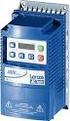 ELECTRIC MOTORS, GEARMOTORS AND DRIVES Variable Speed AC Motor Drives SM-Basic Installation and Operation Manual We, EC Declaration of Conformity In accordance with EN45014:1998 Leeson Electric Corporation
MC Series Drives. Flexible, simple, rugged, robust! Phone: 800.894.0412 - Fax: 888.723.4773 - Web: www.actechdrives.com - Email: info@actechdrives.
 Drives Flexible, simple, rugged, robust! Our promise Commitment to Price Leadership Price leadership is serious business. It takes continuous life cycle management to make price leadership a sustainable
A1000 Cheat Sheet (Open Loop Vector)
 A1000 Cheat Sheet (Open Loop Vector) The following procedure is a supplement to supplied with this equipment and will guide the user in properly wiring the A1000 and. It will also show the user how to
GPD 506/P5 Start-up Procedure and Checklist
 GPD 506/P5 Start-up Procedure and Checklist Preparation for GPD506/P5 Drive Start-Up...2 HVAC Start-Up Procedure for GPD 506/P5 WITH Bypass Option:...4 HVAC Start-Up Procedure for GPD 506/P5 WITHOUT Bypass
VLT Series 3500 Adjustable Frequency Drive Instruction Manual
 Adjustable Frequency Drive Instruction Manual VLT Series 3500 Instruction Manual 175R5237 - Document Version 5.00 This manual applies to all VLT Series 3502-3800 Adjustable Frequency Drives with software
Bulletin 150 SMC Flex Smart Motor Controller Specifications
 Specifications Specifications Standard Features Optional Features Installation Setup Communications Power Wiring Control Wiring Keypad Software Starting and Stopping Modes Protection and Diagnostics Metering
Bulletin 150 Smart Motor Controllers SMC-3 Smart Motor Controller
 Overview/Modes of Operation Bulletin 150 Smart Motor Controller The SMC-3 is a compact, simple to use, solid-state motor controller designed to operate 3-phase motors. It features a built-in overload relay
SAFETY INSTRUCTIONS WARNING
 Important User Information Thank you for purchasing LS Variable Frequency Drives! SAFETY INSTRUCTIONS Always follow safety instructions to prevent accidents and potential hazards from occurring. In this
CONSTRUCTION STANDARDS DIVISION 23 HEATING VENTILATING AND AIR CONDITIONING
 PART 1-GENERAL 1.01 DESCRIPTION A. This specification is to cover a complete Variable Frequency motor Drive (VFD) consisting of a pulse width modulated (PWM) inverter designed for use on a standard NEMA
REGAL-BELOIT. Installation and Operation Manual. Variable Speed AC Motor Drives. Micro and PowerWash Series
 REGAL-BELOIT Variable Speed AC Motor Drives Micro and PowerWash Series Installation and Operation Manual Manual Number: SB184 TABLE OF CONTENTS 1.0 GENERAL................................................1
Specifying a Variable Frequency Drive s
 Specifying a Variable Frequency Drive s Put on by Bruce Reeves and Jeremy Gonzales Dykman Electrical Covering the Western US For all of your VFD and Soft Start and Motor Needs How To Specify a Variable
FlexPak 3000 Digital DC Drive Software Reference Manual Version 4.3
 FlexPak 3000 Digital DC Drive Software Reference Manual Version 4.3 Instruction Manual D2-3405-2 The information in this manual is subject to change without notice. Throughout this manual, the following
Installation, Operation and Maintenance Manual
 Installation, Operation and Maintenance Manual VLT 6000 Series Adjustable Frequency Drive 12/01 23-6108-00 Revision K Rotating shafts and electrical equipment can be hazardous. Therefore, it is strongly
NX Series Inverters. HVAC Pocket Programming Guide
 NX Series Inverters HVAC Pocket Programming Guide HVAC Pocket Programming Guide HVAC Pocket Programming Guide / Contents This guide provides a single reference document for the user of NXL HVAC (product
smd Series Drives Modbus Communications Reference Guide
 smd Series Drives Modbus Communications Reference Guide About These Instructions This documentation applies to the use of an smd Series Variable Frequency Drive in a Modbus Network and should be used in
32VFD Variable Frequency Drives for Centrifugal Chillers
 32VFD 32VFD Variable Frequency Drives for Centrifugal Chillers ENERGY-SAVING CONTROL FOR CENTRIFUGAL CHILLERS Reduce energy consumption in your existing centrifugal chiller Your chiller was specified to
VLT 6000 HVAC. Contents
 Contents Introduction Safety...3 Safety Guidelines...3 Warnings Against Unintended Start...3 Introduction...4 About this manual...4 Assumptions...4 References...4 Trademarks...5 Programming the VLT 6000
Single Phase Soft Starter
 Single Phase Soft Starter Installation & Operating Manual 6/02 Table of Contents Section 1 General Information................................................... 1 1 General Description................................................
MC1000 Series Installation and Operation Manual
 MC1000 Series Installation and Operation Manual NOTE! The manual covers software version M108314 and above. Refer to parameter 63 for the software version of the drive you are working with. If you are
MTE SERIES RLW. World REACTORS USER MANUAL PART NO. INSTR 030 REL. 090930. 2009 MTE Corporation
 MTE SERIES RLW World REACTORS USER MANUAL PART NO. INSTR 030 REL. 090930 2009 MTE Corporation IMPORTANT USER INFORMATION NOTICE MTE Series RLW reactors are components designed to improve the reliability
SAFETY PRECAUTIONS AND INSTRUCTIONS FOR USE OF TECHNICAL INFORMATION
 SAFETY PRECAUTIONS AND INSTRUCTIONS FOR USE OF TECHNICAL INFORMATION Please read and understand the product instruction manual before installing, servicing or operating Yaskawa products. Technical content
VARIABLE FREQUENCY DRIVES Revised 4/30/2015 23 81 07-1 Mechanical Systems
 SECTION 23 81 07 - VARIABLE FREQUENCY DRIVES PART 1 - GENERAL 1.1 SUMMARY A. This section includes all variable frequency drives. All standard and optional features shall be included within the VFD panel
ABB general machinery drives. User s manual ACS355 drives
 ABB general machinery drives User s manual ACS355 drives List of related manuals Drive manuals and guides Code (English) ACS355 user s manual 3AUA0000066143 1) ACS355 drives with IP66/67 / UL Type 4x enclosure
Analog Servo Drive 25A8
 Description Power Range NOTE: This product has been replaced by the AxCent family of servo drives. Please visit our website at www.a-m-c.com or contact us for replacement model information and retrofit
LTR Series Uninterruptible Power Systems 700 VA - 2.1 KVA. General Specification
 08/17/12 Rev2 LTR Series General Specification 700 VA to 2.1 KVA 1.0 General LTR Series Uninterruptible Power Systems 700 VA - 2.1 KVA General Specification This specification describes the features and
Duct Humidity Transmitter
 SDC-H Duct Humidity Transmitter Features Replaceable sensor element Humidity measurement for air ducts Minimum and maximum value memory 0 0V, 0 0mA or 0V, 4 0mA measuring signals selectable with jumpers
Whale 3. User Manual and Installation Guide. DC Servo drive. Contents. 1. Safety, policy and warranty. 1.1. Safety notes. 1.2. Policy. 1.3. Warranty.
 Whale 3 DC Servo drive User Manual and Installation Guide Contents 1. Safety, policy and warranty. 1.1. Safety notes. 1.2. Policy. 1.3. Warranty. 2. Electric specifications. 2.1.Operation ranges. 3. Connections
Instruction Manual Copy Adapter "CPAD-C1A" "CP Fuji Electric Systems Co., Ltd. INR-SI47-0886a-EU Rev 052010
 Instruction n Manual Copy Adapter "CPAD-C1A" Thank you for purchasing our Copy Adapter CPAD-C1A. This product is designed to copy function codes and their data, which are stored in the FRENIC-Mini series
Addendum to the Operating Instructions
 Drive Technology \ Drive Automation \ System Integration \ Services Addendum to the Operating Instructions MOVIMOT with AS-Interface and AC Motor DT/DV Unit Replacement MOVIMOT MM..C -> MM..D with MLK3A
Power Supply Unit, Primary Switched, Narrow Design MINI-PS-12-24DC/24DC/1
 Power Supply Unit, Primary Switched, Narrow Design MINI POWER provides: Extra narrow design with widths of 22.5 mm, 45 mm, and 67.5 mm (0.886, 1.772, and 2.657 in.) Global use due to a wide-range input
TABLE OF CONTENTS. Fig. 1 EV Pictorial Wiring Diagram 5. Section 2 Inverter Option Modules 6
 TABLE OF CONTENTS Introduction.. 3 Section 1 Safety Precautions.. 3 1.1 Preface.. 3 1.2 Receiving and Inspection... 3 1.3 Installation and Pre-operation 4 1.4 During Power ON. 4 Fig. 1 EV Pictorial Wiring
SED2 Variable Frequency Drives Startup, Operation, and Maintenance Manual
 SED2 Variable Frequency Drives Startup, Operation, and Maintenance Manual Item Number 125-3201, Rev. CA SED2 Variable Frequency Drives Startup, Operation, and Maintenance Manual NOTICE The information
Thyristor-controlled power supplies and battery chargers
 Thyristor-controlled power supplies and battery chargers Input voltage: 115 / 230 VAC, single phase, 50 / 60 Hz or 208 / 400 / 480 VAC, three phases, 50 / 60 Hz Output voltage: 12 / 24 / 48 / 60 / 72 /
AMFA-27 AMFA-29. Operator s Manual & Installation Instructions. Rev. 2.5
 AMFA-27 AMFA-29 Operator s Manual & Installation Instructions Rev. 2.5 Date: 17 July, 2010 Permanently-connected, utility Interactive, single-phase, inverters Model AMFA-27 WIND TURBINE INVERTER (240 VAC
Type: EASY719 DC RC Article No.: 274119. Ordering information Relay outputs Quantity 6 Power supply V DC 24 V DC. Description
 Type: EASY719 DC RC Article.: 274119 Ordering information Relay outputs Quantity 6 Power supply V DC 24 V DC Description 12 digital inputs (4 inputs available as analog inputs) 6 relay outputs LCD display
543-0032-00, 943-0032-00. User s Manual
 543-0032-00, 943-0032-00 User s Manual 1 Comfort Alert Diagnostics Faster Service And Improved Accuracy The Comfort Alert diagnostics module is a breakthrough innovation for troubleshooting heat pump and
ETC TWO STAGE ELECTRONIC TEMPERATURE CONTROL
 RANCO INSTALLATION INSTRUCTIONS ETC TWO STAGE ELECTRONIC TEMPERATURE CONTROL Relay Electrical Ratings PRODUCT DESCRIPTION The Ranco ETC is a microprocessor-based family of electronic temperature controls,
Number 1 in efficiency
 PowerXL DE1 Variable Speed Starter www.eaton.eu/de1 Number 1 in efficiency The easiest way of variable motor speed NEW Variation DE11 The new device category! The PowerXL DE1 Variable Speed Starter Why
SPEEDMASTER MICRO SERIES COMPACT INVERTERS
 SPEEDMASTER MICRO SERIES COMPACT INVERTERS Installation and Operation Manual EC Declaration of Conformity TABLE OF CONTENTS 1.0 GENERAL....................................................... 2 PRODUCT
Process modules Digital input PMI for 24 V DC inputs for 120 V AC inputs
 E031026 000823 Process modules Digital input PMI for inputs for 120 V AC inputs PMI Input E4, E5, GND L- PMI 120 V AC Input E4, E5, Common C E6, E7, GND L- E6, E7, Common C LEDs for the inputs operation
Three-phase monitoring relay CM-PFE
 Data sheet Three-phase monitoring relay CM-PFE The CM-PFE is a three-phase monitoring relay that monitors the phase parameter phase sequence and phase failure in three-phase mains. 2CDC 251 005 S0012 Characteristics
ABB Drives. User s Manual. Pulse Encoder Interface Module RTAC-01
 ABB Drives User s Manual Pulse Encoder Interface Module RTAC-0 Pulse Encoder Interface Module RTAC-0 User s Manual 3AFE 64486853 REV A EN EFFECTIVE:.5.00 00 ABB Oy. All Rights Reserved. Safety instructions
APPENDIX. SureSERVO QUICK START GUIDE. In This Appendix... Quick Start for SureServo Drives...A 2. Tuning Quick Start for SureServo Drives...
 SureSERVO QUICK START GUIDE APPENDIX BA In This Appendix... Quick Start for SureServo Drives.............A 2 Spin the Motor......................................A 2 Position Mode Quick Start (Pt & Pr)......................A
MCR1900 Media Converter 19-Slot Chassis
 MCR1900 Media Converter 19-Slot Chassis Installation Guide Part #5500304-11 Copyright Statement This document must not be reproduced in any way whatsoever, either printed or electronically, without the
RM17TE 183...528 V AC. Main. Product or component type. Product specific application. Relay monitored parameters 250 V DC 5 A DC
 Characteristics multifunction control relay RM17-TE - range 183..528 V AC Complementary Reset time Maximum switching voltage Minimum switching current Maximum switching current [Us] rated supply voltage
*.ppt 11/2/2009 12:48 PM 1
 Digital Compressor Controller *.ppt 11/2/2009 12:48 PM 1 Copeland Scroll Digital Controller Simple Controller That Enables OEM s To Use Digital Scrolls Relieves OEM From Developing Special Controllers
BT300 HVAC Drives Conventional Bypass (C-Bypass) Options
 BT300 HVAC Drives Conventional Bypass (C-Bypass) Options Description The BT300 Conventional Bypass is a companion package for the family of BT300 HVAC Drives. For information on the family of BT300 HVAC
Modular I/O System Analog and Digital Interface Modules
 OPERATING INSTRUCTIONS Modular I/O System Analog and Digital Interface Modules Installation Operation Maintenance Document Information Document ID Title: Operating Instructions Modular I/O System Part
Technical Description. Transistor D.C. Chopper Controller Type GS 24 S
 Technical Description Transistor D.C. Chopper Controller Type GS 24 S Table of contents 1. Getting started guide 2. General information 2.1. Characteristics 2.2. Accessories 3. Information about the Machine
Redundancy Module QUINT-DIODE/40
 Redundancy Module QUT DIODE provides: 00% decoupling of power supplies connected in parallel Can be installed in potentially explosive areas Load currents up to 60 A supported Easy assembly by snapping
MILLENIUM INSTALLATION MANUAL NTR 735 A. Simple Automation Control Module (MAS)
 MILLENIUM Table of contents 1. INTRODUCTION 1 2. HARDWARE DESCRIPTION 2 3. INSTALLATION 5 4. CONNECTION 6 5. USER SAFETY AND PROTECTION OF EQUIPMENT 8 1. Introduction The MILLENIUM series has been designed
VS-606V7 Series Instruction Manual COMPACT GENERAL-PURPOSE INVERTER (VOLTAGE VECTOR CONTROL)
 VS-606V7 Series Instruction Manual COMPACT GENERAL-PURPOSE INVERTER (VOLTAGE VECTOR CONTROL) PREFACE YASKAWA s VS-606V7 is such a small and simple inverter; as easy as using a contactor. This instruction
Product Description Primary Resistance Starting Electric Fire Pump Controllers FTA1500
 Product Description Primary Resistance Starting Electric Fire Pump Controllers FTA1500 Description Firetrol FTA1500 Primary Resistance Fire Pump Controllers use resistors in the line to reduce line voltage
Analog signal converters CC-E I/I Current / current isolators
 ata sheet Analog signal converters CC-E I/I Current / current isolators The CC-E I/I is an isolator for the electrical isolation of current signals without auxiliary supply. It allows the isolation between
Emotron VSA Variable Speed Drive
 Emotron VSA Variable Speed Drive Instruction manual English Quick Start Guide This guide is designed to assist in installing and running the variable speed drive to verify that the drive and motor are
SAFETY INSTRUCTIONS WARNING
 Thank you for purchasing LG Variable Frequency Drives! SAFETY INSTRUCTIONS Always follow safety instructions to prevent accidents and potential hazards from occurring. In this manual, safety messages are
SAFETY INSTRUCTIONS. Always follow safety instructions to prevent accidents and potential hazards from occurring.
 Thank you for purchasing LS Variable Frequency Drives! SAFETY INSTRUCTIONS Always follow safety instructions to prevent accidents and potential hazards from occurring. In this manual, safety messages are
When any of the following symbols appear, read the associated information carefully. Symbol Meaning Description
 Samba OPLC SM35-J-R20 Installation Guide The Unitronics SM35-J-R20 offers the following onboard I/Os: 12 Digital Inputs, configurable via wiring to include: 1 HSC/Shaft-encoder Input, 2 Analog inputs (only
SAFETY INSTRUCTIONS. Always follow safety instructions to prevent accidents and potential hazards from occurring.
 Thank you for purchasing LS Variable Frequency Drives! SAFETY INSTRUCTIONS Always follow safety instructions to prevent accidents and potential hazards from occurring. In this manual, safety messages are
ABB 1 NEW. Three-phase monitoring relay for grid feeding CM-UFS.1. Data sheet. Features. Approvals. Marks. Order data. Order data - Accessories
 2CDC 251 014 F0t09 Features Monitoring of three-phase mains for grid feeding Type-tested in accordance with DIN V VDE V 0126-1-1: February 2006 Neutral conductor connection configurable Can also be used
Operational Overview and Controls Guide
 DOCUMENT: ECSEQ2-1 EFFECTIVE: 02/14/07 SUPERSEDES: 02/26/03 Operational Overview and Controls Guide Standard Two or Three Pump Type VFD Booster Controls 6700 Best Friend Road. Norcross, GA 30071. (770)
CONTROLS DATA MANAGEMENT PROCESS AUTOMATION EUROCUBE. General purpose single phase thyristors and solid state relays Product data.
 425 CONTROLS DATA MANAGEMENT PROCESS AUTOMATION EUROCUBE General purpose single phase thyristors and solid state relays Product data abc 425 EUROCUBE A complete range of low cost solid state relays and
Your Advantages For safety application up to PL e / Cat. 4 e.g. SIL 3 Manual or automatic start 0225592. * see variants. Applications.
 Safety Technique SAFEMASTER Emergency Stop Module BG 5924, IP 5924 Your Advantages For safety application up to PL e / Cat. 4 e.g. SIL 3 Manual or automatic start 0225592 BG 5924 IP 5924 Product Description
CompactLogix Power Supplies Specifications
 Technical Data CompactLogix Power Supplies Specifications 1768 CompactLogix Power Supplies Catalog Numbers 1768-PA3, 1768-PB3 1769 Compact I/O Power Supplies Catalog Numbers 1769-PA2, 1769-PB2, 1769-PA4,
DUAL%CHANNEL BROADBAND%LINEAR%AMPLIFIER Model&A800D
 ELECTRONICS AB DUAL%CHANNEL BROADBAND%LINEAR%AMPLIFIER Model&A800D & HIGH&VOLTAGE& FIXED&GAIN& BROADBAND & 800Vpp&60mA& 100x& DC&to&ca&200&kHz & LOW&OUTPUT&IMPEDANCE& HIGH&SLEW&RATE &
ABB machinery drives. User s manual ACS355 drives
 ABB machinery drives User s manual ACS355 drives List of related manuals Drive manuals and guides ACS355 user s manual ACS355 drives with IP66/67 / UL Type 4x enclosure supplement ACS355 quick installation
DLP-PU/E Instruction Manual
 Instruction Manual BEFORE USING THE POWER SUPPLY UNIT Pay attention to all warnings and cautions before using the unit. Incorrect usage could lead to an electrical shock, damage to the unit or a fire hazard.
Easy to connect - Easy to configure Easy to install
 SIMPLE TO USE... CG Drive- SK is an easy drive - easy to connect, easy to configure and easy to install. Easy to connect - All connectors are generously sized and clearly labeled. Easy to configure - The
Electronic timer CT-AHD.12 OFF-delayed with 1 c/o (SPDT) contact
 Data sheet Electronic timer CT-AHD.12 OFF-delayed with 1 c/o (SPDT) contact The CT-AHD.12 is an electronic time relay with OFF-delay. It is from the CT-D range. With their MDRC profile and a width of only
MICROSENS. Central 48 V DC Power Supplies for PoE-Components. Description. Features
 Central 48 V DC Power Supplies for PoE-Components MICROSENS Description Active network equipment which is supporting the Power-over-Ethernet functions, typically requires a powerful 48 V DC power supply.
Brake module AX5021. Documentation. Please read this document carefully before installing and commissioning the brake module!
 Documentation Brake module AX5021 Please read this document carefully before installing and commissioning the brake module! Version : 1.2 : 2012.03.05 Date Article-no. : TDmlAX-5021-0000-0200 Page 2/8
How To Use The Vacon 0 Machinery
 vacon 0 machinery how would you like your ac drive today? easy adaptation for customer requirements The Vacon 0 Machinery is an extremely compact AC drive for machine builders in the power range from 0.25
AC ADJUSTABLE SPEED DRIVES MICRO SERIES INVERTERS
 MICRO SERIES INVERTERS MICRO SERIES INVERTER DRIVES Full feature, ultra-friendly operation. Programs and reads-out in plain English. Intelligent Power Module-IGBT s with a 16 bit Intel microprocessor.
Voltage monitoring relays CM-ESS.2 For single-phase AC/DC voltages
 Data sheet Voltage monitoring relays CM-ESS.2 For single-phase AC/DC voltages The CM-ESS.2 is an electronic voltage monitoring relay that provides reliable monitoring of voltages as well as detection of
SECTION 26 29 23 VARIABLE FREQUENCY DRIVES
 SECTION 26 29 23 VARIABLE FREQUENCY DRIVES PART 1 GENERAL 1.01 SCOPE A. Furnish and install individual freestanding variable frequency AC drives (VFD) as shown on the Drawings and specified herein. 1.02
Product Description Full Voltage Starting Electric Fire Pump Controllers FTA1000
 Product Description Full Voltage Starting Electric Fire Pump Controllers FTA1000 Description Firetrol FTA1000 Full Voltage Fire Pump Controllers are intended for use with electric motor driven fi re pumps
REB 1 REB 3 REB 5 REB 6 REB 8 REB 10 REB 12 REB 16
 REB 1 REB 3 REB 5 REB 6 REB 8 REB 10 REB 12 REB 16 Manually Operated Electronic Speed Controller Single Phase For all applications using suitably specified single-phase induction motor fans 1 GENERAL The
Electronic overload relay EF65, EF96 and EF146
 Data sheet Electronic overload relay EF65, EF96 and EF146 Electronic overload relays offer reliable protection in case of overload and phase-failure. They are the alternative to thermal overload relays.
Applied Electronics. Commercial Dimming System UPDATE NOTICE
 REV. A Applied Electronics Commercial Dimming System UPDATE NOTICE This notice is to inform the end user of an additional feature added to this DP12/2400 dimming unit. This unit has been outfitted with
ACS800. Firmware Manual ACS800 Standard Control Program 7.x
 ACS800 Firmware Manual ACS800 Standard Control Program 7.x ACS800 Standard Control Program 7.x Firmware Manual 3AFE64527592 REV I EN EFFECTIVE: 18.05.2007 2007 ABB Oy. All Rights Reserved. 5 Table of
Daker DK 1, 2, 3 kva. Manuel d installation Installation manual. Part. LE05334AC-07/13-01 GF
 Daker DK 1, 2, 3 kva Manuel d installation Installation manual Part. LE05334AC-07/13-01 GF Daker DK 1, 2, 3 kva Index 1 Introduction 24 2 Conditions of use 24 3 LCD Panel 25 4 Installation 28 5 UPS communicator
26 3213.13 Diesel Engine Driven Generators Page 1 of 6
 Last Update: December 8, 2014 A. Description of System Consultant s Handbook Page 1 of 6 1. Provide a diesel engine driven electric generating unit, factory assembled, tested and certified to operate at
IO-RM3 3-Stage Relay Module
 Page 1 of 6 IO-RM3 3-Stage Relay Module Features: Benefits: Link selectable modes binary, heat/cool, staged or sequenced On/Off/Auto links for ease of commissioning DIN Rail mounting Fault finding LED
Safe Torque Off Option (Series B) for PowerFlex 40P and PowerFlex 70 Enhanced Control AC Drives
 User Manual Safe Torque Off Option (Series B) for PowerFlex 40P and PowerFlex 70 Enhanced Control AC Drives Catalog Number 20A-DG01 Topic Page General Description 2 What Is the DriveGuard Safe Torque Off
ARCO Electric Products Installation and Maintenance Manual Low Voltage Automatic Power Factor Correction Capacitor Systems 2013
 ARCO Electric Products Installation and Maintenance Manual Low Voltage Automatic Power Factor Correction Capacitor Systems 2013 READ CAREFULLY These instructions are intended to cover good practices in
SX460. Generator Automatic Voltage Regulator Operation Manual
 SX460 Generator Automatic Voltage Regulator Operation Manual Self Excited Automatic Voltage Regulator Compatible with Newage SX460* * Use for reference purpose only and not a genuine Newage product. 1.
INSTALLATION INSTRUCTIONS
 LIGHTING CONTROL PANELS 4 AND 8 RELAYS INSTALLATION INSTRUCTIONS INSTALLATION OVERVIEW The installation instructions contained in this document are provided as a guide for proper and reliable installation.
Safety technique. Emergency stop module BO 5988 safemaster
 Safety technique Emergency stop module BO 5988 safemaster 0221562 Function diagram Pushbutton on Mains or emergencystop () K1 According to EC Directive for machines 98/37/EG According to IEC/E 60204-1
1000 Hz High Frequency Custom Software
 YASKAWA AC Drive - V1000 Option 1000 Hz High Custom Software Supplement Software No. VSV91005X To properly use the product, read this manual thoroughly and retain for easy reference, inspection, and maintenance.
Thermistor motor protection
 Thermistor motor protection CM-E Range Thermistor motor protection Thermistor motor protection relays Benefits and advantages Selection table Operating principle and fields of application for thermistor
Installation and Operating Instructions. AC Variable Speed Drive 0.75kW - 160kW 200-480 Volt 1 & 3 Phase
 Installation and Operating Instructions AC Variable Speed Drive 0.75kW - 160kW 200-480 Volt 1 & 3 Phase Easy Start Up Guide: QD:HVAC IP55 Mechanical Mounting Information can be found on page 12 HVAC Display
T7560A,B,C Digital Wall Module
 T7560A,B,C Digital Wall Module HONEYWELL EXCEL 5000 OPEN SYSTEM BEFORE INSTALLATION All wiring must comply with local electrical codes and ordinances or as specified on installation wiring diagrams. Digital
Digi-Motor Installation Guide
 Digi-Motor Installation Guide Installation Video...located at marsdelivers.com Digi-Motor Installation Guide Digi-Motor For technical assistance with your Azure Digi-Motor, call the MARS technical support
ABB drives. User s manual ACS150 drives (0.37...4 kw, 0.5...5 hp)
 ABB drives User s manual ACS150 drives (0.37...4 kw, 0.5...5 hp) List of related manuals Drive manuals ACS150 drives User s manual ACS310 drives User s manual Code (English) 3AFE68576032 3AUA0000044201
EPM3. Phase Sequence and Motor Rotation Tester. Users Manual
 EPM3 Phase Sequence and Motor Rotation Tester Users Manual 1 L1 L2 L3 2 3 A B C CAT 600V 3-PHASE TESTER 5 TEST M1 M2 BATT M3 EPM3 MOTOR ROTATION TESTER EPM3 MOTOR ROTATION DETERMINED WHILE FACING MOTOR
GENERATOR START CONTROL MODULE - MINI (2 Wire to 3 Wire)
 FEATURES & APPLICATIONS Inexpensive 2 wire to 3 wire start controller for electric start high speed gas generators. Optimized for use with Outback Invertors. Supports three types of 3 wire generator control
VCM Installation and Operations Manual. Table of Contents
 Table of Contents VCM Installation and Operations Manual 1.0 Introduction... 1 2.0 Product Inspection... 2 2.1 Nameplate Layout... 2 3.0 Operating Precautions... 3 3.1 Before Power up... 3 3.2 During Power
Liebert NXL Power-Tie Controls
 AC Power For Business-Critical Continuity Liebert NXL Power-Tie Controls Operation and Maintenance Manual CONTACTING EMERSON NETWORK POWER FOR SUPPORT Contact Emerson Network Power Liebert Services for
Frequency Converter Fv
 2 Bosch Rexroth AG Electric Drives and Controls Documentation Brake chopper with up to 30 kw continuous braking power Easy to operate and service (detachable fan, LCD operating panel with copy function)
RM35UA13MW. range 15..600 V. Main. Product or component type. Relay monitored parameters
 Characteristics multifunction voltage control relay RM35-U - range 15..600 V Complementary Reset time Maximum switching voltage [Us] rated supply voltage Supply voltage limits Power consumption in W Main