
INSTRUCTION MANUAL Level Tek II Model 5318B
|
|
|
- Jemima Pierce
- 9 years ago
- Views:
Transcription
1 Level Tek II Model 5318B Robertshaw Industrial Products 1602 Mustang Drive Maryville, TN Telephone: (865) Fax: (865) Revision D 20 July 2007

2 RECORD OF CHANGES Revision Design Engineer s Approval Engineering Manager s Approval Approval Date COS Number Brief Description C P. Kronau B. Evans 4/20/ D P. Kronau B. Evans 13AUG Corrected various typing errors. Revised to include setpoint tweaking and new variants. Page i

3 Table of Contents SECTION I DESCRIPTION GENERAL MODEL IDENTIFICATION... 1 SECTION II SPECIFICATIONS ENVIRONMENTAL PERFORMANCE ELECTRICAL ENCLOSURE APPROVALS... 2 SECTION III INSTALLATION GENERAL PROBE MOUNTING HORIZONTAL MOUNTING VERTICAL MOUNTING INSTRUMENT MOUNTING PROBE MOUNTED REMOTE MOUNTED ELECTRICAL CONNECTION... 5 SECTION IV -- OPERATION 4.1 GENERAL DISPLAYS AND INDICATORS LED INDICATORS LCD DISPLAY SWITCHES SETUP DETERMINING THE MEASUREMENT RANGE CHOOSING THE DISPLAY FORMAT ADJUSTING THE SETUP VALUES ACCESSING THE SETUP VALUES... 8 Page ii

4 SELECTING THE DISPLAY FORMAT SELECTING THE SAMPLING RATE FAIL-SAFE MODE SELECTION TIME DELAYS TIME DELAY ON ALARM TIME DELAY ON ALARM CLEAR PERFORMING INSTRUMENT CALIBRATION ADJUSTABLE DIFFERENTIAL ALARM + + AND ALARM ALARM - - AND ALARM CONTROL SETPOINT ADJUSTMENTS (TWEAKING) SELECTING THE SETPOINT TO BE ADJUSTED ADJUSTING THE SETPOINT RETURNING TO THE NORMAL DISPLAY MODE RECOVERING THE FACTORY DEFAULT SETTINGS SECTION V TROUBLE SHOOTING STATUS LED ERROR CODES ERROR 01 Reserved ERROR 02 Measurement Too High ERROR 03 Measurement Too Low ERROR 04 Low Setpoint Too Close or Reversed ERROR 05 High Setpoint Too Close or Reversed SECTION VI SPARE PARTS SECTION VII ACCESSORIES Page iii

5 List of Figures Figure 3-1 Horizontally Mounted Instrument... 3 Figure 3-2 Vertically Mounted Instrument... 3 Figure 3-3 Probe Mounting... 4 Figure 3-4 Remote Mounting... 4 Figure 3-5 Electrical Connections... 5 Figure 4-1 User Controls... 6 Figure 4-2 Menu Tree Figure A-1 Installation Drawing Page iv

6 THIS PAGE IS INTENTIONALLY BLANK Page v

7 SECTION I - DESCRIPTION 1.1 GENERAL The Robertshaw Model 5318B Level-Tek is a RF capacitance point (On/Off) level switch that employs all solid state electronics for detecting predetermined product level changes in tanks, sumps, silos and other vessels or containers. The Model 5318B is capable of detecting a variety of products, including liquids, powders, granular, lump and flake materials. The product can be conductive or non-conductive, depending on the probe selection. Probes are sold separately. The Model 5318B is self-contained and uses microprocessor based digital circuits to ensure long-term stability, reliability and reduced maintenance. Control signals are provided through the contacts of a DPDT relay. The instrument features adjustable time-delays that are individually adjustable for the "Alarm" and "Return-to-Normal" changes in state. There are both fixed and adjustable differential settings. The unit is available for either AC or DC supply voltages. The Model 5318B allows for three (3) different control ranges: 250 pf, 500 pf and 1,000 pf. Setup and calibration can be done in either the raw measurement mode, or in the converted mode. The converted mode uses a measurement that is directly proportional to the sensed capacitance. Calibration is accomplished using an integral LCD display and four (4) pushbuttons. 1.2 MODEL IDENTIFICATION Identify instrument models in accordance with the description and variations listed in each table below. Dashes are used in the model number only in those spaces as indicated in the example below: Key Model Number Table 1 - Supply Power Table 2 - Options Table 3 - Enclosure Designation 5318B Designation Key Model Number 5318B B1 A Description Capacitance actuated On-Off Level Control. DPDT relay, fixed and adjustable differential (dead-band) and adjustable time delays. Explosion-proof, weather tight enclosure. Unit can be either probe, or remote, mounted. Probe not included. Table 1 Supply Power Description A VDC *B VAC, 50/60Hz C 9-18 VDC Designation Table 2 - Options Description *1 Standard 2 Special, Lower Measurement Frequency (Consult Factory) 3 Custom Calibration (Consult Factory) Designation Table 3 - Enclosure Description *A ½ NPT Probe Hub, Type 4, Nitro Blue B D E ¾ NPT Probe Hub, Type 4, Nitro Blue ½ NPT Probe Hub, Type 4X, Gray Epoxy ¾ NPT Probe Hub, Type 4X, Gray Epoxy * Denotes standard configuration. Page 1

8 SECTION II SPECIFICATIONS 2.1 ENVIRONMENTAL Storage Temperature Limits ºF to +225ºF (-48ºC to +107ºC) Operating Temperature Limits ºF to +160ºF (-40ºC to +70ºC) Vibration Limits...2 g s to 100 Hz Operating Humidity Limits... 0 to 95% RH (non-condensing) Weight lbs (1.6 kg) Shipping Weight...5 lbs (2.3 kg) 2.2 PERFORMANCE Temperature Coefficient pF/ºC Control Point Time Delay: On ALARM... Adjustable, 0 to 60 seconds On Return... Adjustable, 0 to 60 seconds Control Range... User Selectable 250, 500, 1,000 pf max Differential (dead-band): ON/OFF (Adjustable) pf to 100% of Control Range ALARM + + (fixed) pf ALARM + (fixed) pf ALARM - (fixed) pf ALARM - - (fixed) pf CONTROL (fixed) pf 2.3 ELECTRICAL Supply Voltage: Standard to 240 VAC, 50/60 Hz Optional VDC VDC Supply Power... 5 watts, 5 VA maximum Control Relay: Contacts...DPDT (Form C) Rating VDC; 5 120/240 VAC, non-inductive 2.4 ENCLOSURE Standard...Explosion proof, cast aluminum painted with blue polyurethane enamel. Suitable for Class I, Division 1, Groups C & D, Class II, Division 1, Groups E, F, & G hazardous areas Dust tight CSA Enclosure 5. Meets Enclosure 4. Optional... Same as above, except painted with gray epoxy enamel. Also meets Enclosure 4X 2.5 cetl us APPROVALS UL... Standard CAN/CSA...C22.1 NO RoHS Compliance...EU Directive 2002/95/EC Page 2

9 SECTION III INSTALLATION 3.1 GENERAL Examine the instrument for possible shipping damages. IMPORTANT: If for any reason it is determined that parts should be returned to the factory, please notify the nearest Robertshaw Industrial Products sales representative prior to shipment. Each unit must be properly packed to prevent damage. Robertshaw assumes no responsibility for equipment damage in shipment due to improper packaging HORIZONTAL MOUNTING Horizontally mounted rod-type probes must be installed in vessels at the desired point of level detection. Horizontally mounted probes provide the closest control (smallest deadband) in that a small change at, or near, the probe will produce a large capacitance change. On applications involving viscous liquids, or materials, that have a tendency to cling or build-up, it is recommended that the probe be mounted on a slight downward angle to permit draining of the material from the probe. Choose a location in accordance with good instrument practice, avoiding extremes of temperature, humidity, and vibration. (See Specifications, Section II) 3.2 PROBE MOUNTING Robertshaw probes are purchased separately from the instruments and are available in a variety of sizes and types with numerous options for the materials and construction. Each probe should be selected for the specific application in order to insure the best and most reliable operation of the system. Probes are available with, or without insulation. Insulated probes may be used for liquid, solid or interface detection and can also be used on conductive materials. Bare probes are normally used on non-conductive materials only. Standard type probes are installed so that the face of the packing gland is flush (or nearly so) with the vessel wall. When installing a probe in a nozzle, recess or open end well, a sheathed probe should be used, with the sheath length equal to the nozzle, recess, or well length. This insures that the active portion of the probe is extended into the process area and eliminates potential problems due to build-up in the nozzle, recess, or well. Figure 3-1 Horizontally Mounted Instrument VERTICAL MOUNTING Vertically mounted rod-type probes should be installed in either the top or bottom of the vessel with the midpoint on the probe corresponding to approximately the desired level detection point. Vertically installed probes allow a variation in the level detection point up and down the length of the probe by means of the instrument calibration. CAUTION: When installing an insulated probe, care should be taken not to accidental puncture the probe insulation. Figure 3-1 Vertically Mounted Instrument Page 3

10 3.3 INSTRUMENT MOUNTING PROBE MOUNTED The Model 5318B Level Tek II is designed to be mounted directly on the installed probe assembly as shown in Figure 3-1 and may be mounted or oriented in any position. Prior to installing the instrument onto the probe, the probe electrical connection pin (included with the instrument) must be installed in the end of the probe as shown in Figure 3.1 to provide the electrical connection between the probe and the instrument. Do not over tighten the probe pin REMOTE MOUNTED The Model 5318B Level Tek II may also be remotely mounted from the probe using a remote mount cable assembly (sold separately, see SECTION VII -- ACCESSORIES). This cable assembly allows the instrument to be mounted up to 15 feet from the probe. For longer distances consult the factory. Figure 3-2 shows the details of this mounting option. Figure 3-4 Remote Mounting Figure 3-3 Probe Mounting Page 4

11 3.4 ELECTRICAL CONNECTIONS The instrument chassis may be removed from the housing for wiring installation by loosening the three (3) captive mounting screws and withdrawing the chassis straight out. In reinstalling the chassis assembly, make certain that the probe connection pin is engaged in the chassis receptacle. All electrical connections should be made in accordance with Figure 3.3 and any applicable national, state and/or local codes. See Specifications (Section II) for control relay contact ratings. NC1 COMM1 NO1 N02 COMM2 NC2 GND NEU (-) HOT (+) GND NEU (-) HOT (+) Table 3.1 Electrical Connections TB101 Supply Power Earth Ground AC Neutral/ DC Negative AC Hot/ DC Positive NOTE: CONTROL RELAY CONTACT DESIGNATIONS ARE SHOWN WITH THE RELAY IN THE DE-ENERGIZED CONDITION. THE RELAY IS NORMALLY ENERGIZED AND BECOMES DE-ENERGIZED WHEN AN ALARM CONDITION IS DETECTED. Figure 3-5 Electrical Connections Table 3.2 Electrical Connection TB102 Relay Contacts NC1 Normally Closed #1 COMM1 Common #1 NO1 Normally Open #1 NO2 Normally Open #2 COMM2 Common #2 NC2 Normally Closed #2 NOTE Refer to drawing number 909HB918, Certified Print, Installation Drawing, Model 5318B for complete installation and wiring requirements. Page 5

12 SECTION IV OPERATION 4.1 GENERAL All controls and indicators are located on the Measurement PCA. These controls and indicators are accessible by removing the cover of the Model 5318B. CAUTION: UTILIZATION OF THESE CONTROLS REQUIRES THE REMOVAL OF THE COVER. REMOVING THE COVER VIOLATES THE EXPLOSION-PROOF RATING OF THE ENCLOSURE 4.2 DISPLAYS AND INDICATORS the Model 5318B is in the ALARM condition, relay de-energized LCD DISPLAY A 2-line by 8-character liquid crystal display, LCD, (DS201) is provided to aid in the setup and calibration of the Model 5318B. In normal operations the top line displays the current status and the bottom line displays the current input. 4.3 SWITCHES There are four (4) navigation pushbutton switches located immediately below the LCD display. These switches are identified as follows: LEFT [LT] (S203) UP [UP] (S202) DOWN [DN] (S205) RIGHT [RT] (S204). The function of these switches varies as the user navigates through the menus. 4.4 SETUP The initial step in putting the Model 5318B into operation is to determine the proper configuration of the instrument. The unit is shipped from the factory with the following default setup values: Table 4-1 Default Setup Values Variable Standard Low Freq Custom Figure 4-1 User Controls LED INDICATORS There are two (2) LED indicators located above the LCD display on the Measurement PCA. The left hand LED (DS203) indicates the health of the Model 5318B. It flashes at a rate of approximately once every two seconds. The other LED (DS202) indicates the current state of the instrument. It is illuminated when High Setpoint Low Setpoint Setpoint Mode Adj. Diff Adj. Diff. Control Failsafe Mode HLFS HLFS LLFS Alarm Delay Return Delay Display Mode RAW RAW RAW Update Rate 4/sec. 4/sec. 4/sec. Page 6

13 4.4.1 DETERMINING THE CONTROL RANGE The first item that must be selected is the control range. The Model 5318B offers three (3) control ranges, but the default value should be sufficient for most typical, horizontally mounted probe, installations. Applications involving vertically mounted probes may require use of one of the other ranges. The signal range is a function of the probe and the media being sensed. The setpoint(s) must fall within the control range selected. The control range is determined by selecting the appropriate update rate. The relationship between the control range and update range is as follows: 20* 250 pf... 4/second 20* 500 pf... 2/second 125* 1,000 pf... 1/second * These values are 30 pf for the low frequency version. EXAMPLE #1: Consider a vertically mounted Model 740A- B048-N0 probe, 48 inches long used in a conductive liquid. This probe has a gland capacitance of 24 pf and the pf/ft in air is 4.5. Assuming that the material being sensed has a dielectric constant of 60 the pf/ft of the length submerged in the material is 53. With the product level below the end of the probe the capacitance input to the Model 5318B will be: A) Gland...24 pf B) Probe (4 x 4.5)...18 pf C) Total...42 pf With all but 6 inches of the probe submerged in the material the capacitance input to the Model 5318B will be: A) Gland pf B) Probe; In Air (0.5 x 4.5) pf C) Probe; Immersed (3.5 x 53) pf D) Total pf These calculations show that the input capacitance for this application will be 42 to 212 pf and the default sampling rate of 4/second (0-250 pf) will be acceptable. EXAMPLE #2: Consider a vertically mounted Model 740A- B120-N0 probe, 12 feet long used in water. This probe has a gland capacitance of 24 pf and the pf/ft in air is 4.5. Using a dielectric constant of 80 the pf/ft of the length submerged in the material is 56. With the product level below the end of the probe the capacitance input to the Model 5318B will be: A) Gland...24 pf B) Probe (12 x 4.5)...54 pf C) Total...78 pf With all but 1 foot of the probe submerged in the water the capacitance input to the Model 5318B will be: A) Gland pf B) Probe; Air (1 x 4.5) pf C) Probe; Immersed (11.5 x 56) pf D) Total pf These calculations show that the capacitance input for this application will be 78 to 673 pf and the sampling rate of 1/second would be required CHOOSING THE DISPLAY FORMAT During normal operation the results of the previous input conversion, measurement, are displayed on the right hand side of the bottom line of the LCD display. The user has the option of displaying this value either as the actual, RAW, measurement or as a converted, CNVRTD, value. The actual measurement (RAW) is a non-linear function and the converted (CNVRTD) value is linear. Regardless of the display format selected the Model 5318 operates internally using the actual measurement value. Page 7

14 If the converted format is selected the change in displayed value is proportional to the sensed capacitance. For Options 1 & 3 a sampling rate of 4/second the display will change ~50 units/1 pf change in the input capacitance. This gives a resolution of ~0.02 pf/unit. For the 2/second sampling rate the change in the display will be ~25 units/pf change or ~0.04 pf/unit. Lastly at the 1/second sampling rate the display change will be ~12.5 units/pf or 0.08 pf/unit. For Option 2 a sampling rate of 4/second the display will change ~100 units/1 pf change in the input capacitance. This gives a resolution of ~0.01 pf/unit. For the 2/second sampling rate the change will be change in the display will be ~50 units/1 pf change or ~0.02 pf/unit. Lastly at the 1/second sampling rate the display change will be ~25 units/1 pf or ~0.04 pf/unit. The selection of the display format is up to the user s preference and does not affect the operation of the instrument. It should be noted that setpoint values will be displayed in the same format as the measurement ADJUSTING THE SETUP VALUES Once the sampling rate and display format has been determined the next step will be to adjust the instruments setup values. These values are accessible using the navigation switches located just below the LCD display. CAUTION: UTILIZATION OF THESE CONTROLS REQUIRES THE REMOVABLE OF THE COVER. REMOVING THE COVER VIOLATES THE EXPLOSION-PROOF RATING OF THE ENCLOSURE ACCESSING THE SETUP VALUES To access the setup values press the [DN] pushbutton once followed by pressing the [RT] pushbutton once. The display should now show: High SP XXXXX Where XXXXX represents the currently set High Setpoint value. It should be noted that this value is the result of calibrating the instrument. This value can be changed, or tweaked, here. Adjusting the setpoint(s) is discussed later in this section SELECTING THE DISPLAY FORMAT Pressing the [DN] pushbutton six (6) more times will bring the access to the display format variable. The LCD display will initially show: Display YYYYY Where YYYYY represents the currently selected display format. After a short time the top line of the display will begin scrolling the message: Select RAW measured frequency or CONVERTED value proportional to level Pressing the [RT] pushbutton once will select this value for changing and the LCD will initially show: Display Press RT After a short time the bottom line of the display will begin scrolling the message: Press RT to change mode of displayed measurement Pressing the [RT] pushbutton once will open the value for change and the LCD will initially show: Display RAW After a short time the top line of the display will begin to scroll the message: Select RAW measured frequency or CONVERTED value proportional to level The [UP] and [DN] pushbuttons can be used to scroll between the two possible value. The currently selected format is identified by an * appended to the end of the format. When the desired format is displayed press the [RT] pushbutton to select that format. The display will return to the previous level of the Setup menu. Page 8

15 SELECTING THE SAMPLING RATE Changing the sampling rate can be accessed by pressing the [DN] pushbutton once from the Display variable. The display will initially show: Sampling X/sec Where X represents the currently selected number of updates per second. After a short time the top line of the display will begin to scroll the message: Use lower sampling rate only for high capacitance probes Pressing the [RT] pushbutton once will select the value and the LCD will initially show: Sampling Press RT After a short time the bottom line of the display will begin scrolling the message: Press RT to change sampling rate Pressing the [RT] pushbutton once will open the value for change and the LCD will initially show: Sampling X/sec* The [UP] and [DN] pushbuttons can be used to scroll among the three possible values. The current sampling rate is identified by an * appended to the end of the format. When the desired sampling rate is displayed press the [RT] pushbutton to select that rate. The display will return to the previous level of the Setup menu FAIL-SAFE MODE SELECTION Once the sampling rate and display mode have been set the next logical item to be set is the Fail-Safe Mode. The Model 5318B provides two fail-safe modes; high level (HLFS) and low level (LLFS). HLFS is the mode in which the Alarm condition exists when the sensed level is above the High Setpoint. The alarm then clears, returns to normal, when the level falls bellow the Low Setpoint. Conversely, LLFS is the mode in which the Alarm condition exists when the sensed level is below the Low Setpoint. The alarm then clears when the level rises above the high Setpoint. To select the required fail-safe mode enter the Setup Menu, from the normal operating mode by pressing the [DN] pushbutton, followed be pressing the [RT] pushbutton. This action will bring you to the first item in the Setup Menu, High SP. Pressing the [DN] pushbutton three (3) times will bring you to the Alarm ON variable. The display will initially show: Alarm ON XXXX Where XXXX represents the currently selected fail-safe mode. After a short time the top line of the display will begin to scroll the following message: Enables alarm above HIGH setpoint or below LOW setpoint Pressing the [RT] pushbutton once will select the value and the LCD will initially show: Alarm ON Press RT After a short time the bottom line of the display will begin scrolling the message: Press RT to change Alarm setpoint Pressing the [RT] pushbutton once will open the value for change and the LCD will initially show: Alarm ON XXXX* Where XXXX represents the currently selected fail-safe mode. After a short time the top line of the display will begin to scroll the following message: Enables alarm above HIGH setpoint or below LOW setpoint The [UP] and [DN] pushbuttons can be used to scroll among the two possible values. The current fail-safe mode is identified by an * appended to the end of the format. When the desired fail-safe mode is displayed press the [RT] pushbutton to select that rate. The display will return to the previous level of the Setup menu. Page 9
![After a short time the top line of the display will begin to scroll the message: Use lower sampling rate only for high capacitance probes Pressing the [RT] pushbutton once will select the value and](/docs-images/47/21037652/images/page_15.jpg "the LCD will initially show: Sampling Press RT After a short time the bottom line of the display will begin scrolling the message: Press RT to change sampling rate Pressing the [RT] pushbutton once")
16 TIME DELAYS Refer to the Figure 4-2 to see the organization of the Setup Menu. There are two (2) more variables that can be adjusted from the Setup Menu. These are the AlarmDly and Ret. Dly, which are the time delays associated with the detecting of an alarm and the clearing of an alarm. These delays specify the time between the detection of a change in the alarm state and the operating of the relay. When an alarm is detected the time delay will be the time that the alarm condition must exist before the relay is deactivated. When a return-to-normal condition is detected the time delay will be the time the condition must exist before the relay is activated. The delays can be turned off by setting the delay to 00 and the active delay times are 1 to 60 seconds. This allows either or both delays to be turned Off and the delay times to be adjusted independently TIME DELAY ON ALARM To select the required time delay enter the Setup Menu, from the normal operating mode by pressing the [DN] pushbutton, followed be pressing the [RT] pushbutton. This action will bring you to the first item in the Setup Menu, High SP. Pressing the [DN] pushbutton four (4) times will bring you to the AlarmDly variable. The display will initially show: AlarmDly XX Where XX represents the currently set time delay. After a short time the top line of the display will begin scrolling the message: Relay delay when alarm goes ON [seconds] Pressing the [RT] pushbutton once will select the variable. The display will initially show: AlarmDly Press RT Pressing the [RT] pushbutton will open the variable for change. After a short time the bottom line of the display will begin to scroll the message: Press RT to change Alarm delay Pressing the [RT] pushbutton will allow the time delay to be changed. The display will initially show: AlarmDly XX* Where XX* represents the current time delay setting. After a short time the top line of the display will begin scrolling the message: Relay delay when alarm goes ON [seconds] The [UP] and [DN] pushbuttons can be used to scroll among the possible values. The current time delay is identified by an * appended to the end of the format. When the desired time delay value is displayed press the [RT] pushbutton to select that value. The display will return to the previous level of the Setup menu TIME DELAY ON ALARM CLEAR To select the required time delay enter the Setup Menu, from the normal operating mode by pressing the [DN] pushbutton, followed be pressing the [RT] pushbutton. This action will bring you to the first item in the Setup Menu, High SP. Pressing the [DN] pushbutton five (5) times will bring you to the Ret. Dly variable. The display will initially show: Ret. Dly XX Where XX represents the currently set time delay. After a short time the top line of the display will begin scrolling the message: Relay delay when alarm goes OFF [seconds] Pressing the [RT] pushbutton once will select the variable. The display will initially show: Ret. Dly Press RT Pressing the [RT] pushbutton will open the variable for change. After a short time the bottom line of the display will begin to scroll the message: Press RT to change return delay Page 10

17 Pressing the [RT] pushbutton will allow the time delay to be changed. The display will initially show: AlarmDly XX* Where XX* represents the current time delay setting. After a short time the top line of the display will begin scrolling the message: Relay delay when alarm goes OFF [seconds] The [UP] and [DN] pushbuttons can be used to scroll among the possible values. The current time delay is identified by an * appended to the end of the format. When the desired time delay value is displayed press the [RT] pushbutton to select that value. The display will return to the previous level of the Setup menu Performing Instrument Calibration Once the instrument has been setup the next step is calibrate the instrument to the vessel/process. The Model 5318B provides for several calibration procedures. Some of the procedures require varying the level in the vessel, while others do not. These calibration procedures are as follows: Adjustable Differential this procedure is typically used when the level difference or deadband between the high and low setpoints on vertically mounted probe is desired. Typically used for applications involving motor or pump control. Alarm + + Used to provide single point control. This procedure allows high setpoint calibration when the current level is below the desired setpoint. This procedure is typically used with high dielectric materials and a horizontally mounted probe. Alarm + Same as the procedure above except for use with a low dielectric material. Alarm - Used to provide single point control. This procedure allows low setpoint calibration when the current level is above the desired setpoint. This procedure is typically used with low dielectric materials and a horizontally mounted probe. Alarm - - Same as the procedure above except for use with a High dielectric material. Control Used to set a single setpoint on a probe. This procedure is typically used with a vertically mounted probe. All of these procedures involve a fixed differential, except Adjustable Differential. Once the applicable calibration procedure has been selected the calibration is performed using the appropriate description below ADJUSTABLE DIFFERENTIAL This procedure requires physically varying the level in the vessel. This procedure is begun with the level in the vessel at any level. CAUTION: UTILIZATION OF THESE CONTROLS REQUIRES THE REMOVAL OF THE COVER. REMOVING THE COVER VIOLATES THE EXPLOSION-PROOF RATING OF THE ENCLOSURE To access this calibration procedure you must first be sure that the instrument s LCD display is in the normal mode. This can be confirmed by pressing the [LT] pushbutton until the normal display is reached. To reach the Calibration menu first press the [DN] pushbutton twice, followed by pressing the [RT] pushbutton once. The display will now show: Step 1 RT The bottom line will be scrolling the following message: Select method of setpoint calibration Page 11
![values. The current time delay is identified by an * appended to the end of the format. When the desired time delay value is displayed press the [RT] pushbutton to select that value.](/docs-images/47/21037652/images/page_17.jpg "The display will return to the previous level of the Setup menu. 4.5.")
18 Press the [RT] pushbutton once to enter the methods submenu. The display will now show: Exit The bottom line will be scrolling the following message: Scroll down to select mode, then press RT to enter or LT to exit Pressing the [DN] pushbutton once will access the desired procedure and the display will show: AdjDiff If this is the last procedure used to calibrate the instrument, there will be an * at the end of the top line. The bottom line will be scrolling the message: Calibrate high and low setpoints separately Press the [RT] pushbutton to begin the procedure. The display will show: First Sp High RT After a short period of time the top line of the display will scroll the following message: Select setpoint for first measurement Using the [UP] and [DN] pushbuttons, scroll between the two (2) possible setpoints. When the desired setpoint is displayed press the [RT] pushbutton. If the high setpoint is selected the display will show: High SP XXXXX XXXXX represents the current measurement. After a short period of time the top line of the display will begin scrolling the message: Fill tank to HIGH setpoint, then press RT With the level is at the desired setpoint press [RT] to enter the save setpoint mode. The display will show: Save Sp-? YES RT Press the [RT] pushbutton to store the value or the [LT] to abort. After the [RT] pushbutton is pressed the display will show: Low SP XXXXX XXXXX represents the current measurement. After a short period of time the top line of the display will begin scrolling the message: Fill tank to LOW setpoint, then press RT With the level is at the desired setpoint press [RT] to enter the save setpoint mode. The display will show: Save Sp-? YES RT Press the [RT] pushbutton to store the value or the [LT] to abort. When the value has been successfully stored the display will return to the normal mode ALARM + + AND ALARM + These two modes are typically used with the level in the vessel is below the horizontally mounted probe. These procedures take the current measured level and subtract a predetermined offset to determine the setpoint. The same value is stored into both setpoints. This procedure is entered from the normal mode by depressing the [DN] pushbutton twice, followed by pressing the [RT] pushbutton once. The display will show: Step 1 RT The bottom line will be scrolling the following message: Select method of setpoint calibration Press the [RT] pushbutton once to enter the methods submenu. The display will now show: Exit The bottom line will be scrolling the following message: Scroll down to select mode, then press RT to enter or LT to exit Page 12

19 Pressing the [DN] pushbutton twice accesses the ALARM++ procedure. The display will show: Alarm++ XXXXX or Pressing the [DN] pushbutton three times will access the Alarm+ procedure. The display will show: Alarm+ XXXXX XXXXX represents the current measurement. After a short period of time the bottom line of the display will begin scrolling the message: Calibrate horizontal probe in air for high dielectric materials or Calibrate horizontal probe in air for low dielectric materials Pressing the [RT] pushbutton will enter the save setpoint procedure. The display will show: High SP XXXXX XXXXX represents the current measurement. After a short period of time the top line of the display will begin scrolling the message: Fill tank to HIGH setpoint, then press RT Since the level is already at the desired setpoint press [RT] to enter the save setpoint mode. The display will show: Save Sp-? YES RT Press the [RT] pushbutton to store the value or the [LT] to abort. After pressing the [RT] pushbutton the setpoint will be stored and the display will return to the normal mode ALARM - - AND ALARM - These two modes are typically used with the level in the vessel is above the horizontally mounted probe. These procedures take the current measured level and add a predetermined offset to determine the setpoint. The same value is stored into both setpoints. This procedure is entered from the normal mode by depressing the [DN] pushbutton twice, followed by pressing the [RT] pushbutton once. The display will show: Step 1 RT The bottom line will be scrolling the following message: Select method of setpoint calibration Press the [RT] pushbutton once to enter the methods submenu. The display will now show: Exit The bottom line will be scrolling the following message: Scroll down to select mode, then press RT to enter or LT to exit Pressing the [DN] pushbutton four times accesses the ALARM - procedure. The display will show: Alarm- XXXXX or Pressing the [DN] pushbutton five times will access the Alarm - - procedure. The display will show: Alarm - - XXXXX XXXXX represents the current measurement. After a short period of time the bottom line of the display will begin scrolling the message: Calibrate submerged horizontal probe for low dielectric materials or Calibrate submerged horizontal probe for high dielectric materials Pressing the [RT] pushbutton will enter the save setpoint procedure. The display will show: Low SP XXXXX Page 13

20 XXXXX represents the current measurement. After a short period of time the top line of the display will begin scrolling the message: Fill tank to LOW setpoint, then press RT Since the level is already at the desired setpoint press [RT] to enter the save setpoint mode. The display will show: Save Sp-? YES RT Press the [RT] pushbutton to store the value or the [LT] to abort. After pressing the [RT] pushbutton the setpoint will be stored and the display will return to the normal mode CONTROL This mode provides a fixed differential at a control point determined by the calibrated level. It is typically used with vertically mounted probes. The procedure is entered from the normal mode by pressing the [DN] pushbutton twice, followed by the [RT] pushbutton once. The display will show: Step 1 RT The bottom line will be scrolling the following message: Select method of setpoint calibration Press the [RT] pushbutton once to enter the methods submenu. The display will now show: Exit The bottom line will be scrolling the following message: Scroll down to select mode, then press RT to enter or LT to exit Pressing the [DN] pushbutton six times will access the CONTROL procedure. The display will show: Control The bottom line of the display will be scrolling the message: Calibrate vertical probe with fixed differential Pressing the [RT] pushbutton will access the save setpoint procedure. The display will show: Set SP XXXXX XXXXX represents the current measurement. After a short period of time the top line of the display will begin scrolling the message: Fill tank to setpoint, then press RT With the level at the desired setpoint, press the [RT] pushbutton. The display will show: Save Sp-? YES RT After a short period of time the top line of the display will begin scrolling the message: Do you want to save measured setpoint? Press the [RT] pushbutton to store the value or the [LT] to abort. After pressing the [RT] pushbutton the setpoint will be stored and the display will return to the normal mode SETPOINT ADJUSTMENTS (TWEAKING) It is sometimes desirable to make small adjustments to the setpoint(s) once the Model 5318B is in normal operation. Setpoint tweaking enables changing the setpoint by up to 10%, in 0.1% increments SELECTING THE SETPOINT TO BE ADJUSTED The setpoints are adjusted from the setup menu. The adjustment procedure is entered from the normal mode by pressing the [DN] pushbutton once, followed by pressing the [RT] pushbutton once. The display will show: High SP XXXXX Page 14
![enter the save setpoint mode. The display will show: Save Sp-? YES RT Press the [RT] pushbutton to store the value or the [LT] to abort.](/docs-images/47/21037652/images/page_20.jpg "After pressing the [RT] pushbutton the setpoint will be stored and the display will return to the normal mode. 4.")
21 XXXXX represents the current measurement. If the low setpoint is to be adjust the press the [DN] once. The display will show: Low SP XXXXX XXXXX represents the current measurement ADJUSTING THE SETPOINT Once the desired setpoint is displayed, the adjustment procedure is entered by pressing the [RT] pushbutton once. For these instructions we will assume the low setpoint is to be adjusted. After a short period of time the bottom line of the display will scroll the message: Press RT to adjust setpoint Pressing the [RT] pushbutton will begin the adjustment procedure. The display will show: Low SP DN 0.0% After a short period of time the top line of the display will scroll the following message: Press RT to save or LT to quit At this point the [UP] and [DN] pushbuttons can be used to determine the amount the setpoint is to be changed. The amount of change will scroll in increments of 0.1%. The lower line of the display will change to show the amount of change (YY X.X%). Where YY is the direction of the change, DN or UP and X.X% is the amount of change to be applied. Pressing the [RT] pushbutton will apply the change and the display will return to the display of the adjusted setpoint value: Low SP XXXXX XXXXX represents the adjusted setpoint value. - Or - Pressing the [LT] pushbutton will exit the adjustment procedure without making any change and the display will return to the display of the setpoint value: Low SP XXXXX XXXXX represents the unadjusted setpoint value RETURNING TO THE NORMAL DISPLAY MODE Pressing the [LT] pushbutton twice will return the display to the normal operating mode RECOVERING THE FACTORY DEFAULT SETTINGS Under certain conditions it may be desirable to restore the instrument to its factory default settings. Care should be taken when executing this feature since it will erase all existing settings and calibration. This function can be found at the end of the Setup Menu. It is accessed from the normal mode by pressing the [DN] pushbutton once, the [RT] pushbutton once and the [DN] pushbutton eight times. The display will show: CalibCLR NO After a short period of time the top line of the display will scroll the message: Selecting RESET erase current settings and calibration Pressing the [RT] pushbutton will enter the function. The display will show: CalibCLR Press RT After a short period of time the bottom line of the display will scroll the message: Press RT to erase calibration and set default setup Page 15
22 Pressing the [RT] pushbutton will begin the procedure to recover the default settings. The display will show: CalibCLR NO* Pressing the [DN] pushbutton will access the RESET feature. The display will show: CalibCLR RESET Selecting RESET erase current settings and calibration Pressing the [RT] pushbutton will complete the procedure. The instrument will respond by displaying: CalibCLR DONE Pressing the [LT] pushbutton twice will return the instrument to the normal mode. After a short period of time the top line of the display will scroll the message: Page 16
23 Default Display Setup Calibrate Displays the current setpoint value. This value is calculated during calibration And may be fine tuned here. High Setpoint (11400*) (01065**) (26250***) Calibrate Setpoints Adjustable Differential* High Setpoint Displays the current setpoint value. This value is calculated during calibration And may be fine tuned here. Low Setpoint (14400*) (1490**) (26250***) Low Setpoint Displays the currently selected mode of operation. Setpoint Mode Read Only (Adj Diff*) (Adj. Diff**) (Control***) Alarm ++ Setpoint Select the alarm type. HLFS = alarm above the high setpoint. LLFS = alarm below the low setpoint Alarm Mode LLFS*** Alarm + Setpoint HLFS* HLFS** Time delay between the time an alarm is detected and the relay is de-activated. Alarm Delay 0-60 sec. (05*) (05**) (00***) Alarm - Setpoint Time delay between the time an alarm is clears and the relay is activated. Return Delay 0-60 sec. (03*) (03**) (00***) Alarm -- Setpoint Selects the displayed variable. RAW = the input frequency or CNVRTD = proportional to the level. Display RAW* Control Setpoint CNVRTD Selects the displayed value update rate. This effectively selects the measurement range (250 pf, 500 pf or 1,000 pf) Sampling 4/sec* 2/sec 1/sec Resets the units calibration to the factory default values. CalibCLR NO* RESET NOTES: 1. * Denotes standard default values 2. ** Denotes low frequency default values 3. *** Denotes custom default values Menu Tree Model 5318B Figure 4-2 Menu Tree Page 17
24 SECTION V TROUBLE SHOOTING 5.1 STATUS LED The Model 5318B is constantly checking its status. The STATUS LED (DS203) will flash at the rate of approximately once every two (2) seconds to indicate that the electronics are functioning correctly. If the LED is not flashing the instrument may be reset by removing power from the instrument for a minimum of 10 seconds. If the LED is still not flashing contact your nearest ROBERTSHAW Industrial Products Representative for replacement parts. 5.2 ERROR CODES There are also a number of Error Codes that are displayed to indicate various detected out of range values ERROR 01 Reserved This error code is reserved for future use ERROR 02 Measurement Too High This error code alerts that the current raw measurement value is too high (the sensed capacitance is too low). The most common cause of this error is an open circuit to the probe and the most common cause is a failure to install the probe pin. If the probe pin is installed contact your nearest ROBERTSHAW Industrial Products Representative for assistance ERROR 03 Measurement Too Low This error code alerts that the current raw measurement is too low (the sensed capacitance is too high). The most common cause of this error is improper control range selection. If this error occurs refer to paragraph Another cause of this error is a shorted probe. To check for a shorted probe follow the following procedure: Remove power from the instrument. Remove the cover from the instrument. Remove the electronics assembly from the base of the housing by loosening the three (3) captive screws and pulling it straight up, out of the base. With a Multi-Meter measure the resistance between the probe pin and the base. This value should be greater than 3 Megohms. If changing the control range or a shorted probe is detected, contact your nearest ROBERTSHAW Industrial Products Representative for assistance ERROR 04 Low Setpoint Too Close or Reversed. This error code alerts that the low setpoint level being calibrated is higher than the high setpoint level ERROR 05 High Setpoint Too Close or Reversed This error code alerts that the high setpoint level being calibrated is lower than the low setpoint level. Page 18
25 SECTION VI SPARE PARTS PART NUMBER DESCRIPTION USED ON 044KX PCA, MEASUREMENT & HMI, STD 5318B-x1-x 044KX PCA, MEASUREMENT & HMI, LOW FREQUENCY 5318B-x2-x 044KX PCA, MEASUREMENT & HMI, CUSTOM CALIBRATION 5318B-x3-x 044KX PCA, POWER SUPPLY & RELAY, AC POWERED 5318B-Ax-x 044KX PCA, POWER SUPPLY & RELAY, VDC 5318B-Bx-x 044KX PCA, POWER SUPPLY & RELAY, 9-18 VDC 5318B-Cx-x 044KX ELECTRONICS ASSY, AC POWERED, STD 5318B-B1-x 044KX ELECTRONICS ASSY, VDC, STD 5318B-A1-x 044KX ELECTRONICS ASSY, 9-18 VDC POWERED, STD 5318B-C1-x 044KX ELECTRONICS ASSY, AC POWERED, SPECIAL 5318B-B2-x 044KX ELECTRONICS ASSY, VDC, LOW FREQ 5318B-A2-x 044KX ELECTRONICS ASSY, 9-18 VDC, LOW FREQ 5318B-C2-x 044KX ELECTRONICS ASSY, AC POWERED, CUSTOM CAL. 5318B-B3-x 130KB FUSE, DC POWERED UNITS 5318B-Ax-x 5318B-Cx-X 130KB FUSE, AC POWERED UNITS 5318B-Bx-x 909GM168 KIT, PROBE TERMINATION (INCLUDES PROBE PIN & SCREWDRIVER) ANY 909GM170 KIT, SUPPRESSION (FOR INDUCTIVE LOADS) ANY 560KB O-RING, COVER ALL Page 19
26 SECTION VII ACCESSORIES PART NUMBER 032KX050-XX* 032KX080-XX* DESCRIPTION COAX EXTENSION CABLE WITH CONDUIT OUTLET BOX, MEETS TYPE 4 (NITRO BLUE POLYURETHANE FINISH) COAX EXTENSION CABLE WITH CONDUIT OUTLET BOX, MEETS TYPE 4X (GRAY EPOXY FINISH) * Replace XX with cable length in feet. Maximum recommended length is 15 feet (4.5m) Consult the factory for lengths over 15 feet. Page 20
27 Figure A-1 Installation Drawing Page 21
28 Figure A-1 Installation Drawing -Continued Page 22
29 THIS PAGE IS INTENTIONALLY BLANK Page 23
30 Q-4179 (7/20/07) Printed in USA
Applied Electronics. Commercial Dimming System UPDATE NOTICE
 REV. A Applied Electronics Commercial Dimming System UPDATE NOTICE This notice is to inform the end user of an additional feature added to this DP12/2400 dimming unit. This unit has been outfitted with
RI-215A Operator s Manual. Part Number: 71-0045RK Revision 0 Released: 10/3/05
 RI-215A Operator s Manual Part Number: 71-0045RK Revision 0 Released: 10/3/05 Warranty RKI Instruments, Inc., warrants gas alarm equipment sold by us to be free from defects in materials and workmanship,
ETC TWO STAGE ELECTRONIC TEMPERATURE CONTROL
 RANCO INSTALLATION INSTRUCTIONS ETC TWO STAGE ELECTRONIC TEMPERATURE CONTROL Relay Electrical Ratings PRODUCT DESCRIPTION The Ranco ETC is a microprocessor-based family of electronic temperature controls,
Centro-Matic Automatic Lubrication Systems System Controls
 Selecting the right controls for your automated lubrication system is one of the last steps in the design process. Several different models may be chosen to control power-operated pumps, depending on the
98371000 REV. REL 1302 WEST BEARDSLEY AVENUE P.O. BOX 1127 ELKHART IN 46515 (574) 295-8330 FAX (574) 293-9914 2011 ELKHART BRASS MFG. CO., INC.
 81471067 Electric Monitor Motor Control Panel For use with Model 8394059 SPIT-FIRE Monitor Installation, Operation, and Maintenance Instructions FOR ATEX APPLICATIONS 1302 WEST BEARDSLEY AVENUE P.O. BOX
AutoRanging Digital MultiMeter
 Owner's Manual AutoRanging Digital MultiMeter Model No. 82139 CAUTION: Read, understand and follow Safety Rules and Operating Instructions in this manual before using this product. Safety Operation Maintenance
ISO-9001:2000 certified. EE300 Series Electromechanical Inventory Level Measuring System. Aplus Finetek Sensor, Inc.
 ISO-9001:2000 certified EE300 Series Electromechanical Inventory Level Measuring System Aplus Finetek Sensor, Inc. PRODUCT INTRODUCTION OPERATING PRINCIPLE The EE300 series level measuring system is a
Advantium 2 Plus Alarm
 ADI 9510-B Advantium 2 Plus Alarm INSTALLATION AND OPERATING INSTRUCTIONS Carefully Read These Instructions Before Operating Carefully Read These Controls Corporation of America 1501 Harpers Road Virginia
Water Leak Detection System
 Water Leak Detection System Installation and Operating Manual 505-334-5865 ph 505-334-5867 fax www.rodisystems.com email:[email protected] 936 Highway 516 Aztec, NM 87410-2828 Manual Revisions and Copyright
Specifications H8CA-S H8CA-S RATINGS. Approved by the following standards CHARACTERISTICS
 Solid-State Counter/Timer 1/16 DIN, Easy-to-Operate Combination Counter and Timer Operation selectable as preset counter or timer 6-digit LCD Present Value: 8 mm (.32 in) Set Value: 4 mm (.16 in) Nonsignificant
Duct Humidity Transmitter
 SDC-H Duct Humidity Transmitter Features Replaceable sensor element Humidity measurement for air ducts Minimum and maximum value memory 0 0V, 0 0mA or 0V, 4 0mA measuring signals selectable with jumpers
Carbon Monoxide (CO) Gas Detection and Control System
 Carbon Monoxide (CO) Gas Detection and Control System Specifications subject to change without notice. USA 4094 Page of 6 DESCRIPTION Carbon monoxide (CO) detection and control system, wall-mounted, with
DIGITAL ALARM II FOR HOSPITALS AND LABORATORIES INSTALLATION AND OPERATING INSTRUCTIONS 52 635.0
 Form No. 74-00-4001 S168-195-001 Revision E DIGITAL ALARM II FOR HOSPITALS AND LABORATORIES INSTALLATION AND OPERATING INSTRUCTIONS 52 635.0 INTRODUCTION Allied Healthcare Products, Inc. s Digital Alarm
Series 427. 1/16 DIN Multi-Mode Bar Graph Display Timer TIMERS PRODUCT HIGHLIGHTS
 Series 427 1/16 DIN Multi-Mode Bar Graph Display Timer PRODUCT HIGHLIGHTS Digital Setting with 0.1% Accuracy Unique LED Bargraph Indicates Time Cycle in 20% Increments 8 Field Selectable Modes of Operation
Model 5511 Filler Controller User s Manual Version 1.1 October 2011
 Thompson Scale Company WEIGHING SYSTEMS & PACKAGING MACHINERY CONTROLS 2758 Bingle Road Houston, Texas 77055 Phone: 713/932-9071 Fax: 713/932-9379 www.thompsonscale.com Model 5511 Filler Controller User
TC-9102 Series Surface Mount Temperature Controllers
 TC-9102 Series Surface Mount Temperature Controllers General Description & Applications The TC-9102 Series Temperature Controller offers a versatile solution for a wide variety of applications that may
Telefon (+45) 43 43 82 00 Telefax (+45) 43 43 74 75 [email protected] www.uni-valve.com. Installation and operating manual
 Uni-Valve A /S VENTILER & INSTRUMENTER Telefon (+45) 43 43 82 00 Telefax (+45) 43 43 74 75 [email protected] www.uni-valve.com UNI-EL Electric actuator Installation and operating manual Remote position
Inductive Sensors Single or Dual Loop Detectors Type LD with teach-in
 Inductive Sensors Single or Dual Loop Detectors Type LD with teach-in Single or Dual loop detector Automatically adjustment of detection level Manual sensitivity for compensations of variations Easy installation
OEM Manual MODEL 2350 ELECTRONIC DUAL CYLINDER SCALE
 OEM Manual MODEL 2350 ELECTRONIC DUAL CYLINDER SCALE Scaletron Industries, Ltd. Bedminster Industrial Park 53 Apple Tree Lane P.O. Box 365 Plumsteadville, PA 18949 USA Toll Free: 1-800-257-5911 (USA &
AMFA-27 AMFA-29. Operator s Manual & Installation Instructions. Rev. 2.5
 AMFA-27 AMFA-29 Operator s Manual & Installation Instructions Rev. 2.5 Date: 17 July, 2010 Permanently-connected, utility Interactive, single-phase, inverters Model AMFA-27 WIND TURBINE INVERTER (240 VAC
BROOKFIELD MODEL VTE250 ELECTRIC VISCOSEL PROCESS VISCOMETER. Installation, Operation, and Maintenance Instructions. Manual No.
 BROOKFIELD MODEL VTE250 ELECTRIC VISCOSEL PROCESS VISCOMETER Installation, Operation, and Maintenance Instructions Manual No. M06-512 SPECIALISTS IN THE MEASUREMENT AND CONTROL OF VISCOSITY BROOKFIELD
! WARNING. Before using product, read and understand instructions.
 McDonnell & Miller Installation & Maintenance Instructions MM-600G) Series FS8-W General Purpose Liquid Flow Switch OPERATION This control is an independently mounted water flow sensing device that makes
Electric Actuator Smart Controller
 RCS and ANDCO Electric Actuators Electric Actuator Smart Controller Microprocessor Based Analog Positioner Technical Manual Models: SCC10 24VDC Document EASC DC DICM Revision 1.0 Dresser Flow Control Texsteam
INSTALLATION GUIDE. Card Reader & Controller with KIM Swipe Reader for Solitaire 850 / 950 / 850L Learnlok PK2930
 INSTALLATION GUIDE Card Reader & Controller with KIM Swipe Reader for Solitaire 850 / 950 / 850L Learnlok PK2930 Card Reader and Controller Model 3.5 with KIM Swipe Reader Table of Contents 1. Features..................................
Streaming Potential System (SPT1000, SPD1000)
 Streaming Potential System (SPT1000, SPD1000) User's Manual Sentrol Systems, Inc. 3949 Cotswold Dr. SW, Lilburn, GA 30047-2371 Tel: 770-564-1541, Fax: 770-564-8605 www.sentrolsystems.com Since the streaming
FAQ s on Siemens Magmeters
 FAQ s on Siemens Magmeters 1. The cables for the coils and electrodes for the magmeters look the same. Does it matter which cable is used for coils and which one is used for the electrodes? Both cables
Radiant Temperature Sensor TY7321
 AB-5361-U Specifications/Instructions Radiant Temperature TY7321 General TY7321 Radiant Temperature s are designed to measure infrared radiation from perimeter windows and walls and provide a proportional
2.0 Installation 1. Remove the cover using a small flat blade screwdriver. Figure 2: Cover Removal
 O N DS160/DS161 Installation Guide High Performance Request-to-Exit Sensors 1.0 Description The DS160/161 is a passive-infrared (PIR) detector designed for Request to Exit (REX) interior applications.
Infrastructure Management & Monitoring For Business-Critical Continuity. Liebert AC4. User Manual
 Infrastructure Management & Monitoring For Business-Critical Continuity Liebert AC4 User Manual TABLE OF CONTENTS 1.0 INTRODUCTION 1.1 Methods of Viewing and Configuring the Liebert AC4..............................
OUTPUT CABLE CONNECTIONS:
 Tender Plus: Models: 12V1.25A and 6V1.25A The Tender Plus 12 Volt, 1.25 Amp 6 Volt, 1.25 Amp GENERAL DESCRIPTION: The Tender Plus battery charger is a desktop, portable, linear power converter that has
Manual Ranging MultiMeter
 Owner s Manual Manual Ranging MultiMeter Model 82345 CAUTION: Read, understand and follow Safety Rules and Operating Instructions in this manual before using this product.! Safety! Operation! Maintenance!
Liquid Level Limit Switch liquiphant T FTL 20
 Technical Information TI 64F/4/ae Liquid Level Limit Switch liquiphant T FTL 0 Level limit switch for liquids Applications The Liquiphant T FTL 0 is a level limit switch for virtually any kind of fluid
EBDSPIR-PRM, EBDSPIR-PRM-IP
 Product Guide EBDSPIR-PRM, EBDSPIR-PRM-IP Ceiling PIR presence/absence detector Overview The EBDSPIR-PRM PIR (passive infrared) presence detector provides automatic control of lighting loads with optional
Installation and User Guide
 Installation and User Guide 458-UNI8 8-Channel Universal Dimmer Module Introduction The 458/UNI8 is an 8-channel universal, digital transistor, dimmer module. Each channel s mode can be selected for either
OWNER S MANUAL 2.5/3.0 ACS PANEL (ADVANCED CONTROL SYSTEM) 7725 Lougheed Highway Burnaby, BC V5A 4V8 Canada
 2.5/3.0 ACS PANEL (ADVANCED CONTROL SYSTEM) OWNER S MANUAL 7725 Lougheed Highway Burnaby, BC V5A 4V8 Canada Tel: (604) 420-1585 Fax: (604) 420-1591 http:// www. statpower.com PROsine 2.5/3.0 ACS Panel
RAEGuard EC FGM-13XX
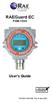 RAEGuard EC FGM-13XX User s Guide P/N 033-4102-000 Rev B May 2007 - READ BEFORE OPERATING - This manual must be carefully read by all individuals who have or will have the responsibility of using, maintaining,
ATS Overhead Table Shelf System INSTRUCTION MANUAL
 ATS Overhead Table Shelf System INSTRUCTION MANUAL ATS Overhead Table Shelf System Instruction Manual Warranty Newport Corporation warrants this product to be free of defects in material and workmanship
Electro-Magnetic Flowmeters COPA-XT 2-Wire DT43
 Data Sheet Electro-Magnetic Flowmeters COPA-XT 2-Wire DT43 2-Wire Operation Significantly reduces installation costs when compared to a traditional 4-wire magmeter. ±0.5% of rate system accuracy. Patented
33.6W Power over Ethernet Waterproof Adapter PoE Plus Single Port Injector for Outdoor Application
 33.6W Power over Ethernet Waterproof Adapter PoE Plus Single Port Injector for Outdoor Application Features Compliant with the IEEE802.3at Standard -40 to +60 C Temperature Range Diagnostic LEDs Full Protection
T7079A,B Solid State Remote Temperature Controllers
 T7079A,B Solid State Remote Temperature Controllers FEATURES PRODUCT DATA Switch selection of heat or cool mode. Temperature sensing up to 400 feet. Does not require field calibration. 0K NTC temperature
PS4-24 OWNERS MANUAL 24 VAC 90 WATT WALL MOUNTED CCTV POWER SUPPLY
 PS4-24 OWNERS MANUAL 24 VAC 90 WATT WALL MOUNTED CCTV POWER SUPPLY 7320 Ashcroft, Suite 104 Houston, Texas 77081 p: 713-772-1404 f: 713-772-7360 e: [email protected] www.juicegoose.com 06-06 CONGRATULATIONS
I nstallation. M100Q Series Proportional Actuator with R81Q Controller Board for Thermistor Sensor Applications. Tools Needed.
 FANs 268.1, 1628.3 Installation Bulletin M100Q Issue Date 1099 M100Q Series Proportional Actuator with R81Q Controller Board for Thermistor Sensor Applications I nstallation Parts Included M110QGA-1 and
Short Range Wireless Switch System Handheld 8 Installation and Operations Guide
 Phone: (866) 701-1146 Fax: (425) 216-7558 www.remotecontroltech.com Short Range Wireless Switch System Handheld 8 Installation and Operations Guide Introduction... 2 Before Installation... 2 Receiver Installation...
Drayton Digistat +2RF/+3RF
 /+3RF Programmable Room Thermostat Wireless Model: RF700/22090 Model: RF701/22092 Power Supply: Battery - Thermostat Mains - Digistat SCR Invensys Controls Europe Customer Service Tel: 0845 130 5522 Customer
DREXELBROOK. USonic-R Series. Ultrasonic Level Measurement System. User Friendly
 DREXELBROOK A Leader In Level Measurement Solutions USonic-R Series Ultrasonic Level Measurement System User Friendly Set the measurement range directly in inches, feet, millimeters, centimeters, or meters
Sanitary Type Electronic Flow Switches
 Industries Pharmaceutical Sanitary Type Electronic Flow Switches Food and Beverage Biotechnology Semiconductor Water Treatment S Series Ameritrol, Inc. Instruments and Controls Features No Moving Parts
OPL BASIC. Dosing System for Professional Laundry machines. Contents
 OPL BASIC Dosing System for Professional Laundry machines Contents 1 Getting Started. Page 2 2 Installation. Page 4 3 Set Up & Operation. Page 8 4 Maintenance & Accessories. Page 10 5 Troubleshooting Page
Solid State Timers Type F
 Solid State Timers Type F Class 9050 CATALOG CONTENTS Description.....................................................Page Product Descriptions............................................. 3 Application
4-Channel Thermometer / Datalogger
 USER GUIDE 4-Channel Thermometer / Datalogger RTD and Thermocouple Inputs Model SDL200 Introduction Congratulations on your purchase of the Extech SDL200 Thermometer, an SD Logger Series meter. This meter
PRODUCT PRODUCT CODE TECHNICAL INSTRUCTIONS PAGE
 Table of Contents PRODUCT PRODUCT CODE TECHNICAL INSTRUCTIONS PAGE # Electric Room Comfort Controller NEW! RDY2000 Room Comfort Controller RDY 129-905 D-3 Electric for Specialized Applications Surface
POWERS CONTROL RC 195 Single Input Receiver-Controller
 Document No. 155-119P25 RC 195-4 POWERS CONTROL RC 195 Single Input Receiver-Controller Description The RC 195 Single lnput Receiver-Controller is a pneumatic instrument which receives one pneumatic input,
Commercial Refrigeration Temperature and Defrost Controls
 Commercial Refrigeration Temperature and Defrost Controls UNI-LINE PRODUCT KNOWLEDGE 2010 Invensys. All Rights Reserved. The names, logos, and taglines identifying the products and services of Invensys
MTII4200 level Transmitter Installation, Operation & Maintenance Instructions
 Specialists in Liquid Level Indication MTII4200 level Transmitter Installation, Operation & Maintenance Instructions Section: M500 Bulletin: M500.31 Date: 01-26-12 Supersedes: 04-22-08 1. INTRODUCTION
Outdoor 33.6W Dual Port Passive Power-over-Ethernet Midspan For External Security Cameras and Wireless Access Points
 Outdoor 33.6W Dual Port Passive Power-over-Ethernet Midspan For External Security Cameras and Wireless Access Points Features SELV Compliant No Detection Passive Injector Gigabit Compatible Full Protection
CONNECTOR AMPLIFIER FOR PROPORTIONAL VALVES (4-20 ma Input Version)
 TECHNICAL DATASHEET #TD1102AX CONNECTOR AMPLIFIER FOR PROPORTIONAL VALVES (4-20 ma Input Version) Part Number: Connector Amplifier CAPV-H-4-20MA-x complete with cable CAPV-4C-yM Where: x = current output
i ChatterBox! Motorcycle Security
 i Before you Start the Installation * Please read this manual to become familiar with the requirements necessary to complete the installation. * Use a high quality multi-meter to test all wires before
Single Station Remote Alarm
 ADI 5106G Certified ISO 9001:2000 Single Station Remote Alarm 529 5106-01-120 529 5106-01-220 INSTALLATION AND OPERATING INSTRUCTIONS Carefully Read These Instructions Before Operating Controls Corporation
INSTALLATION & SERVICE MANUAL. Display Panel
 INSTALLATION & SERVICE MANUAL Display Panel The PowerLine EMS TM is a specialized power distribution and energy management system intended to be used in recreational vehicles. The Control Module is housed
Dielectric Withstand and Ground Bond Testers For Production Line Safety Agency Compliance Testing
 Dielectric Withstand and Ground Bond Testers For Production Line Safety Agency Compliance Testing U.S. patent#: 5,548,501, 6,054,865. Other patents pending. Safety agency listed. ENHANCED GRAPHIC LCD The
VIBRATION SWITCHES SOLID STATE
 SOLID STATE VIBRATION SWITCHES The PMC/BETA electronic vibration switch makes available in a relatively low-cost device many of the benefits formerly found only in high-end protection systems. Model Adjustable
IDEAL INDUSTRIES, INC. TECHNICAL MANUAL MODELS: 61-763 61-765
 IDEAL INDUSTRIES, INC. TECHNICAL MANUAL MODELS: 61-763 61-765 The Service Information provides the following information: Precautions and safety information Specifications Performance test procedure Calibration
GENERATOR START CONTROL MODULE - MINI (2 Wire to 3 Wire)
 FEATURES & APPLICATIONS Inexpensive 2 wire to 3 wire start controller for electric start high speed gas generators. Optimized for use with Outback Invertors. Supports three types of 3 wire generator control
BITMAIN. APW3-12-1600 PSU Series User Guide
 BITMAIN APW3-12-1600 PSU Series User Guide Contents 1 Overview... 3 2 Features... 3 3 Specifications... 4 4 Switching On/Off Remotely... 5 5 Order Information & Wire Type... 6 5.1 Order Information...
HMI display Installation Guide
 HMI display Installation Guide Product Description Specifications Important Information o Package Contents o Related Documents o Accessories Cautions and Warnings Mounting and Dimensions o BAC-DIS-ENC
Agilent U1610/20A Handheld Digital Oscilloscope Quick Start Guide
 Agilent U1610/20A Handheld Digital Oscilloscope Quick Start Guide Verify that you received the following items in the shipment of your handheld scope: 1 Power cable 1 Li-Ion battery pack, 10.8 V (included
Power Supplies 3. SDN-P DIN Rail Series
 SDN-P DIN Rail Series The SDN DIN Rail power supplies provide industry leading performance. Sag Immunity, transient suppression and noise tolerant, the SDN series ensures compatibility in demanding applications.
key- precision Tecum cuil Ludere ipsae. Possem Precision level detection When space and price matter Pointek CLS 100
 Pointek CLS 100 Compact design and short insertion length. Ideal for constricted spaces and for small vessels or pipes up to 100 mm (4 ). Tecum cuil Ludere ipsae. Possem Precision level detection When
NC-12 Modbus Application
 NC-12 Modbus Application NC-12 1 Table of Contents 1 Table of Contents... 2 2 Glossary... 3 SCADA...3 3 NC-12 Modbus in general... 3 4 Entire system... 4 4.1 PFC to PC connection alternatives...4 4.1.1
USER MANUAL Stand Alone Power Supply PSQ 2909 / PSQ 3909 / PSQ 4909 PSQ 2920 / PSQ 3920 / PSQ 4920
 USER MANUAL Stand Alone Power Supply PSQ 2909 / PSQ 3909 / PSQ 4909 PSQ 2920 / PSQ 3920 / PSQ 4920 [This page intentionally left blank] Warning for Your Protection 1. Read these instructions. 2. Keep these
TSn SERIES Surge Protective Device
 Page: 1 of 8 TSn SERIES Surge Protective Installation & Operation Manual 3621 Saunders Avenue www.systems.us Ph 804.355.1100 Richmond, VA 23227 4354 [email protected] Fax 804.355.8900 Page: 2 of 8 Quick
Series B14 Monitor System
 Series B14 Monitor System Home Office European Office Analytical Technology, Inc. ATI (UK) Limited 6 Iron Bridge Drive Unit 1 & 2 Gatehead Business Park Collegeville, PA 19426 Delph New Road, Delph Saddleworth
User Guide. Heavy Duty Dissolved Oxygen Meter. Model 407510
 User Guide Heavy Duty Dissolved Oxygen Meter Model 407510 Introduction Congratulations on your purchase of Extech's Heavy Duty Dissolved Oxygen / Temperature Meter which simultaneously displays Dissolved
Troubleshooting and Diagnostics
 Troubleshooting and Diagnostics The troubleshooting and diagnostics guide provides instructions to assist in tracking down the source of many basic controller installation problems. If there is a problem
OPERATING INSTRUCTIONS
 PIPELINE INSPECTION COMPANY LTD. OPERATING INSTRUCTIONS Wet Sponge Holiday Detectors 670,673, and MSRB Wet Sponge Holiday Detectors Portable and In-Plant Detectors Table of Contents General Information.......................3
Solid-State Timer H3G
 ASH & ALAIN INDIA PVT LTD S-100, F.I.E.E., Okhla Industrial Area, Phase-ii, New Delhi-11000(India) Tel : 011-43797575 Fax : 011-43797574 E-mail : [email protected] Solid-State Timer Low-Cost, Plug-In
T7560A,B,C Digital Wall Module
 T7560A,B,C Digital Wall Module HONEYWELL EXCEL 5000 OPEN SYSTEM BEFORE INSTALLATION All wiring must comply with local electrical codes and ordinances or as specified on installation wiring diagrams. Digital
AquaTrend Interface. Model 51200 AquaTrend Model 51350 AquaTrend/SOM Model51400 PortableAquaTrend. Instrument Manual. Catalog Number 51350-18
 Catalog Number 51350-18 AquaTrend Interface Model 51200 AquaTrend Model 51350 AquaTrend/SOM Model51400 PortableAquaTrend Instrument Manual Hach Company, 2001, 2002. All rights reserved. Printed in the
DATA AIRE, Inc. MINI DATA ALARM PROCESSOR II
 DATA AIRE, Inc. MINI DATA ALARM PROCESSOR II Operation and Maintenance Manual Precise Temperature and Humidity Control Air and Water/Glycol Cooled and Chilled Water TABLE OF CONTENTS INTRODUCTION... 1-5
User s Manual Before using the inverter, you need to read and save the safety instructions.
 User s Manual Before using the inverter, you need to read and save the safety instructions. STI SERIES (STI200, STI300, STI500, STI700, STI1000) Power Frequency Pure Sine Wave Inverter The information
UM-X Field display for continous level sensors
 Technical Documentation Field display for continous level sensors 10/2007 Edition: 1 Item No.: 207120 FAFNIR GmbH Bahrenfelder Str. 19 D-22765 Hamburg Telephone: +49 (0)40-39 82 07-0 Fax: +49 (0)40-3 90
RDJ10RF/SET. Wireless room temperature controller with 24-hour time switch and LCD. Programmable, for heating systems
 3 072 RDJ10RF RCR10/433 Wireless room temperature controller with 24-hour time switch and LCD Programmable, for heating systems RDJ10RF/SET Operating modes: Automatic, Comfort, Energy Saving, and Frost
PowerLogic Sub Meter Display (SMD and SMDOPN)
 Instruction Bulletin Z203742-0B PowerLogic Sub Display (SMD and SMDOPN) CONTENTS Introduction... 2 Parts of the Sub Display... 3 Dimensional Drawing... 4 Installation... 5 Mounting the SMD... 5 Mounting
Owner's Copy. 104873 December 14, 2011 ELECTRICAL INSTRUCTIONS FOR ADVANTEX EA OR EX MODELS
 104873 December 14, 2011 Detex Corporation, 302 Detex Drive, New Braunfels, Texas 78130-3045 (830)629-2900 / 1-800-729-3839 / Fax (830)620-6711 E-MAIL: [email protected] INTERNET: www.detex.com ELECTRICAL
Chapter 9 N.C. C. N.O. Single-Pole Double-Throw
 rather than providing multiple choices. The sensor modules used may only be suitable for use with the matching controller so it is wise to read the specifications to make sure the unit suits your application.
with MERCURY FREE 1 HP Relays ! WARNING Before using this product read and understand instructions.
 B Installation & Maintenance Instructions MM-414 Series 150E and 157E Low Water Cut-Off/Pump Controllers For Steam Boilers and Other Level Control Applications A Typical Applications: Primary or secondary
TECHNICAL DATASHEET #TD1404AX PWM CONTROLLED SOLENOID DRIVER
 TECHNICAL DATASHEET #TD1404AX PWM CONTROLLED SOLENOID DRIVER (PWM Input, 1.2A or 2A Output, Metal Box or PCB) PCB Board - P/N: PWMC-PCB-2A, PWMC-PCB-1.2A Packaged Driver (metal box with 1.5 m (5 ft.) cable)
Senses SV series industrial monitor user manual
 Industrial Monitors Senses SV series Senses SV19 / SV17 User manual (Issue A) Part No: 85090084 Page 1 of 25 Copyright Copyright 2008 Amplicon Liveline Ltd. All rights reserved. This publication, including
JANUS INTERNATIONAL CORPORATION INSTALLATION INSTRUCTIONS Pantheon Mini Operator
 JANUS INTERNATIONAL CORPORATION INSTALLATION INSTRUCTIONS Pantheon Mini Operator The Janus Pantheon mini operator does not typically require the provision of any additional site requirements other than
Back-UPS Pro 1300/1500 Installation and Operation
 Back-UPS Pro 1300/1500 Installation and Operation Inventory Safety Do not install the Back-UPS in direct sunlight, in excessive heat, humidity, or in contact with fluids. Connect the battery bu059a bu058a
AMS-1000 Multi-Channel Air Management System for Boost Control
 AMS-000 Multi-Channel Air Management System for Boost Control The terminal pin descriptions may also be viewed on screen. See Page 4 of manual for details. Clutch Input Shift Input Scramble Boost Input
MCR1900 Media Converter 19-Slot Chassis
 MCR1900 Media Converter 19-Slot Chassis Installation Guide Part #5500304-11 Copyright Statement This document must not be reproduced in any way whatsoever, either printed or electronically, without the
Master Time Clock MTC-200 MTC-400 MTC-600. Users Manual
 Master Time Clock MTC-200 MTC-400 MTC-600 Users Manual Toll Free (888)713-0373 Phone (972)987-4408 FAX (877)720-9291 www.midwest-time.com [email protected] TABLE OF CONTENTS TOPIC PAGE GENERAL DESCRIPTION
max 6f / computer max
 POWER FACTOR REGULATORS computer max max 6f / computer max max 12f Instructions Manual ( M98234601-03-10A ) - 1 - Index 1 INTRODUCTION AND SAFETY RECOMMENDATIONS... 3 1.1 DELIVERY SPOT CHECK... 3 1.2 STARTING
Installation and Operation Back-UPS 1250, 1300, 1500
 Installation and Operation Back-UPS 1250, 1300, 1500 Inventory bu001a Safety and General Information This unit is intended for indoor use only. Do not operate this unit in direct sunlight, in contact with
EV-1000 Series DVR. Quick Operation Guide. Version 1.0.0
 EV-1000 Series DVR Quick Operation Guide Version 1.0.0 Thank you for purchasing our product. If there is any question or request, please do not hesitate to contact dealer. This manual is applicable to
PLC Control Unit for a CSM-C Steam Compact Clean Steam Generator
 3.635.5275.251 IM-P486-19 CH Issue 2 PLC Control Unit for a CSM-C Steam Compact Clean Steam Generator Installation, Start-up and Operation Manual 1. Safety information 2. General product information 3.
Instruction Bulletin. MCS025 Sync-Check Module Installation Sheet
 Instruction Bulletin 63230-216-244B1 LaVergne, TN, USA MCS025 Sync-Check Module Installation Sheet Retain for future use. DANGER HAZARD OF ELECTRIC SHOCK, EXPLOSION, OR ARC FLASH Only qualified electrical
Scraper Passage Indicator. Electrical Indicator. Features
 IV Scraper Passage Indicator Bulletin No: 5110.001.03 Date: June 2008 Cross Indexing No: n/a Supersedes: 5110.001.02 (1/06) Flag Indicator Electrical Indicator Options Description TDW s IV Scraper Passage
Owner s Guide Guide du propriétaire Guía para el usuario TH115-AF-GB-10. Programmable thermostat Thermostat programmable Termostato programable
 Owner s Guide Guide du propriétaire Guía para el usuario TH115-AF-GB-10 Programmable thermostat Thermostat programmable Termostato programable Read and save these instructions. Veuillez lire le mode d
CAT ATC POWER BREAKER & POWER CASE SWITCH AUTOMATIC TRANSFER SWITCH
 CAT ATC POWER BREAKER & POWER CASE SWITCH AUTOMATIC TRANSFER SWITCH Cat transfer switches are designed for a variety of standby power applications. They provide flexibility, reliability and value in a