
Technology for Vacuum Systems. Instructions for use
|
|
|
- Homer Quinn
- 10 years ago
- Views:
Transcription
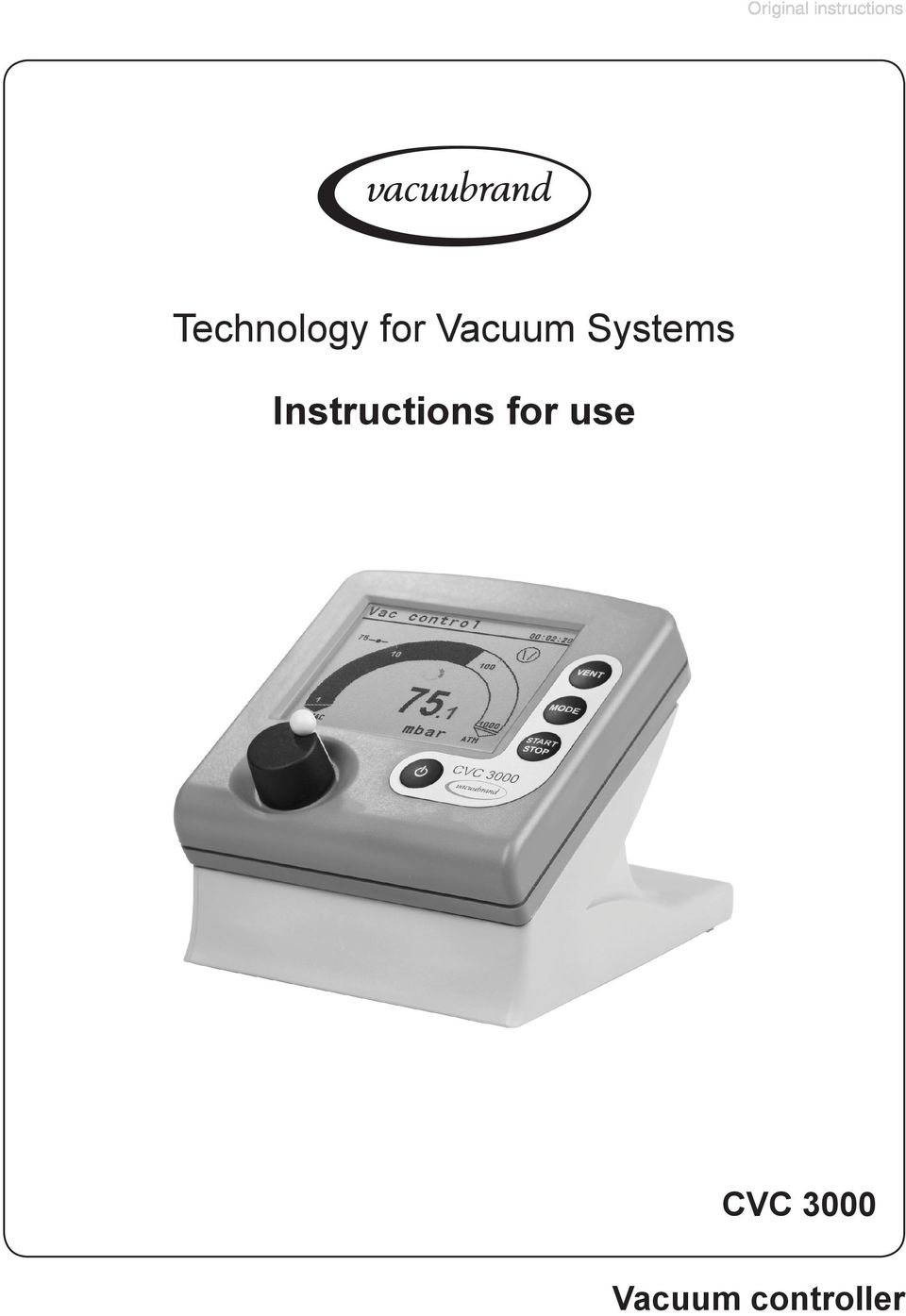
1 page 1 of 80 Technology for Vacuum Systems Instructions for use CVC 3000 Vacuum controller
2 page 2 of 80 Dear customer, Your VACUUBRAND controllers are designed to provide you with many years of trouble-free service with optimal performance. Our many years of practical experience allow us to provide a wealth of application and safety information. Please read these instructions for use before the initial operation of your controller. VACUUBRAND controllers combine our many years of experience in design, construction and practical operation, with the latest developments in material and manufacturing technology. Our quality maxim is the zero defect principle: Every controller, before leaving our factory, is tested intensively, including an endurance run. Any faults, even those which occur rarely, are identified and can be eliminated immediately. After completion of the endurance run, every controller is tested, and must achieve specifications before shipment. We are committed to providing our customers only controllers that meet this high quality standard. While our controllers cannot eliminate all of your work, we design, manufacture and test them to ensure that they will be an effective and troublefree tool to assist you in that work. Yours, VACUUBRAND GMBH + CO KG After sales service: Contact your local dealer or call Trademark index: VACUU LAN (US-Reg.No 3,704,401), VACUU BUS, VACUU CONTROL TM, chemistry-hybrid TM, Peltronic, TURBO MODE TM, VARIO (US-Reg.No 3,833,788), VARIO-SP TM, VACUUBRAND (US-Reg.No 3,733,388) and also the shown company logos are trademarks of VACUUBRAND GMBH + CO KG in Germany and/or other countries.

3 page 3 of 80 DE Achtung: Die vorliegende Betriebsanleitung ist nicht in allen EU-Sprachen verfügbar. Der Anwender darf die beschriebenen Geräte nur dann in Betrieb nehmen, wenn er die vorliegende Anleitung versteht oder eine fachlich korrekte Übersetzung der vollständigen Anleitung vorliegen hat. Die Betriebsanleitung muss vor Inbetriebnahme der Geräte vollständig gelesen und verstanden werden, und alle geforderten Maßnahmen müssen eingehalten werden. Sicherheitshinweise für Vakuumgeräte EN Attention: This manual is not available in all languages of the EU. The user must not operate the device if he does not understand this manual. In this case a technically correct translation of the complete manual has to be available. The manual must be completely read and understood before operation of the device and all required measures must be applied. Safety instructions for vacuum equipment FR Attention: Le mode d emploi présent n est pas disponible dans toutes les langues d Union Européenne. L utilisateur ne doit mettre le dispositif en marche que s il comprend le mode d emploi présent ou si une traduction complète et correcte du mode d emploi est sous ses yeux. Le dispositif ne doit pas être mis en marche avant que le mode d emploi ait été lu et compris complètement et seulement si le mode d emploi est observé et tous les mesures demandées sont prises. «Avis de sécurité pour des dispositifs à vide» BG Внимание: Тези инструкции не са преведени на всички езици от ЕО. Потребителят не бива да работи с уреда, ако не разбира инструкциите за ползване. В този случай е необходимо да бъде предоставен пълен технически превод на инструкциите за ползване. Преди работа с уреда е задължително потребителят да прочете изцяло инструкциите за работа. Указания за безопасност за вакуумни уреди CN 注 意 : 该 操 作 手 册 不 提 供 所 有 的 语 言 版 本 操 作 者 在 没 有 理 解 手 册 之 前, 不 能 操 作 该 设 备 在 这 种 情 况 下, 需 要 有 一 个 整 个 操 作 手 册 技 术 上 正 确 的 翻 译 在 操 作 该 设 备 前, 必 须 完 全 阅 读 并 理 解 该 操 作 手 册, 必 须 实 施 所 有 需 要 的 测 量 真 空 设 备 的 安 全 信 息 CZ Upozornění :Tento návod k použití není k dispozici ve všech jazycích Evropské unie. Uživatel není oprávněn požít přístroj pokud nerozumí tomuto návodu. V takovém případě je nutno zajistit technicky korektní překlad manuálu do češtiny. Návod musí být uživatelem prostudován a uživatel mu musí plně porozumět před tím než začne přístroj používat. Uživatel musí dodržet všechna příslušná a požadovaná opatření. Bezpečnostní upozornění pro vakuové přístroje.

4 page 4 of 80 DA Bemærk: Denne manual foreligger ikke på alle EU sprog. Brugeren må ikke betjene apparatet hvis manualen ikke er forstået. I det tilfælde skal en teknisk korrekt oversættelse af hele manual stilles til rådighed. Manual skal være gennemlæst og forstået før apparatet betjenes og alle nødvendige forholdsregler skal tages.»sikkerhedsregler for vakuumudstyr«ee Tähelepanu! Käesolev kasutusjuhend ei ole kõigis EL keeltes saadaval. Kasutaja ei tohi seadet käsitseda, kui ta ei saa kasutusjuhendist aru. Sel juhul peab saadaval olema kogu kasutusjuhendi tehniliselt korrektne tõlge. Enne seadme kasutamist tuleb kogu juhend läbi lugeda, see peab olema arusaadav ning kõik nõutud meetmed peavad olema rakendatud. Ohutusnõuded vaakumseadmetele ES Atención: Este manual no está disponible en todos los idiomas de UE. El usuario no debe manejar el instrumento si no entiende este manual. En este caso se debe disponer de una traducción técnicamente correcta del manual completo. El manual debe ser leído y entendido completamente y deben aplicarse todas las medidas de seguridad antes de manejar el instrumento. Notas sobre la seguridad para equipos de vacío FI Huomio: Tämä käyttöohje ei ole saatavilla kaikilla EU: n kielillä. Käyttäjä ei saa käyttää laitetta, jos hän ei ymmärrä tätä ohjekirjaa. Tässä tapauksessa on saatavilla oltava teknisesti oikein tehty ja täydellinen ohjekirjan käännös. Ennen laitteen käyttöä on ohjekirja luettava ja ymmärrettävä kokonaan sekä suoritettava kaikki tarvittavat valmistelut ja muut toimenpiteet. Vakuumilaitteen turvallisuustiedot GR Προσοχή! : Οι οδηγίες αυτές δεν είναι διαθέσιµες σε όλες τις γλώσσες της Ευρωπαϊκής Ένωσης. Ο χρήστης δεν πρέπει να θέσει σε λειτουργία την συσκευή αν δεν κατανοήσει πλήρως τις οδηγίες αυτές. Σε τέτοια περίπτωση ο χρήστης πρέπει να προµηθευτεί ακριßή µετάφραση του ßιßλίου οδηγιών. Ο χρήστης πρέπει να διαßάσει και να κατανοήσει πλήρως τις οδηγίες χρήσης και να λάßει όλα τα απαραίτητα µέτρα πριν θέσει σε λειτουργία την συσκευή. Υποδείξεις ασφάλειας για αντλίες κενού HR Pažnja:ove upute ne postoje na svim jezicima Europske Unije. Korisnik nemora raditi sa aparatom ako ne razumije ove upute.u tom slucaju tehnicki ispravni prijevod cijelih uputstava mora biti na raspolaganju. Uputstva moraju biti cijela procitana i razumljiva prije rada sa aparatom i sve zahtijevane mjere moraju biti primjenjene. Sigurnosne napomene za vakuumske uređaje

5 page 5 of 80 HU Figyelem! Ez a kezelési utasítás nem áll rendelkezésre az EU összes nyelvén. Ha a felhasználó nem érti jelen használati utasítás szövegét, nem üzemeltetheti a készüléket. Ez esetben a teljes gépkönyv fordításáról gondoskodni kell. Üzembe helyezés előtt a kezelőnek végig kell olvasnia, meg kell értenie azt, továbbá az üzemeltetéshez szükséges összes mérést el kell végeznie. A vákuum készü vákuum-készülékekkel kapcsolatos biztonsági vákuum készü tudnivalók IT Attenzione: Questo manuale non è disponibile in tutte le lingue della Comunità Europea (CE). L utilizzatore non deve operare con lo strumento se non comprende questo manuale. In questo caso deve essere resa disponibile una traduzione tecnicamente corretta del manuale completo. Il manuale deve essere completamente letto e compreso prima di operare con lo strumento e devono essere applicati tutti gli accorgimenti richiesti. Istruzioni di sicurezza per apparecchi a vuoto JP 注 意 :この 取 扱 説 明 書 はすべての 言 語 で 利 用 可 能 ではありません もしこの 取 扱 説 明 書 を 理 解 できないならば ユーザーは 装 置 を 操 作 してはなりません この 場 合 技 術 的 に 正 しい 翻 訳 がなされた 完 全 なマニュアルを 用 意 しなければなりませ ん 装 置 を 作 動 する 前 にマニュアルを 完 全 に 読 み そして 理 解 されなくてはなり ません そして すべての 要 求 される 対 策 を 講 じなければなりません 真 空 装 置 を 安 全 に 取 り 扱 うために KR 주의 : 이 매뉴얼은 모든 언어로 번역되지는 않습니다. 만약 이 매뉴얼의 내용을 충분 히 인지하지 못했다면 기기를 작동하지 마십시오. 매뉴얼의 내용을 기술적으로 정확 하게 번역한 경우에 이용하십시오. 기기를 사용하기 전에 이 매뉴얼을 충분히 읽고 이해하고 모든 요구되는 사항들을 적용해야 합니다. 진공 장비에 대한 안전 정보 LT Dėmesio: šis vadovas nėra pateikiamas visomis ES kalbomis. Naudotojui draudžiama eksploatuoti įtaisą, jeigu jis nesupranta šio vadovo. Tokiu atveju reikia turėti viso vadovo techniškai taisyklingą vertimą. Vadovą būtina visą perskaityti ir suprasti pateikiamas instrukcijas prieš pradedant eksploatuoti įtaisą, bei imtis visų reikiamų priemonių. Vakuuminės įrangos saugos informacija LV Uzmanību: Lietotāja instrukcija nav pieejama visās ES valodās. Lietotājs nedrīkst lietot iekārtu, ja viņš nesaprot lietotāja instrukcijā rakstīto. Šādā gadījumā, ir nepieciešams nodrošināt tehniski pareizu visas lietotāja instrukcijas tulkojumu. Pirms sākt lietot iekārtu, un, lai izpildītu visas nepieciešamās prasības, iekārtas lietotāja instrukcija ir pilnībā jāizlasa un jāsaprot. Vakuuma iekārtu drošības noteikumi

6 page 6 of 80 NL Attentie: Deze gebruiksaanwijzing is niet in alle talen van de EU verkrijgbaar. De gebruiker moet niet met dit apparaat gaan werken als voor hem/haar de gebruiksaanwijzing niet voldoende duidelijk is. Bij gebruik van deze apparatuur is het noodzakelijk een technisch correcte vertaling van de complete gebruiksaanwijzing te hebben. Voor het in gebruik nemen van het apparaat moet de gebruiksaanwijzing volledig gelezen en duidelijk zijn en dienen alle benodigde maatregelen te zijn genomen. Veiligheidsvoorschriften voor vacuümapparaten PL Uwaga!! Ta instrukcja nie jest dostępna we wszystkich językach Unii Europejskiej. Użytkownik nie może rozpocząć pracy z urządzeniem dopóki nie przeczytał instrukcji i nie jest pewien wszystkich informacji w niej zawartych. Instrukcja musi byc w całości przeczytana i zrozumiana przed podjęciem pracy z urządzeniem oraz należy podjąć wszystkie niezbędne kroki związane z prawidłowym uzytkowaniem. Wskazówki bezpieczeństwa do urządzeń próżniowych PT Atenção: Este manual não está disponível em todas as línguas da UE. O usuário não deve utilizar o dispositivo, se não entender este manual. Neste caso, uma tradução tecnicamente correta do manual completo tem de estar disponível. O manual deve ser lido e entendido completamente antes da utilização do equipamento e todas as medidas necessárias devem ser aplicadas. Informação de Segurança para Equipamento que funciona a Vácuo RO Atentie: Acest manual nu este disponibil in toate limbile EU. Utilizatorul nu trebuie sa lucreze cu aparatul daca daca nu intelege manualul. Astfel, va fi disponibile o traducere corecta si completa a manualului. Manualul trebuie citit si inteles in intregime inainte de a lucra cu aparatul si a luat toate masurile care se impun. Instrucţiuni de siguranţă pentru aparatele de vidare RU Внимание: Эта инструкция по эксплуатации не имеется на всех языках. Потребителю не дозволенно эксплуатировать данный прибор, если он не понимает эту инструкцию. В этом случае нужен технически правильный перевод полной инструкции. Прежде чем использовать этот прибор, необходимо полностью прочитать и понять эту инструкцию и принять все необходимые меры. Указания по технике безопасности при работе с вакуумными устройствами
7 page 7 of 80 SE Varning: Denna instruktion är inte tillgänglig på alla språk inom EU. Användaren får inte starta utrustningen om hon/han inte förstår denna instruktion. Om så är fallet måste en tekniskt korrekt instruktion göras tillgänglig. Instruktionen måste läsas och förstås helt före utrustningen tas i drift och nödvändiga åtgärder göres. Säkerhetsinformation för vakuumutrustning SI Pozor: Ta navodila niso na voljo v vseh jezikih EU. Uporabnik ne sme upravljati z napravo, če ne razume teh navodil. V primeru nerazumljivosti mora biti na voljo tehnično pravilen prevod. Navodila se morajo prebrati in razumeti pred uporaba naprave, opravljene pa moraja biti tudi vse potrebne meritve. Varnostni nasveti za vakuumske naprave SK Upozornenie: Tento manuál nie je k dispozícii vo všetkých jazykoch EÚ. Užívateľ nesmie obsluhovať zariadenie, pokiaľ nerozumie tomuto manuálu. V takomto prípade musí byť k dispozícii technicky správny preklad celého manuálu. Pred obsluhou zariadenia je potrebné si prečítať celý manuál a porozumieť mu, a musia byť prijaté všetky opatrenia. Bezpečnostné pokyny pre vákuové zariadenia TR Dikkat : Bu kullanım kitabı, tüm dillerde mevcut değildir. Kullanıcı, bu kullanım kitabını anlayamadıysa cihazı çalıştırmamalıdır. Bu durumda, komple kullanım kitabının, teknik olarak düzgün çevirisinin bulunması gerekir. Cihazın çalıştırılmasından önce kullanım kitabının komple okunması ve anlaşılması ve tüm gerekli ölçümlerin uygulanması gerekir. Vakumlu cihazlar için güvenlik uyarıları

8 page 8 of 80 Reset / Language selection 1 switch off 2 press both CVC 3000 V2.0 3 turn Deutsch English Français Italiano Español Türkçe 한국어 中 文 Portuguê Ρyccкий Polski Nederl. 日 本 語 Suomi CVC 3000 V2.0 4 press Deutsch English Français Italiano Español Türkçe 한국어 中 文 Portuguê Ρyccкий Polski Nederl. 日 本 語 Suomi

9 page 9 of 80 Contents Reset / Language selection... 8 Safety information! Important information!...11 General information Intended use Setting up and installing the equipment Ambient conditions Operating conditions Safety during operation Maintenance and repair ` Important information: Equipment marking (ATEX) Technical data Technical data of controller Technical data of power supply Wetted parts Abbreviations Use and operation Assembling the country-specific power plug Notes on connecting and operating the controller Cleaning the pressure transducer Display and symbols Notes on selecting the function Menu guide Pump down function Vac Control function Auto mode (only NT VARIO / VARIO-B pumps)...39 Program function Application example VACUULAN function Application examples Vacuum for filtration and suction Vacuum for gel dryer, drying chambers and vacuum concentrators Vacuum for distillation and evaporation (e.g., rotary evaporator) 48 Vacuum for VACUU LAN networks Configuration... 51
10 page 10 of 80 Readjustment Gauge head VSP 3000 (accessory) Readjustment of the gauge head VSP Connecting several external gauge heads Manual switching between pressure transducers Measuring differential pressure Reconfiguring the gauge head Calibration in the factory Cleaning the pressure transducer Interface parameters Setting of the interface Read commands CVC Write commands CVC Read commands CVC Write commands CVC Accessories Troubleshooting Notes on return to the factory Warranty Health and safety clearance form EC Declaration of Conformity of the Machinery... 78

11 Safety information! page 11 of 80 Important information! + Keep this manual complete and accessible to personnel at all times! + Read this manual carefully before installing or operating the equipment. Observe the instructions contained in this manual. + Do not modify the equipment without authorization. NOTICE This manual is an integral part of the equipment described therein. It describes the safe and proper use of the vacuum controller. Make operating personnel aware of dangers arising from the equipment and the processed substances. VACUUBRAND disclaims any liability for inappropriate use of this controller and for damage from failure to follow instructions contained in this manual. This manual is only to be used and distributed in its complete and original form. It is strictly the users responsibility to check carefully the validity of this manual with respect to his product. Manual-no.: / 09/26/2013 The following signal word panels and safety symbols are used throughout this manual: This is the safety alert symbol. It is used to alert you to potential personal injury hazards. Obey all safety messages that follow this symbol to avoid possible injury and death.

12 page 12 of 80 DANGER indicates a hazardous situation which, if not avoided, will result in death or serious injury. + WARNING indicates a hazardous situation which, if not avoided, could result in death or serious injury. CAUTION indicates a hazardous situation which, if not avoided, could result in minor or moderate injury. NOTICE NOTICE is used to address practices not related to personal injury. Disconnect equipment from AC power. Dispose of electronic equipment according to regulations. Formatting used in this manual: Note: The signal word panels in all sections of this manual always refer to all paragraphs of the same format ( / + / / plain text) following each signal word panel. The document Safety information for vacuum equipment is part of this manual! Read the Safety information for vacuum equipment and observe the instructions contained therein!

13 page 13 of 80 General information NOTICE Remove all packing material from the packing box. Remove the product from its packing-box and retain all packaging until the equipment is inspected and tested. Inspect the equipment promptly and carefully. If the equipment is damaged, notify the supplier and the carrier in writing within three days. Retain all packing material for inspection. State the item number of the product together with the order number and the supplier s invoice number. Failure to check and give notice of damage will void any and all warranty claims for those deficiencies. Store the equipment in dry and non-corrosive conditions (see also Technical data, pg. 21) if the equipment is not used immediately. Valves and/or vacuum pumps are necessary to operate the vacuum controller. Otherwise the controller will operate as measuring device. + Do not use any damaged equipment. Intended use Ensure that the individual components are only connected, combined and operated according to their design and as indicated in the instructions for use. Use only original manufacturer s spare parts and accessories. Otherwise the safety and performance of the equipment, as well as the electromagnetic compatibility of the equipment might be reduced. The CE mark or the ctüvus mark may be voided if not using original manufacturer s spare parts. Comply with all notes on correct vacuum and electrical connections; see section Use and operation, pg The controllers are designed for operation at ambient temperatures and gas temperatures at the pressure transducer between +50 F and +104 F (+10 C and

14 page 14 of C), or for short periods up to +176 F (+80 C) at the pressure transducer (gas temperature). Periodically check maximum temperatures if installing the controller in a cabinet or a housing. Make sure ventilation is adequate to maintain recommended operating temperature. Install an external automatic ventilation system if necessary. If processing hot gases, make sure that the maximum permitted gas temperature at the pressure transducer is not exceeded (see Technical data, pg. 21). Ensure that the wetted parts are chemically resistant to the processed substances prior to operation. NOTICE Use the equipment only as intended, that is, for measurement and control of vacuum in vessels designed for that purpose. Any other use will automatically invalidate all warranty and liability claims. Remain aware of safety and risks. Setting up and installing the equipment Do not permit any uncontrolled pressurizing (e.g., make sure that pipelines cannot become blocked) to avoid a risk of bursting! Keep the VACUU BUS cables away from heated surfaces. Comply with maximum permissible pressures at the pressure transducer. See section Technical data, pg. 21. Connect hoses gas tight at the measurement connection. Secure hoses at hose nozzles (e.g., with hose clamp) to prevent their accidental slipping. Check the power source and the equipment s rating plate to be sure that the power source and the equipment

15 page 15 of 80 match in voltage, phase, and frequency. When working with residues, aggressive or condensable media, install a gas washing bottle if necessary. NOTICE Using a wall power supply, assemble and lock the suitable power plug (included in shipment) to the power supply prior to use. The controller is equipped with a short-circuit-proof, widerange power supply with an integrated overload protection. Avoid high heat supply (e.g., due to hot process gases). Position the controller CVC 3000 and its vacuum line in such a way that condensate cannot flow towards the pressure transducer. In case connect inert gas at the venting connection. Allow the equipment to equilibrate to ambient temperature if you bring it from cold environment into a room prior to operation. Notice if there is water condensation on cold surfaces. Comply with all applicable and relevant safety requirements (regulations and guidelines). Implement the required actions and adopt suitable safety measures. Ambient conditions Do not reach for this product if it has fallen into liquid. There is a risk of deadly electrical shock. Unplug the system immediately. + Do not use this product in an area where it can fall or be pulled into water or other liquids. Adopt suitable measures in case of differences from recommended conditions, e.g., using the equipment outdoors, conductive pollution or external condensation.
16 page 16 of 80 Do not operate this product near flames. NOTICE To the best of our knowledge the equipment is in compliance with the requirements of the applicable EC-directives and harmonized standards (see Declaration of Conformity ) with regard to design, type and model. Directive EN gives in detail the conditions under which the equipment can be operated safely (see also IP degree of protection, Technical data, pg. 21). Operating conditions This device is not approved for operation in potentially explosive atmospheres. Do not operate the device in potentially explosive atmospheres. Controllers without the ` mark on the rating plate are not approved for operation with dangerous or explosive gases or with potentially explosive or inflammable substances. Do not operate the controller with dangerous or explosive gases or with potentially explosive or inflammable substances. Controllers bearing the ` mark on their rating plates are approved for operation with potentially explosive atmospheres according to their classification II 3G IIC T3 X according to ATEX, but they are not approved for operation in potentially explosive atmospheres (see section ` Important information: Equipment marking (ATEX), pg. 19). Ensure that the materials of the controller s wetted parts are compatible with the substances in the vacuum system, see section Technical data, pg. 21.

17 page 17 of 80 Safety during operation Adopt suitable measures to prevent the release of dangerous, toxic, explosive, corrosive, noxious or polluting fluids, vapors and gases. + Never operate this controller if it has a damaged cord or plug. If the controller is not working properly, has been dropped or has fallen into water, contact your service provider. + Prevent any part of the human body from coming into contact with vacuum. Attention: At pressures above approximately 795 Torr (1060 mbar) the pressure reading becomes incorrect due to saturation of the pressure transducer. The display flashes. Release pressure immediately! Risk of bursting! You must take suitable precautions to prevent any dangerous situation from arising if the controller starts a NT VARIO or VARIO-B pump, switches an in-line valve or a coolant valve, switches a vacuum pump (in combination with a VMS module), or opens a venting valve. Attention: If the controller is set to Autostart, the process will start immediately after a power failure without pressing any further key. It is your responsibility to ensure that automatic start-up of the system will not lead to any dangerous condition. Provide appropriate safety measures. Check prior to starting the process whether the option Autostart (menu: configuration) is enabled. NOTICE Electronic equipment is never 100% fail-safe. This may lead to an ill-defined status of the equipment or of other connected devices. Provide appropriate protective measures to allow for the possibility of failure and malfunction. The protective measures must also allow for the requirements of the respective application.

18 page 18 of 80 Maintenance and repair Switch off the controller. Disconnect the power supply and wait five seconds before starting maintenance to allow the capacitors to discharge. Note: The equipment may be contaminated with chemicals, which have been processed during operation. Ensure that the controller is completely decontaminated before maintenance commences. Take adequate precautions to protect people from the effects of dangerous substances if contamination has occurred. Use appropriate protective clothing, safety goggles and protective gloves. Vent the vacuum connection before starting maintenance. Isolate the controller from the vacuum system. NOTICE Ensure that maintenance is done only by suitably trained and supervised technicians. Ensure that the maintenance technician is familiar with the safety procedures which relate to the products processed in the vacuum system. Interior components of the controller can only be repaired at the factory. In order to comply with laws (occupational, health and safety regulations, safety at work law and regulations for environmental protection) components and measuring instruments can only be returned when certain procedures (see section Notes on return to the factory, pg. 74) are followed.
19 page 19 of 80 ` Important information: Equipment marking (ATEX) VACUUBRAND equipment bearing mark (see rating plate) ` II 3G IIC T3 X Internal Atm. only Tech. File Ref.: VAC-EX01 and VACUUBRAND equipment bearing mark (see rating plate) ` X see manual For equipment labelled with ` X see manual the following classification according to Directive 94/9/EC (ATEX) is valid: ` II 3G IIC T3 X, Internal Atm. only, Tech. File Ref.: VAC-EX01. The classification II 3G IIC T3 X according to ATEX is only valid for the inner part (wetted part, pumped gas or vapor) of the equipment. The equipment is not suitable for use in external, potentially explosive atmospheres (environment). The overall category of the equipment depends on the connected components. If the connected components do not comply with the classification of the VACUUBRAND equipment, the specified category of the VACUUBRAND equipment is no longer valid. Vacuum pumps and vacuum gauges in category 3 are intended for connection to equipment in which during normal operation explosive atmospheres caused by gases, vapors or mists normally don t occur; or, if they do occur, are likely to do so only infrequently and for a short period only. Equipment in this category ensures the requisite level of protection during normal operation. The use of gas ballast or the operation of venting valves is only permitted if thereby explosive atmospheres normally don t occur in the interior of the equipment or, if they do occur, are likely to do so only infrequently and for a short period.

20 page 20 of 80 The pumps are marked with X (according to EN ), i.e., restrictions of the operation conditions: The equipment is designated for a low degree of mechanical stress and has to be installed in a way so that it cannot be damaged from outside. Pumping units have to be installed so that they are protected against shocks from the outside and against glass splinters in the event of breakage (implosion). The equipment is designated for an ambient and gas inlet temperature during operation of +10 to +40 C. Never exceed these ambient and gas inlet temperatures. If pumping / measuring gases which are not potentially explosive, extended gas inlet temperatures are permissible. See instructions for use, section Gas inlet temperatures or Technical data. After any intervention at the equipment (e.g., repair / maintenance) the ultimate vacuum of the pump has to be checked. Only if the pump achieves its specified ultimate vacuum is the pump s leak rate low enough to ensure that no explosive atmospheres will occur in the interior of the equipment. After any intervention at the vacuum sensor, the leak rate of the equipment has to be checked. Attention: This manual is not available in all languages of the EU. The user must not operate the device if he does not understand this manual. In this case a technically correct translation of the complete manual has to be available. The manual must be completely read and understood before operation of the device. All specified measures must be applied, or else must be replaced by equivalent measures at the user s own risk.
21 page 21 of 80 Technical data Technical data of controller Controller CVC 3000 Pressure transducer Display Pressure units / scale (selectable) Measuring range (absolute) Maximum control range (absolute)* Resolution Maximum permissible pressure at pressure transducer (absolute) Maximum permissible temperature of gaseous media** Measurement uncertainty (absolute) after careful adjustment and at constant temperature Temperature coefficient Ambient temperature range (operation) Ambient temperature range (storage) Permissible relative atmospheric moisture during operation (no condensation) Maximum permissible range of supply voltage ( ±25% ) Maximum power draw Maximum permitted current of connected valves (connected components) Degree of protection IEC 529 (front side) Measurement connection (tabletop unit) Measurement connection (built-in unit) ceramic diaphragm (alumina), capacitive, absolute pressure, gas type independent LCD graphic display, illuminated Torr, mbar or hpa Torr ( mbar) Torr ( mbar) 0.07 Torr (0.1 mbar) 1125 Torr (1.5 bar) continuous operation: 104 F (40 C), for short periods (less than 5 minutes) up to 176 F (80 C) <± 0.75 Torr (1 mbar) <± 0.07 mbar/k (0.05 Torr/K) 50 F to 104 F (10 C to +40 C) 14 F to 158 F (-10 C to +70 C) 30% to 85% 24V DC 3.4W (140mA at 24V DC) 4A IP 42 connection for PTFE tube I.D. 3/8, O.D. 5/16 (10 / 8 mm) or hose nozzle for tubing I.D. 1/4 / 3/8 (6 / 10 mm) connection for PTFE tube I.D. 3/8, O.D. 5/16 (10 / 8 mm) or
22 page 22 of 80 Controller CVC 3000 Venting connection Maximum admissible pressure at venting connection Interface Weight with / without foot Dimensions L x W x H approx. tabletop unit (incl. foot) built-in unit Cut-out for front assembly hose nozzle for hose I.D. 3/16 (4-5 mm) 17.4 psi (1.2 bar) absolute RS-232 C 1.25lbs. (0.57kg) / 0.97lbs. (0.44kg) 5.7 x 4.9 x 4.5 (144 mm x 124 mm x 115 mm) 4.8 x 4.9 x 3.3 (123 mm x 124 mm x 83 mm) mm x mm (wall thickness 1 mm) mm x mm (wall thickness 2 mm) mm x mm (wall thickness 3 mm) * The actual vacuum control range in your application might be reduced due to ultimate vacuum of the pump, volume of gas present, etc. ** if pumping potentially explosive atmospheres: 50 F to 104 F (+10 C to +40 C) Technical data of power supply Power supply (wall plug)* Input voltage (±10%) Maximum current draw Ambient temperature range (operation) Ambient temperature range (storage) Output voltage Maximum output current Power connection Cable length (approx.) Dimensions Weight (approx.) V~ / Hz 0.8 A 32 F to 104 F (0 C to +40 C) -4 F to 185 F (-20 C to +85 C) 24V DC / short-circuit proof 1.25 A exchangeable plug Europe / UK / US / AUS 6 7 (2m) 4¼ x 2¼ x 1⅜ 108mm x 58mm x 34mm 0.53 lbs. (0.24 kg) * if included in shipment We reserve the right for technical modification without prior notice!
23 page 23 of 80 Wetted parts Components Sensor Vacuum connection / hose nozzle Sensor housing Sensor seal Venting valve seal Wetted materials Aluminum oxide ceramic PP PPS / glass fiber Chemically resistant fluoroelastomer FPM The VACUUBRAND CVC 3000 controller can only be operated with components compatible to the VACUUBRAND VACUU BUS system, see accessories. Speed control is only possible with VACUUBRAND NT VARIO / VARIO-B pumps and pumping units. Abbreviations FPM: Fluoroelastomer PP: Polypropylene PPS: Polyphenylene sulfide We reserve the right for technical modification without prior notice!
24 Use and operation page 24 of 80 The CVC 3000 VACUUBRAND controller with internal pressure transducer and integrated venting valve can only be operated with components compatible with the VACUUBRAND VACUU BUS system, (see Accessories, pg. 69). The CVC 3000 vacuum controller controls VACU- UBRAND diaphragm pumps NT VARIO and VARIO-B, pumping units PC 30xx VARIO, and optional coolant and venting valves. When switching on the controller CVC 3000 for the very first time, a menu to select the language of the controller menu is displayed. Select the desired language (e.g., English ) by turning the selection knob and press to confirm. Then select the pressure unit ( mbar, Torr or hpa ) in the same way. It is possible to access the language selection menu at any time by switching on the controller while keeping the selection knob pressed. After switching on the device, the version number of the software is displayed, followed by the preselected function and the pressure reading. Connected components (e.g., venting valve, level sensor, external pressure transducer 3000 series) are automatically identified. Identical components must be configured beforehand; information upon request. Do not use more than one controller within the same VACUU BUS system. Several controllers in the same VACUU BUS system will interfere with each other and result in error messages of the connected components (pumps, valves). Attention: Do not assemble or remove plug connections off-axis! Orient the plug correctly before inserting. To connect additional components use VACUU BUS Y-adapters and extension cables. If an external pressure transducer is connected, it is recognized automatically. Further information on how to use several sensors simultaneously is available upon request.
25 page 25 of 80 Rear side CVC 3000 jacks for connection of VACUU BUS components (e.g., coolant valve) Connection plug of the power supply or of the VACUU BUS line to NT VARIO / VARIO-B pump serial interface RS-232 C venting connection measurement connection rating plate Keys VENT: A short tap vents momentarily; process continues. Pressing longer than 2 seconds vents the system to atmospheric pressure (to 788 Torr (1050 mbar) at maximum); process stops. MODE: Selects menu function Use for temporary switching during operation to other functions Start or Stop the process ON/OFF switch
26 page 26 of 80 Selection knob Press to reach the set-up menu of the function Turn to choose the parameter you want to modify Press to select the parameter you want to modify Turn to change the set value of the parameter Press to confirm change of value and to reach further parameters, or to leave the set-up menu Assembling the country-specific power plug The wall power supply is delivered with power plugs for Europe, UK, US and Australia. Press the locking key at the wall power supply to remove and to replace the power plug with your country-specific plug. Assemble the suitable power plug to the power supply and lock. Notes on connecting and operating the controller Valves and/or vacuum pumps are necessary to operate the controller. Without those components the controller can be used only as vacuum measurement device. When used as measurement device, the controller can switch a possibly connected coolant valve. The CVC 3000 is equipped with an internal capacitive pressure transducer with ceramic diaphragm. It measures the actual pressure independently of the gas type, and with reference to the vacuum, i.e., absolute. Connect the measurement connection of the controller via hose or PTFE tubing to the vacuum application, or connect an external pressure transducer 3000 series. The cross-section of the tubing should be as large as possible.
27 page 27 of 80 measurement connection Maximum permissible pressure: 21.8 psi (1.5 bar) absolute. Attention: At pressures above approximately 795 Torr (1060 mbar) the pressure reading becomes incorrect due to saturation of the pressure transducer. The display flashes. Release pressure immediately! Risk of bursting! - Position the CVC 3000 controller and its vacuum line in such a way that condensate cannot flow towards the pressure transducer. Condensate and deposits will affect the measurement results. Clean the pressure transducer, if necessary. See section Cleaning the pressure transducer, pg Inside a vacuum system where evaporation occurs, e.g., a rotary evaporator, the vacuum is not uniform. For example, a condenser can act as a pump, or the vacuum in the connecting tubing can be higher or lower than in the application itself. This affects the measurement results as well as the control levels. Therefore, carefully choose the position where to connect the pressure transducer. - If residues occur or when working with aggressive or condensable substances, install a gas washing bottle in front of the pressure transducer. Cleaning the pressure transducer NOTICE Attention: Never use a pointed or sharp-edged tool to clean the pressure transducer. Never touch the ceramic diaphragm of the pressure transducer with hard objects. Fill the measurement chamber with a solvent (e.g., benzene) and allow sufficient cleaning time. Observe all regulations concerning usage and disposal of solvents! Drain the solvent and dispose of in accordance with regulations. Repeat cleaning if necessary. Rinse the measurement chamber several times with alcohol in order to remove all solvent residues.
28 page 28 of 80 Allow the pressure transducer to dry. Readjust the pressure transducer if necessary. Readjustment of the controller CVC 3000 See section Readjustment, pg. 52. Display and symbols Vac control mbar Selected function (displayed in the upper left corner): A function is one of the following operation modes of the CVC 3000 controller: Pump down / Vac control / Auto mode (only with NT VARIO pump) / Program / VACUULAN / Configuration Other display symbols: Actual absolute pressure at the pressure transducer mbar / Torr / hpa Preselected pressure unit
29 page 29 of Vacuum control to a preset vacuum value (here: 100 mbar/torr/hpa) (with NT pump / with NT VARIO pump) Actual pressure is in the range Set vacuum + hysteresis (with NT pump) / Actual pressure = Set vacuum (with NT VARIO pump) Flashing: The actual pressure is greater than the preset maximum value ( Maximum ) Minimum value ( Minimum ) reached 00:00:00 50% 5 Process runtime (only if process control is running) Pump down (continuous pumping) Pump symbol is displayed when pump is running. With an NT VARIO pump, the pump s motor speed is also displayed in % of full speed. Time meter is running (in function VACUULAN ); remaining time in minutes is displayed In-line valve switched on Venting valve switched on Coolant valve switched on PC symbol: controller is in remote operation Control is running Warning notice (if necessary in combination with other symbols), flashing Level sensor activated; catchpot needs to be emptied. Peltronic emission condenser connected
30 page 30 of 80 Notes on selecting the function The CVC 3000 controller can be adapted to the specific application by choosing the appropriate function depending on the connected components and the requirements of the application. Automatic detection of the components When switching on the controller, the configuration of the connected components is checked automatically. Connected components (e.g., pump NT VARIO / VARIO-B, gauge heads 3000 series, valves) are detected automatically and controlled by the CVC 3000 until the controller is switched off. Switch off/on the controller to renew the configuration. The last mode of operation and the preselected values (e.g., for pressure, speed or time for switching off) are stored. If the preselections are chosen appropriately, it is possible to start immediately if similar operating conditions are desired. The controller features five functions and one configuration menu, see section Menu guide. Each of these functions involves different menu options, which are presented automatically and reflect the connected components. The types of components connected (e.g., valves) determine the active menu items. Changing the function: Switch controller on. Press START/STOP key to terminate control in case control is running (e.g., if Autostart is activated). Press MODE key. Select function with knob and press to confirm. Depending on the selected function and system components, the controller provides different operating control, as follows: Pump down Switches a pump or an in-line valve depending on preselected pressure and time settings. Manages the continuous speed control of the NT VARIO/VARIO-B pumps depending on preselected pressure and time settings. Coolant valve
31 page 31 of 80 Vac control With pressure preselection, switches a pump or an in-line valve to maintain that pressure in two-point control. With pressure preselection, controls a NT VARIO / VARIO-B pump to maintain pinpoint control of that pressure. Coolant valve Auto mode (only available with NT VARIO / VARIO-B pump) Provides fully automatic boiling point determination and adaptation with pinpoint precision, and optimization of pumping speed with NT VARIO / VARIO-B pumps. Coolant valve Program Control pump or in-line valve based on time and pressure preselections, or Auto mode ( Auto mode is only available with a NT VARIO / VARIO-B pump). Coolant valve Venting valve VACUULAN Switches a pump or an in-line valve depending on preselected pressure and time settings. Use continuous speed control to manage NT VARIO / VARIO-B pumps, based on pressure and time preselections. Coolant valve Configuration (also accessible by pressing the selection knob while the start display is shown) Preselections for Adjustment of the pressure transducer Interface RS-232 Sensors (configuration and switching between several sensors) Display (brightness and contrast of the display, language, sound) Autostart (automatic restart after power failure) Defaults (reset the controller to factory set values)
32 page 32 of 80 Menu guide Pump down Pump down Speed HI Minimum Off Delay Off Duration Off Graphic Back * MODE mbar Function Pump down Vac control Auto mode Program VACUULAN Configuration Back * Configuration Adjustment 760 Torr RS Sensors... Display... Autostart Off Defaults Cancel Back * MODE VACUULAN * : or automatically after 20 seconds without action mbar VACUULAN Set vacuum 19 Torr Switch on 150 Torr Delay 15 min Graphic Back
33 page 33 of 80 Vac control (without NT VARIO / VARIO-B pump) Set vacuum 75 Torr Hysteresis Auto Maximum Off Delay Off Duration Off Graphic Back * MODE Vac control mbar Vac control Set vacuum 75 Torr Speed HI Maximum Off Delay Off Duration Off Graphic Back (with NT VARIO / VARIO-B pump) Function Pump down Vac control Auto mode Program VACUULAN Configuration Back * MODE MODE Program * Auto mode Sensitivity normal Speed HI Minimum Off Delay Off Duration Off Graphic Back Auto mode mbar * : or automatically after 20 seconds without action mbar Program Edit Open 0 Store 0 Hysteresis Auto Delay Off Graphic Back
34 page 34 of 80 Pump down function Continuous pumping with pressure and time settings Operation of a vacuum pump via in-line valve Operation of a vacuum pump without in-line valve with VMS (Vacuum Management System, see Accessories, pg. 69) Operation on demand of a speed controlled NT VARIO / VARIO-B pump Preselections Use the selection knob to select the parameters. All parameters can be altered even while operation control is running. Speed (only for NT VARIO / VARIO-B pumps): Preselection of the motor speed for pump down. The selection HI effects the maximum speed and best ultimate vacuum of the pump (with automatic speed reduction at ultimate vacuum). The Speed is adjustable in a range of 1-100% and to HI. Minimum: The controller switches the pump off or closes the in-line valve once the preset value for Minimum has been reached. Minimum is adjustable in a range of Torr ( mbar) or can be set to Off. A preset Duration (process time) has no effect if the process is stopped due to a preset Minimum before Duration is reached. Delay: Delay determines the time the coolant valve remains open after the process has been stopped. Determines also the time the pump (only with VMS module and in-line valve) remains running after the process has been stopped. The Delay is adjustable in a range of minutes or can be set to Off ( Off means that the coolant valve closes immediately - and that a pump with VMS module and in-line valve is switched off immediately - when the process stops.). Duration: Duration determines the total process time since control start. The process time is adjustable between minutes (24 h) or can
35 page 35 of 80 be set to Off. Off indicates that no endpoint for pump down is determined. If a Duration is preset, the controller switches off the pump when the preset process time is reached, even if a preset Minimum is still not reached. If neither Minimum nor Duration is preset, process control has to be stopped by pressing the STOP key. The screen-shot shows the factory-set values. Pump down 760 Torr Speed HI Minimum Off Delay Off Duration Off Graphic Back Pump down 10 mbar 00:03:50 When selecting Graphic the display shows a pressure vs. time curve. The timeline in the diagram adapts automatically to the process time. Press the selection knob twice to return to the standard display. Temporary switching from Pump down to Vac control or Auto mode (only if control is running): Press MODE key. The controller switches to Vac control function, the current vacuum is used as set value. Pressing MODE key again switches to Auto mode function. The controller adapts the boiling pressure starting from the current vacuum level. The preset function of the controller does not change due to this temporary switching. When pressing STOP key, the controller is set again to the Pump down function. Adapting the pumping speed during pump down: Press the selection knob and turn. Turning the knob to the left reduces the speed. Turning the knob to the right increases the speed.
36 Vac Control function page 36 of 80 Vacuum control to a preset vacuum value Operation of a vacuum pump via in-line valve Operation of a vacuum pump without in-line valve with VMS (Vacuum Management System, see Accessories ) Operation on demand of a speed controlled pump (NT VARIO / VARIO-B) Preselections + Use the selection knob to select the parameters. All parameters can be altered even while operation control is running. Set vacuum: The Set vacuum is the set point for vacuum control with pinpoint precision for NT VARIO / VARIO-B pumps. The Set vacuum is also the lower set point for two-point vacuum control (operation without a NT VARIO / VARIO-B pump). The Set vacuum is adjustable in a range of Torr ( mbar); when operating a NT VARIO / VARIO-B pump the control range is Torr ( mbar) or can be set to Turbo. The selection Turbo leads to the optimum backing pressure for a turbomolecular pump. Hysteresis: The Hysteresis is the control bandwidth of the two-point control. A too small hysteresis will lead to frequent switching of the valve or the pump. A too large hysteresis will lead to imprecise control. Suggested Hysteresis values (see table) are stored in the controller (setup Auto ) and are adapted automatically to the preset pressure. The hysteresis can be adapted at any time. The Hysteresis is adjustable in a range of Torr (1-300 mbar) or can be set to Auto. NT VARIO / VARIO-B pumps are controlled without hysteresis. Set vacuum in Torr Hysteresis in Torr (suggested values)
37 page 37 of 80 Speed (only for NT VARIO / VARIO-B pumps): The maximum motor speed can be preselected (to control the pumping speed). The Speed is adjustable in a range of 1-100% or can be set to HI. The selection HI (recommended) provides the optimum pumping speed of the pump and therefore an optimum ultimate vacuum. Maximum: An upper pressure limit can be preselected. The pump switches off if the pressure limit is exceeded, e.g., at the end of suctions or filtrations. The pressure limit is only active once the pressure has gone below Maximum. The Maximum is adjustable in a range of 794-1Torr ( mbar) (at the least 1 Torr (mbar) higher than the Set vacuum ) and to Off. Off means that no Maximum value is preset. Delay: Delay determines the time the coolant valve remains open after the process has been stopped. Determines also the time the pump (only with VMS module and in-line valve) remains running after the process has been stopped. The Delay is adjustable in a range of minutes or can be set to Off ( Off means that the coolant valve closes immediately - and that a pump with VMS module and in-line valve is switched off immediately - when the process stops.). Duration: Duration determines the total process time since control start. A preset Duration (process time) has no effect if the process is stopped due to a preset Maximum before Duration is reached. The Duration is adjustable between minutes (24 h) or can be set to Off. Off means that no endpoint of the process is defined. When selecting Graphic the display shows a pressure vs. time curve. Vac control The timeline in the diagram adapts automatically to the process time. Press the selection knob twice to return to the standard display.
38 page 38 of 80 The screen-shots show the factory-set values. Vac control 760 Torr Set vacuum 75 Torr Speed HI Maximum Off Delay Off Duration Off Graphic Back Vacuum control with NT VARIO / VARIO-B pump Vacuum control without NT VARIO / VARIO-B pump Vac control 760 Torr Set vacuum 75 Torr Hysteresis Auto Maximum Off Delay Off Duration Off Graphic Back Temporarily switching from Vac control to Auto mode while process control is running (only with NT VARIO / VARIO-B pumps): Press MODE key. The controller switches to Auto mode and adapts the boiling pressure starting with the actual set value. The preset function of the controller does not change due to this switching. When pressing the STOP key, the controller is in Vac control function again. Adjustment of the set vacuum during vacuum control: Dynamic, interactive adaptation: + Press the selection knob and keep pressed. + Turning the knob for a 1/4 turn to the left causes pump down. + Turning the knob for a 1/4 turn to the right causes venting. + When the knob is released, the current pressure value is used as new set value. Alternatively: Fine tuning: The set vacuum can be fine-adjusted by turning the selection knob while process is running. + Turn the selection knob. + A full turn causes a change of the set vacuum of 9 Torr (12 mbar). + Turning the knob one detent causes a change of the set vacuum of 1 Torr (mbar).
39 page 39 of 80 Auto mode (only NT VARIO / VARIO-B pumps) Control of a NT VARIO / VARIO-B pump in Auto mode : Automatic detection of boiling points, and automatic adjustment of determined boiling points as process parameters change. Preselections Use the selection knob to set the parameters. Sensitivity: The Sensitivity of the control determines the control speed. The Sensitivity is adjustable to high, normal or low. High sensitivity leads to a reduced pump-down speed, e.g., for small amounts of solvents or foaming processes. Use a low sensitivity for noncritical processes to reduce process time. Usually setting the Sensitivity to normal is appropriate. Speed: The maximum motor speed can be preselected (to limit the pumping speed). The Speed is adjustable in a range of 1-100% or can be set to HI. The selection HI (recommended) causes an automatic limitation of the adaptation depending on parameters determined during the process. Only in case of very sensitive processes is it advisable to reduce the maximum speed. Minimum: If the vacuum value reaches Minimum the process is stopped. Use Minimum for automatic process termination. The Minimum is adjustable in a range of Torr ( mbar), or can be set to Auto or to Off. When selecting Auto the controller switches off automatically at the end of the process (boiling plateau). This is recommended only for large amounts of solvents. Delay: Delay specifies the time the coolant valve remains open after process stop. The Delay is adjustable in a range of minutes or can be set to Off ( Off means that the coolant valve closes immediately when the process stops.).
40 page 40 of 80 Duration: Duration determines the total process time since control start. The Duration is adjustable between minutes (24 h) or can be set to Off. ( Off means that no endpoint for pump down is preset.) A preset Duration (process time) has no effect, if the process is stopped earlier by reaching the preset Minimum. The screen-shot shows the factory-set values. Auto mode 760 Torr Sensitivity normal Speed HI Minimum Off Delay Off Duration Off Graphic Back Auto mode 50 mbar 00:07:45 When selecting Graphic the display shows a pressure vs. time curve. The timeline in the diagram adapts automatically to the process time. Press the selection knob twice to return to the standard display. Temporary switching from Auto mode to Vac control function Press MODE key. The controller switches to Vac control. The current pressure value is used and held as new set point. The preset function of the controller does not change due to this temporary switching. When pressing STOP key, the controller is set again to the Auto mode.
41 page 41 of 80 Program function Permits ten programs to be defined and stored, each with up to ten program steps with preset values for vacuum and time. Edit: Use to define the preset values for the process run: Time: Defines either the process runtime for each program step to reach a preset vacuum level or, if programming a Step, the runtime after having achieved the vacuum level. The total process runtime is shown in the base line. Attention: A preset runtime of 99:59:59 hours in the final program step will cause the process to run endlessly. Terminate the process by pressing the STOP key. Vacuum: Vacuum level to be attained. Venting valve: Operating a venting valve to reach a preset vacuum level. Step : Step causes pump down as fast as possible to the preset vacuum level. As soon as the vacuum level is reached the time meter starts running. Auto (only with NT VARIO / VARIO-B pumps): Auto = : indicates that the system will search for a boiling point automatically, and will automatically adapt to changes in the boiling point until a preselected time interval expires. Auto = : indicates that the system will automatically adapt to changes in the boiling point. The program step is finished when the selected time or pressure value has been reached. Selecting Auto in combination with Step in one program step is not possible. Open: Choose program (Programs 0-9). Store: This command stores an edited program or the program of the last process to one of the storage spaces 0-9. Hysteresis: The Hysteresis is the control bandwidth of the two-point control. A too small hysteresis will lead to frequent switching of the valve or the pump. A too large hysteresis will lead to imprecise control. Suggested Hysteresis values are stored in the controller (setup
42 page 42 of 80 Auto ) and are adapted automatically to the preset pressure. The hysteresis can be adapted at any time. The Hysteresis is adjustable in a range of Torr (1-300 mbar) or can be set to Auto. NT VARIO / VARIO-B pumps are controlled without hysteresis. Delay: Delay determines the time the coolant valve remains open after the process has been stopped. Determines also the time the pump (only with VMS module and in-line valve) remains running after the process has been stopped. The Delay is adjustable in a range of minutes or can be set to Off ( Off means that the coolant valve closes immediately - and that a pump with VMS module and in-line valve is switched off immediately - when the process stops.). Editing: + To select row: turn and press selection knob. + To adjust parameter: turn the selection knob. + To confirm parameter: Press selection knob. Controller will accept change and jump to the next parameter in the same row. + After 5 seconds without a change, the parameter is assumed to be the current setting. Select the next row to edit or return to the Program menu. In case, store an edited program after having quit Edit by storing it to one of the storage spaces 0-9 (select Store ). The screen-shot shows the factory-set values. Program 760 Torr Edit Open 0 Store 0 Hysteresis Auto Delay Off Graphic Back Program 5 : mbar 1013 mbar 00:28:00 When selecting Graphic, the display shows a pressure vs. time curve. Program number, and the step number in that program, along with the vacuum setting, the actual current pressure and the actual runtime are displayed across the top.
43 page 43 of 80 The timeline in the diagram adapts automatically to the process time. Press the selection knob twice to return to the standard display. The most recent process (except in VACUULAN function) is stored in the temporary data memory as long as the controller stays switched on. This program can be transferred to a storage space and edited. Once the program is finished, the clock symbol starts to flash. Confirm the end of the program by pressing START/STOP (clock symbol will disappear). Attention: If Autostart is set to On, the program will start again (time will be reset to 00:00:00) after a power failure or after switching the controller off/on. Only if the end of the program (clock symbol flashing) has been confirmed by pressing START/STOP, the program will not start again. Attention: If the controller is set to Defaults : On, all stored programs will be deleted. Application example Example 1 NT VARIO vacuum pump with speed control (e.g., with a rotary evaporator): Degassing and automatic distillation with timing Program No hh:mm:ss Vac Vent. Step Auto 01 00:00:00 ATM 02 00:10: :00:00 2 * 04 00:01:00 ATM 05 00:00: :00: :00: :00: :00: :00: Back :11:00 * If the pressure difference between the vacuum for degassing and the expected vacuum for distillation is very small (distillation vacuum >75% of the degassing vacuum), select the function Auto (adapting the vacuum starting from the current pressure) instead of Auto (at first searching the boiling point automatically, and then adapting the vacuum).
44 page 44 of 80 Program step 1 should be always a definite initial state, here atmospheric pressure (ATM). To reach this state definitely, set a tickmark at Vent. and Step by pressing the selection knob. In step 2, pumping begins, attempting to reach 300 Torr/mbar as quickly as possible ( Step ). Vacuum holds there for 10 minutes (degassing the solvent). In step 3, Auto causes an automatic search of a boiling point in the pressure interval between 300 Torr/mbar/hPa (depending on preset pressure unit) and 2 Torr/mbar/hPa, followed by automatic adaptation to changes in the boiling point. The following step starts either (1) once the cumulative process time reaches the set limit (1 hour/60 minutes), even if the preset pressure (2 Torr/mbar/hPa) has not been reached, or (2) if a vacuum of 2 Torr/mbar/hPa is reached, even if the preset time has not been completed. Step 4 vents to atmospheric pressure as fast as possible and switches off the control after one minute. Example 2 Vacuum pump with in-line valve and/or Vacuum-Management-System Module A: Pumping down with intermediate venting Program No hh:mm:ss Vac Vent. Step 01 00:00:00 ATM 02 00:05: :15: :01: :09: :10: :20: :01:00 ATM 09 00:00: :00: Back :01:00 Program step 1 should be always a definite initial state, here atmospheric pressure (ATM). To reach this state definitely, set a tickmark at Vent. and Step by pressing the selection knob.
45 page 45 of 80 In step 2, pumping down begins, reaching 10 Torr/mbar within 5 minutes (linear ramp), as Step is not set. Step 3: Vacuum holds there for 15 minutes. Step 4: Vents to 500 Torr/mbar within 1 minute. Step 5: Holds 500 Torr/mbar for 9 minutes. Step 6: Pumping down, reaching 5 Torr/mbar within 10 minutes (linear ramp), as Step is not set. Step 7: Vacuum holds there for 20 minutes. Step 8 vents to atmospheric pressure as fast as possible and switches off the control after one minute. VACUULAN function Optimizes vacuum control for vacuum networks (e.g., VACUUBRAND VACUU LAN) Permits on-demand operation of a speed-controlled pump (NT VARIO/VARIO-B) Operation of a vacuum pump via in-line valve Operation of a vacuum pump without in-line valve via VMS (Vacuum Management System), see Accessories, pg. 69. Preselections Use the selection knob to select the parameters. Set vacuum (the lower switch-off value): If the pressure drops below the Set vacuum, a time-meter starts to run and the motor speed is reduced (only with NT VARIO / VARIO-B pumps). When the pressure exceeds the Set vacuum pressure again, the time meter is reset. If the Set vacuum is not reached within 100 hours, the controller signals an error. The Set vacuum is adjustable in the range of Torr ( mbar).
46 page 46 of 80 Switch on (the higher switching value): If the pressure exceeds this pressure, pumping down starts again. The Switch on pressure is adjustable in the range of Torr ( mbar) (at the least 1 Torr (mbar) higher than the Set vacuum ). In the event of a sudden high-pressure spike, pumping starts again even if the Switch on pressure has not been reached (pressure increase control). Delay: If the vacuum is below Set vacuum for longer than the Delay time, the pump is stopped. Pumping starts again in the event of a rapid pressure increase or if the Switch on level is exceeded. The Delay is adjustable in a range of minutes or can be set to Off ( Off means that the pump stops immediately when the pressure drops below Set vacuum.). This screen-shot shows the factory-set values. VACUULAN 760 Torr Set vacuum 19 Torr Switch on 150 Torr Delay 15 min Graphic Back VACUULAN 40 mbar 00:13:00 When selecting Graphic the display shows a pressure vs. time curve. The timeline in the diagram adapts automatically to the process time. Press the selection knob twice to return to the standard display.
47 page 47 of 80 Application examples Assembly of a vacuum system Assemble vacuum connection lines between CVC 3000 controller or an external pressure transducer, vacuum pump (NT VARIO / VARIO-B pump or diaphragm pump with in-line valve or Vacuum-Management- System) and vacuum application. Assemble electrical connections. Connect coolant if necessary. Vacuum for filtration and suction Select Pump down function. If necessary, set value for Speed (high or low pumping speed; only with NT VARIO / VARIO-B pump). Reduce the speed in case of fast sedimentation (formation of a filter cake). Set Minimum to a value which provides adequate suction but does not lead to evaporation of the solvent. Start process by pressing START/STOP key. alternatively: Select Vac control function. Set Set vacuum (and Hysteresis, if necessary; only without NT VARIO / VARIO-B pump) to a value which does not lead to evaporation of the solvent. If necessary, set value for Speed (high or low pumping speed; only with NT VARIO / VARIO-B pump). Reduce the speed in case of fast sedimentation (formation of a filter cake). Set Maximum pressure setting so that pump will switch off at the end of the filtration process, or in the event that a filter cake cracks, leading to a sudden pressure increase. Start process by pressing START/STOP key. Tip for filtration: Adjust preset pressure to a value well above the boiling pressure of the solvent (e.g., for water >>15 Torr (20 mbar)). Set the maximum pressure to e.g., 375 Torr (500 mbar). Once the filtration has finished, the pressure increases and the pump is switched off automatically.
48 page 48 of 80 Vacuum for gel dryer, drying chambers and vacuum concentrators Select Pump down function. Speed (only with NT VARIO / VARIO- B pumps) HI is recommended. For gel dryers set a lower speed if necessary (if the gels tend to crack). Set Minimum to prevent volatile components from evaporating. The process is stopped automatically as soon as Minimum is reached. Set a process time ( Duration ) if necessary. Start process by pressing START/STOP key. alternatively: Select Vac control function to dry at a predetermined vacuum level. Set Set vacuum to the preferred evaporation vacuum of the solvent. Adapt Hysteresis if necessary (only without NT VARIO / VARIO-B). Set a process time ( Duration ) if necessary. Start process by pressing START/STOP key. Vacuum for distillation and evaporation (e.g., rotary evaporator) Semi-automatic distillation and evaporation Select Pump down function. Start process by pressing START/STOP key. Observe process. As soon as evaporation starts, press MODE key (switching to Vac control ). The vacuum level is kept constant (at the boiling pressure). Fine tuning of the vacuum value is possible by turning the selection knob. Pressing MODE key a second time switches to Auto mode (only with NT VARIO / VARIO-B pumps) causing the vacuum level to be automatically adapted to changes of the boiling pressure.
49 page 49 of 80 alternatively: For diaphragm pump with in-line valve and/or Vacuum-Management- System Select Vac control function. Set Set vacuum (and Hysteresis, if necessary) depending on the solvent and the bath temperature. Considering the hysteresis and the bath temperature, set Set vacuum to a value which ensures that the solvent will definitely boil. To set Maximum is usually not necessary, unlike filtrations, because the pressure does not increase at the end of the evaporation. Set a value for Duration if the process should be terminated automatically after a definite time. Use Delay to pump out condensate and clean the pump at the end of the process. The in-line valve is closed and so the pump is separated from the application. During Delay the coolant valve is still open. Start process by pressing START/STOP key. alternatively: For NT VARIO / VARIO-B diaphragm pumps (vacuum control with pinpoint precision) Select Vac control function. Set a maximum Speed, to select a faster or slower process. To set Maximum is usually not necessary, unlike filtrations, because the pressure does not increase at the end of the evaporation. Set a value for Duration if the process should be terminated automatically after a definite time. Set Set vacuum depending on the solvent and the temperature. Start process by pressing START key. To temporarily switch to Auto mode : Press MODE key. The controller switches to Auto mode. The setting of the controller does not change due to this switching. After pressing START/STOP key the controller is in Vac control again.
50 page 50 of 80 alternatively: Fully automatic determination and adaptation of the boiling point with NT VARIO / VARIO-B diaphragm pumps (recommended) Select Auto mode. Start process by pressing START/STOP key. The Auto mode allows a fully automatic distillation even if the boiling vacuum is unknown. In case of solvent mixtures the vacuum is reduced until all solvents or volatile components are evaporated (with respect to the ultimate vacuum of the pump and the bath temperature). If Minimum is set, the controller switches off the pump when the preset vacuum value is reached. The Minimum should be well below the boiling vacuum of the solvent to be evaporated and above the ultimate vacuum attainable in the apparatus. If the Minimum is set to Auto, the controller automatically switches off the pump at the end of the evaporation (recommended for large solvent quantities only). The setting of Duration (process runtime) has no effect if the pump is switched off due to Minimum before Duration is over. When setting a value for Duration the controller switches off the pump when Duration has passed even if a preset Minimum is still not reached. If neither Minimum nor Duration is preset, pumping down has to be finished by pressing the START/STOP key. Vacuum for VACUU LAN networks Select function VACUULAN. Set Set vacuum to a pressure which can be reached reliably in the vacuum network. Take account of the ultimate vacuum of the pump and of the system s leak rate in case of no vacuum demand. Set Switch on pressure appropriately to ensure sufficient vacuum for all connected applications. Set Delay if necessary. Start process by pressing START/STOP key.
51 page 51 of 80 Configuration In the Configuration menu the device parameters are preselected. After 20 seconds without action the function Configuration and its submenus (except submenu Sensors ) are quit automatically without storing any possibly changed parameter. Preselections Use the selection knob to select the parameters. Adjustment: Adjustment of the pressure transducer under vacuum and/or at atmospheric pressure, see also section Readjustment, pg. 52. Adjustment to atmospheric pressure is carried out at an absolute pressure value between Torr ( mbar). This is especially helpful in high elevation laboratories. Adjustment under vacuum may be done at an absolute vacuum value between 0-15 Torr (0-20 mbar). In the range between 15 to 525 Torr (20 to 700 mbar) no adjustment is possible; ---- Torr is displayed. RS-232: Configuration of the interface, setting of parameters and commands, see section Interface. Baud rate can be set to 19200, 9600, 4800 or 2400, parity on 8-N-1, 7-O-1 or 7-E-1, Handshake on no, Xon-Xoff or RTS-CTS and remote on On or Off. Sensors: Selection of the pressure transducer to be controlled Maximum number of pressure transducers of the same type (VSK 3000 or VSP 3000) connected to one CVC 3000: four. That is a total of eight external pressure transducers at maximum. Up to four additional pressure transducers VSK 3000 may be connected as reference if configured accordingly. Display: Selection of the device parameters Brightness between 0-100%, Contrast between 0-100%, Sound On or Off, Units mbar, hpa or Torr, Language German, English, French, Italian, Spanish, Turkish, Korean, Chinese, Portuguese, Russian, Polish, Dutch, Japanese, Finnish.
52 page 52 of 80 Autostart: If Autostart is set to On the controller restarts a running process automatically after a mains failure. If this is unwanted, set Autostart to Off. Attention: If Autostart is preselected, the process starts immediately after power failure without pressing any further key. It is the user s responsibility to ensure that no dangerous status of the system due to the automatic startup can occur and to provide appropriate safety measures. If necessary, the user has to check prior to starting the process if the option Autostart is enabled. + Defaults: If Defaults is set to Load, the controller is reset to factory set values. All stored programs and parameters are deleted. Configuration Adjustment 760 Torr RS Sensors... Display... Autostart Off Defaults Cancel Back This screen-shot shows the factory-set values. Readjustment NOTICE The vacuum gauge was adjusted using factory standards, which are traceable through regular calibration in an accredited laboratory (DAkkS calibration laboratory) to the German national pressure standard. Depending on the process and/or accuracy requirements, check the adjustment and readjust if necessary. For readjustment, the device has to be adjusted both at atmospheric pressure as well as under vacuum but only if the reference pressures are known with certainty. The adjustment mode can be activated only if the process control is inactive. Press START/STOP key, if necessary. In the range between 15 to 525 Torr (20 to 700 mbar) no adjustment is possible; ---- Torr is displayed.
53 page 53 of 80 Adjustment at atmospheric pressure 760 Torr An adjustment at atmospheric pressure is only possible if the pressure is higher than 525 Torr (700 mbar). Vent the measurement connection of the CVC 3000 or in case that of a connected optional external gauge head VSK Make sure that the pressure transducer is at atmospheric pressure. In Configuration menu, select program Adjustment at the controller. Use the selection knob to adjust the reading to the current atmospheric pressure. Press the selection knob to confirm. Note: To determine the actual atmospheric pressure, use an accurate barometer or get accurate reading from the weather service, or a nearby airport or other reliable source (taking into account the difference in altitude between the source and the laboratory). Adjustment under vacuum 0 Torr An adjustment under vacuum is only possible if the pressure is lower than 15 Torr (20 mbar) absolute. Evacuate the measurement connection of the CVC 3000 or in case that of a connected optional external gauge head VSK 3000 to a pressure < 0.1 Torr (mbar) (e.g., by applying a good two-stage rotary vane pump). In Configuration menu, select program Adjustment at the controller. The reading is automatically adjusted to zero. Press the selection knob to confirm. Note: Adjustment under vacuum with an actual pressure higher than 0.1 Torr (mbar) reduces the accuracy of the measurement. If the pressure is significantly higher than 0.1 Torr (mbar), adjustment to a reference pressure is recommended.
54 page 54 of 80 Adjustment at a reference pressure Torr Instead of adjustment under vacuum to a pressure < 0.1 Torr (mbar), adjustment to a precisely known reference pressure within the range of Torr (20 mbar) is possible. Evacuate the measurement connection of the CVC 3000 or in case that of a connected optional external gauge head VSK 3000 to a pressure within Torr ( mbar). In Configuration menu, select program Adjustment at the controller. The reading is automatically adjusted to zero. Use the selection knob to adjust the display to the reference pressure at the vacuum line within the range of Torr ( mbar). Press the selection knob to confirm. Note: The accuracy of the value of the reference pressure will directly affect the accuracy of the adjustment. If the nominal ultimate vacuum of a diaphragm pump is used as reference vacuum, the accuracy of the controller might be doubtful. The diaphragm pump may not achieve the specified value (due to condensate, poor condition, failure of valves or diaphragm, leaks). Gauge head VSP 3000 (accessory) Read the manual of the gauge head VSP 3000 carefully before installing or operating the equipment. Observe the instructions contained in that manual. The display and measuring range of the CVC 3000 with gauge head VSP 3000 is from 7.5 x 10 2 Torr to 1 x 10⁻³ Torr (1 x 10 3 mbar to 1 x 10⁻³ mbar). The pressure reading is given in exponential notation. + Attention: Maximum pressure reading: 7.5x10 2 Torr (1x10 3 mbar). Pressure values above 7.5x10 2 Torr (1x10 3 mbar) are not displayed. Risk of unnoticed overpressure. Risk of bursting!
55 page 55 of 80 Note: The active pressure transducer (VSP 3000) is not displayed in the status line of the controller display! When operating the CVC 3000 with the external VSP 3000 pressure transducer, vacuum control is not possible in the Auto mode and VACUULAN functions. 1.0 x 10 3 mbar Pump down function: Minimum is adjustable in a range of 1x10⁻³ Torr to 7.5x10 2 Torr (1x10⁻³ mbar to 1x10 3 mbar) or can be set to Off. VAC control function: Set vacuum (factory set 7.5x10 2 Torr), Hysteresis and Maximum are adjustable in a range of 7.5x10 2 Torr to 1x10⁻³ Torr (1x10 3 mbar to 1x10⁻³ mbar). Set vacuum in Torr 1-9 x x x x x 10-3 Hysteresis in Torr (suggested values) 1 x x x x x 10-3 Adjustment of the set vacuum during vacuum control: Fine tuning: The set vacuum can be fine-adjusted by turning the selection knob while process is running. + Turn the selection knob. + A full turn causes a change of the set vacuum of 1.2 decades. + Turning the knob one detent causes a change of the set vacuum of 1/10 decade. Serial Interface: Command IN_PV: The vacuum value is given as X.XXE±X. Command OUT_SP or IN_SP: The vacuum value is given as XE±X.
56 page 56 of 80 Readjustment of the gauge head VSP 3000 NOTICE The vacuum gauge head VSP 3000 was adjusted using factory standards, which are traceable through regular calibration in an accredited laboratory (DAkkS calibration laboratory) to the German national pressure standard. Depending on the process and/or accuracy requirements, check the adjustment and readjust if necessary. For readjustment, the device has to be adjusted both at atmospheric pressure as well as under vacuum but only if the reference pressures are known with certainty. The adjustment mode can be activated only if the process control is inactive. Press START/STOP key, if necessary. For adjustment, install the pressure transducer VSP 3000 in the same orientation in which it will be operated later at the application. Allow the pressure transducer a period of minimum 20 minutes to preheat. Adjustment is not possible during the preheat time (20 minutes after connecting the voltage supply) Torr is displayed, if adjustment is not possible in the actual pressure range. Adjustment at atmospheric pressure 750 Torr An adjustment at atmospheric pressure is only possible in the upper pressure range. Vent the measurement connection of the VSP 3000 pressure transducer. Make sure that the measurement connection of the VSP 3000 is at atmospheric pressure. Allow the pressure transducer a period of minimum 20 minutes to preheat at this pressure. In Configuration menu, select program Adjustment at the controller. The reading is automatically adjusted to 750 Torr ( 1000 mbar ). This value is fix and can not be changed. Press the selection knob to confirm.
57 Adjustment under vacuum 0 Torr page 57 of 80 An adjustment under vacuum is only possible in the lower pressure range. Evacuate the measurement connection of the VSP 3000 pressure transducer preferably below 7.5x10⁻⁴ Torr (1x10⁻³ mbar), e.g., by applying a high vacuum pump. Allow the pressure transducer a period of minimum 20 minutes to preheat at this pressure. In Configuration menu, select program Adjustment at the controller. The reading is automatically adjusted to zero. This value is fix and can not be changed. Press the selection knob to confirm. Connecting several external gauge heads It is possible to connect several external gauge heads simultaneously to the CVC 3000 controller. Maximum number of gauge heads of the same type (VSK 3000 or VSP 3000) connected to one CVC 3000: four. That is a total of eight external gauge heads at maximum. Up to four additional gauge heads VSK 3000 may be connected as reference if configured accordingly (see Measuring differential pressure ). Only the readings of one gauge head are displayed at a time. + The VACUU BUS address of the active gauge head is not shown in the status line. The readings of all gauge heads are shown in the menu Sensors. + Each gauge head needs an individual address (VSK 1 to VSK 4 / VSP 1 to VSP 4) to communicate with the CVC 3000 Controller via VACUU BUS. All gauge heads are shipped with their VACUU BUS address factory-set to VSK 1 or VSP 1. + Use your CVC 3000 Controller to reconfigure the gauge head (e.g., changing the VACUU BUS address from VSK 1 to VSK 2), see section Reconfiguring the gauge head.
58 page 58 of 80 Manual switching between pressure transducers Select the menu item Sensors in the menu Configuration. + Connected gauge heads are displayed in the order of their VACUU BUS address: VSK 1 - VSP 1 - VSK 2 - VSP VSP 4. Select the desired gauge head by turning and pressing the selection knob. Press the selection knob again to exit the configuration menu. + The selected gauge head is not displayed in the status line as active pressure transducer. Measuring differential pressure A differential pressure between two pressure transducers can be determined and indicated either between two gauge heads VSK 3000 connected to the CVC 3000 or between the internal pressure transducer of the CVC 3000 and a gauge head VSK 3000 connected to the controller. Vacuum control to the differential pressure is possible (e.g., vacuum control in relation to the atmospheric pressure). Differential pressure between two gauge heads VSK 3000: + This requires one of the two gauge heads to be defined as reference (e.g., VACUU BUS address Ref. 1 ). + Additionally, both gauge heads have to be configured to corresponding VACUU BUS addresses (VSK x and Ref. x). If the two addresses do not correspond (VSK x and Ref. y), no differential pressure will be determined or displayed. The displayed pressure value is: ( pressure value of Ref. x minus pressure value of VSK x ) Torr (mbar). In case of negative differential pressures the pressure reading flashes. + In case a VSK 3000 pressure transducer (VSK x) as well as a corresponding pressure transducer defined as reference ( Ref. x ) are connected to the controller, the Vac control function automatically controls to the differential pressure - as long as the pressure transducer VSK x is selected from the Sensors submenu as active pressure transducer. Differential pressure between the internal pressure transducer and a connected gauge head VSK 3000:
59 page 59 of 80 + This requires the external gauge head to be defined as reference (VACUU BUS address Ref. 1 ) and no gauge head VSK 1 to be connected. The displayed pressure value is: ( pressure value of Ref. 1 minus pressure value of Sensor ) Torr (mbar). In case of negative differential pressures the pressure reading flashes. + In case a connected VSK 3000 gauge head is defined as reference (i.e., Ref. 1 ), the Vac control function automatically controls to the differential pressure. Reconfiguring the gauge head Reconfiguring the VACUU BUS address of a gauge head: 1. Switch the CVC 3000 vacuum controller off. 2. Preferably connect only the gauge head to be reconfigured to the CVC Keep VENT key pressed and switch the CVC 3000 on ( ON/OFF key). 4. Select the menu item Vacuubus by turning and pressing the selection knob. 5. The first component detected by the VACUU BUS is displayed (e.g., VSK 1). If necessary, select the gauge head to be reconfigured by turning and pressing the selection knob. 6. Keep MODE key pressed and press selection knob additionally. The inverse display of the component is replaced by a frame. 7. Turn the selection knob until the address, to which you want to reconfigure the gauge head (e.g., VSK 2 or Ref.1), is displayed. 8. Press the selection knob. If the configuration was successful, the menu is quit, the message Succeed is displayed, and the CVC 3000 restarts. A configuration of more than one gauge head to the same VACUU BUS address will result in error conditions at the CVC 3000 and must therefore be avoided! Do not configure a VSK 3000 as VSP Do not configure a VSP 3000 as VSK Further information concerning the configuration of other components (e.g., valves) on demand.
60 page 60 of 80 Calibration in the factory Control of measuring equipment The VACUUBRAND DAkkS calibration laboratory is accredited by the Deutsche Akkreditierungsstelle GmbH (national accreditation body of the Federal Republic of Germany) for the measurable variable pressure in the pressure range from 7.5*10-4 Torr to 975 Torr (10-3 mbar to 1300 mbar) in accordance with the general criteria for the operation of testing laboratories defined in the DIN EN ISO/IEC 17025:2000 series of standards (accreditation number D-K ). The DAkkS is signatory to the multilateral agreements of the European cooperation for Accreditation (EA) and of the International Laboratory Accreditation Cooperation (ILAC) for the mutual recognition of calibration certificates. Rely on calibration in the VACUUBRAND calibration laboratory: - To meet the requirements of the DIN ISO 9000ff and series of standards regarding the calibration of inspection, measuring and test equipment at specified intervals. - To document that the vacuum gauges calibrated are traceable to national standards of the PTB (Physikalisch-Technische Bundesanstalt; German national institute for science and technology and the highest technical authority of the Federal Republic of Germany for the field of metrology and certain sectors of safety engineering). To order DAkkS calibration of the CVC 3000 pressure transducer, order number: Cleaning the pressure transducer NOTICE Attention: Never use a pointed or sharp-edged tool to clean the pressure transducer. Never touch the ceramic diaphragm of the pressure transducer with hard objects. Fill the measurement chamber with a solvent (e.g., benzene) and allow sufficient cleaning time. Observe all regulations concerning usage and disposal of solvents!
61 page 61 of 80 Drain the solvent and dispose of in accordance with regulations. Repeat cleaning if necessary. Rinse the measurement chamber several times with alcohol in order to remove all solvent residues. Allow the pressure transducer to dry. Readjust the pressure transducer if necessary. Readjustment of the controller CVC 3000 See section Readjustment, pg. 52. Interface parameters The CVC 3000 controller is equipped with a serial interface (RS 232C, nine-pin Sub-D-plug). Plug-in or remove the cable (cable RS 232C) from the interface only if the equipment is switched off. The interface is not electrically isolated from the measuring circuit. For optimal electromagnetic compatibility assemble an interface filter (cat. no.: ). The controller is fully operable via the serial interface. Measuring results, preselections and the status of the controller can be read at any time. The factory-set read and write commands are completely compatible with the VACUUBRAND CVC 2000 controller (see sections Read / Write commands CVC 2000 ). An extended instruction set is available using the command CVC 3 (see sections Read / Write commands CVC 3000 ). Setting of the interface Set the interface parameters directly at the CVC 3000 controller. The factory set values are underlined. Edit and confirm the interface parameters in the Configuration menu in RS-232 submenu using the selection knob. Baud: 2400, 4800, 9600 or Parity: 8-N-1, 7-O-1 or 7-E-1 Handshake: Off, Xon-Xoff or RTS-CTS Remote: On or Off Timeout: Sending 1s, receiving 10s.
62 page 62 of 80 In remote mode ( Remote On, with the PC symbol in the display) all keys at the controller are inoperable. To return to the manual operation of the controller, set the controller to Remote off in menu configuration: Switch off the controller. Then switch the controller back on, and press the selection knob within 2s. A maximum of ten commands per second is possible. Read commands and commands REMOTE, CVC, and STORE can always be sent. The sending of other write commands is only possible, if Remote on is selected. The commands have to be written in capital letters. Command and parameter have to be separated by a blank. The string is terminated with <CR> or <LF> or <CR><LF>. The response of the controller is always terminated with <CR><LF>. Numerical values and parameters can be written without leading zeros. The response of the controller always includes leading zeros. Pin assignment RS-232 C 2: RxD 5: Mass 9: +5V (Bluetooth) 3: TxD 7: RTS 4: DTR 8: CTS Read commands CVC 2000 Command Operation Response Description IN_PV_1 current pressure XXXX mbar/ Torr/hPa IN_PV_2 current frequency XX.X Hz pump speed IN_CFG device set preselections 0XXXX 1XXXX 2XXXX 3XXXX X0XXX X1XXX XX0XX XX1XX unit according to preselections VACUU LAN continuous pumping vacuum control without automatic vacuum control with automatic no coolant valve coolant valve no venting valve venting valve
63 page 63 of 80 Command Operation Response Description IN_CFG IN_ERR IN_STAT device set preselections error code status of process control XXX0X XXX1X XXXX0 XXXX1 1XXX X1XX XX1X XXX1 0XXX 1XXX X0XX X1XX XX00 XX01 XX02 XX03 XX10 XX11 XX20 XX21 XX22 XX23 XX30 XX31 XX32 XX33 no automatic switch off automatic switch off remote operation off remote operation on fault at pump electronics overpressure maloperation mode pressure transducer last command to interface incorrect coolant valve closed coolant valve open venting valve closed venting valve open VACUU LAN: inactive VACUU LAN: pumping down, current pressure > selected pressure VACUU LAN: pumping down, time for automatic switching off is running VACUU LAN: system is switched off continuous pumping: not active continuous pumping; active vacuum control: not active vacuum control: current pressure above set vacuum vacuum control: current pressure equals set vacuum (±1 Torr/mbar) vacuum control: current pressure below set vacuum automatic: not active automatic: determining boiling point automatic: adjusting boiling point automatic: system is switched off Write commands CVC 2000 Command Operation Parameter Description OUT_MODE function OUT_SP_1 set vacuum XXXX OUT_SP_V set vacuum with venting* XXXX continuous pumping vacuum control without automatic vacuum control with automatic optional: sensitivity: low optional: sensitivity: normal optional: sensitivity: high unit (mbar/torr/hpa) according to preselection; see respective function for parameter range unit (mbar/torr/hpa) according to preselection; see respective function for parameter range
64 page 64 of 80 Command Operation Parameter Description OUT_SP_2 set frequency XX.X OUT_SP_3 vacuum for switch on (VACUU LAN) XXXX motor speed in Hz (01.0 to 60.0 in steps of 0.5 Hz or 99.9 for HI ) unit (mbar/torr/hpa) according to preselection; see respective function for parameter range OUT_SP_4 delay XX:XX hh:mm (hours:minutes) OUT_SP_5 OUT_SP_6 START STOP REMOTE OUT_VENT vacuum for automatic switching off time for automatic switching off (VACUU LAN) starting process control stopping process control remote operation** driving venting valve XXXX XX:XX unit (mbar/torr/hpa) according to preselection; see respective function for parameter range hh:mm (hours:minutes) termination of process control termination of process control and storage of the current pressure as new set point set controller to local operation set controller to remote operation close venting valve (not automatically) open venting valve (process control stopped) * Pressure setting with venting is only possible in Vac control function if a venting valve is connected and configured, and vacuum control is started. The venting valve opens automatically if the actual pressure is at least 7.5 Torr (10 mbar) below the preset pressure. Automatic venting becomes inactive if vacuum control is stopped (by pressing START/STOP or VENT ), a pressure value is set using the command OUT_SP_1, or if the function is changed. Activate the command OUT_SP_V again if necessary. ** If remote operation is selected or deselected, the user has to ensure that no dangerous status of the system can occur due to the change of the mode of operation, and must take appropriate safety precautions, especially if selecting remote operation interferes with a locally operated active process.
65 page 65 of 80 Read commands CVC 3000 Command Operation Response Description IN_PV_1 current pressure XXXX.X mbar/torr/hpa unit according to preselections IN_PV_2 current speed XXX% 1-100% or HI IN_PV_3 time XX:XX h:m process runtime (hours:minutes) IN_PV_X pressure XXXX.X XXXX.X... IN_PV_T IN_CFG operation time of the controller device set preselections + Language: 0: German 1: English 2: French 3: Italian 4: Spanish 5: Turkish 6: Korean 7: Chinese 8: Portuguese 9: Russian A: Polish B: Dutch C: Japanese D: Finnish XXXXdXXh 0XXXXXXXXXXXXXXX 1XXXXXXXXXXXXXXX 2XXXXXXXXXXXXXXX 3XXXXXXXXXXXXXXX 4XXXXXXXXXXXXXXX 5XXXXXXXXXXXXXXX XyXXXXXXXXXXXXXX XX0XXXXXXXXXXXXX XX1XXXXXXXXXXXXX XX2XXXXXXXXXXXXX XXX0XXXXXXXXXXXX XXX1XXXXXXXXXXXX XXXX0XXXXXXXXXXX XXXX1XXXXXXXXXXX XXXXX0XXXXXXXXXX XXXXX1XXXXXXXXXX XXXXXX0XXXXXXXXX XXXXXX1XXXXXXXXX XXXXXXX0XXXXXXXX XXXXXXX1XXXXXXXX XXXXXXXX0XXXXXXX XXXXXXXX1XXXXXXX XXXXXXXXX0XXXXXX XXXXXXXXX1XXXXXX XXXXXXXXXX0XXXXX XXXXXXXXXX1XXXXX XXXXXXXXXXX0XXXX XXXXXXXXXXX1XXXX XXXXXXXXXXXX0XXX XXXXXXXXXXXX1XXX XXXXXXXXXXXXXyXX XXXXXXXXXXXXXXyX XXXXXXXXXXXXXXX0 XXXXXXXXXXXXXXX1 pressure of all connected sensors, unit (mbar/torr/hpa) according to preselections operation time in days and hours VACUU LAN Pump down Vac control Auto mode Program measuring device y: 0...D: language + (hexadecimal) pressure unit mbar pressure unit Torr pressure unit hpa autostart off autostart on acoustic signal off acoustic signal on VARIO pump not connected VARIO pump connected VMS not connected VMS connected in-line valve not connected in-line valve connected coolant valve not connected coolant valve connected venting valve not connected venting valve connected fault indicator not connected fault indicator connected level sensor not connected level sensor connected remote module not connected remote module connected y: 1...9: sensor number y: 1...9: sensor quantity remote operation off remote operation on
66 page 66 of 80 Command Operation Response Description IN_STAT IN_ERR status process control fault status 0XXXXX 1XXXXX X0XXXX X1XXXX XX0XXX XX1XXX XXX0XX XXX1XX XXXX0X XXXX1X XXXX2X XXXX3X XXXX4X XXXX5X XXXXX0 XXXXX1 XXXXX2 XXXXX3 0XXXXXXXX 1XXXXXXXX X0XXXXXXX X1XXXXXXX XX0XXXXXX XX1XXXXXX XXX0XXXXX XXX1XXXXX XXXX0XXXX XXXX1XXXX XXXXX0XXX XXXXX1XXX XXXXXX0XX XXXXXX1XX XXXXXXX0X XXXXXXX1X XXXXXXXX0 XXXXXXXX1 pump off pump on in-line valve closed in-line valve open coolant valve closed coolant valve open venting valve closed venting valve open VACUU LAN Pump down Vac control Auto mode Program measuring device control off pump down - determining boiling point set vacuum reached - boiling pressure found current pressure below set vacuum - automatic switch-off no fault at pump fault at pump no fault at in-line valve fault at in-line valve no fault at coolant valve fault at coolant valve no fault at venting valve fault at venting valve no overpressure overpressure no fault at pressure transducer fault at pressure transducer catchpot not full catchpot full no external fault external fault last interface command correct last interface command incorrect IN_SP_1 set vacuum XXXX mbar/torr/hpa unit according to preselections IN_SP_2 maximum speed XXX% speed in % (1-100% or HI ) IN_SP_3 switching pressure XXXX mbar/torr/hpa switching pressure for VACUU LAN or two point control; unit according to preselections
67 page 67 of 80 Command Operation Response Description IN_SP_4 delay XX:XX h:m hours:minutes (00:00 = Off) IN_SP_5 switch off pressure XXXX mbar/torr/hpa Maximum for Vac control, Minimum for Pump down ) unit according to preselections IN_SP_6 runtime XX:XX h:m process runtime (hours:minutes) IN_SP_P1y time XX:XX:XX h:m:s IN_SP_P2y pressure XXXX mbar/torr/hpa IN_SP_P3y IN_SP_P4y IN_SP_P5y IN_PV_Sx venting valve Step Auto current pressure of pressure transducer x XXXX mbar/hpa/torr time in program step y (0...9) (hours:minutes:seconds) IN_VER version CVC 3000 VX.XX software version pressure in program step y (0...9) unit according to preselections no venting valve in program step y (0...9) venting valve in program step y (0...9) no Step in program step y (0...9) Step in program step y (0...9) no Auto in program step y (0...9) Auto in program step y (0...9) pressure of pressure transducer x (order of numbering according to display in Sensors menu) Write commands CVC 3000 Command Operation Parameter Description OUT_MODE OUT_CFG function configuration (bus monitoring) yxxx X0XX X1XX X2XX XX0X XX1X XXX0 XXX1 VACUU LAN Pump down Vac control Auto mode optional: sensitivity: low optional: sensitivity: normal optional: sensitivity: high Program y: 0...D: language + (hexadecimal), see Read commands CVC 3000 pressure unit mbar pressure unit Torr pressure unit hpa Autostart off Autostart on acoustic signal off acoustic signal on Attention (OUT_MODE): If control is running, it is only possible to switch either from 1 to 2, or from 2 to 3, or from 3 to 2. The set vacuum is adopted in each case.
68 page 68 of 80 Command Operation Parameter Description OUT-SP_1 set vacuum XXXX OUT_SP_V set vacuum with venting XXXX OUT_SP_2 speed XXX speed in % or HI OUT_SP_3 start-up pressure XXXX unit according to preselection; see respective function for parameter range unit according to preselection; see respective function for parameter range unit according to preselection; see respective function for parameter range OUT_SP_4 delay XX:XX hh:mm (hours:minutes) OUT_SP_5 switch-off pressure XXXX unit according to preselection; see respective function for parameter range OUT_SP_6 switch-off time XX:XX hh:mm (hours:minutes) OUT_SP_PL open program X program OUT_SP_PS store program X program OUT_SP_P1y time XX:XX:XX +XX:XX:XX OUT_SP_P2y pressure XXXX OUT_SP_P3y OUT_SP_P4y OUT_SP_P5y START STOP REMOTE* ECHO** CVC OUT_VENT STORE venting valve Step Auto total runtime until program step y (0...9) or time for program step y (0...9) (additive) pressure at program step y (0...9) unit according to preselection no venting valve in program step y (0...9) venting valve in program step y (0...9) no Step in program step y (0...9) Step in program step y (0...9) no Auto in program step y (0...9) Auto in program step y (0...9) Auto in program step y (0...9) started Stop and delete fault Stop Stop and adopt the set vacuum Remote off Remote on Echo off Echo on, write command with return value CVC 2000 commands CVC 3000 commands*** venting valve closed venting valve open venting until atmospheric pressure (788 Torr (1050 mbar) at maximum) store settings permanently, if ECHO = 1 after realization
69 page 69 of 80 Command Operation Parameter Description OUT_SENSOR internal sensor external sensors (if connected) * If remote operation is selected or deselected, the user has to ensure that no dangerous status of the system can occur due to the change of the mode of operation, and must also take appropriate safety precautions, especially if selecting remote operation interferes with a locally operated active process. ** With command ECHO 1 a return value can be activated at write commands. A return value is only given if the command is performed correctly. *** After being switched on, the controller is in CVC 2 mode by default. Send CVC 3 and STORE to permanently set the controller RS 232C commands to the extended set CVC Accessories External pressure transducer VSK 3000, capacitive, ceramic diaphragm sensor Torr ( mbar) External pressure transducer VSP 3000, Pirani* *10 2-1*10-3 Torr (1*10 3-1*10-3 mbar) In-line valve VV-B 6, VACUU BUS In-line valve VV-B 6C, VACUU BUS In-line valve VV-B 15C, KF 16, VACUU BUS In-line valve VV-B 15C, KF 25, VACUU BUS Coolant valve VKW-B, VACUU BUS Venting valve VBM-B / KF 16, VACUU BUS VACUU BUS Y-type adapter VACUU BUS extension cable, 6.6ft (2m) VACUU BUS wall jack * Auto mode and VACUULAN functions are not available when using a gauge head VSP Maximum control range with two-point control: 1*10 3 Torr - 7.5*10-2 Torr (1*10 3 mbar - 1*10-3 mbar)
70 page 70 of 80 Serial cable RS 232C, 9-pin, Sub-D Installation set CVC 3000 (clips and screws) Level sensor (control of liquid level in catchpots) VACUU BUS Digital-I/O-Module (e.g., fault indicator / remote module) VACUU BUS Analog-I/O-Module (for analog input and output of vacuum and motor speed) VMS-B module V 50/60Hz (with connection cable) PC-Software VACUU CONTROL Use VACUU BUS Y-adapters and extension cables to connect further components. When connecting an external pressure transducer, it is used automatically. Further information on how to use several sensors simultaneously is available on request. Conversion of VACUUBRAND valves with DIN plug to VACUUBRAND valves with VACUU BUS plug: VACUUBRAND-valve with DIN plug In-line valve VV 6, 24V= (674090) In-line valve VV 6C, 24V= (674091) in-line valve VV 15, 24 V= (674110) in-line valve VV 15C; 24V= (674115) Conversion kit valve cable with VACUU BUS plug (conversion to in-line valve) (conversion to venting valve) Coolant valve VKW, 24 V= (676013) Venting valve VBM, 24 V= (666817) In-line valve water jet pump (610623) To control a VACUUBRAND water jet pump (695000) with solenoid operated valve with diode plug with a CVC 3000 controller instead of with a controller CVC 2 / CVC 2 II, the valve cable has to be replaced (see table). After the replacement of the cable the water valve will be switched like an in-line valve.
71 page 71 of 80 Troubleshooting Fault Possible cause Remedy No display. Power supply not plugged in (wall plug)? CVC 3000 controller switched off? VACUU BUS cable of power supply not plugged in at CVC 3000 controller? Other than above mentioned causes? Display disappears. Too much load (e.g., valves) connected? Pressure reading incorrect. Digital pressure reading is flashing, display shows 0.0. No digital pressure reading. Digital pressure reading is flashing, one blip*. Short circuit at connected valves? Short circuit at the RS 232 plug? Other than above mentioned causes? Pressure transducer decalibrated? Humidity in the pressure transducer? Pressure transducer contaminated? Other than above mentioned causes? Pressure transducer not correctly adjusted under vacuum? Pressure transducer defective? Overpressure at the pressure transducer, pressure > 795 Torr (1060 mbar)? Plug in power supply. Switch on controller. Plug in VACUU BUS cable at CVC 3000 controller. Contact local distributor. Check current draw of the connected devices. Replace valves. Check plug and cable. Contact local distributor. Readjust CVC 3000 or external gauge head. Let the pressure transducer dry, e.g., by pumping. Readjust if necessary. Determine and eliminate the cause for humidity. See Cleaning the pressure transducer. Contact local distributor. Adjust CVC 3000 or external gauge head correctly. Contact local distributor. Release pressure immediately (risk of bursting).
72 page 72 of 80 Fault Possible cause Remedy Warning triangle and black valve symbol are flashing, two blips*. Warning triangle and valve symbol are flashing, three blips*. Warning triangle and coolant valve symbol are flashing, four blips*. No digital pressure reading, warning triangle is flashing, five or seven blips*. Warning triangle and pump symbol are flashing, six blips*. Clock symbol is flashing. Internal venting valve does not respond, valve symbol is not displayed. Venting valve does not respond, valve symbol is displayed. External venting valve removed or defective? NT VARIO / VARIO-B pump and in-line valve connected? In-line valve removed or defective? Coolant valve removed or defective? Five blips: External pressure transducer defective or removed? Seven blips: Internal pressure transducer defective? NT VARIO / VARIO- B pump and VMS** (Vacuum Management System) connected? Fault at the NT VARIO / VARIO-B pump or at VMS? Connecting cable from pump or VMS removed? Preselected process time is over? External pressure transducer connected and active? Venting valve contaminated? Connect valve or replace with a new one or reconfigure without valve. Disconnect in-line valve; switch controller off/on to reconfigure. Check connection cable of the valve; or use new valve or reconfigure without valve. Check connection cable of the valve; or use new valve or reconfigure without valve. Plug in external pressure transducer, or use a new one, or reconfigure without external pressure transducer. Contact local distributor. Remove VMS. Restart controller. Check pump or VMS, restart controller. Check cable connections. Confirm by pressing START/STOP key. Select internal pressure transducer or connect external venting valve. Clean valve.
73 page 73 of 80 Fault Possible cause Remedy Vac control function: Control stops, arrow up is flashing. Pump down function: Control stops, arrow down is flashing. No function is displayed. No menu available. Controller does not respond when pressing keys (except ON/OFF). PC symbol is displayed. Controller does not respond when operating any keys. No change after switching off/on. Preset maximum pressure exceeded? Pressure below preset minimum pressure? No controllable device is connected (valve, VMS, NT VARIO / VARIO-B pump)? Controller in remote mode? Confirm by pressing START/STOP key. Change maximum pressure value if necessary. Confirm by pressing START/STOP key. Change minimum pressure value if necessary. Connect devices or use controller as measuring device. Control CVC 3000 via interface or switch off remote mode. Contact local distributor. * only if Sound On is selected ** VMS: Vacuum management system to switch non-vario pumps Note: All error messages comprising a flashing warning triangle have to be confirmed (deleted) by pressing the START/STOP key. Solve the problem (see Remedy ), then press the START/STOP key to delete the error message.
74 page 74 of 80 Notes on return to the factory Repair - return - DAkkS calibration NOTICE Safety and health of our staff, laws and regulations regarding the handling of dangerous goods, occupational health and safety regulations and regulations regarding safe disposal of waste require that for all pumps and other products, the Health and safety clearance form, pg. 77, must be sent to our office fully completed and signed before any equipment is shipped to the authorized service center. Fax or mail a completed copy of the health and safety clearance form to us in advance. The declaration must arrive before the equipment. Enclose a second completed copy with the product. If the equipment is contaminated, you must notify the carrier. No repair / DAkkS calibration is possible unless the correctly completed form is returned. Inevitably, there will be a delay in processing the equipment if information is missing, or if this procedure is not followed. If the product has come in contact with chemicals, radioactive substances or other substances dangerous to health or environment, the product must be decontaminated prior to sending it back to the service center. - Return the product to us disassembled and cleaned and accompanied by a certificate verifying decontamination or - Contact an industrial cleaning and decontamination service directly or - Authorize us to send the product to an industrial cleaning facility at your expense. To expedite repair and to reduce costs, please enclose a detailed description of the problem and the product s operating conditions with every product returned for repair.
75 page 75 of 80 We submit repair quotations only on request and always at the customer s expense. If an order is placed, the costs incurred for problem diagnosis are offset from the costs for repair or from the purchase price, if the customer prefers to buy a new product instead of repairing the defective one. - If you do not wish a repair on the basis of our quotation, the equipment may be returned to you disassembled and at your expense. In many cases, the components must be cleaned in the factory prior to repair. For cleaning we use an environmentally friendly waterbased process. Unfortunately the combined attack of elevated temperature, cleaning agent, ultrasonic treatment and mechanical stress (from pressurized water) may result in damage to the paint. Please mark in the health and safety clearance form if you wish a repaint at your expense just in case such a damage should occur. We will also replace parts for cosmetic reasons at your request and at your expense. NOTICE Before returning the equipment, ensure that (if applicable): - Oil sealed pumps: Oil has been drained and an adequate quantity of fresh oil has been filled in to protect against corrosion. Dispose according to regulations. - Equipment has been cleaned and/or decontaminated (inside and outside). - All inlet and outlet ports have been capped. - Equipment has been properly packed, (if necessary, please order original packaging materials at your cost), marked appropriately and the carrier has been notified of any possible contamination. - The completed health and safety clearance form is enclosed. We thank you in advance for your understanding of the necessity for these measures that protect our employees, and ensure that your pump is protected in shipment.
76 page 76 of 80 Scrapping and waste disposal: Dispose of the equipment and any components removed from it safely in accordance with all local and national safety and environmental requirements. Particular care must be taken with components and waste oil which have been contaminated with dangerous substances from your processes. Do not incinerate fluoroelastomer seals and O-rings. - You may authorize us to dispose of the equipment at your expense. Warranty VACUUBRAND shall be liable for insuring that this product, including any agreed installation, has been free of defects at the time of the transfer of risk. VACUUBRAND shall not be liable for the consequences of improper handling, use, servicing or operation of this product or the consequences of normal wear and tear of wearing parts such as diaphragms, seals, valves, vanes, condensers, oil and the breakage of glass or ceramic parts, for the consequences of chemical, electrochemical or electrical influences or the failure to follow the instructions in this manual. Claims for defects against VACUUBRAND shall be limited to one year from delivery. The same shall apply to claims for damages irrespective of legal grounds. For further information on general terms and conditions refer to
77 page 77 of 80 Health and safety clearance form Devices will not be accepted for any handling before we have received this declaration. Please read and comply with Notes on return to the factory. Oil filled pumps: Drain oil prior to shipping absolutely! 1. Device (Model): Serial no.: Reason for return / malfunction: Has the device been used in a copper process step (e.g., semiconductor production). yes no 5. Substances (gases, liquids, solids) in contact with the device / which have been pumped: Prior to return to the factory the device has been decontaminated. yes no Description of the decontamination method and the test / verification procedure: The device is free of hazardous, harmful substances. yes no 8. Protective measures required for VACUUBRAND employees: If the paint is damaged, we wish a repaint or a replacement of parts for reason of appearance (repaint and replacement at customer s expense). yes no 10. Legally binding declaration We assure for the returned device that all substances, which have been in contact with the device are listed in section 5 and that the information is complete and that we have not withheld any information. We declare that all measures - where applicable - have been taken listed in section Return to the factory. By our signature below, we acknowledge that we accept liability for any damage caused by providing incomplete or incorrect information and that we shall indemnify VACUUBRAND from any claims as regards damages from third parties. We are aware that as expressed in 823 BGB (Public Law Code of Germany) we are directly liable for injuries or damages suffered by third parties, particularly VACUUBRAND employees occupied with handling/repairing the product. Shipping of the device must take place according to regulations. Name:... Signature:... Job title:... Company s seal: Date:... Release for repair grant by VACUUBRAND (date / signature):... VACUUBRAND GMBH + CO KG Alfred-Zippe-Straße Wertheim, Germany Tel.: Fax: [email protected]
78 page 78 of 80 EG-Konformitätserklärung für Maschinen EC Declaration of Conformity of the Machinery Déclaration CE de conformité des machines Hersteller / Manufacturer / Fabricant: VACUUBRAND GMBH + CO KG Alfred-Zippe-Str Wertheim Germany Hiermit erklärt der Hersteller, dass das Gerät konform ist mit den Bestimmungen der Richtlinien 2006/95/EG und 2004/108/EG. Hereby the manufacturer declares that the device is in conformity with the directives 2006/95/EC and 2004/108/EC. Par la présente, le fabricant déclare, que le dispositif est conforme aux directives 2006/95/CE et 2004/108/CE. Vakuumcontroller / Vacuum controller / Régulateur de vide Typ / Type / Type: CVC 3000 Artikelnummer / Order number / Numéro d article: , Seriennummer / Serial number / Numéro de série: Siehe Typenschild / See rating plate / Voir plaque signalétique Die Maschine ist konform mit weiteren Richtlinien / The machinery is in conformity with other directives / La machine est conforme à d autres directives: 94/9/EG Angewandte harmonisierte Normen / Harmonized standards applied / Normes harmonisées utilisées: DIN EN :2006, DIN EN :2010 (Ed. 3), DIN EN :2008, EN :2002 Bevollmächtigter für die Zusammenstellung der technischen Unterlagen / Person authorized to compile the technical file / Personne autorisée à constituer le dossier technique: Dr. J. Dirscherl VACUUBRAND GMBH + CO KG Alfred-Zippe-Str Wertheim Germany Wertheim, Ort, Datum / place, date / lieu, date (Dr. F. Gitmans) Managing director / Gérant. ppa (Dr. J. Dirscherl) Technischer Leiter / Technical Director / Directeur technique VACUUBRAND GMBH + CO KG Alfred-Zippe-Str Wertheim T F [email protected]
79 page 79 of 80 This certificate is only valid for pumps with the respective mark (Licensed Test mark) on the pump rating plate.
80 page 80 of 80 Disclaimer: Our technical literature is only intended to inform our customer. The applicability of general empirical values and results obtained under lab conditions to your specific operations depends on a number of factors beyond our control. It is, therefore, strictly the users responsibility to very carefully check the application of these data to their specific requirements. No claims arising from the information provided in this literature will, consequently, be entertained. Alfred-Zippe-Str Wertheim / Germany T F [email protected] VACUUBRAND GMBH + CO KG - Technology for Vacuum Systems VACUUBRAND GMBH + CO KG Printed in Germany Manual-no.: / 09/26/2013
Technology for Vacuum Systems. Instructions for use
 page 1 of 63 Technology for Vacuum Systems Instructions for use PC 510 NT / PC 511 NT / PC 520 NT PC 610 NT / PC 611 NT / PC 620 NT Chemistry pumping unit page 2 of 63 Dear customer, Your VACUUBRAND diaphragm
Technology for Vacuum Systems. Instructions for use
 page 1 of 45 Technology for Vacuum Systems Instructions for use VNC 2 (E) VNC 2 VARIO E Vacuum Controller page 2 of 45 Dear customer, Your VACUUBRAND vacuum controller shall support you at your work for
Technology for Vacuum Systems Instructions for use
 page 1 of 68 Technology for Vacuum Systems Instructions for use BVC control BVC control G BVC professional BVC professional G BioChem-VacuuCenter Dear customer, page 2 of 68 Your VACUUBRAND diaphragm pumps
Technology for Vacuum Systems. Instructions for use
 page 1 of 75 Technology for Vacuum Systems Instructions for use MZ 2C EX MD 4C EX MV 10C EX MZ 2C EX + AK + EK MZ 2C EX + IK + EK MD 4C EX + AK + EK MV 10C EX + AK + EK Chemistry diaphragm pumps with ATEX
Technology for Vacuum Systems. Instructions for use
 page 1 of 17 Technology for Vacuum Systems Instructions for use DVR 2 Analog/Digital Rough Vacuum Gauge page 2 of 17 Dear customer, Your VACUUBRAND vacuum gauge shall support you at your work for a long
Refrigerant Charging Unit ICOGD. 020AH1000 Operating Manual. FR.8.2.4-09 İ-COLD 12.03.2014 Rev. 00
 E Refrigerant Charging Unit ICOGD 020AH1000 Operating Manual FR.8.2.4-09 İ-COLD 12.03.2014 Rev. 00 Contents Technical Specifications... 20 Safety... 21 A/C System... 22 Components... 23 Control Panel...
Daker DK 1, 2, 3 kva. Manuel d installation Installation manual. Part. LE05334AC-07/13-01 GF
 Daker DK 1, 2, 3 kva Manuel d installation Installation manual Part. LE05334AC-07/13-01 GF Daker DK 1, 2, 3 kva Index 1 Introduction 24 2 Conditions of use 24 3 LCD Panel 25 4 Installation 28 5 UPS communicator
Infrarot-Bewegungsmelder IP44
 Infrarot-Bewegungsmelder IP44 infrared motion sensors IP44 ODA (weiß) slim ODA (schwarz) slim 95174 96000 ODA (weiß) ODA (schwarz) 95175 96001 Betriebsanleitung User s Manual User s Manual infrared motion
Technology for Vacuum Systems. Instructions for use
 page 1 of 20 Technology for Vacuum Systems Instructions for use HP 40B2 HP 63B2 Vacuum pumping units page 2 of 20 Dear customer, Your VACUUBRAND pumping unit is designed to provide you with many years
Congratulations! Thank you!
 TM-47 ORDERCODE D1370 Congratulations! You have bought a great, innovative product from DAP Audio. The DAP Audio Microphone range brings excitement to any venue. Whether you want simple plug-&-play action
Oil and Coolant Circulating Heating System. Model - OCSM
 Oil and Coolant Circulating Heating System Model - OCSM Installation & Operation Manual 216280-000 REV 2 Identifying Your System The HOTSTART heating system is designed to heat fluids for use in marine
FT-100 Fire Training Fog Machine User Manual English
 FT-100 Fire Training Fog Machine User Manual English 2015 Antari Lighting and Effects Ltd. User Manual - English Safety Information Please read the following safety information carefully before operating
Portable Air Conditioner
 Portable Air Conditioner Owner's Manual Model:3 in 1 12,000 Btu/h Series 3 Please read this owner s manual carefully before operation and retain it for future reference. CONTENTS 1. SUMMARY...1 2. PORTABLE
Service manual. Website: www.andico.com.au CAUTION - BEFORE SERVICING THE UNIT, READ THE SAFETY - PRECAUTIONS IN THIS MANUAL.
 Website: www.andico.com.au Service manual CAUTION - BEFORE SERVICING THE UNIT, READ THE SAFETY - PRECAUTIONS IN THIS MANUAL. - ONLY FOR AUTHORISED SERVICE PERSONNEL. MODELS: MPK1-09CR-QB8 MPK1-12ER-QB6
Differential Pressure Sensors for air and non-corrosive gases, with calibration certificate
 1 919 1919P01 1919P03 QBM65/C, QBM75-1U/C Differential Pressure Sensors for air and non-corrosive gases, with calibration certificate QBM751-1/C QBM65/C QBM75/C Highly accurate measurements with calibration
ecomax Instructions for use Wall hung room sealed fan assisted condensing boilers For the user
 For the user Instructions for use ecomax Wall hung room sealed fan assisted condensing boilers ecomax 63/ E ecomax 68/ E ecomax 6/ E ecomax 635 E ecomax 84/ E ecomax 88/ E ecomax 835 E GB Table of contents
Portable Air Conditioner. OWNER S MANUAL Read these instructions before use. Model: MM14CCS. Voltage rating: 115V~60Hz Power rating : 1400W
 Portable Air Conditioner OWNER S MANUAL Read these instructions before use Model: MM14CCS Customer Support : 1-800-474-2147 Voltage rating: 115V~60Hz Power rating : 1400W For product inquiries or support
Hot Water Urns. all models. Helpline. v3.0
 Hot Water Urns all models Helpline 01384 573999 instructions.indd 1 v3.0 02/06/2014 14:50 IMPORTANT INFORMATION - RETAIN FOR FUTURE USE When using any electrical appliance, basic safety precautions should
Portable Air Conditioner. OWNER S MANUAL Read these instructions before use. Model: MN12CES / MN10CESWW
 Portable Air Conditioner OWNER S MANUAL Read these instructions before use 8 Model: MN12CES / MN10CESWW Voltage rating: 120V~60Hz Power rating : 1100W (MN12CES) Power rating : 900W (MN10CESWW) Customer
USER S MANUAL FH052EAV1 FH070EAV1. System Air Conditioner (Cooling and Heating) ENGLISH ESPAÑOL FRANÇAIS ITALIANO PORTUGUÊS DEUTSCH E HNIKA
 USER S MANUAL FH052EAV1 FH070EAV1 E HNIKA PORTUGUÊS ENGLISH ESPAÑOL ITALIANO DEUTSCH FRANÇAIS System Air Conditioner (Cooling and Heating) E S F I P D G DB98-29263A(1) Safety Precautions Register your
Leak Detection System
 Instructions - Parts List Leak Detection System 311200A For detecting leaks in your diaphragm pump system. Not for use in explosive atmospheres. Part No. 234576 120 psi (0.8 MPa, 8 bar) Maximum Air Input
USER S MANUAL HSC-24A
 AIRREX AIR CONDITIONER USER S MANUAL HSC-24A Thank you for purchasing an AIRREX AIR CONDITIONER. BEFORE operation please read this user s manual carefully. Keep this manual readily available. It is ESSENTIAL
Vacuum drying oven for non-flammable solvents
 VD series 53 Vacuum drying ovens Vacuum drying oven for non-flammable solvents A BINDER vacuum drying oven of the VD series is impressive while gently drying with its homogeneous temperature distribution.
Use and Care Manual. Model CPA12KH AIR CONDITIONER
 Use and Care Manual Model CPA12KH AIR CONDITIONER Introduction Thank you for choosing this air conditioner to provide you and your family with all of the "Home Comfort" requirements for your home, cottage
Portable Air Conditioner. OWNER S MANUAL Read these instructions before use. Model: MF08CESWW. Voltage rating: 115V~60Hz Power rating : 800W
 MODE ALARM Portable Air Conditioner OWNER S MANUAL Read these instructions before use 8 Model: MF08CESWW Voltage rating: 115V~60Hz Power rating : 800W Customer Support : 1-800-474-2147 For product inquiries
Electronic Pressure Switch EDS 300
 Electronic Pressure Switch EDS 300 User manual Page 2 of 16 Content 1. Functions of the EDS 300...3 2. Mounting...3 3. Operating keys on the membrane keypad...4 4. Digital display...4 5. Output function...5
aseries A13B Mini Bullet Camera User Manual
 aseries A13B Mini Bullet Camera User Manual Thank you for purchasing our product. If there are any questions, or requests, please do not hesitate to contact the dealer. This manual applies to the MicroView
MICA HEATER INSTRUCTION MANUAL Model No: UHM-786 230V 50Hz 2200W
 MICA HEATER INSTRUCTION MANUAL Model No: UHM-786 230V 50Hz 2200W Safety Precautions To reduce the risk of personal injury or damage to property, basic safety precautions must be observed including the
MIC-WKT and MIC-WKT-IR
 MIC-WKT and MIC-WKT-IR Installation Manual Bosch Security Systems EN Installation and Operation Manual MIC-WKTI and MIC-WKT-IR Installation Manual EN 2 MIC-WKT and MIC-WKT-IR Washer Pump Drive Card Kits
IMPORTANT SAFETY NOTICE
 IMPORTANT SAFETY NOTICE To: Our Valued Customers User safety is a major focus in the design of our products. Following the precautions outlined in this manual will minimize your risk of injury. ITT Goulds
Technology for Vacuum Systems Instructions for use
 page 1 of 59 Technology for Vacuum Systems Instructions for use RC 6 Chemistry-HYBRID-pump page 2 of 59 Dear customer, Your VACUUBRAND pumps are designed to provide you with many years of trouble-free
Operating Instructions
 Operating Instructions Control unit Ex p > Contents 1 Contents 1 Contents...2 2 General Information...2 3 General Safety Instructions...3 4 Designated Use...4 5 Technical Data...4 6 Transport, Storage
FLUORESCENT UV- RING LIGHT OPERATING INSTRUCTION
 FLUORESCENT UV- RING LIGHT OPERATING INSTRUCTION Caution! UV-radiation of this device is in the range of UV-A (320-400 nm). Direct exposure to eyes shall therefore be avoided. UV protection glasses shall
Web Control Interface
 INNOVATIVE SAUNA TECHNOLOGY Web Control Interface EOS-WCI 01 GB Installation and operation manual Made in Germany Druck Nr. 29344672 de / 44.14 Technical changes are reserved English Contents Delivery
Dehumidifier Users manual. For Models: DH45S DH65S
 Dehumidifier Users manual For Models: DH45S DH65S 950-0062-revD Jan. 9 2007 FORWARD The appearance of the units that you purchase might be slightly different from the ones described in the Manual, but
Art.S001-S002 SOLAR MODULE WITH DELIVERY AND RETURN CONNECTIONS
 Art.S001-S002 SOLAR MODULE WITH DELIVERY AND RETURN CONNECTIONS Technical Information sheet 0001/07/Rev01 ENG FUNCTION Series S001 and S002 circulation units are applied to the primary circuit of solar
Failure to comply with the following cautions and warnings could cause equipment damage and personal injury.
 1.0 IMPORTANT RECEIVING INSTRUCTIONS Visually inspect all components for shipping damage. Shipping Damage is not covered by warranty. If shipping damage is found, notify carrier at once. The carrier is
English. Symbols used to mark instructions...3. Congratulations...5 Getting the best results...5. Warnings...6 Operating Procedure...
 2 Contents Components Attachments Guidance Installation Operation Maintenance Service Technical Troubleshooting Symbols used to mark instructions...3 Included Attachments...4 Congratulations...5 Getting
Installation and Service Instructions. Neutralization System Part no. 7441823 Grünbeck part no. 410480
 Installation and Service Instructions for use by heating contractors Neutralization System Part no. 7441823 Grünbeck part no. 410480 Safety and Installation Requirements Please ensure that these instructions
Advantium 2 Plus Alarm
 ADI 9510-B Advantium 2 Plus Alarm INSTALLATION AND OPERATING INSTRUCTIONS Carefully Read These Instructions Before Operating Carefully Read These Controls Corporation of America 1501 Harpers Road Virginia
Match. GE Digital Energy. Uninterruptible Power Supply 500-1500 VA. Technology for the Digital World. Match UPS. GE Digital Energy.
 Match Uninterruptible Power Supply 500-1500 VA Manufactured by: General Electric Company Telephone +41 (0)91 / 850 51 51 CH 6595 Riazzino (Locarno) Fax +41 (0)91 / 850 51 44 Switzerland Website www.gedigitalenergy.com
Industrial Process Pump Safety Manual IMPORTANT SAFETY NOTICE
 Industrial Process Pump Safety Manual IMPORTANT SAFETY NOTICE To: Our Valued Customers User safety is a major focus in the design of our products. Following the precautions outlined in this manual will
The table below lists the symbols used on the Clamp and/or in this manual. Important Information. See manual.
 i800 AC Current Clamp Instruction Sheet Introduction The i800 AC Current Clamp, the Clamp, has been designed for use with multimeters, recorders, power analyzers, safety testers, etc., for accurate non-intrusive
ADM1TE 5/30A DIN rail single phase two wire energy meter
 ADMTE 5/30A DIN rail single phase two wire energy meter. Safety instruction.2 Foreword.3 Performance criteria.4 Specifications.5 Basic errors.6 Description.7 Dimensions.8 Installation.9 Operating.0 Troubleshooting.
Keysight N4877A Clock Data Recovery and Demultiplexer 1:2
 Keysight N4877A Clock Data Recovery and Demultiplexer 1:2 Getting Started Getting Started with the Keysight N4877A Clock Data Recovery and Demultiplexer 1:2 You only need a few minutes to get started
8 716 473 216-00.3O. Gas boiler. Gaz 6000 W WBN 6000-30-H-E-N/L-S2400. Operating instructions for the end customer. 8 716 473 217 (2014/07) en
 8 716 473 216-00.3O Gas boiler WBN 6000-30-H-E-N/L-S2400 Operating instructions for the end customer en 2 Contents Contents 1 Key to symbols and safety instructions................... 2 1.1 Key to symbols..................................
TIG INVERTER INSTRUCTION MANUAL
 TIG INVERTER INSTRUCTION MANUAL Contents Warning General Description Block Diagram Main Parameters Circuit Diagram Installation and Operation Caution Maintenance Spare Parts List Troubleshooting 3 4 4
Operating Manual Remote Cost Control Monitor
 Operating Manual Remote Cost Control Monitor INTRODUCTION: Congratulations on purchasing the Remote Cost Control. This is a state-of-the-art power monitoring socket that is highly accurate and easy to
B723-00-000. Issue B Original. Instruction Manual. EXPT Pumping Station
 Instruction Manual B723-00-880 Issue B Original EXPT Pumping Station Description EXPT Pumping Station Item Number B723-00-000 Contents Section Page 1 Introduction... 1 Contents ITR 21466 1.1 Scope and
User manual. Videomatic VERDE MF
 User manual Videomatic VERDE MF EN Contents Product information.......................................... 6 I. General information....................................... 6 Notes on the electromagnetic
DRM75A 230V 20/100A DIN rail single phase two wire energy meter
 DRM75A 230V 20/100A DIN rail single phase two wire energy meter 1.1 Safety instruction 1.2 Foreword 1.3 Performance criteria 1.4 Specifications 1.5 Basic errors 1.6 Description 1.7 Dimensions 1.8 Installation
SUB Universal water baths SBB Boiling baths JB, PB Unstirred water baths
 SUB Universal water baths SBB Boiling baths JB, PB Unstirred water baths Operating instructions Universal water baths SUB6: 6 litres SUB14: 14 litres SUB28: 28 litres SUB36: 36 litres Boiling baths SBB6:
PC1130 Electric Air Compressor
 Senco Products Inc. 8485 Broadwell Road Cincinnati, Ohio 45244 PC1130 Electric Air Compressor Operating Instructions 2006 by Senco Products, Inc. Warnings for the safe use of this tool are included in
Ultrasonic support removal tank
 Ultrasonic support removal tank User guide and safety manual See inside for use and safety information. The Ultrasonic support removal tank automatically removes PLA support material from a printed ABS
GENANO 4500 MEDICAL AIR PURIFICATION DEVICE
 GENANO AIR PURIFICATION TECHNOLOGY GENANO 4500 MEDICAL AIR PURIFICATION DEVICE OPERATING INSTRUCTION 1 GENANO LTD Kimmeltie 3 FI- 02110 Espoo, Finland Tel + 358 9 7743 870 Fax + 358 9 7533 130 www.genano.fi
SERVICE MANUAL. Room Air Conditioner Multi Split Wall-Mounted Type Indoor. FSAI-Pro-91AE2 FSAI-Pro-121AE2 FSAIF-Pro-181AE2
 SERVICE MANUAL Room Air Conditioner Multi Split Wall-Mounted Type Indoor FSAI-Pro-91AE2 FSAI-Pro-121AE2 FSAIF-Pro-181AE2 NOTE: Before servicing the unit, please read this at first. Always contact with
Owner s Manual RBC-AMS41E. Remote controller with weekly timer. Owner s Manual
 Owner s Manual Remote controller with weekly timer RBC-AMS41E Owner s Manual Remote controller Mode d emploi Télécommande Bedienungsanleitung Fernbedienung Manuale di istruzioni Telecomando Manual del
PBX Series Quick Fit Connector Bimetallic Steam Traps
 6262100/6 IM-P626-01 ST Issue 6 PBX Series Quick Fit Connector Bimetallic Steam Traps Installation and Maintenance Instructions 1. Safety information 2. General product information 3. Installation 4. Commissioning
Instruction Manual Differential Pressure Transmitter
 DE28 Instruction Manual Differential Pressure Transmitter Table of Contents 1. Safety Instructions 2. Intended Applications 3. Product Description and Functions 4. Installation 5. Commissioning 6. Maintenance
Antenna Splitter ASA 1. Instruction manual
 Antenna Splitter ASA 1 Instruction manual Contents Important safety instructions... 2 The ASA 1 active antenna splitter... 4 Delivery includes... 4 Operating elements... 5 Putting the ASA 1 into operation...
USER S MANUAL. Duct Type Series. Free Joint Multi Air Conditioner (Cooling and Heating) FUEA Series E S F I P D G DB98-29565A(1) ENGLISH ESPAÑOL
 USER S MANUAL Duct Type Series MH MH FEEA Series FUEA Series ENGLISH ESPAÑOL PORTUGUÊS E HNIKA DEUTSCH ITALIANO FRANÇAIS Free Joint Multi Air Conditioner (Cooling and Heating) E S F I P D G DB98-29565A(1)
MILLENIUM INSTALLATION MANUAL NTR 735 A. Simple Automation Control Module (MAS)
 MILLENIUM Table of contents 1. INTRODUCTION 1 2. HARDWARE DESCRIPTION 2 3. INSTALLATION 5 4. CONNECTION 6 5. USER SAFETY AND PROTECTION OF EQUIPMENT 8 1. Introduction The MILLENIUM series has been designed
2 YEAR WARRANTY S7200PAU USE & CARE MANUAL ADVANCED CERAMIC TECHNOLOGY. To register your product go to www.remington-products.com.
 USE & CARE MANUAL PLEASE READ PRIOR TO USE To register your product go to www.remington-products.com.au ADVANCED CERAMIC TECHNOLOGY 2 YEAR WARRANTY S7200PAU 1 IMPORTANT SAFEGUARDS Warning: When the straightener
SunMaxx Solar Filling Station Operating Instructions
 SunMaxx Solar Filling Operating Instructions Content 1. Declaration of conformity... 2 2. Introduction... 2 3. Transportation and unpacking... 4 4. Mounting and commissioning... 5 5. End of operation...
LS1024B / LS2024B/ LS3024B. Solar Charge Controller USER MANUAL
 EPSOLAR LS1024B / LS2024B/ LS3024B Solar Charge Controller USER MANUAL Thank you very much for selecting our product! This manual offers important information and suggestions with respect to installation,
Documentation for. KL2602 and KL2622. Two-channel Relay Output Terminals for 230 V AC / 30 V DC. Version: 1.4 Date: 2013-03-20
 Documentation for KL2602 and KL2622 Two-channel Relay Output Terminals for 230 V AC / 30 V DC Version: 1.4 Date: 2013-03-20 Table of contents Table of contents 1 Foreword 1 1.1 Notes on the documentation
Online UPS. PowerWalker VFI 1000R/1U
 Online UPS PowerWalker VFI 1000R/1U Manual Uninterruptible Power Supply System Table of Contents 1. Important Safety Warning... 1 1-1. Transportation... 1 1-2. Preparation... 1 1-3. Installation... 1 1-4.
TMS TANK MANAGEMENT SYSTEM
 TMS TANK MANAGEMENT SYSTEM Page 1 of 9 Operating Instructions GENERAL The Tank Management System is a bespoke design to control, monitor and accommodate efficient storage and dispensing of TMS. FUNCTIONS
How To Use A Cdm250 Digital Multimeter
 User Manual CDM250 Digital Multimeter 070-6736-03 Copyright Tektronix, Inc. 1987. All rights reserved. Tektronix products are covered by U.S. and foreign patents, issued and pending. Information in this
CL90i. 77-021 Please read these instructions before operating the product. 3 - Beam Self-Leveling Cross Line Laser
 3 - Beam Self-Leveling Cross Line Laser CL90i 77-01 Please read these instructions before operating the product Self-Leveling GB D F I E PT NL DK SE FIN NO PL GR CZ RU HU SK SI BG RO EE LV LT Contents
Business Audio System: Music & Messaging MP3 Player. by Grace Digital Audio. User Guide. Model No. GDI-USBM10
 Business Audio System: Music & Messaging MP3 Player by Grace Digital Audio User Guide Model No. GDI-USBM10 User Guide Contents Introduction 2 Safety & General Use Information 2 Features 3 Set Up & Operation
RI-215A Operator s Manual. Part Number: 71-0045RK Revision 0 Released: 10/3/05
 RI-215A Operator s Manual Part Number: 71-0045RK Revision 0 Released: 10/3/05 Warranty RKI Instruments, Inc., warrants gas alarm equipment sold by us to be free from defects in materials and workmanship,
CAUTION OPC-LM1-IL. Option Card for Encoder of Line Driver Output. Instruction Manual
 Instruction Manual OPC-LM1-IL Option Card for Encoder of Line Driver Output CAUTION Deliver this instruction manual without fail to those who actually operate the equipment. Read this operation manual
EASIDEW PORTABLE HYGROMETER INSTALLATION, OPERATION AND MAINTENANCE MANUAL
 EASIDEW PORTABLE HYGROMETER INSTALLATION, OPERATION AND MAINTENANCE MANUAL Issue February 2004 2 TABLE OF CONTENTS SECTION PAGE 1. INTRODUCTION 3 1.1 General 3 1.2 Ceramic Sensing Element 3 1.3 Calibration
233871 George master UK A06.indd 1 07/02/2012 10:25:11
 233871 George master UK A06.indd 1 07/02/2012 10:25:11 Contents / Kits - A26A / A40A / A43 2 233871 George master UK A06.indd 2 07/02/2012 10:25:14 Wet - Assembling the machine for extraction use 3 233871
Duct Humidity Transmitter
 SDC-H Duct Humidity Transmitter Features Replaceable sensor element Humidity measurement for air ducts Minimum and maximum value memory 0 0V, 0 0mA or 0V, 4 0mA measuring signals selectable with jumpers
Montaj ve işletme kılavuzu Инструкция по монтажу и эксплуатации
 7590 Electronic Lap Counter Montage- und Betriebsanleitung Assembly and instructions Instructions de montage et d utilisation Instrucciones de uso y montaje Instruções de montagem e modo de utilização
Installation Instructions for Alarm Module Kit A043F059
 Instruction Sheet 07-2013 Installation Instructions for Alarm Module Kit A043F059 1 Introduction The information contained within is based on information available at the time of going to print. In line
CG-1171-20 PTFE Diaphragm Liquid Transfer Pump
 3800 N. Mill Road Vineland, NJ 08360 Phone: 800.843.1794 Fax: 800.922.4361 CG-1171-20 PTFE Diaphragm Liquid Transfer Pump This is the safety alert symbol. It is used to alert you to potential personal
Floodlight Range Installation Guide
 SPARTAN Floodlight Range Installation Guide CML13ATEX3007 IEC Ex CML14.0001 This installation guide provides instructions for installing the Infra-Red and White-Light SPARTAN SPX series of explosion protected
Technical Data. Dimensions
 0102 Model Number Features 15 mm quasi flush Usable up to SIL2 acc. to IEC 61508 Accessories BF 30 Mounting flange, 30 mm V1-G-N-2M-PUR Female cordset, M12, 2-pin, NAMUR, PUR cable V1-W-N-2M-PUR Female
Ergo-Pro Single Line Solar Station Installation and Operating Instructions
 Rp 3/4 Ergo-Pro Single Line Solar Station Installation and Operating Instructions Item No Pump type 677.21.70 WILO ST 15/6 13 2 4 11 Technical Specifications Max. operating pressure: 6 bar Max. operating
LED Par 56 Short DMX ORDERCODE 42421
 LED Par 56 Short DMX ORDERCODE 42421 Congratulations! You have bought a great, innovative product from Showtec. The Showtec LED Par 56 brings excitement to any venue. Whether you want simple plug-&-play
Cable Tester Pro ORDERCODE D1909
 Cable Tester Pro ORDERCODE D1909 Congratulations! You have bought a great, innovative product from DAP Audio. You can rely on DAP Audio, for more excellent audio products. We design and manufacture professional
CONTENTS 1. IMPORTANT NOTICE 2 2. TECHNICAL SPECIFICATION 3 3. OPERATION DETAILS 4 4. WIRING DIAGRAM 11 5. EXPLOSION VIEW 12 6.
 TCL WALL MOUNTED SPLIT-TYPE AIR CONDITIONERS SERVICE MANUAL No.TE051220 Models TAC-09CHSA/GI TAC-12CHSA/GI CONTENTS 1. IMPORTANT NOTICE 2 2. TECHNICAL SPECIFICATION 3 3. OPERATION DETAILS 4 4. WIRING DIAGRAM
Bullet Camera. Installation Guide. Hangzhou Hikvision Digital Technology Co., Ltd. http://www.hikvision.com
 Bullet Camera Installation Guide Hangzhou Hikvision Digital Technology Co., Ltd. http://www.hikvision.com 1 Thank you for purchasing our product. If there are any questions, or requests, please do not
NewAir AC-10100E / AC-10100H Portable Air Conditioner Owner s Manual PLEASE READ AND SAVE THESE INSTRUCTIONS
 NewAir AC-10100E / AC-10100H Portable Air Conditioner Owner s Manual PLEASE READ AND SAVE THESE INSTRUCTIONS ELECTRICAL SAFETY This appliance is for indoor use only. Always turn off the unit and unplug
Instructions for Safe Use
 Instructions for Safe Use (Certification N:o VTT 08 ATEX 029) Thank you for choosing Slam Trans portable transformer for your job site. Purpose of this manual is to provide you all the necessary safety
Installation and Operation Manual Back-UPS BX800CI-AS/BX1100CI-AS
 + Installation and Operation Manual Back-UPS BX800CI-AS/BX1100CI-AS Inventory Safety and General Information bu001c This unit is intended for indoor use only. Do not operate this unit in direct sunlight,
BroadBand PowerShield. User Manual
 BroadBand PowerShield User Manual 990-0375G 12/2006 Chapter 1 General Information The PowerShield provides a power source for broadband telephony and other DC applications. Safety This Safety Guide contains
PC1131 Electric Air Compressor
 Senco Products Inc. 8485 Broadwell Road Cincinnati, Ohio 45244 PC1131 Electric Air Compressor Operating Instructions 2006 by Senco Products, Inc. Warnings for the safe use of this tool are included in
Operating instructions Platform/floor scales
 KERN & Sohn GmbH Ziegelei 1 D-72336 Balingen email: [email protected] Phone: +49-[0]7433-9933-0 Fax: +49-[0]7433-9933-149 Internet: www.kern-sohn.com Operating instructions Platform/floor scales KERN
Bubble King. User Manual
 Bubble King User Manual TABLE OF CONTENTS 1. Before You Begin... 3 What Is Included... 3 Unpacking Instructions... 3 Claims... 3 Text Conventions... 3 Icons... 3 Document Information... 3 Product at a
RGC-IR Remote Gas Calibrator for IR400
 Remote Gas Calibrator for IR400 The information and technical data disclosed in this document may be used and disseminated only for the purposes and to the extent specifically authorized in writing by
EuroFID Total Hydrocarbon Analyzer. Precise Determination of Total Hydrocarbons in Air for Corrosive as well as Condensing Gases
 Product information EuroFID Total Hydrocarbon Analyzer Precise Determination of Total Hydrocarbons in Air for Corrosive as well as Condensing Gases Proven Analyzer Technology Measuring total hydrocarbons
Technical Data. General specifications Switching element function Rated operating distance s n 15 mm
 0102 Model Number Features Comfort series 15 mm flush Accessories MHW 01 Modular mounting bracket MH 04-2057B Mounting aid for VariKont and +U1+ Technical Data General specifications Switching element
Network Time Accessories LED CLOCK. (for NTP Synchronization)
 Network Time Accessories LED CLOCK (for NTP Synchronization) 1 Table of Contents 1. Specification... 3 2. Introduction... 3 3. User safety... 3 4. Assembly notes... 4 5. LAN (Ethernet)... 5 6. Relay control...