
Decatur Public Schools Microsoft Surface Pro 3 Tablet Acceptable Use Policy and Procedures
|
|
|
- Aubrie Ferguson
- 9 years ago
- Views:
Transcription

1 Decatur Public Schools Microsoft Surface Pro 3 Tablet Acceptable Use Policy and Procedures DPS Tablet Assigned to: Tablet TAG: Serial Number:
2 Distribution of Devices Surface Pro Tablets and accessories will be distributed each fall. Surface Pro Tablets and accessories are the property of Decatur Public Schools and must be returned to DPS at the end of each school year. Students who graduate early, withdraw, are suspended or expelled, or terminate enrollment at DPS for any other reason must return their individual school Surface Pro on the date of termination. If a student fails to return the Surface Pro at the end of the school year or upon termination of enrollment at DPS, they are subject to financial liability until the Surface Pro is returned or associated fees are received. Requested Fees to Students/Parents To cover potential loss due to damage or theft, the District requests a user fee for computer tablets that are taken off campus. This fee will be deposited in a self-insurance fund. This fund will be used to replace or repair tablets that are lost or damaged. General Precautions The Surface Pro is school property and all users will follow this policy and the DPS acceptable use policy for Technology Only use a clean, soft cloth to clean the screen, no cleansers of any type. Cords and cables must be inserted and disconnected carefully to prevent damage the Surface Pro. Surface Pro Tablets must never be left in an unlocked locker, car or any unsupervised area. Students are responsible for keeping their Surface Pro s battery charged for school each day. Students must not remove the Asset Tags. Students may not use skins and stickers to personalize their Surface Pro case. Carrying Surface Pro Tablets The protective cases provided with Surface Pro Tablets have sufficient padding to protect the Surface Pro from normal treatment and provide a suitable means for carrying the device within the school. The guidelines below should be followed: Surface Pro Tablets should always be within the protective case and secured with elastic straps when carried. Some carrying cases can hold other objects (such as folders and workbooks), but these must be kept to a minimum to avoid placing too much pressure and weight on the Surface Pro screen. Screen Care The Surface Pro screens can be damaged if subjected to rough treatment. The screens are particularly sensitive to damage from excessive pressure. Do not lean on the top of the Surface Pro when it is closed. Do not place anything near the Surface Pro that could put pressure on the device. Do not place anything in the carrying case that will press against the device. Clean the screen with a soft, dry cloth or anti-static cloth. Do not bump the Surface Pro against lockers, walls, car doors, floors, etc. as it will eventually break the screen. USING YOUR Surface Pro AT SCHOOL Surface Pro Tablets are intended for use at school each day. Students must be responsible to bring their Surface Pro to all classes, unless specifically instructed not to do so by their teacher. Charging Your Surface Pro s Battery Surface Pro Tablets must be brought to school each day in a fully charged condition. Saving to the Surface Pro/Home Directory Students should save work to their Micosoft OneDrive account or their U: drive on the district server from their Surface Pro. Students may also documents to themselves for storage on a flash drive or District server. Storage space will be available on the Surface Pro BUT it will NOT be backed up in case of re-imaging.
3 Network Connectivity It is a violation of the Acceptable Use Policy to use applications that are not approved by Decatur Public Schools. Violations will result in disciplinary action as detailed in section 6.7, Student Conduct and Discipline. Originally Installed Software The software originally installed by DPS must remain on the Surface Pro in usable condition and be easily accessible at all times. From time to time the school may add software applications for use in a particular course. Additional Software Students are not allowed to download extra software on their Surface Pro Tablets without permission. Find My Surface Pro In addition to a variety of district security measures, Find My Surface Pro will also be activated. Students are required to set up Find My Surface Pro with their DPS . If a device is lost or stolen, the student will work with DPS staff to identify the location of the device for recovery. This includes providing all access to accounts to assist with identifying the location of the Surface Pro Tablets. Student and Parent Responsibilities Read, understand and follow the DPS District Acceptable Use Policy for technology Use computers/devices in a responsible and ethical manner Obey general school rules concerning behavior and communication that applies to Surface Pro Technology resources shall be used in an appropriate manner that does not result in the informational damage of school equipment. This damage includes, but is not limited to, the loss of data resulting from delays, nondeliveries, mis-deliveries or service interruptions caused by the student s own negligence, errors or omissions. Use of any information obtained via DPS District s designated Internet System is at your own risk. DPS District specifically denies any responsibility for the accuracy or quality of information obtained through its services. Physical damage to devices should be reported immediately to school staff. Secure Surface Pro devices against theft or loss Help DPS District protect its computer systems / devices by contacting an administrator about any security problems they may encounter Monitor all activity on their account(s). Students should always turn off and secure their Surface Pro after they are done working to protect their work and information. Securing the Surface Pro includes storing device out of sight and in a restricted access location. If a student should receive containing inappropriate or abusive language or if the subject matter is questionable, he/she is required to inform school officials as soon as possible. Student Activities Strictly Prohibited: Illegal installation or transmission of copyrighted materials. Any action that violates existing DPS Board policy or public law. Sending, accessing, uploading, downloading, or distributing offensive, profane, threatening, pornographic, obscene, or sexually explicit materials. Use of chat rooms or sites selling term papers, book reports and other forms of student work. Internet/Computer Games when class is in session. Use of outside data disks or external attachments without prior approval from the administration. Changing of Surface Pro settings (exceptions include personal settings such as font size, brightness, etc.). Spamming-Sending mass or inappropriate s. Gaining access to other student s accounts, files, and/or data. Use of the school s Internet / accounts for financial or commercial gain or for any illegal activity. Use of anonymous and/or false communications to mislead, harm, bully or harass another person is strictly prohibited.
4 The safety of all students at Decatur Public Schools is of primary concern to the district. Students are encouraged not to shard private information via , social network sites, etc. Participation in credit card fraud, electronic forgery or other forms of illegal behavior. Vandalism (any attempt to harm or destroy hardware, software or data, including, but not limited to, the uploading or creation of computer viruses or computer programs that can infiltrate computer systems and/or damage software components) of school equipment will not be allowed. Transmission or accessing materials that are obscene, offensive, threatening or otherwise to harass or demean recipients. Bypassing the DPS web filter through a web proxy, phone tethering, and any other means. Bullying as defined in DPS Board Policy will not be tolerated. If using device on a non-dps provided Internet use of explicit websites and information is prohibited. Legal Propriety Students must comply with trademark and copyright laws and all license agreements. Ignorance of the law is not immunity. If you are unsure, ask a teacher or parent. Use or possession of hacking software is strictly prohibited and violators are subject to discipline. Violation of applicable state or federal law will result in criminal prosecution or disciplinary action by the District. Surface Pro Identification DPS has unique ways to identify each device. These identifiers are to remain intact and not be tampered with. Claims All repair/replacement claims must be reported to the school office. This must happen before a Surface Pro can be repaired or replaced with School District Protection. In the event of theft, students and parents must file a police report, using the Serial Number and Asset Tag number found on the device, and bring a copy of the report to the Principal's office immediately. Without a police report, the theft insurance is void and the student will be responsible for the replacement cost of the device, approximately $900.
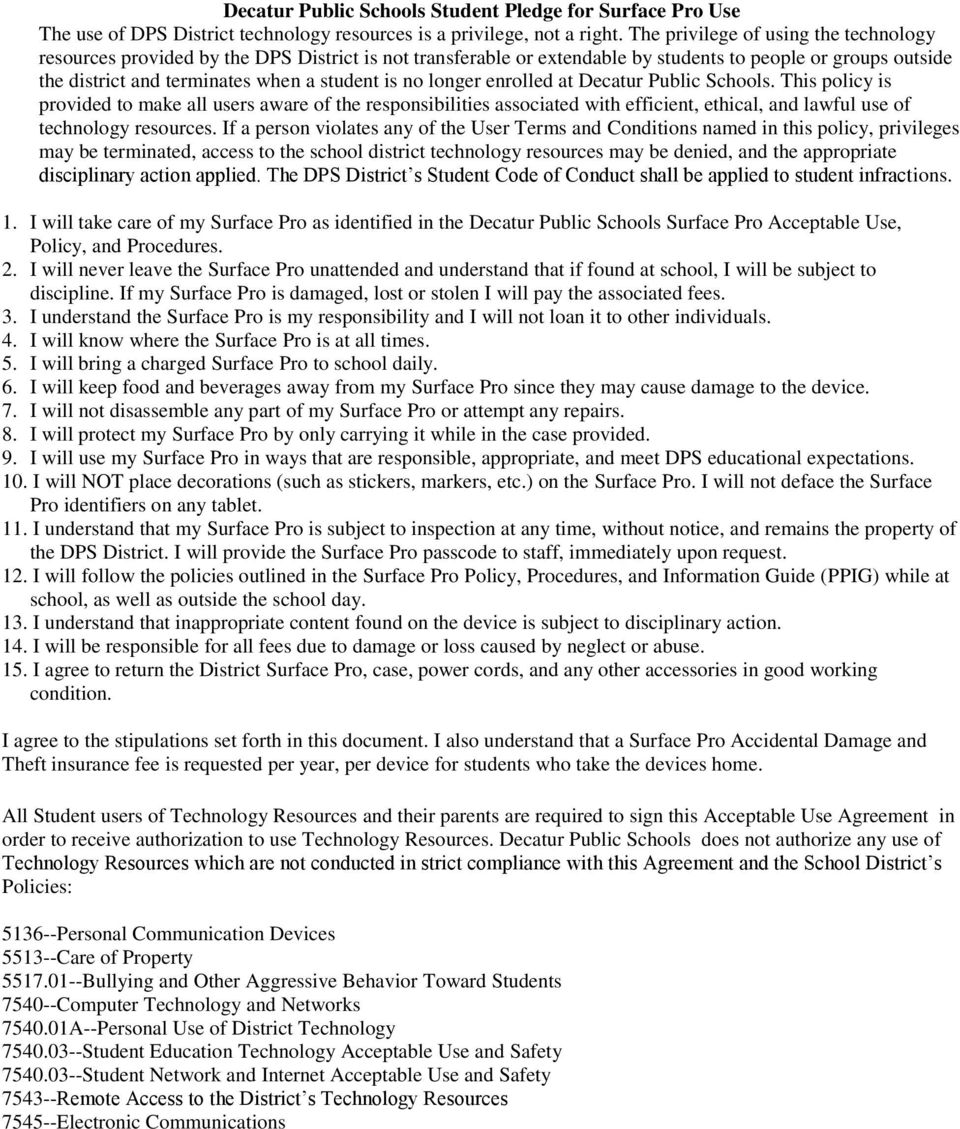
5 Decatur Public Schools Student Pledge for Surface Pro Use The use of DPS District technology resources is a privilege, not a right. The privilege of using the technology resources provided by the DPS District is not transferable or extendable by students to people or groups outside the district and terminates when a student is no longer enrolled at Decatur Public Schools. This policy is provided to make all users aware of the responsibilities associated with efficient, ethical, and lawful use of technology resources. If a person violates any of the User Terms and Conditions named in this policy, privileges may be terminated, access to the school district technology resources may be denied, and the appropriate disciplinary action applied. The DPS District s Student Code of Conduct shall be applied to student infractions. 1. I will take care of my Surface Pro as identified in the Decatur Public Schools Surface Pro Acceptable Use, Policy, and Procedures. 2. I will never leave the Surface Pro unattended and understand that if found at school, I will be subject to discipline. If my Surface Pro is damaged, lost or stolen I will pay the associated fees. 3. I understand the Surface Pro is my responsibility and I will not loan it to other individuals. 4. I will know where the Surface Pro is at all times. 5. I will bring a charged Surface Pro to school daily. 6. I will keep food and beverages away from my Surface Pro since they may cause damage to the device. 7. I will not disassemble any part of my Surface Pro or attempt any repairs. 8. I will protect my Surface Pro by only carrying it while in the case provided. 9. I will use my Surface Pro in ways that are responsible, appropriate, and meet DPS educational expectations. 10. I will NOT place decorations (such as stickers, markers, etc.) on the Surface Pro. I will not deface the Surface Pro identifiers on any tablet. 11. I understand that my Surface Pro is subject to inspection at any time, without notice, and remains the property of the DPS District. I will provide the Surface Pro passcode to staff, immediately upon request. 12. I will follow the policies outlined in the Surface Pro Policy, Procedures, and Information Guide (PPIG) while at school, as well as outside the school day. 13. I understand that inappropriate content found on the device is subject to disciplinary action. 14. I will be responsible for all fees due to damage or loss caused by neglect or abuse. 15. I agree to return the District Surface Pro, case, power cords, and any other accessories in good working condition. I agree to the stipulations set forth in this document. I also understand that a Surface Pro Accidental Damage and Theft insurance fee is requested per year, per device for students who take the devices home. All Student users of Technology Resources and their parents are required to sign this Acceptable Use Agreement in order to receive authorization to use Technology Resources. Decatur Public Schools does not authorize any use of Technology Resources which are not conducted in strict compliance with this Agreement and the School District s Policies: Personal Communication Devices Care of Property Bullying and Other Aggressive Behavior Toward Students Computer Technology and Networks A--Personal Use of District Technology Student Education Technology Acceptable Use and Safety Student Network and Internet Acceptable Use and Safety Remote Access to the District s Technology Resources Electronic Communications
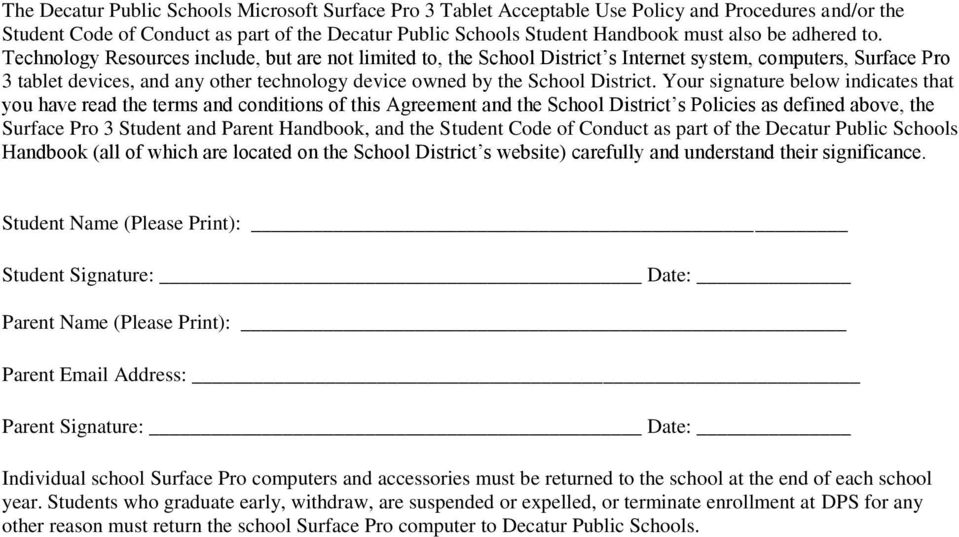
6 The Decatur Public Schools Microsoft Surface Pro 3 Tablet Acceptable Use Policy and Procedures and/or the Student Code of Conduct as part of the Decatur Public Schools Student Handbook must also be adhered to. Technology Resources include, but are not limited to, the School District s Internet system, computers, Surface Pro 3 tablet devices, and any other technology device owned by the School District. Your signature below indicates that you have read the terms and conditions of this Agreement and the School District s Policies as defined above, the Surface Pro 3 Student and Parent Handbook, and the Student Code of Conduct as part of the Decatur Public Schools Handbook (all of which are located on the School District s website) carefully and understand their significance. Student Name (Please Print): Student Signature: Date: Parent Name (Please Print): Parent Address: Parent Signature: Date: Individual school Surface Pro computers and accessories must be returned to the school at the end of each school year. Students who graduate early, withdraw, are suspended or expelled, or terminate enrollment at DPS for any other reason must return the school Surface Pro computer to Decatur Public Schools.
Ashland High School Tablet Policy, Procedures, and Information 2012-13
 Ashland High School Tablet Policy, Procedures, and Information 2012-13 The focus of the tablet program at AHS is to provide tools and resources to the 21st Century Learner. Excellence in education requires
Laptops and Classrooms in Olean City School District
 OLEAN CITY SCHOOL DISTRICT STUDENT LAPTOP GUIDELINES AND PROCEDURES 1. RECEIVING A LAPTOP a. Each student will receive a Dell Latitude 3340 laptop, a power adapter, and a slip on case for the laptop. b.
1. RECEIVING YOUR DEVICE AND CHECK-IN. 1.1 Receiving the VCSC electronic device
 Lincoln High School Electronic Device (ipad/chrome book) Policy, Procedures, and Information 2016-2017 Vincennes Lincoln High School Technology/Electronic Device Program The focus of the electronic device
ipad Acceptable Use Regulation
 ipad Acceptable Use Regulation The Mamaroneck School District has purchased Apple ipads for selected students of the Mamaroneck School District. These students will be issued ipads with predetermined applications
2015-2016 ISD 518 FUTURE READY. Tablet Procedures and Information
 21ST CENTURY SKILLS LEARNING ANYTIME, ANYWHERE OPTIONAL INSURANCE FUTURE READY Tablet Procedures and Information Worthington ISD 518 wants to ensure students develop the skills and knowledge necessary
Public Schools of Edison Township Edison, NJ. District-Provided Student Mobile Device Policy, Procedures and Information Handbook Grades 3-5
 Public Schools of Edison Township Edison, NJ District-Provided Student Mobile Device Policy, Procedures and Information Handbook Grades 3-5 2014-2015 Introduction Starting in fall 2014, every 3 rd through
Laptop Policy, Procedures, and Information
 Laptop Policy, Procedures, and Information Bowdle High School 2012-2013 Revised and Adopted 1/14/2013 Bowdle High School Laptop Program The policies, procedures and information within this document apply
STUDENT LAPTOP RULES
 STUDENT LAPTOP RULES 1. Receiving Your Laptop - Laptops will be distributed each fall during LaptopOrientation. Parents & students must sign and return the Acceptable Use Agreement and Student Pledge documents
5 / 2 0 1 4 1 P a g e
 The mission of the Chromebook program in Colby School District is to create a collaborative learning environment for students. This environment will enable and support students and teachers to implement
One-to-One Technology Initiative Table of Contents
 One-to-One Technology Initiative Table of Contents 1. Acceptable Use... 2-4 General Staff Responsibilities Parent and Guardian Responsibilities User Responsibilities Consequences 2. ipad Identification
How To Use A Tablet/Laptop At A School District Computer At Home
 Tablet - Laptop Policy, Procedures, and Information 2013-2014 School Year Chester Area HS/MS Chester, South Dakota Chester Area HS/MS Tablet/laptop Program The focus of the 1:1 Classroom Connections Program
1 Laptop Handbook 2015-2016 Faith High School Laptop/Tablet Program
 1 Faith High School Laptop/Tablet Program The focus of the 1:1 Laptop Initiative (Classroom Connections) at Faith High School is to prepare students for their future, a world of digital technology and
1:1 COMPUTER PROGRAM LAPTOP POLICY
 1:1 COMPUTER PROGRAM LAPTOP POLICY STATEMENT The focus of learning with laptops at Greater Clark County Schools (GCCS) is to prepare students for their future, a world of digital technology and information.
Policies and Procedures For 1:1 Program Ogallala Public Schools
 Policies and Procedures For 1:1 Program Ogallala Public Schools Ogallala Public Schools is proud to offer our Ogallala High School students Apple ipad devices for use at school and at home. The 1:1 ipad
Meridian Public Schools Laptop Policy
 Meridian Public Schools Laptop Policy The focus of the learning with laptops program at Meridian Public School is to prepare students for their future, a world of digital technology and information. As
CC. TECHNOLOGY ACCEPTABLE USE POLICY. 1. Purpose
 CC. TECHNOLOGY ACCEPTABLE USE POLICY 1. Purpose a. The Children s Internet Protection Act (CIPA), 47 U.S.C. 254(h)(5), and South Dakota Consolidated Statues Section 22-24-55 require public schools to implement
A. Chromebook Distribution and Care B. General Rules:
 A. Chromebook Distribution and Care 1. Students are issued Chromebooks at the beginning of the school year. The Chromebooks are the property of SMCA. Students are expected to use the Chromebooks in conformity
TABLET POLICY MANUAL Information and Procedures For Students
 TABLET POLICY MANUAL Information and Procedures For Students Revised: Tuesday, August 18, 2015 Page 1 MT. VERNON TOWNSHIP HIGH SCHOOL TABLET PROGRAM We believe that the use of the KUNO 4 tablets and access
GARDENVALE PRIMARY SCHOOL BYOD
 GARDENVALE PRIMARY SCHOOL BYOD (Bring Your Own Device) POLICY This policy operates in conjunction with the Victorian Department of Education and Early Childhood development and Gardenvale Primary School
7. Do not download or install software applications on WCSD issued Devices.
 Wasatch County School District Student/Parent Device Agreement Handbook 2015/2016 School Year This document will outline the policies and procedures that are in place for the Wasatch School District Student/Parent
Laptop Policy, Procedures and Information Perkins County High School
 Laptop Policy, Procedures and Information Perkins County High School Perkins County Schools Laptop Program The focus of the ONE TO ONE Project at Perkins County Schools is to prepare students for their
Tri-city College Prep High School Tablet Program Handbook
 Tri-city College Prep High School Tablet Program Handbook The focus of the Tablet Initiative at Tri-city College Prep High School is to prepare students for their future, a world of digital technology
Technology Acceptable Use Policy. Introduction
 Technology Acceptable Use Policy Introduction Shiloh Christian School recognizes that access to technology in school gives students greater opportunities to learn, engage, communicate, and develop skills
Technology Acceptable Use Policy
 Technology Acceptable Use Policy Introduction San Gabriel Christian School recognizes that access to technology in school gives students greater opportunities to learn, engage, communicate, and develop
Laptops for Students Program
 Laptops for Students Program Technology Use Agreement Handbook Expanding Learning to the 21st Century and Beyond PAGE 1 OF 13 Table of Contents Laptop Policy & Procedures Handbook 3 Objectives 3 Laptop
Shattuck Middle School Chromebook Procedures and Information
 Shattuck Middle School Chromebook Procedures and Information The goal in the Shattuck Middle School is to create a collaborative learning environment for all learners. This environment will enable and
Table of Contents. 1. Specifications of your laptop:
 Parent/Student Laptop Manual 2012-2013 Table of Contents 1. Specifications of your laptop: 2. Terms of Use: a. Title b. Loss or Damage c. Repossession d. Use and Maintenance Fees e. Network Use f. Internet
Bartlett City Schools 1:1 Laptop Acceptable Use, Policy, Procedures and Information Guide 2015-2016 David A. Stephens Superintendent
 Bartlett City Schools 1:1 Laptop Acceptable Use, Policy, Procedures and Information Guide 2015-2016 David A. Stephens Superintendent BCS Laptop Assigned To Me Name: Teacher: Model #: BCS Asset #: Serial
CHAPTER 1. Student and Parent/Guardian Loan Agreement for ipads
 CHAPTER 1 Student and Parent/Guardian Loan Agreement for ipads Penncrest High School 2014-2015 1 Introduction: Rose Tree Media School District fully understands the importance of technology to the educational
Receiving and Returning a Tablet or Chromebook
 2015-16 Cathedral School Technology Procedures & Agreement CHROMEBOOK & TABLET STUDENT USERS Tablets K thru 2 nd grade Chromebooks (In-School) 3 rd grade thru 5 th grade Chromebooks (In-School & Take Home)
Upper Arlington Schools
 Upper Arlington Schools 1950 North Mallway Drive Upper Arlington, Ohio 43221 614.487.5000 614.487.5012 (fax) MACBOOK AIR LAPTOP HANDBOOK Receiving Your MacBook Air Laptop One MacBook Air laptop, one charger,
Laptop Handbook, Usage Agreement and Fee Schedules
 Overview/Introduction Laptop Handbook, Usage Agreement and Fee Schedules August 2015 Person County Schools (PCS) is committed to preparing students for success in a changing world. To prepare our students
COMPUTER, NETWORK AND INTERNET USE POLICY
 4526 COMPUTER, NETWORK AND INTERNET USE POLICY The Westhampton Beach Board of Education affirms the district's commitment to preparing students for the future. Students need to be technologically literate
Peshtigo School District Chromebook Procedures and Information
 Peshtigo School District Chromebook Procedures and Information The goal in the Peshtigo School district is to create a collaborative learning environment for all learners. This environment will enable
MEDWAY PUBLIC SCHOOLS Medway, MA. Acceptable Use Policy for School Network, Internet, and Equipment Grades 7-12
 MEDWAY PUBLIC SCHOOLS Medway, MA Policy #21-A Acceptable Use Policy for School Network, Internet, and Equipment Grades 7-12 The District s goal in providing computer network technology and Internet access
LOUISA MUSCATINE COMMUNITY SCHOOLS POLICY REGARDING APPROPRIATE USE OF COMPUTERS, COMPUTER NETWORK SYSTEMS, AND THE INTERNET
 LOUISA MUSCATINE COMMUNITY SCHOOLS POLICY REGARDING APPROPRIATE USE OF COMPUTERS, COMPUTER NETWORK SYSTEMS, AND THE INTERNET The Board of Directors of the Louisa Muscatine Community School District is
OXFORD COMMUNITY SCHOOLS 10 North Washington Street, Oxford, Michigan 48371 ACCEPTABLE USE POLICY
 OXFORD COMMUNITY SCHOOLS 10 North Washington Street, Oxford, Michigan 48371 ACCEPTABLE USE POLICY 1. Purpose Oxford Community Schools (the District ) recognizes that advancements in technology affect the
Revised: 6-04, 8-09, 1-12 REGULATION #5420
 Adopted: 9-03 PORTAGE PUBLIC SCHOOLS Revised: 6-04, 8-09, 1-12 REGULATION #5420 SUBJECT: Electronic Communications, Internet Safety & Acceptable Use Agreement All PPS electronic information resources are
Ceres Unified School District
 Ceres Unified School District TECHNOLOGY USE POLICY Grades K-12 Please read this policy below carefully to be instructed in proper behavior and use regarding the Internet. This policy covers technology
Ventura/Garner-Hayfield Junior High School. Computer Acceptable Use Policy 2014-2015 School Year
 Ventura/Garner-Hayfield Junior High School Computer Acceptable Use Policy 2014-2015 School Year The focus of the one-to-one computer program at the Ventura/Garner-Hayfield Junior High School is to prepare
Transforming Teaching and Learning through Technology. Klein ISD Tablet PC Handbook
 Transforming Teaching and Learning through Technology Klein ISD Tablet PC Handbook Revised August 2012 Table of Contents Handbook Overview 3 Terms of Klein ISD Tablet PC Use 4 Tablet PC Security 4 Social
TEKAMAH-HERMAN COMMUNITY SCHOOLS LEARNING INITIATIVE POLICY AND PROCEDURES 2014-2015
 TEKAMAH-HERMAN COMMUNITY SCHOOLS LEARNING INITIATIVE POLICY AND PROCEDURES 2014-2015 Tekamah-Herman Community Schools is proud to offer our High School Students Apple MacBook Air computers for use at school
BROADALBIN-PERTH CENTRAL SCHOOL ADOPTED 1/22/00 3 RD READING AND ADOPTION 5/21/12. Employee Computer Use Agreement. Terms and Conditions
 BOARD OF EDUCATION POLICY ADMINISTRATIVE GUIDELINE 6.6.1A(3) BROADALBIN-PERTH CENTRAL SCHOOL ADOPTED 1/22/00 3 RD READING AND ADOPTION 5/21/12 Employee Computer Use Agreement The district is pleased to
Vail School District Acceptable Use Policy 2015 2016
 Vail School District Acceptable Use Policy 2015 2016 You have a wonderful opportunity before you! You have the opportunity to use the school's technology resources for your education. These resources will
Colton-Pierrepont Central School. Laptop Handbook
 Colton-Pierrepont Central School Laptop Handbook Laptop and Procedures Information Colton-Pierrepont Central School Colton, New York. Colton-Pierrepont Central School Laptop Program The focus of the Colton-Pierrepont
NOTRE DAME PREPARATORY AND MARIST ACADEMY
 NOTRE DAME PREPARATORY AND MARIST ACADEMY Parent/Student Microsoft Surface Terms and Agreement Contract Notre Dame Preparatory School and Marist Academy is committed to preparing its students for a 21
Valmeyer Community Unit School District #3 Acceptable Use Of Computers and Networks
 Valmeyer Community Unit School District #3 Acceptable Use Of Computers and Networks The Valmeyer Community Unit School District #3 Board of Education supports the use of the Internet and other computer
Godley High School Chromebook Program
 Godley High School Chromebook Program Updated for 2015 2016 One of Godley Independent School District s strategic design goals is to empower students with the digital tools necessary to lead in tomorrow
Harmony Public Schools 1:1 Chromebooks
 Harmony Public Schools 1:1 Chromebooks Chromebook Procedures and Information for Students and Parents The mission of the 1:1 program in the Harmony Public Schools is to help propel our personalized learning
STUDENT LAPTOP GUIDELINES
 Bellmawr Public Schools STUDENT LAPTOP GUIDELINES Laptop Initiative Guiding Principles Laptops are provided first and foremost to further academic achievement Students are responsible for themselves and
POLICY TITLE: Computer and Network Service POLICY NO: 698 PAGE 1 of 6
 POLICY TITLE: Computer and Network Service POLICY NO: 698 PAGE 1 of 6 GENERAL Computer network service through the Internet provides an electronic highway connecting millions of computers around the world.
COMPUTER USE IN INSTRUCTION
 COMPUTER USE IN INSTRUCTION 4526 The Board of Education is committed to optimizing student learning and teaching. The Board considers student access to a computer network, including the Internet, to be
Eastwood Local Schools Laptop Policies and Handbook
 Eastwood Local Schools Laptop Policies and Handbook Table of Contents Program Overview - 3 Acceptable Use Policy - 4 Information Technology Resources Responsibilities & Agreement - 7 District Laptop Service
North Fork Middle School 1:1 Chromebook Procedures and Information North Fork Middle School 1:1 Chromebook Program
 North Fork Middle School 1:1 Chromebook Procedures and Information North Fork Middle School 1:1 Chromebook Program The mission of the 1 : 1 program at NFMS is to create a collaborative learning environment
Portage Township Schools
 Portage Township Schools Student/Parent BYOD Technology Handbook 1.1 BYOD Description: BYOD stands for Bring Your Own Device. Students will be encouraged to bring a recommended device to school to be used
Please direct any questions to me at [email protected].
 Linton Hall School 9535 Linton Hall Road Bristow, Virginia 20136 Dear Parents, We are pleased to have the opportunity to offer Google Apps for Education (GAFE) to our students at Linton Hall School. GAFE
Granville County Schools. Parent and Student Laptop Policy. Handbook
 Granville County Schools Parent and Student Laptop Policy Handbook Please retain this information for future reference Introduction Vision Granville County School System understands strong leadership is
Acceptable Use Policy
 Acceptable Use Policy Technology Acceptable Use Policy New technology is always on the horizon. An attempt to identify all technologies and list possible misuses of them is impossible. Therefore, throughout
JGSC Laptop Agreement
 JGSC Laptop Agreement The mission of the 1:1 program at JGSC is to create an innovative, collaborative learning environment for students and teachers. Together, they will implement creative uses of educational
COMPUTER NETWORK FOR EDUCATION
 4526 COMPUTER NETWORK FOR EDUCATION The Southern Westchester Board of Cooperative Educational Services (BOCES) considers student access to a computer network, including the Internet, to be a powerful and
POLICY SUPPORT OPERATIONS 5042 ACCEPTABLE USE POLICY FOR NETWORK AND INTERNET ACCESS
 I. Overview Network and Internet access is available to students, teachers and staff in the Oneida City School District. The District s goal in providing such services is to promote educational excellence
51 JS-R STUDENT USE OF INFORMATION TECHNOLOGY RESOURCES
 Page 1 of 5 Purpose This regulation implements Board policy JS by setting forth specific procedures, requirements and restrictions and conditions governing student use of District Information Technology
MIDDLETON SCHOOL DISTRICT #134 POLICY AND PROCEDURE MANUAL SECTION 600 Educational Records GO ONE-GO ON LAPTOP HANDBOOK..
 MIDDLETON SCHOOL DISTRICT #134 POLICY AND PROCEDURE MANUAL SECTION 600 Educational Records GO ONE-GO ON LAPTOP HANDBOOK..PROCEDURE 698-P2 MISSION STATEMENT: Middleton High School offers a secure place
Chromebook Policy and Information for Students and Parents
 1 Chromebook Policy and Information for Students and Parents The mission of the 1:1 program in the Meadow Heights High School is to create a collaborative learning environment for all learners. This environment
POLICY 4526. Adopted by Board of Education: 4/20/05
 POLICY 4526 COMPUTER NETWORK FOR EDUCATION The Board of Education is committed to optimizing student learning and teaching. The Board considers student access to a computer network, including the Internet,