
User Manual Encore Medical, L.P.
|
|
|
- Ophelia Todd
- 9 years ago
- Views:
Transcription
1 2005 Encore Medical, L.P. User Manual Operation & Installation Instructions for: Therapy Systems 2791K- Two Channel Combination System 2795K- Four Channel Combination System 2793K- Two Channel Electrotherapy System 2797K- Four Channel Electrotherapy System Optional Equipment Therapy System Cart NiMH Battery Module and User Remote Controls Channel 3/4 Electrotherapy Module

2 TABLE OF CONTENTS FOREWORD PRODUCT DESCRIPTION ABOUT INTELECT LEGEND XT STANDARD PRECAUTIONARY INSTRUCTIONS Caution Warning Danger Dangerous Voltage Corrosive Spontaneous Combustion Biohazardous Materials CAUTIONS WARNINGS DANGERS ELECTROTHERAPY INDICATIONS, CONTRAINDICATIONS, AND ADVERSE EFFECTS Indications for Russian, TENS, High Voltage Pulsed Current (HVPC), Interferential and Premodulated waveforms Additional Indications for Microcurrent, Interferential, Premodulated, and TENS waveforms Contraindications Additional Precautions Adverse Effects ULTRASOUND INDICATIONS AND CONTRAINDICATIONS Indications for Ultrasound Contraindications Additional Precautions NOMENCLATURE i INTELECT LEGEND XT ELECTROTHERAPY AND COMBINATION THERAPY SYSTEMS Two Channel Electrotherapy System Two Channel Combination System Front Access Panel Rear Access Panel USER INTERFACE SYMBOL DEFINITIONS System Hardware Symbols System Software Symbols Optional Module and Accessory Symbols Operator Remote Battery Module Channel 3/4 Electrotherapy Module GENERAL TERMINOLOGY ULTRASOUND SPECIFICATIONS SYSTEM SPECIFICATIONS DIMENSIONS Width Standard Weight Power (Combination and Electrotherapy Units) Electrical Type Regulatory Compliance WAVEFORM SPECIFICATIONS IFC- Interferential (Traditional 4 Pole) Russian TENS- Symmetrical Biphasic Microcurrent

3 TABLE OF CONTENTS Premodulated (Traditional 2 Pole IFC) High Voltage Pulsed Current (HVPC) ULTRASOUND SPECIFICATIONS Ultrasound SETUP INTELECT LEGEND XT THERAPY SYSTEMS THERAPY SYSTEM SETUP Clinic Name Restoring Default Protocols Restoring Default Unit Settings Erasing Patient Data Card Setting Date and Time Setting System Volume Displaying Unit Version Information Pad Contact Quality Selecting Language Connecting Accessories to the Therapy System PATIENT PREPARATION ELECTROTHERAPY PATIENT PREPARATION Electrode Placement DURA-STICK Electrodes Reusable Carbon Electrodes DURA-STICK Electrode Instructions Connecting Lead Wires Securing Electrodes Reusable Carbon Electrodes Connecting Lead Wires Conductive Medium Securing Electrodes ii ULTRASOUND PATIENT PREPARATION Preparing Treatment Area Size of Applicator Applicator Preparation Conductive Medium Treatment Area Applicator LED OPERATION OPERATOR INTERFACE HOME SCREEN ELECTROTHERAPY SCREEN GENERAL ELECTROTHERAPY WAVEFORM SETUP Prepare Patient Select Modality Select Waveform Edit Waveform Parameters Installing Patient Interrupt Switch Patient Interrupt Switch Setting Waveform Intensity Intensity Knob Rotation Start Treatment Pause Treatment Stop Treatment Save to Patient Data Card ADJUSTING ELECTROTHERAPY CHANNEL PARAMETERS DURING TREATMENT Selecting Channel Editing Channel Parameters ULTRASOUND

4 TABLE OF CONTENTS Preparing Patient Selecting Modality Editing Ultrasound Parameters Head Warming Setting Ultrasound Intensity Intensity Knob Rotation Starting Treatment Pausing Treatment Stopping Treatment Saving to Patient Data Card Editing Ultrasound from Home Screen Editing Ultrasound from Treatment Review Screen COMBINATION Preparing Patient Selecting Modality Accessing Combination Parameters Editing Ultrasound Parameters Selecting Waveform Using the Patient Interrupt Switch Editing Waveform Parameters Setting Waveform Intensity Intensity Knob Rotation Setting Ultrasound Intensity Intensity Knob Rotation Starting Treatment Pausing Treatment Stopping Treatment Saving to Patient Data Card iii ADJUSTING COMBINATION PARAMETERS DURING TREATMENT Editing Waveform Parameters Editing Ultrasound Parameters PATIENT DATA CARD- SETTING UP A NEW CARD General Information Inserting New Patient Data Card Setting up Treatment Setting up a New Patient Data Card Entering Patient ID Accessing Electrode Placement Setting up Electrodes Electrode Placement Accessing Pain Map Selecting Pain Type Adding Pain Locations Selecting Location of Pain Editing Pain Locations Deleting Pain Locations Pain Scales Selecting Pain Scale Adjusting Pain Scale Saving to Patient Data Card EXISTING PATIENT DATA CARD USE Inserting Existing Patient Data Card Accessing Patient Data Card Viewing Patient Data Card Starting a New Treatment from Patient Data Card Using the Patient Interrupt Switch

5 TABLE OF CONTENTS Setting Intensity Intensity Knob Rotation Starting Treatment Pausing Treatment Erasing Patient Data Card Stopping Treatment CREATING USER PROTOCOLS General Information Selecting Modality Editing Modality Parameters Selecting Clinical Resources Library Entering User Protocol Name DELETING USER PROTOCOLS General Information Selecting Clinical Resources Library Selecting User Protocol to Delete Deleting User Protocol USING USER PROTOCOLS Accessing User Protocols Selecting User Protocol Preparing Patient Editing Modality Parameters Using the Patient Interrupt Switch Setting Modality Intensity Intensity Knob Rotation Starting Treatment Pausing Treatment Stopping Treatment iv Saving to Patient Data Card INSTALLATION/REMOVAL INSTALLING THE CHANNEL 3/4 ELECTROTHERAPY AND NiMH BATTERY MODULE Nomenclature- Channel 3/4 Electrotherapy Module Specifications Waveform & Current Specifications Disconnecting Mains Power Removing Lead Wires and Accessories Removing Therapy System from Cart Releasing Ribbon Cable Positioning Therapy System and Module Connecting Ribbon Cable Setting Therapy System onto Module Securing Therapy System to Module Attaching the Lanyard Installing Lead Wires and Accessories Installing Front Access Panel Mounting to Therapy System Cart Connecting Mains Power Turning Therapy System On REMOVING THE CHANNEL 3/4 ELECTROTHERAPY AND NiMH BATTERY MODULE Disconnecting Mains Power Removing Lead Wires and Accessories Removing Therapy System from Cart Removing Screws Securing Module Disconnecting Ribbon Cable at Module Storing and Securing Ribbon Cable

6 TABLE OF CONTENTS Attaching the Lanyard Installing Lead Wires and Accessories Connecting Mains Power Turning Therapy System On GENERAL INFORMATION- OPERATOR REMOTE Installing the Operator Remote GENERAL INFORMATION- THERAPY SYSTEM CART Nomenclature Specifications MOUNTING THERAPY SYSTEM TO THERAPY SYSTEM CART 78 Assembling the Therapy System Cart Preparing the Therapy System Cart Mounting Therapy System to Cart Connecting Mains Power Installing Storage Bins Removing System from Therapy System Cart OPTION OPERATION USING THE OPERATOR REMOTE Nomenclature Operation Storing the Operator Remote USING THE THERAPY SYSTEM CART Nomenclature Operation USING THE NiMH BATTERY MODULE Nomenclature CHARGING BATTERY MODULE When to Recharge Charging Temperature BATTERY MODULE SERVICE LIFE STORING THE BATTERY MODULE Short Term Storage Long Term Storage TROUBLESHOOTING ERROR CODES General Information REPLACEMENT ACCESSORIES GENERAL INFORMATION MAINTENANCE CARING FOR THE THERAPY SYSTEM Cleaning the Therapy System Cleaning the Lens CALIBRATION REQUIREMENTS Calibrating Ultrasound Applicators FACTORY SERVICE WARRANTY v

7 FOREWORD This manual has been written for the users of the Intelect Legend XT Therapy Systems. It contains general information on the operation, precautionary practices, and maintenance information. In order to maximize use, efficiency, and the life of the system, please read this manual thoroughly and become familiar with the controls, as well as the accessories before operating the system. This manual contains general safety, operating, maintenance, and care instructions as well as installation instructions for the optional Therapy System Cart, Channel 3/4 Electrotherapy and NiMH Battery for the users of the Intelect Legend XT Therapy two channel electrotherapy and combination systems. Specifications put forth in this manual were in effect at the time of publication. However, owing to Chattanooga Group's policy of continual improvement, changes to these specifications may be made at any time without obligation on the part of Chattanooga Group. Before administering any treatment to a patient, the users of this equipment should read, understand and follow the information contained in this manual for each mode of treatment available, as well as the indications, contraindications, warnings and precautions. Consult other resources for additional information regarding the application of electrotherapy and ultrasound. PRODUCT DESCRIPTION The Intelect Legend XT Therapy Systems are two channel electrotherapy and combination systems with the option of adding additional channels of electrotherapy by installation of the optional Channel 3/4 Electrotherapy Module. Other optional modality modules are available for separate purchase and may be installed by the end user. Stay current with the latest clinical developments in the field of electrotherapy and ultrasound. Observe all applicable precautionary measures for treatment. Keep informed of appropriate indications and contraindications for the use of electrotherapy and ultrasound. This equipment is to be used only under the prescription and supervision of a licensed practitioner Encore Medical Corporation or its affiliates, Austin, Texas, USA. Any use of editorial, pictorial, or layout composition of this publication without express written consent from Chattanooga Group of Encore Medical, L.P. is strictly prohibited. This publication was written, illustrated, and prepared for distribution by Chattanooga Group of Encore Medical, L.P. 1

8 ABOUT INTELECT LEGEND XT STANDARD PRECAUTIONARY INSTRUCTIONS The precautionary instructions found in this section and throughout this manual are indicated by specific symbols. Understand these symbols and their definitions before operating this equipment. The definition of these symbols are as follows: Caution Text with a CAUTION indicator will explain possible safety infractions that could have the potential to cause minor to moderate injury or damage to equipment. Warning Text with a WARNING indicator will explain possible safety infractions that will potentially cause serious injury and equipment damage. Danger Text with a DANGER indicator will explain possible safety infractions that are imminently hazardous situations that would result in death or serious injury. Dangerous Voltage Text with a Dangerous Voltage indicator serves to inform the user of possible hazards resulting in the electrical charge delivered to the patient in certain treatment configurations of TENS waveforms. Corrosive Text with a CORROSIVE" indicator will explain possible safety infractions if the chemical components of the battery are exposed to air, skin, or other materials. Spontaneous Combustion Text with a SPONTANEOUS COMBUSTION" indicator will explain possible safety infractions that could create conditions for a Spontaneous Combustion if the material is mishandled and not disposed of properly. Biohazardous Materials Text with a BIOHAZARD indicator serves to inform the user of possible hazards resulting in improper handling of components and accessories that have come in contact with bodily fluids. NOTE: Throughout this manual, NOTE may be found. These Notes are helpful information to aid in the particular area or function being described. 2

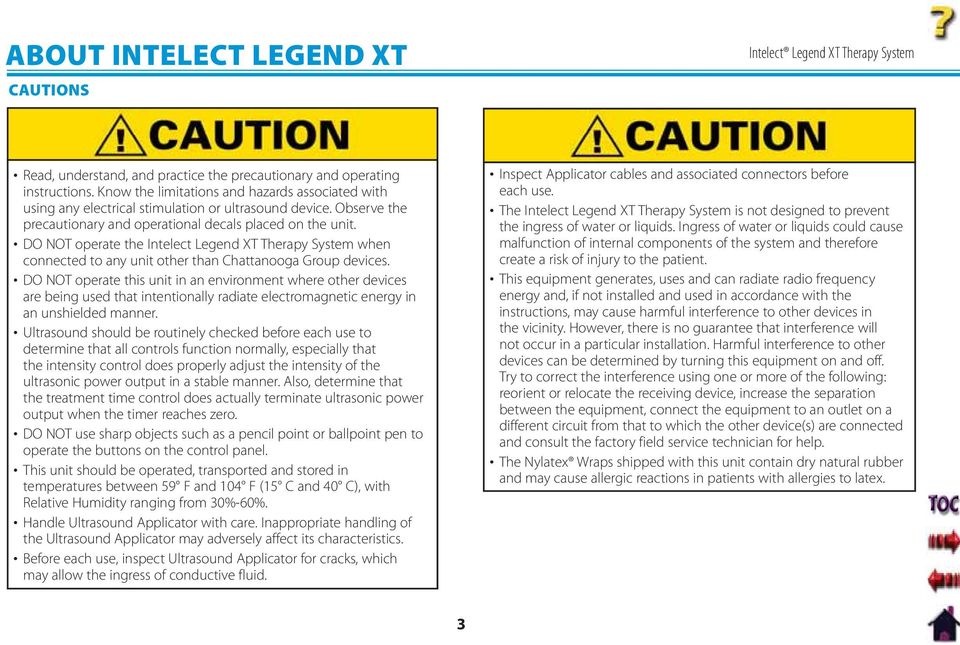
9 ABOUT INTELECT LEGEND XT CAUTIONS Read, understand, and practice the precautionary and operating instructions. Know the limitations and hazards associated with using any electrical stimulation or ultrasound device. Observe the precautionary and operational decals placed on the unit. DO NOT operate the Intelect Legend XT Therapy System when connected to any unit other than Chattanooga Group devices. DO NOT operate this unit in an environment where other devices are being used that intentionally radiate electromagnetic energy in an unshielded manner. Ultrasound should be routinely checked before each use to determine that all controls function normally, especially that the intensity control does properly adjust the intensity of the ultrasonic power output in a stable manner. Also, determine that the treatment time control does actually terminate ultrasonic power output when the timer reaches zero. DO NOT use sharp objects such as a pencil point or ballpoint pen to operate the buttons on the control panel. This unit should be operated, transported and stored in temperatures between 59 F and 104 F (15 C and 40 C), with Relative Humidity ranging from 30%-60%. Handle Ultrasound Applicator with care. Inappropriate handling of the Ultrasound Applicator may adversely affect its characteristics. Before each use, inspect Ultrasound Applicator for cracks, which may allow the ingress of conductive fluid. Inspect Applicator cables and associated connectors before each use. The Intelect Legend XT Therapy System is not designed to prevent the ingress of water or liquids. Ingress of water or liquids could cause malfunction of internal components of the system and therefore create a risk of injury to the patient. This equipment generates, uses and can radiate radio frequency energy and, if not installed and used in accordance with the instructions, may cause harmful interference to other devices in the vicinity. However, there is no guarantee that interference will not occur in a particular installation. Harmful interference to other devices can be determined by turning this equipment on and off. Try to correct the interference using one or more of the following: reorient or relocate the receiving device, increase the separation between the equipment, connect the equipment to an outlet on a different circuit from that to which the other device(s) are connected and consult the factory field service technician for help. The Nylatex Wraps shipped with this unit contain dry natural rubber and may cause allergic reactions in patients with allergies to latex. 3
10 ABOUT INTELECT LEGEND XT WARNINGS U.S.A. Federal Law restricts these devices to sale by, or on the order of, a physician or licensed practitioner. This device should be used only under the continued supervision of a physician or licensed practitioner. For continued protection against fire hazard, replace fuses only with ones of the same type and rating. Make certain the unit is electrically grounded by connecting only to a grounded electrical service receptacle conforming to the applicable national and local electrical codes. Care must be taken when operating this equipment around other equipment. Potential electromagnetic or other interference could occur to this or to the other equipment. Try to minimize this interference by not using other equipment in conjunction with it. The safety of TENS waveforms for use during pregnancy or birth has not been established. TENS is not effective for pain of central origin. (This includes headache.) TENS should be used only under the continued supervision of a physician or licensed practitioner. TENS waveforms have no curative value. TENS is a symptomatic treatment, and as such, suppresses the sensation of pain which would otherwise serve as a protective mechanism. The user must keep the device out of the reach of children. Electronic monitoring equipment (such as ECG monitors and ECG alarms) may not operate properly when TENS stimulation is in use. Powered muscle stimulators should be used only with the leads and electrodes recommended for use by the manufacturer. In the event that an Error message or Warning appears beginning with a 2 or 3, immediately stop all use of the system and contact the dealer or Chattanooga Group for service. Errors and Warnings in these categories indicate an internal problem with the system that must be tested by Chattanooga Group or a Field Service Technician certified by Chattanooga Group before any further operation or use of the system. Use of a system that indicates an Error or Warning in these categories may pose a risk of injury to the patient, user or cause extensive internal damage to the system. Use of controls or adjustments or performance of procedures other than those specified herein may result in hazardous exposure to ultrasonic energy. Before administering any treatment to a patient you should become acquainted with the operating procedures for each mode of treatment available, as well as the indications, contraindications, warnings, and precautions. Consult other resources for additional information regarding the application of Electrotherapy and Ultrasound. To prevent electrical shock, disconnect the unit from the power source before attempting any maintenance procedures. Keep electrodes separated during treatment. Electrodes in contact with each other could result in improper stimulation or skin burns. Long term effects of chronic electrical stimulation are unknown. 4

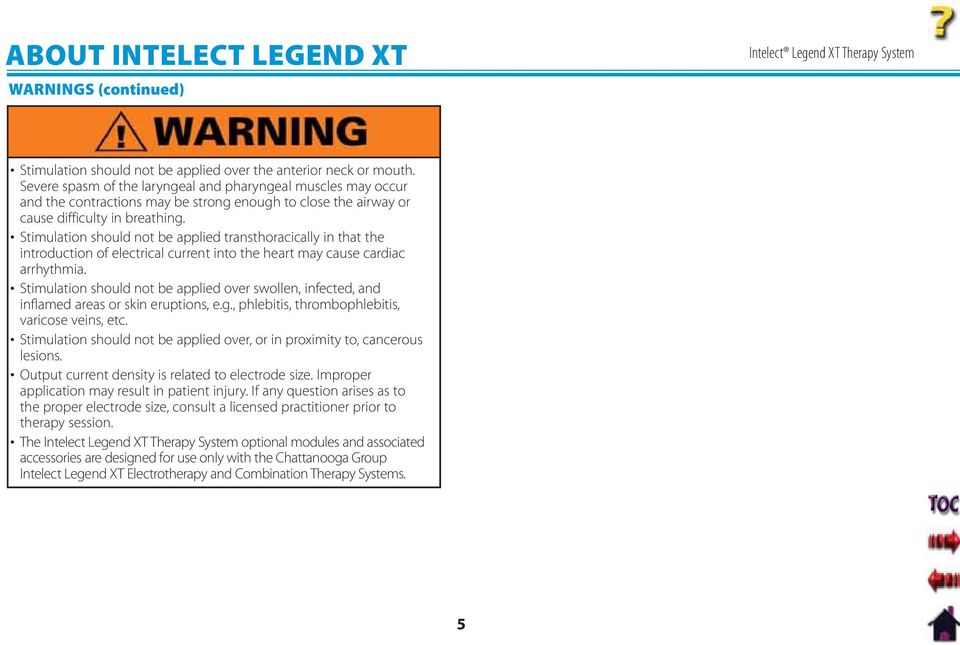
11 ABOUT INTELECT LEGEND XT WARNINGS (continued) Stimulation should not be applied over the anterior neck or mouth. Severe spasm of the laryngeal and pharyngeal muscles may occur and the contractions may be strong enough to close the airway or cause difficulty in breathing. Stimulation should not be applied transthoracically in that the introduction of electrical current into the heart may cause cardiac arrhythmia. Stimulation should not be applied over swollen, infected, and inflamed areas or skin eruptions, e.g., phlebitis, thrombophlebitis, varicose veins, etc. Stimulation should not be applied over, or in proximity to, cancerous lesions. Output current density is related to electrode size. Improper application may result in patient injury. If any question arises as to the proper electrode size, consult a licensed practitioner prior to therapy session. The Intelect Legend XT Therapy System optional modules and associated accessories are designed for use only with the Chattanooga Group Intelect Legend XT Electrotherapy and Combination Therapy Systems. 5
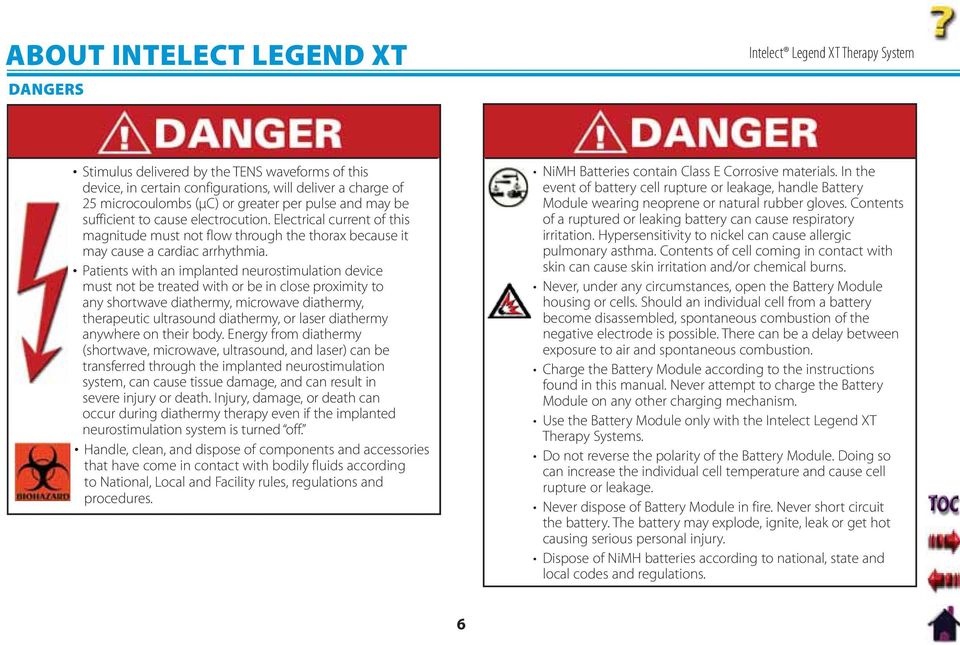
12 ABOUT INTELECT LEGEND XT DANGERS Stimulus delivered by the TENS waveforms of this device, in certain configurations, will deliver a charge of 25 microcoulombs (μc) or greater per pulse and may be sufficient to cause electrocution. Electrical current of this magnitude must not flow through the thorax because it may cause a cardiac arrhythmia. Patients with an implanted neurostimulation device must not be treated with or be in close proximity to any shortwave diathermy, microwave diathermy, therapeutic ultrasound diathermy, or laser diathermy anywhere on their body. Energy from diathermy (shortwave, microwave, ultrasound, and laser) can be transferred through the implanted neurostimulation system, can cause tissue damage, and can result in severe injury or death. Injury, damage, or death can occur during diathermy therapy even if the implanted neurostimulation system is turned off. Handle, clean, and dispose of components and accessories that have come in contact with bodily fluids according to National, Local and Facility rules, regulations and procedures. NiMH Batteries contain Class E Corrosive materials. In the event of battery cell rupture or leakage, handle Battery Module wearing neoprene or natural rubber gloves. Contents of a ruptured or leaking battery can cause respiratory irritation. Hypersensitivity to nickel can cause allergic pulmonary asthma. Contents of cell coming in contact with skin can cause skin irritation and/or chemical burns. Never, under any circumstances, open the Battery Module housing or cells. Should an individual cell from a battery become disassembled, spontaneous combustion of the negative electrode is possible. There can be a delay between exposure to air and spontaneous combustion. Charge the Battery Module according to the instructions found in this manual. Never attempt to charge the Battery Module on any other charging mechanism. Use the Battery Module only with the Intelect Legend XT Therapy Systems. Do not reverse the polarity of the Battery Module. Doing so can increase the individual cell temperature and cause cell rupture or leakage. Never dispose of Battery Module in fire. Never short circuit the battery. The battery may explode, ignite, leak or get hot causing serious personal injury. Dispose of NiMH batteries according to national, state and local codes and regulations. 6
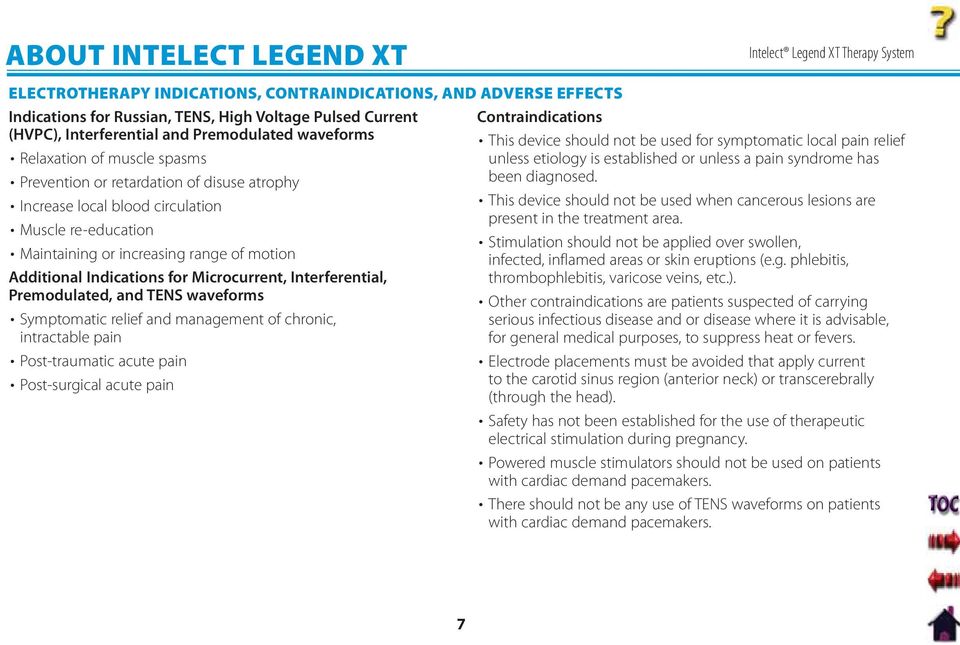
13 ABOUT INTELECT LEGEND XT ELECTROTHERAPY INDICATIONS, CONTRAINDICATIONS, AND ADVERSE EFFECTS Indications for Russian, TENS, High Voltage Pulsed Current Contraindications (HVPC), Interferential and Premodulated waveforms Relaxation of muscle spasms Prevention or retardation of disuse atrophy Increase local blood circulation Muscle re-education Maintaining or increasing range of motion Additional Indications for Microcurrent, Interferential, Premodulated, and TENS waveforms Symptomatic relief and management of chronic, intractable pain Post-traumatic acute pain Post-surgical acute pain This device should not be used for symptomatic local pain relief unless etiology is established or unless a pain syndrome has been diagnosed. This device should not be used when cancerous lesions are present in the treatment area. Stimulation should not be applied over swollen, infected, inflamed areas or skin eruptions (e.g. phlebitis, thrombophlebitis, varicose veins, etc.). Other contraindications are patients suspected of carrying serious infectious disease and or disease where it is advisable, for general medical purposes, to suppress heat or fevers. Electrode placements must be avoided that apply current to the carotid sinus region (anterior neck) or transcerebrally (through the head). Safety has not been established for the use of therapeutic electrical stimulation during pregnancy. Powered muscle stimulators should not be used on patients with cardiac demand pacemakers. There should not be any use of TENS waveforms on patients with cardiac demand pacemakers. 7
14 ABOUT INTELECT LEGEND XT ELECTROTHERAPY INDICATIONS, CONTRAINDICATIONS, AND ADVERSE EFFECTS (continued) Additional Precautions Caution should be used for patients with suspected or diagnosed heart problems. Caution should be used for patients with suspected or diagnosed epilepsy. Caution should be used in the presence of the following: When there is a tendency to hemorrhage following acute trauma or fracture. Following recent surgical procedures when muscle contraction may disrupt the healing process. Over a menstruating or pregnant uterus. Over areas of the skin which lack normal sensation. Some patients may experience skin irritation or hypersensitivity due to the electrical stimulation or electrical conductive medium. The irritation can usually be reduced by using an alternative conductive medium or an alternative electrode placement. Electrode placement and stimulation settings should be based on the guidance of the prescribing practitioner. Powered muscle stimulators should be used only with the lead wires and electrodes recommended for use by the manufacturer. With TENS waveforms, isolated cases of skin irritation may occur at the site of electrode placement following long-term application. The effectiveness of TENS waveforms is highly dependent upon patient selection by a person qualified in pain management. Adverse Effects Skin irritation and burns beneath the electrodes have been reported with the use of powered muscle stimulators. Potential adverse effects with TENS are skin irritation and electrode burns. 8
15 ABOUT INTELECT LEGEND XT ULTRASOUND INDICATIONS AND CONTRAINDICATIONS Indications for Ultrasound Application of therapeutic deep heat for the treatment of selected sub-chronic and chronic medical conditions such as: Relief of pain, muscle spasms, and joint contractures Relief of pain, muscle spasms, and joint contractures that may be associated with: Adhesive capsulitis Bursitis with slight calcification Myositis Soft tissue injuries Shortened tendons due to past injuries and scar tissues Relief of sub-chronic, chronic pain, and joint contractures resulting from: Capsular tightness Capsular scarring Contraindications This device should not be used for symptomatic local pain relief unless etiology is established or unless a pain syndrome has been diagnosed. This device should not be used when cancerous lesions are present in the treatment area. Other contraindications are patients suspected of carrying serious infectious disease and disease where it is advisable for general medical purposes to suppress heat or fevers. This device should not be used over or near bone growth centers until bone growth is complete. This device should not be used over the thoracic area if the patient is using a cardiac pacemaker. This device should not be used over a healing fracture. This device should not be used over or applied to the eye. This device should not be used over a pregnant uterus. This device should not be used on ischemic tissues in individuals with vascular disease where the blood supply would be unable to follow the increase in metabolic demand and tissue necrosis might result. Additional Precautions Additional precautions should be used when ultrasound is used on patients with the following conditions: Over an area of the spinal cord following a Laminectomy, i.e., when major covering tissues have been removed Over anesthetic areas On patients with hemorrhagic diatheses 9

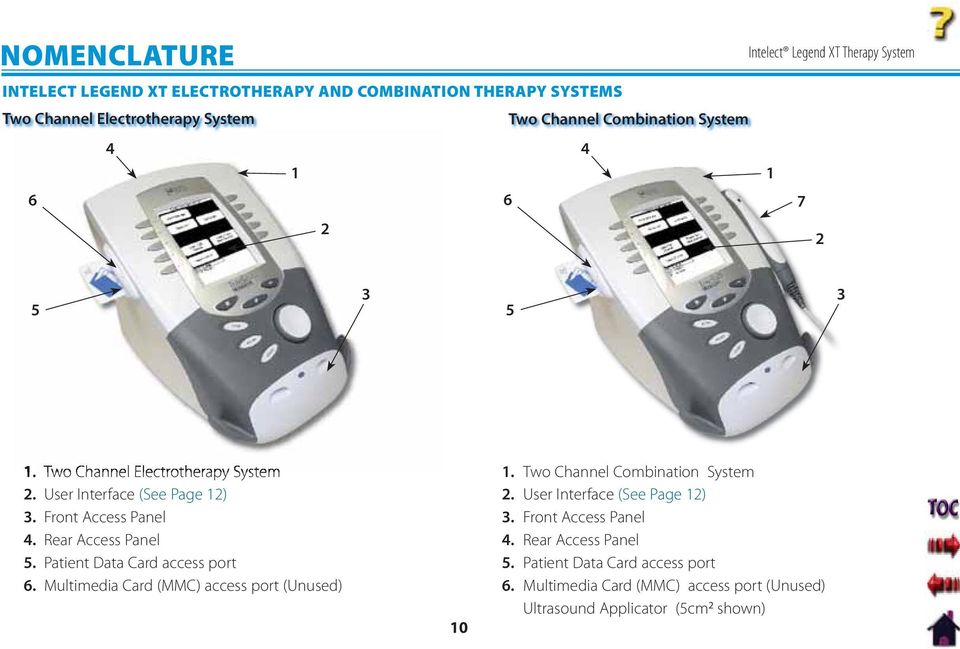
16 NOMENCLATURE INTELECT LEGEND XT ELECTROTHERAPY AND COMBINATION THERAPY SYSTEMS Two Channel Electrotherapy System Two Channel Combination System Two Channel Electrotherapy System User Interface (See Page 12) Front Access Panel Rear Access Panel Patient Data Card access port Multimedia Card (MMC) access port (Unused) Two Channel Combination System User Interface (See Page 12) Front Access Panel Rear Access Panel Patient Data Card access port Multimedia Card (MMC) access port (Unused) Ultrasound Applicator (5cm 2 shown)
17 NOMENCLATURE INTELECT LEGEND XT ELECTROTHERAPY AND COMBINATION THERAPY SYSTEMS (continued) Front Access Panel Rear Access Panel Front Access Panel Lanyard When reinstalling the Front Access Panel, make certain the Lanyard does not become kinked. 2. Operator Remote Control Connector 3. Patient Interrupt Switch Connector 4. Channel 1 Lead Wire Connector 5. Channel 2 Lead Wire Connector 6. Microcurrent Probe Connector 7. Ultrasound Applicator Connector Screen Contrast Control 2. Power On/Off Switch 3. Technical Maintenance Port 4. Fuses 5. Mains Power Cord 6. Rear Access Panel 7. Serial Decal 6 11

18 NOMENCLATURE USER INTERFACE Rear Access Panel (See Page 11) Ultrasound Applicator LED Indicator (Combination only) Ultrasound Applicator- 5 cm 2 Standard (Optional 1 cm 2, 2 cm 2, and 10 cm 2 applicators available, Combination only) Intensity knob Cable and Lead Wire Hook Front Access Panel (See Page 11) Start button Pause button Stop button Clinical Resources Library button Home Screen button Back button Patient Data Card Port Multimedia Card (MMC) Port (Unused) User Setup and Parameter Control buttons

19 NOMENCLATURE SYMBOL DEFINITIONS Below are the definitions for all of the symbols used in the Intelect Legend XT hardware and software. Study and learn these symbols before any operation of the system. CONTRAST CONTROL ON/OFF SWITCH DATA PORT MULTIMEDIA CARD* PATIENT DATA CARD STOP TREATMENT System Hardware Symbols THERAPY INTENSITY CONTROL HOME CLINICAL RESOURCES LIBRARY BACK PATIENT INTERRUPT SWITCH CHANNEL 1 LEAD WIRES CHANNEL 2 LEAD WIRES MICROCURRENT PROBE System Software Symbols MOVE UP MOVE DOWN MOVE RIGHT MOVE LEFT ACCEPT AND RETURN DO NOT ACCEPT AND RETURN Optional Module and Accessory Symbols Operator Remote M INCREASE INTENSITY DECREASE INTENSITY PAUSE TREATMENT MANUAL STIMULATION Battery Module Channel 3/4 Electrotherapy Module PATIENT INTERRUPT SWITCH CHANNEL 3 LEAD WIRES CHANNEL 4 LEAD WIRES MICROCURRENT PROBE PAUSE TREATMENT START TREATMENT CHANNEL 1/2 OPERATOR REMOTE CONTROL (OPTIONAL) ULTRASOUND APPLICATOR PAD CONTACT QUALITY (SINGLE CHANNEL GRAPH) CHARGE LEVEL BATTERY CHARGING CHANNEL 3/4 OPERATOR REMOTE CONTROL (OPTIONAL) * Used for System Software Upgrades PAD CONTACT QUALITY (DUAL CHANNEL GRAPH) 13

20 NOMENCLATURE GENERAL TERMINOLOGY Below are the definitions for all of the unique terminology used throughout this manual. Study these and become familiar with these terms for ease of system operation and familiarization with the components and control functionality of the Intelect Legend XT Therapy System. Some of these terms and definitions refer to a specific button or control on the system. Refer to page 13 for Symbol Definitions. Back button The dedicated button on the Main unit, below the display, that each time pressed takes the user back one screen at a time. Previous Page button The button used in some modalities and functions that will take the user back one page when reading multiple pages of text. UP and DOWN Arrows Controls used in various modality parameter screens to navigate or change a value up or down within the parameter. Electrotherapy Refers to the Electrical muscle or nerve Stimulation modalities of the system. System The primary system with all controls and functions. Module Any optional modular modality component designed for installation onto the System. ULTRASOUND Sound Head That component of the Applicator that makes contact with the patient during Ultrasound or Combination therapy. 2. Applicator The assembly that connects to the System and incorporates the Sound Head. 3. Applicator LED The component of the Applicator which, when illuminated, indicates if the Sound Head is emitting Ultrasound. 3 14

21 SPECIFICATIONS 15 SYSTEM SPECIFICATIONS DIMENSIONS Width Combination System in (28.9 cm) Electrotherapy System in (24.8 cm) Depth (Combination and Electrotherapy System) in (32.4 cm) Height (Combination and Electrotherapy System) in (22.2 cm) Standard Weight Two Channel Combination System lbs (3.2 kg) Two Channel Electrotherapy System lbs (2.7 kg) Power (Combination and Electrotherapy Units) HEIGHT Input V A, 50/60 Hz Output (Internal Power Supply) V, 7.3 A Fuses Two 6.3 A Time Lag Electrical Class CLASS I Electrical Type Ultrasound TYPE B DEPTH WIDTH Electrotherapy and semg TYPE BF Regulatory Compliance UL/IEC/EN IEC/EN IEC NOTE: All waveforms except High Voltage Pulsed Current (HVPC) IEC have been designed with a 200 ma current limit. TENS waveform output intensities are measured, specified and listed to peak, not peak to peak. 0413
22 SPECIFICATIONS WAVEFORM SPECIFICATIONS IFC- Interferential (Traditional 4 Pole) Interferential Current is a medium frequency waveform. Current is distributed through two channels (four electrodes). The currents cross each other in the body at the area requiring treatment. The two currents interfere with each other at this crossing point, resulting in a modulation of the intensity (the current intensity increases and decreases at a regular frequency). Output Mode Electrodes Carrier Frequency ,500-5,000 Hz Beat Frequency Hz Sweep Time sec Sweep Low Beat Frequency Hz Sweep High Beat Frequency Hz Scan Percentage Static, 10%, 40%, 100% Amplitude ma Peak into 500 ohm Treatment Time minutes Available on Channel & 2, 3 & 4 Option Russian Russian Current is a sinusoidal waveform, delivered in bursts or series of pulses. This method was claimed by its author (Kots) to produce maximal muscle strengthening effects without significant discomfort to the patient. Output Mode Electrodes Output Intensity ma Channel Mode Single, Reciprocal, Co-Contract Duty Cycle %, 20%, 30%, 40%, 50% Mode Selection CC or CV* Anti-Fatigue Off or On Cycle Time /5, 4/12, 10/10, 10/20, 10/30, 10/50, Continuous Burst Frequency (Anti-Fatigue Off ) bps Ramp , 1, 2, and 5 sec Treatment Time minutes Available on Channels & 2, 3 & 4 Option *CC= Constant Current CV= Constant Voltage 16
23 SPECIFICATIONS WAVEFORM SPECIFICATIONS (continued) TENS- Symmetrical Biphasic The Symmetrical Biphasic waveform has a short pulse duration and is capable of strong stimulation of nerve fibers in the skin and in muscle. This waveform is often used in portable muscle stimulation units, and some TENS devices. Because of its short pulse duration, the patient typically tolerates the current well, even at relatively high intensities. Output Mode Electrodes Output Intensity ma Phase Duration Adjustable 20-1,000 μsec Frequency Hz Mode Selection CC or CV* Burst Frequency bps Frequency Modulation Hz Amplitude Modulation Off, 40%, 60%, 80%, and 100% Treatment Time minutes Microcurrent Microcurrent is a monophasic waveform of very low intensity that closely simulates the electrical current generated by the human body. Microcurrent can be applied via electrodes or probe. Output Mode Electrodes or Probe Output Intensity μa Polarity Positive, Negative, or Alternating Treatment Time minutes Available on channels & 2, 3, & 4 Option *CC= Constant Current CV= Constant Voltage Stimulus delivered by the TENS waveforms of this device, in certain configurations, will deliver a charge of 25 microcoulombs (μc) or greater per pulse and may be sufficient to cause electrocution. Electrical current of this magnitude must not flow through the thorax because it may cause a cardiac arrhythmia. 17
24 SPECIFICATIONS WAVEFORM SPECIFICATIONS (continued) Premodulated (Traditional 2 Pole IFC) Premodulated Current is a medium frequency waveform. Current comes out of one channel (two electrodes). The current intensity is modulated: it increases and decreases at a regular frequency (the Amplitude Modulation Frequency). Output Mode Electrodes Output Intensity ma Carrier Frequency ,500 Hz Beat Fixed (Sweep Off ) Hz Sweep Low Beat Frequency Hz Sweep High Beat Frequency Hz Cycle Time Continuous, 5/5, 4/12, 10/10, 10/20, 10/30, 10/50 Mode Selection CC or CV* Treatment Time minutes Available on Channel & 2, 3, & 4 Option High Voltage Pulsed Current (HVPC) The High Voltage Pulsed Current (HVPC) has a very brief pulse duration characterized by two distinct peaks delivered at high voltage. The waveform is monophasic (current flows in one direction only). The high voltage causes a decreased skin resistance making the current comfortable and easy to tolerate. Output Mode Electrodes or Probe Output Intensity V Polarity Positive or Negative Ramp sec, 1 sec, 2 sec, 5 sec Display Peak Current or Volts Sweep Continuous, 80/120 pps, 1/120 pps, 1/10 pps Frequency pps Cycle Time /5, 4/12, 10/10, 10/20, 10/30, 10/50, Continuous Treatment Time minutes Available on Channels & 2, 3, & 4 Option *CC= Constant Current CV= Constant Voltage 18
25 SPECIFICATIONS ULTRASOUND SPECIFICATIONS Ultrasound Frequency MHz, ± 5%; 3.3 Mhz, ±5% Duty Cycles %, 20%, 50%, Continuous Pulse Frequency Hz Pulse Duration msec, ±20%; 2 msec, ±20%; 5 msec, ±20% Output Power 10 cm 2 Crystal W at 1 MHz, 0-10 W at 3.3 MHz 5 cm 2 Crystal W, 1 and 3.3 MHz 2 cm 2 Crystal W, 1 and 3.3 MHz 1 cm 2 Crystal W 3.3 MHz Only Amplitude to 2.5 w/cm 2 in continuous mode, 0-3 w/cm 2 in pulsed modes Output accuracy ±20% above 10% of maximum Temporal Peak to Average Ratio:.... 2:1, ± 20%, at 50% Duty Cycle 5:1, ± 20%, at 20% Duty Cycle 9:1, ± 20%, at 10% Duty Cycle Beam Nonuniformity Ratio : 1 maximum Beam Type Collimating Effective Radiating Areas cm 2 Crystal: 8.5 cm 2, ±1.5 5 cm 2 Crystal: 4.0 cm 2, ±1.0 2 cm 2 Crystal: 1.8 cm 2, +0.2/ cm 2 Crystal: 0.8 cm 2, +0.2/-0.4 Treatment Time minutes Head Warming Feature The Head Warming feature of an Intelect Legend XT Combination Therapy System utilizes Ultrasound output resulting in warming of the Sound Head to increase patient comfort. With Head Warming enabled, ultrasound is emitted without pressing the Start button. The Applicator LED will not illuminate during the Head Warming period. US Channel will indicate "Head Warming". Output % Cycling of maximum power Frequency Mhz Sound Head Temperature F F (29.4 C C) Do not apply the Ultrasound Applicator to the patient during the Head Warming period. Applicator must remain in Applicator Hook during the Head Warming period. 19
26 SETUP INTELECT LEGEND XT THERAPY SYSTEMS Remove the Intelect Legend XT Two or Four Channel Therapy System and all accessories from the shipping carton. Visually inspect for damage. Report any damage to the carrier immediately. Contents of Carton: Intelect Legend XT Two or Four Channel Electrotherapy or Combination System Patient Data Cards (5) Patient Interrupt Switch for Channels 1 and 2 Electrotherapy Lead Kit that includes: Nylatex Wrap- 2 rolls- 2.5 in X 24 in (6 cm X 61 cm) Lead Wires (one for Channel 1 and one for Channel 2) 3 in (7.6 cm) Round Carbon Electrodes (one set of 4-2 Black and 2 Red) DURA-STICK II 2.75 in (7 cm) Round Disposable Electrodes (1 pack of 4) Patient Interrupt Switch for Channels 3 and 4 (Four Channel Systems only) Lead Wires- (one for Channel 3 and one for Channel 4 - Four Channel Systems only) 5 cm 2 Ultrasound Applicator (Combination Systems Only) Cord Set Conductor Transmission Gel - 1 bottle (Combination Systems Only) User Manual 20
27 SETUP THERAPY SYSTEM SETUP Accessing Operator Utilities Plug unit into wall outlet. Turn system On. POWER SWITCH Select the row of alpha or numeric characters desired by pushing the button beside the corresponding row. Select the desired character in the row by pressing the row button until the desired letter is framed. SELECT ROW AND CHARACTER S Press the Home and Back buttons simultaneously. To return to the System Home screen, press the Home button. Clinic Name Press Clinic Name button. CLINIC NAME NOTE: To add a space, select the area to the left of the letter A. Once selection is framed, press the Accept and Return Arrow button. The character just chosen will display in the top of the screen and the cursor will advance to the next character. To go back a character press the Move Left Arrow button. To delete the character, press the Delete button. Once Clinic Name is completed, press the Save button. MOVE LEFT DELETE BACK ACCEPT AND RETURN SAVE To discard entry, press the Back button. 21
28 SETUP THERAPY SYSTEM SETUP (continued) Restoring Default Protocols Press Restore Default Protocols button. RESTORE DEFAULT PROTOCOLS Restoring Default Unit Settings Press the Restore Default Unit Settings button to restore the system defaults. This control will neither change the Date and Time nor affect any of the Clinical Protocols stored in the system. RESTORE DEFAULT UNIT SETTINGS Press Yes button to restore the Protocols to Factory Settings. This will permanently remove all User Protocols and Sequences. NOTE: This will permanently remove all User Protocols. If it is not desired to permanently remove all of the User Protocols and User Sequences from the System, press the No button. PRESS NO TO KEEP PROTOCOLS AS THEY ARE PRESS YES TO RESTORE PROTOCOLS After the settings have been restored, a message will appear stating that the Default Unit Settings are restored. Press any button to return to Utilities screen. 22
29 SETUP THERAPY SYSTEM SETUP (continued) Erasing Patient Data Card Install Patient Data Card to be erased into Patient Data Card Access Port on the system. Press Erase Patient Card button. INSERT PATIENT CARD ERASE PATIENT CARD Setting Date and Time Press Set Date and Time button. SET DATE AND TIME Press the Yes button to erase all data from Patient Data Card. Press the No button to keep all data on Patient Data Card. YES NO Press the UP or Down Arrow button for the respective area until desired change is displayed. PRESS THE RESPECTIVE UP OR DOWN ARROW S TO CHANGE After all desired changes are made, press the Back button to return to the Utilities screen. After Patient Data Card is erased, a verification message will appear. Press any button to return to the Utilities screen. BACK YES 23
30 SETUP THERAPY SYSTEM SETUP (continued) Setting System Volume Press Volume button until the desired system volume is achieved. There are six settings: Off, X-Low, Low, Med, High and X-High. Each time the Volume button is pressed the setting displayed will emit three beep tones at that level. VOLUME Displaying Unit Version Information Press the Display Unit Version Information button to show the system software versions installed. PRESS DISPLAY UNIT VERSION TO VIEW SOFTWARE VERSIONS Press the Back button to return the Operator Utilities screen. BACK 24
31 SETUP THERAPY SYSTEM SETUP (continued) Pad Contact Quality The Pad Contact Quality feature indicates to the user the contact quality of the electrodes on the patient. This function, if On, displays a bar graph at the bottom of Treatment Review screen for the following waveforms only: The Therapy System Pad Contact Quality default is ON. Interferential: Dual Channel Graph IFC Premod (2p): Single Channel Graph Russian: Single Channel Graph To turn On or Off, press Pad Contact Quality button until On or Off as desired is displayed. Single Channel Waveforms will display a single bar graph. Dual Channel waveforms will display a double bar graph. Contact quality is measured by the amount of the graph filled with black. An ideal contact quality is 75% or more of the graph filled. PAD CONTACT QUALITY SINGLE CHANNEL GRAPH GOOD CONTACT QUALITY DUAL CHANNEL GRAPH CHANNEL 1: GOOD CONTACT QUALITY CHANNEL 2: NO CONTACT QUALITY Selecting Language To change the language displayed on the system, press the Language button until the desired language is displayed. Press Home button to set the language and return to Home screen. If Unit Default Settings are restored, the language will revert back to English. LANGUAGE PRESS HOME TO SET LANGUAGE 25
32 SETUP THERAPY SYSTEM SETUP (continued) Connecting Accessories to the Therapy System Install Lead Wires, Ultrasound Applicator, Patient Interrupt Switch, and any other accessories according to the Front Access Panel as illustrated below. Refer to page 13 for Symbol Definitions. OPERATOR REMOTE (OPTIONAL) MICROCURRENT PROBE (OPTIONAL) CHANNEL 1/2 PATIENT INTERRUPT SWITCH CHANNEL 1 LEAD WIRE (BLACK) CHANNEL 2 LEAD WIRE (GREY) ULTRASOUND APPLICATOR (COMBO SYSTEMS ONLY) 26
33 PATIENT PREPARATION ELECTROTHERAPY PATIENT PREPARATION Electrode Placement Examine the skin for any wounds and clean the skin. Apply the electrodes to the treatment area. Ensure the electrodes are applied securely to the skin. Ensure good contact between each electrode and the skin. Check the electrode contact regularly during the treatment. Examine the skin again after the treatment. Choose electrodes that fit the anatomy. Refer to the respective electrode type instructions on pages 28 through 30. Follow electrode manufacturer instructions. Keep electrodes separated during treatment. Electrodes in contact with each other could result in improper stimulation or skin burns. Output current density is related to electrode size. Improper application may result in patient injury. If any question arises as to the proper electrode size, consult a licensed practitioner prior to therapy session. Powered muscle stimulators should be used only with the leads and electrodes recommended for use by the manufacturer. 27
34 PATIENT PREPARATION ELECTROTHERAPY PATIENT PREPARATION (continued) DURA-STICK Electrodes Chattanooga Group DURA-STICK Electrodes are a self adhesive, single patient, one time use disposable product designed specifically for use with Chattanooga Group Electrotherapy systems. It is recommended that Chattanooga Group DURA-STICK Electrodes be used whenever possible to ensure the highest level of contact with the treatment area and most uniform delivery of the prescribed electrotherapy treatment. Properly dispose of used DURA-STICK Electrodes upon completion of the therapy session. Reusable Carbon Electrodes If used for delivery of electrotherapy, the Carbon Electrodes must be used with a conductive medium such as Conductor Transmission Gel. These Carbon Electrodes should be secured to the treatment area using the Nylatex Wraps shipped with the Therapy System. 28
35 PATIENT PREPARATION ELECTROTHERAPY PATIENT PREPARATION (continued) Dura-Stick Electrode Instructions Connecting Lead Wires Securing Electrodes Insert the lead with the Red (+) electrode Remove the DURA-STICK Electrodes from connector into one DURA-STICK Electrode. the protective backing and apply to the Insert the lead with the Black (-) electrode treatment area as prescribed. Ensure the connector into the other electrode. entire electrode surface is in contact with Make certain the lead wires are patient skin by pressing into place. seated completely into the electrodes. NOTE: Use of conductive medium or sponges is not required or recommended. DURA-STICK Electrodes are manufactured to ensure the optimum conductivity during therapy when properly applied. LEAD WIRE SEATED RED (+) LEAD WIRE BLACK (-) LEAD WIRE 29
36 PATIENT PREPARATION ELECTROTHERAPY PATIENT PREPARATION (continued) Reusable Carbon Electrodes Connecting Lead Wires Insert the lead with the Red (+) electrode connector into Red electrode. Insert the lead with the black (-) electrode connector into the Black electrode. Make certain the lead wires are seated completely into the electrodes. Conductive Medium Liberally apply Conductor Transmission Gel to electrode prior to placement on patient. Securing Electrodes Use the Nylatex Wrap to secure each electrode in position on the patient. LEAD WIRE SEATED SECURE WITH NYLATEX RED (+) LEAD WIRE BLACK (-) LEAD WIRE The Nylatex Wraps contain dry natural rubber and may cause allergic reactions in patients with allergies to latex. 30
37 PATIENT PREPARATION ULTRASOUND PATIENT PREPARATION Preparing Treatment Area Examine the skin for any wounds and clean the skin. Size of Applicator Sound Heads are available in the sizes shown below. Conductive Medium Liberally apply Conductor Transmission Gel or equivalent to the treatment area on the patient. APPLY CONDUCTIVE GEL 1 CM 2 2 CM 2 5 CM 2 (STANDARD) 10 CM 2 Treatment Area Move the Sound Head during therapy session in a circular motion. The area treated should be two times the diameter of the Sound Head. Applicator Preparation Clean applicator before each therapy session with warm soapy water. Applicator LED After pressing the Start button to begin Ultrasound Therapy, the Applicator LED will illuminate green indicating that the Applicator is emitting Ultrasound. APPLICATOR LED 31
38 OPERATION 32 OPERATOR INTERFACE The Intelect Legend XT Therapy System Operator Interface houses all of the functions and controls necessary for the operator to access all operator utilities, modalities, and parameters for modification and system setup Top of Screen The Title Bar indicates the Screen Title for the modality being used. When at the System Home screen, the Clinic Name is displayed. Center of Screen Contains available Modality options. Select Modality by pressing the desired Modality button and then make parameter modifications. Bottom of Screen Displays available channels and their respective status. Displays Treatment Time and status. After starting therapy session, Modality and Parameter buttons are used to select and modify channel parameters. Unit On Indicator Illuminates green when System is connected to an AC mains power source. When the System is On, the indicator will illuminate blue. With System On, and if the system sits unused, the Screen Saver initiates (blank screen) and the Blue Indicator will flash. Back button Used to return back one screen. Used in conjunction with the Home button to access the Operator Utilities screen. 6. Clinical Resources Library button Used to access User Protocols screen. 7. Intensity knob Rotate clockwise to increase Modality intensity. Rotate counterclockwise to decrease Modality intensity. 8. Start button Press to start therapy session after all initial parameters have been set. 9. Pause button Press to pause a therapy session. Press again to restart session. 10. Stop button Press to completely stop the therapy session. 11. Home button Used to go back to the System Home screen. Used in conjunction with the Back button to access the Operator Utilities screen. 12. Modality and Parameter buttons Used to select modality and edit treatment parameters.
39 OPERATION HOME SCREEN The Intelect Legend XT Home screen affords access to all of the system modalities and functions. The area surrounding the screen has 10 modality and parameter modification buttons Electrotherapy Accesses all the available waveforms and parameter editing controls. Ultrasound Accesses the Ultrasound setup screen and parameter editing controls. Combination Accesses combination therapy setup screens and parameter editing controls. View/Edit Channel Accesses the selected channel and allows editing of the channel's parameters during therapy. Also used in the saving of information to the Patient Data Card. Patient Card Accesses Patient Data Card data. Select Channel Use to select desired channel for viewing and editing of channel parameters. 33
40 OPERATION ELECTROTHERAPY SCREEN The screen allows the operator to access, set up, and modify parameters of each of the available waveforms within the Intelect Legend XT Therapy System. The following pages give a general explanation of a treatment setup. Refer to the Specifications section, beginning on page 15, for detailed specifications of the system and each available waveform. NOTE: Give patient the appropriate Patient Interrupt Switch for the channels being used. Prior to starting a therapy session, explain to the patient how to use the Patient Interrupt Switch. 34
41 OPERATION Refer to pages 27 through 30 for electrode selection, preparing patient, and securing electrodes. Select Modality Press the Electrotherapy button on the Home screen. GENERAL ELECTROTHERAPY WAVEFORM SETUP The following information is an example of step by step setup for the Electrotherapy waveforms. All waveforms in the Intelect Legend XT Therapy System are set up and edited in the same basic fashion. The following setup instructions use Interferential Waveform. Prepare Patient Select Waveform Edit Waveform Parameters Press button beside the desired waveform from the listing on the screen. ELECTROTHERAPY PRESS DESIRED WAVEFORM Press Edit button to access waveform parameters. Press the corresponding button to edit each parameter as prescribed. EDIT PARAMETER S BACK Refer to Specifications section of this manual for all available waveforms on the Intelect Legend XT Therapy System. Press the Back button to return to the Treatment Review screen. 35
42 OPERATION GENERAL ELECTROTHERAPY WAVEFORM SETUP (continued) Patient Interrupt Switch Installing Patient Interrupt Switch Make certain the Patient Interrupt Switch is connected to the Therapy System. Refer to page 13 for Symbol Definitions. LANYARD Give Patient Interrupt Switch to patient and explain that pressing the Red button once pauses the therapy session. PRESSING ONCE PAUSES SESSION Setting Waveform Intensity Set intensity by rotating the Intensity Control Knob to the prescribed level. PATIENT INTERRUPT SWITCH INTENSITY DISPLAYED ROTATE INTENSITY KNOB NOTE: When reinstalling the Front Access Panel, make certain the Lanyard does not become kinked. If Patient Interrupt Switch is depressed, the treatment will be paused and a message will appear on the System screen. Press any button to clear the message. NOTE: If the Patient Interrupt Switch is depressed a second time, the message will clear from the screen and the treatment will remain paused. 36 Intensity Knob Rotation Clockwise- Increases Intensity Counterclockwise- Decreases Intensity
43 OPERATION GENERAL ELECTROTHERAPY WAVEFORM SETUP (continued) Start Treatment Press the Start button to begin therapy session. START Pause Treatment Press the Pause button to pause therapy session and maintain remaining time. To resume treatment, press the Pause button again. PAUSE Stop Treatment To Stop treatment, press the Stop button once. Treatment will stop and the Completed Treatment Review screen will display. STOP Save to Patient Data Card After session is complete, press the Save to Patient Card button. Refer to pages 48 through 57 for Patient Data Card Setup and use. 37
44 OPERATION ADJUSTING ELECTROTHERAPY CHANNEL PARAMETERS DURING TREATMENT The Electrotherapy channel parameters may be changed during a treatment session without pausing or stopping the treatment. The waveform Intensity may be increased or decreased at any time during the session without utilizing this process. Selecting Channel Press the Home button. Press the Select Channel button until the channel desired is framed. Editing Channel Parameters Press the Edit button. Edit parameters as desired. VIEW/EDIT EDIT PARAMETER S SELECT CHANNEL DESIRED CHANNEL FRAMED Press the View/Edit Channel button. The Treatment Review screen will display. When finished editing the selected channel, press the Home button to select another channel if desired. To view the Treatment Review screen, if the Home screen is displayed, press the View/Edit Channel button. If the Edit screen is displayed, press the Back button. 38
45 OPERATION Refer to page 31 for Applicator sizes, patient preparation, and use of conductive medium. NOTE: Use only Intelect Legend XT Ultrasound Applicators. Previous models of Chattanooga Group Ultrasound Applicators will not work with the Intelect Legend XT Therapy System. ULTRASOUND ULTRASOUND The following information gives general instructions for the setup of ultrasound therapy when selecting Ultrasound from the Home screen. Preparing Patient Editing Ultrasound Parameters Head Warming Selecting Modality Press the Ultrasound button on the Home screen. Press Edit button to access ultrasound parameters. Press the corresponding button to edit as prescribed. EDIT The Intelect Legend XT Therapy System incorporates a Head Warming feature that pre-heats the Sound Head of the Applicator for increasing patient comfort. The control for the Head Warming feature is in the Edit screen of the Ultrasound modality. Press the Head Warming button until On is displayed. HEAD WARMING PARAMETER S Press the Back button to return to Treatment Review screen. 39 BACK To set the default of the Head Warming feature to On, press the Home button after On is displayed in the Head Warming icon. Head Warming will then start when the Therapy System is turned On. NOTE: Head warming time is approximately 2 minutes.
46 OPERATION ULTRASOUND (continued) Setting Ultrasound Intensity Set intensity by rotating the Intensity Control Knob to the prescribed level. INTENSITY DISPLAYED ROTATE INTENSITY KNOB Starting Treatment Press the Start button to begin therapy session. Move the Applicator in a circular motion over the treatment area. START Pausing Treatment Press the Pause button to pause therapy session and maintain remaining time. To resume treatment, press the Pause button again. NOTE: The Applicator LED will not illuminate when the session has been paused. PAUSE Intensity Knob Rotation Clockwise- Increases Intensity Counterclockwise- Decreases Intensity NOTE: When the Applicator LED is illuminated, the Applicator is emitting Ultrasound. 40
47 OPERATION ULTRASOUND (continued) Stopping Treatment To Stop treatment, press the Stop button once. Treatment will stop and the Completed Treatment Review screen will display. Saving to Patient Data Card After session is complete, press the Save to Patient Card button. Refer to pages 48 through 57 for Patient Data Card Setup and use. STOP 41
48 OPERATION Editing Ultrasound from Home Screen Press Select Channel button until US: Running is framed. Press View/Edit Channel button. Press the Edit button on the Treatment Review screen. ADJUSTING ULTRASOUND PARAMETERS DURING TREATMENT The ultrasound parameters may be changed during a treatment session without pausing or stopping the treatment. The following information provides instructions for changing ultrasound treatment parameters during a treatment session. The ultrasound intensity may be increased or decreased at any time during the session without utilizing this process. VIEW/EDIT CHANNEL Press the corresponding parameter button and edit as prescribed. PARAMETER S Editing Ultrasound from Treatment Review Screen Press the Edit button on the Treatment Review screen. Press the corresponding parameter button and edit as prescribed. EDIT SELECT CHANNEL US: RUNNING FRAMED EDIT BACK When editing is complete, press the Back button to return to Treatment Review screen. PARAMETER S BACK When editing is complete, press the Back button to return to Treatment Review screen. 42
49 OPERATION Refer to pages 27 through 30 to prepare patient, select electrode and securing electrodes. Refer to page 31 for Ultrasound patient preparation. Connect the Black (-) Lead Wire from Channel 2 to the electrode. Make certain the Lead Wire is completely seated in the electrode. The Red (+) Lead Wire is not used. The Ultrasound Applicator completes the circuit for Combination Therapy. COMBINATION The Intelect Legend XT Therapy System Combination modality allows the user to select and use ultrasound therapy in combination with electrical muscle stimulation. Combination therapy utilizes the Ultrasound modality in conjunction with High Voltage Pulsed Current (HVPC), IFC (4p), IFC Premodulated (2p), or Symmetrical Biphasic to generate a therapeutic effect. In this mode of therapy, the Sound Head of the Ultrasound Applicator becomes one half of the electrical circuit. An electrode attached to the Black (+) Lead Wire completes the circuit. Preparing Patient Selecting Modality Press the Combination button on the Home screen. COMBINATION Accessing Combination Parameters Press Edit button to access Combination parameters. EDIT 43 Press the Back button to return to the Treatment Review screen.
50 OPERATION COMBINATION (continued) Editing Ultrasound Parameters Press the corresponding button to edit the desired Ultrasound parameter as prescribed. PARAMETER S Selecting Waveform Press the Select Waveform button. SELECT WAVEFORM UP ARROW Using the Patient Interrupt Switch Connect Patient Interrupt Switch to the Therapy System. Give Patient Interrupt Switch to patient and explain that pressing the Red button once pauses the therapy session. CONNECT PATIENT INTERRUPT SWITCH PATIENT INTERRUPT SWITCH NOTE: See page 39 for Head Warming feature instructions. DOWN ARROW Press the Up or Down Arrow buttons until the prescribed waveform is highlighted. Press the Accept and Return Arrow button. 44 ACCEPT AND RETUN ARROW If Patient Interrupt Switch is depressed, the treatment will be paused and a message will appear on the System screen. Press any button to clear the message. NOTE: If the Patient Interrupt Switch is depressed a second time, the message will clear from the screen and the treatment will remain paused.
51 OPERATION COMBINATION (continued) Editing Waveform Parameters Press the Edit Stim button to edit the parameters of the waveform selected. Press the corresponding button to edit each parameter as prescribed. EDIT STIM PARAMETER S Setting Waveform Intensity Set intensity by rotating the Intensity Control knob to the prescribed level. INTENSITY DISPLAYED ROTATE INTENSITY KNOB Setting Ultrasound Intensity Press the Edit Ultrasound button. Set Ultrasound intensity by rotating the Intensity Control knob to the prescribed level. EDIT ULTRASOUND ROTATE INTENSITY KNOB Intensity Knob Rotation Clockwise- Increases intensity Counterclockwise- Decreases intensity Intensity Knob Rotation Clockwise- Increases intensity Counterclockwise- Decreases intensity 45
52 OPERATION COMBINATION (continued) Starting Treatment Press the Start button to begin therapy session. Move the Applicator in a circular motion on the treatment area. START Pausing Treatment Press the Pause button to pause therapy session and maintain remaining time. To resume treatment, press the Pause button again. PAUSE Stopping Treatment To Stop treatment, press the Stop button once. Treatment will stop and the Completed Treatment Review screen will display. STOP Saving to Patient Data Card After session is complete, press the Save to Patient Card button. Refer to pages 48 through 57 for Patient Data Card Setup and use. 46
53 OPERATION ADJUSTING COMBINATION PARAMETERS DURING TREATMENT The channel parameters may be changed during a treatment session without pausing or stopping the treatment. The following information provides instructions for changing Combination Treatment Electrotherapy Channel and Ultrasound parameters during a treatment session. Editing Waveform Parameters Press the Edit Stim button to edit the parameters of the waveform selected. Press the corresponding button to edit each parameter as prescribed. Rotate the Intensity knob to increase or decrease waveform intensity as prescribed. EDIT STIM PARAMETER S Editing Ultrasound Parameters Press the Edit Ultrasound button. Press the corresponding button to edit the desired Ultrasound parameter as prescribed. EDIT ULTRASOUND PARAMETER S NOTE: To edit parameters from the Home screen, see page 38 for selecting channel instructions. NOTE: See page 39 for Head Warming feature instructions. 47
54 OPERATION PATIENT DATA CARD- SETTING UP OF NEW CARD General Information The Intelect Legend XT Therapy System incorporates a Patient Data Card reading and recording device that allows transfer of patient therapy data from the system to the card for reviewing patient modality and pain profile information. Information may be transferred to a PC via the optional Patient Data Management System. The PC software is designed to allow easy access to patient data and printing of reports as well as adding session notes to the Patient Data Card. The reading and recording device allows storage and recall of the following patient session data onto the Patient Data Card: therapy session parameters, Electrode Placement, Pain Map, Numeric Pain Scale or Visual Pain Scale, and Session Notes (stored on card via PC only). Each Patient Data Card can store multiple sessions and each session can be recalled on the Intelect Legend XT Therapy System. Setting up Treatment Setting up a New Patient Data Card Setup the patient's prescribed treatment. With new Patient Data Card inserted in Refer to the appropriate area of this manual the system, press the Save to Patient Card for modality setup. button. Inserting New Patient Data Card Insert a new Patient Data Card into the system access port as shown below. The Therapy System will automatically format the new Patient Data Card and a verification message will appear. Press any button to continue. INSERT NEW PATIENT DATA CARD PRESS ANY TO CONTINUE Administer treatment as prescribed. When treatment is complete, the Treatment Review screen will be visible. SAVE TO PATIENT CARD 48
55 OPERATION PATIENT DATA CARD- SETTING UP OF NEW CARD (continued) Entering Patient ID Select the row of alpha or numeric characters desired by pushing the button beside the corresponding row. Select the desired character in the row by pressing the row button until the desired letter is framed. SELECT ROW AND CHARACTERS When the desired character is framed, press the Accept and Return Arrow button. The character selected will display in the top of the screen and the cursor will advance to the next position. To move back a character, press the Left Arrow button. CHARACTER DISPLAYED To delete a character, press the Left Arrow button until the character to be deleted is framed. Press the Delete button. To discard entire entry, press the Back button. Repeat this procedure until the desired Patient ID is entered. After Patient ID is entered, press the Save button. SAVE LEFT ARROW ACCEPT AND RETURN ARROW NOTE: To add a space, select the area to the left of the letter A. 49
56 OPERATION PATIENT DATA CARD- SETTING UP OF NEW CARD (continued) Accessing Electrode Placement Setting up Electrodes The following information uses an IFC Treatment as an example. Electrode Placement procedures for all modalities are performed in the same basic fashion. Press the Electrode Placement button. ELECTRODE PLACEMENT Press the Pad button to select the Red (+) or Black (-) electrode. Press the Chan button to select Channel 1 or Channel 2. Press the Side button to select Front, Back, Left, or Right of the body graphic. Press the Size button until desired electrode size is displayed. If electrode desired is not listed, select Other. PAD CHAN Electrode Placement Press the Up, Down, Left and Right Arrow buttons to position the selected electrode as close to the actual treatment location as possible. Press the Pad button to select the other electrode. Repeat above procedure for electrode positioning. If applicable, press the Chan button, to select another channel and repeat above procedures. After positioning the electrodes, press the Accept and Return Arrow button. ELECTRODES POSITIONED SIDE SIZE NOTE: When Ultrasound is the modality, only the Side button is available. ACCEPT AND RETURN ARROW 50
57 OPERATION PATIENT DATA CARD- SETTING UP OF NEW CARD (continued) Accessing Pain Map Press the Pain Map button to select the body area of the associated pain as described by the patient. PAIN MAP Selecting Pain Type Press the Pain Type button until the desired description is displayed in the Pain Type icon. PAIN TYPE Adding Pain Locations Press the Add button. The Add Pain Map window will display. ADD NOTE: A maximum of eight Pain Locations may be selected. 51
58 OPERATION PATIENT DATA CARD- SETTING UP OF NEW CARD (continued) Selecting Location of Pain Press the Up and Down Arrow buttons to move the Pain Locator to the area of the body where the pain is located. Press the Accept and Return Arrow button. The Pain Map window will display. PAIN LOCATOR UP AND DOWN ARROW S Press the Add button to continue selecting, in sequence, the radiating path of the pain using the above procedure. Up to eight pain locations may be selected. ADD Editing Pain Locations Press the Edit button on the Pain Map window. EDIT UP AND DOWN ARROW S ACCEPT AND RETURN ARROW BACK After all desired Pain Locations have been made, press the Back button. ACCEPT AND RETURN ARROW EDIT NEXT Press the Edit Next button to highlight the Pain Location to be edited. Use the Up and Down Arrow buttons to relocate the selected Pain Location. Press the Accept and Return Arrow button. Repeat until all editing is complete, then press the Back button. 52
59 OPERATION PATIENT DATA CARD- SETTING UP OF NEW CARD (continued) Deleting Pain Locations Press the Delete button on the Pain Map window. DELETE UP AND DOWN ARROW S Pain Scales The Intelect Legend XT Therapy System incorporates two internationally recognized Pain Scales; VAS (Visual Analog Scale), which has no indicator marks and Numeric Scale (indicated 1 through 10). Use either of these for describing the amount of pain the patient is experiencing. When either pain scale is set, the other will automatically set to the corresponding level. Selecting Pain Scale Select the desired Pain Scale by pressing the corresponding button. NUMERIC PAIN SCALE Adjusting Pain Scale Press the Left and Right Arrow buttons to adjust the Pain Scale to the level the patient is experiencing. LEFT ARROW RIGHT ARROW ACCEPT AND RETURN ARROW DELETE Use the Up and Down Arrow buttons to highlight the Pain Location to be deleted. Press the Delete button. Press the Accept and Return Arrow button. Repeat until all editing is complete, then press the Back button. 53 VISUAL PAIN SCALE ACCEPT AND RETURN ARROW After the desired level is achieved, press the Accept and Return Arrow button. NOTE: Numeric Pain Scale illustrated.
60 OPERATION PATIENT DATA CARD- SETTING UP OF NEW CARD (continued) Saving to Patient Data Card After all desired session data has been entered in the Patient Data Card screens, press the Save to Patient Card button. A message will appear stating the data has been saved to the Patient Data Card. Press any button. Press the Home button. Remove the Patient Data Card for filing with patient records. The Patient Data Card can also be used with the optional Patient Data Management System. SAVE TO PATIENT CARD After pressing any button, the Completed Treatment Review screen will display. 54
61 OPERATION EXISTING PATIENT DATA CARD USE Inserting Existing Patient Data Card Insert the Patient Data Card assigned to the patient receiving treatment into the system access port as shown below. INSERT EXISTING PATIENT DATA CARD Accessing Patient Data Card Press the Patient Card button to access Patient Data Card. Select the date of the treatment session desired using the Up and Down Arrow buttons until date desired is highlighted. PATIENT CARD Viewing Patient Data Card Press the corresponding button beside the Patient Data to be viewed. UP ARROW DOWN ARROW NOTE: No Session Notes will be available unless the optional Patient Data Management System was utilized to enter Session Notes onto the Patient Data Card. 55
62 OPERATION EXISTING PATIENT DATA CARD USE (continued) Starting a New Treatment from Patient Data Card Refer to pages for Electrotherapy patient preparation, select electrodes, and secure electrodes. Refer to page 31 for Ultrasound patient preparation. Press the Up and Down Arrow buttons to highlight the desired treatment date and time. Press the View Treat button. Press Start New Treatment button. VIEW TREAT Using the Patient Interrupt Switch Connect Patient Interrupt Switch to the Therapy System. Give Patient Interrupt Switch to patient and explain that pressing the Red button once pauses the therapy session. CONNECT PATIENT INTERRUPT SWITCH PATIENT INTERRUPT SWITCH Setting Intensity Set intensity by rotating the Intensity Control Knob to the prescribed level. INTENSITY DISPLAYED ROTATE INTENSITY KNOB START NEW TREATMENT If Patient Interrupt Switch is depressed, the treatment will be paused and a message will appear on the System screen. Press any button to clear the message. NOTE: If the Patient Interrupt Switch is depressed a second time, the message will clear from the screen and the treatment will remain paused. Intensity Knob Rotation Clockwise- Increases Intensity Counterclockwise- Decreases Intensity 56
63 OPERATION EXISTING PATIENT DATA CARD USE (continued) Starting Treatment Press the Start button to begin therapy session. START Pausing Treatment Press the Pause button to pause therapy session and maintain remaining time. To resume treatment, press the Pause button again. PAUSE Stopping Treatment To Stop treatment, press the Stop button once. Treatment will stop and the Completed Treatment Review screen will display. STOP Erasing Patient Data Card Refer to page 23 for proper Patient Data Card Erasing instructions. 57
64 OPERATION CREATING USER PROTOCOLS General Information This library is a series of protocols created by the user and stored in the system memory. The following information gives general instructions as to setting up, saving and accessing User Protocols. Should the Default Protocols be restored, through the User Utilities, all User Protocols will be permanently removed from the system. The Therapy System memory will accommodate up to 200 user defined protocols. Selecting Modality Press the button beside the desired modality on the Home screen or select a User Protocol using the Clinical Resources Library button. MODALITY S Editing Modality Parameters Press the modality Edit button (usually in the lower right corner of the modality Treatment Review screen) and edit as prescribed. Refer to respective sections of this manual for the specific modality prescribed. Selecting Clinical Resources Library Press the Clinical Resources Library button to begin the save process of the new User Protocol. CLINICAL RESOURCES LIBRARY EDIT 58
65 OPERATION CREATING USER PROTOCOLS (continued) Entering User Protocol Name Select the row of alpha or numeric characters desired by pushing the button beside the corresponding row. Select the desired character in the row by pressing the row button until the desired letter is framed. SELECT ROW AND CHARACTERS When the desired character is framed, press the Accept and Return Arrow button. The character selected will display in the top of the screen and the cursor will advance to the next position. To move back a character, press the Left Arrow button. CHARACTER DISPLAYED To delete a character, press the Left Arrow button until the character to be deleted is framed. Press the Delete button. To discard entire entry, press the Back button. Repeat this procedure until the desired Patient ID is entered. After Patient ID is entered, press the Save button. SAVE LEFT ARROW ACCEPT AND RETURN ARROW NOTE: To add a space, select the area to the left of the letter A. 59
66 OPERATION DELETING USER PROTOCOLS General Information The following information provides instructions for the deletion of one User Protocol at a time. Once any single User Protocol is deleted, it Deleting User Protocols cannot be recovered. Should the Default Protocols be restored through the User Utilities, all User Protocols will be permanently removed from the system. There is no method for recovery of the User Protocols nor can they be saved to any other medium. Selecting Clinical Resources Library Press the Clinical Resources Library button. Then press the User Protocols button. Selecting User Protocol to Delete Press the UP and Down Arrow buttons until the desired User Protocol to delete is highlighted. UP AND DOWN ARROW S Deleting User Protocol Press the Delete button to delete highlighted User Protocol. A verification screen will appear. Press Yes button to delete protocol or No button to keep protocol. USER PROTOCOLS NO DELETE YES Repeat this process until all desired User Protocols are deleted. Press the Home button to return to the Home screen. 60
67 OPERATION USING USER PROTOCOLS Accessing User Protocols Press the Clinical Resources Library button. Press the User Protocols button. Selecting User Protocol Press the UP and Down Arrow buttons until the prescribed User Protocol is highlighted. Press the Accept and Return Arrow button. UP ARROW Preparing Patient Refer to pages 27 through 30 for Electrotherapy and page 31 for Ultrasound patient preparation instructions. Editing Modality Parameters Press the Edit button. Edit modality parameters as prescribed. Refer to page 35 for Electrotherapy modalities and page 39 for Ultrasound. EDIT ACCEPT AND RETURN ARROW DOWN ARROW USER PROTOCOLS 61
68 OPERATION USING USER PROTOCOLS (continued) Using the Patient Interrupt Switch Make certain the Patient Interrupt Switch, for the channel(s) being used, is connected to the Therapy System. Refer to page 13 for Symbol Definitions. LANYARD Give Patient Interrupt Switch to patient and explain that pressing the Red button once pauses the therapy session. PRESSING ONCE PAUSES SESSION Setting Modality Intensity Set intensity by rotating the Intensity Control Knob to the prescribed level. PATIENT INTERRUPT SWITCH INTENSITY DISPLAYED ROTATE INTENSITY KNOB If Patient Interrupt Switch is depressed, the treatment will be paused and a message will appear on the System screen. Press any button to clear the message. Intensity Knob Rotation Clockwise- Increases Intensity Counterclockwise- Decreases Intensity NOTE: When reinstalling the Front Access Panel, make certain the Lanyard does not become kinked. NOTE: If the Patient Interrupt Switch is depressed a second time, the message will clear from the screen and the treatment will remain paused. 62
69 OPERATION USING USER PROTOCOLS (continued) Starting Treatment Press the Start button to begin therapy session. START Pausing Treatment Press the Pause button to pause therapy session and maintain remaining time. To resume treatment, press the Pause button again. PAUSE Stopping Treatment To Stop treatment, press the Stop button once. Treatment will stop and the Completed Treatment Review screen will display. STOP NOTE: Modality parameters may be edited at any time during the therapy session. Refer to page 48 for Electrotherapy and page 52 for Ultrasound. Saving to Patient Data Card After session is complete, press the Save to Patient Card button. Refer to pages 48 through 57 for Patient Data Card Setup and use. 63
70 INSTALLATION/REMOVAL INSTALLING THE CHANNEL 3/4 ELECTROTHERAPY AND NiMH BATTERY MODULE Possible System Configurations The Intelect Legend XT Electrotherapy and Combination Systems allow installation of optional modality modules by the user. Specifically designed for use with the Intelect Legend XT Therapy Systems, these modules configure the Therapy System to meet many of the therapeutic needs that a clinician may have. The following is a list of possible configurations of the Intelect Legend XT Therapy System. Four Channel Electrotherapy or Combination System: Install the Channel 3/4 Electrotherapy Module to the Two Channel Electrotherapy or Combination System. Battery Powered Two Channel Electrotherapy or Combination System: Install the NiMH Battery Module. NOTE: The Battery Module cannot be installed on a Four Channel System. The Channel 3/4 Electrotherapy must first be removed. The Channel 3/4 Electrotherapy and NiMH Battery modules are shipped with all necessary lead wires and accessories in order to complete the installation and allow immediate use by a physician or licensed practitioner. No special tools or equipment are required for optional Module installation. The System is programmed to automatically recognize the new Module(s), therefore, no software installation is required. This section explains user installation procedures for the following modules: Channel 3/4 Electrotherapy Module and NiMH Battery Module. 64
71 INSTALLATION/REMOVAL INSTALLING THE CHANNEL 3/4 ELECTROTHERAPY AND NiMH BATTERY MODULE (continued) Nomenclature- Channel 3/4 Electrotherapy Module Extended Front Access Panel 2. Module to System Mounting Holes 3. Module to System Feet Alignment Indents 4. Power Cord Routing Port 5. Module to System Connector 6. Operator Remote Control Connector* 7. Patient Interrupt Switch Connector* 8. Channel 3 Lead Wire Connector* 9. Channel 4 Lead Wire Connector* 10. Microcurrent Probe Connector* 2 Also Included: Four 4 mm X 20 mm mounting screws Channel 3 and 4 Lead Wires Patient Interrupt Switch (Ch 3/4) Carbon Electrodes Sample of DURA-STICK II electrodes Nylatex Wraps * Refer to page 13 for Symbol Definitions. 65
72 INSTALLATION/REMOVAL INSTALLING THECHANNEL 3/4 ELECTROTHERAPY AND NiMH BATTERY MODULE (continued) Specifications DIMENSIONS Width in (21 cm) Depth in (30 cm) Height in (11.5 cm) WEIGHT HEIGHT Standard Weight lbs (.50 kg) POWER Input System Dependent Output System Dependent DEPTH Electrical Class CLASS I Electrical Type TYPE BF WIDTH Regulatory Compliance UL/IEC/EN IEC NOTE: All waveforms except High Voltage Pulsed Current (HVPC) of the Intelect Legend XT Therapy System have been designed with a 200 ma current limit. TENS waveform output intensities are measured, specified and listed to peak, not peak to peak Waveform & Current Specifications All waveform/currents available to the Intelect Legend XT Therapy System are available to the Channel 3/4 Electrotherapy Module once installation is complete. Refer to pages 16 through 18 for available waveform specifications. 66
73 INSTALLATION/REMOVAL INSTALLING THE CHANNEL 3/4 ELECTROTHERAPY AND NiMH BATTERY MODULE (continued) Disconnecting Mains Power Removing Lead Wires and Accessories Removing Therapy System from Cart Disconnect the system from the power source (outlet or remove battery module if installed) before attempting any maintenance, installation, removal, or replacement procedures to prevent electrical shock and possible damage to the system. Disconnect the Mains Power Cord from the power supply. Remove the Rear Access Panel and disconnect the Mains Power Cord from the Therapy System. Remove the Front Access Cover and disconnect the Lead Wires and Accessories from the Therapy System. REMOVE LEAD WIRES AND ACCESSORIES Remove the Therapy System from the Therapy System Cart, if equipped. Refer to pages 78 through 79 for proper instructions. Place Therapy System face down on a clean working surface protected with a soft, clean fabric to prevent damage to the lens. REAR ACCESS PANEL MAINS POWER CORD LANYARD 67
74 INSTALLATION/REMOVAL INSTALLING THE CHANNEL 3/4 ELECTROTHERAPY AND NiMH BATTERY MODULE (continued) Releasing Ribbon Cable Positioning Therapy System and Module Position Therapy System and the Channel 3/4 Electrotherapy Module as shown. Remove and discard the vinyl label holding the Ribbon Cable in the cavity on the Therapy System. Carefully unroll the Ribbon Cable, making certain not to disconnect it from the Therapy System. Connecting Ribbon Cable Carefully align the Ribbon Cable Connector to the Module Connector Pins and press down to connect. CAREFULLY UNROLL RIBBON CABLE NOTE: Ribbon Cable must be connected as shown! 68 Make certain Ribbon Cable is completely seated to Module Connector Pins.
75 INSTALLATION/REMOVAL INSTALLING THE CHANNEL 3/4 ELECTROTHERAPY AND NiMH BATTERY MODULE (continued) Securing Therapy System to Module Attaching the Lanyard Do not twist Ribbon Cable. If power is applied to the system with misalignment of pins or a twisted ribbon cable, the controlling electronics in the Module will be destroyed and possible damage to the System's internal components could occur. Carefully place the Therapy System and Module on one side. With a #1 Phillips Screwdriver, install the four 4 mm x 20 mm screws. Tighten screws until the Module does not move on the Therapy System. With a #1 Phillips Screwdriver, remove the screw retaining the existing Front Access Panel. Install Lanyard to the new Extended Front Access Panel using the same screw. Setting Therapy System onto Module Set the Therapy System on the Module. Make certain the Feet of the Therapy System are resting in the Module Indents. 69
76 INSTALLATION/REMOVAL INSTALLING THE CHANNEL 3/4 ELECTROTHERAPY AND NiMH BATTERY MODULE (continued) Installing Lead Wires and Accessories Install Lead Wires and additional accessories to Front Panel. Refer to page 13 for Symbol Definitions. Installing Front Access Panel Install the new Extended Front Access Panel onto Therapy System. Make certain Lanyard does not become kinked. LANYARD Connecting Mains Power Connect the Mains Power Cord to the Therapy System. Install Rear Access Panel. Connect the Mains Power Cord to an approved power source. MAINS POWER CORD REAR ACCESS PANEL Mounting to Therapy System Cart If mounting Therapy System to a Therapy System Cart, refer to pages 78 through 79 for instructions. 70
77 INSTALLATION/REMOVAL INSTALLING THE CHANNEL 3/4 ELECTROTHERAPY AND NiMH BATTERY MODULE (continued) Turning Therapy System On Turn the System On using the On/Off Switch. The System will automatically recognize the added Module and display a configuration change message. Read and carefully follow the instructions on the screen. Verify that the Module installed is the Module displayed in the message BEFORE pressing the START button. If it is not, DO NOT press the START button. Turn the System OFF and back ON. If the problem continues, call the selling dealer or Chattanooga Group Technical Support immediately. DO NOT USE THE SYSTEM until all necessary repairs are made by a Technician certified by Chattanooga Group. If use is attempted before repairs are made, the System may operate unpredictably and has the potential of causing injury to the patient or damage to the System's internal components. 71
78 INSTALLATION/REMOVAL REMOVING THE CHANNEL 3/4 ELECTROTHERAPY AND NiMH BATTERY MODULE Disconnecting Mains Power Removing Lead Wires and Accessories Remove the Front Access Cover and disconnect the Lead Wires and Accessories from the Therapy System and Channel 3/4 Electrotherapy Module. DISCONNECT THE SYSTEM FROM THE POWER SOURCE (OUTLET OR REMOVE BATTERY MODULE IF INSTALLED) BEFORE ATTEMPTING ANY MAINTENANCE, INSTALLATION, REMOVAL, OR REPLACEMENT PROCEDURES TO PREVENT ELECTRICAL SHOCK AND POSSIBLE DAMAGE TO SYSTEM. Disconnect the Mains Power Cord from the power supply. Remove the Rear Access Panel and disconnect the Mains Power Cord from the Therapy System. REMOVE LEAD WIRES AND ACCESSORIES Removing Therapy System from Cart Remove the Therapy System from the Therapy System Cart, if equipped. Refer to pages 78 through 79 for proper instructions. Place Therapy System face down on a clean working surface protected with a soft, clean fabric to prevent damage to the lens. REAR ACCESS PANEL MAINS POWER CORD NOTE: Keep Lead Wires and accessories for later re-installation to the Therapy System. 72
79 INSTALLATION/REMOVAL REMOVING THE CHANNEL 3/4 ELECTROTHERAPY AND NiMH BATTERY MODULE (continued) Removing Screws Securing Module With a #1 Phillips Screwdriver, remove the four 4 mm x 20 mm screws securing the Module to the Therapy System. Disconnecting Ribbon Cable at Module Separate the Module from the Therapy System and disconnect the Ribbon Cable from the Module Connector Pins. Storing and Securing Ribbon Cable Roll the Ribbon Cable up and store in the cavity of the Therapy System. Secure Ribbon Cable with a nonpermanent adhesive tape. Do not disconnect Ribbon Cable from the Therapy System. DISCONNECT RIBBON FROM MODULE ONLY 73
80 INSTALLATION/REMOVAL REMOVING THE CHANNEL 3/4 ELECTROTHERAPY AND NiMH BATTERY MODULE (continued) Attaching the Lanyard Installing Lead Wires and Accessories Connecting Mains Power With a #1 Phillips Screwdriver, remove the Re-install Lead Wires and Accessories to the Connect the Mains Power Cord to the screw retaining the existing Front Access Therapy System Front Panel. Therapy System. Panel. Install Rear Access Panel. Install Lanyard to the original Front Access LANYARD Connect the Mains Power Cord to an Panel using the same screw. approved power source. MAINS POWER CORD REAR ACCESS PANEL NOTE: When re-installing the Front Access Panel to the Therapy System, make certain the Lanyard does not become kinked. 74
81 INSTALLATION/REMOVAL REMOVING THE CHANNEL 3/4 ELECTROTHERAPY AND NiMH BATTERY MODULE (continued) Turning Therapy System On Turn the System On using the On/Off Switch. The System will automatically recognize the Module has been removed and will display a configuration change message. Read and carefully follow the instructions on the screen. Verify that the Module installed is the Module displayed in the message BEFORE pressing the START button. If it is not, DO NOT press the START button. Turn the System OFF and back ON. If the problem continues, call the selling dealer or Chattanooga Group Technical Support immediately. DO NOT USE THE SYSTEM until all necessary repairs are made by a Technician certified by Chattanooga Group. If use is attempted before repairs are made, the System may operate unpredictably and has the potential of causing injury to the patient or damage to the System's internal components. 75
82 INSTALLATION/REMOVAL GENERAL INFORMATION- OPERATOR REMOTE 1. Remove the Front Access Panel. The Optional Operator Remote is designed for use with the Intelect Legend XT Electrotherapy and Combination Systems only and allows the operator to control the application of manual muscle stimulation therapy as well as increase and decrease the waveform intensity. There are two different Operator Remotes. One is designed for use with Channels 1 and 2. It is designated by a blue Pause Button on the control. The other is designed for use on channels 3 and 4 (Systems with the optional Channel 3/4 Electrotherapy Module installed) and is designated with an orange color Pause Button. Make certain the remote for the channels being used is connected to the respective System or Module before administering any therapy with the Operator Remote. Installing the Operator Remote 2. Connect the Operator Remote into its respective jack. CHANNEL 1/2 OPERATOR NOTE: If the System is equipped with the Channel 3/4 Electrotherapy Module, the Channel 3/4 User remote will be installed into the respective jack on the Module. Operator Remote is to be used under supervision of a physician or licensed practitioner only. The Operator Remote is not intended for patient use. REMOTECHANNEL 3/4 OPERATOR REMOTE 3. Reinstall the System Front Access Panel. 76
83 INSTALLATION/REMOVAL GENERAL INFORMATION- THERAPY SYSTEM CART The optional Therapy System Cart is designed for use with the Intelect Legend XT Electrotherapy and Combination Systems only and allows the user to easily transport the System from patient to patient within the clinic as well as store all necessary accessories, supplies and applicators used for the various modalities of the System. The following instructions will explain the proper installation of the Intelect Legend XT Therapy System, with and without optional modules, to a Therapy System Cart. Nomenclature Front and Rear Extrusion 2. Cart Base 3. Front Locking Swivel Casters (2) 4. Rear Swivel Casters (2) 5. Removable Storage Bins (6) 6. Cart Top Specifications Dimensions Height Cart Only in (85.7 cm) With System in (108 cm) With System and Module in (112.4 cm) Width in (43.2 cm) Depth in (41.3 cm) Standard Weight lbs (10.9 kg) Shipping Weight lbs (15.0 kg) Power Required V, 50/60 Hz HEIGHT CART ONLY HEIGHT WITH SYSTEM & SYSTEM WITH MODULE 2 4 DEPTH 3 WIDTH 77
84 INSTALLATION/REMOVAL MOUNTING THERAPY SYSTEM TO THERAPY SYSTEM CART Assembling the Therapy System Cart Follow the "Assembling Therapy System Cart" instructions shipped with the Cart for proper assembly. If the instruction sheet is not available visit the Chattanooga Group website, to obtain a copy of the instruction sheet. Preparing the Therapy System Cart Remove all the Storage Bins from both sides of the Therapy System Cart by pulling each bin out and up. Allow approximately 4.5 in (11.5 cm) of the power cord extending through the top of the cart for connecting to system. If the system is equipped with an optional NiMH Battery, Laser or Channel 3/4 Electrotherapy Module, it will be necessary to allow 6.5 in (16.5 cm) of the Power Cord extending through the top of the Therapy System Cart. Mounting the Therapy System to Cart Position the Therapy System onto the Therapy System Cart with the rear of the System over the Mains Power Cord. Secure the System to the cart with the four socket head screws in the Therapy System Cart Top. HAND TIGHTEN THE SOCKET HEAD SCREWS TO SECURE SYSTEM TO CART 4.5 IN (11.5 CM) SYSTEM ONLY 6.5 IN (16.5 CM) SYSTEM W/MODULE REMOVE ALL BINS NOTE: Secure the System to the cart by tightening the screws by hand only. Do not use a wrench to tighten the screws. Overtightening may cause damage to the System or Module housing. 78
85 INSTALLATION/REMOVAL MOUNTING THERAPY SYSTEM TO THERAPY SYSTEM CART (continued) Connecting Mains Power Installing Storage Bins Plug Power Cord into the System Mains Install Storage Bins into Therapy System Disconnect and reinstall the Rear Access Cart. Start with bottom Storage Bin first. Panel. Install all lead wires and cables to the System. Removing System from Therapy System Cart To remove the Therapy System from the Therapy System Cart, repeat the Mounting instructions. CONNECT MAINS POWER CORD 79
86 OPTION OPERATION USING THE OPERATOR REMOTE Nomenclature Remote Storage Hook 2. Treatment Pause Button 3. Channel 2 Increase Intensity Button 4. Channel 2 Decrease Intensity Button 5. Manual Stimulation Button 6. Channel 1 Decrease Intensity Button 7. Channel 1 Increase Intensity Button NOTE: Refer to page 13 for Symbol Definitions. 5 * BLUE FOR CHANNELS 1/2 OPERATOR REMOTE ORANGE FOR CHANNELS 3/4 OPERATOR REMOTE * Operation Operator Remote is to be used under supervision of a physician or licensed practitioner only. The Operator Remote is not intended for patient use. Install the Operator Remote as described on page 76. Set up electrotherapy session as described on pages Start electrotherapy session by pressing the Start Treatment Button. STOP TREATMENT START TREATMENT 80 Pause session by pressing the Pause Button on the Remote being used. Press the M Button on the remote to apply Manual Stimulation. Release the M Button to stop Manual Stimulation application. Increase or Decrease the intensity by pressing the Up or Down Button on the Operator Remote for the respective channel being used. This can be done while Manual Stimulation is being applied. To Stop session, press the Stop Treatment Button. Verify each Operator Remote is connected to the applicable jack for the channels being used.
87 OPTION OPERATION USING THE OPERATOR REMOTE (continued) Storing the Operator Remote Normal storage of the Operator Remote is on the Front Access Panel of the System. Place the storage hook into one of the Remote Storage Indents as shown. 81
88 OPTION OPERATION USING THE THERAPY SYSTEM CART Nomenclature 1. Front and Rear Extrusion 2. Cart Base 6 3. Front Locking Swivel Casters (2) 4. Rear Swivel Casters (2) 5. Removable Storage Bins (6) 6. Cart Top Make certain the unit is electrically grounded by connecting only to a grounded electrical service receptacle conforming to the applicable national and local electrical codes. Operation 1. Install the Therapy System Cart as described on pages 78 through Open Storage Bins and place items for storage. Close Bins until they snap into position. 3. Lock the Front Locking Swivel Casters by pushing Lock down with toe of shoe. Unlock by pulling Lock up with toe of shoe. UP TO UNLOCK DOWN TO LOCK 82
89 OPTION OPERATION USING THE NIMH BATTERY MODULE The Intelect Legend XT Battery Module allows easy upgrade of the Intelect Legend XT Electrotherapy and Combination Systems to create a battery powered Therapy System. The information in this section instructs the owner, operator or user as to the initial setup and operation of the optional NiMH Battery Module. No additional Software is required for the Module as the System automatically recognizes its presence and activates all necessary software inherent in the System. Read, understand and follow all Safety Precautions on pages 2 through 9 and throughout this manual before operating this Therapy System, Modules or Accessories. Nomenclature Battery Module 2. Extended Front Access Panel 3. Module to System Mounting Holes 4. Module to System Feet Alignment Indents 5. Power Cord Routing area 6. Ribbon Cable Connector 3 83
90 OPTION OPERATION CHARGING BATTERY MODULE Use the following instructions to properly charge the Intelect Legend XT Battery Module for use. When to Recharge Charging of the Battery Module is required when the Battery Indicator begins flashing. When charging Battery Module, make certain the System is electrically grounded by connecting only to a grounded electrical service receptacle conforming to the applicable national and local electrical codes. Using any other power source will cause extensive damage to internal components and render the System unsafe for patient therapy. With Battery Module installed on the Intelect Legend XT Therapy System, plug the System into an approved, grounded power outlet. Turn the System on. The Lightning Bolt icon will display indicating the battery is charging. As the battery charges, the Battery indicator icon will progressively fill until it is solid black indicating full charge. LIGHTNING BOLT ICON 84 BATTERY INDICATOR ICON NOTE: The Lightning Bolt icon will continue to display as long as the System is connected to a power source. Charge the battery according to the instructions found in this manual. Never attempt to charge the battery on any other charging mechanism. Use the Battery Module only with the Intelect Legend XT Therapy System. Do not reverse the polarity of the Battery Module. Doing so can increase the individual cell temperature and cause cell rupture or leakage. Charging Temperature Charging efficiency is optimum within a temperature range of 50 F to 86 F (10 C to 30 C). Charge the Battery Module within this temperature range. At temperatures below 32 F (0 C) the gas absorption reaction is not sufficient and causes an increase of the gas pressure inside the battery. This condition can activate the safety vent and lead to alkaline gas leaking and battery performance deterioration. Charging efficiency of the Battery Module drops at temperatures above 104 F (40 C) and can disrupt full charging, lead to deterioration in performance and battery cell leakage.
91 OPTION OPERATION BATTERY MODULE SERVICE LIFE Since NiMH Batteries are designed for multiple cycles of charging and discharging, the expected cycle life of the Battery Module is at minimum 500 cycles utilizing proper discharging and charging procedures. When the service time (use time between charges) of the Battery Module is significantly reduced, the service life of the Battery Module is exceeded and should be replaced with a new Chattanooga Group Battery Module. Never attempt to rebuild the Battery Module. Properly dispose of old Battery Module. NiMH Batteries contain Class E Corrosive materials. In the event of battery cell rupture or leakage, handle Battery Module wearing neoprene or natural rubber gloves. Contents of a ruptured or leaking battery can cause respiratory irritation. Hypersensitivity to nickel can cause allergic pulmonary asthma. Contents of cell coming in contact with skin can cause skin irritation and/or chemical burns. Never, under any circumstances, open the Battery Module housing or cells. Should an individual cell from a battery become disassembled, spontaneous combustion of the negative electrode is possible. There can be a delay between exposure to air and spontaneous combustion. Dispose of NiMH batteries according to national, state and local codes and regulations. STORING THE BATTERY MODULE Short Term Storage The Battery Module should be operated, transported and stored in temperatures between 59 F and 104 F (15 C and 40 C), with Relative Humidity ranging from 30%-60%. Long Term Storage For long term storage of the Battery Module, remove the Battery Module from the System and store in temperatures between 59 F and 104 F (15 C and 40 C), with Relative Humidity ranging from 30%-60%. When charging the Battery Module for the first time after long term storage, restore the battery service life by charging and discharging the Battery Module several times. If storing the Battery Module for periods longer than one year, charge the Battery Module at least once per year to prevent performance deterioration and battery leakage due to self-discharge from storage. 85
92 TROUBLESHOOTING ERROR CODES General Information The Intelect Legend XT Therapy Systems incorporate error messages, and warnings to inform the user of problems or potential problems with the system, modality, or accessories. These are numbered so the user can possibly correct the problem without the aid of service personnel. Use the following Troubleshooting Charts to define the error codes, and locate the probable cause and possible remedies before contacting the dealer or factory for technical service. Code Number Type Message Probable Cause Possible Remedies 100 Warning Overcurrent A. Check Electrodes and Lead Wires. Make certain Lead Wires are not damaged and are properly connected to the system. Make certain Lead Wires are properly connected to the Electrodes and that electrodes are not damaged and are making proper contact with treatment area. B. Replace Lead Wires and Electrodes. 101 Warning Shorted Lead Wires A. Check Electrodes and Lead Wires. Make certain Lead Wires are not damaged and are properly connected to the system. Make certain Lead Wires are properly connected to the Electrodes and that electrodes are not damaged and are making proper contact with treatment area. B. Replace Lead Wires and Electrodes. 102 Warning Bad Contact Quality A. Make certain Electrodes are making proper contact with the treatment area. B. Make certain Lead Wires are properly connected to Electrodes. C. Replace Electrodes and Lead Wires. 103 Warning Blank Patient ID Properly enter Patient ID. Refer to Therapy System User Manual for Patient Data Card instructions. 104 Warning 1. Blank Protocol Name 2. Blank Sequence Name Warning Warning 1. Attempting to delete factory set Sequence. 2. Attempting to delete Clinical Protocol. Properly enter Protocol or Sequence Name. Refer to the appropriate section of the Therapy System User Manual. Cannot delete factory set Clinical Protocols or factory set Sequences. 86
93 TROUBLESHOOTING ERROR CODES (continued) Code Number Type Message Probable Cause 108 Warning Attempting to save additional User Protocols or Sequences after system memory has reached the maximum allowed (200) Warning Warning Warning Attempting to access protocols and none are found in the system. 112 Warning Ultrasound Applicator disconnected from system during treatment session. 113 Warning Attempting to perform Ultrasound treatment with no Applicator connected to the system. Possible Remedies Delete some User Protocols or Sequences. Refer to appropriate section of the Therapy System User Manual for instructions. A. User Protocols- No protocols have been saved in the system. Refer to Therapy System User Manual to save User Protocols. A. Connect Ultrasound Applicator to system. B. If Ultrasound Applicator is connected, reset system by turning power switch Off and On. C. If problem persists, connect a known good Ultrasound Applicator. If problem continues, contact dealer or Chattanooga Group for service. A. Connect the desired Ultrasound Applicator to the system. B. If Ultrasound Applicator is connected, reset system by turning power switch Off and On. C. If problem persists, connect a known good Ultrasound Applicator. If problem continues, contact dealer or Chattanooga Group for service. 114 Warning Ultrasound Applicator is not calibrated. Attempt to use a known good Applicator. If problem continues, contact dealer or Chattanooga Group for service. 115 Warning Ultrasound Applicator is too hot. Allow Ultrasound Applicator Sound Head to cool to ambient temperature Warning Warning 1. No Patient Data Card is inserted into the system. 2. Attempted to use an Invalid Patient Data Card. A. Properly insert the Patient Data Card into the system port. Refer to Therapy System User Manual for new and existing Patient Data Card instructions. B. Attempt to use a known good Patient Data Card. C. Make certain only a Patient Data Card is being used. D. If problem continues, contact dealer or Chattanooga Group for service. 87
94 TROUBLESHOOTING ERROR CODES (continued) Code Number Type Message Probable Cause 118 Warning Attempting to save additional User Protocols after system memory has reached the maximum allowed (200) Warning Warning Warning Warning 1. Attempted to read a treatment from Patient Data Card that is not a valid treatment for the system 2. Attempted to use a Non-Patient Data Card. 3. No Patient Data Card inserted into system port. 4. Unknown type of smart card inserted into system. Possible Remedies Delete some User Protocols. Refer to appropriate section of the Therapy System User Manual for instructions. A. Use a Patient Data Card with proper treatment data for the system. B. Properly insert a Patient Data Card. C. Insert a known good Patient Data Card. D. If problem continues, contact dealer or Chattanooga Group for service. 123 Warning Patient Data Card is full. Erase Patient Data Card. Refer to Therapy System User Manual for instructions. 124 Warning Patient Treatment Data already saved. A. Cannot save same data again on Patient Data Card. B. Use a new Patient Data Card to resave data. C. Erase Patient Data Card and resave treatment data. 126 Warning No valid channels are available for attempted treatment. A. Complete existing treatment before attempting to start another. B. Reset Therapy System by turning main power switch Off and On. 135 Warning Control Board Software upgrade warning. Upgrade Control Board Software to latest version. Contact dealer or Chattanooga Group for latest software upgrade and instructions. 136 Warning Stim Board Main Software upgrade warning. Upgrade Stim Board Software to latest version. Contact dealer or Chattanooga Group for latest software upgrade and instructions. 137 Warning Stim Board Main Software upgrade warning. Upgrade Stim Board Software to latest version. Contact dealer or Chattanooga Group for latest software upgrade and instructions. 88
95 TROUBLESHOOTING ERROR CODES (continued) Code Number Type Message Probable Cause Possible Remedies 138 Warning Ultrasound Board Software upgrade warning. Upgrade Ultrasound Board Software to latest version. Contact dealer or Chattanooga Group for latest software upgrade and instructions. 141 Warning Battery Module Software upgrade warning. Upgrade Battery Software to latest version. Contact dealer or Chattanooga Group for latest software upgrade and instructions. 145 Warning Patient Data Card button on Home screen was pressed with no Patient Data Card installed into system port and no treatment currently being performed. Properly insert a Patient Data Card, set up and perform the treatment and save data to Patient Data Card. In the event that an Error message or Warning appears beginning with a 2 or 3, immediately stop all use of the system and contact the dealer or Chattanooga Group for service. Errors and Warnings in these categories indicate an internal problem with the system that must be tested by Chattanooga Group or a Field Service Technician certified by Chattanooga Group before any further operation or use of the system Use of a system that indicates an Error or Warning in these categories may pose a risk of injury to the patient, user, or extensive internal damage to the system. 89
96 REPLACEMENT ACCESSORIES GENERAL INFORMATION The following provides the users of the Intelect Legend XT Therapy System the necessary information to order the replacement accessories most commonly used with the System. This list of replacement accessories are designed for use with the Intelect Legend XT Therapy System. When ordering, provide the respective part number, description and quantity desired. PART NUMBER DESCRIPTION 2767 Battery Module 2781 Channel 3/4 Electrotherapy Module 2775 Therapy System Cart 2768 Patient Data Management System Patient Data Card (Pack of 25) Patient Interrupt Switch (Channel 1 & 2) Patient Interrupt Switch (Channel 3 & 4) Electrotherapy Lead Wire- Channel Electrotherapy Lead Wire- Channel Electrotherapy Lead Wire- Channel Electrotherapy Lead Wire- Channel 4 PART NUMBER DESCRIPTION Operator Remote- Channels 1 & Operator Remote- Channels 3 & cm 2 Ultrasound Applicator cm 2 Ultrasound Applicator cm 2 Ultrasound Applicator (Standard) cm 2 Ultrasound Applicator Carrying Bag High Voltage Pulsed Current (HVPC) Probe Kit Microcurrent Probe Kit 1264 Nylatex Wrap- 3 pack, 2.5 in X 24 in (6 cm X 61 cm) Black Rubber Carbon Electrodes- 3 in (8 cm) Round Red Rubber Carbon Electrodes- 3 in (8 cm) Round DURA-STICK II 2.75 in (7 cm) Electrodes (40/case) 4248 Conductor Ultrasound Gel- 9 oz Bottle (24/case) 90
97 MAINTENANCE CARING FOR THE THERAPY SYSTEM Cleaning the Therapy System With the system disconnected from the power source, clean the system with a clean, lint free cloth moistened with water and mild antibacterial soap. If a more sterile cleaning is needed, use a cloth moistened with an antimicrobial cleaner. Do not submerse the system in liquids. Should the unit accidentally become submersed, contact the dealer or Chattanooga Group Service Department immediately. Do not attempt to use a system that has been wet inside until inspected and tested by a Service Technician Certified by Chattanooga Group. Do not allow liquids to enter the ventilation holes in the optional modules. This could permanently damage the modules. Cleaning the Lens Clean the Therapy System Screen Lens using NOVUS Polish System. Contact Novus at: CALIBRATION REQUIREMENTS Calibrating Ultrasound Applicators Annual factory calibration is required for all Ultrasound Applicators. Only the Applicators should be sent to the factory or a Field Technician certified by Chattanooga Group for this procedure. NOVUS is the Registered Trademark of NOVUS Inc. FACTORY SERVICE When the Intelect Legend XT Therapy System or any of the accessory modules require factory service, contact the selling dealer or Chattanooga Group Service Department. All Therapy System and accessory modules returned to the factory for service must include the following: WARRANTY REPAIR/OUT OF WARRANTY REPAIR 1. Written statement containing the following information: RA Number- Obtain from Factory Therapy System or Module Model Number Therapy System or Module Serial Number Contact Person with Phone and Fax Numbers Billing Address (for Out of Warranty Repair) Shipping Address (Where to Ship Unit after Repair) Detailed Description of Problem or Symptoms 2. Copy of original invoice issued at purchase of the Therapy System or Module. 3. Ship the unit to address specified by an authorized service technician. Service to these units should be performed only by Service Technicians certified by Chattanooga Group. Ultrasound Applicators require annual calibration, from the date placed in service, by the Factory or a Service Technician certified by Chattanooga Group. 91
98 WARRANTY Chattanooga Group ("Company") warrants that the Intelect Legend XT Therapy System and Channel 3/4 Electrotherapy Module ("Products") are free of defects in material and workmanship. This warranty shall remain in effect for two years (24 months) from the date of original consumer purchase. If these Products fail to function during the two year warranty period due to a defect in material or workmanship, Company or the selling dealer will repair or replace the respective Product without charge within a period of thirty (30) days from the date on which the Product is returned to the Company or the dealer. All repairs to the Product must be performed by a service center authorized by the Company. Any modifications or repairs performed by unauthorized centers or groups will void this warranty. The warranty period for certain accessories is 90 days. Accessories consist of Lead Wires, Operator Remote, Electrodes, Patient Data Cards, and Nylatex. The warranty period for the Therapy System Cart, Battery Module and Ultrasound Applicators is one year (12 Months). To participate in warranty coverage, this Product's warranty registration card (included with Product) must be filled out and returned to the Company by the original owner within ten (10) business days of purchase. This Warranty Does Not Cover: Replacement parts or labor furnished by anyone other than the Company, the selling dealer or a certified Company service technician. Defects or damage caused by labor furnished by someone other than Company, the selling dealer or a certified Company service technician. Any malfunction or failure in the Product caused by product misuse, including, but not limited to, the failure to provide reasonable and required maintenance or any use that is inconsistent with the Product User's Manual. COMPANY SHALL NOT BE LIABLE IN ANY EVENT FOR INCIDENTAL OR CONSEQUENTIAL DAMAGES. Some states do not allow the exclusion or limitation of incidental or consequential damages, so the above limitation or exclusion may not apply to you. To Obtain Service From Company or the selling dealer under this warranty: 1. A written claim must be made within the warranty period to the Company or the selling dealer. Written claims made to the Company should be sent to: 4717 Adams Road P.O. Box 489 Hixson, TN USA Telephone: or U.S.A CANADA Outside USA Facsimile and 2. The Product must be returned to the Company or the selling dealer by the owner. This warranty gives you specific legal rights and you may also have other rights which vary from location to location. The Company does not authorize any person or representative to create for it any other obligation or liability in connection with the sale of the Product. Any representative or agreement not contained in the warranty shall be void and of no effect. THE FOREGOING WARRANTY IS IN LIEU OF ALL OTHER WARRANTIES, EXPRESSED OR IMPLIED, INCLUDING ANY WARRANTY OR MERCHANTABILITY OR FITNESS FOR A PARTICULAR PURPOSE. 92
99 ISO CERTIFIED 4717 Adams Road P.O. Box 489 Hixson, TN U.S.A. Telephone: U.S.A U.S.A CANADA OUTSIDE U.S.A OUTSIDE U.S.A. FAX C 2005 Encore Medical, L.P. 0413
User Manual Table of Contents. Instructions for Using the LaserTouchOne Charging the Unit... 5 Holding the Device... 5 Treatment Steps...
 User Manual User Manual Table of Contents Introduction The LaserTouchOne... 3 Device Features and Controls (Photo of device)... 4 Product Contents... 4 Laser Safety... 4 Electrical Safety... 5 Instructions
Transcutaneous Electrical Nerve Stimulation Device LUMI-TENS
 Transcutaneous Electrical Nerve Stimulation Device LUMI-TENS Operation Manual Read Before Using LUMI-TENS-INS-LAB-RevA08 TABLE OF CONTENTS INTRODUCTION TO TENS INDICATIONS AND CONTRAINDICATIONS WARNINGS
Transcutaneous Electrical Nerve Stimulation Device. Operation Manual Read Before Using
 Transcutaneous Electrical Nerve Stimulation Device Operation Manual Read Before Using TABLE OF CONTENTS INTRODUCTION TO TENS INDICATIONS AND CONTRAINDICATIONS WARNINGS PRECAUTIONS/ADVERSE REACTIONS ABOUT
ENGLISH...3 DEUTSCH...13 FRANÇAIS...23 ESPAÑOL...33 ITALIANO...43 PORTUGUÊS...53
 USERS GUIDE ENGLISH...3 DEUTSCH...13 FRANÇAIS...23 ESPAÑOL...33 ITALIANO...43 PORTUGUÊS...53 NEDERLANDS...63 SVENSKA...113 TABLE OF CONTENTS USERS MANUAL FOR CEFAR MYO XT AND CEFAR ACTIV XT ENGLISH 3 PRECAUTIONARY
Ultima 20 User s manual
 Ultima 20 User s manual User Manual for Ultima 20 T.E.N.S UNIT PRESCRIBING INFORMATION FOREWORD Read this manual carefully before using your Ultima 20 T.E.N.S. unit. The manufacturer strongly recommends
How To Use A Power Supply Unit (Upu)
 BRAVER UPS (Uninterruptible Power System) User s Manual Safety CAUTION! This UPS utilizes voltages that may be hazardous. Do not attempt to disassemble the unit. The unit contains no user replaceable parts.
 Epimed Would Like To Congratulate The 20th Annual Budapest Conference The New Shape of Pain Relief SmalleST. ThiNNeST. CoNTouRed design. Precision Novi is the world s smallest, thinnest 16 contact primary
HP UPS R1500 Generation 3
 HP UPS R1500 Generation 3 Installation Instructions Part Number 650952-001 NOTE: The rating label on the device provides the class (A or B) of the equipment. Class B devices have a Federal Communications
Therapeutic Modalities. Modality Policy and Procedures
 Therapeutic Modalities Modality Policy and Procedures The Winona State University Athletic Training Program currently possesses multiple therapeutic modalities intended for the treatment of Winona State
Chapter 4 Physiological Therapeutics. 3 Therapeutic Ultrasound
 Chapter 4 Physiological Therapeutics 3 Therapeutic Ultrasound Therapeutic Ultrasound PHYSIOLOGIC EFFECTS OF ULTRASOUND 1. Increased collagen extensibility 5. Increased nerve conduction velocities 2. Increased
Model 1756 Test Lead Kit
 Keithley Instruments 28775 Aurora Road Cleveland, Ohio 44139 1-888-KEITHLEY http://www.keithley.com Model 1756 Test Lead Kit Gerneral Purpose Test Lead Information Description These test leads allow you
INSTRUCTION MANUAL. LG-7000 Digital TENS Unit FDA 510K. PDF created with FinePrint pdffactory trial version http://www.pdffactory.
 LG-7000 Digital TENS Unit INSTRUCTION MANUAL Distributed by: LGMedSupply.com PO Box 913 Cherry Hill, NJ 08003 www.lgmedsupply.com FDA 510K V1.0 INDEX Chapter Contents Page 1. Introduction... 2 2. Cautions...
USER S MANUAL. MaxPower 400-600 UPS. Uninterruptible Power System 28-2MAXPO0018
 USER S MANUAL MaxPower 400-600 UPS Uninterruptible Power System 28-2MAXPO0018 IMPORTANT SAFETY INSTRUCTIONS SAVE THESE INSTRUCTIONS This manual contains important instructions for models MaxPower 400 and
Battery Charger For Nickel Cadmium and Nickel-Metal Hydride Rechargeable Batteries Model PSN Series
 Battery Charger For Nickel Cadmium and Nickel-Metal Hydride Rechargeable Batteries Model PSN Series Operating Instructions WARNING CONCERNING THE REMOVAL OF COVER: CAUTION: TO PREVENT THE RISK OF ELECTRIC
INSTRUCTION MANUAL PLEASE READ ALL THE INSTRUCTIONS COMPLETELY BEFORE USE AND SAVE THIS MANUAL FOR FUTURE REFERENCE
 INSTRUCTION MANUAL PLEASE READ ALL THE INSTRUCTIONS COMPLETELY BEFORE USE AND SAVE THIS MANUAL FOR FUTURE REFERENCE m Before Use Please read IMPORTANT SAFETY INSTRUCTIONS on page 10 before use. It is important
BroadBand PowerShield. User Manual
 BroadBand PowerShield User Manual 990-0375G 12/2006 Chapter 1 General Information The PowerShield provides a power source for broadband telephony and other DC applications. Safety This Safety Guide contains
User s Manual AURORA 1.2K/2.2K
 User s Manual AURORA 1.2K/2.2K Uninterruptible Power System Safety CAUTION This UPS utilizes voltages that may be hazardous. Do not attempt to disassemble the unit. The unit contains no user serviceable
User Manual. CFG253 3 MHz Function Generator 070-8362-04
 User Manual CFG253 3 MHz Function Generator 070-8362-04 Copyright Tektronix, Inc. 1993. All rights reserved. Tektronix products are covered by U.S. and foreign patents, issued and pending. Information
SmartSound. Ultrasound/Electro-Stimulation Combination Therapy Unit With Automatic Pulse Sweep & Synchronized Ultrasound/Electro-Stimulation
 SmartSound Ultrasound/Electro-Stimulation Combination Therapy Unit With Automatic Pulse Sweep & Synchronized Ultrasound/Electro-Stimulation Operating Manual Manufactured By: DynaWave Corporation 2520 Kaneville
4.3-inch Back-Up Camera
 TM 4.-inch Back-Up Camera Model No.: PKC0BU4 Owner s Manual and Warranty Information Read these instructions completely before using this product. Retain this Owner s Manual for future reference. INTRODUCTION
3 WATT LED SPOTLIGHT Model No. SLM - 3801
 3 WATT LED SPOTLIGHT Model No. SLM - 3801 OWNER'S MANUAL Customer Service Tel: 1-800-268-3319 Superex Canada Ltd, Toronto,M2H 3B8 Made in China Table of Contents A). Important Safety Instructions B). Charging
TENS and Electrodes Guide
 TENS and Electrodes Guide General Description of Electrotherapy: General Information on TENS and Electrodes Electrotherapy is a physical treatment whereby electrical stimulation is applied to nerves and
EVOLUTION Thermal Imaging Camera Remote Wireless Video Receiver System
 EVOLUTION Thermal Imaging Camera Remote Wireless Video Receiver System Instruction Manual DELUXE AND MINI RECEIVER KIT (RX) INSTRUCTIONS " WARNING THIS MANUAL MUST BE READ CAREFULLY BY ALL INDIVIDUALS
IMPORTANT INSTRUCTIONS & OPERATING MANUAL. Houston 50 Inch Electric Wall Mounted Fireplace Black / White
 IMPORTANT INSTRUCTIONS & OPERATING MANUAL Houston 50 Inch Electric Wall Mounted Fireplace Black / White Model Number:MFE5050BK Model Number:MFE5050WH Read these instructions carefully before attempting
SP1790JK 900MHz Wireless Indoor/Outdoor Speakers. User Manual INTRODUCTION FEATURES IMPORTANT SAFETY INFORMATION
 SP1790JK 900MHz Wireless Indoor/Outdoor Speakers INTRODUCTION This 900 MHz digital hybrid wireless speaker system uses the latest wireless technology that enables you to enjoy music and TV sound anywhere
PEPIN MANUFACTURING INC. A Diverse Company with an InnovativeTeam Dedicated to Specialization, Quality and Service!
 A Diverse Company with an InnovativeTeam Dedicated to Specialization, Quality and Service! Welcome to Pepin Manufacturing Pepin Manufacturing, Inc. is the fast, friendly, and flexible solution to your
OPERATOR S MANUAL 18 VOLT, 1 HOUR CHARGER
 OPERATOR S MANUAL 18 VOLT, 1 HOUR CHARGER P110 Your battery charger has been engineered and manufactured to Ryobi s high standard for dependability, ease of operation, and operator safety. When properly
Biomet SpinalPak Non-Invasive Spine Fusion Stimulator System
 Biomet SpinalPak Non-Invasive Spine Fusion Stimulator System A Patient s Guide 100 Interpace Parkway Parsippany, NJ 07054 800-526-2579 www.biomet.com BNS231003 2009 EBI, LLC. All trademarks are the property
AutoRanging Digital MultiMeter
 Owner's Manual AutoRanging Digital MultiMeter Model No. 82139 CAUTION: Read, understand and follow Safety Rules and Operating Instructions in this manual before using this product. Safety Operation Maintenance
ATTENTION RISQUE D ÉLECTROCUTION! NE PAS OUVRIR!
 Quick Start Guide ATTENTION RISQUE D ÉLECTROCUTION! NE PAS OUVRIR! CAUTION: TO REDUCE THE RISK OF ELECTRIC SHOCK, DO NOT REMOVE COVER (OR BACK). NO USER-SERVICEABLE PARTS INSIDE. REFER SER- VICING TO QUALIFIED
THE NEW GENERATION IN TECHNOLOGY. NI-3103A Alarm Clock w/fm Radio ipod & iphone Docking. Operating Instructions
 THE NEW GENERATION IN TECHNOLOGY NI-3103A Alarm Clock w/fm Radio ipod & iphone Docking Operating Instructions Table of Contents Important Safeguards... 3 Parts... 6 Controls... 6 To Set Up... 7 ipod/iphone
EVOLUTION Thermal Imaging Camera Remote Wireless Video Receiver System
 EVOLUTION Thermal Imaging Camera Remote Wireless Video Receiver System Instruction Manual DELUXE AND MINI RECEIVER KIT (RX) INSTRUCTIONS " WARNING THIS MANUAL MUST BE READ CAREFULLY BY ALL INDIVIDUALS
Targus Wireless RF Mouse USER S GUIDE. Making Your Mobile Life Easier.
 Targus Wireless RF Mouse Visit our Web site at: www.targus.com Features and specifications are subject to change without notice. 2004 Targus Group International and Targus, Inc.. 400-0111-001B USER S GUIDE
Installation and Operation Back-UPS 1250, 1300, 1500
 Installation and Operation Back-UPS 1250, 1300, 1500 Inventory bu001a Safety and General Information This unit is intended for indoor use only. Do not operate this unit in direct sunlight, in contact with
NFC Communication Tray Model: HHX-IT3-Z
 INSTRUCTION MANUAL NFC Communication Tray Model: HHX-IT3-Z ENGLISH CONTENTS Introduction...3 Important safety information...4 Know your unit...6 Transferring data to the PC...7 Care and maintenance...8
Business Audio System: Music & Messaging MP3 Player. by Grace Digital Audio. User Guide. Model No. GDI-USBM10
 Business Audio System: Music & Messaging MP3 Player by Grace Digital Audio User Guide Model No. GDI-USBM10 User Guide Contents Introduction 2 Safety & General Use Information 2 Features 3 Set Up & Operation
=============================== WARNING
 =============================== WARNING EXPLANATION OF GRAPHICAL SYMBOLS This symbol is intended to alert the user to the presence of unprotected dangerous voltage" within the product's enclosure that
Mercury Helios 2 ASSEMBLY MANUAL & USER GUIDE
 Mercury Helios 2 ASSEMBLY MANUAL & USER GUIDE TABLE OF CONTENTS INTRODUCTION...1 1.1 MINIMUM SYSTEM REQUIREMENTS 1.1.1 Apple Mac Requirements 1.1.2 PC Requirements 1.1.3 Supported PCIe Cards 1.2 PACKAGE
Mini Power Bank and Charger
 Mini Power Bank and Charger Owner s Manual Please read before using this equipment. Your charger is ETL listed to UL standards and meets all applicable FCC standards. WARNING: To reduce the risk of fire
USER MANUAL Stand Alone Power Supply PSQ 2909 / PSQ 3909 / PSQ 4909 PSQ 2920 / PSQ 3920 / PSQ 4920
 USER MANUAL Stand Alone Power Supply PSQ 2909 / PSQ 3909 / PSQ 4909 PSQ 2920 / PSQ 3920 / PSQ 4920 [This page intentionally left blank] Warning for Your Protection 1. Read these instructions. 2. Keep these
User Manual. English. APC Smart-UPS SC. 1000/1500 VA 110/120/230 Vac. 2U Tower/Rack-Mount Uninterruptible Power Supply
 User Manual English APC Smart-UPS SC 1000/1500 VA 110/120/230 Vac 2U Tower/Rack-Mount Uninterruptible Power Supply 990-1851C, 10/2005 Introduction The APC Uninterruptible Power Supply (UPS) is designed
HOW TO USE THE LIFEPAK 1000 DEFIBRILLATOR 3
 3 How to Use the LIFEPAK 1000 Defibrillator HOW TO USE THE LIFEPAK 1000 DEFIBRILLATOR 3 This section provides an overview of information and instructions for using the LIFEPAK 1000 defibrillator. Modes
HP ProDisplay P19A LED Backlit Monitor. User Guide
 HP ProDisplay P19A LED Backlit Monitor User Guide 2013 Hewlett-Packard Development Company, L.P. The only warranties for HP products and services are set forth in the express warranty statements accompanying
IMPORTANT SAFETY INSTRUCTIONS WARNING READ AND SAVE THESE OPERATING AND SAFETY INSTRUCTIONS BEFORE USING THIS HEATER.
 THERMAWAVE CERAMIC HEATER Model HZ-850 Series Model HZ-860 Series IMPORTANT SAFETY INSTRUCTIONS WARNING READ AND SAVE THESE OPERATING AND SAFETY INSTRUCTIONS BEFORE USING THIS HEATER. Warning Failure to
MCR1900 Media Converter 19-Slot Chassis
 MCR1900 Media Converter 19-Slot Chassis Installation Guide Part #5500304-11 Copyright Statement This document must not be reproduced in any way whatsoever, either printed or electronically, without the
Installation and Operation Manual Back-UPS BX800CI-AS/BX1100CI-AS
 + Installation and Operation Manual Back-UPS BX800CI-AS/BX1100CI-AS Inventory Safety and General Information bu001c This unit is intended for indoor use only. Do not operate this unit in direct sunlight,
Provant Therapy System
 Provant Therapy System Instruction Manual Toll-Free Customer Service 1-877-970-4970 A INTRODUCTION Regenesis Biomedical, Inc., the developer of the Provant Therapy System, is pleased to be a part of your
SALTER AIRE Plus COMPRESSOR Model 8350 / 8352 / 8353. Instruction Manual. Page 1 of 9
 SALTER AIRE Plus COMPRESSOR Model 8350 / 8352 / 8353 Instruction Manual Page 1 of 9 TABLE OF CONTENTS Introduction...3 Important Safeguards..3 System Components...5 Setup and Operation...5 Setup...5 Operation....6
Operating Instructions
 Operating Instructions Vision 5L Digital Holter Recorder Document Number: 010-1646-00 Revision: H Bothell, Washington 98021-8969 (608)-764-1919 Caution: U.S. Federal law restricts this device to sale by
W850. Maintenance Guide
 W850 Maintenance Guide August 2011 www.lexmark.com Contents...3 Cleaning the exterior of the printer...3 Storing supplies...3 Conserving supplies...3 Checking the status of supplies...4 Checking the status
7 FUNCTION DIGITAL MULTIMETER
 7 FUNCTION DIGITAL MULTIMETER 90899 OPERATING INSTRUCTIONS 3491 Mission Oaks Blvd., Camarillo, CA 93011 Visit our Web site at http://www.harborfreight.com Copyright 2004 by Harbor Freight Tools. All rights
A. FEDERAL COMMUNICATIONS COMMISSION (FCC) STATEMENT
 A. FEDERAL COMMUNICATIONS COMMISSION (FCC) STATEMENT This equipment has been tested and found to comply with the limits for a Class B digital device, Pursuant to Part 15 the FCC rules. These limits are
Ground Resistance Clamp On Tester
 USER MANUAL Ground Resistance Clamp On Tester MODEL 382357 Introduction Congratulations on your purchase of Extech s 382357 Ground Resistance Tester. This Clamp on device allows the user to measure ground
FT-100 Fire Training Fog Machine User Manual English
 FT-100 Fire Training Fog Machine User Manual English 2015 Antari Lighting and Effects Ltd. User Manual - English Safety Information Please read the following safety information carefully before operating
How To Use A Cdm250 Digital Multimeter
 User Manual CDM250 Digital Multimeter 070-6736-03 Copyright Tektronix, Inc. 1987. All rights reserved. Tektronix products are covered by U.S. and foreign patents, issued and pending. Information in this
2013 VTech Printed in China 91-009656-000 US
 Rechargeable Power Pack User s Manual 2013 VTech Printed in China 91-009656-000 US INTRODUCTION The Rechargeable Power Pack makes it easier than ever to keep the InnoTab 3 or InnoTab 3S charged and ready
Square D Clipsal DIN-Rail Four-Channel Auxiliary Input Unit
 Square D Clipsal DIN-Rail Four-Channel Auxiliary Input Unit SLCLE5504AUX for Use with Wired C-Bus Networks Instruction Bulletin Retain for future use. Square D Clipsal DIN-Rail Four-Channel Auxiliary Input
Manual Ranging MultiMeter
 Owner s Manual Manual Ranging MultiMeter Model 82345 CAUTION: Read, understand and follow Safety Rules and Operating Instructions in this manual before using this product.! Safety! Operation! Maintenance!
Regarding Insurance Reimbursement
 Innovation in Health and Wellness Technology Regarding Insurance Reimbursement BEST-Pro1 BEST-RSI TM Enclosed is prescription form that documents necessity and support for coverage of the Avazzia Biofeedback
PAR Tablet 10 Quick Start Guide
 ParTech, Inc. 8383 Seneca Turnpike New Hartford, NY 13413 p.800.458.6898 www.partech.com PAR Tablet 10 Quick Start Guide PN 770505503 This material has been created in order to accommodate a wide range
Model 70A00-1. GSM Cellular Communications Center
 Home Automation, Inc. Model 70A00-1 GSM Cellular Communications Center Operation Manual Document Number 70I00-1 Rev A August, 2009 Contents Description... 1 Use with security systems...1 Everyday use...2
Use and Care Manual. Model CPA12KH AIR CONDITIONER
 Use and Care Manual Model CPA12KH AIR CONDITIONER Introduction Thank you for choosing this air conditioner to provide you and your family with all of the "Home Comfort" requirements for your home, cottage
AIR-CONDITIONER SPLIT TYPE
 FILE NO. A08-016 SERVICE MANUAL AIR-CONDITIONER SPLIT TYPE RAS-M10PKVP-E, RAS-M13PKVP-E, RAS-M16PKVP-E, RAS-M18PKVP-E / RAS-M10PKVP-ND, RAS-M13PKVP-ND, RAS-M16PKVP-ND, RAS-M18PKVP-ND / RAS-3M26GAV-E1,
BC-5000 OPERATIONS MANUAL BATTERY CAPACITY TESTER COFKO LLC.
 BC-5000 BATTERY CAPACITY TESTER OPERATIONS MANUAL COFKO LLC. COPYRIGHT 2010 1 UNPACKING As you unpack your new BC-5000 battery capacity tester, inspect the tester for signs of shipping damage. If shipping
User Manual Model 4759 TX Traction Unit
 Moving Rehabilitation Forward User Manual Model 4759 Unit ISO 13485 CERTIFIED TABLE OF CONTENTS FOREWORD......................................... 1 Product Description...................................................
Lithium Ion Battery Specifications
 Lithium Ion Battery Specifications Type: Cylindrical Lithium Iron Phosphate Battery Mode: LFP-26650-3300 AA Portable Power Corp. Prepared by Checked by Approved by 1 . Product Specifications Type ------------
User Manual. English. APC Smart-UPS 1000/1500 VA 100/120/230 VAC 750/1000XL VA 120/230 VAC. Tower Uninterruptible Power Supply
 User Manual English APC Smart-UPS 1000/1500 VA 100/120/230 VAC 750/1000XL VA 120/230 VAC Tower Uninterruptible Power Supply 990-1074C 06/2012 Introduction American Power Conversion Corporation (APC) is
The table below lists the symbols used on the Clamp and/or in this manual. Important Information. See manual.
 i800 AC Current Clamp Instruction Sheet Introduction The i800 AC Current Clamp, the Clamp, has been designed for use with multimeters, recorders, power analyzers, safety testers, etc., for accurate non-intrusive
CARING FOR YOUR WATER HEATER
 http://waterheatertimer.org/troubleshoot-rheem-tankless-water-heater.html Water Heater Inspections CARING FOR YOUR WATER HEATER Venting System (Direct Vent Only) The venting system should be inspected
ADM1TE 5/30A DIN rail single phase two wire energy meter
 ADMTE 5/30A DIN rail single phase two wire energy meter. Safety instruction.2 Foreword.3 Performance criteria.4 Specifications.5 Basic errors.6 Description.7 Dimensions.8 Installation.9 Operating.0 Troubleshooting.
e-4 AWT07MLED 7 Q TFT LCD MONITOR (LED Backlighted) USER MANUAL
 Thank you for purchasing our product. Please read this User s Manual before using the product. Change without Notice AWT07MLED 7 Q TFT LCD MONITOR (LED Backlighted) USER MANUAL e-4 SAFETY PRECAUTIONS Federal
Daker DK 1, 2, 3 kva. Manuel d installation Installation manual. Part. LE05334AC-07/13-01 GF
 Daker DK 1, 2, 3 kva Manuel d installation Installation manual Part. LE05334AC-07/13-01 GF Daker DK 1, 2, 3 kva Index 1 Introduction 24 2 Conditions of use 24 3 LCD Panel 25 4 Installation 28 5 UPS communicator
IMPORTANT SAFETY INSTRUCTIONS
 IMPORTANT SAFETY INSTRUCTIONS Before you install or use the apparatus, you must read and understand these Important Safety Instructions. At all times when using the apparatus you must follow these Important
High Power Receiver CR-W400U Operating Instructions
 High Power Receiver CR-W400U Operating Instructions Please read these instructions carefully before using this product and save this manual for future use. Panasonic welcomes you to our ever growing family
Special Control Guidance for Premarket Notifications for Totally Implanted Spinal Cord Stimulators for Pain Relief
 . na,:: t;. _ f _ 3.:. Druft 7 Not fvr Implementation Guidance for Industry Special Control Guidance for Premarket Notifications for Totally Implanted Spinal Cord Stimulators for Pain Relief Draft Guidance
AM/FM Emergency Weather Radio/Light With Hand Crank Back-Up Power
 VEC173 ONE YEAR LIMITED WARRANTY PROGRAM This limited warranty program is the only one that applies to this product, and it sets forth all the responsibilities of Vector Manufacturing, regarding this product.
Installation Guide Smart-UPS X Tower/Rack-Mount 2U 2000/2200/3000 VA
 Installation Guide Smart-UPS X Tower/Rack-Mount 2U 2000/2200/3000 VA Important Safety Messages Read the instructions carefully to become familiar with the equipment before trying to install, operate, service
LED Security Spotlight User Manual
 MOT ION-TR ACKING LED Security Spotlight User Manual www.jascoproducts.com 1-800-654-8483 2 TABLE OF CONTENTS Parts List 3 Questions? Missing Parts? 4 Installation (Wall mount) 6-9 Installation (Eave mount)
INSTRUCTION MANUAL PLEASE READ ALL THE INSTRUCTIONS COMPLETELY BEFORE USE AND SAVE THIS MANUAL FOR FUTURE REFERENCE
 INSTRUCTION MANUAL PLEASE READ ALL THE INSTRUCTIONS COMPLETELY BEFORE USE Ver. 2.0 AND SAVE THIS MANUAL FOR FUTURE REFERENCE Table of Contents Unpacking... 3 About the CCRadio-EP... 4 Quick Start Guide...
Alarm Clock USER GUIDE
 Alarm Clock USER GUIDE Jazwares, Inc. 2010 1 CONTENTS Please read the instructions along with the alarm clock carefully before you use it, so that you can operate it conveniently. WELCOME, Safety Tips
MANUAL PC1000R [email protected]
 MANUAL PC1000R [email protected] Features The APart PC1000R is a professional multisource CD/USB/SD card music player, equipped with balanced and unbalanced analog outputs, coaxial and optical digital
WSD130 SOLDERING STATION
 NOTES S2032ACH 8/98 Rev. 11/01 WSD130 SOLDERING STATION 1. Power Switch 2. Digital Display 3. UP Button 4. DOWN Button 5. Optical Regulator, Right 6. Connection for Soldering Iron, Right 7. Selection Switch
Pain Management. Practical Applications in Electrotherapy
 Pain Management Practical Applications in Electrotherapy The TENS Advantage Deliver Immediate Pain Relief using a unique waveform designed to help prevent nerve accommodation. Manage Dynamic Pain by adjusting
Powerware 5110 UPS User s manual
 Powerware 5110 UPS 2005 Eaton Corporation All Rights Reserved The contents of this manual are the copyright of the publisher and may not be reproduced (even extracts) unless permission granted. Every care
PITE 3921 Battery Monitoring System User Manual P-140606-V1.0
 User Manual P-140606-V1.0 4/F, Bldg A, Chiwan Industrial Park, Shaodi Rd., Chiwan, Shekou Area, Shenzhen, China TEL: +86-755-2680 5759 FAX: +86-755-2688 0310 www.pitetech.com 1 Catalog 1. INTRODUCTION...
User Manual. English. APC Smart-UPS 500 VA 100 VAC 750 VA 100/120/230 VAC. Tower Uninterruptible Power Supply
 User Manual English APC Smart-UPS 500 VA 100 VAC 750 VA 100/120/230 VAC Tower Uninterruptible Power Supply 990-1587A 12/2005 Introduction The APC Uninterruptible Power Supply (UPS) is designed to prevent
12 Volt 30 Amp Digital Solar Charge Controller
 12 Volt 30 Amp Digital Solar Charge Controller User s Manual WARNING Read carefully and understand all INSTRUCTIONS before operating. Failure to follow the safety rules and other basic safety precautions
7 High-Resolution Digital Photo Frame
 TM 16-1003 User s Guide 7 High-Resolution Digital Photo Frame One demo photo included, as illustrated Please read this user s guide before using your new photo frame. Package contents Photo Frame AC Adapter
High Efficiency Vaporizing System and Highly Durable Heaters Ensure 25% Increased Output.
 High Efficiency Vaporizing System and Highly Durable Heaters Ensure 25% Increased Output. Modular Design for Easy, Cost Effective Maintenance. Standardized Interface Allows Interchangeable Control Modules
THERAPEUTIC USE OF HEAT AND COLD
 THERAPEUTIC USE OF HEAT AND COLD INTRODUCTION Heat and cold are simple and very effective therapeutic tools. They can be used locally or over the whole body, and the proper application of heat and cold
BROOKFIELD MODEL VTE250 ELECTRIC VISCOSEL PROCESS VISCOMETER. Installation, Operation, and Maintenance Instructions. Manual No.
 BROOKFIELD MODEL VTE250 ELECTRIC VISCOSEL PROCESS VISCOMETER Installation, Operation, and Maintenance Instructions Manual No. M06-512 SPECIALISTS IN THE MEASUREMENT AND CONTROL OF VISCOSITY BROOKFIELD
INSTALLATION GUIDE ConnectLine TV Adapter Getting started
 INSTALLATION GUIDE ConnectLine TV Adapter Getting started PURPOSE OF THIS GUIDE READ THIS FIRST Before your hearing instruments can receive sound from the TV, the adapter must be connected to the TV and
Installation Instructions for Alarm Module Kit A043F059
 Instruction Sheet 07-2013 Installation Instructions for Alarm Module Kit A043F059 1 Introduction The information contained within is based on information available at the time of going to print. In line
Operating instructions Diffuse reflection sensor with background suppression O1D101 O1D104 706114 / 00 01 / 2012
 Operating instructions Diffuse reflection sensor with background suppression O1D101 O1D104 706114 / 00 01 / 2012 Contents 1 Preliminary note 3 1.1 Symbols used 3 1.2 Warning signs used 3 2 Safety instructions
3000W Power Inverter
 3000W Power Inverter OWNER S MANUAL Model number-4573000 TO REDUCE THE RISK OF INJURY, USER MUST READ AND UNDERSTAND THIS INSTRUCTIONAL MANUAL. THIS MANUAL CONTAINS IMPORTANT INFORMATION REGARDING THE
Single Day Alarm Clock with. Bluetooth and USB Play-through
 Single Day Alarm Clock with Bluetooth and USB Play-through MODEL : BSC 200 READ THIS INSTRUCTION MANUAL BEFORE OPERATING THE APPLIANCE. SAVE THIS MANUAL FOR FUTURE REFERENCE. TABLE OF CONTENTS IMPORTANT
DETA AP-10. Passport. Electromagnetic Field Treatment Device. ELIS Research and Development Enterprise
 ELIS Research and Development Enterprise Electromagnetic Field Treatment Device DETA AP-10 Passport The latest scientific opinions on the fight against parasites A unique medical procedure M I S S I O
Bullet Camera. Installation Guide. Hangzhou Hikvision Digital Technology Co., Ltd. http://www.hikvision.com
 Bullet Camera Installation Guide Hangzhou Hikvision Digital Technology Co., Ltd. http://www.hikvision.com 1 Thank you for purchasing our product. If there are any questions, or requests, please do not
electrotherapy pain relief
 INSTRUCTION MANUAL electrotherapy pain relief Model: PM3030 Before Using the Unit Introduction...2 Important Safety Precautions and Warnings...3 How electrotherapy pain relief Works...10 Know Your Unit...11