
TRAINER TOOLKIT. Putting the Pieces Together
|
|
|
- Aubrey Cooper
- 10 years ago
- Views:
Transcription

1 TRAINER TOOLKIT Putting the Pieces Together October 2013

2 TOOOLKIT Table of Contents Introduction... 3 PLANNING AND ORGANIZING... 4 Training Method Considerations... 5 Training Event Planning Checklist... 7 Online Training Event Planning Checklist DESIGN, DEVELOPMENT AND DELIVERY ADDIE Training Model Training Needs Assessment Writing Learning Objectives Learning Styles and Teaching Techniques Lesson Planning Sample Lesson Plan Format Training Aids Overview Flip Charts PowerPoint Presentations LCD and Overhead Projectors Training Room Checklist Training Room Set-Up Seating Diagrams Delivery Skills for Effective Presentations Common Challenges for New Instructors Trainer Self-Evaluation Checklist Sample Trainer Observation Tool EVALUATION AND IMPROVEMENT IMPLEMENTATION Training Evaluation Sample Training Evaluation Forms Participant-Level Conference Evaluation Form Training Summary Report Template ADDITIONAL RESOURCES Americans with Disabilities Act, Section Continuing Education Credit Florida Area Health Education Centers Satellite Broadcast or Video Production Guide Works Cited

3 Introduction Purpose There are many things to consider when planning, designing, developing, delivering, and evaluating a training program. This Trainer Toolkit will guide you through the steps and enable you to: Select the best format Address all the planning details Design your program following the ADDIE model and adult learning principles Write clear objectives for the program Use effective training aids Set up an environment conducive to learning Present with confidence Evaluate the effectiveness of your presentation and the program Target Audience The Trainer Toolkit is designed for anyone who needs to impart information to others. It is for those who have a presentation to make, are facilitating or presenting at a training event, are teaching a course, or are developing a complex training program. It will be useful to the novice or experienced trainer. Structure The Trainer Toolkit is organized following a basic training cycle Plan, Design, Develop, Deliver, and Evaluate. In the Planning and Organizing section you will find information about selecting the best format and a checklist summarizing the information a trainer needs when planning. Under Design, Development and Delivery, you will find information about good program design techniques, learning styles and teaching techniques, objective writing that relates to the program, lesson planning for quality delivery, effective use of training aids, designing a learning environment that works, and presentation skills that make you look like a professional. In the Evaluation and Improvement Implementation section you will find guidance on the steps of the basic evaluation process and several sample evaluation questionnaires to inspire you as you create your own. Lastly, Additional Resources provides information on the Americans with Disabilities Act, Section 508 Compliance, Continuing Education Credits, the Area Health Education Centers, and Satellite Broadcasts. Uses The Trainer Toolkit is designed as a resource guide in which trainers can find information on topics of their choosing. Trainers may also find it helpful to study the Toolkit in its entirety. While it is available in an electronic format, it may also be useful to print a copy for easy access. This resource provides a brief overview of the wealth of information available to help people improve their training skills and provide effective training. You are encouraged to continue studying additional resources from the many experts in the field. For more information contact the Florida Department of Health, Bureau of Preparedness and Response at [email protected]. 3

4 PLANNING AND ORGANIZING 4

5 Training Method Considerations When planning a training event, one of the first decisions to make is about the training method. Basic training methods commonly fall into one of two types, classroom training or independent study. Classroom training includes classes with an instructor and a group of participants in the same room, such as training events, conferences, and programs that involve skill demonstration. Independent study includes classes with individualized reading materials, computer / webbased training, webinars and other mobile learning programs. Often, the optimal learning experience can be a combination of computer-based / independent study and classroom training. There are several factors to consider when determining the best method for delivering training. Current technology proficiency and confidence level of participants Importance of practice and immediate feedback to the intended learning outcome Development deadlines and budget Numbers of employees in the target population Geographical distribution of target population Measurement tools to assess learning outcomes (Charney, C. & Conway, K., The Trainer Tool Kit, 2005) Classroom Training Independent Study Current technology proficiency and confidence level of participants Classroom training can be done without technology, but typically requires trainer access to, and proficiency with, presentation equipment based on the types of media used. Participants do not need to be proficient with technology, except when it is the subject of the training. Independent study classes can be done without technology, but typically requires student access to computers and proficiency with the computer program or application used. Trainers need to be skilled at operating the equipment and computer programs / applications. Importance of practice and immediate feedback to the intended learning outcome Trainers can incorporate a variety of teaching methods to address the learning needs of the participants. Practice activities and immediate feedback from the trainer can easily be included. Participants benefit from observing and interacting with others. This requires more classroom time, but is often the most effective way to learn. Curriculum content can be modified on the spot, as needed and as appropriate for the class. Independent study is most commonly used with awareness level (informational) training. There is no interaction with a group or trainer unless used in conjunction with classroom training. Practice activities and feedback are often included in the form of scenarios or quizzes with built-in explanations to responses. Sophisticated applications may enable the use of a variety of teaching methods. Curriculum is delivered in a standardized fashion; modifications to the computer class must be made by the appropriate staff / vendor. 5

6 Development deadlines and budget The length of time to develop and deliver the program can vary depending on whether it is developed in-house or by an outside vendor, on its complexity, and / or on the number of classes offered. A vendor can be costly, but can be more efficient in reference to staff time. Complex courses can take more time and require greater expertise of staff / vendor. The greater the number of classes offered, the greater the cost. A significant amount of time is needed for administration and set up. Typical costs include curriculum development, printing of materials, facility and equipment rental, trainer expenses, and participant travel. Length of time to develop and deliver the program is basically dependent on whether it is developed inhouse or by an outside vendor and the complexity of the technology. In-house development can be faster if staff have the time and skills to develop course materials and use computerized course development tools. Vendors can have the needed course development skills and the time to devote to the project, but may be more costly. Cost does not increase with additional classes, typically. Classes involve some administration time, but little, if any, set up time. Typical costs include curriculum development and any initial technology cost. There is usually a lower per person cost than classroom training. Numbers of employees in the target population The number of people trained is limited by the size of the facility, the number of classes, the ability of the trainer and participants to travel and the cost of travel. Classes vary in length, from as little as an hour up to a week or more. In order to receive credit participants are required to attend for the entire block of time. Scheduling can be challenging. These types of classes allow more people in more locations to be trained in less time. Courses generally require less time per session and often allow participants to end training sessions and return at their convenience. Participants complete training on their own and verification methods can be implemented by the computer system and / or appropriate staff. Participants can also review training content when needed. Geographical distribution of target population When training is provided across a large area, the number of classes may need to be increased to limit the distance staff are required to travel. Location of training space, printing and transport of materials, advertising, registration, and other logistical tasks need to be completed for each venue. Since individualized classes are typically computer / web-based, the geographical location of staff is generally not problematic, except where computer access is limited or the computer program / application of the class is not available. Measurement tools to assess learning outcomes Numerous evaluation methods and tools can be used to measure participant learning and trainer and class effectiveness. Individualized classes are usually limited to quizzes and evaluation surveys, based on the capability of the computerized course program / application. Trainer observation of participant skills is not possible, unless done apart from the class. Source: Adapted from The Trainer Tool Kit, Charney, C. & Conway, K

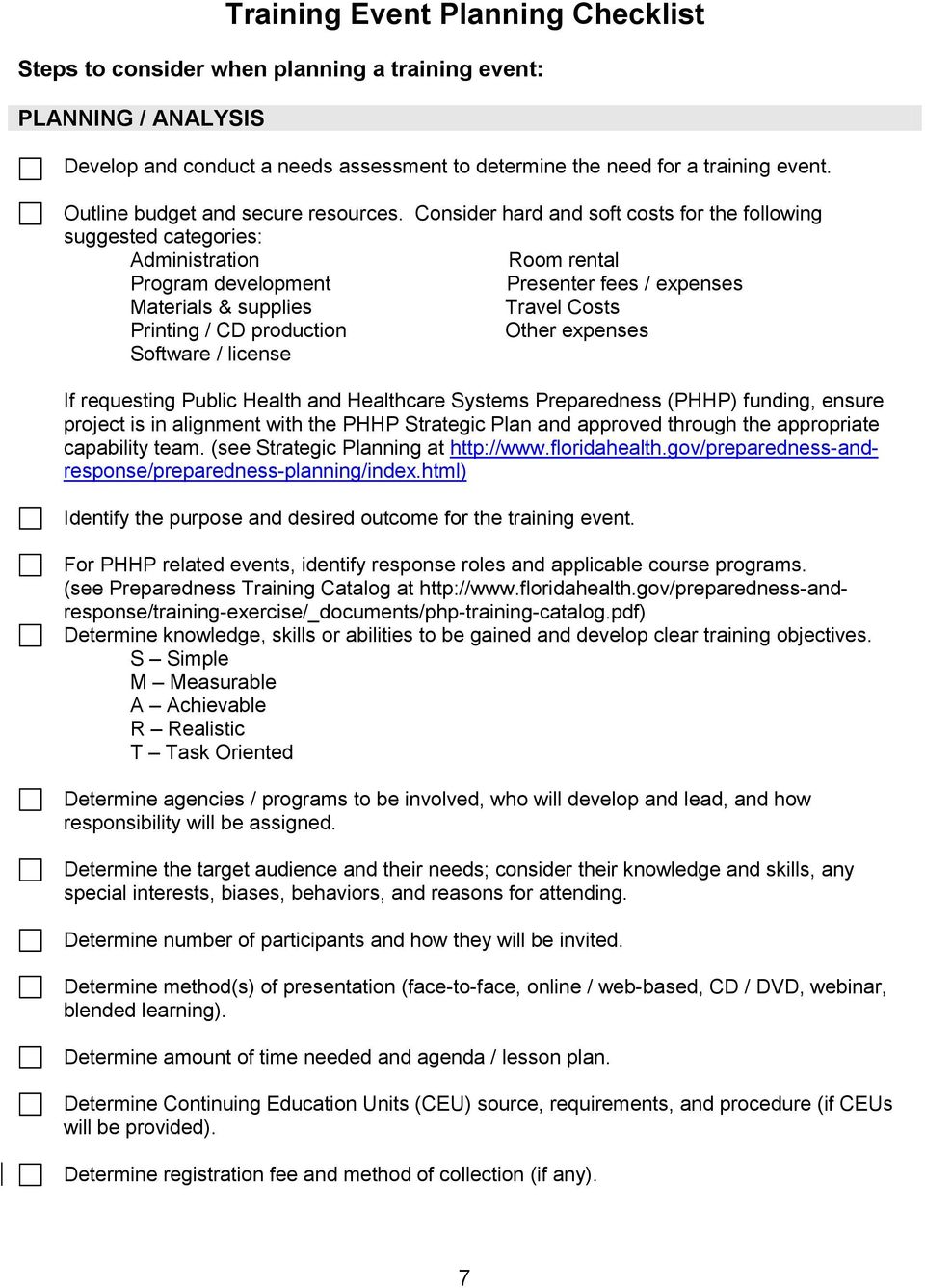
7 Training Event Planning Checklist Steps to consider when planning a training event: PLANNING / ANALYSIS Develop and conduct a needs assessment to determine the need for a training event. Outline budget and secure resources. Consider hard and soft costs for the following suggested categories: Administration Room rental Program development Presenter fees / expenses Materials & supplies Travel Costs Printing / CD production Other expenses Software / license If requesting Public Health and Healthcare Systems Preparedness (PHHP) funding, ensure project is in alignment with the PHHP Strategic Plan and approved through the appropriate capability team. (see Strategic Planning at Identify the purpose and desired outcome for the training event. For PHHP related events, identify response roles and applicable course programs. (see Preparedness Training Catalog at Determine knowledge, skills or abilities to be gained and develop clear training objectives. S Simple M Measurable A Achievable R Realistic T Task Oriented Determine agencies / programs to be involved, who will develop and lead, and how responsibility will be assigned. Determine the target audience and their needs; consider their knowledge and skills, any special interests, biases, behaviors, and reasons for attending. Determine number of participants and how they will be invited. Determine method(s) of presentation (face-to-face, online / web-based, CD / DVD, webinar, blended learning). Determine amount of time needed and agenda / lesson plan. Determine Continuing Education Units (CEU) source, requirements, and procedure (if CEUs will be provided). Determine registration fee and method of collection (if any). 7
8 Determine evaluation process. Instrument design (within Learning Management System (LMS) o Course effectiveness achievement of objectives, student knowledge & skill, job applicability, accuracy of content o Participant satisfaction & recommendation o Instructor effectiveness Data analysis Application of results Determine location, secure appropriate facility, and negotiate costs (if any). Consider parking issues and Americans with Disabilities Act (ADA) accessibility requirements. Determine availability of overnight accommodations for participants (if needed). Decide if and how refreshments will be provided. Verify availability of audio-visual equipment and technical support. Identify and notify people to assist with logistics during the training event. Identify and coordinate with presenters. DESIGN AND DEVELOPMENT Determine best way to capture the event in the electronic Learning Management System (LMS) (i.e., TRAIN-Florida). Communicate with the appropriate system Course Manager. Develop curriculum and materials, working closely with contracted curriculum developer, if applicable. Ensure a variety of appropriate learning strategies are incorporated. Consider the needs of any participant with a disability when developing learning content and activities. Design any tests to be used, focusing on measurement of competence and ability. Design the evaluation instrument (s), to include the extent each objective was met. Peer Review and Approval: Ensure the finished draft of all course material is reviewed by the Program Manager and an independent third party subject matter expert (someone outside supervisory chain of command and project team). Ensure Program Manager completes the online review form and s supporting materials to [email protected] before the submission deadlines for the review. For projects supported with PHHP funds, complete the Tier Review Process for approval and make modifications as recommended. (see Curriculum and Exercise Review; Review Process Documents and Links at ) When all course components are developed and approved, as needed, create the course in the LMS. Follow the steps for course creation specific to the LMS. 8

9 IMPLEMENTATION AND EVALUATION Create / send event announcement / invitation, to include: Event sponsor Name of event Who should attend Location Date and time Cost (if any) Agenda / program highlights Presenter information CEU information Registration information Reproduce materials for the training event and determine method of dissemination. Training manuals Individual handouts Testing materials Participant folders and labels Name tags Sign-in sheets Evaluation forms Certificates (to be filled in based on attendance and course completion) Registration, travel, and other forms, as needed Secure audio-visual equipment and supply needs and ensure they are operational: Training materials and supplies used by participants (name tags, pencil, paper, etc.) Laptop computer with needed programs, CD / DVD drive, USB ports, speakers, etc. Presentation on travel drive, CD / DVD, VHS tape, other visual or audio media LCD projector TV / VCR / DVD player VCR / DVD with LCD connection Extension cord / power cords Flip charts and stand(s) Dry erase / white board Markers (flip chart and dry erase) Other miscellaneous trainer supplies Arrive early, allowing enough time for required preparation. Meet with facility coordinator / security personnel to confirm arrangements. Post directional signs. Arrange furniture to encourage interaction, based on type of training event. Ensure participants will be able to see and hear the presentation. Consider needs of participants with disabilities. Connect and check audio-visual equipment for proper functioning. Locate heat / AC and lighting controls. Locate restrooms and telephones to inform participants. Display resource materials, as applicable. 9

10 Organize registration area (if any). Distribute training event materials and evaluation forms at registration or in the classroom. Set up refreshments, if any, and water for presenter(s) and participants. Meet with training event facilitator(s) to review tasks and answer questions. Complete all preparations before the first participant arrives. Start and finish the training event on time. Monitor timing and flow of the activities, being alert to participation and participant needs. Distribute certificates of completion at the end of the session or mail to participants. Collect participant evaluation forms. Return furnishings to proper places and dispose of all trash appropriately. Disconnect and store all equipment and gather remaining materials. Remove meeting signs and check out with facility coordinator / security. Send letter of appreciation to presenters and others, as appropriate. Compile and analyze evaluation results, prepare summary report, determine and implement next steps for improvement. Share evaluation results for individual sessions with session presenter; submit summary report to your supervisor or others, as appropriate. Source: Adapted from Handbook for Trainers, Florida Department of Health, September

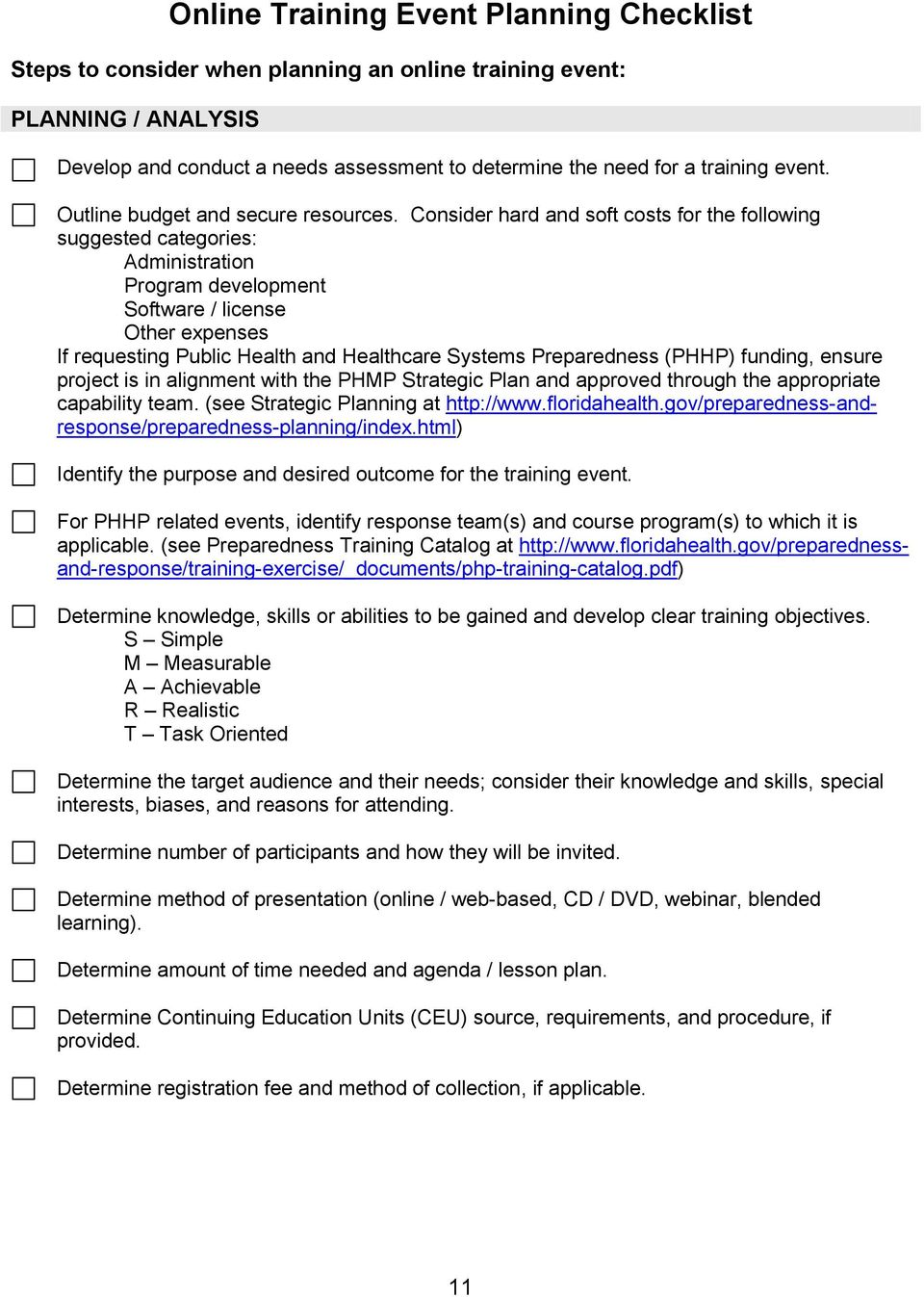
11 Online Training Event Planning Checklist Steps to consider when planning an online training event: PLANNING / ANALYSIS Develop and conduct a needs assessment to determine the need for a training event. Outline budget and secure resources. Consider hard and soft costs for the following suggested categories: Administration Program development Software / license Other expenses If requesting Public Health and Healthcare Systems Preparedness (PHHP) funding, ensure project is in alignment with the PHMP Strategic Plan and approved through the appropriate capability team. (see Strategic Planning at Identify the purpose and desired outcome for the training event. For PHHP related events, identify response team(s) and course program(s) to which it is applicable. (see Preparedness Training Catalog at Determine knowledge, skills or abilities to be gained and develop clear training objectives. S Simple M Measurable A Achievable R Realistic T Task Oriented Determine the target audience and their needs; consider their knowledge and skills, special interests, biases, and reasons for attending. Determine number of participants and how they will be invited. Determine method of presentation (online / web-based, CD / DVD, webinar, blended learning). Determine amount of time needed and agenda / lesson plan. Determine Continuing Education Units (CEU) source, requirements, and procedure, if provided. Determine registration fee and method of collection, if applicable. 11
12 Determine evaluation process. Instrument design (within learning management system (LMS) or outside LMS) o Course effectiveness achievement of objectives, student knowledge & skill, job applicability, accuracy of content o Participant satisfaction & recommendation o Instructor effectiveness Data analysis Application of results DESIGN AND DEVELOPMENT Determine best way to design the event in the electronic Learning Management System (LMS) (i.e., TRAIN-Florida). Communicate with the appropriate system Course Manager. Consider any Americans with Disabilities Act (ADA) accessibility issues for online courses. (see Additional Resources, p.61) Develop course content, incorporating various learning strategies, as appropriate. Design the course activities and assignments, as appropriate. Write the script for the audio portion of the course, if applicable. Identify and coordinate with video or audio presenters, if applicable. Rehearse and record the audio track, if applicable. Design the pretest, section tests, and posttest, as needed for the course. Design the evaluation instrument (s), to include the extent each objective was met. Peer Review and Approval: Ensure the finished draft of all course material is reviewed by the Program Manager and an independent third party subject matter expert (someone outside supervisory chain of command and project team). Ensure Program Manager completes the online review form and s supporting materials to [email protected] before the submission deadlines for the review. Design course completion certificate, as appropriate. For projects supported with PHMP funds, complete the Tier Review Process for approval and make modifications as recommended. (see Curriculum and Exercise Review at When all course components are developed and approved, as needed, create the course in the LMS. Follow the steps for course creation specific to the LMS. 12

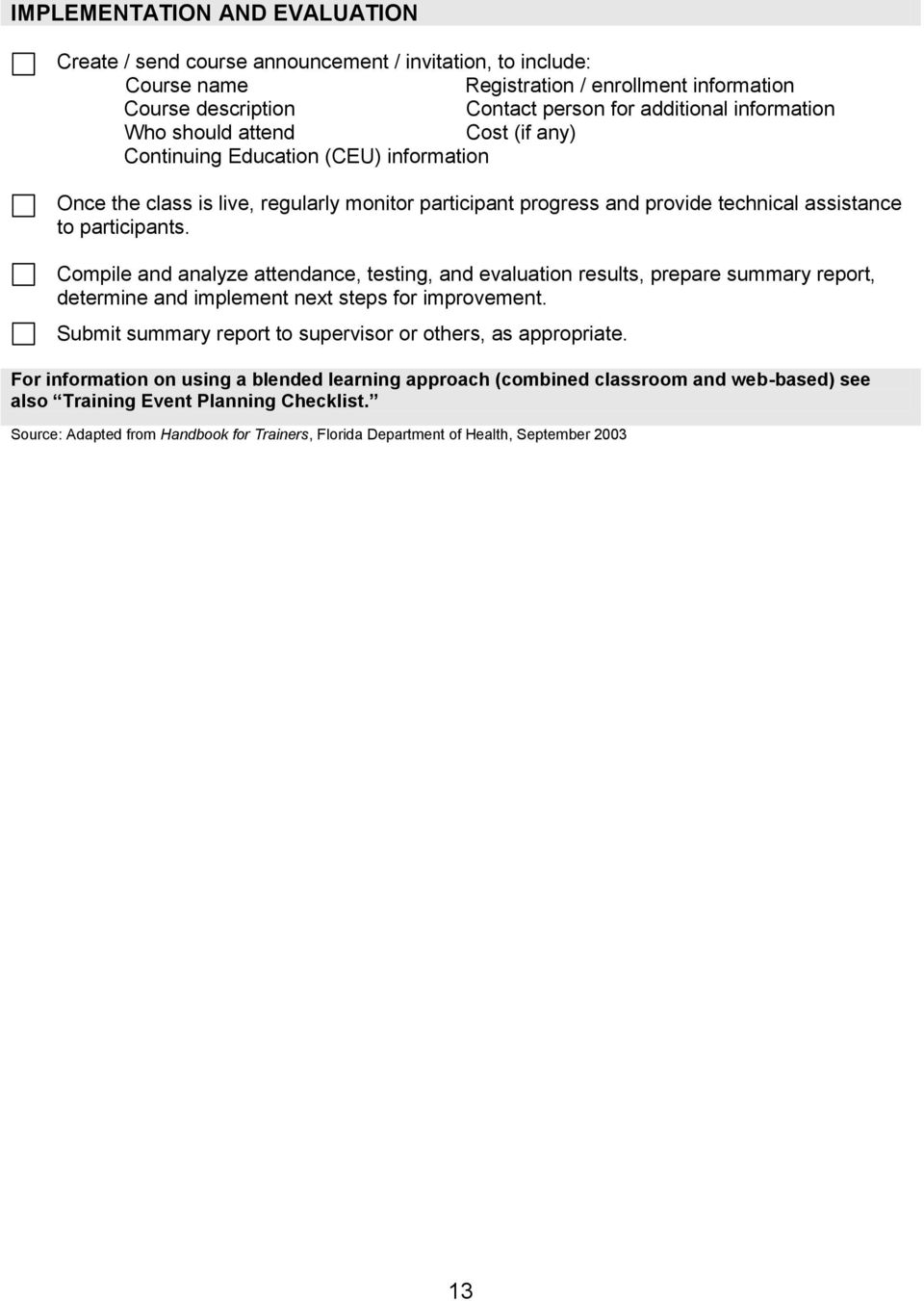
13 IMPLEMENTATION AND EVALUATION Create / send course announcement / invitation, to include: Course name Registration / enrollment information Course description Contact person for additional information Who should attend Cost (if any) Continuing Education (CEU) information Once the class is live, regularly monitor participant progress and provide technical assistance to participants. Compile and analyze attendance, testing, and evaluation results, prepare summary report, determine and implement next steps for improvement. Submit summary report to supervisor or others, as appropriate. For information on using a blended learning approach (combined classroom and web-based) see also Training Event Planning Checklist. Source: Adapted from Handbook for Trainers, Florida Department of Health, September
14 DESIGN, DEVELOPMENT AND DELIVERY 14

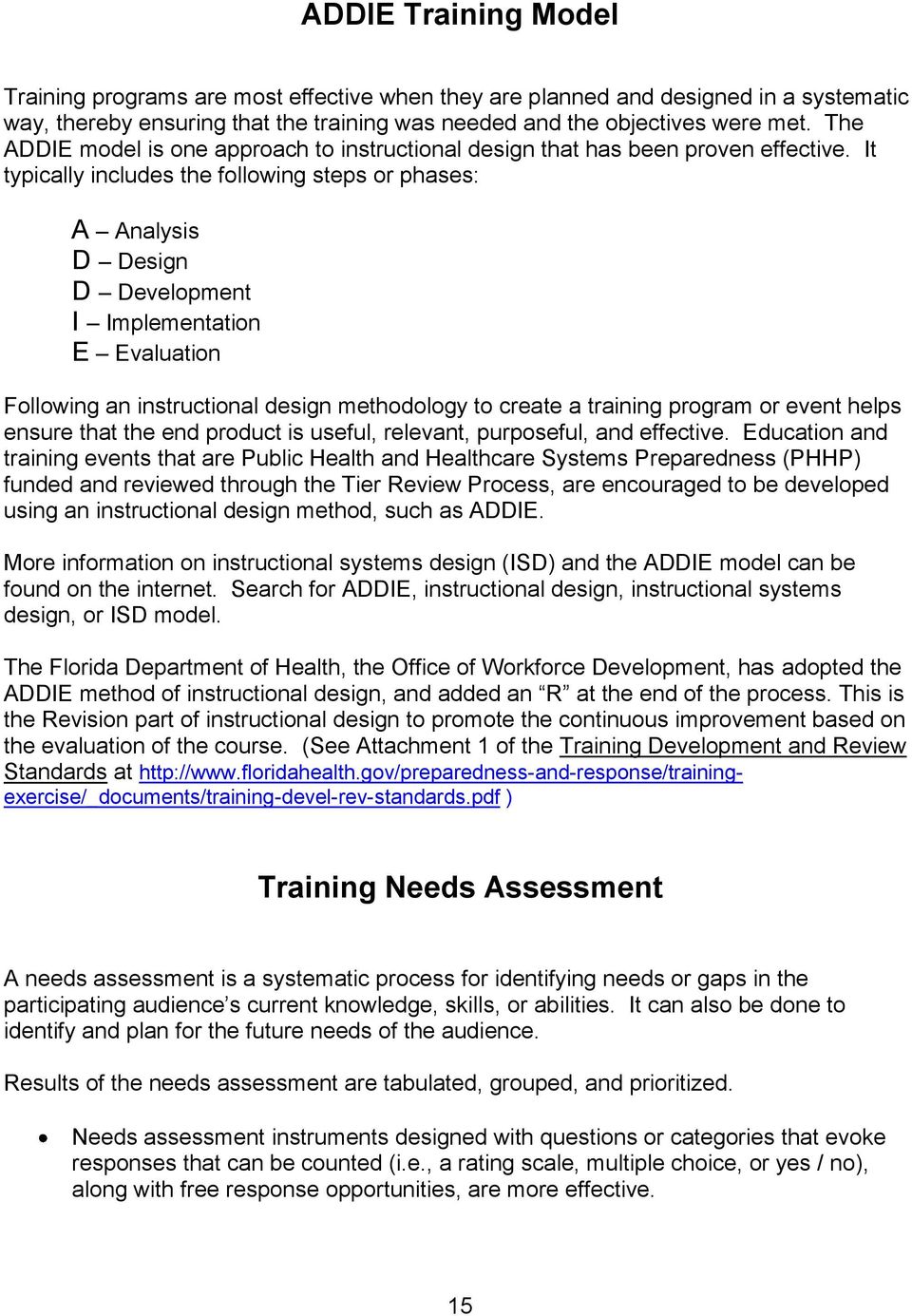
15 ADDIE Training Model Training programs are most effective when they are planned and designed in a systematic way, thereby ensuring that the training was needed and the objectives were met. The ADDIE model is one approach to instructional design that has been proven effective. It typically includes the following steps or phases: A Analysis D Design D Development I Implementation E Evaluation Following an instructional design methodology to create a training program or event helps ensure that the end product is useful, relevant, purposeful, and effective. Education and training events that are Public Health and Healthcare Systems Preparedness (PHHP) funded and reviewed through the Tier Review Process, are encouraged to be developed using an instructional design method, such as ADDIE. More information on instructional systems design (ISD) and the ADDIE model can be found on the internet. Search for ADDIE, instructional design, instructional systems design, or ISD model. The Florida Department of Health, the Office of Workforce Development, has adopted the ADDIE method of instructional design, and added an R at the end of the process. This is the Revision part of instructional design to promote the continuous improvement based on the evaluation of the course. (See Attachment 1 of the Training Development and Review Standards at ) Training Needs Assessment A needs assessment is a systematic process for identifying needs or gaps in the participating audience s current knowledge, skills, or abilities. It can also be done to identify and plan for the future needs of the audience. Results of the needs assessment are tabulated, grouped, and prioritized. Needs assessment instruments designed with questions or categories that evoke responses that can be counted (i.e., a rating scale, multiple choice, or yes / no), along with free response opportunities, are more effective. 15
16 Responses for each question and category are counted. Based on the resulting tabulations, responses can be grouped to identify trends or areas of need / gaps. Gaps can then be prioritized using factors such as greatest need, affordability, and expeditiousness. Free responses, or those that identify future needs or desires, should also be grouped and prioritized, as appropriate. Prioritized gaps become the foci of action taken by the organization. If training or performance gaps are identified, training or experiential learning opportunities that address the gap would be identified or developed, and provided to the target audience. A follow-up evaluation of the participants resulting knowledge, skills and abilities would be appropriate and effective. It is a good idea to conduct a needs assessment on a regular basis, such as once every one to three years or more frequently, if desired. It can also be done for a specific audience or subject, to determine the needs of participants. More information on training needs assessment can be found on the internet. Search for training needs assessment or needs assessment. Writing Learning Objectives Objectives describe the behavior a learner will be able to demonstrate after completing a training. A behavior is based on knowledge, skills or abilities relevant to the training. Objectives state WHO will do WHAT and HOW WELL (measure). Objectives 1. Are stated clearly and address only one skill. 2. Identify who will demonstrate the action (i.e., participants will ). 3. Define or describe an action, by including a verb. 4. Are measurable, through the use of quantifiable terms. Examples: Participants will list 4 of the 6 levels of learning described in the course. Participants will select the correct level of PPE for 3 hazard scenarios. Participants will design a presentation that includes 3 types of animation. The Homeland Security Emergency Exercise Program (HSEEP) uses the acronym S.M.A.R.T. to explain how objectives are to be written. This acronym is used by other organizations, as well, with some variation in wording. 16

17 S Specific: objectives specify what needs to be done with a timeline for completion M Measurable: should focus on observable actions and outcomes A Achievable: within the control, influence, and resources of exercise play and participant actions R Realistic: Instrumental to the mission of the organization and link to its goals or strategic intent T Task Oriented: specific and reasonable timeframe should be incorporated into objectives (HSEEP Participant Manual, 2013, Table 3.1) Sample Action Verbs: analyze apply appraise categorize compare compose compute construct contrast create critique define demonstrate describe design develop differentiate discuss distinguish evaluate explain identify justify list modify name operate organize paraphrase plan rate recall recite recommend separate solve state translate use write Learning Styles and Teaching Techniques It has been said that variety is the spice of life. This is also true in the art of teaching adults in this ever-changing world. Methods used 20 years ago may not apply today. Available technology and understanding of the learning process have advanced considerably. For teaching to be effective today, current beliefs and techniques need to be used in combination with time-tested teaching techniques and theory. Keep in mind that one size does not fit all; we now understand that people have different learning styles or preferences. For training to be effective, it must include techniques that reach the varied learning styles of the audience. The next few pages will give a brief overview of adult learning concepts, learning styles / preferences, and basic teaching techniques. People learn best when: Training is relevant, related to their job or applicable to them. The learning environment allows for an exchange of ideas. Training builds on previous concepts, knowledge or experiences. They are actively involved. 17

18 Learning Styles and Preferences Individuals learn and process information differently. The subject of brain function, information processing, and learning have been studied for decades and numerous theories have been developed that support this belief. A few are briefly summarized below. Commonly identified Learning Styles include: Visual learning best through seeing, reading, pictures, diagrams, etc. Auditory learning best through hearing, listening, lecture, music, etc. Kinesthetic learning best through moving, touching, simulation, physical activity, etc. Howard Gardner identified seven types of learning preferences, referred to as the Seven Multiple Intelligences; linguistic, logical-mathematical, musical, bodily-kinesthetic, spatial, interpersonal, and intrapersonal. A brief description follows: Linguistic intelligence involves sensitivity to spoken and written language, the ability to learn languages, and the capacity to use language to accomplish certain goals. Logical-mathematical intelligence involves the capacity to analyze problems logically, carry out mathematical operations, and investigate issues scientifically. Musical intelligence entails skill in the performance, composition, and appreciation of musical patterns. Bodily-kinesthetic intelligence entails the potential of using one s whole body or parts of the body (like the hand or the mouth) to solve problems or fashion products. Spatial intelligence features the potential to recognize and manipulate the patterns of wide space as well as the patterns of more confined areas. Interpersonal intelligence denotes a person s capacity to understand the intentions, motivations, and desires of other people and, consequently, to work more effectively with others. Intrapersonal intelligence involves the capacity to understand oneself, to have an effective working model of oneself including one s own desires, fears, and capacities and to use such information effectively in regulating one s own life. (Gardner, Intelligence Reframed: Multiple Intelligences for the 21 st Century, 41-43) David Kolb focused his work on experiential learning and identified four learning styles that worked in combination with the learning process. The four phases of the learning process are: Experiencing learning from specific experiences, being sensitive to feelings and people. Observing observing before making judgments, viewing issues from different perspectives, looking for the meaning of things. Thinking locally analyzing ideas, planning systematically, acting on an intellectual basis. Action learning through hands on activities, dealing with people and events through action. 18

19 The four learning styles are: The creator (diverging style) The planner (assimilating style) The decision maker (converging style) The do-er (accommodating style) ( ( ) Richard Felder and Linda Silverman developed an Index of Learning Styles, which included categories on a continuum, as follows: Sensory to Intuitive, Visual to Verbal, Active to Reflective, Sequential to Global. The groupings are based on a person s preferences for processing and understanding information. (Felder, R.M., Silverman, L. K., 1988/2002) ( ) Personality inventories can also be helpful and applicable to the learning environment. The True Colors personality inventory uses the groupings of gold, blue, green, and orange. The Myers- Briggs personality inventory identifies sixteen personality types based on a person s preferences in four areas. With so many possibilities, what s a trainer to do? It is not practical or necessary to determine the learning style or preference for each participant each time you teach a class. What is important is that you include a variety of teaching methods, learning experiences and activities that accommodate a variety of learning styles. In this way, you can add interest to the class and increase participant learning. It may be helpful to identify your own learning style or preference by reading more on the subject or completing the various assessment tools that help you discover your learning style. It is common for trainers to use teaching methods that accommodate their personal learning style, which is fine if all the participants have the same learning style as the trainer. Chances are this is not the case and it is important for the trainer to consciously incorporate and become comfortable using a variety of teaching methods. This will increase participation and learning retention, and minimize frustration and boredom on the part of the participants. Teaching Methods A trainer should not rely on a single method of instruction for all topics within a training session. If the same method of instruction is used throughout the program, it can create barriers to learning (boredom, fatigue, etc.). The skilled trainer will look at a topic and decide on a number of methods that can be used independently or in combination, for maximum benefit to the learner. The more interactive the teaching method, the more the participants will learn and retain. 19

20 Typical teaching methods include: Teaching Method Lecturing by one or more instructors Participant Reading Presentation slides, posters, video or audio clips Instructor demonstrating a certain action or showing samples of a product Large and small group activities or discussions A Few Tips Balance lecture time with activities, audience questions and interaction, and breaks. Vary tone and inflection of voice appropriate to the content. Be familiar with lecture material and focus on the audience rather than lecture notes. Coordinate timing when using multiple lecturers and agree on rules about interjecting thoughts during each other s lecture times. Ensure copies have good print quality and are visually appealing. Provide a folder for loose handouts. Make enough copies for all participants, plus a few for unexpected participants. Provide a microphone when reading is auditory. Consider visual and audio materials from the audience perspective. Make print large enough to read from anywhere in the room. Use color and pictures that enhance visual quality. Ensure audio is set at correct volume and is clear. Perform demonstrations where all participants can observe. Set up a display table for participant viewing during breaks or pass around sample products, as appropriate. Provide an information sheet with process steps. Secure participant volunteers, if needed, prior to beginning class. Arrange the room conducive to group activity. Use creative methods to divide participants into groups (sorting cards, candy, stickers, colors, numbering, etc.). Move around the room to observe and interact with small groups. Provide groups with the supplies needed to perform the task. Have groups identify roles needed for the task (recorder, reporter, etc.) and encourage shifting roles, as appropriate. Be sure to process the activity with the class after small groups have completed it. This can be done through group reports and instructor summary. 20

21 Be aware of time constraints. Participants demonstrating or practicing a procedure or action Participants helping each other learn a concept, procedure or action and then using it on the job Arrange the room to allow space for the activity. Provide participants with the supplies needed to perform the task. Encourage participants to be supportive of one another. Provide constructive feedback to the participants after the demonstration / practice. Be alert to accuracy and safety issues in the participant demonstrations / practice and address issues with the participant and / or class. Arrange the room to allow space for the activity, if performed in the classroom. Ensure participants have the supplies needed to perform the task. This activity involves more independence on the part of the participant, but observation by the instructor or another qualified observer is still necessary. Be alert to accuracy and safety issues and address them with the participants. Follow up with participants to ensure successful use of learning on the job, as appropriate. Source: Teaching Methods adapted from the Learning Pyramid, National Training Laboratories, Bethel, Maine. Group Learning Activities Interactive small groups give participants an opportunity to discuss ideas and ask questions in greater detail than is possible in a large group format. Participants often feel more comfortable expressing themselves in small groups than they might with the entire class. Group activities also provide an opportunity to clarify the material and provide feedback to participants. Suggestions for Working with Groups: Case scenarios or role plays are ideal for the small group, as are group questions, research activities, and teaching presentations. Determine the amount of time needed for the activity and ensure it is clearly structured and well-paced. Groups work best with a small number of members. Give each group written instructions for the activity, including expectations of the group (a summary report, demonstration, etc.). Encourage groups to assign roles to the members, as appropriate (facilitator, recorder, reporter, timekeeper, etc.). 21
22 It is very important for the instructor to move about the room to observe, answer questions, and facilitate or expedite the process. Questioning Techniques The effective use of questions throughout a class increases participants understanding of the material, as well as their levels of interaction and interest in the class. There is an art to asking questions that involves the type of question, the timing, and the response. There are several types of questions: Open-ended and Closed-ended questions Open-ended questions allow the participant to give more information than just a one word answer. (What does it mean to be prepared?) Closed-ended questions result in a yes or no answer, or other one word response. (Is it good to be prepared? or Do you work in planning, operations, logistics, or finance?) Follow up questions Follow-up questions are asked in response to a previous question or comment by a participant or the instructor. They are related to the current discussion, though they may draw the participants thoughts in a new direction. Clarifying questions Clarifying questions are a type of follow up-question used to gather more detail or a better understanding of a participant s response. They are important to use during class discussion, when participants responses are confusing or inaccurate, and provide the class with clear and accurate information. Direct questions Direct questions are asked of a specific person. Care should be taken that participants are not embarrassed or singled out in a negative way. If a person is not able to answer within a short time, ask the question of others in class or re-phrase the question. When using direct questions, ensure a variety of questions are asked of numerous participants, not the same one or two participants every time. Group questions Group questions are directed to the entire class. Encourage more than one participant to offer a response, as appropriate, or follow up by asking if others agree or have additional thoughts on the subject. Question Timing: Allow participants enough time to think of their response and verbally answer questions; learn to be comfortable with silence. When the instructor jumps in with the answer, or moves on to another person for an answer too quickly, participants may decide not to attempt to answer later questions. Silence also has an interesting effect on the class; participants will feel the need to answer the question out of their desire to fill the silence with words. 22
23 Sometimes, participant silence indicates a lack of understanding of the question or the subject. The instructor can provide a little more information or reword the question. Be alert to the flow of the discussion and ask questions that are relevant and timely. Responses: Be alert also to the accuracy and clarity of participant responses. It is a good idea to repeat the audience response to ensure you heard it correctly and so all the participants are able to hear the response. Always provide some form of acknowledgement to the responder. Answering questions or offering suggestions in class involves taking a risk, and participants are more likely to continue their active participation when they receive acknowledgment and encouragement. Take care not to cause the participant embarrassment by pointing out the errors of the response in a negative way. Try to reframe the response to highlight the good points and provide clarification of the inaccurate information. It is important to leave the class with accurate information. Source: Portions adapted from Handbook for Trainers, Florida Department of Health, September
24 Lesson Planning A well-prepared lesson plan helps the instructor organize the material, plan the most effective delivery method and keep the class on target. The following model can increase teaching effectiveness: Give an overview of the session, including the learning objectives and expectations. Present material in an effective, efficient and relevant manner by employing instructional strategies that actively involve participants in the learning process. Review material and how the objectives were achieved, and close on a positive note. Lesson Plans should include: (see sample lesson plan) Objectives and Expectations List and explain class objectives and expectations. Opening List the opening actions, statements, or brief activity that will gain the interest of participants and help them see how the class applies to them. Lesson Content Outline modules, topics and key points, and identify instructional methods. Supervised Practice Include activities that allow participants to use new information and practice skills they ve learned, with observation and feedback from the instructor. Evaluation of Understanding Identify how and when participant learning will be evaluated. Summary Identify how material will be reviewed with the participants, ideally after each module and at the end of the course. Follow-up Practice Include a thought-provoking assignment or issue that encourages and helps participants apply learning on the job. Time Allotted Estimate amount of time needed to complete sections / activities. Allow for breaks. Presentation Instructor Tasks Identify steps in the presentation of the course. Learner Involvement Identify how participants will have an interactive part in the lesson and their learning. Training Aids and Materials Identify handouts, manuals, supplies, visual aids, equipment, etc. to be used for each section / activity. Source: Adapted from Handbook for Trainers, Florida Department of Health, September
25 Sample Lesson Plan Format Class Name: Date: Phase Objectives and Expectations Time Allotted Instructor Name: Location: Presentation Instructor Tasks Learner Involvement Training Aids and Materials Opening Lesson Content Supervised Practice Evaluation of Understanding Summary Follow-up Practice 25
26 Training Aids Overview Many people comprehend concepts more clearly if they are presented visually rather than through a lecture only. Training aids: Should arouse interest and hold the participant s attention. Assist in communicating knowledge and ideas to the participant. Accelerate learning with the involvement of multiple senses. Can improve learning if used with imagination and if they contain relevant information. Aid in retention of information learned. Ensure more consistency in repeat presentations. Good visual aids are simple and easy to understand, brief and concise, and stress essential points. They are clearly visible, using a print font, color, spacing and design that increase legibility and interest. Participant Materials To remember new information, learners must relate it to what they know. Examples and illustrations help, as do real-life scenarios. Handouts must provide detailed information that learners can use in the work setting. It is also important for materials to be visually attractive. Pre-training event materials may include a confirmation letter, draft agenda, travel information and map, and for some classes, prerequisite reading material and / or pretest. On-site materials may include a final agenda, participant manual or copy of the presentation(s), brief speaker bios, participant list and participant s nametag. Additional training event materials can be given out at the registration table or in the classroom. Reference materials or resource materials may include pamphlets or catalogs from organizations related to the audience s field and the topic. Microphones The presenter must be able to project his / her voice throughout the room. Always reserve a microphone. Microphones are available in many varieties - podium, lavaliere and wireless. If the presentation includes audience participation, a wireless microphone may be most desirable. Videos Video segments should be integrated into the overall presentation and be brief. Participants should be told what the video will address and to what they should pay particular attention. Source: Adapted from Handbook for Trainers, Florida Department of Health, September
27 Flip Charts Flip charts are widely used and misused in the training process. They can be used effectively to create real-time visuals (that is, they can be drawn as the presentation takes place), or they can be developed in advance. The following are suggestions for effective use of flip charts. Use flip charts for spontaneous recording and for training content you wish to retain. Avoid putting lengthy material on the flip chart. Place the flip chart close to participants for visibility. For this reason, flip charts are less effective for large audiences. Use broad-tipped markers rather than fine-tipped markers. Print using a letter size that is easily read. Title each page. Leave a blank sheet of flip chart paper between each page of writing to prevent marker bleed-through and distracting visibility of the following page. Dark colors are the most visible colors to use. Avoid red, except for highlighting, underlining, etc. Be creative with bullets and borders, but ensure they do not distract from the content. Keep spacing equal between words and lines; avoid squeezing as the available space decreases. Sketch content in pencil prior to using markers to avoid errors. Grip the flip chart with one hand to stabilize it as you write. Stand to the side of the flip chart and face participants while speaking. Use adding machine or other types of paper as a cover for content needing to be revealed individually. Be aware of any repetitive movements with the markers, as they can be distracting to participants. Source: Adapted from Essential Trainer Skills Participant Guide, Florida Department of Children and Families, May
28 PowerPoint Presentations PowerPoint presentations are very popular and can be a useful training tool. However they should support the presentation or training and not detract from it. The tips listed below can increase the effectiveness of the presentation and participant learning. Formatting Use 1-inch margins for all sides. Use medium-heavy fonts, bold and shadowed. Number the slides. Use consistent formatting patterns for a cohesive presentation. Content Make the slides self-explanatory, but succinct. Make the slides easy to understand. Avoid jargon and acronyms. Backgrounds Use a solid color with contrasting text; light background with dark text works well. Should not overpower or distract from content. Text Information should be bulleted rather than paragraph style. Use only 4-6 bullets of text per slide and use only 2 lines per bullet. Keep designs and documents simple. Font Use Arial, Tahoma, or Veranda fonts for clarity and legibility. Use no more than 3 different font styles. Title text should be 36 pt or larger; body text should be 24 pt or larger. Color Use dark text on light backgrounds and light text on dark backgrounds. Use color themes that work well together. Avoid RED, except for accent, because it is difficult for the audience to read. Graphics Use pictures and graphics to emphasize or demonstrate concepts. Pictures and graphics may extend to the edges. Information needs to be provided in a simple and clear manner in order to be visible. Detailed graphs and charts cannot be seen by the audience and should be given as a handout. Animation Animation should add interest and emphasis. Too much animation can be distracting. Use animation timing carefully. Source: Adapted from Handbook for Trainers, Florida Department of Health, September
29 LCD and Overhead Projectors LCD Projectors Follow projector instructions for activation sequence. Practice with your computer and LCD projector ahead of time to ensure functionality. Carry a spare bulb, extension cord, and the number of your IT technician. The projector can be used in a fully lit room. If a screen is not available, you can project onto a plain light-colored wall. Projecting on a white board can sometimes cause a glare. Set the projector where it will not block participants views of the screen. Set the projector squarely in front of the screen to avoid distortion. Adjust the distance between the projector and the screen to change the size of the image. Focus the image and check for readability from the farthest point in the room. Stand where you will not block the participants views of the screen. Face the audience when speaking. Videotapes and DVDs can be projected through the LCD projector for a larger image. Follow equipment instructions for proper connection. Overhead Projectors & Transparencies Have transparencies numbered and in proper order. Ensure you have enough space for two stacks of transparencies, one for before display and one for after display. Transparencies can be produced on a computer, copy machine, or by hand (use a transparency marker). Point to the image on the projector, not the screen. Be aware of participant visibility, as described above. Source: Adapted from Essential Trainer Skills Participant Guide, Florida Department of Children and Families, May
30 Training Room Checklist Create your own checklist of all materials, supplies and equipment needed. When setting up the room, remove unnecessary materials, supplies, furniture and equipment. Check out ventilation, temperature, lighting, any noises and outside disturbances. Try all light switches, power outlets, fan switches, etc. Clean all dry erase boards and remove any flip chart pages and paraphernalia from previous classes. Put all equipment and materials where they will be needed and in proper sequence. Check that all equipment (e.g., projector, computer) is functioning. Focus and adjust all equipment. Check the visibility of your aids from all seats and angles. Check all trainee supplies, such as manuals, notepaper, pens, and name cards. Check locations of washrooms, coffee, fire exits, telephones, and message center. When setting up seating, consider comfort and participation. Eye contact between participants and instructor is important for good participation. Minimum room size should be 30 square feet per person. Do not overcrowd, but if people are spread too far apart, there will be less participation. If learners will do much writing, provide 9 square feet per person of table space. Source: Adapted from Essential Trainer Skills Participant Guide, Florida Department of Children and Families, May
31 Training Room Set-Up Locating Training Rooms Training space is often available, at no cost, through a local county health department, school district, Area Health Education Center (AHEC), state university or community college. Training space can also be found at local conference hotels, restaurants, and community auditoriums, but may require payment. Room Set-Up: Creating a Positive Learning Environment The room design must match the learning objectives for the session. The degree of participant involvement expected, the relationship between presenters and participants, and the character and dynamics of the group are all factors to be considered in room set-up design. The following chart lists possible meeting room set-ups and the positive and negative impact each arrangement can have on the learning environment (Polivka, 1996). Room Set-Up Positives Negatives Rounds and Half-rounds Squares and Rectangles Classroom V-shapes T-shapes Theater Style Chairs in a Circle (Polivka, 1996) Ample work space Good local interaction Variety of arrangements possible Good work space Good working atmosphere Presenter can see all participants Accommodates large groups in less space Same as classroom, but with more interaction Good for small groups Good interaction Good for large groups when reading / writing are not required Best for creating informal and participatory groups Presents speaker as a group member / facilitator Good for groups up to 30 people Poor full-room interaction Sound bleed from close-by tables 16 size not big enough for adequate work space Extensive skirting may be needed Minimal interaction possible Participants only see each other s backs Usually will not work with large groups Participants may be far from the presenter Sight lines may not be ideal for all participants Often used for too large a group Larger sizes mean poor sight lines and back views Elevation changes needed for large groups No writing surface Minimal group interaction Not good for note taking Not good for presenters with notes or audiovisual aides Source: Adapted from Handbook for Trainers, Florida Department of Health, September
32 Seating Diagrams Theater Seating Classroom Seating * * * * * * * * * * * * * * * * * * * * * * * * * * * * * * * * * * * * * * * * * * * * * * * * * * * * * * * * * * * * * * * * * * * * * * * * * * * * * * * * * * * * * * * * * * * * * * * * Conference Style Hollow Square U or Horseshoe T Formation Banquet Seating V Formation Source: Adapted from Handbook for Trainers, Florida Department of Health, September
33 Nonverbal Skills Eye Contact Poise and Self- Confidence Movement and Gestures Voice Volume Speed Word Usage Timing Variety Delivery Skills for Effective Presentations Smile often. Be friendly and positive. Be yourself when speaking. Stand when you wish to command attention. Sit when you want to leave the limelight. Acknowledge responses with nodding, eye contact, and facial expressions. Look at the participants more than your notes. Look at everyone, not just a few supportive faces. Engage in enthusiastic conversation rather than lecturing. Hands should look comfortable; never clench into fists or clutch your sides. Leave your hands to your sides except for meaningful gestures. Maintain a relaxed posture. Be dignified, not stiff. Do not stand in one place, but avoid pacing. Try not to use a podium; move toward the participants. Make movements meaningful, not distracting. Time movements with statements. Avoid distracting behaviors, like jingling change, pen clicking, waving a pointer, constant throat-clearing, repetitive movements, pet phrases, etc. Strive for variety in your voice. Tone should be normal, not monotonous. Use inflection for emphasis, to portray enthusiasm and provide variety. Change volume as appropriate for emphasis and situation. Speak loudly enough to reach the entire class. Project your voice. Pause and be silent to command attention, when appropriate. Don t speak too quickly or too slowly. Change speed and tempo of speech. Slow down for emphasis; increase speed to generate enthusiasm. Avoid filler words like ok, um, you know. Pronounce and enunciate words clearly. Use pauses to emphasize words. Attention span in most learners is 20 minutes or less. Insert brief activities or audience response opportunities. If necessary, call a break or ask people to stand and stretch. Avoid non-interactive sessions during 11:30 12:00, 1:00 1:30, 4:30 5:00. Be humorous if it is your style. If not, don t try to be. Start with an interesting statement, observation, quotation, or question. Use cartoons, pictures, slides, and flipcharts to enliven a presentation. Use examples, anecdotes, analogies, and statistics. Ask frequent questions. Include small group activities, neighbor discussions, and brief assignments. Provide a presentation outline or agenda. Give participants a structured handout for taking notes. (i.e., PowerPoint handouts with 3 slides / notes per page). Build in reviews. Give a brief quiz to review the content. Source: Adapted from Essential Trainer Skills Participant Guide, Florida Department of Children and Families, May
34 Common Challenges for New Instructors Common Challenge Fear Personal Experiences Difficult Learner Behaviors Participation Timing Credibility New Instructors Lack confidence and feel anxious when delivering training Do not have stories about personal experiences to incorporate into the training in order to relate to a specific organization or subject matter. Have trouble knowing how to handle a participant who presents a behavior problem by being angry, passive, or dominant. Have difficulty getting people to participate. Are unsure about timing or pacing and how to avoid rushing through material. They worry about having too much or too little material to present in the allotted time. Perceive they lack credibility as subject-matter experts with participants. 34 Possible Solutions Practice material. Practice in front of a friend or family. Deep breathing / relaxation techniques. Open it up to the participants; ask them to share their experiences. Talk to other trainers and use their experiences. Speak with participant individually before / after class or during breaks. Take a break if a situation is escalating. Keep your voice calm when dealing with an angry participant; keep in mind he / she is probably angry about something other than you. Speak with him / her individually; consider attendance alternatives. Use interactive instruction methods to include all participants. Use dominating participants as assistants, as appropriate, i.e., recording audience responses on a flip chart. Focus attention on attentive participants; avert eye contact with inattentive / disruptive participants, when possible. Give positive reinforcement for appropriate participant behavior. Know the audience and what they do. Reward participation. Establish an environment that is conducive to participation. Take risk first. Set the tone by greeting participants. Practice and check timing. Team teach. Use a timer, as appropriate, during class. Have a signal person. Study / research material. Study until trainer feels comfortable with the material.
35 Common Challenge Adjusting Instruction Questions Media, Materials, Facilities Opening / Closing Techniques Dependency on Notes New Instructors Find it difficult to adjust a standardized training module to the needs of the participants, or to redesign the presentation during delivery. Using questioning techniques effectively, as well as responding to difficult or unanswerable questions. Concerned about how to use media and materials effectively, as well as how to take care of the breakdowns that occur in these areas. Need techniques to use for icebreakers, introductions, and effective summaries and closings. Feel too dependent on notes and have trouble determining ways to present information without them. Possible Solutions Completely address the main points and cover objectives. Be careful not to change the meaning of standardized material when including additional information. Be aware of class time when adding activities. If participants need further clarification of material, have a blank flip chart ready for impromptu information. A review game can be included to aid participant understanding and can take little or no preparation time. Have basic supplies for this on hand. Take short breaks or inject short stimulation activities to meet participant needs and increase attention. Prepare content-related questions to ask the class. Be prepared with the answers. Listen to participant comments, then ask related thought-provoking questions. Listen to participants questions before giving the answer. Use the parking lot to post questions needing research or to come back to. Practice ahead of time. Bring a spare flip chart, projector bulb, extension cord, markers, scissors, tape, etc. Bring the number for your local computer technician. Use resource books with icebreakers and activities. Ask other trainers for their ideas. Summarize by reviewing objectives. Ask class to share what they have learned, relate to the objectives and fill in the gaps. Practice. Use flip cards. Use yellow sticky pads for reference. Post main points on wall / flipchart. Use outline. Source: Adapted from Essential Trainer Skills Participant Guide, Florida Department of Children and Families, May
36 Trainer Self-Evaluation Checklist Presentation of Objectives Trainer presented and explained all the objectives orally and in writing. Presentation of Concepts and Key Points Trainer presented and thoroughly explained concepts and key points while involving participants. Instructional Methods Trainer frequently varied instructional methods, many of which were interactive. Instructional Aids Trainer used a variety of instructional aids effectively to demonstrate content and involve participants. Introduction and Monitoring of Learning Activities Trainer gave clear and complete instructions, kept participants on task, and monitored activities. Summary of Learning Activities Trainer involved participants in follow up discussion of key points and related content to application on the job. Professional Behavior Trainer modeled professional behavior and established the same standards for participants. Risk-Taking Behaviors of Participants Trainer encouraged and acknowledged risk-taking behaviors (volunteering, asking the first question, admitting lack of skill or knowledge, etc.). Examples, Anecdotes, Stories, Analogies, and / or Humor Trainer provided and elicited relevant examples, anecdotes, stories, analogies, and / or humor. Verbal Communication Skills Trainer used verbal communication skills to emphasize important points and demonstrate interest, which stimulated participant involvement. Questioning Techniques Trainer frequently asked questions related to the content which resulted in participant responses. Nonverbal Communication Skills Trainer used nonverbal communication skills for emphasis, which stimulated participant involvement (facial expressions, gestures, body movement, and position). 36
37 Eye Contact Trainer frequently made eye contact with participants. Voice Trainer spoke loudly and clearly enough to be understood by everyone and varied vocal characteristics for emphasis. Responding to Relevant Participant Questions Trainer answered all relevant questions. Maintaining Focus on Content Trainer redirected group back to content from irrelevant discussion / comments. Incorrect Participant Responses Trainer provided the correct response and provided positive reinforcement for participation. Disruptive Participant Behaviors Trainer intervened in a calm, non-offensive manner and stopped disruptive behaviors. Distracting Trainer Behaviors and Mannerisms Trainer did not display distracting behaviors and mannerisms. Closure of the Class/Module Trainer involved participants in a discussion of key points, concepts, or objectives at the conclusion of the class / module and related the content to application on the job. Source: Adapted from Essential Trainer Skills Participant Guide, Florida Department of Children and Families, May
38 Sample Trainer Observation Tool Trainer: Observer: Date: Training event Title: Location: Please check all that apply and provide written comments. A. Preparation for session: Lesson plan prepared Facilities set up Training Aids prepared Materials and supplies available Comments: B. Knowledge of the subject matter: Materials / information presented accurately Materials / information presented thoroughly Comments: C. Organization of presentation: Introduction included objectives and overview Summaries and transitions provided Body of presentation emphasized important points Provided concise conclusion and summarized major points Comments: D. Presentation and communication skills: Voice was clear and audible Gestures were not distracting Maintained eye contact Used understandable language Pace was appropriate Comments: E. Teaching skills: Waited 3-5 seconds to allow time for participants to respond to questions Used a variety of teaching strategies Classroom problems handled appropriately Instructions given clearly and concisely 38
39 Comments: F. Assessing learner understanding: Used questions to test for knowledge and skills Encouraged students to answer peer questions, as appropriate Provided opportunities for review and questions Invited students to share their knowledge and experience Comments: G. Encouraging application of learning: Pointed out practical application of concepts Facilitated job-related discussion Encouraged the incorporation of training into practice Comments: H. Use of appropriate handouts, audio visuals and technology: Used training aids to add to learning Handouts were attractive and organized Always faced participants when presenting Overhead / slides were legible Comments: Source: Adapted from Handbook for Trainers, Florida Department of Health, September
40 EVALUATION AND IMPROVEMENT IMPLEMENTATION 40
41 Training Evaluation Evaluation is an important component of the quality improvement process. It is necessary to determine the type of training data / information to be collected and plan the evaluation method from the beginning of the training development process. There are numerous methods to evaluate a training program, for example, a questionnaire or survey completed by participants, individual or group interviews, direct observation, test results, etc. After the training event has been conducted, feedback from the participants should be obtained, analyzed, and used to improve the next training event. For Preparedness Trainings / Courses reviewed through the Tier Review Process, a Training Evaluation Summary Report is required annually or within 60 days of the conclusion of the final training session. (see the short form template for Awareness and Operations-level trainings on p.47) BPR staff are compiling the data from the Training Evaluation Summary Reports for reporting progress in meeting the Multi Year Training and Exercise Plan and the grant requirements. Steps in the Evaluation Process 1. Design / update the evaluation method and form to provide the type of information needed by both the provider and the presenter. 2. Set a positive expectation for the completion of the form. 3. Administer and collect the forms. 4. Summarize and analyze the evaluation data from the forms. 5. Compile a summary report and review with your supervisor / team. 6. Make improvements to the training event based on evaluations. 7. Address any identified need for additional training. When continuing education credits are offered for a class, the evaluation form needs to collect specific information. Participant-Level Training Evaluation Form collects a variety of information and meets the requirements for providing continuing education (CE) credits. The form may be adapted to address the specific needs of a training event (i.e., assessing two or more trainers or individual modules); however, it should include the components listed below. More information on continuing education credits can be found in the Additional Resources section. Knowledge gained Skill gained Content Applicability Implementation issues Presentation techniques Additional training needs Source: Adapted from Handbook for Trainers, Florida Department of Health, September
42 Sample Training Evaluation Forms Participant-Level Directions: Please share your opinions to help us improve this training by completing the following. A B C D F N/A Excellent Good Average Fair Unsatisfactory 1. This program enhanced my knowledge. 2. This program enhanced my skills. 3. The content matter appeared to be accurate and current. 4. The handouts were adequate and useful. 5. The entire program was meaningful and appropriate. 6. The time allocated was adequate. 7. Objective 1 was achieved. 8. Objective 2 was achieved. 9. Objective 3 was achieved. 10. Objective 4 was achieved. 11. Objective 5 was achieved. 12. Objective 6 was achieved. 13. Objective 7 was achieved. 14. Objective 8 was achieved. 15. Objective 9 was achieved. A B C D E N/A Application: 7. I will be able to put this information to use in my workplace. yes no If no, please explain: 8. Based upon what I learned from this session, immediately upon my return to work, I will implement: 9. To fully implement the training, I will need: Program Content: 10. What works especially well about this training event? 11. What improvements could be made to make the training event better? 42
43 Teaching Methodologies: 12. What suggestions do you have to assist the presenter(s) in improving his / her presentation techniques (lecture, group activities, case scenarios, etc.)? Overall Assessment: 13. I would recommend this training event to my peers. yes no Future Training Needs: 14. What training event topics would you like to see presented in the future? Other comments: 43
44 Conference Evaluation Form Please complete the following evaluations at the end of each session. Read each statement and circle the response that best reflects your assessment of each session. Rating scale: 1 = Strongly Agree, 2 = Agree, 3 = Disagree, 0 = Not Applicable Morning Session Activities DAY 1 NOVEMBER 30, 2006 SA A D NA 1 The session was well planned and organized The content was current and accurate The method(s) of presentation was appropriate The presenter(s) demonstrated adequate knowledge of the topic The presenter(s) was effective in conveying information Plenary Speaker Take it to the Max: Building a Quality Organization the Journey to Baldrige Peter J. Newell SA A D NA 1 The session was well planned and organized The content was current and accurate
45 3 The method(s) of presentation was appropriate The presenter(s) demonstrated adequate knowledge of the topic The presenter(s) was effective in conveying information SA A D NA Overall Roundtable Evaluation 1 The session was well planned and organized The content was current and accurate The method(s) of presentation was appropriate The presenter(s) demonstrated adequate knowledge of the topic The presenter(s) was effective in conveying information Breakout Sessions A Comprehensive and Collaborative Approach to Problem Solving: The Public Health Administrative Training Project Panel: Matt Dillon, Gary Mahoney, John Cowart, Ross Dickinson, and Jim Kouba SA A D NA 1 The session was well planned and organized The content was current and accurate The method(s) of presentation was appropriate The presenter(s) demonstrated adequate knowledge of the topic The presenter(s) was effective in conveying information Getting to the Core with Process Mapping Roland Martinez 45 SA A D NA 1 The session was well planned and organized The content was current and accurate The method(s) of presentation was appropriate The presenter(s) demonstrated adequate knowledge of the topic The presenter(s) was effective in conveying information Making Employee Recognition Easy and Fun Pat Mitchell SA A D NA 1 The session was well planned and organized The content was current and accurate The method(s) of presentation was appropriate The presenter(s) demonstrated adequate knowledge of the topic The presenter(s) was effective in conveying information Analyzing Data to Drive Business Results Bob Maderios, Honeywell Corporation SA A D NA 1 The session was well planned and organized
46 2 The content was current and accurate The method(s) of presentation was appropriate The presenter(s) demonstrated adequate knowledge of the topic The presenter(s) was effective in conveying information Achieving Goals through Planning and Partnerships Debbie Reich and Christine Abarca SA A D NA 1 The session was well planned and organized The content was current and accurate The method(s) of presentation was appropriate The presenter(s) demonstrated adequate knowledge of the topic The presenter(s) was effective in conveying information Start Meeting NOW! Using Live Meeting Technology Panel Presentation SA A D NA 1 The session was well planned and organized The content was current and accurate The method(s) of presentation was appropriate The presenter(s) demonstrated adequate knowledge of the topic The presenter(s) was effective in conveying information Flexible Collaborative Solutions with Sharepoint Jim Deadman, Mitch Stripling, Janet Martin, and Mechelle McCoy SA A D NA 1 The session was well planned and organized The content was current and accurate The method(s) of presentation was appropriate The presenter(s) demonstrated adequate knowledge of the topic The presenter(s) was effective in conveying information Tracking the Action Using Trak-it Armando Oliva, Kathleen Fuentes, Ken Gallagher, Mary Ellis, Cassandra Richburg-Sierra, and Kay Mollenkopf SA A D NA 1 The session was well planned and organized The content was current and accurate The method(s) of presentation was appropriate The presenter(s) demonstrated adequate knowledge of the topic The presenter(s) was effective in conveying information Meet, Greet, and Exhibit Displays SA A D NA 46
47 The session was well planned and organized The content was current and accurate The method(s) of presentation was appropriate The presenter(s) demonstrated adequate knowledge of the topic The presenter(s) was effective in conveying information Overall Conference Evaluation SA A D NA The content met the stated objectives The conference met my professional educational needs Handouts and resources were adequate and useful The conference was well planned and organized The meeting rooms were satisfactory The length of the conference was appropriate The time allotted for the sessions was appropriate I benefited from this conference I received tools and information that can be applied to my job The exhibit information provides models that I can use in my work unit OVERALL COMMENTS ON THE CONFERENCE What was most useful to you? How may we improve? What topics would you like to see at future conferences? Name of a recommended breakout presenter: Name of a recommended plenary speaker: Additional Comments: 47
48 Text found in this document that is highlighted and bracketed is included to provide instruction or to indicate a location to input text. Florida Department of Health Bureau of Preparedness and Response Training and Exercise Section TRAINING EVALUATION SUMMARY REPORT TEMPLATE [Report Date: should be 60 days after the end of the training or annually June 30] [FULL TRAINING NAME] [Training Dates] 48
49 SECTION 1: TRAINING PURPOSE, AND PARTICIPANT SUMMARY [This section should contain a brief summation of why the training was conducted.] [Provide the name, contact information and agency affiliation for everyone that registered and or participated in this training.] Name Contact Information Agency Affiliation TOTAL # OF REGISTRANTS/PARTICIPANTS: Section 1: Training Purpose and Participants 49
50 SECTION 2: LEARNING OBJECTIVES AND PREPAREDNESS CAPABILITIES The use of Competency/Capabilities-based planning allows for the design of learning objectives and measurable outcomes that support the FEMA Preparedness Target Capabilities List (TCL). In the table below, provide: 1. Each Learning Objective addressed in your training 2. The corresponding FEMA Preparedness Capability. Select your applicable preparedness Core Capabilities in this FEMA Guidance document: Learning Objective Core Capability (formerly known as Target Capability) Section 2: Learning Objectives and Preparedness Capabilities 50
51 SECTION 3: PARTICIPANT FEEDBACK AND PERFORMANCE SUMMARY [Provide a summary of the feedback received from participants.] Section 3: Participant Feedback and Performance Summary 51
52 SECTION 4: OVERALL STRENGTHS AND GAPS Major Strengths The overall strengths identified during this training are as follows: Major Gaps [Use complete sentences to describe each major strength.] [Additional major strength] [Additional major strength] Throughout the training, gaps and opportunities for improvement were identified. The overall gaps are as follows: [Use complete sentences to state each opportunity for improvement)] [Additional area for improvement] [Additional area for improvement] Section 4: Overall Strengths and Gaps 52
53 ADDITIONAL RESOURCES 55
54 Americans with Disabilities Act, Section 508 Compliance Information for Website and Online Classes Section 508 of the Americans with Disabilities Act requires equal access to electronic information and services for all individuals regardless of impairment or disability. Information and services must be provided in a format which can be equally accessed by users with disabilities and users without impairment. Electronic information in a text format is widely recognized as a universally accepted format to ensure equal access. When common accessibility techniques and good thoughtful design are incorporated in websites and presentations all users can benefit. In designing websites and online classes, there are many different types and levels of abilities related to vision, hearing, mobility, dexterity, etc., to take into consideration. Each of these physical impairments presents accessibility issues and modification needs. Most accessibility issues can be addressed through design and formatting techniques. Some basic practices to employ when designing accessible websites are as follows: Design the webpage so every image is accompanied by a text equivalent. Non-sighted users or users with visual impairments typically use a screen reader to access information on a computer. Since pictures or other images cannot be read by a screen reader, it is necessary to design the webpage so every image has text associated with it. Use closed captioning with video or include scripts for audio portions. Individuals with hearing impairments may not be able to hear a video posted on a website or in an online class. Providing closed captioning or including a written script for audio portions enables greater participation and understanding of the content. Incorporate technical modifications which: o allow flexibility with font and color, o avoid any animation on a webpage, and o allow access with assistive technology tools. Additional Assistance and Information When developing a website or presentation, please contact the DOH Web Team for assistance with accessibility issues and guidance on compliance [email protected]. The following websites also contain helpful information related to the many aspects of the ADA and accessibility. The U.S. Department of Justice ( World Wide Web Consortium (W3C) Web Accessibility Initiative ( Section 508 ( U.S. Department of Labor, Office of Disability Employment Policy (ODEP) and other Federal Agency Partners ( The following checklist was provided to assist employees in developing accessible websites and online tools. It provides additional information about required modifications, but is not intended to be all inclusive. Please contact the DOH Web Team for specific assistance and a comprehensive list of requirements. 54
55 ADA Compliance Checklist Section 508, A text equivalent for every non-text element shall be provided (e.g., via "alt", "longdesc", or in element content). Equivalent alternatives for any multimedia presentation shall be synchronized with the presentation. Web pages shall be designed so that all information conveyed with color is also available without color, for example, from context or markup. Documents shall be organized so they are readable without requiring an associated style sheet. Redundant text links shall be provided for each active region of a server-side image map. Client-side image maps shall be provided instead of server-side image maps except where the regions cannot be defined with an available geometric shape. Row and column headers shall be identified for data tables. Markup shall be used to associate data cells and header cells for data tables that have two or more logical levels of row or column headers. Frames shall be titled with text that facilitates frame identification and navigation. Pages shall be designed to avoid causing the screen to flicker with a frequency greater than 2 Hz and lower than 55 Hz. A text-only page, with equivalent information or functionality, shall be provided to make a web site comply with the provisions of this part, when compliance cannot be accomplished in any other way. The content of the text-only page shall be updated whenever the primary page changes. When pages utilize scripting languages to display content, or to create interface elements, the information provided by the script shall be identified with functional text that can be read by assistive technology. When a web page requires that an applet, plug-in or other application be present on the client system to interpret page content, the page must provide a link to a plug-in or applet that complies with (a) through (l). When electronic forms are designed to be completed on-line, the form shall allow people using assistive technology to access the information, field elements, and functionality required for completion and submission of the form, including all directions and cues. A method shall be provided that permits users to skip repetitive navigation links. When a timed response is required, the user shall be alerted and given sufficient time to indicate more time is required. Source: Florida Department of Health, Information Technology, Web Manager s Guide, ADA Compliance Checklist 55
56 Continuing Education Credit Continuing education (CE) is required for many health care professionals, including nurses, physicians, health educators and environmental health staff. Procedures for Application A. Evaluate your program offering according to the Standards for Review listed below. B. Submit an application with all relevant material to the Office of Public Health Nursing (HPHN), and/or the Division of Disease Control and Health Promotion at least one month prior to the date of the offering. C. If the program is approved, you will be notified of the contact hour assignment and content code. D. If the program is not approved, you will be notified and the reason(s) will be stated. Standards for Review A. Learner objectives shall: a. Describe expected learner outcomes in behavioral terms that can be evaluated, are attainable, and are relevant to current nursing practice. b. Determine the teaching methodology and plan for evaluation. B. Subject matter: a. Shall reflect the professional educational needs of the learner. b. Outline the subject matter that corresponds to the objective. c. Currency and accuracy will be documented by references / bibliography. d. Shall be pertinent to the health care needs of the consumer. C. Faculty qualifications: a. List the name of each person involved in preparation and / or presentation of this offering. List current job title to correspond with faculty member. b. Provide evidence of academic preparation and / or experience in the subject matter. c. When subject matter includes nursing practice, a nurse with expertise in the content area must be involved in the planning and instruction. d. If the program includes clinical nursing practice, the nurse faculty supervising the practice must be licensed in Florida and competent in the practice area. D. Material and methods shall reflect that: a. The learning experiences and teaching methods are appropriate to achieve the objectives. b. Adult education principles are used in determining teaching strategies and learning activities. c. Sufficient time is allotted for each activity so that the learner may meet the objectives. E. Evaluation: a. Evidence shall be presented that participants are given an opportunity to evaluate learning experiences, instructional methods, facilities and resources used. b. Identify methods used to determine that the stated behavioral objectives have been met. F. Contact hour criteria: a. All offerings shall be at least fifty (50) minutes in length or one (1) contact hour. b. Increments of twenty-five (25) minutes will be accepted when the offering extends beyond one (1) contact hour. 56
57 Procedures for Processing Forms For Nursing: A. All participant names should appear on the master list in the office holding the training. The original Participant Roster and one copy should be submitted to HPHN containing the names and license numbers of the nurse desiring continuing education contact hours. a. Please note, we are a continuing education provider for RNs, ARNPs, and LPNs. Therefore, only these participants should appear on the roster. (The names of MDs, social workers, etc. should not appear on the roster.) b. The roster must be typed. c. Please be sure to fill out the top portion completely. d. The participant list should be typed in alphabetical order. e. Be sure to include the participant s license number. f. CERTIFICATES WILL NOT BE ISSUED / VALID TO PARTICIPANTS LACKING LICENSE NUMBERS. B. All participants desiring continuing nursing education contact hours should be issued certificates of attendance at the completion of the CE program. Generic certificates may also be issued to other participants who need a record of attendance for other purposes. C. Materials should be submitted to HPHN within two weeks after completion of the program (roster, summary of evaluations, and unused / mistyped certificates). All certificates should be accounted for in writing (Example: Received: 12, Issued: 10, Returned: 2). D. All materials submitted will be kept on file in the HPHN office for 4 years. We suggest you keep a file in your office of the programs you conduct. NOTE: Certificates of Attendance are only issued to participants completing the entire program or who have been granted partial credit (partial credit is issued for multi-day training only). The training must be approved before promotional materials are sent. All promotional materials must contain a statement that will be provided once the training has been approved for CEs. As the CE provider, this office is expected to participate in planning, selection of presenters, and assessment of participant learning and program evaluation. For Physicians: About Continuing Medical Education (CME) AMA PRA Category 1 Credit can be applied for through a variety of accredited organizations across the state including University CME departments, the Florida Medical Association (FMA), the Florida Association of Family Physicians (FAFP), and the Florida AHEC Network. These organizations typically charge fees per credit hour or scope of work, which may vary significantly, The Florida AHEC Network is regionally accredited by the FMA while the other associations and departments are nationally accredited providers authorized by the Accreditation Council for Continuing Medical Education. To work with a local or regionally accredited provider, contact an AHEC representative ( to determine if they can assist you. Their statewide CME webpage ( has a planning timetable which may be helpful in activity coordination, and has been developed to assist you based on their many years of experience planning and developing CME. In general, whether you are conducting a simple one-hour activity or a multi-day conference, the CME Coordinator you work with will need several weeks with your completed application in order to have it independently reviewed by a committee of physicians responsible for activity oversight. CME activities should be designed and implemented specifically and primarily for a physician audience. CME should not be added on to an activity as an afterthought. 57
58 County Health Departments (CHD) Some CHD and WIC offices provide contact hours for nurses, dieticians and nutritionists. Contact your local CHD education office for more information. For Environmental Health: Contact the Bureau of Environmental Health Certification Program Area Health Education Centers (AHEC) The mission of AHEC is to improve access to primary health care in medically under-served areas through community academic educational partnerships designed to recruit, train, and retain community-based health professionals. Fifteen AHECs cover the 67 counties in Florida. Contact the AHEC which covers the training location for assistance coordinating the training program and/or providing CEs. Source: Handbook for Trainers, Florida Department of Health, September
59 Florida Area Health Education Centers (AHEC) Home - Florida Area Health Education Centers (AHEC) Network Big Bend AHEC Glenda Stanley, MA, Executive director 325 John Knox Rd., Building M, Suite 200 Tallahassee, FL (850) Fax (850) Counties: Bay, Calhoun, Franklin, Gadsden, Gulf, Holmes, Jackson, Jefferson, Leon, Liberty, Madison, Taylor, Wakulla, Washington Central Florida AHEC Blake Warren, M.H.S.A., Director 328 South Central Avenue Apopka, FL (407) Fax (407) Counties: Brevard, Hardee, Highlands, Lake, Orange, Osceola, Polk, Seminole, Sumter Everglades AHEC Joe Peters, B.S., Director 5725 Corporate Way, Suite 102 West Palm Beach, FL (561) ; Fax (561) Counties: Broward, Collier, Glades, Hendry, Indian River, Lee, Martin, Okeechobee, Palm Beach, St. Lucie Florida Keys AHEC Michael Cunningham, Director 5800 Overseas Highway, Suite 38 Marathon, FL (305) Fax (305) Counties: Monroe Gulfcoast North AHEC Christina Mathis, MBA, Chief Executive Officer State Route 52 Land O Lakes, FL (813) Fax (813) Counties: Citrus, Hernando, Hillsborough, Pasco, Pinellas Gulfcoast South AHEC Edna Apostol, M.P.H., Director 2201 Cantu Court, Suite 117 Sarasota, FL (941) ; Fax (941) Counties: Charlotte, Desoto, Manatee, Sarasota 59
60 Miami-Dade AHEC Tom M. Gomez, Director 1200 NW 78th Avenue, Suite 209 Miami, FL (305) Fax (305) Counties: Miami-Dade Northeast Florida AHEC Clarissa Ortiz, Executive Director 1107 Myra St., Suite 250 Jacksonville, FL (904) Fax (904) Counties: Baker, Clay, Duval, Flagler, Nassau, St. Johns, Volusia Suwannee River AHEC Marilyn Mesh, M.Ed., MAC., Executive Director N.W. 151st Blvd. Alachua, FL (386) Fax (386) Counties: Alachua, Bradford, Columbia, Dixie, Gilchrist, Hamilton, Lafayette, Levy, Marion, Putnam, Suwannee, Union West Florida AHEC Paige Collier, M.S., Director 1455 South Ferdon Blvd., Suite B-1 Crestview, FL (850) Fax (850) Counties: Escambia, Okaloosa, Santa Rosa, Fort Walton Program Offices Florida State University AHEC Program Andree Aubrey, L.C.S.W., AHEC Program Director Florida State University College of Medicine 1115 W. Call Street Tallahassee, FL (850) Fax (850) Nova Southeastern University AHEC Program Steven B. Zucker, D.M.D., M.Ed., Program Director Associate Dean for Community Affairs Nova Southeastern University College of Osteopathic Medicine 3200 South University Drive Fort Lauderdale, FL (954) Fax (954) Centers: Central Florida AHEC, Everglades AHEC 60
61 University of Florida AHEC Program Barbara Richardson, PhD Program Director University of Florida AHEC Program 2750 NW 43rd St., Suite 102 Gainesville, FL (352) Fax (352) Centers: Big Bend AHEC, Northeast Florida AHEC, Suwannee River AHEC, West Florida AHEC University of Miami AHEC Program Michel Dodard, MD Program Director University of Miami School of Medicine P.O. Box (R-700) Miami, FL (305) Fax (305) Centers: Miami-Dade AHEC, Florida Keys AHEC University of South Florida AHEC Program Anne Maynard, MPH Program Director University of South Florida Area Education Health Center (AHEC) College of Medicine, MDC Bruce B. Downs Blvd. Tampa, FL (813) Fax (813) Centers: Gulfcoast North AHEC, Gulfcoast South AHEC 61
62 Florida Department of Health A Guide To Planning** A Satellite Broadcast or Video Production Office of Workforce Development Tallahassee, Florida **Follow this link to access A Guide to Planning Satellite Broadcast or Video Production : 62
63 Works Cited ADA Compliance Checklist Section 508, Florida Department of Health, Information Technology, Web Manager s Guide. Retrieved August, 2012 from Charney, C., and K. Conway. The Trainer s Tool Kit, Second Edition. New York: American Management Association. (2005). Essential Trainer Skills Participant Guide. Florida Department of Children and Families. (2002, May). Felder, R.M., and L.K. Silverman. (1988/2002). Learning and Teaching Styles in Engineering Education. Retrieved Dec.23, Gardner, H. Intelligence Reframed: Multiple Intelligences for the 21 st Century. New York: Basic Books. (2000) Handbook for Trainers. Florida Department of Health. (2003, September). Homeland Security Exercise and Evaluation Program Training Course Participant Manual. US Department of Homeland Security. (2007, September class). Kolb, A., and D.A. Kolb. Experience Based Learning Systems, Inc. ( ). Retrieved Dec. 23, 2008, from The Learning Pyramid. National Training Laboratories. Bethel, Maine. (n.d.). Polivka, E.(ed.). Professional Meeting Management. Birmingham, AL: Professional Convention Management Association. (1996). Why People Learn. The Hay Group. Additional Internet Information Adult Learning Information and Techniques: Search key words: adult learning, adult learning techniques, how adults learn Evaluation Information: Search key words: training evaluation, evaluation techniques, evaluation, evaluation types Instructional Systems Design and the ADDIE Model: Search key words: ADDIE, instructional design, instructional systems design, ISD model Objectives: Search key words: learning objectives, training objectives, objectives Questioning Techniques: Search key words: training questioning techniques, questioning techniques, questioning Training Ice Breakers and Games: Search key words: training ice breakers, training games Training Needs Assessment: Search key words: training needs assessment, needs assessment 63
Free: John Tschohl Customer Service Strategic E- mail Newsletter at www.customer- service.com
 MMXII by 9201 East Bloomington Freeway Minneapolis, MN 55420 USA (952) 884-3311 (800) 548-0538 (952) 884-8901 Fax [email protected] www.customer- service.com www.johntschohl.com Free: John Tschohl
TRAINING AND RESOURCES TOOLKIT
 TRAINING AND RESOURCES TOOLKIT Welcome to the training and resource toolkit. The Training Overview recommended a five step process to develop training and resources. In addition to following the process,
IECA IACET Guidelines
 1 IACET Guidelines TABLE OF CONTENTS IACET INTRODUCTION... 3 WHAT DOES THE STANDARD MEASURE?...... 3-4 SOLE PROVIDER of IACET CEUs... 5 ESTABLISHING RESPONSIBILITY AND CONTROL... 5-6 AWARDING CEUs... 5
Steps for Planning and Preparing an Effective Presentation
 Steps for Planning and Preparing an Effective Presentation According to speaking consultant Lilyan Wilder (1999), two of the greatest myths about delivering oral presentations are that you re better off
The Human Touch Performance Appraisal II
 The Human Touch Performance Appraisal II T raining Leader s Guide Coastal Training Technologies Corp 500 Studio Drive Virginia Beach, VA 23452 2000 Coastal Training Technologies Corp. All rights reserved.
Presentation Skills for Videoconferencing
 Presentation Skills for Videoconferencing Office of Faculty Development Ohio University College of Osteopathic Medicine The purpose of this presentation is to provide you with a succinct set of tips that
Outline / Table of Contents. Course Materials; Communication & Collaboration Tools; Activities & Projects
 Outline / Table of Contents Conducting a Video Conference Class Best Practices &Tips for Instructors Preparation - page 2 Course Materials; Communication & Collaboration Tools; Activities & Projects In
COMPETENCIES FOR TRAINERS
 COMPETENCIES FOR TRAINERS CORE COMPETENCIES Competency-Based Inservice Training 1. The trainer understands the role and function of inservice training as a management strategy to help the organization
Basic Computer Skills Module 4. Introduction to Microsoft PowerPoint 2010
 Basic Computer Skills Module 4 Introduction to Microsoft PowerPoint 2010 Basic Computer Skills Module 4 Introduction to Microsoft PowerPoint 2010 Summary Goal(s): This unit includes lessons on how to use
Module 4 How to Plan & Implement Effective Public Meetings
 Module 4 How to Plan & Implement Effective Public Meetings Introduction Meeting Format Meeting Elements Planning the Meeting Meeting Checklists Was Your Meeting Effective? How to Plan & Implement Effective
2015 Bus & Paratransit Conference
 American Public Transportation Association 2015 Bus & Paratransit Conference Moderator & Speaker Guidelines Your reference for effectively facilitating and presenting educational sessions Moderator Roles
AODA. Accessibility for Ontarians with Disabilities Act. Guide to Accessible Events
 AODA Accessibility for Ontarians with Disabilities Act Guide to Accessible Events Events That Are Accessible For All The Accessibility for Ontarians with Disabilities Act (AODA) promotes the principles
MOMENTS OF TRUTH WHERE LEADERS ARE MADE. The Successful Club Series
 MOMENTS OF TRUTH WHERE LEADERS ARE MADE The Successful Club Series Rev. 3/2015 MOMENTS OF TRUTH The Successful Club Series TOASTMASTERS INTERNATIONAL P.O. Box 9052 Mission Viejo, CA 92690 USA Phone: +1
Teaching with PowerPoint
 Teaching with PowerPoint PowerPoint can be an effective tool to present material in the classroom and encourage student learning. PowerPoint, when effectively planned and used, can enhance instruction.
Background. Scope. Organizational Training Needs
 1 Training Plan Template As described in Section 4.2.1 of the Training Effectiveness Toolkit, a Training Plan will help define the specific activities that will be conducted to carry out the training strategy.
Readiness: Training Identification and Preparedness Planning. Course Design Document ILT. Version 1.0CRa
 Readiness: Training Identification and Preparedness Planning Course Design Document ILT Version 1.0CRa Copyright Information Readiness: Training Identification National Center for Biomedical Research and
Revised 4/2/09. Practicum Guidelines
 Revised 4/2/09 Practicum Guidelines Practicum Overview Purpose The practicum provides a structured public health practice experience whereby students can take a population based approach to a public health
Animation Overview of the Industry Arts, AV, Technology, and Communication. Lesson Plan
 Animation Overview of the Industry Arts, AV, Technology, and Communication Lesson Plan Performance Objective Upon completion of this assignment, the student will have a better understanding of career and
1. Provide a knowledge base 2. Create an atmosphere 3. Present a stimulus 4. Generate questions 5. Facilitate a discussion
 1. Provide a knowledge base 2. Create an atmosphere 3. Present a stimulus 4. Generate questions 5. Facilitate a discussion 1 1. Provide a knowledge base If you want students to discuss a scientific or
Strategies for Training Peer Counselors
 Strategies for Training Peer Counselors Overview Designed for potential trainers, this introductory module presents the strategic approach for the Loving Support through Peer Counseling curriculum and
Planning and preparing presentations Giving presentations Features of a good presentation Poster presentations
 Presentations What is a presentation? Planning and preparing presentations Giving presentations Features of a good presentation Poster presentations For further information and the full range of study
Lesson Plan. Course Title: Principles of Information Technology Session Title: Understanding Types & Uses of Software
 Lesson Plan Course Title: Principles of Information Technology Session Title: Understanding Types & Uses of Software Lesson Duration: Approximately 5 hours Performance Objective: Upon completion of this
COM 2733 Introduction to Communication Technologies. Course Materials Handbook. (Summer 2005) Prepared by. H. Paul LeBlanc III.
 COM 2733 Introduction to Communication Technologies Course Materials Handbook (Summer 2005) Prepared by H. Paul III for The University of Texas at San Antonio Department of Communication Copyright 2005,
Course Sponsorship and Logistics
 Updated September 3, 2013 (MPSA section) Course Sponsorship and Logistics What you ll find in this section: I M LOOKING FOR INFORMATION ON What are my Chapter s responsibilities for administering a course?
Sales Presentations. 1. Before you start
 Sales Presentations A presentation is an ideal opportunity to make a sale. You have a captive audience and far more flexibility than in a simple sales letter or phone call. Although many people do not
ACCIDENT INVESTIGATION. Facilitator Guide
 ACCIDENT INVESTIGATION Facilitator Guide Contents Overview....................................2 Training Materials..............................3 Preparation...................................3 Presentation
BY GENE SPANNEUT. Reflect
 reflect prepare impress succeed reflect prepare reflect prepare impress succeed refl BY GENE SPANNEUT Gene Spanneut [email protected] Spanneut is an assistant professor of educational administration
Academic/Instructional Methodologies and Delivery Systems. Classroom Instruction
 Academic/Instructional Methodologies and Delivery Systems ITT Technical Institutes are institutes of higher learning that are committed to offering quality undergraduate and continuing education locally,
The Process Below are the steps for creating and presenting digital short courses:
 Guidance on Proposing, Organizing, and Presenting a SETAC Digital Short Course: Best Practices and Things to Consider Version 1: March 2015 Updated: July 2015 SETAC is planning to launch digitally recorded
Promote and Publicize FCCLA!
 Promote and Publicize FCCLA! Promote and Publicize FCCLA! is an individual or team event that recognizes participants who develop an FCCLA promotion and publicity campaign to raise awareness and educate
At the conclusion of this activity, the participant will be able to explain or describe:
 Trainer s Module NOTE TO INSTRUCTORS: The Trainer s Module is intended for training individuals who will be training other trainers. Module Goal/Aim The goal of this module is to provide trainers an overview
What s Your Learning Style?
 What s Your Learning Style? Different people have different learning styles. Style refers to a student s specific learning preferences and actions. One student may learn more effectively from listening
An Investigation into Visualization and Verbalization Learning Preferences in the Online Environment
 An Investigation into Visualization and Verbalization Learning Preferences in the Online Environment Dr. David Seiler, Assistant Professor, Department of Adult and Career Education, Valdosta State University,
50 Instructional Methods
 50 Instructional Methods Presentation Methods (P), Application Methods (A) 1. Action Maze (A) A variation of the case study in which learners solve a problem or case by making decisions. Their decisions
Differentiated Instruction
 Differentiated Instruction In any classroom, students will have a range of abilities, needs and interests. Differentiated instruction is any instructional strategy that recognizes and supports individual
Instructor Guide. Train-the-Trainer
 Train-the-Trainer This instructor guide was written and developed by the Community Services Agency, Inc. of the New Jersey State AFL-CIO. DISCLAIMER: This material was produced under a Susan Harwood Training
WA TPA. Secondary English- Language Arts. Assessment. Handbook. Teacher Performance. Consortium (TPAC) Field Test Pre-Release Handbook September 2011
 WA Teacher Performance Assessment Consortium (TPAC) WA TPA Secondary English- Language Arts Assessment Handbook September 2011 September 2011 WA The Teacher Performance Assessment stems from a 25-year
Copyright 2010. Substitute Teaching Division, STEDI.org. ISBN: 978-0-9821657-5-1 SubTrainer Manual 7th Edition
 Copyright 2010 Substitute Teaching Division, STEDI.org ISBN: 978-0-9821657-5-1 SubTrainer Manual 7th Edition These materials have been produced for use by training of substitute teachers. Copies of handout
Guide to Financial Education Fairs
 Guide to Financial Education Fairs There is increased interest in the financial education and literacy of Americans. Studies consistently show employees look to their employers for financial education
Education and Training Policy
 Education and Training Policy Approved May 6, 2015 1. Introduction CAPIC s Education Committee is responsible for overseeing the educational affairs for the Association. Education is one of CAPIC s four
Facilitating Adult Learning
 Facilitating Adult Learning How to Teach so People Learn Prepared by: Dr. Lela Vandenberg Senior Leadership & Professional Development Specialist 11 Agriculture Hall East Lansing, MI 48824-1039 (517) 353-1898
It is vital that you understand the rationale behind the correct answer(s) as wel as the incorrect answer options.
 Getting the Most out of ATI www.atitesting.com What is ATI? ATI is an online resource that will be used throughout the nursing program to help you learn about nursing practice as well as help prepare you
Planning and Conducting an Effective Meeting
 Planning and Conducting an Effective Meeting The Top Ten Reminders for Running an Effective Meeting 1. First decide if you need to have a meeting. Often times there are more efficient ways to meet objectives
Lesson Plan. Course Title: Web Technologies Session Title: Web Site Planning & Design
 Lesson Plan Course Title: Web Technologies Session Title: Web Site Planning & Design Lesson Duration: 3 Hours Performance Objective: Upon completion of the lesson, students will understand how to develop
Teaching Advocacy: Understanding Adult Learners
 Teaching Advocacy: Understanding Adult Learners Allisen Penn Assistant Professor Leadership Development University of Arkansas Division of Agriculture Cooperative Extension Service Learning Goals: Identify
Search help. More on Office.com: images templates
 Page 1 of 7 PowerPoint 2010 Home > PowerPoint 2010 Help and How-to > Getting started with PowerPoint Search help More on Office.com: images templates Basic tasks in PowerPoint 2010 Here are some basic
LESSON 7: LEARNING MODELS
 LESSON 7: LEARNING MODELS INTRODUCTION mobility motivation persistence sociological Think about your favorite class. Does the teacher lecture? Do you do experiments or go on field trips? Does the teacher
Maryland 4-H Public Speaking Guide
 Maryland 4-H Public Speaking Guide Do you have questions? Contact Tom Hutson, 4-H Educator University of Maryland Extension Talbot County (410) 822-1244 or [email protected] Equal access/opportunity programs
General Procedures for Developing an Online Course
 General Procedures for Developing an Online Course General Procedures for Developing an Online Course Questions to Ask before you Begin Analysis 1. What is your learner audience? Is the course for beginners
Notecard Question & Answer Technique
 Academic Resources Notecard Question & Answer Technique To succeed in college, important ideas from lectures and textbooks must be identified, organized, recorded, practiced and stored in long term memory
Module 6; Managing Large Classes
 Module 6; Managing Large Classes Approaches to Language Teaching: Extension; Video Length: Approximately 11 Minutes; Notes to the Trainer; For best results, have participants go through the readings for
Leadership Training Institute
 Leadership Training Institute Call for Trainers Request for Proposal DEADLINE: August 31 ~ Congressional City Conference DEADLINE: February 28 ~ Congress of Cities Conference The National League of Cities
Executive Secretary Course Outline
 Executive Secretary Course Outline Taught by real professionals/ teachers who guide you through every topic step by step. You can now avoid all the frustration and disappointment that comes when trying
Lesson Plan. Course Title: Digital and Interactive Media Session Title: College and Career Poster
 Lesson Plan Course Title: Digital and Interactive Media Session Title: College and Career Poster Lesson Duration: 3 Hours Performance Objective: Upon completion of this assignment, the student will have
Warning! Construction Zone: Building Solids from Nets
 Brief Overview: Warning! Construction Zone: Building Solids from Nets In this unit the students will be examining and defining attributes of solids and their nets. The students will be expected to have
Self Study and Training for Members and Staff of Agricultural Cooperatives A Guidance Manual for Advisers and Trainers
 Self Study and Training for Members and Staff of Agricultural Cooperatives A Guidance Manual for Advisers and Trainers This manual offers guidance to field workers involved in advising and providing training
Lecturer s Guide to Teaching through Videoconferencing
 Lecturer s Guide to Teaching through Videoconferencing Prepared by EdTech, Faculty of Medicine at UBC, 2009 [email protected] Introduction to this Guide This guide is designed for lecturers teaching with
Equal Access: Universal Design of Instruction
 Equal Access: Universal Design of Instruction A checklist for inclusive teaching by Sheryl Burgstahler, Ph.D. Universal Design of Instruction The universal design of instruction (UDI) is gaining increased
This toolkit is designed to explain Bright Ideas what it is and how it works. It covers:
 Bright Ideas This toolkit is designed to explain Bright Ideas what it is and how it works. It covers: 1. What is it?... 2 2. Why do it?... 3 3. How and When is it set up?... 4 4. Where do ideas come from?...
Early Childhood Education
 Early Childhood Education, an individual event, recognizes participants who demonstrate their ability to use knowledge and skills gained from their enrollment in an occupational early childhood program.
CONDUCTING EFFECTIVE PERFORMANCE APPRAISALS
 Table of Contents SECTION 1. TRAINING PROGRAM INTRODUCTION..................3 Training Objectives...........................................3 Rationale for Training.........................................3
Business Management and Administration Career Cluster Business Communications Course Number: 07.45100
 Business Management and Administration Career Cluster Business Communications Course Number: 07.45100 Course Description: What message are you sending when you speak, write, and listen? As one of the most
Bag It! A Quick and Remarkably Easy Instructional Design Process.
 Bag It! A Quick and Remarkably Easy Instructional Design Process. 1 Bag It! A Quick and Remarkably Easy Instructional Design Process. By: Sharon L. Bowman, M.A. President, Bowperson Publishing & Training,
2. SUMMER ADVISEMENT AND ORIENTATION PERIODS FOR NEWLY ADMITTED FRESHMEN AND TRANSFER STUDENTS
 Chemistry Department Policy Assessment: Undergraduate Programs 1. MISSION STATEMENT The Chemistry Department offers academic programs which provide students with a liberal arts background and the theoretical
Starting a Booktalk Club: Success in Just 12 Weeks!
 Starting a Booktalk Club: Success in Just 12 Weeks! It s wonderful that you re interested in starting a booktalk club at your school! Before you even begin, you may want to familiarize yourself with some
HCC ONLINE COURSE REVIEW RUBRIC
 HCC ONLINE COURSE REVIEW RUBRIC Adapted from Maryland Online FIPSE Project and Lake Superior College I. COURSE OVERVIEW AND INTRODUCTION General Review Standard: The overall design of the course, navigational
VAK Learning Styles Self-Assessment Questionnaire
 Student Services Study Skills Student Development and Counselling VAK Learning Styles Self-Assessment Questionnaire Circle or tick the answer that most represents how you generally behave. (It s best to
Community Assessment Tools. A Companion Piece to Communities in Action: A Guide to Effective Projects (605A)
 Community Assessment Tools A Companion Piece to Communities in Action: A Guide to Effective Projects (605A) Assessing your community s strengths and weaknesses is an important first step in planning an
STRATEGIC TRAINING PLAN
 STRATEGIC TRAINING PLAN INTRODUCTION This training plan will be utilized by all Compliance and Enforcement programs in the formation, implementation, and ongoing tracking of all training and outreach provided
Teaching Students with Sensory Impairments Developed by Patricia Carlton and Jennifer Hertzfeld
 Introduction F AST FACTS FOR FACULTY Teaching Students with Sensory Impairments Developed by Patricia Carlton and Jennifer Hertzfeld The Ohio State University Partnership Grant Students with sensory disabilities
Certified Records Manager (CRM) Examination Preparation Product Agreement and Terms of Use Between (Name) User and ICRM
 Certified Records Manager (CRM) Examination Preparation Product Agreement and Terms of Use Between (Name) User and ICRM This Agreement (the Agreement ) is made as of this day of, 20 by and between the
A Quick Reference Guide
 illustration by Nancy Margulies A Quick Reference Guide for Hosting World Café What are World Café Conversations? World Café is an easy-to-use method for creating a living network of collaborative dialogue
Writing Reports BJECTIVES ONTENTS. By the end of this section you should be able to :
 Writing Reports By the end of this section you should be able to : O BJECTIVES Understand the purposes of a report Plan a report Understand the structure of a report Collect information for your report
Learning From Lectures:
 Learning From Lectures: A Guide to University Learning Learning Services University of Guelph Table of Contents Student Guide:... 3 University Lectures... 3 Preparing for Lectures... 4 Laptop Pros & Cons...
Meeting Room Configurations
 Jordan-Webb - All Rights Reserved 1991-2004 - Page 1 Meeting Room Configurations Guidelines for Meeting Room Seating Arrangements Revision 5.01-09/15/2004 Paul Collins Jordan-Webb (773) 463-2288 [email protected]
Using Sign in SQA Exams
 Using Sign in SQA Exams Publication date: March 2011 Revised: April 2012 Publication code: FA4378 Published by the Scottish Qualifications Authority The Optima Building, 58 Robertson Street, Glasgow G2
Applied Math for Culinary Management
 Applied Math for Culinary Management Applied Math for Culinary Management, an individual or team event, recognizes participants who use Family and Consumer Sciences skills to demonstrate the application
Program Information. Certificate IV in Training and Assessment. TAE Institute. Aligned to TAE10 Training Package, release 3.4
 Program Information TAE40110 Information Certificate IV in Training and Assessment TAE Institute Aligned to TAE10 Training Package, release 3.4 TAE40110 Program Information V7 Program Information TAE40110
FACILITATION WORKSHOP RESOURCE KIT
 PROJECT OVERSEAS Teachers Teaching Teachers FACILITATION WORKSHOP RESOURCE KIT Canadian Teachers Federation International Cooperation Programs 2490 Don Reid Drive Ottawa, Ontario K1H 1E1 613-232-1505 www.ctf-fce.ca
Learning Styles. The VARK Categories. What is a Learning Style?
 Learning Styles What is a Learning Style? Learning styles focus on how your brain receives information. No one else learns or processes information exactly the way you do! If you discover how you process
elearning Instructional Design Guidelines Ministry of Labour
 elearning Instructional Design Guidelines Ministry of Labour Queen s Printer for Ontario ISBN 978-1-4606-4885-8 (PDF) ISBN 978-1-4606-4884-1 (HTML) December 2014 1 Disclaimer This elearning Instructional
How To Be A Successful Supervisor
 Quick Guide For Administrators Based on TIP 52 Clinical Supervision and Professional Development of the Substance Abuse Counselor Contents Why a Quick Guide?...2 What Is a TIP?...3 Benefits and Rationale...4
INSTRUCTOR'S GUIDE PROJECT PLANNING AND MANAGEMENT SKILLS MODULE
 10/01 INSTRUCTOR'S GUIDE PROJECT PLANNING AND MANAGEMENT SKILLS MODULE INTRODUCTION Russ Pimmel Electrical and Computer Engineering Department College of Engineering University Of Alabama The Instructor
PERFORMANCE MANAGEMENT
 PERFORMANCE MANAGEMENT A practical guide www.totaralms.com 1 Performance management and learning are closely related. Performance management involves constructive feedback so that individuals can learn
Jennifer M. Scagnelli Comprehensive Exam Question (O Bannon) Instructional Technology - Fall 2007
 Jennifer M. Scagnelli Comprehensive Exam Question (O Bannon) Instructional Technology - Fall 2007 Instructional design is a system of procedures used to plan and develop instructional materials and activities
Lesson Plan. Preparation
 Lesson Plan Course Title: Web Technologies Session Title: Planning & Designing Client Websites Lesson Duration: Varies but would be a minimum of one week. Performance Objective: Upon completion of this
Office of Disability Support Service 0106 Shoemaker 301.314.7682 Fax: 301.405.0813 www.counseling.umd.edu/dss. A Guide to Services for Students with a
 Office of Disability Support Service 0106 Shoemaker 301.314.7682 Fax: 301.405.0813 www.counseling.umd.edu/dss A Guide to Services for Students with a Learning Disability (Revised 4.28.14) Do I Have A Learning
Appendix E. A Guide to Writing an Effective. Executive Summary. Navy and Marine Corps Public Health Center Environmental Programs
 Appendix E A Guide to Writing an Effective Executive Summary Navy and Marine Corps Public Health Center Environmental Programs MISSION Ensure Navy and Marine Corps readiness through leadership in prevention