
DR4000 DR Temperature controllers and process controllers.
|
|
|
- Johnathan Smith
- 9 years ago
- Views:
Transcription
1 DR4000 DR EN Temperature controllers and process controllers.

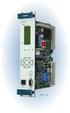
2 EN ENGLISH DR4000 Universal Controller Temperature controllers and process controllers. Process value(pv): Used to display the process value, and the labels of parameters, alarms and functions. Set value (SV): Used to display the setpoint, parameter values, function statuses and other statuses. NOTE: If "Upper" PV DISPLAY is FLASHING the value of "Lower" SV DISPLAY is editable.

3 set fnc aux KEYS & LEDs UP press and release Scrolls through menu items Increases values on the display Hold down for at least 5 sec User-configurable function (parameter H31) DOWN Press and release Scroll through menu options Decreases values Hold down for at least 5 sec Tun. User-configurable function (parameter H32) set S.Str Press and release Display alarms (if present) Open Machine Status menu Hold down for at least 5 sec out1 Open Programming menu Confirm commands fnc Press and release aux Open Functions menu ESC (exit) function aux press and release out2 User configurable function (parameter H34) C LED Steadily lit: C setting (dro =0) Off: when output not active F LED Steadily lit: F setting (dro =1) Off: when output not active Alarms LED Steadily lit: Blinking: OFF: alarm present alarm acknowledged when output not active NOT USED S.Str Steadily lit: Soft Start function enabled OFF: when output not active out 1 Steadily lit: output active Blinking: delay, protection or start-up blocked OFF: when output not active aux Steadily lit: output active OFF: when output not active out 2 Steadily lit: output active Blinking: delay, protection or start-up blocked OFF: when output not active

4 "MACHINE STATUS" MENU The following procedure is to be followed in order to set the 2 setpoint values in the device, SEt1 and SEt2. 1 SET 2 SET 3 4 FNC SET 1) Press and release the set key on the first window of the display (probe Pb1 value). 2) Label SEt1 is shown on the PV display, whiled the current value of the Setpoint is shown on the SV display. Press the set key again, the PV display will blink and you can edit the value on the SV display. 3) Use the UP and DOWN keys to change the setpoint value shown on the SV display. 4) When the 'set' or "fnc" key is pressed, or after timeout (15 sec), the new value appears and the initial screen is restored on the display.

5 PASSWORDS Password PA1 : access to User Menu parameters. The password is disabled by default (PS1=0). To enable it (PS1 0): hold down the set key for at least 5 seconds and then scroll through the parameters with and until finding label PS1. To change the value, press the set key. The parameter label will start to blink. Change the value (shown on the second line) using the and keys, then press the set or fnc keys to store the new value. Password PA2 : access to Installer Menu parameters. By default the password is disabled (PS2=0). To enable it (PS2 0): hold down the set key for at least 5 seconds and scroll through the User Menu parameters with and until finding label PA2. Press set and scroll though the parameters with and until reaching folder disp then press set. Scroll through the parameters using and until you find the label PS2. To change the value, press the set key. The parameter label will start to blink. Change the value (shown on the second line) using the and keys, then press the set or fnc keys to store the new value. The visibility of PA2 is as follows: 1) if PA1 and PA2 0: Press and hold down for longer than 5 seconds to display PA1 and PA2. You can then decide whether to access the User Menu parameters (PA1) or the Installer Menu parameters (PA2). 2) Otherwise: Password PA2 is amongst the level1 parameters. If enabled, it will be required when accessing the Installer Menu parameters; to enter it, proceed as instructed for password PA1 If the entered value is incorrect, the label PA1/PA2 will be displayed once again and the procedure must be repeated.

6 UNICARD / COPY CARD The Unicard/Copy Card is an accessory connected to the TTL serial port used for quick programming of the device parameters (upload and download a parameter map to one or more devices of the same type). The upload (label UL), download (label dl) and Unicard/copy card formatting (label Fr) operations are performed as explained below: 1 SET 2 SET 3 SET The controls necessary for using the Unicard/Copy Card are present inside the FPr folder contained level 1 of the programming menu. Press "set" to access the functions. Press and to scroll through the functions until the desired function is displayed. Press the set key and the selected function (upload, download or formatting) will be executed. Download from reset: Connect the Unicard/Copy Card with the device OFF. The programming parameters are uploaded when the instrument is switched on; once the lamp test is concluded, the display shows the following for about 5 seconds: label dly if copy operation is successful label dln if operation fails NOTES: after the parameters have been uploaded from reset, the instrument will use the newly uploaded map settings. see FPr folder in 'Parameters' on pages 4-5 If the operation is successful, the display will show y, otherwise it will show n. UPLOAD DOWNLOAD OR

7 "FUNCTIONS" MENU The Functions Menu contains a number of special functions that can be used to configure and manage the device: the Functions Folder and the Alarms Folder (if at least one alarm is present). After pressing the fnc key, you can scroll through the two folders in the menu (FnC and ALAr) using the and keys. The following is a description of the menu structure and the functions in the individual files. Press the 'set' key next to label FnC to access the functions. The label will be displayed, with the current status of the function. To browse all functions, use the and keys. SET To change the status of a given function, press the set key. Function Label Default state D.I. (H11) Key (H3...H34) Active signalling function Soft Start S.Str ON 1 1 S.Str LED ON Standby Stnb OFF 5 5 /

8 "USER" Menu To access the USER Menu, hold down the set key for more than 5 seconds. If enabled, the PA1 access PASSWORD will be requested (see PASSWORD section). Press the set key to edit the parameter values. The display will show the first parameter in the menu (e.g. parameter df1 ). Use the and keys to scroll through all the parameters in the menu: 5 sec SET Select the desired parameter using the and keys. To change the value, press the set key. The parameter label will start to blink. Change the value (shown on the second line) using the and keys, then press the set or fnc keys to store the new value. SET SET NOTE: It is advisable to switch the instrument off then back on again each time parameters are modified to prevent malfunction of the configuration and/or timer operations underway.

9 "USER" Menu PARAMETERS table Parameter DESCRIPTION RANGE UM DR4020 DR4022 df1 Relay 1 activation differential C/ F HC1 Control mode selection. H = Hot; C = Cold H/C flag H H db1 Response band above SEtpoint SEt C/ F df2 Relay 2 activation differential C/ F HC2 Control mode selection. H = Hot; C = Cold H/C flag H H db2 Response band above SEtpoint SEt C/ F HS1 Maximum value assignable to SEtpoint SEt1 LSE C/ F LS1 Maximum value assignable to SEtpoint SEt HSE C/ F HS2 Maximum value assignable to SEtpoint SEt2 LSE C/ F LS2 Maximum value assignable to SEtpoint SEt HSE C/ F See table "Installer" parameters HA1 OUT1 Maximum temperature alarm LA1 OUT1 Minimum temperature alarm HA2 OUT2 Maximum temperature alarm See "Installer" parameters table LA2 OUT2 Minimum temperature alarm CAi Type of calibration action 0/1/2 num 2 2 H00 Selection of probe type See "Installer" parameters table H01 Configuration of controllers OUT1 and OUT num 4 4 H03 Lower limit of current/voltage input (V/I models only) num 0 0 H04 Upper limit of current/voltage input (V/I models only) num ndt Display with/without decimal point dro Select probe display type See "Installer" parameters table LOC Keypad lock. "y" = keypad locked; "n" = keypad unlocked n/y flag n n PS1 Password to level 1 parameters (USER) num 0 0 rel Firmware release. Device version. Reserved: read-only parameter. / / / / tab Parameters table. Reserved: read-only parameter. / / / / PA2 Access to level 2 parameters (INSTALLER). See Password and Programming Menu sections.

10 INSTALLER Menu To access the "INSTALLER Menu", hold down the set key for more than 5 seconds. Using the and keys, display parameter PA2 and select it by pressing the set key. If enabled, enter the PA2 access PASSWORD (see PASSWORD section). The display will show the first folder in the ADVANCED menu (e.g. folder re1 ). By pressing the and keys you can scroll through all the folders in the "INSTALLER" menu: 5 sec SET SET Press the set key next to the desired folder ( re2 in the example), the first parameter contained in the folder will be displayed. Select the desired parameter using the and keys. Change the value (shown on the second line) using the and keys, then press the set or fnc keys to store the new value. SET SET SET NOTE: 1) It is advisable to switch the instrument off then back on again each time parameters are modified to prevent malfunction of the configuration and/or timer operations underway. 2) The "INSTALLER Menu" contains all the device parameters, including those contained in the "USER Menu".

11 "INSTALLER" Menu PARAMETERS table PAR. DESCRIPTION U.M. RANGE MODEL DR4020 DR4022 SEt1 Temperature control SEtpoint 1. C/ F LS1... HS1 ALL SEt2 Temperature control SEtpoint 2. C/ F LS2... HS2 ALL CONTROLLER 1 (Folder re1) Setpoint 1 Offset. Temperature value to be added algebraically to the setpoint if OS1 reduced set enabled (Economy function). It cannot assume the value 0. C/ F ALL db1 Response band above SEtpoint SEt1. C/ F ALL Relay 1 activation differential. The service will stop when SEt1 is reached df1 (value read by Pb1) and restart at the (SEt1+DiF value. C/ F ALL HC1 Control mode selection. H = Hot, C = Cold flag C/H ALL H H TcJ/TcK HS1 Maximum value assignable to SEtpoint SEt1 C/ F LS1... HdL PTC/NTC/PT PT V/I TcJ/TcK LS1 Minimum value assignable to SEtpoint SEt1 C/ F LdL... HS1 PTC/NTC/PT PT V/I HA1 LA1 OUT 1 Maximum temperature alarm (see MAX/MIN Temperature Alarms diagram) OUT 1 Minimum temperature alarm (see MAX/MIN Temperature Alarms diagram) C/ F TcJ/TcK LA PTC/NTC/PT PT LA ,9 V/I TcJ/TcK HA1 PTC/NTC/PT C/ F PT HA1 V/I

12 PAR. DESCRIPTION U.M. RANGE MODEL DR4020 DR4022 Start delay. The indicated time must elapse between the request for activation of dn1 the controller relay and switch-on. sec ALL 0 0 do1 Delay time after switch-off. The indicated time must elapse between deactivation of the controller 1 relay and the next switch-on. min ALL 0 0 di1 Time lag between starts. The indicated time must elapse between two consecutive starts of controller 1. min ALL 0 0 de1 Switch-off delay. The indicated time must elapse between the request for deactivation of the controller 1 relay and switch-off. sec ALL 0 0 NOTE: for parameters dn1, do1, di1, de1, value 0 = not active Controller switch-on time in the event of faulty probe. On1 If On1 = 1 and OF1 = 0 the controller remains on continuously; if On1 = 1 and min ALL 0 0 OF1 > 0 it operates in Duty Cycle mode. (see the Duty Cycle diagram) Controller switch-off time in the event of a faulty probe. OF1 If OF1 = 1 and On1 = 0 the controller remains off continuously; if OF1 = 1 and min ALL 1 1 On1 > 0 it operates in Duty Cycle mode. (see the Duty Cycle diagram) CONTROLLER 2 (Folder re2) Setpoint 2 Offset. Temperature value to be added algebraically to the setpoint if reduced OS2 set enabled (Economy function). It cannot assume the value 0. C/ F ALL db2 Response band above SEtpoint SEt2. C/ F ALL df2 Relay 1 activation differential. The service will stop when SEt2 is reached (value read by Pb1) and restart at the (SEt2+DiF) value. C/ F ALL HC2 Control mode selection. H = Hot, C = Cold flag C/H ALL H H TcJ/TcK HS2 Maximum value assignable to SEtpoint SEt2 C/ F LS2... HdL PTC/NTC/PT PT V/I

13 PAR. DESCRIPTION U.M. RANGE MODEL DR4020 DR4022 TcJ/TcK LS2 Minimum value assignable to SEtpoint SEt2 C/ F LdL... HS2 PTC/NTC/PT PT V/I TcJ/TcK OUT 2 Maximum temperature alarm LA PTC/NTC/PT HA2 C/ F (see MAX/MIN Temperature Alarms diagram) PT LA V/I LA2 OUT 2 minimum temperature alarm (see MAX/MIN Temperature Alarms diagram) TcJ/TcK C/ F HA2 PTC/NTC/PT PT HA2 V/I sec ALL 0 0 Start delay. The indicated time must elapse between the request for activation of dn2 the controller relay and switch-on. do2 Delay time after switch-off. The indicated time must elapse between deactivation of the controller 2 relay and the next switch-on. min ALL 0 0 di2 Time lag between starts. The indicated time must elapse between two consecutive switch-ons of controller 2. min ALL 0 0 Switch-off delay. The indicated time must elapse between the request for de2 deactivation of the controller 2 relay and switch-off. sec ALL 0 0 NOTE: for parameters dn2, do2, di2, de2 value 0 = not active Controller switch-on time in the event of faulty probe. On2 If On2 = 1 and OF2 = 0 the controller remains on continuously; if On2 = 1 and min ALL 0 0 OF2 > 0 it operates in Duty Cycle mode. (See the Duty Cycle diagram) Controller switch-off time in the event of a faulty probe. OF2 If OF2 = 1 and On2 = 0 the controller remains off continuously; if OF2 = 1 and min ALL 1 1 On2 > 0 it operates in Duty Cycle mode. (See the Duty Cycle diagram)

14 PAR. DESCRIPTION U.M. RANGE MODEL DR4020 DR4022 ANALOGUE OUTPUT (Folder AnOu) Analogue output operating mode: AOL num 020/420/ = mA; 420 = mA; 001 = 0...1V; 005 = 0...5V; 010 = V. 005/010 ALL 020 Analogue output operating mode: dis = output disabled; dis ro = read out. Output proportional to probe reading, within the range set by ro parameters LAO and HAO; AOF num Er Er = error, output proportional to the error between Setpoint1 and the value read by the cph probe, within the error values specified by parameters LAO and HAO. cpc cph = not used ALL ro cpc = not used Analog output operating mode if probe faulty: AOS Aon = analog output ON; AoF = analog output OFF flag Aon/AoF ALL AoF LAO Analog output minimum limit num LdL... HdL ALL 0.0 HAO Analog output maximum limit num LdL... HdL ALL SOFT START CONTROLLER (Folder SFt) Dynamic step increment (Step Value). Value (in degrees) of each subsequent dsi increase (dynamic) of the setpoint. C/ F ALL (0 = SOFT START function disabled). Std duration of step for SOft Start controller (unit of measurement defined by Unt) min ALL 0 0 Unt Unit of measurement (0 = hours, 1 = minutes, 2 = seconds) num 0/1/2 ALL 1 1 SEn Outputs enabled function sensitivity. Establishes which outputs the function must be enabled on: num 0/1/2/3 ALL = disabled; 1 = enabled OUT1; 2 = enabled OUT2; 3 = Enabled OUT 1 & 2; Sdi Function reactivation threshold. Establishes the threshold beyond which the SOFT START function is automatically reactivated C/ F ALL

15 PAR. DESCRIPTION U.M. RANGE MODEL DR4020 DR4022 CYCLIC CONTROLLER (Folder clc) Con ON time for cyclic controller output min ALL 0 0 CoF OFF time for cyclic controller output min ALL 0 0 ALARMS (Folder ALAr) Att Parameter HA1/2 and LA1/2 modes, as absolute temperature values or as differential compared with the Setpoint. (Abs = absolute value; rel = relative value). flag Abs/reL ALL Abs Abs AFd Alarm activation differential. It works with parameters HA1/2 and LA1/2. (see 'MAX/MIN Temperature Alarms' diagram) C/ F ALL PAO Power-on Alarm Override. Alarm exclusion time (expressed in hours) after instrument is switched on following a power failure. (!) hours ALL 0 0 Alarm exclusion time until the Setpoint is reached. If SAO = 0 it is disabled. SAO - If SAO >0, an alarm will be generated if the hours ALL 0 0 Setpoint is not reached after the time (in hours) set by this parameter. tao Temperature Alarm Override. Temperature alarm signal delay time. min ALL 0 0 AOP Alarm output polarity. nc = normally closed; no = normally open; flag nc/no ALL nc nc COMMUNICATION (Folder Add) PtS Select communication protocol (t = Televis; d = Modbus) flag t/d ALL 0 dea device address within the family (valid values from 0 to 14). num ALL 0 FAA device family (valid values from 0 to 14). The pair of values FAA and dea are the network address of the device and are num ALL 0 given in the format "FF.DD" (where FF=FAA and DD=dEA). Pty Modbus parity bit: n = none; E = Even; o = odd; flag n/e/o ALL 1 StP Modbus stop bit: 1b=1 bit; 2b=2 bit; flag 1b/2b ALL 0

16 PAR. DESCRIPTION U.M. RANGE MODEL DR4020 DR4022 DISPLAY (Folder disp) Keypad lock and Setpoint modification. It is still possible to access parameter LOC programming and edit parameters, including LOCK status. flag n/y ALL n n (y = Keypad LOCKED; n = Keypad UNLOCKED). PS1 Password 1. When enabled (PS1 0), this password provides access to level 1 parameters (USER). num ALL 0 0 PS2 Password 2. When enabled (PS2 0), this password provides access to level 2 parameters (INSTALLER). num ALL 0 0 Display with/without decimal point. TcJ/TcK/PTC/NTC/PT1000/PT100 models: n/y/ent TcJ/TcK PTC/NTC/PT1000 y y ndt y = with decimal point; n = without decimal point; Ent = not used. num PT100 y y V/I models: (number of digits after the point) V/I 1 1 0/1/2/3 0 = whole number; 1 = one digit; 2 = two digits; 2 = three digits. I 1 1 Probe 1 calibration. Positive or negative temperature value added to the value CA1 read by probe 1, before it is displayed and used for control, according to the C/ F ALL setting of parameter CAi. Calibration operation: - 0= sum with displayed temperature only; CAi - 1= sum with only the temperature used by the controllers and not for the num 0/1/2 ALL 2 2 display, which remains unchanged; - 2= sum with the displayed temperature, which is also used by the controllers; TcJ/TcK LdL Low display Level. Minimum value that can be displayed by the device. C/ F HdL PTC/NTC/PT PT HdL V/I TcJ/TcK HdL High display Level. Maximum value that can be displayed by the device. C/ F LdL PTC/NTC/PT PT LdL V/I

17 PAR. DESCRIPTION U.M. RANGE MODEL DR4020 DR4022 TcJ/TcK C C C/F PTC/NTC/PT1000 C C dro flag PT100 C C ddd H00 H01 H02 Select probe display type. TcJ/TcK/PTC/NTC/PT1000/PT100 models: C = C, F = F. V/I models: C = C, F = F, bar = Bar; rh = %RH, PA = Pascal, PSi = PSi, null = empty View basic status of the display. 0 = Setpoint 1; 1 = Setpoint 2; 2 = % analog output CONFIGURATION (Folder CnF) Probe type selection. Tc: tcj = TcJ; tch = Tck. PTC/NTC/PT1000: ntc = NTC; Ptc = PTC; Pt10 = PT1000, Pt1 = not used. V: 020, 420 e t01 = not used; t05 = 0...5V, t10 = V. I: 020 = mA, 420 = mA, t01 = 0...1V; t05 e t10 = not used. Configuration of controllers. H01 Description OUT 1 OUT 2 0 free H21 H22 1 ON/OFF H/C H22 2 and 3 not used independent ON/OFFs H/C H/C 5 2 dependent ON/OFFs H/C H/C 6 neutral zone H/C H/C Key activation time, when configured with a second function. Press the ESC, UP and DOWN keys (if configured for a second function) for the time H02 to activate the function itself. NOTE: The AUX function has a fixed activation time of 0.5 seconds. C/F/bAr/rH/ PA/PSi/null V C C I C C flag 0/1/2 ALL 0 0 tcj/tch TcJ/TcK tcj tcj ntc/ptc/pt10 PTC/NTC/PT1000 ntc ntc flag Pt1 PT100 t05/t10 V t05 t05 020/420/t01 I num ALL 4 4 sec ALL 5 5

18 PAR. DESCRIPTION U.M. RANGE MODEL DR4020 DR4022 TcJ/TcK H03 Lower input current/voltage limit: num --- PTC/NTC/PT1000 PT V/I 0 0 TcJ/TcK H04 Higher input current/voltage limit: num --- PTC/NTC/PT1000 PT V/I H06 Key or aux/light digital input active with device OFF; n= not active; y= active. flag n/y ALL y y Standby mode: H08 0 = only display switches off; 1 = display on and controllers locked; num 0/1/2 ALL = display off and controllers locked Delay for output activation after Power On; minimum delay time for H10 connection of loads in the event of restart after a power failure. num ALL 0 0 Digital Input Configuration (D.I.) 0 = disabled; 1 = SOFT START; 2 = Setpoint Offset; 3 = Cyclic controller; H11 4 = AUX; 5 = stand-by (ON-OFF); = not used; 9 = external alarm; num ALL 0 10 = external alarm with controllers trip; 11 = hot/cold mode. Digital Input polarity and priority. H13 no=normally open; nc=normally closed; num no/nc/nop/ ncp nop=normally open with priority; ncp=normally closed with priority ALL no H14 Digital input activation delay. num ALL 0 Configurability of digital output 1: H21 0=disabled; 1=alarm; 2=cyclic; 3=aux/light; 4=standby; num ALL 0 0 H22 Configurability of digital output 2 (if present): Same as H21 num ALL 0 0

19 PAR. DESCRIPTION U.M. RANGE MODEL DR4020 DR4022 H25 Enable buzzer (only if buzzer is present). n = not enabled; y = enabled flag n/y ALL n n H31 (!) UP key configuration. 0 = disabled; 1 = SOFT START; 2 = Setpoint Offset; 3 = Cyclic Controller; 4 = AUX; 5 = STAND-BY; = Not used; 9 = hot/cold mode. num ALL 0 0 H32 DOWN key configuration. Same as H31. num ALL 0 0 H34 AUX key configuration. Same as H31. num ALL 0 0 rel Firmware release. Device version. Reserved: read-only parameter. / / ALL / / tab table of parameters. Reserved: read-only parameter / / ALL / / PA2** Access to level 2 parameters (INSTALLER). See Password and Programming Menu sections. UNICARD / COPY CARD (folder FPr) UL UpLoad. Transfer of programming parameters from instrument to Unicard/ Copy Card / / ALL / / dl download. Transfer of programming parameters from Unicard/Copy Card to instrument / / ALL / / Fr Format. Cancels all data entered in the Unicard/Copy Card. IMPORTANT: If parameter Fr (Unicard/Copy Card formatting) is used, the data entered in the card will be permanently lost. This operation cannot be reversed. / / ALL / / The controller must be switched off and then on again after the operation with the Unicard/Copy Card. NOTES: 1) PA2** is visible (if enabled) at Level1 in folder CnF and can be set at Level2 in folder disp with parameter PS2. 2) If the value box is blank or coloured black this means that the parameter is not available in this model 3) If one or more parameters marked with (!) are edited, the controller MUST be switched off after the modification and then switched back on. 4) It is strongly recommended that you switch the device off and on again each time the parameter configuration is changed, in order to prevent malfunctioning of the configuration and/or ongoing timings.

20 TECHNICAL SPECIFICATIONS (EN ) Use: operating (not safety) device for incorporation Mounting: on DIN rail (Omega 3) or panel mounting, with 70x45mm opening. Type of action: 1.B Pollution class: 2 Material class: IIIa Overvoltage category: II Nominal pulse voltage: 2500V Temperature: Use: C - Storage: C Power supply: Switching: Va (+10% / -10%) 50/60 Hz Switching: Va or Vc (+10% / -10%) 50/60 Hz Power consumption: 4W max Digital outputs (relays): refer to the label on the device Fire resistance category: D Software class: A NOTE: check the power supply rating on the device s label; contact our Sales Department for power and relay ratings.

21 FURTHER INFORMATION Input Characteristics Display range: See Probes Table Accuracy: See Probes Table Resolution: See Probes Table Analogue Inputs: 1 input selectable by parameter H00 Output Characteristics Digital Outputs: OUT 1: 1 SPDT 8(3)A max 250 Va OUT 2: 1 SPDT 8(3)A max 250 Va Analogue Output*: Output V/I: 0-1V, 0-5V, 0-10V, mA e mA (See Max loads table) Buzzer output only on models with provision for buzzer (OPTIONAL) Mechanical Characteristics Enclosure: Plastic casing 4 DIN modules Dimensions: front panel 70 x 85, depth 61 mm Terminals: screw-type for wires with cross-section of 2.5mm 2 Connectors: TTL for connection of Unicard/Copy Card + serial port RS-485 for connection to Modbus systems (DR4022 models only) Humidity: Operating / Storage: % RH (non-condensing) NOTE: The technical specifications stated in this document regarding measurement (range, accuracy, resolution, etc.) refer strictly to the instrument and not to any accessories provided, such as the probes. This means, for example, that the error introduced by the probe must be added to the error of the instrument.
22 WIRING DIAGRAM DR out2 NTC PTC/ Pt out2 A Pt100 TC A DR Va/ Vc DR Va out Power Supply A I (0...20/ mA) V (0...1Vc) V (0...5/ Vc) V V - + V - + I out Power Supply B TERMINALS 1-2 N.O. OUT2 relay (see H22) Power supply (Model B) N.O. OUT1 relay (see H21) Power supply (Model A) N.C. OUT1 relay (see H21) Probe input TTL for connection to Unicard/ A Copy Card or Televis system
23 - - WIRING DIAGRAM DR D.I. out2 V I + GND RS-485 NTC PTC/ Pt D.I. out2 V I + GND RS-485 A Pt100 TC A DR Va/ Vc DR Va out Power Supply A I (0...20/ mA) V (0...1Vc) V (0...5/ Vc) V V - + V - + I out 1 Power Supply B TERMINALS 1-2 N.O. OUT2 relay (see H22) N.O. OUT1 relay (see H21) 5-6 Digital Input (D.I.) N.C. OUT1 relay (see H21) Analog Output V/I Power supply (Model B) Serial port RS Power supply (Model A) TTL for connection to Unicard/ Probe input A Copy Card or Televis system
24 MAX LOADS TABLE * maximum loads that can be driven by the analog output: output type permissible load 0-1 V 20mA with minimum load impedance 50 Ohm 0-5 V 20mA with minimum load impedance 250 Ohm 0-10 V 20mA with minimum load impedance 500 Ohm 0-20 ma 350 Ohm 4-20 ma 350 Ohm PROBES TABLE Probe* Range Probe error limits Resolution Accuracy** NTC C C 0.1 C (0.1 F) 0.5% full scale + 1 digit PTC C C 0.1 C (0.1 F) 0.5% full scale + 1 digit Pt C C 0.2 F 0.5% full scale + 1 digit TcJ C C 0.6 C (0.7 F) 0.4% full scale + 1 digit TcK C C 0.6 C (0.7 F) 0.5% full scale + 1 digit Pt C C 0.1 C (0.2 F) V-I*** V V V mA % % % % 1 digit with ndt=0 0.1 digit with ndt= digit with ndt= digit with ndt= mA % * Important! Check the availability of the probes and models. ** The accuracy values shown are valid for an ambient temperature of 25 C *** The maximum load on the +12V sensor power supply is 60mA 0.5% end of scale + 1 digit (over entire scale) 0.2% end of scale + 1 digit ( C) 0.5% full scale + 1 digit
25 TRANSDUCER CONNECTION EXAMPLES CAUTION: wire colours are guideline. Check the correct connection diagram on the probe label.
26 ALARMS Label Fault Cause Effects Remedy E1 AH1 AH2 AL1 AL2 EAL Probe 1 faulty (Regulation) Alarm for HIGH Pb1 temperature Alarm for LOW Pb1 temperature External Alarm measured values outside operating range probe faulty/short-circuit/ open-circuit value read by probe Pb1 > HA1/2 after time tao". (see MAX/MIN TEMPERATURE ALARMS and parameters HA1, HA2, LA1, LA2 and tao) value read by Pb1 < LA1/2 after time "tao". (see MAX/MIN TEMPERATURE ALARMS and parameters HA1, HA2, LA1, LA2 and tao) Alarm trip with delay set by parameter H14, in case of activation of digital input (H11=9 or H11=10). Label E1 displayed. Alarm icon permanently on Controller disabled max/min alarms Compressor operation on the basis of parameters On1/2 and OF1/2. Recording of label AH1/HA2 in folder ALAr. No effect on control Recording of label AL1/AL2 in folder ALAr. No effect on control Recording of label EAL in folder ALAr Alarm icon steadily lit. Buzzer and/or relay activation (if configured) Control trip if H11 = 10 check probe type (see H00) check probes wiring renew probe Wait for temperature value read by Pb1 to return below HA1/2. Wait for temperature value read by Pb1 to return above LA1/2. check and remove external cause of alarm on D.I.
27 MAX/MIN TEMPERATURE ALARMS Absolute temperature value (Att=0) Temperature relative to setpoint value (Att=1) Off AFd AFd AFd AFd LA1/LA2 HA1/HA2 set SP1+ LA1/SP2 + LA2 SP1+ HA1/SP2 + HA2 Minimum temperature Temp. LA1/2 (LA1/2 with sign) Temp. Set + LA1/2 * alarm Maximum temperature Temp. HA1/2 (HA1/2 with sign) Temp. Set + HA1/2 ** alarm Reset after minimum temperature alarm Temp. LA1/2 + AFd Temp. Set + LA1/2 + AFd or Set - ILA1/2I + AFd (LA1/2 < 0*) Reset after maximum temperature alarm Temp. HA1/2 - AFd Temp. Set + HA1/2 - AFd (HA1/2 > 0**) * if LA1/2 is negative, Set + LA1/2 < Set ** if HA1/2 is negative, Set + HA1/2 < Set Associated parameters: Att, AFd, HA1/2, LA1/2, PAO, SAO, tao and AOP. CYCLIC CONTROLLER Note: The PERIODIC CYCLE function is selected by pressing a key it manages the associated relay output in PWM mode This function can be associated with both the relay outputs (by setting parameters H21 and H22 =2) and can be used to implement "Duty Cycle" control with the intervals set by parameters Con and CoF.
28 Model DR4020 and DR4022 has two ON/OFF type controllers that can be configured by the user with parameter H01: CONTROLLER ON-OFF H01=4, 5 threshold controller H01=6 controller with window HC1 HC2 H01 Type of Setting H C 4 independent setpoint H C 5 interdependent setpoints Neutral Zone (or window) Associated parameters: SEt1, SEt2, df1, df2, db1, db2, HC1, HC2 and H Independent ON-OFF control diagram. The two outputs provide control as though they were completely independent of each other. Dependent ON-OFF control diagram. Setpoint SEt2 provides control relative to SEt1. 3 ON-OFF control plan with Neutral Zone (or window).
29 SOFT START CONTROLLER Note: The SOFT START function is selectable with a key press or by means of a function. The Soft Start controller can be used to set the temperature gradient over which a given setpoint is reached within a predefined time. In fact, with this function a gradual increase of the control Setpoint is obtained automatically, from value Ta (ambient temperature at activation) to the value actually set on the display; this allows the initial temperature rise to be slowed and thus reduces overshoot risks. DUTY-CYCLE REGULATOR An error condition in the probe causes one of the following actions: display shows code E1 controller is activated as indicated by parameters On1/On2 and OF1/OF2 if programmed for duty-cycle. Associated parameters: On1, On2, OF1 and OF2 OUT Ont OF1 Controller Output ON Ont OFF OFt ON Ont 0 0 OFF 0 >0 OFF >0 0 ON >0 >0 Duty Cycle
30 AUXILIARY CONTROLLER (AUX) The auxiliary controller can be activated by key press (parameter H31=4 o H32=4): in this case the controller must be managed as aux by setting parameters H21(H22)=4. This function is used to energise the relay if it was de-energised, or vice versa. The relay state is stored in order to maintain correct operation in the event of a power failure. NOTE: The controller is INACTIVE during start-up/switch-on (controller OFF) or when in standby (based on the value of H08) TELEVIS SYSTEM Televis remote supervision systems can be connected via: TTL serial port (use TTL-RS 485 interface module BUS ADAPTER 130 or 150) direct RS-485 connection on models that feature this provision (DR4022). To configure the instrument for this purpose, open the folder identified by the label Add and set dea and FAA. DR4000 TTL BusAdapter RS485 Personal Computer + PCI1110/ TelevisCompact - TelevisStation IMPORTANT! CHECK THE AVAILABILITY OF MODELS COMPATIBLE WITH REMOTE SUPERVISION SYSTEMS.
31 MECHANICAL INSTALLATION and DIMENSIONS The device is designed for wall or panel mounting on DIN rails. Make a hole 70x45 mm and insert the device, securing it with the fixing hooks provided. Do not install the device in places subject to high humidity and/or dirt; it is intended for use in sites with ordinary or normal levels of pollution. Keep the area around the instrument cooling slots adequately ventilated. 61.6mm 70.2mm 87mm 43.6mm 5.2mm 56.4mm
32 ELECTRICAL CONNECTIONS Important! Make sure the machine is switched off before working on the electrical connections. The instrument is equipped with screw-type or plug-in terminal boards for connection of wires having a maximum cross section of 2.5 mm 2 (a single conductor per terminal for the power feeding connections): refer to the label on the instrument for details of the terminal ratings. Do not exceed the maximum permitted current; for higher loads, use a contactor with sufficient power capacity. Make sure that the power supply is of the correct voltage for the device. Probes have no connection polarity and can be extended using a normal two-core cable (note that extension of the probe leads influences the instrument's electromagnetic compatibility EMC: take great care with the wiring). Probe cables, power supply cables and the TTL serial cable should be routed separately from the mains power cables. LIABILITY AND RESIDUAL RISKS ELIWELL CONTROLS SRL declines all liability for damage due to: - installation/use other than expressly specified and, in particular, in conflict with the safety prescriptions set down in regulations and/or specified in this document - use on panels that do not provide adequate protection against electric shocks, water or dust in the adopted mounting conditions; - use on panels allowing access to dangerous parts without having to use tools; - tampering with and/or modification of the product; - installation/use on panels that do not comply with statutory laws and regulations.
33 DISCLAIMER This document is the exclusive property of ELIWELL CONTROLS SRL and may not be reproduced or circulated without the express permission of ELIWELL CONTROLS. While all possible care has been taken to ensure the accuracy of this document, ELIWELL CONTROLS SRL cannot accept liability for any damage resulting from its use. The same applies to any person or company involved in preparing and editing this document. ELIWELL CONTROLS SRL reserves the right to make aesthetic or functional changes at any time without notice. CONDITIONS OF USE Permitted use For safety reasons, the device must be installed and used according to the instructions provided. In particular, parts carrying dangerous voltages must not be accessible in normal conditions. The device must be adequately protected from water and dust with regard to the application, and must only be accessible using tools (with the exception of the front panel). The device is suitable for use in household refrigeration appliances and/or similar equipment and has been tested for safety aspects in accordance with the harmonised European reference standards. Improper use Any use other than that expressly permitted is prohibited. The relays provided are of a functional type and can be subject to failure: any protection devices required by product standards, or suggested by common sense for obvious safety requirements, must be installed externally to the controller.
34 Eliwell Controls s.r.l. Via dell Industria, 15 Z.I. Paludi Pieve d'alpago (BL) ITALY Telephone Fax Technical Customer Support: Technical helpline Sales Telephone (Italy) (other countries) code 9IS DR EN - rel. 03/11 Eliwell Controls s.r.l All rights reserved.
Operating ambient temperature range: 5ºC to 50ºC Storage temperature range: -30ºC to 70ºC
 HOJA TÉCNICA 1400H101 Edición 01 (02 de 08) www.ako.es GENERAL TECHNICAL SPECIFICATIONS Temperature range: -50ºC to +99ºC type: NTC Total accuracy ( + controller): ±1ºC lead extension with cable AKO-15586:
NL708 (XWA11V) Walk-In Temp / Door /Alarm / Light Module
 NL708 (XWA11V) Walk-In Temp / Door /Alarm / Light Module 1. General Description 1 2. General Warnings 1 3. Interface 2 4. Temp Alarms Setting 3 5. Programming 3 6. Light Management 4 7. Installation and
Monitoring and control have never been this easy
 TelevisGo Monitoring and control have never been this easy MANAGEMENT AND MONITORING TelevisGo is a family of devices used to monitor, control and manage commercial refrigeration installations from a distance.
TEMON 8-C. Doc. N MO-0370-ING TEMPERATURE MONITOR DEVICE TYPE TEMON 8-C OPERATION MANUAL. Microener - Copyright 2010 FW 2.2 Date 01.12.2008 Rev.
 TEMPERATURE MONITOR DEVICE TYPE TEMON 8-C OPERATION MANUAL Microener - Copyright 2010 FW 2.2 Date 01.12.2008 Rev. 0 1. Generality 3 2. Introduction 3 3. Accessories and Options 3 4. Installation 3 5. Connection
Input signal Maximum Range Accuracy. Thermocouple E -50 to 700 C (-58 to 1832 F) ±1 C
 F4 Process Controller Installation and Operation Guide SAFETY ALERTS The symbols below are used on the equipment and throughout this document to draw the user s attention to important operational and safety
Application Engineering
 Application Engineering February 2011 Electronic Unit Controller Table of Contents 1. Introduction and Features... 2 1.1 Technical Specifi cations... 3 1.2 Pressure Probe Error Bypass... 3 1.3 Bump Start...
FLOW CALCULATOR INSTRUCTION MANUAL MESURES BAMOPHOX 759 26-06-2007 759 M1 02 E MES FLOW CALCULATOR 759-02/1
 BAMOPHOX 759 E - M FLOW CALCULATOR INSTRUCTION MANUAL MESURES 22, Rue de la Voie des Bans - Z.I. de la Gare - 95100 ARGENTEUIL Tél : (33) 01 30 25 83 20 - Web : www.bamo.fr Fax : (33) 01 34 10 16 05 -
AC-115 Compact Networked Single Door Controller. Installation and User Manual
 AC-115 Compact Networked Single Controller Installation and User Manual December 2007 Table of Contents Table of Contents 1. Introduction...5 1.1 Key Features... 6 1.2 Technical Specifications... 7 2.
Digital controller with alarm management XR40CX
 1. CONTENTSGENERAL WARNING Digital controller with alarm management XR40CX 1.1 PLEASE READ BEFORE USING THIS MANUAL This manual is part of the product and should be kept near the instrument for easy and
TLK 48 MICROPROCESSOR-BASED DIGITAL ELECTRONIC REGULATOR
 TLK 48 MICROPROCESSOR-BASED DIGITAL ELECTRONIC REGULATOR TECHNICAL DATA CARATTERISTICHE MECCANICHE Housing Self-extinguishing plastic, UL 94 V0 Dimensions 48x48 mm DIN depth 98 mm Weight 225 g approx.
PID Microprocessor temperature controllers CTD43 - CTD46 - CTH46
 PID Microprocessor temperature controllers CTD43 - CTD46 - CTH46 Display 1. Red measurement display (or the set point for CTD 43 by pressing, indicated by a flashing decimal point). 2. Green display of
ETC TWO STAGE ELECTRONIC TEMPERATURE CONTROL
 RANCO INSTALLATION INSTRUCTIONS ETC TWO STAGE ELECTRONIC TEMPERATURE CONTROL Relay Electrical Ratings PRODUCT DESCRIPTION The Ranco ETC is a microprocessor-based family of electronic temperature controls,
Controller for temperature control - EKC 102 REFRIGERATION AND AIR CONDITIONING. Manual
 Controller for temperature control - EKC 102 REFRIGERATION AND AIR CONDITIONING Manual Introduction Application The controller is used for temperature control refrigeration appliances and cold room Defrost
HVAC-32A. Operation Manual. Specifications. Digital Multistage Air Conditioning Controller with inbuilt Outside Air Economy function
 Specifications Supply Voltage 240VAC @ 0.07Amps or 24VAC @ 0.380Amps Relays 240V @ 12A max (resistive) / Comp1,2,3, Aux Ht, Rv O/B) Fuses (Equipment) 15 Amps Maximum 3AG Control Range Minus 10 to 50C Control
Inwall Room Temperature Unit
 Inwall Room Temperature Unit TM11B01KNX TM11B11KNX TM11B21KNX Product Handbook Product: Inwall Room Temperature Unit Order Code: TM11B01KNX TM11B11KNX TM11B21KNX Application Program ETS: TM11B_1KNX Inwall
INSTALLATION OPERATING & MAINTENANCE MANUAL
 INSTALLATION OPERATING & MAINTENANCE MANUAL Basic Climatic TM Controller Ecologic English November 2002 CONTENTS PAGE GENERAL DESCRIPTION 3 USER INTERFACE 4 The keypad incorporated on the unit 4 The keypad
Electronic Control Devices The European Product Catalogue 2007
 FX14 Field Controller (1/4) FX14 Field Controller The FX14 is an equipment field controller in the Facility Explorer range of products. The controller is designed specifically for commercial Heating, Ventilating,
MILLENIUM INSTALLATION MANUAL NTR 735 A. Simple Automation Control Module (MAS)
 MILLENIUM Table of contents 1. INTRODUCTION 1 2. HARDWARE DESCRIPTION 2 3. INSTALLATION 5 4. CONNECTION 6 5. USER SAFETY AND PROTECTION OF EQUIPMENT 8 1. Introduction The MILLENIUM series has been designed
Automation System TROVIS 6400 TROVIS 6493 Compact Controller
 Automation System TROVIS 6400 TROVIS 6493 Compact Controller For panel mounting (front frame 48 x 96 mm/1.89 x 3.78 inch) Application Digital controller to automate industrial and process plants for general
Belimo Gateway MP to Modbus RTU - UK24MOD
 Product information UK24MOD MODBUS RTU Belimo Gateway MP to Modbus RTU - UK24MOD Contents Complete overview 2 Technical data 3 Safety notes 4 Product features 4 Installation and commissioning 4 Electrical
Switch Actuator, 8-fold, 10 A, MDRC AT/S 8.10.1, GH Q631 0075 R0111
 , GH Q631 0075 R0111 The 8-fold switch actuator is a DIN rail mounted device for insertion in the distribution board. It is connected to the EIB via a bus terminal. In the event of bus voltage failure,
Electronic Controller for Compressor Racks XC440C - XC440D. Instructions Manual
 Electronic Controller for Compressor Racks XC440C - XC440D Instructions Manual INDEX 1. GENERAL WARNING 4 1.1 PLEASE READ BEFORE USING THIS MANUAL 4 1.2 SAFETY PRECAUTIONS 4 2. GENERAL DESCRIPTION 4 3.
Technical Support Bulletin Nr. 20 Special AC Functions
 Technical Support Bulletin Nr. 20 Special AC Functions Summary! Introduction! Hot Start Control! Adaptive Control! Defrost Start Temperature Compensation Control! Anti-Sticking Control! Water Free Cooling
ABB i-bus EIB / KNX Analogue Input AE/S 4.2
 Product Manual ABB i-bus EIB / KNX Analogue Input AE/S 4.2 Intelligent Installation Systems This manual describes the functionality of Analogue Input AE/S 4.2. Subject to changes and errors excepted. Exclusion
Electronic Control Devices The European Product Catalogue 2007
 FX07 Field Controller (1/4) FX07 Field Controller Display Model Dimensions in mm (inches) The FX07 is a terminal unit controller in the Facility Explorer range of products. The controller is designed specifically
NX Series Inverters. HVAC Pocket Programming Guide
 NX Series Inverters HVAC Pocket Programming Guide HVAC Pocket Programming Guide HVAC Pocket Programming Guide / Contents This guide provides a single reference document for the user of NXL HVAC (product
Inwall 4 Input / 4 Output Module
 Inwall 4 Input / 4 Output Module IO44C02KNX Product Handbook Product: Inwall 4 Input / 4 Output Module Order Code: IO44C02KNX 1/27 INDEX 1. General Introduction... 3 2. Technical data... 3 2.1 Wiring Diagram...
ABB i-bus KNX Fan Coil Controller FC/S 1.1
 Product manual ABB i-bus KNX Fan Coil Controller FC/S 1.1 Intelligent Installation Systems Contents Page 1 Introduction... 2 2 Device technology... 3 3 Application and planning 3.1 Heating, ventilation
FX07 Field Controller
 Product Bulletin FX07 Field Controller Issue Date March 25, 2008 FX07 Field Controller The FX07 is a high performance field controller designed specifically for commercial Heating, Ventilating, Air Conditioning,
Quick Connect. quick - simple - efficient. www.g-mw.de
 Quick Connect quick - simple - efficient www.g-mw.de Phone: +49 9103 7129-0 Fax: +49 9103 7129-207 Innovative connection technology to plug three single-phase current transformers to multifunctional power
GREISINGER electronic GmbH
 T38.0.0X.6C-03 CO2 - Transmitter Operating Manual GT10 - CO2-1R GREISINGER electronic GmbH D - 93128 Regenstauf, Hans-Sachs-Straße 26 Tel.: +49 9402 / 9383-0, Fax: +49 9402 / 9383-33, email: [email protected]
Vroom Hardware manual ver. 1.00 Code 114VROOHWE00. Vroom CANBUS USER INTERFACE WITH LCD GRAPHIC DISPLAY AND WITH TEMPERATURE AND HUMIDITY SENSOR
 Vroom CANBUS USER INTERFACE WITH LCD GRAPHIC DISPLAY AND WITH TEMPERATURE AND HUMIDITY SENSOR ENGLISH HARDWARE MANUAL ver. 1.00 CODE 114VROOHWE00 page 1 of 22 Important Important Read these instructions
Firmware version: 1.10 Issue: 7 AUTODIALER GD30.2. Instruction Manual
 Firmware version: 1.10 Issue: 7 AUTODIALER GD30.2 Instruction Manual Firmware version: 2.0.1 Issue: 0.6 Version of the GPRS transmitters configurator: 1.3.6.3 Date of issue: 07.03.2012 TABLE OF CONTENTS
Zlinx Wireless I/O. Peer-to-Peer and Modbus I/O B&B ELECTRONICS PRODUCT INFORMATION
 Modular, Customizable Wire Replacement 128 / 256 Bit AES Encryption Software Selectable RF Transmit Power Software Selectable Over-the-air Data Rate Modbus ASCII /RTU Compatible Wide Operating Temperature
User Manual. Humidity-Temperature Chart Recorder. Model RH520
 User Manual Humidity-Temperature Chart Recorder Model RH520 Introduction Congratulations on your purchase of the Extech RH520 Temperature + Humidity Chart Recorder. The RH520 measures and displays Temperature,
Multifunction devices
 devices devices devices, electronic Type Page LED multifunction displays pulse, frequency, time (DC) Codix 524 240 pulse, frequency, time (AC+DC) Codix 544 243 LCD multifunction preset counters 1 or 2
ZC-24DO CANopen I/O Module: 24 Digital Outputs
 Z-PC Line EN ZC-24DO CANopen I/O Module: 24 Digital Outputs Installation Manual Contents: - General Specifications - Technical Specifications - Installation Rules - Electrical connections - DIP-switches
Electronic Pressure Switch EDS 3000
 For Your Information Electronic Pressure Switch EDS 3000 User Manual Revision: November 01, 2002 1. EDS 3000 Functions The EDS 3000 unit offers the following functions: Display pressure in psi, MPa, or
Duct Humidity Transmitter
 SDC-H Duct Humidity Transmitter Features Replaceable sensor element Humidity measurement for air ducts Minimum and maximum value memory 0 0V, 0 0mA or 0V, 4 0mA measuring signals selectable with jumpers
Dyeing Programmer DP - 01
 Dyeing Programmer DP - 01 Display and Controls. 1) Display: 16/2 alphanumeric display 2) Temperature range: 0 to 150 degree. 3) Resolution: 1 degree. 4) Accuracy: +/- 1 degree. 5) Temperature control setting:
DALI RC BASIC SO. Control unit Operating instructions
 DALI RC BASIC SO Control unit Operating instructions Contents Safety... 4 General instructions 4 Safety instructions 4 Description... 5 Purpose and application 5 Function 5 Light control 5 Brightness
Features. Display. Measurements. Intelligent. Accuracy. Models. Installation DEIF A/S. Multi-instrument 4921210109D
 7000/7000C/7020 Multi-instrument 4921210109D Features Measurements All 3-phase AC measurements True RMS Replaces analogue meters Demand on each phase current Accuracy U, I and F class 0.5 Other values
E-STOP relays, safety gate monitors
 Unit features Safety features Gertebild ][Bildunterschrift_NOT_Sch.tuer_Licht Safety relay for monitoring E-STOP pushbuttons, safety gates and light beam devices Approvals Gertemerkmale Positive-guided
RAINCONTROL LCD Special
 RAINCONTROL LCD Special edition 1.1 01/2007 - code 5880 1/16 RAINCONTROL LCD SPECIAL... 3 RAINCONTROL SPECIAL LCD PANEL PRESENTATION... 4 AUTO... 5 LOW AND HIGH THRESHOLD SETTING... 6 LOW THRESHOLD...
T-100-R Installation Guide
 T-100-R Installation Guide Table of Contents Page 2 Overview T-100-R Z-Wave Thermostat 3-4 Installation HVAC System Setup 6 Installer Settings Menu Items 7-9 Installer Settings Summary 10-11 Wiring Standard
User Manual THR840DUK Digital Thermostat
 User Manual THR840DUK Digital Thermostat 50051982-001 Rev. A WARNING: This product must be correctly installed and configured to work properly (see pages 12-24). If you are not experienced in wiring electrical
RISH EM 3490 DS Dual Source Energy Meter RISH EM 3490 DS. Application : Product Features:
 Application : RISH Master 3490 DS measures important electrical parameters of Utility (in normal mode) & Generators (in Power back up) in three phase and single phase Network & replaces the multiple analog
User Manual V1.0 2014 SDM220MODBUS. Single-Phase Two Module DIN rail Meters
 SDM220MODBUS Single-Phase Two Module DIN rail Meters Measures kwh, Kvarh, KW, Kvar, KVA, PF, Hz, dmd, V, A, etc. Di-directional measurement IMP & EXP Two pulse outputs RS485 Modbus Din rail mounting 36mm
PK5500 v1.1 Installation Instructions
 PK5500 v1.1 Installation Instructions 1 2 3 4 5 6 7 8 9 * 0 # WARNING: Please refer to the System Installation Manual for information on limitations regarding product use and function and information on
Operating instructions Optical distance sensor O1D100 O1D103 704991 / 00 08 / 2012
 Operating instructions Optical distance sensor UK O1D100 O1D103 704991 / 00 08 / 2012 Contents 1 Preliminary note4 1.1 Symbols used 4 1.2 Warning signs used 4 2 Safety instructions 4 3 Functions and features
Match. GE Digital Energy. Uninterruptible Power Supply 500-1500 VA. Technology for the Digital World. Match UPS. GE Digital Energy.
 Match Uninterruptible Power Supply 500-1500 VA Manufactured by: General Electric Company Telephone +41 (0)91 / 850 51 51 CH 6595 Riazzino (Locarno) Fax +41 (0)91 / 850 51 44 Switzerland Website www.gedigitalenergy.com
Technical Manual. FAN COIL CONTROLLER COOLING or HEATING ANALOG or PWM Art. 119914 631001A
 COOLING or HEATING ANALOG or PWM Art. 119914 631001A TOTAL AUTOMATION GENERAL TRADING CO. LLC SUITE NO.506, LE SOLARIUM OFFICE TOWER, SILICON OASIS, DUBAI. UAE. Tel. +971 4 392 6860, Fax. +971 4 392 6850
UM-X Field display for continous level sensors
 Technical Documentation Field display for continous level sensors 10/2007 Edition: 1 Item No.: 207120 FAFNIR GmbH Bahrenfelder Str. 19 D-22765 Hamburg Telephone: +49 (0)40-39 82 07-0 Fax: +49 (0)40-3 90
DQ61. Temperature Monitoring Unit for Transformers and Other Electrical Machines. User Manual (Hardware Rel. 2.0 - Firmware Rel. 1.3.
 Temperature Monitoring Unit for Transformers and Other Electrical Machines DQ61 User Manual (Hardware Rel 20 - Firmware Rel 133) Rev 0114_en 28/12/2012 1 General Information 3 2 How to use this manual
Installation and User Guide
 Installation and User Guide 458-UNI8 8-Channel Universal Dimmer Module Introduction The 458/UNI8 is an 8-channel universal, digital transistor, dimmer module. Each channel s mode can be selected for either
MPC 4. Machinery Protection Card Type MPC 4 FEATURES. Continuous on-line Machinery Protection Card
 Machinery Protection Card Type FEATURES Continuous on-line Machinery Protection Card Real-time measurement and monitoring using state-of-the-art DSP techniques Fully VME-compatible slave interface Fully
TC-9102 Series Surface Mount Temperature Controllers
 TC-9102 Series Surface Mount Temperature Controllers General Description & Applications The TC-9102 Series Temperature Controller offers a versatile solution for a wide variety of applications that may
MOUNTING AND OPERATING INSTRUCTIONS
 MOUNTING AND OPERATING INSTRUCTIONS CF 51/55 1. Delivery CF 51/55-1 calculator with battery (optionally with mains power supply) - 1 wall mounting bracket - package with material for sealing, screws, wall
User Manual. Interface Adapter IA1 / Computer Interface EFOY 600 / EFOY 900 / EFOY 1200 / EFOY 1600
 User Manual Interface Adapter IA1 / Computer Interface EFOY 600 / EFOY 900 / EFOY 1200 / EFOY 1600 2 1. Introduction 1. Introduction 1.1 Introduction Thank you for choosing an EFOY product. Please read
JNIOR. Overview. Get Connected. Get Results. JNIOR Model 310. JNIOR Model 312. JNIOR Model 314. JNIOR Model 410
 The INTEG is an Ethernet I/O (digital, analog) device that monitors and controls a small set of process signals. functions as both basic I/O for integration with another application or system AND as a
Auto-tune PID. Temperature Controller BRAINCHILD FEATURES
 Auto-tune PID Temperature Controller FEATURES Easy-to-use Fuzzy modified PID heat & cool control Fast A-D sampling rate (5 times/s) Universal input (PT100, thermocouple) with high accuracy 18-bit A-D Analog
is then retained absolutely without interruption.
 Page 1 of 11 DC UPS uninterruptible power supplies - DC UPS module 15 A Compact design, only 50 mm wide Absolutely interruption-free buffering of power failures through immediate electronic connection
PLC Control Unit for a CSM-C Steam Compact Clean Steam Generator
 3.635.5275.251 IM-P486-19 CH Issue 2 PLC Control Unit for a CSM-C Steam Compact Clean Steam Generator Installation, Start-up and Operation Manual 1. Safety information 2. General product information 3.
HERZ-Thermal Actuators
 HERZ-Thermal Actuators Data Sheet 7708-7990, Issue 1011 Dimensions in mm 1 7710 00 1 7710 01 1 7711 18 1 7710 80 1 7710 81 1 7711 80 1 7711 81 1 7990 00 1 7980 00 1 7708 11 1 7708 10 1 7708 23 1 7709 01
UM0272 User manual. Central Unit for Alarm System (CUAS) Evaluation Board. Introduction
 User manual Central Unit for Alarm System (CUAS) Evaluation Board Introduction The Central Unit for Alarm System (CUAS) Evaluation Board provides a complete reference system addressing the low- to middle-end
PD 100A. Printing data system
 PD 100A Printing data system Operating instructions ENGLISH IMPORTANT: Read these instructions carefully before installing and using the device; do not forget following all additional information. Keep
Unidirectional Transmitter/ Receiver Units Introduction
 Unidirectional Transmitter/ Receiver Units Introduction Wireless Input/Output (I/O) connects directly to analog, discrete and pulse transducer signals. The signals are transmitted by radio and either re-created
Controller Automation, Model II+
 Controller Automation Page 2 of 2 Automation with the RADAK II+ power controller II+ I/O Points: Inputs 5 Programmable Digital inputs 2 Dedicated digital inputs (Channel select and External SCR control
Current valve. for AC 24 V pulse/pause control of electrical loads up to 30 kw
 4 937 DESIO Current valve for AC 24 V pulse/pause control of electrical loads up to 30 kw SEA45.1 Use The current valve is used for the control of electric heating elements in heating, ventilation and
+ A + + - B V B - - + + + NO NC V COM - - - PV PV
 + - A + B B - V + - NO NC COM + - + - V + - PV PV Ramp Soak 100 70 50 30 3 5 3 8 5 3 Minute Steam Heating Sensor Cooling Water PID Hotplate Specifications Input power supply AC 100 to 240V, 50/60Hz, DC
Panel Meters and Controllers Modular Panel Meter Type EDM 35
 Panel Meters and Controllers Modular Panel Meter Type EDM 35 Modular digital panel meter, 3 1/2-digit Indicating or controlling current, voltage, resistance, temperature, tacho or frequency. Easy programming
BARDIC. 4 & 8 Zone Fire Panels Zircon range. Data, installation, operation and maintenance. by Honeywell
 Data, installation, operation and maintenance 4 & 8 Zone Fire Panels Zircon range BARDIC by Honeywell LED flashing LED Continuous FAULT DISABLE/TEST Power General Fault Sounder Fault/ Disable System Fault
Automation and Systems Technology. LABCONTROL TFM/TPM User Manual TroxMConnect Operating Software. 1. Introduction 1. 2. Software Installation 2
 1. Introduction 1 2. Software Installation 2 2.1 System Requirements 2 2.2 TroxMConnect Installation 2 2.3 Connection to the PC 3 3. TroxMConnect Description 4 3.1 Starting the Software 4 3.2 Layout 4
2. Terminal arrangement. Default (PV display) (SV display) Communication protocol selection Selects the Communication protocol. Modbus ASCII mode:
 COMMUNICATION INSTRUCTION MANUAL TEMPERATURE CONTROLLER KT4, KT8 and KT9 No.KTC1E6 2009.05 To prevent accidents arising from the misuse of this controller, please ensure the operator receives this manual.
HCS-3300/3302/3304 USB Remote Programmable Laboratory Grade Switching Mode Power Supply
 1. INTRODUCTION HCS-3300/3302/3304 USB Remote Programmable Laboratory Grade Switching Mode Power Supply User Manual This family of efficient, upgraded SMPS with small form factor, auto cross over CV CC,
SERVICE & SETUP MANUAL WATER HEATER ELECTRONIC CONTROLLER. PVI Industries, LLC 3209 Galvez Dr Fort Worth, Texas 76111 800-784-8326
 SERVICE & SETUP MANUAL WATER HEATER ELECTRONIC CONTROLLER PVI Industries, LLC 3209 Galvez Dr Fort Worth, Texas 76111 800-784-8326 Page 1/ 24 PV500-41 10/2013 INDEX 1. TECHNICAL DATA 3 2. WIRING DIAGRAMS
ADM1TE 5/30A DIN rail single phase two wire energy meter
 ADMTE 5/30A DIN rail single phase two wire energy meter. Safety instruction.2 Foreword.3 Performance criteria.4 Specifications.5 Basic errors.6 Description.7 Dimensions.8 Installation.9 Operating.0 Troubleshooting.
KRONOS GA11 WEEKLY-PROGRAMMING DIGITAL CHRONOTHERMOSTAT FOR THE REMOTE CONTROL OF HOT AIR GENERATORS THROUGH BRAHMA INTERFACE BOARD APPLICATION
 KRONOS GA11 WEEKLY-PROGRAMMING DIGITAL CHRONOTHERMOSTAT FOR THE REMOTE CONTROL OF HOT AIR GENERATORS THROUGH BRAHMA INTERFACE BOARD APPLICATION The digital chronothermostat Brahma Kronos series integrates
Technical Information
 Date of last update: Oct-11 Ref: D7.8.4/1011/E Application Engineering Europe CORESENSE DIAGNOSTICS FOR STREAM REFRIGERATION COMPRESSORS CoreSense Diagnostics for Stream Refrigeration Compressors... 1
IntesisBox Modbus Server SAMSUNG Air Conditioners
 IntesisBox Modbus Server SAMSUNG Air Conditioners Gateway for monitoring and control of Samsung NASA compatible Air Conditioning Systems from any Modbus master device TCP or RTU (BMS, PLC, SCADA, HMI,
FX07 Field Controller
 Product Bulletin FX07 Field Controller Issue Date May 5, 2011 FX07 Field Controller The FX07 is a high performance field controller designed specifically for commercial Heating, Ventilating, Air Conditioning,
TABLE 1: Wiring Terminals. Connect to... 1C 1H 2C 2H 1H1C 2H1C 2H2C 3H2C
 Installation TURN OFF POWER TO THE SYSTEM AT THE MAIN POWER PANEL TO AVOID ELECTRICAL SHOCK. Installation should be carried out by an electrician or a qualified technician. 1.1 Find a Location for the
Analogue Input, 4-fold, MDRC AE/S 4.1, GH Q605 0054 R0001
 Analogue Input, -fold, MDRC, GH Q605 005 R0001 The analogue input is a DIN rail mounted device for insertion in the distribution board. It is connected to the EIB via the bus connecting terminal supplied.
RISH CON - Hz. Salient Features : Application : Product Features: FREQUENCY TRANSDUCER
 Application : The RISH CON - Hz transducer is used for frequency measurement. The output signal is proportional to measured frequency and is either load independent DC Current or load independent DC Voltage.
Electronic Pressure Switch EDS 300
 Electronic Pressure Switch EDS 300 User manual Page 2 of 16 Content 1. Functions of the EDS 300...3 2. Mounting...3 3. Operating keys on the membrane keypad...4 4. Digital display...4 5. Output function...5
F453. TiF453. User guide 10/11-01 PC
 F453 TiF453 User guide 10/11-01 PC 2 TiF453 User guide Contents 1. Hardware and Software requirements 4 2. Installation 4 1.1 Minimum Hardware requirements 4 1.2 Minimum Software requirements 4 3. Fundamental
GSM HOME SECURITY SYSTEM
 Cell /Mobile phone home security system GSM HOME SECURITY SYSTEM Model : GSM-120 TABLE OF CONTENTS 1. FEATURES... 1 2. APPLICATION... 2 3. SPECIFICATIONS... 3 4. FRONT PANEL & LAYOUT DESCRIPTION...6 5.
TT 49 MICROPROCESSOR-BASED DIGITAL ELECTRONIC TIMER. OPERATING INSTRUCTIONS Vr. 01 (ENG) - cod.: ISTR 06050. TECNOLOGIC S.p.A.
 TT 49 MICROPROCESSOR-BASED DIGITAL ELECTRONIC TIMER INDEX..2 2 2. 2.2 2.3 3 3. 3.2 3.3 3.4 4 4. 4.2 4.3 4.4 4.5 5 5. 5.2 6 6. 6.2 7 7. 7.2 7.3 7.4 7.5 INSTRUMENT DESCRIPTION GENERAL DESCRIPTION FRONT PANEL
Application/Connection Examples
 This Quick Start Guide is designed to familiarize the user with the connection and configuration of the DTS-305 DIN rail mounted single / 3 phase power & energy meter with RS-485 or TCP communications.
THYRISTORS T1-1PH from 850A to 2700A Specifications Universal 1 Phase Thyristor Unit 55-77-03-62, March 2012
 Technical Information THYRISTORS T1-1PH from 850A to 2700A Specifications Universal 1 Phase Thyristor Unit 55-77-03-62, March 2012 GENERAL DESCRIPTION THYRISTORS T1-1PH is a full digital and universal
WEA-Base. User manual for load cell transmitters. UK WEA-Base User manual for load cell transmitters Version 3.2 UK
 WEA-Base User manual for load cell transmitters 1 Contents 1. Technical data... 3 2. Assembly... 4 2.1 Power supply... 4 2.2 Load cells... 4 2.3 RS-485... 4 2.4 Relays... 5 2.5 Digital input... 5 2.6 Analogue
Technical Information POWER PLANT CONTROLLER
 Technical Information POWER PLANT CONTROLLER Content The Power Plant Controller offers intelligent and flexible solutions for the control of all PV power plants in the megawatt range. It is suitable for
Single-phase (220...240 V) voltage monitoring: Undervoltage Overvoltage Window mode (overvoltage + undervoltage) Voltage fault memory selectable
 Features 70.11 70.31 70.41 Electronic voltage monitoring relays for single and three-phase applications Multifunctional types, providing the flexibility of monitoring Undervoltage, Overvoltage, Window
NortechCommander Software Operating Manual MAN-00004 R6
 NortechCommander Software Operating Manual MAN-00004 R6 If the equipment described herein bears the symbol, the said equipment complies with the applicable European Union Directive and Standards mentioned
Digidim 458/DIM8 8-Channel Dimmer Module. Installation and User Guide
 Digidim 458/DIM8 8-Channel Dimmer Module Installation and User Guide Introduction The 458/DIM8 is an 8-channel digital thyristor dimmer module, for leading-edge dimming of resistive and inductive loads.
TAC I/NETTM MR-VAV-AX. Application Specific MicroRegulator TM
 TAC I/NETTM TM TAC s TM has an extensive range ofpre-engineered VAV control sequences, which combined with a fully integrated actuator and airflow transducer, makes it a low Total Installed Cost solution
RVL470. Heating Controller. Building Technologies HVAC Products. Series B
 2 522 Heating Controller Series B RVL470 Multifunctional heating controller for use in residential and non-residential buildings; suitable for weather-dependent flow temperature control of heating zones
DRM75A 230V 20/100A DIN rail single phase two wire energy meter
 DRM75A 230V 20/100A DIN rail single phase two wire energy meter 1.1 Safety instruction 1.2 Foreword 1.3 Performance criteria 1.4 Specifications 1.5 Basic errors 1.6 Description 1.7 Dimensions 1.8 Installation
LEN s.r.l. Via S. Andrea di Rovereto 33 c.s. 16043 CHIAVARI (GE) Tel. +39 0185 318444 - Fax +39 0185 472835 mailto: [email protected] url: http//www.len.
 MA511 General Index 1 INTRODUCTION... 3 1.1 HARDWARE FEATURES:... 4 2 INTERFACE... 5 2.1 KEYBOARD... 6 2.2 POWER ON... 7 2.3 POWER OFF... 7 2.4 DETECTOR CONNECTION... 7 2.5 DETECTOR SUBSTITUTION...7 3
TCP/IP MODULE CA-ETHR-A INSTALLATION MANUAL
 TCP/IP MODULE CA-ETHR-A INSTALLATION MANUAL w w w. c d v g r o u p. c o m CA-ETHR-A: TCP/IP Module Installation Manual Page Table of Contents Introduction...5 Hardware Components... 6 Technical Specifications...