
IBM Enterprise Storage Server
|
|
|
- Osborne Blair
- 10 years ago
- Views:
Transcription
1 IBM Enterprise Storage Server Cay-Uwe Kulzer, Philip Norman, Alison Pate, Roland Wolf International Technical Support Organization SG

2

3 International Technical Support Organization SG IBM Enterprise Storage Server July 1999

4 Take Note! Before using this information and the product it supports, be sure to read the general information in Appendix B, Special Notices on page 219. First Edition (July 1999) This edition applies to the IBM 2105 Enterprise Storage Server. See the PUBLICATIONS section of the IBM Programming Announcement for IBM Enterprise Storage Server for more information about product documentation. Comments may be addressed to: IBM Corporation, International Technical Support Organization Dept. QXXE Building 80-E2 650 Harry Road San Jose, California When you send information to IBM, you grant IBM a non-exclusive right to use or distribute the information in any way it believes appropriate without incurring any obligation to you. Copyright International Business Machines Corporation All rights reserved Note to U.S Government Users - Documentation related to restricted rights - Use, duplication or disclosure is subject to restrictions set forth in GSA ADP Schedule Contract with IBM Corp.

5 Contents Preface...xi The Team That Wrote This Redbook....xi CommentsWelcome... xii Chapter 1. Introduction PositioningoftheEnterpriseStorageServer Benefits StatementofDirection Terminology S/ UNIX and Windows NT Chapter 2. Hardware IBMEnterpriseStorageServerOverview ESS Models and Expansion Rack Enterprise Storage Server Models ESS Expansion Rack feature ESS Support of IBM 2105-B09/ IBM 2105-B09 Versatile Storage Server IBM Versatile Storage Expansion Rack PhotographoftheIBMEnterpriseStorageServer ESS Components Components ESS Cages Cages Expansion Rack Components Disks Pack D40 Drawer IBM Drawer IBM Components RISC Processors Processors Cache Non-VolatileStorage(NVS) Components Device Adapters SSA160 Device Adapters Disks per Loop Components SSA Loops SSAOperation Loop Availability SpatialReuse Components Host Adapters Host Adapter Bays ESCON SCSI MixedESCONandSCSI Host Adapters ESCON ESCON Host Adapters Logical Paths ESCONDistances Host Adapters FICON/ESCON Copyright IBM Corp iii

6 FICON/ESCON Bridge Support Preview for Native FICON Support Host Adapters SCSI Ultra SCSI Host Adapters Fibre Channel Example Fibre Channel Preview Components Other Interfaces Components Power Supplies Power Requirements Power Redundancy Chapter 3. Architecture Overview Rank(Array)Types RAIDRank Non-RAIDRank RankRAIDOperation RAID-5Configuration RAID Managed by Device Adapter Device Adapter (DA) to Logical Subsystem (LSS) Mapping Logical Subsystems (LSS) Host Mapping to Logical Subsystem SCSI Mapping CKD Mapping Data Flow Host Adapters Each Host Adapter Is Connected to Both Clusters Failover DataFlow Read Host Adapter ClusterProcessorComplex(CPC) Device Adapter Disks DataFlow Write Host Adapter ClusterProcessorComplex(CPC) Device Adapter CacheandReadOperations Cache S/390I/OAccelerators Parallel Access Volumes (S/390) Multiple Allegiance (S/390) NVSandWriteOperations NVS WriteOperations FastWrite NVSLRU NVSLocation Sequential Operations Read Sequential Reads Sequential Operations Write Sequential Writes S/390 View of Logical Subsystem iv IBM Enterprise Storage Server

7 3.15 Logical Subsystem CKD /8/16 Logical Control Unit Images per ESS Emulation of 9390/3990-6, , TPF S/390 Support UNIXorNTViewofLSS Logical Subsystem SCSI /8/16 Logical Subsystems per ESS SCSIPortsperESS UNIX and NT Support ESS Availability Features FaultTolerantSubsystem Planned Failover/Failback Sparing SparinginaRAIDRank Spare Capacity Must be Greater than or Equal to Array DDM Size ArraySpareConsiderations ReplacementDDMisNewSpare NormalOperationofCluster BeforeFailover Failover Failback ESS Maintenance Strategy Call Home and Remote Support CEDispatch Concurrent Maintenance Concurrent Logic Maintenance Concurrent Power Maintenance Chapter 4. Configuration The 2105-E10 / E20 Server Racks The 2105 Expansion Rack Mixing with 2105-B09 / 100 Racks Maximum Drawer support DataMigrationConsiderations ESSArchitecture The Host Adapters The Device Adapters DA SSA Loop Configuration RAID-5Implementation JBODImplementation JBODversusRAID-5Performance E20/Expansion Loop Configuration E20 Upgrade with 8-Packs E20 Expansion Rack 8-Pack Upgrades ESS Logical View ESS Supported Systems ESS Logical Configuration Terminology Logical Configuration Process Defining Logical Subsystems S/390 Logical Subsystems ConfiguringS/390Ranks S/390InterleavedPartitions S/390Non-InterleavedPartitions FB Logical Subsystems v

8 4.7.7 ConfiguringFBRanks Rank Capacities Assigning Logical Volumes to a Rank Configuring the SCSI Host Adapters Configuring the ESCON Host Adapters Defining Logical Devices to an FB LSSs SCSITarget/LUNRestrictions Defining Logical Devices to an S/390 LSSs ConfiguringS/390Base/AliasDevices LSS/RanksConfigurationExample TheESSSpecialist ESS-SpecialistWebBrowserSetup ESS-Specialist Web Browser Requirements EnterpriseStorageServerESSNet NetworkProvider Exx / Network Setup SCSI Host Connectivity SCSI Connection for Availability SAN Data Gateway Support Daisy-Chaining Host SCSI Adapters ESCON Host Connectivity ESCON Control Unit Images Logical Paths Establishment Calculating Logical Paths Standard Physical Configurations Standard Logical Configurations Chapter 5. Performance Enhancement Features for S/ Enhancements Overview Traditional MVS Behavior Parallel I/O Capability OS/390 Software Support MultipleAllegiance EligibleI/OsforParallelAccess Benefits of Multiple Allegiance ParallelAccessVolumes PAVBaseandAliasAddresses ParallelAccessVolumeTuning ConfiguringPAVs Workload Manager Alias Tuning Support for Dynamic PAVs MovementofaPAV-Alias MixingPAVTypes UseofaSharedIODF PAVforVM/ESAGuests PAV Priced Feature Codes Priority I/O Queueing Queuing of Channel Programs Priority Queuing Performance Enhanced CCW CustomVolumes Chapter 6. Copy Services Functions EnterpriseStorageServerCopyServicesOverview vi IBM Enterprise Storage Server

9 6.2 FlashCopy Function Benefits Invocation FlashCopyImplementation FlashCopyInvocationinOS/ FlashCopyforOpenSystems FlashCopyandPVIDsinAIX FlashCopy Priced Feature Codes ConcurrentCopy ConcurrentCopyProcess ConcurrentCopyontheEnterpriseStorageServer ConcurrentCopyandFlashCopy Peer-to-PeerRemoteCopy PPRCConcept Interfaces PPRCImplementationontheEnterpriseStorageServer PPRCforOpenSystems Client/Server ESSSpecialistCopyServicesFunctionsforPPRC SettingupPPRCPairswiththeESSSpecialistCopyServices PPRC Priced Feature Codes Extended Remote Copy (XRC) XRCImplementationontheEnterpriseStorageServer XRCforDataMigration XRC Priced Feature Codes CombinationofCopyServices CopyServicesCombinations Dual Copy Not Supported SpeciallyPricedCopyServicesFeatures Chapter 7. Enterprise Storage Server Software Support OS/390 Support OS/390 Support Levels OS/390 Related Support Issues VM/ESA Support CP/CMS Support ExploitationofEnterpriseStorageServerFunctions Guest Support VSE/ESA Support VSE/ESA Support Level ExploitationofEnterpriseStorageServerFunctions Enterprise Storage Server Support for TPF ControlUnitEmulationMode Multi Path Locking Facility TPF Support Levels for Enterprise Storage Server Functions Open Systems Support Supported Open Systems Additional Open Systems Support EnterpriseStorageServerFunctionsforOpenSystems IBMDataPathOptimizer MorethanOnePathfromaHost High Availability Using Automatic I/O Path Failover vii

10 7.6.3 I/O Load Distribution Supported Systems Shared LUNs Not Supported SpecialFunctions OS/400 Support StorWatchFamily StorWatch Products StorWatch Products for the Enterprise Storage Server Chapter 8. Performance PerformanceFeatures OS/390andESS ParallelAccessVolumes MultipleAllegiance Priority I/O Queueing New I/O Commands Summary SomePerformanceFeatures CustomVolumes JBOD Cache SSA MorePerformanceFeatures TwoFour-WayRISCSMPProcessors HighPerformanceDisks MultiplePCIbusses Host Channels/Busses Internal Bandwidth ConfiguringforPerformance Host adapters RAIDRanks JBOD Cache Logical Volumes MeasurementTools RMF IDCAMSLISTDATA StorWatchESSExpert SomePerformanceRulesofThumb Choiceofdisk Subsystemsize Host Adapters SCSI Capacity Planning MorePerformanceRulesofThumb SSA Loops Standard Configurations NVS Chapter 9. Installation Planning Major Planning Steps ESS Installation Planning ESS Planning Steps ESSConfigurationSteps viii IBM Enterprise Storage Server

11 9.2.3 ESSDataMigration Chapter 10. Migration Defining and Connecting the System DataMigrationforS/ DefiningandInitializingtheVolumes MigrationConsiderations Migration Methods DataMigrationforUNIXSystems Migration Methods MigratingDatafromanIBMVersatileStorageServer IBMMigrationServices Appendix A. Feature Codes and Standard Configurations A.1 Feature Codes A.1.1 IBMEnterpriseStorageServerModels A.1.2 Major Feature Codes Available A.1.3 Chargeable Features A.2 Standard Physical Configurations A.2.1 PhysicalConfigurationOptions A.2.2 Raid Array Capacities A.3 Standard Logical Configurations A.3.1 LogicalFormattingOptions A.4 ConfigurationExamples A.4.1 UltraHighPerformanceS/ A.4.2 UltraHighPerformanceMixedSCSI/S/ A.4.3 HighPerformanceforS/ A.4.4 HighCapacityConfiguration Appendix B. Special Notices Appendix C. Related Publications C.1 International Technical Support Organization Publications C.2 Redbooks on CD-ROMs C.3 OtherPublications How to Get ITSO Redbooks IBM Redbook Fax Order Form List of Abbreviations Index ITSO Redbook Evaluation ix

12 x IBM Enterprise Storage Server

13 Preface This redbook announcement guide introduces the new IBM Enterprise Storage Server (ESS) and provides an understanding of its benefits. The redbook describes in detail the architecture, hardware and new functions of the ESS. These new functions include the copy services of peer-to-peer remote copy (PPRC), extended remote copy (XRC), FlashCopy, and concurrent copy, and the ESS EX Performance package: Parallel Access Volumes, Multiple Allegiance, and Priority I/O Queueing. The redbook provides guidance on selecting an appropriate configuration for your ESS, and developing an implementation and migration plan to move to the ESS. The Team That Wrote This Redbook This redbook was produced by a team of specialists from around the world working at the International Technical Support Organization San Jose Center. Alison Pate is a project leader at the International Technical Support Organization, San Jose Center. She joined IBM in the UK after completing an MSc in Information Technology in A large-systems specialist since 1990, Alison has nine years of practical experience in using and implementing IBM disk solutions. She has acted as a consultant to some of the largest leading-edge customers in the UK providing technical support and guidance to their key business projects. She has published several redbooks on storage products, including RVA, SnapShot, and PPRC. Cay-Uwe Kulzer now is a Senior Sales Support Specialist at the EMEA Briefing Center in Mainz / Germany. He has 14 years of experience in the Large Systems Storage area and two years with the IBM Versatile Storage Server. He has worked for IBM since He started as a customer engineer for Large Systems and worked several years as an instructor for PSS teaching Large System DASD, ESCON Implementation, 3990 Extended Functions and IBM Remote Copy Implementation. His areas of expertise are the Large System DASD, Remote Copy Implementation and the IBM Versatile Storage Server for open systems. He has written extensively on course material for LSS Storage Products. Phil Norman is a Consulting I/T Specialist from the UK. He has more than 30 years of experience in the Large Systems field, the last 15 years in storage. He has worked at IBM for 33 years. His areas of expertise include High Availability solutions, Disaster Recovery, Large Systems and Storage performance. He has written many redbooks, primarily on storage. Roland Wolf is a Senior Storage Consultant in Germany. Before he joined IBM in 1986 he studied physics and got his PHD in theoretical physics. Most of his time with IBM, he worked as a Systems Engineer in second level support in the Field Support Center in the areas VM/ESA, S/390 processors, and since about six years he focused on storage. He works now in the field as a specialist for high end disk products. He has written several redbooks on S/390 and storage. Thanks to the following people for their valuable contributions to this project: John Aschoff, Storage Systems Division, San Jose Copyright IBM Corp xi

14 Eneo Baborsky, IBM Italy Brent Beardsley, Storage Systems Division, Tucson Pat Blaney, Advanced Technical Support, San Jose Mark Blunden, International Technical Support Organization, San Jose Helen Burton, Storage Systems Division, Tucson Jack Flynn, Storage Systems Division, San Jose Joseph Hyde, Storage Systems Division, Tucson Stefan Jacquet, Storage Systems Division, San Jose Bob Kern, Storage Systems Division, Tucson Richard Kirchhofer, Storage Systems Division, San Jose Bill Micka, Storage Systems Division, Tucson Larry Perry, Storage Systems Division, San Jose John Ponder, Storage Systems Division, Tucson Dave Reeve, IBM UK Rick Ripberger, Storage Systems Divsion, Tucson David Sacks, Storage Sales Specialist, Chicago Rene Schoenholzer, IBM Switzerland Michael Teuffel, RMF Development, Boeblingen Steve Van Gundy, Storage Systems Division, San Jose Gail Whistance, S/390 Software, Poughkeepsie Harry Yudenfriend, S/390 Software, Poughkeepsie Comments Welcome Your comments are important to us! We want our redbooks to be as helpful as possible. Please send us your comments about this or other redbooks in one of the following ways: Fax the evaluation form found in ITSO Redbook Evaluation on page 233 to the fax number shown on the form. Use the electronic evaluation form found on the Redbooks Web sites: For Internet users For IBM Intranet users Send us a note at the following address: [email protected] xii IBM Enterprise Storage Server

15 xiii

16 xiv IBM Enterprise Storage Server

17 Chapter 1. Introduction Powerful SeaScape Enterprise Storage Server RAID 5 or Non-RAID Fast SSA Drives Fast RISC Processors Fault Tolerant System ms ESS Storage Sharing S/390, Open Systems OS/390 Parallel I/O Instant Copy Solutions Disaster Recovery Solutions High Capacity Storage Subsystem - up to 11 TB Figure 1. IBM s New Storage Subsystem The Enterprise Storage Server (ESS) is the latest IBM storage product to be developed using IBM s Seascape architecture. It provides all the open systems functions of the Versatile Storage Server, and now with System/390 attachment, it provides all the functions of the 3990 Storage Control too and a lot more. We have some exciting new functions for both the S/390 customer and the open systems customer. For S/390 we have some new features that significantly enhance performance. These features, which together with OS/390 software deliver a new world to the S/390 storage environment, are probably the biggest change since disk caching was introduced. For the non-mainframe customer, we have delivered features that were previously only available on mainframe storage, functions that will enable you to better manage your data. For both customers we have capacity and performance to meet the largest of your requirements. The Seascape architecture is the key to the development of IBM s storage products both now and in the future. Seascape allows IBM to take the best of the technologies developed by the many IBM laboratories and integrate them to produce flexible and upgradable storage solutions technologies such as the PowerPC, the Magstar Tape drives and IBM s award-winning Ultrastar disk drives. Serial interconnect technology, SSA, now delivering a 160 MB/sec data rate, is used within the Seascape architecture to connect the processors and internal disks to ensure high performance and availability. Seascape also allows us to adapt to new technologies quickly, such as Fibre Channel and S/390 FICON. IBM has already delivered Seascape solutions with the Virtual Tape Server, the Network Storage Manager and the Web Cache Manager. The Versatile Storage Server was the first of the Seascape disk servers; now we have announced the Enterprise Storage Server, the follow-on to the VSS, utilizing the latest Copyright IBM Corp

18 2 IBM Enterprise Storage Server technology and taking advantage of the Seascape architecture s flexibility to upgrade and replace components easily and quickly.

19 1.1 Positioning of the Enterprise Storage Server Universal Data Access Seascape Powerful Storage Server Snap-in Building Blocks RAMAC Scalable Array RAMAC Virtual Array T82 SnapShot RAMAC Virtual Array X82 Advanced 7133 ESS 2105 RAMAC 3 Array 3990 Cross Platform Extension InfoSpeed Versatile Storage Server 7133 Figure 2. Positioning of the Enterprise Storage Server The Enterprise Storage Server is the natural successor to the IBM It provides all the functions that were available on the 3990, including peer-to-peer remote copy (PPRC), extended remote copy (XRC), and concurrent copy. For the many customers that have installed the RAMAC Virtual Array (RVA), with its revolutionary log structured file (LSF) architecture, we have protected their investment in this technology too. The Enterprise Storage Server will, in the future, implement an LSF architecture. You will even have the choice of how much capacity you have under an LSF arrays and how much under the existing ESS design. If you have implemented SnapShot, then your investment in the function will be protected on ESS initially by a function (FlashCopy) that will provide fast, real, time zero (T0) copies; and later when we have LSF, by the ESS SnapShot equivalent. We have made the software interface transparent to allow you to exploit RVA SnapShot, ESS FlashCopy or even Concurrent Copy without changing your procedures. The Remote Copy functions available on both 3990 and RVA are available on the Enterprise Storage Server with the same operational interfaces, allowing you to mix, for example, PPRC on 3990, RVA, and ESS in the same installation. The Enterprise Storage Server also supports TPF, providing a very high performance solution for the airlines, and other TPF users who need a high performance, high availability solution to support their critical business applications. For the open systems or AS/400 customer, we have delivered the next generation of VSS. The Enterprise Storage Server builds upon the VSS and adds more function, more capacity, and more attachment capability. We have protected your investment in VSS by enabling you to attach it to an Enterprise Storage Server and utilize all its installed capacity. In addition, we have introduced a remote Introduction 3

20 mirroring capability for disaster recovery. Utilizing IBM s ESCON technology, you can locate the remote site at distances of up to 103 kilometers from the primary location. If you have invested in IBM 7133 (the D40 and 020), we can install your drawers attached through a VSS expansion rack, and protect your current investments. 4 IBM Enterprise Storage Server

21 1.2 Benefits The ESS can help you achieve your business objectives in many areas; it provides a high-performance, high-availability subsystem with flexible storage that can be configured according to your requirements. Storage Consolidation The Enterprise Storage Servers high performance, attachment flexibility, and large capacity enable you to consolidate your data from different platforms onto a single high performance, high availability box. Storage consolidation can be the first step towards server consolidation, reducing the number of boxes you have to manage and allowing you the flexibility to add or assign capacity when and where it is needed. ESS supports all the major server platforms, from S/390 to AS/400, Windows NT to many of the flavors of UNIX, as shown in Figure 3. With a capacity of up to 11TB, and up to 32 host connections, an ESS can meet both your high capacity requirements and your performance expectations. S/390 Unix ESS AS/400 Windows NT Figure 3. Storage Consolidation Performance The Enterprise Storage Server is designed as a high performance storage solution and takes advantage of IBM s leading technologies. In today s world, where your business can reach global markets through e-business, you need business solutions that can deliver high levels of performance continuously every day, day after day. You also need a solution that can handle different workloads simultaneously, so you can run your Business Intelligence models, your large databases for Enterprise Resource Planning (ERP), and your online and Internet transactions alongside each other with minimal impact. Figure 4 on page 6 shows some of the performance enhancing capabilities of the ESS. Introduction 5
22 I/O Priority Queuing Parallel I/O Sysplex Wide I/O Tuning Remote Copy PPRC XRC Parallel Access Volumes Multiple Allegiance FlashCopy Concurrent Copy Figure 4. Enterprise Storage Server Capabilities Some of you may be concerned about running S/390 and Open systems workloads together on an Enterprise Storage Server, because of the often widely differing workload characteristics. Typically S/390 workloads are cache-friendly and take advantage of large caches, whereas the open systems workloads are often very cache-unfriendly. For the S/390 workload, we have sophisticated cache management algorithms and a large cache. For the workloads that cannot take advantage of cache, we have high performance disk arrays with fast disks and serial interconnect technology. So whatever the workload, even mixed workloads, ESS delivers high performance. Another example of why an Enterprise Storage Server can deliver on performance is the RAID design; the RAID function is managed not by the main RISC processors in the ESS, but at the disk loop level. Up to 16 RAID functions can be performed simultaneously, delivering fast response times and high throughput. OS/390 Parallel Sysplex I/O Management For the OS/390 Parallel Sysplex customer, the Workload Manager (WLM) controls where work is run and optimizes the throughput and performance of the total system. Until now, WLM management of the I/O has been limited. With ESS we have some exciting new functions that allow the Workload Manager to control I/O across the Sysplex. These functions, described in detail later in this book, include parallel access to both single system and shared volumes and the ability to prioritize the I/O based upon your WLM goals. The combination of these features can significantly improve performance in a wide variety of workload environments. Disaster Recovery and Availability The Enterprise Storage Server has been designed with no single points of failure. It is a fault tolerant storage subsystem, which can be maintained and upgraded concurrently with customer operation. Some of the enhanced functions of the ESS are shown in Figure 5 on page 7. 6 IBM Enterprise Storage Server
23 S/390 Protect your Data Unix Windows NT Web Interface ESCON PPRC - Synchronous Remote Copy XRC - Asynchronous Remote Copy (OS/390 only) Figure 5. Disaster Recovery and Availability The Peer-to-Peer Remote Copy function is now recognized as the future for disaster recovery in the S/390 Sysplex world by all the leading S/390 storage vendors. PPRC together with enhancements to OS/390 and Geographically Dispersed Parallel Sysplex (GDPS) lead the industry in high availability solutions. Recent Gartner 1 analysis shows a Parallel Sysplex solution as having, on average, less than 10 minutes outage per year. With GDPS and PPRC, IBM is bringing the recovery time following a disaster into minutes rather than days. The PPRC solution is available with the Enterprise Storage Server for UNIX and Windows NT. Management of the PPRC setup is through the ESS Specialist Web interface. Now we have disaster solutions for many platforms using a simple and easy-to-use interface. Finally, we have enhanced Extended Remote Copy (XRC), the OS/390 disaster recovery solution that you can use over long distances. Enhancements to XRC delivered by the Enterprise Storage Server eliminate the need to recopy the data should the Data Mover function fail. Now the ESS will keep track of changes on the primary storage, and the Data Mover will just copy the changed data to the secondary storage after it is restarted. Instant Copy and Your Backups For all environments today, taking backups of your data probably takes you a long time. Even though we have high availability storage that is fault tolerant and protected by RAID, you still need to take backups to protect your data from logical errors and disasters. Backups are often taken outside prime shift because of the impact to normal operations. Databases must be closed to create consistency and data integrity, and the online systems are normally shut down. 1 Gartner Research Note 29 October Platform Availability Data: Can you Spare a Minute? Introduction 7
24 To help reduce the impact of backups and other copy requirements, IBM introduced an instant copy function, called SnapShot on S/390 and the RAMAC Virtual Array (RVA). SnapShot used the unique architecture of the RVA to be able to take a volume or dataset copy almost instantaneously. Then you could take your backups from the copies in parallel with normal processing. This enabled RVA customers to save valuable time a study has shown an average of four hours out of the backup window, not only saving time, but also requiring almost no additional capacity to take the copies. The Enterprise Storage Server, although it does not have the architecture that can perform instant copies without using disk capacity today, does have an equivalent function called FlashCopy. This new function not only applies to the S/390, but also to all the other platforms. For the OS/390 customer, we have made the interface to invoke FlashCopy transparent you can use the IBM utilities you use today, and they will automatically select the FlashCopy feature of ESS, or SnapShot on RVA, or even Concurrent Copy on This protects any investment you make in procedures and automation, no matter which IBM storage solution you may have. Data Sharing Data Sharing is one of those areas where there has been lots of talk, but not always much delivered. We at IBM have defined three levels of data sharing: 1. Partitioned Storage: Data is consolidated onto a common storage box, but the capacity is partitioned between the different attached hosts. An example of this is the VSS and also the ESS as shown in Figure 6. The Enterprise Storage Server can attach to S/390, AS/400, Unix systems, and Windows NT. The advantage of ESS is that storage can be dynamically added to any of the hosts, or reallocated from one host to another. S/390 InfoSpeed Unix Windows NT ESCON SCSI ESCON Up to 32 Host Ports ESCON or SCSI SCSI IBM Data Path Optimizer Figure 6. Data Sharing 8 IBM Enterprise Storage Server
25 2. Data Copy Sharing: Data is copied from one platform to another and at the same time may undergo some form of translation and reformatting so that the other platform can understand the data. An example of this is the IBM InfoSpeed, which transfers data at channel speed between OS/390 and UNIX or NT. 3. True Data Sharing: True data sharing between homogeneous hosts has been available for many years; for example OS/390 IMS Datasharing has been available for more than 15 years. Similar data sharing capabilities exist on Compaq VMS and Sun systems. In terms of datasharing with database access from homogeneous hosts today, we have S/390 with DB2 and IMS/DL1. UNIX systems can use Oracle Parallel Server to share data. But there are as yet no cases where we can share databases between heterogeneous systems. The issue to be resolved is not a hardware one it is easy to physically share disks but rather, a software one. The software on each platform must be able to understand the format and content of the data and manage database integrity, through common locks, logs and recovery facilities. Sharing of non-database data is easier providing both parties understand the content of the data. Agreeing on a common format will be a first step to true datasharing. The Seascape architecture of the Enterprise Storage Server will enable us, in the future, to include powerful new functions to start us down the path towards true datasharing. ESS has the powerful, intelligent UNIX based RISC processors to enable us to achieve this. Storage Area Networks Announcement Preview For the open systems customer who is looking at Storage Area Networks and Fibre Channel, the ESS supports a variety of Fibre Channel attachment options. Initially support is provided by the IBM SAN Data gateway which provides support for Fibre Channel attachment to ESS SCSI ports. As servers migrate from SCSI to Fibre Channel, the IBM gateway strategy allows the ESS to support this migration while protecting customer investments. IBM is previewing plans for the ESS to support native Fibre Channel, providing a basis for future development of full SAN exploitation in areas such as disk pooling, file pooling, and copy services. Up to 16 Fibre Channel ports will be available on an ESS. Each port will support point-to-point and fabric (switched) connections as well as FCAL. Fibre Channel ports also support FICON, the Fibre Channel interface for S/390 servers. Fibre Channel ports will be available as an upgrade option for installed ESSs. The preview information in the preceding paragraph provides insight into IBM plans and direction. General availability, prices, ordering information, and terms and conditions will be provided when the specific ESS product features are announced. Introduction 9
26 IBM has more than eight years production experience with fiber, its ESCON technology being based on early Fibre Channel developments. For the S/390 customer, ESCON already delivers many of the advantages of SANs, and with the introduction of FICON (S/390 I/O protocols running over Fibre Channel), S/390 will take advantage of the higher data rates that FC offers too. Figure 7 on page 10 shows how the ESS participates in a SAN. The key to SANs is their management. In the ESCON SAN environment, we manage the infrastructure by using System Automation for S/390, and we manage the data with DFSMS/MVS. In the UNIX and NT environments, we have the Storwatch range of products that also manage the fiber infrastructure and the storage capacity, as well as the performance measurement information. LAN FC SAN switches bridges Any Server to Any Storage Hub adapters SAN Data Gateway ESS Figure 7. Storage Area Networks 10 IBM Enterprise Storage Server
27 1.3 Statement of Direction Performance enhancements Increased cache size Increased storage capacity Virtual Architecture Data compression Efficient FlashCopy for multiple copies No physical space required for FlashCopy Easy storage management Figure 8. Statements of Direction IBM plans continuing growth and enhancements for the ESS, and will make these enhancements available as upgrades to installed ESSs. Continued performance enhancements by utilizing faster, more efficient, and higher bandwidth processing engines Increased cache capacity Significantly increased maximum storage capacity Implementation of a virtual architecture similar to that used by the RAMAC Virtual Array (RVA), enabling many storage system enhancements such as: Improved use of space through compression and the storage of only the written data A more efficient FlashCopy, enabling many copies to be made available in less time FlashCopy elimination of physical storage space required by a physical copy Easier storage management This statement represents IBM s current intent and is subject to change or withdrawal. Introduction 11
28 1.3.1 Terminology S/390 ESCON port ESCON port ESCON Link ESCON Adapter ESCON channel ESS CKD Volume Count Key Data UNIX/NT SCSI port SCSI bus SCSI port SCSI Host Adapter ESS FB Disks Fixed Block architecture SCSI Adapter Figure 9. Terminology Before we start looking at the hardware, architecture, and configuration, we will briefly cover the terminology we use. For those who are not familiar with S/390, we point out the terminology used by ESCON. For those who are not familiar with UNIX or NT, we describe the SCSI Terminology S/390 First we explain the S/390 terminology shown in the Terminology diagram ESCON Channel The ESCON channel is a hardware feature on the S/390 that controls data flow over the ESCON Link. An ESCON channel is usually installed on an ESCON channel card which may contain up to four ESCON channels ESCON Port The ESCON port is the physical interface into the ESCON Channel. An ESCON port has an ESCON connector interface. You have an ESCON port wherever you plug in an ESCON Link ESCON Link An ESCON link is the fiber connection between the S/390 and the ESS. An ESCON link can also exist between a S/390 processor and an ESCON Director (fiber switch), and between an ESCON Director and the ESS (or other ESCON capable devices) Volumes A volume is the OS/390 term for a disk. It may be a physical disk or, more typically, a logical disk spread across multiple physical disks. 12 IBM Enterprise Storage Server
29 In OS/390 we define the volumes as having particular characteristics. They can either represent a 3390 track format (56K) or 3380 track format (47K), and the number of cylinders on a volume can be set to match a specific 3380 or 3390 model. For example, a 3390 Model 3 has 3339 cylinders, and a 3390 Model 9 has cylinders (a cylinder is 15 tracks) CKD Count key data (CKD) is the disk architecture used by S/390. Because data records can be variable length, they all have a count field that indicates the record size. The key field is used to enable a hardware search on a key, however, this is not generally used for most data anymore. ECKD is a more recent version of CKD that uses an enhanced S/390 channel command set. The commands used by CKD are called Channel Command Words (CCWs); these are equivalent to the SCSI commands UNIX and Windows NT Let us now look at the terminology used by UNIX and NT systems with SCSI disks SCSI Adapter A SCSI Adapter is usually a card installed in a host system. It connects to the SCSI bus through a SCSI connector. There are different versions of SCSI, some of which can be supported by the same adapter. The two that are supported by the ESS are: SCSI-Fast-Wide 20 MB/sec Ultra-SCSI-Wide 40 MB/sec The protocols that are used on the SCSI adapter (the command set) can be either SCSI-2 or SCSI-3 (equivalent, for example, to CKD and ECKD on S/390) SCSI Port A SCSI Port is the physical interface into which you connect a SCSI cable. The physical interface varies, depending on what level of SCSI is supported SCSI Bus The SCSI bus is the path linking all the devices that are chained together on the same SCSI adapter. Each device on the bus is connected to the next one by a SCSI cable, and at the last device on the bus, there is a terminator. (From the S/390 view, this is almost identical to the S/390 parallel channel design.) SCSI Host Adapter The ESS has a SCSI Host Adapter (you will see this referred to as the Host Adapter or HA in the book). The SCSI Host Adapter is connected to the SCSI bus and accepts the SCSI commands that are sent by the host system. Introduction 13
30 Disks Disks (or maybe logical disks) are the logical representations of a SCSI disk as seen from the UNIX or NT system. In reality, a disk may span multiple physical disks, and the size of the disk is set when the disk is defined to the ESS Fixed Block Architecture SCSI disks use a fixed block architecture, that is, the disk is arranged in fixed size blocks or sectors. With an FB architecture the location of any block can be calculated to retrieve that block. The concept of tracks and cylinders also exists, because on a physical disk we have multiple blocks per track, and a cylinder is the group of tracks that exists under the disk heads at one point in time without doing a seek. In the ESS, all the tracks and cylinders are logical; they are mapped onto arrays and disks which may have very different track and cylinder sizes. 14 IBM Enterprise Storage Server
31 Chapter 2. Hardware This chapter covers the physical hardware components of the Enterprise Storage Server (ESS). These include the models, expansion racks, and use of existing VSS drawers. We will describe the internal device adapters and connections to the host systems. Copyright IBM Corp
32 2.1 IBM Enterprise Storage Server Overview Two 4-way RISC processors Up to 11 TB capacity 8 x 160 MB/sec SSA loops 6 GB cache 384 MB NVS 32 ESCON / SCSI / mixed Fibre Channel and FICON planned Figure 10. IBM Enterprise Storage Server Overview The IBM Enterprise Storage Server is a high performance, high availability, high capacity storage subsystem. It contains two 4-way RISC processors with 6 GB of cache and 384 MB of non-volatile storage to protect from data loss. The ESS has a maximum capacity of over 11 TB with the second frame attached. Connectivity to S/390 is through up to 32 ESCON channels; and to UNIX, AS/400, or NT hosts, through up to 32 SCSI interfaces; or a combination of the two. In the future, the ESS will support both S/390 Fiber Channel (FICON) and Fibre Channel Protocol (FCP), including Fiber Channel Arbitrated Loop (FCAL) and FC-switched for open systems. Currently you can attach to a FICON channel using the 9032 ESCON Director, and to a Fibre Channel network using the IBM SAN Data Gateway. 16 IBM Enterprise Storage Server
33 2.2 ESS Models and Expansion Rack Enterprise Storage Server Models 2105-E20 Enterprise Storage Server Three phase power supply Supports maximum capacity of 128 disks in base rack Feature for expansion rack 2105-E10 Enterprise Storage Server Single-phase power supply Restricted to a maximum of 64 disks in base rack ESS Expansion Rack Feature 2105-E20 ESS expansion rack feature Three-phase power supply Supports up to 256 disks in ESS cages Figure 11. ESS Models and Expansion Racks Enterprise Storage Server Models There are two models of the IBM Enterprise Storage Sever shown in Figure 11: The IBM 2105-E20 Enterprise Storage Server This model has two three-phase supplies and supports the full complement of 128 disks in two 2105 cages. The IBM 2105-E10 Enterprise Storage Server This model has two single-phase power supplies and, because of this, has limited capacity in terms of disk arrays. Only 64 disks can be installed in the base rack. These occupy a single 2105 cage. A 2105-E10 can be upgraded to a 2105-E20. Only 2105 cages can be installed in the E10 and E ESS Expansion Rack feature 2100 This rack attaches to the 2105-E20 only and uses three-phase power supplies. Up to four ESS cages can be installed in the 2105-E20 expansion rack. This gives a maximum of 256 disks in the four cages. Hardware 17
34 2.3 ESS Support of IBM 2105-B09/ B09 Versatile Storage Server SSA disks attached to ESS Device Adapters VSS processors disabled Capacity 64 disks Versatile Storage Expansion Rack SSA disks attach to ESS Device Adapters Up to 112 disks supported Upto3rackscanbeattachedtoaESS Cannot be attached together with ESS expansion racks Figure 12. ESS Support of IBM 2105-B09/ IBM 2105-B09 Versatile Storage Server The IBM 2105-B09 Versatile Storage Server disk capacity can be used by an IBM 2105 Enterprise Storage Server. All the drawers in the VSS can be attached to an ESS, giving a capacity of 64 disks (in four drawers). Only 7133-D40 and drawers are supported. The attachment of an existing VSS allows a customer to protect the investment made in VSS disk capacity. Attaching the VSS to an ESS requires that you configure the Device Adapters to attach the VSS drawers. This is described in section 4.4.2, The Device Adapters on page 78. Note: The processors in the VSS are not used once the VSS drawers are attached to the ESS. They remain in the rack and provide stability IBM Versatile Storage Expansion Rack Up to three IBM VSS Expansion Racks can be attached to an Enterprise Storage Server. Each expansion rack supports up to seven 7133-D40 or Drawers. The drawers must contain full configurations of 16 disks and are attached to the ESS Device Adapters. See section 4.3, Mixing with 2105-B09 / 100 Racks on page 77 for more details. Maximum capacity for any combination of 2105-E10 or E20 and 2105-B09 or Expansion Racks is 384 disks. Neither the 2105-B09 nor the can be used if the ESS already has a 2105-E20 expansion rack attached. Attachment of 2105-B09 or will be supported after General Announcement. 18 IBM Enterprise Storage Server
35 2.4 Photograph of the IBM Enterprise Storage Server Figure 13. Photograph of the IBM Enterprise Storage Server Shown in Figure 13 is a photograph of a 2105-E20 Enterprise Storage Server (ESS) with the covers removed. At the top of the frame are the disks, below that the DC power supplies, and directly below these are the RISC processors. Just below the processors are the Device Adapters and the Host Adapters and at the bottom of the frame are the AC power supplies and batteries. The photo clearly shows the two clusters, one on each side of the frame. The height of the ESS is 70.7 inches (1.793 meters), width is 54.4 inches (1.383 meters), and depth is 35 inches (0.89 meters), without its top cover. The ESS requires a raised floor environment. The ESS expansion rack is the same size as the ESS. Hardware 19
36 2.5 ESS Components Cages DC Power Supplies RISC Processors and Device Adapters Host Adapters Power Batteries Figure 14. ESS Components This diagram shows a 2105-E20 Enterprise Storage Server and its major components. As you can see, the ESS rack consists of two clusters, each with their own power supplies, batteries, host adapters, device adapters, processors, and disks. At the top of each cluster is an ESS cage. This provides slots for up to 64 disks, 32 in the front and 32 in the back of each cage. If this were a 2105-E10, it would have only one ESS cage located above the left cluster. In the following sections we will look in detail at each of the major components. 20 IBM Enterprise Storage Server
37 2.6 Components ESS Cages Cages E Cages, E10 1 Cage Supportsupto64disks/cage Disks installed in groups of 8 only ('8-packs') 8 disks = 1 RAID rank 6 + Parity + Spare or 7+Parity Cage - 64 disks (32 front/32 back) Expansion Rack 1-4 ESS cages / E20 expansion rack Figure 15. Components Enterprise Storage Server Cages Cages The Enterprise Storage Server cages provide a higher disk capacity in the ESS rack when compared to 7133 drawers. Some common functions have been provided at the rack level. For example, a single battery provides power to all the disks should a power outage occur. Similarly, a central fault tolerant rack power is used for all the racks, removing the need for the drawer level power supplies found on the 7133 and the VSS. Disks can be installed in the cages in groups of 8. These are called disk 8-packs. Two disk 8-packs are required in either the 2105-E10 or 2105-E20 to provide a minimum configuration. The cage provides the power connections for each 8-pack which comes packaged into a slimline case and slides into a slot in the cage. Empty slots have a protective flap that controls the airflow over the disks. Each group of 8 disks is configured as a RAID Rank of either 6 Data + Parity + Spare, 7 Data + Parity, or JBOD (Just a Bunch Of Disks) No Parity Expansion Rack The IBM 2105-E20 expansion rack supports from 1 to 4 ESS cages. Each cage supports up to 64 disks in groups of 8, giving a maximum capacity of 256 disks in 4 cages. Hardware 21
38 2.7 Components Disks pack Installedin2105cages 40 MB/sec SSA disks 9.1 GB 18.2 GB 36.4 GB 7133-D40 Drawer* 16 disks/drawer only 40 MB/sec 4.5 GB 9.1 GB 18.2 GB 36.4 GB Drawer* 16 disks/drawer only 20 MB/sec only 4.5 GB 9.1 GB Not Supported *Available after General Announcement Figure 16. Components Disks The maximum capacity of the ESS is 384 disks 128 disks in the base unit and 256 disk in the expansion rack. Using 36 GB disks and RAID-5, this gives a total usable capacity of approximately 11 TB. The minimum configuration of an 2105-E10 or E20 is 16 disks of 9.1 GB capacity in two 8-packs in an ESS cage. All 8-packs must be ordered and installed in pairs. The disks installed in the ESS are all state-of-the-art IBM magnetoresistive head technology. The disks support all the advanced disk functions, including predictive failure analysis (PFA). For details about IBM disk technology, see the redbook IBM Versatile Storage Server, SG Pack The ESS 8-pack is the basic unit of capacity within the ESS base and the ESS expansion rack. These 8-packs are ordered and installed in pairs. Each 8-pack is set up initially as a RAID Rank (6+P+S or 7+P) or as a JBOD (Just a Bunch Of Disks). You have the choice of three different disks for use within an 8-pack. Each disk uses the 40 MB/sec SSA interface. 9.1 GB - 10,000 RPM Use this disk size for the highest performance RAID Ranks GB - 10,000 RPM Use this disk size for high performance and capacity GB RPM Use this disk size for high capacity and standard performance. 22 IBM Enterprise Storage Server
39 It is required that all disks attached to the same SSA loop should be of the same type, capacity, and loop performance. The reason for this is that sparing operations take place within the loop (not within RAID Rank), so that over time, as failed disks are replaced, the RAID Ranks within the loop become intermixed. Mixing different loop speeds on the same loop would slow the loop down to the slowest speed. You cannot mix 8-packs and 7133 drawers on the same loops D40 Drawer The 7133-D40 Drawer can be attached to the base unit from an existing 2105-B09 or rack D40 Drawers in a 7015-R00 rack cannot be attached directly to an ESS. They must be removed and installed in a 2105 VSS Model 100 expansion rack. This restriction is because the ESS cannot manage the power sequencing of the 7015-R00 rack. The 7133-D40 Drawer must contain the full 16 disks to be supported by an ESS. Disks supported by ESS in the 7133-D40 Drawer are: 4.5 GB RPM 9.1 GB or RPM 18.2 GB or RPM 36.4 GB RPM The 4.5 GB disks in the 7133-D40 drawer only operate at 20MB/sec. Note that the 7133-D40 Drawer is not supported by ESS until after General Availability of the IBM Enterprise Storage Server IBM Drawer The Drawers are supported by an ESS only when installed in the 2105-B09 VSS or in the VSS Expansion rack. The operates at 20 MB/sec on its SSA interfaces, and should not be mixed on the same loop as 40MB/sec disks. Mixing the disks will impact the performance of all the disks on the loop. Disks supported by the ESS in the Drawer are: 4.5 GB RPM 9.1 GB RPM Note that the Drawer is not supported by ESS until after General Availability of the IBM Enterprise Storage Server IBM The is not supported by an ESS. Hardware 23
40 2.8 Components RISC Processors Two 4-way SMP RISC processors 332 MHz Processors 6GBCache 3 GB cache per processor Managed independently 384 MB NVS 192 MB NVS per processor Cluster 1 NVS in Cluster 2 frame Cluster 2 NVS in Cluster 1 frame Non-volatile battery backup for 7 days Figure 17. Components RISC Processors Processors The Enterprise Storage Server is a Seascape architecture subsystem and uses high performance IBM RISC processors to manage its operations. Each cluster has a 4-way SMP RISC processor running at 332 MHz Cache Cache is used to store both read and write data to improve ESS performance to the attached host systems. Each cluster has its own non-shared cache of 3 GB. Cache operation is described in section 3.10, Cache and Read Operations on page Non-Volatile Storage (NVS) NVS is used to store a second copy of write data to ensure data integrity, should we get a power failure or a cluster failure and we lose the cache copy. The NVS for cluster 1 is located in the cluster 2 frame and the NVS for cluster 2 is located in the cluster 1 frame. Should a cluster fail, the remaining cluster can access the NVS of the failed cluster and destage all the unwritten data. This process ensures that no data is lost even in the event of a component failure. Each cluster has 192 MB of NVS. Each NVS is protected by a battery that protects the data in the case of a total power outage. The battery protects the data for up to 7 days. A more detailed description of the NVS use is described in section 3.11, NVS and Write Operations on page IBM Enterprise Storage Server
41 2.9 Components Device Adapters SSA 160 Device Adapters Up to 48 disks per loop 4 DA pairs per Subsystem No mix of '8-packs' and drawers 4 x 40 MB/sec loop data rate Each group of 8 is 2 Loops per Device Adapter pair RAID-5 array, 6+P+S or 7+P or 8 JBOD 2 spares per loop No mix of capacity, data-rate or RPM per loop S A A A A A A A C C C C C C C C E E E E E E E E DA S B B B B B B B D D D D D D D D F F F F F F F F DA 48 disks Figure 18. Components Device Adapters SSA160 Device Adapters The Enterprise Storage Server uses the latest SSA160 technology in its device adapters. With SSA160, each link operates at 40 MB/sec, giving a total bandwidth of 160 MB/sec across the loop. Each device adapter card supports two independent SSA loops, giving a total bandwidth of 320 MB/sec per adapter card. There are four pairs of device adapters in an ESS providing a total disk bandwidth capability of 1,280 MB/sec. One adapter from each pair of adapters is installed in each cluster as is shown in Figure 18. The SSA loops are between adapter pairs, which means that all the disks can be accessed by both clusters. During the configuration process each rank (RAID array or JBOD) is configured to be normally accessed by only one of the clusters. Should a cluster failure occur, the remaining cluster can takeover all the disks on the loop Disks per Loop Each loop supports up to 48 disks, and each adapter pair supports up to 96 disks. There are four adapter pairs supporting 384 disks in total. The diagram in Figure 18 is a logical depiction of a single loop with 48 disks, (the RAID ranks are actually split across two 8-packs for optimum performance). There are 6 RAID Ranks labelled A-F. Ranks A and B both have spare disks that are used across the loop in case of a disk failure. The failed disk is replaced and becomes the new spare. Over time the disks in the RAID Ranks on the loop become mixed. So it is not possible to remove an 8-pack or RAID-Rank without deleting all the data on the loop. Hardware 25
42 For a JBOD configuration, each disk in the 8-pack is independent and is set up individually. It is recommended that all disks on the loop be of the same type, speed, and size D40 and Drawers can be used in the loops all the disks in one drawer will be on the same loop. The drawers must have all 16 disks installed. 26 IBM Enterprise Storage Server
43 2.10 Components SSA Loops SSA operation 4 links per loop 2 read and 2 write simultaneously in each direction 40 MB/sec on each link Loop Availability Loop reconfigures itself dynamically DA Spatial Reuse Up to 8 simultaneous operations to local group of disks (domains) DA write read DA read write write read DA Figure 19. Components SSA Loops SSA Operation SSA is a high performance, serial connection technology for disk drives. SSA is a full-duplex loop based architecture, with two physical read paths and two physical write paths to every disk attached to the loop. Data is sent from the adapter card to the first disk on the loop and then passed around the loop by the disks until it arrives at the target disk. Unlike bus based designs, which reserve the whole bus for data transfer, SSA only uses the part of the loop between adjacent disks for data transfer. This means that many simultaneous data transfers can take place on an SSA loop, and it is one of the main reasons that SSA performs so much better than SCSI. This simultaneous transfer capability is known as spatial reuse. Each read or write path on the loop operates at 40MB/s, providing a total loop bandwidth of 160MB/s Loop Availability The loop is a self-configuring, self repairing design which allows genuine hot-plugging. If the loop breaks for any reason, then the adapter card will automatically reconfigure the loop into two single loops. In the ESS, the most likely scenario for a broken loop is if the actual disk drive interface electronics should fail. If this should happen, the adapter card will dynamically reconfigure the loop into two single loops, effectively isolating the failed disk. If the disk were part of a RAID array, the adapter card would automatically regenerate the missing disk using the remaining data and parity disks to the spare disk. Once the failed disk has been replaced, the loop will automatically be reconfigured into full duplex operation, and the replaced disk will become a new spare. Hardware 27
44 Spatial Reuse Spatial reuse allows domains to be set up on the loop. A domain means that one or more groups of disks belong to one of the two adapter cards, as is the case during normal operation. The benefit of this is that each adapter card can talk to its domains (or disk groups) using only part of the loop. The use of domains allows each adapter card to operate at maximum capability because it is not limited by I/O operations from the other adapter. Theoretically, each adapter card could drive its domains at 160MB/s, giving 320MB/s throughput on a single loop! The benefit of domains may reduce slightly over time, due to disk failures causing the groups to become intermixed, but the main benefits of spatial reuse will still apply. If a cluster should fail, the remaining cluster device adapter will own all the domains on the loop, thus allowing full data access to continue. 28 IBM Enterprise Storage Server
45 2.11 Components Host Adapters Host Adapter bays Four bays Four host adapters per bay ESCON 0-32 ESCON channels 2 ESCON channels/host adapter SCSI 0-32 SCSI ports 2 SCSI ports/host hdapter Mixed ESCON & SCSI Any combination of host adapters (each adapter is 2 ports/channels) Figure 20. Components Host Adapters Host Adapter Bays The Enterprise Storage Server has four Host Adapter (HA) bays, two in each cluster. Each bay supports up to four host adapters. Each HA supports two SCSI ports or two ESCON channels Each host adapter can communicate with either cluster, so there is no requirement to install a host adapter in a cluster 1 bay just to attach to cluster 1. To install a new host adapter card, the bay must be powered off. For this reason, it is important to spread the host connections across all the adapter bays; this will minimize the impact, particularly for ESCON, where you would normally configure multiple paths to the ESS. For example, if you have four ESCON links to a host, each connected to a different bay, then the loss of a bay for repair or upgrade would only impact one link out of four. For an AIX or NT host, you can use the new IBM Data Path Optimizer (DPO) to attach multiple paths to the same host. The DPO will manage up to 16 paths, handling errors and distributing the I/O load over all available paths ESCON From zero to 32 ESCON channels are supported by the ESS, two per ESCON host adapter. Both 17 MB/sec and 10 MB/sec ESCON channel speeds are supported. It is recommended that if you are using less than the maximum number of ESCON adapters, that you spread the ESCON adapters equally across the four adapter bays. This is because each adapter bay is connected to a different PCI bus, and by spreading the adapters across the four busses, you optimize performance. Hardware 29
46 SCSI From zero to 32 SCSI ports are supported by the ESS, two per SCSI host adapter. Each port is an FW Differential Ultra SCSI and supports both Ultra SCSI (40MB/sec) and SCSI-2 (20MB/sec). The same recommendation applies to SCSI as we mentioned above for ESCON: Spread the SCSI adapters across all the adapter bays equally Mixed ESCON and SCSI Any combination of SCSI and ESCON host adapters are supported, up to a combined maximum of 16 adapters (32 ports). 30 IBM Enterprise Storage Server
47 2.12 Host Adapters ESCON ESCON Host Adapters Each ESCON HA communicates with both clusters Each ESCON channel can address all 16 Logical Control Unit images Logical Paths 64 Logical Paths per ESCON link Up to 2048 Logical Paths per ESS ESCON Distances 2kmwith50micronLED 3kmwith62.5micronLED PPRC max of 103 km with Channel Extenders 8ESCON Figure 21. Host Adapters ESCON ESCON Host Adapters Each ESCON Host Adapter is connected to both clusters. An Enterprise Storage Server emulates 0, 8 or, 16 of the 3990 Logical Control Units. Half the LCUs are in cluster 1 and half in cluster 2. Because the ESCON adapters are connected to both clusters, each adapter can address all 16 LCUs. More details on the CKD logical structure can be found in 3.15, Logical Subsystem CKD on page Logical Paths An ESCON link consists of two fibers one for each direction connected at each end by an ESCON connector to an ESCON port. Each ESCON adapter card supports two ESCON ports or links, and each port supports 64 logical paths. With the maximum of 32 ESCON ports, the maximum number of logical paths is ESCON Distances Apart from the standard 2 km with 50 micron multimode fiber, and the 3 km with 62.5 micron multimode fiber, you can extend the distance at which you can operate the ESS to 103 km for PPRC control unit to control unit. This distance can be achieved, for example, by using two IBM Optical Wave Division Multiplexors (MuxMasters), each of which supports a distance of 50 km. Although the ESS will support distances of up to 103 km from host to control unit, this is not recommended for optimum performance. Hardware 31
48 2.13 Host Adapters FICON/ESCON FICON/ESCON Bridge Support Card on 9032 Model 5 ESCON Director 8 ESCON per FICON link Preview for native FICON support One FICON per Host Adapter slot 100 MB/sec bi-directional S/390 FICON Bridge card FICON 9032 Model 5 Figure 22. Host Adapters FICON/ESCON FICON/ESCON Bridge Support Currently, the Enterprise Storage Server supports FICON through the IBM 9032 Model 5 ESCON Director FICON Bridge card. This card supports up to 8 ESCON paths over a single Fibre Channel link Preview for Native FICON Support As part of the Enterprise Storage Server announcement, IBM is previewing the support for Fibre Channel, including FICON, on the ESS. FICON operates at 100 MB/sec bi-directional from a S/390 host to an ESS with a FICON adapter card.the FICON adapter will occupy one adapter slot and support a single FICON link. Also supported will be a Fibre Channel switch. 32 IBM Enterprise Storage Server
49 2.14 Host Adapters SCSI Ultra SCSI Host Adapters Differential Fast Wide 40 MB/sec 2 ports per Host Adapter Each HA communicates with both clusters UNIX UNIX Fibre Channel Support through IBM SAN Data Gateway Three FC link to four SCSI ports Any-to-any connectivity Preview of native Fibre Channel support IBM SAN Data Gateway SCSI NT SCSI Figure 23. Host Adapters SCSI Fibre Channel Ultra SCSI Host Adapters The Enterprise Storage Server provides an Ultra SCSI interface with the SCSI-3 protocol and command set for attachment to UNIX systems, Windows NT, and AS/400. This interface also supports SCSI-2. Each SCSI Host Adapter supports two SCSI interfaces. The interface is Fast Wide Differential and uses the VHDCI (Very High Density Connection Interface). VHDCI cables are orderable from IBM. Hosts supported by the ESS SCSI interfaces include: IBM RS/6000 HP 9000 Series Sun IBM Netfinity Data General IBM AS/400 For a current list of supported SCSI Hosts, visit the IBM Web site at: The ESS SCSI interface supports 16 target SCSI IDs (the host requires one ID for itself) with up to 64 logical unit numbers (LUNs) per target (the SCSI-3 standard). The number of LUNs actually supported by the host systems listed above varies from 8 to 32. Check with your host supplier on the number supported by any specific level of driver or machine. Hardware 33
50 Fibre Channel Fibre Channel is supported by the ESS through the IBM 2108 Model G07 SAN Data Gateway. The SAN Data Gateway supports short-wave laser FC interfaces, and by using 62.5 micron fiber, supports distances up to 500 meters. Each SAN Data Gateway can connect to four SCSI ports on the ESS and provides three FCP ports. To extend the distance up to 10 km, use the IBM SAN Hub. This provides support for both long-wave and short-wave lasers, the long-wave laser supporting distances of up to 10 km Example The diagram in Figure 23 on page 33 shows some of the possible attachments to the ESS. Up to four host SCSI adapters can attach to the same ESS SCSI bus; they must all be the same type. Multiple SCSI busses can attach from the same host, and you may want to consider using the IBM Data Path Optimizer product. The DPO manages multiple paths from a host distributing I/O operations across the paths and recovering over the remaining paths, should a path fail. The SAN Data Gateway is used to attach a host with FCP to the ESS Fibre Channel Preview IBM is also previewing support for Fibre Channel Protocol (FCP), including Fibre Channel Arbitrated Loop (FCAL), FCP-switched, and point-to-point on the ESS. This will allow the ESS to take advantage of the 100 MB/sec data rate of FC. This preview allows you to include the ESS in your future plans for Storage Area Networking. 34 IBM Enterprise Storage Server
51 2.15 Components Other Interfaces CDROM Diskette Hard disk CE port All interfaces are on both clusters Hub StorWatch Enterprise Storage Server Specialist Ethernet Figure 24. Components Other Interfaces Each cluster has external interfaces that allow Licensed Internal Code (LIC) installation and the off-load of information. The CDROM drive is used to load the Licensed Internal Code when LIC levels need to be changed. Both clusters have a CDROM drive, diskette drive, and a hard disk drive that is used to store both the current level of LIC and a new level, or the current level and the old level. The CE port is used by the IBM Service Representative to connect the CE Service Terminal. This allows the CE to set up and test the ESS, and to perform upgrades and repair operations. The customer interface is through an ethernet connection (10BaseT) from the StorWatch ESS Specialist running on the ESS to a customer supplied Web browser (Netscape or Internet Explorer). This interface allows you to configure the RAID ranks, and assign capacity to the various hosts. Details of how to configure the ESS are in Chapter 4, Configuration on page 73, and the StorWatch ESS Specialist is discussed in detail in 7.8, StorWatch Family on page 174. The two clusters are normally connected together by a simple Ethernet cable. When you connect your external browser, you must install an ethernet hub, so that the two clusters can communicate with each other as well as with the browser. The ESS contains two service processors, one in each cluster, that are used to monitor each cluster and to handle power on and re-iml of the RISC processors. Hardware 35
52 2.16 Components Power Supplies Power Requirements Dual Power cords 2105-E20 and E20 expansion rack 2105-E10 and E10 expansion rack Three phase power 2105-E20 and its expansion rack Single phase power 2105-E10 Power Redundancy N+1 DC-DC power Cooling Battery Up to 5 minutes Figure 25. Components Power Supplies The final part of the hardware description is the power supplies. The Enterprise Storage Server is a fault tolerant subsystem and has dual power cords to protect against power loss. The power units are N+1 so a failure in a singe power unit has no effect and the failing unit can be replaced non-disruptively. Likewise, the fans can be replaced non-disruptively should they fail Power Requirements The two models of the ESS have different power connections, the 2105-E20 requiring 3-phase supply and the 2105-E10 using a single phase supply. Note that you cannot just plug the E10 power connector into a wall socket; the single phase requires a Amp supply Power Redundancy Each external power source can power the entire ESS in the event of the failure of one power input. The ESS has a battery with sufficient capacity to keep a fully configured ESS operational for a minimum of 5 minutes during a power failure. If the ESS is not fully configured, battery operation will be longer, in direct proportion to disk capacity. When power is lost, the ESS initially destages all modified data in cache to disk, in readiness for a controlled shutdown. If the power loss is transient, then the ESS will continue with normal operations. If the power loss is permanent, then the ESS will shut down. 36 IBM Enterprise Storage Server
53 Chapter 3. Architecture In this chapter we will look at the logical structure of the Enterprise Storage Server (ESS) and the concept of Logical Subsystems (LSS). We will also look at the data flow, both read and write operations. Finally, we will look at the availability features of the ESS, from failure handling to maintenance procedures. We will not discuss the principles of RAID-5, as there are many redbooks that have already covered this in detail for example, RAMAC Virtual Array, SG ; IBM Versatile Storage Server, SG ; and Configuring the IBM VSS for Performance and Availability, SG Copyright IBM Corp
54 3.1 Overview Host Adapter HA HA HA HA HA HA HA HA HA HA HA HA HA HA HA HA Common Parts Interconnect (CPI) Cluster Processor Complex Cluster Cache NVS DA DA DA DA NVS Cluster Processor Complex Cluster Cache DA DA DA DA S A A A A A A A S B B B B B B B Device Adapter Rank or array Cluster Figure 26. Overview Figure 26 shows a schematic of the Enterprise Storage Server. At the top we have up to 16 host adapters (HAs), each HA supporting two ports. Each HA is connected to both clusters through the Common Parts Interconnect (CPI) busses, so that either cluster can handle I/O from any host adapter. You can see the two clusters that contain the RISC processors, the cache, and the NVS for the opposite cluster. We shall discuss the NVS structure later. Within each cluster we have one to four device adapters (DAs). They are always installed in pairs, and thediskarrays(orranks, as they are called in the ESS) are attached through an SSA loop to both DAs in a pair. The ranks can be configured as RAID arrays, or as Just a Bunch Of Disks (JBOD), as we shall see in the next section. We shall look at each of these components in more detail on the following pages. A Logical Subsystem (LSS) consists of one or more ranks on an SSA loop specified as either CKD or FBA. Details of the LSS can be found in Figure 61 on page IBM Enterprise Storage Server
55 3.2 Rank (Array) Types RAID Rank (Array) Minimum unit of RAID capacity is 2 Formatted as multiple Logical Volumes LVs striped across the RAID Array Whole Rank is CKD or FB only Owned by one Logical Subsystem RAID Rank Logical Volume Logical Volume Non-RAID Rank Group of 8 non-raid disks Each disk is a Rank Each disk formatted as one or more Logical Volumes Mixed CKD and FB within the group Individual JBOD Ranks owned by CKD or FB LSS Figure 27. Rank (Array) Types JBOD JBOD JBOD JBOD JBOD JBOD Rank Rank Rank Rank Rank Rank LV LV LV LV 8disks LV LV LV LV LV LV LV LV JBOD JBOD Rank Rank LV LV LV LV RAID Rank The basic unit of capacity in the Enterprise Storage Server is the 8-pack or group of 8 disks in a drawer. A RAID rank or RAID array is owned by one Logical Subsystem (LSS) only, either an FB LSS or a CKD (S/390) LSS. Each rank is formatted as a set of Logical Volumes (LV). The number of LVs in a rank depends on the capacity of the disks in the array (for example, 9 GB, 18 GB, or 36 GB), and the capacity of logical disks being emulated (for example, for CKD) that were selected during the configuration steps. See 4.7, Logical Configuration Process on page 85 and the following sections for more details. The LVs are striped across all the data and parity disks in the array. As an example, a group of 8 disks (6+P+S) has a capacity of about 53 GB (assuming 9 GB disks). This can then be formatted into 18 of the disks, or even one 53 GB LUN for use by a UNIX system Non-RAID Rank A non-raid rank, also called a JBOD rank, is very different; each disk in the group of 8 is a rank in itself. So there are 8 ranks in a JBOD group. Each of the 8 ranks is attached to only one of the four Logical Subsystems that support the loop. Each JBOD disk can be defined as one or more Logical Volumes, either as multiple CKD (S/390) volumes or as multiple FB (SCSI) disks. A JBOD rank is not RAID protected and, should a disk fail, all data on it will be lost. Architecture 39
56 40 IBM Enterprise Storage Server Note that if you create a JBOD group in the first 16 disks on a loop, the VS Specialist will leave 1 disk out of the 8 as spare, in case you create a RAID rank on the next 8 disks (you must always have 2 spares on a loop with RAID ranks).
57 3.3 Rank RAID Operation RAID-5 Configuration 8 disks in rank 6+Parity+Spare 7+Parity RAID Managed by Device Adapter Parity generation RAID-5 Write Operations Sparing SSA Adapter RAID-5 DA Loop A Loop B RAID Rank s P D D D D D D P D DDDD RAID Rank D D D D D D S P DD S P DD DDDD DA Loop A Loop B SSA Adapter RAID-5 Figure 28. Rank RAID Operation RAID-5 Configuration Protection against disk failures is provided by operating the disk ranks in RAID-5 mode. The Enterprise Storage Server only supports RAID rank arrays consisting of 8 disks. These are arranged in one of two RAID rank arrays as shown in Figure 28. The first array type contains one spare, one parity and 6 data disks. The second array type contains a parity disk plus 7 data disks. Within any loop there must always be two ranks with spare disks, and therefore, always two 6+P+S ranks. All other arrays in a loop will be 7+P. As always with RAID 5, parity is distributed over all the disks. The 8 disks in the RAID rank are not always in the same 8-pack RAID Managed by Device Adapter Each device adapter contains an SSA adapter that manages the two loops (A and B). The RAID operation is managed by the SSA adapter. Parity generation and the RAID-5 write operation is handled entirely within the SSA adapter for each loop, the SSA adapter containing on board memory to hold the data. No parity is seen by the RISC processors or is held in the ESS cache. Sparing the recovery of a failed disk onto one of the spare disks is also handled automatically by the SSA adapter. The sparing process takes place in the background over a period of time, thus minimizing its impact on normal I/O operations. A failed disk can immediately be replaced and automatically becomes the new spare. Should a second disk fail in the same RAID rank before the sparing is complete, then we lose all the data in the rank and all write operations to that rank are suspended. If the second disk failure is on another RAID rank, then we will rebuild to the second spare. Architecture 41
58 42 IBM Enterprise Storage Server Throughout the rest of this section, we will show RAID ranks as if all the disks were grouped together on the same part of the loop. In practice, the disks in a RAID rank are organized for performance by splitting the rank into two groups of four disks. This allows the SSA adapter to achieve maximum throughput for each RANK by having a path to each half of the rank down each leg of the loop. See the discussion on Spatial Re-use ( Spatial Reuse on page 28) for more detail.
59 3.4 Device Adapter (DA) to Logical Subsystem (LSS) Mapping DA to LSS Mapping is Fixed 0/8/16 LSS's CKD or FB LSS LSS FB CKD CKD FB DA DA2 1A 0A DA DA3 0B 1B DA4 1C 0C DA5 0D 1D DA6 DA7 CKD LSS= 0x FB LSS = 1x 1E Cluster 1 0E 0F 1F Cluster 2 Figure 29. Device Adapter to Logical Subsystem Mapping Before we look at how the device adapter and the RAID and JBOD ranks are used within a Logical Subsystem, we need to look at how the Logical Subsystems are defined and related to the device adapters. The LSS is a logical structure that is internal to the ESS and is used for configuration of the ESS. Although it relates to similar concepts in ESCON architecture, it does not directly relate to SCSI addressing. The device adapter to Logical Subsystem mapping is a fixed relationship. Each DA supports two loops, and each loop supports two CKD Logical Subsystems and two FB Logical Subsystems (one from each cluster). So a DA pair supports four CKD and four FB LSSs. When all four DA pairs are installed, there are 16 CKD Logical Subsystems and 16 FB Logical Subsystems available to support the maximum of 48 RAID ranks (or groups of 8 JBOD ranks). Each LSS supports up to 256 Logical Disks (each Logical Disk is mapped to a Logical Volume in the RAID ranks or JBOD groups). The numbering of the Logical Subsystems indicates the type of LSS. S/390 CKD Logical Subsystems are numbered x 00 to x 0F and the SCSI FB Logical Subsystems are numbered x 10 to x 1F. From an S/390 view, a Logical Subsystem is also mapped one-to-one to a Logical Control Unit, as we will see later. As part of the configuration process, you can define the maximum number of Logical Subsystems of each type you plan to use. If you plan to use the ESS only for S/390 data, then you can set the number of FB LSSs to 0. This releases the definition space for use as cache storage (up to 2MB/LSS). Architecture 43
60 3.5 Logical Subsystems (LSS) CKD LSS A RAID Rank Logical Volume Logical Volume RAID Rank RAID Rank Logical Volume Logical Volume RAID Rank RAID Rank Logical Volume Logical Volume JBOD FB LSS A FB LSS B Logical Volume Logical Volume Logical Volume Logical Volume SSA Disk Drives / Loop CKD LSS DA-Pair CL 1 CL 2 L V L V L L L V V V L V L L V V B Figure 30. Logical Subsystems (LSS) Let us now look at how the RAID and JBOD ranks are used within a Logical Subsystem. Logical Subsystems are related to the device adapter SSA loops, as we discussed in the last topic. Each loop supports from 16 to 48 disks. The minimum is 16 for RAID ranks, because we always need two spare disks on any loop with RAID ranks, so the minimum is two 6+P+S ranks. The disks are defined in 2 to 6 RAID ranks either CKD or FB, or 2 to 6 JBOD groups, or a combination of the two types. If, for example, all 48 disks on the loop were JBOD, we would have 48 JBOD ranks, each of which would be CKD or FB. As part of the configuration process, each rank is assigned to ONE Logical Subsystem, either CKD or FB. In the example shown in Figure 30, we have the maximum of 48 disks installed on one loop. Five RAID ranks are defined and one group of 8 JBODs. We have four Logical Subsystems available on the DA. If we assume that this is the first DA pair in an ESS, then we can also show you the Logical Subsystem numbers too. DA1 Loop A LSS(00) CKD Two RAID ranks of 16 disks DA 1 Loop A LSS(10) FB One RAID rank of 8 disks DA 2 Loop A LSS(01) CKD One RAID rank of 8 disks and four JBOD disks (ranks) formatted for CKD use DA 2 Loop A LSS(11) FB One RAID rank and four JBOD disks (ranks) formatted for FB use. 44 IBM Enterprise Storage Server
61 3.6 Host Mapping to Logical Subsystem SCSI Bus ESCON Link Target Control Unit LUN LUN 64 1:1 Unit Address 256 Unit Address 16 Logical Subsystem N:1 16 Logical Subsystem Logical Device 256 Logical Device Logical Device 256 Logical Device Rank Rank Rank Logical Logical Volume Logical Volume Volume Logical Logical Volume Logical Volume Volume Rank Rank Rank Logical Logical Volume Logical Volume Logical Volume Logical Volume Logical Volume Volume Figure 31. Host Mapping to Logical Subsystem The relationship between the Logical Subsystems and the host definitions is shown in Figure SCSI Mapping Each SCSI Bus/Target/ LUN combination is associated with one Logical Device, each of which can be in only one Logical Subsystem. Another Target/LUN can also be associated with the same Logical Device, providing the ability to share devices within systems or between systems. See , Defining Logical Devices to an FB LSSs on page 91 for a detailed example. The maximum number of Logical Devices you can associate with any LSS is CKD Mapping For S/390, we have a simpler arrangement; every Logical Subsystem relates directly to an S/390 Logical Control Unit, and each Logical Device to a S/390 Unit Address. Every ESCON port can address all 16 Logical Control Units. Architecture 45
62 3.7 Data Flow Host Adapters Each host adapter is connected to both clusters For SCSI - connect any port to any cluster For ESCON all LCUs are available to all ESCON links Enables failover should a cluster fail HA HA HA HA HA HA HA HA HA HA HA HA HA HA HA HA Cluster Processor Complex Cluster Memory NVS DA DA DA DA NVS Cluster Processor Complex Cluster Memory DA DA DA DA Figure 32. Data Flow Host Adapters Each Host Adapter Is Connected to Both Clusters The host adapters are the external interface to the ESS. Each host adapter plugs into a bus in its bay and the bus is connected to both clusters (indicated by the black lines connecting the first bay to both clusters). The HAs direct the I/O to the correct Cluster, based upon the defined configuration for that adapter port. For an ESCON port, the connection to both clusters is an active one allowing I/O operations to devices in S/390 LCUs defined in either cluster. The LCUs map directly to the ESS Logical Subsystems, each LSS being related to a specific SSA loop and cluster. For SCSI, a target ID and all of its LUNs are assigned to one LSS in one cluster. Other target IDs from the same host can be assigned to the same or different FB LSSs. The host adapter directs the I/O to the cluster with the LSS that has the SCSI target defined during the configuration process Failover The advantage of having both clusters actively connected to each HA, is this: In the case of a failure in one cluster, all I/Os will automatically be directed to the remaining cluster. See 3.21, Failover on page IBM Enterprise Storage Server
63 3.8 Data Flow Read HA HA HA HA HA HA HA HA HA HA HA HA HA HA HA HA Common Parts Interconnect (CPI) Cluster Processor Complex Cluster Cache NVS DA DA DA DA NVS Cluster Processor Complex Cluster Cache DA DA DA DA S A A A A A A A S B B B B B B B Figure 33. Data Flow- Read This schematic shows the structure of the Enterprise Storage Server with its two clusters, each with their own cache and NVS. In the following pages on data flow, assume that the description applies to both S/390 and SCSI unless mentioned otherwise Host Adapter The HA accepts the commands from the host and directs them to the appropriate cluster. For ESCON, each LCU is mapped to one LSS in one cluster, so the command can be directed to the correct cluster. For SCSI, each target is mapped to an LSS in either cluster, so part of the configuration process is to provide the HA with the SCSI target to LSS mapping Cluster Processor Complex (CPC) The CPC processes the commands. If the data is in cache then the cache-to-host transfer takes place. If the data is not in the cache, then a staging request is sent to the Device Adapter to fetch the requested data Device Adapter The DA (or SSA adapter for the loop) will request the blocks from the devices in the rank. SSA can multiplex multiple requests so that the disks can start searching and reading the requested data at the same time. The SSA adapter has buffers that it uses for holding recently used data, primarily for RAID-5 operations. Architecture 47
64 3.8.4 Disks The disk(s) in the rank will read the requested data into their buffers and continue to read the rest of a 64K buffer. Once in the buffer, data can be transferred at 40MB/sec to the DA and the cache. Subsequent reads of data from the same track will find it already in the disk buffer, and it will be transferred without seek or latency delays. 48 IBM Enterprise Storage Server
65 3.9 Data Flow Write HA HA HA HA HA HA HA HA HA HA HA HA HA HA HA HA Common Parts Interconnect (CPI) Cluster Processor Complex Cluster Cache NVS DA DA DA DA NVS Cluster Processor Complex Cluster Cache DA DA DA DA S A A A A A A A S B B B B B B B Figure 34. Data Flow Write Host Adapter The host adapter (HA) accepts the commands from the host and routes them to the correct cluster. For most write operations, data is already resident in cache from a previous operation, so the update is written to NVS and cache. The I/O completes once the data is in NVS Cluster Processor Complex (CPC) The cache copy of data will remain in cache until the LRU algorithm of the cache or NVS determines that space is needed, and the data is scheduled to be destaged. All modified data for the same track is sent to the device adapter at the same time to maximize the destage efficiency Device Adapter The device adapters contain an SSA adapter which manages the two loops. The SSA adapter also manages the RAID-5 operation. If we are performing an update write to several blocks on a track, the data track and the parity must first be read into the SSA adapter RAM, and the updates made, the parity re-calculated and the data and new parity written back to the two disks. In the Enterprise Storage Server all the RAID-5 parity handling is done by the SSA adapter. Architecture 49
66 3.10 Cache and Read Operations Cache 3GB /cluster Managed in 4k segments 3380= 12 segments/track 3390=14 segments/track SCSI = up to 9 segments/track Staging - Adaptive Record (block) partial track full track staging Read S/390 HA 3390 track cache Read HA FB block Read SCSI S/390 I/O Accelerators multiple requests to same logical volume multiple requests from different hosts to same logical volume S A A A A A A A S B B B B B B B Figure 35. Cache and Read Operations Cache The cache in the Enterprise Storage Server is split between the clusters and is not shared. Each cluster has 3 GB of read cache. The cache is managed in 4-KB segments, a full track of data in 3380 track format taking 12 segments, and a full track in 3390 track format taking 14 segments. The small size allows efficient utilization of the cache, even with small records and blocks operating in record mode. For FB mode, a track is up to 9 segments. The track is used by the ESS to stripe FB data across the array and generate parity, similar to the way it stripes 3390 or 3380 tracks across the array Read operations Read operations on an Enterprise Storage Server in both S/390 mode and FB mode are similar to the operations of the IBM 3990 Storage Control. A read operation sent to the Cluster Processor Complex will result in: A cache hit if the requested data resides in the cache. In this case the I/O operation will not disconnect from the channel/bus until the read is complete. Highest performance is achieved from read hits. A cache miss occurs if the data is not in the cache. The I/O is disconnected from the host (allowing other I/Os to take place over the same interface) and a stage operation from the RAID rank takes place. The stage operation can be one of three types: Record or block staging Only the requested record or blocks are staged into the cache. Partial track staging All the records or blocks on the track from the requested record until the end of the track are staged. 50 IBM Enterprise Storage Server
67 Full track stage The full track is staged into the cache. The method selected by the ESS to stage data is determined by the data access patterns. Statistics are held in the ESS on each zone. A zone is a contiguous area of 128 cylinders or KB tracks. The statistics gathered on each zone determine which of the three cache operations is used for a specific track. Data accessed randomly will tend to use the record access or block mode of staging. Data that is accessed normally with some locality of reference will use partial track mode staging. This is the default mode. Data that is not a regular format, or where the history of access indicates that a full stage is required, will set the full track mode. The adaptive caching mode data is stored on disk and is reloaded at IML Staging Cache space is released through the use of a Least-Recently-Used (LRU) algorithm. Space in the cache used by sequential data is freed up quicker than normal cache or record data. Use of Inhibit Cache Load and Bypass Cache, will also cause the tracks/records to be freed quickly. The ESS will continue to pre-stage sequential tracks when the last few tracks in a sequential staging group are accessed. Stage requests can be performed by the RAID Array in parallel for sequential operations, giving the ESS its high sequential throughput characteristic. Parallel operations can take place because the data tracks are striped across the data disks in the RAID array S/390 I/O Accelerators The ESS EX Performance Enhancement Package provides several new functions for S/390 performance: Multiple Allegiance provides parallel access to the same data from multiple systems images. Parallel Access Volumes provides parallel access to the same data from within the same systems image. Priority I/O Queueing enhances the I/O queue management capabilities of the ESS Parallel Access Volumes (S/390) Parallel Access Volumes allow the host system (OS/390) to access the same Logical Volume over multiple S/390 device addresses. There are two types of PAVs, base Unit Address and alias Unit Address. The base represents the real device and the aliases represent an alternate access. Multiple read requests for the same track in cache will be read hits and will provide excellent performance. Write operations will serialize on the write extents and prevent any other PAV address from accessing these extents until the write I/O completes. As almost all writes are cache hits, there will be only a short delay. Other read requests to Architecture 51
68 different extents can carry on in parallel. See 5.3, Parallel Access Volumes on page 111 for more details Multiple Allegiance (S/390) Multiple Allegiance allows multiple requests, each from a different S/390 host to the same Logical Volume. Each read request can operate concurrently if data is in the cache, but may queue if access is required to the same physical disk in the array. If you try to access an extent that is part of a write operation, then the request will be queued until the write operation is complete. See Multiple Allegiance on page 109 for more details. 52 IBM Enterprise Storage Server
69 3.11 NVS and Write Operations NVS 192MB/ Cluster Battery backed up for 7 days 4K segments 100% Fast Write hit Data written to NVS first I/O complete when data in NVS S/390 and Open Destaging Managed by LRU Idle destage Write cache S/390 HA queue 3390 track FB block Write HA 3390 track S A A A A A A A FB block NVS Write SCSI S B B B B B B B Figure 36. NVS and Write Operation NVS The NVS size is 192MB per cluster. The NVS is protected by a battery that must be operational and charged for the NVS to be used. The battery will power the NVS for up to 7 days following a total power failure Write Operations Data written to an ESS is almost 100% Fast Write hits. A Fast Write hit occurs when the write I/O operation completes as soon as the data is in the ESS cache or NVS. The benefit of this is very fast write operations. This applies to both S/390 and SCSI I/O operations Fast Write Data received by the host adapter is transferred first to the NVS and a copy held in the host adapter buffer. The host is notified that the I/O operation is complete as soon as the data is in NVS. The host adapter, once the NVS transfer is complete, then transfers the data to the cache. The data remains in the cache and NVS until it is destaged. Destage is triggered by cache and NVS usage thresholds NVS LRU NVS is managed by a Least Recently Used algorithm. The Enterprise Storage Server attempts to keep free space in the NVS by anticipatory destaging of tracks when the space used in NVS exceeds a threshold. In addition if the ESS is idle for any period of time an idle destage function will destage tracks until, after about 5 minutes, all tracks will be destaged. Architecture 53
70 Both cache and NVS operate on LRU lists. Typically space in the cache and NVS occupied by sequential data and Inhibit Cache Write or Bypass Cache data is freed faster than space occupied by data that is likely to be rereferenced. When destaging tracks, the ESS attempts to destage all the tracks that would make up a RAID stripe, minimizing the RAID-5 parity handling operation in the SSA adapter NVS Location NVS for cluster 1 is located in cluster 2, and the NVS for cluster 2 is located in cluster 1. This ensures that we always have one good copy of data, should we have a failure in one cluster. Section 3.20, Normal Operation of Cluster Before Failover on page 65 discusses failover in more detail. 54 IBM Enterprise Storage Server
71 3.12 Sequential Operations Read Sequential Reads Sequential predict detects sequential by looking at previous accesses more than 6 I/O in sequence will trigger sequential staging Sequential operation specified in CCW by S/390 Access Methods specify sequential processing intent Stage tracks ahead Up to 2 cylinders are staged Read Cache s P RAID Rank DDDDDD Figure 37. Sequential Operations Read Sequential Reads The Enterprise Storage Server sequential prediction algorithm analyzes sequences of I/Os to determine if data is being accessed sequentially. This algorithm applies equally to both S/390 and FB I/Os, although S/390 generally benefits more because of the way it stores its data on the disks. As soon as the algorithm detects that 6 or more tracks have been read in succession, the algorithm triggers a sequential staging process. One area where the new ESS algorithms will detect sequential operations is for S/390 VSAM. VSAM does not set any sequential mode through software, and its sequential processing often skips areas of the dataset because, for example, it has imbedded free space on each cylinder. The second method of triggering sequential staging is though the software (S/390 only) specifying sequential access in the channel program. The sequential staging reads ahead up to 2 cylinders; the actual amount depends on the array configuration, for a 6+P it is 30 tracks and for 7+P it is 28 tracks. As the tracks are read, when we get to about the middle of a staging group, we start staging the next. This delivers maximum sequential thoughput with no delays waiting for data to be read from disk. Tracks that have been read sequentially are eligible to be freed quickly to release the used cache space. This is because sequential data is rarely reread within a short period. Architecture 55
72 3.13 Sequential Operations Write Sequential writes RAID-3 operation - minimizes RAID-5 write penalty for sequential data write Cache s P RAID Rank DDDDDD Figure 38. Sequential Operations Write Sequential Writes Sequential write operations on the ESS minimize the RAID-5 write penalty; this is sometimes called RAID-3 mode. An entire stripe of data is written across all the disks in the RAID array, and the parity is generated once for all the data simultaneously and written to the parity disk. 56 IBM Enterprise Storage Server
73 3.14 S/390 View of Logical Subsystem ESS 3990 x 16 ESCON/link S/390 S/390 limit = 1024 Link Maximum = 16 x 256 = 4096 volumes Figure 39. S/390 View of Logical Subsystem From the S/390 view an Enterprise Storage Server looks like multiple Storage Controls, each with up to 256 volumes. Up to 16 of the 3990s may be defined through HCD using the CUADD parameter to address each LCU (this is similar to the way that the RVA is defined with its 4 LCUs). Each LCU is mapped directly to the CKD Logical Subsystem number. So LSS 0 is mapped to LCU 0 and CUADD 0, and so on for all 16 CKD LSSs. S/390 can only address 1024 devices on an ESCON channel. This is unlikely to be a restriction for most customers. Even with very large ESS configurations, you will want to spread the devices over many ESCON channels. Architecture 57
74 3.15 Logical Subsystem CKD 0/8/16 Logical Control Unit Images per ESS Up to 256 devices / CU image 4096 devices maximum 1:1 Mapping between LCU and LSS Emulation of 9390/3990-6, , TPF ,3, and 9 emulation 3380 track format with 3390 capacity volumes Variable size 3390 & 3380 volumes (FlexVolumes) S/390 Support Maximum of 1024 devices on one ESCON path Figure 40. Logical Subsystem CKD /8/16 Logical Control Unit Images per ESS When configuring an Enterprise Storage Server, you can specify whether you want 0, 8 or, 16 LCU to be supported. If, for example, you plan to use an ESS for SCSI data only, setting the CKD LSS number to zero frees up storage for use as cache Emulation of 9390/3990-6, , TPF The Enterprise Storage Server emulates the 9390/3990-6, the and the with TPF LIC. OS/390 will recognize the ESS as a 2105 device type when you have the appropriate PTFs applied to your system; see 7.1, OS/390 Support on page 158. Devices emulated include 3390 Model 2, 3 and 9. You can also define Custom Volumes, volumes whose size varies from a few cylinders to as large as a 3390 Model 9 (or as large as OS/390 can support). The selection of the model to be emulated is part of the ESS Specialist configuration process. The ESS also supports 3380 track format, in a similar way to 3990 Track Compatibility Mode. A 3380 is mapped onto a 3390 volume capacity. So the 3380 track mode devices will have 2226 cylinders on a volume defined with the capacity of a , or 3339 cylinders on a volume of size. If you wanted to have volumes that were exactly the same, for example, as a 3380-K, then you could use the Custom Volume function and define your logical volumes with exactly the same number of cylinders as a 3380-K. 58 IBM Enterprise Storage Server
75 S/390 Support S/390 systems support 256 devices per Logical Control Unit. Every Logical Subsystem (and therefore LCU) can be addressed by every ESCON link. This means that, in theory, an ESCON channel could see all 16 LCUs, each with 256 devices (a maximum of 4096 devices). However, the S/390 ESCON channel hardware implementation limits the number of devices that can be addressed over a link to Architecture 59
76 3.16 UNIX or NT View of LSS Host needs 1 target/lun ESS T/N= SCSI target/lun UNIX NT SCSI bus 0/0 1/0 2/0 15/0 0/1 1/1 2/1 15/1 UNIX/NT limit System dependent 0/2 0/63 1/2 1/63 2/2 2/63 15/2 15/63 64 LUNs 64 LUNs 64 LUNs 64 LUNs Maximum = 15 Targets x 64 LUNs = 960 disks/port Figure 41. UNIX or NT View of ESS If you imagine a SCSI host s view of an Enterprise Storage Server, it looks like a bunch of SCSI disks attached to a SCSI bus. The actual number that any UNIX or NT system can support is considerably less than the maximum shown here. One target/lun is used for each host attached to the ESS SCSI port. Typically, you will only have one host per SCSI port, leaving you with 15 target IDs and a number of LUNs per target that varies, depending on the host system s LUN support. Today, this operating system support can range from four to 32 LUNs per target ID. 60 IBM Enterprise Storage Server
77 3.17 Logical Subsystem SCSI 0/8/16 Logical Subsystems per ESS Up to 256 FB logical devices per LSS Up to 4096 FB Logical Devices 1-N targets per LSS 0-32 SCSI Ports / ESS 1-15 Targets/port 1-64 LUNs/Target (SCSI-3 architecture) Maximum 4096 devices Maximum 960 LUNs/ port Up to 4 initiators/host UNIX and NT Support Currently restricted to 32 LUNs (RS/6000)/ target or less Figure 42. Logical Subsystem SCSI /8/16 Logical Subsystems per ESS When configuring a Enterprise Storage Server, you can specify the maximum number of FB Logical Subsystems you plan to use. If you have an S/390-only ESS, you can set the number of FB LSSs to zero. Each FB Logical Subsystem supports up to 256 Logical Volumes. The size of the Logical Volume within an LSS varying from 0.5 GB to 245 GB (the size of a RAID rank with 36 GB disks). A single FB Logical Subsystem can contain Logical Volumes from multiple SCSI hosts. In total, with 16 FB Logical Subsystems defined, each with 256 Logical Volumes, you can have 4096 Logical Devices SCSI Ports per ESS You can install the SCSI Host Adapters into any of the Host Adapter bays. Each SCSI card contains two SCSI ports. For a SCSI-only ESS, you can fill all the host adapter bays with SCSI cards, giving you a maximum of 16 cards and 32 SCSI ports. Each SCSI port supports the SCSI-3 standard 16 target SCSI IDs with 64 LUNs per target. This gives a total of 15 x 64 = 960 Logical Devices on one SCSI port (only 15 because the host uses one SCSI ID). You can attach up to four hosts to each ESS SCSI port UNIX and NT Support See , SCSI Target/LUN Restrictions on page 92 for details on the number of LUNs supported by different systems. Architecture 61
78 3.18 ESS Availability Features Fault Tolerant Subsystem Dual power cords N+1 and 2N power Dual clusters Failover/ Failback RAID-5 Sparing Small Impact when installing/maintaining Host Adapter Device Adapter and RAID arrays Planned Failover/Failback Concurrent LIC upgrade Cache / NVS upgrades Figure 43. Enterprise Storage Server Availability Features Fault Tolerant Subsystem The Enterprise Storage Server has a number of features that make it a fault tolerant subsystem. It has dual power supplies (2N), each with their own power cord. Each of the two power supplies is capable of powering the whole subsystem. The DC power supplies are N+1 we have three DC power supplies, two of which are capable of supplying all the DC power Planned Failover/Failback The ESS consists of two clusters;each cluster is independent and can operate all host connections and access all the disks should the other cluster fail. The failover/failback function is used to handle both unplanned failures and planned upgrades or configuration changes, eliminating most planned outages and providing you with continuous availability (see Normal Operation of Cluster Before Failover on page 65). Within the RAID subsystems, we have spare disks, so that in the event of a disk failure, data is rebuilt onto a spare disk with no loss in availability (see 3.19, Sparing on page 63). 62 IBM Enterprise Storage Server
79 3.19 Sparing Spare Capacity must be Greater than or Equal to Array DDM Size Array Spare Considerations Replacement DDM is new Spare DA DA S A A A A A A A DA S B B B B B B B DDM Fails B A A A A A A A DA X S B B B B B B Rebuild Array on Spare DA B A A A A A A A DA S B B S B B B B Replace Failure and Create Spare Figure 44. Sparing Sparing in a RAID Rank In Figure 44, we show how sparing is handled within a RAID rank (or array). The top diagram illustrates an SSA loop with two RAID ranks (each with a spare disk). When a disk (DDM) fails, the SSA adapter recreates the missing data by reading the corresponding track on each of the other data disks and the parity disks, and recalculating the missing data. The SSA Adapter in the DA will at the same time as normal I/O access read the tracks from the data and parity drive and rebuild the data from the failed drive on one of the spares on the loop. Once the rebuild has completed, the original spare is now part of the RAID rank, and the failed disk becomes the new spare, once it has been replaced Spare Capacity Must be Greater than or Equal to Array DDM Size As you may have to rebuild any of the disks on the loop onto the spare, the spare must be the same size as, or larger than, all the other disks in the array. It is strongly recommended that you always use disks of the same capacity and performance rating for all the disks on a loop (not just in the array) Array Spare Considerations The spare in an array can be used by any of the other arrays in the loop. This means that over a period of time, an array that started out with all the disks being grouped together in one 8-pack or drawer, may have some of its disks in other 8-packs or drawers and vice-versa. For this reason, individual 8-packs cannot be removed from a loop without a significant disruption to all the arrays on the loop. You would have to backup all the data on the loop, then delete and re-define all the arrays once the 8-pack had been removed. Architecture 63
80 Replacement DDM is New Spare Once data has been rebuilt on a spare, it remains there. So the replacement disk always becomes the new spare; this minimizes data movement overheads, because it removes the requirement to move data back to an original location. Because the spare disk "floats" across the arrays, the RAID array will not always map to the same 8 disks on which it was initially defined. 64 IBM Enterprise Storage Server
81 3.20 Normal Operation of Cluster Before Failover Normal operation of Cluster/NVS Cluster 1 NVS is in Cluster 2 Cluster 2 NVS is in Cluster 1 SS-A is CPC 1 and NVS 1 SS-B is CPC 2 and NVS 2 NVS 2 NVS 1 CPC 1 CPC 2 Cluster 1 SS-A Cluster 2 SS-B Figure 45. Normal Operation of Cluster Before Failover The normal setup of the clusters is shown in Figure 45. For the purposes of showing how a cluster failover is handled, we will use the following terminology: Subsystem A (SS-A): This is the subsystem that normally runs in CPC 1 and uses NVS 1. Subsystem B (SS-B): This is the subsystem that runs in CPC2 and uses NVS 2. Within an ESS, the two subsystems will be handling different RAID ranks and talking to different host adapters and device adapters. During a failover, the remaining cluster must run both subsystems within the one CPC and NVS. The host adapters are connected to both clusters, and the device adapters in each cluster can access all the RAID ranks. Architecture 65
82 3.21 Failover Cluster 2 takes over functions of cluster 1 Anymodifieddataisdestaged from CPC 2 and NVS 1 Access to all arrays is through DAs on Cluster 2 NVS 2 NVS 1 SS-A SS-B CPC 1 CPC 2 Cluster 1 Cluster 2 Figure 46. Failover Should the ESS have a failure in one of the clusters, then the remaining cluster takes over all of its functions. The RAID arrays, because they are connected to both clusters, can be recovered on the remaining device adapters. As we only have one copy of data, any modified data that was in Cluster 2 in the diagram is destaged, and any data in NVS 1 is also destaged. Cluster 2 can now continue operating using NVS IBM Enterprise Storage Server
83 3.22 Failback Re-activate failed cluster CPC 2 starts using NVS 2 Transfer SS-A to CPC 1 Return to normal processing NVS 2 SS-A NVS 1 SS-A SS-B CPC 1 CPC 2 Cluster 1 Cluster 2 Figure 47. Failback When the failed cluster has been repaired and restarted, the failback process is activated. CPC2 starts using its own NVS, and the subsystem function SS-A is transferred back to CPC1. Normal operations then resume. Architecture 67
84 3.23 ESS Maintenance Strategy IBM Support Call Home Remote Support Dispatch CE with Action Plan CE Onsite, Concurrent Maintenance Figure 48. ESS Maintenance Strategy Figure 48 shows the maintenance strategy of an Enterprise Storage Server (ESS). You can see that an important part of the maintenance strategy is the capability of the ESS to place a Call Home in case of failures as well as the possibility of remote support. These two basic aspects are essential for successful, quick, and accurate maintenance Call Home and Remote Support This feature of the ESS enables it to contact the IBM Support Center directly in case of a failure. The advantage of the Call Home feature is that the user will have a 7-day / 24-hour watch-dog on the ESS environment. The support center will receive a short report about the failure. With that information, the support center will already be able to start analyzing the situation by using several databases for more detailed error information. If required, the support center will be able to dial the ESS, in case additional error logs, traces, or configuration information are needed for a more accurate failure analysis. The capability of dialing the machine also allows the support center to help the user with configuration problems, or the restart of a cluster after a failover. The remote support capability is a password-protected procedure, which is defined by the user and entered by the CE at installation time. Note: The routines that are used to support these maintenance procedures will not allow any access to the data residing in the disk drives. 68 IBM Enterprise Storage Server
85 CE Dispatch After failure analysis using remote support, the IBM support center will be able to start an immediate CE dispatch if the reported problem requires it. The CE will get an action plan that will most likely solve the situation on-site. That action plan is based on the analysis of the collected error data, additional database searches, and if required, laboratory input. All this occurs without any intervention by the user and helps to solve the raised problem without any big delays, such as phone calls to get support, discussions with on-site people, and so on Concurrent Maintenance A CE who is on-site running maintenance at the ESS will be able to run all maintenance actions concurrently to the customers operation. This is possible due to the architecture of the ESS, which is designed to have full backup for all logic and power components. Procedures like Cluster Failover / Failback (see 3.21, Failover on page 66, and 3.22, Failback on page 67) will allow a service representative to run service, maintenance, and upgrades concurrently, if configured properly. Architecture 69
86 3.24 Concurrent Logic Maintenance HA-Cards, CPI-Cards HA-BAY HA-BAY HA-BAY HA-BAY CPI Cable IOA IOA Cluster Cache Cluster 1 NVS DA DA DA DA Cluster 2 NVS IOA IOA Cluster Cache DA DA DA DA SSA Cables S A A A A A A A S B B B B B B B SSA Disk Drive Cluster Logic Figure 49. Concurrent Logic Maintenance Figure 49 provides details about the logic maintenance boundaries of the ESS. These boundaries allow an IBM service representative to do repairs, maintenance, and upgrades concurrently, without the need to take away the ESS from customer operations. Concurrent Maintenance Actions: All logic components are concurrently replaceable. Some of them will even allow hot plugging. The following list indicates the parts that are concurrently replacable and upgradable: Cluster Logic SSA Disk Drives LIC Load Concurrent Upgrades All components belonging to the cluster, such as DA cards, IOA cards, cache memory, NVS and others, can be maintained concurrently using the Failover/Failback procedures. The cluster logic also manages the concurrent LIC load. The SSA disk drives can be maintained concurrently, and because of their design, a replacement is hot-pluggable. This is also valid for SSA cables. The Licensed Internal Code, the control program of the ESS, is designed in such a way that an update to a newer level will take place while the machine is operational using the Failover/Failback procedure. The ESS is upgradable with HA cards, cache size, DA cards, and disk drives. Whenever these upgrades are performed, they will run concurrently. In some cases the Failover/Failback procedure is used. Upgrade of an HA card will impact other cards on the same HA bay. 70 IBM Enterprise Storage Server
87 3.25 Concurrent Power Maintenance DC-Power Supplies AC-Power Supplies Rack Batteries Figure 50. Concurrent Power Maintenance Figure 50 shows the main power units. All maintenance actions required in the power area are concurrent, both replacment of failed units, as well as any upgrades. The three power areas in the Enterprise Storage Server are: DC Power Supplies All DC power required in the ESS is provided by an N+1 concept. This will ensure, in case of outage of one of the DC power supplies, that an IBM service representative is able to replace the failed part concurrently. Dual AC Distribution The ESS is a dual AC cord machine, and because of that, it has a 2N concept in AC power. This allows an IBM service representative to replace or upgrade either of the AC supplies. Rack Batteries Two rack batteries have been integrated in the racks to allow a controlled destage of cache data to the disk drives and a controlled power-down of the rack in case of power loss. The IBM service representative will be able to replace them concurrently. Architecture 71
88 72 IBM Enterprise Storage Server
89 Chapter 4. Configuration Physical Configuration Logical Configuration Figure 51. Configuration Process In this chapter we will cover the configuration of the ESS. Configuring the subsystem requires two basic steps: 1. Physical configuration 2. Logical configuration During the physical configuration, you must determine the basic configuration of the ESS by finding out the amount of disk capacity required, the rack configuration, power options, and usage of already existing 2105-B09, racks. This includes the host attachment configuration, which can be ESCON or SCSI. Standard Physical Configurations The ESS will be available with standard hardware configurations. These range from ultra-high-performance configurations of 420 GB and 840 GB, high performance configurations of 420 GB to 1.7 TB, and high capacity configurations of 1.7 TB to 11.2 TB. You will order your ESS specifying a feature code that defines the capacity and type of disk you want. All the standard configurations are listed in A.2.1, Physical Configuration Options on page 210. Copyright IBM Corp
90 During the logical configuration you will define how the ESS is seen from the attached hosts. You can configure the subsystem for open systems (RS/6000, AS/400, PC Servers, HP-9000, SUN, and others) and S/390 systems. The open system host will see the ESS as SCSI generic devices, while an AS/400 will see it as a 9337 external disk. For the S/390 systems, the ESS is seen as up to 16 x 3990 subsystems with defined , or DASD attached to it. The ESS can emulate 3380 track formats, to be compatible with 3380 devices. Standard Logical Configurations To assist the customer with the installation process, you also have the option of specifying some standard formatting options for each loop. Once the ESS has been installed, the Service Representative will format each loop according to the standard configurations selected by the customer. Formatting options include S/390, UNIX, AS/400, and NT. Details are in Standard Logical Configurations on page 212. The following sections will provide you with the necessary information to be able to configure the IBM 2105 Enterprise Storage Server. 74 IBM Enterprise Storage Server
91 4.1 The 2105-E10 / E20 Server Racks Front View Cage 1 Cage 1 Cage 2 8/8 8/8 8/8 8/8 8/8 8/8 8/8 8/8 8/8 8/8 8/8 8/8 8/8 Two 8-Packs 8 DDMs Front 8 DDMs Rear Cluster 1 Cluster 2 Cluster 1 Cluster 2 16 One Drawer 8DDMsFront 8DDMsRear E10 E20 Figure E10 / E20 Server Racks Figure 52 shows the storage server racks of a ESS. These can be either the 2105-E10 model or the 2105-E20 model. Notice that an E10 model can hold fewer disk drives in the rack because it is a single-phase power machine. The E20 model is a three-phase power machine, and because of that, it can provide the maximum disk capacity in the rack. The E10 and E20 models will carry the drives in 8-packs only, and the minimum number of drives will be 16. The E10 can be upgraded to 64 drives, while the E20 can hold up to 128 drives. The 8-packs are located in cages. The cages are required to provide the 8-packs with power. The E10 can hold 8-packs only in cage 1, while the E20 holds 8-packs in cage 1 and cage 2. Cage 1 must have a least two 8-packs installed to hold the first 16 drives. When upgrading the machines with 8-packs, you will do this from the bottom front of the cage to the top rear. Cage 1 will be filled out first, and then you will continue with Cage 2 in the same order. The upgrade will be done by 8-pack pairs. Configuration 75
92 4.2 The 2105 Expansion Rack E20 Cage 1 Cage 2 Cage 3 Cage 4 8/8 8/8 8/8 8/8 8/8 8/8 8/8 8/8 8/8 8/8 8/8 8/8 8/8 8/8 8/8 8/8 Figure Expansion Rack The 2105-E20 expansion rack can have four cages to hold 8-packs. All of these options offer the capability to start without any 8-pack installed. When adding drives to the rack, it will be done by installing 8-pack pairs. An 8-pack will then hold eight drives. If the 2105-E20 expansion rack is fully populated with 8-packs, it can hold up to 256 drives. 76 IBM Enterprise Storage Server
93 4.3 Mixing with 2105-B09 / 100 Racks 8/8 8/8 8/8 8/8 Cluster 1 8/8 8/8 8/8 8/8 Cluster B09 Ctlr /8 8/8 8/8 8/8 Cluster 1 8/8 8/8 Cluster E20 B E Figure 54. ESS with 2105-B09/100 Racks For investment protection, the ESS offers the capability to have 2105-B09 or racks attached to it. Figure 54 shows various examples of how you can attach already existing 2105-B09 or racks to the ESS. Because of the ESS requirements, all drawers must have 16 drives installed; otherwise they will not be supported by the 2105-Exx storage server racks. When attaching a 2105-B09 rack to a 2105-Exx, the cluster electronics in the B09 will be disabled, by disconnecting the SSA cables from its SSA adapters. New SSA cables will be routed from 2105-Ex0 storage server to the 7133 drawers in the 2105-B09. Even when the clusters in the 2105-B09 rack are disabled, they cannot be removed from the rack to gain space for additional 7133 drawers. You cannot attach 8-packs and 7133 drawers on the same SSA loop. If you plan to attach 7133 drawers, you must reserve one or more loops for their attachment using feature code The drawer is not supported in conjunction with the ESS Maximum Drawer support Whenever you plan to mix ESS racks with 2105-B09/100 racks, the total amount of disk drives cannot be greater than drawers cannot be mixed on a loop with 8-packs. Architecturally you can attach up to drawers on an ESS. Some limitations are imposed by the available configurations. Feature 9904 reserves the B loop on two DA pairs to be used for 7133 drawer attachment. If you have four or fewer 8-packs installed, two of the A loops are available for attaching 7133 drawers, this allows you to attach a maximum of drawers. If you have more than four 8-packs installed the maximum number of 7133s that may be attached to an ESS is 12. If you have more than eight 8-packs installed these will be connected to the B loops on each DA pair, and this will reduce the maximum number of 7133s that you can attach Data Migration Considerations The ESS offers the option to use already existing 7133-D40 and 2105-B09/100 units. Whenever those units are attached to an ESS, the drives of the drawers Configuration 77
94 must be reformatted to be supported by the Enterprise Storage Server. The ESS needs a different format and internal drive information, which is not compatible with a 2105-B09. The sector size is 524 bytes to support AS/400 (520 bytes/sector). The remaining four bytes are used internally by the ESS. 4.4 ESS Architecture HA HA HA HA HA HA HA HA HA HA HA HA HA HA HA HA Common Parts Interconnect (CPI) Cluster Cache Cluster 1 NVS DA DA DA DA NVS Cluster 2 Cluster Cache DA DA DA DA A A A S B B B B A A A A S B B B Figure 55. Block Diagram of an ESS Figure 55 shows the basic layout of the ESS architecture and illustrates a single SSA loop. At this time you will start with the configuration of the device adapters loops and the host adapters The Host Adapters The host adapters are mounted in bays. Each bay is able to hold up to 4 HA cards. Each cluster has 2 HA bays installed. The host adapter cards can be either ESCON or SCSI adapters. All of the HA- ards are connected to the clusters by the CPI. This will allow any of the cards to communicate with either cluster. If you are configuring the ESS for ESCON attachment, then the minimum number of ports available must be 4, or 2 ESCON adapter cards. A minimum of 4 SCSI ports, or 2 SCSI HA cards, are required if the ESS will be attached to open system hosts. You can mix ESCON and SCSI cards in the ESS, but the total number of ports cannot exceed 32. The upgrade of HAs will be done by installing additional HA cards to a bay, adding 2 SCSI or ESCON ports to the subsystem The Device Adapters The DA cards are installed into the cluster logic. There are no bays for the DA cards. Each DA card can support two loops. A maximum of 48 drives are supported in the loop.the first loop must have a minimum of 16 drives installed; additional drives in groups of 16 are installed in a sequence specified in 4.5.1, 2105-E20 Upgrade with 8-Packs on page 81. A DA-pair will always have access to all drives that belong to a SSA-loop. Should you wish to attach 7133-D40 78 IBM Enterprise Storage Server
95 drawers you must specify a feature code that ensure loop space is reserved for them (see A.1, Feature Codes on page 206 ) DA SSA Loop Configuration A A A S B B B B CCC C D D D D LOOP A E E E E F F F F A A A A S B B B C C C C D DD D E E E E F F F F DA DA A A A S B B B B CC C C D DD D E E E E F F F F LOOP B A A A A S B B B CCC C D D DD E E E E F F F F Figure 56. DA-Pair SSA Loop Configuration Figure 56 provides details about the SSA loop configuration in an ESS. Each DA-Pair supports two loops: one is loop A and the other is loop B. The example shows the maximum drive configuration. If you plan to run in RAID-5 mode, each loop must have two spare drives assigned to it. These drives are shown in the figure with an "S" and are globally available for any array in the loop. A loop supports either 8-packs or 7133-D40 drawers only. The drawer is supported to protect your investment in existing technology. You cannot mix 8-packs and 7133 drawers in the same loop. A loop supports a maximum of 48 disk drives. All of the drives must have the same size, 9 GB, 18 GB, 36 GB for 8-packs, and should support the 40 MB/s loop speed. You should not mix disk drives of different speeds (20 MB/s, 40 MB/s) because it will cause performance degradation on the loop. The same applies for drives mounted in 7133 drawers RAID-5 Implementation For disk drive redundancy, the DA-Pair supports RAID-5 arrays. This option is of interest when the customer requires high availability. If you plan to configure the ESS in RAID-5 mode, then groups of up to 8 drives are selected by the microcode for that purpose with 2 spares in each loop JBOD Implementation The Enterprise Storage Server also supports JBOD (Just a Bunch Of Disks) configurations. JBODs do not provide disk redundancy by the DA pairs. If this option is used, the attached host must provide disk redundancy options if the user wishes high availability. For open system environments, this may mean that the operating system will need to provide that kind of solution. With AIX / HACMP, such a solution may be disk mirroring. JBODs may be of interest also for Configuration 79
96 customers using TPF on S/390 systems. TPF has routines that ensure volume redundancy from the operating system JBOD versus RAID-5 Performance Very often you will hear that open systems users like to use JBODs for performance reasons. This is correct when disks are grouped to logical volumes at operating system level, because data striping may used for the LVs. Data striping, on the other hand, must be managed by system software, and once users add mirroring for availability, you must analyze how big the impact to the systems performance will be, because mirroring is done also by software tools. In such a case you may end up with a system that is very busy managing the striping and mirroring. The ESS, because of its design, will do both tasks at hardware level when using RAID-5, because it stripes the data across several disk drives and provides disk redundancy. The result of using RAID-5 in the ESS, instead of letting it be done by the systems, will be that the host will experience a dramatic reduction in processor load and a gain in processor performance. Because of that, you must carefully investigate whether JBODs will really be of advantage for UNIX-like systems. 80 IBM Enterprise Storage Server
97 E20/Expansion Loop Configuration DA 8Pack 1 8Pack 2 8Pack 9 8Pack10 8Pack17 8Pack18 8Pack25 8Pack26 8Pack33 8Pack34 8Pack41 8Pack42 DA DA 8Pack 3 8Pack 4 8Pack11 8Pack12 8Pack19 8Pack20 8Pack27 8Pack28 8Pack35 8Pack36 8Pack43 8Pack44 DA DA 8Pack 5 8Pack 6 8Pack13 8Pack14 8Pack21 8Pack22 8Pack29 8Pack30 8Pack37 8Pack38 8Pack45 8Pack46 DA DA 8Pack 7 8Pack 8 8Pack15 8Pack16 8Pack23 8Pack24 8Pack31 8Pack32 8Pack39 8Pack40 8Pack47 8Pack48 DA E20 Cage 1 Cage 2 Expansion Rack Cage 1 Cage 2 Cage 3 Cage 4 Figure E20 8-Pack Configuration Figure 56 shows the maximum 8-pack, or drive configuration, that is supported with the 2105-E20 and its expansion rack. The minimum configuration will have 8-pack 3 and 4 (16 drives) installed in the 2105-E20 rack E20 Upgrade with 8-Packs If you plan to upgrade the 2105-E20 with disk drives, you must do this by ordering pairs of 8-packs; if the cages are not already present, they will automatically be shipped. The upgrade sequence with 8-packs in a 2105-E20 is as follows: 8-packs 2,1,8,7,6,5 Cage 2 8-packs 12,11,10,9 8-packs 16,15,14,13 Configuration 81
98 E20 Expansion Rack 8-Pack Upgrades Cage 1 8-packs 20,19,18,17 8-packs 24,23,22,21 Cage 2 8-packs 28,27,26,25 8-packs 32,31,30,29 Cage 3 8-packs 36,35,34,33 8-packs 40,39,38,37 Cage 4 8-packs 44,43,42,41 8-packs 48,47,46,45 82 IBM Enterprise Storage Server
99 4.6 ESS Logical View IBM 2105 Enterprise Storage Server SCSI Target/LUN Open System SCSI 0/0 1/0 2/0 15/0 0/1 1/1 2/1 15/1 0/2 1/2 2/2 15/2 0/63 1/63 2/63 15/63 64 LUNs 64 LUNs 64 LUNs 64 LUNs Maximum = 15 Targets x 64 LUNs = 960 disks/bus 16 x 3990 S/390 ESCON Maximum = 16 x 256 = 4096 volumes Figure 58. ESS Logical View ESS Supported Systems The ESS is designed to handle open system hosts such as RS/6000 with AIX, AS/400 running OS/400, PC Servers with Windows NT, and many other UNIX-based systems. All of these systems will need SCSI generic devices or specific disk emulations defined to them, so that they can address disk storage. Up to 4096 S/390 devices are supported in addition to 4096 SCSI devices. The ESS supports the full SCSI-3 protocol, which will offer the assigment of up to 64 LUNs to a SCSI target or SCSI ID. You must understand that not every open system operating system supports 64 LUNs per SCSI ID. For example, AIX handles up to 32 LUNs / SCSI target; Windows NT only handles 8 LUNs / SCSI target. The order of SCSI IDs assigned to a device affects the performance of the device, within an ESS is does not make a difference which SCSI IDs are assigned, although the IDs that you assign to the ESS should be prioritized with other devices. The ESS is also capable of having S/390 running OS/390 or a VM host attached to it. For these systems, the ESS will appear as 3990 control units with emulated 3390 CKD devices. You must configure the ESS, so that the attached hosts are able to address their corresponding storage devices. These devices will be configured during the logical configuration process of the ESS. An example of how the ESS is seen from the different types of hosts is shown in Figure 58. Configuration 83
100 4.6.2 ESS Logical Configuration Terminology Open System Host S/390 Host SCSI ID, LUN Logical CU, Unit Address SCSI Ports FB Logical Subsystem Disk Drive Module ESCON Ports Logical Device = SCSI ID,LUN Logical Volume Rank Logical Volume DA Logical Device = Unit Address DA Figure 59. ESS Logical Configuration Terminology The basic terms concerning the logical configuration are shown Figure 59. The denotations are as follows: Disk Drive Module: Rank: Logical Volume: Logical Subsystem: Logical Devices: Logical Volume Logical Volume Rank CKD Logical Susbsystem = Logical CU This is an SSA hard disk drive of 9.1, 18.2 or 36 GB attached to a SSA loop in a DA-Pair. This is a group of 7 or 8 DDMs, that have been selected by the microcode to build an RAID-5 array, or just a single drive if the rank is configured as JBOD. This is a data partition in the rank whose size is defined by the CKD device emulation mode (3390-2/3/9), or the AIX, UNIX, NT requirements (0.5 GB to 224 GB), or the OS/ /590/5AC/5BC emulation (4.2, 8.6, 16, 32 GB). This is an S/390 representation of a control unit (3990-3/6) or, for open systems, it is a group of generic SCSI device definitions. This is a pointer used to get access from the host to the logical volumes. For S/390 control units it can be seen as the ESCON unit address of a For the open system host, it is the SCSI target, LUN assigned to a logical volume. 84 IBM Enterprise Storage Server
101 4.7 Logical Configuration Process Define FB/CKD LSS Assign DDM to Ranks LSS 00 LSS 01 LSS 10 Define Logical Volumes to Ranks Assign Ranks to LSS LSS 00 LSS 01 LSS 10 Assign Logical Volumes to Logical Devices LV0000 Dev x'00' LV0001 Dev x'01' LV0034 SCSI 4,5 Assign LD to HA-Ports Dev x'00' ESCON Dev x'01' SCSI 4,5 SCSI Figure 60. Basic Logical Configuration Process This diagram provides a basic idea of the logical configuration process. The logical configuration requires that the physical configuration of the ESS has been completed. The physical configuration is finished after the customer engineer has installed the machine and has formatted all drives in the 8-packs or drawers. The logical configuration is defined using the ESS Specialist directly or using the standard logical configurations (which also use the ESS Specialist interface). The basic steps that are done during logical configuration are: 1. Define the Fixed Block (FB) or S/390 (CKD) LSSs. 2. Assign disk drives modules (DDMs) to form a rank. 3. Assign ranks to the corresponding logical subsystems (LSSs). 4. Define Logical Volumes (LVs) to the assigned ranks. 5. Assign LV to logical devices (LDs). 6. Assign LDs to HA (for SCSI attachment only), CKD LDs will have an exposure to all ESCON HA in the Enterprise Storage Server. Some of these steps will not require an action from your side. For example, when assigning ranks to an LSS, the Enterprise Storage Server will do this, depending on which rank or LSS you are configuring. The process of logical configuration is described in the following pages. Configuration 85
102 4.7.1 Defining Logical Subsystems As a first step, you must define the LSSs that will be available in the ESS. Up to 32 LSSs can be configured in an Enterprise Storage Server, 16 for S/390 CKD and 16 for FB for open system use. Each LSS will get a hexadecimal identifier. An LSS is designed to have up to 256 logical devices defined to it. The LSS have predefined mappings to the DA pairs. Figure 61 shows details of the predefined assignments. LSS LSS FB CKD CKD FB DA DA DA2 1A 0A DA4 1C 0C DA6 1E 0E Cluster DA3 0B 1B DA5 0D 1D DA7 0F 1F Cluster 2 Figure 61. LSS to DA-Pair Assignment S/390 Logical Subsystems The ESCON protocol supports up to 16 logical control units (control unit images) from x 0 to x F. This settings are mapped directly to the LSSs IDs, which means that LSS 00 will be the logical CU 0, LSS 01 will logical CU 1, and so on. For each control unit image, you must specify its emulation mode. You can choose between the following CU emulations: TPF After that, each of the configured logical control units will need you to specify a 4-digit subsystem identifier (SSID). This is the usual setting done for a real 3990, and it is required to identify the CU from the host for error reporting reasons and also for functions like Peer-to-Peer Remote Copy (PPRC). At this step you will need to define if the CU will support PAV also. At this time, you must assign ranks (RAID-5, JBOD) to the S/390 LSSs you are configuring. 86 IBM Enterprise Storage Server
103 4.7.3 Configuring S/390 Ranks The S/390 Ranks can either operate in RAID-5 or as JBODs, and will have the following setup: 6+P: This option will be used to leave spares in the loop. Because 16 drives are the minimum configuration, whenever configuring for RAID-5, the first 2 arrays in the first loop will be 6+P, leaving 2 drives in the loop as spares. 7+P: This is for all other arrays that may be left in the loop you are configuring. This is done for loops that have more than 16 drives. JBODs: These will require only one drive to form a rank. The S/390 RAID ranks can be configured in interleaved mode. Ranks that are configured in interleaved mode, will have logical volumes assigned to it already during this step. Note that the default is a non-interleaved partition. Figure 62 shows CKD LVs mapped into an interleaved partition and into a non-interleaved partition. For an explanation of interleaved and non-interleaved partitions see 4.7.4, S/390 Interleaved Partitions on page 87 and 4.7.5, S/390 Non-Interleaved Partitions on page 88. CKD volumes assigned sequentially in rank Non-Interleaved CKD LVs Logical Volume 0 Logical Volume 1 Logical Volume N Unused Space CKD Rank Interleaved Rank Interleaved Partition CKD Logical Volumes Non-Interleaved Parition CKD Logical Volumes Interleaved CKD LVs Logical Volume 0 / n Cyl. Logical Volume 1 / n Cyl. Logical Volume 2 / n Cyl. Logical Volume 3 / n Cyl. Logical Volume 0 / n Cyl. Logical Volume 1 / n Cyl. Logical Volume 2 / n Cyl. Logical Volume 3 / n Cyl. Logical Volume 0 / n Cyl. Logical Volume 1 / n Cyl. Logical Volume 3 / n Cyl. CKD Logical Volumes assigned multiples of 4 Figure 62. CKD Interleaved / Non-Interleaved Partition S/390 Interleaved Partitions An interleaved partition is one where a number of logical volumes of identical size are striped across all the disks in the array. The mapping of CKD LVs into an interleaved partition will occur in multiples of 4 logical volumes with the same number of cylinders per volume. When you format an interleaved partition, you specify the size of volume you require (for example ) and the array is formatted with as many s as can be fitted into the space in multiples of four. At the end of each interleaved partition there is an unformatted area with a minimum size of 5000 cylinders, plus any space that could not be filled with a multiple of four volumes. Configuration 87
104 The volumes are formatted from the beginning of the partition until all the CKD logical volumes have been fitted into the partition. This method ensures that none of the CKD LVs will have performance disadvantages related to the physical charcteristics of the disk drives forming a rank, like long seeks to reach the data of a logical volume, because it has been placed at the end of a disk drive. All the volumes that are automatically defined when you specify an interleaved partition must be the same size. However, there will be some unformatted space at the end of the interleaved partition, and you can use this for manually formatting more volumes of standard size, or for custom volumes. We recommend that, wherever possible, you use interleaved partitions for ease of management and optimum performance S/390 Non-Interleaved Partitions Whenever you are configuring a CKD rank, the configuration process will use as a default setting a non-interleaved partion. In a non-interleaved partition, all CKD LVs assigned to it will be defined to the rank in the order of creation. Each logical volume must be defined individually. Because of that, the first LV created will get space assigned at beginning of the partion, the second one the next available space in the partition and so on. This may cause some performance disadvantages for LVs that are placed near the end of a partition, because it may require longer seeks from the disk drive to reach the assigned space for a specific LV. On the other hand, if the rank is configured in RAID-5, the data of the LVs will be striped across several disk drives, and this reduces the problem mentioned. Only the non-interleaved partitions will accept CKD logical volumes as custom volumes. If you use non-interleaved partitions, you must plan how many volumes of the required size will fit into your partition FB Logical Subsystems When you start configuring an FB LSS, you will have also to assign at the same time the ranks to the corresponding LSS and define, if the ranks should operate in RAID-5 or as JBOD Configuring FB Ranks In this step you will configure the ranks. Ranks can either operate in RAID-5 or as JBODs, and will have the following setup: 6+P: This option will be used to leave spares in the loop. Because 16 drives are the minimum configuration, whenever configuring for RAID-5, the first 2 arrays in the first loop will be 6+P, leaving 2 drives in the loop as spares. 7+P: This is for all other arrays that may be left in the loop you are configuring. This is done for loops that have more than 16 drives. JBOD ranks: These can be formed from a single disk drive module. 88 IBM Enterprise Storage Server
105 4.7.8 Rank Capacities Figure 63 provides details about the rank capacities in the ESS when they are configured as RAID-5. The usable capacities on the ESS differ slightly from the usable capacities of the VSS; this is due to the subsystem metadata that is stored on the disk arrays. JBOD ranks have the capacity of the disk drive module. DDM Capacity 6+P 7+P 4.5 GB 25 GB 29 GB 9.1 GB 52 GB 61 GB 18.2 GB 105 GB 122 GB 36 GB 210 GB 245 GB Figure 63. Rank Capacities Configuration 89
106 4.7.9 Assigning Logical Volumes to a Rank Once the ranks have been set up, you can start assigning logical volumes (LV) to the ranks. The LVs can be configured according to the following specifications: LVs that will be used by open systems such as UNIX, AIX, or Windows NT can have an LV size from 0.5 GB to 224 GB (full rank size). OS/400 will support LVs with a size that matches a (4.2 GB) or (8.6 GB). For greater flexibility and LV reassignments, OS/400 will also support two new 9337 models, AC (16 GB) and, BC (32 GB). This may be of interest for customers that decide not to use the OS/400 LVs anymore and would like to assign the LVs to a UNIX or AIX or NT system without configuring the rank again. 16 GB or 32 GB LVs are supported by AIX, UNIX, and NT. The S/390 LV sizes will match a (1.89 GB) or (2.83 GB) or (8.49 GB). This applies if the track format selected is The and LVs can run also in 3380 track format. This does not mean that the 3390s defined are running in track compatibility mode. What happens is that the S/390 systems will see a 3380 with either 2226 cylinders (3390-2) or 3339 cylinders (3390-3). For non-interleaved rank partitions, the S/390 logical volumes may be defined as Custom Volumes. This option will allow you to configure 3390s with a cylinder range from 1 cylinder up to the size of a (10005 cylinders). An S/390 Custom Volume will allow you to break down a dataset to a single unit control block (UCB) in the S/390 systems. The advantage of this is that the dataset will have a dedicated UCB for it, which will result in less device contention. For more details about Custom Volumes see 5.6, Custom Volumes on page 128. Figure 64 shows the capacities available when you configure the S/390 ranks. This may be of interest when you would like to know the amount of 3390s you can configure for a rank. This figure shows RAID-5 ranks. Normally you do not need to calculate these numbers, because when assigning S/390 LVs to a rank, the configuration process will give you information about the available and remaining capacities in the rank you are configuring. Rank Volume Type I-Mode NI-Mode I-Mode NI-Mode I-Mode NI-Mode I-Mode NI-Mode 3380 Track Format I-Mode NI-Mode 3380 Track Format 9GB 6+P 52.6 GB GB 7+P 61.3 GB GB 6+P 105.2GB GB 7+P 122.7GB GB 6+P 210.4GB GB 7+P 245.5GB Figure 64. CKD Rank Capacity 90 IBM Enterprise Storage Server
107 Configuring the SCSI Host Adapters Next, you must configure the host adapter ports information. For each SCSI port you must define whether it will handle AS/400, RS/6000, HP, Data General, or PC Servers. This is required to run the correct SCSI protocol on the SCSI interface. Another important option required for the SCSI port is the SCSI host initiator IDs used by the host adapters. Most SCSI adapters will use SCSI ID = 7 as the default. The AS/400 adapter has a default ID = Configuring the ESCON Host Adapters The ESCON ports do not need any special settings, because each configured CU image (CKD LSSs) will be exposed to all ESCON HAs. The ESCON protocol supports up to 16 logical control units (control unit images) from x 0 to x F. These settings are mapped directly to the LSSs IDs, which means that LSS 00 will be the logical CU 0, LSS 01 will logical CU 1, and so on Defining Logical Devices to an FB LSSs Once the ranks have been assigned to the corresponding LSS and all host configuration information has been defined, you will start defining the logical devices in the LSS. Each LSS supports up to 256 LDs. For FB devices you must set the SCSI targets and LUNs that a logical volume will have, so that it can be addressed from an open system host. This is a unique setting in the complete subsystem. Once each of the logical volumes has a logical device assignment, you must map the logical devices to the desired SCSI ports. You can map the same logical devices to different SCSI ports. Doing this will result in shared logical volumes. If you do that, the host applications must handle the shared device situation. These definitions may be of interest if you wish to configure for high availability. For AIX and Windows NT, the Data Path Optimizer (DPO) will support shared devices from a host. For more details, see 7.6, IBM Data Path Optimizer on page 170. Figure 65 shows the SCSI port assignments and mappings to an FB logical volume. Configuration 91
108 RS/6000 AIX with DPO SCSI HA A B FB LSS '10' Logical Devices Rank xx ,0 14,1 14,2 LV 0000 LV 0001 LV ,3 LV 0003 AS/400 OS/400 SCSI HA A B 04 06, , ,2 Rank yy LV 0004 LV 0005 LV 0006 Figure 65. FB Storage Map SCSI Target/LUN Restrictions The ESS supports the full SCSI-3 protocol set, and because of that, it allows the definition of up to 64 LUNs per target. Not every host operating system and host SCSI adapter supports this. Therefore, you must consider the following: AS/400 accepts only 6 target and 8 LUNs ranging from 0 to 7. All LUNs on an LSS are required to be on the same target ID. RS/6000 with AIX supports up to 32 LUNs per target for the ultra wide SCSI adapters, and a maximum of 8 LUNs with the SCSI-2 fast wide differential adapters. PC Servers with Windows NT 4.0 will handle only up to 8 LUNs per target. SUN systems with SOLARIS will allow a maximum of 8 LUNs per target. You must check for other systems for their specific support. 92 IBM Enterprise Storage Server
109 Defining Logical Devices to an S/390 LSSs The S/390 logical volumes are mapped into a logical device map in a CKD LSSs. Figure 66 shows that the logical devices in such an LSS represent the device address of the logical volume. It ranges from x 00 to x FF. Because each LSS is seen as a logical control unit, the S/390 systems will see it as a 3990-x with up to 256 devices. S/390 S/390 ESCON HA A B CKD LSS '00' / CU Image '0' Logical Devices Rank xx x'00' x'01' LV 0000 LV 0001 ESCON HA A B 02 x'02' 03 x'03' Base Devices 62 x'3d' 63 x'3e' 64 x'3f' Alias Devices LV 0002 LV 0003 Figure 66. CKD Storage Map Configuring S/390 Base / Alias Devices Since the ESS supports also alias addresses for Parallel Access Volumes (PAV) (see Chapter 5.3 Parallel Access Volumes for details), you must specify two types of logical devices. Base Devices, for primary addressing from the host Alias Devices, as an alternate UCB to a base device At least device x 00 must be a base device. The Enterprise Storage Server is capable having up to 4096 (16x 256 devices) configured, which is much more than an S/390 ESCON channel can handle (ESCON can have 1024 devices). Because some software may not be capable of addressing 256 devices on a 3990 CU image, you can set an address range of 64, 128, or 256 devices for the CU images you are configuring. Whenever you set an address range, you must understand that it will be used for both base and alias devices. The base devices are assigned from the lowest order address in the order of creation, which means that the last used device address will be assigned to the logical volume you are configuring. Alias devices are assigned from the highest device address available in the boundary. Figure 66 shows a CKD Storage Map and an example of how base devices and alias are mapped into a 64 address range boundary. During configuration of alias devices, you must define which base device they will initially be used for. Configuration 93
110 4.8 LSS / Ranks Configuration Example CKD LSS A RAID Rank Logical Volume Logical Volume RAID Rank RAID Rank Logical Volume Logical Volume RAID Rank RAID Rank Logical Volume Logical Volume JBOD FB LSS A FB LSS B Logical Volume Logical Volume Logical Volume Logical Volume L L L L L L L L V V V V V V V V SSA Disk Drives / Loop CKD LSS DA-Pair CL 1 CL 2 B Figure 67. LSS to Ranks Assignments In the example in Figure 67, you can see how a final logical configuration of a loop may look. In this case, LOOP A has the maximum possible (48) drives installed. The loop has been configured with five RAID-5 ranks and eight JBOD ranks. A single DA pair loop can have up to four LSSs assigned to it, two CKD LSSs and two FB LSSs. All of these possibilities have been used here. Assuming that this example shows the first DA pair, then the LSSs defined are: DA CL1 Loop A: CKD LSS 00 (CU Image 0) Two RAID ranks DA CL1 Loop A: FB LSS 01 One RAID rank DA CL2 Loop A: CKD LSS 10 (CU Image 1) One RAID rank and four JBOD ranks DA CL2 Loop A: FB LSS 11 One RAID rank and four JBOD ranks 94 IBM Enterprise Storage Server
111 4.9 The ESS Specialist Figure 68. Storage Allocation Window Figure 68 shows the Storage Allocation window you will use to enter the logical configuration of the ESS. You must use the buttons in the following way to enter the logical configuration. Fixed Block Storage To configure FB LSSs and their ranks. S/390 Storage To configure CKD LSSs (CU Images), the CKD ranks, and their logical volumes and devices (bases/aliases). Modify Host Systems Configure SCSI Ports Add FB Volumes Modify FB Volumes To add, remove, or change information on hosts that are attached to the Enterprise Storage Server. To assign FB logical devices to the corresponding SCSI HA-Ports. To add logical volumes to FB rank. To change the SCSI target and LUN for already existing FB logical volumes. Whenever you use these functions, additional windows may be displayed for your further entries. For example, if you are adding volumes, you will be asked for the size of the logical volume (for AIX, NT, UNIX logical volumes) or the emulation mode of the logical volume (9337 for AS/400 LVs). CKD logical volumes will be added by using the S/390 Storage function. This function will provide you with additional entry fields for that purpose. Configuration 95
112 4.10 ESS-Specialist Web Browser Setup Users or 'Private' Network Web-Browser for ESS-Specialist Figure 69. Web Server for ESS-Specialist A Web browser is needed to run the ESS-Specialist. The ESS-Specialist server is part of the control program running in the ESS clusters and can be accessed by a Web browser ESS-Specialist Web Browser Requirements The prerequisites needed for accessing the ESS-Specialist functions in the ESS are minimal. You need access to the Ethernet of the ESS. Using an Ethernet adapter simplifies the attachment to the network but you can also use a bridge if you have Token Ring adapters. The browser needs to support Java 1.1. The Web browsers supported by the ESS Specialist are: Netscape Navigator Windows NT, Windows 95, and Windows 98 Version 4.04 or greater Note: Version 4.04 requires Java 1.1 fixpack; later versions may not require this fixpack. Microsoft Internet Explorer Windows NT, Windows 95, and Windows 98 Version 4.0 or greater Note: Version 4.0 requires Service Pack Enterprise Storage Server ESSNet The ESSNet is a dedicated, private local-area network maintained by IBM that connects up to seven ESSs. Included with ESSNet is the ESSNet Console, a PC running Windows NT, which provides the ESS Specialist Web management interface to your ESSs. 96 IBM Enterprise Storage Server
113 ESSNet is provided by the Remote Support Facility feature, which provides call home and remote support capability for the ESS. All ESS orders require either feature code 2715, or Feature 2715 includes a switch, modem, cables, and connectors, along with the ESSNet items, to connect the first ESS in the installation. The second to seventh ESSs require feature code Network Provider The Web browser can be hooked up to the user s network or to a private network. If it is hooked up to the user s network, a firewall is a requirement to ensure the highest possible security on the network. You must understand that accessing the ESS-Specialist is necessary to enter and update the configuration of the Enterprise Storage Server. It is designed specifically for the user, and not for IBM maintenance or support functions. Therefore, all functions performed with the ESS-Specialist are the user s responsibility Exx / Network Setup If the Web server will participate in the user s network, the user must provide the TCP/IP addresses that the 2105-Exx clusters will have in his network. Each cluster must have a unique TCP/IP address. The service representative will enter that information during installation. Any cables, hubs, or other equipment that may be required to attach the ESS clusters to the ETHERNET network must be provided by the user. Configuration 97
114 4.11 SCSI Host Connectivity SCSI Host DPO SCSI Host SCSI Host SCSI Host SCSI Host SCSI Host Driver Driver Driver Driver Driver Driver Driver Bus 0 Target 0 64 LUNs Bus 8 Target 0 64 LUNs Bus 2 Target 0 8LUNs Bus 9 Target 0 8LUNs LSS Logical Devices LSS Logical Devices 2105 Storage Facility Figure 70. SCSI Connectivity Figure 70 shows the different possibilities for attaching SCSI hosts to the ESS. There are several rules you must follow to connect the SCSI hosts to an Enterprise Storage Server SCSI Connection for Availability For availability purposes, you can configure a logical device in the ESS as a shared device. To do that, you must assign it to two different SCSI ports in the ESS. This will allow you to interconnect your host to two or more separate SCSI HA ports located on different bays. If your host operating system is AIX or Windows NT, then you can use the IBM Data Path Optimizer (DPO) to distribute the I/O activity through the SCSI adapters in the host and it will recover I/Os that failed on an alternate path. This is valid for any cause of connection failures, such as SCSI interface failures, SCSI host adapter failures, or even ESS HA port failures. Another advantage for using DPO is the capability of having some concurrent maintenance of the SCSI HA cards. In such a case, DPO offers commands that will allow you to deactivate the I/Os through a specific adapter and return it back to operation once the maintenance action has finished. For more information about DPO, see 7.6, IBM Data Path Optimizer on page SAN Data Gateway Support Fibre Channel is supported by using the 2108 SAN Data Gateway. This component will convert Fibre Channel protocols to SCSI protocols. If you plan to implement FCP attachment in this way, only a maximum of 16 SCSI ports will support the IBM Enterprise Storage Server
115 Daisy-Chaining Host SCSI Adapters RS/6000 RS/6000 RS/ E20 SCSI HA Port SCSI Adapter SCSI Adapter SCSI Adapter ID 6,0 ID 5,0 ID 4,0 A B Terminator Y-Cable Y-Cable Y-Cable Terminator internal Interface Cables Figure 71. SCSI Daisy-Chain As you can see from Figure 70, the ESS allows daisy-chaining of several host adapters. You can serially attach (daisy chain) up to four RS/6000 host systems, and up to four Windows NT-based servers. You can attach one or two HP host systems, one Sun, one AS/400, and one Data General host system. Whenever you need to do this, follow these rules: A maximum of four host initiators is recommended on a single ESS HA-SCSI port. It is recommended to use SCSI ID 6/5/4/3 for the adapters in the hosts. This ensures the best possible arbitration on the interface. The SCSI adapters will be daisy chained with Y-Cables. Both ends of the cables must be terminated. The ESS must be at one end of the interface, because it has internal terminators on the SCSI HA-cards. Avoid mixing host SCSI adapters of different types in the chain. The best results are obtained when running the chain with the same type of adapter. The cables must be 2-byte differential SCSI cables and must match the requirements for the host SCSI adapters. For more details about the supported host SCSI adapters, see the Web site: The maximum cable length from terminator to terminator cannot exceed 25 meters. Daisy-chaining should be avoided because it creates an overhead of SCSI arbitration on the interface, which may result in performance degradation. AS/400 does not allow daisy-chaining with the adapters used to connect external 9337 devices. This interface is not designed for that. Configuration 99
116 4.12 ESCON Host Connectivity CEC 1 CEC 2 LPAR A LPAR B LPAR C LPAR D ESCD ESCD HA HA HA HA HA HA HA HA Common Parts Interconnect (CPI) Cluster 1 Cluster 2 CU 0 CU 2 CU 4 CU 6 CU 1 CU 3 CU 5 CU 7 Figure 72. ESCON Connectivity Figure 72 provides an example of how an ESS can be attached through ESCON links to different CEC and LPARs. This diagram also considers availability. For the best availability, you should spread all ESCON HAs through all available bays. It is recommended that you have at least eight HA ports installed (four ESCON-HA cards) in the ESS, which will ensure the highest possible performance from the attached systems ESCON Control Unit Images The ESS allows you to configure up to 16 LSSs that will represent up to 16 CU images in the Enterprise Storage Server. The CU images will handle the following ESCON interconnections: Up to 256 devices (bases and aliases) per CU image Up to 4096 devices (bases and aliases) on 16 CU images Up to 128 logical paths, and up to 64 path groups for each CU image. Total of 2048 logical paths in the ESS. 100 IBM Enterprise Storage Server
117 Logical Paths Establishment LP's from HOST ESCON HA Port A 64 Logical Paths Port B 64 Logical Paths CU Image 0 CU Image 1 CU Image 2 CU Image 3 CU Image 4 CU Image 5 CU Image 6 CU Image 7 Figure 73. Establishment of Logical Paths Figure 73 displays how logical paths are established in the ESS. An ESCON-HA port will handle a maximum of 64 logical paths. This example shows a single port on an ESCON-HA card and an Enterprise Storage Server with 8 CU images (LSSs) configured Calculating Logical Paths The example shown here refers to Figure 72 on page 100 and assumes the following information: The ESS is configured for 8 CU images. All 4 LPARs have access to all 8 CU images All LPARs have 8 pathing to each CU image. This results in the following: 4xLPARs x 8xCU images = 32 LPs per ESCON adapter port, which does not exceed the 64 LPs / Port. Under the same assumptions, each CU image must handle: 4xLPARs x 8xCHIPs = 32 LPs This will not exceed the 128 LPs a single CU image can manage. These calculations may be needed if the user is running large sysplex environments. In such a case, it is also recommended to have many more channel paths attached to the ESS, to spread the CU images to several different channels. Configuration 101
118 Standard Physical Configurations You may choose to order standard physical configurations. These configurations have been designed in such a way that they meet most customer requirements. The advantages of these configurations, is that they will allow a quick setup and drop in into a customer account. You will just need to know the basic requirements of the user; then you can match those requirements to the best option available. The standard configurations cover the following: Performance considerations Capacity considerations ESCON-only environments Fixed-Block-only environments Mixed environments (SCSI, ESCON) The proposed configurations are ordered by feature code, which simplifies the ordering procedure. For details about the feature codes required at ordering time, refer toa.2, Standard Physical Configurations on page Standard Logical Configurations To simplify the initial configuration of an ESS, there are some standard logical configurations that can be applied to a partition of the total ESS capacity. The ESS has four or eight partitions depending on the raw capacity installed. These standard logical configuration options will configure the partition with one standard logical volume or LUN size. The logical configuration options, which are available for all the supported platforms, are: For S/390: in interleaved mode. If you have the PAV feature code installed, one PAV alias is defined for each in interleaved mode. If you have the PAV feature code installed, three aliases are defined for each For AS/400: (8.59 GB) For UNIX, NT or AIX: 4 GB LUNs 8 GB LUNs 16 GB LUNs MaxArraySizeLUN The size of the logical device defined does not generally have an impact on performance of the subsystem. The ESS does not serialize I/O on the basis of logical devices. These standard options speed the logical configuration process, and the only setup you must do is the assigment to the HA ports, which is a quick process. The effective capacity of each standard configuration depends on the disk array capacity. 102 IBM Enterprise Storage Server
119 Chapter 5. Performance Enhancement Features for S/390 The Enterprise Storage Server (ESS) is an excellent performing storage subsystem. In addition to its fast Seascape components and intelligent caching algorithms, the ESS in an S/390 environment draws some major additional benefits from the cooperation with S/390 operating systems. This makes ESS s performance even more outstanding in the S/390 environment. The Enterprise Storage Server allows OS/390 to do parallel I/Os to OS/390 volumes on an ESS. The Workload Manager in OS/390 can tune the parallelism of I/Os and the I/O priority in a sysplex. Copyright IBM Corp
120 5.1 Enhancements Overview OS/390 ESS ESS EX Performance Package Multiple Allegiance Parallel Access Volume Priority I/O Queueing Custom Volumes Improved Caching algorithms Performance enhanced CCWs Cut down DASD response times Currently ESS IOSQ PEND DISC CONN Figure 74. Performance Enhancement Functions The new functions that ESS supports for S/390 (mainly OS/390) are: The ESS EX Performance Package this consists of three performance features: Multiple Allegiance Parallel Access Volumes (PAV), which is a chargeable feature I/O Priority Queueing Custom Volumes Improved Caching Algorithms Performance Enhanced Channel Command Words (CCWs) 104 IBM Enterprise Storage Server
121 5.1.1 Traditional MVS Behavior Appl. A Appl. B Appl. C UCB Busy UCB 100 UCB 100 Device Busy UCB 100 One I/O to one volume at one time 100 Figure 75. Traditional MVS Behavior Traditional DASD subsystems (here, we use the term DASD, Direct Access Storage Device, instead of disk, since the term DASD is more common in the S/390 world) have permitted only one channel program to be active to a DASD volume at a time, in order to ensure that data being accessed by one channel program cannot be altered by the activities of some other channel program. Also, from a performance standpoint, it did not make sense to send more than one I/O at a time to the storage subsystem, because the DASD hardware could process only one I/O at a time. OS/390 systems knew that, and did not try to issue another I/O to a DASD volume represented in MVS by a Unit Control Block (UCB) while an I/O was already active for that device, as indicated by a UCB busy flag. Not only were the S/390 systems limited to processing only one I/O at a time, but also, the storage subsystems accepted only one I/O at a time from different system images to a shared DASD volume, for the same reasons mentioned above. Performance Enhancement Features for S/
122 5.1.2 Parallel I/O Capability Appl. A Appl. B Appl. C UCB 1FF Alias to UCB 100 UCB 100 UCB 100 Parallel Access Volumes 100 Multiple Allegiance Figure 76. Parallel I/O Capability The ESS is a modern storage subsystem with large cache sizes and disk drives arranged in RAID 5 arrays. Cache I/O is much faster than disk I/O. No mechanical parts are involved (actuator), and I/Os could take place in parallel, even to the same volume. This is true for reads, and it is also possible for writes, as long as different extents on the volume are accessed. The IBM RAMAC storage subsystems and the ESS emulate S/390 ECKD volumes on FBA RAID 5 disk arrays. While S/390 systems continue to work with these logical DASD volumes, the logical tracks are spread over several physical disks. So parallel I/O to the same shared logical volume would also be possible for cache misses, when the I/Os have to go to disk drives involving mechanical movement of actuators, as long as the logical tracks are on different physical drives. The ESS has the capability to do more than one I/O to an emulated S/390 volume. The ESS introduces the concept of Alias addresses. Instead of one UCB per logical volume, an OS/390 host can now use several UCBs for the same logical volume. Apart from the conventional Base UCB, Alias UCBs can be defined and used by OS/390 to issue I/Os in parallel to the same logical volume. The function that allows parallel I/Os to a volume from one host is called Parallel Access Volumes (PAV). But I/Os are not limited to coming from one host in parallel. The ESS also accepts I/Os to a shared volume coming from different hosts in parallel. This capability is called Multiple Allegiance. 106 IBM Enterprise Storage Server
123 5.1.3 OS/390 Software Support Three levels of support: Transparency Support (3990 emulation) DFSMS/MVS PTFs available Emulation of several 3990 Model 6 with up to 256 unit addresses each NO sharing of IODF with exploiting systems Toleration Support (3990 emulation) DFSMS/MVS PTFs available Definition of new 2105 CU and device types (Alias / Base) Builds non-pav UCBs Allows sharing of IODF with exploiting systems Exploitation Support (2105 native) DFSMS/MVS SPE available at GA Support of new CU / device types, functions and features OS/390 Rel. 3 - Rel. 7, RMF Rel. 3 - Rel. 7 Figure 77. OS/390 Software Support Levels To exploit the new functions of the Enterprise Storage Server, several changes to OS/390 had to be made. Some support is already in previous releases of OS/390 in anticipation of the ESS. You may also need to apply some PTFs to be able to use the ESS. Three levels of support are provided (see Figure 77): Transparency Support This is the lowest level of support. It is available for DFSMS/MVS PTFs are required to use the ESS in such an environment. The OS/390 host sees the ESS as up to 16 logical IBM 3990 Model 6 subsystems with up to 256 unit addresses per logical subsystem. Note that you cannot share an I/O Definition File IODF with exploiting systems. Toleration Support This support is available for DFSMS/MVS With the support PTFs applied, the host recognizes the new control unit type 2105 of the ESS and the new device types 3390 Base and 3390 Alias. With toleration support, however, only non-pav UCBs are built. You can, however, share an IODF with other exploiting systems. Exploitation Support OS/390 Version 2 Rel. 3 Rel. 7 systems (DFSMS/MVS ) at this support level recognize the ESS as a new 2105 device type and can exploit the new capabilities of the ESS with some additional PTFs. OS/390 Version 1 Release 3, together with DFSMS 1.3, allows you to define PAVs in HCD and to exploit the benefits of PAV. OS/390 Version 2 Release 7 allows you to exploit the dynamic and automatic tuning of PAVs by the Workload Manager (WLM). Performance Enhancement Features for S/
124 Figure 78 shows the level of support available for the concerned software products. Release Exploitation Support Toleration Support Transparency Support DFSMS/MVS 1.1 PTFs PTFs DFSMS/MVS 1.2 PTFs PTFs DFSMS/MVS 1.3 PTFs PTFs DFSMS/MVS 1.4 PTFs PTFs DFSMS/MVS 1.5 PTFs integrated DFSMS Optimizer PTFs DFSORT 13 PTFs EREP 3.5 PTFs ICKDSF 16 PTFs MVS/DFP 3.3.x PTFs PTFs RMF PTFs PTFs PTFs Figure 78. OS/390 Software Support 108 IBM Enterprise Storage Server
125 5.2 Multiple Allegiance Concurrent access from multiple Path Groups (system images) to a volume Incompatible I/Os are queued in the ESS Compatible I/O (no extent conflict) can run in parallel ESS guarantees data integrity No special host software required, however: Host software changes can improve global parallelism (limit extents) Improved system throughput Different Workloads have less impact on each other Figure 79. Multiple Allegiance In previous storage subsystems a device had an implicit allegiance, that is, a relationship created in the control unit between the device and a channel path group when an I/O operation is accepted by the device. The allegiance causes the control unit to guarantee access (no busy status presented) to the device for the remainder of the channel program over the set of paths associated with the allegiance. ESS s concurrent operations capability supports concurrent accesses to or from the same volume from multiple channel path groups (system images). ESSs Multiple Allegiance allows different hosts to have concurrent implicit allegiances provided that there is no possibility that any of the channel programs can alter any data that another channel program might read or write Eligible I/Os for Parallel Access The ESS distinguishes between compatible channel programs that can operate concurrently and incompatible channel programs that have to be queued to maintain data integrity. In any case the ESS ensures that, despite the concurrent access to a volume, no channel program can alter data of another channel program. Basically, there is no software support required for the exploitation of ESS s Multiple Allegiance capability. The ESS storage subsystem looks at the extent range of the channel program and whether it intends to read or to write. Whenever possible, ESS will allow the I/Os to run in parallel. Software changes, however, can improve the global parallelism by avoiding reserves, limiting the extent scope to a minimum, and setting an appropriate File Mask, for example, if no write is intended. Performance Enhancement Features for S/
126 5.2.2 Benefits of Multiple Allegiance The ESS s capability to run channel programs to the same device in parallel can dramatically reduce IOSQ and pending times in a shared environment. Particularly different workloads for example, batch and online running in parallel on different systems, can have an unfavorable effect on each other. In such a case, ESS s Multiple Allegiance can drastically improve the overall throughput. See Figure 80 for an example of a DB2 data mining application running in parallel with normal database access. The application running long CCW chains (Host 2) drastically slows down the online application in the example of Figure 80 when both applications try to access the same extents. ESS s support for parallel I/Os lets both applications run concurrently without affecting each other adversely. Host 1 (4K read hits) Host 2 (32 record 4K read chains) Max ops/sec - Isolated Max ops/sec - 100% Extent Conflicts Max ops/sec - full Multiple Allegiance 767 SIOs/SEC 55.1 SIOs/sec 59.3 SIOs/SEC 54.5 SIOs/sec 756 SIOs/SEC 54.5 SIOs/sec Figure 80. Benefits of Multiple Allegiance for Different Workloads (DB2) 110 IBM Enterprise Storage Server
127 5.3 Parallel Access Volumes Multiple UCBs per logical volume PAVs allow simultaneous access to logical volume by multiple users or jobs from one system Reads are simultaneous Writes to different domains are simultaneous Writes to same domain are serialized Eliminates or sharply reduces IOSQ Figure 81. Parallel Access Volumes Enterprise Storage Server s concurrent operations capabilities also support concurrent data transfer operations to or from the same volume from the same system or system image. A volume accessed in this way is called a Parallel Access Volume (PAV). OS/390 systems queue I/O activity on a Unit Control Block (UCB) that represents the physical device. High I/O activity, particularly to large volumes (IBM 3390 Model 9), could adversely effect performance, because the volumes were treated as a single resource, serially reused. This could result in large IOSQ times piling up. The operating system does not attempt to start more than one I/O operation at a time to the device. As mentioned before, today s storage subsystem design, with large caches and RAID 5 arrays, makes it possible for the storage control unit to do I/Os in parallel. The definition and exploitation of ESS s Parallel Access Volumes required a substantial amount of new software support to define and manage so-called Alias device numbers and subchannels. When a system has been upgraded to this level of software, it can issue multiple channel programs to a volume, allowing simultaneous access to the logical volume by multiple users or jobs. Reads can be satisfied simultaneously, as well as writes to different domains. The domain of an I/O consists of the specified extents to which the I/O operation applies. Writes to the same domain still have to be serialized to maintain data integrity. Other systems that have not been upgraded continue to access the volume one-i/o-at-a-time for all kinds of reads or writes. Performance Enhancement Features for S/
128 ESS s parallel I/O capability can drastically reduce or eliminate IOSQ time in the operating system, allow for much higher I/O rates to a logical volume, and hence increase the overall throughput of an ESS (see Figure 82). This cooperation of IBM s Enterprise Storage Subsystem and IBM s system software provides additional value to your business. Potential Performance Impact of Parallel Access Volumes RESPONSE TIME UCB/VOLUME ACCESSES PER SECOND Figure 82. Parallel Access Volumes Performance 112 IBM Enterprise Storage Server
129 5.3.1 PAV Base and Alias Addresses PAV provides multiple concurrent data transfers from a host system to / from a DASD volume Multiple unit addresses (and therefore UCBs) per volume Base address Actual unit address of the volume One Base address per volume SpaceassociatedwithBase Reserve / Release only to Base address Alias address Maps to base address. I/O to an alias address runs against the base No physical space associated with Alias Aliases are visible only to IOS Base Alias Figure 83. Parallel Access Volumes Enterprise Storage Subsystem s implementation of Parallel Access Volumes introduces two new unit address types: Base addresses and Alias addresses. Several Aliases can be assigned to one Base address. Therefore, there are multiple unit addresses (and hence UCBs) available per volume. OS/390 can use all these addresses for I/Os to a logical volume Base Address The Base address is the actual or conventional unit address of a volume. There is only one Base address associated with a volume. Disk storage space is associated with the Base address. In commands, where you deal with unit addresses for example, when you set up a PPRC pair you use the Base address Alias Address An Alias address is mapped to a Base address. I/Os to an Alias address run against the associated Base address. There is no physical space associated with an Alias address. The StorWatch ESS Specialist allows you to define up to 255 Aliases per Base, the maximum devices (Aliases plus Bases) is 256 per LCU. Alias addresses are visible only to the I/O Subsystem (IOS). Alias UCBs have the same memory storage requirements as Base addresses. Performance Enhancement Features for S/
130 5.3.2 Parallel Access Volume Tuning PAV Alias reassignment Association between PAV-Base and its PAV-Alias is pre-defined but can be changed PAV Alias reassignment is supported by OS/390 V1 Release 3 and DFSMS/MVS 1.3 with PTFs Automatic PAV tuning Association between PAV-Base and its PAV-Aliases is automatically tuned The WLM in Goal Mode manages the assignment of alias addresses WLM instructs IOS when to reassign an Alias Automatic PAV tuning is supported by OS/390 V2 Release 7 with PTFs and DFSMS/MVS 1.5 Figure 84. Parallel Access Volume Tuning Initially, Alias addresses have to be defined in the ESS and in the IODF with HCD. The number of Base and Alias addresses of both definitions must match. The association between PAV Base addresses and Alias addresses is pre-defined in the ESS by use of the ES Specialist. Adding new Aliases can be done non-disruptively. The ESS Specialist allows the definition of up to 255 Aliases per Base. The association between Base and Alias addresses is not fixed, however. Alias addressed can be assigned to other Base addresses by the software. One distinguishes between passive (or manual) and automatic reassignment of PAV Aliases (see Figure 84) PAV Alias Reassignment PAV Base and Aliases have a predefined relationship. This does not mean, however, that changes are not allowed; it just means there is no software that actively tunes the use of Alias addresses. The operating system, however, recognizes the reassignment of an Alias address by another system, as explained below. PAV Alias reassignment is supported by OS/390 Version 1 Release 3 and DFSMS/MVS 1.3 with support PTFs applied Automatic PAV Tuning It will not always be easy to judge which volume should have an Alias address assigned, and how many. If your software is at the right level, however, it can manage the Aliases for you according to your goals. OS/390 Version 2 Release 7 with PTFs, and DFSMS/MVS 1.5 can exploit automatic PAV tuning if you are using the Workload Manager (WLM) in Goal Mode. The WLM can dynamically tune the assignment of Alias addresses. The Workload Manager monitors the device performance and can dynamically reassign Alias addresses from one Base to another if predefined goals for a workload are not met. The WLM can instruct IOS to reassign an Alias. 114 IBM Enterprise Storage Server
131 5.3.3 Configuring PAVs Figure 85. Definition of PAV Aliases in ESS Before Parallel Access Volumes can be used, they first must be defined in the ESS (see Figure 85) and in OS/390 s Hardware Configuration Definition (HCD) program. Both ESS s and OS/390 s HCD definitions must match. Otherwise, you will get an error message. You can use the new DEVSERV QPAVS command to verify the PAV definitions (see Figure 86 on page 116). This command will show you the unit addresses currently assigned to a Base. If the hardware and software definitions do not match, the STATUS field will not be empty, but rather will contain a warning such as: INV-ALIAS for an invalid Alias or NOT-BASE if the volume is not a PAV volume. Note that the DEVSERV command shows the Unit Number and Unit Address. The unit number is the address, used by OS/390. This number could be different for different hosts accessing the same logical volume. The Unit Address is an ESS internal number used to unambiguously identify a logical volume. Performance Enhancement Features for S/
132 DEVSERV QPAVS DS QPAVS,D222,VOLUME IEE459I DEVSERV QPATHS 591 Host Subsystem Configuration Configuration UNIT UNIT UA NUM. UA TYPE STATUS SSID ADDR. TYPE D BASE BASE D2FE FE ALIAS-D FE ALIAS-22 D2FF FF ALIAS-D FF ALIAS-22 *** 3 DEVICE(S) MET THE SELECTION CRITERIA Figure86. VerifyingPAVs When defining PAV volumes in the Enterprise Storage Subsystem, and in HCD, you must specify a new device type. The new device types are 3390B (or 3380B) for a PAV Base or 3390A (or 3380A) for a PAV Alias. Device support UIMs support these new PAV device types. Furthermore, you can enable or disable the use of dynamic PAVs. In your HCD definition, you can specify WLMPAV = YES NO. If you stay with the default (WLMPAV=YES), dynamic PAV management by WLM is enabled. In a Parallel Sysplex, if dynamic PAV management is specified for one of the systems, then it is enabled for all the systems in the sysplex, even if they specify WLMPAV=NO. The association of Alias addresses to a Base address in the storage control is done using the StorWatch ESS Specialist for the ESS (see Figure 85 on page 115). OS/390 senses the Aliases that are initially assigned to a Base during the NIP phase. If dynamic PAVs are enabled, the WLM can reassign an Alias to another Base by instructing IOS to do so (see Figure 87 on page 117). 116 IBM Enterprise Storage Server
133 UCB 100 WLM can dynamically reassign an Alias to another Base WLM IOS Assign to Base 100 1F0 1F1 1F2 1F3 Base Alias Alias Alias Alias Base 100 to 100 to 100 to 110 to Figure 87. Assignment of Alias Addresses Performance Enhancement Features for S/
134 5.3.4 Workload Manager Alias Tuning Support for Dynamic PAVs WLMs exchange performance information Goals not met because of IOSQ? Who can donate an Alias? S/390 S/390 S/390 S/390 WLM WLM WLM WLM IOSQ on 100? IOSQ on 100? IOSQ on 100? IOSQ on 100? Base Alias Alias 100 to 100 to 100 Dynamic PAVs Figure88. DynamicPAVsinaSysplex Alias Alias Base to 110 to Dynamic PAVs 2105 Storage Subsystem OS/390 s Workload Manager in Goal mode tracks the system workload and checks if the workloads are meeting their goals established by the installation. WLM now also keeps track of the devices utilized by the different workloads, accumulates this information over time, and broadcasts it to the other systems in the same sysplex. If WLM determines that any workload is not meeting its goal due to IOSQ time, WLM will attempt to find PAV-Alias devices that can be moved to help this workload achieve its goal (see Figure 88). Actually there are two mechanisms to tune the Alias assignment: 1. The first mechanism is goal based. This logic attempts to give additional Aliases to a PAV-device that is experiencing IOS queue delays and is impacting a service class period that is missing its goal. To give additional Aliases to the receiver device, a donor device must be found with a less important service class period. A bitmap is maintained with each PAV-device that indicates the service classes using the device. 2. The second is to move Aliases to high contention PAV-devices from low contention PAV-devices. High contention devices will be identified by having a significant amount of IOS queue time (IOSQ). This tuning is based on efficiency rather than directly helping a workload to meet its goal. Because adjusting the number of Aliases for a PAV-device affects any system using the device, a sysplex-wide view of performance data is important, and is needed by the adjustment algorithms. Each system in the sysplex broadcasts local performance data to the rest of the sysplex. By combining the data received from other systems with local data, WLM can build the sysplex view. 118 IBM Enterprise Storage Server
135 Note that Aliases of an offline device will be considered unbound. WLM will use unbound Aliases as the best donor devices. If you run with a device offline to some systems and online to others, you should make the device ineligible for dynamic WLM Alias management in HCD. RMF V3R7 with enabling PTFs applied will report the number of exposures for each device in its Monitor/DASD Activity report and in its Monitor II and Monitor III Device reports. RMF also reports which devices had a change in the number of exposures. Performance Enhancement Features for S/
136 5.3.5 Movement of a PAV-Alias To reassign an Alias, a Token is used by IOS to serialize the Alias-change across the Sysplex Systems informed when move complete S/390 S/390 S/390 S/390 WLM WLM WLM WLM IOS IOS IOS IOS Base Alias Alias 100 to 100 to 100 Dynamic PAVs Here Iam 2105 Storage Subsystem Figure 89. Reassignment of Dynamic PAV Aliases Alias Alias Base to 110 to Dynamic PAVs The movement of an Alias from one Base to another must be serialized within the sysplex. IOS will track a token for each PAV-device. This token is updated each time an Alias change is made for a device. IOS and WLM exchange the token information. When the WLM instructs IOS to move an Alias, WLM will also present the token. When IOS has started a move and updated the token, all affected systems are notified of the change through an interrupt (see Figure 89). 120 IBM Enterprise Storage Server
137 5.3.6 Mixing PAV Types Coefficients/Options Notes Options Help Service Coefficients/Service Definition Options Command ===> Enter or change the Service Coefficients: CPU ( ) IOC ( ) MSO ( ) SRB ( ) Enter or change the service definition options: I/O priority management NO (Yes or No) Dynamic alias tuning management..... YES (Yes or No) Figure 90. Activation of Dynamic Alias Tuning for the WLM Within HCD, you can enable or disable dynamic Alias PAV tuning on a device-by-device basis. On WLM s Service Definition ISPF panel, you can globally (sysplex-wide) enable or disable dynamic Alias tuning by the WLM (see Figure 90). This option can be used to stop WLM from adjusting the number of Aliases in general, when devices are shared by systems that do not support dynamic Alias tuning. Such systems would include OS/390 systems running in COMPAT mode or pre-os/390 Version 2 Release 7 systems. If you allow Alias tuning (this is the default in WLM) for devices shared by OS/390 systems that support only static PAVs, these systems still recognize the change of an Alias and use the new assigned Alias for I/Os to the associated Base. They support some kind of a manual dynamic change. The WLMs on systems that support and allow dynamic Alias tuning, however, will not see the I/O activity to and from these non-supporting systems to the shared devices. Therefore, the WLMs cannot take into account this hidden activity when making their judgements. Without a global view, the WLMs could make a wrong decision. Therefore, you should not use dynamic PAV Alias tuning for a device from one system and static PAV for the same device on another system. If at least one system in the sysplex specifies dynamic PAV management, it is enabled for all the systems in the sysplex; there is no consistency checking for this parameter. It is an installation s responsibility to coordinate definitions consistently across a sysplex. WLM will not attempt to enforce a consistent setting of this option (see Figure 91 on page 122). Performance Enhancement Features for S/
138 HCD option to enable / disable dynamic Alias tuning per PAV Option in WLM Service Definition Panel for dynamic PAVs Do not mix PAV Types S/390 S/390 S/390 S/390 WLM Goal Mode WLM Goal Mode WLM COMPAT Mode Dynamic PAVs Base Alias Alias 100 to 100 to 100 Static PAVs Alias Alias Base to 110 to Static PAVs 2105 Storage Subsystem Figure 91. No Mixing of PAV Types 122 IBM Enterprise Storage Server
139 5.3.7 Use of a Shared IODF Systems running different levels of DFSMS/MVS To exploit the new capabilities of the ESS, at least one system is at the Exploitation Support level Other systems sharing the IODF MUST be at least at Toleration Support level Sysplex IODF System A DFSMS/MVS 1.1 System B DFSMS/MVS 1.4 System C DFSMS/MVS 1.5 Install Toleration PTFs Install Exploitation PTFs System is at Exploitation level Exploit new functions Figure 92. Use of a Shared IODF In a sysplex, it is quite common to use a shared I/O Definition File (IODF). To exploit the new capabilities of the ESS, at least one system is at the Exploitation support level (see 5.1.3, OS/390 Software Support on page 107). Other systems sharing the IODF must be at least at Toleration support level. You cannot share an IODF between an Exploitation system and a Transparency system. If you plan to share the IODF, you should check if you need to upgrade your system (see Figure 92) PAV for VM/ESA Guests VM/ESA has not implemented the exploitation of Parallel Access Volumes for itself. However, VM/ESA 2.4.0, with an enabling APAR, allows OS/390 guests to use PAV volumes and dynamic PAV tuning. Alias addresses must be attached to the OS/390 guest. You need a separate ATTACH for each Alias. You should attach the Base and its Aliases to the same guest. A Base cannot be attached to SYSTEM if one of its Aliases is attached to that base. This means that you cannot use PAVs for Full Pack Minidisks. There is a new QUERY PAV command available for authorized (class B) users to query Base and Alias addresses: QUERY PAV rdev QUERY PAV ALL Response for a PAV Base: Device 01D2 is a base Parallel Access Volume device with the following aliases: 01E6 01EA 01D3 Response for a PAV Alias: Device 01E7 is an alias Parallel Access Volume device whose base device is 01A0 Performance Enhancement Features for S/
140 5.3.9 PAV Priced Feature Codes Parallel Access Volumes is a special performance enhancement feature. It is a priced feature that must be ordered to enable this function in the ESS. It provides additional benefits for your applications by allowing I/Os to take place in parallel. The price and the feature code depends on the total capacity of the ESS. This includes capacity defined as FB for open systems. Feature Code 1800 OS/390 PAV up to 0.5 TB 1801 OS/390 PAV up to 1 TB 1802 OS/390 PAV up to 2 TB 1803 OS/390 PAV up to 4 TB 1804 OS/390 PAV up to 8 TB 1805 OS/390 PAV over 8 TB 124 IBM Enterprise Storage Server
141 5.4 Priority I/O Queueing If I/Os can not run in parallel, they are queued ESS can internally queue I/Os Avoids overhead associated with posting "device busy" status and redriving the channel program Eliminates race conditions when one system is faster than the other Priority queuing I/Os can be queued in a priority order OS/390's Workload Manager sets the I/O Priority when running in Goal Mode I/O priority for systems in a Sysplex Fair share for each system Figure 93. I/O Queuing As noted in 5.1.2, Parallel I/O Capability on page 106, ESS s concurrent operations capability allows it to execute multiple channel programs concurrently as long as no data to be accessed by one channel program can be altered through the actions of another channel program Queuing of Channel Programs But even when the channel programs conflict with each other and must be serialized to ensure data consistency, the ESS can internally queue channel programs. This subsystem I/O queuing capability provides significant benefits: Compared to the traditional approach of responding with device busy status to an attempt to start a second I/O operation on a device, I/O queuing in the storage subsystem eliminates the overhead associated with posting status indicators and redriving the queued channel programs. Race conditions in a shared environment are eliminated. Channel programs that cannot execute in parallel are processed in the order they are queued. A fast system cannot monopolize access to a volume also accessed from a slower system. Each system gets a fair share Priority Queuing I/Os from different system images can be queued in a priority order. Again it is OS/390 s Workload Manager that can utilize this priority to favor I/Os from one system against the others. You can activate I/O Priority Queuing in WLM s Service Definition settings (see Figure 90 on page 121). Obviously, the WLM has to run in Goal mode. All Releases of OS/390 Version 2, and OS/390 Version 1, Release 3, support I/O Priority Queuing. Note that I/O Priority is not used by the WLM to prioritize I/O from the same system image; instead, it is used for systems in a sysplex. Performance Enhancement Features for S/
142 When a channel program with a higher priority comes in and is put in front of the queue of channel programs with lower priority, the priority of the low priority programs is also increased. This prevents high priority channel programs from dominating lower priority ones and gives each system a fair share (see Figure 94). System A System B Execute IO Queue for I/Os that have to be queued I/O from A Pr. X'FF' : : I/O from A Pr. X'FF' : : : I/O from B Pr. X'F8' IO w/ Priority X'80' WLM WLM IO w/ Priority X'21' Figure 94. I/O Priority Queuing 126 IBM Enterprise Storage Server
143 5.5 Performance Enhanced CCW ESS supports new Channel Command Words (CCW) Less overhead associated with CCW chains by combining tasks into fewer CCWs Read more data with fewer CCWs Better performance by cooperation of OS/390 software and IBM ESS hardware Read Track Data and Write Track Data CCWs Will be used by media manager to reduce ESCON protocol for multiple record transfer chains Measurements on 4K records using an EXCP channel program showed a 15% reduction in channel overhead for the Read Track Data CCW DisclosedtoISVs New CCW used by OS/390 on ESS VM/ESA allows guests to use it Figure 95. Performance Enhanced CCWs The Enterprise Storage Server supports new Channel Command Words (CCW) that reduce the overhead associated with previous CCW chains. Basically, with these new CCWs, you can read or write more data with fewer CCWs (see Figure 95). For example, there is a new set of Read/Write Track Data CCWs. These CCWs will be used by the media manager to reduce ESCON protocol for multiple record transfer chains. Measurements on 4K records using an EXCP channel program showed a reduction in channel overhead for the Read Track Data CCWs. OS/390 uses these new performance enhanced CCWs. CCW chains using the old CCWs are converted to the new CCWs whenever possible. Again, the cooperation of IBM OS/390 software and IBM hardware provides benefits to your application s performance. VM/ESA itself does not use the new CCWs. VM/ESA, however, allows a guest to use the new CCWs. Performance Enhancement Features for S/
144 5.6 Custom Volumes Small size 3390 or 3380 volumes Less contention on a volume For high activity data sets Careful size planning Standard size Flexible size 3390 volumes Figure 96. Custom Volumes Enterprise Storage Server s capability to do several I/O operations to a logical volume at the same time by the Parallel Access Volume and Multiple Allegiance function dramatically reduces or eliminates IOS queuing and pending times. But even when you cannot benefit from these functions, for example, because you did not order the PAV optional feature, or your system does not share the volumes with other systems, you have another option to reduce contention to volumes and hence reduce IOS queue time. When configuring the ESS, you have the option to define Custom Volumes. That is, you can define logical 3390 or 3380 type volumes which do not have the standard number of cylinders of a model 3 or model 9, for example, but instead have a flexible number of cylinders you can choose. You probably want to define small volume sizes to reduce contention to the volume. You can put high activity data sets on separate Custom Volumes. You can give each high activity data set its own Custom Volume. You should carefully plan the size of the Custom Volumes, and consider the potential growth of the data sets. You can adjust the size of each Custom Volume to the data set that you plan to put on this volume. But you might also come to the conclusion that you just need some standard small volume sizes of, let us say, 50, 100, and 500 cylinders. 128 IBM Enterprise Storage Server
145 Chapter 6. Copy Services Functions The Enterprise Storage Server (ESS) supports several hardware-assisted copy functions for two purposes: mirroring for disaster recovery solutions, and copy functions that provide an instant copy of the data. The ability to make an instant copy is also called time zero (T0) copy. Copyright IBM Corp
146 6.1 Enterprise Storage Server Copy Services Overview S/390 and Open Systems S/390 FlashCopy Concurrent Copy Data Mover Sidefile Peer to Peer Remote Copy Extended Remote Copy Data Mover Figure 97. ESS Copy Services The hardware assisted copy functions of the Enterprise Storage Server (ESS) are as follows: FlashCopy allows you to make a T0 copy of a volume SCSI and S/390 hosts. Concurrent Copy also allows for an instant T0 copy S/390 only. It works on a volume or data set basis and uses cache side files in the ESS. Peer-to-Peer Remote Copy maintains synchronous mirror copies of volumes on remote ESSs SCSI and S/390 hosts. Extended Remote Copy maintains asynchronous mirror copies of volumes on remote storage systems over large distances S/390 only. While all of the copy functions mentioned above are supported by OS/390, other systems can use the StorWatch ESS Specialist Copy Services Web user interface to set up FlashCopy and Peer-to-Peer Remote Copy. FlashCopy, Peer-to-Peer Remote Copy, and Extended Remote Copy will all be available on the ESS after General Announcement. 130 IBM Enterprise Storage Server
147 6.2 FlashCopy Function Instant T0 copy of a volume Copy immediately available after command issued Similar to volume level SnapShot on the IBM RVA Benefits Asynchronous Backup Test environments Checkpoints Business intelligence applications Invocation In OS/390 by DFSMSdss StorWatch Copy Services for other platforms Figure 98. FlashCopy Overview Function Frequently, an installation must make copies of its data. However, normal copy operations take quite a long time, and there is often a need to have an instant copy of the data. With SnapShot on the IBM RVA or Concurrent Copy on the IBM 3990 Model 6, you can create a copy of a logical volume or a data set within a few seconds. The FlashCopy function of the ESS provides a similar function for volume copies. As with SnapShot, you get an instant T0 copy when you start the command. In contrast to the SnapShot implementation, however, FlashCopy on the ESS requires backend storage for the copy Benefits Since making an instant copy of your data takes only a few seconds, your applications need only be stopped for a short time period. After that, your applications can continue. This has several benefits. Examples of when you might want to do a FlashCopy are: Asynchronous Backup Copy your data and make the backup from the copy while your data bases can access the source Data Mining and Data Warehousing on the copy Creating test data Creating a temporary checkpoint copy Copy Services Functions 131
148 6.2.3 Invocation FlashCopy can be started by using OS/390 s copy program DFSMSdss, or from the Web interface of the StorWatch ESS Specialist Copy Services FlashCopy Implementation FlashCopy is only possible between disk volumes. FlashCopy requires a target volume to be within the same logical subsystem as the source. When you set up the copy, a relationship is established between the source and the target volume. Once this relationship is established, the volume copy can be accessed. See Figure 99 for an illustration of FlashCopy. FlashCopy provides a T0 copy Copy data command issued Copy immediately available Write Read Time Read and write to both source and copy possible When copy is complete, relationship between source and target ends Figure 99. Implementation of FlashCopy Once the relationship between source and target volumes is established, a background task copies the tracks from the source to the target. If you are setting up FlashCopy from the StorWatch ESS Specialist, you can suppress this background copy task using the NOCOPY option. This may be useful if you need the copy only for a short time. A source volume and the target can be involved in only one FlashCopy relationship at a time. The relationship ends when the physical background copy task has completed. If you had started FlashCopy from the StorWatch ESS Specialist with the NOCOPY option, you must withdraw the pair (a function you can select) to end the relationship and delete the target. At the time when FlashCopy is started, the target volume is empty in some sense. The background copy task copies data from the source to the target. The ESS keeps track of which data has been copied from source to target. If an application wants to read some data from the target that has not yet been copied to the target, the data is read from the source; otherwise, the read can be satisfied from the target volume. 132 IBM Enterprise Storage Server
149 Before you can update a track on the source that has not yet been copied, the track is copied to the target volume. The following reads to this track on the target volume will be satisfied from the target volume. After some time, all tracks will have been copied to the target volume, and the FlashCopy relationship will end FlashCopy Invocation in OS/390 FlashCopy in OS/390 is invoked by the use of DFSMSdss. There is no special parameter to request FlashCopy. Whenever you use DFSMSdss to set up a full volume copy with the COPY command, and source and target are within the same logical subsystem on an ESS, DFSMSdss will automatically call FlashCopy (see Figure 100). The copy job will complete after a few seconds when the FlashCopy relationship has been established. You will not be informed when the physical copy has completed. When another FlashCopy is started while the source still is in a FlashCopy relationship with another volume, DFSMSdss will do a normal copy of the volume. You can make an identical copy of the source volume, including the label, by specifying COPYVOLID for the COPY command. In this case you will have two volumes with the same label. The target volume will go offline. You can set it online to another system and access it from there. Without COPYVOLID, the target label and VTOC name will be retained. DFSMSdss COPY FULL Invokes FlashCopy //COPYFULL JOB... //* //INSTIMG EXEC PGM=ADRDSSU //SYSPRINT DD SYSOUT=* //SYSUDUMP DD SYSOUT=V,OUTLIM=3000 //SYSIN DD * COPY FULL INDYNAM ((SORCEV)) OUTDYNAM ((TRGVOL)) COPYVOLID /* Figure 100. Volume FlashCopy Example FlashCopy can be combined with other hardware-assisted copy functions. For example, you could make a FlashCopy copy of a PPRC secondary volume. For a table of valid combinations, check Figure 118 on page 154. Copy Services Functions 133
150 6.2.6 FlashCopy for Open Systems Figure 101. StorWatch ESS Specialist Copy Services FlashCopy can be used for all systems that can have volumes or LUNs on an ESS. To set up FlashCopy for such an environment use the Web interface of the StorWatch ESS Specialist. You will find a button on the left side marked Copy Services (see Figure 101). Since open systems often cache write data in processor storage you should first force the system to write out the updates to the ESS before you start the FlashCopy copy process. After you have selected Copy Services you must identify the source and the target volumes by a left click on the source and a right click on the target. The ESS Specialist shows the volumes (LUNs) by their ESS internal serial numbers. You must first determine the serial number of the volume you intend to copy (source and target) to identify the volume on the ESS Specialist. Next you select the task that you want to perform on the volume pair. In this case it is FlashCopy. You have the option to suppress the background copy task. This can be useful if you need the copy only for a short time. Another option lets you remove (WITHDRAW) the relationship between source and target. You only need this if you had specified the NOCOPY option, otherwise the relationship will automatically end when the physical copy has completed. If you click on a volume, a details section shows if the device is in a FlashCopy relationship with another device. Note that since FlashCopy is possible only between volumes within the same logical subsystem, you cannot set up a FlashCopy copy between an open systems FBA volume and a CKD S/390 volume. 134 IBM Enterprise Storage Server
151 6.2.7 FlashCopy and PVIDs in AIX FlashCopy, when set up by the StorWatch ESS Specialist, creates an identical copy of the source volume. Some operating systems like AIX mark a physical volume with a unique Physical Volume ID (PVID). When you copy a volume with FlashCopy, the target volume will have the same PVID as the source volume. To use this volume within the same AIX system, you must change the PVID. You can do this with the chdev command: chdev -l disk -a pv=clear chdev -l disk -a pv=yes Then you can use the normal commands to bring the volume online, mount it, and so on. This command changes the PVID on disk and in the ODM, it does not change the PVID in the VGDA; so if you are using logical volume manager (LVM), you cannot use this procedure FlashCopy Priced Feature Codes FlashCopy is a priced feature that must be ordered to enable the function on the ESS. The price and the feature code depends on the total capacity of the ESS. Feature Code 1830 FlashCopy up to 0.5 TB 1831 FlashCopy up to 1 TB 1832 FlashCopy up to 2 TB 1833 FlashCopy up to 4 TB 1834 FlashCopy up to 8 TB 1835 FlashCopy over 8 TB Copy Services Functions 135
152 6.3 Concurrent Copy T0 copy/dump of a volume or data set OS/390 function Backups of data at time T0 while source can be modified Concurrent Copy on the ESS works the same way as on the IBM DFSMS/MVS Data Mover is used to move the data Sidefileincacheisusedfortheupdates Up to 64 Concurrent Copy sessions (plus XRC sessions) at a time Data Mover Sidefile Figure 102. Concurrent Copy Concurrent Copy is a copy function for the OS/390 operating system. Similar to FlashCopy, it creates a T0 copy of the source. Concurrent Copy, however, can act not only on a full volume, but also on data sets. The target is not restricted to DASD volumes; the target can be a tape cartridge or a DASD volume on another physical controller. The System Data Mover (SDM), an OS/390 DFSMS/MVS component, reads the data from the source (volume or data set) and copies it to the target Concurrent Copy Process For the copy process, we must distinguish between the logical completion of the copy and the physical completion. The copy process is logically complete when the System Data Mover has figured out what to copy. This is a very short process. After the logical completion, updates to the source are allowed while the System Data Mover, in cooperation with the Enterprise Storage Server, ensures that the copy reflects the state of the data when the Concurrent Copy command was issued. When an update to the source is to be performed and this data has not yet been copied to the target, the original data is first copied to a sidefile in cache before the source is updated, as shown in Figure Concurrent Copy on the Enterprise Storage Server Concurrent Copy on the ESS works the same way as on the IBM 3990 Model 6. Concurrent Copy is initiated using the CONCURRENT keyword in DFSMSdss or in applications that internally call DFSMSdss as the copy program, for example, DB2 s COPY utility. As on the IBM 3990, the System Data Mover establishes a Session with the storage control unit. There can be up to 64 sessions active at a time (including sessions for Extended Remote Copy XRC). 136 IBM Enterprise Storage Server
153 If you used Concurrent Copy on an IBM 3990 or Virtual Concurrent Copy on an IBM RVA T82, no changes are required when migrating to an ESS Concurrent Copy and FlashCopy If DFSMSdss is instructed to do a Concurrent Copy by specifying the CONCURRENT keyword, and the copy is for a full volume with the target within the same logical storage subsystem, DFSMSdss will choose the fastest copy process and start a FlashCopy copy process instead of Concurrent Copy. Copy Services Functions 137
154 6.4 Peer-to-Peer Remote Copy Concept Synchronous copy, mirroring (RAID 1) to another ESS Disaster recovery solution Established on a volume level Direct connections between ESS systems using ESCON links Interfaces TSO/E for OS/390 systems (and ICKDSF for S/390) ESS Specialist Web interface for S/390, Unix, and Windows NT S/390 UNIX 1 4 SSS ESCON 2 3 Figure 103. Peer-to-Peer Remote Copy Concept Peer-to-Peer Remote Copy (PPRC) is a hardware-assisted remote copy or mirroring solution that can preserve data integrity even in a rolling disaster. PPRC, when properly set up, allows a rapid disaster recovery. PPRC is a synchronous mirroring solution. This means that an I/O has not completed until it was acknowledged from the remote site PPRC Concept PPRC is set up on a volume or LUN basis. Two or more ESSs are connected by ESCON links (fiber optic links using the S/390 ESCON protocol). Updates to a PPRC volume on the local or primary site (primary volume) go first into cache and non-volatile storage in the primary storage control (see (1) in Figure 103). The updates are then sent over the ESCON links to the remote or secondary storage control (2). When the data is in cache and NVS on the secondary site, the receipt of the data is acknowledged (3) and the primary storage control signals the application the completion of the I/O by a Device End status Interfaces PPRC has been available for several years on the IBM 3990 Model 6, and more recently, on IBM RVA storage subsystems for S/390 operating systems by use of the TSO/E or ICKDSF command interface. OS/390 functions like PPRC Dynamic Address Switching (P/DAS) and Geographically Dispersed Parallel Sysplex (GDPS) are supported on the ESS in the same way as on previous control unit implementations. For other open systems operating systems like UNIX and Windows NT systems, for example, PPRC can now be set up and managed using the Web browser interface of the IBM StorWatch ESS Specialist Copy Services. 138 IBM Enterprise Storage Server
155 6.4.3 PPRC Implementation on the Enterprise Storage Server As with other PPRC implementations, you can establish PPRC pairs only between storage control units of the same type, which means that you can connect an ESS with another ESS only. ESCON links between ESS subsystems are required. If you have only SCSI hosts, you must order ESCON adapters, too ESCON Links There have been a lot of enhancements to the way two ESS control units communicate over ESCON links compared to the PPRC implementation on an IBM 3990 Model 6. The ESCON protocol is streamlined, less handshaking is done, and larger ESCON frames are transmitted between two ESSs. These enhancements now allow an extended distance between two ESSs of up to 103 km, when using multi-mode to mono-mode ESCON converters and amplifiers like the IBM 9036, IBM MuxMaster, or ESCON Directors (ESCON switches). Up to eight ESCON links are supported between two ESS storage subsystems. The local storage control is usually called primary storage control if it contains at least one PPRC source volume, while the remote storage control is called secondary storage control if it contains at least one PPRC target volume. A storage control can act as primary and secondary at the same time if it has PPRC source and target volumes. This mode of operation is called bi-directional PPRC. A primary ESS can be connected to up to four secondary ESS storage subsystems (see Figure 104). Browser ESCON Primary storage control unit Bi-directional PPRC supported SCSI Up to 8 ESCON links ESCON Director Up to 103 km Secondary storage control units Up to 4 secondary control units Secondary to many primaries Figure 104. PPRC Configuration Options with IBM Enterprise Storage Server A secondary ESS can be connected to as many primary ESSs, as ESCON links are available. If the StorWatch ESS Specialist Copy Services Web browser interface is used to manage PPRC, Ethernet connections are required between the ESS subsystems (see Figure 105 on page 140). Copy Services Functions 139
156 SCSI SCSI Browser ESCON Ethernet Figure 105. PPRC for Open Systems PPRC links are uni-directional. This means, a physical ESCON link can be used to transmit data from the primary storage control to the secondary. If you want to set up a bi-directional PPRC configuration with source and target volumes on each ESS, you need ESCON PPRC links in each direction (see Figure 106). The number of links depends on the write activity to the primary volumes. PPRC links are uni-directional to host to host Dedicated Dedicated Dedicated Port A Port B ESCON Adapter Port A Port B ESCON Adapter Primary ESCON port is dedicated Port A Port B ESCON Adapter Port A Port B ESCON Adapter Storage Subsystem Storage Subsystem Figure 106. PPRC Links Similar to the PPRC implementation on an IBM RVA, primary PPRC ESCON ports are dedicated for PPRC use. A PPRC port operates in control unit mode when it is talking to a host. In this mode, an ESCON port can also receive data from a primary control unit when the ESS port is connected to an ESCON director. So, the ESCON port on the secondary control unit does not need to be dedicated for PPRC use. An ESCON port is operating in channel mode when it is used on the primary control unit for PPRC I/O to the secondary control unit. The switching between control unit mode and channel mode is dynamic. There are two ESCON ports on an ESCON adapter card. Each port on the adapter can be loaded with different code and hence operate in control unit or channel mode. If there is any logical path defined for an ESCON port to an S/390 host, you cannot switch this port to channel mode for PPRC to use as primary port. You 140 IBM Enterprise Storage Server
157 must first configure all logical paths from S/390 hosts to that port offline. Now you can define a PPRC logical path over this ESCON port from the primary to the secondary ESS. When you establish the logical path, the port will automatically switch to channel mode PPRC Logical Paths Before PPRC pairs can be established, logical paths must be defined between the logical control unit images. The ESS supports up to 16 logical CKD control unit images and up to 16 SCSI controller images. You establish logical paths between control unit images of the same type over physical ESCON links (see Figure 107). LSS 0 LSS 1 LSS 2 LSS 3 : LSS 10 : LSS 1F Physical ESCON link Up to 64 logical paths per ESCON port (2 ports per adapter) LSS 0 LSS 1 LSS 2 LSS 3 : LSS 10 : LSS 1F Figure 107. PPRC Logical Paths An ESCON adapter supports up to 64 logical paths per port. When all logical PPRC paths of a physical link are removed, the primary PPRC port can be used for host communication again. The port switches back to control unit mode Setup of PPRC Pairs In S/390 operating systems, PPRC paths and pairs are set up using TSO/E or ICKDSF commands (see Advanced Copy Services, SC ). These commands require that you specify the serial number and the logical subsystem number of the primary and secondary control unit. You can use the StorWatch ESS Specialist or the OS/390 DEVSERV QDASD command to get the serial numbers. You must use the last five digits of the serial number. This is the same as for the IBM 3990 Model 6, while for an IBM RVA, you had to specify a 7-digit serial number. The cache and NVS is required for PPRC operation, so it must not be deactivated. (On an IBM RVA this was not a requirement). When you set up a PPRC pair, you can specify what the system should do in case it cannot copy updates for a primary volume to the remote site. You can specify CRIT = YES or NO, as follows: Copy Services Functions 141
158 CRIT = YES If you select the CRIT=YES option for a volume, any further writes to that volume are prohibited when a certain type of error occurs. This is useful particularly in a rolling disaster, when components fail at different times. It guarantees that source and target contain the same data, which makes recovery easier. There is an option that can be set by the CE in the VPD of the ESS which determines how this CRIT=YES setting will behave in an error situation. CRIT=YES Paths version: Suspend the pair and do not accept any further writes if the control units can no longer communicate. Suspend the pair and accept further writes if the control units still can communicate with each other. The reason for not being able to copy the data to the remote volume is probably only a device problem on the secondary site and not a disaster. Therefore we continue with write operations to the primary volume. The ESS records which cylinders have changed. After investigation of the problem and after it has been solved, you can resynchronize source and target volume again. CRIT=YES Heavy version: Suspend the pair and do not accept any further writes to the primary volume if data cannot be sent to the secondary volume This implementation of CRIT=YES is similar to the implementation on the IBM 3990 Model 6. The IBM RVA had only the Paths version of CRIT=YES. CRIT = NO The setting of the CRIT=NO option instructs the storage control to continue to allow write I/Os to a primary volume even when the updates cannot be delivered to the other side. This option ensures that your applications continue to run, even if something goes wrong on the other side. When applications are performing dependent writes to PPRC volume pairs established with the CRIT=NO option, it could happen that, in a disaster, some volumes get suspended while other PPRC pairs are still active. Since you allowed updates to continue on the primary site, the secondary volumes might not be in a consistent state. Data integrity is not guaranteed in this case. To suspend all PPRC pairs within a group, consistency groups can be defined for all the devices on an LSS or an entire subsystem. When an error occurs and one volume in this group gets suspended, all volumes in that consistency group are suspended. This allows for updates to primary volumes to continue and does not stop your applications if a disaster takes place at the secondary site and it preserves the integrity of your data at the secondary site. CRIT=NO is the recommended value for implementation with GDPS automation. The CGROUP FREEZE/RUN technology ensures data integrity and data consistency. 142 IBM Enterprise Storage Server
159 Pacing When a PPRC pair is initially established and the ESS is copying the tracks from the source to the target, it favors host I/O to allow you to set up the pairs during normal production hours. We still recommend that you set up the pairs during periods of lower activity PPRC for Open Systems The StorWatch ESS Specialist Copy Services Web browser interface (see Figure 108) provides a means to set up PPRC and manage it for any environment. This allows the use of PPRC for open systems environments (as well as OS/390, if you prefer this interface). In a pure SCSI host environment, you must order ESCON adapters to set up PPRC. Figure 108. IBM StorWatch Copy Services Copy Services Functions 143
160 6.4.5 Client / Server For the use of the StorWatch ESS Specialist, one ESS has to be defined as a server. The server can be any ESS, a primary secondary control unit, a secondary control unit, or a control unit without any PPRC volumes. The server ESS, however, needs Ethernet connections to each client ESS (see Figure 109). For the server ESS, you can specify a backup server. To define the server ESS, you must specify its TCP/IP address in one of the configuration screens of the ESS Specialist for each client ESS. You can also specify the backup server there. It is probably a good idea to have the server ESS on the remote site and a backup at the primary site. Client and server communication All ESS's involved in PPRC must have an Ethernet connection to the server and its backup Not required if PPRC is managed by TSO commands Browser Copy Services Server Backup Ethernet Copy Services Clients Figure 109. Copy Services Server and Clients 144 IBM Enterprise Storage Server
161 6.4.6 ESS Specialist Copy Services Functions for PPRC The tasks you can perform with the StorWatch ESS Specialist Copy Services functions are shown in Figure 110: Establish PPRC logical paths Establish PPRC pairs Suspend PPRC pairs Terminate PPRC pairs Remove PPRC paths Establish PPRC logical paths Establish PPRC pairs Suspend PPRC pairs Terminate PPRC pairs Terminate addressed to a primary resets both volumes to simplex mode Terminate addressed to secondary resets secondary volume to simplex (compare to TSO/E CRECOVER command) and suspends primary Remove PPRC paths Figure 110. PPRC Operation Establishment of Paths and Pairs The normal order would be to establish logical paths between logical control units or logical controllers and then establish the PPRC pairs. The ESS Specialist, however, is smart enough to establish all possible paths for you between the affected logical control units when you establish a PPRC pair Recover Secondary Volumes If you are used to S/390 PPRC terms and commands, you will miss the CRECOVER function. A secondary PPRC volume is protected by the storage control unit. It cannot be set online to a S/390 host until you freed up the volume with the CRECOVER command which reset the volume status to Simplex. Using the ESS Specialist Copy Services, you can start the Terminate task for a primary volume. In this case the primary volume or LUN is reset to Simplex mode, and if there is a communication possible with the secondary control unit, the secondary volume (LUN) will also be reset to Simplex mode. But you can also address the secondary volume or LUN with the Terminate task. This will reset the secondary volume to Simplex mode, at the same time leaving the primary in suspended state, and hence does the same as S/390 s CRECOVER command Suspending and Resuming Pairs When you suspend a pair, the primary control unit maintains a bitmap in NVS with a flag bit for each track that was changed on the primary volume. This allows for a later resynchronization of the volume pair. Only cylinders flagged in the bitmap table will be copied to the remote site. Copy Services Functions 145
162 6.4.7 Setting up PPRC Pairs with the ESS Specialist Copy Services Each ESS is self-aware of its volumes and its connectivity. The Server collects all this information. The whole storage network topology is automatically detected by the PPRC Server, including ESCON switches (Directors) and ESCON paths between the ESSs (see Figure 111). The PPRC Server has a global view of the configuration and can present each resource as an icon on the Web browser interface. No manual entries of serial numbers, such as with the TSO/E commands, are required. Storage Network ESCON Server FA FS7890 ESCON FA ESCON FA Ethernet FS1635 Browser Figure 111. PPRC Configuration Example 146 IBM Enterprise Storage Server
163 Operation Scope You can operate on different resources, paths, volumes, or a whole logical control unit (see Figure 112). For example, if you plan to copy all of your volumes of a logical storage subsystem, you can operate on the control unit level. In this case, however, you should have set up the primary and secondary logical control units the same way; particularly, the volume sizes and numbers of Custom Volumes should match. Operate on volumes Operate on groups of volumes Operate on paths Manage tasks View log, identify server Return to ESS Specialist Figure 112. Copy Services Functions Overview There is a Task button on the Copy Services panel that allows you to define tasks for later re-use. You could define a Paths task, for example, to set up paths between control units, and you could define other tasks that establish PPRC pairs for certain volume groups (see Figure 115 on page 150). Copy Services Functions 147
164 PPRC Source and Target Selection Depending on the scope you choose, the browser shows icons for the available resources. The scope can be, for example, a physical ESS with its logical subsystems, a physical ESS with all volumes, or a subset of volumes. There is a Filter function that lets you select the resources you want to act on. You could, for example, select all CKD volumes. The scope could also be a logical subsystem (logical control unit) with its associated volumes (or paths in the Paths panel). Figure 113 shows a volume view for a logical subsystem. The volumes are labeled with the ESS internal serial numbers. Figure 113. Selecting Volumes The labeling is TTTT:SSSSS:NN, where TTTT is the device type, for example, 3390 for a CKD volume; SSSSS is the serial number; and NN is the logical subsystem number. If the scope you selected was not a volume view, these numbers could be the device type of a switch (9032, for example) and its serial number, or a control unit type. You must use host commands to relate the ESS internal serial numbers to the host volume that you want to act on. In OS/390, for example, you can use the DEVSERV QDASD command to find out the relationship between the VOLSER used in OS/390 and the ESS s internal serial number for that volume. To select a source volume, just do a left click with your mouse on the volume that is to become a PPRC source volume (primary). Next you select within the panel another logical subsystem on a remote ESS. To select the PPRC target, do a right click with your mouse on that volume, followed by another right click to finally define the pair. 148 IBM Enterprise Storage Server
165 Setting up Paths We already mentioned that paths can be automatically established for you when a PPRC pair is started. You might prefer, however, to do it by yourself. This gives you better control over which paths will actually be used. This can be done by selecting the Paths button (see Figure 114). Figure 114. Setting up Paths First, you must choose which source ESS logical subsystem you want to act upon. The browser shows all available ESCON ports with connected switches and converters or amplifiers, if applicable, that can be used for PPRC (ports that do not have any logical paths to S/390 hosts active). Select the port or ports you want to use. Next, select the target ESS, and one or more logical target subsystems. The ESS Specialist Copy Services will then establish the PPRC paths for you. Copy Services Functions 149
166 Defining Tasks The actions you have performed to establish PPRC paths or PPRC pairs are tasks. These tasks can be executed just one time, or you can save them and give each task a name to run them at a later time (see Figure 115). Figure 115. Defining Tasks You should define tasks for all actions needed to define PPRC pairs and for a recovery of your volumes after a disaster PPRC Priced Feature Codes PPRC is a priced feature that must be ordered to enable the function on the ESS. You need the feature for both the primary and secondary ESS. The price and the feature code depends on the total capacity of the ESS. Feature Code 1820 PPRC up to 0.5 TB 1821 PPRC up to 1 TB 1822 PPRC up to 2 TB 1823 PPRC up to 4 TB 1824 PPRC up to 8 TB 1825 PPRC above 8 TB 150 IBM Enterprise Storage Server
167 6.5 Extended Remote Copy (XRC) Remote mirroring of volumes Disaster recovery solution Asynchronous copy process Supports large distances XRC is supported in OS/390 only OS/390's System Data Mover moves data from primary storage subsystem to a remote storage subsystem Data Mover Figure 116. Extended Remote Copy (XRC) Extended Remote Copy (XRC) is an asynchronous remote mirroring solution. It requires the System Data Mover (SDM) of OS/390, and hence, works only in a S/390 environment. Application systems accessing the same source volumes need to have the same time which is provided by a Sysplex-timer within the sysplex. Each write I/O gets atimestamp. Applications doing write I/Os to primary (source) volumes see (1) in Figure 116 get a Device End status (write I/O complete) as soon as the data has been secured in cache and NVS of the primary control unit (2). The System Data Mover reads out the updates to XRC source volumes from the cache and sends it to the secondary volume on a remote storage control. The System Data Mover needs to have access to all primary control units with XRC volumes the Data Mover has to handle, as well as to the target control units. In this way, the Data Mover as the higher authority to all control units involved in the remote mirroring process and can assure data integrity across several primary control units. The application of I/Os in the right sequence to the target volumes is guaranteed by the System Data Mover. XRC was previously available on IBM 3990 Model 6 control units. Copy Services Functions 151
168 6.5.1 XRC Implementation on the Enterprise Storage Server The implementation of XRC on the ESS is compatible with XRC s implementation on the IBM 3990 Model 6. ESS's XRC implementation is compatible with the previous implementation on IBM ESS supports all advanced XRC V2 functions Multiple reader support (max 64 /LSS) Dynamic balancing of application write bandwidth vs SDM read performance Floating utility device Or use 1-cylinder utility device Unplanned outage support Use of new performance enhanced CCWs Figure 117. XRC Implementation on ESS Support for XRC Version 2 Functions ESS supports all these XRC Version 2 enhancements: Multiple System Data Mover reader support (maximum of 64 per logical subsystem) Dynamic balancing of application write bandwidth with SDM read performance Floating utility device Use of 1-cylinder utility device (ESS s Custom Volume capability) The ESS, however, provides some enhanced support for XRC Unplanned Outage Support On an IBM 3990 Model 6 XRC, pairs could be suspended only for a short time or when the System Data Mover was still active. This was because the bitmap of changed cylinders was maintained by the System Data Mover in the software. This software implementation allowed a resynchronization of pairs only during a planned outage of the System Data Mover or the secondary subsystem. The ESS starts and maintains a bitmap of changed tracks in the hardware, in non-volatile storage (NVS), when the connection to the System Data Mover is lost or an XRC pair is suspended by command. The bitmap is used in the resynchronization process when you issue the XADD SUSPENDED command to resynchronize all suspended XRC pairs. Copying only the changed cylinders is much faster compared to a full copy of all data. With ESS s XRC support, a resynchronization is now possible for a planned as well as an unplanned outage of one of the components needed for XRC to operate Use of New Performance Enhanced CCWs As already mentioned in 5.5, Performance Enhanced CCW on page 127, the ESS supports new performance enhanced Channel Command Words (CCWs) that allow a program to read or write more data with fewer CCWs and thus reducing the overhead of previous CCW chains. 152 IBM Enterprise Storage Server
169 The System Data Mover of OS/390 will take advantage of these performance enhanced CCWs for XRC operations on an ESS XRC for Data Migration Many customers have used XRC for data migration. The control unit with the XRC source volumes has to support XRC. There are no special requirements for the control unit containing the XRC target volumes. Since the ESS also supports XRC, you can do your data migration from IBM 3990 Model 6 storage to ESS using XRC. Note that XRC on ESS is a specially priced feature (see 6.5.3, XRC Priced Feature Codes on page 153). If you plan to use XRC for data migration, however, the ESS acts as a secondary control unit. There is no restriction on using the ESS as a secondary control unit for XRC. The special XRC feature is not required in this case XRC Priced Feature Codes XRC is a priced feature that must be ordered to enable the function on the ESS. The price and the feature code depends on the total capacity of the ESS. This includes capacity for open systems. Feature Code 1810 OS/390 XRC up to 0.5 TB 1811 OS/390 XRC up to 1 TB 1812 OS/390 XRC up to 2 TB 1813 OS/390 XRC up to 4 TB 1814 OS/390 XRC up to 8 TB 1815 OS/390 XRC above 8 TB Copy Services Functions 153
170 6.6 Combination of Copy Services Some of ESS s copy services can be combined with others. You can, for example make a FlashCopy copy of a PPRC or XRC primary or secondary volume. This provides for an easy and fast way, for example, to create test data on the remote site or copies of the production data on the secondary site for data mining. If the remote site is used purely as a disaster backup with no primary volumes, the storage subsystem resources are not fully utilized. The cache, for example, is hardly used. Therefore, it might be a good idea to run data mining applications on the secondary site to utilize the cache for read operations Copy Services Combinations For a list of valid Copy Services combinations, see Figure 118. If Device is: to become: XRC Source XRC Target PPRC Primary Flash- Copy Source Flash- Copy Target XRC Source XRC Target PPRC Primary PPRC Secondary Conc. Copy Source Yes Yes No Yes Yes No Yes Yes Yes if no updates by XRC Yes No Yes No Yes Yes Yes Yes Yes No No Yes PPRC Secondary Yes Yes if no updates No No No No No Conc. Copy Source Yes Yes Yes Yes Yes No Yes FlashCopy Source No No Yes Yes Yes Yes Yes FlashCopy Target No No No No No No No Figure 118. Copy Services Combinations 154 IBM Enterprise Storage Server
171 6.6.2 Dual Copy Not Supported Dual Copy is a function available on previous IBM 3990 storage subsystems. It provides a hardware RAID 1 mirroring of a source to one target. The Dual Copy function is not available on an ESS. The main reason for setting up a Dual Copy pair was to protect the data from drive failures. The physical disks on an ESS will probably always be set up as a RAID 5 array. At least, this is what we recommend, to protect your data from drive failures. Dual Copy (or RAID 1 mirroring) is sometimes used by storage subsystem vendors instead of RAID 5, where the storage subsystems do not have such an efficient RAID 5 implementation as the ESS does. RAID 5 provides the equivalent availability of data with a much smaller overhead in space used for redundancy than RAID 1 or mirroring. To protect your data in case of a disaster, you can set up remote mirroring with PPRC. If you previously used Dual Copy to create a copy of a volume, FlashCopy can be used instead. Dual copy was set up by OS/390 IDCAMS SETCACHE commands. These commands do not work on an ESS. They are rejected with an error code. Copy Services Functions 155
172 6.7 Specially Priced Copy Services Features The following ESS Copy Services require the ordering of a specially priced feature to enable the function on an ESS. FlashCopy PPRC XRC The PPRC enabling feature is required for both primary and secondary ESS control units. The XRC enabling feature is required on each ESS with XRC primary volumes. If the ESS acts as a secondary control unit only, you do not need this feature. In this case, you can use XRC to migrate your data from an IBM 3990 Model 6 control unit to an ESS. If you use XRC for a disaster recovery protection, however, keep in mind that without the XRC feature on the secondary control unit, you cannot use XRC to copy your data back from the secondary to the primary, if you intend to do so. Check the announcement letter for details on the availability of these features. 156 IBM Enterprise Storage Server
173 Chapter 7. Enterprise Storage Server Software Support The Enterprise Storage Server (ESS) introduces some advanced new functions for both open systems and S/390. AIX, UNIX, Windows NT, and AS/400 systems are supported on ESS in the same way as on the IBM Versatile Storage Server (VSS). Implementation of the new Instant Image and PPRC functions for open systems is through the StorWatch ESS Specialist. This is generally very straightforward, since no special software support is required, apart from a Web browser that supports Java 1.1. S/390 is able to exploit all of the new functions, provided the OS/390 operating system is at the correct support level. This is discussed in 7.1, OS/390 Support on page 158. Note that it is possible that some PTFs (Program Temporary Fixes) may be needed in order to connect an ESS at all, so you must ensure that you contact your local Support Center prior to installation. Copyright IBM Corp
174 7.1 OS/390 Support Three levels of support: Transparency Support (3990 emulation) DFSMS/MVS PTFs available Emulation of several 3990 Model 6 with up to 256 unit addresses each NO sharing of IODF with exploiting systems Toleration Support (3990 emulation) DFSMS/MVS PTFs available Definition of new 2105 CU and device types (Alias / Base) Builds non-pav UCBs Allows sharing of IODF with exploiting systems Exploitation Support (2105 native) DFSMS/MVS SPE available at GA Support of new CU / device types, functions and features OS/390 Rel. 3 - Rel. 7, RMF Rel. 3 - Rel. 7 Figure 119. ESS Software Support Levels As mentioned in 5.1.3, OS/390 Software Support on page 107, three levels of software support are distinguished: Transparency Support Toleration Support This is the lowest level of support. It is available for DFSMS/MVS PTFs are required to use the ESS in such an environment. The OS/390 host sees the ESS as up to 16 logical IBM 3990 Model 6 with up to 256 unit addresses per logical subsystem. Note, that you cannot share an I/O Definition File IODF with exploiting systems. This support is available for DFSMS/MVS With the support PTFs applied, the host recognizes the new control unit type 2105 of the ESS and the new device types 3390 Base and 3390 Alias. With toleration support, however only non-pav UCBs are built. You can, however, share an IODF with other exploiting systems. Exploitation Support OS/390 Version 2 Rel. 3 - Rel. 7 systems (DFMSM/MVS ) at this support level recognize the ESS as a new 2105 device type and can exploit the new capabilities of the ESS. 158 IBM Enterprise Storage Server
175 7.1.1 OS/390 Support Levels Figure 120 summarizes the support levels for OS/390 software. Product PTF Integrated OS/390 - MVS V1R3 V2R7 OS/390 - HCD V1R3 V2R7 OS/390 - RMF V1R3 V2R7 DFSMS V1R3 V1R5 ICKDSF Rel 16 N/A EREP N/A DFSORT Rel 13 N/A Figure 120. Support Levels for OS/390 Software OS/390 Related Support Issues Several components of OS/390 software have been changed to support the ESS ICKDSF The formatting of CKD volumes is performed when you set up the ESS and define CKD volumes through the VS Specialist. To use the volumes in OS/390 only a Minimal Init by ICKDSF is required to write a label and VTOC index. The following ICKDSF functions are not supported and not required on an ESS: ANALYZE with DRIVETEST INSTALL REVAL RESETICD Access Method Services The AMS LISTDATA command provides new Rank Counter reports. This is how you can get some information on the activities of a RAID rank. While OS/390 performance monitoring software only provides a view of the logical volumes, this rank information shows the activity of the physical drives EREP EREP provides problem incidents reports and uses the new device type 2105 for the ESS Media Manager and AOM Both components take advantage of the new performance enhanced CCW on ESS, and they limit extent access to a minimum to increase I/O parallelism. Enterprise Storage Server Software Support 159
176 160 IBM Enterprise Storage Server DFSMSdss and DASD ERP Both of these components also make use of the performance enhanced CCWs for their operations.
177 7.2 VM/ESA Support CP/CMS native support Supported as a No native use of new CCWs Exploitation of ESS Functions Multiple Allegiance and I/O Queuing PPRC and Concurrent Copy FlashCopy (StorWatch ESS Specialist) Guest Support 2105 device type not set, returns New features can be used by guests VM/ESA with an enabling APAR will allow guest use of new performance CCW CP/CMS Support Figure 121. VM/ESA Support for ESS VM/ESA supports the ESS as an IBM 3990 Model 6. No special support is required for VM/ESA s CP and CMS to use an ESS. On the other hand, VM/ESA does not exploit all the new functions of the ESS. There is no native use of the new CCWs; and VM/ESA has not implemented Parallel Access Volume support for CP/CMS use Exploitation of Enterprise Storage Server Functions PPRC is supported in VM/ESA by the use of ICKDSF or the StorWatch ESS Specialist. Instant Image can be maintained by use of the Web browser interface of the ESS Specialist. Multiple Allegiance and Priority I/O Queueing are ESS hardware functions independent of software support. So VM/ESA can take advantage of this in a shared environment. The priority, however, is not set by VM/ESA. So, there is no I/O Priority queueing. Enterprise Storage Server Software Support 161
178 7.2.3 Guest Support Parallel Access Volumes Guest support in VM/ESA plus an enabling APAR Aliases can be ATTACHed to guests only Separate ATTACH for each exposure Base and aliases should be ATTACHed to same user Base cannot be ATTACHed to SYSTEM if an alias is ATTACHed to a guest PAV can be used for dedicated volumes only Query PAV command for authorized users FlashCopy Supported for guest use only ATTACHed DASD Full-pack minidisks Figure 122. VM/ESA Guest Support VM/ESA does not recognize the ESS by its new device type 2105, but sees it as an IBM 3990 Model 6. VM/ESA with PTFs applied supports the ESS as a However, when VM/ESA senses the control unit, the returned function bits can be interpreted by guest systems to see what functions are supported on this control unit. VM/ESA with enabling PTFs applied will allow guest systems to use the new performance enhanced CCWs Parallel Access Volumes Guest use of Parallel Access Volumes is supported in VM/ESA with enabling PTFs applied. PAV support has already been discussed in 5.3.8, PAV for VM/ESA Guests on page FlashCopy FlashCopy is supported for guest use (OS/390 s DFSMSdss COPY) for dedicated (attached) volumes or for Full Pack Minidisks. FlashCopy is supported for guests in VM/ESA with an enabling PTF applied. The Web browser ESS Specialist interface can also be used to copy any volume within the same logical subsystem. 162 IBM Enterprise Storage Server
179 7.3 VSE/ESA Support VSE/ESA Support Level VSE/ESA sees the ESS as an IBM 3990 Model 6. VSE/ESA provides only Transparency support. To use DASD volumes on an ESS, your VSE/ESA system must be at least at level VSE/ESA No PTFs are required, but it is always good to check this with your IBM support center. The support level of VSE/ESA for ESS is Transparency support only Exploitation of Enterprise Storage Server Functions VSE/ESA does not exploit the ESS unique functions, but it supports PPRC. Both PPRC and FlashCopy can be set up by the ESS Specialist. (You can still use ICKDSF to manage PPRC.) Multiple Allegiance and Priority I/O Queueing are ESS hardware functions independent of software support. So, VSE/ESA benefits from these functions in a shared environment. The priority, however, is not set by VSE/ESA. So, there is no I/O Priority Queuing. Enterprise Storage Server Software Support 163
180 7.4 Enterprise Storage Server Support for TPF The inherent performance of the ESS makes it an ideal storage subsystem for a TPF environment Control Unit Emulation Mode To use an ESS in a TPF system, at least one logical subsystem in the ESS has to be defined to operate in IBM 3990 Model 3 TPF control unit emulation mode. The volumes defined in this logical subsystem can be used by TPF Multi Path Locking Facility The ESS supports the Multi Path Locking Facility as previously available on IBM 3990 control units for TPF environments TPF Support Levels for Enterprise Storage Server Functions The ESS is supported by TPF 4.1. Without additional PTFs applied, TPF 4.1 provides Transparency support only. There are PTFs available for Exploitation support of TPF 4.1. With the PTFs applied, the ESS function bits are interpreted and TFP will used the new performance enhanced CCWs. Multiple Allegiance was a function already available for TPF environments on IBM 3990 systems as an RPQ. TPF benefits from ESS s Multiple Allegiance and I/O Queuing functions. 164 IBM Enterprise Storage Server
181 7.5 Open Systems Support ESS is supported by the following open systems at GA: AIX and above OS/400 V3R1 and above HP Unix and above Sun Solaris and above Windows NT Server 4.0 and above Data General DG/UX 4.2 and above Novell Netware 4.2 and above Foranuptodatelistcheck: Figure 123. Open Systems Support Open systems and Windows NT support the ESS in the same way as the IBM Versatile Storage Server (VSS). You might need to adjust some parameters to use an ESS; the queue depth, for example. For more information refer to the VSS manuals, such as the IBM Versatile Storage Server, SG Supported Open Systems The following systems are supported for use with an ESS at GA: AIX AIX (with PTF IX62304 applied) and AIX and above support the attachment of an ESS. See Figure 124 on page 166 for a table of required Program Temporary Fixes and the support level for HACMP configurations. Enterprise Storage Server Software Support 165
182 AIX Support AIX Level AIX AIX Program Temporary Fix IX62304 HACMP Support AIX Level HACMP Level AIX 4.2.1, and AIX 4.3 and above 2.2 and above (the CRM feature requires AIX PTF U458552) 4.3 and above Figure 124. AIX Software Support for ESS OS/400 OS/400 V3R1 and above supports the attachment of an ESS to an AS/400: Advanced Series , 310, and 320 Advanced Series , 510, and 530 e-series , 640, 650, 720, 730, 740, S20, S30, and S40 For more details about this support and for a list of PTFs see 7.7, OS/400 Support on page Hewlett Packard Systems HP UNIX and above supports the attachment of an ESS to the following HP 9000 Enterprise servers: D-class K-class Enterprise Parallel Servers E,G,H,I,K,T Enterprise Parallel Servers V-Class IBM recommends that you install the appropriate General Release Patch Bundle on your HP-UX operating system when you are attaching it to an ESS. Install the Patch Bundle from Extension Software media dated April 1998 or later Sun Host Systems Sun Solaris and above supports the attachment of an ESS to the following servers: SPARCserver models 1000 and 1000E SPARCcenter models 2000 and 2000E Ultra Enterprise 3000, 4000, 4000, 6000 and Ultra 2 models and Ultra 30, 60, 450, 3500, 4500, 5500, and IBM Enterprise Storage Server
183 You need to install the following required patches and set the system parameters on the Sun host system, when you are attaching it to an ESS: Solaris patch cluster dated 01/26/98 or later Set the maximum throttle (sd_max_throttle) to a value that you obtain from the following formula: 256 divided by the number of drives (round to the next whole integer). For example, the maximum throttle setting for 48 drives is 5 (256 divided by 48). Supported Sun adapter types are: X1062A Sbus, SCSI Fast/Wide differential X1065A Sbus, Ultra SCSI X6541A PCI, Ultra SCSI-2, Fast/Wide differential dual channel Windows NT Windows NT Server 4.0 and Windows NT Server 4.0 Enterprise Edition support the attachment of the Enterprise Storage Server. Both these versions of the operating system require Service Pack 4 or later. Supported adapters are: Adaptec AHA2944UW Buslogic BT958D Mylex BT-958D Qlogic QLA1240D Symbios SYM8571D Data General Systems Data General DG/UX 4.2 and above supports the attachment of the Enterprise Storage Server to AViiON 4900 and Supported adapters are: Adaptec AHA-2944UW Adaptec AHA-4944W The list of supported systems will change. For an up-to-date list, check: You might also have to apply PTFs to your system. Get in contact with your support center before installing an ESS Novell Netware Novell Netware 4.2 and 5.0 support attachment of an ESS on the following adapters: Adaptec AHA-2944UW Symbios SYM8751D Additional Open Systems Support Following General Announcement, support will also be available for the Compaq AlphaServer 2100, 4100 and 8400, which will support the attachment of an ESS on the KZPBA-CB adapter at the following levels of software: OpenVMS Tru64 UNIX - 4.0D, and 4.0E Enterprise Storage Server Software Support 167
184 7.5.3 Enterprise Storage Server Functions for Open Systems Data Sharing Access to the same data from like systems Host software must manage data integrity Peer-to-Peer Remote Copy Disaster recovery solution FlashCopy Immediate copy available for backup, data mining and other use Peer-to-Peer Remote Copy Data Sharing FlashCopy Figure 125. ESS Functions for Open Systems The main advantage of ESS in an open systems environment are ESS s excellent performance, its reliability, and its serviceability. In addition, the ESS provides some new functions for the Open System environment Data Sharing ESS s capability to share logical volumes (logical disks) between like systems allows concurrent access to databases by different hosts. The database software, however, must have some locking mechanism to guarantee data integrity. Oracle Parallel Edition for example supports data sharing Peer-to-Peer Remote Copy With ESS s Peer-to-Peer Remote Copy function, open systems customers can now realize a disaster recovery solution that can maintain data integrity even in a rolling disaster, when components fail at different times. This protects your precious enterprise data and lets you be back in business very soon after a disaster. PPRC is administered from the Web browser interface of IBM s StorWatch ESS Specialist. No software support is required, except that you need a Web browser that supports Java FlashCopy Whenever you need to get a copy of your data immediately, ESS provides the solution for that. FlashCopy provides an instant T0 copy of a logical disk. If you use logical volumes in UNIX spread over several logical disks, you will have to make a FlashCopy of all the affected logical disks. Therefore, if you plan to use this function, it is a good idea to have a logical volume on just one logical disk. 168 IBM Enterprise Storage Server
185 Since UNIX systems often cache write data in processor storage before writing it to disk, you should first force the system to flush the buffers and write the updates to disk before you start FlashCopy. This may also require you to stop your applications. PPRC is administered from the Web browser interface of IBM s StorWatch ESS Specialist. No software support is required, except that you need a Web browser that supports Java 1.1. Enterprise Storage Server Software Support 169
186 7.6 IBM Data Path Optimizer Optional product to enhance data availability More than one path from the host Host to shared LUNs A single LUN can appear as2to16luns Provided host path failover Enhances data availability Load distribution across paths Support for AIX operating systems Windows NT 4.0 systems Not supported for shared LUNs Data Path Optimizer Storage Subsystem Device Driver SCSI Figure 126. IBM Data Paths Optimizer The IBM Data Path Optimizer (DPO) is a separate product that provides high availability and load balancing for IBM Versatile Storage Server (VSS) customers as well as for the ESS in AIX and Windows NT Server environments today, and will support additional UNIX platforms in the near future. The product numbers are: DPO for Windows NT (5639-F97) DPO for AIX (5648-B58) More than One Path from a Host DPO supports more than one path from the host to the shared LUNs. A single LUN can appear as 2 to 16 LUNs (see Figure 126) High Availability Using Automatic I/O Path Failover IBM Data Paths Optimizer enhances data availability. If a failure occurs in the data path between the System Server and the ESS, IBM DPO automatically switches the I/O to another path. DPO will also move the "failed" path back online after a repair is made I/O Load Distribution DPO takes advantage of multiple active paths, distributing the I/O workload. This avoids bottlenecks that could occur when too many I/O operations are directed to a common device using the same I/O path. 170 IBM Enterprise Storage Server
187 7.6.4 Supported Systems Data Path Optimizer Release 1.0 supports Windows NT and UNIX operating systems: AIX with PTF IX62304 and AIX Microsoft Windows NT 4.0 Server with Service Pack 3 or 4 AIX is the first UNIX platform supported, with additional UNIX platforms to be added in the near future. DPO Release 1.0 cannot be run in an environment where more than one host is attached to the same LUN on an ESS (multi-host environment). This restriction includes clustered hosts such as RS/6000 servers running HACMP, and Windows NT High Availability Clusters Windows NT DPO for Windows NT is installed using the Install Shield. It is self configuring. The Data Path Optimizer operates as a filter device. Other paths to the drive appear offline, but they are used in a round robin fashion AIX The installation of the Data Path Optimizer is done using SMIT. Configuration can be done also with SMIT or by a re-boot. Conversion scripts replace hdisk devices by vpath devices for volume groups. Affected file systems must be unmounted. The hdisk devices are still online, but to use the DPO functions, the vpath devices must be used. datapath Commands For AIX a command line path recovery command is provided. It allows you to query devices and adapters. With the datapath command, you can vary paths online or offline. datapath query adapter/device [n] datapath set adapter <n> online offline datapath set device <n> path <m> online offline Shared LUNs Not Supported The IBM Data Path Optimizer currently does not support more than one host to be connected to a LUN. Therefore, shared LUNs or devices are not supported Special Functions In addition to DPO s host path failover function and host path I/O load distribution, the IBM Data Paths Optimizer has some other valuable functions: Trace Function In an environment with more than one path to a drive, errors could come from just one path, while other paths are working fine, or there could be an intermittent error on one path. This would make error analysis a difficult task. DPO supports driver traces for fast problem resolutions. Enterprise Storage Server Software Support 171
188 Windows NT Partition Alignment When a Windows NT partition is not aligned to a 32K boundary for some reason, the Windows NT performance suffers. DPO for Windows NT comes with a device drivers that causes the alignment of Windows NT partitions on a 32K boundary. For SCSI adapters that attach boot devices, ensure that the BIOS for the adapter is enabled. For all other adapters that attach non-boot devices, ensure that the BIOS for the adapter is disabled. Note that when the adapter shares the SCSI bus with other adapters, BIOS must be disabled. 172 IBM Enterprise Storage Server
189 7.7 OS/400 Support The ESS is supported in an OS/400 environment as an external disk. ESS emulates , -590, -5AC, and 5BC devices with capacities of 4.2, 8.6, 16, and 32 GB, respectively. The models 5AC and 5BC are new. To use these 16 GB respective 32 GB drives, you have to apply PTFs to your OS/400 system. The disks emulated are all RAID drives, so ESS ranks attached to an AS/400 should always be configured in RAID mode. Figure 127 lists the PTFs required to support the ESS attachment to an AS/400. OS/400 Version Level V3R10 (3P10) V3R20 (3P20) V3R60 (3P60) V3R70 (3P70) V4R10 (4P10) V4R14 (4P14) V4R20 (4P20) Program Temporary Fix SF44131 SF44132 SF44126 SF44127 SF44113 SF44745 SF44114 Figure 127. OS/400 PTFs to Support the ESS For more information about device configuration for AS/400 see 4.7.9, Assigning Logical Volumes to a Rank on page 90. AS/400 architecture is designed around objects. Everything is considered to be an object, and each object consists of a number of elements. When an object is updated, each element is updated, and the system knows when the complete object is updated. External copy solutions are not really aware of the elements of each object. Should a problem occur during the sending of a single element, the remote copy of data does not know that the object has been corrupted. To eliminate this potential, the host has to be involved in the replication of the data. Like S/390, the AS/400 has a rich heritage in the use of high availability data replication services that have an established, proven track record. These services are available from both within IBM and from our High Availability Business Partners (HABP). Examples of high availability data replication services from solution providers include Lakeview Technology's MIMIX, Vision Solutions' Vision Suite and DataMirror's High Availability Suite. While AS/400 does not support hardware-based copy solutions, the Enterprise Storage Server in combination with HABP software provides a very effective solution for AS/400 servers within the enterprise. Enterprise Storage Server Software Support 173
190 Typetext Typetext Typetext Typet ext Type text Typetext Typet ext Typet ext 7.8 StorWatch Family StorWatch IBM's Enterprise Storage Resource Management (ESRM) solution is a growing software family whose goal is to enable storage administrators to efficiently manage storage resources from any location within an enterprise. Widely dispersed, disparate storage resources will ultimately be viewed and managed through a single, cohesive control point StorWatch Products Members of the StorWatch family are: StorWatch Reporter StorWatch Enterprise Storage Server Expert StorWatch Serial Storage Expert (StorX) StorWatch DFSMShsm Monitor Version 1 Release 1 StorWatch Enterprise Storage Server Specialist StorWatch products use a normal Web browser as the user interface. The only requirement is that the browser must support Java StorWatch Products for the Enterprise Storage Server Web interfaces Require a Web Browser that supports Java 1.1 StorWatch products and components ESS Specialist Comes with the ESS product Used to configure an ESS ESS Specialist Copy Services ESS Expert Optional product Asset management Capacity management Performance management ms DeTeCSM Figure 128. StorWatch Products for the ESS Two StorWatch products particularly address the ESS (see Figure 128) StorWatch ESS Specialist The StorWatch ESS Specialist comes with the ESS product. The ESS Specialist must be used to configure an ESS. Apart from the configuration function for ESS, the ESS Specialist can be used to administer Copy Services functions to set up FlashCopy T0 copies or Peer-to-Peer Remote Copy. 174 IBM Enterprise Storage Server
191 Type text Typetext Type text Typetext Typetext Type text Type text Type text StorWatch ESS Expert The StorWatch ESS Expert is an optional product. Its purpose is asset management, capacity management, and performance management for the ESS. Asset Management Summary by server of serial numbers, vital product data and other asset related server information Charts, Trends, Projections of ESS server growth Capacity Management Storage capacity for each server Summary of servers Summary of hosts and their storage on ESS's ms Performance Management Number of I/O requests Number of bytes transferred Read and write response time Cache use statistics Figure 129. StorWatch VS Expert Asset Management The asset management functions of the ESS Expert provides you an overview by server of serial numbers, vital product data, and other asset relevant information. The ESS Expert also provides charts with trends and projections of ESS storage server growth. Capacity Management If you want to know how much storage each server has allocated on ESSs, the ESS Expert can tell you. The ESS Expert has a summary of hosts and their storage on ESS systems, or you can request a summary for each ESS. Performance Management The ESS Expert also can tell you how the ESS performs. While S/390 customers have many tools available to monitor device performance, these kind of tools are rare in the open systems world. Therefore, this kind of information might be of special interest for open systems users. Particularly, the ESS Expert provides the following information: Number of I/O requests Number of bytes transferred Read and write response time Cache use statistics Enterprise Storage Server Software Support 175
192 176 IBM Enterprise Storage Server
193 Chapter 8. Performance This chapter looks at the options for configuring the Enterprise Storage Server for performance. We will also discuss the ESS features and their impact on performance, and list what you can see using performance monitoring tools like RMF and StorWatch ESS Expert. Finally, we will discuss some general rules of thumb for configuring an ESS. Specific performance data for various workload types will be produced in a Performance White paper at General Availability of the Enterprise Storage Server. Copyright IBM Corp
194 8.1 Performance Features OS/390 and ESS Parallel Access Volumes Multiple I/O from same system to same logical volume Benefit: Reduction in IOSQ time Multiple Allegiance Multiple I/O from different systems to same logical volume Benefit: Reduction in PEND for multi-system shared disks Priority I/O Queueing Sysplex wide I/O priority management by WLM Benefit:Better performance with mixed workloads New Track I/O Command Benefit: Reduced Connect time Figure 130. Performance Features OS/390 and ESS Many of the new functions in ESS are exploited only by OS/390. It is a combination of software and hardware that brings exciting new performance enhancing functions to the S/390 customer. For open systems, the ESS in itself provides superior performance; some of the functions exploited by S/390 can also bring benefits to the open systems customer. The combination of Parallel Access Volumes, Multiple Allegiance, I/O Priority Queuing, and new CCWs brings substantial benefits to the S/390 customer running a variety of workloads across a high availability sysplex Parallel Access Volumes The primary benefit of Parallel Access Volumes (PAVs) the first of four new OS/390 features is performance. The ability to issue multiple I/O requests to the same volume almost eliminates IOSQ time, one of the major components in response time. With the Logical Volumes striped across the multiple disks in an array in the ESS, many cache misses will be able to be processed in parallel too. Formerly, access to highly active volumes has involved manual tuning, splitting data across multiple volumes, and more. With PAVs and the Workload Manager, you can almost forget about performance tuning; the system has all the tools it needs to manage performance itself. Remember, WLM manages PAVs across all the members of a sysplex too. 178 IBM Enterprise Storage Server
195 8.1.3 Multiple Allegiance Multiple Allegiance provides a similar benefit to PAVs for shared storage. As the second of these S/390 I/O performance enhancements, PAV allows multiple I/O requests to be processed against a single volume. In systems without Multiple Allegiance, all but the first I/O request to a shared volume were rejected, and the I/O was queued in the S/390 channel subsystem, showing up as PEND time in your RMF reports. Now, with Multiple Allegiance, the requests are accepted by the ESS and all requests will be processed in parallel, unless there is a conflict writing data to a particular extent. Multiple Allegiance will provide significant benefits to the customer who runs a Sysplex or other S/390 systems that share data. Multiple Allegiance and PAVs can operate together to handle multiple requests from multiple hosts Priority I/O Queueing Priority I/O Queueing is the third of four important S/390 I/O performance enhancements. With the number of Parallel Sysplexes growing, the complexity of the workloads increasing, and the size of the storage subsystems increasing, the issue of mixing different workoads on the same subsystem can sometimes cause you problems. The big database query that impacts your Web server or DB2 transactions is unwelcome. In the past, on a single MVS, we could give I/O priority to more important tasks by using the Priority I/O Queuing of MVS. This allowed higher priority tasks to take precedence over lower priority ones. Unfortunately, with Parallel Sysplex, the benefits of this are lost, because they only apply to the one system. The new ESS I/O Priority Manager takes the OS/390 Priority I/O Queuing to the sysplex-wide level. The queuing of I/O within priority takes place within the ESS subsystem. The priority of each I/O is set by the Workload Manager. So now we can manage big database scan alongside the online queries. But remember, of course, that PAVs and Multiple Allegiance also address this issue too, in combination with I/O Priority Manager New I/O Commands The fourth new performance function that is a combination of OS/390 and the ESS consists of the new I/O commands. The new track commands reduce protocol times, and you will also gain some benefit in connect time. New protocols between ESS subsytems operating with PPRC reduce delays and allow you to operate at distances of up to 103 km a substantial improvement over previous subsystems and we can now consider PPRC solutions that were not possible before. Performance 179
196 8.1.6 Summary The four new functions will have a dramatic impact on S/390 I/O: Parallel Access Volumes(PAV) will reduce IOSQ times. Multiple Allegiance will reduce PEND and IOSQ times. Priority I/O Queueing will help protect your critical online response times. The new I/O commands and protocols will improve throughput and response time. Together with these we have the faster SSA arrays, which will reduce disconnect time. Overall, each component of your response time has been improved by these changes, IOSQ, PEND, CONNECT and DISCONNECT. Together, these changes will make the biggest improvement to I/O performance since caching was introduced. 180 IBM Enterprise Storage Server
197 8.2 Some Performance Features Custom Volumes - High Performance Volumes Benefit: Flexibility - size to suit data requirements JBOD Open Systems - high performance + SW mirroring Benefit: High performance for non-raid Cache Large cache - 6 GB Benefit: With PAV & multiple allegience - multiple read hits to same volumes SSA 160 Very high performance serial loop Benefit: High performance RAID-5 Easy volume management & high sequential throughput Figure 131. Some Performance Features Let us now look at the performance features that are inherent in the ESS design. These performance features apply to both S/390 and Open systems Custom Volumes In the S/390 environment, we can often have critical data sets that we would like to put on their own volumes to minimize contention with other data. The ESS provides a Custom Volume capability, with which you can define a volume in either 3380 or 3390 format of any size that you would like, up to a maximum of 8.5 GB (3390-9). Although the use of PAVs and Multiple Allegiance will reduce the need for dedicating volumes to specific data sets, there are still conditions under which Custom Volumes can be of benefit, for example if you use hardware Reserve/Release. If you do not have an OS/390 system that supports PAVs, then you may also find Custom Volumes useful JBOD JBOD (or Just a Bunch Of Disks) provides you with a non-raid configuration. Although for most S/390 customers this is an unlikely requirement, for the UNIX customer this can be a high performance option. The performance benefits come from the higher write destage rates that a set of JBOD disks can deliver. As an open systems customer, you may prefer to use software mirroring; and in that case, you can define the disks within the ESS as JBOD and access them without any RAID-5 activity. Alternatively, you can opt for no protection from failure and just define your disks as JBOD. The options for defining the disks will be fewer; for example, the maximum disk size will be the size of the physical disk, Performance 181
198 rather than a logical disk size in a RAID configuration, which could be as big as the RAID array. Obviously, the performance of a JBOD will be faster than that of a RAID array for random writes, because it will not have the RAID-5 I/O overhead. But a RAID array will perform better on reads and sequential operations because the data is spread across multiple disks and more I/O can be done in parallel Cache Good cache performance is key to good response times on S/390, which, being a shared storage architecture, must have data held where it is accessible from all processors. Until Parallel Sysplex and Coupling Facilities, this has always been outboard in the external storage. Even with a Parallel Sysplex, where some data is now held in the shared Coupling Facility, the majority of data is still outboard. So fast performance by the external storage is still a key requirement for high system performance. In the open systems world, generally data is not shared, and therefore data can be cached in the host system. Host caching provides the highest level of performance. But for those I/Os that must go to disk, we need a disk subsystem that can deliver high performance even if the subsystem cache hit ratios are low. The ESS delivers a high performance subsystem for both the open systems environment and S/390. Cache management in the ESS delivers fast cache hit response times for the cache-friendly S/390 workload, and high throughput for the low-cache-hit open systems workload, through the ESS high performance SSA subsystem. Sequential throughput is excellent, and the ESS using its sequential predict algorithms and high back-end bandwidth to keep the cache pre-loaded ready for the next I/Os from the host. For S/390, we have the added benefit of Parallel Access Volumes and Multiple Allegiance. These allow multiple I/Os against the same volume in cache, delivering excellent response times and high throughput SSA160 SSA160 is the latest enhancement to IBMs very successful SSA serial loop technology. The performance of the new SSA adapters (called Device Adapters in the ESS) is outstanding. Because we have, in effect, four 40 MB/sec simultaneous transfers, and because we have no arbitration overhead, the performance of the loop is near linear as we add more devices up to the ESS limit of 48. Unlike arbitrated loop technology, SSA can mix multiple requests on the same loop at the same time. This ensures that large data transfers (for example, sequential reads or parity handling) do not impact the small data transfers required for your high performance UNIX, NT, or S/390 systems. The high performance, even with differing types of data, removes many concerns about data placement and volume management. The RAID 5 operation is managed in the device adapter for each loop, this maximizes the benefit of the SSA 160 MB/sec loop and off-loads the RAID parity and I/O handling responsibility from the central clusters. In effect, we have 16 RAID management processes in a full configuration, each operating in parallel. 182 IBM Enterprise Storage Server
199 The instantaneous data rate from the four pairs of device adapters, each with two SSA160 loops, is over 2500 MB/sec. Performance 183
200 8.3 More Performance Features Two Four-way RISC SMP Processors Benefit: High performance High Performance Disks 10K RPM, low latency, high data transfer, low seek times Benefit: Reduced service time, stage and destage times High sequential throughput Multiple PCI busses Benefit: High internal bandwidth 32 Host Channels/ busses Benefit: Storage consolidation with high performance Figure 132. More Performance Features Two Four-Way RISC SMP Processors The clusters each contain four high performance RISC processors, configured as a 4-way SMP. Each SMP has 3 GB of cache is installed, and it has 3 PCI busses to handle the Host Adapters, Device Adapters and NVS High Performance Disks The disks used in the ESS are IBM s latest high performance SSA disks. The three disk capacities used in the ESS are: 9 GB, 18 GB and 36 GB. The 9 GB and 18 GB are designed for high performance; the 36 GB delivers good performance with very high capacity. For the highest performance you would choose the 9 GB or 18 GB disks. These have the following characteristics: 10K RPM - delivers an outstanding data rate of 19 MB/sec Has a nominal seek time of 6.05 msec. The latency (because of the 10K RPM) is only 3 msec 40 MB/sec SSA interface Ondiskbufferof1MB The benefit from these characteristics shows in the high sequential performance of an ESS, its high stage and destage rates and low disconnect times Multiple PCI busses The three busses in each cluster each operate at 133MB/sec, so an ESS has a total bus bandwidth of 798 MB/sec, a dramatic improvement over previous IBM storage controls. 184 IBM Enterprise Storage Server
201 Host Channels/Busses The ESS has up to 32 host connections to allow you to consolidate your storage onto a high performance subsystem for use by multiple host systems. For ESCON, we have up to 32 connections, each with up to 64 Logical Paths, giving a total connectivity of 2048 path enough for 4 paths to each LCU from each member of a 32-way Parallel Sysplex. For SCSI, you can attach up to 32 hosts directly, and up to 128 hosts if you attach 4 per SCSI interface. Each SCSI interface supports UltraSCSI at 40 MB/sec Internal Bandwidth Figure 133 illustrates the internal bandwidth of the ESS. The 32 ESCON interfaces each operating at 17 MB/sec or 32 SCSI at 40 MB/sec or a combination of the two types. The internal bus is capable of managing a peak of 798 MB/sec. The 16 SSA adapters are capable of handling up to 2560 MB/sec across the 16 loops. ESCON Channel 32 x17 MB/s SCSI bus 32 x40 MB/s Host adapters 4x133MB/s IOA IOA IOA IOA NVS NVS 4-way SMP NVS NVS 4-way SMP Internal bus - 6x133MB/s Device Adapters - SSA 16 x 160 MB/s Figure 133. Internal Bandwidth Performance 185
202 8.4 Configuring for Performance Host Adapters Spread across bays RAID Ranks Spread RAID ranks across all DAs ESS JBOD No RAID protection Good for random writes Cache 6GB cache available Logical Volumes Use interleaving for S/390 volumes Custom Volumes for critical datasets Figure 134. Configuring for Performance Host adapters Always spread the host adapters across all the Host Adapter bays. This recommendation is for two reasons: 1. The bays are connected to different PCI busses in each cluster, and by spreading the adapters across the bays, you also spread the IO load and improve overall performance and throughput. 2. If you need to replace or upgrade an adapter in a bay, then you have to quiesce all the adapters in that bay. If you spread them evenly, then you will only have to quiesce a quarter of your adapters. For example, for an ESCON configuration with 8 ESCON links spread across the 4 bays, then the loss of 2 ESCON links out of 8 may have only a small impact, compared with all 8 if they were all installed in one bay RAID Ranks For almost all environments, you will get the best performance and availability from using RAID ranks. This applies to both S/390 and UNIX, AS/400 and Windows NT. The common perception that RAID-5 has poor performance characteristics is not true for the ESS. For both S/390 and UNIX/NT, the fast write capability of the ESS masks all RAID-5 operations, so you get high performance for all writes. For the best performance, spread your I/O activity across all the RAID ranks. If you must optimize your configuration of RAID Ranks for maximum performance, you can create a configuration where you connect only one RAID Rank to each SSA adapter within the ESS. Each RAID Rank will be serviced by its own logical subsystem (or in S/390 terms LCUs). This way, you get the maximum benefit from the 16 high performance loops by each SSA adapter only having to manage 8 disks. 186 IBM Enterprise Storage Server
203 For larger configurations, spread the 8-packs evenly across all the DA pairs. This will be the default method of installing the 8-packs JBOD Cache A group of non-raid disks can be used in a situation where you need high random write performance and you do not need RAID protection. A good example of this could be the IMS Write Ahead Data Set (WADS), where the data set can be duplexed by software and you have a high amount of update writes. There may be other examples in UNIX, NT, and OS/400. Although the write performance is very good because we do not have the RAID-5 write penalty, read performance is likely to be worse than a RAID array, which can spread the data across multiple disks. In terms of sequential read and write throughput, the RAID array will be better because of the spread of data over the array and the use of stripe writes to eliminate the RAID-5 write penalty. The standard cache size is 6 GB. See A.2, Standard Physical Configurations on page 210. The large cache size, together with the ESS advanced cache management algorithms, provide high performance for a variety of workloads Logical Volumes Use the standard facility of interleaving for S/390 volumes when defining the RAID Ranks. This spreads the S/390 volumes across the array and can maximize the benefits of having multiple disks. Use Custom Volumes where you need to place high performance data sets that should be on their own logical volume. This is particularly useful if you are on a release of OS/390 that does not support PAVs, or you are on VM/ESA or VSE/ESA. You can define a Custom Volume just big enough to hold your critical data set, thus reducing wasted space. Performance 187
204 8.5 Measurement Tools RMF DASD Reports CRR SMF data IDCAMS LISTDATA RAID Rank performance data StorWatch ESS Expert Agent in ESS to collect data Performance data Number of I/Os, bytes transferred cache hit rates, response times Figure 135. Performance Measurement Tools RMF RMF will report on ESS data in a similar way to Device addresses will be reported with response times, connect, disconnect, PEND and, IOSQ times as usual. Alias addresses for PAVs are not reported, but RMF will report the number of Alias s (or in RMF terms, exposures) that have been used by a device and whether the number of exposures has changed during the reporting interval. RMF cache statistics are collected and reported by Logical Subsystem (LCU). So a fully configured ESS would produce 16 sets of cache data. There is additional information in the SMF type 74 subtype 5, providing detail on Alias address use; however, RMF does not report on this information IDCAMS LISTDATA The LISTDATA command of Access Method Services for an ESS produces the same performance statistics that it did for 3990 and, in addition, has been enhanced to provide information about rank performance. You will need to issue a LISTDATA pair of commands for each of the LCUs you have defined to be able to calculate I/O rates, hit rates, read/write ratios, and so on. The following new information is provided: RAID rank read requests RAID rank write requests RAID rank fixed block sectors read RAID rank fixed block sectors written RAID rank read response time RAID rank write response time StorWatch ESS Expert StorWatch ESS Expert will report on performance within the ESS for both open systems, Windows NT, AS/400, and S/ IBM Enterprise Storage Server
205 Statistics are downloaded from the ESS at regular intervals and sumarized by the ESS Expert. Information provided includes: I/Orates Bytes per second Cache hit rates Response times Performance 189
206 8.6 Some Performance Rules of Thumb Disk Use 9.1 GB for ultra high performance Use 18.2 GB for high performance Use 36.4 GB for high capacity - low access density Subsystem size 128 x 9.1 GB disks (840GB) for ultra high performance 128 x 18.2 GB disks (1.7TB) for high performance 128 x 36.4 GB disks (3.3TB) for high capacity Host Adapters Spread ESCON and SCSI cards across the bays SCSI capacity planning 120 GB / SCSI adapter (UltraSCSI - 40 MB/sec) 80 GB / SCSI adapter (FW - 20 MB/sec) Figure 136. Some Performance Rules of Thumb Choice of disk Use 9.1 GB for highest performance especially if you have a high write content workload or a low cache hit workoad. Use 18.2 GB for most workloads requiring high performance. Use 36.4 GB for high capacity with low access density < 2 I/O per sec / GB. For very large configurations and those with low cache hit ratios, an even lower access density would be recommended Subsystem size These configurations are 2105-E20s and all use 128 disks in the base rack. A list of all the standard configurations is given in Standard Physical Configurations on page GB disks for ultra high performance (840 GB) GB disks for high performance (1.7 TB) GB disks for high capacity (3.3 TB) Host Adapters Spread adapters across the HA bays (both ESCON and SCSI) very important for ESCON SCSI Capacity Planning When planning how much capacity to attach to a SCSI interface, use these rules to provide you with a guideline: For UltraSCSI attachment (40 MB/sec) up to 120 GB of capacity per bus. For SCSI-2 (20 MB/sec) up to 80 GB of capacity per bus. 190 IBM Enterprise Storage Server
207 8.7 More Performance Rules of Thumb SSA Loops Don't mix different characteristic devices on same loop Standard Configurations Use standard configurations for balanced performance and capacity NVS Onesize-384MB 192 MB/cluster Figure 137. More Performance Rules of Thumb SSA Loops Don t mix different disk types on the same loop: 20MB/sec and 40 MB/sec 7133 drawers and 8-packs Standard Configurations The standard configurations provide a balanced configuration for ultra-high, high, or capacity performance levels. See A.2, Standard Physical Configurations on page 210 for more details NVS The high performance of the SSA arrays means that destage performance in an ESS is excellent. This means that you should not have any problems with NVS becoming full. NVS uses an LRU algorithm and a threshold to trigger destages. There is only one NVS size: 384 MB. Performance 191
208 192 IBM Enterprise Storage Server
209 Chapter 9. Installation Planning Physical Planning Interface Cables Call Home / RSF Weight Electrical ESS-Specialist Capacity Planning Open System S/390 Data Bases Data Consolidation #HA,DAs,DDM Software Planning Operating Systems S/390 OS/400 AIX Windows NT Others Performance Planning JBODs vs RAID-5 CKD Interleaved OS/390 PAVs I/O Rates Channels Figure 138. ESS Implementation and Planning Overview The installation and implementation of the ESS requires careful planning. The intention of this chapter is not to replace any documentation describing all details. This section should be seen as a quick checklist that gives you the major steps and considerations required to get the ESS installed and operational. Copyright IBM Corp
210 9.1 Major Planning Steps The major planning steps, as shown in Figure 138 on page 193, are: Capacity Planning. The ESS is a storage subsystem designed for AIX, OS/400, UNIX, Windows NT, OS/390, and other server host attachments. It can be seen as the first step into data sharing and data consolidation. Therefore, capacity planning is an important step. Because this subsystem is intended to be used by different host environments, you must bring together everyone that will store data in the Enterprise Storage Server. This encompasses for example S/390 and UNIX staff, as well as Windows NT administrators or database managers (see Figure 139). Physical Planning. This step includes the planning for all interface cables to the different hosts, the adapters, and the prerequisites for the Call Home and Remote Support Facilities. You also need to plan the connection to the ESS Ethernet ports to be able to configure the ESS. An important step is to clarify the electrical specifications, and the weight aspects. Software Planning. In this step you will have to check if your host software is ready to support an ESS. Particularly, for OS/390 you have to make sure that you are at the appropriate software release level to exploit the new functions of the ESS. Performance Planning. Here you have to consider things like JBODs or RAID ranks, CKD interleaved ranks, Parallel Access Volumes for OS/390 systems, number of channels (S/390), or interfaces (open systems) that will be attached to the Enterprise Storage Server. UNIX Storage Manager OS/400 Programmer Data Base Manager NT Server Specialist OS/390 Storage Manager Figure 139. People Involved in ESS Planning and Data Consolidation 194 IBM Enterprise Storage Server
211 9.2 ESS Installation Planning This section describes the planning and configuration steps involved in ESS installation ESS Planning Steps The following is an outline of the planning steps that you will need to follow for ESS installation: 1. Order the ESS manuals that deal with installation planning. You should also order the manuals for the StorWatch ESS Specialist. 2. Next, you have to get together with all the people involved in storage planning and administration from the various platforms that plan to place data on an ESS. All of them speak a different language when dealing with storage. S/390 people talk about ESCON channels and CKD volumes, while UNIX people talk about SCSI, LUNs, and disks. 3. For your capacity planning, you must find out the storage requirements for all these various users (this should also include storage capacity growth planning). This information determines the capacity feature codes and 8-packs you need for the ESS. For standard configurations, it will also determine how the ranks will be preformatted: for CKD use, or for open systems (FB) use. 4. If you have an IBM Versatile Storage Server or IBM 7133 s, you need to decide whether you want to attach them to the ESS. 5. The next step deals with some basic performance planning aspects. Which standard configuration is most suited to your requirements? If you are planning to install a non-standard configuration, how many 8-packs should be in one loop, how many device adapters are required, and which cache size do you need? 6. The number of systems you want to attach to the ESS, and your performance and availability requirements, will determine the number and type of host adapters. If you want high availability and high performance for your UNIX and Windows NT data, consider the use of the IBM Data Path Optimizer. 7. Next you need to plan for all the cables required to attach the ESS. This includes the cables for the host attachment, types of cables, and cable length. 8. If you plan to connect the ESS to a Storage Area Network (SAN), you must plan for the SAN Data Gateway; or in the case of FICON for S/390, you will need a FICON bridge (an ESCON director with FICON and ESCON ports). 9. You must plan for the Ethernet LAN required to configure the ESS. Note: Some of the following steps will not be required, if you plan to take advantage of the IBM service to provide a private network for the ESS connections: You may need to plan for the workstation, the cable, hub and Ethernet adapter to connect the workstation running a Web browser to the ESS. You may need a Web browser that supports Java 1.1 to be able to access the StorWatch ESS Specialist Web server in the ESS to configure the ESS. You may need to supply a TCP/IP address for each of the ESS clusters. Installation Planning 195
212 10.Check whether your environment is ready for the installation of an ESS. (Particularly, open systems environments may not be set up to handle the necessary power and other requirements.) The ESS is available as a single-phase power box, and as a three-phase power box. Depending on the capacity, it might be necessary to use a three-phase power box. In this case, you need to make sure that you can provide this power connection. The ESS requires a raised floor, and since it is quite heavy, the floor where you plan to install the ESS must be able to sustain the weight of the ESS. 11.Plan for the modems, cables, and telephone connection required for your ESS s Call Home facility. 12.Check with your IBM service organization to see if your host system software is ready for an ESS attachment to the host: For S/390 operating systems, you need to determine, for example, what software support level (transparent support, toleration support, or exploitation support) is available, or what level is required to exploit the new performance functions of Parallel Access Volumes. For open systems, check with your IBM support center as to whether any software updates must be applied to your system. 13.For OS/390, you need to decide if you are going to exploit ESS s new performance booster for OS/390 environments, Parallel Access Volumes (PAV). Look at your RMF data, and if you find IOSQ time or Pending time there, you should consider the use of PAV. (Note: PAV is an optional feature for the ESS, so you will have to order it.) 14.Next, you should discuss with all the storage administrators and database people what copy or backup techniques they plan to use. The ESS can copy a volume within a few seconds with its FlashCopy copy function. This may change the way you are making your backups on an ESS. Since FlashCopy is an optional feature, you need to order it if you plan to use it. 15.You should discuss with the higher management levels of your enterprise what protection level is required for your enterprise data. This can lead to the decision to implement a disaster recovery solution. The ESS provides a synchronous remote copy function for disaster backup of your data. For OS/390 environments, there is also an asynchronous remote copy function available. In any case, the remote copy function is a separate feature that must be ordered to use it. If you have decided to take advantage of such a disaster recovery solution, further planning is required. This includes planning for the secondary ESS, ESCON connections between the Enterprise Storage Servers, and Ethernet connections between the ESSs. 16.An important planning topic is how you are going to migrate your data from the previous storage systems onto the ESS. You can either choose migration techniques for each environment, or decide to take advantage of IBM s migration services. Check with your IBM representative regarding what migration services are available in your country. 196 IBM Enterprise Storage Server
213 9.2.2 ESS Configuration Steps Once the Enterprise Storage Servers have arrived, they must be physically installed, configured, and attached to your hosts. To configure the ESS, connect your workstation running the Web browser to the ESS Ethernet LAN and access the StorWatch ESS Specialist Web server by entering the ESS TCP/IP host name of one of the ESS clusters. 1. If you choose one of the standard logical configurations, most of the logical configuration steps have already been performed for you. Ranks are predefined for S/390 or open systems use. What is left to do for open systems connections is the configuration of the SCSI ports. You assign SCSI IDs and LUNs to the predefined logical volumes. 2. Consider the use of Custom Volumes, particularly for S/390 systems. If you have applications with very high I/O activity to certain data sets, consider the placement of these data sets on separate small Custom Volumes. 3. If you did not choose one of the standard configurations, you will have to do the full logical configuration of the Enterprise Storage Server. This includes: Formatting for CKD (S/390) or FB (open systems) Volume emulation type (3390 or 3380 for S/390, or 9337 type for AS/400) Rank type: RAID 5 or JBOD Use of interleaved or non-interleaved partitions Use of Custom Volumes (particularly for S/390 systems) 4. If you are going to use Parallel Access Volumes in OS/390, you must define Alias addresses for the S/390 base volumes. You have to define the Aliases in the ESS as well as in HCD. 5. For S/390 systems, you must enter the ESS logical configuration in HCD to create an IOCP. You must define the logical control units there, and the alias addresses for PAV volumes. 6. After you have completed the logical configuration of the ESS and prepared your host software for the ESS attachment, you can physically attach the ESS to the hosts. Depending on the host operating system, this task can be performed concurrent to your normal production, or you may have to plan for the shutdown of the host systems to connect the ESS. 7. The next step includes everything required to make the logical volumes of the ESS usable by your host systems: For S/390, you must format the volumes with ICKDSF. You only need to do a minimal INIT. For UNIX systems, you can add the ESS logical volumes (logical disks) to logical volume groups and logical volumes in UNIX; you can create file systems on them, and so on. In Windows NT, you can assign drive letters to the logical volumes ESS Data Migration Now you are ready to port data on your ESS volumes. You can use it for new data or start your data migration process. Installation Planning 197
214 198 IBM Enterprise Storage Server
215 Chapter 10. Migration Migrating data to the Enterprise Storage Server (ESS) can be done using standard host utilities. Each operating system sees the logical volumes in an ESS as normal logical disks. For S/390 systems, this is an IBM 3390 or 3380 emulation, for UNIX systems the logical disks are recognized as SCSI drives (hdisk in AIX, for example), and Windows NT also sees SCSI disks Defining and Connecting the System Before you can migrate your data to an ESS, you first have to configure the ESS and connect it to a host. Before you can do the configuration, you need either an Ethernet connection from your Intranet to the ESS, or a private network for your ESS systems. You will have to specify TCP/IP addresses for each ESS cluster. During the configuration process, you must specify for each disk rank in the ESS you want to use what kind of logical disks or logical volumes should be emulated. The ESS then formats the logical volumes in the mode you choose Data Migration for S/390 Before you can access logical volumes on an ESS from an S/390 system, you need an IODF that includes the logical CKD subsystems of the ESS. In OS/390, this is done by the HCD dialog Defining and Initializing the Volumes Before you start to define DASD devices in HCD and within the ESS, consider if you are going to use Parallel Access Volumes for better performance of OS/390 volumes. Using your performance reporter (RMF, for example),check whether your volumes have high IOSQ or Pending times. If this is the case, you should use Parallel Access Volumes (PAVs) for better performance. If you intend to use PAVs, you need to plan for the Alias addresses that must be defined. After you have finished the volume configuration in the ESS and in HCD, the logical volumes must be initialized with ICKDSF. Only a Minimal INIT is required. For more information about ESS installation planning, see Chapter 9, Installation Planning on page Migration Considerations Some of ESS s new capabilities require a certain level of software support. This should be considered before using the ESS Software Support Depending on the ESS functions you want to exploit, you might have to upgrade your software to the right level. For details, see 7.1, OS/390 Support on page 158. For volumes on an ESS, set the missing interrupt time to 30 seconds. Copyright IBM Corp
216 Custom Volumes The ESS allows you to define small 3390 or 3380 volumes. You define how many cylinders you need for a logical volume. Having small logical volumes can drastically reduce contention for a volume, particularly when several data sets with high activity reside on the same volume. On an ESS, you can place each highly active data set on a separate Custom Volume without wasting a lot of space. Before migrating your volumes 1:1 onto ESS, you should consider if there are candidate data sets for Custom Volumes. Having identified such data sets, you canplanforthesizeofthecustomvolumes Considerations after Data Migration The ESS does not emulate Alternate Tracks, Device Support Tracks, and Service Tracks. This is similar to the implementation on IBM 3990 Model 6 with RAMAC devices. The IBM RVA did emulate these Alternate, Device Support, and RAS tracks. This sometimes caused some problems when migrating volumes 1:1 from one storage subsystem to another, when back-level system software was used which did not update the Volume Table of Content (VTOC) to reflect the correct number of tracks. It is always a good idea to refresh the VTOC after a volume migration with the ICKDSF REFORMAT REFVTOC command. This refresh sets the number of tracks to the correct value Migration Methods There are several ways to migrate data. Depending on your requirements and your environment, one of these methods may be adequate for you IBM Migration Service The easiest way to do data migration is to let IBM do it for you. In several countries IBM offers a migration service. Data can be migrated from any previous S/390 storage subsystem to ESS. IBM uses the Transparent Data Migration Facility (TDMF) tool to do the data migration. Data is migrated while your normal production work continues. When all data is copied onto the ESS, you can restart your systems using the new volumes on ESS Copy, and Dump/Restore The classic approach is to dump all source volumes to cartridge and restore them to ESS volumes. This is the slowest approach and requires the application systems to be down during the dump/restore process. The advantage of this approach is that you do not need to attach both storage subsystems (the old one and the ESS) at the same time. A much faster migration method is to do a volume copy from the old volumes onto ESS volumes using, for example, the DFSMSdss COPY program. This migration method also requires that both storage subsystems are online to the system that does the migration. Application systems must be down during the migration process. 200 IBM Enterprise Storage Server
217 Migrating Data with XRC If your system is OS/390 and your data currently reside on DASD behind an IBM 3990 Model 6 (or IBM 9390) controller, you can use XRC to migrate your volumes to ESS. This is the most convenient way to do data migration. Your application systems can continue to run while you are migrating your data. When old and new volumes are synchronized, you can shut down your systems and restart them using the new volumes on ESS. While you need a special enabling feature for the ESS if you want to use the ESS as a primary control unit, this feature is not required when the ESS is a secondary control unit as in a migration scenario. Migrating volumes with XRC is quite easy. You just need to allocate a State Data Set (a LIBRARY type data set), for example hlq.xcopy.session_id.state, and overcome the hurdle of RACF. The use of XRC commands like XSTART, XEND, XADDPAIR, and XRECOVER must be allowed. The Data Mover task ANTAS001 must be allowed by RACF to read from the source volumes, and it needs update authority to the State Data Set. The system where the System Data Mover task runs needs access to both source and target storage control units. The target volumes must be online to the System Data Mover system. The volumes can have any VOLSER. You can start an XRC session with the command: XSTART session_id ERRORLEVEL VOLUME SESSIONTYPE(MIGRATE) HLQ(hlq) Any name you choose can be used for session_id, but it must match the session_id in the State Data Set. Now you can add pairs to be synchronized with the command: XADDPAIR session_id VOLUME(source target) After all pairs are synchronized, you can check this with the XQUERY command. You need to choose a time when you can shut down your application systems to do the switch to the new volumes. After you have stopped your application systems, issue the command sequence: XEND session_id XRECOVER session_id The XRECOVER command will re-label the target volumes with the source volume s VOLSER. If the source volumes are still online to the System Data Mover system, the target volumes will go offline. Now you can restart your systems using the new volumes. For more information about XRC see DFSMS/MVS Remote Copy Guide and Reference, SC Migration 201
218 10.3 Data Migration for UNIX Systems No special tools or methods are required for moving data to ESS disks. The migration of data is done using standard host operating system commands. The UNIX or Windows NT hosts see the ESS logical disks (or logical volumes) just like normal physical SCSI disks. Before you can put any data on an ESS, you first have to define the logical FB volumes or logical disks in ESS using the ESS Specialist. To be able to do so, a Web browser is required, as well as an Ethernet connection to the ESS Migration Methods For UNIX hosts, there are a number of methods of copying or moving data from one disk to another. Some common migration methods are: Volume Management Software Most UNIX systems provide specific tools for the movement of large amounts of data. These tools can directly control the disks attached to the system. AIX s Logical Volume Manager (LVM) is an example for such a tool. Logical Volume management software is available for most of the UNIX systems, like HP-UX, Solstice from Sun Microsystems for Solaris, and Veritas Volume Manager (VxVM) from Solaris. The LVM provides another layer of storage. It provides logical volumes that consist of physical partitions spread over several physical disks. The AIX LVM provides a migratepv command to migrate complete physical volume data from one disk to another. The AIX LVM also provides a command (cplv) to migrate logical volumes to new logical volumes, created on an ESS, for example. Do not be confused by the term logical volume as it is used in UNIX and the term logical volume used in the ESS documentation for a logical disk, which is actually seen by the UNIX operating system as a physical disk. One of the facilities of the AIX LVM is RAID 1 data mirroring in software. This facilitates data movement to new disks. You can use the mklvcopy command to set up a mirror of the whole logical volume onto another logical volume, defined on logical disks (we prefer this term here instead of logical volume) on an ESS. Once the synchronization of the copy is complete, the mirror can be split up by the splitlvcopy command. For more information about the use of these commands see for example IBM Versatile Storage Server, SG Standard UNIX Commands for Data Migration If you do not have a Logical Volume Manager, you can use standard UNIX commands to copy or migrate your data onto an ESS. You can do a direct copy with the cpio -p command. The cpio command is used for archiving and copying data. The -p option allows data to be copied between file systems without the creation of an intermediate archive. For a copy operation, your host must have access to the old disks and the new disks on an ESS. 202 IBM Enterprise Storage Server
219 The backup (in AIX) or dump (on other UNIX systems) and restore commands are commonly used to archive and restore data. They do not support a direct disk-to-disk copy operation, but require an intermediate device such as a tape drive or a spare disk to hold the archive created by the backup command. There are other UNIX commands such as the tar command that also provide archival facilities that can be used for data migration. These commands require an intermediate device to hold the archive before you can restore it onto an ESS. For more information about the use of these commands see, for example, AIX Storage Management, GG Migrating Data from an IBM Versatile Storage Server If you currently have an IBM Versatile Storage Server, you have the option to attach it to an ESS (see 4.3, Mixing with 2105-B09 / 100 Racks on page 77). In this case, the control unit function of the VSS is deactivated and you just use the rack and the drawers. However, you cannot use the data on these drawer disks. The attachment of the VSS racks to an ESS requires a reformat of the drawers. You will lose all data in the VSS. Therefore, you first have to back up all your data in the VSS using, for exampl,e one of the methods described in , Standard UNIX Commands for Data Migration on page IBM Migration Services The easiest way to do data migration is to let IBM do it for you. In several countries IBM offers migration services for different environments. Check with your IBM sales representative about migration services for your environment. Migration 203
220 204 IBM Enterprise Storage Server
221 Appendix A. Feature Codes and Standard Configurations In this chapter we will describe the feature codes for the components of the Enterprise Storage Server, to assist you in determining what configurations are available. We also list the standard configurations describing the capacity and features and what other features must be specified. We have also included some sample configurations, showing capacities and how the arrays are installed. Copyright IBM Corp
222 A.1 Feature Codes Figure 140 shows a schematic of an Enterprise Storage Server, showing how the different basic feature codes apply. Host Adapters - SCSI =# ESCON = #3011 max 16 Cache-6GB NVS MB * * DA pair 1 DA pair 1 8-packs 9GB= # GB= # GB = #2123 * * DA pair 2 DA pair 2 loop 1 loop 2 loop 3 loop 4 * * loop 5 DA pair 3 DA pair 3 loop 6 * * loop 7 DA pair 4 *max E10 E20 #2100 Expansion rack DA pair 4 loop 8 Figure 140. Enterprise Storage Server Feature Codes A.1.1 IBM Enterprise Storage Server Models There are two models of the ESS: IBM 2105-E10 Enterprise Storage Server (Single-phase power) IBM 2105-E20 Enterprise Storage Server (Three-phase power) You must specify one of the standard configurations, plus a minimum of either two ESCON adapters or two SCSI adapters. You must also specify the feature codes of the chargeable features you wish to use. 206 IBM Enterprise Storage Server
223 A.1.2 Major Feature Codes Available Table 1 lists most of the major feature codes that can be specified Table 1.. Feature Name Min Max Feature Code Expansion Rack Disk 8-packs 9 GB 0 (note 1) Disk 8-pack 18.2 GB 0 (Note 1) Disk 8-pack 36.4 GB 0 (Note 1) SCSI Adapter (2 ports) 0 (Note 2) ESCON (2 ports) 0 (Note 2) Loop Reservation 1 (Note 4) Note 1 - You must have a minimum of two 2121, 2122 or packs. Note 2 - You must have a minimum of two adapters of the same type, either SCSI or ESCON. Note 3 - The E20 can have two cages, and its expansion rack can have four cages. The E10 can have one cage, and its expansion rack can have three cages. Note 4 - Feature 9904 reserves two loops for future attachment of 7133 drawers in VSS Model 100 expansion racks or VSS B09 racks. Feature Codes and Standard Configurations 207
224 A.1.3 Chargeable Features The following function feature codes are chargeable, and there are price bands that are related to the capacity of the installed ESS. You can have only one capacity code on a machine for each function. Parallel Access Volumes (PAV) Capacity Feature Code < 0.5 TB 1800 < 1 TB 1801 < 2 TB 1802 < 4 TB 1803 < 8 TB 1804 > 8 TB 1805 S/390 Extended Remote Copy Capacity Feature Code < 0.5 TB 1810 < 1 TB 1811 < 2 TB 1812 < 4 TB 1813 < 8 TB 1814 > 8 TB 1815 Peer-to-Peer Remote Copy (PPRC) Capacity Feature Code < 0.5 TB 1820 < 1 TB 1821 < 2 TB 1822 < 4 TB 1823 < 8 TB 1824 >8 TB IBM Enterprise Storage Server
225 FlashCopy Capacity Feature Code < 0.5 TB 1830 < 1 TB 1831 < 2 TB 1832 < 4 TB 1833 < 8 TB 1834 > 8 TB 1835 Feature Codes and Standard Configurations 209
226 A.2 Standard Physical Configurations You may choose to order standard physical configurations. These configurations have been designed in such a way that they meet most customers requirements. The advantage of using these configurations is that they will allow quick setup and operation. You will just need to know about the basic requirements of the user, and you can then match those to the best option available. The standard configurations cover the following topics: Performance considerations Capacity considerations ESCON-only environments Fixed-Block-only environments Mixed environments (SCSI, ESCON) The standard configurations are ordered by feature code, which makes the ordering process easy. Upgrades are available between standard configurations of the same disk size. A.2.1 Physical Configuration Options All configurations have 6 GB cache as shown. Table 2. Ultra High Performance GB disks Capacity Expansion rack Models No. Disks Feature code 420 GB No E10/E GB No E20 only Table 3. High Performance GB disks Capacity Expansion rack Models No. Disks Feature code 420 GB No E10/E GB No E10/E GB No E10/E GB No E20 only GB No E20 only Table 4. High Capacity Configurations GB disks Capacity Expansion Racks Models No. Disks Feature Code 2660 GB Yes (Note 1) E20 only GB Yes (Note 1) E20 only GB Yes (Note 1) E20 only GB Yes (Note 1) E20 only Table 5. High Capacity Configurations GB disks Capacity Expansion Racks Models No. Disks Feature Code 1680 GB No E10/E GB No E20 only IBM Enterprise Storage Server
227 Capacity Expansion Racks Models No. Disks Feature Code 3360 GB No E20 only GB Yes (Note 1) E20 only GB Yes (Note 1) E20 only Note 1: Standard configurations requiring an expansion rack are available after General Availability. A.2.2 Raid Array Capacities Table 6. Disk Capacity 6+P 7+P 9.1GB 52.5GB 61GB 18.2 GB 105 GB GB 36.4 GB 210 GB 245 GB Feature Codes and Standard Configurations 211
228 A.3 Standard Logical Configurations As an alternative to configuring the ESS through the ESS Specialist, you can choose standard formatting options. These standard logical configurations are selected by the customer, and configured by the service representative. The ESS has four or eight partitions depending on the raw capacity installed. These standard logical configuration options will configure the partition with one standard logical volume or LUN size. The logical configuration options, which are available for all the supported platforms, are: For S/390: in interleaved mode. If you have the PAV feature code installed, one PAV alias is defined for each in interleaved mode. If you have the PAV feature code installed, three aliases are defined for each For AS/400: (8.59 GB) For UNIX, NT or AIX: 4 GB LUNs 8 GB LUNs 16 GB LUNs MaxArraySizeLUN The size of the logical device defined does not generally have an impact on performance of the subsystem. The ESS does not serialize I/O on the basis of logical devices. The only setup you will have to do is the assignment to the HA ports for SCSI, which is a quick process. You will have to make any changes to the configuration using the ESS Specialist. A.3.1 Logical Formatting Options The logical configuration options are available only for these standard options; any custom configurations (for example, specifying Custom Volumes, must be performed using the ESS Specialist. The capacity of each specified feature depends on the number of arrays (or Ranks) on each DA loop. For example, if you order standard configuration FC GB using 9 GB disks, you will have four pairs of 8-packs installed on the four device adapters pairs. There are approximately 105 GB per device adapter pair. 212 IBM Enterprise Storage Server
229 A.4 Configuration Examples Here we have some configuration examples using the standard configurations discussed earlier in this Appendix. We have shown four configurations. Ultra High Performance S/390 Ultra High Performance S/390 and SCSI High Performance S/390 High Capacity These examples use both the standard hardware configurations and the standard host formatting options. Feature Codes and Standard Configurations 213
230 A.4.1 Ultra High Performance S/390 S/390 Ultra High Performance 2105-E20 6GBcache 384 MB NVS 128 9GB disks 840 GB capacity 288 x x /LCU 16 LCUs 16+ ESCON / 8 ESCON 4DApairs 16 disks/loop 16+ ESCON 8Pack 1 8Pack 2 DA 8Pack 3 8Pack 4 DA 8Pack 5 8Pack 6 DA 8Pack 7 8Pack 8 DA 6 GB cache 384 MB NVS 8Pack 9 8Pack10 8Pack11 8Pack12 8Pack13 8Pack14 8Pack15 8Pack16 DA DA DA DA Figure 141. S/390 Ultra High Performance Configuration This configuration in Figure 141 uses a 2105-E20 with standard configuration feature code #9602. This is a full ESS rack with GB disks. The capacity is 840 GB. The NVS is the standard 384 MB, and the cache is 6 GB. In this configuration, the disks are spread across all DA pairs, and this gives us 16 Logical Subsystems (and LCUs, each of 52.5 GB. We selected interleaved devices; the standard formatting option for S/390, so that each of the eight loops disks are formatted as The standard formatting option just defines interleaved CKD volumes. This will format 16 x per array, for a total capacity of 256 x s. To fill up the array capacity you can define a further two s as Custom Volumes using the ESS Specialist, giving you an additional 32 x s, and there is a little space left on each array if you wish to define a 3390 with only a small number of cylinders as high-performance volumes. The number of ESCON channels should be 16 or more to deliver ultra high performance. 214 IBM Enterprise Storage Server
231 A.4.2 Ultra High Performance Mixed SCSI / S/390 S/390 Ultra High Performance 2105-E20 6 GB cache 384 MB NVS GB disks 840 GB capacity 144 x LCUs S/ GB FB 8+ ESCON 8+ SCSI 4DApairs 16 disks/loop 8+ ESCON 8+ SCSI DA DA DA DA 8Pack 1 8Pack 2 8Pack 3 8Pack 4 8Pack 5 8Pack 6 8Pack 7 8Pack 8 6 GB cache 384 MB NVS 8Pack 9 8Pack10 8Pack11 8Pack12 8Pack13 8Pack14 8Pack15 8Pack16 DA DA DA DA Figure 142. Mixed SCSI / S/390 for Ultra High Performance Let us look at configuring a mixed S/390 and NT ESS. We want a high performance configuration, so we would choose to use the 9 GB disks. We are using a 2105-E20 because this allows us to configure up to 128 in the base rack. We have defined 420 GB for S/390 and 420 GB for Windows NT. The hardware feature for an 840 GB is #9602. This gives us 16 arrays on 16 Logical Subsystems, an ideal combination for high performance. If we now look at formatting the arrays, we can select a option for the first four loops in S/390 format. Then we specify the next four loops to be configured as NT storage. For the S/390 capacity, we will get 16 x disks formatted per array, with capacity remaining for another two in non-interleaved mode. For the NT capacity, each array will be formatted as a single LUN of 52.5 GB. So the final configuration will be 144 x and 8 x 52.5 GB LUNs for NT. The host connections will be both ESCON and SCSI, with a minimum of 8 ESCON to support the S/390 capacity, and at least 4 SCSI connections to support the NT capacity. Feature Codes and Standard Configurations 215
232 A.4.3 High Performance for S/390 S/390 High Performance 2105-E20 6 GB cache 384 MB NVS GB disks 1.7 TB capacity 592 x x /LCU 16 LCUs 16+ ESCON / 8 ESCON 4DApairs 16 disks/loop 16+ ESCON 8Pack 1 8Pack 2 DA 8Pack 3 8Pack 4 DA 8Pack 5 8Pack 6 DA 8Pack 7 8Pack 8 DA 6 GB cache 384 MB NVS 8Pack 9 8Pack10 8Pack11 8Pack12 8Pack13 8Pack14 8Pack15 8Pack16 DA DA DA DA Figure 143. High Performance for S/390 This example in Figure 143 shows a S/390 high performance configuration. The main difference from the ultra high performance configuration shown in Figure 141 on page 214 is the use of larger disk drives. In this example we use feature code #9625 to specify a 1.7 TB hardware configuration with 128 x 18.2 GB disks. We would recommend that you have at least 16 ESCON channels for this configuration. To format the arrays as , this will format each array as 105GB per logical subsystem (or LCU). Formatting an array for S/390 uses interleaving, and this would generate 36 x per array. You have a small amount of capacity left in each array that you can use for three more or as Custom Volumes. 216 IBM Enterprise Storage Server
233 A.4.4 High Capacity Configuration S/390 High Capacity 2105-E20 6 GB cache 384 MB NVS GB disks 3.3 TB capacity 1184 x x /LCU 16 LCUs 32 ESCON 4DApairs 16 RAID Ranks 32 ESCON 8Pack 1 8Pack 2 DA 8Pack 3 8Pack 4 DA 8Pack 5 8Pack 6 DA 8Pack 7 8Pack 8 DA 6 GB cache 384 MB NVS 8Pack 9 8Pack10 8Pack11 8Pack12 8Pack13 8Pack14 8Pack15 8Pack16 DA DA DA DA Figure 144. High Capacity Configuration The configuration shown in Figure 144 contains an example of a S/390 configuration for high capacity. It is using a 2105-E20 with 128 x 36 GB drives. If you are using a standard configuration, then you will have 6 GB cache. If you are using a nonstandard configuration, then it is recommended for an ESS of this size that you have the maximum cache installed unless you have very low activity. Feature Codes and Standard Configurations 217
234 218 IBM Enterprise Storage Server
235 Appendix B. Special Notices This publication is intended to help customers, IBM personnel, and business partners to understand the IBM 2105 Enterprise Storage Server. The information in this publication is not intended as the specification of any programming interfaces that are provided by the Enterprise Storage Server. See the PUBLICATIONS section of the IBM Programming Announcement for the 2105 Enterprise Storage Server for more information about what publications are considered to be product documentation. References in this publication to IBM products, programs or services do not imply that IBM intends to make these available in all countries in which IBM operates. Any reference to an IBM product, program, or service is not intended to state or imply that only IBM's product, program, or service may be used. Any functionally equivalent program that does not infringe any of IBM's intellectual property rights may be used instead of the IBM product, program or service. Information in this book was developed in conjunction with use of the equipment specified, and is limited in application to those specific hardware and software products and levels. IBM may have patents or pending patent applications covering subject matter in this document. The furnishing of this document does not give you any license to these patents. You can send license inquiries, in writing, to the IBM Director of Licensing, IBM Corporation, North Castle Drive, Armonk, NY Licensees of this program who wish to have information about it for the purpose of enabling: (i) the exchange of information between independently created programs and other programs (including this one) and (ii) the mutual use of the information which has been exchanged, should contact IBM Corporation, Dept. 600A, Mail Drop 1329, Somers, NY USA. Such information may be available, subject to appropriate terms and conditions, including in some cases, payment of a fee. The information contained in this document has not been submitted to any formal IBM test and is distributed AS IS. The information about non-ibm ("vendor") products in this manual has been supplied by the vendor and IBM assumes no responsibility for its accuracy or completeness. The use of this information or the implementation of any of these techniques is a customer responsibility and depends on the customer's ability to evaluate and integrate them into the customer's operational environment. While each item may have been reviewed by IBM for accuracy in a specific situation, there is no guarantee that the same or similar results will be obtained elsewhere. Customers attempting to adapt these techniques to their own environments do so at their own risk. Any pointers in this publication to external Web sites are provided for convenience only and do not in any manner serve as an endorsement of these Web sites. Any performance data contained in this document was determined in a controlled environment, and therefore, the results that may be obtained in other operating environments may vary significantly. Users of this document should verify the applicable data for their specific environment. Copyright IBM Corp
236 This document contains examples of data and reports used in daily business operations. To illustrate them as completely as possible, the examples contain the names of individuals, companies, brands, and products. All of these names are fictitious and any similarity to the names and addresses used by an actual business enterprise is entirely coincidental. Reference to PTF numbers that have not been released through the normal distribution process does not imply general availability. The purpose of including these reference numbers is to alert IBM customers to specific information relative to the implementation of the PTF when it becomes available to each customer according to the normal IBM PTF distribution process. You can reproduce a page in this document as a transparency, if that page has the copyright notice on it. The copyright notice must appear on each page being reproduced. The following terms are trademarks of the International Business Machines Corporation in the United States and/or other countries: IBM Netfinity AIX OS/390 AS/400 OS/400 DB2 Parallel Sysplex DFSMS RAMAC DFSMSdss RMF DFSMShsm RS/6000 DFSMS/MVS S/390 ECKD Seascape Enterprise Storage Server StorWatch ESCON SP ESS EX Performance Package Versatile Storage Server FlashCopy VM/ESA IMS VSE/ESA The following terms are trademarks of other companies: C-bus is a trademark of Corollary, Inc. in the United States and/or other countries. Java and all Java-based trademarks and logos are trademarks or registered trademarks of Sun Microsystems, Inc. in the United States and/or other countries. Microsoft, Windows, Windows NT, and the Windows logo are trademarks of Microsoft Corporation in the United States and/or other countries. PC Direct is a trademark of Ziff Communications Company in the United States and/or other countries and is used by IBM Corporation under license. ActionMedia, LANDesk, MMX, Pentium and ProShare are trademarks of Intel Corporation in the United States and/or other countries. UNIX is a registered trademark in the United States and/or other countries licensed exclusively through X/Open Company Limited. SET and the SET logo are trademarks owned by SET Secure Electronic Transaction LLC. 220 IBM Enterprise Storage Server
237 Other company, product, and service names may be trademarks or service marks of others. Special Notices 221
238 222 IBM Enterprise Storage Server
239 Appendix C. Related Publications The publications listed in this section are considered particularly suitable for a more detailed discussion of the topics covered in this redbook. C.1 International Technical Support Organization Publications For information on ordering these ITSO publications see How to Get ITSO Redbooks on page 225. Implementing the IBM Enterprise Storage Server in Your Environment, SG IBM Versatile Storage Server, SG RAMAC Virtual Array: Implementing Peer-to-Peer Remote Copy, SG P/DAS and Enhancements to the IBM and RAMAC Array Family, SG RAMAC Virtual Array, SG C.2 Redbooks on CD-ROMs Redbooks are also available on the following CD-ROMs. Click the CD-ROMs button at for information about all the CD-ROMs offered, updates and formats. CD-ROM Title System/390 Redbooks Collection Networking and Systems Management Redbooks Collection Transaction Processing and Data Management Redbooks Collection Lotus Redbooks Collection Tivoli Redbooks Collection AS/400 Redbooks Collection Netfinity Hardware and Software Redbooks Collection RS/6000 Redbooks Collection (BkMgr Format) RS/6000 Redbooks Collection (PDF Format) Application Development Redbooks Collection IBM Enterprise Storage and Systems Management Solutions Collection Kit Number SK2T-2177 SK2T-6022 SK2T-8038 SK2T-8039 SK2T-8044 SK2T-2849 SK2T-8046 SK2T-8040 SK2T-8043 SK2T-8037 SK3T-3694 C.3 Other Publications These publications are also relevant as further information sources: IBM Enterprise Storage Server Introduction and Planning Guide, Models E10 and E20, GC IBM Enterprise Storage Server User s Guide, Models E10 and E20, SC IBM Enterprise Storage Server Host Systems Attachment Guide, Models E10 and E20, SC IBM Enterprise Storage Server Web Interface User s Guide, SC IBM Data Path Optimizer, SH AIX Storage Management, GG Copyright IBM Corp
240 224 IBM Enterprise Storage Server
241 How to Get ITSO Redbooks This section explains how both customers and IBM employees can find out about ITSO redbooks, redpieces, and CD-ROMs. A form for ordering books and CD-ROMs by fax or is also provided. Redbooks Web Site Search for, view, download, or order hardcopy/cd-rom redbooks from the redbooks Web site. Also read redpieces and download additional materials (code samples or diskette/cd-rom images) from this redbooks site. Redpieces are redbooks in progress; not all redbooks become redpieces and sometimes just a few chapters will be published this way. The intent is to get the information out much quicker than the formal publishing process allows. Orders Send orders by including information from the redbooks fax order form to: In United States Outside North America Telephone Orders United States (toll free) Canada (toll free) Outside North America Fax Orders United States (toll free) Canada Outside North America address [email protected] Contact information is in the How to Order section at this site: IBM-4YOU Country coordinator phone number is in the How to Order section at this site: Fax phone number is in the How to Order section at this site: This information was current at the time of publication, but is continually subject to change. The latest information may be found at the redbooks Web site. IBM Intranet for Employees IBM employees may register for information on workshops, residencies, and redbooks by accessing the IBM Intranet Web site at and clicking the ITSO Mailing List button. Look in the Materials repository for workshops, presentations, papers, and Web pages developed and written by the ITSO technical professionals; click the Additional Materials button. Employees may access MyNews at for redbook, residency, and workshop announcements. Copyright IBM Corp
242 IBM Redbook Fax Order Form Please send me the following: Title Order Number Quantity First name Last name Company Address City Postal code Country Telephone number Telefax number VAT number Invoice to customer number Credit card number Credit card expiration date Card issued to Signature We accept American Express, Diners, Eurocard, Master Card, and Visa. Payment by credit card not available in all countries. Signature mandatory for credit card payment. 226 IBM Enterprise Storage Server
243 List of Abbreviations CKD CPC CPI CU DA DDM Count Key Data Cluster Processing Complex Common Parts Interconnect Control Unit Device Adapter Disk Drive Module TPF WLM UCB VPD XRC Transaction Processing Facility Workload Manager Unit Control Block Vital Product Data Extended Remote Copy DPO Data Path Optimizer ESCON Enterprise Connection FB Fixed Block FCAL Fibre Channel Arbitrated Loop FICON Fiber Connection HA Host Adapter IBM International Business Machines Corporation ITSO International Technical Support Organization IODF I/O Definition File IOS Input Output Supervisor JBOD Just a Bunch Of Disks LD Logical Disk LED Light Emitting Diode LV Logical Volume LCU Logical Control Unit LIC Licenced Internal Code LP Logical Path LPAR Logical PARtition LSS Logical SubSystem LUN Logical Unit Number LRU Least Recently Used NVS Non-volatile Storage PAV Parallel Access Volume PPRC Peer to Peer Remote Copy RAID Redundant Array of Independent Disks RVA RAMAC Virtual Array SCSI Small Systems Computer Interface SS SubSystem SSA Serial Storage Architecture SSID SubSystem IDentification Copyright IBM Corp
244 228 IBM Enterprise Storage Server
245 Index Numerics 2105 device type 107, VSS Expansion Racks B09 Versatile Storage Server E10 Enterprise Storage Server E20 Enterprise Storage Server E20 expansion rack SAN Data Gateway , emulation with TPF Drawer D40 Drawer 23 8-pack A Access Method Services 159 adaptive caching mode 51 AIX 165, 171 Alias address 106, 113 AOM 159 AS/ , 173 asset management 175 B Base address 106, 113 battery 24, 36, 53 C cache 50 hit 50 miss 50 statistics 51 Call Home 68 capacity 89 capacity management 175 capacity planning 194 CCW 104, 127, 152 CE port 35 Channel Command Word 104, 127 chargable features 208 choice of disk 190 cluster Failover 65 Cluster Processor Complex (CPC) 47 Common Parts Interconnect (CPI) 38 concurrent access 109 Concurrent Copy 136 concurrent maintenance 69, 70 LIC 70 concurrent upgrades 70 configuration logical 74 physical 73 configuration examples 213 configuring for performance 186 copy functions 129 copy services combinations 154 COPYVOLID 133 CUADD 57 Custom Volume 58, 128, 181, 200 D DA 78 data 77 data flow read 47 write 49 Data General 167 data migration 153 Data Path Optimizer 170 data sharing 8 device adapter 25, 78 data flow 47 DEVSERV 115 DFMSM/MVS 107 DFSMS/MVS 136, 158 DFSMSdss 132 DG/UX 167 disaster recovery 6 Disk Drive Module 84 domain 28 DPO 170 drawer 77 dual copy 155 E Enterprise Storage Server 8-packs 21 cages 21 models 17 EREP 159 ESCON 138 channels 29 distances 31 Host Adapter 31 PPRC links 140 PPRC logical paths 141 protocol 127 ESS EX Performance Enhancement Package 51 ESS Specialist 113 Copy Services 143 copy services 132 Ethernet 144, 199 expansion rack 76 Copyright IBM Corp
246 exploitation support 107, 158 Extended Remote Copy 151 F Failback 62, 67 Fast Write 53 fault tolerant subsystem 62 FB logical subsystems 61 FC-switched 34 feature codes 205 Fibre Channel 1, 34 FICON 1, 32 file mask 109 FlashCopy 131, 137, 162, 209 feature code 135 G GDPS 138 Geographically Dispersed Parallel Sysplex 138 goal mode 114, 125 H HACMP 165 Hardware Configuration Definition 115 HCD 115, 199 Hewlett Packard Systems 166 Host Adapter 29, 78 data flow 46 ESCON 31, 91 SCSI 91 Ultra SCSI 33 HP-UX 166 I I/O Definition File 123 I/O priority 103 I/O Priority Manager 51, 125 I/O Priority Queuing 125 ICKDSF 159, 199 installation checklist 193 interleaved 87 rank 87 internal bandwidth 185 IODF 123, 158, 199 IOS 114 IOSQ 110, 118, 180 J Java 157 JBOD 79 JBOD performance 181 JBOD Rank 39 L LCU 57 Least Recently Used 54 Least-Recently-Used (LRU) 51 Licensed Internal Code 35 LISTDATA 159, 188 logical configuration 74, 84 process 85 logical configurations 212 logical device 84 FB assigment 91 FB LSS 91 S/390 assigment 93 S/390 LSS 93 logical formatting options 212 logical path 31 logical subsystem 39, 84, 86 assigment 86 mapping 43 S/ SCSI mapping 45 logical view 83 logical volume 39, 84, 90 Fixed Block 90 S/ Logical Volume Manager 202 loop 81 availability 27 configuration 79 SSA 79 LVM 202 M maintenance strategy 68 Media Manager 159 migration 153, 199 S/ Unix 202 mininum configuration 22 mirroring 129, 138 Multi Path Locking Facility 164 Multiple Allegiance 51, 52, 109 N non-interleaved 87, 88 rank 88 Non-Volatile Storage (NVS) 24 NVS 53 anticipatory destaging 53 idle destage 53 O OS/ , 151, 158 OS/390 software support 107 OS/ , 173 P P/DAS 138 Parallel Access Volume 111 parallel I/O 103 partition alignment IBM Enterprise Storage Server
247 path failover 170 PAV 51, 106, 111, 162, 208 feature code 123 Peer-to-Peer Remote Copy 138 pend time 110, 179 performance 5, 177 cache 182 I/O Priority Queuing 179 Multiple Allegiance 179 PAV 178 PCI busses 184 planning 194 Priority I/O Queueing 179 Rules of Thumb 190 performance management 175 physical configuration 73 physical planning 194 planned Failover/Failback 62 power AC distribution 71 supplies 36 PPRC 138, 208 feature code 150 priority queuing 125 PVID 135 Q queuing 125 R rack expansion 76 server 75 RAID rank 39 RAID-5 41, 79 rank 84, 87, 89 S/ read operations 50 Remote Support 68 Removal of 8-packs 63 RISC processors 184 RMF 119, 188 S S/ SAN 9 SAN Hub 34 SCSI capacity planning 190 host view 60 Logical Subsystems 61 LUN 33 supported hosts 33 Supported hosts web site 33 target ID 33 SCSI ports number 30 SDM 136, 151 Seascape architecture 1 sequential prediction 55 reads 55 staging 55 writes 56 sequential write options 56 service processor 35 shared LUN 171 software support 157 sparing 41, 63 spare size 63 Spatial Reuse 28 SSA 1, 27 loop 27 SSA staging 51 standard configurations 210 Storage Area Network 9 storage consolidation 5 StorWatch 174 StorWatch ESS Expert 175, 188 StorWatch ESS Specialist 174 Sun Solaris 166 SysPlex 6, 118, 151 System Data Mover 136, 151 T T0 copy 129, 136 TCP/IP 199 toleration support 107, 158 TPF 164 trace function 171 transparency support 107, 158 U UCB 105 Unit Control Block 105 Unix PPRC 138 upgrades 62 utility device 152 V Versatile Storage Server 203 VM/ESA 123, 127, 161 guest support 162 PAV support 123 VSE/ESA 163 VSS 203 W web browser 157 Windows NT 165, 171 PPRC 138 WLM 114, 118, 125 workload manager 103,
248 write operations 53 X XRC 151, 201, 208 feature code 153 migration 153 resynchronization 152 unplanned outage support IBM Enterprise Storage Server
249 ITSO Redbook Evaluation New Disk Product Education Material SG Your feedback is very important to help us maintain the quality of ITSO redbooks. Please complete this questionnaire and return it using one of the following methods: Use the online evaluation form found at Fax this form to: USA International Access Code Send your comments in an Internet note to [email protected] Which of the following best describes you? _ Customer _ Business Partner _ Solution Developer _ IBM employee _ None of the above Please rate your overall satisfaction with this book using the scale: (1 = very good, 2 = good, 3 = average, 4 = poor, 5 = very poor) Overall Satisfaction Please answer the following questions: Was this redbook published in time for your needs? Yes No If no, please explain: What other redbooks would you like to see published? Comments/Suggestions: (THANK YOU FOR YOUR FEEDBACK!) Copyright IBM Corp
250 SG Printed in the U.S.A. IBM Enterprise Storage Server SG
IBM Enterprise Storage Server
 IBM Enterprise Storage Server Understand the ESS characteristics and design Discover its powerful performance and copy features Learn the basics before planning and configuring Gustavo A. Castets Daniel
SAN Conceptual and Design Basics
 TECHNICAL NOTE VMware Infrastructure 3 SAN Conceptual and Design Basics VMware ESX Server can be used in conjunction with a SAN (storage area network), a specialized high speed network that connects computer
Universal Data Access and Future Enhancements
 IBM Enterprise Storage Server (ESS) The Storage Server Standard For The New Millennium ESS provides:! Ultra High Availability! Massive Scalability 420GB to 11.2TB! High Performance with I/O Rates Exceeding
FICON Extended Distance Solution (FEDS)
 IBM ^ zseries Extended Distance Solution (FEDS) The Optimal Transport Solution for Backup and Recovery in a Metropolitan Network Author: Brian Fallon [email protected] FEDS: The Optimal Transport Solution
Storage Area Network Configurations for RA8000/ESA12000 on Windows NT Intel
 Storage Area Network Configurations for RA8000/ESA12000 on Application Note AA-RHH6B-TE Visit Our Web Site for the Latest Information At Compaq we are continually making additions to our storage solutions
IBM Systems and Technology Group Technical Conference
 IBM TRAINING IBM STG Technical Conference IBM Systems and Technology Group Technical Conference Munich, Germany April 16 20, 2007 IBM TRAINING IBM STG Technical Conference E72 Storage options and Disaster
SCSI vs. Fibre Channel White Paper
 SCSI vs. Fibre Channel White Paper 08/27/99 SCSI vs. Fibre Channel Over the past decades, computer s industry has seen radical change in key components. Limitations in speed, bandwidth, and distance have
Vicom Storage Virtualization Engine. Simple, scalable, cost-effective storage virtualization for the enterprise
 Vicom Storage Virtualization Engine Simple, scalable, cost-effective storage virtualization for the enterprise Vicom Storage Virtualization Engine (SVE) enables centralized administration of multi-platform,
IBM System Storage DS5020 Express
 IBM DS5020 Express Manage growth, complexity, and risk with scalable, high-performance storage Highlights Mixed host interfaces support (Fibre Channel/iSCSI) enables SAN tiering Balanced performance well-suited
Using High Availability Technologies Lesson 12
 Using High Availability Technologies Lesson 12 Skills Matrix Technology Skill Objective Domain Objective # Using Virtualization Configure Windows Server Hyper-V and virtual machines 1.3 What Is High Availability?
TotalStorage Network Attached Storage 300G Cost effective integration of NAS and LAN solutions
 TotalStorage Network Attached Storage 300G Cost effective integration of NAS and LAN solutions Overview The new IBM TotalStorage Network Attached Storage 300G series is part of the overall IBM Storage
IBM and VERITAS Practical disaster recovery
 IBM and VERITAS Practical disaster recovery Jack McGuckian Storage Network Solution Architect EMEA VERITAS and IBM Relationship Partner, Supplier, Customer, Reseller Established a virtual competency centre
OVERVIEW. CEP Cluster Server is Ideal For: First-time users who want to make applications highly available
 Phone: (603)883-7979 [email protected] Cepoint Cluster Server CEP Cluster Server turnkey system. ENTERPRISE HIGH AVAILABILITY, High performance and very reliable Super Computing Solution for heterogeneous
IBM TotalStorage IBM TotalStorage Virtual Tape Server
 IBM TotalStorage IBM TotalStorage Virtual Tape Server A powerful tape storage system that helps address the demanding storage requirements of e-business storag Storage for Improved How can you strategically
Violin Memory Arrays With IBM System Storage SAN Volume Control
 Technical White Paper Report Best Practices Guide: Violin Memory Arrays With IBM System Storage SAN Volume Control Implementation Best Practices and Performance Considerations Version 1.0 Abstract This
SAN TECHNICAL - DETAILS/ SPECIFICATIONS
 SAN TECHNICAL - DETAILS/ SPECIFICATIONS Technical Details / Specifications for 25 -TB Usable capacity SAN Solution Item 1) SAN STORAGE HARDWARE : One No. S.N. Features Description Technical Compliance
BROCADE PERFORMANCE MANAGEMENT SOLUTIONS
 Data Sheet BROCADE PERFORMANCE MANAGEMENT SOLUTIONS SOLUTIONS Managing and Optimizing the Performance of Mainframe Storage Environments HIGHLIGHTs Manage and optimize mainframe storage performance, while
Models Smart Array 6402A/128 Controller 3X-KZPEC-BF Smart Array 6404A/256 two 2 channel Controllers
 Overview The SA6400A is a high-performance Ultra320, PCI-X array controller. It provides maximum performance, flexibility, and reliable data protection for HP OpenVMS AlphaServers through its unique modular
IBM ^ xseries ServeRAID Technology
 IBM ^ xseries ServeRAID Technology Reliability through RAID technology Executive Summary: t long ago, business-critical computing on industry-standard platforms was unheard of. Proprietary systems were
Data Protection with IBM TotalStorage NAS and NSI Double- Take Data Replication Software
 Data Protection with IBM TotalStorage NAS and NSI Double- Take Data Replication September 2002 IBM Storage Products Division Raleigh, NC http://www.storage.ibm.com Table of contents Introduction... 3 Key
HP Smart Array 5i Plus Controller and Battery Backed Write Cache (BBWC) Enabler
 Overview HP Smart Array 5i Plus Controller and Battery Backed Write Cache (BBWC) Enabler Models Smart Array 5i Plus Controller and BBWC Enabler bundled Option Kit (for ProLiant DL380 G2, ProLiant DL380
IOmark- VDI. Nimbus Data Gemini Test Report: VDI- 130906- a Test Report Date: 6, September 2013. www.iomark.org
 IOmark- VDI Nimbus Data Gemini Test Report: VDI- 130906- a Test Copyright 2010-2013 Evaluator Group, Inc. All rights reserved. IOmark- VDI, IOmark- VDI, VDI- IOmark, and IOmark are trademarks of Evaluator
EMC SYMMETRIX VMAX 20K STORAGE SYSTEM
 EMC SYMMETRIX VMAX 20K STORAGE SYSTEM The EMC Virtual Matrix Architecture is a new way to build storage systems that transcends the physical constraints of all existing architectures by scaling system
EMC Backup and Recovery for Microsoft SQL Server 2008 Enabled by EMC Celerra Unified Storage
 EMC Backup and Recovery for Microsoft SQL Server 2008 Enabled by EMC Celerra Unified Storage Applied Technology Abstract This white paper describes various backup and recovery solutions available for SQL
Optimizing Large Arrays with StoneFly Storage Concentrators
 Optimizing Large Arrays with StoneFly Storage Concentrators All trademark names are the property of their respective companies. This publication contains opinions of which are subject to change from time
Data Storage Solutions
 Data Storage Solutions Module 1.2 2006 EMC Corporation. All rights reserved. Data Storage Solutions - 1 Data Storage Solutions Upon completion of this module, you will be able to: List the common storage
What s the best disk storage for my i5/os workload?
 What s the best disk storage for my i5/os workload? Sue Baker IBM System i Advanced Technical Support Agenda Storage management styles Storage technologies for i5/os Considerations for implementing and
HIGHLY AVAILABLE MULTI-DATA CENTER WINDOWS SERVER SOLUTIONS USING EMC VPLEX METRO AND SANBOLIC MELIO 2010
 White Paper HIGHLY AVAILABLE MULTI-DATA CENTER WINDOWS SERVER SOLUTIONS USING EMC VPLEX METRO AND SANBOLIC MELIO 2010 Abstract This white paper demonstrates key functionality demonstrated in a lab environment
The safer, easier way to help you pass any IT exams. Exam : 000-115. Storage Sales V2. Title : Version : Demo 1 / 5
 Exam : 000-115 Title : Storage Sales V2 Version : Demo 1 / 5 1.The IBM TS7680 ProtecTIER Deduplication Gateway for System z solution is designed to provide all of the following EXCEPT: A. ESCON attach
How To Virtualize A Storage Area Network (San) With Virtualization
 A New Method of SAN Storage Virtualization Table of Contents 1 - ABSTRACT 2 - THE NEED FOR STORAGE VIRTUALIZATION 3 - EXISTING STORAGE VIRTUALIZATION METHODS 4 - A NEW METHOD OF VIRTUALIZATION: Storage
June 2009. Blade.org 2009 ALL RIGHTS RESERVED
 Contributions for this vendor neutral technology paper have been provided by Blade.org members including NetApp, BLADE Network Technologies, and Double-Take Software. June 2009 Blade.org 2009 ALL RIGHTS
Agenda. Enterprise Application Performance Factors. Current form of Enterprise Applications. Factors to Application Performance.
 Agenda Enterprise Performance Factors Overall Enterprise Performance Factors Best Practice for generic Enterprise Best Practice for 3-tiers Enterprise Hardware Load Balancer Basic Unix Tuning Performance
DELL RAID PRIMER DELL PERC RAID CONTROLLERS. Joe H. Trickey III. Dell Storage RAID Product Marketing. John Seward. Dell Storage RAID Engineering
 DELL RAID PRIMER DELL PERC RAID CONTROLLERS Joe H. Trickey III Dell Storage RAID Product Marketing John Seward Dell Storage RAID Engineering http://www.dell.com/content/topics/topic.aspx/global/products/pvaul/top
Server and Storage Virtualization with IP Storage. David Dale, NetApp
 Server and Storage Virtualization with IP Storage David Dale, NetApp SNIA Legal Notice The material contained in this tutorial is copyrighted by the SNIA. Member companies and individuals may use this
IBM TSM for SharePoint 6.1 VSS Backup and Restore Solution Guide IBM System Storage DS6000 & DS8000 with DocAve 5.1.2.1
 IBM TSM for SharePoint 6.1 VSS Backup and Restore Solution Guide IBM System Storage DS6000 & DS8000 with DocAve 5.1.2.1 Document Date: June 2009 Authors: David West i, David Hartman ii Document version:
HP recommended configuration for Microsoft Exchange Server 2010: HP LeftHand P4000 SAN
 HP recommended configuration for Microsoft Exchange Server 2010: HP LeftHand P4000 SAN Table of contents Executive summary... 2 Introduction... 2 Solution criteria... 3 Hyper-V guest machine configurations...
Overview of I/O Performance and RAID in an RDBMS Environment. By: Edward Whalen Performance Tuning Corporation
 Overview of I/O Performance and RAID in an RDBMS Environment By: Edward Whalen Performance Tuning Corporation Abstract This paper covers the fundamentals of I/O topics and an overview of RAID levels commonly
QuickSpecs. HP Smart Array 5312 Controller. Overview
 Overview Models 238633-B21 238633-291 (Japan) Feature List: High Performance PCI-X Architecture High Capacity Two Ultra 3 SCSI channels support up to 28 drives Modular battery-backed cache design 128 MB
Traditionally, a typical SAN topology uses fibre channel switch wiring while a typical NAS topology uses TCP/IP protocol over common networking
 Network Storage for Business Continuity and Disaster Recovery and Home Media White Paper Abstract Network storage is a complex IT discipline that includes a multitude of concepts and technologies, like
Virtual Storage Manager
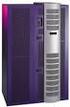 Virtual Storage Manager Stephen H. Blendermann Storage Technology Corporation Louisville, Colorado 80028-6202 [email protected] Voice: +1 303 673-3184 Fax: +1 303 661-8462 Dennis F. Reed Storage
Emulex 8Gb Fibre Channel Expansion Card (CIOv) for IBM BladeCenter IBM BladeCenter at-a-glance guide
 Emulex 8Gb Fibre Channel Expansion Card (CIOv) for IBM BladeCenter IBM BladeCenter at-a-glance guide The Emulex 8Gb Fibre Channel Expansion Card (CIOv) for IBM BladeCenter enables high-performance connection
List of Figures and Tables
 List of Figures and Tables FIGURES 1.1 Server-Centric IT architecture 2 1.2 Inflexible allocation of free storage capacity 3 1.3 Storage-Centric IT architecture 4 1.4 Server upgrade: preparation of a new
Installation, Troubleshooting, and Recovery Guide
 IBM System Storage DS6000 Installation, Troubleshooting, and Recovery Guide Version 1 Release 2 GC26-7925-00 IBM System Storage DS6000 Installation, Troubleshooting, and Recovery Guide Version 1 Release
HP and Mimosa Systems A system for email archiving, recovery, and storage optimization white paper
 HP and Mimosa Systems A system for email archiving, recovery, and storage optimization white paper Mimosa NearPoint for Microsoft Exchange Server and HP StorageWorks 1510i Modular Smart Array Executive
Storage Virtualization for Mainframe DASD, Virtual Tape & Open Systems Disk
 Storage Virtualization for Mainframe DASD, Virtual Tape & Open Systems Disk Scott James Luminex Software, Inc. John McDevitt HDS Jeffrey Deaver Financial Services Company Example Wednesday, August 14 Session
Storage Networking Foundations Certification Workshop
 Storage Networking Foundations Certification Workshop Duration: 2 Days Type: Lecture Course Description / Overview / Expected Outcome A group of students was asked recently to define a "SAN." Some replies
Chapter 13 Selected Storage Systems and Interface
 Chapter 13 Selected Storage Systems and Interface Chapter 13 Objectives Appreciate the role of enterprise storage as a distinct architectural entity. Expand upon basic I/O concepts to include storage protocols.
Distribution One Server Requirements
 Distribution One Server Requirements Introduction Welcome to the Hardware Configuration Guide. The goal of this guide is to provide a practical approach to sizing your Distribution One application and
High Availability Server Clustering Solutions
 White Paper High vailability Server Clustering Solutions Extending the benefits of technology into the server arena Intel in Communications Contents Executive Summary 3 Extending Protection to Storage
Redbooks Redpaper. IBM TotalStorage NAS Advantages of the Windows Powered OS. Roland Tretau
 Redbooks Redpaper Roland Tretau IBM TotalStorage NAS Advantages of the Windows Powered OS Copyright IBM Corp. 2002. All rights reserved. ibm.com/redbooks 1 What is Network Attached Storage (NAS) Storage
IP Storage On-The-Road Seminar Series
 On-The-Road Seminar Series Disaster Recovery and Data Protection Page 1 Agenda! The Role of IP in Backup!Traditional use of IP networks for backup! backup capabilities! Contemporary data protection solutions
Cisco Active Network Abstraction Gateway High Availability Solution
 . Cisco Active Network Abstraction Gateway High Availability Solution White Paper This white paper describes the Cisco Active Network Abstraction (ANA) Gateway High Availability solution developed and
Enterprise Class Storage System, Unified NAS. Enterprise Tape Library & Virtual Tape Library. SAN Fabric Management along with SAN Switches
 1 Storage and Backup Infrastructure 1.1 Objectives and Requirements The Tenderer should provision the storage and backup infrastructure and other accessories as required for the systems that would be hosted
HITACHI DATA SYSTEMS USER GORUP CONFERENCE 2013 MAINFRAME / ZOS WALTER AMSLER, SENIOR DIRECTOR JANUARY 23, 2013
 HITACHI DATA SYSTEMS USER HITACHI GROUP DATA CONFERENCE SYSTEMS 2013 USER GORUP CONFERENCE 2013 MAINFRAME / ZOS WALTER AMSLER, SENIOR DIRECTOR JANUARY 23, 2013 AGENDA Hitachi Mainframe Strategy Compatibility
EMC VMAX3 FAMILY VMAX 100K, 200K, 400K
 EMC VMAX3 FAMILY VMAX 100K, 200K, 400K The EMC VMAX3 TM family delivers the latest in Tier-1 scale-out multi-controller architecture with unmatched consolidation and efficiency for the enterprise. With
VTrak 15200 SATA RAID Storage System
 Page 1 15-Drive Supports over 5 TB of reliable, low-cost, high performance storage 15200 Product Highlights First to deliver a full HW iscsi solution with SATA drives - Lower CPU utilization - Higher data
VERITAS Business Solutions. for DB2
 VERITAS Business Solutions for DB2 V E R I T A S W H I T E P A P E R Table of Contents............................................................. 1 VERITAS Database Edition for DB2............................................................
The IntelliMagic White Paper on: Storage Performance Analysis for an IBM San Volume Controller (SVC) (IBM V7000)
 The IntelliMagic White Paper on: Storage Performance Analysis for an IBM San Volume Controller (SVC) (IBM V7000) IntelliMagic, Inc. 558 Silicon Drive Ste 101 Southlake, Texas 76092 USA Tel: 214-432-7920
Performance and scalability of a large OLTP workload
 Performance and scalability of a large OLTP workload ii Performance and scalability of a large OLTP workload Contents Performance and scalability of a large OLTP workload with DB2 9 for System z on Linux..............
IBM BladeCenter H with Cisco VFrame Software A Comparison with HP Virtual Connect
 IBM BladeCenter H with Cisco VFrame Software A Comparison with HP Connect Executive Overview This white paper describes how Cisco VFrame Server Fabric ization Software works with IBM BladeCenter H to provide
QLogic 4Gb Fibre Channel Expansion Card (CIOv) for IBM BladeCenter IBM BladeCenter at-a-glance guide
 QLogic 4Gb Fibre Channel Expansion Card (CIOv) for IBM BladeCenter IBM BladeCenter at-a-glance guide The QLogic 4Gb Fibre Channel Expansion Card (CIOv) for BladeCenter enables you to quickly and simply
EVOLUTION OF NETWORKED STORAGE
 EVOLUTION OF NETWORKED STORAGE Sonika Jindal 1, Richa Jindal 2, Rajni 3 1 Lecturer, Deptt of CSE, Shaheed Bhagat Singh College of Engg & Technology, Ferozepur. [email protected] 2 Lecturer, Deptt
Introduction to Storage Area Network, SAN
 Introduction to Storage Area Network, SAN Ravi Kumar Khattar, Mark S. Murphy, Giulio John Tarella, Kjell E. Nystrom International Technical Support Organization www.redbooks.ibm.com SG24-5470-00 International
EMC SYMMETRIX VMAX 10K
 EMC SYMMETRIX VMAX 10K EMC Symmetrix VMAX 10K with the Enginuity operating environment delivers a true Tier-1 multi-controller, scale-out architecture with consolidation and efficiency for the enterprise.
LAN/Server Free* Backup Experiences
 LAN/Server Free* Backup Experiences Senior Consultant, TSM Specialist Solution Technology Inc * Beware ambiguous terminology Who is Solution Technology IBM Premier Business Partner $70M+ in Sales 80+ Employees
IBM Storwize Rapid Application Storage solutions
 IBM Storwize Rapid Application Storage solutions Efficient, integrated, pretested and powerful solutions to accelerate deployment and return on investment. Highlights Improve disk utilization by up to
IBM System Storage DS3950 Express
 DS3950 Express Manage growth, complexity and risk with scalable, high-performance storage Highlights Simplify storage infrastructure with 8 Gbps Fibre Channel interfaces Leverage mixed-host interfaces
EMC DATA DOMAIN DEDUPLICATION STORAGE SYSTEMS
 EMC DATA DOMAIN DEDUPLICATION STORAGE SYSTEMS EMC Data Domain deduplication storage systems continue to revolutionize disk backup, archiving, and disaster recovery with high-speed, inline deduplication.
EMC Invista: The Easy to Use Storage Manager
 EMC s Invista SAN Virtualization System Tested Feb. 2006 Page 1 of 13 EMC Invista: The Easy to Use Storage Manager Invista delivers centrally managed LUN Virtualization, Data Mobility, and Copy Services
Big Data Storage in the Cloud
 Big Data Storage in the Cloud Russell Witt Scott Arnett CA Technologies Tuesday, March 11 Session Number 15288 Tuesday, March 11Tuesday, March 11 Abstract Need to reduce the cost of managing storage while
IBM TotalStorage SAN Switch F16
 Intelligent fabric switch with enterprise performance for midrange and large storage networks IBM TotalStorage SAN Switch F16 High port density packaging helps save rack space Highlights Can be used as
Introduction to Gluster. Versions 3.0.x
 Introduction to Gluster Versions 3.0.x Table of Contents Table of Contents... 2 Overview... 3 Gluster File System... 3 Gluster Storage Platform... 3 No metadata with the Elastic Hash Algorithm... 4 A Gluster
ENTERPRISE VIRTUALIZATION ONE PLATFORM FOR ALL DATA
 ENTERPRISE VIRTUALIZATION ONE PLATFORM FOR ALL DATA ENTERPRISE VIRTUALIZATION ONE PLATFORM FOR ALL DATA SUMMARY ONE PLATFORM FOR ALL DATA WOULD YOU LIKE TO SAVE 20% TO 30% ON YOUR STORAGE SPEND? We can
Long-Distance Configurations for MSCS with IBM Enterprise Storage Server
 Long-Distance Configurations for MSCS with IBM Enterprise Storage Server Torsten Rothenwaldt IBM Germany Presentation 2E06 Agenda Cluster problems to resolve in long-distance configurations Stretched MSCS
How To Set Up A Raid On A Hard Disk Drive On A Sasa S964 (Sasa) (Sasa) (Ios) (Tos) And Sas964 S9 64 (Sata) (
 SiS964/SiS180 SATA w/ RAID User s Manual Quick User s Guide Version 0.3 Edition December 2003 Copyright 2003 Silicon Integrated Systems Corp. Trademarks SiS is a registered trademark of Silicon Integrated
What is RAID--BASICS? Mylex RAID Primer. A simple guide to understanding RAID
 What is RAID--BASICS? Mylex RAID Primer A simple guide to understanding RAID Let's look at a hard disk... Several platters stacked on top of each other with a little space in between. One to n platters
STORAGE CENTER. The Industry s Only SAN with Automated Tiered Storage STORAGE CENTER
 STORAGE CENTER DATASHEET STORAGE CENTER Go Beyond the Boundaries of Traditional Storage Systems Today s storage vendors promise to reduce the amount of time and money companies spend on storage but instead
Application Brief: Using Titan for MS SQL
 Application Brief: Using Titan for MS Abstract Businesses rely heavily on databases for day-today transactions and for business decision systems. In today s information age, databases form the critical
TECHNOLOGY BRIEF. Compaq RAID on a Chip Technology EXECUTIVE SUMMARY CONTENTS
 TECHNOLOGY BRIEF August 1999 Compaq Computer Corporation Prepared by ISSD Technology Communications CONTENTS Executive Summary 1 Introduction 3 Subsystem Technology 3 Processor 3 SCSI Chip4 PCI Bridge
COMPARING STORAGE AREA NETWORKS AND NETWORK ATTACHED STORAGE
 COMPARING STORAGE AREA NETWORKS AND NETWORK ATTACHED STORAGE Complementary technologies provide unique advantages over traditional storage architectures Often seen as competing technologies, Storage Area
DD670, DD860, and DD890 Hardware Overview
 DD670, DD860, and DD890 Hardware Overview Data Domain, Inc. 2421 Mission College Boulevard, Santa Clara, CA 95054 866-WE-DDUPE; 408-980-4800 775-0186-0001 Revision A July 14, 2010 Copyright 2010 EMC Corporation.
IBM Enterprise Storage Server for OpenVMS
 IBM Enterprise torage erver for OpenVM 26. DECU ymposium, Bonn 2003: 2C02 Torsten Rothenwaldt IBM Germany Agenda! E architecture! Hardware overview; E as eascape storage server! Component details and configuration
Virtual SAN Design and Deployment Guide
 Virtual SAN Design and Deployment Guide TECHNICAL MARKETING DOCUMENTATION VERSION 1.3 - November 2014 Copyright 2014 DataCore Software All Rights Reserved Table of Contents INTRODUCTION... 3 1.1 DataCore
M.Sc. IT Semester III VIRTUALIZATION QUESTION BANK 2014 2015 Unit 1 1. What is virtualization? Explain the five stage virtualization process. 2.
 M.Sc. IT Semester III VIRTUALIZATION QUESTION BANK 2014 2015 Unit 1 1. What is virtualization? Explain the five stage virtualization process. 2. What are the different types of virtualization? Explain
VERITAS Storage Foundation 4.3 for Windows
 DATASHEET VERITAS Storage Foundation 4.3 for Windows Advanced Volume Management Technology for Windows In distributed client/server environments, users demand that databases, mission-critical applications
FlexArray Virtualization
 Updated for 8.2.1 FlexArray Virtualization Installation Requirements and Reference Guide NetApp, Inc. 495 East Java Drive Sunnyvale, CA 94089 U.S. Telephone: +1 (408) 822-6000 Fax: +1 (408) 822-4501 Support
SiS 180 S-ATA User s Manual. Quick User s Guide. Version 0.1
 SiS 180 S-ATA User s Manual Quick User s Guide Version 0.1 Edition April 2003 Copyright Trademarks SiS is a registered trademark of Silicon Integrated Systems Corp. All brand or product names mentioned
IBM XIV Gen3 Storage System Storage built for VMware vsphere infrastructures
 Storage built for VMware vsphere infrastructures Peter Kisich IBM Systems and Technology Group ISV Enablement October 2011 Copyright IBM Corporation, 2011 Table of contents Abstract...1 Introduction...1
Redefining Microsoft SQL Server Data Management. PAS Specification
 Redefining Microsoft SQL Server Data Management APRIL Actifio 11, 2013 PAS Specification Table of Contents Introduction.... 3 Background.... 3 Virtualizing Microsoft SQL Server Data Management.... 4 Virtualizing
EonStor DS High-Density Storage: Key Design Features and Hybrid Connectivity Benefits
 EonStor DS High-Density Storage: Key Design Features and Hybrid Connectivity Benefits White Paper Abstract This white paper introduces the key design features and hybrid FC/iSCSI connectivity benefits
Hitachi Path Management & Load Balancing with Hitachi Dynamic Link Manager and Global Link Availability Manager
 Hitachi Data System s WebTech Series Hitachi Path Management & Load Balancing with Hitachi Dynamic Link Manager and Global Link Availability Manager The HDS WebTech Series Dynamic Load Balancing Who should
SiS964/SiS180 SATA w/ RAID User s Manual. Quick User s Guide. Version 0.3
 SiS964/SiS180 SATA w/ RAID User s Manual Quick User s Guide Version 0.3 Edition December 2003 Copyright 2003 Silicon Integrated Systems Corp. Trademarks SiS is a registered trademark of Silicon Integrated
BlueArc unified network storage systems 7th TF-Storage Meeting. Scale Bigger, Store Smarter, Accelerate Everything
 BlueArc unified network storage systems 7th TF-Storage Meeting Scale Bigger, Store Smarter, Accelerate Everything BlueArc s Heritage Private Company, founded in 1998 Headquarters in San Jose, CA Highest
Infortrend ESVA Family Enterprise Scalable Virtualized Architecture
 Infortrend ESVA Family Enterprise Scalable Virtualized Architecture R Optimized ROI Ensures the most efficient allocation of consolidated capacity and computing power, and meets wide array of service level
AS/400 Logical Partitions Hardware Planning Guide
 AS/400 Logical Partitions Hardware Planning Guide AS/400 Logical Partitions Hardware Planning Guide Copyright International Business Machines Corporation 1998, 1999. All rights reserved. US Government
W H I T E P A P E R. VMware Infrastructure Architecture Overview
 W H I T E P A P E R ware Infrastructure Architecture Overview ware white paper Table of Contents Physical Topology of the ware Infrastructure Data Center............................... 4 Virtual Data Center
File System & Device Drive. Overview of Mass Storage Structure. Moving head Disk Mechanism. HDD Pictures 11/13/2014. CS341: Operating System
 CS341: Operating System Lect 36: 1 st Nov 2014 Dr. A. Sahu Dept of Comp. Sc. & Engg. Indian Institute of Technology Guwahati File System & Device Drive Mass Storage Disk Structure Disk Arm Scheduling RAID