
ProART Robotic Drop-in Transducer
|
|
|
- Paula Taylor
- 10 years ago
- Views:
Transcription
1 User Guide Type 8826 ProART Robotic Drop-in Transducer English BB2084-C February 2013 For Professional Users Only

2 LEGAL MANUFACTURER BK MEDICAL Mileparken Herlev Denmark Tel.: /Fax: The serial number of a BK Medical product contains information about the year of manufacture. To obtain the date of manufacture of a product, please contact your BK Medical representative or write to us at the address above, including the product s serial number (SN number). BK Medical Customer Satisfaction Input from our customers helps us improve our products and services. As part of our customer satisfaction program, we contact a sample of our customers a few months after they receive their orders. If you receive an message from us asking for your feedback, we hope you will be willing to answer some questions about your experience buying and using our products. Your opinions are important to us. You are of course always welcome to contact us via your BK Medical representative or by contacting us directly. If you have comments about the user documentation, please write to us at the address above. We would like to hear from you BK Medical Information in this document may be subject to change without notice.

3 Table of Contents Introduction Indications for Use General Information Service and Repair Caring for the Transducer Cleaning and Disinfection Starting Imaging Connecting the Transducer Changing Frequency Using a Transducer Cover Changing Orientation Imaging with Type Connecting to the Robotic Surgical System Grasping the Transducer with the Robot Tools Disposal

4 4

5 Introduction This is the user guide for ProART Robotic Drop-in Transducer Type 8826 and must be used together with your system user guide and Care, Cleaning & Safety which contains important safety information. Indications for Use ProART Robotic Drop-in Transducer Type 8826 is designed for intraoperative imaging. The transducer is ideal for ultrasound-guided robotic surgery procedures (such as Liver, Pancreas, Uterus and Kidney) Patient Population The patient population is adults and children. Figure1. ProART Robotic Drop-in Transducer Type Imaging Plane The 8826 is a small laparoscopic transducer with a curved array. The transducer has a penetration depth up to 125 mm (depending on system) and a 9 x 33.2 mm footprint size. Figure2. Imaging plane for ProART Robotic Drop-in Transducer Type General Information Product specifications for this transducer can be found in the Product Data sheet that accompanies this user guide. 5

6 Acoustic output data and data about EMC (electromagnetic compatibility) for this transducer are in Technical Data (BZ2100) that accompanies this user guide. A full explanation of acoustic output data is given in your system user guide. If at any time the system malfunctions, or the image is severely distorted or degraded, or you suspect in any way that the system is not functioning correctly: Remove all transducers from contact with the patient. Turn off the system. Unplug the system from the wall and make sure it cannot be used until it has been checked. Do not try to repair the system yourself. Contact your BK Medical representative or hospital technician. Always keep the exposure level (the acoustic output level and the exposure time) as low as possible. Service and Repair Service and repair of BK Medical electromedical equipment must be carried out only by the manufacturer or its authorized representatives. BK Medical reserves the right to disclaim all responsibility, including but not limited to responsibility for the operating safety, reliability and performance of equipment serviced or repaired by other parties. After service or repairs have been carried out, a qualified electrical engineer or hospital technician should verify the safety of all equipment. Caring for the Transducer The transducer may be damaged during use or processing, so it must be checked before use for cracks or irregularities in the surface. It should also be checked thoroughly once a month following the procedure in Care, Cleaning & Safety. Cleaning and Disinfection To ensure the best results when using BK Medical equipment, it is important to maintain a strict cleaning routine. Full details of cleaning and disinfection procedures can be found in Care, Cleaning & Safety that accompanies this user guide. A list of disinfectants and disinfection methods that the transducer can withstand are listed in the Product Data sheet. 6 February 2013 ProART Robotic Drop-in Transducer User Guide (BB2084-C)

7 Sterile cover is available. See the Product Data sheet for more information. Users of this equipment have an obligation and responsibility to provide the highest degree of infection control possible to patients, co-workers and themselves. To avoid cross contamination, follow all infection control policies for personnel and equipment established for your office, department, or hospital. Starting Imaging All equipment must be cleaned and disinfected before use. A transducer that is used intraoperatively must be sterilized. If sterilization is not possible, it must be processed to achieve high-level disinfection and then covered with a sterile transducer cover. See discussion of levels of disinfection and sterilization in Care, Cleaning & Safety. Connecting the Transducer To prevent electrical shock, keep all plugs and sockets absolutely dry at all times. The transducer is connected to the system using the array Transducer Socket on the system. To connect, the transducer plug s locking lever should first be in a horizontal position. Align the plug to the system socket and insert securely. Turn the locking lever clockwise to lock in place. When connected, the transducer complies with Type BF requirements of EN (IEC ). Changing Frequency The Multi-Frequency Imaging (MFI) facility enables you to select the imaging frequency. The 8826 has a frequency range of 12-5 MHz for the flex Focus 800 system and 12-4 MHz for the Pro Focus UltraView 800 system. See the applicable system user guide for instructions. The selected frequency is displayed at the top of the screen. Using a Transducer Cover Transducer covers must not be used for robotic surgery because the covers may be damaged when handled by the robot tools. For use in robotic surgery, the transducer must be sterilized. 7

8 If the transducer is used for non-robotic surgery, it should be enclosed in a sterile transducer cover, and sterile gel should be used. Some transducer covers can contain latex. Because of reports of severe allergic reactions to medical devices containing latex (natural rubber), FDA is advising health-care professionals to identify their latex-sensitive patients and be prepared to treat allergic reactions promptly. Apply sterile gel to the tip of the transducer or fill the cover with 1 to 2 ml of sterile water. This improves the screen images by preventing image artifacts caused by air bubbles. Pull the transducer cover over the transducer. Check for air bubbles between the cover and the transducer and even out if necessary before proceeding. Use only water-soluble agents or gels. Petroleum or mineral oil-based materials may harm the cover material. If the transducer cover is damaged during interventional procedures, follow the policies of the hospital or clinic for treatment of the patient under such circumstances. Changing Orientation To change the orientation of the image on the monitor, refer to the applicable system user guide for instructions. Imaging with Type 8826 The ProART Robotic Drop-in Transducer Type 8826 can be used together with a flex Focus 800 Ultrasound System, or a Pro Focus UltraView 800 System if you want to use Contrast Enhanced Ultrasound (CEUS). Both systems can be operated by wireless Remote Control UA1237 for use with the da Vinci Surgical System. When you use cautery instruments together with the transducer, you must be particularly careful. To avoid damaging the transducer and possibly the patient, keep the transducer at a safe distance from the cautery instruments. Otherwise the instruments may damage the cable shield or the acoustic surface of the transducer resulting in an electrical connection to ground. This may present an electrical hazard for the patient. There may also be a risk of contamination from damage to plastic parts. 8 February 2013 ProART Robotic Drop-in Transducer User Guide (BB2084-C)

9 Connecting to the Robotic Surgical System The following step by step instruction describes how to connect the 8826 transducer to the da Vinci Surgical System using a flex Focus 800 or a Pro Focus UltraView 800, and a wireless Remote Control UA Connect flex Focus 800 or Pro Focus UltraView 800 to the da Vinci Surgical Console* with a Digital Visual Interface (DVI) or an analog SVGA cable (depending on ultrasound system) for integration of picture-in-picture images with TilePro. 2 Pair wireless Remote Control UA1237 with the ultrasound system. Once the remote control is paired with the system, you have full control of all system features. For further instructions on how to use Remote Control UA1237 refer to the applicable user guide. 3 Connect the 8826 transducer to the ultrasound system. Make sure the transducer is properly sterilized before use. Full details of cleaning and disinfection procedures can be found in Care, Cleaning & Safety that accompanies this user guide. 4 Gently place the 8826 transducer in a standard 12 mm trocar before imaging. Imaging can be controlled by wireless Remote Control UA1237 which interacts with the ultrasound system. 5 When imaging is completed, gently remove the 8826 transducer by pulling it back through the trocar. * First generation da Vinci Surgical Systems use an analog S-Video output signal. See Technical Data (BZ2100) that accompanies this user guide for more information on the electromagnetic compatibility of the BK Medical ultrasound systems. For a list of suitable adaptors, see the Safety Information chapter in the flex Focus User Guide (BB1756). 9

10 Pro Focus UltraView 800 or flex Focus Connect with a DVI or SVGA cable (depending on system) da Vinci Surgical Console 2. Pair Remote Control UA Connect transducer to ultrasound system da Vinci Surgical Robot ProART Figure3. System overview. Numbers refer to the steps in the procedure on page 9. Grasping the Transducer with the Robot Tools Check the transducer for sharp edges, especially at the grasper sites, before use. The ProART Robotic Drop-in Transducer Type 8826 is designed for use with the ProGrasp Forceps which are manipulated from the da Vinci console by the surgeon. Fig. 4 illustrates where to grab and handle the 8826 transducer with the robot tools. Fin for ProGrasp Handling notch Groove for needle guidance Figure4. ProART Robotic Drop-in Transducer Type February 2013 ProART Robotic Drop-in Transducer User Guide (BB2084-C)

11 When grasping the 8826 transducer with the the ProGrasp Forceps, you can use the handling notches to stabilize the transducer. The transducer fin must be grasped from the back of the transducer. Fig 5. illustrates how to grasp the transducer fin from the back of the transducer with the ProGrasp Forceps. Figure5. Grasping the transducer fin with the ProGrasp Forceps Disposal When the transducer is scrapped at the end of its life, national rules for the relevant material in each individual land must be followed. Within the EU, when you discard the transducer, you must send it to appropriate facilities for recovery and recycling. See the applicable system user guide for further details. For contaminated disposals such as transducer covers or needle guides, follow disposal control policies established for your office, department or hospital. 11

12 12 February 2013 ProART Robotic Drop-in Transducer User Guide (BB2084-C)

13


14

User Guide Type 8808. Biplane Transducer. English BB0339-M June 2012. For Professional Users Only
 User Guide Type 8808 Biplane Transducer English BB0339-M June 2012 For Professional Users Only BK MEDICAL Mileparken 34 2730 Herlev Denmark Tel.:+45 4452 8100 / Fax:+45 4452 8199 www.bkmed.com Email: [email protected]
aseries A13B Mini Bullet Camera User Manual
 aseries A13B Mini Bullet Camera User Manual Thank you for purchasing our product. If there are any questions, or requests, please do not hesitate to contact the dealer. This manual applies to the MicroView
VACUUM CLEANER INSTRUCTION MANUAL
 VACUUM CLEANER INSTRUCTION MANUAL MODEL: SVC9702 PLEASE READ THIS MANUAL CAREFULLY BEFORE USING AND KEEP IT PROPERLY FOR FUTURE USE 1 Safety Cautions: WARNING: To reduce the risk of fire, electrical shock,
MICA HEATER INSTRUCTION MANUAL Model No: UHM-786 230V 50Hz 2200W
 MICA HEATER INSTRUCTION MANUAL Model No: UHM-786 230V 50Hz 2200W Safety Precautions To reduce the risk of personal injury or damage to property, basic safety precautions must be observed including the
2013 VTech Printed in China 91-009656-000 US
 Rechargeable Power Pack User s Manual 2013 VTech Printed in China 91-009656-000 US INTRODUCTION The Rechargeable Power Pack makes it easier than ever to keep the InnoTab 3 or InnoTab 3S charged and ready
Promoting safer use of injectable medicines
 Promoting safer use of injectable medicines A template standard operating procedure for: prescribing, preparing and administering injectable medicines in clinical areas Introduction The use of injectable
DVI to Mini DisplayPort Converter. EXT-DVI-2-MDP User Manual
 DVI to Mini DisplayPort Converter EXT-DVI-2-MDP User Manual www.gefen.com ASKING FOR ASSISTANCE Technical Support: Telephone (818) 772-9100 (800) 545-6900 Fax (818) 772-9120 Technical Support Hours: 8:00
Transducer and System Care and Cleaning. 2013 Koninklijke Philips N.V. All rights reserved. Published in USA.
 l Transducer and System Care and Cleaning 4535 617 39631 Rev B December 2013 2013 Koninklijke Philips N.V. All rights reserved. Published in USA. Philips Ultrasound 22100 Bothell-Everett Highway Bothell,
Bullet Camera. Installation Guide. Hangzhou Hikvision Digital Technology Co., Ltd. http://www.hikvision.com
 Bullet Camera Installation Guide Hangzhou Hikvision Digital Technology Co., Ltd. http://www.hikvision.com 1 Thank you for purchasing our product. If there are any questions, or requests, please do not
Nucleus CP810 Sound Processor and Nucleus CR110 Remote Assistant Troubleshooting Guide
 Nucleus CP810 Sound Processor and Nucleus CR110 Remote Assistant Troubleshooting Guide Symbols Contents Note Important information or advice. Can save inconvenience. Tip Time saving hint or saves inconvenience.
Ultrasound Technologies. PD1v. vascular pocket doppler. Operating Instructions
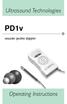 Ultrasound Technologies PD1v vascular pocket doppler Operating Instructions Before using your Pocket Doppler for the first time, please read these operating instructions carefully. 1 INTRODUCTION The UltraTec
Active Monitor Box McCrypt S.T.E.V.E. 15. Order No. 30 17 06
 Active Monitor Box McCrypt S.T.E.V.E. 15 Order No. 30 17 06 1 McCrypt Active Monitor 15 Introduction Dear Customer, Thank you for purchasing this McCrypt Active Monitor. You have chosen a quality product
Instructions for Use HUMALOG KwikPen insulin lispro injection (rdna origin)
 1 Instructions for Use HUMALOG KwikPen insulin lispro injection (rdna origin) Read the Instructions for Use before you start taking HUMALOG and each time you get a refill. There may be new information.
Parent & Healthcare Professional Instructions for the collection of Maternal & Umbilical Cord Blood
 Parent & Healthcare Professional Instructions for the collection of Maternal & Umbilical Cord Blood 1 2 3 Contents List of Umbilical Cord Blood Collection Kit Thermally insulated transportation box - do
Standard laryngoscope blade assemblies Directions for use
 1 2014 Welch Allyn, Inc. MM 721358 Ver. C Standard laryngoscope blade assemblies Directions for use Intended use About this document The rigid laryngoscope is a device used to examine and visualize a patient
Network Bullet Camera. Quick Operation Guide KNC-p3BR28V12IR
 Network Bullet Camera Quick Operation Guide KNC-p3BR28V12IR Thank you for purchasing our product. If there are any questions, or requests, please do not hesitate to contact the dealer. About This Document
Register your product and get support at. www.philips.com/welcome AS111. User manual
 Register your product and get support at www.philips.com/welcome AS111 User manual Contents 1 Important 4 Safety 4 English 2 Your docking speaker for AndroidTM 5 Introduction 5 What's in the box 5 Overview
Camera. Network Bullet Camera. Quick Operation Guide UD.6L0201B1307A01
 Camera Network Bullet Camera Quick Operation Guide UD.6L0201B1307A01 1 Thank you for purchasing our product. If there are any questions, or requests, please do not hesitate to contact the dealer. About
AXIS T81B22 DC 30W Midspan
 INSTALLATION GUIDE AXIS T81B22 DC 30W Midspan ENGLISH About this Document This document includes instructions for installing AXIS T81B22 on your network. Previous experience of networking will be beneficial
UV100A Ultraviolet Air Treatment System
 UV100A Ultraviolet Air Treatment System INSTALLATION INSTRUCTIONS APPLICATION When installed in forced air heating and cooling systems, the UV100A Ultraviolet Air Treatment System kills airborne microorganism
Lunette 2 Series. Curved Fixed Frame Projection Screen. User s Guide
 Lunette 2 Series Curved Fixed Frame Projection Screen User s Guide Important Safety and Warning Precautions Please follow these instructions carefully to ensure proper maintenance and safety with your
Internal Modem Installation with Windows 95
 Internal Modem Installation with Windows 95 You will need these items from your U.S. Robotics modem box: modem phone cord Plus: a screwdriver (not included) Determining Available Resources Your U.S. Robotics
TREATMENT 1. Control bleeding by applying pressure over wound with Gauze Pads (Surgical Supply-4). 2. Contact Surgeon for laceration repair options.
 Page 1 of 8 pages NOTE Contact Surgeon before giving any medication marked with an asterisk. In an emergency or during Loss of Signal, begin appropriate treatment; then call Surgeon as soon as possible.
Operating Manual Remote Cost Control Monitor
 Operating Manual Remote Cost Control Monitor INTRODUCTION: Congratulations on purchasing the Remote Cost Control. This is a state-of-the-art power monitoring socket that is highly accurate and easy to
www.philips.com/welcome
 Register your product and get support at www.philips.com/welcome HP8230 HP8232 HP8233 EN User manual HP8230 H a (14mm) (11mm) g f e d c b ( g ) HP8230 ( f ) HP8232 HP8233 a (14mm) ( c ) (11mm) b ( g )
Magnetic field sensor for pneumatic cylinders BIM-INT-Y1X-H1141
 ATEX category II 1 G, Ex zone 0 ATEX category II 1 D, Ex zone 20 SIL2 as per IEC 61508 Rectangular, height 6mm Plastic, PA12 Magnetic-inductive sensor DC 2-wire, nom. 8.2 VDC Output acc. to DIN EN 60947-5-6
Safe Work Procedure Sharps and Bio-hazardous waste handling and disposal
 Safe Work Procedure Sharps and Bio-hazardous waste handling and disposal Task/Activity: Acupuncture and Musculoskeletal therapy (MST) clinics and practical classrooms (Acupuncture & MST Skin Infection
Leader s Guide E4017. Bloodborne Pathogens: Always Protect Yourself
 E4017 Bloodborne Pathogens: Always Protect Yourself 1 Table of Contents Introduction 3 Video Overview.3 Video Outline.4 Preparing for and Conducting a Presentation. 7 Discussion Ideas..8 Quiz..9 Quiz Answers...11
Ultrasonic support removal tank
 Ultrasonic support removal tank User guide and safety manual See inside for use and safety information. The Ultrasonic support removal tank automatically removes PLA support material from a printed ABS
EnergySmart monitor user instructions
 EnergySmart monitor user instructions britishgas.co.uk/energysmart Your new EnergySmart monitor has arrived It s a great way to learn how to use less electricity and save money, and just one of the ways
IFS SP-PoE Splitter User Manual
 IFS SP-PoE Splitter User Manual P/N 1069176-EN REV 1.01 ISS 01JUL10 2011 UTC Fire & Security. All rights reserved. Content Overview 2 Package contents 2 Introduction 3 Product Specifications 3 Hardware
Cable Tester Pro ORDERCODE D1909
 Cable Tester Pro ORDERCODE D1909 Congratulations! You have bought a great, innovative product from DAP Audio. You can rely on DAP Audio, for more excellent audio products. We design and manufacture professional
HOFFRICHTER DATA box
 HOFFRICHTER DATA box Operating Instructions Serial Number Each HOFFRICHTER device is provided with a serial number which guarantees the product can be traced back. The serial number is on the type identification
USB/RS485 converter cable, complete
 USB/RS485 converter cable, complete Instructions for use Contents Deutsch 1 Intended use 3 2 Safety 3 2.1 Safety information... 3 2.2 General information... 3 3 Description 5 3.1 Overview... 5 3.2 Connection
Indoor Remote Controlled Power Points
 Indoor Remote Controlled Power Points Model Number: HE214039 INSTRUCTION MANUAL Description goes here Indoor Remote Controlled Power Points Warranty Details The product is guaranteed to be free from defects
W O R L D C L A S S H I F I
 W O R L D C L A S S H I F I O W N E R S M A N U A L Accessories: NAPSC, i-supply, Headline, Stageline IMPORTANT In order to comply with current European safety regulations it is essential that the Naim
Instructions for Use
 1 Instructions for Use HUMULIN R U-500 KwikPen insulin human injection U-500 (500 units/ml, 3 ml pen) Important: Know your dose of HUMULIN R U-500 insulin. The Pen delivers your dose in insulin units.
User's Manual. Research Isometric Transducer 0 to 5 grams and 0 to 50 grams
 Research Isometric Transducer 0 to 5 grams and 0 to 50 grams User's Manual Research Isometric Transducer 0 to 5 g and 0 to 50 g, 110 VAC/60 Hz MA1 72-4481 Research Isometric Transducer 0 to 5 g and 0 to
FINAL DOCUMENT. Global Harmonization Task Force. Title: Label and Instructions for Use for Medical Devices
 GHTF/SG1/N70:2011 FINAL DOCUMENT Global Harmonization Task Force Title: Label and Instructions for Use for Medical Devices Authoring Group: Study Group 1 of the Global Harmonization Task Force Endorsed
CompacVideo Otoscope. Model 23120 (NTSC) and 23120P (PAL) Operating Instruction Manual
 CompacVideo Otoscope Model 23120 (NTSC) and 23120P (PAL) Operating Instruction Manual Thank you for purchasing the Welch Allyn CompacVideo Otoscope System for ear care professionals. The operating and
FLUORESCENT UV- RING LIGHT OPERATING INSTRUCTION
 FLUORESCENT UV- RING LIGHT OPERATING INSTRUCTION Caution! UV-radiation of this device is in the range of UV-A (320-400 nm). Direct exposure to eyes shall therefore be avoided. UV protection glasses shall
67273 EN V40/14 NOUVAG AG, all rights reserved Subject to change. Laparoscopic Hysterectomy Morcellator
 67273 EN V40/14 NOUVAG AG, all rights reserved Subject to change Laparoscopic Hysterectomy Morcellator Laparoscopic Hysterectomy Nowadays newly developed medical devices make hysterectomy possible by a
To maintain a port of entry to venous flow when all available peripheral ports have failed.
 I. Purpose: To maintain a port of entry to venous flow when all available peripheral ports have failed. II. General Comments: Since its development, these catheters have been used with increasing frequency
AMU PROFESSIONAL VIDEO AND AUDIO MONITORING UNIT OPERATOR'S HANDBOOK ISSUE A3
 AMU PROFESSIONAL VIDEO AND AUDIO MONITORING UNIT OPERATOR'S HANDBOOK ISSUE A3 2008 Hamlet Video International Ltd. All rights reserved This handbook contains proprietary information of Hamlet Video International
User s Manual. Copyright 2014 Trick Technologies Oy
 User s Manual Copyright 2014 Trick Technologies Oy Catchbox Pro Module Catchbox Cover Contents 1 Safety Instructions...4-5 2 Quick Start... 6-15 3 Product Description... 16-18 Overview...16 Compatibility...17
StackFlowMaster FPD580 TORBAR probe Stack gas metering systems. Measurement made easy. Introduction. For more information
 Commissioning instructions CI/FPD580/A EN StackFlowMaster FPD580 TORBAR probe Stack gas metering systems Measurement made easy Introduction This publication provides commissioning instructions for the
FMT600BT Transmitter
 Technaxx FMT600BT Transmitter User Manual Transfer of music and calls directly from your Bluetooth device to your car radio This device complies with the requirements of the standards referred to the Directive
How can I be sure it will be performed to a high standard?
 FREQUENTLY ASKED QUESTIONS (About ultrasound scans at Derriford) What is an Ultrasound Scan? How does it work? What are the dangers? What are the advantages? Who will perform my scan? How can I be sure
Trillium 40 Axis Spring Tensioner Wire Replacement Instructions
 Trillium 40 Axis Spring Tensioner Wire Replacement Instructions 1 Overview The objective is to replace the broken axis spring tensioner wire. This requires the following tasks: 1. Remove the seismometer
KwikPen Insulin delivery device
 USER MANUAL KwikPen Insulin delivery device PLEASE READ THESE INSTRUCTIONS BEFORE USE Lilly Introduction The KwikPen is designed for ease of use. It is a disposable pen containing 3 ml (300 units) of U-
GETTING TO KNOW YOUR PRE-PAID TELSTRA WI-FI 4G
 GETTING TO KNOW YOUR PRE-PAID TELSTRA WI-FI 4G LET S GET THIS SHOW ON THE ROAD You must be excited about your brand new Pre-Paid Telstra Wi-Fi 4G. This guide will help you get connected as quickly and
User Guide Nokia Portable Wireless Charging Plate DC-50
 User Guide Nokia Portable Wireless Charging Plate DC-50 Issue 1.1 EN User Guide Nokia Portable Wireless Charging Plate DC-50 Contents For your safety 3 About your accessory 4 Keys and parts 5 Top up your
BLUETOOTH SOUNDBAR WITH SUBWOOFER
 BLUETOOTH SOUNDBAR WITH SUBWOOFER Quick Installation Guide DA-10295 Welcome Thank you for buying Digitus Bluetooth Soundbar with Subwoofer! No matter how you use this product whether it is for playing
Wireless Powerlink II Receiver Set Active
 Wireless Powerlink II Receiver Set Active Installation Guide Contents 1 General WirelessPowerlink Page 2 Package Contents Safety Instructions Page 3 Disposal of Old Electrical Devices Page 4 Installation
Use and Care Manual. Model CPA12KH AIR CONDITIONER
 Use and Care Manual Model CPA12KH AIR CONDITIONER Introduction Thank you for choosing this air conditioner to provide you and your family with all of the "Home Comfort" requirements for your home, cottage
This unit is internally powered equipment; the degree of shock protection is type B.
 Table of Contents Chapter1 Safety Guidance... 1 1.1 Safety Precautions... 1 Chapter2 Introduction... 4 2.1 Overview... 4 2.2 Features... 4 Chapter3 Outlook and Configuration... 5 3.1 Front Panel... 6 3.2
3.5 mm Audio Jack. Manual innoxplore ix B24 A2DP Stereo Bluetooth Audio Adapter Dongle 3.5mm Audio Jack [ix B24] Contents
![3.5 mm Audio Jack. Manual innoxplore ix B24 A2DP Stereo Bluetooth Audio Adapter Dongle 3.5mm Audio Jack [ix B24] Contents](/thumbs/40/20932712.jpg "3.5 mm Audio Jack. Manual innoxplore ix B24 A2DP Stereo Bluetooth Audio Adapter Dongle 3.5mm Audio Jack [ix B24] Contents") 3.5 mm Audio Jack Manual innoxplore ix B24 A2DP Stereo Bluetooth Audio Adapter Dongle 3.5mm Audio Jack [ix B24] Contents 1 Safety Information.. 2 1.1. Electronic Devices 2 1.2 Aircraft..2 1.3 Medical Instruments..2
3.5 mm Audio Jack Manual innoxplore ix B24 A2DP Stereo Bluetooth Audio Adapter Dongle 3.5mm Audio Jack [ix B24] Contents 1 Safety Information.. 2 1.1. Electronic Devices 2 1.2 Aircraft..2 1.3 Medical Instruments..2
Be careful not to scratch or hit front edge of the side viewing micro prisms onto hard objects!
 Instructions Manual Flexia BGA Inspection Systems This manual describes how to use Flexia BGA Inspection System Optilia Instruments 1 AB Contents 1. Safety and maintenance Instructions 3 2. About Flexia
5.8GHz Audio/Video Sender
 5.8GHz Audio/Video Sender RF-Link / Araneus USA Inc. 44845 Industrial Dr. Fremont, CA. 94538 U.S.A. Tel: +1-510-4135885~5886 Fax: +1-510-6515995 URL: http://www.rflinkusa.com Design and specification subject
OPERATOR S MANUAL 18 VOLT, 1 HOUR CHARGER
 OPERATOR S MANUAL 18 VOLT, 1 HOUR CHARGER P110 Your battery charger has been engineered and manufactured to Ryobi s high standard for dependability, ease of operation, and operator safety. When properly
MELA quick 12+ Compact. Fast. Strong.
 MELA quick 12+ Compact. Fast. Strong. The requirement. Requirements for the preparation of dental instruments are defined by official hygiene experts. Instruments for semicritical use (restorative treatment)
Carpet Washer. vax.co.uk VRS5W. Vax Careline: (UK) 0844 412 8455 (ROI) 1-800 928 308. Vax model number: Version 1.0
 VRS5W Powermax User Guide V1.0.qxd:V1.0 23/7/10 15:35 Page 1 Vax Careline: (UK) 0844 412 8455 (ROI) 1-800 928 308 Carpet Washer Vax model number: VRS5W instruction manual Version 1.0 Please read carefully
THE NEW GENERATION IN TECHNOLOGY. NI-3103A Alarm Clock w/fm Radio ipod & iphone Docking. Operating Instructions
 THE NEW GENERATION IN TECHNOLOGY NI-3103A Alarm Clock w/fm Radio ipod & iphone Docking Operating Instructions Table of Contents Important Safeguards... 3 Parts... 6 Controls... 6 To Set Up... 7 ipod/iphone
User Manual. Topaz Systems Signature Pads, Products, and Software. Copyright Topaz Systems Inc. All rights reserved.
 User Manual Topaz Systems Signature Pads, Products, and Software Copyright Topaz Systems Inc. All rights reserved. For Topaz Systems, Inc. trademarks and patents, visit www.topazsystems.com/legal. Table
Stove Guard Kit User Manual
 Stove Guard Kit User Manual Innohome improves the Safety of your Home. inno home www.innohome.com Stove Guard Kit User Manual Stove Guard Kit User Manual Congratulations! You now own one of the most intelligent
LwLVision-USB 2.0. Installation Guide
 LwLVision-USB 2.0 Installation Guide About this manual This manual has been carefully compiled and examined to the state-of-the-art. G&D neither explicitly nor implicitly takes guarantee or responsibility
How to safely collect blood samples from persons suspected to be infected with highly infectious blood-borne pathogens (e.g.
 How to safely collect blood samples from persons suspected to be infected with highly infectious blood-borne pathogens (e.g. Ebola) Step 1: Before entering patient room, assemble all equipment (1 st part)
Achat 208 HL / 208 HR passive mid-range speaker. user manual
 Achat 208 HL / 208 HR passive mid-range speaker user manual Musikhaus Thomann Thomann GmbH Hans-Thomann-Straße 1 96138 Burgebrach Germany Telephone: +49 (0) 9546 9223-0 E-mail: [email protected] Internet:
Evolution Digital HD Set-Top Box Important Safety Instructions
 Evolution Digital HD Set-Top Box Important Safety Instructions 1. Read these instructions. 2. Keep these instructions. 3. Heed all warnings. 4. Follow all instructions. 5. Do not use this apparatus near
CAUTION RISK OF ELECTRIC SHOCK NO NOT OPEN
 Evolution Digital HD Set-Top Box Important Safety Instructions 1. Read these instructions. 2. Keep these instructions. 3. Heed all warnings. 4. Follow all instructions. 5. Do not use this apparatus near
INSTALLATION GUIDE ConnectLine TV Adapter Getting started
 INSTALLATION GUIDE ConnectLine TV Adapter Getting started PURPOSE OF THIS GUIDE READ THIS FIRST Before your hearing instruments can receive sound from the TV, the adapter must be connected to the TV and
Multi Tube Rotator. Model No. 4632Q 4632-1CE 4632-1CECN 057-213-00 11/05/11
 Multi Tube Rotator Model No. 4632Q 4632-1CE 4632-1CECN 057-213-00 11/05/11 Table of Contents Safety Information...3 Alert Signals...3 Description...4 Specifications...5 Power Requirements...5 Shaker Motion...5
Customer: Cardiff Hospital NHS (United Kingdom) Machine:
 Customer: Cardiff Hospital NHS (United Kingdom) Machine: Bench for leak test Model: Easy TS Page 1 of 7 Date: 6 th March 2012 1. Introduction. Easy TS is a compact and reliable table top bench designed
Installing the Broadband Global Area Network (BGAN) Fixed Mount Kit
 Installing the Broadband Global Area Network (BGAN) Fixed Mount Kit Product description BGAN fixed mount kit Although the BGAN satellite modem terminal is designed for portable use, the BGAN Fixed Mount
Nu G Medical Waste System Technology (Pyrolysis / Thermal Decomposition)
 Product Description: Nu G Medical Waste System Technology (Pyrolysis / Thermal Decomposition) The NU G System uses pyrolysis thermal decomposition to treat infectious wastes typically generated in hospitals.
Wiring Instructions and Operating Manual 12 POINT ULTRABEAM REMOTE MONITORING SYSTEM
 Wiring Instructions and Operating Manual 12 POINT ULTRABEAM REMOTE MONITORING SYSTEM Hycontrol Limited, Larchwood House, Orchard Street, Redditch, Worcestershire, B98 7DP, UK. Tel: +44 (0)1527 406800 Fax:
Operating Instructions Bedienungsanleitung Mode d emploi
 Operating Instructions Bedienungsanleitung Mode d emploi DW 400 www.bron-kobold.com Operating instructions DW 400 Before use Please read all the information contained in these operating instructions carefully.
VENTIsupport Version 1
 Description and Operating Instructions VENTIsupport Version 1 Compliance and titration software Content 1. Description.............................2 1.1 Purpose............................2 1.2 Labelling............................2
AudioJoG (TM) Pro 8 Connector PIN LABEL LED Connector PIN LABEL LED. Operations Manual 3.5mm & 6.35mm Mono/Stereo Jacks
 LED/Connector pin identification table AudioJoG (TM) Pro 8 Connector PIN LABEL LED Connector PIN LABEL LED Operations Manual 3.5mm & 6.35mm Mono/Stereo Jacks 3,4,5 pole XLR Male & Female 3,5 & 8 pole 180
3x cinch/s-video socket Order no.: 33 1532 xx. USB/3.5 mm audio socket Order no.: 33 1539 xx. VGA socket Order no.: 33 1540 xx
 3x cinch/s-video socket Order no.: 33 1532 xx USB/3.5 mm audio socket Order no.: 33 1539 xx VGA socket Order no.: 33 1540 xx VGA socket with screw-in lift terminals Order no.: 33 1541 xx High definition
How To Set Up An Ecm Display On A D210 (D210) (D2) (Ecm) (Emc) (Mcd) (Power Supply) (Mm) (Camellom) (Ios)
 English Customer Display DM-D210 Installation Manual 401285101 CAUTIONS This document shall apply only to the product(s) identified herein. No part of this document may be reproduced, stored in a retrieval
Portable Multiband Radio (120-0456A) Features Faxback Doc. # 56400
 (120-0456A) Features Faxback Doc. # 56400 Your RadioShack Portable Multiband Radio is an all-in-one radio system designed to provide high-quality sound. the multi-band tuner lets you listen to the radio,
Integra Luxtec OPERATION AND SERVICE MANUAL. UltraLite Pro Headlight
 Integra Luxtec UltraLite Pro Headlight OPERATION AND SERVICE MANUAL EN Integra Luxtec UltraLite Pro Headlight For use with high power surgical light sources Integra Luxtec UltraLite Pro Headlight Table
QFP910. Water detector. Building Technologies. CE1N2732en. Synco living
 2 732 Synco living Water detector QFP910 Wireless radio sensor to record water puddles RF communication based on KNX standard (868 MHz unidirectional) Battery operation with standard 1.5 V batteries Use
NFC Communication Tray Model: HHX-IT3-Z
 INSTRUCTION MANUAL NFC Communication Tray Model: HHX-IT3-Z ENGLISH CONTENTS Introduction...3 Important safety information...4 Know your unit...6 Transferring data to the PC...7 Care and maintenance...8
CELO5. User & Installation Manual. www.audac.eu
 CELO5 User & Installation Manual www.audac.eu 2 Introduction 5 High-end Slim Ceiling Speaker The CELO5 is the 5 version of AUDAC s CELO High-end Slim ceiling speaker series with an RMS power of 50 Watt
Part #93-657-00 rev 1. American Diagnostic Corporation 55 Commerce Drive, Hauppauge, New York 11788 1-800-232-2670 www.adctoday.
 Part #93-657-00 rev 1 American Diagnostic Corporation 55 Commerce Drive, Hauppauge, New York 11788 1-800-232-2670 www.adctoday.com A Special Thank You... Thank you for choosing the ADC 657 Electronic Stethoscope.
DVI DA2 and DVI DA 4 User Guide
 DVI DA2 and DVI DA 4 User Guide This guide describes the installation and operation of the Extron DVI DA2 and DVI DA4 Distribution Amplifiers. Unless stated otherwise, distribution amplifier or the unit
Hot Water Urns. all models. Helpline. v3.0
 Hot Water Urns all models Helpline 01384 573999 instructions.indd 1 v3.0 02/06/2014 14:50 IMPORTANT INFORMATION - RETAIN FOR FUTURE USE When using any electrical appliance, basic safety precautions should
Laparoscopic Instruments
 HOW TO TEST & INSPECT Laparoscopic Instruments are used to perform minimally invasive surgical procedures. Advantages of Laparoscopic Surgery Smaller incision, resulting in shortened recovery time, reduced
Set-Up Instructions. (Liner-Based System) UL LISTED. Important Read set-up instructions before assembly. Report any shortages within 72 hours
 INDUSTRIAL POWER Set-Up Instructions (Liner-Based System) UL LISTED Important Read set-up instructions before assembly. Report any shortages within 72 hours Specializing in Environmental and Fire-Life
Broadband Telecommunications Drop Amplifier
 INSTALL SHEET BDA Broadband Telecommunications Drop Amplifier Introduction The Broadband Telecommunications Drop Amplifier (BDA) is a two-way, 1 GHz amplifier designed for customer-premise amplification
Runtastic rechargeable battery for iphone 4, 4S
 Runtastic rechargeable battery for iphone 4, 4S Thank you very much for purchasing our product, the runtastic rechargeable battery (model no.: RUNBATT1) for the iphone 4. This product is only to be used
HP Pavilion All-in-One MS200 series PC. Upgrading and Servicing Guide. Printed in
 HP Pavilion All-in-One MS200 series PC *579907-001* *579907-001* Printed in Upgrading and Servicing Guide Replacing a Wireless Keyboard or Mouse...2 Before You Begin... 2 Replacing the Keyboard or Mouse...
Cable Preparation Best Practices for Fiber Optic Indoor/Outdoor Stranded Loose Tube Cable
 Cable Preparation Best Practices for Fiber Optic Indoor/Outdoor Stranded Loose Tube Cable Panduit Corp. 2014 BEST PRACTICES FS083 Table of Contents 1.0 General Information... 3 2.0 Preparation Notes Tools
Sip/Puff Switch User Guide
 Sip/Puff Switch User Guide www.orin.com Table of Contents Table of Contents... 2 Legal Notices... 3 Declaration of Conformity with European Directives... 3 Application Disclaimer... 4 Introduction... 5
Lamp and Sleeve Replacement
 Lamp and Sleeve Replacement G, H, J & K G Plus, H Plus, J Plus & K Plus Pro0, Pro0, Pro30 & Pro50 Always shut-off water flow and release water pressure before servicing. Electrical hazard. Be sure to unplug
4.3-inch Back-Up Camera
 TM 4.-inch Back-Up Camera Model No.: PKC0BU4 Owner s Manual and Warranty Information Read these instructions completely before using this product. Retain this Owner s Manual for future reference. INTRODUCTION