
This document summarizes the steps of deploying ActiveVOS on oracle Weblogic Platform.
|
|
|
- Tyrone Lane
- 10 years ago
- Views:
Transcription
1 logic Overview This document summarizes the steps of deploying ActiveVOS on oracle Weblogic Platform. Legal Notice The information in this document is preliminary and is subject to change without notice and should not be construed as a commitment by Active Endpoints. Active Endpoints is providing the planned functionality information contained herein for informational purposes only. Future product releases may differ materially from these plans in functionality and/or timing. Active Endpoints makes no representations or commitments that certain functionality will in fact be released and Active Endpoints assumes no duty to update this information. Copyright (c) 2011 Active Endpoints Incorporated. Document Revision History Revision Date Author Changes March 2011 AEI First Release

2 Table of Contents Oracle Weblogic Terminology... 3 Installation Guidelines... 4 Quick Start Guide... 4 Download and Install... 4 Bring up and Configure Weblogic... 4 Database Configuration for Oracle Weblogic... 4 Configuring MySQL JDBC Database Source... 4 Configuring Oracle JDBC Database Source... 5 Installing or Updating ActiveVOS Enterprise... 8 Installing Weblogic in a Cluster... 8 Installing or Updating ActiveVOS Enterprise in a Cluster... 8 Identity management for ActiveVOS in Weblogic... 9 File Based Configuration Adding user and groups to default Realm LDAP Based Configuration Adding LDAP provider Appendix A Sample Installation Screenshots Appendix B Sample weblogic_ user.xml /27

3 Oracle Weblogic Terminology During the Weblogic installation, you may encounter a mix of standard and non- standard technical terms from the Application Server technology space. The following is a list of some of the terms you may encounter as well as well as an explanation of each: Domain The logical collection of Weblogic managed server instances that are controlled by an individual Administration Server and a Node Manager. Machine It is a logical representation of a physical machine within the administrated domain. A machine must be defined for each server instance within a domain and would require additional configuration for ActiveVOS such as (JDJ TODO) configuration of Work Managers. Node Manager A utility application running on each physical machine that enables remote administrative control of managed servers. Managed Server The running J2EE container instance hosting applications and resources deployed. ActiveVOS Enterprise would reside in a single instance, or in the case of a cluster, several. Administration Server Another type of server, typically used for control of various managed servers. Configuration of the servers is usually here, as well as setup of domain settings. The web administration interface is available usually on the default location, when setup locally, at Logging For server logging, refer to ~ \domains\<your_domain>\servers\<your_server>\logs For Domain logging, refer to Node Manager Logs, usually ~\<wls_install>\common\nodemanager\nodemanager.log 3/27
4 Installation Guidelines Please refer to the latest installation instructions at rprise.help.install_config_deploy_guide/weblogic/html/overview.html Also, for screenshots of a typical installation, please refer to the appendix A at the end of this technote. Quick Start Guide This section provides a quick series of steps as an outline for the installation of Weblogic and ActiveVOS. It can also be used as a section for experienced users of these applications as an abbreviated installation guide Download and Install Download Weblogic installer, ActiveVOS server installer and JDBC libraries needed for ActiveVOS installer. The ActiveVOS installer can be run without configuration details. The Weblogic installer would require, on the local system a server location and domain location. Bring up and Configure Weblogic Both Weblogic and a Node manager need to be running for an ActiveVOS installation. A machine, data source and server need to be designated in a clean Weblogic installation. Machine setup would require only JVM identification; record the name for server designation. Server setup would require identifying machine for use. Settings that impact ActiveVOS are the Port location (defaulted to 8080 in ActiveVOS) and security realm (based on JDBC, LDAP, or local identity list). Data Source setup requires identifying your JDBC resource ActiveVOS to use. This has to be identical to the resource information passed to ActiveVOS configuration and installation utility. You will specify settings of the data source to be available to specific servers, required by the server hosting ActiveVOS. Database Configuration for Oracle Weblogic Before installing ActiveVOS on weblogic, a JDBC data source needs to be configured. To help with the data source setup, sample configurations for MySQL and Oracle databases are described below. Configuring MySQL JDBC Database Source 1)-Create a database and a database user in MySQL. 2)-In weblogic admin console > JDBC > Datasources > create a new data source. 4/27


5 3)-Specify data source parameters (URL, driver class, database user details).it should be noted that the JDBC connection string should be of the following form: jdbc: mysql: //server_name:port/database_name?useunicode=true&characterencoding=utf- 8&characterSetResults=utf8 4) - Start the managed server(s) or the cluster. On the Target tab, select the server or the clusters on which you would like to deploy this JDBC data source. 5)-Test the data source. Make sure it connects successfully. Configuring Oracle JDBC Database Source 1)-Create a database and a database user in oracle. 2)-In weblogic admin console > JDBC > Datasources, create a new datasource. 3)-Specify datasource parameters (URL, driver class, database user details). 4) - Start the managed server(s) or the cluster. On the Target tab, select the server or the clusters on which you would like to deploy this JDBC data source. 5)-Test the data source. Make sure it connects successfully. Sample screenshots for setting up the data source are shown below: 5/27


6 6/27


7 7/27

8 Installing or Updating ActiveVOS Enterprise 1. Using weblogic console > Deployments > Install, you can install/update ActiveVOS ear file (ave_weblogic.ear) on the managed server (make sure the managed server is running). Another way to update/install ActiveVOS server and ActiveVOS central is to run the installer utility config_deploy.bat (please see the appendix at the end of this document for sample installation screenshots). While running the installer utility, you can always refer to the contextual help in each of the screens. ActiveVOS also provides two other modes of installation console mode and silent mode. Please refer to the following link for more information: rprise.help.install_config_deploy_guide/weblogic/html/configuration_wizard.html 2. After you have installed ActiveVOS server and central, here are a couple of steps you would need to perform to get ActiveVOS server up and running: A. In weblogic console > Deployments, start ActiveVOS server and ActiveVOS central. B. Navigate to ActiveVOS console using the URL - C. Login using a user credentials who is a member of abadmin role (please see the identity management section of this document to setup users and roles in weblogic). D. Navigate to Admin > License. Add the license. Navigate to Admin > Server Status and start the server. Make sure it starts without any errors. E. Navigate to Admin > Identity Service and configure the identity service and test for a couple of users. You may also want to configure the service. F. Navigate to ActiveVOS central using the URL - Login using a user credentials who is a member of abtaskclient. Installing Weblogic in a Cluster A cluster can be defined as two Weblogic managed server instances, these share a domain name and multicast address, are controlled by the same Work Manager and Administrative server. For more information, please refer to weblogic documentation. Installing or Updating ActiveVOS Enterprise in a Cluster 1. Using weblogic console > Deployments > Install, you can install/update ActiveVOS ear file (ave_weblogic.ear) on a cluster. Another way to update/install ActiveVOS server and ActiveVOS central is to run the installer utility config_deploy.bat (please see the appendix at the end of this document for sample installation screenshots). 2. After you have installed ActiveVOS server and central, here are a couple of steps you would need to perform to get ActiveVOS server up and running: A. In weblogic console > Deployments, start ActiveVOS server and ActiveVOS central. 8/27

9 B. Navigate to ActiveVOS console using the URL - C. Login using a user credentials who is a member of abadmin role (please see the identity management section of this document to setup users and roles in weblogic). D. Navigate to Admin > License. Add the license. Navigate to Admin > Server Status and start the server. Make sure it starts without any errors. E. Navigate to Admin > Cluster. Make sure all the nodes are up and running. In case, a particular node is stopped, click on the node and click 'Start Engine'. F. Navigate to Admin > Identity Service and configure the identity service and test for a couple of users. You may also want to configure the service. G. Navigate to ActiveVOS central using the URL - Login using a user credentials who is a member of abtaskclient. Identity management for ActiveVOS in Weblogic While running the installer utility, you can secure your admin console so that only the authenticated users have access to the ActiveVOS Server and the deployed processes. Also, the ActiveVOS central is by default secured. To provide permission to required groups of users to access ActiveVOS, you would need to set identity service in ActiveVOS console. The links below provide more information on ActiveVOS security setup: erprise.help.serverguide/html/svrug3-3.html erprise.help.serverguide/html/svrug3-2.html Different types of providers can be used with the identity service. These include File based Authentication, LDAP, JDBC and LDIF as shown below: 9/27


10 To provide general guidelines in setting up the identity service, the file based configuration and LDAP based configuration are described below: File Based Configuration For setting up file based configuration, you define your required users and roles in an XML file, put this file in an accessible location on your server and add the users and roles to weblogic security realm. This can be done in the following way: Adding user and groups to default Realm To specify ActiveVOS security roles such as abadmin, abtaskclient in weblogic server: 1. Login to weblogic console. 2. Click on Security Realms in the left panel. 3. Click on 'my Realm' that appears in Summary of Security Realms. 4. In the Settings for my realm, click on 'Roles and Policies' tab. 5. In the Roles table that appears below, expand 'Global Roles' and click on Roles. 10/27

11 6. To add a new role, click on New, and then specify the role ( abtaskclient, for example). Please note that this role case sensitive and it needs to be as it is mentioned here. Also please ensure that it is the same in the XML file (weblogic_users.xml).you could leave the Provider name as: XACMLRoleMapper. 7. Click on Ok and ensure that the role has got added to the Global roles table. This way, you can add ActiveVOS roles in weblogic. Now, you need to add users for these roles: 8. Repeat steps 2 and In the Settings for my realm, click on 'Users and Groups' tab. 10. Click on New in the Users. Fill in the details for new user. This user name should match with the XML file you are using with Identity Service. Now, you need to map the users to the Roles. 11. Repeat steps 2, 3, In the Roles table that appears below, expand 'Global Roles' and expand the Roles. 13. You will find the role that you have added recently. Select the radio button, present before the new role and click on Edit Role. (For weblogic 10, click on the role such as abtaskclient and click Add Conditions. Select User from Predicate List. Enter username in the user argument name box. Click Add. Click Finish. Click Save. ) 14. Click on Add and then Next. In the Predicate list dropdown, select 'User' and then click on Next. 15. In the 'User Argument Name', type the recently added User and then click on Add. 16. Click on Finish and then click on Save. When all the users have been added to the roles, please stop and start the deployments and the managed server, login to ActiveVOS console, set up the identity service and test it as shown below: 11/27


12 12/27

13 Also, using the user credentials defined in weblogic admin console and the sample XML, you should be able to login to ActiveVOS central also. You can refer to Appendix B of this technote for a sample weblogic_users.xml. LDAP Based Configuration LDAP provides for user authentication within any managed server, and is shared with the ActiveVOS identity service. Both need to be correctly configured to use ActiveVOS Central and WS-HT services. Refer to ActiveVOS Identity Service for information regarding configuration at the following link: erprise.help/html/svrug6-7-2.html Adding LDAP provider WLS security realm would use an LDAP provider as a source for Authentication. Once this provider is created, or any change to LDAP provider settings, the servers, and most likely the Administration server, would require a restart. To add an Active Directory Based Provider Under Domain Structure Navigation Tree, select Security Realms, then my Realm (the default realm created) 13/27


14 Select the Provider tab, the Authentication sub-tab and click New to add a provider. The next screen will allow entry of a name and a type of provider to use, in this case ActiveDirectoryAuthenticatior. Once created, your local LDAP settings need to be added. Select the provider, click the Provider Specific tab, and update your LDAP settings here. Additionally, setting the Control Flag under the Common tab would be needed for native WLS credentials to work. Restart the server. Login to ActiveVOS console > Admin > Identity Service, set up the LDAP based identity service and test it as shown below: 14/27


15 15/27

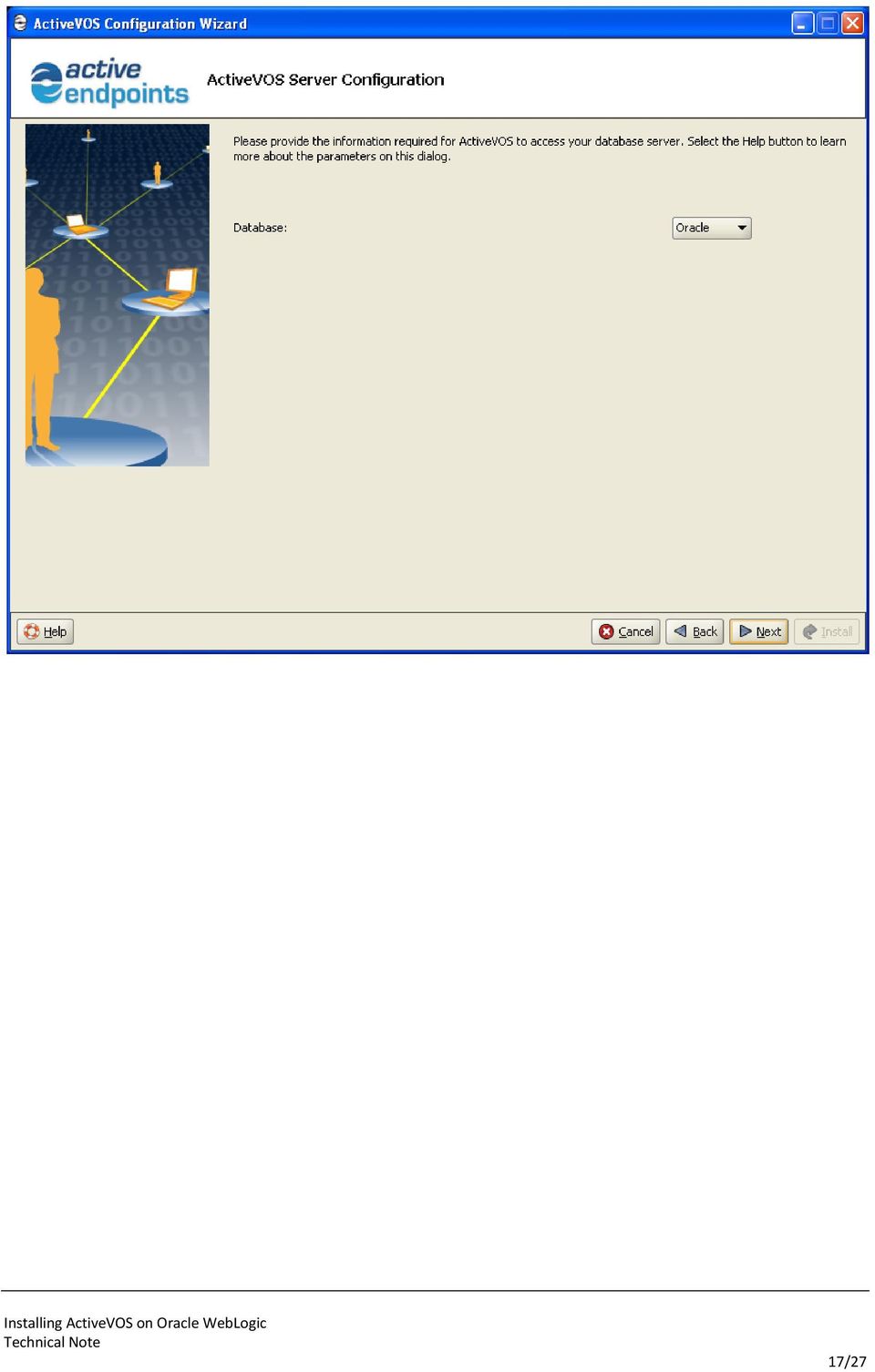
16 Appendix A Sample Installation Screenshots After you have configured your weblogic environment (i.e. setting up managed servers, the data source and security), you can run the installer utility config_deploy.bat (usually located in..server\server-enterprise\weblogic_config\bin) to install ActiveVOS Server and ActiveVOS Central. Here are the screenshots of a typical installation (assuming a weblogic cluster with Oracle database): 16/27


17 17/27
18 18/27

19 19/27

20 [Note: Please select the Administrative functions checkbox if you need to secure ActiveVOS console.] 20/27

21 21/27
22 22/27
23 23/27
24 24/27
25 Appendix B Sample weblogic_ user.xml <? xml version='1.0' encoding='utf-8'?> 25/27
26 <weblogic-users> <! -- Task inbox roles --> <role name="abadmin"/> <role name="abtaskclient"/> <role name="abdeployer"/> <! -- ActiveVOS demo roles--> <role name="chiefestimatorgroup"/> <role name="powertrainspecialistgroup"/> <role name="exteriorspecialistgroup"/> <role name="interiorspecialistgroup"/> <role name="accountmanagergroup"/> <! -- ActiveVOS samples roles --> <role name="loanreps"/> <role name="loanmgrs"/> <role name="loancsrs"/> <! -- ActiveVOS demo users--> <user name="manager" password="manager" roles="abtaskclient, AccountManagerGroup, loanmgrs, loanreps, loancsrs"/> <user name="chief" password="chief" roles="abtaskclient, ChiefEstimatorGroup"/> <user name="power" password="power" roles="abtaskclient, PowerTrainSpecialistGroup"/> <user name="exterior" password="exterior" roles="abtaskclient, ExteriorSpecialistGroup"/> <user name="interior" password="interior" roles="abtaskclient, InteriorSpecialistGroup"/> <! -- ActiveVOS samples users --> <user name="loanrep1" password="loanrep1" roles="abtaskclient, loanreps"/> <user name="loanrep2" password="loanrep2" roles="abtaskclient, loanreps"/> <user name="loanrep3" password="loanrep3" roles="abtaskclient, loanreps"/> 26/27
27 <user name="loanmgr1" password="loanmgr1" roles="loanmgrs, abadmin, abtaskclient"/> <user name="loanmgr2" password="loanmgr2" roles="abtaskclient, loanmgrs, loanreps"/> <user name="loancsr1" password="loancsr1" roles="abtaskclient, loancsrs"/> <user name="reviewer1" password="reviewer1" roles="abtaskclient, Reviewers" <user name="reviewer2" password="reviewer2" roles="abtaskclient, Reviewers" <user name="businessadmin1" password="businessadmin1" roles="abtaskclient, Reviewers, BusinessAdmin" <user name="businessadmin2" password="businessadmin2" roles="abtaskclient, Reviewers, BusinessAdmin" </weblogic-users> 27/27
This document summarizes the steps of deploying ActiveVOS on the IBM WebSphere Platform.
 Technical Note Overview This document summarizes the steps of deploying ActiveVOS on the IBM WebSphere Platform. Legal Notice The information in this document is preliminary and is subject to change without
Configuring ActiveVOS Identity Service Using LDAP
 Configuring ActiveVOS Identity Service Using LDAP Overview The ActiveVOS Identity Service can be set up to use LDAP based authentication and authorization. With this type of identity service, users and
Security Assertion Markup Language (SAML) Site Manager Setup
 Security Assertion Markup Language (SAML) Site Manager Setup Trademark Notice Blackboard, the Blackboard logos, and the unique trade dress of Blackboard are the trademarks, service marks, trade dress and
WebLogic Server Admin
 Course Duration: 1 Month Working days excluding weekends Overview of Architectures Installation and Configuration Creation and working using Domain Weblogic Server Directory Structure Managing and Monitoring
WebSphere Business Monitor V7.0 Configuring a remote CEI server
 Copyright IBM Corporation 2010 All rights reserved WebSphere Business Monitor V7.0 What this exercise is about... 2 Lab requirements... 2 What you should be able to do... 2 Introduction... 3 Part 1: Install
LAE 5.1. Windows Server Installation Guide. Version 1.0
 LAE 5.1 Windows Server Installation Guide Copyright THE CONTENTS OF THIS DOCUMENT ARE THE COPYRIGHT OF LIMITED. ALL RIGHTS RESERVED. THIS DOCUMENT OR PARTS THEREOF MAY NOT BE REPRODUCED IN ANY FORM WITHOUT
Department of Veterans Affairs VistA Integration Adapter Release 1.0.5.0 Enhancement Manual
 Department of Veterans Affairs VistA Integration Adapter Release 1.0.5.0 Enhancement Manual Version 1.1 September 2014 Revision History Date Version Description Author 09/28/2014 1.0 Updates associated
Install guide for Websphere 7.0
 DOCUMENTATION Install guide for Websphere 7.0 Jahia EE v6.6.1.0 Jahia s next-generation, open source CMS stems from a widely acknowledged vision of enterprise application convergence web, document, search,
Configuring EPM System 11.1.2.1 for SAML2-based Federation Services SSO
 Configuring EPM System 11.1.2.1 for SAML2-based Federation Services SSO Scope... 2 Prerequisites Tasks... 2 Procedure... 2 Step 1: Configure EPM s WebLogic domain for SP Federation Services... 2 Step 2:
Livezilla How to Install on Shared Hosting http://www.jonathanmanning.com By: Jon Manning
 Livezilla How to Install on Shared Hosting By: Jon Manning This is an easy to follow tutorial on how to install Livezilla 3.2.0.2 live chat program on a linux shared hosting server using cpanel, linux
SQL Server Setup for Assistant/Pro applications Compliance Information Systems
 SQL Server Setup for Assistant/Pro applications Compliance Information Systems The following document covers the process of setting up the SQL Server databases for the Assistant/PRO software products form
Monitoring Oracle Enterprise Performance Management System Release 11.1.2.3 Deployments from Oracle Enterprise Manager 12c
 Monitoring Oracle Enterprise Performance Management System Release 11.1.2.3 Deployments from Oracle Enterprise Manager 12c This document describes how to set up Oracle Enterprise Manager 12c to monitor
Installation Guide for Websphere ND 7.0.0.21
 Informatica MDM Multidomain Edition for Oracle (Version 9.5.1) Installation Guide for Websphere ND 7.0.0.21 Page 1 Table of Contents Preface... 3 Introduction... 4 Before You Begin... 4 Installation Overview...
NSi Mobile Installation Guide. Version 6.2
 NSi Mobile Installation Guide Version 6.2 Revision History Version Date 1.0 October 2, 2012 2.0 September 18, 2013 2 CONTENTS TABLE OF CONTENTS PREFACE... 5 Purpose of this Document... 5 Version Compatibility...
s@lm@n Oracle Exam 1z0-102 Oracle Weblogic Server 11g: System Administration I Version: 9.0 [ Total Questions: 111 ]
![s@lm@n Oracle Exam 1z0-102 Oracle Weblogic Server 11g: System Administration I Version: 9.0 [ Total Questions: 111 ]](/thumbs/34/13135225.jpg "s@lm@n Oracle Exam 1z0-102 Oracle Weblogic Server 11g: System Administration I Version: 9.0 [ Total Questions: 111 ]") s@lm@n Oracle Exam 1z0-102 Oracle Weblogic Server 11g: System Administration I Version: 9.0 [ Total Questions: 111 ] Oracle 1z0-102 : Practice Test Question No : 1 Which two statements are true about java
s@lm@n Oracle Exam 1z0-102 Oracle Weblogic Server 11g: System Administration I Version: 9.0 [ Total Questions: 111 ] Oracle 1z0-102 : Practice Test Question No : 1 Which two statements are true about java
Outlook Profile Setup Guide Exchange 2010 Quick Start and Detailed Instructions
 HOSTING Administrator Control Panel / Quick Reference Guide Page 1 of 9 Outlook Profile Setup Guide Exchange 2010 Quick Start and Detailed Instructions Exchange 2010 Outlook Profile Setup Page 2 of 9 Exchange
Setting up Hyper-V for 2X VirtualDesktopServer Manual
 Setting up Hyper-V for 2X VirtualDesktopServer Manual URL: www.2x.com E-mail: [email protected] Information in this document is subject to change without notice. Companies, names, and data used in examples herein
ADFS Integration Guidelines
 ADFS Integration Guidelines Version 1.6 updated March 13 th 2014 Table of contents About This Guide 3 Requirements 3 Part 1 Configure Marcombox in the ADFS Environment 4 Part 2 Add Relying Party in ADFS
Configuring Color Access on the WorkCentre 7120 Using Microsoft Active Directory Customer Tip
 Configuring Color Access on the WorkCentre 7120 Using Microsoft Active Directory Customer Tip October 21, 2010 Overview This document describes how to limit access to color copying and printing on the
Cloud Services ADM. Agent Deployment Guide
 Cloud Services ADM Agent Deployment Guide 10/15/2014 CONTENTS System Requirements... 1 Hardware Requirements... 1 Installation... 2 SQL Connection... 4 AD Mgmt Agent... 5 MMC... 7 Service... 8 License
DESLock+ Basic Setup Guide Version 1.20, rev: June 9th 2014
 DESLock+ Basic Setup Guide Version 1.20, rev: June 9th 2014 Contents Overview... 2 System requirements:... 2 Before installing... 3 Download and installation... 3 Configure DESLock+ Enterprise Server...
Installing and Configuring DB2 10, WebSphere Application Server v8 & Maximo Asset Management
 IBM Tivoli Software Maximo Asset Management Installing and Configuring DB2 10, WebSphere Application Server v8 & Maximo Asset Management Document version 1.0 Rick McGovern Staff Software Engineer IBM Maximo
Team Foundation Server 2012 Installation Guide
 Team Foundation Server 2012 Installation Guide Page 1 of 143 Team Foundation Server 2012 Installation Guide Benjamin Day [email protected] v1.0.0 November 15, 2012 Team Foundation Server 2012 Installation
Customer Tips. Configuring Color Access on the WorkCentre 7328/7335/7345 using Windows Active Directory. for the user. Overview
 Xerox Multifunction Devices Customer Tips February 13, 2008 This document applies to the stated Xerox products. It is assumed that your device is equipped with the appropriate option(s) to support the
Active Directory integration with CloudByte ElastiStor
 Active Directory integration with CloudByte ElastiStor Prerequisite Change the time and the time zone of the Active Directory Server to the VSM time and time zone. Enabling Active Directory at VSM level
Oracle Managed File Getting Started - Transfer FTP Server to File Table of Contents
 Oracle Managed File Getting Started - Transfer FTP Server to File Table of Contents Goals... 3 High- Level Steps... 4 Basic FTP to File with Compression... 4 Steps in Detail... 4 MFT Console: Login and
BusinessObjects Enterprise XI Release 2
 BusinessObjects Enterprise XI Release 2 How to configure an Internet Information Services server as a front end to a WebLogic application server Overview Contents This document describes the process of
Upgrading User-ID. Tech Note PAN-OS 4.1. 2011, Palo Alto Networks, Inc.
 Upgrading User-ID Tech Note PAN-OS 4.1 Revision B 2011, Palo Alto Networks, Inc. Overview PAN-OS 4.1 introduces significant improvements in the User-ID feature by adding support for multiple user directories,
Setting up Hyper-V for 2X VirtualDesktopServer Manual
 Setting up Hyper-V for 2X VirtualDesktopServer Manual URL: www.2x.com E-mail: [email protected] Information in this document is subject to change without notice. Companies, names, and data used in examples
1z0-102 Q&A. DEMO Version
 Oracle Weblogic Server 11g: System Administration Q&A DEMO Version Copyright (c) 2013 Chinatag LLC. All rights reserved. Important Note Please Read Carefully For demonstration purpose only, this free version
JD Edwards EnterpriseOne 9.1 Clustering Best Practices with Oracle WebLogic Server
 JD Edwards EnterpriseOne 9.1 Clustering Best Practices with Oracle WebLogic Server An Oracle JD Edwards EnterpriseOne Red Paper December 2012 PURPOSE STATEMENT AND DISCLAIMER This document provides considerations
This training is targeted at System Administrators and developers wanting to understand more about administering a WebLogic instance.
 This course teaches system/application administrators to setup, configure and manage an Oracle WebLogic Application Server, its resources and environment and the Java EE Applications running on it. This
Configuring and Integrating JMX
 Configuring and Integrating JMX The Basics of JMX 3 JConsole 3 Adding a JMX Component Monitor to SAM 6 This document includes basic information about JMX and its role with SolarWinds SAM 2 Configuring
Installation Guide. Version 2.1. on Oracle Java Cloud Service 2015-06-19
 Installation Guide on Oracle Java Cloud Service Version 2.1 2015-06-19 1 Preface This installation guide provides instructions for installing FlexDeploy on the Oracle Java Cloud Service. For on-premise
WebSphere Business Monitor V7.0: Clustering Single cluster deployment environment pattern
 Copyright IBM Corporation 2010 All rights reserved WebSphere Business Monitor V7.0: Clustering Single cluster deployment environment pattern What this exercise is about... 2 Exercise requirements... 2
Workshop for WebLogic introduces new tools in support of Java EE 5.0 standards. The support for Java EE5 includes the following technologies:
 Oracle Workshop for WebLogic 10g R3 Hands on Labs Workshop for WebLogic extends Eclipse and Web Tools Platform for development of Web Services, Java, JavaEE, Object Relational Mapping, Spring, Beehive,
CA Nimsoft Service Desk
 CA Nimsoft Service Desk Single Sign-On Configuration Guide 6.2.6 This Documentation, which includes embedded help systems and electronically distributed materials, (hereinafter referred to as the Documentation
Active Directory Management. Agent Deployment Guide
 Active Directory Management Agent Deployment Guide Document Revision Date: June 12, 2014 Active Directory Management Deployment Guide i Contents System Requirements...1 Hardware Requirements...1 Installation...3
Delegated Administration Quick Start
 Delegated Administration Quick Start Topic 50200 Delegated Administration Quick Start Updated 22-Oct-2013 Applies to: Web Filter, Web Security, Web Security Gateway, and Web Security Gateway Anywhere,
RoomWizard Synchronization Software Manual Installation Instructions
 2 RoomWizard Synchronization Software Manual Installation Instructions Table of Contents Exchange Server Configuration... 4 RoomWizard Synchronization Software Installation and Configuration... 5 System
Deploying BitDefender Client Security and BitDefender Windows Server Solutions
 Deploying BitDefender Client Security and BitDefender Windows Server Solutions Quick Install Guide Copyright 2010 BitDefender; 1. Installation Overview Thank you for selecting BitDefender Business Solutions
TSM for Windows Installation Instructions: Download the latest TSM Client Using the following link:
 TSM for Windows Installation Instructions: Download the latest TSM Client Using the following link: ftp://ftp.software.ibm.com/storage/tivoli-storagemanagement/maintenance/client/v6r2/windows/x32/v623/
Setting up Citrix XenServer for 2X VirtualDesktopServer Manual
 Setting up Citrix XenServer for 2X VirtualDesktopServer Manual URL: www.2x.com E-mail: [email protected] Information in this document is subject to change without notice. Companies, names, and data used in examples
No.1 IT Online training institute from Hyderabad Email: [email protected] URL: sriramtechnologies.com
 I. Basics 1. What is Application Server 2. The need for an Application Server 3. Java Application Solution Architecture 4. 3-tier architecture 5. Various commercial products in 3-tiers 6. The logic behind
LepideAuditor Suite for File Server. Installation and Configuration Guide
 LepideAuditor Suite for File Server Installation and Configuration Guide Table of Contents 1. Introduction... 4 2. Requirements and Prerequisites... 4 2.1 Basic System Requirements... 4 2.2 Supported Servers
Querying Databases Using the DB Query and JDBC Query Nodes
 Querying Databases Using the DB Query and JDBC Query Nodes Lavastorm Desktop Professional supports acquiring data from a variety of databases including SQL Server, Oracle, Teradata, MS Access and MySQL.
Practice Fusion API Client Installation Guide for Windows
 Practice Fusion API Client Installation Guide for Windows Quickly and easily connect your Results Information System with Practice Fusion s Electronic Health Record (EHR) System Table of Contents Introduction
External Authentication with Citrix Secure Gateway - Presentation server Authenticating Users Using SecurAccess Server by SecurEnvoy
 External Authentication with Citrix Secure Gateway - Presentation server Authenticating Users Using SecurAccess Server by SecurEnvoy Contact information SecurEnvoy www.securenvoy.com 0845 2600010 1210
E-mail Listeners. E-mail Formats. Free Form. Formatted
 E-mail Listeners 6 E-mail Formats You use the E-mail Listeners application to receive and process Service Requests and other types of tickets through e-mail in the form of e-mail messages. Using E- mail
Oracle EXAM - 1Z0-102. Oracle Weblogic Server 11g: System Administration I. Buy Full Product. http://www.examskey.com/1z0-102.html
 Oracle EXAM - 1Z0-102 Oracle Weblogic Server 11g: System Administration I Buy Full Product http://www.examskey.com/1z0-102.html Examskey Oracle 1Z0-102 exam demo product is here for you to test the quality
Active Directory Authenication
 Oracle Business Intelligence 11g Active Directory Authenication Antony Heljula November 2012 Page 1 TABLE OF CONTENTS 1. Authentication With Active Directory... 3 1.1 Overview... 3 1.2 Set WebLogic LDAP
Orchestrating Document and Media Management using CMIS
 Orchestrating Document and Media Management using CMIS Technical Note - Integrating ActiveVOS with Alfresco CMIS Services AN ACTIVE ENDPOINTS TECHNICAL NOTE 2009 Active Endpoints Inc. ActiveVOS is a trademark
Kony MobileFabric. Sync Windows Installation Manual - WebSphere. On-Premises. Release 6.5. Document Relevance and Accuracy
 Kony MobileFabric Sync Windows Installation Manual - WebSphere On-Premises Release 6.5 Document Relevance and Accuracy This document is considered relevant to the Release stated on this title page and
PRODUCT WHITE PAPER LABEL ARCHIVE. Adding and Configuring Active Directory Users in LABEL ARCHIVE
 PRODUCT WHITE PAPER LABEL ARCHIVE Adding and Configuring Active Directory Users in LABEL ARCHIVE TEKLYNX International March 19, 2010 Introduction Now more than ever, businesses large and small alike are
Implementing a SAS Metadata Server Configuration for Use with SAS Enterprise Guide
 Implementing a SAS Metadata Server Configuration for Use with SAS Enterprise Guide Step 1: Setting Up Required Users and Groups o Windows Operating Systems Only Step 2: Installing Software Using the SAS
WebSphere Business Monitor V7.0 Installation and stand-alone server profile creation
 Copyright IBM Corporation 2010 All rights reserved WebSphere Business Monitor V7.0 Installation and stand-alone server profile creation What this exercise is about... 2 Exercise requirements... 2 What
Configuring Steel-Belted RADIUS Proxy to Send Group Attributes
 Configuring Steel-Belted RADIUS Proxy to Send Group Attributes Copyright 2007 Sophos Group. All rights reserved. No part of this publication may be reproduced, stored in retrieval system, or transmitted,
QUANTIFY INSTALLATION GUIDE
 QUANTIFY INSTALLATION GUIDE Thank you for putting your trust in Avontus! This guide reviews the process of installing Quantify software. For Quantify system requirement information, please refer to the
Adobe Connect LMS Integration for Blackboard Learn 9
 Adobe Connect LMS Integration for Blackboard Learn 9 Install Guide Introduction The Adobe Connect LMS Integration for Blackboard Learn 9 gives Instructors, Teaching Assistants and Course Builders the ability
Deploying Oracle Business Intelligence Publisher in J2EE Application Servers Release 10.1.3.2.0
 Oracle Business Intelligence Publisher Deploying Oracle Business Intelligence Publisher in J2EE Application Servers Release 10.1.3.2.0 Part No. B32481-01 December 2006 Introduction Oracle BI Publisher
Egnyte Single Sign-On (SSO) Installation for OneLogin
 Egnyte Single Sign-On (SSO) Installation for OneLogin To set up Egnyte so employees can log in using SSO, follow the steps below to configure OneLogin and Egnyte to work with each other. 1. Set up OneLogin
HOW TO DEPLOY AN EJB APLICATION IN WEBLOGIC SERVER 11GR1
 HOW TO DEPLOY AN EJB APLICATION IN WEBLOGIC SERVER 11GR1 Last update: June 2011 Table of Contents 1 PURPOSE OF DOCUMENT 2 1.1 WHAT IS THE USE FOR THIS DOCUMENT 2 1.2 PREREQUISITES 2 1.3 BEFORE DEPLOYING
Creating a New Database and a Table Owner in SQL Server 2005 for exchange@pam
 Creating a New Database and a Table Owner in SQL Server 2005 for exchange@pam We planning to install exchange@pam an empty database an appropriate database user must be created before running the setup.
IIS, FTP Server and Windows
 IIS, FTP Server and Windows The Objective: To setup, configure and test FTP server. Requirement: Any version of the Windows 2000 Server. FTP Windows s component. Internet Information Services, IIS. Steps:
Exostar LDAP Proxy / SecureEmail Setup Guide. This document provides information on the following topics:
 This document provides information on the following topics: Email Encryption set-up Outlook 2003 Email Encryption set-up Outlook 2007 Email Encryption set-up Outlook 2010 Email Encryption set-up Outlook
1. Open Thunderbird. If the Import Wizard window opens, select Don t import anything and click Next and go to step 3.
 Thunderbird The changes that need to be made in the email programs will be the following: Incoming mail server: newmail.one-eleven.net Outgoing mail server (SMTP): newmail.one-eleven.net You will also
How to integrate RSA ACE Server SecurID Authentication with Juniper Networks Secure Access SSL VPN (SA) with Single Node or Cluster (A/A or A/P)
 How to integrate RSA ACE Server SecurID Authentication with Juniper Networks Secure Access SSL VPN (SA) with Single Node or Cluster (A/A or A/P) Scenario # 1: Single Node or Standalone SA... 2 Scenario
Multi-factor Authentication using Radius
 Multi-factor Authentication using Radius Netop develops and sells software solutions that enable swift, secure and seamless transfer of video, screens, sounds and data between two or more computers over
External Authentication with Juniper SSL VPN appliance Authenticating Users Using SecurAccess Server by SecurEnvoy
 External Authentication with Juniper SSL VPN appliance Authenticating Users Using SecurAccess Server by SecurEnvoy Contact information SecurEnvoy www.securenvoy.com 0845 2600010 1210 Parkview Arlington
TechNote. Contents. Overview. System or Network Requirements. Deployment Considerations
 Network Security Read Domain Security Logs Contents Overview... 1 System or Network Requirements... 1 Deployment Considerations... 1 Configuring Non-Administrator Accounts for WMI Remote Access... 2 Glossary
Setting up VMware ESXi for 2X VirtualDesktopServer Manual
 Setting up VMware ESXi for 2X VirtualDesktopServer Manual URL: www.2x.com E-mail: [email protected] Information in this document is subject to change without notice. Companies, names, and data used in examples
WebSpy Vantage Ultimate 2.2 Web Module Administrators Guide
 WebSpy Vantage Ultimate 2.2 Web Module Administrators Guide This document is intended to help you get started using WebSpy Vantage Ultimate and the Web Module. For more detailed information, please see
Active Directory Management. Agent Deployment Guide
 Active Directory Management Agent Deployment Guide Document Revision Date: April 26, 2013 Active Directory Management Deployment Guide i Contents System Requirements... 1 Hardware Requirements... 2 Agent
ipad or iphone with Junos Pulse and Juniper SSL VPN appliance Authenticating Users Using SecurAccess Server by SecurEnvoy
 ipad or iphone with Junos Pulse and Juniper SSL VPN appliance Authenticating Users Using SecurAccess Server by SecurEnvoy Contact information SecurEnvoy www.securenvoy.com 0845 2600010 1210 Parkview Arlington
Host Installation on a Terminal Server
 TECHNICAL PAPER Host Installation on a Terminal Server Netop develops and sells software solutions that enable swift, secure and seamless transfer of video, screens, sounds and data between two or more
Step by Step Guide to implement SMS authentication to F5 Big-IP APM (Access Policy Manager)
 Installation guide for securing the authentication to your F5 Big-IP APM solution with Nordic Edge One Time Password Server, delivering strong authetication via SMS to your mobile phone. 1 Summary This
Defender 5.7 - Token Deployment System Quick Start Guide
 Defender 5.7 - Token Deployment System Quick Start Guide This guide describes how to install, configure and use the Defender Token Deployment System, based on default settings and how to self register
pcanywhere Advanced Configuration Guide
 Introduction The pcanywhere Solution Advanced Configuration Guide is provided to assist customers with advanced features once they have the Symantec Management Platform with pcanywhere Solution installed.
White Paper DEPLOYING WDK APPLICATIONS ON WEBLOGIC AND APACHE WEBSERVER CLUSTER CONFIGURED FOR HIGH AVAILABILITY AND LOAD BALANCE
 White Paper DEPLOYING WDK APPLICATIONS ON WEBLOGIC AND APACHE WEBSERVER CLUSTER CONFIGURED FOR HIGH AVAILABILITY AND LOAD BALANCE Abstract This White Paper provides information to deploy WDK based applications
Oracle SOA Suite 11g Oracle SOA Suite 11g HL7 Inbound Example
 Oracle SOA Suite 11g Oracle SOA Suite 11g HL7 Inbound Example [email protected] June 2010 Table of Contents Introduction... 1 Pre-requisites... 1 Prepare HL7 Data... 1 Obtain and Explore the HL7
Installing The SysAidTM Server Locally
 Installing The SysAidTM Server Locally Document Updated: 17 October 2010 Introduction SysAid is available in two editions: a fully on-demand ASP solution and an installed, in-house solution for your server.
How-to: Single Sign-On
 How-to: Single Sign-On Document version: 1.02 nirva systems [email protected] nirva-systems.com How-to: Single Sign-On - page 2 This document describes how to use the Single Sign-On (SSO) features
Geoportal Server 1.2.2 Installation Guide for GlassFish 3.1.2 Contents
 Geoportal Server 1.2.2 Installation Guide for GlassFish 3.1.2 Contents 1. PREREQUISITES... 1 2. DEPLOY THE GEOPORTAL APPLICATION... 1 3. DEPLOY THE SERVLET APPLICATION (OPTIONAL)... 3 4. CONFIGURE THE
F-Secure Messaging Security Gateway. Deployment Guide
 F-Secure Messaging Security Gateway Deployment Guide TOC F-Secure Messaging Security Gateway Contents Chapter 1: Deploying F-Secure Messaging Security Gateway...3 1.1 The typical product deployment model...4
Exchange 2013 mailbox setup guide
 Fasthosts Customer Support Exchange 2013 mailbox setup guide This article covers the setup of Exchange 2013 mailboxes in Microsoft Outlook 2013, 2010 and Outlook 2011 for Mac. Contents Exchange 2013 Mailbox
Tool Tip. SyAM Management Utilities and Non-Admin Domain Users
 SyAM Management Utilities and Non-Admin Domain Users Some features of SyAM Management Utilities, including Client Deployment and Third Party Software Deployment, require authentication credentials with
Password Manager. Version 3.4.2. Password Manager Quick Guide
 Password Manager Version 3.4.2 Password Manager Quick Guide Document Title Password Manager Quick Guide Document Classification Public Document Revision C Document Status Final Document Date April 16,
Sample copy. Introduction To WebLogic Server Property of Web 10.3 Age Solutions Inc.
 Introduction To WebLogic Server Property of Web 10.3 Age Solutions Inc. Objectives At the end of this chapter, participants should be able to: Understand basic WebLogic Server architecture Understand the
Crystal Reports Installation Guide
 Crystal Reports Installation Guide Version XI Infor Global Solutions, Inc. Copyright 2006 Infor IP Holdings C.V. and/or its affiliates or licensors. All rights reserved. The Infor word and design marks
WebLogic Server Administration
 ORACLE PRODUCT LOGO WebLogic Server Administration Roger Freixa Principal Product Manager 1 Copyright 2011, Oracle and/or its affiliates. All rights reserved. WebLogic Concepts 2 Copyright 2011, Oracle
System Administration Training Guide. S100 Installation and Site Management
 System Administration Training Guide S100 Installation and Site Management Table of contents System Requirements for Acumatica ERP 4.2... 5 Learning Objects:... 5 Web Browser... 5 Server Software... 5
Using EMC Documentum with Adobe LiveCycle ES
 Technical Guide Using EMC Documentum with Adobe LiveCycle ES Table of contents 1 Deployment 3 Managing LiveCycle ES development assets in Documentum 5 Developing LiveCycle applications with contents in
Quality Center LDAP Guide
 Information Services Quality Assurance Quality Center LDAP Guide Version 1.0 Lightweight Directory Access Protocol( LDAP) authentication facilitates single sign on by synchronizing Quality Center (QC)
1Z0-102. Oracle Weblogic Server 11g: System Administration I. Version: Demo. Page <<1/7>>
 1Z0-102 Oracle Weblogic Server 11g: System Administration I Version: Demo Page 1. Which two statements are true about java EE shared libraries? A. A shared library cannot bedeployed to a cluster.
Tivoli Endpoint Manager for Remote Control Version 8 Release 2. User s Guide
 Tivoli Endpoint Manager for Remote Control Version 8 Release 2 User s Guide Tivoli Endpoint Manager for Remote Control Version 8 Release 2 User s Guide Note Before using this information and the product
Oracle Enterprise Manager. Description. Versions Supported. Prerequisites
 Oracle Enterprise Manager System Monitoring Plug-in Installation Guide for Microsoft SQL Server 10g Release 2 (10.2) B28049-01 January 2006 This document provides a brief description about the Oracle System
SevOne NMS Download Installation and Implementation Guide
 SevOne NMS Download Installation and Implementation Guide 5.3.X 530 V0002 Contents 1. Get Started... 3 2. SevOne Download Installation... 6 3. Appliance Network Configuration... 9 4. Install License and
Team Foundation Server 2013 Installation Guide
 Team Foundation Server 2013 Installation Guide Page 1 of 164 Team Foundation Server 2013 Installation Guide Benjamin Day [email protected] v1.1.0 May 28, 2014 Team Foundation Server 2013 Installation Guide
XenApp/Citrix Program Neighborhood Installation
 1. Download the XenApp Plugin (Citrix Presentation Server) Client Package Version 11.0 for Hosted Apps. Click on this LINK to obtain it. Once prompted, click RUN 2. 3. Save the file to your desktop. Once
Installing RMFT on an MS Cluster
 Installing RMFT on an MS Cluster RMFT Software Version 2.4.3 Supported on: Windows Server 2003 Enterprise Edition Windows Server 2000 Advanced Windows Server 2003 Datacenter Edition Windows Server 2008