
The Key Elements of Digital Asset Management
|
|
|
- Michael Fowler
- 10 years ago
- Views:
Transcription
1 The Key Elements of Digital Asset Management

2 The last decade has seen an enormous growth in the amount of digital content, stored on both public and private computer systems. This content ranges from professionally produced (Movies, TV, Music), institutionally produced (Lecture Capture, Digital Libraries, CCTV, Governmental Information) and consumer produced (Digital Photos, YouTube). As the volume and value of this content has increased, storage and management needs have risen proportionally, and this trend shows no sign of slowing down. As the world s content is going digital, the needs for robust means of indexing, searching, retrieving and archiving these digital assets has lead to the development of dedicated Digital Asset Management (DAM) systems. This whitepaper provides an overview of the key elements of a DAM. What is a Digital Asset? Broadly speaking, anything that can be captured in a digital format can then be treated as a digital asset. The most obvious examples are media files, such as video, audio, still images and graphics. However, the digital assets could equally be text files, telemetry or other data, and there are a number of scenarios where cross relationships may exist between one asset and another. How are Digital Assets Managed? Just as with physical assets, the key to managing digital assets is to know what exists in the inventory and how to locate it. To achieve this is, it is necessary to have a common means of describing the asset (Is it video? a text file? who created it? what is the subject? is it copyright?), a means of providing a unique identifier for each asset and a database to allow searches to be made either for a specific asset or one that has the characteristics that meet some or all of the search criteria. The description of the asset is called metadata and is crucial to the successful implementation of a DAM. What is Metadata? Metadata can be thought of as data about data. In its simplest form, it could be a short description, or thumbnail, of the digital content that can then be searched for in a database. The metadata will point to the appropriate asset, and once it is found it can be retrieved. In order to provide interoperability, a group of international standards have been developed for metadata, the most important of which is ISO (Dublin Core Metadata Element Set). By always using the same core 15 fields to describe an asset, the metadata can be read by any DAMS that are compliant with this standard. In addition, Dublin Core Metadata can be incorporated into XML documents, and additional fields can be defined almost indefinitely. This has lead to the development of a number of XML based enhanced Metadata standards such as PBCore and NewsML which contain additional fields specifically designed to provide extra information about Audio and Video assets. Technology Elements The elements of a DAM architecture includes media ingest, logging, metadata creation, database management, security, transcoding, media storage support for post production and annotation, and integration with scheduling systems. Broadly speaking, the main components of a DAM solution are: Asset Repository: At the center of the DAM solution is a repository where the digital assets are ingested and stored - preferably in an automated process along with associated metadata and links. As soon as the original assets are ingested, the DAM will create lower resolution proxy files. The metadata will point users to the proxy files, unless they have rights to access the original. In this way, the integrity of the original files will be preserved and bandwidth requirements reduced. Typically, an institutional user will have a central storage array and servers. This equipment complex requires conditioned space and will most likely be located in a server room. Ditigal Asset Management Page 1 Cerami & Associates, 2011

3 Content Management: DAM Solutions require a powerful content management tool for search, retrieval, and asset management capabilities. Appropriate security levels can be created and defined to determine user access levels, as well as to track asset usage. Application Interface: The DAM can be deployed and accessed over a large network of distributed devices and user interfaces within the organization, as well as with external users using the internet. In this manner, teams can collaborate and contribute to the assets, and remote users can search and retrieve content. This is particularly relevant in the Broadcast/Media field, where the DAM may be required to integrate with Broadcast Automation (for scheduled play-out ) and Post-production systems. It also has relevance in the research and legal fields, where physically separate groups of individuals may be working collaboratively. What Markets Require a DAM? The prime users of DAM Systems are organizations that produce and store a lot of digital information. Not so long ago, this meant primarily Broadcast/media operations and digital libraries. However, there are many other potential users of DAM systems, including but not limited to: Government (Just about everything) Judicial (Courtroom proceedings, Evidence, documentation) Security (CCTV Post event forensic analysis) Higher Education (Lecture capture, Student projects) Healthcare (Digital Patient records, Simulation/Training) Corporate (Videoconference records, Training videos) Museums (Virtual Collections, Visitor/Fundraising Data) In fact, the advantages of being able to retrieve information easily are such that it is hard to think of an industry that wouldn t benefit from better organization of its digital assets. Planning a DAM When planning a DAM, the following questions should be asked: Who will have access to the system? What are the bandwidth limitations of the underlying network? How fast must material be located and retrieved? Is there a requirement for integration with existing databases? Is there a requirement for integration with post-production and/or annotation systems? What formats will be chosen for storage and distribution of the material? How much storage is required? Will storage be centralized or distributed? To what extent will content be stored on-line, near-line or off-line? What Long-term storage solutions will be viable? Who will assume the role of System administrator and/or digital curator? Does the content have to traverse more than one network type? What locations must have access to the content? Will content be available only on secure networks or made available over the public Internet? How will Intellectual Property be protected? If the system will be used to generate revenue, how will asset usage be tracked? Ditigal Asset Management Page 2 Cerami & Associates, 2011

4 Storage/Archiving From a cost and functional standpoint, the most important of these questions is How much storage, and of what type, should be provided? The type of storage will fall into one of three different categories; online, near-line or offline. Deciding on the type of storage will mostly be based on the availability needs of media. For instance, if daily or fast access is required to assets, then online storage is the best alternative. If archiving all assets with no time constraints is the application, then offline storage is the most economical option. Really, it is storage access time that must first be considered. Online Storage Overview Online storage is a storage option that allows media to be quickly available to the user typically within fractions of a second. It utilizes different hard-disk drive (HDD) configurations including internal disk drives (within the main DAM server itself) or external drives with fast connections and configurations. However, online storage is the most expensive method of storing media. Typically, high performance disk drives with a fast interface are utilized. Costs also increase when RAID (redundancy) configurations are used. The common RAID 5 configuration, for example, has distributed parity for drive failure protection, but at the cost of only 63% storage space efficiency. In order to size the online storage component appropriately, it is essential that the users agree and adhere to policies on file formats and how long assets will remain online. In addition, reasonable space must be left to allow archived files to be placed back online. Nearline Storage Overview Nearline storage is an intermediate type of storage that is generally considered to be a compromise between online and offline storage methods. The advantage of nearline storage is that it does not require the interaction of a user to physically retrieve the media. The location of media is readily accessible by utilizing a mass storage device such as a robotic tape library or a Blu-Ray jukebox. The tape cartridge or disc where the content is stored is quickly and automatically retrieved and the media copied to the local online storage. While access times are not as quick as online storage, nearline storage is significantly faster than manually retrieving offline media (one less step). While the upfront cost of a robotic storage library may be quite expensive, the cost advantage of quickly retrieving media can be significant. The advantage of nearline storage is a savings in high energy costs from spinning disks and the use of inexpensive, long shelf-life tape or an optical storage medium. Nearline storage is useful in applications where there are massive amounts of data. Offline Storage Overview Popular forms of offline storage include data tape (LTO), and optical storage such as DVD or Blu-Ray disc. While it is possible to quickly search for media that is stored using offline storage retrieval (using the same methods as searching media stored using online storage) of high-resolution content is a lot more time consuming. This is due to the fact that offline storage is typically done using a storage medium that is not directly accessible to the MAM server. Offline storage requires physical user interaction, i.e., physically retrieving a storage unit and inserting into a drive to access the requested media. For instance, it may be necessary to insert an LTO tape cartridge or Blu-Ray disc into a reader where the media will be retrieved and usually transferred to online storage for quick access. However, it may be very time consuming for this to occur. Offline storage is useful for media that is used infrequently. Ditigal Asset Management Page 3 Cerami & Associates, 2011

5 There are several benefits of offline storage, including lower media costs, increased storage density, reduced power consumption, and in the case of non-volatile media like tape and optical, increased data overwrite security. The Write Once Read Many (WORM) characteristic of some tape and optical media gives added protection to being modified and/or deleted. However, it must be noted that there are no long term guarantees that any of these formats will last more than 7-10 years. Therefore, any archive strategy should plan conservatively around the expected lifetime of the media. Another valid concern that arises is obsolescence of the archive technology itself. For example, there is no guarantee that a DVD drive able to read today s archived DVD may be found 10 years from now. Just consider having to look for a floppy drive today to read a floppy disk created in Hence, any archive strategy will assume an entire technology refresh rate of 5-7 years to prevent being outdated. In addition, the physical location of the archive must be considered. Ideally, at least 2 copies of all archive materials should be maintained in physically diverse locations so that a catastrophic event at one location will not destroy the archive. Cloud Storage A fourth storage option is the rapidly emerging field of Cloud Storage. In a cloud storage model, storage space is hosted remotely by a service provider, with access typically provided across the internet. Users pay for the amount of storage and bandwidth used, similar to the way that an electric utility charges for power consumed. The obvious advantage to this approach is that it reduces the investment required for maintaining dedicated storage infrastructure and moves costs from capital expenses to operating expenses. In addition, the remote service provider is likely to have multiple storage centers in diverse physical locations, so the use of cloud storage introduces additional protection against disasters. The field of Cloud Computing is still evolving, and Cloud Storage should be approached conservatively for now, with the cloud being used primarily as another option for offline storage, or as a hosting location for low bandwidth proxy files. Linking/Annotation For a DAM to be truly useful, it is a given that it must be possible to easily find assets. However, this process can be greatly enhanced if linkage between assets can be established. For instance, a law firm may have a video file of a deposition, a separate text file of a transcript of the deposition and related other digital assets. If they can be linked together, then the record becomes vastly more useful. Fortunately, XML lends itself to this kind of linking, and the establishment of links can be automated to some extent during the ingest process. Further manual annotation can provide rich opportunities for data mining. Curation Just like a physical asset collection, a digital asset collection requires curation. Because digital curation and data preservation are ongoing processes, a DAM user must plan for preservation throughout the lifecycle of digital material. Preservation actions must be planned and then realized to ensure that the authoritative nature of digital material is protected for the long term. Such actions include validation, assigning preservation metadata, assigning representation information and ensuring acceptable data structures or file formats. Together, these preservation actions ensure that digital assets remain authentic, reliable and usable whilst at all times maintaining their integrity. Ditigal Asset Management Page 4 Cerami & Associates, 2011

6 Intellectual Property Management Strict attention must be paid to the maintenance of Intellectual Property (IP) housed on a DAM. If any assets are copyright, they must be marked as so, and if they are unique assets produced by the DAM users they should be digitally watermarked. Regular audits must be performed to ensure that no copyright assets belonging to other organizations have been ingested unless there are specific agreements in place to allow sharing of IP. This is a curation activity. Usage Tracking/Billing The DAM must support usage tracking by all users of the stored assets. Depending on the nature of the stored assets, an efficient billing system should be a fully integrated sub-system of the DAM. Conclusion The market for DAM s is a continually growing one. Depending on the industry, there are certain key players (manufacturers and system integrators) who can deliver turnkey solutions. However, the common underlying element to a successful implementation is good needs analysis and planning. This is where a specialist consultant can help By bringing together the various stakeholders, analyzing existing workflows, identifying any legacy databases that require integration and otherwise assisting with the decision making process outlined herein, a specialist consultant can identify best of breed solutions and provide bid documents to enable competitive procurement. In addition, the consultant should remain involved after the initial deployment, so that as system usage evolves they can provide additional guidance. In this manner, a DAM can be implemented that will be maximize return on investment and remain useable and upgradeable for the foreseeable future. For more information on our audiovisual and technology services, please visit ceramiassociates.com or give us a call at Ditigal Asset Management Page 5 Cerami & Associates, 2011

7 Cerami & Associates, Inc. 404 Fifth Avenue New York NY T ceramiassociates.com

Introduction to Optical Archiving Library Solution for Long-term Data Retention
 Introduction to Optical Archiving Library Solution for Long-term Data Retention CUC Solutions & Hitachi-LG Data Storage 0 TABLE OF CONTENTS 1. Introduction... 2 1.1 Background and Underlying Requirements
THE CASE FOR ACTIVE DATA ARCHIVING
 THE CASE FOR ACTIVE DATA ARCHIVING Written by Ray Quattromini 3 rd September 2007 Contact details Tel: 01256 782030 / 08704 286 186 Fax: 08704 286 187 Email: [email protected] Web: www.data-storage.co.uk
Let s Talk Digital An Approach to Managing, Storing, and Preserving Time-Based Media Art Works. DAMS Branch Manager Smithsonian Institution, OCIO
 Let s Talk Digital An Approach to Managing, Storing, and Preserving Time-Based Media Art Works DAMS Branch Manager Smithsonian Institution, OCIO 1 Love and Marriage Digital Asset Management?? Digital Diamonds
STORNEXT PRO SOLUTIONS. StorNext Pro Solutions
 STORNEXT PRO SOLUTIONS StorNext Pro Solutions StorNext PRO SOLUTIONS StorNext Pro Solutions offer Post-Production and Broadcast Professionals the fastest, easiest, and most complete high-performance shared
STORNEXT PRO SOLUTIONS. StorNext Pro Solutions
 STORNEXT PRO SOLUTIONS StorNext Pro Solutions StorNext PRO SOLUTIONS StorNext Pro Solutions offer post-production and broadcast professionals the fastest, easiest, and most complete high-performance shared
Content Management Playout Encryption Broadcast Internet. Content Management Services
 Content Management Playout Encryption Broadcast Internet Content Management Services We offer a range of services covering the digitisation and archiving of your content as well as processing and conversion
Digital Asset Management 数 字 媒 体 资 源 管 理 任 课 老 师 : 张 宏 鑫 2015-09-15
 Digital Asset Management 数 字 媒 体 资 源 管 理 任 课 老 师 : 张 宏 鑫 2015-09-15 1. Introduction 1. 导 论 Outline Outline Content management Outline Content management Industrial Analysis Outline Content management Industrial
[STORAGE SOLUTIONS: FILM INDUSTRY]
![[STORAGE SOLUTIONS: FILM INDUSTRY]](/thumbs/25/6357293.jpg "[STORAGE SOLUTIONS: FILM INDUSTRY]") 2012 Hie Electronics TeraStack Solution [STORAGE SOLUTIONS: FILM INDUSTRY] The film industry and video management companies across the country hold the art and culture of the nation. However, are they
2012 Hie Electronics TeraStack Solution [STORAGE SOLUTIONS: FILM INDUSTRY] The film industry and video management companies across the country hold the art and culture of the nation. However, are they
Archive Data Retention & Compliance. Solutions Integrated Storage Appliances. Management Optimized Storage & Migration
 Solutions Integrated Storage Appliances Management Optimized Storage & Migration Archive Data Retention & Compliance Services Global Installation & Support SECURING THE FUTURE OF YOUR DATA w w w.q sta
Tier 2 Nearline. As archives grow, Echo grows. Dynamically, cost-effectively and massively. What is nearline? Transfer to Tape
 Tier 2 Nearline As archives grow, Echo grows. Dynamically, cost-effectively and massively. Large Scale Storage Built for Media GB Labs Echo nearline systems have the scale and performance to allow users
A Comparative TCO Study: VTLs and Physical Tape. With a Focus on Deduplication and LTO-5 Technology
 White Paper A Comparative TCO Study: VTLs and Physical Tape With a Focus on Deduplication and LTO-5 Technology By Mark Peters February, 2011 This ESG White Paper is distributed under license from ESG.
WHITE PAPER. Reinventing Large-Scale Digital Libraries With Object Storage Technology
 WHITE PAPER Reinventing Large-Scale Digital Libraries With Object Storage Technology CONTENTS Introduction..........................................................................3 Hitting The Limits
Multi-Terabyte Archives for Medical Imaging Applications
 Multi-Terabyte Archives for Medical Imaging Applications This paper describes how Windows servers running XenData Archive Series software provide an attractive solution for storing and retrieving multiple
PRIVATE CLOUD-BASED MEDIA WORKFLOW. StorNext 5 in the Cloud
 PRIVATE CLOUD-BASED MEDIA WORKFLOW StorNext 5 in the Cloud CONTENTS Where the Cloud Promise Fails for Workflows... 5 A Cloud Designed for Media Workflows... 7 An Ecosystem of Integrated Partners... 8
Managing Physical and Digital Assets for Unified Distribution Workflows
 Managing Physical and Digital Assets for Unified Distribution Workflows Ron Peeters, Executive Vice President Xytech Systems Corporation [email protected] Tuesday, February 11, 2008 Abstract Production
XenData Video Edition. Product Brief:
 XenData Video Edition Product Brief: The Video Edition of XenData Archive Series software manages one or more automated data tape libraries on a single Windows 2003 server to create a cost effective digital
Solution Brief: Archiving Avid Interplay Projects using NLT and XenData
 Solution Brief: Archiving Avid Interplay Projects using NLT and XenData Contents 1. Introduction to the Open Interplay Archive 2. Solution Benefits 3. System Architecture 4. How to Archive and Restore
Solutions for Disaster Recovery Using Grass Valley Integrated Playout Systems
 APPLICATION NOTE Solutions for Disaster Recovery Using Grass Valley Integrated Playout Systems Alex Lakey and Guido Bozward February 2012 In mission-critical broadcast playout environments, the best practice
XenData Archive Series Software Technical Overview
 XenData White Paper XenData Archive Series Software Technical Overview Advanced and Video Editions, Version 4.0 December 2006 XenData Archive Series software manages digital assets on data tape and magnetic
Do the impossible simply
 Do the impossible simply Avid Interplay Shifting viewer habits and growing demand for content are changing the face of the media industry. Meeting these challenges at times seems impossible, but no longer
Carestream Information Management Solutions. Managing the explosion in patient information
 Managing the explosion in patient information Carestream Information Management Solutions Carestream Information Management Solutions The right information in the right place at the right time from the
Technical Document Release Version 3.0. Product Sheet. MediaStore Manager. Archive manager Application Module
 Technical Document Release Version 3.0 Product Sheet MediaStore Manager Archive manager Application Module MAM MediaStore Manager MediaStore is the MAM (Media and Digital Asset Management system) proposed
The Australian War Memorial s Digital Asset Management System
 The Australian War Memorial s Digital Asset Management System Abstract The Memorial is currently developing an Enterprise Content Management System (ECM) of which a Digital Asset Management System (DAMS)
Solution Brief: Creating Avid Project Archives
 Solution Brief: Creating Avid Project Archives Marquis Project Parking running on a XenData Archive Server provides Fast and Reliable Archiving to LTO or Sony Optical Disc Archive Cartridges Summary Avid
northplains Whitepaper Differentiating DAM from ECM What Do You Really Need? Connecting your world. Visually.
 Whitepaper Differentiating DAM from ECM What Do You Really Need? Both analysts and organizations can agree on one thing - the recent and unprecedented rise in demand for multi-media assets has driven the
How Do We Archive Our Digital Data?
 How Do We Archive Our Digital Data? By Ray Quattromini Managing Director May 2010 Fortuna Power Systems Ltd Fortuna Power Systems Ltd Units B, E & F, Brickells Business Court Oakley Lane, Oakley Basingstoke
Enterprise Key Management: A Strategic Approach ENTERPRISE KEY MANAGEMENT A SRATEGIC APPROACH. White Paper February 2010 www.alvandsolutions.
 Enterprise Key Management: A Strategic Approach ENTERPRISE KEY MANAGEMENT A SRATEGIC APPROACH White Paper February 2010 www.alvandsolutions.com Overview Today s increasing security threats and regulatory
Chapter 8. Secondary Storage. McGraw-Hill/Irwin. Copyright 2008 by The McGraw-Hill Companies, Inc. All rights reserved.
 Chapter 8 Secondary Storage McGraw-Hill/Irwin Copyright 2008 by The McGraw-Hill Companies, Inc. All rights reserved. Competencies (Page 1 of 2) Distinguish between primary and secondary storage Describe
Ex Libris Rosetta: A Digital Preservation System Product Description
 Ex Libris Rosetta: A Digital Preservation System Product Description CONFIDENTIAL INFORMATION The information herein is the property of Ex Libris Ltd. or its affiliates and any misuse or abuse will result
ASG-DIGITAL ARCHIVE FOR MEDIA AND ENTERTAINMENT
 ASG-DIGITAL ARCHIVE FOR MEDIA AND ENTERTAINMENT OVERVIEW From protecting newly ingested footage to archiving completed projects, ASG-Digital Archive protects and preserves content throughout digital media
Implementing Offline Digital Video Storage using XenData Software
 using XenData Software XenData software manages data tape drives, optionally combined with a tape library, on a Windows Server 2003 platform to create an attractive offline storage solution for professional
Storage Options for Document Management
 Storage Options for Document Management Document management and imaging systems store large volumes of data, which must be maintained for long periods of time. Choosing storage is not simply a matter of
The challenges of becoming a Trusted Digital Repository
 The challenges of becoming a Trusted Digital Repository Annemieke de Jong is Preservation Officer at the Netherlands Institute for Sound and Vision (NISV) in Hilversum. She is responsible for setting out
Filing Information Rich Digital Asset Management Coca-Cola s Archive Research Assistant: Using DAM for Competitive Advantage IDC Opinion
 Filing Information December 2001 IDC #26278 Volume: 1 Tab: Others Rich Digital Asset Management Bulletin Coca-Cola s Archive Research Assistant: Using DAM for Competitive Advantage Analyst: Joshua Duhl
How To Store Large Amounts Of Content On A Computer Or Network At A Large Capacity
 Ultra- HD Digital Storage Innova2ons and Trends for the Professional Media and Entertainment Industry Tom Coughlin Coughlin Associates www.tomcoughlin.com 2014 Coughlin Associates 1 Outline Richer Content
IFI Irish Film Archive Digital Preservation & Access Strategy
 IFI Irish Film Archive Digital Preservation & Access Strategy Acknowledgements: This strategy document has been produced by the IFI Irish Film Archive team, and was written up by Kasandra O Connell, following
Storage Switzerland White Paper Storage Infrastructures for Big Data Workflows
 Storage Switzerland White Paper Storage Infrastructures for Big Data Workflows Sponsored by: Prepared by: Eric Slack, Sr. Analyst May 2012 Storage Infrastructures for Big Data Workflows Introduction Big
CSCA0201 FUNDAMENTALS OF COMPUTING. Chapter 5 Storage Devices
 CSCA0201 FUNDAMENTALS OF COMPUTING Chapter 5 Storage Devices 1 1. Computer Data Storage 2. Types of Storage 3. Storage Device Features 4. Other Examples of Storage Device 2 Storage Devices A storage device
Every organization has critical data that it can t live without. When a disaster strikes, how long can your business survive without access to its
 DISASTER RECOVERY STRATEGIES: BUSINESS CONTINUITY THROUGH REMOTE BACKUP REPLICATION Every organization has critical data that it can t live without. When a disaster strikes, how long can your business
How To Use The Hitachi Content Archive Platform
 O V E R V I E W Hitachi Content Archive Platform An Active Archive Solution Hitachi Data Systems Hitachi Content Archive Platform An Active Archive Solution As companies strive to better manage information
Implementing a Digital Video Archive Using XenData Software and a Spectra Logic Archive
 Using XenData Software and a Spectra Logic Archive With the Video Edition of XenData Archive Series software on a Windows server and a Spectra Logic T-Series digital archive, broadcast organizations have
Data Backup Options for SME s
 Data Backup Options for SME s As an IT Solutions company, Alchemy are often asked what is the best backup solution? The answer has changed over the years and depends a lot on your situation. We recognize
EMC PERSPECTIVE. Understanding Content Management and Digital Asset Management Functionality
 EMC PERSPECTIVE Understanding Content Management and Digital Asset Management Functionality Reader ROI Content management systems solutions are generally designed for content aggregators, distributors,
GV STRATUS and DIVArchive Archiving Workflows. Bea Alonso, Director, GV STRATUS Business Development June 2014
 GV STRATUS and Archiving Workflows Bea Alonso, Director, GV STRATUS Business Development June 2014 Introduction An important part of the digital media production lifecycle is the ability to archive high-resolution
Storage Technologies for Video Surveillance
 The surveillance industry continues to transition from analog to digital. This transition is taking place on two fronts how the images are captured and how they are stored. The way surveillance images
PoINT Storage Manager
 PoINT Storage Manager White Paper Index Abstract 1 The Challenge 2 Growth of Unstructured Data 2 Current Data Value 3 Archiving and Long-Term Preservation 4 Migration 4 The Concept 5 Tiered Storage Architecture
Open Standard LTO Archive for Interplay Production
 Open Standard LTO Archive for Interplay Production April 2013 About Us XenData was founded in 2001 and is a leading provider of professional digital archive solutions focused on the needs of the media
IP Video Surveillance
 IP Video Surveillance Solutions and Services Wireless IP PDA Administration Wireless Access Point Viewer Remote Control IP Video Server IP Network Alarm Management Video Recording Analog Video Server Access
Implementing an Automated Digital Video Archive Based on the Video Edition of XenData Software
 Implementing an Automated Digital Video Archive Based on the Video Edition of XenData Software The Video Edition of XenData Archive Series software manages one or more automated data tape libraries on
Disaster Recovery Strategies: Business Continuity through Remote Backup Replication
 W H I T E P A P E R S O L U T I O N : D I S A S T E R R E C O V E R Y T E C H N O L O G Y : R E M O T E R E P L I C A T I O N Disaster Recovery Strategies: Business Continuity through Remote Backup Replication
VMware vsphere Data Protection 5.8 TECHNICAL OVERVIEW REVISED AUGUST 2014
 VMware vsphere Data Protection 5.8 TECHNICAL OVERVIEW REVISED AUGUST 2014 Table of Contents Introduction.... 3 Features and Benefits of vsphere Data Protection... 3 Additional Features and Benefits of
BACKUP SECURITY GUIDELINE
 Section: Information Security Revised: December 2004 Guideline: Description: Backup Security Guidelines: are recommended processes, models, or actions to assist with implementing procedures with respect
HYBRID ARCHITECTURE IN THE CLOUD
 Revision 7.12-4 HIE ELECTRONICS: HYBRID ARCHITECTURE IN THE CLOUD Discussion of the Cloud and Tiered Architecture Hie Electronics, Inc. Copyright 2012 Introduction This paper compares some of the most
PrimeArray Data Storage Solutions Network Attached Storage (NAS) iscsi Storage Area Networks (SAN) Optical Storage Systems (CD/DVD)
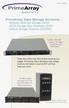 Fall 2008 PrimeArray Data Storage Solutions Network Attached Storage (NAS) iscsi Storage Area Networks (SAN) Optical Storage Systems (CD/DVD) AutoStor iscsi SAN solution. See pages 8 and 9 for more information.
DIGITAL ASSET WORKFLOW
 DIGITAL ASSET WORKFLOW ONE WORKFLOW SOLUTION FOR ALL OF YOUR CONTENT BUSINESS SOFTWARE FOR MEDIA OPERATIONS R EVISED AUGUST 7, 2007 Copyright 2007 Xytech Systems Corporation. All rights reserved. Software
Digital Asset Management. Content Control for Valuable Media Assets
 Digital Asset Management Content Control for Valuable Media Assets Overview Digital asset management is a core infrastructure requirement for media organizations and marketing departments that need to
Solutions for Encrypting Data on Tape: Considerations and Best Practices
 Solutions for Encrypting Data on Tape: Considerations and Best Practices NOTICE This white paper may contain proprietary information protected by copyright. Information in this white paper is subject to
Product Brief: XenData X2500 LTO-6 Digital Video Archive System
 Product Brief: XenData X2500 LTO-6 Digital Video Archive System Updated: March 21, 2013 Overview The XenData X2500 system includes XenData6 Workstation software which provides the archive, restore and
DIGITAL ASSET WORKFLOW
 DIGITAL ASSET WORKFLOW ONE WORKFLOW SOLUTION FOR ALL OF YOUR CONTENT BUSINESS SOFTWARE FOR MEDIA OPERATIONS 1 DIGITAL ASSET WORKFLOW THE DIGITAL ASSET CHALLENGE One of the most pressing challenges facing
The biggest challenges of Life Sciences companies today. Comply or Perish: Maintaining 21 CFR Part 11 Compliance
 S E P T E M B E R 2 0 1 3 Comply or Perish: The biggest challenges of Life Sciences companies today are maintaining a robust product pipeline and reducing time to market while complying with an increasing
VMware vsphere Data Protection 6.0
 VMware vsphere Data Protection 6.0 TECHNICAL OVERVIEW REVISED FEBRUARY 2015 Table of Contents Introduction.... 3 Architectural Overview... 4 Deployment and Configuration.... 5 Backup.... 6 Application
Skelta BPM and High Availability
 Skelta BPM and High Availability Introduction Companies are now adopting cloud for hosting their business process management (BPM) tools. BPM on cloud can help control costs, optimize business processes
How To Write A Paper On The Integrated Media Framework
 The Integrated www.avid.com The Integrated Media production and distribution businesses are working in an environment of radical change. To meet the challenge of this change, a new technology and business
Implementing a Digital Video Archive Based on XenData Software
 Based on XenData Software The Video Edition of XenData Archive Series software manages a digital tape library on a Windows Server 2003 platform to create a digital video archive that is ideal for the demanding
VPMS - Advanced Media Management
 VPMS - Advanced Media Management Media Asset Management for Enterprise Needs As the volume of media data and the need for processing speed increases exponentially, professionals in broadcasting and other
Feet On The Ground: A Practical Approach To The Cloud Nine Things To Consider When Assessing Cloud Storage
 Feet On The Ground: A Practical Approach To The Cloud Nine Things To Consider When Assessing Cloud Storage by seth anderson consultant audiovisual preservation solutions 2014 AVPreserve Media Archiving
Digital Asset Management. An Oracle White Paper Updated April 2007
 Digital Asset Management An Oracle White Paper Updated April 2007 Digital Asset Management Oracle s digital asset management solution allows organizations to quickly and easily access, manage, share, optimize,
Four keys to successful enterprise video management
 Four keys to successful enterprise video management Security, ubiquity, integration and lifecycle management are crucial to the success of any digital video content management strategy. Four keys to successful
Total Cost of Ownership Analysis
 Total Cost of Ownership Analysis Abstract A total cost of ownership (TCO) analysis can measure the cost of acquiring and operating a new technology solution against a current installation. In the late
MEDIA & CABLE. April 2012. Taras Bugir. Broadcast Reference Architecture. WW Managing Director, Media and Cable
 MEDIA & CABLE Taras Bugir WW Managing Director, Media and Cable Broadcast Reference Architecture April 2012 Changing Business Models (1) Media Business Systems Broadcasting was a simpler business The broadcaster
OCLC Digital Archive Preservation Policy and Supporting Documentation Last Revised: 8 August 2006
 OCLC Digital Archive Preservation Policy and Supporting Documentation Last Revised: 8 August 2006 OCLC Online Computer Library Center, Inc. Dublin, Ohio 43017-3395 USA 2004, OCLC Online Computer Library
WHITE PAPER. Integrating Adobe Premiere Pro with emam for a Collaborative Workflow
 WHITE PAPER Integrating Adobe Premiere Pro with emam for a Collaborative Workflow Contents Introduction... 2 Adobe Premiere Pro- Choice of Professional Editors... 3 emam and Premiere Pro Integration...
IBM Software Information Management. Scaling strategies for mission-critical discovery and navigation applications
 IBM Software Information Management Scaling strategies for mission-critical discovery and navigation applications Scaling strategies for mission-critical discovery and navigation applications Contents
PRIME IDENTITY MANAGEMENT CORE
 PRIME IDENTITY MANAGEMENT CORE For secure enrollment applications processing and workflow management. PRIME Identity Management Core provides the foundation for any biometric identification platform. It
Digital Asset Management
 Digital Asset Management Managing the complexity of digital assets to support your business Product images, streaming video, sound bites, logos, Flash animations, presentations, web pages these days, digital
Solution Brief: Using a XenData Digital Video Archive with Grass Valley STRATUS
 Solution Brief: Using a XenData Digital Video Archive with Grass Valley STRATUS Contents 1. About Us 2. Introduction 3. XenData GV STRATUS Configuration 4. Benefits from XenData s Commitment to Standards
Business-centric Storage FUJITSU Hyperscale Storage System ETERNUS CD10000
 Business-centric Storage FUJITSU Hyperscale Storage System ETERNUS CD10000 Clear the way for new business opportunities. Unlock the power of data. Overcoming storage limitations Unpredictable data growth
Larry Patterson, City Manager
 Administrative Policy 2-13 August 20, 2008 DATA MIGRATION POLICY PURPOSE To preserve electronic data as required by Oregon Public Records and Archiving statutes. (ORS 192.050) APPLICABILITY This policy
Backup. Contents. 1 Storage, the base of a backup system. 2 Selection, extraction and manipulation of data. 3 Managing the backup process.
 Backup In information technology, a backup or the process of backing up refer to making copies of data so that these additional copies may be used to restore the original after a data loss event. These
Archive Solutions Systems in Service
 Archive Solutions Systems in Service Sony s Professional Services Division Throughout EMEA since 1998 Sony s Professional Services Division have gained a track record in consultancy, design and implementation
Developing a Backup Strategy for Hybrid Physical and Virtual Infrastructures
 Virtualization Backup and Recovery Solutions for the SMB Market The Essentials Series Developing a Backup Strategy for Hybrid Physical and Virtual Infrastructures sponsored by Introduction to Realtime
IBM System Storage DR550
 An innovative information-retention solution IBM System Storage DR550 Highlights Repository for all kinds of Offers low TCO by using multiple content structured and storage tiers (disk, tape, unstructured
The Case for Massive Arrays of Idle Disks (MAID)
 The Case for Massive Arrays of Idle Disks (MAID) Dennis Colarelli, Dirk Grunwald and Michael Neufeld Dept. of Computer Science Univ. of Colorado, Boulder January 7, 2002 Abstract The declining costs of
XenData Product Brief: SX-550 Series Servers for LTO Archives
 XenData Product Brief: SX-550 Series Servers for LTO Archives The SX-550 Series of Archive Servers creates highly scalable LTO Digital Video Archives that are optimized for broadcasters, video production