
Functional specifications for Nordea XML Direct Debit (NDD) Corporate egateway
|
|
|
- Vanessa Wood
- 9 years ago
- Views:
Transcription
1 Functional specifications for Nordea XML Direct Debit (NDD) Corporate egateway

2 Table of contents 1 Introduction NDD documents 1 2 Basic description of the NDD service Basic architecture Terms used in this description Overview of services implemented NDD standard Message flow Corporate egateway Use of Direct Debit in XML format 9 3 Denmark - Betalingsservice (BS) Additional services transfer forms (FIK) Time limits and cut-off times Validations Mandates Direct Debit transactions Transfer form (FIK) transactions 18 4 Denmark - LeverandørService (LS) Time limits and cut-off times Validations Mandates Direct Debit transactions 20 5 Sweden - Autogiro via Bankgirot (BGC) Bankgiro number General information about Autogiro via Bankgirot (BGC) Time limits and cut-off times Validations Mandates Direct Debit transactions Reversed transactions to Debtor optional service Reports of direct debit transactions credit advice & account statement 31 6 Norway - AvtaleGiro Time limits and cut-off times Validations Mandates Direct Debit transactions 35 7 Appendix A- Validations NDD incoming Direct Debit Messages Cut-off time Execution date validation 37

3 7.3 General validation on Creditor information, field lengths and types Mandatory Creditor information, field lengths and types (payment level) Mandatory Debtor information, field lengths and types (transaction level) Mandatory cancellation information, field lengths and types 41 Version change history Version Date Description of the changes Creation of document.

4 Document title Functional specifications for Nordea XML Direct Debit (NDD) 1(62) Page 1 Introduction This document is a functional description of Nordea s Direct Debit solution offered via Corporate egateway and is referred to in this document as NDD. The aim is to provide detailed understanding of how Corporate egateway will process instructions and Messages, including local variations, towards the local Account Clearing Houses (ACH) regarding Direct Debit services throughout Nordea Bank. For further information on the business functionality of the Direct Debit service in each country, requirements and how to get started, please contact your local cash management adviser at your department or branch of the bank. This document is primarily for financial staff, but it is also useful for those who will implement messages and install the Corporate egateway service Direct Debit at the Creditor. 1.1 NDD documents Sets of documents are developed for the NDD service in order to guide the Creditor in using the services. Below you will find a list of these documents: Document name Description Reader Cut-off times list A manual describing the cut-off times in Corporate egateway for each service provided Project manager, functional manager, technical manager, Programmers Functional Specification A specification of local services and how these function in the NDD solution. Issues related to reconciliation, updating of customer ledgers, time limits, etc. are also covered. Management and accounting staff, project manager, functional manager. MIGs A MIG (Message Implementation Guidelines) document has been developed for each XML Message to be implemented as a part of the NDD solution. Project manager, functional manager, technical manager, programmers Message flow and use of XML ISO20022 Messages Description of Message flows in Corporate egateway Project manager, functional manager, technical manager, Programmers The terms and definitions used here are defined in a separate document, Glossary for Corporate egateway, which is available on Nordea s website: 2 Basic description of the NDD service The NDD solution covers Direct Debit solutions in Denmark, Sweden and Norway. The functions covered include mandates, direct debit transactions and report of credit advice. 2.1 Basic architecture Corporate egateway is physically located in Stockholm in Nordea Bank Sweden and handles all NDD transactions.

5 2(42) Page Mandate (pain.009/011) Mandate acceptance (pain.012) Nordea DK Nets Direct debit transaction (pain.008) and reversal (pain.007) for Sweden Nordea Customer Payment Status Report (pain.002) Cancellation Request (camt.055) Resolution of Investigation (camt.029) Nordea Message Centre Nordea NO Nets Credit advice (camt.054) Nordea SE BGC Debit advice (camt.054) Bank statement (camt.53) Explanation to the diagram: Nordea transforms the messages and routes the files to the local Service Provider. The camt.053 Message is a standard functionality in Corporate egateway and is not part of this description. 2.2 Terms used in this description Following terms are used in the NDD for direct debit Creditor services. Term Definition Message Cancellation Cancellations are requests by the Creditor to recall the instruction for a camt.055 Collection prior to Settlement. Reject Rejects are Collections that are diverted from normal execution, prior to pain.002 inter-bank Settlement. Refusal Refusals are claims initiated by the Debtor before Settlement, for any N/A reason, requesting the Debtor Bank not to pay a Collection. Return Returns are Collections that are diverted from normal execution after N/A inter-bank Settlement and are initiated by the Debtor Bank. Reversal When the Creditor concludes that a Collection should not have been pain.007 processed a Reversal may be used after the Clearing and Settlement by the Creditor to reimburse the Debtor with the full amount of the erroneous Collection. Refunds Refunds are claims by the Debtor for reimbursement of a direct debit. N/A

6 3(42) Page 2.3 Overview of services implemented The following services are implemented in the NDD solution: Country Service Service Provider Business segment Denmark Betalingsservice (BS) Nets BS is a collection service mainly used in the consumer market (B2C). It consists of two (2) different types of services, which is optional to use by Creditor. Denmark LeverandørService (LS) Nets LS are a collection service only for use in the corporate market (B2B). Sweden Autogiro (AG) BGC AG is a service for collection both in the consumer market and in the corporate market (B2C and B2B). Norway AvtaleGiro Nets AvtaleGiro is a service for collection both in the consumer market and in the corporate market (B2C and B2B). Please note that Nordea is not responsible for any services from Service Providers outside of Nordea. The customer must enter into separate agreements with the service providers on the services provided by them and such services are governed by separate agreements. 2.4 NDD standard Message flow In this chapter the general Message flow for the NDD service is described. Please note possible differences for each country. A Message flow is included in the chapters for each service describing local deviations to the standard Message flow presented here Message compliance validation For each message sent to Nordea Direct Debit service a message compliance check is done. The message compliance check contains schema validation and validation that the message creation timestamp is within the agreed limits. A Payment Status Report (pain.002) is created either of the acceptance or the rejection of the message.

7 4(42) Page Mandates Customer (Creditor) Corporate egateway (1) Mandate Request SE & DK pain.009, pain.011 (2) Mandate Rejection pain.012 (3) Mandate Acceptance pain.012 (1) New and cancelled mandates for Denmark and Sweden. In Norway, rejections of mandates are sent by the Creditor (or by the Debtor, depending on service). (2) Rejections of mandates sent by the Creditor (or by the Debtor, depending on service). (3) New, changed and cancelled mandates sent by the Service Provider.

8 5(42) Page Direct Debit transactions Direct Debit Messages Customer (Creditor) Corporate egateway Direct debit Initiation Reporting Credit advices (1) Direct Debit Initiation (pain.008) Payment Status Report (Compliance) (pain Accepted/Rejected) (2, 3, 4) Payment Status Report (Processing) (pain Rejected) (5) Credited direct debits Account Statement (camt.054 Credit) (camt.053 Statement) Direct debit processing Reporting Reversals from Creditor (6) Customer Payment Reversal (pain.007) Payment Status Report (Compliance) (pain Accepted/Rejected) Payment Status Report (Processing) (pain Rejected) Request for refund from Debtor Debit advices Reversed or Refunded direct debits Account Statement (camt.054 Debit) (camt.053 Statement) Reporting (1) New Direct Debit transactions. (2) Report of all rejected transactions in the validation made by Corporate egateway. (3) Report of all rejected transactions in the validation made by the Service Provider. This report cannot be given in pain.002 for AvtaleGiro in Norway, but instead a validation report is sent in paper form directly to the customer from Nets. (4) Rejected payments due to rejection by the debtor or the debtor s bank, due to insufficient funds etc. (note: Transactions rejected before payment is executed. Rejected payments are not relevant for Norway). (5) All collections credited to the Creditor s account. (6) Reversals - i.e. all withdrawn (returned) payments due to refund request by the Debtor. Note: Only relevant for Sweden.

9 6(42) Page Cancellations Customer (Creditor) Corporate egateway Cancellations from Creditor (1) Customer Cancellation Request (camt.055) Payment Status Report (Compliance) (pain Accepted/Rejected) (2) Resolution of Investigation (camt.029 Cancelled) (3) Resolution of Investigation (camt.029 Rejected) Direct debit cancellation processing (1) Cancellations of previously sent Direct Debit transactions from the Creditor. (2) Status of the cancelled transaction. This status cannot be given in camt.029 for AvtaleGiro in Norway, but instead a validation report is sent on paper directly to the Creditor from the Service Provider Nets. (3) Status of rejected cancellation request. This status cannot be given in camt.029 for AvtaleGiro in Norway, but instead a validation report is sent on paper directly to the Creditor from the Service Provider Nets Reversal (only valid for Sweden) Customer (Creditor) Corporate egateway Reversals from Creditor (1) Customer Payment Reversal (pain.007) Payment Status Report (Compliance) (pain Accepted/Rejected) (2, 3) Payment Status Report (Processing) (pain Rejected) Request for refund from Debtor Debit advices Reversed or Refunded direct debits (4) Account Statement (camt.054 Debit) (camt.053 Statement) Reporting (1) New payment instruction for reversing Debtor (pain.007) (only valid for Sweden). (2) Report of all rejected reversed transactions in the validation made by Corporate egateway. (3) Report of all rejected reversed transactions in the validation made by the Service Provider. (4) Executed reversed transactions by ACH reported to Creditor in a debit advice Message 2.5 Corporate egateway The Creditor will exchange payment information in the XML format with Corporate egateway. Corporate egateway will convert data between XML and the local format provided by the different Service Providers.

10 7(42) Page Cut-off The cut-off time for Corporate egateway is generally one hour before the cut-off of the local Service Provider. If transactions are received by Corporate egateway later than one hour before local cut-off, they will be rejected by Corporate egateway in a Payment Status Report (pain.002) Message. Cut-off times for Corporate egateway are described in a separate document Use of references Identification references in a pain.002 Message In order for the Creditor to be able to identify any rejections (pain.002), on total credit amount levels in a NDD transaction Message, both the Message Identification (*) and the Payment Information Identification (**) must be unique. Note: Corporate egateway does not check the uniqueness of these references. Customer reference number in a NDD transaction Message The Instruction Identification (***) is used by Corporate egateway to uniquely identify all rejected transactions (pain.002) or revoked payments from Denmark and Sweden (camt.054 Debit Notification). If a payment reference is used, see below, Nordea strongly recommends use of the payment reference as Creditor reference as well. Note: Corporate egateway does not check the uniqueness of these references. Payment reference in a NDD transaction Message The payment reference (****) (Debtor identification) must be present for all countries, except Denmark, for each NDD transaction. Corporate egateway will perform a duplicate control of the payment reference in relation to the Creditor number used for each service. If a duplicate is detected for a payment reference by Corporate egateway, the transaction will be rejected and reported to Creditor in a Payment Status Report (pain.002). s will be stored in the Corporate egateway systems for 90 days for duplicate control. After 90 days, or if a rejection has occurred, the transaction references can be used for new transactions. * = Message Identification on Group Header level ** = Payment Information Identification on Payment Information level *** = Instruction Identification on Direct Debit Transaction level **** = Creditor of the debit side on the Direct Debit Transaction level Validation In principle the local Service Provider executes all validations on the content data. However, Corporate egateway will execute basic validations for NDD transactions to ensure the best quality service to the Creditor. If errors of content are detected in Corporate egateway, these are reported to the Creditor in a Payment Status Report (pain.002). Transactions rejected by Corporate egateway are not processed further, i.e. they are not sent to the ACH. Note that Corporate egateway makes no validations for mandates.

11 8(42) Page Note that Message Creation Date cannot be older than five (5) days. If errors are detected in Corporate egateway, a pain.002 Message is (normally) returned within 30 minutes. If errors are detected locally, the time of response will depend on the local Service Provider. In addition to content validation, a compliance check is performed. The following is a description of the different validations performed by Corporate egateway. Duplicate control Each NDD transaction received is stored in Corporate egateway. If two transactions are received with the same creditor number and the same OCR reference (or for Denmark, the same creditor number, debtor number and date and for BetalingsService also debtor group number), the most recently received transaction will be rejected if detected in Corporate egateway. Transactions will be stored for duplicate control in Corporate egateway for 90 days. Payment date validation Creditors using the NDD services in Corporate egateway are able to choose whether to state the payment execution date for collection from the Debtor s account on either: 1. The Creditor detail information in the pain.008 Payment Information level. This means that the payment date stated at credit level will apply to all direct debit instructions. 2. On each direct debit instruction in the pain.008 Direct Debit Transaction level. Corporate egateway must be informed of the option chosen before entering the NDD service and the option will be validated for each NDD file. Content validation: Corporate egateway will perform a content validation for all services implemented in NDD. If for example data elements required by the service provider are missing in the transactions from the Creditor, or if certain elements that require numeric values contain non-numeric characters, the relevant transaction will be rejected if these errors are detected in Corporate egateway. See also: Appendix A Validation and time limits: The most frequent error for all services implemented concerns the Creditor s ability to meet the specified time limits of the service provider for when transactions must be received. If time limits and cut-off times are exceeded, the transactions will be rejected. For more details, see the country specific description from the following chapters Payment hotel There is no functionality for storing direct debit transactions in Corporate egateway (payment hotel). All transactions are forwarded to the Service Provider as soon as possible after accepted validation in Corporate egateway. The payment hotel function is available in all solutions, but is covered by the Service Provider. The payment hotel function will be limited to 60 days for all services when using Corporate egateway. This limit is set so that Corporate egateway can facilitate correct handling of references to all services.

12 9(42) Page Change and cancellations It is not possible to change previously sent NDD transactions or mandates. If a change is required the transaction/mandates must be cancelled and then sent as new transaction/mandates. Corporate egateway will forward cancelled NDD transactions and mandates and successful execution depends on the processing at the local Service Provider. For more details, see the description for each service Payments Some of the services offer functionality to credit the customer s (Debtor s) account. This functionality is implemented for Sweden. For other countries this is not implemented in the NDD service. A separate service in Corporate egateway offers payment functionality (pain.001) Questions between the Creditor and the local Service Provider In general, all questions should be directed to Nordea s Service Support. If for some reason the local Service Provider needs to contact the Creditor, the Service Provider will contact Corporate egateway. Corporate egateway will evaluate the question and give an answer if possible. If required, Nordea s Service Support may contact the Creditor in order to solve the problem. If the Creditor has any questions related to a specific service, these questions should be directed to Nordea s Service Support. 2.6 Use of Direct Debit in XML format The following XML Messages are used: Message name Technical Message Description (ISO definitions) Name MandateInitiationRequest Pain The MandateInitiationRequest message is sent by the initiator of the request to his agent. The initiator can either be the debtor or the creditor. The MandateInitiationRequest message is forwarded by the agent of the initiator to the agent of the counterparty. The MandateInitiationRequest message is used to set-up the instruction that allows the debtor agent to accept instructions from the creditor, through the creditor agent, to debit the account of the debtor. MandateCancellationRequest Pain The MandateCancellationRequest message is sent by the initiator of the request to his agent. The initiator can either be the debtor or the creditor. The MandateCancellationRequest message is forwarded by the agent of the initiator to the agent of the counterparty.

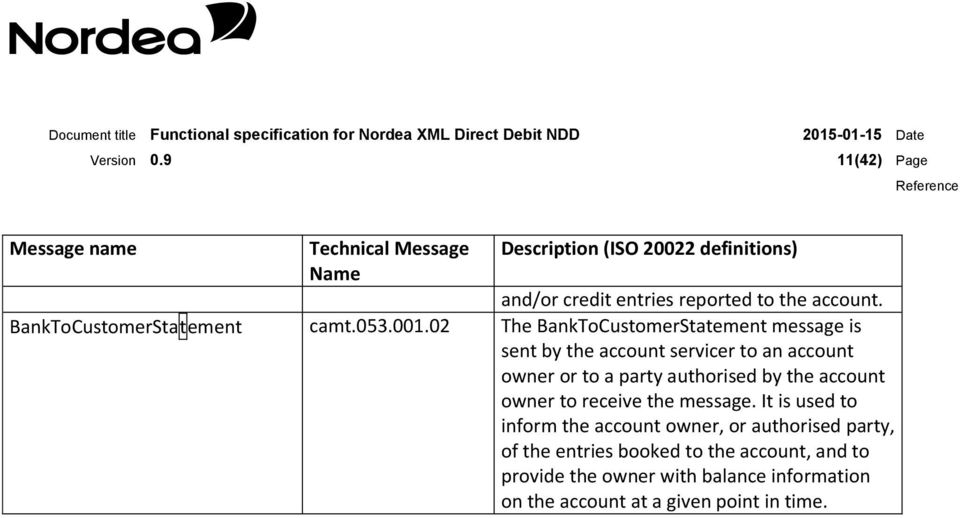
13 10(42) Page Message name Technical Message Name Description (ISO definitions) A MandateCancellationRequest message is used to request the cancellation of an existing mandate. If accepted, this MandateCancellationRequest message together with the MandateAcceptanceReport message confirming the acceptance will be considered a valid cancellation of an existing mandate, agreed upon by all parties. MandateAcceptanceReport Pain The MandateAcceptanceReport message is sent from the agent of the receiver (debtor or creditor) of the MandateRequest message (initiation, amendment or cancellation) to the agent of the initiator of the MandateRequest message (debtor or creditor). A MandateAcceptanceReport message is used to confirm the acceptance or rejection of a MandateRequest message. Where acceptance is part of the full process flow, a MandateRequest message only becomes valid after a confirmation of acceptance is received through a MandateAcceptanceReport message from the agent of the receiver. CustomerCancellationRequest camt The Customer Payment Cancellation Request message is sent by a case creator/case assigner to a case assignee. This message is used to request the cancellation of an original payment instruction. The Customer Payment Cancellation Request message is issued by the initiating party to request the cancellation of an initiation payment message previously sent (such as CustomerCreditTransferInitiation or CustomerDirectDebitInitiation). CustomerPaymentStatusReport Pain The CustomerPaymentStatusReport message is sent by an instructed agent to the previous party in the payment chain. It is used to inform this party about the positive or negative status of an instruction (either single or file). It is also used to report on a pending instruction. CustomerDirectDebitInitiation pain The CustomerDirectDebitInitiation message is sent by the initiating party to the forwarding agent or creditor agent. It is used to request single or bulk collection(s) of funds from one or various debtor's account(s) for a creditor. BankToCustomerDebitCreditNotifi cation camt The BankToCustomerDebitCreditNotification message is sent by the account servicer to an account owner or to a party authorised by the account owner to receive the message. It can be used to inform the account owner, or authorised party, of single or multiple debit

14 11(42) Page Message name Technical Message Name Description (ISO definitions) and/or credit entries reported to the account. BankToCustomerStatement camt The BankToCustomerStatement message is sent by the account servicer to an account owner or to a party authorised by the account owner to receive the message. It is used to inform the account owner, or authorised party, of the entries booked to the account, and to provide the owner with balance information on the account at a given point in time.
15 12(42) Page 3 Denmark - Betalingsservice (BS) Betalingsservice (BS) is a service that automatically executes payments from the Debtor s account to the Creditor s account on the basis of a payment agreement between the Debtor and the Creditor. A Debtor who has not entered into a payment agreement with the Creditor may not be debited through this service. The Creditor has to print and send Invoices/Bank transfer forms to these Debtors himself. Betalingsservice functions offered in NDD are: Mandates Direct Debit transactions (debit of the Debtor s account) Credit advice Betalingsservice functions not offered by NDD Returned payments (payment returned to the Debtor s account from the Creditor) Function for liquidity management (Likviditetsstyring). Function for possible change of ownership (formodet ejerskifte). Additional information enclosure ( Medsend bilag ) Possibility to have more than one debtor group per creditor number Automatic card payment via Betalingsservice 3.1 Additional services transfer forms (FIK) Nets offers a service for collection of debtors who have not entered a payment agreement with the Creditor. Nets can either print and distribute Invoices/Bank transfer forms (FIK) or send e-invoices to debtor s Netbank. The first time Nets sends a transfer form to your debtors, they will include all the information necessary for registration with Betalingsservice. The second time, they will include a registration coupon and urge recipients to authorise direct debit via Betalingsservice. When connected to this service it is also possible to collect outside the normal billing cycle for example in case of new debtors or dun. When Betalingsservice prints and sends a transfer form (FIK) it will automatically be sent in electronic form to debtor s Netbank if the customer has approved of this. 3.2 Time limits and cut-off times Mandates to Nets Mandates Cancellations Mandates from Nets NDD transactions notification to the Debtor NDD transactions delivery The Creditor may send new, changed and cancelled mandates any time of the month. Nets must receive new mandates no later than on the same day as Nets receives the direct debit transactions. Cancellations will be valid from the date stated. In order to stop a payment, Nets must receive the cancellation no later than two days before the payment date. Mandates from Nets are only sent if new information exists in Nets (that is new or cancelled mandates). Same as specified for NDD transactions delivery. All NDD transactions to be credited to the Creditor s account in the next

16 13(42) Page month must be delivered within eight business days prior to the first day of the coming month. A list of valid delivery dates is available at: Nets NDD transactions late delivery Cut-off NDD transactions and cancellations Non-banking days Cancellations Credit date Credit advice Rejection and repayment If the transactions are received between six (BS Basis) / eight (BS Total) and three business days prior to the first day of the coming month, the transactions are processed, but to other conditions (price and delivery) than normal. Later deliveries are rejected. The cut-off in Corporate egateway is one hour before cut-off in the local Service Provider. For further information, see Cut-off times list for Corporate egateway. Direct debit transactions received on non-banking days (weekends or other banking holidays) will be rejected by Corporate egateway. Cancellations of previously sent NDD transactions may be executed if received by Nets two days before the payment day. For further information see Cut-off times list for Corporate egateway. The total amount will be credited to the Creditor s account on the payment date. The Credit advice, including the total credited amount and details for each transaction, is sent to the Creditor on the payment date. The Debtor may reject transactions until the seventh day of each month, or by the debtor s bank up to two days after the payment day. For more information, see section Debtor action. Notification of rejected and reversed transactions will be sent at the time of rejection or when the amounts are returned. 3.3 Validations Nets validates all transactions on receipt. Response is returned in a Payment Status Report pain.002 or Mandates Acceptance Report pain.012. The most frequent error concerns cut-off and time limits for delivery of NDD transactions to Nets. It is therefore important to send transactions in due time to Corporate egateway to minimise the number of errors. If time limits and cut-off times are exceeded, the transactions will be rejected. All transactions that are not received within the time limits specified in the previous chapter are rejected. Transactions may also be rejected if Nets detects errors upon receipt. It is possible for Nets to run a modulus check on the Creditor s Customer number on the Debtor. A separate agreement has to be entered into between the Creditor and Nets. 3.4 Mandates To use this service the Debtor must sign a payment agreement (mandates for the Creditor to debit the Debtor s account) with the Creditor, allowing the creditor to collect amounts from the Debtor s account. The mandates can be given in one of the following ways: Directly to the Creditor: The Debtor sends signed mandate directly to the Creditor. The Creditor may need to document the mandate on the request of Nets. Coupon: The Debtor uses a Betalingsservice-coupon that is sent by the Creditor to the Debtor together with a transfer form (FIK). The Debtor sends the coupon to either the Creditor or to Nets. Through the bank: The Debtor requests his bank to establish the mandate on behalf of the Creditor.

17 14(42) Page Via Netbank. Debtors who use Netbank can easily register their bills for direct debit. Web Nets can provide a standard Betalingsservice module free of charge that allows your customers to register their bills for direct debit via a pop-up window on your website. For a charge, the module can also be fully integrated with your website in any design you wish. Please contact your cash management adviser in Nordea Bank Denmark for more information on how to enter a mandate for BS with the Debtor. In order for the Debtor to enable automatic collections from his account by use of BS, the Debtor has to enter into an agreement for the use of BS with his bank. If this agreement is not in place when Nets processes the mandate, a request is sent to the Debtor s bank in order to register the Debtor as a BS user. The Debtor s bank performs a validation Mandates Customer (Creditor) Corporate egateway Betalingsservice (1) MandateInitiationRequest (pain.009) (1) MandateCancellationRequest (pain.011) Payment Status Report (Compliance) (pain Accepted/Rejected) New/cancelled Mandate (local format) (2) MandateAcceptanceReport (pain.012 Rejected) Rejection of Mandate (local format) (3) MandateAcceptanceReport (pain.012 Accepted) (3) New/cancelled Mandate (local format) (1) New and cancelled mandates from the Creditor. (2) Rejections of mandates sent by the Creditor if mandates are rejected by the Debtor s bank or directly by Nets. (3) New and cancelled mandates from Nets. These can be both confirmations of mandates sent by the creditor, and mandates added or deleted by the Debtor. Note: mandates will not be sent when using Transfer Form (FIK) as an additional service Mandates from Nets For new mandates, Nets will check if the Debtor has a payment agreement with his bank. If the Debtor is new, the Debtor s bank will evaluate the Debtor as a new BS user.

18 15(42) Page For mandates not sent by the Creditor, the Creditor must store the information stated in the mandates. This information must be stated in the direct debit transactions. The information that must be stored is: The Service and creditor number to which the new mandate belongs The Debtor s identification with the creditor Debtor group number Agreement number A file can be ordered with all active mandates from Nets. This is available as a Mandate Acceptance Report. Please contact Nordea s Service Support to order such information. Creditors using Betalingsservice with both direct debit service and transfer forms will normally not send in new mandates. However, because of a lower price per transaction some creditors prefer automatic withdrawal. Creditors using Betalingsservice with both direct debit and transfer forms are therefore allowed to send in new mandates in the NDD service. When using the transfer form service in addition to Betalingsservice, Nets will not distribute mandates to the Creditor. However, mandates data may be ordered separately for all registered debtors. Contact your local cash management adviser in Nordea Bank Denmark for more information Cancellation and change of a mandate If the Debtor is no longer a customer of the Creditor, the Creditor should cancel the mandate in Nets. If there have been no collections for a period of 15 months, Nets will cancel the mandate. Note: Functions for changing mandates are not part of the NDD solution. Instead of a change, cancel the mandate and send a new one.

19 16(42) Page 3.5 Direct Debit transactions Customer (Creditor) Corporate egateway Betalingsservice (1) DD Transaction pain.008 (2) Error Report (pain.002) (1) DD Transaction (Local Format) (2) Error Report (pain.002) (2) Error Report Local Format (3) Rejected (pain.002) (5) Credit Advice (camt.054) (3) Rejected (Local Format) (5) Credit Advice (Local Format) (6) Rejected and repaid (6) Rejected and repaid (Local Format) The Direct Debit transactions are stated in a separate delivery to Nets: (1) New and cancelled Direct Debit transactions from the Creditor. (2) Error report for invalid transactions sent by Corporate egateway. (3) Changed and rejected transactions: 1. Transactions that have been changed automatically by Nets. 2. Transactions rejected by Nets (i.e. non-existing customer reference etc.). 3. Transactions that are changed, rejected and cancelled will be stated separately with details for each transaction. (4) NDD transactions rejected by the Debtor or mandate cancelled, before the payment day. (5) Credit advice, containing details of the incoming collections. (6) NDD transactions rejected by the Debtor or the Debtor s bank or mandate cancelled after the payment day Rejected payments Incoming Direct Debit transactions will be booked to creditor s account in a lump sum. If Debtor has rejected a Direct Debit transaction before payment day the amount will be reduced in the incoming amount. Example: Direct debit transactions sent to Nordea Transactions rejected on receipt Transactions rejected afterwards but still before due date: Amount reported in a credit advice on due date: DKK 450, (pain.008) DKK 20, (pain.002) DKK 25, (pain.002) DKK 405, (camt.054)

20 17(42) Page Transactions rejected for a different due date Amount booked to the Creditor s account on due date DKK 35, (camt.054) DKK 370, (camt.053) Creditor number The Creditor number for Denmark must always be stated to Corporate egateway and consists of the account number used for each service in Nordea Denmark together with the Creditor s unique Nets Creditor agreement number Payment day The payment day (due date) may be any business day of the month. The earliest payment day may be the first business day of the following month, after Nets has received the direct debit transactions. A Creditor can only execute one payment per day per Debtor. If two separate transactions to the same Debtor have the same payment date, then the last arrived transaction will be rejected if detected in Corporate egateway. This is validated in the duplicate control validation in Corporate egateway and will result in a pain.002 Message from Corporate egateway. If the payment date is a bank holiday or a weekend, the transactions will be rejected by Corporate egateway. The principles for payment dates are defined in the agreement between the Creditor and Nets and, when using Corporate egateway, must always be stated as described above Information to the Debtor Before the beginning of every month, the Debtor will receive a summary of all transactions from all Creditors, due in the coming month. The summary is produced by Nets and may be used as an invoice to the Debtor. The Creditor may also send an invoice/notice directly to the Debtor Debtor action After the NDD transactions have been received and validated by Nets, there are two situations that may influence the final amount credited to creditor s account: 1. The transactions may be rejected. The Debtor may reject the payments on or before the seventh day of each month. If this is not a business day, the first succeeding business day is the limit. Rejection may be executed before, on or after the payment date. 2. The payment may be withdrawn (reversed payment). The Debtor s bank may withdraw (reverse) the payment two days after the payment date (if, for instance, the account is overdrawn) Cancellations Cancellations of NDD transactions may be executed if received by Nets two days before the payment date. A Cancellation Message can be sent to Corporate egateway for cancellation of previously sent NDD transactions. Corporate egateway will transfer the cancellation request to Nets for further processing. to the original transaction must be stated. Changes are not possible in the NDD service. If changes are required on NDD

21 18(42) Page transactions already sent to Corporate egateway, the transactions should first be cancelled and then sent as new transactions. 3.6 Transfer form (FIK) transactions When connected to the additional service transfer form through Betalingsservice debtors without a payment agreement will get a bank transfer form (FIK) by mail or as an e-invoice from Nets. To use this service, the creditor must have a FIK creditor number. The FIK creditor number can be achieved by entering into a separate agreement with Nordea. For these transactions the Debtor s name, address and a valid postal code must be stated. Otherwise, Nets will reject the total interchange Credit advice for transfer form (FIK) payments Credit advice for bank transfer form payments are reported in the same way as NDD collections. See the figure in chapter 3.5 Direct Debit Transactions. 4 Denmark - LeverandørService (LS) LeverandørService is automatic collection of recurring payments in the business-to-business segment. LeverandørService is based on the Debtor authorising the Creditor to debit his account. Payment is then transferred to the Creditor s account automatically. LS functions offered in NDD are: Mandates Direct debit transactions (debit of the Debtor s account) Credit advice LS functions not offered in NDD Re-payments (payment returned back to the Debtor s account by the Creditor) 4.1 Time limits and cut-off times Mandates to Nets Mandates Cancellations Mandates from Nets NDD transactions notification to the Debtor NDD transactions delivery NDD transactions late delivery Cut-off NDD transactions and cancellations Non-banking days Cancellations The Creditor may send new mandates at any time of the month. The data must reach Nets no later than seven business days prior to the first date of payment. The Creditor may send cancelled mandates any time of the month. Mandates from Nets are only sent if new information exists in Nets (i.e. new or cancelled mandates.) Notification to the Debtor of collections must have reached the Debtor no later than three business days before the date of payment. The data must reach Nets on the business day prior to the date of payment. Transactions are rejected. The cut-off in Corporate egateway is one hour before cut-off in the local Service Provider. For further information see Cut-off times list for Corporate egateway. Direct debit transactions received on non-banking days (weekends or other banking holidays) will be rejected by Corporate egateway Cancellations will be executed if received by Nets on the day before the payment date.
22 19(42) Page Credit date Credit advice Rejection and repayment The total amount will be credited to the Creditor s account on the payment date. The total credited amount and details of each transaction are sent on the payment date to the Creditor. NDD transactions may be rejected before the payment date, or withdrawn (reversed payment) up to two days after the payment date. Notification of rejected and reversed transactions will be sent at the time of rejection or when funds are returned. 4.2 Validations Nets validates each transaction. In case of several or severe errors, Nets may contact Corporate egateway by phone to solve the problems. Customers should be aware of the Nordea cut-off schedule. If time limits and cut-off times are exceeded, the transactions will be rejected. 4.3 Mandates To use this service the Debtor must sign a payment agreement (mandate to the creditor to debit the debtor s account) with the Creditor, allowing the creditor to collect amounts from the Debtor s account. The Debtor must be a registered company, for which reason the Debtor s business registration number is required. There are two possibilities for the Debtor to give a mandate to the Creditor: 1. The Debtor contacts his bank and fills out and signs the form LS11 2. The Creditor sends an instruction directly to the Debtor using the form LS11 (contact Nordea Bank Denmark to order the form). The Debtor must send the form either to his bank or directly to the Creditor that is responsible for registration in Nets. Debtors who have not entered into a payment agreement with the Creditor must be invoiced directly by the Creditor. Customer (Creditor) Corporate egateway LeverandørService (1) MandateInitiationRequest (pain.009) (1) MandateCancellationRequest (pain.011) Payment Status Report (Compliance) (pain Accepted/Rejected) (1) New/cancelled Authorisation (local format) (2) MandateAcceptanceReport (pain.012 Rejected) (2) Rejection of Authorisation (local format) (3) MandateAcceptanceReport (pain.012 Accepted) (3) New/cancelled Authorisation (local format) (1) New and cancelled mandate from the Creditor.
23 20(42) Page (2) Rejections of mandates. (3) New and cancelled mandates from Nets. These can be both confirmations of mandates sent by creditor, and mandates added or deleted by the Debtor Mandates from Nets For mandates not sent by the Creditor, the Creditor must store the information stated in the mandate agreement. This information must be stated in the direct debit transactions. For LS the information that must be stored is: The Service and Creditor number to which the new mandate belongs The Debtor s identification with the creditor A file can be ordered with all active mandates from Nets. This is available as an pain.012 Mandate Acceptance Report. Please contact Nordea s Service Support for ordering such information Cancellation and change of mandate If the Debtor is no longer a customer of the Creditor, the Creditor should cancel the mandate in Nets. If there have been no collections for a period of 12 months, Nets will automatically cancel the mandate. Note: Functions for changing of mandates are not part of the NDD solution. Instead of a change, cancel the existing mandate and then send a new one. 4.4 Direct Debit transactions Exchange of data related to the Direct Debit transaction: Creditor Corporate egateway Levandørsservice (1) DD Transaction camt.055 / pain.008 (2) Error report pain.002 (1) DD Transactions Local format (3) Error Report pain.002 (3) Error Report Local Format (4) Rejected pain.002 (4) Rejected Local format (5) Credit advice camt.054 (5) Credit Advice Local format (1) New and cancelled Direct debit transactions from the Creditor (2) Error report for invalid transactions sent by Corporate egateway. (3) Error reports on each transaction rejected at receipt of the file. (4) NDD transactions rejected by the Debtor or mandate cancelled, before the payment date. (5) Credit advice containing details of the incoming payments. (6) NDD transactions withdrawn by the Debtor or the Debtor s bank after the payment date.
24 21(42) Page Rejected payments Incoming Direct Debit transactions will be booked on creditor s account in a lump sum. If Debtor has rejected a Direct Debit transaction before payment day the funds will be reduced in the incoming amount. Example: Direct debit transactions sent to Nordea Transactions rejected on receipt Transactions rejected afterwards but still before due date: Amount reported in a credit advice on due date: Transactions rejected for a different due date Amount booked to the Creditor s account on due date DKK 450, (pain.008) DKK 20, (pain.002) DKK 25, (pain.002) DKK 405, (camt.054) DKK 35, (camt.054) DKK 370, (camt.053) Creditor number The Creditor number for Denmark must always be stated to Corporate egateway and consists of the account number used for each service in Nordea in Denmark together with the Creditor s unique Nets Creditor agreement number Payment date The payment date (due date) may be any business day of the month. If the payment date is a banking holiday or a weekend, the transactions will be rejected by Corporate egateway. The Debtor and the Creditor must agree on which day of the month the Creditor is entitled to draw funds from the Debtor s account. Note: It is only possible to execute one payment per day per Debtor. This is validated in the duplicate control in Corporate egateway and the second transaction for the same day will result in a rejection in Corporate egateway and will be reported in a pain.002 Message. Note that if a non-business day is specified, the payment is automatically moved to the first succeeding business day. If that business day already has a transaction for the same Debtor, the new transaction will be rejected by Corporate egateway Information to the Debtor Notification directly from the Creditor to the Debtor of payments that will be drawn from his account, must have reached the Debtor no later than three business days before the date of payment. In order to provide the Debtor with the possibility of revoking/returning a payment, the notification must, as a minimum, contain the following information: Debtor (customer) number, date of payment, Creditor number, registration number, account number and the amount which is drawn via LS. If the Debtor has not received a notification of the payment, the Debtor may revoke the payment. It is not possible to send remittance information or reference number (e.g. invoice number) together with the NDD transaction. The consequence is that Debtor will not receive any of this information from Nets or on the bank statement.
25 22(42) Page Debtor action After the NDD transactions have been received and validated by Nets, there are two situations that may influence the final amount credited to the Creditor s account: 1. The transactions may be rejected. The Debtor may reject the payments before or two days after the payment date. If this is not a business day, the first succeeding business day is the limit. Rejection may be executed before or after the payment date. 2. The payment may be returned. The Debtor s bank may reverse the payment two days after the payment date (e.g. if the account is overdrawn). These rules are in accordance with General Regulations for Collection and Repayments via LeverandørService. Rejected or reversed transactions are debited to the Creditor s account (repaid) Cancellations Cancellations may be executed if received by Nets on the day before the payment date. A Cancellation Message can be sent to Corporate egateway for cancellation of previously sent NDD transactions. Corporate egateway will transfer the cancellation request to Nets for further processing. to the original transaction must be stated. Changes are not possible in the NDD service. If changes are required on NDD transactions that have already been sent to Corporate egateway, the transactions must first be cancelled and then sent as new transactions. If a NDD transaction is only cancelled and a new transaction on the same day with a new amount is not sent, the transaction will be shown on the Debtor s bank statement indicated by 0 zero amounts.
26 23(42) Page 5 Sweden - Autogiro via Bankgirot (BGC) All banks operating in Sweden can participate in the bankgiro system. Bankgirot processes payments, direct debit transactions and information about incoming and outgoing payments for all parties. 5.1 Bankgiro number A bankgiro number is an address that points to a bank account. A bankgiro number can be associated with the bank and bank account number of your choice. When you want to receive a payment, you simply quote your bankgiro number you never need to provide your account details. The actual account is always hidden from the debtor. If you change banks, you can keep your bankgiro number and your bankgiro payments will continue to arrive just as before. 5.2 General information about Autogiro via Bankgirot (BGC) Autogiro is a direct debit system for automatically transferring payments to a creditor on the due date neither too early nor too late. Autogiro can via Corporate egateway be used as a fully electronic service. Consumers and companies alike can pay via Autogiro, and the Creditor's invoices can include a bank account number. It is also possible for the Creditor to transfer funds to the Debtor's bank account via Autogiro. As a Creditor you can receive payments from all Debtors in Sweden. One prerequisite for Autogiro is that the debtor signs a payment (Mandate) agreement allowing money to be automatically transferred to the Creditor from the Debtor's account. Autogiro/eGateway will then automatically execute payments from the Debtor s account to the Creditor s account on basis of this payment agreement (Mandate) between the Debtor and the Creditor. : Autogiro The service is used in for both corporate and consumer market. It is possible to debit all types of accounts (both bank and PlusGirot bank accounts) through the autogiro services in BGC. AutoGiro from PlusGirot is therefore not implemented. Autogiro functions offered in NDD are: Mandates incl. cancellations Direct Debit transactions (debit of the Debtor s account) incl. cancellations Reversed transactions (payments returned by Creditor to the Debtor s account) Credit advice Autogiro functions not offered in NDD Automatically renewed collections (Självförnyande uppdrag). A function for collecting the same amount for several months, quarterly, half-yearly or yearly.
27 24(42) Page 5.3 Time limits and cut-off times Mandates to BGC Mandates cancellations Mandates from BGC NDD transactions notification to the Debtor NDD reversed transactions to the Debtor NDD transactions delivery NDD transactions late delivery Cut-off NDD transactions and cancellations Cancellations Credit date Credit advice Autogiro Online New mandates must reach BGC no later than six business days prior to the date of payment. For further information see Cut-off times list for Corporate egateway. Cancellations must reach BGC no later than on the business day prior to the date when the cancellation should be effective. As soon as new mandates are accepted by the Debtor s bank, a confirmation is sent to the Creditor (normally within one day). The Date for when the mandates will be active is stated. For Autogiro the customers should be invoiced no later than eight days before the payment date so that collections can be made from the account. For reversed transactions the transaction will be credited Debtors account day after reception of file The business day before the payment date. If the NDD transactions arrive at BGC up to five days after the payment date, the transactions are automatically moved to the next succeeding business day. If more than five days have passed, the transactions are rejected. The cut-off in Corporate egateway is normally one hour before cutoff in the local Service Provider. For further information, see Cut-off times list for Corporate egateway. Cancellations will be executed if received by BGC on the day before the payment date. The total amount will be debited to the Debtor s account on the payment date and credited to the Creditor s account on the same day. All statements are generated in the afternoon of the payment date, which means that the creditor will usually receive feedback on the following business day. Autogiro Online is web-based tool which can be used by the Creditor to view payments and Debtors. This tool may also be used by the Creditor for administrating its Debtor information, i.e. to register new, change or cancel. It can also be used to approve or reject mandates sent by the Debtor via its Internet Bank service. Note 1: All information from BGC will always be sent electronically via egateway, even if the information is also available via Autogiro Online. Note 2: Autogiro Online cannot be used for creating new direct debit transactions. It must not either be used for making changes or cancellations of previously sent direct debit transactions. For this egateway s file based services must be used, i.e. via the pain.008 CustomerDirectDebitInitiation Message. 5.4 Validations All transactions will be validated by BGC on receipt. Response is returned in a pain.002 CustomerStatusPayment report. Customers should be aware of the Nordea cut-off schedule. If time limits and cut-off times are exceeded, the transactions will be rejected.
28 25(42) Page 5.5 Mandates A pre-requisite for using the Autogiro service is based on the Debtor giving the Creditor mandate to collect funds from Debtor s account or bankgiro number. In order to establish this agreement, the Creditor must distribute a form to be signed by the Debtor. The mandate agreement is returned to the Creditor who must enter the information into his system. Creditor is responsible for storing the mandate agreement. In order to be able to collect money on the Debtor s account, the Creditor must send the mandate (pain.009 and pain.011) to Corporate egateway/bgc. In addition the Debtor may via it s Netbank if the Creditor has allowed to have this possibility available via the Swedish banks to apply for being a direct debit customer to the Creditor. The Creditor must then: 1. Reply to the request sent by egateway/bgc in an pain.009 Message a. The reply (pain.012) must contain either an acceptance or a rejection 2. If the request is accepted then Creditor must store the mandate request. 3. egateway/bgc will remind Creditor in an pain.012 Message - until till an acceptance or rejection has been received by egateway/bgc. If no response from Creditor the request will be cancelled after 18 banking days. The Creditor can offer the Debtor several ways to sign a mandate. The table below shows the alternatives available, what can be specified in a mandate and which functions are standard and optional. Note: Mandates signed by other than the options in the table are not approved. Mandate Signed Standard or optional On paper One of the following Standard function Bank account number Via the Netbank Bank account number Optional Mandate requirements Mandate on paper means that the Debtor provides consent by filling in and signing a printed mandate form. Mandate on paper can be signed for bank account number. The bank account number provided by the Debtor determines from where associated payments are debited. The mandate text must always be included in the form for paper mandates and the text describing the terms and rules for Autogiro, and which the Debtor accepts by signing a mandate. The mandate text is reproduced on the mandate forms bank (BG 600 P for bank account which you can order from Nordea by contacting your cash management advisor. You can also design your own mandate forms. These must be approved by Nordea before you can start using them. Note: If your company decides to design its own forms, the current mandate text must be included verbatim. The table shows which Debtor details must be included in the mandate file you send to Bankgirot or that are required to register a new mandate via Autogiro Online. Mandate signed with Debtor details Bank account number Bank account number CVR registration number / corporate identity number Payer number
29 26(42) Page Mandate via Debtor s netbank One prerequisite for mandate via the Netbank is that your company has an agreement with the bank for this service. Mandate via the Internet bank enables a Debtor to sign mandate via Netbank. Mandate via the Netbank can almost completely automate the mandate process. The Creditor can automatically receive information about new mandates, which can be read directly in business suites and accounting systems and automatically update customer directories. The Creditor can also obtain information about new mandates via Autogiro Online. (Note: All available information will always be sent via egateway) Each mandate signed via netbank and which egateway/bgc reports to the Creditor is associated with the correct bank account number. If the Debtor has specified an incorrect payer number the Creditor can easily correct it. Mandates via the Internet bank can only be signed with a bank account number. The bank account number provided by the Debtor determines from where associated payments are debited. Mandates via the Netbank, must be archived by the Debtors bank, because it is only the bank that has the possibility to archive the electronic signature. When the mandate is hand over via the Internet bank the Creditor gets information about the mandate via egateway (pain.012). This information is the sole responsibility of the Creditor to save and store in their own system or elsewhere according to the Swedish Bookkeeping Act. Customer (Creditor) Corporate egateway Autogiro (1) MandateInitiationRequest (pain.009) (1) MandateCancellationRequest (pain.011) (1) New/cancelled Authorisation (local format) Payment Status Report (Compliance) (pain Accepted/Rejected) (2) MandateAcceptanceReport (pain.012 Rejected) (3) MandateAcceptanceReport (pain.012 Accepted) (3) Rejection of Mandate (local format) (3) New/cancelled Mandates (local format) (4)MandateInitiationRequest (pain.009) (5) MandateAcceptanceReport (pain.012 Accept/Reject) (4) New Mandate request from Debtor (local format) (5) Accepted/Rejected Mandate (local format) Payment Status Report (Compliance) (pain Accepted/Rejected) (6) MandateAcceptanceReport (pain.012 Accepted) (6) Confirmation of Accepted Mandates (local format) (1) New and cancelled mandates (2) Rejections of mandates sent by the creditor (3) New and cancelled mandates. These can be both confirmations of mandates sent by the creditor and mandates added or deleted by the Debtor (4) New mandate request from Debtor via its Internet bank service, requesting to utilize Creditors direct debit service
30 27(42) Page (5) Response from Creditor, acceptance or rejection, to Debtors request. (6) Confirmation of approved/rejected mandates requested by Debtor via Internet bank Cancellation of mandates Mandates may be cancelled either by the Creditor, Debtor or by the Debtor s bank. You can cancel a mandate by either: Creating a mandate file MandateCancellationRequest, pain.011, with a cancellation in your business suite or accounting system and sending the mandate file to egateway; or Cancelling it via Autogiro Online. Note: When you cancel a mandate, any coming payments associated with the mandate and being monitored, are also cancelled. The table below shows which terms apply to your company and the Debtor when cancelling a mandate. Party The company (the Creditor) The Debtor Terms Your company can cancel a Debtor's mandate, but you must inform the Debtor of the cancellation at least 30 days before cancellation. Exceptions: Your company has the right to cancel a Debtor's mandate with immediate effect: If the Debtor repeatedly fails to maintain sufficient funds in their bank account on due dates; or If the bank account to which the mandate is connected is closed. The Debtor has the right via the bank or the Internet bank to: Amend and cancel active mandates; Change the bank account number of active mandates to an bank account number at the same or another bank; and Cancel coming payments monitored by Bankgirot. The Debtor can also cancel a mandate by contacting your company. Note: The mandate must always be terminated within five weekdays of the cancellation being received by your company Changes of mandates Changes of mandate cannot be performed via electronic file through egateway. For this purpose the previous mandate must be cancelled and then a new mandate may be sent in to egateway/bgc, or it has to be performed via AutoGiro Online. Note: Change payer number is only allowed for mandates with bank account number Mandates from BankGiroCentralen For mandates not sent by the Creditor, i.e. request from Debtor, the Creditor must store the information stated in themandates request. This information must be used in the direct debit transactions. For Autogiro the information that must be stored is: The Service and Creditor (Bankgiro) number to which the new mandate belongs The Debtor s identification (betalarnummer) See special note.
31 28(42) Page The Debtor s account number The Debtor s personal identity or organisation number A file can be ordered with all active mandates from BGC. Please contact Nordea s Service Support for ordering such information. Special note for Autogiro Whenever the Creditor enters into an agreement with BGC for Autogiro, a specific Debtor identification method must be used, which must be applied for all debtors under the same agreement with BGC. For this purpose the Creditor has the following options for identifying its Debtor: 1) Debtor s account number - This method is not recommended by BGC since the Debtor might change banks and account numbers, and there will then be a mismatch between the debtor s identification number and Debtor s account. 2) Debtor s personal identification number (CVR-nr.) - BGC performs a modulus check on the identification number. 3) A modulus 10 or modulus 11 identification number - BGC performs a modulus check depending on the modulus chosen by the Creditor. 4) Own created specific identification number (any) - No check or control is made by BGC. 5.6 Direct Debit transactions The direct debit transactions are stated in a separate delivery to Corporate egateway and BGC: Creditor Corporate egateway AutoGiro (1) DD Transaction pain.008 Error Report pain.002 (1) Local Format DD Transaction (2) Error Report pain.002 (3)Error Report Local Format (4) Error Report pain.002 (4)Error Report Local Format (5) Credit Advice camt.054 (5) Credit Advice Local Format (1) New, cancelled and reversed Direct Debit transactions from the Creditor. (2) Error report sent from Corporate egateway for invalid transactions. (3) Error reports from BGC for each transaction rejected at receipt of file. (4) Error reports from BGC for transaction rejected on payment date. This also includes information about re-tries (if service chosen) in case of insufficient funds on Debtors account. (5) Credit advice, containing details of the incoming collections.
32 29(42) Page (6) Debit advice, containing details of reversed Direct Debit transactions Creditor number The Creditor number for Sweden must always be stated to Corporate egateway and consists of the unique Bankgiro number at BGC. Note: A Creditor can use many Bankgiro numbers connected to the Creditor s account at Nordea Sweden, but only one account number can be connected to each Bankgiro number Payment date The payment date (due date) may be any business day of the month. On the payment date the following validation is performed: (1) Is there a valid mandate between the Debtor and the Creditor? (2) Sufficient funds. The balance check is carried out on the morning of the payment date. The bank concerned is responsible for determining how the balance check is carried out. Insufficient funds: A separate service in BGC allows a retry for collecting the specified amount if insufficient funds are available on the account. A maximum of three representations (retries) are made. The re-representations are made on consecutive business days, following the due date, and are reported in the payment status report, as a warning message, generated in relation to the payment date. This service must be agreed separately between the Creditor and Nordea. The funds are credited to Creditor s account on the payment date. If insufficient funds still occur on Debtor s account after three retries, the collection cannot be made, and the payment are cancelled by BGC Information to the Debtor Invoicing procedures need not be altered when changing to Autogiro. Use the same invoices that are currently sent to the Debtors. It is important that you notify the debtor in good time before the due date, so that the Debtor can ensure that there are sufficient funds in the account on the due date. If a bank account number has been specified in the mandate your company must notify the Debtor no later than eight days before the due date. However, it must be clearly stated that the payment is to be made by Autogiro. Examples of the text are: This amount will be debited by Autogiro. Do not use this advice to make your payment. The amount will be debited automatically via Autogiro. Apart from the text about Autogiro, the invoice should contain the usual details regarding the amount and payment date. One invoice can cover more than one payment. If when notifying the Debtor you also send the associated payment instruction to egateway/bgc, your Debtor can see the coming payment in their Netbank depending on if your Debtors Netbank supports that function and the Debtor can ensure that there is sufficient funds in the account. Exceptions: If the Debtor has approved a payment by direct debit (Autogiro) in conjunction with a purchase or order, you need not notify the Debtor with a separate invoice.
33 30(42) Page Debtor s responsibility In order for a payment to be made, the Debtor must have sufficient funds in their bank account on the due date. A balance check inquiry is made early in the morning of the due date. As such, the Debtor must have sufficient funds in their bank account already at 00:01. If there are insufficient funds in the Debtor's account, the payment is not approved and the stopped payment is reported in a Payment Status Report pain.002, either as a warning if service chosen (i.e. re-tries) or as a rejected payments Debtor action stopped payments or mandate The Debtor, or Debtor s bank, can stop a future direct debit payment. A Debtor can approach you, as a Creditor in order to stop a future payment or to lodge a complaint concerning an incorrectly executed payment. Since the law on payment services was introduced on 1 August 2010, the Debtor is also provided the opportunity, via the Debtor's bank, to stop a future payment and, within a set timeframe, request that a payment be refunded (see chapter 5.6.7). A Creditor may need to invoice a stopped payment in another manner. If the Debtor stops a payment, the concerned payment is stopped on a single occasion. The Debtor, or the Debtor s bank, can also stop any given mandate without pre-notification to the Creditor. Stopped mandates are reported to the Creditor through a pain.012 Mandate Acceptance Report Message Refunded direct debit transactions A refund request means that a Debtor has a legal right, under certain circumstances and within a certain timeframe, to via the Debtor's bank request and receive a revocation of a previously executed direct debit payment. There are two types of revocation request: Revocation of unauthorised payments a payment is unauthorised when a direct debit mandate has never been signed or if the mandate is terminated before the payment is made. For consumers, a revocation request in cases such as this must be made within thirteen (13) months of the concerned payment. For non-consumers, a shorter timeframe applies, as agreed between the Debtor's bank and the Debtor. Revoked authorised payments a payment is authorised if there was a valid mandate when the direct debit payment was made, but the amount was not specified when the mandate was signed and the amount exceeds what the Debtor could reasonably have expected. For consumers, a revocation request in cases such as this must be made within eight (8) weeks of the concerned payment. Non-consumers do not have the right to a revocation of an authorised payment. When a Debtor requests a revocation the bank shall investigate whether the claim for a revocation is substantiated. In such cases contact is made with the Creditor. This is to provide the Creditor with the opportunity to submit documentation showing that the payment was correct and authorised. The Creditor will receive the following information from BGC, which conducts the revocation investigation on behalf of the bank: case number, Debtor's name, payer number, or else the Debtor's bankgiro number (if corporate), payment reference, requested revocation amount, payment date, reason for revocation request, information that the Creditor shall contact BGC if the Creditor and Debtor settle the matter between themselves. BGC makes repeated attempts to contact the Creditor over two days. If BGC is unable to contact the Creditor within two days, BGC informs the Creditor's bank of this fact. The Creditor provides BGC with any documentation, such as a valid mandate or agreement, within five (5) bank days. The Creditor also contacts BGC if the matter has been resolved with the Debtor directly.
34 31(42) Page The Debtor's bank informs the Creditor as to whether the Debtor was entitled to a revocation. If the investigation shows that the claim for a revocation is substantiated, the Creditor's bank has the right to Debit the account which, via a bankgiro number, is connected to the direct debit service Cancellations A Cancellation Request can be sent to Corporate egateway for cancellation of previously sent NDD transactions. Corporate egateway will transfer the cancellation request to BGC for further processing. to the original transaction must be stated. Changes are not possible in the Autogiro service via egateway. If changes are required on NDD transactions that have already been sent to Corporate egateway, the transactions should first be cancelled and then sent as new transactions. 5.7 Reversed transactions to Debtor optional service Outgoing payments i.e. reversals, enables the Creditor to make payments to a Debtor via Autogiro. This means that the Creditor does not need to know the Debtor's bank account number to make a payment, but instead can specify the payer number as the recipient of the payment. The payment is included in the payment file sent to egateway/bgc. Note: Bear in mind that your company should notify the recipient concerning payment method and date of credit transfer, since neither Bankgirot nor the customer's bank will notify the Debtor. 5.8 Reports of direct debit transactions credit advice & account statement Incoming Direct Debit transactions will be booked on Creditor s account in a lump sum. If Debtor has rejected a Direct Debit transaction before payment day the funds will be reduced in the incoming amount. Depending on set-up at BGC by the Creditor bankgirot will perform retries up till 3 times after due date, and each of these retries might result in funds received to the Creditor s account. For each retry, and if insufficient funds still occur, a warning, Payment Status Report will be sent to Creditor. See also examples of how the booking may occur on Creditor s account. Example 1 (no retry set-up at BGC): Direct debit transactions sent to Nordea/BGC Transactions rejected on receipt by egateway Transactions rejected on receipt by BGC Transactions rejected due to insufficient funds on Debtor s account, being rejected by BGC: Amount reported in a credit advice on due date: Amount booked to the Creditor s account on due date SEK 50, (pain.008) SEK 2, (pain.002) SEK 1, (pain.002) SEK 2, (pain.002) SEK 45, (camt.054) SEK 45, (camt.053) Example 2 (with retry set-up by BGC): Due date: Direct debit transactions sent to Nordea/BGC SEK 100, (pain.008) Transactions rejected on receipt day by egateway SEK 5, (pain.002) Transactions rejected on receipt day by BGC SEK 10, (pain.002)
35 32(42) Page Transactions rejected due to insufficient funds on Debtor s account: SEK 25, (pain.002) Amount reported in a credit advice: SEK 60, (camt.054) Amount booked to the Creditor s account: SEK 60, (camt.053) Day one after due date (+1): Transactions rejected due to insufficient funds on Debtor s account: SEK 15, (pain.002) Previous rejected transactions, due to insufficient funds on Debtor s account, now accepted by Debtor s bank: SEK 5, (camt.054) Amount booked to the Creditor s account: SEK 5, (camt.53) Day two after due date (+2): Transactions rejected due to insufficient funds on Debtor s account: SEK 10, (pain.002) Previous rejected transactions, due to insufficient funds on Debtor s account, now accepted by Debtor s bank: SEK 10, (camt.054) Amount booked to the Creditor s account: SEK 10, (camt.053) Day three after due date (+3): Previous rejected transactions, due to insufficient funds on Debtor s account, still not accepted by Debtor s bank and are now finally rejected by BGC: SEK 10, (pain.002)
36 33(42) Page 6 Norway - AvtaleGiro In Norway two different services for Direct Debit are available, Autogiro and AvtaleGiro. AutoGiro is not part of NDD only AvtaleGiro can be used. AvtaleGiro is an automatic collection of recurring payments. AvtaleGiro is based on the Debtor giving the Creditor permission to charge his account. The Payment is then transferred to the Creditor s account automatically. Functions offered in NDD are: Mandates Direct Debit transactions (debit of the Debtor s account) Credit advice 6.1 Time limits and cut-off times Mandates to Nets Mandates Cancellations Mandates from Nets NDD transactions notification to the Debtor NDD transactions delivery It is not possible to send mandates to Nets. It is not possible to send mandates to Nets. Mandates (new, changed and cancelled) from Nets are sent on business days, when new information exists. For further information see Cut-off times list for Corporate egateway. Same as specified for NDD transactions delivery. Option A: The Creditor sends the information (notice or invoice) through the Debtor s bank The Debtor s bank produces information to the Debtor for a monthly distribution. The NDD transaction must then be received by Nets on the last business day of the month. All NDD transactions with payment date from the 15 th of the following month and up to and including the 14 th of the following month must be sent within this time limit. This time limit is set to enable the Debtor s bank to distribute information of all coming NDD transactions to the Debtor in good time, for instance on the bank statement. Option B: The Creditor sends the information himself In this case the NDD transaction must be received by Nets within nine calendar days before the payment date. NDD transactions late delivery Cut-off NDD transactions and cancellations Cancellations Credit date Credit advice Transactions are rejected. The cut-off in Corporate egateway is one hour before cut-off in the local Service Provider. For further information see Cut-off times list for Corporate egateway. Cancellations will be executed if received by Nets on the day before the payment date. The total amount will be credited to the Creditor s account on the payment date. All credit advice information is generated on the payment date. For
37 34(42) Page further information see Cut-off times list for Corporate egateway. 6.2 Validations Validation of all transactions not rejected by Corporate egateway is performed by Nets when received. All rejection reports from Nets are sent either by or by post to the Creditor. In order to ensure that all transactions are processed as expected the Creditor must follow up on the material from Nets. Rejected transactions by Nets will only be stated on these paper lists. If you have any questions to the received material, please contact Nets Customer Support. To avoid delays in Direct Debit payments, customers should be aware of the Nordea cut-off schedule. 6.3 Mandates The mandate is always entered by the Debtor through his bank. The Creditor is informed of the mandates by Nets. It is not possible to send mandates to Nets. The Creditor may have more than one mandate with a Debtor. The Debtor may only give mandates to Creditors that offer AvtaleGiro. Information of creditors that offer AvtaleGiro is available from the Debtor s bank. The Creditor may also send the information directly to the Debtor. For more information on how to enter a mandate on AvtaleGiro with the Debtor, please contact Customer Support in Norway. Customer (Creditor) Corporate egateway Avtalegiro (1) MandateAcceptanceReport (pain.012 Accepted) New/cancelled Authorisation (local format) (1) New, changed and cancelled mandates Mandates from Nets For mandates not sent by the Creditor, the Creditor must store the information stated in the mandates. This information must be stated in the direct debit transactions. For AvtaleGiro the information that must be stored is: The Service and Creditor (account) number to which the new mandate belongs The Debtor s identification (KID) The Debtor s request for written information A file can be ordered with all active mandate from Nets. This is available as a Mandate Acceptance Report message. Please contact Nets Customer Support for ordering such information.
38 35(42) Page 6.4 Direct Debit transactions The direct debit transactions are stated in a separate delivery to Corporate egateway and Nets: Creditor Corporate egateway Avtalegirot (1) DD Transactions pain.008 (2) Error Report pain.002 (1) DD Transaction Local Format Error Report On paper (3) Credit Advice camt.054 (3) Credit Advice Local Format (1) New and cancelled NDD transactions from the Creditor. (2) Error report for invalid transactions sent by Corporate egateway. (3) Credit advice containing details of the incoming payments. Response on rejected transactions in Nets is only produced on paper Creditor number The Creditor number Norway must always be stated to Corporate egateway. The number consist of the unique account number used within Nordea Norway Payment date The payment date (due date) may be any business day of the month. On the payment date the following validation is performed by Nets/the Debtor s bank: (1) Is there a valid mandate between the Debtor and the Creditor? (2) Is the Debtor s account valid? (3) Has the Debtor rejected the transaction? (4) Is the amount within the amount limit stated by the Debtor in the mandate? (5) Sufficient funds. If there are insufficient funds on the account, the bank will retry to collect the amount up to four days after the payment date. If any of these validations mean that the transaction is not processed, the Debtor will receive the following information of the non-executed payments;
39 36(42) Page For items 1-2 above: For items 3-5 above: The Creditor will receive a paper list from Nets showing rejected transactions and the reason for the rejection. The Debtor will receive information of the non-executed payments and alternative ways of carrying out the payment from the Debtor s bank Information to the debtor The Debtor must be informed of all future payments by the Debtor s bank or by the Creditor himself. If the Debtor is not informed, the Debtor can, through his bank, demand that the Creditor should pay back the collected amount. Information to the Debtor must at least contain the following: - Name and address of the Creditor - Amount - Payment date - Description of the reason for payment The Creditor can choose either to send the information to the Debtor himself or to let the Debtor s bank send the information. This option is stated when entering the AvtaleGiro agreement with Nordea Bank Norway and has to be informed to Corporate egateway as well. The Debtor can agree with his bank that notification of future payments is not necessary Debtor action The Debtor may delete the NDD transaction. Transactions that are rejected by the debtor are not informed separately and will consequently not appear in the credit advice The Creditor will not receive any information on transactions that have not been processed. It is therefore recommended that the Creditor considers sending an invoice/giro by post directly to the Debtors five days after the payment date. Note that this will be in addition to actions taken by the Debtor s bank. It is advised to wait five days because of the function for automatic retry of the collection four days after the payment date Debtor identification and payment For identification of the Debtor and payment it is a requirement that the OCR reference (KID) produced by the Creditor is used. A specified part of the OCR reference (specified by the Creditor when he enters into the agreement to use the Norwegian direct debit service) is used in Nets to identify the Debtor. The Debtor must therefore get the correct OCR reference from the Creditor in order to send in a valid mandate. The Creditor must state how the OCR reference (KID) is built in the agreement with Nets. The maximum length is 25 characters and it must as a minimum consist of a Customer ID. In addition, the Creditor may use type of payment (e.g. apartment rental and garage rental) and an invoice number. The OCR reference will also be returned in the credit advice and should be used by the Creditor to link the direct debit transaction with the incoming payment. Please note that since the same OCR reference structure is used for another payment service (KID) within Nets, it is not possible to identify or separate which service that are used when processing the credit transfer. If this is a
40 37(42) Page prerequisite, Nordea Bank Norway recommends that the Creditor opens a separate account for his NDD transactions. For more information about the OCR reference, please contact Nordea Bank Norway Support Cancellations A cancellation Message can be send to Corporate egateway for cancellation of previously sent NDD transactions. Corporate egateway will transfer the cancellation request to Nets for further processing. to the original transaction must be stated. Changes are not possible in the AvtaleGiro service. For corrections of NDD transactions that have already been sent to Corporate egateway, the transactions should first be cancelled and then sent as new transactions. A validation report, Receipt List created by Nets, is produced on paper and is sent to the Creditor. Processed cancellations and cancellations that are not possible to process are specified. 7 Appendix A- Validations NDD incoming Direct Debit Messages This appendix explains all the validations performed by Corporate egateway before the transactions are forwarded to the local service provider. Included in this appendix is also what type of error codes and text messages that may be sent to the Creditor in a rejection message that is generated based on the validations performed in Corporate egateway. Rejections are reported in following messages: Payment Status Report pain Message Compliance and Syntax check - Direct Debit Transaction Rejections Mandate Acceptance Report pain.012 Rejection of new and cancelled mandates Resolution of Investigation Rejection of cancellation requests Note: All validations for cancellations are specified in chapter 7.6. All previous chapters refer to new Direct Debits only. Please note that local codes and text messages are provided by each local ACH in addition to this appendix. Those codes and text messages are also sent to the Creditor from Corporate egateway in Rejection messages. Local codes and text messages are not part of this appendix. 7.1 Cut-off time All specific cut-off times are specified in document Cut-off times list. No cut-off times will therefore be specified in the below validation table. 7.2 Execution date validation Corporate egateway will validate if the creditor will use execution date at payment or at transaction level. Depending on this, validations are performed at either payment or transaction level.
41 38(42) Page 7.3 General validation on Creditor information, field lengths and types Error code Corporate egateway Country Service Reason Remark EC001 General All Check service for creditor Service used by the Creditor and valid Creditor number is checked by Corporate egateway. EC002 General All Check may be performed by Corporate egateway to ensure that no duplicate exists in database. Unique key Norway, Sweden: Creditor number, Creditor Denmark: Creditor number, Debtor group, Debtor number, Execution date EC003 General All Execution date must be present. DTM (payment level or transaction level) EC004 General All 1. Execution date must contain correct date format 2. Execution date must be valid date. EC005 General All Execution date may not be more NOTE: This may not than 60 calendar days ahead. be implemented in test for Denmark. EC006 General All File with new transactions on the See Cut-off times list last allowed cut-off date may not be received after cut-off time. EC007 Denmark LS Check that the execution date is a business day in Denmark. Error text Corporate egateway Invalid creditor number for selected service. Duplicate transaction. Execution date is missing. Execution date has invalid format. Execution date more than 60 days ahead. Cut-off time exceeded. Execution date not a business day.
42 39(42) Page 7.4 Mandatory Creditor information, field lengths and types (payment level) Error code Corporate egateway Country Service Reason Remarks EC008 General All 1. Amount is mandatory. MOA (B level) 2. Amount must have a valid format. 3. Amount at B level must be equal to the total amount of all C levels within the B level. EC008 Denmark BS Amount may not be longer than 15 digits, including 2 decimals EC008 Denmark LS Amount may not be longer than 13 digits, including 2 decimals EC008 Norway All Amount may not be longer than Sweden 17 digits, including 2 decimals. EC009 General All If the currency is stated, a valid MOA (B level) currency code must be stated for each local service. EC010 Denmark All 1. Account number (including FII (B level) clearing code) must be 14 digits. 2. Account number (including clearing code) must be numeric. Error text Corporate egateway Invalid amount Invalid amount Invalid amount Invalid amount Invalid currency code Invalid clearing code and/or account number. 7.5 Mandatory Debtor information, field lengths and types (transaction level) Error code Corporate egateway Country Service Reason Remarks EC008 General All 1. Amount is mandatory. Instructed Amount 2. Amount must have a valid format. EC008 Denmark BS Amount may not be longer than 13 digits, including 2 decimals. EC008 Denmark LS Amount may not be longer than All 11 digits, including 2 decimals. EC008 Norway All Amount may not be longer than 17 digits, including 2 decimals. EC008 Sweden All Amount may not be longer than 12 digits, including 2 decimals. EC012 General All Creditor unique reference is mandatory for all countries. EC013 Norway Sweden All Debtor unique reference is mandatory. Payment Information Id Creditor Error text Corporate egateway Invalid amount Invalid amount Invalid amount Invalid amount Invalid amount Customer reference (RFF CR) is missing. Invalid reference number (RFF AFO). EC013 Denmark BS Debtor unique reference may not Creditor Invalid reference
43 40(42) Page Error code Corporate egateway Country Service Reason Remarks be longer than 30 characters. EC013 Denmark BS Debtor unique reference may not Creditor FIK be longer than 9 characters. EC013 Norway All 1. Debtor unique reference may Creditor not be longer than 25 characters. 2. Debtor unique reference must consist of numeric characters, hyphens and blanks. Error text Corporate egateway number (RFF AFO). Invalid reference number (RFF AFO). Invalid reference number (RFF AFO). EC013 Sweden All Debtor unique reference may not be longer than 16 characters. EC014 Sweden AG Payer code may not be longer than 16 characters. EC014 Denmark Debtor number may not be longer than 15 characters. EC015 Denmark BS 1. Debtor agreement number is mandatory. 2. Debtor agreement number must be numeric. 3. Debtor agreement number may not be longer than 9 digits. Creditor Debtor / Identification Debtor / Identification Mandate Identification Invalid reference number (RFF AFO). Invalid payer/debtor number. Invalid payer/debtor number. Invalid agreement number. EC016 Denmark BS 1. Debtor group number is mandatory. 2. Debtor group number must be numeric. 3. Debtor group number may not be longer than 5 digits. EC017 Denmark All 1. Postal code must be numeric. 2. Postal code may not be longer than 4 digits. Creditor Scheme Identification Debtor / Identification EC022 Denmark All Debtor number is mandatory. Debtor / Identification EC022 Sweden AG Debtor s identification must be present. Debtor / Identification Invalid debtor group number. Invalid postcode. Payer/debtor identification is missing. Payer/debtor identification is missing.
44 41(42) Page 7.6 Mandatory cancellation information, field lengths and types Error code Corporate egateway Country Service Reason Remarks EC001 General All Identify Creditor with service and creditor number. EC006 General All File on last allowed cut-off date may not be received after cut-off time. EC006 Denmark Norway Sweden All Cancellation must be received no later than the day before original execution date EC015 Denmark BS 1. Debtor agreement number is mandatory for cancellations. 2. Debtor agreement number must be numeric. 3. Debtor agreement number may not be longer than 9 pos. EC018 General All NDD transaction must not yet be rejected. EC019 General All NDD transaction must not yet be cancelled. Service used by Creditor and valid Creditor number is checked by Corporate egateway. See Cut-off times list. Mandate Identification Error text Corporate egateway Invalid creditor number for selected service. Cut-off time exceeded. Cut-off time exceeded. Invalid agreement number. Record already rejected, cancellation could not be executed. Record already cancelled, cancellation could not be executed. EC020 General All NDD transaction must be found. Original record to be cancelled could not be found. EC021 General All Cancellation must not have been requested previously for NDD transaction. Cancellation has already been requested for this transaction.
45 42(42) Page
Corporate egateway Supports a centralised payment and collection factory
 Corporate Supports a centralised payment and collection factory Corporate is Nordea s file based mass payment service for customers demanding one point of entry for bulk payments and collections in the
Corporate egateway Supports a centralised payment and collection factory
 Corporate Supports a centralised payment and collection factory Corporate is Nordea s file based mass payment service for customers demanding one point of entry for bulk payments and collections in the
MT104 Direct Debit and Request for Debit Transfer Message.
 MT104 Direct Debit and Request for Debit Transfer Message. Change log Version Date Edit 1 10.11.2003 Document created 2 22.10.2005 Updated with German Direct Debit 3 21.03.2006 Updated with English Irish
Functional specification for Payments Corporate egateway
 Functional specification for Payments Corporate egateway 2(53) Page Table of contents 1 Introduction... 5 1.1 Explanation of definitions for EDIFACT & XML ISO20022 6 1.2 Level descriptions for EDIFACT
SEPA Direct Debit Implementation Guide. Version 1.7
 SEPA Direct Debit Implementation Guide Version 1.7 DANSKE BANK Table of contents 1 Change log... 3 2 Purpose of this document... 4 2.1 Target groups... 4 2.2 Help... 4 3 Introduction to SEPA Direct Debit...
Debtor amendment COLDEBMOD file from the creditor to the bank
 Page 1 of 7 Change log Version Date Edit 1 10.11.2003 Document created 2 14.04.2009 The description is updated. The conditional fields will indicate more precisely when you must fill in these fields. 2
Service description. Corporate Access Payables
 Service description Corporate Access Payables Table of contents Page 2 of 12 1 INTRODUCTION... 3 2 STRUCTURE OF DOCUMENTATION... 4 3 AGREEMENT SET-UP... 4 4 AVAILABLE MESSAGE TYPES... 5 5 OFFERED PAYMENT
Collection Service Implementation Guide
 Collection Service Implementation Guide Collection Service Implementation Guide, version 7.0, 3 December 2013 Page 1 of 46 Contents 1 General introduction... 4 1.1 Introduction... 4 1.2 Change log... 4
EUROPEAN DIRECT DEBIT. ING Luxembourg s SEPA Direct Debit. European Direct Debit 1
 EUROPEAN DIRECT DEBIT ING Luxembourg s SEPA Direct Debit European Direct Debit 1 EUROPEAN DIRECT DEBIT OR SEPA DIRECT DEBIT 3 Introduction to the European direct debit 3 Which countries are part of SEPA?
Nordea Bank AB Lithuania branch Price List for corporate customers Valid from 1 st of September, 2016. Contents
 Contents DAILY BANKING... 2 BANK ACCOUNTS...2 ELECTRONIC SERVICES...2 Nordea Electronic Banking... 2 Nordea Internetbank for... 2 Package of daily banking services for corporate... 2 Web Service channel...
Implementation Guide Corporate egateway
 Implementation Guide Corporate egateway 2(16) Page Table of contents 1 Purpose of this guide... 3 1.1 Recommended information 4 1.2 How to get started? 4 2 Project preparation... 5 2.1 List of interested
SEPA Reason Codes. Direct Debit Customer to Bank Implementation Guidelines
 SEPA Reason s The SEPA reason codes in this document are sourced from the following European Payments Council Implementation Guideline documentation which detail the customer-to-bank and inter-bank formats
General terms and conditions for personal customers
 General terms and conditions for personal customers General terms and conditions for personal customers are effective from 14 October 2015 and Nordea Bank Danmark A/S may amend these terms and conditions
Swedish Common Interpretation of ISO 20022 Payment Messages. Appendix 1: Common Payment Types in Sweden
 Swedish Common Interpretation of ISO 20022 Payment Messages Appendix 1: 2 (27) Version Date Changes 0.1 2013-12-11 Initial version 1.0 2014-02-10 Updates after external review Page 5: Added that BG/PG
Terms and Conditions for SEPA Direct Debit Collection Service, Great Britain
 Terms and Conditions for SEPA Direct Debit Collection Service, Great Britain These Special Terms and Conditions for SEPA Direct Debit collection service, Great Britain (the Special Terms and Conditions
SEPA Creditors Guide. SEPA Direct Debit Core Scheme. Version 1.3 Final Page 1 of 38
 SEPA Creditors Guide SEPA Direct Debit Core Scheme Version 1.3 Final Page 1 of 38 Log of Revisions to the SDD Creditors Guide Version number Version1.1 Brief description of revision Comprehensive guide
Nordea Account structure. Corporate egateway
 Nordea Account structure Corporate egateway 1. Nordea Account structures The purpose of this document is: A) To provide an overview of the possibilities for customer to send and receive BBAN and IBAN account
Collection Service Implementation Guide
 Collection Service Implementation Guide Collection Service Implementation Guide, version 6.7, 6 December 2011 Page 1 of 48 Contents 1 General introduction... 4 1.1 Introduction... 4 1.2 Change log... 4
Price list. Corporate customers in Danske Bank
 Prices Corporate customers valid from1.2.216 Price list Corporate customers in Danske Bank Danske Bank Enterprise No. NO 977 74 1 MVA, Danske Bank A/S Erhvervs- og Selskabsstyrelsen CVR-nr. 61 12 62 28,
SEPA CREDIT TRANSFER SCHEME INTER-BANK IMPLEMENTATION GUIDELINES
 Doc: EPC115-06 30 November 2012 (Version 7.0 Approved) EPC SEPA CREDIT TRANSFER SCHEME INTER-BANK IMPLEMENTATION GUIDELINES Abstract Document Reference Issue This document sets out the rules for implementing
LetMC.com Training Support Part 2 Issue 5.1 18/05/09 Accounting Irish Edition
 LetMC.com Training Support Part 2 Issue 5.1 18/05/09 Accounting Irish Edition (Tantum eruditi sunt liberi) Page 2 INTRODUCTION... 8 Payments and Deposits... 10 Taking Payments... 10 Make a Bank Deposit...
ICEPAY & SEPA Direct Debit
 ICEPAY & SEPA Direct Debit Page 1 July 2014 S. Campbell v0.5 Table of Contents 1. Purpose of this document... 3 1.1 Support... 3 2. SEPA - Introduction... 3 2.1 SEPA - Goals... 3 2.2 SEPA Bank accounts,
UNIT TRUST TERMS AND CONDITIONS EFFECTIVE 24 MAY 2016 VERSION 7.1
 UNIT TRUST TERMS AND CONDITIONS EFFECTIVE 24 MAY 2016 VERSION 7.1 Allan Gray Unit Trust - Terms and conditions This document sets out the Terms and Conditions applicable to your Allan Gray Unit Trust
SEPA Direct Debit Creditor Guide
 SEPA SEPA Direct Debit Creditor Guide Glossary of Terms Version Control Version Date Name Update V1.0 30/10/2013 Bank of Ireland Creditors Guide published on BOI website This document is published by Bank
Webster Opportunity Checking. $16.95 (or $11.95 with Direct Deposit 2 )
 Fee Schedule for Consumer Accounts A Guide to Your Account At, we re committed to helping you find the right account to meet your needs. We ve prepared the following Account Guide to make sure you understand
Get started with AvtaleGiro
 Get started with AvtaleGiro p. 1-16 CONTENTS 1 INTRODUCTION...3 2 PAYEE / BANK...3 2.1 Participants... 3 2.2 Description of the present situation... 3 2.3 Working group... 3 3 FUNCTIONAL REQUIREMENT SPECIFICATION...3
Corporate Access File Transfer Service Description Version 1.0 01/05/2015
 Corporate Access File Transfer Service Description Version 1.0 01/05/2015 This document describes the characteristics and usage of the Corporate Access File Transfer service, which is for transferring
POLICY CONDITIONS Conductor Personal Pension Plan (PC CPPP 06/11)
 POLICY CONDITIONS Conductor Personal Pension Plan (PC CPPP 06/11) Section 1 Section 2 Section 3 Section 4 Section 5 Section 6 Contract and definitions Contributions The funds Unit linking Benefits General
SelfScore Cardholder Agreement for Cards issued by Celtic Bank
 SelfScore Cardholder Agreement for Cards issued by Celtic Bank SelfScore has partnered with Celtic Bank (together referred to as "us," "we," "our," or the like), Utah industrial member FDIC, to offer this
New York State Specifications for Electronic Bulk Payments of Fiduciary Income and Estimated Tax
 New York State Department of Taxation and Finance Publication 90-B 01/2012 New York State Specifications for Electronic Bulk Payments of Fiduciary Income and Estimated Tax Tax Year 2011 1 P age Table of
SEPA CORE DIRECT DEBIT SCHEME CUSTOMER-TO-BANK IMPLEMENTATION GUIDELINES
 Doc: EPC130-08 30 November 2012 (Version 7.0 Approved) EPC SEPA CORE DIRECT DEBIT SCHEME CUSTOMER-TO-BANK IMPLEMENTATION GUIDELINES Abstract Document Reference Issue This document sets out the rules for
General Terms Applicable to Bill Payment and Transfer Services
 Please read this document carefully and print a copy for your reference. You may refer back to it at any time on this website. General Terms Applicable to Bill Payment and Transfer Services Your use of
PAIN.002. Format description Functional
 PAIN.002 Format description Functional Content 1. PAIN.002 STATUS EXPORT FORMAT 3 2. PAIN.002 SCENARIOS 5 APPENDIX 1: EXPORTING PAIN.002 FROM RABO CASH MANAGEMENT 12 APPENDIX 2: DOWNLOADING PAIN.002 FROM
Federal Reserve Banks Operating Circular No. 4 AUTOMATED CLEARING HOUSE ITEMS
 Federal Reserve Banks AUTOMATED CLEARING HOUSE ITEMS Effective November 4, 2013 FEDERAL RESERVE BANKS OPERATING CIRCULAR NO. 4 Effective November 4, 2013 AUTOMATED CLEARING HOUSE ITEMS (Click CTRL + section
Betalingsservice, Automatic card payment and payment slips Guidelines for Data Suppliers
 Betalingsservice, Automatic card payment and payment slips Guidelines for Data Suppliers Data Delivery 0602 Payment Information General June 2015 Nets A/S Lautrupbjerg 10 DK-2750 Ballerup Telephone +45
HSBC Your Guide to SEPA. Capitalising on the opportunities
 HSBC Your Guide to SEPA Capitalising on the opportunities Executive Summary Developed by the European Payments Council, the Single Euro Payments Area or SEPA expands on the vision behind the Euro to establish
Online Banking, Bill Pay, and E-Statements
 Online Banking, Bill Pay, and E-Statements ERROR RESOLUTION NOTICE In case of errors or questions about your electronic transfers, call or write us at the telephone number or address listed in this brochure,
pg. 2 pg. 6 pg.8 pg. 20
 SEPA Extra Payment news pg. 2 pg. 6 pg.8 pg. 20 SEPA harmonises payments The account number format when SEPA is valid SEPA will cause changes to material transfer services Is your company ready for SEPA?
Wrap ISA and Wrap Personal Portfolio 1/25
 Wrap ISA and Wrap Personal Portfolio 1/25 Terms and conditions Words in bold have a particular meaning when we use them in these terms. The meaning of these words can be found in the Glossary section in
Intra-day payment Frequently asked questions
 Intra-day payment Frequently asked questions Contents 1. THE MEANING, advantages and scope of intra-day payment... 3 1.1. What does the launch of intra-day payment mean?... 3 1.2. What advantages does
the disposal of the account holder or authorised user, excluding, however, transactions related to the crediting of deposit interest.
 General terms and conditions for corporate accounts These General terms and conditions for corporate accounts were adopted on 15 November 2012. These terms and conditions will be applied to companies account
Implementation of ISO 20022: starter kit for software partners
 Insert images: Swiss Post menu > image > insert image. For more images go to www.brandingnet.ch Technical details Full screen image size W 25.4 cm x H 19.05 cm equals W 1500 pixels x H 1125 pixels Resolution
Spanish legacy branch code 4 numbers. Spanish legacy bank code 4 numbers
 SEPA in Spain Useful links Spanish official SEPA website (in Spanish language) http://www.sepaesp.es/ National Central Bank of Spain www.bde.es/bde/en Official Migration Guide for the Spanish market Download
FI to FI Transfer Frequently Asked Questions
 FI to FI Transfer Frequently Asked Questions FI to FI allows you to transfer money between your accounts at Minnesota National Bank and accounts you have at other financial institutions. This new service
NACHA Return Codes. The available and/or cash reserve balance is not sufficient to cover the dollar value of the debit entry.
 NACHA Return Codes R01 Insufficient Funds The available and/or cash reserve balance is not sufficient to cover the dollar value of the debit entry. R02 Account Closed A previously active account has been
User Manual for Corporate Online Bank
 User Manual for Corporate Online Bank Version 04.2013 1 Main functions in Corporate Online Bank Account details with overview of account and balance Individual domestic and foreign payments Transfer between
List of Terms and Conditions for Corporate Banking Page 1
 Deutsche Bank Page 1 Accounts, Information H-1054 Budapest, Hold u. 27. Service Charging Terms Price Account Terms HUF/ Account Opening Per Free of charge Account Maintenance (incl. electronic reporting
499.35 en (pf.ch/dok.pf) 11.2015 PF. EPO manual Electronic payment order via file transfer
 499.35 en (pf.ch/dok.pf) 11.2015 PF EPO manual Electronic payment order via file transfer Customer support Customer support for EPO Consulting & Sales Phone +41 848 888 900 (CHF 0.08/min. from a landline)
ULSTER UNIVERSITY TUITION FEES PAYMENT POLICY ACADEMIC YEAR 2015/16
 ULSTER UNIVERSITY TUITION FEES PAYMENT POLICY ACADEMIC YEAR 2015/16 All students are required to pay an annual tuition fee. The tuition fee includes charges for registration, tuition, supervision and examination
Price List Valid as of 01.07.2016 1. Accounts, Information Service Charging Terms Price Account Terms
 Price List Valid as of 01.07.2016 1. Accounts, Information Service Charging Terms Price Account Terms CZK Account Opening Free of charge Account Maintenance, incl. Electronic Reporting per account, per
E-invoice in file transfer Service description
 E-invoice in file transfer Service description Content Receiving invoices through Netbank or file transfer... 3 Who can use the service?... 3 How to adopt the service... 4 File formats... 4 Finvoice...
SEPA - Frequently Asked Questions
 SEPA - Frequently Asked Questions Contents SEPA Overview Questions... 2 What is SEPA?... 2 What is the aim of SEPA?... 3 Where did SEPA come from?... 3 What countries are included in SEPA?... 3 What currencies
Glossary of Accounting Terms
 Glossary of Accounting Terms Account - Something to which transactions are assigned. Accounts in MYOB are in one of eight categories: Asset Liability Equity Income Cost of sales Expense Other income Other
Oracle ERP Cloud Period Close Procedures O R A C L E W H I T E P A P E R J U N E 2 0 1 5
 Oracle ERP Cloud Period Close Procedures O R A C L E W H I T E P A P E R J U N E 2 0 1 5 Table of Contents Introduction 7 Chapter 1 Period Close Dependencies 8 Chapter 2 Subledger Accounting Overview 9
Terms and conditions - Cross-border payments
 Terms and conditions - Cross-border payments Do you plan to make a cross-border payment? Or are you to receive a payment from a country outside Denmark? Here you can learn what to do if you are to transfer
ACH Training. Automated Clearing House
 ACH Training Automated Clearing House 2014 Information included in this training: General Information What is NACHA Standard Entry Class Codes ACH Services offered by Peoples Bank Originator Requirements
How a Personal Loan Works 03.13
 How a Personal Loan Works 03.13 The basics How a Personal Loan Works provides a basic overview of an ANZ Personal Loan, including how fees and interest are calculated and charged. For detailed information
Conditions for Nordea Pay Effective from 1 January 2015
 Conditions for Nordea Pay Effective from 1 January 2015 Contents About your Nordea Pay... 1 1 Nordea Pay conditions... 2 2 What can you use the card for?... 2 3 Safeguarding your card, PIN and Verified
BENDIGO AND ADELAIDE BANK GROUP
 HomeLend Line of Credit (Unregulated) Home Loan Booklet National Mortgage Market Corporation Pty Ltd ABN 52 006 325 640 120 Harbour Esplanade, Docklands Vic 3008 Phone: 1800 061 091 Fax: (03) 8414 7252
PC Banking Service Agreement
 Last Amended 01/01/16 AGREEMENT AND DISCLOSURES Before using the ZB, N.A. dba California Bank & Trust PC Banking Service, you must consent to receive disclosures electronically, and read and agree to the
Fee Schedule: Personal Products & Services
 Fee Schedule: Personal Products & Services New York October 1, 2015 For use with Account Agreement and Disclosures Fee Schedule: Personal Products & Services Please see page 11-12 for explanation of all
Selected Investment Funds. Terms and Conditions Effective Date 6 April 2016
 Selected Investment Funds Terms and Conditions Effective Date 6 April 2016 2 How to contact us Telephone Call our Customer Service Centre on: 03457 456 123 By textphone for general enquiries: 03457 660
23 Credit Control and Debt Management
 23 Credit Control and Debt Management 23.1 Introduction 23.2 Scope of this Policy 23.3 General Information 23.3.1 Payment Methods 23.3.2 Refund Methods 23.3.3 Bank Charges on Payments Received or Refunds
Online Tax Filing. Customer Guide. Pay and File Federal and Provincial Business Taxes Online
 Customer Guide Pay and File Federal and Provincial Business Taxes Online April 2002 1 Table of Contents Service Pg 3 Help Pg 3 1. Adding a New Transaction Pg 4 2. Making a Filing/Payment Pg 6 3. Confirmation
SEPA DATA MODEL. Reason for Issue Approved by the EPC Plenary on 13 December 2006
 Doc: EPC029-06 (Version 2.2) 13 December2006 OITS SG SEPA DATA MODEL Abstract Document Reference Issue This document sets out the SEPA Data Model which is referred to in the SEPA Credit Transfer and Direct
BULLETIN ON PAYMENT SERVICE
 1 st. of April 2016 This bulletin contains general advance information on payment services which the Bank must provide to a consumer customer before entering into a master agreement (hereinafter the "Bulletin
Electronic foreign currency payments, LUM2
 Electronic foreign currency payments, LUM2 Contents 1 Electronic foreign currency payment service... 3 2 Service agreement and testing... 3 2.1 Agreement... 3 2.2 Testing... 4 2.2.1 File transfer and processing...
TERMS AND CONDITIONS OF THE CURRENT ACCOUNT AGREEMENT
 1. Terms and General Provisions 1.1. Business Day is a day when the Bank is open for making a respective payment transaction. The Bank may have different business days for different types of payment transactions.
SEPA CREDIT TRANSFER SCHEME RULEBOOK
 EPC125-05 Version 8.2 Date issued: 03 March 2016 Date effective: 01 April 2016 SEPA CREDIT TRANSFER SCHEME RULEBOOK Conseil Européen des Paiements AISBL Cours Saint-Michel 30 B 1040 Brussels Tel: +32 2
Fee schedule and cut-off times applying to International Payments. Sampo Bank Plc, Finland. A fully owned subsidiary of Danske Bank A/S
 Fee schedule and cut-off times applying to International Payments Sampo Bank Plc, Finland A fully owned subsidiary of Danske Bank A/S July 2010 Account services and reporting Account fees Charges Account
10. MONEY SETTLEMENT. 10.1 Introduction. 10.1.1 Repealed. 10.1.2 Direct Debit Mandate. 10.1.3 Change of Designated Bank or Settlement Bank
 10. 10.1 Introduction Unless otherwise specified by SEOCH, the money settlement process of SEOCH will be effected by cash in the Settlement Currency transferred between the bank accounts of SEOCH maintained
business online plus payments user guide
 business online plus payments user guide 1 payments What s included pg 4 pg 5-6 pg 7 pg 8-13 pg 14 pg 15 pg 16 pg 17 pg 18 pg 19 pg 20 pg 21 pg 22 pg 23 Payments : Home menu Payments : Transaction types
Terms and conditions Cross-border trading
 Terms and conditions Cross-border trading Here you and your company can gain an overview of the various payment forms you can choose from when trading with partners abroad. Cross-border trading also includes
Electronic Funds Transfer (EFT) Guide
 Electronic Funds Transfer (EFT) Guide 121613 2013 Blackbaud, Inc. This publication, or any part thereof, may not be reproduced or transmitted in any form or by any means, electronic, or mechanical, including
Current Account Conditions and AccounT Information.
 Current Account Conditions and AccounT Information. If you open an account with us it will be with Yorkshire Building Society (trading as Norwich & Peterborough Building Society, Norwich & Peterborough
Consumer Payment Services Information Sheet
 Consumer Payment Services Information Sheet Contents: 1. Security 2. Direct debits 3. Business days 4. Limits 5. Fees and charges 6. Exchange rates 7. Current account interest 8. Value date 9. Addressing
RULES OF THE ALTERNATIVE DOMAIN NAME DISPUTE RESOLUTION PROCEDURE FOR.SI TOP-LEVEL DOMAINS (ARDS Rules)
 RULES OF THE ALTERNATIVE DOMAIN NAME DISPUTE RESOLUTION PROCEDURE FOR.SI TOP-LEVEL DOMAINS (ARDS Rules) Preamble Version 1.1 1. The ARDS Rules form part of the General terms and conditions for registration
TERMS AND CONDITIONS OF PAYMENT ORDER IN FOREIGN EXCHANGE TRANSACTIONS AT PKO BP SA BANK
 TERMS AND CONDITIONS OF PAYMENT ORDER IN FOREIGN EXCHANGE TRANSACTIONS AT PKO BP SA BANK TABLE OF CONTENTS SECTION 1 General provisions... 1 I. General rules for payment execution in foreign exchange transactions...
Bankgiro Inbetalningar (Bankgiro Receivables) User Manual
 Januari 2016 Bankgiro Inbetalningar (Bankgiro Receivables) User Manual Bankgirocentralen BGC AB 2013. All rights reserved. www.bankgirot.se Contents 1 Introduction... 4 1.1 This document... 4 1.2 What
SEPA DIRECT DEBIT SCHEME IMPLEMENTATION GUIDELINES
 Doc: EPC114-06 19 June 2007 (Version 2.3 ) OITS SG SEPA DIRECT DEBIT SCHEME IMPLEMENTATION GUIDELINES Abstract Document Reference Issue This document sets out the SEPA rules for implementing the direct
PAYMENT FACTORY AND IN-HOUSE BANK
 Wallstreet Suite Comprehensive, cross-asset investment and debt management solutions for financial institutions www.wallstreetsystems.com FACT SHEET: PAYMENT FACTORY AND IN-HOUSE BANK Wallstreet Suite
Card Conditions MasterCard Corporate Virtual
 These card conditions apply to both the company and the user. The company is responsible for ensuring that the user knows and complies with the conditions. Definitions Business day: A weekday. Saturdays,
Payment Service Directive. Information Sheet
 Payment Service Directive Information Sheet This information (the Information ) is supplied to you in accordance with the Bank s obligations under the Central Bank of Malta Directive No.1 on the Provision
Integrated Accounting System for Mac OS X
 Integrated Accounting System for Mac OS X Program version: 6.3 110401 2011 HansaWorld Ireland Limited, Dublin, Ireland Preface Standard Accounts is a powerful accounting system for Mac OS X. Text in square
Appendix 1. This appendix is a proposed new module of the DFSA Rulebook. Therefore, the text is not underlined as it is all new text.
 Appendix 1 This appendix is a proposed new module of the DFSA Rulebook. Therefore, the text is not underlined as it is all new text. The DFSA Rulebook Auditor Module (AUD) PART 1 INTRODUCTION 1 APPLICATION
ELECTRONIC FUND TRANSFER AGREEMENT AND DISCLOSURE PERSONAL CHECK and/or ATM CARD
 ELECTRONIC FUND TRANSFER AGREEMENT AND DISCLOSURE PERSONAL CHECK and/or ATM CARD This agreement and disclosure applies to payment orders and funds transfers governed by the Electronic Fund Transfer Act.
HSBC Global Investment Centre
 HSBC Global Investment Centre Terms and Conditions These terms are effective for all Global Investment Centre Account customers on and from 6 April 2016. 2 Global Investment Centre Terms and Conditions
Online Fixed Rate Cash ISA Range
 Online Fixed Rate Range This document provides you with key information about s so that you can make an informed and confident choice about saving with a Skipton. s protect your savings interest from Personal
COMPLETE SOLUTIONS COMPANY PENSION PLAN
 PENSIONS INVESTMENTS LIFE INSURANCE COMPLETE SOLUTIONS COMPANY PENSION PLAN APPLICATION DETAILS PLEASE READ THE QUESTIONS CAREFULLY BEFORE ANSWERING THEM AND USE BLOCK CAPITALS. If any item is blank or
CONDITIONS OF PAYMENT SERVICES AGREEMENT
 CONDITIONS OF PAYMENT SERVICES AGREEMENT Effective as of 01.01.2011 1. GENERAL PROVISIONS 1.1. The Payment Services Agreement a.k.a current account agreement (hereinafter the Agreement) is an agreement
Decree No. 18/2009 (VIII. 6.) MNB of the Governor of the National Bank of Hungary. on Payment Services Activities CHAPTER I GENERAL PROVISIONS.
 Decree No. 18/2009 (VIII. 6.) MNB of the Governor of the National Bank of Hungary on Payment Services Activities Pursuant to the authorization conferred under Paragraph a) of Subsection (2) of Section
SEPA Mandate Guide. Contents. 1.0 The purpose of this document 2. 2.0 Why mandates are required 2. 2.1 When a new mandate is required 2
 SEPA Mandate Guide Contents 1.0 The purpose of this document 2 2.0 Why mandates are required 2 2.1 When a new mandate is required 2 2.2 Cancellation of a mandate 2 2.3 When to amend a mandate 2 3.0 Mandate