
DM 0412 Clinical Centrifuge
|
|
|
- Laurel Sara Davidson
- 9 years ago
- Views:
Transcription
1 DM 0412 Clinical Centrifuge SCILOGEX, LLC Before using centrifuge, please carefully read this user manual for efficient operation and safety.

2 Contents Safety Reminder Specifications Declaration of Conformity Required Operational Conditions Basic operational conditions Transport and storage conditions Installation Location Connection of the power cord and grounding Structure Operation panel Rotor Preparation Prepare the samples Inject the samples into tubes Keep the tubes balanced Inspect the rotor Symmetrically load centrifuge tubes into rotor Operation Normal operation RCF operation Pulse operation Maintenance Cleaning Troubleshooting Possible problems and solutions How to open the door Instructions for the rotor and tubes Rotor instructions Tubes Calculate RCF Ordering information Warranty Warranty of centrifuge Warranty of the rotor After-sales service... 17

3 Copyright: No part of this manual may be reproduced or transmitted without prior written permission of Scilogex. We can not be responsible to inform at real-time if the outline and specifications of centrifuge are subject to change for improvement. VERSION201204

4 Safety Reminder Common safety precautions Carefully read the following safety precautions for a thorough understanding. Follow the instructions and procedures described in this manual to operate this centrifuge safely. Carefully read all safety messages in this manual and the safety instructions on the centrifuge. Safety messages are labeled as indicated below. They are in combination with signal words of WARNING and CAUTION with the safety alert symbol to call your attention to items or operations that could be dangerous to you or other persons using this centrifuge. The definitions of signal words are as follows: WARNING:Personal Danger Warning notes indicate any condition or practice, which if not strictly observed, could result in personal injury or possible death. CAUTION:Possible damage to centrifuge Caution notes indicate any condition or practice, which if not strictly observed or remedied, could result in damage or destruction of the centrifuge. NOTE:Notes indicate an area or subject of special merit, emphasizing either the product s capability or common errors in operation or maintenance. Do not operate the centrifuge in any manner not described in this User Manual. When in doubt or have any troubles with this centrifuge, ASK FOR HELP. The precautions described in this User Manual are carefully developed in an attempt to cover all the possible risks. However, it is also important that you are alert for unexpected incidents. Be careful operating this centrifuge. WARNING This centrifuge is not explosion-proof. Never use explosive or flammable samples. Do not install the centrifuge in or near places where inflammable gases are generated or chemicals are stored. Do not place dangerous materials within 30cm of the centrifuge. Prepare all necessary safety measures before using samples that are toxic, radioactive or contaminated with pathogenic micro-organisms. Use of these is at your own responsibility. 1

5 If the centrifuge, rotor and accessories that have been contaminated by solutions with toxic, radioactive or pathogenic materials, clean it according to the decontamination procedure as specified. If you require service at site, please sterilize and decontaminate the centrifuge in advance, and then notify the service center the details of the materials and procedure. To avoid electrical shocks, insure hands are dry before handling the power cord or turning on/off the power switch. For safety purposes, do not enter within 30cm around this centrifuge when it is in operation. While the rotor is rotating, never release the door lock. Unauthorized repairs, disassembly, or modifying the centrifuge except by our service center are strictly prohibited. CAUTION This centrifuge must be located on a firm and level table. Make sure the centrifuge is horizontal before running. Make sure the angle between the door and cover is greater than 70 degrees when opening the door. Be careful not put your fingers or hands between the door and cover while the door is open. Do not move or relocate the centrifuge when it is running. If fluid spills in the rotor chamber, please promptly clean and dry with a dry cloth to avoid sample contamination. Ensure to remove any objects and fragments of the tubes dropped inside the rotor chamber before running the centrifuge. Cautions with rotor (1) Always check for corrosion and damage on the rotor surface before using it. Do not use the rotor if an abnormality is found. (2) Do not set the speed beyond the allowable minimum speed of the rotor kits (rotor and adapters). Make sure to run it below the allowable maximum speed. (3) Do not exceed the allowable imbalance. (4) Use the rotor and tubes within their actual capacities. (5) If the rotor is attached with a lid, ensure it is tightened before operation. If any abnormal condition occurs during operation, please stop it immediately and contact our service center. Notify the service center is a warning code if displayed. Vibrations are likely to damage the centrifuge, contact our service center if abnormality observed. 2

6 1. Specifications Maximum speed 4500rpm ( rpm), increment: 100rpm Maximum RCF 2490 g, increment: 100 g Maximum capacity Timer Driving Motor Safety devices Power requirements Dimensions(mm) Weight Additional features 10ml 12, 15ml 8 30 seconds -99 minutes-hold, continuous operation Brushless DC motor Door interlock over-speed detector over-temperature detector automatic internal diagnosis Single-phase, 110V-240V, 50Hz/60Hz, 3A (L)255 (W)245 (H)140 6kgs Speed/RCF switch Pulse operation Processing display Voice reminder 2. Declaration of Conformity Construction in accordance with the following safety standards: EN EN Construction in accordance with the following EMC standards: EN / FCC Part 15 Subpart B/ IECS 001 Associated EU guidelines: EMC-guidelines: 2004/108/EC Instrument guidelines: 2006/95/EC This ISM device complies with Canadian ICES-001. Cet appareil ISM est conforme à la norme NMB-001 du Canada. Changes or modifications not expressly approved by the party responsible for compliance could void the user's authority to operate the equipment. NOTE: This equipment has been tested and found to comply with the limits for a Class A digital device, pursuant to Part 15 of the FCC Rules. These limits are designed to provide reasonable protection against harmful interference when the equipment is operated in a commercial environment. This equipment generates, uses, and can radiate radio frequency energy and, if not installed and used in accordance with the instruction manual, may cause harmful interference to radio communications. Operation of this equipment in a residential area is likely to cause harmful interference in which case the user will be required to correct the interference at his own expense. 3

7 3. Required Operational Conditions 3.1 Basic operational conditions (1)Power: 110V-240V, 50Hz/60Hz, 3A. (2)Ambient temperature: 2 ~40. (3)Relative humidity: 80%. (4)No vibration and airflow around. (5)No electric dust, explosive and corrosive gases around. 3.2 Transport and storage conditions (1)Storage temperature: -40 ~55. (2)Relative humidity: 93%. 4. Installation This section describes the instructions that you should abide when install the centrifuge to ensure your safety and the optimum performance. Before moving the centrifuge, the rotor must be removed. WARNING Improper power supply may damage centrifuge. Make sure the power source conforms to the required power supply before connecting. 4.1 Location (1)Place this centrifuge on a firm flat and level surface, ensure the four feet of this centrifuge stand on the counter firmly. Avoid installing on a slippery surface or surface prone to vibration. (2)Ideal ambient temperature is 20 ±5, avoid placing the centrifuge in direct sunlight if temperature exceeds 30. (3)Keep clear of the centrifuge at least 10cm on both sides and at least 30cm behind it to guarantee the cooling efficiency. (4)Keep away from heat or water to avoid sample temperature issues or centrifuge failures. 4

8 4.2 Connection of the power cord and grounding WARNING To avoid electrical shocks, ensure your hands are dry when touching the power cord. This centrifuge must be grounded properly. An minimum 10A outlet providing a sufficient ground is required, and this must meet local safety requirements. 5. Structure Rotor Door lock hook LCD Display Operation panel Door release hole Figure 5.1 Front view of the centrifuge View Air vents Door hole Power inlet Power switch Figure 5.2 Rear view of the centrifuge 5

9 6. Operation panel Figure 6-1 Operation panel Item Symbol Name Function 1 Select button Press the button to choose the program which you want to modify. 2 The speed can be accelerated and held at the speed when Pulse button pressing Pulse on. 3 Open/ lock button Press the button to open the door The button is not available when the centrifuge is running. 4 Start/ Stop button Press the button to start running. The centrifuge will brake to stop running if pressed during centrifugation. 5 Parameter button Clockwise rotate to increase program values. Rotate anti-clockwise to decrease parameter values. Press the button, shift between speed and RCF display. Speed area Lock status Time area min 100rpm Figure 6-2 The main interface 6

10 Main interface is as figure 6-2. The speed is set to be 4500rpm, the door lock is released and the running time is 12 minutes. When speed symbol is rotating, this indicates the centrifuge is running. If the rotation is faster, the speed is higher. Temperature of chamber is displayed and cannot be controlled. Time symbol displays the ratio of working to time setting. The total time setting is divided into 10 sections. 7. Rotor Preparation 7.1 Prepare the samples 7.2 Inject the samples into tubes CAUTION Do not overload samples into the centrifuge which will cause leaking. Do not exceed the actual capacity allowed in the user manual. 7.3 Keep the tubes balanced Although the centrifuge can accept sample balancing by eye, we recommend that you keep this centrifuge in a well-balanced condition to extend its life expectancy. Never intentionally run the centrifuge under an unbalanced condition even though the allowable imbalance is not exceeded. 7.4 Inspect the rotor Check the rotor for corrosion or scratches before using. CAUTION If any abnormality such as corrosion or scratches are found, stop using the rotor and contact our service center. Only manufacturer s rotors must be used with the unit. 7.5 Symmetrically load centrifuge tubes into rotor CAUTION Make sure the rotor lid is securely fixed on the rotor, as well as the rotor and shaft are tightened. Otherwise, the rotor may be moved off while rotating and cause damage to the centrifuge and rotor. Firmly tighten the rotor lid to the rotor. 7

11 8. Operation CAUTION Do not push or lean against the centrifuge while it is running. Do not run the centrifuge when fragments or sample solutions are left in the centrifuge chamber. Always keep the centrifugal chamber clean. If the centrifuge makes strange noise during operation, stop it immediately and contact our service center. Notify them of the warning code if displayed. 8.1 Normal operation Turn on the power switch, centrifuge will display the running interface last time after passing the self-diagnostic checks, see figure 8-1 below: 100rpm min Figure 8-1 the last running interface Speed: 4500rpm. Running time: 12 minutes. The door lock is released Set the operation programs Press the button to select required program. The parameter can be modified when the program is flashing. Rotate the program button clockwise to increase parameter value. Rotate the program button clockwise to decrease parameter value. Rotate the program button faster, and the parameter value will increase faster. The minimum speed increment is 100 rpm, the minimum time increment is 1 second. (1)Set the speed Press the select button until the speed rpm is displayed. When the speed button is selected, the speed symbol will flash the speed value. The minimum speed value you can set 300rpm, the minimum increment is 100 rpm. Rotate program button clockwise to increase speed value. Rotate the program button anti-clockwise to decrease speed value. You can speed-up set the speed value by rotating program button quickly. 8

12 There is a circulating function to increase/decrease the speed values. Rotate the program button clockwise to change settings from small large maximum minimum. Rotate the program button anti-clockwise to change settings from large small minimum maximum. (2)Set the time Press select button, time value flashes in the time setting mode. Rotate the program button to set running time from 30 seconds to 99 minutes. When the time displays HD, this is a continuous running mode Start the operation (1)Press button to start running The door must be locked before rotor starts spinning. The timer will start once the rotor starts spinning, the screen displays the remaining run time. (2)View and modify the operation programs Operation programs can be modified after the centrifuge reaches the set speed. Pressing the select button, returns the display to the program interface and displays setting programs. Press the select button to the desired program. When flashing, rotate parameter button to modify values. Release the button after 5 seconds, and the centrifuge will return to normal operation mode and run according to the new value. If the set time value has been modified, the operation time is not affected and will continue. (3)Warning display If an error occurs during the operation, the centrifuge will brake to stop automatically, and display the error code on the time/display area. The error code can be checked in the table 10-1, and corrective actions can be applied accordingly End the operation (1)The centrifuge will brake when it reaches the set time or button is pressed. When the rotor stops rotating, the centrifuge will start beeping to alert the operation has finished. (2)Open the door The door can be released automatically when the operation has stopped. With the door closed, you are able to press the button to open it. After ending the operation, the program will store the setting parameters of this operation, and will recall these parameters when restarting the program. (3)Open the door and take out the rotor and samples. 9

13 8.2 RCF operation (1) Turn on the power switch (2) Set a RCF (Relative Centrifugal Force) value CAUTION Do not exceed the allowable maximum RCF value of the rotor and adapters. Press the select button and choose speed unit g, the speed symbol will flash into RCF value input status. If no button is pressed after the speed value has flashed after 5 seconds, the input mode will be shut down. Rotate program button to input a RCF value, RCF increment is10 g. (3)Set operating conditions The other operation, please refer to the section Pulse operation This function is used to remove the residual samples adhered to the interior of the tubes or for quick spins. Note:The button works only while the rotor stopped and the door is locked. (1)Turn on the power switch and load the rotor to the shaft, tighten the rotor lid and make sure it is in secured position, and then close the door. (2)The centrifuge goes into preparation mode and displays last running values. (3)Press knob and hold, the centrifuge will speed up to the setting speed. While releasing the knob during acceleration, the centrifuge will start to decelerate and stop. 9. Maintenance 9.1 Cleaning CAUTION If do not follow the recommended instructions for cleaning or disinfecting this may damage the centrifuge. 10

14 (1)Centrifuge If the centrifuge is exposed to ultraviolet rays for a long time, the color of the door may be changed or the label may be peel off. After using, cover the centrifuge with a piece of cloth to protect it from direct exposure. If the centrifuge needs cleaning, clean it with a cloth or sponge moistened with a neutral detergent solution. Sterilize the centrifuge by wiping with a cloth moistened with 70% ethanol solution. (2)Rotor chamber CAUTION Do not directly pour water, neutral detergent or disinfectant solution into the rotor chamber, otherwise fluids may leak into the drive units and cause corrosion or deterioration to the bearings. If the rotor needs cleaning, clean with cloth or sponge moistened with a neutral detergent solution. Sterilize the centrifuge by wiping with a cloth moistened with 70% ethanol solution. (3)Drive shaft We recommend regular maintenance for drive shaft. You can wipe the drive shaft with soft cloth, and then apply a thin coat of silicon grease. (4)Door Clean and sterilize the door using the same method as the section(1)above. (5)Rotor To prevent corrosion, remove the rotor from rotor chamber. If not in use for a long term, then detach the rotor lid and turn upside down to dry the tube holes and keep clean. For sample leaks in the rotor, rinse the rotor with water. Apply a thin coat of silicon grease to the rotor when it is completely dry. The rotor should be checked every 3 months to ensure the tube and rotor holes keep are clean and apply a thin coat of silicon grease. 11

15 10. Troubleshooting 10.1 Possible problems and solutions This centrifuge has a self-diagnostic function. If a problem occurs, an error/warning code will be displayed on the time display screen, and the operator can determine the malfunction with the alarm code below. Symptom Causes Solutions Nothing appears on the screen when the POWER is turned on. Building power circuit breaker trips. Remove the trouble and turn on the POWER. Abnormal vibration Rotor do not match with Install again the rotor spindle Samples are imbalance Weighting scales, install symmetrically Alarm code appeared on the time display screen E-02 The door opened in running. Close the door immediately. Door fault Close the door,and then start The button is pressed while the door opening. to operate. E-06 The setting speed exceed the Modify the speed value. Set wrong speed allowable range. E-10~86 Read the service manual Contact with service center Table 10-1 Possible problems and solutions Alarm codes E-1~E-9 are related to incorrect operation/programming. You can continue running the centrifuge after implementing corrective procedures How to open the door In the case of power on CAUTION The door just can be opened while the power is on and rotor stops rotating. (1) Turn on the power switch, release the door automatically. (2) The door will be released automatically once the operation is finished. (3) It is available to release the door by press button once the rotor stops. 12

16 In the case of power outage The door cannot be opened automatically if there is a power outage. It is available to be opened manually as follows. (1)Ensure if the rotor has stopped rotating. Listen carefully to ensure no rotating sound can be heard. (2)Insert a screw driver into a hole to open door. Holes are located on the left and right sides of the unit. Insert a screw driver into the two holes and push forward to release the door. 11. Instructions for the rotor and tubes CAUTION Read the instructions thoroughly, to properly load and use rotor. Do not exceed the allowable maximum speed of rotor tube and adapters etc. Ensure the allowable maximum speed of adapters is lower than the rotor s maximum speed Rotor instructions Rotor structure adapter mat adapter screw nut rubber cap Rotor body mat Spindle hole Figure 11-1 The rotor structure 13

17 Available rotors and adapters Rotor type Tubes Tubes Per Rotor Dimension (Ф L mm) Adapters Maximum speed(rpm) Radius cm Maximum RCF ( g) 15ml con ml vacu A10P15 mat A12-10P A10P ml vacu A10P Mat ml vacu A10P (EU) ml collection tube A10P15 mat (EU) ml collection tube A10P Table 11.1 Rotors and adapters Notice The centrifuge rotor can separate samples with a density lower than 2.0g/ml. If the samples density is over 2.0g/ml, please calculate allowable speed depending on the following formula. Allow Speed (rpm)= Maximum speed (2.0(g/ml)/Sample density (g/ml)) 1/ Autoclaving A12-10P rotor is made of plastic, cannot be high-pressure sterilization and UV irradiation, only ordinary sterilization can be used. 14

18 11.2 Tubes Cleaning and sterilizing tubes O:Applicable X:Inapplicable Conditions Materials PA PC PP Acidic(pH5 or lower) X X X Acidic(higher than ph5 ) O O O Cleaning Cleaning fluids Alkaline(higher than ph9 ) O X O Alkaline(pH9 or lower) O O O Neutral(pH7) O O O Warm water(up to 70 ) O O O Ultrasonic cleaning Neutral detergent(ph7) O O O 115 (0.7kg/cm 2 )30minutes O O O Sterilization Autoclaving 121 (1.0kg/cm 2 )20 minutes X O O 126 (1.4kg/cm 2 )15 minutes X X X Boiling 15 to 30 minutes O O O Ultraviolet sterilization nm X X X Gas sterilization Ethylene oxide O X O Formaldehyde O O O PA: Polyallomer PC: Polycarbonate PP: Polypropylene Table 11.2 Cleaning and sterilizing conditions for tubes Cleaning PC tubes PC material is low in chemical resistance against alkaline solutions. Avoid using neutral detergents with ph higher than 9. Note that ph of some neutral detergents are still higher than 9 even if diluted according to the manufacturer s instructions. Use detergent with its ph between 7 and Autoclaving PA PC and PP tubes PA begins softening at about 120, PC and PP at about 130. Autoclave PA tubes at 115 (0.7kg/cm 2 ) for 30 minutes, PC and PP tubes at 121 (0.1kg/cm 2 )for 20 minutes. If a certain temperature is exceeded, the tubes may be deformed. When use a sterilizing chamber, please operate as follows: (1) Place tubes in vertical position, mouths upward. If tubes are placed sideways, they may deform into an oval shape due to gravity. (2) Remove locking nut and lid to prevent from deformation or rupture. (3) Wait until the sterilizing chamber cools down to the room temperature before removing tubes. 15

19 Conditions and life expectancy of tubes The life expectancy of plastic tubes depends on the characteristics of samples, speed of the rotor used, temperature applied and so on. When the plastic tubes are used for ordinary aqueous samples (ph between 5.0 and 9.0), their life expectancies are defined as follows. Be operated at the maximum speed: High quality tubes (PA PC PP): operations Ordinary tubes(pa PC PP): around 10 operations(using in low speed can extend the tube life). Life expectancy of tubes also depends on the pretreatment conditions such as cleaning and sterilization, lifetime can be cut down. Notice: Do not use damaged or cracked tubes. 12. Calculate RCF An RCF can be determined with the following calculation formula. RCF=1.118 r n r rotating radius, unit: cm; n rotating speed, unit: rpm 13. Ordering information Cat. No. Model Descriptions DM0412 Clinical Centrifuge, with A12-10P rotor, US plug, 110V-240V, 50Hz/60Hz DM0412 Clinical Centrifuge, with A12-10P rotor, Cn plug, 110V-240V, 50Hz/60Hz DM0412 Clinical Centrifuge, with A12-10P rotor, Euro plug, 100V-240V, 50Hz/60Hz DM0412 Clinical Centrifuge, with A12-10P rotor, UK plug, 110V-240V, 50Hz/60Hz Accessories A12-10P Plastic rotor, 4500rpm, 15ml*8, used with DM A10P15 Rotor adapter, used with A12-10P, 12pcs/pk A10P15 Rotor adapter mat, used with A10P15, 12pcs/pk 16

20 14.Warranty 14.1 Warranty of centrifuge This centrifuge is guaranteed for two years from the date of delivery provided that it has been operated and maintained properly Warranty of the rotor The rotor is guaranteed for 5 years from the date of delivery upon manufacturer. Please pay attention, do not use the rotor once it has been corrosion or fatigue damage. The warranties of the centrifuge and the rotor become invalid in the case of the following conditions even if within the guarantee period expires: (1) Failures caused by incorrect installation. (2) Failures caused by rough or improper handling. (3) Failures caused by conveyance or relocation after installation. (4) Failures caused by unauthorized disassembly or modification. (5) Failures caused by using non-standard spare parts or accessories and unauthorized modification of the rotor or centrifuge. (6) Failures caused by natural disasters including fire, earthquakes and so on. (7) Consumables and parts have a limited guarantee period. After-sales service In order to ensure to operate centrifuge safely and efficiently, it is necessary for regular maintenance. If centrifuge has problems, do not attempt to repair it by yourself. Contact our sales or service center. 17

21 SCILOGEX, LLC 500 Four Rod Road Suite 122 Berlin, CT USA Tel: Fax:
Antenna Splitter ASA 1. Instruction manual
 Antenna Splitter ASA 1 Instruction manual Contents Important safety instructions... 2 The ASA 1 active antenna splitter... 4 Delivery includes... 4 Operating elements... 5 Putting the ASA 1 into operation...
4.3-inch Back-Up Camera
 TM 4.-inch Back-Up Camera Model No.: PKC0BU4 Owner s Manual and Warranty Information Read these instructions completely before using this product. Retain this Owner s Manual for future reference. INTRODUCTION
Spectrafuge 24D Microcentrifuge
 Spectrafuge 24D Microcentrifuge User Manual C2400 C2400-100V C2400-230V Lit M00013 Rev 2 July 2012 Safety Precautions NEVER use the centrifuge in any manner not specified in these instructions. NEVER operate
Wireless Indoor/ Outdoor Thermometer
 Wireless Indoor/ Outdoor Thermometer Owner s Manual Please read before using this equipment. ˆ Contents FCC Information... 3 FCC Declaration of Conformity... 5 Preparation... 5 Installing Batteries...
Care and Handling of Rotors
 Care and Handling of Rotors Today s Objectives Help you to use centrifuge systems safely Ensure maximum life of your investment Avoid unbudgeted lab expenses Maximize experiment integrity Table of Contents
Bench Autoclave. Standard Operating Procedure. For Installation, Use and Maintenance
 Bench Autoclave Standard Operating Procedure For Installation, Use and Maintenance 1. Introduction This SOP is intended for use with the following model, in a laboratory context: Type: Nuve Bench Top Steam
NFC Communication Tray Model: HHX-IT3-Z
 INSTRUCTION MANUAL NFC Communication Tray Model: HHX-IT3-Z ENGLISH CONTENTS Introduction...3 Important safety information...4 Know your unit...6 Transferring data to the PC...7 Care and maintenance...8
USER INSTRUCTIONS FOR 10 LITRE PORTABLE DEHUMIDIFIER MODEL NO. DHMD102
 USER INSTRUCTIONS FOR 10 LITRE PORTABLE DEHUMIDIFIER MODEL NO. DHMD102 THANK YOU FOR CHOOSING YOUR NEW DEHUMIDIFIER. BEFORE USING THE UNIT READ THESE INSTRUCTIONS FULLY AND RETAIN THEM FOR FUTURE REFERENCE
Business Audio System: Music & Messaging MP3 Player. by Grace Digital Audio. User Guide. Model No. GDI-USBM10
 Business Audio System: Music & Messaging MP3 Player by Grace Digital Audio User Guide Model No. GDI-USBM10 User Guide Contents Introduction 2 Safety & General Use Information 2 Features 3 Set Up & Operation
Portable Evaporative Air Cooler. OWNER S MANUAL Read and save these instructions before use. Model: CL30XC
 Portable Evaporative Air Cooler OWNER S MANUAL Read and save these instructions before use Model: CL30XC Power rating: 250 Watts Voltage rating: 230 Volt, 50Hz Made in P.R.C. QUICK START GUIDE Fill with
Electric Kettle. Model: SK-1717 INSTRUCTIONS MANUAL
 Electric Kettle Model: SK-1717 INSTRUCTIONS MANUAL Thank you for your purchase. Please read this Instruction Manual thoroughly before use and keep in a safe place for future reference. READ ALL INSTRUCTIONS
TS-E24mm f/3.5l TS-E45mm f/2.8 TS-E90mm f/2.8 Instructions
 TS-E24mm f/3.5l TS-E45mm f/2.8 TS-E90mm f/2.8 ENG Instructions Thank you for purchasing a Canon product. Canon s TS-E lenses are tilt-shift lenses designed for EOS cameras. The tilt-shift mechanism enables
User s Manual. 2010 VTECH Printed in China 91-002395-025-000
 User s Manual 2010 VTECH Printed in China 91-002395-025-000 INTRODUCTION When Skipper overhears King Julien insulting the penguins, a contest is proposed. Who is more popular, the penguins or the lemurs?
NewAir AC-10000E, AC-10000H Portable Air Conditioner Owner s Manual PLEASE READ AND SAVE THESE INSTRUCTIONS
 NewAir AC-10000E, AC-10000H Portable Air Conditioner Owner s Manual PLEASE READ AND SAVE THESE INSTRUCTIONS BEFORE USE GENERAL SAFETY INSTRUCTIONS: ALWAYS OPERATE THE UNIT IN AN UPRIGHT POSITION AND PLACE
Operator s Manual. Model 653V
 WARRANTY The Drucker Company warranties that this centrifuge is free from defects in materials and workmanship for 12 months. Should the centrifuge require warranty or out-of-warranty service please contact:
User s Manual Before using the inverter, you need to read and save the safety instructions.
 User s Manual Before using the inverter, you need to read and save the safety instructions. STI SERIES (STI200, STI300, STI500, STI700, STI1000) Power Frequency Pure Sine Wave Inverter The information
aseries A13B Mini Bullet Camera User Manual
 aseries A13B Mini Bullet Camera User Manual Thank you for purchasing our product. If there are any questions, or requests, please do not hesitate to contact the dealer. This manual applies to the MicroView
CAUTION RISK OF ELECTRIC SHOCK DO NOT OPEN
 BeoLab 4000 Guide CAUTION RISK OF ELECTRIC SHOCK DO NOT OPEN CAUTION: To reduce the risk of electric shock, do not remove cover (or back). No User-serviceable parts inside. Refer servicing to qualified
=============================== WARNING
 =============================== WARNING EXPLANATION OF GRAPHICAL SYMBOLS This symbol is intended to alert the user to the presence of unprotected dangerous voltage" within the product's enclosure that
Mercury Helios 2 ASSEMBLY MANUAL & USER GUIDE
 Mercury Helios 2 ASSEMBLY MANUAL & USER GUIDE TABLE OF CONTENTS INTRODUCTION...1 1.1 MINIMUM SYSTEM REQUIREMENTS 1.1.1 Apple Mac Requirements 1.1.2 PC Requirements 1.1.3 Supported PCIe Cards 1.2 PACKAGE
CAUTION RISK OF ELECTRIC SHOCK DO NOT OPEN
 BeoLab 7-6 Guide CAUTION RISK OF ELECTRIC SHOCK DO NOT OPEN CAUTION: To reduce the risk of electric shock, do not remove cover (or back). No User-serviceable parts inside. Refer servicing to qualified
Power supply unit Model: PAC-SC50KUA
 Building Air Conditioning Control System Power supply unit Model: PAC-SC50KUA Installation Manual Contents 1. Safety precautions... 1 2. Product feature... 2 1. Specification... 2 2. Appearance... 2 3.
Instruction manual for Firstline FCS12000CH
 Instruction manual for Firstline FCS12000CH Contents Introduction... 2 Safety Awareness... 3 Safety Awareness... 4 Name of Parts... 5 Name of Parts... 6 Remote Controller Preparation... 7 Operation of
Thank You... On behalf of the entire team at Thane Housewares, we appreciate your recent purchase
 User s Guide Thank You... On behalf of the entire team at Thane Housewares, we appreciate your recent purchase of the FLAVORCHEF cooking system, which will provide you with healthy and tasty meals for
MAP COFFEE MIA CAPSULE COFFEE MACHINE INSTRUCTION MANUAL MODEL: CM4725. Read this manual thoroughly before using and save it for future reference
 MAP COFFEE MIA CAPSULE COFFEE MACHINE INSTRUCTION MANUAL MODEL: CM4725 Read this manual thoroughly before using and save it for future reference Purchase MAP capsules at Harvey Norman stores nationwide
How To Set Up An Ecm Display On A D210 (D210) (D2) (Ecm) (Emc) (Mcd) (Power Supply) (Mm) (Camellom) (Ios)
 English Customer Display DM-D210 Installation Manual 401285101 CAUTIONS This document shall apply only to the product(s) identified herein. No part of this document may be reproduced, stored in a retrieval
EF70-300mm f/4-5.6 IS USM
 EF70-300mm f/4-5.6 IS USM ENG Instruction Thank you for purchasing a Canon product. Dedicated to EOS cameras, the Canon EF70-300mm f/4-5.6 IS USM lens is a highperformance telephoto zoom lens equipped
Bounce & Spin ZebraTM
 K0317 Bounce & Spin ZebraTM Please keep this instruction sheet for future reference, as it contains important information. Requires three AAA (LR03) alkaline batteries (not included). Adult assembly is
D UTILISATION. Catch-Me-Kitty. 2011 VTech Printed in China 91-002585-003 美
 MANUEL User's Manual D UTILISATION Catch-Me-Kitty TM 2011 VTech Printed in China 91-002585-003 美 Dear Parent, Ever notice the look on your baby s face when they learn something new through their own discovery?
24 Wide Screen LED Monitor with HDMI
 24 Wide Screen LED Monitor with HDMI USER MANUAL L24LE11B_MANUAL_EN_R1 Please read this manual carefully before using, and keep it for future reference. TABLE OF CONTENTS GETTING STARTED Monitor Stand
EVOLUTION Thermal Imaging Camera Remote Wireless Video Receiver System
 EVOLUTION Thermal Imaging Camera Remote Wireless Video Receiver System Instruction Manual DELUXE AND MINI RECEIVER KIT (RX) INSTRUCTIONS " WARNING THIS MANUAL MUST BE READ CAREFULLY BY ALL INDIVIDUALS
EPM3. Phase Sequence and Motor Rotation Tester. Users Manual
 EPM3 Phase Sequence and Motor Rotation Tester Users Manual 1 L1 L2 L3 2 3 A B C CAT 600V 3-PHASE TESTER 5 TEST M1 M2 BATT M3 EPM3 MOTOR ROTATION TESTER EPM3 MOTOR ROTATION DETERMINED WHILE FACING MOTOR
Energy Smart Electric Water Heater Controller
 Installation, Operation and Troubleshooting Instructions Energy Smart Electric Water Heater Controller Table of Contents Installation and Setup, 2 Operation, 5 Troubleshooting, 7 Regulatory Notices, 11
TIG INVERTER INSTRUCTION MANUAL
 TIG INVERTER INSTRUCTION MANUAL Contents Warning General Description Block Diagram Main Parameters Circuit Diagram Installation and Operation Caution Maintenance Spare Parts List Troubleshooting 3 4 4
Portable Air Conditioner. OWNER S MANUAL Read these instructions before use. Model: MF08CESWW. Voltage rating: 115V~60Hz Power rating : 800W
 MODE ALARM Portable Air Conditioner OWNER S MANUAL Read these instructions before use 8 Model: MF08CESWW Voltage rating: 115V~60Hz Power rating : 800W Customer Support : 1-800-474-2147 For product inquiries
PLEASE READ ALL INSTRUCTIONS BEFORE USE AND SAVE A COPY FOR FUTURE REFERENCE!
 PLEASE READ ALL INSTRUCTIONS BEFORE USE AND SAVE A COPY FOR FUTURE REFERENCE! 1. Read all instructions carefully before using the machine. 2. Do not touch hot surfaces. Use handles or knobs. The lid and
When you switch off your system, or mute the sound, the red indicator light appears immediately, indicating that the subwoofer is not in use.
 BeoLab 11 Guide WARNING: To reduce the risk of fire or electric shock, do not expose this appliance to rain or moisture. Do not expose this equip ment to dripping or splashing and ensure that no objects
San josé OWNER S MANUAL
 San josé OWNER S MANUAL Assembling & operating manual San josé 30 mbar - PORTABLE GAS BARBECUE 1. 2. 3. Improper installation, adjustment, alteration, service or maintenance can injury or property damage.
WARNING CANADIAN D.O.C. WARNING
 Each product and program carries a respective written warranty, the only warranty on which the customer can rely. Avery Dennison Corp. reserves the right to make changes in the product, the programs, and
Instruction Manual. Image of SP-3015 & SP-3815. Important Safeguards. Automatic Dispensing Hot Water Pot with Reboil Function
 Important Safeguards READ ALL INSTRUCTIONS BEFORE USE. Instruction Manual Automatic Dispensing Hot Water Pot with Reboil Function Image of SP-3015 & SP-3815 SP-3015: 3.0L SP-3815: 3.8L SP-3017: 3.0L (Stainless
Portable Air Conditioner. OWNER S MANUAL Read these instructions before use. Model: MM14CCS. Voltage rating: 115V~60Hz Power rating : 1400W
 Portable Air Conditioner OWNER S MANUAL Read these instructions before use Model: MM14CCS Customer Support : 1-800-474-2147 Voltage rating: 115V~60Hz Power rating : 1400W For product inquiries or support
EVOLUTION Thermal Imaging Camera Remote Wireless Video Receiver System
 EVOLUTION Thermal Imaging Camera Remote Wireless Video Receiver System Instruction Manual DELUXE AND MINI RECEIVER KIT (RX) INSTRUCTIONS " WARNING THIS MANUAL MUST BE READ CAREFULLY BY ALL INDIVIDUALS
FASCINATION 700 HVLP TANNING PRO SYSTEM USER MANUAL
 FASCINATION 700 HVLP TANNING PRO SYSTEM USER MANUAL Congratulations on choosing the Fascination 700 HVLP Tanning Pro System! Your system includes the following items: 1 Fascination 700 HVLP Tanning Pro
LUCCI AIRFUSION QUEST II CEILING FAN
 LUCCI AIRFUSION QUEST II CEILING FAN WITH IR REMOTE INSTALLATION OPERATION MAINTENANCE WARRANTY INFORMATION CAUTION READ INSTRUCTIONS CAREFULLY FOR SAFE INSTALLATION AND FAN OPERATION. V1.0 QUEST II IR
Operating Instructions Air Conditioner
 F566272 Operating Instructions Air Conditioner CS-C18FFH CS-C28FFH CU-C18FFH CU-C28FFH ENGLISH Before operating the unit, read these operating instructions thoroughly and keep them for future reference.
WF720 Wireless Home Phone User Manual
 WF720 Wireless Home Phone User Manual Content Getting to Know Your Device... 3 Appearance...3 LED Indicator...4 Device Installation... 5 Before You Begin...5 Installing the SIM Card and the Battery...5
Portable Air Conditioner
 Portable Air Conditioner Owner's Manual Model:3 in 1 12,000 Btu/h Series 3 Please read this owner s manual carefully before operation and retain it for future reference. CONTENTS 1. SUMMARY...1 2. PORTABLE
Model 70A00-1. GSM Cellular Communications Center
 Home Automation, Inc. Model 70A00-1 GSM Cellular Communications Center Operation Manual Document Number 70I00-1 Rev A August, 2009 Contents Description... 1 Use with security systems...1 Everyday use...2
Portable Air Conditioner. OWNER S MANUAL Read these instructions before use. Model: MN12CES / MN10CESWW
 Portable Air Conditioner OWNER S MANUAL Read these instructions before use 8 Model: MN12CES / MN10CESWW Voltage rating: 120V~60Hz Power rating : 1100W (MN12CES) Power rating : 900W (MN10CESWW) Customer
12. Inspection and Maintenance
 12. and Maintenance Mandatory Be sure to inspect the inverter regularly and periodically to prevent it from breaking down because of the environment of use, such as temperature, humidity, dust and vibration,
Operating Instructions Split System Air Conditioner
 Operating Instructions Split System Air Conditioner Model No. Indoor Unit Type Indoor Unit Type Nominal Capacity 26 36 F2 Low Silhouette Ducted S-26PF2U6 S-36PF2U6 Connectable outdoor unit lineup This
Mini Power Bank and Charger
 Mini Power Bank and Charger Owner s Manual Please read before using this equipment. Your charger is ETL listed to UL standards and meets all applicable FCC standards. WARNING: To reduce the risk of fire
IMPORTANT SAFETY INSTRUCTIONS WARNING READ AND SAVE THESE OPERATING AND SAFETY INSTRUCTIONS BEFORE USING THIS HEATER.
 THERMAWAVE CERAMIC HEATER Model HZ-850 Series Model HZ-860 Series IMPORTANT SAFETY INSTRUCTIONS WARNING READ AND SAVE THESE OPERATING AND SAFETY INSTRUCTIONS BEFORE USING THIS HEATER. Warning Failure to
NÜVE SANAYİ MALZEMELERİ İMALAT VE TİCARET A.Ş. OT 020 BENCH TOP STEAM STERILIZER USER S MANUAL
 NÜVE SANAYİ MALZEMELERİ İMALAT VE TİCARET A.Ş. OT 020 BENCH TOP STEAM STERILIZER USER S MANUAL NÜVE SANAYİ MALZEMELERİ İMALAT VE TİCARET A.Ş. Esenboğa Yolu 22 km Akyurt - ANKARA / TURKEY Tel : (00 90 312)
MAINTENANCE & TROUBLESHOOTING
 MAINTENANCE & TROUBLESHOOTING This section describes how to: clean the lens replace the projection lamp replace the batteries in the remote use the security lock feature troubleshoot the projector Cleaning
EVAPORATIVE AIR COOLER INSTRUCTION MANUAL
 EVAPORATIVE AIR COOLER INSTRUCTION MANUAL Model: SF-614P Please read this manual thoroughly before using this product. Keep in a safe place for future reference. CONTENTS A. PRODUCT INTRODUCTION 2 B. TECHNICAL
BeoLab 7-1 BeoLab 7-2. Guide
 BeoLab 7-1 BeoLab 7-2 Guide CAUTION: To reduce the risk of electric shock, do not remove cover (or back). No User-serviceable parts inside. Refer servicing to qualified service personnel. WARNING: To prevent
W850. Maintenance Guide
 W850 Maintenance Guide August 2011 www.lexmark.com Contents...3 Cleaning the exterior of the printer...3 Storing supplies...3 Conserving supplies...3 Checking the status of supplies...4 Checking the status
UV100A Ultraviolet Air Treatment System
 UV100A Ultraviolet Air Treatment System INSTALLATION INSTRUCTIONS APPLICATION When installed in forced air heating and cooling systems, the UV100A Ultraviolet Air Treatment System kills airborne microorganism
Video Cassette Player
 3-862-516-11 (1) Video Cassette Player Operating Instructions Owner s record The model and serial numbers are located at the rear of the unit. Record these numbers in the spaces provided below. Refer to
FCC COMPLIANCE STATEMENT FOR AMERICAN USERS
 FCC COMPLIANCE STATEMENT FOR AMERICAN USERS This equipment has been tested and found to comply with the limits for a CLASS A digital device, pursuant to Part 15 of the FCC Rules. These limits are designed
DC REFRIGERATORS 12/24 VOLTS INSTALLATION AND OWNER S MANUAL
 DC REFRIGERATORS 12/24 VOLTS INSTALLATION AND OWNER S MANUAL Service Information If service or parts are required, contact the nearest Norcold Service Center. To find an authorized Norcold Service Center
Model: 308-1412 Manual DC: 080215 WIRELESS COLOR FORECAST STATION
 Model: 308-1412 Manual DC: 080215 WIRELESS COLOR FORECAST STATION FRONT VIEW SENSOR TX141TH-Bv2 LED TX Sensor Battery Cover Sensor Battery Compartment 2 AA Buttons Battery Compartment 3 AAA BACK VIEW Battery
Autoclave Safety. Autoclaves are sterilizers using high pressure and high temperature steam. The potential safety risks for the operators are:
 Autoclave Safety Purpose: Sterilization refers to the complete killing of all living organisms, including spores. Common sterilization techniques include the application of wet heat, dry heat, chemicals,
Dehumidifier Users manual. For Models: DH45S DH65S
 Dehumidifier Users manual For Models: DH45S DH65S 950-0062-revD Jan. 9 2007 FORWARD The appearance of the units that you purchase might be slightly different from the ones described in the Manual, but
EF-S18-135mm f/3.5-5.6 IS
 EF-S18-135mm f/3.5-5.6 IS ENG Instruction Thank you for purchasing a Canon product. The Canon EF-S18-135mm f/3.5-5.6 IS lens is a high-performance high-magnification zoom lens equipped with an Image Stabilizer,
NewAir AC-10100E / AC-10100H Portable Air Conditioner Owner s Manual PLEASE READ AND SAVE THESE INSTRUCTIONS
 NewAir AC-10100E / AC-10100H Portable Air Conditioner Owner s Manual PLEASE READ AND SAVE THESE INSTRUCTIONS ELECTRICAL SAFETY This appliance is for indoor use only. Always turn off the unit and unplug
EF-S18-55mm f/3.5-5.6 IS II COPY ENG. Instruction
 EF-S18-55mm f/3.5-5.6 IS II ENG Instruction Thank you for purchasing a Canon product. The Canon EF-S18-55mm f/3.5-5.6 IS II lens is a high-performance standard zoom lens developed for digital SLRs compatible
OPERATION MANUAL. Total Heat Exchanger HRV (Heat Reclaim Ventilation) (Ceiling mounted duct type)
 OPERATION MANUAL (Ceiling mounted duct type) VAM50FB VAM500FB VAM650FB VAM800FB VAM000FB VAM500FB VAM000FB 8 7 6 9 5 7 5 0 6 8 6 9 0 5 5 7 7 6 7 A A B B 5 6 5 6 7 VAM50F VAM800F VAM500F VAM500F VAM000F
SoftRAID 5 QUICK START GUIDE. for OWC ThunderBay
 SoftRAID 5 QUICK START GUIDE for OWC ThunderBay TABLE OF CONTENTS INTRODUCTION...1 1.1 MINIMUM SYSTEM REQUIREMENTS 1.2 FEATURES 1.3 ABOUT THIS MANUAL SYSTEM SETUP...2 2.1 GETTING STARTED 2.2 INITIALIZING,
MICA HEATER INSTRUCTION MANUAL Model No: UHM-786 230V 50Hz 2200W
 MICA HEATER INSTRUCTION MANUAL Model No: UHM-786 230V 50Hz 2200W Safety Precautions To reduce the risk of personal injury or damage to property, basic safety precautions must be observed including the
75th anniversary blender
 75th anniversary blender MBB1000 Series For your safety and continued enjoyment of this product, always read the instruction book carefully before using. CONTENTS Important Safeguards... 3 Grounding Instructions...
Split Type Room Air Conditioner. KSWM units
 OWNER S MANUAL Split Type Room Air Conditioner KSWM units Please read the operating instructions and safety precautions carefully and thoroughly before installing and operating your room air conditioner.
Thermo Scientific Rotor Care Guide. Protect your rotor investment
 Thermo Scientific Rotor Care Guide Protect your rotor investment Thermo Scientific Rotor Care Guide Thermo Scientific rotors meet the high standards we set for all of our laboratory products. The precision-engineered
Lexmark E260, E260d, and E260dn Series. Maintenance Guide
 Lexmark E260, E260d, and E260dn Series Maintenance Guide May 2008 www.lexmark.com Contents...3 Cleaning the exterior of the printer...3 Storing supplies...3 Conserving supplies...3 Checking the status
FLUORESCENT UV- RING LIGHT OPERATING INSTRUCTION
 FLUORESCENT UV- RING LIGHT OPERATING INSTRUCTION Caution! UV-radiation of this device is in the range of UV-A (320-400 nm). Direct exposure to eyes shall therefore be avoided. UV protection glasses shall
Wireless Optical Mouse
 Wireless Optical Mouse User s Manual Model PD950P FCC STATEMENT PD950P This device complies with part 15 of FCC Rules. Operation is subject to the following two conditions: (1) this device may not cause
15GAL STEEL OIL DRAIN WITH 110V PUMP
 15GAL STEEL OIL DRAIN WITH 110V PUMP OWNER S MANUAL WARNING: Read carefully and understand all ASSEMBLY AND OPERATION INSTRUCTIONS before operating. Failure to follow the safety rules and other basic safety
ENGLISH INSTRUCTION & INSTALLATION MANUAL DUCTLESS MINI SPLIT AIR CONDITIONING SYSTEMS
 ENGLISH INSTRUCTION & INSTALLATION MANUAL DUCTLESS MINI SPLIT AIR CONDITIONING SYSTEMS Céliera Corporation. All rights reserved. Unauthorized duplication, reproduction prohibited. CONTENTS SAFETY PRECAUTIONS...
How To Use A U.S. Cell Phone At Home
 U.S. Cellular Home Phone 1 Contents Getting to Know Your Device...5 Appearance... 5 LED Indicators... 6 Device Installation...7 Before You Begin... 7 Installing the Battery... 7 Installing the Power Adapter...
Universal Laptop Charger
 USER GUIDE Universal Laptop Charger NS-PWLC591/NS-PWLC591-C Before using your new product, please read these instructions to prevent any damage. NS-PWLC591/NS-PWLC591-C Insignia NS-PWLC591/ NS-PWLC591-C
Use and Care Manual. Model CPA12KH AIR CONDITIONER
 Use and Care Manual Model CPA12KH AIR CONDITIONER Introduction Thank you for choosing this air conditioner to provide you and your family with all of the "Home Comfort" requirements for your home, cottage
OASIS-PLUS 120V READ ALL INSTRUCTIONS BEFORE OPERATING READ ALL INSTRUCTIONS BEFORE OPERATING OZONE IS A POWERFUL OXIDIZER AND MUST BE USED WITH CARE
 OASIS-PLUS 120V INFORMATION & OPERATING INSTRUCTIONS READ ALL INSTRUCTIONS BEFORE OPERATING READ ALL INSTRUCTIONS BEFORE OPERATING OZONE IS A POWERFUL OXIDIZER AND MUST BE USED WITH CARE 56041852 WARNING:
StructureScan HD Module. Installation Guide ENGLISH. www.bandg.com www.simrad-yachting.com www.lowrance.com
 StructureScan HD Module Installation Guide ENGLISH www.bandg.com www.simrad-yachting.com www.lowrance.com Disclaimer As Navico is continuously improving this product, we retain the right to make changes
Ultrasonic Jewelry/DVD Cleaner. make jewelry, dvds and more sparkle like new
 Ultrasonic Jewelry/DVD Cleaner make jewelry, dvds and more sparkle like new Table of contents Cautions & Warnings...................................................... 2-4 Location of Controls........................................................
User s Manual AURORA 1.2K/2.2K
 User s Manual AURORA 1.2K/2.2K Uninterruptible Power System Safety CAUTION This UPS utilizes voltages that may be hazardous. Do not attempt to disassemble the unit. The unit contains no user serviceable
How To Use A Power Supply Unit (Upu)
 BRAVER UPS (Uninterruptible Power System) User s Manual Safety CAUTION! This UPS utilizes voltages that may be hazardous. Do not attempt to disassemble the unit. The unit contains no user replaceable parts.
Ultrasonic support removal tank
 Ultrasonic support removal tank User guide and safety manual See inside for use and safety information. The Ultrasonic support removal tank automatically removes PLA support material from a printed ABS
Remote Engine Start System User s Information Manual
 Remote Engine Start System User s Information Manual A Few Words About Safety Your safety, and the safety of others, is very important. Operating this Remote Engine Starter System safely is an important
PLL2210W LED LCD Monitor
 PLL2210W LED LCD Monitor USER'S GUIDE www.planar.com Content Operation Instructions...1 Safety Precautions...2 First Setup...3 Front View of the Product...4 Rear View of the Product...5 Quick Installation...6
Instructions: Part I. Charge the Power Bank. Method 1. Charge the Power Bank via Computer USB Terminal.
 Instructions: Part I. Charge the Power Bank Method 1 Charge the Power Bank via Computer USB Terminal. Connect the provided USB power cable to the micro- USB plug connector tip (the tip marked "M10"). Step
T55003. TPMS Tool Manual 1. T55003 INTRODUCTION 2. KEYPAD SUMMARY AND FUNCTIONS
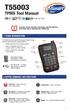 T55003 TPMS Tool Manual To ensure correct operation and service, read the following instructions before operating the T55003 Tool. 1. T55003 INTRODUCTION The T55003 interacts with the tire pressure sensor
#12 Professional Meat Grinders
 #12 Professional Meat Grinders MG-203100 (52021040) Manual Instruction Thank you, and congratulations on purchasing the Non-corrosive electric meat grinder. Your grinder comes complete with everything
CARING FOR YOUR WATER HEATER
 http://waterheatertimer.org/troubleshoot-rheem-tankless-water-heater.html Water Heater Inspections CARING FOR YOUR WATER HEATER Venting System (Direct Vent Only) The venting system should be inspected
User Manual. RK-2d / RK-2t. dedicated KVM switch and rackmount screen technology. Designed and manufactured by Austin Hughes
 dedicated KVM switch and rackmount screen technology User Manual RK-2d / RK-2t 1U Short Depth Keyboard Drawer Designed and manufactured by Austin Hughes 751 Legal Information First English printing, October
VACUUM CLEANER INSTRUCTION MANUAL
 VACUUM CLEANER INSTRUCTION MANUAL MODEL: SVC9702 PLEASE READ THIS MANUAL CAREFULLY BEFORE USING AND KEEP IT PROPERLY FOR FUTURE USE 1 Safety Cautions: WARNING: To reduce the risk of fire, electrical shock,
SALTER AIRE Plus COMPRESSOR Model 8350 / 8352 / 8353. Instruction Manual. Page 1 of 9
 SALTER AIRE Plus COMPRESSOR Model 8350 / 8352 / 8353 Instruction Manual Page 1 of 9 TABLE OF CONTENTS Introduction...3 Important Safeguards..3 System Components...5 Setup and Operation...5 Setup...5 Operation....6
CappController Pipette Controller. Operation Manual Version: 1.2. www.capp.dk
 CappController Pipette Controller Operation Manual Version: 1.2 www.capp.dk skal vises her. Table of Content 1. Safety Precautions... 1 2. General Description... 2 3. Getting Started... 4 3.1. Recharging
Jarv Nmotion BTHL-201 Bluetooth Stereo Earbuds Users Guide
 Jarv Nmotion BTHL-201 Bluetooth Stereo Earbuds Users Guide Features: Bluetooth wireless technology Comfortable lightweight in-ear design with detachable sports ear hooks for added support High Definition
CAUTION RISK OF ELECTRIC SHOCK DO NOT OPEN
 BeoLab 4 Guide CAUTION RISK OF ELECTRIC SHOCK DO NOT OPEN CAUTION: To reduce the risk of electric shock, do not remove cover (or back). No User-serviceable parts inside. Refer servicing to qualified service