
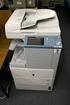
Di520 B&W Printer/Copier
|
|
|
- Malcolm Jennings
- 9 years ago
- Views:
Transcription
1 Di520 B&W Printer/Copier Overview In price/performance, Minolta's Di520 is the most productive printer/copier in its class -- and also helps you create, control and distribute your documents in-house. Minolta's Di520 gives you fast digital copies with high resolution and high reliability. At 52 pages per minute, its output is fast enough for the heaviest corporate workload. It can make your documents look more professional with less time, trouble, and expense. And it helps you finish everything from simple folders to complex catalogs with pullout charts and graphics. Reports, newsletters, flyers, booklets, training manuals and overhead transparencies -- the Di520 does it all. The Di520 touch-screen controls a productive array of print/copy advantages. You can scan your originals in digital memory, then make copies now or later -- reproducing each piece to perfection. Add the optional Pi6200 print controller, and your Di520 becomes a powerful networkable printer. You can point, click, and produce finished documents that are punched, stapled, folded, and stacked. You can even perform crease folding, center-stapling and Z-folding automatically. MSRP The MSRP for the base unit is $18, Please contact your authorized Minolta dealer for additional information. Features High-Speed Printer/Copier: Prints up to 52 pages per minute, with dual laser beam for high-performance imaging. True 600 x 600 dpi Print Resolution: Minolta's exclusive Micro-Toning system and unique LIMOS (Laser Intensity Modulation System) technology gives you exceptional Minolta Page 1 of 7 Di520, 10/04/00

2 image quality in printing and copying, with 256 grayscale levels to render halftone images more accurately. Electronic Document Handler: The Di520 comes equipped with a fast, reliable slitscanning Electronic Document Handler that holds up to 100 originals -- and Separate Scan function lets you scan longer documents for added productivity. Scan-Once/Print-Many: You can save time and improve efficiency by making multiple copies from a single scan -- or making multiple printouts without re-sending your document or tying up your workstation. Digital Memory: You can store more than 500 pages in memory (at 6% coverage) for reprinting when you need more copies. Job List Viewing and Editing: Lets you check and modify print/copy queue status at any time, so you know when a specific job will run. Stackless Duplexing: Makes it easy to copy your 2-sided originals -- with automatic copier recall of duplex functions such as sheet reversal or circulation pattern. Image Auto Rotation: For maximum productivity and/or binding documents at the top instead of along the side. Criss-Cross Sorting: Produces collated sets that won't jog together for easy handling or shipping. Powerful Finishing Capabilities: The FN-3 Document Finisher lets you automatically perform center-stitching, 2-hole/3-hole punching, crease-folding, half-folding, even Z- folding for a wide variety of document needs. Versatile Connectivity: The optional Pi6200 Print Controller and Printer Interface Kit allow networkable printing in PC and Macintosh environments, with versatile network support and simple, user-friendly interface for digital printing functions. High Paper Capacity: Up to 7,250-sheet capacity gives you all the paper you need for long print/copy runs -- with three standard drawers, programmable bypass, and optional large capacity cassettes for added versatility. Available Print/Copy Functions: Auto/Manual/Photo Exposure Modes Auto Duplex, Stackless Auto Reset Auto Shutoff Auto Start Copy Track Audit Minolta Page 2 of 7 Di520, 10/04/00

3 Cover Mode Date Stamping Distribution Stamp Electronic Sorting Energy Save Mode Erase (Edge, Frame) Free Original Placement File Margin Fold (crease/half/z) Hold Punch (2/3) Image Combination Image Memory Image Repeat Interrupt Job List Job Memory/Recall Job Reserve Lock Job Mixed Original Detection Number Stamp OHP Interleaving Page Insert Page Stamp Print Last Job Signature Booklet Watermark (7 selections) Zoom Specifications Type: Digital Printer/Copier Imaging System: Laser Intensity Modulation System (LIMOS), Dual Beam Laser Electrostatic, OPC Drum Developing System: Minolta Micro-Toning Output Speed: 52 ppm (8-1/2" x 11" letter, portrait); 47 ppm (8-1/2" x 11" letter-r, landscape); 40 ppm (8-1/2" x 14" legal); 35 ppm (11" x 17" ledger) Image Resolution: 600 x 600 dpi (print); 400 x 400 dpi (scan); 256 grayscale levels Warm-Up Time: Less than 7 minutes First Copy: Less than 8.5 seconds Magnification: %, 0.1% increments; Preset reduction: 50%, 64.7%, 73.3%, 78.5%; Preset enlargement: 121.4%, 129.4%, 154.5%, 200% Standard Paper Supply: 550-sheet universal paper drawer; 550-sheet technician-definable paper drawer; 2,700-sheet tandem letter paper drawer; 50-sheet programmable bypass (16 lb. through 42 lb. approved paper weights) Minolta Page 3 of 7 Di520, 10/04/00

4 Document Feeder: EDH-1 Electronic Document Handler with 100-sheet capacity, mixed original detection, single-sided, two-sided, top sheet first feed, single-feed mode Output (with FN-3 Document Finisher): 100-sheet non-staple tray, 2,000-sheet finishing tray; 4-position stapling (corner, side, center), 50 sheets per stapled set; 2-hole, 3-hole punch; 3-way folding (crease, half-fold, Z-fold); electronic sort (criss-cross) Power Requirements: 120V, 60Hz, 12A Noise: 55 db operating Dimensions (WxHxD): 65-3/4" x 45-3/4" x 29" Weight: 639 lbs. Optional Accessories Large Capacity Cassettes: Two are available: C-304 (3,400-sheet large capacity cassette) and C-304L (3,000-sheet landscape large capacity cassette), increasing your paper loading capacity to 7,250 sheets. PC Connectivity: Optional Pi6200 Print Controller High-Speed Processing driving the Di520 at full rated speed of up to 52 ppm using a MIPS R MHz; Rip- While-Print(tm) and Continuous Print(tm) technology combines with Printer/Copier Device Priority modes for unbeatable productivity. Fiery WebTools(tm) provide complete job management remotely from virtually any standard Web browser. Standard 10/100BaseT Network Interface Card with optional Token-Ring connectivity. Supports TCP/IP, Novell IPX/SPX, LPR/LPD, and EtherTalk Network protocols with automatic switching. Standard PCL5e, and Adobe(r) PostScript(r) 3 capability/drivers. 16MB Memory Upgrade: (200 additional up to 100% coverage) 1 GB Hard Disk Drive: Enables the Di520's stamping, job proofing, and multi-job functions; also allows you to store more than 500 separate pages in memory (@ 6% coverage). Printer Interface Kit. 16 MB Memory Upgrade (200 additional up to 100% coverage). Design and specifications subject to change without notice. Awards & Reviews BLI - Pick of the Year 1999/2000 BLI - System of the Year 1999/2000 Applications Minolta's Di520 is a total solution for producing complete finished documents. With its standard EDH-1 Electronic Document Handler and FN-3 Document Finisher, the Di520 is Minolta Page 4 of 7 Di520, 10/04/00

5 your ideal solution for a wide variety of in-house print/copy production requirements -- from standard business forms, newsletters, reports, bulletins, and training materials, to complex brochures, proposals, and presentations. The following key applications list demonstrates that the Di520 is well suited to highquality, low-cost production of documents to increase productivity and give corporate and professional end-users the competitive edge. The Di520 excels in all these applications, with special features and advantages that will greatly benefit the speed, flow, and cost-efficiency of information in any business environment. Advertising: creative services and account management documents. Architectural/Construction: presentations, floor plans, site plans, landscape drawings, compliance documentation, zoning, safety and environmental reports. Banking: loan forms, tax forms, legal briefs and contracts. Education: training manuals, teaching procedures, test reports, curriculum guidelines, and budget spreadsheets. Engineering: job proposals, feasibility studies, budget estimates, schematics, CAD drawings. Finance: financial reviews, quarterly reports, prospectus forms, and operations manuals. General: presentations, newsletters, and bulletins. Government: RFP's, proposals, policy guidelines and regulations. Human Resources: employee manuals, training materials, benefit plans and booklets, corporate directories. Legal: research reports, briefs, depositions, summaries, and litigation materials. Marketing Communications: marketing bulletins, price catalogs, public relations information, newsletters, promotional materials. Medical: patient records, food service menus, newsletters, compliance documentation, medical research reports, billing forms, insurance forms. Publishing: manuscripts, newsletters, marketing bulletins, permissions forms, sales and royalty reports. Real Estate: contracts, deeds, titles, property flyers, insurance information. Minolta Page 5 of 7 Di520, 10/04/00

6 Sales/Marketing: sales projections, presentations, and quarterly reports. FAQs 1. How can the 52-ppm Di520 be "faster" than printer/copiers rated at higher speeds? Productivity with digital printer/copiers is even more pronounced with some digital printer/copiers such as the Di520 as compared to similar speed analog copiers. This is due to the processing power available to maximize performance of a document. Subsequently, a "slower" digital printer/copier (rated engine speed) can often times be far more productive overall than "faster" analog copiers. It is important to look at the total effort in creating a finished document from creation to measure the overall performance of a printing/copying system. For the Di520, this includes the ability to directly print a job from a PC and create finished documents including hole punching, stapling and folding if desired. 2. What is the difference between "Proof Set" and "Sample Set?" Some manufacturers of digital printer/copiers offer "Sample Set" versus "Proof Set" as options for the end-user to select when copying. Either way, the end-user scans in all of the originals, makes their copying function selections and prints out one copy to see how copies look. This is where the similarities end. With Sample Set, the decision is to "go" or "no go." This means if the output is not what was desired (e.g. they forgot to select threehole punch), they have to "dump" the entire job and rescan the originals starting from scratch. With Proof Set, the decision is to "go" or "edit." This means if the output is not what was desired (again - they forgot to select three-hole punch), all they have to do is edit the copying directly on the copier control panel and re-output the job from the copier's memory. The Di520 can be equipped with an optional Hard Disk Drive Kits both have job "Proofing" capability, not just sample set. 3. What is the maximum paper capacity of the Di520 system? Minolta offers two different optional Large Capacity Cassettes (LCCs) for the Di520. The Letter (portrait) sized paper LCC has a capacity of 3,400 sheets. The Landscape LCC has a capacity of 3,000 Letter-R or Legal sheets of paper. Combined with the standard paper capacity of 3,850 sheets, the maximum paper capacity of a Di520 could be 7,250 or 6,850 depending on which LCC was chosen. Minolta Page 6 of 7 Di520, 10/04/00

7 4. Can the optional C-304L handle both Letter-R and Legal paper without any technical adjustments? Yes, the C-304L can accept either Letter-R or Legal paper without any adjustments to it at all. 5. When would a customer want the RAM upgrade versus the HDD on the Di520? Upgrading RAM and adding the HDD to the Di520 are mutually exclusive options. The 16 MB RAM upgrade extends the base page memory from 200 pages to 400 total pages (@ 6% coverage). The 1GB HDD creates a total of 500 pages of memory in lieu of the RAM memory - they are not additive (i.e. one can not get 700 pages of memory by having both the 16MB RAM upgrade and the 1GB HDD). Although the Hard Disk Drive Kit costs significantly more than the RAM upgrade, it also enables the Di520 to perform additional significant functions. These include: Having a job queue of up to 10 jobs resident in the Di520. Editing the copy functions of a job in the queue. Creating a "Proof Set" and changing the copy functions if desired. Reprinting the job last printed ("Memory Recall"). Overlaying a pre-scanned image onto another original merging the two images together (e.g. copying the text of a letter onto a pre-scanned letterhead). "Job Lock" security function when printing from a computer. Minolta Page 7 of 7 Di520, 10/04/00

KONICA 7030. Document Communication System
 KONICA 7030 Document Communication System KONICA 7030. The commu Digital copying, productive printing and intelligent faxing. Near and far is not so much a question of distance than of the right connection.the
www.konicaminolta.co.uk Office system bizhub 250 bizhub 250 Compact creativity
 www.konicaminolta.co.uk Office system bizhub 250 bizhub 250 Compact creativity Office system bizhub 250 Creative answers to black-and-white requirements Resourcefulness for your office A compact and robust
Comprehensive Document Management Solutions 2212/ 2712
 Comprehensive Document Management Solutions D I G I T A L I M A G I N G S Y S T E M S 2212/ 2712 Optional Automatic Reversing 50-Sheet Document Feed Optional Automatic Duplexing Optional 50-Sheet Bypass
high volume > DIGITAL IMAGING SYSTEM 85 pages per minute Savin 2585
 2585 high volume > DIGITAL IMAGING SYSTEM 85 pages per minute Savin 2585 High-Volume Workgroup Printing 85 pages per minute 600 dpi resolution Built Tough Be sure to judge your high-volume digital output
MS6000 Microform Scanner
 MS6000 Microform Scanner Overview Read on screen, print on paper, scan to PC the digital era gives you powerful new ways to use microform information. Now there's a microform scanner that makes it easy
www.konicaminolta.co.uk Office system bizhub 750 bizhub 750 Black & White at high-speed & high-quality
 www.konicaminolta.co.uk Office system bizhub 750 bizhub 750 Black & White at high-speed & high-quality Office system bizhub 750 Deadlines have to be met: Be prepared Speed isn t everything, but it makes
www.konicaminolta.co.uk Office system bizhub 600 bizhub 600 Brilliance in black-and-white
 www.konicaminolta.co.uk Office system bizhub 600 bizhub 600 Brilliance in black-and-white Office system bizhub 600 Add some brilliance to Volume imaging with a brilliant difference Your documents are important.
Xerox DocuPrint P12 Print Driver User Guide
 Xerox DocuPrint P12 Print Driver User Guide Xerox Corporation 800 Phillips Road Webster, New York 14580 1998 Xerox Corporation. Xerox, The Document Company, the stylized X, and the identifying product
DIGITAL MULTIFUNCTIONAL SYSTEM
 MODEL: MX-M283N MX-M363N MX-M453N MX-M503N DIGITAL MULTIFUNCTIONAL SYSTEM Quick Start Guide Before using the machine Functions of the machine and procedures for placing originals and loading paper. Copying
Detailed Specifications
 Detailed Specifications Better Buys for Business EDITOR S CHOICE 2003 CopyCentre TM C35/C45 CopyCentre C35 shown with Platen Cover, Stand and Offsetting Catch Tray options. CopyCentre C45 shown with Duplex
WorkCentre Pro 165/175. CopyCentre C165/C175. WorkCentre M165/M175. copy print scan fax email. Performance. and efficiency that.
 CopyCentre C165/C175 WorkCentre M165/M175 WorkCentre Pro 165/175 copy print scan fax email Performance and efficiency that fit anywhere Optimized foryourbusyoffice. From digital copiers to copier-printers
www.konicaminolta.eu Production system bizhub PRO C6500 bizhub PRO C6500 The universal colour genius
 www.konicaminolta.eu Production system bizhub PRO C6500 bizhub PRO C6500 The universal colour genius bizhub PRO C6500, production system Smart colour power all-round Colour is essential for the creativity
Advanced New Generation Document Management
 Advanced New Generation Document Management Taking Care of your Every Demand How smooth would your office workflow run if you could use a central office system taking care of all document production and
www.ricoh-usa.com Ricoh Product Line Segment 2 thru 6 MP/5000/5001, MP C5000/C6000/C6501, MP7000/8000, MP6001/7001, MP8001/9001, MP907EX
 www.ricoh-usa.com Ricoh Product Line Segment 2 thru 6 MP/5000/5001, MP C5000/C6000/C6501, MP7000/8000, MP6001/7001, MP8001/9001, MP907EX Understanding Your Ricoh Control Panel To access system administrator
ADMINISTRATOR SETTINGS GUIDE PURPOSE OF THE ADMINISTRATOR SETTINGS ADMINISTRATOR SETTINGS LIST USING THE ADMINISTRATOR SETTINGS
 ADMINISTRATOR SETTINGS GUIDE DIGITAL MULTIFUNCTIONAL SYSTEM This manual explains settings for use by the administrator of the machine. PURPOSE OF THE ADMINISTRATOR SETTINGS ADMINISTRATOR SETTINGS LIST
Professional High-volume Document Production
 Professional High-volume Document Production Digital High-volume System for Multiple User Environments Looking for the high-volume print, scan and copy solution that outperforms all others? Logically designed
Quick Reference. Store this guide next to the machine for future reference. ENG
 Quick Reference Store this guide next to the machine for future reference. ENG Contents * Screen shots used in this manual may differ from the ones you actually see. Things You Can Do with This Device...........................................................................................................
bizhub PRO C6501 Smart colour power all-round Production system bizhub PRO C6501
 bizhub PRO C6501 Smart colour power all-round Production system bizhub PRO C6501 bizhub PRO C6501, production system Smart colour power all-round Colour is essential for the creativity of professionals
TOTAL DOCUMENT SOLUTIONS REACH NEW HEIGHTS IN HIGH-VOLUME DOCUMENT PRODUCTION
 TOTAL DOCUMENT SOLUTIONS REACH NEW HEIGHTS IN HIGH-VOLUME DOCUMENT PRODUCTION MP5500/6500/7500 Increase your high volume document productivity High volume document devices in a large office or Central
PostScript User Guide 604P17454_EN
 CopyCentre C118 WorkCentre M118/M118i PostScript User Guide 604P17454_EN Prepared by: The Document Company Xerox GKLS European Operations Bessemer Road Welwyn Garden City Hertfordshire AL7 1HE ENGLAND
www.konicaminolta.co.uk Office System bizhub C250 bizhub C250 Business matters
 www.konicaminolta.co.uk Office System bizhub C250 bizhub C250 Business matters bizhub C250, Office System More for your business Success in business requires a competitive edge. You have to be more efficient,
Amazing versatility...
 WorkCentre 7228 / 7235 / 7245 print copy scan fax email Amazing versatility... with office colour power WorkCentre 7228 / 7235 / 7245 One multi-tasking unit delivers the powerful features your business
TOTAL DOCUMENT SOLUTIONS
 SPECIFICATIONS Printer Print speed Black and white: 24/32 prints per minute Full colour: 10 prints per minute Paper size A6 - A3 (A3+ via bypass tray) Printer language Standard: PCL5c, PCL6, RPCS Option:
TOTAL DOCUMENT SOLUTIONS PUT POWERFUL, PROFESSIONAL LOOKING COLOUR INTO YOUR BUSINESS DOCUMENTS
 TOTAL DOCUMENT SOLUTIONS PUT POWERFUL, PROFESSIONAL LOOKING COLOUR INTO YOUR BUSINESS DOCUMENTS C7528n/C7535hdn Fast, professional looking business colour printing, when you need it The high speed C7528n
www.konicaminolta.co.uk Office Systems bizhub 162/210 bizhub 162/210 The capable communicators
 www.konicaminolta.co.uk Office Systems bizhub 162/210 bizhub 162/210 The capable communicators bizhub 162/210 Office Systems Proven quality thought-through Thinking ahead pays off. Especially when choosing
 - - - - - - 601/751 Print To access the print driver in most programs: 1. File Print 2. From the dropdown box next to Name, select the Bizhub 601/751 Printer 3. Click the Properties or Preferences button
Next-generation imagerunner technology delivers all the tools you need for professional results.
 Corporate Solutions Corporate Solutions SPEED, POWER, AND RELIABILITY FOR DEMANDING ENVIRONMENTS Next-generation imagerunner technology delivers all the tools you need for professional results. Speed,
TOTAL DOCUMENT SOLUTIONS BRIGHTEN UP DAILY DOCUMENTS WITH EYE-CATCHING COLOUR. DSc424/432
 TOTAL DOCUMENT SOLUTIONS BRIGHTEN UP DAILY DOCUMENTS WITH EYE-CATCHING COLOUR DSc424/432 Multifunctional black and white document productivity with the visual power of colour The impact of colour makes
KIP 3000 MULTIFUNCTION SIMPLICITY
 KIP 3000 MULTIFUNCTION SIMPLICITY MONOCHROME COPYING MONOCHROME PRINTING The KIP 3000 monochrome copy system accurately reproduces technical documents at true 600 x 600 dpi resolution. Copies may be delivered
KIP 3000 Series MULTIFUNCTION SIMPLICITY
 KIP 3000 Series MULTIFUNCTION SIMPLICITY KIP 3000 SERIES SYSTEMS The KIP 3000 is a highly hl advanced d wide format digital copy system that provides the ability to easily add network printing and scan-to-file
Multifunctional Digital System PB 3200
 Multifunctional Digital System Printer, Copier, Fax, PC Fax and Colour Scanner Communication Solutions Enhance security and reduce errors through these high-performance features Walk-up access to LDAP
CONTENT. 1 Normal Printing. 2 Secure Printing. 3 Faxing from PC. 4 Setting Mailbox. 5 Scanning documents into mailbox. 6 Retrieve Scanned Image
 CONTENT 1 Normal Printing 2 Secure Printing 3 Faxing from PC 4 Setting Mailbox 5 Scanning documents into mailbox 6 Retrieve Scanned Image 7 Scanning Documents to Ifax 8 Setting Of Speed Dial Via Internet
High-Quality Laser Printers With Built-in Duplex Featuring...
 High-Quality Laser Printers With Built-in Duplex Featuring... Up to 25ppm print speed High-quality printing at up to 1200x1200dpi resolution 32MB of memory standard, upgradeable to 160MB* Built-in automatic
Océ 31x5E. Print jobs and job management
 Océ 31x5E Print jobs and job management Océ-Technologies B.V. Trademarks All trademarks mentioned in this manual are the exclusive property of the respective parties and are hereby acknowledged by Océ-Technologies
KM-2550. document imaging solution. Serious Business. Serious Output.
 KM-2550 document imaging solution Serious Business. Serious Output. KM-2550 KM-2550 Highlights 25 Pages Per Minute Standard Network Print Optional Scan, Optional Fax Scan Once Print Many, Electronic Sort
WorkCentre Pro 123/128. CopyCentre C123/C128. WorkCentre M123/M128. copy print scan fax email. Simply. leading. edge
 CopyCentre C123/C128 WorkCentre M123/M128 WorkCentre Pro 123/128 copy print scan fax email Simply leading edge Simple-to-use for unparalleled performance Simplify your workday with a new family of office
Open Office Environment.
 ApeosPort 550 I / 450 I / 350 I print copy scan fax Welcome to the Open Office Environment. Fuji Xerox ushers in a new age in information management. A Bold New Concept in Document Management Transform
Phaser 5550N Adds 10/100/1000 Ethernet
 Phaser 5550 Phaser 5550B 3-Tray, 1,100-sheet paper capacity Phaser 5550N Adds 10/100/1000 Ethernet Phaser 5550DN Adds Automatic two-sided printing Phaser 5550DT Adds 1,000-sheet feeder for 2,100-sheet
MP 4000/MP 4000B MP 5000/MP 5000B
 Customised multi-tasking communication centres MP 4000/MP 4000B MP 5000/MP 5000B High performance black-and-white document handling Taking office productivity to a whole new level The powerful, black-and-white
816/816f/816mf. Complete document management. for the small office. Digital Imaging Systems COMPACT > CONVENIENT > CAPABLE > PRODUCTIVE > POWERFUL >
 816/816f/816mf Digital Imaging Systems COMPACT > CONVENIENT > CAPABLE > PRODUCTIVE > POWERFUL > Complete document management. for the small office. > The all-in-one system with the compact design. The
Create, Share, Communicate What Could be Easier?
 Create, Share, Communicate What Could be Easier? Today s networked offices need sophisticated tools to create impressive documents, share information and communicate efficiently. At the same time users
17 April 2014. Remote Scan
 17 April 2014 Remote Scan 2014 Electronics For Imaging. The information in this publication is covered under Legal Notices for this product. Contents 3 Contents...5 Accessing...5 Mailboxes...5 Connecting
Ricoh Aficio MP 161/MP 161F/MP 161SPF Digital Imaging Systems Impressive Capabilities, Compact Size. compact. onvenient.
 Ricoh Aficio MP 161/MP 161F/MP 161SPF Digital Imaging Systems Impressive Capabilities, Compact Size. compact onvenient productive Ricoh Aficio MP 161/MP 161F/MP 161SPF The all-in-one system with the compact
Xerox 700i Digital Color Press Xerox 700i Digital Color Press Power, performance and value put you a step ahead so you can move your business forward.
 Xerox 700i Digital Color Press Xerox 700i Digital Color Press Power, performance and value put you a step ahead so you can move your business forward. Everyone looking to grow their business and reduce
TOTAL DOCUMENT SOLUTIONS A045 THE IDEAL COMPACT ALL-IN-ONE DIGITAL SOLUTION
 TOTAL DOCUMENT SOLUTIONS A045 THE IDEAL COMPACT ALL-IN-ONE DIGITAL SOLUTION Top quality production and ease of use in one compact device Is your analogue plan copier still able to handle your requirements?
Printer / Scanner Reference
 Operating Instructions Printer / Scanner Reference 1 2 3 4 5 6 Getting Started Installing the Software Using the Printer Function Using the TWAIN Scanner Function Troubleshooting Appendix Read this manual
Xerox ColorQube 9201/9202/9203 Quick Use Guide
 Xerox ColorQube 9201/9202/9203 2009 Xerox Corporation. All Rights Reserved. Unpublished rights reserved under the copyright laws of the United States. Contents of this publication may not be reproduced
FAQ: How to copy? Step-by-Step-Instructions for advanced Functions. 1. Preview: Checking the preview image before copying.
 FAQ: How to copy? Step-by-Step-Instructions: Advanced Functions 1 FAQ: How to copy? Step-by-Step-Instructions for advanced Functions. 1. Preview: Checking the preview image before copying... 3 2. Copy
Document Communication System FO-DC600
 Document Communication System FO-DC600 Fast. Sophisticated. Flexible. The new Sharp FO-DC600 Super G3 Document Communication System delivers everything you need in a high-volume and so much more. The Sharp
d-color MF 2 Code: 57
 d-color MF 2 d-color MF2 2/d-COLOR MF 2 d-color MF452/d-COLOR MF552 Code: 57 PUBLICATION ISSUED BY: Olivetti S.p.A. Gruppo Telecom Italia Via Jervis, 77-10015 Ivrea (ITALY) www.olivetti.com Copyright 2012,
Pro C5100S/5110S. Compact Digital Light Production Printers. Pro C5100S. Pro C5110S B/W B/W. ppm. ppm
 Pro C5100S/5110S Compact Digital Light Production Printers Pro C5100S Pro C5110S B/W B/W 65 Colour 80 Colour ppm ppm High colour production values without the cost In this economic climate, you need innovative
Full Colour Multifunction Device. Copier Printer Facsimile Scanner. Aficio MP C305SPF B/W. ppm
 Full Colour Multifunction Device Copier Printer Facsimile Scanner Aficio MP C305SPF B/W 30 Colour ppm High performance A4 colour The MP C305SPF provides all the colour printing, scanning and copying functions
MFD User Guide. Ver 1.3
 MFD User Guide Ver 1.3 CONTENTS CONTROL PANEL Page 4 An overview of the function buttons. MFD BASICS Page 5 Explains some of the most commonly used buttons. COPIER Double-sided Page 7 Make 2-sided copies
Xerox 4110. Overview. Reaching. new heights. delivering peak. performance
 Overview Reaching new heights delivering peak performance Helping you reach new vistas everyday One solution; many advantages Spend less time waiting for the copier and more time getting things done. The
Ricoh Aficio SP C830DN/SP C831DN
 Ricoh Aficio SP C830DN/SP C831DN Color Laser Printer Copier Printer Facsimile Scanner SP C830DN 45 ppm monochrome and full-color SP C831DN 55 ppm monochrome and full-color Produce high-quality color with
Monochrome Print Features: True 600 dpi print resolution Produces 3,3 A0 size prints or copies per minute 100% efficient No waste toner
 KIP 3100 SERIES KIP 3100 Monochrome Print, Copy & Scan The KIP 3100 system accurately reproduces technical documents at true 600 x 600 dpi resolution. Prints and copies may be delivered to the integrated
Request for Quote No RFP-0006 Print Management Program
 Request for Quote No RFP-0006 Print Management Program 1 Community Action Partnership of San Bernardino County Purchasing Department 696 S. Tippecanoe Ave. San Bernardino, CA 92415 August 09, 2010 I. Purpose
bizhub PRO C6000 and bizhub PRO C7000 Extraordinary imaging for smart colour production Production systems bizhub PRO C6000 and bizhub PRO C7000
 bizhub PRO C6000 and bizhub PRO C7000 Extraordinary imaging for smart colour production Production systems bizhub PRO C6000 and bizhub PRO C7000 bizhub PRO C6000 and bizhub PRO C7000, production systems
NOTE : PRICE EVALUATION WILL BE DONE SEPARATELY FOR NATIONAL/DOMESTIC BRANDS ON ONE-HAND & INTERNATIONAL BRANDS ON THE OTHER
 CORRIGENDUM-V FOLLOWING SPECIFICATIONS ARE TO BE CONSIDERED IN PLACE OF THAT PUBLISHED EARLIER B-2. A4 INKJET PRINTER Sl. No. Parameter Required 1 Print Technology Thermal Inkjet 2 Print Speed (Black)
A How To Guide for irc 1028 Printer
 A How To Guide for irc 1028 Printer 1. How to Login & Pull Print 2. How to copy 3. How to change your print job settings (PC) 4. How to scan and send to your email 5. How to delete your print job in the
LC155V. Cost-efficient, high-speed business color
 COLOR DIGITAL IMAGING SYSTEM Cost-efficient, high-speed business color LC155V Choose this digital multifunction product (MFP) for fast, highquality color printing, copying and scanning, plus black-and-white
The Copy, Scan, Print, Fax System with 1224C/ 1232C
 The Copy, Scan, Print, Fax System with 1224C/ 1232C Integrate your documents with a single touch. Until now, making decisions has always been about compromise. With the RICOH Aficio 1224C/1232C series,
MULTIFUNCTIONAL DIGITAL COLOR SYSTEMS. Printing Guide
 MULTIFUNCTIONAL DIGITAL COLOR SYSTEMS Printing Guide 009 KYOCERA MITA Corporation All rights reserved. Preface Thank you for purchasing Multifunctional Digital Color Systems. Also this guide describes
TOTAL DOCUMENT SOLUTIONS MP C3500/MP C4500 THE DYNAMIC POWER OF COLOUR YOU CONTROL
 TOTAL DOCUMENT SOLUTIONS MP C3500/MP C4500 THE DYNAMIC POWER OF COLOUR YOU CONTROL Presenting the brightest way to fast colour documents Colour in the office is now an everyday requirement as more businesses
Xerox Phaser 3610 Black-and-white Printer
 Black-and-white Printer Output Speed Automatic Two-sided Paper Handling Input Multipurpose Tray Tray 1 Phaser 3610N Up to 47 ppm 8.5 x 11 in. Up to 45 ppm A4 / 210 x 297 mm Up to 38 ppm 8.5 x 14 in. /
Get easy, affordable color that jumps right off the page.
 Xerox DocuColor 240/250 Digital Color Printer/Copier Overview Get easy, affordable color that jumps right off the page. Get speed, image quality and a great price. Looking for serious printing performance
KIP 7900 PRINT SYSTEM SPECIFICATIONS
 KIP 7900 PRINT SYSTEM SPECIFICATIONS Single Footprint KIP 7900 Print System System Configurations 4 Roll Print System Monochrome wide format printer Stacking Systems (optional) High Capacity Print Tray,
Document Communication System FO-DC525
 Document Communication System Fast. Powerful. Flexible. With advanced features, proven performance, and Sharp s award winning reliability, the Super G3 Document Communication System is a smart multifunction
PS/PCL Printer Guide. Series ENG
 Series PS/PCL Printer Guide Please read this guide before operating this equipment. After you finish reading this guide, store it in a safe place for future reference. ENG About the Manuals for the Machine
KX Driver Version 4.1. User Guide
 KX Driver Version 4. User Guide Legal Notes Unauthorized reproduction of all or part of this guide is prohibited. The information in this guide is subject to change for improvement without notice. We cannot
Printing - User Guide
 Printing - User Guide ir Version 1 July 2005 http://www.canon.co.uk www.canon.co.uk Page 1 Contents Key Contacts...3 Introduction...4 INFORMATION TO CHECK BEFORE PRINTING...5 PRINTER DRIVER TRAINING NOTES...6
Legal Notes. Regarding Trademarks. Model supported by the KX printer driver. 2010 KYOCERA MITA Corporation
 Legal Notes Unauthorized reproduction of all or part of this guide is prohibited. The information in this guide is subject to change for improvement without notice. We cannot be held liable for any problems
Quick Reference. Store this guide next to the machine for future reference. ENG
 Quick Reference Store this guide next to the machine for future reference. ENG Contents * Screen shots used in this manual may differ from the ones you actually see. Things You Can Do With This Device.....................................................................................................
Digital Full Colour Multi Function Device RICOH MP C3003SP MP C3503SP. Copier Printer Facsimile Scanner MP C3503SP MP C3003SP B/W B/W. ppm.
 Digital Full Colour Multi Function Device RICOH MP C3003SP MP C3503SP Copier Printer Facsimile Scanner MP C3003SP MP C3503SP B/W 30 Colour ppm B/W 35 Colour ppm Create a hyper-efficient workplace Transform
WHAT You SHOULD KNOW ABOUT SCANNING
 What You should Know About Scanning WHAT You SHOULD KNOW ABOUT SCANNING If you re thinking about purchasing a scanner, you may already know some of the ways they can add visual interest and variety to
Scan System (F) Operation Guide Set-up Edition
 Scan System (F) Operation Guide Set-up Edition This Operation Guide mentions that 1650 is a 16 ppm (prints per minute) machine, 2050 is a 20 ppm (prints per minute) machine and 2550 is a 25 ppm (prints
Printer Reference. Operating Instructions
 Operating Instructions Printer Reference 1 2 3 4 5 Preparing the Machine Setting Up the Printer Driver Other Print Operations Direct Printing from a Digital Camera (PictBridge) Appendix Read this manual
RICOH. Quick User Guide For Copying, Printing E-mailing and Faxing
 RICOH Quick User Guide For Copying, Printing E-mailing and Faxing 1 Index Chapter 1: Chapter 2: Navigating the Ricoh Operation Panel Chapter 3: Making a Copy Chapter 4: Sending a Fax Enter a Fax Number
Direct Mail 2009 DIRECT MAIL INSERTING SYSTEMS. The document finishing company
 Direct Mail 2009 DIRECT MAIL INSERTING SYSTEMS The document finishing company The Plockmatic 4000 System A cost effective modular direct mail inserting solution for most mail applications. Active marketing
Colour MFP Up to 65 PPM Colour Up to 75 PPM B&W Med/Large Workgroup Copy, Print, Scan, Fax Secure MFP
 Colour MFP Up to 65 PPM Colour Up to 75 PPM B&W Med/Large Workgroup Copy, Print, Scan, Fax Secure MFP Unmatched technology and precisely matched colour. Using over 135 years of leading Toshiba technology,
KIP 720 CIS SCANNING SYSTEM WITH ADVANCED KIP REAL TIME THRESHOLDING TECHNOLOGY
 KIP 720 CIS SCANNING SYSTEM WITH ADVANCED KIP REAL TIME THRESHOLDING TECHNOLOGY KIP 720 SCANNING SYSTEM KIP 720 Image Scanner The KIP 720 color & monochrome scanner delivers large-format scanning and copying