
USER'S MANUAL Of AMD 690G/690V CHIPSET & AMD SB600 Chipset Based. M/B for Socket AM2 64-bit Dual Core. AMD Processor
|
|
|
- Julie Cunningham
- 9 years ago
- Views:
Transcription
1 USER'S MANUAL Of AMD 690G/690V CHIPSET & AMD SB600 Chipset Based M/B for Socket AM2 64-bit Dual Core AMD Processor No. G03-M2A694-F Rev:2.0 Release date: April Trademark: * Specifications and information contained in this documentation are furnished for information use only, and are subject to change at any time without notice, and should not be construed as a commitment by manufacturer.

2 TABLE OF CONTENT CHAPTER 1 INTRODUCTION OF AMD 690G/690V MOTHERBOARD SERIES 1-1 FEATURES OF MOTHERBOARD SPECIAL FEATURES OF MOTHERBOARD SPECIFICATION ITEM CHECKLIST LAYOUT DIAGRAM & JUMPER SETTING... 4 CHAPTER 2 HARDWARE INSTALLATION 2-1 INSTALL SOCKET AM2 SUPPORTED AMD PROCESSOR INSTALL MEMORY EXPANSION CARDS... 8 CHAPTER 3 CONNCTORS, HEADERS & JUMPERS SETTING 3-1 CONNECTORS HEADERS CHAPTER 4 USEFUL HELP 4-1 HOW TO UPDATE BIOS TROUBLE SHOOTING Environmental Protection Announcement Do not dispose this electronic device into the trash while discarding. To minimize pollution and ensure environment protection of mother earth, please recycle. ii

3 Chapter 1 Introduction of AMD 690G/690V Motherboard Series 1-1 Features of motherboard The AMD 690G/690V Series motherboards are based on the latest AMD 690G/690V Chipset and SB600 chipset which supports the new generation innovative 64-bit AMD Socket AM2 dual core multi-tasking Socket AM2 Athlon64 X2 processors and dual core AMD Phenom processors. With an integrated low-latency high-bandwidth DDR2 memory controller and the highly-scalable Hyper Transport technology-based system bus which is up to 1000 MHZ, AMD 690G/690V Platform Processor Chipset motherboard series deliver the outstanding system performance and professional desktop platform solution with the advantages of new generation 64-bit AMD Socket AM2 Athlon64 X2 processors, AMD Phenom processors and the fully compatibility of the next generation operation system. The AMD 690G/690V Series motherboards support new generation Socket AM2 processors with an integrated DDR2 memory controller which provides with 266MHz / 333MHz/ 400MHz memory clock frequency for Dual channel DDR2 533 / DDR2 667 / DDR2 800 (Sempron processor of AM2 socket only supports up DDR2 667) DDR2 Module up to 8.0GB. The whole motherboard series are embedded with SB600 chipset that provides ULTRA ATA 133 connectors and Serial ATA2 with RAID 0, 1 and RAID 10 functions which support up to two IDE devices and four Serial ATA2 devices to accelerate hard disk drives and guarantee the data security without failure in advanced computing performance. The AMD 690V Chipset incorporates ATI Radeon X1200 Graphics with a core frequency of 400 MHz and 2 shader pipeline featured with DirectX 9.0 compliant 2D/3D graphics processor, Maximum DAC frequency of 400 MHz Resolution up to 2560x1600 (Under condition), refresh rate up to 85MHz delivering incredible graphics and blistering performance. Besides, the AMD 690G Series motherboards integrated ATI Radeon X1250 Graphics support ATI innovated AVIVO Technology and Multiple Display configurations: CRT+ DVI-D or HDMI on rear panel and give you the best performance in game experience. AMD 690G/690V chipset provides incredible flexibility and unlimited upgrade potential as it supports all Radeon PCI E graphics cards on a system configured for either single GPU or next generation multimedia operation. Designed with ATI s unique architecture to optimize speed and stability, this solution is perfect for overclocking without the need of additional cooling systems. The 690V /690G series motherboards provide optional 10/100 or 10/100/1000 LAN functions with Realtek RTL8101E-GR PCI-E 10/100 LAN or RTL8111B-GR PCI-E Gigabit LAN which supports 10/100Mbps or 10/100/1000 Mbps data transfer rate. And the embedded optional Azalia 6-channel and 8-channel HD Audio CODEC is fully compatible with Sound Blaster Pro standards that offer you with the home cinema quality and satisfying software compatibility. The motherboards offer one PCI-Express x16 graphics slot of 4Gbyte/sec data transfer rate at each relative direction which gets 3.5 times of bandwidth more than AGP 8X and it s up to a peak concurrent bandwidth of 8Gbyte/sec at full speed to guarantee the ultimate GPU computing performance. Two 32-bit PCI slots guarantee the rich connectivity for the I/O of 1

4 peripherals; the motherboards are designed of tackling the profuse multimedia requirements nowadays. Embedded USB controller as well as capability of expanding to 8 of USB2.0 functional ports delivering 480Mb/s bandwidth and rich connectivity, these motherboards meet the future USB demands which are also equipped with hardware monitor function on system to monitor and protect your system and maintain your non-stop business computing. Some special features---cpu Thermal Throttling/ CPU Vcore 7-shift / CPU Smart Fan this motherboard are designed for power user to use the over-clocking function in more flexible ways. But please be caution that the over-clocking maybe cause the fails in system reliabilities. This motherboard provides the guaranteed performance and meets the demands of the next generation computing. But if you insist to gain more system performance with variety possibilities of the components you choose, please be careful and make sure to read the detailed descriptions of these value added product features, please get them in the coming section Special Features of Motherboard CPU Smart Fan---( The Noise Management System(Only support 4-pin CPU cooler)) It s never been a good idea to gain the performance of your system by sacrificing its acoustics. CPU Smart Fan Noise Management System is the answer to control the noise level needed for now-a-day s high performance computing system. The system will automatically increase the fan speed when CPU operating loading is high, after the CPU is in normal operating condition, the system will low down the fan speed for the silent operating environment. The system can provide the much longer life cycle for both CPU and the system fans for game use and business requirements. CPU Vcore 7-Shift--- (Shift to Higher Performance) The CPU voltage can be adjusted up by 13 steps for the precisely over-clocking of extra demanding computing performance. CPU Thermal Throttling Technology---(The CPU Overheat Protection Technology) To prevent the increasing heat from damage of CPU or accidental shutdown while at high workload, the CPU Thermal Throttling Technology will force CPU to enter partially idle mode from 87.5% to 12.5% according to preset CPU operating temperature in BIOS (from 40 to 90 ). When the system senses the CPU operating temperature reaching the preset value, the CPU operating bandwidth will be decreased to the preset idle percentage to cool down the processor. When at throttling mode the beeper sound can be optionally selected to indicate it is in working. 2

5 1-2 Specification Spec Description Design Micro ATX form factor 4 layers PCB size: 24.4 cm*21.0cm or 24.4*19.3cm Chipset AMD 690G/690V Chipset and AMD SB600 Chipset Support 64bit AMD AM2 940-Pin package utilizes Flip-Chip Pin Grid CPU Socket AM2 Array package compatible processor Support for HTT 1GHz dual core AMD Phenom processors Support HTT 1GHz AMD Athlon 64 X2 processor and Athlon 64, and HTT 800MHz Sempron Processors Memory Socket 240-pin DDR2 Module socket x 4/2 Support 4 / 2 pcs DDR2 533 / DDR2 667 / DDR2 800 Modules Expandable to 8.0 / 4.0 GB Expansion Slot PCI-Express x16 slot 1pcs delivers up to 8 GB/s of concurrent bandwidth. 32-bit PCI slot x 2 pcs One IDE controllers support PCI Bus Mastering, ATA PIO / DMA and the ULTRA DMA 33/66/100/133 functions that deliver the data transfer Integrate IDE and rate up to 133 MB/s. Serial ATA2 RAID Four Serial ATA2 ports provide 300 MB/sec data transfer rate with RAID 0, 1, 10 functions. Integrated with ATI Radeon X1200 / X1250 Graphic a core frequency of 400 MHz and 4 shader pipeline Integrated VGA DirectX 9.0 compliant 2D/3D graphics processor supported ATI innovated AVIVO Technology and Multiple Display configurations (only for 690G series) Integrated Realtek RTL8101E-GR PCI-E 10/100 LAN chip or LAN (Option) RTL8111B-GR PCI-E gigabit LAN chip Supports Fast Ethernet LAN function provide 10/100 or 10/100/1000 Mb /s data transfer rate Optional 6-channel Realtek ALC662 or 8-channelALC883 Azalia HD Optional Audio Audio Codec integrated Support 8-channel 3D surround & Positioning Audio (optional) Audio driver and utility included BIOS Multi I/O Award 4MB Flash ROM / Award 4MB SPI Flash ROM PS/2 keyboard and PS/2 mouse connectors Floppy disk drive connector x1 1* Parallel port of 25-pin Block / 1 * Serial port of 9-pin Block 1 * VGA port / 1 * TV-OUT header 1 * HDMI port(optional) /1 * DVI port(optional) 1* SPDIF header(optional) 1 * HDTV-OUT header (optional) USB2.0 port x 4 and headers x 4 (connecting optional cable) Audio connector (Line-in, Line-out, MIC/optional 8CH Audio) 3

6 1-3 Item Checklist AMD 690G/690V Platform Processor Chipset based motherboard Cable for IDE CD for motherboard utilities Cable for Serial ATA IDE Port AMD 690G/690V Platform Processor Chipset motherboard User s Manual 1-4 Layout Diagram & Jumper Setting (1) Keyboard/USB Power (JP1) CPU Socket AM2 CPU FAN AMD Phenom Ready PS2 KB/Mouse Port Optional VGA Parallel Connector BIOS BACK Chip I/O Controller Chip DDR2 Socket x 4 ATX Power Conn. Optional DVI USB Port ATX 12V Power Connector RJ45 Over USB Connector ATA 133 IDE Conn.(IDE1) Floppy Connector Audio Connector SFAN1 TV-OUT PCI Express x16 Optional Realtek RTL8101E-GR /RTL8111B-GR/RTL8111C-GR LAN chip Realtek ALC880E Audio Decode PCI Slot AMD 690G/690V Chipset 4MBit Flash ROM BIOS Clear CMOS (JBAT) Serial-ATAII Connector (SATA II 1, 2,3,4) Power LED Connector Speaker Connector Audio Front Panel Connector CDIN USB Port COM1 (USB3, USB4) USB Power On Jumper (JP2) AMD SB600 SFAN2 Optional SPDIF 4

7 Layout Diagram & Jumper Setting (2) Keyboard/USB Power CPU Socket AM2 (JP1) AMD Phenom Ready CPU FAN PS2 KB/Mouse Port I/O Controller Chip Optional VGA Parallel Connector DDR2 Socket x 2 ATX Power Conn. Optional DVI USB Port ATX 12V Power Connector RJ45 Over USB Connector SFAN1 Audio Connector Audio CDIN TV-OUT AMD 690G/690V Chipset ATA 133 IDE Conn.(IDE1) Floppy Connector Clear CMOS (JBAT) PCI Express x16 Optional Realtek RTL8111B-GR/RTL8111C-GR Gigabit LAN chip Realtek ALC880E Audio Decode PCI Slot HDTV-OUT AMD SB600 Chipset Serial-ATAII Connector (SATA II 1, 2,3,4) Front Panel Connector COM1 USB Port (USB3, USB4) SFAN2 Speaker Connector Power LED Connector USB Power On Jumper (JP2) 5

8 Chapter 2 Hardware Installation 2-1 Install Socket AM2 /Socket AM2+ Supported AMD Processor This motherboard provides a 940-pin surface mount, Zero Insertion Force (ZIF) socket, referred to as the mpga940 socket supports AMD Athlon64 processor in the 940 Pin package utilizes Flip-Chip Pin Grid Array package technology. The CPU that comes with the motherboard should have a cooling FAN attached to prevent overheating. If this is not the case, then purchase a correct cooling FAN before you turn on your system. WARNING! Be sure that there is sufficient air circulation across the processor s heatsink and CPU cooling FAN is working correctly, otherwise it may cause the processor and motherboard overheat and damage, you may install an auxiliary cooling FAN, if necessary. To install a CPU, first turn off your system and remove its cover. Locate the ZIF socket and open it by first pulling the level sideways away from the socket then upward to a 90-degree angle. Insert the CPU with the correct orientation as shown below. The notched corner should point toward the end of the level. Because the CPU has a corner pin for two of the four corners, the CPU will only fit in the orientation as shown. Colden Arrow Socket AM2 CPU ZIF mpgab Socket When you put the CPU into the ZIF socket, No force require to insert of the CPU, then press the level to Locate position slightly without any extra force. 2-2 Install Memory The motherboards provide four / two 240-pin DDRII DUAL INLINE MEMORY MODULES (DIMM) sites for DDRII memory expansion available from minimum memory size of 128MB to maximum memory size of 8.0GB / 4.0GB DDRII SDRAM. Valid Memory Configurations of 2-DIMM Design Motherboard Bank 240-Pin DIMM PCS Total Memory Bank 0, 1 (DIMM1) DDRII400/DDRII533/DDRII667/DDRII800 X1 128MB 2.0GB Bank 2, 3 (DIMM2) DDRII400/DDRII533/DDRII667/DDRII800 X1 128MB 2.0GB Total System Memory (Max. 4.0GB) 2 128MB 4.0GB 6

9 Valid Memory Configurations of 4-DIMM Design Motherboard Bank 240-Pin DIMM PCS Total Memory Bank 0, 1 (DIMM1) DDRII400/DDRII533/DDRII667/DDRII800 X1 128MB 2.0GB Bank 2, 3 (DIMM2) DDRII400/DDRII533/DDRII667/DDRII800 X1 128MB 2.0GB Bank 4, 5 (DIMM3) DDRII400/DDRII533/DDRII667/DDRII800 X1 128MB 2.0GB Bank 6,7 (DIMM4) DDRII400/DDRII533/DDRII667/DDRII800 X1 128MB 2.0GB Total System Memory (Max. 8.0GB) 4 128MB 8.0GB Recommend DIMM Module Combination 1. One DIMM Module ----Plug in DIMM1 2. Two DIMM Modules---Plug in DIMM1 and DIMM2 or DIMM3 and DIMM4 for Dual channel function of 4-DIMM Design motherboard and Plug in DIMM1 and DIMM2 for Dual channel function of 2-DIMM Design motherboard. 3. Four DIMM Modules---Plug in DIMM1/DIMM2/DIMM3/DIMM4. For Dual channel Limited! 1. Dual channel function only supports when 2 DIMM Modules plug in either both DIMM1 & DIMM2 or DIMM3 &DIMM4, or four DIMM Modules plug in DIMM1~DIMM4 of 4-DIMM motherboard and 2 DIMM Modules plug in DIMM1 & DIMM2 of 2-DIMM Motherboard. 2. DIMM1 & DIMM2, or DIMM3 & DIMM4 of 4-DIMM motherboard, and DIMM1 & DIMM2 of 2-DIMM motherboard must be the same type, the same size, and the same frequency for dual channel function. Generally, installing DDR SDRAM modules to your motherboard is very easy, you can refer to figure 2-4 to see what a 240-Pin DDR2 400 / 533 / 667 / 800 SDRAM module looks like. DIMM1 & DIMM2: Dual Channel 1 Figure 2-4 DIMM3 & DIMM4: Dual Channel 2 NOTE! When you install DIMM module fully into the DIMM socket the eject tab should be locked into the DIMM module very firmly and fit into its indention on both sides 7

10 2-3 Expansion Cards The motherboards offer one PCI-Express x16 graphics slot of 4Gbyte/sec data transfer rate at each relative direction which gets 3.5 times of bandwidth more than AGP 8X and it s up to a peak concurrent bandwidth of 8Gbyte/sec at full speed to guarantee the ultimate GPU computing performance. Two32-bit PCI slots guarantee the rich connectivity for the I/O of peripherals; the motherboards are designed of tackling the profuse multimedia requirements nowadays. PE1 / PCI-E x16 Slot 32-bit PCI Slot 8

11 Chapter 3 Connectors, Headers & Jumpers Setting 3-1 Connectors (1) Power Connector (24-pinblock) : ATXPWR1 ATX Power Supply connector: This is a new defined 24-pins connector that usually comes with ATX case. The ATX Power Supply allows using soft power on momentary switch that connect from the front panel switch to 2-pins Power On jumper pole on the motherboard. When the power switch on the back of the ATX power supply turned on, the full power will not come into the system board until the front panel switch is momentarily pressed. Press this switch again will turn off the power to the system board. ** We recommend that you use an ATX 12V ROW1 ROW2 Specification 2.0-compliant power supply unit (PSU) with a minimum of 350W power rating. This type has 24-pin and 4-pin power plugs. ** If you intend to use a PSU with 20-pin and 4-pin power plugs, make sure that the 20-pin power plug can provide at least 15A on +12V and the power supply unit has a minimum power rating of 350W. The system may become unstable or may not boot up if the power is inadequate. (2) ATX 12V Power Connector (8-pin block) : ATX12V1 This is a new defined 8-pins connector that usually comes with ATX Power Supply. The ATX Power Supply which fully supports AM2 processor must including this connector for support extra 12V voltage to maintain system power consumption. Without this connector might cause system unstable because the power supply can not provide sufficient current for system. (3) PS/2 Mouse & PS/2 Keyboard Connector: KB1 The connectors are for PS/2 keyboard and PS/2 Mouse. (4) USB Port connector: CN3 The connectors are 4-pin connectors that connect USB devices to the system board. (5) LAN Port connector: UL1 This connector is standard RJ45 connector for Network The USBLAN1 support optional 10M/100M or 10M/100Mb/1000Mb s data transfer rate (6) Audio Line-In, Lin-Out, MIC, Surrback, Surround, CEN/LEF Connector: SURROUND1 / CN1 This Connector are 6 phone Jack for LINE-OUT, LINE-IN, MIC, Surrback, Surround, CEN/LEF Line-in : (BLUE) Audio input to sound chip Line-out : (GREEN) Audio output to speaker MIC : (PINK) Microphone Connector Surrback : (ORANGE) Audio output to speaker-rear speaker out CEN/LEF : (BLACKNESS) Audio output to speaker-center/subwoofer speaker out Surround: (GRAY) Audio output to speaker-side speaker out 20-Pin ROW1 ROW2 24-Pin PIN ROW1 ROW V 3.3V 2 3.3V -12V 3 4 5V Soft Power On 5 6 5V 7 8 Power OK -5V 9 +5V (for Soft Logic) +5V V +5V V +5V 12 +3V 9

12 10 UL2 PS/2 Mouse USB1 Gigabit LAN PS/2 Keyboard Line-IN Line-OUT MIC-IN HDMI VGA PS/2 Keyboard PS/2 Mouse VGA DVI USB1 UL2 Line-IN Surrback Line-OUT MIC-IN CEN/LFE Surround PS/2 Keyboard PS/2 Mouse VGA USB1 UL2 10/100 LAN Surrback CEN/LFE Surround Gigabit LAN UL2 PS/2 Mouse USB1 PS/2 Keyboard Line-IN Line-OUT MIC-IN VGA DVI 10/100 LAN MIC-IN Line-OUT Line-IN

13 (7) Floppy drive Connector (34-pin block): FDD1 This connector supports the provided floppy drive ribbon cable. After connecting the single plug end to motherboard, connect the two plugs at other end to the floppy drives. FDD (8) Primary IDE Connector (40-pin block): IDE1 This connector connects to the next set of Master and Slave hard disks. Follow the same procedure described for the primary IDE connector. You may also configure two hard disks to be both Masters using one ribbon cable on the primary IDE connector and another ribbon cable on the secondary IDE connector. Floppy Drive Connector IDE1 Primary IDE Connector Two hard disks can be connected to each connector. The first HDD is referred to as the Master and the second HDD is referred to as the Slave. For performance issues, we strongly suggest you don t install a CD-ROM or DVD-ROM drive on the same IDE channel as a hard disk. Otherwise, the system performance on this channel may drop. (9) Serial-ATA Port connector: SATA1 / SATA2 / SATA3/ SATA4 These connectors support the provided Serial ATA and Serial ATA2 IDE hard disk cable to connecting the motherboard and serial ATA hard disk. SATA4 SATA3 SATA2 SATA1 Serial-ATA1 & 2 Compatible Connectors (10) D-Sub 15-pin Connector: VGA VGA is the 15-pin D-Subminiature female connector; it is for the display devices, such as the CRT monitor, LCD monitor and so on. (11) DVI: Digital Visual Interface (Optional) This interface standard designed to maximize the visual quality of digital display devices such as flat panel LCD computer displays and digital projectors. (12) HDMI: High-Definition Multimedia Interface (Optional) This point-to-point interface is for audio and video signals designed as a single-cable solution for home theater and consumer electronics equipment. 11

14 3-2 Headers (1) Line-Out/MIC Header for Front Panel (9-pin): AUDIO1 These headers connect to Front Panel Line-out, MIC connector with cable. Without install the cable, this header default setting is 5-6 short, 9-10 short. When you install the cable you have take off these jumpers. AUDIO (2) USB Port Headers (9-pin) : USB3 / USB4 These headers are used for connecting the additional USB port plug. By attaching an option USB cable, your can be provided with two additional USB plugs affixed to the back panel. USB3 USB Port Headers (3) Speaker connector: SPEAK1 This 4-pin connector connects to the case-mounted speaker. See the figure below. (4) Power LED: PWR LED1 The Power LED is light on while the system power is on. Connect the Power LED from the system case to this pin. VCC -DATA VCC -DATA +DATA +DATA OC MIC2-L MIC2-R LINEOUUT2-R SENSE-FB LINEOUT2-L AUD _ AUD _ AUD _ JD 9 AUD _ 2 10 AUDIO 9 AUD _ MIC AUD _ MIC _ BIAS AUD _ FPOUT _ R HP _ ON AUD _ FPOUT _ L AUD _ AUD _ AUD _ VCC RET _ R AUD _ RET _ L Line-Out, MIC Headers ALC883 Line-Out, MIC Headers ALC662 USB4 VCC VCC -DATA -DATA +DATA +DATA OC (5) IDE Activity LED: HD LED This connector connects to the hard disk activity indicator light on the case. (6) Reset switch lead: RESET This 2-pin connector connects to the case-mounted reset switch for rebooting your computer without having to turn off your power switch. This is a preferred method of rebooting in order to prolong the lift of the system s power supply. See the figure below. PWRLED SPEAK SPKR NC VCC5 JW FP VCC5 PWR LED VCC5 HDDLE HDLED System Case Connections PWRLED PWRBTN PWRBTN RSTSW NC RESET 12

15 (7) Power switch: PWR BTN This 2-pin connector connects to the case-mounted power switch to power ON/OFF the system. (8) FAN Power Headers: SYSFAN1, SYSFAN2 (3-pin), CPUFAN (4-pin) These connectors support cooling fans of 350mA (4.2 Watts) or less, depending on the fan manufacturer, the wire and plug may be different. The red wire should be positive, while the black should be ground. Connect the fan s plug to the board taking into consideration the polarity of connector. +12V CPUFAN IN CPUFAN OUT CPUFAN 1 4 SYSFAN1 SYSFAN2 3 1 FAN Power Headers 3 1 (9) CD Audio-In Headers (4-pin) : CDIN CDIN are the connectors for CD-Audio Input signal. Please connect it to CD-ROM CD-Audio output connector. (10) Parallel Port Header (25-pin male): PARALLEL1 The On-board Parallel Port can be disabled through the BIOS SETUP. (11) Serial COM Port Header: COM1 COM1 is the 9-pin block pin-header. The On-board serial port can be disabled through BIOS SETUP. (12) TV-OUT Header TV-OUT is the 9-pin block pin-header. TV-out is commonly used to label the connector of equipment offering an analog video signal that is acceptable for a television AV input. CDIN 4 1 CD Audio-In Headers PARALLEL Pin1 Serial COM Port 9-pin Block Pin1 TV-OUT Conn. 9-pin Block 13

16 USEFUL HELP 4-1 HOW TO UPDATE BIOS Chapter 4 Before updating the BIOS, users have to Disable the Flash Part Write Protect selection in Miscellaneous Control of BIOS SETUP. Otherwise the system the will not allow you to upgrade BIOS by Award Flash Utility. STEP 1. Prepare a boot disc. (you may make one by click START click RUN type SYS A:click OK) STEP 2. Copy utility program to your boot disc. You may copy from DRIVER CD X:\FLASH\AWDFLASH.EXE or download from our web site. STEP 3. Download and make a copy of the latest BIOS for AMD690X PPC motherboard series from the web site to your boot disc. STEP 4. Insert your boot disc into A:, start the computer, type Awdflash A:\ AMD690X.BIN /SN/PY/CC/R AMD690X xxx.bin is the file name of latest BIOS it can be AMD690Xa.BIN or AMD690Xb.BIN SN means don t save existing BIOS data PY means renew existing BIOS data CC means clear existing CMOS data R means restart computer STEP 5. Push ENTER to update and flash the BIOS, then the system will restart automatically. 4-2 Trouble Shooting Problem No power to the system to the all power light don t illuminate, fan inside power supply doesn t turn on. System inoperative. Keyboard lights are on, power indicator lights are lit, and hard drive is spinning. System doesn t boot from hard disk drive, can be booted from optical drive. System only boots from optical drive.hard disk can be read and applications can be used but booting from hard disk is impossible. Screen message says Invalid Configuration or CMOS Failure Can not boot system after installing second hard drive. Solution 1. Make sure power cable is security plugged in. 2. Replace cable. 3. Contact technical support. Using ever pressure on both ends of the DIMM, press down firmly until the module snaps into places. 1. Check cable running from disk to disk controller board..make sure both ends are securely plugged in, check the drive type in the standard CMOS setup. 2. Backing up the hard drive is extremely important.all hard disks are capable of breaking down at any time. 1. Back up date and applications files. 2. Reformat the hard drive. Reinstall applications and date using backup disks. Review system s equipment.make sure correct information on is in setup. 1. Set master /slave jumpers correctly. 2. Run SETUP program and select correct drive types. Call the drive manufacture for compatibility with other drives. 14

AP480-S Motherboard layout reference Contents
 AP80-S Motherboard layout reference Contents Specifications summary Motherboard layout Rear panel connectors Function selectors Internal connectors JUL 2008 Specifications summary CPU Chipset Front Side
Getting Started. Chapter 1
 Chapter 1 Getting Started Thank you for choosing the 7728 v2.x Series Micro-ATX mainboard. The 7728 v2.x Series mainboards are based on Intel H61 chipsets for optimal system efficiency. Designed to fit
XFX Motherboard Series
 User Guide XFX Motherboard Series nforce 630i with Geforce 7150 nforce 630i with Geforce 7100 nforce 610i with Geforce 7050 with Integrated Graphics ii XFX nforce 630i/610i Motherboard Before You Begin
IPN73-BA Motherboard layout reference Contents
 IPN73-BA Motherboard layout reference Contents Specifications summary Motherboard layout Rear panel connectors Function selectors Status indicators Internal connectors February 2008 Specifications summary
Motherboard Specifications, A8M2N-LA (Naos)
 HP Customer Care > Compaq Presario SR2010NX Desktop PC Motherboard Specifications, A8M2N-LA (Naos) Support details» Motherboard specifications table» Motherboard layout and photos» Clearing the BIOS settings»
85MIV2 / 85MIV2-L -- Components Locations
 Chapter Specification 85MIV2 / 85MIV2-L -- Components Locations RJ45 LAN Connector for 85MIV2-L only PS/2 Peripheral Mouse (on top) Power PS/2 K/B(underside) RJ45 (on top) +2V Power USB0 (middle) USB(underside)
Getting Started. Chapter 1
 Chapter 1 Getting Started Thank you for choosing the 7667 v2.2 Series (MS-7667) Micro-ATX mainboard. The series mainboards are based on Intel P67 chipsets for optimal system efficiency. Designed to fit
PS/2 Keyboard Connector
 PS/2 Mouse Connector SPP/EPP/ECP Parallel Port RJ45 LAN Jack (for AX45F-4DL, AX45F-4DN and AX45F-4D Max) Line-In USB 2.0 Ports Speaker Out MIC-In Realtek Gigabit LAN chip (for AX45F-4D Max and AX45F-4DL)
LB-IPC. High Performance, Ultra Low Noise Low Power Consumption. Features. Applications
 LB-IPC High Performance, Ultra Low Noise Low Power Consumption Features Support Intel Pentium M and Celeron M 400/533 FSB Processor up to 2.13GHz Intel 915GM / ICH 6M Thermal Control Technology On-board
IPAEL-GS. Motherboard layout reference. Contents
 IPAEL-GS Motherboard layout reference Contents Specifications summary Motherboard layout Rear panel connectors Function selectors Internal connectors Oct 2008 Specifications summary CPU Socket: Intel Socket
Motherboard P4SD-LA. ( Oxford ) User Guide
 ( Oxford ) User Guide Motherboard Checklist Contents specifications summary... iii 1. Motherboard layout... 1 2. Central Processing Unit (CPU)... 2 3. System memory... 3 Memory configurations... 3 Installing
Getting Started. Chapter 1
 Chapter 1 Getting Started Thank you for choosing the 7681 v3.2 Series (MS7681) ATX mainboard. The series mainboards are based on Intel P67 chipsets for optimal system efficiency. Designed to fit the advanced
Secu6 Technology Co., Ltd. Industrial Mini-ITX Intel QM77 Ivy Bridge Mobile Motherboard Support 3 rd Generation Core i7 / i5 / i3 Mobile Processor
 ITX-QM77 Industrial Mini-ITX Intel QM77 Ivy Bridge Mobile Motherboard Support 3 rd Generation Core i7 / i5 / i3 Mobile Processor Datasheet 2012.09.19» Intel Ivy Bridge (IVB) 3rd Generation Core i3 / i5
Product Specifications. Shuttle Barebone D10. Shuttle Mini-PC with 7" Touchscreen. Feature Highlight. www.shuttle.com
 Shuttle Mini-PC with 7" The embedded touchscreen display delivers the simplest operation by giving you the multiple functions beyond your image. In addition, you can spread your work or entertainment over
P4SD-LA (Yale) User Guide. Motherboard
 (Yale) User Guide Motherboard Checklist Contents specifications summary... iii 1. Motherboard layout... 1 2. Central Processing Unit (CPU)... 2 3. System memory... 3 Memory configurations... 3 Installing
A+ Guide to Managing and Maintaining Your PC, 7e. Chapter 1 Introducing Hardware
 A+ Guide to Managing and Maintaining Your PC, 7e Chapter 1 Introducing Hardware Objectives Learn that a computer requires both hardware and software to work Learn about the many different hardware components
(AOpen reserves the right to revise all the specifications and information contained in this document which is subject to change without notice.
 (AOpen reserves the right to revise all the specifications and information contained in this document which is subject to change without notice.) PS/2 Mouse Connector USB2.0 Ports SPP/EPP/ECP Parallel
H97M-E/CSM. Chipset. Memory. Graphic. Expansion Slots. Storage
 H97M-E/CSM Intel Socket 1150 for the 5 th /New 4 th /4 th Generation Core i7/core i5/core i3/pentium /Celeron Processors Supports Intel 22 nm CPU Supports Intel Turbo Boost Technology 2.0 * The Intel Turbo
Operating Guide EPIA EX-Series Mini-ITX Mainboard
 Operating Guide EPIA EX-Series Mini-ITX Mainboard January 16, 2007 Version 1.01 Table of Contents Table of Contents... i VIA EPIA EX-Series Overview... 1 VIA EPIA EX-Series Layout... 2 VIA EPIA EX-Series
IPMIP-GS Series Motherboard layout reference
 IPMIP-GS Series Motherboard layout reference Contents Specifications summary Motherboard layout Rear panel s Internal s This manual is meant as a general reference guide. Refer to the product itself for
TECHNICAL MANUAL Of Intel Cedar Trail-D & NM10 Chipset Based Mini-ITX M/B for ATOM Processor
 TECHNICAL MANUAL Of Intel Cedar Trail-D & NM10 Chipset Based Mini-ITX M/B for ATOM Processor NO.G03-NC9K-F Revision: 2.0 Release date: July 17, 2012 Trademark: * Specifications and Information contained
EVGA Z97 Classified Specs and Initial Installation (Part 1)
 User Guide EVGA Z97 Classified Specs and Initial Installation (Part 1) - 1 - Table of Contents Before you Begin 3 Parts Not in the kit.4 Intentions of the kit 4 Motherboard Specifications 5 Unpacking and
Data Sheet Fujitsu ESPRIMO P2440 Desktop PC
 Data Sheet Fujitsu ESPRIMO P2440 Desktop PC Your immediately available Office PC ESPRIMO P2440 Equipped with proven AMD technology the ESPRIMO P2440 is the best choice for cost-conscious buyers in small
Chapter 1. Getting Started Getting Started
 Getting Started Chapter 1. Getting Started Getting Started Thank you for purchasing the MD-5000 M-ATX mainboard. The MD-5000 mainboard is based on SiS 648 North Bridge & 963 South Bridge chipsets for optimal
Product Specification. Barebone SG33G5. Shuttle's first XPC Barebone to support HDMI for high-res HD-playback. Feature Highlight. www.shuttle.
 Shuttle's first XPC Barebone to support HDMI for high-res HD-playback The Shuttle XPC Barebone SG33G5 is Vista-ready and incorporates Intel G33 Express chipset with GMA 3100 GPU and HDMI output which easily
Data Sheet ESPRIMO P1500. The wide-ranging home office and multimedia PC ESPRIMO P1500
 Pages: Data Sheet The wide-ranging home office and multimedia PC Issue: November 2009 The wide-ranging is the ideal home office and multimedia PC for families. Equipped with powerful Intel processor and
A7V8X-LA Kamet 2. User Guide. Motherboard
 A7V8X-LA Kamet 2 User Guide Motherboard Checklist Contents A7V8X-LA specification summary... iv 1. Motherboard layout... 1 2. Central Processing Unit (CPU)... 2 Installing the CPU... 2 3. System memory...
Mother Board Component
 Mother Board Component Explain Introduction Mother Board Component 1.Clock Generator 2. CPU socket 3. Memory Socket Memory error checking 4. ROM Bios 5. CMOS Ram 6. Battery 7. Chipset 8. Expansion Slot
PV530-ITX. www.asrock.com. Product Brief. Detail Specification. VIA PV530 CPU + VX900 Chipset
 Detail Specification Platform - Mini-ITX Form Factor: 6.7-in x 6.7-in, 17.0 cm x 17.0 cm - Solid Capacitor for CPU power CPU Chipset Memory - VIA PV530 Processor (1.8 GHz) - Supports FSB800 MHz - Supports
http://www.biostar.com.tw/app/en/mb/introduction.php?s_id=478
 Página 1 de 2 Home English(Global) Search by keyword... Products Support News Award Where to Buy About Motherboard Home Products AMD Socket AM3 TA890GXB HD Socket : AM3 TA890GXB HD Ver. 6.x S S S S S S
Chapter 1. Getting Started Getting Started
 Getting Started Chapter 1. Getting Started Getting Started Thank you for purchasing the MD-8080 M-ATX mainboard. The MD-8080 is based on Intel 865PE & Intel ICH5 chipsets for optimal system efficiency.
FCC Information and Copyright
 FCC Information and Copyright This equipment has been tested and found to comply with the limits of a Class B digital device, pursuant to Part 5 of the FCC Rules. These limits are designed to provide reasonable
SABERTOOTH Z97 MARK 2
 SABERTOOTH Z97 MARK 2 Intel Socket 1150 for the 5 th /New 4 th /4 th Generation Core i7/core i5/core i3/pentium /Celeron Processors Supports Intel 22 nm CPU Supports Intel Turbo Boost Technology 2.0 *
EVGA X99 Classified Specs and Initial Installation (Part 1)
 User Guide EVGA X99 Classified Specs and Initial Installation (Part 1) - 1 - Table of Contents Before you Begin 3 Parts Not in the kit.4 Intentions of the kit 4 Motherboard Specifications 5 Unpacking and
PTM800Pro MAINBOARD MANUAL
 PTM800Pro MAINBOARD MANUAL DOC No. : M0590040 Rev. : A0 Date : 3, 2006 Part No. : 25-13031-00 Table of Contents Chapter 1. Overview... 1-2 Package Checklist...1-3 The PTM800Pro Mainboard...1-4 Main Features...1-5
Configuring Memory on the HP Business Desktop dx5150
 Configuring Memory on the HP Business Desktop dx5150 Abstract... 2 Glossary of Terms... 2 Introduction... 2 Main Memory Configuration... 3 Single-channel vs. Dual-channel... 3 Memory Type and Speed...
Chapter 6. Inside the System Unit. What You Will Learn... Computers Are Your Future. What You Will Learn... Describing Hardware Performance
 What You Will Learn... Computers Are Your Future Chapter 6 Understand how computers represent data Understand the measurements used to describe data transfer rates and data storage capacity List the components
Building A Computer: A Beginners Guide
 Building A Computer: A Beginners Guide Mr. Marty Brandl The following was written to help an individual setup a Pentium 133 system using an ASUS P/I- P55T2P4 motherboard. The tutorial includes the installation
TECHNICAL MANUAL Of Intel Cedar Trail-D & NM10 Chipset Based Mini-ITX M/B for ATOM Processor
 TECHNICAL MANUAL Of Intel Cedar Trail-D & NM10 Chipset Based Mini-ITX M/B for ATOM Processor NO. G03-NF9D-F Revision: 2.0 Release date: March 20, 2012 Trademark: * Specifications and Information contained
Z97-PRO GAMER Especificaciones
 Z97-PRO GAMER Especificaciones CPU Intel Socket 1150 for the 5 th /New 4 th /4 th Generation Core i7/core i5/core i3/pentium /Celeron Processors Supports Intel 22 nm CPU Supports Intel Turbo Boost Technology
Superior PCs ESPRIMO. Windows. Life without Walls. Fujitsu recommends Windows 7. ESPRIMO P7935 E85+ Your expandable workhorse Operating system
 Superior PCs P7935 E85+ Your expandable workhorse D2812-A2x (µbtx) Intel Q45 Intel Celeron 450, 512 KB, 800 MHz 4 x total II, NCQ and 3 GBit, AHCI, Raid 1/0 business critical 1 x serial (9pin, 16 byte
Technical Information Jumpers, Connectors and Memory JXM7031 (7031-xxx) MicroATX Motherboard Dual Jasper Forest Processors
 Technical Information Jumpers, Connectors and Memory JXM7031 (7031-xxx) MicroATX Motherboard Dual Jasper Forest Processors Dimension Diagram * = Pin 1 = Card Slots are on.800 centers Notes: All dimensions
Technical Product Specifications Dell Dimension 2400 Created by: Scott Puckett
 Technical Product Specifications Dell Dimension 2400 Created by: Scott Puckett Page 1 of 11 Table of Contents Technical Product Specifications Model 3 PC Technical Diagrams Front Exterior Specifications
EUCIP - IT Administrator. Module 1 - PC Hardware. Version 2.0
 EUCIP - IT Administrator Module 1 - PC Hardware Version 2.0 Module 1 Goals Module 1 The PC Hardware module requires the candidate to know and recognise the basic physical make-up of a personal computer
Sam440ep-flex User Guide
 Sam440ep-flex User Guide version 0.2 22 May 2009 Please check you local regulations for disposal of electronic devices ACube Systems S.r.l. Via Tabacco, 58-36061 Bassano del Grappa (VI) Italy tel. +39
System Installation. 3-1 Socket 370 Celeron/Pentium-III Processor. Installing S370 CPU. Removing CPU. Configuring System Bus
 System Installation This chapter provides you with instructions to set up your system. The additional information is enclosed to help you set up onboard PCI device and handle WDT operation in software
Chapter 5 Cubix XP4 Blade Server
 Chapter 5 Cubix XP4 Blade Server Introduction Cubix designed the XP4 Blade Server to fit inside a BladeStation enclosure. The Blade Server features one or two Intel Pentium 4 Xeon processors, the Intel
Executive Series. Intel Desktop Board DB75EN Executive Series MicroATX Form Factor
 Intel Desktop Board DB75EN MicroATX Form Factor product brief Built for Business: Intel Desktop Board DB75EN maximizes employee productivity, PC performance, and data security with Intel Small Business
How to Install a Motherboard
 How to Install a Motherboard This guide is by no means comprehensive, but serves as a general guide to installing a JNCS motherboard bundle into a standard ATX case. JNCS has already set any relevant jumpers
HQP-1072 Series System User Guide
 HQP-1072 Series System User Guide Table of Contents HQP-1072 Hardware User Guide...3 1. HQP-1072 system Introduction...4 1.1 Box Contents...4 1.2 Specification...6 1.3 Appearance...8 2. Setting Up...10
MS-7358 series. MS-7358 (v1.x) Mainboard
 MS-7358 series MS-7358 (v1.x) Mainboard i Copyright Notice The material in this document is the intellectual property of the company. We take every care in the preparation of this document, but no guarantee
Industrial Mini-ITX Intel QM77 Ivy Bridge Mobile Motherboard Support 3 rd Generation Core i7 / i5 / i3 Mobile Processor. Datasheet 2012.10.
 ITX-QM77 Industrial Mini-ITX Intel QM77 Ivy Bridge Mobile Motherboard Support 3 rd Generation Core i7 / i5 / i3 Mobile Processor Datasheet 2012.10.16» Intel Ivy Bridge (IVB) 3rd Generation Core i3 / i5
Fujitsu ESPRIMO P2560 Desktop PC
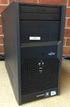 Datasheet Fujitsu ESPRIMO P2560 Desktop PC Your immediately available Office PC ESPRIMO P2560 The ESPRIMO P2560 is designed for price-conscious customers and is equipped with state-of-the-art standard
Product Specification. Barebone SP35P2. Unleash the power. Feature Highlight. www.shuttle.com
 Unleash the power The Shuttle XPC Barebone SPP is designed for users who have exceptional demands in terms of system performance, hardware and future compatibility. As a result, it features an especially
Data Sheet Fujitsu ESPRIMO P2760 Desktop PC
 Data Sheet Fujitsu ESPRIMO P2760 Desktop PC Your immediately available Office PC The ESPRIMO P2760 is designed for price-conscious customers and is equipped with state-of-the-art Intel technology including
QuickSpecs. HP 200 G1 Microtower Business PC. HP 200 G1 Microtower Business PC. Overview
 Overview Front 1. Power Button 2. Power Indicator Light 3. Hard Disk Drive Indicator Light 4. Optical Disk Drive Ejection Button 5. Media Card Reader Indicator Light 6. 7-in-1 Media Card Reader (optional)
Practice Test for the 220-801 Domain 1 - PC Hardware (Brought to you by RMRoberts.com)
 Practice Test for the 220-801 Domain 1 - PC Hardware (Brought to you by RMRoberts.com) This is a practice test designed to determine if you are ready to take the CompTIA 220-801 certification test. Only
Home Theater PC Chassis
 Home Theater PC Chassis Model: HTPC 180 BA & SA Color: Black & Silver Quick Installation Guide (U.S. & Canada Only) Version 1.0 DISCLAIMER No warranty or representation, either expressed or implied, is
TECHNICAL MANUAL Of Intel Cedar Trail-D & NM10 Chipset Based Mini-ITX M/B for ATOM Processor
 TECHNICAL MANUAL Of Intel Cedar Trail-D & NM10 Chipset Based Mini-ITX M/B for ATOM Processor NO. G03-NC9N-F Revision: 1.0 Release date: September 14, 2012 Trademark: * Specifications and Information contained
The Motherboard Chapter #5
 The Motherboard Chapter #5 Amy Hissom Key Terms Advanced Transfer Cache (ATC) A type of L2 cache contained within the Pentium processor housing that is embedded on the same core processor die as the CPU
Data Sheet. CELSIUS W370 E80+ Your gateway to workstation power
 Data Sheet CELSIUS W370 E80+ Your gateway to workstation power Issue: August 2009 CELSIUS W370 E80+ The CELSIUS W series is the versatile all-round workstation for price-conscious users. Offering entry
SAPPHIRE TOXIC R9 270X 2GB GDDR5 WITH BOOST
 SAPPHIRE TOXIC R9 270X 2GB GDDR5 WITH BOOST Specification Display Support Output GPU Video Memory Dimension Software Accessory supports up to 4 display monitor(s) without DisplayPort 4 x Maximum Display
SABERTOOTH Z97 MARK 1
 SABERTOOTH Z97 MARK 1 Intel Socket 1150 for the 5 th /New 4 th /4 th Generation Core i7/core i5/core i3/pentium /Celeron Processors Supports Intel 22 nm CPU Supports Intel Turbo Boost Technology 2.0 *
Data Sheet. CELSIUS W370 E80+ Your gateway to workstation power
 Data Sheet CELSIUS W370 E80+ Your gateway to workstation power Issue: November 2009 CELSIUS W370 E80+ The CELSIUS W series is the versatile all-round workstation for price-conscious users. Offering entry
Chapter 1. Getting Started Getting Started
 Getting Started Chapter. Getting Started Getting Started Thank you for purchasing the MS-700 v.x Micro ATX mainboard. The MS-700 is based on VIA K8T800 North Bridge & VT837 South Bridge and provides eight
Genesi Pegasos II Setup
 Freescale Semiconductor Application Note AN2666 Rev. 0, 07/2004 Genesi Pegasos II Setup by Maurie Ommerman CPD Applications Freescale Semiconductor, Inc. Austin, TX This application note is the first in
Product Specifications. Barebone SN78SH7. Mini-PC-Barebone supports AMD Athlon II / Phenom II CPUs and HDMI. Feature Highlight. www.shuttle.
 Mini-PC-Barebone supports AMD Athlon II / Phenom II CPUs and HDMI The H7-case of the XPC Barebone SN78SH7 combines the best features of many successful Shuttle Mini-PCs - including silent heatpipe cooling,
Product Specification. XPC Barebone SG41J4 Black. Economic entry-level Mini-Barebone. Feature Highlights. www.shuttle.com
 Economic entry-level Mini-Barebone The XPC Barebone SG41J4 is a newest model of the SG41 series. The new J4 front panel comes with a removable acrylic plate which allows to create individual front designs.
Datasheet ESPRIMO P3520 E85+ Your flexible economy PC ESPRIMO P3520 E85+
 Pages: Datasheet ESPRIMO P3520 E85+ Your flexible economy PC Issue: December 2009 ESPRIMO P3520 E85+ The ESPRIMO P3520 is the right choice for major customers requiring the latest standard features. This
Ultra Thin Client TC-401 TC-402. Users s Guide
 Ultra Thin Client TC-401 TC-402 Users s Guide CONTENT 1. OVERVIEW... 3 1.1 HARDWARE SPECIFICATION... 3 1.2 SOFTWARE OVERVIEW... 4 1.3 HARDWARE OVERVIEW...5 1.4 NETWORK CONNECTION... 7 2. INSTALLING THE
ALiveNF5-eSATA2+ User Manual. Version 1.0 Published January 2007 Copyright 2007 ASRock INC. All rights reserved.
 ALiveNF5-eSATA2+ User Manual Version 1.0 Published January 2007 Copyright 2007 ASRock INC. All rights reserved. 1 Copyright Notice: No part of this manual may be reproduced, transcribed, transmitted, or
GA-EG41MF-US2H. Introduction. Ultra Durable 3 -- Classic. Intel G41 + ICH7 Chipset
 GA-EG41MF-US2H Intel G41 + ICH7 Chipset Enlarge View Enlarge View 1. Ultra Durable 3 Classic Technology with copper cooled quality for lower working temperature 2. Revolution energy saving design with
K7S8XE. User Manual. Version 1.0 Published April 2003 Copyright 2003 ASRock INC. All rights reserved.
 K7S8XE User Manual Version 1.0 Published April 2003 Copyright 2003 ASRock INC. All rights reserved. 1 Copyright Notice: No part of this manual may be reproduced, transcribed, transmitted, or translated
890GM Pro3 - Support Turbo UCC, USB 3.0, SATA3, esata3
 890GM Pro3 - Support Turbo UCC, USB 3.0, SATA3, esata3 Translate Phenom II X6 6-Core CPU Ready Supports UCC feature (Unlock CPU Core) ASRock DuraCap (2.5 x longer life time), 100% Japan-made highquality
Chapter 1. Getting Started Getting Started
 Getting Started Chapter 1. Getting Started Getting Started Thank you for purchasing the MS-6747 v1.x M-ATX mainboard. The MS-6747 is based on Intel 865PE & Intel ICH5/ICH5R chipsets for optimal system
Chapter 1. Getting Started Getting Started
 Getting Started Chapter 1. Getting Started Getting Started Thank you for purchasing the MS-6785 v1.x Micro ATX mainboard. The MS-6785 is based on SiS 648FX & SiS 963 chipsets for optimal system efficiency.
Electronic Emission Notices
 1 Electronic Emission Notices Federal Communications Commission (FCC) Statement This equipment has been tested and found to comply with the limits for a Class B digital device, pursuant to Part 15 of FCC
EUCIP IT Administrator - Module 1 PC Hardware Syllabus Version 3.0
 EUCIP IT Administrator - Module 1 PC Hardware Syllabus Version 3.0 Copyright 2011 ECDL Foundation All rights reserved. No part of this publication may be reproduced in any form except as permitted by ECDL
ACER INC. VERITON M200 QUICK SPEC
 ACER INC. VERITON M200 QUICK SPEC Designed to meet the demanding needs of your business Veriton M200-H61 offers uncompromising value for money while focused on providing the maximum expandability that
CPU. Motherboard RAM. Power Supply. Storage. Optical Drives
 CPU Motherboard RAM Power Supply Storage Optical Drives GPU 2 The CPU is the brain of a computer CPU receives instructions from software programs stored in memory Instructions are read and the tasks performed
Artikel-Detailinformationen
 Artikel-Detailinformationen Hersteller Art-Nr Hewlett-Packard 0110675M Bezeichnung 1 Compaq 6200 Pro SFF i3-2100 Bezeichnung 2 1x2GB, 250GB, Win 7 Pro 64, DFEI Bezeichnung 3 DVD+/-RW, Intel HD Graphics
Red: MODEM-CN Connector Green: AUX-IN Connector Black: CD-IN Connector
 PS/2 Mouse RJ-45 LAN Connector Connector (Optional) SPP/EPP/ECP Parallel Port MIDI/Game Port PS/2 Keyboard Connector USB Port COM 1 Port COM 2 Port Red: MODEM-CN Connector Green: AUX-IN Connector Black:
QuickSpecs. HP 285 Pro G1 Microtower Business PC. Overview
 Overview Front 1. Half-height Bay - supporting an optical disk drive (optional) 2. Power Button 3. PC Status LED 4. (2) USB 2.0 Ports 5. 3.5 mm Microphone Jack 6. 3.5 mm Headphone Output 7. 6-in-1 Media
ZOTAC ZBOX User s Manual
 ZOTAC ZBOX User s Manual No part of this manual, including the products and software described in it, may be reproduced, transmitted, transcribed, stored in a retrieval system, or translated into any language
Intel RAID Controller Troubleshooting Guide
 Intel RAID Controller Troubleshooting Guide A Guide for Technically Qualified Assemblers of Intel Identified Subassemblies/Products Intel order number C18781-001 September 2, 2002 Revision History Troubleshooting
MB ASUS P5G41T-M LX2/GB/LPT Codice Produttore: BRV_33.2118
 MB ASUS P5G41T-M LX2/GB/LPT Codice Produttore: BRV_33.2118 MB ASUS P5G41T-M LX2/GB/LPT LGA775 G41 FSB1333 2D3DC-1066 VGA1024+PCIE16X 2PCI 4SATA2 8USB GLAN MATX BULK 90-MIBBCA-G0ECY0KZ Codice articolo del
System Configuration and Order-information Guide ECONEL 100 S2. March 2009
 System Configuration and Orderinformation Guide ECONEL 100 S2 March 2009 Front View DVDROM Drive 5 inch Bay Floppy Disk Drive Back View Mouse Keyboard Serial Port Display 10/100/1000BASET Connector Inside
USA Notice. Any changes or modifications not expressly approved by the grantee of this device could void the user s authority to operate the device.
 Safety and Regulatory Information USA Notice FCC Part 15:This equipment has been tested and found to comply with the limits for a class B digital device, pursuant to Part 15 of the FCC Rules. These limits
M266A. User Manual. Version 3.0 Published July 2003 Copyright 2003 ASRock INC. All rights reserved.
 M266A User Manual Version 3.0 Published July 2003 Copyright 2003 ASRock INC. All rights reserved. 1 Copyright Notice: No part of this manual may be reproduced, transcribed, transmitted, or translated in
Communicating with devices
 Introduction to I/O Where does the data for our CPU and memory come from or go to? Computers communicate with the outside world via I/O devices. Input devices supply computers with data to operate on.
DigiPoS Store Solutions: Retail Blade
 DigiPoS Store Solutions: Retail Blade Retail Blade: The facts The DigiPoS Store Solutions Group is a global business operating exclusively in the field of Retail Technology, Software and Support Services.
Quick Installation. A Series of Intelligent Bar Code Reader with NeuroFuzzy Decoding. Quick Installation
 Quick Installation A Series of Intelligent Bar Code Reader with NeuroFuzzy Decoding This chapter intends to get your new FuzzyScan scanner working with your existing system within minutes. General instructions
TECHNICAL MANUAL Of Intel Cedar Trail-D & NM10 Chipset Based Mini-ITX M/B for ATOM Processor
 TECHNICAL MANUAL Of Intel Cedar Trail-D & NM0 Chipset Based Mini-ITX M/B for ATOM Processor NO. G03-NF9B-F Revision:.0 Release date: April 24, 202 Trademark: * Specifications and Information contained
PN-TPCi7W7 User Guide. Version 1
 PN-TPCi7W7 User Guide Version 1 Getting Started Getting Started Introduction to PN-TPCi7W7 The PN-TPCi7W7 is a full-featured High Definition PC based upon Intel H67 architecture, and powered by an Intel
Easily Upgrade to the Quad Core CPU without Additional Mechanism Rebuilding Costs
 Easily Upgrade to the Quad Core CPU without Additional Mechanism Rebuilding Costs Touch Enabled Second Display PCI/PCIe Expansion Capability Specifications Datasheet Large Image Packing List Order Information
TS500-E5. Configuration Guide
 TS500-E5 Configuration Guide E4631 Second Edition V2 March 2009 Copyright 2009 ASUSTeK COMPUTER INC. All Rights Reserved. No part of this manual, including the products and software described in it, may
Servers, Clients. Displaying max. 60 cameras at the same time Recording max. 80 cameras Server-side VCA Desktop or rackmount form factor
 Servers, Clients Displaying max. 60 cameras at the same time Recording max. 80 cameras Desktop or rackmount form factor IVR-40/40-DSKT Intellio standard server PC 60 60 Recording 60 cameras Video gateway
Computer Hardware HARDWARE. Computer Hardware. Mainboard (Motherboard) Instructor Özgür ZEYDAN
 Computer Hardware HARDWARE Hardware: the collection of physical elements that comprise a computer system. Bülent Ecevit University Department of Environmental Engineering 1. Case and inside 2. Peripherals
ThinkCentre M82 Small and Tower
 ThinkCentre M82 Small and Tower Lenovo ThinkCentre M82 Small and Tower Lenovo ThinkCentre M82 Tower with Lenovo ThinkVision Monitor Lenovo ThinkCentre M82 Small Lenovo ThinkCentre M82 Small with Lenovo
Data Sheet ESPRIMO P3510. Your flexible economic PC ESPRIMO P3510
 Pages: Data Sheet Your flexible economic PC Issue: September 2009 The is the right choice for major customers requiring the latest standard features. This Microtower PC is the ultimate balance between