
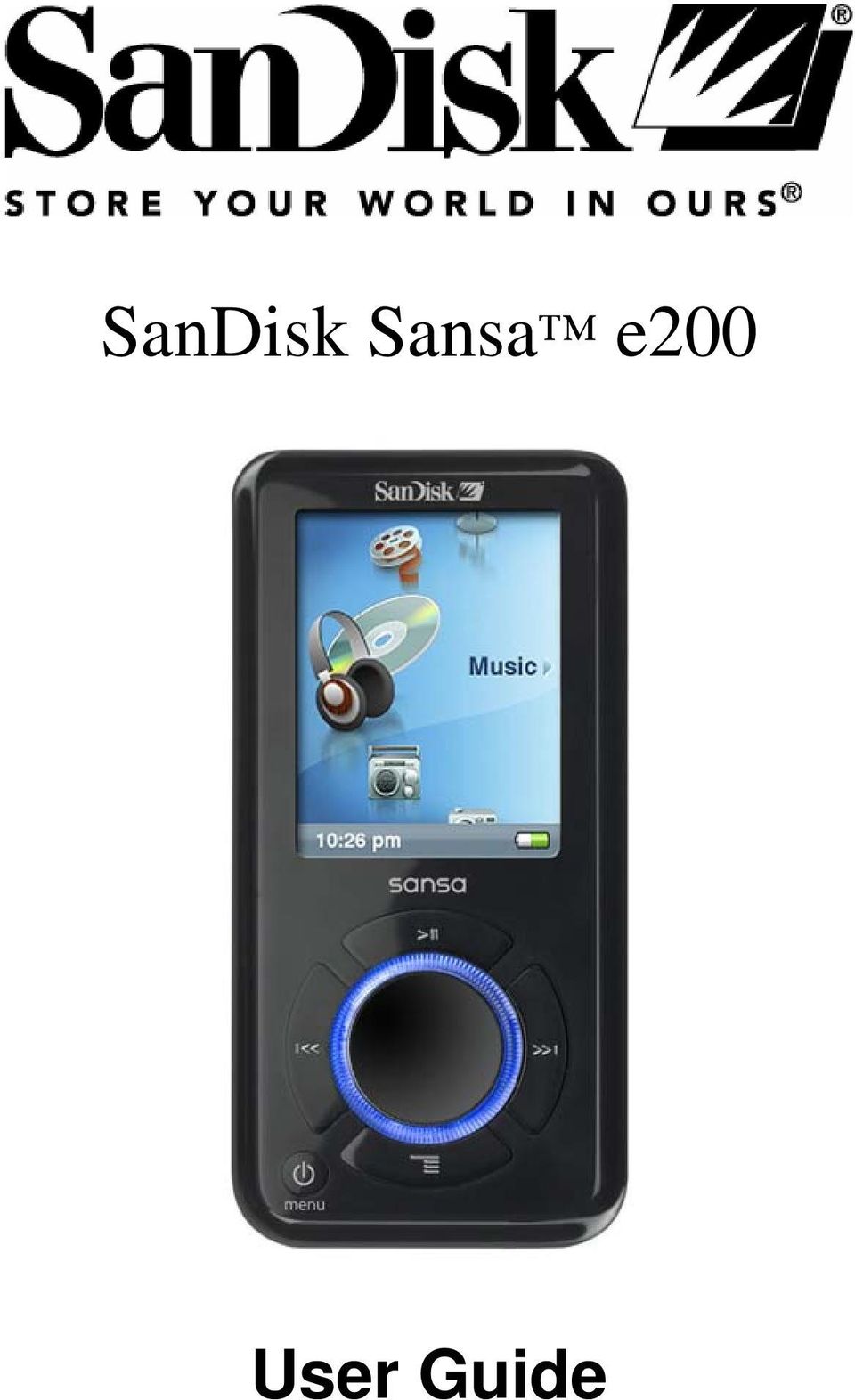
SanDisk Sansa e200. User Guide
|
|
|
- Kristian Fletcher
- 9 years ago
- Views:
Transcription
1 SanDisk Sansa e200 User Guide
2 Table of Contents Safety Instructions...4 Introduction...5 Package Contents...6 Getting Started...7 Overview Of Features...7 Music Screen Features...8 Playback Screen Features...9 Li-ion Battery Charge...9 Battery Level Indicator...10 Battery Replacement...10 Battery Warning...10 Do not disassemble, crush, short-circuit or incinerate as it may cause fire, injury, burns or other hazards...10 Hold Switch Minimum System Requirements Connecting and Transferring Connect to your computer Sansa Media Converter...12 Supported IMPORT media types...13 Transfer Photos and Video...13 Transfer Music...14 Delete Files...14 Synchronize Files...14 Various software packages are available to synchronize songs on your device. Please refer to the specific software package instructions...14 Safely Removing Sansa e200 from you Computer...14 Basic Usage...15 Power On...15 Using Thumbwheel...15 Main Menu...16 Using Navigation Buttons...16 Using Submenu Button...16 Power Off...17 Music Mode...18 Music/Voice/FM Playback

3 Setting Repeat Mode...18 Setting Shuffle Mode...19 Setting Music EQ...19 Add songs to Playlist...20 Remove Songs from Playlist...20 Scan Through Song...21 Rate This Song...22 Photo Mode...22 Viewing Photos...22 Slideshow...23 Slideshow Options...24 Video Mode...25 Playing Video...25 FM Radio Mode...25 FM Radio...25 FM Preset...26 Recording Mode...27 Voice Recording...27 FM Radio Broadcast Recording...28 Settings Mode...29 Set Backlight...29 Set Language...30 Set Date and Time...30 Set Brightness...31 Reset to Original Setting...31 Device Information...31 Set Auto Shut-Off...32 Set USB Mode...32 Reset the Device...32 Tips, FAQ, and Troubleshooting...33 Service and Warranty Information...35 Getting Technical Support...35 Learn More...35 Your 1-Year SanDisk Limited Warranty...36 End User License Agreement

4 Safety Instructions 1. Read the safety instructions carefully before using your Sansa. 2. Read this entire manual to ensure proper usage. 3. Keep this User Guide for future reference. 4. Do not use HeadPhones/Earphones while driving, cycling, or operating any motorized vehicle. This may create a traffic hazard and may be illegal in some areas. It can also be dangerous to play your music with Headphones/Earphones at high volume while walking, or engaged in other activities. You should exercise extreme caution and discontinue use in potentially hazardous situations. 5. Avoid using Headphones/Earphones at high volume. Hearing experts advise against continuous loud and extended music play. Keep the volume at a moderate level, so that you are better able to hear outside sound, and to be considerate of the people around you. 6. Keep your player away from sinks, drinks, bathtubs, showers, rain, and other sources of moisture. Moisture can cause electric shocks with any electronic device. 7. Follow these tips to keep your player working well for a long time: Clean your player with a soft lint-free cloth used on glass lenses. Do not allow young children to use your player unsupervised. Never force any connector into the ports of your player or your computer. Make sure your connectors are the identical shape and size before you connect. 4

5 Introduction Congratulations on your purchase of a SanDisk Sansa e200. The Sansa e200 is a high performance portable digital audio/video player with a build-in FM radio and a voice recorder. The Sansa e200 enables users to play MP3, WMA, and secure WMA audio files. It also plays video and shows photo files that are transferred to the player through the Sansa Media Converter. You can listen to FM radio broadcast, record voice and record FM radio broadcast. The Sansa e200 provides superior sound playback and supports Microsoft PlaysForSure subscription music. The SanDisk Media Converter supports most image formats allowing you to enjoy photos and personal videos. The Sansa e200 is available in the following capacity points: 2GB (e250), 4GB (e260), 6GB (e270) 2GB 4GB 6GB Hours of Music Content MP3 Number of Songs Note: Approximation based on 4 minute songs at 128 kbps MP3 (3,932,160 bytes/song) 1 megabyte (MB) = 1 million bytes; 1 gigabyte (GB) = 1 billion bytes. Some of the listed capacity is used for formatting and other functions, and thus is not available for data storage. 5

6 Features: Digital Audio Player supports MP3, WMA, and secure WMA, audio files. Other file types need to be converted to these formats. Video Player supports video files transcoded and transferred to the device through the included Media Converter software. Photo Browser supports photo files transcoded and transferred to the device through the included Media Converter software. FM Radio includes an integrated FM radio for listening to live-broadcast FM radio stations. Voice Recorder supports voice recording function with built-in microphone. FM Radio Program Recording provides synchronous recording function for FM recorded files. EQ effect you are able to select an EQ mode to personalize your music experience. micro SD Slot supports read or write from external micro SD cards. Internal Memory allows users to store data on the internal memory Package Contents Please unpack your Sansa e200 and check that the following were included. Earphones USB 2.0 Travel Cable Driver Disk (User s Manual included) Quick Start Guide Travel Pouch Lanyard 6

7 Getting Started Overview Of Features 1. Record Voice Record Button. 2. Strap Eyelet Lanyard connection. 3. MIC Internal Microphone. 4. Hold Slide to lock (shows Orange Color) or unlock controls. 5. Earphone Port Connect earphones here to listen to player. 6. Display Window Read status and information here. 7. Thumbwheel Rotate to select menu items or adjust volume. 8. Select Button Press to select the item. 7

8 9. Up/Pause/Resume Press to move up one item, pause, or resume. 10. Left/Previous/Rewind Press for previous track, rewind, or move left. 11. Down/Submenu Press to move down or to options menu. 12. Right/Forward Press for next track, fast forward, or move right. 13. Power/Menu/Reset Press to power on/off, enter menu, or hold 8 seconds to reset. 14. Dock Connector Port Plug the Dock Connector Cable here. 15. micro SD Card Slot Insert micro SD, SanDisk TrustedFlash and gruvi content cards for additional memory capacity. Music Screen Features 1. Menu Title Displays the title of the current menu. 2. Items Displays items for selection. 3. Time Indicates the current time. 4. Battery Indicates the Battery Charge Status. 8

9 Playback Screen Features 1. Track Number Display the current track number and the total number of sound tracks. 2. Artist Name Displays the current playback track artist name. 3. Song Name Displays the current playback track song name. 4. Track Timer Displays the timer of the current playback track. 5. Clock Displays current time. 6. Repeat Indicates when Repeat function is enabled. 7. Album Name Displays the album name of the current playback file. 8. Play/Pause/Stop Displays the music or voice files playback status. 9. Track Length Displays the length of current playback file. 10. Battery Indicates the Battery Status. Li-ion Battery Charge The Sansa e200 comes with a replaceable Li-ion rechargeable battery. To use the device for the very first time, remember to fully charge the Li-ion battery. Follow the instructions below: 1. Connect the small connector of the USB Cable to the USB port on the computer, and then plug the larger end in to the Sansa e200 Dock Connector. The computer must be on for most USB ports to charge your 9

10 battery. 2. To stop recharging, disconnect the cable. The Li-ion rechargeable battery will reach about 70% charge in 2.5 hours and full charge in about 3.5 hours. It is recommended that you fully charge your Sansa e200 before first use. Note: Some low-power USB ports may not be able to provide enough charge power. Also note that rechargeable batteries may eventually need to be replaced as they have limited charge cycles (which vary with use and settings). Battery Level Indicator Battery is Half Full Battery is Low Battery Replacement The Li-ion rechargeable battery is replaceable. To purchase a replacement battery see your local retailer or visit SanDisk.com. Follow the instructions provided with the replacement battery. Battery Warning Do not disassemble, crush, short-circuit or incinerate as it may cause fire, injury, burns or other hazards 10

11 CAUTION: Do not disassemble, crush, short-circuit or incinerate your battery as it may cause fire, injury, burns or other hazards. Hold Switch The Sansa e200 Hold Switch is located on the top of the device, and is used to prevent any accidental operation. Once the Hold Switch is moved to the lock position, all function keys will be disabled. Buttons on the Sansa e200 will not operate when the Hold Switch is active (Orange Color visible). Minimum System Requirements Windows XP SP1 Windows Media Player 10 Intel Pentium class PC or higher CD-ROM drive USB 2.0 port required for hi-speed transfer Connecting and Transferring Connect to your computer 11

12 1. Connect the small USB Cable end to the computer USB port and plug the larger Cable Dock Connector to your Sansa e200 port. 2. The Sansa e200 will show connected and your computer will show the device as an additional drive called Sansa e200 Sansa Media Converter You will need to use Sansa Media Converter to transfer photos and video to your Sansa e200. Insert your SanDisk CD and select Sansa Media Converter to install it to your PC. Then you can load your personal photos and video onto your Sansa e200 by using Sansa Media Converter. 12

13 Supported IMPORT media types Still Image Files: JPEG, TIFF, PNG, BMP, GIF. Video Files: AVI, MPEG-1 & MPEG-2 in MPEG, MPG, MPE or VOB(unprotected) formats. MPEG-4 in AVI format, DAT, ASF, QuickTime MOV, and WMV. Please Note: QuickTime 6.5 or higher and Windows Media Player 9 or 10.0 are required for QuickTime MOV file. Error message will appear if not installed. Transfer Photos and Video To transfer photos and video to your Sansa e Open Sansa Media Converter on your PC 2. Connect Sansa e200 to the computer. The detected Sansa e200 will list the available space and total space on the device. If more than one device is inserted, only the first device will be supported. 3. Add the media files to be converted 4. Press to start the conversion process and transcode all of the files in the selected media window and output them using the parameter setting for each media type. A convert status box will appear showing which file(s) are being converted. 13

14 Transfer Music To transfer music to your Sansa e Connect Sansa e200 to the computer. 2. Drag and drop files from your computer to Sansa e200 by using a variety of music software programs to transfer/synchronize your files. 3. In MTP mode as long as the files are WMA or MP3, they can be dragged into the Media folder. Otherwise, they can be dragged into the Data folder (these files will not appear on the player). 4. In MSC mode, files/folders can be dragged/copied to the device. Delete Files When your player is connected to your computer, use your operating system file browser to view all files on your player and to delete files. Synchronize Files Various software packages are available to synchronize songs on your device. Please refer to the specific software package instructions. Safely Removing Sansa e200 from you Computer After managing the files or updating firmware, follow these steps to safety remove the Sansa e200: 1. On the task bar, click on the MTP Media Player icon in MTP mode or the Safely Remove Hardware icon in MSC mode. 2. Wait until "Safe to Remove Hardware" message is displayed. 3. You can now disconnect the player from the computer. 14

15 Basic Usage Power On Press the Power button once. The Thumbwheel will light up and the main menu will appear. Using Thumbwheel Turn the wheel clockwise to scroll down though menu items rapidly or increase the volume during playback. Note: when you use the wheel the blue LED under the wheel should lighten automatically. 15

16 Turn the wheel counterclockwise to scroll up though menu items rapidly or decrease the volume during playback. Main Menu Music FM Radio Photo Settings Voice Video Using Navigation Buttons Use Navigation Buttons, described in Getting Started, to navigate though menus, play music, play video, browse photos and arrange files. Using Submenu Button When submenu is available, the submenu icon will display on the left bottom of the Sansa e200 screen. Press the Submenu to enter submenu. 16

17 Power Off Press the Power button and hold for two seconds or until Goodbye is displayed. 17

18 Music Mode Music/Voice/FM Playback 1. To play music stored in the internal memory or SD card, recorded FM or Voice recording, select Music in Main Menu. 2. Select Artists, Albums, Songs, Genres, Playlists, Recordings(FM/Voice), My Top Rated, and Music Options. 3. Highlight and Select the desired track or file to play. You can browse other areas of your player (music lists, settings, and photos), while your music is playing. Setting Repeat Mode 18

19 1. In playback mode, press submenu. 2. Highlight and Select Repeat. 3. Select one of the following: Off: No repeat of tracks Song: Repeat the current track All: Repeat all selected tracks Press submenu again to exit Music Options. Setting Shuffle Mode 1. In playback mode, press submenu. 2. Select the Shuffle item. To play songs in random order, set Shuffle to On. 3. Press Left arrow for previous screen. Setting Music EQ Sansa e200 provides various EQ modes, such as Classical, Pop, and Rock. 1. In playback mode, press submenu. 2. Scroll and Select the Music EQ item. 19

20 3. Scroll and Select a Music EQ mode. 4. Press the Left Arrow to return to Music Menu. Add songs to Playlist 1. Play a song. 2. In playback mode, press submenu. 3. Select the Add to Go List. Remove Songs from Playlist 20

21 1. Select Playlist and play a song. 2. In playback mode, press submenu. 3. Select the Remove Song from Go List. Scan Through Song 1. In playback mode, enter submenu. 2. Select the Scan Through Song item. 3. Use the Thumbwheel to scan the song seconds of inactivity exists Scan mode. 5. Press the Left Arrow for previous menu. 21
22 Rate This Song 1. In playback mode, press submenu. 2. Select the Rate This Song item. 3. Use Thumbwheel to rate the song (1 to 5 stars) and press left arrow button to exit back to Music Options menu. My Top Rated Songs can be viewed in MUSIC menu. Photo Mode Viewing Photos 22
23 1. To view photos stored on the internal memory or micro SD card, select Photo in the main menu. 2. Select PhotoList or Thumbnails. 3. If you selected Thumbnails you will see the browser screen. Scroll through the photos and select the one of interest. 4. Use the right/left buttons to advance or backup to another photo. Slideshow To play slideshow, Press Select button while viewing photos. You can set how long each image is displayed in Setting Slide Interval. 23
24 Slideshow Options 1. Select Slideshow Options in PHOTO menu. 2. Personalize your Slideshow Options. Select the Shuffle: On for random order. Select Loop: On to set nonstop slideshow. Select the Slide time each photo view time. Select the Music for background music and select CurrentSong or Golist in the Music submenu. 3. Press Left Arrow to move to Photo menu. 4. Select ViewPhotoList 5. Select the Photo folder you desire. 6. Select the first picture of your slideshow. 7. Press Select to start and pause the show. 8. Use Thumbwheel to control volume. 9. Press submenu to go back to ViewPhotoList. 24
25 Video Mode Playing Video 1. To play video stored on the internal memory or SD card, select Video in Main Menu. 2. Select a Video to play. 3. Press Select to pause or resume the video. 4. Press and hold Right Arrow and Left Arrow buttons to advance and rewind the video. 5. Press submenu to move to Video list FM Radio Mode FM Radio 1. To listen to the radio broadcast, select FM Radio in Main Menu. Note: To set your FM Radio Region: USA, Japan, or World select Radio Options under Settings main menu. 25
26 2. When the radio frequency appears on the screen, press the Left or Right arrow to adjust and search for the desired frequency, or select preset by pressing Select. For fast search hold down the Left or Right arrow. You can browse other areas of the player, like Settings and Photos, while listening to the Radio. FM Preset When Radio Mode is selected for the very first time, Sansa e200 will run an auto station searching and store the searched stations as the preset favorite stations. To set Radio options, press submenu in Radio mode. Select Add Preset to save current frequency into presets. Select Delete Preset to remove current frequency from presets. Select Delete All Preset to clear all presets, and next time when you enter Radio Mode, Sansa e200 will search automatically. Select View All Presets to view all preset frequencies. 26
27 Recording Mode Voice Recording Use your Sansa e200 for Microphone Recording. You can record your own voice, an interview, or a speech via internal microphone. 1. Press the Record button to start recording. 2. To pause recording, select Pause in Record mode. 3. On the Display, a recording file should be generated and placed under the folder of [ /RECORD/VOICE/ ]. 4. To stop recording, select Stop in record mode, and then a pop-up window will appear on the screen. Select Yes to save recording. The recording will be saved in the RECORD folder. The file list will appear. 5. Press Left arrow to go to Record, Listen, or Delete Recording Menu. 27
28 FM Radio Broadcast Recording 1. Select a radio broadcast channel that you want to record. 2. Press the Record button to start recording. 3. To pause recording, select Pause in Record mode. 4. To set the duration of recording, select Duration and use the Thumbwheel to adjust the time. Press Select. 5. On the Display, a recording file should be generated and placed under the folder of [ /RECORD/FM/ ]. 28
29 6. To stop recording, select Stop and the Save Recording? window will appear. Select Yes to save recording. It will be saved in the RECORD folder. The file list will appear. Settings Mode You can personalize your Sansa e200 settings by selecting Settings in the main menu. 1. Scroll the Settings Menu and make a selection. Set Backlight Backlight timer program can adjust the backlight setting from the default, turn off backlight after 2 seconds idle time. Press any button to turn on the backlight. 29
30 1. Select Settings in Main Menu. 2. Select the Backlight item. 3. Select the Backlight Off setting that you want. Set Language 1. Select Settings in Main Menu. 2. Select the Language item. 3. Select a language you want to use. Set Date and Time 1. Select Settings in Main Menu. 2. Select the Time item. 3. Set the time or date. 4. Press the Left arrow for previous screen. 30
31 Set Brightness 5. Select Settings in Main Menu. 6. Select the Brightness item. 7. Use the wheel to adjust the brightness setting, and then press Select to confirm and exit. Reset to Original Setting 1. Select Settings in Main Menu. 2. Select the Reset item. 3. Select the Yes item. Device Information 1. Select Settings in Main Menu. 2. Select the Info item. 3. You can read device information on the screen. 31
32 Set Auto Shut-Off 2. Select Settings in Main Menu. 3. Select the Auto Shut-Off item. 4. Select the setting you want. Set USB Mode 1. Select the Setting item in Main Menu. 2. Select the USB Mode item. You can select Auto Detect or MSC mode. Note: MTP Media Player (MTP) mode The MTP mode supports Windows Media Player 10 only. You must use the MTP mode to synchronize music files using Windows Media Player 10. Reset the Device NOTE: THIS IS AN ADVANCED OPERATION. NORMAL USERS ARE NOT RECOMMENDED TO PERFORM THIS OPERATION! Sansa e200 provides a Reset Function. Please note that you only need to use this function if the device does not respond for several minutes. The button is like a power down button of the device. You can turn off the device by using a 32
33 reset operation, such as pressing and holding the Menu button for 15 seconds. Once you perform the reset function, the adjustments you made during last operation will be gone. Tips, FAQ, and Troubleshooting This chapter provides answers to common questions you may have. Question: How do I copy files to the Sansa MP3 Player? Answer: Copy files to the Sansa e200, in MSC mode, is just like copying files to a Hard Drive. Question: What file formats does the Sansa e200 support? Answer: The Sansa MP3 Player will support MP3, WMA, secure WMA. Any other formats need to be converted to these formats prior to transferring to your Sansa e200. Question: What is MTP? Answer: Media Transfer Protocol (MTP) is a new protocol and accompanying set of drivers developed by Microsoft to connect portable devices to a Windows XP PC and synchronize digital media content between those devices and the PC. Question: Some of my music files are on my player, but cannot be played. When I select them, another song begins to play. What is wrong? Answer: You may not have purchased the rights to play the song on an additional device. To test this, try to play a song that you have copied from an 33
34 older CD and converted to MP3 format. If you can play that song, but not the song that will not play, then you need to purchase the rights to play the song. Question: Why should I update the firmware? Answer: You should always update the player to the latest firmware to ensure that it functions correctly and has all the latest features. Question: How do I access the player microsd card from computer? Answer: There is no need to change any settings. To access the card from the computer, open up My Computer, and it should show up as Removable Disk. Question: How can I use non-supported file types with my mp3 player? Answer: First you must convert the songs to a supported format. Then you can transfer the songs to the player as normal, either by copying and pasting, or transferring. Question: In MTP mode, how do I drag files to the player? Answer: As long as the files are wma or mp3, they can be dragged into the Media folder. Otherwise, they can be dragged into the Data folder (these files will not appear on the player). An alternative is to switch the player to MSC mode, then the files can be dragged/copied to the root directory. Question: Is the player compatible with podcasts? Answer: As long as the podcasts are in mp3 format and an appropriate bit rate ( kbps), then the player should be capable of playing the files. Question: Why does my player say unknown artist/album? 34
35 Answer: Normally this is because the ID3 tags are missing information. On the computer, right-click the song and choose Properties, then the Summary tab and click Advanced. Then you can input the data such as Artist, Album, Song Title, Track Number, Genre, and Year. Service and Warranty Information This chapter provides information about how to get support for your player and the terms of your warranty. Getting Technical Support Before you contact Technical Support, we encourage you to read the Tips, FAQ, and Troubleshooting section. If you have questions about the use or features of your player, please call the SanDisk Technical Support Center at SanDisk ( ), or fill out an on-line support request at If you have questions about our partner services, please call their Technical Support Center. When you call or contact us for support, please include as much information as you can from your packaging material. This will allow us to help you more quickly. Learn More You also can visit us on the web at to learn more about your player as well as other SanDisk products. 35
36 Your 1-Year SanDisk Limited Warranty SanDisk warrants that this product will be free from material defects in design and manufacture and will substantially conform to the published specifications under normal use for one year from your date of purchase, subject to the conditions below. This warranty is provided to the original end user purchasing from SanDisk or an authorized reseller, and is not transferable. Proof of purchase may be required. SanDisk is not responsible for any failure or defect caused by any third party product or component, whether authorized or not. This warranty does not apply to any third party software provided with the product and you are responsible for all service and repair needed for such software. This warranty is void if the product is not used in accordance with the product instructions, or if it is damaged as a result of improper installation, misuse, unauthorized repair, modification or accident. To obtain warranty service contact SanDisk at SanDisk or send an to:[email protected]. You must return the product in tamper resistant packaging, freight prepaid, as instructed by SanDisk. You must obtain a tracking confirmation number, which you may be required to provide to SanDisk. SanDisk will, at its option, repair or replace the product with new or refurbished product of equal or greater capacity and functionality, or refund the purchase price. The warranty duration on replaced product will be that time period remaining on the original product. THIS CONSTITUTES SANDISK S ENTIRE LIABILITY AND YOUR EXCLUSIVE REMEDY FOR BREACH OF THIS WARRANTY. SanDisk does not warrant, and shall not be responsible for, any lost data or information contained in any product (including in any returned product), regardless of the cause of the loss. SanDisk s products are not warranted to operate without failure. SanDisk products should not be used in life support 36
37 systems or other applications where failure could threaten injury or life. This warranty gives you specific legal rights, and you may also have other rights which vary by jurisdiction. THE FOREGOING IS SANDISK S SOLE WARRANTY. SANDISK DISCLAIMS ALL OTHER EXPRESS AND IMPLIED WARRANTIES TO THE FULLEST EXTENT PERMITTED BY APPLICABLE LAW. THE IMPLIED WARRANTIES OF MERCHANTABILITY AND FITNESS FOR A PARTICULAR PURPOSE ARE LIMITED TO THE DURATION OF THE EXPRESS WARRANTY. SOME JURIDSICTIONS DO NOT ALLOW LIMITATION ON HOW LONG AN IMPLIED WARRANTY LASTS, SO THE ABOVE LIMITATION MAY NOT APPLY TO YOU. IN NO EVENT SHALL SANDISK OR ANY AFFILIATED OR SUBSIDIARY COMPANY BE LIABLE UNDER ANY CIRCUMSTANCES FOR ANY DIRECT, INDIRECT, OR CONSEQUENTIAL DAMAGES, ANY FINANCIAL LOSS OR ANY LOST DATA OR IMAGE, EVEN IF SANDISK HAS BEEN ADVISED OF THE POSSIBILITY OF SUCH DAMAGE. SOME JURISDICTIONS DO NOT ALLOW THE EXCLUSION OR LIMITATION OF INCIDENTAL OR CONSEQUENTIAL DAMAGES, SO THE ABOVE LIMITATION OR EXCLUSION MAY NOT APPLY TO YOU. IN NO EVENT WILL SANDISK S LIABILITY EXCEED THE AMOUNT PAID BY YOU FOR THE PRODUCT. SanDisk, the SanDisk logo, and Store Your World In Ours are trademarks of SanDisk Corporation, registered in the U.S. and other countries. Sansa, Trusted Flash, and gruvi are trademarks of SanDisk Corporation. SanDisk is an authorized licensee of the SD trademark. The PlaysForSure logo is a trademark or registered trademark of Microsoft Corporation in the United States and/or 37
38 other countries. Liquidmetal is a registered trademark of Liquidmetal Technologies, Inc. Other brand names mentioned herein are for identification purposes only and may be trademarks of their respective holder(s) SanDisk Corporation. All rights reserved. Made in China USER NOTICE: This product is protected by certain intellectual property rights of Microsoft Corporation. Use or distribution of such technology outside of this product is prohibited without a license from Microsoft or an authorized Microsoft subsidiary. Content providers are using the digital rights management technology for Windows Media contained in this device ( WM-DRM ) to protect the integrity of their content ( Secure Content ) so that their intellectual property, including copyright, in such content is not misappropriated. This device uses WM-DRM software to play Secure Content ( WM-DRM Software ). If the security of the WM-DRM Software in this device has been compromised, owners of Secure Content ( Secure Content Owners ) may request that Microsoft revoke the WM-DRM Software s rights to acquire new licenses to copy, display and/or play Secure Content. Revocation does not alter the WM-DRM Software s ability to play unprotected content. A list of revoked WM-DRM Software is sent to your device whenever you download a license for Secure Content from the Internet or from a PC. Microsoft, may, in conjunction with such license, also 38
39 download revocation lists onto your device on behalf of Secure Content Owners End User License Agreement SANDISK CORPORATION END USER LICENSE AGREEMENT DO NOT USE OR LOAD THIS SOFTWARE until you have carefully read the following terms and conditions. The firmware, computer programs, device drivers, data or information ( Software ) distributed or bundled with the product is provided to you under the terms and conditions of this End User License Agreement, and may be subject to additional terms and conditions in an agreement between you and SanDisk s third party licensors. By downloading, installing or using the accompanying Software, you agree to all of the terms of this End User License Agreement between SanDisk Corporation ( SanDisk, we, or us ) and each person who downloads, installs or uses the Software ( you or your ). The Software is owned by SanDisk or by others including Portal Player Inc. ( Licensors ) who permit SanDisk to distribute their Software. If you do not agree to the following terms and conditions, do not install or use the Software. The Software is protected by copyright laws and international copyright treaties, as well as other intellectual property laws and treaties. 39
40 1. Software License. Subject to the terms and conditions contained herein, SanDisk grants to you a limited, non-exclusive, non-sublicensable, transferable in accordance with these terms, royalty-free right and license under SanDisk s intellectual property rights to use the Software in executable form for SanDisk products and services solely for your personal use on a single computer (the "License"). For each Software licensee, the Software can be in use on only one computer or hardware device at any given time. The Software is in use when it is either downloaded, copied, loaded into RAM or installed into the hard disk or other permanent memory of a computer or other hardware device. SanDisk and its Licensors retain all right, title and interest in and to the Software. 2. Restrictions. SanDisk or its Licensors retain all rights in the Software not expressly licensed to you. You may not modify, create derivative works (new versions) of, adapt or translate the Software. No source code is provided under this Agreement. You may not reverse engineer, disassemble, decompile, rent, or lease the Software, or re-create or discover the source code version of the Software. The Software contains proprietary and confidential information of SanDisk or its Licensors, which you agree not to discover or reveal to others. Any and all permitted copies of the Software that you make or distribute must be unmodified, must contain all of the original Software s proprietary notices, and must include or be accompanied by this Agreement. You may not separate the Software into 40
41 component parts for sublicense, distribution or transfer to a third party. You may not embed the Software within any other software product or modify the Software in whole or in part in any manner. 3. DISCLAIMER OF WARRANTIES. TO THE MAXIMUM EXTENT PERMITTED BY APPLICABLE LAW, THE SOFTWARE IS PROVIDED AS IS AND AS AVAILABLE WITH NO WARRANTIES. NEITHER SANDISK NOR ITS LICENSORS MAKE ANY REPRESENTATION OR WARRANTY, STATUTORY OR OTHERWISE, IN LAW OR FROM THE COURSE OF DEALING OR USAGE OF TRADE, EXPRESS OR IMPLIED, INCLUDING WITHOUT LIMITATION ANY WARRANTIES OF MERCHANTABILITY, FITNESS FOR A PARTICULAR PURPOSE, NON-INTERFERENCE, OR NON-INFRINGEMENT OF ANY THIRD PARTY INTELLECTUAL PROPERTY RIGHTS, OR EQUIVALENTS UNDER THE LAWS OF ANY JURISDICTION. YOU ASSUME THE ENTIRE RISK AS TO THE QUALITY AND PERFORMANCE OF THE SOFTWARE. SHOULD THE SOFTWARE PROVE DEFECTIVE, YOU, AND NOT SANDISK, ITS LICENSORS OR RESELLERS, ASSUME THE ENTIRE COST OF NECESSARY SERVICING, REPAIR, OR CORRECTION. 4. LIMITATION OF LIABILITY. IN NO EVENT WILL SANDISK OR ITS LICENSORS, OR THEIR RESPECTIVE DIRECTORS, OFFICERS, EMPLOYEES, CONSULTANTS, 41
42 LICENSORS, LICENSEES OR AFFILIATES, BE LIABLE FOR ANY INDIRECT, INCIDENTAL, SPECIAL, CONSEQUENTIAL, OR EXEMPLARY DAMAGES, ARISING OUT OF OR IN CONNECTION WITH THE DOWNLOAD, USE OR PERFORMANCE OR NON-PERFORMANCE OF THE SOFTWARE. THE FOREGOING LIMITATIONS OF LIABILITY SHALL APPLY NOTWITHSTANDING ANY FAILURE OF ANY REMEDY PROVIDED FOR HEREUNDER IN ITS ESSENTIAL PURPOSE. IN NO EVENT WILL SANDISK S OR ITS LICENSORS TOTAL LIABILITY TO YOU EXCEED THE AMOUNT YOU PAID TO US FOR THE USE OF THE SOFTWARE. 5. The Software is provided with RESTRICTED RIGHTS. Use, duplication or disclosure by the Government is subject to restrictions as set forth in FAR and DFARS et seq. Use of the Software by the Government constitutes acknowledgement of SanDisk s proprietary rights therein. Contractor or Manufacturer is SanDisk Corporation, 140 Caspian Court, Sunnyvale, CA Termination. We may terminate this Agreement and the license if you violate this Agreement at any time. Upon termination of this Agreement, you must delete or destroy all copies of the Software. 7. High Risk Activities. The Software is not fault-tolerant and is not designed or intended for use in hazardous environments requiring fail-safe performance, or any other application in 42
43 which the failure of the Software could lead directly to death, personal injury, or severe physical or property damage (collectively, High Risk Activities ). SANDISK DISCLAIMS ANY EXPRESS OR IMPLIED WARRANTY OF FITNESS FOR HIGH RISK ACTIVITIES AND SHALL NOT BE LIABLE FOR ANY LIABILITIES OR DAMAGES ARISING FROM SUCH USE. 8. General. This Agreement contains the entire understanding between the parties with respect to your use of the Software. If any part of this Agreement is found void and unenforceable, it will not affect the validity of the balance of this Agreement, which shall remain valid and enforceable according to its terms. This Agreement is governed by and construed under the laws of the State of California and the Federal laws of the United States of America without regard to conflicts of laws provisions thereof. The U.N. Convention on Contracts for the International Sale of Goods shall not apply to this Agreement. Any action or proceeding arising from or relating to this Agreement shall be adjudicated in the state or federal courts of Santa Clara County, California, and the parties hereby agree to the exclusive jurisdiction and venue of such courts. You will not remove or export from the United States or reexport from anywhere any part of the Software or any direct product thereof to any country in violation of U.S. Export Administration Regulations, or a successor thereto, or otherwise except in compliance with and with all licenses and approvals required under applicable export laws and 43
44 regulations including, without limitation, those of the U.S. Department of Commerce. Any waivers or amendments of this Agreement shall be effective only if made in writing and signed by an authorized representative of each party. The provisions of Sections 3, 4, 5, 6, 7 and 8 shall survive the termination or expiration of this Agreement. 44
Sansa e200 MP3 Player
 Sansa e200 MP3 Player User s Manual Technical Support U.S.: 1-866-SANDISK (726-3475) Worldwide for Tech Support numbers: www.sandisk.com/techsupport For more information on this product, please visit www.sandisk.com/sansa.
2GB MP3 Player USER GUIDE
 DO NOT FORMAT UNIT under FAT. 2GB MP3 Player USER GUIDE Jazwares, Inc. 2010 CONTENTS Please read the instructions along with the MP3 Player carefully before you use it, so that you can operate it conveniently.
MP3 Player. User s Manual. Technical Support U.S.: 1-866-SANDISK (726-3475) Worldwide: www.sandisk.com/techsupport
 Sansa Fuze TM MP3 Player User s Manual Technical Support U.S.: 1-866-SANDISK (726-3475) Worldwide: www.sandisk.com/techsupport For more information on this product, please visit www.sandisk.com/sansa.
Sansa slotmusic Player
 Sansa slotmusic Player An Owner s Guide to More Play Technical Support sansa.com/support forums.sandisk.com/sansa For more information on this product, please visit www.sansa.com Part Number: SLOTMUSIC
Contents. 5. Navigating the Software Menus 25 The Basics 25 Diagrams of Top Level Sub Menus 27. 6. Tips and Troubleshooting 34
 Contents 1. Quick Start 1 Features 1 What You Need to Begin 2 Installing the Battery 2 The Basic Controls 3 Play Music 5 Listen to the FM Radio 7 Voice recording 8 Headphone/Earphone 9 2. Playing Music
Sansa c200 MP3 Player
 Sansa c200 MP3 Player User s Manual Technical Support U.S.: 1-866-SANDISK (726-3475) Worldwide Tech Support numbers: www.sandisk.com/techsupport For more information on this product, please visit www.sandisk.com/sansa.
Table of Contents. System Requirement of MP3 Player:... 4. Connection and Downloading... 7. Downloading DRM10 Files... 8.
 Table of Contents Instructions... 1 Precautions... 2 System requirements... 4 System Requirement of MP3 Player:... 4 Introduction... 5 Features... 5 Charging the Battery... 6 Connection and Downloading...
Fit Clip Plus Portable Media Player
 Fit Clip Plus Portable Media Player User Guide BL 8GB Thank you for purchasing a Fit Clip Plus Portable Media Player! To get the most out of your Fit Clip Plus, please read this entire user guide carefully.
Kanguru Micro MP3 PRO USB2.0 User s Manual
 Kanguru Micro MP3 PRO USB2.0 User s Manual MP3/WMA Player + Digital Voice Recorder FM Tuner + USB Flash Drive Copyright 2005, All Rights Reserved. This manual applies to 1.1 or later versions of the Kanguru
NOTICE SOFTWARE END USER LICENSE AGREEMENT
 NOTICE SOFTWARE END USER LICENSE AGREEMENT THIS SOFTWARE END USER LICENSE AGREEMENT ( THIS AGREEMENT ) IS A LEGAL AND BINDING AGREEMENT BETWEEN YOU (EITHER AN INDIVIDUAL OR ENTITY) AND TP VISION NETHERLANDS
CITRIX SYSTEMS, INC. SOFTWARE LICENSE AGREEMENT
 CITRIX SYSTEMS, INC. SOFTWARE LICENSE AGREEMENT PLEASE READ THIS SOFTWARE LICENSE AGREEMENT CAREFULLY BEFORE DOWNLOADING, INSTALLING OR USING CITRIX OR CITRIX-SUPPLIED SOFTWARE. BY DOWNLOADING OR INSTALLING
PLEASE READ THIS AGREEMENT CAREFULLY. BY INSTALLING, DOWNLOADING OR OTHERWISE USING THE SOFTWARE, YOU AGREE TO THE TERMS OF THIS AGREEMENT.
 Access Governance Suite 6 Lifecycle Manager 6 Compliance Manager 6 Software License Agreement PLEASE READ THIS AGREEMENT CAREFULLY. BY INSTALLING, DOWNLOADING OR OTHERWISE USING THE SOFTWARE, YOU AGREE
YAMAHA ASIO DirectKS Driver for Windows Owner's Manual
 YAMAHA ASIO DirectKS Driver for Windows Owner's Manual ATTENTION SOFTWARE LICENSE AGREEMENT PLEASE READ THIS SOFTWARE LICENSE AGREEMENT ( AGREEMENT ) CAREFULLY BEFORE USING THIS SOFTWARE. YOU ARE ONLY
1-877-768-8483 (Toll Free) Monday - Thursday: 9AM - 5PM (EST) Friday: 9AM - 3PM (EST) or via e-mail at [email protected]
 mp3 0 0 2 0 3 : 1 5 My Music POP Manufactured by Southern Telecom Inc. Brooklyn, NY 11232 Slick is a registered trademark of Southern Telecom Inc. Brooklyn, NY USA 2009 Southern Telecom Inc. All rights
LS9 Editor Installation Guide
 LS9 Editor Installation Guide ATTENTION SOFTWARE LICENCING AGREEMENT PLEASE READ THIS SOFTWARE LICENSE AGREEMENT ( AGREEMENT ) CAREFULLY BEFORE USING THIS SOFTWARE. YOU ARE ONLY PERMITTED TO USE THIS SOFTWARE
Eclipse 180 User s Manual
 Eclipse 180 User s Manual Congratulations on purchasing your Eclipse Personal Media Player! To get the most out of your purchase, please take the time to carefully read through this manual. Foreword If
V-TOUCH PRO MANUAL. 905L Series
 V-TOUCH PRO MANUAL 905L Series TABLE OF CONTENTS Table Of Contents Buttons Basic Features Caution Turning On/Off the Player Charging the Player Inserting the MicroSD Card Removing the McroSD Card Connecting
SOLARWINDS, INC. ipmonitor 8.0 MANAGER END USER LICENSE AGREEMENT REDISTRIBUTION NOT PERMITTED
 SOLARWINDS, INC ipmonitor 8.0 MANAGER END USER LICENSE AGREEMENT REDISTRIBUTION NOT PERMITTED IMPORTANT -- READ CAREFULLY BEFORE USING THIS SOFTWARE: THIS IS A LEGAL AGREEMENT BETWEEN YOU (EITHER AN INDIVIDUAL
Scanner Wedge for Windows Software User Guide
 Scanner Wedge for Windows Software User Guide Contents INSTALLING THE SCANNER WEDGE SOFTWARE 2 ACTIVATING THE SCANNER CONNECTION 3 TRACING SCANNER OUTPUT 7 FORMATTING OUTPUT 9 SELECTING START-UP OPTIONS
MP3/WMA Player + Digital Voice Recorder + USB Flash Drive
 Kanguru Micro MP3 PRO USB2.0 User s Manual MP3/WMA Player + Digital Voice Recorder + USB Flash Drive Copyright 2004, All Rights Reserved. This manual applies to 1.1 or later versions of the Kanguru Micro
MVS - Mini Video Speaker
 MVS - Mini Video Speaker Mini Clock Radio Night Vision Hidden Camera User Manual Spy Tec www.spytecinc.com GETTING STARTED Components Features Powering Up the Device Micro SD Memory Card for Data Storage
INTEL SOFTWARE LICENSE AGREEMENT (OEM / IHV / ISV Distribution & Single User)
 INTEL SOFTWARE LICENSE AGREEMENT (OEM / IHV / ISV Distribution & Single User) By clicking the Accept button, I signify that I have read and accept the terms below. IMPORTANT - READ BEFORE COPYING, INSTALLING
ELECTRONIC ARTS SOFTWARE END USER LICENSE AGREEMENT
 ELECTRONIC ARTS SOFTWARE END USER LICENSE AGREEMENT This End User License Agreement ( License ) is an agreement between you and Electronic Arts Inc., its subsidiaries and affiliates ( EA ). This License
ViviCam 25 Digital Camera User s Manual
 ViviCam 25 Digital Camera User s Manual 2010 Sakar International, Inc. All rights reserved. Windows and the Windows logo are registered trademarks of Microsoft Corporation. All other trademarks are the
ALL WEATHER, INC. SOFTWARE END USER LICENSE AGREEMENT
 ALL WEATHER, INC. SOFTWARE END USER LICENSE AGREEMENT THIS SOFTWARE END USER LICENSE AGREEMENT (THIS AGREEMENT ) IS DATED FOR REFERENCE PURPOSES ONLY AS OF MARCH 26, 2009, AND IS BY AND BETWEEN ALL WEATHER,
ebook Reader PRO Instructional Manual AEBK01F / AEBK01WF
 ebook Reader PRO Instructional Manual AEBK01F / AEBK01WF mnl M10138 / M10119 Copyright 2009 Aluratek, Inc. All Rights Reserved. aluratek.com Table of Contents Chapter 1: Introduction 1.1 Overview 1.2 Features
ImageMate USB 2.0 Reader/Writer User Guide
 English ImageMate USB 2.0 Reader/Writer User Guide The Multi-Function Hi-Speed USB 2.0 Reader/Writer for: SDDR-189 All-in-One Reader/Writer: CompactFlash, SD, SDHC, minisd, minisdhc, microsd, microsdhc,
END USER LICENSE AGREEMENT ( EULA )
 END USER LICENSE AGREEMENT ( EULA ) PLEASE READ CAREFULLY THIS EULA IS A LEGAL AGREEMENT BETWEEN YOU, EITHER AS AN INDIVIDUAL, COMPANY OR OTHER LEGAL ENTITY (IN ANY CAPACITY REFERRED TO HEREIN AS END USER,
Portable MP3 Player User's Guide
 MP3-128 LCD MP3-256 LCD MP3-512 LCD Portable MP3 Player User's Guide Safety Introduction Installing the MP3 Player Transfer data to and from the MP3 Player Listening to your WMA/MP3 music MP3 Player Controls
8 Digital Photo Frame Instructional Manual
 8 Digital Photo Frame Instructional Manual aluratek.com mnl M10126 ADMPF108F Copyright 2012 Aluratek, Inc. All Rights Reserved. Table of Contents Frame Close-up... Remote Control Close-up... Package Contents...
SUBSCRIPTION SERVICES.
 SUSE Manager Server SUSE Manager Server with Database SUSE Software License Agreement PLEASE READ THIS AGREEMENT CAREFULLY. BY PURCHASING, INSTALLING AND/OR USING THE SOFTWARE (INCLUDING ITS COMPONENTS),
If you do not wish to agree to these terms, please click DO NOT ACCEPT and obtain a refund of the purchase price as follows:
 IMPORTANT: READ THIS AGREEMENT CAREFULLY. THIS IS A LEGAL AGREEMENT BETWEEN AVG TECHNOLOGIES CY, Ltd. ( AVG TECHNOLOGIES ) AND YOU (ACTING AS AN INDIVIDUAL OR, IF APPLICABLE, ON BEHALF OF THE INDIVIDUAL
RockWare Click-Wrap Software License Agreement ( License )
 RockWare, Inc. ( RockWare ) 2221 East Street, Suite 101 Golden CO 80401 USA RockWare Click-Wrap Software License Agreement ( License ) IMPORTANT - READ ALL OF THE TERMS AND CONDITIONS IN THIS LICENSE CAREFULLY
Intel WiDi Remote 1.0 Release Notes
 Intel WiDi Remote 1.0 Release Notes DISCLAIMER Information in this document is provided in connection with Intel products. Except as expressly stated in the Intel WiDi Remote Pre-Release software license
15 Digital Photo Frame Instructional Manual
 15 Digital Photo Frame Instructional Manual aluratek.com mnl M10054 ADMPF315F Copyright 2011 Aluratek, Inc. All Rights Reserved. Table of Contents Frame Close-up... Remote Control Close-up... Package Contents...
BROCADE COMMUNICATIONS SYSTEMS, INC. END USER SOFTWARE LICENSE AGREEMENT FOR BROCADE IP ANALYTICS PACK FOR VMWARE VREALIZE OPERATIONS
 BROCADE COMMUNICATIONS SYSTEMS, INC. END USER SOFTWARE LICENSE AGREEMENT FOR BROCADE IP ANALYTICS PACK FOR VMWARE VREALIZE OPERATIONS IMPORTANT: READ THIS CAREFULLY BEFORE INSTALLING, USING OR ELECTRONICALLY
Complete PDF. User Guide
 Complete PDF Version 3.10 User Guide 06 June, 2014 Please visit www.informatik for latest version of the software Summary (please read) Informatik Complete PDF requires the Microsoft Framework 4.0 or higher.
MA715 MP3/MP4 Digital Audio/Video Player Instruction Manual
 MA715 MP3/MP4 Digital Audio/Video Player Instruction Manual 1. WELCOME Thank you for purchasing our Digital Media Player. This uniquely designed device combines an MP3 Player, Video Player and removable
user manual It is important to read this user manual prior to using your new product for the first time.
 user manual Thank you for purchasing an Acoustic Research product. We pride ourselves on the quality and reliability of all our electronic products. For service or repairing, please contact the authorized
DME-N Network Driver Installation Guide for LS9
 DME-N Network Driver Installation Guide for LS9 ATTENTION SOFTWARE LICENSE AGREEMENT PLEASE READ THIS SOFTWARE LICENSE AGREEMENT ( AGREEMENT ) CAREFULLY BEFORE USING THIS SOFTWARE. YOU ARE ONLY PERMITTED
C. System Requirements. Apple Software is supported only on Apple-branded hardware that meets specified system requirements as indicated by Apple.
 ENGLISH APPLE INC. SOFTWARE LICENSE AGREEMENT FOR APPLE STORE APPLICATION PLEASE READ THIS SOFTWARE LICENSE AGREEMENT ("LICENSE") CAREFULLY BEFORE USING THE APPLE SOFTWARE. BY USING THE APPLE SOFTWARE,
Partners in Care Welch Allyn Connex Software Development Kit License Agreement
 This Software Development Kit End User ( Agreement ) is between Welch Allyn, Inc. ( Welch Allyn ) and the Customer identified in the purchase order ( Customer or You ), and it governs the Software Development
TotalShredder USB. User s Guide
 TotalShredder USB User s Guide Copyright Notice No part of this publication may be copied, transmitted, stored in a retrieval system or translated into any language in any form or by any means without
SOFTWARE LICENSE AGREEMENT
 SOFTWARE LICENSE AGREEMENT IMPORTANT: PLEASE CAREFULLY READ THIS AGREEMENT BEFORE INSTALLINGAND USING THE SOFTWARE (AS DEFINED BELOW). BY INDICATINGELECTRONIC CONSENT AND INSTALLING THE SOFTWARE, YOU AGREE
DME-N Network Driver Installation Guide for M7CL/LS9/DSP5D
 DME-N Network Driver Installation Guide for M7CL/LS9/DSP5D ATTENTION SOFTWARE LICENSE AGREEMENT PLEASE READ THIS SOFTWARE LICENSE AGREEMENT ( AGREEMENT ) CAREFULLY BEFORE USING THIS SOFTWARE. YOU ARE ONLY
RDC-7 Windows XP Installation Guide
 RDC-7 Windows XP Installation Guide CONTENTS 1. End User License Agreement...3 2. Important notes...4 3. Customer support...4 4. Installing the USB driver...4 I. Prior to installation...4 II. Installation
Welcome to the Pocki-MP3 User Guide. Function Indicator Symbols
 Welcome to the Pocki-MP3 User Guide Congratulation on your purchase of product. Please read through these operating instruction. After you finish, please put them away in a safe place for further reference.
Reminder: Thank you for selecting our product. In order to ensure correct operation, please read this manual carefully.
 Reminder: Thank you for selecting our product. In order to ensure correct operation, please read this manual carefully. 1. Instruction (1) We try to ensure the correctness and completeness of this manual,
itunes Basics Website: http://etc.usf.edu/te/
 Website: http://etc.usf.edu/te/ itunes is the digital media management program included in ilife. With itunes you can easily import songs from your favorite CDs or purchase them from the itunes Store.
DR-1 Portable Digital Recorder OWNER'S MANUAL
 » D01019610A DR-1 Portable Digital Recorder OWNER'S MANUAL Contents 1 Introduction... 3 Main functions... 3 Supplied accessories... 3 Recycling the rechargeable battery... 3 Notes about this manual...
Pervasive Software Inc. Pervasive PSQL v11 Insurance License Agreement
 Pervasive Software Inc. Pervasive PSQL v11 Insurance License Agreement IMPORTANT: DO NOT INSTALL THE ENCLOSED OR DOWNLOADED SOFTWARE UNTIL YOU HAVE READ THIS PERVASIVE PSQL LICENSE AGREEMENT ( AGREEMENT
ZIMPERIUM, INC. END USER LICENSE TERMS
 ZIMPERIUM, INC. END USER LICENSE TERMS THIS DOCUMENT IS A LEGAL CONTRACT. PLEASE READ IT CAREFULLY. These End User License Terms ( Terms ) govern your access to and use of the zanti and zips client- side
PLEASE READ THIS AGREEMENT CAREFULLY. BY INSTALLING, DOWNLOADING OR OTHERWISE USING THE SOFTWARE, YOU AGREE TO THE TERMS OF THIS AGREEMENT.
 Novell ZENworks Mobile Management Novell ZENworks Mobile Management Enterprise App Software License Agreement PLEASE READ THIS AGREEMENT CAREFULLY. BY INSTALLING, DOWNLOADING OR OTHERWISE USING THE SOFTWARE,
ALPHA TEST LICENSE AGREEMENT
 ALPHA TEST LICENSE AGREEMENT IMPORTANT NOTICE! PLEASE READ THIS STATEMENT AND THE ALPHA TEST LICENSE AGREEMENT COMPLETELY BEFORE USING THIS ALPHA SOFTWARE. BY CLICKING ON THE BUTTON MARKED YES BELOW OR
BlackBerry Desktop Manager Version: 1.0.1. User Guide
 BlackBerry Desktop Manager Version: 1.0.1 User Guide SWD-857131-0929025909-001 Contents Basics... 2 About BlackBerry Desktop Manager... 2 System requirements: BlackBerry Desktop Manager... 2 Set up your
TOOLS for CC121 Installation Guide
 TOOLS for CC121 Installation Guide ATTENTION SOFTWARE LICENSE AGREEMENT PLEASE READ THIS SOFTWARE LICENSE AGREEMENT ( AGREEMENT ) CAREFULLY BEFORE USING THIS SOFTWARE. YOU ARE ONLY PERMITTED TO USE THIS
MP3/WMA/REC/USB. 2 Operation instructions. The box: 1. Mp3 player 1pc 2. Stereo earphone. 1pc 3. Manual.. 1pc
 MP3/WMA/REC/USB Before connecting, operating or adjusting this product please read these instructions completely. Please save this manual. The player characteristics Supports MP3 and WMA music format Supports
FIT CLIP PLUS MP3 + VIDEO PLAYER USER MANUAL
 Need Help? Visit us at: jlabaudio.com/ mp3support/ FIT CLIP PLUS MP3 + VIDEO PLAYER USER MANUAL CONTENTS WELCOME 2 CONTACT US 2 NOTES 3 SAFETY & USAGE 4 FEATURES 5 APPEARANCE 6 KEY FUNCTION 7 BASIC OPERATION
UVO SYSTEM QUICK REFERENCE GUIDE
 UVO SYSTEM QUICK REFERENCE GUIDE Congratulations on the Purchase of your new UVO system! Your new UVO system allows you to enjoy various audio and multimedia features through the main audio system. For
PointCentral Subscription Agreement v.9.2
 PointCentral Subscription Agreement v.9.2 READ THIS SUBSCRIPTION AGREEMENT ( AGREEMENT ) CAREFULLY BEFORE INSTALLING THIS SOFTWARE. THIS AGREEMENT, BETWEEN CALYX TECHNOLOGY, INC., DBA CALYX SOFTWARE (
THIS PRODUCT DOES NOT TRANSMIT ANY PERSONALLY IDENTIFIABLE INFORMATION FROM YOUR COMPUTER TO MICROSOFT COMPUTER SYSTEMS WITHOUT YOUR CONSENT.
 Microsoft Windows XP Media Center Edition 2005 SUPPLEMENTAL END-USER LICENSE AGREEMENT IMPORTANT READ CAREFULLY: This supplemental end-user license agreement ( Supplemental EULA ) is a legal agreement
Crestron VMK-WIN TouchPoint Virtual Mouse & Keyboard Software for Windows Installation Guide
 Crestron VMK-WIN TouchPoint Virtual Mouse & Keyboard Software for Windows Installation Guide This document was prepared and written by the Technical Documentation department at: Crestron Electronics, Inc.
SOFTWARE LICENSE AGREEMENT
 SOFTWARE LICENSE AGREEMENT This Software License Agreement (this Agreement ) is entered into as of the installation date of the software by and between Nanotron Technologies GmbH, a German corporation
XILINX, INC. CORE EVALUATION LICENSE AGREEMENT
 XILINX, INC. CORE EVALUATION LICENSE AGREEMENT CAREFULLY READ THIS CORE EVALUATION LICENSE AGREEMENT ( AGREEMENT ). BY CLICKING THE ACCEPT OR AGREE BUTTON, OR OTHERWISE ACCESSING, DOWNLOADING, INSTALLING
FME SOFTWARE LICENSE AGREEMENT
 FME SOFTWARE LICENSE AGREEMENT IMPORTANT READ CAREFULLY: This FME Software License Agreement ("Agreement") is a legal agreement between You (either an individual or a single legal entity) and Safe Software
1.1 Documentation means the user s manual and text file credentials provided to Customer along with the Software.
 TIVO RECORD TAG GENERATOR LICENSE Customer, as licensee, hereby accepts the terms and conditions of this TiVo Record Tag Generator License (this Agreement ), entered into as of the date Customer has signed
Instruction Manual CMP332DB CMP332DP
 Instruction Manual CMP332DB CMP332DP Table of contents Care & maintenance... 2 Disposal information... 2 Rechargeable battery disposal... 2 Accessories included...3 Overview of controls...3 Getting started...
Quick Start Guide NWZ-S515 / S516 / S615F / S616F / S618F
 System Requirements Computer: IBM PC/AT or compatible computer preinstalled with the following Windows operating systems*. Windows XP Home Edition (Service Pack 2 or later)/windows XP professional (Service
7 Mini Tablet User Guide
 7 Mini Tablet User Guide MODEL NUMBER: Powered by SYTABBL7 Wireless Mobile Internet Tablet Getting to Know Your New Tablet: Front View: Back View: Side Angle View: MENU MENU Power Key ON/OFF, Back Button
Verizon Cloud Desktop Application Help Guide Version 4.1 72
 Verizon Cloud Desktop Application Help Guide Version 4.1 72 CONTENTS I. Getting started... 4 A. Verizon Cloud... 4 B. Main navigation... 5 C. System requirements... 5 D. Installing the application... 6
Canon USA, Inc. WEBVIEW LIVESCOPE SOFTWARE DEVELOPMENT KIT DEVELOPER LICENSE AGREEMENT
 Canon USA, Inc. WEBVIEW LIVESCOPE SOFTWARE DEVELOPMENT KIT DEVELOPER LICENSE AGREEMENT This Webview Livescope Software Development Kit Developer License ("Agreement") between you, the "Developer" and the
END USER LICENSE AGREEMENT FOR SLICKEDIT(R) CORE SOFTWARE IMPORTANT
 END USER LICENSE AGREEMENT FOR SLICKEDIT(R) CORE SOFTWARE IMPORTANT THIS IS A LEGAL AGREEMENT BETWEEN YOU ("You" or "Your") AND SLICKEDIT INC. ("SlickEdit"). SLICKEDIT IS WILLING TO (1) LICENSE THE SLICKEDIT
To prevent possible hearing damage, do not listen to high volume levels for long periods.
 To prevent possible hearing damage, do not listen to high volume levels for long periods. Fully understand user manual before use. Ensure your player is at low volume levels or power off when not in use.
Windows Media Player 10 Mobile: More Music, More Choices
 Windows Media Player 10 Mobile: More Music, More Choices Windows Media Player 10 Mobile for Windows Mobile -based Smartphones and Pocket PCs is an all-in-one mobile media player that provides a rich media
Concert Hall Sound You Can Hold In Your. Hand. Users Manual 0.9
 Concert Hall Sound You Can Hold In Your Hand Users Manual 0.9 1 Greetings Thank you for purchasing Calyx M. Calyx M is a product made for people who love music and want to listen no matter when or where
SMARTDRAW SOFTWARE LICENSE AGREEMENT
 SMARTDRAW SOFTWARE LICENSE AGREEMENT PLEASE READ CAREFULLY: SMARTDRAW SOFTWARE, LLC ("SMARTDRAW") IS WILLING TO LICENSE THE SMARTDRAW SOFTWARE ONLY UPON THE CONDITION THAT YOU ACCEPT ALL OF THE TERMS CONTAINED
Wireless Keyboard & Optical Mouse. User Manual
 Wireless Keyboard & Optical Mouse User Manual Table of Contents Introduction... 1 Software Compatibility... 1 Product Features... 2 Quick Installation Setup for PS/2 Connections (PC-only)... 5 Quick Installation
Digital Photo Frame User s Manual
 Digital Photo Frame User s Manual MPN: UM00843EU001 Questions? Need Some Help? This manual should help you understand your new product. If you still have questions, call our help line found on the insert
ENGLISH USER MANUAL. Please visit www.archos.com/manuals to download the latest version of this manual.
 ENGLISH 5 7 ENGLISH USER MANUAL Version 2.0 Please visit www.archos.com/manuals to download the latest version of this manual. Dear Customer, Thank you for choosing this ARCHOS product. We hope that you
1.5 Video MP3 Player / FM Radio and micro SD Card Slot
 FM SCAN RADIO V10M10_IM_EN_12272006 1.5 Video MP3 Player / FM Radio and micro SD Card Slot Instruction Manual JX-MP222 / 224 Please read this manual carefully before operating and save it for future reference.
/ WMS / LITE INDUSTRIAL)
 Acknowledgements Trademark Information COREflex Software Microsoft, Windows, Windows NT/ 2000/ XP, and Access are registered trademarks of Microsoft Corporation. Quickbooks is a registered trademark of
Portable Bluetooth Speaker. Quick Start Guide. Model: BTS201
 Portable Bluetooth Speaker Quick Start Guide Model: BTS201 Disclaimer All the information, design and specifications contained in this manual were correct at the time of publication. However, as the product
We reserve the right to make technical changes.
 User Guide External Hard Disk with USB 1.1/2.0 and IEEE 1394 connection Copyright 2003 All rights reserved. This manual is protected by Copyright. The Copyright is owned by Medion. Trademarks: MS-DOS and
Intel Device View. User Guide
 Intel Device View User Guide Year 2000 Capable An Intel product, when used in accordance with its associated documentation, is Year 2000 Capable when, upon installation, it accurately stores, displays,
MP1401EBB MP1402ES. MP3 Player
 MP1401EBB MP1402ES MP3 Player IMPORTANT SAFETY AND OPERATING INFORMATION Please read these instructions and follow all the guidelines to safely operate your player. Keep these instructions. If you transfer
Software License Agreement
 Software License Agreement GRANT OF LICENSE This Accusoft Corporation ("ACCUSOFT") Agreement ("LICENSE") grants YOU ("LICENSEE") a non-exclusive and non-transferable right to use the trial mode version
7 Digital Photo Frame Instructional Manual
 7 Digital Photo Frame Instructional Manual aluratek.com mnl M10084 ADPF07SF Copyright 2010 Aluratek, Inc. All Rights Reserved. Table of Contents Frame Control Close-up... Package Contents... Getting Started...
User Manual. Product Model: MiTraveler 10C3. OS: Android 4.0
 User Manual Product Model: MiTraveler 10C3 OS: Android 4.0 Tablet of Contents Specifications.1 What s inside the box 2 Tablet Parts 2 Getting started...2 Connection to Internet..6 Task Bar..8 Install and
Alarm Clock USER GUIDE
 Alarm Clock USER GUIDE Jazwares, Inc. 2010 1 CONTENTS Please read the instructions along with the alarm clock carefully before you use it, so that you can operate it conveniently. WELCOME, Safety Tips
7 High-Resolution Digital Photo Frame
 TM 16-1003 User s Guide 7 High-Resolution Digital Photo Frame One demo photo included, as illustrated Please read this user s guide before using your new photo frame. Package contents Photo Frame AC Adapter
THE SOFTWARE MAY NOT BE SOLD, TRANSFERRED, OR FURTHER DISTRIBUTED EXCEPT AS AUTHORIZED BY LICENSOR.
 Novell ZENworks Suite 11 (SP4) Novell ZENworks Configuration Management 11 Novell ZENworks Asset Management 11 Novell ZENworks Full Disk Encryption 11 Novell ZENworks Patch Management 11 Novell Endpoint
SOFTWARE AS A SERVICE AGREEMENT
 SOFTWARE AS A SERVICE AGREEMENT YOU SHOULD READ CAREFULLY THE FOLLOWING TERMS AND CONDITIONS BEFORE UTILIZING THE SOFTWARE This is an agreement to remotely provide you with access to the functionality
ZENworks Patch Management. Your license to use ZENworks Patch Management is also subject to the terms and conditions in the attached Appendix.
 Novell Endpoint Lifecycle Management Suite Novell ZENworks Configuration Management Advanced Edition Novell ZENworks Configuration Management Enterprise Edition Novell ZENworks Configuration Management
Table of Contents. 16 Technical Support System Requirements. Included in the Box General Controls Playback Features Care Charging
 Instruction Manual Table of Contents 01 02 02 03 04 Included in the Box General Controls Playback Features Care Charging 05 06 07 08 09 10 10 10 Uploading Songs Supported Audio Files Manual Drag and Drop
These TERMS AND CONDICTIONS (this Agreement ) are agreed to between InfluencersAtWork,
 TERMS AND CONDITIONS INFLUENCERS AT WORK These TERMS AND CONDICTIONS (this Agreement ) are agreed to between InfluencersAtWork, Ltd. ( InfluencerAtWork ) and you, or if you represent a company or other
ENLTV-FM3. PCI TV Tuner Adapter with FM Radio. User s Guide
 ENLTV-FM3 PCI TV Tuner Adapter with FM Radio User s Guide User s Notice No part of this manual, including the products and software described in it, may be reproduced, transmitted, transcribed, stored
itunes 4.2 User Guide for Windows Apple Computer, Inc.
 itunes 4.2 User Guide for Windows Apple Computer, Inc. itunes 4.2 User Guide for Windows Apple Computer, Inc. itunes 4.2 User Guide 2000-2003 Apple Computer, Inc. All rights reserved. First printing September,