
IMPRESSA S90/S95/S9 IMPRESSA 701/601. Instructions for use. Art. Nr /04
|
|
|
- Jasper Fletcher
- 9 years ago
- Views:
Transcription
1 IMPRESSA S90/S95/S9 IMPRESSA 701/601 Instructions for use Art. Nr /04

2 Jura Impressa S90/S95/S9 701/601 English Legend: DISPLAY: serves as information. DISPLAY: please follow the instructions shown. = Note = Important = Tip Jura Elektroapparate AG, CH-4626 Niederbuchsiten, Internet

3 Fig. 1 Fig. 2 Fig. 3 Fig. 4 A Fig. 5 Fig. 6 Fig. 7 Fig. 8 Fig. 9 B Fig. 10 Fig. 11 Fig. 12 Fig. 13

4 D E C F B G A H

5 Instructions for use 1 Drip tray / residual water container 2 Drip tray cover 3 Cover for programming keys 4 Coffee key for 2 large cups 5 Coffee key for 1 large cup 6 Coffee key for 2 small cups 7 Coffee key for 1 small cup 8 Key for special coffee 9 ON/OFF switch 10 Rinsing key 11 Display dialogue system 12 Water tank with carrying handle 13 Cover for bean container and aroma protection lid 14 Cover for pre-ground coffee filler funnel 15 Height-adjustable coffee-spout 16 Cup warming tray 17 Selector key for steam 18 Selector key for steam portion 19 Selector switch for coffee or hot water (TAP) 20 Pivoting nozzle for steam 21 Professional Cappuccino Frother 22 Height-adjustable tea-spout 23 Container for coffee grounds Programming keys A Change filter B Back-setting of criteria / changing of memory indications downwards C Open program D Selector switch for pre-ground coffee E Key for cleaning program F Correction of program / close G Forward-setting of criteria / changing of memory indications upwards H Key for decalcifying program

6 Table of contents Jura Impressa 1. Description...page 7 2. Safety instructions...page Warnings...page Safety precautions...page 7 3. Check before use...page Checking mains voltage...page Checking fuse...page Adding coffee beans...page Adjusting grinder...page 8 4. Preparing machine...page Fill system with water...page Cup illumination... page 9 5. Rinsing the machine...page 9 6. Adjusting for water hardness...page 9 7. Use of Claris filter cartridges...page Placing filter...page Replacing of filter...page Drawing off coffee...page Drawing off powder coffee...page Drawing off hot water...page Drawing off steam... page Frothing up milk with the Auto-Cappuccino S90/S95/601...page Frothing up a portion of milk S90/S95/601...page Constant frothing up of milk S90/S95/ page Connecting the Professional-Cappuccino Frother to the S9, page Drawing off cappuccino and hot milk with the Professional-Cappuccino Frother...page Cleaning the Professional-Cappuccino Frother..page Switching off machine...page Programming...page Programming powder quantity...page Programming coffee temperature...page Programming water quantity...page Programming steam portion...page Programming tea portion...page Programming filter...page Programming water hardness...page Programming economy mode...page Programming timer clock...page Programming automatic switch on time...page Programming automatic switch off time...page Cup counter...page Programming language selection...page Program key N...page Care and maintenance...page Fill water...page Empty grounds container...page Empty drip tray...page Fill beans...page Removing foreign objects...page Clean machine...page Unit calcified...page Cleaning metal contacts...page General cleaning instructions...page Empty system...page Cleaning...page Decalcifying...page Disposal...page Tips for a perfect coffee...page Messages...page Problems...page Legal information...page Technical specifications...page 22 6

7 Important information for the user Thank you for choosing this Jura product. Please study these instructions carefully before using your new machine and keep them in a safe place for easy reference in the future. Should you require further information or should particular problems occur that are not dealt with in these operating instructions in sufficient detail for you, then please ask your local dealer for the information you require or contact Jura Elektroapparate AG directly. 1. Description This fully-automatic espresso/coffee machine impresses because of its user-friendly operational mode and its ingenious technology. In just one brewing-process it can prepare 1 or 2 cups of excellent, professional-quality espresso/coffee with guaranteed froth. Originating from professional sectors and having been refined and further developed by Jura, the Intelligent Pre Brew Aroma System (I.P.B.A.S ) ensures full coffee aroma. The Auto-Cappuccino, for example, automatically takes charge of frothing the milk perfectly for your cappuccino. It sucks milk from a Tetra Pak or a jug, heats and froths it up. Just choose the programmable steam quantity or the continuous steam function. Preparing a cup of tea with your machine is as simple as can be as well. The water quantity can be programmed and you can put your teacup under the coffee-spout. Now the selected water quantity flows into your cup through a separate spout. The machine works fully-automatically at the press of a key. A decoded text-display shows messages and simplifies the operation considerably. Because of the integrated rinsing, cleaning and decalcifying programs care and maintenance is quick and easy. 2. Safety instructions 2.1 Warnings Children are unaware of the dangers that electrical machines represent. Therefore children should never be left unsupervised around electrical machines. This machine should only be used by people who have read and understood the operating instructions. Never use a faulty machine or one with a damaged power cable. Never immerse the machine in water. 2.2 Safety precautions Never expose the machine to the effects of rain, snow or frost and never operate it with wet hands. Place your machine on a solid level surface. Never leave it on a surface that is warm or hot (hob etc.). Choose a location that is inaccessible for children or pets. Remove plug from power socket if an absence for a longer period of time (holidays etc.) is planned. Always remove plug from power socket before cleaning. When removing plug from power socket, never tug on the cord or on the machine itself. Never repair or open the machine yourself. All repairs should be performed by authorised service centres only using original Jura spare parts and accessories. The machine is connected to the mains power socket via an electric cable. Ensure that no-one trips over this cable and pulls down the machine. Keep children and animals at a distance to the machine. Never put the machine or even parts of it in the dishwasher. To prevent overheating place the machine in an airy place. 7 E

8 If using acidic decalcifying agents be sure to immediately remove any splashes and drops from delicate surfaces, especially natural stone and wooden surfaces, or take corresponding precautions. 3. Check before use 3.1 Checking mains voltage The machine is set for the correct voltage before leaving our factory. Ensure that your mains voltage corresponds to the details quoted on the rating plate attached to the bottom of the machine. 3.2 Checking fuse The machine is designed for a current of 10 amps. Check that an appropriate fuse is fitted. 3.3 Adding coffee beans To ensure that your machine will work perfectly for a long time and to avoid damage, please note that the grinding gear of your Jura coffee machine is not suitable for coffee beans which were treated, during or after roasting, with additives (e.g. sugar). Such coffee blends may damage the grinding gear. Any repair costs resulting from the use of such blends are not covered by warranty. Lift up cover of the bean container (13) and remove aroma protection lid. Clean out any dirt or foreign object from the bean container. Fill the grinder container (Fig. 1) with coffee beans, replace aroma protection lid and close the cover. 3.4 Adjusting grinder You can adjust the grinder to the roast of your coffee. We recommend the following: for a light roast a finer adjustment for a dark roast a coarser adjustment Open the cover of the bean container (13). To adjust grinding turn selector switch (Fig. 1) to the desired position. You have the following possibilities: the smaller the dots, the finer the grinding the bigger the dots, the coarser the grinding The grinding grade should only be adjusted while the grinder is working. 4. Preparing machine 4.1 Fill system with water Switch your machine on by pressing ON/OFF key. The machine adjusts fully-automatically to the starting position. PLEASE WAIT FILL SYSTEM / PRESS STEAM Press key. FILL WATER Remove water tank and rinse well with clear tap-water. Fill water tank and replace. Make sure that tank engages well. FILL SYSTEM / PRESS STEAM Place a container under the pivoting nozzle (20) and press key. PLEASE WAIT RINSE UNIT 8

9 Place a container under the coffee-spout (15) and press rinsing key. UNIT RINSING COFFEE READY 4.2 Cup illumination The cup illumination puts your coffee in a good light, making it a treat for the eyes. When you switch on the machine or press any key, the cup illumination is activated for 3 minutes. To switch on the cup illumination, with the machine switched off, press any key. 5. Rinsing the machine RINSE UNIT Place an empty cup under the coffee-spout (15). Press rinsing key. If the machine has been switched off and has already cooled down it will be necessary to carry out this rinsing function when the machine is switched on again. After switching off the machine, the rinsing sets off automatically. 6. Adjusting for water hardness The water is heated inside the machine. With use, this leads to calcium deposits (furring) forming on the machine. This will be automatically indicated on the display. For this reason, it is necessary to adjust the machine to the hardness of your local water before you use it for the first time. Use the enclosed test-sticks for this purpose. 1 water hardness on the German scale represents 1.79 on the French scale. The machine has got 5 hardness settings to choose from. While adjusting, the chosen grade is shown on the display. The symbols on the display mean: HARDNESS LEVEL : water hardness function is switched off HARDNESS German water hardness 1 7 LEVEL 1: French water hardness HARDNESS German water hardness 8 15 LEVEL 2: French water hardness HARDNESS German water hardness LEVEL 3: French water hardness HARDNESS German water hardness LEVEL 4: French water hardness The machine is adjusted to hardness level 3 before it leaves the factory. You can alter this setting by following the instructions below: Switch the machine on by pressing ON/OFF key. The machine adjusts fully-automatically to the starting position. PLEASE WAIT Open cover (3) and press key P, until you hear an acoustic signal. PRESS KEY / POWDER QUANTITY Press key + several times until the following message appears: HARDNESS LEVEL 3 By pressing key P you can hear an acoustic signal, the set hardness level flashes. You can alter the hardness level by pressing key - or +. After setting, press key P once again to confirm. An acoustic signal can be heard. Press key N to return to stand-by-status. E 9

10 7. Use of Claris filter cartridges Under proper implementation of Claris filter cartridges, decalcifying of the machine becomes unnecessary. For further information, please read the brochure Claris. Tough to calcium deposits, gentle to your coffee machine. 7.1 Placing filter Pull up cartridge mounting. Pressing lightly, place the filter cartridge in the water tank (Fig. 2). Pull down cartridge mounting, until it engages audibly. Fill water tank with cold, fresh tap-water and replace it. Switch the machine on by pressing key ON/OFF. Open front cover (3) and press key P until you hear an acoustic signal. PRESS KEY / POWDER QUANTITY Press key + several times until the following message appears: FILTER NO By pressing key P you can hear an acoustic signal. NO flashes You can alter the setting by pressing key - or +. YES flashes To confirm press key P. An acoustic signal can be heard. RINSE FILTER / PRESS STEAM Place a sufficiently large container (approx. 1 litre) under the pivoting nozzle (20) and press coffee key. PLEASE WAIT / FILTER RINSING. The drawing off of water will stop automatically. FILTER YES Press key N. COFFEE READY The water might be slightly discoloured (this is not damaging to the health). 7.2 Replacing of filter After drawing off 50 litres the filter loses its effect. REPLACE FILTER If only a little water is drawn off the filter should be changed every 2 months. However no message will appear on the display. You will find a special turntable on the cartridge mounting to set the replacement date. Empty water tank and pull up cartridge mounting. Pressing lightly, place the filter cartridge in the water tank (Fig. 2). Pull down cartridge mounting, until it engages audibly. Fill water tank with cold, fresh tap-water and replace it. Switch the machine on by pressing key ON/OFF. Open front cover (3) and press key, until you hear an acoustic signal. RINSE FILTER / PRESS STEAM Place a sufficiently large container (approx. 1 litre) under the pivoting nozzle (20) and press coffee key. PLEASE WAIT / FILTER RINSING COFFEE READY The water might be slightly discoloured (this is not damaging to the health). 8. Drawing off coffee Switch the machine on by pressing key ON/OFF. PLEASE WAIT RINSE UNIT Put an empty cup under the coffee-spout (15) and press rinsing key. 10

11 UNIT RINSING COFFEE READY Put 1, respectively 2 cups under the coffee-spout and press the required key. The pre-brew system (I.P.B.A.S. ) moistens the coffee powder, briefly interrupts the flow and then starts the real brewing process. You can interrupt the flow of coffee at any time by simply pressing any of the coffee keys. To obtain a perfect layer of froth adjust the coffee-spout (Fig. 3) to the size of your cups. 8.1 Drawing off powder coffee Open cover (3) Press selector key for pre-ground powder coffee. FILL POWDER Now put 1 or 2 level measuring spoons of pre-ground coffee into the pre-ground powder funnel (14). Put 1, respectively 2 cups under the coffee-spout (15) and press the required key. Never use soluble instant coffee or quick coffee. Only use coffee powder from freshly ground beans or pre-ground vacuum-packed coffee. Never fill the funnel with more than 2 portions coffee powder at a time. The powder funnel is not intended as a storage container. If selector key is pressed by mistake this can be corrected by pressing one of the coffee keys. The rinsing program is then activated. 9. Drawing off hot water Put a cup under the height-adjustable coffee spout (22) and turn selector switch for hot water (19) to the symbol. The machine will now deliver hot water. TEA PORTION The drawing off of hot water will stop automatically. CLOSE TAP Turn selector switch for hot water back to the symbol. To stop this process turn selector switch for hot water (19) back to the symbol. 10. Drawing off steam Steam can be used for heating liquids and frothing milk for cappuccino. Make sure that the steam/frothing nozzle is pushed upwards when liquids are heated. Push down the frothing aid (Fig. 4) to froth liquids. During frothing some water will escape the system before the actual steam draw-off. This does not affect the result, e.g. when frothing milk. At the start of the water draw-off there can be splashing The steam nozzle becomes hot. Avoid direct contact with the skin! Use the key to switch on the coffee machine. PLEASE WAIT RINSE UNIT Press rinsing key UNIT RINSING: COFFEE READY E 11

12 Place a cup under the steam/frothing nozzle (20) and immerse the frothing aid in the milk to be frothed or the liquid to be heated. Press steam portion draw-off key. STEAM PORTION You can stop the draw-off operation at any time by pressing the steam draw-off key. COFFEE READY 11. Frothing up milk with the Auto-Cappuccino S90/S95/601 Your machine is ready for frothing up milk as soon as both selector key warning lamps glow constantly. If the lamps do not glow, then press either steam-key Frothing up a portion of milk S90/S95/601 Pour milk into a milk container and immerse the intake-tube in the milk. Put a cup under the pivoting nozzle (20) and press key. STEAM PORTION The drawing off of steam will stop automatically COFFEE READY If the Auto-Cappuccino has not been used for a longer period of time, press selector key first, until the milk is taken in, then selector key. In this way you will obtain a regular steam portion Constant frothing up of milk S90/S95/601 Pour milk into a milk container and immerse the intake-tube in the milk. Put a cup under the pivoting nozzle (20) and press key. Your milk froths up. STEAM INTAKE When the required amount of froth has been attained push selector key anew. COFFEE READY With the flow-adjustment you can set the optimum frothing. Turn the handle slightly to the right or to the left until you obtain the required result Connecting the Professional-Cappuccino Frother to the S9, 701 (optional S90/S95/601) Disassemble the replaceable hot water nozzle or the replaceable steam/frothing nozzle. Mount the Professional-Cappuccino Frother (Fig. 11).. Press one side of the hose into the opening behind the dial (Fig. 12). The optionally (S90/S95/601) available milk container can be used for sucking in milk Drawing off cappuccino and hot milk with the Professional-Cappuccino Frother Fill the milk container with milk or immerse the hose in the milk directly. Place a cup under the Professional-Cappuccino Frother. Press the steam portion draw off key. STEAM PORTION The frothing/heating time depends on the steam portion settings you have programmed. (See Programming steam portion Chapter 13.4) 12

13 For cappuccino turn the selector switch (1) (Fig. 10) to area (2) For hot milk turn the selector switch (1) (Fig. 10) to area (3) Now place the cup with the cappuccino froth or the hot milk under the coffee spout and draw of the product of your choice Cleaning the Professional-Cappuccino Frother The Professional-Cappuccino Frother must be cleaned after each draw-off operation. Daily cleaning is recommended. Fill water in a container and immerse the hose in it. Draw off steam until the water/steam mixture is clean. If necessary, disassemble the Profi-Auto-Cappuccino/Caffè Latte and thoroughly rinse the flow regulation with water (Fig. 13). For proper cleaning, use the Jura Auto Cappuccino Cleaning Agent which is available at your authorized dealer. 12. Switching off machine When the machine is switched off, the rinsing program is automatically run again. Therefore place an empty container under the coffee-spout (15) and press ON/OFF key. When the rinsing water has run into the container, the machine powers down. Discard the water. 13. Programming Before leaving our factory, the machine is adjusted to enable you to obtain coffee without any additional programming. In order to adapt the result to your personal taste, various settings can be programmed individually. The programming keys are located behind the front cover (3). The following settings can be programmed: Powder quantity Coffee temperature Water quantity Steam portion Tea portion Filter Water hardness Economy mode Timer clock Automatic switch on time Automatic switch off time Supplies and cup counter Language selection 13.1 Programming powder quantity Switch the machine on by pressing ON/OFF key. Press key P until you can hear an acoustic signal. POWDER QUANTITY / SELECT KEY Now press the key that you want to programme. Use the key for 1 cup only. The corresponding quantity for 2 cups is adjusted automatically by the machine after programming is finished. POWDER - II + The powder quantity can be selected by pressing keys + or - briefly. To store the new powder quantity in memory briefly press key P. POWDER QUANTITY / SELECT KEY. By pressing the + button, you can select the next phase, or E 13

14 13.2 Programming coffee temperature TEMPERATURE COFFEE / SELECT KEY Now press the key that you want to programme. Select the required temperature (high or normal) by activating key + or -. To store the new coffee temperature in memory briefly press key P. TEMPERATURE COFFEE / SELECT KEY By pressing the + button, you can select the next phase, or 13.3 Programming water quantity WATER QUANTITY / SELECT KEY Put a cup under the coffee-spout (15) and then press the key that you want to programme. The selected value is confirmed Now your machine prepares a coffee. ENOUGH COFFEE? / PRESS KEY P OK? P - II + When the required water quantity is reached press key P. You can call up the next setting by pressing key +. There is an additional possibility to alter the water quantity anew. Press key + or - for this purpose. If you wish to draw another coffee to control the water quantity, press key again otherwise press key P briefly to store water quantity in memory. By pressing the + button, you can select the next phase, or 13.4 Programming steam portion STEAM PORTION Press key P. PORTION /...20 SEC. By pressing key + or - you can programme time in seconds (drawing off time of sec.) Press key P. STEAM PORTION By pressing the + button, you can select the next phase, or 13.5 Programming tea portion Place a cup under the height-adjustable tea-spout (22). Press key P. OPEN TAP ENOUGH TEA? / CLOSE TAP TEA PORTION The required portion of tea-water is programmed now. By pressing the + button, you can select the next phase, or 13.6 Programming Filter Please read chapter 7.1 Placing filter Programming water hardness (only with setting Filter no) HARDNESS LEVEL 3 Press key P By pressing key + or - briefly you can programme the water hardness level. 14

15 Then press key P briefly to store the water hardness level in memory. By pressing the + button, you can select the next phase, or To determine the water hardness level please read chapter 6. Adjusting for water hardness Programming economy mode ECONOMY MODE OFF Press key P By briefly pressing key + or - you can programme the mode you would like. Then press key P briefly to store mode in memory By pressing the + button, you can select the next phase, or You can programme your machine to economy mode. In the setting ECONOMY MODE ON the steam heating-system is switched off. The heating for the cup warming tray is switched off too. If you want to draw off steam you need to press the steam key, warning lamps flash and your machine heats up. After 10 minutes the steam heating-system switches off automatically. The warning lamps go out. By pressing the steam key anew, you return to stand-by-status for drawing off steam. ECONOMY MODE OFF means that the stand-by-status for steam is set to 20 minutes and the heating for the cup warming tray is on. After 10 minutes the warning lamp goes out. By pressing the steam key anew, the machine returns to stand-by-status for drawing off steam Programming timer clock A programming of the timer clock is necessary if an automatic switch on time is required. TIME. Press key P. By briefly pressing key + or - you can set the hours and then confirm by pressing key P. By briefly pressing key + or - you can set the minutes and then confirm by pressing key P. By pressing the + button, you can select the next phase, or Programming automatic switch on time A programming of the timer clock is necessary if an automatic switch on is needed. UNIT ON. Press key P. By briefly pressing key + or - you can set the hours and then confirm by pressing key P. By briefly pressing key + or - you can set the minutes and then confirm by pressing key P. By pressing the + button, you can select the next phase, or To switch off the automatic timer proceed as follows: Press key P Press key N UNIT ON : E 15

16 13.11 Programming automatic switch off time OFF AFTER 5.0 HOURS Press key P By briefly pressing key + or - you can set the hours and then confirm by pressing key P (0.5 to 9.0 hours). By pressing the + button, you can select the next phase, or Cup counter 200 SUPPLIED (TOTAL SUPPLIED) To obtain the information press the required key. The display will show you the number of times the function has been chosen. By pressing the + button, you can select the next phase, or It is not possible to call up hot water and steam supplies Programming language selection Press key P By briefly pressing key + or - call up the language desired and then confirm by pressing key P. By pressing the + button, you can select the next phase, or Program key N By using key N you can set back the following settings (powder quantity, coffee temperature, water quantity, steam portion, tea portion) to their original standard settings. COFFEE READY Press key N until you can hear an acoustic signal. If a mistake occurs while programming one of the above settings, just press key N and the chosen setting moves back to its original standard setting. 14. Care and maintenance 14.1 Fill water FILL WATER If this message shows on the display no more coffee can be drawn off. Top up water. The water tank should be rinsed and filled with fresh water daily. Only use fresh, cold water. Never top up with milk, mineral water or any other liquids. You can top up water without removing tank Empty grounds container Coffee grounds are collected in the grounds container (23). EMPTY GROUNDS If this message shows on the display no more coffee can be drawn off. It is necessary to empty the grounds container. Remove drip tray carefully as there is water in it. Do not disconnect the machine from power socket while you empty grounds Empty drip tray EMPTY TRAY If this message shows on the display no more coffee can be drawn off. It is necessary to empty the drip tray. Remove drip tray carefully as there is water in it. 16

17 14.4 Fill beans FILL BEANS Fill beans as described in chapter 3.3. The message FILL BEANS will only disappear after drawing off a coffee. We recommend cleaning the bean container from time to time with a dry cloth before you refill beans. Switch off the machine for this purpose Removing foreign objects Switch off your machine by pressing ON/OFF key. Remove plug from power socket. Open bean container (13) and remove the beans. The remaining beans can be removed with a vacuum cleaner. Loosen both screws in the bean container and then remove container (Fig.5 + 6) Remove any remaining beans with a vacuum cleaner. Put the spanner on (Fig.7). Now turn spanner anticlockwise until the foreign object loosens. Remove remaining powder with a vacuum cleaner. Replace bean container and fasten screws Clean machine CLEAN UNIT After coffee, etc., has been drawn off 220 times or after 180 rinsing programs have been run, the machine must be cleaned. You can continue to draw off coffee and hot water / steam. However we recommend that you clean the machine (as described in chapter 15) within the next few days. CLEAN NOW An acoustic signal indicates the need of an immediate cleaning Unit calcified UNIT CALCED The machine signals when decalcifying becomes necessary. Under the correct implementation of Claris filter cartridges, decalcifying of the machine becomes unnecessary. For further indications read Chapter 7 Use of Claris filter cartridges Cleaning metal contacts EMPTY TRAY / CLEAN CONTACTS The remnants of the calcified deposits in the area of the metal contacts must be removed. Proceed as follows: Rinse fastenings in groove (B) as well as the metal contacts (A) with hot water and some washing-up liquid. Then clean the fastenings in groove (B) as well with a brush (Fig. 8) General cleaning instructions Never use abrasive articles or corrosive chemicals to clean your machine. Wipe down the casing inside and out using a soft, damp cloth. Clean the pivoting nozzle after every use. After warming milk, draw off some hot water to clean the pivoting nozzle inside. You can take off the Auto-cappuccino for a thorough cleaning. The water tank should be rinsed and filled with clean water daily. If you notice any furring in the water tank, this can be decalcified separately with a customary decalcifying agent. Remove the tank from the machine for this purpose. If a Claris filter cartridge is used, remove it beforehand. E 17

18 14.10 Empty system This procedure is necessary to prevent your machine from frost damage while being transported. PLEASE WAIT RINSE UNIT COFFEE READY Put a container under the pivoting nozzle (20). Press selector key and remove water tank STEAM INTAKE PRESS STEAM / FILL SYSTEM Switch off machine by pressing ON/OFF key. 15. Cleaning The machine has an integrated cleaning program. The procedure lasts about 15 minutes. 18 Jura cleaning tablets which are specially designed for the cleaning program of your IMPRESSA are available at your authorized dealer. Please note that machine defects or residues in the water cannot be excluded if you use inappropriate cleaning agents. It is essential not to interrupt the process once it has been started. Switch on your machine by pressing ON/OFF key Press key until you can hear an acoustic signal. EMPTY TRAY (FILL WATER might show as well) Put a sufficiently large container under the coffee-spout (15) in order to prevent cleaning liquid from running into the drip tray. ADD TABLET (Fig. 9) / PRESS CLEANING UNIT CLEANING / PLEASE WAIT EMPTY TRAY The powder funnel for pre-ground coffee should be cleaned after each cleaning process. Remove it from the machine, rinse it with hot tap water and replace it after drying. 16. Decalcifying Your machine has an integrated decalcifying program. It lasts approx. 50 minutes. Jura de-scaling tablets which are specially designed for the de-scaling program of your IMPRESSA S90/S95/S9/701/601 are available at your authorized dealer. Please note that machine defects or residues in the water cannot be excluded if you use inappropriate de-scaling agents. Run the decalcifying program only after the machine has been switched off for at least 5 hours and has cooled down completely. The running decalcifying program must not be interrupted. If using acidic decalcifying agents be sure to immediately remove any splashes and drops from delicate surfaces, especially natural stone and wooden surfaces, or take corresponding precautions. In any case please wait until the filled decalcifying agent is used up and the tank is empty. Never top up the decalcifying agent. Remove and empty water tank. Replace empty water tank. Switch off your machine by pressing ON/OFF cool down for approx. 5 hours. key and let it

19 Open cover (3). Press key until you can hear an acoustic signal. EMPTY TRAY AGENT IN TANK Pour 0.6 litres of water into a container and completely dissolve the contents of a blister pack (2 tablets). Then fill the mixture into the water tank. AGENT IN TANK / OPEN TAP / PRESS CALC Place a sufficiently large container under the pivoting nozzle (20). Remove the Auto-Cappuccino. Turn selector switch for coffee (19) to the symbol and press key. UNIT DECALCIFYING / PLEASE WAIT When an acoustic signal is heard place a container under the height-adjustable tea-spout (22). PRESS CALC UNIT DECALCIFYING / PLEASE WAIT CLOSE TAP UNIT DECALCIFYING / PLEASE WAIT Inside the machine the decalcifying agent is conducted to the drip tray. EMPTY TRAY FILL WATER Place a container under the pivoting nozzle (20). OPEN TAP PRESS CALC UNIT DECALCIFIYING / PLEASE WAIT Place a container under the height-adjustable tea-spout (22). PRESS CALC UNIT DECALCIFIYING / PLEASE WAIT CLOSE TAP UNIT DECALCIFIYING / PLEASE WAIT Inside the machine the water is conducted to the drip tray. CLEAN CONTACTS / EMPTY TRAY (please refer to chapter 14.8) PLEASE WAIT RINSE UNIT UNIT RINSING COFFEE READY 17. Disposal For correct disposal, you should return your coffee machine to your dealer, Jura service centre or Jura Elektroapparate AG. 18. Tips for a perfect coffee Height adjustable coffee-spout You can adjust the height of the coffee-spout to the size of your cups. Grinding Please refer to chapter 3.4 Adjusting grinder. Pre-warm cups You should warm cups in advance with hot water or steam. The smaller the quantity of coffee, the more important warming the cups is. Sugar and cream Warmth is lost by stirring the contents of the cup. Adding milk or cream from the refrigerator considerably lowers the temperature of the coffee. E 19

20 19. Messages Cause Action FILL WATER Water tank is empty Top up with water Water level indicator in tank is jammed Empty tank, rinse out, fill up and replace Tank is calcified, water level indicator is stuck Remove tank, decalcify, rinse well, fill up with water and replace FILL BEANS Bean container is empty Top up with beans Message still displayed, although beans filled Draw off cup of coffee. FILL BEANS message only disappears after coffee is drawn off A foreign object is stuck in the grinder Remove foreign object as described in chapter 14.5 Removing foreign objects EMPTY GROUNDS Coffee grounds container is full Remove drip tray, empty grounds container, replace tray Message still displayed although grounds container emptied. The message appears after only a few cups have been drawn off The tray was out of the machine for less than 8 sec for emptying. Take tray out again for approx. 10 sec and replace Leave the machine switched on while the grounds container is being emptied. The counter is only reset to zero if the machine is left switched on TRAY MISSING Tray has not been replaced correctly Insert tray correctly Grounds have fallen under tray and are preventing Remove tray, clean inside of machine, replace tray it from being correctly inserted EMPTY TRAY The residual water container is full Remove container carefully, empty, rinse out and replace Message still displayed, although container Remove container, clean metal contacts emptied (please refer to chapter 14.8) 20

21 Cause Action CLEAN UNIT You have drawn off coffee 220 times or run Clean as described in chapter 14.6 the rinsing program 180 times Message still displayed, although machine Run cleaning program again; this time do not cleaned add cleaning tablet UNIT CALCED The espresso/coffee machine sector needs Run decalcifying program as described in decalcifying chapter 16 Message still displayed, although machine Run cleaning program again; this time using water decalcified only and without decalcifying agent FAULT 2 Temperature too low Switch device off Leave device for approx. 2 hours at room temperature Switch device on FAULT 8 Initialisation problem Switch device off, disconnect from mains, switch on E 20. Problems Problem Cause Action Coffee only flows in dribs Powder too fine Adjust grinder to a coarser grinding and drabs while drawing off Run the rinsing programme once or twice. If the problem persists, run cleaning programme Coffee flow is stopped Not enough coffee powder in the system Draw off one cup of coffee after pre-brewing Grinder is extremely noisy Foreign element in grinder Proceed as described in chapter
22 Problem Cause Action Not enough froth while Frothing nozzle blocked Clean frothing nozzle frothing up milk Clean the Professional-Cappuccino Frother Clean the Professional-Cappuccino Frother as described in chapter 11.5 If the above mentioned problems and/or messages still persist, please contact your dealer or get in touch directly with Jura Elektroapparate AG. 21. Legal information These operating instructions contain all the information necessary for the correct use, operation and maintenance of your espresso/ coffee machine. Understanding and complying with the directions contained in these operating instructions are essential to ensure that the machine is utilised without risk and to ensure safety during operation and maintenance. These operating instructions cannot cover all the possible ways in which this machine may be used. This machine has been designed for private use in households. We would like to further point out that the contents of these operating instructions in no way constitute a part of, or alter, any previous or existing contract, agreement or legal relationship. All obligations on the part of Jura Elektroapparate AG result solely from the relevant sales agreement which also contains full details of the only warranty terms valid in respect of this machine. The contractual terms of this warranty are neither extended nor limited in any form by the information in these operating instructions. These operating instructions contain information that is protected by copyright. The photocopying or translation into any other language of these instructions without prior written authorisation from Jura Elektroapparate AG is strictly prohibited. 22. Technical specifications Impressa S90/S95/S9/701/601 Voltage: 230 V AC Output: 1350 W Fuse: 10 A Safety check: Energy consumption standby: approx. 4,4 Wh Energy consumption ready to make coffee: approx. 31 Wh, Economy Mode on approx. 41 Wh, Economy Mode off Pump pressure: max. 15 bar Water tank: 2,7 litres Capacity, bean container: 280 gr. Capacity, grounds container: max. 16 port. Cable length: approx. 1,1 m Weight: 11,7 kg Dimensions (B x H x D): 34,5 x 35 x 39 cm The machine complies with the following EU directives: 73/23/EWG dated 19/02/1973 Low Voltage Directive including Modification Directive 93/336/EWG 89/336/EWG dated 03/05/1989 EMC Directive including Modification Directive 92/31/EWG 22
IMPRESSA E40 IMPRESSA E45 IMPRESSA E60 IMPRESSA E65 Instructions for use
 IMPRESSA E40 IMPRESSA E45 IMPRESSA E60 IMPRESSA E65 Instructions for use Art. Nr. 62902 5/05 Jura Impressa E40/E45/E60/E65 English... 5 19 Downloaded = Note from CoffeeMachineManual.com = Important Manuals
IMPRESSA E30 Instructions for use
 IMPRESSA E30 Instructions for use Art. Nr. 62515 03/01 The Impressa E30 is identical in construction and engineering with the Impressa E50/E55 mentioned in the operating instructions. Jura Elektroapparate
IMPRESSA E70/75 Instructions for use
 IMPRESSA E70/75 Instructions for use Art. Nr. 62564 11/02 Jura Impressa E70/75 English... 5 19 Legend: DISPLAY: serves as information. DISPLAY: please follow the instructions shown. = Note = Important
IMPRESSA X7-S. Instructions for use
 IMPRESSA X7-S Instructions for use Legend: DISPLAY: serves as information. Note Important DISPLAY: please follow the instructions shown. A I B II Fig. 1 Fig. 2 Fig. 3 2 3 1 Fig. 4 Fig. 5 Fig. 6 III IV
IMPRESSA F90/F9 Instructions for use
 IMPRESSA F90/F9 Instructions for use Art. Nr. 66379 9/06 Legend: DISPLAY: serves as information. DISPLAY: please follow the instructions shown. = Note = Important = Tip JURA Elektroapparate AG, CH-4626
IMPRESSA E80/85 Instructions for use
 IMPRESSA E80/85 Instructions for use Art. Nr. 64286 7/05 JURA IMPRESSA E80/85 Legend: DISPLAY: serves as information. DISPLAY: please follow the instructions shown. = Note = Important = Tip JURA Elektroapparate
IMPRESSA Xs90 / Xs95. Instructions for use
 IMPRESSA Xs90 / Xs95 Instructions for use Legend: DISPLAY: serves as information. DISPLAY: please follow the instructions shown. = Note = Important = Tip Fig. 1 Fig. 2 Fig. 3 Fig. 4 Fig. 5 Fig. 6 Fig.
IMPRESSA Z5 Instructions for use
 IMPRESSA Z5 Instructions for use Art. Nr. 65475 9/05 = Note = Important = Tip JURA Elektroapparate AG, CH-4626 Niederbuchsiten, Internet http://www.jura.com Fig. 1 Fig. 2 Fig. 3 Fig. 4 Fig. 5 Fig. 6 Fig.
IMPRESSA X9. Instructions for use. Art. Nr. 64735 2/06
 IMA X9 Instructions for use Art. Nr. 64735 2/06 Legend: DISPLAY DISPLAY: serves as information. Continuous text. GRAPHICS DISPLAY: please follow the instructions shown. = Note = Important = Tip JURA Elektroapparate
JURA F9 Instructions for Use
 JURA F9 Instructions for Use The Instructions for Use has been awarded the seal of approval by the independent German Technical Inspection Agency, TÜV SÜD, due to its easy-to-understand style, its thoroughness
IMPRESSA X9. Instructions for use
 IMPRESSA X9 Instructions for use Legend: DISPLAY DISPLAY: serves as information. Continuous text. GRAPHICS DISPLAY: please follow the instructions shown. = Note = Important = Tip JURA Elektroapparate AG,
IMPRESSA XS95/XS90 One Touch Quick Reference. The IMPRESSA Manual together with these short instructions
 IMPRSSA XS95/XS90 One Touch Quick Reference Guide The IMPRSSA Manual together with these short instructions IMPRSSA XS95/XS90 One Touch Quick Reference Guide has been awarded the seal of approval by the
IMPRESSA Z5 Generation II Quick Reference Guide
 IMPRSSA Z5 Generation II Quick Reference Guide The IMPRSSA Manual together with these short instructions IMPRSSA Z5 Quick Reference Guide has been awarded the seal of approval by the independent German
Instructions for use for ENA Micro 9 One Touch
 de en fr micro 9 it nl es Instructions for use for ENA Micro 9 One Touch pt The Instructions for Use has been awarded the seal of approval by the independent German Technical Inspection Agency, TÜV SÜD,
MAP COFFEE MIA CAPSULE COFFEE MACHINE INSTRUCTION MANUAL MODEL: CM4725. Read this manual thoroughly before using and save it for future reference
 MAP COFFEE MIA CAPSULE COFFEE MACHINE INSTRUCTION MANUAL MODEL: CM4725 Read this manual thoroughly before using and save it for future reference Purchase MAP capsules at Harvey Norman stores nationwide
Ambiente Quick Reference Manual
 Ambiente Quick Reference Manual Schaerer USA Corporation 2900 Orange Avenue, Suite 102 Signal Hill, CA 90755 Phone (888) 989-3004 Fax (562) 989-3075 TABLE OF CONTENTS Machine Overview Page 1 Button Panel
BEAN TO CUP ESPRESSO AND CAPPUCCINO MACHINE Instruction for use ECAM28.46X
 5713221861/10.13 BEAN TO CUP ESPRESSO AND CAPPUCCINO MACHINE Instruction for use DE GB ECAM28.46X B B2 B3 B4 B5 B6 B1 B7 B13 B8 B9 B10 B11 B12 C D D1 C1 D2 A18 C3 C2 D3 D4 C4 D5 D6 2 A A1 A2 A3 A4 A5 A6
IMPRESSA XJ9 Professional Instructions for Use. JURA Type 683. Original instructions for use Before using the machine read the instructions for use.
 IMPRSSA XJ9 Professional Instructions for Use K Original instructions for use Before using the machine read the instructions for use. The Instructions for use has been awarded the seal of approval by the
IMPRESSA C60/C65 Instructions for Use
 IMPRSSA C60/C65 Instructions for Use Table of contents Your IMPRSSA C60/C65 Control elements 4 Important information 6 Proper use...6 For your safety...6 1 Preparing and using for the first time 10 JURA
Instructions for use for IMPRESSA A9 One Touch pt
 de en fr it nl es Instructions for use for IMPRSSA A9 One Touch pt The Instructions for se has been awarded the seal of approval by the independent German Technical Inspection Agency, TÜV SÜD, due to its
Registered trademark of a company of the Melitta Group NEW THE NEW GENERATION OF
 Registered trademark of a company of the Melitta Group MELITTA Caffeo BARISTA T SILVER BLACK Type F730-101 F730-102 GTIN 40.06508. 208098 208081 NEW THE NEW GENERATION OF FULLY AUTOMATIC COFFEE MACHINES
Tassimo The Art of the Perfect Cup
 USER INSTRUCTIONS Tassimo The Art of the Perfect Cup Thank you for purchasing the Tassimo hot beverage machine. With Tassimo, you can now enjoy your favourite hot beverage any time. Rich filter coffee,
12 cup programmable coffee maker
 12 cup programmable coffee maker USER GUIDE Now that you have purchased a Kitchen Living product you can rest assured in the knowledge that as well as your 2 year parts and labor warranty you have the
Electric Kettle. Model: SK-1717 INSTRUCTIONS MANUAL
 Electric Kettle Model: SK-1717 INSTRUCTIONS MANUAL Thank you for your purchase. Please read this Instruction Manual thoroughly before use and keep in a safe place for future reference. READ ALL INSTRUCTIONS
Please read and keep these instructions. Run water through your machine before first use
 47070 Rev 1 24/3/05 2:23 PM Page 1 12 cup filter coffee maker Please read and keep these instructions getting the best from your new coffee maker Safety first Caution must be used when handling hot water,
Instruction Manual. Image of SP-3015 & SP-3815. Important Safeguards. Automatic Dispensing Hot Water Pot with Reboil Function
 Important Safeguards READ ALL INSTRUCTIONS BEFORE USE. Instruction Manual Automatic Dispensing Hot Water Pot with Reboil Function Image of SP-3015 & SP-3815 SP-3015: 3.0L SP-3815: 3.8L SP-3017: 3.0L (Stainless
1 Description of the appliance 21. 2 Safety warning 23. 3 Installation 23. 4 Preparing the coffee maker 24. 4.1 Filling the water tank 24
 21 1 Description of the appliance 21 2 Safety warning 23 GB 3 Installation 23 4 Preparing the coffee maker 24 4.1 Filling the water tank 24 4.2 Filling the container with coffee beans 24 4.3 Using the
Fig. 1. Fig. 1a USER COMPONENTS
 USER COMPONENTS 7 8 9 6 10 Fig. 1 5 11 4 12 3 13 2 1 14 15 16 18 1. Height-adjustable Coffee Spout 2. Operating Display (see fig. 3) 3. Removable Water Tank 4. Low Water Flotation Device (see fig. 4, call-out
Call us toll free at: 1-800-GEVALIA (1-800-438-2542)
 LIMITED WARRANTY: This appliance shall be free from defects in materials and workmanship under normal home use for a period of one year from the date of receipt. During that period, defects will be repaired
Saeco International Group SEPT.: 2003
 ROYAL CLASSIC ROYAL EXCLUSIV ROYAL DIGITAL ROYAL DIGITAL REDESIGN ROYAL DIGITAL PLUS ROYAL PROFESSIONAL ROYAL PROFESSIONAL REDESIGN ROYAL CAPPUCCINO ROYAL CAPPUCCINO REDESIGN ROYAL COFFEEBAR ROYAL OFFICE
E S P R E S S E R I A A U T O M AT I C X P 9 0 0 0
 E S P R E S S E R I A A U T O M AT I C P 9 0 0 0 APPLIANCE READY SELECT BEVERAGE FRANçAIS Operating instructions For household use only Check warranty card for details of warranty in your country with
Espresso/Cappuccino/Single Serve Coffee Maker. Instruction Manual HY-5201 1 YEAR LIMITED WARRANTY
 1 YEAR LIMITED WARRANTY Ginny s warrants this product free from defects in material and workmanship for one year from provable date of purchase. Within this warranty period, Ginny s will repair or replace,
infinity Burr Model #565 #560 Instructions Warranty Product Registration CONICAL Grinder 100W / 120V~ / 60 Hz
 infinity Burr CONICAL Grinder Model #565 #560 Instructions Warranty Product Registration 100W / 120V~ / 60 Hz IMPORTANT SAFEGUARDS When using electrical appliances, basic safety precautions should always
Flair. The art of excellent coffeemaking. Operating instructions. For your Safety. Please observe the safety instructions!
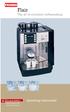 Flair The art of excellent coffeemaking For your Safety Please observe the safety instructions! Operating instructions Select Das System Flair Your coffeemachine in an overview We congratulate you to the
www.morphyrichards.co.uk
 43922 rev2:x 06/01/2010 15:06 Page 1 Upon registration with Morphy Richards (UK & ROI only) Register online for your 2 year guarantee. See back of this instruction book for details. (UK and Ireland customers
JURA J80/J90/J95 Instructions for Use. For your safety: read and understand manual before use.
 JURA J80/J90/J95 Instructions for Use K For your safety: read and understand manual before use. Table of contents Your JURA J80/J90/J95 IMPORTANT SAFGUARDS 4 Control elements 8 1 Preparing and using for
USER INSTRUCTIONS FOR 10 LITRE PORTABLE DEHUMIDIFIER MODEL NO. DHMD102
 USER INSTRUCTIONS FOR 10 LITRE PORTABLE DEHUMIDIFIER MODEL NO. DHMD102 THANK YOU FOR CHOOSING YOUR NEW DEHUMIDIFIER. BEFORE USING THE UNIT READ THESE INSTRUCTIONS FULLY AND RETAIN THEM FOR FUTURE REFERENCE
English. Symbols used to mark instructions...3. Congratulations...5 Getting the best results...5. Warnings...6 Operating Procedure...
 2 Contents Components Attachments Guidance Installation Operation Maintenance Service Technical Troubleshooting Symbols used to mark instructions...3 Included Attachments...4 Congratulations...5 Getting
BELLMAN CXE-25/27 INSTRUCTIONS
 IMPORTANT SAFEGUARDS BELLMAN CXE-25/27 INSTRUCTIONS 1. READ ALL INSTRUCTIONS. 2. WARNING: SCALDING MAY OCCUR IF TOP IS NOT TIGHTENED DOWN COMPLETELY OR IF TOP IS TAKEN OFF BEFORE MACHINE IS COOL AND ALL
GIGA 5 Instructions for Use
 GIGA 5 Instructions for Use K For your safety: read and understand manual before use. Table of contents Your GIGA 5 IMPORTANT SAFGUARDS 4 Control elements 8 1 Preparing and using for the first time 10
IMPRESSA XJ9 Professional Instructions for Use. For your safety: read and understand manual before use. JURA Type 683
 IMPRSSA XJ9 Professional Instructions for Use K For your safety: read and understand manual before use. JURA Type 683 Table of contents Your IMPRSSA XJ9 Professional IMPORTANT SAFGUARDS 4 Control elements
Aromaster Plus. Aromaster Plus
 KF 00- MN AromasterPlus KURTZ DESIGN 0.0.0 Aromaster Plus Aromaster Plus KF KF 00 KF KF 00 www.braun.com/register Type 0, Type 0 Braun Infolines English GB 000 0 IRL 1 00 0 HK 2-22 (Audio Supplies Company
- 2 - IMPORTANT SAFETY REMINDERS
 USER MANUAL IMPORTANT SAFETY REMINDERS This appliance should only be used for domestic cleaning, as described in this user guide. Please ensure that this guide is fully understood before operating the
Espresso/Cappuccino Maker MODELS MEXKITB, MEX1B
 READ AND SAVE THESE INSTRUCTIONS WARNING: A risk of fire and electrical shock exists in all electrical appliances and may cause personal injury or death. Please follow all safety instructions. Espresso/Cappuccino
Due to continual improvement in design or otherwise, the product you purchase may differ slightly from the illustrations in this book.
 Kambrook 461 Plummer Street, Port Melbourne 3207, Australia Customer Service Line (free call) 1800 800 634 Customer Service Fax 1800 621 337 Kambrook New Zealand, Private Bag 94411, Greenmount, Auckland,
MACCHINA DA CAFFÈ COFFEE MAKER MACHINE À CAFÉ KAFFEE-/ESPRESSO-VOLLAUTOMAT KOFFIEZETAPPARAAT CAFETERA MÁQUINA DE CAFÉ KÁVOVAR
 MACCHINA DA CAFFÈ COFFEE MAKER MACHINE À CAFÉ KAFFEE-/ESPRESSO-VOLLAUTOMAT KOFFIEZETAPPARAAT CAFETERA MÁQUINA DE CAFÉ KÁVOVAR Istruzioni per l uso Instructions Mode d emploi Bedienungsanleitung Gebruiksaanwijzingen
Ultrasonic support removal tank
 Ultrasonic support removal tank User guide and safety manual See inside for use and safety information. The Ultrasonic support removal tank automatically removes PLA support material from a printed ABS
AN500T, AN1000, AN1000T, AN1500, AN1500T AN2000, AN2000T
 Product Instruction Manual Accona AN500T, AN1000, AN1000T, AN1500, AN1500T AN2000, AN2000T Panel heater v16.5/5 Version 3.2 Jan 2015 Contents 1. Important safety points 2. Installation 2.1. Wall mounting
Cimbali M52 Fully Automatic Espresso Machine
 Cimbali M52 Fully Automatic Espresso Machine O P E R A T O R S H A N D B O O K This handbook contains instructions for the Cimbali M52 Fully Automatic Espresso Machine. Please read the handbook before
EC1OO. Pump Espresso & Cappuccino Machine. Model #116. Instructions Warranty
 EC1OO Pump Espresso & Cappuccino Machine Model #116 Instructions Warranty IMPORTANT SAFEGUARDS When using electrical appliances, basic safety precautions should always be followed, including: 1. Read all
Il Caffè Duomo. Instruction Book. Warranty. Guarantee of Performance. Model #985
 Il Caffè Duomo Model #985 Instruction Book Warranty Guarantee of Performance Krups Il Caffè Duomo a b c d q p e f g h o n m i j k l Espresso/Cappuccino a: boiler cap b: steam release knob c: Perfect Froth
USER INSTRUCTIONS FOR GET PORTABLE 12k BTU AIR CONDITIONER MODEL No. GPACU12HR
 USER INSTRUCTIONS FOR GET PORTABLE 12k BTU AIR CONDITIONER MODEL No. GPACU12HR CONTENTS Introduction Safety Notes Identification of parts Installation instructions Operation instructions Maintenance Troubleshooting
INDEX GENERAL OPERATING RULES TECHNICAL DATA
 14 GENERAL OPERATING RULES Carefully read the instruction manual and warranty limitations. The machine must be connected to a grounded power outlet. The machine must be kept clean by frequently washing
2-SLICE COOL TOUCH TOASTER
 2-SLICE COOL TOUCH TOASTER PLA0405 Instruction Manual Due to on-going product improvements, specifications and accessories may change without notice. Actual product may differ slightly to that depicted.
Hot Water Urns. all models. Helpline. v3.0
 Hot Water Urns all models Helpline 01384 573999 instructions.indd 1 v3.0 02/06/2014 14:50 IMPORTANT INFORMATION - RETAIN FOR FUTURE USE When using any electrical appliance, basic safety precautions should
Moda. www.breville.com.au. Instructions for use. Breville Customer Service Centre Australian Customers. Cordfree Kettle. New Zealand Customers
 www.breville.com.au Moda Cordfree Kettle Breville is a registered trademark of Breville Pty. Ltd. ABN 98 000 092 928 Instructions for use Breville Customer Service Centre Australian Customers Breville
~RITA NP-2388F NP-3888F. www.naritausa.com
 ~RITA HIGH ALTITUDES CAUTION(5,OOO ft and higher) This appliance may not shut-off property or from boiled to keep warm position when used at high altitudes; Use EXTREME caution! If unit does not shut off
Instruction Manual. www.aromaco.com AWK-115S
 Hot H2O X-Press Electric Water Kettle Instruction Manual www.aromaco.com AWK-115S Congratulations on your purchase of the Aroma Hot H20 X-Press Kettle. This handy appliance provides more speed and convenience
BEC300 CONTENT INSTRUCTION MANUAL
 EN INSTRUCTION MANUAL BEC300 Nespresso, an exclusive system creating the perfect espresso, time after time. All Nespresso machines are equipped with a unique extraction system that guarantees up to 19
 2 (. 3 4 5 . -,.. -,. 3. : 1 2 3 > 4, :!! 1,, 17 Lt MAX 2 3 4,, > 5.,,, 6 :, :1)! 2)! 7,, 1, :,. 2,, Bottom of steam generator 7 8 9 10 11 12 automatically and this phenomenon will continue for
Recommended with NESCAFÉ GOLD Barista Style. Experience the full range today.* NESCAFÉ GOLD BLEND
 Recommended with NESCAFÉ GOLD Barista Style. Experience the full range today.* TABLE OF CONTENTS SAFETY PRECAUTIONS...2-3 MACHINE OVERVIEW... 4 FIRST TIME USE & INITIAL RINSING...5 REFILLING WITH COFFEE...
Cleaning instructions
 01 Siamonie 01 (TS) 415 00 904 01 Index 00 Date: 26 May 2014 Sielaff GmbH & Co. KG Automatenbau Postfach 20 D-91565 Herrieden Münchener Straße 20 D-91567 Herrieden Telephone: +49 (0) 9825 180 Telefax:
Instruction Booklet. iket2702
 Instruction Booklet iket2702 goodbye waiting hello ikettle Control your ikettle via your smartphone Use your smartphone or tablet with the ikettle. Easy one-touch set up Simple connectivity both quick
ESPRESSERIA AUTOMATIC
 ESPRESSERIA AUTOMATIC For domestic use only. The warranty excludes espresso machines that do not work or work incorrectly due to lack of cleaning, failure to remove scale or due to the presence of foreign
The IMPRESSA S9 One Touch Manual
 The IMPRSSA S9 One Touch Manual The IMPRSSA Manual has been awarded the seal of approval by the independent German Technical Inspection Agency, TÜV SÜD, due to its easy-to-understand style, its thoroughness
Conical Burr Coffee Grinder. Operations Manual
 Conical Burr Coffee Grinder Operations Manual Skilled in the art of grinding Operations manuals are available in the following languages at www.baratza.com English.pdf French.pdf Spanish.pdf German.pdf
Hot Water Central. Electric Hot Water Dispenser. Instruction Manual AAP-325W. www.aromaco.com
 Hot Water Central Electric Hot Water Dispenser Instruction Manual www.aromaco.com AAP-325W With the Aroma Hot Water Central, hot water is just a button away. Boil up to 3 liters of water in just 30 minutes,
NewAir AC-10000E, AC-10000H Portable Air Conditioner Owner s Manual PLEASE READ AND SAVE THESE INSTRUCTIONS
 NewAir AC-10000E, AC-10000H Portable Air Conditioner Owner s Manual PLEASE READ AND SAVE THESE INSTRUCTIONS BEFORE USE GENERAL SAFETY INSTRUCTIONS: ALWAYS OPERATE THE UNIT IN AN UPRIGHT POSITION AND PLACE
Deluxe Bottle Warmer
 Deluxe Bottle Warmer IMPORTANT SAFEGUARDS This product is for household use only. When using electrical appliances, basic safety precautions should always be followed including the following: Read all
the Soft Top Breville Customer Service Center www.breville.com Instruction Book - Livret d instructions
 Breville Customer Service Center the Soft Top Instruction Book - Livret d instructions US Customers Mail: Breville USA 19400 S. Western Ave Torrance CA CA 90501-1119 Phone: Customer Service 1 (866) BREVILLE
ClearView 100. Instruction Manual
 ClearView 100 Instruction Manual Important Safeguards This appliance is not intended for use by children or infirm persons without supervision. Young children should be supervised to ensure that they do
USER MANUAL. Bottom Loading Bottled Water Dispenser SAVE THIS MANUAL FOR FUTURE USE. Model # 900172
 Model # 900172: Page 1 USER MANUAL Bottom Loading Bottled Water Dispenser Model # 900172 TO REDUCE THE RISK OF INJURY AND PROPERTY DAMAGE, USER MUST READ THIS MANUAL BEFORE ASSEMBLING, INSTALLING & OPERATING
Thank You... On behalf of the entire team at Thane Housewares, we appreciate your recent purchase
 User s Guide Thank You... On behalf of the entire team at Thane Housewares, we appreciate your recent purchase of the FLAVORCHEF cooking system, which will provide you with healthy and tasty meals for
NESCAFÉ Solution 8/60 Beverage System. Operations Manual
 NESCAFÉ Solution 8/60 Beverage System Operations Manual 1 INDEX & WARNINGS INDEX Warnings SECTION: 1 INDEX & WARNINGS SECTION: 2 BASIC PARTS OF THE MACHINE SECTION: 3 LOADING PRODUCTS SECTION: 4 DISPENSING
B150 Series Commercial Brewer. Direct Plumb Kit
 B150 Series Commercial Brewer Welcome Keurig Authorized Dealer! Direct Plumb Kit This manual provides: Installation of the Direct Plumb Kit (DPK) that allows you to connect your customer s B150 brewer
USER MANUAL Two Tier Steamer Model: 16145 Helpline No: 015394 88100
 Lakeland Alexandra Buildings, Windermere, Cumbria LA23 1BQ Tel: 015394 88100 Web: www.lakeland.co.uk USER MANUAL Two Tier Steamer Model: 16145 Helpline No: 015394 88100 INTRODUCTION Thank you for choosing
Use and Care Manual. Model CPA12KH AIR CONDITIONER
 Use and Care Manual Model CPA12KH AIR CONDITIONER Introduction Thank you for choosing this air conditioner to provide you and your family with all of the "Home Comfort" requirements for your home, cottage
24 Wide Screen LED Monitor with HDMI
 24 Wide Screen LED Monitor with HDMI USER MANUAL L24LE11B_MANUAL_EN_R1 Please read this manual carefully before using, and keep it for future reference. TABLE OF CONTENTS GETTING STARTED Monitor Stand
Use & Care. of your Iron. All about the TA B L E O F C O N T E N T S. USA and Canada 1-888-845-7330
 All about the Use & Care of your Iron Important Safeguards... 2 Iron Safety Instructions... 3 Parts and Features...4 TA B L E O F C O N T E N T S Using Your Iron...6 Cleaning and Maintenance... 8 Warranty...9
Portable Air Conditioner
 Portable Air Conditioner Owner's Manual Model:3 in 1 12,000 Btu/h Series 3 Please read this owner s manual carefully before operation and retain it for future reference. CONTENTS 1. SUMMARY...1 2. PORTABLE
BeoLab 7-1 BeoLab 7-2. Guide
 BeoLab 7-1 BeoLab 7-2 Guide CAUTION: To reduce the risk of electric shock, do not remove cover (or back). No User-serviceable parts inside. Refer servicing to qualified service personnel. WARNING: To prevent
NÜVE SANAYİ MALZEMELERİ İMALAT VE TİCARET A.Ş. OT 020 BENCH TOP STEAM STERILIZER USER S MANUAL
 NÜVE SANAYİ MALZEMELERİ İMALAT VE TİCARET A.Ş. OT 020 BENCH TOP STEAM STERILIZER USER S MANUAL NÜVE SANAYİ MALZEMELERİ İMALAT VE TİCARET A.Ş. Esenboğa Yolu 22 km Akyurt - ANKARA / TURKEY Tel : (00 90 312)
100 Series Maxi Internal Filters. Instruction Manual
 100 Series Maxi Internal Filters Instruction Manual Important Safeguards This appliance is not intended for use by children or infirm persons without supervision. Young children should be supervised to
SunMaxx Solar Filling Station Operating Instructions
 SunMaxx Solar Filling Operating Instructions Content 1. Declaration of conformity... 2 2. Introduction... 2 3. Transportation and unpacking... 4 4. Mounting and commissioning... 5 5. End of operation...
Owner s manual Special Edition/Signature B60 Keurig Brewer
 Owner s manual Special Edition/Signature B60 Keurig Brewer IMPORTANT SAFEGUARDS Safe Operation & Use When using electrical appliances, basic safety precautions should be followed, including the following:
MICA HEATER INSTRUCTION MANUAL Model No: UHM-786 230V 50Hz 2200W
 MICA HEATER INSTRUCTION MANUAL Model No: UHM-786 230V 50Hz 2200W Safety Precautions To reduce the risk of personal injury or damage to property, basic safety precautions must be observed including the
CAUTION RISK OF ELECTRIC SHOCK DO NOT OPEN
 BeoLab 7-6 Guide CAUTION RISK OF ELECTRIC SHOCK DO NOT OPEN CAUTION: To reduce the risk of electric shock, do not remove cover (or back). No User-serviceable parts inside. Refer servicing to qualified
Operator Manual 100 Series Coffee Grinders
 Operator Manual 100 Series Coffee Grinders Models 100 and 190SS Model 100 Model 190SS Specifications...2 Safety Information...2 Installation...3 Operation...3 Table of Contents Cleaning & Maintenance...6
PROFESSIONAL POPCORN MAKER
 PROFESSIONAL POPCORN MAKER WPM40 Series For your safety and continued enjoyment of this product, always read the instruction book carefully before using. IMPORTANT SAFEGUARDS When using any electrical
B/S/H/ Error codes and service programmes PH
 1 ERROR CODES AND APPLIANCE MESSAGES... 3 1.1 Complete overview of all error codes (in order)... 3 Automatic switch-off... 3 Display is dark and any individual LEDs are lit... 3 E 005... 3 E 011... 3 E
NewAir AC-10100E / AC-10100H Portable Air Conditioner Owner s Manual PLEASE READ AND SAVE THESE INSTRUCTIONS
 NewAir AC-10100E / AC-10100H Portable Air Conditioner Owner s Manual PLEASE READ AND SAVE THESE INSTRUCTIONS ELECTRICAL SAFETY This appliance is for indoor use only. Always turn off the unit and unplug
MIST DECORATIVE LAMP WITH ESSENTIAL OIL DIFFUSER
 EN MIST DECORATIVE LAMP WITH ESSENTIAL OIL DIFFUSER OPERATING INSTRUCTIONS Read the instructions carefully before operating the appliance or carrying out maintenance operations. Observe all the safety
OR S HANDBOOK Kenco S i n g l e s B r e w e r OPERA
 Kenco Singles Brewer This handbook contains instructions for the Kenco Singles Brewer. Please read the handbook before using the machine. Keep this fold out page open while reading the Operator s Handbook.
Operating and Installation Instructions
 Operating and Installation Instructions System Drawer ESS 2062 To prevent accidents and en - US, CA appliance damage, read these instructions before installation or use. M.-Nr. 07 342 360 Contents IMPORTANT
Support Cleaning Apparatus. Operation, Cleaning, & Safety Manual
 Support Cleaning Apparatus Operation, Cleaning, & Safety Manual Revision 1.1 31 May 2014 WARNING: The instructions and precautionary statements contained herein are intended for the Support Cleaning Apparatus