
Operating Instructions. Stereo Receiver
|
|
|
- Kory Taylor
- 9 years ago
- Views:
Transcription
1 Operating Instructions Stereo eceiver

2 IMPOTANT The lightning flash with arrowhead symbol, within an equilateral triangle, is intended to alert the user to the presence of uninsulated dangerous voltage within the product s enclosure that may be of sufficient magnitude to constitute a risk of electric shock to persons. CAUTION ISK OF EECTIC SHOCK DO NOT OPEN CAUTION: TO PEVENT THE ISK OF EECTIC SHOCK, DO NOT EMOVE COVE (O BACK). NO USE-SEVICEABE PATS INSIDE. EFE SEVICING TO QUAIFIED SEVICE PESONNE. The exclamation point within an equilateral triangle is intended to alert the user to the presence of important operating and maintenance (servicing) instructions in the literature accompanying the appliance. D _A1_ Information for users on collection and disposal of old equipment and used batteries Symbol for equipment These symbols on the products, packaging, and/or accompanying documents mean that used electrical and electronic products and batteries should not be mixed with general household waste. For proper treatment, recovery and recycling of old products and used batteries, please take them to applicable collection points in accordance with your national legislation. WANING This equipment is not waterproof. To prevent a fire or shock hazard, do not place any container filled with liquid near this equipment (such as a vase or flower pot) or expose it to dripping, splashing, rain or moisture. D _A1_ WANING Before plugging in for the first time, read the following section carefully. The voltage of the available power supply differs according to country or region. Be sure that the power supply voltage of the area where this unit will be used meets the required voltage (e.g., 230 V or 120 V) written on the rear panel. D *_A1_ WANING To prevent a fire hazard, do not place any naked flame sources (such as a lighted candle) on the equipment. D a_A1_ Symbol examples for batteries Pb By disposing of these products and batteries correctly, you will help to save valuable resources and prevent any potential negative effects on human health and the environment which could otherwise arise from inappropriate waste handling. For more information about collection and recycling of old products and batteries, please contact your local municipality, your waste disposal service or the point of sale where you purchased the items. These symbols are only valid in the European Union. For countries outside the European Union: If you wish to discard these items, please contact your local authorities or dealer and ask for the correct method of disposal. K058a_A1_ Operating vironment Operating environment temperature and humidity: +5 C to +35 C (+41 F to +95 F); less than 85 %H (cooling vents not blocked) Do not install this unit in a poorly ventilated area, or in locations exposed to high humidity or direct sunlight (or strong artificial light) D c*_A1_ WANING Store small parts out of the reach of children and infants. If accidentally swallowed, contact a doctor immediately. D41-6-4_A1_ 2

3 STANDBY PHONES OY VENTIATION CAUTION When installing this unit, make sure to leave space around the unit for ventilation to improve heat radiation (at least 40 cm at top, 10 cm at rear, and 20 cm at each side). WANING Slots and openings in the cabinet are provided for ventilation to ensure reliable operation of the product, and to protect it from overheating. To prevent fire hazard, the openings should never be blocked or covered with items (such as newspapers, table-cloths, curtains) or by operating the equipment on thick carpet or a bed. D b*_A1_ STANDBY ON A SPEAKES B POWE-COD CAUTION Handle the power cord by the plug. Do not pull out the plug by tugging the cord and never touch the power cord when your hands are wet as this could cause a short circuit or electric shock. Do not place the unit, a piece of furniture, etc., on the power cord, or pinch the cord. Never make a knot in the cord or tie it with other cords. The power cords should be routed such that they are not likely to be stepped on. A damaged power cord can cause a fire or give you an electrical shock. Check the power cord once in a while. When you find it damaged, ask your nearest PIONEE authorized service center or your dealer for a replacement. S002*_A1_ TUNE / PESET TONE BAANCE STEEO ECEIVE VOUME SX-20 If the AC plug of this unit does not match the AC outlet you want to use, the plug must be removed and appropriate one fitted. eplacement and mounting of an AC plug on the power supply cord of this unit should be performed only by qualified service personnel. If connected to an AC outlet, the cut-off plug can cause severe electrical shock. Make sure it is properly disposed of after removal. The equipment should be disconnected by removing the mains plug from the wall socket when left unused for a long period of time (for example, when on vacation). D a_A1_ CAUTION The STANDBY/ON switch on this unit will not completely shut off all power from the AC outlet. Since the power cord serves as the main disconnect device for the unit, you will need to unplug it from the AC outlet to shut down all power. Therefore, make sure the unit has been installed so that the power cord can be easily unplugged from the AC outlet in case of an accident. To avoid fire hazard, the power cord should also be unplugged from the AC outlet when left unused for a long period of time (for example, when on vacation). D a*_A1_ This product is for general household purposes. Any failure due to use for other than household purposes (such as long-term use for business purposes in a restaurant or use in a car or ship) and which requires repair will be charged for even during the warranty period. K041_A1_ Thank you for buying this Pioneer product. Please read through these operating instructions so that you will know how to operate your model properly. Contents 01 Before you start What s in the box oading the batteries in the remote control Installing the receiver Connecting up Making cable connections Connecting speaker cables Connecting antennas Plugging in Controls and displays ear panel Front panel emote control Operation Playback Making an audio recording istening to the radio An introduction to DS Sound settings Switching the desired speakers on To set for automatic standby status (Auto Power Down) estoring all the settings to the factory default settings Additional information Troubleshooting Cleaning the unit Specifications

4 STANDBY ON STANDBY PHONES OY TONE T 01 Before you start Chapter 1: Before you start What s in the box Please confirm that the following accessories are in the box when you open it. emote control AAA/IEC 03 dry cell batteries x2 AM loop antenna FM wire antenna Power cord Warranty card Quick start guide Safety Brochure These operating instructions (CD-OM) Illustrations featured in the Operating Instructions may have been modified or simplified for ease of explanation, and may therefore differ from the actual product appearance. The illustrations used here are mainly of the SX-20- S (Silver) model. 2 Insert the new batteries, matching the polarities as indicated inside the case. 3 Close the rear lid. Do not use any batteries other than the ones specified. Also, do not use a new battery together with an old one. When loading the batteries into the remote control, set them in the proper direction, as indicated by the polarity marks ( and ). Do not heat batteries, disassemble them, or throw them into flames or water. Batteries may have different voltages, even if they are the same size and shape. Do not use different types of batteries together. To prevent leakage of battery fluid, remove the batteries if you do not plan to use the remote control for a long period of time (1 month or more). If the fluid should leak, wipe it carefully off the inside of the case, then insert new batteries. If a battery should leak and the fluid should get on your skin, flush it off with large quantities of water. When disposing of used batteries, please comply with governmental regulations or environmental public institution s rules that apply in your country/ area. Using the remote control The remote has a range of about 7 m at an angle of about 30º from the remote sensor. Installing the receiver When installing this unit, make sure to put it on a level and stable surface. Don t install it on the following places: on a color TV (the screen may distort) near a cassette deck (or close to a device that gives off a magnetic field). This may interfere with the sound. in direct sunlight in damp or wet areas in extremely hot or cold areas in places where there is vibration or other movement in places that are very dusty in places that have hot fumes or oils (such as a kitchen) Do not mount the unit on a sofa or other object or material with absorbent qualities, since sound quality may be adversely affected. oading the batteries in the remote control 1 Open the rear lid. The batteries included with the unit have been provided to allow you check product operation and may not last long. We recommend using alkaline batteries that have a longer life. WANING Do not use or store batteries in direct sunlight or other excessively hot place, such as inside a car or near a heater. This can cause batteries to leak, overheat, explode or catch fire. It can also reduce the life or performance of batteries A SPEAKES B CAUTION Incorrect use of batteries may result in such hazards as leakage and bursting. Observe the following precautions: When inserting the batteries, make sure not to damage the springs on the battery s terminals. This can cause batteries to leak or overheat. 7 m Keep in mind the following when using the remote control: Make sure that there are no obstacles between the remote and the remote sensor on the unit. emote operation may become unreliable if strong sunlight or fluorescent light is shining on the unit s remote sensor. emote controllers for different devices can interfere with each other. Avoid using remotes for other equipment located close to this unit. eplace the batteries when you notice a fall off in the operating range of the remote. 4

5 Connecting up 02 Chapter 2: Connecting up Making cable connections CAUTION Before making or changing the connections, switch off the power and disconnect the power cord from the AC outlet. Connect the power cord after all the connections between devices have been completed. antennas (see page 6) AM OOP FM UNBA 75 ANTENNA PHONO (MM) IN SIGNA GND SACD/CD NETWOK IN IN ECODE IN OUT Network audio player SPEAKES B A Power cord (included) Speaker system B ight AC IN eft Important The SIGNA GND terminal is provided to reduce noise when connecting the unit to components such as an analog turntable. Do not connect the PHONO (MM) terminals to any component other than a turntable; also, do not connect to a turntable equipped with built-in equalizer. An excessively high sound output may be produced, resulting in damage to your speakers or other devices. The unit s PHONO (MM) terminals are designed to be used with turntables equipped with MM (moving-magnet) type cartridges. Turntables equipped with MC (moving-coil) cartridges cannot be used. Make sure not to bend the cables over the top of this unit (as shown in the illustration). If this happens, the magnetic field produced by the transformers in this unit may cause a humming noise from the speakers. If your turntable has a grounding wire, secure it to the ground terminal on this receiver. When connecting a tape cassette deck, playback noise may be heard, depending on the installation location. This noise is caused by leakage flux from the receiver s transformer. In this event, change the installation location, or move the deck farther from the receiver. Connecting speaker cables 1 Twist the cable cores. 2 oosen the nut on the SPEAKES terminal, and insert the speaker cable into the exposed hole in the terminal shaft. 3 etighten the terminal nut mm CAUTION When using only one set of speaker terminals (SPEAKES A or SPEAKES B), the speaker used should have a nominal impedance between 4 Ω and 16 Ω. When using both sets of terminals, the connected speakers should have nominal impedance between 8 Ω and 16 Ω. Consult the instructions accompanying your speakers for details regarding the impedance value. Make sure the positive and negative (+/ ) terminals on the receiver match those on the speakers. These speaker terminals carry HAZADOUS live voltage. To prevent the risk of electric shock when connecting or disconnecting the speaker cables, disconnect the power cord before touching any uninsulated parts. Make sure that all the bare speaker wire is twisted together and inserted fully into the speaker terminal. If any of the bare speaker wire touches the back panel it may cause the power to cut off as a safety measure. Connecting audio cables Connect the white plug to the left () jack, and the red plug to the right () jack. Be sure to insert the plugs fully into the jacks. eft (white) Turntable SACD/CD player CD recorder or Cassette deck ight eft Speaker system A ight (red) 5

6 02 Connecting up Connecting antennas Connect the AM loop antenna and the FM wire antenna as shown below. To improve reception and sound quality, connect external antennas (see Using external antennas below) Using external antennas To improve FM reception Use a PA connector (not supplied) to connect an external FM antenna. 75 Ω coaxial cable One-touch PA connector FM UNBA 75 ANTENNA To improve AM reception Connect a 5 m to 6 m length of vinyl-coated wire to the AM antenna terminal without disconnecting the supplied AM loop antenna. For the best possible reception, suspend horizontally outdoors. Plugging in CAUTION Do not use any power cord other than the one supplied with this unit. Do not use the supplied power cord for any purpose other than that described below. Important When going on a trip or otherwise not using the unit for an extended period, always disconnect the power cord from its outlet. that various internal settings will not be lost even if the power cord is disconnected from its outlet for an extended time. If it is necessary to detach the power cord, first be sure to press /I STANDBY/ON on the front panel so receiver is turned OFF. After you ve finished making all connections, plug the unit into an AC outlet. 4 AM OOP FM UNBA 75 Outdoor antenna Power cord AC IN ANTENNA To AC outlet 1 Push open the tabs, then insert one wire fully into each terminal, then release the tabs to secure the AM antenna wires. 2 Fix the AM loop antenna to the attached stand. To fix the stand to the antenna, bend in the direction indicated by the arrow then clip the loop onto the stand. 3 Place the AM antenna on a flat surface and in a direction giving the best reception. 4 Connect the FM wire antenna into the FM antenna socket. For best results, extend the FM antenna fully and fix to a wall or door frame. Don t drape loosely or leave coiled up. Indoor antenna (vinyl-coated wire) 5 m to 6 m AM OOP 1 Plug the supplied power cord into the AC IN socket on the rear panel of the unit. 2 Plug the other end into an AC outlet. 6

7 Controls and displays 03 Chapter 3: Controls and displays Front panel ear panel See pages 5-6 for details regarding connections. OY TUNE / PESET STEEO ECEIVE SX-20 VOUME STANDBY ON STANDBY TONE BAANCE AC IN SPEAKES PHONES A SPEAKES B SIGNA GND B PHONO (MM) IN SACD/CD NETWOK ECODE IN IN IN OUT AM OOP FM UNBA 75 ANTENNA SIGNA GND (Turntable ground) terminal This ground terminal is designed to help reduce noise when a turntable is connected. It is not a safety ground. 2 ANTENNA terminal Connect supplied FM wire antenna and AM loop antenna. 3 PHONO (MM) IN terminals 4 SACD IN terminals 5 NETWOK IN terminals 6 ECODE IN/OUT terminals 7 SPEAKES A terminals 8 SPEAKES B terminals 9 AC IN jack Connect power cord to here and an AC wall socket. A /I STANDBY/ON button Switches the receiver between off and on. When power is turned on, the power indicator in the center of the button will lights blue. 2 STANDBY indicator When power is set to standby, the indicator lights red. 3 Character display See Display on page 8. 4 emote sensor eceives the signals from the remote control (page 4). 5 PHONES jack Use to connect headphones. Be sure to switch off both A and B speakers. 6 SPEAKES A/B buttons These buttons allow you to select various combinations of speakers as follows: To drive A speakers, press SPEAKES A button (SPK A is displayed). To drive B speakers, press SPEAKES B button (SPK B is displayed). To drive both A and B speakers, press SPEAKES A and B buttons in order (SPK A B is displayed). When using headphones for private listening, press these buttons in order to switch off the speakers A and B (SPK OFF is displayed, and H indicator lights). 7 Input function buttons Use to select the input source to this receiver (page 9). 8 TONE DIECT button Press to select the TONE DIECT mode (page 12). 9 Tuner control buttons OY Press to store preset stations. TUNE/PESET Press to select the tuning mode or the preset mode. 10 Sound control buttons TONE When adjusting the tone (bass and treble), press to select the desired tone mode. Each time this button is pressed, the tone mode is changed to bass or treble. BAANCE When adjusting the sound volume balance, press to enter the balance mode. 11 / and +/ buttons At the tuning mode, use to find radio frequencies. At the preset mode, use to select preset radio stations. Also used when setting up the receiver. 12 VOUME control Use to adjust the volume level. (Also allows adjustment of the headphone sound volume.) 7

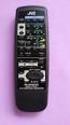
8 03 Controls and displays Display H (Headphones) ights when both speakers A and B are switched off. 2 DS indicators ights when an DS broadcast is received. 3 ST ights when a stereo FM broadcast is being received in stereo mode. 4 TUNED ights when a normal broadcast channel. 5 Sleep timer indicator ights when the receiver is in sleep mode. 6 PESET ights when the tuner preset mode is selected. 7 Blinks when a radio station is registered. 8 Character display Displays various system information. 9 khz/mhz ights when the character display is showing the currently received AM/FM broadcast frequency. 10 Preset information Shows the preset number of the tuner. 11 DIECT ights when the TONE DIECT mode is switched on. emote control STANDBY/ON TONE DIECT SEACH DS PTY SEEP APD A SPEAKES DISPAY MUTE P.SCAN VOUME SACD/CD NETWOK PHONO ECODE SETUP BASS NETWOK AUDIO PAYE SACD PAYE TEBE ENTE HOME MENU ETUN B 0 SUOUND DIMME BAANCE FUNC STANDBY/ON Switches the receiver between standby and on. 2 Numeric buttons (0 ~ 9) Press to select or to store preset. 3 TONE DIECT Press to select the TONE DIECT mode (page 12). 4 SUOUND Press to select the surround sound options (page 12). 5 DS control buttons SEACH Use to select the search mode (page 11). PTY Use to search for DS program types (page 11). DISPAY Use to display the DS information (page 11). 6 Tuner control buttons Press to select the desired FM mode (Stereo or monaural) (page 10). P.SCAN Press to scan the stations in the preset sequence (page 10). Press to select the tuning mode or the preset mode (page 10). Press to store preset stations (page 10). 7 / At the tuning mode, use to find radio frequencies. At the preset mode, use to select preset radio stations. Also used when setting up the receiver. 8 BAANCE When adjusting the sound volume balance, press to enter the balance mode (page 11). 9 Input function buttons Press to select an input source. These select the component connected to the corresponding input on the rear panel. Press repeatedly to select desired input function. Use to change the input source. The source changes as below. SACD/CD NETWOK PHONO ECODE eturn to the beginning. 12 NETWOK AUDIO PAYE control buttons Use to control Pioneer network audio player. 13 SEEP Press to change the amount of time before the receiver switches into standby (10 min 20 min 30 min 60 min 90 min Off). You can check the remaining sleep time at any time by pressing SEEP once. 14 APD Use to change the Auto Power Down function setting (page 12). 15 SPEAKES A/B buttons These buttons allow you to select various combinations of speakers as follows: To drive A speakers, press SPEAKES A button (SPK A is displayed). To drive B speakers, press SPEAKES B button (SPK B is displayed). To drive both A and B speakers, press SPEAKES A and B buttons in order (SPK A B is displayed). When using headphones for private listening, press these buttons in order to switch off the speakers A and B (SPK OFF is displayed, and H indicator lights). 16 DIMME Dims or brightens the display. The brightness can be controlled in four steps. 17 MUTE Mutes/unmutes the sound. 18 VOUME +/ Use to set the listening volume. STEEO ECEIVE 10 Tone control buttons BASS +/ Use to adjust Bass (page 11). TEBE +/ Use to adjust Treble (page 11). 11 SACD PAYE control buttons Use to control Pioneer SACD/CD player. 8

9 STANDBY PHONES A SPEAKES B /I STANDBY/ON STANDBY PUE AUDIO Hi-Bit 32 ipod/usb 5V 2.1A NETWOK AUDIO PAYE N-50 FUNCTION OY TUNE / PESET TONE BAANCE STEEO ECEIVE STANDBY PHONES A SPEAKES B /I STANDBY/ON STANDBY PUE AUDIO Hi-Bit 32 ipod/usb 5V 2.1A NETWOK AUDIO PAYE N-50 FUNCTION OY TUNE / PESET TONE BAANCE STEEO ECEIVE Operation 04 Chapter 4: Operation Playback To listen to the radio broadcasts, see page 10. SACD/CD player Network audio player Turntable CD recorder or Cassette deck Set the power to Standby 1 Press the remote control s STANDBY/ ON button. The next time you wish to turn on the power, press the remote control s STANDBY/ON button. If the front panel s /I STANDBY/ON button is pressed, the power will be turned off. In this case, if the power is off, pressing the remote control s STANDBY/ON button will not turn on the power. To turn on the power again, press the front panel s / I STANDBY/ON button. If the power cord is disconnected when the unit is in the standby mode the unit will turn off, but when the cord is then reconnected, the unit will not automatically turn on. After reconnecting the power cord, press the remote control s STANDBY/ON button to turn the power on. Making an audio recording You can make an audio recording from any audio source connected to the receiver. Turntable VOUME SX-20 SACD/CD player Network audio player STANDBY ON Playback Playback Playback VOUME SX-20 STANDBY/ON TONE DIECT 0 SEACH DS PTY BAANCE SEEP SUOUND DIMME DISPAY MUTE P.SCAN VOUME Turn on the power of the playback component. 2 Turn power ON to the unit. If the unit is in the standby mode, press the remote control s STANDBY/ON button. 3 Select the source you want to playback. Select the playback component. When using the remote control, the button can be used to select the component. 4 Start playback of the component you selected in step 1. 5 Adjust playback volume with VOUME control. 1 STANDBY ON BAANCE 1 SACD/CD NETWOK PHONO ECODE ecording Audio recording component (Cassette deck, etc.) 1 Select the source you want to record. 2 Start recording, then start playback of the source component. SACD/CD NETWOK PHONO ECODE 3 6 Adjust the tone to your preference using the TONE (BASS and TEBE) controls. BASS TEBE BASS TEBE 6 7 Select a surround mode you want. 9

10 04 Operation istening to the radio The following steps show you how to tune in to FM and AM radio broadcasts using the automatic (search) and manual (step) tuning functions. Once you are tuned to a station you can memorize the frequency for recall later see Saving station presets below for more on how to do this BAANCE P.SCAN VOUME 1 Press repeatedly to select the band (FM or AM). 2 Press to change to tuning mode. PESET indicator goes off. 3 Tune to a station. There are three ways to do this: Automatic tuning To search for stations in the currently selected band, press and hold / for about 0.5 second. The receiver will start searching for the next station, stopping when it has found one. epeat to search for other stations. Manual tuning To change the frequency one step at a time, press /. High speed tuning Press and hold / for high speed tuning. Improving FM sound When FM stereo broadcasts are poor because of weak broadcast signals, select the FM MONO mode to reduce the noise, then FM broadcasts are reproduced in monaural sound. BAANCE P.SCAN VOUME 1 Press to select FM MONO. Saving station presets If you often listen to a particular radio station, it s convenient to have the receiver store the frequency for easy recall whenever you want to listen to that station. This saves the effort of manually tuning in each time. This unit can memorize up to 30 stations. 2,4 3 BAANCE P.SCAN VOUME 1 Tune to a station you want to memorize. See istening to the radio above for more on this. 2 Press. indicator is blinking. 3 Within 5 seconds, press / to select the station preset you want. You can also use the numeric buttons. Examples: For 2 : Press 2. For 17 : Press 1, then press 7 within 2 seconds. For 30 : Press 0. When using the numeric buttons, the station is stored automatically without pressing in step 4. A stored frequency is erased from the memory by storing another frequency in its place. If indicator goes off, start again from the above step 2. 4 Press. indicator stop blinking and the receiver stores the station. istening to station presets You will need to have some presets stored to do this. See Saving station presets above if you haven t done this already. 1 Press to change to preset mode. PESET indicator lights up. 2 Press / to select the station preset you want. You can also use the numeric buttons on the remote control to recall the station preset. Scanning preset stations in sequence BAANCE P.SCAN VOUME 1 Press P.SCAN. The receiver will start scanning the stations in the preset sequence. At the desired station, press this button again to stop scanning. 10

11 Operation 04 An introduction to DS adio Data System (DS) is a system used by most FM radio stations to provide listeners with various kinds of information the name of the station and the kind of show they re broadcasting, for example. One feature of DS is that you can search by type of program. For example, you can search for a station that s broadcasting a show with the program type, JAZZ. You can search the following program types: NEWS News AFFAIS Current Affairs INFO General Information SPOT Sport EDUCATE Educational DAMA adio plays, etc. CUTUE National or regional culture, theater, etc. SCIENCE Science and technology VAIED Usually talk-based material, such as quiz shows or interviews. POP M Pop music OCK M ock music EASY M Easy listening IGHT M ight classical music CASSICS Serious classical music OTHE M Music not fitting above categories WEATHE Weather reports FINANCE Stock market reports, commerce, trading, etc. CHIDEN Programs for children SOCIA Social affairs EIGION Programs concerning religion PHONE IN Public expressing their views by phone TAVE Holiday-type travel rather than traffic announcements EISUE eisure interests and hobbies JAZZ Jazz COUNTY Country music NATION M Popular music in a language other than glish ODIES Popular music from the 50s and 60s FOK M Folk music DOCUMENT Documentary In addition, there are three other program types, TEST, AAM and NONE. TEST and AAM are used for emergency announcements. NONE appears when a program type cannot be found. Searching for DS programs There are three ways of search for DS programs as follows. DS search Use to automatically search and receive the stations offering DS services. TP search Use to automatically search and receive the stations broadcasting the traffic program. PTY search Use to automatically search and receive the stations broadcasting the desired program type. 1 Press repeatedly to select the FM band. DS is only possible in the FM band. 2 Press DS SEACH to select the search mode you want. The search mode changes as follows; DS SCH DS search TP SCH TP (Traffic Program) search PTY SCH PTY (Program Type) search OFF Off SEACH DS PTY BAANCE DISPAY MUTE P.SCAN VOUME (DS SCH) 3 When the PTY search mode is selected, press DS PTY to select the program type you want to hear. 4 Press / to search the station. The system starts searching through the station presets for a match, stopping when it was found one. epeat to search for other stations. NO DS is displayed if no other DS station is found. NO TAFF is displayed if the signal is too weak or there are no stations broadcasting the traffic program. If NO POG is displayed it means the tuner couldn t find that program type at the time of the search. Displaying DS information Use the DS DISPAY button to display the different types of DS information available. TONE DIECT 0 SEACH DS PTY SUOUND DIMME DISPAY MUTE P.SCAN VOUME 1 Press DS DISPAY for DS information. Each press changes the display as follows: Current tuner frequency Program Service Name (PS) The name of the radio station. Program Type (PTY) This indicates the kind of program currently being broadcast. Clock Time (CT) adio Text (T) Messages sent by the radio station. For example, a talk radio station may provide a phone number as T. If any noise is picked up while displaying the T scroll, some characters may be displayed incorrectly. If the signals are too weak or no DS service is available, NO NAME, NO PTY, NO TIME or NO TEXT will be displayed. Sound settings Adjusting the bass and treble Use the bass and treble controls to adjust the overall tone. 1 Use BASS +/ or TEBE +/ on the remote control to adjust bass or treble. SACD/CD NETWOK PHONO ECODE BASS NETWOK AUDIO PAYE SACD PAYE TEBE FUNC You can also use the front panel controls. Press TONE repeatedly to select BASS or TEBE, then press / or +/ to adjust the bass or treble as desired. Adjusting the sound volume balance Adjust the sound volume balance between the left and right speakers. 1 Press BAANCE then press / (/ or +/) to adjust the sound volume balance. BAANCE P.SCAN VOUME 11

12 OY TONE TUNE / PESET BAANCE STEEO ECEIVE 04 Operation istening in surround sound Allows you to create natural surround sound effects using just the left and right speakers. Default setting: OFF 1 Press SUOUND repeatedly to select the surround sound options. You can select MIN, MID, MAX or OFF. If set to MAX, the surround sound effects will be more emphasized A SPEAKES B TONE DIECT 0 SUOUND DIMME Switching the desired speakers on Then the corresponding speaker indication (SPK A (and/ or) B) is displayed and the sound can be heard from the speakers connected to the selected speaker terminals. 1 Use SPEAKES A/B buttons to listen to the speaker system connected to SPEAKES A or B terminals APD A SPEAKES TONE DIECT 0 B SUOUND DIMME To set for automatic standby status (Auto Power Down) Set to automatically turn off the receiver after a specified time has passed (when the power has been on with no operation for several hours). Default setting: 6H 1 Press APD repeatedly to specify the amount of time to allow before the power is turned off (when there has been no operation). You can select 2, 4 or 6 hours, or OFF (if no automatic shutoff is desired). estoring all the settings to the factory default settings Use this procedure to reset all the receiver s settings to the factory default. Use the front panel controls to do this VOUME SX-20 SEACH DS PTY DISPAY MUTE Depending on the sound source, in some cases it may not be possible to achieve good results. In this case, set the setting to OFF. Using Tone Direct Use the Tone Direct modes when you want to hear the truest possible reproduction of a source. 1 Press TONE DIECT to switch the DI (Direct mode ON) or CT (Direct mode OFF). When DI is selected, independent tone settings (Bass/ Treble), Balance, Surround sound are disabled. In addition, DIECT lights up and the front panel s display will be turned off. When using the headphones for private listening, press the corresponding SPEAKES A/B buttons to switch off both A and B speakers. STANDBY/ON SEEP APD You can check the Auto Power Down setting at any time by pressing APD once. A 1 When power is in standby mode, hold SACD/CD button and OY button depressed simultaneously for two seconds. 2 When you see ESET? appear in the display, press TONE DIECT button. OK appears in the display to indicate that the receiver has been reset to the factory default settings A SPEAKES B TONE DIECT 0 SUOUND DIMME DS SEACH PTY DISPAY MUTE 12

13 Additional information 05 Chapter 5: Additional information Troubleshooting Incorrect operations are often mistaken for trouble and malfunctions. If you think that there is something wrong with this component, check the points below. Sometimes the trouble may lie in another component. Investigate the other components and electrical appliances being used. If the trouble cannot be rectified even after exercising the checks listed below, ask your nearest Pioneer authorized service center or your dealer to carry out repair work. If the unit does not operate normally due to external effects such as static electricity disconnect the power plug from the outlet and insert again to return to normal operating conditions. Problem Noise during playback of a cassette deck. The display is dark or off. emedy Move the cassette deck away from your receiver, until the noise disappears. Press DIMME on the remote control repeatedly to return to the default. The front panel display is automatically turned off when the Tone Direct mode is set to DI (ON). To see the display, press TONE DIECT and set the function to CT (OFF). Can t operate the remote control. eplace the battery (page 4). Operate within 7 m, 30 of the remote sensor on the front panel (page 4). emove the obstacle or operate from another position. Avoid exposing the remote sensor on the front panel to direct light. Is the control cord for one component connected improperly? Confirm correct connections (page 5). Problem The power does not turn on. Power turns off. TEMP shows in the display and the volume level drops. emedy Is the power plug disconnected from the power outlet? Connect the power plug correctly to its outlet (page 6). Is the power cord disconnected from the AC IN connector? Connect the power cord correctly (page 6). Is the Auto Power Down function turned ON? If you do not want the power to turn off automatically, disable the Auto Power Down function (page 12). The temperature within the unit has exceeded the allowable value. Try moving the unit for better ventilation (page 3). ower the volume level. After about a minute (you won t be able to switch the unit on during this time), switch the receiver back on. If the message persists, call a Pioneer authorized independent service company. The temperature within the unit has exceeded the allowable value. Try moving the unit for better ventilation (page 3). ower the volume level. Cleaning the unit Use a polishing cloth or dry cloth to wipe off dust and dirt. When the surface is dirty, wipe with a soft cloth dipped in some neutral cleanser diluted five or six times with water, and wrung out well, and then wipe again with a dry cloth. Do not use furniture wax or cleansers. Never use thinners, benzine, insecticide sprays or other chemicals on or near this unit, since these will corrode the surface. No sound is output when a function is selected. A connection cable is disconnected or connected improperly. Check your connections (page 5). Connectors or pin plugs on a cable are dirty. Wipe off any dirt from connectors and pin plugs. Confirm that the unit s input selector is set to the desired playback component. Set selector correctly (page 9). Press MUTE on the remote control to turn muting off (page 7). No sound from one speaker. Considerable noise in radio broadcasts. Broadcast stations cannot be selected automatically. Are the connection cables or speaker cables disconnected on one side? econnect securely (page 5). Connect the antenna (page 6) and adjust the position for best reception. oute any loose cables away from the antenna terminals and wires. Fully extend the FM wire antenna, position for best reception, and secure to a wall (or connect an outdoor FM antenna). Connect an additional internal or external AM antenna (page 6). Turn off equipment causing interference or move it away from the receiver (or move antennas farther away from equipment causing noise). Connect an outdoor antenna (page 6). 13

14 05 Additional information Specifications Amplifier section Power output specification is for when power supply is 230 V. Continuous power output (both channels driven at 20 Hz to 20 khz) 100 W+100 W (THD 1 %, 8 Ω) Audio section Input (Sensitivity/Impedance) SACD/CD mv/47 kω PHONO (MM) mv/47 kω Output (evel/impedance) ECODE OUT mv/2.0 kω Frequency response SACD/CD, NETWOK, ECODE Hz to 100 khz db PHONO (MM) Hz to 20 khz ±0.5 db Tone control (When VOUME is set to 30 db) Bass ± 14 db (100 Hz) Treble ± 14 db (10 khz) Signal-to-Noise atio (IHF SHOTED, A-NETWOK) SACD/CD, NETWOK, ECODE db PHONO (MM, 5.5 mv input) db Total Harmonic Distortion SACD/CD, NETWOK, ECODE % or less (1 khz, 50 W, 8 Ω) Speaker load impedance A, B Ω to 16 Ω A+B Ω to 16 Ω Tuner Section Frequency ange (FM) MHz to 108 MHz Antenna Input (FM) Ω unbalanced Frequency ange (AM) khz to 1602 khz Antenna (AM) oop antenna Miscellaneous Power requirements....ac 220 V to 230 V, 50 Hz/60 Hz Power consumption W In standby W Dimensions mm (W) x mm (H) x 364 mm (D) Weight (without package) kg Accessories emote control AAA/IEC 03 dry cell batteries AM loop antenna FM wire antenna Power cord Warranty card Quick start guide Safety Brochure These operating instructions (CD-OM) Specifications and the design are subject to possible modifications without notice, due to improvements. Corporation and product names mentioned herein are trademarks or registered trademarks of the respective corporations. 14

15 Discover the benefits of registering your product online at (or PIONEE COPOATION 1-1, Shin-ogura, Saiwai-ku, Kawasaki-shi, Kanagawa , Japan PIONEE EECTONICS (USA) INC. P.O. BOX 1540, ong Beach, California , U.S.A. TE: (800) PIONEE EECTONICS OF CANADA, INC. 340 Ferrier Street, Unit 2, Markham, Ontario 3 2Z5, Canada TE: , PIONEE EUOPE NV Haven 1087, Keetberglaan 1, B-9120 Melsele, Belgium TE: 03/ PIONEE EECTONICS ASIACENTE PTE. TD. 253 Alexandra oad, #04-01, Singapore TE: PIONEE EECTONICS AUSTAIA PTY. TD. 5 Arco ane, Heatherton, Victoria, 3202, Australia, TE: (03) PIONEE EECTONICS DE MEXICO S.A. DE C.V. Blvd.Manuel Avila Camacho piso Col.omas de Chapultepec, Mexico, D.F TE: K002_B3_ 2012 PIONEE COPOATION. All rights reserved. <AB7498-A>

DAB+ / FM Tuner Model: TU-201
 DAB+ / FM Tuner Model: TU-201 Instruction Manual www.pulse-audio.co.uk 1 Safety Information The lightning bolt within a triangle is intended to alert the user to the presence of dangerous voltage levels
HOME THEATER SYSTEM. Instruction Manual. Model ASR150. Please read the instruction manual carefully before using your unit.
 SURROUND SOUND HOME THEATER SYSTEM Instruction Manual Model ASR150 Please read the instruction manual carefully before using your unit. For support visit : www.1800customersupport.com GENERAL TABLE OF
AM / FM Tuner + RDS. Model: TU-101. www.pulse-audio.co.uk
 AM / FM Tuner + RDS Model: TU-101 www.pulse-audio.co.uk 1 Safety Information The lightning bolt within a triangle is intended to alert the user to the presence of dangerous voltage levels within the product
AM/FM ALARM CLOCK RADIO
 AM/FM ALARM CLOCK RADIO Instruction Manual JL-206 Please read this manual carefully before operating and save it for future reference. Have a question? Please visit http:// INTRODUCTION Thank you for purchasing
When you switch off your system, or mute the sound, the red indicator light appears immediately, indicating that the subwoofer is not in use.
 BeoLab 11 Guide WARNING: To reduce the risk of fire or electric shock, do not expose this appliance to rain or moisture. Do not expose this equip ment to dripping or splashing and ensure that no objects
PR-D9W. GB Version 1
 PR-D9W Version 1 Table of contents Important safety instructions... 2-3 Introduction... 4 Controls... 5-8 Using your weather alert radio for the first time... 9 Operating your radio Search tuning AM/FM...
Operation Manual for Users
 Operation Manual for Users Model No.: FLTAMFMRCD!!!!!!!!!! ATTENTION!!!!!!!!!! THE RESET BUTTON MUST BE PRESSED TO ENSURE PROPER OPERATION. SEE INSTRUCTION MANUAL Table of Contents Table of Contents ---------------------------------------------------------------------------------------------
Wireless Powerlink II Receiver Set Active
 Wireless Powerlink II Receiver Set Active Installation Guide Contents 1 General WirelessPowerlink Page 2 Package Contents Safety Instructions Page 3 Disposal of Old Electrical Devices Page 4 Installation
PORTABLE ALARM CLOCK. Dual Alarm. FM Radio. Wake-up Sounds. USB Phone Charger G-1CR
 G-BUZZ PORTABLE ALARM CLOCK Dual Alarm FM Radio Wake-up Sounds USB Phone Charger G-1CR Welcome Alarm clocks can be boring. Get ready to shake things up with your new G-BUZZ. Slap the snooze for more ZZZ
24 Wide Screen LED Monitor with HDMI
 24 Wide Screen LED Monitor with HDMI USER MANUAL L24LE11B_MANUAL_EN_R1 Please read this manual carefully before using, and keep it for future reference. TABLE OF CONTENTS GETTING STARTED Monitor Stand
Digital Radio/DAB+/FM RDS digital clock radio with dual alarm Operating instruction
 381SE1D-A Digital Radio/DAB+/FM RDS digital clock radio with dual alarm Operating instruction GB Contents Controls... 2-3 Using the clock radio for the first time... 4 Operating your clock radio... 5 Selecting
Daily use. Never use alcohol or other solvents to clean any part of the loudspeakers!
 BeoLab 6002 Guide WARNING: To reduce the risk of fire or electric shock, do not expose this appliance to rain or moisture. Do not expose this equip ment to dripping or splashing and ensure that no objects
DX-395. FM/AM/SW1/SW2 PLL Synthesized Receiver OWNER S MANUAL. Cat. No. 20-225. Please read before using this equipment.
 20-225.fm Page 1 Wednesday, August 4, 1999 10:07 AM Cat. No. 20-225 OWNER S MANUAL Please read before using this equipment. DX-395 FM/AM/SW1/SW2 PLL Synthesized Receiver 20-225.fm Page 2 Wednesday, August
DIGITAL ALARM CLOCK RADIO
 DIGITAL ALARM CLOCK RADIO INSTRUCTION MANUAL For information and support, www.lenco.eu CR3302 LENCO ENG FM ONLY IM 98 x1 1 11/5/2009 9:14:35 CAUTION RISK OF ELECTRIC SHOCK DO NOT OPEN WARNINGS ATTENTION
CAUTION RISK OF ELECTRIC SHOCK DO NOT OPEN
 BeoLab 7-6 Guide CAUTION RISK OF ELECTRIC SHOCK DO NOT OPEN CAUTION: To reduce the risk of electric shock, do not remove cover (or back). No User-serviceable parts inside. Refer servicing to qualified
STEREO PREAMPLIFIER INSTRUCTIONS FOR USE
 XX STEREO PREAMPLIFIER INSTRUCTIONS FOR USE Thank you for purchasing the Musical Fidelity A5 CR Preamplifier. Used properly and carefully, it should give many years of outstanding musical reproduction.
Single Day Alarm Clock with. Bluetooth and USB Play-through
 Single Day Alarm Clock with Bluetooth and USB Play-through MODEL : BSC 200 READ THIS INSTRUCTION MANUAL BEFORE OPERATING THE APPLIANCE. SAVE THIS MANUAL FOR FUTURE REFERENCE. TABLE OF CONTENTS IMPORTANT
DAB Radio. Instruction Manual L55DAB10
 DAB Radio Instruction Manual L55DAB10 L55DAB10_IB_110810_Zell.indd 1 L55DAB10_IB_110810_Zell.indd 2 Contents Unpacking...5 Product Overview...6 Top View... 6 Rear View... 6 Power Source...7 Battery Power...
The Bouncer Bluetooth Stereo Speaker
 The Bouncer Bluetooth Stereo Speaker 1 Welcome to JLab! Thank you for purchasing The Bouncer Bluetooth Speaker! Enjoy your music wirelessly from any smartphone, tablet, laptop, or other Bluetooth enabled
Controls (front) 1. Loudspeaker 2. Light button 3. Band button 4. Auto tune button 5. Alarm button 6. LCD display
 GB Contents Controls... 2-4 Mains operation... 5 Operating your radio... 6 Selecting a station DAB... 7 Display modes DAB... 8 Finding new stations - DAB... 9 Secondary services DAB... 9 Manual tuning
MPA-101. WARNING: Improper installation could result in damage to the amplifier and/or speakers. Read all instructions before installation.
 MPA-101 WARNING: Improper installation could result in damage to the amplifier and/or speakers. Read all instructions before installation. The lightning flash with arrowhead, within an equilateral triangle,
/&' 79 7; /% ) &RORU 7HOHYLVLRQ (QJOLVK
 245U Using the On Screen Displays Many features available on this TV can be accessed via the On Screen Display menu system. Use the remote control as shown below to access and adjust features as desired.
INSTRUCTION MANUAL PLEASE READ ALL THE INSTRUCTIONS COMPLETELY BEFORE USE AND SAVE THIS MANUAL FOR FUTURE REFERENCE
 INSTRUCTION MANUAL PLEASE READ ALL THE INSTRUCTIONS COMPLETELY BEFORE USE AND SAVE THIS MANUAL FOR FUTURE REFERENCE m Before Use Please read IMPORTANT SAFETY INSTRUCTIONS on page 10 before use. It is important
Tone Hammer 500. Owners Manual. Manual Version 1.0
 Tone Hammer 500 Owners Manual Manual Version 1.0 1. Incorporating the preamp from the popular Tone Hammer preamp/di pedal this superlight bass head combines three bands of flexible EQ, a colorful "Drive"
RCR-22 AM/MW 2 bands Digital Clock Radio instruction manual
 RCR-22 AM/MW 2 bands Digital Clock Radio instruction manual Important safety instructions 1. Read and understand all safety and operating instructions before the radio is operated. 2. Retain instruction:
CMP30. User Manual. www.audac.eu
 CMP30 User Manual www.audac.eu 2 Index Introduction 4 Precautions 5 Safety requirements 5 Caution servicing 5 EC Declaration of Conformity 5 Waste of Electrical and Electronic Equipment (WEEE) 6 Caution
Radio BMR100 INSTRUCTION MANUAL. ENGLISH (Original instructions)
 ENGLISH (Original instructions) INSTRUCTION MANUAL Radio BMR00 WARNING: For your personal safety, READ and UNDERSTAND before using. SAVE THESE INSTRUCTIONS FOR FUTURE REFERENCE. Symbols The following show
DAB2+ Dear Customer, Congratulations with your new Argon DAB2+
 Dear Customer, Quality has always been our driving force and founding Argon Audio is a natural extension of this philosophy. We have 20 years' experience in creating and specifying high quality products,
THE NEW GENERATION IN TECHNOLOGY. NI-3103A Alarm Clock w/fm Radio ipod & iphone Docking. Operating Instructions
 THE NEW GENERATION IN TECHNOLOGY NI-3103A Alarm Clock w/fm Radio ipod & iphone Docking Operating Instructions Table of Contents Important Safeguards... 3 Parts... 6 Controls... 6 To Set Up... 7 ipod/iphone
RX-6010RBK / RX-6012RSL
 SLEEP TEST SUBWOOFER + MODE EFFECT CENTER + SOUND TV/VIDEO CD-DISC DVD CD TV VOL TV CH TV VCR AUDIO VCR CH + TV SOUND TAPE/CDR VOLUME REMOTE REAR L + MENU REAR R + ENTER VCR /DIGITAL FM/AM MUTING STANDBY
PORTABLE STEREO FM RADIO WITH CD/MP3/USB-PLAYER AND CASSETTE SCR-97 USB INSTRUCTION MANUAL
 PORTABLE STEREO FM RADIO WITH CD/MP3/USB-PLAYER AND CASSETTE SCR-97 USB INSTRUCTION MANUAL For information and support, www.lenco.eu WARNING CLASS 1 LASER PRODUCT CLASS 1 LASER PRODUCT APPAREIL Á LASER
INSTRUCTION MANUAL PLEASE READ ALL THE INSTRUCTIONS COMPLETELY BEFORE USE AND SAVE THIS MANUAL FOR FUTURE REFERENCE
 INSTRUCTION MANUAL PLEASE READ ALL THE INSTRUCTIONS COMPLETELY BEFORE USE Ver. 2.0 AND SAVE THIS MANUAL FOR FUTURE REFERENCE Table of Contents Unpacking... 3 About the CCRadio-EP... 4 Quick Start Guide...
Model ST4000 User Guide TUNER
 Model ST4000 User Guide TUNE FOEWOD Be sure to read this section before any connection to the mains supply. WANINGS Never expose the equipment to rain or moisture. Never remove the equipment s cover. Never
AVR 158. Audio/video receiver. Quick-Start Guide ENGLISH
 158 Audio/video receiver ENGLISH Quick-Start Guide 158 Introduction, Speaker Placement and Connection Introduction Thank you for choosing a harman kardon product! This quick-start guide contains all the
Important Safety Instructions
 PR-D7 GB Revision 1 Important Safety Instructions 1. Read these instructions. 2. Keep these instructions. 3. Heed all warnings. 4. Follow all instructions. 5. Do not use this apparatus near water. 6. Clean
CAUTION RISK OF ELECTRIC SHOCK DO NOT OPEN
 BeoLab 4000 Guide CAUTION RISK OF ELECTRIC SHOCK DO NOT OPEN CAUTION: To reduce the risk of electric shock, do not remove cover (or back). No User-serviceable parts inside. Refer servicing to qualified
Prescott. CD Alarm Clock Radio INSTRUCTION MANUAL
 1215205 Prescott CD Alarm Clock Radio INSTRUCTION MANUAL Important Safety Instructions CAUTION RISK OF ELECTRIC SHOCK DO NOT OPEN The lightning flash with arrowhead symbol, within an equilateral triangle
DAB+/FM/AM Digital Radio
 DAB+/FM/AM Digital Radio TR82DAB Instruction Book Toll Free Warranty and Service: 1800 509 394 The Gold Technical Support Line: 1902 215 259 (Charges will apply at $2.95 per minute for gold technical support
User Guide. CR-111IP Clock radio with dock for ipod
 User Guide CR-111IP Clock radio with dock for ipod IMPORTANT SAFETY INFORMATION CAUTION! RISK OF ELECTRIC SHOCK DO NOT OPEN TO REDUCE THE RISK OF ELECTRIC SHOCK DO NOT REMOVE COVER (OR BACK) This symbol
12-Volt 10-Amp Regulated Power Supply
 22-506.fm Page 1 Friday, August 6, 1999 12:55 PM Cat. No. 22-506 OWNER S MANUAL Please read before using this equipment. 12-Volt 10-Amp Regulated Power Supply 22-506.fm Page 2 Friday, August 6, 1999 12:55
IMPORTANT SAFETY INSTRUCTIONS WARNING READ AND SAVE THESE OPERATING AND SAFETY INSTRUCTIONS BEFORE USING THIS HEATER.
 THERMAWAVE CERAMIC HEATER Model HZ-850 Series Model HZ-860 Series IMPORTANT SAFETY INSTRUCTIONS WARNING READ AND SAVE THESE OPERATING AND SAFETY INSTRUCTIONS BEFORE USING THIS HEATER. Warning Failure to
User Guide. DAB-109CR DAB Digital Radio alarm clock
 User Guide DAB-109CR DAB Digital Radio alarm clock IMPORTANT SAFETY INFORMATION CAUTION! RISK OF ELECTRIC SHOCK DO NOT OPEN TO REDUCE THE RISK OF ELECTRIC SHOCK DO NOT REMOVE COVER (OR BACK) This symbol
BOSE. Link AL8 HOMEWIDE WIRELESS AUDIO LINK
 BOSE Link AL8 HOMEWIDE WIRELESS AUDIO LINK Français English SAFETY INFORMATION Please read this owner s guide Please take the time to follow the instructions in this owner s guide carefully. It will help
Video Cassette Player
 3-862-516-11 (1) Video Cassette Player Operating Instructions Owner s record The model and serial numbers are located at the rear of the unit. Record these numbers in the spaces provided below. Refer to
DAB & FM RADIO Installation Manual
 Size: 105x145mm 105g copper paper DAB & FM RADIO Installation Manual Model: 10798 10799 10800 10801 Thank you for purchasing this AGK DAB/FM radio. Please read the instructions and warnings carefully before
DAR-101. GB Version 1
 DAR-101 Version 1 Table of contents Important security notice... 2-3 Introduction... 4 Controls and connections... 5-9 Battery operation... 10 Using the AC adaptor / Charging the batteries... 11 Setting
CAUTION RISK OF ELECTRIC SHOCK DO NOT OPEN
 BeoLab 4 Guide CAUTION RISK OF ELECTRIC SHOCK DO NOT OPEN CAUTION: To reduce the risk of electric shock, do not remove cover (or back). No User-serviceable parts inside. Refer servicing to qualified service
Owner s Manual AWM910 JENSEN AWM910 COMPACT DISC PLAYER RADIO CD COMPACT MUSIC SYSTEM MUTE AUX BAND AUX IN PUSH PUSH PWR VOL ALARM T/F AUD SPK A SPK B
 AWM910 Owner s Manual COMPACT DISC PLAYER PUSH 1 2 3 4 5 6 RPT SCAN RDM H M PUSH PWR VOL ALARM SET ON/OFF EQ T/F AUD RADIO CD COMPACT MUSIC SYSTEM MUTE AUX BAND CD AUX IN A B A+B JENSEN AWM910 Thank You!
High Power Receiver CR-W400U Operating Instructions
 High Power Receiver CR-W400U Operating Instructions Please read these instructions carefully before using this product and save this manual for future use. Panasonic welcomes you to our ever growing family
DR 70 Portable Digital DAB+ and FM Radio Receiver User Manual English Please read carefully before using this product
 DR 70 Portable Digital DAB+ and FM Radio Receiver User Manual Please read carefully before using this product 15 1 Table of Contents 1 Table of Contents... 16 2 Safety Instructions:... 17 3 Specification:...
DAB+ Digital Alarm Clock Radio with Dock for iphone
 DAB+ Digital Alarm Clock Radio with Dock for iphone BCR33DABIP The Gold Technical Support Line: 1902 215 259 (Charges will apply at $2.95 per minute) www.bushaustralia.com.au Safety Instructions Ensure
Portavision-50 AM/FM/TV1/TV2 Portable Radio (120-0687) Features Faxback Doc. #
 (120-0687) Features Faxback Doc. # Your Portavision-50 AM/FM/TV1/TV2 Portable Radio lets you hear your favorite television shows wherever you go. Set it on your desk, or take it with you in your car to
SP1790JK 900MHz Wireless Indoor/Outdoor Speakers. User Manual INTRODUCTION FEATURES IMPORTANT SAFETY INFORMATION
 SP1790JK 900MHz Wireless Indoor/Outdoor Speakers INTRODUCTION This 900 MHz digital hybrid wireless speaker system uses the latest wireless technology that enables you to enjoy music and TV sound anywhere
INSTRUCTION MANUAL RM-5750. AM/FM Digital Alarm Clock Radio
 INSTRUCTION MANUAL RM-5750 AM/FM Digital Alarm Clock Radio Fig. 1 CAUTION: THE APPARATUS SHALL NOT BE EX- POSED TO DRIPPING OR SPLASHING. NO OBJECTS FILLED WITH LIQUIDS, SUCH AS VASES, SHALL BE PLACED
AUDIO VIDEO SURROUND RECEIVER KRF-V8010D INSTRUCTION MANUAL KENWOOD CORPORATION. About the supplied remote control...
 AUDIO VIDEO SUOUND ECEIVE KF-V8010D INSTUCTION MANUA KENWOOD COPOATION About the supplied remote control... Compared to standard remote controls, the remote control supplied with this receiver has several
RD-11 ROBERTS. FM RDS/DAB digital radio with. Sound for Generations. Please read this manual before use
 ROBERTS Sound for Generations RD- FM RDS/DAB digital radio with Please read this manual before use Contents Controls... Battery operation... 3 Mains operation... 3 Operating your radio - DAB... 4 Selecting
Portable Air Conditioner
 Portable Air Conditioner Owner's Manual Model:3 in 1 12,000 Btu/h Series 3 Please read this owner s manual carefully before operation and retain it for future reference. CONTENTS 1. SUMMARY...1 2. PORTABLE
Introduction and Contents
 Introduction and Contents Thank you for buying this Bush product, which is designed to give you many years of trouble-free service. You may already be familiar with using a similar unit, but please take
Evolution Digital HD Set-Top Box Important Safety Instructions
 Evolution Digital HD Set-Top Box Important Safety Instructions 1. Read these instructions. 2. Keep these instructions. 3. Heed all warnings. 4. Follow all instructions. 5. Do not use this apparatus near
CAUTION RISK OF ELECTRIC SHOCK NO NOT OPEN
 Evolution Digital HD Set-Top Box Important Safety Instructions 1. Read these instructions. 2. Keep these instructions. 3. Heed all warnings. 4. Follow all instructions. 5. Do not use this apparatus near
Achat 115MA full-range speaker. user manual
 Achat 115MA full-range speaker user manual Musikhaus Thomann Thomann GmbH Hans-Thomann-Straße 1 96138 Burgebrach Germany Telephone: +49 (0) 9546 9223-0 E-mail: [email protected] Internet: www.thomann.de
Owner s Manual Please read before using this equipment. 4-Channel Stereo Mixer
 Owner s Manual Please read before using this equipment. 4-Channel Stereo Mixer ˆ Features Your RadioShack 4-Channel Stereo Mixer is a sophisticated desktop control center, perfect for mixing sound on four
LIFESTYLE V35/V25 HOME ENTERTAINMENT SYSTEMS T20/ T10 HOME THEATER SYSTEMS. Setup Guide Guía de instalación Guide d'installation
 LIFESTYLE LIFESTYLE V35/V25 HOME ENTERTAINMENT SYSTEMS T20/ T10 HOME THEATER SYSTEMS Setup Guide Guía de instalación Guide d'installation TAB 8 TAB 7 TAB 6 TAB 5 TAB 4 TAB 3 TAB 2 English SAFETY INFORMATION
MODEL NPB-252 PORTABLE CD MP3 RADIO PLAYER
 MODEL NPB-252 PORTABLE CD MP3 RADIO PLAYER PLEASE READ THIS USER MANUAL COMPLETELY BEFORE OPERATING THIS UNIT AND RETAIN THIS BOOKLET FOR FUTURE REFERENCE. WARNING TO PREVENT FIRE OR SHOCK HAZARD, DO NOT
X-HM21DAB-K X-HM11DAB-K X-HM11-K
 X-HM21DAB-K X-HM11DAB-K X-HM11-K CD Receiver System Discover the benefits of registering your product online at http://www.pioneer.co.uk (or http://www.pioneer.eu). Operating Instructions CAUTION TO PREVENT
Altec Lansing Computer Speaker System
 Altec Lansing Computer Speaker System User Guide ACS45.1 IMPORTANT If you experience any difficulties with your computer speaker system, please call us. It may be a simple problem that we can help you
AZATOM. Home-Hub. Radio Alarm Docking Station with Bluetooth Lightning Version USER MANUAL. www.azatom.com
 AZATOM Home-Hub Radio Alarm Docking Station with Bluetooth Lightning Version USER MANUAL www.azatom.com Contents Important Safety Instructions... 2 Safety... 2 Warning... 2 Identifying the Parts... 3 Main
MODEL CD-540 PORTABLE AM/FM CD CASSETTE RECORDER INSTRUCTION MANUAL
 MODEL CD-540 PORTABLE AM/FM CD CASSETTE RECORDER INSTRUCTION MANUAL Please read this Instruction Manual carefully before using the unit and retain it for future reference IMPORTANT SAFETY INSTRUCTIONS
INSTRUCTION MANUAL CD/MP3 PLAYER WITH FM RADIO AND USB READER
 English INSTRUCTION MANUAL CD/MP3 PLAYER WITH FM RADIO AND USB READER Please read and follow these instructions before using your unit. OVERVIEW OF THE PLAYER 1 2 3 10 8 4 5 6 9 7 11 12 13 14 15 16 17
Business Audio System: Music & Messaging MP3 Player. by Grace Digital Audio. User Guide. Model No. GDI-USBM10
 Business Audio System: Music & Messaging MP3 Player by Grace Digital Audio User Guide Model No. GDI-USBM10 User Guide Contents Introduction 2 Safety & General Use Information 2 Features 3 Set Up & Operation
Operating Instructions N-50 N-50-K N-50-S. Driver software for USB D/A Converter Functionality
 Operating Instructions N-50 N-50-K Driver software for USB D/A Converter Functionality N-50-S About these Operating Instructions The N-50 is equipped with a USB D/A converter function that allows you to
Portable Multiband Radio (120-0456A) Features Faxback Doc. # 56400
 (120-0456A) Features Faxback Doc. # 56400 Your RadioShack Portable Multiband Radio is an all-in-one radio system designed to provide high-quality sound. the multi-band tuner lets you listen to the radio,
IMPORTANT SAFETY INSTRUCTIONS
 IMPORTANT SAFETY INSTRUCTIONS Before you install or use the apparatus, you must read and understand these Important Safety Instructions. At all times when using the apparatus you must follow these Important
Active Monitor Box McCrypt S.T.E.V.E. 15. Order No. 30 17 06
 Active Monitor Box McCrypt S.T.E.V.E. 15 Order No. 30 17 06 1 McCrypt Active Monitor 15 Introduction Dear Customer, Thank you for purchasing this McCrypt Active Monitor. You have chosen a quality product
COMPANION 20 MULTIMEDIA SPEAKER SYSTEM. Owner s Guide Guía de usuario Notice d utilisation
 COMPANION 20 MULTIMEDIA SPEAKER SYSTEM Owner s Guide Guía de usuario Notice d utilisation Safety and Regulatory Information Please read this owner s guide Please take the time to follow the instructions
COMPANION 2 Series II MULTIMEDIA SPEAKERS
 COMPANION 2 Series II MULTIMEDIA SPEAKERS Owner s Guide Guia del usuario Notice d utilisation Français English SAFETY INFORMATION Please read this owner s guide Please take the time to follow the instructions
AM/FM PLL Clock/Table Radio
 12-1632.fm Page 1 Wednesday, May 10, 2000 10:57 AM Cat. No. 12-1632 OWNER S MANUAL Please read before using this equipment. AM/FM PLL Clock/Table Radio 12-1632.fm Page 2 Wednesday, May 10, 2000 10:57 AM
XC-P01-S/-K XC-P01DAB-S/-K
 XC-P01-S/-K XC-P01DAB-S/-K CD RECEIVER SYSTEM Discover the benefits of registering your product online at http://www.pioneer.co.uk (or http://www.pioneer.eu). Operating Instructions 2 CAUTION TO PREVENT
Register your product and get support at. www.philips.com/welcome AS111. User manual
 Register your product and get support at www.philips.com/welcome AS111 User manual Contents 1 Important 4 Safety 4 English 2 Your docking speaker for AndroidTM 5 Introduction 5 What's in the box 5 Overview
SOUNDDOCK DIGITAL MUSIC SYSTEM. Owner s Guide Guía de usuario Notice d utilisation
 SOUNDDOCK DIGITAL MUSIC SYSTEM Owner s Guide Guía de usuario Notice d utilisation TAB 8 TAB 7 TAB 6 TAB 5 TAB 4 TAB 3 TAB 2 English IMPORTANT SAFETY INSTRUCTIONS Please read this owner s guide Please take
Use and Care Manual. Model CPA12KH AIR CONDITIONER
 Use and Care Manual Model CPA12KH AIR CONDITIONER Introduction Thank you for choosing this air conditioner to provide you and your family with all of the "Home Comfort" requirements for your home, cottage
Tiny Audio C3. English TINY AUDIO C3. Please read carefully before using this product
 English TINY AUDIO C3 Please read carefully before using this product 1 Safety Instructions: 1. Do not use this radio near water. 2. Clean with dry cloth. 3. Do not block any ventilation openings. 4. Do
DAB1001. Wireless Digital Radio Interface. Installation & User Guide
 DAB1001 Wireless Digital Radio Interface Installation & User Guide Contents Contents... 2 Introduction... 3 Contents of Package... 4 Installation... 5 Product Overview... 5 Installation Procedure... 5
DAB Adapter 2+ Dear Customer,
 Dear Customer, Quality has always been our driving force and founding Argon Audio is a natural extension of this philosophy. We have 20 years' experience in creating and specifying high quality products,
User Guide. DCR1401B/G Crescendo DAB alarm clock radio
 User Guide DCR1401B/G Crescendo DAB alarm clock radio IMPORTANT SAFETY INFORMATION CAUTION! RISK OF ELECTRIC SHOCK DO NOT OPEN TO REDUCE THE RISK OF ELECTRIC SHOCK DO NOT REMOVE COVER (OR BACK) This symbol
15-INCH TFT-LCD MONITOR
 15-INCH TFT-LCD MONITOR 15RTV INSTRUCTION MANUAL Please read this manual thoroughly before use, and keep it handy for future reference. SAFETY INSTRUCTION.2-3 CAUTIONS....4 FCC RF INTERFERENCE STATEMENT.5
IMPORTANT SAFETY INSTRUCTIONS
 IMPORTANT SAFETY INSTRUCTIONS When using this electronic device, basic precautions should always be taken, including the following: 1. Read all instructions before using the product. 2. Do not use this
AM/FM Aircraft Radio (120-0615) Features Faxback Doc. # 17253
 (120-0615) Features Faxback Doc. # 17253 The Radio Shack AM/FM Aircraft Radio is ideal for aviation enthusiasts - you can monitor transmissions between pilots and other planes or air traffic control facilities.
Digital FM/AM Receiver
 Digital FM/AM Receiver Model RM-350D User s Guide 54-5021-01 9609 Printed in USA Specifications Band Coverage............ AM.....................530-1620KHz FM......................87.5-107.9MHz Tuning....................PLL
AM/FM Stereo Portable Radio (120-0732) Features Faxback Doc. # 19744
 (120-0732) Features Faxback Doc. # 19744 The Radio Shack AM/FM Stereo Portable Radio is a mini-stereo system that is perfect for your active lifestyle. The easy to use controls make it simple to select
OPERATING INSTRUCTIONS
 OPERATING INSTRUCTIONS OPERATING INSTRUCTIONS MAG & Electric Blue Amplifier Heads and Combos Thank you for purchasing your Ashdown Engineering Amplifier. If you live in the UK, please register your purchase
Instruction Manual. 5.1 Power Amplified Home Theatre Speaker System w/ Remote Control DSS-200
 R Instruction Manual DSS-200 R 5.1 Power Amplified Home Theatre Speaker System w/ Remote Control Read this manual carefully to get the excellent acoustics from this unit. SPECIFICATIONS SAFETY INFORMATION
Digital Photo Picture Frame. Operation Manual
 Digital Photo Picture Frame Operation Manual 20070309 CONGRATULATIONS on your purchase of a Polaroid 7 LCD Digital Photo Picture Frame. Please read carefully and follow all warnings and instructions in
VSX-421-K AUDIO/VIDEO MULTI-CHANNEL RECEIVER. Operating Instructions
 VSX-421-K AUDIO/VIDEO MUTI-CHANNE ECEIVE Discover the benefits of registering your product online at http://www.pioneer.co.uk (or http://www.pioneer.eu). Operating Instructions IMPOTANT The lightning flash
FM Stereo FM-AM Receiver
 Getting Started 3-866-247-12 (1) FM Stereo FM-AM Receiver Operating Instructions STR-DE535 STR-DE435 STR-SE491 1999 by Sony Corporation 1 Getting Started 2 WARNING To prevent fire or shock hazard, do not
PEBBLE USER MANUAL. MODEL: GMR1888DAB DAB Digital & FM Radio. Hyper-link ALL text to corresponding sections
 PEBBLE Hyper-link ALL text to corresponding sections MODEL: GMR1888DAB DAB Digital & FM Radio USER MANUAL 1 2 Welcome Your DAB Digital&FM Radio 2.1 In The box 2.2 Front View 2.3 Top View 2.4 Rear View
BeoLab 7-1 BeoLab 7-2. Guide
 BeoLab 7-1 BeoLab 7-2 Guide CAUTION: To reduce the risk of electric shock, do not remove cover (or back). No User-serviceable parts inside. Refer servicing to qualified service personnel. WARNING: To prevent
Doorbell Intercom Security System
 Doorbell Intercom Security System POWER IN USE OFF A B C LOCK CALL TALK Installation Guide Model WHDB-301 EXPLANATION OF GRAPHIC WARNING SYMBOLS This symbol is intended to alert the user to the presence
Congratulations! Thank you!
 TM-47 ORDERCODE D1370 Congratulations! You have bought a great, innovative product from DAP Audio. The DAP Audio Microphone range brings excitement to any venue. Whether you want simple plug-&-play action