
Multiple Graphs on One Page (Step-by-step approach) Yogesh Pande, Schering-Plough Corporation, Summit NJ
|
|
|
- Albert Johnson
- 9 years ago
- Views:
Transcription
1 Paper CC01 Multiple Graphs on One Page (Step-by-step approach) Yogesh Pande, Schering-Plough Corporation, Summit NJ ABSTRACT In statistical analysis and reporting, it is essential to provide a clear presentation of analysis results. To achieve this goal, the appearance of figures plays a very important role in data presentation. The most common SAS procedure for generating figures is PROC GPLOT. However, it is necessary to provide a simple solution for the high demand of presenting multiple graphs on one page due to the limitation of GPLOT procedure. The purpose of this paper is to provide user friendly step-by-step instructions in generating multiple graphs on one page by using SAS procedure, PROC GREPLAY. This paper uses features of SAS/GRAPH and its procedures. The explanation is good for O.S. UNIX, Windows Xp. The skill set of the intended audience should be from intermediate to advance level. Key Words: graph, figure, PROC GPLOT, PROC BOXPLOT, PROC GREPLAY, PROC MEANS 1. DEFINITIONS AND KEY WORDS IN SAS GRAPHS Catalog: While creating SAS graphs using PROC GXXXX or PROC BOXPLOT if the programmer uses GOUT option, he/she is creating a graphic catalog. Example: proc gplot data=sashelp.test gout=<catalog-name>; Catalog-name: This catalog-name can be stored in which ever library the user wants to put the catalog. If the library name is not specified it will store those in temporary library WORK. Example: gout=test.graph1 {the graph1 catalog will be stored in library test, incase test. is not written then graph1 catalog will be stored in temporary library work } Goptions: When the user makes graphical catalog, it becomes necessary to use the Goptions nodisplay, but CAUTION, if the user has made graphical catalog and if using goptions nodisplay, it becomes necessary for the user to make use of proper Device. Example: goptions nodisplay device=win Note: If you write all these examples together, the initial step to create SAS GRAPH catalog will be seen as Goptions nodisplay device=win; Proc gplot data=sashelp.test gout=test.graph; This is how the graphical catalog is created. One more important thing about catalog is, the file stored in the catalog Graph cannot be overwritten by another catalog file having same name. For example: PROC GPLOT DATA=INPUT.TEST GOUT=TEST.GRAPH; Where order=1; Plot xxx*yyy ; PROC GPLOT DATA=INPUT.TEST GOUT=TEST.GRAPH; Where order=2; Plot xxx*yyy ; Explanation: In this example even if there are two files of similar names but different plots (as order is different in the where clause) are stored in graph graphic catalog. The catalog will not overwrite these files but the catalog will store this into two files namely gplot and gplot1. Note: The example shown above and the dataset shown above INPUT.TEST is just to simplify the explanation of how catalog files are stored in graphical catalog. The order, xxx and yyy in the where clause are the variables in INPUT.TEST. 2. HOW GREPLAY HELPS IN CREATING MULTIPLE PLOTS? First step: The very first step before we start thinking of how to make 2 or 3 or 4 plots on one page is to check whether the graphical catalog is created properly. The user should also make sure, by what names and how the catalog files are stored in the graphic catalog. 1

2 For example: Catalog graph (of above example) has graphical catalog files as gplot, gplot1, gplot2 and gplot3. The user has to be sure of the names, because while using PROC GREPLAY user needs to specify the exact catalog file name, just to replay those specific graphs. Second step: The user has to decide weather he/she wants to create his own template or he/she can use available graphical templates in SASHELP.TEMPLT. For example: There are many available templates, few are as given in the Table 1 Templates in SASHELP.TEMPLT H2 H3 L1R2 L2R2S L2R2 Description Horizontal (1 box left, 1 box right) Horizontal (3 box across) 1 box Left 2 boxes Right 2 boxes left and 2 boxes right with space 2 boxes left and 2 boxes Right without space Table 1: Available templates in SASHELP.TEMPLT. Third and final Step: Once the template is decided, if it s the available template then the user needs to just call the template within PROC GREPLAY and make multiple plots on one page (that s our goal). The example below elaborates how to create user-defined graphical template and how multiple plots are constructed on one page. 3. EXAMPLES Example-1: The user is trying to plot four plots (line plots) on one page. He/she doesn t want to use available templates, but wants to create user-defined template. Create 4 frames (in this example I am creating 4 plots on one page) on one page, these 4 frames will display 4 graphs in a very organized manner. These frames can be created by PROC GREPLAY. Please see the code at Fig. 1. GOPTIONS DISPLAY; proc greplay nofs igout=work.test tc=tempcat; tdef spec4 des='four panel template' 1/ LLX=0 LLY=0 ULX=0 ULY=50 Frame 1 URX=50 URY=50 LRX=50 LRY=0 2/ LLX=0 LLY=50 ULX=0 ULY=100 Frame 2 URX=50 URY=100 LRX=50 LRY=50 3/ LLX=50 LLY=50 ULX=50 ULY=100 URX=100 URY=100 Frame 3 LRX=100 LRY=50 4/ LLX=50 LLY=0 ULX=50 ULY=50 URX=100 URY=50 Frame 4 LRX=100 LRY=0 ; template spec4; treplay 1:gplot 2:gplot1 3:gplot2 4:gplot3 Delete _ALL_; Run; Quit; Figure 1: PROC GREPLAY user defined template code 2

3 Explanation: proc greplay nofs igout=work.test tc=tempcat; tdef spec4 des='four panel template' NOFS = Suppress the PROC GREPLAY screen to appear. IGOUT= The graphic catalog, where the graphs are stored. TC = The name where user defined template spec4 will be stored. DES = The description of the spec 4 created template < optional> The user defined Template tdef, has four frames and PROC GREPLAY enables the user to define those four frames. The frames are defined by the parameters as explained below. (Please look at the above code while reading the definition of these parameters) LLX = Lower Left X- axis ULX = Upper Left X- axis URX = Upper Right X-axis LRX = Lower Right X-axis LLY = Lower Left Y axis ULY = Upper Left Y axis URY = Upper right Y axis LRY = Lowe Right Y-axis I) The value written in front of these parameters LLX, LLY is in accordance with the A4 page size. This means that LLX=0 will be the point at the origin of the X-axis and LLY=0 will also be the point at the origin of the Y-axis. Thus the Frame 1 first point will be (0, 0). Similarly other points makes FRAME 1 complete (please see figure 2) (ulx, uly) 0,50 50,50 (urx, ury) Frame 1 of PROC GREPLAY (llx, lly) 0,0 50,0 Landscape dimensions (lrx, lry) Figure 2: Frame construction of PROC GREPLAY II) III) The Frame 1 of PROC GREPLAY covers the 50 % of x-axis and 50 %of Y-axis. Similarly all other frames (Frame 2, Frame 3 and Frame 4) are constructed by the user defined template "spec4", as seen below. 3

4 Frame 2 Frame 3 Frame-1 Frame 4 The example show below uses the sample dataset; please click the link to download the dataset, in order to better understand the code written below. Example : PROC FORMAT; value days 0='Base' 1='Day 1' 2='Day 2' 3='Day 3' 4='Day 4' 5='Day 5' 6='Day 6' 7='Day 7' ; * Note: Removing all the formats (if any) associated with the variables assigning format to the 'Days' variable which will be x-axis for the plots DATA sample; SET current.show; *--Download this dataset to better understand the code; FORMAT _ALL_; FORMAT days days.; *-----Sorting the data set by sequence, days and group each player belongs to------; PROC SORT; BY sequence days group; * Note: Taking the median of the 'Scores' given by the trainer during the training (This median of the 'Scores' variable will be plotted) PROC MEANS DATA=sample NOPRINT; BY sequence days group; VAR score; OUTPUT OUT=testing1 (DROP=_TYPE FREQ_) MEDIAN=MEDIAN; 4

5 * This PROC MEANS is to get an idea about the Y-AXIS range of the MEDIAN. This min and max will be used later on to plot the values for x-axis and y-axis PROC MEANS DATA=testing1 NOPRINT; BY sequence; VAR MEDIAN days; OUTPUT OUT=testing2 MIN= Y_MIN X_MIN MAX= Y_MAX X_MAX; * Creating MACRO variables for ranges of various Sequence. As the plots are by Sequence these macro variables will give an idea about the minimum and maximum values that are seen on X-axis and Y-axis data _null_; set testing2; call symputx("x_min" CATC(sequence),X_MIN); call symputx("x_max" CATC(sequence),X_MAX); call symputx("y_min" CATC(sequence),CEIL(Y_MIN-1)); call symputx("y_max" CATC(sequence),CEIL(Y_MAX+1)); %put &x_min1 &x_max1 &y_min1 &y_max1; %put &x_min2 &x_max2 &y_min2 &y_max2; %put &x_min3 &x_max3 &y_min3 &y_max3; %put &x_min4 &x_max4 &y_min4 &y_max4; %Multi_GRAPH (SEQ1=1, SEQ2=2, SEQ3=3, SEQ4=4, LABEL1=Sequence 1, LABEL2=Sequence 2, LABEL3=Sequence 3, LABEL4=Sequence 4, N2=4, Y_SPACE1=2, Y_SPACE2=4, Y_SPACE3=4, Y_SPACE4=4) * About %MULTI_GRAPH macro Purpose: To create 4 plots on one page by PROC GREPLAY Note : This macro uses PROC GPLOT features to create graphs. Parameter Explanation: SEQ1-SEQ4 = The sequence numbers in the dataset, each sequence number will constitute one plot. So here in this macro we need to declare 4 sequence numbers so that 4 graphs are plotted. Label1-Label4 = The title that each graph should display on the top. N2 = As we need to use PROC GPLOT 4 times, this key macro parameter will iterate 4 times PROC GPLOT as there are four sequence. (Basically used in %DO %END statement (see the macro for further details) YSPACE1-YSPACE4 = These key parameters is to define the gap between each point on Y-axis - %MACRO Multi_GRAPH(SEQ1=,SEQ2=,SEQ3=,SEQ4=,SEQ5=,LABEL1=,LABEL2=,LABEL3=, LABEL4=, LABEL5=, N2=, Y_SPACE1=, Y_SPACE2=, Y_SPACE3=, Y_SPACE4=); symbol1 i = join c = red l=1 w = 1.75 value=1 h=2; symbol2 i = join c = blue l=2 w = 1.75 value=2 h=2; symbol3 i = join c = green l=3 w = 1.75 value=3 h=2; symbol4 i = join c = black l=4 w = 1.75 value=4 h=2; 5

6 %DO I=1 %TO &N2; axis1 order=(&&&&x_min&&seq&i to &&&&X_MAX&&SEQ&I by 1) label=(angle=0 H=2 font=simplex "Training Days"); axis2 order=(&&&&y_min&&seq&i to &&&&y_max&&seq&i by &&y_space&i ) label=(angle=90 H=2 font=simplex "Median of scores"); title1 h=2 font='swissb' "&&label&i"; title2 h=2 font='simplex' "(Base, Day 1-Day 7)"; Legend1 label=(f=swiss h=2 c=black position=left justify=center "Type of Training") position=(bottom center outside) value=(h=2 ); GOPTIONS nodisplay device=win; proc gplot data=testing1 GOUT=TEST ; WHERE SEQUENCE=&&SEQ&I; plot median*days=group /haxis=axis1 vaxis = axis2 legend=legend1 ; run; quit; %END; proc greplay nofs igout=work.test tc=tempcat; tdef spec4 des='four panel template' 1/ llx=0 lly=0 ulx=0 uly=50 urx=50 ury=50 lrx=50 lry=0 2/ llx=0 lly=50 ulx=0 uly=100 urx=50 ury=100 lrx=50 lry=50 3/ llx=50 lly=50 ulx=50 uly=100 urx=100 ury=100 lrx=100 lry=50 4/ llx=50 lly=0 ulx=50 uly=50 urx=100 ury=50 lrx=100 lry=0 ; template spec4; treplay 1:gplot 2:gplot1 3:gplot2 4:gplot3; DELETE _ALL_; run; quit; %MEND Multi_GRAPH; The result of the above code is as shown in Figure 3. 6

7 Figure 3: Four plots on one page (This plot is by Sequence) 4. CONCLUSION This paper has examined and explained in a simplistic step-by-step approach towards creating MUTIPLE plots on one page. The basic idea about what goes behind PROC GREPLAY has been explained in detail. This paper has also explained a macro that can be used to generate four plots for similar type of data. I hope that after going through this paper user will be more comfortable in using SAS/GRAPH when it comes to plotting multiple plots on one page. 5. REFERENCE SAS/GRAPH Software: version 9, SAS Institute Inc., Cary NC SAS/Graph help online documentation: Version 9, SAS Institute Inc,, Cary NC SAS Institute, Inc. (1990), SAS/Graph Software: Reference, First Edition, Cary, NC: SAS Institute, Inc. Acknowledgement: I would like to Thank Ms. Annpey Pong for her valuable comments. Contact Information: Your comment and questions are valued and encouraged. Yogesh Pande Sr. Clinical Programmer Schering-Plough Clinical Programming Dept. 556 Morris Ave., Summit NJ Phone: [email protected] SAS and all other SAS Institute Inc. product or service names are registered trademarks or trademarks of SAS Institute Inc. in the USA and other countries. indicates USA registration. Other brand and product names are trademarks of their respective companies. 7

How to Change the Template and Table of Contents for SAS Web Applications Veronica Y. Rath, INDUS Corporation, Vienna, VA
 How to Change the Template and Table of Contents for SAS Web Applications Veronica Y. Rath, INDUS Corporation, Vienna, VA ABSTRACT This paper addresses two key areas: (1) creating templates; and (2) changing
Using SAS to Create Graphs with Pop-up Functions Shiqun (Stan) Li, Minimax Information Services, NJ Wei Zhou, Lilly USA LLC, IN
 Paper CC12 Using SAS to Create Graphs with Pop-up Functions Shiqun (Stan) Li, Minimax Information Services, NJ Wei Zhou, Lilly USA LLC, IN ABSTRACT In addition to the static graph features, SAS provides
Multiple Graphs on One page, the easy way (PDF) and the hard way (RTF)
 Paper 94-28 - 1 - Multiple Graphs on One page, the easy way (PDF) and the hard way (RTF) Kevin P. Delaney MPH, Northrop-Grumman Mission Systems, Atlanta, GA Abstract: SAS/GRAPH software can be used in
Let SAS Write Your SAS/GRAPH Programs for You Max Cherny, GlaxoSmithKline, Collegeville, PA
 Paper TT08 Let SAS Write Your SAS/GRAPH Programs for You Max Cherny, GlaxoSmithKline, Collegeville, PA ABSTRACT Creating graphics is one of the most challenging tasks for SAS users. SAS/Graph is a very
CC03 PRODUCING SIMPLE AND QUICK GRAPHS WITH PROC GPLOT
 1 CC03 PRODUCING SIMPLE AND QUICK GRAPHS WITH PROC GPLOT Sheng Zhang, Xingshu Zhu, Shuping Zhang, Weifeng Xu, Jane Liao, and Amy Gillespie Merck and Co. Inc, Upper Gwynedd, PA Abstract PROC GPLOT is a
Using SAS/GRAPH Software to Create Graphs on the Web Himesh Patel, SAS Institute Inc., Cary, NC Revised by David Caira, SAS Institute Inc.
 Paper 189 Using SAS/GRAPH Software to Create Graphs on the Web Himesh Patel, SAS Institute Inc., Cary, NC Revised by David Caira, SAS Institute Inc., Cary, NC ABSTRACT This paper highlights some ways of
208-25 LEGEND OPTIONS USING MULTIPLE PLOT STATEMENTS IN PROC GPLOT
 Paper 28-25 LEGEND OPTIONS USING MULTIPLE PLOT STATEMENTS IN PROC GPLOT Julie W. Pepe, University of Central Florida, Orlando, FL ABSTRACT A graph with both left and right vertical axes is easy to construct
Histogram of Numeric Data Distribution from the UNIVARIATE Procedure
 Histogram of Numeric Data Distribution from the UNIVARIATE Procedure Chauthi Nguyen, GlaxoSmithKline, King of Prussia, PA ABSTRACT The UNIVARIATE procedure from the Base SAS Software has been widely used
Graphing in SAS Software
 Graphing in SAS Software Prepared by International SAS Training and Consulting Destiny Corporation 100 Great Meadow Rd Suite 601 - Wethersfield, CT 06109-2379 Phone: (860) 721-1684 - 1-800-7TRAINING Fax:
Export Customized Graphs Directly into Microsoft Word Using Dynamic Data Exchange
 Paper RV-006 Export Customized Graphs Directly into Microsoft Word Using Dynamic Data Exchange Dennis J. Beal, Science Applications International Corporation, Oak Ridge, Tennessee ABSTRACT Highly customized
Labels, Labels, and More Labels Stephanie R. Thompson, Rochester Institute of Technology, Rochester, NY
 Paper FF-007 Labels, Labels, and More Labels Stephanie R. Thompson, Rochester Institute of Technology, Rochester, NY ABSTRACT SAS datasets include labels as optional variable attributes in the descriptor
Producing Structured Clinical Trial Reports Using SAS: A Company Solution
 Producing Structured Clinical Trial Reports Using SAS: A Company Solution By Andy Lawton, Helen Dewberry and Michael Pearce, Boehringer Ingelheim UK Ltd INTRODUCTION Boehringer Ingelheim (BI), like all
Counting the Ways to Count in SAS. Imelda C. Go, South Carolina Department of Education, Columbia, SC
 Paper CC 14 Counting the Ways to Count in SAS Imelda C. Go, South Carolina Department of Education, Columbia, SC ABSTRACT This paper first takes the reader through a progression of ways to count in SAS.
EXST SAS Lab Lab #4: Data input and dataset modifications
 EXST SAS Lab Lab #4: Data input and dataset modifications Objectives 1. Import an EXCEL dataset. 2. Infile an external dataset (CSV file) 3. Concatenate two datasets into one 4. The PLOT statement will
PharmaSUG 2015 - Paper QT26
 PharmaSUG 2015 - Paper QT26 Keyboard Macros - The most magical tool you may have never heard of - You will never program the same again (It's that amazing!) Steven Black, Agility-Clinical Inc., Carlsbad,
OVERVIEW OF THE ENTERPRISE GUIDE INTERFACE
 Paper HOW-007 Graphing the Easy Way with SAS Enterprise Guide (or How to Look Good With Less Effort) Stephanie R. Thompson, Rochester Institute of Technology, Rochester, NY ABSTRACT Have you ever wanted
Scientific Graphing in Excel 2010
 Scientific Graphing in Excel 2010 When you start Excel, you will see the screen below. Various parts of the display are labelled in red, with arrows, to define the terms used in the remainder of this overview.
Instant Interactive SAS Log Window Analyzer
 ABSTRACT Paper 10240-2016 Instant Interactive SAS Log Window Analyzer Palanisamy Mohan, ICON Clinical Research India Pvt Ltd Amarnath Vijayarangan, Emmes Services Pvt Ltd, India An interactive SAS environment
Paper 208-28. KEYWORDS PROC TRANSPOSE, PROC CORR, PROC MEANS, PROC GPLOT, Macro Language, Mean, Standard Deviation, Vertical Reference.
 Paper 208-28 Analysis of Method Comparison Studies Using SAS Mohamed Shoukri, King Faisal Specialist Hospital & Research Center, Riyadh, KSA and Department of Epidemiology and Biostatistics, University
Box-and-Whisker Plots with The SAS System David Shannon, Amadeus Software Limited
 Box-and-Whisker Plots with The SAS System David Shannon, Amadeus Software Limited Abstract One regularly used graphical method of presenting data is the box-and-whisker plot. Whilst the vast majority of
Scatter Plots with Error Bars
 Chapter 165 Scatter Plots with Error Bars Introduction The procedure extends the capability of the basic scatter plot by allowing you to plot the variability in Y and X corresponding to each point. Each
SAS UNIX-Space Analyzer A handy tool for UNIX SAS Administrators Airaha Chelvakkanthan Manickam, Cognizant Technology Solutions, Teaneck, NJ
 PharmaSUG 2012 Paper PO11 SAS UNIX-Space Analyzer A handy tool for UNIX SAS Administrators Airaha Chelvakkanthan Manickam, Cognizant Technology Solutions, Teaneck, NJ ABSTRACT: In the fast growing area
SAS Portfolio Analysis - Serving the Kitchen Sink Haftan Eckholdt, DayTrends, Brooklyn, NY
 SAS Portfolio Analysis - Serving the Kitchen Sink Haftan Eckholdt, DayTrends, Brooklyn, NY ABSTRACT Portfolio management has surpassed the capabilities of financial software platforms both in terms of
Math Tools Cell Phone Plans
 NATIONAL PARTNERSHIP FOR QUALITY AFTERSCHOOL LEARNING www.sedl.org/afterschool/toolkits Math Tools Cell Phone Plans..............................................................................................
Analyze the Stock Market Using the SAS System Luis Soriano, Qualex Consulting Services, Inc. Martinsville, VA
 Paper 145-27 Analyze the Stock Market Using the SAS System Luis Soriano, Qualex Consulting Services, Inc. Martinsville, VA ABSTRACT Financial Managers, Analysts, and Investors need to find the better opportunities
Academic Support Center. Using the TI-83/84+ Graphing Calculator PART II
 Academic Support Center Using the TI-83/84+ Graphing Calculator PART II Designed and Prepared by The Academic Support Center Revised June 2012 1 Using the Graphing Calculator (TI-83+ or TI-84+) Table of
2 Describing, Exploring, and
 2 Describing, Exploring, and Comparing Data This chapter introduces the graphical plotting and summary statistics capabilities of the TI- 83 Plus. First row keys like \ R (67$73/276 are used to obtain
Summary of important mathematical operations and formulas (from first tutorial):
 EXCEL Intermediate Tutorial Summary of important mathematical operations and formulas (from first tutorial): Operation Key Addition + Subtraction - Multiplication * Division / Exponential ^ To enter a
McAfee Endpoint Encryption Reporting Tool
 McAfee Endpoint Encryption Reporting Tool User Guide Version 5.2.13 McAfee, Inc. McAfee, Inc. 3965 Freedom Circle, Santa Clara, CA 95054, USA Tel: (+1) 888.847.8766 For more information regarding local
Introduction to Microsoft Excel 2007/2010
 to Microsoft Excel 2007/2010 Abstract: Microsoft Excel is one of the most powerful and widely used spreadsheet applications available today. Excel's functionality and popularity have made it an essential
Using PROC RANK and PROC UNIVARIATE to Rank or Decile Variables
 Using PROC RANK and PROC UNIVARIATE to Rank or Decile Variables Jonas V. Bilenas, JP Morgan Chase Bank, Wilmington, DE ABSTRACT In direct marketing applications prospects are often ranked by scores that
Importing Excel File using Microsoft Access in SAS Ajay Gupta, PPD Inc, Morrisville, NC
 ABSTRACT PharmaSUG 2012 - Paper CC07 Importing Excel File using Microsoft Access in SAS Ajay Gupta, PPD Inc, Morrisville, NC In Pharmaceuticals/CRO industries, Excel files are widely use for data storage.
SAS Views The Best of Both Worlds
 Paper 026-2010 SAS Views The Best of Both Worlds As seasoned SAS programmers, we have written and reviewed many SAS programs in our careers. What I have noticed is that more often than not, people who
ABSTRACT INTRODUCTION
 Automating Concatenation of PDF/RTF Reports Using ODS DOCUMENT Shirish Nalavade, eclinical Solutions, Mansfield, MA Shubha Manjunath, Independent Consultant, New London, CT ABSTRACT As part of clinical
How Does My TI-84 Do That
 How Does My TI-84 Do That A guide to using the TI-84 for statistics Austin Peay State University Clarksville, Tennessee How Does My TI-84 Do That A guide to using the TI-84 for statistics Table of Contents
One problem > Multiple solutions; various ways of removing duplicates from dataset using SAS Jaya Dhillon, Louisiana State University
 One problem > Multiple solutions; various ways of removing duplicates from dataset using SAS Jaya Dhillon, Louisiana State University ABSTRACT In real world, analysts seldom come across data which is in
Taming the PROC TRANSPOSE
 Taming the PROC TRANSPOSE Matt Taylor, Carolina Analytical Consulting, LLC ABSTRACT The PROC TRANSPOSE is often misunderstood and seldom used. SAS users are unsure of the results it will give and curious
The Basics of Creating Graphs with SAS/GRAPH Software Jeff Cartier, SAS Institute Inc., Cary, NC
 Paper 63-27 The Basics of Creating Graphs with SAS/GRAPH Software Jeff Cartier, SAS Institute Inc., Cary, NC ABSTRACT SAS/GRAPH software is a very powerful tool for creating a wide range of business and
Programming Tricks For Reducing Storage And Work Space Curtis A. Smith, Defense Contract Audit Agency, La Mirada, CA.
 Paper 23-27 Programming Tricks For Reducing Storage And Work Space Curtis A. Smith, Defense Contract Audit Agency, La Mirada, CA. ABSTRACT Have you ever had trouble getting a SAS job to complete, although
Describing, Exploring, and Comparing Data
 24 Chapter 2. Describing, Exploring, and Comparing Data Chapter 2. Describing, Exploring, and Comparing Data There are many tools used in Statistics to visualize, summarize, and describe data. This chapter
Creating Dynamic Reports Using Data Exchange to Excel
 Creating Dynamic Reports Using Data Exchange to Excel Liping Huang Visiting Nurse Service of New York ABSTRACT The ability to generate flexible reports in Excel is in great demand. This paper illustrates
Petrel TIPS&TRICKS from SCM
 Petrel TIPS&TRICKS from SCM Knowledge Worth Sharing Import and Digitize from a Bitmap Using Petrel Often a map with culture lines, contours or well spots is provided in paper form and must be entered into
Data Visualization with SAS/Graph
 Data Visualization with SAS/Graph Keith Cranford Office of the Attorney General, Child Support Division Abstract With the increase use of Business Intelligence, data visualization is becoming more important
Soma Ghosh, UnitedHealth Group, Minneapolis, MN
 Paper DV-03-2014 SAS Graphs with Multiple Y Axes Some Useful Tips and Tricks Soma Ghosh, UnitedHealth Group, Minneapolis, MN ABSTRACT SAS/Graph is a very powerful feature that helps programmers, analysts
HSPA 10 CSI Investigation Height and Foot Length: An Exercise in Graphing
 HSPA 10 CSI Investigation Height and Foot Length: An Exercise in Graphing In this activity, you will play the role of crime scene investigator. The remains of two individuals have recently been found trapped
Excel -- Creating Charts
 Excel -- Creating Charts The saying goes, A picture is worth a thousand words, and so true. Professional looking charts give visual enhancement to your statistics, fiscal reports or presentation. Excel
StARScope: A Web-based SAS Prototype for Clinical Data Visualization
 Paper 42-28 StARScope: A Web-based SAS Prototype for Clinical Data Visualization Fang Dong, Pfizer Global Research and Development, Ann Arbor Laboratories Subra Pilli, Pfizer Global Research and Development,
5 Correlation and Data Exploration
 5 Correlation and Data Exploration Correlation In Unit 3, we did some correlation analyses of data from studies related to the acquisition order and acquisition difficulty of English morphemes by both
Regional Drought Decision Support System (RDDSS) Charting Tools Help Documentation
 Regional Drought Decision Support System (RDDSS) Charting Tools Help Documentation The following help documentation was prepared to give insight to the basic functionality of the charting tools within
Risk Management : Using SAS to Model Portfolio Drawdown, Recovery, and Value at Risk Haftan Eckholdt, DayTrends, Brooklyn, New York
 Paper 199-29 Risk Management : Using SAS to Model Portfolio Drawdown, Recovery, and Value at Risk Haftan Eckholdt, DayTrends, Brooklyn, New York ABSTRACT Portfolio risk management is an art and a science
Using SPSS, Chapter 2: Descriptive Statistics
 1 Using SPSS, Chapter 2: Descriptive Statistics Chapters 2.1 & 2.2 Descriptive Statistics 2 Mean, Standard Deviation, Variance, Range, Minimum, Maximum 2 Mean, Median, Mode, Standard Deviation, Variance,
9.1 SAS. SQL Query Window. User s Guide
 SAS 9.1 SQL Query Window User s Guide The correct bibliographic citation for this manual is as follows: SAS Institute Inc. 2004. SAS 9.1 SQL Query Window User s Guide. Cary, NC: SAS Institute Inc. SAS
Forcing SAS/GRAPH Software to Meet My Statistical Needs: A Graphical Presentation of Odds Ratios
 Paper 167-25 Forcing SAS/GRAPH Software to Meet My Statistical Needs: A Graphical Presentation of Odds Ratios Richard M. Mitchell, Westat, Rockville, MD ABSTRACT The calculation of odds ratios is a task
Search and Replace in SAS Data Sets thru GUI
 Search and Replace in SAS Data Sets thru GUI Edmond Cheng, Bureau of Labor Statistics, Washington, DC ABSTRACT In managing data with SAS /BASE software, performing a search and replace is not a straight
Publisher 2010 Cheat Sheet
 April 20, 2012 Publisher 2010 Cheat Sheet Toolbar customize click on arrow and then check the ones you want a shortcut for File Tab (has new, open save, print, and shows recent documents, and has choices
UPK Content Development Rel 12.1
 Oracle University Contact Us: 0800 945 109 UPK Content Development Rel 12.1 Duration: 5 Days What you will learn This UPK Content Development Rel 12.1 training will teach you how to use the User Productivity
Formulas, Functions and Charts
 Formulas, Functions and Charts :: 167 8 Formulas, Functions and Charts 8.1 INTRODUCTION In this leson you can enter formula and functions and perform mathematical calcualtions. You will also be able to
Salary. Cumulative Frequency
 HW01 Answering the Right Question with the Right PROC Carrie Mariner, Afton-Royal Training & Consulting, Richmond, VA ABSTRACT When your boss comes to you and says "I need this report by tomorrow!" do
Unit 7 Quadratic Relations of the Form y = ax 2 + bx + c
 Unit 7 Quadratic Relations of the Form y = ax 2 + bx + c Lesson Outline BIG PICTURE Students will: manipulate algebraic expressions, as needed to understand quadratic relations; identify characteristics
Combining SAS LIBNAME and VBA Macro to Import Excel file in an Intriguing, Efficient way Ajay Gupta, PPD Inc, Morrisville, NC
 ABSTRACT PharmaSUG 2013 - Paper CC11 Combining SAS LIBNAME and VBA Macro to Import Excel file in an Intriguing, Efficient way Ajay Gupta, PPD Inc, Morrisville, NC There are different methods such PROC
Internet/Intranet, the Web & SAS. II006 Building a Web Based EIS for Data Analysis Ed Confer, KGC Programming Solutions, Potomac Falls, VA
 II006 Building a Web Based EIS for Data Analysis Ed Confer, KGC Programming Solutions, Potomac Falls, VA Abstract Web based reporting has enhanced the ability of management to interface with data in a
Tips and Tricks: Using SAS/GRAPH Effectively A. Darrell Massengill, SAS Institute, Cary, NC
 Paper 90-30 Tips and Tricks: Using SAS/GRAPH Effectively A. Darrell Massengill, SAS Institute, Cary, NC ABSTRACT SAS/GRAPH is a powerful data visualization tool. This paper examines the powerful components
Beginner s Matlab Tutorial
 Christopher Lum [email protected] Introduction Beginner s Matlab Tutorial This document is designed to act as a tutorial for an individual who has had no prior experience with Matlab. For any questions
Lab 1: Introduction to PSpice
 Lab 1: Introduction to PSpice Objectives A primary purpose of this lab is for you to become familiar with the use of PSpice and to learn to use it to assist you in the analysis of circuits. The software
Guido s Guide to PROC FREQ A Tutorial for Beginners Using the SAS System Joseph J. Guido, University of Rochester Medical Center, Rochester, NY
 Guido s Guide to PROC FREQ A Tutorial for Beginners Using the SAS System Joseph J. Guido, University of Rochester Medical Center, Rochester, NY ABSTRACT PROC FREQ is an essential procedure within BASE
Storing and Using a List of Values in a Macro Variable
 Storing and Using a List of Values in a Macro Variable Arthur L. Carpenter California Occidental Consultants, Oceanside, California ABSTRACT When using the macro language it is not at all unusual to need
Getting to know your TI-83
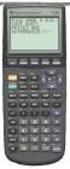 Calculator Activity Intro Getting to know your TI-83 Press ON to begin using calculator.to stop, press 2 nd ON. To darken the screen, press 2 nd alternately. To lighten the screen, press nd 2 alternately.
Public Health Activities and Services Tracking (PHAST) Interactive Data Visualization Tool User Manual
 Public Health Activities and Services Tracking (PHAST) Interactive Data Visualization Tool User Manual Funded by a grant from the Robert Wood Johnson Foundation. http://phastdata.org PHAST Interactive
containing Kendall correlations; and the OUTH = option will create a data set containing Hoeffding statistics.
 Getting Correlations Using PROC CORR Correlation analysis provides a method to measure the strength of a linear relationship between two numeric variables. PROC CORR can be used to compute Pearson product-moment
Integrating SAS with JMP to Build an Interactive Application
 Paper JMP50 Integrating SAS with JMP to Build an Interactive Application ABSTRACT This presentation will demonstrate how to bring various JMP visuals into one platform to build an appealing, informative,
Excel Tutorial. Bio 150B Excel Tutorial 1
 Bio 15B Excel Tutorial 1 Excel Tutorial As part of your laboratory write-ups and reports during this semester you will be required to collect and present data in an appropriate format. To organize and
Software Requirements Specification. Web Library Management System
 Software Requirements Specification For Web Library Management System Version x.xx Prepared by Proposed to Software Requirements Specification for WLMS Page
Charting LibQUAL+(TM) Data. Jeff Stark Training & Development Services Texas A&M University Libraries Texas A&M University
 Charting LibQUAL+(TM) Data Jeff Stark Training & Development Services Texas A&M University Libraries Texas A&M University Revised March 2004 The directions in this handout are written to be used with SPSS
Probability Distributions
 CHAPTER 5 Probability Distributions CHAPTER OUTLINE 5.1 Probability Distribution of a Discrete Random Variable 5.2 Mean and Standard Deviation of a Probability Distribution 5.3 The Binomial Distribution
E-Mail OS/390 SAS/MXG Computer Performance Reports in HTML Format
 SAS Users Group International (SUGI29) May 9-12,2004 Montreal, Canada E-Mail OS/390 SAS/MXG Computer Performance Reports in HTML Format ABSTRACT Neal Musitano Jr Department of Veterans Affairs Information
Getting Started with R and RStudio 1
 Getting Started with R and RStudio 1 1 What is R? R is a system for statistical computation and graphics. It is the statistical system that is used in Mathematics 241, Engineering Statistics, for the following
Scatterplots: Basics, enhancements, problems and solutions Peter L. Flom, Peter Flom Consulting, New York, NY
 ABSTRACT Scatterplots: Basics, enhancements, problems and solutions Peter L. Flom, Peter Flom Consulting, New York, NY The scatter plot is a basic tool for presenting information on two continuous variables.
How to Reduce the Disk Space Required by a SAS Data Set
 How to Reduce the Disk Space Required by a SAS Data Set Selvaratnam Sridharma, U.S. Census Bureau, Washington, DC ABSTRACT SAS datasets can be large and disk space can often be at a premium. In this paper,
Embedded Special Characters Kiran Karidi, Mahipal Vanam, and Sridhar Dodlapati
 PharmaSUG2010 - Paper CC19 Embedded Special Characters Kiran Karidi, Mahipal Vanam, and Sridhar Dodlapati ABSTRACT When the report generated from the clinical trial data requires to show lot of information
You have got SASMAIL!
 You have got SASMAIL! Rajbir Chadha, Cognizant Technology Solutions, Wilmington, DE ABSTRACT As SAS software programs become complex, processing times increase. Sitting in front of the computer, waiting
Curve Fitting, Loglog Plots, and Semilog Plots 1
 Curve Fitting, Loglog Plots, and Semilog Plots 1 In this MATLAB exercise, you will learn how to plot data and how to fit lines to your data. Suppose you are measuring the height h of a seedling as it grows.
SAS BI Dashboard 3.1. User s Guide
 SAS BI Dashboard 3.1 User s Guide The correct bibliographic citation for this manual is as follows: SAS Institute Inc. 2007. SAS BI Dashboard 3.1: User s Guide. Cary, NC: SAS Institute Inc. SAS BI Dashboard
Chapter 32 Histograms and Bar Charts. Chapter Table of Contents VARIABLES...470 METHOD...471 OUTPUT...472 REFERENCES...474
 Chapter 32 Histograms and Bar Charts Chapter Table of Contents VARIABLES...470 METHOD...471 OUTPUT...472 REFERENCES...474 467 Part 3. Introduction 468 Chapter 32 Histograms and Bar Charts Bar charts are
SAS Enterprise Guide A Quick Overview of Developing, Creating, and Successfully Delivering a Simple Project
 Paper 156-29 SAS Enterprise Guide A Quick Overview of Developing, Creating, and Successfully Delivering a Simple Project Ajaz (A.J.) Farooqi, Walt Disney Parks and Resorts, Lake Buena Vista, FL ABSTRACT
Effective Use of SQL in SAS Programming
 INTRODUCTION Effective Use of SQL in SAS Programming Yi Zhao Merck & Co. Inc., Upper Gwynedd, Pennsylvania Structured Query Language (SQL) is a data manipulation tool of which many SAS programmers are
PharmaSUG2011 - Paper AD11
 PharmaSUG2011 - Paper AD11 Let the system do the work! Automate your SAS code execution on UNIX and Windows platforms Niraj J. Pandya, Element Technologies Inc., NJ Vinodh Paida, Impressive Systems Inc.,
Health Care and Life Sciences
 Sensitivity, Specificity, Accuracy, Associated Confidence Interval and ROC Analysis with Practical SAS Implementations Wen Zhu 1, Nancy Zeng 2, Ning Wang 2 1 K&L consulting services, Inc, Fort Washington,
Paper TU_09. Proc SQL Tips and Techniques - How to get the most out of your queries
 Paper TU_09 Proc SQL Tips and Techniques - How to get the most out of your queries Kevin McGowan, Constella Group, Durham, NC Brian Spruell, Constella Group, Durham, NC Abstract: Proc SQL is a powerful
SAS BI Dashboard 4.3. User's Guide. SAS Documentation
 SAS BI Dashboard 4.3 User's Guide SAS Documentation The correct bibliographic citation for this manual is as follows: SAS Institute Inc. 2010. SAS BI Dashboard 4.3: User s Guide. Cary, NC: SAS Institute
Examples of Data Representation using Tables, Graphs and Charts
 Examples of Data Representation using Tables, Graphs and Charts This document discusses how to properly display numerical data. It discusses the differences between tables and graphs and it discusses various
Chapter 2 The Data Table. Chapter Table of Contents
 Chapter 2 The Data Table Chapter Table of Contents Introduction... 21 Bringing in Data... 22 OpeningLocalFiles... 22 OpeningSASFiles... 27 UsingtheQueryWindow... 28 Modifying Tables... 31 Viewing and Editing
Managing Tables in Microsoft SQL Server using SAS
 Managing Tables in Microsoft SQL Server using SAS Jason Chen, Kaiser Permanente, San Diego, CA Jon Javines, Kaiser Permanente, San Diego, CA Alan L Schepps, M.S., Kaiser Permanente, San Diego, CA Yuexin