
Leica DISTO TM X310 The original laser distance meter
|
|
|
- Eileen Nicholson
- 9 years ago
- Views:
Transcription
1 Leica DISTO TM X30 The original laser distance meter
2 Table of Contents Instrument Set-up Introduction Overview Display Insert batteries Operations Switching ON/OFF Clear Message Codes Adjusting measuring reference / tripod Multifunctional endpiece Distance unit setting Tilt unit setting Timer (automatic release) Beep ON/OFF Illumination ON/OFF Keypad lock ON Keypad lock OFF Measuring Functions Measuring single distance Permament / Minimum-Maximum measuring Add / Subtract Area Volume Triangular area Pythagoras (3-point) Pythagoras (partial height) Stake out Smart Horizontal Mode Height tracking Memory (0 last displays) Delete Memory Calibration Calibration of tilt sensor (Tilt Calibration) Technical Data Message Codes Care Warranty Safety Instructions Areas of responsibility Permitted use Prohibited use Hazards in use Limits of use Disposal Electromagnetic Compatibility (EMC) Laser classification Labelling Leica DISTO TM X d
3 Instrument Set-up Introduction The safety instructions and the user manual should be read through carefully before the product is used for the first time. The person responsible for the product must ensure that all users understand these directions and adhere to them. The symbols used have the following meanings: WARNING Indicates a potentially hazardous situation or an unintended use which, if not avoided, will result in death or serious injury. CAUTION Indicates a potentially hazardous situation or an unintended use which, if not avoided, may result in minor injury and/or appreciable material, financial and environmental damage. i Important paragraphs which must be adhered to in practice as they enable the product to be used in a technically correct and efficient manner. Overview Display On/Measure Add Area / Volume / Triangle area/ Pythagoras/ Stake out Measuring reference Clear / Off Subtract Memory / Unit Smart Horizontal Mode Timer Leica DISTO TM X d
4 Instrument Set-up Display Insert batteries Horizontal measurement Stake out Measuring reference Circumference Tilt angle Info Wall area Slope distance Area / Volume Illumination Memory Timer Pythagoras Triangle area Battery Min/Max Measuring Indirect height i To ensure a reliable use, do not use zinc-carbon batteries. Change batteries when battery symbol is flashing. Ceiling area Addition / Subtraction nd result Main line Units Leica DISTO TM X d 3
5 Operations Switching ON/OFF Clear Message Codes ON OFF sec Device is turned OFF. i Press ON button sec to start continuous laser mode. x Undo last action. x Leave actual function, go to default operation mode. If the message "InFo" appears with a number, observe the instructions in section "Message Codes". Example: Adjusting measuring reference / tripod i Press button sec and reference from front is set permanently. Distance is measured from the front of the device. Distance is measured from the tripod thread permanently. 3 Distance is measured from the rear of the device (standard setting). Leica DISTO TM X d 4
6 Operations Multifunctional endpiece i The orientation of the endpiece is automatically detected and the zero point is accordingly adjusted. Distance unit setting Tilt unit setting sec Switch between the following units: m 0.00 ft m 0 00 / m 0.00 in 0 in /3 sec simultaneously Switch between the following units: % Timer (automatic release) s i Adjust delay of automatic release (max. 60 sec, standard setting 5 sec) Once the key is released with the laser activated, the remaining seconds until the measurement is displayed in a countdown. The delayed release is recommended for precise aiming e.g. at long distances. It avoids shaking of the device when pressing the measurement key. Leica DISTO TM X d 5
7 Operations Beep ON/OFF Illumination ON/OFF sec simultaneously sec simultaneously Keypad lock ON Keypad lock OFF sec simultaneously PRESS MINUS within sec Leica DISTO TM X d 6
8 Measuring Functions Measuring single distance Aim active laser at target. 3 i 8.53 m Target surfaces: Measuring errors can occur when measuring to colourless liquids, glass, styrofoam or semi-permeable surfaces or when aiming at high gloss surfaces. Against dark surfaces the measuring time increases. Permament / Minimum-Maximum measuring sec Add / Subtract min. max. Used to measure room diagonals (maximum values) or horizontal distance (minimum values) The minimum and maximum distance measured is displayed (min, max.). The last value measured is displayed in the main line m 3 Stops permanent / minimummaximum measuring m The next measurement is added to the previous one. The next measurement is subtracted from the previous one. 3 i 7.33 m.847 m The result is shown in the main line and the measured value above. This process can be repeated as required. The same process can be used for adding or subtracting areas or volumes. Leica DISTO TM X d 7
9 Measuring Functions Area x Aim laser at first target point. 3 4 Aim laser at second target point. 5 i 4.35 m The result is shown in the main line and the measured value above. Partial Measurements: Press + or - after starting the first measurement. Measure and add or subtract distances. Finish with DIST. Measure nd length. 6 sec 9.83 m 4.35 m Circumference Area Leica DISTO TM X d 8
10 Measuring Functions Volume x Aim laser at first target point. Aim laser at second target point. Aim laser at third target point m 3 i The result is shown in the main line and the measured value above. 8 sec m m 4.4 m m 3 Circumference Wall areas Ceiling/floor area Volume Leica DISTO TM X d 9
11 Measuring Functions Triangular area 3x Aim laser at first target point. Aim laser at second target point. Aim laser at third target point m 8 sec m Angle included by the first two measurements Circumference 4.35 m Triangular area Leica DISTO TM X d 0
12 Measuring Functions Pythagoras (3-point) 4x Aim laser at upper point. Aim laser at rectangular point. Aim laser at lower point. 7 i 8.94 m The result is shown in the main line and the measured distance above. Pressing the measuring key for sec in the function activates automatically Minimum or Maximum measurement. Leica DISTO TM X d
13 Measuring Functions Pythagoras (partial height) 5x Aim laser at upper point. Aim laser at nd point. Aim laser at rectangular point. 7 i.60 m The result is shown in the main line and the measured distance above. Pressing the measuring key for sec in the function activates automatically Minimum or Maximum measurement. Leica DISTO TM X d
14 Measuring Functions Stake out i Two different distances (a and b) can be entered to mark off defined measured lengths. a = b 3 b b a a = b 3 b b a 6x.000 m Adjust value "a"..0 m Approve Adjust value "a". value "b" m Approve value "b" and start measurement. 6 Move device slowly along the stake-out line. The distance to the next stake out point is displayed m 0.40 m 0.40 m is missing up to next 0.65 m distance. i When approaching a stake out point to less than 0. m the instrument starts to beep. The function can be stopped by pressing the CLEAR/OFF button. Leica DISTO TM X d 3
15 Measuring Functions Smart Horizontal Mode Aim laser at target m 0.03 m 4.87 m x y z (up to 360 and a transverse tilt of ±0 ) x z y i Press key again to switch off horizontal measurement. Height tracking i This function displays continously the tracking height if the device is turned on a tripod. No nd distance measuring is needed as only the angle is automatically measured. x 3 x 4 h3 h h Aim laser at lower point. Aim laser at upper points and angle/ height tracking starts automatically m m x y = Tracking angle = Tracking height if device is turned on tripod x h3 h h y 6 Stops Height tracking and displays last measurement. Leica DISTO TM X d 4
16 Measuring Functions Memory (0 last displays) Delete Memory m 0 last displays are displayed m Navigates trough 0 last displays. sec The value from the main line can be used for further calculations. sec simultaneously Memory is completely deleted. Leica DISTO TM X d 5
17 Calibration Calibration of tilt sensor (Tilt Calibration) sec simultaneously 3 Place device on absolutely flat surface Turn the device horizontally by 80 and place it again on absolutely flat surface Place device on absolutely flat surface. 9 i After sec the device goes back to the normal mode. Turn the device horizontally by 80 and place it again on absolutely flat surface. Leica DISTO TM X d 6
18 Technical Data Distance measurement Typical Measuring Tolerance* ±.0 mm / ~/6" *** Maximum Measuring ±.0 mm / 0.08 in *** Tolerance** Range at Leica target plate 50 m / 490 ft GZM6 Typical Range* 0 m / 390 ft Range at unfavourable 80 m / 60 ft condition **** Smallest unit displayed 0. mm / /3 in Power Range Technology Ø laser point at distances Tilt measurement Measuring tolerance to laser beam***** Measuring tolerance to housing***** 6 /30 / 60 mm (0 / 50 / 00 m) ± 0. ± 0. Range 360 General Laser class Laser type 635 nm, < mw Protection class IP65 (dust tight and jet water protected) Autom. laser switch off after 90 s Autom. power switch-off after 80 s Battery durability ( x AAA) up to 5000 measurements Dimension (H x D x W) x 55 x 3 mm 4.80 x.7 x. in Weight (with batteries) 55 g / 4.98 oz Temperature range: -Storage -Operation -5 to 70 C -3 to 58 F -0 to 50 C 4 to F * applies for 00 % target reflectivity (white painted wall), low background illumination, 5 ºC ** applies for 0 to 500 % target reflectivity, high background illumination, - 0 ºC to + 50 ºC *** Tolerances apply from 0.05 m to 0 m with a confidence level of 95%. The maximum tolerance may deteriorate to 0. mm/m between 0 m to 30 m and to 0.0 mm/m for distances above 30 m **** applies for 00 % target reflectivity, background illumination of approximately 30'000 lux ***** after user calibration. Additional angle related deviation of +/- 0.0 per degree up to +/-45 in each quadrant. Applies at room temperature. For the whole operating temperature range the maximum deviation increases by +/-0.. i For accurate indirect results, the use of a tripod is recommended. For accurate tilt measurements a transverse tilt should be avoided. Functions Distance measuring Min/Max measuring Permanent measuring Stake-out Addition/Subtraction Area Triangle area Volume Painter function (area with partial measurem.) Pythagoras Smart Horizontal Mode / Indirect height Height tracking Memory Beep Illuminated display Multifunctional endpiece 3-point, partial height 0 displays Leica DISTO TM X d 7
19 Message Codes If the message Error does not disappear after switching on the device repeatedly, contact the dealer. If the message InFo appears with a number, press the Clear button and observe the following instructions: No. Cause Correction 56 Transverse tilt greater than 0 Hold the instrument without any transverse tilt. 6 Calibration mistake Make sure, the device is placed on a absolutely horizontal and flat surface. Repeat the calibration procedure. If the mistake still occurs, contact your dealer. 04 Calculation error Perform measurement again. 5 Temperature too high Let device cool down. 53 Temperature too low Warm device up. 55 Received signal too weak, measuring time too long 56 Received signal too high 57 Too much background light 58 Measurement outside of measuring range 60 Laser beam interrupted Change target surface (e.g. white paper). Change target surface (e.g. white paper). Shadow target area. Correct range. Repeat measurement. Care Clean the device with a damp, soft cloth. Never immerse the device in water. Never use aggressive cleaning agents or solvents. Warranty Lifetime Manufacturer's Warranty Warranty coverage for the entire usage time of the product according to Leica Geosystems International Limited Warranty. Free of charge repair or replacement for all products that suffer defects as a result of faults in materials or manufacturing, for the entire life of the product. 3 Years no Cost Guaranteed service should the product become defective and require servicing under normal conditions of use, as described in the user manual, at no additional charge. To receive the "3 years no cost" period, the product must be registered at within 8 weeks of the purchase date. If the product is not registered, a " years no cost" period applies. Safety Instructions The person responsible for the instrument must ensure that all users understand these directions and adhere to them. Areas of responsibility Responsibilities of the manufacturer of the original equipment: Leica Geosystems AG Heinrich-Wild-Strasse CH-9435 Heerbrugg Internet: The company above is responsible for supplying the product, including the User Manual in a completely safe condition. The company above is not responsible for third party accessories. Responsibilities of the person in charge of the instrument: To understand the safety instructions on the product and the instructions in the User Manual. To be familiar with local safety regulations relating to accident prevention. Always prevent access to the product by unauthorised personnel. Leica DISTO TM X d 8
20 Safety Instructions Permitted use Measuring distances Tilt measurement Prohibited use Using the product without instruction Using outside the stated limits Deactivation of safety systems and removal of explanatory and hazard labels Opening of the equipment by using tools (screwdrivers, etc.) Carrying out modification or conversion of the product Use of accessories from other manufacturers without express approval Deliberate dazzling of third parties; also in the dark Inadequate safeguards at the surveying site (e.g. when measuring on roads, construction sites, etc.) Deliberate or irresponsible behaviour on scaffolding, when using ladders, when measuring near machines which are running or near parts of machines or installations which are unprotected Aiming directly in the sun Hazards in use WARNING Watch out for erroneous measurements if the instrument is defective or if it has been dropped or has been misused or modified. Carry out periodic test measurements. Particularly after the instrument has been subject to abnormal use, and before, during and after important measurements. CAUTION Never attempt to repair the product yourself. In case of damage, contact a local dealer. WARNING Changes or modifications not expressly approved could void the user s authority to operate the equipment. Limits of use i Refer to section "Technical data". The device is designed for use in areas permanently habitable by humans. Do not use the product in explosion hazardous areas or in aggressive environments. Disposal CAUTION Flat batteries must not be disposed of with household waste. Care for the environment and take them to the collection points provided in accordance with national or local regulations. The product must not be disposed with household waste. Dispose of the product appropriately in accordance with the national regulations in force in your country. Adhere to the national and country specific regulations. Product specific treatment and waste management can be downloaded from our homepage. Leica DISTO TM X d 9
21 Safety Instructions Electromagnetic Compatibility (EMC) WARNING The device conforms to the most stringent requirements of the relevant standards and regulations. Yet, the possibility of causing interference in other devices cannot be totally excluded. Laser classification The device produces visible laser beams, which are emitted from the instrument: It is a Class laser product in accordance with: IEC6085- : 007 Radiation safety of laser products Laser Class products: Do not stare into the laser beam or direct it towards other people unnecessarily. Eye protection is normally afforded by aversion responses including the blink reflex. WARNING Looking directly into the beam with optical aids (e.g. binoculars, telescopes) can be hazardous. CAUTION Looking into the laser beam may be hazardous to the e. Labelling Laser Radiation Do not stare into the beam Laser class acc. IEC 6085-:007 Maximum radiant power: <mw Emitted wavelength: nm Beam divergence: 0.6 x 0.6 mrad Impulse duration: 0. x 0-9 s x 0-9 s Subject to change (drawings, descriptions and technical data) without prior notice. Leica DISTO TM X d 0
22 Leica Geosystems AG, Heerbrugg, Switzerland has been certified as being equipped with a quality system which meets the International Standards of Quality Management and Quality Systems (ISO standard 900) and Environmental Management Systems (ISO standard 400). Total Quality Management - Our commitment to total customer satisfaction. Ask your local Leica Geosystems agent for more information about our TQM program. Copyright Leica Geosystems AG, Heerbrugg, Switzerland 0 Original text (788479d ) Pat. No.: WO 94764, WO 98809, WO , WO 06964, US , EP 9567, US , WO , Patents pending Leica Geosystems AG CH-9435 Heerbrugg (Switzerland)
Leica DISTO TM D210 The original laser distance meter
 Leica DISTO TM D0 The original laser distance meter Table of Contents Instrument Set-up - - - - - - - - - - - - - - - - - - - - - - - - - - Overview - - - - - - - - - - - - - - - - - - - - - - - - - -
Table of Contents. Stanley TLM330 1
 Table of Contents EN Instrument Set-up - - - - - - - - - - - - - - - - - - - - - - - Introduction- - - - - - - - - - - - - - - - - - - - - - - - - - - - - - - Overview - - - - - - - - - - - - - - - - -
Table of Contents. Dewalt DW03101 1. Delete Memory - - - - - - - - - - - - - - - - - - - - - - - - - - -15
 Table of Contents EN Instrument Set-up - - - - - - - - - - - - - - - - - - - - - - - Introduction- - - - - - - - - - - - - - - - - - - - - - - - - - - - - - - Overview - - - - - - - - - - - - - - - - -
Laser Distance Meter Laser-Distanzmesser Laser distance-mètre Metro di distanza laser Medidor Láser de Distancia User Manual
 Laser Distance Meter Laser-Distanzmesser Laser distance-mètre Metro di distanza laser Medidor Láser de Distancia User Manual PPl lleeaassee read this manual before switching the unit on. Important safety
How To Use A Meter
 Table of Contents Title I UT391 Product Introduction II Unpacking Inspection III Safety Instruction IV Meter Structure V Setting and Operation of Meter VI Technical specifications VII Maintenance 3 4 5
CL90i. 77-021 Please read these instructions before operating the product. 3 - Beam Self-Leveling Cross Line Laser
 3 - Beam Self-Leveling Cross Line Laser CL90i 77-01 Please read these instructions before operating the product Self-Leveling GB D F I E PT NL DK SE FIN NO PL GR CZ RU HU SK SI BG RO EE LV LT Contents
e 1 0 0 I N S T RUC TION M ANU A L
 e 1 0 0 I N S T RUC TION M ANU A L The Empire Digital Level Accuracy, Readability, Durability one FEATURES: Easy to read back light Display reads right side up even if the level is upside down Audio beep
Hygro-Thermometer + InfraRed Thermometer Model RH101
 User's Guide Hygro-Thermometer + InfraRed Thermometer Model RH101 Introduction Congratulations on your purchase of the Extech Hygro-Thermometer plus InfraRed Thermometer. This device measures relative
Version 1.1 English. Rugby 50 User Manual
 Version 1.1 English User Manual Introduction Congratulations on the purchase of a new Rotating Laser product. Product The is a laser tool for general construction and other leveling applications. It is
Instruction Manual. Self-Leveling Rotary Laser Level Model Nos. 40-6515, 40-6516 and 40-6517
 3515H_Manuals 6/2/10 9:00 AM Page 1 Self-Leveling Rotary Laser Level Model Nos. 40-6515, 40-6516 and 40-6517 Instruction Manual Congratulations on your choice of this Self-Leveling Rotary Laser Level.
Ultrasonic Distance Meter. Operation Manual
 XPROTEC Ultrasonic Distance Meter Operation Manual About XProTec Pro-Installer Tools The XProTec line from XFTP is a comprehensive lineup of professionalgrade technical tools. These full-featured, field-proven,
Pocket Tach 99 (PT99) Non-Contact Tachometer
 CE DECLARATION OF CONFORMITY As Manufacturer: Monarch Instrument Division of Monarch International Inc. 15 Columbia Drive, Amherst NH 03031 USA declares under Monarch s sole responsibility that the product:
Wide Range InfraRed (IR) Thermometer with Type K input and Laser Pointer
 User Manual Wide Range InfraRed (IR) Thermometer with Type K input and Laser Pointer MODEL 42515 Introduction Congratulations on your purchase of the Model 42515 IR Thermometer. The Model 42515 IR thermometer
RL HW / RL HW+ / RL HGW / RL HV / RL HVPW/RL HVPW-G
 Auto-Levelling Rotary Laser Level RL HW / RL HW+ / RL HGW / RL HV / RL HVPW/RL HVPW-G 77-496 / 77-429 / 77-439 / 77-497 / 77-427/ 77-441 Please read these instructions before operating the product Auto-Levelling
Microwave Meter. Instruction Manual
 Microwave Meter 840046 Instruction Manual Microwave Meter 840046 Copyright 2009 by Sper Scientific ALL RIGHTS RESERVED Printed in the USA The contents of this manual may not be reproduced or transmitted
Rugby 100. User Manual. English. Version 1.5
 Rugby 100 User Manual Version 1.5 English This manual contains important Safety Directions (refer to chapter Safety directions) as well as instructions for setting up the product and operating it. Read
High Temperature InfraRed Thermometer with Laser Pointer
 User s Manual High Temperature InfraRed Thermometer with Laser Pointer MODEL 42540A 6 42540 6 Introduction Congratulations on your purchase of the Model 42540A IR Thermometer. The 42540A is capable of
Operating instructions Diffuse reflection sensor with background suppression O1D101 O1D104 706114 / 00 01 / 2012
 Operating instructions Diffuse reflection sensor with background suppression O1D101 O1D104 706114 / 00 01 / 2012 Contents 1 Preliminary note 3 1.1 Symbols used 3 1.2 Warning signs used 3 2 Safety instructions
Dual Laser InfraRed (IR) Thermometer with Color Alert
 User Manual Dual Laser InfraRed (IR) Thermometer with Color Alert MODEL 42509 Introduction Congratulations on your purchase of the Model 42509 IR Thermometer with Color Alert. This Infrared thermometer
Dual Laser InfraRed (IR) Thermometer
 User s Manual Dual Laser InfraRed (IR) Thermometer MODEL 42511 Introduction Congratulations on your purchase of the Model 42511 IR Thermometer. This Infrared thermometer measures and displays non-contact
Dual Laser InfraRed (IR) Thermometer
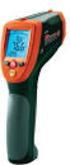 User Manual Dual Laser InfraRed (IR) Thermometer MODEL 42512 Introduction Congratulations on your purchase of the Model 42512 IR Thermometer. This Infrared thermometer measures and displays non-contact
62 Max/62 Max + Infrared Thermometer
 Infrared Thermometer Introduction The Fluke 62 MAX and 62 MAX + Infrared Thermometers (the Product) can determine the surface temperature by measurement of the infrared energy radiated from the target
Dual Laser InfraRed (IR) Thermometer
 User Manual Dual Laser InfraRed (IR) Thermometer MODEL 42570 Introduction Congratulations on your purchase of the Model 42570 IR Thermometer. This Infrared thermometer measures and displays non-contact
DSM155 Digital LED Light Meter User s Manual DSM155
 DSM155 Digital LED Light Meter User s Manual DSM155 CONTENTS TABLE OF CONTENTS......3 LIMITED WARRANTY AND LIMITATION OF LIABILITY......3 Out of Box....3 Accessories....3 Safety Information....3 Certification....5
Installation and Operating Manual p. 23. Radio push button 2 channel: HM-PB-2-WM55-2
 Installation and Operating Manual p. 23 Radio push button 2 channel: HM-PB-2-WM55-2 1. English edition 10/2013 Documentation 2013 eq-3 Ltd., Hong Kong All rights reserved. No parts of this manual may be
FCC COMPLIANCE STATEMENT FOR AMERICAN USERS
 FCC COMPLIANCE STATEMENT FOR AMERICAN USERS This equipment has been tested and found to comply with the limits for a CLASS A digital device, pursuant to Part 15 of the FCC Rules. These limits are designed
Model RPM10 Laser Photo / Contact Tachometer with IR Thermometer Patented
 User's Guide Model RPM10 Laser Photo / Contact Tachometer with IR Thermometer Patented Introduction Congratulations on your purchase of Extech's Laser Photo/Contact Tachometer with Non- Contact IR Thermometer,
BD20 OPERATING MANUAL LASER DISTANCE MEASURING DEVICE TRT-BA-BD20-TC-002-EN
 BD0 EN OPERATING MANUAL LASER DISTANCE MEASURING DEVICE TRT-BA-BD0-TC-00-EN Tale of contents Notes regarding the operating manual... Information aout the device... Technical data... Safety... 4 Transport
LEICA DNA digital levels Advantages that move you ahead. LEICA DNA digital levels
 Advantages that move you ahead LEICA DNA digital levels Advance by experience It is here: the second generation of digital levels by Leica, the inventors of the first digital levels worldwide. Its modern
Leica 3D Disto Recreating the real world
 Leica 3D Disto Recreating the real world Beautifully productive Your new partner for efficient room measurement Measures in 3-dimensions with high precision. RAUM: 90/0/0 Projects point for point. Records
EPM3. Phase Sequence and Motor Rotation Tester. Users Manual
 EPM3 Phase Sequence and Motor Rotation Tester Users Manual 1 L1 L2 L3 2 3 A B C CAT 600V 3-PHASE TESTER 5 TEST M1 M2 BATT M3 EPM3 MOTOR ROTATION TESTER EPM3 MOTOR ROTATION DETERMINED WHILE FACING MOTOR
LASER DIAGRAM TABLE OF CONTENTS. SKY Technologies Inc. www.skytechlasers.com. Laser Diagram. Technical Specifications. Laser Operation.
 TABLE OF CONTENTS LASER DIAGRAM Laser Diagram 1 Technical Specifications 2 Laser Operation 3 Laser Safety 5 Maintanence 6 Limitation of Liability 7 Warranty 8 Laser Pointer Series Operations Manual Page
Wireless Indoor/ Outdoor Thermometer
 Wireless Indoor/ Outdoor Thermometer Owner s Manual Please read before using this equipment. ˆ Contents FCC Information... 3 FCC Declaration of Conformity... 5 Preparation... 5 Installing Batteries...
Leica DNA digital levels Advantages that move you ahead
 Leica DNA digital levels Advantages that move you ahead Leica DNA digital levels Advantages that move you ahead With the Leica DNA digital levels you may discover a whole new world of advantages which
Version 1.0 English. Leica FlexLine TS02/TS06/TS09 Quick Guide
 Version 1.0 English Leica FlexLine TS02/TS06/TS09 Quick Guide To use the product in a permitted manner, please refer to the detailed safety instructions in the User Manual. Container Contents a b c d e
Innovative measurement technology for real professionals.
 New: the LAX 200 crossed line laser, the 300 and laser distance measurers Innovative measurement technology for real professionals. ACCURATE. TOUGH. RELIABLE. EASY-TO-USE. Three new measuring LAX 200/
8001782 Owner s Manual
 8001782 Digital Infrared Thermometer Owner s Manual Introduction This instrument is a portable, easy to use compact-size digital thermometer with laser sighting designed for one hand operation. The meter
www.somfy.com Telis 4 Soliris RTS Operating and installation guide Ref.5054466A
 www.somfy.com Telis 4 Soliris RTS Operating and installation guide Ref.5054466A Contents 1. Brief introduction to the Telis 4 Soliris RTS remote control 3 1.1 What is the Telis 4 Soliris RTS for? 3 1.2
ST815 Illumination Sensor with LCD
 ST815 Illumination Sensor with LCD The Illumination Sensor with LCD (refer to as Illumination Sensor hereafter) is a Z-Wave TM enabled device which is fully compatible with any Z-Wave TM enabled network.
LASER-PROTECTION INFORMATION
 LASER-PROTECTION INFORMATION µspeed-systems Version V2.0 Creation date: 18.07.2012 page 1/8 LASER PROTECTION The µspeed sensor system is a laser-based measuring system. When using a µspeed, it is necessary
Introduction 1 The system 1 The meter 2 The display 3 The mode 3 The measurement 4 Coding the meter 4 How to obtain a drop of blood 6 Application of
 Introduction 1 The system 1 The meter 2 The display 3 The mode 3 The measurement 4 Coding the meter 4 How to obtain a drop of blood 6 Application of the blood 7 Procedure to test glucose 7 Procedure to
FT-100 Fire Training Fog Machine User Manual English
 FT-100 Fire Training Fog Machine User Manual English 2015 Antari Lighting and Effects Ltd. User Manual - English Safety Information Please read the following safety information carefully before operating
Infrarot-Bewegungsmelder IP44
 Infrarot-Bewegungsmelder IP44 infrared motion sensors IP44 ODA (weiß) slim ODA (schwarz) slim 95174 96000 ODA (weiß) ODA (schwarz) 95175 96001 Betriebsanleitung User s Manual User s Manual infrared motion
Leica Sprinter Go ahead... Push the button
 Sprinter Go ahead... Push the button Sprinter 50 Aim, Push the utton, Read Dust and waterproof Compact and lightweight design Error-free height and distance results Single button operation Out of level
INSTRUCTION MANUAL Contactless Clinical Infrared Thermometer GT-101
 INSTRUCTION MANUAL Contactless Clinical Infrared Thermometer GT-101 17 D GB F I E P NL AR A Dear customer, Thank you for your confi dence in Geratherm and congratulations on your purchase! By purchasing
EM90 INFRA-RED THERMOMETER & THERMOCOUPLE METER
 EM90 INFRA-RED THERMOMETER & THERMOCOUPLE METER Users Manual - 1 - .Introduction Thank you for purchasing the SUPCO infrared (IR) thermometer and thermocouple meter. Please take a few minutes to browse
CQ-Series. User Manual. American Weigh Scales, Inc. CQ-350 (350x0.1g) CQ-500 (500x0.1g) Digital Pocket Scale . = + CALC AC CE % TARE OFF ON MC MR CALI
 American Weigh Scales, Inc. CQ-Series Digital Pocket Scale 7 4 1 0. 8 9 5 6 2 3 x = - CALI + CALC MODE M CAL AC CE % TARE OFF ON MC MR CQ-350 (350x0.1g) CQ-500 (500x0.1g) User Manual CQ-Series Manual Thank
Cross-beam scanning system to detect slim objects. 100 mm 3.937 in
 891 Object Area Sensor General terms and conditions... F-17 Related Information Glossary of terms... P.1359~ Sensor selection guide...p.831~ General precautions... P.1405 PHOTO PHOTO Conforming to EMC
Laserlyte-Flex Alignment System
 Laserlyte-Flex Alignment System LaserLyte-Flex The LaserLyte-Flex Alignment System is a unique, interchangeable, low cost plug and play laser system. Designed specifically for aligning and positioning
DAB+ / FM Tuner Model: TU-201
 DAB+ / FM Tuner Model: TU-201 Instruction Manual www.pulse-audio.co.uk 1 Safety Information The lightning bolt within a triangle is intended to alert the user to the presence of dangerous voltage levels
User's Guide. Digital Psychrometer. Model RH390. F C WBT Dew Point MAX MIN
 User's Guide Digital Psychrometer Model RH390 MAX MIN F C WBT Dew Point Introduction Congratulations on your purchase of the Extech RH390 Digital Psychrometer. This device measures Humidity, Air Temperature,
DX-395. FM/AM/SW1/SW2 PLL Synthesized Receiver OWNER S MANUAL. Cat. No. 20-225. Please read before using this equipment.
 20-225.fm Page 1 Wednesday, August 4, 1999 10:07 AM Cat. No. 20-225 OWNER S MANUAL Please read before using this equipment. DX-395 FM/AM/SW1/SW2 PLL Synthesized Receiver 20-225.fm Page 2 Wednesday, August
Thermistor Thermometer MODEL NO. 93210-00
 Thermistor Thermometer MODEL NO. 93210-00 Cole-Parmer Instrument Co. 625 East Bunker Court Vernon Hills, Illinois U.S.A. 60061-1844 (847) 549-7600 (847) 247-2929 (Fax) 800-323-4340 www.coleparmer.com e-mail:
aseries A13B Mini Bullet Camera User Manual
 aseries A13B Mini Bullet Camera User Manual Thank you for purchasing our product. If there are any questions, or requests, please do not hesitate to contact the dealer. This manual applies to the MicroView
INSTRUCTION MANUAL DTH31. 1-800-547-5740 Fax: (503) 643-6322 www.ueitest.com email: [email protected]
 INSTRUCTION MANUAL DTH31 Digital Psychrometer 1-800-547-5740 Fax: (503) 643-6322 www.ueitest.com email: [email protected] Introduction The DTH31 Digital Psychrometer is an advanced handheld humidity and
How To Use The Visifault Visual Fault Locator
 VisiFault Visual Fault Locator Instruction Sheet The VisiFault Visual Fault Locator (VFL) is a visible light source that helps you trace optical fibers, check fiber continuity, and find faults such as
User's Guide. Integrating Sound Level Datalogger. Model 407780. Introduction
 User's Guide 99 Washington Street Melrose, MA 02176 Phone 781-665-1400 Toll Free 1-800-517-8431 Visit us at www.testequipmentdepot.com Back to the Extech 407780 Product Page Integrating Sound Level Datalogger
PowerLine Magnetic-Laser Sheave Alignment System Instructions
 PowerLine Magnetic-Laser Sheave Alignment System Instructions The PowerLine Magnetic-Laser Sheave Alignment System laser aligns belts, pulleys, sheaves, sprockets, gear trains, rollers, platforms, conveyors,
Stove Guard Kit User Manual
 Stove Guard Kit User Manual Innohome improves the Safety of your Home. inno home www.innohome.com Stove Guard Kit User Manual Stove Guard Kit User Manual Congratulations! You now own one of the most intelligent
Nokia Bluetooth Headset BH-118 User Guide
 Nokia Bluetooth Headset BH-118 User Guide Issue 1.1 2 Contents Introduction 3 About your headset 3 About Bluetooth connectivity 3 Get started 4 Keys and parts 4 Charge the battery 4 Switch the headset
WSD130 SOLDERING STATION
 NOTES S2032ACH 8/98 Rev. 11/01 WSD130 SOLDERING STATION 1. Power Switch 2. Digital Display 3. UP Button 4. DOWN Button 5. Optical Regulator, Right 6. Connection for Soldering Iron, Right 7. Selection Switch
MAKING MODERN LIVING POSSIBLE. living connect. Installation and User Guide. Danfoss Heating Solutions
 MAKING MODERN LIVING POSSIBLE living connect Installation and User Guide Danfoss Heating Solutions 2 living connect Thank you for buying a Danfoss product Danfoss Heating Solutions 3 Contents 1. System
User's Manual. Model 461995 Laser Photo / Contact Tachometer. Introduction
 User's Manual Model 461995 Laser Photo / Contact Tachometer Laser Photo/ Contact Tachometer 461995 MEMORY rpm PHOTO CONTACT ft/min m/min Introduction Congratulations on your purchase of Extech's Laser
E&P HYDRAULICS Remote control EPRC-01 Level System Camper
 USER S GUIDE E&P HYDRAULICS Remote control EPRC-01 Level System Camper 1 Copyright 2012, E&P Hydraulics This manual is copyrighted, with all rights reserved. Under the copyright laws, this may not, in
TS-E24mm f/3.5l TS-E45mm f/2.8 TS-E90mm f/2.8 Instructions
 TS-E24mm f/3.5l TS-E45mm f/2.8 TS-E90mm f/2.8 ENG Instructions Thank you for purchasing a Canon product. Canon s TS-E lenses are tilt-shift lenses designed for EOS cameras. The tilt-shift mechanism enables
Mold Alert... Operation Manual P0270
 Mold Alert... Operation Manual P0270 introduction Congratulations on your purchase of the P0270 Mold Alert! Mold is as old as the Earth and it s everywhere. Under the right set of conditions, it can actually
Portable Air Conditioner
 Portable Air Conditioner Owner's Manual Model:3 in 1 12,000 Btu/h Series 3 Please read this owner s manual carefully before operation and retain it for future reference. CONTENTS 1. SUMMARY...1 2. PORTABLE
Leica DISTO with Bluetooth Smart usage on Android 4.3 or higher. V 1.1 April 2014
 Leica DISTO with Bluetooth Smart usage on Android 4.3 or higher V 1.1 April 2014 Content Leica DISTO devices Bluetooth compatibility Leica DISTO Bluetooth Smart Leica DISTO sketch for Android 2 The Leica
Temperature Humidity Meter
 971 Temperature Humidity Meter Users Manual PN 2441047 September 2005 Rev.1, 5/06 2005-2006 Fluke Corporation, All rights reserved. Printed in Taiwan All product names are trademarks of their respective
Model: 308-1412 Manual DC: 080215 WIRELESS COLOR FORECAST STATION
 Model: 308-1412 Manual DC: 080215 WIRELESS COLOR FORECAST STATION FRONT VIEW SENSOR TX141TH-Bv2 LED TX Sensor Battery Cover Sensor Battery Compartment 2 AA Buttons Battery Compartment 3 AAA BACK VIEW Battery
Operating instructions Platform/floor scales
 KERN & Sohn GmbH Ziegelei 1 D-72336 Balingen email: [email protected] Phone: +49-[0]7433-9933-0 Fax: +49-[0]7433-9933-149 Internet: www.kern-sohn.com Operating instructions Platform/floor scales KERN
TRIMBLE TX5 3D LASER SCANNER QUICK START GUIDE
 TRIMBLE TX5 3D LASER SCANNER QUICK START GUIDE Equipment 1 8 9 5 6 7 4 3 2 The TX5 laser scanner ships with the following equipment: 1 Scanner transport and carry case 6 USB memory card reader 2 AC power
Nokia Wireless Keyboard (SU-8W) User Guide
 Nokia Wireless Keyboard (SU-8W) User Guide DECLARATION OF CONFORMITY We, NOKIA CORPORATION declare under our sole responsibility that the product SU-8W is in conformity with the provisions of the following
USER GUIDE. LED Light Meter. Model LT45
 USER GUIDE LED Light Meter Model LT45 Introduction Congratulations on your purchase of the Extech LT45 LED Light Meter that measures light from LED lamps in addition to fluorescent, metal halide, high
www.blackanddecker.co.uk Ireland Australia New Zealand
 www.blackanddecker.co.uk 3 2 4 5 5 6 1 7 UK Ireland Australia New Zealand 1 8 9 10 11 12 13 1 A 14 15 B 7 18 19 16 18 19 21 17 20 C D E 2 Intended use Your Black & Decker distance and space measurer has
Ground Resistance Clamp On Tester
 USER MANUAL Ground Resistance Clamp On Tester MODEL 382357 Introduction Congratulations on your purchase of Extech s 382357 Ground Resistance Tester. This Clamp on device allows the user to measure ground
MAKING MODERN LIVING POSSIBLE. living connect. Installation and User Guide. Danfoss heating
 MAKING MORN LIVING POSSIBLE Danfoss heating living connect Installation and User Guide Contents 1.0 System overview... 3 2.0 Overview of display and control buttons... 3 3.0 Installation - step by step...
Thermocouple Thermometer Models
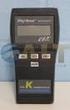 Technology Made Easy... Thermocouple Thermometer Models 60010-00 (Type J) 60010-10 (Type K) 60010-20 (Type T) 68X309905 Rev 1 04/04 TABLE OF CONTENTS 1. INTRODUCTION 4 2. SAFETY PRECAUTIONS 6 3. SPECIFICATIONS
Infrared Viewers. Manual
 Infrared Viewers Manual Contents Introduction 3 How it works 3 IR viewer in comparison with a CCD camera 4 Visualization of infrared laser beam in mid-air 4 Power Density 5 Spectral sensitivity 6 Operation
by QUICK START GUIDE 1
 by QUICK START GUIDE 1 BUTTONS & CONTROLS TALK* PREVIOUS / NEXT* POWER BUTTON & LED PAIRING BUTTON LINE IN USB DC IN PLAY / PAUSE* VOLUME DOWN / UP * Only works when connected wirelessly via Bluetooth
Mini InfraRed Thermometer with Laser Pointer
 User s Manual Mini InfraRed Thermometer with Laser Pointer MODEL 42500 Introduction Congratulations on your purchase of the Model 42500 IR Thermometer. This thermometer makes non-contact (infrared) temperature
Table of Contents Function Keys of Your RF Remote Control Quick Setup Guide Advanced Features Setup Troubleshooting
 Congratulations on your purchase of the AT&T U-verse TV Point Anywhere RF Remote Control. This product has been designed to provide many unique and convenient features to enhance your AT&T U-verse experience.
IN-OUT Thermometer with Cable Free Sensor and Clock
 IN-OUT Thermometer with Cable Free Sensor and Clock MODEL: RAR232 USER'S MANUAL INTRODUCTION Congratulations on your purchase of the RAR232 In-Out Thermometer with 433MHz cable free sensor and calendar
User Guide Nokia Portable Wireless Charging Plate DC-50
 User Guide Nokia Portable Wireless Charging Plate DC-50 Issue 1.1 EN User Guide Nokia Portable Wireless Charging Plate DC-50 Contents For your safety 3 About your accessory 4 Keys and parts 5 Top up your
MEASURING AND LEVELING TOOLS
 MEASURING AND LEVELING TOOLS LASER LEVELING FAST AND ACCURATE LEVELING Earth moving, laying of floors, interior design and set up; all applications for our laser and optical levels to prove their accuracy,
WARNING: This product contains chemicals known to the state of California to cause cancer, or birth defects or other reproductive harm.
 WARNING: This product contains chemicals known to the state of California to cause cancer, or birth defects or other reproductive harm. 9780 SW Freeman Drive Wilsonville, OR 97070 USA Tel: 800-442-2406
Nokia Bluetooth Headset BH-110 User Guide
 Nokia Bluetooth Headset BH-110 User Guide Issue 1.0 2 Introduction About your headset With the Nokia Bluetooth BH-110 headset, you can handle calls hands-free, even when you are using two phones at the
Operating Manual Remote Cost Control Monitor
 Operating Manual Remote Cost Control Monitor INTRODUCTION: Congratulations on purchasing the Remote Cost Control. This is a state-of-the-art power monitoring socket that is highly accurate and easy to
4-Channel Thermometer / Datalogger
 USER GUIDE 4-Channel Thermometer / Datalogger RTD and Thermocouple Inputs Model SDL200 Introduction Congratulations on your purchase of the Extech SDL200 Thermometer, an SD Logger Series meter. This meter
FLUORESCENT UV- RING LIGHT OPERATING INSTRUCTION
 FLUORESCENT UV- RING LIGHT OPERATING INSTRUCTION Caution! UV-radiation of this device is in the range of UV-A (320-400 nm). Direct exposure to eyes shall therefore be avoided. UV protection glasses shall
Manual Ranging MultiMeter
 Owner s Manual Manual Ranging MultiMeter Model 82345 CAUTION: Read, understand and follow Safety Rules and Operating Instructions in this manual before using this product.! Safety! Operation! Maintenance!
Silicon Pyranometer Smart Sensor (Part # S-LIB-M003)
 (Part # S-LIB-M003) The smart sensor is designed to work with the HOBO Weather Station logger. The smart sensor has a plug-in modular connector that allows it to be added easily to a HOBO Weather Station.
REMOTE TERMOMETER TE 219 LED USER MANUAL
 INTRODUCTION REMOTE TERMOMETER TE 219 LED USER MANUAL Thank you for purchasing this unit with indoor thermometer, wireless thermometer sensor and radiocontrolled clock. This device is also equipped with
Owner s Guide. ca6554
 PROFESSIONAL SERIES Owner s Guide For Models: ca6554 Deluxe Vehicle Security and Remote Start System with 2 Way Confirming LCD Remote Control IMPORTANT NOTE: The operation of the Security and Convenience
High Efficiency Vaporizing System and Highly Durable Heaters Ensure 25% Increased Output.
 High Efficiency Vaporizing System and Highly Durable Heaters Ensure 25% Increased Output. Modular Design for Easy, Cost Effective Maintenance. Standardized Interface Allows Interchangeable Control Modules
Remote Engine Start System User s Information Manual
 Remote Engine Start System User s Information Manual A Few Words About Safety Your safety, and the safety of others, is very important. Operating this Remote Engine Starter System safely is an important
Laser Classification. Laser Classes
 LASER SAFETY Laser Classification It is the responsibility of the laser manufacturer to provide the correct classification of a laser product. This classification is made on the basis of a combination
ecomax Instructions for use Wall hung room sealed fan assisted condensing boilers For the user
 For the user Instructions for use ecomax Wall hung room sealed fan assisted condensing boilers ecomax 63/ E ecomax 68/ E ecomax 6/ E ecomax 635 E ecomax 84/ E ecomax 88/ E ecomax 835 E GB Table of contents
Drayton Digistat +2RF/+3RF
 /+3RF Programmable Room Thermostat Wireless Model: RF700/22090 Model: RF701/22092 Power Supply: Battery - Thermostat Mains - Digistat SCR Invensys Controls Europe Customer Service Tel: 0845 130 5522 Customer
ExStik TM ph Waterproof Meters
 User Guide ExStik TM ph Waterproof Meters Models PH100 & PH110 Patent Pending ExStik TM Description Front Panel Controls 1. Battery compartment cap 2. LCD Display 3. MODE / HOLD button 4. CAL / RECALL