
REMstar Auto A-Flex USER MANUAL
|
|
|
- Jade Jacobs
- 9 years ago
- Views:
Transcription
1 REMstar Auto A-Flex USER MANUAL
2 2012 Koninklijke Philips Electronics N.V. All rights reserved.
3 Table of Contents Intended Use... 2 Important... 2 Warnings... 2 Cautions... 3 Contraindications... 3 Symbol Key... 4 System Contents... 5 System Overview... 5 Control Buttons... 6 Available Therapy Modes...6 Available Flex Comfort Features...6 Installing the Air Filters...7 Connecting the Breathing Circuit...7 Where to Place the Device...7 Supplying AC Power to the Device...7 Navigating the Device Screens...8 Starting the Device... 8 Ramp Feature... 9 Mask Fit Check Feature...9 Humidifier Preheat... 9 Flex Screen...10 Setup Screen...10 Info Screen...12 Device Alerts...14 Troubleshooting...17 Accessories...18 Traveling with the System...19 Cleaning the Device...19 Cleaning or Replacing the Filters...19 Cleaning the Tubing...19 Service...19 Specifications...20 Disposal...22 How to Contact Philips Respironics...22 EMC Information...23 Limited Warranty...Back Page User Manual 1
4 CAUTION: U. S. federal law restricts this device to sale by or on the order of a physician. Intended Use The Philips Respironics REMstar Auto A-Flex system delivers positive airway pressure therapy for the treatment of Obstructive Sleep Apnea in spontaneously breathing patients weighing over 30kg (66 lbs). It is for use in the home or hospital/institutional environment. Important The device is to be used only on the instruction of a licensed physician. The system can deliver CPAP therapy or Auto-CPAP therapy. For enhanced pressure relief in CPAP mode, the device can also deliver C-Flex or C-Flex+. For enhanced pressure relief in Auto mode, the device can deliver C-Flex or A-Flex. Your home care provider will make the correct pressure settings according to your health care professional s prescription. When set in the Auto-CPAP therapy, the system will monitor your breathing as you sleep and automatically adjust the pressure to meet your needs. When in CPAP therapy, the system will deliver a continuous, set pressure during the night. Several accessories are available to make your OSA treatment with the REMstar Auto A-Flex system as convenient and comfortable as possible. To ensure that you receive the safe, effective therapy prescribed for you, use only Philips Respironics accessories. Warnings A warning indicates the possibility of injury to the user or the operator. This manual serves as a reference. The instructions in this manual are not intended to supersede the health care professional s instructions regarding the use of the device. The operator should read and understand this entire manual before using the device. This device is not intended for life support. The device should be used only with masks and connectors recommended by Philips Respironics or with those recommended by the health care professional or respiratory therapist. A mask should not be used unless the device is turned on and operating properly. The exhalation port(s) associated with the mask should never be blocked. Explanation of the Warning: The device is intended to be used with special masks or connectors that have exhalation ports to allow continuous flow of air out of the mask. When the device is turned on and functioning properly, new air from the device flushes the exhaled air out through the mask exhalation port. However, when the device is not operating, enough fresh air will not be provided through the mask, and exhaled air may be rebreathed. If you are using a full face mask (a mask covering both your mouth and your nose), the mask must be equipped with a safety (entrainment) valve. When using oxygen with this system, the oxygen supply must comply with local regulations for medical oxygen. Oxygen supports combustion. Oxygen should not be used while smoking or in the presence of an open flame. When using oxygen with this system, turn the device on before turning on the oxygen. Turn the oxygen off before turning the device off. This will prevent oxygen accumulation in the device. Explanation of the Warning: When the device is not in operation and the oxygen flow is left on, oxygen delivered into the tubing may accumulate within the device s enclosure. Oxygen accumulated in the device enclosure will create a risk of fire. When using oxygen with this system, a Philips Respironics Pressure Valve must be placed in-line with the patient circuit between the device and the oxygen source. The pressure valve helps prevent the backflow of oxygen from the patient circuit into the device when the unit is off. Failure to use the pressure valve could result in a fire hazard. Do not connect the device to an unregulated or high pressure oxygen source. Do not use the device in the presence of a flammable anaesthetic mixture in combination with oxygen or air, or in the presence of nitrous oxide. Do not use the device near a source of toxic or harmful vapors. Do not use this device if the room temperature is warmer than 35 C (95 F). If the device is used at room temperatures warmer than 35 C (95 F), the temperature of the airflow may exceed 43 C (109 F). This could cause irritation or injury to your airway. Do not operate the device in direct sunlight or near a heating appliance because these conditions can increase the temperature of the air coming out of the device. Contact your health care professional if symptoms of sleep apnea recur. If you notice any unexplained changes in the performance of this device, if it is making unusual or harsh sounds, if it has been dropped or mishandled, if water is spilled into the enclosure, or if the enclosure is broken, disconnect the power cord and discontinue use. Contact your home care provider. Repairs and adjustments must be performed by Philips Respironics-authorized service personnel only. Unauthorized service could cause injury, invalidate the warranty, or result in costly damage. Periodically inspect electrical cords and cables for damage or signs of wear. Discontinue use and replace if damaged. To avoid electrical shock, always unplug the power cord from the wall outlet before cleaning the device. DO NOT immerse the device in any fluids. 2 User Manual
5 If the device is used by multiple persons (such as rental devices), a low-resistance, main flow bacteria filter should be installed inline between the device and the circuit tubing to prevent contamination. Be sure to route the power cord to the outlet in a way that will prevent the cord from being tripped over or interfered with by chairs or other furniture. This device is activated when the power cord is connected. For safe operation when using a humidifier, the humidifier must always be positioned below the breathing circuit connection at the mask and the air outlet on the device. The humidifier must be level for proper operation. Note: Please see the Limited Warranty section of this manual for information on warranty coverage. Cautions A Caution indicates the possibility of damage to the device. Medical electrical equipment needs special precautions regarding EMC and needs to be installed according to EMC information. Contact your home care provider regarding EMC installation information. Mobile RF communications equipment can affect medical electrical equipment. Pins of connectors marked with the ESD warning symbol shall not be touched and connections shall not be made without special precautions. Precautionary procedures include methods to prevent build-up of electrostatic charge (e.g., air conditioning, humidification, conductive floor coverings, non-synthetic clothing), discharging one s body to the frame of the equipment or system or to earth. It is recommended that all individuals that will handle this device understand these precautionary procedures at a minimum as part of their training. Before operating the device, ensure that the SD card cover is replaced whenever any of the accessories such as the Link Module or Modem are not installed. Refer to the instructions that came with your accessory. Condensation may damage the device. If this device has been exposed to either very hot or very cold temperatures, allow it to adjust to room temperature (operating temperature) before starting therapy. Do not operate the device outside of the operating temperature range shown in the Specifications. Do not use extension cords with this device. Do not place the device directly onto carpet, fabric, or other flammable materials. Do not place the device in or on any container that can collect or hold water. A properly installed, undamaged reusable foam inlet filter is required for proper operation. Tobacco smoke may cause tar build-up within the device, which may result in the device malfunctioning. Dirty inlet filters may cause high operating temperatures that may affect device performance. Regularly examine the inlet filters as needed for integrity and cleanliness. Never install a wet filter into the device. You must ensure sufficient drying time for the cleaned filter. Always ensure that the DC power cord securely fits into your therapy device prior to use. Contact your home care provider or Philips Respironics to determine if you have the appropriate DC cord for your specific therapy device. When DC power is obtained from a vehicle battery, the device should not be used while the vehicle s engine is running. Damage to the device may occur. Only use a Philips Respironics DC Power Cord and Battery Adapter Cable. Use of any other system may cause damage to the device. Contraindications When assessing the relative risks and benefits of using this equipment, the clinician should understand that this device can deliver pressures up to 20 cm H 2 O. In the event of certain fault conditions, a maximum pressure of 30 cm H 2 O is possible. Studies have shown that the following pre-existing conditions may contraindicate the use of CPAP therapy for some patients: Bullous Lung Disease Pathologically Low Blood Pressure Bypassed Upper Airway Pneumothorax Pneumocephalus has been reported in a patient using nasal Continuous Positive Airway Pressure. Caution should be used when prescribing CPAP for susceptible patients such as those with: cerebral spinal fluid (CSF) leaks, abnormalities of the cribriform plate, prior history of head trauma, and/or pneumocephalus. (Chest 1989; 96: ) The use of positive airway pressure therapy may be temporarily contraindicated if you exhibit signs of a sinus or middle ear infection. Not for use with patients whose upper airways are bypassed. Contact your health care professional if you have any questions concerning your therapy. User Manual 3
6 Symbol Key The following symbols may appear on the device and power supply: Sy m b o l Definition Consult accompanying instructions for use. AC Power DC Power IP22 Drip Proof Equipment Caution, consult accompanying documents. ESD Warning symbol Class II (Double Insulated) Type BF Applied Part For Indoor Use Only. Do not disassemble. For Airline Use. Complies with RTCA/DO-160F section 21, category M. Separate collection for electrical and electronic equipment per EC Directive 2002/96/EC. Use only with the standard 60W power supply (not for use with Heated Tubing) Use only with the Heated Tubing compatible 80W power supply (can also be used when Heated Tubing is not in use) 4 User Manual
7 System Contents Your REMstar Auto A-Flex system may include the following items: Device User manual Carrying case Flexible tubing Power cord Power supply (60W , or 80W ) Note: If any of these items are missing, contact your home care provider. SD card Side cover panel Reusable gray foam filter Disposable ultra-fine filter (optional) Humidifier (optional) System Overview The REMstar Auto A-Flex is a CPAP (Continuous Positive Airway Pressure) device designed for the treatment of Obstructive Sleep Apnea (OSA). It can deliver CPAP therapy or Auto-CPAP therapy. When prescribed for you, the device provides several special features to help make your therapy more comfortable. The ramp function allows you to lower the pressure when you are trying to fall asleep. The air pressure will gradually increase until your prescription pressure is reached. You also have the option of not using the ramp feature at all. Additionally, the C-Flex, C-Flex+ and A-Flex comfort features provide you with pressure relief when you exhale during therapy. Several accessories are also available for use with your REMstar Auto device. Contact your home care provider to purchase any accessories not included with your system. SD Card (Accessory) Slot SD Card Cover Air Outlet Port Power Inlet Ta b Side Cover Filter Area This figure illustrates some of the device features, described in the following table. Device Feature Air Outlet Port (conical, 22 mm) SD Card (Accessory) Slot SD Card Cover Power Inlet Filter Area Side Cover Description Connect the 15 or 22 mm Philips Respironics flexible tubing here. Note: Heated Tubing should only be connected to the Air Outlet Port of the compatible System One Heated Humidifier and not to the Air Outlet Port of the therapy device. If applicable, insert the optional accessory SD card here. If applicable, the optional accessories such as a Link Module or Modem can be installed here. Refer to the instructions supplied with the accessory. When not using an accessory, this cover must be in place on the device. Connect the power cord here. A reusable, gray foam filter must be placed in the filter area to screen out normal household dust and pollens. A white ultra-fine filter can also be used for more complete filtration of very fine particles. If using a humidifier with the device, this side cover can be easily removed with the release tab before attaching the humidifier. Refer to the humidifier manual. When not using a humidifier, this cover must be in place on the device. User Manual 5
8 Control Buttons LCD Display Screen Humidifier Icon & Number Settings Control Wheel/Push Button Ramp Button This figure shows the primary control buttons on the device, described in the following table. Fe at u r e Display Screen Humidifier Icon Humidifier Numbers Control Wheel/Push Button Ramp Button Description Shows therapy settings, patient data, and other messages. The startup screen is shown temporarily when the unit is first powered. This Icon lights up (different colors) when the optional humidifier and/or heated tube is attached and heat is being applied. White means classic humidification is selected. Blue means System One humidification is selected. Orange means the heated tube is attached. Please refer to the humidifier user manual for more information. The humidifier number settings are only visible when the humidifier is attached and therapy is active. You can use the control wheel to change the number settings for the humidifier. When the heated tube is being used with the humidifier, these numbers will control the heated tube setting. Turn the wheel to toggle between options on the screen. Press the wheel to choose an option. Primary function is to turn airflow on/off. When the airflow is on, this button allows you to activate or restart the ramp function. When the airflow is off, this button allows you to activate the Mask Fit Check. This button lights up when therapy is active or during specific alerts. Available Therapy Modes The REMstar Auto A-Flex device offers the following therapy modes: CPAP This mode delivers Continuous Positive Airway Pressure; CPAP maintains a constant level of pressure throughout the breathing cycle. Auto-CPAP This mode delivers CPAP therapy while automatically adjusting the pressure level to meet your needs. Auto-Trial If available on your device, this mode delivers CPAP therapy while automatically adjusting the pressure level to meet your needs. Auto-Trial mode is limited to a specific number of days which is set by your physician. Once the set number of days has elapsed, your device will automatically transition to CPAP-Check mode. CPAP-Check If available on your device, this mode delivers CPAP therapy while automatically adjusting the pressure level to meet your needs. Pressure adjustments while in CPAP-Check mode are more gradual than those that occur in Auto-Trial mode and the amount of adjustment that can be made over time is limited. Available Flex Comfort Features The REMstar Auto A-Flex device offers the following optional Flex comfort features: C-Flex Provides pressure relief upon exhalation to improve comfort based on your needs. A-Flex/C-Flex+ Provides pressure relief taking place at the end of inhalation and at the start of exhalation to improve comfort based on your needs. When providing Auto-CPAP or Auto-Trial therapy, this comfort feature is called A-Flex. When providing CPAP or CPAP-Check therapy, this comfort feature is called C-Flex+. 6 User Manual
9 Installing the Air Filters CAUTION: A properly installed, undamaged gray foam filter is required for proper operation. The device uses a gray foam filter that is washable and reusable, and a white ultra-fine filter that is disposable. The reusable filter screens out normal household dust and pollens, while the ultra-fine filter provides more complete filtration of very fine particles. The gray reusable filter must be in place at all times when the device is operating. The ultra-fine filter is recommended for people who are sensitive to tobacco smoke or other small particles. The reusable gray foam filter is supplied with the device. A disposable ultra-fine filter may also be included. If your filter is not already installed when you receive your device, you must at least install the reusable gray foam filter before using the device. To install the filter(s): 1. If you are using the white disposable ultra-fine filter, insert it into the filter area first, mesh-side facing in, towards the device. 2. Insert the required gray foam filter into the filter area after the ultra-fine filter. Note: If you are not using the white disposable filter, simply insert the gray foam filter into the filter area. Connecting the Breathing Circuit To use the system, you will need the following accessories in order to assemble the recommended circuit: Philips Respironics interface (nasal mask or full face mask) with integrated exhalation port, or Philips Respironics interface with a separate exhalation device (such as the Whisper Swivel II) WARNING: If you are using a full face mask (a mask covering both your mouth and your nose), the mask must be equipped with a safety (entrainment) valve. Philips Respironics 22 mm (or 15 mm) flexible tubing, 1.83 m (6 ft.) Philips Respironics headgear (for the mask) WARNING: If the device is used by multiple persons (such as rental devices), a low-resistance, main flow bacteria filter should be installed in-line between the device and the circuit tubing to prevent contamination. To connect your breathing circuit to the device, complete the following steps: 1. Connect the flexible tubing to the air outlet on the side of the device. Note: Make sure the Tubing type setting (15 or 22) matches the tubing you are using (Philips Respironics 15 or 22 mm tubing). Note: Heated Tubing should only be connected to the Air Outlet Port of the compatible System One Heated Humidifier and not to the Air Outlet Port of the therapy device. Note: If required, connect a bacteria filter to the device air outlet, and then connect the flexible tubing to the outlet of the bacteria filter. Note: When using the bacteria filter, the device performance may be affected. However, the device will remain functional and deliver therapy. 2. Connect the tubing to the mask. Refer to the instructions that came with your mask. 3. Attach the headgear to the mask if necessary. Refer to the instructions that came with your headgear. Where to Place the Device Place the device on a firm, flat surface somewhere within easy reach of where you will use it at a level lower than your sleeping position. Make sure the filter area on the back of the device is not blocked by bedding, curtains, or other items. Air must flow freely around the device for the system to work properly. Make sure the device is away from any heating or cooling equipment (e.g., forced air vents, radiators, air conditioners). CAUTION: Do not place the device directly onto carpet, fabric, or other flammable materials. CAUTION: Do not place the device in or on any container that can collect or hold water. Supplying AC Power to the Device CAUTION: Condensation may damage the device. If this device has been exposed to either very hot or very cold temperatures, allow it to adjust to room temperature (operating temperature) before starting therapy. Do not operate the device outside of the operating temperature range shown in the Specifications. WARNING: Be sure to route the power cord to the outlet in a way that will prevent the cord from being tripped over or interfered with by chairs or other furniture. WARNING: This device is activated when the power cord is connected. IMPORTANT: If you are using your device with a humidifier, refer to the instructions included with your humidifier for details on how to power the device and humidifier. User Manual 7
10 Complete the following steps to operate the device using AC power: 1. Plug the socket end of the AC power cord (included) into the power supply (also included). IMPORTANT: When you are using Heated Tubing with the compatible System One Heated Humidifier, you must use the 80W power supply. 2. Plug the pronged end of the AC power cord into an electrical outlet that is not controlled by a wall switch. 3. Plug the power supply cord s connector into the power inlet on the back of the device. 4. Ensure that all connections are secure. IMPORTANT: To remove AC power, disconnect the power supply cord from the electrical outlet. WARNING: Periodically inspect electrical cords and cables for damage or signs of wear. Discontinue use and replace if damaged. CAUTION: Do not use extension cords with this device. Navigating the Device Screens Turn the wheel to toggle between options and settings on the screen. Press the wheel to choose an option or setting that is highlighted. If you choose Back on any screen, it will take you back to the previous screen. Note: The screens shown throughout this manual are examples only. Actual screens may vary slightly. Examples are for reference only. Starting the Device 1. Supply power to the device. 2. The Home screen will appear, shown below. Home Screen Note: Flex shown above will display as the current Flex mode chosen by the provider. Note: The SD card icon will display next to Info, if the SD card is inserted. 3. Put on your mask assembly. Note: If you are having trouble with your mask, refer to the instructions supplied with the mask. 4. Turn the wheel to toggle between the four options. Highlight Therapy. Press the wheel to turn on the airflow and begin therapy. The Therapy screen will appear, which will show the current pressure setting being delivered (example shown below). Therapy Screen Note: The SD card icon will display in the lower left corner if the SD card is inserted. Note: If the Ramp feature is on, the Ramp icon will display in the lower right corner. 5. Make sure that no air is leaking from your mask into your eyes. If necessary, adjust the mask and headgear until the air leak stops. See the instructions provided with your mask for more information. Note: A small amount of mask leak is normal and acceptable. Correct large mask leaks or eye irritation from an air leak as soon as possible. 6. If you are using the device in a bed with a headboard, try placing the tubing over the headboard. This may reduce tension on the mask. 7. Press the wheel again to turn off therapy and return to the Home screen. 8 User Manual
11 Ramp Feature The device is equipped with an optional ramp feature that your home care provider can enable or disable. This feature reduces the air pressure when you are trying to fall asleep and then gradually increases (ramps) the pressure until your prescription setting is reached, allowing you to fall asleep more comfortably. If ramp is enabled on your device, after you turn on the airflow, press the RAMP ( ) button on the top of the device. You can use the RAMP button as often as you wish during the night. Note: If the Ramp feature is on, the Ramp icon ( ) will display in the lower right corner of the Therapy screen. Note: If the airflow is off and you press the RAMP button, the mask fit check feature will start if it is enabled by your provider. Note: If the device is in Auto-CPAP therapy mode and Ramp is disabled, pressing the RAMP button will reduce the air pressure and restart Auto-CPAP therapy at the Auto minimum pressure. Mask Fit Check Feature The optional mask fit check feature can be enabled or disabled by your home care provider. This feature allows you to check the fit of your mask prior to starting therapy. This is done by measuring the amount of leak. Put on your mask assembly. If mask fit check is enabled, before you turn on the airflow, press the RAMP ( ) button on the top of the device. Airflow will start and the mask fit check screen will appear, shown below. Mask Fit Check The device will deliver a test pressure while the screen will count down 40 seconds. After the test, normal therapy will start and the screen will either display a checkmark ( ) or an. The shows that the leak found allows for optimal performance of the device. The shows that the leak may affect device performance, however, the device will remain functional and deliver therapy. Note: If you choose to try to improve your mask fit, you can stop therapy, adjust the fit of your mask, and rerun the Mask Fit Check. Please refer to the instructions that came with your mask and headgear for the proper fitting procedure. Note: Mask Fit Check is only available when the device is in Auto-CPAP therapy mode. Note: If Split night is enabled, Mask Fit Check will be disabled. Humidifier Preheat When using a humidifier, the device can now preheat the water tank for up to 30 minutes prior to starting therapy. In order to activate the preheat mode, the blower must be off and a humidifier must be attached. From the device Home screen, highlight Therapy, then press and hold down the control wheel for 5 seconds. You will hear a single beep and the device will now be in preheat mode. The humidifier icon ( ) will illuminate during this time. During the 30 minute preheat, you will still be able to use the control wheel to select other menu options from the Home screen. If you press the wheel while Therapy is highlighted on the Home screen, preheat mode will end and the blower will turn on to begin therapy. The humidifier number selected in the setup menu (0, 1, 2, 3, 4, or 5) will now take effect. User Manual 9
12 Flex Screen From the Home screen, highlight Flex and press the wheel. The following Flex screen will appear. Flex Screen Note: Flex shown above (in Text mode only) will display as the current Flex mode chosen by the provider. Flex - The Flex comfort feature allows you to adjust the level of air pressure relief that you feel when you exhale during therapy. Your home care provider can enable or disable this feature. When your provider enables Flex, a level will already be set for you on the device. If this is not comfortable, you can increase or decrease the setting. The setting of 1 provides a small amount of pressure relief, with higher numbers providing additional relief. If the provider has disabled this feature, this setting will not display. Note: This same setting is also available under the Setup screen. Flex demo - The Flex setting allows you to set the Flex level prior to beginning therapy. The Flex demo setting allows you to try out the different Flex settings in real time. After a period of time of inactivity, the device will stop therapy and will use the last Flex demo setting as the new Flex setting for your device. When therapy is again started from the Home screen, the device will operate using the new Flex setting. Setup Screen From the Home screen, highlight Setup and press the wheel. The following Setup screen will appear. The user can change settings in the Setup menu. All settings are shown here. Your display will vary based on device settings. Setup Back Flex Heated Tube humidification on off SYSTEM ONE humidification on off Humidifier Humidity level Tube temperature Ramp time 0:00-0:45 Ramp start (auto min)or(cpap pres) Tubing type H SYSTEM ONE resistance X1 X2 X3 X4 X5 Auto on on off Auto off on off Mask alert on off Humidifier LED Backlight on off Silent mode on off Language EN ES Back Setup Screen Note: The screen will only show a few lines at a time. As you rotate the wheel to toggle over different options the screen will slide up and down accordingly. If the text is too long to completely fit on the screen, it will scroll horizontally across the screen when highlighted. Flex - This displays the Flex level set by your home care provider. Your home care provider will either enable or disable Flex. If Flex is enabled and the setting is not comfortable, you can increase or decrease this setting. If your provider has disabled Flex, you will not see this setting. Note: This same setting is also available under the Flex screen. Heated Tube humidification - This setting will only display if you are using the heated tube. You can enable or disable this feature. SYSTEM ONE humidification - System One humidity control maintains a consistent mask humidity by monitoring and adjusting for changes in room temperature and room humidity. You can enable or disable this feature. If the System One humidity control has been disabled, the classic style of basic temperature controlled heated humidification will be used. This will only display if the humidifier is attached. 10 User Manual
13 Humidifier - This setting allows you to choose the desired humidity setting: 0, 1, 2, 3, 4 or 5. If the System One humidity control has been disabled, the classic style of basic temperature controlled heated humidification will be used and the display will show: 0, C1, C2, C3, C4 or C5 for these settings. This will only display if the humidifier is attached. Please refer to the humidifier manual if using a humidifier. Note: When not using Heated Tubing, the control wheel can also be used to change this setting. IMPORTANT: The ideal humidifier setting depends on room temperature and humidity. Initially, a setting of 2 is recommended. You can adjust this at any time. Humidity level - This setting will only display if you are using the heated tube. This setting allows you to choose the desired humidity setting for the humidifier: 1, 2 or 3. This setting can only be changed from the Setup screen. Tube temperature - This setting will only display if you are using the heated tube. This setting allows you to choose the desired temperature for the heated tube: 0, 1, 2, 3, 4 or 5. If you choose zero (0), this will turn off both the humidifier and the heated tube. Note: When using Heated Tubing, the control wheel can also be used to change this setting. Ramp time - This enables you to modify the Ramp time setting in 5 minute increments. The range for this setting is 0 to 45 minutes Ramp Start - This displays the ramp starting pressure. You can increase or decrease the ramp starting pressure in 0.5 cm H 2 O increments. This is only available if Ramp time has been set to >0 and therapy pressure >4 cm H 2 O. This will not display if your provider enabled Split night on your device. Tubing Type - This setting allows you to select the correct size diameter tubing that you are using with the device. You can choose either (22) for the Philips Respironics 22 mm tubing, or (15) for the Philips Respironics 15 mm tubing. When using Heated Tubing, the device will automatically change this setting to the appropriate tubing type (15H) and you will not be able to change it. Note: If the Heated Tubing is removed, the device will default back to the previous tubing type setting. SYSTEM ONE resistance ( ) - This setting allows you to adjust the level of air pressure relief based on the specific Philips Respironics mask. Each Philips Respironics mask may have a System One resistance control setting. Contact your home care provider if you cannot find this resistance setting for your mask. If your provider has locked the resistance setting into place, you can view the setting but cannot change it, and the screen will display a lock symbol. If your provider has disabled resistance, you will not see this setting. Auto on - You can enable this feature if you want the device to automatically turn the airflow on whenever you apply the interface (mask) to your airway. You can also disable this feature. Auto off - You can enable this feature if you want the device to automatically turn the airflow off whenever you remove the interface (mask) from your airway. You can also disable this feature. Mask alert - You can enable or disable the mask alert setting. If this feature is enabled, when a significant mask leak is detected, the mask alert will appear on the display screen and an audible alert will sound. Refer to the Device Alerts section for more information about the mask alert. Humidifier LED backlight (Ramp Backlight) - You can enable or disable the LED backlight for the humidifier number settings and Ramp button on the device. Note: If the Humidifier is not attached, this feature will display Ramp Backlight and control the LED backlight for the Ramp button only. Note: If the Humidifier LED Backlight is enabled or disabled, the humidifier icon will always remains on (if humidifier is attached and heat is being applied), but will dim after 30 seconds of inactivity. Silent mode - You can disable this feature if you want the device to emit an audible indicator (beep) during the following device operations: power on, therapy start, therapy stop, mask fit check, and humidifier preheat mode. The device defaults to the Silent mode being enabled, meaning the device does not emit a beep during these operations. Language - This feature allows you to choose which language to display on the interface. You can choose English (EN) or Spanish (ES). User Manual 11
14 Info Screen From the Home screen, highlight Info and press the wheel. The following Info screen will appear. The user cannot change settings in the Info menu. Note: These screens are only for reference. Your home care provider may periodically ask you for this information. Info Back Status Phone-in Compliance VIC Therapy hours Days > 4 Large leak AHI Periodic breathing 90% pressure Auto-Trial CPAP-Check Humidifier Back Info Screen Note: The screen will only show a few lines at a time. As you rotate the wheel to toggle over different options the screen will slide up and down accordingly. Status - This displays information sent from a peripheral (SD card, modem, etc.). If two peripherals are attached, two lines will appear with corresponding icons. Note: This will not display if no peripherals are being used. Phone-in - This screen displays the total therapy hours for the device, the total blower hours, and the total number of days used when the sessions were greater than 4 hours since the device was last reset by the home care provider. This screen also displays a compliance check number used by your home care provider to validate that the data provided by you is the data taken from this screen. This setting only appears if your provider has enabled this feature. Compliance VIC (Visual Inspection Check) - This screen displays the start day and the total number of days used when the sessions were greater than 4 hours. This screen also displays a check code number used by your home care provider to validate that the data provided by you is the data taken from this screen. This setting only appears if your provider has enabled this feature. Therapy hours - The device is capable of recognizing the difference between the time the patient is actually receiving therapy and the time when the blower is simply running. This screen displays the average amount of time the patient is actually receiving therapy on the device over a 7 day and 30 day time frame (provided the device has at least 7 or 30 days of data respectively). If the device has only 5 days of data to use for the calculation, the 5 day average value will be seen under the 7 day display. Days > 4 - This screen displays the cumulative number of device therapy sessions that exceeded 4 hours over a 7 day and 30 day time frame. Large leak - During any given night, the device recognizes the percentage of time the patient was experiencing what it deemed to be a large leak. Large leak is defined as the level of leak that is so large, it is no longer possible to determine respiratory events with statistical accuracy. This screen displays the average of these individual nightly values of percentage of time in large leak over a 7 day and 30 day time frame (provided the device has at least 7 or 30 days of data respectively). If the device has only 5 days of data to use for the calculation, the 5 day average value will be seen under the 7 day display. If you see a large increase in the percent of time in large leak indicated here, contact your home care provider for assistance. This screen only displays if your home care provider has enabled it. 12 User Manual
15 AHI - The device accumulates individual Apnea/Hypopnea indices (AHI) for each session the patient used the device. This screen displays the average of these individual nightly AHI values over a 7 day and 30 day time frame (provided the device has at least 7 or 30 days of data respectively). If the device has only 5 days of data to use for the calculation, the 5 day average value will be seen under the 7 day display. This screen only displays if your home care provider has enabled it. Periodic Breathing - During any given night, the device recognizes the percentage of time the patient was experiencing periodic breathing. This screen displays the average of these individual nightly values of periodic breathing over a 7 day and 30 day time frame (provided the device has at least 7 or 30 days of data respectively). If the device has only 5 days of data to use for the calculation, the 5 day average value will be seen under the 7 day display. If you see a large increase in the percent of time in periodic breathing indicated here, contact your home care provider for assistance. This screen only displays if your home care provider has enabled it. 90% Pressure - During any given night, the device recognizes the 90% Pressure achieved by the Auto Algorithm. 90% Pressure is defined as the pressure at which the device spent 90% of the session time at or below. For example, if the device recognized airflow for 10 hours, and 9 hours were spent at or below 11 cm H 2 O, and 1 hour was spent above 11 cm H 2 O, then the 90% Pressure would be 11 cm H 2 O. This screen displays the average of these individual nightly values of 90% Pressure over a 7 day and 30 day time frame (provided the device has at least 7 or 30 days of data respectively). If the device has only 5 days of data to use for the calculation, the 5 day average value will be seen under the 7 day display. This screen only displays if the device was set to Auto-CPAP therapy. Auto-Trial - If Auto-Trial mode is available, this screen displays Days: 00/00 (accumulated trial days / selected trial days). This screen only displays if your home care provider has enabled Auto-Trial. CPAP-Check - If CPAP-Check mode is available, this screen will either display 00.0 (CPAP-Check Pressure) or 90%(00.0) (if Auto-Trial established a 90% pressure level). This screen will also display 00/30 (Hours Used / 30 Hours). This screen only displays if your home care provider has enabled CPAP-Check. Humidifier - This screen will display 3 settings: power supply (either the 60W or 80W), tubing type, and either humidifier or tube temperature setting (if using). User Manual 13
16 Device Alerts High Priority: These alerts require immediate operator response. The alert signal consists of a high priority sound, which is a continuous two-beep pattern (indicated in the following table as: ). Additionally, the backlights on the buttons will provide a high priority flashing pattern consisting of a continuous, bright-to-off, two-flash pattern (indicated in the following table as: ). Medium Priority: These alerts require prompt operator response. The alert signal consists of a medium priority sound, which is a continuous one-beep pattern (indicated in the following table as: ). Additionally, the backlights on the buttons will provide a medium priority flashing pattern consisting of a continuous, bright-to-dim, one-flash pattern (indicated in the following table as: ). Alert Summary Table: The following table summarizes the alerts. Al e rt Au d i b l e In d i c at o r Vi s u a l In d i c at o r Service Required Screen displays Service required. Mask Alert Screen displays Mask alert. Auto Off single beep Screen displays Auto off. Humidifier Alert none Humidifier LED icon will flash on the device. Power Supply Alert none Humidifier LED icon will flash orange for 30 seconds then return to solid blue. De v i c e Ac t i o n The device enters the Safe state in which the device power remains on, but the airflow is disabled. Alert present until action is taken. The airflow shuts off and the device enters the Standby state approximately seconds after detection. Alert present for 30 seconds or until user acknowledges. Only displayed when both the humidifier and therapy is on. Only displayed when incorrect power supply is used with the heated tube. Po s s i b l e Ca u s e Device failure. The breathing circuit is disconnected or there is a large air leak. The mask has been removed. Humidifier failure. Using wrong power supply. Pat i e n t Ac t i o n Press either the wheel or ramp button to silence the alert. Remove the power supply cord from the device to remove power. Plug the cord back into the device s power inlet to restore power. If the alert continues to occur, contact your home care provider. Turn off airflow. Check your breathing circuit connections and reconnect the tubing if it has come loose. Make sure your mask is on properly before you restart the airflow. If the alert continues to occur, contact your home care provider to have your mask checked. You may need a mask refitting. Put your mask back on and turn the airflow on to resume therapy. Alert is present for 12 minutes or until the condition is fixed. Turn off airflow and reconnect the humidifier to the device according to the humidifier instructions. If the alert continues to occur, contact your home care provider. Alert is present for 30 seconds or until the condition is fixed. You must use the 80W power supply when using the heated tube. If the alert continues to occur, contact your home care provider. 14 User Manual
17 Al e rt Au d i b l e In d i c at o r Vi s u a l In d i c at o r Heated Tube Error none Humidifier LED icon will slowly flash orange for 30 seconds then return to solid blue. De v i c e Ac t i o n Alert present for 30 seconds or until condition is fixed. Po s s i b l e Ca u s e Tubing may be overheating or malfunctioning. Pat i e n t Ac t i o n Alert is present for 30 seconds or until the condition is fixed. Turn off airflow and reconnect the heated tubing to the humidifier according to the humidifier instructions. If the alert continues to occur, contact your home care provider. Instant Message single beep Home care provider will supply text to be displayed. Patient Reminder single beep Screen displays message from the provider. SD Card: Prescription Accepted SD Card: Prescription Rejected SD Card: Inserted Incorrectly single beep single beep Screen displays SD card inserted, prescription accepted. Screen displays SD card inserted, prescription rejected. Screen displays SD card inserted incorrectly. SD Card: Full Screen displays SD card full. SD Card: Remove single beep Screen displays SD card removed. SD Card: Data Activity single beep Screen displays Data activity: Do not remove card. Only displayed when therapy is off. Only displayed when therapy transitions from on to off. Alert present for 6 minutes or until user acknowledges. Alert present for 30 seconds or until user acknowledges. Alert present for 30 seconds or until user acknowledges. Alert present until action is taken. Alert present until action is taken. Alert present for 30 seconds or until user acknowledges. Alert present for 30 seconds or until user acknowledges or data activity complete. Message from the provider. Message from the provider. n/a Prescription missing or incorrect. SD card inserted incorrectly. SD card is full. SD card has been removed. n/a Your home care provider may send an instant message. Contact your home care provider with any questions. Your home care provider may set a patient reminder scheduled to pop up at a particular time to remind you to replace your mask, change your filters, etc. Check your mask, a new one may be available. Call your provider. is the default message. The provider may change the message. Card status can be checked in Status menu. Contact your home care provider for correct prescription. Alert is present until card is removed. Remove SD card and reinsert correctly. If the alert continues to occur, contact your home care provider. Alert is present until card is removed. Remove SD card and replace. Card status can be checked in the Status menu from the Info screen. Refer to Using the SD Card in the Accessories section of this manual for more information about the SD card. No action needed. No action needed. Refer to Using the SD Card in the Accessories section of this manual for more information about the SD card. User Manual 15
18 Al e rt Au d i b l e In d i c at o r Vi s u a l In d i c at o r SD Card: Corrupt Screen displays Corrupt card inserted reformat card?. SD Card: Remove and Reinsert Screen displays SD card error: remove and reinsert. Modem: Making Call single beep Modem will display its own icon on the device. Refer to modem instruction manual. Modem: Unsuccessful Call single beep Modem will display its own icon on the device. Refer to modem instruction manual. De v i c e Ac t i o n Alert present until action is taken. Alert present until action is taken. Alert present for 30 seconds after call sequence or until user acknowledges. Alert present for 30 seconds or until user acknowledges. Po s s i b l e Ca u s e A problem exists with the SD card. The data may be corrupted. Device cannot read the SD card. A problem may exist with the SD card or it is inserted incorrectly. Refer to modem instruction manual. Refer to modem instruction manual. Pat i e n t Ac t i o n Choose yes to reformat the card. Screen displays Reformatting... do not remove card. If you choose no, the alert will disappear and the card will not be reformatted. Note: Any information on the card will be lost when reformatted. Contact your home care provider with any questions. Remove SD card and reinsert. If the alert continues to occur, replace with another card or contact your home care provider. If modem is making call while therapy is active, alert for call sequence is not displayed. No action needed. 16 User Manual
19 Troubleshooting The table below lists some of the problems you may experience with your device and possible solutions to those problems. Problem Why It Happened What to Do Nothing happens when you apply power to the device. The backlights on the buttons do not light. The airflow does not turn on. The device s display is erratic. The Ramp feature does not work when you press the Ramp button. The airflow is much warmer than usual. The airflow pressure feels too high or too low. Tube Temperature is turned on in Setup screen but Heated Tubing is not warm. There s no power at the outlet or the device is unplugged. There may be a problem with the blower. The device has been dropped or mishandled, or the device is in an area with high Electromagnetic Interference (EMI) emissions. Your home care provider did not prescribe Ramp for you, or your CPAP pressure is already set to the minimum setting. The air filters may be dirty. The device may be operating in direct sunlight or near a heater. The Tubing type setting may be incorrect. Incorrect power supply is being used (60W is used instead of 80W). If you are using AC power, check the outlet and verify that the device is properly plugged in. Make sure there is power available at the outlet. Make sure the AC power cord is connected correctly to the power supply and the power supply cord is securely connected to the device s power inlet. If the problem continues to occur, contact your home care provider. Return both the device and power supply to your provider, so they can determine if the problem is with the device or power supply. If you are using DC power, make sure your DC power cord and battery adaptor cable connections are secure. Check your battery. It may need recharged or replaced. If the problem persists, check the DC cord s fuse following the instructions supplied with your DC cord. The fuse may need to be replaced. If the problem still occurs, contact your home care provider. Make sure the device is powered correctly. Make sure Therapy is highlighted when pressing the control wheel to start airflow. If the airflow does not turn on, there may be a problem with your device. Contact your home care provider for assistance. Unplug the device. Reapply power to the device. If the problem continues, relocate the device to an area with lower EMI emissions (away from electronic equipment such as cellular phones, cordless phones, computers, TVs, electronic games, hair dryers, etc.). If the problem still occurs, contact your home care provider for assistance. If Ramp has not been prescribed for you, discuss this feature with your home care provider to see if they will change your prescription. If your provider has enabled Ramp, but the feature still does not work, check the CPAP setting on your Active Display screen. If CPAP is set to the minimum setting (4.0 cm H 2 O), or the starting pressure is the same as the prescribed pressure, the Ramp feature will not work. Make sure that the ramp time setting is >0. Clean or replace the air filters. The temperature of the air may vary somewhat based on your room temperature. Make sure that the device is properly ventilated. Keep the device away from bedding or curtains that could block the flow of air around the device. Make sure the device is away from direct sunlight and heating equipment. If using the humidifier with the device, check the humidifier settings. Refer to the humidifier instructions to make sure the humidifier is working properly. If the problem continues, contact your home care provider. Make sure the Tubing type setting (22 or 15) matches the tubing that you are using (Philips Respironics 22 or 15 mm tubing). If you are using the Heated Tubing, this setting will be 15H and you cannot change it. Make sure the 80W power supply is being used. This can be confirmed by looking at the power supply for the 60W or 80W symbols. This can also be checked by looking at the Humidifier settings under the Info screen. Tube Temperature is turned on in Setup screen but Humidifier LED does not stay orange (changes to blue). Heated Tubing is attached incorrectly or damaged. Inspect Heated Tubing for damage and reconnect. If the problem continues, contact your home care provider. User Manual 17
20 Accessories There are several accessories available for your REMstar Auto A-Flex system such as a humidifier or a modem. Contact your home care provider for additional information on the available accessories. When using optional accessories, always follow the instructions enclosed with the accessories. Caution: Pins of connectors should not be touched. Connections should not be made to these connectors unless ESD precautionary procedures are used. Precautionary procedures include methods to prevent build-up of electrostatic charge (e.g., air conditioning, humidification, conductive floor coverings, non-synthetic clothing), discharging one s body to the frame of the equipment or system or to earth or a large metal object, and bonding oneself by means of a wrist strap to the equipment or system or to earth. Adding a Humidifier with or without Heated Tubing You can use the heated humidifier and the heated tube with your device. They are available from your home care provider. A humidifier and heated tube may reduce nasal dryness and irritation by adding moisture to the airflow..warning: For safe operation, the humidifier must always be positioned below the breathing circuit connection at the mask and the air outlet on the device. The humidifier must be level for proper operation. Note: Refer to the humidifier s instructions for complete setup information. Using the SD Card The REMstar Auto A-Flex system comes with an SD card inserted in the SD card slot on the back of the device to record information for the home care provider. Your home care provider may ask you to periodically remove the SD card and send it to them for evaluation. If the SD card is inserted in the device, the SD card icon ( ) will display next to Info on the Home screen, in the lower left corner of the Therapy screen, and in the Status menu from the Info screen. While the SD card is recording information (data activity), this icon will change to ( ) and then return to the original icon ( ) once the data transfer is complete. If the SD card becomes full, this icon will remain as ( ) until the SD card is replaced..note: The SD card does not need to be installed for the device to work properly. The SD card records device usage information for your home care provider. You can refer to the Device Alerts section in this manual for more information on the SD card. Contact your provider if you have any questions about the SD card. Adding Supplemental Oxygen Oxygen may be added at the mask connection. Please note the warnings listed below when using oxygen with the device. WARNINGS: When using oxygen with this system, the oxygen supply must comply with local regulations for medical oxygen. Oxygen supports combustion. Oxygen should not be used while smoking or in the presence of an open flame. When using oxygen with this system, a Philips Respironics Pressure Valve must be placed in-line with the patient circuit between the device and the oxygen source. The pressure valve helps prevent the backflow of oxygen from the patient circuit into the device when the unit is off. Failure to use the pressure valve could result in a fire hazard. Note: Refer to the pressure valve s instructions for complete setup information. When using oxygen with this system, turn the device on before turning on the oxygen. Turn the oxygen off before turning the device off. This will prevent oxygen accumulation in the device. Do not connect the device to an unregulated or high pressure oxygen source. Supplying DC Power to the Device A Philips Respironics DC power cord can be used to operate this device in a stationary recreational vehicle, boat, or motor home. In addition, a Philips Respironics DC battery adapter cable, when used with a DC power cord, allows the device to be operated from a 12 VDC free-standing battery. CAUTION: Always ensure that the DC power cord securely fits into your therapy device prior to use. Contact your home care provider or Philips Respironics to determine if you have the appropriate DC cord for your specific therapy device. CAUTION: When DC power is obtained from a vehicle battery, the device should not be used while the vehicle s engine is running. Damage to the device may occur. CAUTION: Only use a Philips Respironics DC Power Cord and Battery Adapter Cable. Use of any other system may cause damage to the device. Refer to the instructions supplied with the DC power cord and adapter cable for information on how to operate the device using DC power. 18 User Manual
21 Traveling with the System When traveling, the carrying case is for carry-on luggage only. The carrying case will not protect the system if it is put through checked baggage. For your convenience at security stations, there is a note on the bottom of the device stating that it is medical equipment and is suitable for airline use. It may be helpful to bring this manual along with you to help security personnel understand the REMstar Auto A-Flex device. If you are traveling to a country with a line voltage different than the one you are currently using, a different power cord or an international plug adaptor may be required to make your power cord compatible with the power outlets of the country to which you are traveling. Contact your home care provider for additional information. Airline Travel The REMstar Auto A-Flex device is suitable for use on airlines when the device is operating from an AC or DC power source. Note: It is not suitable for airline use with any of the modems or humidifiers installed in the unit. Cleaning the Device WARNING: To avoid electrical shock, always unplug the power cord from the wall outlet before cleaning the device. DO NOT immerse the device in any fluids. 1. Unplug the device, and wipe the outside of the device with a cloth slightly dampened with water and a mild detergent. Let the device dry completely before plugging in the power cord. 2. Inspect the device and all circuit parts for damage after cleaning. Replace any damaged parts. Cleaning or Replacing the Filters Under normal usage, you should clean the gray foam filter at least once every two weeks and replace it with a new one every six months. The white ultra-fine filter is disposable and should be replaced after 30 nights of use or sooner if it appears dirty. DO NOT clean the ultra-fine filter. CAUTION: Dirty inlet filters may cause high operating temperatures that may affect device performance. Regularly examine the inlet filters as needed for integrity and cleanliness. 1. If the device is operating, stop the airflow. Disconnect the device from the power source. 2. Remove the filter(s) from the enclosure by gently squeezing the filter in the center and pulling it away from the device. 3. Examine the filter(s) for cleanliness and integrity. 4. Wash the gray foam filter in warm water with a mild detergent. Rinse thoroughly to remove all detergent residue. Allow the filter to air dry completely before reinstalling it. If the foam filter is torn, replace it. (Only Philips Respironics-supplied filters should be used as replacement filters.) 5. If the white ultra-fine filter is dirty or torn, replace it. 6. Reinstall the filters, inserting the white ultra-fine filter first if applicable. CAUTION: Never install a wet filter into the device. You must ensure sufficient drying time for the cleaned filter. Cleaning the Tubing Clean the flexible tubing before first use and daily. Disconnect the flexible tubing from the device. For the 15 or 22 mm flexible tubing, gently wash the tubing in a solution of warm water and a mild detergent. Rinse thoroughly. Air dry. Note: Refer to the humidifier manual for the instructions on how to clean the heated tube. Service The device does not require routine servicing. WARNING: If you notice any unexplained changes in the performance of this device, if it is making unusual or harsh sounds, if it has been dropped or mishandled, if water is spilled into the enclosure, or if the enclosure is broken, disconnect the power cord and discontinue use. Contact your home care provider. User Manual 19
22 Specifications Environmental Operating Temperature: 5 to 35 C (41 to 95 F) Storage Temperature: -20 to 60 C (-4 to 140 F) Relative Humidity (operating & storage): 15 to 95% (non-condensing) Atmospheric Pressure: 101 to 77 kpa ( m / ft) Physical Dimensions: 18 x 14 x 10 cm (7 L x 5.5 W x 4 H) Weight (Device with power supply): Approximately 1.53 kg (3.37 lbs) Standards Compliance This device is designed to conform to the following standards: IEC General Requirements for Safety of Medical Electrical Equipment EN ISO Sleep Apnea Breathing Therapy Devices EN Electromagnetic Compatibility RTCA/DO-160F section 21, category M; Emission of Radio Frequency Energy IEC Classification Type of Protection Against Electric Shock: Class II Equipment Degree of Protection Against Electric Shock: Type BF Applied Part Degree of Protection against Ingress of Water: Device: Drip Proof, IP22 60W power supply: Drip Proof, IP22 80W power supply: Drip Proof, IP22 Mode of Operation: Continuous Electrical AC Power Consumption (with 60W power supply): VAC, 50/60 Hz, 2.1 A AC Power Consumption (with 80W power supply): VAC, 50/60 Hz, 2.0 A DC Power Consumption: 12 VDC, 6.67 A Fuses: There are no user-replaceable fuses. Declared Dual-Number Noise Emissions Values In accordance with ISO 4871 The measured A-weighted emission sound pressure level is 27 db(a) with an uncertainty of 2 db(a). The measured A-weighted sound power level is 35 db(a) with an uncertainty of 2 db(a). Notes: These measurements apply to this device with an optional humidifier. Use of this device without a humidifier would result in measurements equal to or less than the stated values. Values determined according to noise test code given in ISO :2007, using the basic standards ISO 3744 and ISO User Manual
23 Pressure Accuracy Pressure Increments: 4.0 to 20.0 cm H 2 O (in 0.5 cm H 2 O increments) Pressure Stability: Static Dynamic < 10 cm H 2 O Dynamic 10.0 to 20 cm H 2 O Device ± 0.5 cm H 2 O 0.5 cm H 2 O 1.0 cm H 2 O Device w/ Humidifier ± 0.5 cm H 2 O 0.5 cm H 2 O 1.0 cm H 2 O Maximum Flow Rate (typical) 22 mm tubing 15 mm tubing (heated or nonheated) Measured pressure at the patient connection port (cm H 2 O) Average flow at the patient connection port (l/min) Measured pressure at the patient connection port (cm H 2 O) Average flow at the patient connection port (l/min) Test pressures (cm H 2 O) User Manual 21
24 Disposal Separate collection for electrical and electronic equipment per EC Directive 2002/96/EC. Dispose of this device in accordance with local regulations. How to Contact Philips Respironics To have your device serviced, contact your home care provider. If you need to contact Philips Respironics directly, call the Philips Respironics Customer Service department at or You can also use the following address: Respironics, Inc Murry Ridge Lane Murrysville, PA User Manual
25 EMC Information Guidance and Manufacturer s Declaration - Electromagnetic Emissions This device is intended for use in the electromagnetic environment specified below. The user of this device should make sure it is used in such an environment. Emissions Test Compliance Electromagnetic Environment - Guidance RF emissions CISPR 11 RF emissions CISPR 11 Harmonic emissions IEC Voltage fluctuations/flicker emissions IEC Group 1 Class B Class A Complies The device uses RF energy only for its internal function. Therefore, its RF emissions are very low and are not likely to cause any interference in nearby electronic equipment. The device is suitable for use in all establishments, including domestic establishments and those directly connected to the public low-voltage power supply network. Guidance and Manufacturer s Declaration - Electromagnetic Immunity This device is intended for use in the electromagnetic environment specified below. The user of this device should make sure it is used in such an environment. Im m u n i t y Test Electrostatic Discharge (ESD) IEC Electrical fast Transient/burst IEC Test Level ±6 kv contact ±8 kv air ±2 kv for power supply lines ±1 kv for input-output lines Compliance Level Electromagnetic Environment - ±6 kv contact ±8 kv air ±2 kv for supply mains ±1 kv for input/output lines Gu id a n c e Floors should be wood, concrete or ceramic tile. If floors are covered with synthetic material, the relative humidity should be at least 30%. Mains power quality should be that of a typical home or hospital environment. IEC Surge IEC Voltage dips, short interruptions and voltage variations on power supply input lines IEC Power frequency (50/60 Hz) magnetic field IEC ±1 kv differential mode ±2 kv common mode <5% U T (>95% dip in U T ) for 0.5 cycle 40% U T (60% dip in U T ) for 5 cycles 70% U T (30% dip in U T ) for 25 cycles <5% U T (>95% dip in U T ) for 5 sec ±1 kv differential mode ±2 kv for common mode <5% U T (>95% dip in U T ) for 0.5 cycle 40% U T (60% dip in U T ) for 5 cycles 70% U T (30% dip in U T ) for 25 cycles <5% U T (>95% dip in U T ) for 5 sec Mains power quality should be that of a typical home or hospital environment. Mains power quality should be that of a typical home or hospital environment. If the user of the device requires continued operation during power mains interruptions, it is recommended that the device be powered from an uninterruptible power supply or a battery. 3 A/m 3 A/m Power frequency magnetic fields should be at levels characteristic of a typical location in a typical hospital or home environment. NOTE: U T is the a.c. mains voltage prior to application of the test level. User Manual 23
26 Guidance and Manufacturer s Declaration - Electromagnetic Immunity This device is intended for use in the electromagnetic environment specified below. The user of this device should make sure it is used in such an environment. Immunity Test IEC Test Level Compliance Level Electromagnetic Environment -Guidance Portable and mobile RF communications equipment should be used no closer to any part of the device, including cables, than the recommended separation distance calculated from the equation applicable to the frequency of the transmitter. Conducted RF IEC Radiated RF IEC Vrms 150 khz to 80 MHz 3 V/m 80 MHz to 2.5 GHz 3 Vrms 3 V/m Recommended separation distance d = 1.2 d = 1.2 d = MHz to 800 MHz 800 MHz to 2.5 GHz where P is the maximum output power rating of the transmitter in watts (W) according to the transmitter manufacturer and d is the recommended separation distance in meters (m). Field strengths from fixed RF transmitters, as determined by an electromagnetic site survey a, should be less than the compliance level in each frequency range. b Interference may occur in the vicinity of equipment marked with the following symbol: NOTE 1 At 80 MHz and 800 MHz, the higher frequency range applies. NOTE 2 These guidelines may not apply in all situations. Electromagnetic propagation is affected by absorption and reflection from structures, objects, and people. a Field strengths from fixed transmitters, such as base stations for radio (cellular/cordless) telephones and land mobile radios, amateur radio, AM and FM radio broadcast and TV broadcast cannot be predicted theoretically with accuracy. To assess the electromagnetic environment due to fixed RF transmitters, an electromagnetic site survey should be considered. If the measured field strength in the location in which the device is used exceeds the applicable RF compliance level above, the device should be observed to verify normal operation. If abnormal performance is observed, additional measures may be necessary, such as re-orienting or relocating the device. b Over the frequency range 150 khz to 80 MHz, the field strengths should be less than 3 V/m. Recommended Separation Distances between Portable and Mobile RF Communications Equipment and This Device: The device is intended for use in an electromagnetic environment in which radiated RF disturbances are controlled. The customer or the user of this device can help prevent electromagnetic interference by maintaining a minimum distance between portable and mobile RF communications equipment (transmitters) and this device as recommended below, according to the maximum output power of the communications equipment. Ra t e d Ma x im u m Po w e r Output of Transmitter W 150 khz t o 80 MHz d = 1.2 Se p a r a t i o n Di s t a n c e Ac c o r d i n g t o Fr e q u e n c y o f Tr a n s m i t t e r m 80 MHz t o 800 MHz d = MHz t o 2.5 GHz d = For transmitters rated at a maximum output power not listed above, the recommended separation distance d in meters (m) can be estimated using the equation applicable to the frequency of the transmitter, where P is the maximum output power rating of the transmitter in watts (W) according to the transmitter manufacturer. Note 1: At 80 MHz and 800 MHz, the separation distance for the higher frequency range applies. Note 2: These guidelines may not apply in all situations. Electromagnetic propagation is affected by absorption and reflection from structures, objects, and people. 24 User Manual
27 Limited Warranty Respironics, Inc. warrants that the system shall be free from defects of workmanship and materials and will perform in accordance with the product specifications for a period of two (2) years from the date of sale by Respironics, Inc. to the dealer. If the product fails to perform in accordance with the product specifications, Respironics, Inc. will repair or replace at its option the defective material or part. Respironics, Inc. will pay customary freight charges from Respironics, Inc. to the dealer location only. This warranty does not cover damage caused by accident, misuse, abuse, alteration, water ingress, and other defects not related to material or workmanship. The Respironics, Inc. Service department shall examine any devices returned for service, and Respironics, Inc. reserves the right to charge an evaluation fee for any returned device as to which no problem is found after investigation by Respironics, Inc. Service. This warranty is non-transferable by unauthorized distributors of Respironics, Inc. products and reserves the right to charge dealers for warranty service of failed product not purchased directly from Respironics, Inc. or authorized distributors. Respironics, Inc. disclaims all liability for economic loss, loss of profits, overhead, or consequential damages which may be claimed to arise from any sale or use of this product. Some states do not allow the exclusion or limitation of incidental or consequential damages, so the above limitation or exclusion may not apply to you. This warranty is given in lieu of all other express warranties. In addition, any implied warranties including any warranty of merchantability or fitness for the particular purpose are limited to two years. Some states do not allow limitations on how long an implied warranty lasts, so the above limitation may not apply to you. This warranty gives you specific legal rights, and you may also have other rights which vary from state to state. To exercise your rights under this warranty, contact your local authorized Respironics, Inc. dealer or contact Respironics, Inc. at: 1001 Murry Ridge Lane Murrysville, Pennsylvania
28 R01 JR 3/29/2012 EN-DOM
REMstar Pro C-Flex+ USER MANUAL
 REMstar Pro C-Flex+ USER MANUAL 2012 Koninklijke Philips Electronics N.V. All rights reserved. Table of Contents Intended Use... 2 Important... 2 Warnings... 2 Cautions... 3 Contraindications... 3 Symbol
BiPAP Pro Bi-Flex USER MANUAL
 BiPAP Pro Bi-Flex USER MANUAL 2012 Koninklijke Philips Electronics N.V. All rights reserved. Table of Contents Intended Use... 2 Important... 2 Warnings... 2 Cautions... 3 Contraindications... 3 Symbol
BiPAP Auto Bi-Flex USER MANUAL
 BiPAP Auto Bi-Flex USER MANUAL 2010 Koninklijke Philips Electronics N.V. All rights reserved. Table of Contents Intended Use... 2 Important... 2 Warnings... 2 Cautions... 3 Contraindications... 3 Symbol
BiPAP Pro Bi-Flex USER MANUAL
 BiPAP Pro Bi-Flex USER MANUAL 2010 Koninklijke Philips Electronics N.V. All rights reserved. Table of Contents Intended Use... 2 Important... 2 Warnings... 2 Cautions... 3 Contraindications... 3 Symbol
M Series with C-Flex
 M Series with C-Flex IMPORTANT! Fill in the information below when you receive the REMstar Auto M Series system. Serial No.: (located on the bottom of the device) System Prescribed for: Date of Purchase
BiPAP autosv Advanced System One USER MANUAL
 BiPAP autosv Advanced System One USER MANUAL 2010 Koninklijke Philips Electronics N.V. All rights reserved. Table of Contents Intended Use... 2 Warnings... 2 Cautions... 2 Contraindications... 3 Patient
User manual. DreamStation CPAP DreamStation CPAP Pro DreamStation Auto CPAP
 User manual DreamStation CPAP DreamStation CPAP Pro DreamStation Auto CPAP Table of Contents Intended Use... 1 Important... 1 Warnings... 1 Cautions... 2 Contraindications... 2 Symbol Key... 3 System Contents...
REMstar SE USER MANUAL
 REMstar SE USER MANUAL 2012 Koninklijke Philips Electronics N.V. All rights reserved. Table of Contents Intended Use... 2 Important... 2 Warnings... 2 Cautions... 3 Contraindications... 3 Symbol Key...
Table of Contents. REMstar Auto User Manual 1
 Table of Contents Symbol Key... 2 Intended Use & Contraindications... 3 Specifications... 4 Warnings & Cautions... 5 System Features... 7 First Time Setup... 8 Installing the Filter... 9 Device Settings...
www.respironics.com CPAP System User Manual 1007167 LK 5/12/01
 www.respironics.com CPAP System User Manual 1007167 LK 5/12/01 Table of Contents Symbol Key... 2 Intended Use... 3 Specifications... 4 Warnings & Cautions... 5 Unpacking the System... 6 System Features...
CPAP System This CPAP system is intended for the treatment of adult obstructive Sleep Apnea only. NOTE: The C-Flex mark is used under license.
 Home Care Provider Setup Instructions Always use these instructions along with the User Manual when assembling or adjusting this equipment. For clinical systems, refer to the setup guide entitled Respironics
System One Heated Humidifier USER MANUAL
 System One Heated Humidifier USER MANUAL 2011 Koninklijke Philips Electronics N.V. All rights reserved. Table of Contents Intended Use... 2 Warnings... 2 Cautions... 2 Contraindications... 3 Symbol Key...
ENGLISH INSTRUCTION & INSTALLATION MANUAL DUCTLESS MINI SPLIT AIR CONDITIONING SYSTEMS
 ENGLISH INSTRUCTION & INSTALLATION MANUAL DUCTLESS MINI SPLIT AIR CONDITIONING SYSTEMS Céliera Corporation. All rights reserved. Unauthorized duplication, reproduction prohibited. CONTENTS SAFETY PRECAUTIONS...
SALTER AIRE Plus COMPRESSOR Model 8350 / 8352 / 8353. Instruction Manual. Page 1 of 9
 SALTER AIRE Plus COMPRESSOR Model 8350 / 8352 / 8353 Instruction Manual Page 1 of 9 TABLE OF CONTENTS Introduction...3 Important Safeguards..3 System Components...5 Setup and Operation...5 Setup...5 Operation....6
Heated HumidifieR 1031849 HM 1/6/06
 Heated HumidifieR M Series USER Manual 1031849 HM 1/6/06 Table of Contents Introduction...3 In This Manual...3 Intended Use...3 Warnings and Cautions...3 Warnings...3 Cautions...4 Symbol Key...5 System
Digital Photo Picture Frame. Operation Manual
 Digital Photo Picture Frame Operation Manual 20070309 CONGRATULATIONS on your purchase of a Polaroid 7 LCD Digital Photo Picture Frame. Please read carefully and follow all warnings and instructions in
THERAPY SYSTEMS Therapy Systems
 Therapy Systems CPAP Therapy REMstar Plus M Series with C-Flex Offers optional integrated humidification, optional Encore Pro SmartCard capability for basic compliance reporting, therapy meter display,
NOTE: Additional user information for your printer may be available in the "Manuals" section at support.dell.com.
 CAUTION: General Safety Instructions Use the following safety guidelines to help ensure your own personal safety and to help protect your equipment and working environment from potential damage. NOTE:
NewAir AC-10000E, AC-10000H Portable Air Conditioner Owner s Manual PLEASE READ AND SAVE THESE INSTRUCTIONS
 NewAir AC-10000E, AC-10000H Portable Air Conditioner Owner s Manual PLEASE READ AND SAVE THESE INSTRUCTIONS BEFORE USE GENERAL SAFETY INSTRUCTIONS: ALWAYS OPERATE THE UNIT IN AN UPRIGHT POSITION AND PLACE
When you switch off your system, or mute the sound, the red indicator light appears immediately, indicating that the subwoofer is not in use.
 BeoLab 11 Guide WARNING: To reduce the risk of fire or electric shock, do not expose this appliance to rain or moisture. Do not expose this equip ment to dripping or splashing and ensure that no objects
Portable Air Conditioner. OWNER S MANUAL Read these instructions before use. Model: MM14CCS. Voltage rating: 115V~60Hz Power rating : 1400W
 Portable Air Conditioner OWNER S MANUAL Read these instructions before use Model: MM14CCS Customer Support : 1-800-474-2147 Voltage rating: 115V~60Hz Power rating : 1400W For product inquiries or support
USER INSTRUCTIONS FOR GET PORTABLE 12k BTU AIR CONDITIONER MODEL No. GPACU12HR
 USER INSTRUCTIONS FOR GET PORTABLE 12k BTU AIR CONDITIONER MODEL No. GPACU12HR CONTENTS Introduction Safety Notes Identification of parts Installation instructions Operation instructions Maintenance Troubleshooting
Portable Air Conditioner
 Portable Air Conditioner Owner's Manual Model:3 in 1 12,000 Btu/h Series 3 Please read this owner s manual carefully before operation and retain it for future reference. CONTENTS 1. SUMMARY...1 2. PORTABLE
Portable Air Conditioner. OWNER S MANUAL Read these instructions before use. Model: MN12CES / MN10CESWW
 Portable Air Conditioner OWNER S MANUAL Read these instructions before use 8 Model: MN12CES / MN10CESWW Voltage rating: 120V~60Hz Power rating : 1100W (MN12CES) Power rating : 900W (MN10CESWW) Customer
Instruction manual for Firstline FCS12000CH
 Instruction manual for Firstline FCS12000CH Contents Introduction... 2 Safety Awareness... 3 Safety Awareness... 4 Name of Parts... 5 Name of Parts... 6 Remote Controller Preparation... 7 Operation of
How To Use A Power Supply Unit (Upu)
 BRAVER UPS (Uninterruptible Power System) User s Manual Safety CAUTION! This UPS utilizes voltages that may be hazardous. Do not attempt to disassemble the unit. The unit contains no user replaceable parts.
Daily use. Never use alcohol or other solvents to clean any part of the loudspeakers!
 BeoLab 6002 Guide WARNING: To reduce the risk of fire or electric shock, do not expose this appliance to rain or moisture. Do not expose this equip ment to dripping or splashing and ensure that no objects
IMPORTANT SAFETY INSTRUCTIONS WARNING READ AND SAVE THESE OPERATING AND SAFETY INSTRUCTIONS BEFORE USING THIS HEATER.
 THERMAWAVE CERAMIC HEATER Model HZ-850 Series Model HZ-860 Series IMPORTANT SAFETY INSTRUCTIONS WARNING READ AND SAVE THESE OPERATING AND SAFETY INSTRUCTIONS BEFORE USING THIS HEATER. Warning Failure to
Table Of Contents 6 6 6 7 7 8 8 9-11 12 12-13 14 15 16 17 18 19 20-21 22 22 23 24 24 24
 USER S GUIDE Table Of Contents Package Contents Accessories: Sold Separately Product Specifications Intended Use Compatibility ResMed Device Warning Battery Pack Run Times Power Backup Usage Getting Started
System One Heated Humidifier USER MANUAL
 System One Heated Humidifier USER MANUAL 2009 Respironics Inc. and its affiliates. All rights reserved. Table of Contents Intended Use... 2 Warnings... 2 Cautions... 2 Symbol Key... 2 System Features and
Nokia Bluetooth Headset BH-607. Issue 2. 1
 Nokia Bluetooth Headset BH-607 2 3 1 4 5 6 7 8 9 11 10 Issue 2. 1 12 13 14 DECLARATION OF CONFORMITY Hereby, NOKIA CORPORATION declares that this BH-607 product is in compliance with the essential requirements
FOR THE FOLLOWING MODELS: EE-8075W EE-8075O EE-8075R EE-8075BK
 FIREPLACE HEATER FOR THE FOLLOWING MODELS: EE-8075W EE-8075O EE-8075R EE-8075BK If you have any questions about the operation of your fireplace heater, please contact Crane Customer Care. Toll Free: 888-599-0992
CARING FOR YOUR WATER HEATER
 http://waterheatertimer.org/troubleshoot-rheem-tankless-water-heater.html Water Heater Inspections CARING FOR YOUR WATER HEATER Venting System (Direct Vent Only) The venting system should be inspected
PORTABLE AIR CONDITIONER
 PORTABLE AIR CONDITIONER MAC 7500 Owner s Manual Air Conditioner Dehumidifier Oscillating Fan Please read this owner s manual carefully before operating the unit. POWERED BY 66126113.p65 17 INTRODUCTION
Use and Care Manual. Model CPA12KH AIR CONDITIONER
 Use and Care Manual Model CPA12KH AIR CONDITIONER Introduction Thank you for choosing this air conditioner to provide you and your family with all of the "Home Comfort" requirements for your home, cottage
Z1 CPAP System CONTINUOUS POSITIVE AIRWAY PRESSURE SYSTEM User Guide
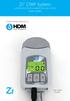 Z1 CPAP System CONTINUOUS POSITIVE AIRWAY PRESSURE SYSTEM User Guide Human Design Medical, LLC User Guide English Contents Welcome to Your Z1 CPAP System.... 2 Owner/User Responsibility... 2 Replacement
Portable Air Conditioner. OWNER S MANUAL Read these instructions before use. Model: MF08CESWW. Voltage rating: 115V~60Hz Power rating : 800W
 MODE ALARM Portable Air Conditioner OWNER S MANUAL Read these instructions before use 8 Model: MF08CESWW Voltage rating: 115V~60Hz Power rating : 800W Customer Support : 1-800-474-2147 For product inquiries
Compact Nasal CPAP Model 7400. System Patient Operating Instructions. Compact CPAP System
 7400-00B.QXD 10/21/99 8:03 AM Page 1 The Respironics Tranquility Quest Plus is a medical device prescribed by a physician to assist breathing. Compact CPAP System Compact Nasal CPAP Model 7400 System Patient
Portable Air Conditioner. OWNER S MANUAL Read these instructions before use. Model: MM14CHCSCS
 Portable Air Conditioner OWNER S MANUAL Read these instructions before use Model: MM14CHCSCS Voltage rating: 120V~60Hz Power rating : 1400W(Cooling) Power rating : 1350W(Heating) Customer Support : 1-800-474-21477
Contact Details. Please note that some of the contact details on this PDF document may not be current.
 Contact Details Please note that some of the contact details on this PDF document may not be current. Please use the following details if you need to contact us: Telephone: 0844 879 3588 Email: [email protected]
Nokia Bluetooth Headset BH-102. Issue 1
 Nokia Bluetooth Headset BH-102 1 2 3 4 45 46 7 8 10 119 Issue 1 DECLARATION OF CONFORMITY Hereby, NOKIA CORPORATION declares that this HS-107W product is in compliance with the essential requirements and
2-SLICE COOL TOUCH TOASTER
 2-SLICE COOL TOUCH TOASTER PLA0405 Instruction Manual Due to on-going product improvements, specifications and accessories may change without notice. Actual product may differ slightly to that depicted.
Owner s Manual. Model No.: 9S-005 series Item No. 7501 Please read the instruction manual before use
 Owner s Manual Model No.: 9S-005 series Item No. 7501 Please read the instruction manual before use Contents Important Safeguards....1 1. Introduction.......3 2. Product Description.......4 3. Installation......5
PAGE 1 OF 1 0 REFERENCE CURRENT EFFECT DATE 10/13 ORIGINAL ISSUE DATE 09/12 TITLE: SUBJECT: Patient Care
 PAGE 1 OF 1 0 REFERENCE [ ] All Sharp HealthCare AFFECTED DEPARTMENTS: ACCREDITATION: [ ] System Services Surgery Centers: [ ] SRS [ ] CV-OPS [ ] SCMG [ ] GPSC [ ] SHP [ ] SMH-OPP Hospitals (check all
User Guide. Bagless Cylinder White. Get Cleaning... vax.co.uk. Vax Careline: (UK) 0844 412 8455 (ROI) 1-800 928 308. White series
 C88-VW-B UG [Update 10.05.12]_User guide 10/05/2012 09:40 Page 1 User Guide Vax Careline: (UK) 0844 412 8455 Bagless Cylinder White Get Cleaning... What s your Vax model number? (Located on the top flap
USER INSTRUCTIONS FOR 10 LITRE PORTABLE DEHUMIDIFIER MODEL NO. DHMD102
 USER INSTRUCTIONS FOR 10 LITRE PORTABLE DEHUMIDIFIER MODEL NO. DHMD102 THANK YOU FOR CHOOSING YOUR NEW DEHUMIDIFIER. BEFORE USING THE UNIT READ THESE INSTRUCTIONS FULLY AND RETAIN THEM FOR FUTURE REFERENCE
Service manual. Website: www.andico.com.au CAUTION - BEFORE SERVICING THE UNIT, READ THE SAFETY - PRECAUTIONS IN THIS MANUAL.
 Website: www.andico.com.au Service manual CAUTION - BEFORE SERVICING THE UNIT, READ THE SAFETY - PRECAUTIONS IN THIS MANUAL. - ONLY FOR AUTHORISED SERVICE PERSONNEL. MODELS: MPK1-09CR-QB8 MPK1-12ER-QB6
FLUORESCENT UV- RING LIGHT OPERATING INSTRUCTION
 FLUORESCENT UV- RING LIGHT OPERATING INSTRUCTION Caution! UV-radiation of this device is in the range of UV-A (320-400 nm). Direct exposure to eyes shall therefore be avoided. UV protection glasses shall
Nokia Bluetooth Headset BH-200 User Guide
 Nokia Bluetooth Headset BH-200 User Guide 1 9246085 Issue 2 DECLARATION OF CONFORMITY We, NOKIA CORPORATION declare under our sole responsibility that the product HS-58W is in conformity with the provisions
Installation and Operation Manual Back-UPS BX800CI-AS/BX1100CI-AS
 + Installation and Operation Manual Back-UPS BX800CI-AS/BX1100CI-AS Inventory Safety and General Information bu001c This unit is intended for indoor use only. Do not operate this unit in direct sunlight,
Portable Evaporative Air Cooler. OWNER S MANUAL Read and save these instructions before use. Model: CL30XC
 Portable Evaporative Air Cooler OWNER S MANUAL Read and save these instructions before use Model: CL30XC Power rating: 250 Watts Voltage rating: 230 Volt, 50Hz Made in P.R.C. QUICK START GUIDE Fill with
Daker DK 1, 2, 3 kva. Manuel d installation Installation manual. Part. LE05334AC-07/13-01 GF
 Daker DK 1, 2, 3 kva Manuel d installation Installation manual Part. LE05334AC-07/13-01 GF Daker DK 1, 2, 3 kva Index 1 Introduction 24 2 Conditions of use 24 3 LCD Panel 25 4 Installation 28 5 UPS communicator
Nokia Bluetooth Headset BH-800 User Guide. 9246974 Issue 2
 Nokia Bluetooth Headset BH-800 User Guide 9246974 Issue 2 DECLARATION OF CONFORMITY We, NOKIA CORPORATION declare under our sole responsibility that the product HS-24W is in conformity with the provisions
Split Type Room Air Conditioner. KSWM units
 OWNER S MANUAL Split Type Room Air Conditioner KSWM units Please read the operating instructions and safety precautions carefully and thoroughly before installing and operating your room air conditioner.
NewAir AC-10100E / AC-10100H Portable Air Conditioner Owner s Manual PLEASE READ AND SAVE THESE INSTRUCTIONS
 NewAir AC-10100E / AC-10100H Portable Air Conditioner Owner s Manual PLEASE READ AND SAVE THESE INSTRUCTIONS ELECTRICAL SAFETY This appliance is for indoor use only. Always turn off the unit and unplug
USER S MANUAL HSC-24A
 AIRREX AIR CONDITIONER USER S MANUAL HSC-24A Thank you for purchasing an AIRREX AIR CONDITIONER. BEFORE operation please read this user s manual carefully. Keep this manual readily available. It is ESSENTIAL
NewAir AC-14100E / AC-14100H Portable Air Conditioner Owner s Manual PLEASE READ AND SAVE THESE INSTRUCTIONS
 NewAir AC-14100E / AC-14100H Portable Air Conditioner Owner s Manual PLEASE READ AND SAVE THESE INSTRUCTIONS PARTS LIST Front Back FIG.5 FIG.6 1. Control panel 2. Carrying handle 3. Water tank 4. Casters
Installation and Operation Back-UPS 1250, 1300, 1500
 Installation and Operation Back-UPS 1250, 1300, 1500 Inventory bu001a Safety and General Information This unit is intended for indoor use only. Do not operate this unit in direct sunlight, in contact with
Nokia Bluetooth Headset BH-108 9220721/1
 Nokia Bluetooth Headset BH-108 1 2 3 4 5 6 7 8 9 9220721/1 DECLARATION OF CONFORMITY Hereby, NOKIA CORPORATION declares that this BH-108 product is in compliance with the essential requirements and other
Online UPS. PowerWalker VFI 1000R/1U
 Online UPS PowerWalker VFI 1000R/1U Manual Uninterruptible Power Supply System Table of Contents 1. Important Safety Warning... 1 1-1. Transportation... 1 1-2. Preparation... 1 1-3. Installation... 1 1-4.
EVANS ELECTRONIC TEMPERATURE CONTROL TROUBLESHOOTING GUIDE for systems equipped with electric coolant valve and external PC board.
 EVANS ELECTRONIC TEMPERATURE CONTROL TROUBLESHOOTING GUIDE for systems equipped with electric coolant valve and external PC board. This Troubleshooting Guide covers the electric coolant valve and control
Important Safeguards
 Table of Contents Important Safeguards...2 Product Layout...3 Preparing for Use...4 Air-conditioning without installation...4 Air-conditioning with installation...5 Control Panel...6 Operating from the
24 Wide Screen LED Monitor with HDMI
 24 Wide Screen LED Monitor with HDMI USER MANUAL L24LE11B_MANUAL_EN_R1 Please read this manual carefully before using, and keep it for future reference. TABLE OF CONTENTS GETTING STARTED Monitor Stand
Meaco 30L and Meaco 40L dehumidifier instruction manual
 Meaco 30L and Meaco 40L dehumidifier instruction manual Please read this instruction manual before using the dehumidifier and keep safe for future reference SAFETY INSTRUCTIONS PLEASE READ ALL INSTRUCTIONS
Nokia Bluetooth Headset BH-100 9255557/1
 Nokia Bluetooth Headset BH-100 6 7 9 8 10 9255557/1 DECLARATION OF CONFORMITY Hereby, NOKIA CORPORATION declares that this HS-78W product is in compliance with the essential requirements and other relevant
User s Manual AURORA 1.2K/2.2K
 User s Manual AURORA 1.2K/2.2K Uninterruptible Power System Safety CAUTION This UPS utilizes voltages that may be hazardous. Do not attempt to disassemble the unit. The unit contains no user serviceable
- 2 - IMPORTANT SAFETY REMINDERS
 USER MANUAL IMPORTANT SAFETY REMINDERS This appliance should only be used for domestic cleaning, as described in this user guide. Please ensure that this guide is fully understood before operating the
Operating Instructions Air Conditioner
 F566272 Operating Instructions Air Conditioner CS-C18FFH CS-C28FFH CU-C18FFH CU-C28FFH ENGLISH Before operating the unit, read these operating instructions thoroughly and keep them for future reference.
15GAL STEEL OIL DRAIN WITH 110V PUMP
 15GAL STEEL OIL DRAIN WITH 110V PUMP OWNER S MANUAL WARNING: Read carefully and understand all ASSEMBLY AND OPERATION INSTRUCTIONS before operating. Failure to follow the safety rules and other basic safety
floater imports DF169 ECO AIR COOLER EVAPORATIVE AIR COOLER WITH IONIZER USER S MANUAL
 floater imports DF169 ECO AIR COOLER EVAPORATIVE AIR COOLER WITH IONIZER USER S MANUAL WHAT IS AN ECO AIR COOLER? The ECO AIR COOLER uses evaporative cooling to provide an airflow that is cooler than the
Nokia Bluetooth Headset BH-110 User Guide
 Nokia Bluetooth Headset BH-110 User Guide Issue 1.0 2 Introduction About your headset With the Nokia Bluetooth BH-110 headset, you can handle calls hands-free, even when you are using two phones at the
HP ProDisplay P19A LED Backlit Monitor. User Guide
 HP ProDisplay P19A LED Backlit Monitor User Guide 2013 Hewlett-Packard Development Company, L.P. The only warranties for HP products and services are set forth in the express warranty statements accompanying
Digital Photo Frame User s Manual
 OM6075US001-CMYK Digital Photo Frame User s Manual Questions? Need Some Help? This manual should help you understand your new product. If you still have questions, call our help line found on the insert
USER S, MAINTENANCE and SERVICE INFORMATION MANUAL
 CONTENTS SAFETY INFORMATION................ 2 FOR YOUR SAFETY....................... 2 SYSTEM OPERATION.................. 2 THERMOSTATS........................... 2 INTERMITTENT IGNITION DEVICE...........
Jarv Joggerz BT-301 Bluetooth Stereo Headphones Users Guide
 Jarv Joggerz BT-301 Bluetooth Stereo Headphones Users Guide Features: Bluetooth Wireless technology Compact design fits in the palm of your hand and weighs less than 2 oz. Comfortable Behind the Neck design
3 WATT LED SPOTLIGHT Model No. SLM - 3801
 3 WATT LED SPOTLIGHT Model No. SLM - 3801 OWNER'S MANUAL Customer Service Tel: 1-800-268-3319 Superex Canada Ltd, Toronto,M2H 3B8 Made in China Table of Contents A). Important Safety Instructions B). Charging
Nokia Bluetooth Headset BH-211 9204665/2
 Nokia Bluetooth Headset BH-211 1 2 5 4 7 8 3 6 11 9 10 9204665/2 DECLARATION OF CONFORMITY Hereby, NOKIA CORPORATION declares that this HS-99W product is in compliance with the essential requirements and
EverFlo. EverFlo Q EN, DE DSF 4/16/08
 1053621 EN, DE DSF 4/16/08 EverFlo EverFlo Q English Table of Contents Symbol Key... 2 Abbreviations... 2 Chapter 1: Introduction... 3 Intended Use... 3 About Your EverFlo / EverFlo Q...3 Parts of Your
R410A SPLIT SERIES DC INVERTER
 R40A SPLIT SERIES DC INVERTER Models ECO905SINV ECO205SINV ECO805SINV Read This Manual Inside you will find many helpful hints on how to use and maintain your air conditioner properly. Just a little preventative
Nokia Bluetooth Headset BH-101. Issue 1
 Nokia Bluetooth Headset BH-101 1 2 3 4 5 6 7 8 9 11 12 10 Issue 1 DECLARATION OF CONFORMITY Hereby, NOKIA CORPORATION declares that this HS-94W product is in compliance with the essential requirements
Drayton Digistat +2RF/+3RF
 /+3RF Programmable Room Thermostat Wireless Model: RF700/22090 Model: RF701/22092 Power Supply: Battery - Thermostat Mains - Digistat SCR Invensys Controls Europe Customer Service Tel: 0845 130 5522 Customer
SERVICE MANUAL. Room Air Conditioner Multi Split Wall-Mounted Type Indoor. FSAI-Pro-91AE2 FSAI-Pro-121AE2 FSAIF-Pro-181AE2
 SERVICE MANUAL Room Air Conditioner Multi Split Wall-Mounted Type Indoor FSAI-Pro-91AE2 FSAI-Pro-121AE2 FSAIF-Pro-181AE2 NOTE: Before servicing the unit, please read this at first. Always contact with
VACUUM CLEANER INSTRUCTION MANUAL
 VACUUM CLEANER INSTRUCTION MANUAL MODEL: SVC9702 PLEASE READ THIS MANUAL CAREFULLY BEFORE USING AND KEEP IT PROPERLY FOR FUTURE USE 1 Safety Cautions: WARNING: To reduce the risk of fire, electrical shock,
CAUTION RISK OF ELECTRIC SHOCK DO NOT OPEN
 BeoLab 7-6 Guide CAUTION RISK OF ELECTRIC SHOCK DO NOT OPEN CAUTION: To reduce the risk of electric shock, do not remove cover (or back). No User-serviceable parts inside. Refer servicing to qualified
Important Safety Instructions
 PR-D7 GB Revision 1 Important Safety Instructions 1. Read these instructions. 2. Keep these instructions. 3. Heed all warnings. 4. Follow all instructions. 5. Do not use this apparatus near water. 6. Clean
Digital Radio/DAB+/FM RDS digital clock radio with dual alarm Operating instruction
 381SE1D-A Digital Radio/DAB+/FM RDS digital clock radio with dual alarm Operating instruction GB Contents Controls... 2-3 Using the clock radio for the first time... 4 Operating your clock radio... 5 Selecting
Nokia Bluetooth Headset BH-104
 Nokia Bluetooth Headset BH-104 2 1 4 5 6 3 7 8 11 12 9 10 DECLARATION OF CONFORMITY Hereby, NOKIA CORPORATION declares that this BH-104 product is in compliance with the essential requirements and other
car + boat Box Contents x2 x2 22350_DC16_CAR_BOAT_OPSMAN.indd 1 29/7/08 15:27:01
 car + boat Box Contents x x 350_DC6_CAR_BOAT_OPSMAN.indd 9/7/08 5:7:0 SAVE THESE INSTRUCTIONS THIS APPLIANCE IS INTENDED FOR HOUSEHOLD USE ONLY IMPORTANT SAFETY INSTRUCTIONS READ ALL INSTRUCTIONS BEFORE
Model 70A00-1. GSM Cellular Communications Center
 Home Automation, Inc. Model 70A00-1 GSM Cellular Communications Center Operation Manual Document Number 70I00-1 Rev A August, 2009 Contents Description... 1 Use with security systems...1 Everyday use...2
4.3-inch Back-Up Camera
 TM 4.-inch Back-Up Camera Model No.: PKC0BU4 Owner s Manual and Warranty Information Read these instructions completely before using this product. Retain this Owner s Manual for future reference. INTRODUCTION
OPERATING MANUAL ASSEMBLY. Remote control docks magnetically. click. until it clicks and locks. REGISTER YOUR FREE 2 YEAR GUARANTEE TODAY
 OPERATING MANUAL ASSEMBLY Remote control docks magnetically. 1 2 Align the black arrows. click Then twist clockwise until it clicks and locks. YOUR FREE 2 YEAR GUARANTEE TODAY Controls 1. Power on 2. Thermostat
4P359542-1H. Wireless LAN Connecting Adapter <BRP069A41> Installation Manual
 4P359542-1H Wireless LAN Connecting Adapter Installation Manual Wireless LAN Connecting Adapter Installation Manual Homepage: http://www.onlinecontroller.daikineurope.com For details
Thermo Top - Troubleshooting Tree
 Thermo Top - Troubleshooting Tree 07-15-2002 CAUTION Troubleshooting requires comprehensive knowledge about the structure and theory of operation of the Thermo Top heater. Troubleshooting and repairs may
User Guide for the Wireless Headset (HS-11W) 9235346 Issue 1
 User Guide for the Wireless Headset (HS-11W) 9235346 Issue 1 DECLARATION OF CONFORMITY We, NOKIA CORPORATION declare under our sole responsibility that the product HS-11W is in conformity with the provisions
Evolution Digital HD Set-Top Box Important Safety Instructions
 Evolution Digital HD Set-Top Box Important Safety Instructions 1. Read these instructions. 2. Keep these instructions. 3. Heed all warnings. 4. Follow all instructions. 5. Do not use this apparatus near
CAUTION RISK OF ELECTRIC SHOCK NO NOT OPEN
 Evolution Digital HD Set-Top Box Important Safety Instructions 1. Read these instructions. 2. Keep these instructions. 3. Heed all warnings. 4. Follow all instructions. 5. Do not use this apparatus near
Care and Handling of Your VAIO Computer
 Care and Handling of Your VAIO Computer Proper Handling Use your computer on a clean dry, stable surface. Use only specified peripheral equipment and interface cables or you may experience problems. When
TABLE OF CONTENTS QUICK START... 1 DIAGRAM OF THE DIGITAL PHOTO FRAME... 2 KEYPAD BUTTON FUNCTIONS... 3 REMOTE CONTROL FUNCTIONS..
 TABLE OF CONTENTS QUICK START........ 1 DIAGRAM OF THE DIGITAL PHOTO FRAME... 2 KEYPAD BUTTON FUNCTIONS..... 3 REMOTE CONTROL FUNCTIONS..4 DIGITAL PHOTO FRAME NAVIGATION........5 OSD MENU FUNCTIONS..6
Copyright 2006 Hewlett-Packard Development Company, L.P.
 Power User Guide Copyright 2006 Hewlett-Packard Development Company, L.P. Microsoft and Windows are U.S. registered trademarks of Microsoft Corporation. Bluetooth is a trademark owned by its proprietor
HP 2400/2500 Ultra Light Docking Station User Guide
 HP 2400/2500 Ultra Light Docking Station User Guide Copyright 2007 Hewlett-Packard Development Company, L.P. Microsoft is a U.S. registered trademark of Microsoft Corporation. The information contained