
User Manual. Read this user manual carefully before you start testing
|
|
|
- Hector Cox
- 9 years ago
- Views:
Transcription
1 User Manual Read this user manual carefully before you start testing
2 MENARINI HELPLINE Menarini Helpline: (UK) (Republic of Ireland) (Northern Ireland) This number is not for emergency or medical information. The GlucoMen LX PLUS is an in vitro diagnostic medical device intended for blood glucose and ß-ketone self-testing. The product conforms to the requirements of the Directive 98/79/EC on in vitro diagnostic medical devices Date of issue: September GlucoMen LX PLUS /10
3 THANK YOU A. Menarini Diagnostics thanks you for choosing GlucoMen LX PLUS. This User Manual contains important information on the system and how it works. Please read it carefully before using your new system for blood glucose and β-ketone self-testing. The GlucoMen LX PLUS is designed to be convenient and easy to use. It gives accurate results in just 4 seconds (for glucose) or 10 seconds (for ß-ketone) using a very small blood sample. This small sample allows you to use a thinner lancet because not as much blood is needed to do a blood sugar or ß-ketone test. The meter also has a memory that stores your blood test results to help you and your healthcare professional manage your diabetes, including diabetic ketoacidosis (DKA). Before you get started, it is important to complete the Warranty Registration Card included in your kit and return it back to A. Menarini Diagnostics. Doing this will help us better serve your needs. If you need to contact us, please call A. Menarini Diagnostics for assistance: (UK) (Republic of Ireland) (Northern Ireland) GlucoMen LX PLUS /10 3
4 IMPORTANT INFORMATION! Before you begin using your new GlucoMen LX PLUS, please read all of the instructions provided in this User Manual Your meter uses a CR volt coin cell battery. In case you need to install a new battery see Paragraph 10.2 at page 47 Perform all quality control checks recommended in this User Manual Consult with your diabetes healthcare professional and follow his/her guidance for your blood glucose or ß-ketone monitoring routine The GlucoMen LX PLUS system (meter, sensors and control solutions) does not contain latex by design Notes, Cautions and Warnings: Notes: provide helpful operating information. Cautions: provide information that is important for meter protection. Warnings: provide information that is important for user protection or about risk of inaccurate results. 4 GlucoMen LX PLUS /10
5 CONTENTS UK 1. INTENDED USE SYMBOLS INTRODUCTION The GlucoMen LX PLUS Meter Description Navigation Buttons Overview of GlucoMen LX PLUS Kit Contents Environmental Conditions Before Testing Reasons to Check for Low Blood Glucose Reasons to Check for ß-Ketone Important Health Related Information GlucoMen LX sensor Important GlucoMen LX sensor Information GlucoMen LX ß-ketone sensor Important GlucoMen LX ß-Ketone sensor Information Limitations Lancing Device SETTING THE TIME, DATE, MARKERS AND BEEPER Glucose Result Marking ß-ketone Result Marking GlucoMen LX GLU/KET CONTROLS Important Information for GlucoMen LX Glu/Ket control GlucoMen LX PLUS /10 5
6 CONTENTS 6. GLUCOSE TESTING Running a Glucose Control Solution Test Running a Blood Glucose Test Obtaining and Applying a Blood Sample from Forearm or Palm Forearm and Palm Testing: Limitations and Considerations Your Blood Glucose Test Results ß-ketone Test Alert: Blood Glucose Value 13.9 mmol/l or Higher β-ketone TESTING Running a ß-ketone Control Solution test Running a Blood ß-ketone Test Your Blood ß-ketone Test Result DATA REVIEW IN MEMORY GLUCOLOG: DATA MANAGEMENT SOFTWARE BASIC UPKEEP Battery Check Battery Replacement Cleaning and Care DISPLAYS, MEANINGS, ACTIONS APPENDIX Specifications Chemistry Measurement WARRANTY GlucoMen LX PLUS /10
7 1. INTENDED USE UK The GlucoMen LX PLUS is intended to be used for the quantitative measurement of glucose and ß-ketone in capillary whole blood. It is intended for use by people with diabetes mellitus at home as an aid to evaluate the effectiveness of diabetes and DKA control. It can also be used in clinical settings by healthcare professionals. It is not intended for use in the diagnosis of or screening for diabetes mellitus and is not intended for use on newborns. The GlucoMen LX PLUS is specifically indicated for the quantitative measurement of glucose in whole blood capillary samples obtained from the fingertip, palm and forearm or ß-ketone in whole blood capillary samples obtained from the fingertip only. The GlucoMen LX PLUS is intended for use outside the body (in vitro diagnostic use). It should only be used with GlucoMen LX sensor and GlucoMen LX ß-Ketone sensor and GlucoMen LX Glu/Ket control solutions. It should be used for testing glucose (sugar) and ß-ketone only with fresh capillary whole blood samples. It should NOT be used to diagnose diabetes and DKA or to test newborns. It should NOT be stored in the refrigerator or in the car. Warning: The GlucoMen LX plus contains small parts. Keep the system out of reach of small children and pets. Since any meter may fail, break, or be misplaced, you should always have a backup meter. This product may become infectious in the course of use. Discard the product in accordance with local regulations for biohazardous waste. Warning: blood samples and blood products are potential sources of hepatitis and other infectious agents. Handle all blood products with care. Items that are used to measure glucose and ß-ketone, e.g., sensors, lancets, and alcohol swabs, must be disposed of in accordance to local regulations to avoid risk to anyone. GlucoMen LX PLUS /10 7
8 2. SYMBOLS Manufacturer Attention, read user manual before use Serial number Contents of Set This product fulfils the requirements of Directive 98/79/EC on in vitro diagnostic medical devices In Vitro Diagnostic Medical Device Direct current (voltage) In vitro device for self-testing Catalogue number Batch code Temperature limitation Use by Blood glucose and ß-ketone meter Biohazard - This meter could be potentially contaminated due to the blood samples used Significant additions or changes from previous user manual revision Contents sufficient for <n> tests Consult instructions for use Dispose of used batteries in compliance with local regulations 8 GlucoMen LX PLUS /10
9 3. INTRODUCTION UK 3.1 The GlucoMen LX plus The GlucoMen LX PLUS meter is a hand-held testing device that measures glucose and ß-ketone in capillary blood. The meter activates after a GlucoMen LX sensor (green colour) or GlucoMen LX ß-Ketone sensor (light purple colour) is inserted. The screen displays Glu or Ket, depending on which type of sensor is inserted. The test process starts once the blood comes into contact with the sensor. A simple one-step process provides a result Test results are available in 4 (glucose) or 10 (ß-ketone) seconds The memory is for one user only. The meter can hold 400 test results The meter is powered by a battery (already installed) that can perform approximately 1000 tests Time and date are preset on the meter Caution: the meter should be handled with care. Dropping, rough handling, etc. may damage the meter. If the meter is not to be used for an extended period of time, remove the battery to eliminate the risk of battery leakage. Also, protect the meter from moisture, prolonged direct sunlight and extreme temperatures. GlucoMen LX PLUS /10 9
10 3. INTRODUCTION 3.2 Meter Description Insert sensor here LCD Display Use the ejector to remove the test strip Blood Glucose and ß-ketone Meter Blood Glucose and ß-ketone Meter mmol/l C XL Left button Right button Mode button mmol/l C XL GlucoMen LX PLUS meter 10 GlucoMen LX PLUS /10
11 3. INTRODUCTION UK When you turn the GlucoMen LX PLUS meter on, the all segments display appears briefly. This tells you that all the display segments are working properly. Glucose Ketone Control Low Battery Indicator Blood or Control Drop Indicator Memory Result mg/dl or mmol/l Average Test Results Markers: Alarm, Pre-Meal, Post-Meal, Exercise, and Mark AM or PM Indicator Date/Day Hour/Minute GlucoMen LX PLUS meter screen Note: with no activity, time-out occurs after the following times: 1 minute for all screens 2 minutes during test mode 3 minutes when the download cable is inserted Test Results GlucoMen LX PLUS /10 11
12 3. INTRODUCTION 3.3 Navigation Buttons The meter responds to the pressing and the holding of the following keys: Left/Right buttons Left/Right buttons move forward/backward through a series of stored test result screens or increments of value Press the Left/Right buttons to choose a new setting for time, date and beeper (see below how to enter the SETUP Mode) Hold down the Left/Right buttons to speed up screen change process Mode button When the Mode button is pressed for less than 1.5 seconds to advance to the next function, the meter advances to the next screen immediately While the meter is in SLEEP Mode (OFF), pressing the Mode button for less than 1.5 seconds turns on the meter and enters DATA REVIEW Mode While the meter is in SLEEP Mode (OFF), pressing the Mode button for longer than 3 seconds turns on the meter and enters SETUP Mode While the meter is ON, pressing the Mode button for longer than 1.5 seconds manually turns off the meter (SLEEP Mode) 3.4 Overview of GlucoMen LX PLUS To perform a test, the operator simply inserts a sensor; waits for the blood drop symbol to appear on the screen ( Glu or Ket also appears - which indicates that the meter is ready); brings the sensor to the drop of blood; obtains a test result in 4 (Glu) or 10 (Ket) seconds. The test result is automatically stored into the meter s memory. The operator can recall and review test data stored in the meter. 12 GlucoMen LX PLUS /10
13 3. INTRODUCTION UK 3.5 Kit Contents GlucoMen LX PLUS meter Carry case Battery CR2450, 3V (already installed) User Manual Warranty Card Depending on the version, your set may include additional items Please refer to the box label for the list of contents of your set 3.6 Environmental Conditions The storage temperature range for the meter: -25 to 46 C (-13 to 115 F) The storage temperature range for the sensors: 4 to 30 C (39.2 to 86 F) The storage temperature range for the control solution: 2 to 30 C (35.6 to 86 F) The system operational temperature range: 5 to 45 C (41 to 113 F) The relative humidity range: 10% to 90% non-condensing The meter complies with applicable EMC (electromagnetic) emission requirements. However, do not use the meter near cellular or cordless telephone, walkie talkies, garage door openers, radio transmitters, or any other electrical or electronical equipment that are sources of electromagnetic radiation, as these may interfere with the operation of the meter. GlucoMen LX PLUS /10 13
14 3. INTRODUCTION 3.7 Before Testing Before testing and to ensure accurate glucose or ß-ketone results, wash your hands and the testing site then thoroughly dry these areas. The GlucoMen LX PLUS meter can test your blood glucose on the fingers, forearm, or palm. ß-ketone can be assayed using capillary blood from the fingers only. The blood sample size is just 0.3 μl (Glu) or 0.8 μl (Ket). 3.8 Reasons to Check for Low Blood Glucose You have symptoms such as weakness, sweating, nervousness, headache, or confusion You took insulin, but have delayed eating Your doctor or healthcare professional advises you to do so 3.9 Reasons to Check for ß-Ketone Your blood glucose levels are persistently higher than 13.9 mmol/l Your breath has a fruity odour Your stomach is upset and/or painful; loss of appetite You are ill (with nausea and/or vomit) You feel increasingly thirsty and urinate more frequently than usual You have symptoms such as weakness, deep breathing, headache or confusion Your doctor or healthcare professional advises you to do so 14 GlucoMen LX PLUS /10
15 3. INTRODUCTION UK 3.10 Important Health Related Information Diabetic ketoacidosis (DKA) is a potentially life-threatening complication in patients with diabetes mellitus. DKA arises because of an absolute lack or ineffectiveness of insulin in the body and, therefore, predominantly occurs in Type I diabetic patients. The association of insulin deficiency and increased counterregulatory hormones leads to altered production and disposal of glucose, in response to which the body switches to burning lipids. The free fatty acids that are released are subsequently oxidised to acidic ketone bodies (mainly ß -hydroxybutyrate but also acetone and acetoacetate) into the liver. DKA may be the first symptom of previously undiagnosed diabetes (mainly in paediatric patients), but it may also occur in known diabetics due to a variety of causes, such as intercurrent illness, emotional stresses or poor compliance with insulin therapy. Repeated high blood glucose levels (i.e., persistently higher than 13.9 mmol/l for several hours), fruity odour to the breath, vomiting, nausea, stomach pain, dehydration, frequent urination, deep gasping breathing, confusion and occasionally coma are typical symptoms. If you are experiencing symptoms that are not consistent with your blood glucose or ß-ketone test results and you have followed all instructions described in the User Manual, call your doctor or healthcare professional. GlucoMen LX PLUS /10 15
16 3. INTRODUCTION 3.11 GlucoMen LX sensor The GlucoMen LX PLUS sensor is designed for use with your GlucoMen LX and GlucoMen LX PLUS meter only. Use each sensor only once, then discard. DO NOT reapply blood to the sensor. Requires a very small blood volume: 0.3 µl Automatically draws blood into the test area of the sensor Can be handled with clean, dry hands without affecting glucose readings Insert this end into meter Apply blood drop to front edge 3.12 Important GlucoMen LX sensor Information Only use GlucoMen LX sensor when testing for glucose Remove the sensor from the vial only when ready to test Store the sensor package in a cool, dry place below 30 C (86 F). Do not refrigerate or freeze Do not store near heat or moisture Store the sensors in their original vial only After removing a sensor from the vial, immediately put the vial cap back on and close tightly. Do not use sensors beyond the expiration date printed on the package as this may cause inaccurate results Sensors should only be stored for 9 months after opening the vial. When first opening a new vial of sensors, count forward 9 months and write that date on the vial. Discard any remaining sensor after the date you have written on the vial Do not tamper with the sensor Warning: the sensor vial contains small parts. Keep the sensor vial away from children and pets. 16 GlucoMen LX PLUS /10
17 3. INTRODUCTION UK 3.13 GlucoMen LX β-ketone sensor The GlucoMen LX ß-Ketone sensor is designed for use with your GlucoMen LX plus meter only. Use each sensor only once, then discard. DO NOT reapply blood to the sensor. Requires a very small blood volume: 0.8 μl Automatically draws blood into the test area of the sensor Can be handled with clean, dry hands without affecting ß-ketone readings Insert this end into meter Apply blood drop to front edge 3.14 Important GlucoMen LX β-ketone sensor Information Only use GlucoMen LX ß-Ketone sensor when testing for ß-ketone Remove the sensor from the foil only when ready to test Store the sensor package in a cool, dry place below 30 C (86 F). Do not refrigerate or freeze Do not store near heat or moisture Store the sensors in their original packaging only Do not use the sensors beyond the expiration date printed on the package as this may cause inaccurate results Do not tamper with the sensor Warning: the sensor packaging contains small parts. Keep the sensors and packaging away from children and pets. GlucoMen LX PLUS /10 17
18 3. INTRODUCTION 3.15 Limitations The GlucoMen LX sensor and GlucoMen LX ß-Ketone sensor give accurate results when the following limitations are observed: The sensors should not be used to diagnose diabetes, DKA or to test newborns Each sensor is for single use only. Do NOT reuse. Use a new sensor each time you test Your sensors are for personal use only. Do NOT share with others Use only fresh capillary whole blood There is no effect on blood glucose or ß-ketone values for altitudes up to 3000 meters (10000 feet) above sea level The meter gives accurate results within the temperature range: 5 to 45 C (41 to 113 F) Extremes in humidity (higher than 90% and lower than 10%) may affect results Both GlucoMen LX sensor and GlucoMen LX ß-Ketone sensor are calibrated against plasma If you want to compare your meter with a laboratory instrument, you have to use fresh capillary whole blood with the meter and venous plasma with the laboratory instrument taking venous blood from the arm of the patient immediately after self-testing measurement. The result you get from your meter may differ from the tight controlled laboratory result. This is due to normal differences existing between the capillary and venous compartment Glucose test results may be falsely low if the patient is severely dehydrated Critically ill patients should not be tested with home blood glucose and ß-ketone meters 18 GlucoMen LX PLUS /10
19 3. INTRODUCTION UK 3.16 Lancing Device The diagram below shows the components of the Lancing Device. Refer to the Instructions for Use of the Lancing Device for detailed instructions. Glucoject branded pricking devices and lancets are products manufactured by Owen Mumford Ltd, Brook Hill, Woodstock, Oxford OX20 ITU, UK. GlucoMen LX PLUS /10 19
20 4. SETTING THE TIME, DATE, MARKERS AND BEEPER Your GlucoMen LX plus meter is preset with time and date. Having the correct time and date of each blood test result helps you and your healthcare professional track changes in your therapy. It is important to check the correct time and date so you have records of when you tested. In case time and date are not set, all blood monitoring results will be marked and will not be included in averages. Your GlucoMen LX plus meter offers a beeper function that is preset ON. This tells you when enough blood is applied to the sensor, when test is completed and prompts you through other steps in using your meter. a. Press the Mode button for longer than 3 seconds. The meter, if in SLEEP Mode, wakes up, displays all segments for 3 seconds and enters the SETUP Mode. 20 GlucoMen LX PLUS /10
21 4. SETTING THE TIME, DATE, MARKERS AND BEEPER UK This brings the meter display to the first setup screen: Time. Modes Screen Display Hour (Flashing) 12 : 00 Minutes (Flashing) 12 : 00 Year (Flashing) Month (Flashing) Day (Flashing) Beep (ON or OFF) On (beep sound) Sample Marking (ON or OFF) On End (end of SETUP Mode) End b. Repeatedly press the Mode button to find the Mode you want to change. c. Press the Left/Right buttons to choose a new setting for that Mode. d. Press the Mode button to select the new settings or to skip to the next Mode. Note: remember to verify and eventually adjust time and date settings as needed to match the local time or daylight savings time and after you replace the battery. Once you have completed a blood glucose, blood ß-ketone or control solution test, the last result will appear the next time your meter is turned on. The date and time displayed is the date and time of your previous blood or control solution test result, not the current date and time. Note: if in SETUP Mode when the sensor is inserted, the meter saves all the values entered up to that point and immediately switches to TEST Mode. Upon exiting TEST Mode the meter screen goes blank and does not return to SETUP Mode. GlucoMen LX PLUS /10 21
22 4. SETTING THE TIME, DATE, MARKERS AND BEEPER 4.1 Glucose Result Marking After a blood (not control) glucose analysis is performed with a valid result and the setup marking is enabled, you can mark the glucose result as pre-meal, post-meal, exercise, or check by scrolling the Left/ Right buttons. a. The icon displays and flashes one at a time. Alarm Pre-meal Post-meal Exercise Check b. Select the desired marking by pressing the Mode button while the icon is displaying and flashing. Note: the meter does NOT automatically save the marking status if the one minute time out occurs or the glucose sensor is removed. c. Once the pre-meal marker is selected, the pre-meal marker stops flashing, and the alarm icon displays and flashes. d. Toggle the alarm ON or OFF by pressing either the Left/Right buttons. e. Then press the Mode button to select the alarm ON or OFF. Note: if the alarm is enabled, the alarm icon stops flashing, and the user has the option to set the post-meal test reminder alarm to alert the user 2.5 hours (150+1 minutes) later. Note: you can view the status (ON/OFF) of the post-meal test reminder alarm in the 1 day average screen. 22 GlucoMen LX PLUS /10
23 4. SETTING THE TIME, DATE, MARKERS AND BEEPER UK f. The post-meal test reminder screen sounds 20 sets of alarm beeps (independent of setup beep ON/OFF), and displays the marked pre-meal result stored in non-volatile memory, the flashing alarm, and the flashing blood drop. g. Press any button while the alarm is sounding to silence the alarm. Note: hold down the Mode meter OFF. button for greater than (>) 1.5 seconds after the alarm has stopped to turn the h. Inserting a sensor during the alarm, after the alarm has stopped, or after the alarm has been manually silenced enables a glucose test to be run. If no action is taken, the meter times out in one minute A currently set post-meal test reminder alarm is disabled if you perform another test and mark it as the post-meal result The currently set post-meal test reminder alarm is also disabled if you go into SETUP Mode and turn marking OFF The currently set post-meal test reminder alarm is also disabled if you go into SETUP Mode and change the date/time The currently set post-meal test reminder alarm is also disabled if you view stored results and disable the alarm at the 1 day average screen. You can disable or keep enabled the alarm by pressing either the Left/ Right buttons, and then press the Mode button If the post-meal test reminder alarm expires during a glucose or a ketone analysis, the meter ignores and disables the alarm. Once a post-meal test reminder alarm has been disabled, you cannot re-enable the alarm again The meter can support only one post-meal test reminder alarm at a time The meter can NOT preserve the currently set post-meal test reminder alarm after battery replacement (reset) GlucoMen LX PLUS /10 23
24 4. SETTING THE TIME, DATE, MARKERS AND BEEPER 4.2 ß-ketone Result Marking After a blood (not control) ketone analysis is performed with a valid result and setup marking is enabled, mark (check) or unmark (blank) the ketone result by pressing the Left/Right buttons. The check icon displays and flashes. Select the desired marking by pressing the Mode button while the icon is displaying and flashing. Note: the meter cannot save the marking status if the one minute time out occurs or the ketone sensor is removed. 24 GlucoMen LX PLUS /10
25 5. GLUCOMEN LX GLU/KET CONTROL UK GlucoMen LX Glu/Ket control solutions are standard solutions containing known amounts of both glucose and ß-hydroxybutyrate (ß-ketone). Glucose or ß-ketone control solution tests can be performed anytime you need to check if your meter and sensors are working correctly. A glucose or ß-ketone control solution test: Can be performed when you first get your meter and at least once a week thereafter Can be performed each time you open and begin using a new vial of GlucoMen LX sensor or you begin using a GlucoMen LX ß-Ketone sensor from a new foil pouch Must be performed if you leave the GlucoMen LX sensor vial cap open for a cumulative time exceeding the normal one (consider the vial to be open for about 10 seconds / test) Must be performed if the meter is dropped, damaged or exposed to liquids Must be performed if you think your test results are not accurate or if your test results are not consistent with how you feel A glucose or ß-ketone control solution test is similar to a blood glucose test or a blood ß-ketone test, except you use GlucoMen LX Glu/Ket control and not a blood sample. Use this glucose and ß-ketone control solution to check if your GlucoMen LX plus meter and GlucoMen LX sensor or GlucoMen LX ß-Ketone sensor are working properly Use this solution to practice or to check that you are following the correct testing procedure without using your own blood If the meter reading is within the GlucoMen LX Glu/Ket control s acceptable range, the GlucoMen LX plus system is working properly GlucoMen LX PLUS /10 25
26 5. GLUCOMEN LX GLU/KET CONTROL 5.1 Important Information for GlucoMen LX Glu/Ket control Only use the GlucoMen LX Glu/Ket control for the test Check the expiration date on the GlucoMen LX Glu/Ket control vial. Do not use GlucoMen LX Glu/Ket control past the expiration date or you may get inaccurate results Only store for 3 months after first opening. When you open a new vial of GlucoMen LX Glu/Ket control, count forward 3 months and write that date on the label of the GlucoMen LX Glu/Ket control vial. Discard any remaining solution after the date you have written on the vial Store the GlucoMen LX Glu/Ket control tightly closed at room temperature below 30 C (86 F). Do not freeze Shake the GlucoMen LX Glu/Ket control vial vigorously before using If your glucose control solution test results or ß-ketone control solution test results repeatedly falls outside the range printed on the GlucoMen LX sensor vial or GlucoMen LX ß-Ketone sensor foil pouch: The GlucoMen LX plus meter may not be working properly; do not use the meter to test your blood The GlucoMen LX sensor or GlucoMen LX ß-Ketone sensor may not be working properly; do not use the sensors to test your blood Call A. Menarini Diagnostics for assistance: (UK) (Republic of Ireland) (Northern Ireland) Warning: the GlucoMen LX Glu/Ket control range printed on the GlucoMen LX sensor vial is for glucose control solution only. It is used to test the performance of both meter and sensors. It is not a recommended range for your blood glucose level. Similarly, the GlucoMen LX Glu/Ket control range printed on the GlucoMen LX ß-Ketone sensor foil pouch is for ß-ketone control solution only. It is used to verify the performance of both meter and sensors. It does not represent a recommended range for your blood ß-ketone concentration. 26 GlucoMen LX PLUS /10
27 6. GLUCOSE TESTING UK 6.1 Running a Glucose Control Solution Test a. Insert a GlucoMen LX sensor into the GlucoMen LX plus meter. If meter was off, the screen displays all segments for 2 seconds then the blinking blood drop symbol and Glu appear. b. Press the Left/Right buttons to move between unmarked sample or marked control sample (CTL); select control. c. Shake the GlucoMen LX Glu/Ket control vial. Discard a drop before use. Squeeze a drop of control solution onto a clean, hard, dry surface, e.g. control cap. d. Pick up the meter with sensor inserted and touch the control solution drop with the sensor. e. The display does a countdown from 4 to 1. A glucose control test result is available on-screen in 4 seconds. f. Compare the result on the display with the range printed on the sensor vial. If the result falls within the range, your GlucoMen LX plus meter and GlucoMen LX sensor are working correctly. g. The result is automatically stored into memory. Marked (CTL) glucose control solution results are not included in the average. Out-of-range results may be caused by the following: An error in performing the control test. Retest and follow the instructions carefully The GlucoMen LX Glu/Ket control may have expired or have been contaminated. Check the expiration date on the GlucoMen LX Glu/Ket control vial. GlucoMen LX Glu/Ket control is good for only 3 months after opening. Make sure the GlucoMen LX Glu/Ket control vial is closed when not in use Expired GlucoMen LX sensor. Check the expiration date on the sensor vial The GlucoMen LX sensor may have been damaged. This can be caused by extreme temperatures or by leaving the sensor vial cap open. Retest using a new sensor GlucoMen LX PLUS /10 27
28 6. GLUCOSE TESTING Meter malfunction. The meter may not be working properly Note: if the sensor is removed before you start the test, the screen goes blank. Note: it is important to select control solution test so the test result does not appear to be one of your blood glucose test results. Note: if a test is not performed within 2 minutes from the insertion of the sensor, the screen goes blank. To perform the test, take out then replace the sensor starting from Step a. Note: the GlucoMen LX Glu/Ket control solution should be applied to a clean, hard and dry surface, i.e., control cap. Note: the on-screen control symbol flashes on and off repeatedly until sufficient control solution has been added to the sensor (Beeper sounds if enabled). Note: if test result is above 33.3 mmol/l for glucose, the screen displays HI with Glu displayed. If test result is below 1.1 mmol/l for glucose, the screen displays LO. Note: if the glucose control solution test result is outside the range (is either higher or lower), your meter or sensors may not be working properly. If available, repeat the process using a sensor from a new vial. Do not use the meter if test results repeatedly fall outside the appropriate range. If the problem continues, call A. Menarini Diagnostics for assistance: (UK) (Republic of Ireland) (Northern Ireland) GlucoMen LX PLUS /10
29 6. GLUCOSE TESTING UK 6.2 Running a Blood Glucose Test a. Wash hands with soap and warm water then dry thoroughly. As an alternative, use alcohol pads to clean area; dry thoroughly after cleaning. b. Insert a GlucoMen LX sensor into the GlucoMen LX plus meter. If the meter was switched off, the screen displays all segments for 2 seconds. After 3 seconds, the blinking blood drop symbol appears with Glu displaying. Insert this end into meter Apply blood drop to front edge c. Holding hand downward, massage finger with thumb toward tip to stimulate blood flow. d. Use the lancing device, loaded with a new lancet, to puncture the finger (see lancing device instructions for use). e. Gently squeeze your finger to help form a drop of blood. f. Touch the end of the GlucoMen LX sensor to the blood drop until the sensor is full and the on-screen countdown timer begins (beeper sounds if enabled). g. A countdown on screen appears while test is in progress. Glucose result is available on-screen in 4 seconds. GlucoMen LX PLUS /10 29
30 6. GLUCOSE TESTING h. The result is automatically stored into memory. i. Press the Left/Right buttons to move between marked ( ) or unmarked results. l. Press the Mode button to save the Marking Status: Marked ( ) or Unmarked. Note: if test result is above 33.3 mmol/l, the screen displays HI; if test result is below 1.1 mmol/l, the screen displays LO. Warning: excessive squeezing should be avoided, as hemolysis may lead to inaccurate results. Warning: your lancing device is for your personal use only. DO NOT share with others. Sharing the lancing device or lancets can transmit very serious infections. To avoid accidental needle-stick injuries, do not store used lancets in the device after testing or arm the lancing device with a new sterile lancet unless ready to use. Warning: lancets are for one-time use only. Use a new, sterile lancet each time you test. Test different areas on your fingertips to avoid developing calluses. Remove the used lancet from the lancing device. Warning: discard the used lancets in accordance with local regulations for biohazardous waste. Warning: cleaning of the puncture site is important. Note: if the sensor is removed before you start the test, the screen goes blank. Note: if a test is not performed within 2 minutes from the insertion of the sensor, the screen goes blank. To perform a test, take out then replace the sensor starting from Step a. Note: the Blood Drop symbol flashes on and off repeatedly until sufficient blood has been added to the sensor. Note: the meter will time out after 2 minutes of non-use or if the sensor is removed. The keys are disabled until a sensor is inserted. Results and marking status are saved if the meter times out, the sensor is removed, or the meter is turned off. 30 GlucoMen LX PLUS /10
31 6. GLUCOSE TESTING UK Note: you must apply the sample to the sensor while the blood drop symbol is flashing in the display. If the meter turns off before sample application, remove sensor and insert again. Note: if blood is not applied within 2 minutes, the meter will go into SLEEP Mode to conserve the battery life. Note: do not press the sensor directly against the skin. Touch the blood drop gently with the sensor. GlucoMen LX PLUS /10 31
32 6. GLUCOSE TESTING 6.3 Obtaining and Applying a Blood Sample from Forearm or Palm (Glucose Testing Only) The GlucoMen LX plus significantly reduces the pain of blood glucose monitoring by requiring blood samples as small as 0.3 µl only. The GlucoMen LX plus additionally offers the possibility to test blood glucose at sites other than the finger (i.e., forearm and palm). These sites have fewer nerve endings than fingers, hence the pain associated to sampling is further reduced. a. Select the forearm, palm heel or palm side test site in the highlighted areas as shown. The area should be free from visible veins, moles and hair and away from the bone. b. Wash area with warm, soapy water. Rinse and dry completely before lancing the site. c. Attach the clear cap to the lancing device. Press and hold the lancing device FIRMLY against the forearm (or palm). 32 GlucoMen LX PLUS /10
33 6. GLUCOSE TESTING UK d. Continue to hold FIRMLY and press the release button to lance the area. e. Continue to hold the device, pressing FIRMLY until a proper blood drop forms. The clear cap allows you to see the blood drop. f. Apply blood drop to the edge of the sensor. The blood is drawn into the sensor. Hold the sensor to the blood drop until you hear a short beep or see the meter begin to count down. g. The blood glucose test result is displayed and stored. The test is complete. Note: thick hair at the sample site may cause the blood drop to smear. Warning: the blood in the sensor should look similar to the red blood you are accustomed to seeing when you test your finger. If the sample looks clear, pink, or light in colour, retest with a fingertip sample. Note: if you get an error message when testing on your forearm or palm or do not get a blood glucose reading after multiple attempts, test on your finger. 6.4 Forearm and Palm Testing: Limitations and Considerations Results from the forearm may be different from fingertip results when glucose levels are changing rapidly, e.g. after a meal, after taking insulin, or during or after exercise (1). In contrast, the glucose results obtained testing blood samples from the palm were shown to be equivalent to those obtained using finger samples under all testing conditions (2, 3). Only use finger or palm testing when the glycemic levels are expect to change rapidly. Do not use forearm testing: For a blood β-ketone test For at least 2 hours after you have eaten or injected insulin GlucoMen LX PLUS /10 33
34 6. GLUCOSE TESTING You have a concern about hypoglycaemia (insulin reactions) You are doing risky activities (driving a car, working with machines ) If you have recently exercised If you think that your blood glucose may be changing rapidly (e.g., after a meal, after taking insulin, or during or after exercise) If you routinely have widely fluctuating blood glucose values that are often low (hypoglycaemic) If you are using an insulin pump If you are feeling unwell or ill If you are under extra stress If you suffer from hypoglycaemic unawareness If your forearm test results do not match the way you feel, retest using your finger or palm. Warning: always seek the advice of your doctor or healthcare professional before choosing to use forearm and palm sites. Bruising may occur with forearm and palm testing. Warning: β-ketone testing must not use the forearm or palm site. Only use the fingertip for β-ketone testing. 1 Jungheim K., Koshinsky T., Glucose Monitoring at the Arm: Risky delays of hypoglycemia and hyperglycemia detection. Diabetes Care, 25 (6), Bina D.M., Anderson R.L., Johnson M.L., Bergenstal R.M., Kendall D.M., Clinical Impact of Prandial State, Exercise, and Site Preparation on the Equivalence of Alternative-Site Blood Glucose Testing Diabetes Care, 26 (4), Peled N., Wong D., Gwalani S.L., Comparison of Glucose levels in capillary blood samples obtained from a variety of body sites. Diabetes Technol. Ther. 4, GlucoMen LX PLUS /10
35 6. GLUCOSE TESTING UK 6.5 Your Blood Glucose Test Results Your blood glucose test result is shown on the display. If your test result is higher than 33.3 mmol/l, the meter displays HI. You may have a high blood sugar concentration. Retest your blood glucose immediately using a new sensor. If your reading is still high, retest using the control solution. If the result of the control solution test falls within the expected range (confirming correct functioning of the system) you should treat yourself as advised by your healthcare professional and/or contact your healthcare professional immediately. If your test result is lower than 1.1 mmol/l, the meter displays LO. You may have a low blood sugar concentration. Retest your blood glucose immediately using a new sensor. If your reading is still low, you should treat yourself as advised by your healthcare professional and/or contact your healthcare professional immediately. If you receive an Error Message, see Paragraph 11 at page 54 of this user manual. Warning: test results greater than 13.3 mmol/l may mean high blood sugar concentrations (hyperglycaemia). Test results lower than 3.3 mmol/l may mean low blood sugar concentrations (hypoglycaemia). If you obtain results in these ranges, retest your blood glucose. If your reading is still in these ranges, you should treat yourself as advised by your healthcare professional and/or contact your healthcare professional immediately. GlucoMen LX PLUS /10 35
36 6. GLUCOSE TESTING 6.6 β-ketone Test Alert: Blood Glucose Value 13.9 mmol/l or Higher If your own blood glucose value is 13.9 mmol/l or higher you will be alerted that a blood ß-ketone test should also be performed. A special trill alarm beep will sound, the symbol Ket will be displayed and a segment moving from the left to the right of the screen (with 0.5 seconds steps) will cycle. You are being alerted to check your ß-ketone. The alert will automatically stop after one minute or after the sensor is removed. Note: when in this display cycle, pressing ANY key will freeze the display showing the glucose value. The user can then use the Left/Right buttons to toggle between marking and unmarking a test result. Note: the ketone test alert cycle is NOT applicable to quality control samples. 36 GlucoMen LX PLUS /10
37 7. ß-KETONE TESTING UK 7.1 Running a ß-Ketone Control Solution Test a. Insert a GlucoMen LX ß-Ketone sensor into the GlucoMen LX plus meter. If the meter was off, the screen displays all segments for 2 seconds then the blinking blood drop symbol and Ket appear. b. Press the Left/Right buttons to indicate this sample is a control (CTL is shown on the display). c. Shake the GlucoMen LX Glu/Ket control vial. Discard a drop before use. Squeeze a drop of control solution onto a clean, hard, dry surface, i.e., control cap. d. Pick up the meter with sensor inserted and touch the sensor to the GlucoMen LX Glu/ Ket control solution drop. e. The display does a countdown from 10 to 1. A flashing ß-ketone quality control test result is available on-screen in 10 seconds. f. Compare the result on the display with the range printed on the sensor foil pouch. If the result falls within the range, your GlucoMen LX plus meter and GlucoMen LX ß-Ketone sensor are working correctly. g. The result is automatically stored into the memory. Out-of-range results may be caused by the following: An error in performing the control test, retest and follow the instructions carefully The GlucoMen LX Glu/Ket control may have expired or been contaminated. Check the expiration date on the GlucoMen LX Glu/Ket control vial. GlucoMen LX Glu/Ket control is good for only 3 months after opening. Make sure the GlucoMen LX Glu/Ket control vial is closed when not in use Expired GlucoMen LX ß-Ketone sensor - check the expiration date on the sensor pouch The GlucoMen LX ß-Ketone sensor may have been damaged. This can be caused by extreme temperature. Retest using a new sensor Meter malfunction - the meter may not be working properly GlucoMen LX PLUS /10 37
38 7. ß-KETONE TESTING Note: if the sensor is removed before you start the test, the screen goes blank. Note: it is important to select control solution test so the test result does not appear to be one of your blood test results. Note: if a test is not performed within 2 minutes from the insertion of the sensor, the screen goes blank. To perform a test, take out then replace the sensor starting from Step a. Note: the on-screen control symbol flashes on and off repeatedly until sufficient ß-ketone control solution has been added to the sensor (beeper sounds if enabled). Note. if test result is above 8.0 mmol/l for ketone, the screen displays HI with Ket displayed. Note: if the ß-ketone control solution test result is outside the range (is either higher or lower), your meter and sensors may not be working as a system. Repeat the process using a new sensor. Do not use the meter if test results repeatedly fall outside the appropriate range. If the problem continues, call A. Menarini Diagnostics for assistance: (UK) (Republic of Ireland) (Northern Ireland) GlucoMen LX PLUS /10
39 7. ß-KETONE TESTING UK 7.2 Running a Blood ß-Ketone Test Warning: blood samples from forearm or palm are NOT suitable for ß-ketone testing. Only use blood from the fingertip when testing for ß-ketone. a. Wash your hands with soap and warm water then dry thoroughly. As an alternative, use alcohol pads to clean area; dry thoroughly after cleaning. b. Insert a GlucoMen LX ß-Ketone sensor (light purple colour) into the GlucoMen LX plus meter. If meter was off, the screen displays all segments for 2 seconds. After 3 seconds, the blinking blood drop symbol appears with Ket displaying. Insert this end into meter Apply blood drop to front edge c. Holding hand downward, massage finger with thumb toward tip to stimulate blood flow. d. Use the lancing device, loaded with a new lancet, to puncture the finger (see lancing device instructions for use). e. Squeeze the finger to form a drop of blood. GlucoMen LX PLUS /10 39
40 7. ß-KETONE TESTING f. Touch the end of the GlucoMen LX ß-Ketone sensor to the blood drop until the sensor is full and the on-screen countdown timer begins (beeper sounds if enabled). g. A countdown on screen appears while test is in progress. A flashing result is available on-screen in 10 seconds. h. The result is automatically stored into memory. i. Press the Left/Right buttons to move between marked ( ) or unmarked results. l. Press the Mode button to save the Marking Status: Marked ( ) or Unmarked. Note: if test result is above 8.0 mmol/l for ß-ketone, the screen displays HI with Ket displaying. If test result is below 0.1 mmol/l for ß-ketone, the screen displays LO with Ket displaying. Note: if the sensor is removed before you start the test, the screen goes blank. Note: if a test is not performed within 2 minutes from the insertion of the sensor, the screen goes blank. To perform a test, take out then replace the sensor starting from Step a. Note: the Blood Drop symbol flashes on and off repeatedly until sufficient blood has been added to the sensor. Note: the meter will time out after 2 minutes of non-use or if the sensor is removed. The keys are disabled until a sensor is inserted. Results and marking status are saved if the meter times out, the sensor is removed, or the meter is turned off. Note: do not press the sensor directly against the skin. Touch the sensor gently to the blood drop. Warning: excessive squeezing should be avoided, as hemolysis may lead to inaccurate results. Warning: your lancing device is for your personal use only. DO NOT share with others. Sharing the lancing device or lancets can transmit serious, even grave infections. To avoid accidental needle-stick injuries, do not store used lancets in the device after testing or arm the lancing device with a new sterile lancet unless ready to use. 40 GlucoMen LX PLUS /10
41 7. ß-KETONE TESTING UK Warning: lancets are for one-time use only. Use a new, sterile lancet each time you test. Test different areas on your fingertips to avoid developing calluses. Remove the used lancet from the lancing device. Warning: discard the used lancets in accordance with local regulations for biohazardous waste. Warning: cleaning of the puncture site is important. GlucoMen LX PLUS /10 41
42 7. ß-KETONE TESTING 7.3 Your Blood ß-Ketone Test Result Your blood ß-ketone test result is shown on the display. If test result is higher than 8.0 mmol/l (Ket), the monitor displays HI. You may have high blood ß-ketone level. Retest your blood ß-ketone immediately using a new sensor. If your reading is still high, you should treat yourself as prescribed by your healthcare professional and/or contact your healthcare professional immediately. If test result is lower than 0.1 mmol/l (Ket), the screen displays LO. No action is required. Warning: the normal adult blood ß-ketone range for person without diabetes is less than 0.6 mmol/l. Consult with your healthcare professional for the blood ß-ketone range that is appropriate for you. If the blood ß-ketone result is between mmol/l and blood glucose is more than 16.7 mmol/l, this may indicate development of a medical concern. You need to contact your healthcare professional for assistance. If the blood ß-Ketone result is more than 1.5 mmol/l and blood glucose is more than 16.7 mmol/l, contact with your healthcare professional immediately. This indicates a risk of developing DKA. 42 GlucoMen LX PLUS /10
43 8. DATA REVIEW IN MEMORY UK To review test results that are stored in memory, start with the meter in the OFF position. The meter is in the OFF position when the screen is completely blank. To turn off the meter, hold the Mode button down until the screen goes blank then release the button. a. With the meter OFF, press the Mode button. The most recent test result should display. If there are NO results in memory, the screen displays 3 dashes. b. Press the Left/Right buttons to view all the data in memory. The Left button goes back in time and the Right button goes forward in time. All results including control results, marked results, and unmarked results can be viewed. c. At the end of reviewing individual test results, the screen displays End Mem. d. To review 1 day, 7 day, 14 day, and 30 day average results (glucose only), press the Mode button. e. If there are less than 2 test results in memory, the screen displays 000. If no results, the screen displays 3 dashes. f. After reviewing the 30 day average, press the Mode button to shut off the meter, or press no buttons and the meter will turn off automatically after 30 seconds. GlucoMen LX PLUS /10 43
44 8. DATA REVIEW IN MEMORY Note: if a sensor is inserted while in the Data Review Mode, the meter immediately switches to Test Mode. Upon exiting Test Mode the meter goes blank and does not return to Data Review Mode. Note: when the meter memory is full (400 test results), each new test result stored in memory will remove the oldest one. Note: for data averaging, only glucose results are averaged. The averaging function equalises HI results to 33.3 mmol/l and LO results to 1.1 mmol/l. 44 GlucoMen LX PLUS /10
45 9. GLUCOLOG: DATA MANAGEMENT SOFTWARE UK Glucose and β-ketone results stored in the GlucoMen LX plus meter s memory can be also downloaded from the audio jack port using a dedicated cable (as shown in the figure below) and filed by using GlucoLog. Both cable and software are supplied separately. GlucoLog minimum requirements are shown on the software packaging. For further information on these products or ordering information call the Menarini Helpline: (UK) (Republic of Ireland) (Northern Ireland) GlucoMen LX PLUS /10 45
46 10. BASIC UPKEEP 10.1 Battery Check The meter is powered by a single coin cell battery, CR2450 (3V). The first time you see the battery icon in the upper right corner of the screen and the blood drop at the lower left corner of the screen, the meter has sufficient charge for 20 more tests. Continue with testing as usual; the battery indicator will remain on-screen. After 20 more tests have been performed, battery charge will be insufficient to continue testing, and the meter will no longer operate until the battery is replaced. The battery icon will appear when a sensor is inserted and the icon will disappear when the sensor is removed. The battery icon is also displayed in DATA REVIEW Mode. Battery low Note: battery low icon is displayed in every mode except SETUP Mode. Note: once battery level goes below the threshold that triggers the low battery warning, it continues to give the warning until the meter becomes unusable due to low battery. 46 GlucoMen LX PLUS /10
47 10. BASIC UPKEEP UK 10.2 Battery Replacement Replace the battery as follows: a. Remove the battery cover on the back of the meter. b. Remove the battery and replace with a new one with the + side facing up. c. Put the cover back on. Note: after the battery is replaced, the meter displays the all segments screen. Then, the meter displays the time set up. Reset to the current time and date. If needed, go to Paragraph 4 at page 20 in this guide to review setting the time, date, markers, and beeper. Dispose of used batteries according to your local environmental regulations. Note: do not use rechargeable batteries. Warning: keep all batteries out of reach of children Cleaning and Care The exterior of the GlucoMen LX plus meter should only be cleaned with alcohol wipes/swabs. Keep liquids from entering the sensor port or the Left/Right buttons, and the Mode button. Caution: DO NOT attempt to open the meter to make any repairs. Your warranty and all claims will be void! Call A. Menarini Diagnostics if the meter needs to be replaced. GlucoMen LX PLUS /10 47
48 11. DISPLAYS, MEANINGS, ACTIONS This section addresses the messages that appear on your displays, what they mean and what action you need to take. Display What it Means What to Do System Check. Verifies that all segments are working. Appears when: Meter is turned on for Setup Mode and DATA Review Mode. Sensor is inserted into the meter. Blood Drop Symbol: meter is ready to accept blood. No action required. If all segments are not displayed on meter, call A. Menarini Diagnostics for assistance: (UK) (Republic of Ireland) (Northern Ireland) Apply a blood sample to the sensor. Refer to how to run a blood sample. Countdown screen: 4 seconds for glucose and 10 seconds for β-ketone to perform the test and calculate the result. No action required. A blood glucose test result in mmol/l. No action required. Result is automatically stored into memory. 48 GlucoMen LX PLUS /10
49 11. DISPLAYS, MEANINGS, ACTIONS UK Display What it Means What to Do A blood β-ketone test result in mmol/l. No action required. Result is automatically stored into memory. Your blood glucose reading is higher than 33.3 mmol/l. You may have high blood sugar. Your blood ß-ketone reading is higher than 8.0 mmol/l. Retest your blood glucose immediately using a new sensor. If your reading is still high, you should treat yourself as advised by your healthcare professional and/or contact your healthcare professional immediately. Your blood glucose reading is lower than 1.1 mmol/l. You may have low blood sugar. Retest your blood glucose immediately. If your reading is still LO, treat yourself as prescribed by your healthcare professional and/or contact your healthcare professional immediately. GlucoMen LX PLUS /10 49
50 11. DISPLAYS, MEANINGS, ACTIONS Display What it Means What to Do Your blood ketone reading is lower than No action required. 0.1 mmol/l. A blood glucose test result in mmo/l stored in the meter s memory with date/ time. No action required. A blood ß-ketone test result in mmol/l stored in the meter s memory with date/ time. No action required. End of Setup Mode or DATA REVIEW Mode. No action required. The average of all blood glucose test results taken in the last 24 hours. No action required. Glucose only. 50 GlucoMen LX PLUS /10
51 11. DISPLAYS, MEANINGS, ACTIONS UK Display What it Means What to Do No test results in the last 24 hours. No action required. Glucose only. The average of all blood glucose test results taken in the last 7 days. No action required. Glucose only. No test results in the last 7 days. No action required. Glucose only. The average of all blood glucose test results taken in the last 14 days. No action required. Glucose only. No test results in the last 14 days. No action required. Glucose only. GlucoMen LX PLUS /10 51
52 11. DISPLAYS, MEANINGS, ACTIONS Display What it Means What to Do The average of all blood glucose test results taken in the last 30 days. No action required. Glucose only. No test results in the last 30 days. No action required. Glucose only. There are NO results in memory. No action required. Battery is getting low, but you can still perform a test. Battery will appear on all screens. We suggest that you replace the battery immediately. There is only enough power to perform 20 tests. For free replacement batteries call: (UK) (Republic of Ireland) (Northern Ireland) GlucoMen LX PLUS /10
53 11. DISPLAYS, MEANINGS, ACTIONS UK Display What it Means What to Do A glucose control solution test result. No action required. When a blood glucose value is 13.9 mmol/l or higher, three screens will cycle with the glucose result. Perform a blood ß-ketone test. A pre-meal glucose reading with alarm enabled. The user has the option to set a postmeal test reminder after 2.5 hours to re-do a glucose test. A pre-meal marked glucose sample test result. No action required. A post-meal marked glucose sample test result. No action required. GlucoMen LX PLUS /10 53
54 11. DISPLAYS, MEANINGS, ACTIONS Display What it Means What to Do An after exercise marked glucose sample No action required. test result. A check marked glucose sample test result. No action required. A check marked ß-ketone sample test result. No action required. Software Error. Call A. Menarini Diagnostics for assistance: (UK) (Republic of Ireland) (Northern Ireland) GlucoMen LX PLUS /10
55 11. DISPLAYS, MEANINGS, ACTIONS UK Display What it Means What to Do System Hardware Error. Operating Temperature Error. Call A. Menarini Diagnostics for assistance: (UK) (Republic of Ireland) (Northern Ireland) Meter is outside the required testing temperature range of 5 to 45 C (41 to 113 F). Move meter and sensors to a warmer or cooler area and wait a few minutes. Used Sensor Error: used or damaged sensor. Retest with a new sensor. Blood Sample Error. Incorrect application of blood sample or control solution onto the sensor, or the sensor may be damaged. Review your sampling technique. The blood sample quantity may be incorrect or hematocrit may be out of the allowed range for glucose measurement. GlucoMen LX PLUS /10 55
56 11. DISPLAYS, MEANINGS, ACTIONS Display What it Means What to Do Meter does not turn on after inserting a sensor. Meter does not begin test countdown after applying a blood sample. Sensor is inserted upside down or not completely in. Battery is dead. Battery is installed incorrectly or there is no battery in the meter. Not enough blood sample. Sample applied after meter automatically turned off. Sensor may be damaged. Meter may not be working properly. Insert the sensor correctly with LX or ket facing up and out. Replace the battery. Check that the battery is correctly installed with the + sign facing you. Call A. Menarini Diagnostics for assistance: (UK) (Republic of Ireland) (Northern Ireland) Repeat the test with a new sensor. Repeat the test with a new sensor. Repeat the test with a new sensor. After 3 attempts, call A. Menarini Diagnostics for assistance: (UK) (Republic of Ireland) (Northern Ireland) GlucoMen LX PLUS /10
57 12. APPENDIX UK 12.1 Specifications Analyte Glucose test ß-ketone test Test Methodology Glucose ß-ketone Sensor Coding Glucose ß- ketone Test Results Glucose ß- ketone Sample Type Glucose ß- ketone Blood ß-D-glucose Blood ß-hydroxybutyrate (ß-ketone) Glucose oxidase (GOD) biosensor ß-hydroxybutyrate dehydrogenase biosensor Not required Not required mmol/l (plasma values) mmol/l (plasma values) Fresh Capillary Whole Blood Fresh Capillary Whole Blood GlucoMen LX PLUS /10 57
58 12. APPENDIX Test Range Glucose 1.1 to 33.3 mmol/l ß- ketone 0.1 to 8.0 mmol/l Acceptable Hematocrit Range 25-60% Assay time Glucose ß- ketone Sample Volumes 4 seconds 10 seconds Glucose 0.3 µl ß-Ketone 0.8 µl Battery Life (nominal) 1000 Tests Low Battery Life About 20 Tests Data Output Port Audio Jack Operating Ranges (for both glucose and ß-ketone): Temperature Humidity Weight Size Meter Data Storage 5 to 45 C (41 to 113 F) 10% to 90% relative humidity, non condensing 75 g (2.65 oz) 58 x 98 x 17 mm 400 Results 58 GlucoMen LX PLUS /10
59 12. APPENDIX UK 12.2 Chemistry Measurement Glucose test imprecision ß-ketone test imprecision Refer to GlucoMen LX sensor instruction for use Refer to GlucoMen LX ß-Ketone sensor instruction for use GlucoMen LX PLUS /10 59
60 13. WARRANTY Your GlucoMen LX plus meter is warranted to be free of material and workmanship defects for 2 years from the date of purchase (except as noted below). If at any time during the first 2 years after purchase, your GlucoMen LX plus meter does not work for any reason (other than as described below), it will be replaced with a new meter, or a substantial equivalent, free of charge. Should you wish to extend the warranty period for your meter, please refer to the warranty card. This warranty is subject to the following exceptions and limitations: This warranty is applicable only to the original purchaser This warranty does not apply to units which malfunction or are damaged due to obvious abuse, misuse, alteration, neglect, unauthorized maintenance or failure to operate meter in accordance with instructions There is no other express warranty for this product. The option of replacement, described above, is the warrantor s only obligation under this warranty The original purchaser must contact A. Menarini Diagnostics: (UK) (Republic of Ireland) (Northern Ireland) A. Menarini Diagnostics is committed to using your personal information responsibly and in compliance with the law. You have our pledge that we will not share or sell your personal information with marketers or third-parties. The information you voluntarily share with us will be used to help us serve you better in the future. 60 GlucoMen LX PLUS /10
61 GlucoMen LX PLUS /10 61
62 62 GlucoMen LX PLUS /10
63 GlucoMen LX PLUS /10 63
64 A. MENARINI DIAGNOSTICS LTD 405 Wharfedale Road, Winnersh, Wokingham Berkshire, RG41 5RA Tel Fax /10 Menarini Helpline: (UK) (Republic of Ireland) (Northern Ireland) [email protected] A. MENARINI DIAGNOSTICS S.r.l. Via Sette Santi, Firenze - Italia 0123
Nova Max Blood Glucose Monitor Owner s Guide
 Nova Max Blood Glucose Monitor Owner s Guide Nova Biomedical 200 Prospect Street Waltham, MA 02454-9141 U.S.A. Telephone: 1-800-681-7390 Web site: www.novacares.com Made in the USA by Nova Biomedical Corporation
The FreeStyle Lite Meter and How It Works
 ENGLISH The FreeStyle Lite Meter and How It Works System Check Screen This screen always appears when the meter is turned on so that you can make sure the display is working properly. Do not use the meter
Introduction 1 The system 1 The meter 2 The display 3 The mode 3 The measurement 4 Coding the meter 4 How to obtain a drop of blood 6 Application of
 Introduction 1 The system 1 The meter 2 The display 3 The mode 3 The measurement 4 Coding the meter 4 How to obtain a drop of blood 6 Application of the blood 7 Procedure to test glucose 7 Procedure to
Caution! Please read complete Owner s Booklet and all product Instructions for Use.
 INTRODUCTION: Liberty Blood Glucose Monitoring System The Liberty System is a simple, accurate way to test whole blood glucose (sugar) level, anytime, anywhere. Our goal is to provide quality healthcare
Key Features in the AgaMatrix Jazz
 Advanced Blood Glucose Monitoring System OWNER S GUIDE Key Features in the AgaMatrix Jazz No Coding Required - The AgaMatrix Jazz doesn t require you to code your meter. Insert a test strip and you are
SD CodeFree BLOOD GLUCOSE MONITORING SYSTEM
 Dear SD CodeFree System Owner; Thank you for choosing the SD CodeFree Blood Glucose Monitoring System. Your new SD CodeFree Blood Glucose Monitoring System is an important tool that can help you better
Blood Glucose Monitoring System USER GUIDE
 Blood Glucose Monitoring System USER GUIDE AW 06629001B Rev. date: 07/2009 Contents: Getting to know your system 1 Setting the time and date, and coding your meter 4 Testing your blood glucose 8 Reviewing
BLOOD GLUCOSE MONITORING SYSTEM USER GUIDE
 BLOOD GLUCOSE MONITORING SYSTEM USER GUIDE Thank you for choosing the CONTOUR blood glucose monitoring system! We are proud to be your partner in helping you manage your diabetes. Our goal is to make this
Self-Monitoring of Blood Glucose
 My Doctor Says I Should Monitor My Blood Glucose... What Does This Mean? BD Getting Started Self-Monitoring of Blood Glucose Daily Blood Sugar Monitoring When you have diabetes, managing your blood glucose
Blood Glucose & Ketone Monitoring System. User s Manual
 Blood Glucose & Ketone Monitoring System User s Manual Definition of Symbols These symbols are associated with your meter. Batch code This packaging is capable of being recycled Catalog number Manufacturer
Blood Glucose Monitoring System. Owner's Booklet. Instructions for use.
 Blood Glucose Monitoring System Owner's Booklet Instructions for use. Contents covered by one or more of the following U.S. patents: 6,179,979, 6,193,873, 6,284,125, 6,716,577, 6,749,887, 6,797,150, 6,863,801,
Preface. Preface. A Healthcare professional should be contacted when Customer Service is not available.
 Preface Preface Thank you for selecting the GE100 Monitoring System. This manual provides all the information you need to operate this product for accurate test results. Please read the entire manual before
BLOOD GLUCOSE MONITORING SYSTEM USER GUIDE
 BLOOD GLUCOSE MONITORING SYSTEM USER GUIDE Thank you for choosing the Contour blood glucose monitoring system! We are proud to be your partner in helping you manage your diabetes. Our goal is to make this
Blood Glucose Monitoring System USER GUIDE. Replaces Owner s Booklet
 Blood Glucose Monitoring System USER GUIDE Replaces Owner s Booklet AW 06650201A Rev. date: 07/2009 Contents: Getting to know your system 1 Setting up your meter 4 Testing your blood glucose 8 Attaching
BLOOD GLUCOSE METER. Standard Owner s Booklet for Single Patient Use Only
 BLOOD GLUCOSE METER Standard Owner s Booklet for Single Patient Use Only Before You Start Testing About the meter and test strips Carefully read and follow the instructions in the Getting Started Guide,
Wireless Blood Glucose Monitoring System
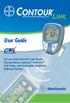 Wireless Blood Glucose Monitoring System User Guide For use with CONTOUR LINK Blood Glucose Meter, Ascensia MICROFILL Test Strips, and Compatible Medtronic Diabetes Devices Thank you for choosing the CONTOUR
BLOOD GLUCOSE METER / GLYCOMÈTRE. User s Manual Manuel de l'utilisateur
 BLOOD GLUCOSE METER / GLYCOMÈTRE User s Manual Manuel de l'utilisateur Whether the Accu-Chek Aviva Meter is your first blood glucose meter or you have used a meter for some time; please take the time
FLASH GLUCOSE MONITORING SYSTEM. User s Manual
 FLASH GLUCOSE MONITORING SYSTEM User s Manual Contents Reader Symbols... 1 Important Safety Information... 3 Indications for Use... 3 Contraindications... 4 Getting to Know Your System...........................
Blood Sugar Testing. Bayer Health Facts
 Blood Sugar Testing Bayer Health Facts What is Blood Sugar Testing? A blood sugar test tells you how much sugar is in your blood at the moment it is tested. Blood sugar is also called blood glucose. One
Management of Diabetes
 Management of Diabetes Blood Glucose Monitoring MANAGEMENT OF DIABETES Once someone is told they have diabetes, they are usually asked to check their blood glucose at home with a home blood glucose meter
Blood Glucose Monitoring System Owner s Booklet Instructions for use
 Blood Glucose Monitoring System Owner s Booklet Instructions for use For use with the App on iphone, ipod touch and ipad Blood Glucose Monitoring System Owner s Booklet 1 Owner s Booklet Thanks for choosing
Blood Glucose Management
 Blood Glucose Management What Influences Blood Sugar Levels? There are three main things that influence your blood sugar: Nutrition Exercise Medication What Influences Blood Sugar Levels? NUTRITION 4 Meal
Ketones and Ketoacidosis
 Ketones and Ketoacidosis If you have diabetes and become unwell or have high blood glucose levels of 14 mmol/l or more please check for ketones If the body does not have enough insulin its energy levels
INFM22AGB. IMM20-520 Rev. 2013-05-06. CUSTOMER CARE LINE: 01376 500 720 http://neondiagnostics.co.uk/
 Lancet : Sae Han Med Corp. 973-16, Sungsuk-Dong, Ilsandong-Gu, Goyang-City, Gyeonggi-Do, Korea Lancing Device : GMMC Room No. 1112, Ace Tower 9 th Bldg., 345-30, Kasan-Dong, Kumchon-Ku, Seoul, Korea CUSTOMER
digital fever alert ear thermometer suitable from birth instruction manual
 digital fever alert ear thermometer suitable from birth instruction manual digital fever alert ear thermometer instruction manual Please read these instructions carefully before using the thermometer and
Inform II. Quick Reference Guide. for Healthcare Professionals BLOOD GLUCOSE MONITORING SYSTEM
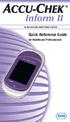 Inform II BLOOD GLUCOSE MONITORING SYSTEM Quick Reference Guide for Healthcare Professionals 2 Table of Contents Important... 4 General Information... 6 ACCU-CHEK Inform II Meter...10 How to Perform Patient
BLOOD GLUCOSE METER. Getting Started Guide for Single Patient Use Only
 BLOOD GLUCOSE METER Getting Started Guide for Single Patient Use Only Before You Start Testing About the meter and test strips Carefully read and follow the instructions in the Getting Started Guide,
HOW TO CARE FOR A PATIENT WITH DIABETES
 HOW TO CARE FOR A PATIENT WITH DIABETES INTRODUCTION Diabetes is one of the most common diseases in the United States, and diabetes is a disease that affects the way the body handles blood sugar. Approximately
CoaguChek System. User Manual. This is a CLIA waived system.
 CoaguChek System XS User Manual This is a CLIA waived system. Table of Contents About this Manual...1 Symbols and Abbreviations...1 User Resources...2 Video...2 Getting Started...2 User Manual...2 Test
INSULIN INJECTION KNOW-HOW
 0-0- 0 INSULIN INJECTION KNOW-HOW pro tips (and tricks) for easier and better Insulin Injections ABDOMEN THIGHS BUTTOCKS ARMS recommended injection sites WHERE IS THE BEST PLACE TO GIVE INJECTIONS? 0-
INTRODUCTION TO CLINICAL PRACTICE AND CLINICAL SKILLS 2nd Year MEDICAL YEAR 2009/2010
 INTRODUCTION TO CLINICAL PRACTICE AND CLINICAL SKILLS 2nd Year MEDICAL YEAR 2009/2010 POINT OF CARE TESTING This session is designed to teach you the principals of point of care testing. This is common
IN-OUT Thermometer with Cable Free Sensor and Clock
 IN-OUT Thermometer with Cable Free Sensor and Clock MODEL: RAR232 USER'S MANUAL INTRODUCTION Congratulations on your purchase of the RAR232 In-Out Thermometer with 433MHz cable free sensor and calendar
Suggested BiliChek Usage Protocol
 Suggested BiliChek Usage Protocol I. Subject: BiliChek Non-Invasive Bilirubin Analyzer II. Purpose: To outline and define the use of the BiliChek Non-Invasive Bilirubin Analyzer in the hospital setting
Instant Ear Thermometer
 INSTRUCTION MANUAL Instant Ear Thermometer Model 18-107-000 Please read this detailed guidebook completely before operating this unit. English Spanish Limited Five-Year Warranty Your Ear Thermometer is
BLOOD GLUCOSE METER. Active. Owner s Booklet
 BLOOD GLUCOSE METER Active Owner s Booklet Dear ACCU-CHEK System Owner, Thank you for choosing the ACCU-CHEK Active system. Congratulations on your decision to take control of your diabetes. We ve designed
Forehead. Use and Care Manual. Thermometer IMPORTANT! READ AND SAVE THESE INSTRUCTIONS. Model V977
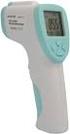 Forehead Thermometer Use and Care Manual IMPORTANT! READ AND SAVE THESE INSTRUCTIONS Model V977 Questions or Comments Call toll-free: 1-800-477-0457 or E-mail: [email protected] www.kaz.com QUICK
Title: Glucose Testing: StatStrip Glucose Meter Page 1 of 6
 Title: Glucose Testing: StatStrip Glucose Meter Page 1 of 6 CentraCare Health (CCH) adopts the following policy/procedure for: St. Cloud Hospital Original: 5/02 Minor Revision: Full Review: 1/15 Replaces:
HED\ED:NS-BL 037-3rd
 HED\ED:NS-BL 037-3rd Insulin Insulin is produced by the beta cells in the islets of Langerhans in the pancreas. When glucose enters our blood, the pancreas should automatically excrete the right amount
N HUMAN Novo Nordisk Patient Information for Novolin N
 N HUMAN Novo Nordisk Patient Information for Novolin N NOVOLIN N (NO-voe-lin) NPH, Human Insulin Isophane Suspension Injection (recombinant DNA origin) 100 units/ml Important: Know your insulin. Do not
Accutrend Plus. User s Manual
 Accutrend Plus User s Manual Date of issue: March 2007 2007, Roche Diagnostics All rights reserved. ACCU-CHEK, ACCUTREND, COBAS, SAFE-T-PRO and SOFTCLIX are trademarks of Roche. This instrument complies
The OmniPod Insulin Management System
 Caregiver GUIDE The OmniPod Insulin Management System The OmniPod is an easy-to-use, two-part insulin delivery system. If you are a school nurse, daycare provider, or other secondary caregiver for someone
A guidebook for people with diabetes
 A guidebook for people with diabetes This booklet is designed to supplement, not replace, your doctor s advice. Please consult your doctor if you have any questions about what you read. You ll learn how
UW MEDICINE PATIENT EDUCATION. Using Insulin. Basic facts about insulin and self-injection. What is insulin? How does diabetes affect the body?
 UW MEDICINE PATIENT EDUCATION Using Insulin Basic facts about insulin and self-injection This handout explains what insulin is, the different types of insulin, how to store it, how to give an injection
PROCEDURE NO. POC.514.01 LBH. Printed copies are for reference only. Please refer to the electronic copy for the latest version.
 Department Of Pathology POC.514.01- Blood Glucose Monitoring Accu-Chek Inform II Procedure-LBH Version# 1 Department PROCEDURE NO. PAGE NO. Point-of-Care Testing POC.514.01 LBH 1 OF 7 Printed copies are
Instructions for Use. Components of the GENOTROPIN PEN 12
 Instructions for Use Important Note Please read these instructions completely before using the GENOTROPIN PEN 12. If there is anything you do not understand or cannot do, call the toll-free number listed
Diabetes. Emergency Checklists. From A Child in Your Care Has Diabetes. A Collection of Information. Copyright 2005 by Elisa Hendel, M.Ed.
 Diabetes Emergency Checklists From A Child in Your Care Has Diabetes. A Collection of Information. Copyright 2005 by Elisa Hendel, M.Ed. Hyperglycemia High Blood Sugar * Hyperglycemia occurs when the blood
STANDARD OPERATING PROCEDURE FOR NOVA STAT STRIP CONNECTIVITY BLOOD GLUCOSE METERS FOR USE IN LEEDS NHS TRUST
 STANDARD OPERATING PROCEDURE FOR NOVA STAT STRIP CONNECTIVITY BLOOD GLUCOSE METERS FOR USE IN LEEDS NHS TRUST This Standard Operating Procedure explains the protocol for measuring blood glucose concentration
A pictorial guide to diabetes care, supplies, and devices
 A pictorial guide to diabetes care, supplies, and devices Caution: This publication contains depictions of blood, needles and medical procedures related to diabetes care. This publication may be reproduced
HEART RATE + CALORIE MONITOR
 S7 S7 HEART RATE + CALORIE MONITOR SB4065IS01SPORB.indd 1 TABLE OF CONTENTS INTRODUCTION 1 HOW TO USE THIS MANUAL 1 ACTIVATING THE WATCH FROM POWER DOWN MODE 1 WARNINGS & CAUTIONS 2 CARE & MAINTENANCE
Ketones & diabetes; Reduce your risk!
 Ketones & diabetes; Reduce your risk! Booklet includes Sick Day Wallet Card Ketones 101 Do I really need to know this? by Helen Jones RN, MSN, CSE YES! The word Ketone is important for you to know if you
INSTRUCTION MANUAL Contactless Clinical Infrared Thermometer GT-101
 INSTRUCTION MANUAL Contactless Clinical Infrared Thermometer GT-101 17 D GB F I E P NL AR A Dear customer, Thank you for your confi dence in Geratherm and congratulations on your purchase! By purchasing
BLOOD KETONE TESTING
 BLOOD KETONE TESTING Information Leaflet Your Health. Our Priority. Page 2 of 5 What are ketones? Maintaining good blood glucose control is important. When there is not enough insulin in the body, or when
STEP-BY-STEP INSTRUCTIONS FOR INVESTIGATIONAL USE. Rapid HCV Antibody Test FOR ORAQUICK RAPID HCV ANTIBODY TEST
 Before performing testing, all operators MUST read and become familiar with Universal Precautions for Prevention of Transmission of Human Immunodeficiency Virus, Hepatitis B Virus, and other Blood-borne
Bydureon 2 mg powder and solvent for prolonged-release suspension for injection in pre-filled pen How to use Bydureon pre-filled pen
 INSTRUCTIONS FOR THE USER Read these instructions carefully before use Bydureon 2 mg powder and solvent for prolonged-release suspension for injection in pre-filled pen How to use Bydureon pre-filled pen
INSTRUCTIONS FOR USE HUMIRA 40 MG/0.8 ML SINGLE-USE PEN
 INSTRUCTIONS FOR USE HUMIRA (Hu-MARE-ah) (adalimumab) 40 MG/0.8 ML SINGLE-USE PEN Do not try to inject HUMIRA yourself until you have been shown the right way to give the injections and have read and understand
YOUR GUIDE TO THE LANTUS SOLOSTAR INSULIN PEN
 Important Safety Information for Lantus You must test your blood sugar levels while using insulin, such as Lantus. Do not make any changes to your dose or type of insulin without talking to your healthcare
2. What Should Advocates Know About Diabetes? O
 2. What Should Advocates Know About Diabetes? O ften a school district s failure to properly address the needs of a student with diabetes is due not to bad faith, but to ignorance or a lack of accurate
Why is Insulin so Important?
 Insulin Therapy Why is Insulin so Important? If the glucose stays in your blood it doesn t do your cells (body) any good The glucose has to get inside the cells for the body to use it What Does Insulin
BODY FAT & HYDRATION % MONITOR SCALE
 EVALUATION BODY FAT & HYDRATION % MONITOR SCALE INSTRUCTION MANUAL MODEL 12-1190 ver 7/08 BODY FAT & HYDRATION % MONITOR SCALE Introduction and Precaution: MODEL: 12-1190 1. Congratulations for purchasing
Starting insulin for people with type 2 diabetes
 Starting insulin for people with type 2 diabetes What you need to know Contents Page Why do I need insulin? 3 What does insulin do? 4 Why are there different types of insulin? 4 How do I take insulin?
Hemoglobin Testing using the Data Management HemoCue Analyzer
 The Johns Hopkins Medical Institutions Hemoglobin Testing using the Data Management HemoCue Analyzer A Self-Study Packet for The Johns Hopkins Hospital Point-of-Care Testing Program Revision: 12/02 copyright
Mobile App User Guide
 Mobile App User Guide Contents 2 Contents Introduction... 4 OneTouch Reveal mobile app...4 Supported Devices and System Requirements...4 Android Legal Notice...4 Google Play Legal Notice...4 Bluetooth
Title: Fingerstick Glucose by Accu-Chek Inform
 Title: Fingerstick Glucose by Accu-Chek Inform Target Audience: This module is available to aid in assessing competency for all clinical staff who perform fingerstick glucose testing. Contents Instructions...
Instant Ear Thermometer
 INSTRUCTION MANUAL Instant Ear Thermometer Model 18-102-000 Please read this detailed guidebook completely before operating this unit. English French Portuguese Spanish Limited Five-Year Warranty Your
Starting insulin treatment for people with type 2 diabetes. What you need to know
 Starting insulin treatment for people with type 2 diabetes What you need to know Contents Information 3 Any questions? 3 Glossary of terms 3 Why do I need insulin? 4 What does insulin do? 5 Why are there
Diabetes Hypoglycemia/Hyperglycemia Reaction
 Diabetes Hypoglycemia/Hyperglycemia Reaction Hypoglycemic Reaction (Insulin Shock) A. Hypoglycemic reactions (insulin reactions) should be treated according to current nursing and medical recommendations.
Model: 308-1412 Manual DC: 080215 WIRELESS COLOR FORECAST STATION
 Model: 308-1412 Manual DC: 080215 WIRELESS COLOR FORECAST STATION FRONT VIEW SENSOR TX141TH-Bv2 LED TX Sensor Battery Cover Sensor Battery Compartment 2 AA Buttons Battery Compartment 3 AAA BACK VIEW Battery
INSTRUCTIONS FOR USE HUMIRA 40 MG/0.8 ML, 20 MG/0.4 ML AND 10 MG/0.2 ML SINGLE-USE PREFILLED SYRINGE
 INSTRUCTIONS FOR USE HUMIRA (Hu-MARE-ah) (adalimumab) 40 MG/0.8 ML, 20 MG/0.4 ML AND 10 MG/0.2 ML SINGLE-USE PREFILLED SYRINGE Do not try to inject HUMIRA yourself until you have been shown the right way
RT-1261A Ear and Forehead Thermometer Owner s Manual
 RT-1261A Ear and Forehead Thermometer Owner s Manual 311-1261000-009 Version 1.0 April, 2009 IMPORTANT SAFETY INSTRUCTIONS nu-beca RT-1261A Ear and Forehead Thermometer READ THIS BEFORE USING The following
Fox 40 Whistle Watch USER MANUAL 609-0700
 Fox 40 Whistle Watch USER MANUAL 609-0700 CONTENTS BUTTONS AND FEATURES... 3 OPERATING THE WATCH... 4 STOPWATCH MODE... 5 COUNTDOWN MODE... 6 ALARM MODE... 7 BATTERY REPLACEMENT... 8 CARE AND MAINTENANCE...
GSM Alarm System User Manual
 GSM Alarm System User Manual For a better understanding of this product, please read this user manual thoroughly before using it. Quick Guider After getting this alarm system, you need to do the following
Textbook: Chapter 12 pages 351-353, Chapter 13 pages 385-388
 EXERCISE 11: BEDSIDE GLUCOSE TESTING Textbook: Chapter 12 pages 351-353, Chapter 13 pages 385-388 Skills: Objectives: 15 points 1. List the limitations of the bedside glucose test procedure. 2. State the
CoaguChek System. XS Plus. User Manual
 CoaguChek System XS Plus User Manual The contents of this manual, including all graphics and photographs, are the property of Roche Diagnostics. No part of this document may be reproduced or transmitted
Section 6: Diabetes Emergencies
 Section 6: Diabetes Emergencies SECTION OVERVIEW General Overview Low Blood Glucose (Hypoglycemia) Glucagon High Blood Glucose (Hyperglycemia) Diabetic Ketoacidosis Monitoring Ketones Emergency Medical
HUMULIN 70/30 KwikPen
 1 Instructions for Use HUMULIN 70/30 KwikPen (70% human insulin isophane suspension 30% human insulin injection [rdna origin]) Read the Instructions for Use before you start taking HUMULIN 70/30 and each
Self-Monitoring Of Blood Glucose (SMBG)
 Self-Monitoring Of Blood Glucose (SMBG) Aim(s) and objective(s) It is important is to ensure that people with Diabetes are given the opportunity to self monitor their blood glucose appropriately as an
WIRELESS SENSOR BATTERY REPLACEMENT INSTRUCTIONS For Safewatch Residential Control Panels
 www.adt.ca WIRELESS SENSOR For Safewatch Residential Control Panels Your ADT Safewatch QuickConnect, SafeWatch 3000 or Vista Series residential security system may be installed with wireless sensors, such
HUMULIN (HU-mu-lin) N
 Instructions for Use HUMULIN (HU-mu-lin) N (human insulin [rdna origin] isophane suspension) vial (100 Units/mL, U-100) Read the Instructions for Use before you start taking HUMULIN N and each time you
Contents Contents Contents Overview Charging your headset Wearing the headset Powering on the headset Connecting your headset for dictation
 1 Contents Contents Contents 2 Overview 3 Charging your headset 4 Wearing the headset 4 Powering on the headset 4 Connecting your headset for dictation 5 The adapter 5 Adjusting your computer's audio settings
e 1 0 0 I N S T RUC TION M ANU A L
 e 1 0 0 I N S T RUC TION M ANU A L The Empire Digital Level Accuracy, Readability, Durability one FEATURES: Easy to read back light Display reads right side up even if the level is upside down Audio beep
Radio BMR100 INSTRUCTION MANUAL. ENGLISH (Original instructions)
 ENGLISH (Original instructions) INSTRUCTION MANUAL Radio BMR00 WARNING: For your personal safety, READ and UNDERSTAND before using. SAVE THESE INSTRUCTIONS FOR FUTURE REFERENCE. Symbols The following show
Your Guide to Peritoneal Dialysis Module 3: Doing Peritoneal Dialysis at Home
 Your Guide to Peritoneal Dialysis Module 3: 6.0959 in Preparing to do PD One of the most important things about PD is to keep the dialysis area and anything that comes in contact with the PD equipment
Important Safety Instructions
 PR-D7 GB Revision 1 Important Safety Instructions 1. Read these instructions. 2. Keep these instructions. 3. Heed all warnings. 4. Follow all instructions. 5. Do not use this apparatus near water. 6. Clean
Blood Transfusion. There are three types of blood cells: Red blood cells. White blood cells. Platelets.
 Blood Transfusion Introduction Blood transfusions can save lives. Every second, someone in the world needs a blood transfusion. Blood transfusions can replace the blood lost from a serious injury or surgery.
How To Prepare and Give a Prefilled Syringe Injection
 Diablo Valley Onc&Hem Med Grp, Inc Phone Number: (925)6775041 How To Prepare and Give a Prefilled Syringe Injection Patient Education Quick Reference Guide The following are instructions for use of prefilled
Instructions for Use PROCRIT (PRO KRIT) (epoetin alfa)
 Instructions for Use PROCRIT (PROKRIT) (epoetin alfa) Use these Instructions for Use if you or your caregiver has been trained to give PROCRIT injections at home. Do not give yourself the injection unless
TRANSMITTER RECEIVER THESE INSTRUCTIONS APPLY IN THE UK ONLY THESE INSTRUCTIONS ARE TO BE LEFT WITH THE USER OR AT THE APPLIANCE. Digistat Optimiser
 FITTING AND OPERATING INSTRUCTIONS FOR DIGISTAT OPTIMISER PROGRAMMABLE 7 DAY ROOM THERMOSTAT SYSTEM General information is given in the users instruction leaflet despatched with the appliance and/or on
User Guide. Body fat scale
 User Guide Body fat scale Now that you have purchased a CRANE product you can rest assured in the knowledge that, as well as your Manufacturer s warranty, you have the added peace of mind of dedicated
Type 2 Diabetes Type 2 Diabetes
 Pennington Nutrition Series Healthier lives through education in nutrition and preventive medicine Pub No. 33 Type 2 is the most common form of diabetes. In this form, the body does not produce enough
All About Your Peripherally Inserted Central Catheter (PICC)
 All About Your Peripherally Inserted Central Catheter (PICC) General Information Intravenous (IV) therapy is the delivery of fluid directly into a vein. An intravenous catheter is a hollow tube that is
Insulin Pump Therapy
 CHILDREN S SERVICES Insulin Pump Therapy These guidelines are not intended for starting a patient on an insulin pump. They are intended to give staff not part of the diabetic team information regarding
AM/FM PLL Clock/Table Radio
 12-1632.fm Page 1 Wednesday, May 10, 2000 10:57 AM Cat. No. 12-1632 OWNER S MANUAL Please read before using this equipment. AM/FM PLL Clock/Table Radio 12-1632.fm Page 2 Wednesday, May 10, 2000 10:57 AM
Medication Guide. SYMLIN (SĬM-lĭn) (pramlintide acetate) injection
 Page 1 Medication Guide SYMLIN (SĬM-lĭn) (pramlintide acetate) injection Read the Medication Guide and the Patient Instructions for Use that come with your SYMLIN product before you start using it and
ClikSTAR - Important facts about your new insulin delivery device.
 ClikSTAR - Important facts about your new insulin delivery device. Instruction for Use ClikSTAR Insulin delivery device Before you start: Read these instructions and follow them completely each time you
body fat scale + Instruction Manual complete body analysis scale HEALTH
 HEALTH body fat scale + complete body analysis scale Instruction Manual Content Safety instructions... 4 About this device... 4 General... 4 Handling batteries properly... 5 Never carry out repairs yourself...