
AGA Gas Fired Cooker Models GC and GE with AIMS
|
|
|
- Solomon Barrett
- 9 years ago
- Views:
Transcription
1 AGA Gas Fired Cooker Models GC and GE with AIMS Users Instructions PLEASE READ THESE INSTRUCTIONS BEFORE USING THIS APPLIANCE For use in GB and IE 03/10 EOPI

2 CONTENTS SECTION PAGE HEALTH AND SAFETY 3 THE AGA COOKER 4 HEAT INDICATOR 5 AUTOMATIC CONTROL 6 TO LIGHT THE BURNER 7 TO EXTINGUISH THE BURNER 7 POWER FAILURE 7 BURNER CONTROLS 8 OPERATING THE AGA 9 FITTING OF OVEN SHELVES 10 REMOVAL OF OVEN SHELVES 10 AIMS HANDSET 11 AIMS CONTROLS 12 AIMS SET-UP 12 AIMS CONTROLLER HANDSET INFORMATION (MAIN MENU) SCREEN 14 SETTING DATE/TIME SCREEN 14 AIMS PROGRAMME SCREEN 15 HOLIDAY SCREEN 16 AIMS HANDSET CARE 17 CARING AND CLEANING 18 GUIDE TO AGA COOKING 19 SERVICING 20 2

3 HEALTH & SAFETY Consumer Protection As responsible manufacturers we take care to make sure that our products are designed and constructed to meet the required safety standards when properly installed and used. This appliance is not intended for use by persons (including children) with reduced physical, sensory or mental capabilities, or lack of experience and knowledge, unless they have been given supervision or instruction concerning the use of the appliance by a person responsible for their safety. Children should be supervised to ensure that they do not play with the appliance. IMPORTANT NOTICE: PLEASE READ THE ACCOMPANYING WARRANTY Any alteration that is not approved by AGA could invalidate the approval of the appliance, operation of the warranty and could also affect your statutory rights. Important This appliance may contain some of the materials that are indicated. It is the Users/Installers responsibility to ensure that the necessary personal protective clothing is worn when handling, where applicable, the pertinent parts that contain any of the listed materials that could be interpreted as being injurious to health and safety, see below for information. Firebricks, Fuel Beds, Artificial Fuels - when handling use disposable gloves. Fire Cement - when handling use disposable gloves. Glues and Sealants - exercise caution - if these are still in liquid form use face mask and disposable gloves. Glass Yarn, Mineral Wool, Insulation Pads, Ceramic Fibre, Kerosene Oil - may be harmful if inhaled, may be irritating to skin, eyes, nose and throat. When handling avoid inhaling and contact with skin or eyes. Use disposable gloves, face-masks and eye protection. After handling wash hands and other exposed parts. When disposing of the product, reduce dust with water spray, ensure that parts are securely wrapped. 3

4 THE AGA COOKER Is a heat storage cooker with an automatic gas control, which will keep the temperature of the cooker constant when not in use and return it to the constant temperature after use. Your AGA is supplied with the following accessories: 1 Large roasting tin with grill rack 1 Half-size roasting tin with grill rack 2 Oven Grid Shelves 1 Plain Shelf 1 Toaster 1 AGA Book 1 Wire Brush In addition there is a guarantee registration card which should be completed and returned to AGA. A full description of cooking with your AGA is given in the AGA Book. For the most effective operation of the cooker the following points should be carefully observed: 1. Close the insulating lids whenever the hotplates are not in use. 2. Clean the hotplates regularly with the wire brush. 3. Utensils with ground flat bases must be used to make perfect contact with the hotplates. 4. Have the cooker serviced at regular intervals by your Authorised AGA Distributor. 5. Take care, when closing the oven doors, to left them on to the catch. WARMING PLATE (4 OVEN MODEL) BOILING PLATE SIMMERING PLATE SIMMERING OVEN (4 OVEN MODEL) ROASTING OVEN Fig 1 PLATE WARMING OVEN (4 OVEN MODEL) 4 SIMMERING OVEN (BAKING OVEN ON 4 OVEN MODEL)

5 THE HEAT INDICATOR HEAT INDICATOR BLACK BAND - CORRECT AMOUNT OF STORED HEAT Fig. 2 DESN The heat indicator is located on the AIMS handset INFORMATION SCREEN. When the indicator is within the black band, the cooker is at the correct working temperature. The purpose of the heat indicator is to show whether the cooker contains the full amount of stored heat when the cooker is in normal operational mode. During cooking the indicator band will drop back below the band. This is normal and the heat will be automatically restored, this could take up to 2 hours depending on the amount of use. Also during AIMS LOW and SLUMBER setting the indicator will drop back outside of the black band. 5

6 AUTOMATIC CONTROL When the cooker is in use the temperature control knob should be in the mid section of the green band, with the indicator within the black band on the AIMS handset. It may be necessary to adjust the control knob slightly within the green band to achieve this. A - ON/OFF CONTROL KNOB B - TEMPERATURE CONTROL KNOB C - GAS COCK D - INLET PRESSURE TEST NIPPLE E - BURNER PRESSURE TEST NIPPLE F - FLUE SAFETY DEVICE G - AIMS CONTROL KNOB H - VIEWING WINDOW Fig. 3 DESN

7 TO LIGHT THE BURNER CAUTION: BEFORE LIGHTING: ENSURE KNOB (A) IS IN THE OFF POSITION (SEE FIG. 5). ALSO ENSURE GAS SUPPLY TO COOKER IS ON, AND THE GAS SERVICE COCK (C) IS IN THE ON POSITION (SEE FIG. 3), AND THE ELECTRICITY SUPPLY TO THE AGA IS SWITCHED ON. LIGHTING PROCEDURE - SEE FIGS The main burner gas flow is set with the temperature knob (B) (See Fig. 4). First, ensure both knobs are turned fully clockwise. Knob (A) to the OFF position and knob (B) to the minimum setting (See Fig. 4). 2. Turn ON/OFF knob (A) slightly anti-clockwise towards the IGNITION position ( ) until reaching stop, press down and hold for 5 seconds (gas flows only to the pilot burner). (See Fig. 6). 3. Continue pressing down knob (A) while turning further anti-clockwise to the PILOT position (this activates the piezo), continue to hold down for 10 seconds after pilot burner has been lit. (If the pilot does not light, steps 2 and 3 can be repeated). (See Fig. 7). 4. Upon lighting, release knob and turn further anti-clockwise to the ON position (large flame symbol) (See Fig. 8). Pilot gas flows and mains gas flows according to the temperature setting (knob B). 5. Turn the temperature knob (B) slightly anti-clockwise into the white band (LOW FIRE position). Leave in the low fire position for at least 30 minutes (See Fig. 9). NOTE: LOW FIRE position is attained by turning knob (B) gradually into the white band, until SMALL FLAME is observed through viewing window (H). (See Fig. 3). 6. After 30 minutes rotate control knob (B) anti-clockwise to the mid-position of the green band for normal running. (See Fig. 10). NOTE: After several hours the heat indicator should be within the black band on the AIMS handset INFORMATION screen. It may be necessary to adjust the control knob slightly in the green band to achieve this, allow the cooker to stabilise for at least 4 hours before attempting any further adjustment. When the cooker is lit from cold, moisture may form on the enamel which should be wiped off to prevent staining. IF THE FLAME HAS EXTINGUISHED FOR WHATEVER REASON, WAIT THREE MINUTES (MINIMUM) BEFORE RE-LIGHTING. NOTE: IF THE PILOT EXTINGUISHES For safety purposes a flue safety device (6) is fitted. This will only operate in adverse flue conditions, it should be checked and if necessary depressed. If this problem persists contact your local engineer to determine and rectify the cause. TO EXTINGUISH THE BURNER 1. Turn ON/OFF knob (A) clockwise until reaching stop (PILOT) position. 2. Press down slightly and continue turning clockwise from pilot position to the OFF position (See Fig. 5). NOTE: LPG APPLIANCE ONLY. When the cooker is turned off a noticeably loud pop will be heard. This is quite normal. When the burner has cooled sufficiently, pilot lighting procedure may be repeated. POWER FAILURE (OPEN FLUE MODELS ONLY) In the event of a power failure, the AIMS controls will not work until the power is restored. You can still use your appliance as a conventional AGA. 7

8 BURNER CONTROLS Fig. 4 Fig. 5 Fig. 6 Fig. 7 Fig. 8 Fig. 9 Fig. 10 8

9 The following points are intended to help during the change-over from your previous cooker to the AGA way of life. You will also find that the AGA Book and the AGA new user guide video provide a very useful introduction to the cooker. After the AGA has been installed When first lit, the AGA will emit an odour for a short while. Do not worry, this is simply due to protective oil burning off the hotplates. If you can wipe the inside of the hotplate whilst the AGA is heating up it will avoid a film of this oil being deposited on the inside of the lids. Also, condensation may occur on the top plate and front plate whilst the AGA is heating up. This should be wiped away as soon as possible. Beginning to Cook on your AGA OPERATING THE AGA The first Golden Rule of the AGA is to cook as much as possible in the ovens - without changing your menus. This not only conserves the heat but also reduces cooking smells and condensation into the kitchen. The Roasting Oven can also be used for grilling (at the top) and shallow frying (at the bottom). Do keep the insulated lids down when the hotplates are not in use so that the heat stored in the cooker is conserved. For optimum cooking performance, use the AGA cast iron cookware. They all have thick ground bases which give the best contact with the hotplates. The AGA pans can be stacked in the Simmering Oven. This is especially useful for steaming vegetables and simmering sauces. Store the Plain Shelf out of the AGA. Use it from cold in the Roasting Oven on a 2 oven AGA to deflect the heat from the top of the oven thus creating a more moderate oven temperature. It can also be used as a baking sheet. The Aga Cake Baker can be used in the 2 oven AGA for cakes needing over 45 minutes cooking. A guide to AGA cooking is given on Page 19. Ask your Specialist for an invitation to an AGA demonstration. 9

10 FITTING OF OVEN SHELVES When using the oven shelves for the first time follow Figs Fig. 11 DESN Fig. 12 DESN REMOVAL OF OVEN SHELVES Fig. 13 DESN Fig. 14 DESN

11 AIMS HANDSET AIMS is a sophiticated program, which allows you to adjust the temperature of your AGA to suit your household lifestyle, It is supplied pre-set with two active Normal periods each day. In this mode the AGA will be at normal temperature to cook breakfast in the morning, drop to a lower temperature during the day then back to normal temperature to prepare dinner in the evening. After dinner the temperature goes to Slumber mode for overnight. The pre-settings can be adjusted, see following pages. Handset can be wall mounted as described below. - Remove backplate from the rear of the Handset by sliding down with hand and away from the Handset (See Fig. 15). - Select the site for the handset and use the backplate to mark the position of fixing holes. Avoid mounting handset on the wall behind the AGA. - Drill 6mm dia. holes with masonry drill for the rawplugs. - Use rawplugs and screws supplied to fix the backplate to the wall (See Fig. 16). - Stick the round self adhesive label supplied to the inside of the backplate to cover the fixing screw heads. - Fit the Handset on to the backplate by locating the tag on to the slot in backplate as shown (See Fig. 17). Fig. 15 Fig. 16 Fig

12 AIMS (AGA INTELLIGENT MANAGEMENT SYSTEM) CONTROLS Fig. 18 DESN AIMS SET-UP 1. Connect the electricity supply and the gas supply. 2. Set the control knob on the base unit to manual (See Fig. 18) 3. To light the burner follow the lighting procedure (See Pages 7-8). 4. It is recommended that the cooker is run on the Normal Manual setting for two days, before switching to AIMS (automatic control). 5. When the normal temperature has been set within the black band, it should not be necessary to alter the temperature control again. REMEMBER: If adjustment is made to leave the cooker to stabilise for at least 4 hours before attempting further adjustment. 6. The cooker can now be switched to AIMS (automatic control), by turning the control knob from the Manual setting to the AIMS setting. 7. The AIMS hand set can then be used to programme the required settings (see AIMS automatic control) instructions. AIMS CONTROLLER HANDSET The handset is designed to operate within the kitchen area. When transferring information from or to the controller always operate the handset in front of the cooker, this gives the strongest communication signal. If the handset indicates OFFLINE, press the back button communication link between the cooker and handset. firmly, this will activate the Should the handset continue to show OFFLINE, allow one minute for the handset to automatically reconnect itself with the cooker. The handset has 10 buttons and a display screen. NOTE: If the AIMS handset is unused for an extended period of time, the display screen will automatically turn OFF to conserve battery power. The controller is designed to be operated within the kitchen area. Press firmly any button on the handset to turn the display back on, and the Information (main menu) screen is automatically displayed. 12

13 Fig. 19 DESN The AIMS Controller handset has four display screens: 1. The Information (main menu) screen 2. The Date/Time setting screen 3. The AIMS Programme Screen 4. The Holiday Setting Screen See each section for details: The AIMS has one or two programmable events: The two events programme will enable the AGA to be at Normal in the morning, (ie to cook breakfast) drop to a lower temperature during the day, and return to Normal temperature in the evening (ie: to cook dinner) and drop to Slumber later in the evening and throughout the night. The one event programme willenable the AGA to drop to Slumber during the night and return to Normal throughout the day. This will be shown as Once or Twice on the AIMS programme screen. (See Fig. 22). The Normal temperature for those two events is set beforehand using the cooker thermostat, see AIMS set-up. The modes in between the events can be set at Low or Slumber depending on personal preference. If a mistake is made when setting the date or time on any of the screens, use the back button to go back to the previous setting. The phone button can be used to store a useful phone number. Press the Press the button to activate. button to move between settings. Press + or - to alter letter/number. Press the button to confirm setting. Once the name and number have been set, scroll to end of the number until the display goes back to the information screen (using the button). Press again to confirm name and number have been entered. SELECTING HANDSET LANGUAGE Language options are selected during the Handset to Base Unit Signal Check/Language Selection Procedure, see page

14 INFORMATION (MAIN MENU) SCREEN Press the button to activate this screen Indicates that the cooker is operating automatically (AIMS) or manually (according to switch position on main Aga control panel) This indicates the current cooker mode, (Normal, Low or Slumber). If an arrow is showing this indicates the cooker is heating up from Low or Slumber to Normal. Icon indicating the current time and day Black band - correct amount of stored heat Heat Indicator This will only show if the Holiday mode has been set Fig. 19 DESN A THE SETTINGS DATE/TIME SCREEN Press the button to activate this screen Press the button to move between the date and time. Press + or - to alter date and time settings. Press the button to confirm the settings and move to the next action 1 2 Fig DESN

15 AIMS PROGRAMME SCREEN Use the button to activate this screen and to move through the different actions and set an AIMS programme. To go back a step at any time press. 1. Set the frequency of the programme Once or Twice daily using + and - buttons. 2. Press button to select start time for Normal setting then use the + or - buttons to set start time. When a time is selected it will be highlighted in dark blue. 3. Press the button to select finish time then use + and - buttons to set finish time. When a time is selected it will be highlighted in dark blue. 4. Press the button then press the button to alter the temperature setting to Low, Slumber, or Off. (Repeat steps 2-4 to set a 2nd event) To copy this days settings for the next day press the button or alternatively press the button to enter different settings for next day. Each push of the copy button steps onto next day. When the desired days have been programmed a return must be made to the main menu screen by pressing the button. A Save Changes message will be displayed. Press to confirm, Message Sent OK will then display to confirm changes have been sent to base unit. If the programme is not set for the whole week the programme for the remaining days will revert to a default setting. ie: 7:00 am - 10:00 am and 16:00-19:00. To change a setting within the AIMS program, press the is reached. Then change setting using either the +, - or button until the desired setting buttons as appropriate. If no other changes are to be made,push the button to transmit the change (s) and return to main menu. A message saying Message Sent OK will display, indicating that the changes are being transmitted to the base unit. Unless this shows, the changes will not have been implemented Fig. 22 DESN This screen shows that the ovens will be up at Normal temperature between 07:00 and 10:00 the ovens will then go to the Low mode. The ovens will come up to Normal once more in that day i.e. at 16:00 until 19:00. After the evening the system will automatically enter Slumber mode its lowest setting until next morning. Boost If cooking is required when the Aga is in the AIMS programme i.e Low or Slumber, you can boost the cooking temperature by pressing the Button which will bring the AGA upto Normal operating temperature. This will take up to 2 hours from Low and 4 hours from Slumber.To cancel press button again. 15

16 THE HOLIDAY SCREEN Press the button to activate this screen and to move through the different operations and set a holiday programme. 1. Set a start date and time using the + or - buttons. Pressing the button after each field has been entered to move you to the next field. When a field is selected it will be highlighted in dark blue. 2. Set an end date and time using the + or - buttons. Pressing the button after each field has been entered to move you to the next field. 3. Press the button to alter the temperature setting to Low, Slumber or Off When all the settings are completed press the button again to enable the Holiday programme. The display will return to the Main Menu Screen Fig. 23 DESN Once a holiday mode has been set it will show as Holiday Enabled on the main menu screen. If you wish to cancel the holiday setting: Press the button, then press the button and the following screen will appear: Yes Cancel Holiday? No Highlight YES using the button, press the button to return to main menu screen. If you wish to alter a holiday setting:- Press, alter setting (use + or - then ), then after last setting press again to return to main menu screen. In event of a power cut If mains power is lost/or disconnected for more than 15 minutes, when the power is restored the handset will display:- Power Cut OK By then pressing the button, this will send the correct time/date settings to the base. 16

17 AIMS HANDSET CARE Operating Distance The Handset will only operate in the same room as the appliance and up to a maximum distance of 4 metres from the appliance. If out of recommended operating range, the handset may show OFFLINE. Move handset back to within the recommended distance and the handset should correct itself. See note at foot of this page for Handset to Base Unit Signal Check. Cleaning The Handset should be wiped clean using a soft clean cloth. Do not use abrasive cleaning products or submerge the Handset in water. Batteries The Handset is fitted with four 'AAA' batteries. Batteries life will depend on usages. Replace the batteries when the battery symbol on the Handset is down to one bar following the instructions below. - Remove the Handset from the backplate. - Remove the battery cover plate from the rear of the Handset. (See Fig. 24) - Carefully lever out the batteries commencing with the bottom one first pushing and pulling out on the positive (+) end only. (See Fig. 25) - Repeat the procedure to remove the other batteries. - Always use long life batteries for replacements. - Replace batteries commencing with the bottom one working to the top (See Fig. 26). Ensure that the negative (-) end of the batteries is under the location pegs in the housing before pushing the other end into position. Fig. 24 Fig. 25 Fig. 26 Handset Failure In the event of Handset failure, the appliance would still be operational with the last selected programme. The appliance can also be changed to manual mode if required using the control knob (see fig 12). If the Handset is damaged or lost, replacement can be obtained from AGA and re-programmed to suit your appliance. Handset to Base Unit Signal Check/Language Selection Complete the following procedure to check the handset is communicating with the base unit and select a language option. 1. Switch on the power supply to the cooker. Immediately, switch the control knob on the base unit back and forth between manual and AIMS setting until the blue neon flashes. 2. Immediately after neon starts to flash press and hold the + and - buttons together on the handset until the blue neon goes out completely (handset display will briefly say SERIAL NUMBER FOUND, then release buttons. 3. If the neon does not extinguish completely, but continues to flash with faint output, then repeat steps 1 and 2 above. 4. When the connection has been made, the screen will display the language options, use the + or - buttons to scroll through the options to the desired language, then press the button to confirm selection. 5. If the language options need to be changed at any time then the whole procedure must be repeated from step 1. 17

18 CARING AND CLEANING REMEMBER: BE CAREFUL OF THE HOT APPLIANCE. DO NOT USE A STEAM CLEANER TO CLEAN THIS COOKER. DO NOT USE ABRASIVE PADS OR OVEN CLEANERS. Top Plate and Front Plate The easiest way to clean the AGA top plate and front plate is to mop up spills as soon as they happen. Baked-on food is more difficult to clean but can usually be removed with the AGA vitreous enamel cleaner or mild cream cleaners using a damp cloth, or, if necessary a nylon scouring pad. If milk or fruit juice or anything containing acid, is spilt on the AGA, wipe it up immediately. Also clean off any condensation streaks on the front plate around the oven doors or the vitreous enamel maybe permanently discoloured. All that is usually needed to keep the vitreous enamel surfaces of the AGA bright and clean is a daily rub over with a damp soapy cloth followed immediately with a clean, dry cloth to avoid streaks. Remember the top plate and the polished covers will scratch if pans or utensils are dragged across them. Insulating Covers and Oven Doors The linings of the insulating Covers and oven doors may be cleaned with a cream cleanser or a soap impregnated pad. Open the covers and lift off the oven doors to allow them to cool a little before cleaning. Do not, however, immerse the doors in water as they are packed with insulating material which will be damaged by excessive moisture. Refer also to the Cleaning Section in The AGA Book. Ovens and Hotplates The cast iron ovens help to keep themselves clean, they merely need to be brushed out occasionally with a long handled stiff brush. The wire brush is provided for cleaning the hotplate and any burnt on spills in the cast iron ovens. Roasting Tins The enamelled roasting tins supplied with the new AGA should be cleaned in hot soapy water, soaking if necessary. A nylon scouring pad can also be used. They may also be cleaned in the dishwasher but, with constant use, the enamelled finish will become dull in appearance. DO NOT use caustic cleaners or oven cleaners. Important: AGA recommend Vitreous Enamel Association approved cleaners for cleaning the vitreous enamelled surfaces of this product. They are unsuitable for use on: chrome and stainless steel components, including the insulating covers, hand-rails and their brackets. The insulating covers should be cleaned regularly with a NON-ABRASIVE mild detergent, applied with a soft (coarse free) cloth and lightly polished up afterwards with a soft (coarse free) duster or tissue, to bring it back to its original lustre. 18

19 GUIDE TO AGA COOKING As the AGA Cooker is heated differently from an ordinary cooker, exact conversions are not possible. Look in the Aga Book for a similar recipe. Below is a quick guide to oven usage. OVEN TEMPERATURE 2=TWO OVEN AGA =4=FOUR OVEN AGA HIGH ROASTING OVEN ROASTING OVEN GRILLING SCONES PASTRIES BREAD YORKSHIRE PUDDING ROASTS SHALLOW FRYING CAKES BISCUITS FISH SOUFFLÉS SHORTBREAD CHEESECAKES LOW SIMMERING OVEN SIMMERING OVEN CASSEROLES STOCK MILK PUDDINGS MERINGUES RICH FRUIT CAKE Top - Grilling; 2nd runner - Scones, Small Pastries; 3rd runner - Bread Rolls, Yorkshire Pudding; 4th runner - Roasts, Poultry, Small Cakes in cases in the large meat tin. Grid shelf on oven floor - Loaves. Oven floor - Shallow frying. Quiche. MODERATE ROASTING/SIMMERING OVEN BAKING OVEN Place grid shelf on floor of Roasting Oven. Protect food with the cold plain shelf slid on second or third runners. For cakes that require over 45 mins use the Cake Baker. Alternatively with fish, cheesecake, start off in Roasting Oven, finish in Simmering Oven. For Casseroles, Stock, Milk Puddings, bring to heat elsewhere on the Aga then transfer to Simmering Oven. (One exception is Meringues). Rich Fruit Cakes can be cooked for a long time here Top - Grilling; 2nd runner - Scones, Small Pastries; 3rd runner - Bread Rolls, Yorkshire Pudding; 4th Runner - Roasts, Poultry. Grid shelf on oven floor - Loaves Oven floor - Shallow frying, Quiche. Towards top - Whisked Sponges, Some Biscuits, Small Cakes Middle - Fish, Soufflés. Grid shelf on oven floor - Victoria Sandwiches, Shortbread and Cheesecake For Casseroles, Stock, Milk Puddings, bring to heat elsewhere on the AGA then transfer to Simmering Oven. (One exception is Meringues). Rich Fruit Cakes can be cooked for a long time here. 19

20 SERVICING In the event of your appliance requiring maintenance, please contact AGA Service or your AGA Specialist. Your cooker must only be serviced by a qualified engineer, from an authorised AGA Specialist. Do not alter or modify the cooker. Only the spares specified by the manufacturer, are to be fitted. For continued efficient and safe operation of this part of the appliance, it is important that servicing is carried out at regular intervals as recommended by your AGA Specialist, once every 12 months. The cooker should be turned OFF by the user the night preceding the day of servicing so that the appliance will have cooled down by the following morning. A HOT APPLIANCE CANNOT BE SERVICED. 20

21 20
22 22
23 23
24 For further advice or information contact your local AGA Specialist With AGA s policy of continuous product improvement, the Company reserves the right to change specifications and make modifications to the appliance described and illustrated at any time. Manufactured By AGA Station Road Ketley Telford Shropshire TF1 5AQ England
AGA EC3 (ELECTRIC THREE OVEN) COOKER
 AGA EC3 (ELECTRIC THREE OVEN) COOKER Users Instructions & Cooking Guide PLEASE READ THESE INSTRUCTIONS BEFORE USING THIS APPLIANCE For use in GB and IE 01/07 EOPI 514199 WARNING This information is a copy
Operating Instructions for AGA BF Gas Fired Cooker Models GC, GCB, (2 Oven) 2=
 Gas Fired Cookers Operating Instructions for AGA BF Gas Fired Cooker Models GC, GCB, (2 Oven) 2= GE, GEB, (4 Oven) =4= FOR USE IN GB & IE PLEASE READ THESE INSTRUCTIONS BEFORE USING YOUR AGA Consumer Protection
Users Instructions for Aga Oil-Fired Cooker Models OC, OCB, (2 Oven) 2= OE, OEB, (4 Oven) =4=
 Oil-Fired Cookers Users Instructions for Aga Oil-Fired Cooker Models OC, OCB, (2 Oven) 2= OE, OEB, (4 Oven) =4= Consumer Protection Act 1987 As responsible manufacturers we take care to make sure that
AGA ELECTRIC COOKER (EC3) (3 OVEN) OWNERS MANUAL
 AGA ELECTRIC COOKER (EC3) (3 OVEN) OWNERS MANUAL Comprising Installation & Users Instructions PLEASE READ THESE INSTRUCTIONS BEFORE USING THIS APPLIANCE AUSTRALIA 03/12 EINS 515134 INSTALLATION 3 USERS
AGA ELECTRIC - AIMS EC & EE COOKER OWNERS MANUAL
 AGA ELECTRIC - AIMS EC & EE COOKER OWNERS MANUAL Comprising Installation & Users Instructions REMEMBER: when replacing a part on this appliance, use only spare parts that you can be assured conform to
GC 3 (PF) (THREE OVEN) GAS FIRED POWER FLUE COOKER
 GC 3 (PF) (THREE OVEN) GAS FIRED POWER FLUE COOKER Installation Instructions REMEMBER: when replacing a part on this appliance, use only spare parts that you can be assured conform to the safety and performance
Installation Instructions
 GC 3 (THREE OVEN) Installation Instructions REMEMBER: when replacing a part on this appliance, use only spare parts that you can be assured conform to the safety and performance specification that we require.
AGA GAS MARK 2 BURNER (CONVERSION) FITTING INSTRUCTIONS
 AGA GAS MARK 2 BURNER (CONVERSION) FITTING INSTRUCTIONS Remember, when replacing a part on this appliance, use only spare parts that you can be assured conform to the safety and performance specification
WARNING This information is a copy of an original archive, therefore Aga cannot be held responsible for its continued accuracy.
 WARNING This information is a copy of an original archive, therefore Aga cannot be held responsible for its continued accuracy. At the Heart of your Home Consumer Protection Act 1987 As manufacturers and
Operating Instructions for Rayburn Heatranger 480AG (CF)/480AL (CF) Gas Fired Central Heating Cooker
 Operating Instructions for Rayburn Heatranger 480AG (CF)/480AL (CF) Gas Fired Central Heating Cooker PLEASE READ THESE INSTRUCTIONS BEFORE USING THIS APPLIANCE FOR USE IN GB & IE Consumer Protection As
Pre-site Installation Instructions for Aga Electric Cooker Models Electric C Electric E
 Electric Cookers Pre-site Installation Instructions for Aga Electric Cooker Models Electric C Electric E PLEASE READ THESE INSTRUCTIONS BEFORE INSTALLING YOUR AGA Consumer Protection As responsible manufacturers
Installation Instructions for AGA BF Gas Fired Cooker Models GC, GCB, GE and GEB
 Gas Fired Cookers Installation Instructions for AGA BF Gas Fired Cooker Models GC, GCB, GE and GEB FOR USE IN GB & IE PLEASE READ THESE INSTRUCTIONS BEFORE INSTALLING YOUR AGA Consumer Protection As responsible
AGA DUAL CONTROL. Model No s: DC3G & DC5G (CONVENTIONAL FLUE)
 AGA DUAL CONTROL Model No s: DC3G & DC5G (CONVENTIONAL FLUE) Users Guide REMEMBER: when replacing a part on this appliance, use only spare parts that you can be assured conform to the safety and performance
San josé OWNER S MANUAL
 San josé OWNER S MANUAL Assembling & operating manual San josé 30 mbar - PORTABLE GAS BARBECUE 1. 2. 3. Improper installation, adjustment, alteration, service or maintenance can injury or property damage.
orlando OWNER S MANUAL
 orlando OWNER S MANUAL 2 Assembling & operating manual Orlando 30 mbar - PORTABLE GAS BARBECUE 1. 2. 3. Improper installation, adjustment, alteration, service or maintenance can injury or property damage.
2-SLICE COOL TOUCH TOASTER
 2-SLICE COOL TOUCH TOASTER PLA0405 Instruction Manual Due to on-going product improvements, specifications and accessories may change without notice. Actual product may differ slightly to that depicted.
MAP COFFEE MIA CAPSULE COFFEE MACHINE INSTRUCTION MANUAL MODEL: CM4725. Read this manual thoroughly before using and save it for future reference
 MAP COFFEE MIA CAPSULE COFFEE MACHINE INSTRUCTION MANUAL MODEL: CM4725 Read this manual thoroughly before using and save it for future reference Purchase MAP capsules at Harvey Norman stores nationwide
SIBIR MANUAL V110 KE. English page 5 RKE - 1D 822 70 66-02
 SIBIR MANUAL RKE - 1D V110 KE English page 5 822 70 66-02 2 1 A. Flue tube E. Adapter I. Thermostat B. Flue baffle F. Burner base J. Lever arm C. Control knob G. Lamp glass D. Fuel gauge H. Lamp glass
Please read and keep these instructions. Run water through your machine before first use
 47070 Rev 1 24/3/05 2:23 PM Page 1 12 cup filter coffee maker Please read and keep these instructions getting the best from your new coffee maker Safety first Caution must be used when handling hot water,
Convection TCO600. For your safety and continued enjoyment of this product, always read the instruction book carefully before using.
 Convection Toaster Oven TCO600 For your safety and continued enjoyment of this product, always read the instruction book carefully before using. IMPORTANT SAFEGUARDS SAVE AND READ THESE INSTRUCTIONS When
Operations Manual Blast Chiller
 Operations Manual Blast Chiller ADE- 2039-A Page 1 of 14 Contents Page 1 What is the Adande System 3 2 Adande Technology Explained 3 3 EC Declaration of Conformity 4 4 Storage of Product 5 5 Operating
Breville Customer Service Centre
 Breville Customer Service Centre Australian Customers Mail: PO Box 22 Botany NSW 2019 AUSTRALIA Phone: 1300 139 798 Fax: (02) 9384 9601 Email: Customer Service: [email protected] New Zealand Customers
Convection TCO650. For your safety and continued enjoyment of this product, always read the instruction book carefully before using.
 Convection Toaster Oven TCO650 For your safety and continued enjoyment of this product, always read the instruction book carefully before using. IMPORTANT SAFEGUARDS SAVE AND READ THESE INSTRUCTIONS When
Thank You... On behalf of the entire team at Thane Housewares, we appreciate your recent purchase
 User s Guide Thank You... On behalf of the entire team at Thane Housewares, we appreciate your recent purchase of the FLAVORCHEF cooking system, which will provide you with healthy and tasty meals for
PLEASE READ ALL INSTRUCTIONS BEFORE USE AND SAVE A COPY FOR FUTURE REFERENCE!
 PLEASE READ ALL INSTRUCTIONS BEFORE USE AND SAVE A COPY FOR FUTURE REFERENCE! 1. Read all instructions carefully before using the machine. 2. Do not touch hot surfaces. Use handles or knobs. The lid and
INSTRUCTIONS FOR USE. To make the most of your new oven, read the user's instructions carefully and keep them on hand for consultation in the future.
 31002015GB.fm Page 3 Friday, November 21, 2008 5:39 AM INSTRUCTIONS FOR USE SAFEGUARDING THE ENVIRONMENT IMPORTANT NOTES BEFORE USING THE OVEN INSTALLATION OVEN ACCESSORIES BOTTOM OVEN FUNCTIONS TOP OVEN
RE-3 : SOLID TOP RANGE RANGE TOP ONLY
 VULCAN ELECTRIC SOlid top oven range MODEL: RE-3 - SOLID TOP oven Range RE-3T - SOLID range top only ON CABINET BASE RE-3 : SOLID TOP RANGE Model Re-3T : Solid TOP RANGE TOP ONLY Index: General Data 2
AN500T, AN1000, AN1000T, AN1500, AN1500T AN2000, AN2000T
 Product Instruction Manual Accona AN500T, AN1000, AN1000T, AN1500, AN1500T AN2000, AN2000T Panel heater v16.5/5 Version 3.2 Jan 2015 Contents 1. Important safety points 2. Installation 2.1. Wall mounting
ecomax Instructions for use Wall hung room sealed fan assisted condensing boilers For the user
 For the user Instructions for use ecomax Wall hung room sealed fan assisted condensing boilers ecomax 63/ E ecomax 68/ E ecomax 6/ E ecomax 635 E ecomax 84/ E ecomax 88/ E ecomax 835 E GB Table of contents
12 cup programmable coffee maker
 12 cup programmable coffee maker USER GUIDE Now that you have purchased a Kitchen Living product you can rest assured in the knowledge that as well as your 2 year parts and labor warranty you have the
OPERATING INSTRUCTIONS
 OPERATING INSTRUCTIONS SMALL AND LARGE BAIN MARIE MODELS BM1V & BM2V BEDIENUNGSANLEITUNG MODE D EMPLOI GEBRUIKSAANWIJZING PLEASE READ CAREFULLY Rev3; 01/06/2010 INTRODUCTION Each King Edward Product is
Instruction Manual. www.aromaco.com AWK-115S
 Hot H2O X-Press Electric Water Kettle Instruction Manual www.aromaco.com AWK-115S Congratulations on your purchase of the Aroma Hot H20 X-Press Kettle. This handy appliance provides more speed and convenience
Electric Kettle. Model: SK-1717 INSTRUCTIONS MANUAL
 Electric Kettle Model: SK-1717 INSTRUCTIONS MANUAL Thank you for your purchase. Please read this Instruction Manual thoroughly before use and keep in a safe place for future reference. READ ALL INSTRUCTIONS
Getting the best from your urn
 444448538 Standard 444448539 Deluxe Getting the best from your urn Remove any plastic film from the urn before use. Any water in the urn is due to testing and is normal. The urn must be used on a flat
Moda. www.breville.com.au. Instructions for use. Breville Customer Service Centre Australian Customers. Cordfree Kettle. New Zealand Customers
 www.breville.com.au Moda Cordfree Kettle Breville is a registered trademark of Breville Pty. Ltd. ABN 98 000 092 928 Instructions for use Breville Customer Service Centre Australian Customers Breville
TRANSMITTER RECEIVER THESE INSTRUCTIONS APPLY IN THE UK ONLY THESE INSTRUCTIONS ARE TO BE LEFT WITH THE USER OR AT THE APPLIANCE. Digistat Optimiser
 FITTING AND OPERATING INSTRUCTIONS FOR DIGISTAT OPTIMISER PROGRAMMABLE 7 DAY ROOM THERMOSTAT SYSTEM General information is given in the users instruction leaflet despatched with the appliance and/or on
User's Instructions. Alpha HE CB25/33 and HE SY25
 User's Instructions Alpha HE CB25/33 and HE SY25 Wall Mounted, Fan Assisted, Room Sealed, Gas Fired, High Efficiency Condensing Boiler Range For Technical help or for Service call... ALPHA HELPLINE Tel:
Toaster Oven Broiler. User Manual. Gril du four grille-pain RTOB-11001
 Toaster Oven Broiler Gril du four grille-pain RTOB-11001 User Manual CONTENTS 1 1.Important safeguards 3 2.Save these instructions! 4 3.Control panel 5 4.Accessories 6 5.Instructions for use 6 6.Keep warm
Ceramic Glass Electric Galley Ranges
 Ceramic Glass Electric Galley Ranges OWNER S MANUAL Models # 65335, 65336, 75331, 75332 Read all instructions and warnings before operating. Force 10 Manufacturing Corporation Unit A 19169 21 st Ave Surrey,
Gas cooktop. User guide. CG604DX & CG905DX models NZ AU
 Gas cooktop CG604DX & CG905DX models User guide NZ AU Contents 1 Safety and warnings 2 Introduction 5 Using your cooktop 6 Cooking guidelines and cookware 8 Care and cleaning 9 Troubleshooting 13 Warranty
KNOW YOUR FOOD SLICER
 KNOW YOUR FOOD SLICER Your food slicer is suitable for cutting bread, all kinds of meats (such as ham or sausage meat), as well as cheese and vegetables. Thickness guide Blade switch Sliding meat table
PROFESSIONAL POPCORN MAKER
 PROFESSIONAL POPCORN MAKER WPM40 Series For your safety and continued enjoyment of this product, always read the instruction book carefully before using. IMPORTANT SAFEGUARDS When using any electrical
CAUTION RISK OF ELECTRIC SHOCK DO NOT OPEN
 BeoLab 7-6 Guide CAUTION RISK OF ELECTRIC SHOCK DO NOT OPEN CAUTION: To reduce the risk of electric shock, do not remove cover (or back). No User-serviceable parts inside. Refer servicing to qualified
Cleaning Instructions, Pilot Replacement and Valve Change. Model No.: 233010 Natural Gas
 Cleaning Instructions, Pilot Replacement and Valve Change Model No.: 233010 Natural Gas 8mm open-end wrench 9mm open-end wrench 10mm open-end wrench 12mm open-end wrench 13mm open-end wrench Phillips screw
Digital Photo Picture Frame. Operation Manual
 Digital Photo Picture Frame Operation Manual 20070309 CONGRATULATIONS on your purchase of a Polaroid 7 LCD Digital Photo Picture Frame. Please read carefully and follow all warnings and instructions in
User Guide and Important Warranty Information. Suprima HE Range. Condensing Central Heating Boiler. You can rely on
 You can rely on User Guide and Important Warranty Information Suprima HE Range Condensing Central Heating Boiler Please keep these instructions in a safe place. If you move house, please hand them over
Daily use. Never use alcohol or other solvents to clean any part of the loudspeakers!
 BeoLab 6002 Guide WARNING: To reduce the risk of fire or electric shock, do not expose this appliance to rain or moisture. Do not expose this equip ment to dripping or splashing and ensure that no objects
the Soft Top Breville Customer Service Center www.breville.com Instruction Book - Livret d instructions
 Breville Customer Service Center the Soft Top Instruction Book - Livret d instructions US Customers Mail: Breville USA 19400 S. Western Ave Torrance CA CA 90501-1119 Phone: Customer Service 1 (866) BREVILLE
USER INSTRUCTIONS FOR 10 LITRE PORTABLE DEHUMIDIFIER MODEL NO. DHMD102
 USER INSTRUCTIONS FOR 10 LITRE PORTABLE DEHUMIDIFIER MODEL NO. DHMD102 THANK YOU FOR CHOOSING YOUR NEW DEHUMIDIFIER. BEFORE USING THE UNIT READ THESE INSTRUCTIONS FULLY AND RETAIN THEM FOR FUTURE REFERENCE
AGA DUAL CONTROL. Model No s: DC3 & DC5. (Includes External Vent & Room Vent Option)
 AGA DUAL CONTROL Model No s: DC3 & DC5 (Includes External Vent & Room Vent Option) Installation Guide REMEMBER: when replacing a part on this appliance, use only spare parts that you can be assured conform
QWALL 4 ACRYLIC SHOWER WALL INSTALLATION INSTRUCTIONS
 QWALL 4 ACRYLIC SHOWER WALL INSTALLATION INSTRUCTIONS IMPORTANT DreamLine TM reserves the right to alter, modify or redesign products at any time without prior notice. For the latest up-to-date technical
Bathroom Installation Guide
 Bathroom Installation Guide Step-by-step installation of your cabinets We do a lot of groundwork to make it as simple as possible for you to assemble and install your new bathroom furniture yourself. We
Baxi Platinum Combi HE Range. User s Operating Instructions & Important Warranty Information. Gas Fired Wall Mounted Condensing Combination Boiler
 User s Operating Instructions & Important Warranty Information Baxi Platinum Combi HE Range Gas Fired Wall Mounted Condensing Combination Boiler Please keep these instructions safe. Should you move house,
Call us toll free at: 1-800-GEVALIA (1-800-438-2542)
 LIMITED WARRANTY: This appliance shall be free from defects in materials and workmanship under normal home use for a period of one year from the date of receipt. During that period, defects will be repaired
Hot Water Central. Electric Hot Water Dispenser. Instruction Manual AAP-325W. www.aromaco.com
 Hot Water Central Electric Hot Water Dispenser Instruction Manual www.aromaco.com AAP-325W With the Aroma Hot Water Central, hot water is just a button away. Boil up to 3 liters of water in just 30 minutes,
ENGLISH INSTRUCTION & INSTALLATION MANUAL DUCTLESS MINI SPLIT AIR CONDITIONING SYSTEMS
 ENGLISH INSTRUCTION & INSTALLATION MANUAL DUCTLESS MINI SPLIT AIR CONDITIONING SYSTEMS Céliera Corporation. All rights reserved. Unauthorized duplication, reproduction prohibited. CONTENTS SAFETY PRECAUTIONS...
Moda. Quiet cordfree kettle Instructions BKE470
 Moda Quiet cordfree kettle Instructions BKE470 Contents Page Breville Recommends Safety First 4 Know Your Breville Moda Cordfree Kettle 5 Operating Your Breville Moda Cordfree Kettle 6 Quiet Boil Technology
Costco Bakery Employee Training Manual
 Costco Bakery Employee Training Manual Prepared for Costco Wholesale #684 Prepared by Ondria Arias May 3, 2013 Table of Contents iii Table of Contents Introduction... v Chapter 1: Operating the Equipment...
Campus Services Hints and tips for residents
 Campus Services Hints and tips for residents We have compiled this webpage to help University residents with simple tips and hints about cleaning kitchen areas - which are residents responsibility. We
SUPER WAVE OVEN. ROASTS, BAKES, BROILS, AIR FRIES, GRILLS, BOILS & STEAMS 1300 Watt Power/12.5 Quart
 SUPER WAVE OVEN ROASTS, BAKES, BROILS, AIR FRIES, GRILLS, BOILS & STEAMS 1300 Watt Power/12.5 Quart Customer Service: 1-800-423-4248 Printed in China Super Wave Oven ITEM NO.8217SI. The Sharper Image name
CORNER FRIDGE REFRIGERATION UNIT INSTALLATION AND OPERATION INSTRUCTIONS
 CORNER FRIDGE REFRIGERATION UNIT INSTALLATION AND OPERATION INSTRUCTIONS D E F Y I N G C O N V E N T I O N Congratulations on your new Corner Fridge Your new corner fridge may have different functions
Table of Contents. Introduction. Radio Frequency Control. Initial setup Setting the time. Setting the temperature
 LHZ USER GUIDE LHZ User Guide LHZ would like to thank you for purchasing your LHZ radiator. You have purchased a high quality, German designed and manufactured heating device, which will give you soft
ELECTRONIC THERMOSTAT AND THERMOMETER With SPEED CONTROL
 148 OLD CONCORD TURNPIKE, BARRINGTON NH 03825 USA TEL (603) 868-5720 FAX (603) 868-1040 1-800-435-6708 E-Mail:[email protected] www.seafrost.com ELECTRONIC THERMOSTAT AND THERMOMETER With SPEED CONTROL
USERS GUIDE. LOGIC Heat 12, 15, 18, 24, 30. For installation guide see reverse of book
 USERS GUIDE LOGIC Heat 12, 15, 18, 24, 30 For installation guide see reverse of book When replacing any part on this appliance, use only spare parts that you can be assured conform to the safety and performance
General Description (Fig. 1)
 GLiP Oil-less AIR FRYER INSTRUCTION MANUAL MODEL: AF800 Introduction Thank you for your purchase and welcome to GLiP. Your new air fryer will help you to cook your favorite foods and snacks in a healthier
Instruction Manual. Image of SP-3015 & SP-3815. Important Safeguards. Automatic Dispensing Hot Water Pot with Reboil Function
 Important Safeguards READ ALL INSTRUCTIONS BEFORE USE. Instruction Manual Automatic Dispensing Hot Water Pot with Reboil Function Image of SP-3015 & SP-3815 SP-3015: 3.0L SP-3815: 3.8L SP-3017: 3.0L (Stainless
Portable Air Conditioner
 Portable Air Conditioner Owner's Manual Model:3 in 1 12,000 Btu/h Series 3 Please read this owner s manual carefully before operation and retain it for future reference. CONTENTS 1. SUMMARY...1 2. PORTABLE
Operating and Installation Instructions
 Operating and Installation Instructions System Drawer ESS 2062 To prevent accidents and en - US, CA appliance damage, read these instructions before installation or use. M.-Nr. 07 342 360 Contents IMPORTANT
IH 17025 E Sigma Island 90
 INSTRUCTIONS FOR USE Kitchen extractor hood Type: IH 17025 E Sigma Island 90 Dear Customer!! You are now a user of the newest generation kitchen extractor hood type IH 17025 E Sigma Island 90. This hood
When you switch off your system, or mute the sound, the red indicator light appears immediately, indicating that the subwoofer is not in use.
 BeoLab 11 Guide WARNING: To reduce the risk of fire or electric shock, do not expose this appliance to rain or moisture. Do not expose this equip ment to dripping or splashing and ensure that no objects
MODELS BR517R & BR517S (G.C. 32-032-11 & 32-032-12) & ULTIMATE TURBOCHIM* & SUPERFLAME RF* Rear & Side Fan Flued Inset Gas Fires
 O W N E R G U I D E MODELS BR517R & BR517S (G.C. 32-032-11 & 32-032-12) & ULTIMATE TURBOCHIM* & SUPERFLAME RF* Rear & Side Fan Flued Inset Gas Fires *Covered by GB Patent 2.202.622.B This Owner Guide is
Model GGR200RDDS. Please Read and Save this Use and Care Book. USA/Canada 1-800-231-9786 THE LEAN MEAN FAT REDUCING GRILLING MACHINE
 TM THE LEAN MEAN FAT REDUCING GRILLING MACHINE Please Read and Save this Use and Care Book USA/Canada 1-800-231-9786 www.prodprotect.com/applica Register your product online at www.prodprotect.com/applica,
GENUINE PARTS INSTALLATION INSTRUCTIONS
 GENUINE PARTS INSTALLATION INSTRUCTIONS DESCRIPTION: Illuminated Kick Plate APPLICATION: Rogue (2011) PART NUMBER: 999G6 GX010 KIT CONTENTS: Item A B C G H QTY 1 1 1 D 1 E 1 F 3 15 6 Description Kick Plate,
IMPORTANT SAFETY INSTRUCTIONS WARNING READ AND SAVE THESE OPERATING AND SAFETY INSTRUCTIONS BEFORE USING THIS HEATER.
 THERMAWAVE CERAMIC HEATER Model HZ-850 Series Model HZ-860 Series IMPORTANT SAFETY INSTRUCTIONS WARNING READ AND SAVE THESE OPERATING AND SAFETY INSTRUCTIONS BEFORE USING THIS HEATER. Warning Failure to
SPM-2 PLEASE READ THESE INSTRUCTIONS CAREFULLY AND RETAIN FOR FUTURE REFERENCE.
 SPM-2 PLEASE READ THESE INSTRUCTIONS CAREFULLY AND RETAIN FOR FUTURE REFERENCE. CONGRATULATIONS You are now the proud, new owner of a SMART PLANET Mini SUPERPRETZEL Soft Pretzels Maker with Melting Pod
Issue 3. Robinhood 60cm 10 Function Pyrolytic Oven
 Issue 3 Description: Model Number: Robinhood 60cm 10 Function Pyrolytic Oven OBP6010T56G, OBP6010T56SS IMPORTANT BEFORE USE: Heat empty oven on self cleaning function (Pyrolitic) for 45 minutes to remove
Due to continual improvement in design or otherwise, the product you purchase may differ slightly from the illustrations in this book.
 Kambrook 461 Plummer Street, Port Melbourne 3207, Australia Customer Service Line (free call) 1800 800 634 Customer Service Fax 1800 621 337 Kambrook New Zealand, Private Bag 94411, Greenmount, Auckland,
IMPORTANT SAFETY INFORMATION
 61901363GB.fm Page 11 Tuesday, January 1, 2002 3:20 AM IMPORTANT SAFETY INFORMATION This manual contains important information regarding safety, the use and maintenance of your new hob. Read the manual
User Guide and Important Warranty Information. Suprima 30L - 100L. Wall Mounted Fan Assisted Balanced Flue Gas Boiler
 User Guide and Important Warranty Information Suprima 30L - 100L Wall Mounted Fan Assisted Balanced Flue Gas Boiler These instructions are for use with boilers whose serial numbers end C (or higher) only.
OUTDOOR GAS FIREPLACE USER GUIDE North America 630165_2 EF5000. www.escea.net
 OUTDOOR GAS FIREPLACE USER GUIDE North America 630165_2 EF5000 www.escea.net Any service work carried out on this appliance must only be done by a recognised escea technician or authorized personnel. The
BeoLab 7-1 BeoLab 7-2. Guide
 BeoLab 7-1 BeoLab 7-2 Guide CAUTION: To reduce the risk of electric shock, do not remove cover (or back). No User-serviceable parts inside. Refer servicing to qualified service personnel. WARNING: To prevent
electric kettle owner's manual SAVE THIS USE AND CARE BOOK Please call 1-800-231-9786 with questions. MGD550
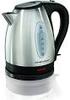 electric kettle owner's manual SAVE THIS USE AND CARE BOOK MGD550 * Please call 1-800-231-9786 with questions. IMPORTANT SAFEGUARDS When using electrical appliances, in order to reduce the risk of fire,
IMPORTANT SAFETY INFORMATION
 61902017GB.fm Page 10 Wednesday, July 30, 2008 4:12 PM IMPORTANT SAFETY INFORMATION This manual contains important information regarding safety, the use and maintenance of your new hob. Read the manual
Wireless 7 Day Programmable Room Thermostat
 Wireless 7 Day Programmable Room Thermostat Cat. No. TRT037 Transmitter Receiver Operating & Installation Instructions What is a programmable room thermostat? an explanation for householders A programmable
Rapide Inline Ceiling Extractor Fan, White Fascia 41800040590. Rapide Inline Ceiling Extractor Fan, Chrome Fascia 41800040580
 Any Queries Call : 08000 23 23 23 Rapide Inline Ceiling Extractor Fan, White Fascia 41800040590 Rapide Inline Ceiling Extractor Fan, White Fascia Illuminated 41800040670 Rapide Inline Ceiling Extractor
Welcome to the world of BergHOFF! Cookware manual. Dear BergHOFF Customer,
 Cookware Dear BergHOFF Customer, First and most importantly, thank you very much for the trust you put in BergHOFF by purchasing our cookware. By doing so, you clearly show us that our efforts to enrich
USERS GUIDE. LOGIC Combi 24, 30, 35. For installation guide see reverse of book
 USERS GUIDE LOGIC Combi 24, 30, 35 For installation guide see reverse of book When replacing any part on this appliance, use only spare parts that you can be assured conform to the safety and performance
Instruction Manual MODEL: VE-94 120V~, 60Hz, 1500W
 by Enjoy perfectly browned bagels, waffles and English muffins by 4-Slice Toaster Montgomery Ward Customer Service 3650 Milwaukee Street, Madison, WI 53714 8:00 am to Midnight, Monday through Friday Wards.com
Electric Egg Boiler. Instruction Manual. Model Number: AEB-917
 Electric Egg Boiler Instruction Manual Model Number: AEB-917 Congratulations! Your Egg Boiler will surely become one of the most versatile and practical appliances in your home. Please read the following
PREVENTATIVE MAINTENANCE
 PREVENTATIVE MAINTENANCE PREVENTIVE MAINTENANCE Sandwich Unit: Proper Operation Turn on at least 45 minutes before loading Load only pre-chilled food 34-37 F Move quickly from walk-in to sandwich unit
USER MANUAL Two Tier Steamer Model: 16145 Helpline No: 015394 88100
 Lakeland Alexandra Buildings, Windermere, Cumbria LA23 1BQ Tel: 015394 88100 Web: www.lakeland.co.uk USER MANUAL Two Tier Steamer Model: 16145 Helpline No: 015394 88100 INTRODUCTION Thank you for choosing
HAIR CLIPPER. Model No. HC5150 HC5150 2. 3.
 All technical modifications reserved. 09/08. TSC 08.0634 HAIR CLIPPER 2. 3. 1. Model No. HC5150 4. 10/UK/HC5150 Version 03/10 Part No. T22-29458 REMINGTON is a Registered Trade Mark of Spectrum Brands,
USER INSTRUCTIONS FOR GET PORTABLE 12k BTU AIR CONDITIONER MODEL No. GPACU12HR
 USER INSTRUCTIONS FOR GET PORTABLE 12k BTU AIR CONDITIONER MODEL No. GPACU12HR CONTENTS Introduction Safety Notes Identification of parts Installation instructions Operation instructions Maintenance Troubleshooting
TIPS ON ENERGY SAVING
 TIPS ON ENERGY SAVING IN HOME APPLIANCES AND ELECTRICITY SAFETY The Domestic Sector accounts for 30% of total energy consumption in the country. There is a tremendous scope to conserve energy by adopting
Bulb Replacement REPLACING BULBS WARNING
 Bulb Replacement REPLACING BULBS Check the operation of all exterior lamps before you drive the vehicle. Caution: Before attempting to replace a bulb, ensure that both the affected lamp and the vehicle's
Can You Name this Kitchen Equipment? Assembled and photographed by
 Can You Name this Kitchen Equipment? Assembled and photographed by Stacy Halvorson, Program Assistant Julie Garden Robinson, Ph.D., L.R.D. Food and Nutrition Specialist Look at the pictures on the following
GNOME PELLET E.I. Pellet Heater Owner's Manual Installation and Operating Instructions. Please read this entire manual before installation.
 Pellet Heater Owner's Manual Installation and Operating Instructions Please read this entire manual before installation. Save these instructions. SAFETY NOTICE HEATER MUST BE PROPERLY INSTALLED AND MAINTAINED
McDonald s Kitchen Cleaning Instructions. Prepared for: Employees of McDonald s
 McDonald s Kitchen Cleaning Instructions Prepared for: Employees of McDonald s Prepared By: Aracelly Arana TECM 2700 MWF 10-10:50 May 9, 2014 Table of Contents Table of Contents Table of Contents... iii
OPERATING MANUAL ASSEMBLY. Remote control docks magnetically. click. until it clicks and locks. REGISTER YOUR FREE 2 YEAR GUARANTEE TODAY
 OPERATING MANUAL ASSEMBLY Remote control docks magnetically. 1 2 Align the black arrows. click Then twist clockwise until it clicks and locks. YOUR FREE 2 YEAR GUARANTEE TODAY Controls 1. Power on 2. Thermostat