
Frankston High School Hybrid Tablet Program Year
|
|
|
- Eustace Allison
- 9 years ago
- Views:
Transcription
1 Frankston High School Hybrid Tablet Program Year Frankston High School is delighted to announce that the Hybrid Tablet Program (HTP)) will be expanded to all students entering Year 7 in Frankston High School has a long history of excellence, expertise and leadership in the use of technology as a meaningful learning tool in secondary education. Our teachers are committed to providing your child with an education that will prepare them for the exciting opportunities and challenges of the rapidly advancing 21 st Century. This information pack is designed to provide you with the information you need to understand the educational benefits of a Hybrid Notebook Computer and assist your purchase for the 2015 school year through our partner supplier Learning With Technologies. If you require any further information or support, please contact Greg Heale, Director of e-learning on or [email protected]

2 2015 HYBRID TABLET PROGRAM INFORMATION SESSION 7:00 pm Introduction and Welcome Masters of Ceremonies Eily Walker and Dylan Garret, year 7, :05pm Principal s Address Mr John Albiston, Principal. 7:10pm The Educational Benefits of a Hybrid Notebook Computer in Secondary Years Mr Greg Heale, Director of e-learning. 7:30pm Student Experiences Learning With Technology Current year 7 students speak on their experiences learning with technology in 2014 while other students demonstrate learning techniques and creative talent. Levi, Rory, Jack, Anna, Allanah, Billy, Bob & Jemima. 7:35pm The 2015 Computer Package The Device, specifications, pricing, program & software fees, repairs, protections and re-imaging as well as purchasing instructions. Mr Greg Heale, Director of e-learning. 7:45pm 2015 Delivery, Training, Student and Parent Support Mr Greg Heale, Director of e-learning. 7:50pm Questions, Feedback, 8:00 pm Closing Address & Farewell Take this opportunity to talk with Year 7 students in the Tablet Program or ask key staff for further clarification regarding the program.

3 Background Information In 2010 the Federal Government s Digital Education Revolution (DER) provided funding to schools through the National Secondary Schools Computer Fund (NSSCF). Due to this funding (and because of our existing 1:1 program), Frankston High School was able to provide all students with 1:1 access through a wide range of technology from Years 7-12 via desktop computer rooms, labs, classroom laptop, netbook and ipad trolleys. In May, 2013 the Federal Government announced the official end to any future DER and NSSCF funding. Maintaining a fleet of this size without financial support is not possible for any school. This potentially means a significant backwards step in regard to student access to technology, curriculum implementation and student learning at Frankston High School. Alternatively the Federal Government has encouraged schools to look to their school community in regard to maintaining 1:1 access in the future through parent funded programs. Frankston High School has a long history of excellence, expertise and leadership in the use of technology as a meaningful learning tool and in guiding our students to become positive digital citizens with a comprehensive set of 21 st century skills to support lifelong learning. Frankston High School is entering its 21 st year of running successful notebook programs. We feel now is best time to require all Year 7 students to purchase a tablet that is recommended by the school. As the first Government school to implement a 1:1 technology program in Australia and arguably the world, Frankston High School has developed an immense amount of knowledge and expertise on the essential ingredients required to run a successful 1:1 program.

4 The Benefits of Technology in Education There s no questioning the importance of technology in everyone s life. Frankston High School believes Year 7 is an opportune time to introduce and provide your child with a primary computing device as a tool to assist their education and development as a 21 st Century global digital citizen. Years 7-10 are important formative years where students should have the opportunity to develop knowledge and skills, essential for success in VCE, further education as well as work and life beyond school. Some key skills include creativity, innovation, collaboration and communication skills. Through your support of our program, you are not only providing your child with the most relevant tool possible for a 21 st century education and facilitating the development of a variety of skills, you are creating an opportunity for yourself and family to play an extremely important and active role in your child s education, assisting them to become a safe and responsible digital citizen from the outset. Technology provides access to the world. Global connections and instant, up to date information is at our fingertips anytime and anywhere, twentyfour seven. Below are just some of the benefits technology access will provide your child at Frankston High School, home and anywhere else in the world they happen to be. 24/7 access to information and resources, anytime, anywhere Increased opportunities for innovation and creativity Increased opportunities for collaboration An increase in learning engagement Developing digital competencies for the 21 st Century Development of critical thinking skills Increased relevance to a young persons education

5 2014 Event Important Dates Tuesday October 14-7:00pm Thursday October 16-4:00pm Friday October 17-11:00am 2015 Year 7 Hybrid Tablet Program Information Sessions Junior Campus, The Hall (Friday session in Presentation Space, Senior School Campus) Monday October 20-9:00am 2014 Note: All sessions are the same, families only need to attend once. The Frankston High School Order Portal opens for EX-GST Device Package sales and Finance Orders. If your family is in a position to pay the entire amount up front or By November 21, Frankston High School will pay the GST for you! Over $140 in savings. Purchases must be made through the Learning With Technologies (LWT) order portal. Note: Finance options are NOT available for EX-GST purchases through LWT. Any finance required would need to be independently organised by the closing date. Friday November 21-5:00pm Last day to place your Device Package order through the Learning With Technologies online portal. Tuesday December 10-9:00am 3:00pm Orientation Day, Year 7 form groups confirmed Thursday January 29 & Friday January 30 Delivery Days Hybrid Tablets will be delivered and allocated to students at school. Communication will be sent to you closer to this time for confirmation. Your child will initially complete a 1 hour introductory training session to ensure correct unpacking, handling, set up, basic operation and shut down, correct storage and transportation. Monday February 2 Friday February 13 Specialist classroom teachers and support staff will conduct an intensive half day training session covering essential tools and skills, set up and organisation, maintenance and troubleshooting. Students will also receive ongoing training through Year 7 Information Technology and from their classroom teachers as well as other tailored training sessions throughout the year. Support sessions for interested parents will also be offered outside regular school hours during these weeks and throughout the year. Further information will be made available early in PLEASE NOTE: All Hybrid Tablet Program orders need to be placed through the Learning With Technologies / Frankston High School Order Portal. All information for this process is included in this booklet.

6

7

8


9


10 Standard & Extended Warranty For Education Education Services & Support Overview: Standard Warranty Surface devices and all in-box accessories are covered under a limited standard warranty, including the bundled Surface power supply. Surface accessories that are sold separately, including video adapters, Touch or Type Covers and Surface Pens are covered by a the Surface accessory warranty included in the box at time of purchase. PC mice are covered for three (3) years under our standard PC Hardware warranty. The standard warranty covers defects in manufacturing and failures where there is normal use of the device according to the product use instructions. Microsoft will replace the Surface device with a new or refurbished product. There are no same-unit-repair services at this time. Defective batteries are limited to one battery replacement during the warranty term, provided the battery is the original rechargeable unit supplied by Microsoft at time of initial purchase. Customer induced damage, cosmetic issues, unauthorized repair, and cracked screens are not covered and may void the limited warranty. Under any of these scenarios, the customer may have the option to pay the out of warranty service fee and obtain an exchange unit, or if the customer has Accidental Damage Protection for the device, the device may be eligible for an ADP claim (see below). Severe physical damage and liquid damage are not covered by the standard warranty and are not replaceable. The Limited (Standard) Warranty terms and conditions can be found at: <insert local url: Extended Warranty for Education While Surface devices come with a limited standard warranty, you may want to consider purchasing an extended warranty plan for your device. We recommend our Extended Hardware Service plus Accidental Damage Protection plan. Coverage varies by region, but standard benefits include: Extends Hardware Service Coverage (EHS) to 3 years (see next page for coverage details). Accidental Damage Protection - Limit 2 Claims per warranty period; No Deductible Charge. To minimize downtime, we also offer Advanced Exchange Services in many countries where Surface is sold. Both Extended Hardware Service and Accidental Damage plans require purchase of coverage within 45 days after device purchase. Full details on the Extended Warranty terms and conditions can be found at Business extended warranties are transferable. Limited Standard Warranty Included with device Covers hardware issues due to defect in manufacturing Microsoft Extended Hardware Service (EHS) Extends hardware service coverage to 3 years EHS plus Accidental Damage Protection Complete coverage for 3 years total Includes coverage for accidents (e.g. drops, spills, power surges) Maximum 2 claims for Accidental Damage No deductible in addition to contract fee

11 2015 Year 7 Surface Package - Price Breakdown The following items are considered compulsory and form the Hybrid Tablet Package for Your purchase MUST be made through Learning With Technologies. ITEM Price (Ex GST) Price (Inc GST) Surface Pro 3 Core i5, 128gb SSD, 4gb RAM, Digitised Stylus & Power Supply Microsoft Type 3 Keyboard Targus Tanc Carry Bag Extended Advanced Warranty (3yr) w/ Accidental Damage Delivery Free Free Imaging Software Licence Fee Hybrid Tablet Program Levy Fee Total Cost $ $ Please Note: All prices are subject to change without notice

12 Item Descriptions The 2015 Device Package Please note the following items make up the 2015 Device Package. 1. Microsoft Surface Pro 3 The tablet that replaces a laptop. With enough power to do anything your laptop can do and more. This is the main computing unit, housing all of the storage, memory, graphics and processing components. It comes with a digitised stylus for perfect handwriting, drawing and much more. 2. Microsoft Type 3 Keyboard The Type Cover (sold separately) is the Typing Cover designed specifically for the Surface Pro 3. It s a very thin mechanical keyboard, with a standard layout and backlighting. Type Cover magnetically attaches to your Surface Pro 3 and doubles as a sturdy screen protector and stylus holder when not in use. 3. Targus Tanc Protective Carry Bag The Targus Tanc protective carry bag offers the best protection for your child s computing device and accessories. It s not called Tanc for nothing!

13 Item Descriptions (continued) 4. Extended Warranty The Surface Pro 3 comes with a standard warranty (2 years), but the Extended Advanced warranty (3 years) will give you further peace of mind and ensure your child s device remains up and running to continually support their learning. If something goes wrong with your child s machine due to manufacturing fault(s), your child swaps the faulty unit for a loan Surface Pro 3 at school (at the Technician s Office), while a new/refurbished machine is shipped to school for you, from Microsoft. Accidental Damage Accidental Damage Protection (3 years) provides the best protection for your investment. If your child drops or damages their device rendering it unusable, they simply swap the faulty unit for a loan Surface Pro 3 at school (at the Technician s Office), while a new/refurbished machine is shipped to school for you, from Microsoft. You are also protected from one battery failure during this time. No excess to pay. Important Notes: Limit 2 new/refurbished claims per warranty period (3 years) Limit 1 claim for battery failure per warranty period (3 years) If you require a 3 rd (or further) Accidental Damage claim, Microsoft will replace the device with a new/refurbished model at a cost of $350* (*Prices subject to change) 5. Delivery All devices and accessories are required to be delivered to Frankston High School for device preparation before hand out and the initial training session. Delivery charges have been waived by Learning With Technologies due to the bulk delivery to Frankston High School.

14 Item Descriptions (continued) 6. Imaging Imaging is when all the related software required for your child s device is pre-installed onto the machine, ready to go at hand out. Learning With Technologies undertakes this process using a software image provided by Frankston High School. 7. Portal Management Learning With Technologies charges a fee to set up Frankston High School s Order Portal, manage and process customer transactions and collect finances. Frankston High School will cover this fee ($7 per order) 8. Software License Fee Your child s Surface Pro 3 comes pre loaded with a fantastic range of software including Windows 8.1, the full Microsoft Office Suite, The Adobe Creative Suite, Camtasia 8.1 and so much more. 9. Hybrid Notebook Program Levy Fee Running 1:1 programs is costly. Electricity, power infrastructure expansions and upgrades, technicians to provide re-imaging, troubleshooting and manage repair processes for students, wireless upgrades and expansions, specialist teaching and non teaching staff the list goes on. This fee enables Frankston High School to provide a high quality 1:1 program for our students and families. We couldn t do it without your support.

15

16 How To Order There are two options: #1 Make an Outright Purchase, saving over $140 in GST. (On sale between Monday October 20 and Friday November 21) In order to provide you GST savings, Frankston High School will make the purchase on your behalf. Learning With Technologies acts as the collector of monies for reconciliation purposes and will deliver the devices to Frankston High School for Distribution Day, scheduled for Thursday, January 28 & Friday 29, #2 Please Note: You have the ability to make a deposit and then payments at your convenience between Monday October 20 and Friday November 21. Or If you require Finance, simply place an order via the link with finance options. (On sale between Monday October 20 and Friday November 21) Please Note: GST is inclusive & Merchant Fees Apply, increasing the total purchase price. Please Read Terms and Conditions Carefully Links to Order Portals on this page and on following pages.

17 How To Order Ex GST purchases In order to take advantage of over $140 in savings, purchase your 2015 Package between Monday October 20 and Friday November 21. #1 #2 #3 Visit to access the Frankston High School / Learning With Technologies Ex GST order & payment portal. Choose either: Basic Recommended Package (Itemised on next page and on portal) OR Upgraded Processor Package (If you would like to choose a device with higher specifications) Please enter your information as required. #4 #5 Select Click Here To Review Order and Select Payment Method (or similar). Review your order and select your payment method. (Please note: Credit Cards attract a 1.5% surcharge) #6 Complete payment as required. Thank you for your order.

18 How To Order Finance Options If you require finance or the option of 36 months interest free payments, GST Inclusive is the way to go. You will be able to place your order between Monday October 20 and Friday, November 21. #1 #2 #3 Visit to access the Frankston High School / Learning With Technologies Order & Payment Portal. Choose either: Basic Recommended Package (Itemised on next page) OR Upgraded Processor Package (If you would like to choose a device with higher specifications) Review your order and enter your details (Not Payment) #4 #5 Select Click Here To Review Order and Select Payment Method (or similar). Finance Options will be available. If you choose to take up a finance option, the approval and sales process may take up to or over 48 hours. #6 When approved, follow on screen instructions to complete your order. Thank you for your order.

19 Optional Extras Recommended Extras (Please Note: Prices are only indicative) ITEM Microsoft Sculpt Comfort Bluetooth Mouse Headphones w/ microphone 1TB USB 3.0 / 2.0 Portable Hard Drive Other Extras (Please Note: Prices only Indicative) ITEM Spare Microsoft Digitised Stylus Portable USB Hub x 4 ScanDisk Micro SD Card 64gb Microsoft VGA Adapter Microsoft HDMI Adapter Microsoft Ethernet Adapter Price $33.00 $15 - $150 $80.00 Price (Ex GST) $58.30 $20 - $40 $40 - $ $54 $ gb USB Stick $16 - $30 USB CD/DVD RW Drive Microsoft Surface Pro 3 Docking Station $25 - $50 $ Important Any optional extras must be sought through independent retailers and purchased separately. LWT cannot supply these items. Frankston High School will be able to sell some extras in 2015 via the Technicians Office including spare Stylus.

20 Item Descriptions (continued) Please be aware that all extras need to be sourced sperately, LWT does not offer these items for sale through our Sales Portal. Recommended Optional Extras Microsoft Sculpt Comfort Bluetooth Mouse With a keyboard, trackpad, touchscreen and stylus, you wouldn t think you would need much else to interact with your computer but don t underestimate the power of a good old fashioned mouse. Extremely useful for a lot of design and project work in particular applications. The most important recommended extra. Headphones with Noise Cancelling Microphone Students frequently access digital content that requires video and audio both in school and at home. Students are also frequently asked to capture video and audio. Sometimes students are required to record their voice for a podcast or to add it in to a screencast, multimedia video, digital story, animated diagram and much more. Headphones make the classroom (and home) environment more effective and a microphone assists the quality of audio in student s final pieces of work. 1TB USB 3.0/2.0 Portable Hard Drive The backing up of work and files is an essential part of learning in a technology rich environment. There are no excuses for lost, missing or deleted work. Students should back up regularly (weekly, if not more frequently) and a USB Portable Hard Drive is perfect for this.

21 Item Descriptions (continued) Other Optional Extras Spare Microsoft Digitised Stylus From time to time, students misplace their stylus, restricting their ability to write and draw on the screen. Keep a spare at home just in case. Please note: Frankston High School will also sell Surface Pro 3 Pens from the technician s office. Portable USB Hub x 4 There are times when it can be beneficial to have access to more USB ports. This device provides the solution. Great for replacing home PC set ups (Simply provide a monitor, USB keyboard & mouse with USB adapter). ScanDisk Micro SD Card 64gb Surface Pro 3 comes with a Micro SD card slot, under the kick stand, for out of the way extra storage space. Microsoft VGA Adapter If you plan to connect your computer to an external monitor, TV, projector or anything with VGA input you should consider this item. You alternatively might like to consider a HDMI adapter. Microsoft HDMI Adapter If you plan to connect your computer to an external monitor, TV, projector or anything with HDMI output you should consider this item. You alternatively might like to consider a VGA adapter. Microsoft Ethernet Adapter If you require your child to connect to the internet at home via an Ethernet cable (usually blue cables plugged into your modem/wall), this will be an essential extra. 8GB USB Stick While most teachers won t accept USB sticks for the submission of work, quite often a USB stick still comes in handy for the back up and transfer of files. USB CD/DVD RW Drive If you want to make use of DVDs and CDs with your personal computer, a USB drive is a cheap and effective way to do it. Watch or Create DVDs, listen to CDs or make copies. Microsoft Surface Pro 3 Docking Station Designed exclusively for Surface Pro 3, Docking Station lets you instantly transform your device into a desktop PC, giving you easy access to your favourite accessories. Connect to your HD monitors, wired network, audio system, full-size keyboard, printer and more, while charging your Surface Pro 3.
22 Help! If you require assistance, here s who you can contact: All questions regarding the program, device package and order assistance should be directed to: Greg Heale Director of e-learning [email protected] Phone: (03) Please Don t Forget All Year 7 students in 2015 will be expected to have the Surface Pro 3 Device package to assist their learning. Orders must be placed through Learning With Technologies Portal. Delivery of the devices will be to Frankston High School, hand out and training to occur late January. All orders must be placed between Monday October 20 and Friday November 21. Thank you for your order and support.
How To Use A Tablet With A Touch Screen (I5) And A Touchscreen (I7) For A Long Time (I2) (I3) And I5) (Ii5) For Long Time
 State of Michigan Approved Tablet Comparison Guide As of 5/12/2015 For the purpose of this document, we define a true tablet as a device which has a detachable keyboard that is not required for the device
The computer's internal components
 Computer hardware and types of computer A brief introduction to the insides of a computer and its added hardware. This will help explain what a computer is from a hardware point of view, how we control
St Michael s Collegiate School
 St Michael s Collegiate School Information Technology Handbook 2014 St Michael's Collegiate School ICT and Notebook Policy Handbook. Collegiate has for many years been a leader in ICT integration within
Lenovo S10e Quick Start Guide
 Lenovo S10e Quick Start Guide Netbook includes: 1. 10.2 Screen 2. Intel Atom Processor 3. 6 Cell (5 hour Battery) 4. 160 GB hard drive 5. 2 GB of Ram 6. Ethernet and Wireless 7. SD Memory Slot 8. VGA,
Lenovo ThinkPad Yoga
 Lenovo Yoga Cost Breakdown The Peninsula School 2016 Lenovo ThinkPad Yoga Item Model: Lenovo ThinkPad Yoga 260 I5 8GB RAM, 192GB Solid State Drive Windows 10 Operating System, AC adaptor 3 Year Machine
Microsoft Surface Pilot
 Microsoft Surface Pilot Microsoft and 21st Century Learning Demonstrating Success in Niagara Catholic Classrooms Vision Microsoft and Niagara Catholic are committed to help student learning. Utilizing
CARE COURTESY COOPERATION CHALLENGE COMMITMENT
 2015 Laptops at Chancellor State College Information and Procedures Handbook Including: Chancellor Laptop Program Bring Your Own Device National Secondary Schools Computer Fund CARE COURTESY COOPERATION
Sheldon College Bring Your Own Device
 Sheldon College Bring Your Own Device Handbook 2015 2 Table of Contents BACKGROUND 3 ELEARNING COMMITMENT 4 BYOD INTRODUCTION 5 BYOD REQUIREMENTS 2015 6 ACCEPTABLE DEVICES 7 BYOD MINIMUM SPECIFICATIONS
ENGINEERED TO SNAP IN TWO.
 www.lenovo.com ENGINEERED TO SNAP IN TWO. Pull apart the ThinkPad Helix to turn a state-of-the-art Ultrabook into an amazingly powerful Tablet. Sporting the latest Intel Core i7 processor, even in Tablet
Getting Connected. Student Technology Services
 Getting Connected Student Technology Services 2015-2016 Contents Welcome 3 Your Computer 4 Network Services 5 Network Assistance 6 Emergency Notification 8 Labs and Printing 9 Student Technology Store
Mobile Learning Program
 Mobile Learning Program KH and MSG Grades 7 8 Frequently Asked Questions Last Updated: May 21, 2015 All middle school students participate in the Academy s Mobile Learning Program. This document was created
PC Desktop Specifications:
 PC Desktop Specifications: Processor: Intel Core i7-2600 Processor, 3.4GHz, 8M Cache Operating system: Windows 7 Professional 64 - English, with latest service pack System Recovery DVD: Genuine Windows
STB- 2. Installation and Operation Manual
 STB- 2 Installation and Operation Manual Index 1 Unpacking your STB- 2 2 Installation 3 WIFI connectivity 4 Remote Control 5 Selecting Video Mode 6 Start Page 7 Watching TV / TV Guide 8 Recording & Playing
Using GIGABYTE Notebook for the First Time
 Congratulations on your purchase of the GIGABYTE Notebook! This Manual will help you to get started with setting up your notebook. For more detailed information, please visit our website at http://www.gigabyte.com.
1 to 1 Laptop Programs Brisbane Catholic Education
 1 to 1 Laptop Programs Brisbane Catholic Education Introduction What is a one to one program? A 1 to 1 laptop program provides every student and teacher access to his or her own laptop computer in a wireless
Version 2 January 2015
 Version 2 January 2015 IT SUPPORT HANDBOOK FOR BYO DEVICES 2015 INSTALLING SOFTWARE... 1 Microsoft Office... 1 Setting up Office preferences... 5 Setting up your College email account for the first time
Intel Compute Stick STCK1A32WFC User Guide. Intel Compute Stick STCK1A32WFC
 Intel Compute Stick STCK1A32WFC User Guide 1 Revision History Revision Revisions History Date 01 First release of the Intel Compute Stick STCK1A32WFC User Guide April 2015 Disclaimer INFORMATION IN THIS
Data Sheet Fujitsu LIFEBOOK A512 Notebook
 Data Sheet Fujitsu LIFEBOOK A512 Notebook Your Everyday Partner The Fujitsu LIFEBOOK A512 is a solid everyday notebook with a high-definition 39.6cm (15.6-inch) anti-glare LCD in 16:9 widescreen format.
Computer Hardware HARDWARE. Computer Hardware. Mainboard (Motherboard) Instructor Özgür ZEYDAN
 Computer Hardware HARDWARE Hardware: the collection of physical elements that comprise a computer system. Bülent Ecevit University Department of Environmental Engineering 1. Case and inside 2. Peripherals
MANAGED. New. Bring Your Own Device. improved online ordering portal LEARNING. Contents. technician rates and plans page 11.
 LEARNING with technologies www.lwt.com.au MANAGED Bring Your Own Device Contents BYOD versus Centrally Managed 2 Avoiding Bring-Your-Own-Disaster 3 Centrally Managed Master Lease with LWT Collection Portal
ASSUMPTION HIGH SCHOOL 2014-2015 TABLET PC HANDBOOK
 ASSUMPTION HIGH SCHOOL 2014-2015 TABLET PC HANDBOOK Tablet PC Handbook 2013-2014/Revised July 2013 Page 1 Contents One-to-One Tablet PC Program... 3 Student Expectations... 3 Parent Expectations... 3 Faculty
Using GIGABYTE Notebook for the First Time
 P55 V3.0 Congratulations on your purchase of the GIGABYTE Notebook. This manual will help you to get started with setting up your notebook. The final product configuration depends on the model at the point
Using GIGABYTE Notebook for the First Time
 P34 V6.0 Congratulations on your purchase of the GIGABYTE Notebook. This manual will help you to get started with setting up your notebook. The final product configuration depends on the model at the point
Using GIGABYTE Notebook for the First Time
 Congratulations on your purchase of the GIGABYTE Notebook. This manual will help you to get started with setting up your notebook. The final product configuration depends on the model at the point of your
MATER DEI COLLEGE. Student Laptop Programme. A Guide for Parents 2016
 MATER DEI COLLEGE Student Laptop Programme A Guide for Parents 2016 21st century Laptop Programmes are part of an international move towards individualising education. Using personal digital learning technologies,
User Manual. Product Model: MiTraveler 10C3. OS: Android 4.0
 User Manual Product Model: MiTraveler 10C3 OS: Android 4.0 Tablet of Contents Specifications.1 What s inside the box 2 Tablet Parts 2 Getting started...2 Connection to Internet..6 Task Bar..8 Install and
BYOD program at St Julian s School
 BYOD program at St Julian s School Introduction St Julian s school currently runs a Bring Your Own Device (BYOD) program for all students in Years 10-13. This program requires that all students must bring
Using GIGABYTE Notebook for the First Time
 Congratulations on your purchase of the GIGABYTE Notebook. This manual will help you to get started with setting up your notebook. The final product configuration depends on the model at the point of your
Bring Your Own Device
 Bring Your Own Device Information Booklet 2016 CONTENTS 4 - Principal s Message 4 - Our ICT Vision 5 - Software 5 - BYOD Do s & Don ts 6 - Devices 8 - Other Devices 8 - FAQ Learning is most powerful when
Using GIGABYTE Notebook for the First Time
 Congratulations on your purchase of the GIGABYTE Notebook. This Manual will help you to get started with setting up your notebook. For more detailed information, please visit our website at http://www.gigabyte.com.
Business details. Monday Friday. 10:00am 6:00pm. Saturday 10:00am 5:00pm. Telephone: 020 8315 0005. Email: [email protected].
 Business details Services and price list 2010 Monday Friday 10:00am 6:00pm Saturday 10:00am 5:00pm We offer professional IT services for home and business users at a cost effective price. We have a team
Micro HDMI to VGA with Audio Adapter. Quick Installation Guide. Introduction. Key Features and Benefits. System Requirements.
 Introduction Micro HDMI to VGA with Audio Adapter Quick Installation Guide The Micro HDMI to VGA with Audio Adapter converts HDMI signals from a portable device, such as a laptop, smart phone or tablet
SVCC 2015 Year 7 12 elearning. 2015 Secondary elearning Program. Parent Information
 2015 Secondary elearning Program Parent Information At Southern Vales Christian College (SVCC) we are excited about the future of technology and the ability to integrate technology with our curriculum
TravelMate Notebook Series
 TravelMate Notebook Series Quick Guide Acer recommends... Productivity Software Work Great with Microsoft Office 2010 - Express your ideas, solve problems and simplify everyday projects with Office 2010.
User Guide USB 2.0 LAPTOP DOCKING STATION WITH VIDEO N2953
 USB 2.0 LAPTOP DOCKING STATION WITH VIDEO 410-1864-001B / ACP51US 1 YEAR LIMITED WARRANTY: We pride ourselves on the quality of our products. For complete warranty details and a list of our worldwide offices,
7 Mini Tablet User Guide
 7 Mini Tablet User Guide MODEL NUMBER: Powered by SYTABBL7 Wireless Mobile Internet Tablet Getting to Know Your New Tablet: Front View: Back View: Side Angle View: MENU MENU Power Key ON/OFF, Back Button
New Inspiron 20 3000 Series (Intel ) All-in- One Desktop
 Dell recommends Windows. New Inspiron 20 3000 Series (Intel ) All-in- One Desktop All the right features, all in one. Get what you need a computer, monitor and speakers in a compact, space-saving design
Quick Start Guide. The Raspberry Pi Single Board Computer. Source: Raspberry Pi & Wiki
 Quick Start Guide The Raspberry Pi Single Board Computer Source: Raspberry Pi & Wiki Chapter 1: RPi Hardware Basic Setup Typical Hardware You Will Need While the RPi can be used without any additional
USB 3.0 to VGA External Multi Monitor Graphics Adapter with 3-Port USB Hub VGA and USB 3.0 Mini Dock 1920x1200 / 1080p
 USB 3.0 to VGA External Multi Monitor Graphics Adapter with 3-Port USB Hub VGA and USB 3.0 Mini Dock 1920x1200 / 1080p StarTech ID: USB32VGAEH3 The USB32VGAEH3 USB 3.0 to VGA Adapter turns a USB 3.0 port
SMART Board User Guide for PC
 SMART Board User Guide for PC What is it? The SMART Board is an interactive whiteboard available in an increasing number of classrooms at the University of Tennessee. While your laptop image is projected
Macintosh Notebook Prices
 10-19-15, Page 1 Macintosh Notebook s 12-inch MacBook 12-inch MacBook 1.1GHz Core M 256GB Flash Storage, 8GB RAM LPDDR3 Silver(9355328), Space Gray (9355346), Gold (9355364) $1249 12-inch MacBook 12-inch
2015 Wiley Publishing Australia Pty Ltd. Any dissemination, distribution, or unauthorized use is strictly prohibited.
 BYOD for Education Intel and Harvey Norman Special Edition BYOD for Education For Dummies Published by Wiley Publishing Australia Pty Ltd 42 McDougall St. Milton, Qld 4064 www.dummies.com Copyright 2015
Tablet PC User Manual
 Tablet PC User Manual Please read all instructions carefully before use to get the most out of your Time2Touch Tablet PC. The design and features are subject to change without notice. Contents Important
Dell Wyse Cloud Connect
 Dell Wyse Cloud Connect Secure productivity from work, home, and on the go. The ultra-compact personal cloud device that can make any HDMI/MHL-equipped display your own. For personal access to all of your
USB 3.0 to HDMI External Multi Monitor Graphics Adapter with 3-Port USB Hub HDMI and USB 3.0 Mini Dock 1920x1200 / 1080p
 USB 3.0 to HDMI External Multi Monitor Graphics Adapter with 3-Port USB Hub HDMI and USB 3.0 Mini Dock 1920x1200 / 1080p StarTech ID: USB32HDEH3 The USB32HDEH3 USB 3.0 to HDMI Adapter turns a USB 3.0 port
Vostro 15 3000 Series
 Vostro 15 3000 Series Productivity meets Versatility. Feature packed 15.6 Laptop Performance that drives productivity The new Vostro 15 3000 Series is a feature-rich 15.6 laptop for small business and
Student BYOD Guidelines
 Introduction Language centre (MUELC) is very excited to announce the completion of the Monash English and Monash English Bridging Curriculum review. The review has incorporated a complete and thorough
BT Cloud Phone. A simpler way to manage your business calls.
 . A simpler way to manage your business calls. Make and receive calls from anywhere with a phone system that s hosted in the cloud. Save on set-up, maintenance and call charges. Have reassurance that we
Stop Dialing By Hand! Dramatically increase your number of telephone calls and save huge amounts of time!
 Stop Dialing By Hand! Dramatically increase your number of telephone calls and save huge amounts of time! Cheetah Call phone lists fast to speak to people live! No dropped or abandoned calls! Power Dialer
TECHNOLOGY DEPARTMENT LAPTOP PROGRAM 2015-2016
 TECHNOLOGY DEPARTMENT LAPTOP PROGRAM 2015-2016 The SRS Technology Department is pleased to present a selection of Lenovo Think- Pad computers that have been carefully chosen and configured to last three
Definition Purpose Bring Your Own Device required Guidelines Responsibility for Devices
 Definition Bring Your Own Device (BYOD) is a policy that allows students to bring and use their own personal electronic devices at school. Devices include but may not be limited to: tablets (such as ipad),
Point of View SmartTV HDMI 210 dongle - Android 4.2. General notices for use... 2 Disclaimer... 2 Box Contents... 2
 Table of Contents General notices for use... 2 Disclaimer... 2 Box Contents... 2 1.0 Product basics... 3 1.1 Connecting your device for the first time... 3 1.2 Connections... 4 1.3 Using the remote control
TRINITY GRAMMAR SCHOOL, KEW
 Telephone (03) 9854 3600 Fax (03) 9853 9457 E-mail: [email protected] 40 CHARLES STREET KEW VICTORIA 3101 AUSTRALIA TRINITY GRAMMAR SCHOOL, KEW A.B.N. 13 004 056 660 Dear Parents The purpose of
Axis Technologies Computer Hardware and Electronics Portfolio Categories
 Axis Technologies Computer Hardware and Electronics Portfolio Categories SEPTEMBER 2008 Barebone Accessories Barebone Systems Media Center Barebone Systems Mini / Booksize Barebone Systems Bluetooth Headsets
General Information About Ranney School s 1:1 Laptop Program:
 General Information About Ranney School s 1:1 Laptop Program: What is included in Ranney School s 1:1 Laptop Program? Included are an integrated and dynamic curricular experience, use of a high- performance
Lenovo Miix 2 8. User Guide. Read the safety notices and important tips in the included manuals before using your computer.
 Lenovo Miix 2 8 User Guide Read the safety notices and important tips in the included manuals before using your computer. Notes Before using the product, be sure to read Lenovo Safety and General Information
Android Box SNNPB73B
 Android Box SNNPB73B ANDROID EASE OF USE EXPERIENCE Very easy to use device, users can enjoy a tablet-like browsing experience. Enjoy the intuitive operation of Android KitKat 4.4 with thousands of productivity
Full 1080p Network Video Recorder with 2TB HDD & 8 Night Vision 1080p HD IP Cameras
 Full 1080p Network Video Recorder with 2TB HDD & 8 Night Vision 1080p HD IP Cameras Night Owl's cutting edge NVR10-882 is a next generation Complete IP based video security system ideal for the protection
Intel 4111 Generation i7 Processor (Quad Core, Base Frequency 2.BOGHz, 6 MB)
 $ 1,005.00 $ 1,145.00 $ 1,898.00 $ 1,498.00 $ 685.00 COMPUTERLINK COMPUTERLINK COMPUTERLINK COMPUTERLINK COMPUTERLINK PORTATIL BASICO PORTATIL AVANZADO PORTATIL WORKSTATION TABLETA WINDOWS TABLETA WINDOWS
Bring Your Own Technology Procedures
 Bring Your Own Technology Procedures Department of Education Bring Your Own Technology Procedure 1. Scope (audience and applicability) These procedures provide an educational rationale and information
HP Slate 500 Tablet PC Overview
 Overview 1. VGA webcam 6. Optional HP Slate Dock 2. Capacitive multi-touch screen with pen digitizer 7. Secure Digital slot (SD)/SDHC/SDXC) 3. Power button (also controls display auto rotate) 8. Onscreen
New Lenovo IdeaCentre A600 systems with Intel processor technology deliver high-performance computing at a competitive price
 , dated February 24, 2009 New Lenovo IdeaCentre A600 systems with Intel processor technology deliver high-performance computing at a competitive price Table of contents 1 At a glance 3 Product number 1
HP Chromebox for meetings
 Data sheet HP Chromebox for meetings Invite colleagues, customers or partners and get teams together from across town or from all over the world for real time video collaboration using HP Chromebox for
Bring Your Own Device (BYOD) at Caroline Chisholm School
 Bring Your Own Device (BYOD) at Caroline Chisholm School Caroline Chisholm School Vision Caroline Chisholm School (CCS) is committed to providing a technology rich environment for our students. Our community
4 Ch. HD Network Video Recorder with 1TB HDD, HDMI Output, 4 Night Vision 720p Cameras and Free Night Owl Pro App
 4 Ch. HD Network Video Recorder with 1TB HDD, HDMI Output, 4 Night Vision 720p Cameras and Free Night Owl Pro App Night Owl's NVR7P-441 is a next generation Security Camera System ideal for the protection
2GB MP3 Player USER GUIDE
 DO NOT FORMAT UNIT under FAT. 2GB MP3 Player USER GUIDE Jazwares, Inc. 2010 CONTENTS Please read the instructions along with the MP3 Player carefully before you use it, so that you can operate it conveniently.
Quick Start Turning on the Tablet PC for the First Time
 User s Manual DL46 Getting Started Congratulations on your purchase of a Tablet PC. The Tablet PC is a fully functional PC with built-in LAN, and wireless connectivity. With your Tablet PC you will be
Hanshin Information Technology Co., Ltd. http://www.icreon.kr
 Hanshin Information Technology Co., Ltd. http://www.icreon.kr Wireless PC to TV Kit Model : HS5790 Wireless connectivity from Laptop or PC to any HDTV or Projector HDMI output for audio & video support
social networking and use of media and portable device to manage digital operating system and offer a series of applications for web browsing,
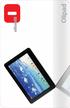 PRODUCT Olipad is a new 10" touch tablet from Olivetti for people who want a versatile portable device to manage digital content. The new Olipad runs the Android operating system and offer a series of
MANUAL. Go to our website and watch the setup video for set up instructions and to better understand your device: www.streamboxtv.
 MANUAL Go to our website and watch the setup video for set up instructions and to better understand your device: www.streamboxtv.com/setup Table of Contents 1. What s Inside your Shipping box...3 2. Streambox
Year 9 MacBook Program 2014 Parent Information Booklet
 VNovember 221113 Year 9 MacBook Program 2014 Parent Information Booklet As we are aware, the 21st Century is very much a digital age. Education is now making enormous use of digital technologies and as
Dell Wyse Cloud Connect discussion card
 Dell Wyse Cloud Connect discussion card What is Cloud Connect? Cloud Connect is a portable enterprise IT-controlled HDMI/MHL (mobile high-definition link) cloud device that allows people to convert a capable
Data Sheet Fujitsu LIFEBOOK AH544/G32 Notebook
 Data Sheet Fujitsu LIFEBOOK AH544/G32 Notebook Your Everyday Powerful Partner If you need a solid and powerful multimedia notebook, opt the 39.6 cm (15.6-inch) Fujitsu LIFEBOOK AH544/G32. It provides dedicated
IT Consulting Services Desktop Support Service Levels are available online. IT Consulting Services Comparison
 Computing Services - Desktop Support & [Organization] Information Technology (IT) Service Level Agreement for Fiscal Year 2013 This document outlines the services provided by the Desktop Support Program
Most laptops allow you to plug in a second monitor, which can be a TV screen or Projector I will refer to a monitor in this document.
 Introduction This is a guide to setting up / using a laptop with a TV screen or projector. IT IS STRONGLY RECOMMENDED THAT YOU TRY THIS OUT SOME TIME AHEAD OF YOUR PRESENTATION. PowerPoint If using PowerPoint
1.1 Overview of the ChromeLab Components
 1.1 Overview of the ChromeLab Components Module 1.1: Training Objective The objective of this module is to provide detailed product training to the participant of this course. The trainee when they have
St Thomas the Apostle Frequently Asked Questions
 Numerous questions have been posed by the school community during the planning stages of the BYOD (ipad) program. This document is a list of the answers to these question, compiled from discussions of
Using GIGABYTE Notebook for the First Time
 Congratulations on your purchase of the GIGABYTE Notebook P7! This Manual will help you to get started with setting up your notebook. For more detailed information, please visit our website at http://www.gigabyte.com.
Buying a New Tablet or Smartphone? My 2c Worth by Kaye Walford of Creative Juices Computing 3-10-13
 1 Buying a New Tablet or Smartphone? My 2c Worth by Kaye Walford of Creative Juices Computing 3-10-13 So. You want to buy a tablet or smartphone huh? Which one to buy out the myriad of options?! As soon
Acer tablet trial. Using tablet devices in primary school classrooms
 Acer tablet trial Using tablet devices in primary school classrooms June 2013 Table of contents Background...3 Participant classes...3 Devices...5 Connectivity...6 Findings...7 Device management...7 Digital
System Handbook. Table of contents. Welcome
 System Handbook Table of contents Welcome...1 CE Labelling...2 Delivery Scope...2 General Safety Instructions...2 Assembly and Startup...3 Problem Handling...5 Shuttle Mini-PC Complete System...6 Connectors
Windows MultiPoint Server 2011 Deployment Guide. Document Version 1.0 March 2011
 Windows MultiPoint Server 2011 Deployment Guide Document Version 1.0 March 2011 Copyright Notice This document is provided as-is. Information and views expressed in this document, including URL and other
Using AORUS Notebook for the First Time
 V2.0 Congratulations on your purchase of the AORUS Notebook! This Manual will help you to get started with setting up your notebook. For more detailed information, please visit our website at http://www.aorus.com.
Point of View SmartTV-500 Center - Android 4.2. General notices for use...2 Disclaimer...2 Box Contents...2
 Point of View SmartTV-500 Center - Android 4.2 English Table of Contents General notices for use...2 Disclaimer...2 Box Contents...2 1.0 Product basics...3 1.1 Buttons and connections... 3 1.2 Connecting