
MTi and MTx User Manual and Technical Documentation
|
|
|
- Lambert Cobb
- 9 years ago
- Views:
Transcription
1 MTi and MTx User Manual and Technical Documentation Document MT0100P Revision G, March 2, 2006 Xsens Technologies B.V. Capitool 50 phone +31-(0) P.O. Box 545 fax +31-(0) AM Enschede The Netherlands internet

2 Revisions Revision Date By Changes A June PS First version. B June PS Minor editorial changes, def. R GS in Euler on section corrected. C August SS Added pin definitions for MTi RS-422 version. Added wire color definitions for USB-CA#. Added specification of SyncIn, SyncOut and Analog In. Added explanations on sensor fusion algorithm settings D September SS Added specification & pinout of MTi analog outputs version E December RG Added pin definitions for MTx RS-485 standalone version Added pin definitions for MTx Xbus version Corrected product code ODU connector F January PS/SS Update specs in section 2.4 Added pin definitions of USB converter G March SS Changed name Xbus class to MTComm Added 5g option accelerometer in section , Xsens Technologies B.V. All rights reserved. Information in this document is subject to change without notice. Xsens is a registered trademark of Xsens Technologies B.V. MTi and MTx are trademarks of Xsens Technologies B.V. ii

3 Table of Contents 1 INTRODUCTION PRODUCT DESCRIPTION MTi miniature gyro-enhanced Attitude and Heading Reference Sensor MTx miniature inertial 3DOF Orientation Tracker OVERVIEW MTI AND MTX DEVELOPMENT KIT Contents TYPICAL USER SCENARIOS Getting Started with the MT Software Interface through COM-object API Direct low-level communication with MTi or MTx SENSOR FUSION 4 2 OUTPUT SPECIFICATION CO-ORDINATE SYSTEMS Calibrated Sensor readings Orientation co-ordinate system ORIENTATION PERFORMANCE SPECIFICATION Sensor fusion algorithm settings ORIENTATION OUTPUT MODES Quaternion orientation output mode Euler angles orientation output mode Rotation Matrix orientation output mode CALIBRATED DATA PERFORMANCE SPECIFICATION CALIBRATED DATA OUTPUT MODE Physical sensor model Calibrated inertial and magnetic data output mode Un-calibrated raw output mode RESET OF OUTPUT OR REFERENCE CO-ORDINATE SYSTEMS Output with respect to non-default coordinate frames Heading reset Global reset Object reset Alignment reset TIMESTAMP OUTPUT ANALOG OUTPUTS Conversion to Euler angles Accuracy Accurate measurement of analog outputs 19 3 BASIC COMMUNICATION INTRODUCTION STATES MESSAGES Message structure Message usage Common messages COMMUNICATION TIMING Orientation output mode timing Calibrated data output mode timing INTERNAL CLOCK ACCURACY DEFAULT SERIAL CONNECTION SETTINGS General definitions for binary data 30 iii

4 4 PHYSICAL SPECIFICATIONS PHYSICAL SENSOR OVERVIEW PHYSICAL PROPERTIES OVERVIEW POWER SUPPLY PHYSICAL INTERFACE SPECIFICATIONS USB-serial data and power cables overview Pin and wire color definitions MTi-28A##G## (MTi RS-232, standard version) Pin and wire color definitions MTi-68A##G## (MTi RS-422) Pin and wire color definitions MTi-28A##G##D (MTi RS-232, analog outputs) Pin and wire color definitions MTx-28A##G## (MTx RS-232, standard version) Pin and wire color definitions MTx-48A##G## (MTx RS-485 standalone) Pin and wire color definitions MTx-49A##G## (MTx Xbus) Additional interface specifications HOUSING MECHANICAL SPECIFICATIONS Dimensions MTi Dimensions MTx 43 5 OPERATING GUIDELINES NORMAL OPERATING PROCEDURE PLACEMENT CONSIDERATIONS Transient accelerations Vibrations Magnetic materials and magnets 45 6 IMPORTANT NOTICES ENVIRONMENTAL OPERATING CONDITIONS ABSOLUTE MAXIMUM RATINGS MAINTENANCE WARRANTY AND LIABILITY CUSTOMER SUPPORT 49 iv

5 1 Introduction The MTi and MTx are both complete miniature inertial measurement units with integrated 3D magnetometers (3D compass), with an embedded processor capable of calculating roll, pitch and yaw in real time, as well as outputting calibrated 3D linear acceleration, rate of turn (gyro) and (earth) magnetic field data. The major difference between the MTi and the MTx is in the casing shape and weight, connector and general ruggedness. The MTi further supports various advanced IO options such as RS-422 and analog output (DAC). This documentation describes the use, basic communication interfaces and specifications of both the MTi and the MTx. Where they differ it is clearly indicated. 1.1 Product Description MTi miniature gyro-enhanced Attitude and Heading Reference Sensor The MTi is a miniature, gyro-enhanced Attitude and Heading Reference System (AHRS). Its internal low-power signal processor provides drift-free 3D orientation as well as calibrated 3D acceleration, 3D rate of turn (rate gyro) and 3D earth-magnetic field data. The MTi is an excellent measurement unit for stabilization and control of cameras, robots, vehicles and other equipment. Fields of use robotics aerospace autonomous vehicles marine industry bore industry MTx miniature inertial 3DOF Orientation Tracker The MTx is a small and accurate 3DOF inertial Orientation Tracker. It provides drift-free 3D orientation as well as kinematic data: 3D acceleration, 3D rate of turn (rate gyro) and 3D earth-magnetic field. The MTx is an excellent measurement unit for orientation measurement of human body segments. Example fields of use biomechanics exercise and sports virtual reality animation motion capture 1

6 1.2 Overview MTi and MTx Development Kit Photos of the MTi (left) and MTx (right) Development Kit Contents MTi or MTx miniature inertial measurement unit Device individual calibration certificate Quick Setup Sheet USB-serial data and power cable, 5 meters (CA-USB2/ CA-USB2x/ CA-USB6) MTi and MTx User Manual and Technical Documentation [MT0100P] 1 MTi and MTx Low-level Communication Documentation [MT0101P] MT Software Development Kit o MT Software (PC Windows 2000/XP) o MT Communication C++ class for low-level communication (full C++ source) o MotionTracker object, COM object API (Windows) o Example source code (C/C++, MATLAB, LabVIEW, VisualBasic) o Magnetic Field Mapper add-on (PC Windows 2000/XP) o MT SDK documentation [MT0200P] o MT Software documentation [MT0201P] o MT Magnetic Field Mapper Documentation [MT0202P] A letter with your individual software license code. NOTE: the most recent version of the software, source code and documentation can always be downloaded on the support section of 1 this document 2
![Communication Documentation [MT0101P] MT Software Development Kit o MT Software (PC Windows 2000/XP) o MT Communication C++ class for low-level communication (full C++ source) o MotionTracker object,](/docs-images/44/18829118/images/page_6.jpg "COM object API (Windows) o Example source code (C/C++, MATLAB, LabVIEW, VisualBasic) o Magnetic Field Mapper add-on (PC Windows 2000/XP) o MT SDK documentation [MT0200P] o MT Software documentation")
7 1.3 Typical User Scenarios This section is intended to help you find the right documentation for the way you want to use your MTi or MTx Getting Started with the MT Software The easiest way to get started with your MTi or MTx is to use the MT Software. This easy to use software with familiar Windows user interface lets you view 3D orientation in realtime, log ASCII data files, change and view various device settings and properties. It is an easy way to get to know and to demonstrate the capabilities of the MTi and MTx miniature inertial measurement units. Applies to: Windows PC platform Please refer to the MT Software User Manual for more information on this topic! Interface through COM-object API If you want to develop a software application that uses the MTi or MTx you can consider using the COM-object API (MTObj.DLL) which provides easy to use function calls to obtain data from the sensor or to change settings. The COM-object takes care of the hardware communication interfacing and it is an easy way to get (soft) real-time performance. Typically this is preferred when you want to access the MT s capabilities directly in application software such as MATLAB, LabVIEW, Excel (Visual Basic), etc. (examples included in SDK). Both polling and events based methods are supported. Applies to: Windows PC platform Please refer to the MT Software Development Kit Documentation for more information on this topic! NOTE: The MT COM-object also provides backwards compatibility of your software developed for the MT9-B Direct low-level communication with MTi or MTx Direct interfacing with the MTi or MTx (RS-232/422) is the natural choice if you are looking for full-control, maximum flexibility and/or have hard real-time performance requirements. The MTi/MTx s low power embedded DSP does all the calculations/calibration, you just retrieve the data from the COM-port using the MTi/MTx binary communication protocol using with streaming (free-running) mode or polling (request) mode. Even this part is made easy for you by the inclusion of the source code (C++) of the MT Communication C++ class CMTComm in the MT SDK. Example C/C++ application code should get you quickly started on your development platform of choice. Example code that has been functionally checked and compiled on both Windows and Linux is included. Applies to: Any (RT)OS or processor platform (C/C++)! 3

8 Please refer to the MTi and MTx Low-level communication protocol documentation and the MT Software Development Kit Documentation for more information on this topic! 1.4 Sensor fusion The MTi / MTx s low power-dsp runs a proprietary sensor fusion algorithm developed inhouse by Xsens, tailor-made to the MTi and MTx, that can accurately calculate absolute orientation in three-dimensional space from miniature rate of turn sensors (gyroscopes), accelerometers and magnetometers in real-time. 3D gyroscopes 3D accelerometers Sensor Fusion Algorithm 3D driftless orientation 3D magnetometer The design of the algorithm can be explained as a sensor fusion algorithm where the measurement of gravity (accelerometers) and magnetic north (magnetometers) compensate for otherwise unlimited increasing (drift) errors from the integration of rate of turn data. This type of drift compensation is often called attitude and heading referenced and such a system is often called an Attitude and Heading Reference System (AHRS). 4

9 2 Output Specification In this chapter the various output modes of the MTi and MTx are described. The two major modes, Orientation output and Calibrated data output, are discussed separately. However, please note that the two output modes can easily be combined, so that you get a combined data packet of orientation data and inertial calibrated data together, with the same time stamp. 2.1 Co-ordinate systems Calibrated Sensor readings All calibrated sensor readings (accelerations, rate of turn, earth magnetic field) are in the right handed Cartesian co-ordinate system as defined in figure 1. This co-ordinate system is bodyfixed to the device and is defined as the sensor co-ordinate system (S). The 3D orientation output is discussed below in section 2.2. Figure 1 MTi and MTx with sensor-fixed co-ordinate system overlaid (S). The co-ordinate system is aligned to the external housing of the MTi and MTx. The aluminum base plate of the MTi is carefully aligned with the output coordinate system during the individual factory calibration. The alignment of the bottom plane and sides of the aluminum base-plate with respect to (w.r.t.) the sensor-fixed output coordinate system (S) is within 0.1 deg. High accuracy alignment between the (plastic) housing and the sensor-fixed output coordinate system (S) is not possible for the MTx for obvious reasons. The actual alignment between the S co-ordinate system and the bottom part of the plastic housing is guaranteed to <3. The non-orthogonality between the axes of the body-fixed co-ordinate system, S, is <0.1. This also means that the output of 3D linear acceleration, 3D rate of turn (gyro) and 3D magnetic field data all will have orthogonal XYZ readings within <0.1 as defined in figure 1. 5

10 2.1.2 Orientation co-ordinate system The MTi and MTx calculates the orientation between the sensor-fixed co-ordinate system, S, and a earth-fixed reference co-ordinate system, G. By default the local earth-fixed reference co-ordinate system used is defined as a right handed Cartesian co-ordinate system with: X positive when pointing to the local magnetic North. Y according to right handed co-ordinates (West). Z positive when pointing up. The 3D orientation output (independent of output mode, see chapter 3) is defined as the orientation between the body-fixed co-ordinate system, S, and the earth-fixed co-ordinate system, G, using the earth-fixed co-ordinate system, G, as the reference co-ordinate system. Example: Local vertical Z z y MTi/MTx coordinate system (S) x Y X Fixed co-ordinate system (G) Local magnetic north All co-ordinate systems are right handed. Please refer to section 2.6 for further details on output co-ordinate systems and different options to redefine the output co-ordinate systems. True North vs Magnetic North As defined above the output coordinate system of the MTi / MTx is with respect to local Magnetic North. The deviation between Magnetic North and True North (known as the magnetic declination) varies depending on your location on earth and can be roughly obtained from various models of the earths magnetic field as a function of latitude and longitude. The MTi / MTx can accept a setting of the declination value. This is done by setting the heading in the MT Software, SDK or by direct communication with the sensor. The output will then be offset by the declination and thus referenced to local true north. 6

11 2.2 Orientation performance specification Typical performance characteristics of MTi and MTx orientation output. Dynamic Range: all angles in 3D Angular Resolution: 0.05 RMS ( Static Accuracy (roll/pitch): <0.5 Static Accuracy (heading) ( ) : <1.0 Dynamic Accuracy: 2 RMS ( Update Rate: user settable, max 120 Hz ( Sensor fusion algorithm settings The MTi and MTx has been designed to operate with the highest possible accuracy under a wide range of operating conditions. Under some circumstances however the performance may benefit from some of the advanced settings available in the Sensor Fusion Algorithm. Mainly when transient accelerations are expected it may be attractive to the advanced user, to tweak or explore the influence of some advanced settings of the algorithm. NOTE: Normal operation does not require the user to change these settings. Weighting factor Indicates how much the sensor data from the magnetometer should be weighted relative to the accelerometer data. A number of 1 indicates the magnetometer data is considered equal to the accelerometer data and this should be the default value. A number of 0.0 will completely disregard any data from the magnetometers, otherwise valid range is <0.1 ; 10]. Filter Gain The gain is the most important tweaking option. Very roughly the gain equals the crossover frequency of the sensor fusion algorithm in Hertz. For example, a value of 1 for the gain means, more or less, that frequency components of the calculated orientation vector exceeding 1 Hz will be determined by the rate of turn sensors and components below 1 Hz will be determined by the accelerometers and magnetometers. The actual implementation is of course more sophisticated but this serves as an example for understanding. Valid values are larger than 0.01 and lower than 50, i.e. < ], some values may lead to unstable operation of the algorithm under certain conditions. The recommended default value of the gain is 1. Adapt to Magnetic Disturbances Large amounts of ferrous material (iron, nickel and cobalt but not e.g. aluminum and most stainless steels) will disturb the homogenous earth magnetic field used as a reference by the 2 1σ standard deviation of zero-mean angular random walk 3 in homogenous magnetic environment 4 may depend on type of motion 5 inertial data max update rate is 512 Hz 7

12 MT 6. The sensitivity of the system to such disturbance can be significantly reduced by an advanced sensor fusion algorithm setting called AMD (Adapt to Magnetic Disturbances). The default or normal operating mode should however be with this option turned OFF as drift around the vertical (yaw/heading) will occur over time. 2.3 Orientation output modes The orientation as calculated by the MTi or MTx is the orientation of the sensor-fixed coordinate system (S) with respect to a Cartesian earth-fixed co-ordinate system (G). The output orientation can be presented in different parameterizations: Unit Quaternions (also known as Euler parameters) Euler angles 7, roll, pitch, yaw (XYZ Earth fixed type, also known as Cardan or aerospace sequence) Rotation Matrix (directional cosine matrix) A positive rotation is always right-handed, i.e. defined according to the right hand rule (corkscrew rule). This means a positive rotation is defined as clockwise in the direction of the axis of rotation. NOTE: This section is intended to give detailed information on the definition of the various orientation output modes of the MTi and MTx. The output sequence of the elements in the vectors and matrices defined here holds for all interface options (RS-232/422, API, GUI). For more detailed information about the respective interfaces please refer to their specific documentation; Direct API GUI MTi and MTx Low-level Communication Documentation MT Software Development Kit Documentation MT Software 6 Any disturbance in the magnetic field due to the object the MT is attached to can be compensated for, please refer to the Magnetic Field Mapping software plug-in. 7 Please note that due to the definition of Euler angles there is a mathematical singularity when the sensor-fixed x-axis is pointing up or down in the earth-fixed reference frame (i.e. pitch approaches ±90 ). In practice this means roll and pitch is not defined as such when pitch is close to ±90 deg. This singularity is in no way present in the quaternion or rotation matrix output mode. 8

13 2.3.1 Quaternion orientation output mode A unit quaternion vector can be interpreted to represents a rotation about a unit vector n through an angle α. q GS =(cos( α 2 ), nsin(α 2 )) A unit quaternion itself has unit magnitude, and can be written in the following vector format; q GS =(q 0,q 1,q 2,q 3 ) k q k=1 Quaternions are an efficient, non-singular description of 3D orientation and a quaternion is unique up to sign: q = q An alternative representation of a quaternion is as a vector with a complex part, the real component is the first one, q 0. The inverse (q SG ) is defined by the complex conjugate ( ) of q GS. The complex conjugate is easily calculated; q GS =(q 0, q 1, q 2, q 3 )=q SG As defined here q GS rotates a vector in the sensor co-ordinate system (S) to the global reference co-ordinate system (G). x G = q GS x S q GS = q GSx S q SG Hence, q SG rotates a vector in the global reference co-ordinate system (G) to the sensor coordinate system (S), where q SG is the complex conjugate of q GS. The output definition in quaternion output mode is: MTData MID 50 (0x32) q0 q1 q2 q3 TS All data elements in DATA field are FLOATS (4 bytes) TS= time stamp (optional) 9

14 2.3.2 Euler angles orientation output mode The definition used for 'Euler-angles' here is equivalent to 'roll, pitch, yaw/heading' (also known as Cardan). The Euler-angles are of XYZ Earth fixed type (subsequent rotation around global X, Y and Z axis, also known as aerospace sequence). φ = roll 8 = rotation around X G, defined from [ ] θ = pitch 9 = rotation around Y G, defined from [ ] ψ = yaw 10 = rotation around Z G, defined from [ ] NOTE: Due to the definition of Euler angles there is a mathematical singularity when the sensor-fixed X-axis is pointing up or down in the earth-fixed reference frame (i.e. pitch approaches ±90 ). This singularity is in no way present in the quaternion or rotation matrix output mode. The Euler-angles can be interpreted in terms of the components of the rotation matrix, R GS, or in terms of the unit quaternion, q GS ; µ µ φ GS =tan 1 R32 =tan 1 2q2 q 3 +2q 0 q 1 R 33 2q q3 2 1 θ GS = sin 1 (R 31 )= sin 1 (2q 1 q 3 2q 0 q 2 ) ψ GS =tan 1 µ R21 R 11 =tan 1 µ 2q1 q 2 +2q 0 q 3 2q q Here, the arctangent (tan -1 ) is the four quadrant inverse tangent function. NOTE: that the output is in degrees and not radians. The output definition in Euler-angle output mode is: MTData MID 50 (0x32) roll pitch yaw TS All data elements in DATA field are FLOATS (4 bytes) TS= time stamp (optional) Rotation Matrix orientation output mode The rotation matrix (also known as Direction Cosine Matrix, DCM) is a well-known, redundant and complete representation of orientation. The rotation matrix can be interpreted as the unit-vector components of the sensor coordinate system S expressed in G. For R GS the unit vectors of S are found in the columns of the matrix, so col 1 is X S expressed in G etc. A 8 roll is also known as: bank 9 pitch is also known as: elevation or tilt 10 yaw is also known as: heading, pan or azimuth 10
![φ = roll 8 = rotation around X G, defined from [-180 180 ] θ = pitch 9 = rotation around Y G, defined from [-90 90 ] ψ = yaw 10 = rotation around Z G, defined from [-180 180 ] NOTE: Due to the](/docs-images/44/18829118/images/page_14.jpg "definition of Euler angles there is a mathematical singularity when the sensor-fixed X-axis is pointing up or down in the earth-fixed reference frame (i.e. pitch approaches ±90 ).")
15 rotation matrix norm is always equal to one (1) and a rotation R GS followed by the inverse rotation R SG naturally yields the identity matrix I 3. k R k=1 R GS R SG = I 3 The rotation matrix, R GS, can be interpreted in terms of quaternions; R GS = q2 0 + q2 1 q2 2 q2 3 2q 1 q 2 2q 0 q 3 2q 0 q 2 +2q 1 q 3 2q 0 q 3 +2q 1 q 2 q0 2 q2 1 + q2 2 q2 3 2q 2 q 3 2q 0 q 1 2q 1 q 3 2q 0 q 2 2q 2 q 3 +2q 0 q 1 q 2 0 q2 1 q2 2 + q2 3 = 2q2 0 +2q q 1 q 2 2q 0 q 3 2q 1 q 3 +2q 0 q 2 2q 1q 2 +2q 0q 3 2q q q2q3 2q0q1 2q 1 q 3 2q 0 q 2 2q 2 q 3 +2q 0 q 1 2q q2 3 1 or in terms of Euler-angles; R GS = R Z ψr Y θ R X φ cos ψ sinψ 0 cos θ 0 sinθ = sin ψ cos ψ cosφ sinφ sinθ 0 cosθ 0 sinφ cos φ cos θ cosψ sin φ sinθ cosψ cos φ sinψ cos φ sinθ cosψ +sinφ sin ψ = cos θ sin ψ sin φ sinθ sinψ +cosφ cos ψ cos φsin θ sinψ sinφ cos ψ sin θ sin φ cosθ cos φ cos θ As defined here R GS, rotates a vector in the sensor co-ordinate system (S) to the global reference system (G): x G = R GS x S =(R SG ) T x S It follows naturally that, R SG rotates a vector in the global reference co-ordinate system (G) to the sensor co-ordinate system (S). For the rotation matrix (DCM) output mode it is defined that: a d g R 11 R 12 R 13 R GS = b e h = R 21 R 22 R 23 c f i R 31 R 32 R 33 a b c R SG = d e f g h i Here, also the row-order/col-order is defined. 11

16 The output definition in rotation matrix (DCM) output mode is: MTData MID 50 (0x32) a b c d e f g h i TS All data elements in DATA field are FLOATS (4 bytes) TS= time stamp (optional) 2.4 Calibrated data performance specification rate of acceleration magnetic temperature turn field Unit [deg/s] [m/s 2 ] [mgauss] [ C] Dimensions 3 axes 3 axes 3 axes - Full Scale (units) +/- 300* +/- 17 +/ Linearity (% of FS) <1 Bias stability (units 1σ) Scale factor stability (% 1σ) Noise density (units Hz) (1σ) - Alignment error ( ) (deg) Bandwidth (Hz) These specifications are valid for an MTi with standard configuration. *) The standard configuration of the MTx is with a rate gyro with a range of 1200 deg/s. The following custom configurations are available, standard configuration highlighted in bold: Accelerometer Rate gyro Full scale ± 17 m/s 2 (1.7 g) ±1200 deg/s (MTx default) ± 50 m/s 2 (5 g) ± 300 deg/s (MTi default) ± 100 m/s 2 (10 g) (higher noise levels, increased bias instability) ± 150 deg/s (0.05 /s/ Hz noise density) Specifications of custom units may vary. 11 temperature compensated, deviation over operating temperature range (1σ) 12 minimal resolution of digital readout is , absolute accuracy is ±0.5 C 13 after compensation for non-orthogonality (calibration) 12

17 2.5 Calibrated data output mode NOTE: This section is intended to give detailed information on the definition of the calibrated inertial data output modes of the MTi and MTx. The output sequence of the elements of the vectors defined here holds for all interface levels (RS-232/422, API, GUI). For more detailed information about the respective interfaces please refer to their specific documentation; Direct MTi and MTx Low-level communication Documentation API MT Software Development Kit Documentation GUI MT Software Physical sensor model This section explains the basics of the individual calibration parameters of each MTi and MTx. This explains the values found on the MT Test and Calibration Certificate that comes with each MTi and MTx. The physical sensors inside the MTi and MTx (accelerometers, gyroscopes and magnetometers) are all calibrated according to a physical model of the response of the sensors to various physical quantities, e.g. temperature. The basic model is linear and according to the following relation: 1 T ( ) s= K u b T The model really used is more complicated and is continuously being developed further. From factory calibration each MTi / MTx has been assigned a unique gain matrix, K T and the bias vector, b T This calibration data is used to relate the sampled digital voltages, u, (unsigned integers from the 16 bit ADC s) from the sensors to the respective physical quantity, s. The gain matrix is split into a misalignment matrix, A, and a gain matrix, G. The misalignment specifies the direction of the sensitive axes with respect to the ribs of the sensor-fixed coordinate system (S) housing. E.g. the first accelerometer misalignment r 1 describes the sensitive direction of the accelerometer on channel one. The three sensitive directions are used to form the misalignment matrix: A = a 1,x a 1,y a 1,z a 2,x a 2,y a 2,z G = G G 2 0 a 3,x a 3,y a 3,z 0 0 G 3 G a 1,x a 1,y a 1,z K T = 0 G 2 0 a 2,x a 2,y a 2,z + O 0 0 G 3 a 3,x a 3,y a 3,z With O representing higher order models and temperature modelling, etc. Each MTi and MTx is also modeled for temperature dependence of both gain and bias for all sensors and other effects. This modeling is not represented in the simple model in the above equations, but is implemented in the firmware. 13

18 The basic parameters in the above model of your individual MTi or MTx can be found on the MT Test and Calibration Certificate Calibrated inertial and magnetic data output mode Output of calibrated 3D linear acceleration, 3D rate of turn (gyro) and 3D magnetic field data is in sensor-fixed coordinate system (S). The units of the calibrated data output are as follows: Vector Unit Acceleration m/s 2 Angular velocity (rate of turn) rad/s a.u. (arbitrary units) Magnetic field normalized to earth field strength The calibrated data is unprocessed, i.e. only the physical calibration model is applied to the 16-bit values retrieved from the AD-converters. There is no additional filtering, or other temporal processing applied to the data. The bandwidths of the signals are as stated in the datasheet and section 2.4. The output definition in calibrated data output mode is: MTData MID 50 (0x32) accx accy accz gyrx gyry gyrz magx magy magz TS All data elements in DATA field are FLOATS (4 bytes) TS= time stamp (optional) The accelerometer / rate-of-turn / magnetometer data can be individually dis- or enabled. See SetOutputSettings message in section NOTE: The linear 3D accelerometers measure all accelerations, including the acceleration due to gravity. This is inherent to all accelerometers. Therefore, if you wish to use the 3D linear accelerations output by the MTi / MTx to estimate the free acceleration (i.e. 2 nd derivative of position) gravity must first be subtracted Un-calibrated raw output mode In un-calibrated raw output format the raw readings from the 16-bit AD-converters in the MTi / MTx are outputted. This means the physical calibration model described in the previous section is not applied. This gives you open access to the basic level of the sensor unit, but in most cases this level of use is not recommended. However, if your main purpose is for 14

19 logging and post-processing, it may be advantageous as it is always possible to go back to the source of the signal. In this mode the device temperature is also outputted (housing ambient only). NOTE: The data fields are 2 bytes (16 bits) as opposed to the 3 byte floats for the other output modes. The output definition in un-calibrated raw output mode is: MTData MID 50 (0x32) acc1 acc2 acc3 gyr1 gyr2 gyr3 mag1 mag2 mag3 temp TS Each data element in DATA field is 2 bytes (16 bit) unsigned integers! See below for reading the temperature data TS= time stamp (optional) Temperature output format The 2 byte temperature data field in the un-calibrated raw output mode of the MTi / MTx can be interpreted as a 16 bits, 2-complement number. However, please note that the resolution of the temperature sensor is not actually 16-bit but 12-bit. For example you can interpret the 2-byte temperature as follows: 00.00hex = 0.0 C 00.80hex = +0.5 C FF.80hex = -0.5 C 19.10hex = C E6.F0hex = C The temperature-field is a 16-bit two-complement number of which the last byte represents the value behind the comma. To calculate the temperature value use the formula T = ( x) / 256 if x 2 15 or T = x / 256 if x < 2 15, where x is the 16-bit value of the Temp field. For example, the value (0xE6F0) corresponds with a temperature of C. 15

20 2.6 Reset of output or reference co-ordinate systems Output with respect to non-default coordinate frames In some situations it may occur that the sensor axes are not exactly aligned with the axes of the object of which the orientation has to be recorded. It may be desired to output the orientation and/or calibrated inertial data in an object-fixed frame, as opposed to an sensorfixed frame. Four features have been added to the software to facilitate in obtaining the output in the desired coordinate frames. 1. A heading reset that redefines the X-axis of the global coordinate frame while maintaining the Z-axis along the vertical. After the heading reset the orientation will be expressed with respect to the new global (earth fixed) reference frame. 2. A global reset that permits the user to use the MTI / MTx to define all the axes of the global coordinate frame (including Z-axis, up/down). 3. An object reset that defines how the sensor it oriented with respect to the coordinate axes to which it is attached. After the object reset, both the orientation and the calibrated sensor data are expressed with respect to the axes of the object. 4. A combined object/heading reset, referred to as alignment. NOTE: For all co-ordinate system reset functions it is important to remember that the housing of the MTx can not be considered an accurate reference. Placement and subsequent aligning must be done very carefully otherwise (alignment) errors may be induced Heading reset Often it is important that the global Z-axis remains along the vertical (defined by local gravity vector), but the global X-axis has to be in a particular direction. In this case a heading reset may be used, this is also known as bore sighting. When performing a heading reset, the new global reference frame is chosen such that the global X-axis points in the direction of the sensor while keeping the global Z-axis vertical (along gravity, pointing upwards). In other words: The new global frame has the Z axis along gravity, pointing upwards, the X-axis in the plane spanned by the vertical and the sensor X-axis, perpendicular to the global Z-axis and the Y-axis such that a right handed coordinate system is formed. NOTE: After a heading reset, the yaw may not be exactly zero, this occurs especially when the X-axis is close to the vertical. This is caused by the definition of the yaw when using Euler angles, which becomes unstable when the pitch approaches ± 90 deg Global reset When performing a full global reset, the MTi / MTx axes (S) is used to define the axes of the new global coordinate frame (G). When pressing the reset button or sending the reset command, S has to be orientated in such a way that the sensor axes all point in exactly the same direction as the axes of the global coordinate frame. After this the orientation output will be with respect to the newly defined global axes. 16

21 NOTE: 1. After a global reset, the vertical will generally not be along the Z-axis. 2. A change of global (earth fixed) reference system does not have any effect of the calibrated sensor output, since the calibrated sensor output is expressed with respect to the S coordinate frame 3. The orientation of the new global reference frame with respect to the earth fixed frame described in section 2.1 can not be stored in the MTi or MTx non-volatile memory Object reset The object reset function aims to facilitate in aligning the MTi / MTx coordinate frame (S) with the coordinate frame of the object the sensor is strapped to (O). After an object reset, the S coordinate frame is changed to S as follows: the S Z-axis is the vertical (up) at time of reset the S X-axis equals the S X-axis, but projected on the new horizontal plane. the S Y-axis is chosen as to obtain a right handed coordinate frame. NOTE: Once this object reset is conducted, both calibrated data and orientation will be output in the new coordinate frame (S ). The object reset can be used to set the MTi / MTx coordinate frame to that of the object to which it is strapped (see figure below). The sensor has to be strapped such that the X-axis is in the XZ-plane of the object coordinate frame (situation A), i.e. the MTi / MTx can be used to identify the X-axis of the object. To preserve the global vertical, the object must be oriented such that the object z-axis is vertical. The object reset causes the new S coordinate frame and the object coordinate frame to be aligned (situation B). NOTE: Since the sensor X-axis is used to describe the direction of the object X-axis, the reset will not work if the sensor X-axis is aligned along the Z-axis of the object. A. y x B. sensor coordinate frame (S) z z x new sensor coordinate frame (S ) z z x x Object coordinate frame (O) Object coordinate frame (O) MTi or MTx coordinate frame before (A) and after (B) object reset. The new Z-axis of the sensor coordinate frame will be along the vertical. The new direction of the X-axis will be the old X axis that is projected on the horizontal plane. 17
22 2.6.5 Alignment reset The alignment reset simply combines the Object reset and the Heading reset at a single instant in time. This has the advantage that all co-ordinate systems can be aligned with a single action. Keep in mind that the new global reference x-axis (heading) is defined by the object X-axis (to which XZ-plane you have aligned the MTi / MTx). If you would like to preserve global vertical the Z-axis of the object must be pointing up in the global reference system. NOTE: Once this alignment reset is conducted, both calibrated data and orientation will be output with respect to the new S coordinate frame. 2.7 Timestamp output Timestamp output can be enabled or disabled (using the SetOutputSettings message). The timestamp is always last in the data field of the MTData message. Currently, there is one option for the timestamp output, the sample counter which is a 16 bit counter increasing with 1 with each MTData message sent. After reaching (2^16) -1= the sample counter will wrap to zero (0). 2.8 Analog outputs 14 Besides sending the orientation information digitally the MTi with analog outputs has three pins of which the voltages correspond to the calculated Euler angles. Please note that for the highest accuracy the digital interface should be used. The analog outputs correspond with the roll, pitch and yaw angles of the device only if the orientation mode and the analog outputs are enabled (see SetOutputMode and SetExtOutputMode messages). This is the default factory setting. For the pinout specification of this version see section 4.4 for the pinout of this version Conversion to Euler angles The voltage levels of the analog outputs 1, 2 and 3 correspond to the roll, pitch and yaw angle respectively. To convert the measured voltage into the angle value, use the following formula: Angle [º] = gain * (measured voltage [V] offset) The gain and offset value are determined for each analog output during calibration of the device and can be found on the device individual calibration certificate Accuracy The voltages of the three analog outputs are generated by a digital to analog converter (DAC) which has a resolution of 12 bits. The calculated values are mapped into a range of zero to three volts. In other words the theoretical resolution of the analog output is 3V / 4096 = 14 Only applicable for MTi s with analog outputs option (product code MTi-28A##G##D) 18
23 0.7mV or 360º / 4096 = 0.09º. In practice the accuracy is mainly defined by the signal noise and the relative accuracy of the DAC (besides the accuracy of the orientation calculation itself). The relative accuracy is the deviation between a perfect straight line and the DAC transfer function. Typical deviations are +/-2mV, maximum deviation specified for the DAC is +/- 11mV. The calibration certificate specifies for each channel the RMS value of the deviation. An example of the relative accuracy is plotted in the following leftmost figure. An example of the signal noise is shown in the figure on the right. The noise highly depends on type of measurement and the use of antialiasing filters. See next section for additional information Accurate measurement of analog outputs In general when taking measurements at a specific sample frequency it is important to ensure that the signal does not have frequency components that are higher than the sample frequency. If these frequency components exist the sampled data will also contain these unwanted components, i.e. aliasing. Therefore the use of a proper defined low-pass or antialiasing filter is important as it will remove these unwanted frequency components. This filter should be located as close as possible to the measuring point (e.g. at operational amplifier). To minimize further noise contributions it is also important to use proper shielding and/or short cables. The antialiasing filter used for the calibration is a one-pole lowpass filter for each channel. This is a traditional RC filter, see next figure. Analog line 1 R C R = 8.2 kohm C = 100nF Fc = 1 / (2πRC) 194 Hz From sensor Analog line 2 R C To measuring device Analog line 3 Ground R C For highest accuracy it is recommended to make non-referenced single-ended measurement instead of a ground referenced measurement. For example, if an instrumentation amplifier is 19
24 used any potential difference between de measurement device ground and the signal ground appears as a common-mode signal at both the positive and negative inputs of the amplifier, and this difference is rejected by the amplifier. If a hardware filter is not preferred it is also possible to use digital filtering. Make sure that the sample frequency is set high enough to minimise the aliasing effects. A minimum sample frequency of 40kHz is recommended. 20
25 3 Basic communication 3.1 Introduction This section describes the basics of how to communicate with the MTi / MTx directly on lowlevel using RS-232/422/485 serial communication with or without the use of an Xsens USBserial converter. For detailed and a complete list of all messages please refer to the MT Lowlevel Communication Documentation. NOTE: You can skip this chapter you plan to only interface with the device using Xsens GUI software or SDK API. The communication protocol, which is message based, enables the user to change the configuration of the MTi or MTx and to retrieve the data from the device. The communication protocol used for the MTi and MTx is compliant to the MotionTracker communication protocol 15. The configuration is fully user-settable, e.g. sample frequency, in- & output synchronization, baudrate and data output modes, can all be changed to fit your requirements. All configuration changes must be made while the device is in the so-called Config State. In this state the device accepts messages that set the output mode or changes to other settings. Whenever the preferred configuration is completed the user can set the device to Measurement State. In this state the device outputs data based the current configuration settings. 3.2 States Power-up WakeUp Procedure WakeUpAck received No WakeUpAck received Config Measurement The MTi / MTx has two states, i.e. Config State and Measurement State. In the Config State various settings can be read and written. In the Measurement State the device will output its data message which contains data dependent on the current configuration. 15 The MotionTracker-host protocol is a fully documented standard message based protocol developed by Xsens tailor made for the needs of inertial sensors. 21
26 There are two different ways to enter the Config State or the Measurement State. At power-up the device starts the WakeUp procedure, if no action is taken it will then enter Measurement State by default, using its latest stored configuration. Prior to entering the Measurement State, the Configuration message is sent to the host. This is the configuration that is read from the internal non-volatile memory and will be used in the Measurement State. It is also possible to enter the Config State at power-up, see WakeUp message description in the MTi and MTx Low-Level Communication Document. Another way to enter the Config State or Measurement State is to use the GoToConfig or GoToMeasurement messages. The default configuration of the MTi / MTx is shown in the following table. Property Value Output mode Orientation output Output settings Orientation in quaternion mode Sample counter Sample frequency 100 Hz Baudrate 115k2 bps Output skip factor 0 With the default configuration the MTi / MTx outputs in Measurement State the MTData message at a frequency of 100Hz (based on its internal clock). The MTData message contains the orientation data in quaternions together with a sample counter. If you want to retrieve the output data on request then set Output skip factor to value (0xFFFF) and send ReqMTData message to the device. For more information see MTi and MTx Low-Level Communication Document. 3.3 Messages Message structure The communication with the MTi and MTx is done by messages which are built according to a standard structure. The standard MTComm message can contain zero to 254 bytes of data and the total length is five to 259 bytes. An MTComm message contains the following fields: PREAMBLE BID MID LEN DATA CHECKSUM 22
27 Field Field width Description Preamble 1 byte Indicator of start of packet 250 (0xFA) BID 1 byte Bus identifier / address 255 (0xFF) MID 1 byte Message identifier LEN 1 byte Value equals number of bytes in DATA field Maximum value is 254 (0xFE). Value 255 (0xFF) is reserved. DATA bytes Data bytes (optional) Checksum 1 byte Checksum of message Preamble Every message starts with the preamble. This field always contains the value 250 (=0xFA). Bus identifier (BID) or Address All messages used for the MTi and MTx use the address value 255 (0xFF) indicating a master device. Message Identifier (MID) This message field identifies the kind of message. For a complete listing of all possible messages see MT Low-level Communication Documentation. Length (LEN) Specifies the number of data bytes in the DATA field. Value 255 (=0xFF) is reserved. This means that a message has a maximum payload of 254 bytes. If Length is zero no data field exists. Data (DATA) This field contains the data bytes and it has a variable length which is specified in the Length field. The interpretation of the data bytes are message specific, i.e. depending on the MID value the meaning of the data bytes is different. See the description of the specific message for more details about interpretation of the data bytes. Checksum This field is used for communication error-detection. If all message bytes excluding the preamble are summed and the lower byte value of the result equals zero, the message is valid and it may be processed. The checksum value of the message should be included in the summation Message usage Generally, a message with a certain MID value will be replied with a message with a MID value that is increased by one, i.e. the acknowledge message. Depending on the type of message the acknowledge message has no or a certain number of data bytes. In some cases an error message will be returned (MID = 66 (0x42)). This occurs in case the previous message has invalid parameters, is not valid, or could not be successfully executed. An error message contains an error code in its data field. 23
28 Example Requesting the device ID of an MTi / MTx: Sending message: ReqDID = 0xFA 0xFF 0x00 0x00 0x01 (hexadecimal values) Receiving message (= Acknowledge): DeviceID = 0xFA 0xFF 0x01 0x04 HH HL LH LL CS (hexadecimal values) The requested Device ID is given in the acknowledged message DeviceID (here shown as: HH HL LH LL, the checksum is CS). As you can see the MID (Message ID) of the acknowledgement is increased by one in comparison with the sending message ReqDID. Some messages have the same MID and depending on whether or not the message contains the data field the meaning differs. This is the case with all the messages that refer to changeable settings. For example, the MID of message requesting the output mode (ReqOutputMode) is the same as the message that sets the output mode (SetOutputMode). The difference between the two messages is that the Length field of ReqOutputMode is zero and non-zero for SetOutputMode. Example Request current output mode: Sending message: ReqOutputMode = 0xFA 0xFF 0xD0 0x00 0x31 (hexadecimal values) Receiving message (= Acknowledge): ReqOutputModeAck = 0xFA 0xFF 0xD1 0x02 MH ML CS (hexadecimal values) ReqOutputModeAck contains data which represents the current mode (= MH & ML). CS stands for the checksum value. To change the output mode you must add the new mode in the data field of the sending message: Set the output mode: Sending message: SetOutputMode = 0xFA 0xFF 0xD0 0x02 MH ML CS (hexadecimal values) Receiving message (= Acknowledge): SetOutputModeAck = 0xFA 0xFF 0xD1 0x00 0x30 (hexadecimal values) Common messages GoToConfig MID Data field Direction Valid in 48 (0x30) n/a To MTi / MTx Measurement State & Config State Switches the active state of the device from Measurement State to Config State. This message can also be used in Config State to confirm that Config State is currently the active state. 24
29 SetOutputMode MID Data field Direction Valid in 208 (0xD0) MODE (2 bytes) To MTi / MTx Config State Sets the output mode of the MTi / MTx. The output mode can be set to calibrated sensor data and/or orientation data. The un-calibrated raw data output however can not be used together with any of the other outputs. MODE Bit # R R R R R R R R R R R R MODE bits Bit 0 Bit 1 Bit 2 Bit 14 Output mode Temperature data Calibrated data Orientation data Un-calibrated raw data (not in combination with calibrated sensor data and/or orientation data) SetExtOutputMode MID Data field Direction Valid in 134 (0x86) MODE (2 bytes) To MTi / MTx Config State Sets the extended output mode of the MTi. The extended output mode en- or disables the analog outputs. For Euler angles outputs also set the output mode to orientation data (see SetOutputMode message). MODE Bit # R R R R R R R R R R R R R R R MODE bits Bit 1 Extended output mode Analog outputs 16 0 = Disable analog outputs Bit 15-2 Reserved 1 = Enable analog outputs (Euler output) SetOutputSetings MID Data field Direction Valid in 210 (0xD2) SETTINGS (4 bytes) To MTi / MTx Config State Sets the output settings of the MTi / MTx. 16 Only applicable for MTi s with analog outputs option (product code MTi-28A##G##D) 25
30 SETTINGS Reserved Reserved R R R R R R Bit # R SETTINGS bits Bit 1-0 Bit 3-2 Bit 6-4 Bit 7 Bit 9-8 Settings Timestamp output 00 = No timestamp 01 = Sample Counter Orientation Mode 00 = Quaternion 01 = Euler angles 10 = Matrix Calibration Mode Bit 4: 0 = Enable acceleration (XYZ) output 1 = Disable acceleration (XYZ) output Bit 5: 0 = Enable rate of turn (XYZ) output 1 = Disable rate of turn (XYZ) output Bit 6: 0 = Enable magnetometer (XYZ) output 1 = Disable magnetometer (XYZ) output Reserved Output Format 00 = Float output 01 = Fixed point Signed format GoToMeasurement MID Data field Direction Valid in 16 (0x10) n/a To MTi / MTx Config State Switches the active state of the device from Config State to Measurement State. The current configuration settings are used to start the measurement. MTData MID Data field Direction Valid in 50 (0x32) DATA (length variable) From MTi / MTx Measurement State Contains the output data depending on the current Output Mode & Output settings. The data field can contain multiple data outputs but the order of outputs is always the same. The following order is used (disabled outputs must be omitted): 1. Un-calibrated raw data output 2. Calibrated data output 3. Orientation data output 4. Sample counter Un-calibrated raw data output can not be used together with calibrated and/or orientation data output. The following text explains the data values of each output. 26
31 DATA The data can contain multiple outputs. All the different outputs are described separately here. If not specified otherwise each data value is 4 bytes long and corresponds with the singleprecision floating-point value as defined in the IEEE 754 standard (= float). Un-calibrated raw data output mode (20 bytes) Contains the un-calibrated raw data output of the accelerations, rate of turn and magnetic field in X, Y & Z axes. These values are equal to the analog-digital converter readings of the internal sensors. The data values are NOT float values but 16 bit unsigned integer values. acc1 acc2 acc3 gyr1 gyr2 gyr3 mag1 mag2 mag3 temp Calibrated data output mode (36 bytes) Contains the calibrated data output of the accelerations, rate of turn and magnetic field in X, Y & Z axes in floats. accx accy accz gyrx gyry gyrz magx magy magz Orientation data output mode quaternion (16 bytes) Contains the q0, q1, q2 and q3 quaternions, in floats, that represent the orientation of the MTi / MTx q0 q1 q2 q3 Orientation data output mode Euler angles (12 bytes) Contains the three Euler angles, in floats, that represent the orientation of the MTi / MTx roll pitch yaw Orientation data output mode Matrix (36 bytes) Contains the rotation matrix (DCM), in floats, that represents the orientation of the MTi / MTx. See chapter for the interpretation of the data values. a b c d e f g h i Sample counter (2 bytes) The (optional) sample counter is a 16 bit unsigned integer value that is increased for each transmission of the MTData message. If its maximum value is reached, i.e (0xFFFF), it will wrap and start at zero again. TS 27
32 3.4 Communication Timing For many applications it can be crucial to know exactly the various delays and latencies in a system. In this section it is described how the timing between physical events and the device output are related in the basic usage modes of the MTi and MTx. Sampling ADC Physical Calibration Sensor Fusion Output Data Triggering Hardware/ software triggers When the MTi / MTx is in Measurement State, the internal DSP continuously runs a loop roughly according to the above diagram. The triggering can be generated by device internal sampling triggers, or by external software triggers (polling), or even hardware triggers (normally not recommended). The time delay between a physical event (e.g. an orientation change or acceleration) is dictated by two factors; 1. Internal acquisition and calculation time 2. Serial transmission time The serial transmission time can easily be calculated: Total bytes in message * 10 bits/byte = transmission time in seconds communication baudrate (bits per second) These two factors will be discussed using the example of the two common output modes of the MTi and MTx Orientation output mode timing The internal acquisition and calculation time in this mode is 6.43 ms. Practical example: Orientation output mode in Euler-angles (3 460k8 bps (3*4 + 7) bytes * 10 = 190 bits 190 bits/ bits/s = 0.41 ms transmission time 28
33 Total time between physical event and receive of complete data message: 6.43 ms ms = 6.84 ms (worst case) Calibrated data output mode timing The internal acquisition and calculation time in this mode is 1.08 ms. Practical example: Calibrated data output mode (9 115k2 bps (9*4 + 7) bytes * 10 = 430 bits 430 bits/ bits/s = 3.73 ms transmission time Total time between physical event and receive of complete data message: 1.08 ms ms = 4.81 ms (worst case) 3.5 Internal clock accuracy The internal clock jitter of the MTi and MTx is less than 25ns. The internal clock of the MTi and MTx which generates the sample timing based on the set sample period is accurate to ±30 ppm over the temperature operating range. In practice this means that the worst case deviation after a 1 hour log is ± seconds (= 3600 s 30 ppm) or 10 sample counts in 360,000 at 100 Hz sample rate (± Hz). NOTE: For long logging times that require synchronization with external clocks or events, means of synchronization with a high-precision external clock should be considered. 3.6 Default Serial Connection Settings Setting Default Value Bits/second (bps): Data bits: 8 Parity: none Stop bits: 2 ( Flow control: none These settings are for same for the RS-232 as the RS-422 versions. The baudrate (bps) setting can be changed by the user. The maximum is 921k6 bps and the minimum 9600 bps. Please refer to the MT Low-level Communication Documentation for details. 17 In order to allow correct frame-timing. 1 stop bit is also possible in receive-only mode. 29
34 3.6.1 General definitions for binary data All binary data communication is done in big-endian format. Example: Un-calibrated 16 bits accelerometer output 1275 (decimal) = 0x04FB (hexadecimal) Transmission order of bytes = 0x04 0xFB Calibrated accelerometer output (float, 4 bytes) 9.81 (decimal) = 0x411CF5C3 (hexadecimal) Transmission order of bytes = 0x41 0x1C 0xF5 0xC3 The bit-order in a byte is always: [MSB LSB] [bit 7 bit 0] 30
35 4 Physical Specifications 4.1 Physical sensor overview MTi and MTx Sensor Fact Table Accelerometers Rate of turn sensor (rate gyroscope) Magnetometer MEMS solid state, capacitative readout MEMS solid state, monolithic, beam structure, capacitative readout Thin film magnetoresistive Further, the MTi and MTx have several onboard temperature sensors to allow compensation for temperature dependency of the various sensors. 4.2 Physical properties overview MTi-28A##G## MTi-68A##G## MTx-28A##G## MTx-48A##G## Interface: Serial digital (RS-232) Serial digital (RS-422) Serial digital (RS-232) Serial digital (RS-485) Operating V V V V Voltage: Power consumption: (AHRS/3D 360 mw 360 mw 360 mw 360 mw orientation mode) Temperature 0 C - 55 C 0 C - 55 C 0 C - 55 C 0 C - 55 C Operating Range: Outline Dimensions: 58 x 58 x 22 mm (W x L x H) 58 x 58 x 22 mm (W x L x H) 38 x 53 x 21 mm (W x L x H) 38 x 53 x 21 mm (W x L x H) Weight: 50 g 50 g 30 g 30 g 4.3 Power supply The nominal power supply of the MTi and MTx is 5V DC. The minimum operating supply voltage is >4.5V and the absolute maximum is <15V. 31
36 The sensor works at a power supply of >4.5-15V. Use only SELF power supplies (double isolated) that are short-circuit proof. The average operating power consumption is 360mW (~70 5V) for the MTi and MTx. The average power consumption may vary slightly with usage mode (DSP load). The peak current at startup (power on) can be up to 200mA 18. When operated in room temperature the temperature inside the sensor will be C in normal conditions. 4.4 Physical interface specifications USB-serial data and power cables overview RS-232 MTi cable (CA-USB2) RS-422 MTi cable (CA-USB6) RS-232 MTx cable (CA-USB2x) RS-485 MTx cable (CA-USB4x) The USB-serial data and power cable delivered with the MTi and MTx Development Kit is compatible with USB 1.1 and higher. Make sure your PC USB outlet is rated to deliver 100 ma or more (all USB compliant outlets should be). The RS-422 MTi cable (CA-USB6) is compatible with the RS-422 version of the MTi. Blue cable markers are located at the connector and the casing for visual distinction between the RS-232 MTi cable. The MTx can not be ordered with RS-422 interface therefore no RS-422 MTx cable is available. The RS-485 MTx cable has yellow cable markers to indicate RS-485 interface instead of RS-232. The USB-serial data and power cable provides easy access to the individual pins of the Motion Tracker. Inside the housing there is a free connector that can for example be used for synchronization purposes. The following photo shows the location of the connector. 18 If an alternative power supply is used check if it can supply these peak currents. Do not use a power supply if the peak supply current is lower than stated. 32
37 It is a 9-pins Molex header type and it mates with the Molex crimp housing type (Farnell InOne code ). Farnell also offers crimp leads for these housings, e.g. Farnell InOne code Pin 1 The pin definitions are the same as the pin definitions of the connected Motion Tracker, i.e. pins one to seven for MTi and pins one to five for MTx. Check the following sections for the pin definitions of your MTi/MTx. Pin 8 is always ground and pin 9 is reserved (do not use this pin). For definition of wire colors see next sections. The operating temperature of the USB-serial data and power cable (CA-USB2) is 0 C - 40 C. The MTi and MTx are designed to be used with the power supply supplied by Xsens (integrated in the RS-232/22/485 to USB cable). It is possible to use other power supplies; however this must be done with care. For safety and EMC any power supply used with the device must comply with the Electromagnetic Compatibility directive. 33
38 4.4.2 Pin and wire color definitions MTi-28A##G## (MTi RS-232, standard version) MTi housing socket ODU L-series 7 pin female socket (receptacle) back view (solder bucket view) ODU product code: GL0L0C-T07LCC MTi USB-serial cable plug (CA-USB2) ODU L-series 7 pin male connector (plug) back view (solder bucket view) solder contact for AWG 28 wire ODU product code: S10L0C-T07MCC Pin definitions MTi plug/socket and wire color Signal ODU pin Wire color VCC Pin 1 Yellow GND Pin 2 Yellow-green Analog IN Pin 3 Black TX (sensor) Pin 4 Beige RX (sensor) Pin 5 Brown SyncOut Pin 6 Green SyncIn Pin 7 Blue 34
39 4.4.3 Pin and wire color definitions MTi-68A##G## (MTi RS-422) MTi housing socket ODU L-series 7 pin female socket (receptacle) back view (solder bucket view) ODU product code: GL0L0C-T07LCC MTi USB-serial cable plug (CA-USB6) ODU L-series 7 pin male connector (plug) back view (solder bucket view) solder contact for AWG 28 wire ODU product code: S10L0C-T07MCC Pin definitions MTi plug/socket and wire color Signal ODU pin Wire color VCC Pin 1 Yellow GND Pin 2 Yellow-green TX+ / A1 (sensor) Pin 3 Black TX- / B1 (sensor) Pin 4 Beige RX+ / A2 (sensor) Pin 5 Brown RX- / B2 (sensor) Pin 6 Green SyncIn Pin 7 Blue 35
40 4.4.4 Pin and wire color definitions MTi-28A##G##D (MTi RS-232, analog outputs) MTi housing socket ODU L-series 7 pin female socket (receptacle) back view (solder bucket view) ODU product code: GL0L0C-T07LCC MTi USB-serial cable plug (CA-USB2) ODU L-series 7 pin male connector (plug) back view (solder bucket view) solder contact for AWG 28 wire ODU product code: S10L0C-T07MCC Pin definitions MTi plug/socket and wire color Signal ODU pin Wire color VCC Pin 1 Yellow GND Pin 2 Yellow-green Analog output #1 Pin 3 Black TX (sensor) Pin 4 Beige RX (sensor) Pin 5 Brown Analog output #2 Pin 6 Green Analog output #3 Pin 7 Blue 36
41 4.4.5 Pin and wire color definitions MTx-28A##G## (MTx RS-232, standard version) MTx housing socket Binder female 719 socket (receptacle), back view (solder bucket view) ridge on upper side MTx USB-serial cable plug (CA-USB2x) Binder 719 male connector, back view (solder bucket view) Ridge on upper side Pin definitions MTx plug/socket and wire color Signal Binder pin Wire color VCC Pin 2 Black GND Pin 4 Yellow-green TX (sensor) Pin 1 Beige RX (sensor) Pin 5 Brown SyncIn Pin 3 Blue 37
42 4.4.6 Pin and wire color definitions MTx-48A##G## (MTx RS-485 standalone) MTx housing socket Binder female 719 socket (receptacle), back view (solder bucket view) ridge on upper side MTx USB-serial cable plug (CA-USB4x) Binder 719 male connector, back view (solder bucket view) Ridge on upper side Pin definitions MTx plug/socket and wire color Signal Binder pin Wire color VCC Pin 2 Black GND Pin 4 Yellow-green Z / B Pin 1 Beige Y / A Pin 5 Brown Do not use Pin 3 Blue 38
43 4.4.7 Pin and wire color definitions MTx-49A##G## (MTx Xbus) MTx housing socket Binder 719 female, back view (solder bucket view) ridge on upper side Pin definitions MTx socket and wire color Signal Binder pin Wire color VCC Pin 2 Black GND Pin 4 Yellow-green Z / B Pin 1 Beige Y / A Pin 5 Brown Ain Pin 3 Blue Pin definitions MTx plug and wire color Signal Binder pin Wire color VCC Pin 2 Black GND Pin 4 Yellow-green Z / B Pin 1 Beige Y / A Pin 5 Brown Do not use Pin 3 Blue MTx housing plug Binder 719 male (receptacle) connector, back view (solder bucket view) ridge on upper side Additional interface specifications The MTi & MTx has additional interface lines for synchronization and/or analog input support. Which features are supported depends on the type of device. See pin definitions of the device. Analog IN This line supports in 16 bit sampling of an external analog signal of voltage range 0 to 5V at the sampling frequency used by the MTi / MTx. Currently this feature is not implemented in the firmware. Contact Xsens for more information ([email protected]). Specification Input voltage range Input capacitance ADC resolution Value 0 to 5V 150 pf 16 bit Supported by MTi RS-232 (MTi-28A##G##) and MTx Xbus (MTx-49A##G##). 39
44 AnalogOut Please refer to section 2.8. SyncIn This digital input can be used to trigger the MTi / MTx for synchronization purposes. The MTi / MTx can wait until a valid trigger is detected and it either starts sampling or sends the latest calculated data. For more information about the SyncIn settings (timing, polarity) see the MT Low-level Communication Documentation. The signal specifications are listed in the next table. Specification Value Input range high voltage 2.0 to 20V Input range low voltage 0.0 to 0.4V Input resistance 10 kohm Latency (offset = 0) 17.6us Latency (offset > 0, not including) 21.7us Jitter 40ns Supported by MTi RS-232 (MTi-28A##G##), MTi-68A##G## (MTi RS-422) and MTx- 28A##G## (MTx RS-232, standard version). SyncOut This is an output signal that can trigger other device(s) for synchronization purposes. The triggering instance is related to the sampling instance of the MTi. The signal parameters like type, offset, skipfactor or width can be customized using the SyncOut settings. See the MT Low-level Communication Documentation. The signal specifications are listed in the next table. Specification Value Output high voltage V Output low voltage 0.0V Minimum ohmic value of load 100 kohm Latency (offset = 0) -1.1us Latency (offset > 0) +5.4us Jitter 40ns Supported by MTi RS-232 (MTi-28A##G##) 40
45 4.5 Housing mechanical specifications The plastic parts of the housing are made of polyamide (PA6.6). The MTi bottom plate is made of anodized aluminum (6082). The housing is dust-proof but not water-proof. The MTi connector socket and housing assembly features rubber o-ring sealing and is generally more robust to harsh environments than the MTx. 41
46 4.5.1 Dimensions MTi 42
47 4.5.2 Dimensions MTx 43
48 5 Operating Guidelines 5.1 Normal operating procedure NOTE: Please also refer to the Quick Setup Sheet that came in your Development Kit package. 1. Power-on the device 2. Optional: check the device is using the settings you need 3. Allow electronics to warm up for about 15 minutes for optimal performance 4. Start measurements 5. Stop measurements 6. Power off device Remarks: 1. Unlike previous generation devices (MT9-A, MT9-B), the MTi and MTx can start tracking accurately while moving/rotating in default setting. If possible, this should be avoided, and tracking (Start) should be done in static conditions to allow fast convergence. 2. Try to avoid leaving the device powered if not needed. If you use the USB-serial cable that comes with the Development Kit this means you either unplug the MTi or MTx from the cable or you un-plug the USB-serial cable from you PC. 5.2 Placement considerations Transient accelerations The 3D linear accelerometers in the MTi and MTx are primarily used to estimate the direction of gravity to obtain a reference for attitude (pitch/roll). During periods of transient free accelerations (i.e. 2 nd derivative of position) the observation of true gravity cannot be made. The sensor fusion algorithms take these effects into account, but nonetheless it is impossible to estimate true vertical without added information. The impact of transient accelerations can be minimized when you take into account a few things when positioning the device. If you want to use the MTi or MTx to measure the dynamics of a moving vehicle/craft it is best to position the measurement device at a position where you expect the least (smallest) transient accelerations. This is typically close to the centre of gravity (CG) of the vehicle/craft since any rotations around the centre of gravity translate into centripetal accelerations at any point outside the CG. The acceleration of the vehicle as a whole can of course not be taken into account. 44
49 5.2.2 Vibrations For best performance the MTi or MTx should be mechanically isolated from vibrations as much as possible. Vibrations are measured directly by the accelerometers. This is not necessary a problem, but two conditions can make the readings from the accelerometers invalid; 1. The magnitude of the vibration is larger than the range of the accelerometer. This will cause the accelerometer to saturate, which may be observed as a drift in the zerolevel of the accelerometer. This will show up in the 3D orientation estimates as an erroneous roll/pitch. 2. The frequency of the vibration is higher than the bandwidth of the accelerometer. In theory, such vibrations are rejected, but in practice they can still give rise to aliasing, especially if close to the bandwidth limit. This can be observed as a low frequency oscillation. Further, high frequency vibrations often tend to have large acceleration amplitudes (see item 1) Magnetic materials and magnets When an MTi or MTx is placed close or on an object that contains ferromagnetic materials, or that is magnetic by itself, the measured magnetic field is distorted (warped) and causes an error in measured yaw/heading. The earth magnetic field is altered by ferromagnetic materials, permanent magnets or very strong currents (several amperes). In practice, the distance to the object and the amount of ferromagnetic material determines the amount of disturbance. Errors in yaw/heading due to such distortions can be quite large, since the earth magnetic field is very weak in comparison to the magnitude of many sources of distortion. Whether or not an object is ferromagnetic should preferably be checked by using the MTi s or MTx s magnetometers. It can also be checked with a small magnet, but be careful, you can easily magnetize hard ferromagnetic materials, causing even larger errors. If you find that some object is magnetized (hard iron effect), this is often the case with for example stainless steels that are normally not magnetic, it may be possible to degauss 19 the object. In most cases when the disturbance of the magnetic field caused by placement of the MTi or MTx on a ferromagnetic object can be corrected for using a specialized calibration procedure commonly known as a hard- and soft iron calibration. The calibration procedure can be executed in a few minutes and yields a new set of calibration parameters that can be written to the MTi / MTx non-volatile memory. This calibration procedure is implemented in the software module Magnetic Field Mapper that comes with the SDK. The method used in this software is unique in the sense that it allows a user chosen measurement sequence (within certain constraints), and that it allows for full 3D mapping. 3D mapping is important in applications, where the object is rotating through a substantial range of orientations (e.g. a camera). Normal 2D mapping is suitable in applications where the object moves more or less in a single plane (e.g. a car or boat). 19 Degaussing is a procedure to apply strong alternating magnetic fields with decreasing magnitude in random direction to an object that has been magnetized. The effect of the strong alternating fields is to remove any magnetized (aligned) domains in the object. If you degauss, please make sure the MTi or MTx is not anymore on the object! 45
50 Disturbance caused by objects in the environment near the MTi or MTx, like file cabinets or vehicles, that move independently, with respect to the device cause a type of distortion that can not be calibrated for 20. However, the amount of error caused by the disturbance can be reduced using the option Adapt to magnetic disturbances in the sensor fusion filter settings in the MTi / MTx. 20 This type of disturbance is non-deterministic. 46
51 6 Important notices 6.1 Environmental Operating Conditions The recommended operating temperature of the MTi / MTx hardware is between 0 C and 55 C ambient temperature. If operated outside this temperature range performance may decrease or the device might be damaged. Fast transient temperature fluctuations may cause significant temperature gradients across the device. Such gradients cannot be properly modelled by temperature compensation and may therefore decrease performance. For optimal performance the ambient temperature should remain constant as much as possible during the measurement. NOTE: Never expose the MTi or the MTx to strong magnetic fields. The MTi and MTx contains the absolute possible minimum of ferromagnetic materials ( hard and soft magnetic materials). Nonetheless, some minor components can be magnetized permanently by exposure to strong magnetic fields. This will not damage the unit but will render the calibration of the magnetometers useless, typically observed as a (large) deviation in heading. For mild magnetization it may be possible to compensate for the magnetization of the device by a re-calibration (magnetic field mapping). Taking care not to expose the MTi or the MTx to strong magnetic fields, such as close proximity of permanent magnets, speakers, electromotor, etc. will make sure magnetization does not occur. The MTi and MTx hardware must be kept dry at all times. Condense may damage the internal electronics. The MTi and MTx hardware should be protected from electro static discharges or sources of radiation, as exposure to such source will damage the internal electronics. The MTi and MTx hardware should be protected from violent handling such as drops on hard surfaces. Excessive shocks or violent handling may damage the motion sensors. The MTi and MTx hardware should be protected from strong vibrations. Excessive and continuous vibration may damage the device. Please contact [email protected] for more detailed information. 6.2 Absolute maximum ratings Stresses above Absolute Maximum Ratings may cause permanent damage to the device. Shock (any axis): m/s 2 (2000 g) unpowered/powered Max Voltage: -0.3 V 16 V Operating/Storage Temperature: -5 C - 60 C NOTE: Drops onto hard surfaces can cause shocks of greater than m/s 2 (2000 g) exceed the absolute maximum rating of the device. Care should be taken when handling to 47
52 avoid damage. Drops causing shock greater than absolute maximum ratings may not destroy the device but will permanently alter the properties of the physical motion sensors, which may cause the device to become inaccurate. 6.3 Maintenance The MTi and MTx will not require any maintenance if properly used (see also sections 6.1 and 6.2). However, if the Motion Tracker is not functioning according to the specifications please contact Xsens Technologies B.V. For maintenance it is necessary to remove the USB cable. 6.4 Warranty and liability Xsens Technologies B.V. warrants the products manufactured by it to be free from defects in material and workmanship for a period of 1 year from the date of delivery. Products not subjected to misuse will be repaired, replaced or credit issued at the sole option of Xsens Technologies B.V. Contact [email protected] for return material authorization (RMA) prior to returning any items for calibration, repair or exchange. The product must be returned in its original packaging to prevent damage during shipping. The warranty shall not apply to products repaired or altered or removed from the original casing by others than Xsens Technologies B.V. so as, in Xsens Technologies B.V. opinion, to have adversely affected the product, products subjected to negligence, accidents or damaged by circumstances beyond Xsens Technologies B.V. s control. NOTE: Xsens reserves the right to make changes in its products in order to improve design, performance, or reliability. Subject to the conditions and limitations on liability stated herein, Xsens warrants that the Product as so delivered shall materially conform to Xsens then current specifications for the Product, for a period of one year from the date of delivery. ANY LIABILITY OF XSENS WITH RESPECT TO THE SYSTEM OR THE PERFORMANCE THEREOF UNDER ANY WARRANTY, NEGLIGENCE, STRICT LIABILITY OR OTHER THEORY WILL BE LIMITED EXCLUSIVELY TO PRODUCT REPAIR, REPLACEMENT OR, IF REPLACEMENT IS INADEQUATE AS A REMEDY OR, IN XSENS' OPINION IMPRACTICAL, TO REFUND THE PRICE PAID FOR THE PRODUCT. XSENS DOES NOT WARRANT, GUARANTEE, OR MAKE ANY REPRESENTATIONS REGARDING THE USE, OR THE RESULTS OF THE USE, OF THE PRODUCT OR WRITTEN MATERIALS IN TERMS OF CORRECTNESS, ACCURACY, RELIABILITY, OR OTHERWISE. Xsens shall have no liability for delays or failures beyond its reasonable control. 48
53 6.5 Customer Support Xsens Technologies B.V. is glad to help you with any questions you may have about the MTi or MTx, or about the use of the technology for your application. Please contact Xsens Customer Support: by telephone: +31(0) To be able to help you, please mention your Motion Tracker Device ID (on the back of the device) and software license registration number in your . 49
54 (this page is intentionally left blank) 50
MTw Development Kit WIRELESS MOTION TRACKERS
 MTw Development Kit WIRELESS MOTION TRACKERS MTw Development Kit incorporates multiple wireless motion trackers (MTw) with the Awinda Station, dedicated software and a set of full body-click-in straps.
Moven Studio realtime. streaming
 Moven Studio realtime network streaming UDP protocol specification Document MV0305P Revision B, 19 December 2007 Xsens Technologies B.V. phone +31 88 XSENS 00 Pantheon 6a +31 88 97367 00 P.O. Box 559 fax
Sensor Fusion Mobile Platform Challenges and Future Directions Jim Steele VP of Engineering, Sensor Platforms, Inc.
 Sensor Fusion Mobile Platform Challenges and Future Directions Jim Steele VP of Engineering, Sensor Platforms, Inc. Copyright Khronos Group 2012 Page 104 Copyright Khronos Group 2012 Page 105 How Many
PRODUCT DATASHEET. J1939 Vehicle Inertia Monitor. Advanced Vehicle Inertial Measurement and Vibration Monitoring Device. fleet-genius.
 PRODUCT DATASHEET fleet-genius.com J1939 Vehicle Inertia Monitor Advanced Vehicle Inertial Measurement and Vibration Monitoring Device Prova s J1939 Vehicle Inertia Monitor (VIM) formulates moving vehicle
An inertial haptic interface for robotic applications
 An inertial haptic interface for robotic applications Students: Andrea Cirillo Pasquale Cirillo Advisor: Ing. Salvatore Pirozzi Altera Innovate Italy Design Contest 2012 Objective Build a Low Cost Interface
HP TouchPad Sensor Setup for Android
 HP TouchPad Sensor Setup for Android Coordinate System The Android device framework uses a 3-axis coordinate system to express data values. For the following HP TouchPad sensors, the coordinate system
Frequently Asked Questions (FAQs)
 Frequently Asked Questions (FAQs) OS5000 & OS4000 Family of Compasses FAQ Document Rev. 2.0 Important Notes: Please also reference the OS5000 family user guide & OS4000 user guide on our download page.
Lecture L3 - Vectors, Matrices and Coordinate Transformations
 S. Widnall 16.07 Dynamics Fall 2009 Lecture notes based on J. Peraire Version 2.0 Lecture L3 - Vectors, Matrices and Coordinate Transformations By using vectors and defining appropriate operations between
Impedance 50 (75 connectors via adapters)
 VECTOR NETWORK ANALYZER PLANAR TR1300/1 DATA SHEET Frequency range: 300 khz to 1.3 GHz Measured parameters: S11, S21 Dynamic range of transmission measurement magnitude: 130 db Measurement time per point:
Orientation Estimation using Smartphone Sensors
 Statistical Sensor Fusion Lab 2 Orientation Estimation using Smartphone Sensors This version: May 2014 LERTEKNIK REG Name: P-number: AU T O MA RO TI C C O N T LINKÖPING L Date: Passed: 1 Introduction Navigation
Scripting Language Reference. SimpleBGC 32bit
 Scripting Language Reference SimpleBGC 32bit Firmware ver.: 2.5x Updated: 05.08.2015 Overview Scripting language is intended to control a gimbal by user-written program. This program is uploaded to controller
THERMAL ANEMOMETRY ELECTRONICS, SOFTWARE AND ACCESSORIES
 TSI and TSI logo are registered trademarks of TSI Incorporated. SmartTune is a trademark of TSI Incorporated. THERMAL ANEMOMETRY ELECTRONICS, SOFTWARE AND ACCESSORIES IFA 300 Constant Temperature Anemometry
An internal gyroscope minimizes the influence of dynamic linear acceleration on slope sensor readings.
 TECHNICAL DATASHEET #TDAX06070X Triaxial Inclinometer with Gyro ±180⁰ Pitch/Roll Angle Pitch Angle Rate Acceleration SAE J1939, Analog Output or RS-232 Options 2 M12 Connectors, IP67 with Electronic Assistant
AP Series Autopilot System. AP-202 Data Sheet. March,2015. Chengdu Jouav Automation Tech Co.,L.t.d
 AP Series Autopilot System AP-202 Data Sheet March,2015 Chengdu Jouav Automation Tech Co.,L.t.d AP-202 autopilot,from Chengdu Jouav Automation Tech Co., Ltd, provides complete professional-level flight
How To Use Trackeye
 Product information Image Systems AB Main office: Ågatan 40, SE-582 22 Linköping Phone +46 13 200 100, fax +46 13 200 150 [email protected], Introduction TrackEye is the world leading system for motion
STIM202 Evaluation Kit
 Table of contents: 1 FEATURES... 2 2 GENERAL DESCRIPTIONS AND SYSTEM CONTENTS... 2 3 SYSTEM REQUIREMENTS... 2 4 GETTING STARTED... 3 4.1 INSTALLATION OF NI-SERIAL CABLE ASSEMBLY DRIVER... 3 4.2 INSTALLATION
Research-Grade Research-Grade. Capture
 Research-Grade Research-Grade Motion Motion Capture Capture The System of Choice For Resear systems have earned the reputation as the gold standard for motion capture among research scientists. With unparalleled
The Answer to the 14 Most Frequently Asked Modbus Questions
 Modbus Frequently Asked Questions WP-34-REV0-0609-1/7 The Answer to the 14 Most Frequently Asked Modbus Questions Exactly what is Modbus? Modbus is an open serial communications protocol widely used in
Embedded Systems Design Course Applying the mbed microcontroller
 Embedded Systems Design Course Applying the mbed microcontroller Serial communications with SPI These course notes are written by R.Toulson (Anglia Ruskin University) and T.Wilmshurst (University of Derby).
MicroMag3 3-Axis Magnetic Sensor Module
 1008121 R01 April 2005 MicroMag3 3-Axis Magnetic Sensor Module General Description The MicroMag3 is an integrated 3-axis magnetic field sensing module designed to aid in evaluation and prototyping of PNI
Automation System TROVIS 6400 TROVIS 6493 Compact Controller
 Automation System TROVIS 6400 TROVIS 6493 Compact Controller For panel mounting (front frame 48 x 96 mm/1.89 x 3.78 inch) Application Digital controller to automate industrial and process plants for general
K.Prasanna NIT Rourkela,India Summer Internship NUS
 K.Prasanna NIT Rourkela,India Summer Internship NUS LOCALIZATION Vehicle localization is an important topic as it finds its application in a multitude of fields like autonomous navigation and tracking
S4000TH HART. HART Communication Manual
 HART Communication Manual The information and technical data disclosed in this document may be used and disseminated only for the purposes and to the extent specifically authorized in writing by General
Accurate Measurement of the Mains Electricity Frequency
 Accurate Measurement of the Mains Electricity Frequency Dogan Ibrahim Near East University, Faculty of Engineering, Lefkosa, TRNC [email protected] Abstract The frequency of the mains electricity supply
JNIOR. Overview. Get Connected. Get Results. JNIOR Model 310. JNIOR Model 312. JNIOR Model 314. JNIOR Model 410
 The INTEG is an Ethernet I/O (digital, analog) device that monitors and controls a small set of process signals. functions as both basic I/O for integration with another application or system AND as a
NG360 Inclinometer with digital RS485 communications port and 360 degree measuring range
 Inclinometer with digital RS485 communications port and 360 degree measuring range Features integrated 16bit microprocessor RS485 bus output signal no measuring range limitation 0.01 degree resolution
MXD7202G/H/M/N. Low Cost, Low Noise ±2 g Dual Axis Accelerometer with Digital Outputs
 Low Cost, Low Noise ±2 g Dual Axis Accelerometer with Digital Outputs MXD7202G/H/M/N FEATURES Low cost Resolution better than 1 milli-g Dual axis accelerometer fabricated on a monolithic CMOS IC On chip
Department of Electrical and Computer Engineering Ben-Gurion University of the Negev. LAB 1 - Introduction to USRP
 Department of Electrical and Computer Engineering Ben-Gurion University of the Negev LAB 1 - Introduction to USRP - 1-1 Introduction In this lab you will use software reconfigurable RF hardware from National
Applications of Magnetic Sensors for Low Cost Compass Systems
 Applications of Magnetic Sensors for Low Cost Compass Systems Michael J. Caruso Honeywell, SSEC Abstract A method for heading determination is described here that will include the effects of pitch and
The BSN Hardware and Software Platform: Enabling Easy Development of Body Sensor Network Applications
 The BSN Hardware and Software Platform: Enabling Easy Development of Body Sensor Network Applications Joshua Ellul [email protected] Overview Brief introduction to Body Sensor Networks BSN Hardware
HDMM01 V1.0. Dual-axis Magnetic Sensor Module With I 2 C Interface FEATURES. Signal Path X
 Dual-axis Magnetic Sensor Module With I 2 C Interface FEATURES Low power consumption: typically 0.4mA@3V with 50 measurements per second Power up/down function available through I 2 C interface SET/RESET
EE 402 RECITATION #13 REPORT
 MIDDLE EAST TECHNICAL UNIVERSITY EE 402 RECITATION #13 REPORT LEAD-LAG COMPENSATOR DESIGN F. Kağan İPEK Utku KIRAN Ç. Berkan Şahin 5/16/2013 Contents INTRODUCTION... 3 MODELLING... 3 OBTAINING PTF of OPEN
Application Note IMU Visualization Software
 ECE 480 Spring 2013 Team 8 Application Note IMU Visualization Software Name: Alex Mazzoni Date: 04/04/2013 Facilitator: Dr. Aviyente Abstract This application note covers how to use open source software
Lecture 6. Weight. Tension. Normal Force. Static Friction. Cutnell+Johnson: 4.8-4.12, second half of section 4.7
 Lecture 6 Weight Tension Normal Force Static Friction Cutnell+Johnson: 4.8-4.12, second half of section 4.7 In this lecture, I m going to discuss four different kinds of forces: weight, tension, the normal
Calculation of Azimuth, Elevation and Polarization for non-horizontal aligned Antennas
 Calculation of Azimuth, Elevation and Polarization for non-horizontal aligned Antennas Algorithm Description Technical Document TD-1205-a Version 1.1 23.10.2012 In Co-operation with 1 Objective Many SatCom
Isolated AC Sine Wave Input 3B42 / 3B43 / 3B44 FEATURES APPLICATIONS PRODUCT OVERVIEW FUNCTIONAL BLOCK DIAGRAM
 Isolated AC Sine Wave Input 3B42 / 3B43 / 3B44 FEATURES AC averaging technique used to rectify, amplify, and filter 50 Hz to 400 Hz sine-wave signals. Accepts inputs of between 20 mv to 550 V rms to give
ADXL345-EP. 3-Axis, ±2 g/±4 g/±8 g/±16 g Digital Accelerometer. Enhanced Product FEATURES GENERAL DESCRIPTION ENHANCED PRODUCT FEATURES APPLICATIONS
 Enhanced Product 3-Axis, ±2 g/±4 g/±8 g/±16 g Digital Accelerometer FEATURES Ultralow power: as low as 23 µa in measurement mode and 0.1 µa in standby mode at VS = 2.5 V (typical) Power consumption scales
MODULE BOUSSOLE ÉLECTRONIQUE CMPS03 Référence : 0660-3
 MODULE BOUSSOLE ÉLECTRONIQUE CMPS03 Référence : 0660-3 CMPS03 Magnetic Compass. Voltage : 5v only required Current : 20mA Typ. Resolution : 0.1 Degree Accuracy : 3-4 degrees approx. after calibration Output
Motion Sensing with mcube igyro Delivering New Experiences for Motion Gaming and Augmented Reality for Android Mobile Devices
 Motion Sensing with mcube igyro Delivering New Experiences for Motion Gaming and Augmented Reality for Android Mobile Devices MAY 2014 Every high-end smartphone and tablet today contains three sensing
Active Vibration Isolation of an Unbalanced Machine Spindle
 UCRL-CONF-206108 Active Vibration Isolation of an Unbalanced Machine Spindle D. J. Hopkins, P. Geraghty August 18, 2004 American Society of Precision Engineering Annual Conference Orlando, FL, United States
Experiment #1, Analyze Data using Excel, Calculator and Graphs.
 Physics 182 - Fall 2014 - Experiment #1 1 Experiment #1, Analyze Data using Excel, Calculator and Graphs. 1 Purpose (5 Points, Including Title. Points apply to your lab report.) Before we start measuring
Digital Magnetometer Systems - DM Series
 The Digital Magnetometer DM Series DM 005, DM-010, DM 050 and DM-060 are digital 3 axes magnetometer systems for precise measurement of magnetic fields and also applicable for underwater operation. All
Solar Tracking Controller
 Solar Tracking Controller User Guide The solar tracking controller is an autonomous unit which, once configured, requires minimal interaction. The final tracking precision is largely dependent upon the
Solving Simultaneous Equations and Matrices
 Solving Simultaneous Equations and Matrices The following represents a systematic investigation for the steps used to solve two simultaneous linear equations in two unknowns. The motivation for considering
If you want to use an inertial measurement system...
 If you want to use an inertial measurement system...... which technical data you should analyse and compare before making your decision by Dr.-Ing. Edgar v. Hinueber, CEO imar Navigation GmbH Keywords:
Performance Test Results of an Integrated GPS/MEMS Inertial Navigation Package
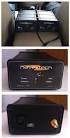 Performance Test Results of an Integrated GPS/MEMS Inertial Navigation Package Alison K. Brown and Yan Lu, NAVSYS Corporation BIOGRAPHY Alison Brown is the President and Chief Executive Officer of NAVSYS
Computing Euler angles from a rotation matrix
 Computing Euler angles from a rotation matrix Gregory G. Slabaugh Abstract This document discusses a simple technique to find all possible Euler angles from a rotation matrix. Determination of Euler angles
How To Control Gimbal
 Tarot 2-Axis Brushless Gimbal for Gopro User Manual V1.0 1. Introduction Tarot T-2D gimbal is designed for the Gopro Hero3, which is widely used in film, television productions, advertising aerial photography,
Lab 2 Sensor Modeling Introduction to the Wiimote and the Wiimote LABVIEW Interface
 Lab 2 Sensor Modeling Introduction to the Wiimote and the Wiimote LABVIEW Interface 1. Objective In this lab, you will: i. Become familiar with the Wiimote ii. Understand the LABVIEW Bluetooth interface
ANALYZER BASICS WHAT IS AN FFT SPECTRUM ANALYZER? 2-1
 WHAT IS AN FFT SPECTRUM ANALYZER? ANALYZER BASICS The SR760 FFT Spectrum Analyzer takes a time varying input signal, like you would see on an oscilloscope trace, and computes its frequency spectrum. Fourier's
Performing Amplifier Measurements with the Vector Network Analyzer ZVB
 Product: Vector Network Analyzer R&S ZVB Performing Amplifier Measurements with the Vector Network Analyzer ZVB Application Note This document describes typical measurements that are required to be made
Series 6000 Torque measured metal bellow coupling
 Properties Free of float metal bellow coupling with integrated torque measurement Non-contact measurement system, high robustness High torsional stiffness Limited torque of inertia Performance Measurement
Vibrations can have an adverse effect on the accuracy of the end effector of a
 EGR 315 Design Project - 1 - Executive Summary Vibrations can have an adverse effect on the accuracy of the end effector of a multiple-link robot. The ability of the machine to move to precise points scattered
Magnetometer Realignment: Theory and Implementation
 Magnetometer Realignment: heory and Implementation William Premerlani, Octoer 16, 011 Prolem A magnetometer that is separately mounted from its IMU partner needs to e carefully aligned with the IMU in
SMS Alarm Messenger. Setup Software Guide. SMSPro_Setup. Revision 090210 [Version 2.2]
![SMS Alarm Messenger. Setup Software Guide. SMSPro_Setup. Revision 090210 [Version 2.2]](/thumbs/29/13662687.jpg "SMS Alarm Messenger. Setup Software Guide. SMSPro_Setup. Revision 090210 [Version 2.2]") SMS Alarm Messenger SMSPro_Setup Revision 090210 [Version 2.2] ~ 1 ~ Contents 1. How to setup SMS Alarm Messenger?... 3 2. Install the SMSPro_Setup software... 5 3. Connection Type... 6 4. Connection Port
SMS Alarm Messenger SMSPro_Setup Revision 090210 [Version 2.2] ~ 1 ~ Contents 1. How to setup SMS Alarm Messenger?... 3 2. Install the SMSPro_Setup software... 5 3. Connection Type... 6 4. Connection Port
Section 3. Sensor to ADC Design Example
 Section 3 Sensor to ADC Design Example 3-1 This section describes the design of a sensor to ADC system. The sensor measures temperature, and the measurement is interfaced into an ADC selected by the systems
Technical Report. An introduction to inertial navigation. Oliver J. Woodman. Number 696. August 2007. Computer Laboratory
 Technical Report UCAM-CL-TR-696 ISSN 1476-2986 Number 696 Computer Laboratory An introduction to inertial navigation Oliver J. Woodman August 27 15 JJ Thomson Avenue Cambridge CB3 FD United Kingdom phone
VitalJacket SDK v1.0.07 Technical Specifications
 VitalJacket SDK v1.0.07 Technical Specifications Edíficio Olympus II LEGAL NOTICE AND DISCLAIMER ATENTION: Although VitalJacket is a certified medical device, its developer version is NOT certified for
10 Thomas, Irvine, CA 92618 USA Tel: (949) 465-0900 Fax: (949) 465-0905 Toll Free: (800) 23 FUTEK
 Table of Contents Software Overview... - 4 - Product Key... - 5 - Model Selection... - 6 - Device Selection... - 7 - Menu... - 8 - File... - 8 - Edit... - 8 - View... - 8 - Format... - 8 - Help... - 9
Apogee Series. > > Motion Compensation and Data Georeferencing. > > Smooth Workflow. Mobile Mapping. > > Precise Trajectory and Direct Georeferencing
 Ultimate accuracy MEMS Apogee Series Inertial Navigation System Motion Sensing and Georeferencing > INS > MRU > AHRS ITAR free 0,005 RMS Apogee Series High quality, high accuracy Hydrography > > Motion
DAKTON µ BOX MANUAL µbox User Manual 1
 µbo User Manual 1 DAKTON µ BO: compact data logger and sensor µ BO is a sensor and a data logger together. It records data processed by DAKTON DASHBOARD with the addition of lateral and longitudinal accelerations.
Wrap Tracker 6TC. User Guide
 Wrap Tracker 6TC User Guide Table of Contents Overview... 4 Using This Manual... 7 Wrap Tracker 6TC Installation... 8 VR Manager Installation... 9 VR Manager Setup... 9 Compatibility... 9 System Preparation...
telemetry Rene A.J. Chave, David D. Lemon, Jan Buermans ASL Environmental Sciences Inc. Victoria BC Canada [email protected] I.
 Near real-time transmission of reduced data from a moored multi-frequency sonar by low bandwidth telemetry Rene A.J. Chave, David D. Lemon, Jan Buermans ASL Environmental Sciences Inc. Victoria BC Canada
Mechanics lecture 7 Moment of a force, torque, equilibrium of a body
 G.1 EE1.el3 (EEE1023): Electronics III Mechanics lecture 7 Moment of a force, torque, equilibrium of a body Dr Philip Jackson http://www.ee.surrey.ac.uk/teaching/courses/ee1.el3/ G.2 Moments, torque and
Monitoring Software using Sun Spots. Corey Andalora February 19, 2008
 Monitoring Software using Sun Spots Corey Andalora February 19, 2008 Abstract Sun has developed small devices named Spots designed to provide developers familiar with the Java programming language a platform
PRODUCT SHEET. [email protected] [email protected] www.biopac.com
 EYE TRACKING SYSTEMS BIOPAC offers an array of monocular and binocular eye tracking systems that are easily integrated with stimulus presentations, VR environments and other media. Systems Monocular Part
Lecture L29-3D Rigid Body Dynamics
 J. Peraire, S. Widnall 16.07 Dynamics Fall 2009 Version 2.0 Lecture L29-3D Rigid Body Dynamics 3D Rigid Body Dynamics: Euler Angles The difficulty of describing the positions of the body-fixed axis of
VitalJacket SDK v1.0.03 Technical Specifications
 VitalJacket SDK v1.0.03 Technical Specifications Edíficio Olympus I Page2 LEGAL NOTICE AND DISCLAIMER ATENTION: Although VitalJacket is a certified medical device, its developer version is NOT certified
Measuring Temperature withthermistors a Tutorial David Potter
 NATIONAL INSTRUMENTS The Software is the Instrument Application Note 065 Measuring Temperature withthermistors a Tutorial David Potter Introduction Thermistors are thermally sensitive resistors used in
EMC6D103S. Fan Control Device with High Frequency PWM Support and Hardware Monitoring Features PRODUCT FEATURES ORDER NUMBERS: Data Brief
 EMC6D103S Fan Control Device with High Frequency PWM Support and Hardware Monitoring Features PRODUCT FEATURES Data Brief 3.3 Volt Operation (5 Volt Tolerant Input Buffers) SMBus 2.0 Compliant Interface
MP85 / MP85DP. Data sheet. Special features MP85 / MP85DP. B0875-2.1 en
 MP85 / MP85DP Data sheet MP85 MP85DP Special features - 100% quality control of the production process - Universal twin-channel amplifier for many of the usual market sensors - Powerful algorithms for
Agilent N8973A, N8974A, N8975A NFA Series Noise Figure Analyzers. Data Sheet
 Agilent N8973A, N8974A, N8975A NFA Series Noise Figure Analyzers Data Sheet Specifications Specifications are only valid for the stated operating frequency, and apply over 0 C to +55 C unless otherwise
The accelerometer designed and realized so far is intended for an. aerospace application. Detailed testing and analysis needs to be
 86 Chapter 4 Accelerometer Testing 4.1 Introduction The accelerometer designed and realized so far is intended for an aerospace application. Detailed testing and analysis needs to be conducted to qualify
MGL Avionics Compass operation and calibration
 MGL Avionics Compass operation and calibration Page 1 Table of Contents General...3 Inside a MGL SP-6 compass...3 Compass modes...4 Compass mode 2 (3D accel)...4 Compass mode 4 (3D EFIS)...4 Other compass
MANUAL FOR RX700 LR and NR
 MANUAL FOR RX700 LR and NR 2013, November 11 Revision/ updates Date, updates, and person Revision 1.2 03-12-2013, By Patrick M Affected pages, ETC ALL Content Revision/ updates... 1 Preface... 2 Technical
INSTRUCTOR WORKBOOK Quanser Robotics Package for Education for MATLAB /Simulink Users
 INSTRUCTOR WORKBOOK for MATLAB /Simulink Users Developed by: Amir Haddadi, Ph.D., Quanser Peter Martin, M.A.SC., Quanser Quanser educational solutions are powered by: CAPTIVATE. MOTIVATE. GRADUATE. PREFACE
Quick Start Guide ActiGraph GT9X Link + ActiLife
 Quick Start Guide ActiGraph GT9X Link + ActiLife Activity Monitor: ActiGraph GT9X Link Revision: A Released: 11/24/2014 Quick Start Guide ActiGraph GT9X Link + ActiLife Activity Monitor: ActiGraph GT9X
Physical Specifications (Custom design available.)
 Helmholtz Coils A useful laboratory technique for getting a fairly uniform magnetic field, is to use a pair of circular coils on a common axis with equal currents flowing in the same sense. For a given
Configuration Software User Instruction
 Configuration Software User Instruction V1.0 Index Index... 1 Configuration Software... 1 1 Install Driver...1 2 Install Configuration Software...1 How to use Baseflight Configurator...1 Flight Controller
Indoor Positioning using Sensor-fusion in Android Devices
 September 2011 School of Health and Society Department Computer Science Embedded Systems Indoor Positioning using Sensor-fusion in Android Devices Authors Ubejd Shala Angel Rodriguez Instructor Fredrik
QUICK START GUIDE FOR DEMONSTRATION CIRCUIT 956 24-BIT DIFFERENTIAL ADC WITH I2C LTC2485 DESCRIPTION
 LTC2485 DESCRIPTION Demonstration circuit 956 features the LTC2485, a 24-Bit high performance Σ analog-to-digital converter (ADC). The LTC2485 features 2ppm linearity, 0.5µV offset, and 600nV RMS noise.
FRC WPI Robotics Library Overview
 FRC WPI Robotics Library Overview Contents 1.1 Introduction 1.2 RobotDrive 1.3 Sensors 1.4 Actuators 1.5 I/O 1.6 Driver Station 1.7 Compressor 1.8 Camera 1.9 Utilities 1.10 Conclusion Introduction In this
Temp. & humidity Transmitter Instructions
 Temp. & humidity Transmitter Instructions AQ3485/AQ3485Y www.aosong.com 1 Product Overview AQ3485/ AQ3485Y outdoor network temperature and humidity transmitter is accurate measurement of relative humidity
T-SERIES INDUSTRIAL INCLINOMETER ANALOG INTERFACE
 T-SERIES INDUSTRIAL INCLINOMETER ANALOG INTERFACE T-Series industrial inclinometers are compact high performance sensors used to determine inclination in roll and pitch axes with excellent precision and
NETWORK ENABLED EQUIPMENT MONITOR
 NETWORK ENABLED EQUIPMENT MONITOR Remotely Monitor Sensors over the Internet Connect Sensors to the Web to Remotely Monitor Equipment, Processes or Other Applications A Complete, Easy to Deploy, Stand-Alone
The Design and Implementation of a Quadrotor Flight Controller Using the QUEST Algorithm
 The Design and Implementation of a Quadrotor Flight Controller Using the QUEST Algorithm Jacob Oursland Department of Mathematics and Computer Science South Dakota School of Mines and Technology Rapid
How To Fuse A Point Cloud With A Laser And Image Data From A Pointcloud
 REAL TIME 3D FUSION OF IMAGERY AND MOBILE LIDAR Paul Mrstik, Vice President Technology Kresimir Kusevic, R&D Engineer Terrapoint Inc. 140-1 Antares Dr. Ottawa, Ontario K2E 8C4 Canada [email protected]
Product Information S N O. Portable VIP protection CCTV & Alarm System 2
 Product Information S N O Portable VIP protection CCTV & Alarm System 2 G O V E R N M E N T A L S E C U R I T Y S O L U T I VIP KIT Rapid Deployment VIP Protection Kit The VIP KIT has been designed to
FUNCTIONAL BLOCK DIAGRAM 3V TO 5V (ADC REF) ST2 ST1 TEMP V RATIO SELF-TEST @ 25 C MECHANICAL SENSOR AC AMP CHARGE PUMP AND VOLTAGE REGULATOR
 Data Sheet FEATURES Complete rate gyroscope on a single chip Z-axis (yaw rate) response 2 /hour bias stability.2 / second angle random walk High vibration rejection over a wide frequency 1, g powered shock
Multi-Touch Control Wheel Software Development Kit User s Guide
 Multi-Touch Control Wheel Software Development Kit User s Guide V3.0 Bulletin #1204 561 Hillgrove Avenue LaGrange, IL 60525 Phone: (708) 354-1040 Fax: (708) 354-2820 E-mail: [email protected] www.grayhill.com/instinct
DINAMIC AND STATIC CENTRE OF PRESSURE MEASUREMENT ON THE FORCEPLATE. F. R. Soha, I. A. Szabó, M. Budai. Abstract
 ACTA PHYSICA DEBRECINA XLVI, 143 (2012) DINAMIC AND STATIC CENTRE OF PRESSURE MEASUREMENT ON THE FORCEPLATE F. R. Soha, I. A. Szabó, M. Budai University of Debrecen, Department of Solid State Physics Abstract
ANALYTICAL METHODS FOR ENGINEERS
 UNIT 1: Unit code: QCF Level: 4 Credit value: 15 ANALYTICAL METHODS FOR ENGINEERS A/601/1401 OUTCOME - TRIGONOMETRIC METHODS TUTORIAL 1 SINUSOIDAL FUNCTION Be able to analyse and model engineering situations
Small, Low Power, 3-Axis ±3 g Accelerometer ADXL335
 Small, Low Power, 3-Axis ±3 g Accelerometer ADXL335 FEATURES 3-axis sensing Small, low profile package 4 mm 4 mm 1.45 mm LFCSP Low power : 35 μa (typical) Single-supply operation: 1.8 V to 3.6 V 1, g shock
Designing the Solution for Electrochemistry Potentiostat/Galvanostat І Battery Cycler І Fuel Cell Test Station +82-2-578-6516 І sales@wonatech.
 ZIVE Electrochemical Workstations ZIVE SP2 Designing the Solution for Electrochemistry Potentiostat/Galvanostat І Battery Cycler І Fuel Cell Test Station +82-2-578-6516 І [email protected] www.wonatech.com
TI ARM Lab 7 Accelerometers
 TI ARM Lab 7 Accelerometers National Science Foundation Funded in part, by a grant from the National Science Foundation DUE 1068182 Acknowledgements Developed by Craig Kief, Brian Zufelt, and Jacy Bitsoie
Technical Datasheet Scalar Network Analyzer Model 8003-10 MHz to 40 GHz
 Technical Datasheet Scalar Network Analyzer Model 8003-10 MHz to 40 GHz The Giga-tronics Model 8003 Precision Scalar Network Analyzer combines a 90 db wide dynamic range with the accuracy and linearity
Software User Guide UG-461
 Software User Guide UG-461 One Technology Way P.O. Box 9106 Norwood, MA 02062-9106, U.S.A. Tel: 781.329.4700 Fax: 781.461.3113 www.analog.com ezlinx icoupler Isolated Interface Development Environment
EnDat 2.2 Bidirectional Interface for Position Encoders
 Technical Information EnDat 2.2 Bidirectional Interface for Position Encoders Digital drive systems and feedback loops with position s for measured value acquisition require fast data transfer with high