
AWS Database Migration Service. User Guide Version API Version
|
|
|
- Amy Bell
- 9 years ago
- Views:
Transcription
1 AWS Database Migration Service User Guide

2 AWS Database Migration Service: User Guide Copyright 2016 Amazon Web Services, Inc. and/or its affiliates. All rights reserved. Amazon's trademarks and trade dress may not be used in connection with any product or service that is not Amazon's, in any manner that is likely to cause confusion among customers, or in any manner that disparages or discredits Amazon. All other trademarks not owned by Amazon are the property of their respective owners, who may or may not be affiliated with, connected to, or sponsored by Amazon.
3 Table of Contents What Is AWS Database Migration Service?... 1 Migration Planning... 2 Introduction to AWS Database Migration Service... 3 Migration: A High-Level View... 3 AWS DMS Components... 4 Sources... 5 Targets... 6 Replication Instances... 6 Public and Private Replication Instances... 7 Setting Up a Network for Database Migration... 8 Network Configurations for Database Migration... 8 Creating a Replication Subnet Group Setting an Encryption Key Tagging Constructing an ARN Supported DDL Statements Getting Started with AWS Database Migration Service Start a Database Migration Step 1: Welcome Step 2: Create a Replication Instance Step 3: Specify Database Endpoints Step 4: Create a Task Monitor Your Task AWS Database Migration Service Best Practices Improving Performance Sizing a replication instance Reducing Load on Your Source Database Using the Task Log Schema conversion Security IAM Permissions Needed to Use AWS DMS Creating the IAM Roles to Use With the AWS CLI and AWS DMS API Setting an Encryption Key Network Security for AWS Database Migration Service Limits Limits for AWS Database Migration Service Sources for Data Migration Using Oracle as a Source Limitations on Oracle as a Source Supported Compression Methods User Account Privileges for Oracle as a Source Configuring Oracle as a Source Using SQL Server as a Source SQL Server Limitations Supported Compression Methods Security Considerations When Using a Microsoft SQL Server Database as a Source for AWS Database Migration Service Configuring Microsoft SQL Server Database as a Source for AWS Database Migration Service Using PostgreSQL as a Source Prerequisites for PostgreSQL as a Source Security Requirements for PostgreSQL as a Source Limitations on PostgreSQL as a Source Removing Artifacts from a PostgreSQL Source Advanced Configuration Settings for PostgreSQL iii

4 Using MySQL as a Source Prerequisites for Using MySQL as a Source Limitations on MySQL as a Source Security Requirements for MySQL as a Source Targets for Data Migration Using Oracle as a Target Limitations on Oracle as a Target User Account Privileges for Oracle as a Target Configuring Oracle as a Target Using SQL Server as a Target Limitations on Using SQL Server as a Target for AWS Database Migration Service Security Requirements When Using SQL Server as a Target for AWS Database Migration Service Using PostgreSQL as a Target Limitations on Using PostgreSQL as a Target for AWS Database Migration Service Security Requirements for PostgreSQL as a Target Using MySQL as a Target Prerequisites for MySQL as a Target Limitations on MySQL as a Target Security Requirements for MySQL as a Target Using Amazon Redshift as a Target Prerequisites for Using an Amazon Redshift Database as a Target for AWS Database Migration Service Configuring an Amazon Redshift Database as a Target for AWS Database Migration Service Working with Tasks Replication Tasks Creating Multiple Tasks Migration Methods Ongoing Replication Task Settings Saving Task Settings Creating Table Mappings Selection and Transformation Table Mapping Creating JSON Files for Table Mapping Monitoring Migration Tasks Data Migration Service Metrics Replication Instance Metrics Replication Task Metrics Logging AWS DMS API Calls Using AWS CloudTrail Configuring CloudTrail Event Logging AWS Database Migration Service Event Entries in CloudTrail Log Files Reference Source Data Types Source Data Types for Oracle Source Data Types for SQL Server Source Data Types for PostgreSQL Source Data Types for MySQL Target Data Types Target Data Types for Oracle Target Data Types for SQL Server Target Data Types for PostgreSQL Target Data Types for MySQL AWS DMS Data Types Extra Connection Attributes MySQL PostgreSQL Oracle iv
5 SQL Server Amazon Redshift DB Instance not in a VPC to VPC Using ClassicLink Document History v

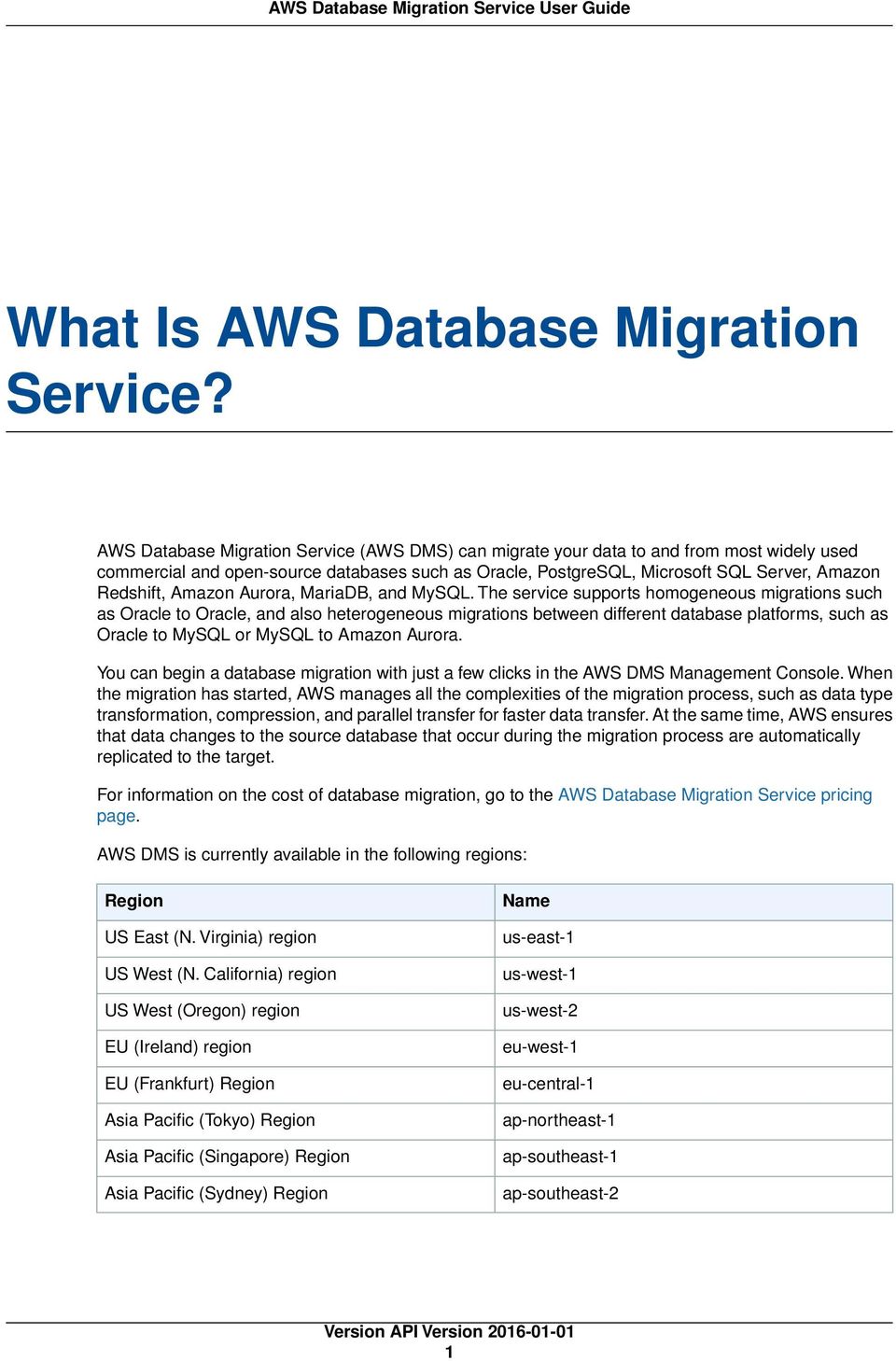
6 What Is AWS Database Migration Service? AWS Database Migration Service (AWS DMS) can migrate your data to and from most widely used commercial and open-source databases such as Oracle, PostgreSQL, Microsoft SQL Server, Amazon Redshift, Amazon Aurora, MariaDB, and MySQL. The service supports homogeneous migrations such as Oracle to Oracle, and also heterogeneous migrations between different database platforms, such as Oracle to MySQL or MySQL to Amazon Aurora. You can begin a database migration with just a few clicks in the AWS DMS Management Console. When the migration has started, AWS manages all the complexities of the migration process, such as data type transformation, compression, and parallel transfer for faster data transfer. At the same time, AWS ensures that data changes to the source database that occur during the migration process are automatically replicated to the target. For information on the cost of database migration, go to the AWS Database Migration Service pricing page. AWS DMS is currently available in the following regions: Region US East (N. Virginia) region US West (N. California) region US West (Oregon) region EU (Ireland) region EU (Frankfurt) Region Asia Pacific (Tokyo) Region Asia Pacific (Singapore) Region Asia Pacific (Sydney) Region Name us-east-1 us-west-1 us-west-2 eu-west-1 eu-central-1 ap-northeast-1 ap-southeast-1 ap-southeast-2 1
7 Migration Planning Migration Planning for AWS Database Migration Service When planning a database migration using AWS Database Migration Service, consider the following: You will need to configure a network that connects your source and target databases to a AWS DMS replication instance. This can be as simple as connecting two AWS resources in the same VPC as the replication instance to more complex configurations such as connecting an on-premises database to an Amazon RDS DB instance over VPN. For more information, see Network Configurations for Database Migration (p. 8) Source and Target Endpoints You will need to know what information and tables in the source database need to be migrated to the target database. AWS DMS supports basic schema migration, including the creation of tables and primary keys. However, AWS DMS doesn't automatically create secondary indexes, foreign keys, user accounts, and so on in the target database. Note that, depending on your source and target database engine, you may need to set up supplemental logging or modify other settings for a source or target database. See the Sources for Data Migration for AWS Database Migration Service (p. 39) and Targets for Data Migration for AWS Database Migration Service (p. 55) sections for more information. Schema/Code Migration AWS DMS doesn't perform schema or code conversion.you can use tools such as Oracle SQL Developer, MySQL Workbench, or pgadmin III to convert your schema. If you want to convert an existing schema to a different database engine, you can use the AWS Schema Conversion Tool. It can create a target schema and also can generate and create an entire schema: tables, indexes, views, and so on. You can also use the tool to convert PL/SQL or TSQL to PgSQL and other formats. For more information on the AWS Schema Conversion Tool, see AWS Schema Conversion Tool. Unsupported Data Types Some source data types need to be converted into the parallel data types for the target database. For tables listing conversions between database data types, see Reference for AWS Database Migration Service Including Data Conversion Reference and Additional Topics (p. 87). 2

8 Migration: A High-Level View Introduction to AWS Database Migration Service AWS Database Migration Service (AWS DMS) is a web service that you can use to migrate data from a source database to a target database. To work with AWS DMS, one of your databases must be on an AWS service. You can't migrate from an on-premises database to another on-premises database. Migration: A High-Level View To perform a migration, AWS DMS connects to the source database, reads the source data, formats the data for consumption by the target database, and loads the data into the target database. Most of this processing happens in memory, though large transactions may require some buffering to disk. Cached transactions and log files are also written to disk. At a high level, when using AWS DMS, you do the following: Provision a replication server Define source and target endpoints (databases) Create one or more tasks to migrate data between the source and target databases. A typical task consists of three major phases: The full load of existing data The application of cached changes Ongoing replication During the full load, AWS DMS loads data from tables on the source database to tables on the target database, eight tables at a time. While the full load is in progress, any changes made to the tables being loaded are cached on the replication server; these are the cached changes. It s important to note that change capture for a given table doesn't begin until the full load for that table is started. In other words, the point when change capture starts will be different for each individual table. When the full load for a given table is complete, AWS DMS immediately begins to apply the cached changes for that table. When all tables have been loaded, AWS DMS begins to collect changes as transactions for the ongoing replication phase. After AWS DMS applies all cached changes, tables are 3

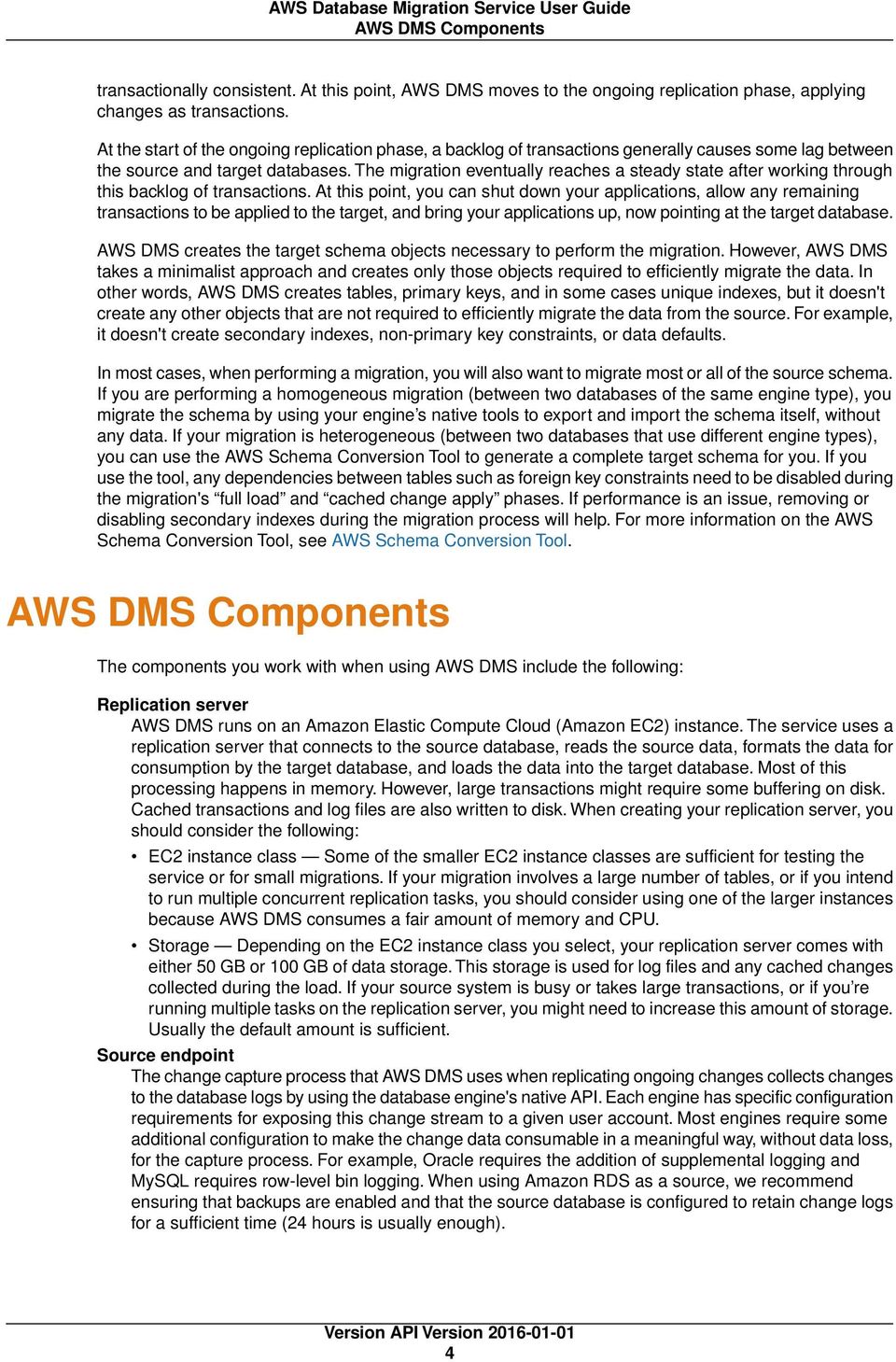
9 AWS DMS Components transactionally consistent. At this point, AWS DMS moves to the ongoing replication phase, applying changes as transactions. At the start of the ongoing replication phase, a backlog of transactions generally causes some lag between the source and target databases. The migration eventually reaches a steady state after working through this backlog of transactions. At this point, you can shut down your applications, allow any remaining transactions to be applied to the target, and bring your applications up, now pointing at the target database. AWS DMS creates the target schema objects necessary to perform the migration. However, AWS DMS takes a minimalist approach and creates only those objects required to efficiently migrate the data. In other words, AWS DMS creates tables, primary keys, and in some cases unique indexes, but it doesn't create any other objects that are not required to efficiently migrate the data from the source. For example, it doesn't create secondary indexes, non-primary key constraints, or data defaults. In most cases, when performing a migration, you will also want to migrate most or all of the source schema. If you are performing a homogeneous migration (between two databases of the same engine type), you migrate the schema by using your engine s native tools to export and import the schema itself, without any data. If your migration is heterogeneous (between two databases that use different engine types), you can use the AWS Schema Conversion Tool to generate a complete target schema for you. If you use the tool, any dependencies between tables such as foreign key constraints need to be disabled during the migration's full load and cached change apply phases. If performance is an issue, removing or disabling secondary indexes during the migration process will help. For more information on the AWS Schema Conversion Tool, see AWS Schema Conversion Tool. AWS DMS Components The components you work with when using AWS DMS include the following: Replication server AWS DMS runs on an Amazon Elastic Compute Cloud (Amazon EC2) instance. The service uses a replication server that connects to the source database, reads the source data, formats the data for consumption by the target database, and loads the data into the target database. Most of this processing happens in memory. However, large transactions might require some buffering on disk. Cached transactions and log files are also written to disk. When creating your replication server, you should consider the following: EC2 instance class Some of the smaller EC2 instance classes are sufficient for testing the service or for small migrations. If your migration involves a large number of tables, or if you intend to run multiple concurrent replication tasks, you should consider using one of the larger instances because AWS DMS consumes a fair amount of memory and CPU. Storage Depending on the EC2 instance class you select, your replication server comes with either 50 GB or 100 GB of data storage. This storage is used for log files and any cached changes collected during the load. If your source system is busy or takes large transactions, or if you re running multiple tasks on the replication server, you might need to increase this amount of storage. Usually the default amount is sufficient. Source endpoint The change capture process that AWS DMS uses when replicating ongoing changes collects changes to the database logs by using the database engine's native API. Each engine has specific configuration requirements for exposing this change stream to a given user account. Most engines require some additional configuration to make the change data consumable in a meaningful way, without data loss, for the capture process. For example, Oracle requires the addition of supplemental logging and MySQL requires row-level bin logging. When using Amazon RDS as a source, we recommend ensuring that backups are enabled and that the source database is configured to retain change logs for a sufficient time (24 hours is usually enough). 4
10 Sources Target endpoint Whenever possible, AWS DMS attempts to create the target schema for you. Sometimes, AWS DMS can't create the schema for example, AWS DMS won't create a target Oracle schema for security reasons. For MySQL database targets, you can use extra connection parameters to have AWS DMS migrate all objects to the specified database and schema or create each database and schema for you as it finds the schema on the source. Task You can create one of three possible types of migration tasks: Migrate existing data If you can afford an outage long enough to copy your existing data, this option is a good one to choose. This option simply migrates the data from your source database to your target database, creating tables when necessary. Migrate existing data and replicate ongoing changes This option performs a full data load while capturing changes on the source. Once the full load is complete, captured changes are applied to the target. Eventually the application of changes reaches a steady state. At this point you can shut down your applications, let the remaining changes flow through to the target, and then restart your applications pointing at the target. Replicate data changes only In some situations it might be more efficient to copy existing data using a method other than AWS DMS. For example, in a homogeneous migration, using native export/import tools might be more efficient at loading the bulk data. In this situation, you can use AWS DMS to replicate changes starting when you start your bulk load to bring and keep your source and target databases in sync By default AWS DMS starts your task as soon as you create it. However, in some situations, you might want to postpone the start of the task. For example, when using the AWS Command Line Interface (AWS CLI), you might have a process that creates a task and a different process that starts the task based on some triggering event. As needed, you can postpone your task's start. Schema/Code migration AWS DMS doesn't perform schema or code conversion. You can use tools such as Oracle SQL Developer, MySQL Workbench, or pgadmin III to move your schema if your source and target are the same database engine. If you want to convert an existing schema to a different database engine, you can use the AWS Schema Conversion Tool. It can create a target schema and also can generate and create an entire schema: tables, indexes, views, and so on.you can also use the tool to convert PL/SQL or TSQL to PgSQL and other formats. For more information on the AWS Schema Conversion Tool, see AWS Schema Conversion Tool. Sources for AWS Database Migration Service You can use the following databases as a source for data migration using AWS Database Migration Service. On-premises and EC2 instance databases Oracle versions 10g, 11g, and 12c, for the Enterprise, Standard, Standard One, and Standard Two editions Microsoft SQL Server versions 2005, 2008, 2008R2, 2012, and 2014, for the Enterprise, Standard, Workgroup, and Developer editions MySQL versions 5.5, 5.6, and 5.7 MariaDB (supported as a MySQL-compatible data source) PostgreSQL 9.4 and later ODBC data source (based on ODBC 3.0) 5

11 Targets Amazon RDS instance databases Oracle versions 11g (versions v1 and later) and 12c, for the Enterprise, Standard, Standard One, and Standard Two editions Microsoft SQL Server versions 2008R2 and 2012, for the Enterprise, Standard, Workgroup, and Developer editions. Note that CDC operations are not supported. MySQL versions 5.5, 5.6, and 5.7 MariaDB (supported as a MySQL-compatible data source) PostgreSQL 9.4. Note that CDC operations are not supported. Amazon Aurora (supported as a MySQL-compatible data source) Targets for AWS Database Migration Service You can use the following databases as a target for data replication using AWS Database Migration Service. On-premises and Amazon EC2 instance databases Oracle versions 10g, 11g, 12c, for the Enterprise, Standard, Standard One, and Standard Two editions Microsoft SQL Server versions 2005, 2008, 2008R2, 2012, and 2014, for the Enterprise, Standard, Workgroup, and Developer editions MySQL, versions 5.5, 5.6, and 5.7 MariaDB (supported as a MySQL-compatible data target) PostgreSQL, versions 9.3 and later Amazon RDS instance databases and Amazon Redshift Oracle versions 11g (versions v1 and later) and 12c, for the Enterprise, Standard, Standard One, and Standard Two editions Microsoft SQL Server versions 2008R2 and 2012, for the Enterprise, Standard, Workgroup, and Developer editions MySQL, versions 5.5, 5.6, and 5.7 MariaDB (supported as a MySQL-compatible data target) PostgreSQL, versions 9.3 and later Amazon Aurora (supported as a MySQL-compatible data target) Amazon Redshift Replication Instances for AWS Database Migration Service You use a replication instance to perform database migration in AWS DMS. AWS DMS creates each replication instance in an Amazon Virtual Private Cloud (Amazon VPC). 6

12 Public and Private Replication Instances AWS DMS currently supports the T2 and C4 instance classes for replication instances. The T2 instance classes are low-cost standard instances designed to provide a baseline level of CPU performance with the ability to burst above the baseline. They are suitable for developing, configuring, and testing your database migration process, and for periodic data migration tasks that can benefit from the CPU burst capability. The C4 instance classes are designed to deliver the highest level of processor performance and achieve significantly higher packet per second (PPS) performance, lower network jitter, and lower network latency. You should use C4 instance classes if you are migrating large databases and want to minimize the migration time. Each replication instance has a specific configuration of memory and vcpu. The following table shows the configuration for each replication instance type. For pricing information, see the Amazon Database Migration Service pricing page. Replication Instance Type General Purpose dms.t2.micro dms.t2.small dms.t2.medium dms.t2.large Compute Optimized dms.c4.large dms.c4.xlarge dms.c4.2xlarge dms.c4.4xlarge vcpu Memory (GB) Public and Private Replication Instances You can specify whether a replication instance has a public or private IP address that the instance uses to connect to the source and target databases. A replication instance should have a public IP address if the source or target database is located in a network that is not connected to the replication instance's VPC by using a virtual private network (VPN), AWS Direct Connect, or VPC peering. A private replication instance has a private IP address that cannot be accessed outside the replication network. A replication instance should have a private IP address when both the source and target databases are located in the same network that is connected to the replication instance's VPC by using a VPN, AWS Direct Connect, or VPC peering. A VPC peering connection is a networking connection between two VPCs that enables routing using each VPC s private IP addresses as if they were in the same network. For more information about VPC peering, see VPC Peering in the Amazon VPC User Guide. 7

13 Setting Up a Network for Database Migration Setting Up a Network for Database Migration AWS DMS always creates the replication instance in an Amazon Virtual Private Cloud (Amazon VPC), and you specify the VPC where your replication instance is located. You can use your default VPC for your account and region, or you can create a new VPC. The VPC must have two subnets in at least one Availability Zone. The Elastic Network Interface (ENI) allocated for the replication instance in your VPC must be associated with a security group that has rules that allow all traffic on all ports to leave (egress) the VPC. This approach allows communication from the replication instance to your source and target database endpoints, as long as correct egress rules are enabled on the endpoints. We recommend that you use the default settings for the endpoints, which allows egress on all ports to all addresses. The source and target endpoints access the replication instance that is inside the VPC either by connecting to the VPC or by being inside the VPC. The database endpoints must include network ACLs and security group rules (if applicable) that allow incoming access from the replication instance. Depending on the network configuration you are using, you can use the replication instance VPC security group, the replication instance's private or public IP address, or the NAT Gateway's public IP address. These connections form a network that you use for data migration. Network Configurations for Database Migration You can use several different network configurations with AWS Database Migration Service. The following are common configurations for a network used for database migration. Topics Configuration with All Database Migration Components in One VPC (p. 8) Configuration with Two VPCs (p. 9) Configuration for a Network to a VPC Using AWS Direct Connect or a VPN (p. 9) Configuration for a Network to a VPC Using the Internet (p. 10) Configuration with an Amazon RDS DB instance not in a VPC to a DB instance in a VPC Using ClassicLink (p. 10) Configuration with All Database Migration Components in One VPC The simplest network for database migration is for the source endpoint, the replication instance, and the target endpoint to all be in the same VPC. This configuration is a good one if your source and target endpoints are on an Amazon Relational Database Service (Amazon RDS) DB instance or an Amazon Elastic Compute Cloud (Amazon EC2) instance. The following illustration shows a configuration where a database on an Amazon EC2 instance connects to the replication instance and data is migrated to an Amazon RDS DB instance. 8


14 Network Configurations for Database Migration The VPC security group used in this configuration must allow ingress on the database port from the replication instance. You can do this by either ensuring that the security group used by the replication instance has ingress to the endpoints, or by explicitly allowing the private IP address of the replication instance. Configuration with Two VPCs If your source endpoint and target endpoints are in different VPCs, you can create your replication instance in one of the VPCs and then link the two VPCs by using VPC peering. A VPC peering connection is a networking connection between two VPCs that enables routing using each VPC s private IP addresses as if they were in the same network. We recommend this method for connecting VPCs within a region. You can create VPC peering connections between your own VPCs or with a VPC in another AWS account within the same AWS region. For more information about VPC peering, see VPC Peering in the Amazon VPC User Guide. The following illustration shows a configuration where the source database on an Amazon EC2 instance in a VPC is connected by using VPC peering to a VPC containing the replication instance and the target database on an Amazon RDS DB instance. The VPC security groups used in this configuration must allow ingress on the database port from the replication instance. Configuration for a Network to a VPC Using AWS Direct Connect or a VPN Remote networks can connect to a VPC using several options such as AWS Direct Connect or a software or hardware VPN connection. These options are often used to integrate existing on-site services, such as monitoring, authentication, security, data, or other systems, by extending an internal network into the AWS cloud. By using this type of network extension, you can seamlessly connect to AWS-hosted resources such as a VPC. The following illustration shows a configuration where the source endpoint is an on-premises database in a corporate data center. It is connected by using AWS Direct Connect or a VPN to a VPC that contains the replication instance and a target database on an Amazon RDS DB instance. In this configuration, the VPC security group must include a routing rule that sends traffic destined for a specific IP address or range to a host that can bridge traffic from the AWS VPC into the on-premises VPN. In this case, the NAT host includes its own security group settings that must allow traffic from the replication instance s private IP address or security group into the NAT instance. 9

15 Creating a Replication Subnet Group Configuration for a Network to a VPC Using the Internet If you don't use a VPN or AWS Direct Connect to connect to AWS resources, you can use the Internet to migrate a database to an Amazon EC2 instance or Amazon RDS DB instance. This configuration involves a public replication instance in a VPC with an Internet gateway that contains the target endpoint and the replication instance. To add an Internet gateway to your VPC, see Attaching an Internet Gateway in the Amazon VPC User Guide. The VPC security group must include routing rules that send traffic not destined for the VPC by default to the Internet gateway. In this configuration, the connection to the endpoint will appear to come from the public IP address of the replication instance, not the private IP address. Configuration with an Amazon RDS DB instance not in a VPC to a DB instance in a VPC Using ClassicLink You can use ClassicLink, in conjunction with a proxy server, to connect an Amazon RDS DB instance that is not in a VPC to a AWS DMS replication server and DB instance that reside in a VPC. ClassicLink allows you to link an EC2-Classic DB instance to a VPC in your account, within the same region. After you've created the link, the source DB instance can communicate with the replication instance inside the VPC using their private IP addresses. Since the replication instance in the VPC cannot directly access the source DB instance on the EC2-Classic platform using ClassicLink, you must use a proxy server to connect the source DB instance to the VPC containing the replication instance and target DB instance. The proxy server uses ClassicLink to connect to the VPC, and port forwarding on the proxy server allows communication between the source DB instance and the target DB instance in the VPC. For step-by-step instructions on creating a ClassicLink for use with AWS DMS, see Using ClassicLink with AWS Database Migration Service (p. 110). Creating a Replication Subnet Group As part of the network to use for database migration, you need to specify what subnets in your Amazon Virtual Private Cloud (Amazon VPC) you plan to use. A subnet is a range of IP addresses in your VPC in a given Availability Zone. These subnets can be distributed among the Availability Zones for the region where your VPC is located. You create a replication instance in a subnet that you select, and you can manage what subnet a source or target endpoint uses by using the AWS DMS console. 10

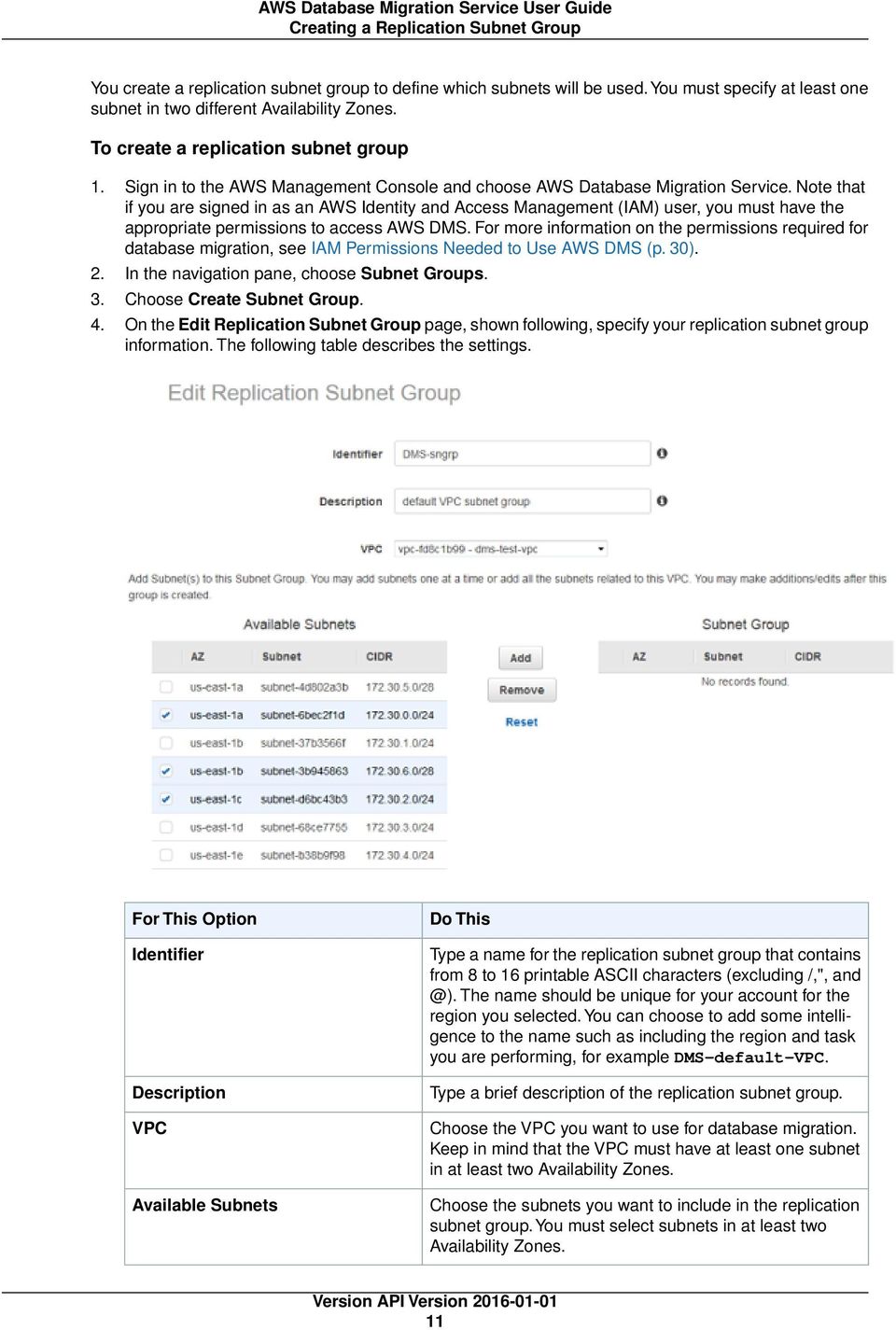
16 Creating a Replication Subnet Group You create a replication subnet group to define which subnets will be used.you must specify at least one subnet in two different Availability Zones. To create a replication subnet group 1. Sign in to the AWS Management Console and choose AWS Database Migration Service. Note that if you are signed in as an AWS Identity and Access Management (IAM) user, you must have the appropriate permissions to access AWS DMS. For more information on the permissions required for database migration, see IAM Permissions Needed to Use AWS DMS (p. 30). 2. In the navigation pane, choose Subnet Groups. 3. Choose Create Subnet Group. 4. On the Edit Replication Subnet Group page, shown following, specify your replication subnet group information. The following table describes the settings. For This Option Identifier Description VPC Available Subnets Do This Type a name for the replication subnet group that contains from 8 to 16 printable ASCII characters (excluding /,", The name should be unique for your account for the region you selected. You can choose to add some intelligence to the name such as including the region and task you are performing, for example DMS-default-VPC. Type a brief description of the replication subnet group. Choose the VPC you want to use for database migration. Keep in mind that the VPC must have at least one subnet in at least two Availability Zones. Choose the subnets you want to include in the replication subnet group. You must select subnets in at least two Availability Zones. 11
17 Setting an Encryption Key 5. Choose Add to add the subnets to the replication subnet group. 6. Choose Create. Setting an Encryption Key for AWS Database Migration Service AWS DMS encrypts the storage used by a replication instance and the endpoint connection information. To encrypt the storage used by a replication instance, AWS DMS uses a master key that is unique to your AWS account.you can view and manage this master key with AWS Key Management Service (AWS KMS). You can use the default master key in your account (aws/dms) or a custom master key that you create. If you have an existing AWS KMS encryption key, you can also use that key for encryption. You can specify your own encryption key by supplying a KMS key identifier to encrypt your AWS DMS resources. When you specify your own encryption key, the user account used to perform the database migration must have access to that key. For more information on creating your own encryption keys and giving users access to an encryption key, see the KMS Developer Guide. If you don't specify a KMS key identifier, then AWS DMS uses your default encryption key. KMS creates the default encryption key for AWS DMS for your AWS account.your AWS account has a different default encryption key for each AWS region. To manage the keys used for encrypting your AWS DMS resources, you use KMS. You can find KMS in the AWS Management Console by choosing Identity & Access Management on the console home page and then choosing Encryption Keys on the navigation pane. KMS combines secure, highly available hardware and software to provide a key management system scaled for the cloud. Using KMS, you can create encryption keys and define the policies that control how these keys can be used. KMS supports AWS CloudTrail, so you can audit key usage to verify that keys are being used appropriately. Your KMS keys can be used in combination with AWS DMS and supported AWS services such as Amazon RDS, Amazon Simple Storage Service (Amazon S3), and Amazon Elastic Block Store (Amazon EBS). Once you have created your AWS DMS resources with a specific encryption key, you cannot change the encryption key for those resources. Make sure to determine your encryption key requirements before you create your AWS DMS resources. Tagging AWS Database Migration Service Resources You can use AWS Database Migration Service tags to add metadata to your AWS DMS resources. In addition, these tags can be used with IAM policies to manage access to AWS DMS resources and to control what actions can be applied to the AWS DMS resources. Finally, these tags can be used to track costs by grouping expenses for similarly tagged resources. All AWS DMS resources can be tagged: Replication instances Endpoints Replication tasks An AWS DMS tag is a name-value pair that you define and associate with an AWS DMS resource. The name is referred to as the key. Supplying a value for the key is optional. You can use tags to assign arbitrary information to an AWS DMS resource. A tag key could be used, for example, to define a category, 12

18 Constructing an ARN and the tag value could be a item in that category. For example, you could define a tag key of project and a tag value of Salix, indicating that the AWS DMS resource is assigned to the Salix project. You could also use tags to designate AWS DMS resources as being used for test or production by using a key such as environment=test or environment =production. We recommend that you use a consistent set of tag keys to make it easier to track metadata associated with AWS DMS resources. Use tags to organize your AWS bill to reflect your own cost structure. To do this, sign up to get your AWS account bill with tag key values included. Then, to see the cost of combined resources, organize your billing information according to resources with the same tag key values. For example, you can tag several resources with a specific application name, and then organize your billing information to see the total cost of that application across several services. For more information, see Cost Allocation and Tagging in About AWS Billing and Cost Management. Each AWS DMS resource has a tag set, which contains all the tags that are assigned to that AWS DMS resource. A tag set can contain as many as ten tags, or it can be empty. If you add a tag to an AWS DMS resource that has the same key as an existing tag on resource, the new value overwrites the old value. AWS does not apply any semantic meaning to your tags; tags are interpreted strictly as character strings. AWS DMS may set tags on an AWS DMS resource, depending on the settings that you use when you create the resource. The following list describes the characteristics of an AWS DMS tag. The tag key is the required name of the tag. The string value can be from 1 to 128 Unicode characters in length and cannot be prefixed with "aws:" or "dms:". The string may contain only the set of Unicode letters, digits, white-space, '_', '.', '/', '=', '+', '-' (Java regex: "^([\\p{l}\\p{z}\\p{n}_.:/=+\\-]*)$"). The tag value is an optional string value of the tag. The string value can be from 1 to 256 Unicode characters in length and cannot be prefixed with "aws:" or "dms:". The string may contain only the set of Unicode letters, digits, white-space, '_', '.', '/', '=', '+', '-' (Java regex: "^([\\p{l}\\p{z}\\p{n}_.:/=+\\-]*)$"). Values do not have to be unique in a tag set and can be null. For example, you can have a key-value pair in a tag set of project/trinity and cost-center/trinity. You can use the AWS Management Console, the AWS CLI, or the AWS DMS API to add, list, and delete tags on AWS DMS resources. When using the AWS CLI or the AWS DMS API, you must provide the Amazon Resource Name (ARN) for the AWS DMS resource you want to work with. For more information about constructing an ARN, see Constructing an Amazon Resource Name (ARN) for Use with AWS Database Migration Service (p. 13). Note that tags are cached for authorization purposes. Because of this, additions and updates to tags on AWS DMS resources may take several minutes before they are available. Constructing an Amazon Resource Name (ARN) for Use with AWS Database Migration Service If you use the AWS CLI or AWS Database Migration Service API to automate your database migration, then you need to know about working with an Amazon Resource Name (ARN). Resources that are created in Amazon Web Services are identified by an ARN, which is a unique identifier. If you use the AWS CLI or AWS DMS API to set up your database migration, you must supply the ARN of the resource you want to work with. An ARN for an AWS DMS resource uses the following syntax: 13

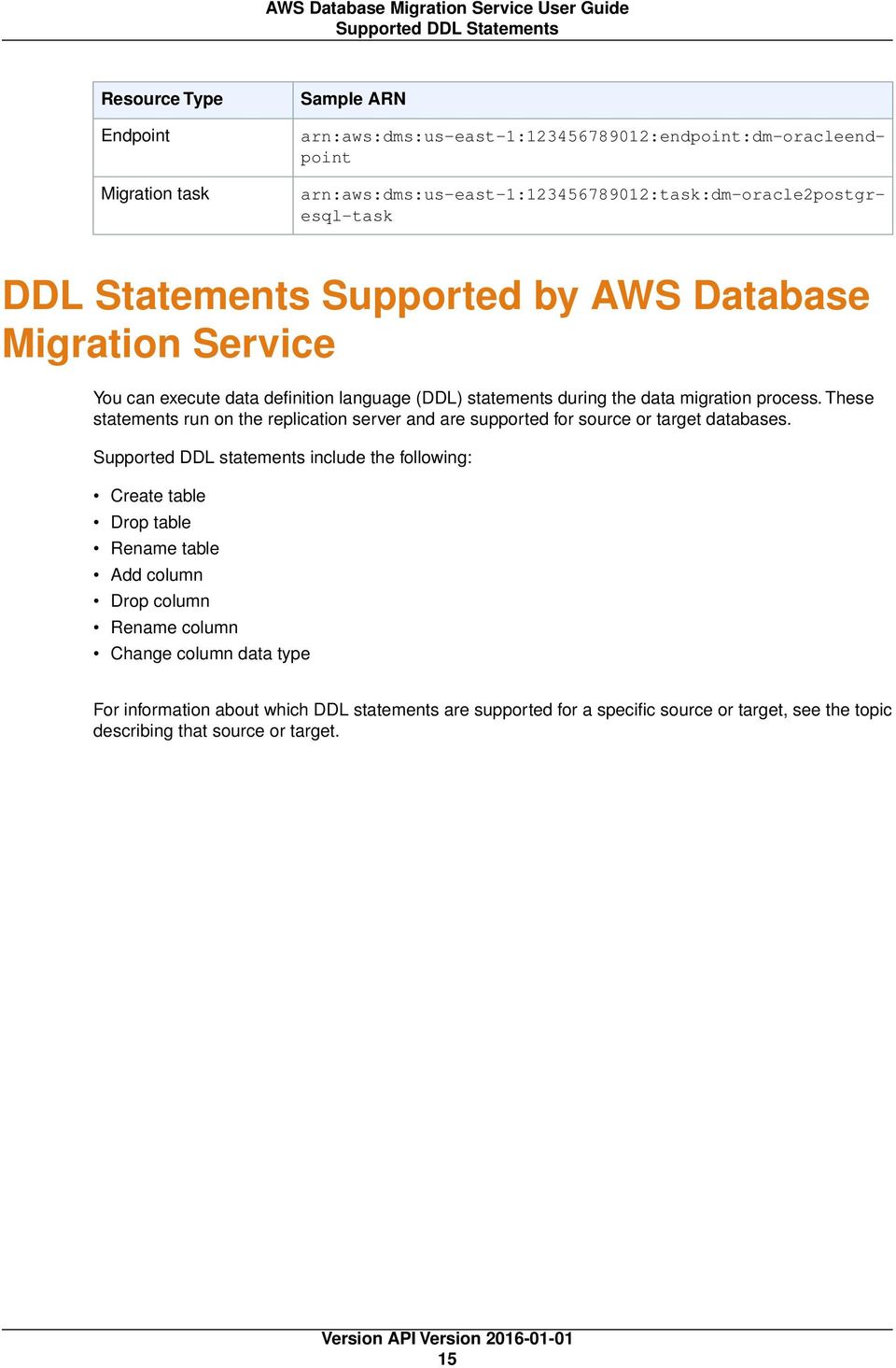
19 Constructing an ARN arn:aws:dms:<region>:<account number>:<resourcetype>:<name> In this syntax: <region> is the AWS Region ID of the region where the AWS DMS resource was created, such as us-west-2. The following table shows AWS region names and the values you should use when constructing an ARN. Region US East (N. Virginia) region US West (N. California) region US West (Oregon) region EU (Ireland) region EU (Frankfurt) Region Asia Pacific (Tokyo) Region Asia Pacific (Singapore) Region Asia Pacific (Sydney) Region Name us-east-1 us-west-1 us-west-2 eu-west-1 eu-central-1 ap-northeast-1 ap-southeast-1 ap-southeast-2 <account number> is your account number with dashes omitted. To find your account number, log in to your AWS account at choose My Account/Console, and then choose My Account. <resourcetype> is the type of AWS DMS resource. The following table shows the resource types you should use when constructing an ARN for a particular AWS DMS resource. AWS DMS Resource Type Replication instance Endpoint Replication task ARN Format arn:aws:dms:<region>: <account>:rep: <replicationinstanceidentifier> arn:aws:dms:<region>:<account>:endpoint: <endpointidentifier> arn:aws:dms:<region>:<account>: task:<taskidentifier> <name> is the resource identifier for the AWS DMS resource. The following table shows examples of ARNs for AWS DMS resources with an AWS account of , which were created in the US East (N. Virginia) region, and which have a resource name that begins with dm-: Resource Type Replication instance Sample ARN arn:aws:dms:us-east-1: :rep:dm-repl-instance 14

20 Supported DDL Statements Resource Type Endpoint Migration task Sample ARN arn:aws:dms:us-east-1: :endpoint:dm-oracleendpoint arn:aws:dms:us-east-1: :task:dm-oracle2postgresql-task DDL Statements Supported by AWS Database Migration Service You can execute data definition language (DDL) statements during the data migration process. These statements run on the replication server and are supported for source or target databases. Supported DDL statements include the following: Create table Drop table Rename table Add column Drop column Rename column Change column data type For information about which DDL statements are supported for a specific source or target, see the topic describing that source or target. 15
21 Start a Database Migration Getting Started with AWS Database Migration Service AWS Database Migration Service (AWS DMS) helps you migrate databases to AWS easily and securely. You can migrate your data to and from most widely used commercial and open-source databases, such as Oracle, MySQL, and PostgreSQL. The service supports homogeneous migrations such as Oracle to Oracle, and also heterogeneous migrations between different database platforms, such as Oracle to PostgreSQL or MySQL to Oracle. For information on the cost of database migration using AWS Database Migration Service, see the AWS Database Migration Service pricing page. Topics Start a Database Migration with AWS Database Migration Service (p. 16) Step 1: Welcome (p. 17) Step 2: Create a Replication Instance (p. 17) Step 3: Specify Database Endpoints (p. 20) Step 4: Create a Task (p. 22) Monitor Your Task (p. 26) Start a Database Migration with AWS Database Migration Service On the Dashboard page in the AWS DMS console, you can use a wizard to help create your first data migration. Following the wizard process, you allocate a replication instance that performs all the processes for the migration, specify a source and a target database, and then create a task or set of tasks to define what tables and replication processes you want to use. AWS DMS then creates your replication instance and performs the tasks on the data being migrated. To start an AWS DMS database migration by using the console 1. Sign in to the AWS Management Console and choose AWS DMS. Note that if you are signed in as an AWS Identity and Access Management (IAM) user, you must have the appropriate permissions 16
22 Step 1: Welcome to access AWS DMS. For more information on the permissions required, see IAM Permissions Needed to Use AWS DMS (p. 30). 2. On the Dashboard page, choose Create Migration. Step 1: Welcome You start migration from the console's Welcome page, shown following, which explains the process of database migration using AWS DMS. To start a database migration from the console's Welcome page Choose Next. Step 2: Create a Replication Instance Your first task in migrating a database is to create a replication instance that has sufficient storage and processing power to perform the tasks you assign and migrate data from your source database to the target database. The required size of this instance varies depending on the amount of data you need to migrate and the tasks that you need the instance to perform. For more information about replication instances, see Replication Instances for AWS Database Migration Service (p. 6). The procedure following assumes that you have chosen AWS DMS from the AWS Management Console and started the replication task wizard. 17
23 Step 2: Create a Replication Instance To create a replication instance by using the AWS console 1. On the Create replication instance page, specify your replication instance information. The following table describes the settings. For This Option Name Description Instance class VPC Do This Type a name for the replication instance that contains from 8 to 16 printable ASCII characters (excluding /,", The name should be unique for your account for the region you selected. You can choose to add some intelligence to the name, such as including the region and task you are performing, for example west2-mysql2mysql-instance1. Type a brief description of the replication instance. Choose an instance class with the configuration you need for your migration. Keep in mind that the instance must have enough storage, network, and processing power to successfully complete your migration. For more information on how to determine which instance class is best for your migration, see Replication Instances for AWS Database Migration Service (p. 6). Choose the Amazon Virtual Private Cloud (Amazon VPC) you want to use. If your source or your target database is in an VPC, choose that VPC. If your source and your target databases are in different VPCs, ensure that they are both in public subnets and are publicly accessible, and then choose the VPC where the replication instance is to be located. The replication instance must be able to access the data in the source VPC. If neither your source nor your target database is in a VPC, select a VPC where the replication instance is to be located. 18
24 Step 2: Create a Replication Instance For This Option Publicly accessible Do This Choose this option if you want the replication instance to be accessible from the Internet. 2. Choose the Advanced tab, shown following, to set values for network and encryption settings if you need them. 3. Specify the additional settings. The following table describes the settings. For This Option Allocated storage (GB) Replication Subnet Group Availability zone KMS encryption key Do This Choose the amount of storage, in gigabytes, to allocate for the replication instance. Choose the replication subnet group in your selected VPC where you want the replication instance to be created. If your source database is in a VPC, choose the subnet group that contains the source database as the location for your replication instance. For more information about replication subnet groups, see Creating a Replication Subnet Group (p. 10). Choose the Availability Zone where your source database is located. Choose the encryption key to use to encrypt replication storage and connection information. If you choose None, the default AWS Key Management Service (AWS KMS) key associated with your account and region is used. For more information on using the encryption key, see Setting an Encryption Key for AWS Database Migration Service (p. 35). 4. Choose Next. 19
25 Step 3: Specify Database Endpoints Step 3: Specify Database Endpoints While your replication instance is being created, you can specify the source and target databases. The source and target databases can be on an Amazon Elastic Compute Cloud (Amazon EC2) instance, an Amazon Relational Database Service (Amazon RDS) DB instance, or an on-premises database. The procedure following assumes that you have chosen AWS DMS from the AWS Management Console and specified your replication instance information in the replication task wizard. To specify source and target database endpoints using the AWS console 1. On the Connect source and target database endpoints page, specify your connection information for the source and target databases. The following table describes the settings. For This Option Endpoint Identifier Do This Type the name you want to use to identify the endpoint. You might want to include in the name the type of endpoint, such as oracle-source or PostgreSQL-target. The name must be unique for all replication instances. 20
26 Step 3: Specify Database Endpoints For This Option Source Engine or Target Engine Server address Port User name Password Database name/sid Do This Choose the type of database that is the endpoint. Type the server address. Type the port used by the database. Type the user name with the permissions required to allow data migration. For information on the permissions required, see the security section for the source database in this user guide. Type the password for the account with the required permissions. Type the name of the database to use. 2. Choose the Advanced tab, shown following, to set values for connection string and encryption key if you need them. You can test the endpoint connection by choosing Run test. For This Option Extra connection attributes KMS encryption key Do This Type any additional connection parameters here. For more information about extra connection attributes, see Using Extra Connection Attributes with AWS Database Migration Service (p. 103). Choose the encryption key to use to encrypt replication storage and connection information. If you choose None, the default AWS Key Management Service (AWS KMS) key associated with your account and region is used. For more information on using the encryption key, see Setting an Encryption Key for AWS Database Migration Service (p. 35). 21
27 Step 4: Create a Task Step 4: Create a Task Create a task to specify what tables to migrate, to map data using a target schema, and to create new tables on the target database. As part of creating a task, you can choose the type of migration: to migrate existing data, migrate existing data and replicate ongoing changes, or replicate data changes only. Using AWS DMS, you can specify precise mapping of your data between the source and the target database. Before you specify your mapping, make sure you review the documentation section on data type mapping for your source and your target database. You can choose to start a task as soon as you finish specifying information for that task on the Create task page, or you can start the task from the Dashboard page once you finish specifying task information. The procedure following assumes that you have chosen AWS DMS from the AWS Management Console and specified replication instance information and endpoints in the replication task wizard. To create a task 1. On the Create Task page, specify the task options. The following table describes the settings. For This Option Task name Task description Do This Type a name for the task. Type a description for the task. 22
28 Step 4: Create a Task For This Option Source endpoint Target endpoint Replication instance Migration type Start task on create Do This Shows the source endpoint that will be used. Shows the target endpoint that will be used. Shows the replication instance that will be used. Choose the migration method you want to use. You can choose to have just the existing data migrated to the target database or have ongoing changes sent to the target database in addition to the migrated data. When this option is selected, the task begins as soon as it is created. 2. Choose the Task Settings tab, shown following, and specify values for your target table, LOB support, and to enable logging. The task settings shown depend on the Migration type value you select. For example, when you select Migrate existing data, the following options are shown: For This Option Target table preparation mode Do This Do nothing - Data and metadata of the target tables are not changed. Drop tables on target - The tables are dropped and new tables are created in their place. Truncate - Tables are truncated without affecting table metadata. 23
29 Step 4: Create a Task For This Option Include LOB columns in replication Do This Don't include LOB columns - LOB columns will be excluded from the migration. Full LOB mode - Migrate complete LOBs regardless of size. LOBs are migrated piecewise in chunks controlled by the LOB chunk size. This method is slower than using Limited LOB Mode. Limited LOB mode - Truncate LOBs to Max LOB Size This method is faster than using Full LOB Mode. Max LOB size (kb) Enable logging In Limited LOB Mode, LOB columns which exceed the setting of Max LOB Size will be truncated to the specified Max LOB Size. Enables logging by Amazon CloudWatch. When you select Migrate existing data and replicate for Migration type, the following options are shown: 24
30 Step 4: Create a Task For This Option Target table preparation mode Do This Do nothing - Data and metadata of the target tables are not changed. Drop tables on target - The tables are dropped and new tables are created in their place. Truncate - Tables are truncated without affecting table metadata. Stop task after full load completes Don't stop - Do not stop the task, immediately apply cached changes and continue on. Stop before applying cached changes - Stop the task prior to the application of cached changes. This will allow you to add secondary indexes which may speed the application of changes. Stop after applying cached changes - Stop the task after cached changes have been applied. This will allow you to add foreign keys, triggers etc. if you are using Transactional Apply. Include LOB columns in replication Don't include LOB columns - LOB columns will be excluded from the migration. Full LOB mode - Migrate complete LOBs regardless of size. LOBs are migrated piecewise in chunks controlled by the LOB chunk size. This method is slower than using Limited LOB Mode. Limited LOB mode - Truncate LOBs to Max LOB Size This method is faster than using Full LOB Mode. Max LOB size (kb) Enable logging In Limited LOB Mode, LOB columns which exceed the setting of Max LOB Size will be truncated to the specified Max LOB Size. Enables logging by Amazon CloudWatch. 3. Choose the Table mappings tab, shown following, to set values for schema mapping and the mapping method. If you choose Custom, you can specify the target schema and table values. For more information about table mapping, see Using Table Mapping with an AWS Database Migration Service Task (p. 67). 25

31 Monitor Your Task 4. Once you have finished with the task settings, choose Create task. Monitor Your Task If you select Start task on create when you create a task, your task begins immediately to migrate your data when you choose Create task. You can view statistics and monitoring information for your task by choosing the running task from the AWS Management Console. The following screenshot shows the table statistics of a database migration. For more information about monitoring, see Monitoring AWS Database Migration Service Tasks (p. 81) 26
32 Improving Performance AWS Database Migration Service Best Practices To use AWS Database Migration Service (AWS DMS) most effectively, see this section's recommendations on the most efficient way to migrate your data. Topics Improving the Performance of an AWS Database Migration Service Migration (p. 27) Determining the Optimum Size for a Replication Instance (p. 28) Reducing Load on Your Source Database (p. 29) Using the Task Log to Troubleshoot Migration Issues (p. 29) Schema Conversion (p. 29) Improving the Performance of an AWS Database Migration Service Migration A number of factors affect the performance of your AWS DMS migration: Resource availability on the source The available network throughput The resource capacity of the replication server The ability of the target to ingest changes The type and distribution of source data The number of objects to be migrated In our tests, we've migrated a terabyte of data in approximately 12 to 13 hours under ideal conditions. These ideal conditions included using source databases running on Amazon Elastic Compute Cloud (Amazon EC2) and in Amazon Relational Database Service (Amazon RDS) with target databases in Amazon RDS. Our source databases contained a representative amount of relatively evenly distributed data with a few large tables containing up to 250 GB of data. Your migration's performance can be limited by one or more bottlenecks long the way. The following list shows a few things you can do to increase performance: 27
33 Sizing a replication instance Load multiple tables in parallel By default, AWS DMS loads eight tables at a time. You might see some performance improvement by increasing this slightly when using a very large replication server, such as a dms.c4.xlarge or larger instance. However, at some point increasing this parallelism reduces performance. If your replication server is relatively small, such as a dms.t2.medium, you'll want to reduce this number. Remove bottlenecks on the target During the migration, try to remove any processes that might compete with each other for write resources on your target database. As part of this process, disable unnecessary triggers, validation, and secondary indexes. When migrating to an Amazon RDS database, it s a good idea to disable backups and Multi-AZ on the target until you re ready to cut-over. Similarly, when migrating to non-amazon RDS systems, disabling any logging on the target until cut over is usually a good idea. Use multiple tasks Sometimes using multiple tasks for a single migration can improve performance. If you have sets of tables that don t participate in common transactions, you might be able to divide your migration into multiple tasks. Transactional consistency is maintained within a task, so it s important that tables in separate tasks don't participate in common transactions. Additionally, each task independently reads the transaction stream, so be careful not to put too much stress on the source system. Improving LOB performance Pay attention to the LOB parameters. Whenever possible use the limited LOB mode parameter for best performance. If you have a table that consists of a few large LOBs and mostly smaller LOBs, consider breaking up the table before migration and consolidating the pieces as part of migration. Note LOBs are migrated using a two-step process. First, the containing row is created without the LOB, and then the row is updated with the LOB data. Therefore, even if the LOB column is NOT NULLABLE on the source, it must be nullable on the target during the migration. Optimizing change processing By default, AWS DMS processes changes in a transactional mode, which preserves transactional integrity. If you can afford temporary lapses in transactional integrity, you can use the batch optimized apply option instead. This option efficiently groups transactions and applies them in batches for efficiency purposes. Note that using the batch optimized apply option almost certainly violates any referential integrity constraints, so you should disable these during the migration process and enable them again as part of the cut-over process. Determining the Optimum Size for a Replication Instance Determining the correct size of your replication instance depends on several factors. The following information can help you understand the migration process and how memory and storage are used. Tables are loaded individually; by default, eight tables are loaded at a time. While each table is loaded, the transactions for that table are cached in memory. After the available memory is used, transactions are cached to disk. When the table for those transactions is loaded, the transactions and any further transactions on that table are immediately applied to the table. When all tables have been loaded and all outstanding cached transactions for the individual tables have been applied by AWS DMS, the source and target tables will be in sync. At this point, AWS DMS will apply transactions in a way that maintains transactional consistency. (As you can see, tables will be out of sync during the full load and while cached transactions for individual tables are being applied.) From the preceding explanation, you can see that relatively little disk space is required to hold cached transactions. The amount of disk space used for a given migration will depend on the following: 28
34 Reducing Load on Your Source Database Table size Large tables take longer to load and so transactions on those tables must be cached until the table is loaded. Once a table is loaded, these cached transactions are applied and are no longer held on disk. Data manipulation language (DML) activity A busy database generates more transactions. These transactions must be cached until the table is loaded. Remember, though, that transactions to an individual table are applied as soon as possible after the table is loaded, until all tables are loaded. At that point, AWS DMS applies all the transactions. Transaction size Data generated by large transactions must be cached. If a table accumulates 10 GB of transactions during the full load process, those transactions will need to be cached until the full load is complete. Total size of the migration Large migrations take longer and the log files that are generated are large. Number of tasks The more tasks, the more caching will likely be required, and the more log files will be generated. Anecdotal evidence shows that log files consume the majority of space required by AWS DMS. The default storage configurations are usually sufficient. Replication instances that run several tasks might require more disk space. Reducing Load on Your Source Database During a migration, AWS DMS performs a full table scan of the source table for each table processed in parallel. Additionally, each task will periodically query the source for change information. To perform change processing, you might be required to increase the amount of data written to your databases change log. If you find you are overburdening your source database you can reduce the number of tasks and/or tables per task for your migration. If you prefer not to add load to your source, you might consider performing the migration from a read copy of your source system. However, using a read copy does increase the replication lag. Using the Task Log to Troubleshoot Migration Issues At times DMS may encounter issues (warnings or errors) which are only currently visible when viewing the task log. In particular, data truncation issues or row rejections due to foreign key violations are currently only visible via the task log. Therefore, it is important to review the task log when migrating a database. Schema Conversion AWS DMS doesn't perform schema or code conversion.you can use tools such as Oracle SQL Developer, MySQL Workbench, or pgadmin III to move your schema if your source and target are the same database engine. If you want to convert an existing schema to a different database engine, you can use the AWS Schema Conversion Tool. It can create a target schema and also can generate and create an entire schema: tables, indexes, views, and so on. You can also use the tool to convert PL/SQL or TSQL to PgSQL and other formats. For more information on the AWS Schema Conversion Tool, see AWS Schema Conversion Tool. 29
35 IAM Permissions Needed to Use AWS DMS AWS Database Migration Service Security AWS Database Migration Service (AWS DMS) uses several processes to secure your data during migration. The service encrypts the storage used by your replication instance and the endpoint connection information using an AWS Key Management Service (AWS KMS) key that is unique to your AWS account. SSL is not currently supported. AWS Database Migration Service also requires that you have the appropriate permissions if you sign in as an AWS Identity and Access Management (IAM) user. The Amazon Virtual Public Cloud (Amazon VPC) that you use with your replication instance must be associated with a security group that has rules that allow all traffic on all ports to leave (egress) the VPC. This approach allows communication from the replication instance to your source and target database endpoints, as long as correct ingress is enabled on those endpoints. If you want to view database migration logs, you need the appropriate Amazon CloudWatch Logs permissions for the IAM role you are using. Topics IAM Permissions Needed to Use AWS DMS (p. 30) Creating the IAM Roles to Use With the AWS CLI and AWS DMS API (p. 32) Setting an Encryption Key for AWS Database Migration Service (p. 35) Network Security for AWS Database Migration Service (p. 35) IAM Permissions Needed to Use AWS DMS You need to use certain IAM permissions and IAM roles to use AWS DMS. If you are signed in as an IAM user and want to use AWS DMS, your account administrator must attach the following policy to the IAM user, group, or role that you use to run AWS DMS. For more information about IAM permissions, see the IAM User Guide. The following set of permissions gives you access to AWS DMS, and also permissions for certain actions needed from other Amazon services such as AWS KMS, IAM, Amazon Elastic Compute Cloud (Amazon EC2), and Amazon CloudWatch. CloudWatch monitors your AWS DMS migration in real time and collects and tracks metrics that indicate the progress of your migration. You can use CloudWatch Logs to debug problems with a task. 30
36 IAM Permissions Needed to Use AWS DMS { "Version": " ", "Statement": [ { "Effect": "Allow", "Action": "dms:*", "Resource": "*" }, { "Effect": "Allow", "Action": [ "kms:listkeys" ], "Resource": "*" }, { "Effect": "Allow", "Action": [ "iam:getrole", "iam:passrole", "iam:createrole", "iam:attachrolepolicy" ], "Resource": "*" }, { "Effect": "Allow", "Action": [ "ec2:describevpcs", "ec2:describeinternetgateways", "ec2:describeavailabilityzones", "ec2:describesubnets" ], "Resource": "*" }, { "Effect": "Allow", "Action": [ "cloudwatch:get*", "cloudwatch:list*" ], "Resource": "*" }, { "Effect": "Allow", "Action": [ "logs:describeloggroups", "logs:describelogstreams", "logs:filterlogevents", "logs:getlogevents" ], "Resource": "*" }, { "Effect": "Allow", "Action": [ "redshift:describe*", 31
37 Creating the IAM Roles to Use With the AWS CLI and AWS DMS API } ] } "redshift:modifyclusteriamroles" ], "Resource": "*" The AWS DMS console creates several roles that are automatically attached to your AWS account when you use the AWS DMS console. If you use the AWS CLI or the AWS DMS API for your migration, you need to add these roles to your account. For more information on adding these roles, see Creating the IAM Roles to Use With the AWS CLI and AWS DMS API (p. 32). Creating the IAM Roles to Use With the AWS CLI and AWS DMS API If you use the AWS CLI or the AWS DMS API for your database migration, you must add two IAM roles to your AWS account before you can use the features of AWS DMS, dms-vpc-role and dms-cloudwatch-logs-role. If you use Amazon Redshift as a target database, you must also add the IAM role dms-access-for-endpoint to your AWS account. Note If you use the AWS DMS console for your database migration, these roles are added to your AWS account automatically. The following procedures create the dms-vpc-role, dms-cloudwatch-logs-role, and dms-access-for-endpoint IAM roles. To create the dms-vpc-role IAM role for use with the AWS CLI or AWS DMS API 1. Create a JSON file with the IAM policy following. Name the JSON file dmsassumerolepolicydocument.json. { ] } "Version": " ", "Statement": [ { "Effect": "Allow", "Principal": { "Service": "dms.amazonaws.com" }, "Action": "sts:assumerole" } Create the role using the AWS CLI using the following command. 32
38 Creating the IAM Roles to Use With the AWS CLI and AWS DMS API aws iam create-role --role-name dms-vpc-role --assume-role-policy-document file://dmsassumerolepolicydocument.json 2. Attach the AmazonDMSVPCManagementRole policy to dms-vpc-role using the following command. aws iam attach-role-policy --role-name dms-vpc-role --policy-arn arn:aws:iam::aws:policy/service-role/amazondmsvpcmanagementrole To create the dms-cloudwatch-logs-role IAM role for use with the AWS CLI or AWS DMS API 1. Create a JSON file with the IAM policy following. Name the JSON file dmsassumerolepolicydocument2.json. { ] } "Version": " ", "Statement": [ { "Effect": "Allow", "Principal": { "Service": "dms.amazonaws.com" }, "Action": "sts:assumerole" } Create the role using the AWS CLI using the following command. aws iam create-role --role-name dms-cloudwatch-logs-role --assume-rolepolicy-document file://dmsassumerolepolicydocument2.json 2. Attach the AmazonDMSCloudWatchLogsRole policy to dms-cloudwatch-logs-role using the following command. aws iam attach-role-policy --role-name dms-cloudwatch-logs-role --policyarn arn:aws:iam::aws:policy/service-role/amazondmscloudwatchlogsrole 33
39 Creating the IAM Roles to Use With the AWS CLI and AWS DMS API If you use Amazon Redshift as your target database, you must create the IAM role dms-access-for-endpoint to provide access to S3. To create the dms-access-for-endpoint IAM role for use with Amazon Redshift as a target database 1. Create a JSON file with the IAM policy following. Name the JSON file dmsassumerolepolicydocument3.json. { "Version": " ", "Statement": [ { "Sid": "1", "Effect": "Allow", "PrincipalGroup": { "AWS": "svc:dms.amazonaws.com" }, "Action": "sts:assumerole" }, { "Sid": "2", "Effect": "Allow", "PrincipalGroup": { "AWS": "svc:redshift.amazonaws.com" }, "Action": "sts:assumerole" } ] } 2. Create the role using the AWS CLI using the following command. aws iam create-role --role-name dms-access-for-endpoint --assume-rolepolicy-document file://dmsassumerolepolicydocument3.json 3. Attach the AmazonDMSRedshiftS3Role policy to dms-access-for-endpoint role using the following command. aws iam attach-role-policy --role-name dms-access-for-endpoint --policyarn arn:aws:iam::aws:policy/service-role/amazondmsredshifts3role You should now have the IAM policies in place to use the AWS CLI or AWS DMS API. 34
40 Setting an Encryption Key Setting an Encryption Key for AWS Database Migration Service AWS DMS encrypts the storage used by a replication instance and the endpoint connection information. To encrypt the storage used by a replication instance, AWS DMS uses a master key that is unique to your AWS account. You can view and manage this master key with AWS KMS. You can use the default master key in your account (aws/dms) or a custom master key that you create. If you have an existing KMS encryption key, you can also use that key for encryption. You can specify your own encryption key by supplying a KMS key identifier to encrypt your AWS DMS resources. When you specify your own encryption key, the user account used to perform the database migration must have access to that key. For more information on creating your own encryption keys and giving users access to an encryption key, see the KMS Developer Guide. If you don't specify a KMS key identifier, then AWS DMS uses your default encryption key. KMS creates the default encryption key for AWS DMS for your AWS account.your AWS account has a different default encryption key for each AWS region. To manage the keys used for encrypting your AWS DMS resources, you use KMS. You can find KMS in the AWS Management Console by choosing Identity & Access Management on the console home page and then choosing Encryption Keys on the navigation pane. KMS combines secure, highly available hardware and software to provide a key management system scaled for the cloud. Using KMS, you can create encryption keys and define the policies that control how these keys can be used. KMS supports AWS CloudTrail, so you can audit key usage to verify that keys are being used appropriately. Your KMS keys can be used in combination with AWS DMS and supported AWS services such as Amazon RDS, Amazon Simple Storage Service (Amazon S3), and Amazon Elastic Block Store (Amazon EBS). Once you have created your AWS DMS resources with a specific encryption key, you cannot change the encryption key for those resources. Make sure to determine your encryption key requirements before you create your AWS DMS resources. Network Security for AWS Database Migration Service The security requirements for the network you create when using AWS Database Migration Service depend on how you configure the network. The general rules for network security for AWS DMS are as follows: The replication instance must have access to the source and target endpoints. The security group for the replication instance must have network ACLs or rules that allow egress from the instance out on the database port to the database endpoints. Database endpoints must include network ACLs and security group rules that allow incoming access from the replication instance. You can achieve this using the replication instance's security group, the private IP address, the public IP address, or the NAT gateway s public address, depending on your configuration. If your network uses a VPN Tunnel, the EC2 instance acting as the NAT Gateway must use a security group that has rules that allow the replication instance to send traffic through it. By default, the VPC security group used by the AWS DMS replication instance has rules that allow egress to /0 on all ports. If you modify this security group or use your own security group, egress must, at a minimum, be permitted to the source and target endpoints on the respective database ports. 35
41 Network Security for AWS Database Migration Service The network configurations you can use for database migration each require specific security considerations: Configuration with All Database Migration Components in One VPC (p. 8) The security group used by the endpoints must allow ingress on the database port from the replication instance. Ensure that the security group used by the replication instance has ingress to the endpoints, or you can create a rule in the security group used by the endpoints that allows the private IP address of the replication instance access. Configuration with Two VPCs (p. 9) The security group used by the replication instance must have a rule for the VPC range and the DB port on the database. Configuration for a Network to a VPC Using AWS Direct Connect or a VPN (p. 9) a VPN Tunnel allowing traffic to tunnel from the AWS VPC into an on- premises VPN. In this configuration, the VPC includes a routing rule that sends traffic destined for a specific IP address or range to a host that can bridge traffic from the AWS VPC into the on-premises VPN. If this case, the NAT host includes its own Security Group settings that must allow traffic from the Replication Instance s private IP address or security group into the NAT instance. Configuration for a Network to a VPC Using the Internet (p. 10) The VPC security group must include routing rules that send traffic not destined for the VPC to the Internet gateway. In this configuration, the connection to the endpoint appears to come from the public IP address on the replication instance. Configuration with an Amazon RDS DB instance not in a VPC to a DB instance in a VPC Using ClassicLink (p. 10) When the source or target Amazon RDS DB instance is not in a VPC and does not share a security group with the VPC where the replication instance is located, you can setup a proxy server and use ClassicLink to connect the source and target databases. Source endpoint is outside the VPC used by the replication instance and uses a NAT gateway You can configure a network address translation (NAT) gateway using a single Elastic IP Address bound to a single Elastic Network Interface which then receives a NAT identifier (nat-#####). If the VPC includes a default route to that NAT Gateway instead of the Internet Gateway, the replication instance will instead appear to contact the Database Endpoint using the public IP address of the Internet Gateway. In this case, the ingress to the Database Endpoint outside the VPC needs to allow ingress from the NAT address instead of the Replication Instance s public IP Address. 36
42 Limits for AWS Database Migration Service Limits for AWS Database Migration Service This topic describes the resource limits and naming constraints for AWS Database Migration Service (AWS DMS). The maximum size of a database that AWS DMS can migrate depends on your source environment, the distribution of data in your source database, and how busy your source system is. The best way to determine whether your particular system is a candidate for AWS DMS is to test it out. Start slowly so you can get the configuration worked out, then add some complex objects, and finally, attempt a full load as a test. In our testing, under mostly ideal conditions, we were able to migrate 5 TB of relatively evenly distributed data from a database on Amazon EC2 to a database on Amazon RDS in about 33 hours. The data included 4 large (250 GB) tables, a huge (1 TB) table, 1000 small to moderately sized tables, 3 tables which contained LOBs varying between 25 GB and 75 GB, and 10,000 very small tables. For more information about improving the performance of a migration, see Improving the Performance of an AWS Database Migration Service Migration (p. 27) Limits for AWS Database Migration Service Each AWS account has limits, per region, on the number of AWS DMS resources that can be created. Once a limit for a resource has been reached, additional calls to create that resource will fail with an exception. The following table lists the AWS DMS resources and their limits per region. Resource Replication instances Total amount of storage Replication subnet groups Subnets per replication subnet group Endpoints Default Limit 20 6 TB
43 Limits for AWS Database Migration Service Resource Tasks Endpoints per instance Default Limit
44 Sources for Data Migration for AWS Database Migration Service AWS Database Migration Service (AWS DMS) can use many of the most popular databases as a source for data replication. The source can be on an Amazon Elastic Compute Cloud (Amazon EC2) instance, an Amazon Relational Database Service (Amazon RDS) instance, or an on-premises database. The source databases include the following. On-premises and Amazon EC2 instance databases Oracle versions 10g, 11g, and 12c, for the Enterprise, Standard, Standard One, and Standard Two editions Microsoft SQL Server versions 2005, 2008, 2008R2, 2012, and 2014, for the Enterprise, Standard, Workgroup, and Developer editions MySQL versions 5.5, 5.6, and 5.7 MariaDB (supported as a MySQL-compatible data source) PostgreSQL 9.4 and later Amazon RDS instance databases Oracle versions 11g (versions v1 and later), and 12c, for the Enterprise, Standard, Standard One, and Standard Two editions Microsoft SQL Server versions 2008R2 and 2012 editions, for the Enterprise, Standard, Workgroup, and Developer editions. Note that change data capture (CDC) operations are not supported. MySQL versions 5.5, 5.6, and 5.7 PostgreSQL 9.4. Note that change data capture (CDC) operations are not supported. MariaDB (supported as a MySQL-compatible data source) Amazon Aurora (supported as a MySQL-compatible data source) Topics Using an Oracle Database as a Source for AWS Database Migration Service (p. 40) Using a Microsoft SQL Server Database as a Source for AWS Database Migration Service (p. 46) Using a PostgreSQL Database as a Source for AWS Database Migration Service (p. 49) Using a MySQL-Compatible Database as a Source for AWS Database Migration Service (p. 52) 39
45 Using Oracle as a Source Using an Oracle Database as a Source for AWS Database Migration Service You can migrate data from one or many Oracle databases using AWS Database Migration Service (AWS DMS). With an Oracle database as a source, you can migrate data to either another Oracle database or one of the other supported databases. AWS DMS supports as a migration source all Oracle database editions for versions 10g, 11g, and 12c on an on-premises or EC2 instance, and all Oracle database editions for versions 11g (versions v1 and later) and 12c for an Amazon RDS DB instance. An Oracle account with the specific access privileges is required. If you plan to use change data capture (CDC) from your Oracle database, you need to set up supplemental logging. The CDC process for Oracle databases uses Oracle LogMiner. For additional details on working with Oracle databases and AWS DMS, see the following. Topics Limitations on Using Oracle as a Source for AWS Database Migration Service (p. 40) Supported Compression Methods (p. 41) User Account Privileges Required for Using Oracle as a Source for AWS Database Migration Service (p. 41) Configuring an Oracle Database as a Source for AWS Database Migration Service (p. 42) Limitations on Using Oracle as a Source for AWS Database Migration Service The following limitations apply when using an Oracle database as a source for AWS Database Migration Service (AWS DMS): AWS DMS supports Oracle transparent data encryption (TDE) tablespace encryption and AWS Key Management Service (AWS KMS) encryption. All other forms of encryption are not supported. If you are managing supplemental logging and you carry out transformations on any of the columns, make sure that supplemental logging is activated for all fields and columns. AWS DMS supports the rename table <table name> to <new table name> syntax with Oracle version 11 and higher. Oracle source databases columns created using explicit CHAR Semantics are transferred to a target Oracle database using BYTE semantics. You must create tables containing columns of this type on the target Oracle database before migrating. AWS DMS doesn't replicate data changes resulting from partition or subpartition operations (ADD, DROP, EXCHANGE, and TRUNCATE). To replicate such changes, you need to reload the table being replicated. AWS DMS replicates any future data changes to newly added partitions without your needing to reload the table again. However, UPDATE operations on old data records in these partitions fail and generate a 0 rows affected warning. Oracle LogMiner, which AWS DMS uses for change data capture (CDC), doesn't support updating large binary objects (LOBs) when the UPDATE statement updates only LOB columns. For Oracle 11, Oracle LogMiner doesn't support the UPDATE statement for XMLTYPE and LOB columns. The data definition language (DDL) statement ALTER TABLE ADD <column> <data_type> DEFAULT <> doesn't replicate the default value to the target, and the new column in the target is set to NULL. If the new column is nullable, Oracle updates all the table rows before logging the DDL itself. As a result, 40
46 Supported Compression Methods AWS DMS captures the changes to the counters but doesn't update the target. Because the new column is set to NULL, if the target table has no primary key or unique index, subsequent updates generate a 0 rows affected warning. Data changes resulting from the CREATE TABLE AS statement are not supported. However, the new table is created on the target. On Oracle 12c, LogMiner does not support LOB columns. When limited-size LOB mode is enabled, AWS DMS replicates empty LOBs on the Oracle source as NULL values in the target. AWS DMS doesn't capture changes made by the Oracle DBMS_REDEFINITION package, such as changes to table metadata and the OBJECT_ID value. AWS DMS doesn't support index-organized tables with an overflow segment in change data capture (CDC) mode when using BFILE. An example is when you access the redo logs without using LogMiner. AWS DMS doesn't support table clusters when you use Oracle Binary Reader. AWS DMS cannot capture changes from redo logs larger than 4 GB. Supported Compression Methods AWS Database Migration Service supports all compression methods supported by LogMiner. User Account Privileges Required for Using Oracle as a Source for AWS Database Migration Service To use an Oracle database as a source in an AWS DMS task, the user specified in the AWS DMS Oracle database definitions must be granted the following privileges in the Oracle database. To grant privileges on Oracle databases on Amazon RDS, use the stored procedure rdsadmin.rdsadmin_util.grant_sys_object. For more information, see Granting SELECT or EXECUTE privileges to SYS Objects. Note When granting privileges, use the actual name of objects (for example, V_$OBJECT including the underscore), not the synonym for the object (for example, V$OBJECT without the underscore). SELECT ANY TRANSACTION SELECT on V_$ARCHIVED_LOG SELECT on V_$LOG SELECT on V_$LOGFILE SELECT on V_$DATABASE SELECT on V_$THREAD SELECT on V_$PARAMETER SELECT on V_$NLS_PARAMETERS SELECT on V_$TIMEZONE_NAMES SELECT on V_$TRANSACTION SELECT on ALL_INDEXES SELECT on ALL_OBJECTS SELECT on DBA_OBJECTS (required if the Oracle version is earlier than ) SELECT on ALL_TABLES SELECT on ALL_USERS SELECT on ALL_CATALOG SELECT on ALL_CONSTRAINTS 41
47 Configuring Oracle as a Source SELECT on ALL_CONS_COLUMNS SELECT on ALL_TAB_COLS SELECT on ALL_IND_COLUMNS SELECT on ALL_LOG_GROUPS SELECT on SYS.DBA_REGISTRY SELECT on SYS.OBJ$ SELECT on DBA_TABLESPACES SELECT on ALL_TAB_PARTITIONS SELECT on ALL_ENCRYPTED_COLUMNS For the requirements specified following, grant the additional privileges named: If views are exposed, grant SELECT on ALL_VIEWS. When you use a specific table list, for each replicated table grant SELECT. When you use a pattern for a specific table list, grant SELECT ANY TABLE. When you add supplemental logging, grant ALTER ANY TABLE. When you add supplemental logging and you use a specific table list, grant ALTER for each replicated table. Access Privileges Required for Change Data Capture (CDC) on an Oracle Source Database When using change data capture (CDC) with an Oracle source database, you must grant the following privileges to the user account used for data migration. The CDC process for Oracle uses Oracle LogMiner. For Oracle versions prior to version 12c, grant the following: CREATE SESSION EXECUTE on DBMS_LOGMNR SELECT on V_$LOGMNR_LOGS SELECT on V_$LOGMNR_CONTENTS For Oracle versions 12c and higher, grant the following: LOGMINING (for example, GRANT LOGMINING TO <user account>) Configuring an Oracle Database as a Source for AWS Database Migration Service Before using an Oracle database as a data migration source, you need to perform several tasks. For an Oracle database on Amazon RDS, see the following section. For an Oracle database on premises or on an Amazon EC2 instance, you should do the following: Provide Oracle Account Access You must provide an Oracle user account for AWS Database Migration Service. The user account must have read/write privileges on the Oracle database, as specified in User Account Privileges Required for Using Oracle as a Source for AWS Database Migration Service (p. 41). 42
48 Configuring Oracle as a Source Ensure that ARCHIVELOG Mode Is On Oracle can run in two different modes, the ARCHIVELOG mode and the NOARCHIVELOG mode. To use Oracle with AWS Database Migration Service, the database in question must be in ARCHIVELOG mode. Set Up Supplemental Logging The following steps, required only when using change data capture (CDC), show how to set up supplemental logging for an Oracle database. For information on setting up supplemental logging on a database on an Amazon RDS DB instance, see Configuring Oracle on an Amazon RDS DB Instance as a Source for AWS Database Migration Service (p. 44). To set up supplemental logging for an Oracle database 1. Determine if supplemental logging is enabled for the database: Run the following query: SELECT name, value, description FROM v$parameter WHERE name = 'compatible'; The return result should be from GE to Run the following query: SELECT supplemental_log_data_min FROM v$database; The returned result should be YES or IMPLICIT. Enable supplemental logging by running the following query: ALTER DATABASE ADD SUPPLEMENTAL LOG DATA 2. Make sure that the required supplemental logging is added for each table: If a primary key exists, supplemental logging must be added for the primary key, either by using the format to add supplemental logging on the primary key or by adding supplemental logging on the primary key columns. If no primary key exists and the table has a single unique index, then all of the unique index s columns must be added to the supplemental log. Using SUPPLEMENTAL LOG DATA (UNIQUE INDEX) COLUMNS doesn't add the unique index columns to the log. If no primary key exists and the table has multiple unique indexes, AWS DMS selects the first unique index. AWS DMS uses the first index in an alphabetically ordered ascending list in this case. Supplemental logging must be added on the selected index's columns. Using SUPPLEMENTAL LOG DATA (UNIQUE INDEX) COLUMNS doesn't add the unique index columns to the log. If there is no primary key and no unique index, supplemental logging must be added on all columns. When the target table primary key or unique index is different than the source table primary key or unique index, you should add supplemental logging manually on the source table columns that make up the target table primary key or unique index. If you change the target table primary key, you should add supplemental logging on the selected index's columns, instead of the columns of the original primary key or unique index. 43
49 Configuring Oracle as a Source 3. Perform additional logging if necessary, for example if a filter or transformation is defined for a table. If a table has a unique index or a primary key, you need to add supplemental logging on each column that is involved in a filter or transformation, if those columns are different than the primary key or unique index columns. However, if ALL COLUMNS supplemental logging has been added to the table, you don't need to add any additional logging. If a transformation uses only one column, you don't need to add this column to a supplemental logging group. For example, A+B requires both columns to be added, but substring(a, 10) doesn't need A to be added. As another example, to replicate a table named EXAMPLE.TABLE with primary key ID and filter by column NAME, you can run a command similar to the one following to create the log group's supplemental logging: ALTER TABLE EXAMPLE.TABLE ADD SUPPLEMENTAL LOG GROUP example_log_group (ID,NAME) ALWAYS; Note You can also turn on supplemental logging using a connection attribute. If you use this option, you still need to enable supplemental logging at the database level using the following statement: ALTER DATABASE ADD SUPPLEMENTAL LOG DATA For more information on setting a connection attribute, go to Oracle (p. 106) Configuring Oracle on an Amazon RDS DB Instance as a Source for AWS Database Migration Service Using an Oracle database on an Amazon RDS DB instance as a data migration source requires several settings on the DB instance, including the following: Set Up Supplemental Logging AWS DMS requires database-level supplemental logging to be enabled. To enable database-level supplemental logging, run the following command: exec rdsadmin.rdsadmin_util.alter_supplemental_logging('add'); Note You can also turn on supplemental logging using a connection attribute. If you use this option, you still need to enable supplemental logging at the database level using the following statement: 44
50 Configuring Oracle as a Source exec rdsadmin.rdsadmin_util.alter_supplemental_logging('add'); For more information on setting a connection attribute, go to Oracle (p. 106) In addition to running this command, we recommend that you turn on PRIMARY KEY logging at the database level to enable change capture for tables that have primary keys. To turn on PRIMARY KEY logging, run the following command: exec rdsadmin.rdsadmin_util.alter_supplemental_logging('add','primary KEY'); If you want to capture changes for tables that don't have primary keys, you should alter the table to add supplemental logging using the following command: alter table table_name add supplemental log data (ALL) columns; Additionally, when you create new tables without specifying a primary key, you should either include a supplemental logging clause in the create statement or alter the table to add supplemental logging. The following command creates a table and adds supplemental logging: create table table_name(column data type, supplemental log data(all) columns); If you create a table and later add a primary key, you need to add supplemental logging to the table. The following command alters the table to include supplemental logging: alter table table_name add supplemental log data (PRIMARY KEY) columns; Enable Automatic Backups For information on setting up automatic backups, see the Amazon RDS User Guide. Set Up Archiving To retain archived redo logs of your Oracle database instance, which lets AWS DMS retrieve the log information using LogMiner, execute the following command. In this example, logs are kept for 24 hours. exec rdsadmin.rdsadmin_util.set_configuration('archivelog retention hours',24); 45
51 Using SQL Server as a Source Make sure that your storage has sufficient space for the archived redo logs during the specified period. Using a Microsoft SQL Server Database as a Source for AWS Database Migration Service You can migrate data from one or many Microsoft SQL Server databases using AWS Database Migration Service (AWS DMS). With a SQL Server database as a source, you can migrate data to either another SQL Server database or one of the other supported databases. AWS DMS supports, as a source, on-premises and Amazon EC2 instance databases for Microsoft SQL Server versions 2005, 2008, 2008R2, 2012, and The Enterprise, Standard, Workgroup, and Developer editions are supported. AWS DMS supports, as a source, Amazon RDS DB instance databases for SQL Server versions 2008R2 and The Enterprise, Standard, Workgroup, and Developer editions are supported. Change data capture (CDC) is not supported for source databases on Amazon RDS. You can have the source SQL Server database installed on any computer in your network. A SQL Server account with access privileges to the database is required for use with AWS DMS. Note that the source SQL Server database must be configured for full backups. For additional details on working with SQL Server source databases and AWS DMS, see the following. Topics Limitations on Using SQL Server as a Source for AWS Database Migration Service (p. 46) Supported Compression Methods (p. 47) Security Considerations When Using a Microsoft SQL Server Database as a Source for AWS Database Migration Service (p. 47) Configuring Microsoft SQL Server Database as a Source for AWS Database Migration Service (p. 48) Limitations on Using SQL Server as a Source for AWS Database Migration Service The following limitations apply when using a SQL Server database as a source for AWS DMS: If you are using a Microsoft SQL Server database in a replication task, the Microsoft SQL Server Replication Publisher definitions for the database that was used in the task are not removed when you remove a task. A Microsoft SQL Server system administrator must delete these definitions from Microsoft SQL Server. SQL Server does not capture changes on newly created tables until they have been published. When tables are added to a SQL Server source, AWS DMS manages the creation of the publication. However, this process might take several minutes. Operations made to newly created tables during this delay will not be captured or replicated to the target. The identify property for a column is not migrated to a target database column. Changes to rows with more than 8000 bytes of information, including header and mapping information, are not processed correctly due to limitations in the SQL Server TLOG buffer size. SQL Server must be configured for full backups. The Microsoft SQL Server endpoint does not support the use of sparse tables. Windows Authentication is not supported. Changes to computed fields in a Microsoft SQL Server are not replicated. 46
52 Supported Compression Methods Microsoft SQL Server partition switching is not supported. When using the WRITETEXT and UPDATETEXT utilities, AWS DMS does not capture events applied on the source database. The following data manipulation language (DML) pattern is not supported: SELECT <*> INTO <new_table> FROM <existing_table> When using Microsoft SQL Server as a source, column-level encryption is not supported. Due to a known issue with Microsoft SQL Server 2008, AWS Database Migration Service doesn't support server level audits on Microsoft SQL Server 2008 as a source endpoint. For example, running the following command causes AWS Database Migration Service to fail: USE [master] GO ALTER SERVER AUDIT [my_audit_test ] WITH (STATE=on) GO Microsoft SQL Server backup to multiple disks is not supported. Supported Compression Methods The following table shows the compression methods AWS DMS supports for each Microsoft SQL Server version. Microsoft SQL Server Version Row/Page Compression (at Partition Level) No Yes Yes Vardecimal Storage Format No No No Note Sparse columns and columnar structure compression are not supported. Security Considerations When Using a Microsoft SQL Server Database as a Source for AWS Database Migration Service The AWS DMS user account must have the sysadmin fixed server role on the Microsoft SQL Server database you are connecting to. A Microsoft SQL Server system administrator must provide this permission for all AWS DMS users. Windows Authentication is not supported. 47
53 Configuring Microsoft SQL Server Database as a Source for AWS Database Migration Service Working with Microsoft SQL Server AlwaysOn Availability Groups The Microsoft SQL Server AlwaysOn Availability Groups feature is a high-availability and disaster-recovery solution that provides an enterprise-level alternative to database mirroring. To use AlwaysOn Availability Groups as a source in AWS DMS, do the following: Enable the Distribution option on all Microsoft SQL Server instances in your Availability Replicas. In the AWS DMS console, open the Microsoft SQL Server source database settings. For Server Name, specify the Domain Name Service (DNS) name or IP address that was configured for the Availability Group Listener. When you start an AWS Database Migration Service task for the first time, it might take longer than usual to start because the creation of the table articles is being duplicated by the Availability Groups Server. After failover, you will see recoverable errors in the log and the task will restart. This functionality is normal because the connection is being forcibly closed by the failover. As soon as the new primary server is available, processing resumes. Configuring Microsoft SQL Server Database as a Source for AWS Database Migration Service Following, you can find information about configuring SQL Server as a source for AWS DMS. Setting Up Microsoft SQL Server for Replication If you are using Microsoft SQL Server as the source for database migration, you need to enable your Microsoft SQL Server database for MS-REPLICATION. In Microsoft SQL Server Management Studio, follow the instructions provided by the Configure Distribution wizard to set up replication, or see the Microsoft SQL Server documentation. To open the Configure Distribution wizard from Microsoft SQL Server 1. In Microsoft SQL Server Management Studio, open the context (right-click) menu for the Replication folder, and then choose Configure Distribution. 2. In the Distributor step, select <Microsoft SQL Server Name> will act as its own distributor. SQL Server will create a distribution database and log. Replicating Tables That Don't Have a Primary Key For Microsoft SQL Server Enterprise edition, AWS DMS automatically sets up MS-REPLICATION for each of the source tables in a replication task. However, MS-REPLICATION requires each of the source tables to have a primary key, which might not always be the case. If you need to replicate tables that don't have a primary key, the Use MS-CDC and Do Not Use MS-Replication or MS-CDC options are available, as described following. Use MS-CDC To set up MS-CDC, you first need to enable MS-CDC for the database by running the following command: use [DBname] EXEC sys.sp_cdc_enable_db 48
54 Using PostgreSQL as a Source Then you need to enable MS-CDC for each of the source tables by running the following command: EXECUTE = = = NULL; Note Replicating tables that don't have a primary key or a unique index can adversely affect performance, because additional database resources are required to capture the changes. However, you can prevent performance issues related to the absence of primary keys or a unique index by manually adding indexes to the target tables. For more information on setting up MS-CDC for specific tables, see the Microsoft SQL Server documentation. Do Not Use MS-Replication or MS-CDC If your database is not set up for MS-REPLICATION or MS-CDC, you can still capture tables that don't have a primary key. However, bear in mind that in such a setup only INSERT/DELETE DML events are captured. UPDATE and TRUNCATE TABLE events are ignored. Also note that a DELETE statement executed on an UPDATED source record will not be applied on the target. Using a PostgreSQL Database as a Source for AWS Database Migration Service You can migrate data from one or many PostgreSQL databases using AWS Database Migration Service (AWS DMS). With a PostgreSQL database as a source, you can migrate data to either another PostgreSQL database or one of the other supported databases. AWS DMS supports a PostgreSQL version 9.4 database as a source for on-premises databases, databases on an EC2 instance, and databases on an Amazon RDS DB instance. AWS DMS doesn't support change data capture (CDC) on PostgreSQL databases on Amazon RDS. For additional details on working with PostgreSQL databases and AWS DMS, see the following. Topics Prerequisites for Using a PostgreSQL Database as a Source for AWS Database Migration Service (p. 50) Security Requirements When Using a PostgreSQL Database as a Source for AWS Database Migration Service (p. 50) Limitations on Using a PostgreSQL Database as a Source for AWS Database Migration Service (p. 50) Removing AWS Database Migration Service Artifacts from a PostgreSQL Source Database (p. 51) Advanced Configuration Settings When Using a PostgreSQL Database as a Source for AWS Database Migration Service (p. 52) 49
55 Prerequisites for PostgreSQL as a Source Prerequisites for Using a PostgreSQL Database as a Source for AWS Database Migration Service For a PostgreSQL database to be a source for AWS DMS, you should do the following: Use a PostgreSQL database that is version 9.4.x or later. Grant superuser permissions for the user account specified for the PostgreSQL source database. Add the IP address of the AWS DMS replication server to the pg_hba.conf configuration file. Set the following parameters and values in the postgresql.conf configuration file: Set wal_level = logical Set max_replication_slots >=1 The max_replication_slots value should be set according to the number of tasks that you want to run. For example, to run five tasks you need to set a minimum of five slots. Slots open automatically as soon as a task starts and remain open even when the task is no longer running. You need to manually delete open slots. Set max_wal_senders >=1 The max_wal_senders parameter sets the number of concurrent tasks that can run. Set wal_sender_timeout =0 The wal_sender_timeout parameter terminates replication connections that are inactive longer than the specified number of milliseconds. Although the default is 60 seconds, we recommend that you set this parameter to zero, which disables the timeout mechanism. Security Requirements When Using a PostgreSQL Database as a Source for AWS Database Migration Service The only security requirement when using PostgreSQL as a source is that the user account specified must be a registered user in the PostgreSQL database. Limitations on Using a PostgreSQL Database as a Source for AWS Database Migration Service The following change-processing limitations apply when using PostgreSQL as a source for AWS DMS: A captured table must have a primary key. If a table doesn't have a primary key, AWS DMS ignores DELETE record operations for that table. AWS DMS ignores an attempt to update a primary key segment. In these cases, the target identifies the update as one that didn't update any rows and that results in a record written to the exceptions table. AWS DMS doesn't support the Start Process Changes from Timestamp run option. AWS DMS doesn't support change processing on Amazon RDS for PostgreSQL. You can only do a full load. AWS DMS doesn't map some PostgreSQL data types, including the JSON data type. The JSON is converted to CLOB. 50
56 Removing Artifacts from a PostgreSQL Source Replication of multiple tables with the same name but where each name has a different case (for example table1, TABLE1, and Table1) can cause unpredictable behavior, and therefore AWS DMS doesn't support it. AWS DMS supports change processing of CREATE, ALTER, and DROP DDL statements for tables unless the tables are held in an inner function or procedure body block or in other nested constructs. For example, the following change is not captured: CREATE OR REPLACE FUNCTION attu.create_distributors1() RETURNS void LANGUAGE plpgsql AS $$ BEGIN create table attu.distributors1(did serial PRIMARY KEY,name varchar(40) NOT NULL); END; $$; AWS DMS doesn't support change processing of TRUNCATE operations. AWS DMS doesn't support replication of partitioned tables. When a partitioned table is detected, the following occurs: The endpoint reports a list of parent and child tables. AWS DMS creates the table on the target as a regular table with the same properties as the selected tables. If the parent table in the source database has the same primary key value as its child tables, a duplicate key error is generated. Note To replicate partitioned tables from a PostgreSQL source to a PostgreSQL target, you first need to manually create the parent and child tables on the target. Then you define a separate task to replicate to those tables. In such a case, you set the task configuration to Truncate before loading. Removing AWS Database Migration Service Artifacts from a PostgreSQL Source Database To capture DDL events, AWS DMS creates various artifacts in the PostgreSQL database when a migration task starts. When the task completes, you might want to remove these artifacts. To remove the artifacts, issue the following statements (in the order they appear), where {AmazonRDSMigration} is the schema in which the artifacts were created: drop event trigger attrep_intercept_ddl; Note that the event trigger doesn't belong to a specific schema. drop function {AmazonRDSMigration}.attrep_intercept_ddl() drop table {AmazonRDSMigration}.attrep_ddl_audit drop schema {AmazonRDSMigration} Note Dropping a schema should be done with extreme caution, if at all. Never drop an operational schema, especially not a public one. 51
57 Advanced Configuration Settings for PostgreSQL Advanced Configuration Settings When Using a PostgreSQL Database as a Source for AWS Database Migration Service You can use the following advanced settings when migrating data from a PostgreSQL database: Capture DDLs When this option is selected, the following actions occur: To capture DDL events, AWS DMS creates various operational artifacts in the PostgreSQL database when the migration task starts. You can later remove these artifacts as described in Removing AWS Database Migration Service Artifacts from a PostgreSQL Source Database (p. 51). AWS DMS captures streamed DDL events. Create DDL Artifacts in Schema When this option is selected, AWS DMS creates operational DDL database artifacts in the target database schema. The default schema value is Public. Override Connection String Parameters Select this option if you need to do either of the following: Specify internal AWS DMS parameters. Such parameters are rarely required and are therefore not exposed in the user interface. Specify pass-through (passthru) values for the specific database client. AWS DMS includes pass-through parameters in the connection sting passed to the database client. Using a MySQL-Compatible Database as a Source for AWS Database Migration Service You can migrate data from one or many MySQL, MariaDB, or Amazon Aurora databases using AWS Database Migration Service. With a MySQL-compatible database as a source, you can migrate data to either another MySQL-compatible database or one of the other supported databases. MySQL versions 5.5, 5.6, and 5.7, as well as MariaDB and Amazon Aurora, are supported for on-premises, Amazon RDS, and Amazon EC2 instance databases. For additional details on working with MySQL-compatible databases and AWS Database Migration Service, see the following sections. Topics Prerequisites for Using a MySQL Database as a Source for AWS Database Migration Service (p. 52) Limitations on Using a MySQL Database as a Source for AWS Database Migration Service (p. 54) Security Requirements for Using a MySQL Database as a Source for AWS Database Migration Service (p. 54) Prerequisites for Using a MySQL Database as a Source for AWS Database Migration Service Before you begin to work with a MySQL database as a source for AWS DMS, make sure that you have the following prerequisites: A MySQL account with the required security settings. For more information, see Security Requirements for Using a MySQL Database as a Source for AWS Database Migration Service (p. 54). A MySQL-compatible database with the tables that you want to replicate accessible in your network. MySQL Community Edition 52
58 Prerequisites for Using MySQL as a Source MySQL Standard Edition MySQL Enterprise Edition MySQL Cluster Carrier Grade Edition MariaDB Amazon Aurora If your source is an Amazon RDS MySQL or MariaDB DB instance or an Amazon Aurora cluster, you must enable automatic backups. For more information on setting up automatic backups, see the Amazon RDS User Guide. If you use change data capture (CDC), you must enable and configure binary logging. To enable binary logging, the following parameters must be configured in MySQL s my.ini (Windows) or my.cnf (UNIX) file: Parameter server_id log-bin binlog_format expire_logs_days binlog_checksum binlog_row_image Value Set this parameter to a value of 1 or greater. Set the path to the binary log file, such as logbin=e:\mysql_logs\binlog. Don't include the file extension. Set this parameter to row. Set this parameter to a value of 1 or greater. To prevent overuse of disk space, we recommend that you don't use the default value of 0. Set this parameter to none. Set this parameter to full. In order to use change data capture (CDC) with an Amazon RDS MySQL DB instance as a source, AWS DMS needs access to the binary logs. Amazon RDS is fairly aggressive in clearing binary logs from the DB instance. To use CDC with a MySQL DB instance on Amazon RDS, you should increase the amount of time the binary logs remain on the MySQL DB instance. For example, to increase log retention to 24 hours, you would run the following command: call mysql.rds_set_configuration('binlog retention hours', 24); To replicate clustered (NDB) tables using AWS Database Migration Service, the following parameters must be configured in MySQL s my.ini (Windows) or my.cnf (UNIX) file. Replicating clustered (NDB) tables is required only when you use CDC. Parameter ndb_log_bin ndb_log_update_as_write ndb_log_updated_only Value Set this parameter to on. This value ensures that changes in clustered tables are logged to the binary log. Set this parameter to OFF. This value prevents writing UPDATE statements as INSERT statements in the binary log. Set this parameter to OFF. This value ensures that the binary log contains the entire row and not just the changed columns. 53
59 Limitations on MySQL as a Source Limitations on Using a MySQL Database as a Source for AWS Database Migration Service When using a MySQL database as a source, AWS DMS doesn't support the following: The DDL statements Truncate Partition, Drop Table, and Rename Table. Using an ALTER TABLE <table_name> ADD COLUMN <column_name> statement to add columns to the beginning or the middle of a table. Capturing changes from tables whose names contain both uppercase and lowercase characters. The AR_H_USER header column. The AUTO_INCREMENT attribute on a column is not migrated to a target database column. Security Requirements for Using a MySQL Database as a Source for AWS Database Migration Service As a security requirement, the AWS DMS user must have the ReplicationAdmin role with the following privileges: REPLICATION CLIENT This privilege is required for change data capture (CDC) tasks only. In other words, full-load-only tasks don't require this privilege. REPLICATION SLAVE This privilege is required for change data capture (CDC) tasks only. In other words, full-load-only tasks don't require this privilege. SUPER This privilege is required only in MySQL versions prior to The AWS DMS user must also have SELECT privileges for the source tables designated for replication. 54
60 Targets for Data Migration for AWS Database Migration Service AWS Database Migration Service (AWS DMS) can use many of the most popular databases as a target for data replication. The target can be on an Amazon Elastic Compute Cloud (Amazon EC2) instance, an Amazon Relational Database Service (Amazon RDS) instance, or an on-premises database. The databases include the following: On-premises and EC2 instance databases Oracle versions 10g, 11g, 12c, for the Enterprise, Standard, Standard One, and Standard Two editions Microsoft SQL Server versions 2005, 2008, 2008R2, 2012, and 2014, for the Enterprise, Standard, Workgroup, and Developer editions MySQL versions 5.5, 5.6, and 5.7 MariaDB (supported as a MySQL-compatible data target) PostgreSQL versions 9.3 and later Amazon RDS instance databases and Amazon Redshift Oracle versions 11g (versions v1 and later) and 12c, for the Enterprise, Standard, Standard One, and Standard Two editions Microsoft SQL Server versions 2008R2 and 2012, for the Enterprise, Standard, Workgroup, and Developer editions MySQL versions 5.5, 5.6, and 5.7 MariaDB (supported as a MySQL-compatible data target) PostgreSQL versions 9.3 and later Amazon Aurora Amazon Redshift 55
61 Using Oracle as a Target Using an Oracle Database as a Target for AWS Database Migration Service You can migrate data to Oracle database targets using AWS DMS, either from another Oracle database or from one of the other supported databases. AWS DMS supports Oracle versions 10g, 11g, and 12c for on-premises and EC2 instances for the Enterprise, Standard, Standard One, and Standard Two editions as targets. AWS DMS supports Oracle versions 11g (versions v1 and later) and 12c for Amazon RDS instance databases for the Enterprise, Standard, Standard One, and Standard Two editions. Topics Limitations on Oracle as a Target for AWS Database Migration Service (p. 56) User Account Privileges Required for Using Oracle as a Target (p. 56) Configuring an Oracle Database as a Target for AWS Database Migration Service (p. 58) Limitations on Oracle as a Target for AWS Database Migration Service Limitations when using Oracle as a target for data migration include the following: AWS DMS does not create schema on the target Oracle database. You have to create any schemas you want on the target Oracle database. The schema name must already exist for the Oracle target. Tables from source schema are imported to user/schema, which AWS DMS uses to connect to the target instance. You must create multiple replication tasks if you have to migrate multiple schemas. AWS DMS doesn't support the Use direct path full load option for tables with INDEXTYPE CONTEXT. As a workaround, you can use array load. In Batch Optimized Apply mode, loading into the net changes table uses Direct Path, which doesn't support XMLType. As a workaround, you can use Transactional Apply mode. User Account Privileges Required for Using Oracle as a Target To use an Oracle target in an AWS Database Migration Service task, for the user account specified in the AWS DMS Oracle database definitions you need to grant the following privileges in the Oracle database: SELECT ANY TRANSACTION SELECT on V$NLS_PARAMETERS SELECT on V$TIMEZONE_NAMES SELECT on ALL_INDEXES SELECT on ALL_OBJECTS SELECT on DBA_OBJECTS SELECT on ALL_TABLES SELECT on ALL_USERS SELECT on ALL_CATALOG SELECT on ALL_CONSTRAINTS 56
62 User Account Privileges for Oracle as a Target SELECT on ALL_CONS_COLUMNS SELECT on ALL_TAB_COLS SELECT on ALL_IND_COLUMNS DROP ANY TABLE SELECT ANY TABLE INSERT ANY TABLE UPDATE ANY TABLE CREATE ANY VIEW DROP ANY VIEW CREATE ANY PROCEDURE ALTER ANY PROCEDURE DROP ANY PROCEDURE CREATE ANY SEQUENCE ALTER ANY SEQUENCE DROP ANY SEQUENCE For the requirements specified following, grant the additional privileges named: To use a specific table list, grant SELECT on any replicated table and also ALTER on any replicated table. For logon, grant the privilege CREATE SESSION. If you are using a direct path, grant the privilege LOCK ANY TABLE. If the "DROP and CREATE table" or "TRUNCATE before loading" option is selected in the full load settings, and the target table schema is different from that for the AWS DMS user, grant the privilege DROP ANY TABLE. To store changes in change tables or an audit table when the target table schema is different from that for the AWS DMS user, grant the privileges CREATE ANY TABLE and CREATE ANY INDEX. Read Privileges Required for AWS Database Migration Service on the Target Database The AWS DMS user account must be granted read permissions for the following DBA tables: SELECT on DBA_USERS SELECT on DBA_TAB_PRIVS SELECT on DBA_OBJECTS SELECT on DBA_SYNONYMS SELECT on DBA_SEQUENCES SELECT on DBA_TYPES SELECT on DBA_INDEXES SELECT on DBA_TABLES SELECT on DBA_TRIGGERS If any of the required privileges cannot be granted to V$xxx, then grant them to V_$xxx. 57
63 Configuring Oracle as a Target Configuring an Oracle Database as a Target for AWS Database Migration Service Before using an Oracle database as a data migration target, you must provide an Oracle user account to AWS DMS. The user account must have read/write privileges on the Oracle database, as specified in the section User Account Privileges Required for Using Oracle as a Target (p. 56). Using a Microsoft SQL Server Database as a Target for AWS Database Migration Service You can migrate data to Microsoft SQL Server databases using AWS DMS. With an SQL Server database as a target, you can migrate data from either another SQL Server database or one of the other supported databases. For on-premises and Amazon EC2 instance databases, AWS DMS supports as a target SQL Server versions 2005, 2008, 2008R2, 2012, and 2014, for the Enterprise, Standard, Workgroup, and Developer editions. For Amazon RDS instance databases, AWS DMS supports as a target SQL Server versions 2008R2 and 2012, for the Enterprise, Standard, Workgroup, and Developer editions are supported. For additional details on working with AWS DMS and SQL Server target databases, see the following. Topics Limitations on Using SQL Server as a Target for AWS Database Migration Service (p. 58) Security Requirements When Using SQL Server as a Target for AWS Database Migration Service (p. 58) Limitations on Using SQL Server as a Target for AWS Database Migration Service The following limitations apply when using a SQL Server database as a target for AWS DMS: When you manually create a SQL Server target table with a computed column, full load replication is not supported when using the BCP bulk-copy utility. To use full load replication, disable the Use BCP for loading tables option in the console's Advanced tab. When replicating tables with SQL Server spatial data types (GEOMETRY and GEOGRAPHY), AWS DMS replaces any spatial reference identifier (SRID) that you might have inserted with the default SRID. The default SRID is 0 for GEOMETRY and 4326 for GEOGRAPHY. Security Requirements When Using SQL Server as a Target for AWS Database Migration Service The following describes the security requirements for using AWS DMS with a Microsoft SQL Server target. AWS DMS user account must have at least the db_owner user role on the Microsoft SQL Server database you are connecting to. 58
64 Using PostgreSQL as a Target A Microsoft SQL Server system administrator must provide this permission to all AWS DMS user accounts. Using a PostgreSQL Database as a Target for AWS Database Migration Service You can migrate data to PostgreSQL databases using AWS DMS, either from another PostgreSQL database or from one of the other supported databases. PostgreSQL versions 9.3 and later are supported for on-premises, Amazon RDS, and EC2 instance databases. Limitations on Using PostgreSQL as a Target for AWS Database Migration Service The following limitations apply when using a PostgreSQL database as a target for AWS DMS: The JSON data type is converted to the Native CLOB data type. Security Requirements When Using a PostgreSQL Database as a Target for AWS Database Migration Service For security purposes, the user account used for the data migration must be a registered user in any PostgreSQL database that you use as a target. Using a MySQL-Compatible Database as a Target for AWS Database Migration Service You can migrate data to MySQL databases using AWS DMS, either from another MySQL database or from one of the other supported databases. MySQL versions 5.5, 5.6, and 5.7, as well as MariaDB and Amazon Aurora, are supported. Prerequisites for Using a MySQL-Compatible Database as a Target for AWS Database Migration Service Before you begin to work with a MySQL database as a target for AWS DMS, make sure that you have the following prerequisites: A MySQL account with the required security settings. For more information, see Security Requirements When Using MySQL as a Target for AWS Database Migration Service (p. 60). 59
65 Limitations on MySQL as a Target A MySQL database with the tables that you want to replicate accessible in your network. AWS DMS supports the following MySQL editions: MySQL Community Edition MySQL Standard Edition MySQL Enterprise Edition MySQL Cluster Carrier Grade Edition MariaDB Amazon Aurora During a load, you should consider disabling foreign keys. In order to disable foreign key checks on a MySQL-compatible database during a load, you can add the following command to the Extra Connection Attributes in the Advanced section of the target MySQL, Aurora, Mariadb endpoint connection information: initstmt=set FOREIGN_KEY_CHECKS=0 Limitations on Using MySQL as a Target for AWS Database Migration Service When using a MySQL database as a source, AWS DMS doesn't support the following: The DDL statements Truncate Partition, Drop Table, and Rename Table. Using an ALTER TABLE <table_name> ADD COLUMN <column_name> statement to add columns to the beginning or the middle of a table. In addition, when you update a column's value to its existing value, MySQL returns a 0 rows affected warning. In contrast, Oracle performs an update of one row in this case. The MySQL result generates an entry in the attrep_apply_exceptions control table and the following warning: Some changes from the source database had no impact when applied to the target database. See attrep_apply_exceptions table for details. Security Requirements When Using MySQL as a Target for AWS Database Migration Service When using MySQL as a target for data migration, you must provide MySQL account access to the AWS DMS user account. This user must have read/write privileges in the MySQL database. 60
66 Using Amazon Redshift as a Target Using an Amazon Redshift Database as a Target for AWS Database Migration Service You can migrate data to Amazon Redshift databases using AWS Database Migration Service. Amazon Redshift is a fully-managed, petabyte-scale data warehouse service in the cloud. With an Amazon Redshift database as a target, you can migrate data from all of the other supported source databases. The Amazon Redshift cluster must be in the same AWS account and same AWS Region as the replication instance. During a database migration to Amazon Redshift, AWS DMS first moves data to an Amazon S3 bucket. Once the files reside in an Amazon S3 bucket, AWS DMS then transfers them to the proper tables in the Amazon Redshift data warehouse. AWS DMS creates the S3 bucket in the same AWS Region as the Amazon Redshift database. The AWS DMS replication instance must be located in that same region. If you use the AWS Command Line Interface (AWS CLI) or the AWS DMS API to migrate data to Amazon Redshift, you must set up an AWS Identity and Access Management (IAM) role to allow S3 access. For more information about creating this IAM role, see Creating the IAM Roles to Use With the AWS CLI and AWS DMS API (p. 32). The Amazon Redshift endpoint provides full automation for the following: Schema generation and data type mapping Full load of source database tables Incremental load of changes made to source tables Application of schema changes in data definition language (DDL) made to the source tables Synchronization between full load and change data capture (CDC) processes. AWS Database Migration Service supports both full load and change processing operations. AWS DMS reads the data from the source database and creates a series of comma-separated value (CSV) files. For full-load operations, AWS DMS creates files for each table. AWS DMS then copies the table files for each table to a separate folder in Amazon S3. When the files are uploaded to Amazon S3, AWS DMS sends a copy command and the data in the files are copied into Amazon Redshift. For change-processing operations, AWS DMS copies the net changes to the CSV files. AWS DMS then uploads the net change files to Amazon S3 and copies the data to Amazon Redshift. Topics Prerequisites for Using an Amazon Redshift Database as a Target for AWS Database Migration Service (p. 61) Configuring an Amazon Redshift Database as a Target for AWS Database Migration Service (p. 62) Prerequisites for Using an Amazon Redshift Database as a Target for AWS Database Migration Service The following list describe the prerequisites necessary for working with Amazon Redshift as a target for data migration: Use the AWS Management Console to launch an Amazon Redshift cluster. You should note the basic information about your AWS account and your Amazon Redshift cluster, such as your password, user 61
67 Configuring an Amazon Redshift Database as a Target for AWS Database Migration Service name, and database name. You will need these values when creating the Amazon Redshift target endpoint. The Amazon Redshift cluster must be in the same AWS account and the same AWS Region as the replication instance. Firewall ports 5746 and 5439 need to be open for outbound communication. AWS DMS uses an Amazon S3 bucket to transfer data to the Redshift database. For AWS DMS to create the bucket, the DMS console uses an Amazon IAM role, dms-access-for-endpoint. If you use the AWS CLI or DMS API to create a database migration with Amazon Redshift as the target database, you must create this IAM role. For more information about creating this role, see Creating the IAM Roles to Use With the AWS CLI and AWS DMS API (p. 32). Configuring an Amazon Redshift Database as a Target for AWS Database Migration Service AWS Database Migration Service must be configured to work with the Amazon Redshift instance. The following table describes the configuration properties available for the Amazon Redshift endpoint. Property server port username password database Description The name of the Amazon Redshift cluster you are using. The port number for Amazon Redshift. The default value is An Amazon Redshift user name for a registered user. The password for the user named in the username property. The name of the Amazon Redshift data warehouse (service) you are working with. If you want to add extra connection string attributes to your Amazon Redshift endpoint, you can specify the maxfilesize and filetransferuploadstreams attributes. For more information on these attributes, see Amazon Redshift (p. 110). 62
68 Replication Tasks Working with AWS Database Migration Service Replication Tasks You use replication tasks in AWS Database Migration Service (AWS DMS) to apply specific replication requirements to a data migration.you create replication tasks to designate what tables should be migrated and to which target schema should be applied. You can also apply transformations to your data and specify if only existing data should be replicated or if change data should be replicated also. To design a replication task, you must first be sure that you have configured at least one source and one target database to work with AWS DMS. You must also have a replication instance set up. Then you can create the task and specify tables to be replicated. You can also customize a task by creating new tables or columns in the target database or by selecting only some of the data from each column of a table to be replicated. You do this by using filters. When you create a task, you can decide on your migration method, which includes either a full load of the existing data, a full load of the data plus ongoing changes, or just a replication of the ongoing changes. For more information, see the following topics. Topics Replication Tasks (p. 63) Migration Methods for AWS Database Migration Service (p. 64) Using AWS Database Migration Service for Ongoing Replication (p. 65) Task Settings for AWS Database Migration Service Tasks (p. 65) Using Table Mapping with an AWS Database Migration Service Task (p. 67) Replication Tasks An AWS Database Migration Service task is where all the work happens. Here you specify what tables and schemas to use for your migration. A task must include the following: The source and target databases 63
69 Creating Multiple Tasks The schema and target tables Once you define a task, you can run it immediately. The target tables with the necessary metadata definitions are automatically created and loaded, and you can specify that the CDC replication process be started. You can monitor, stop, or restart replication activity using the AWS DMS console or API. Creating Multiple Tasks In some migration scenarios, you might have to create several migration tasks. Note that tasks work independently and can run concurrently; each task has its own initial load, CDC, and log reading process. Tables that are related through data manipulation language (DML) must be part of the same task. Some reasons to create multiple tasks for a migration include the following: The target tables for the tasks reside on different databases, such as when you are fanning out or breaking a system into multiple systems. You want to break the migration of a large table into multiple tasks by using filtering. Note Because each task has its own change capture and log reading process, changes are not coordinated across tasks. Therefore, when using multiple tasks to perform a migration, make sure that source transactions are wholly contained within a single task. Migration Methods for AWS Database Migration Service AWS Database Migration Service can migrate your data in several ways: Migrating Data to the Target Database This process creates files or tables in the target database, automatically defines the metadata that is required at the target, and populates the tables with data from the source. The data from the tables is loaded in parallel for improved efficiency. This process is the Migrate existing data option in the AWS console and is called Full Load in the API. Capturing Changes During Migration This process captures changes to the source database that occur while the data is being migrated from the source to the target.when the migration of the originally requested data has completed, the change data capture (CDC) process then applies the captured changes to the target database. Changes are captured and applied as units of single committed transactions, and several different target tables can be updated as a single source commit. This approach guarantees transactional integrity in the target database. This process is the Migrate existing data and replicate ongoing changes option in the AWS console and is called CDC in the API. Replicating Only Data Changes on the Source Database This process reads the recovery log file of the source database management system (DBMS) and groups together the entries for each transaction. If AWS DMS can't apply changes to the target within a reasonable time (for example, if the target is not accessible), AWS DMS buffers the changes on the replication server for as long as necessary. It doesn't reread the source DBMS logs, which can take a large amount of time.this process is the Replicate data changes only option in the AWS DMS console. Note If you restart a task, any tables that have not completed their initial load are restarted. 64
70 Ongoing Replication Using AWS Database Migration Service for Ongoing Replication Although AWS DMS can provide comprehensive ongoing replication of data, it replicates only a limited amount of data definition language (DDL). AWS DMS doesn't propagate items such as indexes, users, privileges, stored procedures, and other database changes not directly related to table data.you can use AWS DMS for ongoing replication if you don't need these items. Alternatively, you can propagate these items manually. Task Settings for AWS Database Migration Service Tasks Each task has settings that you can configure according to the needs of your database migration. There are three main types of task settings: Target metadata settings Full load settings Logging settings Target metadata settings include the following: TargetSchema The target table schema name. If this metadata option is empty, the schema from the source table is used. AWS DMS automatically adds the owner prefix for the target database to all tables if no source schema is defined. This option should be left empty for MySQL-type target endpoints. LOB settings Settings that determine how large objects (LOBs) are managed. If you set SupportLobs=true, you must set one of the following to true: FullLobMode If you set this option to true, then you must enter a value for the LobChunkSize option. Enter the size, in kilobytes, of the LOB chunks to use when replicating the data to the target. The FullLobMode option works best for very large LOB sizes but tends to cause slower loading. LimitedSizeLobMode If you set this option to true, then you must enter a value for the LobMaxSize option. Enter the maximum size, in kilobytes, for an individual LOB. Enter 0 for unlimited size. Full load settings include the following: To enable or disable full load and change data capture (CDC), set the following: FullLoadEnabled Set this option to true if the task needs to perform a full load on target tables. ApplyChangesEnabled Set this option to true if the task needs to keep target tables up-to-date by applying changes using CDC. If both FullLoadEnabled=true and ApplyChangesEnabled=true, the task loads the tables first and then keeps applying incoming changes. While updating a task, you can use these settings only to toggle on and off full load or CDC, or both. To indicate how to handle loading the target at full-load startup, specify one of the following values for the TargetTablePrepMode option: DO_NOTHING Data and metadata of the existing target table are not affected. DROP_AND_CREATE The existing table is dropped and a new table is created in its place. TRUNCATE_BEFORE_LOAD Data is truncated without affecting the table metadata. 65
71 Saving Task Settings To delay primary key or unique index creation until after full load completes, set the CreatePkAfterFullLoad option. When this option is selected, you cannot resume incomplete full load tasks. For full load and CDC-enabled tasks, you can set the following Stop task after full load completes options: StopTaskCachedChangesApplied Set this option to true to stop a task after a full load completes and cached changes are applied. StopTaskCachedChangesNotApplied Set this option to true to stop a task before cached changes are applied. To allow tables to resume processing from the point of interruption during a full load, set the ResumeEnabled option to true. Otherwise, table loading restarts from the beginning. Allowing table loading to restart from the point of interruption can cause a slowdown in full-load processing. However, starting extremely large tables from the beginning can cause long delays in completing the full load. In addition, for a table load to be restarted from the point of interruption, the table must have a unique index, and we also recommend that it have a clustered primary key. If ResumeEnabled is set to true, the following options should be set: ResumeMinTableSize Indicates which tables should resume loading when the full-load operation begins again. Tables with fewer rows than the number set for this option restart the full load. The default value is 1,000,000. ResumeOnlyClusteredPKTables Indicates whether to resume loading only tables that have clustered primary keys. To indicate the maximum number of tables to load in parallel, set the MaxFullLoadSubTasks option. To set the number of seconds that AWS DMS waits for transactions to close before beginning a full-load operation, if transactions are open when the task starts, set the TransactionConsistencyTimeout option. The default value is 600 (10 minutes). AWS DMS begins the full load after the timeout value is reached, even if there are open transactions. To indicate the maximum number of events that can be transferred together, set the CommitRate option. Logging settings include the EnableLogging option, which you set to true to access Amazon CloudWatch logs. Saving Task Settings You can save the settings for a task as a JSON file, in case you want to reuse the settings for another task. For example, the following JSON file contains settings saved for a task: { "TargetMetadata": { "TargetSchema": "", "SupportLobs": "true", "FullLobMode": "true", "LobChunkSize": 64, "LimitedSizeLobMode": "false", "LobMaxSize": 0 }, "FullLoadSettings": { "FullLoadEnabled": "true", "ApplyChangesEnabled": "true", 66
72 Creating Table Mappings } } "TargetTablePrepMode": "DROP_AND_CREATE", "CreatePkAfterFullLoad": "false", "StopTaskCachedChangesApplied": "false", "StopTaskCachedChangesNotApplied": "false", "ResumeEnabled": "true", "ResumeMinTableSize": , "ResumeOnlyClusteredPKTables": "true", "MaxFullLoadSubTasks": 8, "TransactionConsistencyTimeout": 600, "CommitRate": Using Table Mapping with an AWS Database Migration Service Task Table mappings specify the tables from a particular source schema that you want to migrate to a target endpoint. The simplest mapping is to migrate all the tables from a source schema to the target database. You can also use table mapping to specify individual tables in a database to migrate and the schema to use for the migration. In addition, you can use table mapping to do transformations on a column, table, or schema. Table mappings are created in the JSON format. If you create a migration task using the AWS DMS Management Console, you can enter the JSON directly into the table mapping box. If you use the AWS Command Line Interface (AWS CLI) or AWS Database Migration Service API to perform migrations, you can create a JSON file to specify the table mappings that you want to occur during migration. Selection and Transformation Table Mapping You can specify what tables or schemas you want to work with, and you can perform schema and table transformations.you create table mapping rules using the selection and transformation rule types. Selection Rules and Actions Using table mapping, you can specify what tables or schemas you want to work with by using selection rules and actions. For table mapping rules that use the selection rule type, the following values can be applied: Parameter rule-type rule-id rule-name rule-action Possible Values selection A numeric value. An alpha-numeric value. include, exclude Description You must have at least one selection rule when specifying a table mapping. A unique numeric value to identify the rule. A unique name to identify the rule. Include or exclude the object selected by the rule. 67
73 Selection and Transformation Table Mapping Example Migrate All Tables in a Schema The following example migrates all tables from a schema named Test in your source to your target endpoint: { } "rules": [ { "rule-type": "selection", "rule-id": "1", "rule-name": "1", "object-locator": { "schema-name": "Test", "table-name": "%" }, "rule-action": "include" } ] Example Migrate Some Tables in a Schema The following example migrates all tables except those starting with DMS from a schema named Test in your source to your target endpoint: { } "rules": [ { "rule-type": "selection", "rule-id": "1", "rule-name": "1", "object-locator": { "schema-name": "Test", "table-name": "%" }, "rule-action": "include" }, { "rule-type": "selection", "rule-id": "2", "rule-name": "2", "object-locator": { "schema-name": "Test", "table-name": "DMS%" }, "rule-action": "exclude" } ] Transformation Rules and Actions You use the transformation actions to specify any transformations you want to apply to the selected schema or table. Transformation rules are optional. For table mapping rules that use the transformation rule type, the following values can be applied: 68
74 Selection and Transformation Table Mapping Parameter rule-type rule-id rule-name rule-action Possible Values transformation A numeric value. An alpha-numeric value. rename remove-column convert-lowercase, convertuppercase add-prefix, remove-prefix, replace-prefix add-suffix, remove-suffix, replace-suffix Description Applies a to the object specified by the selection rule. A unique numeric value to identify the rule. A unique name to identify the rule. The transformation you want to apply to the object. All transformation rule actions are case sensitive. rule-target value old-value schema, table, column An alpha-numeric value that follows the naming rules for the target type. An alpha-numeric value that follows the naming rules for the target type. The type of object you are transforming. The new value for actions that require input, such as rename. The old value for actions that require replacement, such as replace-prefix. 69
75 Selection and Transformation Table Mapping Example Rename a Schema The following example renames a schema from Test in your source to Test1 in your target endpoint: { } "rules": [ { "rule-type": "selection", "rule-id": "1", "rule-name": "1", "object-locator": { "schema-name": "Test", "table-name": "%" }, "rule-action": "include" }, { "rule-type": "transformation", "rule-id": "2", "rule-name": "2", "rule-action": "rename", "rule-target": "schema", "object-locator": { "schema-name": "Test" }, "value": "Test1" } ] 70
76 Selection and Transformation Table Mapping Example Rename a Table The following example renames a table from Actor in your source to Actor1 in your target endpoint: { } "rules": [ { "rule-type": "selection", "rule-id": "1", "rule-name": "1", "object-locator": { "schema-name": "Test", "table-name": "%" }, "rule-action": "include" }, { "rule-type": "transformation", "rule-id": "2", "rule-name": "2", "rule-action": "rename", "rule-target": "table", "object-locator": { "schema-name": "Test", "table-name": "Actor" }, "value": "Actor1" } ] 71
77 Selection and Transformation Table Mapping Example Rename a Column The following example renames a column in table Actor from first_name in your source to fname in your target endpoint: { } "rules": [ { "rule-type": "selection", "rule-id": "1", "rule-name": "1", "object-locator": { "schema-name": "test", "table-name": "%" }, "rule-action": "include" }, { "rule-type": "transformation", "rule-id": "4", "rule-name": "4", "rule-action": "rename", "rule-target": "column", "object-locator": { "schema-name": "test", "table-name": "Actor", "column-name" : "first_name" }, "value": "fname" } ] 72
78 Selection and Transformation Table Mapping Example Remove a Column The following example transforms the table named Actor in your source to remove all columns starting with the characters col from it in your target endpoint: { "rules": [{ "rule-type": "selection", "rule-id": "1", "rule-name": "1", "object-locator": { "schema-name": "test", "table-name": "%" }, "rule-action": "include" }, { "rule-type": "transformation", "rule-id": "2", "rule-name": "2", "rule-action": "remove-column", "rule-target": "column", "object-locator": { "schema-name": "test", "table-name": "Actor", "column-name": "col%" } }] } Example Convert to Lowercase The following example converts a table name from ACTOR in your source to actor in your target endpoint: { "rules": [{ "rule-type": "selection", "rule-id": "1", "rule-name": "1", "object-locator": { "schema-name": "test", "table-name": "%" }, "rule-action": "include" }, { "rule-type": "transformation", "rule-id": "2", "rule-name": "2", "rule-action": "convert-lowercase", "rule-target": "table", "object-locator": { "schema-name": "test", "table-name": "ACTOR" } }] } 73
79 Selection and Transformation Table Mapping Example Convert to Uppercase The following example converts all columns in all tables and all schemas from lowercase in your source to uppercase in your target endpoint: { } "rules": [ { "rule-type": "selection", "rule-id": "1", "rule-name": "1", "object-locator": { "schema-name": "test", "table-name": "%" }, "rule-action": "include" }, { "rule-type": "transformation", "rule-id": "2", "rule-name": "2", "rule-action": "convert-uppercase", "rule-target": "column", "object-locator": { "schema-name": "%", "table-name": "%", "column-name": "%" } } ] 74
80 Selection and Transformation Table Mapping Example Add a Prefix The following example transforms all tables in your source to add the prefix DMS_ to them in your target endpoint: { "rules": [{ "rule-type": "selection", "rule-id": "1", "rule-name": "1", "object-locator": { "schema-name": "test", "table-name": "%" }, "rule-action": "include" }, { "rule-type": "transformation", "rule-id": "2", "rule-name": "2", "rule-action": "add-prefix", "rule-target": "table", "object-locator": { "schema-name": "test", "table-name": "%" }, "value": "DMS_" }] } 75
81 Selection and Transformation Table Mapping Example Replace a Prefix The following example transforms all columns containing the prefix Pre_ in your source to replace the prefix with NewPre_ in your target endpoint: { } "rules": [ { "rule-type": "selection", "rule-id": "1", "rule-name": "1", "object-locator": { "schema-name": "test", "table-name": "%" }, "rule-action": "include" }, { "rule-type": "transformation", "rule-id": "2", "rule-name": "2", "rule-action": "replace-prefix", "rule-target": "column", "object-locator": { "schema-name": "%", "table-name": "%", "column-name": "%" }, "value": "NewPre_", "old-value": "Pre_" } ] 76
82 Creating JSON Files for Table Mapping Example Remove a Suffix The following example transforms all tables in your source to remove the suffix _DMS from them in your target endpoint: { "rules": [{ "rule-type": "selection", "rule-id": "1", "rule-name": "1", "object-locator": { "schema-name": "test", "table-name": "%" }, "rule-action": "include" }, { "rule-type": "transformation", "rule-id": "2", "rule-name": "2", "rule-action": "remove-suffix", "rule-target": "table", "object-locator": { "schema-name": "test", "table-name": "%" }, "value": "_DMS" }] } Include, Exclude, and Explicit Table Mapping You can use the types include, exclude, and explicit to indicate the type of table mapping you want. When you use include or exclude, you can specify the table name using a search pattern or wildcard characters, for example specifying a table name such as dept%, or % to include all tables. When you use explicit, you specify an exact table name. Note Include, exclude, and explicit table mapping has been deprecated. Instead, to achieve finer control over your table mapping, use Selection and Transformation Table Mapping (p. 67). 77
83 Creating JSON Files for Table Mapping Example Migrate All Tables in a Schema The following example migrates all tables from a schema named Authors in your source to tables with the same names in your target endpoint: { } ] "TableMappings": [ { "Type": "Include", "SourceSchema": "Authors", "SourceTable": "%" }, { "Type": "Include", "SourceSchema": "Authors", "SourceTable": "%" } 78
84 Creating JSON Files for Table Mapping Example Migrate Some Tables in a Schema The following example shows how to include some schemas and tables in the target schema and exclude some schemas and tables from the target schema: { } "TableMappings": [ { "Type": "Include", "SourceSchema": "company", "SourceTable": emp%" }, { "Type": "Include", "SourceSchema": employees", "SourceTable": %" }, { "Type": "Exclude", "SourceSchema": source101", "SourceTable": dep%" }, { "Type": "Exclude", "SourceSchema": source102", "SourceTable": %" }, { "Type": "Explicit", "SourceSchema": "company", "SourceTable": "managers" }, { "Type": "Explicit", "SourceSchema": "company", "SourceTable": "locations" } ] 79
85 Creating JSON Files for Table Mapping Example Explicitly Map Tables The following examples shows how to explicitly map tables from the source to the target endpoint: { } "TableMappings": [ { "Type": "Explicit", "SourceSchema": "company", "SourceTable": "managers" }, { "Type": "Explicit", "SourceSchema": "company", "SourceTable": "locations" } ] 80
86 Monitoring AWS Database Migration Service Tasks You can monitor the progress of your tasks in AWS Database Migration Service (AWS DMS) tasks using the AWS Management Console, the AWS Command Line Interface (CLI), or AWS DMS API. You can monitor the progress or your data migration and also the resources and network connectivity used. The AWS DMS console shows basic statistics for each task, including the task status, percent complete, elapsed time, and table statistics, as shown following. Select the replication task and then select the Task monitoring tab. 81
87 The AWS DMS console shows performance statistics for each table, including the number of inserts, deletions, and updates, when you select the Table statistics tab. 82
88 Data Migration Service Metrics In addition, if you select a replication instance from the Replication Instance page, you can view performance metrics for the instance by selecting the Monitoring tab. Data Migration Service Metrics AWS DMS provides statistics for the following: Host Metrics Performance and utilization statistics for the replication host, provided by Amazon CloudWatch. For a complete list of the available metrics, see Replication Instance Metrics (p. 84). Replication Task Metrics Statistics for replication tasks including incoming and committed changes, and latency between the replication host and both the source and target databases. For a complete list of the available metrics, see Replication Task Metrics (p. 85). Table Metrics Statistics for tables that are in the process of being migrated, including the number of insert, update, delete, and DDL statements completed. Task metrics are divided into statistics between the replication host and the source endpoint, and statistics between the replication host and the target endpoint. You can determine the total statistic for a task by 83
89 Replication Instance Metrics adding two related statistics together. For example, you can determine the total latency, or replica lag, for a task by combining the CDCLatencySource and CDCLatencyTarget values. Task metric values can be influenced by current activity on your source database. For example, if a transaction has begun, but has not been committed, then the CDCLatencySource metric will continue to grow until that transaction has been committed. Replication Instance Metrics Replication instance monitoring include Amazon CloudWatch metrics for the following statistics: CPUUtilization The amount of disk space occupied by binary logs on the master. Applies to MySQL read replicas. Units: Bytes FreeStorageSpace The amount of available storage space. Units: Bytes FreeableMemory The amount of available random access memory. Units: Bytes WriteIOPS The average number of disk I/O operations per second. Units: Count/Second ReadIOPS The average number of disk I/O operations per second. Units: Count/Second WriteThroughput The average number of bytes written to disk per second. Units: Bytes/Second ReadThroughput The average number of bytes read from disk per second. Units: Bytes/Second WriteLatency The average amount of time taken per disk I/O operation. Units: Seconds ReadLatency The average amount of time taken per disk I/O operation. Units: Seconds SwapUsage The amount of swap space used on the DB Instance.Units: Bytes NetworkTransmitThroughput The outgoing (Transmit) network traffic on the DB instance, including both customer database traffic and Amazon RDS traffic used for monitoring and replication. Units: Bytes/second 84
90 Replication Task Metrics NetworkReceiveThroughput The incoming (Receive) network traffic on the DB instance, including both customer database traffic and Amazon RDS traffic used for monitoring and replication. Units: Bytes/second Replication Task Metrics Replication task monitoring includes metrics for the following statistics: FullLoadThroughputBandwidthSource Incoming network bandwidth from a full load from the source in kilobytes (KB) per second. FullLoadThroughputBandwidthTarget Outgoing network bandwidth from a full load for the target in KB per second. FullLoadThroughputRowsSource Incoming changes from a full load from the source in rows per second. FullLoadThroughputRowsTarget Outgoing changes from a full load for the target in rows per second. CDCIncomingChanges Total row count of changes for the task. CDCChangesMemorySource Amount of rows accumulating in a memory and waiting to be committed from the source. CDCChangesMemoryTarget Amount of rows accumulating in a memory and waiting to be committed to the target. CDCChangesDiskSource Amount of rows accumulating on disk and waiting to be committed from the source. CDCChangesDiskTarget Amount of rows accumulating on disk and waiting to be committed to the target. CDCThroughputBandwidthSource Incoming task network bandwidth from the source in KB per second. CDCThroughputBandwidthTarget Outgoing task network bandwidth for the target in KB per second. CDCThroughputRowsSource Incoming task changes from the source in rows per second. CDCThroughputRowsTarget Outgoing task changes for the target in rows per second. CDCLatencySource Latency reading from source in seconds. CDCLatencyTarget Latency writing to the target in seconds. Logging AWS Database Migration Service API Calls Using AWS CloudTrail The AWS CloudTrail service logs all AWS Database Migration Service (AWS DMS) API calls made by or on behalf of your AWS account. AWS CloudTrail stores this logging information in an Amazon S3 bucket.you can use the information collected by CloudTrail to monitor AWS DMS activity, such as creating or deleting a replication instance or an endpoint. For example, you can determine whether a request completed successfully and which user made the request. To learn more about CloudTrail, see the AWS CloudTrail User Guide. 85
91 Configuring CloudTrail Event Logging If an action is taken on behalf of your AWS account using the AWS DMS console or the AWS DMS command line interface, then AWS CloudTrail logs the action as calls made to the AWS DMS API. For example, if you use the AWS DMS console to describe connections, or call the AWS CLI describe-connections command, then the AWS CloudTrail log shows a call to the AWS DMS API DescribeConnections action. For a list of the AWS DMS API actions that are logged by AWS CloudTrail, see the AWS DMS API Reference. Configuring CloudTrail Event Logging CloudTrail creates audit trails in each region separately and stores them in an Amazon S3 bucket. You can configure CloudTrail to use Amazon Simple Notification Service (Amazon SNS) to notify you when a log file is created, but that is optional. CloudTrail will notify you frequently, so we recommend that you use Amazon SNS with an Amazon Simple Queue Service (Amazon SQS) queue and handle notifications programmatically. You can enable CloudTrail using the AWS Management Console, CLI, or API. When you enable CloudTrail logging, you can have the CloudTrail service create an Amazon S3 bucket for you to store your log files. For details, see Creating and Updating Your Trail in the AWS CloudTrail User Guide. The AWS CloudTrail User Guide also contains information on how to aggregate CloudTrail logs from multiple regions into a single Amazon S3 bucket. There is no cost to use the CloudTrail service. However, standard rates for Amazon S3 usage apply, and also rates for Amazon SNS usage should you include that option. For pricing details, see the Amazon S3 and Amazon SNS pricing pages. AWS Database Migration Service Event Entries in CloudTrail Log Files CloudTrail log files contain event information formatted using JSON. An event record represents a single AWS API call and includes information about the requested action, the user that requested the action, the date and time of the request, and so on. CloudTrail log files include events for all AWS API calls for your AWS account, not just calls to the AWS DMS API. However, you can read the log files and scan for calls to the AWS DMS API using the eventname element. For more information about the different elements and values in CloudTrail log files, see CloudTrail Event Reference in the AWS CloudTrail User Guide. You might also want to make use of one of the Amazon partner solutions that integrate with CloudTrail to read and analyze your CloudTrail log files. For options, see the AWS partners page. 86
92 Source Data Types Reference for AWS Database Migration Service Including Data Conversion Reference and Additional Topics This reference section includes additional information you may need when using AWS Database Migration Service (AWS DMS), including data type conversion information and additional procedures. Topics Source Data Types (p. 87) Target Data Types (p. 96) Data Types for AWS Database Migration Service (p. 102) Using Extra Connection Attributes with AWS Database Migration Service (p. 103) Using ClassicLink with AWS Database Migration Service (p. 110) Source Data Types You can find data type conversion tables for databases used as a source for AWS Database Migration Service following. Topics Source Data Types for Oracle (p. 88) Source Data Types for Microsoft SQL Server (p. 90) Source Data Types for PostgreSQL (p. 92) Source Data Types for MySQL (p. 94) 87
93 Source Data Types for Oracle Source Data Types for Oracle The Oracle endpoint for AWS DMS supports most Oracle data types. The following table shows the Oracle source data types that are supported when using AWS DMS and the default mapping to AWS DMS data types. For additional information about AWS DMS data types, see Data Types for AWS Database Migration Service (p. 102). Oracle Data Type BINARY_FLOAT BINARY_DOUBLE BINARY FLOAT (P) AWS DMS Data Type REAL4 REAL8 BYTES If precision is less than or equal to 24, use REAL4. If precision is greater than 24, use REAL8. NUMBER (P,S) NUMBER according to the "Expose number as" property in the Oracle source database settings. When scale is less than 0, use REAL8 When scale is 0: And precision is 0, use REAL8. And precision is greater than or equal to 2, use INT1. And precision is greater than 2 and less than or equal to 4, use INT2. And precision is greater than 4 and less than or equal to 9, use INT4. And precision is greater than 9, use NUMERIC. And precision is greater than or equal to scale, use NUMERIC. In all other cases, use REAL8. DATE INTERVAL_YEAR TO MONTH INTERVAL_DAY TO SECOND TIME TIMESTAMP TIMESTAMP WITH TIME ZONE TIMESTAMP WITH LOCAL TIME ZONE CHAR VARCHAR2 NCHAR NAVARCHAR2 DATETIME STRING (with interval year_to_month indication) STRING (with interval day_to_second indication) DATETIME DATETIME STRING (with timestamp_with_timezone indication) STRING (with timestamp_with_local_ timezone indication) STRING STRING WSTRING WSTRING 88
94 Source Data Types for Oracle Oracle Data Type RAW REAL BLOB AWS DMS Data Type BYTES REAL8 BLOB To use this data type with AWS DMS, you must enable the use of BLOB data types for a specific task. AWS DMS supports BLOB data types only in tables that include a primary key. CLOB CLOB To use this data type with AWS DMS, you must enable the use of CLOB data types for a specific task. During change data capture (CDC), AWS DMS supports CLOB data types only in tables that include a primary key. NCLOB NCLOB To use this data type with AWS DMS, you must enable the use of NCLOB data types for a specific task. During CDC, AWS DMS supports NCLOB data types only in tables that include a primary key. LONG CLOB The LONG data type is not supported in batch-optimized apply mode (TurboStream CDC mode). To use this data type with AWS DMS, you must enable the use of LOBs for a specific task. During CDC, AWS DMS supports LOB data types only in tables that have a primary key. LONG RAW BLOB The LONG RAW data type is not supported in batch-optimized apply mode (TurboStream CDC mode). To use this data type with AWS DMS, you must enable the use of LOBs for a specific task. During CDC, AWS DMS supports LOB data types only in tables that have a primary key. XMLTYPE CLOB Support for the XMLTYPE data type requires the full Oracle Client (as opposed to the Oracle Instant Client).When the target column is a CLOB, both full LOB mode and limited LOB mode are supported (depending on the target). Oracle tables used as a source with columns of the following data types are not supported and cannot be replicated. Replicating columns with these data types result in a null column. BFILE ROWID REF UROWID Nested Table User-defined data types ANYDATA 89
95 Source Data Types for SQL Server Note Virtual columns are not supported. Source Data Types for Microsoft SQL Server Data migration that uses Microsoft SQL Server as a source for AWS DMS supports most SQL Server data types. The following table shows the SQL Server source data types that are supported when using AWS DMS and the default mapping from AWS DMS data types. For information on how to view the data type that is mapped in the target, see the section for the target endpoint you are using. For additional information about AWS DMS data types, see Data Types for AWS Database Migration Service (p. 102). SQL Server Data Types BIGINT BIT DECIMAL INT MONEY NUMERIC (p,s) SMALLINT SMALLMONEY TINYINT REAL FLOAT DATETIME DATETIME2 (SQL Server 2008 and later) SMALLDATETIME DATE TIME DATETIMEOFFSET CHAR VARCHAR AWS DMS Data Types INT8 BOOLEAN NUMERIC INT4 NUMERIC NUMERIC INT2 NUMERIC UINT1 REAL4 REAL8 DATETIME DATETIME DATETIME DATE TIME WSTRING STRING STRING 90
96 Source Data Types for SQL Server SQL Server Data Types VARCHAR (max) AWS DMS Data Types CLOB TEXT To use this data type with AWS DMS, you must enable the use of CLOB data types for a specific task. For SQL Server tables, AWS DMS updates LOB columns in the target even for UPDATE statements that don't change the value of the LOB column in SQL Server. During CDC, AWS DMS supports CLOB data types only in tables that include a primary key. NCHAR NVARCHAR (length) NVARCHAR (max) WSTRING WSTRING NCLOB NTEXT To use this data type with AWS DMS, you must enable the use of NCLOB data types for a specific task. For SQL Server tables, AWS DMS updates LOB columns in the target even for UPDATE statements that don't change the value of the LOB column in SQL Server. During CDC, AWS DMS supports CLOB data types only in tables that include a primary key. BINARY VARBINARY VARBINARY (max) BYTES BYTES BLOB IMAGE For SQL Server tables, AWS DMS updates LOB columns in the target even for UPDATE statements that don't change the value of the LOB column in SQL Server. To use this data type with AWS DMS, you must enable the use of BLOB data types for a specific task. AWS DMS supports BLOB data types only in tables that include a primary key. TIMESTAMP UNIQUEIDENTIFIER BYTES STRING 91
97 Source Data Types for PostgreSQL SQL Server Data Types HIERARCHYID AWS DMS Data Types Use HIERARCHYID when replicating to a SQL Server target endpoint. Use WSTRING (250) when replicating to all other target endpoints. XML NCLOB For SQL Server tables, AWS DMS updates LOB columns in the target even for UPDATE statements that don't change the value of the LOB column in SQL Server. To use this data type with AWS DMS, you must enable the use of NCLOB data types for a specific task. During CDC, AWS DMS supports NCLOB data types only in tables that include a primary key. GEOMETRY Use GEOMETRY when replicating to target endpoints that support this data type. Use CLOB when replicating to target endpoints that don't support this data type. GEOGRAPHY Use GEOGRAPHY when replicating to target endpoints that support this data type. Use CLOB when replicating to target endpoints that do not support this data type. AWS DMS does not support tables that include fields with the following data types: CURSOR SQL_VARIANT TABLE Note User-defined data types are supported according to their base type. For example, a user-defined data type based on DATETIME is handled as a DATETIME data type. Source Data Types for PostgreSQL The following table shows the PostgreSQL source data types that are supported when using AWS DMS and the default mapping to AWS DMS data types. For additional information about AWS DMS data types, see Data Types for AWS Database Migration Service (p. 102). PostgreSQL Data Types INTEGER AWS DMS Data Types INT4 92
98 Source Data Types for PostgreSQL PostgreSQL Data Types SMALLINT BIGINT NUMERIC (p,s) AWS DMS Data Types INT2 INT8 If precision is from 0 through 38, then use NUMER- IC. If precision is 39 or greater, then use STRING. DECIMAL(P,S) If precision is from 0 through 38, then use NUMER- IC. If precision is 39 or greater, then use STRING. REAL DOUBLE SMALLSERIAL SERIAL BIGSERIAL MONEY REAL4 REAL8 INT2 INT4 INT8 NUMERIC(38,4) Note: The MONEY data type is mapped to FLOAT in SQL Server. CHAR CHAR(N) VARCHAR(N) TEXT BYTEA TIMESTAMP TIMESTAMP (z) DATE TIME TIME (z) INTERVAL BOOLEAN ENUM CIDR INET MACADDR WSTRING (1) WSTRING (n) WSTRING (n) NCLOB BLOB TIMESTAMP TIMESTAMP DATE TIME TIME STRING (128) 1 YEAR, 2 MONTHS, 3 DAYS, 4 HOURS, 5 MINUTES, 6 SECONDS STRING (1) F or T STRING (64) STRING (50) STRING (50) STRING (18) 93
99 Source Data Types for MySQL PostgreSQL Data Types BIT (n) BIT VARYING (n) UUID TSVECTOR TSQUERY XML POINT LINE LSEG BOX PATH POLYGON CIRCLE JSON ARRAY COMPOSITE INT4RANGE INT8RANGE NUMRANGE STRRANGE AWS DMS Data Types STRING (n) STRING (n) STRING CLOB CLOB CLOB STRING (255) "(x,y)" STRING (255) "(x,y,z)" STRING (255) "((x1,y1),(x2,y2))" STRING (255) "((x1,y1),(x2,y2))" CLOB "((x1,y1),(xn,yn))" CLOB "((x1,y1),(xn,yn))" STRING (255) "(x,y),r" NCLOB NCLOB NCLOB STRING (255) STRING (255) STRING (255) STRING (255) Source Data Types for MySQL The following table shows the MySQL database source data types that are supported when using AWS DMS and the default mapping from AWS DMS data types. For additional information about AWS DMS data types, see Data Types for AWS Database Migration Service (p. 102). MySQL Data Types INT MEDIUMINT BIGINT TINYINT DECIMAL(10) AWS DMS Data Types INT4 INT4 INT8 INT1 NUMERIC (10,0) 94
100 Source Data Types for MySQL MySQL Data Types BINARY BIT BIT(64) BLOB LONGBLOB MEDIUMBLOB TINYBLOB DATE DATETIME TIME TIMESTAMP YEAR DOUBLE FLOAT AWS DMS Data Types BYTES(1) BOOLEAN BYTES(8) BYTES(66535) BLOB BLOB BYTES(255) DATE DATETIME STRING DATETIME INT2 REAL8 REAL(DOUBLE) The supported FLOAT range is -1.79E+308 to E-308, 0 and 2.23E-308 to 1.79E+308 If the FLOAT values are not in the range specified here, map the FLOAT data type to the STRING data type. VARCHAR (45) VARCHAR (2000) VARCHAR (4000) VARBINARY (4000) VARBINARY (2000) CHAR TEXT LONGTEXT MEDIUMTEXT TINYTEXT GEOMETRY POINT LINESTRING POLYGON WSTRING (45) WSTRING (2000) WSTRING (4000) BYTES (4000) BYTES (2000) WSTRING WSTRING (65535) NCLOB NCLOB WSTRING (255) BLOB BLOB BLOB BLOB 95
101 Target Data Types MySQL Data Types MULTIPOINT MULTILINESTRING MULTIPOLYGON GEOMETRYCOLLECTION AWS DMS Data Types BLOB BLOB BLOB BLOB Note If the DATETIME and TIMESTAMP data types are specified with a zero value (that is, ), you need to make sure that the target database in the replication task supports "zero" values for the DATETIME and TIMESTAMP data types. If they are not supported, you can use a transformation to specify a supported value (for example, 1970). Otherwise, they are recorded as null on the target. The following MySQL data types are supported in full load only: MySQL Data Types ENUM SET AWS DMS Data Types STRING STRING Target Data Types You can find data type conversion tables for databases used as a target for AWS Database Migration Service following. Topics Target Data Types for Oracle (p. 96) Target Data Types for Microsoft SQL Server (p. 98) Target Data Types for PostgreSQL (p. 99) Target Data Types for MySQL (p. 100) Target Data Types for Oracle A target Oracle database used with AWS DMS supports most Oracle data types. The following table shows the Oracle target data types that are supported when using AWS DMS and the default mapping from AWS DMS data types. For more information about how to view the data type that is mapped from the source, see the section for the source you are using. AWS DMS Data Type BOOLEAN BYTES DATE TIME Oracle Data Type NUMBER (1) RAW (length) DATETIME TIMESTAMP (0) 96
102 Target Data Types for Oracle AWS DMS Data Type DATETIME INT1 INT2 INT4 INT8 NUMERIC REAL4 REAL8 STRING Oracle Data Type TIMESTAMP (scale) NUMBER (3) NUMBER (5) NUMBER (10) NUMBER (19) NUMBER (p,s) FLOAT FLOAT With date indication: DATE With time indication: TIMESTAMP With timestamp indication: TIMESTAMP With timestamp_with_timezone indication: TIMESTAMP WITH TIMEZONE With timestamp_with_local_timezone indication: TIMESTAMP WITH LOCAL TIMEZONE With interval_year_to_month indication: INTERVAL YEAR TO MONTH With interval_day_to_second indication: INTERVAL DAY TO SECOND In all other cases: VARCHAR2 (Length) UINT1 UINT2 UINT4 UINT8 WSTRING BLOB NUMBER (3) NUMBER (5) NUMBER (10) NUMBER (19) NAVARCHAR2 (length) BLOB To use this data type with AWS DMS, you must enable the use of BLOBs for a specific task. BLOB data types are supported only in tables that include a primary key CLOB CLOB To use this data type with AWS DMS, you must enable the use of CLOBs for a specific task. During CDC, CLOB data types are supported only in tables that include a primary key. NCLOB NCLOB To use this data type with AWS DMS, you must enable the use of NCLOBs for a specific task. During CDC, NCLOB data types are supported only in tables that include a primary key. 97
103 Target Data Types for SQL Server AWS DMS Data Type XMLTYPE Oracle Data Type The XMLTYPE target data type is only relevant in Oracle-to-Oracle replication tasks. When the source database is Oracle, the source data types are replicated "as is" to the Oracle target. For example, an XMLTYPE data type on the source is created as an XMLTYPE data type on the target. Target Data Types for Microsoft SQL Server The following table shows the Microsoft SQL Server target data types that are supported when using AWS DMS and the default mapping from AWS DMS data types. For additional information about AWS DMS data types, see Data Types for AWS Database Migration Service (p. 102). AWS DMS Data Type BOOLEAN BYTES DATE SQL Server Data Type TINYINT VARBINARY(length) For SQL Server 2008 and later, use DATE. For earlier versions, if the scale is 3 or less use DATETIME. In all other cases, use VARCHAR (37). TIME For SQL Server 2008 and later, use DATETIME2 (%d). For earlier versions, if the scale is 3 or less use DATETIME. In all other cases, use VARCHAR (37). DATETIME For SQL Server 2008 and later, use DATETIME2 (scale). For earlier versions, if the scale is 3 or less use DATETIME. In all other cases, use VARCHAR (37). INT1 INT2 INT4 INT8 NUMERIC REAL4 REAL8 STRING SMALLINT SMALLINT INT BIGINT NUMBER (p,s) REAL FLOAT If the column is a date or time column, then do the following: For SQL Server 2008 and later, use DATETIME2. For earlier versions, if the scale is 3 or less use DATETIME. In all other cases, use VARCHAR (37). If the column is not a date or time column, use VARCHAR (length). 98
104 Target Data Types for PostgreSQL AWS DMS Data Type UINT1 UINT2 UINT4 UINT8 WSTRING BLOB SQL Server Data Type TINYINT SMALLINT INT BIGINT NVARCHAR (length) VARBINARY(max) IMAGE To use this data type with AWS DMS, you must enable the use of BLOBs for a specific task. AWS DMS supports BLOB data types only in tables that include a primary key. CLOB VARCHAR(max) To use this data type with AWS DMS, you must enable the use of CLOBs for a specific task. During CDC, AWS DMS supports CLOB data types only in tables that include a primary key. NCLOB NVARCHAR(max) To use this data type with AWS DMS, you must enable the use of NCLOBs for a specific task. During CDC, AWS DMS supports NCLOB data types only in tables that include a primary key. Target Data Types for PostgreSQL The PostgreSQL database endpoint for AWS DMS supports most PostgreSQL database data types. The following table shows the PostgreSQL database target data types that are supported when using AWS DMS and the default mapping from AWS DMS data types. Unsupported data types are listed following the table. For additional information about AWS DMS data types, see Data Types for AWS Database Migration Service (p. 102). AWS DMS Data Type BOOL BYTES DATE TIME TIMESTAMP PostgreSQL Data Type BOOL BYTEA DATE TIME If the scale is from 0 through 6, then use TIMESTAMP. If the scale is from 7 through 9, then use VARCHAR (37). INT1 INT2 SMALLINT SMALLINT 99
105 Target Data Types for MySQL AWS DMS Data Type INT4 INT8 NUMERIC REAL4 REAL8 STRING PostgreSQL Data Type INTEGER BIGINT DECIMAL (P,S) FLOAT4 FLOAT8 If the length is from 1 through 21,845, then use VARCHAR (length in bytes). If the length is 21,846 through 2,147,483,647, then use VARCHAR (65535). UINT1 UINT2 UINT4 UINT8 WSTRING SMALLINT INTEGER BIGINT BIGINT If the length is from 1 through 21,845, then use VARCHAR (length in bytes). If the length is 21,846 through 2,147,483,647, then use VARCHAR (65535). BCLOB NCLOB CLOB BYTEA TEXT TEXT Note When replicating from a PostgreSQL source, AWS DMS creates the target table with the same data types for all columns, apart from columns with user-defined data types. In such cases, the data type is created as "character varying" in the target. Target Data Types for MySQL The following table shows the MySQL database target data types that are supported when using AWS DMS and the default mapping from AWS DMS data types. For additional information about AWS DMS data types, see Data Types for AWS Database Migration Service (p. 102). AWS DMS Data Types BOOLEAN MySQL Data Types BOOLEAN 100
106 Target Data Types for MySQL AWS DMS Data Types BYTES MySQL Data Types If the length is from 1 through 65,535, then use VARBINARY (length). If the length is from 65,536 through 2,147,483,647, then use LONGLOB. DATE TIME TIMESTAMP DATE TIME If the scale is from 0 through 6, then use BIGDAT- ETIME. If the scale is from 7 through 9, then use VARCHAR (37). INT1 INT2 INT4 INT8 NUMERIC REAL4 REAL8 STRING TINYINT SMALLINT INTEGER BIGINT DECIMAL (p,s) FLOAT DOUBLE PRECISION If the length is from 1 through 21,845, then use VARCHAR (length). If the length is from 21,846 through 2,147,483,647, then use LONGTEXT. UINT1 UINT2 UINT4 UINT8 WSTRING UNSIGNED TINYINT UNSIGNED SMALLINT UNSIGNED INTEGER UNSIGNED BIGINT If the length is from 1 through 32,767, then use VARCHAR (length). If the length is from 32,768 through 2,147,483,647, then use LONGTEXT. BLOB If the length is from 1 through 65,535, then use BLOB. If the length is from 65,536 through 2,147,483,647, then use LONGBLOB. If the length is 0, then use LONGBLOB (full LOB support). 101
107 AWS DMS Data Types AWS DMS Data Types NCLOB MySQL Data Types If the length is from 1 through 65,535, then use TEXT. If the length is from 65,536 through 2,147,483,647, then use LONGTEXT with ucs2 for CHARACTER SET. If the length is 0, then use LONGTEXT (full LOB support) with ucs2 for CHARACTER SET. CLOB If the length is from 1 through 65535, then use TEXT. If the length is from through , then use LONGTEXT. If the length is 0, then use LONGTEXT (full LOB support). Data Types for AWS Database Migration Service AWS Database Migration Service uses built-in data types to migrate data from one database to another. The following table shows the built-in data types and their descriptions. AWS DMS Data Types STRING WSTRING BOOLEAN BYTES DATE TIME DATETIME INT1 INT2 INT4 INT8 NUMERIC REAL4 REAL8 Description A character string. A double-byte character string. A Boolean value. A binary data value. A date value: year, month, day. A time value: hour, minutes, seconds. A timestamp value: year, month, day, hour, minute, second, fractional seconds. The fractional seconds have a maximum scale of 9 digits. A one-byte, signed integer. A two-byte, signed integer. A four-byte, signed integer. An eight-byte, signed integer. An exact numeric value with a fixed precision and scale. A single-precision floating-point value. A double-precision floating-point value. 102
108 Extra Connection Attributes AWS DMS Data Types UINT1 UINT2 UINT4 UINT8 BLOB CLOB NCLOB Description A one-byte, unsigned integer. A two-byte, unsigned integer. A four-byte, unsigned integer. An eight-byte, unsigned integer. Binary large object. This data type can be used only with Oracle endpoints. Character large object. Native character large object. Using Extra Connection Attributes with AWS Database Migration Service You can specify additional connection attributes when creating an endpoint for AWS Database Migration Service. The following database engine specific sections show possible settings. MySQL Role Source Name eventspollinterval Description Specifies how often to check the binary log for new changes/events when the database is idle. Default value: 5 Valid values: 1-60 Example: eventspollinterval=5 103
109 MySQL Role Target Name targetdbtype maxfilesize parallelloadthreads Description Specifies where to migrate source tables on the target, either to a single database or multiple databases. Default value: MULTIPLE_DATABASES Valid values: {SPECIFIC_DATABASE, MUL- TIPLE_DATABASES} Example: targetdbtype=multiple_databases Select or type the maximum size (in KB) of a CSV file before it is loaded into the MySQL target database. Default value: KB Valid values: Example: maxfilesize=64000 Use this attribute to improve performance when loading data into the MySQL target database. Specifies how many threads to use to load the data into the MySQL target database. Note that setting a large number of threads may have an adverse effect on database performance since a separate connection is required for each thread. Default value: 2 Valid values: 1-5 Example: parallelloadthreads=1 104
110 PostgreSQL PostgreSQL Role Source Target Name captureddls ddlartifactsschema maxfilesize Description In order to capture DDL events, AWS DMS creates various artifacts in the PostgreSQL database when the task starts. You can later remove these artifacts as described in Removing AWS Database Migration Service Artifacts from a PostgreSQL Source Database (p. 51). Streamed DDL events are captured. Default value: Y Valid values: Y/N Example: captureddls=y The schema in which the operational DDL database artifacts are created. Default value: public Valid values: String Example: ddlartifactsschema=xyzddlschema Select or type the maximum size (in KB) of a CSV file before it is loaded into the PostgreSQL target database. Default value: KB Valid values: Example: maxfilesize=
111 Oracle Oracle Role Source Name addsupplementallogging Description Set this attribute to automatically set up supplemental logging for the Oracle database. Default value: N Valid values: Y/N Example: addsupplementallogging=y Note If you use this option, you still need to enable supplemental logging at the database level using the following statement: ALTER DATABASE ADD SUPPLEMENTAL LOG DATA uselogminerreader retryinterval archivedlogdestid Set this attribute to capture change data using the LogMiner utility (the default). Clear this option if you want AWS DMS to access the redo logs as a binary file. Default value: Y Valid values: Y/N Example: uselogminerreader=y Specifies the number of seconds that the system waits before resending a query. Default value: 5 Valid values: number starting from 1 Example: retryinterval=6 Specifies the destination of the archived redo logs. The value should be the same as the DEST_ID number in the $archived_log table. When working with multiple log destinations (DEST_ID), we recommended that you to specify an Archived redo logs location identifier. This will improve performance by ensuring that the correct logs are accessed from the outset. Default value:0 Valid values: Number Example: archivedlogdestid=1 106
112 Oracle Role Target Name archivedlogsonly numberdatatypescale usedirectpathfullload charlengthsemantics Description When this field is set to Y, AWS DMS will only access the archived redo logs. If the archived redo logs ares stored on ASM only, the AWS DMS user needs to be granted the ASM privileges. Default value: N Valid values: Y/N Example: archivedlogdestid=y Specifies the Number scale. You can select a scale up to 38 or you can select FLOAT. By default the NUMBER data type is converted to precision 38, scale 10. Default value: 10 Valid values: -1 to 38 (-1 for FLOAT) Example: numberdatatypescale =12 Use direct path full load, specify this to enable/disable the OCI direct path protocol for bulk loading Oracle tables. Default value: Y Valid values: Y/N Example: usedirectpathfullload=n Column length semantics specifies whether the length of a column is in bytes or in characters. Set this value to CHAR. Example: charlengthsemantics=char 107
113 SQL Server SQL Server Role Source Name safeguardpolicy Description For optimal performance, AWS DMS tries to capture all unread changes from the active transaction log (TLOG). However, sometimes due to truncation, the active TLOG may not contain all of the unread changes. When this occurs, AWS DMS accesses the backup log to capture the missing changes. To minimize the need to access the backup log, AWS DMS prevents truncation using one of the following methods: 1. Start transactions in the database: This is the default method. When this method is used, AWS DMS prevents TLOG truncation by mimicking a transaction in the database. As long as such a transaction is open, changes that appear after the transaction started will not be truncated. If you need Microsoft Replication to be enabled in your database, then you must choose this method. 2. Exclusively use sp_repldone within a single task: When this method is used, AWS DMS reads the changes and then uses sp_repldone to mark the TLOG transactions as ready for truncation. Although this method does not involve any transactional activities, it can only be used when Microsoft Replication is not running. Also, when using this method, only one AWS DMS task can access the database at any given time. Therefore, if you need to run parallel AWS DMS tasks against the same database, use the default method. Default value: RELY_ON_SQL_SERVER_REPLICA- TION_AGENT Valid values: {EXCLUSIVE_AUTOMATIC_TRUNCA- TION, RELY_ON_SQL_SERVER_REPLICA- TION_AGENT} Example: safeguardpolicy= RELY_ON_SQL_SERVER_REPLICATION_AGENT 108
114 SQL Server Role Target Name usebcpfullload BCPPacketSize controltablesfilegroup Description Use this to attribute to transfer data for full-load operations using BCP. When the target table contains an identity column that does not exist in the source table, you must disable the use BCP for loading table option. Default value: Y Valid values: Y/N Example: usebcpfullload=y The maximum size of the packets (in bytes) used to transfer data using BCP. Default value: Valid values: Eg : BCPPacketSize=16384 Specify a filegroup for the AWS DMS internal tables. When the replication task starts, all the internal AWS DMS control tables (attrep_ apply_exception, attrep_apply, attrep_changes) will be created on the specified filegroup. Default value: n/a Valid values: String Example: controltables- FileGroup=filegroup1 The following is an example of a command for creating a filegroup: ALTER DATABASE replicate ADD FILEGROUP Test1FG1; GO ALTER DATABASE replicate ADD FILE ( NAME = test1dat5, FILENAME = 'C:\temp\DATA\t1dat5.ndf', SIZE = 5MB, MAXSIZE = 100MB, FILEGROWTH = 5MB ) TO FILEGROUP Test1FG1; GO 109
115 Amazon Redshift Amazon Redshift Role Target Name maxfilesize filetransferuploadstreams Description Specifies the maximum size (in MB) of any CSV file used to transfer data to Amazon Redshift. Default value: 1024 Valid values: Example: maxfilesize=512 Specifies the number of threads used to upload a single file. Default value: 10 Valid values: 1-64 Example: filetransferuploadstreams=20 Using ClassicLink with AWS Database Migration Service You can use ClassicLink, in conjunction with a proxy server, to connect an Amazon RDS DB instance that is not in a VPC to a AWS DMS replication server and DB instance that reside in a VPC. The following procedure shows how to use ClassicLink to connect an Amazon RDS source DB instance that is not in a VPC to a VPC containing an AWS DMS replication instance and a target DB instance. Create an AWS DMS replication instance in a VPC. (All replication instances are created in a VPC). Associate a VPC security group to the replication instance and the target DB instance. When two instances share a VPC security group, they can communicate with each other by default. Set up a proxy server on an EC2 Classic instance. Create a connection using ClassicLink between the proxy server and the VPC. Create AWS DMS endpoints for the source and target databases. Create an AWS DMS task. To use ClassicLink to migrate a database on a DB instance not in a VPC to a database on a DB instance in a VPC 1. Step 1: Create an AWS DMS replication instance. To create a AWS DMS replication instance and assign a VPC security group 1. Sign in to the AWS Management Console and choose AWS Database Migration Service. Note that if you are signed in as an AWS Identity and Access Management (IAM) user, you must have the appropriate permissions to access AWS DMS. For more information on the permissions required for database migration, see IAM Permissions Needed to Use AWS DMS (p. 30). 2. On the Dashboard page, choose Replication Instance. Follow the instructions at Step 2: Create a Replication Instance (p. 17) to create a replication instance. 110
116 DB Instance not in a VPC to VPC Using ClassicLink 3. After you have created the AWS DMS replication instance, open the EC2 service console. Select Network Interfaces from the navigation pane. 4. Select the DMSNetworkInterface, and then choose Change Security Groups from the Actions menu. 5. Select the security group you want to use for the replication instance and the target DB instance. 2. Step 2: Associate the security group from the last step with the target DB instance. To associate a security group with a DB instance 1. Open the Amazon RDS service console. Select Instances from the navigation pane. 2. Select the target DB instance. From Instance Actions, select Modify. 3. For the Security Group parameter, select the security group you used in the previous step. 4. Select Continue, and then Modify DB Instance. 3. Step 3: Set up a proxy server on an EC2 Classic instance using NGINX. Use an AMI of your choice to launch an EC2 Classic instance. The example below is based on the AMI Ubuntu Server LTS (HVM). To set up a proxy server on an EC2 Classic instance 1. Connect to the EC2 Classic instance and install NGINX using the following commands: Prompt> sudo apt-get update Prompt> sudo wget Prompt> sudo tar -xvzf nginx tar.gz Prompt> cd nginx Prompt> sudo apt-get install build-essential Prompt> sudo apt-get install libpcre3 libpcre3-dev Prompt> sudo apt-get install zlib1g-dev Prompt> sudo./configure --with-stream Prompt> sudo make Prompt> sudo make install 2. Edit the NGINX daemon file, /etc/init/nginx.conf, using the following code: # /etc/init/nginx.conf Upstart file description "nginx http daemon" author " start on (filesystem and net-device-up IFACE=lo) stop on runlevel [!2345] env DAEMON=/usr/local/nginx/sbin/nginx env PID=/usr/local/nginx/logs/nginx.pid expect fork respawn respawn limit
117 DB Instance not in a VPC to VPC Using ClassicLink pre-start script $DAEMON -t if [ $? -ne 0 ] then exit $? fi end script exec $DAEMON 3. Create an NGINX configuration file at /usr/local/nginx/conf/nginx.conf. In the configuration file, add the following: # /usr/local/nginx/conf/nginx.conf - NGINX configuration file worker_processes 1; events { worker_connections 1024; } stream { server { listen <DB instance port number>; proxy_pass <DB instance identifier>:<db instance port number>; } } 4. From the command line, start NGINX using the following commands: Prompt> sudo initctl reload-configuration Prompt> sudo initctl list grep nginx Prompt> sudo initctl start nginx 4. Step 4: Create a ClassicLink connection between the proxy server and the target VPC that contains the target DB instance and the replication instance Use ClassicLink to connect the proxy server with the target VPC 1. Open the EC2 console and select the EC2 Classic instance that is running the proxy server. 2. Select ClassicLink under Actions, then select Link to VPC. 3. Select the security group you used earlier in this procedure. 4. Select Link to VPC. 112
118 DB Instance not in a VPC to VPC Using ClassicLink 5. Step 5: Create AWS DMS endpoints using the procedure at Step 3: Specify Database Endpoints (p. 20). You must use the internal EC2 DNS hostname of the proxy as the server name when specifying the source endpoint. 6. Step 6: Create a AWS DMS task using the procedure at Step 4: Create a Task (p. 22). 113
119 Document History The following table describes the important changes to the documentation since the last release of the AWS Database Migration Service. API version: Latest documentation update: May 20, 2016 Change New feature General availability Public preview release Description Added support for Amazon Redshift as a target endpoint. For more information, see Using an Amazon Redshift Database as a Target for AWS Database Migration Service (p. 61). Initial release of AWS Database Migration Service. Released the preview documentation for AWS Database Migration Service. Date Changed May 2, 2016 March 14, 2016 January 21,
AWS Database Migration Service. User Guide Version API Version 2016-01-01
 AWS Database Migration Service User Guide AWS Database Migration Service: User Guide Copyright 2016 Amazon Web Services, Inc. and/or its affiliates. All rights reserved. Amazon's trademarks and trade dress
Using ArcGIS for Server in the Amazon Cloud
 Using ArcGIS for Server in the Amazon Cloud Randall Williams, Esri Subrat Bora, Esri Esri UC 2014 Technical Workshop Agenda What is ArcGIS for Server on Amazon Web Services Sounds good! How much does it
RDS Migration Tool Customer FAQ Updated 7/23/2015
 RDS Migration Tool Customer FAQ Updated 7/23/2015 Amazon Web Services is now offering the Amazon RDS Migration Tool a powerful utility for migrating data with minimal downtime from on-premise and EC2-based
Amazon Relational Database Service. User Guide API Version 2013-09-09
 Amazon Relational Database Service User Guide Amazon Relational Database Service: User Guide Copyright 2014 Amazon Web Services, Inc. and/or its affiliates. All rights reserved. The following are trademarks
Amazon WorkSpaces. Administration Guide Version 1.0
 Amazon WorkSpaces Administration Guide Amazon WorkSpaces: Administration Guide Copyright 2015 Amazon Web Services, Inc. and/or its affiliates. All rights reserved. The following are trademarks of Amazon
Amazon EFS (Preview) User Guide
 Amazon EFS (Preview) User Guide Amazon EFS (Preview): User Guide Copyright 2015 Amazon Web Services, Inc. and/or its affiliates. All rights reserved. Amazon's trademarks and trade dress may not be used
Amazon Web Services. 18.11.2015 Yu Xiao
 Amazon Web Services 18.11.2015 Yu Xiao Agenda Introduction to Amazon Web Services(AWS) 7 Steps to Select the Right Architecture for Your Web Applications Private, Public or Hybrid Cloud? AWS Case Study
AWS Schema Conversion Tool. User Guide Version 1.0
 AWS Schema Conversion Tool User Guide AWS Schema Conversion Tool: User Guide Copyright 2016 Amazon Web Services, Inc. and/or its affiliates. All rights reserved. Amazon's trademarks and trade dress may
Using Amazon EMR and Hunk to explore, analyze and visualize machine data
 Using Amazon EMR and Hunk to explore, analyze and visualize machine data Machine data can take many forms and comes from a variety of sources; system logs, application logs, service and system metrics,
AWS Schema Conversion Tool. User Guide Version 1.0
 AWS Schema Conversion Tool User Guide AWS Schema Conversion Tool: User Guide Copyright 2016 Amazon Web Services, Inc. and/or its affiliates. All rights reserved. Amazon's trademarks and trade dress may
AWS Service Catalog. User Guide
 AWS Service Catalog User Guide AWS Service Catalog: User Guide Copyright 2016 Amazon Web Services, Inc. and/or its affiliates. All rights reserved. Amazon's trademarks and trade dress may not be used in
Amazon EC2 Container Service. Developer Guide API Version 2014-11-13
 Amazon EC2 Container Service Developer Guide Amazon EC2 Container Service: Developer Guide Copyright 2016 Amazon Web Services, Inc. and/or its affiliates. All rights reserved. Amazon's trademarks and trade
AWS CodePipeline. User Guide API Version 2015-07-09
 AWS CodePipeline User Guide AWS CodePipeline: User Guide Copyright 2015 Amazon Web Services, Inc. and/or its affiliates. All rights reserved. Amazon's trademarks and trade dress may not be used in connection
Deploying for Success on the Cloud: EBS on Amazon VPC. Phani Kottapalli Pavan Vallabhaneni AST Corporation August 17, 2012
 Deploying for Success on the Cloud: EBS on Amazon VPC Phani Kottapalli Pavan Vallabhaneni AST Corporation August 17, 2012 Agenda Amazon AWS Global Infrastructure AWS VirtualPrivateCloud(VPC) Architecture
AWS Import/Export. Developer Guide API Version 2010-06-03
 AWS Import/Export Developer Guide AWS Import/Export: Developer Guide Copyright 2014 Amazon Web Services, Inc. and/or its affiliates. All rights reserved. The following are trademarks of Amazon Web Services,
Alfresco Enterprise on AWS: Reference Architecture
 Alfresco Enterprise on AWS: Reference Architecture October 2013 (Please consult http://aws.amazon.com/whitepapers/ for the latest version of this paper) Page 1 of 13 Abstract Amazon Web Services (AWS)
Migrating Your Databases to Amazon Aurora. June 2016
 Migrating Your Databases to Amazon Aurora June 2016 2016, Amazon Web Services, Inc. or its affiliates. All rights reserved. Notices This document is provided for informational purposes only. It represents
Managing Your Microsoft Windows Server Fleet with AWS Directory Service. May 2015
 Managing Your Microsoft Windows Server Fleet with AWS Directory Service May 2015 2015, Amazon Web Services, Inc. or its affiliates. All rights reserved. Notices This document is provided for informational
19.10.11. Amazon Elastic Beanstalk
 19.10.11 Amazon Elastic Beanstalk A Short History of AWS Amazon started as an ECommerce startup Original architecture was restructured to be more scalable and easier to maintain Competitive pressure for
TechNote. Configuring SonicOS for Amazon VPC
 Network Security SonicOS Contents Overview... 1 System or Network Requirements / Prerequisites... 3 Deployment Considerations... 3 Configuring Amazon VPC with a Policy-Based VPN... 4 Configuring Amazon
ArcGIS 10.3 Server on Amazon Web Services
 ArcGIS 10.3 Server on Amazon Web Services Copyright 1995-2015 Esri. All rights reserved. Table of Contents Introduction What is ArcGIS Server on Amazon Web Services?............................... 5 Quick
FortiGate-AWS Deployment Guide
 FortiGate-AWS Deployment Guide FortiGate-AWS Deployment Guide September 25, 2014 01-500-252024-20140925 Copyright 2014 Fortinet, Inc. All rights reserved. Fortinet, FortiGate, FortiCare and FortiGuard,
Getting Started with AWS. Hosting a Static Website
 Getting Started with AWS Hosting a Static Website Getting Started with AWS: Hosting a Static Website Copyright 2016 Amazon Web Services, Inc. and/or its affiliates. All rights reserved. Amazon's trademarks
AWS Import/Export. Developer Guide API Version 2014-12-18
 AWS Import/Export Developer Guide AWS Import/Export: Developer Guide Copyright 2015 Amazon Web Services, Inc. and/or its affiliates. All rights reserved. The following are trademarks of Amazon Web Services,
How To Create A Virtual Private Cloud On Amazon.Com
 Amazon Web Services Hands-On Virtual Private Computing 1 Overview Amazon s Virtual Private Cloud (VPC) allows you to launch AWS resources in a virtual network that you define. You can define an environment
Amazon WorkDocs. Administration Guide Version 1.0
 Amazon WorkDocs Administration Guide Amazon WorkDocs: Administration Guide Copyright 2015 Amazon Web Services, Inc. and/or its affiliates. All rights reserved. Amazon's trademarks and trade dress may not
How To Create A Virtual Private Cloud In A Lab On Ec2 (Vpn)
 Virtual Private Cloud - Lab Hands-On Lab: AWS Virtual Private Cloud (VPC) 1 Overview In this lab we will create and prepare a Virtual Private Cloud (VPC) so that we can launch multiple EC2 web servers
AWS Directory Service. Simple AD Administration Guide Version 1.0
 AWS Directory Service Simple AD Administration Guide AWS Directory Service: Simple AD Administration Guide Copyright 2015 Amazon Web Services, Inc. and/or its affiliates. All rights reserved. Amazon's
Microsoft Windows Server Failover Clustering (WSFC) and SQL Server AlwaysOn Availability Groups on the AWS Cloud: Quick Start Reference Deployment
 Microsoft Windows Server Failover Clustering (WSFC) and SQL Server AlwaysOn Availability Groups on the AWS Cloud: Quick Start Reference Deployment Mike Pfeiffer July 2014 Last updated: September 2015 (revisions)
Using ArcGIS for Server in the Amazon Cloud
 Federal GIS Conference February 9 10, 2015 Washington, DC Using ArcGIS for Server in the Amazon Cloud Bonnie Stayer, Esri Amy Ramsdell, Blue Raster Session Outline AWS Overview ArcGIS in AWS Cloud Builder
Informatica Cloud & Redshift Getting Started User Guide
 Informatica Cloud & Redshift Getting Started User Guide 2014 Informatica Corporation. No part of this document may be reproduced or transmitted in any form, by any means (electronic, photocopying, recording
Eucalyptus 3.4.2 User Console Guide
 Eucalyptus 3.4.2 User Console Guide 2014-02-23 Eucalyptus Systems Eucalyptus Contents 2 Contents User Console Overview...4 Install the Eucalyptus User Console...5 Install on Centos / RHEL 6.3...5 Configure
Amazon Glacier. Developer Guide API Version 2012-06-01
 Amazon Glacier Developer Guide Amazon Glacier: Developer Guide Copyright 2016 Amazon Web Services, Inc. and/or its affiliates. All rights reserved. Amazon's trademarks and trade dress may not be used in
unisys Unisys Stealth(cloud) for Amazon Web Services Deployment Guide Release 1.0 January 2016 8205 5658-001
 unisys Unisys Stealth(cloud) for Amazon Web Services Deployment Guide Release 1.0 January 2016 8205 5658-001 NO WARRANTIES OF ANY NATURE ARE EXTENDED BY THIS DOCUMENT. Any product or related information
Deploying Virtual Cyberoam Appliance in the Amazon Cloud Version 10
 Deploying Virtual Cyberoam Appliance in the Amazon Cloud Version 10 Document version 1.0 10.6.2.378-13/03/2015 Important Notice Cyberoam Technologies Pvt. Ltd. has supplied this Information believing it
Deploy XenApp 7.5 and 7.6 and XenDesktop 7.5 and 7.6 with Amazon VPC
 XenApp 7.5 and 7.6 and XenDesktop 7.5 and 7.6 Deploy XenApp 7.5 and 7.6 and XenDesktop 7.5 and 7.6 with Amazon VPC Prepared by: Peter Bats Commissioning Editor: Linda Belliveau Version: 5.0 Last Updated:
Chapter 9 PUBLIC CLOUD LABORATORY. Sucha Smanchat, PhD. Faculty of Information Technology. King Mongkut s University of Technology North Bangkok
 CLOUD COMPUTING PRACTICE 82 Chapter 9 PUBLIC CLOUD LABORATORY Hand on laboratory based on AWS Sucha Smanchat, PhD Faculty of Information Technology King Mongkut s University of Technology North Bangkok
VXOA AMI on Amazon Web Services
 2013 Silver Peak Systems, Inc. QUICK START GUIDE VXOA AMI on Amazon Web Services A Silver Peak Virtual Appliance (VX) can be deployed within an Amazon Web Services (AWS) cloud environment to accelerate
Using The Hortonworks Virtual Sandbox
 Using The Hortonworks Virtual Sandbox Powered By Apache Hadoop This work by Hortonworks, Inc. is licensed under a Creative Commons Attribution- ShareAlike3.0 Unported License. Legal Notice Copyright 2012
PATCH MANAGER what does it do?
 PATCH MANAGER what does it do? PATCH MANAGER SAAS maps all your physical assets and physical infrastructure such as network and power cabling, racks, servers, switches, UPS and generators. It provides
Deploy Remote Desktop Gateway on the AWS Cloud
 Deploy Remote Desktop Gateway on the AWS Cloud Mike Pfeiffer April 2014 Last updated: May 2015 (revisions) Table of Contents Abstract... 3 Before You Get Started... 3 Three Ways to Use this Guide... 4
Implementing Microsoft Windows Server Failover Clustering (WSFC) and SQL Server 2012 AlwaysOn Availability Groups in the AWS Cloud
 Implementing Microsoft Windows Server Failover Clustering (WSFC) and SQL Server 2012 AlwaysOn Availability Groups in the AWS Cloud David Pae, Ulf Schoo June 2013 (Please consult http://aws.amazon.com/windows/
Every Silver Lining Has a Vault in the Cloud
 Irvin Hayes Jr. Autodesk, Inc. PL6015-P Don t worry about acquiring hardware and additional personnel in order to manage your Vault software installation. Learn how to spin up a hosted server instance
AWS Direct Connect. User Guide API Version 2013-10-22
 AWS Direct Connect User Guide AWS Direct Connect: User Guide AWS Direct Connect User Guide Table of Contents What is AWS Direct Connect?... 1 Requirements... 1 How Do I...?... 2 Getting Started... 3 Getting
Drobo How-To Guide. Cloud Storage Using Amazon Storage Gateway with Drobo iscsi SAN
 The Amazon Web Services (AWS) Storage Gateway uses an on-premises virtual appliance to replicate a portion of your local Drobo iscsi SAN (Drobo B1200i, left below, and Drobo B800i, right below) to cloudbased
KeyControl Installation on Amazon Web Services
 KeyControl Installation on Amazon Web Services Contents Introduction Deploying an initial KeyControl Server Deploying an Elastic Load Balancer (ELB) Adding a KeyControl node to a cluster in the same availability
This presentation covers virtual application shared services supplied with IBM Workload Deployer version 3.1.
 This presentation covers virtual application shared services supplied with IBM Workload Deployer version 3.1. WD31_VirtualApplicationSharedServices.ppt Page 1 of 29 This presentation covers the shared
How To Install An Aneka Cloud On A Windows 7 Computer (For Free)
 MANJRASOFT PTY LTD Aneka 3.0 Manjrasoft 5/13/2013 This document describes in detail the steps involved in installing and configuring an Aneka Cloud. It covers the prerequisites for the installation, the
Getting Started with Attunity CloudBeam for Azure SQL Data Warehouse BYOL
 Getting Started with Attunity CloudBeam for Azure SQL Data Warehouse BYOL Overview This short guide explains how to use Attunity CloudBeam to replicate data from your on premises database to Microsoft
AWS Quick Start Guide. Launch a Linux Virtual Machine Version
 AWS Quick Start Guide Launch a Linux Virtual Machine AWS Quick Start Guide: Launch a Linux Virtual Machine Copyright 2016 Amazon Web Services, Inc. and/or its affiliates. All rights reserved. Amazon's
Overview and Deployment Guide. Sophos UTM on AWS
 Overview and Deployment Guide Sophos UTM on AWS Overview and Deployment Guide Document date: November 2014 1 Sophos UTM and AWS Contents 1 Amazon Web Services... 4 1.1 AMI (Amazon Machine Image)... 4 1.2
Security Gateway Virtual Appliance R75.40
 Security Gateway Virtual Appliance R75.40 for Amazon Web Services VPC Getting Started Guide 5 March 2013 [Protected] 2013 Check Point Software Technologies Ltd. All rights reserved. This product and related
Elastic Load Balancing. API Reference API Version 2012-06-01
 Elastic Load Balancing API Reference Elastic Load Balancing: API Reference Copyright 2014 Amazon Web Services, Inc. and/or its affiliates. All rights reserved. The following are trademarks of Amazon Web
Amazon Web Services Primer. William Strickland COP 6938 Fall 2012 University of Central Florida
 Amazon Web Services Primer William Strickland COP 6938 Fall 2012 University of Central Florida AWS Overview Amazon Web Services (AWS) is a collection of varying remote computing provided by Amazon.com.
Amazon Cloud Storage Options
 Amazon Cloud Storage Options Table of Contents 1. Overview of AWS Storage Options 02 2. Why you should use the AWS Storage 02 3. How to get Data into the AWS.03 4. Types of AWS Storage Options.03 5. Object
Active Directory Management. Agent Deployment Guide
 Active Directory Management Agent Deployment Guide Document Revision Date: April 26, 2013 Active Directory Management Deployment Guide i Contents System Requirements... 1 Hardware Requirements... 2 Agent
Scaling in the Cloud with AWS. By: Eli White (CTO & Co-Founder @ mojolive) eliw.com - @eliw - mojolive.com
 Scaling in the Cloud with AWS By: Eli White (CTO & Co-Founder @ mojolive) eliw.com - @eliw - mojolive.com Welcome! Why is this guy talking to us? Please ask questions! 2 What is Scaling anyway? Enabling
IBM Campaign Version-independent Integration with IBM Engage Version 1 Release 3 April 8, 2016. Integration Guide IBM
 IBM Campaign Version-independent Integration with IBM Engage Version 1 Release 3 April 8, 2016 Integration Guide IBM Note Before using this information and the product it supports, read the information
WE RUN SEVERAL ON AWS BECAUSE WE CRITICAL APPLICATIONS CAN SCALE AND USE THE INFRASTRUCTURE EFFICIENTLY.
 WE RUN SEVERAL CRITICAL APPLICATIONS ON AWS BECAUSE WE CAN SCALE AND USE THE INFRASTRUCTURE EFFICIENTLY. - Murari Gopalan Director, Technology Expedia Expedia, a leading online travel company for leisure
Security Gateway R75. for Amazon VPC. Getting Started Guide
 Security Gateway R75 for Amazon VPC Getting Started Guide 7 November 2011 2011 Check Point Software Technologies Ltd. All rights reserved. This product and related documentation are protected by copyright
DiskPulse DISK CHANGE MONITOR
 DiskPulse DISK CHANGE MONITOR User Manual Version 7.9 Oct 2015 www.diskpulse.com [email protected] 1 1 DiskPulse Overview...3 2 DiskPulse Product Versions...5 3 Using Desktop Product Version...6 3.1 Product
IBM Campaign and IBM Silverpop Engage Version 1 Release 2 August 31, 2015. Integration Guide IBM
 IBM Campaign and IBM Silverpop Engage Version 1 Release 2 August 31, 2015 Integration Guide IBM Note Before using this information and the product it supports, read the information in Notices on page 93.
System Administration Training Guide. S100 Installation and Site Management
 System Administration Training Guide S100 Installation and Site Management Table of contents System Requirements for Acumatica ERP 4.2... 5 Learning Objects:... 5 Web Browser... 5 Server Software... 5
Amazon EC2 Product Details Page 1 of 5
 Amazon EC2 Product Details Page 1 of 5 Amazon EC2 Functionality Amazon EC2 presents a true virtual computing environment, allowing you to use web service interfaces to launch instances with a variety of
Build Your Own Performance Test Lab in the Cloud. Leslie Segal Testware Associate, Inc. [email protected]
 Build Your Own Performance Test Lab in the Cloud Leslie Segal Testware Associate, Inc. [email protected] Problem(s) I was trying to Solve Need more VUs Don t have Tool Times up reschedule test
How to Implement Multi-way Active/Active Replication SIMPLY
 How to Implement Multi-way Active/Active Replication SIMPLY The easiest way to ensure data is always up to date in a 24x7 environment is to use a single global database. This approach works well if your
With Eversync s cloud data tiering, the customer can tier data protection as follows:
 APPLICATION NOTE: CLOUD DATA TIERING Eversync has developed a hybrid model for cloud-based data protection in which all of the elements of data protection are tiered between an on-premise appliance (software
AWS Lambda. Developer Guide
 AWS Lambda Developer Guide AWS Lambda: Developer Guide Copyright 2015 Amazon Web Services, Inc. and/or its affiliates. All rights reserved. Amazon's trademarks and trade dress may not be used in connection
Background on Elastic Compute Cloud (EC2) AMI s to choose from including servers hosted on different Linux distros
 David Moses January 2014 Paper on Cloud Computing I Background on Tools and Technologies in Amazon Web Services (AWS) In this paper I will highlight the technologies from the AWS cloud which enable you
Virtual Appliances. Virtual Appliances: Setup Guide for Umbrella on VMWare and Hyper-V. Virtual Appliance Setup Guide for Umbrella Page 1
 Virtual Appliances Virtual Appliances: Setup Guide for Umbrella on VMWare and Hyper-V Virtual Appliance Setup Guide for Umbrella Page 1 Table of Contents Overview... 3 Prerequisites... 4 Virtualized Server
IaaS Configuration for Cloud Platforms
 vrealize Automation 6.2.3 This document supports the version of each product listed and supports all subsequent versions until the document is replaced by a new edition. To check for more recent editions
New Features... 1 Installation... 3 Upgrade Changes... 3 Fixed Limitations... 4 Known Limitations... 5 Informatica Global Customer Support...
 Informatica Corporation B2B Data Exchange Version 9.5.0 Release Notes June 2012 Copyright (c) 2006-2012 Informatica Corporation. All rights reserved. Contents New Features... 1 Installation... 3 Upgrade
UTILIZING CLOUDCHECKR FOR SECURITY
 UTILIZING CLOUDCHECKR FOR SECURITY A guide to security in your AWS Environment Abstract This document outlines steps to properly secure your AWS environment using CloudCheckr. We cover CloudCheckr use
Getting Started with AWS. Hosting a Static Website
 Getting Started with AWS Hosting a Static Website Getting Started with AWS: Hosting a Static Website Copyright 2015 Amazon Web Services, Inc. and/or its affiliates. All rights reserved. The following are
Getting Started with AWS. Computing Basics for Linux
 Getting Started with AWS Computing Basics for Linux Getting Started with AWS: Computing Basics for Linux Copyright 2014 Amazon Web Services, Inc. and/or its affiliates. All rights reserved. The following
Operating System Installation Guide
 Operating System Installation Guide This guide provides instructions on the following: Installing the Windows Server 2008 operating systems on page 1 Installing the Windows Small Business Server 2011 operating
CoCreate Manager Server Installation Guide. CoCreate Manager Server Installation Guide 1
 CoCreate Manager Server Installation Guide CoCreate Manager Server Installation Guide 1 CoCreate Manager Server Installation Guide 2 Table Of Contents 1. CoCreate Manager Server 2008 4 1.1. Installation
WEBAPP PATTERN FOR APACHE TOMCAT - USER GUIDE
 WEBAPP PATTERN FOR APACHE TOMCAT - USER GUIDE Contents 1. Pattern Overview... 3 Features 3 Getting started with the Web Application Pattern... 3 Accepting the Web Application Pattern license agreement...
Networking Configurations for NetApp Cloud ONTAP TM for AWS
 Technical Report Networking Configurations for NetApp Cloud ONTAP TM for AWS Kris Lippe, NetApp November 2014 TR-4352 TABLE OF CONTENTS 1 Introduction...3 1.1 Glossary of Terms:...3 1.2 Overview...4 1.3
Elastic Load Balancing. API Reference API Version 2012-06-01
 Elastic Load Balancing API Reference Elastic Load Balancing: API Reference Copyright 2015 Amazon Web Services, Inc. and/or its affiliates. All rights reserved. Amazon's trademarks and trade dress may not
AWS Key Management Service. Developer Guide
 AWS Key Management Service Developer Guide AWS Key Management Service: Developer Guide Copyright 2015 Amazon Web Services, Inc. and/or its affiliates. All rights reserved. The following are trademarks
319 MANAGED HOSTING TECHNICAL DETAILS
 319 MANAGED HOSTING TECHNICAL DETAILS 319 NetWorks www.319networks.com Table of Contents Architecture... 4 319 Platform... 5 319 Applications... 5 319 Network Stack... 5 319 Cloud Hosting Technical Details...
Microsoft SharePoint Server 2013 on the AWS Cloud: Quick Start Reference Deployment
 Microsoft SharePoint Server 2013 on the AWS Cloud: Quick Start Reference Deployment Mike Pfeiffer August 2014 Last updated: April 2015 (revisions) Table of Contents Abstract... 3 What We ll Cover... 4
FileMaker 13. ODBC and JDBC Guide
 FileMaker 13 ODBC and JDBC Guide 2004 2013 FileMaker, Inc. All Rights Reserved. FileMaker, Inc. 5201 Patrick Henry Drive Santa Clara, California 95054 FileMaker and Bento are trademarks of FileMaker, Inc.
Command Center 5.0 2015-05-15 13:29:23 UTC. 2015 Citrix Systems, Inc. All rights reserved. Terms of Use Trademarks Privacy Statement
 Command Center 5.0 2015-05-15 13:29:23 UTC 2015 Citrix Systems, Inc. All rights reserved. Terms of Use Trademarks Privacy Statement Contents Command Center 5.0... 11 Command Center 5.0... 13 Release Notes...
IAN MASSINGHAM. Technical Evangelist Amazon Web Services
 IAN MASSINGHAM Technical Evangelist Amazon Web Services From 2014: Cloud computing has become the new normal Deploying new applications to the cloud by default Migrating existing applications as quickly
PCI on Amazon Web Services (AWS) What You Need To Know Understanding the regulatory roadmap for PCI on AWS
 PCI on Amazon Web Services (AWS) What You Need To Know Understanding the regulatory roadmap for PCI on AWS David Clevenger November 2015 Summary Payment Card Industry (PCI) is an accreditation body that
Sophos Enterprise Console server to server migration guide. Product version: 5.1 Document date: June 2012
 Sophos Enterprise Console server to server migration guide Product : 5.1 Document date: June 2012 Contents 1 About this guide...3 2 Terminology...4 3 Assumptions...5 4 Prerequisite...6 5 What are the key
VX 9000E WiNG Express Manager INSTALLATION GUIDE
 VX 9000E WiNG Express Manager INSTALLATION GUIDE 2 VX 9000E WiNG Express Manager Service Information If you have a problem with your equipment, contact support for your region. Support and issue resolution
AWS Quick Start Guide: Back Up Your Files to Amazon Simple Storage Service. Quick Start Version Latest
 AWS Quick Start Guide: Back Up Your Files to Amazon Simple Storage Service Quick Start AWS Quick Start Guide: Back Up Your Files to Amazon Simple Storage Service: Quick Start Copyright 2016 Amazon Web
Database migration using Wizard, Studio and Commander. Based on migration from Oracle to PostgreSQL (Greenplum)
 Step by step guide. Database migration using Wizard, Studio and Commander. Based on migration from Oracle to PostgreSQL (Greenplum) Version 1.0 Copyright 1999-2012 Ispirer Systems Ltd. Ispirer and SQLWays
Real-time Data Replication
 Real-time Data Replication from Oracle to other databases using DataCurrents WHITEPAPER Contents Data Replication Concepts... 2 Real time Data Replication... 3 Heterogeneous Data Replication... 4 Different
Postgres Plus xdb Replication Server with Multi-Master User s Guide
 Postgres Plus xdb Replication Server with Multi-Master User s Guide Postgres Plus xdb Replication Server with Multi-Master build 57 August 22, 2012 , Version 5.0 by EnterpriseDB Corporation Copyright 2012
Simple Storage Service (S3)
 Simple Storage Service (S3) Amazon S3 is storage for the Internet. It is designed to make web-scale computing easier for developers. Amazon S3 provides a simple web services interface that can be used
Migration Scenario: Migrating Backend Processing Pipeline to the AWS Cloud
 Migration Scenario: Migrating Backend Processing Pipeline to the AWS Cloud Use case Figure 1: Company C Architecture (Before Migration) Company C is an automobile insurance claim processing company with
AWS Management Portal for vcenter. User Guide
 AWS Management Portal for vcenter User Guide AWS Management Portal for vcenter: User Guide Copyright 2015 Amazon Web Services, Inc. and/or its affiliates. All rights reserved. Amazon's trademarks and trade