
Mobile Augmented Reality
|
|
|
- Nelson Rogers
- 9 years ago
- Views:
Transcription
1 CHAPTER 7 INTRODUCTION One trend is certain. People, more so than any other time in history, are on the go, and while they are on the go, they carry technology with them. The notion of having to go to a specific place to do something that could potentially be done via technology they carry is very unappealing to people today, especially young people. Augmented reality (AR) exists in the world, and people are in the world wherever they are. Consequently, there is a very strong trend toward mobile augmented reality applications that can be used anytime, and anyplace, with technology that is considered mobile enough that it is with a person all the time, no matter where (or when) he or she is. WHAT IS MOBILE AUGMENTED REALITY? Simply put, mobile augmented reality is AR that you can take with you wherever you go. Most specifically, this means that the hardware required to implement an AR application is something that you take with you wherever you go. There is an important distinction between mobile augmented reality and portable augmented reality. Portable augmented reality uses technology that you can move from place to place. A desk-side computer with a monitor is somewhat portable in that it can be moved from one place to another relatively easily. A laptop computer is even more portable. If the batteries are charged you can carry it easily from place to place. You can even operate the laptop while you are walking, but it is awkward and not something you want to do on a regular basis. A smartphone, however, is a truly mobile device. It fits in your pocket and is easy to operate wherever you are, even if you are walking or otherwise engaged. Likewise, most tablet devices are mobile devices in that you can carry them easily wherever you go. They are lightweight and you can operate them while walking. For the purpose of this chapter, I consider smartphones and smart tablets to be mobile technology, but anything larger and 209 Understanding Augmented Reality. DOI: Elsevier Inc. All rights reserved.

2 210 Chapter 7: more encumbering than that to be either portable or permanent technologies, where permanent technologies are those that are virtually impossible to move to a new location. There is another class of devices that needs to be considered. Handheld gaming consoles and e-readers are easy to carry around. They may or may not provide the technological support for AR at the current time, but these and portable tablets seem to be encroaching on each others territory in terms of the applications they run. That is, tablets are running e-reader applications and games, and game consoles are evolving toward doing more things than just games. E-readers are doing more things than just serving as e-readers and are becoming more tablet like. The big distinction between these types of devices and smartphones and tablets comes down to whether people would likely be carrying the devices with them anyway or not. That is, many people would carry a smartphone whether or not it had anything to do with augmented reality. Some people might carry a gaming console on a day-to-day basis, and some would not. These are clearly portable devices, but the real win in mobile augmented reality comes when the participant is not required to carry anything more than he or she would have been carrying anyway (Figures 7.1 and 7.2). Many head-mounted displays are mobile in nature but are still rather cumbersome, and most people do not wear them on a daily basis. Newer FIGURE 7.1 Devices such as e-readers are becoming more like smart tablets, and smart tablets are able to run e-reader software on them, making the distinction between the two more blurry. This particular e-reader does not contain the sensors required for augmented reality applications, but some do. Hence, an e-reader might someday serve as a mobile AR device. Photo courtesy of Alan B. Craig.

3 What Is? 211 glasses-oriented displays are more likely to be worn on a daily basis and thus make a mobile AR system that provides the capabilities of a head-mounted display a possibility. With contact lens displays or lightweight glasses displays, the mobile AR experience can become totally seamless with your everyday life. Applications that currently require you to look through a tablet or a smartphone become much more compelling when you are not required to do something to experience the AR and that remind you that you are doing something special in order to experience the augmented content. Even though personal projectors are available for around $300, and some phones have built-in projectors, portable projected augmented reality systems are not commonplace. However, it will not be too long before mobile projection becomes a practical reality and, along with it, portable projected augmented reality applications. Projection systems are especially sensitive to ambient lighting conditions where they are deployed due to the possibility of bright light washing out the projected image. It is also possible for bright lights to wash out the display on smartphones and tablets, but it is an especially serious consideration with mobile projectors. FIGURE 7.2 The difference between mobile augmented reality and portable augmented reality is treated somewhat differently from person to person. Camille Goudeseune of the Beckman Institute at the University of Illinois, shown here, was participating in an outdoor augmented reality environment that required a hefty amount of technology to experience. Most of the technology was built onto a bicycle helmet, and the computer portion of the hardware was carried in a backpack. Note that the shuttering stereoscopic glasses were not required for this particular application but are seen in the place where a stereoscopic head-mounted display would normally be. This application used both visual and audio components that were placed in the environment. Photo courtesy of Beckman Institute for Advanced Science and Technology at the University of Illinois.

4 212 Chapter 7: ADVANTAGES AND DISADVANTAGES OF MOBILE AUGMENTED REALITY As with most things, there are advantages and disadvantages to using mobile devices for mobile augmented reality applications. The advantages are related primarily to the fact that AR applications can be experienced anywhere and at any time. The disadvantages are related primarily to constraints that are imposed in exchange for mobility, although there are sometimes advantages to using a permanent or semipermanent installation at a particular location. There are also other special considerations for those planning to create mobile augmented reality applications. Advantages of Applications There are many advantages to using mobile technology to support AR applications. Many of them are obvious, but some are less obvious. First and foremost is the fact that augmented reality, as seen in earlier chapters, exists in the real world, wherever that might be. That is, in general it does not make sense to house the AR application in a purpose-built facility much like a virtual reality CAVE, video teleconference facility, or other major infrastructure. By using mobile technology, the AR application can be experienced at the location where it makes the most sense. This is not to say that, for example, there is never an occasion for an AR application to be limited to a specific geographic place. Indeed, if one builds an AR application around the (real) Eiffel Tower, then the participant(s) would need to be at the Eiffel Tower. However, mobile augmented reality allows people to bring the required technology with them. In fact, in many cases of mobile augmented reality, they would already be carrying the required hardware with them whether or not they were planning to experience augmented reality at any given moment. Mobile augmented reality is especially well suited to ideas such as ubiquitous learning in which the plan is that every person learns all the time, wherever they are, when they need to. One example might be that if someone is visiting Gettysburg and wants to learn more about the Battle of Gettysburg that (assuming the fields have been AR enhanced) he or she can use his or her mobile phone or tablet to gain additional information about the battle, perhaps to see the field as it was at a historic point in time, to see the battle taking place, and also to see overlays on the fields to show how the terrain was used in the battle strategy. One advantage of mobile technologies that might not be obvious on first blush is that they are often very low cost compared to more permanent or special-purpose technologies. In this case, I am referring specifically to smartphones and tablets. These technologies are gaining power and features on a daily basis, while at the same time their costs are dropping.

5 Advantages and Disadvantages of 213 FIGURE 7.3 Some things are just too big to bring to an AR laboratory. Consequently, if one needs to use AR in conjunction with such a large thing, it is necessary to have a portable or mobile AR system. In this case, one could conceive of a mobile augmented reality application that allows you to see wind flow over the wings of this airplane. Photo courtesy of Clarita on morguefile.com. Some AR applications are only possible with mobile technology. For example, if one wants or needs to see simulated airflow over the wings of a (real) jet airplane, it is reasonable to take a tablet to a parked jet, but it is not possible to bring the airplane to an AR facility (Figure 7.3). At the same time, however, as shown in an earlier chapter, it is sometimes advantageous to have a semipermanent kiosk at a point of sale in order to use the AR experience as an enticement to bring customers into a retail setting. In this case, it might be advantageous to have something that can be done with mobile AR but also something important that can only be done at the point of sale. Perhaps, there could be an AR application that could be used anywhere to see an example of a product in three dimensions, but only by coming to the point of sale could you see the interior of the product, and when you see the interior, you see an image of the prize you won. Probably the key advantage of mobile AR is that in addition to being inexpensive, many people already own the necessary hardware. Current smartphones and tablets already contain the sensors, processing, and displays necessary for mobile AR applications. Having a large number of potential users already in possession of the required hardware is a very compelling attribute. As AR software improves, it is likely that there will be a handful of master AR client software programs (i.e., you only need to download one or two apps to your device to experience many different AR applications). In this case, it is likely that you would need to be connected to a network of one sort or

6 214 Chapter 7: FIGURE 7.4 Augmented reality applications are shown on a smartphone the same as any other application. This photo shows the icons for the QCAR Dominoes application and the daqri AR application among the other (non- AR) applications loaded on this particular device. You invoke an application by touching its icon. Photo courtesy of Alan B. Craig. another in order to retrieve the content for those different uses, but many smart devices like these are already connected to a network that would be suitable for this purpose (Figure 7.4). Disadvantages of Mobile Augmented Reality Applications Of course, along with advantages, there are a number of disadvantages with mobile augmented reality and using mobile technology to implement augmented reality applications. The most serious disadvantages are those related to constraints that must be placed on mobile AR applications due to the mobile technology itself, as well as the lack of control over the environment in which the mobile application will be experienced. Constraints of Applications There are a number of constraints that limit what can be done with mobile AR applications and/or additional things that the application developer must address to overcome those constraints. The primary constraints fall into two broad categories: (1) technological and (2) environmental. These are clearly interrelated. The constraints are generally related to the limited capabilities of mobile devices, and that the application must be workable in a very wide variety of environmental conditions. Technological Constraints One of the key constraints on mobile augmented reality applications is that the resources on most devices are limited. These are manifested primarily as limited memory and limited computational capability, as well as limited graphics capability, limited input and output options, and, especially in

7 Advantages and Disadvantages of 215 FIGURE 7.5 If a fiducial marker to be used by a typical AR system that uses computer vision in the visible spectrum looks like the one pictured here, it will not be useful if the AR application is deployed in the dark, on a moonless night, in a cave. the case of nonprojection environments, limited screen real estate. Even if the mobile system includes some type of head-based, display such as glasses, they often have a limited field of view and limited resolution. Memory is a primary limitation on the amount of content that can be resident on a mobile device at any given moment. In real-world, practical terms, this means that there is an upper limit on the number and/or complexity of graphical and/ or sound objects that can be kept on the device. There are two primary ways to overcome the limited memory available on a device. The first is to use clever schemes to limit the amount of memory that the content occupies. One way to do this is to limit the number of polygons and size of textures that are associated with visual objects and to limit the applications in the number of objects that are expected and/or required. The other way to overcome the issue of limited memory is to create a scheme by which content is loaded onto the device when needed and off-loaded when not needed. In this scenario, though, there is still a maximum amount of content that can be resident on the device at any given moment. There is more detail on this issue later in this chapter in the Architectures for Applications section. Environmental Constraints Beyond the technological constraints imposed by the devices themselves, there are often environmental constraints that the mobile AR application developer must consider. It is often the case that there is no way a priori for the application developer to know what lighting, humidity, noise, and other environmental conditions might exist where the end user will experience the application. In all cases of augmented reality applications and devices that use computer vision for tracking, it is essential that there is enough ambient light of the appropriate wavelength in the environment for the vision system to see the world (Figure 7.5).

8 216 Chapter 7: Likewise, if an application is used outdoors, in particularly sunny areas, it is important to use screens that can be seen even in harsh glare if screens are used. Shadows in sunny spaces can also be problematic, especially when using vision-based tracking. Bright spaces are particularly difficult for projection AR environments. For AR applications that rely on any kind of client server architecture or other means for downloading content or relying on a server system in any way, there must be an adequate network available in the area in which the system is planned to be deployed. If the system relies on the network, the end users must be made aware of this constraint, as otherwise they may take the application to an area with no network available and be disappointed when the application fails to perform as expected. One could question whether this is an environmental constraint (something essential is missing in the environment) or a technological constraint (no network available), but the presence or absence of a network can make or break the success of an AR application if a network is required. Ambient sounds and noise are also a concern for the mobile AR application developer. If the application generates sounds, it is necessary that the participant is able to hear those sounds. Conversely, if the application is to be deployed in an area where extraneous sounds are not welcome (e.g., a church or funeral service), then it is important that the application not create unwanted sounds. Sound can be controlled more or less by a volume control and/or using headphones or earbuds, but it may be that neither of those tools can solve the sound problem in certain circumstances. If an AR application requires sound (speech or other sounds) as an input to the system, then it is important that there not be extraneous sounds in the environment that might mask those signals. In some circumstances, such as perhaps in medical applications that will be run in a hospital, electromagnetic interference can be problematic. Many hospitals insist that cellular phones not be used in certain areas because of the possibility of interference with medical testing and/or treatment systems. Hence, if an application requires use of a cellular telephone for communication, network, or other functions, then it is prudent to learn any appropriate restrictions or technical specifications that the system must adhere to. Other locations might restrict the types of devices that you are allowed to carry/use. For example, many devices are restricted in some courthouses. Some industrial facilities limit the types of devices or emissions (such as radio frequency emissions) that are allowed. Computer rooms in data centers often have restrictions on the types of equipment that can be used in them. Virtually all devices are restricted on commercial air flights during takeoff and landing, and only certain devices are allowed while the plane is at altitude.

9 Advantages and Disadvantages of 217 Many devices have a temperature below which they don t operate correctly. This can be an important consideration if the application might be deployed in very cold regions. This can be a concern if an application is for collecting science data on the North or South Pole, at great altitudes, or in other areas (walk-in freezers?) that are very cold. The converse is also the case; there are technologies that cannot be used effectively in very hot environments your potential Desert Cactus Identification AR application might be affected adversely if you are in a particularly hot area of the planet. All other environmental measures, such as humidity, pressure, and magnetic fields, can have an effect on mobile devices and consequently on mobile AR applications. If you are planning to deploy AR systems in any kind of extreme area, it is important to know the limits of the technology you are using. These concerns will primarily be important to military, science, and other similar application areas but can be important to other groups as well. For example, a mobile AR application to assist firefighters could potentially help save lives and property, but only if the technology doesn t fail under severe conditions. User Understanding In fixed location augmented reality, it can be made obvious that there is AR content at the location and what to do with it. There can be signs pointing this fact out, personnel who make it obvious to visitors what to do to make the AR work, etc. Mobile augmented reality presents the challenge that there could potentially be content anywhere. In one scenario we can imagine people walking through the world pointing their AR device at everything and everybody they see just to see if they happen to be activated for AR. It is likely that every person will have more than one AR application available to them at any time. How do they know which application they need for content that they may or may not know exists at any specific location? What about multiple, different competing sets of content at any given location? One could consider a scenario much like over-the-air radio and television in which one tunes in to different channels of information. Much like over-the-air broadcasts, such a scenario would require coordination and the ability of participants to make informed choices of what content they want to tune in to. It is easy to imagine that spam could overwhelm the augmented world with unwanted advertising or unwanted information of any kind. Of course, one person s spam may be another person s treasure. How do we allow users to choose which content to participate with and which to filter out? In the same way that all AR applications require intuitive, easy-to-use, perhaps standardized interaction schemes, it is especially important to have these schemes for mobile AR applications because of the potential for them to be so open ended in so many different environments. How is a participant supposed to know how to interact with new content at a new location unless

10 218 Chapter 7: it is reasonable to figure out what to do based on a history with other content at other locations? Embedded, contextual help systems in AR applications can provide one solution to this problem. ARCHITECTURES FOR MOBILE AUGMENTED REALITY SYSTEMS As shown in Chapter 3 (Augmented Reality Hardware), we learned that there are different architectures that an AR application can use. As a review, these included: 1. Application run on handheld system such as smartphone 2. Application run on handheld system connected to remote server(s) 3. Application run on desktop/laptop computer 4. Application run on desktop/laptop computer connected to remote server(s) 5. Application run as a web application 6. Application run on a cloud with a thin client 7. Other combinations of local and remote systems The same can be said basically for mobile augmented reality applications [except for #3 (application run on a desktop/laptop computer) and #4 (application run on a desktop/laptop computer connected to remote server(s))]. However, there are (as seen earlier) certain constraints that a mobile AR application must consider. Except for architecture #1 (application run on handheld system such as smartphone), each of the other mobile architectures requires some type of network connectivity. Does this mean that there is no possibility for mobile AR applications that require more resources than are on your mobile device if the Internet is not available? Of course not. There are some applications that need to be connected to the Internet at large, and some that only need to be connected to a server system for the purpose of additional computational power and/or additional memory for content and content management. In the event that you need to deploy a mobile AR application in an area that has no network coverage, and if you need to be connected to a server, but not the Internet at large, you can install a network [most likely wireless for maximum mobility of the participant(s)] for the express purpose of connecting the mobile devices with the server. It is not a very significant hurdle to set up a wireless network that will communicate within an area you would like to allow the mobile AR application to communicate with a server. In order to do this you only need power, the server(s), and some basic networking equipment. If you need to extend the range of the network, there are commercial, off-the-shelf solutions for that

11 Summary 219 purpose as well. If the area you are working in is outdoors and/or accessible by the public, you will need to take precautions to protect all of the equipment from weather and vandalism/thievery. An example application that might make use of such a network and server is one where a public park (that is not covered by the Internet) might provide an AR application to show how the park looked in the past or to assist visitors in identifying flora and fauna in the park. The possibilities are endless. This solution (building a network to allow the mobile AR application to communicate with a server) is very useful for mobile applications that take place in a specific area, but that area is not necessarily too mobile itself. That said, though, it is possible to install a network as described earlier on a bus or on a truck such that the bus or truck could travel from school to school to allow schoolchildren to experience that particular AR application. There would need to be provisions made to provide power to the server(s) and network hardware. As long as there is power available, there is no reason that such an application could not be made functional on a bus or on a train while it is in motion. Such an AR application might be considered a mobile mobile augmented reality application. SUMMARY Mobile augmented reality is one of the most explosive growth areas for AR applications currently. Mobile AR takes advantage of the widely distributed base of hardware such as smartphones and tablets. Because AR exists in the world, it makes sense for AR applications to be mobile and that people can experience them wherever makes the most sense in the world, whether it is at a specific exhibit in a museum or in an open field in Africa. Mobile devices that can support AR are becoming more powerful and less expensive at a very rapid pace. Additionally, new hardware possibilities are emerging, such as mobile projection devices that will allow new types of mobile AR applications to function and make sense. There is a difference between portable and mobile augmented reality applications. Some people are more willing to accept the requirements of carrying additional technology for AR applications than others. Some mobile technology is very obvious to others in the environment, whereas some is stealth in the sense that others in the area might not even realize that someone is engaged in an AR experience. If necessary, a computer network can be deployed if there is not already suitable connectivity in the area that the mobile AR application is intended to be used in. As computer vision algorithms become better, there will be less need to set up an area to be AR enhanced ahead of time in any way by utilizing natural features of the area, such as skylines or famous landmarks, to aid the AR application to determine where the device is in the environment (Figure 7.6).

12 220 Chapter 7: FIGURE 7.6 Landmarks such as the Eiffel Tower serve to help people find their way and know where they are in both the real world and in augmented environments. In this case, the real-world Eiffel Tower serves as a landmark for mobile AR experiences that take place specifically around the tower. Photo courtesy of Greg Runyan. The next chapter addresses augmented reality applications in general, what makes a compelling AR application, how to evaluate AR applications, AR application styles, how to apply AR to a problem, and collaborative AR applications and illuminates several AR application case studies to show some ideas that are currently being used in AR applications as well as applications that were created for differing purposes and technologies.

SELECTING THE CCTV SECURITY SYSTEM THAT IS RIGHT FOR YOU
 SELECTING THE CCTV SECURITY SYSTEM THAT IS RIGHT FOR YOU When buying a security camera or complete CCTV system you need to consider the main purpose of the system. For example, is it to be used for: Observation
HD Security Camera. No cords. No wires. No worries. Features. Motion Alerts Receive push notifications and emails if anything moves
 No cords. No wires. No worries. From kids and pets to an empty home or after-hours business, you ve got a lot to keep safe. Day or night, indoors or out, Arlo takes the wondering and worrying out of life
Smart Home Security Camera. No cords. No wires. No worries. Features. Motion Alerts Receive push notifications and emails if anything moves
 No cords. No wires. No worries. From kids and pets to an empty home or after-hours business, you ve got a lot to keep safe. Day or night, indoors or out, Arlo takes the wondering and worrying out of life
Mobile Hybrid Cloud Computing Issues and Solutions
 , pp.341-345 http://dx.doi.org/10.14257/astl.2013.29.72 Mobile Hybrid Cloud Computing Issues and Solutions Yvette E. Gelogo *1 and Haeng-Kon Kim 1 1 School of Information Technology, Catholic University
Synapse s SNAP Network Operating System
 Synapse s SNAP Network Operating System by David Ewing, Chief Technology Officer, Synapse Wireless Today we are surrounded by tiny embedded machines electro-mechanical systems that monitor the environment
There are two new acronyms affecting most businesses today. And, like all change, these can have both positive and negative impacts on your business.
 There are two new acronyms affecting most businesses today. And, like all change, these can have both positive and negative impacts on your business. We put this document together to help you understand
Tuxedo Touch INFORMATION FOR SECURITY DEALERS. Connect to Opportunity with the Connected Home and Business
 Tuxedo Touch INFORMATION FOR SECURITY DEALERS Connect to Opportunity with the Connected Home and Business Tuxedo Touch and Honeywell Total Connect a Great New Opportunity! Advanced home and business security
AKCess Pro Server Management Software
 Management Software v.100.00x takes the best from IP Video Monitoring Software and is the first to combine it with Environmental / Security Sensor and Access Control equipment in one centralized management
HMI Mobility. A White Paper from InduSoft
 HMI Mobility The benefits of remote access for manufacturing operations are widely known and accepted. This article details how modern SCADA systems are providing this access in a variety of ways to all
Arlo Wire-free HD Camera Security System
 Arlo Wire-free HD Camera No cords. No wires. No worries. From kids and pets to an empty home or after-hours business, you ve got a lot to keep safe. Day or night, indoors or out, Arlo takes the wondering
An ESRI White Paper May 2007 Mobile GIS for Homeland Security
 An ESRI White Paper May 2007 Mobile GIS for Homeland Security ESRI 380 New York St., Redlands, CA 92373-8100 USA TEL 909-793-2853 FAX 909-793-5953 E-MAIL [email protected] WEB www.esri.com Copyright 2007 ESRI
Sony Releases the Transparent Lens Eyewear SmartEyeglass Developer Edition
 News & Information 1-7-1 Konan, Minato-ku, Tokyo Sony Corporation No. 15-016E February 17, 2015 Sony Releases the Transparent Lens Eyewear SmartEyeglass Developer Edition - Promotes the development of
Hidden Camera Surveillance
 Hidden Camera Surveillance Tel 1300 763235 3G HD Solar Camera Live view in real time from any web enabled device from wherever you are. Unable to run cable? No power available? It really doesn t matter!
PURVIS Fire Station Alerting System
 SOLUTION BRIEF www.purvispublicsafety.com PURVIS Fire Station Alerting System The PURVIS Fire Station Alerting System (FSAS) is an award winning, IP-based alerting solution designed to enhance communications
Summer projects for Dept. of IT students in the summer 2015
 Summer projects for Dept. of IT students in the summer 2015 Here are 7 possible summer project topics for students. If you are interested in any of them, contact the person associated with the project
4 Ch. HD Network Video Recorder with 1TB HDD, HDMI Output, 4 Night Vision 720p Cameras and Free Night Owl Pro App
 4 Ch. HD Network Video Recorder with 1TB HDD, HDMI Output, 4 Night Vision 720p Cameras and Free Night Owl Pro App Night Owl's NVR7P-441 is a next generation Security Camera System ideal for the protection
Discovering Computers. Technology in a World of Computers, Mobile Devices, and the Internet. Chapter 7. Input and Output
 Discovering Computers Technology in a World of Computers, Mobile Devices, and the Internet Chapter 7 Input and Output Objectives Overview Differentiate among various types of keyboards: standard, compact,
FLIR ONE F.A.Q. Automatic tuning. There is no need to manually tune the device for optimum use.
 TM FLIR ONE F.A.Q. What is the FLIR ONE? Available in two new second generation models mid year, FLIR ONE is a thermal camera that attaches to Android or ios devices that visualize the otherwise hidden
1080p HD Security Camera with Audio. FREE Cloud Recording 7 days of FREE video storage + upgrade options
 Experience a New Sense of Security See and hear everything that s happening at home in brilliant detail with the Arlo Q HD security camera. High-definition 1080p video, night vision, and 2-way audio make
KEEPING YOUR SANITY AS YOU EMBRACE CLOUD AND MOBILE
 KEEPING YOUR SANITY AS YOU EMBRACE CLOUD AND MOBILE There s been lots of buzz about the tsunamis of change hitting IT. Talk of pivoting to the cloud, the growing mobile workforce, and the Internet of Things
KX-NTV150 IP communication camera KX-NTV160 IP video door phone. Where voice meets vision
 KX-NTV150 IP communication camera KX-NTV160 IP video door phone Where voice meets vision KX-NTV150 Communication IP camera Built-in speaker, microphone and camera Record audio with HD video Integration
Gaming as a Service. Prof. Victor C.M. Leung. The University of British Columbia, Canada www.ece.ubc.ca/~vleung
 Gaming as a Service Prof. Victor C.M. Leung The University of British Columbia, Canada www.ece.ubc.ca/~vleung International Conference on Computing, Networking and Communications 4 February, 2014 Outline
PERSONAL MOBILE DEVICE FOR SITUATED INTERACTION
 PERSONAL MOBILE DEVICE FOR SITUATED INTERACTION YANG-TING SHEN, TAY-SHENG TENG Information Architecture Lab, Department of Architecture, National Cheng Kung University, Taiwan. [email protected]
Introduction. Mobile GIS emerged in the mid-1990s to meet the needs of field work such as surveying and utility maintenance.
 Mobile GIS Introduction With more than 6.8 billion mobile cellular subscribers, (2013), wireless communication and mobile computing have gained acceptance worldwide with speed that has surpassed many other
ICT Development Trends (2014): Embracing the Era of Mobile-ICT
 ICT Development Trends (2014): Embracing the Era of Mobile-ICT ZTE COPORATION In our fast-growing global information society, technology has had a profound effect on every aspect of society and each individual's
Two Novel Technologies Enabling IoT: Mobile Clouds and Visible Light Communications. Centre for Wireless Communications University of Oulu, Finland
 Two Novel Technologies Enabling IoT: Mobile Clouds and Visible Light Communications Marcos Katz Centre for Wireless Communications University of Oulu, Finland Introduction: Internet of Things (IoT) What
FT-1000/GPS-N. System of remote monitoring and control of physical
 FT-1000/GPS-N System of remote monitoring and control of physical Localization of vehicles during transport by sending the values of temperature, RH%, etc.. with relative alarm threshold is exceeded. Send
Can You Hear Me Now? A Study Unit on Cell Phones Introduction & History
 Introduction & History Since the dawn of time, people have found ways to communicate with one another. Smoke signals and tribal drums were some of the earliest forms of communication. Letters, carried
WHAT IS GEO-FENCING? (415) 580-7936 I www.brownpelicangroup.com I [email protected]
 WHAT IS GEO-FENCING? Brown Pelican Group, a leading event Wi-Fi and technology company, in partnership with Experi-Tech, experts in cutting edge interactive tech for events, tradeshows, mobile tours, and
3 Myths about IoT in Logistics
 3 Myths about IoT in Logistics Executive White Paper Contents Executive Summary... 2 Myth #1: IoT benefits advanced countries only.... 3 Myth #2: We mean the same thing by internet of things.... 4 Myth
Full 1080p Network Video Recorder with 2TB HDD & 8 Night Vision 1080p HD IP Cameras
 Full 1080p Network Video Recorder with 2TB HDD & 8 Night Vision 1080p HD IP Cameras Night Owl's cutting edge NVR10-882 is a next generation Complete IP based video security system ideal for the protection
Step 1 Preparation and Planning
 Its daunting starting any GIS Web or Mobile project. Where does one begin? This 3 step guide should help you get past your project inertia and start things moving rapidly forward. Step 1 Preparation and
BMS Digital Microwave Solutions for National Security & Defense
 BMS Digital Microwave Solutions for National Security & Defense Broadcast Microwave Services, Inc. P.O. Box 84630 San Diego, CA 92138 Phone: +1.800.669.9667 Email: [email protected] Web: www.bms-inc.com
Night Owl 8 Channel DVR with 1TB HDD, HDMI Output, 8 Hi-Resolution Cameras (2 Audio Enabled) and free Night Owl PRO App
 Night Owl 8 Channel DVR with 1TB HDD, HDMI Output, 8 Hi-Resolution Cameras (2 Audio Enabled) and free Night Owl PRO App Night Owl s PRO-881TB is an advanced 8 channel, 8 camera Security System that includes
Solutions for the Connected Home
 Solutions for the Connected Home Customized to Fit Your Lifestyle An Alarm.com powered system provides superior security and offers advanced mobile and web features that allow you to monitor and control
Connecting to Wireless networks and hotspots
 Connecting to Wireless networks and hotspots How to connect to a wireless network on the ipad and troubleshoot problems The ipad is ultimately a device that allows you to consume content in an easy and
An Introduction to the Internet of Things (IoT)
 An Introduction to the Internet of Things (IoT) Part 1. of The IoT Series November 2013 Lopez Research LLC 2269 Chestnut Street #202 San Francisco, CA 94123 T (866) 849-5750 E [email protected] W
EM Family Datasheet. Overview. Easy to install at any scale
 EM Family Datasheet Overview Samsara offers a complete Internet-connected sensor solution that is easy to deploy, cost effective, and harnesses the power of the cloud to provide rich analytics and visibility
What Customers Want from Wi-Fi (Brazil)
 What Customers Want from Wi-Fi (Brazil) Insights from Cisco IBSG Customer Research Cisco Internet Business Solutions Group August 2012 Internet Business Solutions Group 1 Contents Executive Summary Research
Cisco Context-Aware Mobility Solution: Put Your Assets in Motion
 Cisco Context-Aware Mobility Solution: Put Your Assets in Motion How Contextual Information Can Drastically Change Your Business Mobility and Allow You to Achieve Unprecedented Efficiency What You Will
How To Understand The Power Of The Internet Of Things
 Next Internet Evolution: Getting Big Data insights from the Internet of Things Internet of things are fast becoming broadly accepted in the world of computing and they should be. Advances in Cloud computing,
Designing for Mobile. Jonathan Wallace [email protected]
 Designing for Mobile Jonathan Wallace [email protected] Recommended Further Reading Recommended Reading http://www.worklight.com/assets/files/native Web Hybrid Mobile App Dev Webinar.pdf http://techcrunch.com/2012/02/05/designing
Chapter 1 Basic Introduction to Computers. Discovering Computers 2012. Your Interactive Guide to the Digital World
 Chapter 1 Basic Introduction to Computers Discovering Computers 2012 Your Interactive Guide to the Digital World Objectives Overview Explain why computer literacy is vital to success in today s world Define
Applying Home Automation Technology Presented by: Greg Rhoades Director of Marketing, Leviton Security & Automation. June 12, 2013
 Applying Home Automation Technology Presented by: Greg Rhoades Director of Marketing, Leviton Security & Automation June 12, 2013 Who Am I? Greg Rhoades Director of Marketing for Leviton Security & Automation
SECURITY SYSTEM WITH AUTHENTICATION CODE AND ADAPTIVE PHOTO LOG
 Technical Disclosure Commons Defensive Publications Series January 06, 2016 SECURITY SYSTEM WITH AUTHENTICATION CODE AND ADAPTIVE PHOTO LOG Alexander Faaborg Ariel Sachter-Zeltzer Follow this and additional
ibaby Monitor Model: M3s User Manual
 ibaby Monitor Model: M3s User Manual Index 1 Introduction...3 1.1 The package contents...3 1.2 Product Features...3 1.3 Product Specifications...4 2 Appearance and Interface...5 2.1 Appearance...5 2.2
EyeOn Baby Camera User Guide for Android smartphone and tablet
 EyeOn Baby Camera User Guide for Android smartphone and tablet Important safety information Inside the box Minimum requirements The EyeOn Baby Camera at a glance Let s get started Start monitoring Don
Optimizing Wireless Networks.
 from the makers of inssider Optimizing Wireless Networks. Over the past few years, MetaGeek has created tools to help users optimize their wireless networks. MetaGeek s tools help visualize the physical
TaleBlazer Documentation
 TaleBlazer Documentation HOW TO READ THIS DOCUMENTATION TaleBlazer specific terminology is denoted with italics. Example game functionality which is not intrinsic to the TaleBlazer software is denoted
So what s this session all about?
 1 So what s this session all about? It provides an introduction to digital marketing it s benefits and how organisations can use it to effectively support it s business operations It considers the main
CAM DIPLOMA IN DIGITAL MARKETING. Communications Advertising and Marketing Education Foundation (CAM) Example Materials LESSON 3.
 LESSON 3 Hardware e-tools Hardware e-tools By the end of this lesson you should be able to: Describe Hardware e-tools available: Mobile or handheld devices: mobile phones, laptops, two-way radios, PDAs
GSM Security Camera EyeSee
 EyeSee... Watch Your Life Anytime from Anywhere Picture and Text messaging & Calling Internet and e-mail Simplicity GSM Security Camera EyeSee GSM Security Camera EyeSee All-in-one everything for your
Android Box SNNPB73B
 Android Box SNNPB73B ANDROID EASE OF USE EXPERIENCE Very easy to use device, users can enjoy a tablet-like browsing experience. Enjoy the intuitive operation of Android KitKat 4.4 with thousands of productivity
Augmented Reality Gaming
 Augmented Reality Gaming Extending Virtual Games into real Life Dr. Wolfgang Broll 17 July, 2007 Copyright 2006, Dr. Wolfgang Broll Outline Introduction Technology challenges Sample projects Discussion
Effective Interface Design Using Face Detection for Augmented Reality Interaction of Smart Phone
 Effective Interface Design Using Face Detection for Augmented Reality Interaction of Smart Phone Young Jae Lee Dept. of Multimedia, Jeonju University #45, Backma-Gil, Wansan-Gu,Jeonju, Jeonbul, 560-759,
Industry Ap plications
 Welcome to the new age of security & surveillance technology in which you can monitor a remote location without need of power or an Internet connection! Our solar powered cellular security camera systems
YOUR INFRASTRUCTURE WILL SUPPORT YOUR SCHOOL S NEEDS 3 TO 5 YEARS FROM NOW.
 YOUR INFRASTRUCTURE WILL SUPPORT YOUR SCHOOL S NEEDS 3 TO 5 YEARS FROM NOW. TRUE OR FALSE? FIVE QUESTIONS K-12 SCHOOL DISTRICTS SHOULD ASK THEMSELVES AS THEY PREPARE STUDENTS, TEACHERS AND TECHNOLOGIES
social networking and use of media and portable device to manage digital operating system and offer a series of applications for web browsing,
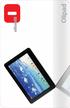 PRODUCT Olipad is a new 10" touch tablet from Olivetti for people who want a versatile portable device to manage digital content. The new Olipad runs the Android operating system and offer a series of
Night Owl 8 channel DVR system with HDMI output, 960H recording and a Free Night Owl Pro App with Owl Scan (No Hard Drive Included)
 Night Owl 8 channel DVR system with HDMI output, 960H recording and a Free Night Owl Pro App with Owl Scan (No Hard Drive Included) Night Owl s PE-DVR8 is an advanced 8 channel 960H Security DVR. The DVR
REASONS TO CHOOSE A SMART ALARM
 6 REASONS TO CHOOSE A SMART ALARM INFINITY SYSTEMS CANADA 2 Powering the Connected Home Home security systems are nothing like they used to be. Compared to systems even 10 years old, with limited capabilities
Definition of Traffic for Network Planning Projects
 Definition of Traffic for Network Planning Projects AWE Communications GmbH Otto-Lilienthal-Straße 36 D-71034 Böblingen [email protected] Issue Date Changes V0.1 Oct. 2012 First version of document V1.0
How To Use The Dc350 Document Camera
 www.optoma.com DC350 Document Camera / Visualiser 1.4kg 5mp Camera XGA,720P support Power on via USB or Power Supply Micro SD Full SD CARD Support for both Images and Video saving Built-in speaker Built-in
Security Requirements for Wireless Networking
 Security Requirements for Wireless Networking Developed by Copyright 2007 Rysavy Research TABLE OF CONTENTS INTRODUCTION... 2 SECURITY REQUIREMENTS... 2 WIRELESS OPERATOR SECURITY LIMITATIONS... 3 END
Work From Anywhere: Mobile Technology Makes the Dream a Reality. NCGIT.com
 Work From Anywhere: Mobile Technology Makes the Dream a Reality NCGIT.com Work From Anywhere: Mobile Technology Makes the Dream a Reality Once upon a time, not that many years ago, people dreamed of a
WHITE PAPER. Digital Touch Points. Reaching your audience on all four screens. Randy Palubiak. Sponsored by Hughes Network Systems, LLC
 WHITE PAPER Reaching your audience on all four screens Randy Palubiak Sponsored by Network Systems, LLC Introduction A Digital Touch Point is the reaching of an individual through a digital media device
3D- Cam FPV User Guide. April, 2014. 2014-04- 30 Rev. 0.2
 3D- Cam FPV User Guide April, 2014. 2014-04- 30 Rev. 0.2 3D- Cam FPV User Guide Trademark & Copyright Information Transporter3D, 3D- Cam FPV and the EMR Laboratories logo are trademarks of EMR Laboratories
Ingenico Wireless Solutions
 Ingenico Wireless Solutions Diversified and on-the-go merchants rely on credit card terminals that can keep up with them by delivering secure processing wherever and whenever the sale arises. When you
Cellular Phones as a primary communications device: What are the implications for a. global community? Bill Clark. Claflin University, Orangeburg, SC
 1 Cellular Phones as a primary communications device: What are the implications for a global community? Bill Clark Claflin University, Orangeburg, SC Abstract Recent statistics show that more individuals
Implementation of Augmented Reality System for Smartphone Advertisements
 , pp.385-392 http://dx.doi.org/10.14257/ijmue.2014.9.2.39 Implementation of Augmented Reality System for Smartphone Advertisements Young-geun Kim and Won-jung Kim Department of Computer Science Sunchon
The TrimTrac Locator: A New Standard in Practical and Affordable Asset Tracking
 The TrimTrac Locator: A New Standard in Practical and Affordable Asset Tracking By Bill Dussell Director, Integrated Products Trimble Navigation 15-December-2003 1997 2003, Trimble Navigation Limited.
Introduction to Cloud Services
 Introduction to Cloud Services (brought to you by www.rmroberts.com) Cloud computing concept is not as new as you might think, and it has actually been around for many years, even before the term cloud
Cesare A. Massarenti
 Cesare A. Massarenti Digital Signage Content & Technology Strategies: la nuova frontiera della comunicazione multimediale pubblicitaria Milano, October 30th 2009 MEDIA and COMMUNICATION A WORLD IN TRANSITION
Website Design Checklist
 Website Design Checklist Use this guide before you begin building your website to ensure that your website maximizes its potential for your company. 3 THING YOU SHOULD NEVER SAY ON YOUR WEBSITE (That I
FindMyStuff. Fleet Tracking Solutions
 FindMyStuff by SPECTRADOME Fleet Tracking Solutions Our comprehensive GPS tracking product selection for fleet tracking applications offers taylored solutions for both the large transportation company
Motorola AirDefense Network Assurance Solution. Improve WLAN reliability and reduce management cost
 Motorola AirDefense Network Assurance Solution Improve WLAN reliability and reduce management cost The challenge: Ensuring wireless network performance and availability Wireless LANs help organizations
Module 1: Facilitated e-learning
 Module 1: Facilitated e-learning CHAPTER 3: OVERVIEW OF CLOUD COMPUTING AND MOBILE CLOUDING: CHALLENGES AND OPPORTUNITIES FOR CAs... 3 PART 1: CLOUD AND MOBILE COMPUTING... 3 Learning Objectives... 3 1.1
Nomi 05.14.14 Door Counting Primer V.001 1. Door Counting: An Essential for Customer Experience Measurement and Management
 Nomi 05.14.14 Door Counting Primer V.001 1 Door Counting: An Essential for Customer Experience Measurement and Management Nomi 05.14.14 Door Counting Primer V.001 2 If you can t measure it, you can t manage
WHAT IS AN APPLICATION PLATFORM?
 David Chappell December 2011 WHAT IS AN APPLICATION PLATFORM? Sponsored by Microsoft Corporation Copyright 2011 Chappell & Associates Just about every application today relies on other software: operating
How to Select a Receipt Printer for Mobile POS
 ebook How to Select a Receipt Printer for Mobile POS Is your restaurant or retail store ahead of the technology curve? Be honest is it even close? In this day and age, customers expect to see their favorite
Mobile Communication An overview Lesson 07 Introduction to Mobile Computing
 Mobile Communication An overview Lesson 07 Introduction to Mobile Computing Oxford University Press 2007. All rights reserved. 1 Mobile computing A Definition The process of computation on a mobiledevice
USE CASES BROADBAND EXPERIENCE EVERYWHERE, ANYTIME SMART VEHICLES, TRANSPORT & INFRASTRUCTURE MEDIA EVERYWHERE CRITICAL CONTROL OF REMOTE DEVICES
 5g Use Cases BROADBAND EXPERIENCE EVERYWHERE, ANYTIME 5g USE CASES SMART VEHICLES, TRANSPORT & INFRASTRUCTURE MEDIA EVERYWHERE CRITICAL CONTROL OF REMOTE DEVICES INTERACTION HUMAN-IOT Ericsson Internal
Entertain. Inform. Succeed. SAMSUNG SMART SIGNAGE TV RHE AND RMD SERIES
 Entertain. Inform. Succeed. SAMSUNG SMART SIGNAGE TV RHE AND RMD SERIES The Impact of Signage. The Captivation of Television. All in One Display. In a crowded retail marketplace, small- and mid-sized businesses