
Cite My Data M2M Service Technical Description
|
|
|
- April Brooks
- 10 years ago
- Views:
Transcription
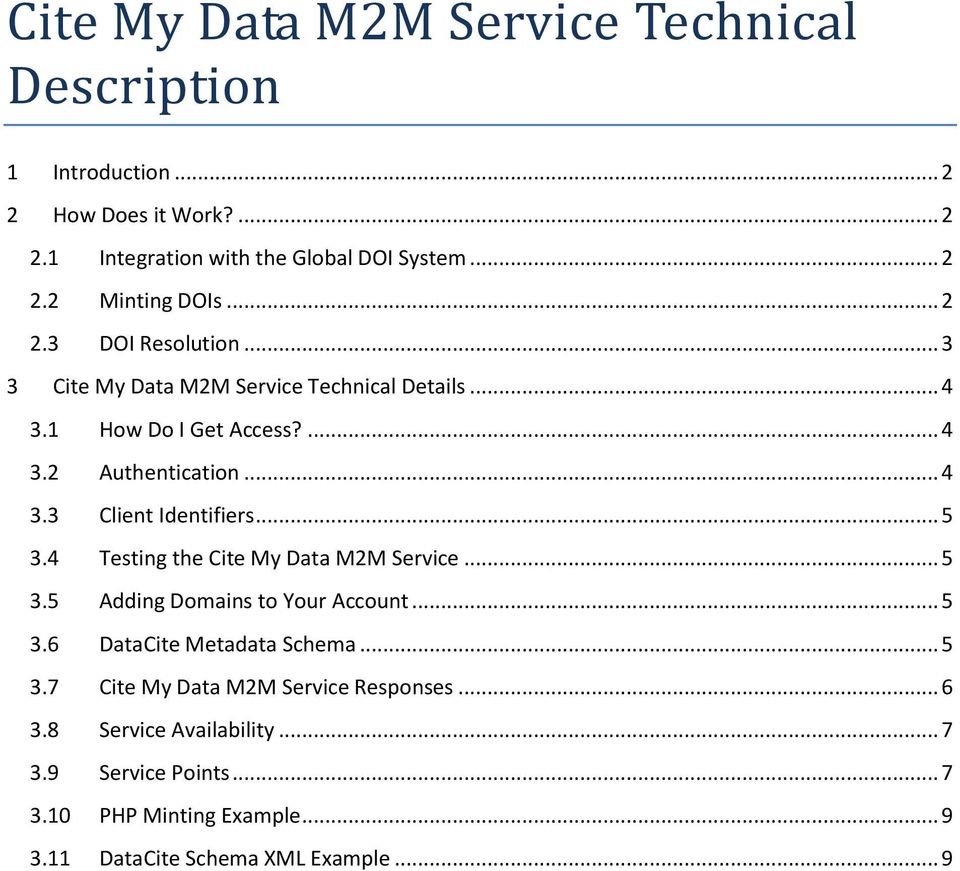
1 Cite My Data M2M Service Technical Description 1 Introduction How Does it Work? Integration with the Global DOI System Minting DOIs DOI Resolution Cite My Data M2M Service Technical Details How Do I Get Access? Authentication Client Identifiers Testing the Cite My Data M2M Service Adding Domains to Your Account DataCite Metadata Schema Cite My Data M2M Service Responses Service Availability Service Points PHP Minting Example DataCite Schema XML Example... 9
2 1 Introduction The Cite My Data Machine to Machine (M2M) service is a set of RESTful (Representational State Transfer) web services that allow registered clients to mint, update & retrieve ANDS Digital Object Identifiers (DOIs) that identify research data. By embedding the service within data management workflows, clients are able to treat datasets as citeable unique objects in the same way as DOI identified publications. The service ensures that a standard level of metadata is always associated with ANDS DOIs through the use of a mandatory metadata schema, while also allowing clients to further enrich descriptions through the use of non-mandatory metadata schema elements. 2 How Does it Work? 2.1 Integration with the Global DOI System The Digital Object Identifier (DOI) System provides a framework for persistent identification, managing intellectual content, managing metadata, linking customers with content suppliers, facilitating electronic commerce, and enabling automated management of media. DOI names can be used for any form of management of any data, whether commercial or non-commercial. The DOI System is an ISO International Standard which is based on the Handle System. In order to provide DOI minting services that integrate with the global DOI System an organisation must be registered as an authorised Registration Agency (RA). ANDS is a member of an established International Registration Agency called DataCite. DataCite has developed an infrastructure that supports simple and effective methods of data citation, discovery, and access. Through this Datacite membership, ANDS has become part of the Registration Agency and can offer DataCite DOI services. The ANDS Cite My Data M2M service utilises the DOI services offered through our membership with DataCite while also adding a layer of administration and business logic. DataCite addresses the issue of data accessibility by requiring that all data identified by a DataCite DOIs is publicly available (published) via a URL. This means that all DOIs minted through ANDS must resolve to a public landing page that contains information about the associated dataset and a direct link to the dataset itself. ANDS aims to integrate the Cite My Data service with the ANDS registry allowing clients to register collections and mint DOIs in a single step. 2.2 Minting DOIs How to Mint DOIs with the Cite My Data M2M Service Sign Cite My Data User Agreement Send account creation information to [email protected] Implement Cite My Data service Test Cite My Data service with test prefix [email protected] to have production prefixes added to your account. Mint DOIs The ANDS Cite My Data M2M service is implemented as a set of secure PHP RESTful web services backed by a Postgres database. Clients are required to register with ANDS before access to the

3 administrative services is granted (see section 3.1 How Do I Get Access?). Once registered, clients can programmatically call the Cite My Data M2M Service to mint and manage DOIs (see section 3.9 Service Points). All connections with the service should be made via Hypertext Transfer Protocol Secure (HTTPS). When minting a DOI, the Cite My Data M2M service requires that metadata about the data being identified is included in an XML document that conforms to the DataCite Metadata Schema (ANDS currently supports version 2.1 of the schema. See section 3.6 DataCite Metadata Schema). Clients are not required to pass through identifiers when minting DOIs as these are generated by the Cite My Data service. The mandatory set of information that needs to be passed through to mint a DOI is URL - The URL for the landing page of the dataset. (Passed as a parameter and not part of the XML metadata) Title - A name or title by which a resource is known. Creators - The main researchers involved in producing the data, or the authors of the publication, in priority order. Publisher - The holder of the data (including archives as appropriate) or institution that submitted the work. Publication Year - The year when the data was or will be made publicly available. An XML example of DataCite metadata can be found in section 3.11 DataCite Schema XML Example. Once a DOI has been minted the ANDS Cite My Data Service will give public access to the XML metadata associated with the DOI via a publically accessible service point. Note: ANDS does not update the information stored with DOIs which have been minted using the Cite My Data service. This is the responsibility of the client that minted the DOI. 2.3 DOI Resolution All ANDS DOIs must be associated with a resolvable URL pointing to a landing page for the data being identified. This means that resolving ANDS DOIs is as simple as prefixing the DOI with the DOI System s resolution service address ( in a browser address bar e.g. It is important to understand that the Handle System (the technical infrastructure for DOIs) is a distributed network system. The consequence of this is inherent latency. DOIs have TTL (time to live) defaulted to 24 hours, so any changes will be visible to the resolution infrastructure only when the TTL expires.
4 3 Cite My Data M2M Service Technical Details 3.1 How Do I Get Access? Before your software can use the Cite My Data M2M service it needs to be registered as a trusted client in the ANDS database. Once this registration process is complete, HTTP requests will be serviced. There are 2 steps involved in gaining access to the Cite My Data M2M service. Step 1 The first step in gaining access to the service is to submit a signed Cite My Data Service Agreement to ANDS. The agreement details the responsibilities of ANDS and ANDS clients in the provision and use of the Cite My Data service. The agreement can be downloaded here and should be signed by someone entitled to enter into agreements on behalf of your organisation and sent to your ANDS liaison officer. Step 2 Once you have submitted a signed Cite My Data Service Agreement you will need to [email protected] with the following account creation information: DOI Account Name (A name for the Cite My Data account. Usually an organisation) IP Address or Range (This must be the IP address of the machine that will be calling the service. Ranges can be submitted by entering the start and end of the range separated by a comma) Account Contact Full Name (The name of a contact at your site ANDS should contact to discuss DOI related issues) Account Contact Address ( address for the primary contact. Group mailboxes are preferred over personal addresses as they ensure ANDS has an ongoing contact point if a client s staff member changes role or leaves.) Top Level Domains (Comma separated list of top level domains that DOI URLs will be resolved under. Remember DOI URLs must resolve to a public landing page that contains information about the associated dataset and a direct link to the dataset itself) Example DOI Account Name: ANDS Canberra IP Address: Datacentre Contact Full Name: Joe Smith Datacentre Contact Address: [email protected] Top Level Domains: Authentication After ANDS has set up your Cite My Data account you will be issued with an Application Identifier (App Id). The App Id will be used along with your registered IP address for authentication with the ANDS Cite My Data service. The App Id must be passed as a parameter with all administrative service calls (mint & update). Administrative requests that do not contain correct credentials will fail with a response code of 415 : Authentication Error.

5 App Id example : 9b310b815997d2d3438ead565f253b0e75e970f7 3.3 Client Identifiers Upon account creation your account will be given a unique Client Identifier (Client Id). The Client Id will be used in the creation of your DOIs and will allow you to identify your DOIs and obtain accurate reporting statistics. E.g /05/4DD05E7F1ED6B ANDS Test DOI Prefix Client Id Meaningless but unique string 3.4 Testing the Cite My Data M2M Service While a client is integrating and testing the Cite My Data service, the only DOI prefix that will be allocated to the client s account will be the ANDS test DOI prefix ( ). DOIs minted using this prefix are not visible in the global DOI infrastructure and therefore do not resolve. These test DOIs are routinely deleted from the DOI database. Once the client and ANDS are satisfied that the service has been successfully implemented and tested, the client will need to [email protected] to have the production prefixes added to the their account. 3.5 Adding Domains to Your Account Additional domains can be added to your Cite My Data account by sending a request to [email protected]. The subject should be Add Domains to My Cite My Data Account and the body should contain your Account Name and a comma separated list of the domains you wish to add. 3.6 DataCite Metadata Schema DataCite has published an XML schema that defines the valid format for any metadata submissions to the dataset DOI registration system. As ANDS integrates with the DOI system via DataCite, all metadata that is passed as a parameter to one of the Cite My Data web services must adhere to this schema. ANDS currently supports version 2.1 of the schema. More information about the schema can be found at DataCite schema Tips for building XML metadata documents. 1. The schema must be declared in the root element as follows: <resource xmlns=" xmlns:xsi=" xsi:schemalocation=" Note that above uses schema.datacite.org not You can use only schemas located at in order to get your XML documents accepted by the Cite

6 My Data service. You should NOT use schemas hosted on even if both seem to be version If you have problems uploading your XML documents, 3 rd party tools can be used to diagnose and validate your XML. One of many tools is - just paste your XML document into the 'source code' area and press Validate. The tool highlights a location of the error. 3.7 Cite My Data M2M Service Responses The possible responses to Cite My Data M2M service requests are shown in the below table. Responses are in text HTML format. Response Response Text Response Reason Code 200 OK : DOI <identifier> was successfully minted. DOI minting request successful 200 OK : DOI <identifier> was successfully updated. DOI update request successful 200 OK : DOI <identifier> was successfully DOI deactivation request successful deactivated. 200 OK : DOI <identifier> was successfully activated. DOI activation request successful 200 DOI <doi_identifier> does not exist in the ANDS Cite My Data service The DOI you have requested metadata for does not exist in the Cite My Data service. 200 No metadata exists in the Cite My Data service No metadata exists in the Cite My for DOI <identifier>. Authentication Error : You are not authorised to use this service. For more information or to request access to the service please contact [email protected]. Authentication Error : You do not appear to be the owner of DOI <identifier>. If you believe this to be incorrect please contact [email protected]. Internal Server Error : Document Load Error Data service for the requested DOI. Clients credentials (App Id, & IP) passed through in a service call do not match what s held in the Cite My Data service. See section 3.1 How Do I Get Access? and 3.2 Authentication for more information. Client attempts to change a DOI which doesn t belong to them. Syntactical error in XML document passed through in a service request. Internal Server Error : Document Validation Error The metadata you have provided to mint a new DOI has failed the schema validation. Metadata is validated against the DataCite Metadata Schema. For information about the schema and the latest version supported, please visit the ANDS website Detailed information about the validation errors can be found below. Internal Server Error : Document Validation Error DOI metadata in XML document passed through in service request has failed the DataCite schema validation See section 3.6 DataCite Metadata Schema for more information. DOI metadata in XML document passed through in service request

7 Response Code Response Text The metadata you have provided to update DOI <identifier> has failed the schema validation. Metadata is validated against the DataCite Metadata Schema. For information about the schema and the latest version supported, please visit the ANDS website Detailed information about the validation errors can be found below. Internal Server Error : URL is a mandatory value to mint a DOI Internal Server Error: There has been an unexpected error processing your DOI request. For more information please contact [email protected] Internal Server Error : The ANDS Cite My Data service is currently unavailable. Please try again at a later time. If you continue to experience problems please contact [email protected]. Response Reason has failed the DataCite schema validation See section 3.6 DataCite Metadata Schema for more information. URL parameter has been omitted when requesting a new DOI. See section 3.9 Service Points for more information. The Cite My Data service has encountered an unexpected error due to external dependencies. Cite My Data Service is unavailable 3.8 Service Availability Although ANDS attempts to ensure that the Cite My Data M2M service is always available, planned and unexpected outages will occur. Notice of all planned outages will be distributed via prior to the event. For this reason it is important to keep your account contact information as up to date as possible. As ANDS is dependent on a number of external services the risk of unexpected outages are increased. It is strongly recommended that application developers ensure service outages can be catered for in their applications. 3.9 Service Points Mint a DOI Description Mints a new DOI with associated metadata. Note: Identifiers for DOIs are automatically generated by the Cite My Data service and do not need to be passed as parameters in the Identifier metadata element when minting a DOI. Any text passed through in the Identifier element within the metadata will be overwritten. Service Point Method POST Parameters Application Id URL XML Metadata (conforming to DataCite Metadata Schema) Response Text HTML format. See Cite My Data M2M Service Responses table above.

8 Data Update a DOI Description Updates a DOI. DOI being updated must belong to the client requesting the update. The update service point allows clients to update their DOIs in 3 ways. Clients can update the URL only, metadata only, or both the URL and metadata. Service Point OI_id Method POST Parameters Application Id DOI URL (only required if updating the URL) XML Metadata. Must contain the DOI being updated (only required if updating the metadata) Response Data Text HTML format. See Cite My Data M2M Service Responses table above Deactivate a DOI Description Deactivates metadata associated with a DOI. A DOI s metadata is active by default. Deactivating a DOI s metadata prevents the metadata from being returned by the public Request Metadata Associated with DOI service endpoint. Service Point =$DOI_id Method GET Parameters Application Id DOI Response Data Text HTML format. See Cite My Data M2M Service Responses table above Activate a DOI Description Activates deactivated metadata associated with a given DOI. A DOI s metadata is active by default, and can only by activated if it has previously been deactivated. Activating a DOI s metadata allows the metadata to be returned by the public Request Metadata Associated with DOI service endpoint. Service Point DOI_id Method GET Parameters Application Id DOI Response Data Text HTML format. See Cite My Data M2M Service Responses table above Request Metadata Associated with a DOI Description Publically accessible service point which returns the metadata associated with a given DOI. Service Point Method GET

9 Parameters Response Data DOI Text HTML format. See Cite My Data M2M Service Responses table above PHP Minting Example The following example requests a new DOI using PHP and CURL. A request to update a DOI would basically be the same except the update service end point would be called. <?php // set up the following parameters to have the appropriate values $app_id= "your_privded_application_id"; $url = "the_url_of_the_data"; // set up the xml post field to contain the valid Datacite schema xml $xml = 'xml=<?xml version="1.0" encoding="utf-8"?> valid DataCite xml for this // define the call to the service $requesturi = " // use curl to connect and run the service and receive the response $newch = curl_init(); curl_setopt($newch, CURLOPT_URL, $requesturi); curl_setopt($newch, CURLOPT_RETURNTRANSFER, true); curl_setopt($newch, CURLOPT_CUSTOMREQUEST, "POST"); curl_setopt($newch, CURLOPT_POSTFIELDS,$xml); $result = curl_exec($newch); $curlinfo = curl_getinfo($newch); curl_close($newch);?> if( $result ) { $resultxml = $result; } echo $resultxml; 3.11 DataCite Schema XML Example <resource xmlns=" xmlns:xsi=" xsi:schemalocation=" <identifier identifiertype="doi"> /wdcc/ccsrnies_sres_b2</identifier> <creators>
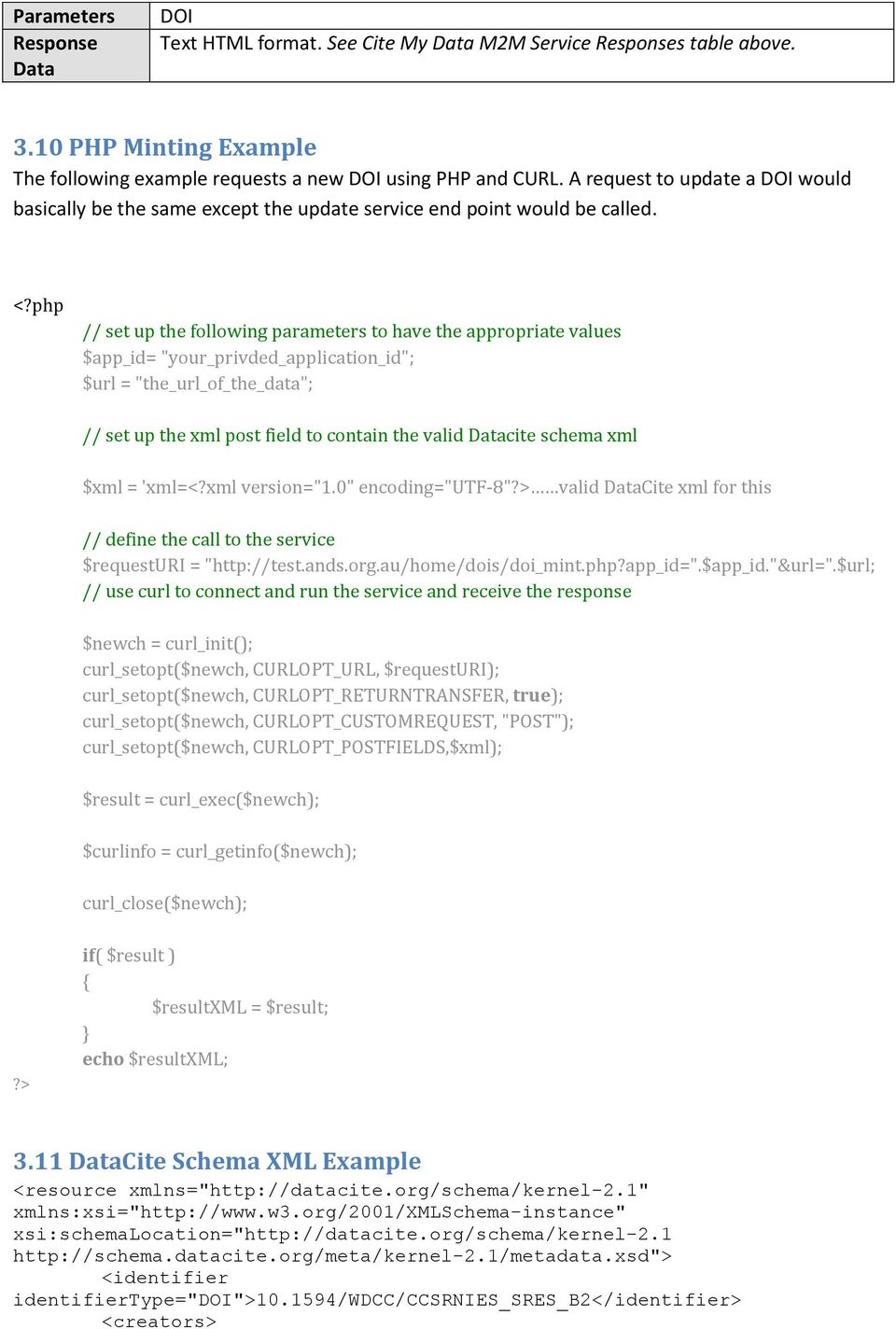
10 <creator> <creatorname>toru, Nozawa</creatorName> </creator> <creator> <creatorname>utor, Awazon</creatorName> <nameidentifier nameidentifierscheme="isni"> </nameIdentifier> </creator> </creators> <titles> <title>national Institute for Environmental Studies and Center for Climate System Research Japan</title> <title titletype="subtitle">a survey</title> </titles> <publisher>world Data Center for Climate (WDCC)</publisher> <publicationyear>2004</publicationyear> <subjects> <subject>earth sciences and geology</subject> <subject subjectscheme="ddc">551 Geology, hydrology, meteorology</subject> </subjects> <contributors> <contributor contributortype="datamanager"> <contributorname>pangaea</contributorname> </contributor> <contributor contributortype="contactperson"> <contributorname>doe, John</contributorName> <nameidentifier nameidentifierscheme="orcid">xyz789</nameidentifier> </contributor> </contributors> <dates> <date datetype="valid"> </date> <date datetype="accepted"> </date> </dates> <language>eng</language> <resourcetype resourcetypegeneral="image">animation</resourcetype> <alternateidentifiers> <alternateidentifier alternateidentifiertype="isbn"> X</alternateIdentifier> </alternateidentifiers> <relatedidentifiers> <relatedidentifier relatedidentifiertype="doi" relationtype="iscitedby"> /testpub</relatedidentifier> <relatedidentifier relatedidentifiertype="urn" relationtype="cites"> </relatedidentifiers> <sizes> <size>285 kb</size> <size>100 pages</size> </sizes> <formats> <format>text/plain</format> </formats> <version>1.0</version> <rights>open Database License [ODbL]</rights> <descriptions> <description descriptiontype="other"> The current xml-example for a DataCite record is the official example from the documentation.
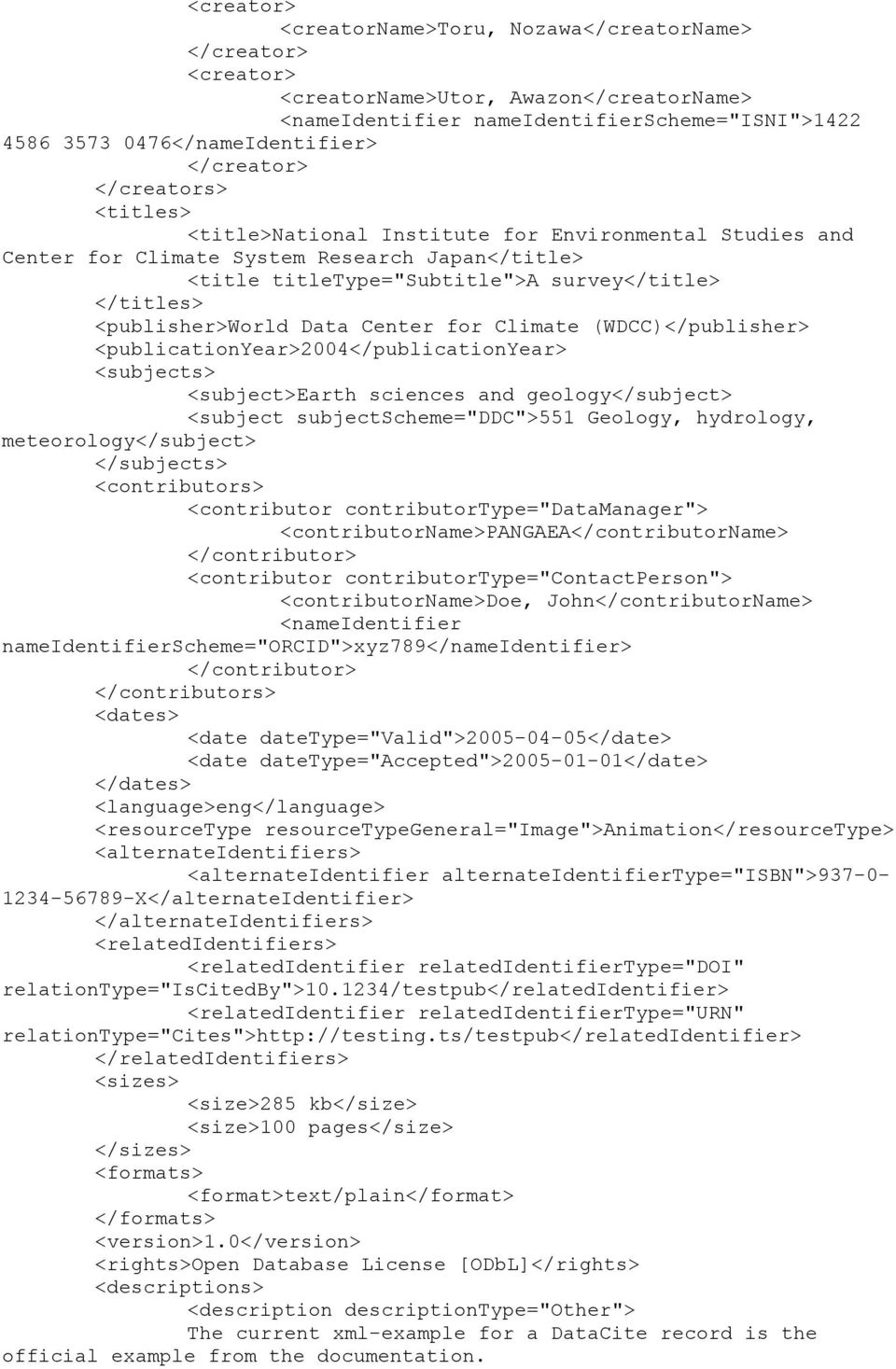
11 <br/>please look on datacite.org to find the newest versions of sample data and schemas. </description> </descriptions> </resource>

Service Guidelines. This document describes the key services and core policies underlying California Digital Library (CDL) s EZID Service.
 http://ezid.cdlib.org Service Guidelines 1 Purpose This document describes the key services and core policies underlying (CDL) s EZID Service. 2 Introduction to EZID EZID (easy eye dee) is a service providing
data.bris: collecting and organising repository metadata, an institutional case study
 Describe, disseminate, discover: metadata for effective data citation. DataCite workshop, no.2.. data.bris: collecting and organising repository metadata, an institutional case study David Boyd data.bris
SYSPRO App Store: Registration Guide
 SYSPRO App Store: Registration Guide SYSPRO App Store Registration Guide 2 Table of Contents What is the SYSPRO App Store?... 3 The SYSPRO App Store URL... 3 Who can use it?... 3 Register as a customer...
Table of Contents 1. Contents...1
 Table of Contents 1. Contents...1 1.1 Introduction/Getting Started...1 1.1.1 Creating an Account...1 1.1.2 Logging In...2 1.1.3 Forgotten Password...2 1.1.4 Creating a New Project...3 1.2 My Projects...3
Customer Tips. Xerox Network Scanning HTTP/HTTPS Configuration using Microsoft IIS. for the user. Purpose. Background
 Xerox Multifunction Devices Customer Tips June 5, 2007 This document applies to these Xerox products: X WC Pro 232/238/245/ 255/265/275 for the user Xerox Network Scanning HTTP/HTTPS Configuration using
MAIL1CLICK API - rel 1.35
 hqimawhctmslulpnaq//vkauukqmommgqfedthrmvorodqx6oxyvsummkflyntq/ 2vOreTmgl8JsMty6tpoJ5CjkykDGR9mPg79Ggh1BRdSiqSSQR17oudKwi1pJbAmk MFUkoVTtzGEfEAfOV0Pfi1af+ntJawYxOaxmHZvtyG9iojsQjOrA4S+3i4K4lpj4 A/tj7nrDfL47r2cQ83JszWsQVe2CqTLLQz8saXfGoGJILREPFoF/uPS0sg5TyKYJ
Audit Management Reference
 www.novell.com/documentation Audit Management Reference ZENworks 11 Support Pack 3 February 2014 Legal Notices Novell, Inc., makes no representations or warranties with respect to the contents or use of
Working with the British Library and DataCite A guide for Higher Education Institutions in the UK
 Working with the British Library and DataCite A guide for Higher Education Institutions in the UK Contents About this guide This booklet is intended as an introduction to the DataCite service that UK organisations
Tableau Server Trusted Authentication
 Tableau Server Trusted Authentication When you embed Tableau Server views into webpages, everyone who visits the page must be a licensed user on Tableau Server. When users visit the page they will be prompted
LIVE CHAT CLOUD SECURITY Everything you need to know about live chat and communicating with your customers securely
 LIVE CHAT CLOUD SECURITY Everything you need to know about live chat and communicating with your customers securely LIVE CHAT CLOUD SECURITY Introduction Security is a top priority online it is vital that
DEPLOYMENT GUIDE Version 1.1. Deploying the BIG-IP LTM v10 with Citrix Presentation Server 4.5
 DEPLOYMENT GUIDE Version 1.1 Deploying the BIG-IP LTM v10 with Citrix Presentation Server 4.5 Table of Contents Table of Contents Deploying the BIG-IP system v10 with Citrix Presentation Server Prerequisites
Secure Messaging Server Console... 2
 Secure Messaging Server Console... 2 Upgrading your PEN Server Console:... 2 Server Console Installation Guide... 2 Prerequisites:... 2 General preparation:... 2 Installing the Server Console... 2 Activating
Contents. 2 Alfresco API Version 1.0
 The Alfresco API Contents The Alfresco API... 3 How does an application do work on behalf of a user?... 4 Registering your application... 4 Authorization... 4 Refreshing an access token...7 Alfresco CMIS
Dell SupportAssist Version 2.0 for Dell OpenManage Essentials Quick Start Guide
 Dell SupportAssist Version 2.0 for Dell OpenManage Essentials Quick Start Guide Notes, Cautions, and Warnings NOTE: A NOTE indicates important information that helps you make better use of your computer.
DATA CITATION. what you need to know
 DATA CITATION what you need to know The current state of practice of the citation of datasets is seriously lacking. Acknowledgement of intellectual debts should not be limited to only certain formats of
About This Document 3. Integration and Automation Capabilities 4. Command-Line Interface (CLI) 8. API RPC Protocol 9.
 Parallels Panel Contents About This Document 3 Integration and Automation Capabilities 4 Command-Line Interface (CLI) 8 API RPC Protocol 9 Event Handlers 11 Panel Notifications 13 APS Packages 14 C H A
Title page. Alcatel-Lucent 5620 SERVICE AWARE MANAGER 13.0 R7
 Title page Alcatel-Lucent 5620 SERVICE AWARE MANAGER 13.0 R7 APPLICATION API DEVELOPER GUIDE 3HE-10590-AAAA-TQZZA Issue 1 December 2015 Legal notice Legal notice Alcatel, Lucent, Alcatel-Lucent and the
DEPLOYMENT GUIDE Version 1.2. Deploying F5 with Oracle E-Business Suite 12
 DEPLOYMENT GUIDE Version 1.2 Deploying F5 with Oracle E-Business Suite 12 Table of Contents Table of Contents Introducing the BIG-IP LTM Oracle E-Business Suite 12 configuration Prerequisites and configuration
How To Use The Rss Feeder On Firstclass (First Class) And First Class (Firstclass) For Free
 RSS Feeder - Administrator Guide for OpenText Social Workplace and FirstClass Werner de Jong, Senior Solutions Architect 8 July 2011 Abstract This document is an administrator s guide to the installation
Sophos SafeGuard Native Device Encryption for Mac Administrator help. Product version: 7
 Sophos SafeGuard Native Device Encryption for Mac Administrator help Product version: 7 Document date: December 2014 Contents 1 About SafeGuard Native Device Encryption for Mac...3 1.1 About this document...3
vcloud Air Platform Programmer's Guide
 vcloud Air Platform Programmer's Guide vcloud Air OnDemand 5.7 This document supports the version of each product listed and supports all subsequent versions until the document is replaced by a new edition.
MadCap Software. Upgrading Guide. Pulse
 MadCap Software Upgrading Guide Pulse Copyright 2014 MadCap Software. All rights reserved. Information in this document is subject to change without notice. The software described in this document is furnished
DEPLOYMENT GUIDE Version 2.1. Deploying F5 with Microsoft SharePoint 2010
 DEPLOYMENT GUIDE Version 2.1 Deploying F5 with Microsoft SharePoint 2010 Table of Contents Table of Contents Introducing the F5 Deployment Guide for Microsoft SharePoint 2010 Prerequisites and configuration
IDAM Most frequently encountered messages / known issues document
 IDAM Most frequently encountered messages / known issues document Amendment History Version Date Comment By 0.1 20-Dec-2012 Initial version Madhusudan Kappaganthula SharePoint location https://wss2.bp.com/dct/functions/teams/diessl/idam/operational%20processes/forms/allitems.aspx?
DELIVERABLE. Grant Agreement number: 325091 Europeana Cloud: Unlocking Europe s Research via The Cloud
 DELIVERABLE Project Acronym: Grant Agreement number: 325091 Project Title: Europeana Cloud Europeana Cloud: Unlocking Europe s Research via The Cloud D5.3 Europeana Cloud Access and Reuse Framework (originally:
RoomWizard Synchronization Software Manual Installation Instructions
 2 RoomWizard Synchronization Software Manual Installation Instructions Table of Contents Exchange Server Configuration... 4 RoomWizard Synchronization Software Installation and Configuration... 5 System
HRC Advanced Citrix Troubleshooting Guide. Remove all Citrix Instances from the Registry
 HRC Advanced Citrix Troubleshooting Guide Advanced Troubleshooting procedures: 1. Add https://mobile.hrc.army.mil to Internet Explorer s trusted sites list. Click on Tools Internet Options Security. Click
Migrating to vcloud Automation Center 6.1
 Migrating to vcloud Automation Center 6.1 vcloud Automation Center 6.1 This document supports the version of each product listed and supports all subsequent versions until the document is replaced by a
DreamFactory Security Whitepaper Customer Information about Privacy and Security
 DreamFactory Security Whitepaper Customer Information about Privacy and Security DreamFactory Software publishes rich applications for salesforce.com. All of our products for salesforce use the DreamFactory
Reverse Proxy Guide. Version 2.0 April 2016
 Version 2.0 April 2016 Reverse Proxy Guide Copyright 2016 iwebgate. All Rights Reserved. No part of this publication may be reproduced, transmitted, transcribed, stored in a retrieval system, or translated
Online Data Services. Security Guidelines. Online Data Services by Esri UK. Security Best Practice
 Online Data Services Security Guidelines Online Data Services by Esri UK Security Best Practice 28 November 2014 Contents Contents... 1 1. Introduction... 2 2. Data Service Accounts, Security and Fair
SAML Single-Sign-On (SSO)
 C O L A B O R A T I V E I N N O V A T I O N M A N A G E M E N T Complete Feature Guide SAML Single-Sign-On (SSO) 1. Features This feature allows administrators to setup Single Sign-on (SSO) integration
P309 - Proofpoint Encryption - Decrypting Secure Messages Business systems
 Procedure P309 - Proofpoint Encryption - Decrypting Secure Messages Business systems P309 - Page: Page 1 of 12 Date of Release: 23 February 2011 Status: Final Document Reference: Title: P309 Release Number:
Setup Guide Access Manager 3.2 SP3
 Setup Guide Access Manager 3.2 SP3 August 2014 www.netiq.com/documentation Legal Notice THIS DOCUMENT AND THE SOFTWARE DESCRIBED IN THIS DOCUMENT ARE FURNISHED UNDER AND ARE SUBJECT TO THE TERMS OF A LICENSE
www.novell.com/documentation Policy Guide Access Manager 3.1 SP5 January 2013
 www.novell.com/documentation Policy Guide Access Manager 3.1 SP5 January 2013 Legal Notices Novell, Inc., makes no representations or warranties with respect to the contents or use of this documentation,
RealPresence Platform Director
 RealPresence CloudAXIS Suite Administrators Guide Software 1.3.1 GETTING STARTED GUIDE Software 2.0 June 2015 3725-66012-001B RealPresence Platform Director Polycom, Inc. 1 RealPresence Platform Director
The Retail Electricity Market
 The Retail Electricity Market Technology Retail Market Design Service Page 1 Introduction The following presentation is a brief description of the technology behind the Market Design and how it works on
Customer Tips. Xerox Network Scanning TWAIN Configuration for the WorkCentre 7328/7335/7345. for the user. Purpose. Background
 Xerox Multifunction Devices Customer Tips dc07cc0432 October 19, 2007 This document applies to these Xerox products: X WC 7328/7335/7345 for the user Xerox Network Scanning TWAIN Configuration for the
How To Write A Blog Post On Globus
 Globus Software as a Service data publication and discovery Kyle Chard, University of Chicago Computation Institute, [email protected] Jim Pruyne, University of Chicago Computation Institute, [email protected]
NETWRIX EVENT LOG MANAGER
 NETWRIX EVENT LOG MANAGER ADMINISTRATOR S GUIDE Product Version: 4.0 July/2012. Legal Notice The information in this publication is furnished for information use only, and does not constitute a commitment
Transferring Your Internet Services
 Page 1 of 6 Transferring Your Internet Services Below you will find the instructions necessary to move your web hosting, email, and DNS services to NuVox. The Basics Transferring your domain name Preparing
Corporate Access File Transfer Service Description Version 1.0 01/05/2015
 Corporate Access File Transfer Service Description Version 1.0 01/05/2015 This document describes the characteristics and usage of the Corporate Access File Transfer service, which is for transferring
Architecture and Data Flow Overview. BlackBerry Enterprise Service 10 721-08877-123 Version: 10.2. Quick Reference
 Architecture and Data Flow Overview BlackBerry Enterprise Service 10 721-08877-123 Version: Quick Reference Published: 2013-11-28 SWD-20131128130321045 Contents Key components of BlackBerry Enterprise
Xerox Multifunction Devices. Verify Device Settings via the Configuration Report
 Xerox Multifunction Devices Customer Tips March 15, 2007 This document applies to these Xerox products: X WC 4150 X WCP 32/40 X WCP 35/45/55 X WCP 65/75/90 X WCP 165/175 X WCP 232/238 X WCP 245/255 X WCP
Facility Connect API: Setup & Troubleshooting. Version 1
 Facility Connect API: Setup & Troubleshooting Version 1 All copyright and other intellectual property rights in all text, images and course materials are owned by Advanced Learning or are included with
FAQs, Hints and Tips
 FAQs, Hints and Tips FAQs Appendix B n What s Covered in This Document This document contains a list of frequently asked questions (FAQs), as well as helpful hints and tips, regarding configuring, installing,
Cloudbuz at Glance. How to take control of your File Transfers!
 How to take control of your File Transfers! A MFT solution for ALL organisations! Cloudbuz is a MFT (Managed File Transfer) platform for organisations and businesses installed On-Premise or distributed
Most common problem situations in direct message exchange
 Page 1 / 7 Message Exchange Direct Message Exchange Most common problem situations in direct message exchange v. 1.0, 11.8.2014 Page 2 / 7 Most common problem situations in direct message exchange This
InduSoft Thin Client Setup and Troubleshooting Guide
 Abstract InduSoft Thin Client Setup and Troubleshooting Guide This Thin Client Troubleshooting Guide is designed to be used in conjunction with the Thin Clients and Mobile Access sections of the current
Single Sign-On Guide for Blackbaud NetCommunity and The Patron Edge Online
 Single Sign-On Guide for Blackbaud NetCommunity and The Patron Edge Online 062212 2012 Blackbaud, Inc. This publication, or any part thereof, may not be reproduced or transmitted in any form or by any
Server and Direct Shared Protocols
 Server and Direct Shared Protocols IMPORTANT: Before reading this document, you should have read through the Server or Direct Protocol and Integration Guidelines that accompany it. These explain the terms
Cloud. Hosted Exchange Administration Manual
 Cloud Hosted Exchange Administration Manual Table of Contents Table of Contents... 1 Table of Figures... 4 1 Preface... 6 2 Telesystem Hosted Exchange Administrative Portal... 7 3 Hosted Exchange Service...
Coveo Platform 7.0. Microsoft Dynamics CRM Connector Guide
 Coveo Platform 7.0 Microsoft Dynamics CRM Connector Guide Notice The content in this document represents the current view of Coveo as of the date of publication. Because Coveo continually responds to changing
Installation Guide ARGUS Symphony 1.6 and Business App Toolkit. 6/13/2014 2014 ARGUS Software, Inc.
 ARGUS Symphony 1.6 and Business App Toolkit 6/13/2014 2014 ARGUS Software, Inc. Installation Guide for ARGUS Symphony 1.600.0 6/13/2014 Published by: ARGUS Software, Inc. 3050 Post Oak Boulevard Suite
Integration of Hotel Property Management Systems (HPMS) with Global Internet Reservation Systems
 Integration of Hotel Property Management Systems (HPMS) with Global Internet Reservation Systems If company want to be competitive on global market nowadays, it have to be persistent on Internet. If we
GLS Support Guide Tips and Tricks
 GLS Support Guide Tips and Tricks NT14-28911, 3.0, 1/11/2014 Ascom. All rights reserved. TEMS is a trademark of Ascom. All other trademarks are the property of their respective holders. NT14-28911, 3.0,
App Orchestration 2.5
 App Orchestration 2.5 Configuring SSL for App Orchestration 2.5 Prepared by: Andy Zhu Last Updated: July 25, 2014 Contents Introduction... 3 Configure SSL on the App Orchestration configuration server...
File Transmission Methods Monday, July 14, 2014
 Slide 1 - of 27 Version 4.4, 7/14/14 CMS reserves the right to modify this presentation. To ensure you have the most current version, verify that the version and date on this page match the version and
NSi Mobile Installation Guide. Version 6.2
 NSi Mobile Installation Guide Version 6.2 Revision History Version Date 1.0 October 2, 2012 2.0 September 18, 2013 2 CONTENTS TABLE OF CONTENTS PREFACE... 5 Purpose of this Document... 5 Version Compatibility...
API documentation - 1 -
 API documentation - 1 - Table of Contents 1. Introduction 1.1. What is an API 2. API Functions 2.1. Purge list of files 2.1.1 Description 2.1.2 Implementation 2.2. Purge of whole cache (all files on all
Login with Amazon. Getting Started Guide for Websites. Version 1.0
 Login with Amazon Getting Started Guide for Websites Version 1.0 Login with Amazon: Getting Started Guide for Websites Copyright 2016 Amazon Services, LLC or its affiliates. All rights reserved. Amazon
Training Module 1: Administration (logical) (for Privia version 5.9)
 Training Module : Administration (logical) (for Privia version.9) Copyright 0 by Privia LLC. All rights reserved. No part of this publication may be reproduced, transmitted, transcribed, stored in a retrieval
Novell Filr. Windows Client
 Novell Filr Windows Client 0 Table of Contents Supported Environments 2 Supported Languages 2 Getting Started 3 Which Folders Are Synchronized 3 What Actions Are Supported 4 Configuring Folders to Synchronize
Web24 Web Hosting Guide
 Web24 Web Hosting Guide Welcome Dear Web24 customer, We would like to thank you for choosing Web24 as your preferred web hosting provider. To make your experience as enjoyable as possible, we have prepared
Tenrox. Single Sign-On (SSO) Setup Guide. January, 2012. 2012 Tenrox. All rights reserved.
 Tenrox Single Sign-On (SSO) Setup Guide January, 2012 2012 Tenrox. All rights reserved. About this Guide This guide provides a high-level technical overview of the Tenrox Single Sign-On (SSO) architecture,
SafeGuard Enterprise Web Helpdesk
 SafeGuard Enterprise Web Helpdesk Product version: 5.60 Document date: April 2011 Contents 1 SafeGuard web-based Challenge/Response...3 2 Installation...5 3 Authentication...8 4 Select the Web Help Desk
DFG form 12.181 03/15 page 1 of 8. for the Purchase of Licences funded by the DFG
 form 12.181 03/15 page 1 of 8 Guidelines for the Purchase of Licences funded by the Within the framework of the Alliance Digital Information Initiative, licences for journals, databases and e-books are
Connected Data. Connected Data requirements for SSO
 Chapter 40 Configuring Connected Data The following is an overview of the steps required to configure the Connected Data Web application for single sign-on (SSO) via SAML. Connected Data offers both IdP-initiated
DEPLOY A SINGLE-SERVER OFFICE WEB APPS SERVER FARM THAT USES HTTPS
 DEPLOY A SINGLE-SERVER OFFICE WEB APPS SERVER FARM THAT USES HTTPS Introduced in Lync Server 2013 is the requirement of Office Web Apps Server to support the use of PowerPoint Presentations in Lync Online
Manual POLICY PATROL SIGNATURES FOR OUTLOOK, GOOGLE APPS & OFFICE 365
 Manual POLICY PATROL SIGNATURES FOR OUTLOOK, GOOGLE APPS & OFFICE 365 MANUAL Policy Patrol Signatures This manual, and the software described in this manual, are copyrighted. No part of this manual or
SOA, case Google. Faculty of technology management 07.12.2009 Information Technology Service Oriented Communications CT30A8901.
 Faculty of technology management 07.12.2009 Information Technology Service Oriented Communications CT30A8901 SOA, case Google Written by: Sampo Syrjäläinen, 0337918 Jukka Hilvonen, 0337840 1 Contents 1.
Publishing Reports in Tableau
 Requesting Tableau System Access... 2 Terms and Definitions... 2 License Levels... 2 User Rights... 2 Permissions... 2 Viewer... 3 Interactor... 3 Editor... 3 Publisher... 3 Project Leader... 4 Custom...
Sophos Mobile Control SaaS startup guide. Product version: 6
 Sophos Mobile Control SaaS startup guide Product version: 6 Document date: January 2016 Contents 1 About this guide...4 2 About Sophos Mobile Control...5 3 What are the key steps?...7 4 Change your password...8
FileMaker Server 12. Custom Web Publishing with PHP
 FileMaker Server 12 Custom Web Publishing with PHP 2007 2012 FileMaker, Inc. All Rights Reserved. FileMaker, Inc. 5201 Patrick Henry Drive Santa Clara, California 95054 FileMaker and Bento are trademarks
Installing OGDI DataLab version 5 on Azure
 Installing OGDI DataLab version 5 on Azure Using Azure Portal ver.2 August 2012 (updated February 2012) Configuring a Windows Azure Account This set of articles will walk you through the setup of the Windows
FileMaker Server 13. Custom Web Publishing with PHP
 FileMaker Server 13 Custom Web Publishing with PHP 2007 2013 FileMaker, Inc. All Rights Reserved. FileMaker, Inc. 5201 Patrick Henry Drive Santa Clara, California 95054 FileMaker and Bento are trademarks
TIBCO Spotfire Automation Services 6.5. User s Manual
 TIBCO Spotfire Automation Services 6.5 User s Manual Revision date: 17 April 2014 Important Information SOME TIBCO SOFTWARE EMBEDS OR BUNDLES OTHER TIBCO SOFTWARE. USE OF SUCH EMBEDDED OR BUNDLED TIBCO
EDINBURGH UNIVERSITY PRESS LIBRARIAN ADMINISTRATION USER GUIDE http://www.euppublishing.com
 EDINBURGH UNIVERSITY PRESS LIBRARIAN ADMINISTRATION USER GUIDE http://www.euppublishing.com Journal Subscription Activation... 1 1. Register as an Individual User... 1 2. Subscription Confirmation Email...
SafeGuard Enterprise Web Helpdesk. Product version: 6 Document date: February 2012
 SafeGuard Enterprise Web Helpdesk Product version: 6 Document date: February 2012 Contents 1 SafeGuard web-based Challenge/Response...3 2 Installation...5 3 Authentication...8 4 Select the Web Helpdesk
How-to: Single Sign-On
 How-to: Single Sign-On Document version: 1.02 nirva systems [email protected] nirva-systems.com How-to: Single Sign-On - page 2 This document describes how to use the Single Sign-On (SSO) features
SCOPE OF SERVICE Hosted Cloud Storage Service: Scope of Service
 Hosted Cloud Storage Service: Scope of Service 1. Definitions 1.1 For the purposes of this Schedule: Access Account is an End User account with Data Storage requiring authentication via a username and
SOA Software: Troubleshooting Guide for Agents
 SOA Software: Troubleshooting Guide for Agents SOA Software Troubleshooting Guide for Agents 1.1 October, 2013 Copyright Copyright 2013 SOA Software, Inc. All rights reserved. Trademarks SOA Software,
Safeguard Ecommerce Integration / API
 Safeguard Ecommerce Integration / API Product Manual Version 3 Revision 1.11 Table of Contents 1. INTRODUCTION... 4 1.1 Available commands... 4 2. HOW THE ADMINISTRATION SYSTEM IS EXPECTED TO BE USED OPERATIONALLY...
Integration Guide. SafeNet Authentication Service. Using SAS as an Identity Provider for Salesforce
 SafeNet Authentication Service Integration Guide Technical Manual Template Release 1.0, PN: 000-000000-000, Rev. A, March 2013, Copyright 2013 SafeNet, Inc. All rights reserved. 1 Document Information
Netwrix Auditor. Administrator's Guide. Version: 7.1 10/30/2015
 Netwrix Auditor Administrator's Guide Version: 7.1 10/30/2015 Legal Notice The information in this publication is furnished for information use only, and does not constitute a commitment from Netwrix Corporation
BlackBerry Enterprise Service 10. Universal Device Service Version: 10.2. Administration Guide
 BlackBerry Enterprise Service 10 Universal Service Version: 10.2 Administration Guide Published: 2015-02-24 SWD-20150223125016631 Contents 1 Introduction...9 About this guide...10 What is BlackBerry
DEPLOYMENT GUIDE Version 1.1. Deploying F5 with Oracle Application Server 10g
 DEPLOYMENT GUIDE Version 1.1 Deploying F5 with Oracle Application Server 10g Table of Contents Table of Contents Introducing the F5 and Oracle 10g configuration Prerequisites and configuration notes...1-1
An overview of configuring WebEx for single sign-on. To configure the WebEx application for single-sign on from the cloud service (an overview)
 Chapter 83 WebEx This chapter includes the following sections: An overview of configuring WebEx for single sign-on Configuring WebEx for SSO Configuring WebEx in Cloud Manager For more information about
Tableau Server Trusted Authentication
 Tableau Server Trusted Authentication When you embed Tableau Server views into webpages, everyone who visits the page must be a licensed user on Tableau Server. When users visit the page they will be prompted