
Treadmill Owner s Manual
|
|
|
- Ethelbert Gordon
- 10 years ago
- Views:
Transcription
1 Treadmill Owner s Manual It All Starts With a Vision TR1 621-D EAST LAKE STREET P.O. BOX 280 LAKE MILLS, WI

2 Congratulations on choosing a Vision Fitness Treadmill. You ve taken an important step in developing and sustaining an exercise program! Your Vision Fitness Treadmill is a tremendously effective tool for achieving your personal fitness goals. Regular use of your Treadmill can improve the quality of your life in so many ways. Here are just a few of the health benefits of aerobic exercise: Weight Loss A Healthier Heart Improved Muscle Tone Increased Daily Energy Levels Reduced Stress Help In Countering Anxiety and Depression An Improved Self Image The key to reaping these benefits is to develop the exercise habit. Your new Vision Fitness Treadmill will help you eliminate the obstacles that prevent you from getting in your exercise time. Snow and rain and darkness won't interfere with your workout when you have your Vision Fitness Treadmill in the comfort of your home. This manual provides you with basic information on starting an exercise program. A more complete knowledge of your new treadmill will assist you in realizing your goal of a healthy lifestyle. Some kinds of service to your Vision Fitness Treadmill should only be performed by your Vision Fitness dealer. Please contact your authorized Vision Fitness dealer should service be required. If a question or problem arises which cannot be handled by your dealer, please contact us: Vision Fitness P.O. Box D East Lake St. Lake Mills, WI Ph: Congratulations 1

3 ABOUT HOME EXERCISE Your Vision Fitness Treadmill is the ideal choice to help you maintain year round fitness. You can use your Vision Fitness Treadmill as the core of your exercise program, or as a supplement to other fitness activities. Many people will ride their bikes, hike, or swim in the more pleasant months, only to lose their improved fitness with the arrival of inclement weather. By placing a Vision Fitness Treadmill in the convenience of your home, you can keep your exercise program going despite bad weather, early nightfalls, or an ever increasingly busy schedule. Below are some of the advantages of having a Vision Fitness Treadmill in your home: Exercise is not weather dependent. Saves you time by eliminating the drive time you would have to and from a health club. You can exercise before or after work when it might be dark. You can do multiple activities such as watching TV, or listening to your favorite music. It s easier to control exercise intensity. It s a safe and comfortable environment. You can stay in shape while spending time with your children and family. You can avoid pollen during peak allergy times. CAUTION! BEFORE BEGINNING ANY EXERCISE PROGRAM, ALWAYS CONSULT YOUR PHYSICIAN. IF YOU EXPERIENCE CHEST PAINS, NAUSEA, DIZZINESS OR SHORTNESS OF BREATH, STOP EXERCISING AND CONSULT YOUR PHYSICIAN BEFORE CONTINUING. 2 About Home Exercise

4 PART 1 FEATURES & BENEFITS T8500/T8400 Treadmill...page 4-5 T8100/T8200 Treadmill...page 6-7 PART 2 GETTING STARTED Safety Tips page 8 Assembly Moving Your Vision Treadmill Leveling the Base PART 3 - USING THE CONSOLE Turn Power On page 13 Safety Key Do Not Stand On Belt T8500/T8400 Console.....page 14 Choosing the Profile Choosing the Workout Level Choosing the Time Start Program Finish Program Turn Power Off Elevation Special Console Features - T8500/T8400 Manual Start page 17 Easy Start Changing Course Difficulty Pause Reset Feedback Functions Scan On/Off Profile Features P1 Manual page 19 P2 Intervals - Speed Change...19 P3 Weight Loss - Speed Change 20 P4 Weight Loss - Elevation Change20 P5 5K Run - Elevation Change..21 P6 10K Run - Elevation Change.21 TABLE OF CONTENTS T8200/T8100 Console.....page 22 Choosing the Profile Choosing the Workout Level Choosing the Time Start Program Finish Program Turn Power Off Elevation Special Console Features - T8200/T8100 Manual Start page 25 Easy Start Changing Course Difficulty Pause Reset Feedback Functions Scan On/Off Profile features P1 Manual page 27 P2 Intervals - Speed Change...27 P3 Weight Loss - Speed Change 28 PART 4 MAINTENANCE Cleaning Centering the Belt Tensioning the Belt PART 5 DEVELOPING A FITNESS PROGRAM FOR YOU Stretch First page 32 Warm Up and Cool Down Exercise Guidelines How Often? How Long? How Hard? Target Heart Rate Perceived Exertion Level Achieving Your Fitness Goals Weekly Log Sheets Annual Log Sheet PART 6 Further Reading Warranty

5 4 PART 1

6 PART 1 - TREADMILL FEATURES & BENEFITS T8500/T8400 FULL PLATFORM TREADMILLS Spacious Spacious 20 wide running area Powerful 2 HP Continuous Duty Industrial Grade Motor U.S. made industrial grade motor with full sealed bearing construction Easy access to motor brushes Open frame design for superior ventilation Push Button Elevation Powerful 700lb thrust elevation motor TRIFECTIVE Flywheel Dynamically balanced for smooth, vibration-free performance Built-in 10 vent fan for superior motor cooling to extend motor life Low Maintenance, Pre-Waxed Slik-Deck Thick phenolic coating for long surface life Wax impregnated surface needs little maintenance Elastomer cushioned deck eliminates jarring and joint stress Extra Thick 2-Ply Belt Extra thickness minimizes stretch Lays flat to provide a level walking surface Time Tested Electronics Smooth, even belt speed from the PWM motor control made by one of America s most experienced treadmill electronics manufacturers Current limit automatically cuts power to the board and motor if overloaded, preventing costly repairs Easy to Operate Console 6 Preprogramed profiles keep your workouts interesting Bright, 3 window LED display for easy reading Push-button controls for easy and accurate settings Base Levelers For a solid, stable workout on uneven floors Features and Benefits PART 1 5

7 6 PART 1

8 T8200/T8100 FOLDING TREADMILLS Folding Saves space Convenient for moving Shock assisted for easy folding and unfolding Open Frame Design Maximizes usable running surface Motor is hidden beneath the deck for quieter operation No obtrusive motor covers to impede feet or legs Powerful 2 HP Continuous Duty Industrial Grade Motor U.S. made industrial grade motor with full sealed bearing construction Easy access to motor brushes Open frame design for superior ventilation TRIFECTIVE Flywheel Dynamically balanced for smooth, vibration-free performance Built in 10 vent fan for superior motor cooling to extend motor life Low Maintenance, Pre-Waxed Slik-Deck Thick phenolic coating for long surface life Wax impregnated surface needs little maintenance Extra Thick 2-Ply Belt Extra thickness minimizes stretch Lays flat to provide a level walking surface Time Tested Electronics Smooth, even belt speed from the PWM motor control made by one of America s most experienced treadmill electronics manufacturers Current limit automatically cuts power to the board and motor if overloaded, preventing costly repairs Easy to Operate Console Preprograms keep your workouts interesting Bright, 3 window LED display for easy reading Push-button controls for easy and accurate settings Base Levelers For a solid, stable workout on uneven floors Features and Benefits PART 1 7

9 PART 2 - GETTING STARTED IMPORTANT SAFETY INSTRUCTIONS SAVE THESE INSTRUCTIONS When using an electrical product, basic precautions should always be followed, including the following: Read all instructions before using this Vision Fitness Treadmill. WARNING! Connect this appliance to a properly grounded outlet only. See grounding Instructions. GROUNDING INSTRUCTIONS This product must be grounded. If it should malfunction or breakdown, grounding provides a path of least resistance for electrical current to reduce the risk of electrical shock. This product is equipped with a cord having an equipment-grounding conductor and a grounding plug. The plug must be plugged into an appropriate outlet that is properly installed and grounded in accordance with local codes and ordinances. DANGER! Improper connection of the equipment-grounding conductor can result in a risk of electric shock. Check with a qualified electrician or serviceman if you are in doubt as to whether the product is properly grounded. Do not modify the plug provided with the product - if it will fit the outlet, have a proper outlet installed by a qualified electrician. This product is for use on a nominal 120-volt circuit, and has a grounding plug that looks like the plug illustrated in sketch A below, Page 5. A temporary adapter that looks like the adapter is illustrated below may be used to connect this plug to a 2-pole receptacle as shown, if a properly grounded outlet is not available. The temporary adapter should be used only until a properly grounded outlet can be installed by a qualified electrician. The green colored rigid ear, lug, or the like extending from the adapter must be connected to a permanent ground such as a properly grounded outlet box cover. Whenever the adapter is used, it must be held in place by a metal screw. 8 PART 2 Getting Started

10 WARNING! To reduce the risk of burns, fire, electrical shock, or injury to persons: 1. Use this treadmill for its intended use as described in this manual. Do not use attachments not recommended by the manufacturer. 2. Never operate this Treadmill if it has a damaged cord or plug, if it is not working properly, if it has been damaged, or immersed in water. Return the Treadmill to a dealer for examination and repair. 3. Keep the cord away from heated surfaces. 4. Never drop or insert any object into any opening. 5. Do not use outdoors. 6. To disconnect, turn the switch to the off position, then remove plug from outlet. 7. Only use the power cord provided with your Vision Fitness treadmill. 8. Never place the power cord under carpeting or place any object on top of the power cord. 9. Do not remove the Treadmill motor covers or roller covers. Service should be performed only by an authorized Vision Fitness dealer. 10.Unplug your Vision Fitness Treadmill before moving it. CHILDREN Keep children off your Vision Fitness Treadmill at all times. When the Vision Fitness Treadmill is in use, young children and pets should be kept at least 10 feet away. OTHER SAFETY TIPS NEVER USE THIS TREADMILL WITHOUT FIRST SECURING THE SAFETY TETHER CLIP TO YOUR CLOTHING CAUTION!: If you experience chest pains, nausea, dizziness or shortness of breath, stop exercising immedi ately and consult your physician before continuing. Do not use your Vision Fitness Treadmill in or near puddled water, where there is moisture on the floor, or near a swimming pool. Do not turn belt by hand. Do not wear clothing that might catch on any part of this Treadmill. Read this manual before operating this Treadmill. Getting Started PART 2 9

11 ASSEMBLY - T8200/T8100 The Vision Fitness T8200/T8100 Treadmills comes preassembled. Please follow the instructions below for proper unboxing and initial testing. It is recommended, when possible, that the treadmill be unboxed and initially tested by an authorized Vision Fitness dealer. If you have any questions regarding any part or function of your treadmill, contact your dealer. ATTACH DECK LOCKING KNOB Remove the deck locking knob from the parts box, and thread it into the left side support. By twisting this knob the locking pin will engage the deck. ATTACH FRAME STABILIZER Thread the rubber based foot into the frame stabilizer, so that the rubber side will rest on the floor. Attach the frame stabilizer to the frame using the enclosed 5mm allen wrench and bolt. ASSEMBLY - T8500/T8400 See assembly instructions included with your Vision Fitness T8500/T8400 treadmill. 10 PART 2 Assembly

12 ASSEMBLY - T8500/T8400 See assembly instructions included with your Vision Fitness T8500/T8400 treadmil. MOVING YOUR VISION FITNESS TREADMILL Your Vision Fitness T8200/T8100 Folding Treadmills have a pair of transport wheels built into the front legs. It is easy to move your Vision Fitness Treadmill by rolling it on the front transport wheels. Before moving your treadmill: 1) Turn power switch off. 2) Always unplug and remove power cord. 3) Make sure the deck locking pin is engaged in the slot. Moving your T8500/T8400 Treadmill The T8500/T8400 treadmill also has wheels at the front. To move, lift the back end of the treadmill, lift and roll. Caution! All our treadmills are well built and heavy. Use care and additional help if necessary. Assembly PART 2 11

13 PLACEMENT IN YOUR HOME It is important that you place your Vision Fitness Treadmill in a comfortable and inviting room. Your Vision Fitness Treadmill is designed to use minimal floor space and go nicely in your family room, den, or bedroom. Many people will place their treadmills facing the TV or a picture window. If at all possible, avoid putting your Treadmill in an unfinished basement. To make exercise a desirable daily activity for you, the treadmill should be in an attractive setting. Occasionally after long term use you will find a fine black dust below your Vision Fitness Treadmill. This is normal wear, mostly from your sneakers and DOES NOT mean there is anything wrong with your treadmill. This dust can be easily removed with a vacuum cleaner. If you wish to prevent this dust from getting on your floor or carpet, place a rubber or vinyl mat beneath your treadmill. LEVELING THE BASE If your Vision Fitness Treadmill wobbles when you have placed it where you intend to use it, raise or lower one or both of the adjustable levelers located on the bottom of the base. Once you have leveled the Fitness Treadmill, lock the levelers in place by tightening the winged lock nuts against the base frame. POWER CORD AND SWITCH Plug the power cord into the plug receptacle located at the front of the treadmill deck. Plug the cord into a grounded 115V wall socket and turn the power switch on. USE DEDICATED CIRCUIT The outlet selected should be a dedicated circuit. It is particularly important that no sensitive electrical equipment, such as computer or TVs, share the same circuit. 12 PART 2 Assembly

14 PART 3 - USING YOUR CONSOLE PROGRAMMABLE CONSOLE Your Vision Fitness computer console offers variety of different profiles. These profiles are designed to make each exercise session enjoyable while you make progress toward your personal fitness goal. TURN POWER ON The On/Off switch for your Treadmill is located next to the power supply cord plug in. Flip this switch to the ON position. You will hear a beep and the console will light up. You are ready to use your console. SAFETY KEY TETHER AND CLIP Your treadmill will not start unless the Safety Key is placed on the key holder in the center of the console. The other end of the Safety Key should be securely clipped to your clothing. The Safety Key is designed to cut power to the treadmill should you fall. NEVER USE THE TREADMILL WITHOUT SECUR- ING THE SAFETY KEY CLIP TO YOUR CLOTHING. PULL ON THE SAFETY KEY CLIP FIRST TO MAKE SURE IT WILL NOT COME OFF YOUR CLOTHING BEFORE THE SAFETY KEY DISENGAGES. DO NOT STAND ON THE BELT While you are preparing to use the Treadmill, do not stand on the belt. Place your feet on the sides of the treadmill deck. Start walking on the belt only after the belt has begun to move. Never start the treadmill at a running speed and attempt to get on while it is moving fast. Using Your Console PART 3 13

15 T8500/T8400 CONSOLE INSTRUCTIONS CHOOSING THE PROFILE The profile option P1 will now show in the middle LED window. By pressing either the UP or DOWN arrow, you can move between the 3 different Profile options. When the Profile you choose to use is displayed on the screen, press the SELECT button. Now you are ready to choose your workout level. Profile # Profile Preset Time Fitness Benefits* P1 Manual Not preset Customized workouts P2 Intervals 24 minutes Improve strength, Speed Changes speed and endurance P3 Weight Loss 48 minutes Weight Loss Speed Changes P4 Weight Loss 48 minutes Weight Loss Elevation Changes P5 5-K Run None Cardiovascular Elevation Changes Training P6 10-K Run None Endurance Elevation Changes Training * All the profiles can provide an aerobic and cardiovascular benefit in addition to the specific benefits listed. 14 PART 3 T8500/T8400 Console

16 CHOOSING THE WORKOUT LEVEL If you have selected Profile P1 (Manual), the console will skip this step and go directly to setting time option described below. If you have selected either Profile P2 to P6, L1 will now be showing in the furthest right display window. Each Profile has 9 different Levels to choose from. You vary the Profile Level by pressing either the UP or the DOWN arrow. The higher the number, the more difficult the workout will be. When the Level you choose to use is displayed, press the SELECT button. You are now ready to choose your workout time. Reminder: When you are beginning an exercise program, it is better to start at a low level of intensity and gradually work up to higher levels. If you have been sedentary in the past 6 months, you might want to start with a Level of 1 or 2. CHOOSING THE TIME The number in the furthest right LED display now shows workout time. There are two ways to use the timer in Profile P1 Manual : Count Down Mode or Count Up Mode. When using Profiles P2 to P4, the timer can be operated in Count Down Mode only. When using P5 or P6, the timer will only operate in count up mode. When the preset distance is completed, the timer and program will stop. Count Down Mode In count down mode, the timer starts with a set number of minutes and moves to zero. Count down times of between 5 minutes and 99 minutes can be selected. You vary the time by pressing either the UP or the DOWN arrows. The preset workout time for each Profile has been chosen to match the Profile s primary fitness goal. However, you may want to customize the workout time to fit your present fitness level, or to fit your personal fitness goals. When the time you choose to use is showing in the number screen, press the SELECT button. Count Up Mode In count up mode, the timer starts with zero and goes up. T8500/T8400 Console PART 3 15

17 STARTING YOUR TREADMILL You are now ready to start exercising. After you press the START button to begin the workout, the console will beep and the belt will begin to move. Begin walking on the Treadmill belt now. You may change the speed at any time by pressing the UP or DOWN speed arrows. FINISH YOUR FITNESS TREADMILL PROGRAM To finish a workout, press the DOWN Speed arrow until the treadmill speed is slow. Then press the STOP KEY. When your program is completed, record your time and mileage in your personal exercise log book. You can begin a new program by repeating the above instructions. ALWAYS TURN POWER OFF Always turn the power switch off when you are done with your workout. Remove the Safety key to prevent children from operating the treadmill. PUSH BUTTON ELEVATION An electric motor is used to change the elevation on the Model T8500/T8400. Press the UP or DOWN ELEVATION arrows to adjust. As you change the elevation, the percent of grade of elevation will show on your console. 16 PART 3 T8500/T8400 Console

18 SPECIAL CONSOLE FEATURES Manual Start If you wish to skip all programming steps, simply press START, and the treadmill will start in Manual Profile mode, P1, at the speed of 1 MPH. To change speeds, press the UP or DOWN arrow. Easy Start Each Profile has a default Level. If a Profile Level is not entered, then the Profile will operate on Level 1. If you choose to use the default Level of 1 and the preset profile times, you can press the START button immediately after selecting the Profile and the workout will begin. OR, if you choose to use the preset profile time, but want to customize only the Level, you can press the START button immediately after selecting the Level and the Profile will begin with your selected Level. Change Difficulty Once your workout has begun, you can vary the level of each segment by using the UP or DOWN SPEED arrow. This feature allows you to adjust select sections of a course to meet your present fitness level. If you wish to vary the Level of the entire Profile, you must stop the Profile you are in and start over. Pause You may stop a Program after it has begun by pressing the STOP button once. To resume the Program, press the START button. Reset After a Program has begun, you may quit the Program by pressing and holding the STOP button for 3 seconds. The console will fully reset. T8500/T8400 Console PART 3 17

19 FEEDBACK FUNCTIONS Once a program has begun, you may use the SELECT button to view the data of your choice on the number screen. The light next to the function name indicates which data is currently displayed. The following functions can be viewed: DISPLAY DATA DISTANCE CALORIES TIME PACE USE THIS FUNCTION TO: Set personal goals for covering greater amounts of distance for each pro gram. You can log mileage as a motivational tool. View your total calorie expenditure. View the time remaining if the count down mode is used, or view the elapsed time if the count up time mode is used. Compare running times. This number indicates how many minutes it would take to complete a mile at the current speed. SCAN ON/OFF When the SELECT button is pressed and held for 2 seconds, the console will scan through each of the four feedback functions showing a new data display every four seconds. To turn Scan off, press the SELECT button once. 18 PART 3 T8500/T8400 Console

20 PROFILE DETAILS P1 - MANUAL PROFILE Preset Time: None Primary Fitness Goal: Customized Workouts Course Description: The Manual Profile allows you to choose your own speed at any time during the workout. P2 - INTERVALS PROFILE - SPEED CHANGES Preset Time: 24 Minutes Primary Fitness Goal: Improve strength, speed and endurance Course Description: The Intervals Profile is one of the most challenging workouts. The alternating high and low intensity load will improve your power, speed, and endurance while keeping your metabolism high for the entire workout. LEVEL Start Speed Peak Speed LEVEL Start Speed Peak Speed P2 INTERVALS Speed Range MPH L1 L2 L3 L4 L5 L6 L7 L8 L Speed Range KPH L1 L2 L3 L4 L5 L6 L7 L8 L T8500/T8400 Console PART 3 19

21 P3 - WEIGHT LOSS PROFILE - SPEED CHANGES Preset Time: 48 Minutes Primary Fitness Goal: Weight Loss Course Description: With regular use, the Weight Loss Profile is a powerful tool for weight loss. The combination of low load intensity over a longer period of time has been found to be the most effective for weight control. LEVEL Start Speed Peak Speed LEVEL Start Speed Peak Speed Speed Range MPH L1 L2 L3 L4 L5 L6 L7 L8 L Speed Range KPH L1 L2 L3 L4 L5 L6 L7 L8 L P4 - WEIGHT LOSS PROFILE - ELEVATION CHANGES Preset Time: 32 Minutes Primary Fitness Goal: Weight Loss Course Description: With regular use, the Weight Loss Profile is a powerful tool for weight loss. By using elevation instead of speed to vary intensity, a more vigorous workout can be achieved while maintaining a walking pace. Elevation Range Percent Grade LEVEL L1 L2 L3 L4 L5 L6 L7 L8 L9 Peak Elev PART 3 T8500/T8400 Console
22 P5-5 KILOMETER RUN - ELEVATION CHANGES Preset Time: None - Distance Program Primary Fitness Goal: Cardiovascular Conditioning Course Description: Simulates a short hilly course that is ideal for a quick but efficient cardiovascular workout. Elevation Range Percent Grade LEVEL L1 L2 L3 L4 L5 L6 L7 L8 L9 Peak Elev P6-10 KILOMETER RUN - ELEVATION CHANGES Preset Time: None - Distance Program Primary Fitness Goal: Endurance Training Course Description: A hilly course that is great training for long distance runs. Elevation Range Percent Grade LEVEL L1 L2 L3 L4 L5 L6 L7 L8 L9 Peak Elev T8500/T8400 Console PART 3 21
23 T8200/T8100 CONSOLE INSTRUCTIONS CHOOSING THE PROFILE The profile option P1 will now show in the middle LED window. By pressing either the UP or DOWN arrow, you can move between the 3 different Profile options. When the Profile you choose to use is displayed on the screen, press the SELECT button. Now you are ready to choose your workout level. Profile # Profile Preset Time Fitness Benefits* P1 Manual Not preset Customized workouts P2 Intervals 24 minutes Improve strength, speed and endurance P3 Weight Loss 48 minutes Weight Loss * All the profiles can provide an aerobic and cardiovascular benefit in addition to the specific benefits listed. 22 PART 3 T8200/T8100 Console
24 CHOOSING THE WORKOUT LEVEL If you have selected Profile P1 (Manual), the console will skip this step and go directly to setting time option described below. If you have selected either Profile P2 or P3, L1 will now be showing in the furthest right display window. Each Profile has 9 different Levels to choose from. You vary the Profile Level by pressing either the UP or the DOWN arrow. The higher the number, the more difficult the workout will be. When the Level you choose to use is displayed, press the SELECT button. You are now ready to choose your workout time. Reminder: When you are beginning an exercise program, it is better to start at a low level of intensity and gradually work up to higher levels. If you have been sedentary in the past 6 months, you might want to start with a Level of 1 or 2. CHOOSING THE TIME The number in the furthest right LED display now shows workout time. There are two ways to use the timer in Profile P1 Manual : Count Down Mode or Count Up Mode. When using Profiles P2 or P3, the timer can be operated in Count Down Mode only. Count Down Mode In count down mode, the timer starts with a set number of minutes and moves to zero. Count down times of between 5 minutes and 99 minutes can be selected. You vary the time by pressing either the UP or the DOWN arrows. The preset workout time for each Profile has been chosen to match the Profile s primary fitness goal. However, you may want to customize the workout time to fit your present fitness level, or to fit your personal fitness goals. When the time you choose to use is showing in the number screen, press the SELECT button. Count Up Mode In count up mode, the timer starts with zero and goes up. T8200/T8100 Console PART 3 23
25 STARTING YOUR TREADMILL You are now ready to start exercising. After you press the START button to begin the workout, the console will beep and the belt will begin to move. Begin walking on the Treadmill belt now. You may change the speed at any time by pressing the UP or DOWN speed arrows. FINISH YOUR FITNESS TREADMILL PROGRAM To finish a workout, press the DOWN Speed arrow until the treadmill speed is slow. Then press the STOP KEY. When your program is completed, record your time and mileage in your personal exercise log book. You can begin a new program by repeating the above instructions. ALWAYS TURN POWER OFF Always turn the power switch off when you are done with your workout. Remove the Safety key to prevent children from operating the treadmill. PUSH BUTTON ELEVATION - MODEL T8200 An electric motor is used to change the elevation on the Model T8200. Press the UP or DOWN ELEVA- TION arrows to adjust. As you change the elevation, the percent of grade of elevation will show on your console TOGGLE BUTTON ELEVATION - MODEL T8100 The deck elevation may be adjusted on this model by pressing the toggle button switch located on the right side of the console support upright. The steeper the incline, the more strenuous your workout will be. 24 PART 3 T8200/T8100 Console
26 SPECIAL CONSOLE FEATURES Manual Start If you wish to skip all programming steps, simply press START, and the treadmill will start in Manual Profile mode, P1, at the speed of 1 MPH. To change speeds, press the UP or DOWN arrow. Easy Start Each Profile has a default Level. If a Profile Level is not entered, then the Profile will operate on Level 1. If you choose to use the default Level of 1 and the preset profile times, you can press the START button immediately after selecting the Profile and the workout will begin. OR, if you choose to use the preset profile time, but want to customize only the Level, you can press the START button immediately after selecting the Level and the Profile will begin with your selected Level. Change Difficulty Once your workout has begun, you can vary the level of each segment by using the UP or DOWN SPEED arrow. This feature allows you to adjust select sections of a course to meet your present fitness level. If you wish to vary the Level of the entire Profile, you must stop the Profile you are in and start over. You can also change the difficulty at any time by changing the elevation using the UP or DOWN ELEVA- TION arrows (T8200) or the toggle switch (T8100). Pause You may stop a Program after it has begun by pressing the STOP button once. When console is in pause mode, Pause will display in the LED windows. To resume the Program, press the START button. Reset After a Program has begun, you may quit the Program by pressing and holding the STOP button for 3 seconds. The console will fully reset. T8200/T8100 Console PART 3 25
27 FEEDBACK FUNCTIONS Once a program has begun, you may use the SELECT button to view the data of your choice on the number screen. The light next to the function name indicates which data is currently displayed. The following functions can be viewed: DISPLAY DATA DISTANCE CALORIES TIME PACE USE THIS FUNCTION TO: Set personal goals for covering greater amounts of distance for each pro gram. You can log mileage as a motivational tool. View your total calorie expenditure. View the time remaining if the count down mode is used, or view the elapsed time if the count up time mode is used. Compare running times. This number indicates how many minutes it would take to complete a mile at the current speed. SCAN ON/OFF When the SELECT button is pressed and held for 2 seconds, the console will scan through each of the four feedback functions showing a new data display every four seconds. To turn Scan off, press the SELECT button once. 26 PART 3 T8200/T8100 Console
28 PROFILE DETAILS P1 - MANUAL PROFILE Preset Time: None Primary Fitness Goal: Customized Workouts Course Description: The Manual Profile allows you to choose your own speed at any time during the workout. P2 - INTERVALS PROFILE - SPEED CHANGES Preset Time: 24 Minutes Primary Fitness Goal: Improve strength, speed and endurance Course Description: The Intervals Profile is one of the most challenging workouts. The alternating high and low intensity load will improve your power, speed, and endurance while keeping your metabolism high for the entire workout. P2 INTERVALS LEVEL Start Speed Peak Speed LEVEL Start Speed Peak Speed Speed Range MPH L1 L2 L3 L4 L5 L6 L7 L8 L Speed Range KPH L1 L2 L3 L4 L5 L6 L7 L8 L T8200/T8100 Console PART 3 27
29 P3 - WEIGHT LOSS PROFILE - SPEED CHANGES Preset Time: 48 Minutes Primary Fitness Goal: Weight Loss Course Description: With regular use, the Weight Loss Profile is a powerful tool for weight loss. The combination of low load intensity over a longer period of time has been found to be the most effective for weight control. The course profile changes are just enough to keep your workouts interesting. LEVEL Start Speed Peak Speed LEVEL Start Speed Peak Speed P3 WEIGHT LOSS Speed Range MPH L1 L2 L3 L4 L5 L6 L7 L8 L Speed Range KPH L1 L2 L3 L4 L5 L6 L7 L8 L PART 3 T8200/T8100 Console
30 PART 4 - MAINTENANCE CLEANING Remove dust with a vacuum or slightly damp cloth. Never use solvents on the deck or belt. Use of solvents can reduce critical lubrication of deck and belt CENTERING THE BELT Your Vision Fitness Treadmill is built with a crowned roller to assure proper tracking of the belt on the center of the deck. When you run or walk, you may push off harder with one foot than the other. This uneven deflection can cause the belt to move off center. Occasionally the belt may need further adjustment to keep it centered. To center the belt, use the enclosed Allen wrench to adjust the rear roller position. Centering Belt Procedure: 1) Do not wear loose clothing, neckties, or loose jewelry while making this adjustment. 2) Never turn the bolts more than 1/4 turn at a time. 3) Always tighten one side and loosen the other to prevent over tightening or loosing the belt. 4) Select manual program and press start. Adjust belt speed using console keys to 4 mph (6.4 kph). After making the adjustment walk on the belt for 5 minutes to test. If necessary, repeat the procedure but never turn the bolts more than 1/4 turn at a time. Over tightening the belt can significantly shorten the belt life. Maintenance PART 4 29
31 If Belt is too far to the left side: 1) Turn the left roller bolt 1/4 turn clockwise (tighten) 2) Turn the right roller bolt 1/4 turn counterclockwise (loosen) If Belt is too far to the right side: 1) Turn the right roller bolt 1/4 turn clockwise (tighten) 2) Turn the left roller bolt 1/4 turn counterclockwise (loosen) 30 PART 4 Maintenance
32 TENSIONING THE BELT Running Belt If when you plant your foot on the belt, you can feel a slipping sensation then the belt has stretched and is slipping across the rollers. This is a normal and common adjustment on a new treadmill. To eliminate this slipping, tension both the rear roller Allen bolts 1/4 TURN as shown above. Try the treadmill again to check for slipping. Repeat if necessary, but NEVER TURN the roller bolts more than 1/4 turn at a time. CAUTION: OVER- TIGHTENING OF THE ROLLER WILL SEVERELY SHORTEN THE LIFE OF THE BELT AND MAY CAUSE FURTHER DAMAGE TO OTHER COMPONENTS. AND 1/4 TURN 1/4 TURN Drive Belt If you have tensioned the running belt and are still experiencing a slipping sensation, call your Vision Fitness Dealer. Tensioning of the drive belt should only be performed by an authorized dealer. Maintenance PART 4 31
33 PART 5 - DEVELOPING A FITNESS PROGRAM Stretch First Before using your Vision Fitness Treadmill, it is best to spend a few minutes doing a few gentle stretching exercises. Stretching prior to exercise will improve flexibility and reduce chances of exercise related injury. Ease into each of these stretches with a slow gentle motion. Wall Push Stand 1 1/2 feet from a wall and lean forward pushing against the wall with your palms. Keep your heels flat and hold this position for a count of 10. Do not bounce. Standing Quadriceps Stretch Using a wall or chair to provide balance, grab your left ankle with your left hand and hold your foot against the back of your thigh for a count of 10. Repeat with your right foot and hand. Seated Toe Touch Sit on the floor with your legs together and straight out in front of you. Do not lock your knees. Extend your fingers towards your toes and hold for a count of 10. Do not bounce. THE IMPORTANCE OF THE WARM UP AND COOL DOWN Warm Up The first 2 to 5 minutes of a work out should be devoted to warming up. The warm up will limber your muscles and prepare them for more strenuous exercise. Warm up on your Vision Fitness Treadmill by walking at slow speeds. Cool Down Never stop exercising suddenly! A cool down period allows your heart to readjust to the decreased demand. Use a low speed setting during the cool down to gradually lower your heart rate. After the cool down, repeat the stretching exercises described at the beginning of this chapter to loosen and relax your muscles. 32 PART 5 Developing a Fitness Program
34 EXERCISE GUIDELINES Always consult your physician before beginning an exercise program. How Often? The American Heart Association recommends that you exercise at least 3 to 4 days per week to maintain cardiovascular fitness. If you have other goals such as weight or fat loss, you will achieve your goal faster with more frequent exercise. Whether it s 3 days or 6 days, remember that your ultimate goal should be to make exercise a lifetime habit. Many people are successful staying with a fitness program if they set aside a specific time of day to exercise. It doesn t matter whether it s in the morning before your shower, during lunch hour or while watching the evening news. What s more important is that it s a time that allows you to keep a schedule, and a time when you won t be interrupted. If you are to be successful with your fitness program, you have to make it a priority in your life. So decide on a time, pull out your day planner and pencil in your exercise times for the next month! How Long? For aerobic exercise benefits, it s recommended that you exercise from between 24 and 32 minutes per session. But start slowly and gradually increase your exercise times. If you ve been sedentary during the past year, it may be a good idea to keep your exercise times to as little as five minutes initially. Your body will need time to adjust to the new activity. If your goal is weight loss, a longer exercise session at lower intensities has been found to be most effective. A workout time of 48 minutes or more is recommended for best weight loss results. How Hard? How hard you workout is also determined by your goals. If you use your Vision Fitness Treadmill to prepare for racing, you will probably work out at a higher intensity than if your goal is general fitness. Regardless of your long term goals, always begin an exercise program at low intensity. Aerobic exercise does not have to be painful to be beneficial!there are two ways to measure your exercise intensity. The first is by monitoring your heart rate, and the second is by evaluating your perceived exertion level (this is simpler than it sounds!). To monitor your heart rate you can use a pulse monitor or take your pulse with your fingers. Pulse monitors are a convenient tool for monitoring heart rate, but make sure you use an accurate one. An inaccurate pulse monitor is of little value. You can measure your pulse with your fingers by placing your first two fingers lightly over the blood vessel (carotid artery) on your neck located next to your Adam s apple. Count your pulse for ten seconds and multiply by six. This figure is your heart rate in beats per minute. Compare this number to the Target Heart Rate Zone for your age group. Developing a Fitness Program PART 5 33
35 Target Heart Rate Zone The most common method for calculating your target heart rate is to first find your maximum heart rate. The standard formula for this is: 220 Your Age = Maximum heart rate. You do not want to workout at your maximum heart rate, you want to workout in your Target Heart Rate Zone. Your Target Heart Rate Zone is a percentage of your maximum heart rate. The American Heart Association recommends working out at a Target Heart Rate Zone of between 60% and 75% of your maximum heart rate. If you are just beginning an exercise program, exercise near or below the lower limit of your Target Zone. Lower Limit of Target Zone = Maximum heart rate X.6 Upper Limit of Target Zone = Maximum heart rate X.75 You may find the chart below helpful for a quick reference. Age Target Zone 60%-75% Perceived Exertion Level The second and simpler way to gauge your exercise intensity is to evaluate your perceived exertion level. If while exercising you are too winded to maintain a conversation without gasping, you are working out too hard. A good rule of thumb is to work to the point of exhilaration, not exhaustion. If you cannot catch your breath, it s time to slow down. Always be aware of other warning signs to overexertion. 34 PART 5 Developing a Fitness Program
36 ACHIEVING YOUR FITNESS GOALS An important step in developing a long term fitness program is to determine your goals. Is your primary goal for exercising on your Vision Fitness Treadmill to lose weight? Improve muscle tone? Relieve stress? Prepare for the spring racing schedule? Knowing what your goals are will help you develop a more successful exercise program. Below is a list of some common exercise goals: Weight Loss Weight Maintenance Improve Body Shape and Tone Strengthen Leg Muscles Increased Energy Level Improved Sleep Patterns Improved Sports Performance Improved Cardiovascular Endurance Stress Reduction If possible try to define your personal goal in precise, measurable terms, and then put your goal in writing. The more specific you can be, the easier it will be to track your progress. If your goals are long term, divide them up into monthly, then weekly segments. Longer term goals can lose some of the immediate motivating benefits. Short term goals are easier to achieve. Your Vision Fitness Treadmill console provides you with several readouts that can be used to record your progress. You can track Distance, Calories or Time. Time is the most important and useful of these functions. Sample Goals: Goal setting is a popular motivational technique. It s important to set goals and reward yourself when initiating a new exercise program because you re attempting to break current patterns and form a new habit. Whether you use this technique or another, make fitness a priority in your life. You can achieve the ultimate reward to yourself - you can establish the exercise habit! Some sample goals may be: To strengthen my heart by exercising 24 minutes three days a week. (Goal Measurement: Exercise Time = 72 minutes a week.) To improve my body s ability to burn fat by exercising at a low intensity for 48 minutes per day, 5 days a week. (Goal Measurement: Exercise Time = 240 minutes per week.) To burn off work related stress by exercising for 20 minutes a day on work days. (Goal Measurement: Exercise Time = 100 minutes per week.) Keeping an Exercise Dairy Photocopy the weekly and annual log sheets on the following pages to make your personal exercise log book. As time goes by you ll be able to look back with pride at the work you ve done. As your fitness improves, you can look back and see how far you ve come. Developing a Fitness Program PART 5 35
37 36 PART 5 Weekly Log
38 Weekly Log PART 5 37
39 38 PART 5 Monthly Log
40 Monthly Log PART 5 39
41 FURTHER READING ON FITNESS ACSM Fitness Book American College of Sport Medicine Leisure Press Exercise and Your Heart Pamphlet by the American Heart Association See your local American Heart Association Office The New Fit or Fat Covert Bailey Houghton Mifflin Company Fit or Fat for the 90 s A 60 Minute Video Covert Bailey Pacific Arts The Aerobics Program for Total Well Being Kenneth H. Cooper, MD Bantam Books 40 PART 6 Further Reading
42 LIMITED HOME USE WARRANTY WARRANTIES FOR MODELS: T8100, T8200, T8200HRC T8400, T8400HRC, T8500HRC VISION FITNESS extends the following exclusive, limited warranty, which shall apply only to the use of the device in the home, for residential, non-commercial purposes only. Any other use of the device shall void this warranty. VISION FITNESS hereby extends the following limited warranties for the following components of the device, for the time period indicated: FRAME - LIFETIME VISION FITNESS warrants the Frame against defects in workmanship and materials for the life of the product, so long as it remains in the possession of the original owner. MOTOR - FIVE YEARS VISION FITNESS warrants the Motor against defects in workmanship and materials for a period of five years from the date of original purchase, so long as the device remains in the possession of the original owner. ELECTRONICS & PARTS - THREE YEARS VISION FITNESS warrants the Electronic components and all original Parts (other than the Motor) against defects in workmanship and materials for a period of three years from the date of original purchase, so long as the device remains in the possession of the original owner. LABOR - ONE YEAR VISION FITNESS shall cover the Labor cost for the repair of the device for a period of one year from the date of original purchase, so long as the device remains in the possession of the original owner. LIMITED HOME USE WARRANTY WARRANTIES FOR MODELS: T8600HRC, T8600S, & T8900 FRAME - LIFETIME VISION FITNESS warrants the Frame against defects in workmanship and materials for the life of the product, so long as it remains in the possession of the original owner. MOTOR - FIVE YEARS VISION FITNESS warrants the Motor against defects in workmanship and materials for a period of five years from the date of original purchase, so long as the device remains in the possession of the original owner. ELECTRONICS & PARTS - THREE YEARS VISION FITNESS warrants the Electronic components and all original Parts (other than the Motor) against defects in workmanship and materials for a period of three years from the date of original purchase, so long as the device remains in the possession of the original owner. LABOR - TWO YEARS VISION FITNESS Shall cover the Labor cost for the repair of the device for a period of two years from the date of original purchase, so long as the device remains in the possession of the original owner.
43 WARRANTIES FOR MODELS: T8600HRC, T8600S, & T8900 (continued) LIMITED LIGHT COMMERCIAL WARRANTY - Up to 5 hours use per day LIGHT COMMERCIAL USES DEFINED VISION FITNESS warrants models T8600S & T8600HRC for use in light commercial facilities including: Hotels, Resorts, Police & Fire Stations, Apartment Complexes, Corporate Fitness Centers, Hospitals, Rehabilitation and Sports Medicine Clinics, where average use is up to five hours per day. FRAME, MOTOR, ELECTRONICS, PARTS - TWO YEARS VISION FITNESS warrants the Frame, Motor, Electronic components and all original Parts against defects in workmanship and materials for a period of two years from the date of original purchase. LABOR - TWO YEARS VISION FITNESS warrants the Labor used in the repair of the device for a period of two years from the date of original purchase, so long as the device remains in the possession of the original owner. EXCLUSIVE REMEDY The exclusive remedy for any of the above warranties shall be repair or replacement of defective Parts, or the supply of Labor to cure any defect, provided that Labor shall be limited to two years. All Labor shall be supplied by the local Retailer and the product must be located within that Retailer's service area. Products located outside the Retailer's service area will not be covered by the Labor warranty. EXCLUSIONS AND LIMITATIONS This warranty applies only to the original owner and is not transferable. This warranty is expressly limited to the repair or replacement of a defective Frame, Electronic component, or defective Part and is the sole remedy of the warranty. The warranty does not cover normal wear and tear, improper assembly or maintenance, or installation of parts or accessories not originally intended or compatible with the Fitness Product as sold. The warranty does not apply to damage or failure due to accident, abuse, corrosion, discoloration of paint or plastic, or neglect. VISION FITNESS shall not be responsible for incidental or consequential damages. Parts and Electronic components reconditioned to As New Condition by VISION FITNESS or its vendors may sometimes be supplied as warranty replacement parts and constitute fulfillment of warranty terms. Any warranty replacement parts shall be warranted for the remainder of the original warranty term. VISION FITNESS expressly disclaims all other warranties, express or implied, including but not limited to all warranties of fitness for a particular purpose or of merchantability. This warranty gives you specific legal rights and your rights may vary from state to state. WARRANTY REGISTRATION Your warranty card must be completed and sent to VISION FITNESS before a warranty claim can be processed. You may also register via our web site at Inside the enclosed warranty card you will find a customer survey. Your care in completing the survey will be of value to us in serving you in the future. Comments and suggestions are always welcome. We are certain you will enjoy your new Treadmill. Thank you for selecting a VISION FITNESS product.
You're reading an excerpt. Click here to read official BH FITNESS T1 BASIC user guide http://yourpdfguides.com/dref/2696507
 You can read the recommendations in the user guide, the technical guide or the installation guide for BH FITNESS T1 BASIC. You'll find the answers to all your questions on the BH FITNESS T1 BASIC in the
AC TREADMILL INSTRUCTION MANUAL
 AC TREADMILL INSTRUCTION MANUAL INDEX I. TREADMILL FEATURES... 1 II. IMPORTANT SAFETY PRECAUTIONS... 3 Grounding instructions Electrical safety Mechanical safety Protective circuit III. ASSEMBLY INSTRUCTIONS...
GoFit Platinum Power Vibe
 GoFit Platinum Power Vibe GFVT011 GoFit Platinum Pty Ltd Phone 1800 446 348 fax 1300 446 348 www.gofit.com.au IMPORTANT PRECAUTIONS When using an electrical appliance, the basic following precautions
OWNER S GUIDE. Simple AND Deluxe TREADMILLS
 OWNER S GUIDE Simple AND Deluxe TREADMILLS C ongratulations on choosing a VISION FITNESS Treadmill. You ve taken an important step in developing and sustaining an exercise program! Your Treadmill is
FOR MODEL : 930T TREADMILL USER S GUIDE
 FOR MODEL : 930T USER S GUIDE INTRODUCTION INTRODUCTION CONGRATULATIONS! on choosing your treadmill. You ve taken an important step in developing and sustaining an exercise program! Your treadmill is
series treadmill Owners Manual Version 1.0 treadmill
 series treadmill Owners Manual Version 1.0 treadmill table of contents Page Introduction...................................1 Specifications................................. 2 Limited Home Use Warranty......................
IMPORTANT INFORMATION - PLEASE READ. Table of Contents. Introduction. General Information
 IMPORTANT INFORMATION - PLEASE READ Introduction Congratulations! Welcome to the world of the ELLIPTICAL CROSS TRAINER. The ELLIPTICAL CROSS TRAINER is one of the finest and most comprehensive pieces of
REBEL TREADMILL 1000 OWNERS MANUAL
 REBEL TREADMILL 1000 OWNERS MANUAL It is a good idea to retain this Owners Manual for future reference. But if you are not very good at retaining things, you can find a copy at www.rebeldesk.com Congratulations!
Motorised Treadmill Model No: J4715
 BODY WORX Motorised Treadmill Model No: J4715 Retain this owner s manual for future reference Read and follow all instructions in this owner s manual Version A TABLE OF CONTENTS *SAFETY PRECAUTIONS -------------------------------------------------------
USER S MANUAL QUESTIONS? CAUTION. www.proform.com. Model No. PFTL39511.0 Serial No. Write the serial number in the space above for reference.
 www.proform.com Model No. PFTL39511.0 Serial No. Write the serial number in the space above for reference. USER S MANUAL Serial Number Decal QUESTIONS? If you have questions, or if parts are damaged or
Magnetic Treadmill. Owner's Manual. Model#: A450-255. This Product is Distributed Exclusively by
 Owner's Manual Magnetic Treadmill! WARNING Exercise can present a h e a l t h r i s k. C o n s u l t a physician before beginning any exercise program with this equipment. If you feel faint or dizzy, immediately
AFG SERIES FOR MODELS:
 AFG SERIES FOR MODELS: 1.0AT USER S GUIDE INTRODUCTION INTRODUCTION CONGRATULATIONS and THANK YOU for your purchase of this AFG Series treadmill! Whether your goal is to win races or simply enjoy a fuller,
USER'S MANUAL QUESTIONS? CAUTION. Model No. WETL39710.0 Serial No. Write the serial number in the space above for future reference.
 Model No. WETL9710.0 Serial No. Write the serial number in the space above for future reference. USER'S MANUAL Serial Number Decal QUESTIONS? If you have questions, or if there are missing parts, please
Foodservice Equipment Specialists P.O. Box 880 Saco, ME. / U.S.A. 04072 877-854-8006 * FAX (207) 283-8080
 Foodservice Equipment Specialists P.O. Box 880 Saco, ME. / U.S.A. 04072 877-854-8006 * FAX (207) 283-8080 FOR SERVICE ASSISTANCE U.S. AND CANADA CALL: 1-877-854-8006 24 HOURS/DAY 7 DAYS/WEEK TABLE OF CONTENTS
Strength Training HEALTHY BONES, HEALTHY HEART
 Strength Training HEALTHY BONES, HEALTHY HEART No matter what your age, strength training can improve your bone health and your balance. As we age, our bones lose both tissue and strength. This condition
TR3000i / TR4000i Owners Manual
 TR3000i / TR4000i Folding Treadmill Owners Manual For safe use and product knowledge, please completely read this Product OWNERS MANUAL. v. 1.2 TR3000i / TR4000i Welcome to LifeSpan Folding Treadmill
FOR THE FOLLOWING MODELS: EE-8075W EE-8075O EE-8075R EE-8075BK
 FIREPLACE HEATER FOR THE FOLLOWING MODELS: EE-8075W EE-8075O EE-8075R EE-8075BK If you have any questions about the operation of your fireplace heater, please contact Crane Customer Care. Toll Free: 888-599-0992
Fact sheet Exercises for older adults undergoing rehabilitation
 Fact sheet Exercises for older adults undergoing rehabilitation Flexibility refers to the amount of movement possible around a joint and is necessary for normal activities of daily living such as stretching,
Treadmills USER S INSTRUCTION MANUAL. Designed and engineered in Canada. Bodyguard, cardiovascular exercise machine manufacturer since 1969
 USER S INSTRUCTION MANUAL Treadmills Designed and engineered in Canada Part. no. 691036 Bodyguard, cardiovascular exercise machine manufacturer since 1969 TABLE OF CONTENTS THANK YOU FOR PURCHASING A
FOR MODEL : T103 T104 T105 TREADMILL OWNER S GUIDE
 FOR MODEL : T103 T104 T105 TREADMILL OWNER S GUIDE INTRODUCTION CONGRATULATIONS and TANK YOU for your purchase of this Treo Fitness treadmill! Whether your goal is to win a race or simply enjoy a fuller,
ELLIPTICAL EXERCISER. User s Manual CAUTION. Assembly Operation Maintenance Part List and Drawing. Sears, Roebuck and Co., Hoffman Estates, IL 60179
 Model No. 831.285420 Serial No. ELLIPTICAL EXERCISER User s Manual Serial Number Decal Assembly Operation Maintenance Part List and Drawing CAUTION Read all precautions and instructions in this manual
Multi-Pitch Pitching Machine USER MANUAL
 Multi-Pitch Pitching Machine USER MANUAL TABLE OF CONTENTS Thank you for purchasing the Cimarron Multi-Pitch Pitching Machine. The Cimarron Multi-Pitch Pitching Machine is a high performance pitching machine
P/N: 18571 Rev E (07/01/2007) Bowflex 3, 5 & 7 Series Treadmills Owner's Manual
 P/N: 18571 Rev E (07/01/2007) Bowflex 3, 5 & 7 Series Treadmills Owner's Manual Bowflex Treadmills Product Features Motor Cover Console Motor Lever Release Treadmills Parts Reference Guide Preface Congratulations!
GRASP. Graded Repetitive Arm Supplementary Program. Exercise manual. Level. This research project is funded by UBC and the Heart and Stroke Foundation
 GRASP Graded Repetitive Arm Supplementary Program Exercise manual Level 1 This research project is funded by UBC and the Heart and Stroke Foundation 1 Welcome to the Grasp study! Thank you for volunteering
DeskCycleTM USER S MANUAL QUESTIONS / PROBLEMS. Order# Support for US Customers TOLL-FREE SUPPORT 877-426-3292 EMAIL SUPPORT support@3dinnovations.
 TM DeskCycleTM USER S MANUAL Visit us at www.deskcycle.com for, Usage Tips Calorie Calculator Accessories And More QUESTIONS / PROBLEMS Support for US Customers TOLL-FREE SUPPORT 877-426-3292 EMAIL SUPPORT
GM-41002 Treadmill `BEFORE YOU BEGIN
 GM-41002 1 `BEFORE YOU BEGIN Congratulations for selecting the from roger black. Whether you are an accomplished athlete seeking to maintain peak performance or a beginner realizing the benefits of exercise
Exercises for older people
 Exercise for older people Exercises for older people Sitting Getting started If you ve not done much physical activity for a while, you may want to get the all-clear from a GP before starting. For the
USER'S MANUAL QUESTIONS? 1-877-994-4999 CAUTION. www.reebokfitness.com. Model No. RBTL15908.0 Serial No.
 www.reebokfitness.com Model No. RBTL15908.0 Serial No. Write the serial number in the space above for reference. USER'S MANUAL Serial Number Decal QUESTIONS? As a manufacturer, we are committed to providing
Ski Machine Owner s Manual and Assembly Instructions
 OD O Ski Machine Owner s Manual and Assembly Instructions Y P R E C O Introduction Assembling Your Ski Machine Congratulations on purchasing your new Mode One Ski Machine. Made of high quality materials
Range of Motion. A guide for you after spinal cord injury. Spinal Cord Injury Rehabilitation Program
 Range of Motion A guide for you after spinal cord injury Spinal Cord Injury Rehabilitation Program This booklet has been written by the health care providers who provide care to people who have a spinal
Patient Information. and Physical Activity Diary. Wythenshawe Hospital Cardiac Rehabilitation. Name:... The ticker club Registered Charity No.
 Wythenshawe Hospital Cardiac Rehabilitation Patient Information Remember : Lifelong regular physical activity - 0 minutes, five times per week is important for your general health. I feel so much better
User s Guide. Oreck Air Purifier with HEPA Filtration. Important! Read this manual carefully, and keep for future reference.
 User s Guide Oreck Air Purifier with HEPA Filtration Important! Read this manual carefully, and keep for future reference. Enjoy Congratulations on your purchase of the Oreck Air Purifier with HEPA Filtration.
80i Fold Flat Treadmill
 3G CARDIO 80i Fold Flat Treadmill Owner s Manual 3G Cardio LLC Phone: 1-888-888-7985 Online: www.3gcardio.com Copyright 3G Cardio LLC All Rights Reserved Table of Contents Safety Instructions Getting Started
UPLIFT Height Adjustable Standing Desk (T-Frame) DIRECTIONS FOR ASSEMBLY AND USE - - ALSO - - Watch our assembly video
 UPLIFT Height Adjustable Standing Desk (T-Frame) DIRECTIONS FOR ASSEMBLY AND USE - - ALSO - - Watch our assembly video http://bit.ly/9ywwh! CAUTION MAKE SURE NO OBSTACLES ARE IN THE DESK S PATH AND ALL
Cardiac Rehab Program: Stretching Exercises
 Cardiac Rehab Program: Stretching Exercises Walk around the room, step side to side, ride a bike or walk on a treadmill for at least 5 minutes to warm up before doing these stretches. Stretch warm muscles
CARDIAC REHABILITATION HOME EXERCISE ADVICE
 CARDIAC REHABILITATION HOME EXERCISE ADVICE Introduction Exercise is a very important as part of your rehabilitation and your future health. You will need to exercise at least three times per week, minimum,
Target Heart Rate and Estimated Maximum Heart Rate
 Target Heart Rate and Estimated Maximum Heart Rate One way of monitoring physical activity intensity is to determine whether a person's pulse or heart rate is within the target zone during physical activity.
Basic Stretch Programme 3. Exercise Circuit 4
 Basic Stretch Programme 3 Exercise Circuit 4 2 1 Calves Stand approximately 1 metre away from wall with legs straight and heels on floor. Step and lean forward and slowly push hips towards wall. Should
How To Stretch Your Body
 Exercise Module A New Leaf Choices for Healthy Living University of North Carolina at Chapel Hill 2007 Center for Health Promotion and Disease Prevention Physical Activity Exercises for Keeping Active
ZAPPY 3 OWNER S MANUAL. Read this manual completely before riding your Electric ZAPPY 3.
 ZAPPY 3 OWNER S MANUAL Read this manual completely before riding your Electric ZAPPY 3. TECHNICAL INFORMATION Model No. : ZAPPY 3 Product size Type of motor Motor power Battery type Battery Charger Charging
ITC-BTTN Cellular Bluetooth Gateway. Owner s Manual 1
 ITC-BTTN Cellular Bluetooth Gateway Owner s Manual 1 2 Table of Contents Introduction...3 Package Contents...3 XLink Connections Diagram...4 Setup...5 Pairing your Bluetooth Cell Phone to the XLink...6
Portable Air Conditioner. OWNER S MANUAL Read these instructions before use. Model: MM14CCS. Voltage rating: 115V~60Hz Power rating : 1400W
 Portable Air Conditioner OWNER S MANUAL Read these instructions before use Model: MM14CCS Customer Support : 1-800-474-2147 Voltage rating: 115V~60Hz Power rating : 1400W For product inquiries or support
USER MANUAL EN IN 2678 Magnetic Treadmill with Ski Function insportline Excel Run
 USER MANUAL EN IN 2678 Magnetic Treadmill with Ski Function insportline Excel Run 1 CONTENTS IMPORTANT SAFETY INFORMATION... 3 EXPLODED VIEW... 4 PARTS LIST OF EXPLODED VIEW... 5 ASSEMBLING INFORMATION...
Ensure that the chair you use is sturdy and stable. Wear comfortable clothes and supportive footwear.
 Page 1 Safety Ensure that the chair you use is sturdy and stable. Wear comfortable clothes and supportive footwear. Prepare a space and have your exercise band and a glass of water (for afterwards) ready
Portable Air Conditioner. OWNER S MANUAL Read these instructions before use. Model: MN12CES / MN10CESWW
 Portable Air Conditioner OWNER S MANUAL Read these instructions before use 8 Model: MN12CES / MN10CESWW Voltage rating: 120V~60Hz Power rating : 1100W (MN12CES) Power rating : 900W (MN10CESWW) Customer
Dehumidifier Users manual. For Models: DH45S DH65S
 Dehumidifier Users manual For Models: DH45S DH65S 950-0062-revD Jan. 9 2007 FORWARD The appearance of the units that you purchase might be slightly different from the ones described in the Manual, but
Micro Cart User's Guide
 Micro Cart User's Guide To take full advantage of the ergonomic features of your new Sun Mountain Micro Cart, please read the following information. SUN MOUNTAIN 1 Your Micro Cart has several innovative
Intelli-Time Alarm Clock model 13027
 Instruction Manual Intelli-Time Alarm Clock model 13027 CONTENTS Unpacking Instructions... 2 Package Contents... 2 Product Registration... 2 Features & Benefits... 3 Clock Setup... 4 Intelli-Time Clock...
Exercise Principles and Guidelines for Persons with Cerebral Palsy and Neuromuscular Disorders
 Exercise Principles and Guidelines for Persons with Cerebral Palsy and Neuromuscular Disorders INTRODUCTION: Health and well being are the result of many factors: Physical activity is one of these factors.
Physical Capability Strength Test: One Component of the Selection Process
 Physical Capability Strength Test: One Component of the Selection Process One aspect of the Power Systems Institute selection process is to successfully complete and achieve a passing score on a physical
FOR MODEL: 3.0 AE 4.0 AE
 FOR MODEL: 3.0 AE 4.0 AE Elliptical USER S GUIDE 3.0_4.0 AE_Rev.1.6.indd 1 8/27/07 3:36:20 PM CONGRATULATIONS and THANK YOU for your purchase of this AFG elliptical! Whether your goal is to win races or
Z5.4 & Z5.0 Treadmill Owner s Manual
 Z5.4 & Z5.0 Treadmill Owner s Manual Frank Trulaske, founder and CEO of TRUE, has had the same simple philosophy of delivering superior products, service and support for over 29 years. Today, TRUE is the
Owner s Manual Read and keep this manual. Patents World Wide
 Owner s Manual Read and keep this manual. Patents World Wide S & S Industries, Inc., Sarasota, FL, USA www.trail-gator.com Copyright 2008 All Rights Reserved The following manual is provided to assist
Tymikia S. Glenn, BS ACSM CPT Fitness and Membership Director Milan Family YMCA
 Tymikia S. Glenn, BS ACSM CPT Fitness and Membership Director Milan Family YMCA Benefits of Starting an Exercise Program 1. Helps build and maintain healthy bones, muscles and joints 2. Reduces feelings
User Manual. Instructions for installing the Sure Stitch on the Next Generation Quilting Frame. Parts Included:
 User Manual Instructions for installing the Sure Stitch on the Next Generation Quilting Frame. Parts Included: 1: Display Console 1: Control Box 2: Encoder (Wires attached) (Not Shown) 1: 5v Power Supply
T10 Endurance T10 Treadmill
 T10 Endurance T10 Treadmill User Manual GROUNDING INSTRCTION'S This product must be grounded. A temporary adapter such as the one illustrated below may be used to connect this plug to a 2-pole receptacle
Congratulations on your purchase of the Great Planes SLOT MACHINE, the first truly easy way to cut hinge slots in your model airplanes.
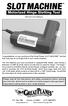 INSTRUCTION MANUAL Congratulations on your purchase of the Great Planes SLOT MACHINE, the first truly easy way to cut hinge slots in your model airplanes. The Slot Machine you have purchased is equipped
WARNING To reduce the risk of. READ ALL INSTRUCTIONS BEFORE USING. KEEP AWAY FROM WATER DANGER Any appliance is
 IMPORTANT SAFETY INSTRUCTIONS When using electrical appliances, especially when children are present, basic safety precautions should always be followed, including the following: READ ALL INSTRUCTIONS
OWNER S MANUAL Table Tennis Table Patent Pending
 OWNER S MANUAL Table Tennis Table Patent Pending Be sure to write your model number and serial number here for future reference. You can find these numbers printed on the bottom of the table. MODEL # T8179
OWNER S MANUAL DRAINVAC ATOMIK PRINTED APRIL 4-2011
 OWNER S MANUAL th DRAINVAC ATOMIK PRINTED APRIL 4-2011 INTRODUCTION We take this opportunity to express our gratitude and extend our congratulations for your decision to purchase a Drainvac product. A
Thank you for your recent purchase of the Exerciser 2000. Exerciser 2000 Elite Platinum Series. Own e r s Ma n u a l
 Exerciser 2000 Elite Platinum Series Own e r s Ma n u a l LED Timer Thank you for your recent purchase of the Exerciser 2000 Elite MultiSpeed. The Exerciser 2000 Elite is ETL approved, which insures you
Knee Conditioning Program. Purpose of Program
 Prepared for: Prepared by: OrthoInfo Purpose of Program After an injury or surgery, an exercise conditioning program will help you return to daily activities and enjoy a more active, healthy lifestyle.
LOHAS T1. Table Of Contents. Important Safety Instruction...1. Preset Program...8. Assembly Instruction...2. Utiliztion...9. Console Operation...
 Table Of Contents LOHAS T Congratulations on the purchase of your of a new motorized treadmill. To help to ensure the enjoyable and trouble-free operation of your new treadmill, we strongly suggest you
TR3000i / TR4000i Owners Manual
 TR3000i / TR4000i Folding Treadmill Owners Manual For safe use and product knowledge, please completely read this Product OWNERS MANUAL. v. 2.0 TR3000i / TR4000i Welcome to LifeSpan Folding Treadmill
BACKPACKING TRIP DIFFICULTY SNAPSHOT
 BACKPACKING TRIP DIFFICULTY SNAPSHOT Of course these ratings are only an indicator of hike difficulty - every hike has its variables beyond elevation gain and distance including weather, experience/fitness,
EVAPORATIVE AIR COOLER INSTRUCTION MANUAL
 EVAPORATIVE AIR COOLER INSTRUCTION MANUAL Model: SF-614P Please read this manual thoroughly before using this product. Keep in a safe place for future reference. CONTENTS A. PRODUCT INTRODUCTION 2 B. TECHNICAL
National Optical & Scientific Instruments Inc. 11113 Landmark 35 Drive San Antonio, Texas 78233 Phone (210) 590-9010 Fax (210) 590-1104
 National Optical & Scientific Instruments Inc. 11113 Landmark 35 Drive San Antonio, Texas 78233 Phone (210) 590-9010 Fax (210) 590-1104 INSTRUCTIONS FOR MODELS 106, 106-L 107, 107-L 108, 108-L 109-L ELEMENTARY
Operating Manual Please Read Before Operating Unit
 Operating Manual Please Read Before Operating Unit Model RT2S Wire Stripper & Component Lead Cleaner Service and All Spare Parts Available The Eraser Company, Inc. PO Box 4961/ Oliva Drive Syracuse, NY
FOR MODEL : 710E 720E
 FOR MODEL : 710E 720E USER S GUIDE INTRODUCTION INTRODUCTION CONGRATULATIONS and THANK YOU for your purchase of this Merit Fitness elliptical! Whether your goal is to win races or simply enjoy a fuller,
Portable Air Conditioner
 Portable Air Conditioner Owner's Manual Model:3 in 1 12,000 Btu/h Series 3 Please read this owner s manual carefully before operation and retain it for future reference. CONTENTS 1. SUMMARY...1 2. PORTABLE
General Guidelines. Neck Stretch: Side. Neck Stretch: Forward. Shoulder Rolls. Side Stretch
 Stretching Exercises General Guidelines Perform stretching exercises at least 2 3 days per week and preferably more Hold each stretch for 15 20 seconds Relax and breathe normally Stretching is most effective
Owner s Manual Model 5000 Safety, Operating and Maintenance Instructions
 Electronic Air Cleaner 90-1147 Owner s Manual Model 5000 Safety, Operating and Maintenance Instructions READ AND SAVE THIS MANUAL WARNING 120 Volts may cause serious injury from electrical shock. Disconnect
Preventing Falls. Strength and balance exercises for healthy ageing
 Preventing Falls Strength and balance exercises for healthy ageing Exercise should be comfortable and fun. To get the most out of your home exercise book, join a class for older people to check your exercises
IMPORTANT SAFETY INSTRUCTIONS WARNING READ AND SAVE THESE OPERATING AND SAFETY INSTRUCTIONS BEFORE USING THIS HEATER.
 THERMAWAVE CERAMIC HEATER Model HZ-850 Series Model HZ-860 Series IMPORTANT SAFETY INSTRUCTIONS WARNING READ AND SAVE THESE OPERATING AND SAFETY INSTRUCTIONS BEFORE USING THIS HEATER. Warning Failure to
IMPORTANT INSTRUCTIONS & OPERATING MANUAL. Houston 50 Inch Electric Wall Mounted Fireplace Black / White
 IMPORTANT INSTRUCTIONS & OPERATING MANUAL Houston 50 Inch Electric Wall Mounted Fireplace Black / White Model Number:MFE5050BK Model Number:MFE5050WH Read these instructions carefully before attempting
FOR MODELS : 610E 620E
 FOR MODELS : 610E 620E USER S GUIDE INTRODUCTION INTRODUCTION CONGRATULATIONS and THANK YOU for your purchase of this Tempo Fitness elliptical! Whether your goal is to win races or simply enjoy a fuller,
Pulmonary Rehabilitation Program - Home Exercise Program
 Pulmonary Rehabilitation Program - Home Exercise Program Getting Started Regular exercise should be a part of life for everyone. Exercise improves the body's tolerance to activity and work, and strengthens
How To Be Active
 Be Active Your Way A Guide for Adults Based on the 2008 Physical Activity Guidelines for Americans Be Active, Healthy, and Happy! Be Active Your Way A Guide for Adults Wondering about how much activity
TR5000i. Non-Folding Treadmill. Owners Manual. For safe use and product knowledge, please completely read this Product OWNERS MANUAL. v. 2.
 TR5000i Non-Folding Treadmill Owners Manual For safe use and product knowledge, please completely read this Product OWNERS MANUAL. v. 2.0 TR5000i Welcome to LifeSpan Treadmill Congratulations in taking
Tablet 30W Tablet 92W
 Tablet 30W Tablet 92W Owner s Manual 1 CONTENTS TABLE OF CONTENTS Important Safety Instructions 3-4 Parts Exploded View & Identification Tablet 30 5 Tablet 92 6 Introduction Tablet 30 7-8 Tablet 92 9-10
7 High-Resolution Digital Photo Frame
 TM 16-1003 User s Guide 7 High-Resolution Digital Photo Frame One demo photo included, as illustrated Please read this user s guide before using your new photo frame. Package contents Photo Frame AC Adapter
For maximum effectiveness and safety, please read this Owner's Manual before using your Torso Track 2.
 For maximum effectiveness and safety, please read this Owner's Manual before using your Torso Track 2. TABLE OF CONTENTS Introduction...2 Important Safety Tips...3 Product Specifications...4 Set Up...5-6
TREADMILL EXERCISER. User s Manual CAUTION. Model No. 831.24843.0 Serial No. Write the serial number in the space above for reference.
 Model No. 831.283.0 Serial No. Write the serial number in the space above for reference. TREADMILL EXERCISER User s Manual Serial Number Decal Assembly Operation Maintenance Part List and Drawing Sears,
FUTURE CALL PICTURE CARE PHONE MODEL: FC-1007 USER MANUAL
 FUTURE CALL PICTURE CARE PHONE MODEL: FC-1007 USER MANUAL Please follow instructions for repairing if any otherwise do not alter or repair any parts of device except specified. IMPORTANT SAFETY INSTRUCTIONS
User Guide FOR FACE AND BODY SONIC SKIN CLEANSING. Become a Clarisonic Preferred Customer. Four Speeds + Body Setting. Three-Year Warranty
 FOR FACE AND BODY User Guide Four Speeds + Body Setting Three-Year Warranty Adjustable T-Timer Charging Cradle Body Brush Head SONIC SKIN CLEANSING Beautiful skin begins with cleaner skin. Cleaner skin
Safety, Operation and Maintenance Manual with Parts List
 Safety, Operation and Maintenance Manual with Parts List 20-Gallon Wet/Dry Vac Important Information and Safety Instructions PLEASE READ BEFORE USE! # 961130020 9/10-Rev 1 20-Gallon Wet/Dray Vac TABLE
All in One Activity Walker Instruction Manual
 All in One Activity Walker Instruction Manual Read all instructions BEFORE assembly and USE of product. KEEP INSTRUCTIONS FOR FUTURE USE. Record the following information for quick reference. Note: Illustrations
2-SLICE COOL TOUCH TOASTER
 2-SLICE COOL TOUCH TOASTER PLA0405 Instruction Manual Due to on-going product improvements, specifications and accessories may change without notice. Actual product may differ slightly to that depicted.
IMGPT: Exercise After a Heart Attack 610 944 8140 805 N. RICHMOND ST (Located next to Fleetwood HS) Why is exercise important following a heart
 Why is exercise important following a heart attack? Slow progression back into daily activity is important to strengthen the heart muscle and return blood flow to normal. By adding aerobic exercises, your
Portable Air Conditioner. OWNER S MANUAL Read these instructions before use. Model: MF08CESWW. Voltage rating: 115V~60Hz Power rating : 800W
 MODE ALARM Portable Air Conditioner OWNER S MANUAL Read these instructions before use 8 Model: MF08CESWW Voltage rating: 115V~60Hz Power rating : 800W Customer Support : 1-800-474-2147 For product inquiries
USE &CARE GUIDE. Remote Faucet Pump System. See Important Safeguards on page 2
 Remote Faucet Pump System USE &CARE GUIDE See Important Safeguards on page 2 An exclamation point within an equilateral triangle is intended to alert user to the presence of important operating and maintenance
Electric Egg Boiler. Instruction Manual. Model Number: AEB-917
 Electric Egg Boiler Instruction Manual Model Number: AEB-917 Congratulations! Your Egg Boiler will surely become one of the most versatile and practical appliances in your home. Please read the following
EXERCISE INSTRUCTIONS 1
 EXERCISE INSTRUCTIONS 1 Contents ANKLE TOUCHES... 4 BACK EXTENSIONS... 4 BACK REVERSE FLYES... 4 BALL ROLL... 4 BASKETBALL SQUATS... 4 BEAR CRAWL... 4 BICEP CURL (Resistance Band)... 4 BOXING JABS... 5
Please read this owner s Manual carefully before operating the unit. - Cooling - Heating - Dehumidifying - Fan
 Please read this owner s Manual carefully before operating the unit. - Cooling - Heating - Dehumidifying - Fan TABLE OF CONTENTS INTRODUCTION 2 IMPORTANT SAFEGUARDS...2 PACKAGE CONTAINS..2 NAMES OF PARTS.3
Owner s Manual & Safety Instructions
 Owner s Manual & Safety Instructions Save This Manual Keep this manual for the safety warnings and precautions, assembly, operating, inspection, maintenance and cleaning procedures. Write the product s
Andersen Electric Window Opener for Andersen Awning and Roof Windows
 W A Electric Window Opener Electric Window Opener for Awning and Roof Windows Congratulations! You have just purchased one of the many fine products. For ease of installation and continued enjoyment of
English. Symbols used to mark instructions...3. Congratulations...5 Getting the best results...5. Warnings...6 Operating Procedure...
 2 Contents Components Attachments Guidance Installation Operation Maintenance Service Technical Troubleshooting Symbols used to mark instructions...3 Included Attachments...4 Congratulations...5 Getting
LT SERIES User s Manual
 LT SERIES User s Manual 1 - LT Series Operations Manual TABLE OF CONTENTS Specifications... 2 Introduction... 3 LT Series Models... 4 Optional Features... 4 Getting Started... 5 Installation... 5 Registration...
Z100 / Z300 Z500 Z700 OWNER S MANUAL
 Z100 / Z300 Z500 Z700 OWNER S MANUAL PLEASE CAREFULLY READ THIS ENTIRE MANUAL BEFORE OPERATING YOUR NEW TREADMILL! Table of Contents Product Registration. 2 Important Safety Instructions 3 Important Electrical