
USB 2.0 Video Capture for Windows
|
|
|
- Amy Charles
- 10 years ago
- Views:
Transcription
1 USB 2.0 Video Capture for Windows (Model no: VCAP800) User Manual ClimaxDigital UK Website: Support: 1

2 1. Instroduction VCAP800 USB 2.0 Video Capture for Windows OS V1.0 VCAP800 USB 2.0 video capture enables you to convert video+audio from your old VHS, V8, Hi8, camcorder, video recorder, DVD player or Satellite TV receiver to DVD/VCD. Using the software VHS2DVD, you can edit your newly captured video file, add titles, music etc before burning it to DVD/VCD. With unique push to start, push to stop button, you can easily capture the video clips you d like to save. Simply press the button on VCAP800 to start recording, then press it again to stop recording. The captured video clips will be automatically saved on your hard drive. Features Easy to use, push to start push to stop capture button USB 2.0 PnP Interface Real-Time MPEG 4/2/1 encoding Burn edited files onto DVD, VCD, SVCD... Capture video source from VHS, V8, Hi8... Burn your own DVD/VCD USB audio support, one USB cable to your PC, particularly useful for notebook without Line in port Support composite AV (yellow, red, white) and S-video input. User friendly interface. Specification USB 2.0 PnP Interface, USB video/audio transfer Automatic NTSC/PAL detection Push to Start/Push to Stop button Capture the Video directly into MPEG 1/2/4 Format Capture Video Source from VHS, V8, Hi8 etc. Support Still Image Capture in JPEG or BMP format Video resolution-ntsc 720*480@30 FPS -PAL 720*576@25 FPS External video input: Composite and S-Video MPEG Encoder/ *MPEG Editor /*Burn DVD Applications: Internet video meeting Video phone Video-audio animation transcribing and editing Make VCD, DVD and Website Enterprise bulletin and advertisement System requirement Intel Pentium4 2.4G CPU or above. 512MB RAM or above One free high speed USB2.0 port VGA card supports DirectX9.0 CD-ROM (for installation) At least 1GB free HDD. 300MB HD space for driver and application. It needs 600MB to 3GB for one hour s recording Windows XP, Vista or Windows 7 2

3 What s in the box VCAP800 USB 2.0 Video Capture AV cable 3-3 Software/driver CD 2. Quick Start Guide Step 1: Insert the CD-ROM to install the drivers and application software. Step 2: Connect ClimaxDigital USB 2.0 Video Capture to your analog video source and then to a free USB 2.0 port on your computer. Step 3: Launch VHS2DVD software to capture video and audio onto your computer. Step 4: Edit the captured video files with VHS2DVD software. Step 5: Transfer the captured video to your ipod, PSP or upload the captured videos directly to YouTube. You can also burn the edited video to DVD as well. 3. Connection Guide 3.1 VCAP800 USB 2.0 Video Capture Connection Diagram Important Please make sure you connect the VCAP800 USB video capture to the OUTPUT port of your video source device. USB video capture does NOT workwith the video input port on your video source device. If the video OUTPUT port on your video source is svideo female, then you need to get S-VHS (S-Video) extension lead (male to male). If the video OUTPUT port on your video source device is composite AV (Yellow, red, white) female, then you need to use the included RGB to RGB lead (male to male). If your video port is SCART, then you will need SCART to RGB convertor or cable. Please be advised that you ONLY need one of the following connections 1)Composite AV (yellow, red, white)+audio 2)Svideo +audio Please do NOT connect AV and Svideo at the same time. You only need one of them. 3.2 Composite-Video Connect the yellow composite video input to the corresponding output of your video source. Also connect the RCA audio inputs with the audio outputs of the source device. You need to use the included composite AV cable. 3

4 3.3 S-Video (S-VHS) Connect the S-Video (S-VHS) input to the corresponding output of your video source. Also connect the RCA audio inputs with the audio outputs of the source. You need to use S-Video Cable (not included) and the included Red/White audio cable. 3.4 SCART and Composite AV Connect the SCART to composite AV adaptor to the SCART output of your video source. And then connect the USB 2.0 video capture to the SCART to composite AV adaptor via the included Composite AV cable (Yellow, Red, White cable) IMPORTANT! 4

5 Most of the SCART to RCA leads on the market works by submitting a signal from RCA to SCART. It is not good for the USB video capture. You need to make sure that the lead is SCART OUT i.e. signal goes from SCART to RCA. If you have a switchable SCART to 3 X phono or switchable SCART to phono adaptor, please make sure the cable or the adaptor is switched to output composite AV signal. 3.5 SCART and S-Video Connect the SCART to S-Video adaptor to the SCART output of your video source. And then connect the USB 2.0 video capture to the SCART to S-Video adaptor via S-Video cable (not included) IMPORTANT! Most of the SCART to S-Video leads on the market works by submitting a signal from S-Video to SCART. It is not good for the USB video capture. You need to make sure that the lead is SCART OUT i.e. signal goes from SCART to S-Video. If you have a switchable SCART to S-Video or switchable SCART to S-Video adaptor, please make sure the cable or the adaptor is switched to output S-Video signal. 5

6 3.6 How to connect to game consoles? (Wii/PS3/Xbox 360) VCAP800 USB 2.0 Video Capture for Windows OS V1.0 In addition to the cables/adaptors mentioned above, you also need 2 X Composite AV leads 3 X Female to female phono splitters (used for each phono lead that comes from the game console) You need to take the steps below to get it connected 1) Connect the Y splitters to the lead from your gaming console 2) Connect 1st composite AV lead (Yellow, Red, White) from the splitters to the TV 3) Connect 2 nd composite AV lead (Yellow, Red, White) from the splitters to the USB 2.0 video capture 4) Set your game consoles to output STANARD composite AV signal since this USB 2.0 video capture does NOT support HD. 4. Driver and Application Installation Step1: (for Windows XP)OS will remind a new hardware-- New Hardware Device was found. Please choose Cancel. If you user Windows Vista/Windows 7, windows will try to find and install the driver. 6

7 Step2: When CD is inserted, OS will guide you to the setup automatically. Click Driver Install or run Windows\Drive\Setup.exe, Step3: Click next to continue installation Step4:Click Install to continue installation driver 7

8 Step5: Click Finish to completely install the Driver Software Install Honestech VHS to DVD Editing Software. Step 14:Click Install VHS to DVD or run Windows\VHS2DVD\Setup.exe to install edit software, Choose your favor ate language. 8

9 Step 15: Click next to continue installation Step 16: Click I accept the terms of license agreement, then click next to continue installation. 9

10 Step17: Software will be installed in the C disk. Step18: Select Program Folder 10

11 Step19: Click install to continue installation. CCC Step20: Click Finish, then the software installation is finished. 11

12 Step20: Icon on your desktop Step18: When all finished, please check on open the control panel, select System, select system properties, select Device Manager, you can see four new device drivers installed. 12

13 IGrabber Device IGrabber Audio Device VCAP800 USB 2.0 Video Capture for Windows OS V1.0 Step19: VHS 2 DVD Capture Application How to use VHS to DVD 3.0, you can get online help by pressing the question mark? 20. Setting within VHS2DVD 13

14 1)Video device: IGrabber device 2)Audio device: IGrabber device or USB EMP audio device 3)Format: you can choose DVD or long DVD or other formats 4)Video Type: PAL 5)Quality: Best 6)Split size: please choose the one that match the DVD disck you use 7)connection setting: VHS2DVD--->options-->video device setting-->input source-->choose "composite" if you use yellow, red, white cable. Choose Svideo if you use Svideo cable. 8)The Video source must be set to either 'Composite' or 'Svideo' depending on which connector you are using (the yellow phono connector is Composite and the black mini-din connector is s-video) 5. Frequently Asked Questions Question: I am unable to connect the USB 2.0 Video Capture to my VCR / camcorder / DVD player what can I do? Answer: When you buy a VCR, camcorder or DVD player you are usually supplied with an RGB lead. This lead has three yellow, red and white connectors at each end, or alternatively it may have these connectors at one end and a Scart jack at the other end. Question: If you have a 'mono' camcorder, when you connect it up you may get no audio whatsoever. Must I have a stereo camcorder? Answer: The USB 2.0 Video Capture can work with a 'mono' camcorder. Question: Can you see what you are recording? Answer: yes, A small window is found at the top of the screen to show what you are recording. Question: If my Video is e.g. 180mins long, will it take this long to transfer via the USB 2.0 Video Capture? Answer: Yes Question: Can the USB 2.0 Video Capture be used to record videos from other devices such as a Sky box or straight from a television, or anything along those lines? Answer: Yes it can. As long as the device you wish to record from has the relevant outputs required (Red, White and Yellow phono video lead). These must be outputs and not inputs otherwise it will not work. Please check the device s manual first to see whether your device has the outputs needed. Question: Can I copy original movies onto my computer using the USB 2.0 Video Capture? Answer: No, this is illegal. It is piracy to copy a film and then sell or lend it to another person without permission to do so. Question: Will the videos I record onto my computer take up much space? Answer: Yes they will. Video files are large files. You can choose the quality of the video to save space on your computer. The lower quality for the smaller file. Question: How long will it take to record? Answer: This is a real time capture device therefore it will take 3 hours to record a 3 hour tape. 14

15 Question: How many hours of video tape will produce 1GB of digital data. Answer: The space depends on which format and which size you choose. For example: in AVI format there is no compression of data, and therefore it produces about 1GB for 10 minutes recording. However it only uses around 200MB if using MPEG format, and only about 30MB if using WMV format. Question: Is the USB 2.0 Video Capture compatible with the old style video 8mm camcorders? Answer: Yes it is. You will have to by a connection lead. You may require an RGB lead. Question: How to fix the audio driver problem for Windows 7? How to fix the audio driver error (code 10) for Windows 7? How to fix the problem if there is a yellow mark beside the audio driver? Answer: please the steps below to get it fixed. Plug in USB 2.0 video capture In Device Manager under `Sound, video and game controllers" does it state "USB EMP Audio Driver"? If so, it needs to be changed to "USB Audio Device" Right click `USB EMP Audio Driver' then `Update Driver Software' Click on `Browse my computer for driver software' Then 'let me pick from a list...' Tick `show compatible hardware'. This should give you two driver options, Window's own `USB Audio Device' and the `USB EMP Audio Device' driver. Select the `USB Audio Device'. Reboot the pc. Thank you for your purchase. We appreciate your business. Please contact us should you have any questions or comments ClimaxDigital UK [email protected] Website: 15

EasyCAP Video Capture with Audio Quick Installation Guide
 Overview EasyCAP Video Capture with Audio Quick Installation Guide The EasyCAP USB 2.0 Video Capture with Audio, it can capture High-quality video and audio file direct by USB 2.0 interface without sound
DVD MAKER USB2.0 Installation Manual
 DVD MAKER USB2.0 Installation Manual Contents Ver2.1 Chapter1 : DVD MAKER USB2.0 Hardware Installation...2 1.1 Package Contents...2 1.2 System Requirements...2 1.3 Hardware Installation...2 Chapter 2 :
USB 2.0 Video Grabber TX 20
 USB 2.0 Video Grabber TX 20 User Manual The Declaration of Conformity for this device is under: www.technaxx.de/ (in bottom bar Konformitätserklärung ) Before using the device the first time, read the
Dazzle. Digital Video Creator 100 User s Guide
 Dazzle Digital Video Creator 100 User s Guide Copyright SCM Microsystems. All rights reserved. Trademarks are used for informational purposes, and remain the property of their owners. Part number 401737
Easy VHS to DVD 3 & Easy VHS to DVD 3 Plus. Getting Started Guide
 Easy VHS to DVD 3 & Easy VHS to DVD 3 Plus Getting Started Guide ii Roxio Easy VHS to DVD Getting Started Guide www.roxio.com Get Started with Roxio Easy VHS to DVD 3 In this guide Welcome to Roxio Easy
PLUS TV ANALOG USB STICK Installation Manual
 PLUS TV ANALOG USB STICK Installation Manual Contents V1.2 Chapter 1 : PLUS TV ANALOG USB STICK Hardware Installation...2 1.1 Package Contents...2 1.2 System Requirements...2 1.3 Hardware Installation...2
Rm avi to dvd vcd svcd mpeg video converter
 Rm avi to dvd vcd svcd mpeg video converter DVD Burning Xpress is an integrated tool used to convert home video DV tape to MPEG-2 and burn to DVD disc directly. It features simple user interface, with
USB TV Tuner with FM
 USB TV Tuner with FM General This manual will provide quickly installation information. If you want know more about application software, please refer relative software manual. Product Features With innovated
PEAK DVB-T DIGITAL PCI CARD Installation Manual
 PEAK DVB-T DIGITAL PCI CARD Installation Manual Contents V1.0 Chapter 1 : PEAK DVB-T DIGITAL PCI CARD Hardware Installation...2 1.1 Package Contents...2 1.2 System Requirements...2 1.3 Hardware Installation...2
VHS2DVD Wizard User's Manual
 VHS2DVD Wizard User's Manual Table of Contents 1. Installation Instructions a. Installation Package Contents b. Installation Instructions c. Setting Up the Computer for Video Capturing i. Adjust the Screen
ENLTV-FM3. PCI TV Tuner Adapter with FM Radio. User s Guide
 ENLTV-FM3 PCI TV Tuner Adapter with FM Radio User s Guide User s Notice No part of this manual, including the products and software described in it, may be reproduced, transmitted, transcribed, stored
Operation Manual Video Recorder. Mac OS X
 Operation Manual Video Recorder Mac OS X January 2009 2 Contents Video Recorder Operation Manual Welcome 3 Contents of Package 4 Video Recorder at a Glance 5 Software Installation 6 Hardware Installation
Chapter 1 Video Capture Cards
 Chapter 1 Video Capture Cards This chapter includes the following information: Minimum system requirements Packing list Connection diagrams Specifications Driver installation Comparison chart 1.1 GV-1120,
BlazeVideo HDTV Player v6.0r User s Manual. Table of Contents
 BlazeVideo HDTV Player v6.0r User s Manual Table of Contents Ⅰ. Overview... 2 1.1 Introduction... 2 1.2 Features... 2 1.3 System Requirements... 2 Ⅱ. Appearance & Menus... 4 Ⅲ. Operation Guide... 7 3.1
QUICK INSTALLATION GUIDE. Model No: T18
 QUICK INSTALLATION GUIDE Model No: T18 Contents V1.0 Chapter 1:iBall Claro TV Hardware Installation... 2 1.1 Package Contents... 2 1.2 System Requirements... 2 1.3 Hardware Installation... 2 Chapter 2:iBall
DVD MAKER USB2.0 Installation Manual
 DVD MAKER USB2.0 Installation Manual Contents V1.0 Chapter 1 : DVD MAKER USB2.0 Hardware Installation...2 1.1 Package Contents...2 1.2 System Requirements...2 1.3 Hardware Installation...2 Chapter 2 :
DVB-T TV Stcik User s Manual Ver. 2.6.3 Table of Contents
 DVB-T TV Stcik User s Manual Ver. 2.6.3 Table of Contents Chapter 1 Overview 1.1 Introduction.2 1.2 System Requirements 2 1.3 Package Contents..2 Chapter 2 How to Connect hardware 2.1 Hardware Connecting.3
Kiva Technology User s Manual
 2009 Kiva Technology User s Manual For Support Contact Call Center (816) 235-2000: Monday Friday 7:00 am 7:00 pm ILE Support E-Mail: [email protected] URL: http://www.umkc.edu/is/cts/ilesupport/ctssupporttext.asp
DVB-T PI610 Installation Manual
 DVB-T PI610 Installation Manual Contents V1.0 Chapter 1 : DVB-T PI610 Card Hardware Installation...2 1.1 Package Contents...2 1.2 System Requirements...2 1.3 Hardware Installation...2 Chapter 2 : DVB-T
Orion Video Capture Device
 instruction Manual Orion Video Capture Device #52178 Providing Exceptional Consumer Optical Products Since 1975 OrionTelescopes.com Customer Support (800) 676-1343 E-mail: [email protected] Corporate
Roxio Easy LP to MP3
 Roxio Easy LP to MP3 Getting Started Guide About Corel Corel is one of the world's top software companies providing some of the industry's best-known brands, including Roxio, Pinnacle and WinZip. Boasting
Zeppelin Air Connectivity Guide
 Zeppelin Air Connectivity Guide Zeppelin Air s rear panel connections This guide explains how to connect your Zeppelin Air to other devices and the appropriate cables required. Zeppelin Air s input and
PlusTV HD USB 315 Installation Manual
 PlusTV HD USB 315 Installation Manual Contents V1.0 Chapter 1: PlusTV HD USB 315 Hardware Installation...2 1.1 Package Contents...2 1.2 System Requirements...2 1.3 Hardware Installation...2 Chapter 2:
Magic Control Technology Corporation. Android Mirror KM-C6105. User Manual
 Magic Control Technology Corporation Android Mirror KM-C6105 Table of Contents Features... 3 Specifications... 3 Getting Started... 4 Windows 7 / XP - First Time Installation... 4 Windows 7 Start the Andriod
IsumaTV. Media Player Setup Manual COOP Cable System. Media Player
 IsumaTV Media Player Setup Manual COOP Cable System Visual Setup Front: Router Scan Converter Media Player Video Modulator Equipment: Media Player: Router: Scan Converter: Video Modulator: This computer
SOFTWARE INSTALLATION AND USB/i.LINK CONNECTION GUIDE
 SOFTWARE INSTALLATION AND USB/i.LINK CONNECTION GUIDE ENGLISH LYT1155-001A COPYRIGHT 2003 VICTOR COMPANY OF JAPAN, LTD. M3D8 Printed in Japan 0403-FO-ID-VP This document explains the basic information
3M Occupational Health and Environmental Safety 3M E-A-Rfit Validation System. Version 4.2 Software Installation Guide (Upgrade) 1 P age
 3M Occupational Health and Environmental Safety 3M E-A-Rfit Validation System Version 4.2 Software Installation Guide (Upgrade) 1 P age Contents Important Information Read First... 3 Software Download...
USB 2.0 Video Capture Cable
 SVID2USB2NS Instruction Manual USB 2.0 Video Capture Cable USB 2.0 to Composite / S-Video Video Capture Cable FCC Compliance Statement This equipment has been tested and found to comply with the limits
SMART Board User Guide for Mac
 SMART Board User Guide for Mac What is it? SMART Board is an interactive whiteboard available in an increasing number of classrooms at the University of Tennessee. While your laptop image is projected
Acer LCD Monitor Driver Installation Guide
 1 Contents 1 Contents... 1 2 Introduction... 2 3 Installation Guide... 2 3.1 PC requirements... 2 3.2 Installing the Acer LCD Monitor Driver on Windows Vista... 3 3.2.1 Hardware first install... 3 3.2.2
Compaq Presario MyMovieSTUDIO. Getting Started
 Compaq Presario MyMovieSTUDIO Getting Started Congratulations and welcome to the Compaq Presario MyMovieSTUDIO leading edge digital video editing and DVD authoring desktop computer. You ve purchased a
Table of Contents. Chapter1. Introduction...1. 1.1 Before Installation... 1 1.2 System Requirements... 1
 Table of Contents Chapter1. Introduction...1 1.1 Before Installation... 1 1.2 System Requirements... 1 Chapter2. IVS-110 1-Channel Internet Video Server...2 2.1 Package Content... 2 2.2 Physical Installation...
USB Gaming Capture Box Installation Manual. Contents
 USB Gaming Capture Box Installation Manual Contents V1.1 Chapter 1: USB Gaming Capture Box Hardware Installation... 2 1.1 Package Contents... 2 1.2 System Requirements... 2 1.3 Hardware Installation...
Important HP Media Center PC Updates
 Important HP Media Center PC Updates Your system uses Microsoft Windows XP Media Center Edition 2005. Before starting the system and using the Media Center setup wizard, please read this updated information
SOFTWARE INSTALLATION INSTRUCTIONS
 AUDITGARD LGA Electronic Combination Lock SOFTWARE INSTALLATION INSTRUCTIONS Implementation Package The AuditGard Software implementation package includes: 707013 AuditGard Software Install CD 42145 Programming/Audit
TV Walker Lite User Manual Animation Technologies Inc. www.lifeview.com.tw
 TV Walker Lite User Manual Animation Technologies Inc. www.lifeview.com.tw Ver: 1.5 Copyright and Trademark Notice 2004 by Animation Technologies Inc. All rights reserved. Information in this document
2005-5 Edition. Copyright 2005 by X-Vision
 Digital Video Recorder TECHNICAL MANUAL 2005-5 Edition Copyright 2005 by 2 Chapter 1 Setup Introduction 3 1.1 System Specification Recommendation The below is the recommended computer specification to
Audio-Technica AT-LP60-USB, AT-LP120-USB, AT-LP240-USB & AT-LP1240-USB Turntables. Software Guide
 Audio-Technica AT-LP60-USB, AT-LP120-USB, AT-LP240-USB & AT-LP1240-USB Turntables Software Guide Audio-Technica USB Turntables Contents A note about software... 2 System requirements... 2 Installing Audacity
USB to DVI-I Graphics Adapter CSV-2300D USER S MANUAL
 USB to DVI-I Graphics Adapter CSV-2300D USER S MANUAL 1 of 40 Table of contents Safety instructions 3 Copyright 4 Trademarks 4 Introduction 4 Features 5 Application 5 Package contents 6 System requirement
XTreme Files OS & Data Backup/Restore User Manual Please read the Instruction manual before using the XTreme Files (F Series) 1.
 XTreme Files OS & Data Backup/Restore User Manual Please read the Instruction manual before using the XTreme Files (F Series) 1. The suggested interface for your computer is USB2.0 to have better speed
Dazzle DVD Recorder. Reviewers Guide. Dazzle DVD Recorder
 Dazzle DVD Recorder Reviewers Guide The Dazzle DVD Recorder makes taking your video memories and burning them to DVD both fun and easy. It s as simple as connecting your analog video source, launching
User Manual. For additional help please send a detailed e-mail to [email protected]. - 1 Phoenix Audio Technologies www.phnxaudio.
 User Manual Please read the instructions in this manual before using the Duet Please refer to our website www.phnxaudio.com for more information, specifically to our Q&A section in our Support page. For
USB 2.0 VGA ADAPTER USER MANUAL
 USB 2.0 VGA ADAPTER USER MANUAL CONTENTS INTRODUCTION... 3 FEATURES... 3 SYSTEM REQUIREMENTS... 3 PACKAGE CONTENTS... 3 SUPPORTED COMMON DISPLAY RESOLUTION... 4 TECHNICAL SPECIFICATIONS... 4 INSTALLATION
Mercury TV Card User Manual
 Mercury TV Card User Manual P/N: 400108013860 Ver: 1.04.148.0 Date: 2003-08-15 Copyright and Trademark Notice All rights reserved by Kobian Pte Ltd. Information in this document is subject to change without
PlusTV HD PCI 120 Installation Manual
 PlusTV HD PCI 120 Installation Manual Contents V1.0 Chapter 1: PlusTV HD PCI 120 Hardware Installation...2 1.1 Package Contents...2 1.2 System Requirements...2 1.3 Hardware Installation...2 Chapter 2:
e-dpp 4.0.2 May 2013 Quick Installation Guide Microsoft Windows 2003 Server, XP, Vista, 7 Access Database
 e-dpp 4.0.2 May 2013 Microsoft Windows 2003 Server, XP, Vista, 7 Access Database ELTECHS Engineering and Consulting Co., Ltd., Japan www.eltechs.co.jp Tel No. +81 (47) 490-1010 Fax No. +81 (47) 490-1011
COMBOGARDPRO. 39E Electronic Combination Lock SOFTWARE INSTALLATION INSTRUCTIONS
 COMBOGARDPRO 39E Electronic Combination Lock SOFTWARE INSTALLATION INSTRUCTIONS IMPLEMENTATION PACKAGE The ComboGard Pro Software implementation package includes: 707012 ComboGard Pro Software Install
2.5" XTreme Files OS & Data Backup/Restore User Manual Please read the Instruction manual before using the XTreme Files (X Series) 1.
 2.5" XTreme Files OS & Data Backup/Restore User Manual Please read the Instruction manual before using the XTreme Files (X Series) 1. The suggested interface for your computer is USB2.0 to have better
INDEX. 1. Introduction to RoMI/O 4. 2. Description of RoMI/O 4. 3. System Requirement 5. 4. Hardware Installation 6. 1) Hardware Installation 6
 INDEX 1. Introduction to RoMI/O 4 2. Description of RoMI/O 4 3. System Requirement 5 4. Hardware Installation 6 1) Hardware Installation 6 2) Driver Installation 7 5. Setting in Applications 14 1) PC 14
Video Capture Cable with Composite and S-Video Input
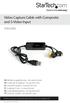 Video Capture Cable with Composite and S-Video Input SVID2USB2 DE: Bedienungsanleitung - de.startech.com FR: Guide de l'utilisateur - fr.startech.com ES: Guía del usuario - es.startech.com IT: Guida per
DVD Maker 2 Installation Manual
 DVD Maker 2 Installation Manual Contents V1.1 Chapter 1 : DVD Maker 2 Hardware Installation...2 1.1 Package Contents...2 1.2 System Requirements...2 1.3 Hardware Installation...2 Chapter 2 : DVD Maker
Archives About ARCHOS TV+
 About ARCHOS TV+ General Questions I have installed a firmware/plug-in/game file on my Archos TV+ but it is not recognized by the device. You may have not correctly copied your file on the device. If it
EasyMP Network Projection Operation Guide
 EasyMP Network Projection Operation Guide Contents 2 Before Use Functions of EasyMP Network Projection... 5 Sharing the Projector... 5 Various Screen Transfer Functions... 5 Installing the Software...
I. Create a New Project
 Judith Herb College of Education imovie 09 Tutorial Students in the Judith Herb College of Education are required to complete video projects in many classes as well as their student teaching. These videos
Connecting a Windows laptop to a TV
 Connecting a Windows laptop to a TV Scenario 1: TV has a PC input on it 1. Look for the VGA connector on the back of your TV. It may also be labeled PC or RGB. 2. Connect VGA monitor cable from PC to TV
MP-1010 Capture Device USB
 MP-1010 Capture Device USB USER MANUAL INTRODUCTION All audio connections are cinch. Use good quality cinch-cinch cables to prevent bad audio quality. After connecting the USB audio converter to the other
VideoMate V200/V200F Analog Standalone TV Box Start Up Guide
 VideoMate V200/V200F Analog Standalone TV Box Start Up Guide Compro Technology, Inc. www.comprousa.com 1 Table of Contents About This Guide... 3 VideoMate V200/V200F TV Box Contents... 4 Install V200/V200F
Roxio Easy LP to MP3 Getting Started Guide
 Roxio Easy LP to MP3 Getting Started Guide Corel Corporation or its subsidiaries. All rights reserved. 2 Getting started with Roxio Easy LP to MP3 In this guide Welcome to Roxio Easy LP to MP3 3 System
Inuktun Digital Video Recorder (DVR) Start Guide and Manual
 Inuktun Digital Video Recorder (DVR) Start Guide and Manual Version 1.6 June 2012 CONTENTS INTRODUCTION... 3 What s Included...3 Supported Devices and Protocols...3 Connecting your DVR...4 Installation
Universal Push2TV HD Adapter PTVU1000 Installation Guide
 Universal Push2TV HD Adapter PTVU1000 Installation Guide 2011 NETGEAR, Inc. All rights reserved. No part of this publication may be reproduced, transmitted, transcribed, stored in a retrieval system, or
honestech VHS to DVD 5.0 User Guide
 honestech VHS to DVD 5.0 User Guide 2. honestech End User License Agreement IMPORTANT: READ THE FOLLOWING TERMS AND CONDITIONS CAREFULLY BEFORE CONTINUING THIS INSTALLATION. IF YOU DO NOT AGREE WITH THESE
ACS CLIENT SOFTWARE USER MANUAL
 ACS CLIENT SOFTWARE USER MANUAL 1 ACS USER GUIDE 1.1 System Requirement Recommended System Requirement OS CPU VGA RAM HDD WindowXP, Vista Pentium 4, 2Ghz 1024*768, 64MB 24bit color graphic card 1GB 20MB
USB 2.0 Video Capture Device Quick Installation Guide
 USB 2.0 Video Capture Device Quick Installation Guide Introducing the USB 2.0 Video Capture The USB 2.0 Video Capture Device easily captures video from VHS or any external source and record to DVD. Features
Video to PC Adapter. Model: 40971. Operation Manual
 Video to PC Adapter Model: 40971 Operation Manual Operation Manual Video to PC Adapter Connect a video source with analog outputs to a monitor with a VGA input Model: 40971 Thank you for purchasing the
Back up onto a computer all the video data on your camcorder's hard disk.
 Backup Utility You can use Backup Utility to easily back up onto a computer all the video data on your camcorder's hard disk or to transfer backed up data back to the camcorder. Making regular backups
IsumaTV connexion to COOP cable system Set up manual
 IsumaTV connexion to COOP cable system Set up manual HotSpot Router Scan Converter IsumaTV Local Server (MP) Video Modulator IsumaTV Local Server (MP): computer mirroring IsumaTV s website. It contains
Phone: 800.894.0412 - Fax: 888.723.4773 - Web: www.ctiautomation.net - Email: [email protected]
 Safety Precautions Read and understand this specifications, instruction manual, installation manual and catalog to make proper use of the product. WARNING If critical situations that could lead to user
SOFTWARE INSTALLATION AND USB CONNECTION GUIDE
 SOFTWARE INSTALLATION AND USB CONNECTION GUIDE ENGLISH LYT1086-001A COPYRIGHT 2003 VICTOR COMPANY OF JAPAN, LTD. M3D3/D1 DSC Printed in Japan 1202-HO-ID-VP JVC SOFTWARE LICENSE AGREEMENT IMPORTANT TO CUSTOMERS:
hp pavilion home pc hp dvd writer
 hp pavilion home pc hp dvd writer The information in this document is subject to change without notice. Hewlett-Packard Company makes no warranty of any kind with regard to this material, including, but
BlazeVideo HDTV Player 6.6 User s Manual. Table of Contents
 BlazeVideo HDTV Player 6.6 User s Manual Table of Contents Ⅰ. Overview... 2 1.1 Introduction... 2 1.2 Features... 2 1.3 System Requirements... 4 Ⅱ. Appearance & Menus... 5 Ⅲ. Operation Guide... 8 3.1 Scan
IVS-Basic 4.4 IVS-Professional 4.4 IVS-PowerPoint 1.1
 Manual IVS-Basic 4.4 IVS-Professional 4.4 IVS-PowerPoint 1.1 Supplement connecting USB RF-II Base Station 1213 2 Contents Contents... 3 Connecting the RF-II Base Station to the USB port... 4 Using the
USB 3.0 Universal Mini Docking Station Adapter
 USB 3.0 Universal Mini Docking Station Adapter User Manual DSH-M100U3 Ver. 1.00 All brand names and trademarks are properties of their respective owners. www.vantecusa.com Copyright 2015 Vantec Thermal
VideOh! DVD Media Center PCI Edition AVC-2410
 VideOh! DVD Media Center PCI Edition AVC-2410 Getting Started R DISCLAIMER: This product may be designed to assist you in reproducing materials. In doing so, you must have permission from the copyright
USB 3.0 DUAL SATA HDD DOCKING STATION
 USB 3.0 DUAL SATA HDD DOCKING STATION User Manual (DA-70547) Introduction DA-70547 is a USB3.0 enabled dual-sata hard drive enclosure. It supports simultaneously use of two 2.5 or 3.5 SATA hard disk for
Figure 1 Sample WiseLink screens, showing MP3 music files (left) and photos (right) available as shared files from your networked PC or media server
 SAMSUNG S GUIDE TO DLNA Welcome to the era of 21 st -century television! Samsung s added a new level of functionality to its HDTVs with DLNA CERTIFIED connectivity. Now, your compatible Samsung HDTV can
Mbox Basics Guide. Version 6.7 for LE Systems on Windows XP or Mac OS X. Digidesign
 Mbox Basics Guide Version 6.7 for LE Systems on Windows XP or Mac OS X Digidesign 2001 Junipero Serra Boulevard Daly City, CA 94014-3886 USA tel: 650 731 6300 fax: 650 731 6399 Technical Support (USA)
OPERATION MANUAL. MV-410RGB Layout Editor. Version 2.1- higher
 OPERATION MANUAL MV-410RGB Layout Editor Version 2.1- higher Table of Contents 1. Setup... 1 1-1. Overview... 1 1-2. System Requirements... 1 1-3. Operation Flow... 1 1-4. Installing MV-410RGB Layout
Ultra Thin Client TC-401 TC-402. Users s Guide
 Ultra Thin Client TC-401 TC-402 Users s Guide CONTENT 1. OVERVIEW... 3 1.1 HARDWARE SPECIFICATION... 3 1.2 SOFTWARE OVERVIEW... 4 1.3 HARDWARE OVERVIEW...5 1.4 NETWORK CONNECTION... 7 2. INSTALLING THE
HP4000EX Hardware Manual
 INFORMATION TO USER CAUTION RISK OF ELECTRIC SHOCK, DO NOT OPEN! CAUTION: TO REDUCE THE RISK OF ELECTRIC SHOCK, DO NOT REMOVE COVER (OR BACK). NO USER SERVICEABLE PARTS INSIDE. REFER SERVICING TO QUALIFIED
HANTZ + PARTNER The Upgrade Company! www.hantz.com
 Quick Start Guide X3000 HD Network Media Player X3000 HD NETWORK MEDIA PLAYER POWER HANTZ + PARTNER The Upgrade Company! www.hantz.com A Get to know your HELIOS X3000 Thank you for purchasing the HELIOS
USB TV Tuner USB2TVTUNER. Instruction Manual. External USB 2.0 TV Tuner with Remote Control. Actual product may vary from photo
 USB TV Tuner External USB 2.0 TV Tuner with Remote Control USB2TVTUNER Actual product may vary from photo FCC Compliance Statement This equipment has been tested and found to comply with the limits for
Installation Instructions for 9555 USB Driver
 Prior to using the data modem features of your 9555 handset; you must first install the VCOMPORT 9555 USB Driver. This driver is compatible with: Windows XP Service Pack 2, Windows 2000 Service Pack 4,
Maxtor OneTouch User's Guide
 EXTERNAL HARD DRIVE Maxtor OneTouch User's Guide TM II P/N:20259600 i Contents 1 Introduction................................................. 1 Maxtor OneTouch II Drive Components............................
NEC Versa Installing the NEC SoftDVD Player
 NEC Versa Installing the NEC SoftDVD Player Congratulations on purchasing the NEC Versa DVD-ROM drive with the NEC SoftDVD Player! The DVD-ROM drive features the latest in DVD-ROM technology. It is fully
LINE IN, LINE OUT TO TV, VIDEO IN, VIDEO OUT
 1 Based on the information you provided we are unable to match you with a specific hookup recommendation. For your convenience this document provides the four most common hookup configurations for the
Manager Express Release 4.0 Software User Manual Mar 2013
 Manager Express Release 4.0 Software User Manual Mar 2013 Contents 1. Overview... 1 1.1. What s new... 1 1.2. Content management Overview... 1 2. Installation... 1 2.1. Minimum system requirements... 1
User Manual. 2 Bay Docking Station
 FANTEC MR-CopyDU3 User Manual 2 Bay Docking Station With One Touch Backup (OTB) and Copy Function Hardware: PC and Notebooks, Macintosh USB 1.1, USB 2.0 or USB 3.0 interface Features: 2,5 or 3,5 SATA I,II,III
EasySuite. User Guide V1.0
 EasySuite User Guide V1.0 1 Launch EasySuite...3 Stop the EasySuite:...4 System Requirements...5 EasyCopy...6 Function Description...7 File Transfer...9 EasyMover...12 Function Descriptions of EasyMover...12
Windows Movie Maker Guide
 Windows Movie Maker Guide This guide will instruct you on how to get video footage from a DV (digital) camcorder to a PC. It will also provide basic functions for editing and enhancing. 1 Windows Movie
Wireless Internet Camera
 Wireless Internet Camera Wireless G Mobile USB 2.0 Adapter with 3G Video Minimum System Requirements PC with: Windows XP/2000 1GHz processor Memory Size: 512MB 100MB of available hard drive space and a
Capture video in 1080p HD
 High-Definition PCIe Capture Card - HDMI VGA DVI & Component - 1080P StarTech ID: PEXHDCAP2 This all-in-one PCI Express capture card lets you record 1080p HD video and stereo audio to your computer system.
How to Make Super Video CD from Photos
 How to Make Super Video CD from Photos Introduction There are hundreds digital photos on your computer hard drive, However, storing photos on computer is not a good choice, the computer may crash, or you
miditech Audiolink II
 miditech Audiolink II "Class Compliant" USB Audio Interface (WinXP/Vista/Win7/Mac OSX no drivers necessary) 16 Bit/ 48 khz resolution line stereo interface XLR Mic preamp with 48 V Phantom Power and gain
SMART Board User Guide for PC
 SMART Board User Guide for PC What is it? The SMART Board is an interactive whiteboard available in an increasing number of classrooms at the University of Tennessee. While your laptop image is projected
Chord Limited. Mojo Dac Headphone Amplifier OPERATING INSTRUCTIONS
 Chord Limited Mojo Dac Headphone Amplifier OPERATING INSTRUCTIONS -!1 - Cleaning and care instructions: Mojo requires no special care other than common sense. Spray window cleaner (clear type) may be used
How To Use An Easymp Network Projection Software On A Projector On A Computer Or Computer
 EasyMP Network Projection Operation Guide Contents 2 Before Use Functions of EasyMP Network Projection....................... 5 Sharing the Projector....................................................
PU-USBX. USB over Ethernet Extender OPERATION MANUAL
 PU-USBX USB over Ethernet Extender OPERATION MANUAL Safety Precautions Please read all instructions before attempting to unpack or install or operate this equipment, and before connecting the power supply.
Home Theater. Diagram 1:
 Home Theater What is Home Theater? Since the mid- to late-1990s, home theater systems have rapidly grown in popularity, as consumers have looked for ways to enjoy movies at home the same way they do in