
R12 Oracle Purchasing Fundamentals Ed 1
|
|
|
- Hannah Dickerson
- 10 years ago
- Views:
Transcription
1 R12 Oracle Purchasing Fundamentals Ed 1 Volume 1 - Student Guide D49874GC10 Edition 1.0 August 2007 D52107 THESE ekit MATERIALS ARE FOR YOUR USE IN THIS CLASSROOM ONLY. COPYING ekit MATERIALS FROM THIS

2 Copyright 2007, Oracle. All rights reserved. This document contains proprietary information and is protected by copyright and other intellectual property laws. You may copy and print this document solely for your own use in an Oracle training course. The document may not be modified or altered in any way. Except where your use constitutes "fair use" under copyright law, you may not use, share, download, upload, copy, print, display, perform, reproduce, publish, license, post, transmit, or distribute this document in whole or in part without the express authorization of Oracle. The information contained in this document is subject to change without notice. If you find any problems in the document, please report them in writing to: Oracle University, 500 Oracle Parkway, Redwood Shores, California USA. This document is not warranted to be error-free. If this documentation is delivered to the United States Government or anyone using the documentation on behalf of the United States Government, the following notice is applicable: U.S. GOVERNMENT RIGHTS The U.S. Government s rights to use, modify, reproduce, release, perform, display, or disclose these training materials are restricted by the terms of the applicable Oracle license agreement and/or the applicable U.S. Government contract. Oracle, JD Edwards, PeopleSoft, and Siebel are registered trademarks of Oracle Corporation and/or its affiliates. Other names may be trademarks of their respective owners. Author Vic Mitchell, Dee Fairbanks Simpson Technical Contributors and Reviewers Marilyn Montgomery, Barbara Nicholls, Barbara Snyder, Sharon Tennier This book was published using: oracletutor THESE ekit MATERIALS ARE FOR YOUR USE IN THIS CLASSROOM ONLY. COPYING ekit MATERIALS FROM THIS
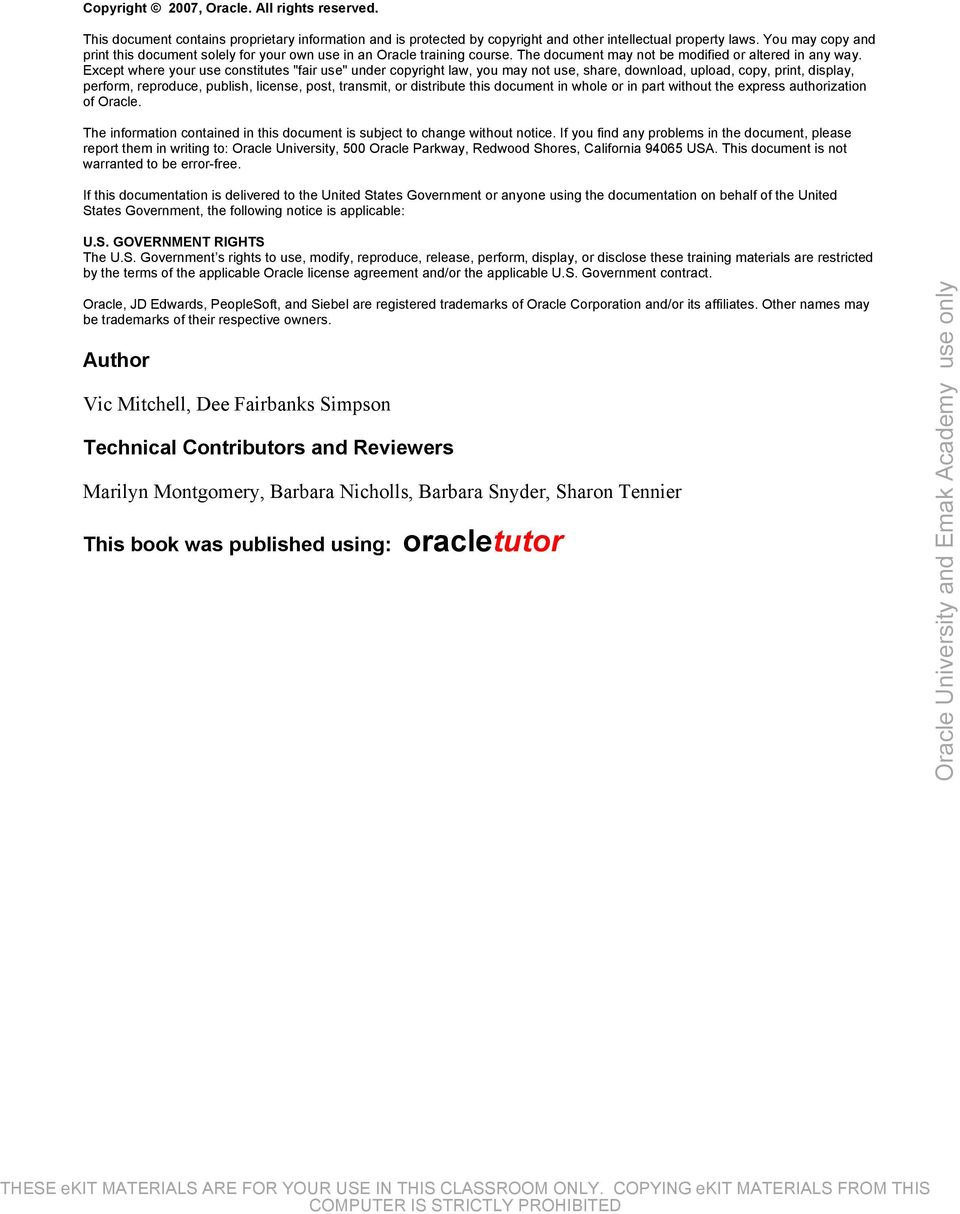
3 Table of Contents Procure to Pay Lifecycle Overview Procure to Pay Lifecycle Overview Objectives Procure to Pay Lifecycle Oracle Procure to Pay Process Demand: Requisitions Source: RFQs and Quotations Suppliers Purchase Orders Receiving Invoicing Payment Overview of Oracle Application Integration Summary Oracle Purchasing Overview Oracle Purchasing Overview Procure to Pay: Procurement Objectives Agenda Overview of the Ordering Process Demand as Requisitions Requisition to Purchase Order The Purchase Order Process The Receiving Process Center-Led Procurement Agenda Purchasing Integration E-Business Foundation Purchasing Integration with General Ledger Purchasing Integration with Human Resources Purchasing Integration with Payables Purchasing Integration with Inventory Applications Technology Foundation Purchasing Integration with Oracle Alert Purchasing Integration with Oracle Workflow Purchasing Integration with e-commerce Gateway Procurement Suite Purchasing Integration with Oracle iprocurement Purchasing Integration with Oracle isupplier Portal Purchasing Integration with Oracle Sourcing Purchasing Integration with Services Procurement Purchasing Integration with Procurement Contracts E-Business Suite Purchasing Integration with Projects Purchasing Integration with WIP Purchasing Integration with Order Management Purchasing Integration with Quality Purchasing Integration with Advanced Pricing Purchasing Integration with ASCP/MRP Purchasing Integration with Assets Purchasing Integration with Consigned and Vendor Managed Inventory Purchasing Open Interfaces and APIs Copyright Oracle Corporation, All rights reserved. R12 Oracle Purchasing Fundamentals Table of Contents THESE ekit MATERIALS ARE FOR YOUR USE IN THIS CLASSROOM i ONLY. COPYING ekit MATERIALS FROM THIS
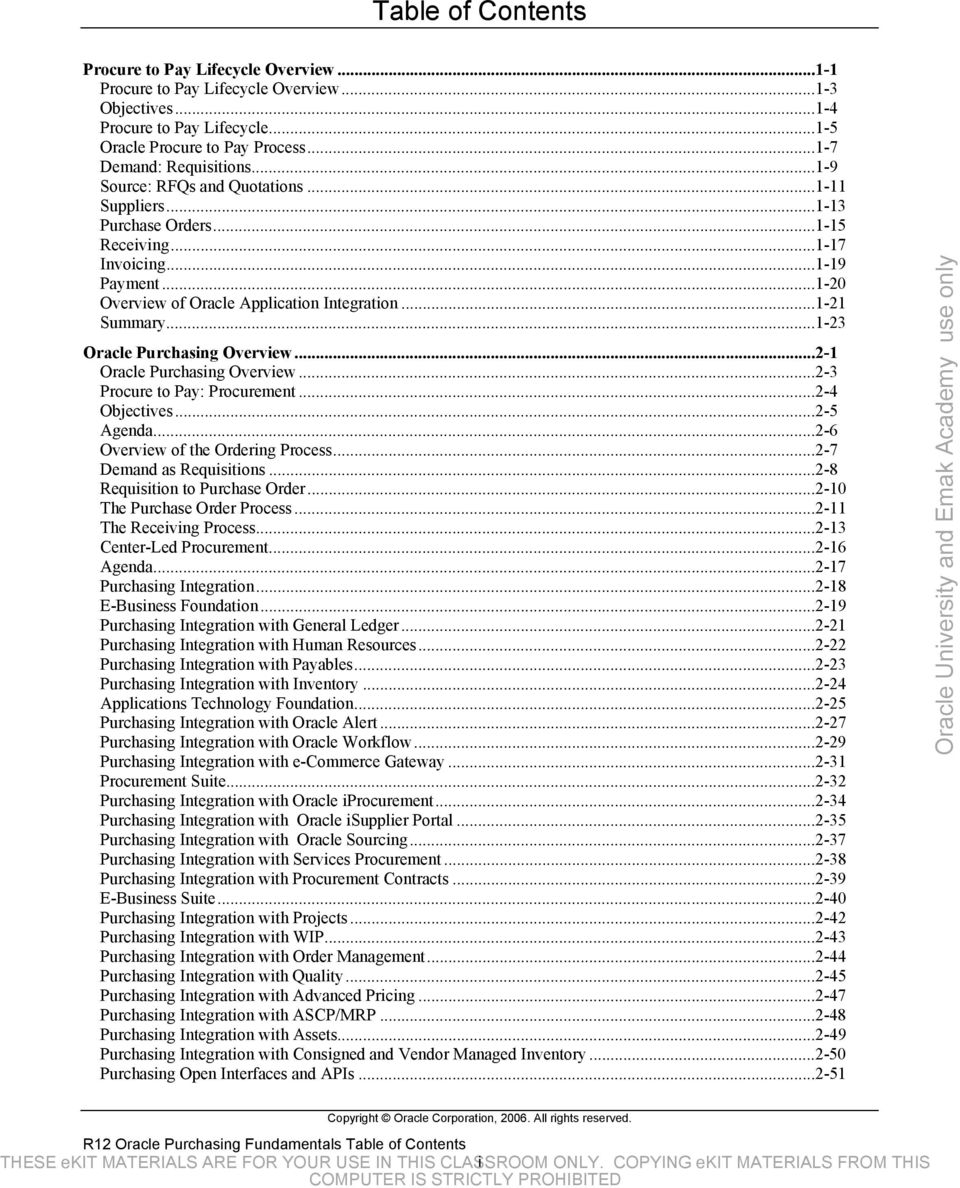
4 Guided Demonstration - Oracle Integration Repository E-Business Suite Setup Practice Practice - Create a New Employee and User Solution - Create A New Employee and User Practice - Set Yourself Up As a Buyer Guided Demonstration - Run the Fill Employee Hierarchy Process Summary Enterprise Structure Locations, Organizations, and Items Enterprise Structure Locations, Organizations, and Items Objectives Agenda What is Enterprise Structure? The Oracle Enterprise Structure Ledger Components Oracle Purchasing and the Enterprise Structure Oracle Inventory Organizations Agenda Defining Locations Examples of Locations Defining Locations in Purchasing Practice - Create a Location Solution - Create a Location Agenda Inventory Organizations Inventory Organization Setup Defining an Inventory Organization Financial Impact of Inventory Parameters Purchase Price Variance Invoice Price Variance Practice - Create an Inventory Organization Solution - Create an Inventory Organization Agenda Define Units of Measure Unit of Measure Setup Steps Define Unit of Measure Classes and Units of Measure Examples of Unit of Measure Classes and Units of Measure (UOM) Unit of Measure Conversion Practice - Define a Unit of Measure Solution - Define a Unit of Measure Agenda Item Categories Create Item Category Codes Describing and Using Category Sets Establish the Relationship Between the Category, Category Set and Item Practice - Create a Purchasing Category Solution - Create a Purchasing Category Agenda What is an Item? Oracle Applications That Use Items Flow of Default Values Item Attributes Item Master Organization and Inventory Organizations Overview of Creating an Item Item Templates Describing Item Attributes - Inventory Describing Item Attributes - Purchasing Copyright Oracle Corporation, All rights reserved. R12 Oracle Purchasing Fundamentals Table of Contents THESE ekit MATERIALS ARE FOR YOUR USE IN THIS CLASSROOM ii ONLY. COPYING ekit MATERIALS FROM THIS
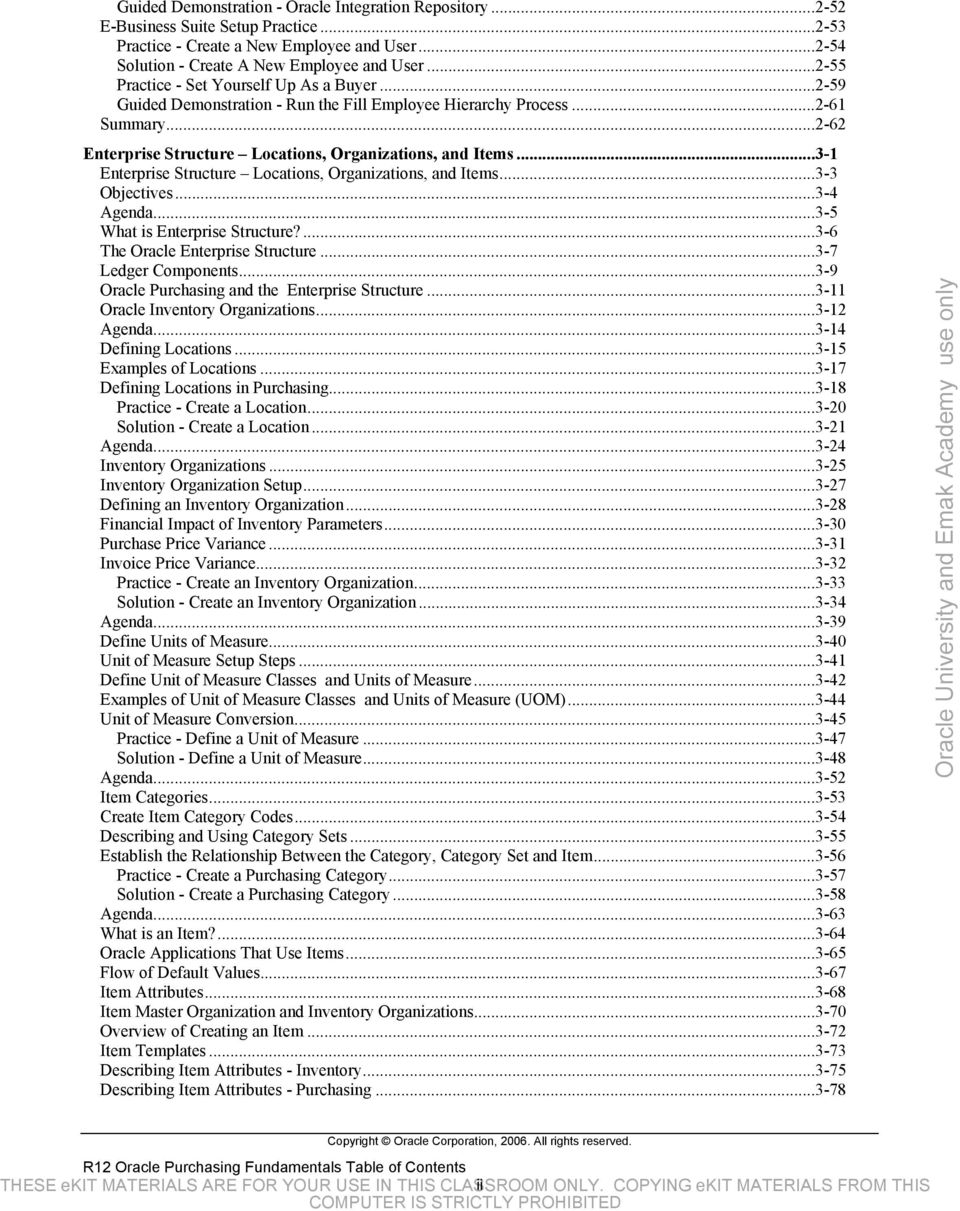
5 Describing Item Attributes - Receiving Practice - Create Purchasing Items Solution Create Purchasing Items Defining Item Relationships - Purchasing Agenda Additional Setup Considerations Multiple Organizations Access Control Setup Set Profile Options Enterprise Structure Summary Suppliers Suppliers Procure to Pay: Suppliers Objectives Agenda Overview of Suppliers Purchasing Use of Supplier Information Flow of Default Values Agenda Supplier Record Structure Entering Standard Supplier Basic Information Supplier Company Profile Supplier Profile - Organization Supplier Profile Address Book Supplier Sites Supplier Profile Contact Directory Supplier Profile Business Classification Supplier Profile - Banking Details Guided Demonstration - Set up a Bank Supplier Terms and Control Supplier Profile - Accounting Supplier Profile - Tax and Reporting Supplier Profile - Purchasing Supplier Profile - Receiving Supplier Profile Payment Details Supplier Profile Invoice Details Suppliers Quick Update Page Supplier Level Versus Site Level Entry Practice - Create a Supplier With Two Sites Solution - Create a Supplier With Two Sites Agenda Maintaining Supplier and Supplier Site Information Avoiding Duplicate Suppliers Merging Suppliers Data Example - Supplier Merge Merging Suppliers Reports Agenda Supplier Reports Agenda Financials Options: Supplier-Purchasing Financials Options: Human Resources Supplier Lookup Codes Profile Options Agenda Responsibility for Supplier Entry/Maintenance Supplier Naming Conventions Supplier Naming Convention Examples Supplier Numbering Options Copyright Oracle Corporation, All rights reserved. R12 Oracle Purchasing Fundamentals Table of Contents THESE ekit MATERIALS ARE FOR YOUR USE IN THIS CLASSROOM iii ONLY. COPYING ekit MATERIALS FROM THIS

6 Supplier Conversion Methodology Setup of Fax or isupplier Portal: Supplier Self-Service Summary Document Security, Routing and Approval Document Security, Routing and Approval Procurement: Purchasing Documents Objectives Agenda Overview of Document Security, Approval and Routing Agenda Document Security Levels Document Access Levels Agenda Document Approval - Jobs and Positions Guided Demonstration - Create a Position (Optional) Document Routing Option #1: Employee/Supervisor Relationship Document Routing Option #2: Position Approval Hierarchy Guided Demonstration - Add the Position to the Hierarchy Position Approval Hierarchies Guided Demonstration - Add the Position to the Hierarchy Document Types - Approval Settings Document Types - Control Creating Approval Groups Approval Groups - Illustration Guided Demonstration - Create Approval Groups Assigning Approval Groups Guided Demonstration - Create Approval Group Assignments Enter People Run Fill Employee Hierarchy Process Practice - Set Up Document Routing and Approval Solution - Set Up Document Routing and Approval Selecting Approval Paths Agenda Reports Agenda Financial Options Oracle Workflow Global Supervisor/Approver Agenda Additional Implementation Considerations What if...? Additional Implementation Considerations What if...? (Contd.) Strengths and Weaknesses of Approvals Using the Employee/Supervisor Relationship Strengths and Weaknesses of Approvals Using Position Approval Hierarchies Oracle Approval Manager for Requisitions Summary RFQs and Quotations RFQs and Quotations Procurement: RFQs & Quotations Objectives Agenda RFQs and Quotations Agenda Request for Quotation RFQ Lifecycle Send Notifications Copyright Oracle Corporation, All rights reserved. R12 Oracle Purchasing Fundamentals Table of Contents THESE ekit MATERIALS ARE FOR YOUR USE IN THIS CLASSROOM iv ONLY. COPYING ekit MATERIALS FROM THIS

7 RFQ Types Supplier List Practice - Create a Supplier List Solution - Create a Supplier List RFQ Structure RFQ Header RFQ Lines RFQ Price Breaks/Shipments Practice - Create a Catalog RFQ Solution - Create a Catalog RFQ Agenda Quotations Quotation Lifecycle Send Notifications Quotation Types Quotation Structure Quotation Header Quotation Lines Quotation Price Breaks/Shipments Quotation Approvals Practice - Create a Catalog Quote from an RFQ Solution - Create a Catalog Quote from an RFQ Agenda RFQ and Quotations Reports Agenda Purchasing Options RFQ and Quotations Lookup Codes RFQ and Quotations Profile Options Agenda Additional RFQ and Quotations Implementation Considerations Summary Approved Supplier Lists and Sourcing Rules Approved Supplier Lists and Sourcing Rules Procurement: Supplier Identification Objectives Overview of Sourcing in Purchasing Agenda Approved Supplier Lists Supplier Statuses Practice - Create an Approved Supplier List Status Solution - Create an Approved Supplier List Status ASL Common Header Attributes ASL Header Attributes - Item ASL Header Attributes - Commodity Supplier-Commodity/Item Attributes Supplier-Commodity/Item Attributes Source Document Supplier-Commodity/Item Attributes Supplier Scheduling Supplier-Commodity/Item Attributes Planning Constraints Practice - Require an Approved Supplier for an Item Solution - Require an Approved Supplier for an Item Practice - Create an Approved Supplier List Solution - Create an Approved Supplier List Practice - Understand ASL Precedence Agenda Sourcing Rules Overview Sourcing Rules Copyright Oracle Corporation, All rights reserved. R12 Oracle Purchasing Fundamentals Table of Contents THESE ekit MATERIALS ARE FOR YOUR USE IN THIS CLASSROOM v ONLY. COPYING ekit MATERIALS FROM THIS

8 Oracle Products That Use Sourcing Rules Create a Sourcing Rule Create a Sourcing Rule Assignment Levels of Sourcing Rule Assignments Sourcing Rules with an ASL Source Document Sourcing Rules without an ASL Source Document Default Sourcing Information to Requisitions Default Sourcing Information to Standard Purchase Orders Automatic Sourcing Enablement During Blanket Agreement Approval Practice - Create a Sourcing Rule and a Sourcing Rule Assignment Solution - Create a Sourcing Rule and a Sourcing Rule Assignment Practice - Enable Automatic Document Sourcing Solution - Enable Automatic Document Sourcing Generate Sourcing Rules and ASLs from Blanket Agreements Concurrent Program Agenda Sourcing Profile Options Agenda Additional Sourcing Implementation Considerations Summary Requisitions Requisitions Procurement: Requisitions Objectives Agenda Where Purchase Requisitions Fit Manual Requisitions from Purchasing and iprocurement Purchasing Document Flow Requisition Lifecycle Send Requisition Notifications Agenda Requisition Structure Default Value Hierarchy Requisition Preferences Requisition Header Requisition Line Requisition Line (Cont.) Requisition Distribution Allocating Costs to Multiple Charge Accounts Submitting Requisitions for Approval Approving Requisitions Practice - Create a Purchase Requisition Solution - Create a Purchase Requisition Requisition Actions Oracle Purchasing Supplier Item Catalog Using the Supplier Item Catalog Requisition Templates Practice - Create a Requisition Template Solution - Create a Requisition Template Practice - Use the Supplier Item Catalog to Create a Requisition Solution - Use the Supplier Item Catalog to Create a Requisition Agenda Internally Sourced Requisitions Overview Internal Requisition Integration Internal Requisitions: Setup Requirements Internal Requisition Process Controlling Requisition Sourcing Copyright Oracle Corporation, All rights reserved. R12 Oracle Purchasing Fundamentals Table of Contents THESE ekit MATERIALS ARE FOR YOUR USE IN THIS CLASSROOM vi ONLY. COPYING ekit MATERIALS FROM THIS

9 Creating Internal Sales Orders Creating Internal Sales Orders with OrderImport Internally Sourced Requisitions Prerequisites Practice - Create Internal Requisitions Solution Create Internal Requisitions Agenda Requisitions Open Interface Oracle Inventory and Requisition Import WIP Outside Processing Oracle Master Scheduling/MRP and Requisition Import Master Scheduling/MRP Group By Requisition Import Process Requisition Import Validation Requisition Groups Requisition Groups: MRP Example Purchasing Open Interface Tables Agenda Requisition Reports Agenda Purchasing Options Purchasing Options (Cont.) Document Types Lookup Codes Expense Account Rules Profile Options Agenda Requisition Implementation Considerations Additional Requisition Implementation Considerations Summary Purchase Orders Purchase Orders Procurement: Purchase Orders Objectives Agenda Purchasing Document Flow Creating Purchase Orders Purchase Order Types Purchase Order Components and Record Structure Purchase Order Document Structure Overview of Automatic Purchase Order Creation Agenda Overview of Standard Purchase Orders Default Value Hierarchy Simplify the Entry of Purchase Orders: Preferences Standard Purchase Order Elements Structure of a Simple Standard Purchase Order Structure of a More Complex Standard Purchase Order Entering Standard Purchase Order Header Information Standard Purchase Orders Terms and Conditions Entering Standard Purchase Order Lines Tabbed Regions Standard Purchase Order Line Items Tabbed Region Standard Purchase Order Line Price Reference Tabbed Region Standard Purchase Order Line Reference Documents Tabbed Region Standard Purchase Order Line More Tabbed Region Standard Purchase Order Line Temporary Labor Tabbed Region Entering Standard Purchase Order Shipments - Tabbed Regions Copyright Oracle Corporation, All rights reserved. R12 Oracle Purchasing Fundamentals Table of Contents THESE ekit MATERIALS ARE FOR YOUR USE IN THIS CLASSROOM vii ONLY. COPYING ekit MATERIALS FROM THIS

10 Standard Purchase Order Shipment Shipments Tabbed Region Standard Purchase Order Shipment More Tabbed Region Standard Purchase Order Shipment Status Tabbed Region Standard Purchase Order Shipment Receiving Controls Button Entering Standard Purchase Order Distributions - Tabbed Regions Standard Purchase Order Distribution Destination Tabbed Region Standard Purchase Order Distribution More Tabbed Region Standard Purchase Order Distribution Project Tabbed Region Supplier Document Attachments Approve Standard Purchase Order Practice - Create a Standard Purchase Order Solution - Create a Standard Purchase Order Agenda When to Use a Blanket Purchase Agreement Blanket Releases Blanket Purchase Agreements Additional Information Entered Blanket Purchase Agreements Additional Information - Header Blanket Purchase Agreements Additional Information - Lines Blanket Purchase Agreements Additional Information - Price Breaks Notification Controls Approve Blanket Purchase Agreement Blanket Purchase Agreement and Blanket Releases Blanket Releases Structure - Header Blanket Releases Structure Shipments and Distributions Center-Led Procurement Creating Global Blanket Agreements Practice - Create a Blanket Purchase Agreement and Blanket Release Solution - Create a Blanket Purchase Agreement and Blanket Release Agenda When to Use a Contract Purchase Agreement Contract Purchase Agreements Additional Information Entered Standard Purchase Order Line Reference Documents Tabbed Region Creating Global Contract Agreements Practice - Create a Contract Purchase Agreement Solution - Create a Contract Purchase Agreement Agenda When to Use a Planned Purchase Order Components of a Planned Purchase Order Planned Purchase Order Information Entered Agenda Purchase Order Inquiry Modifying Purchase Orders Printing Purchase Orders Creating Purchase Order Revisions Document Publishing Archiving Purchase Orders Purchase Order Statuses - Typical Cycle Entering Purchase Order Acceptances Workflow Notifications Copying Purchase Orders Agenda Purchase Document Interfaces Purchasing Documents Open Interface Purchase Document Import Validation Purchasing Open Interface Tables Purchasing APIs Agenda Copyright Oracle Corporation, All rights reserved. R12 Oracle Purchasing Fundamentals Table of Contents THESE ekit MATERIALS ARE FOR YOUR USE IN THIS CLASSROOM viii ONLY. COPYING ekit MATERIALS FROM THIS

11 Purchase Order Reports Purchase Order Reports (Cont.) Agenda Important Purchasing Options Important Profile Options PO Communication Profile Options Other Setups Transaction Delivery Setup Printed Purchase Orders Purchasing Document Fax Setup Overview Purchasing Document Setup Overview Oracle e-commerce Gateway Overview Purchase Order EDI Transactions Oracle XML Gateway Overview Purchase Order XML Transactions Retroactive Price Changes Agenda Responsibility for Purchase Order Entry and Maintenance Purchase Order Integration Issues Creating Purchase Orders and Releases Purchase Order Numbering Options Purchase Order Conversion Methodology Electronic Transaction Delivery Integrated Oracle Products Summary Automating Document Creation Automating Document Creation Procurement: Purchase Orders Objectives Agenda Creating Purchase Documents from Requisitions Benefits of using AutoCreate Overview of AutoCreate Automatic Creation Mode Find Requisition Lines Select Document Creation Criteria Select Requisition Lines Select Automatic Creation Mode Autocreate New Document Window Manual Creation Mode Add to Existing Document Modify Requisition Lines Return Requisition Lines Practice - Return a Requisition Solution - Return a Requisition Practice - AutoCreate a Purchase Order Solution - AutoCreate a Purchase Order Agenda Benefits of using the Create Releases Program Overview of the Create Releases Program Automatic Release Generation Running the Create Releases Program Create Releases Document Creation Prerequisites Practice - Create Releases using the Create Releases Program Solution - Create Releases using the Create Releases Program Agenda Copyright Oracle Corporation, All rights reserved. R12 Oracle Purchasing Fundamentals Table of Contents THESE ekit MATERIALS ARE FOR YOUR USE IN THIS CLASSROOM ix ONLY. COPYING ekit MATERIALS FROM THIS
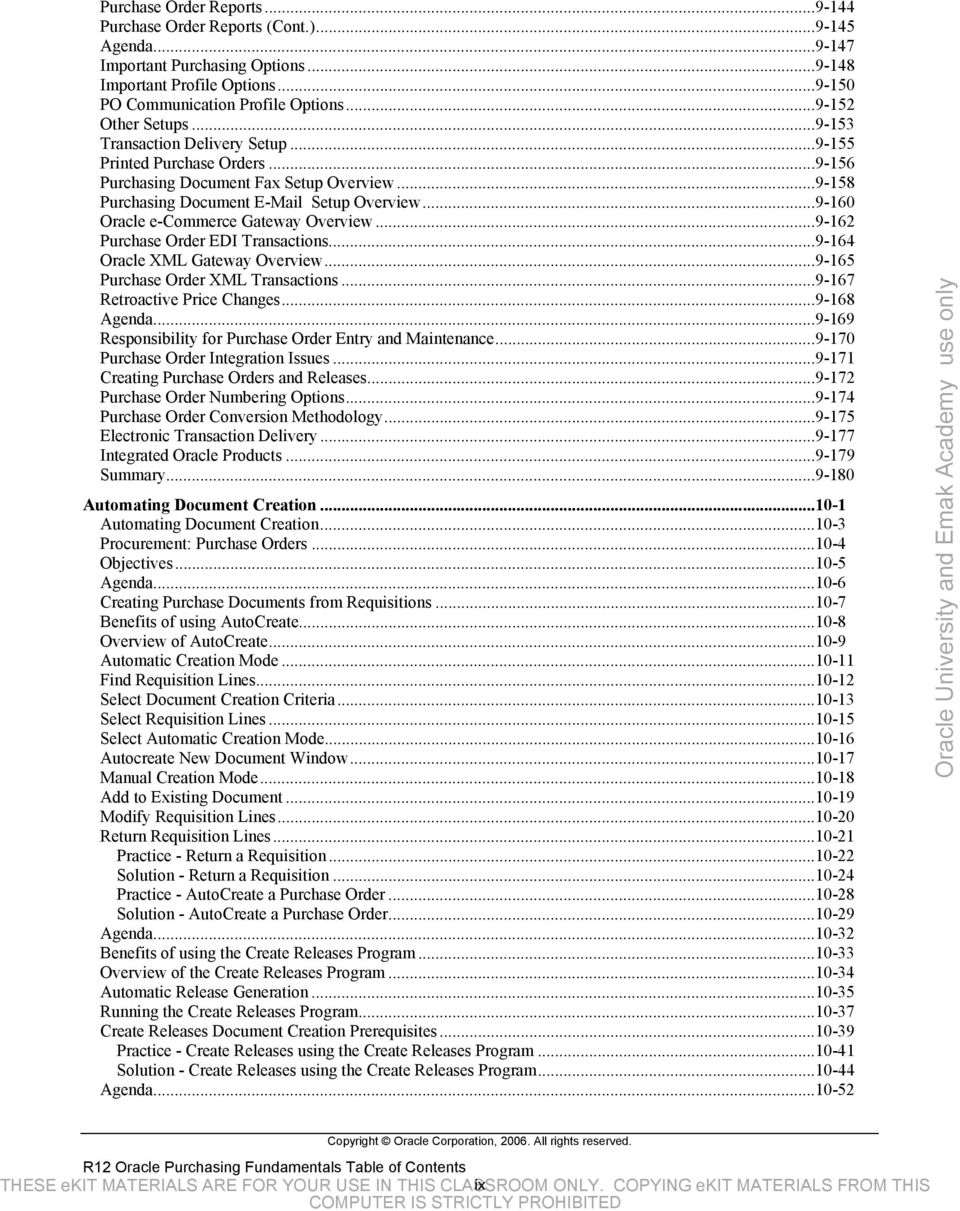
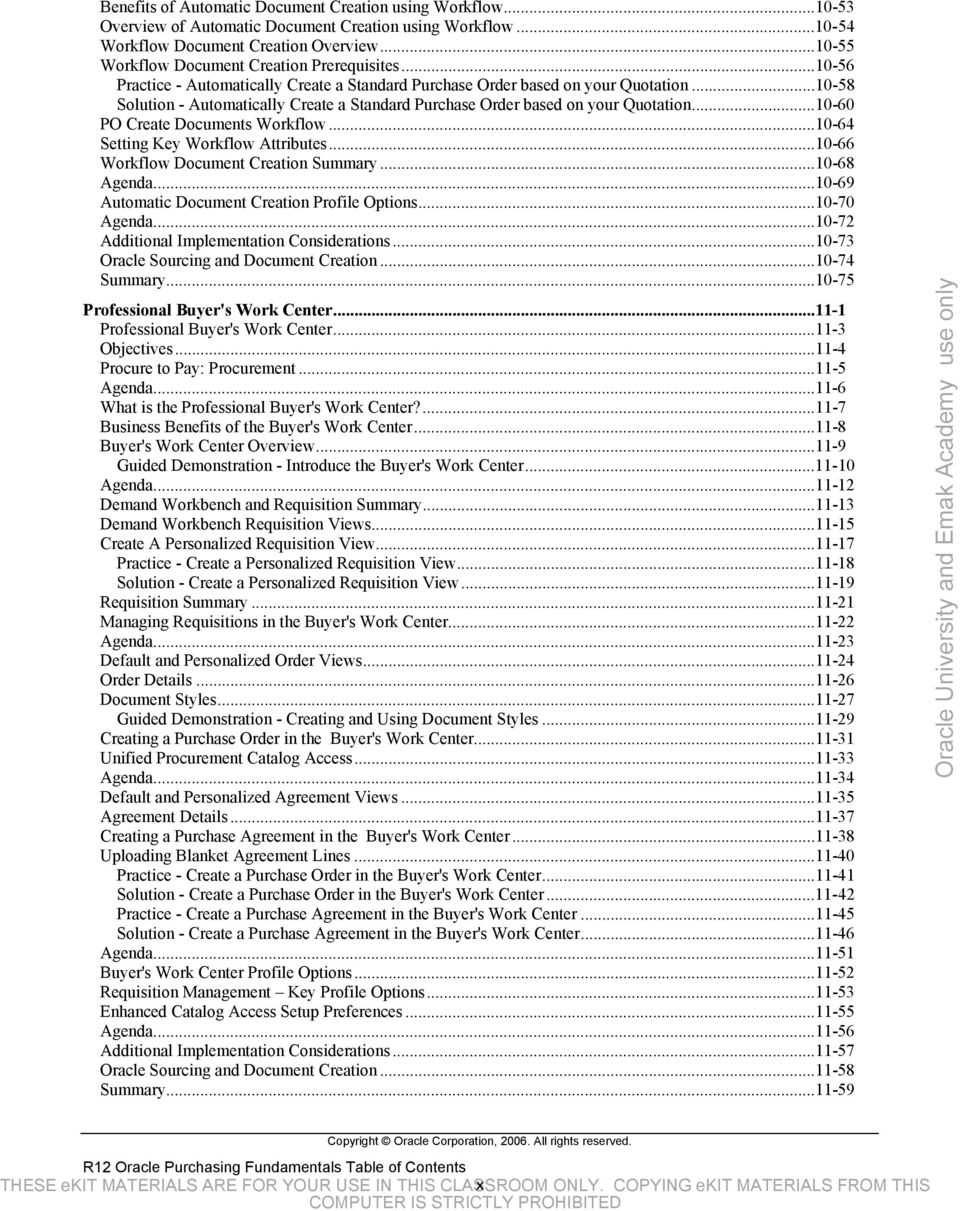
12 Benefits of Automatic Document Creation using Workflow Overview of Automatic Document Creation using Workflow Workflow Document Creation Overview Workflow Document Creation Prerequisites Practice - Automatically Create a Standard Purchase Order based on your Quotation Solution - Automatically Create a Standard Purchase Order based on your Quotation PO Create Documents Workflow Setting Key Workflow Attributes Workflow Document Creation Summary Agenda Automatic Document Creation Profile Options Agenda Additional Implementation Considerations Oracle Sourcing and Document Creation Summary Professional Buyer's Work Center Professional Buyer's Work Center Objectives Procure to Pay: Procurement Agenda What is the Professional Buyer's Work Center? Business Benefits of the Buyer's Work Center Buyer's Work Center Overview Guided Demonstration - Introduce the Buyer's Work Center Agenda Demand Workbench and Requisition Summary Demand Workbench Requisition Views Create A Personalized Requisition View Practice - Create a Personalized Requisition View Solution - Create a Personalized Requisition View Requisition Summary Managing Requisitions in the Buyer's Work Center Agenda Default and Personalized Order Views Order Details Document Styles Guided Demonstration - Creating and Using Document Styles Creating a Purchase Order in the Buyer's Work Center Unified Procurement Catalog Access Agenda Default and Personalized Agreement Views Agreement Details Creating a Purchase Agreement in the Buyer's Work Center Uploading Blanket Agreement Lines Practice - Create a Purchase Order in the Buyer's Work Center Solution - Create a Purchase Order in the Buyer's Work Center Practice - Create a Purchase Agreement in the Buyer's Work Center Solution - Create a Purchase Agreement in the Buyer's Work Center Agenda Buyer's Work Center Profile Options Requisition Management Key Profile Options Enhanced Catalog Access Setup Preferences Agenda Additional Implementation Considerations Oracle Sourcing and Document Creation Summary Copyright Oracle Corporation, All rights reserved. R12 Oracle Purchasing Fundamentals Table of Contents THESE ekit MATERIALS ARE FOR YOUR USE IN THIS CLASSROOM x ONLY. COPYING ekit MATERIALS FROM THIS
13 Receiving Receiving Procurement: Purchase Orders Objectives Agenda What is Receiving? Overview of Receiving Locations Agenda Overview of Receipt Routing Direct Receipt Routing Standard Receipt Inspection Required Oracle Process Quality Integration Agenda Receipt Processing Methods Standard Receipt Express Receipt Cascade Receipt ASNs and ASBNs Desktop Receiving in iprocurement Entering Expected Receipts Receipt Structure Receipt Header Receipt Line Practice - Create a Standard Receipt Solution - Create a Standard Receipt Practice - Create an Express Receipt Solution - Create an Express Receipt Practice - Create a Cascade Receipt Solution - Create a Cascade Receipt Control the Receiving Transaction Processor Receiving Tolerances Control Numbers Agenda Substitute Receipts Unordered Receipts Overview of Returns and Corrections Entering Returns Entering Corrections Comparing Returns and Corrections Practice - Inspect and Deliver a Receipt Solution - Inspect and Deliver a Receipt Overview of Pay on Receipt Agenda Receiving Open Interface (ROI) ROI Supported Transactions Load the Receiving Open Interface Receipt Import Validation Purchasing Open Interface Tables Agenda Receiving Reports Receiving Reports (Cont.) Agenda Purchasing Options Receiving Options Receiving Options (Cont.) Receiving Profile Options Copyright Oracle Corporation, All rights reserved. R12 Oracle Purchasing Fundamentals Table of Contents THESE ekit MATERIALS ARE FOR YOUR USE IN THIS CLASSROOM xi ONLY. COPYING ekit MATERIALS FROM THIS

14 ASN and ASBN Electronic Receipts Agenda Additional Implementation Considerations Summary Purchasing Accounting Purchasing Accounting Objectives Agenda Overview of the Procure to Pay Period Close Close the PO Period Steps Close the PO Period Business Flow Agenda Key Accounts in Procure to Pay Accrual Accounting Perpetual Accrual (On Receipt) Accrual Reconciliation Process Accrual Accounting Periodic Accrual (Period End) Accounting for Mass Additions Periodic Accrual (Period End) Accounting for Payments with Cash in Transit (Cash Clearing) Accounting for Payments without Cash in Transit (Cash Clearing) Agenda Foreign Currency in Purchasing Exchange Rate Overview Currency Similarities Between Requisitions and Purchase Orders Currency Differences Between Requisitions and Purchase Orders Requisitions and Automatically Created Purchase Orders Using Foreign Currency Approving Requisitions and Purchase Orders Using Foreign Currency Invoice Currency Matching Agenda Reports Reports (Cont.) Agenda Financials Options Purchasing Options Payables Options Agenda Purchasing Accounting Implementation Considerations Summary Purchasing Administration Purchasing Administration Objectives Agenda Maintaining Your Oracle Purchasing Database Records Integration with Payables What is MassCancel? Using Purchasing MassCancel The Define MassCancel Listing Purge Overview Preparing for a Purge Purge Category Inclusion Conditions for a Purge: Purchasing Conditions for a Purge: Payables Purge Reports Restarting or Aborting a Purge Purge Summary Information Recommendations for Efficient Purging Agenda Copyright Oracle Corporation, All rights reserved. R12 Oracle Purchasing Fundamentals Table of Contents THESE ekit MATERIALS ARE FOR YOUR USE IN THIS CLASSROOM xii ONLY. COPYING ekit MATERIALS FROM THIS

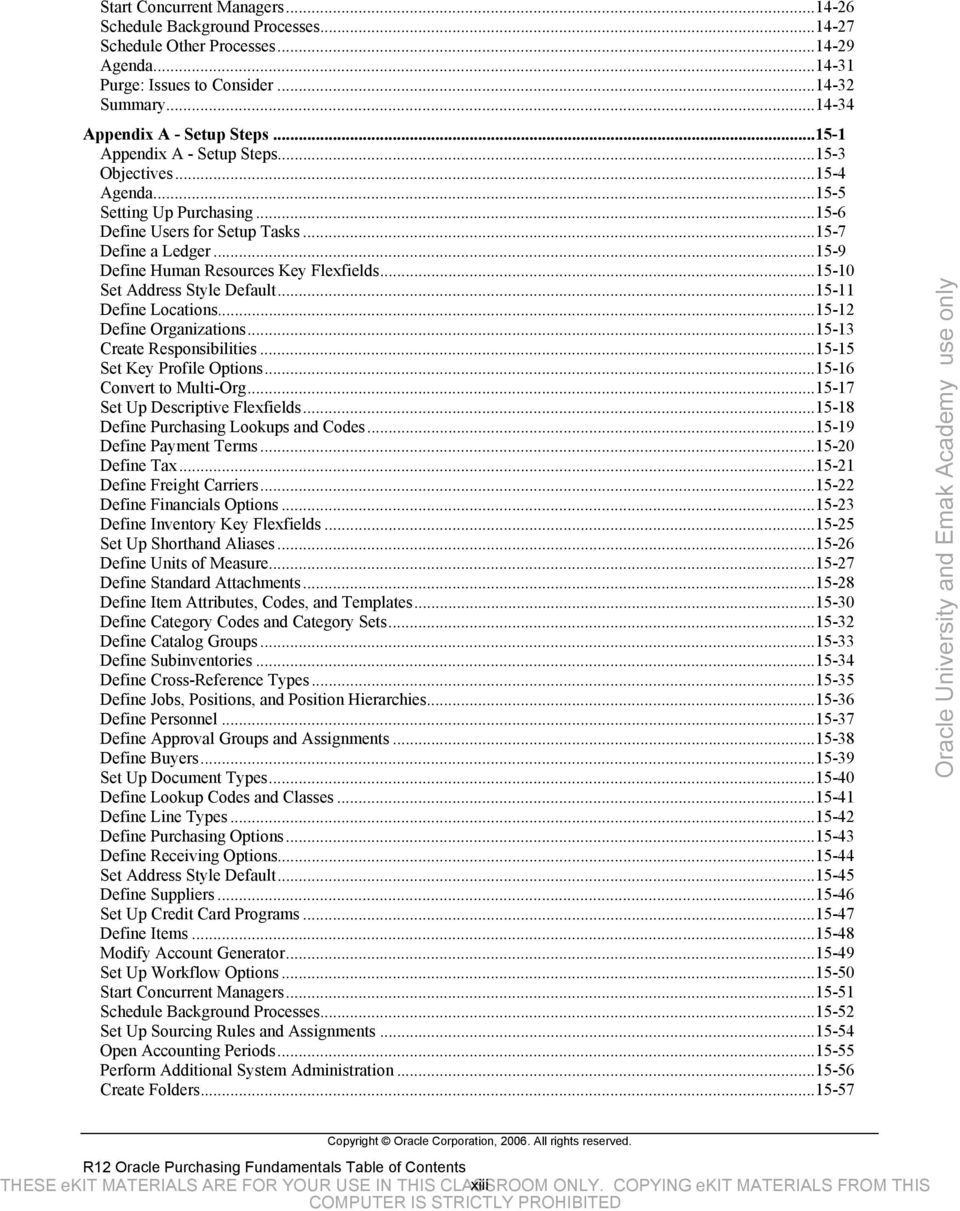
15 Start Concurrent Managers Schedule Background Processes Schedule Other Processes Agenda Purge: Issues to Consider Summary Appendix A - Setup Steps Appendix A - Setup Steps Objectives Agenda Setting Up Purchasing Define Users for Setup Tasks Define a Ledger Define Human Resources Key Flexfields Set Address Style Default Define Locations Define Organizations Create Responsibilities Set Key Profile Options Convert to Multi-Org Set Up Descriptive Flexfields Define Purchasing Lookups and Codes Define Payment Terms Define Tax Define Freight Carriers Define Financials Options Define Inventory Key Flexfields Set Up Shorthand Aliases Define Units of Measure Define Standard Attachments Define Item Attributes, Codes, and Templates Define Category Codes and Category Sets Define Catalog Groups Define Subinventories Define Cross-Reference Types Define Jobs, Positions, and Position Hierarchies Define Personnel Define Approval Groups and Assignments Define Buyers Set Up Document Types Define Lookup Codes and Classes Define Line Types Define Purchasing Options Define Receiving Options Set Address Style Default Define Suppliers Set Up Credit Card Programs Define Items Modify Account Generator Set Up Workflow Options Start Concurrent Managers Schedule Background Processes Set Up Sourcing Rules and Assignments Open Accounting Periods Perform Additional System Administration Create Folders Copyright Oracle Corporation, All rights reserved. R12 Oracle Purchasing Fundamentals Table of Contents THESE ekit MATERIALS ARE FOR YOUR USE IN THIS CLASSROOM xiii ONLY. COPYING ekit MATERIALS FROM THIS
16 Agenda Reports Reports (Continued) Agenda Profile Options (Required) Profile Options (Recommended) Profile Options (Review) Profile Options (Overlooked) Summary Copyright Oracle Corporation, All rights reserved. R12 Oracle Purchasing Fundamentals Table of Contents THESE ekit MATERIALS ARE FOR YOUR USE IN THIS CLASSROOM xiv ONLY. COPYING ekit MATERIALS FROM THIS

17 Preface Profile Before You Begin This Course Thorough knowledge of Oracle Applications Working experience with procurement Prerequisites Oracle Applications Foundations How This Course Is Organized This is an instructor-led course featuring lecture and hands-on exercises. Online demonstrations and written practice sessions reinforce the concepts and skills introduced. Copyright Oracle Corporation, All rights reserved. R12 Oracle Purchasing Fundamentals Table of Contents THESE ekit MATERIALS ARE FOR YOUR USE IN THIS CLASSROOM xv ONLY. COPYING ekit MATERIALS FROM THIS
18 Related Publications Oracle Publications Title Oracle Purchasing User s Guide Oracle Payables User s Guide Oracle Inventory User s Guide Oracle Manufacturing APIs and Open Interfaces Manual Part Number See Oracle Metalink See Oracle Metalink See Oracle Metalink See Oracle Metalink Additional Publications System release bulletins Installation and user s guides Read-me files International Oracle User s Group (IOUG) articles Oracle Magazine Copyright Oracle Corporation, All rights reserved. R12 Oracle Purchasing Fundamentals Table of Contents THESE ekit MATERIALS ARE FOR YOUR USE IN THIS CLASSROOM xvi ONLY. COPYING ekit MATERIALS FROM THIS

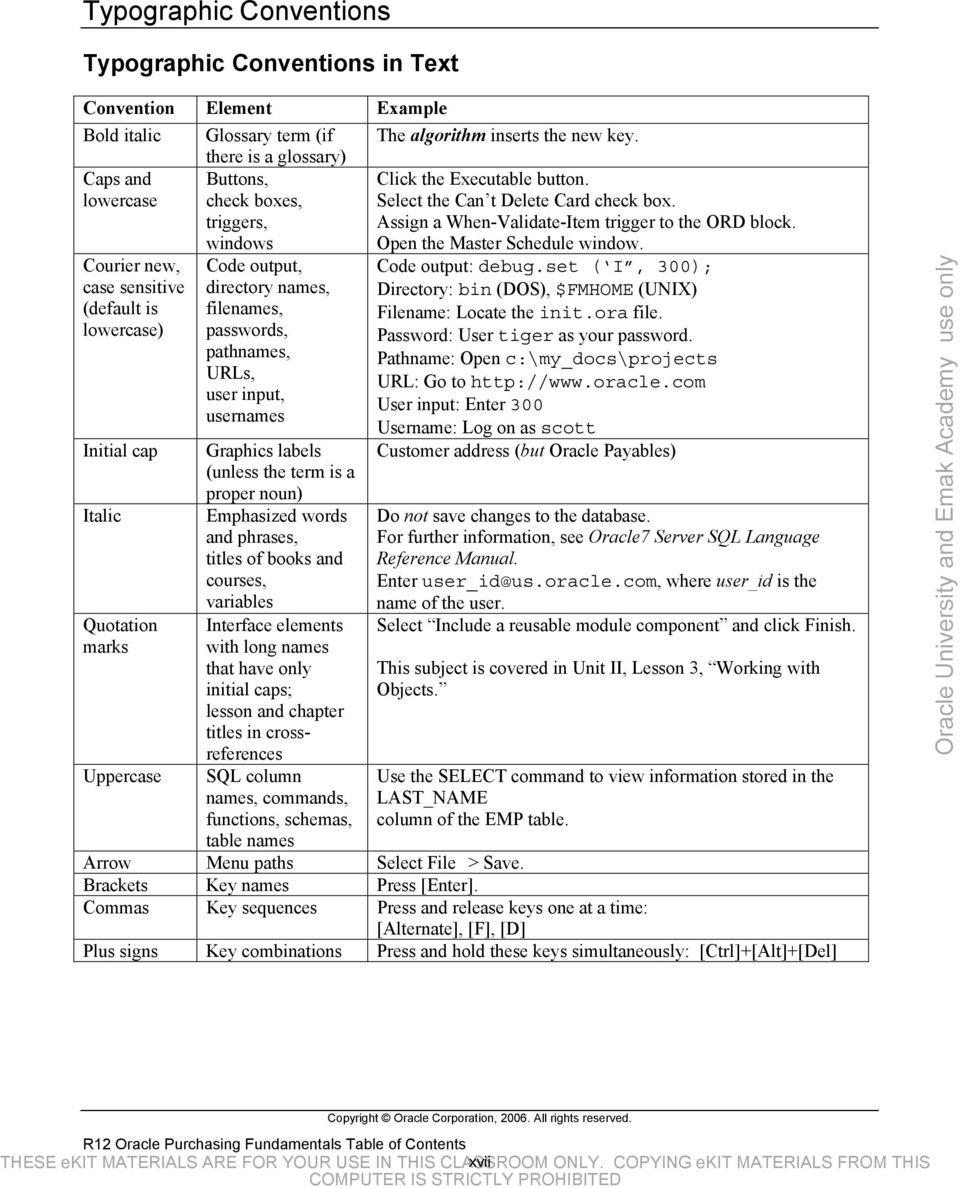
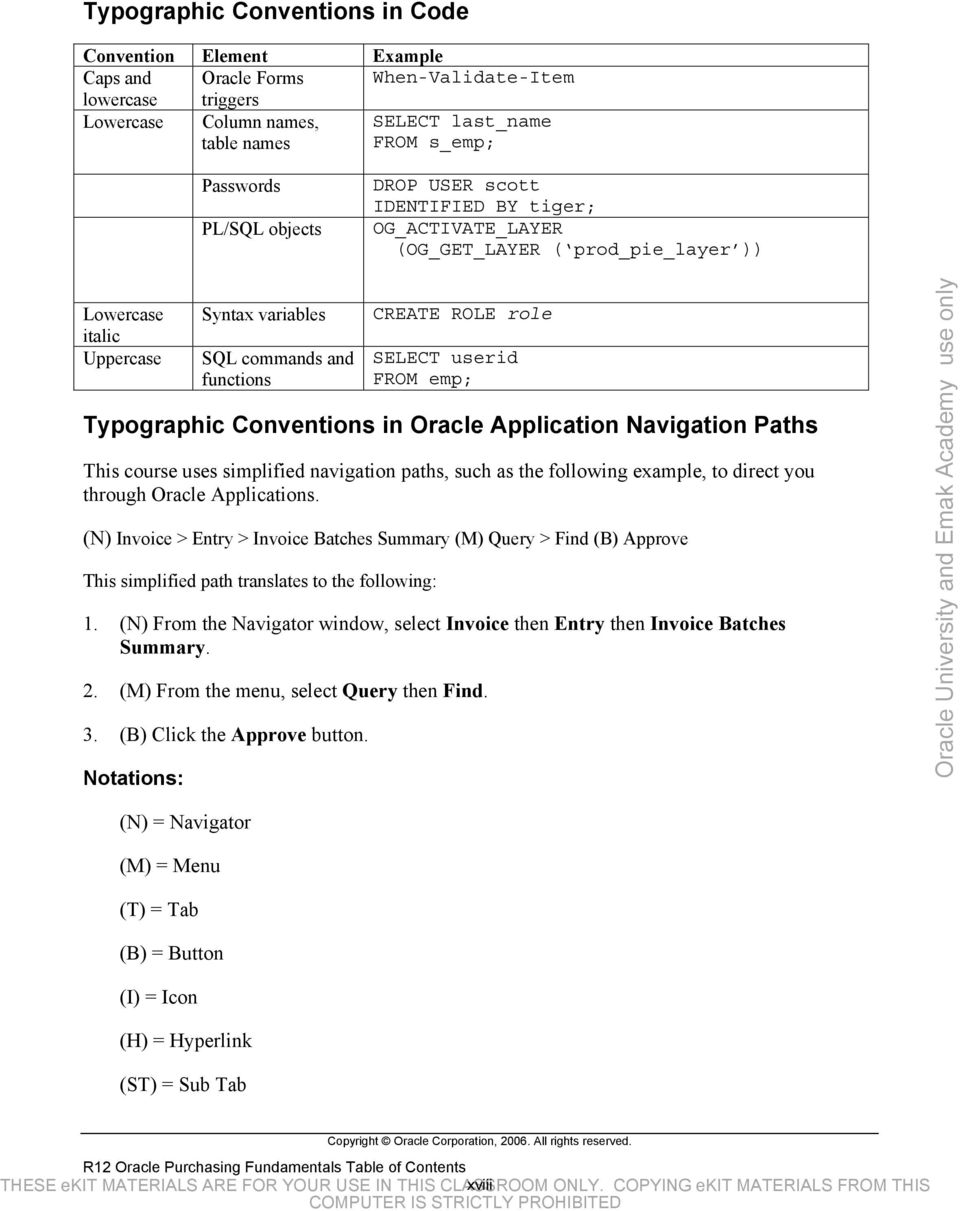
19 Typographic Conventions Typographic Conventions in Text Convention Element Example Bold italic Glossary term (if The algorithm inserts the new key. there is a glossary) Caps and lowercase Courier new, case sensitive (default is lowercase) Initial cap Italic Quotation marks Uppercase Buttons, check boxes, triggers, windows Code output, directory names, filenames, passwords, pathnames, URLs, user input, usernames Graphics labels (unless the term is a proper noun) Emphasized words and phrases, titles of books and courses, variables Interface elements with long names that have only initial caps; lesson and chapter titles in crossreferences SQL column names, commands, functions, schemas, table names Click the Executable button. Select the Can t Delete Card check box. Assign a When-Validate-Item trigger to the ORD block. Open the Master Schedule window. Code output: debug.set ( I, 300); Directory: bin (DOS), $FMHOME (UNIX) Filename: Locate the init.ora file. Password: User tiger as your password. Pathname: Open c:\my_docs\projects URL: Go to User input: Enter 300 Username: Log on as scott Customer address (but Oracle Payables) Do not save changes to the database. For further information, see Oracle7 Server SQL Language Reference Manual. Enter [email protected], where user_id is the name of the user. Select Include a reusable module component and click Finish. This subject is covered in Unit II, Lesson 3, Working with Objects. Use the SELECT command to view information stored in the LAST_NAME column of the EMP table. Arrow Menu paths Select File > Save. Brackets Key names Press [Enter]. Commas Key sequences Press and release keys one at a time: [Alternate], [F], [D] Plus signs Key combinations Press and hold these keys simultaneously: [Ctrl]+[Alt]+[Del] Copyright Oracle Corporation, All rights reserved. R12 Oracle Purchasing Fundamentals Table of Contents THESE ekit MATERIALS ARE FOR YOUR USE IN THIS CLASSROOM xvii ONLY. COPYING ekit MATERIALS FROM THIS
20 Typographic Conventions in Code Convention Element Example Caps and Oracle Forms When-Validate-Item lowercase triggers Lowercase Column names, table names SELECT last_name FROM s_emp; Passwords PL/SQL objects DROP USER scott IDENTIFIED BY tiger; OG_ACTIVATE_LAYER (OG_GET_LAYER ( prod_pie_layer )) Lowercase italic Uppercase Syntax variables SQL commands and functions CREATE ROLE role SELECT userid FROM emp; Typographic Conventions in Oracle Application Navigation Paths This course uses simplified navigation paths, such as the following example, to direct you through Oracle Applications. (N) Invoice > Entry > Invoice Batches Summary (M) Query > Find (B) Approve This simplified path translates to the following: 1. (N) From the Navigator window, select Invoice then Entry then Invoice Batches Summary. 2. (M) From the menu, select Query then Find. 3. (B) Click the Approve button. Notations: (N) = Navigator (M) = Menu (T) = Tab (B) = Button (I) = Icon (H) = Hyperlink (ST) = Sub Tab Copyright Oracle Corporation, All rights reserved. R12 Oracle Purchasing Fundamentals Table of Contents THESE ekit MATERIALS ARE FOR YOUR USE IN THIS CLASSROOM xviii ONLY. COPYING ekit MATERIALS FROM THIS
21 Typographical Conventions in Oracle Application Help System Paths This course uses a navigation path convention to represent actions you perform to find pertinent information in the Oracle Applications Help System. The following help navigation path, for example (Help) General Ledger > Journals > Enter Journals represents the following sequence of actions: 1. In the navigation frame of the help system window, expand the General Ledger entry. 2. Under the General Ledger entry, expand Journals. 3. Under Journals, select Enter Journals. 4. Review the Enter Journals topic that appears in the document frame of the help system window. Copyright Oracle Corporation, All rights reserved. R12 Oracle Purchasing Fundamentals Table of Contents THESE ekit MATERIALS ARE FOR YOUR USE IN THIS CLASSROOM xix ONLY. COPYING ekit MATERIALS FROM THIS
22 Copyright Oracle Corporation, All rights reserved. R12 Oracle Purchasing Fundamentals Table of Contents THESE ekit MATERIALS ARE FOR YOUR USE IN THIS CLASSROOM xx ONLY. COPYING ekit MATERIALS FROM THIS
23 Procure to Pay Lifecycle Overview Chapter 1 Procure to Pay Lifecycle Overview THESE ekit MATERIALS ARE FOR YOUR USE IN THIS Chapter CLASSROOM 1 - Page 1 ONLY. COPYING ekit MATERIALS FROM THIS
24 Procure to Pay Lifecycle Overview THESE ekit MATERIALS ARE FOR YOUR USE IN THIS Chapter CLASSROOM 1 - Page 2 ONLY. COPYING ekit MATERIALS FROM THIS
25 Procure to Pay Lifecycle Overview Procure to Pay Lifecycle Overview THESE ekit MATERIALS ARE FOR YOUR USE IN THIS Chapter CLASSROOM 1 - Page 3 ONLY. COPYING ekit MATERIALS FROM THIS
26 Objectives Procure to Pay Lifecycle Overview THESE ekit MATERIALS ARE FOR YOUR USE IN THIS Chapter CLASSROOM 1 - Page 4 ONLY. COPYING ekit MATERIALS FROM THIS
27 Procure to Pay Lifecycle Procure to Pay Lifecycle Sourcing Request for quote Supplier selection Contract negotiations and awards Catalog content management Ordering Requisition and purchase order generation Purchase order management and fulfillment Payment Reporting and Analysis Supplier performance Commodity analysis Internal compliance Robust intelligence gathering Procure to Pay Lifecycle Overview THESE ekit MATERIALS ARE FOR YOUR USE IN THIS Chapter CLASSROOM 1 - Page 5 ONLY. COPYING ekit MATERIALS FROM THIS
28 Decision support Process functionality Procure to Pay Lifecycle Overview THESE ekit MATERIALS ARE FOR YOUR USE IN THIS Chapter CLASSROOM 1 - Page 6 ONLY. COPYING ekit MATERIALS FROM THIS
29 Oracle Procure to Pay Process Oracle Procure to Pay Process Demand The procurement process generates and manages requests for the purchase of goods. The demand for purchase items may be a one-time event or may recur in either predictable or random time intervals. Source The procurement sourcing process covers the business activities related to the search, qualification, and selection of suitable suppliers for requested goods and services. Order The procurement ordering process includes purchase order placement by the buying organization and purchase order execution by the supplying organization. Receive The receipt process acknowledges that a purchase order has been duly executed. For orders of physical goods, it will typically include the receipt, inspection and delivery of the goods to inventory or to another designated location. For orders of services, it will typically consist of a Procure to Pay Lifecycle Overview THESE ekit MATERIALS ARE FOR YOUR USE IN THIS Chapter CLASSROOM 1 - Page 7 ONLY. COPYING ekit MATERIALS FROM THIS
30 notification from the requester or the approving person that the service has been performed as agreed. Pay The payment process consists of those activities involved in the payment for ordered goods and services. Procure to Pay Lifecycle Overview THESE ekit MATERIALS ARE FOR YOUR USE IN THIS Chapter CLASSROOM 1 - Page 8 ONLY. COPYING ekit MATERIALS FROM THIS
31 Demand: Requisitions Demand: Requisitions Requisitions represent demand for goods or services. Whether you want to provide online requisitions to everyone in the organization or limit the number of users who have access to the system, Oracle Purchasing is flexible enough to meet the needs of your organization. With online requisitions, you can centralize your purchasing department, source your requisition with the best suppliers, and ensure that you obtain the appropriate management approval before creating purchase orders from requisitions. Requisitions for goods and services: Are generated by applications like Inventory, Work in Process (WIP), Advanced Supply Chain Planning (ASCP) and Order Management May be entered manually through Oracle Purchasing windows May be entered using Oracle iprocurement May be imported from external systems With Oracle Purchasing, you can: Procure to Pay Lifecycle Overview THESE ekit MATERIALS ARE FOR YOUR USE IN THIS Chapter CLASSROOM 1 - Page 9 ONLY. COPYING ekit MATERIALS FROM THIS
32 Create, edit, and review requisition information on-line. You can enter suggested supplier information, delivery instructions, multiple accounting distributions, and notes to buyers, approvers, and receivers. Review the current status and action history of your requisitions. You always know who approves requisitions and whether they are in the approval, purchasing, receiving, or delivery stage. Route requisitions according to your approval structure. You can set authorization limits by amount, charge account, item category, and location. Review and approve requisitions that need your approval. You can see the full requisition detail and review the action history before you approve a requisition. Print requisitions (with status Approved, Cancelled, Rejected, In Process, Pre-Approved, and Returned) for off-line review and approval. You can always be able to track the status of requisitions through the approval process. Automatically source requisitions from outstanding blanket purchase agreements or quotations you have received from suppliers. Create requisitions quickly and easily for commonly purchased items. Provide attachments as notes on requisition headers and lines. Assign requisition lines to buyers and review buyer assignments for requisition lines. Forward all requisitions awaiting approval from one approver to an alternate approver. Within your security and approval constraints, you can reroute requisitions from one approver to another whenever you want. Source goods from your own inventory with internal requisitions. Procure to Pay Lifecycle Overview THESE ekit MATERIALS ARE FOR YOUR USE IN THIS Chapter CLASSROOM 1 - Page 10 ONLY. COPYING ekit MATERIALS FROM THIS
33 Source: RFQs and Quotations Source: RFQs and Quotations Oracle Purchasing provides you with request for quotation (RFQ), and quotation features to handle your sourcing needs. You can create an RFQ from requisitions, match supplier quotations to your RFQ, and automatically copy quotation information to purchase orders. Oracle Purchasing provides complete reporting to control your requests for quotations and evaluate supplier responses. Quotations can be: Entered manually Copied from an RFQ Imported using the Purchasing Documents Open Interface Imported using the e-commerce Gateway With Oracle Purchasing, you can: Identify requisitions that require supplier quotations and automatically create an RFQ. Create an RFQ with or without approved requisitions so that you can plan ahead for your future procurement requirements. Procure to Pay Lifecycle Overview THESE ekit MATERIALS ARE FOR YOUR USE IN THIS Chapter CLASSROOM 1 - Page 11 ONLY. COPYING ekit MATERIALS FROM THIS
34 Record supplier quotations from a catalog, telephone conversation, or response from your request for quotation. You can also receive quotations electronically. Review, analyze, and approve supplier quotations that you want available to reference on purchase orders and requisitions. You can evaluate your suppliers based on quotation information. Receive automatic notification when a quotation or request for quotation approaches expiration. Review quotation information online when creating purchase orders or requisitions and copy specific quotation information to a purchase order or requisition. Source the items for which you negotiated purchase agreements automatically. If you created sourcing rules and approved supplier list entries for the items, supplier information can be entered automatically in the Requisitions window when you create requisitions. You can also place supplier information for items onto blanket purchase order releases. With Oracle Purchasing and Oracle Sourcing, you can: Initiate a buyers auction in Oracle Sourcing based on requisitions in Oracle Purchasing. Create RFQs and negotiations in Oracle Sourcing that result in purchase orders and purchase agreements in Oracle Purchasing. Collaborate on-line directly with suppliers to get the best terms and prices. With Oracle Purchasing and Oracle isupplier Portal, you can: Enable suppliers to query RFQs and manufacturing planning statuses. Enable suppliers to maintain their production capabilities in Oracle Purchasing. Procure to Pay Lifecycle Overview THESE ekit MATERIALS ARE FOR YOUR USE IN THIS Chapter CLASSROOM 1 - Page 12 ONLY. COPYING ekit MATERIALS FROM THIS
35 Suppliers Suppliers You must define a supplier before performing most activities within Oracle Purchasing and Payables. Once defined you can: Optionally enter a recommended supplier on a requisition Use a supplier to issue a request for quotation Use that same supplier when you enter a quotation Use supplier information for purchase orders Receive goods or services from suppliers Return goods to suppliers Pay the supplier for the goods or services purchased Set up suppliers to record information about individuals and companies you purchase goods and services from. You can also enter employees you reimburse for expense reports. You can designate supplier sites as pay sites, purchasing sites, RFQ only sites, or procurement card sites. For example, for a single supplier, you can buy from several different sites and send payments to several different sites. Most supplier information automatically defaults to all Procure to Pay Lifecycle Overview THESE ekit MATERIALS ARE FOR YOUR USE IN THIS Chapter CLASSROOM 1 - Page 13 ONLY. COPYING ekit MATERIALS FROM THIS
36 supplier sites to facilitate supplier site entry. However, you can override these defaults and have unique information for each site. Procure to Pay Lifecycle Overview THESE ekit MATERIALS ARE FOR YOUR USE IN THIS Chapter CLASSROOM 1 - Page 14 ONLY. COPYING ekit MATERIALS FROM THIS
37 Purchase Orders Purchase Orders Oracle Purchasing supports four types of purchase orders: standard, blanket, contract and planned. There are several methods that can be used to create purchase orders. You can manually create purchase orders or search approved requisitions and add them to purchase orders. Standard purchase orders can be imported through the Purchasing Documents Open Interface in a status of Incomplete or Approved. You can automate purchase document creation using the PO Create Documents workflow to automatically create a blanket purchase agreement release or a standard purchase order upon approval of a requisition. Once purchase orders are created, they may be submitted for approval. The approval process checks to see if the submitter has sufficient authority to approve the purchase order. Once the document is approved, it may be sent to your supplier using a variety of methods including: printed document, EDI, fax, , Oracle isupplier Portal and XML. Once the purchase order or release is sent to your supplier, they are authorized to ship goods at the times and to the locations that have been agreed upon. Purchase documents may be created: By buyers using the AutoCreate window By importing them using the Purchasing Documents Open Interface Procure to Pay Lifecycle Overview THESE ekit MATERIALS ARE FOR YOUR USE IN THIS Chapter CLASSROOM 1 - Page 15 ONLY. COPYING ekit MATERIALS FROM THIS
38 Automatically, by the Create Releases program (blanket releases) Automatically, by Workflow (blanket releases or standard purchase orders) With Oracle Purchasing, you can: Review all of your purchases with your suppliers to negotiate better discounts. Create purchase orders simply by entering a supplier and item details. Create standard purchase orders and blanket releases from both on-line and paper requisitions. Create accurate and detailed accounting information so that you charge purchases to the appropriate departments. Review the status and history of your purchase orders at any time for all the information you need. Record supplier acceptances of your purchase orders. You always know whether your suppliers have received and accepted your purchase order terms and conditions. Copy existing purchase orders. Manage global supplier agreements (blankets and contracts) from a centralized business unit. Manage approved contractual terminology from a library of terms using Oracle Procurement Contracts. Procure to Pay Lifecycle Overview THESE ekit MATERIALS ARE FOR YOUR USE IN THIS Chapter CLASSROOM 1 - Page 16 ONLY. COPYING ekit MATERIALS FROM THIS
39 Receiving Receiving Using Oracle Purchasing, you can process receipts from suppliers, receipts from other warehouses or inventory organizations, in-transit shipments and receipts due to customer returns. You can search for expected receipts based on a purchase order or a customer return recorded in Oracle Order Management and then process them to their final destination whether it is inventory, expense or shop floor. Oracle Purchasing lets you control the items you order through receiving, inspection, transfer, and internal delivery. You can use these features to indicate the quantity, quality, and internal delivery of the items you receive. With Oracle Purchasing, you can: Use routing controls at the organization, supplier, item, or order level to enforce material movement through receiving. For example, you can require inspection for some items and dock-to-stock receipt for others. Define receiving tolerances at the organization, supplier, item, and order level, with the lowest level overriding previous levels. You can define tolerances for receipt quantity, on-time delivery, and receiving location. You can assign looser tolerances to low-value items. You can set enforcement options to ignore, warn the user, or reject transactions that violate the tolerances. Procure to Pay Lifecycle Overview THESE ekit MATERIALS ARE FOR YOUR USE IN THIS Chapter CLASSROOM 1 - Page 17 ONLY. COPYING ekit MATERIALS FROM THIS
40 Use blind receiving to improve accuracy in the receiving process. With this option, the quantity due for each shipment does not show and quantity control tolerances are ignored. Use Express and Cascade receiving to process certain types of receipts more quickly. Use Advance Shipping Notices (ASNs) to save time in processing receipts. Record receipt of unordered items based on your item, supplier, or organization defaults. For example, if your organization does not allow receipt of unordered items, you should not be able to enter a receipt unless it can be matched to a purchase order shipment. Record the receipt of predefined substitute items. Record the receipt of services and labor. With Oracle iprocurement, you can: Receive orders from your desktop, bypassing the need for receiving department interaction. Procure to Pay Lifecycle Overview THESE ekit MATERIALS ARE FOR YOUR USE IN THIS Chapter CLASSROOM 1 - Page 18 ONLY. COPYING ekit MATERIALS FROM THIS
41 Invoicing Invoicing Once you ve received goods or service from your supplier, you ll also receive an invoice. Using Oracle Payables you can record invoices in a number of different ways. With Oracle Payables you can: Enter invoices manually, either individually or in batches. Use the Invoice Gateway for rapid, high-volume entry of standard invoices and credit memos that are not complex and do not require extensive online validation. Automate invoice creation for periodic invoices using the Recurring Invoice functionality. Use Oracle iexpenses to enter employee expense reports using a web browser. Record credit card/procurement card invoices from transactions the credit card issuer sends to you in a flat file. Record Oracle Project related expense reports. Import EDI invoices processed with the Oracle e-commerce Gateway. Import lease invoices transferred from Oracle Property Manager. Match invoices to purchase orders to ensure you only pay what you re supposed to be paying for. Procure to Pay Lifecycle Overview THESE ekit MATERIALS ARE FOR YOUR USE IN THIS Chapter CLASSROOM 1 - Page 19 ONLY. COPYING ekit MATERIALS FROM THIS
42 Payment Payment Once invoices have been validated, they can be selected for payment. Oracle Payables provides the information that you need to make effective payment decisions, stay in control of payments to suppliers and employees, and keep your accounting records up-to-date so that you always know your cash position. Oracle Payables handles every form of payment, including checks, manual payments, wire transfers, EDI payments, bank drafts, and electronic funds transfers. Oracle Payables is integrated with Oracle Cash Management to support automatic or manual reconciliation of your payments with bank statements sent by the bank. With Oracle Payables, you can: Ensure duplicate invoice payments never occur Pay only invoices that are due, and automatically take the maximum discount available Select invoices for payment using a wide variety of criteria Record stop payments Record void payments Review information on line on the status of every payment Process positive pay Procure to Pay Lifecycle Overview THESE ekit MATERIALS ARE FOR YOUR USE IN THIS Chapter CLASSROOM 1 - Page 20 ONLY. COPYING ekit MATERIALS FROM THIS
43 Overview of Oracle Application Integration Overview of Application Integration This slide attempts to capture the complex interaction of Oracle Applications resulting from the Procure to Pay process. The key Oracle Applications that are integrated to perform this process are described below. Inventory Order Management and Purchasing, as well as other Oracle applications can use items defined in Oracle Inventory. If the item is designated as a planned item, demand can be generated in the form of requisitions and sent to Oracle Purchasing where purchase orders or blanket releases can be created to replenish inventory levels. Order Management Customer purchase orders can be recorded in Oracle Order Management. Goods are shipped to customers as defined by the sales order. After goods are shipped, customer invoices are sent to Oracle Receivables and inventory levels are updated. Any customers that are set up in Order Management are shared with Receivables and vice versa. Receivables Oracle Receivables maintains information about invoices received from Oracle Order Management and other sources. Invoices are sent to customers who respond by sending Procure to Pay Lifecycle Overview THESE ekit MATERIALS ARE FOR YOUR USE IN THIS Chapter CLASSROOM 1 - Page 21 ONLY. COPYING ekit MATERIALS FROM THIS
44 payments. You can use Receivables to record receipts against customer accounts. Receivables, revenue and cash receipts are interfaced to Oracle General Ledger. Purchasing Oracle Purchasing captures accounting information on requisitions and purchase orders. Purchase orders are sent to suppliers who respond by delivering goods or services and sending invoices that are processed in Oracle Payables. During the accounting period, accruals for goods set to accrue a liability on receipt are sent to Oracle General Ledger. At the end of the accounting period, accruals for goods and services set to accrue a liability at period end can be sent to General Ledger. Any suppliers set up in Purchasing are shared with Payables and vice versa. Payables Supplier invoices are entered into Oracle Payables and if appropriate, matched to purchase orders in Oracle Purchasing. During the matching process, the invoice distribution is copied from the purchase order (in the case of an expense) or the appropriate liability account (in the case of an inventory item). Payables, expenses and payments are interfaced to Oracle General Ledger. Invoices for asset purchases can be interfaced to Oracle Assets. Assets Assets from Payables and other sources are maintained in Oracle Assets. Assets are added, processed, depreciated and eventually retired. At the end of each asset period, accounting information is interfaced directly to Oracle General Ledger. General Ledger Oracle General Ledger receives accounting information from many Oracle applications. Once accounting information is imported, journals can be posted and account balances updated. When implementing Oracle Applications, creating a set of books consisting of an accounting calendar, currency and chart of accounts is one of the first steps that must be completed before setting up other applications. Procure to Pay Lifecycle Overview THESE ekit MATERIALS ARE FOR YOUR USE IN THIS Chapter CLASSROOM 1 - Page 22 ONLY. COPYING ekit MATERIALS FROM THIS
45 Summary Procure to Pay Lifecycle Overview THESE ekit MATERIALS ARE FOR YOUR USE IN THIS Chapter CLASSROOM 1 - Page 23 ONLY. COPYING ekit MATERIALS FROM THIS
46 Procure to Pay Lifecycle Overview THESE ekit MATERIALS ARE FOR YOUR USE IN THIS Chapter CLASSROOM 1 - Page 24 ONLY. COPYING ekit MATERIALS FROM THIS
47 Oracle Purchasing Overview Chapter 2 Oracle Purchasing Overview THESE ekit MATERIALS ARE FOR YOUR USE IN THIS Chapter CLASSROOM 2 - Page 1 ONLY. COPYING ekit MATERIALS FROM THIS
48 Oracle Purchasing Overview THESE ekit MATERIALS ARE FOR YOUR USE IN THIS Chapter CLASSROOM 2 - Page 2 ONLY. COPYING ekit MATERIALS FROM THIS
49 Oracle Purchasing Overview Oracle Purchasing Overview THESE ekit MATERIALS ARE FOR YOUR USE IN THIS Chapter CLASSROOM 2 - Page 3 ONLY. COPYING ekit MATERIALS FROM THIS
50 Procure to Pay: Procurement Procure to Pay: Procurement Oracle Purchasing provides the functionality to complete the procurement or ordering portion of the Procure to Pay process. Oracle Purchasing Overview THESE ekit MATERIALS ARE FOR YOUR USE IN THIS Chapter CLASSROOM 2 - Page 4 ONLY. COPYING ekit MATERIALS FROM THIS
51 Objectives Oracle Purchasing Overview THESE ekit MATERIALS ARE FOR YOUR USE IN THIS Chapter CLASSROOM 2 - Page 5 ONLY. COPYING ekit MATERIALS FROM THIS
52 Agenda Oracle Purchasing Overview THESE ekit MATERIALS ARE FOR YOUR USE IN THIS Chapter CLASSROOM 2 - Page 6 ONLY. COPYING ekit MATERIALS FROM THIS
53 Overview of the Ordering Process Overview of the Ordering Process The ordering process flow within the Procure to Pay business flow focuses on procurement activities from the request of goods and services to their eventual receipt. Throughout the ordering process you are able to: Route transactions according to your approval structure. Approval authorization limits are defined by amount, charge account, item category, and location. For documents that require your approval, you can review and approve transactions on-line. Also, you can see the full transaction detail and review the action history before you approve a transaction. View Approval Status. Oracle Purchasing automatically displays the approval status of your transaction and informs you whether it is Approved, Cancelled, In Process, Incomplete, Pre-Approved, Rejected, or Returned. You know where your transaction is within this flow at all times. Automatically generate distribution accounts. Oracle Purchasing uses the Account Generator workflow to create the distribution automatically whenever possible. Provide attachments as notes on transaction headers and lines. Oracle Purchasing Overview THESE ekit MATERIALS ARE FOR YOUR USE IN THIS Chapter CLASSROOM 2 - Page 7 ONLY. COPYING ekit MATERIALS FROM THIS
54 Demand as Requisitions Demand as Requisitions A requisition is an optional starting point in the procurement process. Requisitions allow employees to enter requests for products and services which are then transmitted to the procurement staff. Requisitions within Oracle Purchasing contain information regarding the accounts that should be charged for the purchase along with details such as delivery location and approvals based upon company policies. In addition to the manual creation of on-line requisitions, you can use Oracle ASCP/MRP (planning applications) to generate requisitions based upon the planning requirements of your organization. Oracle Inventory can generate requisitions based upon replenishment requirements. Outside processing requirements can be generated into requisitions by Oracle Work In Process. Oracle Order Management generates requisitions based upon the need to drop ship goods to customers directly from your suppliers. Internal processes, such as internal sales orders are initiated from the requisition process as well. The internal requisition document passes information to Order Management to allow for the shipment of goods and services within your own company. With Oracle Purchasing and Oracle iprocurement you can: Oracle Purchasing Overview THESE ekit MATERIALS ARE FOR YOUR USE IN THIS Chapter CLASSROOM 2 - Page 8 ONLY. COPYING ekit MATERIALS FROM THIS
55 Create, edit, and review requisition information on-line. You are also able to enter suggested supplier information, delivery instructions, multiple accounting distributions, and notes to buyers, approvers, and receivers. You always know who approves requisitions and whether they are in the approval, purchasing, receiving, or delivery stage. Route requisitions according to your approval structure. You are also able to set authorization limits by amount, charge account, item category, and location. You can review and approve requisitions that need your approval, and see the full requisition detail and review the action history before you approve a requisition. If your business process requires off-line review and approve, you can print requisitions (with status Approved, Cancelled, Rejected, In Process, Pre-Approved, and Returned). Transfer requisition information to the purchase order documents using automated processes. With Oracle Purchasing you can import requisitions from other systems such as material or distributions requirement planning applications and legacy systems. Oracle Purchasing Overview THESE ekit MATERIALS ARE FOR YOUR USE IN THIS Chapter CLASSROOM 2 - Page 9 ONLY. COPYING ekit MATERIALS FROM THIS
56 Requisition to Purchase Order Requisition to Purchase Order If your ordering process begins with a requisition, that document must be transformed within Oracle Applications into either a Purchasing Document that is sourced externally or an Internal Sales Order that is sourced internally. AutoCreate The AutoCreate process in Oracle Purchasing allows you to transfer information contained on a requisition document to a purchasing document, so it may be sent to a supplier. AutoCreate allows a buyer to add requisition lines to an existing purchasing document or create a new document. Internal Sales Orders If the goods and services requested are to be sourced from within your own company, the internal requisition will be passed to the Oracle Order Management application for fulfilment via the Create Internal Sales Orders process. Oracle Purchasing Overview THESE ekit MATERIALS ARE FOR YOUR USE IN THIS Chapter CLASSROOM 2 - Page 10 ONLY. COPYING ekit MATERIALS FROM THIS
57 The Purchase Order Process The Purchase Order Process The creation of the purchasing document marks the beginning of the required steps within the ordering process. Oracle Purchasing allows you to create several different types of purchasing documents: standard and planned purchase orders, blanket and contract purchase agreements, along with blanket and scheduled releases. These six documents allow maximum flexibility to meet procurement team needs, while maintaining corporate policies and standards. With Oracle Purchasing you can: Review all of your purchases with your suppliers to negotiate better discounts. Create purchase orders simply by entering a supplier and item details. Create standard purchase orders and blanket releases from both on-line and paper requisitions. Create accurate and detailed accounting information so that you charge purchases to the appropriate departments. Check your funds availability while creating purchase orders. Review the status and history of your purchase orders at any time for all the information you need. Oracle Purchasing Overview THESE ekit MATERIALS ARE FOR YOUR USE IN THIS Chapter CLASSROOM 2 - Page 11 ONLY. COPYING ekit MATERIALS FROM THIS
58 Print purchase orders flexibly by using a number of print options. Inform your suppliers of your shipment schedule requirements. Record supplier acceptances of your purchase orders. You always know whether your suppliers have received and accepted your purchase order terms and conditions. Create your purchase orders by providing a quantity and price for each item you are ordering. Alternatively, you should also be able to create your purchase order simply by providing an amount if you are ordering a service that you cannot break down by price and quantity. Copy existing purchase orders. Leverage global supplier negotiations for all your business units. Using the close integration with Oracle Procurement Contracts, your buyers can author and manage contractual terminology from a library of approved terms. Oracle Purchasing Overview THESE ekit MATERIALS ARE FOR YOUR USE IN THIS Chapter CLASSROOM 2 - Page 12 ONLY. COPYING ekit MATERIALS FROM THIS
59 The Receiving Process The Receiving Process Oracle Purchasing lets you control the items you order through receiving, inspection, transfer and internal delivery. These features allow you to indicate the quantity, quality and internal delivery of the items you receive. With Oracle Purchasing/iProcurement you can: Use routing controls at the organization, supplier, item, or order level to enforce material movement through receiving. For example, you can require inspection for some items and dock-to-stock receipt for others. Define receiving tolerances at the organization, supplier, item, and order level, with the lowest level overriding previous levels. You can define tolerances for receipt quantity, ontime delivery, and receiving location. You can assign looser tolerances to low-value items that you consume at high volumes. You can set enforcement options to ignore, warn the user, or reject transactions that violate the tolerances. Specify match approval levels. You can specify two-, three-, and four-way match approval levels on a purchase order line. Purchasing uses your receiving and inspection information to ensure that you only accept and pay for the items you order, receive, or inspect. Choose the three-way match approval level if you want to receive items before you allow Oracle Purchasing Overview THESE ekit MATERIALS ARE FOR YOUR USE IN THIS Chapter CLASSROOM 2 - Page 13 ONLY. COPYING ekit MATERIALS FROM THIS
60 payment. Choose the four-way match approval level if you require inspection and acceptance of receipts before authorizing payment. Use Advance Shipment Notices (ASNs) to enter receipts in the Enter Receipts window, reducing data entry time. Print the receiving and inspection documentation you need. For example, you can prepare for incoming receipts by printing the Expected Receipts Report to help you identify items and quantities you expect to receive. You can use this report to plan your work, identify receipts satisfying an urgent demand, and control unexpected receipts. Finally, you can produce summary and detail receiving transaction reports by item, supplier, purchase order number, and/or receiving date range. Track, update, and record the receipt of intransit and inter-organization shipments. Record receipt of unordered items based on your item, supplier, or organization defaults. For example, if your organization does not allow receipt of unordered items, you should not be able to enter a receipt unless it is matched to an order shipment. Automatically update related supply information, inventory balances, WIP operations, requisition details, and purchase order details while entering a single receiving transaction. Receive services, inventory, expense, and outside processing items using one screen. You acknowledge receipt of services by receiving amounts of the service, generally related to receipt of an invoice. You receive inventory items to expense or asset subinventories, you receive expense items to the requestor, and you receive outside processing to the shop floor (designated operations in your manufacturing process). Distinguish closed for invoicing from closed for receiving. Purchasing automatically closes your purchase order for receipt when it is fully received. You can manually close partially received purchase orders if you no longer expect any more receipts against them. Close for invoicing and close for receiving are managed using tolerances. You can specify that when you have received a certain percentage of a shipment, Purchasing will close the receipt. This is a soft close, and you can reopen the receipt. Oracle Purchasing rolls up closing to the line and header level, and Closed information does not show in the Open Purchase Orders report. Also, if there is a remaining balance, closed quantities are no longer visible as supply scheduled receipts to MRP/ATP. Decide how you accrue un-invoiced receipts. For instance, you can accrue receipts perpetually or at period-end for expense items. Oracle Purchasing uses perpetual accrual for your inventory and shop floor item receipts. Oracle Purchasing and Inventory together provide you with perpetual visibility and control on your accrued liabilities for inventory items. Inventory lets you maintain the value of your inventories on a perpetual basis. Oracle Purchasing automatically records your accrued liability in your general ledger as you enter receiving transactions. Oracle Purchasing also provides you with complete visibility and control of your inventories values, accrued liabilities for inventory and noninventory items, purchase price variances, and invoice price variances. Purchasing also provides you with the information you need to facilitate your period close and your inventory, purchasing, and payables reconciliation process. Track the quantity and destination of internally delivered items You know exactly what items you receive and where to deliver them within your organization. Define which of your items require inspection. Oracle Purchasing lets you inspect received items before you move the items into stock or deliver them to the requestor. You Oracle Purchasing Overview THESE ekit MATERIALS ARE FOR YOUR USE IN THIS Chapter CLASSROOM 2 - Page 14 ONLY. COPYING ekit MATERIALS FROM THIS
61 can accept or reject items and provide detailed information about your inspection results. Purchasing lets you review your inspection results on-line. You can review your inspection results by receipt number, purchase order number, supplier, item, and/or transaction date range. Oracle Purchasing also provides summary and detail reports to help you analyze your suppliers performance. You can produce supplier quality reports by buyer, supplier, and item. You can use the receiving inspection register to review your inspections by receipt. Correct receiving transaction errors. Purchasing automatically updates the inventory balances if you correct the quantities of items that have already been moved into inventory. Oracle Purchasing Overview THESE ekit MATERIALS ARE FOR YOUR USE IN THIS Chapter CLASSROOM 2 - Page 15 ONLY. COPYING ekit MATERIALS FROM THIS
62 Center-Led Procurement Center-Led Procurement In many enterprises the requisitioning, sourcing, ordering, and payment activities are all performed in the context of a single business unit and transactions do not cross business unit boundaries. Oracle Purchasing supports that but can also free enterprises to perform their procurement activities irrespective of business unit boundaries. Requisitions that are raised in one business unit can reference source documents and be placed on purchase orders in another business unit taking advantage of supplier negotiations. The purpose of using a shared service center is for the enterprise to not only source globally but also be able to identify business unit specific procurement practices. Within Oracle Purchasing this is done by enabling the global agreements only for the business units that need to use them. Oracle Purchasing Overview THESE ekit MATERIALS ARE FOR YOUR USE IN THIS Chapter CLASSROOM 2 - Page 16 ONLY. COPYING ekit MATERIALS FROM THIS
63 Agenda Oracle Purchasing Overview THESE ekit MATERIALS ARE FOR YOUR USE IN THIS Chapter CLASSROOM 2 - Page 17 ONLY. COPYING ekit MATERIALS FROM THIS
64 Purchasing Integration Purchasing Integration Oracle Purchasing both integrates with and depends on other Oracle Applications. It is important that implementers understand which products provide required support, what the integration points are, and which products are used to enhance the procurement process using Oracle Purchasing. Oracle Purchasing Overview THESE ekit MATERIALS ARE FOR YOUR USE IN THIS Chapter CLASSROOM 2 - Page 18 ONLY. COPYING ekit MATERIALS FROM THIS
65 E-Business Foundation E-Business Foundation Oracle General Ledger Ledgers Exchange rates Accounting flexfield Currency Charge Account Combinations Oracle Human Resources Employees (Requestors and Buyers) Locations (Receiving) Organizations (Receiving) Hierarchies (Approval) Oracle Inventory Items Demand Oracle Purchasing Overview THESE ekit MATERIALS ARE FOR YOUR USE IN THIS Chapter CLASSROOM 2 - Page 19 ONLY. COPYING ekit MATERIALS FROM THIS
66 Receipts Oracle Payables Accounting for matched purchase orders Suppliers Procurement cards Purchase orders Oracle Order Management (not shown) Required for internal requisitions Oracle Purchasing Overview THESE ekit MATERIALS ARE FOR YOUR USE IN THIS Chapter CLASSROOM 2 - Page 20 ONLY. COPYING ekit MATERIALS FROM THIS
67 Purchasing Integration with General Ledger Purchasing Integration with Oracle General Ledger Payables Transfer (1) Use the Receipt Accruals - Period-End process to transfer periodic accruals to the GL_Interface table. Perpetual accruals are sent to General Ledger when the receipt is processed. Journal Import (2) Use the Journal Import process, with a source of Purchasing, to transfer accrual accounting from the GL_Interface table to General Ledger. The Journal Import process creates unposted journals. The Post process in General Ledger updates account balances. Once journals are posted, you can perform account analysis, subledger drill down and run financial statements. Oracle Purchasing Overview THESE ekit MATERIALS ARE FOR YOUR USE IN THIS Chapter CLASSROOM 2 - Page 21 ONLY. COPYING ekit MATERIALS FROM THIS
68 Purchasing Integration with Human Resources Purchasing Integration with Oracle Human Resources Organizations are globalizing at an increasing rate. Employees defined using Human Resources are buyers and requesters in Purchasing. Locations that are defined become Bill-To and Ship-To and Receiving locations. Organizations defined in Human Resources become the operating units and inventory organizations. Hierarchies like the position hierarchy or the employee/supervisor hierarchy can be defined in Human Resources. Purchasing uses hierarchies for requisition and purchase order approvals. Oracle Purchasing Overview THESE ekit MATERIALS ARE FOR YOUR USE IN THIS Chapter CLASSROOM 2 - Page 22 ONLY. COPYING ekit MATERIALS FROM THIS
69 Purchasing Integration with Payables Oracle Payables Integration with Oracle Purchasing Match and Update Qty Billed (1) Enter an invoice and match it to a purchase order to update the quantity billed against the purchase order. Copy Accounting (2) During the match process, accounting stored with the purchase order distribution is copied to the invoice. Oracle Purchasing Overview THESE ekit MATERIALS ARE FOR YOUR USE IN THIS Chapter CLASSROOM 2 - Page 23 ONLY. COPYING ekit MATERIALS FROM THIS
70 Purchasing Integration with Inventory Purchasing Integration with Oracle Inventory Inventory Planning (1) Use the Min-Max Planning Report to show planning information for all items, or items with on-hand balances either below or above their assigned minimum or maximum on-hand quantities. You have the option to generate internal or purchase requisitions for buy items that are sent to the Requisitions Open Interface. Reorder Point Planning, Replenishment Count, and Kanban Planning are some other Oracle Inventory planning methods that can create a requisition. Requisition Import (2) Use the Requisition Import process to import Inventory requisitions. Requisition Import creates a requisition line and one or more requisition distributions for each row it finds in the interface table. It then groups these lines on requisitions according to parameters you define. You can create releases each time you run the Requisition Import process. Oracle Purchasing Overview THESE ekit MATERIALS ARE FOR YOUR USE IN THIS Chapter CLASSROOM 2 - Page 24 ONLY. COPYING ekit MATERIALS FROM THIS
71 Applications Technology Foundation Applications Technology Foundation Oracle Alert Expiration alerts Release alerts Oracle Workflow Approval process Account Generator Document creation Notifications Oracle BI Publisher Purchase order layout templates in XSL-FO, RTF, or PDF formats PDF purchase orders online, , or fax Oracle e-commerce Gateway Inbound 856, 857 (advance shipping notice, advance shipping and billing notice) Inbound 843 (response to request for quotation) Oracle Purchasing Overview THESE ekit MATERIALS ARE FOR YOUR USE IN THIS Chapter CLASSROOM 2 - Page 25 ONLY. COPYING ekit MATERIALS FROM THIS
72 Inbound 832 (quotation) Outbound 850, 860 (purchase order, change order) Oracle AME (Approval Management Engine) Extensible approvals rules for requisitions Oracle XML Gateway New purchase order (standard, release) Change purchase order (standard, release) Advance shipment notices (ASNs) Oracle Purchasing Overview THESE ekit MATERIALS ARE FOR YOUR USE IN THIS Chapter CLASSROOM 2 - Page 26 ONLY. COPYING ekit MATERIALS FROM THIS
73 Purchasing Integration with Oracle Alert Purchasing Integration with Oracle Alert Oracle Alert facilitates the flow of information within your organization by letting you create entities called alerts to monitor your business information and to notify you of the information you want. You can define one of two types of alerts: an event alert or a periodic alert. You can define a variety of actions for Oracle Alert to perform based on the exceptions it finds in your database. Oracle Alert can send an electronic mail message, run a SQL script or an operating system script, or submit a concurrent request, or any combination of the above. Oracle Alert offers predefined periodic Purchasing alerts to identify the following database exceptions: Approved Standard Purchase Orders Blanket Purchase Releases over Threshold No Receipt Required on Purchase Order Shipment Small Business Suppliers Standard Purchase Order over Threshold Blanket Purchase Releases over Threshold Suppliers on Hold Oracle Purchasing Overview THESE ekit MATERIALS ARE FOR YOUR USE IN THIS Chapter CLASSROOM 2 - Page 27 ONLY. COPYING ekit MATERIALS FROM THIS
74 The following are available for Blanket Agreements, Contract Agreements and Planned Purchase Orders: Notification Expiration Notification Not Released Notification Released Oracle Purchasing Overview THESE ekit MATERIALS ARE FOR YOUR USE IN THIS Chapter CLASSROOM 2 - Page 28 ONLY. COPYING ekit MATERIALS FROM THIS
75 Purchasing Integration with Oracle Workflow Purchasing Integration with Oracle Workflow Oracle Workflow delivers a complete workflow management system that supports business process based integration. Its technology enables modeling, automation, and continuous improvement of business processes, routing information of any type according to user-defined business rules. Workflow Major Features Workflow Builder Workflow Engine Business Event System Programmatic Extensibility Workflow Definitions Loader Electronic Notifications Electronic Mail Integration Digital Signatures Worklist Flexfields Monitoring and Administration Oracle Purchasing Overview THESE ekit MATERIALS ARE FOR YOUR USE IN THIS Chapter CLASSROOM 2 - Page 29 ONLY. COPYING ekit MATERIALS FROM THIS
76 Requisition Approval The PO Requisition Approval workflow is used for approving requisitions. Purchase Order Approval The PO Approval workflow is used for approving purchase orders. Approve Change Orders The Change Order workflow is used for controlling which changes to purchase orders require a manual reapproval and which are automatically reapproved. Create Purchase Orders and Releases The PO Create Documents workflow for automatically creating purchase orders and releases. Confirm Receipts PO Confirm Receipts workflow for sending receipt notifications to requesters or buyers notifying them that they should have received their order. Send Notifications PO Send Notifications for Purchasing Documents workflow for looking for documents that are incomplete, rejected, in need of reapproval, or approaching expiration and sending notifications to the appropriate people. Price/Sales Catalog PO Catalog Price Tolerance Exceeded Notifications workflow for sending a notification to the buyer when the price/sales catalog information sent through the Purchasing Documents Open Interface includes price increases that exceed a price tolerance that you set. Generate Accounting The PO Account Generator workflow and the PO Requisition Account Generator workflow are used for generating Budget, Accrual, Charge, and Variance account combinations. Oracle Purchasing Overview THESE ekit MATERIALS ARE FOR YOUR USE IN THIS Chapter CLASSROOM 2 - Page 30 ONLY. COPYING ekit MATERIALS FROM THIS
77 Purchasing Integration with e-commerce Gateway Purchasing Integration with Oracle e-commerce Gateway Oracle Applications provides the ability to conduct business electronically between trading partners based on Electronic Commerce standards and methodology. One form of Electronic Commerce is Electronic Data Interchange (EDI). EDI is an electronic exchange of data between trading partners. Interface data files are exchanged in a standard format to minimize manual effort, speed data processing, and ensure accuracy. Oracle Purchasing integrates with Oracle e-commerce Gateway for exchanges of several EDI transactions. The e-commerce Gateway can extract purchase orders and change orders, load catalogs, ASNs (Advance Shipping Notices) and ASBNs (Advance Shipping and Billing Notices). Oracle Purchasing Overview THESE ekit MATERIALS ARE FOR YOUR USE IN THIS Chapter CLASSROOM 2 - Page 31 ONLY. COPYING ekit MATERIALS FROM THIS
78 Procurement Suite Procurement Suite Oracle iprocurement Internet shopping experience for enterprise ordering Flexible catalog management from internal or external sources Seamless punchout to supplier hosted catalogs Easy to use tools for order tracking and management Desktop receiving Oracle Services Procurement Contingent labor procurement Integrates Oracle Time & Labor (OTL) for payment through Oracle Payables Supports Complex Work projects Oracle Procurement Contracts Terms library authoring and management Deliverables tracking Oracle isupplier Portal (isp) Oracle Purchasing Overview THESE ekit MATERIALS ARE FOR YOUR USE IN THIS Chapter CLASSROOM 2 - Page 32 ONLY. COPYING ekit MATERIALS FROM THIS
79 Record purchase order acknowledgments Reschedule Promised-By dates View purchase order and revision history View RFQs View expected deliveries Create and view ASNs and ASBNs View receipts, returns and overdue receipts Set processing lead time, minimum order quantities and fixed lot multiples View invoice and payment information Oracle Sourcing Collaborative RFQs Negotiate all aspects of the transaction Auctions Oracle BI for Procurement Business Intelligence reports for Oracle Procurement Role-based performance overviews Interactive summarization of buyer and supplier performance Oracle Supplier Network Rapid supplier enablement Pre-defined electronic messaging connectivity Purchasing and Payables XML documents Oracle Purchasing Overview THESE ekit MATERIALS ARE FOR YOUR USE IN THIS Chapter CLASSROOM 2 - Page 33 ONLY. COPYING ekit MATERIALS FROM THIS
80 Purchasing Integration with Oracle iprocurement Purchasing Integration with Oracle iprocurement Oracle Purchasing provides the working foundation for the Oracle iprocurement application. Oracle iprocurement enhances Oracle Purchasing by providing a simplified self service requisition entry interface, requisition management, purchase order inquiry, and desktop receiving. Built into Oracle iprocurement is a flexible catalog management tool for administrators and the capability to configure internet linking to a supplier hosted catalog. Oracle Purchasing Overview THESE ekit MATERIALS ARE FOR YOUR USE IN THIS Chapter CLASSROOM 2 - Page 34 ONLY. COPYING ekit MATERIALS FROM THIS
81 Purchasing Integration with Oracle isupplier Portal Purchasing Integration with Oracle isupplier Portal Oracle isupplier Portal provides a self service internet based tool that gives your suppliers access to information in Oracle Purchasing. View document Information View agreed amounts and released amounts for blanket purchase agreements View purchase order and revision history View RFQs Update system information Record purchase order acknowledgments Reschedule Promised-By dates Create and view ASNs and ASBNs Set processing lead time, minimum order quantities and fixed lot multiples View receiving information View expected deliveries View receipts, returns and overdue receipts Oracle Purchasing Overview THESE ekit MATERIALS ARE FOR YOUR USE IN THIS Chapter CLASSROOM 2 - Page 35 ONLY. COPYING ekit MATERIALS FROM THIS
82 View quality results and inspection details View and update planning information View and maintain order modifiers Forecast shipment schedules Search and view supplier items Oracle Purchasing Overview THESE ekit MATERIALS ARE FOR YOUR USE IN THIS Chapter CLASSROOM 2 - Page 36 ONLY. COPYING ekit MATERIALS FROM THIS
83 Purchasing Integration with Oracle Sourcing Purchasing Integration with Oracle Sourcing Purchasing Create demand from manufacturing and employees Pass demand documents to Sourcing Create and deliver purchase orders upon Sourcing award Sourcing Oracle Sourcing offers sophisticated negotiation capabilities that reduce the time it takes buyers to source new products and services, as well as optimize the value of existing contracts. With Oracle Sourcing you can: Utilize collaborative preparation of negotiations, meaning several employees can work on drafts of a negotiation Conduct real-time, multi-round RFQs, auctions, and offers Analyze negotiation responses (bids, quotes, and counteroffers) Award business Oracle Purchasing Overview THESE ekit MATERIALS ARE FOR YOUR USE IN THIS Chapter CLASSROOM 2 - Page 37 ONLY. COPYING ekit MATERIALS FROM THIS
84 Purchasing Integration with Services Procurement Purchasing Integration with Oracle Services Procurement Many companies do not capture their service spend through their procurement system. Oracle Services Procurement automates the entire process from request to payment. Requesters are guided to the appropriate supplier based on the requested service. Suppliers can collaborate with you throughout the entire cycle. Payments are automatically generated from service receipts ensuring you pay for only the services you received. In many cases, services contracts don t exist and even if they do, it is a challenge to ensure spending is directed to the preferred supplier and the negotiated terms and pricing are honored. Using Oracle Services Procurement, buyers can accurately capture complex contracts and manage the procurement activities for the services covered by these contracts. Oracle Purchasing Overview THESE ekit MATERIALS ARE FOR YOUR USE IN THIS Chapter CLASSROOM 2 - Page 38 ONLY. COPYING ekit MATERIALS FROM THIS
85 Purchasing Integration with Procurement Contracts Purchasing Integration with Procurement Contracts Oracle Procurement Contracts enables companies and public organizations to author, execute, and manage procurement contracts in a logical and controlled fashion. By providing core functionality and information architecture, Oracle provides the foundation for improved contract management: Centralized terms library ensures consistent contract standards across the entire organization Comprehensive contract policies establish control and reduce risk Expert based authoring produces compliant contracts Integrated contracts enforce operational compliance Contracts standards & deviations provide insight into clause and policy deviations for improved corporate compliance Deliverable tracking monitors supplier performance Central contract repository provides full visibility Oracle Purchasing Overview THESE ekit MATERIALS ARE FOR YOUR USE IN THIS Chapter CLASSROOM 2 - Page 39 ONLY. COPYING ekit MATERIALS FROM THIS
86 E-Business Suite E-Business Suite Oracle Projects Project, task, expenditure type, expenditure organization Oracle WIP Receipts Requisitions generated from outside processing Oracle Order Management Internal requisitions Demand Drop shipments Oracle Quality Inspection plans Inventory Units of measure Item information Oracle Purchasing Overview THESE ekit MATERIALS ARE FOR YOUR USE IN THIS Chapter CLASSROOM 2 - Page 40 ONLY. COPYING ekit MATERIALS FROM THIS
87 Oracle Advanced Pricing Price Lists Price Formulas Price Modifiers Pricing impacts requisitions and purchase orders Oracle Advanced Supply Chain Planning (ASCP)/Material Requirements Planning (MRP) Requisitions created based on actual and forecast demand Oracle Assets Suppliers Oracle Consigned & Vendor Managed Inventory Supplier Consigned Inventory Vendor Managed Inventory Both enabled through isupplier Portal Oracle E-Business Tax (not shown) Multiple tax registrations Tax jurisdictions Tax rules Oracle Subledger Accounting (not shown) Subledger accounting rules Create and transfer journal entries to the General Ledger Inquire and report on subledger journal entries Oracle Purchasing Overview THESE ekit MATERIALS ARE FOR YOUR USE IN THIS Chapter CLASSROOM 2 - Page 41 ONLY. COPYING ekit MATERIALS FROM THIS
88 Purchasing Integration with Projects Purchasing Integration with Oracle Projects Projects uses purchase order information in Purchasing to determine committed costs. All projects start with a cost budget. As materials are purchased and invoices received, the actual costs are accumulated for the project. Those project costs are interfaced to Projects from Payables. Project managers then use Project Status Inquiry to view cost information for their projects. However, if project managers were to wait until invoices were received to determine the total cost of their project and and are asked to forecast if they will achieve their targeted cost budget, they may not be able to act quickly enough if their project begins to have cost overruns. Projects can use committed costs like purchase orders to help better assess project status. Purchase orders are essentially orders for goods and services that will eventually lead to an invoice and a project cost. Oracle Purchasing Overview THESE ekit MATERIALS ARE FOR YOUR USE IN THIS Chapter CLASSROOM 2 - Page 42 ONLY. COPYING ekit MATERIALS FROM THIS
89 Purchasing Integration with WIP Purchasing Integration with Oracle WIP Interface Requisitions (1) You can either manually enter requisitions for outside processing directly into Purchasing or generate them in Work in Process (WIP) and interface them to Purchasing through the Requisitions Open Interface. Requisition Import (2) Use the Requisition Import process to import Inventory requisitions. Requisition Import creates a requisition line and one or more requisition distributions for each row it finds in the interface table. It then groups these lines on requisitions according to parameters you define. You can create releases each time you run the Requisition Import process. Oracle Purchasing Overview THESE ekit MATERIALS ARE FOR YOUR USE IN THIS Chapter CLASSROOM 2 - Page 43 ONLY. COPYING ekit MATERIALS FROM THIS
90 Purchasing Integration with Order Management Purchasing Integration with Oracle Order Management You can use internal requisitions to requisition goods from one inventory organization and to move to different inventory organization. After internal requisitions are approved, they are interfaced to the Sales Order interface and eventually are used to create an Internal sales order. Goods are shipped from one inventory organization to another. You can find expected receipts in the destination inventory organization process the receipt. Create Internal Sales Orders (1) Use the Create Internal Sales Orders process to send requisition information from approved, inventory-sourced requisition lines to the Order Management interface tables. Order Import (2) Then the Order Import process is run from within Order Management to generate the internal sales orders. Receive (3) Find expected receipts and process receiving transactions when the goods are shipped. Oracle Purchasing Overview THESE ekit MATERIALS ARE FOR YOUR USE IN THIS Chapter CLASSROOM 2 - Page 44 ONLY. COPYING ekit MATERIALS FROM THIS
91 Purchasing Integration with Quality Purchasing Integration with Oracle Quality Oracle Quality is an integrated quality management application designed to support manufacturers in the pursuit of total quality management (TQM), zero defects, continuous process improvement (CPI), and ISO 9000 certification. It is designed to support the diverse data collection needs of discrete, repetitive, assemble-to-order, and batch process manufacturers. Quality helps you manage and distribute critical quality information throughout your organization. Oracle Purchasing shares collection plans with Quality. Collection plans are similar to test or inspection plans. They contain the collection elements that represent the specific data that you want to collect and report on. Collection plans can include collection elements that collect data on defect types, symptoms, causes, actions, critical measurements, or environmental characteristics, as well as reference information such as item, lot number, serial number, operation, department, subinventory, supplier and customer. You also can specify target values and limits for collection plan elements, and mandate that certain actions be taken, based on the quality results entered. For example, you can specify that an electronic mail notification be sent when a temperature reaches a certain level. Oracle Purchasing satisfies FDA CFR 21 compliance through its integration with Oracle Quality. This auditing functionality is manifest in two areas: the approved supplier list (ASL) Oracle Purchasing Overview THESE ekit MATERIALS ARE FOR YOUR USE IN THIS Chapter CLASSROOM 2 - Page 45 ONLY. COPYING ekit MATERIALS FROM THIS
92 and receiving inspections with Oracle Quality. Additionally, receiving inspections using Oracle Quality capture an e-signature through a self-service browser window. Oracle Purchasing Overview THESE ekit MATERIALS ARE FOR YOUR USE IN THIS Chapter CLASSROOM 2 - Page 46 ONLY. COPYING ekit MATERIALS FROM THIS
93 Purchasing Integration with Advanced Pricing Purchasing Integration with Advanced Pricing Oracle Advanced Pricing is a flexible pricing engine capable of addressing complex pricing needs of customers. Using Oracle Advanced Pricing, purchasing professionals can setup complex pricing structures in the form of price lists, price formulas and modifiers. Price lists contain the basic information that associates price and currency with an item, service, group of products or services, or sub-component. Pricing formulas let you model mathematical relationships for product pricing using certain order attributes. Price modifiers allow you to setup discounts or surcharges that can be applied on top of base prices. To price requisitions and purchase orders based on pricing rules setup in Oracle Advanced Pricing, the requisition or purchase order line need simply reference a global blanket purchase agreement (GBPA) or a contract purchase agreement. Oracle Purchasing Overview THESE ekit MATERIALS ARE FOR YOUR USE IN THIS Chapter CLASSROOM 2 - Page 47 ONLY. COPYING ekit MATERIALS FROM THIS
94 Purchasing Integration with ASCP/MRP Purchasing Integration with Oracle ASCP/MRP ASCP/MRP gives the ability to either manually or automatically load requisitions into the Requisitions Interface based on planned demand. Launch Planning (1) You can launch the planning process for a material requirements plan (MRP) or a master production schedule (MPS). Release Planned Orders (2) Release planned orders to generate requisitions for Buy items. Requisitions are interfaced to the Requisitions open interface. Run Requisition Import (3) Requisition Import creates a requisition line and one or more requisition distributions for each row it finds in the interface table. It then groups these lines on requisitions according to parameters you define. You can create releases each time you run the Requisition Import process. Oracle Purchasing Overview THESE ekit MATERIALS ARE FOR YOUR USE IN THIS Chapter CLASSROOM 2 - Page 48 ONLY. COPYING ekit MATERIALS FROM THIS
95 Purchasing Integration with Assets Purchasing Integration with Oracle Assets Items for frequently purchased assets may be set up in the Master and Organization items forms and associated with an asset clearing account and asset category. When these items are purchased with a purchase order and the invoice and receipt are processed, Oracle Payables has enough information to interface the asset to Oracle Assets with description, quantity and asset category information. Oracle Purchasing Overview THESE ekit MATERIALS ARE FOR YOUR USE IN THIS Chapter CLASSROOM 2 - Page 49 ONLY. COPYING ekit MATERIALS FROM THIS
96 Purchasing Integration with Consigned and Vendor Managed Inventory Purchasing Integration with Oracle Consigned and Vendor Managed Inventory Consigned Inventory Most organizations benefit by deferring ownership of on-hand goods and materials until they are truly needed. Oracle Purchasing, in combination with Discrete Manufacturing, supports the ability to maintain supplier-owned inventory and transfer of ownership upon use. Vendor Managed Inventory Vendor Managed Inventory (VMI) refers to a business arrangement in which the buyer delegates purchasing and planning activity for an item to the supplier. The supplier is responsible for maintaining appropriate inventory levels for the buying organization. The supplier initiates the purchasing process based on the buying organization s forecast demand patterns and current inventory levels. Oracle Purchasing Overview THESE ekit MATERIALS ARE FOR YOUR USE IN THIS Chapter CLASSROOM 2 - Page 50 ONLY. COPYING ekit MATERIALS FROM THIS
97 Purchasing Open Interfaces and APIs Purchasing Open Interfaces Oracle Purchasing provides transaction interfaces to support other systems. Using these interfaces requires that you first populate the open interface data tables, then run an Oracle Purchasing concurrent process to validate your transactions and load them into the tables. These will be discussed in more detail in the topic for each transaction type (requisitions, purchase orders, and receipts). In addition to open interfaces, Oracle Purchasing also provides several program APIs (application program interface) which enable your custom program to make changes to existing documents. These also are discussed in more detail in the topic for each transaction type. Note that there is also a Supplier Open Interface available through Oracle Payables. Oracle Purchasing Overview THESE ekit MATERIALS ARE FOR YOUR USE IN THIS Chapter CLASSROOM 2 - Page 51 ONLY. COPYING ekit MATERIALS FROM THIS
98 Guided Demonstration - Oracle Integration Repository Responsibility: System Administrator (operations/welcome) Add Responsibility 1. (N) Setup: Security > User > Define 2. Query up OPERATIONS. 3. In Direct Responsibilities add the Integration Repository responsibility. 4. (B) Save 5. Return to the Navigator. Responsibility: Integration Repository (operations/welcome) View the Change 6. (N) Integration Repository 7. In the Integration Repository select Procurement then Purchasing. 8. Click Standard Purchase Order and note that the repository not only lists links to the Import Standard Purchase Orders open interface but includes definitions for all APIs, XML documents, EDI documents, and Web services. The Integration Repository is included in all installations of Oracle E-Business Applications. 9. Return to the Navigator. Oracle Purchasing Overview THESE ekit MATERIALS ARE FOR YOUR USE IN THIS Chapter CLASSROOM 2 - Page 52 ONLY. COPYING ekit MATERIALS FROM THIS
99 E-Business Suite Setup Practice E-Business Suite Setup Practice First we need to create an Oracle Applications user to use in the practices throughout this course. Oracle Purchasing Overview THESE ekit MATERIALS ARE FOR YOUR USE IN THIS Chapter CLASSROOM 2 - Page 53 ONLY. COPYING ekit MATERIALS FROM THIS
100 Practice - Create a New Employee and User Overview Part of initial set up for Oracle Purchasing employees. In this practice, you will create a new employee and a new user for yourself to be used during the remaining practice sessions of this course. Do not be too concerned at this point about what the fields mean, as we will be discussing most of them in depth during the remainder of the course. Assumptions Tasks Replace XX with your terminal number or initials. You have prior experience using Oracle Applications or have completed an introductory Oracle Applications course. You must have access to an Oracle Application Vision database or comparable training or test instance at your site on which to complete this practice. Sign on to the Personal Home Page User = operations Password = welcome Define an Employee Responsibility = Human Resources, Vision Enterprises Define yourself as an employee with account details as shown in steps 4-6 below. Add a New User Responsibility = System Administrator, Vision Enterprises Define yourself as a user with account details as shown in steps 9 & 10 below. Oracle Purchasing Overview THESE ekit MATERIALS ARE FOR YOUR USE IN THIS Chapter CLASSROOM 2 - Page 54 ONLY. COPYING ekit MATERIALS FROM THIS
101 Solution - Create A New Employee and User Sign on to the Personal Home Page User = operations Password = welcome Define an Employee Responsibility = Human Resources, Vision Enterprises 1. Navigate to the People window (N) People > Enter and Maintain 2. (B) New Last = Your last name First = Your first name Gender = Choose a gender Action = Create Employment Person Type = Employee Social Security = Enter any 9 digit number (xxx-xx-xxxx) Note: If you get a message indicating that the social security number is a duplicate accept it. For the purposes of the exercise it doesn t matter if it is a duplicate it or not. Birthday = Enter a birthday (dd-mmm-yyyy) 3. (I) Save. Oracle Purchasing Overview THESE ekit MATERIALS ARE FOR YOUR USE IN THIS Chapter CLASSROOM 2 - Page 55 ONLY. COPYING ekit MATERIALS FROM THIS
102 4. (B) Assignment. Create an assignment using the following information: Note: Click Correction, then Cancel in the People Group window that opens while you are making your entries. During position entry, enter Yes to the Decision window. Field Organization Job Position Location Vision Operations MGR500.Manager Value MM400.MATERIALS MANAGER M1- Seattle Mfg 5. (T) Supervisor Name = Brown, Ms. Casey 6. (T) Purchase Order Information Set of Books = Vision Operations (USA) Default Expense Account = Note: Click Cancel in the Alias window and enter the account number manually. Oracle Purchasing Overview THESE ekit MATERIALS ARE FOR YOUR USE IN THIS Chapter CLASSROOM 2 - Page 56 ONLY. COPYING ekit MATERIALS FROM THIS
103 7. (I) Save. Note: Click Cancel in the window that opens regarding location. 8. Close windows until you are back at the Navigator. Add a New User Responsibility = System Administrator, Vision Enterprises 9. Navigate to the Define Users window (N) Security > User > Define User Name = XXUSER (where XX is your unique ID) Password = welcome (tab, re-enter password to verify) Person = The employee you created 10. Add the following responsibilities to your new username Responsibility Purchasing, Vision Operations Payables, Vision Operations Human Resources, Vision Enterprises Inventory, Vision Operations iprocurement Integration Repository Alert Manager, Vision Enterprises Preferences SSWA Workflow System Administration System Administrator Security Group Standard Standard Standard Standard Standard Standard Standard Standard Standard Standard Standard Oracle Purchasing Overview THESE ekit MATERIALS ARE FOR YOUR USE IN THIS Chapter CLASSROOM 2 - Page 57 ONLY. COPYING ekit MATERIALS FROM THIS
104 11. (I) Save 12. Exit Oracle applications and sign back in with your newly created User name. Oracle Purchasing Overview THESE ekit MATERIALS ARE FOR YOUR USE IN THIS Chapter CLASSROOM 2 - Page 58 ONLY. COPYING ekit MATERIALS FROM THIS
105 Practice - Set Yourself Up As a Buyer Overview Part of initial set up for Purchasing employees. In this exercise, you will set yourself up as a buyer in order to complete later practices. Assumptions Replace XX with your terminal number or initials. Tasks You must have access to an Oracle Application Vision database or comparable training or test instance at your site on which to complete this practice. Logon to the system using the XXUSER you created earlier. Responsibility = Purchasing, Vision Operations Set yourself up as a buyer in the define Buyers window. Oracle Purchasing Overview THESE ekit MATERIALS ARE FOR YOUR USE IN THIS Chapter CLASSROOM 2 - Page 59 ONLY. COPYING ekit MATERIALS FROM THIS
106 Practice - Set Yourself Up As a Buyer Responsibility = Purchasing, Vision Operations 1. Navigate to the Buyers definition window (N) Setup > Personnel > Buyers 2. Open a new buyer entry by clicking Add Buyer. 3. Set yourself up as a buyer with a default Ship-To of M1 Seattle Mfg. 4. Save your entry. 5. Close windows until you are back at the navigator. Oracle Purchasing Overview THESE ekit MATERIALS ARE FOR YOUR USE IN THIS Chapter CLASSROOM 2 - Page 60 ONLY. COPYING ekit MATERIALS FROM THIS
107 Guided Demonstration - Run the Fill Employee Hierarchy Process Responsibility: Purchasing, Vision Operations (USA) (N) Reports > Run Run the Fill Employee Hierarchy process 1. (B) OK to submit a single request 2. Name = Fill Employee Hierarchy 3. (B) Submit 4. Do not submit another request Note: The Fill Employee Hierarchy adds our position and people assigned to the position to the position hierarchy. This process is not necessary for an Employee/Supervisor hierarchy. Both types will be discussed during this course. Monitor the Request Until It Completes 5. (M) View > Requests 6. (B) Find 7. (B) Refresh Data until the request completes Oracle Purchasing Overview THESE ekit MATERIALS ARE FOR YOUR USE IN THIS Chapter CLASSROOM 2 - Page 61 ONLY. COPYING ekit MATERIALS FROM THIS
108 Summary Oracle Purchasing Overview THESE ekit MATERIALS ARE FOR YOUR USE IN THIS Chapter CLASSROOM 2 - Page 62 ONLY. COPYING ekit MATERIALS FROM THIS
109 Enterprise Structure Locations, Organizations, and Items Chapter 3 Enterprise Structure Locations, Organizations, and Items THESE ekit MATERIALS ARE FOR YOUR USE IN THIS Chapter CLASSROOM 3 - Page 1 ONLY. COPYING ekit MATERIALS FROM THIS
110 Enterprise Structure Locations, Organizations, and Items THESE ekit MATERIALS ARE FOR YOUR USE IN THIS Chapter CLASSROOM 3 - Page 2 ONLY. COPYING ekit MATERIALS FROM THIS
111 Enterprise Structure Locations, Organizations, and Items Enterprise Structure Locations, Organizations, and Items THESE ekit MATERIALS ARE FOR YOUR USE IN THIS Chapter CLASSROOM 3 - Page 3 ONLY. COPYING ekit MATERIALS FROM THIS
112 Objectives Enterprise Structure Locations, Organizations, and Items THESE ekit MATERIALS ARE FOR YOUR USE IN THIS Chapter CLASSROOM 3 - Page 4 ONLY. COPYING ekit MATERIALS FROM THIS
113 Agenda Enterprise Structure Locations, Organizations, and Items THESE ekit MATERIALS ARE FOR YOUR USE IN THIS Chapter CLASSROOM 3 - Page 5 ONLY. COPYING ekit MATERIALS FROM THIS
114 What is Enterprise Structure? What is Enterprise Structure? Since procurement impacts the entire enterprise, the initial planning for setup must include the definition of the enterprise structure. Oracle Applications requires its own view of this enterprise structure in order to establish business rules concerning transactions. Enterprise Structure Locations, Organizations, and Items THESE ekit MATERIALS ARE FOR YOUR USE IN THIS Chapter CLASSROOM 3 - Page 6 ONLY. COPYING ekit MATERIALS FROM THIS
115 The Oracle Enterprise Structure The Oracle Enterprise Structure To determine the purpose and uses of an organization in the system, you assign it one or more classifications. Oracle Purchasing provides five organization classifications for a stand alone installation: Business Group HR Organization Legal Entity Operating Unit Inventory Organization Business Group For procurement you can think of a business group as a structure to secure employees (buyers, requesters, or receivers for example). Oracle Purchasing ships a Setup Business Group with each installation. The Business Group and HR Organization classifications are automatically enabled for this organization. To use Oracle Procurement applications you must first define one or more of your organizations as follows: Enterprise Structure Locations, Organizations, and Items THESE ekit MATERIALS ARE FOR YOUR USE IN THIS Chapter CLASSROOM 3 - Page 7 ONLY. COPYING ekit MATERIALS FROM THIS
116 A business group A human resources organization Ledger Your accounting reporting scheme described in further detail in the next slide. Legal Entity A legal company for which you prepare fiscal or tax reports. A set of books can have multiple tax entities. A legal entity is essentially a reporting structure to roll up subledger reporting for multiple operating units or other legal entities. A legal entity has no direct link to other legal entities defined in the chart of accounts. Operating Units An operating unit typically is an enterprise division. For example, a computer manufacturer may have separate divisions for laptop computers, personal computers and small servers. The laptop computer may be represented by one operating unit which has a centralized purchasing and ordering function. The inventory may actually be received or shipped from a specific inventory organization but the purchase order is managed centrally so that the supply chain is optimized. Operating units affect setups, documents, and transactions in Oracle Order Management, Purchasing, Receivables and Payables. These setups, documents, and transactions are then limited to the operating unit in which they are defined. Inventory Org Inventory organizations are discussed in a later slide. Enterprise Structure Locations, Organizations, and Items THESE ekit MATERIALS ARE FOR YOUR USE IN THIS Chapter CLASSROOM 3 - Page 8 ONLY. COPYING ekit MATERIALS FROM THIS
117 Ledger Components Ledger Components A ledger is a financial reporting entity that shares the three Cs: chart of accounts (accounting flexfield structure), accounting calendar and functional currency. Ledger A financial reporting entity that uses a particular chart of accounts, functional currency, and accounting calendar. The ledger is used for reporting, analysis and recording the financial transactions that have occurred for a corporation. A corporation can have more than one Ledger. Each Ledger has the following: Calendar - This is the accounting calendar and is separate from the Workday calendar in Manufacturing. Currency - One functional currency although transactions can be entered in multiple currencies and are converted. Chart of Accounts - One Chart of Accounts that serves as a foundation for the accounts that related Applications such as Inventory, Purchasing and Accounts Payable use. Multicompany/Multiorganization Ledger Enterprise Structure Locations, Organizations, and Items THESE ekit MATERIALS ARE FOR YOUR USE IN THIS Chapter CLASSROOM 3 - Page 9 ONLY. COPYING ekit MATERIALS FROM THIS
118 If the same accounting flexfield, accounting calendar and functional currency is shared, you can: Define flexfield security rules to restrict access to each company/organization s accounting information. Perform intercompany/interfund eliminations within the same set of books using recurring journals. Perform consolidations within a ledger using the Financial Statement Generator. Enterprise Structure Locations, Organizations, and Items THESE ekit MATERIALS ARE FOR YOUR USE IN THIS Chapter CLASSROOM 3 - Page 10 ONLY. COPYING ekit MATERIALS FROM THIS
119 Oracle Purchasing and the Enterprise Structure Oracle Purchasing and the Enterprise Structure Important! Oracle Purchasing documents exist within a single operating unit in the enterprise structure being discussed here. That is, you must choose the operating unit when creating a Purchasing document. MOAC Multiple Organizations Access Control (MOAC) enables companies that have implemented a shared services operating model to efficiently process business transactions by allowing you to access, process, and report on data for an unlimited number of operating units within a single applications responsibility. For each Purchasing user, this access is controlled by the profile options MO: Security Profile. In addition defaulting can be set using MO: Default Operating Unit. See the Additional Setup topic for more details. Enterprise Structure Locations, Organizations, and Items THESE ekit MATERIALS ARE FOR YOUR USE IN THIS Chapter CLASSROOM 3 - Page 11 ONLY. COPYING ekit MATERIALS FROM THIS
120 Oracle Inventory Organizations Oracle Inventory Organizations These can be manufacturing facilities, warehouses or any facility where a company stocks and transacts inventory. These are important to the procurement process because they are where goods are received and stored. At least one inventory organization must be set up regardless of whether you transact inventory or not. If transacting inventory, a best practice is to set up two inventory organizations, one master and one child. This is discussed in more detail later in the Define Inventory Organizations topic. Locations Locations simply represent a physical address of a facility, office, warehouse or any place else used by the entity. Each location can be associated with one or all inventory organizations. Inventory organizations use locations to represent the address for the following: Ship to Bill to Office Site Internal Site Receiving Site Enterprise Structure Locations, Organizations, and Items THESE ekit MATERIALS ARE FOR YOUR USE IN THIS Chapter CLASSROOM 3 - Page 12 ONLY. COPYING ekit MATERIALS FROM THIS
121 Subinventory Subinventories in Oracle Applications represent the physical locations within a manufacturing facility or warehouse where goods are stocked and where transactions take place. Subinventories are created within inventory organizations. Enterprise Structure Locations, Organizations, and Items THESE ekit MATERIALS ARE FOR YOUR USE IN THIS Chapter CLASSROOM 3 - Page 13 ONLY. COPYING ekit MATERIALS FROM THIS
122 Agenda Enterprise Structure Locations, Organizations, and Items THESE ekit MATERIALS ARE FOR YOUR USE IN THIS Chapter CLASSROOM 3 - Page 14 ONLY. COPYING ekit MATERIALS FROM THIS
123 Defining Locations Defining Locations Purchasing Responsibility (N) Setup > Organizations > Locations A location is a physical address. Locations are shared between Oracle Inventory, Purchasing and Human Resources. If the location is flagged as global, the location will be available to all business groups. A location can either be associated with one single inventory organization or it may not be associated with any inventory organization. This is accomplished by the Inventory Organization field in the Other Details tab of the the Locations window. An inventory organization can be associated with none, one or more than one location. Locations are not only a physical address but also determine whether the following is applicable: Ship to site Office site Receiving site Enterprise Structure Locations, Organizations, and Items THESE ekit MATERIALS ARE FOR YOUR USE IN THIS Chapter CLASSROOM 3 - Page 15 ONLY. COPYING ekit MATERIALS FROM THIS
124 Bill to site Internal site Enterprise Structure Locations, Organizations, and Items THESE ekit MATERIALS ARE FOR YOUR USE IN THIS Chapter CLASSROOM 3 - Page 16 ONLY. COPYING ekit MATERIALS FROM THIS
125 Examples of Locations Example of Locations A location is an address which may or may not be associated with an inventory organization. Determine where the locations physically are and map the locations in Oracle Applications to those physical addresses. See the next slide on defining locations for more specific details about creating locations. The marketing office as illustrated above is not an inventory organization. It is an office. However, purchase orders are placed for marketing collateral and giveaways and the supplier needs to know the address where the goods are to be shipped. In this example, the purchase order would have a deliver to address which represents the marketing office. The supplier would know to send the goods to this address. The inventory organization as illustrated above is a ship to site, receiving site, bill to site, internal site and office site. This location would do all of the above as well as keep track of inventory balances, plan for inventory and do transactions. The payables office as illustrated above is not an inventory organization, either. It is an office as well. However, invoices need to be paid and the supplier needs to know where to send the invoices. A bill to site represents the address where the invoices are sent. Enterprise Structure Locations, Organizations, and Items THESE ekit MATERIALS ARE FOR YOUR USE IN THIS Chapter CLASSROOM 3 - Page 17 ONLY. COPYING ekit MATERIALS FROM THIS
126 Defining Locations in Purchasing Defining Locations in Purchasing On the location form: Receiving Site enabled means the location is a valid receiving location when creating a receipt or receiving transaction). Office Site enabled means that this location Name is an office site, such as a field office. Bill-To Site enabled means that the location Name is a valid bill-to site. The Bill-To Site, which is used by Payables, is specified on a purchase order header. Internal Site enabled means that the location is a valid internal ship-to location when creating an internal requisition. Inventory Organization: Selecting an inventory organization will limit the locations in the Ship-To list of values on a purchasing document. By not selecting an inventory organization, this location becomes available on purchasing documents in all operating units. Tax Name: Tax code associated with the ship-to location. If you check the Ship-To Location option in the Oracle Purchasing tax default hierarchy, this is the tax code that defaults onto your requisitions and purchase orders, depending on your hierarchy. Enterprise Structure Locations, Organizations, and Items THESE ekit MATERIALS ARE FOR YOUR USE IN THIS Chapter CLASSROOM 3 - Page 18 ONLY. COPYING ekit MATERIALS FROM THIS
127 EDI Location: The EDI location is used to identify your trading partner when receiving Advance Shipment Notices (ASNs) or ASNs with billing information (ASBNs). This location should match the ship-to location specified on an ASN or ASBN. This EDI Location is generally the DUNS number or DUNS + 4 number and is passed in the X12 N104 segment of the EDI transaction. Enterprise Structure Locations, Organizations, and Items THESE ekit MATERIALS ARE FOR YOUR USE IN THIS Chapter CLASSROOM 3 - Page 19 ONLY. COPYING ekit MATERIALS FROM THIS
128 Practice - Create a Location Overview In this practice, you will create a location to use with later practices. Assumptions Replace XX with your terminal number or initials. Tasks You must have access to an Oracle Application Vision database or comparable training or test instance at your site on which to complete this practice. Logon to the system using the XXUSER you created earlier. Create a Location Responsibility = Purchasing, Vision Operations Open the Location window and create a location for XXManufacturing, West Ocean Air Drive, San Diego, CA, Enterprise Structure Locations, Organizations, and Items THESE ekit MATERIALS ARE FOR YOUR USE IN THIS Chapter CLASSROOM 3 - Page 20 ONLY. COPYING ekit MATERIALS FROM THIS
129 Solution - Create a Location Create a Location Responsibility = Purchasing, Vision Operations 1. Open the Location window: (N) Setup > Organizations > Locations Name = XXManufacturing Description = XXManufacturing Note: Uncheck the Global check box if you want the location to only be available within the default Business Group of your current responsibility. Accept the default if you want the location to be a global location and therefore available to all Business Groups. 2. (T) Address Details Address Style = United States. 3. Click in the Address field and enter: Field Address City State Value West Ocean Air Drive San Diego CA Zip County Country 4. Click OK. San Diego United States Enterprise Structure Locations, Organizations, and Items THESE ekit MATERIALS ARE FOR YOUR USE IN THIS Chapter CLASSROOM 3 - Page 21 ONLY. COPYING ekit MATERIALS FROM THIS
130 5. Select the Pacific Time Timezone. 6. (I) Save 7. (T) Shipping Contact = <Select a contact name> 8. (I) Save Ship-To Location = XXManufacturing 9. Check to make sure the site is a Ship-To, Receiving Site, Office Site, Internal Site and Bill- To Site. Note: Selecting the check boxes means that you are making the Location Name a valid location in the list of values on a Purchasing document. For example, selecting Ship-To Site makes the location name a valid choice in the list of values for the Ship-To field on a purchase order header. Note that if you define a default Ship-To or Bill-To Location in the Supplier-Purchasing region of the Financials Options window for your organization that is the location that defaults onto your purchase orders. But if you wanted to change that default, the Location Name that you define here and enable as a Ship-To or Bill-To site is available in the list of values for you to choose from in the Ship-To or Bill-To fields. 10. (T) Other Details Enterprise Structure Locations, Organizations, and Items THESE ekit MATERIALS ARE FOR YOUR USE IN THIS Chapter CLASSROOM 3 - Page 22 ONLY. COPYING ekit MATERIALS FROM THIS
131 Inventory Organization = Blank Note: Leaving this field blank will allow this location to be used with multiple inventory organizations. Specifying an inventory organization will ensure that the location is ONLY used with the specified inventory organization. EDI Location = Blank Note: If you use Electronic Data Interchange (EDI) to receive Advance Shipment Notices (ASNs) or ASNs with billing information (ASBNs), enter a defined location. This location should match the ship-to location specified on an ASN or ASBN. 11. (I) Save 12. Close the Locations window. Enterprise Structure Locations, Organizations, and Items THESE ekit MATERIALS ARE FOR YOUR USE IN THIS Chapter CLASSROOM 3 - Page 23 ONLY. COPYING ekit MATERIALS FROM THIS
132 Agenda Enterprise Structure Locations, Organizations, and Items THESE ekit MATERIALS ARE FOR YOUR USE IN THIS Chapter CLASSROOM 3 - Page 24 ONLY. COPYING ekit MATERIALS FROM THIS
133 Inventory Organizations Inventory Organizations Purchasing Responsibility (N) Setup > Organizations > Organizations An Oracle Applications organization must be classified as an inventory organization in order to do transactions that effect inventory, planning and receiving. An organization for this purpose is an inventory location tied to a set of books, costing method, workday calendar and list of items. Parameters for inventory and receiving are enabled which give Oracle the capability that Inventory and Receiving transactions can be processed. Additional information about inventory organizations: You must choose an inventory organization when your transactions effect inventory. All subsequent activity uses this inventory organization as your current organization. The organization name appears in the title bar of all windows for organization specific entities such as Oracle Inventory, Purchasing, Bills of Material and Work in Process. You can change your current organization at any time with the Change Organization window. Enterprise Structure Locations, Organizations, and Items THESE ekit MATERIALS ARE FOR YOUR USE IN THIS Chapter CLASSROOM 3 - Page 25 ONLY. COPYING ekit MATERIALS FROM THIS
134 You can limit inventory organization access by responsibility. Enterprise Structure Locations, Organizations, and Items THESE ekit MATERIALS ARE FOR YOUR USE IN THIS Chapter CLASSROOM 3 - Page 26 ONLY. COPYING ekit MATERIALS FROM THIS
135 Inventory Organization Setup Inventory Organization Setup Purchasing Responsibility (N) Setup > Organizations > Organizations At least one inventory organization must be established, although it is advisable to have more than one. One will be needed to represent the master parts list and one will be needed for execution and reporting. Establishing two inventory organizations when you implement gives you greater flexibility for expansion as time passes. Enterprise Structure Locations, Organizations, and Items THESE ekit MATERIALS ARE FOR YOUR USE IN THIS Chapter CLASSROOM 3 - Page 27 ONLY. COPYING ekit MATERIALS FROM THIS
136 Defining an Inventory Organization Defining an Inventory Organization Purchasing Responsibility (N) Setup > Organizations > Organizations There are additional elements which must be defined that allow the inventory organization to operate within the environment. Some of the elements represent default values that will be used when creating transactions, others are used to establish where an inventory organization resides within the Inventory and Multiple Organizations hierarchies. These elements fall into one of four categories: Accounting Information Customer/Supplier Association Inventory Information Receiving Information Accounting Information Enterprise Structure Locations, Organizations, and Items THESE ekit MATERIALS ARE FOR YOUR USE IN THIS Chapter CLASSROOM 3 - Page 28 ONLY. COPYING ekit MATERIALS FROM THIS
137 This is how you identify where this inventory organization sits within the multiple organizations hierarchy. Each inventory organization is tied to a ledger, a legal entity and an operating unit. Inventory Information Inventory Information includes parameters that control how this organization behaves relating to inventory transactions. These parameters identify a number of elements including, but not limited to: Identifying the Master Inventory Organization for this organization Costing information Rules regarding Available to Promise, Picking, Revision, Lot and Serial control data Default General Ledger accounts Receiving Information Each inventory organization also has the ability to define parameters for how receiving activities will default for that organization. Additional question to ask: What does your physical structure look like? Inventory organizations should mirror what is physically happening. Organization code Each organization will have a maximum three character code which will appear in the organization specific windows of each application. Item Master Organization This is considered the parts list and is used when determining what parts can be shipped or procured. Purchasing looks at the Inventory Organization in the Financial Options and Order Management looks at the Item Validation Organization. There are not any transactions done in the Item Master. This should be a listing of parts only. The item master is also used by other products. Note: When you define the parameters for an organization, the organization being created will default in the item master field. It is a conscious effort on the part of the user to change this to the organization which references the item master. Copying organizations It is possible to copy setup data from one organization to another if creating multiple organizations. This will copy items you select, sub-inventories, departments, resources, Bills of Material (BOM), routings, WIP Parameters and other setups. This is done via a concurrent request. For detailed setup steps see the Setup chapter of the Oracle Inventory User s Guide. Enterprise Structure Locations, Organizations, and Items THESE ekit MATERIALS ARE FOR YOUR USE IN THIS Chapter CLASSROOM 3 - Page 29 ONLY. COPYING ekit MATERIALS FROM THIS
138 Financial Impact of Inventory Parameters Inventory Parameters and Financial Impact Purchasing Responsibility (N) Setup > Organizations > Organizations How do you want to map your account numbers to give the best information in financial reporting? Accounts will need to be established for the following: Transfer credit - reduction in expense for the sending organization Purchase Price Variance (PPV) - The difference between the sending organization s standard cost and the receiving organization s standard cost. This is not applicable in an Average, FIFO or LIFO organization. Receivable account - the account that records what is due from the receiving organization Payable account - the account that records what is due from the sending organization Intransit account - the inter-organization shipments that have not yet been received Enterprise Structure Locations, Organizations, and Items THESE ekit MATERIALS ARE FOR YOUR USE IN THIS Chapter CLASSROOM 3 - Page 30 ONLY. COPYING ekit MATERIALS FROM THIS
139 Purchase Price Variance Purchase Price Variance Purchase price variance is defined as the difference between the standard cost and the purchase order line unit price multiplied by the quantity received. This is not applicable for an Average, FIFO or LIFO costing organization. Enterprise Structure Locations, Organizations, and Items THESE ekit MATERIALS ARE FOR YOUR USE IN THIS Chapter CLASSROOM 3 - Page 31 ONLY. COPYING ekit MATERIALS FROM THIS
140 Invoice Price Variance Invoice Price Variance Invoice Price Variance - defined as the difference between the purchase order line unit price and the invoice unit price multiplied by the quantity billed. Applicable for Standard, Average, FIFO and LIFO Costing organizations. Inventory AP Accrual account - This account is credited when a purchase order is received on the dock. Enterprise Structure Locations, Organizations, and Items THESE ekit MATERIALS ARE FOR YOUR USE IN THIS Chapter CLASSROOM 3 - Page 32 ONLY. COPYING ekit MATERIALS FROM THIS
141 Practice - Create an Inventory Organization Overview As a part of initial Purchasing setup, in this practice you will create an inventory organization to be used in later practices. Assumptions Replace XX with your terminal number or initials. Tasks You must have access to an Oracle Application Vision database or comparable training or test instance at your site on which to complete this practice. Logon to the system using the XXUSER you created earlier. Create an Inventory Organization Responsibility = Purchasing, Vision Operations In the Organizations window create a plant XXManufacturing that is an Inventory Organization in Vision Operations. Assign the Organization to an Existing Item Master In the Additional Organization Information window give your new Inventory Organization a code of XXM and assign it to Vision Operations. Be sure to set up appropriate GL accounts for both Costing Information and Other Accounts. Specify Receiving Information In the Additional Organization Information window, enter appropriate Receiving Information for your Inventory Organization. Enterprise Structure Locations, Organizations, and Items THESE ekit MATERIALS ARE FOR YOUR USE IN THIS Chapter CLASSROOM 3 - Page 33 ONLY. COPYING ekit MATERIALS FROM THIS
142 Solution - Create an Inventory Organization Create an Inventory Organization Responsibility = Purchasing, Vision Operations 1. Navigate to the Organizations window: (N) Setup > Organizations > Organizations 2. (B) New Name = XXManufacturing Type = Plant Enter a date in the From field early enough for any historical information that you need to enter. (The default is the current date.) To Date = Leave Blank Location = XXManufacturing 3. Save Note: Multiple inventory organizations can share the same physical location if the Inventory Organization field associated with the Location was left blank (as in the prior exercise!). 4. For the Name field in the Organization Classifications region, use the list of values to select Inventory Organization. 5. Select the Enabled check box (use the mouse or the space bar). Enterprise Structure Locations, Organizations, and Items THESE ekit MATERIALS ARE FOR YOUR USE IN THIS Chapter CLASSROOM 3 - Page 34 ONLY. COPYING ekit MATERIALS FROM THIS
143 6. Save 7. (B) Others 8. In the Additional Organization Information window, select Accounting Information. 9. OK, then click in the Accounting Information field. Primary Ledger = Vision Operations Legal Entity = Vision Operations Operating Unit = Vision Operations. 10. OK 11. OK 12. (B) Yes to save changes. 13. Close the Organization Parameters window but do NOT close the Organization window. Assign the Organization to an Existing Item Master 14. Re-open the Organization Parameters window: (B) Others 15. In the Additional Organization Information window, select Inventory Information. Enterprise Structure Locations, Organizations, and Items THESE ekit MATERIALS ARE FOR YOUR USE IN THIS Chapter CLASSROOM 3 - Page 35 ONLY. COPYING ekit MATERIALS FROM THIS
144 16. (T) Inventory Parameters Organization Code = XXM Item Master Organization = Vision Operations Calendar = Vision01 Demand Class = West US 17. (T) Costing Information Account Type Account Material Outside Processing Material Overhead Overhead Resource Leave field blank Expense Leave field blank Enterprise Structure Locations, Organizations, and Items THESE ekit MATERIALS ARE FOR YOUR USE IN THIS Chapter CLASSROOM 3 - Page 36 ONLY. COPYING ekit MATERIALS FROM THIS
145 18. (T) Other Accounts Account Type Account Purchase Price Variance Invoice Price Variance Inventory AP Accrual Sales Cost of Goods Sold Deferred COGS Account (I) Save (Enter 1 for Starting Serial Number and click OK when the pop-up note concerning Organizational Costing Methods appears.) Enterprise Structure Locations, Organizations, and Items THESE ekit MATERIALS ARE FOR YOUR USE IN THIS Chapter CLASSROOM 3 - Page 37 ONLY. COPYING ekit MATERIALS FROM THIS
146 Note: A huge difference between a Location and an Inventory Organization is that Inventory Organizations determine a lot of accounting that gets sent to the General Ledger! For Purchasing, we are mainly concerned about Purchase Price Variance, Invoice Price Variance and Inventory AP Accrual accounts. 20. Close the Organization Parameters window but do NOT close the Organization window. Specify Receiving Information 21. Re-open the Organization Parameters window: (B) Others 22. In the Additional Organization Information window, select Receiving Information. Days Early = 5 Days Late = 5 Receipt Days Exceed-Action = Warning Tolerance = 5% Over Receipt Action = Warning Receipt Routing = Standard Allow Unordered Receipts = Checked Allow Express Transactions = Checked Allow Cascade Transactions = Checked Next Receipt Number = 1000 Receiving Inventory Account = Clearing Account = (B) Save and exit window. Enterprise Structure Locations, Organizations, and Items THESE ekit MATERIALS ARE FOR YOUR USE IN THIS Chapter CLASSROOM 3 - Page 38 ONLY. COPYING ekit MATERIALS FROM THIS
147 Agenda Enterprise Structure Locations, Organizations, and Items THESE ekit MATERIALS ARE FOR YOUR USE IN THIS Chapter CLASSROOM 3 - Page 39 ONLY. COPYING ekit MATERIALS FROM THIS
148 Define Units of Measure Define Units of Measure Purchasing Responsibility (N) Setup > Units of Measure > Units of Measure A Unit of Measure (UOM) is a term that you must use, along with a numeric value, to specify the quantity of an item. For example, each is a unit of measure that you might use to specify a singular number of units of an item. Units of measure are used to define the quantity of an item when defining, stocking, planning, ordering, transacting, shipping, receiving, and counting items. Defining Units of Measure encompasses three distinct areas: Unit of Measure Unit of Measure Classes Unit of Measure Conversions Enterprise Structure Locations, Organizations, and Items THESE ekit MATERIALS ARE FOR YOUR USE IN THIS Chapter CLASSROOM 3 - Page 40 ONLY. COPYING ekit MATERIALS FROM THIS
149 Unit of Measure Setup Steps Enterprise Structure Locations, Organizations, and Items THESE ekit MATERIALS ARE FOR YOUR USE IN THIS Chapter CLASSROOM 3 - Page 41 ONLY. COPYING ekit MATERIALS FROM THIS
150 Define Unit of Measure Classes and Units of Measure Define Unit of Measure Classes Purchasing Responsibility (N) Setup > Units of Measure > Classes Class Name The unit of measure class name is user defined and should be meaningful to the organization. The unit of measure class represents a grouping that share a common starting point. For example, if the unit of measure class is length, the units of measure in this class could be inch, foot, and yard. Base Unit The base unit of measure should be the smallest unit of measure that is used for costing, stocking and planning and is used when converting transaction quantities. UOM The UOM (unit of measure) column is user defined and is used when doing transactions, ordering or shipping. Each UOM class must have a base UOM. Inventory uses the base UOM to define conversions among UOMs in the class. Enterprise Structure Locations, Organizations, and Items THESE ekit MATERIALS ARE FOR YOUR USE IN THIS Chapter CLASSROOM 3 - Page 42 ONLY. COPYING ekit MATERIALS FROM THIS
151 Note: Units of measure are not organization specific. Unit of measure definitions are set up one time per installation. Enterprise Structure Locations, Organizations, and Items THESE ekit MATERIALS ARE FOR YOUR USE IN THIS Chapter CLASSROOM 3 - Page 43 ONLY. COPYING ekit MATERIALS FROM THIS
152 Examples of Unit of Measure Classes and Units of Measure (UOM) Examples of Unit of Measure Classes Unit of measure classes are user defined. What is meaningful to your organization? Enterprise Structure Locations, Organizations, and Items THESE ekit MATERIALS ARE FOR YOUR USE IN THIS Chapter CLASSROOM 3 - Page 44 ONLY. COPYING ekit MATERIALS FROM THIS
153 Unit of Measure Conversion Unit of Measure Conversion Purchasing Responsibility (N) Setup > Units of Measure > Conversions A unit of measure conversion is a mathematical relationship between two different units of measure. For example, 16 ounces = 1 pound, or 2.2 pounds = 1 kilogram. Units of Measure can only be converted for transaction, ordering and shipping once the conversions have been defined. There are three types of conversions within Oracle E-Business Applications: Standard Inter-Class (item specific) Intra-Class (item specific) Standard Conversions Conversions that occur within the same class, without regard to the item being transacted are known as Standard conversions. An example of a Standard conversion is one within length, the conversion centimeters into meters. Enterprise Structure Locations, Organizations, and Items THESE ekit MATERIALS ARE FOR YOUR USE IN THIS Chapter CLASSROOM 3 - Page 45 ONLY. COPYING ekit MATERIALS FROM THIS
154 Intra-class Conversions A conversion within the same class, that is specific to the item being converted is known as an Intra-class conversion. An example of an intra-class conversion within the UOM class of Quantity: The base UOM for Quantity is Ea There are two UOMs in the Quantity class, Each and Case The standard conversion for Case to Each is 1 Case = 24 Each Item A has a mapping of 1 Case = 19 Each All other items transacted by Case will use the 1:24 ratio, but if Item A is transacted it will use the 1:19 ratio Inter-class conversions Conversions that occur across classes between UOM are known as inter-class conversions. Inter-class conversions are item specific. For example, an inter-class conversion would be pounds to gallons and requires the identification of which items will use this mapping. Such a conversion would be something like: Base UOM - weight = pound Base UOM - liquid = ounce 1 pound = 1 ounce If you were transacting on 1 ton and the base UOM was ounce the following calculation would be completed: 1 ton = 2000 pounds 2000 pounds = 2000 liquid ounces Enterprise Structure Locations, Organizations, and Items THESE ekit MATERIALS ARE FOR YOUR USE IN THIS Chapter CLASSROOM 3 - Page 46 ONLY. COPYING ekit MATERIALS FROM THIS
155 Practice - Define a Unit of Measure Overview In this practice you will create a unit of measure class, units of measure, and unit of measure conversions to be used later when creating purchasing documents. Assumptions Replace XX with your terminal number or initials. Tasks You must have access to an Oracle Application Vision database or comparable training or test instance at your site on which to complete this practice. Logon to the system using the XXUSER you created earlier. Responsibility = Purchasing, Vision Operations Create a Unit of Measure Class Create an XXQty unit of measure class. Create Three Units of Measure Create XXDozen, XXCase, and XXGross units of measure. Create Conversions for Your Units of Measure Enterprise Structure Locations, Organizations, and Items THESE ekit MATERIALS ARE FOR YOUR USE IN THIS Chapter CLASSROOM 3 - Page 47 ONLY. COPYING ekit MATERIALS FROM THIS
156 Solution - Define a Unit of Measure Responsibility = Purchasing, Vision Operations Create a Unit of Measure Class 1. Navigate to the Unit of Measure Classes window. (N) Setup > Units of Measure > Classes 2. Select your Inventory Organization. 3. Click the New icon. 4. Enter the following: Name = XXQty Description = XX-Quantity Class Base Unit = XX-Each UOM = XXE 5. Click Save and return to the navigator. Create Three Units of Measure 6. Navigate to the Units of Measure window. (N) Setup > Units of Measure > Units of Measure Enterprise Structure Locations, Organizations, and Items THESE ekit MATERIALS ARE FOR YOUR USE IN THIS Chapter CLASSROOM 3 - Page 48 ONLY. COPYING ekit MATERIALS FROM THIS
157 7. Click the New icon. 8. Enter the following: Name = XX-Dozen UOM = XXD Description = XX Dozen UOM Class = XXQty 9. Click Save. 10. Click the New icon. 11. Enter the following: Name = XX-Case UOM = XXC Description = XX Case UOM Class = XXQty 12. Click Save. 13. Click the New icon. 14. Enter the following: Name = XX- Gross UOM = XXG Description = XX Gross UOM Class = XXQty Enterprise Structure Locations, Organizations, and Items THESE ekit MATERIALS ARE FOR YOUR USE IN THIS Chapter CLASSROOM 3 - Page 49 ONLY. COPYING ekit MATERIALS FROM THIS
158 15. Click Save and return to the navigator. Create Conversions for Your Units of Measure 16. Navigate to the Unit of Measure Conversion window. (N) Setup > Units of Measure > Conversions (T) Standard 17. Click the New icon. 18. Enter the following: Unit = XX-Dozen Conversion = Click Save. 20. Click the New icon. 21. Enter the following: Unit = XX-Case Conversion = Click Save. Enterprise Structure Locations, Organizations, and Items THESE ekit MATERIALS ARE FOR YOUR USE IN THIS Chapter CLASSROOM 3 - Page 50 ONLY. COPYING ekit MATERIALS FROM THIS
159 23. Click the New icon. 24. Enter the following: Unit = XX-Gross Conversion = Click Save. Now you will set up a conversion for an existing item to your newly created unit of measure. 26. Change to the Inter-class tab. (T) Inter-class 27. Click the New icon. 28. Enter the following: Item = AS18947 Base Unit = XX-Each Conversion = Click Save and return to the navigator. Enterprise Structure Locations, Organizations, and Items THESE ekit MATERIALS ARE FOR YOUR USE IN THIS Chapter CLASSROOM 3 - Page 51 ONLY. COPYING ekit MATERIALS FROM THIS
160 Agenda Enterprise Structure Locations, Organizations, and Items THESE ekit MATERIALS ARE FOR YOUR USE IN THIS Chapter CLASSROOM 3 - Page 52 ONLY. COPYING ekit MATERIALS FROM THIS
161 Item Categories Item Categories Use item categories to group items that have similar characteristics. For example, desktop computers may be one category and laptop computers may be another category. Many of the reports in Oracle Applications use categories as a way to report on information. You could use categories to analyze the categories that had the highest volume or value of transactions. Categories of items can be assigned to specific buyers for monitoring. Enterprise Structure Locations, Organizations, and Items THESE ekit MATERIALS ARE FOR YOUR USE IN THIS Chapter CLASSROOM 3 - Page 53 ONLY. COPYING ekit MATERIALS FROM THIS
162 Create Item Category Codes Create Item Category Codes Purchasing Responsibility (N) Setup > Items > Categories > Category Codes The category code structure is determined by the category key flexfield defined when the Oracle Application system is first implemented. The above example has two segments in the flexfield: product family and product class. This can be structured to be as meaningful to the enterprise as needed. Note: By default when you create an item, it will be assigned to the default category for the Oracle Inventory category set. You can change this as you define the item or at a later time. Enterprise Structure Locations, Organizations, and Items THESE ekit MATERIALS ARE FOR YOUR USE IN THIS Chapter CLASSROOM 3 - Page 54 ONLY. COPYING ekit MATERIALS FROM THIS
163 Describing and Using Category Sets Describing and Using Category Sets Purchasing Responsibility (N) Setup > Item > Categories > Category Set Category sets allow you to combine category codes within functional areas. Within Oracle Inventory there are seven item attributes which are used to define functional areas for an item. This provides one commonly used structure for defining sets of categories (Category Set - Item attribute): Inventory - Inventory Item Purchasing - Purchased Item, Internal ordered Item Material Planning - MRP Planning Method Service - Service Item Cost Management - Costing Enabled Engineering - Engineering Item Order Management - Customer Ordered Item Enterprise Structure Locations, Organizations, and Items THESE ekit MATERIALS ARE FOR YOUR USE IN THIS Chapter CLASSROOM 3 - Page 55 ONLY. COPYING ekit MATERIALS FROM THIS
164 Establish the Relationship Between the Category, Category Set and Item Establishing the Relationship Between the Category, Category Set and Item Purchasing Responsibility (N) Setup > Items > Categories > Category Sets (B) Assign Important! Items can be in multiple categories, however, they can only be in one category in a category set. When deciding how to classify the data, a decision will need to be made as to what items will be in what categories within a category set. Enterprise Structure Locations, Organizations, and Items THESE ekit MATERIALS ARE FOR YOUR USE IN THIS Chapter CLASSROOM 3 - Page 56 ONLY. COPYING ekit MATERIALS FROM THIS
165 Practice - Create a Purchasing Category Overview In this practice you will create a purchasing category to be used later when creating purchasing documents. Assumptions Replace XX with your terminal number or initials. Tasks You must have access to an Oracle Application Vision database or comparable training or test instance at your site on which to complete this practice. Logon to the system using the XXUSER you created earlier. Responsibility = Purchasing, Vision Operations Add Key Values for Purchasing Category Combinations Add XX to the PO Item Category value set. Create Purchasing Categories Create categories for XX.COMPUTER and XX.SUPPLIES. Assign the Categories to a Category Set Assign the categories you created to the Purchasing category set. Enterprise Structure Locations, Organizations, and Items THESE ekit MATERIALS ARE FOR YOUR USE IN THIS Chapter CLASSROOM 3 - Page 57 ONLY. COPYING ekit MATERIALS FROM THIS
166 Solution - Create a Purchasing Category Responsibility = Purchasing, Vision Operations Add Key Values for Purchasing Category Combinations Note: In most cases creating a Purchasing category would only require the steps below for creating category codes and then assigning them to the Purchasing category set. Since the Flexfields in the Oracle Vision database have dependent value sets due to other product requirements, we have to do a little extra work. 1. Navigate to the Key Segment Values window (N) Setup > Flexfields > Key > Values 2. Add XX to the PO Item Category value set Select Value Set, enter PO Item Category as Name, and click (B) Find. Place your cursor in the first open row of the Values, Effective tabbed region. If no open rows are visible, select any row and click (I) New. Enter XX in the Value field, and XX in the Description field. (I) Save. Do not exit the window. Note: Click OK in the Compile note when it appears if you did exit the window. Enterprise Structure Locations, Organizations, and Items THESE ekit MATERIALS ARE FOR YOUR USE IN THIS Chapter CLASSROOM 3 - Page 58 ONLY. COPYING ekit MATERIALS FROM THIS
167 3. Add COMPUTER and SUPPLIES to the Commodity value set as dependent values to XX. Place your cursor in the Name field and click (I) Find Enter Commodity in the Name field, and click (B) Find. Place your cursor in the Independent Value field and scroll down to your XX value. Place your cursor in the first open row of the Values, Effective tabbed region. If no open rows are visible, select any row and click (I) New. Enter COMPUTER in the Value field, and Computer XX in the Description field. Move your cursor to the next open row. If no open rows are visible, click (I) New. Enter SUPPLIES in the Value field, and Supplies XX in the Description field. (I) Save. Click OK in the Compile note when it appears as you exit the window. Enterprise Structure Locations, Organizations, and Items THESE ekit MATERIALS ARE FOR YOUR USE IN THIS Chapter CLASSROOM 3 - Page 59 ONLY. COPYING ekit MATERIALS FROM THIS
168 Create Purchasing Categories 4. Navigate to the Categories window (N) Setup > Items > Categories > Category Codes 5. (B) New 6. Create categories according to the following table: Structure Name Category Description Supplier? PO Item Category XX.COMPUTER XXComputer Purchases Y PO Item Category XX.SUPPLIES XXOffice Supplies Y Enterprise Structure Locations, Organizations, and Items THESE ekit MATERIALS ARE FOR YOUR USE IN THIS Chapter CLASSROOM 3 - Page 60 ONLY. COPYING ekit MATERIALS FROM THIS
169 7. Save Assign the Categories to a Category Set 8. Navigate to the Category Sets window (N) Setup > Items > Categories > Category Sets Select the V1 - Vision Operations organization if asked. 9. Query the Purchasing category set (Hint: Flex structure = PO Item Category). 10. Add your two new categories to the Category region. Enterprise Structure Locations, Organizations, and Items THESE ekit MATERIALS ARE FOR YOUR USE IN THIS Chapter CLASSROOM 3 - Page 61 ONLY. COPYING ekit MATERIALS FROM THIS
170 11. (I) Save. 12. Close windows until you are back at the Navigator Enterprise Structure Locations, Organizations, and Items THESE ekit MATERIALS ARE FOR YOUR USE IN THIS Chapter CLASSROOM 3 - Page 62 ONLY. COPYING ekit MATERIALS FROM THIS
171 Agenda Enterprise Structure Locations, Organizations, and Items THESE ekit MATERIALS ARE FOR YOUR USE IN THIS Chapter CLASSROOM 3 - Page 63 ONLY. COPYING ekit MATERIALS FROM THIS
172 What is an Item? What is an Item? In Oracle Applications an item is defined as anything you make, purchase, or sell. This would include components, subassemblies, finished products, or supplies. Manufacturing also uses the term items to represent planning items that you can forecast, standard lines that you can include on invoices, and option classes you can use to group options in model and option class bills. You may sometimes see them referred to as a system item. Enterprise Structure Locations, Organizations, and Items THESE ekit MATERIALS ARE FOR YOUR USE IN THIS Chapter CLASSROOM 3 - Page 64 ONLY. COPYING ekit MATERIALS FROM THIS
173 Oracle Applications That Use Items Oracle E-Business Applications That Use Items The applications in the tables above are not all inclusive but this is meant to give an understanding that the item definition is used in many different places in Oracle. Oracle Applications use a common data model and the Oracle Inventory Item definition is an example of the a common data element that is used in many applications. It is the common data element that makes the integration across E-Business suite seamless. Each of the applications use the item in different ways. How do the Oracle E-Business Applications Use Items? This list is not all inclusive, but gives a general idea of how important the item is in Oracle Applications. Inventory - The item is used to stock, plan, cost and transact. Engineering and Bill of Material - the item is used to create a bill of materials and routing as well as a component on a bill of materials. Material Planning - The planning engine makes suggestions as to discrete jobs and purchase requisitions based on supply and demand. The suggestions are for an item. Enterprise Structure Locations, Organizations, and Items THESE ekit MATERIALS ARE FOR YOUR USE IN THIS Chapter CLASSROOM 3 - Page 65 ONLY. COPYING ekit MATERIALS FROM THIS
174 Quality - Collect quality data on a item as you do move transactions in Oracle Work in Process, complete assemblies in Work in Process, receiving and inspection transactions in Purchasing. Cost - Establishes a cost for the item based on one of the four perpetual costing methods (standard, average, FIFO and LIFO) and uses this as a foundation for valuing transactions. Purchasing - item is used on purchase order, requisition, request for quote, quotations and receipts. Work in Process - Create work orders for items. Receivables - Customers can be billed for an item shipped to them. Order Management - Place Sales Orders for an item. Shipping Execution - Ships an item to a customer or to another organization. Advanced Supply Chain Planning and Scheduling - Plans and schedules an item based on criteria supplied. Project Manufacturing - Transacts on a item that is linked to a project and task through purchase order receipts, work order transactions, and inventory transactions. Sales - Create quotes for an item. Depot Repair - Create non-standard work orders for an item. Manufacturing Scheduling - Schedules a work order or job for an item based on material and resource constraints; resource instances are created as items. Enterprise Asset Management - Create asset activities, asset groups and re-buildables using the item definition in Oracle Inventory. Enterprise Structure Locations, Organizations, and Items THESE ekit MATERIALS ARE FOR YOUR USE IN THIS Chapter CLASSROOM 3 - Page 66 ONLY. COPYING ekit MATERIALS FROM THIS
175 Flow of Default Values Flow of Default Values In implementing and using Oracle Purchasing it is important to understand where default values on a document come from. Defaults set at higher levels flow down to lower levels where you can override them. Defaults reduce data entry by providing default values based on corporate policy. Optional defaults (especially the higher level ones) should be left blank if you frequently override them. Note: Changes to default values affect only new records, not existing records. Enterprise Structure Locations, Organizations, and Items THESE ekit MATERIALS ARE FOR YOUR USE IN THIS Chapter CLASSROOM 3 - Page 67 ONLY. COPYING ekit MATERIALS FROM THIS
176 Item Attributes Item Attributes Purchasing Responsibility (N) Items > Master Items Items have attributes which represent characteristics of an item. Items can be inventory items and have lead times. They can be stockable, transactable, orderable, and shippable. Items can also be planned, purchased, or costed, as well as many other attributes. Additionally, an item can be a piece of equipment or a vehicle. There are approximately 200 item attributes, so there are tabbed regions on the item master window which divide the attributes into functional areas. Those tabs with a few examples are as follows: Main - attributes such as unit of measure, type of item Inventory - inventory item, stockable and transactable, item controls Bill of Material - BOM type Costing - is the item costed? Purchasing - purchased, purchasable, list price Receiving - receipt routing, over receipt tolerance Enterprise Structure Locations, Organizations, and Items THESE ekit MATERIALS ARE FOR YOUR USE IN THIS Chapter CLASSROOM 3 - Page 68 ONLY. COPYING ekit MATERIALS FROM THIS
177 Physical Attributes - size, weight, truck, collateral General Planning - make or buy, inventory planning MRP/MPS Planning - MRP vs. MPS planned, order modifiers, time fences Lead Time - processing, variable, fixed Work in Process - build in WIP, supply type, over completion tolerance Order Management - ordered, orderable, ATP Invoicing - invoiced, invoiceable Service - support service, serviceable product Web Option - orderable on the web All the attributes used together tell Oracle how the item can be used to execute business processes. Deciding on how to set item attributes is very important when implementing Oracle Applications. Companies need to think carefully about how their items are used and how they want to use them in Oracle. For complete details on items, item attributes, item statuses, and how all of these interact please refer to the Oracle Inventory User s Guide. Enterprise Structure Locations, Organizations, and Items THESE ekit MATERIALS ARE FOR YOUR USE IN THIS Chapter CLASSROOM 3 - Page 69 ONLY. COPYING ekit MATERIALS FROM THIS
178 Item Master Organization and Inventory Organizations Item Master Organization and Inventory Organizations It is considered best practice that a customer create at least two inventory organizations, an item master and an inventory organization. It is not a requirement but is suggested as good business procedure. It is more difficult to add and control other inventory organizations without this structure. Item Master Organization This is usually the first inventory organization that is set up. Its single purpose is for entering items. It has no subinventories and is not used for inventory transactions. The item master can be thought of as a parts list. Inventory Organizations This is an inventory organization with at least one subinventory that is set up for processing inventory transactions. It is not used to enter items. It gets a list of items from the master. Create as many inventory organizations as you need to meet business requirements. Items are created in the item master and assigned to the inventory organization(s). Note: One item master is recommended and can cover multiple ledgers. It is much easier to add an inventory organization and assign items to the new organization than it is to copy from Enterprise Structure Locations, Organizations, and Items THESE ekit MATERIALS ARE FOR YOUR USE IN THIS Chapter CLASSROOM 3 - Page 70 ONLY. COPYING ekit MATERIALS FROM THIS
179 one item master to another once the data has been entered. Carefully consider the business reasons if you feel that you need two item masters. Enterprise Structure Locations, Organizations, and Items THESE ekit MATERIALS ARE FOR YOUR USE IN THIS Chapter CLASSROOM 3 - Page 71 ONLY. COPYING ekit MATERIALS FROM THIS
180 Overview of Creating an Item Overview of Creating an Item Purchasing Responsibility (N) Items > Master Items An item is created by either importing it through an open interface or navigating to the master item form. The process in summary is as follows: Give the item a name and description. Establish the attributes by copying an existing item, template or enabling each attribute individually. Make changes to the Primary unit of measure if necessary and any other attributes. Save your work. Assign the item to the appropriate organization(s). Make changes to attributes at the organization level if appropriate. Save your work. Enterprise Structure Locations, Organizations, and Items THESE ekit MATERIALS ARE FOR YOUR USE IN THIS Chapter CLASSROOM 3 - Page 72 ONLY. COPYING ekit MATERIALS FROM THIS
181 Item Templates Item Templates Purchasing Responsibility (N) Items > Master Items Item templates are used to make your work easier. There are approximately 200 item attributes. It can take time to go through these attributes and determine which ones should be enabled (especially if the same type of item is entered repetitively). Item Templates are designed to meet that need. An item template contains preset values for any number of item attributes. When an item is created and a template applied, the values on the template are copied to the item so that each attribute does not have be addressed individually. Note: The item status and primary unit of measure are item attributes and are on the templates. Additionally, the item status and primary unit of measure can also be defaulted using a profile option. You may want to consider leaving this null as well. Using Item Templates Use Item templates to quickly apply attributes to an item. Templates can hold a complete set of attributes or a partial set. If a partial set, then only values stored in the template overwrite those on the item. More than one template can be applied, however, if more than one template Enterprise Structure Locations, Organizations, and Items THESE ekit MATERIALS ARE FOR YOUR USE IN THIS Chapter CLASSROOM 3 - Page 73 ONLY. COPYING ekit MATERIALS FROM THIS
182 is applied, the last template applied is the one whose attributes will be enabled for that item. After the template(s) is used, make changes as necessary to a particular item. An item template can be changed, however, the changes are prospective and do not affect any items already created using that template. If you are changing an attribute more than 50% when using the same template, it might be better to change the attribute on the template. Creating Item Templates Purchasing Responsibility (N) Setup > Item > Templates There are several options with respect to creating item templates: Use Predefined Templates - There are templates that come pre-defined with Oracle. Examples include Finished Good, Planning Item, Purchased Item and Kit. Create your own template. This can be done in one of two ways. - Use an existing template and copy to a new template. Give the template a new name. - Create a template from scratch. No matter which option you choose in defining templates, Inventory will apply only those attributes to an item which are enabled. If the attribute is not enabled, then the attribute will not be applied to the item. Note: It is advisable to keep the predefined templates intact and not make changes to what comes with Oracle. It is better to create your own template by copying a predefined template and giving a name that is meaningful to your organization. This is because if you ever need the original template for reference, you will have it. If you make changes to a template, the changes will be effective the next time you use the template. Changes are not applied retroactively. Enterprise Structure Locations, Organizations, and Items THESE ekit MATERIALS ARE FOR YOUR USE IN THIS Chapter CLASSROOM 3 - Page 74 ONLY. COPYING ekit MATERIALS FROM THIS
183 Describing Item Attributes - Inventory Describing Item Attributes - Inventory Item attributes are the collection of information about an item. For example, if an item is sold to a customer and if one is a distribution facility an item may have the following attributes: Inventory Item - enabled Costing Enabled - enabled Inventory Asset Value - enabled Purchased - enabled Purchasable - enabled Customer Orders Enabled - enabled Customer Ordered - enabled Invoice Enabled - enabled Invoiceable - enabled Shippable - enabled Make/Buy - buy MRP Planning - MRP Planning Enterprise Structure Locations, Organizations, and Items THESE ekit MATERIALS ARE FOR YOUR USE IN THIS Chapter CLASSROOM 3 - Page 75 ONLY. COPYING ekit MATERIALS FROM THIS
184 However, another similar item may have different characteristics. The item attributes should reflect how the company uses the item. In the first example, even though the items were similar, the company has found it more effective to buy the first item and make the second item. Inventory Asset Value - enabled Purchased - enabled Purchasable - enabled Customer Orders Enabled - enabled Customer Ordered - enabled Invoice Enabled - enabled Invoiceable - enabled Shippable - enabled Make/Buy - make MRP Planning - MPS Planning When you define an item, Inventory enforces particular relationships between some of the item attributes: Required Attributes - You must enter a value for the attribute based on the settings for other related attributes. Interdependent Attributes - You can only enter certain values depending on other attribute values. Updateable Attributes - You can update values under certain conditions. Control Level Dependencies - You can update the control level of some attributes only under special conditions and with certain consequences. Note: The list above is not all inclusive of the inventory attributes as there are additional attributes for Warehouse Management System and the CRM products. This list gives the most used attributes for a manufacturing or distribution facility. Below are the definitions of each of the above attributes: Inventory Item - Indicate whether the item is a valid item in Inventory. You must turn this option on if you want to enable the following item attributes: Stockable, BOM Allowed, Transactable, and Build in WIP. Stockable - Indicate whether to stock this item in Inventory. You can set this attribute only when you turn on the Inventory Item option. Turning this option on enables you to set the Transactable item attribute. This attribute is optionally set by the Item Status code Transactable - Indicate whether to allow Inventory transactions. You can set this attribute only when you turn on the Stockable option. This attribute is optionally set by the Item Status. Check material shortage - Indicate whether the system will check this item for material shortages. Turn this option on to trigger a material shortage alert and shortage notification during transactions of this item. Revision control - Indicate whether to track inventory balances by revision. If you turn this option on you must specify an existing revision number for issues and receipts. Enterprise Structure Locations, Organizations, and Items THESE ekit MATERIALS ARE FOR YOUR USE IN THIS Chapter CLASSROOM 3 - Page 76 ONLY. COPYING ekit MATERIALS FROM THIS
185 Attention - You cannot change revision control when an item has quantity on hand. If Revision Control is controlled at the Master Item level, the check for on-hand quantity is against the sum of on-hand quantities in all child organizations. Serial Generation - At inventory receipt - Create and assign serial numbers when you receive the item. Thereafter, for any material transaction, you must provide a serial number for each unit. At sales order issue - Create and assign serial numbers when you issue (ship) the item against a customer sales order. (Internal requisition orders do not require a serial number when you ship the item.) If you receive an item on an RMA (return material authorization), you must specify the same serial numbers you created at sales order issue. All other material transactions for this item bypass serial number information. No control - Serial number control not established for this item. All material transactions involving this item bypass serial number information. Predefined - Assign predefined serial numbers when you receive the item. Thereafter, for any material transaction, you must provide a serial number for each unit. Cycle Count Enabled - Cycle Count Enabled. Reservable - Indicate whether you can create material reservations. You can reserve an item only when you have sufficient inventory. Notes: Reservation control for a subinventory overrides reservation control for an item. In other words, if an item is reservable but a subinventory is not, the item quantity in that subinventory is not reservable. If the reservable attribute is checked, Order Management allows reservation of the item during order entry. If material hasn't been reserved prior to pick release, pick release creates reservations for material when the pick wave move order is detailed. Locator Control - Dynamic entry - Define locators when you use them, either as you receive or ship items. No control - Locator control not established. Prespecified - Define locators before you use them. For Order Management, if an item is Reservable, you can manually reserve a specific locator at order entry or let pick release use Inventory picking rules to suggest the locator when the order is picked. If the item is not Reservable, Inventory picking rules will suggest the locator when the order is picked. Locator control for an organization or for a subinventory overrides locator control for an item. You cannot change locator control when an item has quantity on hand. Lot Control - No control, do not establish lot control for the item. Full control - Track inventory balances by lot number. You must specify a lot number for issues and receipts. You can establish lot number control only for an item that has no quantity on hand. If Lot Control is controlled at the Master Item level, the check for on-hand quantity is against the sum of on-hand quantities in all child organizations. For Order Management, if an item is Reservable, you can manually reserve a specific lot at order entry or let pick release use Inventory picking rules to suggest the lot when the order is picked. If the item is not Reservable, Inventory picking rules will suggest the lot when the order is picked. Enterprise Structure Locations, Organizations, and Items THESE ekit MATERIALS ARE FOR YOUR USE IN THIS Chapter CLASSROOM 3 - Page 77 ONLY. COPYING ekit MATERIALS FROM THIS
186 Describing Item Attributes - Purchasing Describing Item Attributes - Purchasing Below are the purchasing attributes and a description of how they are used. Purchased: Indicate whether to purchase and receive an item. This is an item defining attribute. If you turn this option on, the item is automatically assigned to the default category set for the Purchasing functional area. Purchasable: Indicate whether to order an item on a purchase order. You can set this only when Purchased is turned on. Turning Purchasable off allows you to temporarily restrict the ability to buy. Use Approved Supplier: Indicate whether to use only approved suppliers. If you turn this option on, Purchasing prevents you from approving a purchase order for an item if you do not use an approved supplier. Allow Description Update: Indicate whether to allow updates to the item description on a purchasing document line for an item. RFQ Required: Indicate whether to require an item quotation when requesting an item. Purchasing defaults this value on requisition lines for this item. Leave this field blank if you want Inventory to use the value defined in the Purchasing Options window for transactions involving this item. Enterprise Structure Locations, Organizations, and Items THESE ekit MATERIALS ARE FOR YOUR USE IN THIS Chapter CLASSROOM 3 - Page 78 ONLY. COPYING ekit MATERIALS FROM THIS
187 Outside Processing Item: Indicate whether you can add the item to an outside processing purchase order line. You can turn this option on only if Purchased is also on. In addition, this option controls whether you can attach an item to a resource in the Resource window. Outside Processing Unit Type: Select an option to determine the quantity of an outside processing item you requisition, purchase and receive: Assembly - You purchase an outside processing item based on the number of assemblies you ship to the supplier. Resource - You purchase an outside processing item based on the number of assemblies times the resource usage rate or amount. Taxable: Indicate whether the supplier charges a tax. Purchasing uses the taxable status together with the tax code you associate with a location to determine whether a purchase order shipment is taxable, and what the tax code that applies to this shipment. Leave this field blank if you want Inventory to use the value defined in the Purchasing Options window for transactions involving this item. Receipt Required: Indicate whether you must receive an item before you can pay the invoice. Leave this field blank if you want Inventory to use the value defined in the Purchasing Options window for transactions involving this item. Although a receipt is required to pay the invoice, This is not the same as 3-way matching. Inspection Required: Indicate whether to inspect an item upon receipt from the supplier before paying the corresponding invoice. Leave this field blank if you want Inventory to use the value defined in the Purchasing Options window for transactions involving this item. Although inspection is required to pay the invoice, this is not the same as 4-way matching. Default Buyer: Enter the buyer assigned to purchase an item. Purchasing displays the buyer you enter here as the suggested buyer for a requisition.. Unit of Issue: Enter the unit of measure you typically use to issue the item from inventory. Purchasing uses this as the default for internal requisition lines sourced from inventory. You use units of issue to round order quantities, minimizing shipping, warehousing, and handling costs. The unit of issue must be the same for all units of measure belonging to the same unit of measure class as the primary unit of measure. Receipt Close Tolerance: Enter the percentage tolerance Purchasing uses to automatically close purchase order shipments. Purchasing automatically closes a shipment when your unreceived quantity is within the quantity tolerance percentage of the shipment. For example, if the original shipment quantity is 50, and you enter 10 here (10%), Purchasing automatically closes the shipment for receiving when you receive 45 or more. Closed for Receiving is a status change only. You can receive additional items against the shipment later. Invoice Close Tolerance: Enter the percentage tolerance Purchasing uses to automatically close purchase order shipments. Purchasing automatically closes a shipment when your uninvoiced quantity is within the quantity tolerance percentage of the shipment. For example, if the original shipment quantity is 50, and you enter 10 here (10%), Purchasing automatically closes the shipment for invoicing when you invoice match 45 or more. Closed for Invoicing is a status change only. You can invoice match additional items against the shipment later. UN Number: Enter the United Nations identification number. Purchasing uses UN numbers to identify specific materials (hazardous materials, for example) for international trade purposes. Hazard Class: Purchasing uses hazard classes to identify categories of hazardous materials for international trade purposes. Enterprise Structure Locations, Organizations, and Items THESE ekit MATERIALS ARE FOR YOUR USE IN THIS Chapter CLASSROOM 3 - Page 79 ONLY. COPYING ekit MATERIALS FROM THIS
188 List Price: Enter the value that Purchasing uses as the default price on a purchase order, requisition, RFQ, or quotation. Receivables uses this value as the default unit selling price on a transaction. Note that this is the original inventory item price used by Purchasing and therefore should be used as a guide only. Market Price: Enter the market value for an item. Purchasing copies the market price to the purchase order lines you create. Price Tolerance: Enter the price tolerance percent, the maximum price percentage over the normal price range for an item. For example, if the tolerance percent is 5, the maximum acceptable price on a purchase order is 5% over the requisition price. Any purchase order price 5% above the requisition price is unacceptable, and you cannot approve the purchase order. Rounding Factor: Enter a number between 0 and 1. This factor determines how to round the quantity on an internal requisition that results from conversions between the requisition line unit of measure and the item's Unit of Issue. This factor insures that the unit of issue resolves to an integer, rather than a fractional amount. For example, suppose the requisition line unit of measure is each, and the unit of issue is dozen. For an internal requisition of 20 each, Purchasing converts the order quantity to 1.75 dozen. With a rounding factor of 0.6, Purchasing rounds up the order quantity to 2 dozen. (Rounding factor of 0.75 also rounds up to 2 dozen.) With a rounding factor of 0.8, Purchasing rounds down to 1 dozen. Purchasing either performs rounding automatically or advises you of the suggested quantity depending how you set your purchasing options. This attribute is controlled at the Organization level only. Expense Account: This attribute is controlled at the Organization level only. Enter the default inventory account for expense items. This attribute is used only when Inventory Asset Value is turned off. Purchasing debits this account when you receive an item into inventory only if the item is being expensed. If you receive into an expense subinventory, Purchasing uses this account first; if you do not define the account here, Purchasing uses the expense account you assigned to the subinventory. Asset Category: Enter the asset category to which the item belongs. Assets uses this to classify your fixed assets. All assets in a category share default information, such as the accounts used when you post to the general ledger. You can enter this field only if you use Assets. Internal Ordered: Indicate whether to allow an item to be ordered on an internal requisition. If you turn this attribute on, you can temporarily exclude an item from being ordered on an internal requisition by turning Internal Orders Enabled off. This is an item defining attribute. If you turn this attribute on, the item is automatically assigned to the default category set for the Purchasing functional area. Internal Orders Enabled: Indicate whether you can currently order an item internally. If you turn this attribute on, you can specify the item on an internal requisition if Internal Ordered Item is also on. If you turn Internal Ordered Item on, you can temporarily exclude an item from being ordered on an internal requisition by turning this attribute off. This attribute is optionally set by the Item Status code. Enterprise Structure Locations, Organizations, and Items THESE ekit MATERIALS ARE FOR YOUR USE IN THIS Chapter CLASSROOM 3 - Page 80 ONLY. COPYING ekit MATERIALS FROM THIS
189 Describing Item Attributes - Receiving Describing Item Attributes - Receiving Receipt Date Action: None - No receipt date exception enforced. Reject - Reject receipts when the receive date is outside the range defined by Days Early Receipt Allowed or Days Late Receipt Allowed. Warning - Display a warning message if you attempt to receive an item outside the range defined by Days Early Receipt Allowed or Days Late Receipt Allowed, but perform the receipt, anyway. Receipt Days Early: Enter the number of days before the promise date you can receive an item without warning or rejection. For example, if you enter 3 and the promise date is a Friday, you can receive the item on Tuesday without receiving a warning message. Note that Purchasing uses regular calendar days (including weekends and holidays) in this calculation. If the promise date does not exist, Purchasing uses the need by date. Receipt Days Late: Enter the number of days after the promise date you can receive an item without warning or rejection. For example, if you enter 2 and the promise date is a Monday, you can receive the item on Wednesday without receiving a warning message. Note that Enterprise Structure Locations, Organizations, and Items THESE ekit MATERIALS ARE FOR YOUR USE IN THIS Chapter CLASSROOM 3 - Page 81 ONLY. COPYING ekit MATERIALS FROM THIS
190 Purchasing uses regular calendar days (including weekends and holidays) in this calculation. If the promise date does not exist, Purchasing uses the need by date. Overreceipt Quantity Control Action: None - No over tolerance enforced. Reject - Reject receipts over the tolerance quantity. You receive an error message and are prevented from receiving quantities exceeding the order quantity by more than the Quantity Received Tolerance percent. Warning - A warning message displays if you accept receipts over the quantity determined by the Overreceipt Quantity Control Tolerance percent, but does perform the receipt. Overreceipt Quantity Control Tolerance: Enter the quantity received tolerance percent, the maximum acceptable over-receipt percentage, used by the Overreceipt Quantity Control Action attribute. For example, if the tolerance percent is 5, then the acceptable quantity on a receipt transaction is within 5% of the quantity you order on a purchase order line. Any quantity more than 5% over the order quantity is unacceptable. Allow Substitute Receipts: Indicate whether to allow receipt of defined substitutes in place of this item. You define valid substitutes with the Item Relationships window. Leave this field blank if you want Inventory to use the value defined in the Receiving Options window for transactions involving this item. Allow Unordered Receipts: Indicate whether you can receive an item without a purchase order. If this option is on, you can later match the receipt to the appropriate purchase order. If this option is off, all receipts for an item must have a corresponding purchase order. Leave this field blank if you want Inventory to use the value defined in the Receiving Options window for transactions involving this item. Express Transactions: Indicate whether you can deliver all distributions for this item with one data entry transaction if the quantity to deliver equals the purchase order line balance. If this option is turned off, you must deliver individual distributions separately. Leave this field blank if you want Inventory to use the value defined in the Receiving Options window for transactions involving this item. Receipt Routing: Direct - At receipt, deliver an item directly to its location. Inspection - Receive an item first, inspect it, then deliver. Standard - Receive an item first, then deliver without inspection. Enforce Ship-To: Select an option to control whether the supplier can deliver to a location that differs from the ship-to location defined on the purchase order: None - No ship-to location enforced. Reject - Prevent receipt of items not received to their purchase order ship-to location. Warning - Display a warning message if you attempt to receive an item to a location that differs from the purchase order ship-to location, but perform the receipt, anyway. Enterprise Structure Locations, Organizations, and Items THESE ekit MATERIALS ARE FOR YOUR USE IN THIS Chapter CLASSROOM 3 - Page 82 ONLY. COPYING ekit MATERIALS FROM THIS
191 Practice - Create Purchasing Items Overview In this practice you will create items that you will create a purchase order for and receive in subsequent practices. Assumptions Replace XX with your terminal number or initials. Tasks You must have access to an Oracle Application Vision database or comparable training or test instance at your site on which to complete this practice. Logon to the system using the XXUSER you created earlier. Responsibility = Purchasing, Vision Operations Create an Expense Item, Inventory Item, and Capital Item Use the details in table 1 below to create three items. Enable the Items in an Inventory Organization Use the details in table 2 below to enable your new items. Enterprise Structure Locations, Organizations, and Items THESE ekit MATERIALS ARE FOR YOUR USE IN THIS Chapter CLASSROOM 3 - Page 83 ONLY. COPYING ekit MATERIALS FROM THIS
192 Solution Create Purchasing Items Responsibility = Purchasing, Vision Operations Create an Expense Item, Inventory Item, and Capital Item 1. (N) Change Organization 2. From the list of values, choose XXManufacturing and click OK 3. (N) Items > Master Items Use the information in the following table to create these items. If a table cell is empty, do nothing for that field. To enter this information you will use the Main, Inventory, Purchasing, and Receiving tabs. Enter all the information for one item, Expense Item for example, and then Save. Enable each item in the Inventory Organizations listed in the Item Inventory Organizations table below. (I) Organization Assignment (I) Save Table 1 Field Name Expense Item Inventory Item Capital Item Item XXSoftware XXMonitor XXComputerPC Description XX Expensed Item XX Inventory Item XX High Speed Computer Primary Unit of Measure Each Each Each Item Status Active Active Active Purchased Checked Checked Checked Purchasable Checked Checked Checked Use Approved Supplier Unchecked Unchecked Unchecked Buyer Your Name: Last, First Your Name: Last, First Your Name: Last, First List Price Expense Account Asset Category COMPUTER-PC Enterprise Structure Locations, Organizations, and Items THESE ekit MATERIALS ARE FOR YOUR USE IN THIS Chapter CLASSROOM 3 - Page 84 ONLY. COPYING ekit MATERIALS FROM THIS
193 Receipt Date: Action Warning Warning Warning Receipt Date: Days Early Receipt Date: Days Late Allow Substitute Receipts Yes Yes Yes Receipt Routing Standard Standard Inspection Enforce Ship-To Warning Warning Warning Item Inventory Organizations Table 2 Org Name Assigned XXM XXManufacturing Checked M1 Seattle Manufacturing Checked M2 Boston Manufacturing Checked Enterprise Structure Locations, Organizations, and Items THESE ekit MATERIALS ARE FOR YOUR USE IN THIS Chapter CLASSROOM 3 - Page 85 ONLY. COPYING ekit MATERIALS FROM THIS
194 M3 Dallas Manufacturing Checked 4. After you have completed all the tasks in step 3 for all three items, return to the Navigator. Enterprise Structure Locations, Organizations, and Items THESE ekit MATERIALS ARE FOR YOUR USE IN THIS Chapter CLASSROOM 3 - Page 86 ONLY. COPYING ekit MATERIALS FROM THIS
195 Defining Item Relationships - Purchasing Define Item Relationships - Purchasing Purchasing Responsibility (N) Items > Item Relationships All of the item relationships aid in helping to search for items. Use the item relationships windows to establish the following: Cross-References types - For example, if you renamed your items, you might want to establish a cross reference between the old item number and the new item number. In this example, you would need to establish the type of cross reference such as old number. After the relationship is established, the user would assign the items to the type. Related and Substitute Items - use the item relationships form to establish substitute and related item relationships. The substitute items are used by purchasing when the allow substitute item functionality is needed in receiving. If the supplier ships a part that is not on the purchase order, if Allow Substitutes is valid for that item, and if the substitute relationship is established, the receiving group can receive the substitute part. Manufacturer s Part Number Enterprise Structure Locations, Organizations, and Items THESE ekit MATERIALS ARE FOR YOUR USE IN THIS Chapter CLASSROOM 3 - Page 87 ONLY. COPYING ekit MATERIALS FROM THIS
196 You can establish suppliers and their part numbers on the Manufacturer Part Numbers form and link them to your item numbers. This will aid in item search. Enterprise Structure Locations, Organizations, and Items THESE ekit MATERIALS ARE FOR YOUR USE IN THIS Chapter CLASSROOM 3 - Page 88 ONLY. COPYING ekit MATERIALS FROM THIS
197 Agenda Enterprise Structure Locations, Organizations, and Items THESE ekit MATERIALS ARE FOR YOUR USE IN THIS Chapter CLASSROOM 3 - Page 89 ONLY. COPYING ekit MATERIALS FROM THIS
198 Additional Setup Considerations Additional Setup Considerations Oracle Inventory provides a great deal of the infrastructure to Oracle Purchasing. The correct setup for your enterprise is absolutely essential to a smooth running Oracle ebusiness procurement operation. Unit of Measure: This has to be determined before the first item can be created and is part of enterprise structure setup. This is also an item attribute and is the only one that can not be changed once the item has been saved to the database. The only option is to delete the item and start again. This can be defaulted from a profile option but if your organization does not use the same primary unit of measure for every item, then a decision should be made as to whether to create multiple templates for parts using different primary units of measure. If the primary unit of measure is allowed to default from a profile option and multiple primary units of measure are used, there is a risk that the wrong one would be applied to the item if there was not a process in place to review the UOM before saving the item to the database. Item Flexfield: This is a key flexfield and also has to be determined before the first item can be created. How many segments? Enterprise Structure Locations, Organizations, and Items THESE ekit MATERIALS ARE FOR YOUR USE IN THIS Chapter CLASSROOM 3 - Page 90 ONLY. COPYING ekit MATERIALS FROM THIS
199 Are you going to try and build intelligence into the part number? Is there going to be validation of values as they are entered? Is there going to be a limit to the number of characters used? Are you gong to use all capitals or small letters or perhaps both? Are you going to let the system generate the parts? Category Flexfield: This is a key flexfield and also has to be determined before the first item can be created. How many segments? Are you going to try and build intelligence into the category code? Is there going to be validation of values as they are entered? Are you gong to use letters, numbers, or perhaps both? Sales Order Flexfield: This is another key flexfield in the Oracle Inventory application. It is used to capture information from Oracle Order Management when the Inventory interface is run. Examples of the type of information that may be collected from Order Management are the sales order number, order source and order type. The information in this flexfield is populated in the transaction record. Some questions to ask: How many segments? What will they represent? Numbering/Naming Conventions: Are you going to let the system generate the item numbers or are you going to define them yourself? If you are going to define them yourself then are you going to have some type of naming convention so that the item number has meaning. Are you going to use capitals, small letter or both? The query capability in the item form is case sensitive so this is something to consider. Conversion of Item/item Import: How are you going to get your existing items into Oracle? Are you going to enter each item manually? Are you going to import the items through the open interface? Who will verify that the item attributes are correct upon import? Will a reconciliation be done between what was in the legacy system vs. what has been brought into Oracle? Enterprise Structure Locations, Organizations, and Items THESE ekit MATERIALS ARE FOR YOUR USE IN THIS Chapter CLASSROOM 3 - Page 91 ONLY. COPYING ekit MATERIALS FROM THIS
200 Multiple Organizations Access Control Setup Set Profile Options Multiple Organizations Access Control Setup Set Profile Options The MO Security Profile controls the list of operating units that a responsibility or user can access. To use this feature you would create and assign a Security Profile to this profile option. Define your security profile in HR using the Security Profile window and then run the concurrent request Run Security List Maintenance. The second profile option, MO: Default Operating Unit, is optional and allows you to specify a default operating unit that will be the default when you open different Purchasing pages. Because users can access multiple operating units, you may want to set up a default one instead of forcing users to constantly have to choose one. With User Preferences, you can also specify a default operating unit at the user level. The last profile option provides backwards compatibility and supports products that do not use MOAC. If you specify a security profile for the MO: Security Profile, then those products that use MOAC will ignore the MO: Operating Unit profile option. Setup Notes If you set the security profile at the responsibility level, then all users using that responsibility will have access to only the operating units available in the security profile. Enterprise Structure Locations, Organizations, and Items THESE ekit MATERIALS ARE FOR YOUR USE IN THIS Chapter CLASSROOM 3 - Page 92 ONLY. COPYING ekit MATERIALS FROM THIS
201 If you set the security profile at the user level, then the user will have access to only those operating units, irrespective of application responsibility that they log into. Use the MO: Default Operating Unit profile option to set the operating unit context or default operating unit when accessing an application. For details on multiple organization setup, see: Oracle Applications Multiple Organizations Implémentation Guide. Enterprise Structure Locations, Organizations, and Items THESE ekit MATERIALS ARE FOR YOUR USE IN THIS Chapter CLASSROOM 3 - Page 93 ONLY. COPYING ekit MATERIALS FROM THIS
202 Enterprise Structure Enterprise Structure Considerations The enterprise structure is one of the most important decisions that a company makes during implementation. Consider the following when determining what the structure in Oracle Applications will be. This is not meant to be a complete list but thoughts to help you get started. Workday calendar Enterprises may have different holidays based on local custom. The calendar is by organization not subinventory. Costing method Costing method determines how you evaluate costs of production and is by organization. Therefore if two locations want different costing methods, there will have to be two separate organizations. Planning Min-max is at the subinventory/inventory organization level and reorder point is at the inventory organization level. Accuracy Enterprise Structure Locations, Organizations, and Items THESE ekit MATERIALS ARE FOR YOUR USE IN THIS Chapter CLASSROOM 3 - Page 94 ONLY. COPYING ekit MATERIALS FROM THIS
203 Cycle Count and Physical Inventory are at the inventory organization and subinventory level. Considerations include intransit time of transfers and internal control. Transactions Physical location of movement may be hard to control. The inventory may be physically intransit although the transaction has already been updated in the subinventory. Additional considerations: Inventory Organizations must be tied to a set of books, legal entity, and an operating unit. Costing is done by organization based on the item attributes. Even though you have more than one organization, can do movement between organizations. Forecasting is performed at the organization level. Additional questions to ask: What does my company look like in terms of physical layout? How does it look from a reporting and legal standpoint? Do I have many facilities? Where are these facilities physically? Do I have sales offices? Do I have division offices? Do the facilities report to the same reporting entity? Are the facilities part of the same legal entity? Are the facilities part of the same division but maybe different legal entity? Enterprise Structure Locations, Organizations, and Items THESE ekit MATERIALS ARE FOR YOUR USE IN THIS Chapter CLASSROOM 3 - Page 95 ONLY. COPYING ekit MATERIALS FROM THIS
204 Summary Enterprise Structure Locations, Organizations, and Items THESE ekit MATERIALS ARE FOR YOUR USE IN THIS Chapter CLASSROOM 3 - Page 96 ONLY. COPYING ekit MATERIALS FROM THIS
205 Suppliers Chapter 4 Suppliers THESE ekit MATERIALS ARE FOR YOUR USE IN THIS Chapter CLASSROOM 4 - Page 1 ONLY. COPYING ekit MATERIALS FROM THIS
206 Suppliers THESE ekit MATERIALS ARE FOR YOUR USE IN THIS Chapter CLASSROOM 4 - Page 2 ONLY. COPYING ekit MATERIALS FROM THIS
207 Suppliers Suppliers THESE ekit MATERIALS ARE FOR YOUR USE IN THIS Chapter CLASSROOM 4 - Page 3 ONLY. COPYING ekit MATERIALS FROM THIS
208 Procure to Pay: Suppliers Procure to Pay: Suppliers Suppliers are a fundamental part of the entire Procure to Pay process. In the Oracle E-Business suite they are central to the Procurement process and are shared by multiple applications. Suppliers THESE ekit MATERIALS ARE FOR YOUR USE IN THIS Chapter CLASSROOM 4 - Page 4 ONLY. COPYING ekit MATERIALS FROM THIS
209 Objectives Suppliers THESE ekit MATERIALS ARE FOR YOUR USE IN THIS Chapter CLASSROOM 4 - Page 5 ONLY. COPYING ekit MATERIALS FROM THIS
210 Agenda Suppliers THESE ekit MATERIALS ARE FOR YOUR USE IN THIS Chapter CLASSROOM 4 - Page 6 ONLY. COPYING ekit MATERIALS FROM THIS
211 Overview of Suppliers Overview of Suppliers Set up suppliers in the Suppliers window to record information about companies and individuals from whom you purchase goods and services. When you enter a supplier that does business from multiple locations, you enter header information only once, and you enter supplier sites for each location. Most supplier information defaults to supplier sites. However, you can override the values that default if necessary. After you define suppliers, you can use them when you import/enter invoices and create purchasing documents. Suppliers THESE ekit MATERIALS ARE FOR YOUR USE IN THIS Chapter CLASSROOM 4 - Page 7 ONLY. COPYING ekit MATERIALS FROM THIS
212 Purchasing Use of Supplier Information Purchasing Use of Supplier Information Supplier information is a vital component of Oracle Purchasing. You must define a supplier before performing most activities within Oracle Purchasing. The following examples list the areas in which you use suppliers. A recommended supplier is optionally entered on a requisition. A supplier is needed to send a request for quote. That same supplier is used when entering a quotation. Purchase orders need supplier information. You receive goods or services from a supplier. You return goods to a supplier. You must pay the supplier for the goods or services purchased. Site-Specific Information Although much supplier information automatically defaults to all the supplier sites, you can override these defaults and assign each site different criteria based upon its business terms and its performance in meeting your business needs. For example: Suppliers THESE ekit MATERIALS ARE FOR YOUR USE IN THIS Chapter CLASSROOM 4 - Page 8 ONLY. COPYING ekit MATERIALS FROM THIS
213 You have the ability to identify terms and conditions, purchasing details, and payment information for each supplier site. You can decide to which site or sites the invoices and purchase orders are sent. In addition, you can designate a site to receive only requests for quotes, until you have certified this supplier as a purchasing site. You can put a supplier on hold or set a date to inactivate the supplier. Performance Reporting Your suppliers performance may impact your company s ability to conduct business. To identify the suppliers who meet, or fail to meet, your company requirements, you can use the report options available in Oracle Purchasing and Oracle Business Intelligence. This enables you to analyze a supplier s performance when making future procurement decisions. Suppliers THESE ekit MATERIALS ARE FOR YOUR USE IN THIS Chapter CLASSROOM 4 - Page 9 ONLY. COPYING ekit MATERIALS FROM THIS
214 Flow of Default Values Flow of Default Values Defaults set at higher levels flow down to lower levels where you can override them. Defaults reduce data entry by providing default values based on corporate policy. Optional defaults (especially the higher level ones) should be left blank if you frequently override them. Purchase order matched invoices will receive defaults from the purchase order you specify when you match. Note: Changes to default values affect only new records, not existing records. For example, if payment terms in the Payables Options window are reset to Net 30 from Net 45, new suppliers will have a default of Net 30. Existing suppliers will have terms of Net 45. Suppliers THESE ekit MATERIALS ARE FOR YOUR USE IN THIS Chapter CLASSROOM 4 - Page 10 ONLY. COPYING ekit MATERIALS FROM THIS
215 Agenda Suppliers THESE ekit MATERIALS ARE FOR YOUR USE IN THIS Chapter CLASSROOM 4 - Page 11 ONLY. COPYING ekit MATERIALS FROM THIS
216 Supplier Record Structure Supplier Record Structure For every supplier, you can create an unlimited number of supplier sites with different addresses and contacts. You can buy from several different sites while sending the payments to only one site. Define how supplier sites can be used with the following options: Pay - You can import/enter invoices for and make payments to the site. Primary Pay - Default pay site for invoice entry and import. Purchasing - You can create purchase orders for the site. RFQ Only - You can create request for quotations in Purchasing for the site. You cannot create purchase orders for an RFQ Only site. Procurement Card - You can purchase goods or services using a procurement card. Primary Pay - If a supplier has multiple pay sites, one can be designated as the primary. The primary pay site defaults in the Invoices window, helping to speed the invoice entry process. Also, Payables Open Interface Import uses this site when it imports an external invoice with no specified site. Designate a site as an RFQ Only site during the beginning of negotiations with a supplier. If you decide to use the supplier, designate the supplier site as a Purchasing site by deselecting Suppliers THESE ekit MATERIALS ARE FOR YOUR USE IN THIS Chapter CLASSROOM 4 - Page 12 ONLY. COPYING ekit MATERIALS FROM THIS
217 the RFQ Only option and selecting the Purchasing Site option. For each supplier site, you can enter contact information (name, address, telephone) specific to that site. Contact information is for your reference only. Suppliers THESE ekit MATERIALS ARE FOR YOUR USE IN THIS Chapter CLASSROOM 4 - Page 13 ONLY. COPYING ekit MATERIALS FROM THIS
218 Entering Standard Supplier Basic Information Entering Standard Supplier Basic Information Purchasing Responsibility (N) Supply Base > Suppliers Or (N) Buyer Work Center > Suppliers When creating a new supplier, the following information is important as it relates to Oracle Purchasing, and is displayed on the supplier s header, once created: Organization Name: Suppliers should provide their official business name for entry in the Supplier Name field. Names must be unique and can be updated if necessary. Country of Origin: Supplier s country of origin for government reporting purposes. Taxpayer ID: If the supplier is a corporation or partnership, use the federal identification number. If the supplier is an individual, use a social security number. Optionally enter the value-added tax (VAT) registration number in the Tax Registration Number field if you are entering a VAT supplier. Suppliers THESE ekit MATERIALS ARE FOR YOUR USE IN THIS Chapter CLASSROOM 4 - Page 14 ONLY. COPYING ekit MATERIALS FROM THIS
219 Supplier Company Profile Supplier Company Profile Information on suppliers is categorized into Company Profile and Terms & Control. Keep in mind that as with items, there is a great deal of information that can be collected about a supplier but we only need some of that to use the supplier in Oracle Purchasing transactions. Some of the information that is not discussed in the following slides is briefly discussed below. Supplier Profile - Tax Details Primarily information used for legal and government reporting in Oracle Payables. You can define transaction tax information and requirements for the organization and site income. Taxes that apply to Oracle Purchasing transactions are set up in Oracle E-Business Tax. For complete details on tax reporting, see the Oracle Payables User s Guide. Supplier Profile - Products and Services Identify which products and services this supplier provides. Not used by Oracle Purchasing. For more information on setting up product and service hierarchies, see the Oracle isupplier Portal Implementation Guide. Supplier Profile - Surveys Suppliers THESE ekit MATERIALS ARE FOR YOUR USE IN THIS Chapter CLASSROOM 4 - Page 15 ONLY. COPYING ekit MATERIALS FROM THIS
220 Surveys are used by the buying organization to solicit additional information and input for use in improving relationships with suppliers. It is part of trading partner management and not used by Oracle Purchasing. Refer to the Oracle isupplier Portal Implementation Guide. Suppliers THESE ekit MATERIALS ARE FOR YOUR USE IN THIS Chapter CLASSROOM 4 - Page 16 ONLY. COPYING ekit MATERIALS FROM THIS
221 Supplier Profile - Organization Supplier Profile Organization Purchasing Responsibility (N) Supply Base > Suppliers > Organization The Organization page provides you the ability to track many different pieces of information regarding the supplier company for reference and for reporting. Two of those of possible impact to Oracle Purchasing are listed here. Parent Supplier Name and Number You can record the relationship between a franchise or subsidiary and its parent company by recording a value for the Parent Supplier Name field. Use the Vendor Affiliated Structure Listing to report relationships you ve defined. Customer Number The number your supplier uses to identify your company or organization. This number appears on purchase documents. Organization Type The type of organization that best describes this supplier s business. Suppliers THESE ekit MATERIALS ARE FOR YOUR USE IN THIS Chapter CLASSROOM 4 - Page 17 ONLY. COPYING ekit MATERIALS FROM THIS
222 Supplier Profile Address Book Supplier Sites Supplier Profile Address Book Purchasing Responsibility (N) Supply Base > Suppliers > Address Book You define supplier addresses in the address book. Once you have defined addresses for your supplier, you continue to create supplier sites and tie them to the address. You may complete any of the additional fields relevant to your organization on the Address page. This page provides an Address Details section and a Contact Details and Purpose section. Note: If you select "Update to all sites created for this address," The communication and address purpose will be defaulted to any sites already created for this address. A list of inactivated addresses is also provided. The Update and Manage Sites icons are available for each Inactive address. Tax Authority and Employee type suppliers have additional address functionality: Tax Authority type suppliers are suppliers that you remit withholding taxes to. Employee type suppliers can be associated with an employee name and number. They may be a supplier for purposes of travel and expense reimbursement or because they own a business from which you purchase goods and services. Suppliers THESE ekit MATERIALS ARE FOR YOUR USE IN THIS Chapter CLASSROOM 4 - Page 18 ONLY. COPYING ekit MATERIALS FROM THIS
223 Supplier Profile Contact Directory Supplier Profile - Contacts Directory Purchasing Responsibility (N) Supply Base > Suppliers > Contacts Directory These are your organization s contacts within the supplier organization. You can define contacts and associate them with supplier sites. You can simply create a contact for the supplier, or create the contact and also create an isupplier Portal user account at the same time. Note: You can also associate addresses from the Address book with this contact. Suppliers THESE ekit MATERIALS ARE FOR YOUR USE IN THIS Chapter CLASSROOM 4 - Page 19 ONLY. COPYING ekit MATERIALS FROM THIS
224 Supplier Profile Business Classification Supplier Profile Business Classification Purchasing Responsibility (N) Supply Base > Suppliers > Business Classification You can document important information about the supplier such as ownership status or certification. You assign types to each supplier to categorize and report on subsets of suppliers. The ownership status values are defined through the Purchasing Lookups window. Suppliers THESE ekit MATERIALS ARE FOR YOUR USE IN THIS Chapter CLASSROOM 4 - Page 20 ONLY. COPYING ekit MATERIALS FROM THIS
225 Supplier Profile - Banking Details Supplier Profile - Banking Details Purchasing Responsibility (N) Supply Base > Suppliers > Banking Details You specify the supplier's bank accounts to which your bank will remit electronic payments. To create a bank account, you must enter the supplier reference numbers for the bank, branch and account. Using Supplier Profile Management, you can have your suppliers manage their own account information online. They can create or modify bank account details and indicate where these accounts are used and how they are prioritized based on privileges assigned them by the supplier profile administrator. For details of bank set up refer to the Oracle Cash Management User Guide. Suppliers THESE ekit MATERIALS ARE FOR YOUR USE IN THIS Chapter CLASSROOM 4 - Page 21 ONLY. COPYING ekit MATERIALS FROM THIS
226 Guided Demonstration - Set up a Bank Responsibility: Payables, Vision Operations Set Up a Bank (N) Setup > Payment > Banks and Bank Branches > Banks > (B) Create 1. Country = United States 2. Bank Name = NY Bank of America 3. Short Bank Name = NYBOA 4. Bank Number = (B) Save and Next 6. On the Bank Address Details page: (B) Create 7. Branch address is 589 Broadway, New York, NY 10012, United States 8. (B) Apply Set Up a Bank Branch 9. Navigate: (M) Bank Branches > (B) Create 10. Country = United States 11. Bank Name = NY Bank of America 12. (B) Continue 13. Branch Name = Broadway 14. (B) Save and Next 15. On the Branch Address Details page: (B) Create 16. Branch address is 589 Broadway, New York, NY (B) Apply 18. (B) Save and Next 19. On the Branch Contact page: (B) Create Contact Suppliers THESE ekit MATERIALS ARE FOR YOUR USE IN THIS Chapter CLASSROOM 4 - Page 22 ONLY. COPYING ekit MATERIALS FROM THIS
227 20. Bank contact is Jasmine Doolittle, who is manager of Corporate Accounts and her is 21. (B) Apply & (B) Finish Create a Bank Account (N) Setup > Payment > Banks Accounts > (B) Create 22. Bank account is the Broadway branch of the NY Bank of America in the United States. 23. Account owner and use is Vision Operations for Payables. 24. (B) Next 25. Account Name = NY Disbursement 26. Account Number = Currency = USD and check Multiple Currencies Allowed. 28. (B) Save and Next 29. Enter the following Accounting Control information: Account Type GL Account Cash Bank Charges Foreign Exchange Charges Leave Blank Cash Clearing Bank Errors Agency Location Code Leave Blank 30. (B) Save and Exit 31. (B) Add Organization Access 32. Give Vision Operations the Payables Account Use. 33. (B) Continue 34. (B) Apply 35. (B) Save and Next 36. (B) Finish Suppliers THESE ekit MATERIALS ARE FOR YOUR USE IN THIS Chapter CLASSROOM 4 - Page 23 ONLY. COPYING ekit MATERIALS FROM THIS
228 Supplier Terms and Control Supplier Terms and Control Information on suppliers is categorized into Company Profile and Terms & Control. Keep in mind that as with items, there is a great deal of information that can be collected about a supplier but we only need some of that to use the supplier in Oracle Purchasing transactions. Some of the information that is not discussed in the following slides is briefly discussed below. Supplier Profile - Tax Details Primarily information used for legal and government reporting in Oracle Payables. You can define transaction tax information and requirements for the organization and site income. Taxes that apply to Oracle Purchasing transactions are set up in Oracle E-Business Tax. For complete details on tax reporting, see the Oracle Payables User s Guide. Supplier Profile - Products and Services Identify which products and services this supplier provides. Not used by Oracle Purchasing. For more information on setting up product and service hierarchies, see the Oracle isupplier Portal Implementation Guide. Supplier Profile - Surveys Suppliers THESE ekit MATERIALS ARE FOR YOUR USE IN THIS Chapter CLASSROOM 4 - Page 24 ONLY. COPYING ekit MATERIALS FROM THIS
229 Surveys are used by the buying organization to solicit additional information and input for use in improving relationships with suppliers. It is part of trading partner management and not used by Oracle Purchasing. Refer to the Oracle isupplier Portal Implementation Guide. Suppliers THESE ekit MATERIALS ARE FOR YOUR USE IN THIS Chapter CLASSROOM 4 - Page 25 ONLY. COPYING ekit MATERIALS FROM THIS
230 Supplier Profile - Accounting Supplier Profile - Accounting Purchasing Responsibility (N) Supply Base > Suppliers > Accounting Use the Update Accounting page to define the accounts you use with this supplier. For each site you can define a Liability, Prepayment, Bills Payable, and Distribution Set. The Liability account defaults to invoices for the supplier, and the Prepayment account defaults to Prepayment distributions on supplier Prepayment invoices. The Bills Payable account might be used during accounting for future dated payments, depending on your setup. Distribution Sets are used to expedite entry of distribution lines on invoices. Full distribution sets will automatically create distribution lines with both account numbers and dollar amounts. Skeleton distribution sets will automatically create distribution lines with only account numbers and you must provide the dollar amounts. Suppliers THESE ekit MATERIALS ARE FOR YOUR USE IN THIS Chapter CLASSROOM 4 - Page 26 ONLY. COPYING ekit MATERIALS FROM THIS
231 Supplier Profile - Tax and Reporting Supplier Site Information - Tax and Reporting Purchasing Responsibility (N) Supply Base > Suppliers > Tax and Reporting Transaction related taxes that have to do with doing business with the supplier are set up here. For more information, refer to the Oracle Payables User s Guide. Suppliers THESE ekit MATERIALS ARE FOR YOUR USE IN THIS Chapter CLASSROOM 4 - Page 27 ONLY. COPYING ekit MATERIALS FROM THIS
232 Supplier Profile - Purchasing Supplier Information - Purchasing Purchasing Responsibility (N) Supply Base > Suppliers > Purchasing The Purchasing page is used to define the purchasing details for this supplier. You can set some defaults at the supplier level or the supplier site level. Supplier Hold If a supplier has All New Orders checked and if the Enforce Vendor Hold box is checked in the Purchasing Options window, the system will allow you to create a purchase order for the supplier, but you will not be able to approve it until you released the hold. Create Debit Memo from RTS Transaction If you enable the Create Debit Memo from RTS (Return to Supplier) Transaction option, you will have the option of allowing Workflow to automatically create a debit memo when processing a return to supplier. Ship-To Location/Bill-To Location Suppliers generally send invoices and shipments for goods and services to Ship-To and Bill-To Locations. These locations are often not the same. Suppliers THESE ekit MATERIALS ARE FOR YOUR USE IN THIS Chapter CLASSROOM 4 - Page 28 ONLY. COPYING ekit MATERIALS FROM THIS
233 Ship Via Ship Via allows you to indicate a preferred carrier that you d like the supplier to use when shipping to you. Purchasing - Self Billing The Pay on Receipt functionality allows you to create invoices based on receipts and purchase order information in the system. This functionality is generally used with suppliers who send ASNs (Advance Shipment Notices) and ASBNs (Advance Shipping and Billing Notices). FOB Free on Board (FOB) indicates the point at which ownership of the goods and services, as well as the cost of any damage or loss, transfers from the supplier to you. Freight Terms Freight Terms indicate whether you or your supplier pays the freight charges for the goods you ordered. Suppliers THESE ekit MATERIALS ARE FOR YOUR USE IN THIS Chapter CLASSROOM 4 - Page 29 ONLY. COPYING ekit MATERIALS FROM THIS
234 Supplier Profile - Receiving Supplier Information - Receiving Purchasing Responsibility (N) Supply Base > Suppliers > Receiving Use the Receiving page to specify shipping and receiving defaults for the supplier. Enforce Ship-To Location Values for the Enforce Ship-To Location include none, warning and reject. A value of reject will prevent entry of the receipt in the system. A value of warning will provide a message of the discrepancy, but will allow the receipt entry to continue. A value of none will simply allow the receipt to be entered and will not provide a warning message of the discrepancy. Receipt Routing Receipt routing indicates which default location will be used at the point of initial receipt and generally the number of steps it takes for the item to reach its final destination. Below are the options available. Direct Delivery - 1 step to the final destination Suppliers THESE ekit MATERIALS ARE FOR YOUR USE IN THIS Chapter CLASSROOM 4 - Page 30 ONLY. COPYING ekit MATERIALS FROM THIS
235 Standard Receipt - 2 steps: 1st to receiving, then to the final destination Inspection Required - 3 steps: 1st to receiving, next to inspection, then to the final destination Match Approval Level The Match Approval Level indicates what information will be compared to determine whether an invoice can be validated or not. Options are: 2-Way - Purchase order and invoice quantities must match within tolerance before the corresponding invoice can be paid. The receipt close tolerance should be set to 0% to allow the system to automatically close fully received lines. 3-Way - Purchase order, receipt, and invoice quantities must match within tolerance before the corresponding invoice can be paid. 4-Way - Purchase order, receipt, accepted, and invoice quantities must match within tolerance before the corresponding invoice can be paid. Quantity Received Tolerance The maximum acceptable over-receipt tolerance percentage Quantity Received Exception The action to be taken when the quantity received tolerance is exceeded. Days Early/Late Receipt Allowed The window within which delivery will be allowed. Receipt Date Exception The action to be taken when delivery occurs outside of this window. Allow Substitute Receipts If Allow Substitute Receipts is enabled, receivers can receive previously defined substitute items in place of ordered items. Allow Unordered Receipts Allow Unordered Receipts permits receivers to acknowledge receipt of unordered items. If enabled, you will need to later research and match the unordered receipts to the appropriate purchase order. If you allow Unordered receipts, you will always be able to record the fact that a physical receipt was processed giving full visibility to the transaction. Suppliers THESE ekit MATERIALS ARE FOR YOUR USE IN THIS Chapter CLASSROOM 4 - Page 31 ONLY. COPYING ekit MATERIALS FROM THIS
236 Supplier Profile Payment Details Supplier Information - Payment Details Purchasing Responsibility (N) Supply Base > Suppliers > Payment Details Use the Payment Details page to define payables defaults for this supplier. You can specify the same payment defaults at the site level by clicking Update Payment Details for the site. Payment Method In Oracle Payables, a feature that allows you to make invoice payments using a variety of methods. You can disburse funds using checks, electronic funds transfers, and wire transfers. Oracle Payables updates your payment schedules the same way regardless of which payment method you use. You can assign a payment method to suppliers, supplier sites, invoice payment schedule lines, and payment formats. You can then assign one or more payment formats to a bank account. You can have multiple payment formats for each payment method. Payment Attributes In Oracle Payments, payment details, such as the payment method, which are used by Payments, payment systems, financial institutions, or central banks to process, categorize, or identify payments. These attributes may exist on documents payable, as well as on payments. Suppliers THESE ekit MATERIALS ARE FOR YOUR USE IN THIS Chapter CLASSROOM 4 - Page 32 ONLY. COPYING ekit MATERIALS FROM THIS
237 Delivery Attributes You can select an EDI Payment Method and specify bank handling instructions. Payment Specifications You can indicate who pays for payment associated fees and the EDI Payment Format. This format indicates the type of information to be transmitted with the funds. Payment Format In Oracle Payables, a definition that determines your payment creation and remittance advice programs for a given payment document. When you define a payment format, you do so for a particular payment method. Separate Remittance Advice Delivery Here you indicate the delivery method for a Remittance Advice. If you choose or Fax, you enter the address or fax number here. Remittance Advice A document that lists the invoices being paid with a particular payment document. You can create and define remittance advices which you can use with any payment format or you can use a standard remittance advice that Oracle Payables provides. Suppliers THESE ekit MATERIALS ARE FOR YOUR USE IN THIS Chapter CLASSROOM 4 - Page 33 ONLY. COPYING ekit MATERIALS FROM THIS
238 Supplier Profile Invoice Details Supplier Information- Invoice Management Purchasing Responsibility (N) Supply Base > Suppliers > Invoice Management The Supplier Invoice Management page allows use to define invoicing defaults for Oracle Payables. You can also define the invoicing defaults for individual supplier sites. Terms The system uses payment terms to automatically calculate due dates, discount dates, and discount amounts for each invoice in order to schedule payments. Additional terms can be added to the list of values through the Payment Terms window. Terms Date Basis The Terms Date Basis is the date you select for Payables to use as the basis for calculating the scheduled payment. Below are the options available listed in order from the earliest date selection to the most recent date selection. Goods Received Invoice (Date) Invoice Received Suppliers THESE ekit MATERIALS ARE FOR YOUR USE IN THIS Chapter CLASSROOM 4 - Page 34 ONLY. COPYING ekit MATERIALS FROM THIS
239 System (Date) Pay Date Basis The Pay Date Basis determines if the system will create a payment at the end of the discount period or by the due date. Always Take Discount Enable the Always Take Discount check box to have Payables always pay the discounted amount regardless of whether payment is made within the discount period or not. Exclude Freight from Discount If you select the Exclude Freight from Discount check box, the system will exclude freight prior to calculating discounts. Suppliers THESE ekit MATERIALS ARE FOR YOUR USE IN THIS Chapter CLASSROOM 4 - Page 35 ONLY. COPYING ekit MATERIALS FROM THIS
240 Suppliers Quick Update Page Suppliers Quick Update Page Purchasing Responsibility (N) Supply Base > Suppliers > [Identify Supplier] (B) Go The entry point for existing suppliers and the starting point for new suppliers is the Quick Update page. To find your supplier to update you need only enter one search criteria of five standard: Supplier Name Supplier Number Taxpayer ID Tax Registration Number DUNS Number Additional criteria are provided should you need to further refine your search. These include: Inactive Date range One Time supplier Supplier Type Suppliers THESE ekit MATERIALS ARE FOR YOUR USE IN THIS Chapter CLASSROOM 4 - Page 36 ONLY. COPYING ekit MATERIALS FROM THIS
241 Parent Supplier Name Parent Supplier Number Payment Priorities range Reporting Name Payment Terms Pay Group Federal Reportable Income Tax Type State Reportable Once you have found the supplier you wish to update or view, the Quick Update page is displayed allowing you quick access to all of the supplier attributes that we have just discussed. This page provides a concise summary of the supplier details with easy access to key information regarding purchasing and payments for that site. Suppliers THESE ekit MATERIALS ARE FOR YOUR USE IN THIS Chapter CLASSROOM 4 - Page 37 ONLY. COPYING ekit MATERIALS FROM THIS
242 Supplier Level Versus Site Level Entry Supplier Level Versus Site Level Entry Notice that information for the Address Book and Accounting are only entered at the supplier site level. Notice also that some information can only be specified at the supplier level. Suppliers THESE ekit MATERIALS ARE FOR YOUR USE IN THIS Chapter CLASSROOM 4 - Page 38 ONLY. COPYING ekit MATERIALS FROM THIS
243 Practice - Create a Supplier With Two Sites Overview Your supervisor has notified you that the company will be purchasing materials and services from a new supplier. In this practice, you will create a supplier with two sites. Assumptions Replace XX with your terminal number or initials. Tasks You must have access to an Oracle Application Vision database or comparable training or test instance at your site on which to complete this practice. Logon to the system using the XXUSER you created earlier. Create a Supplier In the Suppliers page create the standard manufacturing supplier commonly acceptable defaults. Create a Pay Site Create a site for XXIBM Corporation at 1 Main St., San Francisco, CA, This is a pay site with a phone number of and an address of [email protected]. Contact for this site is John Doe whose address is [email protected] and phone extension is Create a Purchasing Site Create a site for XXIBM Corporation at 520 Madison Ave., New York, NY, This is a purchasing site with a phone number of and an address of [email protected]. Contact for this site is Jane Doe whose address is [email protected] and phone extension is 234. Suppliers THESE ekit MATERIALS ARE FOR YOUR USE IN THIS Chapter CLASSROOM 4 - Page 39 ONLY. COPYING ekit MATERIALS FROM THIS
244 Solution - Create a Supplier With Two Sites Create a Supplier Responsibility = Purchasing, Vision Operations (USA) 1. Navigate to the Suppliers page. (N) Supply Base > Suppliers 2. (B) Create Supplier. Supplier Type = Standard supplier Organization Name = XXIBM Corporation 3. (B) Apply. 4. (L) Organization. Type = Manufacturing Party Risk Profile = No Risk Suppliers THESE ekit MATERIALS ARE FOR YOUR USE IN THIS Chapter CLASSROOM 4 - Page 40 ONLY. COPYING ekit MATERIALS FROM THIS
245 5. (B) Save. 6. (L) Tax and Reporting. Allow Tax Applicability = Checked Suppliers THESE ekit MATERIALS ARE FOR YOUR USE IN THIS Chapter CLASSROOM 4 - Page 41 ONLY. COPYING ekit MATERIALS FROM THIS
246 7. (B) Save. 8. (L) Purchasing. Create Debit Memo from RTS Transaction = Checked Suppliers THESE ekit MATERIALS ARE FOR YOUR USE IN THIS Chapter CLASSROOM 4 - Page 42 ONLY. COPYING ekit MATERIALS FROM THIS
247 Note: Enable the Create Debit Memo From RTS Transaction option if you want the system to automatically create a Debit Memo in Payables when you enter a Return to Supplier (RTS) in Purchasing. The value for supplier site defaults from the Purchasing Options window. 9. (B) Save. 10. (L) Receiving. Receipt Routing = Requires: Standard Receipt Allow Substitute Receipts = Checked Match Approval Level = 3-Way 11. (B) Save. 12. (L) Invoice Management. Invoice Match Option = Purchase Order Terms = Immediate Pay Group = Standard Supplier Paygroup Always Take Discount = Checked Suppliers THESE ekit MATERIALS ARE FOR YOUR USE IN THIS Chapter CLASSROOM 4 - Page 43 ONLY. COPYING ekit MATERIALS FROM THIS
248 13. (B) Save. Create a Pay Site 14. (L) Address Book. 15. (B) Create. 16. Enter the supplier site address information as follows: Country = United States Address Line 1 = 1 Main St. City = San Francisco County = San Francisco State = CA Postal Code = Address Name = San Francisco Addressee = San Francisco Phone Area Code = 415 Phone Number = Address = [email protected] Address Purpose, Payment = Checked Suppliers THESE ekit MATERIALS ARE FOR YOUR USE IN THIS Chapter CLASSROOM 4 - Page 44 ONLY. COPYING ekit MATERIALS FROM THIS
249 Note: This address should be complete as this is the address that will appear on any checks cut to this site! 17. (B) Continue. 18. Enable the Vision Operations operating unit for this site by checking the box next to the Site name SAN FRANCISCO. Suppliers THESE ekit MATERIALS ARE FOR YOUR USE IN THIS Chapter CLASSROOM 4 - Page 45 ONLY. COPYING ekit MATERIALS FROM THIS
250 19. (B) Apply. This creates the basic supplier site. 20. To update the supplier site attributes, click (I) Manage Sites. 21. (T) Uses. Pay = Checked Primary Pay = Checked Suppliers THESE ekit MATERIALS ARE FOR YOUR USE IN THIS Chapter CLASSROOM 4 - Page 46 ONLY. COPYING ekit MATERIALS FROM THIS
251 22. (T) Communication. Supplier Notification Method = Print 23. (B) Apply. Create a Purchasing Site 24. (L) Address Book 25. (B) Create. 26. Enter the supplier site address information as follows: Country = United States Suppliers THESE ekit MATERIALS ARE FOR YOUR USE IN THIS Chapter CLASSROOM 4 - Page 47 ONLY. COPYING ekit MATERIALS FROM THIS
252 Address Line 1 = 520 Madison Ave. City = New York County = New York State = NY Postal Code = Address Name = New York Addressee = New York Phone Area Code = 212 Phone Number = Address = [email protected] Address Purpose, Purchasing option = Checked Note: This address should be complete as this is the address that will appear on any checks cut to this site! 27. (B) Continue. 28. Select the Vision Operations Operating Unit. 29. (B) Apply. This creates the basic supplier site. 30. To update the supplier site attributes, click (I) Manage Sites. Suppliers THESE ekit MATERIALS ARE FOR YOUR USE IN THIS Chapter CLASSROOM 4 - Page 48 ONLY. COPYING ekit MATERIALS FROM THIS
253 31. (T) Communication. Supplier Notification Method = Print Note: When you enter and approve purchase orders for this supplier, the Supplier Notification Method will default. We ve chosen printed document here. However, if we chose and specified an address, that information would default during purchase order approval so we could send the purchase order using the supplier s preferred method. Valid options are , Fax and Printed Document. Suppliers THESE ekit MATERIALS ARE FOR YOUR USE IN THIS Chapter CLASSROOM 4 - Page 49 ONLY. COPYING ekit MATERIALS FROM THIS
254 32. (B) Apply. Create a Contact for the Pay Site 33. (L) Contact Directory. 34. (B) Create. First Name = John Last Name = Doe Address = [email protected] Phone Area Code = 415 Phone Number = Phone Extension = 1234 Create User Account for this Contact = Checked isupplier Portal Full Access = Checked 35. (B) Add Another Row. 36. Select San Francisco. Suppliers THESE ekit MATERIALS ARE FOR YOUR USE IN THIS Chapter CLASSROOM 4 - Page 50 ONLY. COPYING ekit MATERIALS FROM THIS
255 37. (B) Apply. Create a Contact for the Purchasing Site 38. (L) Contact Directory. 39. (B) Create. First Name = Jane Last Name = Doe Address = [email protected] Phone Area Code = 212 Phone Number = Phone Extension = 1234 Create User Account for this Contact = Checked isupplier Portal Full Access = Checked Suppliers THESE ekit MATERIALS ARE FOR YOUR USE IN THIS Chapter CLASSROOM 4 - Page 51 ONLY. COPYING ekit MATERIALS FROM THIS
256 40. (B) Add Another Row. 41. Select New York. 42. (B) Apply. Suppliers THESE ekit MATERIALS ARE FOR YOUR USE IN THIS Chapter CLASSROOM 4 - Page 52 ONLY. COPYING ekit MATERIALS FROM THIS
257 Agenda Suppliers THESE ekit MATERIALS ARE FOR YOUR USE IN THIS Chapter CLASSROOM 4 - Page 53 ONLY. COPYING ekit MATERIALS FROM THIS
258 Maintaining Supplier and Supplier Site Information Maintaining Supplier and Supplier Site Information If you want the changes to affect existing sites, then you must make the changes directly to the site. If you want the changes to affect new sites only, then you can make the changes to the supplier header. If you want the changes to affect both existing and new sites, then make the changes to both the supplier header and any existing supplier sites. Suppliers THESE ekit MATERIALS ARE FOR YOUR USE IN THIS Chapter CLASSROOM 4 - Page 54 ONLY. COPYING ekit MATERIALS FROM THIS
259 Avoiding Duplicate Suppliers Avoiding Duplicate Suppliers Before setting up new suppliers or new sites, enter a query or use Find to verify that the supplier or site does not already exist. Potential duplicate suppliers can be identified through the following methods: Perform a Find or query on the supplier name Submit and review the Suppliers Report Submit and review the Supplier Audit Report to obtain a listing of suppliers whose names are the same up to a specified number of characters Submit the 1099 Suppliers Exception Report to obtain a listing of suppliers with the same taxpayer ID. Solid naming conventions are key to avoiding duplicate entries. Avoiding duplicate supplier entry can benefit your company by: Preventing duplicate invoices and payments Providing accurate supplier reporting Improving system performance Suppliers THESE ekit MATERIALS ARE FOR YOUR USE IN THIS Chapter CLASSROOM 4 - Page 55 ONLY. COPYING ekit MATERIALS FROM THIS
260 If duplicate entries are found, consider using the Supplier Merge functionality to correct and consolidate records. Suppliers THESE ekit MATERIALS ARE FOR YOUR USE IN THIS Chapter CLASSROOM 4 - Page 56 ONLY. COPYING ekit MATERIALS FROM THIS
261 Merging Suppliers Merging Suppliers Purchasing Responsibility (N) Supply Base > Supplier Merge Payables Responsibility (N) Suppliers > Supplier Merge Use Supplier Merge functionality to combine two or more suppliers or sites that you identify as duplicates. You must decide whether the sites will be merged or copied to the new supplier. Sites that are copied will simply be added as a new site to the target supplier. Duplicate suppliers that are merged have their header and site information inactivated. Then the merge process updates any specified documents with the correct supplier's header and site name. Once the merge process is complete, the resulting site names for each supplier at the end of the process must be unique within that supplier. For example, the request to copy a site named TX-DALLAS to a supplier with a site already by that exact name would not be successful as it would result in duplicate site names for the same supplier after the merge. Where this situation exists, you will be required to rename one of the sites to a new name in order to complete the merge. Suppliers THESE ekit MATERIALS ARE FOR YOUR USE IN THIS Chapter CLASSROOM 4 - Page 57 ONLY. COPYING ekit MATERIALS FROM THIS
262 In addition, you need to decide the effect the merge will have on existing purchase orders and invoices. For purchase orders, you indicate whether you want all or none of the existing purchase orders to be updated with the new supplier/site names. For invoices, you can indicate whether you want all, only unpaid or none of the invoices to be updated with the new supplier/site names. Suppliers THESE ekit MATERIALS ARE FOR YOUR USE IN THIS Chapter CLASSROOM 4 - Page 58 ONLY. COPYING ekit MATERIALS FROM THIS
263 Data Example - Supplier Merge Data Example - Supplier Merge Because the CA-REDWOOD site of Oracle Corp will be merged into the existing CA- REDWOOD site of Oracle Corporation, it will not result in an additional, duplicate named site for Oracle Corporation. The FL-ORLANDO site has been selected for copying as a new site to Oracle Corporation. It too will result in a uniquely named site for Oracle Corporation. If there already was a FL-ORLANDO site for Oracle Corporation, and it turns out that the supplier has two sites in Orlando, then the merge process would have to be preceded by first adjusting the name of one or the other. You may decide to append a -2 to the FL-ORLANDO site of Oracle Corp. After the merge completed, Oracle Corporation would have a FL-ORLANDO and a FL-ORLANDO-2 site. For best auditing results, transfer both paid and unpaid invoices to a new supplier and site so you can identify duplicate payments easily. Also, transfer purchase orders to a new supplier and site so all invoice and purchase order information refers to the same supplier. Note: The supplier merge process is permanent. Suppliers THESE ekit MATERIALS ARE FOR YOUR USE IN THIS Chapter CLASSROOM 4 - Page 59 ONLY. COPYING ekit MATERIALS FROM THIS
264 Merging Suppliers Reports Merging Suppliers Reports The Supplier Merge Report will list invoices that could not be merged because they would result in duplicate invoice numbers for the same supplier. You ll need to research these invoices and adjust as appropriate. Consider attaching both reports to each supplier header record for future reference. Additionally consider creating an attachment to be placed on both supplier header records documenting the discovery and research that supports how the merge was carried out in the system. Suppliers THESE ekit MATERIALS ARE FOR YOUR USE IN THIS Chapter CLASSROOM 4 - Page 60 ONLY. COPYING ekit MATERIALS FROM THIS
265 Agenda Suppliers THESE ekit MATERIALS ARE FOR YOUR USE IN THIS Chapter CLASSROOM 4 - Page 61 ONLY. COPYING ekit MATERIALS FROM THIS
266 Supplier Reports Supplier Reports Suppliers Report Review supplier, supplier site, and supplier site contact information. Supplier Audit Report Review supplier names that are similar, to help identify potential duplicate suppliers. Supplier Payment History Review supplier payment history, including voided payments, for a supplier or a group of suppliers. Supplier Paid Invoice History Review the supplier invoice history, including discount and partial payment information, for a supplier or a group of suppliers. Supplier Mailing Labels Create mailing labels for supplier sites. Purchase Order Header Updates Report Review purchase orders updated by the Supplier Merge Process. Suppliers THESE ekit MATERIALS ARE FOR YOUR USE IN THIS Chapter CLASSROOM 4 - Page 62 ONLY. COPYING ekit MATERIALS FROM THIS
267 Supplier Merge Report Review the suppliers, sites, and invoices updated by the Supplier Merge Process. Suppliers THESE ekit MATERIALS ARE FOR YOUR USE IN THIS Chapter CLASSROOM 4 - Page 63 ONLY. COPYING ekit MATERIALS FROM THIS
268 Supplier Reports Supplier Reports Supplier Open Balance Letter Create a supplier open balance letter. You can use this report for auditing purposes or to periodically inform your suppliers of open balances. Invalid PO Supplier Notice Use this report to inform a supplier that you placed an invoice on hold because the supplier did not provide a purchase order number for matching, or you could not use the purchase order number provided by the supplier. Payables creates a notice for each supplier with invoices to which you have manually applied an Invalid PO hold. Accounts Payable Trial Balance Report Use this report to verify that total accounts payable liabilities in Payables equal those in the general ledger. You can use this report to review all negative supplier balances. To do this, choose No for the Summarize Report parameter, and Yes for the Negative Balances Only parameter. Invoice Aging Report Suppliers THESE ekit MATERIALS ARE FOR YOUR USE IN THIS Chapter CLASSROOM 4 - Page 64 ONLY. COPYING ekit MATERIALS FROM THIS
269 Use this report to view your unpaid invoices. This report provides information about invoice payments due within four time periods you specify in the Aging Periods window. Open Items Revaluation Report Use this report to revalue the balances of your open items. Open items in this report are all invoices (including prepayments, credit memos, and debit memos) that are unpaid as of the last date of the revaluation period you specify. Suppliers THESE ekit MATERIALS ARE FOR YOUR USE IN THIS Chapter CLASSROOM 4 - Page 65 ONLY. COPYING ekit MATERIALS FROM THIS
270 Agenda Suppliers THESE ekit MATERIALS ARE FOR YOUR USE IN THIS Chapter CLASSROOM 4 - Page 66 ONLY. COPYING ekit MATERIALS FROM THIS
271 Financials Options: Supplier-Purchasing Financials Options: Supplier-Purchasing Purchasing Responsibility (N) Setup > Organizations > Financial Options Default values for all new suppliers. You can override defaulted values during entry of the supplier, supplier site, and purchasing documents. RFQ Only Site Indicates that you can create RFQs in Purchasing for this site. You cannot, however, create purchase orders using an RFQ Only site. Ship-To Location and Bill-To Location These locations are your addresses where suppliers generally send either shipments for goods or services or where they send the invoice. These locations are usually not the same. If the name you want does not appear in the list of values, use the Location window to enter a new location. Inventory Organization You can associate each of your Oracle Purchasing operating units with one inventory item master organization. When you associate your Purchasing operating unit with an inventory Suppliers THESE ekit MATERIALS ARE FOR YOUR USE IN THIS Chapter CLASSROOM 4 - Page 67 ONLY. COPYING ekit MATERIALS FROM THIS
272 organization, items you define in this organization become available in Purchasing. You can only choose an inventory organization that uses the same ledger as your Purchasing operating unit. Do not change the Inventory Organization after you have already assigned one to Purchasing. Ship Via Indicates the preferred freight carrier your company uses. If the type of freight carrier you want does not appear in the list of values, use the Freight Carriers window to define a new shipping method. Free on Board (FOB) Indicates the point at which cost for damage or loss of goods transfers to you from the supplier. If the type of FOB you want is not in the list of values, use the Oracle Purchasing Lookups window to define a new FOB. Freight Terms Indicates whether you or your supplier pays the freight charges for the goods you ordered. You can define new freight terms in the Oracle Purchasing Lookups window. Notes: If Purchasing is the only Oracle application installed at your site, you are only required to enter information in the following regions: Accounting and Supplier Purchasing. Supplier defaults are set in Oracle Payables, Payables System Setup window. Suppliers THESE ekit MATERIALS ARE FOR YOUR USE IN THIS Chapter CLASSROOM 4 - Page 68 ONLY. COPYING ekit MATERIALS FROM THIS
273 Financials Options: Human Resources Financials Options: Human Resources Expense Reimbursement Address Indicates whether employee expense reimbursement checks will be mailed to employees at their home or office address. This value is used when the Automatically Create Employee as Supplier is enabled which will automatically create a supplier record based on the employee record in Human Resources. This supplier will have a site named either home or office along with the corresponding address. Suppliers THESE ekit MATERIALS ARE FOR YOUR USE IN THIS Chapter CLASSROOM 4 - Page 69 ONLY. COPYING ekit MATERIALS FROM THIS
274 Supplier Lookup Codes Supplier Lookup Codes Purchasing Responsibility (N) Setup > Purchasing > Lookup Codes Vendor Type Purchasing provides Employee, Supplier, and Public Sector Companies. These codes are used to classify suppliers for reporting purposes. You enter this value in the Type field of the Classification region of the Suppliers window. The Tax Authority supplier type indicates suppliers to whom you remit withholding taxes. Minority Group Purchasing provides no Minority Group codes, but you can define your own. Minority Group codes are used to classify suppliers for reporting purposes. Pay Group Pay Groups can be assigned to Payables invoices. Then Payables payment batches can be limited to invoices assigned to a specified Pay Group. The system provides no Pay Group lookups, but you can define your own in this window. Freight Terms Suppliers THESE ekit MATERIALS ARE FOR YOUR USE IN THIS Chapter CLASSROOM 4 - Page 70 ONLY. COPYING ekit MATERIALS FROM THIS
275 Default Freight Terms for the supplier. Ship_Via Define default Ship Via codes. Purchasing provides no Reply/Receive Via codes, but you can define your own. FOB Purchasing provides no FOB codes, but you can define your own. This code is printed on your purchase orders. Suppliers THESE ekit MATERIALS ARE FOR YOUR USE IN THIS Chapter CLASSROOM 4 - Page 71 ONLY. COPYING ekit MATERIALS FROM THIS
276 Profile Options Profile Options System Administrator Responsibility (N) Profiles > System PO: Secondary Address This profile option allows you to send a copy of the PO to your company. If you wish to resend the , you will need to log into this secondary account and resend it from there. Suppliers THESE ekit MATERIALS ARE FOR YOUR USE IN THIS Chapter CLASSROOM 4 - Page 72 ONLY. COPYING ekit MATERIALS FROM THIS
277 Agenda Suppliers THESE ekit MATERIALS ARE FOR YOUR USE IN THIS Chapter CLASSROOM 4 - Page 73 ONLY. COPYING ekit MATERIALS FROM THIS
278 Responsibility for Supplier Entry/Maintenance Responsibility for Supplier Entry/Maintenance You must determine where the operational responsibility for supplier entry and maintenance should be assigned. Typical options are within either the Accounts Payable or Purchasing departments. While many people throughout the organization will use established supplier records, typically only a few people within the assigned department add/maintain supplier records. The level of staffing requirements for this function must be determined based on volume and effort. Proper placement of the responsibility must consider good internal control policies/practices and proper segregation of duties. You may wish to consult with your internal or external auditors prior to making a final decision on these issues. Suppliers THESE ekit MATERIALS ARE FOR YOUR USE IN THIS Chapter CLASSROOM 4 - Page 74 ONLY. COPYING ekit MATERIALS FROM THIS
279 Supplier Naming Conventions Supplier Naming Conventions Suppliers naming conventions, as well as supplier site naming conventions, are critical to the efficiency of the purchasing and payables operations. Examples of administrative inefficiencies and increased costs due to a poorly maintained supplier list are: You issue more purchase orders or releases than necessary. If pricing is on a noncumulative basis, volume discounts may be lost when in fact you re entitled to them. You issue more payments than necessary and therefore have a larger reconciliation effort. You may review volume purchases with suppliers above a defined dollar amount to identify opportunities for better price negotiations. If a supplier had erroneously been entered twice, they may be missed when separately they don t exceed the amount, but if entered correctly as a single supplier they exceed the amount. A poorly maintained supplier list can cost the organization volume discounts they are entitled to, as well as incurring administrative costs associated with maintaining a larger supplier list than is necessary. Remember to include all interested parties in the development of supplier naming conventions - Purchasing, Payables, Assets, others? If you re implementing with a phased approach - Suppliers THESE ekit MATERIALS ARE FOR YOUR USE IN THIS Chapter CLASSROOM 4 - Page 75 ONLY. COPYING ekit MATERIALS FROM THIS
280 maybe Assets is scheduled for Phase 2 of your implementation, for example - you should still consult all parties. This will ensure that the organizational goals are considered above individual unit goals, as well as ensuring that both immediate and long term system implementation goals are considered. Agree upon naming conventions, document them and then obtain sign-off by authorized approvers. Suppliers THESE ekit MATERIALS ARE FOR YOUR USE IN THIS Chapter CLASSROOM 4 - Page 76 ONLY. COPYING ekit MATERIALS FROM THIS
281 Supplier Naming Convention Examples Supplier Naming Convention Examples You may consider providing the exact spelling you ll use for suppliers whose names are easily misspelled. Duplicate suppliers are often found for companies such as IBM or AT&T which may be spelled out or may be entered with or without spaces or punctuation. To ensure close management of critical suppliers, you may document the spelling for your top ten suppliers. You will improve your success of locating supplier records more efficiently if you: Use a standard case, whether it is all capital letters or title case. Use approved abbreviations, even if sufficient space is available to spell out the word. For example, use Inc for Incorporated or Co for Company. Standardize rules of punctuating. You may decide to eliminate punctuation due to the limited number of characters available for the suppler name and the supplier site name. Any structure being considered for the site name must be brief as there are only 15 characters available. An example of a possible structure for the site name might include the following: SS-CCCCCCCC-## Sequentially assigned number to accommodate multiple sites in the same city Eight character city name/abbreviation Suppliers THESE ekit MATERIALS ARE FOR YOUR USE IN THIS Chapter CLASSROOM 4 - Page 77 ONLY. COPYING ekit MATERIALS FROM THIS
282 Two digit federal post office abbreviation You may also want to refer to the US Postal Service s web site on the address standards applicable to your business when you determine your address standards for entering street, city, state and zip. This may provide an opportunity to obtain lower pricing on your postage costs due to properly addressed mail produced directly from the system. Suppliers THESE ekit MATERIALS ARE FOR YOUR USE IN THIS Chapter CLASSROOM 4 - Page 78 ONLY. COPYING ekit MATERIALS FROM THIS
283 Supplier Numbering Options Supplier Numbering Options You have the option of using either automatically assigned or manually assigned supplier numbers. Automatically assigned numbers will use numeric characters only Manually assigned numbers can use either numeric or alphanumeric characters. You should be careful when using manual numbering that the decision doesn t result in the need to create an off-line, manual, paper-based supplier number tracking mechanism. You should also be careful of adding intelligence to the supplier number by imbedding information already kept by the system elsewhere. There is no automated check in the system to ensure the information is synchronized in both places. For example, a company may prefix their supplier numbers with a group designation. Employee type supplier numbers prefixed with EE, government type suppliers prefixed with GV, etc. As there is already a field on the Classification tabbed region to hold type of supplier, the possibility exists for the values to conflict. There would also be no reporting capability against that piece of the supplier number. When using automatic numbering, you can set the next automatic number to be assigned. You may not want your first supplier to be assigned the number 1, but rather #1000. Some implementations set the numbering to manual to load their current supplier file and maintain Suppliers THESE ekit MATERIALS ARE FOR YOUR USE IN THIS Chapter CLASSROOM 4 - Page 79 ONLY. COPYING ekit MATERIALS FROM THIS
284 the numbers from their old system. Once completed, they will increase the next automatic number to another range (maybe 10000, if they converted in 8000 existing suppliers), so that it will be evident which suppliers came from their current system and which were created in Oracle. When switching from manual to automatic numbering, you should ensure that the Next Automatic Number to be assigned has been reset to a number larger than the largest assigned number. For example, if the highest number assigned is 11215, set the next automatic number to at least 11216, but maybe even to Suppliers THESE ekit MATERIALS ARE FOR YOUR USE IN THIS Chapter CLASSROOM 4 - Page 80 ONLY. COPYING ekit MATERIALS FROM THIS
285 Supplier Conversion Methodology Supplier Conversion Methodology Until an open interface is available, you must determine how to convert your current supplier records into Oracle. Oracle strongly advises that you do not write directly to base tables using SQL*Plus or other programming tools. In absence of an open interface, however, supplier record volumes may require an automated interface. You might consider the use of automated data loader tools to key records from spreadsheets into normal data entry windows and rely on the system to update the appropriate tables. Depending on the overall number of conversions, record volumes, resources available and time, you may need to determine which conversions will be automated and which will be manual. Conversion of 3,000 records may be automated for one implementation, but manual for another. Temporary keying staff may be needed to assist with the volume of data entry required to complete manual conversions. Any conversion into the applications should be reviewed with Oracle Support to ensure there will be no negative licensing/support issues. You should review your current supplier file to determine which records will be converted. For example, you may convert only suppliers you ve done business with in the past three years or five years. Suppliers THESE ekit MATERIALS ARE FOR YOUR USE IN THIS Chapter CLASSROOM 4 - Page 81 ONLY. COPYING ekit MATERIALS FROM THIS
286 You should also consider your agreed upon supplier and site naming conventions discussed earlier to cleanse your supplier records before conversion to ensure only clean data is entered into the new system. Finally, you need to review the available standard supplier reports to determine whether they can adequately support and reconcile your conversion. Additional reports may need to be developed. Suppliers THESE ekit MATERIALS ARE FOR YOUR USE IN THIS Chapter CLASSROOM 4 - Page 82 ONLY. COPYING ekit MATERIALS FROM THIS
287 Setup of Fax or Setup of Fax or You have the option of communicating approved purchasing documents to your suppliers from Oracle Purchasing by printed document, facsimile, or . In addition, they can be sent electronically through e-commerce Gateway. Printed Document - Printed purchasing documents are produced by submitting the Printed Purchase Orders Report or Printed Change Orders Report in either landscape or portrait format. Facsimiles - If you have installed facsimile server software that is compatible with the Fax Command Language (FCL), Purchasing can automatically send facsimiles of the Printed Purchase Order Report (portrait and landscape) and Printed Change Orders Report (portrait and landscape). - If you intend to forward documents to suppliers by , the proper address must be provided on the Supplier Site window, General tabbed region. You can also have a copy of the document mailed to your enterprise by entering the appropriate e- mail address in the PO: Secondary Address profile option. See the Implementation Considerations section of the Purchase Orders topic of this course or refer to the Oracle Purchasing User s Guide for details of setup. Suppliers THESE ekit MATERIALS ARE FOR YOUR USE IN THIS Chapter CLASSROOM 4 - Page 83 ONLY. COPYING ekit MATERIALS FROM THIS
288 isupplier Portal: Supplier Self-Service isupplier Portal: Supplier Self-Service Registration tools allow buyers to invite suppliers or prospective suppliers to register themselves (as potential suppliers) and specify the commodities that they can supply. After a supplier is up and transacting with you, it s important to consider the administrative costs in keeping critical profile information current and accurate for every supplier. With the profile management tools in Oracle isupplier Portal allows suppliers to maintain their important profile information such as addresses, contacts and products they supply. Buyers have self-service tools to administer supplier users to control and monitor who is able update profile information on behalf of the supplier. They can change user access levels, responsibility assignments or reset passwords without having to depend on company system administrators to perform these tasks. Suppliers THESE ekit MATERIALS ARE FOR YOUR USE IN THIS Chapter CLASSROOM 4 - Page 84 ONLY. COPYING ekit MATERIALS FROM THIS
289 Summary Suppliers THESE ekit MATERIALS ARE FOR YOUR USE IN THIS Chapter CLASSROOM 4 - Page 85 ONLY. COPYING ekit MATERIALS FROM THIS
290 Suppliers THESE ekit MATERIALS ARE FOR YOUR USE IN THIS Chapter CLASSROOM 4 - Page 86 ONLY. COPYING ekit MATERIALS FROM THIS
291 Document Security, Routing and Approval Chapter 5 Document Security, Routing and Approval THESE ekit MATERIALS ARE FOR YOUR USE IN THIS Chapter CLASSROOM 5 - Page 1 ONLY. COPYING ekit MATERIALS FROM THIS
292 Document Security, Routing and Approval THESE ekit MATERIALS ARE FOR YOUR USE IN THIS Chapter CLASSROOM 5 - Page 2 ONLY. COPYING ekit MATERIALS FROM THIS
293 Document Security, Routing and Approval Document Security, Routing and Approval THESE ekit MATERIALS ARE FOR YOUR USE IN THIS Chapter CLASSROOM 5 - Page 3 ONLY. COPYING ekit MATERIALS FROM THIS
294 Procurement: Purchasing Documents Procurement: Purchasing Documents Oracle Purchasing provides the functionality to complete the procurement portion of the Procure to Pay process. In the Oracle Procurement Suite of applications, ordering is a term generally used to indicate a business flow that results in a purchase of goods or services. This lesson introduces the main procurement document types and how you implement business controls for them. Document Security, Routing and Approval THESE ekit MATERIALS ARE FOR YOUR USE IN THIS Chapter CLASSROOM 5 - Page 4 ONLY. COPYING ekit MATERIALS FROM THIS
295 Objectives Document Security, Routing and Approval THESE ekit MATERIALS ARE FOR YOUR USE IN THIS Chapter CLASSROOM 5 - Page 5 ONLY. COPYING ekit MATERIALS FROM THIS
296 Agenda Document Security, Routing and Approval THESE ekit MATERIALS ARE FOR YOUR USE IN THIS Chapter CLASSROOM 5 - Page 6 ONLY. COPYING ekit MATERIALS FROM THIS
297 Overview of Document Security, Approval and Routing Overview of Document Security, Approval and Routing Document security, approval and routing is controlled by document type and powered by Workflow. Document types include the following: Requisitions - Purchase and Internal An internal request for goods or services. These can be filled by a supplier (Purchase) or internal stores (Internal). Requests for Quotations - Bid, Catalog and Standard A document you use to solicit supplier quotations for goods or services you need. Quotations - Bid, Catalog and Standard A statement of the price, terms, and conditions of sale a supplier offers you for goods or services. Purchase Orders - Standard and Planned A contractual document you issue to a supplier when you request delivery of goods or services for specific dates and locations. Purchase Agreements - Blanket and Contract A type of purchase order you issue before you request actual delivery of goods or services. Document Security, Routing and Approval THESE ekit MATERIALS ARE FOR YOUR USE IN THIS Chapter CLASSROOM 5 - Page 7 ONLY. COPYING ekit MATERIALS FROM THIS
298 Releases - Blanket and Planned An actual order of goods and services you issue against a blanket purchase agreement. You cannot enter new document types; you can enter new document subtypes only for RFQs and quotations. Not all fields on the document types window apply to each document type. Oracle Purchasing lets you control which groups of employees have access to each document type and which actions these individuals can take once they gain access. This is accomplished by setting the security and access levels for the various document types. For each job or position, you will be able to establish approval authorization rules that define whether the person holding the job or position can approve the document. Documents can also be routed using the employee/supervisor relationship or using position approval hierarchies. Document Security, Routing and Approval THESE ekit MATERIALS ARE FOR YOUR USE IN THIS Chapter CLASSROOM 5 - Page 8 ONLY. COPYING ekit MATERIALS FROM THIS
299 Agenda Document Security, Routing and Approval THESE ekit MATERIALS ARE FOR YOUR USE IN THIS Chapter CLASSROOM 5 - Page 9 ONLY. COPYING ekit MATERIALS FROM THIS
300 Document Security Levels Document Security Levels Anyone with menu access to the document entry window can create a document. These individuals then become the document owners. Security levels can be set for each document type. Security level options include: Private - Only the document owner and subsequent approvers can access the document. Purchasing - Only the document owner, subsequent approvers, and individuals defined as buyers can access the document. Hierarchy - Only the document owner, subsequent approvers, and individuals above the document owner in the security hierarchy can access the document. Public - All system users can access the document. Document Security, Routing and Approval THESE ekit MATERIALS ARE FOR YOUR USE IN THIS Chapter CLASSROOM 5 - Page 10 ONLY. COPYING ekit MATERIALS FROM THIS
301 Document Access Levels Document Access Levels In addition to the security level, you specify an access level to control what modification and control actions you can take on a particular document once you gain access. Document owners always have full access to their documents. Access level options include: View Only - Accessing employees can only view the document. Only the document owner may modify or control the document. Modify - Accessing employees can view, modify, freeze and close the document. Full - Accessing employees can view, modify, freeze, close, cancel and finally close the document. Document Security, Routing and Approval THESE ekit MATERIALS ARE FOR YOUR USE IN THIS Chapter CLASSROOM 5 - Page 11 ONLY. COPYING ekit MATERIALS FROM THIS
302 Agenda Document Security, Routing and Approval THESE ekit MATERIALS ARE FOR YOUR USE IN THIS Chapter CLASSROOM 5 - Page 12 ONLY. COPYING ekit MATERIALS FROM THIS
303 Document Approval - Jobs and Positions Document Approval - Jobs and Positions Human Resources Responsibility (N) Work Structure > Position > Description (N) Work Structure > Job > Description When Oracle Human Resources is used in conjunction with Oracle Purchasing, they share employee information and job and position information. Consider your requirements from both perspectives before deciding on a configuration of security, approval and routing features. For each job or position, you will be able to establish approval authorization rules that define whether the person holding the job or position can approve the document. Jobs are general, positions are specific. One job can have multiple positions associated with it. Human Resources uses jobs to classify categories of personnel in your organization. A holder is an employee who occupies a job or a position. Many employees may hold the same job or position. If Oracle Human Resources is installed, an employee can hold more than one position, but only one position is used to assign rules. If only Oracle Purchasing is installed, an employee can hold only one position. Document Security, Routing and Approval THESE ekit MATERIALS ARE FOR YOUR USE IN THIS Chapter CLASSROOM 5 - Page 13 ONLY. COPYING ekit MATERIALS FROM THIS
304 Guided Demonstration - Create a Position (Optional) Responsibility: Human Resources, Vision Operations (N) Work Structure > Position > Description Create a New Position 1. (B) New 2. Name = MMXX.MATERIALS MANAGER 3. Type = None 4. Organization = Vision Operations 5. Job = MGR500.Manager 6. Status (Hiring) = Active 7. Location = M1 - Seattle 8. Save Document Security, Routing and Approval THESE ekit MATERIALS ARE FOR YOUR USE IN THIS Chapter CLASSROOM 5 - Page 14 ONLY. COPYING ekit MATERIALS FROM THIS
305 Document Routing Option #1: Employee/Supervisor Relationship Overview of Document Routing Option #1: Employee/Supervisor Relationship If you choose to use employee/supervisor relationships, you define your approval routing structures as you enter employees using the Enter Person window. In this case, Oracle Purchasing does not require that you set up positions, allowing you to assign approval groups to either jobs or positions. Employee/supervisor relationships are defined on the employee record and must be maintained each time there is a change to the relationship. Each employee can have only one supervisor. Document Security, Routing and Approval THESE ekit MATERIALS ARE FOR YOUR USE IN THIS Chapter CLASSROOM 5 - Page 15 ONLY. COPYING ekit MATERIALS FROM THIS
306 Document Routing Option #2: Position Approval Hierarchy Document Routing Option #2: Position Approval Hierarchy Human Resources Responsibility (N) Work Structures > Position > Hierarchy If you choose to use position approval hierarchies, you must set up both jobs and positions. While positions and position approval hierarchies require more initial effort to set up, they are easy to maintain and allow you to define approval routing structures that remain stable regardless of how frequently individual employees move within your organization or terminate their employment. All positions you want to include in your hierarchies must be included in the Business Group you set in the Financial Options window. A single position can be added to one or more hierarchies, but a position cannot appear in a single hierarchy more than once. You may be build a single hierarchy for use by all document types, a separate hierarchy for each document type or multiple hierarchies per document type. Each document type is assigned a default hierarchy, which may be overridden. Some implementations create a main hierarchy for a document type along with possibly several alternate hierarchies. The main hierarchy is defined on the Document Type window as the default, with the alternate hierarchies available for overriding the defaulting hierarchy. Document Security, Routing and Approval THESE ekit MATERIALS ARE FOR YOUR USE IN THIS Chapter CLASSROOM 5 - Page 16 ONLY. COPYING ekit MATERIALS FROM THIS
307 Alternate hierarchies are typically defined for purchases of sensitive goods or services such as hazardous materials or technology items. Document Security, Routing and Approval THESE ekit MATERIALS ARE FOR YOUR USE IN THIS Chapter CLASSROOM 5 - Page 17 ONLY. COPYING ekit MATERIALS FROM THIS
308 Guided Demonstration - Add the Position to the Hierarchy Responsibility: Human Resources, Vision Enterprises (N) Work Structures > Position > Hierarchy Add the Position to the Hierarchy 1. Query the Materials hierarchy 2. Place cursor in Position Name field and enter query mode 3. Exists in Hierarchy = Checked 4. Execute query 5. Scroll down until you reach BUY501.BUYER 6. Place cursor in the Subordinates Name field 7. (I) New 8. Position = MMXX.MATERIALS MANAGER Document Security, Routing and Approval THESE ekit MATERIALS ARE FOR YOUR USE IN THIS Chapter CLASSROOM 5 - Page 18 ONLY. COPYING ekit MATERIALS FROM THIS
309 Position Approval Hierarchies Position Approval Hierarchies Position approval hierarchies allow you to route your documents for approval along paths different from the employee/supervisor relationship. Hierarchies are built using positions, not jobs. Each hierarchy is given a name and includes all positions involved in the approval process for one or more document types. One hierarchy can be used for multiple document types. When you build your hierarchies, always begin with the most senior position and work down. Use your organization charts and predefined special approval paths to facilitate this process. While you can include a position in many hierarchies, it can appear only once within a single hierarchy. You can view two levels of the hierarchy at once, moving higher and lower using the up and down arrows. Note: The list of positions from which you can select in the Subordinates region includes positions that are already in the hierarchy. If you select such a position, you will move it and all its subordinates within the hierarchy. When you make a change to an approval hierarchy, for example, by adding or removing an approver, existing documents still use the previous hierarchy. Future documents use your changed hierarchy. If you are using position approval hierarchies, and you move an employee out of a position that s in the approval hierarchy, assign another employee to the vacant position. You can remove a position altogether if it has no positions below it; you can also end-date the position Document Security, Routing and Approval THESE ekit MATERIALS ARE FOR YOUR USE IN THIS Chapter CLASSROOM 5 - Page 19 ONLY. COPYING ekit MATERIALS FROM THIS
310 or create a new version of the hierarchy. You can build a new version of a hierarchy by creating a new version of it or by copying an existing hierarchy. Changes to the hierarchy must be rebuilt from the position that has the change to the bottom of that branch of the hierarchy. Document Security, Routing and Approval THESE ekit MATERIALS ARE FOR YOUR USE IN THIS Chapter CLASSROOM 5 - Page 20 ONLY. COPYING ekit MATERIALS FROM THIS
311 Guided Demonstration - Add the Position to the Hierarchy Responsibility: Human Resources, Vision Enterprises (N) Work Structures > Position > Hierarchy Add the Position to the Hierarchy 1. Query the Materials hierarchy 2. Place cursor in Position Name field and enter query mode 3. Exists in Hierarchy = Checked 4. Execute query 5. Scroll down until you reach BUY501.BUYER 6. Place cursor in the Subordinates Name field 7. (I) New 8. Position = MMXX.MATERIALS MANAGER Document Security, Routing and Approval THESE ekit MATERIALS ARE FOR YOUR USE IN THIS Chapter CLASSROOM 5 - Page 21 ONLY. COPYING ekit MATERIALS FROM THIS
312 Document Types - Approval Settings Document Types - Approval Settings Purchasing Responsibility (N) Setup > Purchasing > Document Types Approval Settings Owner Can Approve: Use the Document Types window to define if the owner can approve his or her own document. The document is still subjected to the approval rules assigned to the owner s job or position and document type. Note that this field is not applicable when the document type is RFQ or Quotation. Approver Can Modify: Check Approver Can Modify to indicate that document approvers can modify documents. If you choose not to enable this check box, then approvers must either simply approve the document or reject the document. Approvers should include the reason for the rejected document along with changes that need to made that will allow them to approve when resubmitted. This field is not applicable when the Document Type is Quotation or RFQ. Approval Workflow: You can accept the default workflow or if you customized a workflow of your own and want to associate it with a specific document type, you can choose that workflow instead. Document Security, Routing and Approval THESE ekit MATERIALS ARE FOR YOUR USE IN THIS Chapter CLASSROOM 5 - Page 22 ONLY. COPYING ekit MATERIALS FROM THIS
313 Workflow Start Process: You can accept defaults already set up in Oracle Workflow, or if you created a workflow process of your own and want to associate it with a specific document type, you can choose that workflow process instead. Approval Transaction Type (requisitions only): If you have implemented Oracle Approvals Management, this selection associates the transaction type with the requisition document type. Routing Settings Can Change Forward-To: If enabled, users can change the person the document is forwarded to. This field is not applicable when the document type is RFQ or Quotation. Can Change Forward-From: Allows preparers to forward the document to one of the requestors on the requisition. This field is applicable only for Requisition document types. Can Change Approval Hierarchy: If enabled, preparers and approvers can change the approval hierarchy defaulted into the Approve Documents window. This field is not applicable when the document type is RFQ or Quotation. Forward Method: This option applies regardless of whether you are using position approval hierarchies or the employee/supervisor relationship to determine your approval paths. This field is not applicable when the document type is RFQ or Quotation. Valid values are: Direct - The default for the approver is the first person in the preparer s approval path with sufficient approval authority. Hierarchy - The default for the approver is the next person in the preparer s approval path regardless of whether he or she has sufficient approval authority. Default Hierarchy: The name of the position approval hierarchy which defines the standard approval path for a particular document type. This field is not applicable when the document type is RFQ or Quotation. Document Security, Routing and Approval THESE ekit MATERIALS ARE FOR YOUR USE IN THIS Chapter CLASSROOM 5 - Page 23 ONLY. COPYING ekit MATERIALS FROM THIS
314 Document Types - Control Document Types - Control Purchasing Responsibility (N) Setup > Purchasing > Document Types Security Level: Lets you control which groups of employees have access to each document type. Access Level: Lets you control what modification/control actions employees can take once they gain access to the document. Archive On (purchase orders only): Determines at what point in the ordering process the document is archived. Autocreate Workflow (requisitions only): You can accept the default workflow or if you customized a workflow of your own you can select that workflow instead. Use Contract Agreements for Auto-Sourcing (requisitions only): Requires the requisition creation autosourcing logic to include approved contract purchase agreements. Document Security, Routing and Approval THESE ekit MATERIALS ARE FOR YOUR USE IN THIS Chapter CLASSROOM 5 - Page 24 ONLY. COPYING ekit MATERIALS FROM THIS
315 Include Non-Catalog Requests (requisitions only): Used in conjunction with the Use Contract Agreements for Auto Sourcing. Select this checkbox to enable the use of contract purchase agreements when autosourcing non-catalog requisitions. Document Security, Routing and Approval THESE ekit MATERIALS ARE FOR YOUR USE IN THIS Chapter CLASSROOM 5 - Page 25 ONLY. COPYING ekit MATERIALS FROM THIS
316 Creating Approval Groups Creating Approval Groups Purchasing Responsibility (N) Setup > Approvals > Approval Groups An approval group is a set of authorization rules comprised of include/exclude and amount limit criteria for the following Object Types: Document Total, Account Range, Item Range, Item Category Range, and Location. For each job or position, you ultimately associate these approval groups with document types to implement your authorization rules. To build an approval group, first assign a descriptive name that will make it easy to reference in the Assign Approval Groups window. You can then add multiple rules for the same Object Type to your approval group. When you associate two or more rules for the same Object Type with a single job/position and document type combination, Purchasing uses the most restrictive criteria during the authorization check. Document Total: A Document Total rule defines the maximum document amount that the approval group can approve. This is not required to enable the approval group. Account Range: An Account Range rule defines the distribution accounting flexfield ranges and their amount limits that the approval group can approve, and an Include rule is required for Document Security, Routing and Approval THESE ekit MATERIALS ARE FOR YOUR USE IN THIS Chapter CLASSROOM 5 - Page 26 ONLY. COPYING ekit MATERIALS FROM THIS
317 at least one approval group associated with each document type in the Assign Approval Groups window. Note: The Amount Limit that you specify for an Account Range Include rule applies to the sum of all accounts included in the range. It does not apply to each individual account within the range. Item Range: An Item Range Include rule allows you to specify approval amount limits for individual items or item ranges, and the Amount Limit you enter applies to the sum of all items within the range. An Item Range rule is not required; approval groups can approve documents for all items by default. Also, an Item Range Include rule does not implicitly exclude items that are not referenced in the rule (so, you ll need to create Exclude rules that explicitly exclude specified items). Item Category Range: An Item Category Range include rule allows you to specify approval amount limits for individual item categories or item category ranges, and the Amount Limit you enter applies to the sum of all item categories within the range. An Item Category Range rule is not required; approval groups can approve documents for all item categories by default. Also, an Item Category Range include rule does not implicitly exclude item categories that are not referenced in the rule. Location: A Location rule defines the ship-to and deliver-to locations and their amount limits that this approval group can approve. Oracle Purchasing verifies the ship to location for purchase orders and releases, and the deliver to location for requisitions. A Location rule is not required; approval groups can approve documents for all ship to and deliver to locations by default. It does not implicitly exclude locations not referenced in the rule. Document Security, Routing and Approval THESE ekit MATERIALS ARE FOR YOUR USE IN THIS Chapter CLASSROOM 5 - Page 27 ONLY. COPYING ekit MATERIALS FROM THIS
318 Approval Groups - Illustration Approval Groups - Illustration To illustrate approval group implementation, assume a Purchasing department is comprised of three types of purchasing professionals with a corresponding position defined for each in Oracle Purchasing: Senior Buyers (who purchase all manufacturing and MRO items/services with a $50,000 document limit), MRO Buyers (who purchase all non-manufacturing items and services with a $10,000 document limit), and Junior Buyers (who purchase all manufacturing items and services with a $25,000 document limit). This organization uses four two-segment item categories: MRO-SERVICE, MRO-SUPPLIES, MFG-GENERAL, and MFG-SPECIAL. First, define one approval group called Buyer All containing a single Account Range Include rule for all accounting distribution ranges with a $50,000 Amount Limit. You can then define a supplementary approval group called MRO Buyer containing two rules: Document Security, Routing and Approval THESE ekit MATERIALS ARE FOR YOUR USE IN THIS Chapter CLASSROOM 5 - Page 28 ONLY. COPYING ekit MATERIALS FROM THIS
319 1. A Document Total rule with an Amount Limit of $10, An Item Category Range rule excluding all item categories with MFG as the first segment Finally, you can define another supplementary approval group called MFG Buyer containing two rules: 1. A Document Total rule with an Amount Limit of $25, An Item Category Range rule excluding all item categories with MRO as the first segment Document Security, Routing and Approval THESE ekit MATERIALS ARE FOR YOUR USE IN THIS Chapter CLASSROOM 5 - Page 29 ONLY. COPYING ekit MATERIALS FROM THIS
320 Guided Demonstration - Create Approval Groups Responsibility: Purchasing, Vision Operations (USA) (N) Setup > Approvals > Approval Groups You can approve standard purchase orders up to for all purchases; however, you only have a 1000-dollar limit for requisitions you submit. 1. Vision Operations operating unit 2. Name = XX-25K 3. Description = 25K Approval; All accounts Object Type Amount Low Value High Value Limit Document Total Include Account Range Include Note: If you do not enter a rule for an account, the default is to exclude the account. If you enter only an Exclude Type rule, Purchasing does not automatically include everything else. 4. Place cursor in Name field 5. (I) New 6. Name = XX-1K 7. Description = 1K Approval, All Accounts Object Type Amount Low Value High Value Limit Document Total Include 1000 Account Range Include Document Security, Routing and Approval THESE ekit MATERIALS ARE FOR YOUR USE IN THIS Chapter CLASSROOM 5 - Page 30 ONLY. COPYING ekit MATERIALS FROM THIS
321 Assigning Approval Groups Assigning Approval Groups Purchasing Responsibility (N) Setup > Approvals > Approval Assignments Use the Assign Approval Groups window to associate approval groups with a specific job or position and a document type including: Purchase Requisition, Internal Requisition, Standard Purchase Order, Planned Purchase Order, Blanket Purchase Agreement, Contract Purchase Agreement, Scheduled Release, and Blanket Release. If using approval hierarchies, the rules must be assigned to positions. If using employee/supervisor relationship, the rules can be assigned to either jobs or positions. If no approval groups are associated with a particular document type for a given job or position, then employees assigned to this job or position will be unable to approve documents of this type. Document Security, Routing and Approval THESE ekit MATERIALS ARE FOR YOUR USE IN THIS Chapter CLASSROOM 5 - Page 31 ONLY. COPYING ekit MATERIALS FROM THIS
322 Guided Demonstration - Create Approval Group Assignments Responsibility: XXPurchasing, Vision Operations (N) Setup > Approvals > Approval Assignments In a position hierarchy, approval groups are attached to POSITIONS. In an employee/supervisor hierarchy, approval groups are attached to JOBS. Create an Approval Group 1. Position = MMXX.MATERIALS MANAGER 2. Add approval assignments according to the following table Document Type Approval Group Approve Purchase Requisitions XX-1K Approve Standard Purchase Orders XX-25K Approve Blanket Purchase Agreements XX-25K Approve Blanket Releases XX-25K Approve Contract Purchase Orders XX-25K Document Security, Routing and Approval THESE ekit MATERIALS ARE FOR YOUR USE IN THIS Chapter CLASSROOM 5 - Page 32 ONLY. COPYING ekit MATERIALS FROM THIS
323 Enter People Enter People Human Resources Responsibility (N) People > Enter and Maintain You use the Employees window to enter and maintain basic personnel information such as names, addresses, and work assignment details for your employees. If Human Resources is not installed, an abbreviated Employees window is accessible using the Purchasing Super User responsibility. Job or Position: Use the Enter Person window to assign employees to jobs or positions. If you re using the employee/supervisor relationship for determining approval paths, you are not required to set up positions. Supervisor Name: If you are using the employee/supervisor relationship for document routing, you must provide the employee s supervisor s name. Each employee can have only one supervisor and the relationship must be maintained in the system every time there is a change to the employee-supervisor assignments. User Name: Each user involved in purchasing document creation and approvals must be associated with an employee name. It s this linking of an employee to a position, a supervisor Document Security, Routing and Approval THESE ekit MATERIALS ARE FOR YOUR USE IN THIS Chapter CLASSROOM 5 - Page 33 ONLY. COPYING ekit MATERIALS FROM THIS
324 and a user name that provides Workflow the necessary information to properly control access, route documents and process approvals using either employee/supervisors or position hierarchies. If you intend to use position hierarchies, it s not necessary to maintain the supervisor name. Employee/Supervisor Approval Path: If you are using the employee/supervisor relationship to determine approval paths, the system will locate the approver as follows: User Name of person submitting document for approval Employee Name attached to the User Name Supervisor Name attached to the Employee Record Assuming the person submitting the document for approval is unable to approve the document, workflow will route the document to the Notifications In-Box of the User Name for the Supervisor. Position Approval Hierarchies Approval Path: If you are using a position approval hierarchy to determine approval paths, the system will locate the approver as follows: User Name of person submitting document for approval Employee Name attached to the User Name Position Name attached to the Employee Name Position Name of parent in hierarchy for this Position Name Employee Name of parent Position Name User Name attached to the parent Employee Name Assuming the person submitting the document for approval is unable to approve the document, workflow will route the document to the Notifications In-Box of the User Name for the parent Position Name or to the first position that has the sufficient approval authority to approve the document (Forward Method of Direct versus Hierarchy). Document Security, Routing and Approval THESE ekit MATERIALS ARE FOR YOUR USE IN THIS Chapter CLASSROOM 5 - Page 34 ONLY. COPYING ekit MATERIALS FROM THIS
325 Run Fill Employee Hierarchy Process Run Fill Employee Hierarchy Process Purchasing Responsibility (N) Reports > Run Before you can reference your position hierarchies in Oracle Purchasing, you must run the Fill Employee Hierarchy process. This process creates an employee-populated representation of your approvals hierarchy and should be run whenever you make a structural or personnel change to your hierarchies or assignments. You can set up this process to run automatically at predefined intervals. The process creates an error log which lists all positions to which no employee is assigned, but having such positions is a benign error that does not hamper system operation. Document Security, Routing and Approval THESE ekit MATERIALS ARE FOR YOUR USE IN THIS Chapter CLASSROOM 5 - Page 35 ONLY. COPYING ekit MATERIALS FROM THIS
326 Practice - Set Up Document Routing and Approval Overview This practice is designed to walk you through the most common aspects of setting up document routing and approval for an Oracle Purchasing buyer. You will add a new position to the hierarchy and link it to your employee record created previously. Then you will create an approval group and test all of your set up with a very simple purchase order. Note: The instructor must run the Fill Hierarchy process during this practice. Refer to the guided demonstration in lesson 2 for assistance. Assumptions Tasks You must have access to an Oracle Application Vision database or comparable training or test instance at your site on which to complete this practice. Replace XX with your terminal number or initials. Logon to the system using the XXUSER you created earlier. Create a new position Add the position to the existing Materials Hierarchy Confirm the default hierarchy for standard purchase orders Create a new approval group Verify your inclusion in the position to the existing Materials Hierarchy Create a purchase order and submit for approval Determine status assigned and view action history for forwarding information Determine why the document went to the above person Document Security, Routing and Approval THESE ekit MATERIALS ARE FOR YOUR USE IN THIS Chapter CLASSROOM 5 - Page 36 ONLY. COPYING ekit MATERIALS FROM THIS
327 Solution - Set Up Document Routing and Approval Create a new position. Responsibility = Human Resources, Vision Enterprises 1. Navigate to the Positions window (N) Work Structures > Position > Description 2. (B) New Date Effective Name = MMXX.MATERIALS MANAGER Type = None Permanent = Check box Organization = Vision Operations Job = MGR500.Manager Status = Active Location = V1- New York City 3. (I) Save Confirm the default hierarchy for standard purchase orders Responsibility = Purchasing, Vision Operations (USA) 4. Navigate to the Document Types window Document Security, Routing and Approval THESE ekit MATERIALS ARE FOR YOUR USE IN THIS Chapter CLASSROOM 5 - Page 37 ONLY. COPYING ekit MATERIALS FROM THIS
328 (N) Setup > Purchasing > Document Types 5. Select Vision Operations as Operating Unit. 6. Select Update for the Purchase Order Standard document type. 7. Confirm that the name of the default hierarchy associated with standard purchase orders is Materials. Add the position to the existing Materials Hierarchy 8. Navigate to the Position Hierarchy window (N) Work Structures > Position > Hierarchy 9. Query the Materials hierarchy 10. Place cursor in Position Name field and enter query mode (F11). 11. Enter BUY501.Buyer 1 and execute the query (Control + F11) 12. Place cursor in the Subordinates Name field 13. (I) New Position = MMXX.MATERIALS MANAGER Document Security, Routing and Approval THESE ekit MATERIALS ARE FOR YOUR USE IN THIS Chapter CLASSROOM 5 - Page 38 ONLY. COPYING ekit MATERIALS FROM THIS
329 14. (I) Save Create a new approval group 15. Navigate to the Approval Groups window (N) Setup > Approvals > Approval Groups 16. Select Vision Operations as the Operating Unit. 17. Enter the approval group: Name = XX JR Buyer Description = $10,000 limit, all accounts Object = Account Range Type = Include Amount Limit = Low Value High Value Document Security, Routing and Approval THESE ekit MATERIALS ARE FOR YOUR USE IN THIS Chapter CLASSROOM 5 - Page 39 ONLY. COPYING ekit MATERIALS FROM THIS
330 18. (I) Save Assign the new approval group to your position 19. Navigate to the Assign Approval Groups window (N) Setup > Approvals > Approval Assignments 20. On the Approval Assignments window: Operating Unit = Vision Operations Position = MMXX.MATERIALS MANAGER Document Type = Approve Standard Purchase Orders Approval Group = XX JR Buyer Document Security, Routing and Approval THESE ekit MATERIALS ARE FOR YOUR USE IN THIS Chapter CLASSROOM 5 - Page 40 ONLY. COPYING ekit MATERIALS FROM THIS
331 21. (I) Save Assign yourself to the new position Responsibility = Human Resources, Vision Enterprises WAIT! Check with instructor to see if the fill hierarchy process has been run. That must complete before you proceed. 22. Navigate to the Define Person window (N) People > Enter and Maintain 23. Find your employee record. 24. (B) Assignment 25. Organization Vision Operations 26. Enter changes: Group = Financials.SEIU Job = MGR500.Manager Position = MMXX.MATERIALS MANAGER Document Security, Routing and Approval THESE ekit MATERIALS ARE FOR YOUR USE IN THIS Chapter CLASSROOM 5 - Page 41 ONLY. COPYING ekit MATERIALS FROM THIS
332 27. (B) Correction Reply Yes to the Decision popup regarding the new position. 28. (I) Save Verify your inclusion in the position to the existing Materials Hierarchy 29. Navigate to the Position Hierarchy window (N) Work Structures > Position > Hierarchy 30. Query the Materials hierarchy 31. Place cursor in Position Name field and enter query mode (F11). 32. Enter BUY501.Buyer 1 and execute the query (Control + F11) 33. Place cursor in the Subordinates Name field and enter query mode 34. Enter your position name (MMXX.MATERIALS MANAGER) and execute the query. 35. Verify that your name now appears as the holder of that position in the hierarchy. Document Security, Routing and Approval THESE ekit MATERIALS ARE FOR YOUR USE IN THIS Chapter CLASSROOM 5 - Page 42 ONLY. COPYING ekit MATERIALS FROM THIS
333 Create a purchase order and submit for approval Responsibility = Purchasing, Vision Operations (USA) 36. Navigate to the Purchase Order window (N) Purchase Orders > Purchase Orders Operating Unit = Vision Operations Type = Standard Purchase Order Supplier = Advanced Network Devices Site = Santa Clara Description = Document Approval Lab 37. (T) Lines Item = f40000 Quantity = Save and write down your purchase order number. 39. (B) Approve Submit for Approval = Check box Uncheck all other options Document Security, Routing and Approval THESE ekit MATERIALS ARE FOR YOUR USE IN THIS Chapter CLASSROOM 5 - Page 43 ONLY. COPYING ekit MATERIALS FROM THIS
334 40. (B) OK View purchase order summary to determine status assigned and view action history to determine who the purchase order was forwarded to for approval. 41. Navigate to the Purchase Order Headers window (N) Purchase Orders > Purchase Order Summary Operating Unit = Vision Operations Buyer = Your employee name 42. (B) Find 43. What is the status? Why weren t you able to approve your own document? Document Security, Routing and Approval THESE ekit MATERIALS ARE FOR YOUR USE IN THIS Chapter CLASSROOM 5 - Page 44 ONLY. COPYING ekit MATERIALS FROM THIS
335 44. Determine who the document was forwarded to for approval 45. (M) Inquire > View Action History 46. Who was it forwarded to? Determine why the document went to the above person rather than your supervisor, Casey Brown. 47. Log in as a different user to be able to access the Materials hierarchy (M) File > Log in as a Different User (your instructor will provide log on information) Responsibility = Human Resources, Vision Enterprises 48. Navigate to the Position Hierarchy window (N) Work Structures > Position > Hierarchy 49. Query the Materials hierarchy 50. Place cursor in Position Name field and query the BUY501.Buyer 1 position Holder = look at the list of values that identifies all the employees holding this position. 51. The answer: Because standard purchase orders are routed according to the Materials Hierarchy Your position is attached to BUY501.BUYER 1 in this hierarchy. Catherine Baker is the first holder of this position (follows alphabetical order). Document Security, Routing and Approval THESE ekit MATERIALS ARE FOR YOUR USE IN THIS Chapter CLASSROOM 5 - Page 45 ONLY. COPYING ekit MATERIALS FROM THIS
336 52. Close the hierarchy windows and return to the navigator. Change your employee record for later practices 53. Navigate to the Define Person window (N) People > Enter and Maintain 54. Find your employee record. 55. (B) Assignment 56. Enter changes: Position = MM400.MATERIALS MANAGER 57. (B) Correction Document Security, Routing and Approval THESE ekit MATERIALS ARE FOR YOUR USE IN THIS Chapter CLASSROOM 5 - Page 46 ONLY. COPYING ekit MATERIALS FROM THIS
337 58. (I) Save Why do you think we changed back to the original position? Document Security, Routing and Approval THESE ekit MATERIALS ARE FOR YOUR USE IN THIS Chapter CLASSROOM 5 - Page 47 ONLY. COPYING ekit MATERIALS FROM THIS
338 Selecting Approval Paths Selecting Approval Paths Once the document has been created and all changes have been saved, you can submit the document for approval by selecting the Approve button in the document entry window or in the Notifications window. You can override any of the defaulted values for Forward From, Approval Path, and Forward To. Remember that you can only override the defaults if you enabled these options on the Document Type window. You can optionally include a note along with the approval request. Additionally, you can communicate the document by hardcopy printed document, , or fax. If you select or fax, you may need to provide the address or fax number if they don t default into the fields correctly. Refer to the Printed Purchase Overview discussion in the Oracle Purchasing User s Guide or for additional information related to and fax setup. Document Security, Routing and Approval THESE ekit MATERIALS ARE FOR YOUR USE IN THIS Chapter CLASSROOM 5 - Page 48 ONLY. COPYING ekit MATERIALS FROM THIS
339 Agenda Document Security, Routing and Approval THESE ekit MATERIALS ARE FOR YOUR USE IN THIS Chapter CLASSROOM 5 - Page 49 ONLY. COPYING ekit MATERIALS FROM THIS
340 Reports Reports Employee Listing Lists employee number, employee name, supervisor, location and expense account for all active employees. Additionally lists the same information for all inactive employees along with the inactive date. Employee Organization Movements Report Lists new hires, terminations, transfers in and transfer out of a selected organization, or organization hierarchy. This report can be submitted from various HRMS responsibilities or can be added to a purchasing responsibility. Position Hierarchy Report Displays the relationship between the positions in a hierarchy. The report also lists the current holders of each position in the hierarchy. This report can be submitted from various HRMS responsibilities or can be added to a Purchasing responsibility. Document Security, Routing and Approval THESE ekit MATERIALS ARE FOR YOUR USE IN THIS Chapter CLASSROOM 5 - Page 50 ONLY. COPYING ekit MATERIALS FROM THIS
341 Agenda Document Security, Routing and Approval THESE ekit MATERIALS ARE FOR YOUR USE IN THIS Chapter CLASSROOM 5 - Page 51 ONLY. COPYING ekit MATERIALS FROM THIS
342 Financial Options Financial Options Payables Responsibility (N) Setup > Options > Financials Human Resources Tabbed Region Business Group: Select the Business Group that includes all the positions you want to include in your position approval hierarchies. Use Approval Hierarchy: If you choose to use approval hierarchies to determine approval paths for your documents, you must enable the Use Approval Hierarchies check box on the Financials Options, Human Resources tabbed region. All document types need to have a default hierarchy associated with it, since you will now be unable to use the employee/supervisor relationship to determine approval paths for any document type. If you choose to use approval hierarchies, you must set up both jobs and positions and you must define position approval hierarchies. If the use approval hierarchy box is not checked, approval paths will be based on the employee/supervisor structure. In this case, Purchasing does not require that you set up positions. Document Security, Routing and Approval THESE ekit MATERIALS ARE FOR YOUR USE IN THIS Chapter CLASSROOM 5 - Page 52 ONLY. COPYING ekit MATERIALS FROM THIS
343 Oracle Workflow Oracle Workflow Oracle Purchasing uses Workflow technology to handle requisition and purchase order approvals, automatic creation of purchase orders and releases, purchase order changes (specifically, any additional approvals those changes require), notifications, and receipt confirmation. Oracle Workflow is an underlying technology that automates these procurement activities. Oracle Workflow comes with a graphical user interface, called Workflow Builder, that allows you to modify these procurement workflow processes to suit your business needs. You can use the Workflow Builder to modify your approval process. Whenever you submit a requisition or purchase order for approval or take an action in the Notifications Summary window, Oracle Purchasing uses Oracle Workflow technology to handle the approval process. Oracle Workflow uses the approval controls and hierarchies you define according to the setup steps to route documents for approval. Concurrent Managers Both the Internal Manager and the PO Document Approval Manager must be running for the approval process to work. Workflow Process Names Document Security, Routing and Approval THESE ekit MATERIALS ARE FOR YOUR USE IN THIS Chapter CLASSROOM 5 - Page 53 ONLY. COPYING ekit MATERIALS FROM THIS
344 The Workflow Background Process is the process that calls the appropriate workflow to process the document. The profile option PO: Workflow Processing Mode can be set to either Online or Background. When the profile option is set to Online mode, the workflow is called immediately when the user hits the Approve button. You will be unable to perform subsequent activities in the system until the process completes. When the profile option is set to Background mode, approval processes for all document types occur only when the Workflow Background Process is run. The PO Requisition Approval or PO Approval workflows are initiated at the following points in Purchasing: When you choose Submit for Approval (and then choose OK) in the Approve Document window in Purchasing or submit a requisition for approval in iprocurement. When you respond to a reminder in the Notifications Summary window reminding you to submit a document for approval that has not yet been submitted. When you run Requisition Import. If the requisitions are incomplete or preapproved, Requisition Import launches the PO Requisition Approval workflow to approve the requisitions, unless you specify not to. Document Security, Routing and Approval THESE ekit MATERIALS ARE FOR YOUR USE IN THIS Chapter CLASSROOM 5 - Page 54 ONLY. COPYING ekit MATERIALS FROM THIS
345 Global Supervisor/Approver Document Security, Routing and Approval THESE ekit MATERIALS ARE FOR YOUR USE IN THIS Chapter CLASSROOM 5 - Page 55 ONLY. COPYING ekit MATERIALS FROM THIS
346 Agenda Document Security, Routing and Approval THESE ekit MATERIALS ARE FOR YOUR USE IN THIS Chapter CLASSROOM 5 - Page 56 ONLY. COPYING ekit MATERIALS FROM THIS
347 Additional Implementation Considerations What if...? What if...? What if there is more than one holder in a job or position? Multiple holders in the same job or position can only occur if Oracle Human Resources is installed. If only Oracle Purchasing is installed, you can assign only one employee to each job or position. If multiple holders exist when using position approval hierarchies, Oracle Workflow will route the document to the holder based on alphabetical order. You can see who the system will route the document to by clicking the Forward radio button, overriding the defaulted name if needed. What if there are changes to the position approval hierarchy? Personnel changes are updated in the position approval hierarchy by running the Fill Employee Hierarchy process which reviews the employee record to determine the current position assignment. You will probably want to schedule this process to run on a frequent basis to ensure smooth processing of all approval requests. Structural changes to the position approval hierarchy require the hierarchy to be rebuilt from the point where the change occurs to the bottom of that branch. Documents are routed according to the hierarchy in effect at the time they are submitted for approval. What if Human Resources was already implemented with jobs set up, but no positions? Document Security, Routing and Approval THESE ekit MATERIALS ARE FOR YOUR USE IN THIS Chapter CLASSROOM 5 - Page 57 ONLY. COPYING ekit MATERIALS FROM THIS
348 Unless the decision to set up jobs only and no positions can be revisited, you will have to route all documents by the employee/supervisor relationship and maintain this data on the employee records. Document Security, Routing and Approval THESE ekit MATERIALS ARE FOR YOUR USE IN THIS Chapter CLASSROOM 5 - Page 58 ONLY. COPYING ekit MATERIALS FROM THIS
349 Additional Implementation Considerations What if...? (Contd.) What if...? (Contd.) What if the approver is unavailable for an extended period? Oracle Purchasing has the ability to automatically forward documents when users do not respond to notifications. This tool should be used when possible to prevent documents from holding up business productivity. Oracle Workflow manages this functionality, typically set up to send a first and second reminder after pre-determined time periods before forwarding the notification to the next approver. What if the document has a status of Pre-Approved? The status of Pre-Approved is the outcome of a person forwarding a document for approval even though the forwarding person has the necessary authority to approve it. The document may have been forwarded by mistake or for business reasons. Once the person it was forwarded to approves the document, the status will be changed to Approved and subsequent actions such as receiving and invoicing can be completed. What if there is no account range on an approval group assigned to a job or position? By default, all accounts are excluded from an approval group and therefore documents governed by this approval group cannot be approved. You avoid this situation by ensuring that there is at least one Account Range Include rule on every Approval Group. Document Security, Routing and Approval THESE ekit MATERIALS ARE FOR YOUR USE IN THIS Chapter CLASSROOM 5 - Page 59 ONLY. COPYING ekit MATERIALS FROM THIS
350 Additional Implementation Considerations What if...? (Contd.) What if...? (Contd.) What if Workflow can t find a supervisor to approve the document? If this occurs, the person submitting the request for approval must forward the document to a different person in the list of values for Forward To. If this isn t done, the document will be returned to an Incomplete status and a notification will be sent stating No Approver Found - Please Select a Forward To Employee. If using employee/supervisor relationship to determine approval paths, the list of values will include all active employees. If using position approval hierarchies to determine approval paths, the list of values will include all employees in the hierarchy selected. What if a job or position has different authority levels for different document types? You may have jobs or positions that can approve one document up to a specified dollar amount, while they can approve another document at a lower dollar amount. If this occurs, simply set up multiple approval groups with the rules properly defined for the differences and ensure that the right approval group is assigned to the correct document type. What if documents flow employee/supervisor, but approval rules are needed? Approval Groups can be used whether approval paths are determined by employee/supervisor relationships or by position approval hierarchies. Document Security, Routing and Approval THESE ekit MATERIALS ARE FOR YOUR USE IN THIS Chapter CLASSROOM 5 - Page 60 ONLY. COPYING ekit MATERIALS FROM THIS
351 Strengths and Weaknesses of Approvals Using the Employee/Supervisor Relationship Strengths and Weaknesses of Approvals Using the Employee/Supervisor Relationship Strengths Allows flexibility of establishing approval groups around either jobs or positions. Assuming Oracle Human Resources (HR) is installed and the data is being maintained, Purchasing uses the supervisor name on the employee record which should be entered and maintained for HR purposes already. Weaknesses Documents may not travel by the employee/supervisor relationship for approval purposes, but take a different path in part or entirely. Documents can get hung up more frequently due to the volume of personnel changes that typically occur in companies. Higher volumes of documents need to be re-routed using the Forward-To settings. Recall that the first name alphabetically appears as the default. Document Security, Routing and Approval THESE ekit MATERIALS ARE FOR YOUR USE IN THIS Chapter CLASSROOM 5 - Page 61 ONLY. COPYING ekit MATERIALS FROM THIS
352 Strengths and Weaknesses of Approvals Using Position Approval Hierarchies Strengths and Weaknesses of Approvals Using Position Approval Hierarchies Strengths Allows approval paths to be set up that follow the actual flow of documents for approval Assuming Human Resources is installed and the data is being maintained, Purchasing can make an employee representation of the position approval hierarchy by simply running the Fill Employee Hierarchy process. This will allow changes occurring in personnel assignments to be updated in the position approval hierarchy. Documents can get hung up less frequently due to the lower volume of structural hierarchy changes compared to the higher volume of personnel changes that typically occur in companies. Lower volumes of documents need to be re-routed using the Forward To settings, especially when there are multiple holders in a particular job or position. Recall that the first name alphabetically appears as the default when there are multiple holders. Weaknesses Cannot be used with jobs, but must be used with positions. Document Security, Routing and Approval THESE ekit MATERIALS ARE FOR YOUR USE IN THIS Chapter CLASSROOM 5 - Page 62 ONLY. COPYING ekit MATERIALS FROM THIS
353 Oracle Approval Manager for Requisitions Oracle Approval Manager for Requisitions Oracle Approvals Management (AME) is a highly extensible approvals rules engine which allows organizations to simply and effectively define business rules that determine who must approve a transaction originating within an Oracle Application. You can devise simple or complex rules, as your organization requires, which then form part of your overall business flow. The rules you define are held in a central repository to facilitate management and sharing between business processes that support AME. Approval features of AME that are supported for requisitions are: Employee/Supervisor Support Position Hierarchy Support Parallel Approvals - Individuals - Approval group Support for Viewers To use AME with Oracle Purchasing you would first set up attributes, conditions, approval types, and combine them into rules in Oracle Approval Manager. Document Security, Routing and Approval THESE ekit MATERIALS ARE FOR YOUR USE IN THIS Chapter CLASSROOM 5 - Page 63 ONLY. COPYING ekit MATERIALS FROM THIS
354 Oracle Approvals Management (AME) Setup Steps Setup AME Attributes Setup AME Conditions Setup AME Action Types Setup AME Approver Groups (this step is optional) Create AME Rules For complete details on administration of Oracle Approvals Manager see the Oracle Approvals Management Implementation Guide. Purchasing Setup Steps for Requisition Integration with Oracle Approvals Management (AME) Navigate to the Document Types window in Oracle Purchasing. (Seeded as Setup > Purchasing > Document Types) Select the Document Type of Purchase Requisition, Internal Requisition, or Change Order Request: Requisition For that document type, select a Approval Transaction Type. Three transaction types are seeded: PURCHASE_REQ, INTERNAL_REQ and RCO. The AME Approval Process A requisition is created. During the review and submit requisition process, the approval list is generated by AME. Based on the approval list generated, the notifications are sent to the corresponding approvers. Document Security, Routing and Approval THESE ekit MATERIALS ARE FOR YOUR USE IN THIS Chapter CLASSROOM 5 - Page 64 ONLY. COPYING ekit MATERIALS FROM THIS
355 Summary Document Security, Routing and Approval THESE ekit MATERIALS ARE FOR YOUR USE IN THIS Chapter CLASSROOM 5 - Page 65 ONLY. COPYING ekit MATERIALS FROM THIS
356 Document Security, Routing and Approval THESE ekit MATERIALS ARE FOR YOUR USE IN THIS Chapter CLASSROOM 5 - Page 66 ONLY. COPYING ekit MATERIALS FROM THIS
357 RFQs and Quotations Chapter 6 RFQs and Quotations THESE ekit MATERIALS ARE FOR YOUR USE IN THIS Chapter CLASSROOM 6 - Page 1 ONLY. COPYING ekit MATERIALS FROM THIS
358 RFQs and Quotations THESE ekit MATERIALS ARE FOR YOUR USE IN THIS Chapter CLASSROOM 6 - Page 2 ONLY. COPYING ekit MATERIALS FROM THIS
359 RFQs and Quotations RFQs and Quotations THESE ekit MATERIALS ARE FOR YOUR USE IN THIS Chapter CLASSROOM 6 - Page 3 ONLY. COPYING ekit MATERIALS FROM THIS
360 Procurement: RFQs & Quotations Procurement: RFQs & Quotations Oracle Purchasing provides the functionality to complete the procurement portion of the Procure to Pay process. In the Oracle Procurement Suite of applications, sourcing is a term generally used to indicate an automated flow of information that identifies a purchasing source for goods or services. RFQs and Quotations THESE ekit MATERIALS ARE FOR YOUR USE IN THIS Chapter CLASSROOM 6 - Page 4 ONLY. COPYING ekit MATERIALS FROM THIS
361 Objectives RFQs and Quotations THESE ekit MATERIALS ARE FOR YOUR USE IN THIS Chapter CLASSROOM 6 - Page 5 ONLY. COPYING ekit MATERIALS FROM THIS
362 Agenda RFQs and Quotations THESE ekit MATERIALS ARE FOR YOUR USE IN THIS Chapter CLASSROOM 6 - Page 6 ONLY. COPYING ekit MATERIALS FROM THIS
363 RFQs and Quotations RFQs and Quotations A request for quotation (RFQ) is sent to a supplier to request pricing and other information for items or services. A quotation is the supplier s response to that RFQ. Once an RFQ is created, you can communicate it to the Supplier via: Fax Other forms of electronic transmission (EDI or XML) isupplier Portal Another RFQ option in the Oracle E-Business Suite is using Oracle Sourcing. RFQs and Quotations THESE ekit MATERIALS ARE FOR YOUR USE IN THIS Chapter CLASSROOM 6 - Page 7 ONLY. COPYING ekit MATERIALS FROM THIS
364 Agenda RFQs and Quotations THESE ekit MATERIALS ARE FOR YOUR USE IN THIS Chapter CLASSROOM 6 - Page 8 ONLY. COPYING ekit MATERIALS FROM THIS
365 Request for Quotation Request for Quotation A request for quotation (RFQ) is a document you use to solicit supplier quotations for goods or services. You usually send a request for a quote to many suppliers to ensure that you get the best price and terms possible. Supplier Lists Although you may send an RFQ to only one supplier, usually you send a request for quotation to many suppliers to ensure that you get the best price and terms possible. With Oracle Purchasing, you create supplier lists so that you can predefine groups of suppliers to whom you want to send RFQs. You can establish supplier lists according to criteria you define, such as an item, manufacturing category, geographic location, or more. You can combine supplier lists to produce many copies of your RFQ automatically. Manually Creating a Request for Quotation You can send the RFQ to as many suppliers as you want and decide how much item information to provide to the suppliers. Each RFQ consists of header, line, and shipment information. In the header, you define the RFQ document type, the ship-to and bill-to locations, and the effective dates for the quotation. The Line region is where you define the goods or services for which you want the supplier to quote. Included in this information are RFQs and Quotations THESE ekit MATERIALS ARE FOR YOUR USE IN THIS Chapter CLASSROOM 6 - Page 9 ONLY. COPYING ekit MATERIALS FROM THIS
366 your requirements, such as unit of measure and, optionally, a target price for negotiation purposes. You may also include minimum and maximum order quantities and classification for hazardous materials. You specify the terms and conditions for the RFQ. You can request as many shipment quotations as you want. AutoCreating Requests for Quotation Purchasing provides automatic creation capabilities for documents. The AutoCreate Document window has features that simplify the creation of requests for quotation. All purchase requisition lines available for AutoCreation go into a single requisition pool. Buyers can retrieve only approved requisition lines from the requisition pool and use the AutoCreate Documents window to create requests for quotation (RFQs). If you have Oracle Sourcing implemented you can also create a Sourcing RFQ. You can choose from Automatic or Manual creation mode to place the requisition line onto a document. You also choose whether you want to create a new RFQ or add the requisition line to an existing RFQ. RFQs and Quotations THESE ekit MATERIALS ARE FOR YOUR USE IN THIS Chapter CLASSROOM 6 - Page 10 ONLY. COPYING ekit MATERIALS FROM THIS
367 RFQ Lifecycle RFQ Lifecycle In Process The initial status when you create the request for quotation (RFQ). Active Choose this status when the RFQ is complete and you are ready to send it to your suppliers. Only RFQs with a status of Active are printed. Printed The status assigned to the RFQ when you have printed at least one copy of it. You must change the status to Active if you want to reprint the RFQ! Closed Choose this status to close the RFQ when all suppliers have responded or when you no longer want responses. When you close an RFQ, Purchasing deletes all follow-up notifications associated with it. RFQs and Quotations THESE ekit MATERIALS ARE FOR YOUR USE IN THIS Chapter CLASSROOM 6 - Page 11 ONLY. COPYING ekit MATERIALS FROM THIS
368 Send Notifications Send Notifications You can use the standard request submission window to schedule the Send Notifications for Purchasing Documents program to run periodically. The Send Notifications for Purchasing Documents program runs the Send Notifications workflow. The Send Notifications workflow sends notifications for RFQs with a status of In Process (RFQ Requires Completion notification) or Active and near expiration (RFQ Near Expiration notification). RFQs and Quotations THESE ekit MATERIALS ARE FOR YOUR USE IN THIS Chapter CLASSROOM 6 - Page 12 ONLY. COPYING ekit MATERIALS FROM THIS
369 RFQ Types RFQ Types There are two classes of RFQs: Catalog and Bid. The Catalog class supports price breaks and the Bid class supports shipments. Catalog RFQs and Standard RFQs both have a class of Catalog and can have price breaks entered for either of them. Bid RFQs have a class of Bid and can have shipments entered. A consideration for selecting your type of RFQ is what your ultimate ordering document will be. The Catalog and Standard RFQs support price breaks and can become Blanket Purchase Agreement through the Quote process. The Bid RFQ supports a shipment schedule and can become a Standard or Planned purchase order through the Quote process. RFQs and Quotations THESE ekit MATERIALS ARE FOR YOUR USE IN THIS Chapter CLASSROOM 6 - Page 13 ONLY. COPYING ekit MATERIALS FROM THIS
370 Supplier List Supplier List Purchasing Responsibility (N) Supply Base > Supplier Lists You can use a Supplier List to create lists of suppliers to aid you in your procurement activities. Navigate to the Supplier Lists window. From this window, you can create your Supplier List or use Find or Query to locate an existing list. Defining a Supplier List is completely optional. However, if you routinely send RFQs to the same group of suppliers, it makes sense to set up a Supplier List. When you create an RFQ, you can copy one or more of your suppliers defined in your Supplier List to your RFQ. When you copy a supplier list onto your RFQ, Oracle Purchasing copies every unique combination of supplier and supplier site that does not already appear on the current RFQ supplier list. RFQs and Quotations THESE ekit MATERIALS ARE FOR YOUR USE IN THIS Chapter CLASSROOM 6 - Page 14 ONLY. COPYING ekit MATERIALS FROM THIS
371 Practice - Create a Supplier List Overview In this practice you will add several suppliers and the supplier you created in a previous practice to a supplier list. Assumptions Replace XX with your terminal number or initials. Tasks You must have access to an Oracle Application Vision database or comparable training or test instance at your site on which to complete this practice. Logon to the system using the XXUSER you created earlier. Responsibility = Purchasing, Vision Operations Create a Supplier List Add Advanced Network Devices, Star Gate Ltd, Advantage Corp, and your XXIBM Corp. to a XXComputer Hardware supplier list. RFQs and Quotations THESE ekit MATERIALS ARE FOR YOUR USE IN THIS Chapter CLASSROOM 6 - Page 15 ONLY. COPYING ekit MATERIALS FROM THIS
372 Solution - Create a Supplier List Responsibility = Purchasing, Vision Operations Create a Supplier List 1. Navigate to the Define Supplier Lists window (N) Supply Base > Supplier Lists Name = XXComputer Hardware Description = Computer Hardware Make the list inactive in three months. 2. Add the supplier you created to your list, as well as the following suppliers (use the list of values from the toolbar to select vendors and sites): Name Advanced Network Devices Star Gate Ltd Advantage Corp XXIBM Corporation 3. (B) Save Site SANTA CLARA STARGATE-BUY ADVANTAGE - US NEW YORK RFQs and Quotations THESE ekit MATERIALS ARE FOR YOUR USE IN THIS Chapter CLASSROOM 6 - Page 16 ONLY. COPYING ekit MATERIALS FROM THIS
373 RFQ Structure RFQs and Quotations THESE ekit MATERIALS ARE FOR YOUR USE IN THIS Chapter CLASSROOM 6 - Page 17 ONLY. COPYING ekit MATERIALS FROM THIS
374 RFQ Header RFQ Header Purchasing Responsibility (N) > RFQs and Quotations > RFQs RFQ Number: Enter a unique number for the RFQ. In the Purchasing Options window, you can choose whether RFQ numbers are numeric or alphanumeric and whether Oracle Purchasing automatically generates RFQ numbers when you save your changes. Due Date: Enter the Due Date when you want your suppliers to reply. Oracle Purchasing prints the reply due date on the RFQ. Oracle Purchasing notifies the buyer listed on the RFQ if the current date is between the RFQ reply due date and the close date and if the RFQ is Active. Oracle Purchasing knows that a supplier replied to an RFQ if you enter a quotation for this supplier referencing the RFQ. Close Date: Enter the Close Date for the RFQ. Oracle Purchasing prints the close date on the RFQ. Oracle Purchasing notifies you if the current date is between the RFQ reply due date and the close date and if the RFQ is Active. Oracle Purchasing warns the buyer listed on the RFQ when you enter a quotation against this RFQ after the close date. Quote Approval Required: Select Require Quote Approval to enforce approval of any quotation referencing this RFQ before the quotation can be used for a purchase order. RFQs and Quotations THESE ekit MATERIALS ARE FOR YOUR USE IN THIS Chapter CLASSROOM 6 - Page 18 ONLY. COPYING ekit MATERIALS FROM THIS
375 Quote Effectivity: Enter the requested beginning and ending Effectivity Dates for the supplier quotation. Reply Via: Enter the Reply/Receive Via code for the method you want the supplier to use to send the quotation. For example, you can request the quote by mail, telephone, or FAX. You can add to this list through the Lookup Codes window. Buyer: Purchasing displays your name as the Buyer. You can forward the RFQ to another buyer by choosing the name of this buyer from the list of values. The buyer you enter receives all notifications regarding this RFQ. Suppliers: Navigate to the RFQ Suppliers window by selecting the Suppliers button in the RFQs window. For each supplier that you enter, Purchasing displays the Printed and Responded dates as well as the Count of the number of times the RFQ has been printed. The Responded date is the receipt date recorded for the quotation from the supplier. To reprint one or more RFQs, change the status of the RFQ to Active then open the Supplier window. For each supplier you d like to reprint the RFQ for, select the Include in Next RFQ Printing checkbox. When you run the Printed RFQ report, RFQs will be reprinted for these suppliers. RFQs and Quotations THESE ekit MATERIALS ARE FOR YOUR USE IN THIS Chapter CLASSROOM 6 - Page 19 ONLY. COPYING ekit MATERIALS FROM THIS
376 RFQ Lines RFQ Lines Line Type: Enter the line Type for the item. When you enter a line type, Oracle Purchasing automatically copies the corresponding purchasing category, unit, and unit price. You can enter predefined items only when you choose a quantity based line type. Oracle Purchasing defaults the value you define in the Purchasing Options window. If you need to, you can create your own line types and when you do, you can specify a value basis of amount or quantity. For both amount and quantity based line types, you can specify default values for category, unit of measure, and whether you require receipt. For quantity based line types, you can specify the unit price, but for amount-based line types the unit price defaults to 1. With Oracle Services Procurement the amount based line type becomes more flexible to accommodate contingent labor. Item: Enter the Item for your RFQ line. Oracle Purchasing retrieves the item description, purchasing category, and unit of measure. If you do not enter a predefined item, you must provide a purchasing category and item description for the RFQ line. For amount based line types, the cursor does not enter this field. Category: Enter the purchasing category for your RFQ line. If you enter a predefined item, Oracle Purchasing supplies the purchasing category. RFQs and Quotations THESE ekit MATERIALS ARE FOR YOUR USE IN THIS Chapter CLASSROOM 6 - Page 20 ONLY. COPYING ekit MATERIALS FROM THIS
377 Item Description: Enter the item Description for your RFQ line. If you enter an item, Oracle Purchasing supplies the item description. You can set up the item definition so that you can override the item description for this particular RFQ. Unit of Measure: Enter the UOM for your RFQ line. If you enter an item number, Oracle Purchasing supplies the unit of measure. For amount based line types, the cursor does not enter this field. Target Price: Enter an optional Target Price for the RFQ line. You may want to provide a target price on the RFQ line for negotiation purposes. For amount-based line types, Purchasing uses a target price of 1. Supplier Item: Enter the optional supplier s number for the item. Note: Use the More tab to enter additional line information such as: UN number, hazard class, minimum and maximum order quantities, project information and note to supplier (prints on the RFQ). RFQs and Quotations THESE ekit MATERIALS ARE FOR YOUR USE IN THIS Chapter CLASSROOM 6 - Page 21 ONLY. COPYING ekit MATERIALS FROM THIS
378 RFQ Price Breaks/Shipments RFQ Price Breaks/Shipments RFQ Price Breaks Navigate to the RFQ Price Breaks window by selecting the Price Breaks button in the RFQs window. This button is available only when the RFQ header Type is Catalog or Standard. RFQ Shipments Use the RFQ Shipments window to enter and review shipment information for Bid RFQs. RFQs and Quotations THESE ekit MATERIALS ARE FOR YOUR USE IN THIS Chapter CLASSROOM 6 - Page 22 ONLY. COPYING ekit MATERIALS FROM THIS
379 Practice - Create a Catalog RFQ Overview In this practice you will add an item that you created in previous practice to a Catalog RFQ. You will use the supplier list you created in the prior practice to copy suppliers on to the RFQ. Assumptions Replace XX with your terminal number or initials. Tasks You must have access to an Oracle Application Vision database or comparable training or test instance at your site on which to complete this practice. Logon to the system using the XXUSER you created earlier. Log on to the System Responsibility = Purchasing, Vision Operations Create a Catalog RFQ 1. Open the RFQs window Operating Unit = Vision Operations Type = Catalog RFQ Status = Active Due Date = Two weeks from today Description = XXComputer Hardware Reply Via Field = Mail Close Date = Three weeks from today Quote Approval Required = Checked Quote Effectivity = Today s date to one year from today Complete the Requested Terms 2. Use the Terms window to add a note to the supplier. Payment Terms = 45 Net (terms date + 45) Carrier = UPS Note to Supplier = Please expedite your response! Add Items to the RFQ 3. Add the following items to your RFQ. RFQs and Quotations THESE ekit MATERIALS ARE FOR YOUR USE IN THIS Chapter CLASSROOM 6 - Page 23 ONLY. COPYING ekit MATERIALS FROM THIS
380 Number Item Category UOM Target Price 1 CM13139 PRODUCTN.DRIVES Each Blank 2 XXSoftware MISC.MISC Each Blank 3 XXMonitor MISC.MISC Each Blank Add Requested Price Breaks to EACH Line 4. Add the following price breaks to EACH line Num UOM Quantity Price Org Ship-To Discount 1 Each 10 Blank M1 M1-Seattle 10 2 Each 25 Blank M1 M1-Seattle 15 3 Each 50 Blank M1 M1-Seattle 20 Add Suppliers 5. Add suppliers to your RFQ by copying them from your XXComputer Hardware supplier list. Print the RFQ 6. Use the Printed RFQ Report (Landscape) to print your RFQ. Use the following parameters. Name = Printed RFQ Report(Landscape) Operating Unit = Vision Operations Report Type Parameter RFQ Number From To All Value Your RFQ Your RFQ RFQs and Quotations THESE ekit MATERIALS ARE FOR YOUR USE IN THIS Chapter CLASSROOM 6 - Page 24 ONLY. COPYING ekit MATERIALS FROM THIS
381 Solution - Create a Catalog RFQ Log on to the System Responsibility = Purchasing, Vision Operations Create a Catalog RFQ 1. (N) RFQs and Quotations > RFQs Operating Unit = Vision Operations Type = Catalog RFQ Status = Active Due Date = Two weeks from today 2. Save Note: The due date will print on the RFQ Description = XXComputer Hardware Reply Via Field = Mail Close Date = Three weeks from today Note: Purchasing warns you if a new quote is entered into the system that references this RFQ after the close date. Quote Approval Required = Checked Quote Effectivity = Today s date to one year from today Note: You can override the name in the Buyer field. The person specified in the buyer field will receive notifications associated with this RFQ. RFQs and Quotations THESE ekit MATERIALS ARE FOR YOUR USE IN THIS Chapter CLASSROOM 6 - Page 25 ONLY. COPYING ekit MATERIALS FROM THIS
382 Complete the Requested Terms 3. (B) Terms Payment Terms = 45 Net (terms date + 45) Carrier = UPS Note to Supplier = Please expedite your response! 4. Save 5. Close the RFQ Terms window. Add Items 6. (T) Items RFQs and Quotations THESE ekit MATERIALS ARE FOR YOUR USE IN THIS Chapter CLASSROOM 6 - Page 26 ONLY. COPYING ekit MATERIALS FROM THIS
383 Enter items according to the table: Number Item Category UOM Target Price 1 CM13139 PRODUCTN.DRIVES Each Blank 2 XXSoftware MISC.MISC Each Blank 3 XXMonitor MISC.MISC Each Blank Note: The supplier will reply with pricing information. Add Requested Price Breaks to EACH Line 7. (B) Price Breaks 8. Ask for price breaks at 10, 25, and 50 Num UOM Quantity Price Org Ship-To Discount 1 Each 10 Blank M1 M1-Seattle 10 2 Each 25 Blank M1 M1-Seattle 15 3 Each 50 Blank M1 M1-Seattle 20 RFQs and Quotations THESE ekit MATERIALS ARE FOR YOUR USE IN THIS Chapter CLASSROOM 6 - Page 27 ONLY. COPYING ekit MATERIALS FROM THIS
384 Note: This must be done for EACH item on your RFQ. 9. Save 10. Exit the RFQ Price Breaks window. 11. Verify that all items have the price break structure entered according to the table above. Add Suppliers 12. (B) Suppliers 13. (B) Add From List XXComputer Hardware = Checked 14. (B) Apply RFQs and Quotations THESE ekit MATERIALS ARE FOR YOUR USE IN THIS Chapter CLASSROOM 6 - Page 28 ONLY. COPYING ekit MATERIALS FROM THIS
385 15. (B) Ok Note: the suppliers from your supplier list were added to your RFQ. Also, note the Printed field is blank and the Print Count is Save your work and exit the RFQ Suppliers window. 17. Record your RFQ number. Print the RFQ 18. Navigate to the request submission window: 19. (N) Reports > Run RFQs and Quotations THESE ekit MATERIALS ARE FOR YOUR USE IN THIS Chapter CLASSROOM 6 - Page 29 ONLY. COPYING ekit MATERIALS FROM THIS
386 20. (B) Ok to choose Single Request Name = Printed RFQ Report(Landscape) Operating Unit = Vision Operations Parameter Report Type RFQ Number From To Value All Your RFQ Your RFQ 21. Click OK 22. (B) Submit 23. Do not submit another request 24. (M) View > Requests 25. (B) Find 26. (B) Refresh Data until your request completes 27. (B) View Output RFQs and Quotations THESE ekit MATERIALS ARE FOR YOUR USE IN THIS Chapter CLASSROOM 6 - Page 30 ONLY. COPYING ekit MATERIALS FROM THIS
387 Note: After the RFQ is printed; the status changes to from Active to Printed. If you want to reprint your RFQ, re-query your RFQ, change the status to Active. Click the Supplier button and select the include in next printing check box. Save your changes then re-run the Printed RFQ report. RFQs and Quotations THESE ekit MATERIALS ARE FOR YOUR USE IN THIS Chapter CLASSROOM 6 - Page 31 ONLY. COPYING ekit MATERIALS FROM THIS
388 Agenda RFQs and Quotations THESE ekit MATERIALS ARE FOR YOUR USE IN THIS Chapter CLASSROOM 6 - Page 32 ONLY. COPYING ekit MATERIALS FROM THIS
389 Quotations Quotations When a supplier responds to a request for quotation (RFQ), either verbal or written, you need to have a record of the pricing and terms commitments that are made. You have several options to record quotation information: You can manually enter the quotation in the system. You can use the Copy Documents window to create quotations directly from RFQs. Use a SQL*Loader script to load a flat file into the Purchasing Documents Open Interface. Use the e-commerce Gateway to load 832/PRICAT. A quotation is a statement of the price, terms, and conditions of sales a supplier offers you for an item or service. A quotation usually includes a detailed description of goods or services the supplier offers. Suppliers consider quotations as an offer to sell when given in response to an inquiry such as a request for quotation. A quotation may be verbal or written. You often get verbal quotations for minor purchases by telephone. You usually send a request for quotation if you want a written quotation from the supplier. Written quotations often have an effective date and an expiration date. Manually Entering a Quotation RFQs and Quotations THESE ekit MATERIALS ARE FOR YOUR USE IN THIS Chapter CLASSROOM 6 - Page 33 ONLY. COPYING ekit MATERIALS FROM THIS
390 If you copied the quotation from an existing RFQ, Oracle Purchasing displays the corresponding RFQ number, which you can override. You can also manually provide an RFQ number. The supplier and supplier site you provide is verified and you can choose from a corresponding list of RFQs. If you want to enter a quotation as a response to an RFQ for a supplier that you did not provide on the RFQ supplier list, you need to modify the RFQ supplier list first. If you enter the number of an RFQ for which you already entered a response for the supplier and supplier site, a warning message is displayed, but your entry is permitted. RFQs and Quotations THESE ekit MATERIALS ARE FOR YOUR USE IN THIS Chapter CLASSROOM 6 - Page 34 ONLY. COPYING ekit MATERIALS FROM THIS
391 Quotation Lifecycle Quotation Lifecycle In Process The initial status when you create the quotation. Active Choose this status when the quotation is complete and you are ready to approve it. Closed When you enter a quotation, you provide an expiration date for it. You will be sent a notification when the quotation expiration date is approaching. You can manually close the quotation to acknowledge the notice. If you do not acknowledge the notification by closing the quotation, the status of your quotation is still Active. Notifications will be sent to the buyer listed on the quotation header. RFQs and Quotations THESE ekit MATERIALS ARE FOR YOUR USE IN THIS Chapter CLASSROOM 6 - Page 35 ONLY. COPYING ekit MATERIALS FROM THIS
392 Send Notifications Send Notifications You can use the Standard Request Submission window to schedule the Send Notifications for Oracle Purchasing Documents program to run periodically. The Send Notifications for Purchasing Documents program runs the Send Notifications workflow. The Send Notifications workflow sends notifications for quotations with a status of In Process (Quotation Requires Completion notification) or for quotations that are near expiration (Quotation Near Expiration notification). RFQs and Quotations THESE ekit MATERIALS ARE FOR YOUR USE IN THIS Chapter CLASSROOM 6 - Page 36 ONLY. COPYING ekit MATERIALS FROM THIS
393 Quotation Types Quotation Types There are two classes of quotations: Catalog and Bid. The Catalog class supports price breaks. Catalog quotations and standard quotations both have a class of Catalog and can have price breaks entered for either of them. You can copy them directly into a BPA to expedite the order creation process. The Bid class supports shipments. Bid quotations have a class of Bid and can have shipments entered. You can copy them into either Standard or Planned Purchase Orders. RFQs and Quotations THESE ekit MATERIALS ARE FOR YOUR USE IN THIS Chapter CLASSROOM 6 - Page 37 ONLY. COPYING ekit MATERIALS FROM THIS
394 Quotation Structure RFQs and Quotations THESE ekit MATERIALS ARE FOR YOUR USE IN THIS Chapter CLASSROOM 6 - Page 38 ONLY. COPYING ekit MATERIALS FROM THIS
395 Quotation Header Quotation Header Purchasing Responsibility (N) > RFQs and Quotations > Quotations Quotation Number: Enter a unique number for the quotation. In the Purchasing Options window, you can choose whether quotation numbers are numeric or alphanumeric and whether Oracle Purchasing automatically generates quotation numbers when you save your changes. RFQ Number: If you copied this quotation from an existing RFQ, Oracle Purchasing displays the corresponding RFQ number, which you can override. You can also manually provide an RFQ number. Oracle Purchasing verifies the supplier and supplier site you provide and lets you choose from a corresponding list of RFQs. If you want to enter a quotation as a response to an RFQ for a supplier you did not provide on the RFQ supplier list, you need to modify the RFQ supplier list first. If you change the supplier or supplier site information on this quotation after you enter an RFQ number, Oracle Purchasing removes the RFQ number, and you must re-enter it. If you enter the number of an RFQ for which you already entered a response for this supplier and supplier site, Oracle Purchasing displays a warning message but permits you to enter it. RFQs and Quotations THESE ekit MATERIALS ARE FOR YOUR USE IN THIS Chapter CLASSROOM 6 - Page 39 ONLY. COPYING ekit MATERIALS FROM THIS
396 Supplier/Supplier Site: Enter the Supplier for this quotation. When you enter a supplier name, Purchasing uses the default terms, conditions, and currency information for this supplier in the Quotation Terms and Currency windows. The lists of values displays the supplier name, number, Tax ID number, and VAT number. Optionally enter the supplier Site for this quotation. You do not need to provide a supplier site for a quotation. When you enter a supplier site, Oracle Purchasing uses the default terms, conditions, and currency information for this supplier site in the Quotation Terms and Currency windows. Contact: Enter a supplier Contact for this quotation. Response Date: The Response Date is the date you actually received the quotation. Oracle Purchasing defaults today s date as the response date, but you can change this date. Effectivity Date: Enter the beginning and ending Effective Dates for the quotation. Buyer: Oracle Purchasing displays your name as the Buyer. You can forward the quotation to another buyer by choosing the name of this buyer from the list of values. The buyer you enter receives all notifications regarding this quotation. Note: Additional key fields include: Ship-To and Bill-To: Enter the Ship-To and Bill-To locations for the items on the quotation. Approval Required: Select Approval Required to indicate that approval is required to purchase goods based on this quotation. Warning Delay (Terms and Conditions window): Enter the Warning Delay (in days) that you want Oracle Purchasing to use when sending you an on-line notification before the quotation expiration date. Note: If the Quotation is linked to an RFQ in the system, you can query that RFQ and review the date responded. RFQs and Quotations THESE ekit MATERIALS ARE FOR YOUR USE IN THIS Chapter CLASSROOM 6 - Page 40 ONLY. COPYING ekit MATERIALS FROM THIS
397 Quotation Lines Quotation Lines Line Type: Enter the line Type for the item. When you enter a line type, Oracle Purchasing automatically copies the corresponding purchasing category, unit, and unit price. You can enter predefined items only when you choose a quantity based line type. Oracle Purchasing defaults the value you define in the Purchasing Options window. If you need to, you can create your own line types and when you do, you can specify a value basis of amount or quantity. For both amount and quantity based line types, you can specify default values for category, unit of measure, and whether you require receipt. For quantity based line types, you can specify the unit price, but for amount-based line types the unit price defaults to 1. With Oracle Services Procurement the amount based line type becomes more flexible to accommodate contingent labor. Item: Enter the Item for your quotation line. Purchasing retrieves the item description, purchasing category, and unit of measure. If you do not enter a predefined item, you must provide a purchasing category and item description for the quotation line. For amount-based line types, the cursor does not enter this field. Category: Enter the purchasing Category for your quotation line. If you enter a predefined item, Oracle Purchasing supplies the purchasing category. RFQs and Quotations THESE ekit MATERIALS ARE FOR YOUR USE IN THIS Chapter CLASSROOM 6 - Page 41 ONLY. COPYING ekit MATERIALS FROM THIS
398 Description: Enter the item Description for your quotation line. If you enter an item, the item description is supplied. You can set up the item definition so that you can override the item description for this particular quotation. Unit of Measure: Enter the UOM for your quotation line. If you enter an item number, Oracle Purchasing supplies the unit of measure. For amount based line types, the cursor does not enter this field. Unit Price: Enter the unit Price for the quotation line. For amount based line types, Oracle Purchasing uses a target price of 1. Supplier Item: Enter the supplier s number for the item. Note: Use the More tab to enter additional line information such as: UN number, hazard class, minimum and maximum order quantities, project information and notes from supplier. RFQs and Quotations THESE ekit MATERIALS ARE FOR YOUR USE IN THIS Chapter CLASSROOM 6 - Page 42 ONLY. COPYING ekit MATERIALS FROM THIS
399 Quotation Price Breaks/Shipments Quotation Price Breaks/Shipments Quotation Price Breaks Navigate to the Quotation Price Breaks window by selecting the Price Breaks button in the Quotations window. This button is available only when the Quotation header Type is Standard or Catalog. Quotation Shipments Use the Quotation Shipments window to enter and review shipment information for Bid Quotations. RFQs and Quotations THESE ekit MATERIALS ARE FOR YOUR USE IN THIS Chapter CLASSROOM 6 - Page 43 ONLY. COPYING ekit MATERIALS FROM THIS
400 Quotation Approvals Quotation Approvals Navigate to the Approve Entire Quotation window by selecting the Approve button in the Quotations window. In this case, your approval action applies to all price break or shipment lines on the quotation. You can also navigate to this window by selecting the Approve button in the Quotation Shipments, and Quotation Price Breaks windows. The difference is that if you are in the Quotation Shipments or Quotation Price Breaks windows, you are only approving part of the quotation. Keep in mind that it is not necessary to approve a quotation to use it as a source document unless the Quote Approval Required option is selected on the quotation, or on any RFQs the quotation references. RFQs and Quotations THESE ekit MATERIALS ARE FOR YOUR USE IN THIS Chapter CLASSROOM 6 - Page 44 ONLY. COPYING ekit MATERIALS FROM THIS
401 Practice - Create a Catalog Quote from an RFQ Overview In this practice you will record a catalog quote from your supplier. Copy details in the RFQ directly on to the catalog quote using the Copy Document functionality. Assumptions Replace XX with your terminal number or initials. Tasks You must have access to an Oracle Application Vision database or comparable training or test instance at your site on which to complete this practice. Logon to the system using the XXUSER you created earlier. Log on to the System Responsibility = Purchasing, Vision Operations Automatically Create a Quotation from an RFQ 1. Open the RFQs window and find your RFQ 2. (M) Tools > Copy Document. 3. Use the list of values to choose the following parameters: Parameter Action Number Type Supplier Site Contact Value Entire RFQ N/A for automatic numbering Catalog Quotation XXIBM Corporation NEW YORK Choose from your list of values Record Pricing Status = Active 4. Record pricing according to the following table: RFQs and Quotations THESE ekit MATERIALS ARE FOR YOUR USE IN THIS Chapter CLASSROOM 6 - Page 45 ONLY. COPYING ekit MATERIALS FROM THIS
402 Item Price CM XXSoftware 450 XXMonitor Update price breaks for all three quotation lines according to the following table: Num UOM Quantity Price Org Ship-To Discount 1 Each 10 Calculates M1 M1-Seattle 10 2 Each 25 Calculates M1 M1-Seattle 15 3 Each 50 Calculates M1 M1-Seattle 20 Approve the Entire Quotation 6. In the Approve Entire Quotation window enter the following parameters: Parameter Value Type All Orders Reason Best Design Approver Stock, Ms. Pat Effective Today s date to one year from today Comments Design approved by Engineering RFQs and Quotations THESE ekit MATERIALS ARE FOR YOUR USE IN THIS Chapter CLASSROOM 6 - Page 46 ONLY. COPYING ekit MATERIALS FROM THIS
403 Solution - Create a Catalog Quote from an RFQ Log on to the System Responsibility = Purchasing, Vision Operations Automatically Create a Quotation from an RFQ 1. (N) RFQs and Quotations > RFQs 2. (M) View > Find 3. In the Find field, enter the number of your RFQ from the prior exercise. 4. (B) Find 5. Click on your RFQ 6. Click OK 7. Open the Copy Document window: (M) Tools > Copy Document. Use the list of values to choose the following parameters: Parameter Value Action Entire RFQ Number N/A for automatic numbering Type Catalog Quotation Supplier Advanced Network Devices Site SANTA CLARA Contact Choose from your list of values Note: Enter a quotation number if you are using manual quotation numbering. If your setup is for automatic quotation numbers, Oracle Purchasing will assign a number when you save your work. Note: The PO: Display AutoCreated Quotation profile option determines if the quotations window is displayed after the RFQ is copied to the quotation. RFQs and Quotations THESE ekit MATERIALS ARE FOR YOUR USE IN THIS Chapter CLASSROOM 6 - Page 47 ONLY. COPYING ekit MATERIALS FROM THIS
404 8. (B) OK to copy the RFQ. 9. Record your Quotation number 10. (B) OK to close the note window 11. Save Status = Active 12. Save RFQs and Quotations THESE ekit MATERIALS ARE FOR YOUR USE IN THIS Chapter CLASSROOM 6 - Page 48 ONLY. COPYING ekit MATERIALS FROM THIS
405 Record Pricing 13. Record pricing according to the following table: Item Price CM XXSoftware 450 XXMonitor Update price breaks for all three quotation lines according to the following table: RFQs and Quotations THESE ekit MATERIALS ARE FOR YOUR USE IN THIS Chapter CLASSROOM 6 - Page 49 ONLY. COPYING ekit MATERIALS FROM THIS
406 Num UOM Quantity Price Org Ship-To Discount 1 Each 10 Calculates M1 M1-Seattle 10 2 Each 25 Calculates M1 M1-Seattle 15 3 Each 50 Calculates M1 M1-Seattle Exit the Price Breaks window Approve the Entire Quotation 16. (B) Approve 17. In the Approve Entire Quotation window enter the following parameters: Parameter Value Type All Orders Reason Best Design Approver Stock, Ms. Pat Effective Today s date to one year from today Comments Design approved by Engineering 18. (B) OK RFQs and Quotations THESE ekit MATERIALS ARE FOR YOUR USE IN THIS Chapter CLASSROOM 6 - Page 50 ONLY. COPYING ekit MATERIALS FROM THIS
407 19. (B) OK to close the note window. 20. Requery the RFQ in the RFQs and Quotations window, choose the Suppliers button and note the response date is completed! Note: the RFQ number used to generate this quote is saved with the quotation. Multiple quotations may be generated from the same RFQ. 21. Close the Quotation Price Breaks window and the RFQ to Quotation window. 22. Record your quotation number. 23. Requery your RFQ and note the Responded and Quotation fields are populated. RFQs and Quotations THESE ekit MATERIALS ARE FOR YOUR USE IN THIS Chapter CLASSROOM 6 - Page 51 ONLY. COPYING ekit MATERIALS FROM THIS
408 Agenda RFQs and Quotations THESE ekit MATERIALS ARE FOR YOUR USE IN THIS Chapter CLASSROOM 6 - Page 52 ONLY. COPYING ekit MATERIALS FROM THIS
409 RFQ and Quotations Reports RFQ and Quotations Reports Printed RFQ Report The Printed RFQ Report (Landscape) prints in landscape format RFQs with a Status of Active. Purchasing allows you specify the RFQs you want to review or print and provides a default landscape format for preprinted landscape forms. RFQ Action Required Report The RFQ Action Required report lists RFQs that require follow-up action. This report provides you with all of the information you need to take immediate action on RFQs approaching the reply due date. Purchasing allows you to specify which RFQs you want to review. This report prints your RFQs for which you have not received complete responses. For each RFQ, Purchasing prints the RFQ description and the reply due date. Quotation Action Required Report The Quotation Action Required report lists quotations that require follow-up action. This report provides you with all of the information you need to take immediate action on the quotation. If you do not specify a date range, all quotations are displayed. This report prints quotations that are about to expire. RFQs and Quotations THESE ekit MATERIALS ARE FOR YOUR USE IN THIS Chapter CLASSROOM 6 - Page 53 ONLY. COPYING ekit MATERIALS FROM THIS
410 Agenda RFQs and Quotations THESE ekit MATERIALS ARE FOR YOUR USE IN THIS Chapter CLASSROOM 6 - Page 54 ONLY. COPYING ekit MATERIALS FROM THIS
411 Purchasing Options Purchasing Options Purchasing Responsibility (N) > Setup > Organizations > Purchasing Options Line Type: Select a default Line Type for requisition, RFQ, quotation, and purchase order lines. When you create any of these documents, the line type is part of your item information. You can override the line type for each document line. RFQ Required: Select RFQ Required to require an RFQ for an item before you can autocreate the corresponding requisition line onto a purchase order. You can override this value for each item or requisition line. Quote Warning Delay: This is the number of days before a quotation expires that you want to receive an expiration warning. When a quotation is due to expire within the number of days you provide here, you receive the following message in the Notifications Summary window: Quotations active or approaching expiration: [number]. RFQ Number/Quotation Number: Automatic - Purchasing automatically assigns a unique sequential number to each document when you create the document. RFQs and Quotations THESE ekit MATERIALS ARE FOR YOUR USE IN THIS Chapter CLASSROOM 6 - Page 55 ONLY. COPYING ekit MATERIALS FROM THIS
412 Manual - You provide a document number manually when you enter the document. Note: If you choose Automatic document number entry, you can generate only numeric document numbers, but you can still import either numeric or alphanumeric values from another purchasing system. If you import purchasing documents from a foreign system that references alphanumeric numbers, you must choose Alphanumeric as your number type, regardless of your numbering method. RFQs and Quotations THESE ekit MATERIALS ARE FOR YOUR USE IN THIS Chapter CLASSROOM 6 - Page 56 ONLY. COPYING ekit MATERIALS FROM THIS
413 RFQ and Quotations Lookup Codes RFQ and Quotations Lookup Codes Purchasing Responsibility (N) Setup > Purchasing > Lookup Codes FOB Purchasing provides no FOB codes, but you can define your own. This code is printed on your purchase orders. Freight Terms Purchasing provides no Freight Terms codes, but you can define your own. This code is printed on your purchase orders. Quote Approval Reason Purchasing provides Best Delivery, Best Design, Lowest Price, Only Source, Quality, and Service. Reply/Receive VIA Purchasing provides no Reply/Receive Via codes, but you can define your own. RFQs and Quotations THESE ekit MATERIALS ARE FOR YOUR USE IN THIS Chapter CLASSROOM 6 - Page 57 ONLY. COPYING ekit MATERIALS FROM THIS
414 RFQ and Quotations Profile Options RFQ and Quotations Profile Options System Administrator Responsibility (N) Profiles > System PO: Display Autocreated Quotation Controls whether or not the Quotations window is displayed after copying an RFQ to a quotation. PO: Price Tolerance (%) for Catalog Updates A value in this profile option specifies the maximum percentage increase allowed to an item's price when your supplier sends updated price/sales catalog information through the Purchasing Documents Open Interface. This profile option affects only those documents imported through the Purchasing Documents Open Interface. If the tolerance is exceeded, the buyer receives a notification and can accept or reject the price increase in the Exceeded Price Tolerances window. This profile option is used only if price tolerances are not already defined at lower levels, in the purchase agreement Terms and Conditions window or the Supplier-Item Attributes window. RFQs and Quotations THESE ekit MATERIALS ARE FOR YOUR USE IN THIS Chapter CLASSROOM 6 - Page 58 ONLY. COPYING ekit MATERIALS FROM THIS
415 PO: Write Server Output to File Yes or No indicates whether log details are written to a flat file rather than to the standard concurrent manager details log viewable through the View Log button in the Submit Request window when running the Purchasing Documents Open Interface program. A value of Yes means log details are written to a flat file. A value of No means log details are written to the concurrent manager log screen, which can cause overflow problems for large catalogs. Leaving this profile option blank means log details are not written at all, which improves performance. You need to consider a value for this profile option only when debugging a price/sales catalog submission from your supplier through the Purchasing Documents Open Interface. PO: Warn if RFQ Required before AutoCreate Valid values are Yes or No. When enabled, you are given a warning message and an opportunity to cancel autocreate if one or more of the requisition lines selected for inclusion requires an RFQ and has not been placed on an RFQ. If you use the PO Create Documents workflow to create purchase orders automatically from approved requisition lines, setting this profile option to Yes can affect the workflow. If it is set to Yes and the requisition line is not on an RFQ (but RFQ Required is checked for the requisition line), the workflow stops automatic document creation because it is unable to issue the warning. (The requisition line will still be available in the AutoCreate Documents window.). Even if an RFQ is required for the requisition line, as long as this profile option is set to No, the workflow will continue creating the document. RFQs and Quotations THESE ekit MATERIALS ARE FOR YOUR USE IN THIS Chapter CLASSROOM 6 - Page 59 ONLY. COPYING ekit MATERIALS FROM THIS
416 Agenda RFQs and Quotations THESE ekit MATERIALS ARE FOR YOUR USE IN THIS Chapter CLASSROOM 6 - Page 60 ONLY. COPYING ekit MATERIALS FROM THIS
417 Additional RFQ and Quotations Implementation Considerations Additional RFQ and Quotations Implementation Considerations RFQ and quotation usage What types of purchases will require RFQs and quotations? Will approval of quotations be required? Is the volume sufficient to justify Oracle isupplier portal or Oracle Sourcing? Does response time requirements justify Oracle Sourcing? RFQ and quotation maintenance Who will create and maintain RFQ and quotation data? How will standard printed forms be handled? RFQ and quotation conversion Will current RFQs and quotations be converted? How will existing RFQs and quotations be converted: automated conversion, manual data entry, or both? No open interface available for converting RFQs. Purchase Documents Open Interface available for converting quotations. RFQs and Quotations THESE ekit MATERIALS ARE FOR YOUR USE IN THIS Chapter CLASSROOM 6 - Page 61 ONLY. COPYING ekit MATERIALS FROM THIS
418 What are the metrics that will be used to determine if data conversion was successful? What reports will be necessary to validate the data conversion? Data mapping How will your data mapping be done? What data in legacy systems will determine values in Purchasing tables? How will additional fields be derived and loaded? Will any additional descriptive flexfields need to be set up? Data cleanup Will expired quotations be converted? Report mapping Do Oracle standard reports meet your reporting requirements? Who will perform report mapping? Training and cutover How will end-user training be conducted? Who will conduct the training? RFQs and Quotations THESE ekit MATERIALS ARE FOR YOUR USE IN THIS Chapter CLASSROOM 6 - Page 62 ONLY. COPYING ekit MATERIALS FROM THIS
419 Summary RFQs and Quotations THESE ekit MATERIALS ARE FOR YOUR USE IN THIS Chapter CLASSROOM 6 - Page 63 ONLY. COPYING ekit MATERIALS FROM THIS
420 RFQs and Quotations THESE ekit MATERIALS ARE FOR YOUR USE IN THIS Chapter CLASSROOM 6 - Page 64 ONLY. COPYING ekit MATERIALS FROM THIS
Oracle SCM. Course duration: 45 Hrs Class duration: 1-1.5hrs
 Course duration: 45 Hrs Class duration: 1-1.5hrs Course are: Inventory Purchasing Order Management Brief Introduction to WIP and BOM Manufacturing Modules Overview on R12 SCM Modules Oracle SCM New Features
Course Topics: Course Name: Oracle Purchasing. Duration 5 Days. Procure To Pay Lifecycle Overview. Oracle Purchasing Overview
 Course Name: Oracle Purchasing Duration 5 Days Course Topics: Procure To Pay Lifecycle Overview Understanding Procure to Pay Lifecycle Understanding Oracle Procure to Pay Process Oracle Purchasing Overview
R12 Oracle Purchasing Fundamentals
 R12 Oracle Purchasing Fundamentals 5 Days What you will learn: In this course, participants learn how to set up and use R12 Oracle Purchasing to managing the purchasing process. They learn how to create
Content : Level 1 Defining Inventory Organizations Understanding the Multi-Org Feature in Oracle Applications
 KUNCHAM Online IT Training Pvt Ltd ( ORACLE APPLICATIONS SCM ) Content : Level 1 Defining Inventory Organizations Understanding the Multi-Org Feature in Oracle Applications Understanding the Structure
USA CANADA INDIA. R12.x Oracle E-Business Suite Essentials for Implementers
 USA CANADA INDIA Modules in Oracle Manufacturing R12.x Oracle E-Business Suite Essentials for Implementers R12.1 Oracle E-Business Essentials for Implementers: Overview Objectives Course purpose More help
ORACLE isupplier PORTAL
 ORACLE isupplier PORTAL Key Features Supplier collaboration for complex goods and services Advanced supplier change order management PO status tracking Non-PO self-service invoicing Invoice dispute resolution
User Guide Overview to Access, Passwords, Navigation and Notifications
 OVERVIEW This User Guide is an overview to understand how to access the isupplier Portal, navigate through the system and understand the notification sent from the automatic system email notification to
General Dynamics Armament & Technical Products 8/30/2010
 Supplier s Guide to isupplier Portal General Dynamics Armament & Technical Products 8/30/2010 Page 1 of 192 8/30/2010 Contents Procurement Notification Workflow... 6 Purchase Order Entry and Acknowledgement...
PeopleSoft Enterprise Supply Chain Management 9.1 Common Information PeopleBook
 PeopleSoft Enterprise Supply Chain Management 9.1 Common Information PeopleBook November 2009 PeopleSoft Enterprise Supply Chain Management 9.1 Common Information PeopleBook SKU fscm91pbr0 Copyright 1992,
Oracle Inventory. Consigned Inventory from Supplier Process Guide Release 11i. Part No. B10483-01
 Oracle Inventory Consigned Inventory from Supplier Process Guide Release 11i Part No. B10483-01 June 2003 Oracle Inventory, Consigned Inventory from Supplier Process Guide, Release 11i Part No. B10483-01
Oracle Network Logistics
 Oracle Network Logistics Concepts and Procedures Release 11i November, 2000 Part No. A86681_01 Oracle Network Logistics Concepts and Procedures, Release 11i Part No. A86681_01 Copyright 1996, 2000, Oracle
PeopleSoft Enterprise Real Estate Management 9.1 PeopleBook
 PeopleSoft Enterprise Real Estate Management 9.1 PeopleBook November 2009 PeopleSoft Enterprise Real Estate Management 9.1 PeopleBook SKU fscm91pbr0 Copyright 1992, 2009, Oracle and/or its affiliates.
Version 7.40 Customer Upgrade Guide. Sage ERP MAS 500
 Version 7.40 Customer Upgrade Guide Sage ERP MAS 500 2005-2011 Sage Software, Inc. All rights reserved. Sage, the Sage logos, and the Sage product and service names mentioned herein are registered trademarks
InfoPrint isupplier Portal Training
 InfoPrint isupplier Portal Training After Completion of this Course, you should be able to: Understand InfoPrint isupplier Process Overview Understand isupplier Portal On boarding Process Access isupplier
Oracle Payables Implementation Overview with screenshots Compilation of Oracle Payables Implementation notes by Ranu Srivastava ...
 Compilation of Oracle Payables Implementation notes by Ranu Srivastava... Setting up Banks... Defining Internal Bank... Payables Options... Defining Payment Documents... Creating Suppliers... Overview
Oracle Utilities Work and Asset Management
 Oracle Utilities Work and Asset Management User Guide Release 2.1.0 E61870-01 May 2015 Oracle Utilities Work and Asset Management User Guide Release 2.1.0 E61870-01 May 2015 Documentation build: 4.30.2015
Oracle Procurement. Punchout and Transparent Punchout Guide for Oracle iprocurement and Oracle Exchange Release 11i. Part No.
 Oracle Procurement Punchout and Transparent Punchout Guide for Oracle iprocurement and Oracle Exchange Release 11i Part No. A92190-03 April 2003 Oracle Procurement Punchout and Transparent Punchout Guide
Analytics: Pharma Analytics (Siebel 7.8) Student Guide
 Analytics: Pharma Analytics (Siebel 7.8) Student Guide D44606GC11 Edition 1.1 March 2008 D54241 Copyright 2008, Oracle. All rights reserved. Disclaimer This document contains proprietary information and
Oracle Property Manager User Guide
 Oracle Property Manager User Guide RELEASE 11i February 2002 Oracle Property Manager User Guide, Release 11i The part number for this book is A80837 02. Copyright 2000, 2002, Oracle Corporation. All rights
IBM TRIRIGA Version 10.3. Procurement Management User Guide. Copyright IBM Corp. 2011 i
 IBM TRIRIGA Version 10.3 Procurement Management User Guide Copyright IBM Corp. 2011 i Note Before using this information and the product it supports, read the information in Notices on page 192. This edition
Oracle BI 10g: Analytics Overview
 Oracle BI 10g: Analytics Overview Student Guide D50207GC10 Edition 1.0 July 2007 D51731 Copyright 2007, Oracle. All rights reserved. Disclaimer This document contains proprietary information and is protected
Oracle BI Discoverer Administrator 11g: Develop an EUL
 Oracle BI Discoverer Administrator 11g: Develop an EUL Volume I Student Guide D60283GC10 Edition 1.0 February 2010 D65281 Author Lea Shaw Technical Contributors and Reviewers Praveen Deshpande Kumar Dhanagopal
JD EDWARDS ENTERPRISEONE PROCUREMENT MANAGEMENT
 JD EDWARDS ENTERPRISEONE PROCUREMENT MANAGEMENT Integrate and streamline all procurement processes. Simplify supplier analysis and bidding. Eliminate unnecessary transactions. The Issue: Strategic Procurement
ORACLE SOURCING & SOURCING OPTIMIZATION
 ORACLE SOURCING & SOURCING OPTIMIZATION KEY FEATURES Two Stage evaluation of RFP Support for Two Stage RFQ surrogate bids Automatic knockout of suppliers from shortlist Support for contracts with complex
User Guide View Invoices and Payments
 OVERVIEW This User Guide describes how Suppliers can view invoice and payment information status. HOW TO USE THIS USER GUIDE If familiar with the isupplier Portal Functionalities and the Oxy processes,
MAXIMO 7 TRAINING GUIDE PURCHASING & RECEIVING FLORIDA INTERNATIONAL UNIVERSITY. P 202.262.2500 3451 NE 1 st Ave M1008 Miami, FL 33137
 MAXIMO 7 TRAINING GUIDE PURCHASING & RECEIVING FLORIDA INTERNATIONAL UNIVERSITY P 202.262.2500 3451 NE 1 st Ave M1008 Miami, FL 33137 Table of Contents I CHAPTER 1 THE PURCHASING MODULES...5 1.1 Objectives...
How to Use Oracle Account Generator for Project-Related Transactions
 How to Use Oracle Account Generator for Project-Related Transactions Marian Crkon 3Gs Consulting OAUG Forum at COLLABORATE 07 Copyright 2007 3Gs Consulting Page 1 of 40 Introduction Account Generators
Leverage Your Procurement Workflows in Release 12. Cal Kondratiuk O2Works, LLC
 Leverage Your Procurement Workflows in Release 12 Cal Kondratiuk O2Works, LLC Learning Objectives After this presentation, you will be able to: Understand workflows in Advanced Procurement Analyze and
Oracle Bills of Material User Guide
 Oracle Bills of Material User Guide RELEASE 11i VOLUME 1 January 2000 Oracle Bills of Material User Guide Release 11i The part number for this book is A75087 01. Copyright 2000, Oracle Corporation. All
JD Edwards EnterpriseOne Applications
 JD Edwards EnterpriseOne Applications Plant Manager's Dashboard Implementation Guide Release 9.1 E15098-01 March 2012 JD Edwards EnterpriseOne Applications Plant Manager's Dashboard Implementation Guide,
Oracle Internet Expenses
 Oracle Internet Expenses Implementation and Administration Guide Release 11i, Second Generation September, 2001 Part No. A80831-03 Oracle Internet Expenses Implementation and Administration Guide, Release
Oracle CRM Foundation
 Oracle CRM Foundation Implementation Guide Release 11i November 2000 Part No. A86122-02 Oracle CRM Foundation Implementation Guide, Release 11i Part No. A86122-02 Copyright 1996, 2000, Oracle Corporation.
Oracle Cash Management User Guide
 Oracle Cash Management User Guide RELEASE 11i March 2003 Oracle Cash Management User Guide, Release 11i The part number for this book is A80839 02. Copyright 1995, 2003 Oracle Corporation. All rights reserved.
Oracle Asset Tracking
 Oracle Asset Tracking User Guide Release 12 Part No. B25724-01 November 2006 Oracle Asset Tracking User Guide, Release 12 Part No. B25724-01 Copyright 2006, Oracle. All rights reserved. Primary Author:
Oracle EDI Gateway User s Guide
 Oracle EDI Gateway User s Guide Release 11 March 1998 Enabling the Information Age Oracle EDI Gateway User s Guide Release 11 The part number for this volume is A58271 01. Copyright 1998, Oracle Corporation.
PeopleSoft Enterprise CRM 9.1 Marketing Applications PeopleBook
 PeopleSoft Enterprise CRM 9.1 Marketing Applications PeopleBook October 2009 PeopleSoft Enterprise CRM 9.1 Marketing Applications PeopleBook SKU crm91pbr0 Copyright 2001, 2009, Oracle and/or its affiliates.
Oracle Enterprise Manager. Description. Versions Supported
 Oracle Enterprise Manager System Monitoring Plug-in Installation Guide for Microsoft Active Directory 10g Release 2 (10.2.0.2) B28044-02 June 2006 This document provides a brief description about the Oracle
Oracle iprocurement and Oracle Exchange
 Oracle iprocurement and Oracle Exchange Punchout Guide Release 11i September, 2002 Part No. A92190-02 Oracle iprocurement and Oracle Exchange Punchout Guide, Release 11i Part No. A92190-02 Copyright 2001,
Oracle Fusion Procurement 2014 Essentials Exam Study Guide. Manish Ms Sharma EBS Enablement Director
 Oracle Fusion Procurement 2014 Essentials Exam Study Guide Manish Ms Sharma EBS Enablement Director Objective & Audience Objective This guide is designed to help you prepare for the Oracle Fusion Procurement
TIBCO Administrator User s Guide. Software Release 5.7.1 March 2012
 TIBCO Administrator User s Guide Software Release 5.7.1 March 2012 Important Information SOME TIBCO SOFTWARE EMBEDS OR BUNDLES OTHER TIBCO SOFTWARE. USE OF SUCH EMBEDDED OR BUNDLED TIBCO SOFTWARE IS SOLELY
PeopleSoft Enterprise Program Management 9.1 PeopleBook
 PeopleSoft Enterprise Program Management 9.1 PeopleBook November 2009 PeopleSoft Enterprise Program Management 9.1 PeopleBook SKU fscm91pbr0 Copyright 1992, 2009, Oracle and/or its affiliates. All rights
JD Edwards EnterpriseOne Applications
 JD Edwards EnterpriseOne Applications Customer Relationship Management Fundamentals Implementation Guide Release 9.1 E15092-03 November 2012 JD Edwards EnterpriseOne Applications Customer Relationship
Procurement Management User Guide
 IBM TRIRIGA Version 10.0 Procurement Management User Guide Copyright IBM Corp. 2011 i Note Before using this information and the product it supports, read the information in Notices on page 232. This edition
Microsoft Dynamics GP. Inventory Control
 Microsoft Dynamics GP Inventory Control Copyright Copyright 2010 Microsoft. All rights reserved. Limitation of liability This document is provided as-is. Information and views expressed in this document,
isupplier User Training Guide Brooks Automation, Inc
 isupplier User Training Guide Brooks Automation, Inc Overview isupplier Portal is a self service tool that enables Brooks Automation and its suppliers to communicate with each other throughout the procure-to-pay
Oracle Sales Compensation
 Oracle Sales Compensation Implementation Guide Release 11i August 2000 Part No. A86178-01 Oracle Sales Compensation Implementation Guide, Release 11i Part No. A86178-01 Copyright 2000, Oracle Corporation.
User Guide Quote Request for Quotation (RFQ)
 OVERVIEW This User Guide describes how Suppliers participates in Request for Quotation (RFQ) events. HOW TO USE THIS USER GUIDE If familiar with the isupplier Portal Functionalities and the Oxy processes,
Automated Drop Ship Order Processing in R12
 Automated Drop Ship Order Processing in R12 Kenneth B. Montgomery BizTech Introduction: This presentation will demonstrate the functional and technical aspects of an automated sourcing model for a non-profit
Oracle Inventory. Consigned Inventory From Supplier Process Guide Release 11i Part No. B10483-03
 Oracle Inventory Consigned Inventory From Supplier Process Guide Release 11i Part No. B10483-03 December 2004 Oracle Inventory Consigned Inventory From Supplier Process Guide, Release 11i Part No. B10483-03
Oracle Project Billing
 Oracle Project Billing User Guide Release 12.1 Part No. E13587-04 August 2010 Oracle Project Billing User Guide, Release 12.1 Part No. E13587-04 Copyright 1994, 2010, Oracle and/or its affiliates. All
Oracle Enterprise Manager. Description. Versions Supported. Prerequisites
 Oracle Enterprise Manager System Monitoring Plug-in Installation Guide for Microsoft SQL Server 10g Release 2 (10.2) B28049-01 January 2006 This document provides a brief description about the Oracle System
Oracle Public Sector Advanced Features
 Oracle Public Sector Advanced Features User s Guide Release 11i March, 2001 Part No. A86613-01 Oracle Public Sector Advanced Features User s Guide, Release 11i Part No. A86613-01 Copyright 1998, 2001,
ORACLE SERVICES PROCUREMENT
 ORACLE SERVICES PROCUREMENT KEY FEATURES Create contracts for services with complex payment terms Incorporate progress payment schedule into services contracts Track and report progress based on schedule
P R O V I S I O N I N G O R A C L E H Y P E R I O N F I N A N C I A L M A N A G E M E N T
 O R A C L E H Y P E R I O N F I N A N C I A L M A N A G E M E N T, F U S I O N E D I T I O N R E L E A S E 1 1. 1. 1.x P R O V I S I O N I N G O R A C L E H Y P E R I O N F I N A N C I A L M A N A G E
PEOPLESOFT ENTERPRISE PAYABLES
 PEOPLESOFT ENTERPRISE PAYABLES Oracle s PeopleSoft Enterprise Payables provides automated invoice and payment processing to ensure timely and accurate payment for KEY FEATURES Support shared service centers
Oracle CRM Foundation
 Oracle CRM Foundation Concepts and Procedures Release 11i November 2000 Part No. A86099-02 Oracle CRM Foundation Concepts and Procedures, Release 11i Part No. A86099-02 Copyright 1996, 2000, Oracle Corporation.
Using Oracle Time Management. Release 11.i A77086-01
 Using Oracle Time Management Release 11.i A77086-01 Using Oracle Time Management, Release 11.i (A77086-01) Copyright Oracle Corporation 1999 Primary Author: Joycelyn Smith. Contributing Authors: Linda
JD Edwards EnterpriseOne Applications
 JD Edwards EnterpriseOne Applications Data Interface for Electronic Data Interchange Implementation Guide Release 9.1 E15100-01 March 2012 JD Edwards EnterpriseOne Applications Data Interface for Electronic
Oracle Agile Product Lifecycle Management for Process
 Oracle Agile Product Lifecycle Management for Process Document Reference Library User Guide Release 6.1.0.1 E27854-01 March 2012 Oracle Agile Product Lifecycle Management for Process Document Reference
for Sage 100 ERP Purchase Order Overview Document
 for Sage 100 ERP Purchase Order Document 2012 Sage Software, Inc. All rights reserved. Sage Software, Sage Software logos, and the Sage Software product and service names mentioned herein are registered
Oracle Cash Management User Guide
 Oracle Cash Management User Guide RELEASE 11i January 2000 Oracle Cash Management User Guide 11i The part number for this book is A80839 01. Copyright 1995, 2000, Oracle Corporation. All rights reserved.
Oracle Human Resources Management Systems
 Oracle Human Resources Management Systems Workforce, Sourcing, Deployment, and Talent Management Guide (Australia) Release 12 Part No. B31645-02 December 2006 Oracle Human Resources Management Systems
Oracle Process Manufacturing
 Oracle Process Manufacturing Capacity Planning User s Guide Release 11i Part No. A96513-02 January 2003 The OPM Capacity Planning User's Guide describes the setup required to use OPM with the Oracle Applications
EMC Documentum Composer
 EMC Documentum Composer Version 6.5 User Guide P/N 300 007 217 A02 EMC Corporation Corporate Headquarters: Hopkinton, MA 01748 9103 1 508 435 1000 www.emc.com Copyright 2008 EMC Corporation. All rights
Oracle Capacity User s Guide
 Oracle Capacity User s Guide Release 11 March 1998 Oracle Capacity User s Guide Release 11 The part number for this book is A58272 01. Copyright 1995, 1998 Oracle Corporation. All Rights Reserved. Major
Rental Management Implementation Guide Release 9.1
 [1]JD Edwards EnterpriseOne Applications Rental Management Implementation Guide Release 9.1 E55294-09 May 2016 Describes the Rental Management module, and discusses how to set up and use the module to
Oracle Process Manufacturing PhysicalInventory
 Oracle Process Manufacturing PhysicalInventory Release11.0 PartNo.A69853-01 Oracle Process Manufacturing Physical Inventory Part No. A69853-01 Copyright 1999, Oracle Corporation. All rights reserved. Primary
Oracle Process Manufacturing Process Operation Controls
 Oracle Process Manufacturing Process Operation Controls Release 11.0 Part No. A69959-01 Oracle Process Manufacturing Process Operation Controls Part No. A69959-01 Copyright 1999, Oracle Corporation. All
ORACLE GRANTS ACCOUNTING
 ORACLE GRANTS ACCOUNTING KEY FEATURES AWARD MANAGEMENT Maintain award funding details and terms and conditions Track award personnel, sponsor contact details, and reporting requirements BUDGETING Maintain
Agile Product Lifecycle Management for Process
 Document Reference Library User Guide Release 6.0.0.3.0 Part No. E18528-01 September 2010 Copyrights and Trademarks Agile Product Lifecycle Management for Process, Release 6.0.0.3.0 E18528-01 Copyright
Release 6.2.1 System Administrator s Guide
 IBM Maximo Release 6.2.1 System Administrator s Guide Note Before using this information and the product it supports, read the information in Notices on page Notices-1. First Edition (January 2007) This
Oracle Fusion Middleware User s Guide for Oracle Approval Management for Microsoft Excel 11gRelease 1 (11.1.1.7.2)
 Oracle Fusion Middleware User s Guide for Oracle Approval Management for Microsoft Excel 11gRelease 1 (11.1.1.7.2) July 2014 Copyright 2014, Oracle and/or its affiliates. All rights reserved. Disclaimer
ORACLE CONFIGURE TO ORDER SOLUTION
 ORACLE CONFIGURE TO ORDER SOLUTION KEY FEATURES ORACLE CONFIGURE TO ORDER SOLUTION PROVIDES SUITE LEVEL SUPPORT FOR YOUR CONFIGURED BUISNESS. KEY FEATURES INCLUDE: Create and maintain assemble to order
Internet connection (high speed recommended) Microsoft Excel (installed locally) Adobe Reader 8.1 or later (installed locally)
 ecellerate Purchase Order Management This manual provides a general overview of the IES ecellerate Purchase Order module. The Purchase Order module is designed to receive electronic Purchase Orders in
Governance, Risk, and Compliance Controls Suite. Preventive Controls Governor Audit Rules User s Guide. Software Version 7.2.2.3
 Governance, Risk, and Compliance Controls Suite Preventive Controls Governor Audit Rules User s Guide Software Version 7.2.2.3 Preventive Conrols Governor: Audit Rules User s Guide Part No. AR002-7223A
Oracle Bills of Material
 Oracle Bills of Material User's Guide Release 12 Part No. B28673-01 October 2006 Oracle Bills of Material User's Guide, Release 12 Part No. B28673-01 Copyright 1996, 2006, Oracle. All rights reserved.
Oracle BPA Suite: Model and Implement Business Processes Volume I Student Guide
 Oracle BPA Suite: Model and Implement Business Processes Volume I Student Guide D70464GC10 Edition 1.0 September 2008 D56390 Author Viktor Tchemodanov Technical Contributors and Reviewers Madhavi Buchi
ORACLE MANUFACTURING MATERIAL PLANNING FOR PROCESS MANUFACTURING
 ORACLE MANUFACTURING MATERIAL PLANNING FOR PROCESS MANUFACTURING KEY FEATURES MATERIAL PLANNING FOR PROCESS INCLUDES: Material and rough cut capacity planning Multi-level graphical pegging Advanced sourcing
JD Edwards EnterpriseOne Tools. 1 Understanding JD Edwards EnterpriseOne Business Intelligence Integration. 1.1 Oracle Business Intelligence
 JD Edwards EnterpriseOne Tools Embedded Business Intelligence for JD Edwards EnterpriseOne Release 8.98 Update 4 E21426-02 March 2011 This document provides instructions for using Form Design Aid to create
Oracle Process Manufacturing
 Oracle Process Manufacturing Regulatory Management User's Guide Release 12 Part No. B31153-01 December 2006 Oracle Process Manufacturing Regulatory Management User's Guide, Release 12 Part No. B31153-01
Oracle Enterprise Asset Management
 Oracle Enterprise Asset Management Implementation Guide Release 12 Part No. B3156501 November 2006 Oracle Enterprise Asset Management Implementation Guide, Release 12 Part No. B3156501 Copyright 2004,
Siebel HelpDesk Guide. Version 8.0, Rev. C March 2010
 Siebel HelpDesk Guide Version 8.0, Rev. C March 2010 Copyright 2005, 2010 Oracle and/or its affiliates. All rights reserved. The Programs (which include both the software and documentation) contain proprietary
Oracle Business Intelligence Applications
 Oracle Business Intelligence Applications Security Guide 11g Release 1 (11.1.1.8.1) E51484-01 March 2014 Explains security considerations for Oracle BI Applications. Oracle Business Intelligence Applications
Oracle Project Resource Management
 Oracle Project Resource Management User Guide Release 12.1 Part No. E13493-04 August 2010 Oracle Project Resource Management User Guide, Release 12.1 Part No. E13493-04 Copyright 2000, 2010, Oracle and/or
TIBCO Fulfillment Provisioning Session Layer for FTP Installation
 TIBCO Fulfillment Provisioning Session Layer for FTP Installation Software Release 3.8.1 August 2015 Important Information SOME TIBCO SOFTWARE EMBEDS OR BUNDLES OTHER TIBCO SOFTWARE. USE OF SUCH EMBEDDED
TV Globo Purchasing System
 TV Globo Purchasing System User Guide - v. PAGE Index What is TV Globo Purchasing System? Create your Quote Saving a Draft 7 System Registration Spreadsheet Quotes 8 First Access New Rounds 0 Initial Password
JD Edwards EnterpriseOne Procurement Management 9.0 Implementation Guide
 JD Edwards EnterpriseOne Procurement Management 9.0 Implementation Guide September 2008 JD Edwards EnterpriseOne Procurement Management 9.0 Implementation Guide SKU e190apr-b 0908 Copyright 2003-2008,
PeopleSoft FSCM 9.2: Real Estate Management
 PeopleSoft FSCM 9.2: Real Estate Management March 2013 PeopleSoft FSCM 9.2: Real Estate Management CDSKU fscm92pbr0 Copyright 1992-2013, Oracle and/or its affiliates. All rights reserved. Trademark Notice
Deploying Oracle Business Intelligence Publisher in J2EE Application Servers Release 10.1.3.2.0
 Oracle Business Intelligence Publisher Deploying Oracle Business Intelligence Publisher in J2EE Application Servers Release 10.1.3.2.0 Part No. B32481-01 December 2006 Introduction Oracle BI Publisher
Retention Policy Module Admin and User Guide
 Retention Policy Module Admin and User Guide For Document Manager 24 June 2013 Trademarks Document Manager and Document Manager Administration are trademarks of Document Logistix Ltd. TokOpen, TokAdmin,
Accounts Payable Back Office Reference Guide
 Accounts Payable Back Office Reference Guide Version 4 Copyright Orion Law Management Systems, Inc. All rights reserved Printed in the United States of America www.orionlaw.com All Rights Reserved. No
State of Connecticut Core-CT Continuing Education Initiative. Introduction to eprocurement
 State of Connecticut Core-CT Continuing Education Initiative Introduction to eprocurement 1 Handout The handout has the same screen shots as the in-class presentation, but has been designed as a Step by
JD Edwards World. Database Audit Manager Release A9.3 E21957-02
 JD Edwards World Database Audit Manager Release A9.3 E21957-02 April 2013 JD Edwards World Database Audit Manager, Release A9.3 E21957-02 Copyright 2013, Oracle and/or its affiliates. All rights reserved.
JD Edwards EnterpriseOne Procurement Management 8.12 Implementation Guide
 JD Edwards EnterpriseOne Procurement Management 8.12 Implementation Guide April 2006 JD Edwards EnterpriseOne Procurement Management 8.12 Implementation Guide SKU E1_812APR-B_0406 Copyright 2006, Oracle.
ORACLE PROJECT MANAGEMENT
 ORACLE PROJECT MANAGEMENT KEY FEATURES Oracle Project Management provides project managers the WORK MANAGEMENT Define the workplan and associated resources; publish and maintain versions View your schedule,
Microsoft Dynamics GP Release. Workflow Administrator s Guide
 Microsoft Dynamics GP Release Workflow Administrator s Guide December 10, 2012 Copyright Copyright 2012 Microsoft. All rights reserved. Limitation of liability This document is provided as-is. Information
ACHIEVE THIRD PARTY MANAGEMENT (3PL)
 ACHIEVE THIRD PARTY MANAGEMENT (3PL) USER MANUAL Version 6.5 PRESENTED BY ACHIEVE IT SOLUTIONS Copyright 2012-2016 by Achieve IT Solutions These materials are subject to change without notice. These materials