
The Shorten AutoCAD the road solution for mechanical, electrical, to done. and plumbing engineering. AutoCAD AutoCAD.
|
|
|
- Stephany Craig
- 10 years ago
- Views:
Transcription
1 The Shorten AutoCAD the road solution for mechanical, electrical, to done. and plumbing engineering. AutoCAD AutoCAD Civil 3D MEP 2009

2 More Productivity, Same Skills Michigan-based Peter Basso Associates uses AutoCAD MEP software to enhance design processes and drawing productivity by Designing all ductwork, piping, plumbing, lighting, and power systems, together with numerous medical gas systems Reducing design time while achieving a well-documented solution Significantly improving coordination Creating higher-quality construction documents AutoCAD MEP software is the version of AutoCAD software for mechanical, electrical, and plumbing (MEP) engineers, designers, and drafters. Intuitive system drawing and design tools help to make creating and sharing construction documents easier and more efficient. Create and produce more precise construction documents faster with AutoCAD MEP. Single-line and double-line system design and productivity tools help automate production and minimize coordination errors between MEP design teams, architects, and structural engineers. AutoCAD MEP can reduce drafting time, while a flexible, customizable workflow fits easily into existing AutoCAD-based workflows. Working in the familiar AutoCAD-based environment enables you to easily implement new design tools at your own pace, enhancing creative design and reducing time-consuming drafting. The familiar environment offers users almost immediate productivity gains, with the flexibility to learn additional features at their own pace. The industry-leading DWG format makes it easy to share and communicate with architects and structural design professionals. Image courtesy of Peter Basso Associates Inc. AutoCAD MEP enables engineers at Peter Basso Associates Inc. to quickly and accurately create construction documents that are much more valuable than traditional 2D drawings. Dustin Tiemeyer Design Technology Manager Peter Basso Associates Inc.

3 Increase Productivity with the Right Tools Reduce confusion and keep team members focused on the task at hand. AutoCAD MEP software provides discipline-specific tools and functionality for mechanical, electrical, and plumbing engineers, designers, and drafters in a single, consistent environment across projects and disciplines. Schematic Design Easily create riser diagrams and schematic plans with enhanced schematic tool palettes that logically group commonly used tools. In addition, the Properties palette provides easier schematic object configurations. Convert existing AutoCAD blocks to schematic symbols for quick use in schematic design. Properties Palette The Properties palette provides a central location for viewing and modifying the properties of an object. Review information or change styles, dimensions, locations, property set data, and other important characteristics. Change basic properties or the object itself. Easy access to equipment parts and the ability to easily modify available equipment and devices help to enhance accuracy and improve productivity. Designing with Dynamic Input and Grips Make precise and accurate modifications to your mechanical, electrical, plumbing designs directly in the drawing area with dynamic input and grips. Add commands at the cursor instead of the command prompt. Heads-up display helps you focus on the screen instead of the keyboard to increase productivity. Working with Systems In AutoCAD MEP, a system is a network of connected parts representing a real-world building system, maintaining the same layers, colors, and relationships. New parts inherit the current system s property defaults, such as size and shape, providing a fast and consistent method of laying out a design. Systems also make it easier to modify connected parts by simultaneously applying changes to the entire network of parts. Templates Templates are drawings with defined settings used to create new drawings. AutoCAD MEP includes metric and imperial unit templates containing specified drawing units, drawing scales, layout tabs, and typical plotting setups. The templates also contain a set of display configurations specific to working with mechanical, electrical, and plumbing objects. The templates help you get up to speed and use AutoCAD MEP to quickly increase productivity. Project Navigator Drawing Management Manage project drawings, easily creating coordinated views based on design parameters. Create and manage project drawing sheet sets for all mechanical, electrical, plumbing construction documents. All design team members access the most current documents from a centralized project directory, from project templates to sections and elevations. Discipline-Specific Tool Palettes Tool palettes are logical tool groups used to add objects to drawings. AutoCAD MEP offers a large inventory of both common and discipline-specific tool palettes, including annotation and call-out tools for system documentation as well as mechanical, electrical, plumbing, and schematic design tools. Edit-in-View Streamline design productivity and modify mechanical, electrical, and plumbing system design with multiple views. Choose to work in elevation or another view of the design, not only in plan view.

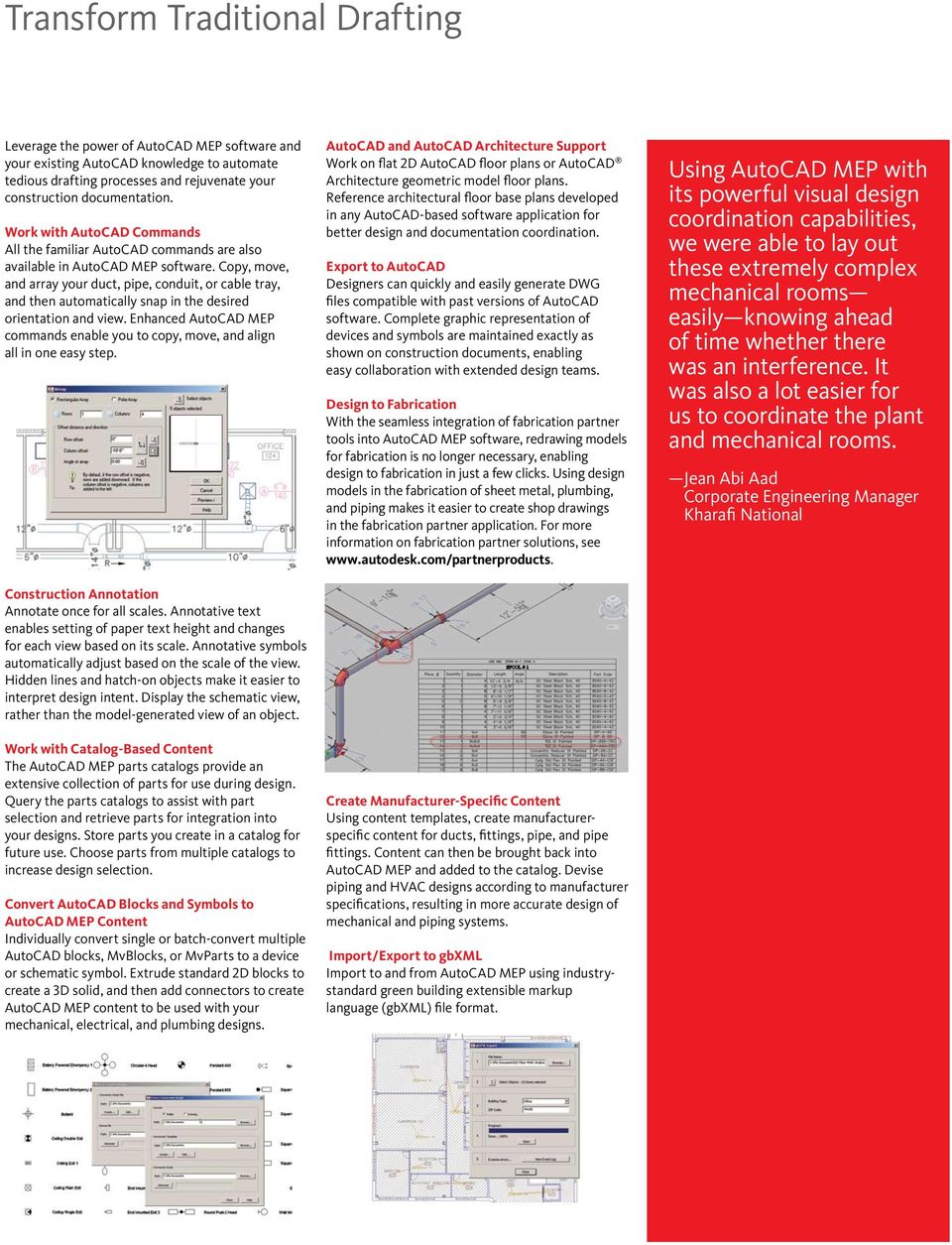
4 Transform Traditional Drafting Leverage the power of AutoCAD MEP software and your existing AutoCAD knowledge to automate tedious drafting processes and rejuvenate your construction documentation. Work with AutoCAD Commands All the familiar AutoCAD commands are also available in AutoCAD MEP software. Copy, move, and array your duct, pipe, conduit, or cable tray, and then automatically snap in the desired orientation and view. Enhanced AutoCAD MEP commands enable you to copy, move, and align all in one easy step. Construction Annotation Annotate once for all scales. Annotative text enables setting of paper text height and changes for each view based on its scale. Annotative symbols automatically adjust based on the scale of the view. Hidden lines and hatch-on objects make it easier to interpret design intent. Display the schematic view, rather than the model-generated view of an object. Work with Catalog-Based Content The AutoCAD MEP parts catalogs provide an extensive collection of parts for use during design. Query the parts catalogs to assist with part selection and retrieve parts for integration into your designs. Store parts you create in a catalog for future use. Choose parts from multiple catalogs to increase design selection. Convert AutoCAD Blocks and Symbols to AutoCAD MEP Content Individually convert single or batch-convert multiple AutoCAD blocks, MvBlocks, or MvParts to a device or schematic symbol. Extrude standard 2D blocks to create a 3D solid, and then add connectors to create AutoCAD MEP content to be used with your mechanical, electrical, and plumbing designs. AutoCAD and AutoCAD Architecture Support Work on flat 2D AutoCAD floor plans or AutoCAD Architecture geometric model floor plans. Reference architectural floor base plans developed in any AutoCAD-based software application for better design and documentation coordination. Export to AutoCAD Designers can quickly and easily generate DWG files compatible with past versions of AutoCAD software. Complete graphic representation of devices and symbols are maintained exactly as shown on construction documents, enabling easy collaboration with extended design teams. Design to Fabrication With the seamless integration of fabrication partner tools into AutoCAD MEP software, redrawing models for fabrication is no longer necessary, enabling design to fabrication in just a few clicks. Using design models in the fabrication of sheet metal, plumbing, and piping makes it easier to create shop drawings in the fabrication partner application. For more information on fabrication partner solutions, see Create Manufacturer-Specific Content Using content templates, create manufacturerspecific content for ducts, fittings, pipe, and pipe fittings. Content can then be brought back into AutoCAD MEP and added to the catalog. Devise piping and HVAC designs according to manufacturer specifications, resulting in more accurate design of mechanical and piping systems. Import/Export to gbxml Import to and from AutoCAD MEP using industrystandard green building extensible markup language (gbxml) file format. Using AutoCAD MEP with its powerful visual design coordination capabilities, we were able to lay out these extremely complex mechanical rooms easily knowing ahead of time whether there was an interference. It was also a lot easier for us to coordinate the plant and mechanical rooms. Jean Abi Aad Corporate Engineering Manager Kharafi National
5 Smart, Accurate Construction Documents AutoCAD MEP software reduces requests for information by enabling more accurate, consistent construction documents, together with seamless collaboration across project teams. Single/Double-Line Duct Design Create construction documents efficiently with single line for design development and convert to double line for construction documents. Lay out mechanical systems in single line with unsized parts early in the design process, and then use duct-sizing tools and convert the layout to double line. Enhanced sizing tools help to increase drafting productivity when going from design development to construction documentation. Seamless Sections and Elevations No longer wait until the end of your design process to create sections and elevations. Quickly create sections and elevations at any time. When your design changes, all sections and elevations update automatically, virtually eliminating manual updates. Sections help to ensure that the design is accurate and add clarity to construction documents. Faster Scheduling Create schedules faster than you can with traditional CAD drawing processes. Engineers, designers, and drafters can schedule engineering system data, calculate values, and use new table styles to lay out room and analysis schedules. Schedules are automatically updated as the design changes, reducing errors. Create schedules as you lay out your design, and see the schedule populate automatically, saving time. Single/Double-Line Piping Draw pipe systems that include multiple levels of size and complexity, and accurately represent physical systems. Use both single-line and doubleline piping within the same design, with small pipe shown as single line and larger pipe as double line for clarity. Custom fittings mean you can design unique layouts on the fly. New water/ wastewater content eases creation of relevant facilities. All piping is based on current piping standards and specifications. With easy-to-use routing solutions, you can lay out your piping design with ease. Spaces and Zones Assign engineering spaces from existing 2D architectural floor plans or design drawings. Room measurements are automatically calculated, including square footage, meters, and volumes per area. Use AutoCAD MEP together with industry-leading analysis applications to automatically calculate load capacity and airflow rate requirements per area. Spaces and zone information is used when exporting to gbxml for import into third-party analysis programs. The analysis can then be used to properly design the heating, ventilation, and air conditioning (HVAC), lighting, and power for each space and zone. Electrical Layout Lay out electrical design based on your workflow. Circuit the devices as you lay them out or later in the design process. Automatically generate wiring to increase productivity and create accurate construction documents. Plumbing Design AutoCAD MEP accurately calculates the slope of plumbing lines. Add invert elevations anywhere along a plumbing run. Size the sanitary system plumbing lines based on fixture units that are read directly from the plumbing fixtures themselves. Easily modify the plumbing fixture unit table based on local standards. Engineering Display Themes Use display themes to graphically present and analyze design intent. Check your HVAC design calculations based on friction loss or velocity to validate performance for a particular area or room. Also use the display theme By Pressure Class to visually show the high, medium, and low pressure per piping class to easily identify potential design flaws. Display themes are depicted as color-filled displays complete with legends. Circuit Manager Use a single location to manage and edit circuit information. Automatic prompts notify users of potential overloads based on conductor size, reducing errors and minimizing the need for rework. In addition, the Circuit Manager reads the circuits from multiple fixtures and devices across multiple floor plans. View linked panels and loads together in the Circuit Manager, which uses the space tag information to enter descriptions for all circuits.

6 Autodesk software helps us provide a more comprehensive, integrated solution to our clients and meet our long-term strategic goals. Mark Butler Senior Systems Analyst HDR Learn More or Purchase Access specialists worldwide who can provide product expertise, a deep understanding of your industry, and value that extends beyond your software purchase. To purchase AutoCAD MEP, contact an Autodesk Premier Solutions Provider or Autodesk Authorized Reseller. To locate the reseller nearest you, visit For more information about AutoCAD MEP software, visit com/autocadmep. To learn more about Autodesk solutions for mechanical, electrical, and plumbing engineering, visit Autodesk Design Review Directly publish to DWF format from AutoCAD MEP for an easy and secure way to distribute and share designs or construction documentation. The free* Autodesk Design Review application gives your project team an easy way to view, print, mark up, and measure changes to drawings without the original design creation software. To learn more, visit Autodesk Services and Support Accelerate return on investment and optimize productivity with innovative purchase methods, companion products, consulting services, support, and training from Autodesk and Autodesk authorized partners. Designed to get you up to speed and keep you ahead of the competition, these tools help you make the most of your software purchase no matter what industry you are in. To learn more, visit Autodesk Subscription Get the benefits of increased productivity, predictable budgeting, and simplified license management with Autodesk Subscription. You get any new upgrades of your Autodesk software and any incremental product enhancements, if these are released during your subscription term, and you get exclusive license terms available only to subscription members. A range of community resources, including web support direct from Autodesk technical experts, self-paced training, and e-learning, help extend your skills and make Autodesk Subscription the best way to optimize your investment. To learn more, visit *Free products are subject to the terms and conditions of the end-user license agreement that accompanies download of the software. Autodesk, AutoCAD, DWF, and DWG are registered trademarks or trademarks of Autodesk, Inc., in the USA and/or other countries. All other brand names, product names, or trademarks belong to their respective holders. Autodesk reserves the right to alter product offerings and specifications at any time without notice, and is not responsible for typographical or graphical errors that may appear in this document Autodesk, Inc. All rights reserved

Building Information Modeling for MEP Engineering. Revit MEP 2008
 Building Information Modeling for MEP Engineering Revit MEP 2008 Design Intuitively with Tools That Work the Way Engineers Think Revit MEP software is an intuitive design tool that works the way engineers
Performance by design. Autodesk Revit MEP
 Performance by design. Autodesk Revit MEP Step up to the challenge. Autodesk Revit MEP software helps mechanical, electrical, and plumbing engineering firms meet the heightened demands of today s global
Performance by design. Autodesk Revit MEP
 Performance by design. Autodesk Revit MEP Step up to the challenge. Autodesk Revit MEP software helps mechanical, electrical and plumbing engineering firms meet the heightened demands of today s global
Effective Collaboration using Revit Structure and AutoCAD MEP
 REVIT STRUCTURE Effective Collaboration using Revit Structure and AutoCAD MEP This white paper explains how structural engineers using Revit Structure software and mechanical/electrical/plumbing (MEP)
What s New in Autodesk Revit 2014
 Building Design Suite 2014 What s New in Revit 2014 * Revit 2014 software is only available as part of the Building Design Suite 2014 Premium and Ultimate Editions. New & Enhanced Features Platform & For
Design without compromise. Autodesk Revit. Architecture
 Design without compromise. Autodesk Revit Architecture Definitive Design From conception to construction documentation, design projects within an intuitive environment. Building information modeling and
Design without compromise. Autodesk Revit. Architecture 2010
 Design without compromise. Autodesk Revit Architecture 2010 BIM Simply a Better Way of Working Deliver projects faster, more economically, and with enhanced potential for reduced environmental impact.
Effective Collaboration
 AUTODESK BUILDING SOLUTIONS Effective Collaboration Exporting Revit Architecture Models as ACIS Solids for Use in AutoCAD MEP The intent of this paper is to explain a process by which architects using
Autodesk Solutions for Environmental Engineering. Engineering a better environment
 Autodesk Solutions for Environmental Engineering Engineering a better environment Better Engineering, Faster Design and deliver environmental engineering projects better, faster, and more economically.
Autodesk Robot Structural Analysis Professional 2010. Break it down before you build it up.
 Autodesk Robot Structural Analysis Professional 2010 Break it down before you build it up. Building Information Modeling for Structural Engineering Integrated tools for modeling, coordination, analysis,
Autodesk Streamline 2008. Achieve maximum project visibility.
 Autodesk Streamline 2008 Achieve maximum project visibility. Achieve Maximum Project Visibility Accelerate your product development process. With the Autodesk Streamline on-demand collaborative project
Revit MEP. Autodesk Navisworks
 What is BIM? Autodesk BIM is an intelligent model-based process that helps owners and service providers achieve business results by enabling more accurate, accessible, and actionable insight throughout
Autodesk Productstream 2008. A practical approach to data management.
 Autodesk Productstream 2008 A practical approach to data management. A Practical Approach to Data Management In today s manufacturing environment, accelerating product development cycles is the key to
Autodesk Revit Architecture. Design without compromise.
 Autodesk Revit Architecture Design without compromise. Definitive Design From conception to construction documentation, design projects within an intuitive environment. Building information modeling and
The use of BIM in plumbing projects creates deeper project knowledge, delivers a more robust product, and can reduce total project costs.
 BIM for plumbing design The use of BIM in plumbing projects creates deeper project knowledge, delivers a more robust product, and can reduce total project costs. BY JUNCHENG (JAMES) YANG, PE, CPD, LEED
Questions and Answers
 AutoCAD Architecture 2010 Questions and Answers AutoCAD Architecture 2010 software the version of AutoCAD software for architects. Creating designs and documentation is much more efficient using the software
Transition to 3D Fabrication Workflows
 Autodesk Autodesk Fabrication Solutions Transition to 3D Fabrication Workflows Autodesk is committed to the use of Building Information Modeling (BIM) to drive integrated and connected data across the
Certified Instructors & Curriculum
 Our Promise. TPM is dedicated to provide the most extensive and high-quality training programs to help you maximize your investment. Although the investment in time and money may seem substantial, it will
Autodesk Revit LEARNING PATH BUILDING DESIGN SUITE
 Autodesk Revit LEARNING PATH FUNDAMENTALS Duration: 3 days Cost: R5 500 (excl VAT) Revit MEP Duration: 3 days Cost: R5 500 (excl VAT) Revit Structure Duration: 3 days Cost: R5 500 (excl VAT) REVIT ADVANCED
Get to know your Autodesk Design and Creation Suites 2014
 Get to know your Design and Creation Suites 2014 Design and Creation Suites 2014 offer more tools and cloud services so you can take advantage of smoother workflows, better access to project information,
Questions and Answers
 Autodesk Building Design Suite 2013 Questions and Answers Autodesk Building Design Suite is a comprehensive software solution that combines Building Information Modelling (BIM) and CAD tools to help you
Autodesk Vault Family of Products. Manage your entire design.
 Autodesk Vault Family of Products Manage your entire design. Stay In Control Imagine finding design data in seconds. Sharing digital prototyping information securely with team members across the world.
Autodesk Inventor 2013
 Autodesk Inventor 2013 AMS CAD + CAFM Solutions amscad.com Image courtesy of Brimrock Group Inc. and Mechanix Design Solutions Inc. Autodesk Inventor Takes You From 2D to 3D Digital Prototyping The Inventor
Autodesk Design Visualization for Architects. Every Design Has a Story.
 Autodesk Design Visualization for Architects Every Design Has a Story. A high-impact visualization can make the difference between winning a bid or walking away empty-handed. Architects, designers, engineers
for Revit MEP The professional s choice for Building Services
 for Revit MEP The professional s choice for Building Services The professional s choice for Building Services With MagiCAD, all modelling is highly automated, fast and accurate. Checking the model and
Questions and Answers
 AutoCAD 2013 Questions and Answers With powerful new tools for design aggregation, connecting with Autodesk 360 cloud-enabled services, and accessing hundreds of apps, AutoCAD 2013 software powers your
imaginit.com/autodeskcfd Scalable, robust fluid flow and thermal simulation solution
 Scalable, robust fluid flow and thermal simulation solution Fast, accurate, and flexible solution to test the fluid flow and thermal performance of your design Accurately predict behavior, optimize designs,
Questions and Answers for Citrix Ready Software
 AutoCAD Map 3D 2009 Questions and Answers for Citrix Ready Software AutoCAD Map 3D software is one of the leading engineering platforms for creating and managing spatial data. Bridging the gap between
Digital Prototyping: Questions and Answers
 Autodesk Manufacturing Digital Prototyping: Questions and Answers 1. What is a digital prototype? A digital prototype is created with Autodesk Inventor software and is a digital simulation of a product
Technical What s New. Autodesk Alias Product Line
 Autodesk Alias Product Line Purpose-built for industrial designers and creative professionals, digital modelers/sculptors, and automotive/transportation designers, the Autodesk Alias 2010 product line
Autodesk Building Systems. Preview Guide. Introduction
 Autodesk Building Systems Preview Guide Introduction Autodesk Building Systems 3 software is the premier CAD solution for mechanical, plu mbing, and electrical engineers to use in the design, development,
Roadway Plan Production
 AutoCAD Civil 3D 2010 Education Curriculum Instructor Guide Unit 5: Transportation Design Lesson 5 Roadway Plan Production Overview This lesson describes how to automate the generation of plan and profile
Professional CAD System
 Professional CAD System > ARCHITECTS site plans > BUILDERS > RESIDENTIAL DESIGNERS floor plans elevations 3D models details sigma design BuildersCAD Complete System Only $ 995 Professional CAD System High
JumpStart Guide. Trimble QuickPen PipeDesigner 3D Software
 L JumpStart Guide Trimble QuickPen PipeDesigner 3D Software Revision A February 2013 F Englewood Office Trimble Navigation Limited 384 Inverness Parkway, Suite 200 Englewood, Colorado 80112 (800) 234-3758
Questions and Answers
 AUTODESK IMPRESSION 3 Questions and Answers Contents 1. General Product Information... 2 1.1 What is Autodesk Impression?... 2 1.2 Who uses Autodesk Impression?... 2 1.3 What are the primary benefits of
BIM and API Extensions
 REVIT BUILDING INFORMATION MODELING BIM and API Extensions This whitepaper explains how the utility of BIM solutions such as Revit Structure software can be broadened through the use of specialized software
for AutoCAD The professional s choice for Building Services
 for AutoCAD The professional s choice for Building Services With MagiCAD, all modelling is highly automated, fast and accurate. Checking the model and simulating the operation of different systems is easy
Questions and Answers
 AutoCAD WS Questions and Answers Contents 1. General Product Information... 2 1.1 What is AutoCAD WS?... 2 1.2 Who should use AutoCAD WS?... 2 1.3 What can I do with AutoCAD WS?... 2 1.4 Is AutoCAD WS
AECOsim Building Designer Quick Start Guide
 AECOsim Building Designer Quick Start Guide Chapter M01 Mechanical 2012 Bentley Systems, Incorporated www.bentley.com/aecosim Table of Contents Mechanical...3 Mechanical Builidng Designer Features... 3
Explore. Analyze. Optimize. AutoCAD. Civil 3d
 Explore. Analyze. Optimize. AutoCAD Civil 3d A Powerful Building Information Modeling Solution for Civil Engineering Use an integrated process built on a coordinated, consistent, digital model for design,
MultiREBAR CAD. www.multirebarcad.com
 MultiREBAR CAD Rebar Detailing Made Easy www.multirebarcad.com Who Uses MultiREBAR CAD? MultiREBAR is the complete concrete bar detailing solution and can be used by both detailers and Rebar fabricators.
Explore. Analyze. Optimize. AutoCAD. Civil 3d
 Explore. Analyze. Optimize. AutoCAD Civil 3d A Powerful Building Information Modeling Solution for Civil Engineering Use an integrated process built on a coordinated, consistent, digital model for design,
Autodesk Cloud Frequently Asked Questions for Customers
 Autodesk Cloud Customer FAQ Autodesk Cloud Frequently Asked Questions for Customers September 27, 2011 What are web services, cloud services and cloud computing? All of these terms refer to software technology
Setting a New Standard for 2D Design
 Setting a New Standard for 2D Design Plant Design Software Suite VERSION 2008 Raising the Bar on Piping Design By combining proven technologies with AutoCAD s advanced graphics engine, PROCAD has created
Questions and Answers
 Autodesk Inventor Questions and Answers Contents 1. Why should I move from AutoCAD to Autodesk Inventor Products?... 2 2. What does the Autodesk Inventor product line deliver?... 2 3. Which Autodesk Inventor
Session 25 Revit MEP Tips and Tricks
 Session 25 Revit MEP Tips and Tricks Page 1 of 17 Sometimes it's the little things which make all the difference. I thought I would share some nifty tricks that can help make Revit MEP go down a little
Autodesk Civil 3D Styles: A Guide to the Fundamentals
 AUTODESK CIVIL 3D WHITE PAPER Autodesk Civil 3D Styles: A Guide to the Fundamentals About the Author: Mark Scacco, PE, is the founder and president of Engineered Efficiency, Inc., a technology consulting
Collaborating Across Disciplines with Revit Architecture, MEP, and Structure
 Collaborating Across Disciplines with Revit Architecture, MEP, and Structure David Cohn AB104-3 Are you ready to take the next step and use building information modeling to share data across the entire
Solid Edge Diagramming
 Solid Edge Diagramming White Paper Integrated, process-specific diagramming for P&ID, electrical and hydraulic diagrams White Paper Solid Edge Diagramming 2 Contents Integrated diagramming... 3 Industry-standard
How To Use Autocad Design Suite 2013
 AutoCAD Design Suite 2013 Questions and Answers For the people who shape and create the world around us, AutoCAD Design Suite 2013 includes the most powerful AutoCAD software ever, plus tools to help you
BIM: FOR PROJECT MANAGERS. 2011 CSI Southwest Region Conference Program 1B 8:45am 11:00am
 BIM: FOR PROJECT MANAGERS ANA BAKER BRANDON GARRETT 2011 CSI Southwest Region Conference Program 1B 8:45am 11:00am 1 2 3 4 BIM Overview BIM Level of Development Evolution of the Drawing Process BIM Workflow
Practical Strategy and Workflow for Large Projects: A Realistic Solution
 Practical Strategy and Workflow for Large Projects: A Realistic Solution Marco Brasiel/Diego Faria Frazillio & Ferroni SE3193 This class presents a strategy for development of structural projects using
Questions and Answers
 Autodesk Factory Design Suite 2013 Questions and Answers Autodesk Factory Design Suite enhances the power of AutoCAD with the benefits of Digital Prototyping, so you spend less time drafting and more time
Olilo's AEC Design Services. SrinSoft Inc, Partners of
 Olilo's AEC Design Services SrinSoft Inc, Partners of Olilo provides design services that include design and analysis, cost estimation, 3D modeling, 2D drafting, conversion from 2D to 2D, quantity take-off,
Online Packaging Management Solution
 Online Packaging Management Solution WebCenter WebCenter is a powerful web-based Packaging Management platform to manage your business process, approval cycles and digital packaging assets. Specification
TABLE OF CONTENTS. INTRODUCTION... 5 Advance Concrete... 5 Where to find information?... 6 INSTALLATION... 7 STARTING ADVANCE CONCRETE...
 Starting Guide TABLE OF CONTENTS INTRODUCTION... 5 Advance Concrete... 5 Where to find information?... 6 INSTALLATION... 7 STARTING ADVANCE CONCRETE... 7 ADVANCE CONCRETE USER INTERFACE... 7 Other important
The design professional s choice for AutoCAD -based space planning & specification software.
 20-20 Design Tools 20-20 CAP STUDIO The design professional s choice for AutoCAD -based space planning & specification software. Create large-scale project drawings directly within AutoCAD, the standard
What s new in Teamcenter Service Pack 10.1.4
 Siemens PLM Software What s new in Teamcenter Service Pack 10.1.4 Benefits Streamlined collaboration between mechanical and electronic design teams Improved software, development and delivery with integration
Streamline your design-to-cost processes with Autodesk Navisworks
 Quantification in Autodesk Navisworks 2015 Streamline your design-to-cost processes with Autodesk Navisworks Contents Overcome data disarray....................................................................................
SharePoint for Engineering Document Management & Control
 SharePoint for Engineering Document Management & Control Managing and controlling engineering documents and drawings with SharePoint A white paper by Cadac Organice BV Date: 01-03-2012 Table of contents
Questions and Answers
 Autodesk Inventor Questions and Answers Contents 1. Why should I move from AutoCAD to Autodesk Inventor Products?... 2 2. What does the Autodesk Inventor product line deliver?... 2 3. Which Autodesk Inventor
Questions and Answers
 Autodesk Product Design Suite 2013 Questions and Answers Autodesk Product Design Suite 2013 is a comprehensive solution for Digital Prototyping, delivering tools to complete your entire engineering design
An introduction to 3D draughting & solid modelling using AutoCAD
 An introduction to 3D draughting & solid modelling using AutoCAD Faculty of Technology University of Plymouth Drake Circus Plymouth PL4 8AA These notes are to be used in conjunction with the AutoCAD software
Vico Office R3.0 Help
 1 Vico Office R3.0 Help User guide 2 Contents 3 Vico Office R3.0 Help Revision 1 4 Vico Office Introduction Welcome to Vico Office, Vico's integrated Virtual Construction environment. The Vico Office Suite
Power tools for mechanical design. AutoCAD. Mechanical
 Power tools for mechanical design. AutoCAD Mechanical The AutoCAD Mechanical Advantage To compete and win in today s design marketplace, engineers need to create and revise mechanical drawings faster than
Property Management and Data Visualization Solution with Autodesk and the Oracle E-Business Suite
 Property Management & Visualization White Paper Property Management and Visualization Solution with Autodesk and the Oracle E-Business Suite This paper presents the value and benefits of the integrated
Questions and Answers
 Autodesk Citrix Ready Products Questions and Answers Citrix Systems, Inc. and Autodesk have partnered to provide customers with greater efficiency and flexibility in their use of Autodesk s applications.
BIM and DWF REVIT BUILDING INFORMATION MODELING. About DWF. BIM and DWF
 REVIT BUILDING INFORMATION MODELING BIM and DWF This white paper explores how DWF technology extends the building information modeling (BIM) design process and facilitates the sharing of the consistent,
How To Use Gss Software In Trimble Business Center
 Trimble Business Center software technical notes Trimble Business Center Software Makes Processing GNSS Survey Data Effortless Trimble Business Center is powerful surveying office software designed to
Seek. Autodesk. Autodesk Seek THE ONLINE MARKETING SOURCE FOR BUILDING PRODUCT MANUFACTURERS INDUSTRY SHIFT
 Autodesk Seek Autodesk Seek THE ONLINE SOURCE FOR BUILDING PRODUCT MANUFACTURERS Seek enables architects, engineers and other design professionals to discover, preview, and download BIM models, drawings,
Creating 2D Drawings from 3D AutoCAD Models
 Creating 2D Drawings from 3D AutoCAD Models David Piggott CrWare, LP GD205-2P This class explores the various techniques in creating 2D part and assembly drawings from 3D AutoCAD models. As part of the
COMOS Platform. Worldwide data exchange for effective plant management. www.siemens.com/comos
 COMOS Platform Worldwide data exchange for effective plant management www.siemens.com/comos COMOS Effective data management across the entire plant lifecycle COMOS Platform the basis for effective plant
Insight Advanced Workstation
 Technical Specification Sheet Document No. 149-333P25 October 29, 2015 Insight Advanced Workstation Figure 1. Insight Advanced Main Menu. The Insight Advanced Workstation transforms a personal computer
A BIM Case Study: SELCEN Mimarlik
 A BIM Case Study: SELCEN Mimarlik Final Submission 19 January 2012 Yekta Ipek 523101013 MBL607E::Building Information Models Instructor: Salih Ofluoglu Istanbul 2012 Building Information Models Final Submission
Hybrid 2D/3D design The right tool for the right job at the right time
 Siemens PLM Software Hybrid 2D/3D design The right tool for the right job at the right time White Paper Incorporating the benefits of 2D and 3D design technologies into a single effective design approach,
Autodesk Vault 2016 What s new
 Autodesk Vault 2016 What s new CAD integrations Autodesk Vault 2016 enhances integrations to a number of CAD applications to improve existing capabilities and address new CAD application functionality.
AutoCAD Structural Detailing 2011. Getting Started with AutoCAD Structural Detailing, Reinforcement module
 AutoCAD Structural Detailing 2011 Getting Started with AutoCAD Structural Detailing, Reinforcement module 2010 Autodesk, Inc. All Rights Reserved. Except as otherwise permitted by Autodesk, Inc., this
Setting a New Standard for 2D Design
 Setting a New Standard for 2D Design Plant Design Software Suite VERSION 2008 Raising the Bar on Piping Design By combining proven technologies with AutoCAD s advanced graphics engine, PROCAD has created
The Disciplines of Engineering Graphics. Introduction
 The Need for Electrical/Electronic Graphics in Engineering and Related Curricula School of Engineering Technology Eric Hansberry, Robert Angus, and Thomas Hulbert Northeastern University Boston, Massachusetts
ATS Revit Family Creation Standards July 23 rd, 2012 Plumbing Fixtures: Faucets Version 1.0
 This document outlines the design standard Allied Technical Services uses in the creation of Revit families. This edition will feature faucets, more specifically, bathroom and kitchen faucets. It is important
CAD Standards Guideline For Facility Documentation and Construction Projects
 CAD Standards Guideline For Facility Documentation and Construction Projects Implemented March 2010 Page 1 of 9 Table of Contents A. Software B. CAD Methods 1. Layer Standards 2. Font 3. Lineweights 4.
Get wired. AutoCAD. Electrical
 Get wired. AutoCAD Electrical The AutoCAD Electrical Advantage To succeed in today s global marketplace, electrical controls designers can no longer afford to rely on generic software applications to get
Layout Tutorial. Chapter 10: Getting Started
 Chapter 10: Layout Tutorial In this tutorial we will create a layout template, send a few views to a layout page, then save this document in PDF format. In this tutorial you will learn about: Creating
DWFTM. Tips &Tricks. Publish View & Print Review & Mark Up
 DWFTM Tips &Tricks Publish View & Print Review & Mark Up Sharing complex design information has never been easy. Since design files are large, sending sheet sets and 3D models to printers or sharing work
Layout Tutorial. Getting Started
 Getting Started Layout Tutorial This tutorial will explain how create a layout template, send views to a layout page, then save the document in PDF format. In this tutorial you will learn about: Creating
CAD Standards Guideline For Facility Documentation and Construction Projects
 CAD Standards Guideline For Facility Documentation and Construction Projects Page 1 of 12 Table of Contents A. Software B. CAD Methods 1. Layer Standards 2. Font 3. Lineweights 4. External References 5.
Autodesk Vault 2015 R2 What s new
 What s new Unified lifecycles The 2015 R2 release helps companies unify lifecycle controls and adds the same great document lifecycle flexibility to items. Manage your file access and release process using
NAPCS Product List for NAICS 54134: Drafting Services
 NAPCS List for NAICS 54134: Drafting Services National 54134 1 Drafting Producing detailed layouts, plans, drawings, illustrations, graphics or models based on engineering or architectural specifications,
Getting Started with Web Service Tools for Whole Building Analysis
 Autodesk Ecotect Analysis 2010 Getting Started with Web Service Tools for Whole Building Analysis Customers who add subscription to their Autodesk Ecotect Analysis license can access 1 whole building energy,
NX electrical and mechanical routing Accelerating design of electrical and mechanical routed systems in complex assemblies
 electrical and mechanical routing Accelerating design of electrical and mechanical routed systems in complex assemblies fact sheet Siemens PLM Software www.siemens.com/plm Summary digital product development
BIM and Cost Estimating
 REVIT BUILDING INFORMATION MODELING BIM and Cost Estimating This white paper explores how the reliable information held within a building information model can be used to support cost estimating. The paper
Layout Tutorial. Chapter 10: Getting Started
 Chapter 10: Layout Tutorial In this tutorial we will create a layout template, send a few views to a layout page, then save this document in PDF format. In this tutorial you will learn about: Creating
SMARTPLANT ENTERPRISE
 SOLUTION SMARTPLANT ENTERPRISE 3D Modeling & Visualization INDUSTRY CHALLENGES Plant owner operators (O/Os) and engineering, procurement, and construction (EPC) companies alike are under continued pressure
CADDSTAR V7.0 FEATURES AND FUNCTIONALITY
 CADDSTAR V7.0 FEATURES AND FUNCTIONALITY CADDStar is a powerful GIS-based facilities management and network documentation software. By combining the drawing / mapping features of AutoCAD Map with a relational
2301.1 Scope: Communications and Electronic Systems addressed in this section include:
 Chapter 23 COMMUNICATIONS / ELECTRONIC SYSTEMS SECTION 2301 - GENERAL 2301.1 Scope: Communications and Electronic Systems addressed in this section include: 1. Fire Alarm System 2. Telecommunication and
ARCHITECTURAL DESIGN SOFTWARE SOLUTION
 www.visionrez.com www.itwbcg.com ARCHITECTURAL DESIGN SOFTWARE SOLUTION A multibillion dollar company with nearly 100 years of history, ITW today designs and manufactures fasteners and components, equipment
Using CAD Data in ArcGIS
 Esri International User Conference San Diego, California Technical Workshops July 27, 2012 Using CAD Data in ArcGIS Jeff Reinhart & Phil Sanchez Agenda Overview of ArcGIS CAD Support Using CAD Datasets
AutoDWG DWGSee DWG Viewer. DWGSee User Guide
 DWGSee User Guide DWGSee is comprehensive software for viewing, printing, marking and sharing DWG files. It is fast, powerful and easy-to-use for every expert and beginners. Starting DWGSee After you install
The Recipe for Sarbanes-Oxley Compliance using Microsoft s SharePoint 2010 platform
 The Recipe for Sarbanes-Oxley Compliance using Microsoft s SharePoint 2010 platform Technical Discussion David Churchill CEO DraftPoint Inc. The information contained in this document represents the current