
Oracle WebLogic Using Cisco Unified Computing System
|
|
|
- Oliver Lewis
- 10 years ago
- Views:
Transcription
1 Deployment Guide Oracle WebLogic Using Cisco Unified Computing System Oracle WebLogic Server, Oracle Database and Apache on OEL Depolyment Guide August 2011

2 Contents 1. Goals Audience Infrastructure Components Cisco Unified Computing System Cisco Unified Computing System Components Cisco UCS Manager Fabric Interconnect Cisco Fabric Extenders Module Cisco UCS Chassis Intel Xeon 5600 Series Processor Intel Xeon 7500 Series Processor Cisco UCS B200M2 Blade Server Cisco UCS B230M1 Blade Server Cisco UCS B250M2Extended Memory Blade Server Extended Memory Architecture Cisco UCS Virtual Interface Card (VIC) EMC CLARiiON Cisco Networking Infrastructure Cisco Nexus Port Switch Cisco Nexus 5000 Series Feature Highlights Platform Components Oracle WebLogic Server 11gR Oracle Database 11gR Oracle Enterprise Linux Solution Validation Deployment Architecture Cisco Unified Computing System Configuration Service Profile Configuration Boot from SAN Storage Array Configuration Cisco UCS Manager Configuration Zone Configuration Host Registration on Storage OEL installation on SAN WebLogic11gR1 installation Configuration of WebLogic Install LUN on CX JRockit 64-bit Installation Oracle WebLogic Server Installation Oracle WebLogic Cluster Configuration Apache HTTP Server Plug-in Cisco UCS Statelessness Service Profile Migration Future Considerations Server Failure Detection and Automated Service Profile Migration Performance and Scalability Analysis for WebLogic on a Cisco UCS Blade Server For More Information Cisco and/or its affiliates. All rights reserved. This document is Cisco Public Information. Page 2 of 83
3 1. Goals This document details how to deploy the Oracle WebLogic Middleware solution on Cisco UCS B-Series Blade Servers that are connected to the EMC CLARiiON CX4 Storage array. It also details the best practice recommendations for configuring Cisco UCS Service Profiles, the SAN Boot configuration, and describes the Cisco UCS advantages for Java Enterprise Edition platforms. 1.1 Audience This document is intended to assist solution architects, sales engineers, field engineers and consultants in deploying Oracle WebLogic Cluster solutions on the Cisco Unified Computing System. This document assumes that the reader has an architectural understanding of the Cisco Unified Computing System, Java EE, Oracle WebLogic middleware platform, and related software. 2. Infrastructure Components The following sections detail the infrastructure components used in this particular configuration. 2.1 Cisco Unified Computing System The Cisco Unified Computing System is a next-generation data center platform that unites compute, network, storage access, and virtualization into a cohesive system designed to reduce total cost of ownership (TCO) and increase business agility. The Cisco Unified Computing System server portfolio consists of the blade server platform, B-Series and the C-Series Rack-Mount platform. We chose the Cisco UCS B-Series Blade Server platform for this study. The system integrates a low-latency, lossless 10 Gigabit Ethernet unified network fabric with enterprise-class x86-architecture servers. The system is an integrated, scalable, multi-chassis platform in which all resources participate in a unified management domain. The main system components include: Compute the system is based on an entirely new class of computing system that incorporates blade servers based on Intel Xeon 5500 Series Processors. The Cisco UCS blade servers offer patented Cisco Extended Memory Technology to support applications with large datasets and allow more virtual machines per server. Network the system is integrated onto a low-latency, lossless, 10-Gbps unified network fabric. This network foundation consolidates what today are three separate networks: LANs, SANs, and high-performance computing networks. The unified fabric lowers costs by reducing the number of network adapters, switches, and cables, and by decreasing power and cooling requirements. Virtualization the system unleashes the full potential of virtualization by enhancing the scalability, performance, and operational control of virtual environments. Cisco security, policy enforcement, and diagnostic features are now extended into virtualized environments to better support changing business and IT requirements. Storage access the system provides consolidated access to both SAN storage and Network Attached Storage (NAS) over the unified fabric. Unifying storage access means that the Cisco Unified Computing System can access storage over Ethernet, Fibre Channel, Fibre Channel over Ethernet (FCoE), and iscsi, providing customers with choice and investment protection. In addition, administrators can pre-assign storage-access policies for system connectivity to storage resources, simplifying storage connectivity and management while helping increase productivity. Management the system uniquely integrates all the system components, enabling the entire solution to be managed as a single entity through the Cisco UCS Manager software. The Cisco UCS Manager provides an 2011 Cisco and/or its affiliates. All rights reserved. This document is Cisco Public Information. Page 3 of 83
4 intuitive graphical user interface (GUI), a command-line interface (CLI), and a robust application programming interface (API) to manage all system configuration and operations. The Cisco UCS Manager helps increase IT staff productivity, enabling storage, network, and server administrators to collaborate on defining service profiles for applications. Service profiles are logical representations of desired physical configurations and infrastructure policies. They help automate provisioning and increase business agility, allowing data center managers to provision resources in minutes instead of days. Working as a single, cohesive system, these components unify technology in the data center. They represent a radical simplification in comparison to traditional systems, helping simplify data center operations while reducing power and cooling requirements. The system amplifies IT agility for improved business outcomes. The Cisco Unified Computing System components illustrated in Figure 1 include, from left to right, fabric interconnects, blade server chassis, blade servers, and in the foreground, fabric extenders and network adapters. Figure 1. Cisco Unified Computing System 2.2 Cisco Unified Computing System Components Cisco UCS Manager Cisco UCS Manager serves as an embedded device manager for all Cisco Unified Computing System components. The Cisco UCS Manager creates a unified management domain that serves as the central nervous system of the Cisco Unified Computing System. The Cisco UCS Manager takes the place of the system management tools associated with a traditional computing architecture by integrating computing, networking, and virtualization resources into one cohesive system. Cisco UCS Manager implements policy-based management using service profiles to help automate provisioning and increase agility. In managing the services within Cisco UCS, configuration details are applied to service profiles, instead of many tedious touches of a physical server and the associated LAN, SAN, and management networks. The service profile includes all the firmware, firmware settings, and BIOS settings. For example, definition of server connectivity, configuration, and identity.this model allows for rapid service instantiation, cloning, growth, shrink, retirement, and re-use in a highly automated fashion. One capability is for a project-by-project instantiation of compute resources with integrated governance, and a life-cycle that returns the physical compute hardware to a pool for other business unit usage. If the project requires a re-build of a previous infrastructure, the stateless nature of Cisco UCS provides for a rapid standup of the prior environment (assuming a SAN boot, or physical disk storage scenario). With other vendors, there is a loosely coupled system of packages having many meshed and customized interconnections. When any of these items is versioned, the effects of updating are not isolated to a given component they impact other components within a solution. Cisco UCS, with its single source of information and 2011 Cisco and/or its affiliates. All rights reserved. This document is Cisco Public Information. Page 4 of 83

5 configuration, and open schema, handles upgrades, as well as daily operations, in a simple, straightforward manner. In the present setup consists of two B200M2 Servers for Apache and an application server for each. A configured service profile was used for one of the B200M2 servers and then simply cloned the profile for the second server. This allows fast provisioning of new servers in the Cisco UCS configuration. Figure 2 illustrates the Cisco UCS Manager with a service profile associated with a B200M2 server. Figure 2. Cisco UCS Manager View Fabric Interconnect The Cisco UCS 6100 Series Fabric Interconnects are a core part of the Cisco Unified Computing System, providing both network connectivity and management capabilities for the system (Figure 2). The Cisco UCS 6100 Series offers line-rate, low-latency, lossless 10 Gigabit Ethernet and FCoE functions. The Cisco UCS 6100 Series provides the management and communication backbone for the Cisco UCS B-Series Blade Servers and Cisco UCS 5100 Series Blade Server Chassis. All chassis and therefore all blades, attached to the Cisco UCS 6100 Series Fabric Interconnects become part of a single, highly available management domain. In addition, by supporting unified fabric, the Cisco UCS 6100 Series provides both the LAN and SAN connectivity for all blades within its domain. From a networking perspective, the Cisco UCS 6100 Series uses a cut-through architecture, supporting deterministic, low-latency, line-rate 10 Gigabit Ethernet on all ports, independent of packet size and enabled services. The product family supports Cisco low-latency, lossless 10 Gigabit Ethernet unified network fabric capabilities, which increase the reliability, efficiency, and scalability of Ethernet networks. The fabric interconnect 2011 Cisco and/or its affiliates. All rights reserved. This document is Cisco Public Information. Page 5 of 83

6 supports multiple traffic classes over a lossless Ethernet fabric from the blade through the interconnect. Significant TCO savings come from an FCoE-optimized server design in which network interface cards (NICs), host bus adapters (HBAs), cables, and switches can be consolidated. The Cisco UCS 6100 Series is also built to consolidate LAN and SAN traffic onto a single unified fabric, saving the capital and operating expenses associated with multiple parallel networks, different types of adapter cards, switching infrastructure, and cabling within racks. Fibre Channel expansion modules in the interconnect support direct connections from the Cisco Unified Computing System to existing native Fibre Channel SANs. The capability to connect FCoE to native Fibre Channel protects existing storage system investments while dramatically simplifying in-rack cabling. Figure 3. Cisco UCS 6120XP 20-Port Fabric Interconnect (Top) and Cisco UCS 6140XP 40-Port Fabric Interconnect The Cisco UCS 6100 Series is equipped to support the following module options: Ethernet module that provides 6 ports of 10 Gigabit Ethernet using the SFP+ interface Fibre Channel plus Ethernet module that provides 4 ports of 10 Gigabit Ethernet using the SFP+ interface; and 4 ports of 1/2/4-Gbps native Fibre Channel connectivity using the SFP interface Fibre Channel module that provides 8 ports of 1/2/4-Gbps native Fibre Channel using the SFP interface for transparent connectivity with existing Fibre Channel networks Fibre Channel module that provides 6 ports of 1/2/4/8-Gbps native Fibre Channel using the SFP or SFP+ interface for transparent connectivity with existing Fibre Channel networks Figure 4. From left to right: 8-Port 1/2/4-Gbps Native Fibre Channel Expansion Module; 4-Port Fibre Channel plus 4-Port Cisco and/or its affiliates. All rights reserved. This document is Cisco Public Information. Page 6 of 83

7 2.2.3 Cisco Fabric Extenders Module The Cisco UCS 2100 Series Fabric Extenders bring the unified fabric into the blade server enclosure, providing 10 Gigabit Ethernet connections between blade servers and the fabric interconnect, simplifying diagnostics, cabling, and management. The Cisco UCS 2100 Series extends the I/O fabric between the Cisco UCS 6100 Series Fabric Interconnects and the Cisco UCS 5100 Series Blade Server Chassis, enabling a lossless and deterministic FCoE fabric to connect all blades and chassis together. Since the fabric extender is similar to a distributed line card, it does not do any switching and is managed as an extension of the fabric interconnects. This approach removes switching from the chassis, reducing overall infrastructure complexity and enabling the Cisco Unified Computing System to scale to many chassis without multiplying the number of switches needed, reducing TCO and allowing all chassis to be managed as a single, highly available management domain. The Cisco 2100 Series also manages the chassis environment (the power supply and fans as well as the blades) in conjunction with the fabric interconnect. Therefore, separate chassis management modules are not required. The Cisco UCS 2100 Series Fabric Extenders fit into the back of the Cisco UCS 5100 Series chassis. Each Cisco UCS 5100 Series chassis can support up to two fabric extenders, enabling increased capacity as well as redundancy. Figure 5. Rear view of Cisco UCS 5108 Blade Server Chassis with two Cisco UCS 2104XP Fabric Extenders The Cisco UCS 2104XP Fabric Extender has four 10 Gigabit Ethernet, FCoE-capable, Small Form-Factor Pluggable Plus (SFP+) ports that connect the blade chassis to the fabric interconnect. Each Cisco UCS 2104XP has eight 10 Gigabit Ethernet ports connected through the midplane to each half-width slot in the chassis. Typically configured in pairs for redundancy, two fabric extenders provide up to 80 Gbps of I/O to the chassis. Figure 6. Cisco UCS 2104XP Fabric Extender 2011 Cisco and/or its affiliates. All rights reserved. This document is Cisco Public Information. Page 7 of 83

8 2.2.4 Cisco UCS Chassis The Cisco UCS 5100 Series Blade Server Chassis is a crucial building block of the Cisco Unified Computing System, delivering a scalable and flexible blade server chassis for today's and tomorrow's data center while helping reduce TCO. Cisco's first blade server chassis offering, the Cisco UCS 5108 Blade Server Chassis, is six rack units (6RU) high and can mount in an industry-standard 19-inch rack. A chassis can house up to eight half-width Cisco UCS B- Series Blade Servers and can accommodate both half- and full-width blade form factors. Four single-phase, hot-swappable power supplies are accessible from the front of the chassis. These power supplies are 92 percent efficient and can be configured to support non-redundant, N+ 1 redundant and gridredundant configuration. The rear of the chassis contains eight hot-swappable fans, four power connectors (one per power supply), and two I/O bays for Cisco UCS 2104XP Fabric Extenders. A passive mid-plane provides up to 20 Gbps of I/O bandwidth per server slot and up to 40 Gbps of I/O bandwidth for two slots. The chassis is capable of supporting future 40 Gigabit Ethernet standards. Figure 7. Cisco Blade Server Chassis (front and back view) Intel Xeon 5600 Series Processor As data centers reach the upper limits of their power and cooling capacity, efficiency has become the focus of extending the life of existing data centers and designing new ones. As part of these efforts, IT needs to refresh existing infrastructure with standard enterprise servers that deliver more performance and scalability, more efficiently. The Intel Xeon 5600 Series Processor automatically regulates power consumption and intelligently adjusts server performance according to your application needs, both energy efficiency and performance. The secret to this compelling combination is Intel s new 32nmXeon microarchitecture. Featuring Intel Intelligent Power Technology that automatically shifts the CPU and memory into the lowest available power state, while delivering the performance you need, the Intel Xeon 5600 Series Processor with Intel Micro-architecture Xeon delivers the same performance as previous-generation servers but uses up to 30 percent less power. You can achieve up to a 93 percent reduction in energy costs when consolidating your single-core infrastructure with a new infrastructure built on Intel Xeon 5600 Series Processor. This groundbreaking intelligent server technology features: Intel s new 32nm Microarchitecture Xeon built with second-generation high-k and metal gate transistor technology. Intelligent Performance that automatically optimizes performance to fit business and application requirements and delivers up to 60 percent more performance per watt than Intel Xeon 5500 Series Processor. Automated Energy Efficiency that scales energy usage to the workload to achieve optimal performance/watt and with new 40 Watt options and lower power DDR3 memory, you can lower your energy costs even further Cisco and/or its affiliates. All rights reserved. This document is Cisco Public Information. Page 8 of 83

9 Flexible virtualization that offers best-in-class performance and manageability in virtualized environments to improve IT infrastructure and enable up to 15:1 consolidation over two socket, single-core servers. New standard enterprise servers and workstations built with this new generation of Intel process technology offer an unprecedented opportunity to dramatically advance the efficiency of IT infrastructure and provide unmatched business capabilities. Figure 8. Intel Xeon 5600 Series Processor Intel Xeon 7500 Series Processor The Intel Xeon processor 7500 series supports up to eight integrated cores and 16 threads, and is available with frequencies up to 2.66 GHz, and 24 MB of cache memory, four Intel QPI links and Intel Turbo boost technology. Thermal design point (TDP) power levels range from 95 watt to 130 watts. This new Intel processor is packed with more than 20 new features that deliver a leap forward in reliability, availability and serviceability (RAS). These reliability capabilities are designed to improve the protection of data integrity, increase availability and minimize planned downtime. For example, this is the first Xeon processor to possess Machine Check Architecture (MCA) Recovery, a feature that allows the silicon to work with the operating system and virtual machine manager to recover from otherwise fatal system errors, a mechanism until now found only in Intel Itanium processor family and RISC processors Cisco UCS B200M2 Blade Server The Cisco UCS B200M2 Blade Server is a half-width, two-socket blade server. Cisco UCS B200M2 blade server uses two Intel Xeon 5600 Series Processors, with up to 96GB of DDR3 memory, two optional hot-swappable small form factor (SFF) serial attached SCSI (SAS) disk drives, and a single mezzanine connector for up to 20 Gbps of I/O throughput. The server balances simplicity, performance, and density for production-level virtualization and other mainstream data center workloads Cisco and/or its affiliates. All rights reserved. This document is Cisco Public Information. Page 9 of 83

10 Figure 9. Cisco UCS B200 M2 Blade Server Cisco UCS B230M1 Blade Server Cisco has expanded the architectural advantages of its Intel Xeon Processor 6500 and 7500 Series-based server platforms with an exceptionally high density blade server. The two-socket Cisco UCS B230M1 Blade Server platform delivers high performance and density in a compact, half-width form factor. In addition, it provides one dual-port mezzanine card for up to 20 Gbps I/O per blade. Options include a Cisco UCS M81KR Virtual Interface Card or converged network adapter (Emulex or QLogic compatible). Other features include: 32 dual in-line memory module (DIMM) slots and up to 256 GB at 1066 MHz based on Samsung 40- nanometer class (DDR3) technology Two optional front-accessible, hot-swappable solid-state drives (SSDs) and an LSI SAS2108 RAID Controller Greatly simplified deployment and systems management with embedded integration into Cisco UCS Manager Each Cisco UCS 5108 Blade Server Chassis can house up to eight B230M1 servers (a maximum of 320 per Cisco Unified Computing System). Figure 10. Cisco UCS B230 M1 Blade Server Cisco UCS B250M2Extended Memory Blade Server The Cisco UCS B250M2 Extended Memory Blade Server is a full-width, two-socket blade server featuring Cisco Extended Memory Technology. The system supports two Intel Xeon 5600 Series Processors, up to 384 GB of DDR3 memory, two optional SFF SAS disk drives, and two mezzanine connections for up to 40 Gbps of I/O throughput. The server increases performance and capacity for demanding virtualization and large-data-set workloads with greater memory capacity and throughput Cisco and/or its affiliates. All rights reserved. This document is Cisco Public Information. Page 10 of 83

11 Figure 11. Cisco UCS B250 M2 Extended Memory Blade Server Extended Memory Architecture Modern CPUs with built-in memory controllers support a limited number of memory channels and slots per CPU. The need for virtualization software to run multiple OS instances demands large amounts of memory, and that, combined with the fact that CPU performance is outstripping memory performance, can lead to memory bottlenecks. Even some traditional non-virtualized applications demand large amounts of main memory: database management system performance can be improved dramatically by caching database tables in memory, and modeling and simulation software can benefit from caching more of the problem state in memory. To obtain a larger memory footprint, most IT organizations are forced to upgrade to larger, more expensive, foursocket servers. CPUs that can support four-socket configurations are typically more expensive, require more power, and entail higher licensing costs. Cisco Extended Memory Technology expands the capabilities of CPUbased memory controllers by logically changing the geometry of main memory while still using standard DDR3 memory. This technology makes every four DIMM slots in the expanded memory blade server appear to the CPU s memory controller as a single DIMM that is four times the size (Figure 16). For example, using standard DDR3DIMMs, the technology makes four 8-GB DIMMS appear as a single 32-GB DIMM. Cisco UCS B250M2 servers implements Cisco Extended Memory technology. This patented technology allows the CPU to access more industry-standard memory than ever before in a twosocket server: For memory-intensive environments, data centers can better balance the ratio of CPU power to memory and install larger amounts of memory without having the expense and energy waste of moving to four-socket servers simply to have a larger memory capacity. With a larger main-memory footprint, CPU utilization can improve because of fewer disk waits on page-in and other I/O operations, making more effective use of capital investments and more conservative use of energy. For environments that need significant amounts of main memory but which do not need a full 384 GB, smallersized DIMMs can be used in place of 8-GB DIMMs, with resulting cost savings: two 4-GB DIMMS are typically less expensive than one 8-GB DIMM Cisco and/or its affiliates. All rights reserved. This document is Cisco Public Information. Page 11 of 83

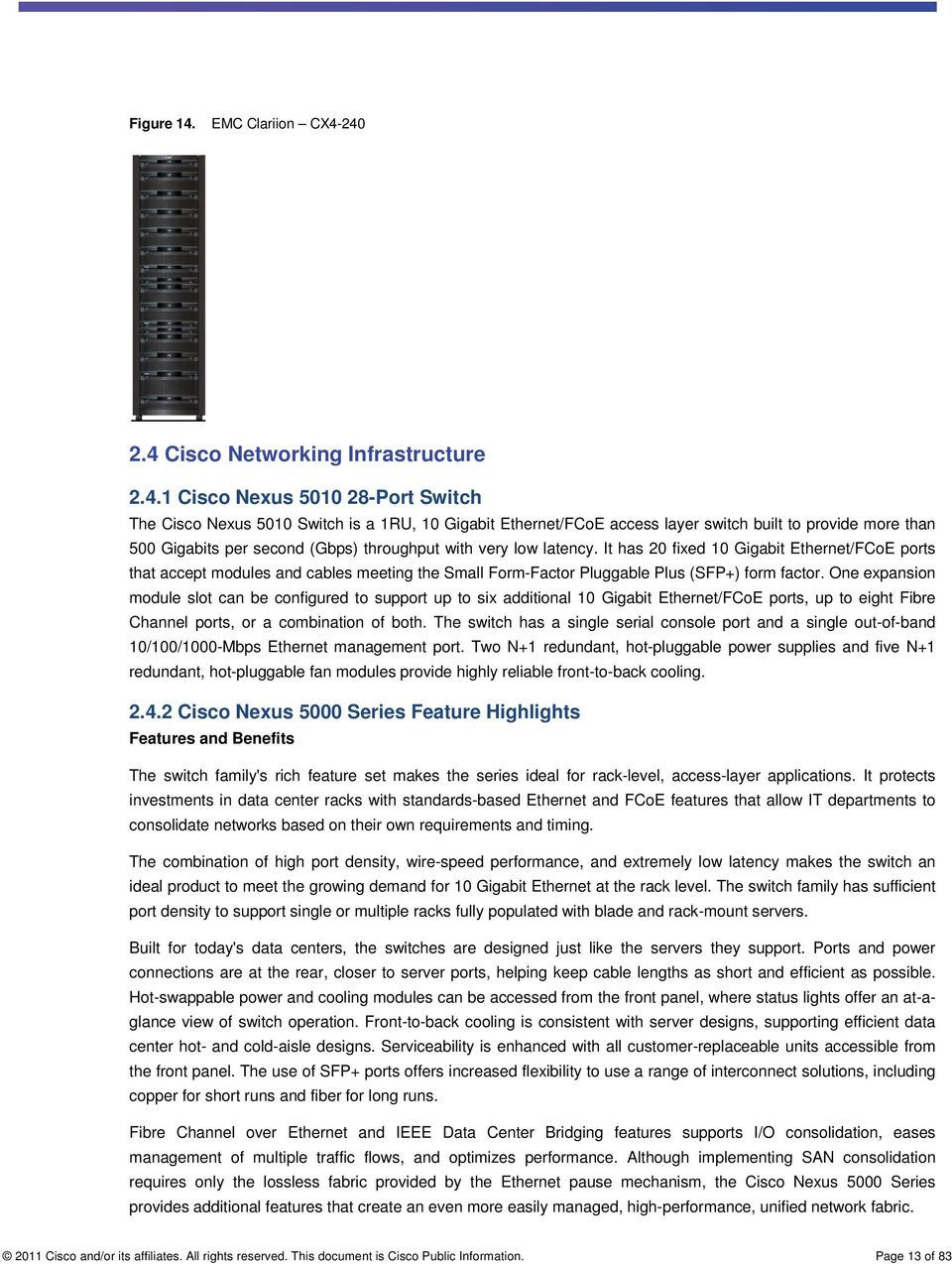
12 Figure 12. Cisco Extended Memory Architecture Cisco UCS Virtual Interface Card (VIC) Cisco Virtual Interface Cards were developed ground up to provide acceleration for the various new operational modes introduced by server virtualization. The Virtual Interface Cards are highly configurable and self-virtualized adapters that can create up 128 PCIe endpoints per adapter. These PCIe endpoints are created in the adapter firmware and present fully compliant standard PCIe topology to the host OS or hypervisor. Each of these PCIe endpoints the Virtual Interface Card creates can be configured individually for the following attributes: Interface type: FCoE, Ethernet or Dynamic Ethernet interface device Resource maps that are presented to the host: PCIeBARs, interrupt arrays The Network presence and attributes: MTU, VLAN membership QoS parameters: 802.1p class, ETS attributes, rate limiting and shaping Figure 13. Cisco UCS Virtual Interface Card 2.3 EMC CLARiiON EMC CLARiiON CX4 model 240 is a powerful networked storage system that scales seamlessly up to 231 TB of capacity. CLARiiON CX4 model 240 combines CLARiiON five 9s availability with automated storage tiering (FAST), FAST Cache, Flash drives, compression, 64-bit operating system, and multicore processors. In the present setup, we have used CX4-240 to deploy Oracle WebLogic Cluster Cisco and/or its affiliates. All rights reserved. This document is Cisco Public Information. Page 12 of 83

13 Figure 14. EMC Clariion CX Cisco Networking Infrastructure Cisco Nexus Port Switch The Cisco Nexus 5010 Switch is a 1RU, 10 Gigabit Ethernet/FCoE access layer switch built to provide more than 500 Gigabits per second (Gbps) throughput with very low latency. It has 20 fixed 10 Gigabit Ethernet/FCoE ports that accept modules and cables meeting the Small Form-Factor Pluggable Plus (SFP+) form factor. One expansion module slot can be configured to support up to six additional 10 Gigabit Ethernet/FCoE ports, up to eight Fibre Channel ports, or a combination of both. The switch has a single serial console port and a single out-of-band 10/100/1000-Mbps Ethernet management port. Two N+1 redundant, hot-pluggable power supplies and five N+1 redundant, hot-pluggable fan modules provide highly reliable front-to-back cooling Cisco Nexus 5000 Series Feature Highlights Features and Benefits The switch family's rich feature set makes the series ideal for rack-level, access-layer applications. It protects investments in data center racks with standards-based Ethernet and FCoE features that allow IT departments to consolidate networks based on their own requirements and timing. The combination of high port density, wire-speed performance, and extremely low latency makes the switch an ideal product to meet the growing demand for 10 Gigabit Ethernet at the rack level. The switch family has sufficient port density to support single or multiple racks fully populated with blade and rack-mount servers. Built for today's data centers, the switches are designed just like the servers they support. Ports and power connections are at the rear, closer to server ports, helping keep cable lengths as short and efficient as possible. Hot-swappable power and cooling modules can be accessed from the front panel, where status lights offer an at-aglance view of switch operation. Front-to-back cooling is consistent with server designs, supporting efficient data center hot- and cold-aisle designs. Serviceability is enhanced with all customer-replaceable units accessible from the front panel. The use of SFP+ ports offers increased flexibility to use a range of interconnect solutions, including copper for short runs and fiber for long runs. Fibre Channel over Ethernet and IEEE Data Center Bridging features supports I/O consolidation, eases management of multiple traffic flows, and optimizes performance. Although implementing SAN consolidation requires only the lossless fabric provided by the Ethernet pause mechanism, the Cisco Nexus 5000 Series provides additional features that create an even more easily managed, high-performance, unified network fabric Cisco and/or its affiliates. All rights reserved. This document is Cisco Public Information. Page 13 of 83
14 10 Gigabit Ethernet and Unified Fabric Features The Cisco Nexus 5000 Series is first and foremost a family of outstanding access switches for 10 Gigabit Ethernet connectivity. Most of the features on the switches are designed for high performance with 10 Gigabit Ethernet. The Cisco Nexus 5000 Series also supports FCoE on each 10 Gigabit Ethernet port that can be used to implement a unified data center fabric, consolidating LAN, SAN, and server clustering traffic. Low Latency The cut-through switching technology used in the Cisco Nexus 5000 Series ASICs enables the product to offer a low latency of 3.2 microseconds, which remains constant regardless of the size of the packet being switched. This latency was measured on fully configured interfaces, with access control lists (ACLs), quality of service (QoS), and all other data path features turned on. The low latency on the Cisco Nexus 5000 Series enables application-toapplication latency on the order of 10 microseconds (depending on the network interface card [NIC]). These numbers, together with the congestion management features described next, make the Cisco Nexus 5000 Series a great choice for latency-sensitive environments. Other features include: Nonblocking Line-Rate Performance, Single-Stage Fabric, Congestion Management, Virtual Output Queues, Lossless Ethernet (Priority Flow Control), Delayed Drop Fibre Channel over Ethernet, Hardware-Level I/O Consolidation, and End-Port Virtualization. For more information, see: 3. Platform Components 3.1 Oracle WebLogic Server 11gR1 Oracle WebLogic Server is a scalable, enterprise-ready Java Platform, Enterprise Edition (Java EE) application server. The WebLogic Server infrastructure supports the deployment of many types of distributed applications and is an ideal foundation for building applications based on Service Oriented Architectures (SOA). The WebLogic Server complete implementation of The Sun Microsystems Java EE 5.0 specification provides a standard set of APIs for creating distributed Java applications that can access a wide variety of services, such as databases, messaging services, and connections to external enterprise systems. End-user clients access these applications using Web browser clients or Java clients. It also supports the Spring Framework, a programming model for Java applications which provides an alternative to aspects of the Java EE model. In addition to the Java EE implementation, WebLogic Server enables enterprises to deploy mission-critical applications in a robust, secure, highly available, and scalable environment. These features allow enterprises to configure clusters of WebLogic Server instances to distribute load, and provide extra capacity in case of hardware or other failures. In the present setup, we clustered Oracle WebLogic 11g (10.3.5) on Cisco UCS B230M1 blade server. 3.2 Oracle Database 11gR2 Oracle Database is an ORDBMS (Object Relational DatabaseManagement System), with its own Volume Manager and managed Database. Oracle Database 11g Release 2 provides the foundation for IT to successfully deliver more information with higher quality of service, reduce the risk of change within IT, and make more efficient use of their IT budgets Cisco and/or its affiliates. All rights reserved. This document is Cisco Public Information. Page 14 of 83

15 Oracle implements, Oracle Real Application Clusters (RAC), an option to Oracle Database 11g Release 2, enables acluster of low-cost commodity servers to work together as a single shared database grid.applications can be deployed on a grid without modification or re-architecture and enjoy thebenefit of consolidation, higher availability, faster performance and scalability on-demand. 3.3 Oracle Enterprise Linux Oracle Linux is an open source operating system available under the GNU General Public License (GPL) and is available for free download through Oracle E-Delivery. Oracle Linux offers two Linux kernels to choose from: The Red Hat Compatible Kernel, for those who prefer strict Red Hat compatibility The new Unbreakable Enterprise Kernel, for those who want to leverage the latest features in Linux and boost performance and scalability In the present setup, we used 64-bit Oracle Enterprise Linux Solution Validation 4.1 Deployment Architecture The three-tier web deployment used in the present setup is detailed in Figure 15. Figure 15. Three-Tier Web Deployment The configuration presented in this document is based on the following main components (Error! Reference source not found.) Cisco and/or its affiliates. All rights reserved. This document is Cisco Public Information. Page 15 of 83

16 Table 1. Configuration Components WebServer Application Server Database Storage Operating System (64 bit) Apache 2.2 is deployed on UCS B200M2 blade server equipped with two six-core Intel Xeon 5680 processors at 3.33 GHz with a physcial memory of 24G Oracle WebLogic Server 11g (10.3.5) Cluster is deployed on 2X1 UCS B230M1 Server, both equipped with two eight-core Intel Xeon 7560 processors at 2.26GHz with a physcial memory of 128G Oracle Database 11g Release is deployed on Cisco Full width blade sever B250M2 which is equipped with with two six-core Intel Xeon 5680 processors at 3.33 GHz and configured with 96G of physical memory through the use of a Cisco Extended Memory Technology EMC Clariion CX4-240 Oracle Enterprise Linux 5.5 Figure 16. Deployment Architecture WAN / Interne EMC t Clariion - CX4 Nexus 5010 Nexus 5010 UCS 6120 XP FI- A UCS 6120 XP FI- B B200M2 Apache Server B230M1 Weblogic B230M1 Weblogic Server 1 Server 2 B250M2 Oracle Database UCS 5108 Chasis The high-level workflow to configure the system is elaborated in Figure Cisco and/or its affiliates. All rights reserved. This document is Cisco Public Information. Page 16 of 83

17 Figure 17. Workflow 3-tier cluster deployment on WebLogic Server 4.2 Cisco Unified Computing System Configuration This section details the Cisco Unified Computing System configuration that was done as part of the infrastructure build out for deployment of WebLogic platform. The racking, power and installation of the chassis are described in the install guide ( and it is beyond the scope of this document. More details on each step can be found in the following documents: Cisco Unified Computing System CLI Configuration guide n_guide_1_4.html Cisco UCSManager GUI configuration guidehttp:// guration_guide_1_4.html An important aspect of configuring a physical server in a Cisco UCS 5108 chassis is to develop a service profile through Cisco UCS Manager. Service profile is an extension of the virtual machine abstraction applied to physical servers. The definition has been expanded to include elements of the environment that span the entire data center, encapsulating the server identity (LAN and SAN addressing, I/O configurations, firmware versions, boot order, network VLAN, physical port, and quality-of-service [QoS] policies) in logical service profiles that can be dynamically created and associated with any physical server in the system within minutes rather than hours or days. The association of service profiles with physical servers is performed as a simple, single operation. It enables migration of identities between servers in the environment without requiring any physical configuration changes and facilitates rapid bare metal provisioning of replacements for failed servers Cisco and/or its affiliates. All rights reserved. This document is Cisco Public Information. Page 17 of 83

18 Service profiles can be created in several ways: Manually: Create a new service profile using the Cisco UCS Manager GUI. From a Template: Create a service policy from a template. By Cloning: Cloning a service profile creates a replica of a service profile. Cloning is equivalent to creating a template from the service policy and then creating a service policy from that template to associate with a server. Before starting the service profile creation make sure to do the following: Firmware on the UCS system is current, the latest firmware as of now is 1.4.1(2b). Connectivity between Fabric Interconnect and Chassis is enabled Upstream Ethernet links and Fiber Channel links are enabled MAC pool, WWPN pool, WWNN pool, UUID pool are created Tasks # Task Description 1. Check the firmware on the system and see if it is current. The latest firmware is 1.4.1(2b) If the firmware is not current, follow the installation and upgrade guide for Cisco UCS firmware. Also do not forget to upgrade the BIOS to the latest level and associate it with all the blades. For more information refer to _GUI_Configuration_Guide_1_4_chapter10.html 2011 Cisco and/or its affiliates. All rights reserved. This document is Cisco Public Information. Page 18 of 83

19 2. Verify that the server ports on FI are enabled. For detailed Fabric Interconnect configuration refer to _GUI_Configuration_Guide_1_4_chapter4.html 2011 Cisco and/or its affiliates. All rights reserved. This document is Cisco Public Information. Page 19 of 83

20 3. Verify that the upstream Ethernet ports and FC ports are enabled. 4. Create MAC pool, WWPN pool, WWNN pool, UUID pool 4.1 MAC Pool Creation 2011 Cisco and/or its affiliates. All rights reserved. This document is Cisco Public Information. Page 20 of 83

21 4.2 Create WWNN pool 2011 Cisco and/or its affiliates. All rights reserved. This document is Cisco Public Information. Page 21 of 83
22 4.3 Create WWPNpool for both Fabric Interconnect A and Fabric Interconnect B WWPN for FabricA. WWPN for Fabric B 2011 Cisco and/or its affiliates. All rights reserved. This document is Cisco Public Information. Page 22 of 83
23 4.4 create a UUID pool Service Profile Configuration In the present scenario we created a Service profile initial template and thereafter instantiate service profile through the template. A service profile template parameterizes theuids that differentiate one instance of an otherwise identical server from another. Templates can be categorized into two types: initial and updating. Initial Template: The initial template is used to create a new server from a service profile with UIDs, but after the server is deployed, there is no linkage between the server and the template, so changes to the template will not propagate to the server, and all changes to items defined by the template must be made individually to each server deployed with the initial template. Updating Template: An updating template maintains a link between the template and the deployed servers, and changes to the template (most likely to be firmware revisions) cascade to the servers deployed with that template on a schedule determined by the administrator. Service profiles, templates, and other management data is stored in high-speed persistent storage on the CiscoUnified Computing System fabric interconnects, with mirroring between fault-tolerant pairs of fabric interconnects Cisco and/or its affiliates. All rights reserved. This document is Cisco Public Information. Page 23 of 83
24 The following are the steps to configure a service profile template. Tasks # Task Description 1. Click Create Service Profile Template link. 2. Name the service profile template, select UUID pool as created in previous section and click Next. 3. In the Storage Configuration Screen, do the following 1. Do not select any local Disk policy. You are doing a SAN Boot for theb230 server and the RAID policy configured in the Storage LUNis be used. 2. Select Expert mode in SAN Connectivity option Cisco and/or its affiliates. All rights reserved. This document is Cisco Public Information. Page 24 of 83
25 3. Assign WWNN from the WWNN pool configured in the previous section. 4. Click Add to assign WWPN for vhba s 4. In the this setup we will configure 4 vhba s 2 of the vhba s will be used for SAN Boot with SAN LUN configured with RAID 10 The other two vhba sare used for WebLogic 11gR1 installation configured with SAN LUN configured with RAID1 Each of the vhba for SANBoot and WebLogic installation are mapped to Fabric A and Fabric B respectively. This allows redundancy at the Fabric interconnect level. To configure vhba screen: 1. Select the WWPN pool as configured in the previous section. You have configured different WWPN pools for Fabric A and Fabric B. So this has to be selected as per the Fabric IS selected 2. Select Fabric ID as A, select Fabric ID as B for vhba2 3. Select VSAN as configured previously 4. Follow same steps for the other three vhba 2011 Cisco and/or its affiliates. All rights reserved. This document is Cisco Public Information. Page 25 of 83
26 5. Go to next screen, Networking and do the following to specify the LAN configuration: 1. Select Expert Mode 2. Add vnic 6. Add vnic configuration. Add two vnic, eth0 and eth1, each configured with Fabric A and Fabric B Cisco and/or its affiliates. All rights reserved. This document is Cisco Public Information. Page 26 of 83
27 7. In the vnic/vhba placement screen, select the default Let System Performance Placement 8. In the Boot order Screen, do not select any boot policy. You will do a SAN Boot and will configure a new boot policy in the SAN Configuration section Cisco and/or its affiliates. All rights reserved. This document is Cisco Public Information. Page 27 of 83
28 9. Select default for the Maintenance policy, server assignment and operation policy screen. You can define our custom policy for each of the three screens, for instance, in operational policy you can define a BIOS policy which is assigned to a server per the requirement. Finish developingthe Service Profile template. You can view the service profile template on the Servers tab under Service Profile Templates 10. Create a service profile from the above created service profile template and associate it with a B230M1 server placed in the Cisco UCS chassis Cisco and/or its affiliates. All rights reserved. This document is Cisco Public Information. Page 28 of 83
29 11. When the service profile is created, associate the service profile with the available server slot in Chassis Select the created Service profile and go to Change Service Profile Association 2. Select Existing Server under Server Assignment option The workflow of Service Profile Association is shown in the subsequent figure. 12. Start the Service Profile Association on the available server;you can view the progress in the FSM status tab Cisco and/or its affiliates. All rights reserved. This document is Cisco Public Information. Page 29 of 83
30 As demonstrated in the above steps, the Cisco Unified Computing System enables data center servers to become stateless and fungible,where the server s identity (using MAC or WWN addressing or UIDs) as well as build and operational policyinformation such as firmware and BIOS revisions and network and storage connectivity profiles can be dynamicallyprovisioned or migrated to any physical server in the system. 4.3 Boot from SAN Booting from SAN is another critical feature which helps in moving towards stateless computing in which there is no static binding between a physical server and the OS / applications it is supposed to run. The OS is installed on a SAN lun and boot from SAN policy is applied to the service profile template or the service profile. If the service profile were to be moved to another server, the pwwn of the HBAs and the server policy also moves along with it. The new server now takes the same exact view of the old server, the true stateless nature of the blade server. The main benefits of booting from the SAN: Reduce Server Footprints: Boot from SAN alleviates the necessity for each server to have its own directattached disk, eliminating internal disks as a potential point of failure. Thin diskless servers also take up less facility space, require less power, and are generally less expensive because they have fewer hardware components. Disaster and Server Failure Recovery: All the boot information and production data stored on a local SAN can be replicated to a SAN at a remote disaster recovery site. If a disaster destroys functionality of the servers at the primary site, the remote site can take over with minimal downtime. Recovery from server failures is simplified in a SAN environment. With the help of snapshots, mirrors of a failed server can be recovered quickly by booting from the original copy of its image. As a result, boot from SAN can greatly reduce the time required for server recovery Cisco and/or its affiliates. All rights reserved. This document is Cisco Public Information. Page 30 of 83
31 High Availability: A typical data center is highly redundant in nature - redundant paths, redundant disks and redundant storage controllers. When operating system images are stored on disks in the SAN, it supports high availability and eliminates the potential for mechanical failure of a local disk. Rapid Redeployment: Businesses that experience temporary high production workloads can take advantage of SAN technologies to clone the boot image and distribute the image to multiple servers for rapid deployment. Such servers may only need to be in production for hours or days and can be readily removed when the production need has been met. Highly efficient deployment of boot images makes temporary server usage a cost effective endeavor. Centralized Image Management: When operating system images are stored on networked disks, all upgrades and fixes can be managed at a centralized location. Changes made to disks in a storage array are readily accessible by each server. With boot from SAN, the image resides on the SAN and the server communicates with the SAN through a host bus adapter (HBA). The HBAs BIOS contain the instructions that enable the server to find the boot disk. After power on self test (POST), the server hardware component fetches the boot device that is designated as the boot device in the hardware BOIS settings. When the hardware detects the boot device, it follows the regular boot process. There are four distinct portions of the SAN procedure: Storage array configuration Cisco UCS configuration of service profile SAN zone configuration Host Registration on Storage Storage Array Configuration In the present setup, EMC CLARiiON CX4-240 is used as a Storage device. Subsequent figure gives an overview of SAN connectivity for the WebLogic deployment over Cisco UCS Blade servers. Figure 18. Storage Connectivity 2011 Cisco and/or its affiliates. All rights reserved. This document is Cisco Public Information. Page 31 of 83
32 The process to configure storage is as follows: Tasks # Task Description 1. Create RAID Group in CX4-240 You have created a RAID Type of RAID1 for OS installation. Inthe this setup you have allocated 2 disk for SAN Boot, allocating a total of around 400G. You would carve out LUNs from this RAID group for all OS installations. 2. Create 50GLUN from the RAID Group created through Storage Provisioning Wizard. You have created a 50GLUN for OEL installation used for WebLogic Server Cisco and/or its affiliates. All rights reserved. This document is Cisco Public Information. Page 32 of 83
33 3. Create Storage Group and Assign the provisioned LUN to the Storage Group. 4 Configure Boot policy in Cisco UCS Service Profile and re-visit Storage Array to register host. You need have configured Storage Group which has a 50GLUN configured with RAID1. You need to identify the Host ID from the configured OS installation LUN. This Host ID is mapped to LUN ID during addition of SAN Boot Target in Boot Policy of Cisco UCS 2011 Cisco and/or its affiliates. All rights reserved. This document is Cisco Public Information. Page 33 of 83
34 Service Profile. This can be identified by the following workflow: 2011 Cisco and/or its affiliates. All rights reserved. This document is Cisco Public Information. Page 34 of 83
35 4.3.2 Cisco UCS Manager Configuration To enable boot from SAN from a Cisco UCS Manager perspective, do the following: Tasks # Task Description 1. Create a boot policy in the Servers tab. To do this, Select the policies and on the right plane select boot policies and select Add button. Enter name, select reboot on change, and don t select enforce vhba name. 2. Add the first target as CD-ROM, this enablesyou to install Operating System through KVM Console 2011 Cisco and/or its affiliates. All rights reserved. This document is Cisco Public Information. Page 35 of 83
36 3. Add SAN Boot for SAN Primary 4 Add SAN Boot for SAN Secondary 2011 Cisco and/or its affiliates. All rights reserved. This document is Cisco Public Information. Page 36 of 83
37 5. You will be usingvhba0 and vhba1 for SAN Boot and the other two configured HBA s for example,vhba2 and vhba3 for WebLogic application server installation. Identify SAN WWPN ports. So the SAN Boot Target which would be added are vhba0 Storage Port SP-B0 - Primary Target Storage Port SP-A3 - Secondary Target vhba1 Storage Port SP-B3 Primary Target Storage Port SP-A0 Secondary Target Properly note the WWPN for all the four CX4 port. rk3-n5k-1# shflogi database INTERFACE VSANFCID PORT NAME NODE NAME fc2/1 1 0x1f00ef50:06:01:61:3c:e0:1b:f850:06:01:60:bc:e0:1b:f8 fc2/4 8 0x9b000320:43:00:05:73:a2:97:4020:08:00:05:73:a2:97:41 fc2/5 8 0x9b02ef50:06:01:63:3c:e0:1b:2b50:06:01:60:bc:e0:1b:2b fc2/6 8 0x9b01ef50:06:01:68:3c:e0:1b:2b50:06:01:60:bc:e0:1b:2b vfc18 8 0x9b000020:00:58:8d:09:0f:2b:2010:00:58:8d:09:0f:2b:20 rk3-n5k-2# shflogi database INTERFACE VSANFCID PORT NAME NODE NAME fc2/1 1 0x7a00ef50:06:01:69:3c:e0:1b:f850:06:01:60:bc:e0:1b:f8 fc2/4 8 0x :43:00:05:73:a2:c2:c020:08:00:05:73:a2:c2:c1 fc2/5 8 0x4402ef50:06:01:6b:3c:e0:1b:2b50:06:01:60:bc:e0:1b:2b fc2/6 8 0x4401ef50:06:01:60:3c:e0:1b:2b50:06:01:60:bc:e0:1b:2b vfc20 8 0x :00:58:8d:09:0f:2b:1f10:00:58:8d:09:0f:2b:1f Total number of flogi = 5. The final mapping looks like as follows vhba0 Storage Port SP-B0 - Primary Target 50:06:01:68:3c:e0:1b:2b Storage Port SP-A3 - Secondary Target- 50:06:01:63:3c:e0:1b:2b vhba1 Storage Port SP-B3 Primary Target - 50:06:01:6b:3c:e0:1b:2b Storage Port SP-A0 Secondary Target - 50:06:01:60:3c:e0:1b:2b 2011 Cisco and/or its affiliates. All rights reserved. This document is Cisco Public Information. Page 37 of 83
38 6. Now Add San Boot Target. For SAN Boot Primary 7. Now Add a secondary to the previously created Primary SAN Boot Target. This is under vhba0 Note: From the above screenshot, the Boot Target LUN ID has been identified from the host id of the LUN created for SAN Boot in the corresponding host s Storage Group Cisco and/or its affiliates. All rights reserved. This document is Cisco Public Information. Page 38 of 83
39 8. Repeat Step 6 and Step 7 to add Secondary SAN Boot Target vhba1 9. Follow the same step to Add Secondary SAN Boot Target. The SAN Boot Target Summary is displayed as follows: 2011 Cisco and/or its affiliates. All rights reserved. This document is Cisco Public Information. Page 39 of 83
40 10. Associate this Boot Policy to the Service profile created for WebLogic Server under section Service Profile Configuration 11. Select the Boot Policy previously created and Add to the Boot policy Cisco and/or its affiliates. All rights reserved. This document is Cisco Public Information. Page 40 of 83
41 12. Service Profile Modification can be viewed under the FSM tab Cisco and/or its affiliates. All rights reserved. This document is Cisco Public Information. Page 41 of 83
42 13. When the Server is rebooted, you can view the WWPNof vhba0 and vhba1 visible in N5K1 and N5K Zone Configuration The following are the steps to configure VSAN and add zones in Nexus 5010 for VHBA configured in service profile of B230 server Cisco and/or its affiliates. All rights reserved. This document is Cisco Public Information. Page 42 of 83
43 1) Create VSAN for Storage target ports and Server initiator ports rk3-n5k-1# conf t Enter configuration commands, one per line. End with CNTL/Z. rk3-n5k-1(config)# v vlan vrf vsan rk3-n5k-1(config)# vsan database rk3-n5k-1(config-vsan-db)# vsan 8 This is the same VSAN which we have in UCS Manager VSAN rk3-n5k-1(config-vsan-db)#vsan 8 interface fc2/5 rk3-n5k-1(config-vsan-db)# Vsan 8 interface fc2/6 rk3-n5k-1(config-vsan-db)# Vsan 8 interface fc2/4 2) Modify server port fc2/4 as F port of N5K rk3-n5k-1(config)# interface fc2/4 rk3-n5k-1(config)# switchport mode F rk3-n5k-1(config)# exit 3) Above defined steps need to be done on N5K2 as well 4) Add zone & zoneset rk3-n5k-1# conf t Enter configuration commands, one per line. End with CNTL/Z. rk3-n5k-1(config)# exit rk3-n5k-1# sh flogi database INTERFACE VSAN FCID PORT NAME NODE NAME fc2/1 4 0x5302ef 50:06:01:69:3c:e0:1b:f8 50:06:01:60:bc:e0:1b:f8 fc2/2 4 0x :41:00:05:73:a3:17:40 20:04:00:05:73:a3:17:41 fc2/3 4 0x5301ef 50:06:01:60:3c:e0:1b:f8 50:06:01:60:bc:e0:1b:f8 fc2/4 8 0x9b :43:00:05:73:a2:97:40 20:08:00:05:73:a2:97:41 fc2/4 8 0x9b :00:00:25:b5:aa:01:0e 20:00:00:25:b5:aa:00:0f WWPN of vhba0 fc2/5 8 0x9b02ef 50:06:01:63:3c:e0:1b:2b 50:06:01:60:bc:e0:1b:2b Storage port fc2/6 8 0x9b01ef 50:06:01:68:3c:e0:1b:2b 50:06:01:60:bc:e0:1b:2b Storage port vfc18 8 0x9b :00:58:8d:09:0f:2b:20 10:00:58:8d:09:0f:2b:20 Total number of flogi = 8. rk3-n5k-1# conf t Enter configuration commands, one per line. End with CNTL/Z. rk3-n5k-1(config)# zone name b230-weblogic1-vhba0 vsan 8 Add zone name rk3-n5k-1(config-zone)# member pwwn 20:00:00:25:b5:aa:01:0e rk3-n5k-1(config-zone)# member pwwn 50:06:01:63:3c:e0:1b:2b WWPN of SP-A3 rk3-n5k-1(config-zone)# member pwwn 50:06:01:68:3c:e0:1b:2b WWPN of SP-B0 rk3-n5k-1(config-zone)# exit rk3-n5k-1(config)# zone zone zone-attribute-group zoneset rk3-n5k-1(config)# zoneset name WebLogic1 vsan 8 Add zoneset name rk3-n5k-1(config-zoneset)# member b230-weblogic1-vhba0 Add zone in zoneset rk3-n5k-1(config-zoneset)# zoneset activate name WebLogic1 vsan 8 activate zoneset rk3-n5k-1(config)# copy r s rk3-n5k-1(config)# show zoneset active vsan 8 zoneset name WebLogic1 vsan 8 zone name sql vsan 8 * fcid 0x9b01ef [pwwn 50:06:01:68:3c:e0:1b:2b] * fcid 0x9b0000 [pwwn 20:00:58:8d:09:0f:2b:20] * fcid 0x9b02ef [pwwn 50:06:01:63:3c:e0:1b:2b] 2011 Cisco and/or its affiliates. All rights reserved. This document is Cisco Public Information. Page 43 of 83
44 zone name b230-weblogic1-vhba0 vsan 8 Active zoneset * fcid 0x9b02ef [pwwn 50:06:01:63:3c:e0:1b:2b] * fcid 0x9b01ef [pwwn 50:06:01:68:3c:e0:1b:2b] * fcid 0x9b0005 [pwwn 20:00:00:25:b5:aa:01:0e] The addition of WWPN of vhba1 and Storage ports SP-A0 and SP-B0 has to be done for N5K2. N5K2 configuration rk3-n5k-2# show zoneset active vsan 8 zoneset name WebLogic1 vsan 8 zone name sql vsan 8 * fcid 0x [pwwn 20:00:58:8d:09:0f:2b:1f] * fcid 0x4401ef [pwwn 50:06:01:60:3c:e0:1b:2b] * fcid 0x4402ef [pwwn 50:06:01:6b:3c:e0:1b:2b] zone name b230-weblogic1-vhba1 vsan 8 * fcid 0x4401ef [pwwn 50:06:01:60:3c:e0:1b:2b] WWPN of SP-A0 * fcid 0x4402ef [pwwn 50:06:01:6b:3c:e0:1b:2b] WWPN of SP-B3 * fcid 0x [pwwn 20:00:00:25:b5:aa:02:0e] WWPN of vhba1 When the zone is configured, you can view the both VHBA s (vhba0&vhba1) of B230 WebLogic server logged in Storage Array Host Registration on Storage When the login status of the Cisco UCS B230 server is verified on Storage array, register the host to the server vhba initiators Cisco and/or its affiliates. All rights reserved. This document is Cisco Public Information. Page 44 of 83
45 Tasks # Task Description 1. Select Any one of the vhba initiator and go to Register Tab. 2. Select Initiator Type as CLARiiON Open and Failover Mode as Active/Passive mode(pnr)-failovermode 1. Define hostname and IP address to be allocated to the WebLogic server. 3. Register the other vhbawwpn with the same host and IP address. Select same Failover Mode as Active/Passive mode(pnr)-failovermode Cisco and/or its affiliates. All rights reserved. This document is Cisco Public Information. Page 45 of 83
46 4. When the initiators are registered with the storage ports, you can see the new host manually registered, but not assigned to any Storage Groups. 5. You have already created a Storage Group, now you need to assign the created host b230-weblogic1 to the Storage Group Cisco and/or its affiliates. All rights reserved. This document is Cisco Public Information. Page 46 of 83
47 6. Whenthe host is assigned, you can see the host information in the Storage Group Luns 4.4 OEL installation on SAN When the SAN and Service Profile configuration for Boot from SAN is completed, start the OEL installation process. Tasks # Task Description 2011 Cisco and/or its affiliates. All rights reserved. This document is Cisco Public Information. Page 47 of 83
48 1. Go to UCS Manager > Service Profile and Connect to the server, through KVM Console. 2. Attach OEL 5.5 image through Launch Virtual Media Cisco and/or its affiliates. All rights reserved. This document is Cisco Public Information. Page 48 of 83
49 3. When the ISO image is selected you can reboot server and start with the OS install. 4. After OS image load, whenyou see the prompt you need to add linuxmpath at the boot prompt Cisco and/or its affiliates. All rights reserved. This document is Cisco Public Information. Page 49 of 83
50 5. Skip the OS image CD test. 6. Click Next in the next 2 screens. You will see a warning to erase ALL DATA, click YES and continue. 7. Subsequently you will see an I/O error; click Ignore and continue Cisco and/or its affiliates. All rights reserved. This document is Cisco Public Information. Page 50 of 83
51 8. In the next screen, Select Remove all partitions on selected drives and create default layout Select Review and modify partitioning layout If at all /dev/sda (mapped to HDD) is selected, just uncheck that and go to Next Screen. NB: RAID 50G drive visible, is the same 50GLUN which you configured in Storage Array Cisco and/or its affiliates. All rights reserved. This document is Cisco Public Information. Page 51 of 83
52 9. Delete all the default partitions and click New to create new partitions. 10. New partitions can be created per the deployment requirements, in the present scenario,you have created partitions as seen inbelow Cisco and/or its affiliates. All rights reserved. This document is Cisco Public Information. Page 52 of 83
53 11. Select Configure Advanced Boot loader option 12. On the next screen, Select the mpath which you configured during disk partitioning configuration and go to Change Drive Order 2011 Cisco and/or its affiliates. All rights reserved. This document is Cisco Public Information. Page 53 of 83
54 13. Change the Drive Order such that /dev/mapper/mpath0is the first option and click OK Cisco and/or its affiliates. All rights reserved. This document is Cisco Public Information. Page 54 of 83
55 14. In the network devices screen, add the IP and hostname which you added in SAN Configuration during addition of host to Storage Group. Add Gateway and Primary DNS per the network requirements. 15. Change Time Zone, configure OEL password and customize default software packages. Start the OEL installation Cisco and/or its affiliates. All rights reserved. This document is Cisco Public Information. Page 55 of 83
56 16. WhenOEL installation completes, you can restart which would boot the OEL5.5from SAN. 4.5 WebLogic11gR1 installation Whenthe OEL5.5 boot from SAN is completed, start the installation of Oracle WebLogic Server. The WebLogic Server installation is as follows: Configuration of WebLogic install LUN on CX4 JRockit 64 bit installation Oracle WebLogic Server base install Cluster Configuration Configuration of WebLogic Install LUN on CX4 In the this setup, you have configured vhba0&vhba1 with Storage Group of CX4 having SAN Boot LUN and vhba2 and vhba3 with Storage Group of CX4 having WebLogic install LUN. The procedure to configure the same, is detailed in the subsequent table: Tasks # Task Description 1. WWPN of vhba2 and vhba3 are zoned in clustered Nexus 5010 For N5K1 rk3-n5k-1# sh zoneset active vsan 8 zoneset name WebLogic1 vsan 8 zone name b230-weblogic1-vhba0 vsan 8 OS install * fcid 0x9b02ef [pwwn 50:06:01:63:3c:e0:1b:2b] * fcid 0x9b01ef [pwwn 50:06:01:68:3c:e0:1b:2b] * fcid 0x9b0005 [pwwn 20:00:00:25:b5:aa:01:0e] zone name b230-weblogic1-data-vhba2 vsan 8 WebLogic Install * fcid 0x9b0006 [pwwn 20:00:00:25:b5:aa:01:0f] * fcid 0x9b02ef [pwwn 50:06:01:63:3c:e0:1b:2b] * fcid 0x9b01ef [pwwn 50:06:01:68:3c:e0:1b:2b] For N5K2 rk3-n5k-2# sh zoneset active vsan 8 zoneset name WebLogic1 vsan 8 zone name b230-weblogic1-vhba1 vsan 8 OS install * fcid 0x4401ef [pwwn 50:06:01:60:3c:e0:1b:2b] * fcid 0x4402ef [pwwn 50:06:01:6b:3c:e0:1b:2b] * fcid 0x [pwwn 20:00:00:25:b5:aa:02:0e] zone name b230-weblogic1-data-vhba3 vsan 8 WebLogic Install * fcid 0x [pwwn 20:00:00:25:b5:aa:02:0f] * fcid 0x4402ef [pwwn 50:06:01:6b:3c:e0:1b:2b] * fcid 0x4401ef [pwwn 50:06:01:60:3c:e0:1b:2b] 2011 Cisco and/or its affiliates. All rights reserved. This document is Cisco Public Information. Page 56 of 83
57 2. Add WebLogic install LUN to Storage Group. 3. Register Vhba2 and vhba3 published on CX4. 4. Install EMC NaviAgent as mentioned in the following steps i. Edit the linux hosts file (/etc/hosts) with weblogic server hostname and IP ii. Install EMC NaviAgent rpm -ivh NaviHostAgent-Linux-64-x86-en_US x86_64.rpm iii. verify HostIDFile.txt is created under /var/log with the server IP populated in the mentioned file 2011 Cisco and/or its affiliates. All rights reserved. This document is Cisco Public Information. Page 57 of 83
58 5. Install EMC power path and mount WebLogic install LUN on server. ~]# powermt display dev=all Pseudo name=emcpowerb CLARiiON ID=APM [weblogic1-boot-lun] Logical device ID= B3B CE391ED4A7E011 [b230-weblogic1-install-lun] state=alive; policy=basicfailover; priority=0; queued-ios=0; Owner: default=sp B, current=sp B Array failover mode: 1 ============================================================================== Host Stor - -- I/O Path Stats --- ### HW Path I/O Paths Interf. Mode State Q-IOs Errors ============================================================================== 0 fnic sdd SP A3 unlic alive fnic sdf SP B0 unlic alive fnic sdl SP B3 active alive fnic sdn SP A0 active alive 0 0 Pseudo name=emcpowera CLARiiON ID=APM [weblogic1-boot-lun] Logical device ID= B3B02200BEEE3280F6A3E011 [OS-B230-Weblogic1] state=alive; policy=basicfailover; priority=0; queued-ios=0; Owner: default=sp A, current=sp A Array failover mode: 1 ============================================================================== Host Stor - -- I/O Path Stats --- ### HW Path I/O Paths Interf. Mode State Q-IOs Errors ============================================================================== 0 fnic sdc SP A3 unlic alive fnic sde SP B0 unlic alive fnic sdk SP B3 active alive fnic sdm SP A0 active alive 0 0 [root@b230-weblogic1 ~]# df -h Filesystem Size Used Avail Use% Mounted on /dev/mapper/volgroup00-logvol00 25G 5.6G 18G 25% / /dev/mapper/mpath0p1 99M 17M 78M 18% /boot tmpfs 63G 0 63G 0% /dev/shm /dev/emcpowerb1 197G 408M 187G 1% /u01 [root@b230-weblogic1 ~]# JRockit 64-bit Installation Install 64 bit JVM. (WebLogic Installation recommends JRockit for production deployment of Oracle WebLogic Server). [root@b230-weblogic1 ~]# java -version java version "1.6.0_24" Java(TM) SE Runtime Environment (build 1.6.0_24-b07) Oracle JRockit(R) (build R _ linux-x86_64, compiled mode) 2011 Cisco and/or its affiliates. All rights reserved. This document is Cisco Public Information. Page 58 of 83
59 4.5.3 Oracle WebLogic Server Installation When the WebLogic Install LUN and 64-bit JRockitJVMis configured, install the Oracle WebLogic Server In the this setup,a generic WebLogic installer (wls1035_generic.jar) was used, whichis compatible with 64 bit platforms. Tasks # Task Description 1. Create user: oracle under group : dba groupadddba -g 500 useradd oracle u 501 g 500 Use this user for WebLogic Server installation Change the installation directory user ownership chown -R oracle: /u01 2. Start vncserver with user oracle [oracle@b230-weblogic1 ~]$ vncserver You will require a password to access your desktops. Password: Verify: xauth: creating new authority file /home/oracle/.xauthority New 'b230-weblogic1:1 (oracle)' desktop is b230-weblogic1:1 Creating default startup script /home/oracle/.vnc/xstartup Starting applications specified in /home/oracle/.vnc/xstartup Log file is /home/oracle/.vnc/b230-weblogic1:1.log VNC enables to execute the Oracle WebLogic GUI installer 2011 Cisco and/or its affiliates. All rights reserved. This document is Cisco Public Information. Page 59 of 83
60 3. Execute the installer with d64 option java -d64 -Xmx1024m -jar /downloads/wls1035_generic.jar 2011 Cisco and/or its affiliates. All rights reserved. This document is Cisco Public Information. Page 60 of 83
61 4. Define the WebLogic install directory. For example, configure a RAID1/0 LUN with vhba2&vhba3 mounted as /u Cisco and/or its affiliates. All rights reserved. This document is Cisco Public Information. Page 61 of 83
62 5. Bypass the Security updates option. 6. As you are not installing Coherence, choose custom installation and uncheck Coherence server installation Cisco and/or its affiliates. All rights reserved. This document is Cisco Public Information. Page 62 of 83
63 7. In the present setup, we are demonstrating a WebLogic Cluster deployment and chose to un-check coherence deployment. Coherence can also be checked if required. 8. Select JRockitJVM Cisco and/or its affiliates. All rights reserved. This document is Cisco Public Information. Page 63 of 83
64 9. Verify Installation Summary and continue with the install. 10. When you see the Installation Complete screen, check the Quick Start option and continue. This verifies the installation Cisco and/or its affiliates. All rights reserved. This document is Cisco Public Information. Page 64 of 83
65 4.5.4 Oracle WebLogic Cluster Configuration In the previous section, we discussed the base installation of Oracle WebLogic Server When the basic configuration is completed, you can start the quick start UI, which would enable you to configure WebLogic Admin Server, Node Manager and WebLogic domain which would include WebLogic Managed Servers. Figure 19. Cluster Configuration Oracle WebLogic Cluster can be deployed either on a single physical server or on multiple physical servers. In the event of hardware failure of either of the physical servers, deployment of cluster on multiple physical servers help ensures Failover and thus high availability of the deployed system. In the present setup,you have configured a vertical scaling scenario, where several instances of WebLogic managed servers are deployed on a cluster, within a single physical server. In the this setup, you use two physical servers for Oracle WebLogic Cluster configuration. Each of the physical serverswill have multiple managed servers and a NodeManager. The Node Manager on a machine that hosts Managed Serversenablesthe start and stop of Managed Servers remotely using the Administration Console or from the command line.weblogic AdminConsole resides on one of the physical servers. Figure 19 shows the WebLogic Cluster deployment. Some of the important steps to cluster Oracle WebLogic Server are as follows: Create domain, Admin Server and Node Manager on UCS B230Server1 Create domain and Node Manager in UCS B230Server2 Register Node Managers to Admin Server on UCS B230Server1 Configure Managed Server on UCS B230Server1 and Server2 Register Managed Servers to respective Node Managers Create a Cluster through AdminConsole and Assign Managed Server 2011 Cisco and/or its affiliates. All rights reserved. This document is Cisco Public Information. Page 65 of 83
66 Tasks Task Description 1 Before starting the cluster configuration, install the WebLogic Base server on the second B230 Server. Follow the guidelines detailed under Oracle WebLogic Server Installation. 2 Create a new WebLogic Domain, which is used in creating a WebLogic Server Cluster. Select create new WebLogic Domain. 3 Select Generate WebLogic Basic Domain Cisco and/or its affiliates. All rights reserved. This document is Cisco Public Information. Page 66 of 83
67 We can choose SIP Server domain, JAX-RPC and JAX-WS extensions, but for illustration we have opted for Basic Weblogic Server Domain 4 Rename the domain and accept the default installation directory. Note the Domain Location and domain name; this will be used when you configure the second 2011 Cisco and/or its affiliates. All rights reserved. This document is Cisco Public Information. Page 67 of 83
68 physical server. 5 In the next screen, define a password for WebLogic domain and continue with domain Startup Mode. Select Production Mode (Oracle Recommends JRockit for Production Mode). 6 On the Configuration Screen, go through the Administration Server setting, Managed Server, cluster Setting, and RDBMS Security Store Settings. Presently we would just configure a Machine during the setup, and further would configure Managed Server and Clusters through Admin Console 2011 Cisco and/or its affiliates. All rights reserved. This document is Cisco Public Information. Page 68 of 83
69 7 For Administration Server, select SSL Enabled. 8 Do not add any Managed Servers. These are added afterthe Clusters are configured, through the Admin Console Cisco and/or its affiliates. All rights reserved. This document is Cisco Public Information. Page 69 of 83
70 9 Donot add any cluster configuration. This would be done through the Admin Console, after registering thenode Manager with Admin Console. 10 Add Node Manager details Cisco and/or its affiliates. All rights reserved. This document is Cisco Public Information. Page 70 of 83
71 11 No ManagedServers were created, so accept the default configuration, under Assign Servers to Machine screen. 12 Verify the Domain Configuration Summary Cisco and/or its affiliates. All rights reserved. This document is Cisco Public Information. Page 71 of 83
72 13 Exit from the Quick Start. Start the server and verify configuration on the Admin Console. 14 Repeat Steps 1 through 12 for the second physical server. Note for the second physical server, configure the NodeManager. You do not need to run theadminconsole for the second physical server, since it is managed by Admin Server configured for b230-weblogic Cisco and/or its affiliates. All rights reserved. This document is Cisco Public Information. Page 72 of 83
73 15 Start AdminConsole in b230-weblogic1 ucs_domain]$ pwd /u01/oracle/middleware/user_projects/domains/ucs_domain ucs_domain]$./startweblogic.sh 16 Register Node Manager in b230-weblogic1 with AdminConsole through WebLogic Scripting Tool. Node Manager is a Java utility that runs as separate process from WebLogic Server and allows performing, common operations tasks for a Managed Server, regardless of its location with respect to its Administration Server. Node Manager on a machine enables hosts Managed Servers, to start and stop the Managed Servers remotely using the Administration Console or from the command line. [oracle@b230-weblogic1 bin]$./wlst.sh WLST tool CLASSPATH=/u01/Oracle/Middleware/patch_wls1035/profiles/default/sys_manifest_classpath/weblogic _patch.jar:/usr/jrockit-jdk1.6.0_24-r /lib/tools.jar:/u01/oracle/middleware/wlserver_10.3/server/lib/weblogic_sp.jar:/u01/oracle /Middleware/wlserver_10.3/server/lib/weblogic.jar:/u01/Oracle/Middleware/modules/features/weblo gic.server.modules_ jar:/u01/oracle/middleware/wlserver_10.3/server/lib/webservices.jar :/u01/oracle/middleware/modules/org.apache.ant_1.7.1/lib/antall.jar:/u01/oracle/middleware/modules/net.sf.antcontrib_ _1-0b2/lib/ant-contrib.jar: PATH=/u01/Oracle/Middleware/wlserver_10.3/server/bin:/u01/Oracle/Middleware/modules/org.apache. ant_1.7.1/bin:/usr/jrockit-jdk1.6.0_24-r /jre/bin:/usr/jrockit-jdk1.6.0_24-r /bin:/usr/java/bin:/usr/lib64/qt- 3.3/bin:/usr/kerberos/bin:/usr/java/bin:/usr/local/bin:/bin:/usr/bin:/etc/opt/emcpower/bin:/hom e/oracle/bin:/etc/opt/emcpower/bin:/home/oracle/bin Your environment has been set. CLASSPATH=/u01/Oracle/Middleware/patch_wls1035/profiles/default/sys_manifest_classpath/weblogic _patch.jar:/usr/jrockit-jdk1.6.0_24-r /lib/tools.jar:/u01/oracle/middleware/wlserver_10.3/server/lib/weblogic_sp.jar:/u01/oracle /Middleware/wlserver_10.3/server/lib/weblogic.jar:/u01/Oracle/Middleware/modules/features/weblo gic.server.modules_ jar:/u01/oracle/middleware/wlserver_10.3/server/lib/webservices.jar :/u01/oracle/middleware/modules/org.apache.ant_1.7.1/lib/antall.jar:/u01/oracle/middleware/modules/net.sf.antcontrib_ _1-0b2/lib/antcontrib.jar::/u01/oracle/middleware/utils/config/10.3/configlaunch.jar::/u01/oracle/middleware/wlserver_10.3/common/derby/lib/derbynet.jar:/u01/oracle/midd leware/wlserver_10.3/common/derby/lib/derbyclient.jar:/u01/oracle/middleware/wlserver_10.3/comm on/derby/lib/derbytools.jar:: Initializing WebLogic Scripting Tool (WLST)... Jython scans all the jar files it can find at first startup. Depending on the system, this process may take a few minutes to complete, and WLST may not return a prompt right away. Welcome to WebLogic Server Administration Scripting Shell Type help() for help on available command wls:/offline> connect ('weblogic','weblogic1','t3:// :7001') AdminConsole Connection Connecting to t3:// :7001 with userid weblogic... Successfully connected to Admin Server 'AdminServer' that belongs to domain 'base_domain' Cisco and/or its affiliates. All rights reserved. This document is Cisco Public Information. Page 73 of 83
74 Warning: An insecure protocol was used to connect to the server. To ensure on-the-wire security, the SSL port or Admin port should be used instead. wls:/base_domain/serverconfig> nmenroll('/u01/oracle/middleware/user_projects/domains/base_domain', '/u01/oracle/middleware/wlserver_10.3/common/nodemanager') Registering NodeManager Enrolling this machine with the domain directory at /u01/oracle/middleware/user_projects/domains/base_domain... Successfully enrolled this machine with the domain directory at /u01/oracle/middleware/user_projects/domains/base_domain. ucs_domain]$ pwd Do the same for Machine 2, for example b230-weblogic2node Manager. Registration of Node Manager has to be done with same AdminConsole ( 17 Start Node Manager on both of the physical servers. bin]$ pwd /u01/oracle/middleware/wlserver_10.3/server/bin bin]$./startnodemanager.sh 18 Login to AdminConsole and verify registration of NodeManager with AdminConsole. Verify both NodeManagers (Machine1 and Machine2) are reachable from the AdminConsole. This helps to create Managed Servers on either of the physical servers from single AdminConsole. 19 From the AdminConsole, create two Managed Servers on each of the physical servers and create a cluster having all the four Managed Servers Cisco and/or its affiliates. All rights reserved. This document is Cisco Public Information. Page 74 of 83
75 20 Edit the previously created server and assign Machine/NodeManager to the ManagedServer. 21 Repeat steps 18 and 19 to add other three servers, with appropriate IP and machine/nodemanager Name. The Server screen displays as follows: 2011 Cisco and/or its affiliates. All rights reserved. This document is Cisco Public Information. Page 75 of 83
76 22 Create a cluster and assign the Managed Servers to the cluster. Add a cluster name and IP and select unicast cluster messaging mode. Oracle recommends unicase messaging mode (ref: 2011 Cisco and/or its affiliates. All rights reserved. This document is Cisco Public Information. Page 76 of 83
77 Note: When creating a new cluster, it is recommended that you use unicast for messaging within a cluster. For backward compatibility with previous versions, WebLogic Server you must use multicast for communications between clusters. In Unicast messaging mode, cluster members are split into groups and every group has a group leader. Cluster members communicate to the group leader when they need to send a broadcast message which is usually the heartbeat message. When the cluster members detect the failure of a group leader, the next oldest member becomes the group leader. All group leaders are connected to each other 23 When a Cluster is created you can start the servers and view the server status and verify machine and cluster assignment. You can also start the servers from command prompt, for example: /u01/oracle/middleware/user_projects/domains/ucs_domain/bin/startmanagedweblogic.sh MServer_1http://<admin-server>:7001 /u01/oracle/middleware/user_projects/domains/ucs_domain/bin/startmanagedweblogic.sh MServer_2http://<admin-server>: Some of the important steps to deploy an application on WebLogic cluster are detailed below. In the this setup, you have used MedRec application which is part of samples of WebLogic Server installation. #Deployment on Clustered Weblogic Server (Deployment of application is executed from WebLogic Admin Console) 1) Confgure DataSource with JNDI Name = jdbc/medrecglobaldatasourcexa, driver = Oracle Driver (Thin XA) and target as WebLogic Cluster 2) Goto Services Messaging a) Add JMS Server b) Configure JMSModule with Target as WebLogic Cluster c) Add Queues to JMS Module 3) Goto Domain Deployment a) Install jsf and jstl libraries (deploy as libraries) b) Install browser-starter.war, physician.ear and medrec.ear 2011 Cisco and/or its affiliates. All rights reserved. This document is Cisco Public Information. Page 77 of 83
78 c) In broweser-starter.war edit the context root to /browser-starter d) On Medrec Overview tab, edit the Deployment Order to 1 e) Ensure all targets point to previously created cluster 4) Start the application. Presently we can access the application to each of the configrd Weblogic Cluster. In next section we would use Apache HTTP Server with Weblogic HTTP plugin and define the cluster configuration When the Oracle WebLogic Cluster is configured, interface it with Apache 2.2 HTTP Server by using Apache HTTP Server Plug-in for WebLogic Apache HTTP Server Plug-in Apache HTTP Server Plug-In allows requests to be routed from an Apache HTTP Server to WebLogic Cluster.The plug-in is intended for use in an environment where an Apache Server serves static pages, and dynamic part of web-page (HTTP Servlets or JSP's) is delegated to WebLogic Server, which may be operating in a different process, possibly on a different host. Tasks # Task Description 1. Copy the Apache2.2-WebLogic (mod_wl_22.so) plug-in from $WL_HOME/server/plugin/linux/x86_64 to $Apache_Home/modules 2. Edit $Apache_Home/conf/httpd.conf with following parameters: #Load WebLogic plug-in module LoadModule WebLogic_module modules/mod_wl_22.so # SetHandler specifies the handler for the Apache HTTP Server Plug-In module.presently we have are proxing all request to WebLogic. <Location /medrec> We have clustered WebLogic MedRec application and defined the loationsethandler WebLogic-handler </Location> # Add an IfModule block that defines WebLogic Cluster <IfModule mod_weblogic.c> WebLogicCluster MServer_1:7003,MServer_2:7004,MServer_01:7001,MServer_02:7004 </IfModule> 3. Restart apache, and we have a Apache 2.2 proxying requests to Oracle WebLogic Cluster. Access to ensure that you can access the clustered application. 4.6 Cisco UCS Statelessness As elaborated in the previous sections, Cisco Unified Computing System enables data center servers to be stateless, for example a server s identity (using MAC or WWN addressing or UIDs) as well as build and operational policy information such as firmware and BIOS revisions and network and storage connectivity profiles can be dynamically provisioned or migrated to any physical server in the system. Cisco UCS Service profiles, in combination with the stateless nature of Cisco Unified Computing System servers, provide the underlying mechanism that allows the use of a common pool of spare servers that can be quickly repurposed for nearly any requirement. For most organization and applications, this feature can result in an immediate reduction in capital expenditures (CapEx) because required spare and overflow capacity can be shared 2011 Cisco and/or its affiliates. All rights reserved. This document is Cisco Public Information. Page 78 of 83
79 among multiple departments and applications. Users can tailor the cost and acceptable risk by varying the size of these shared resource pools. The subsequent sections detail the migration of Service Profile created for Oracle WebLogic Server hardware, thus utilizing the statelessness benefits of the Cisco Unified Computing System Service Profile Migration In the present setup, there is a single Oracle WebLogic server hardware, with multiple WebLogic Managed Servers instantiated in a WebLogic Cluster. In the event of hardware failure, migrate the Service profile of WebLogic Server hardware to another server, which would help ensure minimal downtime for application server environment and faster deployment of new hardware deployed with WebLogic Server Cluster. In the event of multiple physical servers for WebLogic Cluster deployment, youwill achieve lossless end-user services, as Service Profile of failed physical server would be migrated to the redundant physical server. The pre-requisites to successfully migrate the failed WebLogic Cluster physical server to a available stand-by aresanboot of OEL5.5. Tasks # Task Description 1. Verify Setup. We have Slot 3 assigned to Service Profileb230-WebLogic1.This is the physical server wherethe Oracle WebLogic Cluster is deployed. Verify the partid of Blade3 = JAF1503AMGA 2. On event of Server Failure we would migrate this Service Profile of Server3 to Server4 (stand-by server) and verify status of WebLogic Cluster. Disassociate Service profile b230-weblogic Cisco and/or its affiliates. All rights reserved. This document is Cisco Public Information. Page 79 of 83
80 3. Verify the dis-association status in FSM. When it is 100 percent,you can associate the Service Profile b230-weblogic1 to another available server. 4. Associate Service Profile b230-weblogic1 to Available server at Slot Cisco and/or its affiliates. All rights reserved. This document is Cisco Public Information. Page 80 of 83
81 5. Verify the status of Service Profile b230-weblogic1 to UCS B230M1 server on Slot4. 6. When Service Profile b230-weblogic1 is associated, you can verify the status of new physical server Cisco and/or its affiliates. All rights reserved. This document is Cisco Public Information. Page 81 of 83
82 Verify that PartIDis changed to JAF1503AMDC. 7. When physical server is migrated, start the Oracle WebLogic Server and verify from the WebLogic Admin Console. As stated above, the service profile migration successfully migrates the failed physical server to a stand-by server pool, without changing any configuration on the new Cisco UCS B230 blade sever. This demonstrates the power of the statelessness characteristic of the Cisco Unified Computing System Cisco and/or its affiliates. All rights reserved. This document is Cisco Public Information. Page 82 of 83
83 5. Future Considerations 5.1 Server Failure Detection and Automated Service Profile Migration This deployment guide detailed the stateless behavior of Cisco UCS Service profile and its benefits in the data center. Defined is a methodology to migrate a service profile from a failed physical server to a stand-by server. Cisco UCSManager, with its API s can be configured for an automated service profile migration, during physical server hardware failure. The next step is automated scripts which would enable this behavior. A deployed Cisco UCS service profile would move over to a available server in a stand-by server pool without manual intervention. 5.2 Performance and Scalability Analysis for WebLogic on a Cisco UCS Blade Server To explore the performance and scalability benefits of a Cisco UCS B230blade server deployed with Oracle WebLogic Cluster, you would deploy a Java EE benchmark application and evaluate over Cisco UCS and evaluate Cisco Unified Computing System on three important criteria: Throughput Maximum transaction/sec achieved from the deployed application with the condition of acceptable application response time or saturation of available system resources Response Time Time taken to execute deployed application transaction. Multi-Instance Application Server Cluster Performance improvement either on basis of maximum throughput or lower response time achieved by deploying multiple instances or nodes in Oracle WebLogic application server cluster. 6. For More Information Printed in USA 2011 Cisco and/or its affiliates. All rights reserved. This document is Cisco Public Information. Page 83 of 83
A Platform Built for Server Virtualization: Cisco Unified Computing System
 A Platform Built for Server Virtualization: Cisco Unified Computing System What You Will Learn This document discusses how the core features of the Cisco Unified Computing System contribute to the ease
Cisco UCS B-Series M2 Blade Servers
 Cisco UCS B-Series M2 Blade Servers Cisco Unified Computing System Overview The Cisco Unified Computing System is a next-generation data center platform that unites compute, network, storage access, and
Unified Computing Systems
 Unified Computing Systems Cisco Unified Computing Systems simplify your data center architecture; reduce the number of devices to purchase, deploy, and maintain; and improve speed and agility. Cisco Unified
The Future of Computing Cisco Unified Computing System. Markus Kunstmann Channels Systems Engineer
 The Future of Computing Cisco Unified Computing System Markus Kunstmann Channels Systems Engineer 2009 Cisco Systems, Inc. All rights reserved. Data Centers Are under Increasing Pressure Collaboration
How To Build A Cisco Ukcsob420 M3 Blade Server
 Data Sheet Cisco UCS B420 M3 Blade Server Product Overview The Cisco Unified Computing System (Cisco UCS ) combines Cisco UCS B-Series Blade Servers and C-Series Rack Servers with networking and storage
How To Build A Cisco Uniden Computing System
 Data Sheet Cisco UCS 5100 Series Blade Server Chassis Cisco Unified Computing System Overview The Cisco Unified Computing System (Cisco UCS ) is a next-generation data center platform that unites computing,
UCS M-Series Modular Servers
 UCS M-Series Modular Servers The Next Wave of UCS Innovation Marian Klas Cisco Systems June 2015 Cisco UCS - Powering Applications at Every Scale Edge-Scale Computing Cloud-Scale Computing Seamlessly Extend
Achieve Automated, End-to-End Firmware Management with Cisco UCS Manager
 Achieve Automated, End-to-End Firmware Management with Cisco UCS Manager What You Will Learn This document describes the operational benefits and advantages of firmware provisioning with Cisco UCS Manager
Cisco UCS B200 M3 Blade Server
 Data Sheet Cisco UCS B200 M3 Blade Server Product Overview The Cisco Unified Computing System (Cisco UCS ) combines Cisco UCS B-Series Blade Servers and C-Series Rack Servers with networking and storage
Cisco UCS B440 M2 High-Performance Blade Server
 Data Sheet Cisco UCS B440 M2 High-Performance Blade Server Product Overview The Cisco UCS B440 M2 High-Performance Blade Server delivers the performance, scalability and reliability to power computation-intensive,
Cisco UCS C220 M3 Server
 Data Sheet Cisco UCS C220 M3 Rack Server Product Overview The Cisco Unified Computing System (Cisco UCS) combines Cisco UCS C-Series Rack Servers and B-Series Blade Servers with networking and storage
Cisco Validated Design. July 2011
 Reference Architecture-Based Design Citrix XenDesktop Built on FlexPod Citrix XenDesktop Using Citrix XenServer, Cisco Unified Computing System, Nexus 5000, and NetApp Storage Cisco Validated Design July
The virtualization of SAP environments to accommodate standardization and easier management is gaining momentum in data centers.
 White Paper Virtualized SAP: Optimize Performance with Cisco Data Center Virtual Machine Fabric Extender and Red Hat Enterprise Linux and Kernel-Based Virtual Machine What You Will Learn The virtualization
Cisco UCS C24 M3 Server
 Data Sheet Cisco UCS C24 M3 Rack Server Product Overview The form-factor-agnostic Cisco Unified Computing System (Cisco UCS ) combines Cisco UCS C-Series Rack Servers and B-Series Blade Servers with networking
Cisco UCS B460 M4 Blade Server
 Data Sheet Cisco UCS B460 M4 Blade Server Product Overview The new Cisco UCS B460 M4 Blade Server uses the power of the latest Intel Xeon processor E7 v2 product family to add new levels of performance
Cisco UCS C220 M3 Server
 Data Sheet Cisco UCS C220 M3 Rack Server Product Overview The Cisco Unified Computing System (Cisco UCS) combines Cisco UCS C-Series Rack Servers and B-Series Blade Servers with networking and storage
Cisco Unified Computing System and EMC VNXe3300 Unified Storage System
 Cisco Unified Computing System and EMC VNXe3300 Unified Storage System An Ideal Solution for SMB Server Consolidation White Paper January 2011, Revision 1.0 Contents Cisco UCS C250 M2 Extended-Memory Rack-Mount
Boost Database Performance with the Cisco UCS Storage Accelerator
 Boost Database Performance with the Cisco UCS Storage Accelerator Performance Brief February 213 Highlights Industry-leading Performance and Scalability Offloading full or partial database structures to
Elasticsearch on Cisco Unified Computing System: Optimizing your UCS infrastructure for Elasticsearch s analytics software stack
 Elasticsearch on Cisco Unified Computing System: Optimizing your UCS infrastructure for Elasticsearch s analytics software stack HIGHLIGHTS Real-Time Results Elasticsearch on Cisco UCS enables a deeper
Optimally Manage the Data Center Using Systems Management Tools from Cisco and Microsoft
 White Paper Optimally Manage the Data Center Using Systems Management Tools from Cisco and Microsoft What You Will Learn Cisco is continuously innovating to help businesses reinvent the enterprise data
Cisco Unified Computing System: Meet the Challenges of Virtualization with Microsoft Hyper-V
 White Paper Cisco Unified Computing System: Meet the Challenges of Virtualization with Microsoft Hyper-V What You Will Learn The modern virtualized data center is today s new IT service delivery foundation,
Cisco for SAP HANA Scale-Out Solution on Cisco UCS with NetApp Storage
 Cisco for SAP HANA Scale-Out Solution Solution Brief December 2014 With Intelligent Intel Xeon Processors Highlights Scale SAP HANA on Demand Scale-out capabilities, combined with high-performance NetApp
IT Agility Delivered: Cisco Unified Computing System
 Solution Brief IT Agility Delivered: Cisco Unified Computing System In Collaboration With 20 203 Cisco and/or its affiliates. All rights reserved. This document is Cisco Public information. Page IT Agility
CUTTING-EDGE SOLUTIONS FOR TODAY AND TOMORROW. Dell PowerEdge M-Series Blade Servers
 CUTTING-EDGE SOLUTIONS FOR TODAY AND TOMORROW Dell PowerEdge M-Series Blade Servers Simplifying IT The Dell PowerEdge M-Series blade servers address the challenges of an evolving IT environment by delivering
Oracle PeopleSoft Payroll 9.0 for North America on Cisco Unified Computing System. Contents. March 2012
 White Paper Oracle PeopleSoft Payroll 9.0 for North America on Cisco Unified Computing System March 2012 Contents Introduction... 2 Why Upgrade to Oracle PeopleSoft Payroll 9.0 for North America... 2 Cisco
Pentaho High-Performance Big Data Reference Configurations using Cisco Unified Computing System
 Pentaho High-Performance Big Data Reference Configurations using Cisco Unified Computing System By Jake Cornelius Senior Vice President of Products Pentaho June 1, 2012 Pentaho Delivers High-Performance
Cisco Unified Computing System: Meet the Challenges of Microsoft SharePoint Server Workloads
 White Paper Cisco Unified Computing System: Meet the Challenges of Microsoft SharePoint Server Workloads What You Will Learn Occam s razor (according to Wikipedia) is a principle that generally recommends,
Support a New Class of Applications with Cisco UCS M-Series Modular Servers
 Solution Brief December 2014 Highlights Support a New Class of Applications Cisco UCS M-Series Modular Servers are designed to support cloud-scale workloads In which a distributed application must run
Cisco UCS Business Advantage Delivered: Data Center Capacity Planning and Refresh
 Solution Brief November 2011 Highlights Consolidate More Effectively Cisco Unified Computing System (Cisco UCS ) delivers comprehensive infrastructure density that reduces the cost per rack unit at the
Direct Attached Storage
 , page 1 Fibre Channel Switching Mode, page 1 Configuring Fibre Channel Switching Mode, page 2 Creating a Storage VSAN, page 3 Creating a VSAN for Fibre Channel Zoning, page 4 Configuring a Fibre Channel
Microsoft SQL Server 2012 Failover Cluster on Cisco UCS with iscsi-based Storage Access Deployment Guide
 Guide Microsoft SQL Server 2012 Failover Cluster on Cisco UCS with iscsi-based Storage Access Deployment Guide June 2012 2012 Cisco and/or its affiliates. All rights reserved. This document is Cisco Public.
Cisco, Citrix, Microsoft, and NetApp Deliver Simplified High-Performance Infrastructure for Virtual Desktops
 Cisco, Citrix, Microsoft, and NetApp Deliver Simplified High-Performance Infrastructure for Virtual Desktops Greater Efficiency and Performance from the Industry Leaders Citrix XenDesktop with Microsoft
Cisco Unified Computing System Hardware
 Cisco Unified Computing System Hardware C22 M3 C24 M3 C220 M3 C220 M4 Form Factor 1RU 2RU 1RU 1RU Number of Sockets 2 2 2 2 Intel Xeon Processor Family E5-2400 and E5-2400 v2 E5-2600 E5-2600 v3 Processor
SQL Server Consolidation Using Cisco Unified Computing System and Microsoft Hyper-V
 SQL Server Consolidation Using Cisco Unified Computing System and Microsoft Hyper-V White Paper July 2011 Contents Executive Summary... 3 Introduction... 3 Audience and Scope... 4 Today s Challenges...
Evaluation Report: HP Blade Server and HP MSA 16GFC Storage Evaluation
 Evaluation Report: HP Blade Server and HP MSA 16GFC Storage Evaluation Evaluation report prepared under contract with HP Executive Summary The computing industry is experiencing an increasing demand for
Best Practices Guide: Network Convergence with Emulex LP21000 CNA & VMware ESX Server
 Best Practices Guide: Network Convergence with Emulex LP21000 CNA & VMware ESX Server How to deploy Converged Networking with VMware ESX Server 3.5 Using Emulex FCoE Technology Table of Contents Introduction...
Cisco Unified Computing System: Meet the Challenges of Microsoft SharePoint Server Workloads
 White Paper Cisco Unified Computing System: Meet the Challenges of Microsoft SharePoint Server Workloads What You Will Learn Designing an enterprise-class Microsoft SharePoint Server 2013 environment presents
Private cloud computing advances
 Building robust private cloud services infrastructures By Brian Gautreau and Gong Wang Private clouds optimize utilization and management of IT resources to heighten availability. Microsoft Private Cloud
Power Efficiency Comparison: Cisco UCS 5108 Blade Server Chassis and IBM FlexSystem Enterprise Chassis
 White Paper Power Efficiency Comparison: Cisco UCS 5108 Blade Server Chassis and IBM FlexSystem Enterprise Chassis White Paper March 2014 2014 Cisco and/or its affiliates. All rights reserved. This document
Analyzing the Virtualization Deployment Advantages of Two- and Four-Socket Server Platforms
 IT@Intel White Paper Intel IT IT Best Practices: Data Center Solutions Server Virtualization August 2010 Analyzing the Virtualization Deployment Advantages of Two- and Four-Socket Server Platforms Executive
Cisco Unified Communications on the Cisco Unified Computing System
 Cisco Unified Communications on the Cisco Unified Computing System Cisco is introducing software application versions from the Cisco Unified Communications portfolio (Versions 8.0(2) and later) that are
Power Efficiency Comparison: Cisco UCS 5108 Blade Server Chassis and Dell PowerEdge M1000e Blade Enclosure
 White Paper Power Efficiency Comparison: Cisco UCS 5108 Blade Server Chassis and Dell PowerEdge M1000e Blade Enclosure White Paper March 2014 2014 Cisco and/or its affiliates. All rights reserved. This
Cisco UCS C420 M3 Rack Server
 Data Sheet Cisco UCS C420 M3 Rack Server Product Overview The Cisco UCS C420 M3 Rack Server (Figure 1) is a high-density, 4-socket, 2-rack-unit (2RU) rack server designed for computing, I/O, storage, and
Converged Networking Solution for Dell M-Series Blades. Spencer Wheelwright
 Converged Networking Solution for Dell M-Series Blades Authors: Reza Koohrangpour Spencer Wheelwright. THIS SOLUTION BRIEF IS FOR INFORMATIONAL PURPOSES ONLY, AND MAY CONTAIN TYPOGRAPHICAL ERRORS AND TECHNICAL
How To Connect Virtual Fibre Channel To A Virtual Box On A Hyperv Virtual Machine
 Virtual Fibre Channel for Hyper-V Virtual Fibre Channel for Hyper-V, a new technology available in Microsoft Windows Server 2012, allows direct access to Fibre Channel (FC) shared storage by multiple guest
What Is Microsoft Private Cloud Fast Track?
 What Is Microsoft Private Cloud Fast Track? MICROSOFT PRIVATE CLOUD FAST TRACK is a reference architecture for building private clouds that combines Microsoft software, consolidated guidance, and validated
Platfora Big Data Analytics
 Platfora Big Data Analytics ISV Partner Solution Case Study and Cisco Unified Computing System Platfora, the leading enterprise big data analytics platform built natively on Hadoop and Spark, delivers
Backup and Recovery with Cisco UCS Solutions for SAP HANA
 Configuration Guide Backup and Recovery with Cisco UCS Solutions for SAP HANA Configuration Guide March, 2014 2014 Cisco and/or its affiliates. All rights reserved. This document is Cisco Public. Page
Cisco UCS and Fusion- io take Big Data workloads to extreme performance in a small footprint: A case study with Oracle NoSQL database
 Cisco UCS and Fusion- io take Big Data workloads to extreme performance in a small footprint: A case study with Oracle NoSQL database Built up on Cisco s big data common platform architecture (CPA), a
IBM BladeCenter H with Cisco VFrame Software A Comparison with HP Virtual Connect
 IBM BladeCenter H with Cisco VFrame Software A Comparison with HP Connect Executive Overview This white paper describes how Cisco VFrame Server Fabric ization Software works with IBM BladeCenter H to provide
June 2009. Blade.org 2009 ALL RIGHTS RESERVED
 Contributions for this vendor neutral technology paper have been provided by Blade.org members including NetApp, BLADE Network Technologies, and Double-Take Software. June 2009 Blade.org 2009 ALL RIGHTS
Cisco UCS B200 M1 and UCS B250 M1 Blade Servers. Table 1 compares the features of the Cisco UCS B-Series Blade Servers.
 Data Sheet Cisco UCS B-Series Blade Servers Cisco Unified Computing System Overview The Cisco Unified Computing System is a next-generation data center platform that unites compute, network, storage access,
Open-E Data Storage Software and Intel Modular Server a certified virtualization solution
 Open-E Data Storage Software and Intel Modular Server a certified virtualization solution Contents 1. New challenges for SME IT environments 2. Open-E DSS V6 and Intel Modular Server: the ideal virtualization
Cisco Unified Computing System and EMC VNX5300 Unified Storage Platform
 Cisco Unified Computing System and EMC VNX5300 Unified Storage Platform Implementing an Oracle Data Warehouse Test Workload White Paper January 2011, Revision 1.0 Contents Executive Summary... 3 Cisco
Cisco Unified Data Center Solutions for MapR: Deliver Automated, High-Performance Hadoop Workloads
 Solution Overview Cisco Unified Data Center Solutions for MapR: Deliver Automated, High-Performance Hadoop Workloads What You Will Learn MapR Hadoop clusters on Cisco Unified Computing System (Cisco UCS
Data Centre of the Future
 Data Centre of the Future Vblock Infrastructure Packages: Accelerating Deployment of the Private Cloud Andrew Smallridge DC Technology Solutions Architect [email protected] 1 IT is undergoing a transformation
Block based, file-based, combination. Component based, solution based
 The Wide Spread Role of 10-Gigabit Ethernet in Storage This paper provides an overview of SAN and NAS storage solutions, highlights the ubiquitous role of 10 Gigabit Ethernet in these solutions, and illustrates
Brocade and EMC Solution for Microsoft Hyper-V and SharePoint Clusters
 Brocade and EMC Solution for Microsoft Hyper-V and SharePoint Clusters Highlights a Brocade-EMC solution with EMC CLARiiON, EMC Atmos, Brocade Fibre Channel (FC) switches, Brocade FC HBAs, and Brocade
Business Continuity for Microsoft Exchange 2010 Enabled by EMC Unified Storage, Cisco Unified Computing System, and Microsoft Hyper-V
 Chapte 1: Introduction Business Continuity for Microsoft Exchange 2010 Enabled by EMC Unified Storage, Cisco Unified Computing System, and Microsoft Hyper-V A Detailed Review EMC Information Infrastructure
Architectural Comparison: Cisco UCS and the Dell FX2 Platform
 White Paper Architectural Comparison: Cisco UCS and the Dell FX2 Platform What You Will Learn Cisco Unified Computing System (Cisco UCS ) is more than a traditional blade solution. Unbound from traditional
DCICT: Introducing Cisco Data Center Technologies
 DCICT: Introducing Cisco Data Center Technologies Description DCICN and DCICT will introduce the students to the Cisco technologies that are deployed in the Data Center: unified computing, unified fabric,
How To Understand And Understand The Power Of An Ipad Ios 2.5 (Ios 2) (I2) (Ipad 2) And Ipad 2.2 (Ipa) (Io) (Powergen) (Oper
 Cisco Unified Computing System (UCS) A Complete Reference Guide to the Data Center Visualization Server Architecture Silvano Gai Tommi Salli Roger Andersson Cisco Press 800 East 96th Street Indianapolis,
Cloud Ready: Architectural Integration into FlexPod with Microsoft Private Cloud Solution
 Cloud Ready: Architectural Integration into FlexPod with Microsoft Private Cloud Solution What You Will Learn Industry trends indicate a dramatic data center transformation to shared infrastructure. To
Global Headquarters: 5 Speen Street Framingham, MA 01701 USA P.508.872.8200 F.508.935.4015 www.idc.com
 Global Headquarters: 5 Speen Street Framingham, MA 01701 USA P.508.872.8200 F.508.935.4015 www.idc.com W H I T E P A P E R O r a c l e V i r t u a l N e t w o r k i n g D e l i v e r i n g F a b r i c
SUN HARDWARE FROM ORACLE: PRICING FOR EDUCATION
 SUN HARDWARE FROM ORACLE: PRICING FOR EDUCATION AFFORDABLE, RELIABLE, AND GREAT PRICES FOR EDUCATION Optimized Sun systems run Oracle and other leading operating and virtualization platforms with greater
Intel RAID SSD Cache Controller RCS25ZB040
 SOLUTION Brief Intel RAID SSD Cache Controller RCS25ZB040 When Faster Matters Cost-Effective Intelligent RAID with Embedded High Performance Flash Intel RAID SSD Cache Controller RCS25ZB040 When Faster
Implementing and Troubleshooting the Cisco Cloud Infrastructure **Part of CCNP Cloud Certification Track**
 Course: Duration: Price: $ 4,295.00 Learning Credits: 43 Certification: Implementing and Troubleshooting the Cisco Cloud Infrastructure Implementing and Troubleshooting the Cisco Cloud Infrastructure**Part
Springpath Data Platform with Cisco UCS Servers
 Springpath Data Platform with Cisco UCS Servers Reference Architecture March 2015 SPRINGPATH DATA PLATFORM WITH CISCO UCS SERVERS Reference Architecture 1.0 Introduction to Springpath Data Platform 1 2.0
I/O Performance of Cisco UCS M-Series Modular Servers with Cisco UCS M142 Compute Cartridges
 White Paper I/O Performance of Cisco UCS M-Series Modular Servers with Cisco UCS M142 Compute Cartridges October 2015 2015 Cisco and/or its affiliates. All rights reserved. This document is Cisco Public.
Cisco and VMware: Transforming the End-User Desktop
 VMware Desktop Solutions SOLUTION BENEFITS Built on the industry s fastestgrowing blade server solution and the most widely adopted virtualization platforms Unparalleled price-toperformance ratio that
Virtual SAN Design and Deployment Guide
 Virtual SAN Design and Deployment Guide TECHNICAL MARKETING DOCUMENTATION VERSION 1.3 - November 2014 Copyright 2014 DataCore Software All Rights Reserved Table of Contents INTRODUCTION... 3 1.1 DataCore
Brocade One Data Center Cloud-Optimized Networks
 POSITION PAPER Brocade One Data Center Cloud-Optimized Networks Brocade s vision, captured in the Brocade One strategy, is a smooth transition to a world where information and applications reside anywhere
Virtualizing the SAN with Software Defined Storage Networks
 Software Defined Storage Networks Virtualizing the SAN with Software Defined Storage Networks Introduction Data Center architects continue to face many challenges as they respond to increasing demands
Improving IT Operational Efficiency with a VMware vsphere Private Cloud on Lenovo Servers and Lenovo Storage SAN S3200
 Improving IT Operational Efficiency with a VMware vsphere Private Cloud on Lenovo Servers and Lenovo Storage SAN S3200 Most organizations routinely utilize a server virtualization infrastructure to benefit
HP ProLiant BL660c Gen9 and Microsoft SQL Server 2014 technical brief
 Technical white paper HP ProLiant BL660c Gen9 and Microsoft SQL Server 2014 technical brief Scale-up your Microsoft SQL Server environment to new heights Table of contents Executive summary... 2 Introduction...
QLogic 16Gb Gen 5 Fibre Channel in IBM System x Deployments
 QLogic 16Gb Gen 5 Fibre Channel in IBM System x Deployments Increase Virtualization Density and Eliminate I/O Bottlenecks with QLogic High-Speed Interconnects Key Findings Support for increased workloads,
Cisco UCS C-Series Rack-Mount Servers The Computing Platform for Virtualised Data Centres. Business Overview
 Cisco UCS C-Series Rack-Mount Servers The Computing Platform for Virtualised Data Centres Business Overview The Data Centre is at a Market Transition Transformation Technology advances Energy efficiency
Oracle Database Scalability in VMware ESX VMware ESX 3.5
 Performance Study Oracle Database Scalability in VMware ESX VMware ESX 3.5 Database applications running on individual physical servers represent a large consolidation opportunity. However enterprises
REFERENCE ARCHITECTURE. PernixData FVP Software and Splunk Enterprise
 REFERENCE ARCHITECTURE PernixData FVP Software and Splunk Enterprise 1 Table of Contents Executive Summary.... 3 Solution Overview.... 4 Hardware Components.... 5 Server and Network... 5 Storage.... 5
3G Converged-NICs A Platform for Server I/O to Converged Networks
 White Paper 3G Converged-NICs A Platform for Server I/O to Converged Networks This document helps those responsible for connecting servers to networks achieve network convergence by providing an overview
IVA & UCS. Frank Stott UCS Sales Specialist [email protected]. 2010 Cisco and/or its affiliates. All rights reserved.
 IVA & UCS Frank Stott UCS Sales Specialist [email protected] 2010 Cisco and/or its affiliates. All rights reserved. 1 Presented jointly by Cisco, NetApp, and VMware 2010 Cisco and/or its affiliates. All
Oracle Database Deployments with EMC CLARiiON AX4 Storage Systems
 Oracle Database Deployments with EMC CLARiiON AX4 Storage Systems Applied Technology Abstract This white paper investigates configuration and replication choices for Oracle Database deployment with EMC
Fibre Channel over Ethernet in the Data Center: An Introduction
 Fibre Channel over Ethernet in the Data Center: An Introduction Introduction Fibre Channel over Ethernet (FCoE) is a newly proposed standard that is being developed by INCITS T11. The FCoE protocol specification
How To Design A Data Centre
 DATA CENTRE TECHNOLOGIES & SERVICES RE-Solution Data Ltd Reach Recruit Resolve Refine 170 Greenford Road Harrow Middlesex HA1 3QX T +44 (0) 8450 031323 EXECUTIVE SUMMARY The purpose of a data centre is
High Performance MySQL Cluster Cloud Reference Architecture using 16 Gbps Fibre Channel and Solid State Storage Technology
 High Performance MySQL Cluster Cloud Reference Architecture using 16 Gbps Fibre Channel and Solid State Storage Technology Evaluation report prepared under contract with Brocade Executive Summary As CIOs
The Advantages of Multi-Port Network Adapters in an SWsoft Virtual Environment
 The Advantages of Multi-Port Network Adapters in an SWsoft Virtual Environment Introduction... 2 Virtualization addresses key challenges facing IT today... 2 Introducing Virtuozzo... 2 A virtualized environment
IBM System Storage DS5020 Express
 IBM DS5020 Express Manage growth, complexity, and risk with scalable, high-performance storage Highlights Mixed host interfaces support (Fibre Channel/iSCSI) enables SAN tiering Balanced performance well-suited
OVERVIEW. CEP Cluster Server is Ideal For: First-time users who want to make applications highly available
 Phone: (603)883-7979 [email protected] Cepoint Cluster Server CEP Cluster Server turnkey system. ENTERPRISE HIGH AVAILABILITY, High performance and very reliable Super Computing Solution for heterogeneous
Citrix XenDesktop: Best Practices with Cisco UCS
 Global Alliance Architects Citrix XenDesktop: Best Practices with Cisco UCS 2 Contents Overview...3 An Overview of Cisco UCS...3 Design Considerations...5 Prerequisites...6 Pool Design...7 Management IP
Accelerate Cloud Initiatives with Cisco UCS and Ubuntu OpenStack
 White Paper Accelerate Cloud Initiatives with Cisco UCS and Ubuntu OpenStack What You Will Learn This document is intended for IT decision makers. It describes how the combination of configurations running
Remote/Branch Office IT Consolidation with Lenovo S2200 SAN and Microsoft Hyper-V
 Remote/Branch Office IT Consolidation with Lenovo S2200 SAN and Microsoft Hyper-V Most data centers routinely utilize virtualization and cloud technology to benefit from the massive cost savings and resource
Cisco Unified Data Center
 Solution Overview Cisco Unified Data Center Simplified, Efficient, and Agile Infrastructure for the Data Center What You Will Learn The data center is critical to the way that IT generates and delivers
Deliver Fabric-Based Infrastructure for Virtualization and Cloud Computing
 White Paper Deliver Fabric-Based Infrastructure for Virtualization and Cloud Computing What You Will Learn The data center infrastructure is critical to the evolution of IT from a cost center to a business
Version 3.7 Technical Whitepaper
 Version 3.7 Technical Whitepaper Virtual Iron 2007-1- Last modified: June 11, 2007 Table of Contents Introduction... 3 What is Virtualization?... 4 Native Virtualization A New Approach... 5 Virtual Iron
MaxDeploy Ready. Hyper- Converged Virtualization Solution. With SanDisk Fusion iomemory products
 MaxDeploy Ready Hyper- Converged Virtualization Solution With SanDisk Fusion iomemory products MaxDeploy Ready products are configured and tested for support with Maxta software- defined storage and with
Dell PowerEdge Blades Outperform Cisco UCS in East-West Network Performance
 Dell PowerEdge Blades Outperform Cisco UCS in East-West Network Performance This white paper compares the performance of blade-to-blade network traffic between two enterprise blade solutions: the Dell
How To Evaluate Netapp Ethernet Storage System For A Test Drive
 Performance evaluation sponsored by NetApp, Inc. Introduction Ethernet storage is advancing towards a converged storage network, supporting the traditional NFS, CIFS and iscsi storage protocols and adding
STORAGE CENTER WITH NAS STORAGE CENTER DATASHEET
 STORAGE CENTER WITH STORAGE CENTER DATASHEET THE BENEFITS OF UNIFIED AND STORAGE Combining block and file-level data into a centralized storage platform simplifies management and reduces overall storage
PCI Express Impact on Storage Architectures and Future Data Centers. Ron Emerick, Oracle Corporation
 PCI Express Impact on Storage Architectures and Future Data Centers Ron Emerick, Oracle Corporation SNIA Legal Notice The material contained in this tutorial is copyrighted by the SNIA. Member companies