
WEBdesk Helpdesk System
|
|
|
- Hester Holt
- 10 years ago
- Views:
Transcription
1 MCCS39-2 Applied Computing Project II WEBdesk Helpdesk System (System Analysis Report ) Project Team D.I.K. Team Members Daniel Santos (p ) Ivo Chin (p ) Ken Lei (p )

2 Table of Contents TABLE OF CONTENTS... PROJECT DESCRIPTION...2 PROJECT SCOPE...2 PROJECT OBJECTIVE...2 FUNCTIONAL REQUIREMENTS...4 NON-FUNCTIONAL REQUIREMENTS...4 DATA FLOW DIAGRAMS...5 PROCESS DICTIONARY...3 DATA FLOW DICTIONARY...8 E-R DIAGRAM...25 TABLE RELATIONSHIP DIAGRAM...27 DATABASE SCHEMA...28 D.I.K. Development Team Document date: 0/29/03 Page:

3 Project Description WEBdesk Helpdesk System Project Team D.I.K. Team Members Daniel Santos (p ) Ivo Chin (p ) Ken Lei (p ) Project Scope The scope of this project is to develop a helpdesk system to solve problems: service call registration, call tracking, adding additional user comments, follow-up of problems, automatic notification on events, statistics reporting, call missing on the traditional helpdesk system. Project Objective Background The traditional helpdesk systems in many organizations, in the past or even today, are paper-based systems. This kind of systems relies on the use of paper and log books to get things done, which may cause a number of problems, such as wasting paper, cost ineffective, not environmentally friendly, lack of transparence of processing and some are even lack of good management. Since there is no effective ways to let users to make additional comments on their reported service calls, or even check the status after a service call is logged into the helpdesk system. The users have to phone the helpdesk staff or send s in order to know the progress of their calls, which increases the helpdesk staff's workload. In general, the helpdesk system is operated by the technical person and available only in normal office hours, so it is not flexible for users to check the status of their reported problems after office hours. Call missing due to the lost of the notice notes / sticks also reduces the user's satisfaction to the Information Technology / Information Services Department. Besides that, It is hard for the management to determine the status and workload of the helpdesk system with lack of statistics reports. For instance, It is difficult to tell the status with the logbook, such as: How many calls are waiting for support there? How many calls were reported last month? What kind of problems are they? How many are server problems? and so on. Solution In order to solve the problems stated above, a well-managed helpdesk system is needed to improve the current operation and the satisfaction from users to the support teams as well as the IT/IS department. The WEBdesk helpdesk system is a new generation fault reporting and tracking system. It will be developed with most emerged Internet technique, provides the users an easy-to-use web interface to report problems, and runs on the popular Microsoft Windows 2000 server platform. The proposed helpdesk system can be integrated into an existing organization intranet running TCP/IP. D.I.K. Development Team Document date: 0/29/03 Page: 2

4 Advantages With the well-defined easy-to-use web interface, users can easily report problems about computers or computer-related malfunctions or failures encountered on their daily operation to the helpdesk system themselves at any time in a day. The system will send out notifications to the user whenever there is activity on his/her problem call. The user can check the status and track the progress of his / her problem call with the ticket / reference number sent through the specified address by the system automatically. A registered user can use a single user account ID to check the status and track the progress of his / her own problems. Problem calls are dispatched automatically to the proper support queues managed by different support teams. The team leader of each support team can manage the problem calls assigned to his / her support team. For getting quick result, the leader can assign more than one technician to solve a single critical or complex problem. The helpdesk administrator and team leaders can also make benefit from the real time statistics reports on the status, workload of the system, and the reported problems to plan the strategy, resources, staffing, training for the future. The WEBdesk helpdesk system is designed to encourage users to migrate towards self-management and electronic support, which ultimately reduces the volume of paperwork flowing through the organization, the workload of support staff and improve the image and relationship among IT / IS department and users. Limitation Information of computer devices and peripherals, such as warranty, hardware configuration, maintenance contract, support vendor and etc., is out of the scope of this system. D.I.K. Development Team Document date: 0/29/03 Page: 3

5 Functional Requirements User accounts registration User authentication and authorization Automatic service calls / problems dispatch to respective support team User's functions: fault reporting progress tracking of reported service calls / problems status checking of reported service calls / problems add additional comments after the problem was reported automatic notification on events (e.g. notes added) historical listing of his / her own reported problems update his / her own profile (name, password, address and etc.,) Helpdesk Staff's functions: There are different roles in the system: System Administrator Creates system users (leaders and team members) Adds system-wide categories of service calls Handles the routing of cross-team service calls Generates system-level statistics reports Create additional jobs for reported service calls on demand Support Team Leader Manages calls assignments within the team Works with system administrator to handle the routing of cross-team calls Generates team-level statistics reports Support Team Member Checks calls assigned by the team leader Manages assigned jobs Prints out the job sheet of assigned calls Adds follow-up messages to the related calls Adds conclusions / comments to the assigned calls when completion Handles unsolved calls with team leader Non-functional Requirements The proposed system runs on a TCP/IP enabled network Microsoft Internet Explorer is the recommended web browser application (ver. 5.5 or above) Users can report problems with the supported web browser on a network-enabled computer D.I.K. Development Team Document date: 0/29/03 Page: 4

6 Call List Invalid User Password Password through Problem Information Notification Call Details User Comments Job Details Event Notification Call ID Job ID Technician Job List Duration Technician Notes New Job Priority New Job Status RecDate New Job Information New Category Information New Call Priority Team Job List Technician ID New Job Category WEBdesk Helpdesk System SA & SD Report Data Flow Diagrams Context Data Flow Diagram User User Information Account Exists Confirmation WEBdesk Helpdesk System New Priority Information New Status Information New Support Team Information Statistics Reports Technician Information Technician System Administrator Leader D.I.K. Development Team Document date: 0/29/03 Page: 5

7 Admin New Call Priority New Job Information Call List Call ID Call Details Job Details Job ID Call List Call ID Password through 2 Request Lost Password 4 Report New Problem Problem Information Notification User Comments User Information Confirmation Account Exists Level- Data Flow Diagram Call Details User / Admin User 5 Check Problem Status Create New User Technician Duration RecDate 9 Manage Problem Call Call User Job Password Technician Job List Technician Notes New Job Priority New Job Status 0 Manage Technical Job Call TimeSheet Assignment 3 Check In User User Invalid User 6 Manage User & Technician User Technician ID New Job Category Leader Job ID Job Details Technician / Leader Team Job List Event Notification User Job Team 7 Produce Statistics Reprots 8 Manage The System Call Statistics Reports New Category Information New Support Team Information New Priority Information New Status Information Team ID Technician Status ID Priority ID Status Team Priority User Information User / Admin Admin Technician Information Leader / Admin User / Admin D.I.K. Development Team Document date: 0/29/03 Page: 6

8 Level-2 - DFD for Process 4: Report New Problem User 4. Get Problem Call Information Calls 4.3 Update User Record Notification 4.5 Send Notification Problem Information Call ID Call Details 4.2 Add New Problem 4.4 Add Initial Job Job ID Call ID Loc Call ID Device Priority ID Status ID Call Job Priority Status D.I.K. Development Team Document date: 0/29/03 Page: 7

9 Level-2 DFD for process 5: Check Problem Status Status Call Job Detials 5. Display Problem Call List Job ID Priority Call List Team 5.3 Display Job Details 5.2 Display Call Details Call ID Job Call Details Assignment Notes Category Note ID unew 5.4 Add User Comments Call ID User Comments D.I.K. Development Team Document date: 0/29/03 Page: 8

10 Level-2 DFD for Process 6: Manage User & Technician 6. Display User List User Information User List User 6.2 Modify User Profile Technician Information 6.3 Add Technician Team Technician ID Technician Information Technician 6.4 Modify Technician Profile D.I.K. Development Team Document date: 0/29/03 Page: 9

11 New Support Team Information Team ID Team Level-2 DFD for Process 8: Manage The System New Status Information 8. Add New Support Team Status Status ID 8.2 Add New Status Technician Priority ID Priority 8.3 Add New Priority New Category Information New Priority Information Category ID 8.4 Add New Category Category D.I.K. Development Team Document date: 0/29/03 Page: 0

12 Level-2 DFD for process 9: Manage Problem Call 9. Display Problem Call List New Call Priority Call ID Call Call List Priority 9.2 Display Call Details 9.4 Change Call Priority Call ID Call Details Job Status Job ID Status Category 9.3 Add New Job Call ID Priority New Job Information D.I.K. Development Team Document date: 0/29/03 Page:

13 Level-2 DFD for process 0: Manage Technical Job Technician Status Priority Technician Job List Assignment JobID UserID 0. Display Team Jobs 0.3 Display Technician Jobs Technician Notes Event Notification Team Job List tnew Category Job NoteID 0.4 Add Technician Notes Team 0.2 Display Job Details Notes RecID TimeSheet Job Details Job ID Status 0.6 Change Job Stauts and Priority 0.7 Fill TimeSheet UserID Duration RecDate JobID Call Assignment 0.5 Assign Job to Technician Priority Technician Job ID New Job Status New Job Priority Job 0.8 Change Job Category Assignment New Job Category Job ID Job ID Technician ID D.I.K. Development Team Document date: 0/29/03 Page: 2

14 Process Dictionary Process No: Process Name: Create New User Description: This process gets information from user to create a new user account and save it into data store User. It will also send confirmation with user ID and password to the provided address for reference. Process No: 2 Process Name: Request Lost Password Description: By entering a registered user ID to the system, the system will send out the respective password of that user ID to the recorded address of that user account. Logic: If account exists then send the respective password w/ Elseif displays something like Invalid user! Process No: 3 Process Name: Check in User Description: By entering a user ID to the system, the system will search the User data store for that user ID and retrieve the respective user record if that is a valid user account. Logic: If account exists then retrieve authority information of that user Elseif displays something like Unauthorized access! Process No: 4 Process Name: Report New Problem Description: This process allows a user to report a problem to the system. Process No: 4. Process Name: Get Problem Call Information Description: This process can let the user to introduce information of the problem that is going to be reported. Process No: 4.2 Process Name: Add New Problem Description: This process generates a new call to the system. Process No: 4.3 Process Name: Update User Record Description: This process will update the number of calls reported by the user. D.I.K. Development Team Document date: 0/29/03 Page: 3

15 Process No: 4.4 Process Name: Add Initial Job Description: This process generates the first job for the call received on process 4.3. Process No: 4.5 Process Name: Send Notification Description: This process s a notification to the user with the call ID respectively. Process No: 5 Process Name: Check Problem Status Description: This process allows user to check the status of reported problem calls and add user comments. Process No: 5. Process Name: Display Problem Call List Description: This process displays a list of calls reported by the user. Process No: 5.2 Process Name: Display Call Details Description: This process shows the details and status of the call chosen in process 5. and displays the related jobs. Process No: 5.3 Process Name: Display Job Details Description: It displays the details of a specified job, including status, priority and etc., Process No: 5.4 Process Name: Add User Comments Description: This process can let the user to add comments referencing to the specified call. Process No: 6 Process Name: Manage User & Technician Description: Allow a user to update his/her own profile, admin to manage user accounts. Process No: 6. Process Name: Display User List Description: It is the process for displaying a list of all user account records retrieved from the database. Process No: 6.2 Process Name: Modify User Profile D.I.K. Development Team Document date: 0/29/03 Page: 4

16 Description: This process updates a specified user account with the provided information to the database. Process No: 6.3 Process Name: Add Technician Description: This process adds the specified user to the technician database with provided information (team and role). Process No: 6.4 Process Name: Modify Technician Profile Description: This process modifies the profile of an existing technician with provided information. Process No: 7.0 Process Name: Produce Statistics Reports Description: This process produces a number of predefined statistics reports to the leader and administrator on the status and workload of the system. Process No: 8 Process Name: Manage The System Description: This process provides a number functions to allow the admin to maintain the system. Process No: 8. Process Name: Add New Support Team Description: This process allows the system administrator to add new support team to the system. Process No: 8.2 Process Name: Add New Status Description: This process allows the system administrator to add new call and job status to the system. Process No: 8.3 Process Name: Add New Priority Description: This process allows the system administrator to add new call and job priority to the system. D.I.K. Development Team Document date: 0/29/03 Page: 5

17 Process No: 8.4 Process Name: Add New Category Description: This process allows the system administrator to add new problem category to the system. Process No: 9 Process Name: Manage Problem Call Description: This process allows the administrator to manage the problem calls. Process No: 9. Process Name: Display Problem Call List Description: This process displays a list of calls reported by the user. Process No: 9.2 Process Name: Display Call Details Description: This process shows the details and status of the call chosen in process 5. and displays the related jobs. Process No: 9.3 Process Name: Add New Job Description: It is the process for adding a new job associated with a specified call with information provided by the admin. Process No: 9.4 Process Name: Change Call Priority Description: It changes the priority of a specified call. Process No 0 Process Name: Manage Technical Job Description: Provides a number of functions needed by the technician and leader to handle the technical jobs, such as: adding technician notes, assigning job to technician, closing technician and etc., Process No: 0. Process Name: Display Team Jobs Description: Displays a list of jobs assigned to a support team. D.I.K. Development Team Document date: 0/29/03 Page: 6

18 Process No 0.2 Process Name: Display Job Details Description: It displays the details of a specified job, including status, priority and etc., Process No: 0.3 Process Name: Display Technician Jobs Description: Displays a list of jobs assigned to a technician. Process No: 0.4 Process Name: Add Technician Notes Description: Lets the technician to add notes. Notes can be hidden from the user or not. Process No: 0.5 Process Name: Assign Job To Technician Description: Allows the team leader to assign more technicians to deal with a job. The system will suggest a technician with the minimum number of jobs on hand to the leader. Logic: If a technician who does not have any active assignment then Suggest that technician ID Else Search the assignment database for the technician(s) who has/have the minimum number of jobs on hand and suggest the first matched technician ID Process No: 0.6 Process Name: Change Job Status and Priority Description: Allows changing the status and priority of a specified job. Process No: 0.7 Process Name: Fill TimeSheet Description: Saves the amount of time spent by a technician on a job to the database. (Mainly for producing statistics reports.) Process No: 0.8 Process Name: Change Job Category Description: This process changes the category of a job and deletes job assignments associated with the old category in the database. D.I.K. Development Team Document date: 0/29/03 Page: 7

19 Data Flow Dictionary Data Flow Dictionary Call Details = Name Data Structure Element Data Type Validation Call ID + See no. 2 + See no. 56 Subject + See no. 45 Description + See no. 0 Category ID + See no. 6 Report Date See no. 4 Description: detail information of a problem with the reporter's Call ID: "C" + number(7) From C to C Description: a unique number generated by the system for identifying each reported problem call uniquely Call List = {Call Details} See no. Description: a list of jobs assigned to a support team Calls: Integer >=0 Description: total number of Calls a user made to the system 5 Category Description: Description: name of each categories Memo 6 7 Category ID: integer >= Description: a unique number generated by the system for identifying each problem category uniquely Closed Date: Date/time Description: closing date of the job 8 Contents: Description: the contents of the note memo 9 Department ID: integer >= Description: the ID of the department D.I.K. Development Team Document date: 0/29/03 Page: 8

20 Description: memo 0 Description: description about the job Device ID: char(0) Description: ID of the faulty device Duration: integer >= 2 Description: amount of time spent on a job by the technician at each time char(255) 3 Description: the address of the users Event Notification: char(255) 4 Description: notification sent to user to inform that an there was change on a call reported by the user Fax No: char(5) Digit (0~9) 5 Description: fax number of the user Insert Date: Date/time 6 Description: date of action on which the technician insert a note Job Details = Job ID + See no. 8 Call ID + See no. 2 Subject + See no. 45 Description + See no. 0 Category ID + See no. 6 Report Date + See no. 4 7 Priority ID + See no. 35 Status ID + See no. 443 Loc + See no. 20 Device ID+ See no. Closed Date + See no. 7 Job Type See no. 9 Description: detail information of a job associated with a user reported problem Job ID: J + number(7) From J to J Description: a unique number generated by the system for identifying each job associated with a reported problem call uniquely D.I.K. Development Team Document date: 0/29/03 Page: 9

21 Job Type: char() 9 Description: describes the nature of the job, e.g. Problem call Loc: char(50) 20 Description: the geographical location New Call Priority = Priority ID See no Description: a unique number generated by the system to uniquely identify each priority New Category Information= Category ID+ See no Category Description + See no. 5 Team ID See no. 46 Description: a record of problem category New Job Category = Category ID See no Description: a unique number generated by the system to uniquely identify each problem category New Job Information = Call ID + See no. 2 Subject + See no. 45 Description + See no. 0 Category ID + See no. 6 Report Date + See no Priority ID + See no. 35 Status ID + See no. 44 Loc + See no. 20 Device ID + See no. Job Type See no. 9 Description: detail job information entered to the system New Job Priority = Priority ID See no Description: a unique number generated by the system to uniquely identify each priority New Job Status = Status ID See no Description: a unique number generated by the system to uniquely identify each status D.I.K. Development Team Document date: 0/29/03 Page: 20
22 New Priority Information = Priority ID + See no Description: a record of priority New Status Information = Description: a record of status Priority Description See no. 34 Status ID+ See no. 44 Status Description See no. 43 New SupportTeam Information = Team ID+ See no Description: a record of support team Team Name See no. 48 Note ID: integer(5) >= 30 Description: a unique number to identify each note Note Type: char() 3 Description: type of note which will identify if it s an technician notes or user notes Password: char(4) 32 Description: password of the user Phone No: char(5) Digit (0~9) 33 Description: phone number of the user Priority Description: char(30) 34 Description: name of the priorities Priority ID: integer >= 35 Description: a unique number generated by the system to uniquely identify each priority Private: char() 0/ 36 Description: the marked privacy of the note Problem Information = + See no. 56 Subject + char(30) 37 Description + char(255) Category ID + See no. 6 Report Date See no. 4 Description: detail information of a problem entered to the system by the user D.I.K. Development Team Document date: 0/29/03 Page: 2
23 RecDate: Date/time 38 Description: date of action on which the technician served a job RecID: integer >= 39 Description: a unique number generated by the system to uniquely identify each note Reference ID: integer(5) >= 40 Description: indicate if the notes is related to a call or a job Report Date: Date/time 4 Description: date when user report the problem Role: char() 42 Description: the role of the technician Status Description: char(30) 43 Description: name of the statuses Status ID: integer >= 44 Description: a unique number generated by the system to uniquely identify each status Subject: char(255) 45 Description: subject of the reported problem Team ID: integer >= 46 Description: a unique number generated by the system to uniquely identify each support team Team Job List = {Job Details} See no Description: a list of jobs assigned to a support team Team Name: char(30) 48 Description: name of the team Technician Job List = {Job Details} See no Description: a list of jobs assigned to a technician Technician ID = See no Description: a unique char to uniquely identify each user D.I.K. Development Team Document date: 0/29/03 Page: 22
24 5 Technician Information = + See no. 56 Team ID + See no. 46 Role See no. 42 Description: a record showing the relationship between a user and a support team Technician Notes = Note ID + See no See no. 56 Reference ID + See no Insert Date + See no. 6 Contents + See no. 8 Note Type + See no. 3 Private See no. 36 Description: a record of note tnew : char() 0/ 53 Description: showing if there is any new notes added by the technician to a job unew : char() 0/ 54 Description: showing if there is any new comments added by the user to a call User Comments = Note ID + See no See no. 56 Reference ID + See no Insert Date + See no. 6 Contents + See no. 8 Note Type See no. 3 Description: a record of note : char(5) 56 Description: a unique char to uniquely identify each user D.I.K. Development Team Document date: 0/29/03 Page: 23
25 User Information = + See no. 56 Password + See no. 32 User Name + See no See no Phone No + See no. 33 Department ID + See no. 9 Description: detail information of a user account Loc + See no. 20 Calls See no User Name = Description: user s name Fname Lname char(50) char(50) D.I.K. Development Team Document date: 0/29/03 Page: 24
26 M WEBdesk Helpdesk System SA & SD Report E-R Diagram Role TeamID uid ISA Lname Fname uname Calls Loc DeptID PhoneNo uid E-R Diagram Technician Make NoteID Private NoteType Contents InsertDate uid User upass M Notes Write M Fill Take RefID RecDate M RecID M M Log WorkFor TimeSheet M RelateTo Assignment uid Has M CallID uid CatID Team Support TeamID TeamName uid Category JobID TeamID M JobType Duration BelongTo CatDesc Charge Loc M ReportDate unew CloseDate DeviceID M Has Job Desc CatID Flag Status Subject JobID M CallID Contains tnew Priority JobID ClosedDate Call Status ReportDate CatID Subject Desc D.I.K. Development Team Document date: 0/29/03 Page: 25
27 MCCS39-2 Applied Computing Project II WEBdesk Helpdesk System (System Design Report) D.I.K. Development Team Document date: 0/29/03 Page: 26
28 Table Relationship Diagram D.I.K. Development Team Document date: 0/29/03 Page: 27
29 Database Schema Table: Assignment Field Name Data Type Length Validation uid Text 5 min. 6 and max.5 characters of combination of A~Z, a~z, 0~9, and must start with A~Z or a~z JobID Text 8 J unew Text [ 0 ] Table: Call Field Name Data Type Length Validation CallID Text 8 C uid Text 5 min. 6 and max.5 characters of combination of A~Z, a~z, 0~9, and must start with A~Z or a~z Subject Text 255 Alphanumeric CallDesc Memo.2G Long text LogDate Date/Time General Date MM/DD/YYYY HH:MM:SS AM/PM CatID Number Integer >= Status Number Integer >= CloseDate Date/Time General Date MM/DD/YYYY HH:MM:SS AM/PM Table: Category Field Name Data Type Length Validation CatID Number Integer >= CatDesc Text 50 Alphanumeric TeamID Number Integer >= Table: Dept Field Name Data Type Length Validation DeptID Number Integer >= DeptName Text 50 Alphanumeric Table: Device Field Name Data Type Length Validation DeviceID Text 0 DIK Brand Text 50 Alphanumeric Model Text 50 Alphanumeric SerialNo Text 50 Alphanumeric Loc Text 50 Alphanumeric D.I.K. Development Team Document date: 0/29/03 Page: 28
30 Table: Job Field Name Data Type Length Validation JobID Text 8 J CatID Number Integer >= Subject Text 255 Alphanumeric JobDesc Memo.2G Long text CallID Text 8 C Priority Number Integer >= DeviceID Text 0 DIK Loc Text 50 Alphanumeric JobDate Date/Time General Date MM/DD/YYYY HH:MM:SS AM/PM Status Number Integer >= CloseDate Date/Time General Date MM/DD/YYYY HH:MM:SS AM/PM JobType Text P Flag Text [ 0 ] tnew Text [ 0 ] Table: Notes Field Name Data Type Length Validation NoteID Number Integer >= RefID Text 8 [ J C ] uid Text 5 min. 6 and max.5 characters of combination of A~Z, a~z, 0~9, and must start with A~Z or a~z NoteDate Date/Time General Date MM/DD/YYYY HH:MM:SS AM/PM Content Memo.2G Long Text NoteType Text [ U N ] Private Text [ 0 ] Table: Priority Field Name Data Type Length Validation PriorityID Number Integer >= PriorityDesc Text 30 Alphanumeric Table: Status Field Name Data Type Length Validation StatusID Number Integer >= StatusDesc Text 30 Alphanumeric D.I.K. Development Team Document date: 0/29/03 Page: 29
31 Table: Team Field Name Data Type Length Validation TeamID Number Integer >= TeamName Text 30 Alphanumeric Table: Technician Field Name Data Type Length Validation uid Text 5 min. 6 and max.5 characters of combination of A~Z, a~z, 0~9, and must start with A~Z or a~z TeamID Number Integer >= Role Text [ S L M ] Table: Timesheet Field Name Data Type Length Validation RecID Number Integer >= uid Text 5 min. 6 and max.5 characters of combination of A~Z, a~z, 0~9, and must start with A~Z or a~z JobID Text 8 J MinuteSpent Number Integer >= RecDate Date/Time General Date MM/DD/YYYY HH:MM:SS AM/PM Table: User Field Name Data Type Length Validation uid Text 5 Min. 6 and max.5 characters of combination of A~Z, a~z, 0~9, and must start with A~Z or a~z upass Text 4 Min. 6 and max. 4 characters of combination of A~Z, a~z, 0~9 Fname Text 50 Alphanumeric Lname Text 50 Alphanumeric Text 255 "[email protected]" where X means any character except: space, "@", "#", "!", "$", "%", "^", "&", "*", "(", ")", "+", "," PhoneNo Text DeptID Number Integer >= Loc Text 50 Alphanumeric Calls Number Integer >=0 D.I.K. Development Team Document date: 0/29/03 Page: 30
A Project Presentation on Online Car Rental System
 A Project Presentation on Online Car Rental System Submitted To: Department of Computer Science, Ganpat University,384012 Group No: 74 Submitted By: Internal Guide: Khushbu Patel (13084231136) Niyati Patel
Achieving PCI COMPLIANCE with the 2020 Audit & Control Suite. www.lepide.com/2020-suite/
 Achieving PCI COMPLIANCE with the 2020 Audit & Control Suite 7. Restrict access to cardholder data by business need to know PCI Article (PCI DSS 3) Report Mapping How we help 7.1 Limit access to system
DOMAIN CENTRAL HOSTING EMAIL
 Welcome to our hosting services, we have created the following documents to help you get up and running as quickly as possible. If at any stage you encounter difficulties, you are welcome to send a help
Scenario: Law Office Management System / Law (Legal) Practice Management System
 Scenario: Law Office Management System / Law (Legal) Practice Management System Software is to be developed for Law Office Management / Law Practice Management using which people can find lawyer s on the
101 ways to use SysAid
 101 ways to use SysAid Keep IT simple by letting SysAid do what it does best- help you manage your IT. Print out this handy checklist of everything you can do with SysAid, and make sure you are taking
Integration Client Guide
 Integration Client Guide 2015 Bomgar Corporation. All rights reserved worldwide. BOMGAR and the BOMGAR logo are trademarks of Bomgar Corporation; other trademarks shown are the property of their respective
NetSupport DNA Helpdesk Database Structure
 NetSupport DNA Helpdesk Database Structure For Helpdesk version 2.70 Andy Gibbons Page 1 of 24 11/03/2008 NETSUPPORT DNA HELPDESK DATABASE STRUCTURE 1 Table : HD_ADUpdates 4 4 Table : HD_Audit_Trail 5
Table of Contents INTRODUCTION...2 HOME PAGE...3. Announcements... 6 Personalize... 7 Reminders... 9 Recent Items... 11 SERVICE CATALOG...
 Table of Contents INTRODUCTION...2 HOME PAGE...3 Announcements... 6 Personalize... 7 Reminders... 9 Recent Items... 11 SERVICE CATALOG...12 REQUEST...14 Request List View... 15 Creating a New Incident...
MEASURING FOR PROBLEM MANAGEMENT
 MEASURING FOR PROBLEM MANAGEMENT Problem management covers a variety of activities related to problem detection, response and reporting. It is a continuous cycle that encompasses problem detection, documentation
More than just a Help Desk. Features, Benefits and Capabilities
 More than just a Help Desk Features, Benefits and Capabilities versasrs HelpDesk has been designed to automate your service desk processes and meet your business requirements. Its flexible architecture
MC EDT Designee Maintenance Procedure Summary. Ministry of Health and Long-Term Care
 MC EDT Designee Maintenance Procedure Summary Ministry of Health and Long-Term Care Version 6.0 June 2013 Designee Maintenance (Refer to Medical Claims Electronic Data Transfer (MC EDT) Reference Manual
Skybot Scheduler Release Notes
 Skybot Scheduler Release Notes The following is a list of new features and enhancements included in each release of Skybot Scheduler. Skybot Scheduler 3.3 Oracle interface The new Skybot Scheduler Oracle
Dell KACE K1000 System Management Appliance Version 5.4. Service Desk Administrator Guide
 Dell KACE K1000 System Management Appliance Version 5.4 Service Desk Administrator Guide October 2012 2004-2012 Dell Inc. All rights reserved. Reproduction of these materials in any manner whatsoever without
Vector HelpDesk - Administrator s Guide
 Vector HelpDesk - Administrator s Guide Vector HelpDesk - Administrator s Guide Configuring and Maintaining Vector HelpDesk version 5.6 Vector HelpDesk - Administrator s Guide Copyright Vector Networks
Jim2 ebusiness Framework Installation Notes
 Jim2 ebusiness Framework Installation Notes Summary These notes provide details on installing the Happen Business Jim2 ebusiness Framework. This includes ebusiness Service and emeter Reads. Jim2 ebusiness
Table of Contents INTRODUCTION... 2 HOME PAGE... 3. Announcements... 7 Personalize & Change Password... 8 Reminders... 9 SERVICE CATALOG...
 Table of Contents INTRODUCTION... 2 HOME PAGE... 3 Announcements... 7 Personalize & Change Password... 8 Reminders... 9 SERVICE CATALOG... 11 Raising a Service Request... 12 Edit the Service Request...
itrust Medical Records System: Requirements for Technical Safeguards
 itrust Medical Records System: Requirements for Technical Safeguards Physicians and healthcare practitioners use Electronic Health Records (EHR) systems to obtain, manage, and share patient information.
Conference Bridge User Guide P/N 0893416 Rev 1, September 2006 Printed in U.S.A. 5.99
 Empowered by Innovation Technical Support Web Site: http://ws1.necii.com (registration is required) Conference Bridge User Guide P/N 0893416 Rev 1, September 2006 Printed in U.S.A. 5.99 This manual has
How To Create A Table In Sql 2.5.2.2 (Ahem)
 Database Systems Unit 5 Database Implementation: SQL Data Definition Language Learning Goals In this unit you will learn how to transfer a logical data model into a physical database, how to extend or
Web Time Entry At Lindsey Wilson College. Approver s Guide
 Web Time Entry At Lindsey Wilson College Approver s Guide Log On Banner Web. Click on Employee Services. Instructions Welcome to the Main Menu page. The Employee Menu appears. Click on Time Sheet. Primary
Selecting Help Desk Software
 Publishers Of: MC eserver Insight MC itechnology Manager MC iapplication Designer MC RPG Developer MC TNT Tips N Tirade MC Showcase MC Showcase Buyer s Guide Selecting Help Desk Software A good helpdesk
UNISYS ENTERPRISE HELP DESK USERS GUIDE
 UNISYS ENTERPRISE HELP DESK USERS GUIDE TABLE OF CONTENTS TABLE OF CONTENTS 2 INTRODUCTION 3 PROGRAM OVERVIEW. 3 What Services Will the EHD Provide. 3 How to Request Support.. 3 How Will the Program Work
Self Service. Participant Guide. Level I. For Reference Only
 Self Service Level I Participant Guide For Reference Only 10/28/2005 This document may contain proprietary information about our or our clients environment. Care should be taken to safeguard this information
Microsoft SQL Server Express 2005 Install Guide
 Microsoft SQL Server Express 2005 Install Guide Version 1.1 Page 1 of 32 Contents 1.0 Introduction... 3 1.1 Installing Microsoft SQL Server Express 2005 SP4 Edition... 3 1.2 Installing Microsoft SQL Server
Wharf T&T Cloud Backup Service User & Installation Guide
 Wharf T&T Cloud Backup Service User & Installation Guide Version 1.6 Feb 2013 Table of contents BEFORE YOU INSTALL 3 Page Section 1. Installation of Client Software 5 Section 2. Account Activation 8 Section
TECHNICAL SUPPORT. and HARDWARE/SOFTWARE/NETWORK MAINTENANCE. for LEARNING RESOURCE CENTER MOBILE AND FIXED CLASSROOM WORKSTATIONS
 IT Services Service Level Agreement TECHNICAL SUPPORT and HARDWARE/SOFTWARE/NETWORK MAINTENANCE for LEARNING RESOURCE CENTER MOBILE AND FIXED CLASSROOM WORKSTATIONS IT Services Service Level Agreement:LRC
Online Bus Booking System
 A Project Presentation On Online Bus Booking System Submitted By Barot Alok T. 13084231001 Dayani Yash K. 13084231033 M.Sc. (CA & IT) Semester-III Internal Guided By Amit B. Suthar Submitted to Department
Global Environment Facility (GEF) Project Management Information System (PMIS) PMIS - HOW TO REGISTER?
 Global Environment Facility (GEF) Project Management Information System (PMIS) PMIS - HOW TO REGISTER? How to Register for a GEF PMIS Account The GEF Web application PMIS (Project Management Information
Read about the many features ExDesk provides your organization including our various implementation options.
 ExDesk is a complete help desk software solution that is remotely hosted and accessed via the web for ease of use and affordability. It s a fully configurable help desk software system that matches your
Perceptive Interact for Microsoft Dynamics CRM
 Perceptive Interact for Microsoft Dynamics CRM Readme Version: 2.2.x Written by: Product Documentation, R&D Date: August 10, 2013 2013 Perceptive Software. All rights reserved CaptureNow, ImageNow, Interact,
NetIQ Advanced Authentication Framework. Maintenance Guide. Version 5.1.0
 NetIQ Advanced Authentication Framework Maintenance Guide Version 5.1.0 Table of Contents 1 Table of Contents 2 Introduction 3 About This Document 3 Purposes of Maintenance 3 Difficulties of Maintenance
Bridging People and Process. Bridging People and Process. Bridging People and Process. Bridging People and Process
 USER MANUAL DATAMOTION SECUREMAIL SERVER Bridging People and Process APPLICATION VERSION 1.1 Bridging People and Process Bridging People and Process Bridging People and Process Published By: DataMotion,
PREPARED BY: AUDIT PROGRAM Author: Lance M. Turcato. APPROVED BY: Logical Security Operating Systems - Generic. Audit Date:
 A SYSTEMS UNDERSTANDING A 1.0 Organization Objective: To ensure that the audit team has a clear understanding of the delineation of responsibilities for system administration and maintenance. A 1.1 Determine
August 2014 Release Notes Version 14.0.72.6
 August 2014 Release Notes Version 14.0.72.6 i NOTICES ServicePRO Release Notes August 2014 HelpSTAR and ServicePRO are registered trademarks of Help Desk Technology International Corporation. This publication
IQSweb Reference G. ROSS Migration/Registration
 ROSS Migration/Registration Contents IQSweb V3.0.1 ROSS Connection Requirements... 2 Test Agency Network Connectivity to ROSS... 3 FIREWALL Exceptions... 3 FIREWALL Exception Justification... 4 ROSS Interface
Evaluator s Guide. PC-Duo Enterprise HelpDesk v5.0. Copyright 2006 Vector Networks Ltd and MetaQuest Software Inc. All rights reserved.
 Evaluator s Guide PC-Duo Enterprise HelpDesk v5.0 Copyright 2006 Vector Networks Ltd and MetaQuest Software Inc. All rights reserved. All third-party trademarks are the property of their respective owners.
International Journal of Engineering Technology, Management and Applied Sciences. www.ijetmas.com November 2014, Volume 2 Issue 6, ISSN 2349-4476
 ERP SYSYTEM Nitika Jain 1 Niriksha 2 1 Student, RKGITW 2 Student, RKGITW Uttar Pradesh Tech. University Uttar Pradesh Tech. University Ghaziabad, U.P., India Ghaziabad, U.P., India ABSTRACT Student ERP
Dell KACE K1000 Management Appliance. Service Desk Administrator Guide. Release 5.3. Revision Date: May 13, 2011
 Dell KACE K1000 Management Appliance Service Desk Administrator Guide Release 5.3 Revision Date: May 13, 2011 2004-2011 Dell, Inc. All rights reserved. Information concerning third-party copyrights and
Fixes for CrossTec ResQDesk
 Fixes for CrossTec ResQDesk Fixes in CrossTec ResQDesk 5.00.0006 December 2, 2014 Resolved issue where the list of Operators on Category was not saving correctly when adding multiple Operators. Fixed issue
System Administrator Training Guide. Reliance Communications, Inc. 603 Mission Street Santa Cruz, CA 95060 888-527-5225 www.schoolmessenger.
 System Administrator Training Guide Reliance Communications, Inc. 603 Mission Street Santa Cruz, CA 95060 888-527-5225 www.schoolmessenger.com Contents Contents... 2 Before You Begin... 4 Overview... 4
Mobile Device Access Simple Application Guide
 Mobile Device Access Simple Application Guide Users can add/manage requests, retrieve passwords, and review password releases/sessions via their mobile device. This manual should be used to help you navigate
Easy Manage Helpdesk Guide version 5.4
 Easy Manage Helpdesk Guide version 5.4 Restricted Rights Legend COPYRIGHT Copyright 2011 by EZManage B.V. All rights reserved. No part of this publication or software may be reproduced, transmitted, stored
Introduction. PCI DSS Overview
 Introduction Manage Engine Desktop Central is part of ManageEngine family that represents entire IT infrastructure with products such as Network monitoring, Helpdesk management, Application management,
Navajo Nation Department of Information Technology (NNDIT) Helpdesk Policy P100
 Navajo Nation Department of Information Technology (NNDIT) Helpdesk Policy P100 HelpDesk Problem & Request Management Process The following discussion of Problem Management procedures is intended to provide
Supply Chain Management Use Case Model
 Supply Chain Management Use Case Model Date: 2002/11/10 This version: http://www.ws-i.org/sampleapplications/supplychainmanagement/2002-11/scmusecases-0.18- WGD.htm Latest version: http://www.ws-i.org/sampleapplications/supplychainmanagement/2002-11/scmusecases-0.18-
HP Service Manager. Software Version: 9.40 For the supported Windows and Linux operating systems. Application Setup help topics for printing
 HP Service Manager Software Version: 9.40 For the supported Windows and Linux operating systems Application Setup help topics for printing Document Release Date: December 2014 Software Release Date: December
How Do I Status My Vendor-Owned Resources in ROSS?
 Page: 1 How Do I Status My Vendor-Owned Resources in ROSS? What do I need to do? How do I do that? 1. Request a new vendor user account Page 2. - Access the NAP environment at https://nap.nwcg.gov/nap/
technical brief browsing to an installation of HP Web Jetadmin. Internal Access HTTP Port Access List User Profiles HTTP Port
 technical brief in HP Overview HP is a powerful webbased software utility for installing, configuring, and managing networkconnected devices. Since it can install and configure devices, it must be able
YubiKey Authentication Module Design Guideline
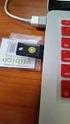 YubiKey Authentication Module Design Guideline Yubico Application Note Version 1.0 May 7, 2012 Introduction Disclaimer Yubico is the leading provider of simple, open online identity protection. The company
NetSupport DNA Configuration of Microsoft SQL Server Express
 NetSupport DNA Configuration of Microsoft SQL Server Express Configuration of Microsoft SQL Server Express and NetSupport DNA Installation Requirements If installing Microsoft SQL Server Express on Windows
Database Management API
 Database Management API This Database Management API can be used by anyone that wants to develop an interface to add/edit/delete data in a indsx or indsx SQL system. It can be used to place the initial
Offline Payment Methods
 Offline Payment Methods STRONGVON Tournament Management System 1 Overview The STRONGVON Tournament Management System allows you to collect online registration, while arranging for offline payment methods
quality of service Screenshots
 versasrs HelpDesk quality of service Screenshots versasrs HelpDesk Main Screen Ensures that your internal user issues remain visible until resolved. Prevents problems from falling through the cracks. Send
Software Requirement Specification For Flea Market System
 Software Requirement Specification For Flea Market System By Ilya Verlinsky, Alexander Sarkisyan, Ambartsum Keshishyan, Igor Gleyser, Andrey Ishuninov 1 INTRODUCTION 1.1 Purpose 1.1.1 Purpose of SRS document
MasterCard In tern et Gatew ay Service (MIGS)
 Master Card Inter national MasterCard In tern et Gatew ay Service (MIGS) MIGS Payment Client Reference Manual Prepared By: Patrick Hayes Department: Principal Consultant, ebusiness Solutions Date Written:
Kaseya 2. User Guide. Version 1.0
 Kaseya 2 Kaseya Service Desk User Guide Version 1.0 April 19, 2011 About Kaseya Kaseya is a global provider of IT automation software for IT Solution Providers and Public and Private Sector IT organizations.
TIME KEEP LEGAL BILLING SOFTWARE REQUIREMENTS SPECIFICATION
 TIME KEEP LEGAL BILLING SOFTWARE REQUIREMENTS SPECIFICATION 1. Introduction: This document defines the Software Requirements Specification (SRS) for the Time Keep Legal Billing software application. This
How To Upgrade To Symantec Mail Security Appliance 7.5.5
 Release notes Information Foundation 2007 Symantec Mail Security Appliance 7.5 Copyright 1999-2007 Symantec Corporation. All rights reserved. Before installing or upgrading: Migration issues If you are
FAX SERVER. User manual. Stonefax user guide
 FAX SERVER Stonefax user guide service CONTENTS A) Introduction... 2 B) Sending a fax... 2 C) Section analysis... 3 C.1 Sender... 3 C.2 Recipients... 5 C.3 Fax body... 6 C.3.1 Predefined cover. cov...
Defense Internet NOTAM Service (DINS) CCR Application User Training Manual. Version 2.1
 Defense Internet NOTAM Service (DINS) CCR Application User Training Manual Version 2.1 Last Updated February 4, 2010 Revision History CR# Document Version # Approval Date Modified By Section, Page(s)and
MY HELPDESK - END-USER CONSOLE...
 Helpdesk User Guide Page 1 Helpdesk User Guide Table of Contents 1 INTRODUCTION... 3 1.1. OBJECTIVES... 3 1.2. END-USER CONSOLE... 3 1.3. SUMMARY OF RESPONSIBILITY... 3 1.4. HELPDESK INCIDENT LIFE CYCLE...
Managing Users and Identity Stores
 CHAPTER 8 Overview ACS manages your network devices and other ACS clients by using the ACS network resource repositories and identity stores. When a host connects to the network through ACS requesting
Aras Corporation. 2005 Aras Corporation. All rights reserved. Notice of Rights. Notice of Liability
 Aras Corporation 2005 Aras Corporation. All rights reserved Notice of Rights All rights reserved. Aras Corporation (Aras) owns this document. No part of this document may be reproduced or transmitted in
Clinic Management System
 Macau Polytechnic Institute School of Public Administration Computer Studies Program MCCS390-211 Applied Computing Project I Lecturers: Andrew Siu, Philip Lei ALO Team Group member: Andrew Ho P-99-0092-1
Novell to Microsoft Conversion: Identity Management Design & Plan
 Novell to Microsoft Conversion: Identity Management Design & Plan Presented To: 3/2/2011 1215 Hamilton Lane, Suite 200 Naperville, IL 60540 www.morantechnology.com Voice & Fax: 877-212-6379 Version History
INTEGRATED STAFF ATTENDANCE SYSTEM (ISAS) WEE PEK LING
 INTEGRATED STAFF ATTENDANCE SYSTEM (ISAS) WEE PEK LING A report submitted in partial fulfillment of the requirements for the award of the degree of Bachelor of Computer Science (Computer Systems & Networking)
Copyright 2014 SolarWinds Worldwide, LLC. All rights reserved worldwide. No part of this document may be reproduced by any means nor modified,
 Copyright 2014 SolarWinds Worldwide, LLC. All rights reserved worldwide. No part of this document may be reproduced by any means nor modified, decompiled, disassembled, published or distributed, in whole
First initial of their first name Last name The @ sign Client ID (selected by Client upon isi set-up)
 Page: 1 Enrollment Process Introduction ipay is an employee self service product, allowing the employee to view, print and save an electronic copy of their pay statement posted to ipay. This chapter will
The Jeff's Ticket Tracking System
 TheJeffsTicketTracker.thejeffapproves.com The Jeff's Ticket Tracking System [email protected] Jeff Denton A.K.A The Jeff 15 Contents About The Jeff... 4 Project Summary and Requirements...
Accounts Payable Invoice Processing Managing PO Exceptions
 Accounts Payable Invoice Processing Managing PO Exceptions Note: The application is most effective in the latest version of Mozilla for Windows users and the latest version of Safari for Mac uses. In each
ResPAK Internet Module
 ResPAK Internet Module This document provides an overview of the ResPAK Internet Module which consists of the RNI Web Services application and the optional ASP.NET Reservations web site. The RNI Application
Turnitin User Guide. Includes GradeMark Integration. January 2014 (revised)
 Turnitin User Guide Includes GradeMark Integration January 2014 (revised) Copyright 2014 2 Contents Contents... 3 Turnitin Integration... 4 How This Guide is Organized... 4 Related Documentation... 4 Campus
TeamViewer 9 Manual Management Console
 TeamViewer 9 Manual Management Console Rev 9.2-07/2014 TeamViewer GmbH Jahnstraße 30 D-73037 Göppingen www.teamviewer.com Table of Contents 1 About the TeamViewer Management Console... 4 1.1 About the
ODBC Client Driver Help. 2015 Kepware, Inc.
 2015 Kepware, Inc. 2 Table of Contents Table of Contents 2 4 Overview 4 External Dependencies 4 Driver Setup 5 Data Source Settings 5 Data Source Setup 6 Data Source Access Methods 13 Fixed Table 14 Table
Refer to the Integration Guides for the Connect solution and the Web Service API for integration instructions and issues.
 Contents 1 Introduction 4 2 Processing Transactions 5 2.1 Transaction Terminology 5 2.2 Using Your Web Browser as a Virtual Point of Sale Machine 6 2.2.1 Processing Sale transactions 6 2.2.2 Selecting
Administrators Help Manual
 Administrators Help Manual Lepide Active Directory Self Service Lepide Software Private Limited Page 1 Administrators Help Manual for Active Directory Self-Service Lepide Active Directory Self Service
Configuring, Customizing, and Troubleshooting Outlook Express
 3 Configuring, Customizing, and Troubleshooting Outlook Express............................................... Terms you ll need to understand: Outlook Express Newsgroups Address book Email Preview pane
Secure Mail Registration and Viewing Procedures
 Secure Mail Registration and Viewing Procedures May 2011 For External Secure Mail Recipients Contents This document provides a brief, end user oriented overview of the Associated Banc Corp s Secure Email
Quick Installation Guide
 Quick Installation Guide PRI Gateway Version 2.4 Table of Contents Hardware Setup... 1 Accessing the WEB GUI... 2 Notification LEDs (On the Front Panel of the Gateway)... 3 Creating SIP Trunks... 4 Creating
Citrix Systems, Inc.
 Citrix Password Manager Quick Deployment Guide Install and Use Password Manager on Presentation Server in Under Two Hours Citrix Systems, Inc. Notice The information in this publication is subject to change
Operating Instructions (For User Authentication)
 PLAIN PAPER FACSIMILE Operating Instructions (For User Authentication) Appendix General Description Using Machine Setting Machine The following trademarks and registered trademarks are used throughout
Support Handbook. Performance EDI. October 2007. Document Title Section Title
 Support Handbook Performance EDI October 2007 Document Title Section Title 2 Table of Contents Welcome to EasyLink Performance EDI Support...3 Support Overview...4 Maximizing your Support Interaction...6
BillQuick Agent 2010 Getting Started Guide
 Time Billing and Project Management Software Built With Your Industry Knowledge BillQuick Agent 2010 Getting Started Guide BQE Software, Inc. 2601 Airport Drive Suite 380 Torrance CA 90505 Support: (310)
OQ Analyst Web Service Interface Specifications. Version 2.0
 OQ Analyst Version 2.0 1. Introduction This document outlines the current specifications for the OQ -Analyst Web Service Interface (also referred to as the WSI) that can be used to allow external programs
FortyCloud Installation Guide. Installing FortyCloud Gateways Using AMIs (AWS Billing)
 FortyCloud Installation Guide Installing FortyCloud Gateways Using AMIs (AWS Billing) Date Version Changes 9/29/2015 2.0 2015 FortyCloud Ltd. 15 Berkshire Road Mansfield, MA 02048 USA 1 P a g e Introduction
HIPAA TRANSACTION 837 INSTITUTIONAL STANDARD COMPANION GUIDE
 HIPAA TRANSACTION 837 INSTITUTIONAL STANDARD COMPANION GUIDE Refers to the Implementation Guides Based on X12 version 004010 A1 and version 005010 Companion Guide Version Number: 1.3 January 29, 2014 TABLE
Deltek Costpoint 7.1.1. Process Execution Modes
 Deltek Costpoint 7.1.1 Process Execution Modes October 24, 2014 While Deltek has attempted to verify that the information in this document is accurate and complete, some typographical or technical errors
D&B SafeTransPort Tutorial YOUR MANAGED FILE TRANSFER SOLUTION FOR SECURE FILE TRANSFERS WITH D&B
 Tutorial YOUR MANAGED FILE TRANSFER SOLUTION FOR SECURE FILE TRANSFERS WITH D&B Overview Overview Topics Covered overview, features and benefits Account activation and password maintenance Using the User