
Communicating access and usage policies to crawlers using extensions to the Robots Exclusion Protocol Part 1: Extension of robots.
|
|
|
- Juniper Shepherd
- 10 years ago
- Views:
Transcription
1 Communicating access and usage policies to crawlers using extensions to the Robots Exclusion Protocol Part 1: Extension of robots.txt file format A component of the ACAP Technical Framework Implementation Version 1.1, 25 September 2009 Copyright ACAP Ltd

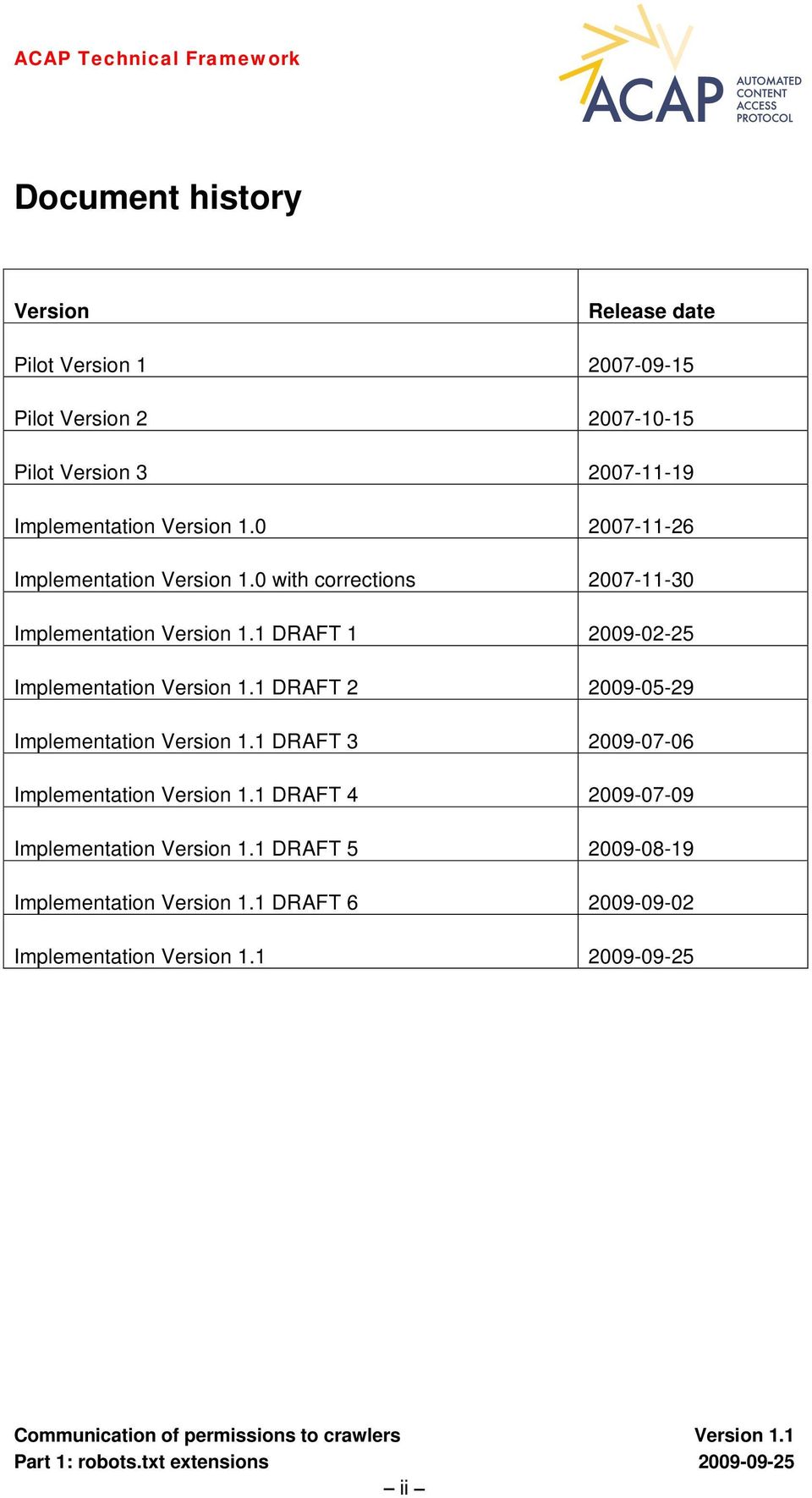
2 Document history Version Release date Pilot Version Pilot Version Pilot Version Implementation Version Implementation Version 1.0 with corrections Implementation Version 1.1 DRAFT Implementation Version 1.1 DRAFT Implementation Version 1.1 DRAFT Implementation Version 1.1 DRAFT Implementation Version 1.1 DRAFT Implementation Version 1.1 DRAFT Implementation Version ii
3 Changes relative to previous version 1. General changes Removal of inconsistencies in vocabulary and presentation. Removal of text relating to features previously marked as not ready for implementation. Improved cross-references. All pages numbered. 2. Specific changes Table of contents extended to include an additional subsection level. New Annex: Annex A has been added, containing a summary of all usage qualifiers and their value ranges, with cross-references to detailed descriptions in the text. Introduction of new features (indicated by [V1.1] in the text): Clarification of how crawlers are by default expected to interpret a qualified permission field or prohibition field that they don t fully understand (see Section 2.4.3). New qualifier values for qualifiers time-limit, must-use-resource, must-includeresource, prohibited-modification and required-context (see Sections , , , , , and ). New qualifier target-condition for permissions based upon the usage type present (see Section ). New qualifier ref for permissions based upon the usage type other (see Section ). New ACAP Version field added to allow the version of ACAP used in preparing the robots.txt file to be communicated (see Section 2.8). iii

4 Table of contents Document history...ii Changes relative to previous version...iii Table of contents...iv 1 Introduction Why publish ACAP Version 1.1? Description of ACAP extensions to the robots.txt file format Overview General Order and precedence in the interpretation of ACAP records and fields ACAP records and sub-records Crawler identification field ACAP permission reference definition field Usage purpose pattern field Permission and prohibition fields Permission field Unqualified permission field Qualified permission field Permission field based upon a locally-defined usage Prohibition field [V1.1] Fallback interpretation of permission and prohibition fields Resource specification Resource set Conflict resolution Usage types and usage qualification Basic usage type crawl Basic usage type follow Basic usage type index Permission to index qualified by time-limit Permission to index qualified by must-use-resource Basic usage type preserve Permission to preserve qualified by time-limit Basic usage type present Usage types based upon present Permission to present qualified by time-limit Permission to present qualified by must-use-resource Permission to present qualified by max-length Permission to present qualified by prohibited-modification Permission to present qualified by must-include-resource Permission to present qualified by prohibited-context...25 iv

5 Permission to present qualified by required-context [V1.1] Permission to present qualified by target-condition Basic usage type other [V1.1] Permission for other types of usage qualified by usage-ref ACAP action request field Take down Re-crawl ACAP definition fields Qualified usage definition Composite usage definition Resource set definition [V1.1] ACAP Version field Pattern matching in ACAP fields Relationship between the proposed extensions and the content of existing robots.txt files Ignoring conventional robots.txt fields Interpretation of combinations of ACAP and conventional robots.txt fields Comment convention for indicating that a robots.txt file contains ACAP records Formal specification of the syntax of the proposed extensions to the robots.txt file format Outstanding issues not covered in this version of the ACAP extensions to REP References...39 A Usage qualifier table...40 v
![..31 2.7.2 Composite usage definition...32 2.7.3 Resource set definition...32 2.8 [V1.1] ACAP Version field...33 2.9 Pattern matching in ACAP fields...33 2.10 Relationship between the proposed extensions and the content of existing robots.](/docs-images/45/11154314/images/page_5.jpg "txt files...34 2.10.1 Ignoring conventional robots.txt fields...34 2.10.2 Interpretation of combinations of ACAP and conventional robots.txt fields...34 2.10.3 Comment convention for indicating that a robots.")
6 1 Introduction ACAP (Automated Content Access Protocol) is being developed as an open industry standard to enable the providers of all types of content (including, but not limited to, publishers) to communicate permissions information (relating to access to and use of that content) in a form that can be readily recognized and interpreted by a search engine (or any other intermediary or aggregation service), so that the operator of the service is enabled systematically to comply with the individual publisher s policies. ACAP will provide a technical framework that will allow publishers worldwide to express access and use policies in a language that machines can read and understand. The Robots Exclusion Protocol (REP) is the formal name for what is currently the most widely-used method of communicating permissions to web crawlers (also frequently referred to as robots or spiders ) [1]. This method of communication is in two parts: a format for a file called 'robots.txt' that contains machine-readable statements of which sets of resources on a website may or may be crawled; and a format for embedding permissions in HTML page headers, called Robots META Tags. This document is Part 1 of a two-part specification of a method of communication based upon proposed extensions to the Robots Exclusions Protocol. This part describes proposed extensions to the robots.txt file format to meet the requirements of a series of use cases tested in the ACAP pilot project. The format proposed by this document has been tested against several important use cases and is considered to be ready for implementation for most use cases that involve communication to search engine crawlers of access and usage policies relating to publicly-accessible online content. The format has also been tested for use cases that involve similar communication of access and usage policies relating to online content that is not publicly-accessible, but it is recognised that further clarification and extension of the format may be needed in this area. A companion document forms Part 2 of the specification[2], which contains proposed extensions to the Robots META Tags format and other techniques for using embedded usage permissions and prohibitions in HTML documents. Both this document and its companion use access and usage terminology that is defined in the ACAP Dictionary of Access and Usage Terminology[3]. 1.1 Why publish ACAP Version 1.1? ACAP Version 1.0 was published in November It has been adopted by more than 700 online publishers worldwide. It has not yet been implemented by any major crawler operators, and publisher implementations have in the main been strictly limited to mimic their existing use of the Robots Exclusion Protocol (REP). 1

7 The main barriers to implementation of ACAP are political, legal and commercial. The purpose of publishing ACAP Version 1.1 is to ensure that there are no technical barriers to implementation, by clarifying and extending the functionality of ACAP to meet known use cases for the communication of access and usage policies to web crawlers. Features that in ACAP Version 1.0 were marked as not ready for implementation have been reviewed and their intended uses have been clarified. Some new features have been added, and are indicated in the text by [V1.1]. The proposals for extension of REP contained within this two-part specification will remain proposals until they are adopted and substantially implemented by major crawler operators as well as by online publishers. DISCLAIMER. All ACAP features may change or be withdrawn without notice. All implementations of these proposals are entirely at the implementer s own risk. 2 Description of ACAP extensions to the robots.txt file format 2.1 Overview This document proposes extensions to the robots.txt file format to express a content owner s policy for allowing or denying crawlers access to and use of their online content. These extensions do not replace the existing robots.txt file format, but enable unambiguous expression of permissions, both unqualified and qualified by a range of restrictions1, and outright prohibitions as to what a crawler and associated automated follow-on processes may or may not do with specified content. Some of these extensions may appear, at first sight, to duplicate the functionality of the existing robots.txt file format. The reason for this is that the precise semantics of the existing format are not defined, so, in order that a content owner s policy can be expressed without ambiguity, it is necessary to adopt new forms of expression. It is anticipated that at some stage such apparent duplications will be eliminated by formal standardization of the Robots Exclusion Protocol. The ACAP extensions are designed to be used within robots.txt files that also contain permissions and prohibitions using the existing format. A single robots.txt file is typically used to communicate with a large number of crawlers (hundreds of crawlers are known to read robots.txt files), and it will take time for crawlers to be programmed to recognise and use the proposed ACAP extensions. 1 Future revisions of this document are expected to include a method for positively expressing that there is no restriction on a permission. This document only defines qualifiers that are used to communicate restrictions on permissions. 2
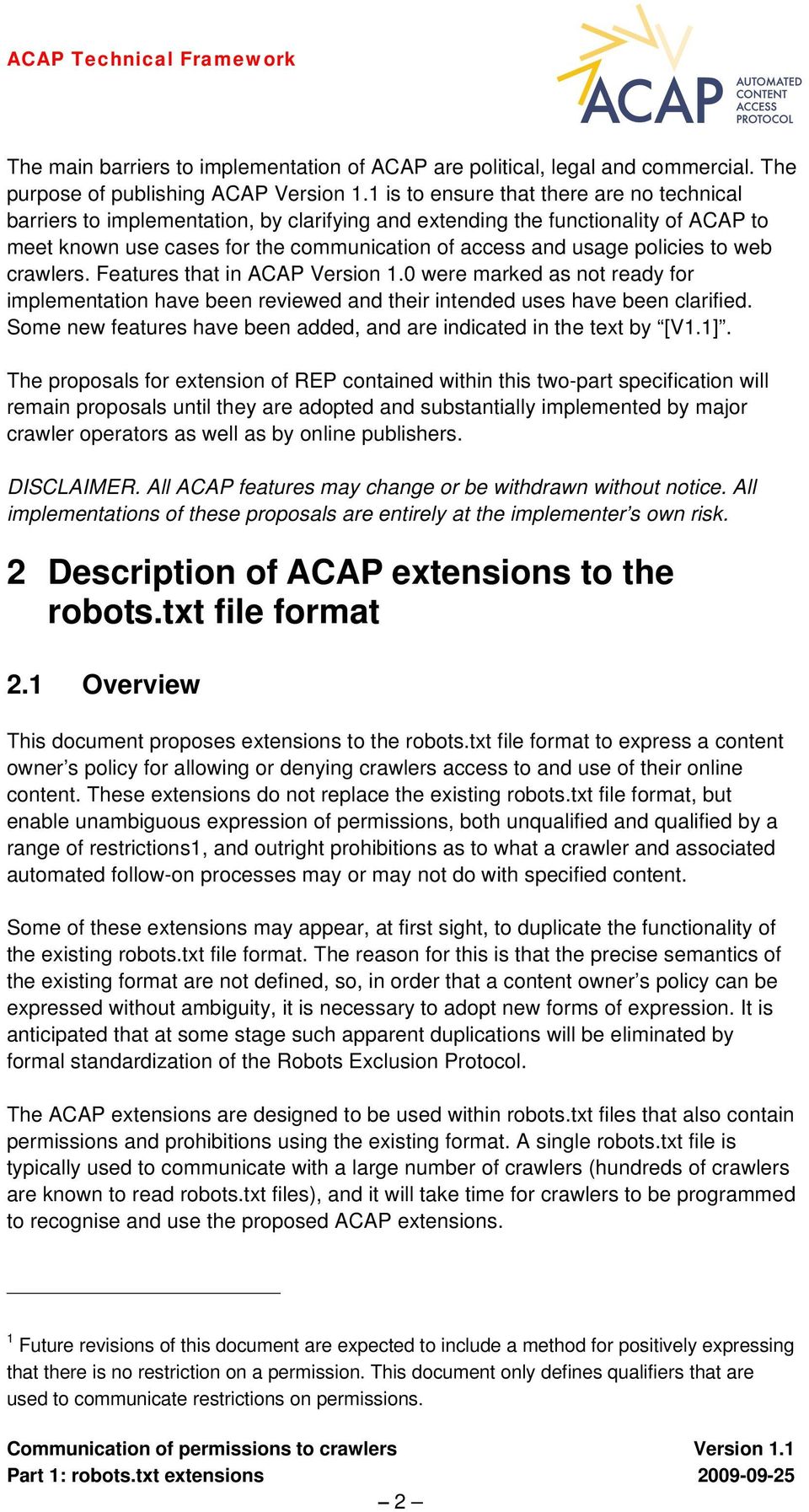
8 A typical robots.txt file using these extensions will be in two parts, as illustrated by the example below. The first part will largely contain existing permissions and prohibitions, apart from a special comment at the very start, indicating that ACAP proposed extensions are being used. The second part will contain ACAP permissions and prohibitions organised into a series of crawler records that may be preceded by a series of definition fields. ##ACAP version=1.0 # Legacy robots.txt file content User-agent: * Disallow: / User-agent: named-crawler Allow: /index.html Allow: /public/ Allow: /promotion/ Allow: /news/ # Un-comment the line below, if crawlers capable of understanding # ACAP records are to ignore conventional records # ACAP-ignore-conventional-records # ACAP local definitions # Resources found in three directories are crawlable ACAP-resource-set: crawlable /public/ /promotion/ /news/ # On this site cache means preserve (store) until re-crawled ACAP-qualified-usage: cache preserve time-limit=until-recrawled # The same usages are permitted for all resources in the specified # resource set, so we can define a composite usage ACAP-composite-usage: basic-usages crawl index present # Crawlers in general are prohibited to crawl this site ACAP-crawler: * ACAP-disallow-crawl: / # Named crawler may crawl, index and display the content of /public/... ACAP-crawler: named-crawler # All my usages are permitted for the specified resource set... ACAP-allow-(basic-usages): the-acap:resource-set:crawlable # which is equivalent to permitting the three separate usages, which are # commented out here... # ACAP-allow-crawl: the-acap:resource-set:crawlable # ACAP-allow-index: the-acap:resource-set:crawlable # ACAP-allow-present: the-acap:resource-set:crawlable 3
9 #...but may only preserve copies in the locally-defined sense # ACAP-allow-(cache): the-acap:resource-set:crawlable NOTE Throughout this two-part specification examples are presented in monospaced text on a pale green background. 2.2 General ACAP access and use policies are expressible in a robots.txt file in one or more ACAP records. An ACAP record defines a set of permissions, prohibitions and action requests addressed to one or more crawlers. Each ACAP record comprises a number of ACAP fields, each of which is represented by a single line of the robots.txt file. The ACAP fields in an ACAP record may be separated by blank lines and comments2. An ACAP record may, if appropriate, contain sub-records that contain other ACAP fields according the usage purpose to which they relate. An ACAP record can contain both sub-records associated with specified usage purposes and general permissions and prohibitions that are not specific to a particular usage purpose, in which case the general permissions and prohibitions (and any action requests) occur before the subrecords in the ACAP record Order and precedence in the interpretation of ACAP records and fields A robots.txt file may contain, in addition to ACAP records: an ACAP version field (see Section 2.8) a directive to ignore conventional records (see Section ) one or more definition fields (see Section 2.7). All ACAP records and all conventional records must be interpreted by a crawler to determine which to apply to any given resource, unless the robots.txt file contains a directive to ignore conventional records, in which case only ACAP records are interpreted. A directive to ignore conventional records is expressed as an ACAP field that must occur before all other ACAP fields. 2 A comment in a robots.txt file is any line or part of a line that begins with a hash symbol #. The hash symbol indicates to a crawler that it should not process any further characters in that line, and is therefore reserved for that function. 4

10 All definition fields must occur before all ACAP records. There is no significance in the order of ACAP records within a robots.txt file. The order in which ACAP fields occur within an ACAP record is only significant in determining which fields belong to each record and, within a record, which fields belong to the ACAP record as a whole and which belong to sub-records, if any. In cases where ACAP fields within a ACAP record have contradictory or overlapping interpretations, a mechanism for resolving such conflicts is proposed in Section The interpretation of an ACAP field may depend upon interpretation of definition fields, A definition field is an ACAP field in which a qualified usage, composite usage or resource set is defined (see Sections 2.7). An ACAP record may either be addressed to one or more named crawlers or to any crawler. ACAP fields contained in an ACAP record addressed to one or more named crawlers override semantically equivalent fields with the same usage purposes (if any) and matching the same resource(s) contained in an ACAP record addressed to any crawler. Permission and prohibition fields that belong to a sub-record override permissions and prohibitions with the same usage types and matching the same resource(s) that belong to the ACAP record as a whole. 2.3 ACAP records and sub-records An ACAP record starts with one or more crawler identification fields, identifying the crawlers to which the permissions associated with this record are addressed. These must be followed by (comments and blank lines being ignored) either an ACAP permissions reference field, directing the identified crawler(s) to another resource containing the permissions relevant to those crawlers in which case no further fields (other than comments and blank lines) may occur in the record or a sequence of one or more permission, prohibition or action request fields applicable to that crawler and not associated with any specific usage purpose zero or more sub-records containing permissions / prohibitions associated with specified usage purposes. or a sequence of one or more sub-records containing permissions / prohibitions associated with specified usage purposes. 5

11 An ACAP record terminates when either a crawler identification field is encountered following some other field allowed in records (ignoring comments and blanks) or the end of the file is reached, whichever occurs first. A sub-record starts with one or more usage purpose pattern fields, which must be followed by one or more permission or prohibition fields. A sub-record may not contain action request fields. A sub-record terminates at the first occurrence following a permission or prohibition field of one of the following: a usage purpose pattern field (indicating the start of the next sub-record) a crawler identification field (indicating the start of the next record) the end of the file. ACAP records, sub-records and fields within them may be interspersed with comments and blank lines, which can be ignored for the purposes of automated interpretation Crawler identification field An ACAP record begins with one or more crawler identification fields. Each crawler identification field specifies a single crawler to which the content of the ACAP record is addressed. By including multiple crawler identification fields, a single ACAP record may be addressed to multiple crawlers. NOTE A crawler identification field is semantically equivalent to a user agent field in an existing robots.txt file. The purpose of making the distinction syntactically is solely to make it clear whether a record is an ACAP record or a conventional record, because both may be included in a single robots.txt file. A crawler identification field has the following syntax: ACAP-crawler: crawler-name where crawler-name is either a string that identifies a specific crawler or an asterisk *, which is interpreted to mean any crawler. For example, an ACAP record that addresses a crawler named searchbot would contain the following crawler identification field: ACAP-crawler: searchbot An ACAP record that addresses any crawler begins with crawler identification field: ACAP-crawler: * 6

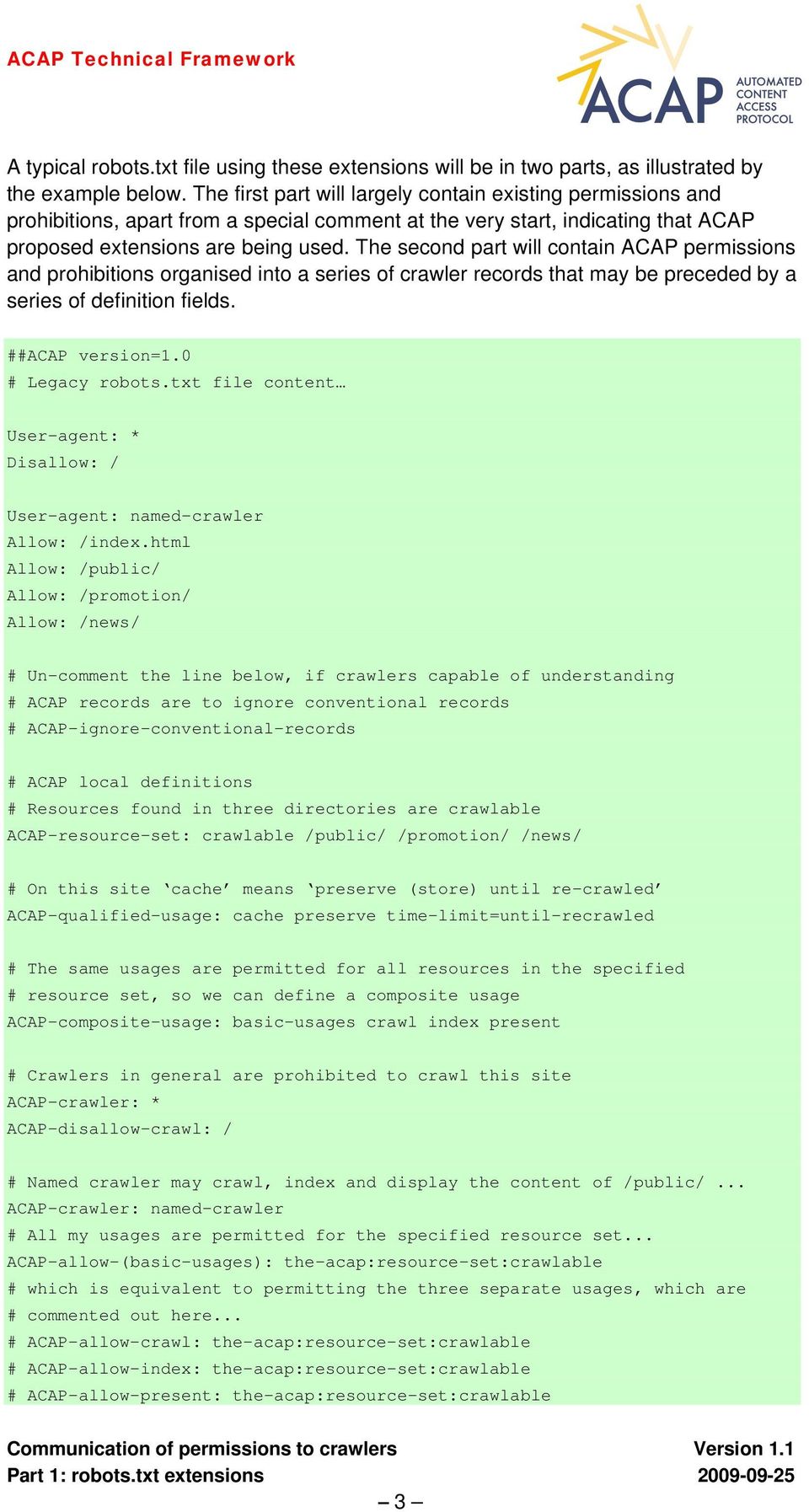
12 and must not contain any other crawler identification fields. NOTE The string used to identify a crawler by name is normally some or all of the string used by that crawler in a User-Agent header field in an HTTP request, as specified in IETF RFC 2616[4], and is not case-sensitive. Some crawlers may treat crawler names as patterns and match any that happen to match a sub-string of their usual User-Agent header field string, so it is recommended that a crawler name be the longest possible string that a crawler will recognise as their own name ACAP permission reference definition field An ACAP permission reference definition links to a resource containing ACAP permissions in robots.txt file format (generally using ACAP extensions) that are to be read and applied in conjunction with the permissions in the file in which this reference definition field occurs. The following syntax is proposed: ACAP-permissions-reference: resource-locator where resource-locator is either a path relative to the document root on the same server as the robots.txt file containing this field, or a URI for a resource located on another server. For example, to refer a crawler named searchbot to a set of additional policies in /searchbot.txt that are specific to that crawler, the following ACAP record would be appropriate: ACAP-crawler: searchbot ACAP-permissions-reference: /searchbot.txt To avoid circular references, a permission reference definition field may not refer to a resource that itself contains a permission reference definition field Usage purpose pattern field A usage purpose is a specific service or set of processes served by one or more crawlers to which the record as a whole is addressed. A sub-record begins with one or more usage purpose pattern fields, and all permission and prohibition fields that follow these usage purpose pattern fields relate to the specified usage purposes. A usage purpose pattern field has the following syntax:. ACAP-usage-purpose: usage-purpose-pattern where usage-purpose-pattern is a pattern that can be matched by a string recognised by a crawler as identifying a usage purpose. Such a string would typically be a name or URI. 7
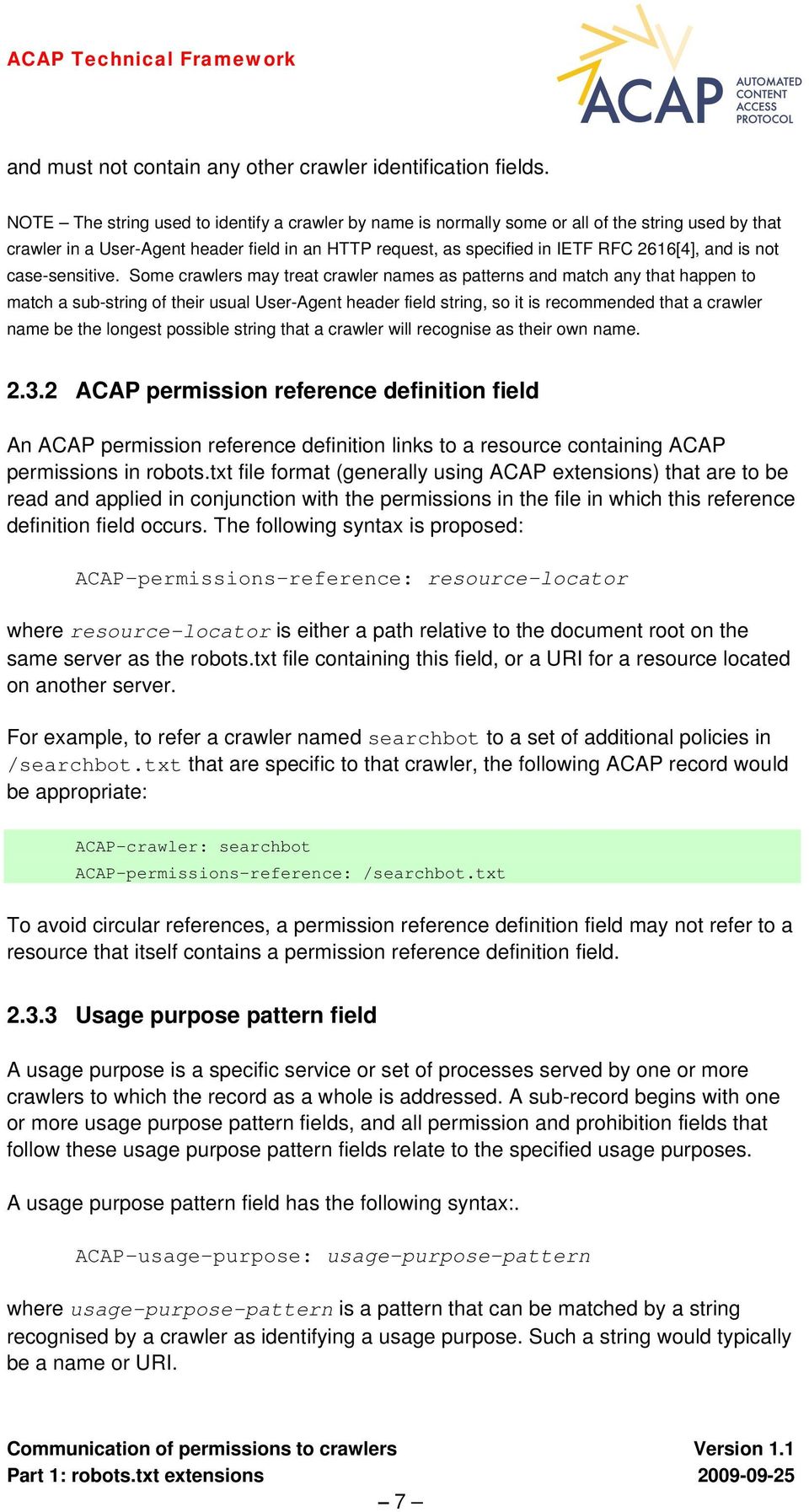
13 For example, a usage purpose pattern field specifying a single service with name news would be: ACAP-usage-purpose: news An example of a usage purpose pattern field specifying all services with URIs matching a pattern would be: ACAP-usage-purpose: A name or URI may represent a single service, or a single set of procedures, or a whole category of the same, e.g.: ACAP-usage-purpose: NOTE The interpretation of a usage purpose pattern is dependent upon the crawler being programmed to recognise specific name or URI patterns. Crawler operators are expected to indicate what usage purposes they recognise, if any. 2.4 Permission and prohibition fields Permissions and prohibitions to access and use specified resources are expressing using permission fields and prohibition fields respectively Permission field The simplest type of permission field is one that allows a specified standard usage of a specified set of resources, without any restriction or other qualification. More complex permission fields may also express qualified or composite usages, either by containing explicit qualifiers or by reference to a separately-defined qualified or composite usage. A permission field may express a permission with or without one or more specified constraints. A permission field that expresses a permission without specifying any constraints is referred to as an unqualified permission field. A permission field that expresses a permission with specific constraints is referred to as a qualified permission field Unqualified permission field An unqualified permission field is expressed using the token allow combined with a specific usage type and followed by a specification of the set of one or more resources to which the permission applies, viz: ACAP-allow-usage: resource-specification 8

14 The usage type usage is an ACAP standard usage type as specified in Section 2.5. The string resource-specification is a resource specification as specified in Section For example, an unqualified permission field allowing the resources that match the resource path pattern /news/ to be indexed would be expressed: ACAP-allow-index: /news/ Qualified permission field A qualified permission field may be expressed in the same way as an unqualified permission field, but with one or more qualifiers following the resource specification, viz: ACAP-allow-usage: resource-specification qualifiers The string qualifiers is a space-separated list of one or more qualifiers. Each qualifier is constructed as follows: qualifier-type-name=qualifier-value where qualifier-type-name must be a valid qualifier type name for the given usage type, and qualifier-value must be a valid value for the given qualifier type. For details of the qualifier types and values that are valid with each standard usage type see 2.5. For example, a qualified permission field allowing resources that match the resource path pattern /news/ to be preserved only until they are re-crawled would be expressed: ACAP-allow-preserve: /news/ time-limit=until-recrawl A qualified permission field may contain multiple qualifiers of the same type. In all such cases the interpretation of multiple qualifiers is dependent upon the qualifier type and is detailed for each qualified usage in Section Permission field based upon a locally-defined usage A permission field may express a permission for a qualified or composite usage that is defined locally, i.e. in a qualified usage definition field or composite usage definition field specified elsewhere within the same robots.txt file, or within a robots.txt file that contains a permission reference to this robots.txt file (see 2.3.2). ACAP-allow-(local-usage): resource-specification 9

15 A locally-defined usage type name local-usage must correspond to the name of a qualified or composite usage that is defined in a qualified usage definition field or composite usage definition field (see 2.7). The parentheses are required around the usage type name, to avoid a possible clash of names between locally-defined usage types and ACAP standard usage types. No explicit qualifiers may be included in a permission field for a locally-defined usage. For example, a permission field that allows a locally-defined usage my-localusage to be applied to resources matching the pattern /special/*.htm would be expressed: ACAP-allow-(my-local-usage): /special/*.htm Prohibition field A prohibition field defines a prohibited usage of a specified set of resources, and is expressed thus: ACAP-disallow-usage: resource-specification where usage is a standard usage type. An ACAP prohibition may not refer to locally-defined qualified or composite usages, and may not contain any qualifiers. An example of a prohibition field: ACAP-disallow-crawl: /private/ NOTE In order to express a qualified (restricted) prohibition, it is always necessary to transform this into a qualified permission. In other words, instead of expressing you are prohibited to do x except if, it is necessary to turn this around to express you are permitted to do x with the following restrictions [V1.1] Fallback interpretation of permission and prohibition fields In the following method a crawler is said to be able to interpret a particular permission or prohibition field if it can act, or cause other associated processes controlled by the crawler operator to act, in accordance with the permission or prohibition. NOTE Following established practice in the interpretation of robots.txt files, a usage is generally interpreted to be permitted unless it is explicitly prohibited. However some crawlers may interpret the absence of an explicit permission or prohibition in different ways. 10
16 In the event that a crawler is unable to interpret a particular permission or prohibition field, the following method should be applied to construct a replacement field that the crawler is able to interpret: If a permission field contains qualifiers and the crawler is unable to interpret the qualifiers fully, the crawler must interpret this field as a prohibition of the same usage type applied to the same resource specification (by removing the qualifiers and by replacing allow with disallow). If a prohibition field contains a usage type that isn t a basic or general usage type (e.g. present-snippet), and if the crawler cannot interpret a prohibition for this usage type, the entire prohibition field is to be interpreted as if it were a prohibition field with the corresponding basic usage type applied to the same resource specification (e.g. by replacing present-snippet with present). If a prohibition field is for a basic usage type, and if the crawler cannot interpret a prohibition for this usage type, the entire permission field is to be interpreted as if it where a prohibition field with the basic usage type crawl applied to the same resource specification. NOTE The intention of the above method is to enable crawlers that are not programmed to interpret all qualified permission fields, as intended by the owner of the crawled content, to determine an alternative interpretation that would be acceptable to the owner. However, since a crawler is traditionally programmed to ignore any fields that it cannot interpret, there has to be a mechanism whereby a crawler can be alerted to the presence in the robots.txt file of qualified permissions that it may not be able to interpret fully. A crawler must not ignore any permission or prohibition field that is constructed in accordance with the formal grammar in this specification, but needs to be able to determine whether a particular construct is valid. For this reason an ACAP Version field has been introduced. See Section 2.8 for more details Resource specification A resource specification is used in permissions and prohibitions to specify to which resources they apply. A resource specification is one of the following: a resource path pattern that matches one or more paths to resources relative to the server document root see 2.8 the name of a resource set see Resource set A resource set is a named set of resources defined in a resource set definition field see A resource set is referred to by a resource specification that has the following form: the-acap:resource-set:resource-set-name where resource-set-name is the name of the defined resource set. 11

17 For example, an unqualified permission to index a set of resources named indexable would be expressed: ACAP-allow-index: the-acap:resource-set:indexable where an applicable resource set definition field might be, for example: ACAP-resource-set: indexable /public/ /news/ /promote/ Conflict resolution If at least one permission field and at least one prohibition field apply to the same usage type and are applicable to the same resource, the permission or prohibition with the narrowest effective scope is applied and the others are ignored. Determining which permission or prohibition field has the narrowest effective scope depends upon a comparison of the resource path patterns of the conflicting fields. Qualifiers are ignored when resolving conflicts. For this reason all qualifiers that are to apply to the same permitted usage of the same set of resources must either be specified in a single qualified permission field or be specified in a single qualified usage definition field. For two resource path patterns to match the same resource, they must have similar patterns. The pattern with the narrowest scope can be determined by the following method: Compare the resource path patterns character-by-character, starting with the leftmost character of each pattern. If the characters in the first (left-most) position in each pattern are the same, move on to compare the characters in the second and subsequent positions in each pattern until either one of the patterns runs out of characters or one of the patterns contains a wildcard character (asterisk * or dollar sign $) while the other pattern contains a different character. If one pattern has run out of characters, the other pattern has the narrower scope. If one pattern contains a dollar sign $ where the other pattern contains any other character (including the asterisk *), the other pattern has the narrower scope. If one pattern contains an asterisk * where the other pattern contains any other character except the dollar sign $, the other pattern has the narrower scope. NOTE Permissions and prohibitions embedded in a resource (e.g. as Robots META Tags see Part 2 of this specification), whether qualified or not, are semantically equivalent to permission and prohibition fields in a robots.txt file with a resource specification that specifies the single resource in which these permissions and prohibitions are embedded. It follows that, if a crawler is capable of interpreting permissions and prohibitions embedded in resources, these always override permission and prohibition fields in a robots.txt file that are addressed to the same crawler and applying to the same resource. 12

18 In the event that a crawler is unable to determine which ACAP permission or prohibition has the narrowest scope regardless of whether or not such determination is theoretically possible the usage is prohibited on that resource. For more information on the syntax rules for patterns in ACAP fields, see Section Usage types and usage qualification Five basic usage types have so far been defined: crawl follow index preserve present In addition to the five basic usage types, one general usage type other has also been defined. This is for use in communicating blanket prohibitions of all usages other than those that are permitted. In addition to these six usage types, a number of other usage types have been defined, based upon the basic usage type present, to indicate more precisely what type or resource may be presented, having been derived in some way from the resource that has been crawled. These additional usage types are: present-original present-currentcopy present-oldcopy present-snippet present-thumbnail present-oldsnippet present-oldthumbnail present-link In each case the basic usage type present is followed by a used resource type. The used resource types snippet and thumbnail are both derived from the current (i.e. most recently crawled) version of a resource. The used resource types oldsnippet and oldthumbnail are both derived from any version of a resource other than the most recently crawled version. 13
19 Some usage types index, preserve, present and its derivatives may be restricted by qualifiers as specified below and may, if appropriate, be restricted by more than one qualifier. NOTE Unless a permitted usage is qualified, no default restrictions can be assumed. For example, a crawler representing a search engine may by default only index a resource until it is re-crawled, but the same is not true of a crawler representing a web archive, which may wish to preserve all versions of a resource indefinitely. It is recommended that all permissions should, where possible, be qualified to indicate any applicable restriction of the usage Basic usage type crawl This usage type enables expression of a permission or prohibition to crawl any of a set of one or more resources. There are currently no options for restricting this usage type. For example: ACAP-disallow-crawl: /private/ NOTE There is no exact equivalent to this prohibition in conventional REP, because a Disallow: field in conventional REP terms may be interpreted by different crawlers to mean either ACAPdisallow-crawl: or ACAP-disallow-index: in ACAP terms Basic usage type follow This usage type enables expression of a permission or prohibition to follow links found within any of a set of one or more crawled resources. There are currently no options for restricting this usage type Basic usage type index This usage type enables expression of a permission or prohibition to create index entries for any of a set of one or more crawled resources. Permissions for this usage type may be unrestricted or may be restricted in either or both the ways described below Permission to index qualified by time-limit A permission to index may be qualified to indicate a time limit restriction indicating for how long this resource may be indexed. A permission of this kind is expressed in the following way: ACAP-allow-index: resource-specification time-limit=value 14

20 where value can take any of the following forms: until-recrawled, indicating that the resource may be indexed until it has been re-indexed following a re-crawl of the same resource. until-yyyy-mm-dd, indicating that the resource may be indexed until but not after the specified date yyyy-mm-dd, which must be a date in the specified ISO date format with hyphens between the year, month and day. n-days, indicating that the resource may be indexed from the point in time at which it is first indexed for the specified number of days n, which must be an integer value. [V1.1] plus-terms, indicating that the resource contains embedded terms conforming to the PLUS Coalition License Data Format, which defined the time limit on indexing the resource. [V1.1] The qualifier time-limit may be repeated twice in the same qualified permission field. The values are combined to determine the exact intent of the qualifier. If the qualifier is repeated three or more times, the third and subsequent occurrences (ordered left to right) are ignored. A time-limit qualifier with value plus-terms should be the first and only time-limit qualifier, otherwise it is to be ignored. The following combinations are significant: time-limit=until-recrawled with time-limit=until-yyyy-mm-dd The usage is permitted until either the resource has been recrawled or the specified date is passed, whichever is sooner. time-limit=until-recrawled with time-limit=n-days The usage is permitted until either the resource has been recrawled or the specified number of days since first indexed is passed, whichever is sooner. time-limit=until-yyyy-mm-dd with time-limit=n-days The usage is permitted until either the specified date is passed or the specified number of days since first indexed is passed, whichever is sooner. For all other combinations of two time-limit qualifiers the second qualifier is ignored. Examples of this permission using this qualifier: ACAP-allow-index: /public/ time-limit=until-recrawled ACAP-allow-index: /news/2007/ time-limit=until ACAP-allow-index: /current-news/ time-limit=3-days [V1.1] ACAP-allow-index: /current-news/ time-limit=until-recrawled time-limit=3-days 15

21 Permission to index qualified by must-use-resource NOTE This qualification of the index usage type may be interpreted by some crawler operators as cloaking. If used without prior arrangement, some crawlers may interpret the whole ACAP field as a prohibition (see Section 2.4.3), while others may not crawl the specified resources. A permission to index may be qualified to indicate that the index entries for the crawled resource are not to be derived from the crawled resource in the normal way but from a resource specified using the must-use-resource qualifier. A permission of this kind is expressed in the following way: ACAP-allow-index: resource-specification must-use-resource=uri where URI is either or a regular URI (absolute or relative) that points to a separate resource to be used for indexing purposes, containing the necessary index terms a URI belonging to the scheme specified below, identifying one or more elements within the crawled resource (which must therefore be an HTML page) that are to be used for indexing purposes (i.e. the remainder of the crawled resource may not be indexed). One or more elements extracted from an HTML page are identified by: either the value of an HTML id attribute [V1.1] or a list of values of HTML id attributes or the value of an HTML class attribute (in which case all matching elements are to be extracted) [V1.1] or a list of HTML class names (in which case all matching elements are to be extracted) or the content of a named HTML META tag within the header [V1.1] or a list of HTML tag names (in which case all matching elements are to be extracted). In these cases, the following URI scheme 3 is used: the-acap:extract:id:identifier [V1.1] the-acap:extract:idlist:identifier,identifier, 3 The proposed ACAP URI scheme is currently an unregistered scheme. Registration of this scheme with IANA will be a necessary step in any future formal standardisation of ACAP. 16
22 the-acap:extract:class:class-name [V1.1] the-acap:extract:classlist:class-name,class-name, the-acap:extract:meta:meta-tag-name [V1.1] [V1.1] the-acap:extract:taglist:tag-name,tag-name, the-acap:text:url-encoded-text-string where: identifier is the value of an HTML id attribute on a specific element within an HTML content item, class-name is a name used in an HTML class attribute used to label one or more elements within an HTML content item meta-tag-name is the value of the name attribute of an HTML META Tag in the header of the crawled resource and tag-name is the name of an HTML element in the crawled resource url-encoded-text-string is a text string encoded in accordance with URI encoding rules (i.e using percent character notation for spaces and other characters that have special roles in URIs) Examples of permissions to index using the must-use-resource qualifier: ACAP-allow-index: /page-image.pdf must-use-resource=/page-image-index.txt ACAP-allow-index: /articles/ must-use-resource=the-acap:extract:class:abstract [V1.1] ACAP-allow-index /articles/ must-use-resource=the-acap:extract:taglist:p,h1,h2 If a regular URI is specified, the resource specified by this URI is to be used when indexing any resource that matches resource-specification. The crawler must be permitted to crawl this resource, but other usages of this resource need not be permitted. NOTE If each crawled resource needs to be indexed using a different resource, it will generally be more efficient to embed such a qualified index permission within the resource rather than in a robots.txt file, since otherwise a large number of such permissions may need to be included in the robots.txt file. NOTE If the indexing resource is not contained within the crawled resource, there is no guarantee that the indexing resource will be crawled immediately, and in general will be flagged for crawling at a later time. The crawler operator will not be able to index as intended until both resources have been crawled. 17
23 [V1.1] If the qualifier must-use-resource is repeated within the same qualified usage field, the second and subsequent occurrences are ignored Basic usage type preserve This usage type enables expression of a permission or prohibition to preserve a copy of a crawled resource Permission to preserve qualified by time-limit A permission to preserve a copy of a crawled resource may be qualified to indicate a time limit restriction indicating for how long this resource may be preserved. A permission of this kind is expressed in the following way: ACAP-allow-preserve: resource-specification time-limit=value where value can take any of the following forms: until-recrawled, indicating that a copy of the resource may be preserved until it has been re-indexed following a re-crawl of the same resource. until-yyyy-mm-dd, indicating that a copy of the resource may be preserved until but not after the specified date yyyy-mm-dd, which must be a date in the specified ISO date format with hyphens between the year, month and day. n-days, indicating that a copy of the resource may be preserved from the point in time at which it is first copied for the specified number of days n, which must be an integer value. [V1.1] plus-terms, indicating that the resource contains embedded terms conforming to the PLUS Coalition License Data Format, which defined the time limit on preserving a copy of the resource. Examples of this permission using this qualifier: ACAP-allow-preserve: /public/ time-limit=until-recrawled ACAP-allow-preserve: /news/2007/ time-limit=until ACAP-allow-preserve: /current-news/ time-limit=3-days [V1.1] ACAP-allow-preserve: /current-news/ time-limit=until-recrawled time-limit=3-days [V1.1] This qualifier may be repeated twice in the same qualified permission field. See for details of how combinations of multiple time-limit qualifiers are to be interpreted. 18
24 2.5.5 Basic usage type present The basic usage type present enables expression of a general permission or prohibition to present a particular resource in any way. For example, the following unqualified permission would allow any derivation of the resource that matches /public/ to be presented in any way: ACAP-allow-present: /public/ Usage types based upon present present-original This usage type enables expression of a permission or prohibition to present the original of the crawled resource retrieved from the crawled site at the time of presentation, to ensure that the current version of the resource is presented. Technically, this would normally be achieved by embedding the original within a frame. For example, to prohibit this usage entirely: ACAP-disallow-present-original: / present-currentcopy This usage type enables expression of a permission or prohibition to present a preserved copy of the most recently crawled version of a resource. It would only be necessary to include an explicit permission or prohibition for this usage type if it is permitted to preserve a copy of the crawled resource present-oldcopy This usage type enables expression of a permission or prohibition to present a preserved copy of a version of a resource other than the most recently crawled version. It would only be necessary to include an explicit permission or prohibition for this usage type if it is permitted to preserve a copy of the crawled resource until after the resource has been re-crawled. This would generally be of relevance only in archival use cases present-snippet This usage type enables expression of a permission or prohibition to present a snippet generated by the aggregator (normally using a proprietary algorithm) for the most recently crawled version of a resource present-thumbnail 19
25 This usage type enables expression of a permission or prohibition to present a thumbnail image generated by the aggregator of the most recently crawled version of a resource. For example, to allow snippets to be presented but not thumbnails: ACAP-allow-present-snippet: /public/ ACAP-disallow-present-thumbnail: /public/ present-oldsnippet This usage type enables expression of a permission or prohibition to present a snippet generated by the aggregator (normally using a proprietary algorithm) for a version of a resource other than the most recently crawled version present-oldthumbnail This usage type enables expression of a permission or prohibition to present a thumbnail image generated by the aggregator of a version of a resource other than the most recently crawled version present-link This usage type enables expression of a permission or prohibition to present a link to the crawled resource on the crawled site Permission to present qualified by time-limit A time limit for presentation of a resource may be set using the time-limit qualifier as specified above for usage types index and preserve. For example: ACAP-allow-present: /public/ time-limit=until-recrawled ACAP-allow-present-snippet: /news/2007/ time-limit=3-days [V1.1] ACAP-allow-present-currentcopy: /news/ time-limit=until-recrawled time-limit=3-days [V1.1] This qualifier may be repeated twice in the same qualified permission field. See for details of how combinations of multiple time-limit qualifiers are to be interpreted Permission to present qualified by must-use-resource A permission to present may be qualified to indicate that the presented form of the crawled resource is not to be derived from the crawled resource in the normal way but from a resource specified using the must-use-resource qualifier. If applied to all kinds of presentation, a permission of this kind is expressed in the following way: 20
26 ACAP-allow-present: resource-specification must-use-resource=uri or, if the permission is specific to the particular type of resource being presented: ACAP-allow-present-type: resource-specification must-use-resource=uri where type is the type of resource being presented (e.g. copy, snippet, thumbnail, link) and URI is either or a regular URI (absolute or relative) that points to a separate resource to be used for generating the presented form of the crawled resource a URI belonging to the scheme specified in Section , identifying a one or more elements within the crawled resource (which must therefore be an HTML page) that are to be used in generating the presented form of the crawled resource (i.e. the remainder of the crawled resource may not be used in generating the presented form). See Section for a complete list of permitted values of this qualifier. For example, the must-use-resource qualifier enables expression of a permission to present a snippet or thumbnail generated by the aggregator from the specified resource instead of one generated by the aggregator from the crawled resource. In the case of a thumbnail, the following permission field could be used to express permission to use a cover image to generate a thumbnail for any of the pages of a book that appear in a search result: ACAP-allow-present-thumbnail: /book/pages/ must-use-resource=/book/cover.jpg The crawler must be permitted to crawl a resource specified in a must-useresource qualifier, but other usages of this resource need not be permitted. NOTE If each crawled resource needs to be presented in some form using a different resource, it will generally be more efficient to embed such a qualified permission within the resource rather than in a robots.txt file, since otherwise a large number of such permissions may need to be included in the robots.txt file. It is recommended that, if possible, the URI should normally specify a resource within the crawled resource and not external to it, as this is less likely to present technical and security difficulties to the crawler. NOTE If the specified resource is not contained within the crawled resource, there is no guarantee that the specified resource will be crawled immediately, and in general will be flagged for crawling at a later time. The crawler operator will not be able to present the crawled resource as intended until both resources have been crawled. 21
27 [V1.1] If the qualifier must-use-resource is repeated within the same qualified usage field, the second and subsequent occurrences are ignored Permission to present qualified by max-length A limit on the length of a snippet, in characters or words, may be expressed as follows: ACAP-allow-present-resource-type: resource-specification max-length=value where resource-type must be either snippet or oldsnippet as appropriate and value is either n-chars or n-words, with n an integer value. For example: ACAP-allow-present-snippet: /news/ max-length=250-chars [V1.1] If this qualifier is repeated within the same qualified permission field, the second and subsequent occurrences of the qualifier are to be ignored. NOTE This qualification of the present usage type may be interpreted by some crawler operators as cloaking. If used without prior arrangement, some crawlers may interpret the whole ACAP field as a prohibition, while others may not crawl the specified resources Permission to present qualified by prohibited-modification If a content owner wishes to restrict presentation to exclude certain types of modification, this may be expressed for all kinds of presentation as follows: ACAP-allow-present: r-s prohibited-modification=mod-type or for presentation of specific types of derived resource as follows: ACAP-allow-present-resource-type: r-s prohibited-modification=mod-type where resource-type may be any of the following: original, currentcopy, oldcopy; r-s is the resource specification; and mod-type may be any of the following: any in which case any modification is prohibited format in which case a resource format conversion (e.g. from PDF to HTML) is prohibited style in which case any typographic style or layout modification is prohibited [V1.1] appearance in which case any significant change of appearance of the original resource is prohibited (for text resources this is synonymous with style, but is intended to be used more with images and other non-text resources, for which it 22
28 is a portmanteau term covering changes of appearance such as colour and resolution) translation in which case any translation of text to another language is prohibited [V1.1] content in which case any change to the information content of the resource is prohibited (in the case of text, a term that that includes but is not limited to translation, structural re-organisation and any kind of manual or automated editing) annotation in which case any annotation, for example to include end-user ratings or tags, is prohibited [V1.1] metadata in which case any change for presentation purposes to metadata embedded in the resource is prohibited [V1.1] structure in which case any change to the logical or physical organisation of the resource is prohibited. [V1.1] plus-terms in which case terms prohibiting modification of the resource for presentation purposes are embedded in the resource and conform to the PLUS Coalition License Data Format. For example, to prohibit the presentation of end-user annotations in any presentation of a resource: ACAP-allow-present: /public/ prohibited-modification=annotation To prohibit style changes in presenting a preserved copy: ACAP-allow-present-currentcopy: /public/ prohibited-modification=style This qualifier may be repeated, in which case the values are combined according to the following rules. If any occurrence of this qualifier has the value any or plusterms, all other occurrences of the same qualifier are to be ignored. In the case of all other combinations all specified modifications are prohibited. For example, to prohibit both format changes and translation when displaying a preserved copy of a resource: ACAP-allow-present-currentcopy: /public/ prohibited-modification=format prohibited-modification=translation NOTE The above example would be a single line of text in a robots.txt file Permission to present qualified by must-include-resource Permission to present a resource may be made conditional upon inclusion of a particular resource, as follows: ACAP-allow-present: resource-specification must-include-resource=locator 23
29 where locator is either a general URI, in which case the role of the resource that must be included is unspecified, or the string plus-terms, indicating that the resource that must be included is specified by terms embedded in the resource conforming to the PLUS Coalition License Data Format. or a URI constructed according to the following scheme: the-acap:resource-role:included-resource-locator where resource-role can be any of the following: extract to indicate that the specified text extract from the crawled resource must be included unmodified in any textual presentation of the crawled resource (i.e. applies to snippets but not to thumbnails or to links) credit to indicate that the resource to be included is a credit to be presented with the resource (e.g. with an image) link to indicate that the resource to be included is a link to be presented in addition to the link to the original resource the role of the link is unspecified [V1.1] license-link to indicate that the resource to be included is a link to license terms, to be presented in addition to the link to the original resource. [V1.1] registration-link to indicate that the resource to be included is a link to a user registration page, to be presented in addition to the link to the original resource. and included-resource-locator can be any of the following: id:identifier class:class-name meta:meta-tag-name [V1.1] text:url-encoded-text-string general-uri and where id, class and meta indicate that the resource that must be included is to be found within the crawled resource (which must therefore be an HTML page), text indicates that the specified text string must be included, and a general-uri would be the URI of a separate resource that must be included. The crawler must be permitted to crawl a resource specified by a general URI in a must-include-resource qualifier, but other usages of this resource need not be permitted. 24
30 NOTE Given that the resource to be included will often be specific to the crawled resource, it is more likely that this qualifier will be used to qualify permissions embedded in the crawled resource, rather than permissions contained in a robots.txt file. See Part 2 for examples. It is recommended that the URI should use the scheme described above, to provide information to the crawler on the intended role of the included resource. NOTE If each crawled resource needs to be presented in some form using a different resource, it will generally be more efficient to embed such a qualified permission within the resource rather than in a robots.txt file, since otherwise a large number of such permissions may need to be included in the robots.txt file. It is recommended that, if possible, the URI should normally specify a resource within the crawled resource and not external to it, as this is less likely to present technical and security difficulties to the crawler. NOTE If the specified resource is not contained within the crawled resource, there is no guarantee that the specified resource will be crawled immediately, and in general will be flagged for crawling at a later time. The crawler operator will not be able to present the crawled resource as intended until both resources have been crawled. [V1.1] If this qualifier is repeated within the same qualified usage field, the second and subsequent occurrences are ignored. NOTE This qualification of the present usage type may be interpreted by some crawler operators as cloaking. If used without prior arrangement, some crawlers may interpret the whole ACAP field as a prohibition, while others may not crawl the specified resources Permission to present qualified by prohibited-context Permission to present either the original resource or a preserved copy of it may be restricted to prohibit presentation within a specified broader presentational context as follows: ACAP-allow-present-resource-type: r-s prohibited-context=within-user-frame where resource-type is one of: original, currentcopy, oldcopy; r-s is the resource specification; and within-user-frame means that it is prohibited to present the crawled resource within a frame, page or screen constructed by the user, as a result of which the crawled resource appears in some new presentational context that is not the context intended by the content owner. For example: ACAP-allow-present-currentcopy: /public/ prohibited-context=within-user-frame 25
31 NOTE The intention of this qualifier is to restrict the presentation of a copy of a crawled resource so that it may not be surrounded by content selected by the user (i.e the aggregator). [V1.1] If this qualifier is repeated within the same qualified usage field, the second and subsequent occurrences are ignored Permission to present qualified by required-context Permission to present either the original resource or a preserved copy of it may be restricted to require presentation within a specified broader presentational context as follows: ACAP-allow-present-resource-type: r-s required-context=context where resource-type is one of: original, currentcopy, oldcopy; r-s is the resource specification; and context is one of the following: within-original-frame it is required to present the crawled resource so as to simulate as closely as possible the presentational context in which the resource would be presented from the content owner s site. [V1.1] within-user-frame it is required to present the crawled resource within a frame constructed by the user (aggregator), to make a clear distinction (from an end-user perspective) between the resource when displayed from the content owners site and the same resource when displayed through the aggregator s service. For example: ACAP-allow-present-original: /public/ required-context=within-original-frame NOTE It is the intention of this qualifier to restrict the presentation of a copy of a crawled resource so that it must be surrounded by other content, either to simulate the way in which the resource is presented on the content owner s website, or, conversely, to use a distinctive frame to ensure that the end-user is aware that they are looking at a copy of the resource served from (or via) the aggregator s service and not the original served from the content owner s website. [V1.1] If this qualifier is repeated within the same qualified usage field, the second and subsequent occurrences are ignored [V1.1] Permission to present qualified by target-condition Permission to present a specified resource can be restricted by one or more conditions being set on the target device on which the resource is presented. This qualification is expressed in the following way: ACAP-allow-present r-s target-condition=condition 26
32 where r-s is a resource specification and condition is a string constructed according to the following scheme: condition-type:condition-value where condition-type has one of the following values: ipaddressrangelist in which case condition-value is a commaseparated list of one or more IP address ranges in which it is permitted that the target device be located, and each address range is either a single IP address or a pair of IP addresses separated by a hyphen. The usage is prohibited for all target devices whose IP address is not in any of the specified address ranges. For example: target-condition=ipaddressrangelist: , ipaddressmasklist in which case condition-value is a commaseparated list of address masks, being an alternative representation of the IP address ranges in which it is permitted that the target device be located, and each address mask is an IP template-mask pair separated by a forward-slash /, The usage is prohibited for all target devices whose IP address is not in any of the address ranges represented by the specified address masks. For example: target-condition=ipaddressmasklist: / permitteddomainlist in which case condition-value is a commaseparated list of Internet domain names in which it is permitted that the target device be located. The usage is prohibited for all target devices not located in any of the specified domains. For example: target-condition=permitteddomainlist:be,fr prohibiteddomainlist in which case condition-value is a commaseparated list of Internet domain names in which it is not permitted that the target device be located. The usage is permitted for all target devices not located in any of the specified domains. For example: target-condition=prohibiteddomainlist:be,fr permittedcountrylist in which case condition-value is a commaseparated list of ISO country codes for countries in which it is permitted for the target device to be located. The usage is permitted for all target devices not located in any of the specified countries. For example: target-condition=permittedcountrylist:be,fr prohibitedcountrylist in which condition-value is a commaseparated list of ISO country codes for countries in which it is not permitted for the target device to be located. The usage is permitted for all target devices not located in any of the specified countries. For example: target-condition=prohibitedcountrylist:be,fr 27
33 rulesref in which condition-value is a URI for a resource that contains the rules (which may or may not be machine-readable) by which it may be determined to which target devices it is or is not permitted to present the crawled resource, e.g. target-condition=rulesref: NOTE Only certain crawlers will be able to interpret some or all of these conditions. See Section for an explanation of how a crawler is expected to interpret qualified permissions that it cannot interpret. [V1.1] This qualifier may be repeated, in which case the values are combined according to the following rules. A qualifier value prefixed rulesref should not be combined with other values, and should occur in the first and only occurrence of the qualifier; otherwise this qualifier is to be ignored. In the case of all other combinations all specified target constraints are to be applied Basic usage type other This usage type enables blanket prohibition of usages other than those that are explicitly permitted, for example: ACAP-disallow-other: /public/ [V1.1] Permission for other types of usage qualified by usage-ref This usage type may be permitted only if qualified by an explicit reference, either to a resource that defines what other types of usage are permitted and under what terms, or provides information on how to obtain permission for other types of usage. The following syntax is proposed: ACAP-allow-other: resource-specification usage-ref=uri where URI is either a general URI or a URI constructed according to the following scheme: the-acap:resource-role:reference-resource-locator where resource-role can be any of the following: link to indicate that the resource being referred to contains a link whose role is unspecified, but would typically provide human-readable information. terms-link to indicate that the resource being referred to is a link to a machine-readable resource that defines additional usage types and the terms under which they are permitted permission-link to indicate that the resource to be included is a link to a resource that, if requested, will be interpreted as a request for permission for additional usage types, usually specified by another usage-ref qualifier. 28
34 and reference-resource-locator can be any of the following: id:identifier class:class-name meta:meta-tag-name [V1.1] text:url-encoded-text-string general-uri and where id, class and meta indicate that the resource being referred to is to be found within the crawled resource (which must therefore be an HTML page), text indicates that the specified text string is a link to the resource being referred to, and a general-uri would be the URI of a separate resource to be referred to. The crawler must be permitted to crawl a resource specified by a general URI in a usage-ref qualifier, but other usages of this resource need not be permitted. It is recommended that the URI should use the scheme described above, to provide information to the crawler on the intended role of the resource being referred to. NOTE If the specified resource is not contained within the crawled resource, there is no guarantee that the specified resource will be crawled immediately, and in general will be flagged for crawling at a later time. The crawler operator does not have permission for additional types of usage of the crawled resource until the resources referred to by any qualifiers have been crawled and acted upon. This qualifier may be repeated, in which case each qualifier specifies a different resource to be used in determining the nature, terms and conditions of additional usages for the crawled resource, or in obtaining permission for additional usages. 2.6 ACAP action request field An ACAP action request field contains a request to named or any crawlers to perform a take down or re-crawl action as soon as possible. The following syntax is proposed: ACAP-request-action: /resource-path where action specifies a specific action to be taken by the interpreting system and resource-path locates a single resource relative to the server document root. An action request field may be used as confirmation of a request made to an aggregator by other means. NOTE Some aggregators have argued that explicit action requests are unnecessary, since the removal or replacement of a resource on a website will generally result it its removal or re-indexing on the aggregator s systems. However, this is by no means true for all aggregators. Some (e.g. web archives) have entirely legitimate reasons for retaining copies of deleted resources unless specifically requested to remove them. It may also be more efficient for a crawler operator to receive explicit action requests in 29
35 a robots.txt file, rather than have to deduce the action from the removal or replacement of the resource especially if the crawler used to crawl robots.txt files is different from the crawler(s) used to crawl website content in general. NOTE It is also argued that action request fields represent a security risk, in that they could be used to mount denial-of-service attacks on either the website operator or the crawler operator. Crawler operators may adopt a number of strategies to mitigate the risk of this feature being abused in this way. If (and only if) a crawler operator has notified the website operator of an automated (usually authenticated and secure) channel for communication of action requests, the crawler operator may treat action request fields occurring in a robots.txt file as being for confirmation purposes only, and will ignore them if they do not correspond to requests made by the channel provided. An example of an ACAP action request might be: ACAP-request-take-down: /news/bad-story.htm Take down An action request field using the action token take-down specifies a request to erase all copies and index entries of the specified resource as soon as possible. NOTE It is expected that the resource in question will be removed from the web server before the take down request is made Re-crawl An action request field using the action token re-crawl specifies a request to recrawl the specified resource as soon as possible. NOTE It is expected that the website operator will take care to avoid abuse of this action request field, by removing it as soon as the crawler(s) in question have re-crawled the resource. 2.7 ACAP definition fields A consequence of adopting the ACAP extensions to REP is that robots.txt files will frequently be significantly larger than previously. The larger a file, the more likely it is to contain errors. One way of reducing the size of a file, and thereby reducing the likelihood of errors, is to provide a short-hand for what would otherwise be long forms of expression: for complex qualified usage permissions, for several usage permissions applying to the same set of resources and for complex resource sets requiring multiple resource path patterns to specify them in full. 30
36 The method specified here involves the definition of macro names that can be used in permissions to refer to otherwise complex qualified or composite usages, or complex resource sets. A qualified or composite usage defined in this way is referred to as a locally-defined usage, because it must occur in the same robots.txt file or in one that contains a permission reference to the robots.txt file in which it is used in a permission field. All ACAP definition fields must be placed before any ACAP records in a robots.txt file. An ACAP definition field must be placed before any other ACAP definition field that relies upon it. Resource set definition fields may occur before or after other definition fields, and their order is immaterial. NOTE Each definition field must be a single line of text in a robots.txt file Qualified usage definition A qualified usage definition field defines a qualified usage in terms of a standard ACAP usage and one or more associated usage qualifiers as follows: ACAP-qualified-usage: qualified-usage-name standard-usage-name qualifiers where qualified-usage-name is a name assigned to the qualified usage; standard-usage-name is the name of a standard usage type; qualifiers is a sequence of one or more usage qualifiers as defined in Section , separated by spaces. For example, if permission to present snippets is always to be restricted by both qualifiers time-limit and max-length, a qualified usage could be defined as follows: ACAP-qualified-usage: my-present-snippet present-snippet time-limit=5-days max-length=250-chars then used in a permission field as follows: ACAP-allow-(my-present-snippet): /public/ The parentheses around a locally-defined usage name ensure that it can always be distinguished from a standard usage type name. 31
37 2.7.2 Composite usage definition A composite usage definition defines a usage as a combination of usages, which may be either standard ACAP usage verbs or qualified usages. It has the following proposed syntax: ACAP-composite-usage: composite-usage-name usage-names where composite-usage-name is a name assigned to the composite usage and usage-names is a space-separated list of standard usage types and names of locally-defined qualified usages in parentheses. A permission field containing a composite usage is to be interpreted as if there were a series of permission fields for each of the constituent usages for the same set of resources. An example of a composite usage definition might be: ACAP-composite-usage: my-default-present (present-30-word-snippet) present-thumbnail where (present-30-word-snippet) refers to a qualified usage that might be defined (earlier in the robots.txt file) as follows: ACAP-qualified-usage: present-30-word-snippet present-snippet max-length=30-words Such a composite usage might then subsequently be used in an ACAP permission as follows: ACAP-allow-(my-default-present): /public/ Resource set definition A resource set definition defines a set of resources that can be referred to by an ACAP permission, prohibition, qualified usage definition or composite usage definition. It has the following proposed syntax: ACAP-resource-set: set-name resource-path-pattern... where resource-path-pattern is as defined in 2.8 and can be repeated separated by space characters. For example: ACAP-resource-set: images *.gif *.jpg *.png 32
38 which could be used in a prohibition field, for example, to prevent images from being indexed as follows: ACAP-disallow-index: the-acap:resource-set:images 2.8 [V1.1] ACAP Version field An ACAP Version field communicates to all crawlers that the ACAP features used in this robots.txt file are those defined by the specified ACAP Version. It has the following proposed syntax: ACAP-version: version-number where version-number is a string comprising integers separated by dots and is the ACAP version number, e.g The ACAP Version field is optional, but it is essential that this field be used in all cases where features of ACAP Version 1.1 or later are employed. If an ACAP Version field is not included, a crawler is expected to ignore any ACAP field that contains features of all versions of ACAP other than Version 1.0. If an ACAP Version field is included and specifies Version n.m (for some integers n and m, where n indicates a major, non-backwards-compatible, ACAP Version and m indicates a minor, backwards-compatible, ACAP Version), a crawler is expected either to interpret correctly, or to interpret using the fallback mechanism, all features of Versions n.0 through n.m inclusive i.e. all features of the specified and any preceding minor ACAP Versions back to and included the preceding major ACAP Version (n.0) and ignore any fields that contain features of ACAP Versions later than n.m. If included, the ACAP Version field must precede all other ACAP records and fields in the robots.txt file. 2.9 Pattern matching in ACAP fields The syntax of a conventional robots.txt file is extended to allow pattern matching in resource path patterns and usage purpose patterns using the "wildcard" characters * and $ with the following meanings: * represents zero or more characters and may occur anywhere in a pattern $ indicates that the immediate preceding character must be the last character in any resource path that matches the pattern, and may only occur as the last character in the pattern. 33
39 The characters * and $ have the same meaning when they occur in usage purpose patterns within usage purpose fields and in resource path patterns within permission and prohibition fields. The syntax of the current robots.txt file format, which allows the use of the asterisk character * to mean "any (other) crawler" in a User-agent field, is adopted for use in crawler identification fields. Pattern matching in ACAP fields should always be case-insensitive. NOTE The use of the characters * and $ in resource path patterns is already widely adopted among major crawler operators Relationship between the proposed extensions and the content of existing robots.txt files If a robots.txt file contains ACAP records, it is also likely to contain conventional records for as long as some crawlers are not capable of interpreting ACAP records. In such cases it is necessary to know whether a crawler capable of interpreting ACAP records is expected also to interpret conventional records Ignoring conventional robots.txt fields By default, a crawler that can interpret ACAP records is expected to interpret both the conventional and ACAP records. However, a field may be included in a robots.txt file to indicate that the conventional records are to be ignored by crawlers that can interpret ACAP records, as follows: ACAP-ignore-conventional-records This field should be placed before any ACAP definition fields with the exception of the ACAP Version field, if any Interpretation of combinations of ACAP and conventional robots.txt fields When interpreting conventional records in a robots.txt file, ACAP fields within conventional robots.txt records are to be ignored. When interpreting ACAP records in a robots.txt file, conventional fields within conventional records are to be interpreted as normal unless the robots.txt file contains an ACAP directive indicating that conventional records are to be ignored. Conventional fields found within ACAP records are always to be ignored, as their interpretation in such circumstances may be uncertain. 34
40 It is strongly recommended that all ACAP records be placed at the end of a robots.txt file, after any conventional records. If conventional records are not to be ignored and a permission or prohibition field within an ACAP record and corresponding field within a conventional record have conflicting permissions for the same specific pattern of resources, the field within the conventional record is to be ignored Comment convention for indicating that a robots.txt file contains ACAP records A comment may be included at the start of a robots.txt file to indicate that the file contains ACAP records and to indicate the version of the ACAP standard that is supported. This comment should take the following form: ##ACAP version=xxx where xxx is the version number, currently 1.1. It is recommended that this comment precede any other comment or record in the file. 3 Formal specification of the syntax of the proposed extensions to the robots.txt file format A formal definition of the syntax of the ACAP extensions to the robots.txt file format is given here, using the ABNF notation defined in IETF RFC 2234[5]. The token <WSP> is defined in IETF RFC The tokens <URI> and <relative-part> are defined in IETF RFC 3986[6]. ACAP-extensions = *ignorable [ACAP-version] [ACAP-ignore-conventional-records] [ACAP-definitions] ACAP-records ACAP-version = ACAP-version: 1*WSP 1.1 field-end ACAP-ignore-conventional-records = ACAP-ignore-conventional-records field-end ACAP-definitions = 1*ACAP-definition-field ACAP-records = 1*ACAP-record ACAP-record = (1*named-crawler-identification-field / any-crawler-identification-field) (permissions- 35
41 reference-field / (permission-fields / ACAP-subrecord) *ACAP-sub-record) named-crawler-identification-field = ACAP-crawler: *WSP crawler-name field-end any-crawler-identification-field = ACAP-crawler: *WSP * field-end crawler-name = name-start-char *(WSP / VCHAR-excluding-hash) VCHAR-excluding-hash = %x21-26 / %x28-7e permissions-reference-field = ACAP-permissions-reference: *WSP (URI / relative-part) field-end permission-fields = 1*(basic-permission-field / qualified-permission-field / prohibition-field / action-request-field) basic-permission-field = ACAP-allow- ((ACAP-usage-name [ - used-resource-type-name]) / local-usage-name) : *WSP resource-specification field-end qualified-permission-field = ACAP-allow- ACAP-usage-name [ - used-resource-type-name] : *WSP resource-specification 1*(1*WSP qualifier-specification) field-end prohibition-field = ACAP-disallow- (ACAP-usage-name [ - used-resource-type-name] : *WSP resource-specification field-end NOTE A <local-usage-name> in a <prohibition-field> may not refer to composite usage. ACAP-usage-name = name-start-char *name-char NOTE An <ACAP-usage-name> must be the name of a usage defined in the ACAP usage definitions dictionary. local-usage-name = ( (qualified-usage-name / composite-usage-name) ) used-resource-type-name = name-start-char *name-char-excluding-hyphen 36
42 NOTE A <used-resource-type-name> must be the name of a used resource type defined in the ACAP usage definitions dictionary, and the combination of ACAP usage name and used resource type must be a valid combination defined in the dictionary. resource-specification = resource-path-pattern / ( the-acap:resource-set: resource-set-name) resource-path-pattern = relative-part NOTE A <resource-path-pattern> may contain the reserved delimiter characters * and $ (see Section 2.2 of IETF RFC 3986) that are to be interpreted as defined above. Other uses of <relativepart> may not contain these reserved characters. action-request-field = ACAP-request- action-name : *WSP relative-part field-end action-name = take-down / re-crawl ACAP-sub-record = 1*usage-purpose-pattern-field 1*(permission-field / prohibition-field) usage-purpose-pattern-field = ACAP-usage-purpose: *WSP (name / URI-pattern) field-end NOTE A <URI-pattern> has the same syntax as a <URI>, except that it may not contain the character #, as this would be interpreted as the start of a comment, and it may contain *, to be interpreted as a wildcard character. ACAP-definition-field = qualified-usage-definition-field / composite-usage-definition-field / resource-set-definition-field qualified-usage-definition-field = ACAP-qualified-usage: *WSP qualified-usage-name 1*WSP ACAP-usage-name [ - used-resource-type-name] 1*(1*WSP qualifier-specification) field-end qualified-usage-name = name-start-char *name-char qualifier-specification = qualifier-type *WSP = *WSP qualifier-value qualifier-type = name-start-char *name-char qualifier-value = 1*value-char value-char = %x21 / %x24-26 / %x28-7e 37
43 NOTE A <qualifier-value> may not contain the character #, as this would be interpreted as the start of a comment. The space character, quotation mark and apostrophe are also excluded, to avoid ambiguity of whether or not they form part of the value. All three characters may be represented by percent character notation %nn, as may the percent character itself. Unicode characters outside the normal ASCII range, i.e. above hexadecimal value 7E (126) may be represented by UTF-8 characters in percent character notation.. composite-usage-definition-field = ACAP-composite-usage: *WSP composite-usage-name 1*(1*WSP (ACAP-usage-name [ - used-resource-type-name] / local-usage-name)) field-end NOTE A <local-usage-name> in a <composite-usage-definition> must correspond to an <qualified-usage-name> defined in a <qualified-usage-definition> in the same permissions resource. composite-usage-name = name-start-char *name-char NOTE No two qualified or composite usages may share the same name. resource-set-definition-field = ACAP-resource-set: *WSP resource-set-name 1*(1*WSP resource-path-pattern) field-end resource-set-name = name-start-char *name-char NOTE All names are case-insensitive, so upper- and lowercase forms of the same letter should be treated as equivalent. name-start-char = ALPHA name-char = ALPHA / DIGIT / - / _ /. name-char-excluding-hyphen = ALPHA / DIGIT / _ /. field-end = 1*ignorable ignorable = blank-field / comment-field blank-field = *WSP CRLF comment-field = *WSP comment CRLF comment = # *(WSP / VCHAR) 38
44 4 Outstanding issues not covered in this version of the ACAP extensions to REP The following outstanding issue remains to be resolved in future versions of the ACAP proposed extensions to the Robots Exclusion Protocol: specification of recommended limits on various metrics that relate to the size and complexity of a robots.txt file, including but not necessarily limited to: maximum file size in bytes, maximum field length in characters, maximum number of records, maximum number of sub-records per record, maximum number of fields per record, maximum number of fields per sub-record. 5 References 1. Robots Exclusion Protocol: An informal specification, based upon an original June 1994 consensus of robot authors and others, can be found on the web at including guidance on both the robots.txt file format and the use of Robots META Tags. A number of extensions have been proposed by major search engine operators and others, and some of these extensions are in widespread use. 2. ACAP Technical Framework Communicating access and usage policies to crawlers using extensions to the Robots Exclusion Protocol Part 2: Extension of the Robots META Tag format and other techniques for embedding permissions in HTML content. Current version available at 3. ACAP Dictionary of Access and Usage Terminology. Current version available at 4. Hypertext Transfer Protocol HTTP/1.1 (Internet RFC 2616), Internet Engineering Task Force, June 1999 see for more details 5. Augmented BNF for Syntax Specifications: ABNF (Internet RFC 2234), Internet Engineering Task Force, November 1997 see for more details. 6. Uniform Resource Identifier (URI): Generic Syntax (Internet RFC 3986), Internet Engineering Task Force, January 2005 see for more details. 39
45 A Usage qualifier table The following table provides a summary of usage qualifiers defined in this specification, and is designed to provide a checklist for implementers. Qualifier Value range Applicable usage type Cross-reference max-length n-chars n-words present-snippet present-oldsnippet must-include-resource regular-uri plus-terms extract credit link license-link registration-link present present-snippet present-oldsnippet must-use-resource regular-uri index the-acap:extract:id:identifier the-acap:extract:idlist:identifier,identifier, the-acap:extract:class:class-name the-acap:extract:classlist:class-name,class-name, the-acap:extract:meta:meta-tag-name the-acap:extract:taglist:tag-name,tag-name, the-acap:text:url-encoded-text-string present present-snippet present-thumbnail present-oldsnippet present-oldthumbnail present-link Part 1: robots.txt extensions
46 Qualifier Value range Applicable usage type Cross-reference prohibited-context within-user-frame present present-original present-currentcopy present-oldcopy prohibited-modification any format style appearance translation content annotation metadata structure plus-terms present present-original present-currentcopy present-oldcopy required-context within-original-frame within-user-frame present present-original present-currentcopy present-oldcopy Part 1: robots.txt extensions
47 Qualifier Value range Applicable usage type Cross-reference target-condition ipaddressrangelist:a.a.a.a-b.b.b.b,... present ipaddressmasklist:a.a.a.a/b.b.b.b/... permitteddomainlist:d1,d2,... prohibiteddomainlist:d1,d2,... permittedcountrylist:aa,bb,... prohibitedcountrylist:aa,bb,... rulesref:general-uri Qualifier Value range Applicable usage type Cross-reference time-limit until-recrawled until-yyyy-mm-dd n-days plus-terms index preserve present present-original present-currentcopy present-oldcopy present-snippet present-thumbnail present-oldsnippet present-oldthumbnail present-link Part 1: robots.txt extensions
48 Qualifier Value range Applicable usage type Cross-reference usage-ref general-uri other the-acap:link:id:identifier the-acap:link:class:class-name the-acap:link:meta:meta-tag-name the-acap:link:text:url-encoded-text-string the-acap:link:general-uri the-acap:terms-link:id:identifier the-acap:terms-link:class:class-name the-acap:terms-link:meta:meta-tag-name the-acap:terms-link:text:url-encoded-text-string the-acap:terms-link:general-uri the-acap:permission-link:id:identifier the-acap:permission-link:class:class-name the-acap:permission-link:meta:meta-tag-name the-acap:permission-link:text:url-encoded-text-string the-acap:permission-link:general-uri Part 1: robots.txt extensions
HTTP State Management
 HTTP State Management Candidate Version 1.1 27 Feb 2007 Open Mobile Alliance OMA-TS-HTTPSM-V1_1-20070227-C OMA-TS-HTTPSM-V1_1-20070227-C Page 2 (17) Use of this document is subject to all of the terms
Website Standards Association. Business Website Search Engine Optimization
 Website Standards Association Business Website Search Engine Optimization Copyright 2008 Website Standards Association Page 1 1. FOREWORD...3 2. PURPOSE AND SCOPE...4 2.1. PURPOSE...4 2.2. SCOPE...4 2.3.
DIRECTOR GENERAL OF THE LITHUANIAN ARCHIVES DEPARTMENT UNDER THE GOVERNMENT OF THE REPUBLIC OF LITHUANIA
 Non-official translation DIRECTOR GENERAL OF THE LITHUANIAN ARCHIVES DEPARTMENT UNDER THE GOVERNMENT OF THE REPUBLIC OF LITHUANIA ORDER ON THE CONFIRMATION OF THE SPECIFICATION ADOC-V1.0 OF THE ELECTRONIC
Coveo Platform 7.0. Oracle Knowledge Connector Guide
 Coveo Platform 7.0 Oracle Knowledge Connector Guide Notice The content in this document represents the current view of Coveo as of the date of publication. Because Coveo continually responds to changing
SIP Messages. 180 Ringing The UA receiving the INVITE is trying to alert the user. This response MAY be used to initiate local ringback.
 SIP Messages 100 Trying This response indicates that the request has been received by the next-hop server and that some unspecified action is being taken on behalf of this call (for example, a database
Information and documentation The Dublin Core metadata element set
 ISO TC 46/SC 4 N515 Date: 2003-02-26 ISO 15836:2003(E) ISO TC 46/SC 4 Secretariat: ANSI Information and documentation The Dublin Core metadata element set Information et documentation Éléments fondamentaux
So today we shall continue our discussion on the search engines and web crawlers. (Refer Slide Time: 01:02)
 Internet Technology Prof. Indranil Sengupta Department of Computer Science and Engineering Indian Institute of Technology, Kharagpur Lecture No #39 Search Engines and Web Crawler :: Part 2 So today we
Internationalizing the Domain Name System. Šimon Hochla, Anisa Azis, Fara Nabilla
 Internationalizing the Domain Name System Šimon Hochla, Anisa Azis, Fara Nabilla Internationalize Internet Master in Innovation and Research in Informatics problematic of using non-ascii characters ease
Applies to Version 6 Release 5 X12.6 Application Control Structure
 Applies to Version 6 Release 5 X12.6 Application Control Structure ASC X12C/2012-xx Copyright 2012, Data Interchange Standards Association on behalf of ASC X12. Format 2012 Washington Publishing Company.
SEO Deployment Best Practices
 SEO Deployment Best Practices Guidelines and Tips for SEO-Friendly Caspio Applications The Caspio SEO Deployment model has the potential to offer significant benefits to any business by increasing online
Using XACML Policies as OAuth Scope
 Using XACML Policies as OAuth Scope Hal Lockhart Oracle I have been exploring the possibility of expressing the Scope of an OAuth Access Token by using XACML policies. In this document I will first describe
Network Working Group
 Network Working Group Request for Comments: 2413 Category: Informational S. Weibel OCLC Online Computer Library Center, Inc. J. Kunze University of California, San Francisco C. Lagoze Cornell University
ETSI TS 102 778 V1.1.1 (2009-04) Technical Specification
 TS 102 778 V1.1.1 (2009-04) Technical Specification Electronic Signatures and Infrastructures (ESI); PDF Advanced Electronic Signature Profiles; CMS Profile based on ISO 32000-1 2 TS 102 778 V1.1.1 (2009-04)
DICOM Conformance Statement FORUM
 DICOM Conformance Statement FORUM Version 3.1 Carl Zeiss Meditec AG Goeschwitzerstraße 51-52 07745 Jena Germany www.meditec.zeiss.com Document: DICOM Conformance Statement_FORUM_3.1.doc Page 1 of 25 1
Xtreeme Search Engine Studio Help. 2007 Xtreeme
 Xtreeme Search Engine Studio Help 2007 Xtreeme I Search Engine Studio Help Table of Contents Part I Introduction 2 Part II Requirements 4 Part III Features 7 Part IV Quick Start Tutorials 9 1 Steps to
Chapter-1 : Introduction 1 CHAPTER - 1. Introduction
 Chapter-1 : Introduction 1 CHAPTER - 1 Introduction This thesis presents design of a new Model of the Meta-Search Engine for getting optimized search results. The focus is on new dimension of internet
IBM WebSphere Application Server
 IBM WebSphere Application Server OAuth 2.0 service provider and TAI 2012 IBM Corporation This presentation describes support for OAuth 2.0 included in IBM WebSphere Application Server V7.0.0.25. WASV70025_OAuth20.ppt
Simple Identity Management Profile
 1 2 3 4 Document Number: DSP1034 Date: 2009-06-17 Version: 1.0.1 5 6 7 8 Document Type: Specification Document Status: DMTF Standard Document Language: E 9 DSP1034 10 11 Copyright Notice Copyright 2008,
Certificate Management Profile
 1 2 3 4 Document Number: DSP1096 Date: 2011-09-16 Version: 1.0.0 5 6 7 8 Document Type: Specification Document Status: DMTF Standard Document Language: en-us 9 DSP1096 10 11 Copyright notice Copyright
Modeling Guidelines Manual
 Modeling Guidelines Manual [Insert company name here] July 2014 Author: John Doe [email protected] Page 1 of 22 Table of Contents 1. Introduction... 3 2. Business Process Management (BPM)... 4 2.1.
Dr. Anuradha et al. / International Journal on Computer Science and Engineering (IJCSE)
 HIDDEN WEB EXTRACTOR DYNAMIC WAY TO UNCOVER THE DEEP WEB DR. ANURADHA YMCA,CSE, YMCA University Faridabad, Haryana 121006,India [email protected] http://www.ymcaust.ac.in BABITA AHUJA MRCE, IT, MDU University
Message Archiving User Guide
 Message Archiving User Guide Spam Soap, Inc. 3193 Red Hill Avenue Costa Mesa, CA 92626 United States p.866.spam.out f.949.203.6425 e. [email protected] www.spamsoap.com RESTRICTION ON USE, PUBLICATION,
Moving from CS 61A Scheme to CS 61B Java
 Moving from CS 61A Scheme to CS 61B Java Introduction Java is an object-oriented language. This document describes some of the differences between object-oriented programming in Scheme (which we hope you
FF/EDM Intro Industry Goals/ Purpose Related GISB Standards (Common Codes, IETF) Definitions d 4 d 13 Principles p 6 p 13 p 14 Standards s 16 s 25
 FF/EDM Intro Industry Goals/ Purpose GISB defined two ways in which flat files could be used to send transactions and transaction responses: interactive and batch. This section covers implementation considerations
Coveo Platform 7.0. Microsoft Dynamics CRM Connector Guide
 Coveo Platform 7.0 Microsoft Dynamics CRM Connector Guide Notice The content in this document represents the current view of Coveo as of the date of publication. Because Coveo continually responds to changing
IBM Campaign and IBM Silverpop Engage Version 1 Release 2 August 31, 2015. Integration Guide IBM
 IBM Campaign and IBM Silverpop Engage Version 1 Release 2 August 31, 2015 Integration Guide IBM Note Before using this information and the product it supports, read the information in Notices on page 93.
TechNote 0006: Digital Signatures in PDF/A-1
 TechNote 0006: Digital Signatures in PDF/A-1 Digital signatures are primarily used to check the integrity of the signed part of the document. They also can be used to authenticate the signer s identity
Developer Guide to Authentication and Authorisation Web Services Secure and Public
 Government Gateway Developer Guide to Authentication and Authorisation Web Services Secure and Public Version 1.6.3 (17.04.03) - 1 - Table of Contents Government Gateway 1 Developer Guide to Authentication
Common definitions and specifications for OMA REST interfaces
 Common definitions and specifications for OMA REST interfaces Candidate Version 1.0 11 Jan 2011 Open Mobile Alliance OMA-TS-REST_Common-V1_0-20110111-C OMA-TS-REST_Common-V1_0-20110111-C Page 2 (20) Use
Programming Languages CIS 443
 Course Objectives Programming Languages CIS 443 0.1 Lexical analysis Syntax Semantics Functional programming Variable lifetime and scoping Parameter passing Object-oriented programming Continuations Exception
WebSphere Commerce V7 Feature Pack 3
 WebSphere Commerce V7 Feature Pack 3 Search engine optimization 2011 IBM Corporation This presentation provides an overview of the search engine optimization enhancements in WebSphere Commerce Version
Search and Information Retrieval
 Search and Information Retrieval Search on the Web 1 is a daily activity for many people throughout the world Search and communication are most popular uses of the computer Applications involving search
Interoperable Cloud Storage with the CDMI Standard
 Interoperable Cloud Storage with the CDMI Standard Storage and Data Management in a post-filesystem World Mark Carlson, SNIA TC and Oracle Co-Chair, SNIA Cloud Storage TWG and Initiative Author: Mark Carlson,
The Ultimate Guide to Magento SEO Part 1: Basic website setup
 The Ultimate Guide to Magento SEO Part 1: Basic website setup Jason Millward http://www.jasonmillward.com [email protected] Published November 2014 All rights reserved. No part of this publication
Getting Started With Parallels Business Automation 4.4
 Parallels Getting Started With Parallels Business Automation 4.4 Reseller's Guide Revision 1.0.18 (c) 1999-2008 ISBN: N/A Parallels 660 SW 39th Street Suite 205 Renton, Washington 98057 USA Phone: +1 (425)
GE PACS Conformance Statement for DICOM v3.0
 g GE Medical Systems Technical Publications IIS P/N 4361668 Revision 01 GE PACS Conformance Statement for DICOM v3.0 Copyright 1998 By General Electric Company g GE Medical Systems GE Medical Systems,
IHE Radiology Technical Framework Supplement. Trial Implementation
 Integrating the Healthcare Enterprise 5 IHE Radiology Technical Framework Supplement 10 Management of Radiology Report Templates (MRRT) 15 Trial Implementation 20 Date: April 21, 2015 Authors: IHE Radiology
http://juxseo.zoomshift.com
 http://juxseo.zoomshift.com Report: siasisasbahu.com Grade: D+ URL http://siasisasbahu.com Checks Passed 24 checks 68% KEYWORD CREATED AT headlines 12 months ago Checks Failed 17 checks 32% Crawlability
Intelledox Designer WCA G 2.0
 Intelledox Designer WCA G 2.0 Best Practice Guide Intelledox Designer WCAG 2.0 Best Practice Guide Version 1.0 Copyright 2011 Intelledox Pty Ltd All rights reserved. Intelledox Pty Ltd owns the Intelledox
EdgeCast Networks Inc. Flash Media Streaming Administration Guide
 EdgeCast Networks Inc. Flash Media Streaming Administration Guide Disclaimer Care was taken in the creation of this guide. However, EdgeCast Networks Inc. cannot accept any responsibility for errors or
Character Code Structure and Extension Techniques
 Standard ECMA-35 6th Edition - December 1994 Standardizing Information and Communication Systems Character Code Structure and Extension Techniques Phone: +41 22 849.60.00 - Fax: +41 22 849.60.01 - X.400:
IP Phone Presence Setup
 Static Route Configuration on IM and Presence Service, page 1 Presence Gateway Configuration on IM and Presence Service, page 6 Configure SIP Publish Trunk on IM and Presence Service, page 7 Configure
DTD Tutorial. About the tutorial. Tutorial
 About the tutorial Tutorial Simply Easy Learning 2 About the tutorial DTD Tutorial XML Document Type Declaration commonly known as DTD is a way to describe precisely the XML language. DTDs check the validity
vcloud Air Platform Programmer's Guide
 vcloud Air Platform Programmer's Guide vcloud Air OnDemand 5.7 This document supports the version of each product listed and supports all subsequent versions until the document is replaced by a new edition.
Standards Designation and Organization Manual
 Standards Designation and Organization Manual InfoComm International Performance Standards Program Ver. 2009-1 March 27, 2009 Issued by: Joseph Bocchiaro III, Ph.D., AStd., CTS-D, CTS-I, ISF-C The Director
NDK: Novell edirectory Core Services. novdocx (en) 24 April 2008. Novell Developer Kit. www.novell.com NOVELL EDIRECTORY TM CORE SERVICES.
 NDK: Novell edirectory Core Services Novell Developer Kit www.novell.com June 2008 NOVELL EDIRECTORY TM CORE SERVICES Legal Notices Novell, Inc. makes no representations or warranties with respect to the
EHR OAuth 2.0 Security
 Hospital Health Information System EU HIS Contract No. IPA/2012/283-805 EHR OAuth 2.0 Security Final version July 2015 Visibility: Restricted Target Audience: EHR System Architects EHR Developers EPR Systems
Lecture 2. Internet: who talks with whom?
 Lecture 2. Internet: who talks with whom? An application layer view, with particular attention to the World Wide Web Basic scenario Internet Client (local PC) Server (remote host) Client wants to retrieve
NEMA Standards Publication PS 3 Supplement 41. Digital Imaging and Communications in Medicine (DICOM) Digital Signatures
 NEMA Standards Publication PS 3 Supplement 1 Digital Imaging and Communications in Medicine (DICOM) Digital Signatures Status: Final Text Sep 001 Prepared by DICOM Standards Committee, Working Group 1
Cache Configuration Reference
 Sitecore CMS 6.2 Cache Configuration Reference Rev: 2009-11-20 Sitecore CMS 6.2 Cache Configuration Reference Tips and Techniques for Administrators and Developers Table of Contents Chapter 1 Introduction...
Enhanced Connector Applications SupportPac VP01 for IBM WebSphere Business Events 3.0.0
 Enhanced Connector Applications SupportPac VP01 for IBM WebSphere Business Events 3.0.0 Third edition (May 2012). Copyright International Business Machines Corporation 2012. US Government Users Restricted
Eventia Log Parsing Editor 1.0 Administration Guide
 Eventia Log Parsing Editor 1.0 Administration Guide Revised: November 28, 2007 In This Document Overview page 2 Installation and Supported Platforms page 4 Menus and Main Window page 5 Creating Parsing
Force.com Sites Implementation Guide
 Force.com Sites Implementation Guide Salesforce, Winter 16 @salesforcedocs Last updated: October 16, 2015 Copyright 2000 2015 salesforce.com, inc. All rights reserved. Salesforce is a registered trademark
EMC Documentum Content Services for SAP iviews for Related Content
 EMC Documentum Content Services for SAP iviews for Related Content Version 6.0 Administration Guide P/N 300 005 446 Rev A01 EMC Corporation Corporate Headquarters: Hopkinton, MA 01748 9103 1 508 435 1000
Internationalization and Web Services
 Internationalization and Web Services 25 th Internationalization and Unicode Conference Presented by Addison P. Phillips Director, Globalization Architecture webmethods, Inc. 25 th Internationalization
Internet Engineering Task Force. Intended status: Experimental Expires: September 6, 2012 March 5, 2012
 Internet Engineering Task Force Internet-Draft Intended status: Experimental Expires: September 6, 2012 K. Lynn Consultant D. Sturek Grid2Home March 5, 2012 Extended Multicast DNS draft-lynn-homenet-site-mdns-00
Certified Secure Web Application Secure Development Checklist
 www.certifiedsecure.com [email protected] Tel.: +31 (0)70 310 13 40 Loire 128-A 2491 AJ The Hague The Netherlands About Certified Secure Checklist Certified Secure exists to encourage and fulfill
Enabling Single Signon with IBM Cognos 8 BI MR1 and SAP Enterprise Portal
 Guideline Enabling Single Signon with IBM Cognos 8 BI MR1 and SAP Enterprise Portal Product: IBM Cognos 8 BI Area of Interest: Security 2 Copyright Copyright 2008 Cognos ULC (formerly Cognos Incorporated).
Using LSI for Implementing Document Management Systems Turning unstructured data from a liability to an asset.
 White Paper Using LSI for Implementing Document Management Systems Turning unstructured data from a liability to an asset. Using LSI for Implementing Document Management Systems By Mike Harrison, Director,
Search Engine Optimization - From Automatic Repetitive Steps To Subtle Site Development
 Narkevičius. Search engine optimization. 3 Search Engine Optimization - From Automatic Repetitive Steps To Subtle Site Development Robertas Narkevičius a Vilnius Business College, Kalvariju street 125,
Lecture 9. Semantic Analysis Scoping and Symbol Table
 Lecture 9. Semantic Analysis Scoping and Symbol Table Wei Le 2015.10 Outline Semantic analysis Scoping The Role of Symbol Table Implementing a Symbol Table Semantic Analysis Parser builds abstract syntax
Parallels Plesk Control Panel. Plesk 8.3 for Windows Advanced Administration Guide. Revision 1.0
 Parallels Plesk Control Panel Plesk 8.3 for Windows Advanced Administration Guide Revision 1.0 Contents Preface 5 Documentation Conventions... 5 Typographical Conventions... 5 Feedback... 6 About This
MailForm Copyright 2000 Left Side Software Pty Ltd
 MailForm Copyright 2000 Left Side Software Pty Ltd Current Version : 1.96 Licence Policy and Copyright Notice This program is distributed under the Shareware concept. You may try the fully functional evaluation
Offline Payment Methods
 Offline Payment Methods STRONGVON Tournament Management System 1 Overview The STRONGVON Tournament Management System allows you to collect online registration, while arranging for offline payment methods
Internet Technologies. World Wide Web (WWW) Proxy Server Network Address Translator (NAT)
 Internet Technologies World Wide Web (WWW) Proxy Server Network Address Translator (NAT) What is WWW? System of interlinked Hypertext documents Text, Images, Videos, and other multimedia documents navigate
Introduction to Web Services
 Department of Computer Science Imperial College London CERN School of Computing (icsc), 2005 Geneva, Switzerland 1 Fundamental Concepts Architectures & escience example 2 Distributed Computing Technologies
Analysis of Web Archives. Vinay Goel Senior Data Engineer
 Analysis of Web Archives Vinay Goel Senior Data Engineer Internet Archive Established in 1996 501(c)(3) non profit organization 20+ PB (compressed) of publicly accessible archival material Technology partner
A Java proxy for MS SQL Server Reporting Services
 1 of 5 1/10/2005 9:37 PM Advertisement: Support JavaWorld, click here! January 2005 HOME FEATURED TUTORIALS COLUMNS NEWS & REVIEWS FORUM JW RESOURCES ABOUT JW A Java proxy for MS SQL Server Reporting Services
Software Requirements Specification
 1 of 7 17.04.98 13:32 Software Requirements Specification The sub-sections : 1. What is a Software Requirements Specification 2. Why is a Software Requirement Specification Required 3. What is Contained
Core Components Data Type Catalogue Version 3.1 17 October 2011
 Core Components Data Type Catalogue Version 3.1 17 October 2011 Core Components Data Type Catalogue Version 3.1 Page 1 of 121 Abstract CCTS 3.0 defines the rules for developing Core Data Types and Business
A Programming Language for Mechanical Translation Victor H. Yngve, Massachusetts Institute of Technology, Cambridge, Massachusetts
 [Mechanical Translation, vol.5, no.1, July 1958; pp. 25-41] A Programming Language for Mechanical Translation Victor H. Yngve, Massachusetts Institute of Technology, Cambridge, Massachusetts A notational
MONETA.Assistant API Reference
 MONETA.Assistant API Reference Contents 2 Contents Abstract...3 Chapter 1: MONETA.Assistant Overview...4 Payment Processing Flow...4 Chapter 2: Quick Start... 6 Sandbox Overview... 6 Registering Demo Accounts...
EdgeCast Networks Inc. Token-Based Authentication Administration Guide
 EdgeCast Networks Inc. Token-Based Authentication Administration Guide Disclaimer Care was taken in the creation of this guide. However, EdgeCast Networks Inc. cannot accept any responsibility for errors
Teldat Router. DNS Client
 Teldat Router DNS Client Doc. DM723-I Rev. 10.00 March, 2003 INDEX Chapter 1 Domain Name System...1 1. Introduction...2 2. Resolution of domains...3 2.1. Domain names resolver functionality...4 2.2. Functionality
Preface. DirXmetahub Document Set
 Preface DirXmetahub Document Set Preface This manual is reference for the DirXmetahub meta agents. It consists of the following sections: Chapter 1 introduces the set of DirXmetahub meta agents. Chapter
Life Cycle of Records
 Discard Create Inactive Life Cycle of Records Current Retain Use Semi-current Records Management Policy April 2014 Document title Records Management Policy April 2014 Document author and department Responsible
JISIS and Web Technologies
 27 November 2012 Status: Draft Author: Jean-Claude Dauphin JISIS and Web Technologies I. Introduction This document does aspire to explain how J-ISIS is related to Web technologies and how to use J-ISIS
Syslog Windows Tool Set (WTS) Configuration File Directives And Help
 orrelog Syslog Windows Tool Set (WTS) Configuration File Directives And Help The CO-sysmsg.cnf file contains all the parameters and specifications related to the program s operation. This file is found
Adobe Marketing Cloud How Adobe Scene7 Publishing System Supports SEO
 Adobe Marketing Cloud How Adobe Scene7 Publishing System Supports SEO Contents Contact and Legal Information...3 Introduction...4 Indexing of images by search engines...4 Maintaining the name of the image...6
Managing Users, Roles, and Domains
 3 Managing Users, Roles, and Domains This chapter describes how to add users to the Learning Management Server, set user roles and permissions, and partition the Learning Management Server into domains.
White Paper BMC Remedy Action Request System Security
 White Paper BMC Remedy Action Request System Security June 2008 www.bmc.com Contacting BMC Software You can access the BMC Software website at http://www.bmc.com. From this website, you can obtain information
Simple Network Management Protocol (SNMP) Primer
 Xerox Multifunction Devices July 22, 2003 for the user Simple Network Management Protocol (SNMP) Primer Purpose This document introduces the history, purpose, basic functionality and common uses of SNMP
estos ECSTA for OpenScape Business 4.0.7.3683
 estos ECSTA for OpenScape Business 4.0.7.3683 1 Introduction... 4 2 Driver Management... 6 3 Supported Telephone Systems... 7 4 UC Booster Platforms... 8 4.1 Configuration and Connection of the UC Booster
Checking Access to Protected Members in the Java Virtual Machine
 Checking Access to Protected Members in the Java Virtual Machine Alessandro Coglio Kestrel Institute 3260 Hillview Avenue, Palo Alto, CA 94304, USA Ph. +1-650-493-6871 Fax +1-650-424-1807 http://www.kestrel.edu/
HIPAA ASC X12N Version 5010. Inbound 837 Transactions. Companion Document
 HIPAA ASC X12N Version 5010 Inbound 837 Transactions Companion Document Version 1.2 Release Date: April 1, 2014 Purpose This document has been prepared as a PerformCare companion document to the ASC X12N
Safeguard Ecommerce Integration / API
 Safeguard Ecommerce Integration / API Product Manual Version 3 Revision 1.11 Table of Contents 1. INTRODUCTION... 4 1.1 Available commands... 4 2. HOW THE ADMINISTRATION SYSTEM IS EXPECTED TO BE USED OPERATIONALLY...
INTERNATIONAL TELECOMMUNICATION UNION
 INTERNATIONAL TELECOMMUNICATION UNION ITU-T X.690 TELECOMMUNICATION STANDARDIZATION SECTOR OF ITU (07/2002) SERIES X: DATA NETWORKS AND OPEN SYSTEM COMMUNICATIONS OSI networking and system aspects Abstract
Tableau Server Trusted Authentication
 Tableau Server Trusted Authentication When you embed Tableau Server views into webpages, everyone who visits the page must be a licensed user on Tableau Server. When users visit the page they will be prompted
Message Containers and API Framework
 Message Containers and API Framework Notices Copyright 2009-2010 Motion Picture Laboratories, Inc. This work is licensed under the Creative Commons Attribution-No Derivative Works 3.0 United States License.
LabVIEW Internet Toolkit User Guide
 LabVIEW Internet Toolkit User Guide Version 6.0 Contents The LabVIEW Internet Toolkit provides you with the ability to incorporate Internet capabilities into VIs. You can use LabVIEW to work with XML documents,
OCAN - Ontario Common Assessment of Need
 Community Mental Health Common Assessment Project OCAN - Ontario Common Assessment of Need Data File Submission and Report Retrieval Via Secure File Transfer Protocol (SFTP) Table of Contents 1. Document
IBM Unica Leads Version 8 Release 6 May 25, 2012. User Guide
 IBM Unica Leads Version 8 Release 6 May 25, 2012 User Guide Note Before using this information and the product it supports, read the information in Notices on page 33. This edition applies to version 8,