
UNIVERSIDADE DE LISBOA
|
|
|
- Berniece Thompson
- 10 years ago
- Views:
Transcription
1 UNIVERSIDADE DE LISBOA Faculdade de Ciências Departamento de Informática IPV6 - A NEW SECURITY CHALLENGE Vitor Manuel Carujo Leitão MESTRADO EM SEGURANÇA INFORMÁTICA Dezembro 2011

2

3 UNIVERSIDADE DE LISBOA Faculdade de Ciências Departamento de Informática IPV6 - A NEW SECURITY CHALLENGE Vitor Manuel Carujo Leitão DISSERTAÇÃO Trabalho orientado pelo Professor Doutor Antonio Casimiro e coorientado pelo Prof. Fernando Ramos MESTRADO EM SEGURANÇA INFORMÁTICA Dezembro 2011

4

5 Acknowledgments I would like to thank Carnegie Mellon University, the Faculty of Sciences at the University of Lisbon (Faculdade de Ciências da Universidade de Lisboa), and the sponsors of the MSIT-IS program for their support during the last 16 months. I would like to thank Professor Fernando Ramos and Professor Antonio Casimiro for their inspiration and insights during the development of this work. I would like to thank, Carlos Santos, Miguel Caratão from Portugal Telecom and Paulo Meireles from Cisco Systems Portugal, for their support during the development of this work. I would like to thank my MSIT-IS colleagues, Nuno Antunes, Nuno Medeiros, Rui Martins, and Paula Cravo for their friendship and support throughout this program. Lisbon, December 2011 vi

6 vii

7 Dedicated to my wife Isabel for her support, and my children Pedro, Diogo and Rita for my absences. viii

8 ix

9 Resumo O Protocolo de Internet versão 6 (IPv6) foi desenvolvido com o intuito de resolver alguns dos problemas não endereçados pelo seu antecessor, o Protocolo de Internet versão 4 (IPv4), nomeadamente questões relacionadas com segurança e com o espaço de endereçamento disponível. São muitos os que na última década têm desenvolvido estudos sobre os investimentos necessários à sua adoção e sobre qual o momento certo para que o mesmo seja adotado por todos os players no mercado. Recentemente, o problema da extinção de endereçamentos públicos a ser disponibilizado pelas diversas Region Internet registry RIRs - despertou o conjunto de entidades envolvidas para que se agilizasse o processo de migração do IPv4 para o IPv6. Ao contrário do IPv4, esta nova versão considera a segurança como um objetivo fundamental na sua implementação, nesse sentido é recomendado o uso do protocolo IPsec ao nível da camada de rede. No entanto, e devido à imaturidade do protocolo e à complexidade que este período de transição comporta, existem inúmeras implicações de segurança que devem ser consideradas neste período de migração. O objetivo principal deste trabalho é definir um conjunto de boas práticas no âmbito da segurança na implementação do IPv6 que possa ser utilizado pelos administradores de redes de dados e pelas equipas de segurança dos diversos players no mercado. Nesta fase de transição, é de todo útil e conveniente contribuir de forma eficiente na interpretação dos pontos fortes deste novo protocolo assim como nas vulnerabilidades a ele associadas. Palavras-chave: IPv6; Segurança; Vulnerabilidades. x

10 xi

11 Abstract IPv6 was developed to address the exhaustion of IPv4 addresses, but has not yet seen global deployment. Recent trends are now finally changing this picture and IPv6 is expected to take off soon. Contrary to the original, this new version of the Internet Protocol has security as a design goal, for example with its mandatory support for network layer security. However, due to the immaturity of the protocol and the complexity of the transition period, there are several security implications that have to be considered when deploying IPv6. In this project, our goal is to define a set of best practices for IPv6 Security that could be used by IT staff and network administrators within an Internet Service Provider. To this end, an assessment of some of the available security techniques for IPv6 will be made by means of a set of laboratory experiments using real equipment from an Internet Service Provider in Portugal. As the transition for IPv6 seems inevitable this work can help ISPs in understanding the threats that exist in IPv6 networks and some of the prophylactic measures available, by offering recommendations to protect internal as well as customers networks. Keywords: IPv6; Security; Threats; Vulnerabilities; Best Practices. xii

12 xiii

13 Contents Part One Introduction and Background Chapter 1 Introduction Motivation Contributions Document Organization... 5 Chapter 2 Overview of Internet Protocol version 4 (IPv4) IPv4 Addressing IPv4 Header Format Limitations of IPv Vulnerabilities of IPv Motivation for changing IPv Chapter 3 Overview of Internet Protocol version 6 (IPv6) Early history of IPv Major features of the IPv Extended Network Address Autoconfiguration Simpler Header Structure Extension Headers IP Security Mobile IPv Quality of Service (QoS) Route Aggregation Efficient Transmission Main differences between IPv4 and IPv Chapter 4 Security implications of IPv Overview of security threats Experimental IPv6 Network Part Two - Analysis of IPv6 Security Vulnerabilities Chapter 5 IPv6 Protocol Security Vulnerabilities xiv

14 5.1 Extension Headers Vulnerabilities Hop-by-Hop and Destination Options Header Routing Header Type 0 (RH0) Fragmentation Header Unknown Option Headers Reconnaissance on IPv6 Networks Layer 2 and Layer 3 Spoofing IPv6 Protocol Vulnerabilities ICMPv Chapter 6 WAN - Wide Area Network Large-Scale Internet Threats Packet Flooding Multicast Address Vulnerabilities Internet Worms Distributed Denial of Service (DDoS) and Botnets Ingress and Egress Filters Prefix Delegation Issues Securing Routing Protocols RIPng RIP next generation EIGRPv Open Shortest Path First version 3 (OSPFv3) Securing First Hop Redundancy Protocol (FHRP) Chapter 7 LAN - Local Area Network Layer 2 Vulnerabilities Stateless Address Autoconfiguration Issues Privacy Extension Address Issues Neighbor Discovery Protocol Issues Redirection Issues Duplicated Address Detection Issues Mitigation techniques Securing ICMPv Dynamic Host Configuration Protocol v6 (DHCPv6) xv
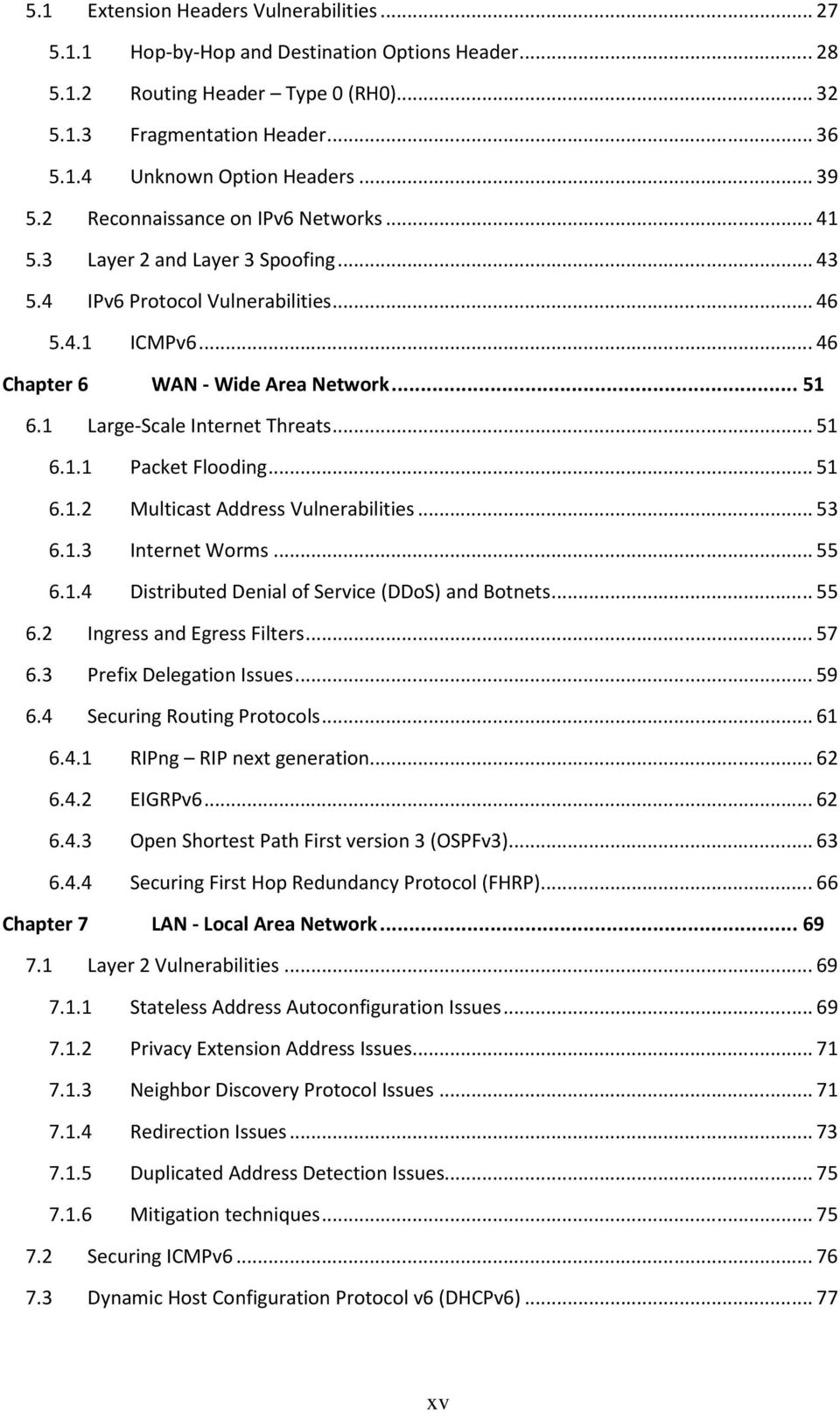
15 Chapter 8 Hardening Network Devices Router software version Control Access to Routers Securing access router with AAA Limit remote access through HTTP Securing Device Management Loopback Interface Simple Network Management Protocol (SNMP) Management Router Resources Chapter 9 Virtual Private Networks IPsec and SSL Internet Protocol Security (IPsec) for IPv Site-to-Site Protection Secure Sockets Layer (SSL) Security aspects of VPNs Chapter 10 Transition Mechanisms Transition Mechanisms Issues Dual-Stack Hosts Dynamic Tunnels Issues to4 tunnels ISATAP tunnels Teredo tunnels Part Three Recommendations and Conclusions Chapter 11 Summary of Security Recommendations Chapter 12 Conclusions and Future Work Conclusions Future Work xvi

16 List of Figures FIGURE 2.1: IPV4 DATAGRAM HEADER... 8 FIGURE 3.1: IPV6 128-BIT ADDRESS FORMAT FIGURE 3.2: THE IPV6 PACKET HEADER FORMAT FIGURE 3.3: ORIGINAL IPV6 DATAGRAM FORMAT INCLUDING EXTENSIONS HEADERS FIGURE 3.4: SIGNIFICANCE OF MTU UNDER IPV FIGURE 4.1: EXPERIMENTAL NETWORK ENVIRONMENT FIGURE 5.1: ACCESS LIST THAT CAN BLOCK EXTENSION HEADERS FIGURE 5. 2: SCAPY HOP-BY-HOP EXTENSION HEADER TEST FIGURE 5.3: SCAPY6 ROUTER ALERT PACKET CRAFTING FIGURE 5.4: ACCESS LIST TO BLOCK ROUTE ALERT PACKETS FIGURE 5.5: ACL COUNTERS FOR ROUTER ALERT PACKET MATCHES FIGURE 5.6: ROUTING HEADER OPERATION MODE FIGURE 5. 7: ROUTING HEADER RH0 FLOW ATTACK FIGURE 5. 8: ROUTING HEADER ATTACK PERFORMED BY SCAPY6 TOOL FIGURE 5. 9: DISABLING SOURCE-ROUTE ON ROUTERS FIGURE 5. 10: ACCESS LIST TO BLOCK RH0 ATTACKS FIGURE 5. 11:VIEW THE RH0 ACL LOG FIGURE 5. 12: VIEW THE RH0 ACL PACKET MATCHES FIGURE 5. 13: SCAPY6 CRAFTED FRAGMENTED PACKET TEST FIGURE 5. 14: ACL FOR BLOCKING FRAGMENTS FIGURE 5. 15: SCAPY6 CRAFTED FRAGMENT PACKET RESEND FIGURE 5. 16: BLOCKFRAGMENTPACKETS ACL MACTH COUNTER FIGURE 5. 17: VIEW THE BLOCKFRAGMENTATTACKS ACL LOG FIGURE 5. 18: VIRTUAL FRAGMENTATION REASSEMBLY FIGURE 5. 19: OVERVIEW OF VFR COUNTERS FIGURE 5. 20: SCAPY6 FRAGMENTATION PACKET GENERATOR FIGURE 5.21: VFR ERROR LOG MESSAGE FIGURE 5.22: ISIC6 TOOL GENERATING RANDOM HEADERS FIGURE 5.23: LOG MESSAGES FROM ACL MATCHES FIGURE 5. 24: VIEW THE ACL BLOCK UNKNOWN OPTION HEADER MATCHES FIGURE 5. 25: NMAP SCAN ON AN IPV6 SUBNET FIGURE 5.26: RESULT OF PINGING THE LINK-LOCAL ALL NODES MULTICAST ADDRESS FIGURE 5. 27: IPV6 NEIGHBOR TABLE ON A CISCO ROUTER FIGURE 5. 28: SCAPY6 CRAFTED PACKET WITH SPOOFED SOURCE ADDRESS FIGURE 5. 29: SPOOFED SOURCE ADDRESS - WIRESKARK CAPTURE FIGURE 5. 30: UNICAST REVERSE PATH FILTERING ON INTERFACE VLAN FIGURE 5. 31: UNICAST REVERSE PATH FILTERING FIGURE 5. 32: UNICAST REVERSE PATH FILTERING STATISTICS FIGURE 5. 33: RELATIONSHIP OF THE ICMPV6 MESSAGE AND THE IPV6 PACKET xvii

17 FIGURE 6.1: SMURF6 ATTACK FIGURE 6. 2: SMURF6 ATTACK WIRESHARK CAPTURE FIGURE 6. 3: RSMURF6 ATTACK FIGURE 6. 4: RSMURF6 ATTACK AGAINST FF02::1 ADDRESS - WIRESHARK CAPTURE FIGURE 6.5: ACCESS LIST TO BLOCK ALL MULTICAST PACKETS FIGURE 6. 6: IDS VIRUSES, WORMS AND TROJANS SIGNATURE FIGURE 6.7: ANTIVIRUS LOG, WORMS PREVENTION FIGURE 6.8: FILTERING CUSTOMER ADDRESS ASSIGNMENT FIGURE 6.9: BOGON PREFIX FILTER LIST FIGURE 6. 10: DELEGATING ROUTER CONFIGURATION FIGURE 6. 11: DELEGATING ROUTER STATUS FIGURE 6.12: CLIENT ROUTER STATUS FIGURE 6.13: DELEGATING ROUTER WITH STATIC DUID FIGURE 6. 14: EIGRPV6 CONFIGURATION WITH MD5 AUTHENTICATION FIGURE 6.15: VIEWING EIRGP NEIGHBORS AND INTERFACES FIGURE 6. 16: USING MD5SUM AND SHA1SUM TOOLS TO GENERATE AN SPI KEY FIGURE 6. 17: OSPFV3 CONFIGURATION WITH IPSEC FIGURE 6.18: OSPFV3 NEIGHBOR STATE FIGURE 6.19: OSPFV3 IPSEC CRYPTO STATE FIGURE 7.1: FORGE RA MESSAGES USING VAN HAUSER S FAKE_ROUTER6 TOOL FIGURE 7.2: RESULT OF FAKE6_ROUTER ATTACK IN A REMOTE MACHINE FIGURE 7.3: WINDOWS XP HOST IP ADDRESS CONFIGURATION AFTER FAKE6_ROUTER ATTACK FIGURE 7.4: VICTIM S NEIGHBOR CACHE BEFORE THE ATTACK FIGURE 7. 5: VAN HAUSER S FAKE_ADVERTISE6 ATTACK FIGURE 7.6: VICTIM S NEIGHBOR CACHE AFTER THE ATTACK FIGURE 7.7: FLUSHING THE VICTIM S NEIGHBOR CACHE AFTER THE ATTACK FIGURE 7.8: LEGITIMATE HOST ROUTE CACHE FIGURE 7. 9: VAN HAUSER S REDIRECT6 ATTACK EXAMPLE FIGURE 7. 10: WINDOWS XP HOST POISONED ROUTE CACHE FIGURE 7. 11: DAD ATTACK FIGURE 7. 12: VICTIM HOST IP ADDRESS AFTER DAD ATTACK FIGURE 7.13: SEND PROTOCOL FIGURE 7.14: CONFIGURING CGA IN CISCO IOS FIGURE 7. 15:DHCPV6 RATE-LIMIT POLICY SPECIFICATION FIGURE 8.1: VERIFYING THE IOS IMAGE FIGURE 8.2: CISCO DOWNLOAD SOFTWARE FIGURE 8. 3: CISCO ROUTER ACCESS CONTROL CONFIGURATION FIGURE 8. 4: ROUTER CONFIGURATION TO MONITOR LOGIN ATTEMPTS FIGURE 8.5: LOGIN ACCESS MESSAGES FIGURE 8. 6: TACACS+ CONFIGURATION FOR AAA ON A CISCO ROUTER FIGURE 8.7: HTTP REMOTE ACCESS CONFIGURATION FIGURE 8.8: IPV6 LOOPBACK INTERFACE CONFIGURATION EXAMPLE FIGURE 8. 9: SNMPV3 CONFIGURATION EXAMPLE FIGURE 8. 10: VIEWING CPU PROCESSES ON A ROUTER FIGURE 8. 11: INBOUND ACL EXAMPLE xviii

18 FIGURE 8. 12: CONTROL PLANE POLICY FOR RH0 PACKETS FIGURE 8. 13: VIEWING POLICE MAP STATISTICS FIGURE 8.14: COPP POLICY FOR MANAGEMENT TRAFFIC FIGURE 8.15: IPV6 ACCESS LIST TO BLOCK PACKETS WITH LOW TTL VALUES FIGURE 9.1: IPSEC TUNNEL OVER IPV4 NETWORK FIGURE 9.2: CENTRAL-SITE ROUTER CONFIGURATION (IPSEC OVER IPV6) FIGURE 9.3: VIEWING IPV6 IPSEC TUNNEL INTERFACE FIGURE 9.4: VIEWING IKE CONFIGURATION AND STATE FIGURE 9.5: CURRENT IPSEC SESSION INFO FIGURE 9.6: REMOTE-ACCESS IPV6 SSL VPN FIGURE 9.7: COMMAND-LINE CONFIGURATION CREATED BY CCP FIGURE 9.8: SSLVPN SERVICE FRONT END FIGURE 9. 9: SSL VPN CLIENT USER CONNECTION FIGURE 10.1: IPV4/IPV6 DUAL STACK IN RELATION TO THE IPV4 STACK FIGURE 10.2: DUAL STACK NETWORK TOPOLOGY FIGURE 10.3: SEPARATE IPV6 AND IPV4 FIREWALLS FIGURE 10.4: FLIPPING A DUAL-STACK HOST FIGURE 10.5: PORT ACL ON A LAYER 2 SWITCH FIGURE 10.6: INJECTION ATTACK IN A 6IN4 TUNNEL FIGURE 10.7: REFLECTION ATTACK AT AN INTERNAL HOST FIGURE 10.8: CONFIGURED TUNNEL WITH UNICAST RPF CHECK ENABLE FIGURE 10.9: CHECKING DROPPED PACKETS BY UNICAST RPF FIGURE 10.10: INGRESS ACL FOR A 6TO4 ROUTER EXAMPLE FIGURE 10.11: TEREDO TUNNEL CONFIGURATION FIGURE 10.12: TEREDO TUNNEL IPV6 ADDRESS ATTRIBUTION xix

19 List of Tables TABLE 3.1: MAIN DIFFERENCES BETWEEN IPV4 AND IPV TABLE 5.1: ICMPV6 ERROR MESSAGES AND CODE TYPE xx

20 Abbreviations AAA Authentication, Authorization, and Accounting ACL Access List ACK Acknowledgement AES Advanced Encryption Standard AES-CBC Advanced Encryption Standard - Cipher Algorithm in Cipher Block Chaining Mode AH Authentication Header ARP Address Resolution Protocol BCP Best Current Practice BGP Border Gateway Protocol CA Certificate Authority CCP Cisco Configuration Professional CEF Cisco Express Forward CGA Cryptographically Generated Addresses CLI Command Line Interface CoPP Control Plane Policing CPU Central Processing Unit DAD Duplicated Address Detection DDoS Distributed Denial of Service DH Diffie-Hellman DHCP Dynamic Host Configuration Protocol DHCPv6-PD DHCPv6 Prefix Delegation DNS Domain Name Server DoS Denial of Service DUID DHCP Unique Identifier DUAL Diffused Update Algorithm EIGRP Enhanced Interior Gateway Routing Protocol ESP Encapsulating Security Payload EUI Extended Unique Identifier FIB Forwarding Information Base FHRP First Hop Redundancy Protocol FTP File Transfer Protocol GET VPN Group Encrypted Transport VPN GLBPv6 Gateway Load Balancing Protocol GRE Generic Routing Encapsulation HMAC Hash-based Message Authentication Code HTTP Hypertext Transfer Protocol HTTPS HyperText Transfer Protocol Secure HSRPv6 Hot Standby Routing Protocol version 6 IANA Internet Assigned Numbers Authority ICMPv4 Internet Control Message Protocol version 4 xxi
21 ICPMv6 Internet Control Message Protocol version 6 IETF Internet Engineering Task Force IKE Internet Key Exchange IGRP Interior Gateway Routing Protocol IPv4 Internet Protocol version 4 IPv6 Internet Protocol version 6 IPsec Internet Protocol Security IOS Internet Operating System IPS Intrusion Prevention Systems IDS Intrusion Detection Systems ISAKMP Internet Security Association Key Management ISATAP Intra-Site Automatic Tunnel Addressing Protocol ISIC IP Stack Integrity Checker ISP Internet Service Providers LAN Local Area Network MAC Media Access Control MAC Message Authentication Code MD5 Message-Digest algorithm 5 MitM Man-in-the-Middle MTU Maximum Transmission Unit NA Neighbor Advertisement NAT Network Address Translation NAT-PT Network Address Translation - Protocol Translation NDP Neighbor Discovery Protocol NDPMon Neighbor Discovery Protocol Monitor NIC Network Interface Controller NMAP Network Mapper NUD Neighbor Unreachability Detection OSI Open Systems Interconnection OSPFv3 Open Shortest Path First version 3 OUI Organizationally Unique Identifier QoS Quality of Service RA Router Advertisement RADIUS Remote Authentication Dial In User Service RIPng Routing Information Protocol for IPv6 RIR Region Internet registry RPF Reverse Path Forwaring RS Router Solicitation RFC Request for Comments SA Security Association SeND Secure Neighbor Discovery SHA Secure Hash Algorithm SLAAC Stateless Address Auto-Configuration SNMP Simple Network Management Protocol SSL Secure Sockets Layer xxii
22 SSH TACACS TCP TTL UDP VFR VLAN VPN VTY WAN 3DES 6to4 6VPE Secure Shell Terminal Access Controller Access-Control System Transmission Control Protocol Time-to-Live User Datagram Protocol Virtual Fragment Reassembly Virtual Local Area Network Virtual Private Network Virtual Terminal Lines Wide Area Network Tripe DES Internet transition mechanism for migrating from IPv4 to IPv6 IPv6 over MPLS VPN xxiii
23 Part One Introduction and Background In this part we introduce this work and describe the motivation behinds its realization. An overview of Internet Protocol version 4 (IPv4) and Internet Protocol version 6 (IPv6) is presented, as well as a brief description about some of the Security implications of IPv6. 1
24 2
25 Chapter 1 Introduction When the Internet Engineering Task Force (IETF) (1) defined and developed Internet Protocol version 4 (IPv4), the global expansion of the Internet and the current Internet security issues were not a concern as they are now. In IPv4 s original design, network security was given minor consideration or even not considered at the beginning. Over the years, and given that the protocol was being increasingly used by many it required continuous improvements, such as Network Address Translation, to deal with some security issues addressed by the Internet community and the possible depletion of public addresses due to the limited address space of IPv4. Considering these securities weaknesses and the address scarcity, in the early 1990s the IETF realized that a new version of IP was needed and started drafting the new protocol requirements. IP Next Generation (IPng) was created, which then became IPv6 (RFC1883) (2). IPv6 offers several new functions and is considered a step forward in the evolution of the Internet Protocol. These improvements came in the form of an increase of the address space, extensible headers, a streamlined header format, and the ability to preserve the integrity and confidentiality of communications. In the end of 1998 the protocol was fully standardized in RFC 2460 (3). Last June, the top websites and Internet Services providers around the world, including Facebook, Google, Yahoo, and Akamai, joined together with more than 1000 other participating websites in the World IPv6 Day (4) for a successful global-scale trial of the new Internet Protocol, IPv6. This event, which was a coordinated 24-hour test-flight, helped to demonstrate that the major websites around the world are well-positioned for a move to a global IPv6 enabled Internet. We can also assert that Portugal is well positioned in this trend. On the IPv6 Day, Portugal Telecom held in Lisbon a series of conferences with the aim of making known the need for a newer IP protocol and its implications. During this event Portugal Telecom committed to introduce IPv6 in its entire infrastructure ensuring full coverage of its network in the second half of 2011, and announced the start of a pilot phase directed to the corporate segment. Some clients have created a specific IPv6 network and challenged their enterprise customers to test 3
26 the interconnection of its Web infrastructure in native IPv6 environment, as well as its compatibility with IPv4. With the developments presented by the Portuguese service providers in this event, Portugal may be one of the frontrunners worldwide to implement IPv6 networks, along with Japan, China and South Korea. In sum, we can say that the transition to IPv6 continues to take place around the world, and the protocol is gaining space, popularity and is being integrated into more products. There already are many IPv6-capable operating systems which have their IPv6 stacks enabled by default, such as, Linux, BSD, Solaris, Windows Vista, Windows Seven and Microsoft Server 2008, what makes us believe IPv6 will be a reality in the near future. 1.1 Motivation In February 2011, the last block of IPv4 addresses was allocated to the Regional Internet Registries. In a statement the, APNIC announced that, today the Asia Pacific Network Information Centre (APNIC) reached the last block of Internet Protocol version 4 (IPv4) addresses in its available pool, activating a major change in regional delegation policy. This event is a key turning point in IPv4 exhaustion for the Asia Pacific, as the remaining IPv4 space will be rationed to network operators to be used as essential connectivity with next-generation IPv6 addresses. All new and existing APNIC Members who meet the current allocation criteria will be entitled to a maximum delegation of a /22 (1,024 addresses) of IPv4 space. (5). IPv6 is becoming a reality. Given this, and observing the recent initiatives undertaken by the some service providers such as Portugal Telecom in Portugal, it is urgent to prepare organizations for IPv6 adoption. Because there is a lack of IPv6 deployment experience in Industry, there is also a lack of experience on securing an IPv6 network. This is why it is so important to understand the issues with IPv6 and prepare organizations to the adoption of IPv6 and particularly to the transition period. Currently there are few best practices for IPv6 security or reference security architectures for IPv6. The current IPv6 Internet is not yet a huge target for hackers but this scenario will arguably change soon as the number of IPv6 connections grows. In fact, the hacker community has started exploring IPv6, and several tools have been developed to leverage weaknesses in the protocol and in IPv6 stack implementations (6) (7). Many of these IPv6 attack tools are already available and are relatively easy to install and operate by any user. Some DoS attacks and IPv6 worms already exit (8), but there is few information available on new IPv6 attacks. Also, IPv6 implementations are relatively new to the market, and software created for these systems is not fully tested. For these reasons, it is important to raise awareness of security issues related to IPv6 and provide methods to secure network organizations. The perceived risks associated with IPv6 may cause organizations and service providers to delay deployment. For this reason it is crucial to clearly identify threats and find ways to mitigate them. That is the aim of this document. 4
27 In sum, it is imperative to define best practices and implement effectively them for improving IPv6 security. This is indeed a challenge that we purpose to achieve during this work. 1.2 Contributions Contrary to the original, the new version of the Internet Protocol considers security as a design goal, for example with its mandatory support for network layer security. However, due to the immaturity of the protocol and the complexity of the transition period, there are several security implications that have to be considered when deploying IPv6. In this project, our goal is to define a set of best practices for IPv6 Security that can be used by IT staff and network administrators within an Internet Service Provider. To this end, an assessment of some of the available security techniques for IPv6 will be made by means of a set of laboratory experiments using real equipment from an Internet Service Provider in Portugal. As the transition for IPv6 seems inevitable this work can help ISPs in understanding the threats that exist in IPv6 networks and some of the prophylactic measures available, by offering recommendations to protect internal as well as customers networks. 1.3 Document Organization This document is divided in three parts: Part One - Introduction and Background. After this Introduction, in Chapter 2 we will briefly present the IPv4 protocol as well as its limitations, vulnerabilities and motivations for changing from IPv4 to IPv6. In Chapter 3, the major benefits of the IPv6 protocol are described and the main differences between IPv4 and IPv6 protocol are presented. In Chapter 4, we discuss general aspects related to IPv6 security and give an overview about IPv6 security threats. Part Two - Analysis of IPv6 Security Vulnerabilities. In Chapter 5 we discuss IPv6 protocol security vulnerabilities, including the IPv6 protocol header, methods of reconnaissance in IPv6 networks and Layer 2 and Layer 3 Spoofing techniques. In Chapter 6 we discuss issues related to Wide Area Networks (WANs), namely large-scale Internet threats, routing protocols, filtering and prefix delegation. In Chapter 7, we turn our attention to Local Area Networks (LANs), by analyzing layer 2 vulnerabilities, and DHCPv6 protocol issues. In Chapter 8, we present methods for hardening network devices, routers in particular. In Chapter 9, Virtual Private Networks are presented. IPsec and SSL protocols are pointed out as ways to protect remote network access. In Chapter 10, we discuss security issues related to the transition mechanisms from IPv4 to IPv6. Part Three Recommendations and Conclusions. In Chapter 11, we present our IPv6 security recommendations as a summary of this work, and finally in Chapter 12 we conclude this work and identify possible future work. 5
28 6
29 Chapter 2 Overview of Internet Protocol version 4 (IPv4) Internet Protocol version 4 (IPv4) is the fourth version in the development of the Internet Protocol (IP) and the first version widely deployed and adopted. IPv4 is a connectionless protocol, defined in IETF publication RFC 791 (9), and operates on a best effort delivery model. IPv4 does not guarantee delivery, nor does assure proper sequencing or avoidance of duplicated delivery. These aspects, including data integrity, are addressed by upper layer transport protocols, such as the Transmission Control Protocol (TCP) (RFC793) (10). 2.1 IPv4 Addressing IPv4 uses 32-bit addresses, which limits the address space to 2 32 addresses. However, some address blocks are reserved for special purposes such as private networks and multicast addresses. This reduces the number of addresses that could be allocated for routing on the public Internet. Originally, an IPv4 address was divided into two parts, the network identifier, represented in the most significant octet of the address and the host identifier using the rest of the address. However, this address scheme presents a problem; it did not prevent IPv4 address exhaustion. The problem was that many sites needed larger address blocks than a class C, and therefore they received a Class B block, which was in most cases much larger than required. With the rapid growth of the Internet, the pool of unsigned Class B addresses (2 14, or about 16,000) was rapidly being depleted. Around 1993, this system of classes was officially replaced with Classless Inter-Domain Routing (CIDR) (11) to attempt solve this problem. CIDR was designed to permit repartitioning of any address space so that smaller or larger blocks of addresses could be allocated to users. The hierarchical structure created by CIDR is managed by the Internet Assigned Numbers Authority (IANA) (12) and the Regional Internet Registries (RIRs) (13). Each RIR maintains a publicly database that provides information about IP address assignments. 7
30 2.2 IPv4 Header Format The IPv4 packet header consists of 20 bytes of data. Figure 2.1 shows the full header. Source: RFC 791 Figure 2.1: IPv4 Datagram Header The header fields have the following functionalities (9) : Version (4 bits): The version field indicates the format of the internet header. For IPv4 the value is equal to 4. Internet Header Length (IHL) (4bits): Internet Header Length is the length of the internet header in 32 bit words, and thus points to the beginning of the data. Note that the minimum value for a correct header is 5. Type of Service (TOS) (8 bits): The Type of Service provides an indication of the abstract parameters of the quality of service desired. These parameters are to be used to guide the selection of the actual service parameters when transmitting a datagram through a particular network. Total Length (16 bits): is the total length of the datagram, measured in octets, including internet header and data. This field allows the length of a datagram to be up to octets. Such long datagrams are impractical for most host and networks. All hosts must be prepared to accept datagrams of up to 576 octets (whether they arrive whole or in fragments). It is recommended that hosts only send datagrams larger than 576 octets if they have assurance that the destination is prepared to accept the larger datagrams. Identification (16 bits): An identifying value assigned by the sender to aid in assembling the fragments of a datagram. Flags (3 bits): Various Control Flags. Fragments Offset (13 bits): This field indicates where in the datagram this fragment belongs. The fragment offset is measured in units of 8 octets (64 bits). The first fragment has offset zero. 8
31 Time to Live (8 bits): This field indicates the maximum time the datagram is allowed to remain in the internet system. Protocol (8 bits): This field indicates the next level protocol used in the data portion of the internet datagram. Header Checksum (16 bits): A checksum on the header only. Since some header fields change (e.g., time to live), this is recomputed and verified at each point that the internet header is processed. Source Address (32 bits): The Source Address. Destination Address (32 bits): The Destination Address. Options (variable): The options may appear or not in datagrams. They must be implemented by all IP modules (host and gateways). Padding (variable): The internet header padding is used to ensure that the internet header ends on a 32 bit boundary. 2.3 Limitations of IPv4 The first limitation of IPv4 lies in the scarcity of available public IPv4 addresses. The development of mobile and fixed networks has lead to a rapid consumption of IPv4 address even if service providers assign a single static public IP address to each subscriber. The customers use several permanent connections, based on fixed accesses (e.g. DSL or Fiber) or wireless accesses (e.g. 3G). This means that, for all IP devices to be addressable, the network will need a great number of public IP address. Networking addressing changes such as, Classless Inter-Domain Routing (CIDR) (11) and Network Address Translation (NAT) (14) have contributed to delay significantly the inevitable exhaustion. Despite the use of these mechanisms IPv4 presents some limitations related to private addressing and translation. A solution to save public addresses is to use private addresses for communications within intranets, which means that a range of IPv4 addresses are used to communicate between devices in the local network. This allows internal communications to be established easily, but any external access requires the use of IP translation. Network Address Translation mechanism is used to translate private into public addresses, because private addresses cannot be routed on public IP networks, however this represents a drawback as it breaks the end-to-end service model (15). Moreover, using private addresses and translation can cause degradation of network performance especially when there are private IP needed to be translated. 9
32 IP configuration is another concern in IPv4 networks. Most common IPv4 implementations must be either manually configured or use a stateful address configuration protocol such as Dynamic Host Configuration Protocol (DHCP). Due to a dramatic increase of IP devices, there is a need for a simpler and more automated configuration of addresses and other configuration procedures that do not rely on the administration of a DHCP infrastructure. IPv4 also presents limited Quality of Service (QoS) support. Real-time support relies on the 8 bits of the historical IPv4 Type of Service (TOS) field and the identification of payload (see figure 2.2). Unfortunately, IPv4 TOS field has limited functionality. Over time it has been redefined and has different interpretations. Limitations related to the large routing tables are another concern. The demand of IPv4 addresses and Internet access continues to grow significantly, which causes the routing tables of the Internet to also grow at a rate hard to keep up (16). This is due to the way that IPv4 network addresses have been allocated, which combines both flat and hierarchical routing information. The need to record routes to a large number of devices using limited storage space means a major challenge in routing table construction. But one of the most important limitations of IPv4 and the most relevant one for the purposes of this study is its low security level. Private communication over a public network such as the Internet requires cryptographic mechanisms that protect data being sent without being sniffed, viewed or modified in transit. Although there is a standard designed for IPv4 security the Internet Security Protocol (IPsec), this is not mandatory. For this reason some of the implementations are proprietary which require users to spend a considerable amount of money for license fees to use security tool on the client site. 2.4 Vulnerabilities of IPv4 IPv4 was designed with no security in mind. Because of its end-to-end model, IPv4 relies on the end-hosts (e.g. CPE or hosts) to provide the appropriate security during communication (16). Today the Internet continues to be completely transparent and no security framework provides for resilience against threats such as: Denial of Service Attacks (DoS) this is an attempt to make a computer resource unavailable to its intended users by flooding it with a large amount of illegitimate requests. An example of a DoS attack resultant from an architectural vulnerability of IPv4 is the broadcast flooding attack (17) or the smurf attack (18). Malicious Code/ Program Distribution malicious code/program such as viruses and worms can replicate themselves from one infected or compromised host to another. IPv4 s small address space can facilitate malicious code distribution (18). Man-in-the-middle attacks - IPv4 s lack of suitable authentication mechanisms may allow an attacker be able to read, modify or insert messages between two hosts 10
33 without either hosts knowing that their communication has been compromised. ICMP redirects can also be used to carry out this type of attacks (18) (19). Fragmentation attacks this type of attack uses many small fragmented ICMP packets which when reassembled at the destination exceed the maximum allowable size for an IP datagram, possibly causing the target system to hang, crash or even reboot (19). ARP Poison Address Resolution Protocol (ARP) poison attack consists in sending fake or spoofed ARP messages to a network. The aim is to associate the attacker s MAC address with the IP address of another host or node. Any traffic meant for that IP address would be mistakenly set to the attacker instead (18). Port scanning and reconnaissance attacks this attack is used to scan multiple listening ports on a single or an, multiple hosts. Open ports can be used to exploit specific hosts further. Due to its small address, spam port scanning is easy in IPv4 and can take a little more than a few minutes (20). Many techniques have been developed to overcome some of the IPv4 security limitations. For instance, Network Address Translation (NAT) and Network Address Port Translation (NAPT) which, were introduced to preserve a rapidly depleting IPv4 address space, can provide also for a certain level of protection against some of abovementioned threats (14). Also, the introduction of IPsec facilitated the use of encryption mechanism for communication; however, its implementation is optional and continues to be the sole responsibility of the end nodes. 2.5 Motivation for changing IPv4 Internet Protocol version 4 (IPv4) provides the basic communication mechanism of the TCP/IP suite and the global Internet; it has remained almost unchanged since its introduction in the late 1970s. The longevity of the IPv4 shows that the design is flexible and powerful. Since the time IPv4 was designed, processor performance has increase as well as memory sizes. Network bandwidth and the number of host on the Internet increased exponentially. Despite its issues, there are reasons to change IPv4. The main motivation for this change is the imminent address space exhaustion. When IPv4 was designed, 32-bits of address space were considered more than sufficient. Today this paradigm changed, and the 32-bit address space cannot accommodate the growth of the global Internet anymore. Although the need for a larger IP address space is forcing an immediate change in the protocol, other factors are also contributing for this move; namely, the support for new applications, for example real-time video and audio. These applications need guaranteed bounds on delay, so the new IP version should provide mechanisms to provide QoS such as resource reservation. 11
34 Furthermore, because some Internet applications need secure communication, a new version of IP should include facilities that make it possible to authenticate the sender. For these reasons IPv4 need to be replaced, and his natural successor is the Internet Protocol version 6 (IPv6). 12
35 Chapter 3 Overview of Internet Protocol version 6 (IPv6) Internet Protocol version 6 (IPv6) is a new network layer protocol. It is an enhancement of the Internet Protocol version 4 (IPv4), the protocol in use since the 1980s. There are numerous upgrades in IPv6. The most significant, in comparison with IPv4, is the address space. IPv6 has increased its network address size from 32 to 128 bits. This provides more than enough addresses to satisfy the global demand for unique IP addresses. This chapter presents an overview of IPv6 as a foundation for later sections. The section starts with the early history of IPv6, followed by descriptions of the major features of the IPv6 specifications and concludes with the main differences between the two versions. 3.1 Early history of IPv6 IPv4 was developed in the 1970s and early 1980s for use in government and academic communities to facilitate communication and information sharing. Today s networking demand, in particular web pages, peer-to-peer services, , and the use of mobile devices, has grown well beyond its originators expectations. Widespread deployment and growth of network technologies and mobile communications have overcome IPv4 s ability to provide adequate globally unique address space (21). Efforts to develop a successor to IPv4 started in the early 1990s within the Internet Engineering Task Force (IETF). The aim was to solve the address space limitations as well as provide additional functionality. The IETF started the Internet Protocol Next Generation (IPng) work in 1993 to investigate different proposals and to make recommendations for further actions. The IETF recommended IPv6 in 1994, as the name IPv5 had previously been assigned to an experimental stream protocol (22), so it was not adopted as a future recommendation. Their recommendation is specified in RFC 1752 (23). Several proposals followed; the Internet Engineering Steering Group approved the IPv6 recommendation and drafted a Proposed Standard on November 17, RFC 1883 (2), Internet Protocol, Version 6 (IPv6) Specification was published in The core set of IPv6 protocols became an IETF draft Standard on August 10, This included RFC 2460 (3), which replaced RFC 1883 (2). 13
36 3.2 Major features of the IPv6 First of all, it is important to emphasize that IPv6 is not a superset of IPv4 but is instead an entirely new suite of protocols. IPv6 has many new or improved features that make it significantly different from its predecessor. These features include extended address space, autoconfiguration, header structure, extension headers, IPsec, mobility, quality of service, route aggregation and efficient transmission. This section presents these features and compares specific aspects of IPv4 and IPv6 to help establish the protocol s similarities and differences Extended Network Address Each IPv4 address is typically 32 bits long and written as four decimal numbers, each representing 8-bit octets and separated by decimal points or periods (e.g ). Each IPv6 address is 128 bits long (as defined in RFC 4291) and written as eight 16-bits fields in colondelimited hexadecimal notation. (e.g. fe80:43e3:9095:02e5:0216:cbff:feb2:7474). This new 128-bit address space provides a significant number of unique addresses, (or 3.4x10 38 ) addresses, compared with IPv4 s 2 32 (or 4.3x10 9 ) addresses. That is enough for many trillions of addresses to be assigned to every human being on the planet. Moreover, these address bits are divided between the network prefix and the host identifier portions of the address. The network prefix designates the network upon which the host bearing the address resides. The host identifier identifies the node or interface within the network upon which it resides. The network prefix may change while the host identifier remains static. The static host identifier allows a device to maintain a consistent identity despite its location in network. This enormous number of addresses allows for end-to-end communication between devices with globally unique IP addresses. Figure 3.1 shows an IPv6 128-bit address. Source: Figure 3.1: IPv6 128-bit address format 14
37 3.2.2 Autoconfiguration Autoconfiguration is described in RFC4862 (24). This is one of the most interesting and potentially valuable addressing features implemented in IPv6; this new feature allows devices on an IPv6 network to configure addresses independently using stateless address autoconfiguration (SLAAC). Whereas IPv4, hosts were originally configured manually or with host configuration protocols like DHCP, IPv6 autoconfiguration goes a step further by defining a method for devices to configure their IP address and other parameters automatically without the need of a server. IPv6 defines both Stateful and Stateless address autoconfiguration. SLAAC requires no manual configuration of hosts, minimal (if any) configuration of routers and no additional servers. This allows a host to generate its own addresses using a combination of locally available information and information advertised by the routers. Locally available information is delivered to a host when routers advertise prefixes that identify the subnets associated with a link. In turn, a host generates an interface identifier (IID) (see figure 3.1) that uniquely identifies an interface on a subnet. If a router is not available to advertise subnet prefixes, a host can only generate link-local addresses, which are sufficient for allowing communication among nodes attacked to the same link; in the presence of a router, a host will generate its link-local address in addition to other addresses. Stateful autoconfiguration for IPv6 is known as DHCPv6 (25). DHCPv6 is a client-server protocol that provides IPV6 addresses with address assignments and other configuration information. DHCPv6 is not described in the IPv6 standards as an essential component, but as more enterprises start to use IPv6, demand for DHCPv6 is growing. DHCPv6 servers assign IPv6 addresses to network interfaces on a lease basis. The client may use the assigned IPv6 address for an administratively pre-determined amount of time before the lease expires. This means that IPv6 addresses assignments made by DHCPv6 servers are not permanent, and over time, more than one node may use a given IP address, but no more than one node can use an address at one time Simpler Header Structure In comparison with IPv4, the IPv6 header is much simpler and has a fixed length of 40 bytes (as defined in RFC 2460) (3). An IPv6 datagram has a structure that always includes a 40-byte base header and, optionally, one or more extension headers. This base header is similar to the header of an IPv4 datagram, though having a different format. Five IPv4 header fields have been removed: IP header length, identification, flags, fragment offset and header checksum. The IPv6 header fields are as follows: Version (IP version 6); Traffic Class (replacing IPv4 s type of service field); Flow Label (a new field for Quality of Service (QoS) management); Payload length (length of data following the fixed part of the IPv6 header), which can be up to 64KB in size in standard mode, or larger with a jumbo payload option; Next Header (replacing IPv4 s protocol field); Hop Limit (number of hops); and Source and Destination addresses. Figure 3.2 shows the IPv6 header format. 15
38 Source: Figure 3.2: The IPv6 Packet Header Format Extension Headers Extension headers are defined in RFC 2460 (3) to indicate the transport layer information of the packet (TCP or UDP) or extend the functionality of the protocol. Extension headers are identified with the Next Header field within the IPv6 header, which identifies the header following the IPv6 header. These optional headers indicate what type of information follows the IPv6 header in the formation of the packet. Extension headers are a sequential list of optional headers, which can be combined. Several appear in a single packet, but only a few are used in combination. The following rules applying to extension headers: Each extension header should not appear more than once, with the exception of the destination header; The Hop-by-Hop options header should appear once and should be the first header in the list because it is examined by every node along the path; the destination option header should appear at most twice (before a routing header and before a upper-layer header), and should be the last header used in the list, if it is used at all; the fragmentation should not appear more than once and should not be combined with Jumbo Payload Hop-by-Hop option. Extension headers must be processed in the order that they appear in the packet. The following order should be used: 1) IPv6 header; 2) Hop-by-Hop Options header; 3) Destination Options Header; 4) Routing Header; 5) Fragment Header; 6) Authentication Header; 7) Encapsulation Security Payload header; 8) Destination Options Header; 9) Upper-layer header. Each extension header has a unique number to be used in the preceding header s Next Header value, which identifies the type of header that will follow so that the receiver knows how parse the header to follow. Next-header number s are defined by IANA (26) and are sync with the protocol numbers for IPv4. Figure 3.3 shows the structure of an extension header and describes how they form a linked list of headers before the packet payload. Source: Figure 3.3: Original IPv6 datagram format including extensions headers 16
39 3.2.5 IP Security IP security (IPsec) is a framework for securing Internet Protocol (IP) communications by authenticating the sender and thus provides integrity protection plus optionally confidentiality for transmitted data. This is accomplished by using two extension headers: the Encapsulating Security Payload (ESP) and the Authentication Header (AH). The negotiation and management of IPsec security protections and the associated secret keys is handled by the Internet Key Exchange (IKE) protocol. IPsec is a mandatory part of an IPv6 implementation; however, its use is not required. IPsec is also specified for securing particular IPv6 protocols, such as Mobile IPv6 and Open Shortest Path First version 3 (OSPFv3) Mobile IPv6 Mobile IPv6 (MIPv6) is an enhanced protocol supporting roaming for a mobile node, so that it can move from one network to another without losing IP-layer connectivity (as defined in RFC 3775) (27). In IPv4 already had mobility support (RFC3344) (28), but with various limitations, such as, limited address space, dependence on ARP, and challenges with handover when a device moves from one access point to another. MIPv6 uses IPv6 s vast address space and Neighbor Discovery (RFC4861) (29) to solve the handover problem at the network layer maintaining connections to applications and services when a device changes its temporary address. Mobile IPv6 also introduces new security concerns such as route optimization (RFC 4449) (30) which secures data flow between the home agent and the mobile node Quality of Service (QoS) IP treats all packets alike, as they are forwarded with the best effort treatment and no guarantee for delivery through the network. TCP (Transmission Control Protocol) adds delivery confirmations but has no options control parameters, such as bandwidth allocation or delay. Enhanced policy-based networking options to prioritize the delivery information are now offered to achieve QoS. Within the IPv6 header two fields can be used for QoS, the Traffic Class and Flow Label fields (see figure 3.2). The new Flow Label field and an enlarged Traffic Class field in the main header allow for more efficient and finer grained differentiation of the various types of traffic. The flow Label field can contain a label identifying or prioritizing a certain packet flow such as voice over IP (VoIP), or videoconferencing, both of which are sensitive to timely delivery. IPv6 QoS is, however, still a work in progress Route Aggregation IPv6 incorporates a hierarchical addressing structure and has a simplified header allowing for improved routing of information from a source to the destination. The large amount of address space gives organizations with a large number of connections the possibility to obtain blocks of contiguous address space, allowing them to aggregate addresses under one prefix for 17
40 identification on the Internet. This structured approach to addressing reduces significantly the amount of information Internet routers must maintain, and therefore provides fast routing of data. IPv6 addresses will primarily be allocated from Internet Service Providers (ISPs) to customers, allowing for ISPs to summarize route advertisements thus minimizing the size of IPv6 Internet routing tables Efficient Transmission With IPv4, a router can fragment a packet when the Maximum Transmission Unit (MTU) of the next link is smaller than the packet it has to send. The router does this by slicing a packet to fit into the smaller MTU and sends it out as a set of fragments. In a case where a router receives a protocol data unit (PDU) larger than the next hop s MTU, it has two options, drop the PDU and send an ICMP message which indicates the condition Packet too Big, or fragment the IP packet and send it over the link with a smaller MTU. When a receiving host receives a fragmented IP packet, it has to reassemble the datagram and pass it to the higher protocol layer. IP fragmentation can cause excessive retransmissions when fragments encounter packet loss and reliable protocols such as TCP must retransmit all of the fragments in order to recover from the loss of a single fragment. Thus senders typically use two approaches to decide the size of IP datagrams to send over the network. The first one is for sending host to send an IP datagram of size equal to the MTU of the first hop of the source destination pair, the second is to run the path MTU discovery algorithm described in RFC 1191 (31), to determine the path MTU between two IP hosts, so that IP fragmentation can be avoided. In IPv6 packet fragmentation control occurs at the IPv6 source host, not an intermediate router. In IPv6, a host uses a procedure called Path Maximum Transmission Unit (PMTU) Discovery to learn the path MTU size and eliminate the need for routers to perform fragmentation. The path MTU (PMTU) discovery mechanism is designed to find the minimum MTU of all links in the path between a source and a destination. The IPv6 fragmentation extension header is used when a host wants to fragment a packet, so fragmentation occurs at the source host, not the router, which allows efficient transmission. Figure 3.4 depicts two nodes establishing a communications session across three intermediate nodes. The links of two end nodes (A and B) have MTUS 1500, whereas the links connecting the three intermediary nodes (1 and 2; 2 and 3) have MTUs of 1300 and 1800, respectively. Figure 3.4 show that the PMTU of the network path between nodes A and B is 1300, which is the smallest of the four hops. Source: Figure 3.4: Significance of MTU under IPv6 18
41 3.3 Main differences between IPv4 and IPv6 To conclude this chapter, in Table 3.1 we summarize the main differences between IPv4 and IPv6. Features IPv4 IPv6 Address 32 bits 128 bits Packet header size bytes 40 bytes Checksum Header Included No checksum Header includes options Required Quality of Service QoS Minimum allowed MTU 576 bytes Fragmentation IP configuration Moved to IPv6 extension headers Differentiated Services Use traffic classes and flow labels Done by routers and source nodes 1280 bytes Done only by the source node Manually or using DHCP Auto-configuration or DHCP IPsec support Optional Mandatory Unicast, Multicast and Broadcast Address Resolution Protocol (ARP) Internet Group Management Protocol (IGMP) Domain Name System (DNS) Mobility Use all Use to resolve an IPv4 address Use to manage the local subnet group Use host address (A) resource records Use Mobile IPv4 (MIPv4) Use unicast, multicast and anycast Replaced by Neighbor Discovery Protocol (NDP) Replaced with the Multicast Listener Discovery (MLD) Use host address (AAA) resource records Table 3.1: Main differences between IPv4 and IPv6 Use MIPv6 with faster handover, routing and hierarchical mobility 19
42 20
43 Chapter 4 Security implications of IPv6 Security in IPv6 networks is shrouded in the same concerns as in IPv4 networks. Given that, there are general risks that should be understood and interpreted by network and security administrators in the deployment of IPv6. First, IPv6 includes the same vulnerabilities that are inherent to IPv4 networks. The inclusion of IPsec in IPv6 adds mechanisms for protecting the confidentiality and integrity; however this is not a panacea for all possible problems. Second, while organizations may continue to support IPv4 for legacy applications, services and clients, they simultaneously deploy IPv6. This results in a Dual Stack environment which increases the complexity of the network. The coexistence of both protocols can cause more problems and require more complex configuration to install new network devices or making other changes, which creates new possibilities for attacks. The perceived risks associated with IPv6 may cause organizations and service providers to delay deployment despite the fact that IPv6-enabled equipment is already available. For this reason, it is very important to clearly identify threats and find ways to mitigate them, as is the aim of this document. 4.1 Overview of security threats IPv6 has security as one of its design goals. However, the transition period where both versions will coexist can be particularly problematic security-wise. Security threats due to the transition mechanisms employed should therefore be seriously taken into consideration because it is expected this transition from IPv4 to IPv6 to take some time to materialize. Also, the presence of IPv6 brings new demands for typical network protecting mechanisms such as Firewalls and Intrusion Detections Systems (IDS) that needed to be upgraded to support IPv6 properly. The most common attacks to IPv6 today target the application layer. Included in this group of attacks are buffer overflow attacks, web applications attacks, different types of viruses and 21
44 worms (32). Since IPv4 and IPv6 are network-layer protocols, transitioning to IPv6 does not have influence on this type of attacks. However, the arrival of IPv6 did not change the basic principles of perpetrating some attacks. An example of this are flooding attacks. Flooding is a Denial of Service (Dos) attack that is designated to bring a network or service down by flooding it with large amount of traffic. Flooding attacks can occur when a network or service becomes so weighed down with packets initiating incomplete connection requests that it can no longer process legitimate connection requests. By flooding a server or a host with connections that cannot be completed, the flood attack eventually fills the host s memory buffer. Once this buffer is full no further connections can be made, and the result is a Denial of Service. An example of this is a TCP SYN attack, where a sender transmits a volume of connection that cannot be completed. This causes the connection queues to fill up, thereby denying services to legitimate TCP users. These attacks are still possible in IPv6 networks. Although IPv6 brings important improvements when compared with IPv4, some of the changes in the new protocol specification may potentially result in security problems. First, the new protocol header has some security vulnerabilities, more precisely the extension headers. An attacker able to manipulate some of these is capable to create several different attacks. Reconnaissance attacks are also possible in IPv6, despite the new address range. In this case the aim of the attackers is gathering as much information as possible to increase the probability of success of subsequent attacks. Layer 2 and Layer 3 spoofing attacks are still possible in IPv6 but these kinds of attacks should be limited to perform due to the hierarchical addressing of IPv6. However, they should be taken into account even if limited scope. ICMPv6, an essential control protocol in IPv6 is a desirable target for adversaries. These attacks can be simple spoofing of ICMPv6 messages or they can be used to attack network infrastructure (see Chapter 5). With respect to Wide Area Network, large-scale Internet threats can occur, such as packet flooding, worms, DoS and DDoS. WAN Routing protocols are vulnerable to several attacks (e.g. confidentiality violation, replay attacks, message insertion and modification, MiTM and DoS) so it needs to be protected securely (see Chapter 6). Related to Local Area Network, layer 2 vulnerabilities can occur, more precisely with respect to new features that IPv6 brings, namely, Stateless Address Autoconfiguration, Privacy Extension Address, and Duplicated Address Detection. LAN protocols such as DHCPv6 and Neighbor Discovery Protocol also are vulnerable to several attacks, such as spoofing attacks (see Chapter 7). Network devices are extremely exposed to several attacks, because they are in path of the all communications. Given that we need to protect these devices properly by limiting remote and local access, secure device management protocols such as SNMP and secure routing protocols (e.g RIP, EIGRP, OSPF). Routers are vulnerable to attacks that consume their computing resources, buffer overflows and disruption attacks (see Chapter 8). Today communications are currently performed on insecure environments, and therefore are vulnerable to eavesdropping and Man-in-the-middle attacks. Given that it is important to 22
45 protect remote access to the organizations, taking into account that these remote accesses are done based on public accesses (e.g. Internet) (see Chapter 9). Transition from IPv4 to IPv6 will not be achieved overnight, and for a certain period of time both will coexist. Transition mechanisms such as Dual Stack, dynamic tunnels and static tunnels are vulnerable to several attacks, such as tunnel sniffing, and tunnel injection (see Chapter 10). 4.2 Experimental IPv6 Network The aspects mentioned above will be substantiated under an experimental IPv6 network, based on Cisco equipment and supported over a Dual Stack network provided by a Portuguese service provider. For experimental purposes a small IPv6 network has been setup. The network consists of three Cisco Routers (series 1800 and 2800), and several machines running distinct operating systems (Linux Ubuntu and Microsoft Windows XP SP3). All computers in the experimental network have been configured as dual-stack devices supporting both IPv4 and IPv6 protocols. An Intrusion Detection Systems was also introduced; a Cisco Intrusion Prevention System (IPS) 4200 Series (33) running in inner mode is dedicated for inspecting both IPv4 and IPv6 traffic. The local network was connected to a service provider backbone IP - Portugal Telecom (35). Both accesses run both protocols, IPv4 and IPv6, and are supported over ADSL and EtherWeb technologies. Figure 4.1 shows the experimental network implementation. Figure 4.1: Experimental network environment 23
46 24
47 Part Two Analysis of IPv6 Security Vulnerabilities This part includes the analysis of IPv6 security vulnerabilities in a broader sense. It begins with the protocol itself, and will address distinct areas such as the Wide Area Network (WAN) and the Local Area Network (LAN). Mechanisms to harden network devices are also pointed out as well as mechanisms to secure Virtual Private Networks. Finally, transition mechanisms are presented and their vulnerabilities pointed out. 25
48 26
49 Chapter 5 IPv6 Protocol Security Vulnerabilities This section starts with security issues related to IPv6 s extension headers. Each extension header type is reviewed, and the security strategies for each are detailed. Additionally, this section shows how attackers can perform reconnaissance of IPv6 networks and discusses how packets can be forged with spoofed addresses and upper-layer information. At the end, security issues related to ICMPv6 messages and multicast messages used by the protocol are presented as well as mitigation techniques to prevent possible attacks. 5.1 Extension Headers Vulnerabilities IPv6 header itself does not represent any security vulnerabilities. Rather it is how these packets are created and processed that can lead to security issues. An example of this is extension headers which could potentially cause problems inside networks if used maliciously by a user. An attacker can perform header manipulation on the extension headers to create several attacks. An IPv6 packet that meets the specification protocol could be created with an unlimited number of extension headers linked together in a considerable list, so a packet like this can cause a DoS of intermediary systems along the transmission path or at the destination. Such crafted packet might also pass through the network without causing any problems or even been detected by Firewalls and Intrusion Prevention Systems (IPS). A packet with a large chain of extension headers could fragment the payload into a second fragmented packet that eventually would not be detected by a firewall that usually is only looking at the initial fragment. Solutions to these types of attacks involve filtering of the extension headers or having specialized products that have specific rules for handling only the extension headers allowed. There are a few different options available in a standard Internet Operating System (IOS) IPv6 access control list on Cisco routers to control different extension headers. Cisco Routers have been able to filter based on extension headers. For example, figure 5.1 shows several options available to build an Access List 1 to block unwanted traffic. 1 Access lists regulate network traffic flow and security by using permit and deny statements that filter traffic based on source address, destination address, and protocol type of a packet. 27
50 Figure 5.1: Access List that can block extension headers When a packet with an extension header is received, any router should parse the complete extension header chain with the objective to apply the ACL statement. The trade-off here is the overhead in processing all these extra headers. Doing this fast (e.g. in hardware) is very difficult, if not impossible, because we have a non deterministic header structure. The following sections will cover the security issues of the most of these option headers Hop-by-Hop and Destination Options Header The joint analysis of these two headers is due to the fact that Hop-by-Hop Options Header and Destination Option Header present the same structure (3), which consists of an option header, with an 8-bit next header field, an 8-bit header length field, and option length field and the rest of the option data, they are used for different purposes. Hop-by-Hop Options Header is used to carry optional information that must be examined by every node along a packet's delivery path and is identified by a Next Header value of 0 in the IPv6 header (35). On the other hand, the Destination Options header is used to carry optional information that need be examined only by a packet's destination node(s). The Destination Options header is identified by a Next Header value of 60 in the immediately preceding header. Currently, only a few Hop-by-Hop/ Destinations options are defined: Pad1 option: The Pad1 option is used to insert one octet of padding into the Options area of a header. If more than one octet of padding is required, the PadN option, described next, should be used, rather than multiple Pad1 options. Pad N option: The PadN option is used to insert two or more octets of padding into the Options area of a header. For N octets of padding, the Opt Data Len field contains the value N-2, and the Option Data consists of N-2 zero-valued octets. Tunnel Encapsulation Header Option: Encapsulates other packets within IPv6 packets. Router Alert option: All routers along the path must process this option header. Jumbo payload option header: Indicates a jumbo packet. Home Address option: Mobile IPv6 packet containing home address of mobile node. 28
51 Hop-by-Hop headers should appear only once within an IPv6 packet (see section 3.2.4), but there are no limits to the number of options that the packet can contain. The options can also appear in any order; they could also be optimized, but options within the header could be skipped by nodes along the path because they would not know how to parse them. Alternatively unknown options can cause some problems for nodes with IPv6 implementations that cannot parse a packet like this. Pad1 and PadN options can also appear multiple times and have variable sizes. In Hop-by-Hop Options header or Destination Options Header, using padding only ensures that an IPv6 packet ends on an octet boundary. Padding typically is not needed because the header and option header are already aligned on an 8-octet boundary. These padding options could be used to contain information as part of a covert channel. A covert channel is a communication path that allows transferring information in a way that violates a system security policy. Because of their concealed nature, detecting and preventing covert channels are obligatory security practices. Covert channels can be created by embedding one protocol within another protocol, and it is possible to use IPv6 protocol itself as a covert channel. IPv6 addresses, flow label, error messages, control messages, and other fields could be used to hide communications. The bits in these fields can be used to send data between two hosts over the course of many packets. This could also cause other problems, such as firewall resource consumption if they are used incorrectly. It is recommended for firewalls to check that PadN options contain no payload and that the data within the padding is not part of some potential attack. To observe how this covert channel works, we will generate an IPv6 packet that has a large PadN Hop-by-Hop Options header. For this we will use the Scapy6 (36) tool. Scapy is a program that contains definitions for crafting packets. Scapy6 adds IPv6 capabilities on top of the Scapy packet-generation library. Packet manipulation scripts allow us to create custom packets or packets that are not in conformity with the standards as part of an attack (or for security research as in this case). Figure 5.3 shows how a test network is configured with an attacker behind a Cisco router 877 (see figure 4.1) 2 and a victim host behind a Cisco router 2801 within IPv6 address range 2a02:818:ff01::/48. On the other hand, figure 5.2 contains the commands to enter into Scapy6 for this purpose. First we define a destination (see [1] in the figure) and create a packet HopByHopPkt (see [2] in the figure) with the options desired. In this case we create a packet with Hop-by-Hop Options header with 150 bytes of data in a PadN option, which is followed by a TCP header destination port 80 (www). After that, and by entering the HopByHopPkt.show2() command, we can see the contents of the packet. After a packet is sent (see [3] in the figure), a response is received from the web server. administrator@administrator-desktop:/etc/scapy-2.1.0$ sudo./run_scapy Welcome to Scapy (2.1.0) >>> dest="2a02:818:ff01:1::6" [1] >>> HopByHopPkt = IPv6(dst=dest, nh=0) / IPv6ExtHdrHopByHop(nh=6, options=[padn(optdata=("x"*150))])/tcp(sport=1080, dport=80)/("x"*150) [2] 2 This figure will be used several times through this chapter so we will make several references to them. 29
52 >>> HopByHopPkt.show2() ###[ IPv6 ]### version= 6L tc= 0L fl= 0L plen= 330 nh= Hop-by-Hop Option Header hlim= 64 src= 2001:8a0:fd:5e01:20b:cdff:fe1f:103c dst= 2a02:818:ff01:1::6 ###[ IPv6 Extension Header - Hop-by-Hop Options Header ]### nh= TCP len= 19 autopad= On \options\ ###[ PadN ]### otype= PadN [00: skip, 0: Don't change en-route] optlen= 150 optdata= 'XXXXXXXXXXXXXXXXXXXXXXXXXXXXXXXXXXXXXXXXXXXXXXXXXXXXXXXXXXXXXXXXXXXXXXXXXXXXXXXXXXXXX XXXXXXXXXXXXXXXXXXXXXXXXXXXXXXXXXXXXXXXXXXXXXXXXXXXXXXXXXXXXXXXXX' ###[ PadN ]### otype= PadN [00: skip, 0: Don't change en-route] optlen= 4 optdata= '\x00\x00\x00\x00' ###[ TCP ]### sport= socks dport= www seq= 0 ack= 0 dataofs= 5L reserved= 0L flags= S window= 8192 chksum= 0x11ba urgptr= 0 options= [] ###[ Raw ]### load= 'XXXXXXXXXXXXXXXXXXXXXXXXXXXXXXXXXXXXXXXXXXXXXXXXXXXXXXXXXXXXXXXXXXXXXXXXXXXXXXXXXXXXX XXXXXXXXXXXXXXXXXXXXXXXXXXXXXXXXXXXXXXXXXXXXXXXXXXXXXXXXXXXXXXXXX' >>> ans, unans=sr(hopbyhoppkt) [3] Begin emission:.finished to send 1 packets. * Received 2 packets, got 1 answers, remaining 0 packets >>> print(ans) [(<IPv6 nh=hop-by-hop Option Header dst=2a02:818:ff01:1::6 <IPv6ExtHdrHopByHop nh=tcp options=[<padn optdata='xxxxxxxxxxxxxxxxxxxxxxxxxxxxxxxxxxxxxxxxxxxxxxxxxxxxxxxxxxxxxxxxxxxxxxxxxxxxx XXXXXXXXXXXXXXXXXXXXXXXXXXXXXXXXXXXXXXXXXXXXXXXXXXXXXXXXXXXXXXXXXXXXXXXXX' >] <TCP sport=socks dport=www <Raw load='xxxxxxxxxxxxxxxxxxxxxxxxxxxxxxxxxxxxxxxxxxxxxxxxxxxxxxxxxxxxxxxxxxxxxxxxxxxxxxxx XXXXXXXXXXXXXXXXXXXXXXXXXXXXXXXXXXXXXXXXXXXXXXXXXXXXXXXXXXXXXXXXXXXXXX' >>>>, <IPv6 version=6l tc=0l fl=0l plen=378 nh=tcp hlim=62 src=2001:8a0:0:1001::1 dst=2001:8a0:fd:5e01:20b:cdff:fe1f:103c <TCP sport=www dport=socks seq= ack=1 dataofs=5l reserved=0l flags=sa window=8192 chksum=0x11ba urgptr=0 options=[( MSS,1440) <Raw load='xxxxxxxxxxxxxxxxxxxxxxxxxxxxxxxxxxxxxxxxxxxxxxxxxxxxxxxxxxxxxxxxxxxxxxxxxxxxxxxx XXXXXXXXXXXXXXXXXXXXXXXXXXXXXXXXXXXXXXXXXXXXXXXXXXXXXXXXXXXXXXXXXXXXXX' >>>>>>)] >>> Figure 5. 2: Scapy Hop-by-Hop Extension Header Test This output shows that the packet is received by the destination successfully, as the packet received back from the destination is a SYNC/ACK packet (flag=sa). We have thus demonstrated how a covert channel can be created by manipulating parts of the IPv6 headers. Given that is advisable that security administrators should consider at least logging unusual padding patterns, and may consider dropping packets that contain unusual patterns if they are certain of expected source behavior. 30
53 Router Alert Option The IPv6 router alert option specifies a hop-by-hop option that, if present, signals the router to take a closer look at the packet. This can be used for denial-of-service attacks. By sending a large number of packets containing a router alert option, an attacker can deplete the processor cycles on the routers available to legitimate traffic. These attacks consume resource on the nodes along the traffic path as well as the destination router. The IANA (37) published a list of allocated Router Alert option values Attacks description and Mitigation Techniques We can perform a test by generating a Router Alert Destination Options header using again, the Scapy6 tool. Figure 5.3 shows an example of how this type of attack is performed. A packet rapacket is created (see [1] in the figure) with a next header of 60, which means a Destination Options header with the Route Alert Option. The packet is then sent to the destination which is running a web server application (see [2] in the figure). administrator@administrator-desktop:/etc/scapy-2.1.0$ sudo./run_scapy Welcome to Scapy (2.1.0) >>> dest="2a02:818:ff01:1::6" >>>rapacket=ipv6(dst=dest, nh=60)/ipv6exthdrdestopt(nh=6,options=[routeralert()])/tcp(sport=1080,dport=80) [1] >>> rapacket.show2() ###[ IPv6 ]### ### Output omitted for brevity src= 2001:8a0:fd:5e01:20b:cdff:fe1f:103c dst= 2a02:818:ff01:1::6 ###[ IPv6 Extension Header - Destination Options Header ]### nh= TCP len= 0 autopad= On \options\ ###[ Router Alert ]### otype= Router Alert [00: skip, 0: Don't change en-route] optlen= 2 value= Datagram contains a MLD message ###[ PadN ]### otype= PadN [00: skip, 0: Don't change en-route] optlen= 0 optdata= '' ###[ TCP ]### sport= socks dport= www ### Output omitted for brevity >>> ans, unans=sr(rapacket, timeout=3) [2] Begin emission:.finished to send 1 packets.... Received 8 packets, got 0 answers, remaining 1 packets Figure 5.3: Scapy6 Router Alert Packet Crafting With the aim to protect IPv6 networks from this type of attacks we can create an ACL on the Cisco 2811 router (see figure 4.1) to prevent them. 31
54 Based on the destination options and hop-by-hop options published by IANA (38) we can specify an ACL to block this traffic. ACL shown in figure 5.4 is specific because we specify the exact destination option type 5 (Router Alert).! ipv6 access-list BlockRouterAlertPackets deny ipv6 any any dest-option-type 5 log permit ipv6 any any! Figure 5.4: Access List to block Route Alert Packets Now when we run the Scapy6 tool again to generate a Router Alert packet, we can see the following log entry on the router, which means that traffic with destination option type 5 was denied by the ACL. *Aug 17 16:42:18.405: %IPV6_ACL-6-ACCESSLOGP: list BlockRouterAlertPackets/10 denied tcp 2001:8A0:FD:5E01:20B:CDFF:FE1F:103C(1080) -> 2A02:818:FF01:1::6(80), 1 packet Figure 5.5 shows the packets that match the ACL statement as a result to generate again a Router Alert packet IPv6-LAB#sh ipv6 access-list IPv6 access list BlockRouterAlertPackets deny ipv6 any any dest-option-type 5 log (3 matches) sequence 10 permit ipv6 any any (99 matches) sequence IPv6-LAB# Figure 5.5: ACL counters for Router Alert Packet Matches Thus, by setting the ACL we can allow or deny specific Router Alert options in our network, thus protecting against these attacks Routing Header Type 0 (RH0) The Routing header is used by an IPv6 source to list one or more intermediate nodes to be "visited" on the way to a packet s destination. The IPv6 type 0 routing header packet is delivered to the destination address as specified in the IPv6 packet header. However the IPv6 destination node should now inspect the routing header of the packet, and if the type 0 routing header is present and if the Segments Left counter in the routing header is non-zero then the destination node is responsible for swapping the destination address with the next address in the routing header (as pointed to by the Segments Left counter), decrementing the Segments Left counter, and forwarding the packet onward to this next destination which is now in the IPv6 destination address of the IPv6 packet header. This mode of operation is indicated in figure
55 Figure 5.6: Routing Header operation mode source: Because a single Routing Header type 0 (RH0) may contain multiple intermediate node addresses, and the same address may be included more than once in the same RH0 (3), allows a packet to be constructed such that it will oscillate between two RH0-processing hosts or routers many times. To the final destination it appears as if the packet were sourced from the intermediate host. There are several issues related to the use of these routing headers because the destination address in the packet is replaced every Layer3 hop that processes the routing header, which makes it difficult for routers and firewalls to check the actual destination of the packet and compare it to their security s policy Attacks description and Mitigation Techniques An example how to perpetrate this type of attack is shown in figure The steps illustrated in figure shows when the different packets are sent in this type of attack: Figure 5. 7: Routing Header RH0 flow attack 33
56 1 st : The attacker#1 sends an RH0 packet to victim_host#1 which processing the routing header packet and has a trust relationship with victim_host#2. 2 nd : The Victim Host#1 processes the RH0 packet and forwards it based on the contents of the routing header, in this case to the victim_host#2. 3 rd : Victim_host#2 receives the packet, generates a response to the attacker if the attacker is using in fact their real IPv6 address, or to the address spoofed by the attacker. Figure 5.8 illustrates Scapy6 configuration to generate an RH0 packet (see [1] in the figure) that contains an ICMPv6 Echo Request. The packet is sourced from the attacker computer, bounced off the victim#1 host designated midtarget, and is finally destined to victim#2 host designated as target. administrator@administrator-desktop:/etc/scapy-2.1.0$ sudo./run_scapy Welcome to Scapy (2.1.0) >>> attacker="2001:8a0:fd:cd01:20b:cdff:fe1f:103c" >>> midtarget="2a02:818:ff01:1::6" >>> target="2a02:818:ff01:1::7" >>>rh0packet=ipv6(src=attacker, dst=target)/ipv6exthdrrouting(addresses=[midtarget])/icmpv6echorequest() [1] >>> rh0packet.show2() ###[ IPv6 ]### version= 6L ########################## Ouput omitted for brevity nh= Routing Header hlim= 64 src= 2001:8a0:fd:cd01:20b:cdff:fe1f:103c dst= 2a02:818:ff01:1::7 ###[ IPv6 Option Header Routing ]### nh= ICMPv6 len= 2 type= 0 ########################## Ouput omitted for brevity ###[ ICMPv6 Echo Request ]### type= Echo Request code= 0 cksum= 0x7993 id= 0x0 seq= 0x0 data= '' >>> ans, unans=sr(rh0packet) Begin emission: Finished to send 1 packets. * Received 1 packets, got 1 answers, remaining 0 packets >>> print (ans) [(<IPv6 nh=routing Header src=2001:8a0:fd:cd01:20b:cdff:fe1f:103c dst=2a02:818:ff01:1::7 <IPv6ExtHdrRouting nh=icmpv6 addresses=[ 2a02:818:ff01:1::6 ] <ICMPv6EchoRequest >>>, <IPv6 version=6l tc=0l fl=0l plen=80 nh=icmpv6 hlim=60 src=2a02:818:f400:1::2 dst=2001:8a0:fd:cd01:20b:cdff:fe1f:103c <ICMPv6DestUnreach type=destination unreachable code=communication with destination administratively prohibited cksum=0xd0e unused=0x0 <IPerror6 version=6l tc=0l fl=0l plen=32 nh=routing Header hlim=60 src=2001:8a0:fd:cd01:20b:cdff:fe1f:103c dst=2a02:818:ff01:1::7 <IPv6ExtHdrRouting nh=icmpv6 len=2 type=0 segleft=1 reserved=0l addresses=[ 2a02:818:ff01:1::6 ] <ICMPv6EchoRequest type=echo Request code=0 cksum=0x7993 id=0x0 seq=0x0 >>>>>)] Figure 5. 8: Routing Header attack performed by Scapy6 tool 34
57 In this case RH0 packet was not transmitted through network because Windows XP SP3 and Windows Vista do not suffer from this problem, as they simply ignore type 0 IPv6 routing headers. With all security issues related to RH0, in December 2007, IETF decided to deprecate its (39). However, we can prevent RH0 attacks by disable source-routing packets from being forward by routers and firewalls. Regarding to Cisco Routers, this source-routing function can be disable with the following no ipv6 source-route command. Figure 5.9 illustrate how to disable it in Cisco routers used in experimental network (recall figure 4.1) IPv6-LAB#conf t Enter configuration commands, one per line. End with CNTL/Z IPv6-LAB(config)# 2811-IPv6-LAB(config)#no ipv6 source-route Figure 5. 9: Disabling source-route on routers Additionally we can configure an ACL on router to prevent these RH0 packets from passing through the router, even though the router s IP address is not being used within RH0 header. To fully block RH0 attacks, we need to create an ACL with all routers interfaces (e.g. loopback, internal and external) and denying routing headers destined for those interfaces. We should block RH packets being sent to the router in addition to RH0 packets sent through the router, because source routing is performed only by the destination of the packet. Figure 5.10 shows an example of an ACL to prevent this (see [1] in the figure). ipv6 access-list BlockRoutingHeader deny ipv6 any any routing-type 0 log [1] permit ipv6 any any Figure 5. 10: Access List to Block RH0 attacks After ACL was created was then applied to both interfaces (internal and external) on the Cisco 2811 router (see figure 5.8). The log keyword was added to the ACL entry because we want to log when RH0 packets are blocked. However, we need to be carefully when choose this option because there can be serious performance implications to logging ACLs due to router CPU exhaustion performance. Running the same Scapy6 script, it is possible to observe the results that the Scapy6 tool generates. The following figure shows the outputs that ensure that RH0 attack was prevented. *Aug 22 11:41:14.869: %IPV6_ACL-6-ACCESSLOGDP: list BlockRoutingHeader/10 denied icmpv6 2001:8A0:FD:CD01:20B:CDFF:FE1F:103C -> 2A02:818:FF01:1::7 (128/0), 7 packets Figure 5. 11:View the RH0 ACL log 2811-IPv6-LAB#sh ipv6 access-list IPv6 access list BlocKRoutingHeader deny ipv6 any any routing-type 0 log (5 matches) sequence 10 permit ipv6 any any (12 matches) sequence 20 Figure 5. 12: View the RH0 ACL packet matches 35
58 Ways to mitigate routing header attacks require nodes, such as routers and firewalls, in the middle of the communication to look deeper the packets, parse through all the headers and options, and determine whether there are any issues with the packet before forwarding it on. Cisco routers can selectively disable this feature, and Cisco firewalls simply drop the packets. With RH0 packets, the destination keeps changing every hop as the packet cross over the network. However, filtering these packets by addressing is challenging. Therefore, it is recommended that organizations filtering RH0 packets from entering and leaving their sites. With that, the problem will be easier to contain. Also ingress and egress filtering would prevent packets with invalid source and/or destination address from entering or leaving an organization s site Fragmentation Header In IPv6, all links must handle a datagram size up at least 1280 bytes. Therefore, very small fragments are suspicious. Attacks that use a large number of very small fragments are very disruptive and should be prevented. In IPv6 networks, there is no reason to have a fragment smaller than 1280 bytes unless the packet is the final fragment and the more fragments bit is set to zero. In IPv6 networks, attackers can easily leverage the use of fragmentation to circumvent security measures. Fragmentation is usually used to obfuscate the data and force the firewall to pass the information, even though the firewall is not able to decipher the content of the packet after it is fragmented. This is also known as an IDS/IPS evasion technique Attacks description and Mitigation Techniques Again, the Scapy6 tool can be used to create a crafted packet fragmented and send it toward a destination. In this case, the IPv6 header has its next header set to 44, which means that a fragment header follows the IPv6 header (see figure 5.13). As, this packet is smaller than 1280 bytes and it is not the final fragment, a response packet is sent back from the host with an ICMPv6 error message stating that there was a parameter problem due to an erroneous header. By doing this, a malicious user can send a considerable amount of packets following this structure, and therefore overwhelming destination host which send backs ICMPv6 error messages. administrator@administrator-desktop:/etc/scapy-2.1.0$ sudo./run_scapy Welcome to Scapy (2.1.0) >>> dest='2a02:818:ff01:1::6' >>>fragmentpacket=ipv6(dst=dest, nh=44)/ipv6exthdrfragment(nh=6,offset=100,id=2,m=1)/tcp(sport=1080,dport=80,flags="s") /Raw(load=("X"*150)) >>> fragmentpacket.show2() ###[ IPv6 ]### # Ouput omitted for brevity 3 It means bypass detection mechanisms by creating different states on the IDS and on the targeted computer. The adversary accomplishes this by manipulating either the attack itself or the network traffic that contains the attack. 36
59 nh= Fragment Header # Ouput omitted for brevity ###[ IPv6 Extension Header - Fragmentation header ]### nh= TCP ###[ TCP ]### sport= socks dport= www # Ouput omitted for brevity >>> print(ans) # Ouput omitted for brevity <IPv6 version=6l tc=0l fl=0l plen=226 nh=icmpv6 hlim=59 src=2a02:818:ff01:1::6 dst=2001:8a0:fd:cd01:20b:cdff:fe1f:103c <ICMPv6ParamProblem type=parameter problem code=erroneous header field encountered >>> Figure 5. 13: Scapy6 Crafted Fragmented Packet Test Cisco IPv6 access list provides a fragments keyword that enables specialized fragmented packethandling behavior. Without this fragments keyword, noninitial fragments that match the Layer 3 statement in an ACL are affected by the permit or deny statement of the matched entry. However, by adding the fragments keyword, we can force ACLs to either deny or permit noninitial fragments more precisely. This behavior is the same for both IPv4 and IPv6 accesslists, with the exception that, while IPv4 ACLs allow the use of the fragments keyword within Layer 3 and Layer 4 statements, IPv6 ACLs only allow the use of the fragments keyword within Layer 3 statements. To illustrate this point, we create an ACL on Cisco router that blocks fragments that coming from the attacker host. The fragment keyword is used on the ACL that blocks traffic from any network toward 2a02:818:ff01::/48 network where is placed the victim host. Figure 5.14 shows this ACLS and how it is applied to the interface closest the attacker. ipv6 access-list BlockFragmentPackets deny ipv6 any 2A02:818:FF01::/48 fragments permit ipv6 any any! interface FastEthernet0/0 ipv6 traffic-filter BlockFragmentAttacks in Figure 5. 14: ACL for Blocking Fragments When sending again the fragment packet with Scapy6 tool, we can see that the packet is blocked by the ACL. Figure 5.15 shows the Scapy6 output. We can see that at this time the returned packet was administratively prohibited. >>> print(ans) <IPv6 version=6l tc=0l fl=0l plen=226 nh=icmpv6 hlim=60 src=2a02:818:f400:1::2 dst=2001:8a0:fd:cd01:20b:cdff:fe1f:103c <ICMPv6DestUnreach type=destination unreachable code=communication with destination administratively prohibited cksum=0x6d5c unused=0x0 Figure 5. 15: Scapy6 crafted fragment packet resend 37
60 Now with the ACL applied to the external interface (Fastethernet 0/0), it is easy to check the behavior of the router when confronted with fragment packet resend (see figure 5.16 and 5.17) IPv6-LAB#sh ipv6 access-list IPv6 access list BlockFragmentPackets deny ipv6 any 2A02:818:FF01::/48 fragments (3 matches) sequence 50 permit ipv6 any any (10 matches) sequence IPv6-LAB# Figure 5. 16: BlockFragmentPackets ACL Macth counter 2811-IPv6-LAB# *Aug 22 14:31:51.904: %IPV6_ACL-6-ACCESSLOGP: list BlockFragmentPackets/50 denied tcp 2001:8A0:FD:CD01:20B:CDFF:FE1F:103C(0) -> 2A02:818:FF01:1::6(0), 1 packet Figure 5. 17: View the BlockFragmentAttacks ACL log A special feature called Virtual Fragment Reassembly (VFR) (41) is available on Cisco firewalls and Cisco IOS. By using this feature when a router sees a packet with type 44 fragment header, it enables fragmentation inspection. This feature reassembles fragmented packets, examines out-of-sequence packets and puts them back into proper order. In case there are problems with the fragments, it blocks the packet accordingly. VFR is responsible for detecting and preventing the following types of fragment attacks (40): Tiny Fragment Attack - in this type of attack, the attacker makes the fragment size small enough to force Layer 4 (TCP and UDP) header fields into the second fragment. Thus, the ACL rules that have been configured for those fields will not match. Overlapping Fragment Attack - in this type of attack, the attacker can overwrite the fragment offset in the noninitial IP fragment packets. When the firewall reassembles the IP fragments, it might create wrong IP packets, causing the memory to overflow or your system to crash. Buffer Overflow Attack - in this type of denial-of-service (DoS) attack, the attacker can continuously send a large number of incomplete IP fragments, causing the firewall to lose time and memory while trying to reassemble the fake packets. Figure 5.18 shows how to configure basic VFR on one interface on the Cisco 2811 Router IPv6-LAB(config-if)#ipv6 virtual-reassembly? drop-fragments IPv6 Drop all the incoming fragments max-fragments IPv6 Specify max number of fragments per reassembly (datagram) max-reassemblies IPv6 Specify max number of concurrent reassemblies timeout IPv6 Specify timeout value of the datagram being reassembled <cr> Figure 5. 18: Virtual Fragmentation Reassembly It is important to refer that the VFR function only looks at packets after the input ACLs have checked the incoming packets and allow them to pass. This means that ACLs have the opportunity to inspect fragments beforehand. Figure 5.19 show the VFR counters and the number of fragments have that been passed through the interfaces. 38
61 2811-IPv6-LAB#sh ipv6 virtual-reassembly All enabled IPv6 interfaces... %Interface FastEthernet0/0 IPv6 configured concurrent reassemblies (max-reassemblies): 64 IPv6 configured fragments per reassembly (max-fragments): 16 IPv6 configured reassembly timeout (timeout): 3 seconds IPv6 configured drop fragments: OFF IPv6 current reassembly count:1 IPv6 current fragment count:1 IPv6 total reassembly count:1 IPv6 total reassembly timeout count:76712! Output omitted for brevity 2811-IPv6-LAB# Figure 5. 19: Overview of VFR counters Running again the Scapy6 tool, we can check that now the response of the parameter problem comes from the router itself (2a02:818:f400:1::2) and not from the destination host. Figure 5.20 shows the result. >>> print(ans) # Output omitted for brevity <IPv6 version=6l tc=0l fl=0l plen=226 nh=icmpv6 hlim=60 src=2a02:818:f400:1::2 dst=2001:8a0:fd:cd01:20b:cdff:fe1f:103c <ICMPv6ParamProblem type=parameter problem code=erroneous header field encountered cksum=0x6a2d ptr=48 Figure 5. 20: Scapy6 fragmentation packet generator On the Cisco 2811 router, we can see the following error log message generated by the ACL when the crafted packet arrives at the external interface of the router. Figure 5.21 shows the ACL log message. *Aug 22 14:40:14.920: %IPV6_VFR-3-INVALID_FRAG_LENGTH: fragment length invalid - received from 2001:8A0:FD:CD01:20B:CDFF:FE1F:103C, destined to 2A02:818:FF01:1::6 Figure 5.21: VFR error log message A final note, VFR will cause a performance impact on the basis of functions such as packet copying, fragment validation, and fragment reorder. This performance impact will vary depending on the number of concurrent IP datagram that are being reassembled Unknown Option Headers Routers and Firewalls should drop packets which contain unknown extension headers. As they do not understand them, they cannot process them, so they waste precious resources by forwarding them. Besides, these unknown extension headers might be part of a crafted packet, so it is safer to drop them Attacks description and Mitigation Techniques The IP Stack Integrity Checker (ISIC) (41) tool can be used to perpetrate this type of attack. This tool generates random packets for the purposes of testing that IP Stack perform correctly. It is 39
62 like a fuzz protocol. Fuzz testing or fuzzing (32) is a software testing technique, often automated or semi-automated, that involves providing invalid, unexpected, or random data to the inputs of a computer program. The program is then monitoring for exceptions such as crashes or failing built-in code assertions. Fuzzing is commonly used to test for security problems in software or computer systems. ISIC tool allows us to create both IPv4 and IPv6 (isic6), ICMPv4/ICMPv6 (icmpsic6), TCP (tcpsic6), and UDP (udpsic6) packets with several options. The isic6 command in figure 5.22 generates IPv6 packets with random headers that test the IPv6 stack of the destination host. administrator@administrator-desktop:/etc/isic-0.07$ sudo./isic6 -s 2001:8a0:fd:cd01:20b:cdff:fe1f:103c -d 2a02:818:ff01:1::6 -m 5 -H 100 -F 0 -V 0 -P 0 Compiled against Libnet Installing Signal Handlers. Seeding with 1196 Maximum traffic rate = 5.00 k/s Bad IP Version = 0% Odd Payload Length = 0% Frag'd Pcnt = 0% Bad Hop-by-Hop Options = 100% pkts/sec and k/s pkts/sec and k/s! Output omitted for brevity pkts/sec and k/s pkts/sec and k/s ^C Caught signal 2 Used random seed 1196 Wrote packets in pkts/s administrator@administrator-desktop:/etc/isic-0.07$ Figure 5.22: isic6 tool generating random headers When the attack is perpetrated from the attacker computer, considerable amount of error messages are seen on the router, as shown in figure In the limit, and considering that we did not have the access list applied to router, an attacker could cause resource exhaustion due to the considerable amount of packets sent. *Aug 22 15:43:15.984: %IPV6_ACL-6-ACCESSLOGNP: list BlockUnknownOptionHdr/60 denied :8A0:FD:CD01:20B:CDFF:FE1F:103C -> 2A02:818:FF01:1::6, 1 packet *Aug 22 15:43:15.984: %IPV6_ACL-6-ACCESSLOGNP: list BlockUnknownOptionHdr/60 denied :8A0:FD:CD01:20B:CDFF:FE1F:103C -> 2A02:818:FF01:1::6, 1 packet *Aug 22 15:43:18.208: %IPV6_ACL-6-ACCESSLOGNP: list BlockUnknownOptionHdr/60 denied :8A0:FD:CD01:20B:CDFF:FE1F:103C -> 2A02:818:FF01:1::6, 1 packet *Aug 22 15:43:19.532: %IPV6_ACL-6-ACCESSLOGNP: list BlockUnknownOptionHdr/60 denied :8A0:FD:CD01:20B:CDFF:FE1F:103C -> 2A02:818:FF01:1::6, 1 packet *Aug 22 15:43:20.500: %IPV6_ACL-6-ACCESSLOGNP: list BlockUnknownOptionHdr/60 denied :8A0:FD:CD01:20B:CDFF:FE1F:103C -> 2A02:818:FF01:1::6, 1 packet Figure 5.23: Log messages from ACL matches To avoid attacks with unknown extension headers, Cisco IOS support the keyword undetermined-transport (42), which matches any IPv6 packet where the upper-layer protocols cannot be determined. With an ACL the router will deny those packets, if it cannot determine the upper-layer header option. This command makes the router look all next-header numbers and match them to known extension headers. If an unknown extension header is found in the packet, the upper-layer protocol cannot be determined so the packet is dropped. Figure 5.24 show the status of the ACL and the numerous hits on the ACL entry for the undeterminedtransport. There also hits for normal IPv6 traffic. Therefore, this ACL should be used to prevent and mitigate this type of attacks. 40
63 2811-IPv6-LAB#sh ipv6 access-list IPv6 access list BlockUnknownOptionHdr deny ipv6 any any routing-type 0 log sequence 50 deny ipv6 any any log undetermined-transport (44 matches) sequence 60 permit ipv6 any any (10 matches) sequence 70 Figure 5. 24: View the ACL Block Unknown Option Header matches 5.2 Reconnaissance on IPv6 Networks Reconnaissance of the target is the first phase of any attack. Computer hackers first assess the target and try to evaluate the easiest way to penetrate the defenses and the best way to exploit vulnerabilities. Attackers typically start their attacks by first finding a victim by using ping sweeps (33) on the target s position. Another way to perform reconnaissance is by checking registries (e.g whois), checking DNS (e.g. nslookup), checking traceroute discovery, and using popular search engines to discovery information about the IP address that some organization owns. By performing these steps, an illegitimate user would identify computers that could be further investigated. Due to larger addresses, IPv6 relies on DNS. DNS is therefore likely to be a target for attackers. The aim of an attacker is to gather as much information as possible about the information stored from DNS servers, in order to increase the probability of success of subsequent attacks. Another technique that could be used by attackers is simply a DNS scan, trying for example a.foo.com, then b.foo.com then c.foo.com and so on (32). Most attacks could not succeed without reconnaissance. Even though the act of scanning is not considered an attack, we need to limit them as a part of good-defense approach to securing networks Attacks description and Mitigation Techniques Because IPv6 subnets are extremely large, it can be very hard to scan to find hosts. The 64 bits of the Interface Identifier Portion (3) of the address means that 2 64 = 18,446,744,073,709,551,616 unique node addresses on a typical IPv6 subnet. If we consider an IPv6 network with 10,000 hosts and an attacker scanning for hosts at a rate of 1 million probes per second, it would take over 28 years to find the first host. Based on this simple calculation, we can conclude that the probability of an hacker finding a host in an IPv6 subnet is significantly low. In fact this is the reason why many scanning tools, such as NMAP (44), cannot scan an IPv6 subnet. Figure 5.25 shows that NMAP cannot perform a sweep of an IPv6 subnet, but it can perform a TCP scan on a single IPv6 host. administrator@administrator-desktop:~$ nmap -6 -v -sp 2a02:818:ff01:1::/48 Starting Nmap 5.00 ( ) at :55 WEST Invalid host expression: 2a02:818:ff01:1::/48 -- slash not allowed. IPv6 addresses can currently only be specified individually QUITTING! administrator@administrator-desktop:~$ nmap -6 -v -st -PN 2a02:818:ff01:1::7! Output omitted for brevity Connect Scan Timing: About 15.50% done; ETC: 17:00 (0:02:49 remaining) 41
64 ! Output omitted for brevity Host 2a02:818:ff01:1::7 is up. All 1000 scanned ports on 2a02:818:ff01:1::7 are filtered Read data files from: /usr/share/nmap Nmap done: 1 IP address (1 host up) scanned in seconds Figure 5. 25: NMAP scan on an IPv6 subnet A cleaver attacker can leverage the capabilities of IPv6 multicast. Attackers could simply attempt to establish connections to the link-local IPv6 All nodes multicast address (ff02::1) and see which computers on the subnet respond to their queries. This represents a security issue. Figure 5.26 shows the result of an attacker using the ping6 utility to find nodes on a subnet. Ping6 command can be used to ping IPv6 multicast address. Every host is supposed to join the link-local multicast group (ff02::1), so ping these multicast addresses gives us the link local addresses of all hosts and routers. This technique can facilitate reconnaissance techniques. administrator@administrator-desktop:~$ ping6 -I eth0 ff02::1 PING ff02::1(ff02::1) from fe80::20b:cdff:fe1f:103c eth0: 56 data bytes 64 bytes from fe80::20b:cdff:fe1f:103c: icmp_seq=1 ttl=64 time=0.075 ms 64 bytes from fe80::217:95ff:fe31:5e99: icmp_seq=1 ttl=64 time=0.874 ms (DUP!) 64 bytes from fe80::20b:cdff:fe1f:103c: icmp_seq=2 ttl=64 time=0.085 ms 64 bytes from fe80::217:95ff:fe31:5e99: icmp_seq=2 ttl=64 time=0.856 ms (DUP!) ^C --- ff02::1 ping statistics packets transmitted, 4 received, +4 duplicates, 0% packet loss, time 2997ms rtt min/avg/max/mdev = 0.075/0.476/0.905/0.398 ms Figure 5.26: Result of pinging the Link-Local All Nodes Multicast Address Several methods and tools are available for attackers allowing them to leverage information that they gain from a previously succeed attack to find other hosts to attack. An example of this is exploiting the neighbor cache, using experimental protocol Node Information. The neighbor cache contains information about the mapping of IPv6 addresses to Layer2 MAC addresses of the other neighboring IPv6 hosts. If an attacker can remotely gain access to a computer on a LAN, the neighbor cache could therefore be used to start attacks against the hosts listed. Figure 5.27 illustrates an example of this on a Cisco 2811 Router IPv6-LAB#sh ipv6 neighbors IPv6 Address Age Link-layer Addr State Interface 2A02:818:F400:1:: f6a7.b000 STALE Fa0/0 2A02:818:FF01:1:: ca.09d1 STALE Vl1 FE80::214:F602:71A7:B f6a7.b000 STALE Fa0/0 FE80::208:2FF:FECA:9D ca.09d1 STALE Vl1 Figure 5. 27: IPv6 neighbor table on a Cisco Router To help prevent reconnaissance attacks, we now make several recommendations, to make it more difficult for an attacker to scan IPv6 subnet. We discuss briefly some of them. Infrastructure node identifiers should not be sequential, nor start at the lower end of the IPv6 subnet. We should use random Node IDs to make it harder for an attacker to scan IPv6 subnets; a non predictable mechanism of assigning the host identifier is good as long as it strikes the right balance between security and management. However, this adds the administrative burden that 42
65 the host portion of the address must be completely random, which means that it may not feasible in practice. Privacy addresses should be created and used - RFC4941 (44). The use of privacy extensions can help keep the hosts randomly allocated and evenly distributed across the subnet. This mechanism can prevent the easy reconnaissance of hosts that has their node IDs sequentially assigned and located at the low end of the address range. Employ Secure Neighbor Discovery (SEND) protocol which uses cryptographically Generated Addresses (CGA) as the node identifier in IPv6 addresses to help authenticate systems on a network. These CGA are essentially random which make harder the reconnaissance attacks. Therefore, using SEND is a new way to achieve randomization of the node identifier and reduce effectively the negative effects of a reconnaissance attack. For more detail see chapter 7. In some organizations, network administrators want to proactively scan their network hosts to find vulnerabilities. When vulnerable machines are found, they run some procedures for patching those machines that are non-complaint with the organization security policy. However, this technique of defensive security would not be possible to adopt in IPv6 networks if the Node ID bits were randomized. There is therefore a trade-off between securing the environment and being able to manage the network easily. Therefore, it would be necessary for network and system administrators to maintain a list of IPv6 addresses and use that list for a defensive scanning purpose. The alternative here would be to move to a system that used a pull model 4, where the hosts queried a central server to be checked for vulnerabilities. In a dual stacked environment, the host can still be discovered through scanning of the IPv4 network, even if its IPv6 address is not known. However, we rely on the assumption that all services listening on ports on a computer are bounded to both the IPv4 and IPv6 addresses. 5.3 Layer 2 and Layer 3 Spoofing With IPv4 networks an illegitimate user can create packets that do not have a legitimate source address. In this type of network, it is also common for network administrators to disable source routing of packets which would allow an attacker to receive the return traffic. Due to the hierarchical addressing structure of IPv6 this kind of attacks would be limited to perform. Typically IPv6 address blocks are allocated to companies by Internet Service Providers (ISP), so those addresses should be the only ones used when that company generates Internet traffic. Therefore, if packets being sent by a company have source addresses different from their allocated address block, these packets should be dropped. 4 Pull technology or client pull is a style of network communication where the initial request for data originates from the client, and then is responded to by the server. 43
66 Attacks description and Mitigation Techniques If a packet has a spoofed source address this means that it is coming inbound to an interface which is different for the interface that would be used to send a packet back to that source address. This means that the packet is coming from an incorrect interface and this source may not be legitimate. Therefore, routers should compare the source address of the all incoming packets to verify that the packets arrived on the correct interface. Packets should be filtered if the unicast packet is not coming inbound from the reverse path. Figure 5.28 illustrates how Scapy6 can be used to generate crafted IPv6 packets with a spoofed source address. In this case, Scapy6 script creates an ICMPv6 Echo Request packet sourced from spoofsource and send to dest. The attacker has the IPv6 address 2001:8a0:fd:cd01:20b:cdff:fe1f:103c, but sources the packet from 2a02:818:ff01:1::1. The captured packet can be observed in figure Welcome to Scapy (2.1.0) >>> realsource="2001:8a0:fd:cd01:20b:cdff:fe1f:103c" >>> spoofsource="2a02:818:ff01:1::1" >>> dest="2a02:818:ff01:1::10" >>> packetspoofed=ipv6(src=spoofsource, dst=dest)/icmpv6echorequest() >>> ans, unsans=sr(packetspoofed, timeout=1) Begin emission:.finished to send 1 packets.. Received 2 packets, got 0 answers, remaining 1 packets Figure 5. 28: Scapy6 crafted packet with spoofed Source Address Figure 5. 29: Spoofed Source Address - Wireskark capture This attack is successful because the node dest receives the packet and send back an Echo Repply to the node spoofsource address. To prevent this type of attacks we can apply ingress/egress filtering and use a technique designated as Unicast Reverse Path Forwarding (Unicast RPF). To understand this technique it is necessary to introduce the FIB. The FIB (Forwarding Information Base) (45) is conceptually similar to a routing table or information base. It maintains a mirror image of the forwarding information contained in the IP routing table. When routing or topology changes occur in the network, the IP routing table information is updated, and those changes are reflected in the FIB. The FIB maintains next-hop address information based on the information in the IP routing table. Because there is a one-to-one correlation between FIB 44
67 entries and routing table entries, the FIB contains all known routes and eliminates the need for route cache maintenance that is associated with switching paths such as fast switching and optimum switching. In unicast RPF, the routers compare the source address with its FIB to see what interface would be used to send traffic back to that subnet. The interface determined from the routing table and the interface that the packet was received on is compared, and if does not match the packet is dropped because it failed the RPF check and it is possibly has a spoofed source address. Figure 5.30 shows a Cisco configuration example of how to set up Unicast RPF filtering. First, FIB is enabled on the router and then reverse-path commands are applied to the routed interfaces IPv6-LAB(config)#int vlan IPv6-LAB(config-if)#ipv6 verify unicast reverse-path 2811-IPv6-LAB(config-if)# Figure 5. 30: Unicast Reverse Path Filtering on Interface Vlan1 When spoofed packets are generated again using the Scapy6 tool, they are blocked by the Unicast RPF check on the interface vlan1. Figure 5.31 shows the CEF applied to the external interface and VFR packet count statistics IPv6-LAB#sh cef interface fastethernet 0/0 internal! Output omitted for brevity IPv6 unicast RPF: via=rx (allow default) acl=none, drop=17, sdrop=0 IPv6: enabled 1 unreachable TRUE redirect TRUE mtu 1500 flags 0x0 Switching mode is CEF Belongs to global table IPv6:Default Input features: Verify Unicast Reverse-Path, Common pak subblock, Virtual fragment reassembly, Access List Inbound access list: BlockUnicastReverse Optimized neighbor resolution supported. MFIB: IPv6 fixup function: 0x424A1DBC IPv4: Internet address is /30! Output omitted for brevity 2811-IPv6-LAB#sh ipv6 traffic include RPF drops 32 RPF drops, 0 RPF suppressed drops Figure 5. 31: Unicast Reverse Path Filtering There are two different types of Unicast RPF checking that can be performed within a Cisco router: Strict mode and Loose Mode (46). The Strict mode checks the incoming packets against the currently valid routing table (FIB). If the packet was received on an interface different from the path determined by the FIB, the packet is dropped. On the other hand in, loose mode, the source address of the arriving packets is only checked to see if appears within the routing table and does not compare the receive interface to the interface in the routing table. To configure loose-mode Unicast RPF, we can use the following interface command, ipv6 verify unicast source reachable-via any BlockUnicastReverse (see [1] in the figure 5.32). Figure 5.32 shows the result of applying the command presented bellow (see [2] in the figure 5.32). interface FastEthernet0/0 ipv6 verify unicast reverse-path BlockUnicastReverse [1]! 45
68 2811-IPv6-LAB#sh ipv6 access-list BlockUnicastReverse IPv6 access list BlockUnicastReverse permit ipv6 2A02:818:FF01::/48 any log-input (4 matches) sequence 10 [2] deny ipv6 any any log-input (28 matches) sequence IPv6 Protocol Vulnerabilities Figure 5. 32: Unicast Reverse Path filtering statistics As IPv6 header, IPv6 protocol itself does not represent any security vulnerabilities. Rather it, is how these packets are processed that can lead to security issues. This section will discuss security implications related to ICMPv6 messages and Multicast messages ICMPv6 The IPv6 specifications redefine the Internet Control Message Protocol (ICMP) of IPv4 with a number of additions and changes. The resulting protocol is documented in RFC 4443 (47) and called ICMPv6. ICMPv6 is an integral aspect of the IPv6 specification. It reports errors if packets cannot be processed properly and sends informational messages about the status of the network. An ICMPv6 error message provides useful information back to the source of the IPv6 communications about any errors that might have occurred in the connection. Error messages use types 0 through 127, whereas informational messages use types 128 to 255 (47). The IANA maintains a list of ICMPv6 type numbers 5. Typically, ICMPv6 messages are sent when an IPv6 packet cannot reach the destination. Are encapsulated and sent as the payload of IPv6 packets. Because they are carried in IPv6 packets, they are unreliable. Figure 5.33 shows the relationship of the ICMPv6 message and the IPv6 packet. The ICMPv6 header identifies the different types of ICMPv6 messages (see table 5.1). Figure 5. 33: Relationship of the ICMPv6 message and the IPv6 packet An operational IPv6 network depends upon proper implementation and functionality of ICMPv6. To achieve secure IPv6 operations, it is crucial that network administrators and managers understand the design of ICMPv6 and how it functions. Managers of IPv4-only networks should consider adding the capability of detecting ICMPv6 traffic to enhance security on their networks
69 ICMPv6 provides IPv6 with administrative and network diagnostic functions. ICMPv6 provides familiar capabilities like ping and destination unreachable. In IPv6, as in IPv4, ping can be used by network administrators as a diagnostic tool to confirm that a node s address is properly configured and responsive to specific ICMPv6 requests, called echo requests. ICMPv6 also makes new features like Neighbor Discovery (ND) and path MTU discovery possible within IPv6. ND, described in RFC 4861 (29), is the process by which an IPv6 node may learn important information such as link layer addresses of interfaces on its own link. ND effectively replaces the Address Resolution Protocol (ARP) used with IPv4. ND s multicast messages eliminate the need for the link-level broadcast messages associated with ARP Attacks description and Mitigation Techniques Because ICMPv6 is an essential part of IPv6 networks it has become, therefore a desirable target for attackers. The attacks perpetrated can be simple spoofing of ICMPv6 messages or can be used to attack network infrastructure directly. Therefore, ICMPv6 must be carefully controlled and secured. One technique used currently by network engineers is to simply block all ICMPv6 message types that have not yet been allocated by IANA (48). The following messages types should therefore be present on any network and should for this reason be dropped: Unallocated error messages: Type 5-99 and type Unallocated informational messages: Type and type Experimental message: Type 100, 101, 200, 201 Extension type numbers: Type 127, 255 Obviously, as new messages are allocated by IANA (49), adjustments must be made to these filters. It is a best practice to deny ICMPv6 Echo Request packets that are sourced from IPv6 address outside organizations (50). Note, however, that ICMPv6 is used for many legitimate purposes, given that messages must be allowed through our network perimeter. Table 5.1 shows the messages that fall into this category and should not be blocked: Message Number Message Type Code Field 1 Destination Unreachable 0 = No route to destination 1 = Communication with destination administratively prohibited 2 = Beyond scope of source address 3 = Address unreachable 4 = Port unreachable 5 = Source address failed ingress/egress policy 6 = Reject route to destination 2 Packet Too Big Set to 0 (zero) by the originator and ignored by the receiver 47
70 Message Number 3 4 Message Type Time Exceeded Parameter Problem Code Field 0 = Hop limit exceeded in transit 1 = Fragment reassembly time exceeded 0= Erroneous header field encountered 1 = Unrecognized Next Header type encountered Table 5.1: ICMPv6 Error Messages and Code Type Additionally, we might consider allowing ICMPv6 informational messages through our network perimeter. Consider allowing ICMPv6 type 128 (Echo Request) and type 129 (Echo Reply) messages are important if we can control the source and destination of those packets. Because IPv6 presents a large address space, we might feel that allowing both messages in both directions could represent an acceptable risk. Other ICMPv6 messages could be filtered if our network is not using some particular function. One example of this is the ICMPv6 type 138 (Router Renumbering). RFC2894 (52) states that: this mechanism allows address prefixes on routers to be configured and reconfigured almost as easily as the combination of Neighbor Discovery and Address Autoconfiguration works for hosts. It provides a means for a network manager to make updates to the prefixes used by and advertised by IPv6 routers throughout a site. This feature uses messages and can be used to readdress routers, which could be dangerous if used by an attacker. Given that, these packets should not be allowed through the perimeter 6 of our network. These packets could be caught by firewalls rules and dropped by default because they have multicast site scope addresses (Restricted to the local physical network) (52). Another example is ICMPV6 type 139 (ICMP Node Information Query) and type 140 (ICMP Node Information Response) (48). These messages should be dropped at the perimeter because they allow an IPv6 node to supply certain network information, such as its hostname or fully-qualified domain name. The risks of accidentally disclosing information about computers using these messages are higher, so we simply let the packets match on the default deny rule. The most common approach followed is to drop packets that have not been explicitly permitted (a whitelist approach systems). Due this way, we can explicitly allow specific ICMPv6 messages while others are denied. This is simpler than trying to explicitly deny all ICMPv6 messages that are not allowed (a blacklist approach). ICMPv6 error messages can contain part of the original packet that caused the error within the payload. As the ICMP messages are passed to the upper-layer processes, it is possible to perform attacks on the upper layer protocols (e.g. ICMP TCP attack) (53). Because current specifications do not recommend any kind of validation checks on the received ICMP error 6 A perimeter network is the network closest to a router that is not under your control. Usually a perimeter network is the final step a packet takes traversing one of your networks on its way to the internet; and conversely the first network encountered by incoming traffic from the Internet. 48
71 messages, thus allowing variety of attacks against TCP, which can be performed even being offpath, without need to sniff the packets that correspond to the attacked TCP connection. Given that, it is recommended that the upper layers perform some form of validation of ICMP messages (using the information contained in the payload of the ICMP message) before acting upon them. Protecting the upper layer with IPsec mitigates these attacks. Because the entire IPv6 packet containing the ICMPv6 message is no longer than 1280 bytes (the minimum IPv6 MTU) we can assume that the entire contents of the original packet are contained within payload of the ICMPv6 error packet. However there could be problems if this payload could be used as a covert channel between two nodes. Firewalls should therefore inspect the packet fragment within the ICMPv6 error packet to see if it is legitimate. If the error packet does not contain legitimate IPv6 addresses (target and destination) or if it the ICMPv6 error packet is not sent properly in response to the error flowing in the opposite direction, the packet should be dropped. Even with regard ICMPv6 error messages, a possible attack vector could be to create a denial of service (DoS) attack by generating many illegal packets (e.g. extremely large packets) and sending those to a network device. Given that, the network device would need to respond to each those packets with an ICMPv6 error message which would increase the amount of traffic within the network. The extra CPU processing can cause performance degradation or even failure of the network device. To avoid this type of attacks, we can control the rate at which a router generates all ICMPv6 error messages. This generation can be limited using the ipv6 icmp error-internal <milliseconds> command. This command will be covered in more detail in Chapter 8. 49
72 50
73 Chapter 6 WAN - Wide Area Network The success of IPv6 will be evaluated over the next years for its ability to mitigate the threats that exist now on the current IPv4 Internet. These threats have the potential do deny service to critical services and spread malware. Because illegitimate users can forge packets, so filtering based on IP address is a requirement. When connected to the Internet one of the main security measures is indeed to perform these policies of ingress and egress. Securing a service provider s network is also an important area that requires special attention. The way a service provider secures its network directly impacts the security of the Internet as a whole. Service Providers use BGP extensively, so securing this routing protocol require special care. Providing secure Internet access is also a challenge for service providers. Also, many customers have critical services running on their networks, so they are usually connected to multiple service providers for adding some reliability to their networks. This chapter covers all these aspects with an emphasis on the mechanisms used to secure a network when connected to the global IPv6 Internet. 6.1 Large-Scale Internet Threats As the Internet is evolving from IPv4 to IPv6, so are the threats. Packet-flooding is possible using both IP versions in a similar fashion. However, Internet worms operate differently in IPv6 networks. Distributed Denial of Service (DDoS) attacks are also possible in IPv6, but there are new ways to track them, which involves the use of tracing back an attack toward its source to stop the attack and finding out the identity of the attacker. In this section we focus our attention in packet flooding, issues related to multicast addresses, worms, DDoS and Botnets Packet Flooding IPv6 does not use broadcasts as a form of communication. One could hence assume that the impact of packet flooding is limited, but this is not true. IPv6 relies on multicast, and these multicast addresses might be used for traffic amplification. For example, an attacker on a subnet 51
74 can try to send traffic to the link local all nodes multicast address (FF02::1) and the link-local all routers multicast address (FF02::2) Attack description and Mitigation techniques The Hacker s Choice (THC)(6) IPv6 toolkit can be used to demonstrate how we can use multicast to leverage an amplification attack. This toolkit contains two utilities namely smurf6 and rsmurf6. The smurf6 tool sends locally ICMPv6 echo request packets toward the multicast address FF02::1, and then the hosts on that LAN which are vulnerable to the attack generate ICMPv6 echo response packets back to the source. The smurf6 victim may be located on the local subnet or on a remote subnet. Figure 6.1 shows how smurf6 can be used to perform this type of attack. The first parameter is the local attacker s interface (eth0) and the second parameter is the victim s IPv6 address. Figure 6.2 shows the victim host sending ICMPv6 echo response toward the multicast address. administrator@administrator-desktop:/etc/thc-ipv6-1.6$ sudo./smurf6 eth0 2a02:818:ff01:1::10 Starting smurf6 attack against 2a02:818:ff01:1::10 (Press Control-C to end)... ^C administrator@administrator-desktop:/etc/thc-ipv6-1.6$ Figure 6.1: Smurf6 attack Figure 6. 2: Smurf6 attack Wireshark capture On the other hand, the rsmurf6 tool sends ICMPv6 echo reply packets that are sourced from FF02::1 (link local all nodes multicast address) and destined for remote computers. If the victim host is able to respond packets sourced from a multicast address it will respond to the source, causing a traffic flood on the remote LAN. Rsmurf6 7 is like a reverse smurf6 and only works on incorrect implementations of IPv6 stack. This form of amplification is particularly dangerous because each packet generated by rsmurf6 7 rsmurf6 tool act as a remote smurfer, known to work only against linux at the moment (source: 52
75 would translate into numerous packets on the remote LAN. Figure 6.3 shows how the rsmurf6 tool can be used. The first part of the example performs an attack against a victim s computer on a remote subnet, and the second part is destined to the link-local all nodes multicast address FF02::1 and essentially denies service to the entire local network where the attacker is connected to. Figure 6.3 shows the Wireshark capture against FF02::1 address. administrator@administrator-desktop:/etc/thc-ipv6-1.6$ sudo./rsmurf6 eth0 2a02:818:ff01:1::10 Starting rsmurf6 against 2a02:818:ff01:1::10 (Press Control-C to end)... ^C administrator@administrator-desktop:/etc/thc-ipv6-1.6$ sudo./rsmurf6 -r eth0 ff02::1 Starting rsmurf6 against ff02::1 (Press Control-C to end)... ^C administrator@administrator-desktop:/etc/thc-ipv6-1.6$ Figure 6. 3: Rsmurf6 attack Figure 6. 4: Rsmurf6 attack against FF02::1 address - Wireshark capture These rsmurf6 attacks are only possible on computers that have IPv6 stacks that answer ICMPv6 packet that was sourced from a multicast address. Therefore, a technique that solves the problem is for IPv6 hosts not to respond to echo request packets destined to multicast group addresses Multicast Address Vulnerabilities IPv6 relies on multicast for many functions that were performed with broadcasts in IPv4. In fact, IPv6 has no broadcast method of packet forwarding and instead uses multicast for all one-tomany communications. IPv6 uses multicast for Neighbor Discovery, Dynamic Host Configuration Protocol (DHCP) and for traditional multimedia applications. Because IPv6 relies heavily on multicast, there will be issues with attackers sending traffic to multicast addresses. Multicast groups such as FF05::2 (All IPv6 routers) and FF05:1::3 (All DHCP servers) may be the targets. 53
76 Attacks description and Mitigation Techniques If an attacker is able to send traffic to the multicast groups successfully, and all systems that are on the group respond, they would give the attacker information that could be used for further attacks. The attacker would have obtained information about all the routers within the network and all DHCPv6 servers. Multicast could not be used for reconnaissance but could be used for amplification as a way to amplify traffic volumes for DoS attacks. A spoofed source address in a packet destined to a multicast address could result in an amplification of the return traffic toward the target spoofed source address. RFC 2463 (47) states that an ICMPv6 error message must not be sent as a result of receiving a packet destined to an IPv6 multicast address, so smurf attacks 8 are no longer possible in IPv6 networks. However, the same RFC also states that there are two exceptions the Packet Too Big Message and Parameter Problem Message, which opens a potential security hole. A good technique against these DoS attacks is to rate-limit these two ICMPv6 message types. Another technique is to check the source address of packets instead of just inspecting the destination address. This method would deny any packets that use a multicast addresses as source address. Note that RFC 4443 (54) also states that nodes that received a packet with a multicast source address should never send back any type of ICMPv6 error message. Another technique is to block all global scope (IPv6 Internet addresses) and site-local scope (the scope is the organization, private site addressing) multicast packets at the network perimeter. This is accomplished with an access list that blocks all traffic going to or from the entire multicast range FF00::/16 (see [1][2] in the figure 6.5). This ACL can be applied to the interface at the border of the network (see [3] in the figure 6.5). Figure 6.5 shows how this can be done on a Cisco Router.! ipv6 access-list BlockMulticast! Output omitted for brevity deny ipv6 any FF00::/16 [1] deny ipv6 FF00::/16 any [2] remark AllowOtherIPv6Packets permit ipv6 any any control-plane host! interface FastEthernet0/0! Output omitted for brevity ipv6 traffic-filter BlockMulticast in [3] ipv6 virtual-reassembly! Figure 6.5: Access List to Block All Multicast Packets As a final note, for network engineering securing multicast messages has been a challenge. The nature of multicast is that there is a single source sending to many receivers. Therefore, any 8 The smurf attack is a way of generating significant computer network traffic on a victim network. This is a type of denial-of-service attack that floods a target system via spoofed broadcast ping messages 54
77 type of acknowledge of information cannot be sent because the source would be overwhelmed with feedback traffic. Multicast security is also a difficult problem to solve because all secure mechanisms that require two-way communication are therefore not easily adapted to multicast Internet Worms A Worm (33) is a type of malware particularly destructive because it spreads automatically through the network by exploiting known or unknown vulnerabilities. Given IPv6 large address space, the activity of worms in the Internet and its spreading ability may be affected. IPv6 worms must have more advanced techniques to surpass the problem of scanning IPv6 addresses to spread. As these worms need to be more sophisticated, more code is required, and the size of the worm will increase which will make it more difficult for the worm to spread Mitigation techniques Virus and worms that spread using spoofed source addresses will be limited in an IPv6 network if Unicast RPF checks are deployed as well as inbound/ outbound source IP address filtering. Simple techniques can be used to mitigate the negative effects of worms. We must keep Intrusion Prevention System (IPS) signatures and antivirus updated so they can detect new threats. Keeping software patched on computers and servers must be a concern taken into account by network and system administrators. Figure 6.6 illustrate an IDS Viruses/Worms/Trojans signature subset used in our experimental network (recall figure 4.1). Also, figure 6.7 shows an antivirus log preventing a mass mailing worm. Figure 6. 6: IDS viruses, worms and Trojans signature :44:59 Would be blocked by port blocking rule D:\Program Files\Nmap\nmap.exe Anti-virus Standard Protection: Prevent mass mailing worms from sending mail 2a:2:8:18:ff:1:0:1:25 Figure 6.7: Antivirus log, Worms prevention Distributed Denial of Service (DDoS) and Botnets DDoS attacks can exist on both the IPv4 and the IPv6 Internet. Botnets, which are a collection of compromised computers connected to the Internet, can be created and their attacks can be focused on a victim. The way that botnets are created and operated does not change with the 55
78 use of IPv6. Because DDoS botnets will still exist on IPv6 networks and IPv6 will allow the Internet to contain even more devices the final result of a DDoS attack can be far more devastating than today s IPv4 Internet. Taking into account that IPv6 addresses are allocated in a fully hierarchical manner it would be easier to track where the traffic is coming from and going to. It is also expected that ISP s implement ingress and egress address-spoofing filtering which would help tracking DDoS attacks Attacks and Mitigation Techniques The symptoms of a DDoS attack are slow networks, and servers crashing. The first step of our defense is to identify and qualify what type of traffic is overwhelming the network. Most DDoS attacks send a very specific type of traffic, ICMP, UDP or TCP, albeit with forged source address. But an unusually large quantity of a certain packet type should be an accurate starting point for characterizing the attack and useful information for crafting filters in the future. The exception to this rule, to be addressed later, would be DDoS attacks directed at specific services, such as HTTP, using valid traffic and requests. To identify and inspect the packets we need to analyze the network traffic. This can accomplish using two different methods depending on where the traffic is being examined. The first method can be used on a machine located on the target network. Wireshark (tcpdump) is a widely available sniffer that works well for our purposes. However, analyzing traffic in real-time is impossible on a busy network so the solution is writing the data to a file. Also a router can be used to monitor the incoming traffic, through the use of specific access list to monitor incoming traffic. A common technique would be an attempt to trace the attacker. However, a DDoS, unlike traditional DoS, comes from multiple sources. The best chance to minimize the impact of these attacks using this method would be determining which of the routers within network is handling the most packets. Unfortunately, this will require cooperation from several sources, since we would not be able to examine packets on an upstream router (From the user's perspective, upstream network traffic flows away from the local computer toward the remote destination). Each participant in the process, mostly Internet Service Providers will, however, follow very similar steps. Having identified the malicious traffic type using the techniques above, a specific access list will be constructed which are applied to the interface sending traffic to the target. In this specific case the log-input keyword should be used to log record details about the source interface and MAC address. That data can be used to identify the IP address of the router forwarding the malicious traffic. This process is then repeated on the next router chain, and after several iterations the source or probably some of them will be located. At this instant, the proper filter can be put in place to block the attacker. The drawback of tracing DDoS attack is time and difficulty, because rooting out several sources could require working with several parties. 56
79 Rate Limit is other possible solution. This technique is available to most ISP s and restricts the amount of bandwidth a specific traffic can consume at any given moment. This is accomplished by dropping the limited packets received when the threshold is exceeded. However, this technique is not a panacea for all problems, because malicious traffic can appears to be completely legitimate. For instance, rate limiting a SYN flood directed at a Mail Server will reject both legitimate and illegitimate traffic, since all legitimate connections require the 3-way handshake of TCP (SYNC, SYNC-ACK, and ACK). Such concerns make DDoS attacks extremely tricky to handle without some compromises. Remotely Triggered Black Hole (55) also presents as a solution to prevent DDoS. Service providers have other options available that depend on routing changes, such as black hole filtering. This technique works by forwarding malicious traffic to a virtual interface known Null0. Since it s not a valid interface, traffic is routed to Null0 is essentially dropped. Moreover, this technique minimizes performance impact because the rest of the network remains stable under the heavy load. Not that, when addressing a DDoS attack is that filtering at the target is not the best option. Whether it is a firewall, an IDS or border router stopping the offending packets, a huge portion of incoming bandwidth is still being consumed - delaying legitimate traffic. To alleviate effectively the effects of a DDoS flood, the traffic will have to be blocked at a point higher up the chain - likely a device under ISPs control. This means that many of the products that claim to prevent DDoS attacks are ultimately useless for smaller networks and their end users. Finally, it is crucial to have discussed DDoS attacks and operational procedures with IT teams and ISPs. Time is of the essence under these unfortunate circumstances - a plan and contact list should be in place BEFORE it happens. 6.2 Ingress and Egress Filters One of the important aspects of perimeter security 9 is filtering at the organization s borders. If we are an ISP, our network borders are other service providers and our customers. If we are an enterprise, our borders are ISPs and other business partner organizations. BCP84/RFC3704 (57) covers the best practice for IPv4 networks which can be easily adopted by IPv6 networks. Points where ISPs network, interconnect customers and other ISP networks are locations where filtering should occur. Regarding to filtering allocated addresses service providers needs to be careful about the address space that they are using and assign to their customers. 9 Perimeter security is a set of physical security and programmatic security policies that provide levels of protection against remote malicious activity. 57
80 Mitigation Techniques Ingress and egress filtering techniques are also crucial to the prevention of DDoS attacks that we have seen previously. These simple ACLs, if properly and consistently implemented by ISPs and large networks, could eliminate spoofed packets from reaching the Internet, greatly reducing the time involved in tracking down attacker. The filters, when placed on border routers, ensure that incoming traffic does not have a source address originating from the private network and more importantly, that outbound traffic does have an address originating from the internal network. Filtering what we are receiving over peers and what we are useful mechanisms to protect networks. Receiving more or less specific routes, routes for unallocated space and malicious routes are threats that can be prevented through carefully filtering on routes. Prefix list, distributed list and route maps are tools that can be used to control what routes are being sent and received. Recall figure 4.1, where is assigned the address 2a02:818:ff01::/48, the inbound prefix list permitting this advertise route would look like the configuration in figure 6.8. ipv6 prefix-list IPv6Routes permit 2a02:818:ff01::/48 ipv6 prefix-list IPv6Routes deny ::/0 le 128! route-map CustomerRoutes permit 10 match ipv6 address prefix-list IPv6Routes! router bgp 100 neighbor 2a02:818:ff01:1::1 remote-as 200 neighbor 2a02:818:ff01:1::1 route-map CustomerRoutes in Figure 6.8: Filtering customer address assignment ISPs have the responsibility to perform filtering on customers routers. There are many address blocks that an ISP should not receive from a customer or from a peer. ISPs must allow the customer to be able to route traffic to and from Internet. It is a good practice for ISP to verify the regional registry to make sure that customer is the correct owner of the prefix. This can be done using whois information for the Shared WHOIS project. The Shared Whois Project (SWIP) is the process used to submit, maintain and update information to ensure up-to-date and efficient maintenance of WHOIS records, as structured in RFC1491 (57). The process updates WHOIS to contain information regarding what organization is using a specific IP address, or a specific block of addresses. Additionally, it provides means to track the use of an organization's current allocations of IP addresses, so that additional allocation of IP addresses may be justified and usage reports or case studies may be done. Other technique used is Bogon Filtering. Bogon are the IP address range that either are reserved or not been allocated (see figure 6.9). The list of valid IPv6 address blocks is maintained by the IANA (49). This list show the organizations that are responsible for maintaining space address and space allocations. ISP should always filter incoming packets that are sourced from bogon addresses. However this requires some effort, because we need to be updated with the allocations that are made and adjust filtering accordingly to it and because bogon lists can change several times each year. 58
81 ipv6 prefix-list ipv6-global-route permit 2001:0200::/23 ge 23 le 64 ipv6 prefix-list ipv6-global-route permit 2001:0400::/23 ge 23 le ipv6 prefix-list ipv6-global-route permit 2C00:0000::/12 ge 12 le 64! router bgp neighbor 2001:db8:1::2 route-map ALLOW_ROUTES in! route-map ALLOW_ROUTES permit 10 match ip address ipv6-global-route Figure 6.9: Bogon Prefix Filter List Filtering what prefixes are advertised by an end-user is a best practice; as well as filtering prefixes from a service provider s to another service provider. Many ISPs trust the peers they connect and therefore they do not perform the necessary filtering to protect Internet. Actually, some service providers state that bogon filtering can be hard to maintain because it is likely to change their state, although many of them, try to reduce this difficult with the execution of scripts. 6.3 Prefix Delegation Issues Prefix delegation is used to assign a network address prefix to a user site, configuring the user s router with the prefix to be used for each LAN. This is one of the methods for delegating IPv6 address prefixes to an IPv6 subscriber s network, which is described by RFC3769 (58). Broadband customers could be allocated a /48, /56 or /64 network prefix depending on service provider s policies and their CPE would allow the customer s hosts to perform Stateless Address Auto-Configuration (SLAAC). This technique could be used to uniquely allocate the addresses, and the Neighbor Discovery Protocol (NDP) and Duplicated Address Detection (DAD) can be used to avoid addressing conflicts. Before allowing the customer on the network, services providers might want some type of authentication. With the aim to have more control over the subscriber, service providers can use DHCPv6 rather than SLAAC. DHCPv6 (25) is used for the automatic configuration of IPv6 nodes Attacks description and Mitigation Techniques An adversary can spoof DHCPv6 servers or DHCPv6 relays, which means that these servers could give false information and illegitimate users could have unauthorized network access. On the other hand, attackers could try to see which DHCPv6 servers are allocating sequential lease addresses and with this try some network reconnaissance. The threat common to both the client and the server is the resource denial of service DoS attack. These attacks typically involve the exhaustion of available addresses, or the exhaustion of CPU or network bandwidth, and are present anytime there is a shared resource. The solution is to rate limit messages sent to FF02::1:2 (All DHCPv6 Relay Agents and Servers) and FF05::1:3 (All DHCP Servers). DHCPv6 also provides mechanisms to secure communication from client to the DHCPv6 server, with the use of authentication algorithms. Although, DHCP authentication provides for authentication of the identity of DHCP clients and servers, and for the integrity of messages 59
82 delivered between DHCP clients and servers does not provide any privacy for the contents of DHCP messages (25). Notice that the DHCPv6 protocol does not have any way to secure communication between DHCPv6 servers and relays, which can be done with IPsec tunnel between them. However this solution raises other issues related to key management. Because the relay agents and servers must be manually configured, manually configured key management may suffice, but does not provide defense against replayed messages (please see RFC3315 (25) section 21.1). DHCPv6 Prefix Delegation (DHCPv6-PD) discussed in RFC3633 (59) can provide a prefix to a device in addition to providing individual IPv6 addresses on a LAN. Essentially, the client device act as DHCPv6 client and the DHCPv6 delegating router acts like DHCPv6 server. This means that DHCPv6 delegating router can be configured with a pool of addresses to be allocated from. The client router configuration remains simple. An example of Cisco router configuration is presented below. Figure 6.10 shows what a delegating router configuration might look like. ipv6 dhcp pool Client prefix-delegation pool PREFIX dns-server 2001:4860:4860::8888! interface Vlan1 ipv6 address 2A02:818:F400:1::1/64 ipv6 dhcp server Client! ipv6 local pool PREFIX 2A02:818:FF01::/48 48 Figure 6.10: Delegating Router Configuration Figure 6.11 shows the status of delegating router. We can see a /48 block allocated to the client and also the identity of the client device (see [1] in the figure). DelegatingRouter# sh ipv6 local pool PREFIX Prefix is 2A02:818:FF01::/48 assign /48 prefix [1] 1 entries in use, 0 available, 0 rejected 0 entries cached, 1000 maximum User Prefix Interface D705342A0000B0001 2A02:818:FF01::/48 DelegatingRouter#sh ipv6 dhcp pool DHCPv6 pool: Client Prefix pool: PREFIX preferred lifetime , valid lifetime DNS server: 2001:4860:4860::8888 Active clients: 1 DelegatingRouter# Figure 6.11: Delegating Router Status The client router now has the allocated address assigned to its interface. Figure 6.12 shows the status of the client router after DHCPv6 allocation is made. We can see the DUID (DHCP Unique Identifier) (see [1] in the figure). For the client device this identifier can be unique. DUIDs are assigned automatically by the client router and are based on the lowest MAC address on the device. ClientRouter#sh ipv6 dhcp interface vlan 1! Output omitted for brevity List of known servers: Reachable via address: FE80::217:94FF:FEF2:
83 DUID: F21114 [1] Preference: 0 Configuration parameters: IA PD: IA ID 0x000B0001, T , T Prefix: 2A02:818:FF01::/48 preferred lifetime , valid lifetime expires at Aug :18 AM ( seconds) DNS server: 2001:4860:4860::8888! Output omitted for brevity Figure 6.12: Client Router Status DUID can eventually be assigned statically by service providers. This option might be slight more secure but reduce or even eliminate any efficiency gained by using an automated address assigned method. Figure 6.13 shows how a DUID can be assigned statically on the delegation router (see [2] in the figure). ipv6 dhcp pool Client prefix-delegation 2A02:818:FF01::/ D705342A0 [2] dns-server 2001:4860:4860::8888 Figure 6.13: Delegating Router with Static DUID Even with DUIDs define statically an attacker could spoof a DUID or somehow try to impersonate another client connection. This could cause a misdirection of the traffic or even cause a DoS situation for the legitimate user. To make address allocation more secure is advisable to use a RADIUS server to authenticate the prefix delegation. Obviously we can use other forms to secure DHCPv6 messages, but the aim of DHCPv6-PD is simplicity, so if we generate more entropy the efficiency benefits will be lost. 6.4 Securing Routing Protocols Securing the routing protocols that routers use to update its routing tables protocols, is essential for the correct functioning of the entire IP network. Routing protocols are applications that listen to the network and are vulnerable to several attacks, just as any piece of software that is running on any computer. Thus, routers are vulnerable to several attacks, such as, attacks to consume their computing resources, buffer overflows, and disruption attacks (60). When the routing protocols are disrupted, routers can have their traffic rerouted in undetermined ways and otherwise controlled by an adversary. Also, there are some situations that cause DoS, such as, routing loops, black holes, and network partitioning. Attacks to degrade routers performance also may occur, for instance by, injection of extra updates, route requests or bogus traffic. Typically, the attacker s goal is to put her in the path of communication and perform MitM attacks. In normal conditions (e.g. in the absence of attacks), routing protocols cooperate positively. Because routing protocols are not designed to operate under hostile environments, they are several times the targets of attacks. 61
84 6.4.1 RIPng RIP next generation RIPng was specified in RFC2080 (61) and it is one of a class of protocols known as Distance Vector. For smaller IPv6 networks RIPng can still be a good choice because it is not as sophisticated and demanding protocol as others. Currently there are some limitations that hinder RIPng adoption, for instance its 15-hop limit, time convergence and distance vector inheritance (62). RFC2080 (61) implies that since RIPng runs over IPv6, RIPng relies on the IP Authentication Header and the IP Encapsulating Security Payload to ensure integrity and authentication/confidentiality of routing exchanges, so it should make use of IPsec for securing neighbor communications. However, no such implementation exists today. RIPng does not have MD5 support for IPv6 networks, so RIPng should not be used in IPv6 environments where security is a concern EIGRPv6 EIGRP is an enhanced version of the IGRP developed by Cisco. EIGRP for IPv6 works in the same way as EIGRP for IPv4. It is an enhanced distance vector protocol that relies on the Diffused Update Algorithm (DUAL) to calculate the shortest path to a destination within a network. The neighbor discovery process uses hello packets, and reliable communication is provided by means of a reliable transport protocol. Hello packets and updates are sent using multicast transmission. The EIGRP protocol presents some vulnerabilities (63), related to the fact that it use multicast communications between neighbors and information is exchanged as clear text. These vulnerabilities can be mitigated by using MD5 authentication and statically configuring adjacencies. By using static neighbor statements, EIRGP enforces unicast messages instead of multicast. For IPv6 environments, EIGRPv6 also use MD5 authentication. Figure 6.14 shows how to configure EIGRPv6 with MD5 authentication and figure show how to verify neighbor adjacencies. key chain MYKEY [Key definition] key 1 key-string C585F150415! interface Vlan1 ipv6 address 2A02:818:FF01:1::1/48 ipv6 enable no ipv6 redirects no ipv6 unreachables ipv6 eigrp 1 ipv6 bandwidth-percent eigrp 1 20 ipv6 authentication mode eigrp 1 md5 [Authentication mode] ipv6 authentication key-chain eigrp 1 MYKEY no ipv6 split-horizon eigrp 1 no ipv6 next-hop-self eigrp 1 ipv6 virtual-reassembly! 62
85 ipv6 router eigrp 1 eigrp router-id eigrp log-neighbor-warnings 20 eigrp event-logging eigrp log-neighbor-changes eigrp log-neighbor-warnings 5 no shutdown! [EIGRP Peer definition] Figure 6. 14: EIGRPv6 configuration with MD5 authentication 2811-IPv6-LAB#sh ipv6 eigrp neighbors IPv6-EIGRP neighbors for process 1 H Address Interface Hold Uptime SRTT RTO Q Seq (sec) (ms) Cnt Num 0 Link-local address: Vl :06: FE80::217:95FF:FE31:5E IPv6-LAB#sh ipv6 eigrp interfaces detail IPv6-EIGRP interfaces for process 1 Xmit Queue Mean Pacing Time Multicast Pending Interface Peers Un/Reliable SRTT Un/Reliable Flow Timer Routes Vl1 1 0/ / Hello interval is 5 sec Next xmit serial <none> Un/reliable mcasts: 0/2 Un/reliable ucasts: 2/2 Mcast exceptions: 0 CR packets: 0 ACKs suppressed: 0 Retransmissions sent: 0 Out-of-sequence rcvd: 0 Next-hop-self disabled, next-hop info forwarded Authentication mode is md5, key-chain is "MYKEY" Use multicast 2811-IPv6-LAB# Figure 6.15: Viewing EIRGP neighbors and interfaces Open Shortest Path First version 3 (OSPFv3) OSPFv3 is specified in RFC2740 (64) and is used for most organizations in IPv6 environments to allow routers to exchange routing updates. OSPFv3 uses the same fundamental mechanisms as OSPFv2 the Shortest Path First algorithm, flooding, DR election, areas, and so on. OSPFv3 has the same protocol number as OSPFv2, although OSPFv3, being an IPv6 protocol, has a Next Header value of 89. OSPFv3 uses multicast whenever possible. The IPv6 AllSPFRouters multicast address is FF02::5, and the AllDRouters multicast address is FF02::6. Both have link-local scope. OSPFv3 uses the same five message types: Hello, DD, LS Database Request, LS Database Update, and LS Acknowledgment as OSPFv2. However, the message header is different. The version number is 3 rather than 2, but more important, there are no fields for authentication. OSPFv3 uses the Authentication extension header of the IPv6 packet itself rather than its own authentication process. And there is an Instance ID, which allows multiple OSPFv3 instances to run on the same link. The Instance ID has local link significance only, because the OSPFv3 message is not forwarded beyond the link on which it is originated. RFC4552 (65) describes mechanisms to provide authentication and confidentiality to OSPFv3 using an IPv6 Authentication Header/ Encapsulating Security Payload (AH/ESP) extension 63
86 header. AH and ESP extension headers are used to provide authentication and confidentiality for OSPFv3 messages between adjacent routers. There is an initial procedure before configuring OSPFv3 to use IPsec. It is necessary to generate the IPsec security parameter index (SPI) keys and for this we need a built-in md5sum utility to generate the encrypted key. Figure 6.16 show how to generate the key using a Linux system. Figure 6.17 shows OSPF with IPsec configuration. administrator@administrator-desktop:~$ md5sum md5key cc79bc443b2c09b3208d49eb19168ca5 administrator@administrator-desktop:~$ echo md5key md5sum cc79bc443b2c09b3208d49eb19168ca5 - administrator@administrator-desktop:~$ sha1sum mykey 20a43b29a07a27dcf58a5709bf210ccbf972917d administrator@administrator-desktop:~$ echo mykey sha1sum 20a43b29a07a27dcf58a5709bf210ccbf972917d - Figure 6. 16: using md5sum and sha1sum tools to generate an SPI key! interface Loopback0 ipv6 address 2001:DB8::20:20:20:20/128 ipv6 ospf 100 area 1! interface Vlan1 description ### LAN Interface - Area 1 #### ip address ip nat inside no ip virtual-reassembly ipv6 address 2A02:818:FF02:1::1/48 ipv6 address PD-TEST 0:0:0:1::/64 eui-64 ipv6 ospf encryption null ipv6 ospf network broadcast ipv6 ospf 100 area 1 ipv6 ospf authentication ipsec spi 257 sha1 20A43B29A07A27DCF58A5709BF210CCBF972917D ipv6 virtual-reassembly! ipv6 router ospf 100 router-id log-adjacency-changes detail area 1 range 2A02:818:FF02::/48 area 1 encryption ipsec spi 256 esp aes-cbc 256 C79BC443BC2C09B3208D49EB19168CA5CC79BC443B2C09B3208D49EB19168CA5 md5 CC79BC443B2C09B3208D49EB19168CA5 passive-interface Loopback0 timers spf 1 1 timers pacing flood 15! Figure 6. 17: OSPFv3 configuration with IPsec In this example, the OSPFv3 backbone area 1 IPsec encryption (AES-CBC 256-bit) is configured with MD5 hash and IPsec authentication is configured using a SHA-1 hash. Notice that, the Internet Key Exchange (IKE) for this IPsec configuration is not used only static session keys. Figure 6.18 shows the OSPFv3 IPsec Neighbor state. Router 877-LAB-IPV6 (Peer A) 877-LAB-IPV6#sh ipv6 ospf neighbor 64
87 Neighbor ID Pri State Dead Time Interface ID Interface FULL/DR 00:01:37 24 Vlan1 877-LAB-IPV6# Router 2811-IPv6-LAB (Peer B) 2811-IPv6-LAB#sh ipv6 ospf neighbor Neighbor ID Pri State Dead Time Interface ID Interface FULL/BDR 00:01:40 11 Vlan IPv6-LAB# Figure 6.18: OSPFv3 Neighbor state Cisco IOS provides several commands that can help network administrators to perform some debugging, namely, sh ipv6 ospf interfaces which allows the verification of the encryption being used on the interfaces. And, sh crypto ipsec sa command which allows to see the keys that were used in the configuration command prior to encrypting them in the running config. Figure 6.19 shows the encryption information for the IPsec connection IPv6-LAB#sh ipv6 ospf interface --- Omitted due to extension of output ---- Vlan1 is up, line protocol is up Link Local Address FE80::21E:BEFF:FEF5:63A0, Interface ID 24 Area 1, Process ID 100, Instance ID 0, Router ID Network Type BROADCAST, Cost: 1 AES-CBC 256 encryption MD5 auth (Area) SPI 256, secure socket UDP (errors:0) SHA-1 authentication SPI 257, secure socket UP (errors: 0) Transmit Delay is 1 sec, State DR, Priority 1 Designated Router (ID) , local address FE80::21E:BEFF:FEF5:63A IPv6-LAB#sh crypto ipsec sa interface: Vlan1 Crypto map tag: (none), local addr FE80::21E:BEFF:FEF5:63A0 IPsecv6 policy name: OSPFv IPsecv6-created ACL name: Vlan1-ipsecv6-ACL --- Omitted due to extension of output ---- Crypto IPsec client security policy data Policy name: OSPFv Policy refcount: 1 Inbound ESP SPI: 256 (0x100) Outbound ESP SPI: 256 (0x100) Inbound ESP Auth Key: CC79BC443B2C09B3208D49EB19168CA5 Outbound ESP Auth Key: CC79BC443B2C09B3208D49EB19168CA5 Inbound ESP Cipher Key: C79BC443BC2C09B3208D49EB19168CA5CC79BC443B2C09B3208D49EB19168CA5 Outbound ESP Cipher Key: C79BC443BC2C09B3208D49EB19168CA5CC79BC443B2C09B3208D49EB19168CA5 Transform set: esp-256-aes esp-md5-hmac Figure 6.19: OSPFv3 IPsec Crypto state We can state that OSPFv3 marks an important advance when compared with other routing protocols, because it uses IPsec. 65
88 6.4.4 Securing First Hop Redundancy Protocol (FHRP) A First Hop Redundancy Protocol (FHRP) is a networking protocol which is designed to protect the default gateway used on a network by allowing two or more routers to provide backup for that address. In case of failure of the active router the backup router will take over the address, usually within a few seconds. There are several protocols to accomplish this purpose, and among those we highlight the following, Neighbor Unreachability Detection (NUD), Hot Standby Routing Protocol (HSRPv6), Gateway Load Balancing Protocol (GLBPv6). Neighbor Unreachability Detection (NUD) is specified in RFC 4861 (29). With NUD, hosts typically send Neighbor Discovery Protocol messages to their neighbors to the keep the neighbor cache fresh. This mechanism performs functions of determining the layer 2 MAC address from the nodes on the LAN. In case of the failure of the primary node, ND messages will be sent by the hosts and the standby router will respond with its MAC address and the new IPv6 default gateway. Then, hosts will replace the failed MAC address with the new one. This technique is built into several operating systems as part of their IPv6 stack behavior, so there is no need of configuration. However, the NUD technique presents some security vulnerabilities. An attacker can disable the default gateway and prevent it from answering to ND queries. There is no authentication for ND messages, so NUD is vulnerable to MiTM attacks. This technique is only recommended if other FHRP are not available. Hot Standby Routing Protocol (HSRPv6) - HSRP is specified in RFC 2281 (66) and provides default gateway redundancy using one active and one standby router. It is standardized but is licensed by Cisco. HSRP enables routers operation by exchanging multicast messages among themselves that advertise their priority values. By exchanging these messages the routers determine which one is the default active router. The default priority value is 100, so if one of the participating routers is configured to have a priority of 105, that router will be the default active router. A Hello multicast message is sent by all HSRP-participating routers every three seconds (default interval time). If the default active router fails to send a "Hello" message, the standby router with the next-highest priority will assume its role. Due to this design flaw, it is possible for an adversary located on the same network segment to disrupt traffic. This vulnerability is best summarized in RFC2281 (66): This protocol does not provide security. The authentication field found within the message is useful for preventing misconfiguration. The protocol is easily subverted by an active intruder on the LAN. This can result in a packet black hole and a denial-of-service attack. It is difficult to subvert the protocol from outside the LAN as most routers will not forward packets addressed to the all-routers multicast address. A possible solution to mitigate this attack is use HSRP in combination with IPsec as described in Advanced IPsec Deployment Scenarios document (67). Gateway Load Balancing Protocol (GLBPv6) GLBPv6 is an alternative to Cisco's HSRP, and provides the same functionality. GLBP is a Cisco proprietary protocol that attempts to overcome the limitations of existing redundant protocols by adding basic load balancing functionality. By default, GLBP load balances in a round-robin fashion and over multiple gateways (routers) using a single virtual IPv6 address and multiple virtual MAC addresses. Each router receives the same 66
89 virtual IPv6 address using IPv6 Neighbor Discovery procedures, and all routers in the virtual group participate in forwarding packets. Considering that there is no default gateway concept in IPv6, the router address is learned through Router Advertisement (RA) messages. This means that a RA message would be generated by the GLBP virtual gateway and other by the router that does not belongs to the GLBP group. Then, hosts would balance the packets between the GLBP virtual gateway and the misconfigured router. To prevent this, it is advised to set up the RA priority to high. This procedure would allow the GLBP routers to be preferred. Since the initial design, GLBP has always used MD5 for communication between routers; therefore, it has not the same vulnerabilities as HSRP and NUD. To mitigate identified attacks, GLBP offers two ways for authentication, a simple text password and MD5, which is the preferred method. These shared secret keys are used to create an MD5 hash for GLBP packets and to determine their authenticity. 67
90 68
91 Chapter 7 LAN - Local Area Network This chapter will give emphasis to attacks performed at Layer 2 of the Open Systems Interconnection (OSI) model, focusing only on IPv6 security. Layer 2 ensures the reliability of the physical layer (Layer 1), where standards define how data frames are recognized and provide the necessary flow control and error handling at the frame level. If Layer 2 is compromised, an attacker can perform attacks on upper-layer protocols using techniques such as Man-in-the-middle (MitM). By this an attacker is able to intercept any traffic that allows him to insert himself in clear text communication, such as Telnet or HTTP or even encrypted traffic such as SSL or SSH. To perform Layer 2 attacks, an attacker should be physically near the target. 7.1 Layer 2 Vulnerabilities Although IPv6 is a Layer 3 protocol, we need to give special attention to the messages that adjacent IPv6 routers use to communicate, which is performed over a Layer 2 link. IPv6 routers need to discover each other s with the help of the Neighbor Discovery Protocol (NDP) which runs over ICMPv6 and not directly over Ethernet like Address Resolution Protocol in IPv4 networks. Due to the fact ICMPv6 cannot be completely filtered by firewalls or by router access lists, the importance of ICMPv6 in IPv6 networks makes it desirable for attackers. In the following sections we will cover the main issues related with ICMPv6 layer 2 vulnerabilities Stateless Address Autoconfiguration Issues IPv6 provides a mechanism for an easier configuration of IPv6 hosts named Stateless Address Autoconfiguration (SLAAC). It is stateless because unlike DHCP in IPv4 environment, SLAAC does not keep state, which is the actual leased IPv6 address. With SLAAC routers exchange periodically multicast router advertisements (RA) messages which are transported over ICMPv6 as type 134. Typically routers also transmit RAs in response to Router Solicitation (RS) messages, also over ICMPv6 but now as type 133. SLAAC does not provide any authentication mechanism so a malicious user can send rogue RA messages and pretend to be the default 69
92 router. This can be accomplished by an attacker which injects false information into the routing table of all other hosts. As a result all nodes send their packets leaving the subnet to the malicious host. Besides capturing the traffic, adversary can cause a Denial of Service by dropping all packets sent by adjacent nodes to a new default route advertised in the RA message, which could or not exist Attacks description To accomplish this attack we can use the van Hauser s IPv6 toolkit (6), which includes a tool named fake_router6 that sends forged RA messages. The command includes the following parameters: the interface where the RA messages will be sent; the link-local local address to be used as the source IPv6 address; the prefix 2001:db8:abc:abc::/64, and the MTU 1000 (it is 1500 in normal RA messages). The RA message is sent with high priority, so that an IPv6 node will always use the parameters included in the RA message. Figure 7.1 illustrates the attack. administrator@administrator-desktop:/etc/ desktop:/etc/thc-ipv6-1.6$ sudo./fake_router6 eth0 fe80::20b:cdff:fe1f:103c/ :db8:abc:abc::/ Figure 7.1: Forge RA messages using van Hauser s fake_router6 tool The impact in a remote machine is immediate, as show in figure 7.2. A ping to an existing IPv6 web site (e.g. ipv6.google.com) stops working when fake_router6 is started in the attacker machine. Figure 7.2: Result of fake6_router attack in a remote machine Now the fake router is the default gateway, and the prefix gateway is also inserted in the IPv6 configuration. In this case the new default gateway is the new link-local address fe80::20b:cdff:fe1f:103c. Figure 7.3 shows the host IP configuration after the attack. Figure 7.3: Windows XP host IP address configuration after fake6_router attack 70
93 7.1.2 Privacy Extension Address Issues One of the benefits of the IPv6 over IPv4 is its capability for automatic interface addressing. By implementing the IEEE s 64-bit Extended Unique Identifier (EUI-64) format (68), a host can automatically assign itself a unique 64-bit IPv6 interface identifier without the need for manual configuration or DHCPv6. This could be accomplished on Ethernet interfaces by referencing the unique 48-bit MAC address, and reformatting that value to match the EUI-64 specification. RFC 2373 (52) describes the conversion process which is performed in two steps. The first step is to convert the 48-bit MAC address to a 64-bit value. To do this, the MAC address is break into two 24-bit halves: the Organizationally Unique Identifier (OUI) and the NIC specific part. The 16-bit hex value 0xFFFE is then inserted between these two halves to form a 64-bit address Attacks Description This process raises privacy concerns when the host is a mobile user and the user wants to protect his/her privacy. Let us consider a user that uses a laptop in different environments: at work, at wireless access point and at home. Due to the laptop MAC address never changing, the interface identifier is always the same. If the user visits the same server in those three different locations, the server could verify that the interface does not change and can track the user s movement. In 2007, the IETF issued the RFC4941 which states the use of a message digest algorithm (MD5) hash of the EUI-64 concatenated with a random number that can change periodically to be used as interface identifier in an IPv6 address. If all hosts generate their addresses based on a random number the probability of occurring collisions is small. In case a collision occurs, Duplicated Address Detection (DAD) forces the generation of a new privacy extension address. This procedure presents some disadvantages. EUI-64 addresses could be guessed because they are based on the 24-bits of the MAC address, which is the vendor identifier. On the other hand, large companies need to be able to do traceback IPv6 address to an Ethernet Port or to an IPv6 network device (e.g. Access Point or Switch). This is fine for a residential user but not acceptable for hosts inside a managed organization, because network operators must be able to track a malicious or misconfigured host within their network Neighbor Discovery Protocol Issues The Neighbor Discovery Protocol is a protocol in the Internet Protocol Suite used in IPv6, is sent to an Ethernet multicast address. It operates Layer 2 and is responsible for address autoconfiguration of nodes, determining the Link Layer addresses of the nodes, discovery of the other nodes on the link, duplicate address detection, finding available routers and Domain Name System (DNS) servers, address prefix discovery, and maintaining reachability information about the paths to other active neighbor nodes (RFC 4861). The protocol defines five different ICMPv6 messages types to perform functions for IPv6 similar to those ARP and ICMP performed in IPv4. NDP essentially follows the ARP mechanism. An IPv6 multicast Neighbor Solicitation (NS) message is sent to all nodes in the Layer 2 network using ICMPv6 message type 135. The ICMPv6 71
94 payload contains the destination IPv6 address. When received, the destination router answers with a Neighbor Advertisement (NA) message, using ICMPv6 type 136, which contain its MAC address in the ICMPv6 payload Attacks Description Neighbor Discovery spoofing can occur against IPv6 because an adversary can reply to a NS message instead of a real host, so the victim will send its packets to the attacker instead of the real host. The attack may have more serious consequences if the spoofed node is the default router. By pretending to be the default gateway for a subnet, the attacker can intercept all traffic from the victim host(s) in a man-in-the-middle (MiTM) attack, which allows an adversary for sniffing, altering and dropping all packets that leave the subnet. Although a gratuitous (request/reply) Neighbor Advertisement (NA) does not exist in IPv6, the Neighbor Discovery cache entries have a short lived period which avoids sending packets to a nonexistent MAC address. Because NS-NA exchange is done frequently, an adversary can then exploit race conditions. Although there is no gratuitous Neighbor Advertisement by specification, Windows XP host accepts NA messages sent to the multicast address ff02::1 (All IPv6 nodes). Figure 7.4 shows the neighbor cache of a Windows XP host. For this we use ipv6 nc command after pinging an adjacent node in the subnet to force a ND exchange. Figure 7.4: Victim s Neighbor Cache Before the attack To perpetrate an ND spoofing attack against the previous Windows XP host, we will use once again van Hauser s IPv6 toolkit which contains an attack tool named fake_advertise6 which performs the following: it advertises an ipv6 address on the network (with own MAC address if not defined) sending it to the all-nodes multicast address (ff02::1) if no target specified. Figure 7.5 shows how to mount a fake_adverstise6 attack. administrator@administrator-desktop:/etc/thc-ipv6-1.6$ sudo./fake_advertise6 eth0 2a02:818:ff01:1::10 ff02::1 2:2:2:2:2:2 Starting advertisement of 2a02:818:ff01:1::10 (Press Control-C to end) Figure 7. 5: van Hauser s fake_advertise6 attack Once again, the impact on the windows XP host is also immediate. Figure 7.6 shows the neighbor cache when the attack is running. Figure 7.7 shows the ipv6 ncf (69) command that can be used to remove the specified neighbor cache entries after the attack. 72
95 Figure 7.6: Victim s Neighbor Cache after the attack Figure 7.7: Flushing the Victim s Neighbor Cache after the attack Redirection Issues ICMPv6 provides a mechanism named Redirection. Routers send redirect packets to inform a host of a better first-hop node on the path to a destination. Hosts can be redirected to a better first-hop router but can also be informed by a redirect that the destination is in fact a neighbor. The latter is accomplished by setting the ICMP target address equal to the ICMP destination address Attacks Description Because there is no built authentication mechanism into ICMPv6 redirect messages can be spoofed. Again we can use van Hauser's toolkit redir6 to perpetrate this attack. This implants a route into source IP, which redirects all traffic from target IP to the new IP. Notice that we must know the router which would handle the route. If the new-router-mac does not exist, this results in a DoS attack. The attack modus operandi is the following: The attacker sends an ICMPv6 echo request to the victim with a forged source address; The attacker waits that the victim host send an Echo Reply message ; Then the attacker can send an ICMPv6 redirect message with the forged source address of the default router; Figure 7.8 shows the contents of a Windows XP host route cache for address 2a00:1450:8007::67 (ipv6.google.com) on interface 6 with the ipv6 rc command. A traceroute command also shows the routers on the path to this host. 73
96 Figure 7.8: Legitimate Host Route cache Now we start the redirect attack. For this we need to fulfill the following arguments in the redir6 script - redir6 <interface> <src-ip> <target-ip> <original-router> <new-router> [new-routermac]. Figure 7.9 shows the command to perpetrate the attack. administrator@administrator-desktop:/etc/thc-ipv6-1.6$ sudo./redirect6 eth0 2001:8a0:fd:6a01:bc20:58e:6b64:fb31 2a00:1450:8007::67 fe80::217: 95ff:fe31:5e99 fe80::90:1a00:41a0:810e Figure 7. 9: van Hauser s redirect6 attack example As a result of the attack, the route cache on the victim host changes, so traceroute command fails at the beginning, until the host route expires, which takes some seconds because the attacker does not keep sending forged redirect packets. Figure 7.10 illustrates the result. Figure 7.10: Windows XP host poisoned route cache 74
97 7.1.5 Duplicated Address Detection Issues To prevent duplicated addresses, IPv6 provides a mechanism called Duplicated Address Detection. This must be used before using any IPv6 address, including link-local addresses. This procedure occurs always when a host changes its own IPv6 address or reboot. For that a host sends a Neighbor Solicitation message asking for the resolution of its own address, and it should never get a response, otherwise it means that another host was using the same IPv6 address Attack Description Taking into account that DAD relies on NDP protocol with no authentication, an adversary can perform a DoS attack by pretending to be all IPv6 addresses on the LAN. Again taking advantage of the THC-IPv6 toolkit (6), an attacker can use the dos-new-ipv6 tool to perpetrate such attack (see figure 7.11). This tool prevents new ipv6 interfaces to come up, by sending answers to duplicate IPv6 checks, which results in a DoS attack for new IPv6 devices. Figure 7.11 shows the victim host which loose all IPv6 addresses after this attack. administrator@administrator-desktop:/etc/thc-ipv6-1.6$ sudo./dos-new-ip6 eth0 Started ICMP6 DAD Denial-of-Service (Press Control-C to end)... Spoofed packet for existing ip6 as 2001:8a0:fd:ca01:b80e:bdf8:36d:d32b Spoofed packet for existing ip6 as 2001:8a0:fd:ca01:21a:4bff:fe5e:11d2 Spoofed packet for existing ip6 as 2a02:818:ff01:1::10 Spoofed packet for existing ip6 as fe80::21a:4bff:fe5a:11d2 Figure 7.11: DAD attack Ethernet adapter Local Area Connection: Connection-specific DNS Suffix. : lan IP Address : Subnet Mask : Default Gateway : fe80::217:95ff:fe31:5e99%6 Figure 7. 12: Victim host IP address after DAD attack Mitigation techniques For detecting most the attacks described previously we have several techniques that can be easily adopted by network and security administrators. The first solution is use an Intrusion Detection System (IDS) with customize signatures that checks if the RA message source, the MAC or IPv6 addresses do not match the configured one. However, we need a sensor on every network segment. The second solution relies in a public domain utility called NDPMon (70). NDPMon, Neighbor Discovery Protocol Monitor is a tool which observes the local network to see if nodes sending ND messages behave properly. When it detects a suspicious message it notifies the administrator by writing in the syslog and in some cases by sending an report. Rafixd (71) is another public domain utility to detect and block rogue RA attacks. When it detects a rogue 75
98 message immediately transmit another forged RA message but with a lifetime of 0 seconds, which is assumed to clear the rogue information in all nodes. The last solution is to have all routers in the network send their RA messages with high priority (e.g. ipv6 nd router-preference high). This would not prevent planned attacks but might help with nonmalicious misconfigured IPv6 hosts. Therefore, mechanisms to mitigate those kinds of attacks should be implemented on switches. Switches should implement this set of security features as the following, IPv6 VLAN ACL could be used to drop all RA Messages sent with wrong source MAC address; IPv6 port ACL could be used to drop all RA Messages sent from a nontrusted port; IPV6 RA Guard RA can be sent only on trusted ports; DHCPv6 Snooping switch learns bindings between IPv6 and MAC address; Dynamic NA Inspection once mapping between IPv6 and MAC is known switch inspects NA and drops those that contain forged information; 7.2 Securing ICMPv6 ICMPv6 provides the following security built-in mechanisms: source address must be link-local or unspecified (::/128) for Router Advertisements (RA) and Neighbor Solicitation (NS) messages and the Hop limit has to be set as 255. This prevents attacks for being sent from other network segment. Due to this fact there is no mechanism defined in ICMPv6 RFC s that would protect against a local attacker. IETF has specified a Secure Neighbor Discovery (SEND) in RFC3971 (72) that use Cryptographically Generated Addresses (CGA) in RFC3972 (73). CGA provides a cryptographic binding between a host and it is IP address. The SEND protocol is designed to counter the threats to the Neighbor Discovery Protocol. SEND is applicable in environments where the physical security on the link is not assured (e.g. wireless) and attacks on NDP are a concern. SEND works by having a pair of public and private keys per IPv6 node in a network and by extending ND with some more options. With SEND, nodes cannot choose their own interface identifier (the lower 64 bits of their IPv6 address); the interface identifier is cryptographically generated based on the current IPv6 network prefix and the public key. SEND mandates the use of certificates and trust anchors to identify trusted routers. Figure 7.13 illustrates a single CA deployment. Initially, host receives the C 0 trusted anchor certificate from Certificate Authority CA 0. Router R sends to CA 0 a Router Certificate request. CA0 certificates R using a X.509 certificate. Then host sends a message to R identifying their trust CA 0 and request R to identify. Router R identifies itself, and sends its certificates signed by Certificate Authority (CA 0 ). After that, the host verifies the router certificate against the certificate that it receives from CA0 and if it matches, host starts using R as default gateway. 76
99 Figure 7.13: SEND Protocol source: Figure 7.14 shows how to configure CGA address on the interface VLAN 1 in the router IPv6-LAB (recall figure 4.1). This example first generates a RSA key pair named SEND (see [1] in the figure), computes the SEND modifier, and finally assigns a CGA link local (see [2]in the figure) and global unicast CGA (see [3] in the figure) to the interface VLAN1. crypto key generate rsa label SEND modulus 1024 ipv6 cga generate modifier rsakeypair SEND [1]! interface vlan 1 ipv6 cga rsakeypair SEND ipv6 address FE80::/64 cga [2] ipv6 address 2001:db8::/64 cga [3] Figure 7.14: configuring CGA in Cisco IOS At this point, the main challenge for deploying SEND is the lack of availability which is related to the following factors. On IOS router there is only support over release 12.4.(24) and above, Linux support is available but Microsoft will never support SEND in any Windows version (74). On the other hand, using SEND produces new security thread an attacker can flood SEND-enabled host with Neighbor Discovery packets forcing them to process a great amount of public keys operations which may overwhelm its CPU. Another challenge to deploy SEND is the bootstrapping of the trust relationship, which means that to access the Certificate Revoke List (CRL) and the time server, the host need to access these devices through a router that it does not trust yet. A way to circumvent this is pre-provisioning host with the certificates and sending them to other users. 7.3 Dynamic Host Configuration Protocol v6 (DHCPv6) The Dynamic Host Configuration Protocol for IPv6 designated as DHCPv6, has been standardized by IETF through the RFC3315 (25). DHCPv6 is a client/server protocol that provides managed configuration and address assignment of devices. DHCPv6 may be implemented and operated on end systems, both in server and client mode. DHCPv6 can replace SLAAC by leasing an IPv6 77
100 address to a node (stateful mode) or it can complement SLAAC by giving more options such as the address of DNS or NTP servers to a node (stateless mode) Attacks Description and Mitigation Techniques The attacks against DHCP in IPv6 are described next: Rogue DHCPv6 server: an adversary sends forged ADVERTISE and REPLY messages to clients, which containing an illegal default gateway, DNS and NTP server addresses that could be used to perform redirect attacks. Also, sniffing becomes possible for an adversary if connected in network infrastructure (e.g., a switch) which allows him or her to perform a MiTM attack as the attacker is in the middle of the communication path. To perform this attack the rogue server must intercept the SOLICIT message to get the transaction ID. This attack has more impact in IPv6 environment because an adversary can join the site-scope multicast group (ff05::1:3), if not protected, and consequently receive a copy of all SOLICIT messages. Denial of Service (DoS): The adversary sends a huge amount of SOLICIT messages to the servers to force them to create a state during a certain period of time and causing a significant load on the server s CPU, hindering clients from being served. Scanning attack: In the case that addresses are generated sequentially, an adversary can take advantage and use this to detect potential targets. Starvation attack: By running a starvation attack, an adversary plays the role of many clients and requests many addresses to the server which may exhausts the pool of IPv6 addresses. To mitigate the attacks presented above, DHCPv6 provides an authentication mechanism. However, this requires an out-of-band provisioning of the preshared keys, this is not scalable because do not provide freshness of keys that should be changed periodically when a host or key is compromised. Very few DHCPv6 implementations had this implementation due to some doubts that are addressed in document Clarifications on DHCPv6 authentication (75). To prevent DoS attacks we can limit the number of messages that can be sent by a client (e.g. rate-limit). We need to define a specific QoS policy to achieve this. Figure 7.15 show how to set a rate limit for DHCPv6 messages. class-map match all DHCPv6-Request-Class match protocol ipv6 match access-group name DHCPv6-Request! policy map INGRESS-TRAFFIC class DHCPv6-Request-Class police rate 8000 bps conform-action transmit exceed-action drop violate-action drop! ipv6 access-list DHCPv6-Request permit udp any eq 546 any eq 547! [Allow DHCPv6 Request] 78
101 interface FastEthernet0/0 ipv6 dhcp relay destination ff05::1:3 service-policy input INGRESS-TRAFFIC [Multicast Group] Figure 7. 15:DHCPv6 Rate-Limit Policy Specification To prevent against scanning attacks we can use a DHCPv6 server that generates random IPv6 addresses. This has the benefit of protecting privacy of the users because the server log file contains a mapping between the leased IPv6 address, the relay agent, and the DHCP Unique Identifier (DUID) which is used to uniquely identify DHCPv6 clients. To prevent against a Rogue DHCPv6 server attack, the solution is using the DHCPv6 authentication mechanism. It is expected that this mechanism will drop all DHCP messages (ADVERTISE and REPLY) that has origin on a nontrusted switch port. Another possible solution is configuring IPv6 VLAN ACLs on switches infrastructure. Finally, RFC3315 suggests the use of IPsec to protect the traffic between the DHCPv6 relays and servers, however this solution does not solve a problem related with key management, because the use of manually configured preshared keys for IPsec between relay agents and servers does not defend against replayed DHCP messages. 79
102 80
103 Chapter 8 Hardening Network Devices It is difficult to secure something just by trying to put it out of sight, or securing it by obscurity. In IPv6 networks, routers advertise themselves by communicating on the network. The routers typically do not hide because they want to be discoverable by other routers to exchange routes. Routers announce their existence and offer prefix advertisements, possess sensitive information about network topology, and they are also in the path of communication which makes them the best targets for attacks. This chapter emphasizes issues that face network devices and threats that network infrastructure are exposed to Router software version When we start a hardening network project we need to make sure that all routers and switches are running genuine software versions. The software selected should be stable to provide reliability and avoid network instability. We should also check if the software versions are free from bugs and security warnings. For security administrators it is recommended to make regular visits to web sites that contain information about new vulnerabilities 10. For Cisco equipment several tools are available that make the task of validating genuine software easier. After downloading a specific IOS image we can verify the software by using the MD5 hash utility which is available through IOS software. Figure 8.1 shows how to verify the IOS image on a Cisco router IPv6-LAB#sh flash -#- --length date/time path Jan :08:28 sdmconfig-2811.cfg Aug :06:00 c2800nm-adventerprisek9-mz t5.bin bytes available ( bytes used)
104 2811-IPv6-LAB#verify /md5 flash:c2800nm-adventerprisek9-mz t5.bin done! verify /md5 (flash:c2800nm-adventerprisek9-mz t5.bin)= 76d0b40974b14b69219cf2371ce6f IPv6-LAB# Figure 8.1: Verifying the IOS image After executing the verify md5 flash command, we can match the MD5 checksum obtained from the router with the MD5 checksum that is listed on Cisco Website (figure 8.2). The result gives some guarantee that the software we are running is genuine. Figure 8.2: Cisco Download Software This procedure is not enough to protect against Trojan version of IOS software images, because an adversary can modify the MD5 verification routine to always display the correct MD5. A best practice is to determine that we should use an external machine to check the MD5 hash of IOS before transferring it to routers Control Access to Routers For network administrators one important concern is limiting router access. If an adversary gains access to them, there is no certainty that the network will continue to operate correctly. However, some balance is needed between the mechanisms that should be implemented to prevent illegal access and the mechanisms that at the same time, give authorized access. Routers access has several different levels. Figure 8.3 shows a configuration example. Physical Access All network devices should be in secure facilities with the proper access control in place. Securing Passwords It is recommended that network administrators encrypt all passwords. By default, Cisco devices use a Vigenere algorithm for password encryption, which is easily broken. Rather, we should use the stronger MD5 encryption of the exec-level password (e.g. enable secret) (see [1] in the figure). 82
105 Secure Console Access The console port is the terminal interface that is connected directly to the router which allows the administrator to configure the network device. Both console port and AUX port should be properly secure (see [2] [3] in the figure). Securing VTY Port Access The VTY lines are the Virtual Terminal lines of the router to control inbound Telnet connections. They are virtual, in the sense that they are a function of software, there is no hardware associated with them. Taking into account that some attacks are perpetrated through remote connections, remote access should be properly secure. Because TELNET is a weak security protocol due to the credentials being carried out in clear text, it is recommended to use local control access or SSHv2 instead (see [4] in the figure).!output omitted for brevity! enable secret 5 $1$FLpj$.HJVrHPXC9qIkIgRVY6WW1 [1]! line con 0 password B22080B4F [2] line aux 0 password B22080B4F [3] exec-timeout 0 1 no exec transport output none line vty 0 4 [4] password 7 104D000A0618 login authentication Secure transport input telnet ssh transport output none Figure 8. 3: Cisco Router access control configuration If there is a need to monitor the login access for both success and failure attempts it is necessary to configure the router according to the commands that are presented in figure 8.4. We should point out that this logging procedure may exhaust the router s CPU. This example shows that login can be disabled for 60 seconds if 5 login attempts are made in 120 seconds (see [1] in the figure), the logs store login failures and login success attempts (see [2][3] in the figure).! login block-for 60 attempts 5 within 120 [1] login delay 5 login quiet-mode access-class 23 login on-failure log [2] login on-success log [3]! Figure 8. 4: Router configuration to monitor login attempts Figure 8.5 shows the messages presented when the router was a successful and an unsuccessful login attempt. When the router restores to normal operation, we will see the message named QUIET_MODE_OFF. *Aug 31 10:10:04.971: %SEC_LOGIN-5-LOGIN_SUCCESS: Login Success [user: Oper&Cli] [Source: ] [localport: 22] at 10:10:04 UTC Wed Aug *Aug 31 10:12:34.187: %SEC_LOGIN-4-LOGIN_FAILED: Login failed [user: Oper&Cli] [Source: ] [localport: 22] [Reason: Login Authentication Failed] at 10:12:34 UTC Wed Aug *Aug 31 10:14:13.995: %SEC_LOGIN-5-QUIET_MODE_OFF: Quiet Mode is OFF, because block period timed out at 10:14:13 UTC Wed Aug Figure 8.5: Login access messages 83
106 8.1.3 Securing access router with AAA As seen previously users who wish to access network devices should be authenticated. The best practice is to use an Authentication, Authorization, and Accounting (AAA) server to perform the user credentials verification. For this, we have at our disposal two protocols, TACACS and RADIUS. The TACACS protocol follows RFC 1492 (76) which address how to forward users credentials (e.g. username and password) to a centralized server. Figure 8.6 shows a TACACS+ 11 configuration for AAA in the Cisco 2811-IPV6-LAB router used in our experimental IPv6 Network (recall figure 4.1).! aaa new-model! aaa authentication login Secure group tacacs+ local aaa authentication enable default group tacacs+ enable aaa authentication ppp default local aaa accounting commands 15 default action-type start-stop group tacacs+! aaa session-id common! tacacs-server host key 7 054F421C244F5B1B1C F5F567B tacacs-server directed-request tacacs-server key F ! line vty 0 4 ipv6 access-class IPv6_Access in login authentication Secure transport input telnet ssh transport output none! Figure 8. 6: TACACS+ configuration for AAA on a Cisco Router The RADIUS protocol was originally defined in RFC2138 (77). Later in 2001, RFC 3162 (78) defines how RADIUS would operate in IPv6 environments. RADIUS is a client-server protocol that runs in the application layer, using UDP as transport. The Remote Access Server, the VPN server, the Network switch with port-based authentication, and the Network Access Server (NAS), are all gateways that control access to the network, and all have a RADIUS client component that communicates with the RADIUS server. The RADIUS serves three functions: to authenticate users or devices before granting them access to a network; to authorize those users or devices for certain network services and to account for usage of those services. Unlike TACACS+ (79), RADIUS does not encrypt its entire UDP payload. 11 TACACS+ allows a separate access server to provide AAA services independently 84
107 8.1.4 Limit remote access through HTTP Many of the network devices, such as Cisco, allow remote access through HTTP. Because the HTTP service runs a web server on the router itself, the router is exposed to the most common HTTP vulnerabilities, for instance, buffer overflows (32) (80). Therefore, the HTTP service must be disabled if not required or replaced by remote access over HTTPS which provides better security. Another solution is applying the least privilege rule and allows remote access only to those network and security administrators. At least we can modify the TCP port number that router is listening HTTP and/or HTTPS services (see [1] in the figure) which makes more difficult for a malicious user to identify the standard services (e.g. FTP, HTTP, TELNET) that router are running. Additionally, limiting the maximum connections allowed simultaneously (see[2] in the figure), and a HTTP timeout policy can be employed to disconnect idle authenticated sessions as well as control the number of seconds that a session remains active if no data is send (see [3] in the figure). Figure 8.7 show a HTTP remote access configuration example.! ip http accounting commands 15 default ip http port 9999 [1] ip http max-connections 2 [2] ip http timeout-policy idle 600 life 3600 requests 100 [3]! Figure 8.7: HTTP remote access configuration 8.2 Securing Device Management Protect device management is important to prevent attackers to gain access to network devices. Networks devices must be managed, but this option has inherent risks associated with the management protocols used. As attackers know that most networks have management systems supervisioning its network elements they put their efforts on targeting these management systems first. If an adversary can compromise one of these network elements he/she can leverage the trust relationship in the chain and easily control the network elements. Therefore, we should considerer all possible threats and secure management devices properly. The protocols most frequently used for managing of network devices are: SNMP, HTTP/HTTPS, SSH and TELNET. These protocols present some weaknesses. As previously mentioned the telnet protocol carries information in clear text, so SSHv2 should be used instead, SNMPv1/v2 and HTTP are not secure because they carry information without confidentiality, integrity and authenticity. Given that we need to employ secure versions of these protocols, for instance, SNMPv3. 85
108 8.2.1 Loopback Interface Loopback interfaces are used for in-band management. Loopback interfaces must be used for management purposes (e.g. AAA, SSH, SNMP, Syslog, etc). Using a loopback interface provides more resilience to networks due to their inherent characteristics. This interface never fails because it is a logical interface and does not have any hardware association. Considering IPv6 environments, the loopback interfaces should be addressed using a /128 host prefix. Figure 8.8 illustrates how to configure a loopback interface for IPv6.! interface Loopback0 no ip address ipv6 address 2001:DB8:10:11::2/128 ipv6 mode host unicast ipv6 eigrp 1! Figure 8.8: IPv6 Loopback Interface configuration example Simple Network Management Protocol (SNMP) SNMP is a widely deployed protocol that is commonly used to monitor and manage network devices. SNMPv1 defines several types of messages that are used to request information, answer to requests, and enumerate SNMP objects and sending unsolicited alerts. The Oulu University Secure Programming Group (OUSPG) has reported numerous vulnerabilities in SNMPv1 implementations from many different vendors (81). The vulnerabilities identified may cause DoS, service interruptions and in some cases may allow an adversary to gain access to the affected device. On the other hand, SNMP version 2 added other functional extensions and bulk transfer when compared with SNMPv1. However, neither SNMPv1 nor SNMPv2 offers security features, such as, authentication or provide encryption. Without authentication, it is possible for an illegitimate user to exercise SNMP network management and also eavesdrop on management information. Due to these deficiencies, many SNMPv1/v2 implementations are limited to simply a read-only capability which reduces significantly their utility as a network monitor. With the aim of correcting the security deficiencies of SNMPv1/v2, SNMPv3 was issued as a set of proposed standards RFC [ ]. This set of documents defines SNMP architecture and a set of security capabilities. SNMPv3 provides three important services: Message integrity which ensures that a packet has not been tampered with in-transit; Authentication, which determines if the message is from a valid source; Encryption, which scrambling the contents of a packet prevent it from being seen by an unauthorized source. Figure 8.9 shows how SNMPv3 can be used in an IPv6 network. First of all we will describe some of the commands necessary for this implementation: snmp-server group to maps SNMP users to SNMP views (see [1] in the figure); snmp-server view to create or update a view entry (see [2] in the figure); snmp-server community to set up the community access string to permit access to the SNMP (see [3] in the figure); snmp-server trap-source which specifies the interface (and 86
109 hence the corresponding IP address) that an SNMP trap should originate from (see [4] in the figure); snmp-server enable traps which enables a router to send SNMP traps and informs (see [4] in the figure); snmp-server host to specify which host or hosts receive SNMP notifications (see [5] in the figure); snmp-server manager to start the SNMP manager process (see [6] in the figure); and snmp-server system-shutdown to use the SNMP message reload feature (see [7] in the figure.! snmp-server group GPTv3SNMP v3 auth match exact [1] snmp-server view PTView mib-2 included [2] snmp-server community IPv6Comm RW ipv6 SNMP-PERMIT [3] snmp-server trap-source Vlan1 [4] snmp-server enable traps snmp authentication linkdown linkup coldstart warmstart snmp-server host 2A02:818:FF01:1::11 version 3 auth vleitao [5] snmp-server manager [6] snmp-server system-shutdown [7] snmp mib notification-log default snmp mib community-map private engineid F2E38BD8 snmp mib community-map 777 engineid F2E38BD8 snmp mib community-map IPv6Comm engineid F2E38BD8! Figure 8. 9: SNMPv3 configuration example In conclusion, networks should be monitored in a secure way and considering IPv6 environments we need to ensure that we are securing the SNMP connections to the network devices properly. 8.3 Management Router Resources Routers have limited resources, so we need to maximize its use. Typically, routers CPUs are designed to forward traffic and should be little concerned to performing different functions. They are optimized for forwarding packets in an efficient way. Extra tasks can make routers fail this main goal and could be used by an adversary to make the router spend extra CPU cycles processing unimportant information. To determine if a router is under an attack, we can use the sh processes cpu include IPv6 command to obtain information about CPU utilization percentage as well as statistics on the various processes that are running on the router. Figure 8.10 shows an example IPv6-LAB#sh processes cpu include IPv % 0.00% 0.00% 0 IPv6 Echo event % 0.00% 0.00% 0 IPv6 Inspect Tim % 0.00% 0.00% 0 IPv6 VFR proc % 0.00% 0.00% 0 IPv6 RIB Event H % 0.00% 0.00% 0 CEF: IPv6 proces % 0.00% 0.00% 0 IPv6 IDB % 0.01% 0.00% 0 IPv6 Input % 0.00% 0.00% 0 IPv6 ND % 0.00% 0.00% 0 IPv6 Address % 0.00% 0.00% 0 IPv6-EIGRP % 0.06% 0.07% 0 IPv6-EIGRP Hello % 0.00% 0.00% 0 IPv6 Access Cont 2811-IPv6-LAB# Figure 8. 10: Viewing CPU Processes on a Router 87
110 Given that, we need to perform some extra work to determine the causes of the problem. This can be accomplished by using one of two mechanisms: ACLs can be used to block traffic at the edges of the network, and a feature called Control Plane Policing (CoPP). Figure 8.11 shows an inbound ACL that allows the routing protocol traffic to communicate with the local interface and allow neighbor discovery protocol. On the other hand, RH0 packets and any packet with unknown extension header are blocked. ipv6 access-list INBOUND-FILTER permit icmp any any sequence 40 permit tcp any any eq bgp permit 88 any any permit 103 any any remark ### Permit NDP Packets ### permit icmp any any nd-na permit icmp any any nd-ns permit icmp any any router-advertisement permit icmp any any router-solicitation remark ### Deny RH0 and other unknown extensions ### deny ipv6 any any routing-type 0 log deny ipv6 any any undetermined-transport remark ### Allow Legitimate IPv6 traffic ### permit tcp 2A02:818:FF01::/48 any eq 22 permit tcp 2A02:818:FF01::/48 any eq www permit udp 2A02:818:FF01::/48 any eq snmp permit udp 2A02:818:FF01::/48 any eq snmptrap remark ### Deny any packets to the infra address space ### deny ipv6 any 2A02:818:FF01::/48! Figure 8. 11: Inbound ACL example Control Plane Policing (CoPP) (82) is a feature that when properly set up prevents the processor from being bogged with attacks that tries to consume router resources to downgrade its performance. It also guarantees that during a DoS attack which causes an extremely high load, the router can still be administered so the attack mitigation can take place. CoPP involves creating filters, rate limits and bandwidth constraints to streamline traffic destined for the control plane. It is implemented by using the Modular QoS CLI framework for policy construction, to create class maps and a policy map for legitimate control-plane traffic. There are two different directions for the service policy as it is applied to the control plane: in and out. The in direction means that the service policy will control packets received on the control plane, the out direction means that the service policy will control packets sent by router. To implement CoPP, firstly we need to decide what traffic to restrain from consuming resources on the router. Based on what was said in previous sections, good candidates include hop-by-hop options headers, Router Alert Option packets, and ICMPv6 messages. Traffic that would be undesirable to control plane is routing header type 0 (RH0) by the reasons pointed out previously (see section 5.1.2). On the other hand, controlling the frequency that the neighbor discovery packets are sent to and from the router s control plane would be crucial to prevent attacks against the SEND protocol. CoPP also can help to preserve bandwidth for routing protocols, to rate limit management protocols (e.g. SNMP, SSH), even to drop some undesirable traffic. 88
111 Figure 8.12 shows an example of blocking IPv6 RH0 packets to the control plane. In this example an ACL named Match-RoutingHeader0 permits RH0 packets. The class map named DROP-RH0- CLASS uses the ACL for matching and the policy map DROP-ALL-RH0 drops traffic that matches the class map. Then the service policy statement applies this policy map to the control plane. This CoPP policy prevents RH0 packets from being sent to the control plane of the router.! ipv6 access-list Match-RoutingHeader0 [Access List to be applied to the class-map] permit ipv6 any any routing-type 0! class-map match-all DROP-RH0-CLASS [Class map definition] match protocol ipv6 match access-group name Match-RoutingHeader0 [Match Access list previously defined]! policy-map DROP-ALL-RH0 [Policy map definition Drop RH0 packets] class DROP-RH0-CLASS drop! control-plane service-policy input DROP-ALL-RH0 [Control-plane Policy]! Figure 8. 12: Control Plane Policy for RH0 packets However, if the requirement is only to rate-limit the amount of RH0 traffic to the control plane we can define the policy as the follows: policy-map DROP-ALL-RH0 class DROP-RH0-CLASS police conform-action drop exceed-action drop violate-action drop On the other hand, if the requirement is only to monitor traffic to and from the control plane rather than drop or policing it: policy-map COUNT-ALL-RH0 class COUNT-RH0-CLASS police conform-action transmit exceed-action transmit Afterwards that we can use sh policy-map control-plane input command to observe the rate of RH0 packets that are sent across the control plane. Figure 8.13 shows the output of this command related to the example of the figure Notice that the counter on the dropped RH0 increments after a RH0 attack (see [1] in the figure); however the most of traffic matches the class-map default where is not affected by this CoPP policy IPv6-LAB# sh policy-map control-plane input Control Plane Service-policy input: DROP-ALL-RH0 Class-map: DROP-RH0-CLASS (match-all) 64 packets, 5480 bytes [1] 5 minute offered rate 0 bps, drop rate 0 bps Match: protocol ipv6 Match: access-group name MATCH-RoutingHeader0 police: cir bps, bc 1500 bytes, be 1500 bytes conformed 63 packets, 5394 bytes; actions: 89
112 drop exceeded 0 packets, 0 bytes; actions: drop violated 0 packets, 0 bytes; actions: drop conformed 0 bps, exceed 0 bps, violate 0 bps Class-map: class-default (match-any) 1256 packets, bytes 5 minute offered rate 2000 bps, drop rate 0 bps Match: any 2811-IPv6-LAB# Figure 8. 13: Viewing Police Map statistics We can use CoPP to control the management traffic (e.g. SSH and TELNET). Figure 8.14 shows an example. In this case TELNET packets are dropped and SSH are only rate limited. violate-! class-map match-all DROP-TELNET [Telnet and SSH class-map definitions] match protocol ipv6 match access-group name TELNET class-map match-all LIMIT-SSH match protocol ipv6 match access-group name SSH! policy-map Management-Policy [Policy-Map definition] class LIMIT-SSH police conform-action transmit exceed-action drop action drop class DROP-TELNET drop! ipv6 access-list TELNET [IPv6 ACL for TELNET] permit tcp any any eq telnet! ipv6 access-list SSH [IPv6 ACL for SSH] permit tcp any any eq 22! control-plane [CoPP Policy] service-policy input Management-Policy! Figure 8.14: CoPP policy for management traffic In addition to CoPP, there is another way to control the rate of messages. This could be accomplished with the ipv6 icmp error-interval command, which creates a token bucket algorithm for handling ICMPv6 error messages. This means that the ICMPv6 messages are forwarded until the token bucket is empty, and then messages are discarded. ipv6 icmp error-interval The first parameter of the ipv6 icmp error-interval defines the duration between tokens that are placed into the token bucket. The second command is the total number of tokens that token bucket can hold. Controlling the rate that a router answers with ICMPv6 error messages could be beneficial during TTL attacks, on this type of attack the packets have their TTLs values crafted in such a way 90
113 that when they reach the router the TTL values is decremented to 0. Then the packets are dropped and the router sends back an ICMP error message like TTL Expired in Transit. As a complement to the previous command, we could use an access list to help mitigate these attacks. Figure 8.15 shows a configuration example that applies an ACL that will drop IP packets with TTL values of 15 or less. ACLs such as this should be applied to the untrusted-to-trusted boundaries as internal interfaces to ensure an effective defense against TTL expiry attacks. In practice, filtering packets whereby TTL value is less than the value that is needed to traverse the longest path across the network will completely mitigates this attack vector.! ipv6 access-list extended BLOCK-LOW-TTL deny ip any any ttl lt 15 permit ip any any! interface FastEthernet0/0 ip access-group BLOCK-LOW-TTL in! Figure 8.15: IPv6 Access List to block packets with low TTL values 91
114 92
115 Chapter 9 Virtual Private Networks IPsec and SSL Communications under unsecure environments are vulnerable to eavesdropping and man-inthe-middle attacks. To mitigate these we need to employ encryption to maintain confidentiality and integrity of data. Confidentiality is provided through the use of encryption technology. To protect the secrecy of a message we can use for instance algorithms such as Advanced Encryption Standard (AES) or Tripe DES (3DES). In terms of message integrity we have several algorithms such as the Hash-based Message Authentication Code (HMAC). This algorithm relies on a cryptographic hash algorithm such as a message digest algorithm 5 (MD5) or Secure Hash Algorithm (SHA-1). Also, digital signatures can be used to assure authenticity of a message as well as the integrity of the data. These cryptographic algorithms ensure that the message was sent by a legitimate source, that was not modified in transit (tamper proof), that the contents of the message are kept secret, and that it is not a repeat of previous messages. Considering this, in this chapter we will cover how IPv6 networks can use encryption technologies such as IPsec and SSL for secure Virtual Private Network (VPN) communications. 9.1 Internet Protocol Security (IPsec) for IPv6 IPsec is a framework of open standards specified by the IETF and defined in a set of RFCs which provides security for transmission of sensitive data over unprotected networks, such as the Internet. IPsec works at the network layer (layer 3) with the objective of authenticating and protecting IP packets between IPsec peers, which can be routers or computers. IPsec provides several network security services, in most cases local security can determine the use of one or more of these services, for instance, Data confidentiality: sender can encrypt packets before sending them across a network. Data Integrity: receiver can authenticate packets sent by the IPsec sender to ensure that the data has not been modified during the transmission. Data origin authentication: Receiver can authenticate the source of IPsec packets. This service depends on the data integrity service. Antireplay: Receiver can detect and reject replayed packets. 93
116 IPsec allows packets can be sent across a public network without observation, modification or spoofing. IPsec functionalities are similar in both IPv4 and IPv6 networks, however site-to-site tunnel mode is only supported in IPv6 (84). In IPv6, IPsec is implemented using the AH authentication header and the ESP extension header. The AH authentication header provides integrity, authentication of the source and provides optional protection against replayed attacks. It also protects the integrity of most IP header fields and authenticates the source through a signature based-algorithm. On the other hand, ESP header provides confidentiality, authentication of the source, antireplay, connectionless integrity of inner packet and limited traffic flow confidentiality. The Internet Key Exchange (IKE) protocol is specified in RFC 2409 (84). IKE is a key management protocol that is used in conjunction with IPsec. IKE leverages the Diffie-Hellman (DH) key exchange mechanism. IPsec can be configured without IKE, but IKE improves IPsec experience by providing additional features, flexibility and ease of configuration. IKE is a protocol that implements the Oakley key exchange and Skeme key exchange inside the Internet Security Association Key Management Protocol (ISAKMP) framework. ISAKMP is a protocol for establishing Security Associations (SA) and cryptographic keys in an Internet environment. ISAKMP only provides a framework for authentication and key exchange and is designed to be key exchange independent. Based on that, many people have the misperception that IPv6 is more secure than IPv4 because IPv6 requires the use of IPsec. This assumption is not completely true. IPv6 standards mandate IPsec to be implemented; they do not mandate IPsec to be used for all IPv6 communications. Using IPSec is complicated due to the limited computations resources of terminal equipment, such as, printers, telephones, and smartphones. Scalability is also an important issue because every system must have a way to trust all other systems it will communicate with. Ideally, it would be perfect if all communications between hosts could use IPsec. However, the reality is a bit different. Another important aspect is that traffic traversing the network that uses IPSec could not be monitored by Intrusion Prevention/Detection Systems (IPS/IDS) and other management systems, as they are not able to determine the protocol being used within the encrypted payload of the IPsec packets. Therefore it is recommended to use IPsec for remote-access users rather than for use within an organization Site-to-Site Protection Today, working remotely is a reality. Given that it is a concern for network and security administrators to deploy secure mechanisms to provide this remote access to network organizations. Securing remote connections has the same requirements of confidentiality and authentication as site-to-site communications. The development of telecommunications sector has provided some flexibility to organizations which become geographically distributed. Today organizations have one headquarter site and several remote sites. This means that to send data between these locations expensive private WAN circuits would be required. As the cost of this 94
117 solution is prohibitive, most companies, rely on local Internet connections at each site, and communicate between sites using encryption. Typically these extranets use site-to-site VPN and IPsec technologies to protect information exchanged between them. To implement a Site-to-Site Protection, we need to establish an IPv6 IPsec tunnel through the two peers over a public network. Figure 9.1 shows a possible topology. In this experimental IPv6 network the 877-IPv6-LAB router act as a central router, and the 2811-IPV6-LAB router acts as a remote router. Figure 9.1: IPsec tunnel over IPv4 Network Because both sites have IPv6 connectivity, there are no NAT boxes involved. To establish an IPsec tunnel we need to perform the following steps. A crypto ISAKMP policy is created using a preshared key shared between the source and the destination of the IPsec tunnel (see [1] in the figure 9.2). Then a crypto IPsec transform set is created that uses AES for encryption and uses SHA-1 HMAC for authentication (see [2] in figure 9.2). The IPsec profile is tied in the transform set and that profile is the then applied to the virtual tunnel interface (see [3] in the figure 9.2). Notice that, no crypto map is applied to the external interface, the tunnel mode is IPsec over native IPv6 (see [4]) and the tunnel become active when the tunnel destination is reachable. Similarly to the IPv4 we need to configure an ACL to be applied to the external interface on the Central-Site router (see [5] in the figure 9.2). Figure 9.2 shows the central-site router configuration. crypto isakmp policy 1 [1] authentication pre-share crypto isakmp key mypresharedkey0 address ipv6 2A02:818:FF01:1::1/48 crypto isakmp keepalive 30 30! crypto ipsec transform-set v6tunnel ah-sha-hmac esp-3des [2]! crypto ipsec profile profile0 [3] set transform-set v6tunnel! interface Tunnel3 ipv6 address 2001:DB8:100::1/64 ipv6 enable tunnel source Vlan1 tunnel destination 2A02:818:FF01:1::1 tunnel mode ipsec ipv6 [4] 95
118 tunnel protection ipsec profile profile0! interface Vlan1 description ### LAN Interface - Area 1 #### ipv6 address PD-TEST 0:0:0:1::/64 eui-64 ipv6 eigrp 1 ipv6 virtual-reassembly! ipv6 route 2001:DB8:10::/64 Tunnel3! ipv6 access-list INBOUND_FILTER [5] permit ahp host 2001:db8:10::1 host 2001:db8:100::1 permit esp host 2001:db8:10::1 host 2001:db8:100::1 permit udp host 2001:db8:10::1 host 2001:db8:100::1 permit icmp any host 2001:db8:100::1 Figure 9.2: Central-Site router configuration (IPsec over IPv6) For the remote-site router the configuration is very similar (the only change is the IPv6 address) and so is omitted for brevity. Figure 9.3 shows the status of the tunnel interface. At the Centralsite router it is possible to see tunnel source and destination IPv6 addresses (see [1] in the figure), to check that the tunnel protocol is IPsec over IPv6 (see [2] in the figure), and that the IPsec profile profile0 being used (see [3] in the figure). 877-LAB-IPV6#sh interfaces tunnel 3 Tunnel3 is up, line protocol is up!ommitted for brevity Tunnel source 2001:8A0:FD:9601:A60C:C3FF:FE12:66C2 (Vlan1), destination 2A02:818:FF01:1::1 [1] Tunnel protocol/transport IPSEC/IPV6 [2]!Ommitted for brevity Tunnel protection via IPSec (profile "profile0") [3] Last input never, output 00:20:43, output hang never 135 packets input, bytes, 0 no buffer Received 0 broadcasts, 0 runts, 0 giants, 0 throttles 0 input errors, 0 CRC, 0 frame, 0 overrun, 0 ignored, 0 abort 71 packets output, 5996 bytes, 0 underruns Figure 9.3: Viewing IPv6 IPSec tunnel interface Figure 9.4 shows that the ISAKMP peer has been established (see [1] in the figure) and the details of the security association they have formed (see [2] in the figure). From the 877-LAB- IPV6 router it is also possible to check the tunnel destination IPv6 address (see [3] in the figure) and that IKE SA is active (see [4] in the figure). 877-LAB-IPV6#sh crypto isakmp peers Peer: 2A02:818:FF01:1::1 Port: 500 Local: 2001:8A0:FD:9601:A60C:C3FF:FE12:66C2 [1] Phase1 id: 2A02:818:FF01:1::1 877-LAB-IPV6#sh crypto isakmp policy Global IKE policy [2] Protection suite of priority 1 encryption algorithm: Three key triple DES hash algorithm: Secure Hash Standard authentication method: Pre-Shared Key Diffie-Hellman group: #2 (1024 bit) lifetime: seconds, no volume limit 877-LAB-IPV6#sh crypto isakmp sa IPv6 Crypto ISAKMP SA dst: 2A02:818:FF01:1::1 [3] src: 2001:8A0:FD:9601:A60C:C3FF:FE12:66C2 state: QM_IDLE conn-id: 2002 status: ACTIVE [4] Figure 9.4: Viewing IKE Configuration and state 96
119 From the remote-site router (2811-IPV6-LAB) it is possible to check the status of the IPsec session. Figure 9.5 shows the output of the current active session (see [1] in the figure) and IPv6 interfaces to see whether the virtual tunnel interface is up (see [2] in the figure) IPv6-LAB#sh crypto engine connections active [1] Crypto Engine Connections ID Type Algorithm Encrypt Decrypt IP-Address 1002 IKE SHA+3DES 0 0 2A02:818:FF01:1:: IPsec SHA+3DES A02:818:FF01:1:: IPsec SHA+3DES A02:818:FF01:1:: IPv6-LAB#sh ipv6 interface brief! Output Ommitted for brevity Tunnel3 [up/up] [2] FE80::21E:BEFF:FEF5:63A0 2001:DB8:10::1 Figure 9.5: Current IPsec session info This is a very simple IPsec tunnel implementation over an IPv6 network, because it uses a preshared key, but this is not the best security approach. To enforce security the best approach is use digital certificates for authentication of the IKE endpoints as well as different encryption and HMAC algorithms or a different Diffie-Hellman group. 9.2 Secure Sockets Layer (SSL) The Secure Sockets Layer (SSL) is a commonly-used protocol for managing the security message transmission on the Internet, which is located between the HTTP and TCP layers. SSL has gained popularity because is easier to establish end-to-end communications than IPsec. On the other hand SSL is also easier to deploy because all the root certificates are always pre installed in the operating system or in the browser. Essentially SSL VPNs are used for remote access, whereas IPsec is traditionally used for site-tosite VPNs. When a SSL VPN is established the user only gets access to the web applications previously defined by the network administrator as necessary to accomplish their needs (e.g. mail server, intranet or other). The user interacts only through his/her web browser, with no need for any SSL software. In this case, it is called the WebVPN method (85). Making reference to figure 9.6 we will establish a SSL tunnel between an external host connected to the Internet and the remote-site router named 2811-IPV6-LAB in the experimental IPv6 network (recall figure 4.1 again). Figure 9.6: Remote-Access IPv6 SSL VPN 97
120 There are several possible approaches to provide this type of connections. One of them is using a Cisco ASA firewall to be the endpoint of the SSL tunnel from the remote client, and the other is using the router as the endpoint of the tunnel. To accomplish this, router must be configured to support Cisco Configuration Professional (CCP) (86). The router s configuration will be made by using the CCP Wizard to enable the operation of the VPN on the IOS router. For this, we need to complete several steps: install and enable the Cisco SSL VPN Client software on the Cisco IOS router; configure a SSL VPN Context; SSL VPN Gateway with the CCP Wizard; and configure the resources to expose to users. Figure 9.7 shows the command-line configurations created by CCP. First we create a pool of address that will be used for remote users (see [1] in figure), then we define a gateway with this IP address and listen service port as well as the SSL trustpoint (see [2]). Finally we have a policy group with the functions allowed when the tunnel is established; the mechanisms to keep tunnel active, rekeying method and DNS (see [3] in figure). ip local pool SSL [1]! webvpn gateway gateway_1 ip address port 443 [2] http-redirect port 80 ssl trustpoint TP-self-signed inservice! webvpn install svc flash:/webvpn/sslclient-win pkg sequence 1! webvpn context New secondary-color white title-color #CCCC66 text-color black ssl authenticate verify all! policy group policy_1 [3] functions file-access functions file-browse functions file-entry functions svc-enabled svc address-pool "SSL" svc keep-client-installed svc dpd-interval gateway 30 svc rekey method new-tunnel svc msie-proxy option none svc dns-server primary svc dns-server secondary virtual-template 1 default-group-policy policy_1 aaa authentication list ciscocp_vpn_xauth_ml_1 gateway gateway_1 inservice Figure 9.7: Command-line configuration created by CCP To initiate the connection, the user needs to enter the URL or IP address of the router s WebVPN interface in web browser in the following format: or address of the Router WebVPN interface>. Figure 9.8, shows the connection with the remote-site router has been established. 98
121 Figure 9.8: SSLVPN Service front end At the remote-site router, the show webvpn gateway gateway_1 command shows the state of the SSL tunnel (see[1] in the figure 9.9) and the sh webvpn session context all command shows the name of the client that is logged, its IP address and the number of connections (see [2] in the figure 9.9) IPv6-LAB#sh webvpn gateway gateway_1 Admin Status: up Operation Status: up [1] 2811-IPv6-LAB#sh webvpn session context all [2] WebVPN context name: New Client_Login_Name Client_IP_Address No_of_Connections Created Last_Used Admin :02:40 00:01: Security aspects of VPNs Figure 9. 9: SSL VPN Client User Connection IPsec and SSL are mechanisms which could help organizations to preserve confidentiality, integrity of the communications as well as to authenticate the endpoints. Regarding IPsec, it can operate in both transport or tunnel mode and the IKE protocol is used to negotiate IPsec parameters. IPv6 can use AH and ESP together because do not rely on NAT. IPsec could be used by organization to protect sensitive data exchanges and to offer a way to protect users from being tracked. This is accomplished through the use of the Encapsulation Security Payload (ESP) in the tunnel mode. The reason this hides the identity of the target node from being tracked is that the target node s entire packet (including address) gets encrypted. This encrypted portion then becomes part of the payload of a new packet using the address of the tunnel start point instead (87). Therefore, this start point cannot be the same as the target host or tracking will again be possible. One of the major benefits of using IPsec in tunnel mode is that the cryptographic burden of encryption and decryption is offloaded to the tunnel endpoint. This is extremely beneficial for power constrained devices. However, there are severe disadvantages to using IPsec as a privacy protection mechanism (88). The most striking is that IPsec used in this way requires a global key management infrastructure that does not currently exist (89). Another disadvantage is that IPsec in tunnel mode only protects target nodes from those nodes external to the tunnel. This means that nodes residing at the same subnet as either tunnel endpoint will 99
122 still be able to track target nodes. This may provide some obstacles to the majority of malicious users, but no obstacle to administrators, so depending on the point of view this can be an advantage or a disadvantage. With respect to SSL it is important to be aware of the following issues. SSL version 2 (SSL2) is not advisable due to its deficiencies. Message authentication uses MD5 which is not advisable (see RFC6151 (90)), handshake messages are not protected which permits a MitM to force the client into picking a weaker cipher suite than it would normally choose, and message integrity and message encryption use the same key, which is a problem if the client and server negotiate a weak encryption algorithm. Finally, SSL sessions can be easily terminated and a MitM can easily insert a TCP FIN to close the session, and the peer is unable to determine whether or not it was a legitimate end of session. SSL3 (version 3) appears to solve these issues. The latest version that is being used is SSL3.3 (TLS1.2) that was defined in RFC 5246 (91). SSL3.3 is based on the earlier TLS 1.1 specification and includes major differences in relation to previous versions, for instance, TLS Extensions definition and Advanced Encryption Standard CipherSuites were added. In March 2011 TLS1.2 was further redefined in RFC 6176 (92) reinforcing its backward incompatibility with SSL such that SSL sessions will never negotiate the use of Secure Sockets Layer (SSL) version
123 Chapter 10 Transition Mechanisms Transition from IPv4 to IPv6 will not be achieved overnight, and for a certain period of time both will coexist. The Internet Engineering Task Force (IETF) has therefore developed several transition mechanisms, such as tunneling and dual-stack configurations (supporting both IPv4 and IPv6) (93). It is crucial for network designers and administrators to understand the security implications of the transition mechanisms in order to apply proper security mechanisms, such as Intrusion Detection mechanisms and Firewalls. A brief description of the transition techniques follows: Dual-Stack: A mechanism to provide complete support for both IPv4 and IPv6 in hosts and routers (94). The basic way for IPv6 nodes to remain compatible with IPv4 nodes is by providing a complete IPv4 implementation. These nodes are called IPv6/IPv4 nodes or Dual-Stack nodes. The nodes have two protocol stacks (IPv4 and IPv6) enabled and use IPv6 to contact IPv6 nodes and IPv4 to contact IPv4 nodes. Figure 10.1 shows the relationship between the dualstack and single stack IPv4. In figure 10.2 we show an example of using a dual stack network. Figure 10.1: IPv4/IPv6 dual stack in relation to the IPv4 stack Source: A comparative Review of IPv4 and IPv6 for Research Test Bed (95) 101
124 Figure 10.2: Dual stack network topology Source: A comparative Review of IPv4 and IPv6 for Research Test Bed (95) Tunnels: Hosts or routers send and receive IPv6 packets using an overlay network of tunnels established over an IPv4 network or over an MPLS network. This mechanism allows IPv6 networks to connect each other using IPv4 network. The five main tunneling techniques are used (93) (96) (97) (98) (99): IPv6 manually Configured Tunnel; IPv6 over IPv4 Generic Routing Encapsulation (GRE); Intrasite Automatic Tunnel Addressing Protocol ISATAP; Automatic IPv4-compatible tunnel; Automatic 6to4 tunnel; Protocol Translation: A protocol translator that acts as a proxy between the IPv4 and the IPv6 networks Transition Mechanisms Issues The more complex the mechanisms are, the greater the risk introduced. The threats could be encountered in the mechanisms themselves, in the interaction between mechanisms or by introducing unsecure path through multiple mechanisms. So, for understanding security implications of these mechanisms it may help network security administrators to employ efficient security mechanisms in their networks. For dual-stack, a device must employ adequate host security mechanisms as its implications can be subject to attack in both IPv4 and IPv6. Therefore, any host controls such as Firewalls, VPN clients and IDS systems must be able to inspect traffic from both IPv4 and IPv6 environments and block traffic when necessary. Network administrators should consider extend the firewall policies with IPv6 support and corresponding rule sets or implement separate IPv6 only-firewall which can secure the hosts and network as the same way its IPv4 counterpart does. In addition, the use of ACLs should be considered. For tunneling mechanism, it becomes an issue if the site 102
125 administrator is unaware of users on their site who use tunnel brokers 12. Without any recommendation or requisite for proper IPv6 deployment, this may introduce security holes which the administrator does not know. Due to the fact that there is no particular authentication mechanism for tunnels, packet verification is done by checking the IPv4 packet s source address. As a result, exploitation such as IP spoofing, injecting packet at the tunnel endpoint, bypassing firewall or avoiding ingress filtering checks become major threats in tunneling mechanisms (100). On the other hand, RFC 4891 (101) may help us in defining secure methods in IPv6-in-IPv4 networks. Certain tunnels establish communication with native IPv6 nodes or between the automatic tunneling mechanisms via the use of relay. They are 6to4 (encapsulate IPv6 packet directly in an IPv4 packet) and Teredo (encapsulate the IPv6 directly in an IPv4 UDP packet). These relays could be deployed in various locations, such as in all native IPv6 nodes, native IPv6 sites, in IPv6 ISPs or somewhere in Internet (102). These relays nodes are a potential vehicle for address spoofing, DoS and other threats. However, Automatic tunneling mechanisms (21) such as, Teredo, 6to4, and ISATAP are less secure when compared to configured tunneling because they are vulnerable to packet forgery and DoS attacks as there is no preconfiguration association between endpoints. On the other hand, receiving nodes must allow decapsulation of traffic sourced in the Internet, which means that, the decapsulation process should be extremely secured to deal with the wide range of potential sources. In sum, to deal with transition security, the network architecture must provide separate IPv4 and IPv6 firewalls with tunneled IPv6 traffic arriving encapsulated in IPv4 packets, and routed through the IPv4 firewall before being decapsulated, and then through the IPv6 firewall as depicted in figure 10.3 (103). Figure 10.3: Separate IPv6 and IPv4 firewalls 12 In the context of computer networking, a tunnel broker is a service which provides a network tunnel. These tunnels can provide encapsulated connectivity over existing infrastructure to a new infrastructure. 103
126 10.2 Dual-Stack Hosts Dual-Stack is at the core of most transition technique except 6VPE and NAT-PT, so we need to be aware of dual-stack vulnerabilities. The main issue related to dual-stack hosts is that IPv6 is enabled by default on several recent operating systems and sometimes IPv6 security policies are not always enforced because security administrators neglect this IPv6 migration, although the correct and strict policy rules applied to IPv4 networks. This means that if a network does not run IPv6, dual-stack hosts are open to local IPv6 attacks Attacks Description and Mitigation Techniques Considering that an adversary knows that some machines had IPv6 enabled by default on the LAN and even know that these machines are protected against IPv4 attacks but not against IPv6 attacks, a malicious user can perpetrated the following attack. The attacker simply waits until a target host transmits its periodic Router Solicitation message (frame 72) and replies with a Router Advertisement (frame 88) that contains the prefix 2001:db8:dead::/64. This causes the victim host to complete its IPv6 initialization process with SLAAC. The next step is for the victim machine to run a DAD by sending frame 89 which is a Neighbor Solicitation message for its new IPv6 address 2001:db8:dead:dead:21a:4bff:fe5a:11d2, which is a combination of a privacy extension address made up from Router Advertisement and a random number. At this moment the malicious user has enough information to launch an IPv6 attack against the victim host. Figure 10.4: Flipping a dual-stack host This attack has a limited scope because the attacker needs to be located on the same LAN segment as the victim host. 104
127 This threat is part of what is called the IPv6 latent threats which means existing threats just waiting to be activated. Enabling IPv6 by the attacker is only useful when the IPv6 stack is more vulnerable than the IPv4 stack, which is in most situations true, due the following, Some security products do not provide IPv6 support; Security products with IPv6 support are not always configured for IPv6 due to lack of knowledge by security administrators or because he does not know that IPv6 is running there; Product support for IPv6 is usually new and can lead to some bugs and vulnerabilities. So adding IPv6 support to existing products most of the times requires new code development and this can bring new bugs and vulnerabilities to stable and secure products; There are several ways to protect dual-stack hosts against the vulnerabilities described previously, namely, 1) Deploy native IPv6 networks where network administrators can apply IPv6 security policies in their networks; 2) Block all Native IPv6 traffic using a Layer 2 switch to block all Ethernet frames with Ethertype 0x86dd; 3) Microsoft Windows Group Policy Objects (GPO) (105) which can be used inside an Active Directory to disable IPv6 traffic on all interfaces; 4) Using a Personal IPv6 Firewall properly configured for IPv6 support; Figure 10.5 shows an example to block all native IPv6 traffic in a Dual-Stack network. First an ACL is defined (see [1] in the figure) and then applied to the external interface (see [2] in the figure). After that, IPv6 traffic is generated (see [3] in the figure) and blocked by the ACL Block_IPv6 (see [4] in the figure). ipv6 access-list Block_IPv6 [1] deny ipv6 any any log! interface FastEthernet0/0 [2] ipv6 traffic-filter BLock_IPv6 in! 1811-IPv6-LAB#ping 2001:4860:4860::8888 [3] Type escape sequence to abort. Sending 5, 100-byte ICMP Echos to 2001:4860:4860::8888, timeout is 2 seconds: *Nov 13 14:03:47: ICMPv6: Sent echo request, Src=2A02:818:F400:1::2, Dst=2001:4860:4860::8888 *Nov 13 14:03:48: %IPV6_ACL-6-ACCESSLOGDP: list Block_IPv6/10 denied icmpv6 [4] 2001:4860:4860::8888 -> 2A02:818:F400:1::2 (129/0), 1 packet 1811-IPv6-LAB#sh ipv6 access-list Block_IPv6 IPv6 access list Block_IPv6 deny ipv6 any any log (13 matches) sequence 10 Figure 10.5: Port ACL on a Layer 2 Switch Tunneling mechanisms available in IPv6 networks (from 6in4 to Teredo) have no built-in security mechanisms. So no confidentiality, no integrity check and no authentication are ensured. Therefore, all these mechanisms are vulnerable to the following threats, 1) Tunnel injection where the hacker can inject traffic in the tunnel by impersonate a legitimate user by spoofing 105
128 the external IPv4 address and the internal IPv6 address as illustrated in figure 10.6; 2) Tunnel sniffing which allows an illegitimate user located on the IPv4 path of the tunnel to sniff the tunneled IPv6 packets and get access to the content of the conversation. Figure 10.6: Injection attack in a 6in4 tunnel On the other hand, an illegitimate user can use injection attack to cause a reflection attack as illustrated in figure Packet Decapsulated by the router Attacker#1 IPv4: > Packet Injection IPv6: 2001:db8:20::1/64 -> 2001:db8:10::1/64 TCP SYN IPv6: 2001:db8:20::1/64 -> 2001:db8:10::1/64 TCP SYN IPv4 Address BBIP Dual Stack Network IPv4 Address IPv6 Host 2001:db8:20::/64 IPv6 Host 2001:db8:10::/64 3 TCP Reply CS1801 6in4 Tunnel CS Packet arrives at victim host IPv6: 2001:db8:10::1/64 -> 2001:db8:20::1/64 TCP SYN + ACK IPv6: 2001:db8:10::1/64 -> 2001:db8:20::1/64 TCP SYN + ACK Figure 10.7: Reflection attack at an internal host The way to perpetrate this attack is the following: 1) the attacker generates an IPv4 packet containing a TCP SYN IPv6 packet destined to the victim host, 2) the tunnel endpoint Cisco Router 1811 decapsulates and forwards the packet to the Cisco Router 2811 with a TCP SYN+ACK packet destined to the spoofed source IPv6 address. 3) Going through the 6in4 tunnel the IPv6 TCP SYN+ACK packet reaches the victim host. Static tunnels like 6in4 or GRE are subject to injection and sniffing attacks but no amplification attacks. Due to the tunnel endpoints being statically configured the network has enough information to implement security. There are several techniques that can be combined to protect static tunnels. The first one is to always check the IPv4 source address, and reject all tunnels that have unknown source address; second, use antispoofing techniques such as 106
129 rejecting all IPv6 packets that come out of the wrong tunnel. Another possibility is using IPsec tunnels in combination to Unicast RPF to protect any traffic including the tunneled traffic (see [1] in the figure 10.8). Figure 10.8 illustrates an example of practical implementation of these techniques. Also, figure 10.9 shows that spoofed packets are not only dropped but also counted.! ipv6 cef //Must be enabled for the Unicast RPF check to work! interface Tunnel1! Output omitted for brevity ipv6 mtu 1472 ipv6 verify unicast reverse-path [1] tunnel source Loopback0 tunnel destination tunnel mode ipv6ip! Figure 10.8: Configured tunnel with Unicast RPF Check enable Input features: Verify Unicast Reverse-Path IPv6 verify source reachable-via rx, allow default 6 verification drop(s) (process), 893 (CEF) 0 suppressed verification drop(s) (process), 0 (CEF) 10.3 Dynamic Tunnels Issues Figure 10.9: Checking dropped packets by Unicast RPF Tunneling mechanisms may bring new danger and misuses possibilities (105). Tunneling can facilitate an intruder to avoid ingress filtering checks. Special attention must be paid to automatic tunneling mechanisms. For an adversary to inject packets in configured tunnels, he/she only needs to known the IPv4 address of the tunnel endpoint and the IPv6 addresses. With dynamic tunnels, the endpoints must accept encapsulated traffic from anywhere in the IPv4 world. So besides using IPsec, there is nothing significant that can be done to reject illegitimate traffic, such as traffic injection, sniffing or unauthorized use to4 tunnels One of the methods of automatic tunneling is called 6to4 and it connotes encapsulation of the IPv6 packet directly into the IPv4 packet. This mechanism uses automatic IPv6-over-IPv4 tunneling for interconnection of the IPv6 networks. The 6to4 architecture includes 6to4 routers and 6to4 relay routers. The 6to4 routers accepts and decapsulates IPv4 packets from other 6to4 router, and the 6to4 relay router accepts packets from native IPv6 nodes. 6to4 relays and routers are IPv4 nodes, and there is no way for any 6to4 router to confirm the identity of the IPv4 node from which it receives traffic whether from a legitimate 6to4 relay or some other node. This means that a 6to4 router has to process traffic from all IPv4 nodes. Network addresses within the IPv4 and IPv6 headers may be spoofed, which means this mechanism can 107
130 be used for denial of service (DoS) attacks. By misusing a 6to4 transition mechanism a DoS attack can be targeted to the IPv6 node, the IPv4 node or other 6to4 node Mitigation techniques RFC 3964 (106) describes several mechanisms to protect 6to4 tunnels. In practice it recommends the use of Unicast RPF (as we have seen in the previous section) to prevent spoofing within a tunnel and apply an access list on the traffic coming out of the 6to4 tunnel on the newly IPv6 decapsulated IPv6 packet. This access list should block Neighbor Discovery because the mapping between a 6to4 IPv6 address and the associated IPv4 address is implicit (see [1] in the figure 10.10). ICMP redirects are denied because there is no need of redirection in 6to4 tunneling as the next hop (the IPv4 address of the 6to4 router) is always derived from the destination of the IPv6 address (see [2] in the figure 10.10). Link-Local addresses are not allowed because there is no reason for such traffic over 6to4 tunnel (see [3] in the figure 10.10). 6to4 addresses based on RFC1918 (107) addresses are dropped which means that private addresses cannot be used to provides a valid 6to4 address (see [4]). Finally, destination IPv6 address should be checked because 6to4 routers only receive traffic for their own IPv6 prefix (see [5] in figure 10.10). ipv6 access-list Tunnel_6to4 remark ### Drop all ND/NS/RA/RS packets ### [1] deny icmp any any nd-ns deny icmp any any nd-na deny icmp any any router-advertisement deny icmp any any router-solicitation remark ### Drop ICMP redirects ### [2] deny icmp any any redirect remark ### Drop all link-local packets ### [3] deny ipv6 FE80::/16 any deny ipv6 any FE80::/16 remark ### Drop all RFC1918 addresses ### [4] deny ipv6 2002:A00::/24 any deny ipv6 2002:AC00::/24 any deny ipv6 2002:C000::/24 any remark ### Drop loopback, multicast and reserved addresses ### [5] deny ipv6 2002::/24 any deny ipv6 2002:7F00::/24 any deny ipv6 2002:A900::/24 any deny ipv6 2002:E000::/24 any deny ipv6 2002:F000::/24 any remark ### Permit IPv6 traffic for us ### permit ipv6 any 2A02:818:FF01::/48 Figure 10.10: Ingress ACL for a 6to4 Router example Notice that these mechanisms are not enough to protect against unauthorized or packet injection attacks. However they block spoofing attacks among 6to4 sites to prevent most of the reflection attacks and block some bogus packets. As there is no built-in authentication mechanism in 6to4 tunnels, it is hard to prevent service theft of a 6to4 relay. If a Service Provider wants to have a 6to4 relay used only by their customers it is essential to implement the following recommended practices (106): announce Anycast address only in the authorized part of the network, which means using routes maps in BGP update messages to announce the anycast address only within the local autonomous 108
131 systems. On the other hand, use an access list at the 6to4 relay to block all protocol 41 packets not destined to the Anycast address to prevent an adversary from using the physical IPv6 address of the relay. Another solution is to employ IPsec, however this technique can only be used when 6to4 routers and 6to4 router relays are within the same administrative domain because IPsec requires some shared configuration. On the other hand, if an organization relies on 6to4 routers to link its entire IPv6 network over the Internet, the Group Encrypted Transport VPN (GET VPN) from Cisco (108) can be a possible solution because it uses a group key and allows dynamic IPsec SAs among a large set of IPsec nodes. GET VPN defines a new category of VPN (Any-to-Any VPN connectivity), one that does not use tunnels. The main benefits are: simplifying branch-tobranch instantaneous communications, maximizing security and offering management flexibility ISATAP tunnels ISATAP is the Intra-Site Automatic Tunnel Addressing Protocol; it is used for automatic deployment of IPv6 in IPv4 sites. ISATAP specifies an IPv6-IPv4 compatibility address format as well as a means for site border router discovery. ISATAP also specifies the operation of IPv6 over a specific link layer - that being IPv4 used as a link layer for IPv Attacks Description and Mitigation Techniques ISATP tunnels are vulnerable to traffic injection, unauthorized use, and network scanning, because they are dynamic tunnels. Related to network scanning if an illegitimate user notices an IPv6 address such as 2001:db8:1::5efe:c0a8:104 with the 0x5efe used in ISATAP addresses, the attacker could assume that this IPv6 address is bound to the IPv4 address (which is c0a8:104). Therefore the attacker can scan the IPv6 addresses from 2001:db8:1::5efe:c0a8:1 to 2001:db8:1::5efe:c0a8:fffe ( ). This reconnaissance attack can be performed from the IPv6 network and use the ISATAP server to reach the private addresses. The mitigation techniques are essentially the same as to 6to4 tunnels, which means enabling antispoofing with Unicast RPF checks and with some ACLs block IP protocol 41 (IPv6 6to4 tunneling protocol). In this case Unicast RPF checks must be applied to the native IPv6 interfaces to prevent an adversary on the IPv6 Internet from sending spoofed packets pretending to be from the ISATAP tunnel. Another technique is to associate DNS isatap.example.com name with the IPv4 loopback address ( ) to prevent hacker to poison the DNS cache at the victim host by modifying the local hosts file or by attacking the DNS server itself. In this case illegal information is mapped to the DNS name isatap.example.com with the attacker s IPv4 address. As in 6to4, IPsec can also be used to protect tunnels against service theft and tunnel injection or sniffing on IPv4 address space; however the IPv6 side can still be injected and sniffed. 109
132 Teredo tunnels Teredo is described in RFC 4380 (109), and it is an autotunneling protocol coupled with an addressing structure. Teredo uses its own address prefix, and all Teredo addresses share a common IPv6 address prefix, namely 2001:0::/32. The next 32 bits are the IPv4 address of the Teredo Server. The Teredo tunneling mechanism encapsulates an IPv6 packet directly into an IPv4 UDP packet. If this tunneling mechanism is in use, all receiving nodes must allow decapsulation of the packets, which can be sourced from anywhere. This can be a serious security problem. The biggest issue of Teredo is related to some operating systems (e.g. Windows Vista, Linux or Mac OS X version) because they have Teredo tunnels enabled by default, and partly configured. If we say that 50.6% of the IPv6 connectivity s use Teredo tunnels to connect to an IPv6-only website 13 (these threats may have a more expressive meaning. Figure shows how easy it is to configure a Teredo tunnel in a Windows XP machine. C:\Documents and Settings\Administrator>netsh interface ipv6 set teredo client teredo.ipv6.microsoft.com Ok. C:\Documents and Settings\Administrator>netsh interface ipv6 show teredo Teredo Parameters Type : client Server Name : teredo.ipv6.microsoft.com Client Refresh Interval : 60 seconds Client Port : State : qualified Type : teredo host-specific relay Network : unmanaged NAT : cone Figure 10.11: Teredo Tunnel configuration Figure shows the Teredo IP address with the prefix 2001:0: attributed by the server to this Windows XP host. C:\Documents and Settings\Administrator>ipconfig Windows IP Configuration Tunnel adapter Teredo Tunneling Pseudo-Interface: Connection-specific DNS Suffix. : IP Address : 2001:0:5ef5:79fd:8000:78f8:c1e3:1f4 IP Address : fe80::ffff:ffff:fffd%5 Default Gateway : :: Mitigation Techniques Figure 10.12: Teredo Tunnel IPv6 address attribution Some techniques are available to minimize the impact of enabling Teredo tunnels by default. Microsoft has increase the security of Teredo by taking the following countermeasures, 1)
133 Disable Teredo tunnels unless a personal firewall is enabled; 2) Restrict the use of Teredo to connect to IPv6-only nodes; 3) Disabling Teredo when a machine is part of an Active Directory domain, 4) Deploy a native IPv6 network (this means that Windows hosts uses Teredo only where there is no native IPv6 connectivity, no ISATAP and no 6to4 connectivity), 5) Block all UDP packets at network perimeter except some well known UDP ports such as DNS and NTP packets, or block only Teredo UDP packets. The latter one could be hard to achieve because Teredo UDP port can be set to any port by the user. Although a naïve user can setup this UDP port to a default value 3544, which is easy to block, an illegitimate user who wants to activate this connection for illegal downloads will probably use a non-default UDP port, which makes difficult blocking operation. 111
134 112
135 Part Three Recommendations and Conclusions In this part we will summarize security recommendations from the previous chapters and the main conclusions about this work. 113
136 114
137 Chapter 11 Summary of Security Recommendations The purpose of this section is to summarize all recommendations made in the previous chapters. By reviewing these recommendations periodically, network and security administrators have the opportunity to make their IPv6 network more secure and easily identify problems with their IPv6 defense strategy. Secure IPv6 Protocol Be aware of the methods and techniques used by attackers to perform attacks against extension headers, namely, Hop-by-Hop, Destination Options, Router Alert headers and Router Header Type 0. Apply filtering of the extension headers or having specialized products that have specific rules for handling only the extension headers allowed. Deny packets that are in nonconformity with the rules of extension headers. To prevent RH0 attacks disable source-routing packets from being forward by routers and firewalls. To fully block RH0 attacks, create an ACL with all routers interfaces (e.g. loopback, internal and external) and denying routing headers destined for those interfaces. Block RH packets being sent to the router in addition to RH0 packets sent through the router, because source routing is performed only by the destination of the packet. To avoid attacks with unknown extension headers apply the keyword undeterminedtransport to the ACLs, which matches any IPv6 packet where the upper-layer protocols cannot be determined. With an ACL the router will deny those packets, if it cannot determine the upper-layer header option. Against Fragmentation attacks, apply Virtual Fragmentation Reassembly, and ACLs which are responsible for detecting and preventing fragmentation attacks. Also apply fragments keyword in ACLs that enables specialized fragmented packethandling behavior. To prevent reconnaissance attacks, infrastructure nodes should not be sequential, nor start at the lower end of the IPv6 subnet. Use privacy extensions which can help to keep the hosts randomly allocated and evenly distributed across the subnet. Employ Secure Neighbor Discovery (SEND) protocol which uses cryptographically 115
138 Generated Addresses (CGA) as the node identifier in IPv6 addresses to help authenticate systems on a network. Apply Unicast RPF filtering to prevent Layer2 and Layer3 spoofing. Control rate of ICMPv6 messages and Filter ICMPv6 messages types. Allow only the following error messages: Destination Unreachable, Packet too big, Time exceed and Parameter Problem as well as, ICMPv6 informational messages (ICMPv6 Echo Request and Echo Reply). Block ICMPv6 type 138 (Router Renumbering, ICMPV6 type 139 (ICMP Node Information Query) and type 140 (ICMP Node Information Response). Verify if the Operating Systems are patched against vulnerabilities. Secure WAN Apply Ingress/Egress filters to filter bogon prefixes. Apply Unicast RPF check where applicable. Be aware of the large-scale Internet threats (e.g. packet flooding, worms, DoS, DDos). Configure hosts to not respond to echo request packets destined to multicast group addresses; rate-limit of the ICMPv6 messages; check the source address of packets instead of just inspecting the destination address; block all global scope (IPv6 Internet addresses) and site-local scope (the scope is the organization, private site addressing) multicast packets at the network perimeter. Keep Intrusion Prevention System (IPS) signatures and antivirus updated. Be aware of vulnerabilities of the routing protocols, and whenever possible choose those which provide better security, such as, EIGRP with authentication and adjacencies statically configured and OSPFv3 with IPsec. Be aware of vulnerabilities of First Hop Routing Protocols (e.g. HSRPv6, GLBPv6) and apply mechanisms such as, cryptographic algorithms, and IPsec, to ensure packets authenticity, confidentiality and integrity. Choose Customer Premises Equipment (CPEs) that have IPv6 security features enabled by default; Secure LAN Filter ICMPv6 messages but do not block Neighbor Discovery Protocol; Authenticate DHCPv6 if applicable; To ensure security on the LAN consider using the protocol SEND; Consider using tools (e.g. NDPMON) to control suspicious Neighbor Discovery messages on critical LAN segments; Keep up to date about new solutions to protect against DHCP, RA and ND attacks; Hardening Network Devices Select router software versions carefully and keep their updated; Implement policies to control misbehaving IPv6 applications and ICMPv6 traffic flooding; 116
139 Use Control Plane Policing for controlling the router s processes; Use Management Plane (e.g. SNMP) for controlling IPv6 performance of the devices; Control who can administer network devices and control remote access to them; Secure Network Remote Access Whenever possible use IPsec to authenticate the communication endpoints and protect confidentiality and the integrity of the data; Employ IPsec with AH, ESP and IKEv2; Employ IPsec to secure manually configured tunnels; Leverage on IPSec because NAT is not needed; Use remote access IPSec VPN s with IPv6 over IPv4 tunnels; For SSL VPN remote access use VPN client software that support IPv6 connections; Secure Transition Mechanisms Apply Unicast RPF check on the tunnel interfaces; Apply filters to tunnel endpoint to prevent spoofed packets from entering to the tunnel; Avoid the establishment of dynamic tunnels mechanisms, such as, Teredo and 6to4; If the establishment of ISATAP tunnels are needed, secure it with IPsec; Be aware of the implications of the IPv6 Latent Threat and make decisions to block it or an effort to deploy native IPv6 network; Choose Dual-Stack approach because it leads to the security devices IPv6 processing; 117
140 118
141 Chapter 12 Conclusions and Future Work 12.1 Conclusions IPv6 security is a major challenge nowadays as the migration to IPv6 is a short-term reality. IPv6 provides many improvements in comparison to IPv4, in particular considering security. Despite these some potential security problems still persist and require consideration. Certain vulnerabilities and misuse possibilities known from IPv4 networks persist, and some new related to the transition process and specific to IPv6 have emerged. Successfully solving these vulnerabilities issues will certainly contribute for a wider acceptance and usage of IPv6. In this project, we defined a set of best practices for IPv6 Security that could be used by IT staff and network administrators within an Internet Service Provider. An assessment of some of the available security techniques for IPv6 was made by means of a set of laboratory experiments using real equipment from an Internet Service Provider in Portugal. As the transition for IPv6 seems inevitable this work can help ISPs in understanding the threats that exist in IPv6 networks and some of the prophylactic measures available, by offering recommendations to protect internal as well as customers networks. In this work we began by addressing the importance of understanding IPv6 protocol security vulnerabilities, with a focus on those that are related to extension headers (e.g. Hop-by-Hop, Destination and Routing headers). Despite the new IPv6 features introduced by IPv6, fragmentation and reconnaissance attacks are still possible, so we also analyzed countermeasures to mitigate these attacks. IPv6 only provides a single control protocol, ICMPv6. Filtering ICMP messages is no longer acceptable in order to guarantee the proper operation of the protocol. So we have also studied its functionalities and vulnerabilities associated. IPv6 standards mandate IPsec implementation. We show that IPsec can be used to secure routing protocols (e.g. OSPFv3), remote access to organizations, and transition mechanisms (e.g. ISATAP, 6to4 tunnels). However, it is not a panacea for all problems, because many of the devices that will run IPv6 are not prepared to implement IPsec due to software or hardware limitations. 119
142 An important issue is the transition phase from IPv4 to IPv6, when most organizations will run IPv4 and IPv6 simultaneously. Tunneling mechanisms can facilitate an intruder to avoid ingress/egress filters checks, so special attention was paid to automatic tunneling mechanisms. In this work we showed that dual-stack implementation is the preferred approach for transition period. We should avoid dynamic tunnels (e.g. Teredo, 6to4, and ISATAP) because they are vulnerable to several attacks, such as spoofing addresses, sniffing, and packet injection. In conclusion, we can say that the major vulnerabilities that IPv6 faces are similar to the IPv4, and that the mitigation technique in most cases relies on applying access lists. However, this technique is not sufficient to eliminate all problems, therefore defense mechanisms such as IDS, Firewalls, Anti-virus, need to be sufficiently improved and tested to deal with IPv6 implementation Future Work Due to the huge scope of IPv6 security, there are several issues that this work unfortunately does cover. Namely: 1. Securing the Network Perimeter. It is essential for security administrators to understand how host-based firewalls installed on hosts are capable to deal with IPv6, and how Intrusion Detection Systems can effectively deeply inspect IPv6 packets maintaining a low level of false positives. The existence of non-commercial IDS systems must be evaluated and tested in real conditions in order to be adopted in a more generalized way by IPv6 network administrators. 2. Securing Servers and Hosts configuration. Due to the coexistence of multiple operating systems within IPv6 networks it is essential to identify and discuss the most common IPv6 vulnerabilities addressed by those operating systems. Also it is important to identify and discuss effective mechanisms that allow maintaining OS and software patched for any IPv6 vulnerabilities that is publicized or recommended by vendors. 3. Network Monitoring and Management. It is important to discuss management solutions to control IPv6 usage, as well as IDS systems that provide IPv6 signatures and effectively fully parse the IPv6 header and the extension headers. Understanding how management mechanisms work can help to correlate events and how IPv6 data logs can control unauthorized configuration changes. 4. Securing IPv6 Mobility. As the nodes move around, they need constant communication. The fact that a mobile device can roam around and yet still be connected to internal organizations network arises some security challenges that need to be considered. 120
143 5. Vendor/Supplier Diversity. Considering that our practical demonstration was developed based only on Cisco equipment, it would be interesting to verify how other manufacturers, such as, Juniper, Teldat, Draytek, HP, and others, deal with the vulnerabilities presented in this work. 121
144 References 1. "The Internet Engineering Task Force (IETF)". [Online] 2. S. Deering, R. Hinden. RFC1883, "Internet Protocol, Version 6 (IPv6) Specification". [Online] Deering, S and R. Hiden. RFC2460, "Internet Protocol, Version 6 (IPv6) Specification". s.l. : Internet Society, TM. "World IPv6 Day". [Online] June APNIC. "Key Turning Point in Asia Pacific IPv4 Exhaustion IPv4 Final Stage Begins Today". [Online] data/assets/pdf_file/0018/33246/key-turning-point-in-asia- Pacific-IPv4-Exhaustion_English.pdf. 6. The Hacker's Choice. The (Freeworld) Hacker's Choice. [Online] 7. Project Purple. "SendIP". [Online] Bellovin, Steve, Cheswick, Bill and Keromytis, Angelos. "worm propagation strategies in an IPv6 Internet". [Online] 9. Postel, J. RFC791, "Internet Protocol - Protocol Specification". [Online] September Defense Advanced Research Projects Agency - Information Sciences Institute. RFC 793 "Transmission Control Protocol - Protocol Specification". [Online] Fuller, V., et al. RFC1519, "Classless Inter-Domain Routing (CIDR): an Address Assignment and Aggregation Strategy". [Online] September Internet Assigned Numbers Authorithy. [Online] American Registry for Internet Numbers. ARIN. [Online] Network security using NAT and NAPT. Smith, M. and Hunt, R.,. s.l. : 10th IEEE International Conference on Networks, pp. vol ICON The End-to-End Security. Bradner, S. MAr-Apr.2006, IEEE Security & Privacy,, pp. vol.,no.pp., G., Huston. The Potaroo website. [Online] Software Engineering Institute. "CERT Advisory CA TCP SYN Flooding and IP Spoofing Attacks". [Online] November Cambell, P., Calvert, B and Boswell, S. Security+ Guide to Security Fundamental Deploying IPv6 Networks. Popoviciu. C, Levy-Avegnoli, E., Grossete, P.,
145 20. New Internet Security and Privacy Models Enabled by IPv6. Ford, M.,. s.l. : The 2005 Symposium on Applications and the Internet Workshops, S., Hagen. "Security in IPv6". IPv6 Essentials. 2. s.l. : O' reilly, 2006, pp ST2 Working Group. RFC 1819 "Internet Stream Protocol Version 2 (ST2) Protocol Specification - Version ST2+". [Online] August Bradner, S. and Mankin, A. RFC 1752 "The Recommendation for the IP Next Generation Protocol". [Online] January Thomson, S., Narten, T. and Jinmei, T. RFC4862 "IPv6 Stateless Address Autoconfiguration". [Online] September R. Droms, Ed., et al. RFC3315, "Dynamic Host Configuration Protocol for IPv6 (DHCPv6)". [Online] July Internet Assigned Numbers Authority. "Protocol Numbers". [Online] Johnson, D., Perkins, C. and Arkko, J. RFC 3775 "Mobility Support in IPv6". [Online] June C. Perkins, Ed. RFC3344 "IP Mobility Support for IPv4". [Online] August Narten, T., et al. RFC4861 "Neighbor Discovery for IP version 6 (IPv6)". [Online] September Perkins, C. RFC4449 "Securing Mobile IPv6 Route Optimization Using a Static Shared Key". [Online] June Mogul, J. and Deering, S. RFC 1191 "Path MTU Discovery". [Online] November Sousa, Miguel Pupo Correia e Paulo Jorge. Segurança no Software. s.l. : FCA Editores, September Cisco Systems, Inc. "Cisco IPS 4200 Series Sensors". [Online] _data_sheet09186a c.pdf. 34. Portugal Telecom. [Online] IPv6 Extension Headers Review and Considerations. [Online] [Cited: 09 24, 2011.] 54d37d.pdf. 36. Biondi, Philipe. Packet generation and network based attacks with Scapy. [Online] May [Cited: 09 25, 2011.] IPv6 Router Alert Option Values. [Online] [Cited: 09 20, 2011.] IANA. Internet Protocol Version 6 (IPv6) Parameters. [Online] July
146 39. Abley, J., Savola, P. and Neville-Neil, G. Deprecation of Type 0 Routing Headers in IPv Cisco Systems, Inc. "Virtual Fragment Reassembly". [Online] Frantzen, Mike and Xiao, Shu. "ISIC - IP Stack Integrity Checker". [Online] Cisco Systems, Inc. "Implementing Traffic Filters for IPv6 Security". [Online] NMAP Security Scanner. [Online] Narten, T., Draves, R. and Krishnan, S. RFC4941, "Privacy Extensions for Stateless Address Autoconfiguration in IPv6". [Online] September Cisco Systems, Inc. "Cisco Express Forwarding Overview". [Online] "Unicast Reverse Path Forwarding Loose Mode". [Online] Conta, A., Deering, S. and M. Gupta, Ed. RFC4443 "Internet Control Message Protocol (ICMPv6) for the Internet Protocol Version 6 (IPv6) Specification". [Online] March IANA. "Internet Control Message Protocol version 6 (ICMPv6) Parameters". [Online] July IPv6 Multicast Address. [Online] Davies, E. and Mohacsi, J. Draftt-IETF "Best Current Practice for Filtering ICMPv6 Messages in Firewalls". [Online] March Crawford, M. Router Renumbering for IPv Hinden, R. and Deering, S. RFC 2373, "IP Version 6 Addressing Architecture". [Online] Gont, F. Internet Draft "ICMP attacks against TCP" (draft-ietf-tcpm-icmp-attacks-01.txt). [Online] March A. Conta, S. Deering, M. Gupta, Ed. Internet Control Message Protocol (ICMPv6) for the Internet Protocol Version 6 (IPv6) Specification Cisco Systems, Inc. Remotely Triggered Black Hole Filtering - Destination Base and Source Based. [Online] F. Baker, P. Savola. RFC 3704, "Ingress Filtering for Multihomed Networks". [Online] March ftp://ftp.rfc-editor.org/in-notes/rfc3704.txt. 124
147 57. Weider, C. and Wright, R. RFC1491, "A Survey of Advanced Usages of X.500". [Online] July Miyakawa, S. RFC 3769, "Requirements for IPv6 Prefix Delegation". [Online] June Troan, O. and Droms, R. RFC3633, "IPv6 Prefix Options for Dynamic Host Configuration Protocol (DHCP) version 6". s.l. : Cisco Systems, December Cisco Systems, Inc. "Best Practices For Securing Routing Protocols" Malkin, G. and Minnear, R. RFC2080, "RIPng for IPv6". [Online] Juniper Networks, Inc. "RIPng Overview". [Online] Cisco Systems, Inc. "Multiple Vulnerabilities within Cisco EIGRP". [Online] December Coltun, R., Ferguson, D. and Moy, J. RFC2740, "OSPF for IPv6". [Online] December Gupta, M. and Melam, N. RFC4552 "Authentication/Confidentiality for OSPFv3". [Online] June Li, T., et al. RFC2281 "Cisco Hot Standby Router Protocol (HSRP)". [Online] March Cisco Systems, Inc. Advanced IPsec Deployment Scenarios (Session 2402). [Online] IEEE Standards Association. Guidelines for 64-bit Global Identifier (EUI-64 ) Registration Authority. [Online] Microsoft Corporation. msdn. [Online] Beck, Frédéric. "NDPMon". [Online] Project, Kame. "RAFIXD". [Online] J. Arkko, Ed., et al. RFC3971 "SEcure Neighbor Discovery (SEND)". [Online] March Aura, T. RFC3972 "Cryptographically Generated Addresses (CGA)". [Online] March Microsoft Corporation. "IPv6 Security Considerations and Recommendations". Microsoft Tech Net. [Online] Jinmei, T. "Clarification on DHCPv6 Authentication". [Online] July
148 76. Finseth, C. RFC1492, "An Access Control Protocol, Sometimes Called TACACS". [Online] July Rigney, C., et al. RFC2138 "Remote Authentication Dial In User Service (RADIUS)". [Online] April Aboba, B., Zorn, G. and Mitton, D. RFC3162 "RADIUS and IPv6". [Online] August The FreeRADIUS Server Project. "The FreeRADIUS Project". [Online] Cisco Systems, Inc. "Cisco Security Advisories and Responses". [Online] Oulu University. Oulu University Secure Programming Group. [Online] Cisco Systems, Inc. "Control Plane Policing Implementation Best Practices". [Online] "Implementig IPsec in IPv6 Security". [Online] September Harkins, D. and Carrel, D. RFC 2409, "The Internet Key Exchange (IKE)". [Online] November Cisco Systems, Inc. Clientless SSL VPN (WebVPN) on Cisco IOS Using SDM configuration example. [Online] June 2, "Cisco Configuration Professional Quick Start Guide". [Online] Pqsg.html. 87. Kent, S. and Atkinson, R. RFC2406, "IP Encapsulating Security Payload (ESP)". Obsoleted by RFC's 4303, [Online] Nov "The Good, the Bad, the IPv6". Dunlop, Mattew, et al. s.l. : Ninth Annual Communication Networks and Services Research Conference, "In-depth analysis of IPv6 security Posture". A., Choudhary th International Conference on Collaborative Computing: Networking, Applications and Worksharing (CollaborateCom 2009). pp Turner, S. and Chen, L. RFC6151 "Updated Security Considerations for the MD5 Message- Digest and the HMAC-MD5 Algorithms". [Online] March Dierks, T. and Rescorla, E. RFC 5246, "The Transport Layer Security (TLS) Protocol Version 1.2". [Online] August Turner, S. and Polk, T. RFC6176 "Prohibiting Secure Sockets Layer (SSL) Version 2.0". [Online] March Gilligan, R. and Nordmark, E. RFC 2893, "Transition Mechanisms for IPv6 Hosts and Routers". [Online] August
149 94. Nordmark, E. and Gilligan, R. RFC4213, "Basic Transition Mechanisms for IPv6 Hosts and Routers". [Online] October Sailan, Modh Khairil, Hassan, Rosilah and Patel, Ahmed. "A Comparative Review of IPv4 and IPv6 for Research Test Bed". Selangor, Malaysia : s.n., August 5-7, Waddington, D.G. and Chang, Fangzhe. "Realizing the transition to IPv6". IEEE Communication Magazine Conta, A. and Deering, S. RFC 2473, " Generic Packet Tunneling in IPv6 Specification". [Online] December Carpenter, B. and Moore, K. RFC 3056, "Connection of IPv6 Domains via IPv4 Clouds". [Online] February Templin, F., et al. RFC4214, "Intra-Site Automatic Tunnel Addressing Protocol (ISATAP)". [Online] October Davies, E., Krishnan, S. and Savola, P. RFC 4942, "IPv6 Transition/Coexistence Security Considerations". [Online] September Graveman, R., et al. RFC4891, "Using IPsec to Secure IPv6-in-IPv4 Tunnels". [Online] May Microsoft Corporation. "Teredo Components". [Online] July "Security Mechanisms for the IPv4 to IPv6 Transition". Taib, Abidah Hj Mat. Malaysia : s.n., The 5h Student Conference on Research and Development -SCOReD Microsoft Corporation. "How to disable IP version 6 (IPv6) or its specific components in Windows 7, in Windows Vista, in Windows Server 2008 R2, and in Windows Server 2008". [Online] "Security Analyses of IPv4/IPv6 Tunneling Tools. Zagar D, Martinovic G, Rimac-Drlje S WSEAS Trans Comput. pp Savola, P. and Patel, C. RFC3964, "Security Considerations for 6to4". [Online] December Rekhter, Y., et al. RFC 1918 "Address Allocation for Private Internets". [Online] February Cisco Systems, Inc. "Group Encrypted Transport VPN". [Online] Huitema, C. RFC4380 " Teredo: Tunneling IPv6 over UDP through Network Address Translations (NATs)". [Online] February
IPv6 Security. Scott Hogg, CCIE No. 5133 Eric Vyncke. Cisco Press. Cisco Press 800 East 96th Street Indianapolis, IN 46240 USA
 IPv6 Security Scott Hogg, CCIE No. 5133 Eric Vyncke Cisco Press Cisco Press 800 East 96th Street Indianapolis, IN 46240 USA Contents Introduction xix Chapter 1 Introduction to IPv6 Security 3 Reintroduction
IPv6 Fundamentals: A Straightforward Approach
 IPv6 Fundamentals: A Straightforward Approach to Understanding IPv6 Rick Graziani Cisco Press 800 East 96th Street Indianapolis, IN 46240 IPv6 Fundamentals Contents Introduction xvi Part I: Background
ITL BULLETIN FOR JANUARY 2011
 ITL BULLETIN FOR JANUARY 2011 INTERNET PROTOCOL VERSION 6 (IPv6): NIST GUIDELINES HELP ORGANIZATIONS MANAGE THE SECURE DEPLOYMENT OF THE NEW NETWORK PROTOCOL Shirley Radack, Editor Computer Security Division
IPv6 Fundamentals Ch t ap 1 er I : ntroducti ti t on I o P IPv6 Copyright Cisco Academy Yannis Xydas
 IPv6 Fundamentals Chapter 1: Introduction ti to IPv6 Copyright Cisco Academy Yannis Xydas The Network Today The Internet of today is much different that it was 30, 15 or 5 years ago. 2 Technology Tomorrow
IPv6 SECURITY. May 2011. The Government of the Hong Kong Special Administrative Region
 IPv6 SECURITY May 2011 The Government of the Hong Kong Special Administrative Region The contents of this document remain the property of, and may not be reproduced in whole or in part without the express
Guide to Network Defense and Countermeasures Third Edition. Chapter 2 TCP/IP
 Guide to Network Defense and Countermeasures Third Edition Chapter 2 TCP/IP Objectives Explain the fundamentals of TCP/IP networking Describe IPv4 packet structure and explain packet fragmentation Describe
Introduction to IP v6
 IP v 1-3: defined and replaced Introduction to IP v6 IP v4 - current version; 20 years old IP v5 - streams protocol IP v6 - replacement for IP v4 During developments it was called IPng - Next Generation
Course Overview: Learn the essential skills needed to set up, configure, support, and troubleshoot your TCP/IP-based network.
 Course Name: TCP/IP Networking Course Overview: Learn the essential skills needed to set up, configure, support, and troubleshoot your TCP/IP-based network. TCP/IP is the globally accepted group of protocols
Vulnerabili3es and A7acks
 IPv6 Security Vulnerabili3es and A7acks Inherent vulnerabili3es Less experience working with IPv6 New protocol stack implementa3ons Security devices such as Firewalls and IDSs have less support for IPv6
ProCurve Networking IPv6 The Next Generation of Networking
 ProCurve Networking The Next Generation of Networking Introduction... 2 Benefits from... 2 The Protocol... 3 Technology Features and Benefits... 4 Larger number of addresses... 4 End-to-end connectivity...
IPv6 Fundamentals, Design, and Deployment
 IPv6 Fundamentals, Design, and Deployment Course IP6FD v3.0; 5 Days, Instructor-led Course Description The IPv6 Fundamentals, Design, and Deployment (IP6FD) v3.0 course is an instructor-led course that
Internet Protocol: IP packet headers. vendredi 18 octobre 13
 Internet Protocol: IP packet headers 1 IPv4 header V L TOS Total Length Identification F Frag TTL Proto Checksum Options Source address Destination address Data (payload) Padding V: Version (IPv4 ; IPv6)
Implementing Secured Converged Wide Area Networks (ISCW) Version 1.0
 COURSE OVERVIEW Implementing Secure Converged Wide Area Networks (ISCW) v1.0 is an advanced instructor-led course that introduces techniques and features that enable or enhance WAN and remote access solutions.
8.2 The Internet Protocol
 TCP/IP Protocol Suite HTTP SMTP DNS RTP Distributed applications Reliable stream service TCP UDP User datagram service Best-effort connectionless packet transfer Network Interface 1 IP Network Interface
OLD VULNERABILITIES IN NEW PROTOCOLS? HEADACHES ABOUT IPV6 FRAGMENTS
 OLD VULNERABILITIES IN NEW PROTOCOLS? HEADACHES ABOUT IPV6 FRAGMENTS Eric Vyncke (@evyncke) Cisco Session ID: ARCH W01 Session Classification: Advanced Agenda Status of WorldWide IPv6 Deployment IPv6 refresher:
IPv6 Trace Analysis using Wireshark Nalini Elkins, CEO Inside Products, Inc. [email protected]
 1 IPv6 Trace Analysis using Wireshark Nalini Elkins, CEO Inside Products, Inc. [email protected] Agenda What has not changed between IPv4 and IPv6 traces What has changed between IPv4 and
Security in IPv6. Basic Security Requirements and Techniques. Confidentiality. Integrity
 Basic Security Requirements and Techniques Confidentiality The property that stored or transmitted information cannot be read or altered by an unauthorized party Integrity The property that any alteration
Firewalls und IPv6 worauf Sie achten müssen!
 Firewalls und IPv6 worauf Sie achten müssen! Pascal Raemy CTO Asecus AG [email protected] Asecus AG Asecus AG Security (Firewall, Web-Gateway, Mail-Gateway) Application Delivery (F5 Neworks with BIGIP)
13 Virtual Private Networks 13.1 Point-to-Point Protocol (PPP) 13.2 Layer 2/3/4 VPNs 13.3 Multi-Protocol Label Switching 13.4 IPsec Transport Mode
 13 Virtual Private Networks 13.1 Point-to-Point Protocol (PPP) PPP-based remote access using dial-in PPP encryption control protocol (ECP) PPP extensible authentication protocol (EAP) 13.2 Layer 2/3/4
Security vulnerabilities in the Internet and possible solutions
 Security vulnerabilities in the Internet and possible solutions 1. Introduction The foundation of today's Internet is the TCP/IP protocol suite. Since the time when these specifications were finished in
APNIC elearning: IPSec Basics. Contact: [email protected]. esec03_v1.0
 APNIC elearning: IPSec Basics Contact: [email protected] esec03_v1.0 Overview Virtual Private Networks What is IPsec? Benefits of IPsec Tunnel and Transport Mode IPsec Architecture Security Associations
IPv6 Security Best Practices. Eric Vyncke [email protected] Distinguished System Engineer
 IPv6 Best Practices Eric Vyncke [email protected] Distinguished System Engineer security 2007 Cisco Systems, Inc. All rights reserved. Cisco CPub 1 Agenda Shared Issues by IPv4 and IPv6 Specific Issues
Interconnecting Cisco Networking Devices Part 2
 Interconnecting Cisco Networking Devices Part 2 Course Number: ICND2 Length: 5 Day(s) Certification Exam This course will help you prepare for the following exam: 640 816: ICND2 Course Overview This course
Overview. Securing TCP/IP. Introduction to TCP/IP (cont d) Introduction to TCP/IP
 Overview Securing TCP/IP Chapter 6 TCP/IP Open Systems Interconnection Model Anatomy of a Packet Internet Protocol Security (IPSec) Web Security (HTTP over TLS, Secure-HTTP) Lecturer: Pei-yih Ting 1 2
Security of IPv6 and DNSSEC for penetration testers
 Security of IPv6 and DNSSEC for penetration testers Vesselin Hadjitodorov Master education System and Network Engineering June 30, 2011 Agenda Introduction DNSSEC security IPv6 security Conclusion Questions
640-816: Interconnecting Cisco Networking Devices Part 2 v1.1
 640-816: Interconnecting Cisco Networking Devices Part 2 v1.1 Course Introduction Course Introduction Chapter 01 - Small Network Implementation Introducing the Review Lab Cisco IOS User Interface Functions
Chapter 3. TCP/IP Networks. 3.1 Internet Protocol version 4 (IPv4)
 Chapter 3 TCP/IP Networks 3.1 Internet Protocol version 4 (IPv4) Internet Protocol version 4 is the fourth iteration of the Internet Protocol (IP) and it is the first version of the protocol to be widely
Designing and Developing Scalable IP Networks
 Designing and Developing Scalable IP Networks Guy Davies Telindus, UK John Wiley & Sons, Ltd Contents List of Figures List of Tables About the Author Acknowledgements Abbreviations Introduction xi xiii
About the Technical Reviewers
 About the Author p. xiii About the Technical Reviewers p. xv Acknowledgments p. xvii Introduction p. xix IPv6 p. 1 IPv6-Why? p. 1 IPv6 Benefits p. 2 More Address Space p. 2 Innovation p. 3 Stateless Autoconfiguration
2. IP Networks, IP Hosts and IP Ports
 1. Introduction to IP... 1 2. IP Networks, IP Hosts and IP Ports... 1 3. IP Packet Structure... 2 4. IP Address Structure... 2 Network Portion... 2 Host Portion... 3 Global vs. Private IP Addresses...3
19531 - Telematics. 9th Tutorial - IP Model, IPv6, Routing
 19531 - Telematics 9th Tutorial - IP Model, IPv6, Routing Bastian Blywis Department of Mathematics and Computer Science Institute of Computer Science 06. January, 2011 Institute of Computer Science Telematics
Transport and Network Layer
 Transport and Network Layer 1 Introduction Responsible for moving messages from end-to-end in a network Closely tied together TCP/IP: most commonly used protocol o Used in Internet o Compatible with a
IP Networking. Overview. Networks Impact Daily Life. IP Networking - Part 1. How Networks Impact Daily Life. How Networks Impact Daily Life
 Overview Dipl.-Ing. Peter Schrotter Institute of Communication Networks and Satellite Communications Graz University of Technology, Austria Fundamentals of Communicating over the Network Application Layer
Ethernet. Ethernet. Network Devices
 Ethernet Babak Kia Adjunct Professor Boston University College of Engineering ENG SC757 - Advanced Microprocessor Design Ethernet Ethernet is a term used to refer to a diverse set of frame based networking
IPv6 Hardening Guide for Windows Servers
 IPv6 Hardening Guide for Windows Servers How to Securely Configure Windows Servers to Prevent IPv6-related Attacks Version: 1.0 Date: 22/12/2014 Classification: Public Author(s): Antonios Atlasis TABLE
Address Resolution Protocol (ARP), Reverse ARP, Internet Protocol (IP)
 Tik-110.350 Computer Networks (3 cr) Spring 2000 Address Resolution Protocol (ARP), Reverse ARP, Internet Protocol (IP) Professor Arto Karila Helsinki University of Technology E-mail: [email protected]
Brocade NetIron Denial of Service Prevention
 White Paper Brocade NetIron Denial of Service Prevention This white paper documents the best practices for Denial of Service Attack Prevention on Brocade NetIron platforms. Table of Contents Brocade NetIron
IINS Implementing Cisco Network Security 3.0 (IINS)
 IINS Implementing Cisco Network Security 3.0 (IINS) COURSE OVERVIEW: Implementing Cisco Network Security (IINS) v3.0 is a 5-day instructor-led course focusing on security principles and technologies, using
Network Access Security. Lesson 10
 Network Access Security Lesson 10 Objectives Exam Objective Matrix Technology Skill Covered Exam Objective Exam Objective Number Firewalls Given a scenario, install and configure routers and switches.
CloudEngine Series Switches. IPv6 Technical White Paper. Issue 01 Date 2014-02-19 HUAWEI TECHNOLOGIES CO., LTD.
 Issue 01 Date 2014-02-19 HUAWEI TECHNOLOGIES CO., LTD. 2014. All rights reserved. No part of this document may be reproduced or transmitted in any form or by any means without prior written consent of
SSVVP SIP School VVoIP Professional Certification
 SSVVP SIP School VVoIP Professional Certification Exam Objectives The SSVVP exam is designed to test your skills and knowledge on the basics of Networking, Voice over IP and Video over IP. Everything that
Outline. CSc 466/566. Computer Security. 18 : Network Security Introduction. Network Topology. Network Topology. Christian Collberg
 Outline Network Topology CSc 466/566 Computer Security 18 : Network Security Introduction Version: 2012/05/03 13:59:29 Department of Computer Science University of Arizona [email protected] Copyright
IP(v6) security. Matěj Grégr. Brno University of Technology, Faculty of Information Technology. Slides adapted from Ing.
 IP(v6) security Matěj Grégr Brno University of Technology, Faculty of Information Technology Slides adapted from Ing. Tomáš Podermański What is IP security? Encryption? Authentication? Authorization? Surveillance?
Final exam review, Fall 2005 FSU (CIS-5357) Network Security
 Final exam review, Fall 2005 FSU (CIS-5357) Network Security Instructor: Breno de Medeiros 1. What is an insertion attack against a NIDS? Answer: An insertion attack against a network intrusion detection
Technology Brief IPv6 White Paper.
 Technology Brief White Paper. Page 1 of 37 Table of Contents 1 Overview... 3 1.1 Background... 3 1.2 Advantages of... 5 2 Packet... 9 2.1 Basic Header... 9 2.1.1 Extension Headers... 11 2.1.2 ICMP Packet...
Internet Protocol Version 6 (IPv6)
 Internet Protocol Version 6 (IPv6) Raj Jain Washington University Saint Louis, MO 63131 [email protected] These slides are available on-line at: http://www.cse.wustl.edu/~jain/cse473-05/ 14-1 Overview
Chapter 9. IP Secure
 Chapter 9 IP Secure 1 Network architecture is usually explained as a stack of different layers. Figure 1 explains the OSI (Open System Interconnect) model stack and IP (Internet Protocol) model stack.
"Charting the Course...
 Description "Charting the Course... Course Summary Interconnecting Cisco Networking Devices: Accelerated (CCNAX), is a course consisting of ICND1 and ICND2 content in its entirety, but with the content
Types of IPv4 addresses in Internet
 Types of IPv4 addresses in Internet PA (Provider Aggregatable): Blocks of addresses that may be sub-assigned to other ISPs or to other companies that also may leased the addresses to their customers May
Presentation_ID. 2001, Cisco Systems, Inc. All rights reserved.
 Presentation_ID 2001, Cisco Systems, Inc. All rights reserved. 1 IPv6 Security Considerations Patrick Grossetete [email protected] Dennis Vogel [email protected] 2 Agenda Native security in IPv6 IPv6 challenges
Technical Support Information Belkin internal use only
 The fundamentals of TCP/IP networking TCP/IP (Transmission Control Protocol / Internet Protocols) is a set of networking protocols that is used for communication on the Internet and on many other networks.
Securing IP Networks with Implementation of IPv6
 Securing IP Networks with Implementation of IPv6 R.M.Agarwal DDG(SA), TEC Security Threats in IP Networks Packet sniffing IP Spoofing Connection Hijacking Denial of Service (DoS) Attacks Man in the Middle
Industry Automation White Paper Januar 2013 IPv6 in automation technology
 Table of contents: 1 Why another White Paper IPv6?... 3 2 IPv6 for automation technology... 3 3 Basics of IPv6... 3 3.1 Turning point/initial situation... 3 3.2 Standardization... 4 3.2.1 IPv6 address
Networking Technology Online Course Outline
 Networking Technology Online Course Outline Introduction Networking Technology Introduction Welcome to InfoComm University About InfoComm International About Networking Technology Network Technology Course
IP address format: Dotted decimal notation: 10000000 00001011 00000011 00011111 128.11.3.31
 IP address format: 7 24 Class A 0 Network ID Host ID 14 16 Class B 1 0 Network ID Host ID 21 8 Class C 1 1 0 Network ID Host ID 28 Class D 1 1 1 0 Multicast Address Dotted decimal notation: 10000000 00001011
Lecture Computer Networks
 Prof. Dr. H. P. Großmann mit M. Rabel sowie H. Hutschenreiter und T. Nau Sommersemester 2012 Institut für Organisation und Management von Informationssystemen Thomas Nau, kiz Lecture Computer Networks
(d-5273) CCIE Security v3.0 Written Exam Topics
 (d-5273) CCIE Security v3.0 Written Exam Topics CCIE Security v3.0 Written Exam Topics The topic areas listed are general guidelines for the type of content that is likely to appear on the exam. Please
Security Technology White Paper
 Security Technology White Paper Issue 01 Date 2012-10-30 HUAWEI TECHNOLOGIES CO., LTD. 2012. All rights reserved. No part of this document may be reproduced or transmitted in any form or by any means without
Recent advances in IPv6 insecurities Marc van Hauser Heuse Deepsec 2010, Vienna. 2010 Marc Heuse <[email protected]>
 Recent advances in IPv6 insecurities Marc van Hauser Heuse Deepsec 2010, Vienna 2010 Marc Heuse Hello, my name is The future is here already Let s start with the basics IPv4 4 octets 4.294.967.296
Networking 4 Voice and Video over IP (VVoIP)
 Networking 4 Voice and Video over IP (VVoIP) Course Objectives This course will give delegates a good understanding of LANs, WANs and VVoIP (Voice and Video over IP). It is aimed at those who want to move
1 Data information is sent onto the network cable using which of the following? A Communication protocol B Data packet
 Review questions 1 Data information is sent onto the network cable using which of the following? A Communication protocol B Data packet C Media access method D Packages 2 To which TCP/IP architecture layer
IPV6 流 量 分 析 探 讨 北 京 大 学 计 算 中 心 周 昌 令
 IPV6 流 量 分 析 探 讨 北 京 大 学 计 算 中 心 周 昌 令 1 内 容 流 量 分 析 简 介 IPv6 下 的 新 问 题 和 挑 战 协 议 格 式 变 更 用 户 行 为 特 征 变 更 安 全 问 题 演 化 流 量 导 出 手 段 变 化 设 备 参 考 配 置 流 量 工 具 总 结 2 流 量 分 析 简 介 流 量 分 析 目 标 who, what, where,
100-101: Interconnecting Cisco Networking Devices Part 1 v2.0 (ICND1)
 100-101: Interconnecting Cisco Networking Devices Part 1 v2.0 (ICND1) Course Overview This course provides students with the knowledge and skills to implement and support a small switched and routed network.
IPv6 Security Analysis
 CENTER FOR CONVERGENCE AND EMERGING NETWORK TECHNOLOGIES CCENT School of Information Studies Syracuse University IPv6 Security Analysis TECHNICAL REPORT: T.R. 2014-002 Authored by: Jose Gonzalo Bejar (revised
IP Address Classes (Some are Obsolete) 15-441 Computer Networking. Important Concepts. Subnetting 15-441 15-641. Lecture 8 IP Addressing & Packets
 Address Classes (Some are Obsolete) 15-441 15-441 Computer Networking 15-641 Class A 0 Network ID Network ID 8 16 Host ID Host ID 24 32 Lecture 8 Addressing & Packets Peter Steenkiste Fall 2013 www.cs.cmu.edu/~prs/15-441-f13
Overview of TCP/IP. TCP/IP and Internet
 Overview of TCP/IP System Administrators and network administrators Why networking - communication Why TCP/IP Provides interoperable communications between all types of hardware and all kinds of operating
APNIC elearning: Network Security Fundamentals. 20 March 2013 10:30 pm Brisbane Time (GMT+10)
 APNIC elearning: Network Security Fundamentals 20 March 2013 10:30 pm Brisbane Time (GMT+10) Introduction Presenter/s Nurul Islam Roman Senior Training Specialist [email protected] Specialties: Routing &
IPv6 Security from point of view firewalls
 IPv6 Security from point of view firewalls János Mohácsi 09/June/2004 János Mohácsi, Research Associate, Network Engineer NIIF/HUNGARNET Contents Requirements IPv6 firewall architectures Firewalls and
IETF IPv6 Request for Comments (RFCs) Updated 2008-12-01
 IETF IPv6 Request for Comments (RFCs) Updated 2008-12-01 RFC Title 5380 Hierarchical Mobile IPv6 (HMIPv6) Mobility Management 5350 IANA Considerations for the IPv4 and IPv6 Router Alert Options 5340 OSPF
Review: Lecture 1 - Internet History
 Review: Lecture 1 - Internet History late 60's ARPANET, NCP 1977 first internet 1980's The Internet collection of networks communicating using the TCP/IP protocols 1 Review: Lecture 1 - Administration
Migrating to IPv6 Opportunity or threat for network security?
 Migrating to IPv6 Opportunity or threat for network security? Executive summary Contents 02 Executive summary 03 1. Introduction 03 2. IPv6 security check 03 2.1 Addresses 04 2.2 NAT free operation 05
7 Network Security. 7.1 Introduction 7.2 Improving the Security 7.3 Internet Security Framework. 7.5 Absolute Security?
 7 Network Security 7.1 Introduction 7.2 Improving the Security 7.3 Internet Security Framework 7.4 Firewalls 7.5 Absolute Security? 7.1 Introduction Security of Communications data transport e.g. risk
IPv6 Infrastructure Security
 IPv6 Infrastructure Security 2013 North American IPv6 Summit Jeffrey L Carrell Network Conversions Network Security Consultant IPv6 SME/Trainer 1 Agenda IPv6 address fundamentals Operating Systems support
Cisco CCNP 642 825 Implementing Secure Converged Wide Area Networks (ISCW)
 Cisco CCNP 642 825 Implementing Secure Converged Wide Area Networks (ISCW) Course Number: 642 825 Length: 5 Day(s) Certification Exam This course will help you prepare for the following exam: Cisco CCNP
Cisco Which VPN Solution is Right for You?
 Table of Contents Which VPN Solution is Right for You?...1 Introduction...1 Before You Begin...1 Conventions...1 Prerequisites...1 Components Used...1 NAT...2 Generic Routing Encapsulation Tunneling...2
Implementing Cisco IOS Network Security
 Implementing Cisco IOS Network Security IINS v3.0; 5 Days, Instructor-led Course Description Implementing Cisco Network Security (IINS) v3.0 is a 5-day instructor-led course focusing on security principles
CCNA Security 1.1 Instructional Resource
 CCNA Security 1.1 Instructional Resource Chapter 8 Implementing Virtual Private Networks 2012 Cisco and/or its affiliates. All rights reserved. 1 Describe the purpose and types of VPNs and define where
Internet Firewall CSIS 4222. Packet Filtering. Internet Firewall. Examples. Spring 2011 CSIS 4222. net15 1. Routers can implement packet filtering
 Internet Firewall CSIS 4222 A combination of hardware and software that isolates an organization s internal network from the Internet at large Ch 27: Internet Routing Ch 30: Packet filtering & firewalls
IP Addressing A Simplified Tutorial
 Application Note IP Addressing A Simplified Tutorial July 2002 COMPAS ID 92962 Avaya Labs 1 All information in this document is subject to change without notice. Although the information is believed to
Gary Hecht Computer Networking (IP Addressing, Subnet Masks, and Packets)
 Gary Hecht Computer Networking (IP Addressing, Subnet Masks, and Packets) The diagram below illustrates four routers on the Internet backbone along with two companies that have gateways for their internal
Network Security. Lecture 3
 Network Security Lecture 3 Design and Analysis of Communication Networks (DACS) University of Twente The Netherlands Security protocols application transport network datalink physical Contents IPSec overview
Network Security Fundamentals
 APNIC elearning: Network Security Fundamentals 27 November 2013 04:30 pm Brisbane Time (GMT+10) Introduction Presenter Sheryl Hermoso Training Officer [email protected] Specialties: Network Security IPv6
About Firewall Protection
 1. This guide describes how to configure basic firewall rules in the UTM to protect your network. The firewall then can provide secure, encrypted communications between your local network and a remote
Networking. Systems Design and. Development. CRC Press. Taylor & Francis Croup. Boca Raton London New York. CRC Press is an imprint of the
 Networking Systems Design and Development Lee Chao CRC Press Taylor & Francis Croup Boca Raton London New York CRC Press is an imprint of the Taylor & Francis Croup, an Informa business AN AUERBACH BOOK
IPv4/IPv6 Transition Mechanisms. Luka Koršič, Matjaž Straus Istenič
 IPv4/IPv6 Transition Mechanisms Luka Koršič, Matjaž Straus Istenič IPv4/IPv6 Migration Both versions exist today simultaneously Dual-stack IPv4 and IPv6 protocol stack Address translation NAT44, LSN, NAT64
A host-based firewall can be used in addition to a network-based firewall to provide multiple layers of protection.
 A firewall is a software- or hardware-based network security system that allows or denies network traffic according to a set of rules. Firewalls can be categorized by their location on the network: A network-based
ACADEMIA LOCAL CISCO UCV-MARACAY CONTENIDO DE CURSO CURRICULUM CCNA. SEGURIDAD CCNA SECURITY. VERSION 1.0
 ACADEMIA LOCAL CISCO UCV-MARACAY CONTENIDO DE CURSO CURRICULUM CCNA. SEGURIDAD CCNA SECURITY. VERSION 1.0 Module 1: Vulnerabilities, Threats, and Attacks 1.1 Fundamental Principles of a Secure Network
CS5008: Internet Computing
 CS5008: Internet Computing Lecture 22: Internet Security A. O Riordan, 2009, latest revision 2015 Internet Security When a computer connects to the Internet and begins communicating with others, it is
Dedication Preface 1. The Age of IPv6 1.1 INTRODUCTION 1.2 PROTOCOL STACK 1.3 CONCLUSIONS 2. Protocol Architecture 2.1 INTRODUCTION 2.
 Dedication Preface 1. The Age of IPv6 1.1 INTRODUCTION 1.2 PROTOCOL STACK 1.3 CONCLUSIONS 2. Protocol Architecture 2.1 INTRODUCTION 2.2 COMPARISONS OF IP HEADER FORMATS 2.3 EXTENSION HEADERS 2.3.1 Options
642 552 Securing Cisco Network Devices (SND)
 642 552 Securing Cisco Network Devices (SND) Course Number: 642 552 Length: 1 Day(s) Course Overview This course is part of the training for the Cisco Certified Security Professional, Cisco Firewall Specialist,
unisys ClearPath Enterprise Servers TCP/IP Implementation and Operations Guide ClearPath MCP 16.0 April 2014 3787 7693 222
 unisys ClearPath Enterprise Servers TCP/IP Implementation and Operations Guide ClearPath MCP 16.0 April 2014 3787 7693 222 NO WARRANTIES OF ANY NATURE ARE EXTENDED BY THIS DOCUMENT. Any product or related
ICTTEN8195B Evaluate and apply network security
 ICTTEN8195B Evaluate and apply network security Release 1 ICTTEN8195B Evaluate and apply network security Modification History Release Release 2 Comments This version first released with ICT10 Integrated
CS 457 Lecture 19 Global Internet - BGP. Fall 2011
 CS 457 Lecture 19 Global Internet - BGP Fall 2011 Decision Process Calculate degree of preference for each route in Adj-RIB-In as follows (apply following steps until one route is left): select route with
Interconnecting Cisco Network Devices 1 Course, Class Outline
 www.etidaho.com (208) 327-0768 Interconnecting Cisco Network Devices 1 Course, Class Outline 5 Days Interconnecting Cisco Networking Devices, Part 1 (ICND1) v2.0 is a five-day, instructorled training course
CS 356 Lecture 27 Internet Security Protocols. Spring 2013
 CS 356 Lecture 27 Internet Security Protocols Spring 2013 Review Chapter 1: Basic Concepts and Terminology Chapter 2: Basic Cryptographic Tools Chapter 3 User Authentication Chapter 4 Access Control Lists